#helpdesk-selive
1 messages · Page 247 of 1
 sage gazelle
 nocturne path
This beta version still appears to have issues with logging into other websites setup as a browser source. When I interact and log in it works ok but when I restart OBS I need to log in to that website again. This is nothing to do with twitch this is a website called xertonline.. If I remove SE.Live in OBS latest release it works fine and stays logged in. The min you add SE.Live it breaks.. On previous OBS version and the stable SE.Live it works ok.. Its just this version of OBS and SE.Live don't play nice
 ocean rivet
nocturne path
This beta version still appears to have issues with logging into other websites ...
ocean rivet
nocturne path
This beta version still appears to have issues with logging into other websites ...
could you dm me the full url you're using for that dock?
nocturne path
ocean rivet
could you dm me the full url you're using for that dock?
DM sent
 woven stone
Hi there, ever since updating to the latest OBS, I keep having to sign into twitch every 24 hours - is this a common occurrence right now?
 dapper iglooBOT
@woven stone ⤵️
Please switch to the beta version https://mom-get-the.camera/rulQz7.jpeg
Then disconnect and reconnect your account in OBS Settings > Stream.
 rugged quail
hello, its been a week, and i still cant withdraw my donations from selive
dapper iglooBOT
@rugged quail ⤵️
Please contact us via email for support with SE.Pay. You can use our contact form here: https://streamelements.com/contact Thank you.
 swift nymph
I had the same issue with the lastest update to the live version where "stream info" was gone and couldn't get it back even with logout, disconnect stream key, log in, reconnect stream key.
I enabled the beta version of SE.Live and followed the same steps and that dock returned.
I'll stay on beta for tonight's stream and report back any issues.
Thank you for the support
 tight rock
goodmorning
i have a question everytime i start streamelements obs the docks like statistics and streaminfo are gone and i have to reconnect my twitch again is there someone who can help me?
 kindred fox
tight rock
goodmorning
i have a question everytime i start streamelements obs the docks lik...
kindred fox
tight rock
goodmorning
i have a question everytime i start streamelements obs the docks lik...
There is a release in the beta channel that works or you can wait a couple days for the official release
tight rock
kindred fox
There is a release in the beta channel that works or you can wait a couple days ...
does this fully works? for stream i mean?
kindred fox
tight rock
does this fully works? for stream i mean?
As far as I can tell, yes. I would expect a full release in the next few days due to the twitch API changes that were made in obs
tight rock
kindred fox
As far as I can tell, yes. I would expect a full release in the next few days du...
i dont see the beta channel or is it called otherwise?
 toxic fern
He means beta version of SE.Live.
tight rock
toxic fern
He means beta version of SE.Live.
ok thnx i will try that
tight rock
kindred fox
As far as I can tell, yes. I would expect a full release in the next few days du...
thnx for the help
rugged quail
dapper igloo
<@111249699272450048> ⤵️
i just tried this and i still have to login in eveythime i open OBS
jk it worked i just had to shut down the pc then try again
 worn rapids
I launched obs and se live and I have no idea what almost anything does.
dapper iglooBOT
@worn rapids ⤵️
Check out this great SE Getting Started Guide: https://youtu.be/XgfswUlk9HU and our playlist with tutorial videos from setting up the basics to in-depth details on how to use our product: https://youtube.com/playlist?list=PLCDDKlFdScbEwdx5AntcQIS1InkFJwHtv
New to OBS? Here is a 4 step quick start guide https://obsproject.com/wiki/OBS-Studio-Quickstart
Want to learn even more? Here is an in-depth overview https://obsproject.com/wiki/OBS-Studio-Overview
worn rapids
dapper igloo
<@772645050895171594> ⤵️
Thanks
 sturdy cradle
#270206314561404928 message THIS new update ACTUALLY fixes everything, thank you!
 sonic tapir
The streamelements chatstats site says i 404.
i did change my name once but how cani fix it
 slender echo
So I have an issue that I don't know if it is a SE or obs dock, but I no longer have a stream info dock which let me change the stream title and game from obs itself
dapper iglooBOT
@sonic tapir ⤵️
If you are receiving a 404 error on your chatstats page, please provide the following information:
- Channel name (old and new if changed recently)
- your account ID found at the top of this page: https://streamelements.com/dashboard/account/channels This ID is public info and safe to share here.
sonic tapir
dapper igloo
<@333177613365411851> ⤵️
old name G0Dacee
new name ac3_o
id:5d9f0ba7cee6c20ab03717fb
 snow gyro
Asking again about SE Live Media request not auto playing, this issue has been going on for months and no response here, any chance we can get an update or some support?
 oblique cypress
Hello support, for a while I have issue with media request in OBS with SE.LIVE , the panel doesnt load it just stays blank and my streamdeck has the red icon on the media request controls. Is there any solution? thank you
dapper iglooBOT
@oblique cypress ⤵️
StreamElements menu, on top of OBS > Logout > Login
 high cairn
Hi am I correct to say that SE.Live Plugin is no longer supported in OBS ? EDIT FIXED
 brazen vector
how can i switch my streamelements obs out of beta back to the other option?
nevermind, figured it out, thanks
 warm thorn
I've done a search but I didn't pick anything up... when I'm in OBS it updates to 27.2.1. Then it relaunches and SE.Live pops up saying it has an update "Compatibility with OBS Studio 27.2.x"... I do that update, then launch OBS. And upon launching I'm back to version 27.1.3 and OBS tells me I've got an update to 27.2.1!
How do I get out of this loop and remain on 27.2.x with SE.Live fully up to date? I'll need to be on this version past Feb along with all other Twitch streamers. Thank you!
kindred fox
warm thorn
I've done a search but I didn't pick anything up... when I'm in OBS it updates t...
Can you try downloading directly from the streamelements website and see if that resolves the issue?
warm thorn
Yeah I'll grab the setup-latest from the site and let you know, one sec.
 sharp sequoia
hello, im having problems with SE.sponsor, i did the live but it doesnt get in the progress...
i tried to contact support from website but no answer
 high orbit
when i try to open the mediarequest dock it just gives me a blank screen
warm thorn
kindred fox
Can you try downloading directly from the streamelements website and see if that...
That did it! Leaving the "Download OBS as well" unchecked and just having it do the plugin from the site's .exe did the trick. Thank you!
dapper iglooBOT
@high orbit ⤵️
StreamElements menu, on top of OBS > Logout > Login
 hearty meadow
hi everyone, I'm trying to help a friend with a problem, she's getting an issue where the twitch window is opening over and over and over, I've never seen anything like it. She updated SE live and it's still doing it
high orbit
TYTYTYTYTYTY
dapper iglooBOT
@sharp sequoia ⤵️
If you need help with your campaign or sponsorship please use our form here: https://strms.net/sesp_help Thank you.
kindred fox
hearty meadow
hi everyone, I'm trying to help a friend with a problem, she's getting an issue ...
Can you grab a screenshot from them?
hearty meadow
kindred fox
Can you grab a screenshot from them?
better yet I have a tweet https://twitter.com/PersephonaeTTV/status/1497301471330770948?s=20&t=3qteI0VqLeUwtfUnnd43dQ
ocean rivet
hearty meadow
hi everyone, I'm trying to help a friend with a problem, she's getting an issue ...
ask them to try this:
- Close OBS
- Delete the cache folder located here: %appdata%/obs-studio/plugin_config/obs-browser
- Open OBS again
hearty meadow
ocean rivet
ask them to try this:
- Close OBS
- Delete the cache folder located here: %appd...
that sadly did not work, sadly
ocean rivet
hearty meadow
that sadly did not work, sadly
next step is for them to provide a logs file
 clever rivet
After the update, I no longer have the dock that changes the title, game and tags of my stream for Twitch. Is that located in a different place now so I can change that info from within SE?
hearty meadow
ocean rivet
next step is for them to provide a logs file
how do we do that when she can't really get into much in obs?
ocean rivet
hearty meadow
how do we do that when she can't really get into much in obs?
here: %appdata%/obs-studio/logs
 uneven crest
I just got an update to se live and now I cant open a dock to update my stream information like the title anymore. is this a bug?
ocean rivet
@uneven crest @clever rivet go to Settings -> Stream, disconnect your streaming account and then reconnect
uneven crest
ocean rivet
<@!484499486102519821> <@!355985745099620353> go to Settings -> Stream, disconne...
tysm!
 tranquil fox
ocean rivet
here: %appdata%/obs-studio/logs
tranquil fox
ocean rivet
here: %appdata%/obs-studio/logs
hi this is the friend, the log is too large to create a pastebin for, is there another way i can send it?
ocean rivet
tranquil fox
hi this is the friend, the log is too large to create a pastebin for, is there a...
you can email it at support@streamelements.com
tranquil fox
ocean rivet
you can email it at support@streamelements.com
sent
 undone patio
Hi. Does SE.Live plugin support latest OBS version?
Becuase after I updated SE.Live OBS can't open web pages. It tires but they all show up with a white screen
sharp sequoia
dapper igloo
<@426780210956992522> ⤵️
there is a problem
i already contacted the support twice or moer
but got no rensponse
and the goal still didnt get changed
snow gyro
Asking again about SE Live Media request not auto playing, this issue has been going on for months and no response here, any chance we can get an update or some support?
 carmine tangle
My game capture won't record my game properly,
undone patio
undone patio
Becuase after I updated SE.Live OBS can't open web pages. It tires but they all ...
Also OBS community says SE.Live has incompatibilities with OBS 27.2.1
But I uninstalled SE.Live... Because it's not a good plugin for me. It didn't bring features to the table...
But this is a still a big issue with SE.Live and I hope you guys can fix it too. Will still use StreamElements but not SE.Live anymore.
undone patio
carmine tangle
My game capture won't record my game properly,
It's mostly a OBS problem. Join the OBS community discord server to get support there. But try to run the game in window mode and run it again in fullscreen. If it didn't work try running OBS as Administrator
 silk vale
I had an issue where none of my browser sources wouldn't work after updating to the 27.2.x-capable release. It turns out I had to uninstall the plugin and reboot as requested, then after a reboot, go into the OBS Studio install tree ("C:\Program Files\obs-studio" in my case) with an elevated command prompt, then delete every last bit of residue that StreamElements had deposited in there after the uninstall, which included several files in both obs-plugins\32bit and -\64bit. I even deleted the icon file at the root of OBS Studio's install tree just for good measure.
The I installed a fresh copy of the plugin and things worked again.
undone patio
Thanks for the solution! But they should fix SE.Live so new users wouldn't go though that. Will not install SE.Live still because of it lack of features and bugs.
silk vale
Just was saying what I was saying for those who have the issue I had.
undone patio
Yeah! You brought a temporally solution.
kindred fox
undone patio
Thanks for the solution! But they should fix SE.Live so new users wouldn't go th...
What bugs are you referring to?
silk vale
How was it "temporally"[sic]?
undone patio
kindred fox
What bugs are you referring to?
Web-browser and when you login on twitch with SE.Live it just open up many twitch tabs.
undone patio
silk vale
How was it "temporally"[sic]?
You said it worked again when you uninstall SE.Live and rebooted. And got a fresh install of the plugin and it worked again.
silk vale
undone patio
You said it worked again when you uninstall SE.Live and rebooted. And got a fres...
No no no no no. I didn't just do the uninstall, reboot and reinstall. Before I reinstalled SE.Live, I had to go in with an elevated prompt and remove every last bit of residue that had been deposited by the SE.Live installer that didn't get deleted.
Those kept browser sources from working.
undone patio
silk vale
No no no no no. I didn't just do the uninstall, reboot and reinstall. Before ...
oh ok...
silk vale
An uninstall and reinstall weren't enough.
undone patio
Then I miss read it
silk vale
I'll check my encoder box because it normally does not run SE.Live, using only the barest minimum of third-party plugins since it ONLY encodes and streams to Twitch/YouTube/whatever.
I had temporarily tested it on there since, as I'd said, it has a very minimal setup.
Is it okay to post pictures here? I did a dir /s *streamelements* on the other computer which NORMALLY doesn't run SE.Live.
That after an uninstall and a reboot.
Here's a text list of the files that get left behind after the uninstall and reboot:
streamelements.ico obs-plugins\32bit\obs-browser-streamelements-restore-script-host.exe obs-plugins\32bit\obs-browser-streamelements-restore-script-host.pdb obs-plugins\32bit\obs-streamelements-set-machine-config.exe obs-plugins\64bit\obs-browser-streamelements-restore-script-host.exe obs-plugins\64bit\obs-browser-streamelements-restore-script-host.pdb obs-plugins\64bit\obs-streamelements-set-machine-config.exe
This is relative to the OBS Studio installation root directory, in my case C:\Program Files\obs-studio.
 heady sluice
snow gyro
Asking again about SE Live Media request not auto playing, this issue has been g...
heady sluice
snow gyro
Asking again about SE Live Media request not auto playing, this issue has been g...
Hey there, thanks so much for your patience! Does this happen in the widget (overlay), in the OBS dock or on the website?
sage gazelle
i need help asap, i cant raid people or ban people because streamelements still thinks that my old name is the main name i removed the bot and put it back in logged out and logged back in all things didnt work. so how do i fix this? @full thunder
rugged quail
Im having an issue when trying to update SE.Live. I keep getting this error. Please advise how I can fix this? Thanks! - https://gyazo.com/72b89b61a1ce0ac1eef2856214c38b3f
 sharp temple
How do I go about changing the Bots Name using Ground Control? Would like to have the Bots name stay changed without having OBS open.
snow gyro
heady sluice
Hey there, thanks so much for your patience! Does this happen in the widget (ove...
On the widget for sure, I haven't used the site, the reason I like it is for the integration
 warm lion
I hope this is the right channel to ask this, forgive me, I'm new. Something isn't working with my SE overlays/sound alerts. When I get a new follower for example, my graphic plays on stream and on VOD and I hear the notification sound during my live stream, however on VODs, I am not able to hear the sounds, I just see the graphics. Same with the SoundAlerts extension, although I know that's a different extension. Very confused why this is happening.
heady sluice
snow gyro
On the widget for sure, I haven't used the site, the reason I like it is for the...
So does the autoplay not happen only when you are using songs from the backup list, or also when users request a song and it adds to the queue? Also does it not work entirely for you, or is this an intermittent issue?
snow gyro
every so often a second song will play, but weather it is a backup playlist or a request 90% of the time it does not auto play
snow gyro
heady sluice
So does the autoplay not happen only when you are using songs from the backup li...
oops, above
heady sluice
snow gyro
oops, above
Testing some items on my end to investigate further.
 west steeple
any info about media player not auto playing next music?!
still working on making twitch pannes load with obs when starting to not need disconnect/connect but having to play the next song manually is a very upsetting thing
😦
west steeple
snow gyro
Asking again about SE Live Media request not auto playing, this issue has been g...
having the same problem here after last beta update
kindred fox
west steeple
any info about media player not auto playing next music?!
still working on makin...
Staff are investigating it as of the messages sent prior to yours
ocean rivet
@snow gyro @west steeple I can confirm this is a bug, our devs will investigate the issue
snow gyro
Thank you so much!
west steeple
@kindred fox @ocean rivet thanks for ❤️
 oblique orbit
Hello, im trying to set up media requests and anytime i do a !playsong it says: "could not add song: internal server error" any ideas?
rugged quail
Hey Guys, Just updated and the chat and activity feed Docks on obs se.live are nowjust white boxes...
 dapper iglooBOT
@rugged quail ⤵️
OBS > Settings > Advanced > Scroll down > Enable or disable Browser Source Hardware Acceleration, depending on its current state > Restart OBS
https://i.imgur.com/ggMe9ZE.png
kindred fox
Try disabling it if it is enabled
heady sluice
oblique orbit
Hello, im trying to set up media requests and anytime i do a !playsong it says: ...
Hey there, would you mind providing a screenshot of the issue you are currently seeing?
rugged quail
dapper igloo
<@456226577798135808> ⤵️
This didnt work
rugged quail
kindred fox
Try disabling it if it is enabled
It unfortuantly did not work.
kindred fox
rugged quail
It unfortuantly did not work.
Can you try opening the streamelements menu > log out > log in for me?
rugged quail
kk
it wont let me log in XD
Just flashes and then goes white XD

@kindred fox Im more than welcome for you to call me so i can share screen for you if you want
kindred fox
rugged quail
<@!128166843360739328> Im more than welcome for you to call me so i can share sc...
and hardware acceleration is disabled?
rugged quail
was onriganal enabled, then i disabled it and restarted lik you asked me to
dapper iglooBOT
If you are not seeing the OBS Twitch integrations and have SE.Live installed, please follow these steps:
- Make sure you are on the latest and greatest version of SE.Live
- Exit OBS (make sure OBS is not running)
- Delete
%appdata%\obs-studio\plugin_config\obs-browser\obs_profile_cookies - Start SE.Live
- Settings > Stream > Disconnect > Connect
rugged quail
kindred fox
ok. go ahead and enable it again
so just delete the obs_profile_cookies folder?
kindred fox
yes

 timid chasm
for chat bot commands, is there a way to bring in the data from nightbot? (talking about {count} )
rugged quail
timid chasm
for chat bot commands, is there a way to bring in the data from nightbot? (talki...
yea you can link night bo to streamelements via the streamelements setup in browser
ocean rivet
rugged quail
does the website work on chrome?
timid chasm
rugged quail
yea you can link night bo to streamelements via the streamelements setup in brow...
we have the command imported from nightbot, but it doesn't seem to keep the count progress from it
rugged quail
timid chasm
we have the command imported from nightbot, but it doesn't seem to keep the coun...
Yup
 ocean rivet
timid chasm
we have the command imported from nightbot, but it doesn't seem to keep the coun...
ocean rivet
timid chasm
we have the command imported from nightbot, but it doesn't seem to keep the coun...
you'd have to manually update the counter
rugged quail
Obs only did this as soon as I updated to the latest version XD
timid chasm
ocean rivet
you'd have to manually update the counter
how could i go about doing that? do i have to add the number somewhere in the variable?
rugged quail
ocean rivet
you'd have to manually update the counter
I was about to start streaming when this happend... XD should I just uninstall the SE.Live for now?
ocean rivet
timid chasm
how could i go about doing that? do i have to add the number somewhere in the va...
!editcounter countername 23
ocean rivet
rugged quail
I was about to start streaming when this happend... XD should I just uninstall t...
would you mind grabbing a logs file first?
timid chasm
ocean rivet
would you mind grabbing a logs file first?
thanks a lot! 
rugged quail
ocean rivet
would you mind grabbing a logs file first?
I dont mind. here are the Current
https://obsproject.com/logs/qKoSG5GTHRPWkGps
ocean rivet
rugged quail
I dont mind. here are the Current
https://obsproject.com/logs/qKoSG5GTHRPWkGps
ty! I'll pass this to our devs, you can uninstall se.live for now
 slow mason
so uh... this is a problem. I have to stream in 3 minutes and I can't update.

I have Gigabit Fiber, so I know that's not the issue

now it's down to a 44k modem
 dapper iglooBOT
@shut field ⤵️
Dropped Frames means that you have a bad connection between your device and the streaming platform and most likely something related to your ISP not handling the connection properly.
Speed tests usually cannot help solve this problem and its best to use this guide: https://obsproject.com/wiki/Dropped-Frames-and-General-Connection-Issues
If you stream to twitch, use the !twitchtest command and do a connection test to your regional servers.
slow mason
is someone DDOS-ing the website? Cause I noticed it was also loading REALLY slowly
oh hey NOW it's running
Nevermind, thanks guys
 distant walrus
my obs keeps crashing
ive uninstalled and reinstalled but still the same
had to download an old version of obs, for it to work again..
but the stream element add on wont work still
heady sluice
 turbid arch
Or not yet still?
turbid arch
Or not yet still?
SE.Live plugin for OBS Studio build 22.2.23.795 fixing a compatibility issue with OBS Studio 27.2.x is available for download and automatic update on Windows.
If you are still experiencing missing docks, go to Settings -> Stream, disconnect your streaming account and then reconnect.
turbid arch
So Ic an finally update OBS and such?
heady sluice
turbid arch
So Ic an finally update OBS and such?
Yup!
distant walrus
why wont obs work with stream elements for me??? i keep getting error??
everytime i update obs?
my crash report
guess i wont be streaming today now , nothing is working
toxic fern
@distant walrus Look to see if you have updates available for your Intel gpu. I've been told that may be the issue.
distant walrus
oh thanks where would i find that?
toxic fern
Windows update at least.
distant walrus
thanks
toxic fern
If anything make sure you're on 21H2 for sure.
distant walrus
yeah ive got the latest windows 11
toxic fern
Ah
distant walrus
Cumulative Update for Windows 11 for x64-based Systems this is the only update ive got in the window update??
when i got on obs today, it came up with an update for hotfix?? does that have something to do with??
it was working fine before i did the update for it..
Well fingers crossed this works.. just did the windows update
Now installing everything again
@toxic fern
Thank you so much @toxic fern it worked appreciate the help..
toxic fern

 queen sphinx
hi! I've been trying to download the new OBS update but it keeps saying there's no update available when I check for updates on my SE.Live. Any help would be appreciated!
kindred fox
queen sphinx
hi! I've been trying to download the new OBS update but it keeps saying there's ...
Go to streamelements website and log in, and click on your profile picture in the top right and then download SE.Live
That should ensure you have the Latest version
queen sphinx
Got it! Thank u so much!
 grand oasis
so i'm not sure if this is the right place to ask this, but i am trying to make a custom command that triggers an emotesplosion of a specific emote, and i can't seem to figure out how to make the command work
 clear cedar
hello i have a big problem with the last update on SE. obs, i cannot stream anymore because it gives me an error with the nvenc codec, i have fully updated nvidia drivers, plz help me, i had no problems before the update, now i cant stream


 distant breach
 leaden fog
🤣
i just did an install.. again; and 0 errors.
i've tried my best to break it and i can't ....... how are you breaking it ?!?!
 distant breach
try a fresh install?
leaden fog
yep that's what I am doing
dapper iglooBOT
If you are not seeing the OBS Twitch integrations and have SE.Live installed, please follow these steps:
- Make sure you are on the latest and greatest version of SE.Live
- Exit OBS (make sure OBS is not running)
- Delete
%appdata%\obs-studio\plugin_config\obs-browser\obs_profile_cookies - Start SE.Live
- Settings > Stream > Disconnect > Connect
leaden fog
" Make sure you are on the latest and greatest version of SE.Live " It's not even possible to be on the latest version tho 
distant breach
my bad; i saw the green name with the beta tags: please go here: https://streamelements.com/selive
leaden fog
oh
distant breach
this will solve your issues.
leaden fog
I'm trying to download it tho
distant breach
🤔 if you can get to that page you should be able to download.
leaden fog
yes should but can't
 distant breach
leaden fog
yes should but can't <:LUL:274560071625605120>
distant breach
leaden fog
yes should but can't <:LUL:274560071625605120>
can you cancel that and show the other log?
leaden fog
what other log?
distant breach

 toxic fern
Did you tick the OBS option in the installer?
distant breach
it should be just click next ... do yo have OBS open (shouldn't matter) ... but that "english-UK" file .... how?
leaden fog
OBS open no and english-UK idk XD
distant breach
it's getting stuck on that file; .... can you go to that directory on you PC and delete it
leaden fog
distant breach
it's getting stuck on that file; .... can you go to that directory on you PC an...
ok 1s
mmm


distant breach
🤔
that might be (or is 100%) the issue
restart your computer and yeet that file
leaden fog
ok knowing how long it takes for my PC to restart see you in like 20
distant breach
?!?! ok, see you in 20.
leaden fog


well This is fun
Nevermind Moment of Truth Wish me luck

Ok I don't know what I did wrong but all fixed Thank you for your assistance @distant breach & @toxic fern 
 toxic fern

 spare salmon
slender echo
So I have an issue that I don't know if it is a SE or obs dock, but I no longer ...
spare salmon
slender echo
So I have an issue that I don't know if it is a SE or obs dock, but I no longer ...
SAME HERE!! came here looking for the same issue!! I really miss that doc!! the stream info, tags, everything!
and to be clear .. yes yes .. we know we can go to the activity feed settings and change the title here .. but we can't change tags and stuff ... .. OHHH ANDD .. if the title is too long, it not only doesn't TELL YOU that it's too long and won't update it, it actually acts like it did .. so you'll go live with the wrong stream title

I'd really like the old dock back please
toxic fern
Tags were never available there.
But disconnect and reconnect in the stream tab of obs settings.
 coral jay
Anyone?
heady sluice
coral jay
I amj having an issue with desktop audio not being recognized?
Are you seeing a specific error of any kind, and do you have a specific device set for desktop audio in the Audio section of your settings in OBS?
coral jay
heady sluice
Are you seeing a specific error of any kind, and do you have a specific device s...
So for some reason it fixed itself???
heady sluice
coral jay
So for some reason it fixed itself???
Glad to hear it resolved!
 tiny jetty
Having trouble getting my overlay from the browser site onto my SE.live Obs …. I’ve done all the steps the same as how I’ve read them and it’s not quite working 😦
dapper iglooBOT
@tiny jetty ⤵️
To add your overlays to OBS, add a new browser source in your scene. Paste your overlay URL in the browser source properties, set the dimensions to 1920x1080 (unless you changed them on the website) and check Shutdown source when not visible as shown in this GIF: https://imgur.com/a/UvJcYXa
heady sluice
^ have you been trying this?
tiny jetty
heady sluice
^ have you been trying this?
Yep exactly what I’ve been doing and it’s not working 😦
heady sluice
tiny jetty
Yep exactly what I’ve been doing and it’s not working 😦
Are you getting an error message at all? And would you mind providing a screenshot of what you are seeing currently?
tiny jetty
No error message and here is screenshot
 heady sluice
tiny jetty
No error message and here is screenshot
heady sluice
tiny jetty
No error message and here is screenshot
If you right-click on the browser source you are trying to add, could you go to properties and make sure the width and height are 1920 and 1080 respectively?
tiny jetty
heady sluice
If you right-click on the browser source you are trying to add, could you go to ...
Yep they are ….
heady sluice
tiny jetty
Yep they are ….
Okay, wonderful! Where are you grabbing the URL from to paste into the URL section of the browser source?

 heady sluice
tiny jetty
<@!615770458054197268>
heady sluice
tiny jetty
<@!615770458054197268>
Definitely the correct spots, let's try removing and re-adding those browser sources.
tiny jetty
heady sluice
Definitely the correct spots, let's try removing and re-adding those browser sou...
Still not working 😦
heady sluice
tiny jetty
Still not working 😦
Hey, feel free to DM me and provide a screenshot of the properties for the browser source itself and I'll take a deeper look into this.
tiny jetty
Ok will do
 novel rain
Hi recently changed my twitch name and for some reason my bot doesn't work anymore
 dapper iglooBOT
@tiny helm ⤵️
Please contact us via email for support with SE.Pay. You can use our contact form here: https://streamelements.com/contact Thank you.
dapper iglooBOT
@novel rain ⤵️
Go to the Dashboard > Right side > Part channel > Join channel (https://streamelements.com/dashboard) https://i.imgur.com/uYVb8OK.png
 coral sable
hello! so I just updated streamlabs and OBS, and now my chatbox window is weirdly bugged out? I can refresh it, and for a second it look normal, but then it turns white. Any idea how to fix it?
 dapper iglooBOT
@coral sable ⤵️
If you are not seeing the OBS Twitch integrations and have SE.Live installed, please follow these steps:
- Make sure you are on the latest and greatest version of SE.Live
- Exit OBS (make sure OBS is not running)
- Delete
%appdata%\obs-studio\plugin_config\obs-browser\obs_profile_cookies - Start SE.Live
- Settings > Stream > Disconnect > Connect
 ocean rampart
 dapper iglooBOT
@ocean rampart ⤵️
SE.live is a plugin for OBS Studio for the best OBS support, please join their Official Discord @ https://discord.gg/obsproject
rugged quail
I’m trying to update Stream Elements but it’s stuck at 66% and won’t go any further
Ok nevermind it updated after 3 tries
 spring marlin
There is an SE overlay called Credit Roll by Grot - is anyone using this? This doesn't seem to work, as I have to enable and disable the alternate for it to start populating.
 drowsy juniper
I previously had access to the OBS Replay Buffer function before downloading SE.Live. Now that button is missing on the Controls dock. I'd rather not have to delete SE.live to retain that function, but I use it a lot for client-related work. Is there a way to easily restore it on the UI?
toxic fern
No idea why it'd disappear. Not something that SE.Live messes with.
drowsy juniper
Ah, apologies, found the root problem. Was a recording vs streaming settings quirk.
 frank dawn
for some reason when i added selive to OBS the bot commands wont run? is there a way i can bring the bot to my chat? 🙂
west steeple
which channel should i go for website support?!
west steeple
also, i still having the disconnect/connect problem..
i was in contact by dm with a support guy but aparently he went off for 2/3 days :/
the latest updated was supposed to fix it but i still facing the issue
 quick atlas
west steeple
which channel should i go for website support?!
quick atlas
west steeple
which channel should i go for website support?!
What issue were you seeing with the website?
 bleak geyser
Hello I am from the UK If I make merch when it come to withdraw my pay does it change to Uk Money and all so I if 100% free to use so I don't have to spend any money
west steeple
quick atlas
What issue were you seeing with the website?
fixed.. weirdly when im with my photoshop opened in bg i acn click in some buttons like upload and close (to upload image or anything)
weird eh!
i had to minimize the photoshop in order to be able to click in that space..
twas like a squared space was blocked from use
bleak geyser
Hello I am from the UK If I make merch when it come to withdraw my pay does it change to Uk Money and all so I if 100% free to use so I don't have to spend any money
west steeple
thanks for replying
quick atlas
west steeple
fixed.. weirdly when im with my photoshop opened in bg i acn click in some butto...
That's odd, not sure why photoshop would be messing with the site besides the CPU just having a hard time balancing both. Glad it's fixed!
bleak geyser
Hello I am from the UK If I make merch when it come to withdraw my pay does it change to Uk Money and all so I if 100% free to use so I don't have to spend any money PLEASE HELP
quick atlas
bleak geyser
Hello I am from the UK If I make merch when it come to withdraw my pay does it c...
No need to repeat your questions more than once, please allow us time to get to it before asking again
I don't full understand the question, but the payment will convert to the currency of the bank you withdraw to
bleak geyser
@quick atlas sorry
west steeple
quick atlas
That's odd, not sure why photoshop would be messing with the site besides the CP...
found very weird too.. just so you can see
with photoshop opened it prevents me to click there 😂 even the X 😂
 bleak geyser
I Mean I am from The UK I need to know if I go payment Does it Change to Uk pounds @quick atlas
And is it All free as well
And can I sell my merch if I am from the Uk
quick atlas
bleak geyser
I Mean I am from The UK I need to know if I go payment Does it Change to Uk poun...
It will convert to the currency used by the bank, and i'm not entirely sure what you mean by free, but I would advise looking over the SE.Merch FAQ as it may have some answers as well: https://support.streamelements.com/en/articles/167-general-overview. Also, please post any merch questions in #helpdesk-merch
bleak geyser
So when payment it will go In to my bank if I am from the uk @quick atlas
Thanks you @quick atlas
 white gull
HI, my SE.Live plugin that showed my alerts in OBS has disappeared. how do I get it back?
 remote kindle
in obs the popout docks for alerts and stream manager are not showing up for me. anyone know a fix?
white gull
Thats my Issue aswell
dapper iglooBOT
@white gull ⤵️
If you are not seeing the OBS Twitch integrations and have SE.Live installed, please follow these steps:
- Make sure you are on the latest and greatest version of SE.Live
- Exit OBS (make sure OBS is not running)
- Delete
%appdata%\obs-studio\plugin_config\obs-browser\obs_profile_cookies - Start SE.Live
- Settings > Stream > Disconnect > Connect
remote kindle
that worked ^^^
 velvet coral
One Mac-specific OBS Studio/SE.LIVE questions. — I'm on OBS Studio 27.1.3 — This pop-up won't go away, any help?

 tribal timber
This dock is missing on my end after update

 blazing violet
I'm not able to set custom bot name in the OBS.live. I'm updated to OBS 27.2.1 and latest SE Live version. But I authorize it but doesn't take.
west steeple
quick atlas
That's odd, not sure why photoshop would be messing with the site besides the CP...
Hiho, just to tell you that isnt a streamelement's website problem with photoshop.. its my entire system habing problem with it when it is opened in full in background 😂
 severe stream
Im getting a ton of dropped frames when just sitting in starting soon overlay before starting my live stream even is there an issue with the newest update>
kindred fox
severe stream
Im getting a ton of dropped frames when just sitting in starting soon overlay be...
Odds are your encoder settings need fixed
 glass tinsel
I cannot connect a custom bot account.
I click the connect button and login just fine but it doesn't show up
Same issue as TmiMusic it looks like
 ocean nacelle
Heya guys! Am I the only one who's having problems with live alerts? They come kind late (after 3 or even 10-15 minutes)
 leaden storm
Hello my name is Texas T and I am in need of assistance. I was told by my viewers that my stream is laggy and choppy. And a couple times my OBS crashed. So I noticed one day there was a message at the bottom that said encoder overload. I then checked my task manager and it said OBS was using over %50 of my GPU. Can anyone help me with this. Thanks in advance
severe stream
kindred fox
Odds are your encoder settings need fixed
This is a new issue that just started happening yesterday and a friend of mine also just had it happen first time yesterday. I see Texas T is having this issue as well. Possible bad update?
I didn't see mine say encoder overload though just held at like 53% dropped frames and bitrate constantly crashing
 raven karma
Hopefully a simple-solution question: Do I need to be on OBS for my custom bot name to work? I tried typing commands directly into my twitch chat this morning, and the bot was still named StreamElements, not using my channel emotes, but when I type in chat from OBS, the bot is under my account and the emotes appear properly. Thanks!
 azure orbit
Hi my Alert Box Widget isn't playing sound through OBS, any help here?
dapper iglooBOT
@azure orbit ⤵️
If you are not hearing your alerts and/or Media Request, you are most likely using the Control Audio via OBS option in your browser source properties.
To make sure you hear the alerts and the stream also hears them, follow along the screenshot bellow.
https://cdn.discordapp.com/attachments/199460642975907840/685371800456134686/unknown.png
azure orbit
I have it on Monitor and Output, it picks up audio from my Browser but StreamElements alerts are the only thing they cannot hear
 tiny helm
Hi. I'm still having issues with SEPay. Greyson said they activated it but the feature isn't available to use. So, Idk what to do. Is there any way to fix this?
kindred fox
severe stream
I didn't see mine say encoder overload though just held at like 53% dropped fram...
Encoding video is a very CPU-intensive operation, and OBS is no exception. OBS uses the best open source video encoding library available, x264, to encode video. However, some …
 lucid bone
Well... I am from Poland and I have 377 subcribers so why I have this issue?

 dapper iglooBOT
@lucid bone ⤵️
Please provide your account ID found at the top of this page: https://streamelements.com/dashboard/account/channels This ID is public info and safe to share here.

 sharp turret
lucid bone
<:Prayge:925899712102543402>
sharp turret
lucid bone
<:Prayge:925899712102543402>
SE.Pay is now enabled, refresh the page.
lucid bone
thank you very much ❤️
 broken creek
as soon as I install SE. Live it corrupts my OBS and erases my twitch log-in information which makes me re-log into Twitch each time I open OBS. I've wiped my OBS and reinstalled both, but the issue keeps repeating each time I re-install SE.Live which makes me think it's an SE. Live issue.
ocean rivet
broken creek
as soon as I install SE. Live it corrupts my OBS and erases my twitch log-in inf...
this was fixed in the latest SE.Live update, make sure yours is updated and you'll only have to login once after updating
broken creek
I downloaded from the website and it still happened. Is there a way to make sure I'm downloading the most recent one?
ocean rivet
broken creek
I downloaded from the website and it still happened. Is there a way to make sure...
what's the version number you see in the bottom right corner of OBS?
broken creek
27.2.1 with a fresh reinstall
ocean rivet
broken creek
27.2.1 with a fresh reinstall
SE.Live has a different version number than OBS, bottom right corner
broken creek
SE.Live version 22.2.23.795
ocean rivet
broken creek
SE.Live version 22.2.23.795
then you are indeed in the latest version
try this:
dapper iglooBOT
If you are not seeing the OBS Twitch integrations and have SE.Live installed, please follow these steps:
- Make sure you are on the latest and greatest version of SE.Live
- Exit OBS (make sure OBS is not running)
- Delete
%appdata%\obs-studio\plugin_config\obs-browser\obs_profile_cookies - Start SE.Live
- Settings > Stream > Disconnect > Connect
broken creek
That seems to have fixed it, thank you!!
 ripe lance
SE.pay have not been working for me to withdraw this year. It states I Personal Information Invalid. Contact Support
Bank Details Invalid. Contact Support.
I have been in contact with support via mail and updated the information 2 times. Can someone here help me?
You must setup your SE.Pay account by Apr 10, 2022, or all tips will be refunded. Contact us if you require assistance. SET UP!
I click the setup and nothing happens.
toxic fern
@ripe lance incoming response
tiny helm
tiny helm
Hi. I'm still having issues with SEPay. Greyson said they activated it but the f...
Greyson said it was activated but like... Nothing.
 dapper iglooBOT
@tiny helm ⤵️
SE.PAY is available for streamers who are at least 18 years old, with bank account under their name in one of the following countries, and have at least 101 followers (Twitch) / 101 subscribers (YouTube):
Austria, Belgium, Czech Republic, Denmark, Finland, France, Germany, Ireland, Italy, Netherlands, Poland, Portugal, Slovakia, Spain, Sweden, Switzerland, United Kingdom, United States.
If you meet these criteria and don’t see SE.Pay, let us know.
For information on SE.Pay payment methods, their fees, and settlement times see https://streamelements.com/dashboard/tipping/fees
 whole marten
I lost in SE.live the panel with info about stream, where i can change for example the name of my stream. I made last update from version 27.1.3. to version 27.2.1. i had it on the right side by chat window and now i cant find it in docs and in settings too not. PLS HELP. Thanky very much
pls whisp me if you can, thx
kindred fox
whole marten
I lost in SE.live the panel with info about stream, where i can change for examp...
dapper iglooBOT
StreamElements menu, on top of OBS > Logout > Login
kindred fox
Do this as well ^
whole marten
i tryed and it not helped
no software updates available
and i tryed reinstall also and nothing
whole marten
i tryed to search everywhere ... and found nothing. PLS HELP
i got is back after this ... If you are still experiencing missing docks, go to Settings -> Stream, disconnect your streaming account and then reconnect.
so now is everything OK again
THANK YOU VERY MUCH FOR SUPPORT 🙏
 sturdy forge
Is there support for OBS 27.2 and the new Chromium version? The installer still points me at 27.1
 raw remnant
@sturdy forge The newest version of SE.live is out atm and it supports 27.2.X
 inner depot
Has SE live removed the stream information dock from the Twitch docks?
toxic fern
azure orbit
Okay I have set the Advanced Audio properties to the specified settings, but still no audio for my alerts. I'm currently using the most updated version of SE.Live ( 22.2.23.795 )
 azure orbit
never mind, fixed the issue, had to check "Control audio via OBS"
leaden storm
I posted my problem a few times, but I’ve received no response or help. Am I in the wrong place. Honest question
kindred fox
leaden storm
I posted my problem a few times, but I’ve received no response or help. Am I in ...
Encoding video is a very CPU-intensive operation, and OBS is no exception. OBS uses the best open source video encoding library available, x264, to encode video. However, some …
 swift cove
hello there.. im having some trouble updating se live.. it keeps giving me this error, anyone know how to fix the install? thanks in advance

 nova scaffold
swift cove
hello there.. im having some trouble updating se live.. it keeps giving me this ...
nova scaffold
swift cove
hello there.. im having some trouble updating se live.. it keeps giving me this ...
Hi. This happens when the file is still loaded by the software. Please open the task manager, close all processed related to OBS and try again
swift cove
thanks for the quick reply!
swift cove
nova scaffold
Hi. This happens when the file is still loaded by the software. Please open the ...
unfortunatly didnt solve the problem
nova scaffold
swift cove
unfortunatly didnt solve the problem
The file is still loaded by the software in this case. You need to make sure that also the CEF browser processes are shut down, if the system failed to close those before.
While the file is loaded by the software, the updater can't override it
swift cove
i understand i closed all the apps and browsers running every possible thing but it still doesnt help ill try to reset and install atm
 haughty basin
can anyone help i am using se.live with obs and when i click go live with facebook dashboard it freezes obs out to the point it crashes and closes down how do i fix this
swift cove
nova scaffold
While the file is loaded by the software, the updater can't override it
the restart fixed it! thanks for the quick help man really appriciate it!
swift cove
haughty basin
can anyone help i am using se.live with obs and when i click go live with facebo...
not ignoring you bro just dont know how to help! goodluck in advance
 subtle rapids
Do i just post here when asking about questions pertaining to SE.live obs integration?
 digital granite
When I get a follow, sub, raid, host, dono, basically anything that would activate my alerts, a second sound plays alongside my alert sound. I've gone through my widget dashboard and didn't see anything, so I went through all my sources and hid them one by one to see if one was causing it, and that didn't work, so I made a new scene and only added a new follow alert, that didn't work either, but I do know that it plays through my AUX input ( I use voicemeter ), and nothing else. The sound only stops playing when I turn the OBS App volume down completely through Advanced sound options in my Windows settings. Also I don't have the sound clip downloaded anywhere on my pc since I looked for all my MP3, MP4, and WAV files and didn't find it. Please @ me if you can help me find out how to stop it from playing.
ocean rivet
digital granite
When I get a follow, sub, raid, host, dono, basically anything that would activa...
have you checked if the issue persists when you're not using voicemeeter?
 sage sphinx
my stream title stream category update dock is just flat out gone from my stream elements software, how do i get it back
dapper iglooBOT
@sage sphinx ⤵️
If you are not seeing the OBS Twitch integrations and have SE.Live installed, please follow these steps:
- Make sure you are on the latest and greatest version of SE.Live
- Exit OBS (make sure OBS is not running)
- Delete
%appdata%\obs-studio\plugin_config\obs-browser\obs_profile_cookies - Start SE.Live
- Settings > Stream > Disconnect > Connect
digital granite
ocean rivet
have you checked if the issue persists when you're not using voicemeeter?
It didn't work.
 bitter crest
Hi there - I accidently closed the activity box from S.E on my OBS and have tried everything and cannot get it back, any advice please?
kindred fox
bitter crest
Hi there - I accidently closed the activity box from S.E on my OBS and have trie...
Streamelements menu > SE.Live docks > activity feed
bitter crest
found it thank you
 true rapids
haughty basin
can anyone help i am using se.live with obs and when i click go live with facebo...
true rapids
haughty basin
can anyone help i am using se.live with obs and when i click go live with facebo...
I always have this issue Phillip, what I done was sign out of all S.E plug-in through obs and it works straight away… not sure if that will work for you or if there’s issues with different versions of OBS/S.E updates
I’ve also been getting major stream frame drops the past few days using obs s.e to Facebook, haven’t changed any of my settings. Once I logged out of S.E it all went back to normal
 sacred mortar
First time posting here, but been having an issue with OBS.SE since switching over. We connect everything, chat works, pay is connected, but any time we try to open the Overlay Editor from within OBS.SE, a window pops up and we get an "Oh no! Invalid authorization token" message. The settings window doesn't work either. Everything else seems to be fine, though...
Tried disconnecting the Twitch account and reconnecting, but that didn't seem to work. Upgraded to the newest version of OBS and SE as well.
 cinder heron
hi all i just upgrade my obs in last version and when i changed scene obs halt immediatly, obs bot say the bug is stream element live
when i want to uninstall stream elements se live
Extract: C:\Users\LORDGO~1\AppData\Local\Temp\nsf9C50.tmp\obs-probe-libobs-version-64.exe... 100%
Output folder: C:\Program Files\obs-studio\bin\64bit
Waving goodbye to the StreamElements ChatBot
Unplugging your chat and activity feed from OBS Studio
Output folder: C:\Program Files\obs-studio
Checking for locked files...
Extract: C:\Users\LORDGO~1\AppData\Local\Temp\nsf9C50.tmp\MicrosoftEasyFix51044.msi... 100%
Execute: "msiexec" /i "C:\Users\LORDGO~1\AppData\Local\Temp\nsf9C50.tmp\MicrosoftEasyFix51044.msi" /passive /quiet
Delete file: C:\Program Files\obs-studio\obs-plugins\64bit\obs-streamelements.dll
Delete file: C:\Program Files\obs-studio\obs-plugins\64bit\obs-streamelements.pdb
Delete file: C:\Program Files\obs-studio\obs-plugins\64bit\obs-browser.dll
Delete file: C:\Program Files\obs-studio\obs-plugins\64bit\obs-browser.pdb
Delete file: C:\Program Files\obs-studio\obs-plugins\64bit\obs-browser-page.pdb
Delete file: C:\Program Files\obs-studio\bin\64bit\BsSndRpt64.exe
Delete file: C:\Program Files\obs-studio\bin\64bit\BugSplat64.dll
Delete file: C:\Program Files\obs-studio\bin\64bit\BugSplat64.pdb
Delete file: C:\Program Files\obs-studio\bin\64bit\BugSplatHD64.exe
Delete file: C:\Program Files\obs-studio\bin\64bit\bugsplathd64.pdb
Delete file: C:\Program Files\obs-studio\bin\64bit\BugSplatRc64.dll
Execute: "C:\Users\LORDGO~1\AppData\Local\Temp\nsw9D56.tmp.exe" /S /D=C:\Program Files\obs-studio
Failed restoring OBS Studio 27.2.2
sturdy forge
Hello, I am unable to install SE.LIve with OBS 27.2 because it replaces the chromium version when it is installed. For my setup to function I need the latest chromium version because I have browser sources that use browser features not available in the pre 27.2 chromium.
west steeple
digital granite
When I get a follow, sub, raid, host, dono, basically anything that would activa...
Hiho, just passing to say it's kinda weird, i use voicemeter potato and never had a problem like that.. are you sure you're not forgetting something?
digital granite
west steeple
Hiho, just passing to say it's kinda weird, i use voicemeter potato and never ha...
That’s kinda why I’m here. To get a second opinion on this, and to see if anyone has had the same issue. I’m not saying that it’s voicemeter, I am just saying that I know which input it’s coming from. @west steeple
west steeple
digital granite
That’s kinda why I’m here. To get a second opinion on this, and to see if anyone...
Don't need to tag when replying 🥰 it already tags..
You're not saying that it's from VM bur you're saying it's from VM... I got lost here..
I have VM potato with normal, a/b cables all configured and never had something like this...
To be honest, at first I was having problems to make sounds goes they the right input/output
Being far from it for ages made me forgot how to configure aux and other ones..
But having a sound coming nowhere to aux..
Did you try having i KY the o g opened while streaming? I mean,no website or anything like that?
Also did you configure everything in se website?
All notifications are coming from se or are you using custom from another place?
digital granite
west steeple
Don't need to tag when replying 🥰 it already tags..
You're not saying that it's...
I do configure everything in se website, and what is " i KY the o g "?
 fringe haven
is there a way to have a kill counter and have a mod at to the total, make it go up how many it needs too?
 boreal hamlet
Using both SE.Live and the stream deck plugin, the actions seem to be offline. Why? How do i fix this?
 fringe haven
@boreal hamlet I have found that you may have to uninstall the plugin and reinstall. I have had to do that with discord many times
boreal hamlet
fringe haven
<@!367619604790640640> I have found that you may have to uninstall the plugin an...
doesnt seem to work
 oak badger
With the OBS update + SE live plugin issue with docks missing, is it expected that I have to disconnect and reconnect my Twitch account for certain docks to reappear EVERY time I open SE Live? I'm already on the Beta branch of SE Live and there are no updates. I just want to clarify if this is expected behavior at the moment or if there is something else I'm supposed to do?
 rough orbit
im having issues with setting up an alert box... my alerts when centered on overlay editor will be cutoff on the right in obs
i imported from streamlabs but when i tried making new overlay and copied the widget over it still does it
kindred fox
rough orbit
i imported from streamlabs but when i tried making new overlay and copied the wi...
Then make sure your overlay in obs is set to 1920x1080
rough orbit
omg thank u so much
is there a way to lock the width/height ratio when transforming it on my stream
oh nvm... somehow it did it on its own
 potent sparrow
oak badger
With the OBS update + SE live plugin issue with docks missing, is it expected th...
potent sparrow
oak badger
With the OBS update + SE live plugin issue with docks missing, is it expected th...
that is an issue I have also run into and I had to remove SE Live to be able to have the docks and not reconnect every time I open it. I actually jumped in here to see if they had fixed that issue
west steeple
digital granite
I do configure everything in se website, and what is " i KY the o g "?
Sorry, didn't saw that, using smartphone and the keyboard is so tiny.. "only obs open"
west steeple
fringe haven
is there a way to have a kill counter and have a mod at to the total, make it go...
I was looking for one and didn't find.. I'm using deathskillcounter sending to a file and obs reading the file. I'd like to have an obs plugin for that.. there's none :'(
digital granite
west steeple
Sorry, didn't saw that, using smartphone and the keyboard is so tiny.. "only obs...
Yes I've tried it. That's how I found the issue, I've also tried it with obs off and emulated a follow from the website and it sounded fine.
west steeple
oak badger
With the OBS update + SE live plugin issue with docks missing, is it expected th...
I was having the same problem even after the update.. I was helped by a mod here.. imma share with you the steps that he gave me that fixed the problem.. just a bit
@oak badger @potent sparrow
Go back to stable version and try this

The stable has the same as beta by now
west steeple
digital granite
Yes I've tried it. That's how I found the issue, I've also tried it with obs off...
I found weird you saying that there's a sound that you don't even have in your computer when an alert happens to happen..
VM doesn't add sounds from nowhere,
I still thinking you might have missed something, like adding in the website or so..
Did you try remove all sounds from alerts and add one by one?
To try find the problem we should try cover everything from the very beginning.. i guess
But I don't think it's related to se live.. I know nothing to be honest.. just guessing
 analog tinsel
Can someone help me with an uninstall? I’m getting this…
 vagrant wigeon
Hey everyone, anyone knows how to turn on the streamelements report email after the stream? Recently it stoped showing up on my email and I cant find nothing about it
analog tinsel

 dense rose
Recently my frames drop dramatically if I have a browser open or certain browser sources running.
Also jumps cpu up in the 60-70%
I'm using a single PC setup to stream xbox. Not being able to have anything open without frames dropping by 50% and cpu usage hitting that high is rough
 white magnet
I have a single pc setup with moderately high end hardware but I’m getting render lag issues when trying to record gameplay. I eventually want to stream but know if I have laggy recordings my streams won’t be much better. Any advice on what I should check or how I should adjust settings?
haughty basin
when i go live and use facebook streamer dashboard my followers aint getting the notificationb
 gusty ridge
Is this the chat for help with OBS directly?
 upper sinew
Hey there i need a bit support, i have problems getting my social media in the Overlay. My Overlay just has "Streamelements" saying at all my social media, except Twitch. How can i fix this?
dapper iglooBOT
@upper sinew ⤵️
To edit the text of a label, click on the label and switch to the Settings tab.
https://i.imgur.com/531pDIu.mp4
 vocal osprey
Hi Team, my SELive won't update to OBS version 27.2.x
It's just stuck on 27.1.3 and gives me no option to update it. Any ideas?
kindred fox
vocal osprey
Hi Team, my SELive won't update to OBS version 27.2.x
It's just stuck on 27.1.3...
Download directly from streamelements.com
 shrewd cloud
Hey Streamelements, I need some serious help. After the recent updates my entire SE.live my entire set up is broken to the point the OBS devs cant help so Ive decided to whipe the slate clean with a factory reset/fresh install of SE.Live/OBS and it just doesnt work. After installing I attempt to open and its unresponsive. Any help would be greatly appreciated
dapper iglooBOT
@shrewd cloud ⤵️
If you are not seeing the OBS Twitch integrations and have SE.Live installed, please follow these steps:
- Make sure you are on the latest and greatest version of SE.Live
- Exit OBS (make sure OBS is not running)
- Delete
%appdata%\obs-studio\plugin_config\obs-browser\obs_profile_cookies - Start SE.Live
- Settings > Stream > Disconnect > Connect
shrewd cloud
dapper igloo
<@572766386548506624> ⤵️
ive deleted these files completely and re-installed and still getting nothing
 frank ocean
My obs just prompted to update to OBS 27.27.2.3 but I'm pretty sure it updated already last time.
Now selive just finished updating to v22.2.23.795 is this another patch update?
I just found it weird that SE.Live is prompting to update everytime since it was recently to obs' recent version. As well.
 shy mountain
SE.Live needs to re-hook it self once you update to 27.2.3
hence the update it requires
 crystal lotus
Hi guys, I'm having an issue with StreamElements. I just switched this week from Streamlabs, installed all of my new alerts on overlays via the desktop site but now that I'm live and people are following etc the alerts are generating. The activity feed on OBS Studio also isn't updating. I have installed SE. Thank you!
 vast wren
crystal lotus
Hi guys, I'm having an issue with StreamElements. I just switched this week from...
vast wren
crystal lotus
Hi guys, I'm having an issue with StreamElements. I just switched this week from...
Let me check something
crystal lotus
vast wren
Let me check something
Subs seem to work, follows definitely aren't
vast wren
crystal lotus
Subs seem to work, follows definitely aren't
should work now
crystal lotus
vast wren
should work now
It does thank you so much
 ancient plank
Hi, when I downloaded SE.Live I didn't see anything about the streamelements (docks etc) in the obs even though I've downloaded everything as said
 keen marlin
Hi everyone, I have a problem with SE.Live. I'm trying to stream on Twitch with my iMac and I have to stream a window that is on one of the multiple desktop that I have (together with the SE.Live instance) and then using another desktop but when I move to the desktop that I want to use the window stop updating so it looks stuck
How can I solve this issue?
 toxic ginkgo
Hey, since the last version update all SE.live widgets in OBS.live are showing empty space. Especially media request is needed. I'm also using Stream Deck, all widgets say "This StreamElements SE.Live action is offline. Please wait for it to become available."
I had this problem several times during the last months, is there an easy/known fix for this that I'm missing? Reconnecting the account doesn't work.
fringe haven
So I have a question. I have my webcam frame and 2 labels for follows and subs. How do I make it all one scene or whatever you call it, so I can move them as a unit instead of by itself
 dawn root
fringe haven
So I have a question. I have my webcam frame and 2 labels for follows and subs. ...
dawn root
fringe haven
So I have a question. I have my webcam frame and 2 labels for follows and subs. ...
In your sources in OBS, right click -> Add -> Group
Then drag all the sources you want in the group into it
 torpid basalt
Hey, Just curious if the Backup playlist using SE Live not auto playing has a work around? Using the SR dock if that helps
 sullen linden
heyo, quick question (please answer with ping), what does the se.live plugin controller for the Streamdeck (the streamdeck plugin, not the obs one) actually control?
I have used se.live in the past, and dropped it when the features i used were introduced into base obs, thinking if there is good stuff to control, i might go back to it.
nova scaffold
sullen linden
heyo, quick question (please answer with ping), what does the se.live plugin con...
It does control the alerts (mute, skip, pause) and the media request (play/pause, skip, mute etc.) - those are the most interesting features.
sullen linden
oh that's neat, thanks for letting me know ^^
 eager folio
I accidentally hidden the wrong command. Is there a way that I can show a custom command again in the list? This is from a person that I moderate with.

 pulsar light
hi ever one Game caapture in Obs is freezing i got told to come here since OBS 27.2 and newer, are no longer able to provide support for instances of OBS with the StreamElements plugin
 supple hornet
Can i get some help enabling a custom bot name through ground control and not SE.LIVE 🙂 i think i need to ask through support here to have that enabled?
toxic fern
Any particular reason why?
supple hornet
I dont use OBS Windows and SE.LIVE doesnt seem to play nice when imported manually into Linux OBS Plugins
I can get ground control to work however through other means, and since i have integrations which work under my bot account name it would be excellent to have it connect
toxic fern
Oh. Yeah.
No Linux support.
And warning.
GC is not supported either for Linux so any issues that arise are beyond our control.
With that being said
dapper iglooBOT
Please provide your account ID found at the top of this page: https://streamelements.com/dashboard/account/channels This ID is public info and safe to share here.
supple hornet
5eae82b551d7429fd1c67f96
toxic fern
@supple hornet Enabled. Do take note of my previous mentions.
supple hornet
toxic fern
<@156900795407794177> Enabled. Do take note of my previous mentions.
Thank you 🙂 and noted
 humble copper
hi
can someone help
the new obs update is not good
my stream elements is not working with it
someone?
kindred fox
humble copper
my stream elements is not working with it
I’d recommend downloading the updated version from the streamelements website and double-check #270206314561404928
humble copper
updated version of what
humble copper
plugin?
kindred fox
Yes
humble copper
i dont have any installed
so i install se.live plugin?
is it free? : )
do i have to reboot?
kindred fox
humble copper
do i have to reboot?
It is free and no you don’t have to reboot. We’re you using it previously?
humble copper
no
dapper iglooBOT
@humble copper ⤵️
If you are not seeing the OBS Twitch integrations and have SE.Live installed, please follow these steps:
- Make sure you are on the latest and greatest version of SE.Live
- Exit OBS (make sure OBS is not running)
- Delete
%appdata%\obs-studio\plugin_config\obs-browser\obs_profile_cookies - Start SE.Live
- Settings > Stream > Disconnect > Connect
kindred fox
Do that stuff and you should be fine using 27.2.1
kindred fox
Reboot should be fine
humble copper
like restart right?
kindred fox
Yes
turbid arch
Hi is there something causeing a stream encoder issue?!
It's started after this update and 1 day later
twice during stream and lots of conneection issues.
 jovial fractal
is there a way to install selive without having to install the obs update?
turbid arch
Hope Ic an get help
turbid arch
Also OBS Discord said basically get help here sorry.
dapper iglooBOT
@turbid arch ⤵️
Please post a link to your current log file.
In OBS select Help > Log Files > Upload Current Log File. Copy the URL and paste it here.
 strange hull
Hi there I need help from a staff member. OBS.live is starting up, but immediately opening unlimited windows of the twitch website causing OBS to crash. It’s almost as if it’s a hack in the streamelements plugin
I can’t upload log files or anything as I don’t have enough time to do so, the whole screen is swarmed with browsers of the twitch website by that time
Deleting the streamelements plugin fixed the problem. I am gonna try reinstalling it and seeing if it fixes itself. Super weird
It doesn’t fix it. Still opens unlimited amount of browsers of the twitch website via streamelements live plugin
strange hull
I’d love to get some help to fix this issue with SE.live, as I am not able to use it at the moment due to the constant unlimited twitch browser popups coming from the plugin
 storm kestrel
I’m still getting Overlay does not exist for everything I try to do with overlays. Would be great if I could get this cleared up
storm kestrel
I tried reaching out to support via the website but have not heard back from them in 2 days.
Did you ever get your issue resolved?
 neat blade
I have to make a new account after deactivating my last one haveny had a chance yet tho
storm kestrel
neat blade
I have to make a new account after deactivating my last one haveny had a chance ...
I was thinking that might be the only option since no one seems to have an answer for this.
neat blade
storm kestrel
I was thinking that might be the only option since no one seems to have an answe...
I had the same struggle lol but no one seemed to have even heard of the issue, hopefully it fixes for you,
storm kestrel
neat blade
I had the same struggle lol but no one seemed to have even heard of the issue, h...
It's really weird, I'm trying to setup some overlays for my wife's account and it gives me this error. On the same computer, under my account I have no problems and it works.
neat blade
Yea i think its a account error @storm kestrel
 restive cosmos
Hey! I use obs.live for mac but whenever i try to use a custom bot, it crashes. Anybody knows how to fix this?
toxic fern
@restive cosmos What version does the title bar say for it?
restive cosmos
@toxic fern it says 27.1.3
toxic fern
.<
restive cosmos
i'll try to update  is this not the latest?
toxic fern
OBS Officially no.
SE.Live yes
Well I think.
Because Mac is lovely and special we have to bundle it with OBS.
restive cosmos
i went to StreamElements in OBS > Check Updates and it says it's updated 😦
toxic fern
So lemme check if there's an updated release for Mac yet.
Downside is you might need to leave it at streamelements.
restive cosmos
alright thanks so much Sudo! i hope tjhere's a fix soon 🙏
ive been experiencing this for a while actually. i just forgot to post and ask it here
toxic fern
Is it an oops obs has crashed or the apple one?
restive cosmos
let me try again tgo check
it actually just crashes.then when i open it again, i get this popup
 toxic fern
That would be the apple one.
Could you grab the info in the section just cut off and stick it in a txt file?
restive cosmos
there are no info there that i dont need to hide or anything right? 😄
can i dm you the text file or should i just put it here? 
toxic fern
Can't answer first one as i don't know Macs specifically but the info will help troubleshoot what we can do.
The file is fine here.
turbid arch
Here's my logs https://obsproject.com/logs/wMP7FaUxcjtppdn8
storm kestrel
neat blade
Yea i think its a account error <@278615691928666113>
Closed the SE account, disconnected it from Twitch, re-signed up using the Twitch account, now it’s working
neat blade
storm kestrel
Closed the SE account, disconnected it from Twitch, re-signed up using the Twitc...
Good to know, ill have to get around to doing that
 pliant galleon
I asked OBS discord for help they said it's something with selive plugin if someone can help me with this pls
Game Capture not working
 kindred fox
pliant galleon
I asked OBS discord for help they said it's something with selive plugin if some...
kindred fox
pliant galleon
I asked OBS discord for help they said it's something with selive plugin if some...
What game are you trying to capture, and is obs running as administrator?
pliant galleon
kindred fox
What game are you trying to capture, and is obs running as administrator?
Yes obs is running as administrator and most like games with full screen and games like valorant cs:go or like Roblox studio
kindred fox
Use display capture for Valorant and CS:GO. They don’t allow programs to inject anything into them. Probably window capture for Roblox
pliant galleon
Alright
And for some reason I cannot start a live stream with youtube dashboard without obs crashing
strange hull
strange hull
I’d love to get some help to fix this issue with SE.live, as I am not able to us...
Can I reach out somewhere about this issue? I would love some help on this matter as I’m currently unable to use the SE.live plugin because of it
 cerulean arrow
Hi, just a quick question. Do VST´s work at all in SE.Live?
turbid arch
Do I update to version 27.2.1
?
Please lmk maybe it'll fix the encoding issues I've never had until now
twice last nigth and ended my streams!
 true herald
Hello! My OBS is completely up to date but I have been having this issue where the playlist I have loaded into streamelements keeps stopping at the end of every track. I have tried changing the playlist and such but the issue persists. This was never an issue before so I don't know what to do to fix it. I just want my music to continuously play. Thanks!
turbid arch
Can someone lmk if I update to version 27.2.1 OBS
I'm on 27.1.3
Also how do I if I do update?
 sullen basalt
hi so i updated obs but now my screen wont fit can anyone help?
turbid arch
I can't use any encoders and mys treams die please help!
There's the logs! https://obsproject.com/logs/p9mrEA8XdI7F_fUo
kindred fox
turbid arch
I can't use any encoders and mys treams die please help!
https://obsproject.com/tools/analyzer?log_url=https%3A%2F%2Fobsproject.com%2Flogs%2Fp9mrEA8XdI7F_fUo
OBS (Open Broadcaster Software) is free and open source software for video recording and live streaming. Stream to Twitch, YouTube and many other providers or record your own videos with high quality H264 / AAC encoding.
turbid arch
?!
kindred fox
Read the information in the link. It walks through what you’re seeing
pulsar light
hi ever one Game caapture in Obs/selive is freezing i got told to come here since OBS 27.2 and newer, are no longer able to provide support for instances of OBS with the StreamElements plugin how do i go about fixing it
kindred fox
pulsar light
hi ever one Game caapture in Obs/selive is freezing i got told to come here si...
Make sure obs is running as admin
pulsar light
kindred fox
Make sure obs is running as admin
i just did that is now it will not capture the game
kindred fox
pulsar light
i just did that is now it will not capture the game
What game?
pulsar light
divisions 2
 exotic pecan
Hello!
I was just streaming on Twitch, when my OBS Froze, crashed, so I had to restart the program.
Upon restarting, all of a sudden, it's forcing me to attempt to connect to Youtube.
Youtube was not selected, is still not selected, but everytime I try to go live, it's forcing the connection to youtube..
I've never encountered this before.
dapper iglooBOT
@exotic pecan ⤵️
StreamElements menu, on top of OBS > Logout > Login
pulsar light
kindred fox
Are you running the game full screen or borderless?
window and i tryed it in full screen
kindred fox
Borderless windowed should be fine
I’ve had issues if I started the game before obs sometimes
exotic pecan
@kindred fox Thank you for that!
The one thing I didn't even think of.. lol.
pulsar light
kindred fox
I’ve had issues if I started the game before obs sometimes
ty i will try that and see what happends
 solemn tangle
can i get a help? when i updated my streamelements, it doesnt open anymore. The app would open and the icon says stream elements but its just OBS. No Stream elements stuff

 toxic fern
Have to reinstall as the OBS update broke the install.
dapper iglooBOT
SE.Live is a Plugin for OBS created by StreamElements. You can download SE.Live here: https://streamelements.com/selive
Please make sure you have the latest version of OBS installed, Current Version: 27.1.3. You can install OBS here: https://obsproject.com/
toxic fern
And need to update that.
solemn tangle
wait
if i reinstall them
will my scenes and source disappear? do i have to re do them again
@toxic fern
 bitter ether
OBS doesn't allow me to use the streamelements Contests site as a dock. Its just a white screen. Is there any work around for this? I just want to have the contests site within OBS, so i dont have to have a browser open for it.
this site: https://streamelements.com/dashboard/contests
 full cipher
I have the OBS 27.2.3 installed no more working with SE.Live 22.2.23.795. Am i the only one?
 pine veldt

having this issue with se.live media request on streamdeck and can't seem to figure out why this error is coming up
 oak rune
hey guys! I was just wondering if SE.live is overwritting OBS's CEF? I thought OBS 27.2 was meant to upgrade their CEF from 74 to 95 (which I was hoping to get) but instead I'm getting 74 now. I don't know if this is a SE thing or if I should report a bug to OBS
this is a browser source for whatismybrowser.com

this is my OBS + SE version (SE at the bottom)

 limber fractal
Can someone help me FIX my obs plz I can stream games Like Warzone fortnite and more but when i try and stream Rainbow six siege or Apex it crashes And i really been enjoying apex any one have a idea
dapper iglooBOT
@limber fractal ⤵️
SE.live is a plugin for OBS Studio for the best OBS support, please join their Official Discord @ https://discord.gg/obsproject
 rare bolt
Hey guys. My OBS just updated and now the Stream Settings OBS dock is gone... Anyone know how I can get it back?
distant breach
what are you missing @rare bolt ?
 rare bolt
distant breach
what are you missing <@!290575279301197824> ?
rare bolt
distant breach
what are you missing <@!290575279301197824> ?
OBS had a dock that I could update my stream info with including tags and what message I could send my followers in a notification and now it is gone and it has happened last 2 updates but this time I can't get it back
distant breach
There was a big update to OBS recently; to version 27.
I am unsure of what dock you are referencing; i don't recall seeing the 'tags' options for .Live in a long while: just the title and game
 restive cosmos
is there a way for OBS.Live for mac to turn on Streamer Mode for discord automatically? i notice that it doesnt do it and i have to do it manually
 bold pendant
hello 
my chatbot stopped working after the recent update.
i've parted & joined, modded & unmodded, logged in & out, changed the name from my twitch tag back to the streamelements default. the chat bot area in the streamelements browser shows everything on and running.
does anyone know of a fix?
thanks in advance 
dapper iglooBOT
@bold pendant ⤵️
If you are not seeing the OBS Twitch integrations and have SE.Live installed, please follow these steps:
- Make sure you are on the latest and greatest version of SE.Live
- Exit OBS (make sure OBS is not running)
- Delete
%appdata%\obs-studio\plugin_config\obs-browser\obs_profile_cookies - Start SE.Live
- Settings > Stream > Disconnect > Connect
 modest raven
 azure pulsar
hi there i am having some problems with SE , i am trying to add a 2nd video capture device but it is not picking up the input. I have a webcam and a capture card, on the first Video ouptut i made it can switch between them but when i add the second source it wont pic up on anything , any ideas?
 autumn spear
distant breach
I am unsure of what dock you are referencing; i don't recall seeing the 'tags' o...
autumn spear
distant breach
I am unsure of what dock you are referencing; i don't recall seeing the 'tags' o...
@rare bolt yeah this is something that was on the OBS forum https://obsproject.com/forum/threads/obs-doesnt-fully-connect-to-twitch-after-last-update.153495/
(basically it used to be a panel that was a mirror of the Edit Stream Info box from Twitch's stream manager)
current workround looks to be uninstalling SE.live, reinstalling OBS and adding streamelements activity feeds as a custom panel
alternately you could probably go to your twitch stream manager, pop out the Edit Stream Info box and just add that as a panel
(confirming that this second method works but you will have to enter your credentials again since it doesn't go through the streamelements connection to your Twitch account)
 twin cipher
OK so a serious question.
Has anyone's OBS been crashing recently? Mine never had crashed while playing Genhsin. It only started after I played Elden Ring and also updated my OBS. So I don't know the issue. I'm on OBS 27.2.3 and ths OBS discord told me I have to ask this server for help since they can't help anymore. PLEASE HELP
 hardy quartz
Having problems with my media request still. After a song ends it pauses the music so i have to manually start the next song. Also my requested youtube playlist wont play continuoously
hardy quartz
snow gyro
Asking again about SE Live Media request not auto playing, this issue has been g...
have you figured out the issue?
 deep granite
hey, guys how do i get plugins to work with selive? I have installed source record and face tracker both of which are not coming up in the effects filters any ideas
 astral bolt
hey guys i was wondering if you guys have a fix for after adding an overlay through a browser source the alerts arent popping up at all
all help woudld be much appreciated 🙏
deep granite
astral bolt
hey guys i was wondering if you guys have a fix for after adding an overlay thro...
have you set the same resasultion as the over lay so if over lay is 1920 X1080 is the browser sorce the same
astral bolt
yes my source is set to match my output capture resolution 1440x810
also have "enable browser source hardware acceleration" turned off in advanced settings
dapper iglooBOT
@twin cipher ⤵️
A crash log is required to investigate the cause of your issue. Please upload the last crash log.
- In OBS, click the Help menu
- Select Crash Reports and then Upload Last Crash Report
- Copy the URL and paste it to the chat here.
Note: If you are not able to follow the above steps, open your file explorer and go here: %appdata%\obs-studio\crashes and provide the last listed file.
 full kindle
astral bolt
hey guys i was wondering if you guys have a fix for after adding an overlay thro...
full kindle
astral bolt
hey guys i was wondering if you guys have a fix for after adding an overlay thro...
Do you hear them at all? or do you not hear AND not see them?
astral bolt
yes audio no video but its not underneath any other sources to make it behind them
full kindle
astral bolt
yes audio no video but its not underneath any other sources to make it behind th...
Mind DMing me the overlay link & emulating an alert?
astral bolt
absolutly
full kindle
astral bolt
absolutly
Go ahead and emulate a few different ones- sub, follower, tip, etc.
astral bolt
just did
dapper iglooBOT
@astral bolt ⤵️
Please provide a log from your last stream. To do this, in OBS go to Help > Log Files > Upload Current Log File and paste the link to the log file here.
 tight tide
ok, reposting here, seems to be the better channel
i updated my obs and se, my viewers are sayin' that they can't hear anything, but when I check it seems to be gine
hear anyhting as in desktop audio, mic etc
full kindle
tight tide
hear anyhting as in desktop audio, mic etc
Can hear background music on your stream right now
tight tide
so its working for some people but not everyone?
astral bolt
full kindle
That or a troll- your vod seems fine too
Yeah I just heard your mic (i think, your stream is buffering alot)- might want to change some settings
full kindle
astral bolt
https://obsproject.com/logs/wmz26B_m3gOpft54
RUn OBS as admin always
after you run OBS as admin emulate the alert --> if it doesnt work toggle hardware accel and emulate again
--> still doesnt work repost your log
dapper iglooBOT
@tight tide ⤵️
Please provide a log from your last stream. To do this, in OBS go to Help > Log Files > Upload Current Log File and paste the link to the log file here.
full kindle
And yeah Kleia- checking your vod/live your audio seems fine outside of the buffering
astral bolt
full kindle
tight tide
hmm.. okay
Yeah your audio is fine and OBS is sending audio to twitch- p.s. always run OBS as admin
full kindle
Whats the overlay name?
Because I only see one browser source on your loaded scenes which is your chatbox
15:22:04.675: - source: 'Browser' (browser_source) nvm 
astral bolt
the one browser source is the name browser
lol yeah ive been deleting and renaming it so i stopped renaming it
 slim scaffold
hey there, I am having a bit of an issue with my chat box on obs. once my stream is live, there is no chat feed, and at the bottom it will say "sign in to say something"
toxic fern
youtube?
full kindle
astral bolt
the one browser source is the name browser
🤔 Log out under Streamelements -- Logout at the top, log back in, then right click the browser source --> properties --> refresh cache
full kindle
15:16:58.538: base resolution: 1920x1080
15:16:58.538: output resolution: 1440x810
I would suggest keeping everything at 1920x1080 and just let OBS scale things down
1920x1080 is kind of the sweet spot for scaling downwards to anythig regardless
astral bolt
awesome sounds great youre a wizard, 10 out of 10 service i appreciate youre help
❤️
snow gyro
hardy quartz
have you figured out the issue?
They confirmed the bug, hopefully will be fixed at some point
pine veldt
hey @full kindle do you know if anyone here who has experience with streamdeck and would know why im having this issue?
 full kindle
pine veldt
hey <@138535066669285376> do you know if anyone here who has experience with str...
full kindle
pine veldt
hey <@138535066669285376> do you know if anyone here who has experience with str...
What vers of OBS/Stream Deck/SE.Live are you using?
pine veldt
checking one moment
pine veldt
full kindle
What vers of OBS/Stream Deck/SE.Live are you using?
OBS 27.1.2 // streamdeck 5.2.0.14948 // SE.live 22.2.23.795
latest versions on everything afaik
toxic fern
That's definitely not the latest obs.
toxic fern
Nope.
pine veldt
ok i think i was having issues with the new OBS update working properly with SE.live a few weeks ago
and reverted it back for a while
but i thought i updated it later
hold on
okay yeah this is the issue i run into when i have them updated
 toxic fern
Grab this then run in portable mode. Hit the 📷 in the top right and choose free upload option and paste the link here https://www.techpowerup.com/download/techpowerup-gpu-z/
pine veldt
toxic fern
And that would be why.
pine veldt
are my drivers not up to date
toxic fern
Not using the latest nvidia drivers
Nope
You have the latest 45x.xx drivers.
Latest are at least 511
oh
pine veldt
ah damn that would make sense then
toxic fern
Yeah
pine veldt
i feel dumb lmfao
toxic fern
You can't use nvenc with that device
Unless you can get a newer driver
You'd have to use another option.
 zenith yarrow
Hi, I've been having issues where SE locks up during my streams. The Elgato source goes black but my camera still works. But it locks up so hard my mouse even disappears for 30-60 seconds. It started happening about a week ago. Any ideas what could be causing this?
 round grove
Hi! I re-installed all my OBS and plugins setup, including SE.live.
I noticed that installing SE.live removes the regular OBS "Check for updates" in the Help dropdown.
Does the SE.live check for OBS updates as the regular check does?
dapper iglooBOT
@zenith yarrow ⤵️
Please provide a log from your last stream. To do this, in OBS go to Help > Log Files > Upload Current Log File and paste the link to the log file here.
full kindle
Provide a log from a stream that has the issue you are describing
full kindle
round grove
Hi! I re-installed all my OBS and plugins setup, including SE.live.
I noticed t...
When you update SE.Live it will update OBS to the stable version that works with SE.Live
round grove
Ok, I see. Is there any place where I can check compatibility?
pine veldt
https://gpuz.techpowerup.com/22/03/06/r8y.png
alright so it runs fine on the nvidia encoder now, got the latest 511
glad i got that figured out at least lmao

still running into this issue with streamdeck
oh wtf
all of a sudden it started working after i adjusted the media request window
tysm, sorry for the trouble
zenith yarrow
dapper igloo
<@576735536794828814> ⤵️
@full kindle Thanks, it's happened on my last 4-6 streams, so I'm hoping it's nothing too difficult to remedy.
full kindle
zenith yarrow
https://obsproject.com/logs/IFkC50PZN0SbB71C
This log doesnt contain a stream as it has no output session and you arnt running OBS as admin
Run OBS as admin and next time it happens throw a log out here
zenith yarrow
full kindle
This log doesnt contain a stream as it has no output session *and* you arnt runn...
Okay. I'm not exactly sure what that means, but this started happening after an update. Is it possible the update changed some settings? How do I fix it?
full kindle
zenith yarrow
Okay. I'm not exactly sure what that means, but this started happening after an ...
No idea- your obs log as said doesnt contain a output session a stream and therefore has no errors
Run your OBS as admin and next time it happens immediately post your log here
zenith yarrow
full kindle
No idea- your obs log as said doesnt contain a output session *a stream* and the...
Here's the last log instead of the current log. Does that say anything different?
zenith yarrow
zenith yarrow
Here's the last log instead of the current log. Does that say anything different...
full kindle
Still not being ran as admin & youre dropping some frames, unsure what encoder you are on but might help to swap to a different one. Looks to be hardware based issues, not net even though youre running off wifi
If youre using GPU encoder running as admin will probably fix-if youre using CPU try swapping to GPU and running as admin
Also looks like your driver/s and windows are slightly out of date- woudl probably benefit from running windows updates & using a driver updater tool like Iobit's
zenith yarrow
My Windows appears to be up to date. How do I make sure I'm running OBS as admin?
full kindle
Right click it and run as admin
zenith yarrow
full kindle
Right click it and run as admin
Thank you for your help. I'll make sure to run it this way next time to see if that works. You're fantastic!
 heady spire
While streaming Fortnite the overlay doesn't show up, but while streaming ROBLOX it does can anyone tell me how to make it show up while streaming Fortnite.
 rare sable
I am setting up my live stream for facebook. When I click connect with Facebook to link it prompts me to log in through facebook. Once I enter the correct log in info and it pulls my account, I continue as me. The screen then goes back to the connect with (twithc, facebook, youtube, and Trovo screen). Please help!!!
 radiant storm
rare sable
I am setting up my live stream for facebook. When I click connect with Facebook ...
radiant storm
rare sable
I am setting up my live stream for facebook. When I click connect with Facebook ...
Encountering issues logging into FB from SE? Try this: when you login, click on "Edit Settings" instead of "Continue as...".
Then, choose only one page from your list.
https://imgur.com/a/AkHFM1A
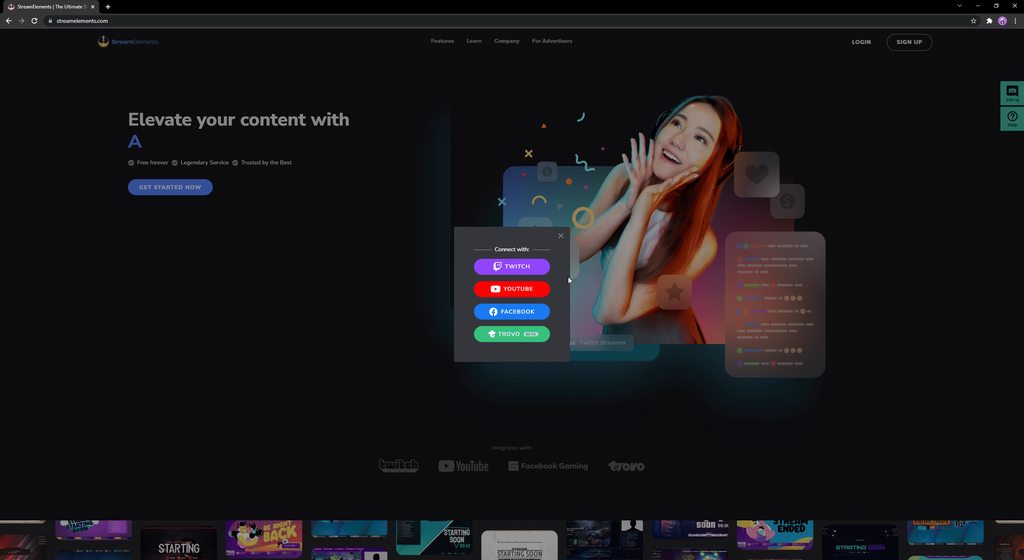 radiant storm
heady spire
While streaming Fortnite the overlay doesn't show up, but while streaming ROBLOX...
radiant storm
heady spire
While streaming Fortnite the overlay doesn't show up, but while streaming ROBLOX...
Are you streaming from PC or from the console?
rare sable
radiant storm
Encountering issues logging into FB from SE? Try this: when you login, click on ...
Only my gaming page is selected.
Did everything click by click per the video.
radiant storm
rare sable
Only my gaming page is selected.
You notice this issue on SE.Live right? Are you running it as an admin?
rare sable
yes
I even logged out of facebook as I have it always logged in thinking that might have been the cause.
heady spire
radiant storm
Are you streaming from PC or from the console?
pc
radiant storm
heady spire
pc
Do you have the overlays stacked on the top of your Source list? If the Game is above the overlays in listing it won't show
dapper iglooBOT
@rare sable ⤵️
StreamElements menu, on top of OBS > Logout > Login
radiant storm
rare sable
I even logged out of facebook as I have it always logged in thinking that might ...
If a relog doesn't work, make sure you're running the latest version. If you're running the latest, then we'll try another step
heady spire
radiant storm
Do you have the overlays stacked on the top of your Source list? If the Game is ...
Thank you so much it worked
rare sable
dapper igloo
<@497496154674692097> ⤵️
Just login is available. When i connect it says successful but in obs it says im not logged in to stream elements
dapper iglooBOT
@rare sable ⤵️
If you are not seeing the OBS Twitch integrations and have SE.Live installed, please follow these steps:
- Make sure you are on the latest and greatest version of SE.Live
- Exit OBS (make sure OBS is not running)
- Delete
%appdata%\obs-studio\plugin_config\obs-browser\obs_profile_cookies - Start SE.Live
- Settings > Stream > Disconnect > Connect
radiant storm
rare sable
Just login is available. When i connect it says successful but in obs it says im...
Try these steps
bold pendant
dapper igloo
<@398261613544865793> ⤵️
i tried this twice and the chatbot is still not responding in chat. the only time it says anything is when i rejoin the chat after parting.
dapper iglooBOT
@bold pendant ⤵️
Please provide your account ID found at the top of this page: https://streamelements.com/dashboard/account/channels This ID is public info and safe to share here.
bold pendant
608dda01b0863c141b0819e2
radiant storm
bold pendant
i tried this twice and the chatbot is still not responding in chat. the only tim...
Also are you noticing the bot respond to any commands?
bold pendant
no, it isn't. only the rejoin channel blurb.
 merry tide
hello!! im sorry if someone asked about this already before, i didnt see it scrolling up-- but i was wondering if there was anyway to get the channel info panel back so i can see followers, viewers, views, etc from my channel??? i used to be able to see it and it would help me when i went live to see how many people were viewing and what my follower count was at for my channel, but in my "docks" and "view" bar, I dont have the option to toggle it on or off anymore :C
 dapper iglooBOT
@merry tide ⤵️
StreamElements menu, on top of OBS > Logout > Login
 covert berry
HELP Streamelements says login i do and nothing happens it stays the same screen, doesnt work on website either
dapper iglooBOT
@covert berry ⤵️
Please provide your account ID found at the top of this page: https://streamelements.com/dashboard/account/channels This ID is public info and safe to share here.
radiant storm
covert berry
HELP Streamelements says login i do and nothing happens it stays the same screen...
What method are you using to login? (Twitch, YT, FB, Trovo)
covert berry
would it effect if i had a moderator on my fb page that already uses stream elements?
radiant storm
covert berry
would it effect if i had a moderator on my fb page that already uses stream elem...
No that doesn't matter, we need the ID so we can investigate further
covert berry
its for a buddy not mine where would he find that?
and he cant login when he types in that link
covert berry
okay then guess well go with another plugin
radiant storm
covert berry
and he cant login when he types in that link
Have them try these steps in private/incognito tab (CTRL+SHIFT+N) https://imgur.com/a/AkHFM1A
covert berry
didnt work
radiant storm
covert berry
didnt work
have them delete their cookies for the browser and then try to log in to StreamElements from a Chrome Browser. If that doesn't work, please have them contact us at support@streamelements.com and we'll investigate further.
restive cosmos
Helllo! is there a way for OBS.Live for mac to turn on Streamer Mode for discord automatically? i notice that it doesnt do it and i have to do it manually
bold pendant
dapper igloo
<@398261613544865793> ⤵️
608dda01b0863c141b0819e2
bold pendant
radiant storm
Also are you noticing the bot respond to any commands?
no, it isn't. only the rejoin channel blurb.
 half granite
Custom bot name for S.E Live hasn't been working for me as of late.
dapper iglooBOT
@half granite ⤵️
- Right-click your OBS desktop shortcut (not the SE.Live shortcut) and navigate to Properties
- In the Target field, add the following to the very end:
--remote-debugging-port=40404(don't forget to add a space before the current path)
https://streamelements.is-serious.business/6ihr2EL.jpg - Open OBS (or restart if it was open)
- Open your web browser and type in:
localhost:40404(try127.0.0.1:40404if you see issues - https://streamelements.is-serious.business/3EGPQFJ.jpg) - Click on StreamElements - Activity feed - https://streamelements.is-serious.business/2kJYt2b.jpg
- Click on >> in top right above the code and select Console - https://imgur.com/a/Xh6zc6A
- Type the following into the console and hit enter:
store.customBot.removeCustomBotIntegration() - Try setting the custom bot name, make sure you follow https://strms.net/custombotname
- Remove the flag added in step 2 from your shortcut properties
half granite

 cedar rune
toxic fern
cedar rune
toxic fern
@cedar rune No. We only support singular platforms at a time with alerts.
dapper iglooBOT
@cedar rune ⤵️
Did you get a "Channel already claimed" message?
More than likely your accounts need to be merged! - Please note:
- Merging accounts only allow faster ways to switch between accounts
- Merging accounts does not allow data sharing between accounts - different streaming platforms, different type of events
- Merging accounts allows duplicating/sharing overlays between the accounts
If you understand the limitations of merging and want to proceed, please find the JWT tokens (!jwt) from both accounts you want to merge and fill out the form here: https://streamelements.com/contact with each token correctly labelled
 toxic totem
Hi i need help, i've updated my obs and everything like chat, donations is not working and even my streamelements obs dont show stuff like subs/donation on left side of the obs
I've been reading
and ppl say its bug with plugin
and i should contact streamelements to get help
 plucky sphinx
i was curious, does the kappagen/emote wall/emotesplosion thing work with animated emotes? do they get animated or stay static?
sorry if asking in wrong place
dapper iglooBOT
@toxic totem ⤵️
StreamElements menu, on top of OBS > Logout > Login
full kindle
plucky sphinx
i was curious, does the kappagen/emote wall/emotesplosion thing work with animat...
I am like.. 71.6% sure they will stay static but you would have to test it first (opening the overlay editor you will see there)
toxic totem
dapper igloo
<@720145481036201984> ⤵️
The problemem
is that "streamelements" on top disapeared as well
full kindle
Then SE isnt installed?
dapper iglooBOT
@toxic totem ⤵️
Please provide a log from your last stream. To do this, in OBS go to Help > Log Files > Upload Current Log File and paste the link to the log file here.
full kindle
Yessm
toxic totem
this?
full kindle
Holy overlays- but yeah one second
toxic totem
yea and it was working well but today
full kindle
Id immediately suggest updating your OBS/SE.Live and running OBS as admin
toxic totem
i pressed "update" out of curiosity
and it made it this way
but the thing is
if i update it
its only updating to this version
its not going into the newest one
full kindle
yeah i mean
again your OBS is extremely out of date
so much so that i would expect things to be broken- first update that so it matches your version of SE.Live and run OBS as admin always and if youre still having issues come back with another log
full kindle

StreamElements
Download StreamElements SE.Live to makes live streaming on Twitch/YouTube/Facebook easy. Live Stream your broadcast from anywhere, save on CPU with StreamElements Open Broadcast Software (OBS) plugin.
toxic totem
like if i press it it wont update to newest one and when i open it again
ok give me 3 min will do sir
full kindle
Id run a backup of your OBS too
simply because that looks like a fucking nightmare to setup
full kindle
 toxic fern
Copy this folder %APPDATA%\obs-studio\basic
full kindle
Open both of these folders from your OBS - and copy them to your desktop
That way if your update were to go wrong you can simply re-import everything
With some 550+ different overlays I would highly suggest backing up first
toxic totem
will do sir
mostly its just pepe with different emotions but probably a smart thing to do
@full kindle
after update
still this
full kindle
 toxic totem
nah but i installed the newest
from internet
and it still shows as its the old one
if i uinstall all of this?
do all my overlay will be gone?
if i uninstall and install ?
plucky sphinx
full kindle
I am like.. 71.6% sure they will stay static but you would have to test it first...
thank you
nova scaffold
toxic totem
nah but i installed the newest
Yes, you need to update. Your OBS Studio version is almost 2 years old. Meanwhile OBS Studio 27.2.x is released.
And the best way would be a clean reinstall. Uninstall SE.Live first, then OBS Studio.
Then download a fresh OBS Studio, install it and then install SE.Live on top.
toxic totem
It's fixed thanks
 low horizon
Hey just wondering if with sub goals there's a way to auto adjust the numbers if they drop without having to go into the web browser and manually changing?
full kindle
low horizon
Hey just wondering if with sub goals there's a way to auto adjust the numbers if...
Like automatically raise it if the goal is met?
full kindle
low horizon
Hey just wondering if with sub goals there's a way to auto adjust the numbers if...
Regardless its possible but would require some minor javascript knowledge - going into the editor and making a simple if statement for what you wnat. I.e. if subGoal == goal --> increase subGoal by X amount
or if subGoal == (20% of goal) -> decrease subGoal by X amount
low horizon
Thanks @full kindle was for when it decreases
So if I lose some subs it’d drop the subs lost
So say I had 5 subs and I lost 2 it’d show as 3/10
 ripe plume
Is there any reason why I can't seem to find and edit stream information after the recent update ? The dock isn't there and j can't find it
ripe plume
I'll check when I'm back at the pc and see if it helps.
Thank you.
low horizon
Np's I and many more had the same issue
sturdy cradle
low horizon
Hey just wondering if with sub goals there's a way to auto adjust the numbers if...
I have this same question, if the current subcount is not a live number, the goal is pointless. It's the same with the follower goal too. I have to manually correct each number before I go live every stream. SE has the correct number in its stats, but it never updates any of the goals. This should be a very simple fix that needs to be done.
 keen dune
hey, just installed the SE.Live app and i cant start obs without it crashing now
 stone fiber
https://i.imgur.com/Iw82FCw.gif
Hey just installed SE.live and wanted to replay some of my follows but it wont trigger the alertbox I have to go to streamlabs to do it (tiny gif explaining)
digital granite
What does "Uncaught TypeError: Cannot read property 'raid-recent' of undefined" mean and how can I fix it? Please @ me https://obsproject.com/logs/dnkEWTCN-Lrlhk47
toxic fern
@stone fiber You're using a streamlabs overlay. Our stuff won't work with that.
stone fiber
toxic fern
<@180802785556561922> You're using a streamlabs overlay. Our stuff won't work wi...
Oh okay so then i'll change to streamelements overlay and it should work?
toxic fern
Yes
stone fiber
Thank you!
oblique orbit
Hey guys, I'm using the Space Force stream elements Overlay and the New Follower animation is different than the one that is supposed to be. I have triple checked going to the Overlay Editor and it's the space guy but even after clearing my cache in OBS it still does some dancing shark animation. Any ideas?
radiant storm
oblique orbit
Hey guys, I'm using the Space Force stream elements Overlay and the New Follower...
Do you have the dancing shark animation for a variant? Double check your alert to make sure that it isn't hiding under variants.
oblique orbit
radiant storm
Do you have the dancing shark animation for a variant? Double check your alert t...
Oooh I see the variation, there seems to be two for "when amount is exactly undefined". It's just the follower alert. So toggling them off will trigger the primary one?
radiant storm
oblique orbit
Oooh I see the variation, there seems to be two for "when amount is exactly unde...
You can toggle them off, change the variable or uncheck the option that says "If multiple variables match, use random alert".
Easiest solution is just turn them off though 😉
oblique orbit
radiant storm
You can toggle them off, change the variable or uncheck the option that says "If...
Thanks for the quick help! Any idea why it was triggering the variation just for the Follower alert? Kind of odd but when I turned them off and went to the settings for the variants, the shark one is now gone and looks like the default space guy one....
radiant storm
oblique orbit
Thanks for the quick help! Any idea why it was triggering the variation just for...
The option that says "If multiple Variable match play random alert" This was triggering the issue.
rugged quail
hello, my obs is not displaying my "stream info" panel
dapper iglooBOT
@rugged quail ⤵️
StreamElements menu, on top of OBS > Logout > Login
radiant storm
rugged quail
hello, my obs is not displaying my "stream info" panel
If that doesn't work, try Settings > Stream > Disconnect > Connect
rugged quail
radiant storm
If that doesn't work, try **Settings** > **Stream** > **Disconnect** > **Connect...
This worked, thank you!
oblique orbit
Should I uncheck that as well?
radiant storm
oblique orbit
Should I uncheck that as well?
¯_(ツ)_/¯ your call. it easiest to prevent any hiccups
 proven meteor
hello, i need help asap if possible
dapper iglooBOT
@proven meteor ⤵️
Welcome to the helpdesk! Please let us know how we can assist you today and a support volunteer or staff member will assist you as soon as they are available. Thank you for your patience.
proven meteor
so everytime i go to click "start streaming" in my obs onto twitch it says that i dont have verification even though ive verified and done everything i could. this has never happened before
anyone know a fix?
radiant storm
proven meteor
so everytime i go to click "start streaming" in my obs onto twitch it says that ...
Settings > Stream > Disconnect > Connect
proven meteor
in obs?
radiant storm
yupp
proven meteor
much love
oblique orbit
radiant storm
¯\_(ツ)_/¯ your call. it easiest to prevent any hiccups
dang you're the GOAT sir, one last question. my alert volumes are still super loud even though I've gone through every single one and adjusted down to 25% on the overlay editor. on obs there isnt a way to control individual sources. Any ideas on how I can lower the alert volume?
radiant storm
oblique orbit
dang you're the GOAT sir, one last question. my alert volumes are still super lo...
You can choose the default output source and then adjust the volume of that source from your audio sources
full kindle
oblique orbit
dang you're the GOAT sir, one last question. my alert volumes are still super lo...
If its a specific overlay URL it might be best to simply add a audio filter to that specific overlay to prevent it from peaking/being too loud
oblique orbit
Even If I go to properties for the browser source and select "Control audio via OBS" and lower the volume, the "desktop audio" still is super loud
oblique orbit
radiant storm
You can choose the default output source and then adjust the volume of that sour...
How do I do that? I don't see output source on properties for the browser source
oblique orbit
full kindle
If its a specific overlay URL it might be best to simply add a audio filter to t...
The only one I saw was suppression and it was talking about CPU usage, has to be a simpler way to just adjust volume for a browser source?
radiant storm
oblique orbit
How do I do that? I don't see output source on properties for the browser source

Audio Mixer will be your friend
full kindle
oblique orbit
The only one I saw was suppression and it was talking about CPU usage, has to be...
https://obsproject.com/wiki/Filters-Guide#:~:text=In short%2C an expander makes,the Ratio and Release time --> read limiter, noise suspression would be used to remove background noise. cpu usage used by any audio filter is negligible unless youre somehow streaming off a windows 7 2006 laptop
In OBS Studio we have the ability to add filters to our Sources, Scenes and even our Audio Devices. The following filters are available in OBS Studio 23.0.0: * [Scene and Source …
If you really wanted you could go into the AAP and manually lower the volume by a %% or a dB but I would reccommend not doing this as its highly likely not all alert volumes are created equally and are of different volumes- limiter will prevent peaking and loud noises without making the already quiet noise even more quiet
oblique orbit
radiant storm
Right I had that but even if I lower it on the actual source mixer, the volume is still the same (super loud) on the desktop audio source. How do I make it just exclusively to that audio output?
oblique orbit
full kindle
https://obsproject.com/wiki/Filters-Guide#:~:text=In%20short%2C%20an%20expander%...
Tried this and went up and down the thing but no volume change still....
Should I be "shutting down source" when they aren't being used? Is it possible all my scenes are causing the alert to go off and amplify the volume?
I have a feeling its something stupid like that lol
Oh for some reason now I see it on the Audio Mixer for that track but now I don't hear it through the Desktop Audio, I just realized the Desktop Audio was from the streamelements site doing it, I muted the site
Is there a way to move the sources up and down?
 fluid knot
Anyway to get media request's auto play to work? I've just updated to the new SE Live, relogged into Twitch.
Closed Media Request, Reopened it. Closed it with auto play saved to no. Reopened with. Turned on Autoplay and pressed save. Clicked refresh, closed OBS, reopened it and nothing really works.
radiant storm
fluid knot
Anyway to get media request's auto play to work? I've just updated to the new SE...
What browser are you using? Do you notice this issue when attempting in an incognito tab?
fluid knot
I believe it's edge, is there a way to log out and log back into SE Live again?
I can help troubleshoot with you if you have time
dapper iglooBOT
@fluid knot ⤵️
If you are not seeing the OBS Twitch integrations and have SE.Live installed, please follow these steps:
- Make sure you are on the latest and greatest version of SE.Live
- Exit OBS (make sure OBS is not running)
- Delete
%appdata%\obs-studio\plugin_config\obs-browser\obs_profile_cookies - Start SE.Live
- Settings > Stream > Disconnect > Connect
fluid knot
delete the folder 'obs_profile_cookies' or the folder inside?
going to create a backup
same thing
starts the next song with the play button and waiting for input
deleted the folder and reconnected.
closed the element with auto play off. reopened it. turned on auto play. closed it and reopened
same issue
thanks for trying 
dapper iglooBOT
@fluid knot ⤵️
Please provide your account ID found at the top of this page: https://streamelements.com/dashboard/account/channels This ID is public info and safe to share here.
fluid knot
5feea0a3b8823829d07443d1
fluid knot
radiant storm
What browser are you using? Do you notice this issue when attempting in an incog...
Anyway to make the Media Request smaller similar to previous update? CPU usage shot up by about 8%

 slate fiber
hey there, currently trying to add some overlays to my stream but whenever I save something and go back to it later I get an error that says the overlay doesn't exist. cant use premade overlays, can't edit my own and when I try to add a link to obs nothing shows up
curently using the newest versions of obs, selive and chrome
also when I try to use the editor no visuals pop up even tho it says I added the widget on the side bar
 karmic cobalt
Hey, who do i msg about linking my youtube to my twitch? it says its already claimed. thank you
dapper iglooBOT
@karmic cobalt ⤵️
Did you get a "Channel already claimed" message?
More than likely your accounts need to be merged! - Please note:
- Merging accounts only allow faster ways to switch between accounts
- Merging accounts does not allow data sharing between accounts - different streaming platforms, different type of events
- Merging accounts allows duplicating/sharing overlays between the accounts
If you understand the limitations of merging and want to proceed, please find the JWT tokens (!jwt) from both accounts you want to merge and fill out the form here: https://streamelements.com/contact with each token correctly labelled
 echo tapir
What is the correct procedure to clear out follow bot alerts. We tried pausing alerts, mark all as read and then reload overlay. but we still had a few go through before it stopped
 narrow ridge
was just checking around, and changed my icons to SVG 😛
 humble ingot
Hello. My Personal Information and Bank Details are invalid and I can't withdraw money 😅 "Your bank details are being verified. This process takes up to 7 business days" but it's been a month and still nothing 🙄
digital granite
digital granite
What does "Uncaught TypeError: Cannot read property 'raid-recent' of undefined" ...
Can someone help me here, or do you think I'm asking the wrong questions?
dapper iglooBOT
@humble ingot ⤵️
Please contact us via email for support with SE.Pay. You can use our contact form here: https://streamelements.com/contact Thank you.
humble ingot
dapper igloo
<@150021546910547968> ⤵️
Thanks
fluid knot
First Issue with Higher CPU Usage
Something is using a higher amount of CPU in the browser-page during the latest update, I've been troubleshooting and ending the task on 'obs-browser-page.exe' of the highest one with the CPU seems to cut down the usage by about half.
Notes:
- Rebooted Machine
- Turned off all stream widgets on the screen and it is still a high amount of usage
- Closed Media Request as well
In the end 'ending the task of the highest CPU usage 'browser-page.exe' at the very top of task manager reduces CPU by half
Second Issue with audio routing
When ending the task it seems the stream can keep going but it made the Media Request route my audio from 'Browser' to 'Desktop', not sure how to fix this by routing it back (I tested this by opening Microsoft Edge itself and Media request routes through Browser correctly still).
kindred fox
fluid knot
`First Issue with Higher CPU Usage`
Something is using a higher amount of CPU i...
Are you using default audio devices within obs or did you specifically add a different device than the windows default output device?
For the CPU usage, make sure all your overlays are set to shutdown when not visible
fluid knot
kindred fox
Are you using default audio devices within obs or did you specifically add a dif...
Nothing has changed since I was looking into this. For example:
- I actually looked at the CPU usage before updating and after in the same 5 minutes and it went up.
- All those QoL settings are already on since before the update yesterday and I'm aware of them.
If I end the task right now again the CPU usage will cut in half and the stream continues to work.
kindred fox
And there is no visible change in obs?
fluid knot
It reaches an all time peak of roughly 31% CPU usage today versus roughly 8 months of streaming at 19% CPU Usage.
kindred fox
If you switch scenes does it spike back up?
fluid knot
Good point, I just used one of my very low usage scenes (Starting Scene) and it's at a very high usage still.
This one usually at 9% it's now at 25.1%
kindred fox
And all of your browser sources are set to shutdown when not visible?
fluid knot
Swapping back now
Spiked to 44.6% at peak and now dropped back to the 'new normal' which is 31.6% roughly
kindred fox
Verify your browser source properties
fluid knot

Alright let me check each item one by one (though I shouldn't have to as nothing was altered during the update).
I just hidden every item so far and the preview is entirely black and CPU usage is at 23.4%
It's something with this Microsoft Edge and the latest SE live update
kindred fox
edge isn't used in obs
fluid knot
What browser does OBS use?
toxic fern
Specifically "CEF".
fluid knot
I see, I was trying to troubleshoot with Greyson yesterday for the Media Request
kindred fox
 fluid knot
Yep that's what I'm checking each item on.
kindred fox
Those two boxes specifically, in each browser source properties
fluid knot
So to further clarify, I haven't touched any settings for about 2 months or so. I went through each item previously 2 months ago. Created a cloud backup once everything was good and been streaming since then. With peaks at around 20% CPU Usage (I use Nvidia NVEC for streaming).
Yesterday I noticed CPU was higher than normal by 10% or so and then I just killed that browser source mid-stream and then I noticed my audio started routing from the media request into desktop
So yeah one issue led to another
(Stream continued to work, just music was routed to desktop instead of browser)
Done verifying each browser source item. CPU usage at around 23.9 with the items in my folder set to hidden
I'm going to unhide the folders like Widgets now
kindred fox
how many overlays do you have per scene?
fluid knot
Spiked to 53.2% and now stable but at the new normal again which is 31.3%
All sources have been checked to be disabled as well the 2 boxes
kindred fox
That's why your CPU use is so high
fluid knot
Ok but it doesn't explain why it was 20% on Saturday
Or rather 3 months of streaming
I keep task manager open when I stream and been monitoring since the new year after I finalized all the settings.
It was 20% for 3 months until the new update of SE Live in the past 48 hours
Just swapped to a new scene and it's 24.7%
Completely empty
No browser sources


I also already tested with Media Request closed.
It's open right now which is a browser source, let me close it.
Dropped down about 0.6%
Something is still eating away at the browser sources on an empty scene
19.4% now
When I troubleshoot it and end the task. I notice the Activity Feed from SE Live will stop working, so it's something related to the chromium.
If that helps.