#helpdesk-selive
1 messages · Page 233 of 1
 late lynx
 pale ivy
no i want to see my chat on my screen without having to check twitch or w/e
 crude tundra
ty
 ocean rivet
pale ivy
no i want to see my chat on my screen without having to check twitch or w/e
ocean rivet
pale ivy
no i want to see my chat on my screen without having to check twitch or w/e
you can add the chat dock from the streamelements menu > obs.live docks
pale ivy
thats already checked but i cant see my chat on screen
ocean rivet
pale ivy
thats already checked but i cant see my chat on screen
can you share a screenshot of your whole obs window?
pale ivy
i will when im able, sorry im a bit busy as of rn
crude tundra
Wow that did the trick ... ty so much and apologies for the disruption
 hybrid plover
Update: OBS hot fix 27.1.3 fixed everything and all the S/E stuff has worked out too.😋 👍 Now I'm happy. Now I just have to vacuum all the hair I pulled out.
pale ivy
also i think u are misinterpriting what im wanting
im wanting to see it when my game is fullscreened
like i can see chat
without having to maximise obs, or twitch, or whatever
late lynx
pale ivy
without having to maximise obs, or twitch, or whatever
there's a program for that on github
ill get you a link
 kindred fossil
late lynx
ill get you a link
kindred fossil
late lynx
ill get you a link
Gimme that too, please?
 dapper iglooBOT
If you have one monitor and/or would like the chat overlay on the screen, please look at the link below.
Please note this is not a plugin for OBS and not maintained by SE.
https://github.com/baffler/Transparent-Twitch-Chat-Overlay
ocean rivet
@pale ivy @kindred fossil ^^ 😄
 mellow delta
is this right place to ask help with ground control app. i want to use it, not the integrated in .live plugin?
ocean rivet
mellow delta
is this right place to ask help with ground control app. i want to use it, not t...
yeah, you can ask here as well
mellow delta
okey, so i have ground control installed to win 10 machine. its works perfectly, but then i have installed to my main pc wich is windows 11. the app works but only the media request tab is just blue, and i can do nothing with it, unless restarted the app. is it just of because windows 11 or something else? and the win 10 machine is my old laptop wich i dont use unless testing purpose, so it would be nice to get work on win 11 pc
and if you need information, win 11 is the real released version, not insider version
 waxen forge
hi.. while trying to conenct my PS5 remote play to my OBS live it just shows a black screen
ocean rivet
mellow delta
okey, so i have ground control installed to win 10 machine. its works perfectly,...
it could be that you're missing some libraries, such as https://aka.ms/vs/16/release/vc_redist.x64.exe
mellow delta
ocean rivet
it could be that you're missing some libraries, such as https://aka.ms/vs/16/rel...
i have it installed but version is older. i try install it and try if it works
ocean rivet
in any case, we don't have support for windows 11 yet
mellow delta
ocean rivet
it could be that you're missing some libraries, such as https://aka.ms/vs/16/rel...
okey the updated vc redist package fixes the problem, pretty wierd that with win 11 you get older version 😮
but yeah, thats for help 😛
 urban compass
Any idea why my text won't show up for alerts when I use an overlay from a pack I bought from OWN3D? The animation happens and it works properly but when I switch to "text over image" in the layout section of the alert it doesn't show up. The other 2 layout options show the text totally fine.
 eager radish
I'm getting an "Invalid authorization token" error when attempting to edit my overlays. Logging out and back into my twitch on both the app and the web browser don't fix the issue. What do I do?
 worthy eagle
So, my custom bot name vanished when I changed the password for the account, I have logged back into the account via the OBS stream elements activity feed dock 7 times in a row, with the correct credentials, and nothing happens. It just wont let me add my custom bot name back, is there an issue?
dapper iglooBOT
@worthy eagle ⤵️
- Right-click on your OBS desktop shortcut and open the Properties
- In the Target field, add the following to the very end:
--remote-debugging-port=40404(don't forget to add a space before the current path) - Open OBS (or restart if it was open)
- Open your web browser and type in:
localhost:40404 - Click on StreamElements - Activity feed
- Navigate to the Console tab
- Type the following into the console and hit enter:
store.customBot.removeCustomBotIntegration() - Try setting the custom bot name
- Remove the additional flag in step 2 from your shortcut properties.
 quick atlas
eager radish
I'm getting an "Invalid authorization token" error when attempting to edit my ov...
quick atlas
eager radish
I'm getting an "Invalid authorization token" error when attempting to edit my ov...
Can you try clearing the cache and cookies of the browser, then try again?
 lethal nebula
Hey guys, I don't know if this is the perfect channel to write but I have a problem on donation page... I only see the paypal button... How can I add donations by card?
 median venture
so I keep getting the error below but i have not been getting anything telling me what it is in my logs
 quick atlas
median venture
so I keep getting the error below but i have not been getting anything telling m...
quick atlas
median venture
so I keep getting the error below but i have not been getting anything telling m...
The settings may be to high for the system, but I'd advise checking the in the OBS discord for the best help
dapper iglooBOT
Obs.live is a plugin for OBS Studio for the best OBS support, please join their Official Discord @ https://discord.gg/obsproject
worthy eagle
dapper igloo
<@695316399031189525> ⤵️
Magic stuff, thanks
 dark willow
dapper igloo
<@695316399031189525> ⤵️
dark willow
dapper igloo
<@695316399031189525> ⤵️
I've just tried those steps, but for some reason it didn't work for me, I tried connecting another bot account, but it didn't worked either
 kindred fox
dark willow
I've just tried those steps, but for some reason it didn't work for me, I tried ...
kindred fox
dark willow
I've just tried those steps, but for some reason it didn't work for me, I tried ...
Make sure you’re following the steps exactly
dark willow
I did exactly as stated, but still
I don't know if running OBS as admin is messing with that in some way maybe
kindred fox
Obs should always be run as admin
You’re performing the steps with obs closed to start?
dark willow
Yes,I am
dark willow
My issue was fixed, thanks to the support team on twitter 😄
 gleaming quiver
is it safe to say not to update to obs 27.1 yet until SE has a compatible update?
 soft knot
gleaming quiver
is it safe to say not to update to obs 27.1 yet until SE has a compatible update...
soft knot
gleaming quiver
is it safe to say not to update to obs 27.1 yet until SE has a compatible update...
Yes, it is. 👍
 elfin silo
Hey with the latest update you still cant change the size on the obs live so it can fit for smaller monitors i wonder if there will be another fix to this or is there already a fix that i have missed?
 rugged quail
elfin silo
Hey with the latest update you still cant change the size on the obs live so it ...
rugged quail
elfin silo
Hey with the latest update you still cant change the size on the obs live so it ...
Hey, following up on the ticket you sent, we were referring to the OBS discord, not ours
 still shale
can someone help me fix my obs
 vast wren
still shale
can someone help me fix my obs
vast wren
still shale
can someone help me fix my obs
what seems to be the problem?
still shale
im having frames missed due to rendering issues and i dont know what to do regarding a fix
dapper iglooBOT
@still shale ⤵️
Dropped Frames means that you have a bad connection between your device and the streaming platform and most likely something related to your ISP not handling the connection properly.
Speed tests usually cannot help solve this problem and its best to use this guide: https://obsproject.com/wiki/Dropped-Frames-and-General-Connection-Issues
If you stream to twitch, use the !twitchtest command and do a connection test to your regional servers.
 willow quest
Can someone please help me, im going nuts
Im trying to use stream elemts for my Youtube streaming and such. Yet the tip link, and my streamelements profile page is showimg my very first youtube name form 2014, ive been using a new one for years now and it hasnt changed on streamelements
Im not seeing anyway to edit the tipping link or anything like that

I need both the link at the bottom, and the profile page at the top to also say '0hkie' not the name I had nearly 7 years ago
the tipping link is also using the really old name

@soft knot - is there anyway of changing this stuff?
soft knot
willow quest
<@!409020761571983361> - is there anyway of changing this stuff?
Yes, this is a task for our developers, and first we need to make sure that this name is free in our system. Please send us a ticket here: https://streamelements.com/contact and tell us your account ID and the name you want to change the URL to.
dapper iglooBOT
@willow quest ⤵️
Please provide your account ID found at the top of this page: https://streamelements.com/dashboard/account/channels This ID is public info and safe to share here.
willow quest
Okay done, thank you!
 pallid moss
How do I restore my OBS.Live?? Everything is gone after trying to update to OBS .27 or whatever.
How do I reverse what happened:???
I only have OBS, where is the LIVE part??
Help? Please.
How to I restore my OBS.Live???
dapper iglooBOT
@pallid moss ⤵️
OBS.Live is a Plugin for OBS created by StreamElements. You can download OBS.Live here: https://streamelements.com/obslive
Please make sure you have the latest version of OBS installed, Current Version: 26.1.1. You can install OBS here: https://obsproject.com/
pallid moss
dapper igloo
<@483745437098967060> ⤵️
Its not popping up the media and chat for me! D;:
dapper iglooBOT
@pallid moss ⤵️
StreamElements menu, on top of OBS > Logout > Login
 half urchin
hello, i have a youtube account connect to SE and the dashboard is not working. therefor alerts r not working
what do i need to do?
pallid moss
dapper igloo
<@483745437098967060> ⤵️
In OBS? I don't have a StreamElements tab....
 runic junco
Why is it do I get a 404 sever message when I hit the tip overlay ??
pallid moss
Everything is restore but now my Stream Deck is not responsive to OBS.Live, any help?
 twilit pilot
Anyone have any performance issues now after the newest OBS update? I could always stream with the preview window on and now I can't without a bunch of dropped frames.
 lament maple
I've run into a problem where any TTS is at 100% volume despite what it's actually set to. I even turned it down to 0% and can hear it the same as if I never changed it. This started halfway through my stream yesterday (the first 3 hours levels were fine) and persists today. I've checked and there are no updates to push. Any advice is appreciated.
 sick kestrel
is this other new update safe and working
kindred fox
no
eager radish
quick atlas
Can you try clearing the cache and cookies of the browser, then try again?
tried this and it's still not working
 harsh jewel
did they change the minimum size for obs cant scale the app smaller than a certain area
 dull cedar
I'm not getting any audio from any of my alerts? anyone else? OBS.LIVE is being used.
dapper iglooBOT
@dull cedar ⤵️
If you are not hearing your alerts and/or Media Request, you are most likely using the Control Audio via OBS option in your browser source properties.
To make sure you hear the alerts and the stream also hears them, follow along the screenshot bellow.
https://cdn.discordapp.com/attachments/199460642975907840/685371800456134686/unknown.png
dull cedar
Yeah, I'm dumb. I fixed it. Thanks!
half urchin
has obs.live plugin been updated/fixed for youtube?
 hollow grove
im having trouble streaming to facebook using my obs studio im losing my mind i start streaming on obs but facebook wont let me go live
 bronze pendant
got a quick question.. How do I setup the stream tweets in chat to only show my tweets?
 acoustic crypt
hi i keep getting this failed to authenticate with twitch (http 400) when i start my obs.live what can i do to fix this please help & thank u
 hasty brook
after installing stream elements in OBS nothing works anymore. I'm trying to stream to restream. It works perfectly when SE is unistalled. When I try to stream with SE installed I get a dialog box asking me to set up my youtube stream. The first option, "Go Live with Youtube Live Dashboard setting" crashes OBS 100% of the time. The second option, "Create a new Youtube Live Video with these settings:" returns an error message reading "Oops! Something went wrong... we could not create a Live Stream on Youtube."
 turbid ledge
Hey, OBS Live isnt launching with OBS studio for me after updating. Any fix?
 dull pulsar
Does anyone know why my minecraft isnt showing up on my game capture
acoustic crypt
I figured it out I disconnected my twitch to obs & obs.live then reconnected & it fixed the authentication failure (http 400)
 fathom pier
hey I'm having some problem with the custom bot name, I was using normally but it stopped working since my last broadcast, any way to fix this?
dapper iglooBOT
@fathom pier ⤵️
If your commands recently stopped working and you're using OBS.Live and a custom bot name do the following:
- In OBS.Live, click on the hamburger menu (three stripes) at the top left of your activity feed
- Click on Stream Settings > Custom bot name
- In the Custom bot name field select Set custom bot name, not your already existing username (with capital letters). Note: If you already connected an account that way, the third entry will show as the account name (see image https://i.imgur.com/re4theQ.png).
- Scroll a bit down and click on the purple Connect Custom Bot Account button
- Log in as usual and Authorize the custom bot name
- Back in the Activity feed, click on the Send Test Message button and check if your custom bot name starts working again
 frank herald
hi. can someone please help with my problem. My OBS wont start streaming to either Twich or YouTube. every time I press the Start button it opens a new window called "Start streaming to YouTube" with literally nothing but a StreamElements blue background, nothing else.

 vestal laurel
Can someone help me I'm trying to resize the Game Capture and i cant seem to get it to 1920x1080 on capture any fullscreen application
 frigid urchin
Hello, It appears the latest OBS update is causing audio desync issues. Its impacting me and some others. Do we have any other reports of this or a fix?
 rigid perch
Is the mac version updated to OBS 27.0? I couldn't find any information about that.
 delicate jasper
Hello, How do I find my stream key?
vast wren
delicate jasper
Hello, How do I find my stream key?
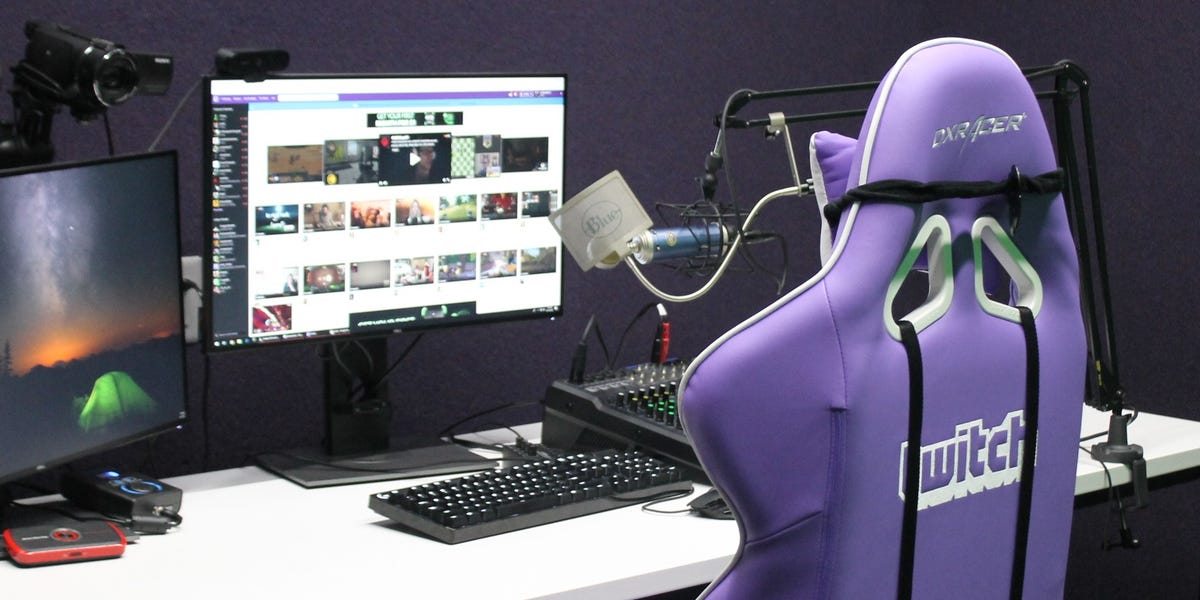
Business Insider
You can find your Twitch stream key in your channel's "Preferences" menu. There, you can copy or reset it.
rugged quail
Hi everyone, I have a Mac m1 and I am trying to use the streamdeck app to control it. I was able to until I restored my Mac. I have just done a fresh install of obs live and streamdeck app. When I go to add actions from obs, the streamdeck app asks me to launch OBS even tho it’s already open. Any thoughts?
 barren prawn
Hello! I did a bitrate test this morning using the "Auto-Configuration Wizard" tool in discord and it recommended that I use 10000 bitrate to stream to YouTube. Fast forward hours later and now it will only recommend a bitrate of 160ish. Just curious as to what I am doing wrong as I obviously can't stream at that lol
 clever sable
can not ad more than one user in OBS live?
rugged quail
clever sable
can not ad more than one user in OBS live?
You can only have one user logged into OBS.Live at a time, yes
clever sable
rugged quail
You can only have one user logged into OBS.Live at a time, yes
so I need to log out and then log in to my other user if I need to use it
 wooden dragon
Hello. I'm streaming and after the last obs update my twitch activity feed doesn't have the option to show donations and my viewer count is gone as well. I've used this same setup for years could anyone PLEASE help me? I can't fix it


 wooden dragon
Could I install it while I'm live? @rugged quail
rugged quail
unfortunately, you'll need to shut obs down to install it, so no
wooden dragon
Ok. No problem.
 pliant carbon
so err did my streamelements just delete him self alongside with ALL OF MY OVERLAYS AND DOCKS??
?
??????
 sullen thunder
Is it possible to download this type of animated alert for elixir donation or you have to make a custom one?

 rose patio
I need help.. It seems OBS is reverting to facebook streaming when I am trying to use restream.io I want to get rid of facebook.. but i think streamelements is forcing it. How to kill facebook on streamelements OBS? I was working off and on now not at all. On start stream the first thing you get is a dialog wanting to sent thte facebook stream discription.. then stream key error.
vast wren
rose patio
I need help.. It seems OBS is reverting to facebook streaming when I am trying t...
have you logged out of obs.live first?
rose patio
and then kill the facebook link from streamelements website?
Says parted on the streamelements site.. Then still attached to facebook streaming in the OBS streaming. and gives facebook dialog when starting stream.. OBS always reverts to facebook streaming.
vast wren
even after loggin out?
rose patio
yeah i close obs. the go to streamelements website and part
vast wren
rose patio
yeah i close obs. the go to streamelements website and part
try this https://streamelements.com/logout

StreamElements
The Ultimate All in One Platform for Streamers
rose patio
It would work when i chose the 2nd option in the facebook dialog..Create a new Facebook Live Video post with these settings: Now I'm just getting hte same error.
I think im abour to uninstall obs and stream elements and start fresh..??
when i parted in the SE website i think i just parted the bot from chat... am i doing this right?
you tube advice lead me to dashboard and part
vast wren
that will only part the bot..
rose patio
how to i get rid of face book
Stop if from trying to put facebook as default?
I should be able to use restream.io and streamelements.. yes? sorry for long questions.
I deleted all reference to facebook in restream.io destinations.
I blame the fact that when I first set up streamelements i clicked the facebook button.. i thought it made sense then I quit facebook from restream.io
seem like ill try to start fresh.
 lyric bloom
I added a stream perk redeem but I don't want the whole "X has redeemed X" to appear in chat, and I turned it off in the settings but it still happens. Did I do it wrong?
 vast wren
rose patio
seem like ill try to start fresh.
vast wren
rose patio
seem like ill try to start fresh.
that might help... let us know if theres still an issue after that
 hallow smelt
I have a huge problem, since the last update (yesterday) my obs uses almost 20GB of my ram after streaming for like an hour
It randomly does that, normally it uses between 800mb to 1,2gb
This cant be normal, is there a known bug?
I’ve read that more people in here got the same problem and I definitely need to fix this asap 😯
clever sable
rugged quail
but only on obs.live, not on the dashboard
Thanks
 zinc hamlet
Hey all, since the leak, I changed my password, and now I'm trying to reconnect my bot within the app for a custom name. In Activity Feed, I go to custom bot name, am able to "connect" via the Twitch API and it shows as connected on my bot account, however, nothing changes in the OBS.Live app. The bot name isn't added, and pressing save does nothing either except close that window.
soft knot
zinc hamlet
Hey all, since the leak, I changed my password, and now I'm trying to reconnect ...
If resetting the bot back to StreamElements, then setting it again to your custom bot, doesn't work - try this:
dapper iglooBOT
@zinc hamlet ⤵️
- Right-click on your OBS desktop shortcut and open the Properties
- In the Target field, add the following to the very end:
--remote-debugging-port=40404(don't forget to add a space before the current path) - Open OBS (or restart if it was open)
- Open your web browser and type in:
localhost:40404 - Click on StreamElements - Activity feed
- Navigate to the Console tab
- Type the following into the console and hit enter:
store.customBot.removeCustomBotIntegration() - Try setting the custom bot name
- Remove the additional flag in step 2 from your shortcut properties.
zinc hamlet
@soft knot Thank you so much, this worked a treat! Great support man
dapper iglooBOT
@grand cloud ⤵️
Welcome to the helpdesk! Please let us know how we can assist you today and a support volunteer or staff member will assist you as soon as they are available. Thank you for your patience.
 grand cloud
dapper igloo
<@640425573826428931> ⤵️
grand cloud
dapper igloo
<@640425573826428931> ⤵️
i cant get any clear pngs
rose patio
rose patio
seem like ill try to start fresh.
My solution was.. that even though I wasn't using facebook .. StreamelementsOBS.live dosn't work with out a valid facebook address and and key. Learning is hard.
 violet mantle
I have a question... I registered a custom bot name on twitch (normal user account, login works fine) and would like to use it for obs.live.. so I go to my "activity feed" panel in OBS.Live, select stream setting, chose "Custom Bot Name" click on "Select custom bot name", click on connect custom bot account, enter my credentials, solve the capture, enter the 2FA code and click on authorize.
And then I am back in OBS.Live and still dont have a custom bot name to choose.
Did I miss smth?
 grand dagger
im stuck in an endless loop, it tell me there is an update, i install it, and once program starts again i get this message still, i have restarted pc twice now and its still here. what can i do?

 obtuse kestrel
How do I add tags to stream information?
rose patio
rose patio
My solution was.. that even though I wasn't using facebook .. StreamelementsOBS....
I was wrong again.. I dont think stream elements works with restream.io.. i will keep trying to resurect it.
 worthy zealot
i cant get my OBS to go live... i click Start Stream and then the button changes to the Red Stop Stream button... but im not live. it didnt pop up the normal window it does when i click start stream to let me decide if i want to do it through Facebook or through obs with facebook settings.. i uninstalled and reinstalled both OBS and the Streamelements overlay. it still isnt working. i restarted my PC as well. Please help.
 knotty cloud
violet mantle
I have a question... I registered a custom bot name on twitch (normal user accou...
knotty cloud
violet mantle
I have a question... I registered a custom bot name on twitch (normal user accou...
I'm having the same exact problem right now: Connect Custom Bot Account --> Login with credentials --> 2FA --> back to the start, with the option of sending a test message not available.
violet mantle
yes, maybe smth. bugged?
soft knot
worthy zealot
i cant get my OBS to go live... i click Start Stream and then the button changes...
See the latest pinned message in #helpdesk-facebook please.
@violet mantle @knotty cloud Do the first, then if this doesn't work the second:
dapper iglooBOT
If your commands recently stopped working and you're using OBS.Live and a custom bot name do the following:
- In OBS.Live, click on the hamburger menu (three stripes) at the top left of your activity feed
- Click on Stream Settings > Custom bot name
- In the Custom bot name field select Set custom bot name, not your already existing username (with capital letters). Note: If you already connected an account that way, the third entry will show as the account name (see image https://i.imgur.com/re4theQ.png).
- Scroll a bit down and click on the purple Connect Custom Bot Account button
- Log in as usual and Authorize the custom bot name
- Back in the Activity feed, click on the Send Test Message button and check if your custom bot name starts working again
- Right-click on your OBS desktop shortcut and open the Properties
- In the Target field, add the following to the very end:
--remote-debugging-port=40404(don't forget to add a space before the current path) - Open OBS (or restart if it was open)
- Open your web browser and type in:
localhost:40404 - Click on StreamElements - Activity feed
- Navigate to the Console tab
- Type the following into the console and hit enter:
store.customBot.removeCustomBotIntegration() - Try setting the custom bot name
- Remove the additional flag in step 2 from your shortcut properties.
violet mantle
We dont have 1.6) Send Test Message since on 1.5) the window just closes... will try the second and see whats the output
soft knot
violet mantle
We dont have 1.6) Send Test Message since on 1.5) the window just closes... wil...
Yeah, definitely do the second then.
violet mantle
yes the 2nd approach worked. What did the JS function do?
soft knot
violet mantle
yes the 2nd approach worked. What did the JS function do?
I'm not intimately familiar with our backend, but I think the name is pretty self-explanatory. 🙂
In my experience, it happens to users who had a custom bot name set up, then uninstalled OBS or did something else that left it "stuck" without cancelling it first.
violet mantle
Cannot confirm or deny that 🙂 I fiddled around with that option a bit, but never used it until today 🙂 So might be possible
Anyways, thanks a lot for your support
knotty cloud
I can confirm the the problem got solved using the same method.
I think the problem might have derived from me changing passwords to my Twitch account (bot included) and resetting the stream key following the latest news about the leak. Something might have gone wrong in between.
violet mantle
Yes I just did the same, but registered a new bot account.
soft knot
knotty cloud
I can confirm the the problem got solved using the same method.
I think the prob...
Yeah, so you're #2 and #3 today with the same experience.
knotty cloud
Thanks for the help, though! Much appreciated!
 lost kraken
Hello - Is there a way to have StreamElements bot name changed permanently without having the OBS.Live add on in my OBS.studio?
 toxic fern
No.
 split flower
How can I update obs? I only see how to update streamelements plugin...
 carmine bridge
Hey everyone does anyone know how to edit the hype cup alerts so I can choose different sprites for different currencies? Usd / BTC / xrp / GBP so on
 raw cargo
hey everyone hope you are all well 🙂 i was just wondering if i am able to get some assistance with using obslive and streaming whilst in vr playing vrchat and djing at the same time and if there is any programs or any way i am able to do this with out having any lag/ glitching and also trying to get my settings so that my cpu and gpu dont make me drop framerates etc? i am trying to word this as best as possible and i hope it is understandable 🙂
raw cargo
?
 sacred mulch
I was able to restablish my custom bot name per suggestion #2, but it still won't respond to commands. It is a modded account.
TeamUTAC
It will respond to my owner account
I logged out and logged in as the owner account. Problem workaround solved.
rugged quail
hey im running into some problems!
i just added obs live to obs, it seems to have downloaded fine.. but i cant seem to find media request?
nvm, found it!
soft knot
sacred mulch
I logged out and logged in as the owner account. Problem workaround solved.
Does it respond to commands from everyone now?
 amber folio
Hello whenever I start my stream I get this message "@xZeroBrandx it seems like your Sound Alerts browser source is offline 😦 Make sure you've implemented the source correctly in OBS or refresh the source" I have gone into advanced and changed the Browser source hardware acceleration on and off and either way I still get this message, but I have tested it and the sound alerts do work, so why do I get this message everytime I go live?
dapper iglooBOT
Obs.live is a plugin for OBS Studio for the best OBS support, please join their Official Discord @ https://discord.gg/obsproject
amber folio
Do I join that discord to ask this question^?
toxic fern
Yes.
amber folio
Thank you!
clever sable
can one only have one channel under channel in feed?
 toxic fern
to my knowledge yes
amber folio
so they guys over in OBS discord told me to come here to ask about streamelements alerts 😆
sound alerts*
 plain sonnet
sound alerts the external program/alert provider or the streamelements alerts?
amber folio
It's the overlay that I made from the stream elements website, then added a browser source to OBS if that helps differentiate
plain sonnet
"@xZeroBrandx it seems like your Sound Alerts browser source is offline"
nothing from SE will give this message
can you screenshot it
this?
 amber folio
I get this message in my twitch chat every time I go live, but as far as I know the sound alerts are working

I have refreshed it and done the whole browser acceleration on and off thing
plain sonnet
thats not se, thats another provider
these guys https://soundalerts.com/
amber folio
You know what, you're totally right I thought this message was referring to my Sound alerts from My streamelements overlay, I'm retarded
thank you i totally understand now lol
plain sonnet
haha no worries
clever sable
is obs live support windows 11?
 mortal bone
is it possible that i can not connect my custom not via obs live anymore?
dapper iglooBOT
@mortal bone ⤵️
- Right-click on your OBS desktop shortcut and open the Properties
- In the Target field, add the following to the very end:
--remote-debugging-port=40404(don't forget to add a space before the current path) - Open OBS (or restart if it was open)
- Open your web browser and type in:
localhost:40404 - Click on StreamElements - Activity feed
- Navigate to the Console tab
- Type the following into the console and hit enter:
store.customBot.removeCustomBotIntegration() - Try setting the custom bot name
- Remove the additional flag in step 2 from your shortcut properties.
soft knot
mortal bone
is it possible that i can not connect my custom not via obs live anymore?
Did you reset your Twitch password today by any chance?
mortal bone
soft knot
Did you reset your Twitch password today by any chance?
yes as advised due to the data beach
soft knot
mortal bone
yes as advised due to the data beach
Yeah, do the above then. 🙂
mortal bone
soft knot
Yeah, do the above then. 🙂
thanks for the advice, it worked out 🙂
 tight quartz
Hello, I am currently trying to stream on twitch with stream elements obs, and I have sized my game window to fit the screen, but when i do go live, it has a giant black box around it. I have scaled it to fit and everything, I am not sure what is wrong with the settings, I have even had a friend help me.
 stoic crystal
hi, why when I use transition (track matt) my cpu usage is jumping to 40% in obs, the file is WEBM and also just some kb only
sacred mulch
soft knot
Does it respond to commands from everyone now?
Yes, it does, except from the Twitch account used for the bot itself (TeamUTAC).
dull pulsar
Does anyone know why minecraft is not showing on my obs game capture
 ripe flint
My camera will not always display in OBS even when I have the deactivate when not showing setting
 burnt sonnet
streamelements sub count not working any ideas?
dapper iglooBOT
@burnt sonnet ⤵️
To reset goals:
- from the Overlay Editor > Session data on top right (monitor symbol) > Goals tab > reset progress of desired goal
- from the Dashboard > Activity feed on the left > Widget data on the right > Goals tab -> reset progress of desired goal
Note: Goal widgets (progress) only counts up and doesn't go down automatically, if you lose followers/subs.
 whole apex
Hello! I am having trouble seeing my alerts from the SE links on OBS. I copy the link into a browser source but when I emulate it, it doesn’t appear. Could this be because I am using the default alert and not a custom one?
kindred fox
whole apex
Hello! I am having trouble seeing my alerts from the SE links on OBS. I copy the...
Make sure your overlay is 1920x1080
rugged quail
How do you change your SE Pay linked bank account?
raw cargo
raw cargo
hey everyone hope you are all well 🙂 i was just wondering if i am able to get s...
so no one can help me here ?
frigid urchin
Hello, I am reaching out again to see if anyone knew if the audio desync issue has been resolved in the latest updates?
Ive updated the VLC player as well
my issues started on Wednesday 9/26 after updating OBS and I see after closing and re opening OBS there is a new update
 waxen fern
Hello, i have problem with my chat box with OBS, messages doesn"t appear in OBS but appear in the overlay of stream elements.
 tepid zealot
soft knot
Yeah, do the above then. 🙂
tepid zealot
soft knot
Yeah, do the above then. 🙂
whoops I closed OBS after step 7 and now nothing loads when I go to localhost:40404 in my browser. is there a way to restart the process?
dull pulsar
Does anyone know why my game capture isnt showing my games
 granite vessel
IS THE NEW UPDATE SAFE TO INSTALL YET ?
bec my pc keeps restarting after like 2hr and its only when i have OBS open
 ionic bramble
Hello some question, what is troubleshooting tool
quick atlas
granite vessel
bec my pc keeps restarting after like 2hr and its only when i have OBS open
Are there any Windows logs that shows why it's happening?
quick atlas
ionic bramble
Hello some question, what is troubleshooting tool
What tool are you looking for?
 cinder geode
 fathom cobalt
@cinder geode What is your issue?
granite vessel
quick atlas
Are there any Windows logs that shows why it's happening?
No my pc just resets randomly
quick atlas
granite vessel
No my pc just resets randomly
We'd have to have some kind of info about the crash, as that's not normal behavior
granite vessel
quick atlas
We'd have to have some kind of info about the crash, as that's not normal behavi...
Is the new obs update safe to install bec ik it messed up the audio like 2 days ago ?
rugged quail
hello! where do I ask about the Alerts for streamelements?
kindred fox
rugged quail
hello! where do I ask about the Alerts for streamelements?
What is your issue with the alerts?
rugged quail
oh its ok i fixed it
 tacit dove
dapper igloo
<@219175934325030922> ⤵️
tacit dove
dapper igloo
<@219175934325030922> ⤵️
Is there a Mac version of these instructions? OBS.Live crashes every time I try to connect a bot account.
 vast basin
i'm having issues connecting my second account to obs live for a custom bot name
it was connected before but now after i successfully log in and authorize, nothing happens
dapper iglooBOT
@vast basin ⤵️
- Right-click on your OBS desktop shortcut and open the Properties
- In the Target field, add the following to the very end:
--remote-debugging-port=40404(don't forget to add a space before the current path) - Open OBS (or restart if it was open)
- Open your web browser and type in:
localhost:40404 - Click on StreamElements - Activity feed
- Navigate to the Console tab
- Type the following into the console and hit enter:
store.customBot.removeCustomBotIntegration() - Try setting the custom bot name
- Remove the additional flag in step 2 from your shortcut properties.
 pliant meadow
Hello all my alerts are not working. They are not displayed and the follows are not counted.
The alerts are integrated directly into the overlay via the overlay editor. When I emulate them for testing, the alerts work but not when I'm live.
These are self-created alerts. I'm using OBS Version 27.1.3 and the latest obs.live with a custom Bot name.
Can you please help and sorry for my bad english.
 analog raptor
How to show current song from streamelements in obs?
vast wren
pliant meadow
Hello all my alerts are not working. They are not displayed and the follows are ...
is your activity feed getting updates?
pliant meadow
not for the follows
vast wren
ok one sec
pliant meadow
i wrote today a ticket to the same time and they wrote that will be fixed at my account. i try it at my stream today
vast wren
pliant meadow
i wrote today a ticket to the same time and they wrote that will be fixed at my ...
should be working now
pliant meadow
yes
and the alert comes
i tense if it works if i stream this evening
thanks @vast wren for help and try
 merry cargo
total subs ticker suddenly stopped working and went down to 0 when i have 300+.... tried re-copying and redoing a new overlay for it.... still at 0. thoughts?
rugged quail
@merry cargo if you try to use the last 30 days version of the widget does it display correctly?
merry cargo
rugged quail
<@!557581226106552321> if you try to use the last 30 days version of the widget ...
where is that?
rugged quail
in the overlay editor, it's a different total subs setting
 rapid relic
Hi, is anyone else having issues reconnecting obs.live to their bot accounts to use its name?
I login, get the email from twitch saying it has logged in, but the bot name stays as stream elements, this has become a problem as of last night with all the resets around the leak
dapper iglooBOT
@rapid relic ⤵️
- Right-click on your OBS desktop shortcut and open the Properties
- In the Target field, add the following to the very end:
--remote-debugging-port=40404(don't forget to add a space before the current path) - Open OBS (or restart if it was open)
- Open your web browser and type in:
localhost:40404 - Click on StreamElements - Activity feed
- Navigate to the Console tab
- Type the following into the console and hit enter:
store.customBot.removeCustomBotIntegration() - Try setting the custom bot name
- Remove the additional flag in step 2 from your shortcut properties.
 calm tree
hi, all of a sudden today my total subscriber count in widget data is 0. i have tried logging out and back in, resetting session, etc. and nothing seems to be fixing this. anything i can try?
vast wren
calm tree
hi, all of a sudden today my total subscriber count in widget data is 0. i have ...
Have you tried reloggin to your account on SE?
calm tree
on the website?
vast wren
yes
calm tree
yes i have tried logging out and back in unless there is a different way you mean
like reauthorizing SE or something
vast wren
try this https://streamelements.com/logout
StreamElements
The Ultimate All in One Platform for Streamers
calm tree
total followers cheers and tips are working
vast wren
calm tree
total followers cheers and tips are working
youve changed your password?
calm tree
i have changed my twitch password yes. and tried logging out and back in with that link
everything else works, all overlays notifs and alerts
the login through obs is fine as well
vast wren
calm tree
i have changed my twitch password yes. and tried logging out and back in with th...
try reset the session data
calm tree
i have tried that a few times now
it shows my correct followers count, cheers count, and then 0 for subscribers in totals
calm tree
ok i can try that thank you!
ok it randomly started working again
i hadn't even logged out yet cause i was finishing tweaking a different overlay
it hasn't been working for almost 12 hours so idk why it started all of a sudden
appreciate you both <3
 verbal path
how to fix my media request system keep reply last song
 tall tinsel
soft knot
verbal path
how to fix my media request system keep reply last song
tall tinsel
soft knot
verbal path
how to fix my media request system keep reply last song
It's a known issue, we're working on it.
rugged quail
pls help
granite vessel
Is the new obs update safe to install bec ik it messed up the audio like 2 days ago ?
 light glacier
Hello, I can't set a custom botname only SE or my Streamernick. Are there any problems known because of the twitch leaks?
There is an error in the 1. step.
 light glacier
 toxic fern
After the exe
light glacier
Target: "C:\Program Files\obs-studio\bin\64bit\obs64.exe" --remote-debugging-port=40404
toxic fern
Assuming there's a space between them yes.
light glacier
Bettween ...exe" and --remote is a space.
toxic fern
Then that is correct
light glacier
Thanks
Now is erything fine, just one little think.
After my streams a don't get an mail with the stats since weeks.
 kind tide
it simply wont let me start a stream
it just says check your stream key and all that then it just fails
 brittle holly
hi i need some help with setting up a donation alert. the webm file wont play for some reason. Instead, it plays the default donation alert (with the baby shark dance) Edit: nvm i fixed it by disabling custom css. But how do i enable it with css?
 sharp turret
@kind tide Hey check #270206314561404928, make sure you grab your new stream key.
 sour hearth
can someoen help me ? i have a new proplem
i tap start streaming on obs and iam go live , but itsnt < if i go twitch too see if i am live its show iam offline ( my eng is bad )
 autumn basin
yo yo, I've just changed my password today on twitch due to the recent leaks, and now that im about to go live i need to put my stream key in Stream elements again but i forgot how to do it... i already have my key from twitch i just dont know where it goes, anyone help? im now 27 min past scheduled start time EEK
oh nvm got it... i realised i had to disconnect account in settings/stream
 sturdy geode
Hey, is there a way to check for an OBS update? OBS.Live had an update yesterday, as well as OBS proper. I told it to remind me later with the assumption that I could just manually invoke an OBS update, but there's no "Check for update" option in Help.
 tiny thunder
Hello everyone, i am trying to add a rotating event list from streamelements to obs studios. When I go into "my overlays" to edit the event rotator, it doesn't show my recent follower, subscriber, most donated subs, ect. can someone please help.
sturdy geode
Seriously, is there a way to force OBS itself to update? All I have for an update option is to update StreamElements. Is the lack of "Check for Updates" in Help a bug? A feature? If the latter, why?
I'd really like to get the hotfix in order to remedy the audio issue the hotfix... fixes
 royal oyster
why is my activity feed like this? it reset itself for no reason and now it's useless. the window in the center used to be the whole window but now it's basically smushed and there's no viewer count anymore

 faint gull
hello a friend reseted my complet pc and i wanted to ask is their a way to get my obs settings overlays and all back?
 random nimbus
Anyone else having problems with custom bot name? It worked fine until today. I changed the password of both accounts (the one that I stream and the one of the bot name), and updated both OBS and Streamelements, and isn't working anymore. Tried to logout and login again, put the account on the name so many time, even tried to uninstall and reinstall streamelements and no success. So, idk if this is happening because of the password change, or if it is a problem of SE/OBS in this new update....
Also, after I authorize the bot account, the button "Send test message" isn't available for me to click (only on the custom bot name option).
 worn granite
Not really sure where to ask this, but does anyone know the resolution I should be using? It keeps cutting off my alerts on the right side of the overlay for some reason
dapper iglooBOT
@worn granite ⤵️
To add your overlays to OBS, add a new browser source in your scene. Paste your overlay URL in the browser source properties, set the dimensions to 1920x1080 (unless you changed them on the website) and check Shutdown source when not visible. https://youtu.be/KDvLynUqXI4
 fiery sequoia
hi! for some reason my sub counter went back down to zero during a live stream. I can't figure out how to get it back to the correct number
i resolved it by deleting the old sub counter widget and making a new one. i don't know why it did that you guys might want to look into that error
ok the sub count just went back down to 1...??????
now it's at 34 xD
wtf is going on
 amber wyvern
Hello, I am trying to stream and I just updated the OBS. Now it won
won't start and says there is an issue with my stream key and if that is not the issue than I am having an issues connecting to server. Help
I tried uninstalling and installing again. No change.
 safe plank
OBS is opening but not with Stream Elements, and all of a sudden there is no option to add a browser source
Please help me, OBS will not open with stream elements integrated, ive updated it multiple times and it still says it needs an update
I cant use my overlays either
 regal trout
my media keeps looping the video no matter if autoplay is on or not what do i do please help me
 lucid plinth
safe plank
Please help me, OBS will not open with stream elements integrated, ive updated i...
lucid plinth
safe plank
Please help me, OBS will not open with stream elements integrated, ive updated i...
Have you tried opening with "Run as Administrator" from right clicking on it?
safe plank
Yep, no luck @lucid plinth
 toxic oyster
I need help fixing this. Please help lol
 quick atlas
toxic oyster
I need help fixing this. Please help lol
quick atlas
toxic oyster
I need help fixing this. Please help lol
Twitch reset all tokens, so if you haven't already, get your new one through the twitch dashboard
 stark turret
Any help for cloud backup restore error??

 lavish valley
Hello! I'm having issues with connecting my own account to use as the StreamElements custom bot account. I can login with my account with "connect custom bot account" but it won't go through. I've logged out and logged back into everything and reconnected my accounts. Any advice?
 empty oracle
lavish valley
Hello! I'm having issues with connecting my own account to use as the StreamElem...
empty oracle
lavish valley
Hello! I'm having issues with connecting my own account to use as the StreamElem...
Getting the same issue. Not sure if it's something to do with the latest update - mine was working for a week or so, and now won't connect back
empty oracle
random nimbus
Anyone else having problems with custom bot name? It worked fine until today. I ...
Pinging here as well because this is the same issue I'm experiencing, right down to the 'send test message' being greyed out
 paper maple
safe plank
Yep, no luck <@!90862556444377088>
paper maple
safe plank
Yep, no luck <@!90862556444377088>
Did this get solved? I'm having the exact same issue.... 😦
dapper iglooBOT
@lavish valley ⤵️
- Right-click on your OBS desktop shortcut and open the Properties
- In the Target field, add the following to the very end:
--remote-debugging-port=40404(don't forget to add a space before the current path) - Open OBS (or restart if it was open)
- Open your web browser and type in:
localhost:40404 - Click on StreamElements - Activity feed
- Navigate to the Console tab
- Type the following into the console and hit enter:
store.customBot.removeCustomBotIntegration() - Try setting the custom bot name
- Remove the additional flag in step 2 from your shortcut properties.
 pulsar solstice
quick atlas
Twitch reset all tokens, so if you haven't already, get your new one through the...
pulsar solstice
quick atlas
Twitch reset all tokens, so if you haven't already, get your new one through the...
What if I did this and it still won’t work
I also reinstalled the program and tried restarting
This is what it says
 pulsar solstice
Where is settings do u mean log out and re log in?
I’ve done that
Oh wait I think I found it @toxic fern
Thank you!!!
lavish valley
dapper igloo
<@140897915068612610> ⤵️
This worked! Thank you!
empty oracle
lavish valley
This worked! Thank you!
Got it here too. Nice!
paper maple
OK, i'm not liking the update.. I'm soo confused where my Dashboard and chat went... Can someone please tell me how to get them back as there no longer in the dock list.. 😦 .....Edited..... If anyone else is having this issue please read.. 1. click on the StreamElements tab at top right.. There you will see (OBS.Live Docks) 2. Stream settings are NOW a part of the activity feed((For some reason, idunno)) in activity feed dock click on the 3bars at the top left. There you will find Stream settings.. Which is where you NOW change stream title and game.. 3. If your having trouble with the chat Dock, your really not.. i thought i was for ever.. When you check it.. it will pop up in a teeny tinny box that you cant see at the very top left of the screen.. if your using multiple monitors it will be top left of your main monitor. Trust me, it's there.. just too tiny for the naked eye to see.. Try to grab it and stretch it. I luckily stumbled across it, thank goodness.. I hope this will help others with the same prob.. Thanks to all who tried to help.. 🙂
safe plank
@paper maple i couldnt stream tonight cause OBS/streamelements wasnt working right. No overlays, no browers add option, no stream elements feature
 shy mountain
@safe plank reinstall OBS entirely in this order: #helpdesk-selive message
shy mountain
paper maple
OK, i'm not liking the update.. I'm soo confused where my Dashboard and chat wen...
our Activity feed dock has always had the stream settings since day 1.
You are most likely thinking of the Twitch integration of OBS Studio, where the stream settings(title, game, etc) is a separate dock then the integrated twitch activity feed.
As for the tiny chat dock - that might be specific issue to you and your monitor setup, as OBS might be failing to recover previous dock size.
paper maple
shy mountain
our Activity feed dock has always had the stream settings since day 1.
You are m...
I may have never paid any attention to it being there until now But Then where did the Twitch integration go?
dapper iglooBOT
If you are not seeing the OBS Twitch integrations and have OBS.Live installed, please follow these steps:
- Make sure you are on the latest and greatest version of OBS.Live
- Exit OBS (make sure OBS is not running)
- Delete
%appdata%\obs-studio\plugin_config\obs-browser\obs_profile_cookies - Start OBS.Live
- Settings > Stream > Disconnect > Connect
shy mountain
try this
most likely due to changing your password recently, the integration got disconnected
paper maple
Right... OK now that makes sense.. TY
 unique swallow
it says to double check my stream key, how do i do that?
shy mountain
Via the twitch dashboard settings page
 visual mountain
how do i set streamelements bot to my name so i can use sub emotes in commands
dapper iglooBOT
Currently renaming the bot fully works with OBS.Live. You can follow this video guide to set it up: https://discordapp.com/channels/141203863863558144/494513233416421386/561516184718278676
analog raptor
Is it possible to show current song from "Media request" in obs?
 crimson loom
If you have a separate overlay for Media Request you can set it up to show the current name. Also !song does that in chat.
 icy harness
What is this for? :0

 lean temple
Hello 🙂
Is there any known issues with custom bots recently?
Mine stopped working. I tried reconnecting it by "connect custom Bot account", but when I chose the Bot and test it, there is no reaction at all. Any ideas How I might resolve it?
dapper iglooBOT
@lean temple ⤵️
- Right-click on your OBS desktop shortcut and open the Properties
- In the Target field, add the following to the very end:
--remote-debugging-port=40404(don't forget to add a space before the current path) - Open OBS (or restart if it was open)
- Open your web browser and type in:
localhost:40404 - Click on StreamElements - Activity feed
- Navigate to the Console tab
- Type the following into the console and hit enter:
store.customBot.removeCustomBotIntegration() - Try setting the custom bot name
- Remove the additional flag in step 2 from your shortcut properties.
shy mountain
icy harness
What is this for? :0
snapping sources, as it says
icy harness
shy mountain
snapping sources, as it says
I'm new to streaming I just started 3 days ago to learn how to stream
It would be generous if you provided an example ^^"
And btw
Does streamlabs auto configure the settings that fits the best with my pc and internet connection?
shy mountain
You see how the source snaps to the side?
source snapping
also this is Streamelements Discord, we are not able to help with SLOBS
 thorn rune
hello why isn’t mine going full screen ??
 icy harness
shy mountain
also this is Streamelements Discord, we are not able to help with SLOBS
icy harness
shy mountain
also this is Streamelements Discord, we are not able to help with SLOBS
Oh.. sorry I notice now and thanks for the video you provided
shy mountain
thorn rune
hello why isn’t mine going full screen ??
What needs to go full screen?
thorn rune
i can’t see my game capture or anything to do with it all i can see is that ?
thorn rune
nope not really
i downloaded it about 2 months ago but deleted it because it had this same issue
shy mountain
downloaded what and deleted what?
thorn rune
obs
shy mountain
Right.
thorn rune
yeah :((
shy mountain
is OBS present right now on your task bar?
thorn rune
it’s on my task bar but it’s not showing up as it’s running
shy mountain
So its missing the blue bar on the bottom of it, indicating its started?
Are you sure?
thorn rune
yes
shy mountain
Open Task manager and find anything related to OBS and close it via that
thorn rune
okay ill try that :)) thank u so much
 sweet trout
sorry did some one know why the media requset end the song it still play last song forever (I from taiwan sorry about poor english)
rugged quail
i have a question about the custom bot name... i connect my account in the custom bot section but it still doesnt show up after i autorize it
it used to work before
 abstract wadi
Did obs live removed counter how many people are watching stream live? I also cant find stock obs panel to change name of my stream on twitch. I know that OBSL activity panel exists but with that i need to go to options everytime i want to swap game.
dapper iglooBOT
@abstract wadi ⤵️
If you are not seeing the OBS Twitch integrations and have OBS.Live installed, please follow these steps:
- Make sure you are on the latest and greatest version of OBS.Live
- Exit OBS (make sure OBS is not running)
- Delete
%appdata%\obs-studio\plugin_config\obs-browser\obs_profile_cookies - Start OBS.Live
- Settings > Stream > Disconnect > Connect
shy mountain
also no, the live counter should be there,, check the toggles
dapper iglooBOT
@sweet trout ⤵️
StreamElements menu, on top of OBS > Logout > Login
@rugged quail ⤵️
- Right-click on your OBS desktop shortcut and open the Properties
- In the Target field, add the following to the very end:
--remote-debugging-port=40404(don't forget to add a space before the current path) - Open OBS (or restart if it was open)
- Open your web browser and type in:
localhost:40404 - Click on StreamElements - Activity feed
- Navigate to the Console tab
- Type the following into the console and hit enter:
store.customBot.removeCustomBotIntegration() - Try setting the custom bot name
- Remove the additional flag in step 2 from your shortcut properties.
abstract wadi
Ok deleting %appdata%\obs-studio\plugin_config\obs-browser\obs_profile_cookies and reconnecting my profile fixed my panels to edit name of stream. but i still can't find where to show number of people watching right now. I remember it was red number and i think it was visible in panel where there was a button to start/stop stream.
shy mountain
hallow smelt
Why isnt the !subs command working anymore?
 dusk sluice
Hello guys PLS help! .. i have problem with OBS .. does not respond at all to scene switching and bugs a lot. I have an update 27.0.1. When I download a new one, the installation stops and cancels it.
rugged quail
Not sure why I have two chat windows, one that says connecting indefinitely. The one that works is dockable, the other is not. o.O

 topaz swan
hello - I can't get my overlay on streamelements to fit the browser screen on OBS. Any suggestions?
dapper iglooBOT
The default resolution for StreamElements overlays (theme and custom) is 1920x1080. Please add them in OBS at their full resolution and use CTRL+F to fit to screen if necessary. You can then downscale your stream in OBS settings > Video if you'd like https://i.imgur.com/6bWXxjR.png
topaz swan
Thanks! So I updated my OBS resolution settings to match 1920x1080, and confirmed my overlay resolution is set at 1080, but the OBS is still only displaying the top left portion of the overlay
sweet trout
dapper igloo
<@597072035801202701> ⤵️
I do it,but still play last song when the song end and keep play till next song request get in
 brazen lagoon
what does it mean when its asking me to double check my stream key?
 true cypress
that means u did not put it in right
brazen lagoon
where do i even put it in?
true cypress
watch one of the hundreds of vid out there
search how to connect twitch to obs
hi i am having some probs with the chat i can get it to show up on my stream
brazen lagoon
watch one of the hundreds of vids out there
true cypress
what?
rugged quail
I downloaded streamelements obs live and now the stream doesn't start anymore.
 gloomy scroll
hey guys, sorry to interrupt how can i check whats causing my streams to crash on OBS? im sure its my internet but virgin media are saying they know when my internets dropped lol so i just wanna be sure. ty guys
tiny thunder
Hello everyone, i am trying to add a rotating event list from streamelements to obs studios. When I go into "my overlays" to edit the event rotator, it doesn't show my recent follower, subscriber, most donated subs, ect. can someone please help.
 fluid kayak
Hello everyone 🙂
Does anyone know of an optimal way to set up my Alertbox from Streamelements into OBS Live? I have it as a browser source, and even though all my alerts are webm (and small in size generally) my game and PC lag a lot for the duration of those alerts...
rugged quail
I have merged my youtube and twitch account ton streamelements, is there an efficient way to swap between those two in obs to change the layout (chat, activity feed..) Now im logging out and back in which ever platform i plan to stream on. Ofc. this wont be an issue if you stick with one platform but im currently testing the waters 🙂
quick atlas
rugged quail
I have merged my youtube and twitch account ton streamelements, is there an effi...
There isn't a quicker way than logging in and out.
 dark mango
hello, i am making my final switch to obs
i am missing the last couple things, could someone assit me please
dapper iglooBOT
@dark mango ⤵️
Please ask your question in one helpdesk channel only. A support volunteer or StreamElements staff member will assist you as soon as they are available. Asking in multiple places will only result in confusion, not faster answers. Thank you for your patience.
rugged quail
quick atlas
There isn't a quicker way than logging in and out.
Okay, thanks for reply 🙂
rugged quail
hey all, (StreamElements problem possibly linked to OBS)
so I set up custom sound effects via chat commands for the first time, and the sound effect will play twice after using the command is used a second time and more. couldn't find any answers online unfortunately
 upper glacier
has anyone been having trouble connecting their custom bot name account since changing their twitch passwords with OBS.live? I select Set custom bot name in the activity feed settings. Then I can do the Connect Custom Bot Account and log in. The authorize window comes up but when I press Authorize and the window goes away, it doesn't take. I can't send a test message and the bot still uses StreamElements.
 slate mesa
hey guys for some reason out of no where i tried to stream and it says cannot authenticate stream key and it wont let me stream plzz help
dapper iglooBOT
@upper glacier ⤵️
- Right-click on your OBS desktop shortcut and open the Properties
- In the Target field, add the following to the very end:
--remote-debugging-port=40404(don't forget to add a space before the current path) - Open OBS (or restart if it was open)
- Open your web browser and type in:
localhost:40404 - Click on StreamElements - Activity feed
- Navigate to the Console tab
- Type the following into the console and hit enter:
store.customBot.removeCustomBotIntegration() - Try setting the custom bot name
- Remove the additional flag in step 2 from your shortcut properties.
quick atlas
slate mesa
hey guys for some reason out of no where i tried to stream and it says cannot au...
Twitch reset all stream keys, you may need to go to your Twitch dashboard and get a new one to use
slate mesa
@quick atlas then do i have to copy and paste that somewhere?
upper glacier
dapper igloo
<@134325995300716544> ⤵️
Thanks. Should have searched before I posted. It works now!
quick atlas
slate mesa
<@!801850149260886118> then do i have to copy and paste that somewhere?
In your OBS, where you connected your account before
slate mesa
@quick atlas i dont know how i just tried and it said failure to authenticate with twitch missing refresh token
 formal nymph
I keep trying to make a chat box widget that fits my new overlay size but it wont appear in obs when chat is active, i have a streamlabs chatbox for my just chatting screen and i was hoping to use a streamelements for obs live for my game capture screen. no matter what i seem to do tho, I cant get it to show chat after it works in the streamelements website
idk if anyone can help me, i just figured it was worth a shot
nevermind i did something stupid and have figured it out!
 deft river
hey since the last obs update my game capture is just a black screen i tryed some games but i cant fix it. anyone can help?
 mint swan
Hello can some one help with an issue which is that my game capture is full black screen and doesn't capture my game
 tulip apex
Does anyone know how to update "currently playing game" in the premade overlays? I found one I like but that setting will not update. I've tried !setgame in the bot and also tried it in the dashboard but nothing works. It's the Dark Matter theme if that helps at all. Thanks in advance.
true cypress
mint swan
Hello can some one help with an issue which is that my game capture is full blac...
i can help with that
true cypress
mint swan
Hello can some one help with an issue which is that my game capture is full blac...
what are u using obs
true cypress
can u send me a screen shot of your obs
mint swan
sure
 warm matrix
I can't stream at all when I open OBS. I either get OBS crashed or if it loads, the image where the content should appear is just a white block. I uninstalled and reinstalled OBS but still having the same issue. @full thunder
 grand vale
why when i edit a follower alert only half shows up and in my editer its all there? @SE.Support
 cerulean basin
Hey, my stream elements keeps saying my twitch token is no longer connected, what should I do? I've logged in multiple times and it's still not working and when I press start streaming it takes forever to load and then says " Couldn't access the specified channel or stream key."
 raw wind
Exactly why i came here, same problem with me
cerulean basin
raw wind
Exactly why i came here, same problem with me
Glad I'm not the only one
 copper blade
Question, for some reason I can't seem to connect my custom bot account. I can see the "STREAMELEMENTS" and My account as the bot names but even after I log into it, I can't select my bot account's name. Any tips/help?
 rare silo
cerulean basin
Hey, my stream elements keeps saying my twitch token is no longer connected, wha...
rare silo
cerulean basin
Hey, my stream elements keeps saying my twitch token is no longer connected, wha...
all stream keys have been reset by twitch because of the hack, you might have to manually re-enter it
I am making alerts for my channel and on the site they emulate perfectly but after i copy the browser source and put it into the software i get extra media that pops up with the alert that i dont have selected
cerulean basin
rare silo
all stream keys have been reset by twitch because of the hack, you might have to...
Thank you, do you know how I can re-enter it?
rare silo
cerulean basin
Thank you, do you know how I can re-enter it?
i dont but i can try to check
rare silo
the only thing i can see to do is go to your pfp in the top right and select channels, scroll down and delete your twitch channel and re-add it. that might work but im not entirely sure
@cerulean basin if that doesnt work go into your twitch account settings, click on connections and scroll down and disconnect stream elements and reconnect it
rare silo
rare silo
I am making alerts for my channel and on the site they emulate perfectly but aft...
@full thunder
 rose field
rare silo
the only thing i can see to do is go to your pfp in the top right and select cha...
rose field
rare silo
the only thing i can see to do is go to your pfp in the top right and select cha...
I'm having the same problem, and I don't know what you mean by this. Do you mean go to PFP in StreamElements?
 reef stump
im trying to edit my alerts and overlay.. but keeps telling me invalid authorization token.. why?
dapper iglooBOT
@reef stump ⤵️
Please logout of StreamElements at https://streamelements.com/logout and then login again to your account (Twitch/YouTube/Facebook).
 alpine pollen
Hello all, I have obslive running on my PC. For some reason, since I updated I cannot get "Game Capture" as a source working. No other settings or in game resolutions were changed (source resolution in obs and game match). Have their been reports on this as an issue since the recent update?
reef stump
alpine pollen
Hello all, I have obslive running on my PC. For some reason, since I updated I c...
have you tried display capture?
 distant escarp
hey me and a friend have been setting up our stream and our recent subs aren't showing in the activity feed and was wondering how to fix that. If anyone knows how to show them i'd appreciate it
quick atlas
distant escarp
hey me and a friend have been setting up our stream and our recent subs aren't s...
Is anything else showing in the activity feed?
distant escarp
quick atlas
Is anything else showing in the activity feed?
no nothing pops up
 icy scarab
so im having the issue where i get the "uh-oh... Invalid Authorization Key" message, i have tried logging out of both obs and stream elements, and it doesnt seem to work, i just used stream elements ealier today and it worked fine but now, nothing works
 foggy timber
It wont let me stream it keeps telling me that there some thing worng with the Serves on OBS
I still cant get it to work
 tiny iris
foggy timber
It wont let me stream it keeps telling me that there some thing worng with the S...
tiny iris
foggy timber
It wont let me stream it keeps telling me that there some thing worng with the S...
I've been having major issues streaming since Thursday night. No matter what I do, I'm constantly dropping frams/bitrate in OBS
 wispy epoch
hi for the
2) In the Target field, add the following to the very end: --remote-debugging-port=40404 (don't forget to add a space before the current path)
3) Open OBS (or restart if it was open)
4) Open your web browser and type in: localhost:40404
5) Click on StreamElements - Activity feed
6) Navigate to the Console tab
7) Type the following into the console and hit enter: store.customBot.removeCustomBotIntegration()
8) Try setting the custom bot name
9) Remove the additional flag in step 2 from your shortcut properties.```

I'm very confused over where do I put in localhost at step 4? Do I place it on my chrome URL bar because it doesn't work and shows me search results instead.Try 127.0.0.1:40404
wispy epoch
oh it showed up! Still confused over where the console is at in the activity feed
toxic fern
F12
wispy epoch
is this where i should put it in
 toxic fern
Below that
wispy epoch
there isn't any panel down below
how do i turn that thing off if it should've been there?
toxic fern
There's the place below that to type
wispy epoch
oh there it is, i tried to click on the console down below but nothing pops up

it stays flat
 sudden geode
eu mudei meu nome na twitch e perdi todos os pontos da loja da streamelements dos canais que eu assisto, provavelmente perdi 3 tickets que eu adquiri para participar de um sorteio. Eu queria saber se consigo recuperar esses pontos ou não.
toxic fern
@wispy epoch paste that bit and hit enter.
dapper iglooBOT
@sudden geode ⤵️
Welcome to the helpdesk! The regular helpdesk channels are in English but we do provide multi-language support in the following channels: #🇩🇪︱deutsch | #🇫🇷︱français | #🇪🇸︱español | #🇵🇹︱português | #🇳🇱︱nederlands | #🇮🇹︱italiano | #🇵🇱︱polski | #🇨🇳︱中文語言服務區-chinese | #🇯🇵︱日本語-japanese | #🇭🇺︱magyar | #🇰🇷︱한국어-korean | #🇹🇭︱ไทย-thai | #🇷🇺︱русский | #🇺🇦︱українська | #🇨🇿︱czech
wispy epoch
I got this error
 toxic fern
Screenshot what the main browser window shows
wispy epoch
 sudden geode
#🇵🇹︱português eu mudei meu nome na twitch e perdi todos os pontos da loja da streamelements dos canais que eu assisto, provavelmente perdi 3 tickets que eu adquiri para participar de um sorteio. Eu queria saber se consigo recuperar esses pontos ou não.
wispy epoch
toxic fern
Use the other one.
i told you that I cant pop the bottom console up no matter what
never mind, turns out if i change the console above to something else the bottom one shows

but i get this error instead
toxic fern
You want this one
 wispy epoch
i have this panel too

but it's still not working no matter how many times i've tried
wispy epoch
alrighty, is this all the steps i need from this window?
 toxic fern
Yup
wispy epoch
sweet! so i just have to continue from here yeah?
9) Remove the additional flag in step 2 from your shortcut properties.```
wispy epoch
it worked perfectly! thank you so much @toxic fern
 rigid gate
Is anyone else seeing custom bot sending double messages?
 frosty wasp
Hi everyone I am totally a noob here How do I bring a overlay from stream elements to obs live
dapper iglooBOT
To add your overlays to OBS, add a new browser source in your scene. Paste your overlay URL in the browser source properties, set the dimensions to 1920x1080 (unless you changed them on the website) and check Shutdown source when not visible. https://youtu.be/KDvLynUqXI4
frosty wasp
Thank you
 solid moth
Any ideas?
 solid moth
found a fix
 north prism
Hey I'm wondering how to import my overlays from streamlabs to OBSlive and when ever i click and do the steps to import it never imports them. It says it is but it doesnt. If this is a issue that is easily solved by me not being dumb then please help.
 brave prairie
Good morning to youse, all!....Does anyone use "Camlink" by Elgato, for streaming with a camera? I purchased it recently for my Canon Rebel SL3 and it looks great in OBS, but the lag is significant. The "advanced audio settings - sync offset" changes I typically adjust for webcam lag in OBS aren't making a difference, so not sure if it's a setting on my camera, or what. Been perusing through various YT tutorials, but can't seem to find the answer. Thanks!
 rigid ledge
Hello, has anyone of you ever seen this:

 nova scaffold
brave prairie
Good morning to youse, all!....Does anyone use "Camlink" by Elgato, for streamin...
nova scaffold
brave prairie
Good morning to youse, all!....Does anyone use "Camlink" by Elgato, for streamin...
You should not touch video delay at all, just adjust the sound delay for the source that is behind/ahead in the advanced audio settings.
nova scaffold
rigid ledge
Hello, has anyone of you ever seen this:
What platform do you stream to, YT or FB?
rigid ledge
im streaming to twitch
brave prairie
nova scaffold
You should not touch video delay at all, just adjust the sound delay for the sou...
Thanks, @nova scaffold This is what I'm adjusting (sync offsets), but the delay problem doesn't change, even when I bring it up to 9999 ms.
 nova scaffold
brave prairie
Thanks, <@!149255081194160129> This is what I'm adjusting (sync offsets), but t...
nova scaffold
brave prairie
Thanks, <@!149255081194160129> This is what I'm adjusting (sync offsets), but t...
And this is what you need. Get an idea how far ahead/behind the sound is compared to the video and then try to enter the details. You need to do that for your microphone.
Recording that at the same time should help so you can check the sync in the recording later.
brave prairie
nova scaffold
Recording that at the same time should help so you can check the sync in the rec...
...so even when I change it to 9999 ms and nothing changes with the lag, do you think the issue can be corrected in OBS? Thanks @nova scaffold
nova scaffold
brave prairie
...so even when I change it to 9999 ms and nothing changes with the lag, do you ...
Yes the issue can be corrected. You might be editing the wrong device. Just in general, try different USB ports for the Camlink - it can be funky. See if the delay changes
and then work with the sync offset to adjust it. If that does not do anything, then we have a bug somewhere
 glad horizon
Hey everyone, I'm here to try and figure out whether I have an issue with my PC or Elements/OBS Live. So I just started using it about 2 weeks ago and it's been great for the most part. The problem is that if I try to stream meaty games that have come out in the last few years, OBS doesn't pick it up on Game capture or Window capture. It will pick it up on display capture, which isn't too much of an issue I guess, but it is annoying, and sometimes the picture will freeze. An example would be The Medium (though I know that has issues with my GPU). I also just tried Visage off the Xbox for PC app and it wasn't picking it up unless it was on display capture. Plus it seems my GPU is at 100% usage and a few cores on my CPU are 100% as well. In Visage's case, I should be able to play it without having much issues going by the specs for it, but maybe adding OBS on top is just too much for it. I'm not sure. Here's my specs anyway:
GPU:Rx580 8gb. CPU: r3600. MB: ASRock X570 steel legend. Ram: 16gb 3600 cl16. Running dual monitors at 1080p.
rugged quail
Hello, I'm Live on OBS and I'm streaming to Twitch but it says I'm not live on Twitch, I have restarted my PC several times and its not going Live to Twitch but it says Im LIve on OBS

I've also tried resetting my Twitch Stream Key
 mortal grail
Updated your stream keys?
rugged quail
yes
mortal grail
tried the login option instead of stream keys?
rugged quail
how?

My stream key is there but its not going Live
I'm Live but I'm not Live
I've looked at this article andit didn't seem to help
kindred fox
rugged quail
I've looked at this article andit didn't seem to help
There should be an authenticate to twitch button
rugged quail
kindred fox
There should be an authenticate to twitch button
I didn't receive that
is it a new thing?
I've been live streaming perfectly fine everyday except for today
kindred fox
rugged quail
I didn't receive that
It is in your obs settings under the stream tab
It also gives you access to the dock to change tags
 kindred fox
Can you screenshot the whole window?
rugged quail

I am Live in OBS but not Twitch
I am going to try resetting my stream keys again and hopefully that helps
Okay nevermind, it worked as as soon as I put use authentication
Thanks for the help!
 scenic pagoda
Hello dear StreamElements Team!
I have some trouble with my Alerts is someone here who can help?
i use OBS Studio
 fathom elbow
I am having trouble using OBS.live. Whenever i try to do a test stream i get this message "Could not access the specified channel or stream key. Please double check your stream key. If it is correct, there may be a problem connecting to the server." I have logout out of twitch on my browser and streamelements and have been using the two step login but it still doesnt work
 versed meteor
<@&382267076632379392> Hello dear StreamElements Team!
i have a problem with obs Live! and although obs always wants to go live on yt, but I have deposited twich. I do not know how to continue!?

 distant escarp
hey I have been setting up my stream for youtube and my recent subs aren't showing in the activity feed and was wondering how to fix that. If anyone knows how to show them i'd appreciate it. Twitch followers showed up but not for youube.
 hollow kettle
I don't know if this is the appropriate place to ask, but I was wondering can streamelements run alerts for 2 different platforms at the same time. Like if I have the browser links for both Twitch and YouTube will they both run? I assume they would but I wanted to know for sure
 strong flare

I am trying to start the stream and its saying stream start requested
and it pops up a windows with start streaming to youtube
i dont know what to do pls help 😄
 orchid scroll
Hi I just want to ask about media request, even though autoplay is off the music I set there plays after the music I pick.
strong flare
<@&382267076632379392>
nova scaffold
strong flare
and it pops up a windows with start streaming to youtube
This is a known issue. Logging out and back into OBS.Live can help, but currently we do not have a specific fix for that issue.
strong flare
nova scaffold
This is a known issue. Logging out and back into OBS.Live can help, but currentl...
i relogged didnt work...
nova scaffold
strong flare
i relogged didnt work...
We do not have other solutons currently, this is a known bug
strong flare
nova scaffold
We do not have other solutons currently, this is a known bug
okay thx
rugged quail
Hi
 flat token
Hello i just downloaded streamelemnts obs because my friend said its a great system to stream on I jus need help setting up im new to stream on pc
<@&382267076632379392>
dapper iglooBOT
@flat token ⤵️
Check out this playlist https://youtube.com/playlist?list=PLCDDKlFdScbEwdx5AntcQIS1InkFJwHtv with tutorial videos from setting up the basics to in-depth details on how to use our product.
New to OBS? Here is a 4 step quick start guide https://obsproject.com/wiki/OBS-Studio-Quickstart
Want to learn even more? Here is an in-depth overview https://obsproject.com/wiki/OBS-Studio-Overview
dull pulsar
Anyone know why my games aren't showing in my obs
 steep cairn
hi, I'm trying to use pixel match switcher, so I reinstall OBS with the plugin bundle. after a fresh install the plugin works but there's 3 separate prompts to update obs.live and streamFX. when I update, pixel match switcher and others just disappear from the tools section, even if the .dll files are still in the plugins folder. my solution for now is just not updating, but the prompts will still be there
granite vessel
Is there a new obs.live update?
steep cairn
pixel match switcher comes bundled with 0.31.8
 unkempt hare
I cannot get my custom bot to connect after changing passwords from the Twitch leak. I have uninstalled and reinstalled obs.live, i have signed in and out multiple times, I have used the "connect custom bot account" action probably a dozen times. After i get through the sign in and click authorize it takes me back to the activity feed settings and no new option is available under "current bot name" - would definitely appreciate some help trouble shooting this!
"sent test message" also remains greyed out and unclickable
dapper iglooBOT
@unkempt hare ⤵️
- Right-click on your OBS desktop shortcut and open the Properties
- In the Target field, add the following to the very end:
--remote-debugging-port=40404(don't forget to add a space before the current path) - Open OBS (or restart if it was open)
- Open your web browser and type in:
localhost:40404 - Click on StreamElements - Activity feed
- Navigate to the Console tab
- Type the following into the console and hit enter:
store.customBot.removeCustomBotIntegration() - Try setting the custom bot name
- Remove the additional flag in step 2 from your shortcut properties.
unkempt hare
ty!!!!
 graceful parcel
There's this mystery OBS Browser page that uses the most out of every process, and I can't seem to identify which web source it is. Is it a general handler or is it a specific source?
 rugged quail
hey all, (StreamElements problem possibly linked to OBS)
so I set up custom sou...
rugged quail
rugged quail
hey all, (StreamElements problem possibly linked to OBS)
so I set up custom sou...
I would still need help with this please
kindred fox
graceful parcel
There's this mystery OBS Browser page that uses the most out of every process, a...
You should only have one browser source per scene (optimally), and make sure to check the box to shut them down when inactive
dapper iglooBOT
To add your overlays to OBS, add a new browser source in your scene. Paste your overlay URL in the browser source properties, set the dimensions to 1920x1080 (unless you changed them on the website) and check Shutdown source when not visible. https://youtu.be/KDvLynUqXI4
flat token
dapper igloo
<@424033076499316737> ⤵️
this is showed me everything but how to upload my overlays on my obs
dapper iglooBOT
@flat token ⤵️
To add your overlays to OBS, add a new browser source in your scene. Paste your overlay URL in the browser source properties, set the dimensions to 1920x1080 (unless you changed them on the website) and check Shutdown source when not visible. https://youtu.be/KDvLynUqXI4
graceful parcel
kindred fox
You should only have one browser source per scene (optimally), and make sure to ...
Well the way I handle it is a series of nested scenes that are low resource use. But what's weird to me is I removed/toggled each one and that one at the top never went away. So I'm trying to isolate what it is.
kindred fox
You have a browser source somewhere that isn’t shut down. Remember that your chat and activity feed are also browser windows
graceful parcel
Yeah, I definitely shut those down! Super strange.
 strange dock
Hi! Since changing my passwords I cannot login with my custom bot name account to OBS.Live. I tried logging out and back in, reinstalling OBS.Live. They don't seem to work, I tried to open OBS studio as admin and a normal user they don't seem to work too. I wonder if there's anything I can try.
dapper iglooBOT
@strange dock ⤵️
- Right-click on your OBS desktop shortcut and open the Properties
- In the Target field, add the following to the very end:
--remote-debugging-port=40404(don't forget to add a space before the current path) - Open OBS (or restart if it was open)
- Open your web browser and type in:
localhost:40404 - Click on StreamElements - Activity feed
- Navigate to the Console tab
- Type the following into the console and hit enter:
store.customBot.removeCustomBotIntegration() - Try setting the custom bot name
- Remove the additional flag in step 2 from your shortcut properties.
 quasi plank
Hey guys! I am new to streaming and just started working on my alerts for obs. All of my alerts are working as intended, except for my cheer alert. Whenever I try to test my cheer alert, no matter how many times I change a setting and save, it always shows as the beginner cheer animation that Streamlabs provides. Does anyone have any solutions to this? Much appreciated in advance!
quick atlas
quasi plank
Hey guys! I am new to streaming and just started working on my alerts for obs. ...
Check the variations for that alert. If you leave those as is, it will play defaults instead of your custom settings
 barren geyser
Hey how do i add overlays for obs stuido
dapper iglooBOT
@barren geyser ⤵️
To add your overlays to OBS, add a new browser source in your scene. Paste your overlay URL in the browser source properties, set the dimensions to 1920x1080 (unless you changed them on the website) and check Shutdown source when not visible. https://youtu.be/KDvLynUqXI4
quasi plank
@quick atlas that did just the trick! thank you so much 🙂
barren geyser
i just want the stream info the followers and the chat box
 icy pasture
So im using an overlay from stream elements and whenever i copy paste the link into the browser source it comes up with only ythe top right of the source page, when i try to stretch it, it only grows i cant get the full page
dapper iglooBOT
@icy pasture ⤵️
The default resolution for StreamElements overlays (theme and custom) is 1920x1080. Please add them in OBS at their full resolution and use CTRL+F to fit to screen if necessary. You can then downscale your stream in OBS settings > Video if you'd like https://i.imgur.com/6bWXxjR.png
icy pasture
ty
icy pasture
dapper igloo
<@231245347769417728> ⤵️
Ya that didnt work
i still only see a portion of the source
Nvm found the issue
north prism
What are the steps to importing your scenes from streamlabs to obslive?
icy pasture
wait
Why is the window in obs live so small? it turns out that my overlay was fine the window im viewing it through is tiny.
 green vessel
Hello! I recently changed the password to my custom bot account on Twitch and am now having trouble connecting that account in OBS Live. I followed the usual steps to connect the account, I log in and click "Authorize" and then the log in window closes, but the custom bot account does not appear in the drop down menu to select a custom bot name. Would love some help with this.
This is my first post here so please let me know any helpful info I should include. Thank you!
dapper iglooBOT
@green vessel ⤵️
- Right-click on your OBS desktop shortcut and open the Properties
- In the Target field, add the following to the very end:
--remote-debugging-port=40404(don't forget to add a space before the current path) - Open OBS (or restart if it was open)
- Open your web browser and type in:
localhost:40404 - Click on StreamElements - Activity feed
- Navigate to the Console tab
- Type the following into the console and hit enter:
store.customBot.removeCustomBotIntegration() - Try setting the custom bot name
- Remove the additional flag in step 2 from your shortcut properties.
 gray blaze
Hi, i was wondering if i could control my friends stream from my pc with the obs live or if i can only access his dashboard ?
green vessel
dapper igloo
<@365401773260800001> ⤵️
I'm not sure I understand some of these instructions. Is there a real person that could further assist?
toxic fern
Try using this. Same instructions but a tad better #helpdesk-twitch message
green vessel
toxic fern
Try using this. Same instructions but a tad better https://discord.com/channels/...
I'm following the instructions but I just reach the "This site can't be reached" page in the browser, just as shown in the photo. But I don't see any Stream Elements Activity Feed links to click on that page.
gray blaze
Hi, i was wondering if i could control my friends stream from my pc with the obs live or if i can only access his dashboard ?
toxic fern
@green vessel did you choose the obs icon or the OBS.Live one?
kindred fox
gray blaze
Hi, i was wondering if i could control my friends stream from my pc with the obs...
You cannot control another persons obs remotely
green vessel
toxic fern
<@365401773260800001> did you choose the obs icon or the OBS.Live one?
I used the OBS icon, not OBS.live
toxic fern
Could you screenshot what you put in the box.
green vessel
toxic fern
Could you screenshot what you put in the box.
Absolutely! To be clear, do you mean what is put in the "target" field under properties?
toxic fern
green vessel
 toxic fern
And OBS is open when you did the browser step?
green vessel
Correct
green vessel
Done. Took me to this page:
 toxic fern
Try 127.0.0.1:40404
green vessel
Aha! That has taken me to a new place! I'll try following the remaining instructions from here. Thank you!
green vessel
toxic fern
Try `127.0.0.1:40404`
I was able to navigate to the Console tab and input the command from the instructions and received this error:
 toxic fern
I bet you have 2 consoles too -_-
Did you click past where the activity feed window shows?
green vessel
I did not but I just realized I clicked the wrong Activity feed link.  Apologies. Trying again!
green vessel
toxic fern
Did you click past where the activity feed window shows?
This has worked! Thank you for your help and patience. Greatly appreciated! 
dull pulsar
My games arent showing on OBS , anyone know how to fix?
 untold chasm
does anyone know how to remove this dialogue box from appearing everytime i open up OBS? these were just temporary overlays that i had made, and have since been long deleted

is there a way to delete these sources after the files have been erased?
kindred fox
untold chasm
is there a way to delete these sources after the files have been erased?
Delete them from whatever scene they were in
kindred fox
untold chasm
they've already been deleted from that scene
Check other scenes
soft knot
 buoyant thistle
Can i ask for help?
buoyant thistle
Can i ask for help?
Sure, go ahead.
buoyant thistle
Its about OBS, i updated my OBS, then i test my stream but the alerts its not showing up,as well the event list.
soft knot
buoyant thistle
Its about OBS, i updated my OBS, then i test my stream but the alerts its not sh...
Are any of your overlays showing?
rigid gate
Hi, so I had to do the debug thing to get my custom bot to work yesterday, and that worked, only now my custom bot sends every message twice
Hmm seems to do this when I am using a firefox browser window for my Stream Elements activity feed
But when I close that, it only does it once
I did not have this issue before the change password, debug obs.live to get custom bot back
rigid gate
because of the way I have my windows set up, it always goes on top of my windowed projector for my cam
any other windows I have open from obs docks, this one goes on top of
that's why I use browser
still, it wasn't a problem before
maybe if the activity feed didn't have such a huge menu bar on the top it would work better for me
 proud mountain
My custom bot has stopped working and attempts to re-authorize keep failling. After logging in successfully and pressing "authorize", a browser window briefly opens in OBS.Live and then closes immediately and the connection isn't made
dapper iglooBOT
@proud mountain ⤵️
- Right-click on your OBS desktop shortcut and open the Properties
- In the Target field, add the following to the very end:
--remote-debugging-port=40404(don't forget to add a space before the current path) - Open OBS (or restart if it was open)
- Open your web browser and type in:
localhost:40404 - Click on StreamElements - Activity feed
- Navigate to the Console tab
- Type the following into the console and hit enter:
store.customBot.removeCustomBotIntegration() - Try setting the custom bot name
- Remove the additional flag in step 2 from your shortcut properties.
 desert idol
how do i change my chat colour
rugged quail
in an overlay or on the OBS.Live tray?
desert idol
umm
how
do i know which one
i am using
?
i am using a overlay and hvae obs live installed
desert idol
rugged quail
in an overlay or on the OBS.Live tray?
?
vast wren
desert idol
?
theres the obs Dock and the overlay you added from the overlay editor
desert idol
how do i do that
desert idol
vast wren
theres the obs Dock and the overlay you added from the overlay editor
?
so
desert idol
vast wren
theres the obs Dock and the overlay you added from the overlay editor
how do i edit the overlay
vast wren
desert idol
how do i edit the overlay
StreamElements
The Ultimate All in One Platform for Streamers
 cedar robin
Hello there, I'm upgrading my boot drive which has OBS on it, all my overlay settings are online and presumably safe, but I was wondering how could I migrate all the OBS settings to the new drive, which folder(s) should I save?
 long bobcat
cedar robin
Hello there, I'm upgrading my boot drive which has OBS on it, all my overlay set...
long bobcat
cedar robin
Hello there, I'm upgrading my boot drive which has OBS on it, all my overlay set...
you can export 'profiles' [for stream key, docks layout etc] and 'scene collections [for scene collections p: ]' locally if you want those files, and also run a cloud backup via OBS.Live, those two should do it
in essence your overlays are indeed all saved in the cloud as part of your account (dashboard > my overlays) so any local changes on your PC shouldn't affect those
cedar robin
yeah i'm aware about the overlays, didn't know OBS settings get saved as well tho
Thank you
long bobcat
I believe our cloud backup should take care of those, but no harm to backup locally too
- I'm not 100% sure we're saving profiles
and no worries 
cedar robin
Thanks again
long bobcat
my pleasure! <3
rigid ledge
Hey im having trouble witch streamelements.
I even tried to use stream labs but it runs unstable for me.
so back to elements with following issue
 dapper iglooBOT
@rigid ledge ⤵️
StreamElements menu, on top of OBS > Logout > Login
sharp turret
And in OBS Settings > Stream > disconnect/ reconnect account
rigid ledge
this is how the login window looks....there is some kind of visual issue?
 vast wren
rigid ledge
this is how the login window looks....there is some kind of visual issue?
vast wren
rigid ledge
this is how the login window looks....there is some kind of visual issue?
have you tried closing the obs and reopen it as admin?
rigid ledge
yes
dull pulsar
Hey, my games aren't showing up on OBS can anyone help?
rigid ledge
vast wren
have you tried closing the obs and reopen it as admin?
it happened from one day to another, never had issues before
in even installed stream elements new
maybe i should reinstall obs?
solved
i deinstalled obs and reinstalled it. solved it for me
vast wren
rigid ledge
i deinstalled obs and reinstalled it. solved it for me
had this happen randomly?
rigid ledge
vast wren
had this happen randomly?
yes
rugged quail
Hello all.
Is OBS having issues atm ? When I want to go live OBS shuts down.
vast wren
rugged quail
Hello all.
Is OBS having issues atm ? When I want to go live OBS shuts down.
when did it start? are you using obs as admin?
rugged quail
It just started today. Always running it as admin
Never had issues before. I just uninstalled it and reinstalled right now... Fingers crossed
Even unistalling it didn't resolve the issue
rugged quail
I give up... It's no use... Nothing works...
long bobcat
so is this happening only when OBS.Live is installed?
can we confirm you uninstalled OBS.Live and could go live with OBS Studio?
 sinful walrus
hello
I am streaming on Trovo
I was wonderring
is there a way for OBS to show
the Trovos activity feed
instead of asking me to log into Twitch?
coz I know it used to
and I don't know how to bring it back up
rugged quail
long bobcat
so is this happening only when OBS.Live is installed?
can we confirm you uninsta...
I can't go online with any of those... As soon as I click on start streaming OBS closes...
sinful walrus
OK thank You for a fast response as always.... NOT! I figured it out 😛
long bobcat
ok, have you uninstalled OBS.Live? @rugged quail
rugged quail
long bobcat
ok, have you uninstalled OBS.Live? <@456226577798135808>
Uninstalling it again right now
rugged quail
long bobcat
ok, have you uninstalled OBS.Live? <@456226577798135808>
It keeps closing even without OBS.Live
long bobcat
mmmmmm
and it used to work normally you said
I'd say keep OBS.Live uninstalled and consult OBS on that
dapper iglooBOT
Obs.live is a plugin for OBS Studio for the best OBS support, please join their Official Discord @ https://discord.gg/obsproject
long bobcat
if it was related to the plugin it would have been resolved without it
i believe they'll be able to assist with that 👍
rugged quail
long bobcat
and it used to work normally you said
Yes... Been streaming for almost a year now and never had issues with it
rugged quail
long bobcat
i believe they'll be able to assist with that 👍
Thnx. Will head overthere right now
long bobcat
no worries. I hope they'll be able to help! feel free to @ me here once you have a resolution to let me know what it was (if you want ofc, I'm just curious)
 muted ermine
rigid ledge
this is how the login window looks....there is some kind of visual issue?
muted ermine
rigid ledge
this is how the login window looks....there is some kind of visual issue?
Had the similar earlier today & Obs Studio froze. It also froze whole rig when went to do other things. Only way to exit was via power button. At Obs Studio's Discord was recommended to ask from SE's Discord if they've delivered update to match their latest patch.
I know that earlier this week both SE & Obs Studios pushed out update, but maybe SE Live plugin needs another. Obs Studio's Support wrote that 'Log File' displays a lot of 'SE Live' plugin data on matching time. Edit: Won't reinstall cause of plugin missing update (if froze cause of it).
 empty imp
hello, I currently have my ps5 headset hooked up to my laptop and I am trying to add it as an audio source to obs. would anyone be able to help me?
dapper iglooBOT
@empty imp ⤵️
Obs.live is a plugin for OBS Studio for the best OBS support, please join their Official Discord @ https://discord.gg/obsproject
 hazy forum
hey, recently I've changed my pc, and now I'm not able to set custom bot name in OBS Live, it authenticates successfully, but it just doesn't add it into the the current bot name list
dapper iglooBOT
@hazy forum ⤵️
- Right-click your OBS desktop shortcut (not the OBS.Live shortcut) and navigate to Properties
- In the Target field, add the following to the very end:
--remote-debugging-port=40404(don't forget to add a space before the current path)
https://streamelements.is-serious.business/3eCDjo7.jpg - Open OBS (or restart if it was open)
- Open your web browser and type in:
localhost:40404(try127.0.0.1:40404if you see issues - https://streamelements.is-serious.business/3EGPQFJ.jpg) - Click on StreamElements - Activity feed - https://streamelements.is-serious.business/2kJYt2b.jpg
- Navigate to the Console tab
- Type the following into the console and hit enter:
store.customBot.removeCustomBotIntegration() - Try setting the custom bot name, make sure you follow https://strms.net/custombotname
- Remove the flag added in step 2 from your shortcut properties
hazy forum
awesome, that worked, thank you
rugged quail
i cant seem to get my bot account to connect to streamelements for commands
dapper iglooBOT
@sinful walrus ⤵️
StreamElements menu, on top of OBS > Logout > Login
kindred fox
That will let you log in with Trovo
 neon herald
I'm not hearing the sound in my console through my audio mixer but I know that the sound is on when I make a video or stream
 left imp

kon het gespecificeerde kanaal of stream key niet openen. mogelijk is het kanaal of de key ongeldig, of denkt dat de server dat je nog steeds aangemeld bent.
this is what the error sais who knjows what to do?
 silver atlas
Hi helpdesk I am noticing I am not seeing followers in my activity feed. I can confirm I am not filtering them via the activity feed filter. The alert does not pop up while live but I can test it no problem. I saw other have the problem via search but I am not seeing an exact fix. Any point in the right direction will be helpful
@vast wren Hi Maya you seem to have the magic fix for followers not showing up in activity feed / follower alerts not working. Is there a way to fix it on my end. All the resolutions I have seen thus far are thanking you for fixing it 🙂
 plain ether
quick quick, and i promise its a quick question, how do i change the stream title on OBS.live?
i used to have a window with it, but its gone after the update
silver atlas
@plain ether I click the 3 lined icon to the left of activity feed and then click Stream settings to find the stream title
dapper iglooBOT
@silver atlas ⤵️
Please provide your account ID found at the top of this page: https://streamelements.com/dashboard/account/channels This ID is public info and safe to share here.
 surreal dirge
I am also unable to connect my custom bot name after Updating. I authorize it but the correct account name never shows up in the dropdown
silver atlas
dapper igloo
<@747192295761248348> ⤵️
61352ff0b63ea363a099457c
dapper iglooBOT
@surreal dirge ⤵️
- Right-click your OBS desktop shortcut (not the OBS.Live shortcut) and navigate to Properties
- In the Target field, add the following to the very end:
--remote-debugging-port=40404(don't forget to add a space before the current path)
https://streamelements.is-serious.business/3eCDjo7.jpg - Open OBS (or restart if it was open)
- Open your web browser and type in:
localhost:40404(try127.0.0.1:40404if you see issues - https://streamelements.is-serious.business/3EGPQFJ.jpg) - Click on StreamElements - Activity feed - https://streamelements.is-serious.business/2kJYt2b.jpg
- Navigate to the Console tab
- Type the following into the console and hit enter:
store.customBot.removeCustomBotIntegration() - Try setting the custom bot name, make sure you follow https://strms.net/custombotname
- Remove the flag added in step 2 from your shortcut properties
ocean rivet
silver atlas
61352ff0b63ea363a099457c
should be good now 🙂
 buoyant thistle
soft knot
Are any of your overlays showing?
buoyant thistle
soft knot
Are any of your overlays showing?
yes.
when i go live, yes my overlays are showing but its not interacting when someone is sharing or liking or following the page.
 iron igloo
Can anyone help with game capture not working
 dreamy ember
I keep seeing how to separate audios by SOURCE within OBS itself but thats not what i'm looking for. What I am looking for is a way to control the volumes and the audios from each APPLICATION that is playing audio onto my OBS and essentially ITEMIZE each audio source being played THROUGH the Desktop Audio. Is that something that can be done because I would love to be able to instantly mute my web browser with a hot key or control each sound that my PC plays.
I don't want my stream to hear any system sounds for example. I do want them to hear music but i want to be able to control the music without messing with the mixer on my PC and divert all control of it to OBS. I want to be able to have headphones playing my audio as well which is an audio mixer thing I know but does anyone else understand what I'm trying to do or am I just overthinking this?
dapper iglooBOT
How to exclude audio sources for a stream or recording: https://obsproject.com/forum/resources/8/
VoiceMeeter Banana guide: https://obsproject.com/forum/resources/397/
toxic fern
@dreamy ember that's what you want.
rugged quail
 fading sluice
it just repeats over and over again
fading sluice
it just repeats over and over again
mod for a streamer here! the streamer i'm modding for right now is currently also experiencing the same problem and i've tried looking for an answer as to why it is but i haven't seen anything. if anyone has any solutions please let me know :)
rugged quail
@rugged quail Please explain the issue in detail
if you want i can send you the link to a clip of this happening but basically the streamer i was modding for had mediashare on to test it and it went fine but after the last video it started looping the last video that was in the queue even after mods cleared the queue. we tried everything even resorting to making a new mediashare overlay but no matter what it kept looping the last video in the queue. is this a problem with streamelements or obs?
dreamy ember
toxic fern
<@364573871225176075> that's what you want.
I have that and I'm afraid the tutorials on how to use it are just confusing me lol. I keep thinking I don't have what I need because I can't get it to work. The first thing with tech that doesn't come naturally to me since I was 19....voicemeeter!!
Grrrrr 😂
rugged quail
rugged quail
if you want i can send you the link to a clip of this happening but basically th...
it basically repeated the last video in the queue despite the queue itself being cleared, right?
yes exactly
at one point it played an entire video despite the mediashare only being for a specific time
Let's start with a simple solution, like reloading the entire media share system
both on the website and on OBS.Live, if the streamer is using it
i will get back to you if any updates occur! thanks for the help 
 placid temple
About Media Request in OBS.Live Widget: When my backup playlist encounters a private or country-blocked video, Media Request used to just skip it, but now it gets stuck on the video, playing nothing, when I then skip it manually, two songs are skipped and I can actually see the "this song is not available" blabla orange text on my skipped-to song.... Hope it makes sense.
 stable glacier
I can't get my custom bot name to work anymore - i recently changed my bot account PW and had to reset it in obslive in obs. I've gone through all the steps, my tipping and panels are set, the new PW is correct and i'm authorising streamelements to use my bot account. I can see a new connection being formed called "StreamElements - Custom Bot" in my twitch connections page, but it still isn't being set up. It still says "CONNECT CUSTOM BOT ACCOUNT" and has the "SEND TEST MESSAGE" button greyed out. And my command responses get posted under the StreamElements account.
I've also updated everything to the most recent version.
soft knot
stable glacier
I can't get my custom bot name to work anymore - i recently changed my bot accou...
Known issue since the data leak. Here's the solution:
dapper iglooBOT
@stable glacier ⤵️
- Right-click your OBS desktop shortcut (not the OBS.Live shortcut) and navigate to Properties
- In the Target field, add the following to the very end:
--remote-debugging-port=40404(don't forget to add a space before the current path)
https://streamelements.is-serious.business/3eCDjo7.jpg - Open OBS (or restart if it was open)
- Open your web browser and type in:
localhost:40404(try127.0.0.1:40404if you see issues - https://streamelements.is-serious.business/3EGPQFJ.jpg) - Click on StreamElements - Activity feed - https://streamelements.is-serious.business/2kJYt2b.jpg
- Navigate to the Console tab
- Type the following into the console and hit enter:
store.customBot.removeCustomBotIntegration() - Try setting the custom bot name, make sure you follow https://strms.net/custombotname
- Remove the flag added in step 2 from your shortcut properties
stable glacier
that worked perfectly - tyvm!
 arctic fractal
Hi, i recently got a pihen video capture and im trying to connect my ps4 to obs stream elements but its only capturing the sound
ok, i got it working but is there anyway to see a bigger view of it so i can play the game?
 foggy osprey
dapper igloo
<@412006483275022336> ⤵️
foggy osprey
dapper igloo
<@412006483275022336> ⤵️
what to do if step 3 isnt working
arctic fractal
arctic fractal
ok, i got it working but is there anyway to see a bigger view of it so i can pla...
It only has a hdmi input
 muted quest
hi, for some reason the media request keeps replaying the last song.. is there a way to stop it? thanks
 digital slate
hi ! i have a problem where, even if the whole setup is for twitch, when i hit the " start streaming " button, it send me to the youtube live dashboard, and even if i changed everything in the settings, i can't seems to be able to stream on twitch ? or any other platforms btw
violet mantle
@soft knot maybe as a late response... I again changed my custom bot pw today (after setting it up some last week with your help) and it did not work again. The "debug" method worked... it seems to be a reproducable issue.
muted quest
Anyone using the media request and it plays the last song repeatedly?!?
long bobcat
it's an issue we're on and should be resolved
dapper iglooBOT
@muted quest ⤵️
StreamElements menu, on top of OBS > Logout > Login
long bobcat
try that for a sec
and also refresh or close and open the MR dock after relog
tell me if it still does that
 blazing cargo
hey, how can i unban people from media request?
muted quest
@long bobcat ok, it stopped repeating the last song.. i logged out and logged back in from the "StreamElements" menu.. and also logged out from the stream key settings and I just put my stream key in instead of login in from there
long bobcat
muted quest
<@!360074950838714368> ok, it stopped repeating the last song.. i logged out and...
nice, thank you for updating me! glad to see the fix dev deployed helped!
long bobcat
blazing cargo
hey, how can i unban people from media request?
let me just find the instructions for that, i forgot :X
blazing cargo
long bobcat
let me just find the instructions for that, i forgot :X
Sure thx
long bobcat
blazing cargo
Sure thx
aaah there's no method for you to do that, we can help with it. wanna DM me the username\s? might take me a few mins to complete though :x
blazing cargo
Sure
muted ermine
Shame that still no SE Live fix patch that matches Obs Studio's latest patch. The one that arrived early this month. Again Obs Studio froze right at launch, couldn't close it even via t.manager & rig stuck to "restarting" screen  Now fingers crossed for no registry messed after forced shutdown. Sad face from SE supporter
 delicate pasture
Hello, i'm having an issue where as soon as I hit "go live", my whole OBS freezes. It only happens when i have the streamelements add on on. What can I do? I've uninstalled and reinstalled 3 times now
mortal bone
can i still change my bot name trough ground control?
toxic fern
You can however it's recommended you use OBS.Live as GC is prone to errors and unsupported.
mortal bone
toxic fern
You can however it's recommended you use OBS.Live as GC is prone to errors and u...
Well I am trying to determine now whether i have issues with obs live or obs studio clean installation on the latest version. I streamed for 2 hours and this is what happened for the last 3 days on 27.1.1 - 27.1.2 and 27.1.3 with obs live running
 mortal bone
toxic fern
You can however it's recommended you use OBS.Live as GC is prone to errors and u...
mortal bone
toxic fern
You can however it's recommended you use OBS.Live as GC is prone to errors and u...
apparently the name change feature is not available on ground control anymore according to a friend of mine?
toxic fern
They're not wrong but not correct either.
mortal bone
toxic fern
They're not wrong but not correct either.
it will only work with obs live installed?
toxic fern
If you prefer to have it with GC you're going on the assumption you know it can/will go oops at any time and I can have staff flip the switch for it.
 solemn depot
can i get assistance with importing overlays?
long bobcat
⤴️ resolved here 👉 #helpdesk-twitch message
 tawdry sundial
HELP WITH CUSTOM ALERTS!
I am setting up custom alerts for my stream, and when I test the "gifted sub" alert, my alert for either "new subs" or "resubs" alert also shows.
Any idea how to make it where only my gifted sub alert shows when I test the alert?
rugged quail
can't login to custom chat bot. I kieep completing the process. doesn't reflect in obs that I signed in...
dull pulsar
does anyone know why my games aren't showing up in OBS.
placid temple
About Media Request in OBS.Live Widget: When my backup playlist encounters a private or country-blocked video, Media Request used to just skip it, but now it gets stuck on the video, playing nothing, when I then skip it manually, two songs are skipped and I can actually see the "this song is not available" blabla orange text on my skipped-to song.... Hope it makes sense.
rugged quail
still no help on the whole "cant connect my custom bot to my channel" i was able to before, now it just does nothing once i give it access
 steady grove
Heey Guys, my OBS with Streamelements dosnt show the Hosting alert. What is the problem?
 finite kettle
Anybody available to help?
 dapper iglooBOT
@finite kettle ⤵️
Please logout of StreamElements at https://streamelements.com/logout and then login again to your account (Twitch/YouTube/Facebook).
kindred fox
Do this first, then log back in and re-copy the overlay url and paste it in obs
finite kettle
Logout from OBS or browser?
finite kettle
kindred fox
Do this first, then log back in and re-copy the overlay url and paste it in obs
That solves this problem, but now I can't see the alert in the OBS preview window.
dapper iglooBOT
@finite kettle ⤵️
To add your overlays to OBS, add a new browser source in your scene. Paste your overlay URL in the browser source properties, set the dimensions to 1920x1080 (unless you changed them on the website) and check Shutdown source when not visible. https://youtu.be/KDvLynUqXI4
kindred fox
Make sure your overlays are the correct resolution
 valid thunder
My amd encoder is showing up in my streamelements program, how do I fix this issue?
 errant rain
howdy. so i use the custom overlays and don't know what to do about this one thing. when i have the browser where i have the streamelements overlay open, i can hear test alerts perfectly fine. however, once i change focus to another window, the sound no longer plays through my headphones but slobs still said it was playing. i decided to whip out normal obs and see if i could hear it through there instead but same issue. any clue on what to do?
iron igloo
im going black screens on game capture do i need to talk to obs??
 tired kestrel
i already have obs studio installed but i still installed obs.live. Is that fine?
 woeful hatch
hi, my stream alerts haven't been going off today. Is this a known issue? The alert box is set up via browser source from Streamlabs, but I've had zero issues with it until today. If I should ask in their discord feel free to let me know
dapper iglooBOT
We're not able to troubleshoot issues with using our overlays in StreamLabs OBS (SLOBS) as we don't have the tools to support their software. We recommend using OBS Studio or OBS Studio with our plugin OBS.Live.
 abstract mural
my obs.live chat isnt updating. every time i check it says error loading data
 worthy orchid
After I start my OBS my youtube video sounds dosent come
its something like I have muted the videos sound
but I did not
 sacred holly
chatstats are not working on me
graceful parcel
In theory, which would be less resource intensive? An opacity filter, or adjusting a color source with an alpha value?
 outer marten
can someone help why is this overlay cropped??
 dapper iglooBOT
@outer marten ⤵️
To add your overlays to OBS, add a new browser source in your scene. Paste your overlay URL in the browser source properties, set the dimensions to 1920x1080 (unless you changed them on the website) and check Shutdown source when not visible. https://youtu.be/KDvLynUqXI4
outer marten
ok i got it thanks
placid temple
About Media Request in OBS.Live Widget: When my backup playlist encounters a private or country-blocked video, Media Request used to just skip it, but now it gets stuck on the video, playing nothing, when I then skip it manually, two songs are skipped and I can actually see the "this song is not available" blabla orange text on my skipped-to song.... Hope it makes sense.
soft knot
placid temple
About Media Request in OBS.Live Widget: When my backup playlist encounters a pri...
Yes, it does... However, there was a fix implemented yesterday to a bug we've been experiencing. When did you encounter this issue last?
placid temple
soft knot
Yes, it does... However, there was a fix implemented yesterday to a bug we've be...
apologies, it seems to work now =)
soft knot
placid temple
apologies, it seems to work now =)
Great to hear! 🙂
 novel hamlet
I've tried a bunch of things but for some reason my overlays are showing as the SE login page? Is this a common problem?
 dapper iglooBOT
@novel hamlet ⤵️
Please logout of StreamElements at https://streamelements.com/logout and then login again to your account (Twitch/YouTube/Facebook).
novel hamlet
Tried that (several times). Also logged out through OBS.live and logged in to no avail
If I reload overlays my overlays appear for a split second but then revert back to login page
vast wren
novel hamlet
If I reload overlays my overlays appear for a split second but then revert back ...
have you tried any other overlay?
novel hamlet
All of my scenes and SE overlays have the same problem
Funnily enough, if I open the source, it does show.
 novel hamlet
So my issue seems to be fixed. I wish I could say for certain what the fix was. It was/or a combination of hiding and unhiding sources, using the 'interact' function on sources, reloading overlays (and also re-pasting URLs) and doing another round of logging out and in again
 true sparrow
I am running into a message that says "We could not create a Live Stream on Youtube," despite my account being connected and my YT live being open and ready for obs to begin broadcast. Any help?
dapper iglooBOT
@true sparrow ⤵️
Please logout of StreamElements at https://streamelements.com/logout and then login again to your account (Twitch/YouTube/Facebook).
true sparrow
Okay doing that now
That didn't work but I figured it out
With youtube, you can't use the "Create a new youtube live with these settings" option, you have to use the "Go live with youtube dashboard" setttings
Just in case anyone runs into that in the future.
My next issue, I accidentally deleted the chatbox that stream elements puts on my OBS, how to I re activate that box on my OBS?
Found it, nevermind!
soft knot
Thank you 😆
placid temple
soft knot
Great to hear! 🙂
Actually, I'm sorry, but it turns out when just playing naturally my media request did break again...
previously I tested it by skipping songs, and it would work, but just letting songs play out, when it hits an unavailable song of any kind, it gets stuck there
This happened uhh 3 hours ago
nova scaffold
placid temple
This happened uhh 3 hours ago
This is normal, if a song can't be played due to geo restrictions etc. it can happen
placid temple
nova scaffold
This is normal, if a song can't be played due to geo restrictions etc. it can ha...
previously it would automatically skip though
now it gets stuck until I skip
its just frustrating cause I tune out and then realize media request had been broken for like 30 minutes
nova scaffold
placid temple
its just frustrating cause I tune out and then realize media request had been br...
We can investigate the issue, meanwhile we recommend skipping the songs with a hotkey
 gloomy sinew
Age restriction is still a thing that you manually have to skip with Media Request too. that used to auto skip too doesnt at all now.
 solar tundra
My Problem is that my Obs shows that the stream is started but it doesn´t go live.

 quaint mist
Hey guys out there,
I've got a lot of custom commands running with my chat bot. Now, when my chat starts to use a lot of them in a short period of time, the bot stops working for about a minute. Is there a way to use a local running bot? I used Google, but didn't got any information..
Best regards
Max
 spice ingot
Hello all,
I changed my name on twitch a while back and now chatstats isn't working. any ideas?
I'm getting a 404 error for stats.streamelements.com/c/BigDuck20
 tribal oasis
solar tundra
My Problem is that my Obs shows that the stream is started but it doesn´t go liv...
tribal oasis
solar tundra
My Problem is that my Obs shows that the stream is started but it doesn´t go liv...
This happened to me earlier this week. Try signing out of StreamElements at the top bar there, then sign back in. Then also go into stream settings and disconnect/ reconnect your twitch acct (if streaming to twitch)
tribal oasis
spice ingot
Hello all,
I changed my name on twitch a while back and now chatstats isn't wor...
Name changes do that, they can reset it for you though. What is your old name and what is your new name?
spice ingot
new name is BigDuck20, old name... it's been too long to remember. any way to check?
tribal oasis
Maybe look at past emails? 🤷🏻♂️
spice ingot
maybe it was bonana25
tribal oasis
spice ingot
maybe it was bonana25
I’ll pass that on and see what happens
tribal oasis
spice ingot
maybe it was bonana25
Okay check it now. Should work but everyone resets at 0
spice ingot
tribal oasis
Okay check it now. Should work but everyone resets at 0
ayyyyy 🙏 big duck bless
that worked
rugged quail
Is there anyway to route the media request musics so that it's not included in Twitch VoD? What I looked up it doesn't seem to be possible at least at the moment?
actually if i don't have the obs dock of media request on and use the website for the media requests would that work? I have GoXLR and my firefox is routed to Music and Music is on different audio channel in OBS
 ancient current
Hey! Im in need of help since my streamlabels seems to be acting up.
Everything works fine when it comes to subs, followers etc but it doesnt update my donation goals. I also noticed that it didnt even show up in "recent events" HELP!!!
 sweet marten
Hey, I'm having a little trouble with OBS.Live where my Activity Feed always shows up with a network error and no activity. Ground control works fine, and the website loads for me without issue, but the OBS plugin seems to be struggling. I've already tried reinstalling OBS.Live.
 latent vapor
Hello, im all new here and my english isn't that good either. I've been using Streamlabs for 1-2 years now and my computer can't really handle it. And now when im trying to setup my OBS.live i can't get it to work. Is there anyone that can help me with some basics? Much Love.
 rose token
i cant use my chat dock its not letting me type or see chat
 dreamy quiver
Is there an issue with media request not playing the sr automatically?
tribal oasis
latent vapor
Hello, im all new here and my english isn't that good either. I've been using St...
What’s the first problem you’re having?
tribal oasis
rose token
i cant use my chat dock its not letting me type or see chat
What platform are you streaming to that you cant see chat?
tribal oasis
sacred holly
can anyone help?
Yeh yeh! Did you change your name recently and are we talking about twitch?
rose token
i did and yea twitch
sacred holly
Yep Twitch, I think i changed my name from walter95 to WalterLoireMNF
rose token
mine from itssrade to RadeHQ
sacred holly
Can i change it before you check it for me?
tribal oasis
sacred holly
Can i change it before you check it for me?
Your name again?
tribal oasis
rose token
mine from itssrade to RadeHQ
You’re all good. It reset everyone to 0
tribal oasis
sacred holly
Okay nvm i think i dont need to change
Yours have also been reset!
sacred holly
Thanks
rose token
thanks
 dusty berry
Hola
rugged quail
obs wont let me stream on twitch even though i have twitch selected in the stream settings
 hidden arch
hey guys im having a problem streaming to fb. it happened in the middle of my stream yesterday. wiht stream elments installed OBS will freeze when i start streaming.
 restive sandal
Hi i go to create a new overlay and it gives me a message saying "uh oh invalid authorization token" How do I fix this? Please Help...
^^^^^

 uncut lintel
I'm having an issue getting the obslive to accept my custom bot name (or even just run with my broadcaster name). This occurred after needing to change passwords and such because of the Twitch data breach - I successfully reconnect to my bot account and authorize it within obslive, but I'm not able to use it or my own Twitch account, I have to use Stream Elements bot (I want to use one of those two because of a command with a sub badge attached). Any suggestions?
 shy shuttle
I have trouble with the sounds in my stream store: the ones i newly uploaded cannot be played. however, if i simulate them on the website, they work. but Neither the website-redeem, nor the command redeem works. Can anybody help?
 sage bloom
Is anyone having problems with their chatbot? I cant get it to work in obslive or regular obs studio. I have tried "part channel" and clicking rejoin multiple times. I also cannot access chat stats.
 upper moth
i cant get my OBS to let me select the latency for YT streams anymore, the "Manage Broadcast" button is no longer there
shy shuttle
i got the problem done: i re-uploaded the soundfiles, now it should work. lets see whether it still does tomorrow
ripe flint
I became an affiliate today and now I can't stream through OBS. Where do I update the streamkey?
upper moth
settings>stream
ripe flint
There's no category for stream key
upper moth


 upper moth
you are connected through twitch, it should just update it
ripe flint
it's not
upper moth
yeah i would sign out and back in
ripe flint
disconnect or sign out? I have signed and closed multiple times '
 ebon warren
I'm not sure what happened but I can't use any of my commands. Regardless if I'm online or offline. I tried the "part channel" on the StreamElements website, then rejoined but that didn't do anything. S.E. is moderator on my channel so I'm confused as to why I can't get any commands to work.
They're both custom commands and normal commands (such as !8ball and !roulette)
 scarlet drift
I need help, i'm sure it's a quick fix but my game capture wouldn't fit to my obs stream view window. I right clicked on my "game capture" source and choose "Resize output (source size) and it made my OBS stream preview window extremely small and the actual captured gameplay larger then the displayed are in OBS. I've tried undo and it skips over the the previous look.
 minor violet
whats uo fam, first time using se and obs live, is there a way to add a viewers count
minor violet
scarlet drift
I need help, i'm sure it's a quick fix but my game capture wouldn't fit to my ob...
did you try right click, transform and fit to screen
scarlet drift
@minor violet Yea I did but the size of my OBS preview window/canvas is shrunk now so the game capture source fits but my overlays etc only show the upper left portion of that
minor violet
go to the browser source and make sure the resolution is 1920 X 1080
scarlet drift
@minor violet I'm using an Elgato S+ to capture gameplay from my PS5 so i'm no browser source available, but the game capture doesn't give me an option to change the resolution
minor violet
strange,
scarlet drift
@minor violet Thanks for trying to help still though
scarlet drift
I'm sorry it wont just take a pic of one individual screen, but as you can see in the OBS preview window it has enlarged my preview screen to the point where everything across the top is no longer visible and camera in the lower left is barely peeking
 ebon warren
@scarlet drift If you do the windows key + shift + S you can take a "snip" (screenshot) of a whole screen or just one small area
scarlet drift

I tried making the game capture fit that screen and it enlarged the OBS window/canvas so large that my overlay, cam, etc isn't even visible. I checked my base/output video settings and they were changed so I set them back to what I originally thought they were at 1920x1080 but the screen is just huge now and the game capture still doesn't even fit the screen.
scarlet drift
At this point I'd be fine just reverting to how I had everything set up just yesterday, is there a possible way of doing that? Everything was fine then and now nothing fits the screen at all. I have 9 scenes and REALLY don't want to have to adjust everything 1 by one to fit this (I'm assuming) new aspect ratio where my overlays are too large for the screen and game capture is too small.
minor violet
Anyone's ps5 audio cut in and out when streaming?
scarlet drift
Had it not coming through at all while using a headset but never in and out.
 craggy panther
I don't know where i can talk about it but i have an issue with SE. My session data keeps resetting i don't know why
Can I please have some help about it?
 primal laurel
cant connect my twitch account
 dapper iglooBOT
@primal laurel ⤵️
Obs.live is a plugin for OBS Studio for the best OBS support, please join their Official Discord @ https://discord.gg/obsproject
craggy panther
craggy panther
I don't know where i can talk about it but i have an issue with SE. My session d...
Can someone help me with that 🙂
vast wren
craggy panther
I don't know where i can talk about it but i have an issue with SE. My session d...
can you elaborate please which specific data? also assuming this is related to twitch ,have you changed your password lately?
craggy panther
vast wren
can you elaborate please which specific data? also assuming this is related to t...
Thanks for your answer, I was mainly talking about sub data
It keeps saying there is no data whereas I changed it in the settings
vast wren
craggy panther
Thanks for your answer, I was mainly talking about sub data
Try this:
Please try the below steps:
1.logout using this link https://streamelements.com/logout and wait 10 minutes
2. log back in and wait a few more minutes
3. navigate to this link https://streamelements.com/dashboard/session - click on the totals tab and click reset session.
StreamElements
The Ultimate All in One Platform for Streamers
StreamElements
The Ultimate All in One Platform for Streamers
 covert root
Hey, I'm having an issue with custom bot names. It doesn't show any errors when authorizing and authenticating, but it simply won't allow me to use that account for my chat bot. Is there a resolution to this? I've seen a few other people mention it, but haven't seen if it's been answered yet.
placid temple
another day, another time my media request gets stuck on something unavailable, I think I'm going to switch to nightbots song request, it seems to be much more solid in these cases.
craggy panther
vast wren
Try this:
Please try the below steps:
1.logout using this link https://streamel...
Alright so I just did it
What do I have to do know ?
Because it's still written, no subscribers data
I manually added the subscriber count on session data
vast wren
craggy panther
I manually added the subscriber count on session data
have rest the totals data?
craggy panther
yup!
 mellow steppe
Where or how to test my widgets on OBS?
dapper iglooBOT
@mellow steppe ⤵️
To add your overlays to OBS, add a new browser source in your scene. Paste your overlay URL in the browser source properties, set the dimensions to 1920x1080 (unless you changed them on the website) and check Shutdown source when not visible. https://youtu.be/KDvLynUqXI4
 proven torrent
Heya!
Somehow, I can't connect my Twitch-Bot (for a custom Bot-Name). I get an Email from Twitch, that I successfully logged into the account and I also got into the point where I could authorise SE to my Bot-Account. But in OBS-SE it don't register as connected and I am not able to send a test message
dapper iglooBOT
@proven torrent ⤵️
If your commands recently stopped working and you're using OBS.Live and a custom bot name do the following:
- In OBS.Live, click on the hamburger menu (three stripes) at the top left of your activity feed
- Click on Stream Settings > Custom bot name
- In the Custom bot name field select Set custom bot name, not your already existing username (with capital letters). Note: If you already connected an account that way, the third entry will show as the account name (see image https://i.imgur.com/re4theQ.png).
- Scroll a bit down and click on the purple Connect Custom Bot Account button
- Log in as usual and Authorize the custom bot name
- Back in the Activity feed, click on the Send Test Message button and check if your custom bot name starts working again
ancient current
Hey! Im in need of help since my streamlabels seems to be acting up.
Everything works fine when it comes to subs, followers etc but it doesnt update my donation goals. I also noticed that it didnt even show up in "recent events" HELP!!!
 frosty light
im using the alpha rotating feed v2.2 and im wonderinfg if i can show the latest sub gifter (not the person who received the gifted sub)? like a viewer gifted like 10 subs, i want to show his/her name.
is there no latest sub gifter?
stoic crystal
Hello, why I don't get my donations on my activity feed in obs live?