#helpdesk-selive
1 messages · Page 201 of 1
 rapid thunder
 shut patio
Will that allow me to use these overlays on my new twitch account? Media request and everything else?
 toxic fern
@shut patio That's basically Ctrl+C & Ctrl+V with everything minus the data from the one account.
shut patio
toxic fern
<@!436379650835611659> That's basically Ctrl+C & Ctrl+V with everything minus th...
Oh wow thanks. Now out of curiosity, could I technically delete the twitch on the original stream elements account, then add it on the new twitch account?
 tiny creek
This may be an old question answered before but why do my videos browser sources keep stopping in stream? I have them set to loop
shut patio
toxic fern
<@!436379650835611659> That's basically Ctrl+C & Ctrl+V with everything minus th...
Does the "import from other channels" work the same way in regards to importing the overlays from your previous channel?
 soft knot
tiny creek
This may be an old question answered before but why do my videos browser sources...
soft knot
tiny creek
This may be an old question answered before but why do my videos browser sources...
This sounds like an OBS issue, unless you're talking about SE overlays.
 full thunderBOT
@tiny creek Obs.live is a plugin for OBS Studio for the best OBS support, please join their Official Discord @ discord.gg/obsproject
 river belfry
Hello, I've been having trouble with my alert overlay. The sound is coming through but no image pops up as to who is following, subs, etc. How can I fix this? Please and thank you!
full thunderBOT
@river belfry The default resolution for StreamElements overlays (theme and custom) is 1920x1080. Please add them in OBS at their full resolution and use CTRL+F to fit to screen if necessary. You can then downscale your stream in OBS settings > Video if you'd like https://i.imgur.com/6bWXxjR.png
 river belfry
Perfect. i'll try that. Thank you so much!
 ashen salmon
Hi how do i use obs with a console?
 rugged quail
Hey, is their a 'Game Overlay' that I Can use to stream on 1 moniter? And if so where? liek to see chat, and activity ect
full thunderBOT
@ashen salmon Consoles do not have native support for overlays. You would need a capture card, PS4 remote play or Xbox companion app and a PC with OBS in order to have overlays over your console gameplay.
We have a blog post about how to set up console streaming with our essential tools: https://blog.streamelements.com/how-to-stream-on-console-7b620b1c46c3
ashen salmon
rugged quail
Hey, is their a 'Game Overlay' that I Can use to stream on 1 moniter? And if so ...

StreamElements
The Ultimate All in One Platform for Streamers
rugged quail
ok thanks
 wary dew
that is not it 😛
rugged quail
oh
full thunderBOT
@rugged quail If you have one monitor and/or would like the chat overlay on the screen, please look at the link below.
Please note this is not a plugin for OBS and not maintained by SE.
https://github.com/baffler/Transparent-Twitch-Chat-Overlay
rugged quail
Thanks i will try to figure this out
ashen salmon
So i have a capture card set up with obs but i am not hearing anything on my stream
full thunderBOT
@ashen salmon Obs.live is a plugin for OBS Studio for the best OBS support, please join their Official Discord @ discord.gg/obsproject
 terse compass
Hello everyone, I've been having issues with obs live. The chat has dissapeared
Whenever I try to start the virtual camera it cuts the audio out
What is going on?
soft knot
terse compass
Hello everyone, I've been having issues with obs live. The chat has dissapeared

Regarding the audio, I'm not sure, it sounds like an OBS issue and should probably be asked to OBS support.
full thunderBOT
@terse compass Obs.live is a plugin for OBS Studio for the best OBS support, please join their Official Discord @ discord.gg/obsproject
 sharp bridge
Hm. So I am adding the Alert Overlay to OBS.Live but when I test it (Kappagen), the sizing seems to be off (the emotes are not in the frame). What's the right way to do this?
full thunderBOT
@sharp bridge The default resolution for StreamElements overlays (theme and custom) is 1920x1080. Please add them in OBS at their full resolution and use CTRL+F to fit to screen if necessary. You can then downscale your stream in OBS settings > Video if you'd like https://i.imgur.com/6bWXxjR.png
 candid lagoon
 full thunderBOT
@candid lagoon Obs.live is a plugin for OBS Studio for the best OBS support, please join their Official Discord @ discord.gg/obsproject
 humble tulip
Hey my media request is playing two audio tracks so i now hear the audio from the media twice in my headset. it also delays. is there any way to fix this?
only when i click on show on stream and the display is on my screen/stream
 torn stump
@placid marsh how did you do the text "glitch effect" on the SimpleHUB witgets showcase video?
full thunderBOT
@storm zealot Currently renaming the bot fully works with OBS.Live.
You can follow this video guide to set it up: https://discordapp.com/channels/141203863863558144/494513233416421386/561516184718278676
If you don't want to use OBS.Live and want to stick with Ground Control, please let us know your Twitch username.
tiny creek
@soft knot its a SE overlay I created and plug browser source into obs and it freezes after about 45 seconds or so all of the ones I have play from SE
 storm zealot
how can I custom rename my twitch bot? Like UriBot instead of my SE name? @ocean rivet
rugged quail
(Also posted in #helpdesk-twitch ) I've been using Streamelements for a while for my streaming setup. Recently I made a new set of layouts and alerts to use with my stream however the alert sounds do not play on stream. The alerts will play in the overlay editor in the dashboard (when I emulate an event) IF i mute and unmute the audio for the editor. I've never had this problem before....how can I get the alert sounds to play on stream?
full thunderBOT
@rugged quail If you are not hearing your alerts and/or Media Request, you are most likely using the Control Audio via OBS option in your browser source properties.
To make sure you hear the alerts and the stream also hears them, follow along the screenshot bellow.
https://cdn.discordapp.com/attachments/199460642975907840/685371800456134686/unknown.png
 rugged quail

I think you're the one helping me through email so we'll continue the conversation there. Thank you for your help!
 ocean rivet
rugged quail
I think you're the one helping me through email so we'll continue the conversati...
ocean rivet
rugged quail
I think you're the one helping me through email so we'll continue the conversati...
hey, I'm looking into your issue now
 lyric widget
im not sure if this goes here, but when I update reactions in streamelements browser editor only some change while others dont in preview. Is this a known issue?
ocean rivet
@rugged quail try now
rugged quail
ocean rivet
<@456226577798135808> try now
they work now....awesome! what did you do to fix it? (aka...where did i screw up....lol)
ocean rivet
there's a button to mute your alerts in your activity feed
 ocean rivet
no worries!
lyric widget
lyric widget
im not sure if this goes here, but when I update reactions in streamelements bro...
Any Ideas?
 woeful hatch
Hi, I'm having a few issues with the media request widget:
- The audio will double itself. I've checked the "close when not visible" option on all my browser sources, and I'm using the media request source in only 1 scene. I've determined the audio comes from the source on my stream AND the media request dock
- When I skip some songs they won't show up on the media request source
Also, sometimes a video will show up but it won't play.... but the audio will
 hallow smelt
hey, every time i try to update my obs this message apperas, and it happens for months now..
https://prnt.sc/10ommyw

 normal salmon
im having trouble with my bot responding to commands and showing activity feed in chat
 sharp jewel
I'm trying to use a capture card and I'm getting nothing but a black screen
 devout inlet
does anyone know how to do like a text slideshow? Im trying to get my session follower count and have it jump to session subs etc, how would i do this in OBSLive?
 stone dust
I'm in the process of switching over to streamelements from streamlabs and I was wondering how I can get my current followers and subscribers to show up. I imported from streamlabs but it only brought over my tips. I'm trying to set a sub goal but i don't want to start from 0
lyric widget
I wouldnt worry about this it probably just needs a little bit to sync
check back in like a couple days
stone dust
okay thank you!
 lunar hemlock
Hello - Running into some audio setting issues (at the moment what I do know is I have something wrong). Setting up elgato hd60s on obs. Utilizing PS5 (unsure what audio output device to select, hdmi device or astro mixamp pro), a40 tr mixamp, astro hdmi adapter (to incorporate optical cable from mix amp to ps5), 3.5mm from stream port to elgato audio port. At the moment I have mic/auxillary audio selected as "game capture hd60 s audio (game capture hd60 s)" and that is what is showing registering sound. The Elgato HD60s line in the audio mixer is g/y/r but doesnt generate any bars of audio. I have seen videos showing to have global audio devices all disabled and utilize just the elgato source but when only selected that as source with the paired global audio device nothing comes through. I am doing something incorrectly or does the global audio device need to be selected? Happy to provide any additional screenshots/settings needed!
full thunderBOT
@lunar hemlock Obs.live is a plugin for OBS Studio for the best OBS support, please join their Official Discord @ discord.gg/obsproject
lunar hemlock
On it, thank ya!
 pulsar fiber
When I launch OBS, my media request widget shows that I have no queued playlist. I've checked and saved multiple times, and there is indeed a playlist there, and it is public.
Any idea how to fix this?
 woeful hatch
pulsar fiber
When I launch OBS, my media request widget shows that I have no queued playlist....
woeful hatch
pulsar fiber
When I launch OBS, my media request widget shows that I have no queued playlist....
if it's any consolation, media request has been acting up for me too. first, the audio's were overlapping, now if I show the request on stream it won't autoplay, but will autoplay when i dont show it
now it's back to playing on its own 🤦♂️
 spice jungle
hi is their anyway to have my facebook chat show up while in game having only 1 monitor?
 simple edge
hello! No matter what i do , i cannot successfully transfer alerts from streamlabs to OBS, please help!! 😦
sorry , stream elements to OBS
 vast wren
simple edge
hello! No matter what i do , i cannot successfully transfer alerts from streamla...
vast wren
simple edge
hello! No matter what i do , i cannot successfully transfer alerts from streamla...
Just to clarify, do you mean you are unable to add an alert/overlay source to OBS?
simple edge
vast wren
Just to clarify, do you mean you are unable to add an alert/overlay source to OB...
yes
simple edge
vast wren
Just to clarify, do you mean you are unable to add an alert/overlay source to OB...
my alerts are GIFS, i thought that was the problem. But then even when testing out the default alert icons, no success still
vast wren
@simple edge you linked the alert overlay to the source as a browser correct?
simple edge
yes , browser source then copy and pasted the link. It worked previously when i first experimented with it. Once i completed a layout , i tried transferring it over, but only my custom webcam frame successfully went through
full thunderBOT
Please provide your account ID found at the top of this page: https://streamelements.com/dashboard/account/channels This ID is public info and safe to share here.
simple edge
full thunder
Please provide your account ID found at the top of this page: <https://streamele...
604fe02af2fb502367a0297d
vast wren
simple edge
yes , browser source then copy and pasted the link. It worked previously when i ...
can you show me a sccreenshot of your OBS set up? also have you set the res correctly?
simple edge
vast wren
can you show me a sccreenshot of your OBS set up? also have you set the res corr...
all settings set to 1280x720, just to get the bare minimum working properly. This is after i've pasted the URL from stream elements, into Browser Source.
 simple edge
vast wren
can you show me a sccreenshot of your OBS set up? also have you set the res corr...
simple edge
vast wren
can you show me a sccreenshot of your OBS set up? also have you set the res corr...
After that , only the border around my webcam will appear. After i save the page on Stream Elements, and test a mock Follow alert. It will only appear on SE, but not OBS still
 full thunderBOT
We're not able to troubleshoot issues with using our overlays in StreamLabs OBS (SLOBS) as we don't have the tools to support their software. We recommend using OBS Studio or OBS Studio with our plugin OBS.Live.
 near hill
Hello! Where can i change my title before going live and what game im playing? Is this not an option? Right as i click "Start Streaming" it starts the stream with the old title and game.
 vast wren
@near hill you can use commands !setgame and !settitle
or through your OBS activity feed settings
 vale trail
hi all is anyone having problems with there bots all my commands and timers aint coming through
rugged quail
vale trail
hi all is anyone having problems with there bots all my commands and timers aint...
asking the same questions in multiple channels will not solve the issue
vale trail
rugged quail
asking the same questions in multiple channels will not solve the issue
Sorted it you need to go into settings on twitch settings security and privacy got to the two factor Authentication edit it and go from there that how I solved it
 spiral bay
When people are following my twitch, it does not pop up at my activity feed. How can i fix this?
full thunderBOT
@spiral bay Please provide your account ID found at the top of this page: https://streamelements.com/dashboard/account/channels This ID is public info and safe to share here.
 astral fog
Hi. I have tried googeling, but sadly not found anything about it. Is it possible to stream with OBS.live to multiple platforms at once?
 sharp turret
StreamElements does not support multistreaming
astral fog
oki thanks
 crimson sky
OMG I am SO GLAD that I have moved over to Streamelements!!! I have added customised images and sound effects to ALL my different Alerts in my ALERTBOX... and only the Cheers doesnt work. It has saved the files but they dont play when im live. Anyone know how to fix this please?
 wild tiger
Hey guys. Ive just started using StreamElements and looks ace
I Live Stream vis OBS and we bring in some dynamic elements from our Just Giving donation page (as we raise moeny for different charities) like progress bar etc.. is there a way to add this code in the streamelements overlay?
rugged quail
hey yall so i just got a new overlay setup id like to use on obs live but i cant figure out how to upload it/ import it
 fathom cobalt
Where you got it?
rugged quail
fiverr
fathom cobalt
you got some link as streamelements.com/share/xxx?
rugged quail
i didnt get one no
fathom cobalt
and what you got?
rugged quail
wdym
fathom cobalt
" i just got a new overlay setup" - what you got? where?
rugged quail
fathom cobalt
" i just got a new overlay setup" - what you got? where?
i mean i got a bunch of overlays and banners and scenes
fathom cobalt
where?
rugged quail
from Fiverr
fathom cobalt
and what you got from there?
 bitter sage
Sorry if there's a better channel for this but is there an event list that doesn't rotate and just shows all of the recent events? The advanced recent events widget seems to be what I want but I can't figure out how to get it to display more than a single event at a time. I must be missing a setting, right?
fathom cobalt
You cannot use default "Event list" widget? 🙂
bitter sage
Where is that located? On https://streamelements.com/dashboard/themes the only thing with "Event list" in the name is the Holidays Event List. Is that it?
StreamElements
The Ultimate All in One Platform for Streamers
 bitter sage
Or is this just something within OBS live?
 crimson sky
@near hill @vast wren I'm having the same problem - i can change the title in the activity feed but how do i add all the tags , 'just chatting' is the only one that gets saved. in streamlabs it was easy but now i've moved over to obs.live/streamelements.... thanks for your help x
 dense ridge
hi! i am new here and here is my problem: I added streamelements ground control to my OBS studio to allow my custom emotes into my commands. everything was working perfect. fast forward to 2 days ago, now when i type in my commands, none of them are working. If i type my commands in my twitch chat with OBS studio closed, it works. but the moment I open OBS, my commands are not responding.. been searching everywhere about what i could do but no luck. please help!
 nova scaffold
rugged quail
i just told you i got a bunch of overlays and banners and scenes
nova scaffold
rugged quail
i just told you i got a bunch of overlays and banners and scenes
Ok so you got a bunch of custom widgets from Fivver. Got any instructions how to set those up with StreamElements?
rugged quail
nova scaffold
Ok so you got a bunch of custom widgets from Fivver. Got any instructions how to...
no i have not
nova scaffold
rugged quail
no i have not
I see that you said before - you got multiple widgets etc and a logo from Fiverr, correct?
So those are usually custom
rugged quail
nova scaffold
I see that you said before - you got multiple widgets etc and a logo from Fiverr...
correct they are all custom
rugged quail
nova scaffold
So those are usually custom
Does that not work with SE
nova scaffold
rugged quail
correct they are all custom
It does work.
But you need to install them properly and set it up
if those were coded for Streamlabs, you need to adjust the code as it is not compatible.
rugged quail
nova scaffold
if those were coded for Streamlabs, you need to adjust the code as it is not com...
How would i figure that out? Is this something you are able to guide me through on?
nova scaffold
rugged quail
How would i figure that out? Is this something you are able to guide me through ...
Well usually the widgets that you get from 3rd party have clear instructions how to use them.
 queen lichen
need some help with figuring out my stream
nova scaffold
Often including a share link
rugged quail
nova scaffold
Often including a share link
All i got was the source files
nova scaffold
rugged quail
All i got was the source files
Then i suggest asking the creator of the source files if he has some information about it.
We can give you a quick idea how to use something on our end, but custom takes a lot of time - you need to understand how to use it.
rugged quail
nova scaffold
Then i suggest asking the creator of the source files if he has some information...
They are all png. the creator said it is compatiable with SE. But when i go to import then import CSV which says i can import files. It doesnt import them
nova scaffold
rugged quail
They are all png. the creator said it is compatiable with SE. But when i go to i...
Import CSV is the wrong tool, that one is specific for CSV files with points etc.
You need to make an alertbox and other widgets (what you got the files for) and add the files to the overlay editor
We have a few guides here:
https://www.youtube.com/channel/UCjerlCIbLPQwSnYlClkjDXg

YouTube
Official YouTube channel for StreamElements
StreamElements (www.StreamElements.com) is the premier provider of tools and services for livestream and video on demand production, monetization, audience engagement, influencer marketing, and brand sponsorships. Representing a new type of media company, StreamElements powers over 1 million digital c...
That should get you started
rugged quail
nova scaffold
That should get you started
Thank you very much! You were a great help! Sorry i was so completely lost
nova scaffold
rugged quail
Thank you very much! You were a great help! Sorry i was so completely lost
We just needed to figure out what you got, since it could have been anything 🙂
queen lichen
Hey CryonicTV do you have a moment to help or you still busy?
 shell axle
how do i put my self made overlay in my stream
trough obs live
i made it on streamelements
full thunderBOT
To add your overlays to OBS, add a new browser source in your scene. Paste your overlay URL in the browser source properties, set the dimensions to 1920x1080 (unless you changed them on the website) and check Shutdown source when not visible. https://youtu.be/KDvLynUqXI4
 sly trellis
today i started streaming with obs live,i did an overlay and putted in obs and when i started a live stream i subbed from another account to see if the overlay works and it didn't neither the activity feed,it just didn't show anything,when i test it from the app though it does work but with real subs it dosen't, can someone help me?
fathom cobalt
On youtube?
fathom cobalt
There are some problems afaik
If it is not problem with privacy settings
See pinned messages in #helpdesk-youtube
sly trellis
oh i see
queen lichen
why am i being ignored...
sly trellis
is there a way to fix it?
bitter sage
Is there a way to have the sub goal widget persistently keep track of your total subs rather than resetting to 0 each time the widget is reloaded?
 hazy ravine
Hi there quick question: I just created an overlay using the web dashboard, saved and tested everything and the browser link looks totally fine (You can see all of the elements). When I put the link as a new browser source into my OBS Studio, it doesnt show anything. Attached is a screenshot, you can see at the bottom left that the source is visible and at the top. Any help is greatly aprreciated! (Also the preview inside obs also works perfectly)
 rugged quail
hazy ravine
Hi there quick question: I just created an overlay using the web dashboard, save...
rugged quail
hazy ravine
Hi there quick question: I just created an overlay using the web dashboard, save...
try dragging the source to the bottom i think
hazy ravine
still nothing :( I did work a few weeks ago but i had to reset my pc
i just thought maybe im forgetting sth
full thunderBOT
@hazy ravine The default resolution for StreamElements overlays (theme and custom) is 1920x1080. Please add them in OBS at their full resolution and use CTRL+F to fit to screen if necessary. You can then downscale your stream in OBS settings > Video if you'd like https://i.imgur.com/6bWXxjR.png
 karmic grotto
bitter sage
Is there a way to have the sub goal widget persistently keep track of your total...
karmic grotto
bitter sage
Is there a way to have the sub goal widget persistently keep track of your total...
(considering u are talking about twitch), there is a total time sub counter
one thing u will need to be concerned about is that it will count forever, even when those subs lost their subs next month u will need to manually reset it in sessionData i guess
hazy ravine
full thunder
<@!534004113487429632> The default resolution for StreamElements overlays (theme...
It worked! THANK YOU SO MUCH!
karmic grotto
sly trellis
is there a way to fix it?
its not a userside problem, its an issue with youtube API in their end.
bitter sage
karmic grotto
one thing u will need to be concerned about is that it will count forever, even ...
I wouldn't mind manually updating it if that's the case. Where would I find this? I'm just using the default Sub Goal widget right now.
sly trellis
is it for old users too? because there is a streamer i like using obs.live an his alerts are fine
karmic grotto
bitter sage
I wouldn't mind manually updating it if that's the case. Where would I find this...
sessiondata is located in the middle of the three buttons in editor in top right screen side
the widget i would insert all sub goals until u find the one that looks like the totals of your channel, its the best way to find the one that suits your need
bitter sage
karmic grotto
the widget i would insert all sub goals until u find the one that looks like the...
So theoretically I would edit the Subscriber Count under "Session Data" to be the current number and it'll be accurate next time I go live? Because as it is now in the preview editing the number doesn't change anything after saving it.
karmic grotto
all subgoals doesn't change when u edit the values? (thats why i said u to add all of them and check the one that suits you)
bitter sage
karmic grotto
all subgoals doesn't change when u edit the values? (thats why i said u to add a...
Oh I got it! Changing the "Subscription goal progress" under "Goals" is waht I needed. Duh lol. Thank you for helping ❤️
 waxen mirage
Hello, my stream still lagging, i have good internet and good pc
full thunderBOT
@waxen mirage Dropped Frames means that you have a bad connection between your device and the streaming platform and most likely something related to your ISP not handling the connection properly.
Speed tests usually cannot help solve this problem and its best to use this guide: https://obsproject.com/wiki/Dropped-Frames-and-General-Connection-Issues
If you stream to twitch, use the !twitchtest command and do a connection test to your regional servers.
 livid pier
Hello Ive been struggling to add my PC game audio to come through. it just picking up bits of the audio
 trail dragon
Hello, can somebody please tell me how i can switch language on obs? It's currently in my language but i want to switch it to english..
 keen swan
My bitrate keeps dropping to 0 basically ending the stream is there a way to turn off dynamic bitrate?
 wooden sonnet
hello, i was wondering if someone could help me, so i have a scene setup (basic one i made from bits n bobs) but went to streamelements linked all up etc and when i try to use a scene from a theme pack and put it on my obs (using browser source - maybe wrong here) it makes the image huge compared to the box it gives, so when resizing its still out of the boxes borders
 cobalt grail
Hello everyone, I accident deleted my chat in the software how do I get my chat back?
sharp turret
cobalt grail
Hello everyone, I accident deleted my chat in the software how do I get my chat ...
StreamElements menu, on top of OBS > OBS.Live Docks > Chat or View > Docks > Chat 😄
cobalt grail
@sharp turret I dont see chat in the docks
trail dragon
can somebody please help me.. I was messing around a bit and somehow my mixer is gone? How do i undo this?
 sharp turret
trail dragon
can somebody please help me.. I was messing around a bit and somehow my mixer is...
sharp turret
trail dragon
can somebody please help me.. I was messing around a bit and somehow my mixer is...
Go to OBS Settings > Audio, and make sure you device name is selected, and not the default
trail dragon
sharp turret
Go to OBS Settings > Audio, and make sure you device name is selected, and not t...
do i need to put it on all 4 ones or just the 1st one?

 quartz pier
Can someone help me, when I put an overlay on my stream it cuts off part of it and I don't know how to fix it. I've tried adjusting the size but it still doesn't work.
 trail dragon
sharp turret
Go to OBS Settings > Audio, and make sure you device name is selected, and not t...
trail dragon
sharp turret
Go to OBS Settings > Audio, and make sure you device name is selected, and not t...
nvm got it tysm
sharp turret
quartz pier
Can someone help me, when I put an overlay on my stream it cuts off part of it a...
Set the browser source dimensions to 1920x1080
sharp turret
trail dragon
nvm got it tysm
You're welcome! 
full thunderBOT
@quartz pier The default resolution for StreamElements overlays (theme and custom) is 1920x1080. Please add them in OBS at their full resolution and use CTRL+F to fit to screen if necessary. You can then downscale your stream in OBS settings > Video if you'd like https://i.imgur.com/6bWXxjR.png
sharp turret
^
quartz pier
sharp turret
Set the browser source dimensions to 1920x1080
I did, it still is cutting part of it off
sharp turret
CTRL+F
trail dragon
can somebody help me lol i changed my tipping backgrounds to this and its very bad quality.. How can i set it to default?
 wooden sonnet
@sharp turret i did that also, however mine now fits, it seems all the placemtn is gone from the theme used
quartz pier
It still isn't working @sharp turret
 full thunderBOT
@quartz pier The default resolution for StreamElements overlays (theme and custom) is 1920x1080. Please add them in OBS at their full resolution and use CTRL+F to fit to screen if necessary. You can then downscale your stream in OBS settings > Video if you'd like https://i.imgur.com/6bWXxjR.png
cobalt grail
@sharp turret alright i got it Thanks! and how do i attach it to the side now its like a seperate window
wooden sonnet

see where it seems placement is off. however on preview theyre on the top and in the corner
sharp turret
wooden sonnet
Screenshot OBS Settings > Video
sharp turret
cobalt grail
<@!334412925739728918> alright i got it Thanks! and how do i attach it to the si...
cobalt grail
@sharp turret Thanks! I got it all back to normal now
rugged quail
hi i need some help! for some reason when i switch scenes in obs.live my alerts stop showing. the audio plays but i can’t see them anymore. i have my alerts set in a few different scenes and as soon as i switch to a different scene they don’t show anymore?
ocean rivet
rugged quail
hi i need some help! for some reason when i switch scenes in obs.live my alerts ...
try checking/unchecking "shutdown source when not visible"
 rugged quail
ocean rivet
try checking/unchecking "shutdown source when not visible"
rugged quail
ocean rivet
try checking/unchecking "shutdown source when not visible"
just tried that, still not working :/
ocean rivet
rugged quail
just tried that, still not working :/
and you have the same alerts overlay in both scenes?
rugged quail
ocean rivet
and you have the same alerts overlay in both scenes?
yeah! they work fine in obs studio but whenever i switch scenes in obs.live the alerts just stop showing
trail dragon
does anybody know why my alerts aren't popping up on obs? It works when i test them on streamelements on browser but it doesnt pop up on obs what should i do to fix this?
 sharp turret
trail dragon
does anybody know why my alerts aren't popping up on obs? It works when i test t...
sharp turret
trail dragon
does anybody know why my alerts aren't popping up on obs? It works when i test t...
Make sure the preview live on stream is enabled
 trail dragon
sharp turret
Make sure the preview live on stream is enabled
trail dragon
sharp turret
Make sure the preview live on stream is enabled
It is, im using another one anyways but i have a problem again lol.. When i test it there's almost non of the alert on there?.. Dou you know how to fix this..
 full thunderBOT
@trail dragon The default resolution for StreamElements overlays (theme and custom) is 1920x1080. Please add them in OBS at their full resolution and use CTRL+F to fit to screen if necessary. You can then downscale your stream in OBS settings > Video if you'd like https://i.imgur.com/6bWXxjR.png
sharp turret
^
trail dragon
Thank you
sharp turret
rugged quail
rugged quail
hi i need some help! for some reason when i switch scenes in obs.live my alerts ...
i still need help!
trail dragon
does anybody know how i can set a custom timer for the starting soon screen?
 full thunderBOT
@hoary ingot If you changed your name on Twitch, please follow these steps:
- Visit https://streamelements.com/logout and then log in again by connecting with Twitch.
- On the right side of the dashboard page that opens, select Join under bot settings. If it says Part select that and then select Join to send the bot to the chat. Don't forget to mod the bot by typing /mod streamelements in your channel if you have not already.
- Post your old and your new name here so that we can update your channel's chatstats tracking (must be done by staff).
@hoary ingot StreamElements menu, on top of OBS > Logout > Login
dense ridge
hi! i am new here and here is my problem: I added streamelements ground control to my OBS studio to allow my custom emotes into my commands. everything was working perfect. fast forward to 2 days ago, now when i type in my commands, none of them are working. If i type my commands in my twitch chat with OBS studio closed, it works. but the moment I open OBS, my commands are not responding.. been searching everywhere about what i could do but no luck. please help!
 sick gyro
Hey guys! I'm unsure where to ask this but I just started streaming and of course using streamelements stream to Facebook Gaming. I have obs.live installed on my macbook pro. I have 2 questions, (sorry if these are noobs questions, still fairly new to this all lol.) How do I create a chatbot? I tried to youtube it but I don't seem to have the settings in my streamelement profile and the second question is what settings should I change in order to get the playback of my game play to be brighter? It seems too dark. Do I change a settings on my PS4 or a settings in obs.live? Thank you in advance.
 hoary ingot
old name "gilphyyy" new name "gilphy"
hoary ingot
full thunder
<@!570387640688312340> If you changed your name on Twitch, please follow these s...
old "gilphyyy" new "gilphy"
ocean rivet
@hoary ingot did you part/join the bot after relogging on the website?
hoary ingot
yeah
ocean rivet
hoary ingot
yeah
I've updated your chatstats
hoary ingot
ocean rivet
I've updated your chatstats
do i have to relog on obs? or the website?
ocean rivet
hoary ingot
do i have to relog on obs? or the website?
both to be sure
hoary ingot
okay
rugged quail
Get to the Stream Shop when I set sound alert and sound have set no sound when the reward is redeemed
 finite stratus
Hello, I just had a problem during my stream where my video encoder was not keeping up with my game play. The FPS kept dropping to under 30 when I was easily getting higher than 60 in my game. I was getting a error message at the bottom saying it was over loading and i should turn down the video settings but I have streamed that game and the same settings for months and had no problems. Plus turning the settings down in both game and OBS did nothing to help. I checked my hardware and there were no issues. I use my CPU only to encode and it was well under the max temp and never went as high as 50% usage. What should I do that I can have everything working by tomorrow?
full thunderBOT
@finite stratus Dropped Frames means that you have a bad connection between your device and the streaming platform and most likely something related to your ISP not handling the connection properly.
Speed tests usually cannot help solve this problem and its best to use this guide: https://obsproject.com/wiki/Dropped-Frames-and-General-Connection-Issues
If you stream to twitch, use the !twitchtest command and do a connection test to your regional servers.
finite stratus
The problem continues when I record as well. The frames drop the same way.
 mortal hawk
Hey guys, I don't really know which channel I should ask but after searching through this channel I think it's the right place.
So I'm now using Ground Control over OBS.Live, but the custom bot name feature is missing, could you please enable that for me ? Thanks !
Here my user ID : "5c15555aa19be6e7a7dd4a3b" 
ocean rivet
mortal hawk
Hey guys, I don't really know which channel I should ask but after searching thr...
done 
finite stratus
I checked my hardware tho. Temps were good. Usage was good. And I message with the FPS settings in both game and in OBS but nothing changed. It was working fine 2 days ago. And I haven't and any problems with anything else.
mortal hawk
ocean rivet
done <:PES_ThumbsUp:513327253728264192>

 grave horizon
Hi guys, hope your well, my obs is not picking up my desktop audio, anyone know a fix
full thunderBOT
@grave horizon If you are not hearing your alerts and/or Media Request, you are most likely using the Control Audio via OBS option in your browser source properties.
To make sure you hear the alerts and the stream also hears them, follow along the screenshot bellow.
https://cdn.discordapp.com/attachments/199460642975907840/685371800456134686/unknown.png
finite stratus
This is what I see when I play. I was getting over 100 Fps in game but my OBS FPS would drop as low as 28. I have it set to record at 50. And then that error message pops up under my chat.

 exotic tundra
Hey All - I have a weird issue, which is breaking my streams. - Essentially, after a few mins of streaming, the chat and the activity feed stops loading/refreshing data, so the latest chat messages don't show, same with activity. If I click the "OBS Live" window, it freezes for 10 seconds or so, and then refreshes to show all of the missed chat and activity - Tried updating OBS Live, uninstall/reinstall - Same issue, any suggestions?
ocean rivet
finite stratus
This is what I see when I play. I was getting over 100 Fps in game but my OBS FP...
set your fps ingame to 60 and check obs again, just for testing purposes
 boreal ingot
Hello, i've lost my statics panel with live viewer count etc. and now i can't find it anywhere

Okay just figured out that it's beneath the activity feed
finite stratus
@ocean rivet Just tested the the breaking up and frames when recording was even worse then with over 100 frames.
@ocean rivet Now here is something interesting. I Have been running my tests to find a solution in Rainbow 6 Siege and Apex Legends. Having problems with both. But when I try Sea of Thieves I dont have any issues.
ocean rivet
finite stratus
<@!131420870244564992> Now here is something interesting. I Have been running my...
my guess is that your cpu is not able to handle the encoding, are you using x264 or nvenc to stream?
finite stratus
x264. My graphics card isn't Powerful enough to handle the encoding. Whats strange is that I have recorded and streamed those games before and done even more demanding ones.
ocean rivet
finite stratus
x264. My graphics card isn't Powerful enough to handle the encoding. Whats stran...
what graphics card you have?
ocean rivet
it should be able to handle the nvenc encoding just fine
finite stratus
Well when I first started stream it didnt due to well i can test again due too current prblems
finite stratus
well it works but I have to lower my ingame settings to free up some of a graphicsa card.
ocean rivet
competitive games are usually played best with low settings anyways
 viral peak
Hi! can someone tell me why the chatbot often doesn't work? is there a way to "activate" it manually?
ocean rivet
viral peak
Hi! can someone tell me why the chatbot often doesn't work? is there a way to "a...
are you using a custom bot name?
viral peak
yes+
full thunderBOT
@viral peak If your commands recently stopped working and you're using OBS.Live and a custom bot name do the following:
- In OBS.Live, click on the hamburger menu (three stripes) at the top left of your activity feed
- Click on Stream Settings > Custom bot name
- In the Custom bot name field select Set custom bot name, not your already existing username (with capital letters). Note: If you already connected an account that way, the third entry will show as the account name (see image https://i.imgur.com/sO7fWOX.png).
- Scroll a bit down and click on the purple Connect Custom Bot Account button
- Log in as usual and Authorize the custom bot name
- Back in the Activity feed, click on the Send Test Message button and check if your custom bot name starts working again
 viral peak
thx i will try
 ember parcel
Hi team. My Youtube chat is asking me to log in on OBS.live in order to send messages. When I go to login, it crashed. Mac OBS.live. This sound like something others have experienced?
I've searched all over and keep striking out to find a possible answer.
ocean rivet
ember parcel
Hi team. My Youtube chat is asking me to log in on OBS.live in order to send mes...
not sure, I haven't seen any reports myself but you could try reinstalling or even trying the beta version
ember parcel
Ok - will do! Thanks @ocean rivet
 modest pagoda
I lost my activity feed on OBS.Live 😢
I even reset the UI on docks menu, still can't find it
full thunderBOT
@modest pagoda StreamElements menu, on top of OBS > Logout > Login
 pliant smelt
How do I add a space to scrolling text in obs studio

Like I want a space between the text so its like a gap
 leaden turtle
everytime I try and connect my custom bot name with the account I made, it doesn't go through. Like I authorize the account but then nothing, it acts like nothing happened
 shell sleet
can some 1 help me on call
 prisma sun
Anyone know why OBS.Live is unable to find my FB Page?
full thunderBOT
@leaden turtle If your commands recently stopped working and you're using OBS.Live and a custom bot name do the following:
- In OBS.Live, click on the hamburger menu (three stripes) at the top left of your activity feed
- Click on Stream Settings > Custom bot name
- In the Custom bot name field select Set custom bot name, not your already existing username (with capital letters). Note: If you already connected an account that way, the third entry will show as the account name (see image https://i.imgur.com/sO7fWOX.png).
- Scroll a bit down and click on the purple Connect Custom Bot Account button
- Log in as usual and Authorize the custom bot name
- Back in the Activity feed, click on the Send Test Message button and check if your custom bot name starts working again
@shell sleet Welcome to the helpdesk! Please let us know how we can assist you today and a support volunteer or staff member will assist you as soon as they are available. Thank you for your patience.
@prisma sun StreamElements menu, on top of OBS > Logout > Login
prisma sun
@full thunder , I tried that and didn't work.
Anyway to remove profiles without having to delete your account?
full thunderBOT
There is no easy way to unlink 2 owner-type accounts from each other. The only way is to make a closure request from here: https://streamelements.com/dashboard/account/security
WARNING: In submitting a closure request, all linked channels within the account will be deleted and you will lose all associated data. This includes overlays, custom commands, timers and past data (tips, subs, etc). You can still reconnect with the deleted account, but you are essentially starting fresh.
 lyric herald
Is there a way to have a command and it pull a random response from a list in a text file?
 candid kite
Hey, I've seen that I can use Ground Control instead of the OBS Live plugin to change my bot name, but apparently I need to ask for this on the Discord? I'm kinda confused 😅
My Twitch username is DanjiTheBear
 shy mountain
done
restart GC
@lyric herald you can use something like this: https://thefyrewire.com/docs/api/twitch/pastebin/
shell sleet
i need help
full thunderBOT
@shell sleet Welcome to the helpdesk! Please let us know how we can assist you today and a support volunteer or staff member will assist you as soon as they are available. Thank you for your patience.
shell sleet
my stream
exotic tundra
@full thunder - Hey All - I have a weird issue, which is breaking my streams. - Essentially, after a few mins of streaming, the chat and the activity feed stops loading/refreshing data, so the latest chat messages don't show, same with activity. If I click the "OBS Live" window, it freezes for 10 seconds or so, and then refreshes to show all of the missed chat and activity - Tried updating OBS Live, uninstall/reinstall - Same issue, any suggestions?
candid kite
shy mountain
done
Thanks ^^
shy mountain
@exotic tundra have you tried using just OBS Studio?
exotic tundra
@shy mountain - No, I assumed I had to use obs live with stream elements:P
shy mountain
Well OBS.Live is a plugin for OBS Studio
the idea here is to see if OBS Studio also freezes on you after you stream for X amount of time
exotic tundra
👍
shy mountain
OBS Studio also has its integration chat dock
so you can use that to keep track of chat, but for full events, you can pop out the activity feed from the website
 echo quest
so the custom bot name worked for about 4 days
full thunderBOT
@echo quest "1) Right click on your OBS desktop shortcut and open the Properties
2) In the Target field, add the following to the very end: --remote-debugging-port=40404 (don't forget to add a space before the current path)
3) Open OBS (or restart if it was open)
4) Open your web browser and type in: localhost:40404
5) Click on StreamElements - Activity feed
6) Navigate to the Console tab
7) Type the following into the console and hit enter: store.customBot.removeCustomBotIntegration()
8) Try setting the custom bot name
9) Remove the additional flag in step 2 from your shortcut properties."
echo quest
then it died, and kept spamming the "i'm ready and working" message nonstop even through a ban
so it's supposed to say Promise {<pending>}?
 dreamy tendon
Excuse me, how to I get out of thew stream elements beta update? I am stuck in an update loop. I do not know where to look.
echo quest
so is the custom bot name SUPPOSED to die every few days?
echo quest
i've done that twice now
shy mountain
if the issue continues, something is wrong with the twitch token we get
echo quest
is it because the acc in question is super old?
shy mountain
as in, change the bot account's password
and make sure it has 2FA just in case
that might make it break so often, even with the hard reset instructions
echo quest
kk
shy mountain
@dreamy tendon You can choose which branch to use by clicking on Streamelements on top of OBS -> OBS.Live Versions -> change the version
echo quest
alrighty
i'll use my password manager to give it sometihng that is unpronounceable by human tongues
shy mountain
you can use the same phone number for 2FA on different twitch accounts
i have 2FA on my own bot account as well and it shares the same phone number as my main account
echo quest
so i can keep the password if i add 2fa?
echo quest
also it asks me to get a code from my email eachj time i log in anyways
shy mountain
as the twitch token usually gets reset when a password is changed
can't say if it gets reset when 2FA is added
dreamy tendon
@shy mountain Thank you for getting to my question. I should have mentioned that the update loop got rid of stream elements so it's just obs studio now. Any other solution?
shy mountain
I'm confused. What update loop are you getting exactly?
dreamy tendon
Stream elements is asking to update. I click yes, obs needs to be closed, I close it, update goes through but stream elements is missing. So the update is not actually working.
shy mountain
Right, try using the installer from here: https://obs.live

OBS.Live | Open Broadcaster Software Streaming Knowledge Base
OBS (open broadcaster software) knowledge base for live streaming. Find articles and videos about streaming with OBS.
echo quest
OK. I changed the password and added 2FA to both my main account and my bot account
dreamy tendon
@shy mountain This method didn't work. It brings me into the update loop.
shy mountain
Go to control panel -> programs -> uninstall OBS.Live from there
start OBS Studio
and tell me what version you see on the top left of it
dreamy tendon
My version is 26.0.2
shy mountain
Did you remove OBS.Live?
dreamy tendon
Yes
shy mountain
go here: https://obsproject.com/ -> download 26.1.1 -> install -> use our installer afterwards
dreamy tendon
This has worked it seemed, thank you~
leaden turtle
So im still absolutely stumped, im trying to make my custom bot name, i have a 2nd twitch account with the name i want. But whenever I go authorize nothing happens, like it just doesnt do anything and it doesnt show up as a name option. Ive tried authorizing it over 17 times... Im so frustrated
full thunderBOT
@leaden turtle "1) Right click on your OBS desktop shortcut and open the Properties
2) In the Target field, add the following to the very end: --remote-debugging-port=40404 (don't forget to add a space before the current path)
3) Open OBS (or restart if it was open)
4) Open your web browser and type in: localhost:40404
5) Click on StreamElements - Activity feed
6) Navigate to the Console tab
7) Type the following into the console and hit enter: store.customBot.removeCustomBotIntegration()
8) Try setting the custom bot name
9) Remove the additional flag in step 2 from your shortcut properties."
shy mountain
If you don't have OBS studio installed, you won't be able to remove OBS.Live
as its trying to replace something that is no longer there
during the uninstall process
 unique canopy
ah, ok, so I'll have to reinstall OBS?
shy mountain
yes
dreamy tendon
I'm not allowed to give my bot a custom name with out a second twitch account as the name I want?
toxic fern
You'd have to have the login information for it yes.
dreamy tendon
Oh that's sad. Thank you
 vale mirage
HI, I am trying to set up my OBS b ut I am getting an audio loop but there is nothing playing, I'm not sure if this is the right place to ask for help but, it would be much appreciated
full thunderBOT
@vale mirage Make sure to ballot_box_with_check: “Shutdown source when not visible” for all browser sources (all OBS scenes). If using studio mode, uncheck “Swap Preview/Output Scenes After Transitioning.” Also, keep in mind that sound can play from any overlay loaded in the browser (editor or launched). https://i.imgur.com/6bWXxjR.png https://i.imgur.com/yY0wcFl.png

 fair bloom
Can someone help me because when I open it then there Uh-oh...
Invalid authorization token
 full thunderBOT
@fair bloom StreamElements menu, on top of OBS > Logout > Login
fair bloom
Thanks
vale mirage
Thank you, it is all quiet now.
shy mountain

rugged quail
Where should I get OBS Live from?
https://www.obs.live/ (the first one that is still downloading)
https://streamelements.com/obslive (the second one that finished downloading in 1 second)
 shy mountain
doesn't matter
rugged quail
different file size, file name
shy mountain
its the same thing
rugged quail
this is the kind of stuff that makes me go look for alternatives hahaha
looks phishy and virusy
 round mesa
hello my game capture is black what do i do
trail dragon
can somebody please tell me how i can set a custom timer for the starting soon screen?
 shy mountain
@round mesa run OBS as admin
round mesa
did it
shy mountain
@trail dragon click on the widget -> settings tab on the left side (if you don't see it, click on the layers one) -> adjust timer there
full thunderBOT
@round mesa Obs.live is a plugin for OBS Studio for the best OBS support, please join their Official Discord @ discord.gg/obsproject
trail dragon
shy mountain
<@!253938756900356097> click on the widget -> settings tab on the left side (if ...
where do i enter the amount i want tho
 shy mountain
Thats still in the layers tab
trail dragon
shy mountain
Thats still in the layers tab
oo got it thanks
prisma sun
Hi Support, need some help with FB.GG chat. For some reason OBS. LIVE is unable to determine when I'm live. Can someone review my logs and help me?
 thorn lark
How can i add more then 1 webcam into my stream? Like Webcam sharing for Podcasts.
fathom cobalt
Is not possible add it in OBS? "+" button in sources?
 clever flame
I am trying to make a new overlay through streamelements, and it asks me for a resolution, which resolution should I choose?
 unkempt ginkgo
would any1 know why obs isnt connecting to the server when i start streaming?
sharp turret
unkempt ginkgo
would any1 know why obs isnt connecting to the server when i start streaming?
Do you receive an error?
 devout star
hello i am having an issue with setting up an over lay. i bought an overlay off of fiverr and when i try and put the over lay in as a media source like with my other overlayss for some reason the background is no longer transparent so my game dont show thre the back i messages the seller and he wasnt very helpful with the matter, just wondering if anyone would be able to offer a solution.
 fathom merlin
Hello, it says I keep failing to connect? It disconnected mid stream
 full thunderBOT
@grave spire Dropped Frames means that you have a bad connection between your device and the streaming platform and most likely something related to your ISP not handling the connection properly.
Speed tests usually cannot help solve this problem and its best to use this guide: https://obsproject.com/wiki/Dropped-Frames-and-General-Connection-Issues
If you stream to twitch, use the !twitchtest command and do a connection test to your regional servers.
 grave spire
So it's my internet?
full thunderBOT
Use the Twitch Bandwidth Test to find the best Twitch server to stream to. Set Duration to Medium. You can uncheck any regions you're not near.
After the test completes, click the Share Result button to upload a screenshot, which can then be copied and pasted here.
Get Twitch Test from https://r1ch.net/projects/twitchtest.
 timid tusk
 full thunderBOT
@timid tusk Obs.live is a plugin for OBS Studio for the best OBS support, please join their Official Discord @ discord.gg/obsproject
 quiet crag
think i am in the right area so i need help i use stream elements obs and recently i have been having an issue where on obs i am dropping fps from 60 but i am not losing any frames i have not had this issue before and have change no settings
 wide valve
Does anyone ever put a compressor filter on their Game Audio in OBS?
 clever berry
When I try to emulate alerts, the "custom" menu the amount field defaults to -1. Any way to fix that?
clever berry
I also can't customize the amount of subs gifted in a community gift alert.
full thunderBOT
@quiet crag Dropped Frames means that you have a bad connection between your device and the streaming platform and most likely something related to your ISP not handling the connection properly.
Speed tests usually cannot help solve this problem and its best to use this guide: https://obsproject.com/wiki/Dropped-Frames-and-General-Connection-Issues
If you stream to twitch, use the !twitchtest command and do a connection test to your regional servers.
 quick atlas
clever berry
I also can't customize the amount of subs gifted in a community gift alert.
quick atlas
clever berry
I also can't customize the amount of subs gifted in a community gift alert.
Would you be able to share a screenshot of that custom field?
clever berry
quick atlas
Would you be able to share a screenshot of that custom field?

As you can see, 'amount' defaults to -1, which means you have to edit it every time you go to emulate a custom alert from the 'Emulate' menu
And the 'amount' field does not change the amount of subs gifted, if you select 'Community gift'. It is random every time.
 elfin wasp
Hey I need some simple assistance @here . How do I go about adding a browser source to my streamelements overlay?mm
I'm using OBS.live
clever berry
quick atlas
Would you be able to share a screenshot of that custom field?
Actually, the same is the case for the 'Emulate tip event' menu. "Amount" defaults to -1
elfin wasp
elfin wasp
Hey I need some simple assistance @here . How do I go about adding a browser sou...
Lmk
Anyone
full thunderBOT
@elfin wasp To add your overlays to OBS, add a new browser source in your scene. Paste your overlay URL in the browser source properties, set the dimensions to 1920x1080 (unless you changed them on the website) and check Shutdown source when not visible. https://youtu.be/KDvLynUqXI4
quick atlas
clever berry
Actually, the same is the case for the 'Emulate tip event' menu. "Amount" defaul...
The amount defaulting is part of the design of the emulation, as if you don't want to do custom you can just use the quick selection. I tested on my end and the custom emulation was displaying the number of subs I input. Would you be able to record the screen of the behavior you see?
elfin wasp
@full thunder , I did that one thank you sir . What I'm wondering is if I can add a browser source to my streamelements overlay . per example gamepad viewer source . Add that link to my overlay and have it show up on OBS
 cinder marsh
Hello everyone, I am currently running into the issue of downloading OBS Live to my PC I keep receiving the following message "Failed downloading Instalation Package." I have hit Retry and also deleted/removed the program and still not having any luck downloading
this is the error message I am getting

 heady current
hi i have a prblem i just installed obs but when i start it it gives me error and i reinstalled and the same
what can i do to fix it?
quick atlas
cinder marsh
this is the error message I am getting
Have you tried runner the installer as an admin?
cinder marsh
I have not I will give that a shot
 obtuse hinge
so i dont know if this is the right help channel but im trying to do a SO command, how would i get it to drop the link to the mentioned channel
 velvet crag
Hello, im trying to remove discord audio from my stream using obs, im using Astro A50s and cant figure it out
obtuse hinge
that would be a desktop audio feed, unless you can divide the apps in obs you get all the audio
velvet crag
im being told it's doable but everything ive tried i either mute all of discord with game and or get no sound at all
cinder marsh
@quick atlas I tried running it admin and getting the same message
 zealous igloo
hi how do i connect my spotify to !song
quick atlas
cinder marsh
<@801850149260886118> I tried running it admin and getting the same message
Have you tried deleting that install package and grabbing a new one?
cinder marsh
Install package being from the website?
rugged quail
So i have been streaming on Youtube for awhile, and i just set up my twitch OBS.Live for streaming, added the stream key, and it still says i'm going live on YouTubew rather than twitch. What am i doing wrong?
quick atlas
cinder marsh
Install package being from the website?
Yes, just getting a new one from the site itself.
full thunderBOT
@rugged quail StreamElements menu, on top of OBS > Logout > Login
cinder marsh
@quick atlas yeah I have tried from Firefox chrome and IE and get the same result
quick atlas
cinder marsh
<@801850149260886118> yeah I have tried from Firefox chrome and IE and get the s...
Can you check and make sure that Obslive doesn't show up in your installed programs, then try this installer: https://cdn.streamelements.com/obs/dist/obs-streamelements-installer-wrapper/windows/latest/obs-streamelements-setup-latest.exe.
cinder marsh
So I was able to get it started but when it went to launch this message popped up @quick atlas
 quick atlas
cinder marsh
So I was able to get it started but when it went to launch this message popped u...
wooden sonnet
quick atlas
cinder marsh
So I was able to get it started but when it went to launch this message popped u...
wooden sonnet
Hey, so ive set up some items in my stream store for the points to be used, however when theyre being redeemed they are not showing as an alert, any help appreciated

all good, found my issue
cinder marsh
@quick atlas I have to do another reset because it will not let me uninstall the applications. Should I download You'll need this: https://www.techpowerup.com/download/visual-c-redistributable-runtime-package-all-in-one/ prior to the obs live download?
quick atlas
cinder marsh
<@801850149260886118> I have to do another reset because it will not let me unin...
Yes, go ahead and install that first
cinder marsh
I had clicked the file and downloaded but it didn’t give me an option to install
cinder marsh
i'm still getting the same message
quick atlas
cinder marsh
I had clicked the file and downloaded but it didn’t give me an option to install
the vc installer or obs installer?
cinder marsh
I got the vc installer to run as an admin and installed all the software and then when running obs installer I got the error message failed downloading installation packet.
quick atlas
cinder marsh
So I was able to get it started but when it went to launch this message popped u...
Can you try going through the steps that got you here?
 hexed sentinel
Hello! Does making the bot's name your own name stop working after you enable two-factor authentication on Twitch? Because I just got affiliated and enabled 2FA and now it won't use my name as the bot's name and it has gone back to StreamElements instead. I've tried to change it multiple times, but the test message button doesn't produce a test message in chat and it won't work. Can anyone help please? 🥺
full thunderBOT
@hexed sentinel If your commands recently stopped working and you're using OBS.Live and a custom bot name do the following:
- In OBS.Live, click on the hamburger menu (three stripes) at the top left of your activity feed
- Click on Stream Settings > Custom bot name
- In the Custom bot name field select Set custom bot name, not your already existing username (with capital letters). Note: If you already connected an account that way, the third entry will show as the account name (see image https://i.imgur.com/sO7fWOX.png).
- Scroll a bit down and click on the purple Connect Custom Bot Account button
- Log in as usual and Authorize the custom bot name
- Back in the Activity feed, click on the Send Test Message button and check if your custom bot name starts working again
 lean topaz
Can I seperate the media request audio to be muted in twitch vods?
quick atlas
lean topaz
Can I seperate the media request audio to be muted in twitch vods?
Not that I know of.
rugged quail
Red doesn't change when i Change blue does anyone have any idea why?

 frosty knot
My in-OBS media requests won't work properly, or work at all really. However, when I use the streamelements website for media requests, it works fine. But the problem with that is I have keys bound to operate my media requests using my streamdeck. How do I fix this
full thunderBOT
@frosty knot StreamElements menu, on top of OBS > Logout > Login
full thunderBOT
@calm agate Obs.live is a plugin for OBS Studio for the best OBS support, please join their Official Discord @ discord.gg/obsproject
shy mountain
@calm agate also don't post IPs so freely in public channels.
 calm agate
Thanks KeiZar.
 timid moth
Hey Jo!
I have some questions about the Obs.Live Plugin: If I open the Media Request Tab its not showing anything... Its just this blue/back Color... Can somebody help me?
full thunderBOT
@timid moth StreamElements menu, on top of OBS > Logout > Login
 merry saffron
i have a problem, the media share is playing twice over. can you help me fix this issue?
 narrow pecan
When i try to import my scenes and alerts from slobs nothing happens, just sits there, any ideas why?
clever flame
So I am trying to import Moobot but it gives me a 404 error
toxic fern
Known issue. Has to be done in browser anyways.
clever flame
I am doing it through my browser
toxic fern
Yeah. It's currently unavailable atm.
clever flame
Okay any ETA?
toxic fern
None unfortunately.
 rotund plover
Just recently purchased prime, did a mock stream (recorded) and found it to be very laggy. What info do you need to know to help me diagnose? Willing to pay
 robust thistle
kann mir einer helfen
ich sehe denn chat nicht bei stream obs live kann mir jemand helfen
sharp turret
robust thistle
ich sehe denn chat nicht bei stream obs live kann mir jemand helfen
#🇩🇪︱deutsch ◀️
wary dew
rotund plover
Just recently purchased prime, did a mock stream (recorded) and found it to be v...
you should probably ask in the streamlabs server
this is StreamElements, we don't have any prime subscription models for anything
wary dew
No problem 😄
 hollow forum
Hey guys,
I have a problem in obs live that after I updated it it won't open anymore

Does anyone know what it can be, to help me solve it?
 stoic cairn
hey
so
my obs.live chat isn’t working, and my bot isn’t working / not finding my stream, so me and my chat can’t use streamelements commands anymore, the only thing that probably has to do with it , is the fact that I recently changed nicknames on twitch, but I don’t think it should have that much power on obs.live
 rotund pawn
Hello, I need to switch accounts on my OBS but when i sign into a different account on obs and change the stream key, it still uses the original account, any help?
 wanton berry
im having trouble with my elgato HD60 S+ capture card game audio on OBS. There is no game audio. everything else works fine but for some reason the capture card game audio isnt working.
full thunderBOT
@wanton berry If you are having issues with Elgato hardware or software, we recommend reaching out to their support here: https://e.lga.to/help
 merry egret
Hi Im trying to add a custom alert box from stream elements but all that comes up when I add it as a browser source is this
 full thunderBOT
@merry egret The default resolution for StreamElements overlays (theme and custom) is 1920x1080. Please add them in OBS at their full resolution and use CTRL+F to fit to screen if necessary. You can then downscale your stream in OBS settings > Video if you'd like https://i.imgur.com/6bWXxjR.png
merry egret
ok Ill try that
 heavy wyvern
trying to run obs live and i keep getting an error popping up saying theres a missing dll, ive tryed stream labs and that opens perfectly fine (vcruntime140_1.dll)
 shy lodge
I am having am issue where I game on 1440 but my streaming pc is on 1080. Many times when I open obs my canvas is resized. Anything I can do to stop that other than get a 1440 monitor?
 jagged arch
Hy
Can someone help me please?
I’m having some issues with the obs live. I’m trying to put some animated webcam borders and it’s not working well
 gentle musk
Hello. I have a problem with my OBS. I want to stream Little Nightmares 2, but it doesn't capture the game. i tried everything (fullscreen, fullscreen borderless, windowed) but nothing helps. Can anyone help me with this?
And if i do screen capture, than it is lagging..
jagged arch
Even if I add ,,browser,, and put the webm file into it and set the right resolution the animated frame comes up on the scene page but after 12 seconds it stops as a video and I don’t know how should I loop a pasted webm file 😦
full thunderBOT
@jagged arch OBS > Settings > Advanced > Scroll down > Enable or disable Browser Source Hardware Acceleration, depending on its current state > Restart OBS
https://i.imgur.com/ggMe9ZE.png
 jagged arch
I tried to paste the file on my streamelenents working page and pasted it, shows up well but as soon as I copy the everlay url, save etc it drops just the blue adjustable slim blue frame on obs but not the real webcam frame. :/
full thunderBOT
@gentle musk Obs.live is a plugin for OBS Studio for the best OBS support, please join their Official Discord @ discord.gg/obsproject
jagged arch


 jagged arch
Szia
 rigid gate
Hello, I'm having an issue with my StreamElements bot. I changed my Twitch username, and my bot account username, and have really managed to break things. Thanks in advance for your help.
full thunderBOT
@rigid gate If you changed your name on Twitch, please follow these steps:
- Visit https://streamelements.com/logout and then log in again by connecting with Twitch.
- On the right side of the dashboard page that opens, select Join under bot settings. If it says Part select that and then select Join to send the bot to the chat. Don't forget to mod the bot by typing /mod streamelements in your channel if you have not already.
- Post your old and your new name here so that we can update your channel's chatstats tracking (must be done by staff).
rigid gate
Thank you. I've completed the part and join. Old Twitch name moxmellow, new name moxiedreams
 haughty fable
Hello! Can I get some help with my account?
full thunderBOT
@haughty fable Welcome to the helpdesk! Please let us know how we can assist you today and a support volunteer or staff member will assist you as soon as they are available. Thank you for your patience.
haughty fable
Alright! I had no problem with withdrawing money before from SE. Pay but now I can't anymore? It's saying I need to verify my account. While it's been verified before when I set it up?
full thunderBOT
@haughty fable Please contact us via email for support with SE.Pay. You can use our contact form here: https://streamelements.com/contact Thank you.
 digital girder
Having problems getting a second overlay I created to work. I need two for newer 16:9 games and one for older 4:3 games. Any ideas?? (OBS and TWITCH)
 meager geyser
probably a common question but i just streamed to youtube and now i want to stream to twitch instead. i change the settings to twitch and autoconnect my account, but when i click on start streaming, it presents me with the youtube dashboard.... any solution for this?
full thunderBOT
@meager geyser StreamElements menu, on top of OBS > Logout > Login
digital girder
I even deleted the second overlay and created another.... thinking the URL was corrupted or something. Still won't work. The other overlay works just fine, no matter what scene I may move it to. S.E. simply won't let me use a second overlay. ANYONE know why???
gentle musk
If people do !watchtime then there stands 0 seconds of watchtime, how to fix this?
full thunderBOT
@gentle musk The !watchtime command is directly tied to the Loyalty system. The Loyalty system must be enabled for viewers' watchtime to count up.
To enable Loyalty, please go to the Loyalty section of your account: https://streamelements.com/dashboard/loyalty
Watchtime counts up every 10 minutes alongside Loyalty points, and only while the stream is live. Reruns will not be counted.
Please note that watchtime is not tracked by Twitch and there is no way to retroactively apply past watchtime to viewers.
 hearty turret
I downloaded streamlabs and then uninstalled and when i try to install it again it doesnt work, please help
 median hare
you might want to ask them and not streamELEMENTS
gentle musk
full thunder
<@!269837747328516096> The !watchtime command is directly tied to the Loyalty sy...
Oke, and is there a way I can turn off the points but that there is only watchtime?
digital girder
I just tried one of the "pre-fabbed" overlays and it worked fine. Just wondering........ Are people limited to just one overlay in the "Personal" category?
karmic grotto
digital girder
I just tried one of the "pre-fabbed" overlays and it worked fine. Just wonderin...
nope, themes are free to use
digital girder
karmic grotto
nope, themes are free to use
Yes but, I'm not able to use more than one that I have created from the "Personal" category. Trying to find out why.
karmic grotto
digital girder
Yes but, I'm not able to use more than one that I have created from the "Persona...
what happens when u try to use more then one?
digital girder
karmic grotto
what happens when u try to use more then one?
The first one I create works as it should. The SECOND one I create doesn't.
karmic grotto
digital girder
The first one I create works as it should. The SECOND one I create doesn't.
i keep my question
rugged quail
i cant get chat window open on obs live
full thunderBOT
@rugged quail StreamElements menu, on top of OBS > Logout > Login
rugged quail
nvm i found it actually it was View > Docks> chat remember that for next time
digital girder
OK..... Let me rephrase the question. How many overlays can you create and use as a OBS Browser source??? Of course, only ONE per scene.
pulsar fiber
Has anyone been able to figure out how to fix the Media Request widget?
I asked a few days ago and haven’t gotten a response yet.
karmic grotto
digital girder
OK..... Let me rephrase the question. How many overlays can you create and us...
unlimited until your PC crash
karmic grotto
pulsar fiber
I asked a few days ago and haven’t gotten a response yet.
can u ping the old question or re explain it for me please?
pulsar fiber
@karmic grotto Yeah. It's showing that I have no playlist queued but I double checked and there is, indeed, a playlist and it's public. Not sure how to fix it.

 tepid apex
Is there a reason my streamelements overlays (followers, chatbox, countdown) just stop working? I managed to fix them for a brief period but when I emulate them from within OBS live itself none of them show up
 stuck phoenix
my media request wont show up, even in the preview of my widget. i even went through the whole video tutorial and when i click "show on stream" nothing happens.


these two images were taken at the same time
if it matters, i just went through a name change after getting partnered
LOL. i just fixed it. im so sorry for anyone already trying to solve
digital girder
karmic grotto
unlimited until your PC crash
FIXED
 copper zealot
Not getting channel point redemptions in the activity feed in obs anymore. Any reason way?
 hushed dirge
I keep getting a black flicker on obs. Anyone know how to fix this?
 spice lotus
hi, since some weeks, the media request doesn't work well on OBS (the panel is completly purple and no option, even after refresh it) If someone has a idea why (you can @ me)
full thunderBOT
@spice lotus StreamElements menu, on top of OBS > Logout > Login
 silent veldt
Hello OBS-Live team!
I am having massive dropped frames and a degraded bitrate that went from 6k last night to less then 2k now..60fps to 20 fps, I ran this test and here is what it showed
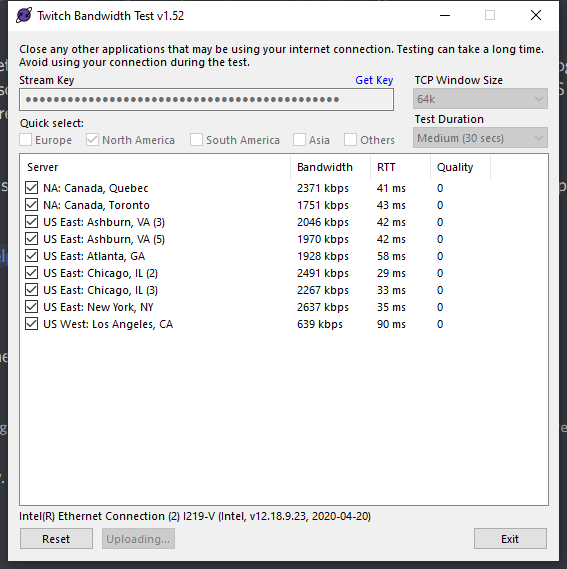
 distant breach
looks like NY is best based on that result:
 silent veldt
I can see that, but that does not tell me why this same test 2 days ago would result in bandwidth ~6k not ~2k
From the article I read in the other channel regarding dropped frames, it is my isp I need to speak with
Can you verify that?
And its "impossible" for OBS to cause dropped frames
distant breach
That test isn't using OBS; that's a bandwith tester
silent veldt
I'm just trying to learn about it enough to speak inteligently if I have to discuss this with my isp hehe
distant breach
you can also try the inspector for Twitch; https://inspector.twitch.tv/
silent veldt
I did
same thing
I'm capping around 2k, the stream starts at 6k then seconds later it drops to 2k
and becomes unstable
distant breach
ya; that could be an ISP thing (i know for me, i have Comcast and the first 10mb or so is high bandwith then it tanks to what they want).... can you run that test for like 5 seconds duration and see?
distant breach
bandwith one that you post screen shot above.
silent veldt
gotcha, I'll set it to 5 seconds
distant breach
my guess is it starts high for the first X amount of data then is getting limited
...but no idea why that would have changed
silent veldt
could that be a new system Spectrum has developed?
or implemented?
nah dont answer that, I'll call them on monday, not going to get help on saturday night or sunday
I have some reasonable information to go on to discuss with them, thanks so much for the guidance
Was getting "excellent" 6k 60fps streams for 5 hours a day up until this morning
I'll run these same tests on a secondary pc and see if I can rule out hardware issues
g'night 
distant breach
good luck.
...i was just checking my setup and it was at 2k as well until i started putting video content into the overlay. (so it was at 2k just sitting normal and jumped when stuff started going on) ... not sure if you tested that @silent veldt
silent veldt
mine is jump over a cliff @distant breach and diving into a bottomless fps pit lol I consistently had 6k steadily for my daily 5 hour stream for months at 60 fps 1080
not sure what happened, I need to run this test on another pc to rule out hardware failure
distant breach
🤣 ... ya; I check mine like once every 2 or 3 months; so i'm not a great help for OBS, i just know the tools to use. Nothing has changed SE or OBS wise that would affect it. So it would have to be a hardware thing or ISP. Or game title is possible to cause issues if you started a new game?
 crisp sandal
Is there a specific person I can message so I can link my facebook and twitch streamelements profiles?
distant breach
^ see #helpdesk-twitch
 sacred mauve
how do I know if my overlay is active or not before i stream
soft knot
If you can see it in OBS, it's active. Try changing it and saving and emulating alerts, you should see things happening in OBS.
 brisk galleon
is high bitrate good? and what does it do?
distant breach
brisk galleon
is high bitrate good? and what does it do?
bit rate is ... basically the amount of 'bits' in your stream; the better the quality of the stream the more bitrate needed.
you can see example here: https://stream.twitch.tv/encoding/
brisk galleon
is 7k bit rate good?
distant breach
if you want 1080p @ 60fps then 6k is recommended for Twitch
brisk galleon
i get 7k when i stream at 1080p
distant breach
7k is more than good; but if Twitch or whatever platform you use is only rebroadcasting at 6k then you are over shooting.
distant breach
for 1080 60fps; i believe so, based on that link above. Not sure about 4k tho
brisk galleon
ok thanks
sacred mauve
my overlay is not showing up on my stream preview what do I need to do to make it show up
soft knot
sacred mauve
my overlay is not showing up on my stream preview what do I need to do to make i...
Did you properly set it up as a browser source in OBS?
soft knot
Copy the URL from the overlay editor, then add it to the browser source in OBS. Make sure to set the source resolution to match the overlay canvas size (usually 1920x1080).
sacred mauve
okay i got the overlays working. I was wondering if there was a way to use game capture to capture a game that isn't automatically detected. I have a game that doesn't work with game capture and was wondering if I could make it work with game capture or just settle for display capture and look at chat off of another device
soft knot
Window capture might work, if it's not full screen.
 solid sandal
Hey guys.. Godd Day.. I just installed Streamelements for my stream.. I can't see my Stream chat in my UI.. how can I add it into my UI?? Thankss!
rugged quail
Hey, what platform are you streaming on?
 regal mica
Does anyone have any info on OBS Live for Linux, kinda need them alerts
toxic fern
@regal mica you actually don't. Simply add the link for the browser source.
But there's no plans to my understanding.
regal mica
alrighty
 remote dew
Hello!
I just recently upgraded to Big Sur in order to utilize obslive and for some reason every time I attempt to login to my youtube chat, the program instantly shuts down.
Thanks guys!
 austere ibex
Hello I have an issue with Hosts and Raids showing {Count} on my alert and not the number when I get hosted or raided. Anyone know a fix, works fine when I test it but when live it doesn't.
 brisk axle
Good morning, i just swapped from SLOBS to OBS.SE .. but i have a problem. I imported everything but the alertbox is not working, i hear the right sound but i can't see the gif. In the overlay editor is everything used but in the preview not shown, what am i doing wrong?
full thunderBOT
@brisk axle The default resolution for StreamElements overlays (theme and custom) is 1920x1080. Please add them in OBS at their full resolution and use CTRL+F to fit to screen if necessary. You can then downscale your stream in OBS settings > Video if you'd like https://i.imgur.com/6bWXxjR.png
brisk axle
full thunder
<@!342670457201229824> The default resolution for StreamElements overlays (theme...
Thanks, but that doesn't changed anything :/
full thunderBOT
@brisk axle OBS > Settings > Advanced > Scroll down > Enable or disable Browser Source Hardware Acceleration, depending on its current state > Restart OBS
https://i.imgur.com/ggMe9ZE.png
brisk axle
full thunder
<@!342670457201229824> OBS > **Settings** > **Advanced** > Scroll down > Enable ...
Nope 😦
To explain more, i use the standart Bit alert animation, that is working completly fine, the custom gif animations for followers/subs/donations are not working
vast wren
can you shaרe screen shot of your OBS source and scene settings?
brisk axle
vast wren
can you shaרe screen shot of your OBS source and scene settings?
I'm kinda confused about the imported alertbox and building it new by hand in SE, that is working, so .. problem solved 😄
vast wren
ok then
 spiral ravine
Good morning, when I play media request, it also comes through desktop audio, creating an echo for my twitch viewers. Muting desktop audio solves the problem, but then they can't hear my sound clips and other audio that comes through desktop audio. Is there a way to deal with this so that my media request doesn't also come through desktop audio?
full thunderBOT
How to separate Media Request (MR) audio in OBS:
(Please follow one of the steps for your set up)
MUTE MR FOR YOURSELF, STREAM CAN HEAR
- Make a new overlay in the editor, ONLY add the Media Request widget.
- Add a new browser source in OBS, add the URL and set the dimensions correctly.
- Tick the box for Control audio via OBS https://cdn.discordapp.com/attachments/364869138809618432/815892834841264138/unknown.png
- Go to Edit > Advanced Audio, set your MR overlay to Monitor Off. Note: This will play through the Desktop Audio, if you mute your desktop audio, it will mute the MR.
CONTROL AUDIO SEPARATELY FROM YOU AND STREAM
- For this you will need a VAC (use command
!vac). - Run your MR either in Chrome or in Ground Control (use command
!gc). Note: Do NOT click on SHOW ON STREAM. - Set Chrome or GC in the VAC as an audio input and output.
- Add the audio output from VAC as an audio input in OBS. Note: This will not be able to show the video in OBS.
It is currently not possible to separate audio for yourself and stream if you ALSO want to show the video in OBS.
The only way to do this would be to follow the last set of instructions above and then use Window Capture on GC or Chrome.
Thank you :SEheart:

 uneven estuary
how do i add !command, it doesnt work for me if i type !command !rank etc etc
vast wren
@uneven estuary are you using a custom or streamelements bot?
uneven estuary
streamelement bot @vast wren
vast wren
have you activated the '!commands' in the chat commands?
rugged quail
@uneven estuary Please provide further detail, are you basically saying no commands are working for you right now?
uneven estuary
@vast wren how do i do that
@rugged quail sorry was on the phone for a sec
@vast wren think i got it now thanks
 tight prism
hello all
i have a bit of an issue, the last 2 times i streamed the bot didnt activate its chat commands, is there a reason y this is (unsure if its my end or if there is a bug in the system)
any suggestions
vast wren
tight prism
hello all
i have a bit of an issue, the last 2 times i streamed the bot didnt ac...
can you please clarify what youre trying to do and what youre getting?
tight prism
!charity and that should trigger Hello and welcome to my channel, i am an affiliate streamer with a difference. All my streams are for charity, meaning all donations go to a charity. If you are able, and would like to contribute please feel free to donate here: https://www.justgiving.com/fundraising/gnattervid1 thank you but its not working at all unfortunately and its the same with any ! command

JustGiving
Help gnattervid vid raise money to support Rethink Mental Illness
sorry think i habe worked it out, i had asked the bot to change its name to Gnattervid and that doesnt seem to have made it work but changing it back to streamelements seems to have solved it so sorry
gentle musk
Is there a option just like in Streamlabs OBS that if you go live that there will be automatically a post that I am live?
toxic fern
Social media tab on the dashboard. Tab towards the bottom.
gentle musk
Thanks!
 hushed jacinth
how can i logout of my twitch account on obs?
rugged quail
I’m a Mac user and just downloaded the new OBS.live for Mac. Now I can’t get my streamelements overlays to load into OBS. They still work if I use OBS without the plug in but not with the plug in. I can refresh my scene and get the overlay to show up but as soon as I swap scenes the overlays disappear again.
toxic fern
@rugged quail what's the version on the titlebar?
rugged quail
hushed jacinth
how can i logout of my twitch account on obs?
What are you wanting to do? You can change the stream Key in preferences or you can delete the twitch profile under profiles. But deleting profiles would lose your scene set ups.
rugged quail
toxic fern
<@456226577798135808> what's the version on the titlebar?
OBS 26.1.2
toxic fern
I'm fairly certain this is a known issue on Mac..the only way to "fix" it is to disable the hide when not visible option in the properties.
rugged quail
Thank you! Does that put extra strain on the computer since all the scenes are running?
toxic fern
It can but the less animations the less of a worry there is.
 sinful tulip
 opal elbow
I have a problem with starting the live, despite being connected to the twitch account and the live platform does not start. How can I fix it??
 dim anchor
Good Morning all! I tried googling the answers to this, but couldn't find it based off the search of "Failed Importing Scene Collection" or "SLOBS to OBS.Live importing scene collection errors". Any advice on what I may be doing wrong?

 pseudo grove
Anyone have any experience with games crashing when OBS is active. Rust crashed when both OBS Live and Rust are running at the same time. I currently have 16gb of ram and I am unsure as to what is causing the issue? I don't have the issue at all with any other game. I currently have a RTX 3070 and a Ryzen 9 3900X
dim anchor
Disregard. I didn't know I could import from local files. So that worked without reliance on the SLOBS to OBS.Live connection.
opal elbow
hi I have a problem with the start of the streams, when I press the start stream button it starts on obs but not on twitch and I tried to uninstall and reinstall the app but it did not resolve despite all the twitch data are there and are inserted correctly.
 abstract crown
Hi. Meybe some one know work around for win 10 monitor cloning/second monitor bug with difrent hz? Noticed elgato hd60 pro mesing with my 144hz same way my secondary monitor did also 60hz.
 orchid light
How can I import my overlays into obs?
full thunderBOT
@orchid light To add your overlays to OBS, add a new browser source in your scene. Paste your overlay URL in the browser source properties, set the dimensions to 1920x1080 (unless you changed them on the website) and check Shutdown source when not visible. https://youtu.be/KDvLynUqXI4
 fleet lark
i cant go live its saying NVENC-CODECS Unknow error occurred
full thunderBOT
Please provide a log from your last stream. To do this, in OBS go to Help > Log Files > Upload Last Log File and paste the link to the log file here.
 wise silo
@fleet lark ^
fleet lark
where to send ?
wise silo
fleet lark
i cant go live its saying NVENC-CODECS Unknow error occurred
OBS cant hook into your GPU drivers for some unknown reason, more then likely due to a missmatch in versions/corruption --> follow this guide and it should work https://obsproject.com/forum/resources/performing-a-clean-gpu-driver-installation.65/
OBS Forums
If you're experiencing strange issues or errors that might be related to your GPU drivers, one of the easiest potential fixes is a clean driver installation. Follow the instructions below.
- Download the latest version of Display Driver...
fleet lark
i done this
wise silo
You followed every single step on that guide, to a T?
fleet lark
yes
wise silo
Type DxDiag in the Run Window.
Press Enter.
Navigate to the tab listed as Display 1.
The driver version is listed under the Driver section as Version.```Once you find your driver version send a screenshot of it (or type it) here
wise silo
fleet lark
27.21.14.6192
You have a 760, correct?
fleet lark
gpu ?
wise silo
Yep
fleet lark
no rtx 2070 super
wise silo
 Resend your OBS log
I.. was looking at the wrong OBS log the entire time
Gimmie one second 😂
fleet lark
haha ^^
wise silo
Also there isnt anything in a OBS log that cant be posted here, for future reference
wise silo
Immediate guess would either be a function similar to Shadowplay is using NVENC and OBS cant link in, or a windows update broke something within nvidea's software
If you used DDU to fully remove/reinstall your GPU driver and its still not working might be a question best fit for the OBS discord
wise silo
Its quite important in this step that you used https://www.wagnardsoft.com/ to remove your driver.
If you didnt I would suggest doing as such and trying one last time
fleet lark
i think that was it
fleet lark
i found the error
the scaling was on
so i done this
in settings - output, turn OFF the scaling option
 hybrid harness
Hey all, looking for some help, im trying to change my stream elements settings in OBS and it wont allow me to change anything because it says there is a live output but i cant find it? nothing is live? i recently reinstalled Gforce Experience for the game filters. but there is nothing there thats capturing the screen either. i'm trying to go live soon so any help would be incredibly appreciated.
karmic grotto
can u screenshot the error box @hybrid harness ?
hybrid harness
@karmic grotto hey man so I fixed the issue. Turns out the virtual cam was screwing me up. I'm having issues viewing my stream thru operagx on twitch tho. I'll swap to that channel to further explain the issue.
 strong fern
Hey would anyone be able to help me figure out how to stream obs without dropped frame rate and good video quality at the same time ? If I change one the other is bad vice versa
full thunderBOT
@strong fern Please provide a log from your last stream. To do this, in OBS go to Help > Log Files > Upload Last Log File and paste the link to the log file here.
wise silo
Neither of those links will work.
strong fern
It won’t let me copy
 strong fern
strong fern
strong fern
Ok that’ll fix it ?
wise silo
Might, if it doesnt then its more then likely your internet.
strong fern
Ok thank you
 fossil aspen
has the issue with browser sources not loading unless you check the 'shutdown source when not visible' box been corrected or had any better workarounds yet?
 wise dune
Help?
Accidentally deleted an overlay - is it gone forever?
 warm zenith
Hey i'm trying to use stream element Theme from the theme gallery for an overlay in stream labs OBS can someone help me. cause i don't know where to put the links it gives me
 river mulch
I have some animated Overlays for my Channel, I am trying to use the editor for streamelements. For some reason the animated overlay arent showing.
 fringe gulch
i have troubles with setting a custom bot account. im logging in, my bot acc shows a connection to streamelements in his settings, but nothing happens?
river mulch
fringe gulch
i have troubles with setting a custom bot account. im logging in, my bot acc sho...
Go to your bot, and disconnect him then reconnect him
fringe gulch
river mulch
Go to your bot, and disconnect him then reconnect him
no chance, nothing happens.
river mulch
@fringe gulch Did you log out, and log back in, then do it?
fringe gulch
river mulch
<@307098862231748608> Did you log out, and log back in, then do it?
jup, same: se bot works, i can change it to my streaming acc, but not to my bot acc
warm zenith
Never mind. I have resolved my issue
river mulch
Question, do I used multiple scenes, or multiple Sources?
Like making a starting scene, or a intermission scene.
fringe gulch
is my problem maybe following this problem: i get an error on authentication message :status_error invalid refresh token (http 400)
river mulch
So I never made a bot account, But I did see a video on how to make a bot account.
on youtube.
fringe gulch
river mulch
Like making a starting scene, or a intermission scene.
yes, i tried on every scene
fringe gulch
river mulch
So I never made a bot account, But I did see a video on how to make a bot accoun...
yeah, i used these videos too, and everything goes right, until the popup window after the account synchronisation popup window closes
 dusty vector
hey guys, so my graphic designer sent me two alerts and for some reason I am struggling to get these to work accurately. Anyone good with overlay stuff here? not sure if this was the best chat to post in but I couldn't really find the best one. I'm usually pretty good with this stuff and have gotten other alerts from the same team to work perfectly so 🤷♂️
 earnest gale
Hi there I need advice. I have the media request on obs live. But whenever I try and find a YouTube vid it says invalid url. Any ideas. Thanks
 marsh ibex
hey, i am experiencing issues with my hosts alerts not showing on stream (alerts) not on the activity feed. they are checked so supposedly they should show. any idea how to fix this?
 obtuse thistle
Someone please help me my obs wont open and its giving me a error
rugged quail
obtuse thistle
Someone please help me my obs wont open and its giving me a error
what message is it giving you?
obtuse thistle
I tried to uninstall and because the error message said it might help and it wont even let me uninstall streamelements
hold on let me open it up
@rugged quail
@rugged quail it says ' The code execution cannot proceed because MSVCP140_1>dll was not found. Reinstalling the program may fix this issue.
the > should be a period
rugged quail
oh weird never saw that message before. yea i would try uninstalling and reinstalling again. sometimes that works
obtuse thistle
It wont let me uninstall obs live
it says it fails
idk what to do im not good enough with computers for this
rugged quail
what? are you going through programs
obtuse thistle
yes
rugged quail
interesting?
obtuse thistle
could we hop in a dm and i can screen share?
rugged quail
sure
obtuse thistle
im in chit chat
 alpine sundial
got a slight issue, hope someone is able to point me in the right direction
trying to open the overlayer editor and i get this

relogging fixed it
 vast charm
hello, we need our notifications fixed bc we are noobs. since a few days my obs wants to update all the time. so i clicked "no updates anymore" or so. since then nothing shows. we don't have the panels for the twitch chat and alerts anymore. pls contact me directly or here. thanks sooooooooo much. we doing a great new project here and could rly use your help right now ❤️
 shy mountain
@vast charm -> http://obsproject.com/ -> get 26.1.1 -> install -> https://obs.live -> get installer -> install
vast charm
thank you, it worked @shy mountain. so happy. one last question: how do we activate our chat panel here?
 shy mountain
Streamelements -> obs.live docks -> Chat
 whole hemlock
Im in use of major help. I’m trying to switch from Slobs to OBS (using SE for ALL my browser sources). I’m looking for someone willing help in voice chat. Appreciate the help in advance!
 hollow wolf
hello my freind is having issues with his overlay. its jsut a black screen and the overlay doesnt pop up after he pasted the URL into the browser source
soft knot
whole hemlock
Im in use of major help. I’m trying to switch from Slobs to OBS (using SE for AL...
Hi, we don't do voice chat support right now, but maybe our tutorials will help you.
full thunderBOT
@whole hemlock New to StreamElements?
Check out our YouTube channel https://www.youtube.com/c/streamelements/videos
with tutorial videos from setting up the basics, to in-depth details on how to use our product.
New to OBS? Here is a 4 step quick start guide
https://obsproject.com/wiki/OBS-Studio-Quickstart
Want to learn even more? Here is an in-depth overview
https://obsproject.com/wiki/OBS-Studio-Overview
hollow wolf
to my question. iv never had this issue before
soft knot
hollow wolf
hello my freind is having issues with his overlay. its jsut a black screen and t...
Do other overlays work for him?
hollow wolf
i can ask him one sec
soft knot
Ask him to check this:
full thunderBOT
@hollow wolf The default resolution for StreamElements overlays (theme and custom) is 1920x1080. Please add them in OBS at their full resolution and use CTRL+F to fit to screen if necessary. You can then downscale your stream in OBS settings > Video if you'd like https://i.imgur.com/6bWXxjR.png
hollow wolf
its a built in template and it is full screen already
i invited him he can explain it all
soft knot
Good, better like that. 👍
 wheat kindle
my overlay is not wanting to show up on my obs
soft knot
Are other overlays showing for you?
wheat kindle
no
full thunderBOT
@wheat kindle Please provide your account ID found at the top of this page: https://streamelements.com/dashboard/account/channels This ID is public info and safe to share here.
wheat kindle
5ff28bf6c261e2508ebe29bd
 warm plover
Hi!
Everytime I try to connect a account for custom bot, nothing happens. I login and authorize, but then I just get back to this screen without any connection. Someone know how I can fix that?
 toxic fern
@warm plover you choose the 3rd option?
warm plover
toxic fern
<@397582532591222785> you choose the 3rd option?
3rd from what? the "set custom bot name" bar?
toxic fern
Should have 3 options usually: streamelements, your name and the one indicated from the pic.
warm plover
toxic fern
Should have 3 options usually: streamelements, your name and the one indicated f...
oh, yes! I choose the 3rd one
 toxic fern
You trying to use yureees?
full thunderBOT
@wheat kindle The default resolution for StreamElements overlays (theme and custom) is 1920x1080. Please add them in OBS at their full resolution and use CTRL+F to fit to screen if necessary. You can then downscale your stream in OBS settings > Video if you'd like https://i.imgur.com/6bWXxjR.png
@wheat kindle OBS > Settings > Advanced > Scroll down > Enable or disable Browser Source Hardware Acceleration, depending on its current state > Restart OBS
https://i.imgur.com/ggMe9ZE.png
soft knot
@wheat kindle it's probably going to be one of these that fixes it for you.
warm plover
toxic fern
You trying to use yureees?
no! I'm trying to add another one
full thunderBOT
"1) Right click on your OBS desktop shortcut and open the Properties
2) In the Target field, add the following to the very end: --remote-debugging-port=40404 (don't forget to add a space before the current path)
3) Open OBS (or restart if it was open)
4) Open your web browser and type in: localhost:40404
5) Click on StreamElements - Activity feed
6) Navigate to the Console tab
7) Type the following into the console and hit enter: store.customBot.removeCustomBotIntegration()
8) Try setting the custom bot name
9) Remove the additional flag in step 2 from your shortcut properties."
wheat kindle
its fixed thx
warm plover
full thunder
"1) Right click on your OBS desktop shortcut and open the **Properties**
2) In t...
it works!!!!! thank you very much! ❤️
earnest gale
Hi folks so I got the request song working on the main stream elements website but not on obs live it keeps saying invalid YouTube url any ideas. Thanks
full thunderBOT
@earnest gale StreamElements menu, on top of OBS > Logout > Login
earnest gale
Thanks. How do I request a song using song request !
shy mountain
with !songrequest or !sr and then link to the video
earnest gale
Thank you
gentle musk
I have my chat opened in just a chrome browser because on one way it is easier for me. But is it possible that if i open up OBS Live that the chrome browser with the chat is open up too?
soft knot
Yes, you can be in chat on your channel in your browser and in OBS.Live too.
gentle musk
No what i mean is if I startup OBS that then automatically the chrome browser with the chat is starting up too
So if I press OBS Live that the browser will startup too
soft knot
I don't think OBS.Live supports that, but why not just start it up yourself?
gentle musk
Yes that is possible hahahah, but i was just wondering. Thanks for your time!
 cinder sable
hi I am having issues with you widget data goals. When I manually change the widget data it will not change on my widget. When I enter the widget under my overlays it shows that it has changed but I have to leave it and re-enter to get it to show the change. I have tried removing and re-adding the widget still not working.
I have Amount from goal data selected but I cant manually update them via widget data
full thunderBOT
@cinder sable To reset goals:
- from the Overlay Editor > Session data on top right (monitor symbol) > Goals tab > reset progress of desired goal
- from the Dashboard > Activity feed on the left > Widget data on the right > Goals tab -> reset progress of desired goal
Note: Goal widgets (progress) only counts up and doesn't go down automatically, if you lose followers/subs.
cinder sable
no I am afraid its still the same. If I close and re-open Overley Editor or Streamelements OBS.live it will change but it wont change when they are open
 rough pelican
quick question. i have edited an overlay, but now idk how to apply that to my stream. #FeelsStupidMan
full thunderBOT
@rough pelican To add your overlays to OBS, add a new browser source in your scene. Paste your overlay URL in the browser source properties, set the dimensions to 1920x1080 (unless you changed them on the website) and check Shutdown source when not visible. https://youtu.be/KDvLynUqXI4
rough pelican
thank you 😄
 misty ginkgo
Good morning Support.
I use OBSLive, and had a custom bot account attached. Yesterday the bot quit working. I have gone into the activity feed > settings > Set custom bot name. It does not show one attached, and will not attach one, though it does take me through the login verification. Test message never lights up, bot not attached.
I have: Verified tip panel, verified overlay connection, disconnected and rejoined channel with StreamElements from website dashboard (inc logging out and logging in while disconnected from channel). None of these things helped.
The only correlation or causation I can find is the new banner ad within OBSLive on the activity feed for the "Streamer, you have a new sponsored stream invitation!" but don't see why that would cause this. It is the only change I am aware of though.
Appreciate any help, thanks!
Also, I am able to change it to the channel name, but not the other account I created to make a custombot
clever flame
I also have problems with it. My custom bot do work but I also have a SE bot, so I have two bots in my channel, and I have no idea how to get rid of the SE bot.
 light belfry
can anyone help me? ':P I'm really noob at this plugin
 golden smelt
Hello guys, i have a question, so i have dual screen yeah. when im streaming, the obs will show the messages, notification and the screen itself that its recording. Now , when it is showing the screen my fps drops. i know the solution here is to not make obs showing on screen but i need to see the comments and the notification. Is there a way to make the screen that is recording not appear on obs?
 barren quail
Hi Support, when ever I startup OBS I get a message saying failed to authenticate with Twitch. Anyways to fix this?
 fickle snow
hello my donation/tip alert is not showing up. I have everything connected through streamelements for the tipping. but then the next hr or so it pops up in the activity feed and still no alert but i can reply the alert from there. i have now missed 3 tips ranging from $5-$100 and would of loved to thank them on stream when it happened 😦 how do i get this fixed? or can we test to see if it is just cause we have to wait for paypal to clear first?
clever flame
I have a problem with my chat bot. It keeps on joining double, so I have both my custom named chat bot, and the regular streamelements chat bot in my channel. How do I get rid of the standard chat bot?
misty ginkgo
@clever flame that is normal. At least in the 3 years I've been doing this, I always have both in my chat list as mods.
clever flame
oh sad face 😦
 sage lodge
When you disconnect PayPal you lose custom chatbot name? I'm using SE.Pay so I don't understand why I'm being forced to add PayPal—one of the features and reasons I moved to StreamElements.
clever flame
funny, because I never hooked mine to paypal but I do have a custom bot name
sage lodge
How did you edit bot name?
clever flame
I don't know. In the settings. But it says I am connected to paypal but that is impossible since I don't have paypal.
 long bobcat
@sage lodge custom bot name has nothing to do with you tipping settings
sage lodge
long bobcat
<@!286951875578691594> custom bot name has nothing to do with you tipping settin...
The only videos I found in editing my bot name shows that one must setup SE to edit bot name, part of that setup is tipping
Whether using Ground control or OBS.Live
long bobcat
so yeah that's a pre-requisite
my bad, i forgot  if you don't have SE tipping anymore it could stop working
sage lodge
So then tipping is required for Bot name changes
sage lodge
long bobcat
my bad, i forgot <:LULW:276386338197078017> if you don't have SE tipping anymore...
no worries
I have SE.Pay, not PayPal, but cannot change bot name
PayPal is 100% required for me on OBS.Live (mac) to edit bot name. I already when through the steps, removed PayPal, and now My bots name is StreamElements again
long bobcat
it shouldn't matter, as long as your tipping link is linked on you twitch page with a panel it should be good and considered an active tipping page
mmmm
can't be sure about mac tbh
but  still applies
as long as the tipping link is active it should work
full thunderBOT
If your commands recently stopped working and you're using OBS.Live and a custom bot name do the following:
- In OBS.Live, click on the hamburger menu (three stripes) at the top left of your activity feed
- Click on Stream Settings > Custom bot name
- In the Custom bot name field select Set custom bot name, not your already existing username (with capital letters). Note: If you already connected an account that way, the third entry will show as the account name (see image https://i.imgur.com/sO7fWOX.png).
- Scroll a bit down and click on the purple Connect Custom Bot Account button
- Log in as usual and Authorize the custom bot name
- Back in the Activity feed, click on the Send Test Message button and check if your custom bot name starts working again
long bobcat
try this, and if that doesn't help, this -
full thunderBOT
"1) Right click on your OBS desktop shortcut and open the Properties
2) In the Target field, add the following to the very end: --remote-debugging-port=40404 (don't forget to add a space before the current path)
3) Open OBS (or restart if it was open)
4) Open your web browser and type in: localhost:40404
5) Click on StreamElements - Activity feed
6) Navigate to the Console tab
7) Type the following into the console and hit enter: store.customBot.removeCustomBotIntegration()
8) Try setting the custom bot name
9) Remove the additional flag in step 2 from your shortcut properties."
long bobcat
but again, with mac it could be a bit different and I can't 100% be sure everything will work the same. it is chrome though - so I'd imagine it should help with resetting it if needed
sage lodge
full thunder
If your commands recently stopped working and you're using OBS.Live and a custom...
This worked! Thank you! Will I need to do this daily?
clever flame
Do you two also have both your custom bot and the normal bot in your channel?
sage lodge
clever flame
Do you two also have both your custom bot and the normal bot in your channel?
No, just 1 bot responds
clever flame
then how do I get the Streamelements bot to leave so I only have my custom bot?
sage lodge
clever flame
then how do I get the Streamelements bot to leave so I only have my custom bot?
IDK, did you add the bot with steps above?
clever flame
No I will try that
sage lodge
I also added the bot username as super mod in "user management"
clever flame
I don't understand step 2
step four doesn't work. Says "This site can't be reached"
sage lodge
- Click on Stream Settings > Custom bot name
There were 2 instructions do the first one
I see, bot rename only works when OBS.Live is open
clever flame
The second step is no in Stream settings, that's in the actualy shortcut
clever flame
sage lodge
I see, bot rename only works when OBS.Live is open
I don't understand half of that solution.
2: I have done that.
4: It says that the site can't be reached
5-6: I don't even see the Console tab anywhere.
9: I don't know what a flag is
 deft sinew
how can i mute only chrome audio on vods? i use voicemeeter
earnest gale
So can I play music through obs and mute the game volume when I stream. Thanks
 west wadi
does anyone else have the issue, after installing the streamelements plugin for OBS, that it messes up the font for other docks? (left with streamelements installed, right without)
 bitter sage
Sorry if this is the wrong channel but I don't see one for overlay help/questions and this seems to be the most fitting one. I'm wanting to make an events list similar to the one pictured (different text colors, so basically the same). I believe this is one of or at least similar to one of Streamlabs' default options but obviously being on StreamElements that doesn't help a lot. Is there a way to make the pictured event list without delving into CSS? Specifically having the events have different test color/background opacity depending on how recent they are

 earnest cairn
hey! do i need to have the stream elements overlay editor webpage open for tts to work? I cant get tts to work without it???
sage lodge
clever flame
I don't understand half of that solution.
2: I have done that.
4: It says that t...
The first post by bot only has 6 steps. Please see the first post above (not the second) and try that
clever flame
sage lodge
The first post by bot only has 6 steps. Please see the first post above (not the...
my problem is not that my bot doesn't work, but that I have two bots.
rugged quail
need a quick fix for my issue
so browser source
i want my browser source to show this

but instead it shows this

how do i fix this
need help quick as im streaming in 30
sage lodge
clever flame
my problem is not that my bot doesn't work, but that I have two bots.
yeah, my misunderstanding, I thought you were looking into how to setup the bot—incase your original setup was done incorrectly.
clever flame
sage lodge
yeah, my misunderstanding, I thought you were looking into how to setup the bot—...
I'll just have to keep looking 😄
 indigo lake
hey guys my obs live wont stream my game audio and friends voices anyone knoe how to fix the audio bar moves in obs though
it records just dosent stream
rugged quail
???????
 bright sinew
Hi, my chat overlay has just stopped working and I don't know how to fix it
Like it works in the overlay editor but won't work in OBS live
gentle musk
Is there a way that you get a notification ifyou can wihtdraw your money?
ocean rivet
bright sinew
Like it works in the overlay editor but won't work in OBS live
make sure your browser source is set to 1920x1080
waxen mirage
Hello, how i can mute discord in OBS ?
ocean rivet
waxen mirage
Hello, how i can mute discord in OBS ?
you would have to use multiple audio channels, this can be done with virtual audio cables, I suggest you go to youtube for this
 lavish hollow
i am useing obs.live and out of nowhere youtube is nologer starting stream the stream never starts on youtube even though it says it dose on obs
waxen mirage
ocean rivet
you would have to use multiple audio channels, this can be done with virtual aud...
What ?
ocean rivet
waxen mirage
What ?
search for virtual audio cables with obs on youtube
waxen mirage
Okay
 fierce crown
my stream elements custom alert isn't showing up on obs.live
 vast hound
my recording hotkey isnt working in minecraft
lavish hollow
lavish hollow
i am useing obs.live and out of nowhere youtube is nologer starting stream the ...
.
ocean rivet
fierce crown
my stream elements custom alert isn't showing up on obs.live
make sure you dont have any alert variations as they may override your main alert
ocean rivet
lavish hollow
i am useing obs.live and out of nowhere youtube is nologer starting stream the ...
reconnect your account in obs settings > stream
 naive orbit
anyone else noticing about 10 instances of OBS Studio running when OBS.Live is active?
 somber quiver
I am having trouble with getting my game capture to appear. It is just a black screen. I have tried closing out the browser as well as restarting the computer.
rugged quail
hello i was wondering if i can turnoff alerts censorship because my viewers name have lqbtq+ affiliation and it doesnt show there name in alerts.
 knotty mauve
Having an issue where when I try to go live on Twitch it asks for my youtube information. Also, if I try to go live to YouTube, nothing comes through in YouTube Studio.
shy mountain
naive orbit
anyone else noticing about 10 instances of OBS Studio running when OBS.Live is a...
If you mean the screenshot, this is normal, as every browser source is a sub process.
 shy mountain
rugged quail
hello i was wondering if i can turnoff alerts censorship because my viewers name...
shy mountain
rugged quail
hello i was wondering if i can turnoff alerts censorship because my viewers name...
Check your tipping settings -> tip moderation
full thunderBOT
@knotty mauve StreamElements menu, on top of OBS > Logout > Login
 frosty jolt
Is there a way to remove an account from the custom bot settings? I created a new account I want to use and cannot figure out how to clear the old one/replace it. Thanks
full thunderBOT
@frosty jolt If your commands recently stopped working and you're using OBS.Live and a custom bot name do the following:
- In OBS.Live, click on the hamburger menu (three stripes) at the top left of your activity feed
- Click on Stream Settings > Custom bot name
- In the Custom bot name field select Set custom bot name, not your already existing username (with capital letters). Note: If you already connected an account that way, the third entry will show as the account name (see image https://i.imgur.com/sO7fWOX.png).
- Scroll a bit down and click on the purple Connect Custom Bot Account button
- Log in as usual and Authorize the custom bot name
- Back in the Activity feed, click on the Send Test Message button and check if your custom bot name starts working again
toxic fern
Should be the option to remove it from there.
frosty jolt
perfect, thank you!
 tough marten
Hey! Trying to switch from Streamlabs to OBS. How do I get my follower/subscriber/cheer info added to Stream Elements? Right now there's no data shown
gentle musk
Is there a way that you get a notification in your mail for exaple if you can wihtdraw your money?
shy mountain
tough marten
Hey! Trying to switch from Streamlabs to OBS. How do I get my follower/subscribe...
If you recently signed up with us, past data won't be retroactively retrieved from Twitch or Streamlabs.
shy mountain
gentle musk
Is there a way that you get a notification in your mail for exaple if you can wi...
- wrong channel
- what type of withdraw?
gentle musk
The donation withdraw from SEPay
shy mountain
this is def. not related to OBS.Live, but no, there is no email notification of when you can withdraw from SE.Pay
 storm holly
Anyone have an issue where stream disconnects and reconnects several times a night? Internet and router and both working fine. I'm at a complete loss? Any infor or suggestions would be ideal
full thunderBOT
@storm holly Please provide a log from your last stream. To do this, in OBS go to Help > Log Files > Upload Last Log File and paste the link to the log file here.
storm holly
it was this stream that crashed. here is the report
shy mountain
OBS (Open Broadcaster Software) is free and open source software for video recording and live streaming. Stream to Twitch, YouTube and many other providers or record your own videos with high quality H264 / AAC encoding.
storm holly
did you get this sorted as mine is now doing the same.
shy mountain
Check the link i posted
storm holly
shy mountain
Check the link i posted
thank you will check now x
It doesn't give me a reason for the stopping and starting unfortunately @shy mountain any other suggestions
 storm holly
i cant replicate it as it crashes/disconnects at different times each time. sometimes a few hours in between. Next stream i will make sure i get the link for the logs if i can however obs automatically restarts for me.
storm holly
where is says start stream - disconnecting - reconnecting around 30sec later.
shy mountain
I don't understand where you mean
when you say "it crashes", does OBS actually crash, as in close out completely?
storm holly
no just the stream. OBS says - disconnecting where the stop stream button usually is.
sorry if im confusing
shy mountain
I see
full thunderBOT
@storm holly Obs.live is a plugin for OBS Studio for the best OBS support, please join their Official Discord @ discord.gg/obsproject
storm holly
thank you very much
 torpid aurora
Hello. I copy the link from Streamelements to my obs64 and it gets one corner of the screen, not the full browser link overlay. What am I doing wrong?
full thunderBOT
@torpid aurora The default resolution for StreamElements overlays (theme and custom) is 1920x1080. Please add them in OBS at their full resolution and use CTRL+F to fit to screen if necessary. You can then downscale your stream in OBS settings > Video if you'd like https://i.imgur.com/6bWXxjR.png
torpid aurora
Ok.. Thank you! 🙂 Hugs!
 livid wave
How is it that after I update OBS.live (via the update popup in OBS) no traces of streamElements are anywhere in my OBS installation??
And also OBS takes legit like 5 minutes to start after the update
 tranquil pier
selam
 lavish nimbus
what size do i use?

what width and height is appropiate for this?

i set it to 720p on the overlay

anyone? nvm already figured it out hehe
 vale crane
hello, any tips to login in this browser source? i wanna login with my youtube, but its only say login with twitch
 full thunderBOT
StreamElements menu, on top of OBS > Logout > Login
torpid aurora
How to add spotify to my browser Streamelements OBS 64?
toxic fern
You don't.
 hollow gull
does streamelements offer multistream?
sharp turret
StreamElements does not support multistreaming
hollow gull
restream?
sharp turret
You can do with restream
 dim niche
Hello does anyone have an idea, why my obslive is taking up to 48GB of RAM? It seems like it crashes sometimes, but runs further and the i get this huge amount of RAM - usage?
nova scaffold
dim niche
Hello does anyone have an idea, why my obslive is taking up to 48GB of RAM? It s...
Hi. That should not happen in general. Can you check that it uses that amount right from the start?
dim niche
it doesn't like i said its really strange. The Preview screen stops then loads again and my RAM is getting this usage after time. Seems like RAM is not deleting cache or something. Runs smooth with other streamsoftware, but i want to use SE. or OBSLIVE...
i already reinstalled obsstudio and deleted the registry keys
nova scaffold
dim niche
it doesn't like i said its really strange. The Preview screen stops then loads a...
Sounds more like something is filling in your cache, you are still using the same old scene and source collection after reinstall?
Try disabling sources one by one to find out if that is the issue.
You can also refresh the cache of the browser sources manually - check if that does something
 kind drum
Guys i am looking to create a widget based using stats from my warzone profile. The numbers are in a txt file, but unsure how to add this to a rotating widget. I hope this makes sense
nova scaffold
kind drum
Guys i am looking to create a widget based using stats from my warzone profile. ...
Why not just use the data in OBS locally? Adding local data to our overlay is not possible, we would need an API to grab the data from.
While OBS can grab data from TXT directly
kind drum
The file is added to the API
What i mean is the file is generated from the SBMM websites APi
nova scaffold
We can't really help with coding custom widgets, but that API is your target - the widget should aim at this and not at the local file.
cinder sable
hi I am still having issues with you widget data goals. When I manually change the widget data it will not change on my widget. When I enter the widget under my overlays it shows that it has changed but I have to leave it and re-enter to get it to show the change. I have tried removing and re-adding the widget still not working.
I have Amount from goal data selected but I cant manually update them via widget data
I tried resetting the goals tab in overlay editor and dashboard but still no luck
 sharp zinc
So my font size last night was all the same size, see bottom left for normal size....how do I fix this?
Sorry to be one of those guys who joins and asks questions immediately. Lol.
 rugged quail
I set up a new twitch channel, and I don't wanna do all alert again. is there a way to export ?
karmic grotto
sharp zinc
So my font size last night was all the same size, see bottom left for normal siz...
windows are not in 100% in resolution?
dim niche
nova scaffold
Sounds more like something is filling in your cache, you are still using the sam...
tried it all i made new browser sources... hope this will help... thank you for your guidance 😄
 split steppe
hello! i am trying to import my alerts from streamlabs to streamelements. i have added the extension to my browser and followed instructions. it just seems like when i click import, it is not importing anything, and keeps telling my to install the extention. i am not sure what else i can do. thank you!
 formal violet
Similar problem here, but when i import a scene, obs says me this: Failed importing Scene Collection. What i have to do? Thx 😄
naive orbit
shy mountain
If you mean the screenshot, this is normal, as every browser source is a sub pro...
Gotcha! I’ve been trying to figure out also why OBS is saying only 10% CPU is being used, but talk manager is saying 20-30%
 candid vault
Hey so I just launched my OBS live after I got back from a 5 day vacation and it wont connect to my twitch account? Ive tried restarting my system and i keep getting an error message
 brave birch
Hi. I updated my channel name on Twitch yesterday, and now my chatbot isn't showing up in my chat. How can I update chatbot to appear in my channel?
full thunderBOT
@brave birch If you changed your name on Twitch, please follow these steps:
- Visit https://streamelements.com/logout and then log in again by connecting with Twitch.
- On the right side of the dashboard page that opens, select Join under bot settings. If it says Part select that and then select Join to send the bot to the chat. Don't forget to mod the bot by typing /mod streamelements in your channel if you have not already.
- Post your old and your new name here so that we can update your channel's chatstats tracking (must be done by staff).
brave birch
Thanks for the quick reply. That was so easy. My former name was "GamingAtTheEdgeOfTheWorld" and now its just "GamingAtTheEdge" Thanks again for all the help. 😄
 rotund token
hi there , im having an issue with my alerts , every time i receive a 5 gifted subs the vid that i have for that alert suddenly just lag and sometimes the video is cutting , it only happens when im live , what is the solution for this problem
cinder sable
Hi I am having issues with the widget data goals. When I manually change the widget data it will not change on my widget overlay in OBS . When I enter the widget under my overlays editor it shows that it has changed but I have to restart OBS before it takes effect. I have tried removing and re-adding the widget but it's still not working.I tried resetting the goals tab in overlay editor and dashboard but still no luck.Any help would be appreciated
Thanks
 vivid galleon
Hello! Please help! I get around 150-180 in game frames normally. But if OBS is open (not streaming or recording) it drops and im able to get around 90-100 MAX. I have no idea how to fix this, and its absolutely killing me. I think it might have something to do with me using a 1440p monitor but ive changed all the settings that i can find and its no help.
 ivory cradle


 shell socket
Hi folks. Anyone have any idea how to get the chatbot to both respond in chat AND redeem a loyalty store item? No matter what other text I put in the bot response if I include ${redeem keyword} the redeem occurs and the text of the response doesn't go to chat.
 random laurel
Hi I have been having trouble with my streams when I am live at random times my Elgato game sound cuts off and i need to reset the source to get it back. this happened after the latest up date and the only thing I could find in the logs was. warning: deprecated pixel format used, make sure you did set range correctly and signal_handler_connect: signal 'streamelements_update_settings' not found
 half oracle
What's your current setup like for streaming? Single PC? Also what type of Elgato are you using specifically?
random laurel
half oracle
What's your current setup like for streaming? Single PC? Also what type of Elgat...
Default all i have done is made a source and a layout. single pc yes and a HD60 s+ I am sure it isn't the elgato as when I am offline this doesn't happen.
half oracle
Have you tried testing the bitrate for audio specifically? What's it currently set at?
random laurel
half oracle
Have you tried testing the bitrate for audio specifically? What's it currently s...
Everything is on default I have not added or changed anything. It has been working since November only last 3 weeks after the update has stuff gone wrong.
half oracle
This might sound dumb but I gotta ask. You updated. But have you tried re-installing completely?
random laurel
half oracle
This might sound dumb but I gotta ask. You updated. But have you tried re-instal...
Not dumb second thing I did
half oracle
Okay cool. Just gotta cover all aspects.
random laurel
half oracle
Okay cool. Just gotta cover all aspects.
All good im a newb and I appreciate any help