#helpdesk-selive
1 messages · Page 194 of 1
 hot kelp
 full thunderBOT
@hot kelp OBS > Settings > Advanced > Scroll down > Enable or disable Browser Source Hardware Acceleration, depending on its current state > Restart OBS
https://i.imgur.com/ggMe9ZE.png

 tiny iris
Hi, everyone. Sorry if this topic has been repeated, but I can't get my game capture scene to show my game anymore. Any thoughts?
 craggy spear
I have audio interference coming from the obs live interface. I have monitors to check that the mics are clear until I'm live and stream and it gets choppy. I've "fixed'
full thunderBOT
Obs.live is a plugin for OBS Studio for the best OBS support, please join their Official Discord @ discord.gg/obsproject
craggy spear
it several times but chop pops back on seemingly at random
 toxic fern
Ask in the server above.
 jade field
so i tried running my coin video for my bit cheers and it doesnt working in SLOBS or OBS. the same coin video works in the tips alerts it just doesnt work ONLY in cheer alerts.
jade field
jade field
so i tried running my coin video for my bit cheers and it doesnt working in SLOB...
everything works except my cheer alerts.
full thunderBOT
@jade field We're not able to troubleshoot issues with using our overlays in StreamLabs OBS (SLOBS) as we don't have the tools to support their software. We recommend using OBS Studio or OBS Studio with our plugin OBS.Live.
toxic fern
Define not working though.
hot kelp
full thunder
<@!759079072168017961> OBS > **Settings** > **Advanced** > Scroll down > Enable ...
It worked! Thank you very much!!!
 wanton mango
hi! i was helping my friend set up donations and i used his donation link to donate and it went through and i got a "pending" charge on my paypal to his paypal account but the alert didnt show up on his obs or activity feed. I was thinking that maybe he forgot to set something up but he had his email typed correctly for his twitch paypal so im stuck on what the issue may be. any ideas?
also sorry if this is the wrong chat i really wasnt sure where to go for this lol
full thunderBOT
If a viewer tipped through PayPal but no information appears in your StreamElements account, this generally means PayPal has held the tip for verification.
Until PayPal clears the tip and sends back a confirmation to your StreamElements account, no information will appear there and no alert will play, as that confirmation is the only way for us to be aware of a successful transaction.
There is a posibility that the tip may have been sent as an eCheque/eCheck - these tips can take from 7 up to 21+ days to show up on our side. Tippers can usually cancel these.
If you believe there may be an issue with the transaction, you'll need to contact PayPal support as StreamElements is only a passthrough service and never actually gets involved with the transaction or touches the money
wanton mango
Question regarding that- So I recently changed my own PayPal email but it didn't match the email that I put as my PayPal email for my own Streamelements tipping page (that still had my old email which I just changed right now). Would that be something that could've factored into the issue?
toxic fern
Could be.
wanton mango
Hmmm okay. I'll look into that. Thank you so much! :)
 rugged quail
Idk if its just me, but I'm not able to add transitions on obs
full thunderBOT
@rugged quail Obs.live is a plugin for OBS Studio for the best OBS support, please join their Official Discord @ discord.gg/obsproject
 marble stirrup
Every time i reopen OBS the activity feed resets status on gifted subs even tho I've previously marked it as read?
 wraith inlet
Any help for this issue?
toxic fern
Did you choose the 3rd option?
 wicked cove
I've been having this issue when I stream. - - > I can hear my alerts for follows, etc. But my stream can't hear the alerts. I'm streaming through stream elements if that helps in any way and my alerts are made on stream elements too.
I'm using the wave 3 microphone
ping me
 steady axle
quick question... how to i change the docks color is obs live to dark theme?
 hearty folio
I figured it out guys. I did not realize this but the roll credits widget only shows new followers, subscribers, donors etc, during that session.
I was under the impression that it would list all of your followers which led to my confusion as to why it only showed the initial header every time I tried to test it.
Problem existed between keyboard and chair 😛
 sharp turret
steady axle
quick question... how to i change the docks color is obs live to dark theme?
sharp turret
steady axle
quick question... how to i change the docks color is obs live to dark theme?
Pinned messages
 manic compass
Hello, can someone help me with getting my camera to display in my OBS?
 spice cloak
Hi,
I have a small problem.
How can I import my overlays from Streamelements into OBS.live?
full thunderBOT
@spice cloak To add your overlays to OBS, add a new browser source in your scene. Paste your overlay URL in the browser source properties, set the dimensions to 1920x1080 (unless you changed them on the website) and check Shutdown source when not visible. https://youtu.be/KDvLynUqXI4
spice cloak
Thanks, that helped me
manic compass
If I am using Game Capture how do I get the audio from that capture to play in stream?
marble stirrup
marble stirrup
Every time i reopen OBS the activity feed resets status on gifted subs even tho ...
This never got answered yet, im going to sleep right now but i just wanna make sure it wasn't overlooked <3
rugged quail
How to stream games from obs.live
full thunderBOT
@rugged quail New to StreamElements?
Check out our YouTube channel https://www.youtube.com/c/streamelements/videos
with tutorial videos from setting up the basics, to in-depth details on how to use our product.
New to OBS? Here is a 4 step quick start guide
https://obsproject.com/wiki/OBS-Studio-Quickstart
Want to learn even more? Here is an in-depth overview
https://obsproject.com/wiki/OBS-Studio-Overview
rugged quail
Thanks
 tender python
full thunder
<@456226577798135808> New to StreamElements?
Check out our YouTube channel <http...
tender python
full thunder
<@456226577798135808> New to StreamElements?
Check out our YouTube channel <http...
@manic compass i'd recommend you'd look at this as well
full thunderBOT
Obs.live is a plugin for OBS Studio for the best OBS support, please join their Official Discord @ discord.gg/obsproject
 uneven spruce
My chat stopped working on obs, recently changed my twitch name, can someone help me fix this please!
 fresh sage
no
tender python
@ancient aspen laptop?
 ancient aspen
@tender python Desktop PC
tender python
what game? Try Desktop capture. If that works, it's the gamecapture that's not working (with that game)
 elfin mantle
can somebody help me ? my chat commands arent working
full thunderBOT
@elfin mantle If your commands recently stopped working and you're using OBS.Live and a custom bot name do the following:
- In OBS.Live, click on the hamburger menu (three stripes) at the top left of your activity feed
- Click on Stream Settings > Custom bot name
- In the Custom bot name field select Set custom bot name, not your already existing username (with capital letters). Note: If you already connected an account that way, the third entry will show as the account name (see image https://i.imgur.com/sO7fWOX.png).
- Scroll a bit down and click on the purple Connect Custom Bot Account button
- Log in as usual and Authorize the custom bot name
- Back in the Activity feed, click on the Send Test Message button and check if your custom bot name starts working again
 elfin mantle
still isnt working..
 wise silo
elfin mantle
still isnt working..
wise silo
elfin mantle
still isnt working..
Are you using a custom bot name?
elfin mantle
my bot name was StreamElements all the time and now i changed it to canociol
full thunderBOT
@elfin mantle Go to the Dashboard > Right side > Part channel > Join channel(https://streamelements.com/dashboard)
 rugged quail
Hello everyone happy valentine
I have a question about the twitch chat during the stream, i heard that its possible to see the chat in my screen with obs, but im not sure if its a hotkey or a plugin, could someone help me?
wise silo
rugged quail
Hello everyone happy valentine
I have a question about the twitch chat during th...
Either click 'View > Docks > Chat' or 'StreamElements > Chat' at the top of your screen
rugged quail
But that one display it in the obs window, or can it also be floating?
wise silo
rugged quail
But that one display it in the obs window, or can it also be floating?
Click and drag it out of the OBS screen to make it floating, or click and drag it into the OBS screen for it to be docked.
toxic fern
Be warned if you minimize OBS that'll do that as well.
rugged quail
Ok, thanks 😄👍🏻👍🏻
elfin mantle
guys i love you, chat bot is working again !!
wise silo
elfin mantle
guys i love you, chat bot is working again !!
If you dont want the but to have a custom name do the follow things: (to reset it back to StreamElements)
- In OBS.Live, click on the hamburger menu (three stripes) at the top left of your activity feed
- Click on Stream Settings > Custom bot name
- Remove Custom bot Name (big red button) at the bottom
ancient aspen
@tender python Desktop Capture is working
tender python
then it's the gamecapture not working (with the game)
If you want to know why, try the OBS guys
wise silo
or tell us the games 
tender python
or that 
 ashen tendon
Hello Im using SLABS OBS and I am doing multistream to youtube and twitch but my youtube alerts dont show?
 wary dew
StreamElements doesn't support multistreaming
uneven spruce
anyone get my message earlier?
ancient aspen
@tender python LoL
tender python
change the nickname 🤷♀️
wary dew
I already did 😛

 wispy sable
ok well i came here for help not to be judged when all i had said so far was "thoughts?"
ancient aspen
@tender python LoL = League of Legends
tender python
Ah
tender python
wispy sable
ok well i came here for help not to be judged when all i had said so far was "th...
Unsure if League has issues
did you check the anticheat hook compatibility
wary dew
LoL has issues
wispy sable
League isn't running, attempted to run OBS after a fresh restart of computer, and it crashes upon opening - I think you replied to the wrong person @tender python
wispy sable
tender python
Unsure if League has issues
@ancient aspen
ancient aspen
tender python
did you check the anticheat hook compatibility
Its turned off
tender python
turn it on
ancient aspen
ok i try
ancient aspen
tender python
turn it on
nope nothing
tender python
Then i'm affraid window or desktop capture is the only way for now
 vital coral
Guys is there a way to make the custom bot thing work even when OBS Live is not turned on?
because the bot works only when i turn it on, when i turn off OBS it leaves the channel and streamelements takes over again
 arctic phoenix
Hi there! I am migrating my stuff from Streamlabs to OBS.live. When importing some things seem to take just fine but when it tries to import my alerts it hangs up and stays stuck at 25%. I've left the computer on overnight to see if it would finish on it's own but it didn't. Any suggestions?
uneven spruce
My chat stopped working on obs, recently changed my twitch name, can someone help me fix this please!
full thunderBOT
@uneven spruce StreamElements menu, on top of OBS > Logout > Login
@uneven spruce If you changed your name on Twitch, please follow these steps:
- Visit https://streamelements.com/logout and then log in again by connecting with Twitch.
- On the right side of the dashboard page that opens, select Join under bot settings. If it says Part select that and then select Join to send the bot to the chat. Don't forget to mod the bot by typing /mod streamelements in your channel if you have not already.
- Post your old and your new name here so that we can update your channel's chatstats tracking (must be done by staff).
uneven spruce
done all that, old name was ltztrauma (its an L at the start) new name is ItzTrauma_ (i at the start)
sharp turret
@wary dew ^^^
wispy sable
did the most recent update break OBS for anyone else?
 odd socket
me \o
crashed ever time start the obs live
reinstalling from the ground to see if fix
 ocean rivet
yup, mine also started crashing
you can uninstall obs.live and reinstall the version thats still up on the website https://www.obs.live/
wispy sable
did that work for you? @ocean rivet
odd socket
installed from obs.ive site, started uo normal, offered to upodate the obs only, i will se if crashes again
i think the crashes are from elements plugin
yeah, updated and not crashed
the elemnts new update crashing the obs lol
ocean rivet
wispy sable
did that work for you? <@!131420870244564992>
yeah, I had to stay on that version
odd socket
sorry for bad english ><
it' alright stay in this version
but not in the elemnts new update
crash log for the devs XD
ocean rivet
if anyone else is also crashing feel free to attach your crash logs so I can pass them to the devs
vital coral
Guys is there a way to make the custom bot thing work even when OBS Live is not turned on?
because the bot works only when i turn it on, when i turn off OBS it leaves the channel and streamelements takes over again
@full thunder
ocean rivet
vital coral
Guys is there a way to make the custom bot thing work even when OBS Live is not ...
No way, OBS.Live hosts your bot
vital coral
well cant u just make streamelements host it, bot works a lot in offline chat as well, nooen would use streamelements if it turned off after every stream
ocean rivet
vital coral
well cant u just make streamelements host it, bot works a lot in offline chat as...
Could be a nice feature but it’s not possible atm
 rapid current
Is there a way to upload a custom font to StreamElements to use for alerts?
full thunderBOT
@rapid current Google Fonts
More than 900 google fonts are supported at this time. You can preview them here: https://fonts.google.com/
Custom Fonts
Steps:
- Install the font on the streaming PC or choose a pre-installed windows font.
- In the overlay widget settings, select Text Settings
- Click on Enable Custom Font
- Type the name of the font as it appears in the windows font directory (This is usually
C:\Windows\Fonts)
Note: After installing fonts, the browser and OBS must be restarted for the font to appear.
 lofty meadow
hello! i'm having a problem with custom bot on obs live, i used to have a custom bot name, but then i changed the password of the bot account and i need to connect the account again. now i'm trying to connect it and it's not working, i tried reinstalling obs live, and i tried with another account too, nothing works... someone can help pls?
ocean rivet
lofty meadow
hello! i'm having a problem with custom bot on obs live, i used to have a custom...
try logging into your bot account on your browser, go to your settings > connections and under other connections disconnect SE custom bot, try again after that
lofty meadow
ocean rivet
try logging into your bot account on your browser, go to your settings > connect...
i did that now, on my bot account settings says it's connected... but on obs live it still says "Connect custom bot account"... even my main account doesn't work as bot, only the account of StreamElements works
full thunderBOT
@lofty meadow "1) Right click on your OBS desktop shortcut and open the Properties
2) In the Target field, add the following to the very end: --remote-debugging-port=40404 (don't forget to add a space before the current path)
3) Open OBS (or restart if it was open)
4) Open your web browser and type in: localhost:40404
5) Click on StreamElements - Activity feed
6) Navigate to the Console tab
7) Type the following into the console and hit enter: store.customBot.removeCustomBotIntegration()
8) Try setting the custom bot name
9) Remove the additional flag in step 2 from your shortcut properties."
lofty meadow
thank u, it worked!!
rapid current
@full thunder
Alright, I did all that, but it only changed the font of the "Pick a font" text, but not the overlay itself.
Is there something I missed?
ocean rivet
rapid current
<@!155149108183695360>
Alright, I did all that, but it only changed the font of...
you won't see custom fonts on the overlay editor, they will only show up on your OBS
rugged quail
How do you add overlays?
full thunderBOT
@rugged quail We've released our new Overlay Editor revamp. You can check out the changes and how to work with it here: https://youtu.be/X5VzXjqAsjk
Check out our blog post as well: https://blog.streamelements.com/streamelements-overlay-editor-just-got-even-better-c22cb5b4853e
 lapis frigate
i got a question. are 0.1% dropped frames much?
rapid current
ocean rivet
you won't see custom fonts on the overlay editor, they will only show up on your...
It's now changing the font in OBS either.
I can select the new font in OBS for static text, but I'm looking to use this font for an alert.
wary dew
try putting the font name in the editor like this: 'fontname'
 woeful wharf
Sup boys, every time when I launch OBS my webcam won't appear. It takes few times to reboot the software before it will appear.
Webcam indicator is working but yeah, I can't see in on OBS.
Does anyone has the same issue?
P.S. Logiter C920
rapid current
wary dew
try putting the font name in the editor like this: 'fontname'
That fixed it.
Thank you!
ocean rivet
woeful wharf
Sup boys, every time when I launch OBS my webcam won't appear. It takes few time...
is the webcam indicator on before you open OBS?
wary dew
Is it plugged in to the motherboard or a front port?
woeful wharf
I just have to reopen it multiple times before it's appear on the screen
On the back port
wary dew
Maybe something in the Logitech software messing it up?
We also have the #dreamteam channel for you btw 😉
woeful wharf
Okay, thank you. Also it could be off the topic and I'm sorry for that, but sometimes by keyboard stop responding for 0.1s and that's really annoying. Imagine that I'm going straight and my character will stop even tho I'm holding W.
It's happen to 2 keyboards
Thank you for answer
ocean rivet
must be related to your cam issue 
@woeful wharf whenever you open OBS and your cam is not working open windows camera settings and check if any other app is using it
 cloud steppe
Hello, I noticed that the bttv and frankerface emotes that I have don't show up with the SE chat box, they just show up as text. Any fix for this?
ocean rivet
cloud steppe
Hello, I noticed that the bttv and frankerface emotes that I have don't show up ...
try typing !emotes update in your chat
cloud steppe
got the update message but it got the same result of text 😕
full thunderBOT
@cloud steppe Please provide your account ID found at the top of this page: https://streamelements.com/dashboard/account/channels This ID is public info and safe to share here.
cloud steppe
5c07532ac5fe0b25d29c5cd6
aaaaaaaaaaaaaand it started working i don't know how but thanks 😅
 ocean rivet
cloud steppe
aaaaaaaaaaaaaand it started working i don't know how but thanks 😅
ocean rivet
cloud steppe
aaaaaaaaaaaaaand it started working i don't know how but thanks 😅
it takes some time to update 😄
cloud steppe
also hello fellow skill 🙃
 signal brook
Good Day All
Please support me with one issue
Why obs is changing my resolution each obs restart and my streams is not visible at all screen ?
 balmy portal
Hello! So ive got £27 in my SE.Pay balance and it says i cannot withdraw because the amount is too low, but i look at how i withdraw, and it says that i can withdraw with a balance of $5 and above
ocean rivet
balmy portal
Hello! So ive got £27 in my SE.Pay balance and it says i cannot withdraw because...
submit a new ticket and we will look into it 😄 https://support.streamelements.com/hc/en-us/requests/new
 untold citrus
no matter what i do when i try and stream CS:GO it just shows a black screen
full thunderBOT
@untold citrus Valve has implemented a trusted mode which does not allow OBS to hook CS:GO using Game Capture. Read more in their announcement post here https://blog.counter-strike.net/index.php/2020/07/30736/.
Additionally, they have no plans on allowing OBS in trusted mode.
https://support.steampowered.com/kb_article.php?ref=8835-KLXV-0292#whitelist
You will need to run the game in either windowed or borderless fullscreen and use Window Capture instead.
Alternately, you can launch the game with -allow_third_party_software.
untold citrus
how to do i launch with allow_third_party_software
ocean rivet
untold citrus
how to do i launch with allow_third_party_software
open steam, right click on csgo, select properties and put it under launch options
untold citrus
thanks
 slow thunder
hey, any idea why my stream activity wont load in streamelements
full thunderBOT
@slow thunder Please provide your account ID found at the top of this page: https://streamelements.com/dashboard/account/channels This ID is public info and safe to share here.
slow thunder
5fb89891248bfc733ee94955
ocean rivet
slow thunder
5fb89891248bfc733ee94955
try relogging to SE and see if it works now
 jade needle
Hey, I can't restore the backup "Failed to Download Backup Package from Your Account."
 quartz tangle
how do i get rid of the grey diamond alert for bits and thinks so i can use my own alerts
ocean rivet
quartz tangle
how do i get rid of the grey diamond alert for bits and thinks so i can use my o...
you can customise alerts by going into the overlay editor
rugged quail
Hey, so when do trovo users will be able to use stream Elements? Because i saw the announcement on the trovo discord server.
ocean rivet
rugged quail
Hey, so when do trovo users will be able to use stream Elements? Because i saw t...
hey, afaik there's no ETA on this but its in the works
rugged quail
Hello! I'm using one of your free templates but I can't figure out how to place my video feed into the overlay. Any help would be appreciated. Thank you.
full thunderBOT
@rugged quail New to StreamElements?
Check out our YouTube channel https://www.youtube.com/c/streamelements/videos
with tutorial videos from setting up the basics, to in-depth details on how to use our product.
New to OBS? Here is a 4 step quick start guide
https://obsproject.com/wiki/OBS-Studio-Quickstart
Want to learn even more? Here is an in-depth overview
https://obsproject.com/wiki/OBS-Studio-Overview
 limber ruin
Hi 2 all.
Catch crush when tried to click to Apply in users web dock after add address.
Have logs. Where it need to be send? Sorry my bad english.
Algo:
- Click View -> Docks -> Custom Browser Docks
- Type name, type url
- Click outside a line
- Click to Apply
- Crash
Seems that any click go to crash 😦
Version for testing, will try select stable now and try again
Stable is working OK.
limber ruin
Need help, i use multistream and stream at 3 platforms at same time.
How can i use activity feed for all 3 accounts?
 opaque quarry
Hey I have a stream deck and I like using it to skip alerts but I cant recently, its says its unavailable
limber ruin
@opaque quarry Which deck?
 shut bridge
I have my Overlay with alerts in my obslive, I can hear the alerts but some uploaded mp3s work and others don't, all downloaded from the same place (for example my follow mp3 works but my raid mp3 is all stuttering, and my tip mp3 doesn't even come through at all). All volumes are cranked all the way up. I record short clips on obs for quality check, but some sounds don't work.
 frozen vapor
@limber ruin The activity feed only supports 1 platform at a time atm
@shut bridge Can you hear all of the mp3s in the overlay editor? Have you tried listening to the mp3s before uploading them to StreamElements to verify that they are all working?
limber ruin
@frozen vapor it's very bad 😦 Any ideas? 😦
@opaque quarry cool device. sadly that it buggy 😦
shut bridge
frozen vapor
<@!533370095754412066> Can you hear all of the mp3s in the overlay editor? Have ...
@frozen vapor They all work in the upload section, on the overlay editor, everything yeah.
opaque quarry
limber ruin
<@!194719327587401728> cool device. sadly that it buggy 😦
yea the streamelements app wont work
full thunderBOT
@shut bridge If you are not hearing your alerts and/or Media Request, you are most likely using the Control Audio via OBS option in your browser source properties.
To make sure you hear the alerts and the stream also hears them, follow along the screenshot bellow.
https://cdn.discordapp.com/attachments/199460642975907840/685371800456134686/unknown.png
 shut bridge
What's the difference between Alerts and Desktop Audio? When I add my overlay as a browser source, it comes through as desktop audio.
frozen vapor
No worries if you don't see your alerts listed separately in the audio mixer. One more thing you could try is toggling 'Enable Browser Source Hardware Acceleration' in Settings -> Advanced, and then restarting OBS and trying your alerts then.
shut bridge
When I went in it was already checked. Should I try it unchecked, then?
frozen vapor
shut bridge
When I went in it was already checked. Should I try it unchecked, then?
Yes
 proper storm
how do i get the overlay from the website to obs
full thunderBOT
@proper storm To add your overlays to OBS, add a new browser source in your scene. Paste your overlay URL in the browser source properties, set the dimensions to 1920x1080 (unless you changed them on the website) and check Shutdown source when not visible. https://youtu.be/KDvLynUqXI4
proper storm
thanks
shut bridge
@frozen vapor I will report back in the morning, shutting down for the night. Thanks for the help, I'll be in touch tomorrow.
frozen vapor
opaque quarry
Hey I have a stream deck and I like using it to skip alerts but I cant recently,...
Hello, to clarify- the rest of your Streamdeck macros work properly but you're unable to control the activity feed in OBS.Live like you were previously?
 mossy python
*Dupe because I used the wrong text channel before
Why isn't the bot message hidden?
 shy mountain
place the names in lower case
opaque quarry
frozen vapor
Hello, to clarify- the rest of your Streamdeck macros work properly but you're u...
yes :)
everything works except the streamelements integration
full thunderBOT
@opaque quarry StreamElements menu, on top of OBS > Logout > Login
 glossy bear
у меня проблема как исправить ошибку при запуске обс quickfontcache DDL not faund
помогите пж
full thunderBOT
@glossy bear Welcome to the helpdesk! The regular helpdesk channels are in English but we do provide multi-language support in the following channels: #🇩🇪︱deutsch | #🇫🇷︱français | #🇪🇸︱español | #🇵🇹︱português | #🇳🇱︱nederlands | #🇮🇹︱italiano | #🇵🇱︱polski | #🇨🇳︱中文語言服務區-chinese | #🇯🇵︱日本語-japanese | #🇭🇺︱magyar | #🇰🇷︱한국어-korean | #🇹🇭︱ไทย-thai | #🇷🇺︱русский | #🇺🇦︱українська | #🇨🇿︱czech
 serene wyvern
sorry I came from helpdesk-twitch but yeah its not work the crt f can I share my screen with someone if thats possible?
shy mountain
From the screenshot you gave, it looks like the sources are zoomed in
as the UI seems completely fine
either elaborate better on whats zoomed in or idk
serene wyvern
So my twitch usually looks like this but I don’t know what I pressed that it super zoomed in and it won’t let me stretch the screens
shy mountain
You either changed your OBS canvas size or you didn't do the CTRL + F properly
serene wyvern
I think i figured it out thank you
 worthy raptor
hi i want twich live
 shrewd prawn
Hey folks it's something quite simple, is there a way to add custom transitions? I've seen a few videos about it but the + Button seems to be not where it should be.
full thunderBOT
@worthy raptor New to StreamElements?
Check out our YouTube channel https://www.youtube.com/c/streamelements/videos
with tutorial videos from setting up the basics, to in-depth details on how to use our product.
New to OBS? Here is a 4 step quick start guide
https://obsproject.com/wiki/OBS-Studio-Quickstart
Want to learn even more? Here is an in-depth overview
https://obsproject.com/wiki/OBS-Studio-Overview
@shrewd prawn Obs.live is a plugin for OBS Studio for the best OBS support, please join their Official Discord @ discord.gg/obsproject
 mighty maple
Follow alerts worked yesterday so i think it works now thanks (:
 violet rock
How do I from StreamElements add a thing that updates my local text files? I can't find it after looking all over the site (it feels like)
So that I get a file that for example shows the latest follower
shy mountain
We don't work with locally stored text files
violet rock
Oh
shy mountain
Its all text widgets in the overlay editor
full thunderBOT
New to StreamElements?
Check out our YouTube channel https://www.youtube.com/c/streamelements/videos
with tutorial videos from setting up the basics, to in-depth details on how to use our product.
New to OBS? Here is a 4 step quick start guide
https://obsproject.com/wiki/OBS-Studio-Quickstart
Want to learn even more? Here is an in-depth overview
https://obsproject.com/wiki/OBS-Studio-Overview
violet rock
Well, thanks
So how do I use a custom local font? I cannot seem to import it to overlays
Would I have to specify custom CSS to load the font from the URL?
full thunderBOT
@violet rock Google Fonts
More than 900 google fonts are supported at this time. You can preview them here: https://fonts.google.com/
Custom Fonts
Steps:
- Install the font on the streaming PC or choose a pre-installed windows font.
- In the overlay widget settings, select Text Settings
- Click on Enable Custom Font
- Type the name of the font as it appears in the windows font directory (This is usually
C:\Windows\Fonts)
Note: After installing fonts, the browser and OBS must be restarted for the font to appear.
violet rock
Nice, thanks
jade needle
Hello, How can I restore my backup? SE -> Cloud Backup -> Manage Cloud Backup is not working "Failed to Download Backup Package from Your Account."
shy mountain
Restart your PC and try again
 gentle musk
Where can you find the thing that you can change the title in obs live?
Nevermind
Already found it
 empty seal
Why can I hear my stream at a delay through my headphones?
no browser tabs open
And not monitoring either
full thunderBOT
@empty seal Obs.live is a plugin for OBS Studio for the best OBS support, please join their Official Discord @ discord.gg/obsproject
gentle musk
I have a question. I did ask this before but i can't see it anyore. I want to see the thing where you can change the game and titel and live message. But if i go to view, docks then i can't see that thing
I can't find it
Nevermind again, found the problem...
tender python
^Pebcak ? 😛
lapis frigate
is there a way that i can see frankerfacez emotes in obs live chat?
gentle musk
If someone types a Pog or catJAM or something in my chat then i see it in my chat dock in obs live but on the chat overlap on stream you didn't see the emotes, how do i fix this?
rugged quail
I need some help
My activity feed isnt working correctly
Its only showing tips even when I have everything selected
 brisk sun
hi there ~im new :D how to activate overlays
 wicked crypt
@novel meteor Im using OBS.live on mac and I'm trying to use a browser source for my overlays but they seem really laggy, any advice?
full thunderBOT
@wicked crypt OBS > Settings > Advanced > Scroll down > Enable or disable Browser Source Hardware Acceleration, depending on its current state > Restart OBS
https://i.imgur.com/ggMe9ZE.png
@brisk sun To add your overlays to OBS, add a new browser source in your scene. Paste your overlay URL in the browser source properties, set the dimensions to 1920x1080 (unless you changed them on the website) and check Shutdown source when not visible. https://youtu.be/KDvLynUqXI4
gentle musk
gentle musk
If someone types a Pog or catJAM or something in my chat then i see it in my cha...
?
wicked crypt
full thunder
<@!480252017982308372> OBS > **Settings** > **Advanced** > Scroll down > Enable ...
That option nor the Sources box appear in advanced settings in the mac version of OBS.live
toxic fern
What version of OBS are you on?
wicked crypt
OBS 26.0.2 (mac)
toxic fern
I assume you've got 2 OBS icons? Or at least 1 with a rocket?
wicked crypt
toxic fern
I assume you've got 2 OBS icons? Or at least 1 with a rocket?
Just one with a rocket
@toxic fern just want to confirm that it's just the browser source that's stuttering. This doesn't happen on pc versions of my obs
toxic fern
1 sec while I look for something.
Click the file option from the menu and open settings folder. Copy (Not Cut) the basic folder to another place.
Actually....
wicked crypt
@toxic fern cool, i made a copy to my desktop, I'll wait for further instruction
toxic fern
If you click the streamelements menu and then OBS.Live versions which one are you on?
wicked crypt
@toxic fern okay, i just downloaded and opened normal obs and it works fine. Im on the Stable path
toxic fern
Would you mind uninstalling OBS.Live first then OBS? Then reinstall them in the opposite order.
wicked crypt
Sure!
 robust oxide
hey
iam from germany
has anybody a answer for me?
at the dashboard on streamelements, the follower counter dosnt work
its on 0
then the alerts dosnt work
 hollow heart
how can i import my new overlay to the application
full thunderBOT
To add your overlays to OBS, add a new browser source in your scene. Paste your overlay URL in the browser source properties, set the dimensions to 1920x1080 (unless you changed them on the website) and check Shutdown source when not visible. https://youtu.be/KDvLynUqXI4
wicked crypt
@toxic fern that didn't fix it, the animation for the browser source is lagging only in OBS.live and not the normal obs application
toxic fern
You uninstalled in that order and then installed OBS then Live?
 bleak vapor
hello I need help, streamelements does not detect 1 person's hosts, what can I do?
full thunderBOT
"Due to changes to Twitch API, we have filtered out hosts and will only show these ones on your activity feed:
- All hosts coming from an online channel with at least 1+ viewer
- Auto host events with at least 1 viewer - only from a channel that just went offline
Note: If you see X channel has hosted you with no viewers on the back, that is considered an offline host or a host with 0 viewers, we do not show these."
wicked crypt
toxic fern
You uninstalled in that order and then installed OBS then Live?
I did
toxic fern
And what version does it say for OBS?
wicked crypt
OBS 26.1.2 (mac)
toxic fern
Does that have the OBS.Live option in it?
wicked crypt
it does as a separate app, launching that now
It works now! i had to use the newest version (not the "stable" version) and it works perfectly!
 twin sail
my webcam does not showing
full thunderBOT
Obs.live is a plugin for OBS Studio for the best OBS support, please join their Official Discord @ discord.gg/obsproject
rugged quail
right, i have spent around 2 hours doing fixes i have found on the internet and i cant seem to find much on how to help my problem, when i have streamelements open and it starts recording the rust application, (and only desktop capture works with rust) it makes my rust choppy but on streamelements it looks fine, i want to be able to stream with a smooth game like normal, and be able to stream, it seems to be making me go to a different hz, as my fps stays normal, around 110 - 120, anyone got any ideas on how to fix the ingame choppiness, should i use slobs or normal obs?
shut bridge
So my raid alert sound is still very choppy in the test recording. I did what @frozen vapor recommended, but to no avail. I can hear the sounds just fine in the overlay editor, but when I do a small recording through OBS it sounds choppy on the playback.
Even the TTS is very choppy. I'm unsure if it's just the recording itself, or the audio.
 severe glacier
i'm not getting the sounds working in OBS. do i have to create another overlay to get the sounds into OBS?
added a sound in the streamstore
tender python
shut bridge
So my raid alert sound is still very choppy in the test recording. I did what <@...
So you're saying, besides in OBS, anywhere, it's not choppy?
And is this only with recording?
shut bridge
I disabled a noise gate and everything started working again. Quick fix!

 regal copper
Can someone help stream deck says elgato remote control plugin is missing. Have uninstalled and reinstalled a couple times and still not working
 native nymph
Hey guys, I'm having an issue where I have have 2 alerts boxes in one overlay that are controlling my onscreen bit animations.
one alert box for full screen 5k - 10k another for the smaller 100 - 500 - 1k alerts as they are to one side.
when the 5k-10k play it also triggers the smaller ones except when i add them to the same alert box as the 5 and 10k.
I have tried setting the min and max amounts to isolate and no matter they are still triggering.
"Pick an alert randomly when more than one matches" is un-ticked in both.
have tried having it set to Exact amounts vs at least in the trigger conditions.
and as a result im asking because I have been playing with setting combos for the last 6 hours and am now in need of help!
sorry if this is not the right channel, didnt see overlay specific conversations in any channel I looked at
tender python
set the full screen to start at 5k, nothing below
the smaller one, above 1k, set to show nothing
native nymph
done that.. and when 5k drops its still playing the 1k alert from the other alert box
 civic lotus
Hi, using OBS live and got affiliated yesterday on twitch. I opened up OBS today to make a scene and i keep getting an error, also the tab where i can change my stream title and things has disappeared?
this is the error, if you needed to see it
i've since logged in, on the activity feed window and on the chat box window and they seem fine
 unreal tusk
Hey, can someone help me. How do i change my stream name in obs studio because when i press start streaming it doesn't even ask me to change it
 cunning sable
I'm having trouble updated to the latest version of OBS Live
when i check for updates it says there are nona available
civic lotus
are any staff available to help here?
unreal tusk
unreal tusk
Hey, can someone help me. How do i change my stream name in obs studio because w...
is there a way to change the name in obs studio or you have to do it in a specific way?
full thunderBOT
@civic lotus StreamElements menu, on top of OBS > Logout > Login
@unreal tusk Currently renaming the bot fully works with OBS.Live.
You can follow this video guide to set it up: https://discordapp.com/channels/141203863863558144/494513233416421386/561516184718278676
If you don't want to use OBS.Live and want to stick with Ground Control, please let us know your Twitch username.
civic lotus
so, i've done that, but the problem persists. still getting the error popup and the stream information panel isn't there?
it doesn't look like the bot has fixed either of these issues, is it possible to have a human? if any are available of course
fixed it myself thanks to a google search. had to relog into the actual twitch thing, not the obslive thing, problem on their end apparently
 alpine ginkgo
Hi, ive finished creating and editing my scenes on the streamelements site but when i paste in the links the scenes do not show up on obs live at all. the outline for them is there letting me know the link works but there is nothing showing on the screen
full thunderBOT
@alpine ginkgo The default resolution for StreamElements overlays (theme and custom) is 1920x1080. Please add them in OBS at their full resolution and use CTRL+F to fit to screen if necessary. You can then downscale your stream in OBS settings > Video if you'd like https://i.imgur.com/6bWXxjR.png
 alpine ginkgo
the sizing is in the correct format but nothing shows still
full thunderBOT
@alpine ginkgo OBS > Settings > Advanced > Scroll down > Enable or disable Browser Source Hardware Acceleration, depending on its current state > Restart OBS
https://i.imgur.com/ggMe9ZE.png
alpine ginkgo
thanks so much that has fixed it for me
 tired wigeon
hello! I have used OBS.live on Windows, but sometimes I use a Macbook with High Sierra and the Mac installer doesn't support it, so I was wondering if there is a way to install OBS.live manually, because when I installed it on windows I noticed that it's OBS with a plugin called OBS.live, so if OBS.live is a plugin, it can be installed in any OBS installation, then If I have installed OBS in my Macbook with High Sierra, then I can install the OBS.live plugin, but haven't found a way so far (maybe I haven't searched enough), so I'm here asking for help...
ocean rivet
tired wigeon
hello! I have used OBS.live on Windows, but sometimes I use a Macbook with High ...
OBS.Live is only supported on Catalina and upper
ocean rivet
unfortunately supporting older versions requires a lot of resources
 vocal cobalt
hey everyone. I feel like this is one of those questions that everyone asks but the live support button was right there so I thought I might as well. on mac, only obs itself, the desktop and the menubar are recognised as window captures..
 austere root
having some issues bit rate, tested my net multiple times 28+ upload speed and change servers doesn't help. also every time i switch servers obs crashes. ask this here instead? sorry idk where to ask it lmao
 dusky terrace
Does anyone know how I can get it to show this on Streamelements?

Sorry if this is in the wrong place!
frozen vapor
Labels > Other > Event List, just double checked 😄
dusky terrace
😉 thank you
How do I get it to show like hers? At the moment mines all the way right
 wary dew
that is probably custom made / custom coded for them
dusky terrace
Ah, gotcha! Thanks anyway 🙂
 smoky smelt
Aye is there a way to edit the stream information from obs.live or do I have to go to twitch
ocean rivet
smoky smelt
Aye is there a way to edit the stream information from obs.live or do I have to ...
you can add a stream information dock if you're logged into your twitch account on OBS
 misty trench
anyone know how to fix increasing sound delay? Delay is only for the Display / Window capture. Not for the mic
 rancid obsidian
can i get some help assistance off someone plz
full thunderBOT
@rancid obsidian Welcome to the helpdesk! Please let us know how we can assist you today and a support volunteer or staff member will assist you as soon as they are available. Thank you for your patience.
rancid obsidian
my alert image for some alerts arent showing the correct image only some of them
wary dew
you might want to look at the alert variations for each type of alert
rancid obsidian
still hasnt shown
is there a way of getting 1to1 stream screen help
i have all my own overlays / alerts but i dont know how to put my in game overlay into stream elements and make every new follower go into the overlay
 lunar citrus
Hi I'm having some issues with emulating alerts. I can emulate them in Stream Elements but the emulated alerts will not show up in OBS
rancid obsidian
makesure you have clicked save and have put the browser URL into OBS
URL from the overlay
lunar citrus
I have because everything else shows up just not emulated alerts
rancid obsidian
click settings and just makesure theyre all ticked on alerts
lunar citrus
they are
full thunderBOT
@lunar citrus The default resolution for StreamElements overlays (theme and custom) is 1920x1080. Please add them in OBS at their full resolution and use CTRL+F to fit to screen if necessary. You can then downscale your stream in OBS settings > Video if you'd like https://i.imgur.com/6bWXxjR.png
rancid obsidian
anddd my help?
wary dew
how do you want your follower in the overlay, just one, the latest? or the last x amount of followers?
full thunderBOT
@rancid obsidian We've released our new Overlay Editor revamp. You can check out the changes and how to work with it here: https://youtu.be/X5VzXjqAsjk
Check out our blog post as well: https://blog.streamelements.com/streamelements-overlay-editor-just-got-even-better-c22cb5b4853e
wary dew
lunar citrus
are you talking to me Ruben?
wary dew
no, to layth
lunar citrus
oh okay sorry
wary dew
no problem 😄
I assume the resolution thing didn't work for you?
if not, you can try this:
full thunderBOT
OBS > Settings > Advanced > Scroll down > Enable or disable Browser Source Hardware Acceleration, depending on its current state > Restart OBS
https://i.imgur.com/ggMe9ZE.png
wary dew
and see if they show up then after that is disabled
lunar citrus
I've tried both enabled and disabled
rancid obsidian
@wary dew how did you get to that screen bro
wary dew
clicking on the big + button in the overlay editor
rancid obsidian
ohhh perfect nearly there
i have a overlay ingame one but dont know how to get it in also bro
full thunderBOT
@rancid obsidian To add your overlays to OBS, add a new browser source in your scene. Paste your overlay URL in the browser source properties, set the dimensions to 1920x1080 (unless you changed them on the website) and check Shutdown source when not visible. https://youtu.be/KDvLynUqXI4
rancid obsidian
its like a custom one i need to get onto streamelements first
dont know how to get this on
rancid obsidian
picture buddy
rancid obsidian
does width n height have to be 1920 x 1080 cuz it wont let me delete the 7 bro
wary dew
the 7?
rancid obsidian
on width the first digit is a 7 and wont let me remove
wary dew
you can also drag it to make it bigger
rugged quail
Hi guys i have problem with my OBS program :/ Since i ve installed OBS.live i cant instal audio visualizer plugin :/ I mean it doesny pop in OBS... Anyone has that problem ?
native nymph
tender python
the smaller one, above 1k, set to show nothing
I have been playing with my alerts now for like 8 hours, I cant seem to get the 1k alert (in a separate alert box) to not trigger when any of the 5/10k alerts are triggered.
I have set all alerts to have a minimal values..
so 10k is set to 10k
5k to 5k (does not trigger when 10k is)
1k to 1k... (triggers)
The only way I can make the 1k not trigger when any of the larger ones are is to make a new variation for each stage. -.-
I did set it to exact amounts 1k 2k 3k 4k and that was ok but if someone drops 1.5k then no alert.. unless i make 4999 variants.
there is no setting to limit max range there is only a minimal value and no maximum value..
rancid obsidian
hi guys sorted overlay thanks @wary dew howveer still having troubles with alerts some are showing the correct image some arent:/
 dawn dome
Hey guys, just kinda wondering how overlays gets activated. Just made the switch to obs so Im really behind on all the updates
ocean rivet
dawn dome
Hey guys, just kinda wondering how overlays gets activated. Just made the switch...
you just need to login to StreamElements, navigate to your overlays, open the overlay editor, create an overlay and copy that URL to your OBS
rancid obsidian
anyone able to help?
ocean rivet
rancid obsidian
hi guys sorted overlay thanks <@!156048565058142208> howveer still having troub...
check your alerts variations, they might be using different images
rugged quail
anyone can halp me ?
ocean rivet
rugged quail
Hi guys i have problem with my OBS program :/ Since i ve installed OBS.live i ca...
hey, is it working on regular OBS?
rancid obsidian
now when i emulate follow it doesesnt show whos following
it goes into my overlay recent follower though but just doesent popup
ocean rivet
rancid obsidian
now when i emulate follow it doesesnt show whos following
can you dm me a screenshot of this?
full thunderBOT
Please provide a proper screenshot with the issue visible. If not sure how to take a screenshot, you can check here: https://www.take-a-screenshot.org
rancid obsidian
doesent show followers name and also is the wriing supposed to be in the image under "NEW FOLLOWER"
ocean rivet
rancid obsidian
doesent show followers name and also is the wriing supposed to be in the image u...
make sure the label is on top of the image layer
rancid obsidian
@ocean rivet thats making the writing just constantly stay on the screen
i want it to fade automatically like the others
full thunderBOT
@rancid obsidian Text not showing up over your alerts? Go to the Advanced Text Settings and set the top margin to 50, you can work your way to the right position from there.
 wicked viper
Hi in new in obs live and i want to know how i can remove with out getting any of the game capture getting out of the picture that black bar i marked 🙂 thanks on forhand and have a nice day
 lyric grove
Hello i'm not sure its the right channel for my question but i cant find any other place, i want to upload an overlay to stream elements overlay and it's only accepting mp4, yet it seems mp4 doesnt support alpha layers(or it does with a certain codec but i have no software for it), so i'm wondering how is everyone doing video overlays? I tried many other things but i'm stuck, my last solution was making a png sequence with after effect, then converting that to a .webm file, wich works fine but the only software converting this is now asking me to pay for it, and it seems u need to be coding to convert that, wich i have no idea how to do, can someone help? thanks!
 river rain
In OBS my Browser source stopped working.. Can't get my overlay to appear. I've double checked the link and tried to delete/add it a second time. any ideas?
full thunderBOT
@river rain OBS > Settings > Advanced > Scroll down > Enable or disable Browser Source Hardware Acceleration, depending on its current state > Restart OBS
https://i.imgur.com/ggMe9ZE.png
 honest echo
@lyric grove *.webm file
@wicked viper this isn't related to StreamElements or Obs.live, but try pressing Ctrl+F
river rain
no luck... Anything else I can try?
wicked viper
honest echo
<@!275668371142344706> this isn't related to StreamElements or Obs.live, but try...
oh sorry i just didnt had the same problem on the ohter software i so i though it was obs live my bad
river rain
I got it now. The resolution was incorrect. (Im a noob)
lyric grove
@honest echo Yes i know, but as i explained i ccant find any way to do this, i searched everywhere, no software seems to exist except fake free software or broken converters that dont want to link the files but make 1 .webm from each .png instead of making a sequence/video, so how do people make .webm files from .png or .tiff please? That would help greatly
 sturdy harbor
Hello, i am having trouble with the media share showing the video but the audio is fine
 subtle delta
Hi i hope you can help me, all alerts apart from hosts alert show? i am just wondering why that is
when i was live they didnt show but they show when i test them
full thunderBOT
@subtle delta "Due to changes to Twitch API, we have filtered out hosts and will only show these ones on your activity feed:
- All hosts coming from an online channel with at least 1+ viewer
- Auto host events with at least 1 viewer - only from a channel that just went offline
Note: If you see X channel has hosted you with no viewers on the back, that is considered an offline host or a host with 0 viewers, we do not show these."
subtle delta
so if someone hosts for 1 person it wont show an alert?
native nymph
im guessing you have to have all your bit alerts in the same alert box.
I have tried splitting them but as soon as I split them they all play a the same time.
is there any documentation I can look up how all that works?
ocean rivet
native nymph
im guessing you have to have all your bit alerts in the same alert box.
I have ...
what are you trying to do with this?
native nymph
I have have 2 alerts boxes in one overlay that are controlling my on screen bit animations.
one alert box for full screen 5k - 10k another for the smaller 100 - 500 - 1k alerts as they are to one side.
when the 5k-10k play it also triggers the smaller ones except when i add them to the same alert box as the 5 and 10k.
I have tried setting the min amounts to isolate and no matter they are still triggering.
"Pick an alert randomly when more than one matches" is un-ticked in both.
have tried having it set to Exact amounts vs at least in the trigger conditions. but that leads me to having to make a lot of variations
ocean rivet
native nymph
I have have 2 alerts boxes in one overlay that are controlling my on screen bit ...
would you mind sharing your account id so I can take a look at your overlays?
native nymph
I would love to!!!
 loud zephyr
Having some issues with setup can i get some help?
full thunderBOT
@rugged quail StreamElements menu, on top of OBS > Logout > Login
serene wyvern
why when I play my subscribe button it plays my community subscribe sound and the subscribe at the same time but not my other subscribe sounds do that
honest echo
@serene wyvern that doesn't sound like a obs.live issue, but if you think it is please provide a small clip about this behavior
 ionic sinew
Issue: I can't seem to get OBS Live to stream to my Twitch account, it's stuck on YouTube. I've been streaming on YouTube but want to stream to Twitch now. I've selected Twitch under the server and entered by stream key as well as connect the account to my Stream Elements account, but when I click "Start Streaming" it still opens up my YouTube settings. Is there something I'm missing?
full thunderBOT
@ionic sinew StreamElements menu, on top of OBS > Logout > Login
ionic sinew
@full thunder Brilliant! That did it. Knew I had to be missing something obvious! 😊
mossy python
Is there a way to force an argument on a command?
For example: !join doesn't work, but !join ThatOneGuy does?
 smoky halo
Does streamelements have a built in chat bot? When i go live on Facebook, there is an automatic chat post, something like, "you can donate stars and help me make money." I'm not sure if this is comnig from SE or Facebook. I cant seem to find that anywhere.
toxic fern
There is not a bot for FB as they do not allow us to provide one.
smoky halo
when i navigate to StreamElements>Bot & Tipping Setup in OBS, it only lets me edit how I get donations... nothing about bot setup.
toxic fern
Because there isn't one.
toxic fern
@sly hedge 2 things:
Wrong channel.
Not available for youtube.
 sly hedge
ah sorry
 lament viper
can someone help me out personally
ive been on like 10 discords and no one will help me out
i need help with making myt stream the best possible with my recourses
can anyone help me out
tender python
@lament viper that's up to you.
else you're basically asking for someone to kinda design it for you
that takes time
and i doubt (m)any will do that for free. Youtube is full of tips.
lament viper
ive been looking constantly and they all say it matters on how hard your computer works, but that isnt the problem
i need someone to briefly coach me on how to do this
tender python
^ and you think coaching (time) is free?
lament viper
because i cant do this myself because everytime i touch anything it breaks everything
tender python
If you need tips, look up EposVox on youtube
he's basically the streaming coach
for free
subscribe to him.
lament viper
not necicarily coacvhing, just literally anyone to help me out and troubleshoot
that is a free service
for someone to help me out of the kindness of their heart
tender python
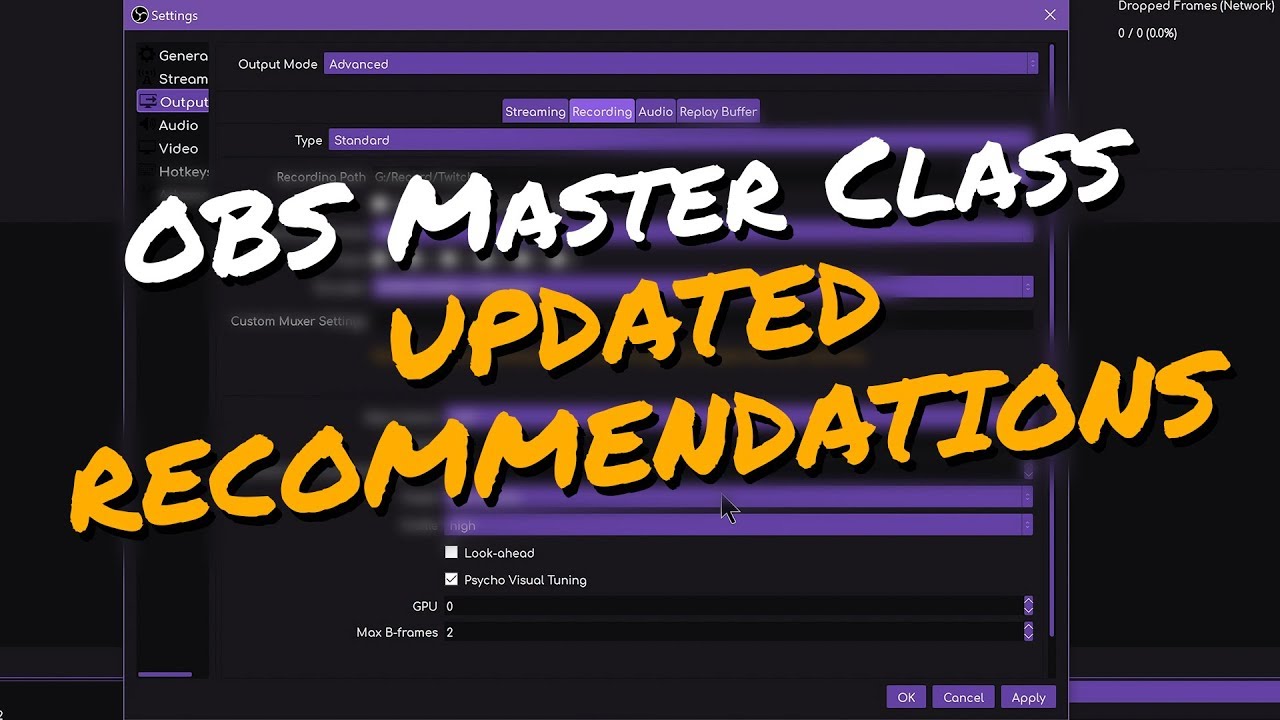
You asked, I delivered! Here's some updated recommendations for OBS settings following the new NVENC updates and OBS 23 release.
►► OBS MASTER CLASS: https://www.youtube.com/playlist?list=PLzo7l8HTJNK-IKzM_zDicTd2u20Ab2pAl
► OBS 23 Update: https://www.youtube.com/watch?v=kW7Hd7kKGI4
► New NVENC EXPLAINED: https://www.youtube.com/watch?v=6fyP7kg...
lament viper
yes @vast fulcrum ?
lament viper
well, basiaclly i need help troubleshooting
tender python
lament viper
because i cant do this myself because everytime i touch anything it breaks every...
Then don't touch it, or look/follow that Master Class.
OBS is pretty straight forward, with the auto setup feature.
lament viper
@tender python i have touched because my internet and computer isnt standard default
tender python
However, admittedly, when you change things you dont know what they do it will make it hard.
 vast fulcrum
uh there are other stuff if obs is hard
lament viper
yeah, but i have to or else it looks like garbo
tender python
lament viper
obs is the best working thing for my computer as it works best with it
vast fulcrum
tender python
https://stream.twitch.tv/encoding/
then its the wrong chanel #helpdesk-twitch
vast fulcrum
its general
tender python
so go look again
vast fulcrum
obs live
tender python
Then I would still recommend to go follow some (master) classes. Or atleast specify what the issue is.
vast fulcrum
i have used obs from 2019, no problems
lament viper
i literally cant specify as that is why im here in the first place
tender python
For all those people who find it more convenient to bother you with their question rather than search it for themselves.
lament viper
to meet someone who can help me find the problem
tender python
Seriously though, this is the last i'll say about it; this channel is about OBS.live. The plugin/extension for OBS. The courtesy of some (of us) to look/listen to OBS issues is something that goes beyond here. Else you're down on your luck and/or try the official OBS discord.
vast fulcrum
but do u need help setting up streamelements?
lament viper
im not sure what that is
tender python
And this vague "i need help but i can't tell you with what", doesn't really help
Vs straightforward issues like: "My stream looks pixelated while streaming to [service], can someone explain why?" or "My recording is choppy on my pc, is something wrong?" or "My audio doesn't work, help?" <--- and these type of questions are still not related to OBS.live but OBS in itself, where again the courtesy of some (of us) to look/listen to those type of OBS issues is something that goes beyond what this channel is intended for.
lament viper
i said that i need help with finding a problem dude
also my message got deleted off of the twitch helpdesk, so where else am i supposed to go
wary dew
Here
lament viper
?
full thunderBOT
Obs.live is a plugin for OBS Studio for the best OBS support, please join their Official Discord @ discord.gg/obsproject
wary dew
What is your issue exactly? Because you keep saying you need help finding a problem. But WHAT is it that this problem is doing?
tender python
Dying stream? Sounds like wrong Obs settings. And that's still very vague.
lament viper
they ignored my messages and went to literally everyone elses problems, its not like i spammed or anything
dude, i know they are wrong that is what im trying to fix
wary dew
You don't share any of your settings, how about posting a screenshot?
wary dew
Output settings, video settings...
lament viper
one sec
lapis frigate
Hello Guys, i got a question. I set up the Bittate in OBS to 6000 and I stream in 900p60fps. But my bitrate isnt limited to 6000 it goes often up to 8000 or 11000. Pls help
lament viper
@wary dew mind if i dm?
tender python
lapis frigate
Hello Guys, i got a question. I set up the Bittate in OBS to 6000 and I stream i...
That's normal.
wary dew
Better to post it here since my coffee break is over and someone else can help
tender python
lapis frigate
Hello Guys, i got a question. I set up the Bittate in OBS to 6000 and I stream i...
OBS has a buffer where it can sometimes overshoot 6000 to "catch up" so to say. unless you changed the encoder from CBR to anything else, that isn't a big worry.
tender python
Seems like normal settings to me. HOW is it dying.
lament viper
because my internet is random
im TRYING to make stable enough so that its possible to stream
tender python

Speedtest.net
Test your Internet connection bandwidth to locations around the world with this interactive broadband speed test from Ookla
lament viper
that is why i came here in the firstplace to find the best way to stream
tender python
Unstable internet isn't something you can fix with OBS settings tbh.
lament viper
but it is
if i used correct settings, it would stream at a smooth 720 60 fps
without the correct ones, 0 bt/s are being sent
also ikve alrerady done the speedtest
full thunderBOT
@lament viper Please provide a log from your last stream. To do this, in OBS go to Help > Log Files > Upload Last Log File and paste the link to the log file here.
lament viper
download is around 11 and upload is near 7
tender python
7mbit?
lament viper
i think
tender python
Are you on WiFi ?
tender python
so with a 7mbit upload, if you're the only one uploading in your house - that's doable. But at 3000 kbit you're already eating half of the available bandwidth. As soon as someone would open up a zoom, uploading documents. You're running out of headroom.
lament viper
i know and im in a house with three othewr people
who are constantly using internet
tender python
Yeah, that's going to be a tough time.
lament viper
thats why i stream at night, nobody is on
tender python
720p60 needs 6000kbps, fyi
Here's a suggestion, run the auto-test again and go with those settings.
lament viper
no matter wghere i put my bitrate at, it goes from 1000 to 700 to 0 to 500 all within 10 seconds
it doesnt work
tender python
Which indicates the network can't keep up, or transmit
which isn't something that's fixable from within OBS
lament viper
well how do i fix it?
tender python
let me put it in layman's terms: you're saying your car can drive 200mph. but there's a traffic jam on the highway.
@lament viper : make a new profile and don't touch any of the settings. Run the autotest to find the optimal settings and try that.
 dim pecan
Hi everyone! My tips on stream elements aren’t working. None of them go through as alerts, the only way I see them is through email on PayPal but even my PayPal doesn’t reflect any balance. Does anyone know how to fix?
tender python
if that works, something else is messed up. If that doesnt work, it's outside of OBS and a network inspection would be in order. Imo call your ISP
@dim pecan have you tried to emulate them and do you see them when you do that? I.e on the dashboard/overlay ?
dim pecan
tender python
<@!207354795571412992> have you tried to emulate them and do you see them when y...
Yes I don’t think it’s the overlay, it seems like it’s streamelements topping and PayPal
Everyone on my stream says their tips don’t go through
tender python
Aah. Are you using SE.Pay or straight to Paypal?
dim pecan
I’ve gotten the emails but PayPal shows $0
Hmm I’m using both on stream elements
I have them both set up
tender python
SE.Pay would end up in the Se.Pay dash
dim pecan
I see. What about PayPal? It seems tha the tips were sent to PayPal since I got a PayPal email
But it didn’t show
tender python
They should show yeah
rugged quail
Hi, so I had StreamElements set up for my OBS Studio on Linux here, it was showing alerts before, but when someone sent me a tip tonight I didn't see it without them telling me in chat. I tried to test it and it still wasn't working.
tender python
dim pecan
But it didn’t show
https://streamelements.com/dashboard/se-pay/ would be Sepay's

StreamElements
The Ultimate All in One Platform for Streamers
have you confirmed your email address?
as it says in the bottom
dim pecan
Sigh. Same thing. Yes my email is confirmed
tender python
ah. now that's a clue.
 viscid finch
Hey there, I have a problem with the audio on my alerts. I set it in the overlays to maximum volume, but in OBS it is still too quiet. I tried putting the gain filter on the browser in OBS, and increasing the volume of the browser in the advanced audio settings, but nothing changes. Can this be fixed or do I need to find other sounds for my allerts?
tender python
dim pecan
Nothing on PayPal either and when I click transaction ID, PayPal can’t find it
i've poked in the back to see if someone could relate to this issue, if PayPal can't find the TXID something's up between that user and PayPal imo, but just to be sure.
tender python
viscid finch
Hey there, I have a problem with the audio on my alerts. I set it in the overlay...
So on the overlay it's on 100%. You've loaded the Browser source, at -0dB (100%), and that's still quiet?
viscid finch
tender python
So on the overlay it's on 100%. You've loaded the Browser source, at -0dB (100%)...
Yes, it doesn't even reach the yellow bar. When I just play the mp3 on my pc, it is super loud
tender python
ez check: have you tried the browser source directly in your browser to see if that is loud(er) ?
viscid finch
It is a bit louder when I play the allert directly in the overlay editor
rugged quail
Browser... Wasn't there a Browser plugin for Arch Linux OBS Studio?
tender python
dim pecan
Nothing on PayPal either and when I click transaction ID, PayPal can’t find it
Sorry that I can't help you further with this, seems like PayPal's support is the only way forward now 😦
rugged quail
I'm on OBS Studio 26.1.2.r192.g23e9d4153
I have something setup in Media Source but that doesn't seem to be working either.
tender python
viscid finch
It is a bit louder when I play the allert directly in the overlay editor
for the sake of testing: can you make an empty scene, paste it as a new OBS browser source (no filters nothing) and test?
viscid finch
tender python
for the sake of testing: can you make an empty scene, paste it as a new OBS brow...
sure, I'll try rn
No change, it sounds the same. :/ I just have the browser in a scene and nothing else. I replayed the allerts and it was the same
tender python
Okay. Interesting. 
Still doesn't hit the yellow bar / not as loud as the original browser link?
toxic fern
@rugged quail If you plan on using our overlays for linux you unfortunately have to use static images as there's a missing feature that prevents videos/gifs from loading properly.
viscid finch
tender python
Still doesn't hit the yellow bar / not as loud as the original browser link?
I added the audio output to see where it reaches, and it is even lower. Bit above the middle of the green
There is probably something I'm missing, I'm still very new to OBS
tender python
That's fine. Give me a moment
rugged quail
I do static images yeah
toxic fern
Do you see any other indication that they sent something?
rugged quail
Me?
rugged quail
Yeah, I accepted it on the StreamElements dashboard, and I saw it show up on my Business PayPal.
toxic fern
Did it show as an eCheque by chance?
rugged quail
eCheque?
toxic fern
It would be in the transaction description
rugged quail
On PayPal?
toxic fern
yes.
rugged quail
It says I received the payment from the person
tender python
viscid finch
I added the audio output to see where it reaches, and it is even lower. Bit abov...
Fixed. 👍 blame the volume sliders
rugged quail
Was it Media Source I was supposed to put the URL into?
I could've swore there was a tutorial for this
toxic fern
Browser source.
rugged quail
Oh...
toxic fern
Media literally is what the name implies.
rugged quail
I don't have that option.
toxic fern
Gonna wanna ask in the OBS discord then.
full thunderBOT
Obs.live is a plugin for OBS Studio for the best OBS support, please join their Official Discord @ discord.gg/obsproject
rugged quail
ok ty
 thorny nacelle
This is extremely annoying and pops up everytime i open obs live, theres a problem when i add a video capture device into another scene that my webcam just doesnt exist and its extremely annoying pls help
toxic fern
Disconnect and reconnect in OBS Settings > Stream.
toxic fern
Try this as well
full thunderBOT
StreamElements menu, on top of OBS > Logout > Login
thorny nacelle
i have
tender python
thorny nacelle
This is extremely annoying and pops up everytime i open obs live, theres a probl...
Only works in one scene at the same time
unless you turn it off
workaround: single scene w/ webcam, and nest that scene wherever you need/want it.
 jagged fulcrum
Hello! I have a question. Is it possible to make a store redeem command that plays a random sound whenever someone uses it?
for example, I have a !redeem hello command that says hello when viewers use it. is it possible to make the command produce a different hello every time?
full thunderBOT
Welcome to the helpdesk! Please let us know how we can assist you today and a support volunteer or staff member will assist you as soon as they are available. Thank you for your patience.
wary dew
jagged fulcrum
Hello! I have a question. Is it possible to make a store redeem command that pla...
Not possible
 short flame
can anyone tell me how to enable g2a option
wary dew
Not possible, they can't comply with EU regulations for CC's so the option is disabled
short flame
for everyone ???
wary dew
Yes
short flame
what do u use for tipping on twitch
full thunderBOT
SE.PAY is available for streamers who are at least 18 years old, with bank account under their name in one of the following countries and have at least 101 follower (Twitch) / 101 subscribers (YouTube):
Austria, Belgium, Czech Republic, Denmark, Finland, France, Germany, Ireland , Italy, Netherlands, Poland, Portugal, Slovakia, Spain, Sweden, Switzerland, United Kingdom, United States.
If you meet these criteria and don’t see SE.Pay, let us know.
For information on SE.Pay payment methods, their fees and settlement times see https://streamelements.com/dashboard/tipping/fees
jagged fulcrum
wary dew
Not possible
isn't it possible to trigger an alertbox with random sound via store redemption? i did a search but unable to find alert widget for store redemption
toxic fern
It's redemption and no. It's only working for singular sounds.
jagged fulcrum
thanks guys
dusky terrace
Does anyone know why my Redeems are not working? If I type e.g !redeem Dandelion it doesn't do anything. I've got the redeem on my Stream Elements.
Even !items isn't working. Does the stream have to be live for them to work?
toxic fern
Try this
full thunderBOT
Go to the Dashboard > Right side > Part channel > Join channel(https://streamelements.com/dashboard)
dusky terrace
Nope, didn't work
full thunderBOT
If your commands recently stopped working and you're using OBS.Live and a custom bot name do the following:
- In OBS.Live, click on the hamburger menu (three stripes) at the top left of your activity feed
- Click on Stream Settings > Custom bot name
- In the Custom bot name field select Set custom bot name, not your already existing username (with capital letters). Note: If you already connected an account that way, the third entry will show as the account name (see image https://i.imgur.com/sO7fWOX.png).
- Scroll a bit down and click on the purple Connect Custom Bot Account button
- Log in as usual and Authorize the custom bot name
- Back in the Activity feed, click on the Send Test Message button and check if your custom bot name starts working again
dusky terrace
Got it, I changed it to a Custom Bot name but then changed it back to StreamElements
Wouldn't actually let me set the bot name for some reason?
toxic fern
Choose the 3rd option.
dusky terrace
But how do you actually set the name of the bot?
toxic fern
If the 3rd option has a name hit disconnect, save, switch to streamelements, save, then try with the 3rd option again.
dusky terrace
So the 3rd option has Set Custom bot name
Do I click "Connect Custom Bot Account"?
toxic fern
Yup.
dusky terrace
I did that, logged in via Twitch then nothing else
Keeps giving me the same screen telling me to click Connect Custom Bot Account
full thunderBOT
"1) Right click on your OBS desktop shortcut and open the Properties
2) In the Target field, add the following to the very end: --remote-debugging-port=40404 (don't forget to add a space before the current path)
3) Open OBS (or restart if it was open)
4) Open your web browser and type in: localhost:40404
5) Click on StreamElements - Activity feed
6) Navigate to the Console tab
7) Type the following into the console and hit enter: store.customBot.removeCustomBotIntegration()
8) Try setting the custom bot name
9) Remove the additional flag in step 2 from your shortcut properties."
 toxic fern
Could you screenshot the entire thing? That doesn't look like you're using the right thing.
 toxic fern
Press F12 and then Ctrl+Shift+J
dusky terrace
Bunch of errors showing
toxic fern
Disregard that for now.
 toxic fern
Remove the bit from the shortcut as instructed then try again as normal.
dusky terrace
Nope, didn't work
toxic fern
Try this then login again.
full thunderBOT
StreamElements menu, on top of OBS > Logout > Login
 toxic fern
Choose the 3rd one.
dusky terrace
Is there no way I can name it what I want?
toxic fern
You'd have to create said account.
dusky terrace
Gotcha, thanks!
 hot swift
Hello, any idea why the streamelements bot is duplicating the responses?
toxic fern
@hot swift Fully close OBS and restart.
hot swift
Nope 😦
full thunderBOT
StreamElements menu, on top of OBS > Logout > Login
hot swift
Nope 😦
toxic fern
Do you have Ground Control open by chance?
hot swift
Sprobably not because i don't know what is that haha
toxic fern
Fully close OBS and then look in task manager for lingering obs-browser bits. Exit those.
Appears to be behaving now.
 true root
so, i just installed streamelements obs, and i press start streaming and it pops up with the window for the video settings to start streaming, but all that shows is a purple box. how do i fix it
hot swift
Rigt so it happened because i added a custom activity feed
 pastel stone
The getting started banner won’t go away and I can’t preview my scenes
toxic fern
Click do it later.
pastel stone
It’s doesn’t do anything
It just says are you sure then I say yes and doesn’t go away
full thunderBOT
StreamElements menu, on top of OBS > Logout > Login
pastel stone
Still didn’t go away
 night zealot
Is there a way for me to have my camera work on two different scenes?
hot swift
@toxic fern was that you !commands?
pastel stone
Oh wait I got it
toxic fern
Yup
hot swift
haha i got a bit freaked out haha
So. the reason why it doubles is because i added a custom dock, which was the activity feed, the reason i did that is because the default one cannot go smaller to fit it on the window
As soon as i got rid of that second activity feed it doesn't double 🙂
Thank you for the help
 timid oracle
Whenever I try to delete a backup this happens, any fix?
rugged quail
How to stream games from obs . live on mobile? Plz help me
 strong pine
How can i put the alerts in my stream
full thunderBOT
@strong pine To add your overlays to OBS, add a new browser source in your scene. Paste your overlay URL in the browser source properties, set the dimensions to 1920x1080 (unless you changed them on the website) and check Shutdown source when not visible. https://youtu.be/KDvLynUqXI4
 jolly rune
hi
how to remove the white background for this one ?? or can u suggest any site where can i make this kind of video alert ??
 plain sonnet
you need to remove it using an image or video editor
and please dont ping random peopl
smoky smelt
Whenever I load a new scene with the overlay on, it just disappears. It'll leave as to refresh but never return I have to close OBS live to get it to come back is there a way to fix that?
rugged quail
i have problem i want to get my money from SE.Pay but if i put IBAN and click next this is what happen :/ help please
full thunderBOT
@rugged quail Please contact us via email for support with SE.Pay. You can use our contact form here: https://streamelements.com/contact Thank you.
 cosmic cloak
im doing an extra life stream and my bar and alert box isn't working
I put in my extra life ID in them both
rugged quail
hey, i have been trying to stream rust for a while now but every time i try, my game goes to like 30 hz even thought the frames are normal (110 - 130), does anyone know why this is happening, its only with rust
please help, i have been looking for help for at least a month now
when i writed an email in contact site and they already writed me and i need to send them another message so i just reply on email?
toxic fern
Just reply to the email
full thunderBOT
@rugged quail Obs.live is a plugin for OBS Studio for the best OBS support, please join their Official Discord @ discord.gg/obsproject
rugged quail
ok done thanks 🙂 now i just need to wait 🙂
@full thunder i have already asked there and noone replied
plus isnt this meant to be a help desk for obs live??
frozen vapor
rugged quail
but im just asking does anyone here have an idea of what to fix my problem
Hi, as mentioned the OBS Discord is the best place to go for this. One quick thing you can try is minimizing OBS / disabling the preview window if you're running OBS on a second monitor. Windows 10 has some limitations with rendering things on multiple monitors at different refresh rates.
strong pine
but i have the alert, i try and i have a try alert but when a sub suscribe my channel didn't work
full thunderBOT
@strong pine To add your overlays to OBS, add a new browser source in your scene. Paste your overlay URL in the browser source properties, set the dimensions to 1920x1080 (unless you changed them on the website) and check Shutdown source when not visible. https://youtu.be/KDvLynUqXI4
strong pine
Yes but in a test ok but when a suscriber sub my channel dont appear me
toxic fern
If it's for youtube check pinned messages in #helpdesk-youtube
tender python
frozen vapor
Hi, as mentioned the OBS Discord is the best place to go for this. One quick thi...
it's really a YMMV
Imo when running multiple un-even refreshrates: disable any Free or Gsync methods.
And force highest refresh, per monitor.
toxic fern
Though this particular issue was "fixed" in 2004/20H1 update.
 rain nebula
i can not get it to display capture
it just puts up a blank screen
can anyone help me
full thunderBOT
Due to the way laptops are designed, your system must be configured to run OBS on a specific GPU, depending on the type of capture you are trying to do.
Click here for instructions on how to configure your system:
https://obsproject.com/wiki/Laptop-GPU-Selection-Windows-10
tender python
@rain nebula unless you don't have a laptop, that would be the fix.
rain nebula
i have a laptop. i have a acer nitro 5
tender python
Then that is your fix 😄
tender python
toxic fern
Though this particular issue was "fixed" in 2004/20H1 update.
Never had the issue on my side, and that's 60/75/144 hz mix
toxic fern
¯_(ツ)_/¯
tender python
but you are right
rain nebula
it didnt work.
 kind coral
ok so my stream elements is not update with my twitch when some one followers my alerts do not go off and my recent follower dose not change from its no followers mode
full thunderBOT
@kind coral Please provide your account ID found at the top of this page: https://streamelements.com/dashboard/account/channels This ID is public info and safe to share here.
rain nebula
i went through all that the link told me to and i did all it said and it still dont work
 hard temple
How can I get the MediaShare widget on my stream?
I am using the Connection Status Super Theme...
frozen vapor
hard temple
How can I get the MediaShare widget on my stream?
I am using the Connection Stat...
New Widget (+) -> Engagement -> 'Media Request'
hard temple
Where?
toxic fern
Overlay editor.
hard temple
Ah. I see. Thx
kind coral
5ff606ccccffc4339d9887eb
rain nebula
maybe my laptop is just junk idk
wary dew
kind coral
5ff606ccccffc4339d9887eb
i've send it to staff, will ping when done
kind coral
ok thank you
wary dew
kind coral
ok thank you
fixed, missed events can't be traced back but new events will show up as they should be
kind coral
ok
rain nebula
i just cant get it to display capture
wraith inlet
On one of my channels, StreamElements bot is ignoring any messages from a specific user account. I'm not having any luck finding a way to fix this.
hard temple
How to make it so when someone runs a command, it automatically plays a video.
Just like !wow will show a wow video pre-set
If you understand what I mean...
 marsh current
hi. so i copied my overlay link tomy obs.live, but nothingis showing. Ive tried multiple overlays and Im not sure how to fix this
full thunderBOT
@marsh current The default resolution for StreamElements overlays (theme and custom) is 1920x1080. Please add them in OBS at their full resolution and use CTRL+F to fit to screen if necessary. You can then downscale your stream in OBS settings > Video if you'd like https://i.imgur.com/6bWXxjR.png
hard temple
hard temple
If you understand what I mean...
Anyone?
 gaunt temple
My chatstats aren't working any advice? It just shows a 404 page: https://stats.streamelements.com/c/izbuddyiz
Also not sure if this is related but my chat bot also isn't working. I just had the bot part from my channel and had it rejoin but am not sure how to test to see if it works without going live again. Any advice would be super helpful thanks!
ocean rivet
hard temple
How to make it so when someone runs a command, it automatically plays a video.
you can use the stream store feature for this: https://streamelements.com/dashboard/store/items
 raw mortar
Hey guys, I've been experiencing weird editor behaviour. When I try to emulate an item redemption alert so I can view my changes nothing happens? Any ideas on what's going on?
hard temple
ocean rivet
you can use the stream store feature for this: <https://streamelements.com/dashb...
Which option I should choose then?
And how do I get it so the video will be like the original video...
hard temple
ocean rivet
you can use the stream store feature for this: <https://streamelements.com/dashb...
Hmm... Not really what I am looking for... It doesn't triggers on command...
ocean rivet
hard temple
Hmm... Not really what I am looking for... It doesn't triggers on command...
feel free to dm me, I can guide you through it
 austere anchor
Hi. I'm having issues with the custom bot name. It stopped working a couple days ago. Bot simply doesn't work if set with the custom name :/. I tried the --remote-debugging-port method, but it didn't work.
 ocean nacelle
Ehy guys! I started playing Control today but I had a tons of problems (the same I had when I streamed Cyberpunk). Chat not reloading, so not showing me the latest messages, no follow/sub notifications on stream but there was just the sound. Even when I closed the game and switched overlay, it wasn't working! For example, kappagen wasn't working and the latest follow, sub, donation not showing, not even the chat box!
signal brook
Hi Collegaues, why when i restart my obs + stream elements extention my streem gets constantly resided ?
rugged quail
I recently switched from StreamLabs OBS to StreamElements (Obs.Live) and my Chatstats is showing a 404 error, and my overlay features are not working (recent follower, total followers, etc)? I don't know how to make it work properly
Does it not take pre-existing data into account as well like Streamlabs does?
full thunderBOT
@rugged quail Please provide your account ID found at the top of this page: https://streamelements.com/dashboard/account/channels This ID is public info and safe to share here.
ocean rivet
rugged quail
I recently switched from StreamLabs OBS to StreamElements (Obs.Live) and my Chat...
stats will start tracking from the moment you join SE, we can't look at past data
rugged quail
Should I still post my ID then?
ocean rivet
rugged quail
Should I still post my ID then?
yes, I can fix your stats page
rugged quail
602bac684fdc3057dfeb6087
I'm kind of new to streaming still trying to figure SE out, so thanks for the help
ocean rivet
rugged quail
I'm kind of new to streaming still trying to figure SE out, so thanks for the he...
your stats page is now up
 potent sonnet
Hello I cant find much information on this, but I would like to show the songs i am playing from youtube on stream
I don't know if there is a feature for this or how i could make that work
rugged quail
Thanks Sk1ll
potent sonnet
someone that can help me or redirect me to the right sources :)?
 little vine
Uh-oh...
Invalid authorization token ----can anyone point me on how to fix this...trying to modify my overlays
full thunderBOT
@little vine StreamElements menu, on top of OBS > Logout > Login
 unreal plank
Does anyone know why stream elements will allow me to use overlays and everything but will not let my chat use commands? i have the bot modded and apart of my chat. is there something i am missing?
honest echo
@unreal plank the bot doesn't reply the commands on your channel?
unreal plank
@honest echo no it doesnt. everything else works but the commands and it just started happening randomly
honest echo
that doesn't sound like a obs.live issue, which platform do you use to stream?
unreal plank
twitch
honest echo
let's jump into the right helpdesk channel #helpdesk-twitch
unreal plank
ok. thank you. sorry about the mixup
 hot summit
Can anyone show me how to stop my bot spamming every command twice?
honest echo
@hot summit Twitch, right? it will be better to ask on the right helpdesk channel #helpdesk-twitch
hot summit
@honest echo thanks for whatever reason its literally fixed itself after asking for a fix haha it had been doing it the last few days and as soon as i ask for help it fixes. But also thank you for the really quick reply ❤️
 round gale
Im setting up my obs live but when i got live on facebook my facebook chat and activity dont pop up on stream elements? how can I fix this
when i go live**
raw mortar
It might be the intended behaviour. But if I use !play for media share I'd usually expect the video to play unless I'm using the "Limit to Music" Setting. Is there anyway I can get the video to play when using !play of another command?
full thunderBOT
@round gale StreamElements menu, on top of OBS > Logout > Login
 worldly dune
my desktop audio isnt picking up my game audio or any audio . can anybody help out ?
full thunderBOT
@worldly dune Obs.live is a plugin for OBS Studio for the best OBS support, please join their Official Discord @ discord.gg/obsproject
 crisp canopy
I have an overlay that im trying to put into my obs and when i put the link as a browser source nothing shows up?
full thunderBOT
@crisp canopy The default resolution for StreamElements overlays (theme and custom) is 1920x1080. Please add them in OBS at their full resolution and use CTRL+F to fit to screen if necessary. You can then downscale your stream in OBS settings > Video if you'd like https://i.imgur.com/6bWXxjR.png
 grave ruin
Does obs.live have a feature that stops you from toying with docks?
so like stretching them or moving them
honest echo
maybe this is what you are looking for
raw mortar
I'm really stumped by this. Is there really no way to play a video with the !play or another command? No toggle-able setting or command? I'm trying to use it as a way for mods to fill in downtime with the backup playlist. Am I out of luck?
 weak nova
I can't for the life of me figure out how to stream my Discord Audio through OBS.
rugged quail
on my obslive my media request is just blank and wont show the song, how do i make it show the queue. (it was working just a couple of days ago)
full thunderBOT
@rugged quail StreamElements menu, on top of OBS > Logout > Login
honest echo
@raw mortar you can't use the !play command?
full thunderBOT
@weak nova Obs.live is a plugin for OBS Studio for the best OBS support, please join their Official Discord @ discord.gg/obsproject
rugged quail
thanks
raw mortar
@honest echo The !play plays audio and not the video for me despite having the show video setting enabled.
And because it adds context. I do have the media request overlay enabled. The video plays if I click on the "Show on Stream" button, but not by the !play command.
 wicked prawn
I need help with my store redemption during stream. I can see the alert pop up with the photo I chose, but I cannot hear the sound on the stream. I can hear it in OBS live, though.
full thunderBOT
@wicked prawn If you are not hearing your alerts and/or Media Request, you are most likely using the Control Audio via OBS option in your browser source properties.
To make sure you hear the alerts and the stream also hears them, follow along the screenshot bellow.
https://cdn.discordapp.com/attachments/199460642975907840/685371800456134686/unknown.png
wicked prawn
Thank you so much!
 woeful comet
would anyone be able to help with using two different capture cards? i have two hd60 pros, one for my camera and one for my gaming pc but both feeds are showing up as black screens in obs
full thunderBOT
@woeful comet Obs.live is a plugin for OBS Studio for the best OBS support, please join their Official Discord @ discord.gg/obsproject
 slender herald
I've just finished migrating my stream setup from SLOBS to OBS with the Obs.live plugin. The Activity feed in OBS is almost completely empty, and it's causing my events rotator to not show any proper information. How can I get my activity feed up to date, the way it was in SLOBS?
shy mountain
Activity feed cannot be imported. If its empty and you've recently signed up with us, events are not retroactive unfortunately.
including widget data used in rotator widgets
slender herald
ah ok, I'll see how it performs after my first stream with this system. Thank you!
 versed monolith
hey! can anyone help me with this - when my alerts are on my obs screen, they are really blurry - i'll share pictures of what it looks like on my overlays on browser compared to on screen
this is what it looks like on my overlays -
can you see how the text is quite blurry when in obs?
 maiden kite
anyone who uses elgato capture cards able to lend a hand. im not getting a signal anymore, everytime i reset the capture card in obs itll work fine for about 2 seconds than the capture source will freeze and the sound will stop from it. im using a hd60s+ and a ps5. ive done all the basic troubleshoots of usb ports, ect. works perfectly fine in 4k capture utillity its litrally only obs that has a problem.
full thunderBOT
@maiden kite If you are having issues with Elgato hardware or software, we recommend reaching out to their support here: https://e.lga.to/help
@versed monolith The default resolution for StreamElements overlays (theme and custom) is 1920x1080. Please add them in OBS at their full resolution and use CTRL+F to fit to screen if necessary. You can then downscale your stream in OBS settings > Video if you'd like https://i.imgur.com/6bWXxjR.png
versed monolith
i have done that 😦
shy mountain
Blurryness can come from stretching/maing something small into bigger size in general.
Example being if the overlay and alerts were for 800x600 resolution
making it bigger in OBS can cause this blurryness
not sure i managed to explain it properly 
I can in my head but rereading what i wrote doesn't explain it
versed monolith
ohhh so... if i open up my overlays, and make the alert box fit the whole 1920x1080 screen... then resize it down... it shouldn't! aaaaaaaa i get it
like resize it in obs instead of my overlays page.
big brain energy, thank u v much!!
versed monolith

shy mountain
If the overlay is set to 1920x1080 and added as 1920x1080 in OBS
if you scale UP the browser source
it can make stuff look blurry
if you scale it DOWN in the preview, it will just look more crisp but unreadable cuz small text
versed monolith
i get it now  i've just converted from ||streamlabs|| so i'm getting used to things
shy mountain
Most of the time people place their alert box at 800x600 size within the overlay editor
versed monolith
i've just made the text like, 60px.
shy mountain
ok let me take a look what you've imported
versed monolith
i didnt import anything, i'm redoing it all
versed monolith
i have an overlay called alerts final, it currently has two alert boxes on it as i was playing around with sizes. but then i made a real quick one just now with the alert box filling the whole page called DSFSFDS or something.
im thinking it could be the font bc it's like the pixel font but then i'm like... hm
shy mountain
ah, keyboard-meets-face name 
 shy mountain
more like person of culture 
versed monolith
so the one you're running is the one i sized down to like, small on my page but the alert box is 1920 on the overlays
 shy mountain

 versed monolith

shy mountain
welp, ok my theory was debunked i guess 
shy mountain
its all business right now, fun times later 
Is this blurry now?
trying to compare it to your screenshots, but honestly, it still looks crisp
 shy mountain
ooh wait, i looked into your screenshot
its the name of the person thats blurry
let me see if we had a fix for this
versed monolith
yis!! just the names, it could be the colour
 cyan tusk
Can Someone Help Me Sometimes While Streaming My Chat Comes With Delay On My Obs But On My Phone Its On Time Can Someone Help Me Btw I Stream On YT
shy mountain
versed monolith
yis!! just the names, it could be the colour
ok, random theory here. Right click on your desktop -> Display settings-> Scale and layout -> scaling set to 100%?
versed monolith
shy mountain
ok, random theory here. Right click on your desktop -> Display settings-> Scale ...

shy mountain
@frozen basalt unless its related to OBS.Live, use the other channels, please.
full thunderBOT
@cyan tusk StreamElements menu, on top of OBS > Logout > Login
cyan tusk
I have Done That But Also Its Happening
shy mountain
@versed monolith can you try one of these: https://ficpa.org/publication/fix-fuzzy-windows-10-text-high-resolution-displays ?
versed monolith
sure! i'm gonna switch to my other (better) monitor too and see if anything changes as well
cyan tusk
And My Chat Box Was In White Theme And When I Log Out and Logged In Then My Chat Box Comes In Black them. From Where Should I change My Chat Box Theme
shy mountain
sorry, had to skip that alert, as I had alerts unmuted and also got a phone call and was on speakers 
panic set in
@cyan tusk #helpdesk-youtube message for the white theme
I can't help with the delay - might be YT related
versed monolith
asdjkhaskdjha it's okay!!!
this line is too much for my tiny brain - "Then select the Compatibility tab and enable Disable display scaling on high DPI settings. A restart will be required to finish the process."
enable disable
shy mountain
cyan tusk
Thx @shy mountain
shy mountain
@versed monolith ok forget the random link i gave you. Can you try and fiddle with this setting ->
set it to 1 second
save
test
and see if the blurryness goes away
versed monolith
i think that helped, but sometimes it's so temperamental i cant tell if it's fixed or not
it tends to be on my gift sub alert more than anything else
three attempts and no blurryness with the delay it seems
shy mountain

versed monolith
if i just make it 1 second delay and then add a text animation it looks like that was absolutely what i meant to do

shy mountain
nice

 shy mountain
now time for fun times 
versed monolith
oh no wot
shy mountain
well i lied, i jammed to the song a bit while you were testing it
can always find time for fun while working 
versed monolith
djkfjhsdfkjsd it's called love from the legend of zelda and the rest of the song slaps harder than that

much thank




 have a nice day pls


 versed monolith

rugged quail
how to make a death counter
shy mountain
rugged quail
?
shy mountain
Did you click the link?
rugged quail
that for me
shy mountain
No one else is asking for help right now here
shy mountain
- This is not an OBS.Live issue
- You still need to setup a ${count} variable and command which:
- you can use the counter widget in the overlay editor.
shy mountain
In the command yes
in the widget, no
only the name of the count variable
if in this case its ${count deaths} you place deaths in the widget settings
rugged quail
so thats correct
what u mean wigit
i got the command on streamelements to do !died and say a responce now what
@shy mountain
 dense flax
hello can anyone help me, my twitch chat dock channel seems glitchy and sometime that bad i cant read chat, here is a screenshot. Does get a lot worse then that. i use obs.live
can anyone help please
 loud venture
my obs live doesnt record game audio or music and Im not sure why. Im on a macbook air and was hoping that i could have some steps to get the audio to work.
rugged quail
I'm still having trouble getting overlays to work on the Arch Linux build of OBS Studio
sharp turret
dense flax
hello can anyone help me, my twitch chat dock channel seems glitchy and sometim...
"Please follow these steps:
- Close OBS
- Open the NVIDIA Control Panel
- In the left menu select Manage 3D settings and then under the list of options (right panel) press Restore default settings
- Start OBS"
 winter ice
Hello, I am configuring the Overlay but its size does not fit the OBS screen size. An overlap gets much bigger
rugged quail
Wasn't "Media Source" basically the same thing?
sharp turret
winter ice
Hello, I am configuring the Overlay but its size does not fit the OBS screen siz...
In browser source properties do you have set dimensions to 1920x1080?
 acoustic delta
heya, I'm trying to add my scene's overlay as a single browser source to see if it will make a difference towards increased performance.. I tried with a guide, but it was really outdated and therefore the layout of the dashboard was vastly different. how would I go about doing that today?
acoustic delta
acoustic delta
heya, I'm trying to add my scene's overlay as a single browser source to see if ...
I found this page on the dashboard, but I'm unsure about where to go next.. how could I add my entire overlay to the browser overlay? I know how to add it in OBS, but unsure about how to set the overlay up on the SE dashboard
https://i.gyazo.com/94907dd90356a93c0abf330bb91267c6.png

the guide in question comes from here https://www.youtube.com/watch?v=UuweQah3v00&feature=youtu.be , while the general guide is from here https://blog.streamelements.com/8-obs-tips-to-make-your-stream-run-smoothly-a8d634b34bce

We have an updated initial setup guide: https://www.youtube.com/watch?list=PLCDDKlFdScbH7j6W7OXQQScfFunxed1tP&v=EpA4eDLMW_I
Setting up StreamElements is easy, learn how to in this video, hosted by Twitch Partner GIRLvsDUMB
Got any questions, or just want to say "Hey"? Join our Discord server: http://bit.ly/DiscordStreamElements
Learn how s...

Medium
In an ideal world, we would all be using a brand new NVIDIA GeForce 1080 Ti graphics card with an Intel X-Series processor.
update, went as far as adding a blank overlay from SE dashboard as a browser source in OBS, but the overlay is blank? I still don't understand how the person in the guide can magically get her entire scene added to the blank SE overlay just by doing that..
ocean nacelle
Ehy guys! I started playing Control yesterday but I had a tons of problems (the same I had when I streamed Cyberpunk). Chat not reloading, so not showing me the latest messages, no follow/sub notifications on stream but there was just the sound. Even when I closed the game and switched overlay, it wasn't working! For example, kappagen wasn't working and the latest follow, sub, donation not showing, not even the chat box!
 fluid zealot
When downscaling my stream to 936p since everyone is saiyng that its the best, should i do it in Output - Rescale Output or in Video?
 light sigil
i started obs live today and now i get no sound ... but i see it in soundmixer from obs need help best in german pls thx ❤️
sharp turret
light sigil
i started obs live today and now i get no sound ... but i see it in soundmixer f...
there is a german channel #🇩🇪︱deutsch
frozen vapor
acoustic delta
I found this page on the dashboard, but I'm unsure about where to go next.. how ...
Each of these items is its own overlay that would need to be added as a browser source. Here's an updated video covering the overlay editor - https://www.youtube.com/watch?v=X5VzXjqAsjk

We are thrilled to announce the launch of the remastered StreamElements Overlay editor!
https://p.strms.net/newoverlayyt
Why StreamElements Overlays are better?
😎 Simple: Load your entier setup using only 1 link
⚡ Fast: Cloud-powered Overlays arrive in real-time, say goodbye to delayed alerts
🧩 Customizable: 100's of widgets at your dispos...