#helpdesk-selive
1 messages · Page 144 of 1
 hot geyser
 lilac ocean
yes or carlbot for example
just not possible with us since we dont have a Discord bot!
hot geyser
how does mee6 know when youre starting your stream?
 pine garnet
@hot geyser - it's done with Mee6, or carlbot... or you can even setup your own IFTTT with a webhook to your channel.
 wary dew
webhook with Twitch
pine garnet
i haven't used dyno in a while.. I forget if they have a twitch section.
lilac ocean
you would have to check on their website 😄
hot geyser
okay thank you guys so much 🙂
I am bad at technical stuffs heheh 😅
is there also a way to post a tweet with streamelemetns?
pine garnet
I have a question... I'm coming from Slobs, where there was a handy "preview alerts" button in the bottom of the window.
Where do I find such a preview alerts in OBS.Live?
 toxic fern
Should be an overlay editor option in the menu.
pine garnet
I'm not seeing an option for testing alerts in any menu @toxic fern
 steel bladeBOT
@pine garnet You can test Alerts via the Emulate bell on the lower left side of the Overlay Editor. Simply go to your Dashboard -> My Overlays -> Pencil/edit button on the overlay. Make sure the "Preview LIVE on stream" option is on to see the alert in OBS/Xsplit https://streamable.com/vtulg9
 toxic fern
@pine garnet Right click the browser source and choose properties. Should be the option to open the editor there.
pine garnet
hmm... something must be wrong. I don't seem to have an option to open the editor in my Browser source properties.
I have installed OBS.Live...
toxic fern
do it for the alertbox
pine garnet
toxic fern
 that's not our alertbox.
 plain mason
@pine garnet if you have questions about overlays of other site, so you have to ask for support of the other site...
But you can import all overlays from this site to StreamElements 🙂
pine garnet
I did import them
this is what it gave me
i switched from slobs to streamelements... and did the import function
steel bladeBOT
@pine garnet To add your overlays to OBS, add a new browser source in your scene. Paste your overlay URL in the browser source properties, set the dimensions to 1920x1080 (unless you changed them on the website), and ☑ “Shutdown source when not visible” https://youtu.be/KDvLynUqXI4
plain mason
Get all URLs of overlays here https://streamelements.com/dashboard/overlays and setup the OBS (Browser Source) with new overlays.
 rugged quail
My custom bot name. it was working perfectly yesterday but now it only works if its set to streamelements not custom even my own channel as bot is not working
only streamelements one works
please halp
plain mason
@rugged quail check on the pinned messages how to custom bot name.
pine garnet
Ok... for viewing in the editor, that worked @plain mason thank you.
Next issue... the text is not contained in the alert bot. I don't see a way to adjust the text within the alert box.
plain mason
@rugged quail did you try to redo the connection with the bot profile (logout/remove custom bot account and login)?
pine garnet
thank you @tender python ... uhmm... i've no concept of CSS. I can see the CSS in the properties of the box... but no clue what to put in there.
Can you point me to where I can learn how to do this?
rugged quail
@plain mason reconnecting takes me to a blank screen
 tender python
that might also work, but that will make it a lot harder @pine garnet
pine garnet
uhmm... ok. I don't see CSS in the editor.
pine garnet
plain mason
@rugged quail close this window. On the top menu StreamElements, logout and login.
plain mason
@pine garnet click in Settings menu and show us the screenshot
pine garnet
ahh... I see now. I have to click the gear icon
rugged quail
now its stuck on this @plain mason
pine garnet
so I have to adjust the text for each alert type?
plain mason
@pine garnet yes, you will need to check each alert to see if is okay or not...
rugged quail
@plain mason nvm i just fixed it. i found something online about opening up port 40404 and now it works
🙂
plain mason
@rugged quail yep 🙂
rugged quail
Thanks  !
!
plain mason
it would be the other instruction haha
pine garnet
thank you so much for your help @plain mason and @tender python
tender python

So, there's multiple options
Top, over, next
and yes, OBS/SE is a bit more steep
but it's free and you get TONNES of options 🙂
lilac ocean
Slobs isn’t free for all options, that is where you’re saying something wrong
toxic fern
How? None of our themes are paid.
lilac ocean
we have a free merch store, slobs doesnt
like NoD overlays can be paid overlays as well
SE already has over half a million users if im correct
our motto is giving legendary support and that are services are 100% free to use.
Well, let's say its not on the minds of StreamElements to discard the 100% free to use motto 
 plain sonnet
can we keep this clear please, this is a support channel after all
pine garnet
deleted my spam. YOu are right.
 hardy tulip
Hello , Custom Browser Docks have stopped working , any idea?
 storm herald
Any idea why only my new follows show up in my Activity Feed? Raids, Hosts, Subs, Cheers, etc., aren't showing up in my feed.
 signal horizon
Hello, can someone help me?
 karmic grotto
Hello , Custom Browser Docks have stopped working , any idea?
@hardy tulip try reopening your obslive
steel bladeBOT
@signal horizon Welcome to the helpdesk! Please let us know how we can assist you today and a support volunteer or staff member will assist you as soon as they are available. Thank you for your patience.
@storm herald Streamelements on top of OBS -> Logout -> login
signal horizon
how do i use streamelements? switching from streamlabs
hardy tulip
I have reopened and relogged and nothing seems to work.
 sullen flicker
I'm trying to stream on twitch, but when i hit the go live it keeps trying to stream from facebook. any ideas?
steel bladeBOT
@signal horizon New to Stream Elements?
Check out our YouTube channel https://www.youtube.com/c/streamelements/videos
with tutorial videos from setting up the basics, to in depth details on how to use our product.
New to OBS? Here is a 4 step quickstart guide
https://obsproject.com/wiki/OBS-Studio-Quickstart
Want to learn even more? Here is an in-depth overview
https://obsproject.com/wiki/OBS-Studio-Overview
karmic grotto
I'm trying to stream on twitch, but when i hit the go live it keeps trying to stream from facebook. any ideas?
@sullen flicker file > settings > stream > service 😉
steel bladeBOT
@sullen flicker Streamelements on top of OBS -> Logout -> login
sullen flicker
I did that, and it still wont change where it tries to go live on FB even not being connected
storm herald
@signal horizon Thanks for the time. I tried logging out and back in, and I also tried to completely uninstall OBS.Live and reinstall it. I still see only my followers, but no subs, hosts, etc. I've also made sure that everything is checked in the "Filter" dropdown.
*tip, not time.
hardy tulip
Guys , Browser Docks , stil not working 😦
pine garnet
ok next question... I have 20+ subs... but my subs count isn't showing any...
sullen flicker
 modern quail
something wrong with the streamelement site?
lilac ocean
Where on the site are you experiencing the error? @modern quail
lilac ocean
have you already tried relogging?
modern quail
yes
lilac ocean
and have you tried logging in via a incognito tab?
modern quail
i only see the start site, when i press log in i get api error
same error in incognito
lilac ocean
alright can you try to clear your cache?
karmic grotto
sorry to interrupt @lilac ocean , what is your browser u are using and can u please do this command in CMD and check if u are not having package drops in your connection > ping 8.8.8.8 -t
connection can be timed out if u do so
@modern quail
modern quail
i use google chrome, yes i try it
 west swallow
ok so problem
I just got a sexy new overlay from my artist, and we did the webcam frame for 16:9 aspect ratio
Which my webcam is
For some reason, OBS is cropping the edges of my webcam, and not displaying as 16:9
And I can't seem to find any options for why it's doing that
karmic grotto
For some reason, OBS is cropping the edges of my webcam, and not displaying as 16:9
@west swallow what webcam do you use?
west swallow
Logitech C920
modern quail
@karmic grotto no packagde drops
west swallow
steel bladeBOT
@west swallow For the best OBS support, please join their Official Discord @ discord.gg/obsproject
west swallow
danke
karmic grotto
@karmic grotto no packagde drops
@modern quail tried with your phone? not the ping but to log in
karmic grotto
did u restarted your computer yet?
modern quail
nopp gona try it in 5 min
 cloud wyvern
hello
modern quail
@karmic grotto same problem
karmic grotto
then it is your ISP blocking us or streamelements system has detected too much requests and blocked you for preventing DDOSing, best bet would be restart all devices including the modem and router, flush your DNS, reset it and change it, and if none of this works call your ISP for further support
modern quail
okey
cloud wyvern
I'm having a problem editing an overlay in obs
steel bladeBOT
@cloud wyvern Welcome to the helpdesk! Please let us know how we can assist you today and a support volunteer or staff member will assist you as soon as they are available. Thank you for your patience.
cloud wyvern
hello. I added a overlay into my obs. the overlay comes up ok, but it won't change my name or anything when i try to edit it
says it saves it and all, but still shows "your name" at the top instead of my name
karmic grotto
hey @cloud wyvern, so that is a common mistake, u are probably editing the layer name not the name itself in the settings of that layer, check this out and if it doesn't work please send here a screenshot of the editor please
cloud wyvern
ok. I changed the name in the box that says "change your name here"
but it still won't show it
wary dew
can you make a screenshot of it?
cloud wyvern
wary dew
yes that is just the name of the layer
click it once, then click on settings
that will open the actual layer settings
cloud wyvern
oh i see, got it
where do i go to change my social media displays?
like what my twitter, instagram is etc
wary dew
that works the same, select the layer in the left bar and use the settings menu
karmic grotto
same applies to each stuff in the editor, just click the thing u want to edit and head into settings
cloud wyvern
ok thank you
modern quail
@karmic grotto talk to others friend right now and they have same problem
karmic grotto
sure, probably is a problem with our end then, server can be overloaded, we should wait until further details 🙂 sorry about that @modern quail
modern quail
okey thx
karmic grotto
is there anything more we can help you with ? @modern quail
modern quail
its okey
karmic grotto
fine 😉
pine garnet
can anyone answer my question about why Sub counts aren't showing in my overlay?
 austere tapir
Hi guys 3 x stop my stream and i dont know why bitrate low but my internet 35megabyt/set
sec
 shut heron
Is there a way to reset all label data and enter it manually (tip, followers, subs)?
plain mason
@pine garnet please, try this: reset session (https://streamelements.com/dashboard/activity), part bot from your channel (https://streamelements.com/dashboard), log out (https://streamelements.com/logout), log in with your Twitch account (https://streamelements.com/dashboard), and join bot on your channel.
steel bladeBOT
@shut heron To reset goals:
- from the overlay editor -> session data on top right (monitor symbol) -> goals tab -> reset progress of desired goal
- from the dashboard -> activity feed on the left -> widget data on the right -> goals tab -> reset progress of desired goal
Note: Goal widgets(progress) only counts up and doesn't go down automatically, if you loose followers/subs
shut heron
i don't want reset goal, i want add recent followers manual
karmic grotto
you can't enter manual followers name in the real session data only in the preview, u can otherwise only edit the number of followers in the data @shut heron
shut heron
and what about another data? for example "top tip" displays not correct, i want to change it
karmic grotto
what top tip is displaying?
shut heron
it was imported manually in https://streamelements.com/dashboard/tipping/list
then i edited it value, but it still displays as top
 fallow root
Im getting script log error, as i moved my obs to a new pc and i dont have that plugin anymore. Any ideas how to get rid of that error?
pine garnet
@plain mason how do I part the bot from the channel?
steel bladeBOT
@pine garnet Go to the dashboard -> right side -> part channel -> join channel (https://streamelements.com/dashboard)
 plain mason
@shut heron Goals tab (https://streamelements.com/dashboard/session)
 magic bloom
RESOLVED with help from Support AI
Hello! When I use media request and I press on play while having the widget on I will hear the media being played twice / double. I tried restarting obs, different songs, and also tried popping out the media request panel... all to no avail. If someone could help that would be awesome.
steel bladeBOT
@magic bloom Make sure to ☑️ “Shutdown source when not visible” for all browser sources (all OBS scenes). If using studio mode, uncheck “Swap Preview/Output scenes After Transitioning.” Also keep in mind that sound can play from any overlay loaded in the browser (editor or launched). https://i.imgur.com/6bWXxjR.png https://i.imgur.com/yY0wcFl.png

 magic bloom
I closed my browser completely to eliminate that solution, but I will try the other ones. What a helpful bot!
pine garnet
@plain mason - followed those steps exaclty... same thing shows. No Subs shown on overlay.
 tulip hamlet
@pine garnet The widget is set to session sub count. If you want it to show total subs, then you need to replace the widget with a Total subscribers widget.
pine garnet
Hmm... ok... this widget came with the overlay. I'm not sure how to change a widget
tulip hamlet
Delete it and add a new one with the + button in the corner.
pine garnet
@tulip hamlet are you talking about within OBS or within the SE Editor?
pine garnet
ahh ok... found it!
 west thunder
I'm having issues adding an overlay to my stream... it's my first time using stream elements and for some reason everything i add to obs.live is only about a quarter of the size I need
shut heron
total amount of tip is not correct value, is there a way to change it?
steel bladeBOT
@west thunder To add your overlays to OBS, add a new browser source in your scene. Paste your overlay URL in the browser source properties, set the dimensions to 1920x1080 (unless you changed them on the website), and ☑ “Shutdown source when not visible” https://youtu.be/KDvLynUqXI4
lilac ocean
^set the right dimension Night 😄
west thunder
ohh thanks guys i'm really not experienced 😔 😆
lilac ocean
no worries really! just follow the vid and all will be good 😄
pine garnet
anyone have an idea why Filtered username aren't working for the Leaderboard display panel?
tulip hamlet
Because it looks like you're using the wrong filter line for chatstats.

 prime forge
Hey folks, trying to import my alerts over from streamlabs, and I'm getting "No Scene Collections are available for import." Feel like I'm missing something obvious but would love some help!
prime forge
I think it's something to do with the custom CSS, as my old alerts I had some custom CSS to change the text position, as the default was in the wrong spot
 torpid ether
hey guys!
is there still hope for the obs.live version for mac?
tulip hamlet
No plans.
plain mason
@pine garnet https://streamelements.com/dashboard/loyalty ... add bot name on the "ignored users" area, and go to leaderboard and remove the bot from the list, if you see some bot added https://streamelements.com/dashboard/leaderboard/current
prime forge
Nevermind sorted it. For anyone importing from streamlabs that used custom CSS to align text - turn off custom CSS. You move the text as required under text settings -> advanced -> Margin 🙂
 vernal crown
custom bot name settings not showing up in ground control... anyone know what i can do? restarted the app a few times
this is all i can see
steel bladeBOT
@vernal crown Currently renaming the bot fully works with OBS.Live.
You can follow this video guide to set it up: https://discordapp.com/channels/141203863863558144/494513233416421386/561516184718278676
If you don't want to use OBS.Live and want to stick with Ground Control, please let us know your Twitch username.
vernal crown
ty so much
 random wagon
im getting that failed to autheticate with twitch error and ive tried restarting PC, loging out of OBS and disconnecting my twitch and then relogging in and it still wont work x.x does anyone have a good fix for that, also this happens alot
 mystic folio
quick question on obs my desktop audio is picking up discord but not my video game sound on Pc and idk why?
steel bladeBOT
@mystic folio For the best OBS support, please join their Official Discord @ discord.gg/obsproject
 lilac heron
@mystic folio is your discord output audio the same as the desktop audio set in obs
 karmic aurora
No matter what I do when I go to the obs live website it's a white screen... :(
steel bladeBOT
@karmic aurora Please provide a proper screenshot with the issue visible. If not sure how to take a screenshot, you can check here: https://www.take-a-screenshot.org/
 digital socket
is it loaded?
 waxen heart
hey guys, I have a question
I'm trying to add the "Mute Alerts" button to my ElGato streamdeck, but it doesn't seem to work.
 fathom heron
Hey guys How Do i Download Ndi Plugin?
waxen heart
all the other functions work though, so I know it's connected to OBS.Live correctly.
 jaunty elk
Hey is there a way to make it so that instead of loyalty points, they have a separate amount of points to gamble?
tulip hamlet
There is only one point system for the channel.
jaunty elk
Damn ok
 buoyant ridge
anyone available to help ?im having some issues
Everytime i go live its under and account on facebook that im not even logged into anywhere on my pc. No matter how many times i switch keys or shut down the stream i always go back live under said account.
Does anyone know how to make this stop?
steel bladeBOT
@buoyant ridge Streamelements on top of OBS -> Logout -> login
 hollow citrus
hey there. I clicked by accident the resize output setting in obs live. everything is now zoomed in. how can I revert this?
nvm. figured it out lol. first day user, sorry
buoyant ridge
@steel blade yeah that doesnt work
i legit even removed the program and redownloaded while said account wasnt logged in on my pc...logged in to the account id like to stream on and when i went live it was back under the account im not wanting to use
 shy mountain
Did you also check your stream key? @buoyant ridge
shut heron
how to contact tech support?
shy mountain
You already have - here
steel bladeBOT
Please ask your question in one helpdesk channel only. A support volunteer or StreamElements staff member will assist you as soon as they are available. Asking in multiple places will only result in confusion, not faster answers. Thank you for your patience.
shut heron
@shy mountain is there a way to edit labels, manually add recent followers etc?
shut heron
it's bad. And my total tip info is incorrect, can i change it?
shy mountain
I want to point out that your questions are not related to OBS.Live
As for the total tip - you can sort of readjust it, but its a bit tricky as you need to add a manual tip that mimics the person you are trying to show
 pliant ivy
Hi. is there anyway to connect streamelements to the new Trovo.live?
shy mountain
We don't have integration with Trovo
pliant ivy
thank you for your response. will this be added in the future?
shy mountain
No current plans for Trovo
pliant ivy
great. thank you so much for your replies. have a wonderful day
shut heron
@shy mountain so whos doing support for streamelements widgets?
shy mountain
Which widgets?
If you are asking about custom widgets -> #dev-chat
for anything that is our tools and default widgets related please use #helpdesk-twitch if you stream on twitch
or #helpdesk-youtube if you stream on youtube
etc.
If you have issues related to OBS.Live then post here
Ok I'm actually going to warn you now.
What you are asking IS NOT related to #helpdesk-selive
Move to #helpdesk-twitch
buoyant ridge
@shy mountain yes. if u read my message before that one. i stated even if i update stream keys. it still streams from an account that im no where logged in to
the only way i found to go around it was to stream using the facebook page instead of being able to only use the streamelements
but if thats the case i might as well not even use stream elements and just use regular obs
 finite lichen
Question, how do i test the mediashare for my stream overlay?
lilac ocean
You can request a song when you have media request enabled
lilac ocean
Correct
finite lichen
its the !songrequest right? Or is that strictly music?
lilac ocean
It is indeed songrequest
The command you can use then in your chat is
!sr <youtubelink> for example
finite lichen
Ah, makes sense. But you still have the set amount that you chose in overlay settings.
Thanks for the help!
lilac ocean
No worries o7
finite lichen
I seem to have ran into an issue. My mediashare keeps muting itself
lilac ocean
That is something I’ll have to ask about actually
lilac ocean
Oh no that is no worries, we’re here to help
If you are experiencing this in obs, please try relogging
steel bladeBOT
@finite lichen Streamelements on top of OBS -> Logout -> login
finite lichen
okay
log out of stream elements and relog in?
oh wait
it fixed itself
but i stopped showing it on stream
Okay. What seems to be happening is whenever i try to show it on stream when im testing it it mutes itself, but when its not showing on stream its fine
im gonna log out of obs itself, clear the queue and relog in
lilac ocean
Alright lmk if that worked o7
 elfin herald
Please tell me I didn't just loose all my settings because I reinstalled windows ... OBSlive doesn't auto cloud backup?
finite lichen
How you log out? Do you just disconnect your acc or...?
elfin herald
Is there a way to get my scenes and sources back onto obs.live since I didn't manually back it up? Or do I need to do redo everything
finite lichen
Didnt work
im gonna check the mediashare settings
IT FIXXED
i had to change one of the settings in advanced audio in obs. The default automatically mutes the output so i had to change that
lilac ocean
Alright, there ya go o7
finite lichen
Is there a way to save a custom widget? I went trough all the alerts and changed them and i dont realy feel like doing it again. Especially at 4:00 in the morning
nvm
i found the duplicate button
very helpful streamelements
 finite lichen

with some help i now have a mediashare scene and a main scene
the power of streamelements compelles me
@lilac ocean You da man
thanks for all the help
lilac ocean
no worries o7
 thick eagle
my stinger transition has no sound in OBS.Live, but in StreamLabs OBS it works
steel bladeBOT
@thick eagle For the best OBS support, please join their Official Discord @ discord.gg/obsproject
 potent prawn
obs isnt picking up my gme
shy mountain
run OBS as admin
potent prawn
it alr is
steel bladeBOT
@potent prawn For the best OBS support, please join their Official Discord @ discord.gg/obsproject
potent prawn
ty
 royal wind
Hi All,
I am trying to create an overlay on streamelements and whenever I preview it, it's shows nothing. Just blank. Not sure if its my home set up or if I am doing something wrong. Any idea on what I can check?
royal wind
Try running the installer as administrator?
 nocturne depot
where
royal wind
right click the installer > Run As Administrator
lilac ocean
What browser do you use? @royal wind
shy mountain
restart your PC as well
nocturne depot
royal wind
What browser do you use? @royal wind
@lilac ocean Tried Edge, IE, Phone and chrome
nocturne depot
royal wind
I know its not my home internet now as the phone is on 4g and still nothing
lilac ocean
StreamElements is indeed Chromium optimized, so best to try on that, but i see that you are having the issue there as well
is this the preview on the website?
lilac ocean
try that first
royal wind
🤦
royal wind
I have become so used to things auto-saving now without having to click the save button
nocturne depot
wait
shy mountain
Restart your PC and try the installer agian.
If it gets stuck again
click on show details and then screenshot what the installer is saying
royal wind
looks to me like its failing to download a dependency file
nocturne depot
what was wrong now
 dense ether
I have an issue with hopefully a simple fix
I've incorporated browser elements in Obslive, some of which arent working entirely and others aren't reading my past notifications. For example I have a Rotating widget that among other things displays my follower count and my top sub gifter. Neither of these things are reading correctly
How exactly can I make this thing read my twitch history correctly
I also have a recent events box that isnt showing up at all
But my chat widget is fine and responds when I test it by typing in chat
I can't figure out the inconsistency
 graceful turtle
Hi everyone!
I'm completely new to streaming but I have a question about the chat bot.
I'm pretty sure I'm missing an input field but when I started my stream last night I saw the bot output "currently playing {no game}"
Where do I tell the bot what game I'm playing so it outputs in the chat correctly?
Many thanks in advance.
 grim cedar
When I start recording test videos I'm getting these stats will this be okay for streaming?
tender python
Assuming if you set the recording quality/settings the exact same as streaming settings, they could be
grim cedar
Yeah they are set at the same as I will be straming the same game
tender python
Then, 90% sure it'd be fine.
grim cedar
For some reason I cant get the mic to work I'm using a second screen and been fine on tests but come to it today and It not picking sound up from the mic and have it set as default?
 sour skiff
Hello,
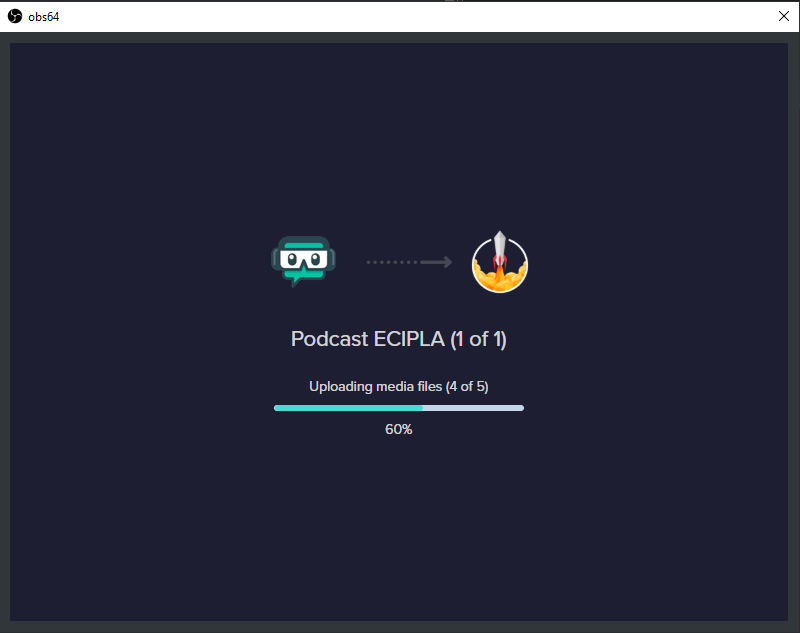
I have a problem with importing OBS streamlabs into OBS studio freezes at 60%.
help pls.
@tender python
tender python
Well, nice of you to tag me, but eh, why?
Are you using the importer with the website extension?
For some reason I cant get the mic to work I'm using a second screen and been fine on tests but come to it today and It not picking sound up from the mic and have it set as default?
@grim cedar Have your tried plugging it out and in again - this sound stupid, but try that first.
IF windows picks it up (see soundmanager) then it's something else.
 dry jungle
 tender python
Use the scale/zoom feature.
karmic grotto
u can also drag it
tender python
^
sour skiff
@tender python I am using the desktop app no the extension
 cold nest
hi guys
i'm trying to go live but obs.live doesn't memorize my streaming key
any help?
 floral anchor
Ive got a stupid question... I want to see what my S.E bot does in obs chat.. I saw there was an option to turn it on/off but i cant for the life of me remember where it is.. help plz ?
steel bladeBOT
@floral anchor Go to the dashboard -> right side -> part channel -> join channel (https://streamelements.com/dashboard)
floral anchor
my bot is already joined
i can see it in twitch chat. but i want to see it in the obs dock pop out
ah i just disconnected and re connected... fixed . thank you !
 wanton cloud
I bought an overlay package and it has all the scenes, alerts, and overlays.
tender python
Unless asked, please don't DM @wanton cloud 🙂
is this a streamlabs exclusive package?
or from somethign like nerd or die?
wanton cloud
Ok sorry about that. I am brand new to discord.
It is an exclusive package.
I got it from OWN3d
It's like nerd or die.
tender python
aah, third party
alright, and i assume you made your scenes and stuff in SLOBS?
@wanton cloud
 amber grotto
anybody an idea why i have framedrops to 0.3 fps sometimes? cpu/ram not over 14%... windows10 ryzen3 with vega gpu 8 gb ddr4 ram.
wanton cloud
I didn't. I am brand new to this stuff. I am make an art channel. I started to upload them into streamlabs because that was the only import that I saw. @tender python
steel bladeBOT
@amber grotto Please provide a log from your last stream. To do this, in OBS go to Help > Log Files > Upload Last Log File and paste the link to the log file here.
tender python
I guess i'm mixing up two conversations @wanton cloud my bad
@wanton cloud https://www.own3d.tv/how-to-install-our-overlays/
How to install our overlaysQuick Video Tutorials 1 ) Learn to use our products in OBS and place text on the graphics 2 ) Learn to change text via Photo editing software
wanton cloud
Wow thank you! @tender python
grim cedar
@grim cedar Have your tried plugging it out and in again - this sound stupid, but try that first.
@tender python thank you for the help.... for some reason it had taken my mic off in settings but got it sorted now thank you
tender python
sometimes the old IT "plug it back in" trick does the job 
 unkempt quiver
Anyone able to help out?
I want to know whether or not i can make the browser source audio only hearable to viewers and not me
lilac ocean
please keep the question to one helpdesk @grim mauve
 dapper pine
Anyone able to help out?
I want to know whether or not i can make the browser source audio only hearable to viewers and not me
@unkempt quiver I dont think streamelements allowes you to do this, but im not sure
lilac heron
@unkempt quiver you change this the the advance audio properties inside OBS. set it to output only
tender python
^ this, @unkempt quiver
 plucky oriole
How can i get my overlays from stream elements too OBS?
steel bladeBOT
We've released our new Overlay Editor revamp. You can check out the changes and how to work with it here: https://youtu.be/X5VzXjqAsjk
Check out our blog post as well: https://blog.streamelements.com/streamelements-overlay-editor-just-got-even-better-c22cb5b4853e

We are thrilled to announce the launch of the remastered StreamElements Overlay editor!
https://p.strms.net/newoverlayyt
Why StreamElements Overlays are better?
😎 Simple: Load your entier setup using only 1 link
⚡ Fast: Cloud-powered Overlays arrive in real-time, say goodb...
tender python
and then you take the URL
plucky oriole
yes this i know i just dont know where to go to add the url
tender python
make a new browsersource
top right
hit the paperclip-ish icon
this will copy the preview url to your clipboard
steel bladeBOT
@plucky oriole To add your overlays to OBS, add a new browser source in your scene. Paste your overlay URL in the browser source properties, set the dimensions to 1920x1080 (unless you changed them on the website), and ☑ “Shutdown source when not visible” https://youtu.be/KDvLynUqXI4
amber grotto
maybe its a good idea to delete the old overlays and add new one or?
 narrow stag
@everyone I can't import my Overlays from SLOBS to OBS Live. It stucks at 91%
wary dew
never use the everyone tag, it's extremely rude
there are over 100k people in this server
thank god we disabled it
narrow stag
@wary dew ok but can you help me?
 midnight mountain
I think its about this but I renamed my bot and now it says the same message twice when my timers go off. What should I do>
narrow stag
@wary dew thanks for your help i did it now
 lyric herald
where do i install plugins for obs.live
steel bladeBOT
@lyric herald OBS.Live is a Plugin for OBS created by StreamElements. You can download OBS.Live here: https://streamelements.com/obslive
Please make sure you have the latest version of OBS installed, Current Version: 25.0.4. You can install OBS here: https://obsproject.com/
 split schooner
Hello! i cannot seem to activate or launch my overlays on OBS live! not sur ehow to set my chat box and alert box up on OBS either
steel bladeBOT
@split schooner To add your overlays to OBS, add a new browser source in your scene. Paste your overlay URL in the browser source properties, set the dimensions to 1920x1080 (unless you changed them on the website), and ☑ “Shutdown source when not visible” https://youtu.be/KDvLynUqXI4
@split schooner The default resolution for StreamElements overlays (theme and custom) is 1920x1080. Please add them in OBS at their full resolution and use CTRL+F to fit to screen if necessary. You can then downscale your stream in OBS settings > Video if you'd like https://i.imgur.com/6bWXxjR.png
 mighty wedge
Hi guys, I'm using streamelements as a browser source within my SLOBS to get a kappagen effect, and I did make the kappagen chat-emote option "subs only". However, it seems like the kappagen is not working for twitch prime subs, only for traditional paid subs. Anyone have any ideas about this?
steel bladeBOT
@mighty wedge We're not able to troubleshoot issues with using our overlays in StreamLabs OBS (SLOBS) as we don't have the tools to support their software. We recommend using OBS Studio or OBS Studio with our plugin OBS.Live.
steel bladeBOT
Twitch prime (new and resub) and paid subscriptions (resub only) must be shared in chat manually by the person subscribing in order for the subscription information to be sent to StreamElements. For twitch prime, the user needs to have sharing enabled on https://www.twitch.tv/settings/prime. For paid subs, if the share box doesn't show up immediately it will when they refresh the page. https://i.imgur.com/VNJN0Uv.gif https://i.imgur.com/2297EA7.png

 mighty wedge
@lilac ocean This is a good question, yesterday was my first day with streamelements so let me see if I can find that info
lilac ocean
because they would need to share a twitch prime sub within the chat for us to read it out
and I don't know how StreamLabs might interfere with that as well
midnight mountain
my bot is now not working. did anyone disable the bot on my stream to fix the issue?
amber grotto
@lilac ocean using SLOBS with SE overlay as browsersource too. didnt recognize any problem
lilac ocean
@amber grotto it might interfere sometimes
amber grotto
good to know
 frigid trench
hi anyone know how to fix an issue I am having with the media request dock on OBS Studio
its just a blue background now and nothing is on it, I tried uninstalling obs.live and reinstalling and it didnt fix the issues
lilac ocean
Can you make a screenshot for us? @frigid trench
steel bladeBOT
@frigid trench Streamelements on top of OBS -> Logout -> login
lilac ocean
if its the media request dock itself best would to be to follow above steps ^
lilac ocean
o7
frigid trench
cannot believe uninstalling it didnt work but logging out did lol
mighty wedge
@lilac ocean ok, so it seems like since yesterday was my first day using streamelements, I don't have much info in my activity feed. The twitch prime subscriber is actively subbed to my channel, and they were able to get their emotes to register on screen when I turned the "sub only" feature off within the kappagen options on streamelements.com. But when I turned the feature back to sub only and saved again, they could no longer use this feature (even though they are indeed an active sub to the channel).
I was just wondering if anyone else had issues with this previously, or if there could be an issue with the streamelements software not acknowledging a twitch prime sub in the same way it does a traditional sub.
 keen depot
hello guys, sometimes my obs is crashing and I dont know why. It seems it crashes when I´m using studio mode or when I change the scenes. I have some logs of those crashing. Is it posible to know what´s causing those crashes?
 last flower
@keen depot https://obsproject.com/tools/analyzer
OBS (Open Broadcaster Software) is free and open source software for video recording and live streaming. Stream to Twitch, YouTube and many other providers or record your own videos with high quality H264 / AAC encoding.
Start there, it may give you what you need to know
 tawny narwhal
hey the sreameleements page isent loading even wen i do the hard refresh
steel bladeBOT
@tawny narwhal Our Dashboard and Overlay editor are Chromium Optimized. We strongly recommend using Chrome. Opera GX and the new Microsoft Edge Chromium might work closest to Chrome as its also Chromium built. FireFox also works, but some things might look a bit different or not work. We do not recommend using Internet Explorer with our Dashboard as it does not support functions.
If the website doesn’t work on chrome, be sure none of your plugins are blocking our website or clear your cookies. You can try if the website works in a incognito tab.
tawny narwhal
ok thanks
austere tapir
hi guys stop my stream again and this is the log porblem
21:30:01.902: WriteN, RTMP send error 10054 (4104 bytes)
21:30:01.902: WriteN, RTMP send error 10054 (122 bytes)
21:30:01.903: WriteN, RTMP send error 10038 (42 bytes)
steel bladeBOT
@austere tapir 1) Restart OBS
2) Start your stream/recording for about 30 seconds. Make sure you replicate any issues as best you can, which means having any games/apps open and captured, etc.
3) Stop your stream/recording.
4) Select Help > Log Files > Upload Current Log File. Copy the URL and paste the link here.
(Note: If you do not see an obsproject.com URL, you will need to update OBS Studio to version 22+)
austere tapir
here the 30 sec stream
plain mason
@austere tapir sending the file (uploading ⤴️ ) you will receive an URL (link) to post here.
 chilly pike
yo hi guys how do you change stream tags for twitch in obs.live
switched from streamlabs yesterday
 prisma sun
Hi Support, is there anyway to redirect YouTube playback to another output?
plain mason
@austere tapir follow the instructions sent by @steel blade
- Select Help > Log Files > Upload Current Log File. Copy the URL and paste the link here.
 azure mural
Hello, how do i find out the proper width and height for my overlay to fit my obs live screen? Now i typed in my computers resolution, but on obs live under the preview and program screen the overlay still doesn't fit all the way
steel bladeBOT
@azure mural The default resolution for StreamElements overlays (theme and custom) is 1920x1080. Please add them in OBS at their full resolution and use CTRL+F to fit to screen if necessary. You can then downscale your stream in OBS settings > Video if you'd like https://i.imgur.com/6bWXxjR.png
 strange dock
Hi guys, why is my activity feed not updating on SE and obslive?
steel bladeBOT
@strange dock Please provide a proper screenshot with the issue visible. If not sure how to take a screenshot, you can check here: https://www.take-a-screenshot.org/
steel bladeBOT
@strange dock Due to changes to Twitch API, we have filtered out hosts and will only show these ones on your activity feed:
- All hosts coming from an online channel with at least 1+ viewer
- Auto host events with at least 1 viewer - only from a channel that just went offline
Note: If you see "X channel has hosted you" with no viewers on the back, that is considered an offline host or a host with 0 viewers, we do not show these.
Note for Mixer streamers: The above 2 filters currently apply for Mixer and we are aware its actually not how Mixer hosts work. We do plan on changing it, but no ETA on when.
strange dock
it's not just the hosts but all activities. last update on SE was 5 days ago
 devout tangle
hello can i stream with other platforms apart from the default ones? Nimo tv, Trovo...
tulip hamlet
We only have support for the platforms shown on our homepage.
devout tangle
ok thanks
 full thunderBOT
Hi @rugged quail, Please ask your question(s) or describe the problem you're looking to solve so staff or a support volunteer can assist you as soon as they are available.
 mossy temple
I am having an issue with the bitrate on obs and my internet is not the issue
steel bladeBOT
@mossy temple For the best OBS support, please join their Official Discord @ discord.gg/obsproject
 nimble cove
hey guys
question for everyone
does anyone know anyone who could lead me into the dircection of doing lan setups for esports
im trying to learn it for my esports lounge and i wanna stream it
 scarlet topaz
For some reason my OBS Browser Scenes overlaying my Streamelements UI's stopped rendering. They're all black screens. I've tried reinstalling OBS and clearing browser cache but I'm not having luck and to be honest I'm a little stumped.. Seems it's only a problem with OBS Live though -- SLOBS renders Browser scenes okay?
Anyone have any suggestions on what I should look at next? I've uninstalled OBS Studio, OBS Live and SLOBS completely, rebooted, and reinstalled only OBS Live. Problem persists. I have not blown away all my profile preferences, but adding new browser scenes seems to provide the same results...
steel bladeBOT
@scarlet topaz OBS -> settings -> advanced -> scroll down -> enable/disable hardware accel.
https://i.imgur.com/ggMe9ZE.png

 marble jolt
I am trying to stream Animal Crossing with a capture card. My video appears, but I can't figure out my audio! I feel like I have clicked through everything, so I must be missing something. Thanks in advance!
steel bladeBOT
@marble jolt For the best OBS support, please join their Official Discord @ discord.gg/obsproject
 tough verge
my widget and overlay edits are not appearing on my obs live
steel bladeBOT
@tough verge To add your overlays to OBS, add a new browser source in your scene. Paste your overlay URL in the browser source properties, set the dimensions to 1920x1080 (unless you changed them on the website), and ☑ “Shutdown source when not visible” https://youtu.be/KDvLynUqXI4
@tough verge The default resolution for StreamElements overlays (theme and custom) is 1920x1080. Please add them in OBS at their full resolution and use CTRL+F to fit to screen if necessary. You can then downscale your stream in OBS settings > Video if you'd like https://i.imgur.com/6bWXxjR.png
 patent ibex
Hi I am having an issue importing my stuff from SLOBS. It gets almost all the way through, then hits the "importing alerts", and then fails everything. Any resolution?
tulip hamlet
Import will fail if you're uploading assets that are too large or Streamlabs-owned assets.
patent ibex
I've imported them previously, but I had to do a wipe of my PC, and now they won't transfer
tulip hamlet
If you've imported them, they're in your StreamElements account, not on your PC.
The importer doesn't send them straight into OBS.
 junior crow
hi, i wasnt sure where to go with this question so i came here. i have multiple stream elements overlays i would like to use for my trovo streaming account but i cant seem to find anyway to add that account to stream elements or obs.live is there a way for me to use stream elements on trovo?
 indigo heron
How do I change my output? I dont have anything live/recording?
 lament fox
I just downloaded a clean version of OBS.live to kill clutter, is there a Chat widget or something that shows me viewer's chat for stream during Start scene and etc?
 distant breach
Do you want the stream in OBS or like an overlay for it to show for all of stream?
 opal holly
Need some help. I have to refresh my overlays each time I stream so that my alerts go off
 rustic cedar
this is the first time i added one
like i made a new on and exported the link from streamelements
steel bladeBOT
@rustic cedar The default resolution for StreamElements overlays (theme and custom) is 1920x1080. Please add them in OBS at their full resolution and use CTRL+F to fit to screen if necessary. You can then downscale your stream in OBS settings > Video if you'd like https://i.imgur.com/6bWXxjR.png
distant breach
Do you have graphics on the Overlay or is it just AlertBox stuff ?
opal holly
Hi Keizar
shy mountain
can you try doing this: remove all the browser sources and add them again?
opal holly
I can after my stream
steel bladeBOT
OBS -> settings -> advanced -> scroll down -> enable/disable hardware accel.
https://i.imgur.com/ggMe9ZE.png
 bold hawk
how do i get my chat box to be darkmode?
shy mountain
Check pinned message
bold hawk
Thanks
 austere bay
Accidentally clicked out of the chat and onto my fb newsfeed how do I get back into chat when I’m live
steel bladeBOT
@austere bay Streamelements on top of OBS -> Logout -> login
lament fox
@o
Do you want the stream in OBS or like an overlay for it to show for all of stream?
@distant breach I just want overlay for the actual stream
distant breach
Sure. Just wanted to check. Are you using Twitch? Here is the default one in the Overlay Editor*:
lament fox
Sure. Just wanted to check. Are you using Twitch? Here is the default one in the Overlay Editor*:
@distant breach Oh man am I blind, I never noticed that +/option. Thanks so much
 warped crypt
Hi all,
Using Gridfam to get audio/video feed into Streamlab OBS.
Framerate in browser is great! However when using browser source in OBS the framerate is rubbish - really choppy. Any suggestions
 knotty field
Hi all, today my OBS crash when I opened it. It worked perfectly yesterday, don't know what happened. Uninstall streamlabs obs live plugin and the original OBS works fine with the same scenes and sources. Any ideas?
steel bladeBOT
@warped crypt Please provide a log from your last stream. To do this, in OBS go to Help > Log Files > Upload Last Log File and paste the link to the log file here.
@knotty field A crash log is required to investigate the cause of your issue. Please upload the last crash log.
- In OBS, click the Help menu
- Select Crash Reports, and then Upload Last Crash Report
- Copy the URL, and paste it to the chat here.
--
If you are not able to follow the above steps, open your file explorer and go here:%appdata%\obs-studio\crashesand provide the last listed file.
knotty field
shy mountain
- Uninstall OBS.Live and OBS Studio completely, but leave this UNchecked https://i.imgur.com/LBaHgM1.png
- Download and install OBS Studio from https://obsproject.com/
- If it doesn't crash, install OBS.Live too.
-
It's fixed? Nice!
-
It crashes again?
- Repeat steps 1 and 2
- Duplicate the current "Scene Collection" at the very top of OBS, call it something like "Backup" and remove all browser sources in that backup
- Install OBS.Live and see if it still crashes
- If yes, repeat steps 1 and 2, leave OBS.Live uninstalled, tell us that it didn't work and use your old default scene collection again.

OBS (Open Broadcaster Software) is free and open source software for video recording and live streaming. Stream to Twitch, YouTube and many other providers or record your own videos with high quality H264 / AAC encoding.
knotty field
@shy mountain thanks it doesn't crash anymore when I use backup scene collection
but all my browser source of my old scene collection doesnt work anymore
all the overlay and alert and stuff
knotty field
okay let me try remove all and adding back one by one to see where the problem lies
adding the first overlay source doesnt work
@shy mountain it doesnt work even with a single browser source
shy mountain
As in, it starts to crash again?
knotty field
I'm pretty sure it will crash if I close obs and open it again
it's just show blank screen
no overlay
yeah it crashed again even with a single browser source
shy mountain
Then follow along the other steps provided
knotty field
ok I did that, the overlay sources works perfectly with the basic obs
I don't know what's wrong it works perfectly just yesterday
seems like adding browser sources kills obs live
shy mountain
Yea we are aware of that, but no ETA on a fix unfortunately.
knotty field
so I guess I'll have to live without it for sometime?
grim cedar
Which encoder will be better to use QuickSync.H.264 or x264? I have a core i3
 analog mango
Yo i need some help when i try to Stream it says "Could not access the specific channel or stream flag please double check your stream key if it is correct the may be a problem connecting to server" how do i fix this?
 robust glen
Hi I'm trying to make a live on Twitch but when I click on Start Streaming it goes to Youtube what do I do to go to Twitch?
grim cedar
Hi I'm trying to make a live on Twitch but when I click on Start Streaming it goes to Youtube what do I do to go to Twitch?
@robust glen need to click onto settings and go to stream and then click on the drop down menu for service to select which service you want to stream.
robust glen
Thanks!
steel bladeBOT
@robust glen Streamelements on top of OBS -> Logout -> login
 green karma
I accidentally closed the chat option on obs live now I don't know how to get it back, any ideas?
lilac ocean
StreamElements menu on top -> Check Chat
green karma
thank you
anyone know how to fix the cropping on obs? streaming from a ps4 and when I try to adjust the screen to line up my blue and red boxes don't match and if I line them up the capture from the ps4 crops out some of the screen
if I shrink the red box down to match the video from the ps4 it will cut out either the top or the bottom of the screen
 dusky juniper
Hi there, my fonts are not displaying properly, or scrolling in OBS, but show up great in the SE overlay editor.
 grizzled marsh
If you use scrolling text, you need to refresh the cache any time you edit @dusky juniper
You can click reload overlays on the activity feed or right click the source, scroll down and click refresh cache.
It will begin to scroll again.
dusky juniper
@grizzled marsh Okay thanks. The fonts don't show up properly either though.
grizzled marsh
Custom fonts?
dusky juniper
I picked one from SE, and then in OBS it's showing up as just times new roman or something.
No just the ones in your list on SE editor
 gaunt patrol
Hi, could anyone help me regarding streamelements? one about editing overlays - if i want to edit it will write me this uh oh invalid authorizate token, thanks a lot people 🙂
grizzled marsh
Ah, that is strange. Let me ask. You're seeing the "saved" text when you save on the editor, right? @dusky juniper
dusky juniper
@grizzled marsh My bad, it just took some time before it showed up after refreshing. Maybe it's my internet that isn't helping. Thanks for your help! Is there a way to restrict the box on how the font scrolls? So you set the width of it etc.
grizzled marsh
Yes, in the editor that faint black line you see around the text. It won't scroll outside of that.
austere tapir
dusky juniper
@grizzled marsh I mean how do you set it so that is a specific size? Sorry for asking dumb questions.
lilac ocean
https://obsproject.com/logs/AuwpK8_5fy_B79kv
@austere tapir please provide a clean log like this (your prev log doesnt have a output session):
steel bladeBOT
- Restart OBS
- Start your stream/recording for about 30 seconds. Make sure you replicate any issues as best you can, which means having any games/apps open and captured, etc.
- Stop your stream/recording.
- Select Help > Log Files > Upload Current Log File. Copy the URL and paste the link here.
(Note: If you do not see an obsproject.com URL, you will need to update OBS Studio to version 22+)
austere tapir
@austere tapir 1) Restart OBS
2) Start your stream/recording for about 30 seconds. Make sure you replicate any issues as best you can, which means having any games/apps open and captured, etc.
3) Stop your stream/recording.
4) Select Help > Log Files > Upload Current Log File. Copy the URL and paste the link here.(Note: If you do not see an obsproject.com URL, you will need to update OBS Studio to version 22+)
@steel blade https://obsproject.com/logs/AuwpK8_5fy_B79kv
lilac ocean
@austere tapir its not showing output session, did you stream or record for 30 seconds or longer?
grizzled marsh
@grizzled marsh I mean how do you set it so that is a specific size? Sorry for asking dumb questions.
@dusky juniper
In the settings of the widget, there is a section for positioning.
One sec.
 sonic jacinth
i need help im start a streaming en streamelements and in twitch the stream dont appear
lilac ocean
Please do so, since this one is not giving a output session, as you can see here:
https://obsproject.com/analyzer/?url=https%3A%2F%2Fobsproject.com%2Flogs%2FAuwpK8_5fy_B79kv
austere tapir
i make new sec
lilac ocean
@sonic jacinth does your stream not appear, or does the bot not appear?
lilac ocean
try this
steel bladeBOT
@sonic jacinth Streamelements on top of OBS -> Logout -> login
austere tapir
sonic jacinth
where man
lilac ocean
How long are you streaming/recording for ? @austere tapir
because it keeps getting no output session
austere tapir
30 sec
lilac ocean
what are you having issues with
austere tapir
rtmp error
sonic jacinth
man i logout and the stream dont appear
lilac ocean
aha, that might be why, if it cant connect to the RTMP, it wont have a output session i think
austere tapir
so i stream and after one houyrd stream stop
sonic jacinth
ok
gaunt patrol
hi people 🙂 please cau you someone help with streamelements and invalid authorizate token in custom overlays? 🙂 thanks so much
austere tapir
its nott good my stream stop and my followers ask what happen
this start when i update obs and update nvidia driver
 deep garnet
Hey, I'm having issues with streamelements saying its "live" but twitch not recognizing im live. I click start stream just like i always have (nothing has changed) and it no longer goes live. Would appreciate any help
lilac ocean
@deep garnet we are currently investigating this
deep garnet
AH, sorry for the duplication then!
lilac ocean
is that a custom or provider RTMP that you use? @austere tapir
lilac ocean

🚨 #Twitch is experiencing a service outage.
RETWEET if you're having issues ⚠
#TwitchDown
 Twitter
lilac ocean
Twitter
lilac ocean
@grizzled marsh can you help @austere tapir out, you know more about RTMP!
austere tapir
im use virigmedia in uk the upload 35 mega /donload 380
grizzled marsh
@austere tapir your RTMP, are you paying somebody to maintain it or did you set it up yourself?
austere tapir
i dont thouch nothing just stream basik the rtmp
grizzled marsh
OK, so
austere tapir
@austere tapir your RTMP, are you paying somebody to maintain it or did you set it up yourself?
@grizzled marsh i not paying do mi self but i not change basik
and this basik still work so i can stream this problem start 1 week only
 left quartz
i cant move the sources with my mouse
had the same problem with obs, and streamlabs as well :C. Any settings I need to check?
sometimes i can move it with my arrow marks but thats kinda slow
sonic jacinth
can someone tell me why my stream is not output if i am streming
grizzled marsh
Looking into something @austere tapir
In your settings > Stream settings @austere tapir What do you see?
austere tapir
Looking into something @austere tapir
@grizzled marsh better you log anydesk my pc and you can se or i can show now
grizzled marsh
Send a screenshot blocking any sensitive information.
grizzled marsh
You're using Facebook live, yes?
austere tapir
correct
grizzled marsh
Try the default Facebook Live service with your Stream Key from Facebook.
Any particular reason you're using a custom RTMP address?
austere tapir
yes easy and one click only im use streamelement login
grizzled marsh
dusky juniper
@grizzled marsh Thank you for all your help! 
grizzled marsh
This is separate. Just try to use the default Facebook Live service and add your streamkey @austere tapir
And no problem @dusky juniper I still got more for you, my computer is just freaking out and I need to get ya some more information.
austere tapir
so i need log off because if i press start stream can t
grizzled marsh
Just change the service. You shouldn't have to log out of anything.
Change the service to Facebook Live, add your streamkey.
Try to stream.
grizzled marsh
You would still be using StreamElements @austere tapir
austere tapir
how?
grizzled marsh
That rtmp and service screenshot you sent me has nothing to do with StreamElements, it's just pointing your OBS Studio to the correct platform.
Everything else would work the same.
 umbral forge
hi guys i have a problem i started streaming first time on streamelements obs and my stream dont showing up like when i start stream and want look at my stream in browser stream is loading all time and also i cant see my stream on my phone. Can you help ?
grizzled marsh
We are just choosing a different way to direct you to your platform.
austere tapir
ok i try like this
left quartz
i cant move the sources with my mouse
had the same problem with obs, and streamlabs as well :C. Any settings I need to check?
sometimes i can move it with my arrow marks but thats kinda slow
grizzled marsh
@dusky juniper
Click on the widget you want to edit and modify the position, size and style and text settings to get the sizes you want.
Position, size and style will determine the size of the box and the text will never go outside this box.
austere tapir
thanks
grizzled marsh
No problem @austere tapir Let us know how it goes.
 wind tapir
Has anyone else had the problem where you press start streaming on obs and it starts streaming but it doesnt go live on twitch? i was streaming a few minutes ago and had to restart my stream and now it doesnt work
 runic osprey
yes
lilac ocean

🔎 We are investigating an issue preventing streamers from going live. We will keep you updated. Thank you for your reports.
Twitter
^check this
umbral forge
@wind tapir i have
lilac ocean
Check the above tweet@wind tapir @runic osprey @umbral forge
left quartz
i cant move the sources with my mouse
had the same problem with obs, and streamlabs as well :C. Any settings I need to check?
sometimes i can move it with my arrow marks but thats kinda slow
wind tapir
Oh okay, i guess i just wont be streaming right now haha, ty for the help @lilac ocean
umbral forge
+1 thanks @lilac ocean
left quartz
@grizzled marsh I'd appreciate it if you could help me out a sec.
umbral forge
@modern barn check link above
 modest knot
Hi
I'm having some trouble with the latest update of obs
I mean I can't download it cuz it misses some .dll
 merry frigate
Hey all, I am new to the server, but have used obs and obs.live a wile, however, I would love to see a good method of multistream to facebook and twitch that also collects notifications and chat together in the software. Anyone know of anything that is not restream?
left quartz
i cant move the sources with my mouse
had the same problem with obs, and streamlabs as well :C. Any settings I need to check?
sometimes i can move it with my arrow marks but thats kinda slow
lilac ocean
please dont tag random staff members @modest knot
modest knot
Uh sorry
lilac ocean
@left quartz ill ask around for you
left quartz
ty so much
dusky juniper
@grizzled marsh Thanks so much 😄
lilac ocean
you are having the sources within your OBS.Studios or? @left quartz
 modest knot
I asked few peoples and they said it's a streamelements problem :/
lilac ocean
it is, ill check for both of you
left quartz

modest knot
thanks so much, i'm having this issue for almost a week and I skipped this update everytime i see it now 
lilac ocean
so @left quartz you want to go to the streamelements website and be sure to update it in here: https://streamelements.com/dashboard/overlays <- here is where you update and make overlays

StreamElements
The Ultimate All in One Platform for Streamers
modest knot
I tried to download another bugsplat64.dll but i couldnt copy into the folder
lilac ocean
can you for now try restarting your computer? @modest knot
lilac ocean
oh, you mean the layering?
left quartz
like to crop it
normaly u can use ur mouse to move the source around and change the sice etx
And that dosnt work for me smh
lilac ocean
alright, so let me ask around, because i think thats something within obs
left quartz
i have to do it over the transformation tab which is kinda anoying
modest knot
I already did it, I'm having this issue for like a week, and after the first time I always skipped this update
lilac ocean
oh excuse me, i have asked around internally and will let you know if i get back with some info @modest knot
 stuck maple
Hello i was streaming everything was fine these days but today i wanted to launch a stream but i cannot go live
modest knot
Thank you so much @lilac ocean because I was thinking to reinstall everything but it's kinda boring
 keen blaze
oh phew, i thought it was related to my username change causing issues
lilac ocean
okay well atleast that gets you out of the preview, ill ask around
pelase keep questions to one helpdesk @mystic fern
lilac ocean
correct
 mystic fern
So I just have to wait?
lilac ocean
correct
mystic fern
someone i know started a stream 50 minutes ago
 blissful trout
so i started my stream with my twitch account connected o obs.live and when i go to my stream it says im offline when im online in obs.live
lilac ocean
🔎 We are investigating an issue preventing streamers from going live. We will keep you updated. Thank you for your reports.
Retweets
517
Likes
1731
Twitter
left quartz
@mystic fern everything was fine back then
mystic fern
ok thank you
lilac ocean
check tweet above @blissful trout
mystic fern
I will wait for twitch support to update
left quartz
gl hf
left quartz
any updates? @lilac ocean
 muted pendant
is this happening to a lot of people? I cant go live for some reason?
left quartz
@lilac ocean sure take ur time
mystic fern
@muted pendant nobody has been able to go live and it has been this way for 30 mins +
blissful trout
@muted pendant same here
lilac ocean
@modest knot can you make sure to close the installer, close OBS completly in your task manager, and then try to install?
 cedar sinew
Obs.live is not saying im live on twitch i logged out and back in a disconnected my account and reconnected it neither worked
modest knot
gonna try it @lilac ocean
lilac ocean
🔎 We are investigating an issue preventing streamers from going live. We will keep you updated. Thank you for your reports.
Retweets
517
Likes
1731
Twitter
check the above @cedar sinew ^
cedar sinew
@lilac ocean Ok i see do they know any time when they will be back up
mystic fern
@cedar sinew no time yet
lilac ocean
They never give ETA's
muted pendant
im here going crazy like wtf am I doing wrong lol
cedar sinew
bro i was scared i thought i was banned HAHA
mystic fern
just have to wait and be patient....i won't be able to stream today then and will have to do a bonus stream on Fri instead
nobody did anything wrong, we all good. It's just Twitch themselves having issues
cedar sinew
🙂
modest knot
@lilac ocean If I close the OBS from the task manager the installer goes away
lilac ocean
you need to firstly close the remaining obs tasks
and then open the installer
so not close everything while the installer is open
lilac ocean
alright, the other thing we can try is, download the stand alone obs.live installer instead of updating via obs
StreamElements
StreamElements is the leading platform for live streamers on Twitch and Youtube. StreamElements includes Overlay management, ChatBot, Tipping, Alerts & Loyalty
modest knot
now i'm gonna install it ?
 severe oyster
cant start stream, obs.live says im live but it doesn't show up on my twitch
lilac ocean
this is what i did got back @modest knot
"beside trying through the task manager - restart the computer, download the standalone install file for OBS.live and run that, instead of running the update while OBS is open."
🔎 We are investigating an issue preventing streamers from going live. We will keep you updated. Thank you for your reports.
Retweets
517
Likes
1731
Twitter
^ @severe oyster
modest knot
I'll do it and let you know 
lilac ocean
o7
left quartz

modest knot
nah same error
severe oyster
yeah I figured it was a known issue, just reporting in
modest knot
even with the installer
lilac ocean
everytime someone reports in i have to repost that, because its getting buried @severe oyster
modest knot
I think the last chance is uninstall and reinstall everything
lilac ocean
That would be the next step indeed, be sure to check the option to keep your stuff
toxic fern
@left quartz Could you screenshot the entire OBS window and then have the sources selected in the list?


 toxic fern
Yes. You don't lose any OBS settings unless you choose to do so.
left quartz
like this? @toxic fern
toxic fern
@modest knot Try uninstalling OBS.Live and then uninstall OBS. You should see the option that you don't wanna have selected when doing it for OBS.
Then simply do a clean install of OBS and then run the OBS.Live installer without running OBS.
@left quartz Create a new scene collection in the menu above and then try adding those sources.
left quartz
@toxic fern any feedback on the ss? Is that what u wanted me to do?
lilac ocean
@left quartz Create a new scene collection in the menu above and then try adding those sources.
@toxic fern ^
toxic fern
No. Menu up top.
toxic fern
Click settings and then video. Screenshot that.
lilac ocean
settings is right here btw
toxic fern
Wrong one.
lilac ocean
no worries, you're fine
modest knot
I cant uninstall I guess
 obtuse grail
I downloaded the StreamElements OBS plugin, planning to set it up this weekend on my off day. All of a sudden, I was having problems in StreamLabs OBS dropping frames and everything. When I ended the stream to fix settings and couldn't go live, I thought it was from downloading and starting the port process to SE Plugin... so thankful to see it's Twitch and not me. lol
toxic fern
@left quartz That is. You still can't click the image in the preview?
modest knot
I'm trying to uninstall all with Revo 
lilac ocean
Please english only @orchid wadi
Sudo had to log off, im trying to get some info on this
lilac ocean
Sudo had to log off, im trying to get some info on this
@lilac ocean ^
grizzled marsh
@modest knot Did you uninstall OBS Studio?
Or are you just trying to uninstall OBS.Live?
modest knot
@lilac ocean i reinstalled everything and uninstalled with revo cuz normally I couldnt do it know, i've to remake all scenes but there's no update viable so I think I will not have any issues thank you for helping me so much
@grizzled marsh ye I reinstalled everything
grizzled marsh
When you open OBS Studio, do you see StreamElements up top?
modest knot
nah i see obs 25.0.8 now
grizzled marsh
OBS.Live is uninstalled.
It's not working because it's already uninstalled.
If you don't see "StreamElements" option in the menu at the top, OBS.Live is not installed so if your end game is to have OBS.Live uninstalled then you're good.
modest knot
But when I open OBS it open automatically the activity feed from streamelements
grizzled marsh
Let me see.
modest knot
u wanna a screenshot?
grizzled marsh
Yes.
modest knot
@grizzled marsh
 narrow obsidian
Hey my Problem is I downloaded a Overlay from streamelements and i added to OBS the game I wanted to Play now i can see the overlay and a blackscreen because the game is not shown in the overlay
grizzled marsh
Ah, the StreamElements to the right of Help is what I was referencing. Hmm.
grizzled marsh
Well based on that screenshot you're on the latest version of both OBS Studio and OBS.Live
left quartz
@toxic fern @lilac ocean ehm sorry if i'm being annoying but i don't know what to do at the moment or i have not received any information for 20 minutes
modest knot
Yep and that was my goal
grizzled marsh
So you shouldn't be getting any update requests.
If you're no longer getting update requests then I'd say you're good.
And we have a mission accomplished?
grizzled marsh

narrow obsidian
Abroad can you help me ?
grizzled marsh
I can try.
And @left quartz I'm trying right now to read through your messages to see if I can provide any insight.
 orchid wadi
I have problems with alerts. When someone follows me, the alert sounds correct, but when several follow me at the same time, it may take about 6 or 10 minutes for each alert to sound. Please help.
left quartz
how did u add that song thing lol? @narrow obsidian
narrow obsidian
Was meinst du ? @left quartz
grizzled marsh
@left quartz Can you right click the window and take a screensot of the options that pop up?
grizzled marsh
The middle preview window
Right in the middle there, right click and show me the contextual options
narrow obsidian
it was standard when i opened OBS.live
hardy tulip
Hi , why doesn't kappagen! work with the elgato streamdeck anymore?
grizzled marsh
Click lock preview
Make sure there isn't a check mark
You should be able to move things as needed now.
grizzled marsh
grizzled marsh
Your appreciation is my salary!
left quartz
and one more thing, can u send me any list how to add alerts from stream elements?
@grizzled marsh 
grizzled marsh
Add the alertbox widget to your overlay.
grizzled marsh
left quartz
this is on the stremelements website right?
grizzled marsh
Yes.
left quartz
ty so much have a good evening
grizzled marsh
No problem, you too.
narrow obsidian
@grizzled marsh do you know how i can show my game in there i tryed few games and it did not work

 grizzled marsh
Which game isn't appearing? I see you've three game captures at the bottom.
left quartz
im still kinda lost with the alert thing
how do i add to my stream preview
or to my stream
grizzled marsh
And one of the great benefits of StreamElements is you can do everything in one browser source.
I would combine those multiple SE overlays into one and use one browser source.
narrow obsidian
@grizzled marsh no game is appearing
left quartz
so i add the browser source to my obs and how can i test if its working?
steel bladeBOT
@left quartz New to Stream Elements?
Check out our YouTube channel https://www.youtube.com/c/streamelements/videos
with tutorial videos from setting up the basics, to in depth details on how to use our product.
New to OBS? Here is a 4 step quickstart guide
https://obsproject.com/wiki/OBS-Studio-Quickstart
Want to learn even more? Here is an in-depth overview
https://obsproject.com/wiki/OBS-Studio-Overview
grizzled marsh
Yes.
 little arch
Hia guys! I am having an issue with the alerts overlay, I added new sounds and animation to play when people subscribe but it keeps using the default ones. It is showing the new files in the settings but when I emulate a sub event it is only playing the default stuff
grizzled marsh
OBS.Live is a plugin on top of OBS Studio but OBS Studio functionality is the same @left quartz
grizzled marsh
@little arch Check your variation settings for the alerts. You will have variations that are overriding your base settings.
@narrow obsidian For you I would definitely only use one game capture source and change it for games as needed.
narrow obsidian
ok
grizzled marsh
Then we'd have to see if there were specific issues with any of the games you're trying to capture in OBS.
narrow obsidian
im tryin
hardy tulip
Any joy in StreamDeck not recognising the kappagen command?
grizzled marsh
@narrow obsidian You want to use the least amount of sources you can to accomplish whatever it is you're trying to do:
Based on your screenshots, you can get away with only using four.
That's not really related to your issue, just general advice.
narrow obsidian
@grizzled marsh now its working thx a lot ❤️
grizzled marsh

hardy tulip
My question would seem to be related here as it's a StreamElements OBS.Live reference.
little arch
@grizzled marsh wow that was an easy fix!! 🙂 I am having one other problem, when I emulate and event there are no words showing up
left quartz
@grizzled marsh i did this browser source thing in my obs and tested it on my 2nd acc by going live on twitch and following with my first acc. But nothing pops up
what am i doing wrong?
grizzled marsh
Check the line height and margins @little arch
Play around with those and you'll find your words.
little arch
Okay thank you! Margins you recommend?
little arch
okay ill try that thanks
grizzled marsh
You don't have to go live or use multiple accounts @left quartz Just add the overlay to your OBS as a browser and emulate events straight from the overlay editor being sure to check "preview live on stream"
It'll play in OBS and if it's playing on OBS, it'll play when you're live.
And while you're at it
steel bladeBOT
@left quartz OBS -> settings -> advanced -> scroll down -> enable/disable hardware accel.
https://i.imgur.com/ggMe9ZE.png
left quartz
ah ty @grizzled marsh @steel blade
rugged quail
help me
plain mason
@rugged quail #270206314561404928 > Twitch with issues.
lilac ocean
what do you require help with @rugged quail ?
rugged quail
@lilac ocean as shown in the picture even though i pasted a browser url it doesn't show up for some reason in vain i try anything
lilac ocean
Okay so you need to do the overlay browser url
not just streamelements
go to my overlays -> edit -> top right copy overlay URL
paste that url within the browser source
steel bladeBOT
To add your overlays to OBS, add a new browser source in your scene. Paste your overlay URL in the browser source properties, set the dimensions to 1920x1080 (unless you changed them on the website), and ☑ “Shutdown source when not visible” https://youtu.be/KDvLynUqXI4
rugged quail
it's good to show the error on a shared screen
 raw warren
It keeps coming up as a white screen
steel bladeBOT
@raw warren Please logout of StreamElements at https://streamelements.com/logout and then login again to your account (Twitch/Youtube/Facebook/Mixer)
raw warren
the log out comes in as white to
lilac ocean
what browser are you using?
raw warren
microsoft edge
lilac ocean
try using Chrome
StreamElements is Chromium based and sometimes won't work on other browsers
rugged quail
raw warren
ok chrome worked thanks for the help
lilac ocean
No worries o7
@rugged quail delete that link from the browser source and add the one i told you to grab, that doesn't look good
 unreal creek
So when i go live on obs live and i go live, it says im streaming but then i go onto my streaming account and im not live? anyone help?
plain mason
@rugged quail please repeat the procedure indicated above by BordeauxPrime -> menu StreamElements (on the top), Logout and Log in
 normal birch
Hello! i am having issues with my overlay saying invalid token for media request