#helpdesk-youtube
1 messages · Page 51 of 1
 fair wolf
 radiant lichen
Hello <@&364840891023622144> sir can i do strream my game in YouTube via this app
And can i able to stream internel sound of game ?
 eager lilyBOT
@radiant lichen New to StreamElements?
Check out our YouTube channel https://www.youtube.com/c/streamelements/videos
with tutorial videos from setting up the basics, to in-depth details on how to use our product.
New to OBS? Here is a 4 step quick start guide
https://obsproject.com/wiki/OBS-Studio-Quickstart
Want to learn even more? Here is an in-depth overview
https://obsproject.com/wiki/OBS-Studio-Overview
radiant lichen
Ok
 versed tangle
I was streaming to twitch for a while, and recently switched over to youtube but i'm wondering how to get youtube chat into obs.live? Every time i try to add chat from the streamelements drop down, its always a twitch chat that pops up. Haven't been able to find any information on it.
eager lilyBOT
@versed tangle StreamElements menu, on top of OBS > Logout > Login
versed tangle
Thank you!
 viral pond
fyi, YT live chat messages that are held for review don't show up in the obs.live section. i stopped using it and just pop out the chat from the browser instead
 unborn canyon
Hi, Since 12/23 my activity feed is not updating. ID is 5f8ba0ac8128b73b1c98bdde Anything I can do to fix the issue ?
 lime walrus
Did you check the pinned message as instructed?
unborn canyon
Where is it ?
lime walrus
unborn canyon
Yes, so your Bot alreay has every single permission on my channel. Don't see what else I can do
unborn canyon
YEs, up to 4 hours... last update is from 12/23rd lol
I mean there are no updates at all for the last 2 weeks....
On my feed, it just froze
lime walrus
Then your account is affected even more
and there is nothing we can do about it right now
 gritty sleet
unborn canyon
YEs, up to 4 hours... last update is from 12/23rd lol
gritty sleet
unborn canyon
YEs, up to 4 hours... last update is from 12/23rd lol
Mines been a month...
 rain dirge
my activiy feed not updating and my alarts box test is succesfull but when i was live my alart box dident woek plz help me out
viral pond

gritty sleet
rain dirge
my activiy feed not updating and my alarts box test is succesfull but when i was...
They keep saying it's an issue on YouTubes end.
rain dirge
ohk sorry
gritty sleet
No worries. Just passing the shit sandwich along lol
We are playing the waiting game 😦
rain dirge
yup 😩
viral pond
gritty sleet
Mines been a month...
Consider yourself lucky. My last feed update was 12/3
rain dirge
wtf
gritty sleet
viral pond
Consider yourself lucky. My last feed update was 12/3
heheh yeah 12/16 here. Which sucks because I was at 32 subs and now I'm at 120. Would of been nice to see that progress on stream. 😦
viral pond
I should have done more research before moving away from twitch and onto YT lol
gritty sleet
Nah, YT is where it's at. More discoverability
Twitch doesn't have a way for you to be discovered. No Machine Learning to help with suggested content etc.
viral pond
For sure. That's why I moved. But these devs make it seem like the YT API is impossible to work with
I'm waiting for some 12yr old kid to find a solution in his basement
gritty sleet
I am curious what they are claiming the issue is. I am able to write code that returns me an accurate count of subs.... 🙂
viral pond
That's what I wish we got, some transparency on the matter. Instead it's "nothing we can do" "out of our control" etc
gritty sleet
So it's got to be something to do with SE being a service that asks the YouTube API for thousands of YT account information.... or something 🙂
Also, just a theory lol
viral pond
SL has the same issue, BUT, my feed on SL shows up...just 4-12 hours later
gritty sleet
@viral pond Yeah - so that's the YT issue that they are talking about. 4 hours later.
I would be happy with that
It feels like there's an actual issue on my SE account that is making it to where I haven't had an update since 12/16
viral pond
Is collaborating with SL against SE rules or something? Would be nice to work together and see what they can get working
gritty sleet
So from what I understand, regardless of what you use for getting the information it will be 4 hours behind and that part is YT fault. However, me and your account being backed up by a month is most likely SE fault.
viral pond
SL has paid features though, so it makes sense that they have the resources to get it somewhat working, granted it being a massive delay, but working nonetheless
lime walrus
Can we move the discussion to #general-chat please and keep this channel for support queries only?
Thank you
gritty sleet
Sure @lime walrus
@lime walrus Who do I need to talk to so someone will look into my account? I understand the 4 hour issue. However, being that it's been since 12/16 sounds more like an SE account problem.
lime walrus
If we haven't received the event at all
then its broken entirely
I'm aware that the API is busted and we are awaiting for YT to fix it, so that we can readjust
this 4 hour thing i'm not aware of at all
and not sure why its in the pinned message.
gritty sleet
Okay, so is there someone that can elaborate a little more than it's a YT issue? I'm able to query the YT API and get my sub count just fine. @lime walrus
lime walrus
This is as much as I can elaborate. The API has been busted and its being looked at and as per last information, we are awaiting for Youtube to fix this.
Do note that what ever API you are querying may not necessarily be the same API we are using
gritty sleet
That's fair.
viral pond
Is the API you're using public info? Maybe an outside dev can check it out in their free time.
gritty sleet
v3 is what I was using.. @lime walrus I know it's not an easy tasks to change apis but just in case.
lime walrus
Just checked the 4 hour thing - that apparently is how SL is receiving events and does NOT necessarily mean we also have this same delay.
gritty sleet
@viral pond SE is mainly in Europe.
So they sleeping
Welll waking up now.
Anywho thanks for the info
lime walrus
@gritty sleet I'm not a dev and don't follow along what API we are using, but I do know that Google is very strict when it comes for it to give out access to specific locations to their API that are not public.
prime example is, we handle events differently then how SL does
gritty sleet
Right I figured that as much. Sorry I do dev work. My brain just can't leave it alone lol. but I'll stop talking about it in here. Thanks for the infor
lime walrus
gritty sleet
So they sleeping
its 10AM for me and most likely Spain is already up as well. So no we are not sleeping 🙂
That being said, our devs do not work today or saturday
gritty sleet
lime walrus
its 10AM for me and most likely Spain is already up as well. So no we are not sl...
Yeah that's why I followed that up with "Well waking up now"
lime walrus
ah didn't see that
 cerulean trail
I am still not getting the activity feed updated after Dec 15. Also the Latest Subscribers and Latest subscribers name also not showing in Overlay widget. Another problem is I am not getting alerts during Live. Alert simulation works but does not work in live. The Goals widget is also not getting updates with the count.
lime walrus
The issue has not been resolved yet, as per the lengthy discussion above.
cerulean trail
Oh okay 😩
Its working for my friend he said to remove the channel and add as fresh
But if I do that I will lose my overlays right?
lime walrus
Is your friend using us?
cerulean trail
Yeah thats what he said..
lime walrus
Right, ok

StreamElements
The Ultimate All in One Platform for Streamers
you can place the closure request there
and after its been processed you can connect again
and yes, you will loose all your overlays
cerulean trail
Oh okay..I will check it and decide if to create new or wait for some time
Thank you 🙂
versed tangle
ok i got another question sorry why does my donations on paypal say pending they been like that for 2 days now 3 days
lime walrus
Your account is most likely not verified. Login to your account and verify it
versed tangle
@lime walrus on paypal?
lime walrus
yes
versed tangle
It is
lime walrus
If the transaction is pending in paypal
then either you are not fully verified or the tipper isn't
there is nothing we can do help onthe matter then suggest what to do
and if that doesn't help, contact paypal support
versed tangle
oh thats weird @lime walrus i figgured it out I cant do it on phone i have to go on pc and manually approve it I guess
 elder sierra
Hello,
i´m trying to stream with obs studio and streamelements to YT and Twitch. Not at the same time but with the same OBS. when im live on twitch its all working. I did make a new overlay for youtube. An there is no chat shown. Only the name of the Users. Anyone a idea?
eager lilyBOT
@elder sierra Please provide your account ID found at the top of this page: https://streamelements.com/dashboard/account/channels This ID is public info and safe to share here.
elder sierra
YT-ID: 5ff6cb370b64a83206348822
lime walrus
In the text settings of the widget, make sure you edit this text setting
that the font color
that should fix the issue
elder sierra
@lime walrus its not working for me. This time it shows the Twitch chat. 😦
elder sierra
ups i used the wrong szene for twitch. chat is shown. But i only see the Usernamens and not what they wrote. In the preview its the same.
 tough bison
So assuming the alerts are still broken ?? This is getting kinda pathetic and affecting my channel
lime walrus
Yes, its still broken and our devs are looking into it, but also consider that last information from our devs is, that its broken on YT's side and we are waiting on them
@elder sierra I see, I will report it to the devs and see whats up.
elder sierra
@lime walrus Thanks for the Information. Hope it will be fixed easy.
 amber grove
hi anyone here who can help me in command ?
lime walrus
Depends on which command it is
amber grove
i have added a custom command : hi ${user} welcome to stream..
lime walrus
${user} is not a working variable for YT at the current moment
amber grove
then any replacement ?
lime walrus
Not really
lime walrus
Yes I am here, but also busy with other things. No need to tag me.
That being said, there is no alternative for the bugged variable
amber grove
ok bro thanks and sorry for that tag, but how come !uptime responses with triggered user name in front of the reply message
lime walrus
because of a default behavior set on the command
amber grove
ok bro thanks for the info, hope in future that bugged variable will be fixed..:(
 weary grail
היי אפשר עזרה אני לא מצליח להעשות לייב OBS אם אפשר תודה
eager lilyBOT
@weary grail Welcome to the helpdesk! The regular helpdesk channels are in English but we do provide multi-language support in the following channels: #🇩🇪︱deutsch | #🇫🇷︱français | #🇪🇸︱español | #🇵🇹︱português | #🇳🇱︱nederlands | #🇮🇹︱italiano | #🇵🇱︱polski | #🇨🇳︱中文語言服務區-chinese | #🇯🇵︱日本語-japanese | #🇭🇺︱magyar | #🇰🇷︱한국어-korean | #🇹🇭︱ไทย-thai | #🇷🇺︱русский | #🇺🇦︱українська | #🇨🇿︱czech
 covert pecan
I stream on YouTube and I have alerts set up for new subs but they never show on stream but when I test them they show up. I have my subscriptions set as none private
lime walrus
YT Subscriber API is broken and we are waiting for them to fix it before we adjust to the changes they've made
covert pecan
So there's no way for alerts to actual work on YT streams for now?
lime walrus
Yes
covert pecan
Damn
fair wolf
lime walrus
meaning no alerts, no notifications, nothing
“Member alerts, superchats alerts” work for those lucky enough to have a partnered channel. New subs is the only one crippled.
 edgy rain
I am new to youtube streaming (Coming from twitch), and i wonder if the alerts only work if ur live and someone subscribes because when i tested it did'nt work?
 oak geyser
Hello, ow do i merge accounts please?
also my Subscriber alerts are not showing through when someone subscribes to my channel.
 eager sable
hello can anyone help me?
 fresh zenith
oak geyser
also my Subscriber alerts are not showing through when someone subscribes to my ...
fresh zenith
oak geyser
also my Subscriber alerts are not showing through when someone subscribes to my ...
Check pinned messages
eager lilyBOT
@eager sable Welcome to the helpdesk! Please let us know how we can assist you today and a support volunteer or staff member will assist you as soon as they are available. Thank you for your patience.
eager sable
i want to record a video but i dont have enough storage and dont know how to change the storage location ...
fresh zenith
eager sable
i want to record a video but i dont have enough storage and dont know how to cha...
OBS settings->output and recording tab
recording path
 rigid burrow
how can i close my account on stream element is about a youtube account according to that there is no email address.
Because I want to connect my existing account with Twitch login with youtube channel
 late hare
Is the a way to get a sub alert???
rigid burrow
help?
fresh zenith
late hare
Is the a way to get a sub alert???
Do you have added alertbox?
late hare
no
late hare
ok
eager lilyBOT
@late hare To add your overlays to OBS, add a new browser source in your scene. Paste your overlay URL in the browser source properties, set the dimensions to 1920x1080 (unless you changed them on the website) and check Shutdown source when not visible. https://youtu.be/KDvLynUqXI4
fresh zenith
Then add your overlays to OBS
late hare
thank you
fresh zenith
late hare
thank you
And note this #helpdesk-youtube message
late hare
ok
 vast plume
hi, activity feed not showing me any alert from my youtube channel. Please Help
 barren owl
Does StreamElements have a discord integration that grants users a subcriber role in my YT fan club discrod
 obsidian estuary
Here's a question, can I do small-scale math with labels? Example idea: Setting a "subscriber goal: <subs>/<subs + 1>" so that your subscriber goal is always one ahead of your current subscriber count
 frosty tendon
im new here i need help with setting up my chat in obs live its not show up
plus i just did the upgrade
im in chit chat
sorry had mic off didnt know
 pale wagon
Hello, My subscribers and activity are not showing up. Please help
fresh zenith
Check pinned messages
 tardy cloud
@livid grotto 1 sec
 livid grotto
Ok
eager lilyBOT
@livid grotto To set up the bot for your YouTube stream, please follow these steps:
- Make sure your stream is public. The bot cannot join a private/unlisted stream.
- Your stream must be live for the bot to join the chat.
- Go to https://studio.youtube.com/, click on Settings > Community and add https://youtube.com/c/streamelements or https://www.youtube.com/channel/UCjerlCIbLPQwSnYlClkjDXg as a Moderator.
- When live, be sure to look at Live chat instead of Top chat, as Top chat will hide the bot messages.
tardy cloud
@livid grotto Just user this https://www.youtube.com/channel/UCjerlCIbLPQwSnYlClkjDXg instead

YouTube
Official youtube channel for StreamElements tutorials
https://StreamElements.com
 sage lantern
because we are not going to ask people to sub to a channel in this server
livid grotto
No
I say you my views subscribe me
Ok
My view subscribe me and I want he name in my live chat
Whare is stream elements name
Plz tell me
What happened
Ok
That is second link
versed tangle
I want to add my own alerts that was custom made for me , where do I need to add this?
sage lantern
click on the 'my overlays' tab, make a new overlay, add a alertbox widget and add it
versed tangle
now im here , where can I upload the file?
eager lilyBOT
@versed tangle We've released our new Overlay Editor revamp. You can check out the changes and how to work with it here: https://youtu.be/X5VzXjqAsjk
Check out our blog post as well: https://blog.streamelements.com/streamelements-overlay-editor-just-got-even-better-c22cb5b4853e
versed tangle
I got a big issue and I need someone who 100% knows to anwser please because im being told the wrong thing ig so with donations when you except them do you need to have a business checkings account or will a regular one work? and also do I need any copyrights or LLC ?
sage lantern
regular is enough, no other stuff needed
versed tangle
why is paypal forcing me to get a business checkings account?
sage lantern
because they think you are a business selling goods
sage lantern
might want to check the paypal website for that
versed tangle
yea im on there rn and it says approve on the donations I click that and it says you need to be a verified account for that and then they switch you to a business account
is there another way or no?
versed tangle
so what am I supposed to do?
versed tangle
is paypal the only thing you can use on streamelements because i need ideal?
@versed tangle idk man paypal isnt working right dude I have donations that I cant even get rn
and Idk whats happening but idk where everyone is
eager lilyBOT
@astral pumice Welcome to the helpdesk! Please let us know how we can assist you today and a support volunteer or staff member will assist you as soon as they are available. Thank you for your patience.
 thorn kayak
hey guys so i am doing my first stream on youtube usually im on twitch. but i just noticed im not getting any notifications and all my goals are still showing for twitch not youtube can anyone help me
 astral pumice
And some people subscribe me but subscribe name in chat
Plz help me
I am love
Live
Hello
Plz help
Strem elements not give replay
thorn kayak
@astral pumice give them a few to reply. they might not reply right this second so give them a few to give their response
thorn kayak
pnw
thorn kayak
pacific northwest
astral pumice
Ok
I from india
I am a gamer
@thorn kayak how many subscribe on yor YouTube channel
Hello
Plz help
Heyyy
Anyone help me
eager lilyBOT
@astral pumice Welcome to the helpdesk! Please let us know how we can assist you today and a support volunteer or staff member will assist you as soon as they are available. Thank you for your patience.
astral pumice
THANKS
But i have problems
Streamelements someone subs my channel but he will not given name in chat
tardy cloud
There currently is an issue on youtube's end with alerts not coming our way. You need to wait for them to fix it as it's outside of our control.
 candid falcon
Has youtube reversed their stance and it's a problem now again? Everything I have read from them is that's the new normal.
fair wolf
candid falcon
Has youtube reversed their stance and it's a problem now again? Everything I hav...
They closed my bug report down stating “working as expected”. So yes, the new norm is that it’s not working. 😜
candid falcon
Head scratching move. It murders a primary source of engagement for any new/small streamers.
viral pond
youtube is NOT going to "fix" anything. if it's working as intended, SE needs to make changes on their end
stop waiting for a fix. one isn't coming
candid falcon
Not much SE can do if Youtube isn't sending subscriber data to them, though. @viral pond
lime walrus
fair wolf
They closed my bug report down stating “working as expected”. So yes, the new no...
can you link me the report?
fair wolf
lime walrus
can you link me the report?
 cerulean shuttle
how do you do stream elements on ps4
eager lilyBOT
@cerulean shuttle Consoles do not have native support for overlays. You would need a capture card, PS4 remote play or Xbox companion app and a PC with OBS in order to have overlays over your console gameplay.
We have a blog post about how to set up console streaming with our essential tools: https://blog.streamelements.com/how-to-stream-on-console-7b620b1c46c3
 latent zephyr
Gutted the subscriber thing hasn't been fixed and sorted. I would imagine is doesn't work on Slobs either 😕.
 glass orchid
Hello, is the subscriber alert down? It's not showing up in my activity feed either both SELEMents and Slobs
fresh zenith
glass orchid
Hello, is the subscriber alert down? It's not showing up in my activity feed eit...
Check pinned messages
glass orchid
I saw the one, from Christmas, correct?
fresh zenith
Yes
eager lilyBOT
@stone kelp Read and follow our server rules:
- We do not tolerate toxicity! Treat the community team, staff and all members with respect.
- No advertisement or channel promotion, anywhere on the server.
- No NSFW/NSFL
- No unsolicited DMs or friend requests to server members
Make sure to read the #welcome in any server you join.
glass orchid
noted, thanks on that
another concern, my SElements chatbox on YT reveals the names of the chatters but not the message, how to sort that?
 steady grotto
Same. I've got a stream scheduled and live chat is on, but the content of the messages is missing
lime walrus
Known issue for the chat widget
steady grotto
Thanks
 wary sparrow
eager lilyBOT
wary sparrow
eager lilyBOT
@wary sparrow New to StreamElements?
Check out our YouTube channel https://www.youtube.com/c/streamelements/videos
with tutorial videos from setting up the basics, to in-depth details on how to use our product.
New to OBS? Here is a 4 step quick start guide
https://obsproject.com/wiki/OBS-Studio-Quickstart
Want to learn even more? Here is an in-depth overview
https://obsproject.com/wiki/OBS-Studio-Overview
 gentle bramble
How am I supposed to login to Youtube? I tried resizing
I think there is no Youtube Button
fresh zenith
gentle bramble
*I think there is no Youtube Button*
StreamElements menu, on top of OBS > Login
gentle bramble
ok I didn't know they had support I had this problem for months thanks
 carmine shadow
I am trying to implement streamlabs on my YouTube streams with OBS Studios but It dosent show up my YouTube subscribe added widget
 cerulean pewter
hmmm just noticed that Member notifications aren't happening in streamelements. On the activity screen i don't see them coming in which makes me think it's an API issue? Subscribers and superchats are working fine. Anyone else hit that?
fair wolf
cerulean pewter
hmmm just noticed that Member notifications aren't happening in streamelements....
Subscribers (free) are not working, but Members (paid) & superchats (paid) are working.
cerulean pewter
fair wolf
Subscribers (free) are not working, but Members (paid) & superchats (paid) are w...
I'm seeing different. Subscribters (free) is working and showing in activity in streamelements - along with superchats (paid). Members(paid) is not showing up in activity and not triggering alerts 😐
cerulean pewter
cerulean pewter
I'm seeing different. Subscribters (free) is working and showing in activity in ...
Sorry, subscribers may also not be working. the last one i saw was from Dec 17th. Only seeing super chats that are recent. I had two new members on the live stream this morning and those didn't show up or alert.
versed tangle
Is there anyway to change ur donation url username? its stuck on my old name and its really annoying me
 agile cedar
My activity feed is not updating.
 quasi spoke
Hey
i wanted to implement loyalty system but that tab is not visible in streamelement
viral pond
versed tangle
Is there anyway to change ur donation url username? its stuck on my old name and...
Create a support ticket to change your URL. That's what I did. Took about 5 days for them to do the work
viral pond
quasi spoke
i wanted to implement loyalty system but that tab is not visible in streamelemen...
SE claims YT API doesn't support a loyalty system. Use Streamlabs for loyalty points. They support it with YT
quasi spoke
thanks MxGlory
 hexed veldt
hi
 tough meteor
Im trying to stream to youtube but when i press start streming on obs it doesnt do anything
eager lilyBOT
StreamElements menu, on top of OBS > Logout > Login
 royal blaze
hi on my StreamElements Activity Feed on OBS it says my session is expired, but it won't let me scroll down to reconnect to Youtube and only has the "connect with twitch" option available... how to circumvent this?
 worldly basin
not sure if it's me or not, but none of my overlays work for youtube, I've tried subbing using an alt, chatting etc. Actionbox has no response and nothing shows up in chat
just tried installing OBS live and the live chat window says "Live chat is unavailable"
 twin rivet
Hi, I'm having some issues with chat built in to OBS plugin. It seems like Google has blocked the ability to login using this browser and I can't text or moderate my own stream chat using Streamelements plugin. In order to send a message or moderate my chat I still need separate browser window to be opened which defeats the purpose of having chat built in to OBS...
twin rivet
To be fair nothing seems to work with Youtube...
worldly basin
yeah same for me too
viral pond
twin rivet
Hi, I'm having some issues with chat built in to OBS plugin. It seems like Googl...
i have the same issues. when trying to change the chat to dark mode as well via dev mode in the browser. i was asked by a staff member what version of obs and obs.live i was running and never heard from them again. just fyi. it was in the obslive channel
worldly basin
I tried OBS, I tried OBS live, but there is no difference. Only difference I observed is if I set my stream to public, the names show up in the chat box
but not the messages
if it's unlisted/private then I don't get anything in the chat box
worldly basin
this is for asking for help please don't beg here man
livid grotto
@worldly basin plz donate me
worldly basin
don't ping me pls
versed tangle
@livid grotto No spam allowed.
worldly basin
thanks mrmurdok
versed tangle
Hey, so I made a stream elements account a long time ago, but I've decided to rebrand my account since then
is there any way to change my username?
Or is there any way to just close my account and make a new one?
Never mind, got it fixed 🙂 edit: sort of fixed, its a bit off but its not a big deal
versed tangle
wait, so is there any way to change your username?
 scarlet juniper
StreamElements, whats your take on allowing users who in the past posted cp, doxx's live, and treats people with cancer like shit while asking for donations
versed tangle
Hello I would like to know why the stream notifications are not working for yt
At least just for me
versed tangle
versed tangle
wait, so is there any way to change your username?
i mailed streamelements, because i had the same problem and they are working on it
 short tulip
i need help
sage lantern
How about just asking the actual question and not pinging all moderators?
short tulip
sorry
actually alertbox and events running on youtube doesnt show on my stream nor on streamlab's dashboard
sage lantern

short tulip
did i ask something
wrong ?
sage lantern
almost every message here since December 17th in this channel is about that issue, also there is a message in the pinned messages about it. you didn't even look at one message here to see if anyone else has the same problem but went straight for the moderator ping. Good job
Youtube has broken their API, nothing we can do about it at the moment
sage lantern
not really no, pinging all moderators while their is also a support role to ping is worse then me explaining why not to do it and showing 0 effort to look for the issue yourself doesn't help either.
versed tangle
I send an email and i almost got and immediate response now i got nothing in a few hours
sage lantern
versed tangle
I send an email and i almost got and immediate response now i got nothing in a f...
you know it's Sunday morning right? 😛
short tulip
@versed tangle we're helpless man
sage lantern
you can thank YT for that 😛
short tulip
haha savage ruben
versed tangle
I love that my old display name is still on my stream elements. 😛
 peak trellis
I want to add my YT to my SE account that has Twitch but somewhere along the way I logged into SE as that YT so it’s “already claimed”... How can I just delete/unlink/close/whatever that empty SE that has my YT claimed?
(I don’t need to merge them as nothing at all is setup or done on the YT one...I just want it gone so I can actually add YT into my other SE acct setup for Twitch.)
versed tangle
peak trellis
I want to add my YT to my SE account that has Twitch but somewhere along the way...
IF you log into it and go to security settings u can delete it
peak trellis
@versed tangle yea if I knew what magical incantation needed to be typed in the Username box. Everything I put yields an “invalid username” error.
versed tangle
for me it has a few numbers behing it if u go to https://streamelements.com/
StreamElements
StreamElements is the leading platform for live streaming on Twitch,Youtube and Facebook gaming. StreamElements features include Overlays, Tipping, Chat Bot, Alerts, merchandise, stream integrated and cloud-based.
on the right top you should see it
peak trellis
Nope. It doesn’t take that value eithe.
I do see it “vyrolan-3714” but the close account form won’t accept that either.
versed tangle
hmm weird
peak trellis
Pretty sad tbh
versed tangle
its pritty sad that my old display name is still in my dono link tbh
peak trellis
For all we know it’s the email that’s wrong and it just says invalid username anyway. I tried both emails it may have though.
Hmmm...it does actually seem to be that...how do I know what email SE has for my account lol
Do you know that magic trick too @versed tangle ?
peak trellis
I tried the only 2 I would have possibly given it...and it says "invalid email" to both
versed tangle
3
 visual talon
How do i add a media request widget to my overlay?
 main vector
You don't. Not available for YouTube.
 torn python
i want to make merch panels but it wont give me an option to customize it and launch it how do i get that to work
fresh zenith
torn python
i want to make merch panels but it wont give me an option to customize it and la...
You need to create items
torn python
i did i have a whole store
 fading vapor
#helpdesk-youtube any videos for someone using xbox? I am not on pc so am not using OBS.
 small bear
jak dodać overlaya do obs?>
 molten flint
Hey guys, I have a problem not with SE, but as a creator, I noticed in my last live stream I got so many likes out of the usual, and after 24 hours from the live stream the likes decreased and also the views, I suspect that someone using a bot to boost my live stream, what I can do not to get flagged by YouTube?
 wooden moat
Something similar happened to me a few weeks ago. I got like 10 new subs during a stream. I'm a small youtuber.
Then an hour later I lost all those subs and a few more
 civic geyser
woa woa they fix it??
 vernal chasm
Hi there everyone I was wondering if someone knows why when I sign up for the first time using SE with my youtube... the labels don't update and my feed is empty. can someone help me?#helpdesk-youtube
molten flint
wooden moat
Something similar happened to me a few weeks ago. I got like 10 new subs during ...
yeah happened to me a while ago as well
 fading sparrow
how do i add email to my streamelements account?
wooden moat
Yeah
As a small youtuber that's very discouraging.
Hasnt happened to me since, and i've been growing pretty decently. But a weird thing anyways. Must have been bots.
 hybrid pivot
can i use my website and link it to my elementas profile and if so how please?
fading sparrow
may i know why is my brand account does not shows my email in streamelements
molten flint
wooden moat
Yeah
As a small youtuber that's very discouraging.
Hasnt happened to me since, a...
i hope YouTube wont flags me because they have a policy against artificially inflating view & likes
However, I don't do that to myself, that's sucks; someone is doing to "help" my live stream but in the long run damaging me
wooden moat
Exactly
 frail scaffold
@civic geyser Nope
 shut magnet
Is alerts fixed?
frail scaffold
@shut magnet Mines not. It did update 12hrs ago but It's still not current... 🤷🏽♂️😓
shut magnet
I see, idk why they arent trying to fix them
frail scaffold
Taking forever. 😖
shut magnet
I haven’t streamed in an month because of this
sage lantern
Not streaming because of alerts not working isn't going to help your channel either of course
if you just explain it to your viewers they can understand
shut magnet
I dont need streams for my channel to grow
sage lantern
ok
shut magnet
I just like streaming because alerts encourage my viewers in doing certain things
sage lantern
yeah, paying money, we all get it 😛
eager lilyBOT
@pastel trout Check out the StreamElements ideas board: https://strms.net/ideas. You'll be able to add ideas, upvote ideas you agree with and track their progress with email notifications. Adding and upvoting ideas also helps the staff know which ideas should be prioritized so please take some time to upvote.
 solid pollen
sorry to interrupt but I have a bit of a problem
I added the wrong account to stream elements and I'm trying to close the account but there's no e-mail attached to it so it won't let me fix it
eager lilyBOT
@solid pollen Account Merging - Please note:
- Merging accounts only allows faster ways to switch between accounts
- Merging accounts does not allow data sharing between accounts - different streaming platforms, different type of events
- Merging accounts allows duplicating/sharing overlays between the accounts
If you understand the limitations of merging and want to proceed, please find the JWT tokens (!jwt) from both accounts you want to merge and you will be directed to DM them to a staff member
You can find your JWT token on your account channels page (Show Secrets to reveal the token): https://streamelements.com/dashboard/account/channels
READ ME: This is a private security token. Do NOT share this token here or other public places, only with a StreamElements staff member in private.
solid pollen
wait what do I do?
 fickle pagoda
solid pollen
wait what do I do?
fickle pagoda
solid pollen
wait what do I do?
Do you understand the limitations of merging channels?
solid pollen
yes
fickle pagoda
Then DM me the JWT tokens, clearly labeling which is which.
fickle pagoda
solid pollen
I added the wrong account to stream elements and I'm trying to close the account...
Apologies, I misread your message. If you want to delete accounts, not merge them, and you cannot use the Close my account form, you must email us all the information requested by the form to support@streamelements.com instead.
solid pollen
ohh ok thanks
 thorny galleon
I was just curious if theres a way to change my "username" on the site. It seems to think its mixerclassicnative when on everythign else im ClassicNative. Is there a way to fix this
 fathom latch
i want to download Streamelemnts for OBS and i have NSIS EROR
eager lilyBOT
@fathom latch Please provide a proper screenshot with the issue visible. If not sure how to take a screenshot, you can check here: https://www.take-a-screenshot.org
fathom latch
i download the installer from https://streamelements.com/obslive and i have this problem
help
 pearl field
Greetings, So i have been streaming on youtube using the stream elements overlay. The elements of overlay work.. no doubt about that. But for some reason the sub alerts arent working.... The activity feed is frozen since december 17th. Is there a way to fix this issue?
fickle pagoda
pearl field
Greetings, So i have been streaming on youtube using the stream elements overlay...
See pinned messages.
pearl field
Sorry i didnt get you?
fickle pagoda
pearl field
Sorry i didnt get you?
pearl field
ohh thankyou so much
But stilll my activity feed needs to refresh right? even maybe after 4 hours
 mint wigeon
How do I make thumbnails?
worldly basin
Ah so the youtubr API is down
So if I got that right, it'll work once youtube fixes it on their end?
The chat and alert box
But why does chat work for stream labs though 🤔
versed tangle
Once Youtube fixes things on their end, it will work just fine, yes
 agile lark
I have a doubt regarding the making of stream elements a mod
The link you provided in the stream elements in chrome is not showing in youtube channel list
eager lilyBOT
@agile lark To set up the bot for your YouTube stream, please follow these steps:
- Make sure your stream is public. The bot cannot join a private/unlisted stream.
- Your stream must be live for the bot to join the chat.
- Go to https://studio.youtube.com/, click on Settings > Community and add https://youtube.com/c/streamelements or https://www.youtube.com/channel/UCjerlCIbLPQwSnYlClkjDXg as a Moderator.
- When live, be sure to look at Live chat instead of Top chat, as Top chat will hide the bot messages.
agile lark
It shows that there is no matching user provided
It is screen saver vedio's channel
Even how can I activate points system in youtube in a mobile phone ❤️
 still arrow
What is the best way to combine Twitch and Youtube alerts in your stream? Just make an alert box in both and both add them to your OBS?
lime walrus
Have 2 separate overlays from both accounts added to OBS
still arrow
yea ok thanks
 slim jasper
i am using ipad streamchamp with html overlay
youtube chat msg not appearing on stream
lime walrus
Known issue
 scarlet mesa
No YouTube activity feed for me yet. I'm streaming for about a month and got like 50+ subs on stream. It would have been more engaging if I mentioned subscribers name
 granite arch
I had new member yesterday during stream, alert worked as intended. BUT one member upgraded to a higher tier, and no alert for that! There is none for an upgrade. @tall sun can we request features? Because if a member upgrades there HAS to be an alert. Or did I miss something?
lime walrus
I don't believe we have a variation for upgrades. They should fall into the same variation as the next tier you've placed as a variation @granite arch
versed tangle
hey so I got a question? if i use your tipping page does it prevent chargeback 100% garenteed or negative?
lime walrus
Chargebacks always happen. Its how you fight the chargeback claims is what matters.
If you receive a tip via PayPal, its up to you to fight the chargeback
if its via SE.pay, we fight the chargeback for you.
lime walrus
If you receive a tip via PayPal, its up to you to fight the chargeback
if its via SE.pay, we fight the chargeback for you.
versed tangle
so if i have paypal linked and the money goes there but it goes threw se.pay its secure?
lime walrus
Se.Pay doesn't work with PayPal
eager lilyBOT
@versed tangle SE.PAY is available for streamers who are at least 18 years old, with bank account under their name in one of the following countries and have at least 101 follower (Twitch) / 101 subscribers (YouTube):
Austria, Belgium, Czech Republic, Denmark, Finland, France, Germany, Ireland , Italy, Netherlands, Poland, Portugal, Slovakia, Spain, Sweden, Switzerland, United Kingdom, United States.
If you meet these criteria and don’t see SE.Pay, let us know.
For information on SE.Pay payment methods, their fees and settlement times see https://streamelements.com/dashboard/tipping/fees
versed tangle
ok I can do it i have 550 subscribers can I use it
it says contact you all if it does not pop up
nvm im good
 willow monolith
can we change alert currency from USD to different currency?
 fiery relic
can i have help with something?
 tame flint
how to unclaim a channel on stream elements
 worldly marten
hi ı cant overlat activated
fair wolf
I got my first subscriber alert since dec! It showed up 4 hrs after he subscribed to my channel... using StreamLabs, sadly StreamElements never got sent the alert.... not even showing in SE activity. Why is SL already starting to work & SE not?
 smoky plume
Out of interest im guessing this only affects subs and not members/superchats
versed tangle
is there some way i can add my overlay straight to youtube
 pale wave
Interesting... however the one from an hour ago didn't get recorded... I guess they're at least starting to work on it now?
 languid parcel
Hi, I'd like to close my YouTube account with Streamelements so I can merge it with my Twitch account
But when I try, it says "Invalid email address"
I don't have an email attached to the account apparently
eager lilyBOT
@languid parcel Account Merging - Please note:
- Merging accounts only allows faster ways to switch between accounts
- Merging accounts does not allow data sharing between accounts - different streaming platforms, different type of events
- Merging accounts allows duplicating/sharing overlays between the accounts
If you understand the limitations of merging and want to proceed, please find the JWT tokens (!jwt) from both accounts you want to merge and you will be directed to DM them to a staff member
 bright sparrow
pale wave
Interesting... however the one from an hour ago didn't get recorded... I guess t...
bright sparrow
pale wave
Interesting... however the one from an hour ago didn't get recorded... I guess t...
I'm starting to see some subs come through the dashboard as well. Earliest one is 15h ago. I'll keep an eye on it.
tough bison
Yeah I got sub alert last night but they were extremely delayed. Like a couple hours
 stable steppe
hi
how do i set up the basics for my yt stream? i just started yt and did my first live stream a few hours ago.
eager lilyBOT
@stable steppe New to StreamElements?
Check out our YouTube channel https://www.youtube.com/c/streamelements/videos
with tutorial videos from setting up the basics, to in-depth details on how to use our product.
New to OBS? Here is a 4 step quick start guide
https://obsproject.com/wiki/OBS-Studio-Quickstart
Want to learn even more? Here is an in-depth overview
https://obsproject.com/wiki/OBS-Studio-Overview
 ripe tapir
has there been a fix for stream chat not showing up for youtube? I have removed it and re added it and still nothing. The names show but not the messages
 boreal yarrow
Hello my stream elements dashboard has been struck form a month its not showing subscribers on my dashboard and no activity feed how can i fix it can any one please help me ?
Its shows only 0 subscribers evrry day but on my channel subscriptions are increasing but its not showing on stream elements dashboard
versed tangle
can someone help me out? i add stream chatt to my overlay, but didnt show on stream
 pure flower
I LOVE ELEMENTS
versed tangle
ripe tapir
has there been a fix for stream chat not showing up for youtube? I have removed...
i have the same problem. but the names didnt show either
 main trout
I need help
I need help setting up my overlays from my laptop to my Ps4 livestream on YT
can anyone help?
Anyone?
eager lilyBOT
@main trout New to StreamElements?
Check out our YouTube channel https://www.youtube.com/c/streamelements/videos
with tutorial videos from setting up the basics, to in-depth details on how to use our product.
New to OBS? Here is a 4 step quick start guide
https://obsproject.com/wiki/OBS-Studio-Quickstart
Want to learn even more? Here is an in-depth overview
https://obsproject.com/wiki/OBS-Studio-Overview
 warped mist
Good Morning All, I am currently logged into StreamElements with my Youtube Account. I am finding in StreamElements under my Activity Feed the Activity is not update. Its rarely updated and is super behind.
Causing me to not get any alerts utilizing the alert box.
 lost pagoda
Please can i have some help. My chat on screen only shows the names of whoever has typed but not there messages
main vector
@lost pagoda known issue. I'll see if I can poke staff aagain about it.
lost pagoda
ok is there a way i can fix it?
main vector
No. It's an issue on our end.
 dreamy parcel
Having the same issues as others have mentioned above with dashboard and alerts not updating for youtube streams. Are there any fixes available for this?
lost pagoda
Can i have some MORE help please. I don't understand but the mod commands dont work. Do i need to be on the non-streamer account. I havent made it mod because i dont know what channel / account to make mod
pale wave
Hmm... so yah, it did just update.... 3 hours late. I guess that means they've finally acknowleged that the API is borked and they're attempting to fix it?
dreamy parcel
Are subs just like subscribes on YouTube or are they members? Still trying to get my head around the switch from Twitch.
Just so I know if I actually do have a fault
main vector
@pale wave Not borked but "working as intended". See my pinnned message.
lost pagoda
@main vector Can i have some MORE help please. I don't understand but the mod commands dont work. Do i need to be on the non-streamer account. I havent made it mod because i dont know what channel / account to make mod
eager lilyBOT
To set up the bot for your YouTube stream, please follow these steps:
- Make sure your stream is public. The bot cannot join a private/unlisted stream.
- Your stream must be live for the bot to join the chat.
- Go to https://studio.youtube.com/, click on Settings > Community and add https://youtube.com/c/streamelements or https://www.youtube.com/channel/UCjerlCIbLPQwSnYlClkjDXg as a Moderator.
- When live, be sure to look at Live chat instead of Top chat, as Top chat will hide the bot messages.
dreamy parcel
main vector
<@356124659781074954> Not borked but "working as intended". See my pinnned messa...
I'm getting no data through at all.
main vector
Unfortunately they have it in a way that doesn't make people happy.
dreamy parcel
I tested subscribing with four other youtube accounts last night and nothing showing in my dashboard almost a day later
eager lilyBOT
Users can choose to make the channels that they subscribe to public or private. By default, all settings are set to private.
Private: When a user's subscriptions are set to private, no other user can see what channels they subscribe to. A user's account does not show in a channel's Subscribers List, even if they are subscribed.
Public: When users subscriptions are set to public, another user can see what channels they subscribe to. User subscriptions are listed on their channel page and their account is listed in the Subscribers List for any channel they subscribe to.
If a user has it set to Private they will not show up in the activity feed. More info: https://support.google.com/youtube/answer/7280190
dreamy parcel
All are publically sharing their subscriber data so should work?
main vector
That was set before subbing?
dreamy parcel
Yup
Shows up in my main channel dashboard too that I've subbed, so definitely not private
dreamy parcel
Just to further this, I've logged into the other streaming software and it's detected the information fine. Shows the subscribes from 14 hours ago, so I'm definitely convinced that something isn't quite right here.
 valid zealot
hello! i am having issues with streamelements not showing alerts and stream activity from YT. Has anyone had this issues before? I have everything linked and set up, even when i do test alerts they pop up on streamelements but when people actually sub, nothing shows up. Thank you!
 twin bloom
I would like to know why when I try to close my account to switch it to another it keeps saying invalid username
even though i have everything correct
fair wolf
dreamy parcel
Just to further this, I've logged into the other streaming software and it's det...
Steamlabs shows some but def not all of my new subs.... SE isn’t showing any activity yet.
dreamy parcel
Yeah, I get the public data in SLABS, but nothing at all in SE. Something is definitely off.
 nimble void
same exact problem, i was so worried that something happened to my youtube account :/
nimble void
valid zealot
hello! i am having issues with streamelements not showing alerts and stream acti...
yes i'm having the same also
valid zealot
nimble void
yes i'm having the same also
i had to reach out to the contact us on the SE dashboard. They responded pretty quickly there! hope you get your problem solved!!!
 charred helm
is there something else needed to get this TY stream chat working? I set it up and nothing showed up on stream.
valid zealot
nimble void
i rlly hope this bug or something gets fixed!
i found out from them that its just subs that arent working for me. apparently if the person who subs has their info set to private (people cant see who they sub to) it will not show up in the activity feed.
carmine shadow
Ya I also setup the stremelemets like 5 days ago and I got like over 70 subs but only 1 showed up in activity that too off stream
 rocky stump
Hi, I've got a problem
When someone subscribes to my channel notification doesn't show
In streamelements when I'm clicking test it works correct, but when someone subscribe to my channel notification doesn't show
Any fix?
nimble void
valid zealot
i found out from them that its just subs that arent working for me. apparently i...
how to you fixed that? @valid zealot
@valid zealot i never had this problem since i moved to streamelements
valid zealot
nimble void
<@!442671330853126159> i never had this problem since i moved to streamelements
there isnt a fix for my problem. its just up to the people who sub if their account is private or not lol
valid zealot
its not whether your account is private or not, its the people that sub to you, if their accounts are private, it will not show up on the activity feed or in alert form
dreamy parcel
Even with the public setting I've not had mine appear.
Definitely needs looked at. Until then, I'm sadly going to have to use SLABS. Which I'd really rather not tbh
nimble void
i mean i guess, but i had a friend that had his account public and still no sign of activity on my activity feed
valid zealot
@dreamy parcel do donations or anything else come through?
valid zealot
@nimble void have you had any donations come though or anything?
valid zealot
well then you may have a different problem than me. my donations show up in activity feed and alerts, just not subs
nimble void
idk how this happened or when it occurred 😦
frail scaffold
Mines updated. All activities are accurate.
versed tangle
i setup a merch store yesterday and it still says your se merch store is amost ready
nimble void
everything works, its just the activity feed is the problem. and thats how idk how to fix it.
everything seemed to be on
valid zealot
yeah thats really strange. i would reach out them via email.
nimble void
when i connect to my other account but not youtube it works
its just that when i'm connected to youtube and went to my activity feed again, still nothing.
dreamy parcel
Not had any donations to try, but have definitely got public subs that haven't show in feed or as alert popups.
nimble void
i checked my youtube account and everything seemed to be good that way it was
idk how the activity feed wasn't working or not functioning
i dont get it
@valid zealot
valid zealot
Yeah super weird. I wish I had the answer for you.
nimble void
yep
 grim vault
My friend and i started a yt channel and my friend went live but how long does it takes for the bot to get in the channel?
 fallen forge
gotta love when you cant get rid of a account because of "invalid email"
any help here?
grim vault
im also waiting for an answer and i cant help u sorry man!
fallen forge
im just trying to my youtube account over to my twitch one both are on separate accounts, overall i havent had the best experience so far tbh
thats nice, it seems there is no email and no way to connect a email-
so there is just no way physically possible to close the account, wow
 obtuse oracle
Hi there! Does anyone know how would I go about changing my streamelements dashboard name? ( the one in the top right, next to the sign out button ) that's my full name for some reason intead of my YouTube Channel name and it appears in my tipping page URL.I don't want that to be over there as it's kind of personal info, instead I would like my channel name to be there ( streamelements.com/insertYTUsernameHere/tip ).May I get some help about changing this? I can't seem to find anything about this in the dashboard.
 sleek garden
Hello, I have over 250 subscribers on YouTube, why can I only enter my PayPal account and not my bank details? It is stated that as soon as you have 100 followers, you can add a bank account. In other words, SE-Pay cannot see.
 inner hamlet
hello, my youtube activity feed is not updating correctly and the chat is also not working in obs live. it was working a few months ago when i last streamed to youtube but i am having problems now
inner hamlet
i know about the privacy settings but i got the alert from youtube itself but it did not show up on streameements
fickle pagoda
See pinned messages.
inner hamlet
i saw that, but mine hasnt updated since december
fickle pagoda
It's been an ongoing fight with YouTube for longer than that.
inner hamlet
no, i mean i havent gotten any updates on subs in 3 weeks
fickle pagoda
Yes, and until recently, they weren't coming in at all. It was only recently that they started popping in after four hours.
inner hamlet
okay, so everything should be working. do superchats and memberships come in right away or is there also a delay?
 stable laurel
Hello! I'm setting up my OBS as it's been a while and everything seems good except for my bot. I don't have the option to rename it AND when I type in a command I'm getting nothing in the way of a response in chat. Pls help!
 rare sun
Im trying to stream but when i press start streaming it dosent let me make a tital or discription and it dosent actuly start streaming how do i fix
charred helm
hi! i tried setting up the youtube chat box widget but it didn’t work when streaming. is this a known issue or is something up?
fair wolf
 mossy helm
Did YT not fix their stuff yet?
mossy helm
Did YT not fix their stuff yet?
They broke it & called it “the new norm”.
 tepid marten
How to I set up stream elements bot on my YouTube channel
eager lilyBOT
@tepid marten To set up the bot for your YouTube stream, please follow these steps:
- Make sure your stream is public. The bot cannot join a private/unlisted stream.
- Your stream must be live for the bot to join the chat.
- Go to https://studio.youtube.com/, click on Settings > Community and add https://youtube.com/c/streamelements or https://www.youtube.com/channel/UCjerlCIbLPQwSnYlClkjDXg as a Moderator.
- When live, be sure to look at Live chat instead of Top chat, as Top chat will hide the bot messages.
tepid marten
Ok thanks
fallen forge
i cant get rid of my damn streamelements account because i cannot connect an email or have an email connected, therefore making it pyshically impossible
eager lilyBOT
@tepid marten New to StreamElements?
Check out our YouTube channel https://www.youtube.com/c/streamelements/videos
with tutorial videos from setting up the basics, to in-depth details on how to use our product.
New to OBS? Here is a 4 step quick start guide
https://obsproject.com/wiki/OBS-Studio-Quickstart
Want to learn even more? Here is an in-depth overview
https://obsproject.com/wiki/OBS-Studio-Overview
fickle pagoda
fallen forge
i cant get rid of my damn streamelements account because i cannot connect an ema...
You can email us at support@streamelements.com with the following information:
Email:
Account ID:
JWT Token:
Reason for closure:
Error when using the closure form:```mk
stable laurel
@tepid marten thanks for your question it helped me with mine as it just got skipped over lol.
tepid marten
No worry’s
versed tangle
hi
how to share your stream overlys to obs
?
can some one give me a answer please
hello?
any one there?
eager lilyBOT
@versed tangle To add your overlays to OBS, add a new browser source in your scene. Paste your overlay URL in the browser source properties, set the dimensions to 1920x1080 (unless you changed them on the website) and check Shutdown source when not visible. https://youtu.be/KDvLynUqXI4
 round valve
hey folks - not sure if this is weird or not but under My channels in SE there is no email under my yt channel name - there for my twitch though , is that normal?
obsidian estuary
Hi there, my alerts still use a generic black-colored font. I can't find a way to modify or influence the secondary text in any way.
 harsh root
Can someone help? This might be a simple fix but i have no clue how to get my overlay to animate at all. All the effects look static on OBS. Thanks.
versed tangle
hi when i added a overly of you to obs its just showing a half of it
fresh zenith
versed tangle
hi when i added a overly of you to obs its just showing a half of it
Set dimensions to 1920x1080
eager lilyBOT
The default resolution for StreamElements overlays (theme and custom) is 1920x1080. Please add them in OBS at their full resolution and use CTRL+F to fit to screen if necessary. You can then downscale your stream in OBS settings > Video if you'd like https://i.imgur.com/6bWXxjR.png
 lime walrus
@round valve If the YT's email is hidden/private then we are not able to get the email from YT directly.
harsh root
harsh root
Can someone help? This might be a simple fix but i have no clue how to get my ov...
@fresh zenith do you maybe have a clue as to why this is happening?
eager lilyBOT
@harsh root OBS > Settings > Advanced > Scroll down > Enable or disable Browser Source Hardware Acceleration, depending on its current state > Restart OBS (This does not apply for OBS on Mac)
https://i.imgur.com/ggMe9ZE.png
 lime walrus
@obsidian estuary which exact alert?
obsidian estuary
lime walrus
<@!82581774558822400> which exact alert?
Title Alerts, Alert Box, this example is from a 2-month member https://i.imgur.com/4DzmILT.png
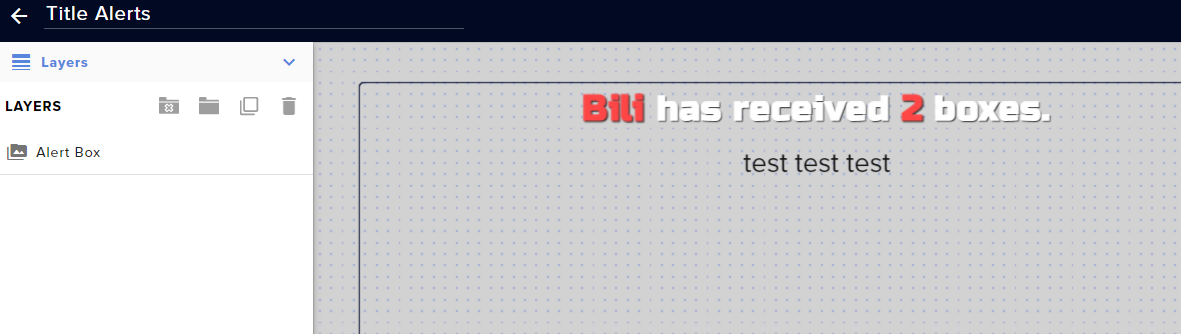 harsh root
@eager lily no luck, though i haven't updated OBS to its latest update, could that be the issue?
lime walrus
@harsh root probably - what is the OBS version?
round valve
lime walrus
<@!442457837071761418> If the YT's email is hidden/private then we are not able ...
Ah ok, that makes sense. Was just concerned when it wasn’t there and I didn’t want to mess up logging in and break my YT by tying it to another account. All good then as all my services show no matter what I email I use to login. Thank you 😊
harsh root
@lime walrus How do i check?? I think its 24.0.3?
harsh root
ahhh makes sense, i'll try updating it, thanks
lime walrus
@obsidian estuary can members share a special text message when "resubbing" like twitch subs?
obsidian estuary
lime walrus
<@!82581774558822400> can members share a special text message when "resubbing" ...
I'm not sure, I've not done many youtube streams, mostly Twitch. I had assumed so just because they were appearing?
lime walrus
Since I don't do YT much my self, I was curious if members had the same message options as subscribers on Twitch
harsh root
@lime walrus still no luck it looks like. I uploaded the overlay straight from streamelements by way of link and still, i'm stumped with the animated overlay thing. Anything else i can do?
lime walrus
Are you on a Mac?
harsh root
No, i'm on windows.
eager lilyBOT
@harsh root Please provide your account ID found at the top of this page: https://streamelements.com/dashboard/account/channels This ID is public info and safe to share here.
obsidian estuary
lime walrus
Since I don't do YT much my self, I was curious if members had the same message ...
edit: nvm
harsh root
@eager lily 5ffe836a0866940f7e1ab835
lime walrus
@harsh root you are on Twitch and you are asking for help in the YT helpdesk?
harsh root
@lime walrus im sooo sorry i could've sworn i clicked on twich, thats entirely my fault.
harsh root
sounds good
 hard karma
Hello, any idea how to fix this? Everytime I start streaming, I can't react to chat, because of "unsecured browsers" in OBS so I can't log in.
 sharp heart
Why my bot is not active on YouTube
eager lilyBOT
@sharp heart To set up the bot for your YouTube stream, please follow these steps:
- Make sure your stream is public. The bot cannot join a private/unlisted stream.
- Your stream must be live for the bot to join the chat.
- Go to https://studio.youtube.com/, click on Settings > Community and add https://youtube.com/c/streamelements or https://www.youtube.com/channel/UCjerlCIbLPQwSnYlClkjDXg as a Moderator.
- When live, be sure to look at Live chat instead of Top chat, as Top chat will hide the bot messages.
@hard karma StreamElements menu, on top of OBS > Logout > Login
lime walrus
also make sure to update OBS Studio and OBS.Live
hard karma
eager lily
<@!220960565277884416> **StreamElements** menu, on top of OBS **> Logout > Login...
Still not working. I can see the chat, but I can't post anything to chat or remove messages.
It always forces me to log in to chat window.
lime walrus
Can you try and allow OBS in your firewall, anti-virus and/or anti-malware program and see if the issue persists? @hard karma
lime walrus
Check pinned message
 whole nimbus
ty ty sorry i wasn't thinking! should've checked there first
lime walrus
no worries
fair wolf
whole nimbus
any update on youtube sub alerts and a fix for the delay?
No.. YT broke it, but told us that “it’s a feature, not a bug”.
whole nimbus
people should tweet at head of yt gaming to look into that. So ridiculous
 lime onyx
i mean somebody told me that the youtube API settings don't work or something like that and the alert box set for youtube will not detect any now subscriber to your channel. In my mini feed on Streamlabs there are no new subscriber to my channel even tho i have like 5 ppl subscribing right now
glass orchid
so wait... no more active callouts to new subs?
main vector
Unfortunately yes.
glass orchid
permission to speak freely? ... BALLS!
thank you for this info, I'll relay this to my friends
main vector
That's unfortunately the choice they made to have the delay be that possibly long.
versed tangle
Can someone help me, how do i switch streaming from twitch to youtube using streamElements obs.live
eager lilyBOT
@versed tangle StreamElements menu, on top of OBS > Logout > Login
charred helm
hi! i tried setting up the youtube chat box widget but it didn’t work when streaming. is this a known issue or is something up?
versed tangle
how do i enter a stream key into stream elements obs?
 peak sage
OBS > Settings > stream @versed tangle
eager lilyBOT
@charred helm To set up the bot for your YouTube stream, please follow these steps:
- Make sure your stream is public. The bot cannot join a private/unlisted stream.
- Your stream must be live for the bot to join the chat.
- Go to https://studio.youtube.com/, click on Settings > Community and add https://youtube.com/c/streamelements or https://www.youtube.com/channel/UCjerlCIbLPQwSnYlClkjDXg as a Moderator.
- When live, be sure to look at Live chat instead of Top chat, as Top chat will hide the bot messages.
charred helm
im not having issues with the bot, im having issues with the widget overlay
and SE is already a mod on my channel
rare sun
why cant i start streaming it lets me start but it dosent actuly start???
 main pier
eager lilyBOT
main pier
eager lilyBOT
@main pier The default resolution for StreamElements overlays (theme and custom) is 1920x1080. Please add them in OBS at their full resolution and use CTRL+F to fit to screen if necessary. You can then downscale your stream in OBS settings > Video if you'd like https://i.imgur.com/6bWXxjR.png
main pier
thanks alot ❤️
 last marsh
Hello folks. Is there any info if Youtube notifications delay is permanent if in development by YT team?
 snow shadow
I just started streamelelments with a youtube chsannel and when i try to get overlays they all come up like im on twitch like bit followers etc.Isthere a way to fix this
main vector
@last marsh It's permanently "delayed" as decided by YT. Nothing we can do about it.
 sullen nova
Hello! It seems like my Streamelements activity feed hasn't been showing new YouTube subscribers for a few months now. Has anyone else run into this issue?

 pine bronze
i use da vinci resolve
 remote geyser
ok cool
versed tangle
I need help with adding tipping to youtube
 empty oxide
gday i'm looking for a free editing software. any recommendations?
sage lantern
Davinci Resolve
sage lantern
For a beginner I would suggest going with 16
if you need to know something you can search for tutorials easier that way
empty oxide
k ty
 minor leaf
sullen nova
Hello! It seems like my Streamelements activity feed hasn't been showing new You...
minor leaf
sullen nova
Hello! It seems like my Streamelements activity feed hasn't been showing new You...
Happening With Me too, Can anyone Give any Help in regard this Problem, no Alerts are showing, I'm hating the Experience, so many Subs are gone missing, I cannot even Shoutout them, anyone Listening to this ?
sage lantern
check the pinned messages
minor leaf
sage lantern
check the pinned messages
New Subscribers are being shown on my YouTube Dashboard but not on my Streamelements Activity Feed.
minor leaf
Wow, Then Streamelements is of no use for YouTube 😭
minor leaf
#blameYoutube
sage lantern
and so far are refusing to fix it
sullen nova
So does Streamlabs have the same issue, or is this specific to StreamElements?
sage lantern
both
sullen nova
Dang that seems like a big issue that YouTube would want to resolve...
versed tangle
I wanna ask, what is the recommend bot commands for streaming on youtube
 deep flower
 sleek jacinth
How do I create an account to log in to Streamelements site. I do not see a sign up link
fickle pagoda
sleek jacinth
How do I create an account to log in to Streamelements site. I do not see a sign...
sleek jacinth
I do that and it takes me right back to the same page/
it still says login at the top right
fickle pagoda
Clear your cache and cookies.
fickle pagoda
Try in an incognito window.
 shell echo
Can anyone help me with my stream elements? I setup everything for my yt stream but the chat doesn't show up, the alerts don't show up, and I tested the latest subscriber feature with an alt account and it showed up on the next day! Please someone tell me what I'm doing wrong
fair wolf
sullen nova
So does Streamlabs have the same issue, or is this specific to StreamElements?
SL worked a few random times, but both broke.
 formal bobcat
So everyone else is having issues with their Youtube subs now showing up or updating at all?>
fickle pagoda
formal bobcat
So everyone else is having issues with their Youtube subs now showing up or upda...
See pinned messages.
 fiery bear
Hi so I looked back and saw people having problems with alerts since way back in December - I'm assuming it's still unresolved.
I have a question, does the problem extends to chat overlays as well. When I test a chat with an alternate account from an unlisted link - the chats don't show up at all. Any help would be nice. (I got the chatbox overlay to work on Streamlabs if that helps any, but I really want to use everything on StreamElements if i can avoid touching SL)
 pallid vine
This will be the third time I am reaching out, hopefully I can receive a response. Is there any way to merge my twitch and youtube accounts into one account? I created a separate one by accident and now I can't have both services under one account as the other one is in use.
eager lilyBOT
@pallid vine Account Merging - Please note:
- Merging accounts only allows faster ways to switch between accounts
- Merging accounts does not allow data sharing between accounts - different streaming platforms, different type of events
- Merging accounts allows duplicating/sharing overlays between the accounts
If you understand the limitations of merging and want to proceed, please find the JWT tokens (!jwt) from both accounts you want to merge and you will be directed to DM them to a staff member
eager lilyBOT
You can find your JWT token on your account channels page (Show Secrets to reveal the token): https://streamelements.com/dashboard/account/channels
READ ME: This is a private security token. Do NOT share this token here or other public places, only with a StreamElements staff member in private.
 pulsar bane
I am having an issue where when I go to start my stream I am met with this blank window for connecting to youtube.
glass orchid
if it helps fellow YouTubers, I'm beginning to add this statement based on above updates lol
charred helm
anyone else having issues using the chat box widget?
pulsar bane
I cannot even get OBS.Live to connect to Youtube so not I lol @charred helm
Nevermind I think I figured it out
for some reason I had to logout of streamelements in OBS.Live and then back in for reauthentication
pallid vine
@eager lily I have my JWT tokens ready to merge accounts.
fiery bear
charred helm
anyone else having issues using the chat box widget?
i am having trouble with chat box widget too, can't get it to run live or in a test run with alternate account and an unlisted link
charred helm
fiery bear
i am having trouble with chat box widget too, can't get it to run live or in a t...
okay. me neither. not sure if it’s a youtube API thing or not. haven’t gotten a clear answer yet
lime walrus
check pinned messages here
pallid vine
@lime walrus Could you or another staff member please assist me with merging my accounts? I've not had much luck so far so hopefully you can point me in the right direction.
lime walrus
yes, DM me the tokens
pallid vine
Thank you, one moment please.
fiery bear
hi @lime walrus yeah i looked at the pinned message earlier. I just wanted to know if the API issues is the reason the chatbox widget isn't working. I was able to get a chatbox widget to work on Streamlabs, but i'd much rather use Streamelements for all my widgets and overlays if possible
fiery bear
Great, that's good to know. Thank you!
versed tangle
hi how to setup the editor to my yt channel
hi how to setup the editor to my you tube channel with the link you gave
hi how to setup the editor to my you tube channel with the link you gave?
hello?
please
anyone there>
please tell me
eager lilyBOT
@versed tangle New to StreamElements?
Check out our YouTube channel https://www.youtube.com/c/streamelements/videos
with tutorial videos from setting up the basics, to in-depth details on how to use our product.
New to OBS? Here is a 4 step quick start guide
https://obsproject.com/wiki/OBS-Studio-Quickstart
Want to learn even more? Here is an in-depth overview
https://obsproject.com/wiki/OBS-Studio-Overview
versed tangle
how to setup the editor to my you tube channel with the link you gave
?
@eager lily help me
@lime walrus help me please
lime walrus
Did you even look in the first link provided above?
versed tangle
ohh ok
lime walrus
second, what editor are you referring to?
lime walrus
I still don't understand what you are referring to
versed tangle
what should i do
Has bot manager level plus can create and edit overlays
this one
eager lilyBOT
@versed tangle "Follow these steps to grant managers/moderators access to your dashboard:
- Click on your channel name at the top of the dashboard
- Create a new invite at one of three access levels (Bot Supervisor, Editor, Full Control)
- Send this invite to a mod/manager to give them access to your dashboard. The link is one-time-use and expires after 72 hours if not accepted
Video tutorial: https://youtu.be/zl_h-ttZDF0"
lime walrus
what?
lime walrus
Do you want to invite someone to be your editor?
versed tangle
yeah
lime walrus
What are you trying to achieve here?
And no, I will not be your editor
Get people you trust
nto some randoms from a discord
eager lilyBOT
@versed tangle Chat/Bot Levels
100 - Viewer
250 - Subscriber (Twitch subscribers automatically placed at this level)
300 - Regular
400 - VIP (Twitch VIP automatically placed at this level)
500 - Moderator (Twitch chat moderators automatically placed at this level)
1000 - Super Moderator__
1500 - Broadcaster
Dashboard Manager Levels
Bot Supervisor
Editor
Full Access
Owner
https://i.imgur.com/s61Liry.png
 versed tangle
i need full
i need a full
hi
i need a full
@eager lily i need a full
@lime walrus i need full
lime walrus
Dude, I don't understand what you are trying to achieve here.
First you are asking general information here for the manager roles, now you are asking what excatly?
 limber fable
My layout sizes became all fucky after an update. can't remember the button combination to like auto fit ?
lime walrus
ctrl + F
 smoky pasture
Wat happen this error https://cdn.discordapp.com/attachments/448043978844274688/798609055991726170/unknown.png
 smoky pasture
A were support for contact
shell echo
Is the chat bug fixed yet?
 fleet hollow
shell echo
Is the chat bug fixed yet?
fleet hollow
shell echo
Is the chat bug fixed yet?
Same question ☹️
 reef pewter
fresh zenith
reef pewter
Hi there, I just signed up in streamelements. I have a question. I do streamings...
reef pewter
fresh zenith
reef pewter
Hi there, I just signed up in streamelements. I have a question. I do streamings...
No :/
 fringe goblet
i need to close my account and it keeps telling me "invalid email" when im using the email i used to log in
fallen forge
same, like bro
tardy cloud
May I ask why you're looking to delete your account? Was there an issue you experienced or a feature you felt was missing? We're constantly looking to improve the service, so feedback from people looking to close their accounts is important to us.!

If you encounter any issue with the form, please send an email to support@streamelements.com with the following information:

Username:
Email:
Account ID:
JWT Token:
Reason for closure:
Error when using the closure form:
@fringe goblet @fallen forge
 proven cedar
How to i add the bot to YouTube?
eager lilyBOT
@proven cedar To set up the bot for your YouTube stream, please follow these steps:
- Make sure your stream is public. The bot cannot join a private/unlisted stream.
- Your stream must be live for the bot to join the chat.
- Go to https://studio.youtube.com/, click on Settings > Community and add https://youtube.com/c/streamelements or https://www.youtube.com/channel/UCjerlCIbLPQwSnYlClkjDXg as a Moderator.
- When live, be sure to look at Live chat instead of Top chat, as Top chat will hide the bot messages.
fringe goblet
tardy cloud
```
May I ask why you're looking to delete your account? Was there an issue you ...
i emailed you with my information
proven cedar
How do i make my tipping appear on live stream comments when someone purchases something
fickle pagoda
proven cedar
How do i make my tipping appear on live stream comments when someone purchases ...
Chat alerts module in the Modules section of your account.
proven cedar
Will it appear on the YouTube live stream?
fickle pagoda
In the chat, yes.
 hazy willow
I have an issue with my youtube chat showing someone sent a message but the contents of the message not going through, any help? 🙂
fickle pagoda
hazy willow
I have an issue with my youtube chat showing someone sent a message but the cont...
Known issue.
No ETA for fix.
hazy willow
darn
 weak spindle
in streamelements it says i have 0 subs why does it say that?
eager lilyBOT
@weak spindle Please provide your account ID found at the top of this page: https://streamelements.com/dashboard/account/channels This ID is public info and safe to share here.
weak spindle
5b76d30cefe287ff054ac2ec
fickle pagoda
weak spindle
5b76d30cefe287ff054ac2ec
weak spindle
for me it says 0 and thats still not right i have 257 and here is a pic
fickle pagoda
weak spindle
for me it says 0 and thats still not right i have 257 and here is a pic
That's recent, not total.
fickle pagoda
StreamElements
The Ultimate All in One Platform for Streamers
weak spindle
k thx idk why it says i have 128 but maybe it will update later ty
 gilded creek
how do i get donos to pop up on stream
eager lilyBOT
@gilded creek New to StreamElements?
Check out our YouTube channel https://www.youtube.com/c/streamelements/videos
with tutorial videos from setting up the basics, to in-depth details on how to use our product.
New to OBS? Here is a 4 step quick start guide
https://obsproject.com/wiki/OBS-Studio-Quickstart
Want to learn even more? Here is an in-depth overview
https://obsproject.com/wiki/OBS-Studio-Overview
 astral pollen
OBS is not launching. There´s no outdated plugin. Windows 10 Pro 64bits.
How to resolve this?
eager lilyBOT
@astral pollen Obs.live is a plugin for OBS Studio for the best OBS support, please join their Official Discord @ discord.gg/obsproject
 cobalt gazelle
Hey.
I was wondering, how do I delete the youtube account on streamelements?
It is the wrong name, but when I try to add the other channel i manage, it says it's already there.
Pls help ^_^
 near stag
@cobalt gazelle Hi. We would need some specific details, can you please DM me?
 wide junco
does anyone else have issues with stream chat embeds? all that will show for me is the usernames when someone talks but the chat is blank?
near stag
@wide junco This is a known bug, developers are working on a fix already.
near stag
We need to wait a bit for the fix
wide junco
guess ill be using streamlabs (shutter) chat for a bit
 stark finch
When I use the pop out activity feed and put it on obs it tells me to log in with twitch how can i sign in with youtube
 crimson kindle
FYI - subscriber alerts are still not happening in real time, and it’s still not possible to do custom alerts by membership tier. It would be nice to see a timeline for when these will be fixed, planning to dedicate time today to switch to a different service - not because I want to, but because the volume of subscriber gain is so much lower without these. I really enjoyed your service when it worked - thought it would be better to say something than silently vanish.
 analog grove
please help someone i was suspended from twitch and i cant log in to my stream elements to set up my youtube
can someone help
versed tangle
who should I contact to get se.pay setup? i meet the requirements but i'm not seeing the option
 limpid holly
Heyo, so I'm having an issue with my chat. In my overlays I have an overlay I call "chat box", where I have the chat box widget. But for some reason, only the people's usernames are visible, and not their message. Is there a fix for this?
eager lilyBOT
@halcyon wigeon Obs.live is a plugin for OBS Studio for the best OBS support, please join their Official Discord @ discord.gg/obsproject
 quartz raptor
I am having issues with alerts and chat displaying on stream for both of my YouTube channels that i stream to. My Twitch works fine, however both of my YT channels refuse to show alerts or chat on stream. They are both signed in as owner level access. With the alerts, if i use alert boxes i get nothing show on stream when someone subs, i am also showing no data in my session data so it seems like SE is not pulling info from my YT accounts. With the chat boxes when someone speaks in chat it pulls their name in but no message data so it will just show their name but no message at all.
Anyone know what my issue is here?
near stag
@quartz raptor The chatbox not showing the chat message is a known bug. For the YT alerts - i would try to log out and log back in and check the activity feed - if you are getting events there.
quartz raptor
near stag
<@!155797099944869888> The chatbox not showing the chat message is a known bug. ...
Thanks for the info on the chatbox. I've tried logging in and out a few times and both accounts still sow no activity.
near stag
Please give me the channel name and i check it
versed tangle
hey, how do I set up Se.Pay
eager lilyBOT
@versed tangle SE.PAY is available for streamers who are at least 18 years old, with bank account under their name in one of the following countries and have at least 101 follower (Twitch) / 101 subscribers (YouTube):
Austria, Belgium, Czech Republic, Denmark, Finland, France, Germany, Ireland , Italy, Netherlands, Poland, Portugal, Slovakia, Spain, Sweden, Switzerland, United Kingdom, United States.
If you meet these criteria and don’t see SE.Pay, let us know.
For information on SE.Pay payment methods, their fees and settlement times see https://streamelements.com/dashboard/tipping/fees
versed tangle
k
stark finch
When I use the pop out activity feed and put it on obs it tells me to log in with twitch how can i sign in with youtube
 rapid moth
Can you tell me where to find media share widget?
eager lilyBOT
@stark finch StreamElements menu, on top of OBS > Logout > Login
sage lantern
rapid moth
Can you tell me where to find media share widget?
there is none for youtube
 proven hill
I need some help. Lately my subscriber alert is activating during the stream and also trying to test the alert in the stream elements website and clicking emulate
rapid moth
sage lantern
there is none for youtube
Is there a song request
sage lantern
nope
 warped wolf
My activity feed hasnt updated since December 28th and none of my alerts are working
 vapid aspen
Hi, is the API issue with YouTube still ongoing?
sage lantern
yup
vapid aspen
okay thanks, I know the Alerts wont work, does that mean a Bot Command wont work either?
I seen some ppls have a Bot Set up to welcome new Subs like;
StreamElements Bot: Hey JacktheRipper thanks for the Sub
can i do that still? if so please tell me how #
sage lantern
No, because that also needs the same info from YT api
vapid aspen
ok thanks for the quickk responses @sage lantern
 wary rain
hey, I wanted to apply for the MTG Arena partnership, but it says I don't meet the requirements, eventhough I do. What can I do or who can I contact about it? Thanks in advance 🙂
 polar kestrel
activity feed is delayed, it shows things like 12 hours after I actually end the stream
tardy cloud
@polar kestrel There is a known issue with the events on youtube
polar kestrel
Ok thanks for telling me
fair wolf
vapid aspen
Hi, is the API issue with YouTube still ongoing?
No. YT said it’s a feature upgrade, not a bug.
 mossy quest
My alerts, overlays and labels are extremely delayed and i have to physically reset my session everytime i want it to update?
wary rain
wary rain
hey, I wanted to apply for the MTG Arena partnership, but it says I don't meet t...
So does anyone know about this?
 lost terrace
any 1 who understands in streaming can help me out ?
ive been trying for a month to fix my stream on youtube and nothing i do helps
high low bit rate settings or anything i do wont change the fact that my stream is just pixelated
dm me if you could help please ( sorry if its not the right channel didnt know where to post)
near stag
@lost terrace Pixelated stream means there is not enough bitrate for the resolution (assuming you never changed the encoder settings). There are tons of guides online how to achieve good streaming quality for youtube or twitch etc.
lost terrace
@near stag thats the point i tried on 6000 bit rate up to 9000 and i got 40 upload
i tried gpu or cpu streaming i got dual pcs with elgato 60hd pro nothing is working @near stag
near stag
@lost terrace what is the resolution and FPS you try to stream at?
lost terrace
1080 60
near stag
1080p 60 is hard to achieve without pixelation. Try 8000kbps max, set the encoder as slow as you can (CPU) or use a new Nvidia GPU (2000 or 3000 series) for the maximum encoder quality if you use NVenc.
lost terrace
i got 1080 ti
near stag
Twitch max recommended is 6000kbps for now, going above that - do this on your own risk.
With a 1080Ti it is better to use a CPU encoder if the CPU has 8 or more cores.
lost terrace
mmm let me check
near stag
You are writing in the youtube channel, if you stream to Youtube, you can go crazy with the bitrate
the 6000kbps limit applies to Twitch
lost terrace
i know youtube recomends up untill 9000 for 1080
but i doubt its the bitrate
i7 8700K
12 cpus (dont kno if thats the cores)
near stag
Bitrate, resolution and FPS work together with the encoder - and that results in the final quality
lost terrace
my final quality right now is as if 360P 60 fps
near stag
you got 40mbit/s upload, just try and stream with 15.000 or higher and check quality
lost terrace
on 15 youtube warns me its too much
near stag
No need for the link - just test multiple settings and see what works better for your setup. Streaming is not so generic that we can recommend settings for everyone.
 signal furnace
Hi. I have question. I'd like to stream on youtube and I have connected my channel to streamelements. The problem is that I've changed the name of the channel, but it didn't updated on streamelemens, so donations link and profile name stay the same and I'd like it to. Is there any way to do it?
 next shell
i can't access a channel dashboard that i got access to the page is white
versed tangle
Hello guys, so I have an issue with streaming and recording quality inside obs. I want to stream a couple of new and some old games with moded quality etc... but every time I stream or record on obs that same game, the game quality in the video is terrible (I can see blur and pixels at some point). I tried different settings and every time I copy and paste the log file into the obs analyzer it says that everything is alright. Does anyone know how to fix this quality issue? (btw I tried to ask OBS official support and dont know why do I have this kind of issue after they look at the logs).
wary rain
@eager lily i really need help with the magic the gathering program, can you help me out? :)
 hollow beacon
@eager lily hi i like merge my twitch and youtube account and i need help with that contact me with DM
latent zephyr
I've just had three susbrciber alerts come through on my stream 😍😍
 tender peak
chat shows up when im live but had nothing on my activity. is there a fix for this
and alerts wont work
versed tangle
Hi I was planning to livestream today on YouTube, but am having an issue with alerts not showing up during the stream (they work fine in OBS and in StreamElements after using the emulate feature). Can anyone assist? Very much appreciated!
tender peak
lots of people getting the same problem by th sound of it
 ashen jewel
hey is there a way to sign into the youtube chat window that obslive makes?
versed tangle
my streamelements bot is not working
fair wolf
latent zephyr
I've just had three susbrciber alerts come through on my stream 😍😍
They subbed 24hr ago lol then show up on stream later.
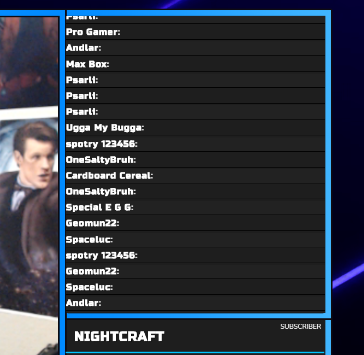 tardy cloud
@obsidian estuary there is a known issue with the chat widget atm, devs are aware
 limpid lichen
ah, this answers my question in the other chat. Thanks @tardy cloud
 slow elk
how do i stream
 violet slate
i just got a member on youtube, but it didn't come through as an alert. super chats are coming through fine, but members won't even show up in my activity feed <@&382267076632379392>
versed tangle
Are subs coming in fine?
limpid lichen
My activity chat won't seem to work. It keeps asking me to connect it to twitch.
tried logging out and back in and that did the trick
violet slate
any idea why that might be? @versed tangle
versed tangle
limpid lichen
My activity chat won't seem to work. It keeps asking me to connect it to twitch.
Is this on OBS.Live?
Checking @violet slate
violet slate
okay thank you
versed tangle
There's a known issue with YT where some events will display at a later time, up to 4 hours actually
violet slate
it was over 12 hours ago
almost exactly 13 i think
another weird thing is that when i press the emulate member event button, it comes through to OBS fine, but whenever i get an actual member join, it doesn't even show up in the activity feed @versed tangle
it shows up in YT chat, but nowhere else. Super chats and subscribers also come through to both the alert box and activity feed instantly
versed tangle
Please give me your account ID, we'll look into this
violet slate
6001305312fb7e7d55406cae
versed tangle
Thanks
violet slate
of course. please let me know as soon as you find anything out!
 young fjord
can i please have help setting up media hsare it isn't giving me any options. i'm trying to stop youtube from saying songs are age restricted on streamlabs so i got onto this instead.
can't even find the media share widget from all the videos on the website
main vector
It is not available for YouTube.
young fjord
ffs
next shell
@versed tangle i can't access a channel dashboard that i got access to the page is white
eager lilyBOT
@next shell Our Dashboard and Overlay Editor are Chromium Optimized. We strongly recommend using Chrome. Opera GX and the new Microsoft Edge Chromium might work closest to Chrome as its also Chromium built. Firefox also works, but some things might look a bit different or not work. We do not recommend using Internet Explorer with our Dashboard as it does not support functions.
If the website doesn’t work on chrome, be sure none of your plugins is blocking our website or clear your cookies. You can try if the website works in an incognito tab.
next shell
@eager lily i am using chrome and for every other channel that i pick to access it works for me that means it's not an issue on my side
main vector
Try incognito.
next shell
@main vector yeah but why would i switch to incognito? i got so many other channels i have access and it works fine for me
tried incognito still didn't work the page is white
"vendors.8c64d5c535a2107be9e9.js:210 User does not have the required scope to access this page" and i do have the permission
eager lilyBOT
Please provide your account ID found at the top of this page: https://streamelements.com/dashboard/account/channels This ID is public info and safe to share here.
next shell
which account am i trying to access?
main vector
Yes
next shell
shedevil3333 youtube
versed tangle
Can you ask the stream if they're able to login to their dashboard?
next shell
no i can't right now the streamer is not available
 civic valve
what are the dimensions of the drawing
So I can Put it on a hoodie
is there a documentation??
ohh nm I saw it said min 2000*2000
next shell
yeah white page
 obsidian apex
Is the sub alert broken? It doesn’t work when people subscribe and have their subs on public and it sometimes it randomly spasms a whole bunch of people who have subscribed at once
latent zephyr
fair wolf
They subbed 24hr ago lol then show up on stream later.
So it's like half fixed 😂😂
 quaint wind
how do i get a keyboard overlay
 arctic girder


 upper fog
Hi new to streamelements I was trying to set up the Loyalty System. I don't even get a link to it in the SE dashboard. I believe I have set everything up with the exception of paypal is there something I am missing?
sage lantern
there is no loyalty system for youtube
upper fog
Right. I guess that could be the problem. lol cheers for the help @sage lantern
wary rain
@eager lily hey I could really need some help with the magic the gathering program :) it says I don't meet the requirements eventhough I clearly do. Any idea what I could do?
 livid orbit
New to StreamElements. Right now just trying to figure out how to add simple automated things in my chat for instance like "Hit that Subscribe button". Or something like "Be sure to give us a thumbs up". Just trying to start simple for now. Any help or suggestions would be great.
violet slate
violet slate
of course. please let me know as soon as you find anything out!
any updates on this? i really need this to be fixed as alerts when members happen are a huge part of my stream, and i really don't want to need to go through the process of switching to streamlabs
versed tangle
versed tangle
Hi I was planning to livestream today on YouTube, but am having an issue with al...
Hi, following up on this. Can anyone assist?
next shell
@versed tangle i tired getting a new invite to access that channel dashboard and still the same issue white page
wary rain
@eager lily so will i get no answer at all? ^^ what even is the point of this discord then 😆
fickle pagoda
wary rain
<@155149108183695360> so will i get no answer at all? ^^ what even is the point ...
If you are not currently being allowed to apply, then check back at a later date.
wary rain
fickle pagoda
If you are not currently being allowed to apply, then check back at a later date...
So you think it is a timing issue? Because the button is not pushable and it says "you don't meet the requirements"
 supple torrent
hello! i am having some issues with alerts. My test alerts work great, but any alerts won't go through. Any help would be appreciated. Thank you.
shell echo
Is the chat bug fixed yet?
 opaque merlin
supple torrent
hello! i am having some issues with alerts. My test alerts work great, but any a...
opaque merlin
supple torrent
hello! i am having some issues with alerts. My test alerts work great, but any a...
everyone got the same problem mate... its something with Youtube... we need to wait for a fix of that.
supple torrent
opaque merlin
everyone got the same problem mate... its something with Youtube... we need to w...
okay cool. had no idea. how long has it been like that?
opaque merlin
i dont know exactly but as i see here, its been a while...
you can make a quick search and write Alerts - you will see many questions like yours and mine 😛
supple torrent
opaque merlin
you can make a quick search and write Alerts - you will see many questions like ...
cool thanks man.
lime walrus
@shell echo if you mean the chat widget - yes still bugged, no ETA on a fix.
lime walrus
Just type the commands in your chat
 wheat crown
Like..how and can I do it in mobile?
lime walrus
What are you using to stream with?
wheat crown
I was using omlet arcade but now I'm trying to use streamelements but it shows not the correct browser and i can't login my yt
lime walrus
What?