
#dev-chat
1 messages · Page 8 of 1
 oak plank
 severe shell
oak plank
impossible to disable parameter “Gifted” it is in the list, but the switch - not...
severe shell
oak plank
impossible to disable parameter “Gifted” it is in the list, but the switch - not...
I would recommend that you open a ticket for that.
 keen iron
is there a list with all SE Sockets subscriptions? So I can't find anything like that in the docs?
 gleaming iron
Hi, is there a way to set the start/end time for the songrequest API? (POST) https://api.streamelements.com/kappa/v2/songrequest/{channel}/queue
severe shell
keen iron
is there a list with all SE Sockets subscriptions? So I can't find anything like...
Unfortunately, no.
keen iron
Is there a Subscription to get notified when the broadcaster skips, mute/unmute , pause/resume the alets?
severe shell
gleaming iron
Hi, is there a way to set the start/end time for the songrequest API? (POST) htt...
Nope
severe shell
keen iron
Is there a Subscription to get notified when the broadcaster skips, mute/unmute ...
You don't need to subscribe to any room for that. You get that directly from the events below:
Pause/unpause is shown on "overlay:togglequeue"
Mute/unmute is shown on "overlay:mute"
All of them are also seen in "kvstore:update" (maybe it is easier just listens to that)
socket.on('kvstore:update', (data) => {
    console.log(data);
});```
Skip is separately shown on "event:skip"perfect. Thank you!
keen iron
and hopefully last question. How do I check whether the alerts are currently paused or not? same with mute/unmute?
severe shell
keen iron
and hopefully last question. How do I check whether the alerts are currently pau...
Do a GET request to the same endpoint you set the mute, unmute, etc. It will show the status
{
  "paused": false,
  "muted": true
}```thank you so much ❤️
 regal glen
Hello, is there an api for Yotube member counts? I was looking around but wasnt able to find much.
severe shell
regal glen
Hello, is there an api for Yotube member counts? I was looking around but wasnt ...
There isn't in case you want to show the total directly. But you can use this endpoint to collect from a period
https://api.streamelements.com/kappa/v2/stats/ACCOUNT_ID?date=2023&interval=year&tz=0
It will show the totals for each month in the year. You can also put a specific date, so it will show the last 12 months separately until the chosen date. Date should use the format YYYY-MM-DD or any ISO 8601 format.
oak plank
how to disable this bot notification function when a streamer is sent a donation?

 dense citrus
Hey Guys,
quick question before i get mad at understanding the SE.API to store Values 😄
Maybe i just misunderstand the API completely
I need a Dynamic Variable which can be saved for multiple sessions (eg. keeping the variable for multiple days/streams without resetting)
People asking these questions were referred to use "SE_API.store.set "to store these kind of objects but it seems that these keys get removed after a widget reload or am i wrong?
Just want to know if i make a mistake and need more debugging or this is just not working because its just to save keys for uses by multiple widgets simultaneously
severe shell
dense citrus
Hey Guys,
quick question before i get mad at understanding the SE.API to store ...
SE_API.store.set() will set a value to a key, overwriting the existing one with the same name.
SE_API.store.get() will read the key and provide the value of that key.
The values saved on SE_API will be stored and not removed. It can be overwritten, though.
When you use SE_API.store.set(‘keyName’), it won’t take the current value of that key into consideration, and will set the value you put.
What can be happening is that you are setting a value for a key on the widget load instead of checking its value before changing it.
severe shell
oak plank
how to disable this bot notification function when a streamer is sent a donation...
Go to modules > chat alerts > tip and disable it
 dusk tiger
 slender merlin
Hi all, I have access_token from oAuth, so how to get jwt_token by access_token?
severe shell
slender merlin
Hi all, I have access_token from oAuth, so how to get jwt_token by access_token?
You don’t. If you have the access_token, you don’t need the jwt, you can use the access token.
Just change the authorization from Bearer to oAuth.
However, the scopes are limited with access token, so you are not able to do everything like you do with jwt.
 brave tulip
Hey guys! I have a question, is there a way to skew timer text from streamelements? Can't find it anywhere :/
 wintry sparrow
Hello, how i can show an twitch clip in overlay?
I getting blocked

 proud spade
wintry sparrow
Hello, how i can show an twitch clip in overlay?
I getting blocked
proud spade
wintry sparrow
Hello, how i can show an twitch clip in overlay?
I getting blocked
I don't believe iFrames are supported, or cross site requests.
wintry sparrow
have another possibility to show an clip in overlay ?
 hardy walrus
Based on your screenshot you're using the Overlays. Embedding sites isn't possible.
Elements on the other hand do support embedding as long as set in the configuration.
wintry sparrow
hardy walrus
Based on your screenshot you're using the Overlays. Embedding sites isn't possib...
yep, i get the clip url and try to show an overlay
where i find this configuration ?
 wind escarp
having a issue with the "current game label" widget where it displays the current game name but not the picture. can someone help?
severe shell
wintry sparrow
where i find this configuration ?
If I’m not mistaken, you would need to get the .mp4 URL of the clip and play like a normal video. Not possible to embed the twitch clip page on the overlay.
 patent whale
Has anyone ever* made a Custom Widget Counter that gets added to based on Sub, Cheer, and Tip?
Or is everyone more focused on the new "Elements Editor"?
hardy walrus
Elements is the primary focus yes.
 fringe ledge
update feed is destroying me XD
patent whale
hardy walrus
Elements is the primary focus yes.
okay thank you
severe shell
patent whale
Has anyone ever* made a Custom Widget Counter that gets added to based on Sub, C...
Check in #widget-share, I believe there is something similar there.
patent whale
Thanks I was able to overcome my issues and completed the widget 😁👍
patent whale
question; is there any way to access the amount of a default bits goal widget from a custom widget?
like for example if I create a bits goal using the default bits goal widget and I create a custom widget is there a way to pull the total amount so far from the default bits goal widget into the custom widget?
 spring sentinel
HI I currently have a ticket open about kappagen and the ticket system won't let me open another ticket about my new issue. I asked in the #community-helpdesk and got a hold of @proud spade who told me to ask here. I am a Twitch mod for a @jovial kindle and my issue is with the Awesome Shoutout Widget.
We had it in his channel (DJGoldS) and his second/team channels (thedjgoldscrew) for some time and now the widget quit working for us. I also tried it on my personal channel (Laurie_A_FL) and it isn't working at all there. we do have it added to OBS and it won't show on the stream. It also won't show in its edit tab on my browser. We have the command listed in the General Config section of the shoutout overlay. The shoutout command (!so) is posting it's message in chat. Can anyone help?
 mild lion
 viscid matrix
I wanted to use the Circle Goal Widget from #widget-share but it doesn´t progress with the bar, if subs are added, what can i do to change it or is it just live subs and not if i change the goal data ?
 potent halo
I'm trying to access https://api.streamelements.com/kappa/v2/activities/{channel} using apikey auth with the apiToken from onwidgetload. (.detail.channel.apiToken)
Other query params are copied from the se activities site (https://streamelements.com/dashboard/activity)
I am always getting 403 forbidden. Is it not possible to get this endpoint using widget tokens?
Using recents would not be possible, as the range could be to short for my usecase (1 - 100)
potent halo
Meh gonna use jebaited then. jwt is a bit to much freedom.
 vital wadi
I have a widget I want to trigger by channel point rewards, but Im not an afilliated streamer and don't have access to channel points, so I can't test it. I pieced together some code that should work, but can't be sure. Any way for me to test/debug channel point rewards widgets?
potent halo
vital wadi
I have a widget I want to trigger by channel point rewards, but Im not an afilli...
Afaik you can use twitch-cli (Google it) to simulate events and trigger eventsub hooks. Never used it tho. Only heard about it.
 ancient edge
I am working on coding a Neohud overlay for my YouTube channel and attempting to integrate other social media platforms like Kick. However, I am facing challenges in figuring out how to add custom icons for platforms such as Twitch, YouTube, Twitter, etc.
potent halo
ancient edge
I am working on coding a Neohud overlay for my YouTube channel and attempting to...
Neohud by Neoshin v2.1?
Looked over the js part. It uses font awesome for the icons. Safest bet would be to modify getIcon(...) L521 to use some custom class instead of fa- for any given name.
Or use another icon lib like Material Design, Phosphor or Remix
ancient edge
potent halo
Neohud by Neoshin v2.1?
Looked over the js part. It uses font awesome for the ic...
Yes correct, I fixed the icons
 fluid oyster
Is it possible to check whether a message sender holds a membership on youtube? 
 hazy ruin
Hey - trying to use fetch to an api within a streamelements widget but getting Access to fetch at '' from origin 'null' has been blocked by CORS policy: No 'Access-Control-Allow-Origin' header is present on the requested resource. - How can I fix?
potent halo
fluid oyster
Is it possible to check whether a message sender holds a membership on youtube? ...
Using StreamElements widgets? Idk. Probably?
In the onEventReceived Event Listener there is extra data for message events.
So if obj.detail.listener === "message" get obj.detail.event.data
The docs only show an example using a twitch msg and I don't have yt streaming set up. So please try on your own.
potent halo
hazy ruin
Hey - trying to use fetch to an api within a streamelements widget but getting `...
It tells you really well what is happening and how to fix it.
No 'Access-Control-Allow-Origin' header is present on the requested resource.
So the api ' ' has not set any CORS header.
If it is your api try to add some header likeadd_header Access-Control-Allow-Origin *;(example for nginx)
If not you could try to ask the person responsible for the api to do so.
Or you could set up a proxy like "cors-anywhere" (google it)
 calm matrix
Hi everyone ! I still haven't found a solution for the Prize wheel by JPONP.
I would like to :
- Anyone can trigger the wheel with a !spin command for example
- For a certain price (in streamelements loyalty points)
- The result can be displayed in the chat, an online board or a discord.
I'm really desperate because I can't find a wheel that can do all this.
Can you help me please ?
potent halo
calm matrix
Hi everyone ! I still haven't found a solution for the Prize wheel by JPONP.
I w...
The widget does almost all of the stuff you mentioned.
- "online board" is pretty vague. But sure you could make a website with some post request endpoint and some basic auth and let async ajax post to that.
- For Discord, Webhooks might be a good idea.
- Removing points should be fairly simple. Look at line 103.
useris the username sending the chatmessage.
GET /points/{channel}/{user}gets you the points the user currently has.
PUT /points/{channel}/{user}/{amount}changes the points.
last two need the apikey provided by onWidgetLoad
 jagged moon
Would anyone be able to point me in the right direction for how to use streamlabs api in my custom widget?
Or how to connect to the streamlabs api in my code
proud spade
jagged moon
Or how to connect to the streamlabs api in my code
Do you mean StreamElements? For StreamLabs you would have to ask them.
jagged moon
I want to put streamlabs api in my SE custom widget since SE api doesn't have a session subscriber points count listener
Or is that not possible? I saw a message mentioning something along those lines but I'm very amateur when it comes to code.
proud spade
You keep saying StreamLabs, for that you would have to ask them.
For StreamElements this would be a good place to start for custom widgets: https://dev.streamelements.com/docs/api-docs/775038fd4f4a9-stream-elements-custom-widgets
jagged moon
I am trying to use Elements. I have an Elements widget that I want to use to call another api (forget that it's SL). I am using the Elements widgets interface, so it made sense to me to ask here if it was possible to call another API or does it only work with the Elements api?
potent halo
jagged moon
I am trying to use Elements. I have an **Elements** widget that I want to use to...
Any API calls are possible (as long as cors doesn't get in the way).
Just use something like ajax to send the requests
jagged moon
potent halo
Any API calls are possible (as long as cors doesn't get in the way).
Just use so...
Thank you!
potent halo
In case cors does get in the way.. see the msg from earlier
 elder dragon
Is it intended behaviour that on the message event data personal betterttv emotes aren't added to the emotes array? Only the global ones are included

 quasi charm
Out of curiosity - does the JWT Token have an expiry date? Or in which cases does it actually cause it to expire / reset?
I'm using it for both a twitch bot (Firebot) and also for manual HTTP requests to the Media Request endpoints (since I don't use the OBS plugin due to too many issues, but I still like to control it through my Stream Deck)
hardy walrus
They do have an expiry to my knowledge. Deets I do not know.
quasi charm
Chucked it into a JWT decoder and it returned this, but I'm not sure if that means it'll actually expire in 3 days

As in, I don't know how the SE team has implemented it in the backend, if they have a different implementation to handle those tokens
hardy walrus
@static wigeon ^^^^
quasi charm
Custom expiration time would be nice (or being able to generate whole new JWT tokens that you could name and set a custom expiration date of, e.g. "never", but I am not sure how much of a nightmare that'd be to implement haha)
 still juniper
They used to not expire but recently they do for unknown reasons (has been asked before, no answer from devs yet)
With "unknown reasons" I refer to no explanation or warning to 3rd party devs and users, change is obv to increase security
quasi charm
The dangers of a token that doesn't expire are present - as in, if someone is able to get a hold of it, they can do whatever they want (or rather, have access / permission to) with the token
still juniper
sure, sure. But if you change something as crucial as this, a warning to your users is the least you can do. Or proper procedures to refresh the token on expiration, which don't exist either.
quasi charm
Yup
calm matrix
potent halo
The widget does almost all of the stuff you mentioned.
1. "online board" is pret...
Thank you for your response, so do I have to modify the code automatically? Isn't that dangerous ?
 wheat palm
Hi, is there any way to pass a image to display in alert when alert type is purscase or merch
 wheat palm
so far i tried many different thing including custom widgets with onevent listener
but I could never get image from listener
potent halo
calm matrix
Thank you for your response, so do I have to modify the code automatically? Isn'...
To add functionality that wasn't there before you indeed have to mod stuff. It's a bit self explanatory.
Don't really know what you mean by dangerous. Modifying a widget just isn't? You copy the code to your local instance by importing it. It isn't linked to anything.
 jaunty mountain
Hey, I was reading through the documentation on retrieving channel commands and saw, that the _id field for any given command is not marked as required. Is that truly the case or can I assume it to be always present? It would simplify my code quite a bit.
potent halo
jaunty mountain
Hey, I was reading through the [documentation on retrieving channel commands](ht...
Did some socket.io stuff with tips once.
Afaik the _id field is always there but for the same tip sometimes different.
My guess is that it's an internal id for orm purposes. In that case you shouldn't use that field.
I'm not an expert tho, so feel free to test if it works for you.
jaunty mountain
potent halo
Did some socket.io stuff with tips once.
Afaik the `_id` field is always there ...
 It may very well be something internal, hence the preceding
 _. I guess, I could use the command name instead, but I'll need something immutable to identify a command by. 
potent halo
jaunty mountain
<a:Thinkge:979042141491847198> It may very well be something internal, hence the...
Uhh something immutable..
I'd get everything that is mutable, write it into a json string, remove spaces, then hash it.
Your hash is immutable to that command.
If anything changes the hash would be made invalid
And if something should be able to be changed by the user and not trigger invalidation you can simply exclude it from the hash calculation
jaunty mountain
potent halo
And if something should be able to be changed by the user and not trigger invali...
The thing is, that I want to track changes made to a channel's commands. I'd then class it into the categories:
- Addition
- Edit
- Removal
I need to discern between these three. The problem is in distinguishing the new from the edited. I currently use the _id field to do that. My concern is, that if this field is mutable, it will lead to my application treating it as a new command (thus relaying unnecessary information) should it change.
I guess I'll have to take a closer look at how this field behaves from one request to another and over time.
still juniper
hot take: If a field named _id is mutable, someone needs to be fired 🤷♂️
calm matrix
potent halo
To add functionality that wasn't there before you indeed have to mod stuff. It's...
Thanks for the response, but I haven't this on line 103, I Have if (spinCommand) {
so i don't understand.
potent halo
calm matrix
Thanks for the response, but I haven't this on line 103, I Have if (spinCommand...
please look at what statement spinCommand is and see what the if statement does. I won't code it for you.
A bit offtopic, but still a development question..
Does anyone have an idea how to smoothly pass data from a webapp to a local program in a platform-independent way?
Platform-independent meaning stuff like Custom Protocol Handlers (custom://...) are out of the question.
Haven't tried anything yet, though my best guess is using a simple httpserver hosted by the program and the webapp sending to that. Any other ideas?
calm matrix
potent halo
please look at what statement `spinCommand` is and see what the if statement doe...
Thanks, no worries, it's just that I don't know javascript so it's a bit difficult.
quasi charm
quasi charm
Chucked it into a JWT decoder and it returned this, but I'm not sure if that mea...
Alright so in regards to the JWT token - I logged into the SE site today, went to my channel settings, and copied the token again, then threw it into a decoder.
I got a different one now that, according to the decoder, expires on the 4th of February. The old one, which is supposed to expire today, seems to still work for now (I assume for another 2:30-ish hours)
Really would like to see some official statement about the JWT token situation tbh. Having them expire isn't inherently bad, but not saying they do anywhere is a bit annoying.
Basically means you have to update the token for your bot or integration once a month
 drowsy hazel
I have a suggestion for the Mobile SE streaming app. Could we get an option to use a USB webcam (in my case, camera connected to a video capture adapter) connected to our phone?
If there's already this option I may need help finding it 😅
hardy walrus
drowsy hazel
I have a suggestion for the Mobile SE streaming app. Could we get an option to u...
 honest bridge
Don’t break
vital wadi
In the boilerplate code for the custom widget, there's a Redemption event. Is that Twitch channel point redemptions? I also can't find a Redemption event in the documentation.
 hardy walrus
99% sure that's for stream store aka loyalty.
vital wadi
Ah okay, thanks
 minor elbow
Hi, someone explain to me about the StreamElements Open Editor? I don't know anything about programming, but I want to know what is the first thing that is created, html,css,js,fields, data?
 fast rain
Hii,
I'm trying to dev some chatbox, is it possible to add custom picture (html or css) to every message ? Do i need to host it somewhere ?
 nova haven
Hi again! I'm trying to figure out how to add Alejo's pronouns to my custom chat widget. Does anyone have any pointers or sample code to implement it in JS?
 lament fern
Hi guys, is there a way to put some kind of button on my custom widget on the dropbox menu, to create a new variation? Also, is possible to group inside a group using JSON?
lament fern
minor elbow
Hi, someone explain to me about the StreamElements Open Editor? I don't know any...
With my few experience, i say JSON fields. Think before all the parameters that will permit customisation. Then you Will import them in yout HTML/CSS/JS. The value will be placed in the dropbox menus on the left side (major part). I made one by one before, it's a pain. Now i just change there and all works.
 glossy vessel
Hi - I am looking for someone to help with a command and/or stream ticker/widget that tracks live playtime hours of CS2 of a particular steam account
Willing to pay someone for this
DM me
potent halo
minor elbow
Hi, someone explain to me about the StreamElements Open Editor? I don't know any...
There is no real starting point in those things you mentioned.
The Combination HTML + CSS + JS is just the same as for any web app.
For the parts html, css, js and json (fields) there is the official documentation. (Check the channel desc.)
Data, while not explained in the docs, is just that, Data for your widget. Normally you don't have to change anything there.
Fields (the settings of the widget) or Javascript (SE_API.setField) can change those values.
So to start with widgets you can start with webdevelopment.
hardy walrus
glossy vessel
Hi - I am looking for someone to help with a command and/or stream ticker/widget...
Documentation for the project DecAPI, a custom API provider intended for Twitch chatbots.
glossy vessel
hardy walrus
https://docs.decapi.me/steam?endpoint=hours%2F%3Asteam_id%2F%3Aapp_id%2Freadable
thanks! - is there anyway to make this into a widget?
hardy walrus
That would be for someone else to answer.
potent halo
fast rain
Hii,
I'm trying to dev some chatbox, is it possible to add custom picture (html ...
Is it possible? Yes
need to host it somewhere? Yes BUT
You can use basically anything for that. For example imgur.
Streamelements also lets you host it.
Do something like this in fields
"myImage": {
  "type": "image-input",
  "label": "My awesome image"
}
And in the settings you'll have a nice image selector with upload.
The value will be set to something like https://cdn.streamelements.com/uploads/[...].jpg
fast rain
hoooo omg !!! Thx a lot you save my day
potent halo
nova haven
Hi again! I'm trying to figure out how to add Alejo's pronouns to my custom chat...
Soo.. the website has no docs? Sure.
Looked at the requests the extension makes.
Its just
GET /api/users/<twitch username>
(Baseurl is the pronoun website; Can't post the full link)
Response is something like this:
[{"id":"","login":"","pronoun_id":""}]
potent halo
Thx 
hardy walrus
Whitelisted it so good to go now.
potent halo
Small snippet using ajax for the request
// in onEventReceived
var username = obj.detail.event.data.nick;
const settings = {
  async: true,
  crossDomain: true,
  url: 'https://pronouns.alejo.io/api/users/' + username,
  method: 'GET'
};

$.ajax(settings).done(function (response) {
  var tmp = JSON.parse(response)[0];
  console.log("Pronoun of " + username + " is " + tmp["pronoun_id"]);
});
Wdym by "new variation"?
Buttons are possible tho and are technically documented already.
"someButton": {
  "type": "button",
  "label": "Click me!",
  "value": "Thanks"
}
For getting the Buttonclick: https://dev.streamelements.com/docs/api-docs/775038fd4f4a9-stream-elements-custom-widgets#button-click
Also, is possible to group inside a group using JSON?
Afaik no.
glossy vessel
Simple request: looking for a dev to code this: ${customapi.https://decapi.me/steam/hours/:steam_id/:app_id/readable}
into a widget for me instead of a chat command.
Will pay, please DM
lament fern
potent halo
Wdym by "new variation"?
Buttons are possible tho and are technically documented...
Like, i set some text values for all subs text, but i want different collors and text dor 2 months. The user can add a new group to set this new variation?
potent halo
Dynamic changes to the settings/json are not possible afaik.
potent halo
glossy vessel
Simple request: looking for a dev to code this: ${customapi.https://decapi.me/st...
Here you go.
var steamid = "12345678912345678"; // STEAMID64; go to steamrep or smth
var readable = true;
function setHours(){
  const settings = {
    async: true,
    crossDomain: true,
    url: 'https://decapi.me/steam/hours/' + steamid + '/730' + (readable ? "/readable" : ""),
    method: 'GET'
  };
  $.ajax(settings).done(function (response) {
    document.body.innerHTML = response;
  });
}
window.addEventListener('onWidgetLoad', setHours);
setInterval(setHours, 60000);
This is a standalone script. New widget and paste into js. Delete other boilerplate stuff in html, etc.
Replace steamid with your steamid64.
Set readable to false if you'd like a more steam-like format instead of "80 days 20 hours 34 minutes"
Refreshes every 60 seconds to not trigger the ratelimit of decapi. (15 req/min)
This is very basic. No Styling or format customization whatsoever.
I won't do any styling. You could probably do it yourself.
Just as a hint: You need to style the body tag
Btw decapi's steam stuff seems to be broken rn. It worked like 5 mins ago but not currently
glossy vessel
potent halo
Here you go.
```js
var steamid = "12345678912345678"; // STEAMID64; go to steamr...
thank you for doing this - but you overestimate my ability (zero)
potent halo
some basic css goes a long way
for example
body {
  font-family: Arial, Helvetica, sans-serif;
  font-size: 40px;
}
Ah I see I have to 'code' the design of the widget box, text etc
ill try and figure that out - if i have zero coding experience should I just try and do it in HTML
also by boilerplate stuff you mean just ctrl-a delete everything in html/css/fields/data/js
potent halo
html = layout
css = styling
sounds more like a css job
potent halo
glossy vessel
also by boilerplate stuff you mean just ctrl-a delete everything in html/css/fie...
yep
glossy vessel
thanks
potent halo
btw some tutorial if it helps
https://www.w3schools.com/css/default.asp
glossy vessel
ill take a look thank you sir
potent halo
glossy vessel
Willing to pay someone for this
np
I'll take my 5 bucks then 
potent halo
nah it's all good. Can't take money for that.
lament fern
potent halo
Dynamic changes to the settings/json are not possible afaik.
So i need to set myself like 10 variations, and let it blank, in case the user wants, he fills what it need, right?
I want to know if i can do groupings like this with JSON fields, like > Sub, > Sub 1 ... 10 - > Follower, > Follower 1 ... 10, etc.
 lament fern
i do thought if i can "write" some JSON fields based on a Dropdown selection, that create the fields as the user needs, with all the base info.
potent halo
lament fern
So i need to set myself like 10 variations, and let it blank, in case the user w...
Yes. Look at "Prize Wheel" by "pjonp" in #widget-share
He does the same thing with the sections on the wheel.
lament fern
potent halo
Yes. Look at "Prize Wheel" by "pjonp" in <#457957557470887947>
He does the same ...
i use this widget, but it's kinda big, with all empty space. If i can write JSON object in the fields, based on the user Dropdwon selection, that would be perfect but i don't know yet how to import the module in JSON modele into JS and vice-versa. I'm close
it's kinda working. When i select 2 variations, i get the object on console log. i just need to write this same stuff on the JONS fields.
 lament fern
i read some "SE_API.store.set('keyName', obj)" AND "SE_API.store.get('keyName').then(obj => {}); to send stuff.
i really just need to send correctly kkkk. It's forming the JS object and is parsing correctly to JSON too on the console log everytime i select the right amount on the dropbox
 lament fern
Hi, this code add some JSON fields based on a JS code?
fast rain
Is it possible to get the custom sub badge from (url)
  "badges": [
    {
      "type": "broadcaster",
      "version": "1",
      "url": "https://static-cdn.jtvnw.net/badges/v1/5527c58c-fb7d-422d-b71b-f309dcb85cc1/3",
      "description": "Broadcaster"
    }
  ],
Or it will only get moderator/verified/boreadcaster one ? Facts is i want to put sub badges next to the username, based on how much someone is subbed to the streamer (like the real twitch chat)
 sinful trellis
Hello, I am trying to make a sidebar with text witch can be changed by mods and me(the streamer) using a command in chat. Is this possible without a chatbot and how do I do it (using a chatbot if not possible without)? I am really bad at coding but I don't need everything ready, just how to access the chat and how to write to the custom widget. Thanks for helping
hardy walrus
sinful trellis
Hello, I am trying to make a sidebar with text witch can be changed by mods and ...
Look at this #widget-share message
sinful trellis
hardy walrus
Look at this https://discord.com/channels/141203863863558144/457957557470887947/...
Thanks
 gilded karma
hello, i am trying to work on getting a player ran economy chat bot using the built in loyalty system so that we can enter a giveaways. anyone able to direct me on how to do that
 obtuse isle
Does anyone know why while using websockets on youtube account there is no events being passed? I kind of desperately need them via websocket... I know that at least chat events appear in onEventReceived but they are nowhere to be seen in the websocket... (in addiction of not seeing subscribe events (tested with few real and old accounts) at all in onEventReceived)
Update: After deeper investigation and moving it from youtube to twitch account JWT tokens and rechecking it seems that NO event except "latest" updates is getting passed. Where if event is run from "emulator" it is send correctly.
wheat palm
this widget helper seems do not have support for merch events 😢
but for other things it's really cool
i might try to implement merch events
 warped bridge
Hello Guys 😄
I'm trying to update an Item in my StreamElements Store.
I send this Body in the request (i'm tring to send it on the dev.streamelements.com website, channelid, itemid and accept are set) but im always getting a "401 Unauthorized" back
I replaced a few things with variables:
    {
        "bot": {
            "identifier": "<identifier>",
            "sendResponse": true
        },
        "cooldown": {
            "user": 10,
            "global": 0,
            "category": 0
        },
        "quantity": {
            "current": 1,
            "total": 1
        },
        "alert": {
            "graphics": {
                "duration": 8,
                "type": "image",
                "src": "<imgurl>"
            },
            "audio": {
                "src": null,
                "volume": 0.5
            },
            "enabled": true
        },
        "_id": "<itemID>",
        "subscriberOnly": false,
        "userInput": [],
        "enabled": 0,
        "featured": false,
        "name": "<name>",
        "description": "<description>",
        "type": "code",
        "cost": <cost>,
        "public": false,
        "channel": "<channelID>",
        "createdAt": "2018-07-16T17:25:43.873Z",
        "updatedAt": "2023-12-04T07:35:42.536Z"
    }
]```It seems i miss something?
 red quiver
Not sure if this is the right place to ask, but is StreamElements the way people make things like custom goal widgets and such? I know zero CSS/coding but I'm a visual artist, and I'd like to try to learn enough just to be able to sell custom goal widgets and chatboxes with nice visuals. Tried searching online first but can't quite figure out how people learn these basics, and I noticed most of the existing ones pointed to StreamElements.
Any advice on getting started is very appreciated!
 kind scarab
Hey, working on something to interact with the streamelements websocket and am curious about if there is a difference between the mock data and real data. Is the only difference the boolean isMock? Thank you!
obtuse isle
kind scarab
Hey, working on something to interact with the streamelements websocket and am c...
In structure there should no difference but I personally noticed that events triggered from "emulator" gets send only via socket.on('event:test', (data) => {}) and not the socket.on('event', (data) => {}). As well if you could do me a solid and check if you are receiving any "real" events in the websocket? Aka ones triggered from activity feed with the "replay" button. Actual follow/other or the chat message events? I'm asking that cause I am currently not receiving anything that is not triggered from "emulate" or is not "latest/total" updates and I would like to make sure its not only me.
glossy vessel
anyone now how I would make this output only show hours, dont want to see days/ minutes

Not sure how to enter text as code into discord
kind scarab
obtuse isle
In structure there should no difference but I personally noticed that events tri...
Hi, so there definitely is difference in structure. I must preface this by saying that I am making a python wrapper for the API using socket IO so my code will look a little different.
- I did not get a single event:test. All events regardless if mock or not came through event.
- I did get real non-mock events and they also went through event.
There are definitely differences in structure. For example here is a real gifted sub:
{
    "type": "subscriber",
    "provider": "twitch",
    "channel": "[redacted]",
    "createdAt": "2024-01-15T11:52:30.948Z",
    "activityGroup": "[redacted]",
    "data": {
      "amount": 1,
      "username": "purplegroundttv",
      "displayName": "PurpleGroundTTV",
      "providerId": "channel id of gifted sub reciever",
      "message": "Wito gifted a Tier 1 sub to PurpleGroundTTV!",
      "tier": "1000",
      "sender": "Wito",
      "gifted": true,
      "quantity": 0,
      "avatar": "https://static-cdn.jtvnw.net/profile_picture_of_reciever.png"
    },
    "_id": "[redacted]",
    "updatedAt": "2024-01-15T11:52:30.948Z",
    "activityId": "[redacted]",
    "sessionEventsCount": 12
  }
Here is a mock sub:
{
  "channel": "[redacted]",
  "provider": "twitch",
  "type": "subscriber",
  "activityGroup": "[redacted]",
  "createdAt": "2024-01-15T05:39:23.624Z",
  "isMock": true,
  "data": {
    "amount": 1,
    "avatar": "https://cdn.streamelements.com/assets/dashboard/my-overlays/overlay-default-preview-2.jpg",
    "username": "advisor",
    "providerId": "277307670",
    "sender": "vitia",
    "gifted": true
  },
  "updatedAt": "2024-01-15T05:39:24.913Z",
  "_id": "[redacted]",
  "activityId": "[redacted]",
  "sessionEventsCount": 1
}
The requests that I have recorded mock and non mock versions of are:
follow
raid
communityGiftPurchase
tip
subscriber
cheer
and all the session ones, follower-total, follower-goal etc etc etc
obtuse isle
ok, thanks. So it seems something is going weirdly on my end... 
kind scarab
obtuse isle
ok, thanks. So it seems something is going weirdly on my end... <:exhausted_s:83...
I can try to help you if you need!
obtuse isle
I don't think it be needed, weirdness is that I am just using a "basic" example within javascript that is in the docs that should work just out of the box but well... it does not. Just to be sure, what are you using to authorize yourself, jwt or the oauth2?
If you wanna try to investigate, pressing the "replay" button in the activity feed only sends event:update with this data:
{
  "name": "follower-latest",
  "data": {
    "displayName": "[REDACTED]",
    "providerId": "[REDACTED]",
    "quantity": 0,
    "avatar": "[REDACTED]",
    "name": "[REDACTED]"
  },
  "provider": "twitch",
  "activityId": "[REDACTED]",
  "isMock": true
}
Where it should as well send a event related to follow action itself on the event
 kind scarab
obtuse isle
I don't think it be needed, weirdness is that I am just using a "basic" example ...
kind scarab
obtuse isle
I don't think it be needed, weirdness is that I am just using a "basic" example ...
I'm using JWT to authenticate. I repeated a follow alert and got the same JSON except that again the alert came in through event.
WAIT
obtuse isle

kind scarab
Okay so I get a follower-latest under event:update but under event, I get a normal follow.
Can I see your code? I think you might not be printing out the requests from event.
obtuse isle
Yea, here you go.
const jwt = "[REDACTED]";
const socket = io('https://realtime.streamelements.com', {
    transports: ['websocket']
});
socket.on('connect', onConnect);
socket.on('disconnect', onDisconnect);
socket.on('authenticated', onAuthenticated);
socket.on('unauthorized', console.error);

socket.on('event:test', (data) => {
    console.log(data);
});
socket.on('event', (data) => {
    console.log(data);
});
socket.on('event:update', (data) => {
    console.log(data);
});
socket.on('event:reset', (data) => {
    console.log(data);
});

function onConnect() {
    console.log('Successfully connected to the websocket');
    socket.emit('authenticate', {method: 'jwt', token: jwt});
}

function onDisconnect() {
    console.log('Disconnected from websocket');
    // Reconnect
}

function onAuthenticated(data) {
    const {
        channelId
    } = data;
    console.log(`Successfully connected to channel ${channelId}`);
}
btw. Are you by any chance getting the chat message events as well in the websocket?
I am as well observing the websocket connecting in network tab of the web inspector for the events within the connection and there is nothing send there except already mentioned ones.
Just so we be aligned. This sends events via "event" (my fault I brainfarted there) as well but this is not what I care about sadly. What I need is real events (the ones that land in activity feed) but sadly they do not get received in websocket.
 kind scarab
obtuse isle
Just so we be aligned. This sends events via "event" (my fault I brainfarted the...
kind scarab
obtuse isle
Just so we be aligned. This sends events via "event" (my fault I brainfarted the...
I see. Pretty much when you click the follow event as shown in the screenshot it sends a mock follow event. This mimics a real follow event which would also be sent through the websocket if you got a follower. I used your exact code, only adding a prefix depending on the socket event type. When resending a follow event, I got the expected result(as shown in the attached image). Do you not get the same result?
 obtuse isle
I only get this if I use the Emulate -> Follower event from the overlay editor

Compare to only getting this if I trigger it from activity feed

I do not get the event for follow itself if using activity feed to trigger them. aka this page: https://streamelements.com/dashboard/activity
ok. I found the culprit... it is fucking idiocity but well... I found it...
There are 2 versions of activity feed, old and new. When I have the old one on I don't get any websocket event other than "latest" updates... I been using the old one cause it just looks better but I guess now I am forced to move 
I still don't get chat events in websocket which triggers me cause I need it the most... (mostly from youtube end)
kind scarab
obtuse isle
I still don't get chat events in websocket which triggers me cause I need it the...
Are you supposed to get chat messages? I thought for that you have to connect to twitches IRC.
obtuse isle
I hope so. We get chat messages in onEventReceived in overlays so considering websocket technically being 1 to 1 if it comes to data I expect them there. + it would make my life easier cause I need chat from youtube and it does not really have its "irc" but it sends message events in onEventReceived... This is mostly why I wanted to use websockets cause I need to have connection to both youtube and twitch chats at same time to allow them to interact with one thing.
kind scarab
obtuse isle
I hope so. We get chat messages in `onEventReceived` in overlays so considering ...
Wdym? Do you get this from realtime.streamelements.com? A quick inspect element in a overlay shows they also connect to irc.twitch.tv
obtuse isle
you know how there is this?
window.addEventListener('onEventReceived', function (obj) {
    console.log('onEventReceived', obj)
});```

This event triggers when chat message is send in the chat. Same for both youtube and twitch. So I would exepct the websocket to as well return the same event in the moment when chat mesasge gets send.Cause when using onEventReceived you can listen of message and do some cool stuff. I wanted to catch messages from both youtube and twitch within streamelements in one place and allow them to interact with each other in one widget, this is why I wanted to use the websocket connected to my streamelements youtube account on the overlay form my streamelements twitch account (mostly cause I don't want to write connection to youtube myself cause it sucks mayor balls)
If I can't do that then its mostly useless for me... (I still don't understand why there is no ability to have all connected accounts accessible in one overlay without some weird shenanigans considering there is already "add channels" in the settings... kind of anti pattern). Realistically I think this is the only feature streamlabs is superior at (multi platform mode). And don't get me wrong I hate that company with passion for their practices.
red quiver
red quiver
Not sure if this is the right place to ask, but is StreamElements the way people...
Hopefully it's OK to bump this, I'd like to at least know where to start looking 😅
 uneven crypt
hmm I'm having trouble finding the answer to this but are shared Elements updatable? Or do they stick to the version the user has imported?
 blissful sphinx
I am using a chat overlay and would like to know how to add custom badges for mods, vips etc please? Any help or guidance is appreciated.
potent halo
red quiver
Hopefully it's OK to bump this, I'd like to at least know where to start looking...
StreamElements Widgets use standard html + css + js with some fancy extras for getting streamelements relevant data.
I wouldn't worry about the streamelements fanciness yet as you need to understand the basics first.
There are great resources to learn webdevelopment online (w3schools for example). But here are just the basics.
HTML- Layout and Content of your widget
CSS - Look and feel of the different elements of your html
JS - Functionality of your widget
Since you are a visual artist and want to concentrate on making stuff look good, you'd probably start with html+css.
You can try out html+css in different kind of ways.
- Local files: just make a
.htmlfile. You can open it with pretty much any browser and edit it with any text editor (NP++, VSC, etc.) - JSFiddle: Playground for html+css+js "things". Great to find examples for stuff you want to do.
And yeah streamelements is one way (in fact to submit a widget you make a jsfiddle project)
potent halo
blissful sphinx
I am using a chat overlay and would like to know how to add custom badges for mo...
Somewhere in the code there should be the onEventReceived eventhandler. Inside there probably is some code to get obj.detail.event.data.
As the docs state, this object is sent for any message event and it also contains an array with all badges + their image https://dev.streamelements.com/docs/api-docs/775038fd4f4a9-stream-elements-custom-widgets#message
blissful sphinx
potent halo
Somewhere in the code there should be the `onEventReceived` eventhandler. Inside...
Thank you, I will look into this! 
potent halo
glossy vessel
anyone now how I would make this output only show hours, dont want to see days/ ...
RTFM
potent halo
potent halo
Here you go.
```js
var steamid = "12345678912345678"; // STEAMID64; go to steamr...
Under "Route Parameters" > "readable" to be specific
https://docs.decapi.me/steam?endpoint=hours%2F%3Asteam_id%2F%3Aapp_id%2Freadable
Also look at what the boolean readable does.
I have provided you this info when I posted this code -.-
Set readable to false if you'd like a more steam-like format instead of "80 days 20 hours 34 minutes"
red quiver
potent halo
StreamElements Widgets use standard html + css + js with some fancy extras for g...
Ah, I guess I'll look more into the JSfiddle thing, thank you!
Truthfully I am just interested in learning the chatbox/goal widget side of things, nothing else really. But I'm surprised how little tutorials there are out there for that kind of thing, considering how many custom chat boxes people make and how I've been able to find tutorials on pretty much every other element of streaming, it's surprised me.
gilded karma
is there a way to have the bot enable custom commands? or even force it to run commercials for me?
potent halo
gilded karma
is there a way to have the bot enable custom commands? or even force it to run c...
If you mean having the bot post /commercial as a chat command, that is not possible anymore. Twitch deprecated this kind of usage since <t:1676674800:D>
Chat commands through IRC have been deprecated and will no longer function on or about February 18, 2023. See the forum announcement for more details and discussion. Refer to the migration guide section below for equivalent Twitch API endpoints.
To trigger them you need to use the twitch api directly and Idk if the SE Bot implements this feature.
Here are the sources:
Deprecation Notice and Endpoint for starting commercials
 trail jay
Hi! One short question: What's the event name for a donation? :) (WebSocket; realtime.streamelements.com)
potent halo
trail jay
Hi! One short question: What's the event name for a donation? :) (WebSocket; rea...
*Socket.io
Register "event", load it as json, event["type"] should be "tip"
My Python Code for this. Hope it helps.
@sio.on("event")
def on_event(event, socketinfo):
    event = json.loads(event)
    if event["type"] == "tip":
        log.info(f"<<< [ DONO ] {event}")
hi guys, is there a way to know all events... to use them correctly? i mean, on the custom widget code has "event.name" and "event.amout" but i tried "event.sender" and returned the same as "event.name".
who is the "receiver" on a gift sub?
and where do i put my triggers to anonymous gifter?
lament fern
i'm just trying to separate the normal Sub and the Gift Subs, but the Sub doesn't trigger at all.
 lament fern
I need variations for Subs(Resubs?), Gift and Comunity Bombs.
i tried to get info from obj.detail.event but all of them have the same stuff, how can i separate them?
lament fern
i do need as well, to choose from user Image or Video to display on event triggered but with my code, i can only choose the first one, the second one returns a "broken media" icon and doesn't load it.
potent halo
lament fern
hi guys, is there a way to know all events... to use them correctly? i mean, on ...
is there a way to know all events... to use them correctly?
You canconsole.logstuff. Tho emulated sub events are horribly incorrect.
who is the "receiver" on a gift sub?
event.name
and where do i put my triggers to anonymous gifter?
Don't know for subs but since code that doesn't account for it doesn't error out, I'm guessingsenderwill be something like "anonymous". Please check for it first tho.
potent halo
lament fern
I need variations for Subs(Resubs?), Gift and Comunity Bombs.
i tried to get in...
Look at these 2 fields: event.bulkGifted and event.isCommunityGift
bool bulkGifted is there for the "UserX has gifted 30 Subs to this Community"
So this event has infos about the sender (event.sender) and the amount gifted (event.amount)
bool isCommunityGift is true when the event is part of the bulkGifted event.
These events are singular to get the list of people who were gifted a sub. sender = event.sender; receiver = event.name
isCommunityGift is false for any other sub.
Since there is no receiver, event.name is the one who subbed.
But again emulated subs suck. Don't try and implement it using them for debugging. At best it won't work, at worst you'll have wrong data.
Here is the snippet I made. According to the streamer I code for it works well. Although I don't use singular gift subs I hope it can help you.
if(event.bulkGifted){
  this.addSub(event.sender, event.amount, event.tier);
} else if (!event.isCommunityGift){
  this.addSub(event.name, 1, event.tier);
}
 tribal zenith
lament fern
I need variations for Subs(Resubs?), Gift and Comunity Bombs.
i tried to get in...
tribal zenith
lament fern
I need variations for Subs(Resubs?), Gift and Comunity Bombs.
i tried to get in...
or take a look at https://reboot0-de.github.io/se-tools/ for an easier entry point
lament fern
potent halo
But again emulated subs suck. Don't try and implement it using them for debuggin...
so i'll need to do various IF to check every Sub case. Well, at least there is a way. I'll try here, thank you.
lament fern
tribal zenith
or take a look at https://reboot0-de.github.io/se-tools/ for an easier entry poi...
that's cool to see, much more to the point. Thanks
 rain peak
hello~ does anyone know if there's a way to transfer code from google script to a custom streamelements widget?
someone made an extremely useful live translation script but it requires google chrome to be open and having multiple browsers, obs, and vtube studio open is going to kill my laptop
hardy walrus
you can try adding the link as a custom dock in OBS. might not work but an idea at least.
 jovial oar
Is there a good place to learn how to use the Elements beta? I have a custom widget fully written in the old overlays method but I wanted the ability to send chat messages with it. Problem is I don't understand the elements stuff at all
 ocean spade
Hi, anyway to have the command option when inserting code for an Overlay? I'm creating a mini game similar to the Mining game and I would like to have similar options to customize like the command to activate
 wet mauve
jovial oar
Is there a good place to learn how to use the Elements beta? I have a custom wid...
wet mauve
jovial oar
Is there a good place to learn how to use the Elements beta? I have a custom wid...
Are you looking to learn more about the coding side of the new elements beta?
jovial oar
I was but I finally understood the setup guide so I should be okay
I was really confused about having to publish and going through the server process to begin using external code so I felt like I missed something, but I'm putting it together now that I'm following instructions and reading it all twice
 dim hound
Can somebody tell me correctly how stream elements delivers youtube tags and messages badges please?
 rose tusk
hey guys does SE have api for automated valorant rank and record
 wicked shore
@rose tusk
rose tusk
???
 paper verge
Hi
 strange scaffold
potent halo
strange scaffold
potent halo
Don't ask to ask just ask
potent halo
dim hound
dim hound
Can somebody tell me correctly how stream elements delivers youtube tags and mes...
?
hardy walrus
📢 Today we're launching a handful of new features for developing with Twitch Chat!
✅ A 'https://t.co/a7sQmHPzyN.message' EventSub subscription type
✅ An API endpoint to send a chat message
✅ The Conduit EventSub transport method for scalability
https://t.co/rV8dRMCn5r
 Twitter
·
potent halo
Twitter
·
potent halo
RIP IRC o7
 wintry crest
Anyone know how to make a simple Sub & Tip rotator? Similar to the animated image slideshow that we can make in SE. Wanting to know if there's a widget that allows us to do that for our current dynamic sub goal & our dynamic tip goal
This is probably super simple to make code-wise, but I...don't code. Or know code, lol. So, I need help :p
rose tusk
is there an eval syntax for valorant?
||
!addcom !rank $(eval let r = $(urlfetch json https://api.henrikdev.xyz/valorant/v2/by-puuid/mmr/eu/d804a272-65bc-5dad-855d-8c54885b62f7).data.current_data; let m = ${r.currenttierpatched} - ${r.ranking_in_tier}RR; if (r.currenttier > 23) { try{ let l = JSON.parse($(urlfetch https://api.henrikdev.xyz/valorant/v2/leaderboard/eu?puuid=d804a272-65bc-5dad-855d-8c54885b62f7)).data[0]; m += (#${l.leaderboardRank} on the leaderboard with ${l.numberOfWins} wins)}catch{}} ${m}) ||
^ something like this
proud spade
rose tusk
||
!addcom !rank $(eval let r = $(urlfetch json https://api.henrikdev.xyz/valora...
I do not believe $(eval) is available. The API would have to return the data exactly how you want it displayed.
 tropic stream
@proud spade priv please
proud spade
tropic stream
<@351166251445518337> priv please
Support questions are not handled in DMs. Additionally, I am not a developer and it is very unlikely I will be able to help.
tropic stream
proud spade
Support questions are not handled in DMs. Additionally, I am not a developer and...
We already talked privately once and you helped me, I don't know if you remember, we wrote about pathostrimer and controversial content
tropic stream
proud spade
Support questions are not handled in DMs. Additionally, I am not a developer and...
I wrote to support by e-mail and received no response
 uneven oxideBOT
@pulsar willow ⤵️
Read and follow our server rules:
- We do not tolerate toxicity! Treat the community team, staff, and all members with respect.
- No advertisement or channel promotion, anywhere on the server.
- No NSFW/NSFL
- No unsolicited DMs or friend requests to server members
Make sure to read the #welcome in any server you join.
proud spade
tropic stream
I wrote to support by e-mail and received no response
This is not related to #dev-chat and can only be handled via tickets.
tropic stream
proud spade
This is not related to <#259680142459142144> and can only be handled via tickets...
we can priv?
uneven oxideBOT
@tropic stream ⤵️
If you need to fill out a support ticket, please use the command !ticket in chat, following the subject of your issue! For example, please type "!ticket My chatbot isn't working", and then follow the prompts from our bot!
severe shell
rose tusk
is there an eval syntax for valorant?
There is no eval support for Streamelements. That command is for Nightbot.
You can use kyroskoh api command:
https://community.nightdev.com/t/custom-api-valorant-mmr-rank-api-v1/30536

NightDev Community Forums
I have written Valorant MMR Rank API v1 wrapper to display your rank tier, RR and Elo according to your MMR as well as your ranking placement in leaderboard across the Valorant Account Region. [Credits to Valorant Data Providers] RiotAPI RiotGames Developers Discord Valorant-API Tracker.gg Dak.gg OverWolf Liamcottle Henrik3 Also speci...
severe shell
wintry crest
**Anyone know how to make a simple Sub & Tip rotator?** Similar to the animated ...
You can check in #widget-share, there are some rotators in there
rose tusk
severe shell
There is no eval support for Streamelements. That command is for Nightbot.
You ...
Yeah I did that but eventually I switched to henrik and it’s able to fetch the record and the leaderboard wins data. I was hoping SE could be able to do the same.
record and rr gain/loss
 thorny kraken
Hey, i need help importinmg bttv emotes in a custom chat function, i tryed so many things now, here is the file with my custom chat for obs using streamlabs (chat.txt)
and i tryed it with this (what.txt)
DankeEM ID: 65b63560b8a65238abda2f9d
DrehenEM ID: 65b635eeb8a65238abda2fc1
FunkelEM ID: 65b635adb8a65238abda2faf
HappyEM ID:65b6358ab8a65238abda2fa6
ShineEM ID: 65b635ceb8a65238abda2fb8
can anyone help?
potent halo
thorny kraken
Hey, i need help importinmg bttv emotes in a custom chat function, i tryed so ma...
Probably wrong place to ask. StreamElements != StreamLabs
Judging from the css I think it expects an <img class="bttv-emote-..."> inside the emote <span class="emote"> and not on the span.
Don't know tho. The JS is just empty and I don't know what the template logic does.
Also just a friendly notice. "Impressum" and "Datenschutz" are required by german law. Fines are pretty hefty.
thorny kraken
potent halo
Probably wrong place to ask. StreamElements != StreamLabs
Judging from the css I...
impressum and Datenschutz inside of a chat?
like how
potent halo
Nah your website 
thorny kraken
i have one it is linked on the bottom of the page
and the point of Datenschutz, the side does not collect any data and i cant even see the insights of the website how many times it was accessed
thorny kraken
potent halo
You link to external websites. Unfortunatly thats already enough
lol but how can i change that, may you dm me? because what can i do to provide it?
 steady ruin
Hey is it possible to add the "," to followers alltime {count} | i just get a full nummer for example: 7028895
 potent halo
steady ruin
Hey is it possible to add the "," to followers alltime {count} | i just get a fu...
potent halo
steady ruin
Hey is it possible to add the "," to followers alltime {count} | i just get a fu...
In a custom widget? Sure.
console.log(new Intl.NumberFormat('en').format(number));
// -> 7,028,895
 zenith pulsar
When I look in my console on both Chrome and Edge I see these warnings: "editor mode: will not report channel event: visible"
I'm curious as to how I can test my widgets without being able to see this in the console log. Am I missing something?
 jaunty horizon
I'm hoping someone can help me, because I feel this is a very handy feature and I KNOW others are looking for this feature as well. Before the feature request channel was removed others responded that they wanted this feature as well.
So....
I would like to be able to show chat messages live on my YouTube stream, picking them out, sorta speak. This is especially good when someone asks a specific question during Q & A's, example (I'm doing a themed livestream in a few weeks and it would be very handy to be able to display the messages with specific questions on the livestream). Or has an interesting response to a question you asked, or anything else.
And it's even better when you're monetized on YouTube: you can give a shout out to new members and super chats. Viewers highly appreciate this, so it's about time we can do this.
I know Streamyard can do this (see screenshot for an example). They can do this for a long time already. I would love it if Streamelements for YouTube/SE Live can also do this. It would be ideal if we can have all the elements like in the below screenshot:
- User profile picture
- Channel/user name
- Chat message
Does anyone know if there is already a widget that does exactly this? Or can someone help me with this?
Thanks for the help in advance!

 onyx shard
Hello everyone, I'm currently developing a donation bar for a streamer, and I found a bug with the subscriber button, by default it's not return the tier for the sub...
It's an "old" project, this streamer uses it for over a year with no bug and since yesterday evening it's not work with the short button, but it works with the custom event with specify the tier of sub
this is my code when i use
//** UPDATE INFO WIDGET INFORMATION
window.addEventListener('onEventReceived', function(obj) {
const listener = obj.detail.listener;
const event = obj.detail.event;
//TIP/Donation Event
if (listener == 'tip-latest') {
var number = donation + event['amount']; // WORKS
setDonation(number); //WORKS
//SUB EVENT
} else if (listener == 'subscriber-latest') {
console.log(event); //Work if the tier is specified in custom sub event
var number = event['tier'];
console.log("Sub Tier: " + number); //KO, output undifined
updateSub(number);
//CHEERS EVENT
} else if (listener == 'cheer-latest') {
var number = donation + (event['amount'] / 100); //WORKS
setDonation(number);//WORKS
}
});```
Thanks for your help potent halo
onyx shard
Hello everyone, I'm currently developing a donation bar for a streamer, and I fo...
potent halo
onyx shard
Hello everyone, I'm currently developing a donation bar for a streamer, and I fo...
Unfortunatly emulated subs just suck ass. I've already made some comments on that and how to properly get the different sub events somewhat further up (18.01.2024)
As Reboot already stated tho, his tooling is probably a lot easier and more consistent to use
onyx shard
That so....
If i use se-tool from Reboot0 its a possible fix for m'y problem ?
hardy walrus
Documentation for the StreamElements widget tools
onyx shard
hardy walrus
https://reboot0-de.github.io/se-tools/
Yeah i have the link but se tools return the tiers level of a sub ? 😅🙃🙃
hardy walrus
That's beyond me. I can't help unfortunately. ¯_(ツ)_/¯
potent halo
onyx shard
Yeah i have the link but se tools return the tiers level of a sub ? 😅🙃🙃
There is no fix needed. Your code should work actually.
What I'm saying is that you can't test it, because the emulated subs are unlike actual subs
onyx shard
Yeah but how to develop with no possible test ? 🫣😅
So i am french, i take my garden fork and in create a rebelion 😅
potent halo
onyx shard
Yeah but how to develop with no possible test ? 🫣😅<:derp:721360902267601008>
By knowing the limitations.
That's why I mentioned the tools. That's a working solution. Using them, there is no need for any confussion
Otherwise just check for the case that tier is undefined and assume it to be 1000
*for testing that is
potent halo
Idk I'm not staff nor any official. Just a guy that made some widgets and a service, that's not even out yet :)
onyx shard
Yeah so thanks you for your help/information 😇
tribal zenith
onyx shard
Hello everyone, I'm currently developing a donation bar for a streamer, and I fo...
using the "Custom..." button here is the correct approach, since that will fill the fields you select. The other quick event buttons, only focus on the type and amount to trigger the correct variation, but will either omit or randomize the other values.
To be on a safer side, you could also ask the streamer to re-trigger some actual events on his eventlist to test with "real" data
 odd mason
potent halo
Small snippet using ajax for the request
```js
// in onEventReceived
var usernam...
odd mason
potent halo
Small snippet using ajax for the request
```js
// in onEventReceived
var usernam...
hello! can you help me learn how to add this to my custom chat widget?
I don't really know what I am doing, I am using a template someone else has made and I jsut would like to add pronouns to the overlay, as I was using Zaytri's chat bubbles before
potent halo
odd mason
hello! can you help me learn how to add this to my custom chat widget?
Sure can try to help you. FYI I won't do the whole thing. Don't have the time to do so.
It's a bit hard to help without any code tho. You could tell me the name of the template used (if it's publicly available) or send it here (if you are allowed to) or in dm's
 astral marsh
I've seen that people already talked about it but can't actually believe it.
Is there really no way to send a message to the twitch chat directly from the widget itself?
The docs even mention:
A global object is provided to access basic API functionality. The overlay's API token is also provided (via the onWidgetLoad event below) for more direct REST API calls to be used as authorization header.
For me this sounds like this key is intended to be used with the SE API which includes sending messages to the twitch chat as the bot.
The provided key a bearer Token though and thus doesn't work with the API. I have no clue what API this key is for.
The global SE_API object ALSO provides a method which is called sendMessage which doesn't really do anything (returns a Promise that never resolves).
Is the only option really to either have the stream put in their own api key for either streamelements or twitch in a field and then use this to call the respective API to send a message to the chat?
odd mason
@potent halo I am using one by OVERKLOC which you can find by searching YT for "FREE Twitch Chat Overlay - How To Upgrade Your Stream"
I also really like the "boxed chat" avalable in this discord but it doesnt have animations
potent halo
astral marsh
I've seen that people already talked about it but can't actually believe it.
Is ...
Didn't do anything that requires sending messages yet BUT
The Docs state that for the Endpoint POST /bot/{channel}/say one possible Auth method is ApiKeyBearer which is the widget provided Api Key.
So you could try something like
// in onWidgetLoad
const settings = {
  async: true,
  crossDomain: true,
  url: 'https://api.streamelements.com/kappa/v2/bot/channel/say',
  method: 'POST',
  headers: {
    Accept: 'application/json; charset=utf-8',
    'Content-Type': 'application/json',
    Authorization: 'apikey ' + obj.detail.channel.apiToken
  },
  processData: false,
  data: '{\n  "message": "Hello World!"\n}'
};

$.ajax(settings).done(function (response) {
  console.log("Sent the message:", response);
});
notice the keyword used for sending the auth header
odd mason
I would like to figure out how to display the pronouns at the end of a username in parenthesis
If I can learn to do it once, then I could theoretically learn to do it again!
potent halo
odd mason
<@200295250021974016> I am using one by OVERKLOC which you can find by searching...
Just looked at it. The change is quite simple. Since you want to learn instead of being spoonfeed, you wanna hop on a call?
odd mason
potent halo
Just looked at it. The change is quite simple. Since you want to learn instead o...
absolutely, gimme a minute, thanks!
potent halo
np
still juniper
potent halo
Didn't do anything that requires sending messages yet BUT
The Docs state that fo...
That won't work due to mysterious permissions, never has worked
potent halo

astral marsh
potent halo
Didn't do anything that requires sending messages yet BUT
The Docs state that fo...
This doesn't seem to work
As per API specification I used : https://api.streamelements.com/kappa/v2/bot/<channeld ID>/say
Where do you take the Authorization: 'apikey ' + obj.detail.channel.apiToken from?
I know that obj.detail.channel.apiToken is the apiToken given through onWidgetLoad event, but i've never seen Auth that way.
Though I'm still getting
{
 "statusCode": 403,
 "error": "Forbidden",
 "message": "Not allowed to perform this operation"

}```

But at least not 401 Unauthorized anymore

I guess i will have to put that off for nowYeah ca11 already said that this would be the case.
You can use a jebaited token tho
https://jebaited.net/tokens/ and under scope "botMsg"
 raw briar
trail jay
raw briar
trail jay
Hi! How long does it take to get a reply to the oAuth-Form-Request? 
potent halo
trail jay
Hi! How long does it take to get a reply to the oAuth-Form-Request? <:Hmm:814543...
varies a lot from what can be seen in this channel. Personally got access in under a month.
 kindred wedge
heyo,
got a short question with the customapi variable. I have my own api, and i guess (and asked SE staff prior to this) the bot can only send GET requests.
I have my api, which listens to exact that GET request and then continues to do its own shit, not related to the prior performed command, the bot will just get a return out of this.
If i perform the command tho, the bot tells me "unable to make request".
anyone knows why?
severe shell
kindred wedge
heyo,
got a short question with the customapi variable. I have my own api, and ...
Your API has to send a response message to the bot when using customapi variable. If it takes more than 9 seconds it will timeout and the bot will consider it a failed request
kindred wedge
severe shell
Your API has to send a response message to the bot when using customapi variable...
The bot tells me instantly "unable to make request (like 1-2 seconds?) and i have a return in my request
and it certainly does not take up to 9 seconds
severe shell
If you try to open the URL on a browser, does it work fine?
kindred wedge
severe shell
If you try to open the URL on a browser, does it work fine?
if i curl it, it works fine as well
severe shell
kindred wedge
yes
It should work on the customapi as well. Try to add a status 200 on your API response to check
kindred wedge
severe shell
It should work on the customapi as well. Try to add a status 200 on your API res...
nope still does not work, it instantly (not even 1s) says unable to make request
kindred wedge
kindred wedge
nope still does not work, it instantly (not even 1s) says unable to make request
is there anything where i can check if it works? like can i do a specific endpoint where it just return a value or sth like that?
severe shell
kindred wedge
is there anything where i can check if it works? like can i do a specific endpoi...
That’s really strange. But you can try any endpoint that does a GET request and return plain text (I think there are some in #command-share for example)
kindred wedge
severe shell
That’s really strange. But you can try any endpoint that does a GET request and ...
the fact, that my entire api is based on GET requests and it still doesnt work, is strange. the bot is only capable of sending GET requests i guess. Thats the entire point, that i have endpoints for those GET requests, and if i receive one, i continue doing for example a post request to twitch, what the bot cant do, yk? for example i have an endpoint, which creates a specific poll in twitch whatever.
But im gonna try with the text
kindred wedge
severe shell
That’s really strange. But you can try any endpoint that does a GET request and ...
okay thats even more strange. I tried 2 different commands with customapi there. first the !time command ( Current Time: ${customapi https://seapitest.pjonp.repl.co/api/date?locale=en-US&timeObj=$(queryencode ' {"timeZone": "America/New_York" , "hour12": true, "hour": "numeric", "minute": "2-digit", "timeZoneName": "short"}')} ), and afterwards the !key command ( $(customapi https://api.thefyrewire.com/twitch/pastebin/k6cu5aHg) ). To my suprise, the first one failed instantly (failed both times as seen below), and the second one did his stuff. At that point i dont even know whats happening
So as we see, not every customapi request fails
Picture shows:
First Response: !time
Second Response: !key
Third Response: !time
 potent halo
maybe some cors stuff? Checked the headers sent?
kindred wedge
potent halo
maybe some cors stuff? Checked the headers sent?
wdym, the bot doesnt send and headers with its command no?
kindred wedge
kindred wedge
wdym, the bot doesnt send and headers with its command no?
its just this no?

or do you mean some query shit
even if thats the case with the time command, theres nothing for my api endpoint. I just listen to ANY get requests coming in (ikik not secure and all, but i just pray nobody finds out D. (and theres no much damage which could be done so idc))
potent halo
I mean.. the bot (internally) sends a GET /myendpoint.
The server behind that does some stuff and sends a response back of course. If the request is cross origin (SE Bot -> API) the API should send a cors header with the response.
kindred wedge
thats my whole thing, its in python

or at least its the endpoint for that
and the result, which comes back is just text
potent halo
Looks like flask
kindred wedge
yes
it is
i mean i asked chatgpt what i can use for it, and it said flask with python is a good way
potent halo
Wsgi Server behind nginx?
kindred wedge
pardon?
potent halo
Alrighty. Take a look at Flask-CORS
kindred wedge
i use nginx, yes, and wsgi tbh i dont have an idea what you mean
potent halo
No
kindred wedge
oh
potent halo
Werkzeug.
kindred wedge
im not that into that shit, thats why i use that stuff
potent halo
The thing it warns you about not to use in production
kindred wedge
potent halo
The thing it warns you about not to use in production
you a german guy? or is that the overall the name for that
kindred wedge
potent halo
👏
haha
potent halo
kindred wedge
you a german guy? or is that the overall the name for that
Both actually. I'm german. But that's the actual name of the tool
kindred wedge
i see, idk if this is english only here, but im german as well
potent halo
Seems English only to me since there also is #🇩🇪︱deutsch
kindred wedge
anyways idc in what language, but lets continue smh
potent halo
Idk if you could check if it's a cors error. Doesn't hurt to add some allow all tho
Gimme a sec. I'll search the nginx stuff
kindred wedge
thank you
if it helps: i also made my :5000 port https and then forwarding every request that guy gets there to :5001, where my docker container listens to
maybe theres a problem that (i think i did it like that) i also told nginx, that i only accept https connections and every http connection is denied or sth like that yk
potent halo
Adding this line to your location/Proxypass should fix basic cors
add_header 'Access-Control-Allow-Origin' '*';
Tho you could find some additional headers you might want to add.
Also Flask can also add headers to your request. As mentioned above check Flask-CORS
Also idk if the bot checks for cors
severe shell
kindred wedge
okay thats even more strange. I tried 2 different commands with customapi there....
Oh, this seapitest from pjonp is not working anymore as far as I remember. He has the code in Replit, but it is not live anymore
kindred wedge
severe shell
Oh, this seapitest from pjonp is not working anymore as far as I remember. He ha...
i see
kindred wedge
potent halo
Adding this line to your location/Proxypass should fix basic cors
```
add_header...
gonna do it soon
moment
kindred wedge
potent halo
Adding this line to your location/Proxypass should fix basic cors
```
add_header...
im sorry, but where is it located?
severe shell
potent halo
U know if the bot respects origin?
Hey! I’m not sure, to be honest, but I think so.
potent halo
kindred wedge
im sorry, but where is it located?
Concerning question to be honest.
should be at /etc/nginx/sites-enabled
potent halo
kindred wedge
and where do i put it in (haha sorry)
That's config specific. Don't know for your case
severe shell
kindred wedge
i see
So if you are hosting the code, the URL is not seapitest.pjonp.repl.co.
kindred wedge
potent halo
That's config specific. Don't know for your case
do i put it in the server place where the guy listens on port 5000?
kindred wedge
potent halo
Concerning question to be honest.
should be at `/etc/nginx/sites-enabled`
wait sites-enabled? not sites-available?
i mean fair enough, sites-enabled points at sites-available
potent halo
I.. that's.. puhh. Ok I don't want to comment on that last one.
The header line goes wherever your proxypass is
Or whatever you use to redirect to your application layer (wsgi Server)
severe shell
astral marsh
This doesn't seem to work
As per API specification I used : `https://api.stream...
Just to let you know, that endpoint only works with JWT or oAuth key. Any other key will give an error response.
kindred wedge
potent halo
I.. that's.. puhh. Ok I don't want to comment on that last one.
The header line ...

so there
nvm prolly that

what should i do next?
potent halo
Idk if it's possible as a server wide declaration. add headers is normally inside the location and proxy pass is at the end of the location
kindred wedge
(i saved, restarted, everythings fine)
potent halo
Sure. Go into your browser. Go to your endpoint. Open Dev tools and check the network request
kindred wedge
the endpoint works, thats not the problem
potent halo
Lemme cook goddammit
kindred wedge
it does its stuff with curl or phantombot (self host thingy)
potent halo
Its about the headers appearing
kindred wedge
ohh
potent halo
Not if the endpoints work
Under "response headers" should be the header you added
If it is not your nginx config isn't working
If it is, try se bot again
kindred wedge
access control thingy is there
potent halo
Cool then hit it
kindred wedge
potent halo
Cool then hit it

 potent halo
Well shit. I'd say look at what headers the other working api is sending in terms of cors. But I doubt that's gonna help
Maybe defining the response type? So text/plain I guess?
potent halo
potent halo
Well shit. I'd say look at what headers the other working api is sending in term...
Same as before Dev Tools network requests response headers
potent halo
potent halo
Maybe defining the response type? So `text/plain` I guess?
Flask instead of jsonify use a response object
 kindred wedge
potent halo
Flask instead of jsonify use a response object
kindred wedge
potent halo
Flask instead of jsonify use a response object
you gonna hate that next question.. how
or what do i do
potent halo
kindred wedge
you gonna hate that next question.. how
response = make_response("Hello World", 200)
response.mimetype = "text/plain"
return response
Also from flask import make_response
potent halo
wherever your route is
potent halo
Also pls don't use gpt for "coding"
potent halo
It unfortunately shows
potent halo
Asking is fine. Tho maybe instead of searching for shortcuts you should learn a thing or two instead
kindred wedge
yes yes
tbh i learn stuff from that
i ask gpt cuz this is easier for me to get the "ressources" that i need, but i learn stuff from that as well
kindred wedge
potent halo
```py
response = make_response("Hello World", 200)
response.mimetype = "text/pla...
well, should i use that instead of my response? or where do i put this..
okay okay, if i put that there it works for the browser stuff, but the bot still doesnt get it
potent halo
Then idk. Seems like there isn't even a problem anymore. I'll investigate a bit when I get on my pc
kindred wedge
okay, thank you
kindred wedge
potent halo
Then idk. Seems like there isn't even a problem anymore. I'll investigate a bit ...
wait you texted all of that shit from the phone?
im so sorry
but just ping me for further thingys, i can even show you my shit in a vc or sth like that
potent halo
kindred wedge
but just ping me for further thingys, i can even show you my shit in a vc or sth...
Would be nice to have the request you are using. That is, if you're willing to share your domain.
kindred wedge
i send it to your in private
potent halo
Shit's resolved
Just so this isn't lost to some private chat, here's what was wrong..
- the nginx config was fucked. His main ssl was listening on 5000 and proxing to http localhost at 5001. Now configured as you'd normally see it. So 80 to 443 with proxy_pass to 127.0.0.1:5001 (his application)
- mimetype set to
text/plaininstead ofapplication/json.
Idk which one fixed the problem so here are both
 naive vine
Hello!
I am currently working on a simple custom chat widget and was wondering if anyone here knew how I can handle an event where a chatter sends a reply to another chatter
- basically i want to change the way the messages are displayed depending whether the message is a "normal" message or a reply to another chatter - perhaps someone here knows how i can target/speak to this info in the data package? is there a flag or some indicator there that signals a reply?
I have checked the SE API-DOCs but i couldnt find it myself - the closest thing i found was literally the pinned message to the "SE Custom Widgets" doc under Message - but i do not know which one is the tag i am looking for to solve my tiny issue.
Please either DM me or reply to this message if you know something!
Thank you for reading!
potent halo
naive vine
Hello!
I am currently working on a simple custom chat widget and was wondering ...
There are a bunch of variables set specificly for the case of a reply. They are all under obj.detail.event.data.tags
I'll just list the ones you're most likely interested in, but you can quickly see all of them using console.log(obj.detail.event.data.tags)
.reply-parent-display-name: Display name of the direct reply.reply-parent-msg-body: Message text of the direct reply
neither one is there if it isn't a reply.
So you could check it like that
if("reply-parent-display-name" in obj.detail.event.data.tags){
  // handle message as reply
} else {
  // handle as normal message
}
holy that was a quick response!
I think this is exactly what im looking for!!!
Ohhh... I can just display them like that... I didnt know! I only recently started trying this out myself, but this is super nice to know!!!
Thank you so much!
potent halo
naive vine
holy that was a quick response!
I think this is exactly what im looking for!!!
...
np happy to help
naive vine
potent halo
There are a bunch of variables set specificly for the case of a reply. They are ...
sorry for the followup question - but i dont seem to be able to call the console.log function in streamelements? i just read on the SE decs that u cant/not allowed to access console.* so basically any console function
i am relatively new to this - if you could go through this with me step by step how you were able to display the data.tags that would be greatly appreciated! thank you
potent halo
- are you making a custom widget using the browser editor? Because if you're asking about the new "elements" stuff idk. Didn't have the time to look yet
- Where in the Docs does it say that?
naive vine
potent halo
1. are you making a custom widget using the browser editor? Because if you're as...
yea im using the browser editor as of rn
 potent halo
naive vine
yea im using the browser editor as of rn
potent halo
naive vine
yea im using the browser editor as of rn
Okay here's a minimal example
window.addEventListener('onEventReceived', function (obj) {
  if(obj.detail.listener !== "message") return;
  console.log("Got a Message, here is the data:", obj.detail.event.data);
});
It prints out the object in the console.
If you're just unsure how to look at the console, use F12 and the console tab
 tawny trail
huh
naive vine
potent halo
Okay here's a minimal example
```js
window.addEventListener('onEventReceived', f...
sorry, i had to step away for a while something came up...
but i actually have tried something like this before! i basically put console.log into either onEventReceived or onWidgetLoad to test it - but the console doesnt show me the tags - or im looking at the wrong places (highly possible). which tag am i looking for?
i get alot of events and objects received but none of them have the data structure like in the SE docs - the only thing that is remotely similar is the fields tab under Custom Widget Data: Object.fields (which are the fields + classes ive defined in the css + html + js + json)
there is a tab called fieldData but it doesnt really contain the info im looking for sadly...
and the console.log doesnt show up here at all - maybe its blocked by SE by default as the docs said?

ill be heading to bed for now, so sorry if i wont be here when u respond, but greatly appreciated for your time! 
potent halo
naive vine
ill be heading to bed for now, so sorry if i wont be here when u respond, but gr...
Sure. Also I see that it's probably a typeerror
Quick guess is that you are not filtering by listener first.
In that case you can try just console.log(obj);
That'll work without filtering.
naive vine
potent halo
In that case you can try just `console.log(obj);`
That'll work without filtering...
yup - this did the trick thank you!
i also managed to display the name of the recipient now! now i gotta play around with it and see how it would look best!
again thank you so much! i learned a bunch!
 pulsar willow
Could someone tell me if it is possible to create a bot that when it sees an item in the store to buy and if it is not available it does not buy it and refreshes it every 1 second until the item is available and then it goes there and buys it ( axios node.js)
And if there is a parameter such as at the time of purchase, for example, entering your discord nickname to receive your product, would it be possible for me to do that too?
potent halo
It's probably possible. But there is no public endpoint to redeem something, so you'd have to do some reverse engineering, which (in most cases) is against TOS. The Store isn't meant to be botted.
So yes but actually no.
brave tulip
Hey guys! I am trying to make a command for one of my friends but when user use this command it also includes random bots in the chat with usernames like 00_ela etc. Is there any way to blacklist those users to not appear in the output of the command? The command is @$(user) fights @${random.chatter} .
Thanks a lot
(Edit: I tried multiple API fetchers for the random user but it seems Twitch have different rules now so all of the custom APIs are not working)
 spark ridge
Does anyone know of a way to call an external website for a SE event (e.g. a tip)?
The JS fetch api only works when emulating events.....
potent halo
spark ridge
Does anyone know of a way to call an external website for a SE event (e.g. a tip...
No? fetch works regardless of whether or not it is triggered by an emulated event
spark ridge
For me not :/
I am doing this in my custom widget in my overlay:
fetch('mywebsite.com/', {mode: 'no-cors'});
potent halo
And it does the stuff for emulated events?
spark ridge
Yes
potent halo
Checked if the code is reached for non emulated events?
spark ridge
It is, as long as it is done in a timely manner after editing the widget, it even works for donations. But after a while it stops working....
potent halo
this is just plain wierd.
While I don't think it's a fault with fetch, you can try to use ajax instead. (Just to answer your first question)
spark ridge
potent halo
this is just plain wierd.
While I don't think it's a fault with fetch, you can t...
What exactly do you mean by "ajax instead"?
XMLHttpRequest?
potent halo
by "ajax instead" I mean, and you wouldn't believe it..
ajax instead
google ajax
it's a jquery thing
spark ridge
Like this?
var xhr = new XMLHttpRequest();
xhr.open("GET", url);
xhr.onreadystatechange = function () {
if (xhr.readyState === 4 && xhr.status === 200) {
var response = xhr.responseText;
console.log(response);
}
};
xhr.send();
proud spade
That should work.
spark ridge
Thanks, will report back if this makes any difference
 restive elbow
hi I am trying to create a command that updates a counter that then appears as an overlay i have the command i cannot get the overlay to update since the last update plz help
spark ridge
proud spade
That should work.
Unfortunately, still only working when emulating / donating shortly after editing the widget...
I am using the default custom widget and just added the above code in the onEventReceived "listener === 'tip'"
proud spade
I do know that you can't GET any URL you want, there may be an allow list somewhere that it has to be on.
potent halo
proud spade
I do know that you can't GET any URL you want, there may be an allow list somewh...
I'm pretty sure you can. Just a matter of whether the resource is allowing you to (sadly CORS)
proud spade
My server doesn't support CORS headers and I can't pull from it. 🤷
potent halo
used my own api in a widget once which I never let anyone "allow"
potent halo
proud spade
My server doesn't support CORS headers and I can't pull from it. 🤷
My server doesn't support CORS headers
What?
spark ridge
It is my own server, which I have full control over.
I do know that there are could be CORS problems. But why does it work right after saving and stops working a couple minutes later?
potent halo
I'm guessing the template for custom widgets is outdated and tries to pull resources that just aren't available anymore. I'd say you should stick to a blank template
spark ridge
No Idea how to do that, only know that I can edit Javascript for a custom widget
pulsar willow
potent halo
It's probably possible. But there is no public endpoint to redeem something, so ...
Not even if I use the stremelements API? ( SE API )
potent halo
pulsar willow
Not even if I use the stremelements API? ( SE API )
Can you not look at the docs yourself? There is no documented endpoint allowing redemption on the store.
spark ridge
potent halo
Can you not look at the docs yourself? There is no documented endpoint allowing ...
Did your sleeves slip down while washing your hands or why are you so pissed off?
The way you're talking here and to me in private messages really makes me wonder what's going on.
potent halo
I don't like repeating myself. That's about it. He asked the same question again, only worded differently. He obviously didn't read my first answer or didn't understand it. So yeah slightly getting pissed at that
Also you're not reading either. E.g. ajax is not xhr.
spark ridge
Well, maybe wanna explain a bit more or give an example, so people understand what you mean 😉
potent halo
ajax is outside the scope of StreamElements, it is well documented and very widely used.
I've told you to Google it. That would have given you all the info you need on ajax and then some.
spark ridge
Well, did that, xhr was the result I got from google, so that is that
potent halo
Sure 
potent halo
My brother in christ, you're not doing yourself a favor by linking the xml section of w3s
spark ridge
It is the first link that google outputs for "ajax load page"
Since you wanted me to look for that 🤷
potent halo
no?

this would have gotten you on the right track atleast
I've also clarified above that "It's a jquery thing" because yeah "ajax" is more of a paradigm then a named module
spark ridge
Still not working. Why the heck is SE working differently when emulating or donating? I am already 15 Donations deep into finding a solution .....
 vivid current
Can anyone help me with pulling information from SE into a credit reel I set up? I have a fellow streamer that saw my credits and asked if I would be able to make it ignore people using his raffle which I have worked out by adding a weight system where any message in his channel has a weight of 1 to it unless it contains his raffle command and then there is no weight and it doesn't add that person to the credit reel, but he also wants to have the credits show who currently has the most raffle points. His raffle is set up through SE so I would need to pull that data from SE and I don't know if that is possible or how to go about setting it up. If this makes no sense I can try to better explain lol
potent halo
vivid current
Can anyone help me with pulling information from SE into a credit reel I set up?...
You mean the raffle module of the chat bot? I think it works with the global point system, so reading them should be possible with GET /points/{channel}/alltime
- https://dev.streamelements.com/docs/api-docs/2087afad62747-channel-alltime
Since you need the user with the most points, GET /points/{channel}/top might be more suitable for you i guess
vivid current
yea the chatbot raffle, I will give that a shot. Thank you!
also to be more clear the credit reel isn't the SE credit reel... so will this still work?
potent halo
oh not through se
u might need to use the jwt or an oauth token in that case
well jebaited doesn't support that, so that's oauth out of the window
vivid current
well life will find a way lol
potent halo
should still be possible with jwt, but that needs to be refreshed manually every now and then
not the cleanest of solutions
vivid current
be possible to just write in a refresh and direct an element ID?
so that it automatically refreshes the data every 4 hours or something
or would it have to be manually done?
or is that why you said oauth is out? Because it would use that to write in a refresh
potent halo
vivid current
or is that why you said oauth is out? Because it would use that to write in a re...
Didn't expect you to have oauth set up. I that case don't mind that statement
Only way to "use" oauth without going through the application process for that is by using something like jebaited. Since that doesn't seem to expose the endpoint for getting points I said that oauth is out the window
Of course if you have your own application (clientid + secret) you can get the oauth yourself
 sour narwhal
can anyone here help me
hardy walrus
Keep your questions to your ticket.
potent halo
or that xD
vivid current
I tried to share the js but it was blocked, I think I might be able to figure it out. Appreciatae all of the help with it so far.
potent halo
blocked because of the urls? You might be able to replace them with dummy strings before sending
vivid current
maybe because of the length? I don't really know it said I couldn't post it because I didn't share a server with the recipient lol
yea it says I don't share a server with the recipient, which by me posting here is a lie lol
I took out the only thing I could think would be recognized as a link which was websocket info but that didn't work
oh well
pulsar willow
@potent halo Sorry for asking the same question, I use a translator and sometimes the words are different for me
But I understood
spark ridge
potent halo
this would have gotten you on the right track atleast
Unfortunately, even with jquery, I am seeing the same result: Working in the first couple minutes, then stops. Is there a way to reach a SE developer here, that can shine some light on this?
spark ridge
Thanks to the help of @next helm I switched from a custom widget to a bot module and that is working so much better 🙂
 next helm
🫡
tawny trail
huh
uneven oxideBOT
@stuck oracle ⤵️
Read and follow our server rules:
- We do not tolerate toxicity! Treat the community team, staff, and all members with respect.
- No advertisement or channel promotion, anywhere on the server.
- No NSFW/NSFL
- No unsolicited DMs or friend requests to server members
Make sure to read the #welcome in any server you join.
 lunar hazel
Question: I'm reading through the Elements SDK & Widgets and Overlays. Is there anything that allows an interactable overlay that users can click on like they do on the baulder's gate streams?
 dire bough
Hi tthere Stream Elements . I have been using the stream elements phone app in my last few IRL streams and it has been great. I am using it with a Samsung Galaxy S24 ultra plus and there are no issues with over heating now. Are you going to introduce the feature where I can go through the different cameras on my phone or is there a way to do that. That's the only thing that would make your app become first choice for most streamers.
 gusty turret
@dire bough hey, love your fishing content! Do you not have a button to switch cameras on your bottom left of the app? Maybe there's a bug there we need to sort. Open a ticket for our dev team via the command !ticket
hardy walrus
Notable this button
dire bough
gusty turret
<@495956179327909888> hey, love your fishing content! Do you not have a button t...
No . On the Streamlabs app you can switch through all cameras on your phone. On the stream elements app you either have selfie camera or one of the other 4 cameras on the phone you can't switch through all of them. For the record I have live streamed over 8000 hours i'm not stupid lol
hardy walrus
Ah. You mean these other lovelies
 gusty turret
dire bough
No . On the Streamlabs app you can switch through all cameras on your phone. On ...
gusty turret
dire bough
No . On the Streamlabs app you can switch through all cameras on your phone. On ...
I wasnt assuming you are stupid, we've seen bugs where buttons disappear 
I'm not sure the android kernel allows us to select a specific back camera, so might be a hard limitation. Can ask!
hardy walrus
Might also be fun and joy to deal with Android 14 perms compared to >12
gusty turret
Our devs are going to look into this option for the next feature release @dire bough
dire bough
@perry I wasn't annoyed with your comment it's just that when you deal with streamlabs enough they talk to you as i you're stupid.
@perry I have a starlink , galaxy s 24 ultra and all the gear to stream with. We are going to some of the remotest places in australia and I want to promote stream elements. If you can add a few features to your app I will promote stream elements for you by streaming. The difference between your app and other apps is noticable and a few little tweaks will make it the most popular live streaming app
@gusty turret how hard would it be to add auto tracking to the app?
@gusty turret while you're at it can you also link to the night vision on the galaxy s24
pulsar willow
Hi team! I have a question and need some help! I'm trying to set up emote wall on OBS but my animated emotes arent appearing when i hit there ! commands. I selected them from BetterTV and im trying to add them to the list of commands on Streamlabs chatbot as well. I already copied the link from stream elements kappagen to my browser source so im thinking im missing a step. Can anyone help?
 steep pasture
Hi everybody, i think the documentation on the SE website regarding RegExes (https://support.streamelements.com/hc/en-us/articles/10474423416722-Chat-Bot-Overview-and-Guide) is wrong. I copied and pasted the phrase as given on the website, but it doesnt work (reference: first screenshot).
i also tried an easier version without the given flags (second screenshot), but it still doesnt work. does anybody have any pointers on how RegExes on streamelements need to be syntaxed so they work?


i investigated a bit further, and the phrase seems to be correctly detected, but the user doesnt get banned in chat.

just for reference, this is my setup
 steep pasture
Here is another one: when I add a RegEx to a normal command, it is not being saved. When i add it to the appropriate text field, save the command and then refresh the page, the RegEx disappears and the text field is empty again.
 gentle gyro
i am trying to update my loyalty points from streamelements to my twitch and have no idea how to do that i just made affiliate or is the twitch points different?
severe shell
gentle gyro
i am trying to update my loyalty points from streamelements to my twitch and hav...
Twitch points and Streamelements points are totally independent, they have no relation. There is no way to "convert" or "update" one into the other.
severe shell
steep pasture
Here is another one: when I add a RegEx to a normal command, it is not being sav...
In this case, if the same is correctly working on commands, but not on filters, you should open a ticket, so the staff would be able to check and possibly fix it.
uneven oxideBOT
@steep pasture ⤵️
If you need to fill out a support ticket, please use the command !ticket in chat, following the subject of your issue! For example, please type "!ticket My chatbot isn't working", and then follow the prompts from our bot!
steep pasture
severe shell
In this case, if the same is correctly working on commands, but not on filters, ...
i actually had a ticket for that, but staff told me they wouldnt help me with "specific programming" and referred me to the helpdesk again. As you can see in the 3rd screencap i sent my RegEx is correctly detected, however when i type them in chat (Exclude user group "no one" selected and my second account is not moderator), i dont get banned, which should happen as soon as anybody types any variation of "bot". Thats why i think there is an issue on SE side.
steep pasture
severe shell
In this case, if the same is correctly working on commands, but not on filters, ...
and also it doesnt work on commands either, but commands also have that issue, that RegExes are just deleted, even after saving the command
severe shell
steep pasture
and also it doesnt work on commands either, but commands also have that issue, t...
I performed some tests here, and in the chat commands page, the regex doesn't get deleted and works fine when typing the text on Twitch chat. Maybe it can be a visual problem on your browser, not sure. But it is working fine from my side.
However, when registering a regex in Banned words page, the regex doesn't work in Twitch chat, even with the test showing it is being detected and matching the created group.
So it is indeed a problem with the Banned words page. I will pass that to the staff.
steep pasture
i am using google chrome, which browser would you recommend?
steep pasture
severe shell
I performed some tests here, and in the chat commands page, the regex doesn't ge...
glad i could help o7
hardy walrus
Chrome should work without issue but try in incognito
severe shell
pulsar willow
Hi team! I have a question and need some help! I'm trying to set up emote wall o...
Just to confirm if I understood correctly, only animated emotes are not appearing? Or any emotes at all?
 versed kiln
Im not sure if this is a thing, or something to consider?... but i would absolutely love to be able to offer merch giveaways where i don't have to obtain the winner's address and that I could create a code for that person to use (even more amazing if the code directed them to a specific item in the se merch store), they could go thru, select the size, and the color, etc, enter their information in - and then all i'd have to do is pay for it and it would be on its way! (unless of course this is already a thing, and i'm an idiot and need someone to tell me where that feature is... LUL)
pulsar willow
Hello, I stream on obs. But have no connection with the chat. Did change my twitch name. Is it because of this?
How to fix this?
 hardy walrus
versed kiln
Im not sure if this is a thing, or something to consider?... but i would absolut...
versed kiln
hardy walrus
https://support.streamelements.com/hc/en-us/community/topics
hardy walrus
versed kiln
Im not sure if this is a thing, or something to consider?... but i would absolut...
versed kiln
hardy walrus
https://support.streamelements.com/hc/en-us/community/topics
AHA! Thank you!! I didn't know where this existed!
severe shell
pulsar willow
Try to logout and login again, usually helps.
 golden cove
Hello all, anyone with deep knowledge on how to build API for Virtual Try-On?
potent halo
Wdym with virtual try on? If what a quick search shows is actually what you mean.. I guess you're on the wrong server for that.
But u might want to look at dlib's 68 facial landmarks. Did some basic stuff using that once. Works pretty well.
pulsar willow
severe shell
Just to confirm if I understood correctly, only animated emotes are not appearin...
Sorry for late reply. I'm trying to add more animated emotes via streamlabs chatbot and whenever i use the ! command i set up for it, they dont appear on my emote wall
hardy walrus
You'd need to ask them about that. We can't help with theirs.
pulsar willow
yeah i put submit an email to them
 shut rain
Any plans on supporting tiktok live?
dire bough
Hello devs
The stream elements phone app uses a lot of battery power to the point I run an external battery to the phone but battery power continues to drop even plugged into a 60w rated c charging port
Is there any way for devs to change this
 arctic ember
I am trying to get an ask command to have a random message respond as if my bot replies. the eight ball wont work as it forces it to say the eightball says every time and a custom command has a character limit. the help desk suggested asking about something called api if it would work. any help would be appreciated
severe shell
dire bough
Hello devs
The stream elements phone app uses a lot of battery power to the poin...
Actually that's not what this channel is for. Here is a community conversation about SE dev things (API, widgets, commands, etc), which (almost) never includes someone from staff. For issues with apps or suggestions, I would recommend that you open a ticket or use a "feature feedback" on the SE support website: https://support.streamelements.com/hc/en-us/community/topics
severe shell
arctic ember
I am trying to get an ask command to have a random message respond as if my bot ...
Well, if you want to have random responses, you can use Fyre API with pastebin and create your answers, one per line. Have a look at it here:
#dev-chat message
dire bough
severe shell
Actually that's not what this channel is for. Here is a community conversation ...
This is disapppointing as usually dev chat implies that this is cevelopers chat. I have a message the other day from a dev that has referred it to the developers team. why not have a channel for suggestions / improvements ??? If I wanted to be ognored I could go to the streamlabs discord for that
hardy walrus
We did have a channel/forum for suggestions but that was changed in favor of the link posted.
As far as the staff replying that can happen sometimes when they are pinged but it is frowned upon for doing.
Plus as they mentioned developers is referring to a user wanting to utilize the SE API. Not the staff Devs.
 rigid dome
Not sure if this is the correct place to ask, but is there anyone I can talk to about getting one click install privs? I applied through the google doc link I found months ago but never heard anything back.
It would mean a lot to me to have this feature, so if theres anything I can do to get it, please let me know~
severe shell
rigid dome
Not sure if this is the correct place to ask, but is there anyone I can talk to ...
A ticket is the best option to check about that situation. You will reach directly to the staff.
uneven oxideBOT
@rigid dome ⤵️
If you need to fill out a support ticket, please use the command !ticket in chat, following the subject of your issue! For example, please type "!ticket My chatbot isn't working", and then follow the prompts from our bot!
rigid dome
@severe shell thank you as always!
wheat palm
{
  "createdAt": "2024-02-12T16:55:21.815Z",
  "channel": channel_id,
  "activityGroup": "1707756921815",
  "data": {
    "amount": 10,
    "displayName": "Natalya",
    "username": "natalya",
    "providerId": "240208557"
  },
  "flagged": false,
  "provider": "twitch",
  "type": "communityGiftPurchase"
}```
I can't trigger bulk gift overlay with this payload but it shown at activity feed
btw i am using same payload with communitygiftpurshase mock
wheat palm
    return {
      channel: ci,
      provider: "twitch",
      type: "subscriber",
      data: {
        amount: 1,
        gifted: true,
        username: username,
        sender: gifted.gifter_username
      }
    };
  });```

It's trigger overlay as gifter->reciever but then its kinda spams to streamso any ideas?
 storm flame
Hello good morning,afternoon.
I wanted to know, how can I tell what is the size of this rectangle? as I want to learn how to put every single game there with a proper resolution?
In the left corner it says is 1920x1080 but that's not actually true , as that's the whole image.

So I ended up manually doing this parameters by transforming the game resolution, just to fit the frame

But was wondering if exist a easier method just to put there a program or a game
hardy walrus
In the left corner it says is 1920x1080 but that's not actually true , as that's the whole image.
That is indeed correct. That size is for the entire widget and not portions.
You would need to figure that out based on your own needs.
storm flame
hardy walrus
You would need to figure that out based on your own needs.
Oh I see, so I need to do manually as I did, right?
hardy walrus
correct.
storm flame
hardy walrus
correct.
Thank you. 🫡
steep pasture
severe shell
I performed some tests here, and in the chat commands page, the regex doesn't ge...
Any updates on this issue by any chance? 
potent halo
storm flame
Thank you. 🫡
Just a little recommendation from me. Whenever I need exact screen relative positions I often find myself using a tool called ShareX.
It's mostly a Screenshot/Share Tool but also has some other unrelated tooling, like an on screen ruler.
 severe shell
steep pasture
Any updates on this issue by any chance? <:gdolphHypers:814619206464831538>
severe shell
steep pasture
Any updates on this issue by any chance? <:gdolphHypers:814619206464831538>
Nope, they said they sent the report to the devs. But there is no ETA on that, unfortunately
 spiral steeple
Hi, Im trying to use SE API for media request. Could anyone please tell me, that is provider and room there?

Im not beeing able to get current song player and when it started.. Its soo buggy.
proud spade
spiral steeple
Hi, Im trying to use SE API for media request. Could anyone please tell me, that...
I believe provider is twitch and room is your channel name in all lowercase.
spiral steeple
Getting 200 OK but nothing in it 😐
But you get that even if you insert anything in it
proud spade
Is there a song currently playing via media requests?
spiral steeple
yes
proud spade
Hmm, I only have minimal knowledge on the API, someone who knows more will be around at some point today and can help better.
spiral steeple
OK thanks. Unfurnatelly there is no description about it on API docs.
I just want to try it. Cuz /:channel/playing wont show when it started
Since I would like to create widget for it. I really cant currently
severe shell
spiral steeple
Hi, Im trying to use SE API for media request. Could anyone please tell me, that...
That endpoint isn't used, it seems broken. You can use this one instead.
https://dev.streamelements.com/docs/api-docs/e434a312e1290-channel-playing
channel is the streamers account ID.
The downside is that you don't know whether the song is playing or not. So I would recommend to check the status of the player (playing or paused) as well:
https://dev.streamelements.com/docs/api-docs/ae31d989593db-channel-player
You can use as the authorization key, the obj.detail.channel.apiToken from onWidgetLoad (authorization: apikey obj.detail.channel.apiToken), so you don't need to work with JWT.
spiral steeple
Yee, thats what I cant. Its showing its playing when there is nothing
Soo, unless I can't get time when it started playing its useless
The "created" time is in history but I also need it in playing


Look at this 3 images
Its showing its playing, what is playing but when you look into history and when it was created
its 2-3 hours back
Soo since, I get 0 information about time. I really cant create widget 😦
And its weird because the original SE widget for song request got the be somehow working with API
severe shell
spiral steeple
Soo, unless I can't get time when it started playing its useless
The part "createdAt" from :channel/history shows when the song finished playing actually, not when the song was started or added to the queue. The current song won't appear on the history endpoint, only when it is finished.
The original SE widget for song request uses the same :channel/playing endpoint (when only showing text) and also connects via socket.io when showing the video on the widget. That shows the currentTime

But yeah, you won't find a single endpoint to have all the info you need... You will have to do some requests and act accordingly
spiral steeple
Wow, I think if sockets tell you about time thats all I need.
Could you please show me snippet of your code for that info?
spiral steeple
severe shell
But yeah, you won't find a single endpoint to have all the info you need... You ...
Could you help with that please? I have sockets connected but I have no idea how to come up to that responses
severe shell
I got it from devTools on the Overlays page. But you can have instructions on how to connect to the socket here (you can use JWT or apiToken to connect):
https://dev.streamelements.com/docs/api-docs/5a84cc101a9c5-connecting-via-websocket-using-o-auth2
I have this here, you can adjust for your needs. Not sure if that's going to give everything you want, though.
socket = io('https://realtime.streamelements.com', { transports: ['websocket'] })

window.addEventListener('onWidgetLoad', async (obj) => {
  id = obj.detail.channel.id
  apiToken = obj.detail.channel.apiToken

  // ============================== //
  //  Connection and authentication //
  // ============================== //

  socket.on('connect', onConnect)
  socket.on('disconnect', onDisconnect)
  socket.on('authenticated', onAuthenticated)
  socket.on('unauthorized', console.error)

  function onConnect() {
    socket.emit('authenticate', {method: 'apikey', token: apiToken})
  }

  function onDisconnect() {
    console.log('Disconnected from websocket');
  }

  async function onAuthenticated(data) {
    // Subscribe to a room on socket.io
    socket.emit("subscribe" , {"room": `songrequest::${id}`} , () => console.log(`Successfully joined room songrequest::${id}`) )

    const { channelId, clientId, message, project } = data
    console.log(`Successfully connected to channel ${channelId} - Streamelements`)
    console.log(message)
  }

  socket.on('songrequest:play', (data) => {
    console.log("Song Request Play:", Date.now()  + data)
  })

  socket.on('songrequest:pause', (data) => {
    console.log('Song Request Pause:', Date.now()  + data)
  })

  socket.on('songrequest::mediashare', (data) => {
    console.log('Song Request Mediashare:', data)
  })

})
 tough abyss
Hi everyone! I've just created my first StreamElements custom widget and I'm looking to streamline my development workflow. I plan to manage the HTML, CSS, and JS in a Git repository. I have two main questions:
- Is there an efficient method to directly load my code from my Git repo into my test overlay's widget?
- Does StreamElements offer a local development test harness, or are there recommended practices and documentation available for local testing?
Any guidance or resources would be greatly appreciated. Thanks!
severe shell
tough abyss
Hi everyone! I've just created my first StreamElements custom widget and I'm loo...
If you created your custom widget using the Overlays page, no, there isn't a way to load your code from your Git repo or local development.
Actually you can use this one: #dev-chat message
Another option is using the new Elements (Beta), which offers local development and it is in active support by staff. The documentation is here:
https://dev.streamelements.com/docs/elements--sdk/9do3bhwlp2fdt-introduction
For questions related to Elements, you can use #elements-editor-widgets20 and you will find dev staff helping in there.
Elements are on-screen data-driven overlays you can add to your stream using a browser source. It can be an alert, a widget, or a complete overlay. Powered by Stoplight.
spiral steeple
severe shell
I got it from devTools on the Overlays page. But you can have instructions on ho...
Hi, can I have a quick question about this please? Can I make a request that will return me current time through sockets? Currently it response with time only when I have default media request in another layer. And refresh is made.
I want it because when I refresh my app, I would like to get current time from already playing song request.
severe shell
channel is the Account ID, actually, not the channel name.
severe shell
spiral steeple
Hi, can I have a quick question about this please? Can I make a request that wil...
I don’t think that’s possible through socket. The API request would be the best option, but I don’t think they have any that would show that.
Looking at the default widget, it seems it consults the YouTube directly, so no SE API for that, I believe
spiral steeple
severe shell
I don’t think that’s possible through socket. The API request would be the best ...
If I managed to send that ping, would be nice. It has everything

 ancient lynx
Hey, I am trying to find whether a user has type a command in the chat, using something like if(event.data.text === "!command")but when I check the obj, I can see that, even when typing the exact same text, the obj.detail.event.data.text and obj.detail.event.renderedText will sometimes show "!command" and sometimes will show "!command " resulting in my script working sometimes and sometimes not. I tried applying trim()to the obj result, and also doing replace(/\s/g, "")but none of them would work for some reason, any idea why this is happening or how to solve it?
spiral steeple
ancient lynx
Hey, I am trying to find whether a user has type a command in the chat, using so...
Hey, simply you can firstly ask if event.data.text startsWith !
then do a split on " " and take first. The first word then trim() and you should always have command
Im doing it like this
 severe shell
spiral steeple
If I managed to send that ping, would be nice. It has everything
severe shell
spiral steeple
If I managed to send that ping, would be nice. It has everything
Hmm, I’m not on PC right now, but you can try a socket.emit(“ping”) to check if it responds
ancient lynx
spiral steeple
Hey, simply you can firstly ask if event.data.text startsWith `!`
then do a spli...
I'll try that and let you know!
ancient lynx
spiral steeple
Im doing it like this
Yep, definitely worked for me, thanks!
But still wondering why is this data uneven
spiral steeple
Are you sure you still sending same message in chat?
maybe you had some space after it?
spiral steeple
severe shell
Hmm, I’m not on PC right now, but you can try a socket.emit(“ping”) to check if ...
Im trying, but I dont really know how to send that ping 😦
still juniper
That's some Twitch Chrome extension (7TV, BTTV) messing your chat input. They add an invisible/zero-width character at the end of the line sometimes to avoid duplicated messages @ancient lynx
ancient lynx
spiral steeple
maybe you had some space after it?
Nope, exactly same message everytime but getting different results
ancient lynx
still juniper
That's some Twitch Chrome extension (7TV, BTTV) messing your chat input. They ad...
Ummm I think this makes sense cause I use a few chat extensions
spiral steeple
spiral steeple
Im trying, but I dont really know how to send that ping 😦
OMG! GOOT IT
but its sooo buggy for some reason 😄 I cant stop my music from playing xD
severe shell
Got it, sometimes the user is not registered with streamelements, so the username will not work.
Or maybe there are issues in their account on SE
spiral steeple
Hey @severe shell, could I ask you if you would be able to look into some other methods on sockets for that mediaRequest.
I have managed it working using stream elements web dashboard. Its returning mode data then when I have it on OBS and using it there.
Would you any others methods to get time?
This is what I get using OBS dashboard
 severe shell
spiral steeple
Hey <@282327953864523776>, could I ask you if you would be able to look into som...
severe shell
spiral steeple
Hey <@282327953864523776>, could I ask you if you would be able to look into som...
I'm not sure if I understood you. But I could not find any other way to have any information about the song time.
By the way, how were you able to send that ping to receive the pong?
spiral steeple
By doing
socket.emit("songrequest::mediashare", {
  "event": "ping",
  "data": {
    "origin": "widget"
  }
});
Yeah, I did the same, but forgot to check the console 🤣
spiral steeple
Its weird.. If I would be able to get same data from ping to dashboard to ping to OBS. Everything is solved and Im happy
there is some response on "state" but I dont know how to manage to get that
This would be enough.. But how to get it

I have found I way. If I would have in browser opened my mediaRequest dashboard. I can still operate it through OBS and It would return good data..
But managing to get state response would be better
severe shell
spiral steeple
This would be enough.. But how to get it
I'm not sure how to get that information, but I will try to check if I can and let you know.
Unfortunately, most of the API and socket.io needs to be running on trial and error, as the documentation is outdated
spiral steeple
severe shell
I'm not sure how to get that information, but I will try to check if I can and l...
Yeah.. :/ I have created an ticket so I would get to contect with some developer.
severe shell
spiral steeple
Yeah.. :/ I have created an ticket so I would get to contect with some developer...
The developers on SE changed a lot recently and many of them have no access to the documentation or even the backend to check. The ones I know who would be able to check are too busy and very hard to be in touch 😦
Hope you be luck on that. Let us know as well if you find something 😄
spiral steeple
Yee. Will do, thanks
severe shell
spiral steeple
This would be enough.. But how to get it
When doing the "ping", and receiving the "pong" there is the current time of the song, the playing state, timestamp, etc... Isn't that what you wanted in here?
 spiral steeple
Yes correctly, but you get that only when using Stream Elemenets Dashboard
When you use Media Request in OBS as of SE.Live you get different pong data
And those are trash.. Only tells you 3 things.. ifPlaying ifVideoEnabled or ifShowingOnStream
severe shell
spiral steeple
And those are trash.. Only tells you 3 things.. ifPlaying ifVideoEnabled or ifSh...
I don't know where you are adding the code, but I put the code in one of my overlays from SE (using custom widget) and then added that overlay to OBS as a browser source.
spiral steeple
If you using this dashboard on left. It throws diffrenet pong

Thats SE.Live from StreamElemenets in OBS
severe shell
Mine is like this (I don't use SE.Live, I added the media request page as custom dock). And my socket.io code is on the browser source called "Media request Overlay" (on the right)

 cold saffron
if i create a streamelements overlay, save it, and share it with a friend via the share link, does it connect to their twitch account for eventlistening?
severe shell
cold saffron
if i create a streamelements overlay, save it, and share it with a friend via th...
If you have the shared link, yes. It will use their Twitch account for any event.
cold saffron
just to make sure, that is when i go to dashboard/overlays and hit copy url on the wanted overlay correct?
severe shell
cold saffron
just to make sure, that is when i go to dashboard/overlays and hit copy url on t...
No. You have to have shareable link permission enabled in your account. If you don't have it, you can use one of the options mentioned here:
#dev-chat message
You can also apply to have overlay share enabled here:
uneven oxideBOT
One-Click Overlay Sharing Application
Use this link to submit an application: https://strms.net/shareoverlay_request
cold saffron
thank you!
do you know how long the application process for getting sharing permissions normally takes?
hardy walrus
That is beyond us unfortunately.
cold saffron
👍 appreciate the help
spiral steeple
severe shell
Mine is like this (I don't use SE.Live, I added the media request page as custom...
Yee, but when you use IT. Changes some thing then responses are like this
 severe shell
spiral steeple
Yee, but when you use IT. Changes some thing then responses are like this
severe shell
spiral steeple
Yee, but when you use IT. Changes some thing then responses are like this
It appears with all the information to me when I emit the ping. Strange
severe shell
spiral steeple
But you dont get the same response do you?
My response comes with all fields, and no origin: "SE.Live".

But I noticed that every time I emit a ping, the song starts playing if it's stopped
spiral steeple
Yee, that is annoying too. I solved that by listening to stop/play and only pinging when necessary. Since I only need time at start or on refresh
Could you please try using full SE.Live in OBS if it will do same?
But I have figured out that I can simply have it running in browser and still be able to control it in OBS
cold saffron
this is more a general js question, but i want use js to update the html file of widget. I tried using .innerhtml and .innertext, heres the relevant code.


(there is logic between the current point instantiation and trying to change it, i just moved them together to show how i do it)
severe shell
spiral steeple
Could you please try using full SE.Live in OBS if it will do same?
Sorry, but I have a thing with SE.Live... Every time I install it, I have some kind of problem in my OBS, so I decided not to install it anymore. ☹️
severe shell
spiral steeple
But I have figured out that I can simply have it running in browser and still be...
Well, if you have it running in a browser, you can add that page as a custom dock on OBS, no? I think it's easier than having the web browser opened.
severe shell
cold saffron
this is more a general js question, but i want use js to update the html file of...
What's the question, actually? Based on your first screenshot, if there is anything that changes the value of currentPoints after the second line and before the third line, it will change the value of currentPointsElement with no issues.
cold saffron
The problem is in the html file the 41 does not change with the provided code
The .innerHTML does not change the actual value stored in the .html file, the question is to why/how I would do it 
severe shell
cold saffron
The .innerHTML does not change the actual value stored in the .html file, the qu...
Well, you would need to show us more of your code, probably the issue is when you assign a new value to currentPoints variable.
If so, post the code itself, not a screenshot, please. It is easier to copy and try to reproduce.
severe shell
Level Up Goal widget is not from Eglorian, he is just the staff who posts the widgets submitted by the community. It was made by pjonp, who isn't here in the server anymore.
It supports tips, it is the first option in "Goal Type" menu. As regards the reset, it uses the Streamelements goal, so, no, it does not support auto reset.
 stoic hazel
my mistake ❤️ thanks
severe shell
Oh, the message was deleted
stoic hazel
i just realized that too
sorry
i just got shy about the pinging the wrong person thing
severe shell
No worries 🙂
cold saffron
severe shell
Well, you would need to show us more of your code, probably the issue is when yo...
function updateWidgetBar(tier) {
const currentPointsElement = document.getElementById('current-points');
let currentPoints = parseInt(currentPointsElement.innerText);
const goalPointsElement = document.getElementById('goal-points');
let goalPoints = parseInt(goalPointsElement.innerText);
tier /= 1000;
switch (tier) {
    case 1:
        currentPoints += 1;
        break;
    case 2:
        currentPoints += 2;
        break;
    case 3:
        currentPoints += 6;
        break;
    default:
        break;
}

currentPointsElement.innerText = currentPoints;
}
here is the function
<div class="widget-container">
<div class="widget-bar" id="widget-bar">
<div class="fill-bar" id="fill-bar"></div>
<span class="left-text">Plus Points</span>
<span class="middle-text" id="current-points">41</span>
<span class="right-text" id="goal-points">100</span>
</div>
</div>
here is the html as well
the current-points updates on the widget-bar overlay, but it wont save in the actual html file itself
cold saffron
when i add this console.log(document.getElementById('current-points')); right after I change it the console shows its working, but the actualy html file still says this <span class="middle-text" id="current-points">41</span>
 spiral steeple
severe shell
Well, if you have it running in a browser, you can add that page as a custom doc...
spiral steeple
severe shell
Well, if you have it running in a browser, you can add that page as a custom doc...
Will try that, thanks.
potent halo
cold saffron
when i add this console.log(document.getElementById('current-points')); right af...
Do you mean changing the html file permanently?
If so, that's not how html works.
html, css and js are purely static files and can't simply change themselves.
That doesn't mean persistent data isn't possible. There is a variable storage accessible from the seapi object.
potent halo
So for a minimal example..
function updateWidgetBar(tier) {
    SE_API.store.get('mywidget_currentPoints').then(currentPoints => {
        const currentPointsElement = document.getElementById('current-points');
        tier /= 1000;
        switch (tier) {
            case 1:
                currentPoints += 1;
                break;
            case 2:
                currentPoints += 2;
                break;
            case 3:
                currentPoints += 6;
                break;
            default:
                break;
        }
        SE_API.store.set('mywidget_currentPoints', currentPoints);
        currentPointsElement.innerText = currentPoints;
    });
}
Above code is not the correct way to do this, but would work somewhat.
To make it correct you would .get(...) your variable only once, when you load the widget, and store it in a local variable.
You then only need to update the storage every time an update comes in.
cold saffron
That is exactly what I am looking for thank you
cold saffron
i am getting this error with the above code. I assume this is because the value does not exist in the api so i cannot get or put a value there, so how would i go about putting the value there in the first place? is it through this? https://dev.streamelements.com/docs/api-docs/e8fbde6ebad51-channel-action-action

 silent eagle
Is there anyone that can help make a widget please as ive been trying to work it out but failed to find information and closes i can get is making the widget for me to use but need it as a global widget
severe shell
cold saffron
i am getting this error with the above code. I assume this is because the value ...
SE_API.store.get() will trigger an error if the obj doesn't exist and break the code. So you maybe need a .catch to deal with that and create the obj if it doesn't exist. Using the example by cr4 | Lucas:
SE_API.store.get('mywidget_currentPoints')
  .then(currentPoints => {
        const currentPointsElement = document.getElementById('current-points');
        tier /= 1000;
        switch (tier) {
          // rest of the code
          [...]
        }
        SE_API.store.set('mywidget_currentPoints', currentPoints);
        currentPointsElement.innerText = currentPoints;
   })
   // If "mywidget_currentPoints" doesn't exist, create the obj and set the value. This will be only useful for the first time the widget is used.
   .catch(error => {
      SE_API.store.set('mywidget_currentPoints', currentPoints)
      currentPointsElement.innerText = currentPoints;
    })
(I'm on mobile right now, so it's possible there are some missing brackets or parenthesis in the code.)
severe shell
silent eagle
Is there anyone that can help make a widget please as ive been trying to work it...
Unfortunately, we are unable to help since we don't know what the problem is.
silent eagle
i have the problem i dont know what im doing im looking for someone who does know what there doing that can help as i can do it in SE as a custom widget but thats just basic but as im looking to share it with people i need it to be more advanced
so ive just copied the code from my website overlay and added it in SE as part of my overlay
potent halo
severe shell
`SE_API.store.get()` will trigger an error if the obj doesn't exist and break th...
This is the code I made some time ago. Doesn't catch the error. Maybe a bit to js dependend but meh works.
SE_API.store.get("mykey").then(raw => {
  var obj = raw.value;
  if(obj != null) {
    globalvar1 = obj;
  } else {
    SE_API.store.set("mykey", 0);
    globalvar1 = 0;
  }
});
That's just in onload
severe shell
Maybe a bit to js dependend but meh works.
That's what we care! 😂
potent halo
i dont know what im doing
ive just copied the code from my website overlay and added it in SE as part of my overlay
as im looking to share it with people
= 2 Possibilities
- You had a dev help you with the first overlay. In that case just ask that dev.
- You brought the overlay. In this case, you most likely don't have the rights to share/modify it
In any case tho, this would most likely be a paid job.
cold saffron
how do yall put the code so nicely, when i copy paste it its just raw text
potent halo
three ` in front and in the back of the block
- whatever is your language after the first ones
kekw
 cold saffron
ok with this current code ```js
window.addEventListener('onWidgetLoad', function (obj) {
loadCurrentPoints();
//updateWidgetBar(0);
});
function loadCurrentPoints(){
const currentPointsElement = document.getElementById('current-points');
if (!currentPointsElement) {
console.error("Element with ID 'current-points' not found");
return;
}
SE_API.store.get("mywidget_currentPoints").then(raw => {
if(raw != null) {
globalvar1 = raw.value;
currentPointsElement.innerText = globalvar1;
} else {
const currentPoints = parseInt(currentPointsElement.innerText);
SE_API.store.set("mywidget_currentPoints", currentPoints);
globalvar1 = currentPoints;
}
}).catch(error => {
console.error("Error retrieving or setting value in store:", error);
const currentPoints = parseInt(currentPointsElement.innerText);
SE_API.store.set('mywidget_currentPoints', currentPoints);
globalvar1 = currentPoints;
currentPointsElement.innerText = currentPoints;
});
};
i am getting this error (404 on the get) potent halo
the "js" directly after the first 3 backticks not in a new line
cold saffron
tyty
potent halo
👍
potent halo
cold saffron
ok with this current code ```js
window.addEventListener('onWidgetLoad', functi...
I believe you don't need to do both methods to set a default value
decide if you want to use catch or not. Pick one, try it out, if it doesn't work, try the other one.
cold saffron
are you referring to having loadCurrentPoints and updateWidgetBar in the onWidgetLoad? The 0 in the updateWidgetBar is not a default value but to get some front end stuff running
potent halo
no
.catch(error => ...
catches any 4xx and 5xx error afaik
if(raw != null)
checks if there is any value associated with raw
They do the same. You don't need both
Btw that error in your console will be there regardless of catching if I understand browser js correctly
cold saffron
👍
potent halo
potent halo
This is the code I made some time ago. Doesn't catch the error. Maybe a bit to j...
turns out I was slightly wrong.
Can't access .value of undefined
So just delete line 2 var obj = raw.value; and replace every obj with raw
cold saffron
function loadCurrentPoints(){
  const currentPointsElement = document.getElementById('current-points');
  if (!currentPointsElement) {
    console.error("Element with ID 'current-points' not found");
    return;
  }

  SE_API.store.get("mywidget_currentPoints").then(raw => {
    const currentPoints = parseInt(currentPointsElement.innerText);
    SE_API.store.set("mywidget_currentPoints", currentPoints);
    globalvar1 = raw.value || currentPoints;
    currentPointsElement.innerText = globalvar1;
  }).catch(error => {
    console.error("Error retrieving value from store:", error);
    const currentPoints = parseInt(currentPointsElement.innerText);
    SE_API.store.set('mywidget_currentPoints', currentPoints);
    globalvar1 = currentPoints;
    currentPointsElement.innerText = currentPoints;
  });
};
what i have here seems to work, except for some reason it is setting/getting [object Object]
potent halo
wtf
cold saffron
wait i may just be stupid
cold saffron
this is my first time doing js or web development, just trying to learn it
potent halo
any other lang before that?
cold saffron
python, c, c++, java, c#
potent halo
Okay so you know try catch or try except
cold saffron
yes
potent halo
Then why is your error handling logic in the try block
cold saffron
that... is a very good question
function loadCurrentPoints(){
  const currentPointsElement = document.getElementById('current-points');
  if (!currentPointsElement) {
    console.error("Element with ID 'current-points' not found");
    return;
  }
  SE_API.store.get("mywidget_currentPoints").then(raw => {
    const currentPoints = raw.value;
    currentPointsElement.innerText = currentPoints;
  }).catch(error => {
    console.error("Error retrieving value from store:", error);
    const currentPoints = parseInt(currentPointsElement.innerText);
    SE_API.store.set('mywidget_currentPoints', currentPoints);
    globalvar1 = currentPoints;
    currentPointsElement.innerText = currentPoints;
  });
};
👍 tyty for help
cold saffron
is there a way to allow a user with the shared url to be able to change certain field variables?
im looking through the browser source in obs and dont see a way to change if its even a thing
potent halo
cold saffron
is there a way to allow a user with the shared url to be able to change certain ...
as this usecase is unintended and potentially insecure... no
ancient lynx
Hi! I remember to have seen somewhere a link to connect to SE api to make tts using different voice models but cant find it right now, anyone can help?
severe shell
ancient lynx
Hi! I remember to have seen somewhere a link to connect to SE api to make tts us...
ancient lynx
severe shell
https://discord.com/channels/141203863863558144/259680142459142144/1093844451429...
Thanks!
 calm wasp
cc
 uncut sandal
a while back I had submitted a request for quick sharing of widgets through a custom link, but likely because I didn't have much experience at the time I never got a response. I'm trying to look for it now, but can't find the submission forms anywhere, does anyone know where they are / has a link to it?
uneven oxideBOT
One-Click Overlay Sharing Application
Use this link to submit an application: https://strms.net/shareoverlay_request
vital wadi
I made a game for chat to play using p5js and Matter.js and it works great but I've noticed when playing in the editor the physics are different than playing as a browser source in OBS. In the editor feels 'real time' while in browser source OBS it feels floaty. Any idea what could be causing this? I tried setting a framerate in p5js but it didn't seem to change anything
 frail shale
Does this exclude resubs/is there a way to exclude resubes?
hardy walrus
Given PJ left a bit ago he can't answer (not that I really can either) but fairly certain you'd need to code that yourself into the overlay.
frail shale
hardy walrus
Given PJ left a bit ago he can't answer (not that I really can either) but fairl...
Oh shoot, you're right.
I have no clue when in comes to coding 😅
 fossil violet
hello, ineed help i made a widget using chat gpt but its not updating
<html>
<html lang="en">
<head>
<meta charset="UTF-8">
<meta name="viewport" content="width=device-width, initial-scale=1.0">
<link rel="stylesheet" href="styles.css">
</head>
<body>
<div class="diamond-container" id="diamondContainer">
<div class="goal-text" id="followerGoal">0 / 100</div>
<div class="fill-progress" id="fillProgress"></div>
</div>
<script src="script.js"></script>
</body>
</html>
css
body {
margin: 0;
overflow: hidden;
background-color: transparent;
}
.diamond-container {
position: absolute;
top: 50%;
left: 50%;
transform: translate(-50%, -50%);
width: 100px;
height: 100px;
clip-path: polygon(50% 0%, 100% 50%, 50% 100%, 0% 50%);
box-shadow: 0 0 10px rgba(215, 161, 249, 0.8);
overflow: hidden;
background: rgba(255, 255, 255, 0.1); /* White with 10% opacity /
border: 0px solid transparent; / Adjust the border thickness as needed */
border-image: linear-gradient(0deg, rgba(221, 0, 255, 1) 0%, rgba(227, 86, 251, 1) 24%, rgba(217, 112, 255, 1) 48%, rgba(247, 167, 255, 1) 100%, rgba(224, 171, 255, 1) 100%, rgba(0, 212, 255, 1) 100%);
border-image-slice: 1;
}
.fill-progress {
width: 100%;
height: 0;
position: absolute;
bottom: 0;
background: linear-gradient(0deg, rgba(221, 0, 255, 1) 0%, rgba(227, 86, 251, 1) 24%, rgba(217, 112, 255, 1) 48%, rgba(247, 167, 255, 1) 100%, rgba(224, 171, 255, 1) 100%, rgba(0, 212, 255, 1) 100%);
transition: height 0.5s ease;
}
.goal-text {
text-align: center;
font-family: Arial, sans-serif;
font-size: 18px;
color: #ffffff;
position: absolute;
top: 50%;
left: 50%;
transform: translate(-50%, -50%);
z-index: 2;
}
@keyframes glow {
0%, 100% { box-shadow: 0 0 10px rgba(215, 161, 249, 0.8); }
50% { box-shadow: 0 0 20px rgba(215, 161, 249, 1), 0 0 30px rgba(215, 161, 249, 0.8); }
}
.diamond-container:hover {
animation: glow 1s infinite;
}
i added this in streamelements but its not updating
fossil violet
document.addEventListener("DOMContentLoaded", function () {
const diamond = document.getElementById("progress-diamond");
const testFollowersInput = document.getElementById("followers");
function updateProgressBar(followersCount) {
    const currentFollowers = followersCount || parseInt(testFollowersInput.value) || 0;
    const goalFollowers = 1000; // Replace with your follower goal
    const percentage = (currentFollowers / goalFollowers) * 100;
    diamond.style.height = `${percentage}%`;
}

// Update the progress bar on page load and subscribe to follower events
window.addEventListener("onEventReceived", function (obj) {
    if (obj.detail.listener === "follower-latest") {
        updateProgressBar(obj.detail.event.data.amount);
    }
});

// Initialize the progress bar
updateProgressBar();
});
JS
severe shell
fossil violet
hello, ineed help i made a widget using chat gpt but its not updating
What's your knowledge in HTML and javascript in general?
This is the only thing you would need in your HTML tab:
<div class="diamond-container" id="diamondContainer">
  <div class="goal-text" id="followerGoal">0 / 100</div>
  <div class="fill-progress" id="fillProgress"></div>
</div>
CSS is not important in this moment, as you are trying to find why the code is not updating.
On JS, you don't need the DOMContentLoaded, it could be replaced by onWidgetLoad. In that case, onEventReceived would need to be in a separated listener, outside of DOMContentLoaded
These are invalid:
const diamond = document.getElementById("progress-diamond");
const testFollowersInput = document.getElementById("followers");
This line is wrong, but I think it has to do with Discord formatting:
const currentFollowers = followersCount parseInt(testFollowersInput.value) 0;
Also, I don't think the following key exists on follower-latest:
obj.detail.event.data.amount
ChatGPT is not useful if you don't know what you're doing
potent halo
frail shale
Oh shoot, you're right.
I have no clue when in comes to coding 😅
Doable in one line.
Around line 54-58 add the line that is missing from here.
[...]
  } else if (listener == 'subscriber-latest') {
      if(event.bulkGifted) return; //skip 'user gifted X subs' events
      if(event.amount > 1 && event.sender === undefined) return; // !!! THIS LINE !!!
      if(fields.goalType === 'subscriber') adder = 1;
      else if(fields.goalType === 'combined') adder = fields.subMultiplier;
  }
[...]
This line is wrong, but I think it has to do with Discord formatting:
const currentFollowers = followersCount parseInt(testFollowersInput.value) 0;
I think it's
const currentFollowers = followersCount || parseInt(testFollowersInput.value) || 0;
because spoiler tags
chatgpt also assumes some kind of templating in js?
diamond.style.height = ${percentage}%;
spiral steeple
potent halo
chatgpt also assumes some kind of templating in js?
`diamond.style.height = ${pe...
Thats normal
```diamond.style.height = `${percentage}%;```` is used in javascript
potent halo
Oh ok. Could you enlighten me? Don't know about that syntax
still juniper
severe shell
ChatGPT is not useful if you don't know what you're doing
And if you know what you're doing it's probably not useful either 😂
spiral steeple
Like this you just using a property inside string. Its more efficient that doing concat like "String" + Number.

If yould would have percentage as list, you can event do percentage.length
still juniper
aka template literals
potent halo
oh so % is just part of the string. got it thanks 👍
spiral steeple
potent halo
oh so `%` is just part of the string. got it thanks 👍
Indeed
potent halo
nice it's like fstrings in python. I use them all the time. Didn't know js had something like them.
spiral steeple
JavaScript has soo many things you probably dont even know about xDD
Everytime I work with it I find something new that most likely upsets me 😄
fossil violet
i just want this type of follower goal
 spiral steeple
You want that number to change?
 spiral steeple
You can do that by using 2 types.
- Calling API to get your needed information using API key or JWT Token.
- Listeneing to Events and using SE_API
fossil violet
spiral steeple
You can do that by using 2 types.
1. Calling API to get your needed information...
i want that listeneing one
spiral steeple
window.addEventListener('onEventReceived', function (obj) {
    let data=obj["detail"]["session"]["data"];
    updateGoal(data["follower-goal"]["amount"]);
});

window.addEventListener('onWidgetLoad', function (obj) {
    let data=obj["detail"]["session"]["data"];
    updateGoal(data["follower-goal"]["amount"]);
});

function updateGoal(current) {
    const goal = 100;
    $("#followGoalText").text(`${current}/${goal}`);
}
Something like this should work.
Or you should test of specific event on that eventReceived but i dont have time to search for it 😄
window.addEventListener('onEventReceived', function (obj) {
    const listener = obj.detail.listener;
    const data = obj["detail"]["event"];

    if (listener == "follower-latest") {
        updateGoal(data["follower-goal"]["amount"]);
    }
});

window.addEventListener('onWidgetLoad', function (obj) {
    let data=obj["detail"]["session"]["data"];
    updateGoal(data["follower-goal"]["amount"]);
});

function updateGoal(current) {
    const goal = 100;
    $("#followGoalText").text(`${current}/${goal}`);
}
Maybe like this will work
fossil violet
spiral steeple
```js
window.addEventListener('onEventReceived', function (obj) {
const list...
i'm emulating follower event but its not updating
fossil violet
?
fossil violet
how to set field for this
 sand grail
Hi, I have a little question, is there a way to programm in my own IDE instead of using the SE build in Code editor ?
potent halo
Apparently the Elements beta, does this by default. Setup tutorial is for visual studio code.
That being said.. widgets are just html, css and js. So basic look and feel of your widget can easily be made separately.
For streamelements functionality, I've seen that there is a testing suite. FYI I don't use it, so I don't know how well it works.
Can't post the dc msg link here. Search the discord for "local version of StreamElements" and you should find the zip.
(Will delete the last sentence if any mods or higher post the link)
sand grail
Ah ok thanks, I was creating a custom widget and it was a bit tiring to hope in and out of the editor 😄
I will look for the yt vid ^^
severe shell
sand grail
Ah ok thanks, I was creating a custom widget and it was a bit tiring to hope in ...
The local dev testing is on pinned messages, it's a zip file.
hardy walrus
To save a bit of searching https://github.com/tehbasshunter/localdev
GitHub
Contribute to tehbasshunter/localdev development by creating an account on GitHub.
sand grail
thank you so much 
patent whale
Is there any way to have a Custom Widget pull from a MySQL database from like b3ck.com? I have tried to use the SE_API.store but I keep getting excess/too rapid errors when trying to push or pull from it and then it just shows null or NAN or resets my counter to 0, I'm trying to use it for custom counters for a very niche special counter system.
If the issue is no way to interact with MySQL from Javascript I have created a simple php API that is setup for GET/POST interactions which does add to and update the MySQL table correctly, now I just need a way to GET that information or POST information from within the SE Custom Widget if possible.
Kind Regards,
❤️ b3ck
also if there is documentation that covers this please just point me in that direction, I don't mean to impose 🙂
severe shell
patent whale
Is there any way to have a Custom Widget pull from a MySQL database from like b3...
You can use fetch('https://url.com') on Javascript to do a GET or POST request.
Also, how are you using SE_API.store() to request info from MySQL DB?
Custom widget documentation is here, but if you have a specific question, feel free to ask
https://dev.streamelements.com/docs/widgets/186263f447d1d-custom-widget
hardy walrus
@patent whale to add onto that...
While this is technically an OBS plugin it might not hurt to look at the github source or even explore using it if this is for you personally and not distribution https://obsproject.com/forum/resources/url-api-source-live-data-media-and-ai-on-obs-made-simple.1756/
OBS Forums
The URL/API Source plugin adds a video source that fetches data from a URL / API endpoint or a local file and displays it as formatted text (HTML, CSS), Image and even Audio. You can build dynamic requests, including sending an image, parse...
patent whale
severe shell
You can use `fetch('https://url.com')` on Javascript to do a GET or POST request...
I wasn't using MySQL when using the SE_API.xxxx I was having issues with and it and that is why I am looking into using a database elsewhere, I'm not near my computer at the moment but I'll add in a snippet of the code that I was using that was causing errors, thank you for you're help @severe shell and @hardy walrus 😁🤙
severe shell
Sure, take your time 🙂
patent whale
severe shell
You can use `fetch('https://url.com')` on Javascript to do a GET or POST request...
so I am using the fetch method and I am getting these errors in the console:
Access to fetch at 'https://xxxxxxxxxx' from origin 'null' has been blocked by CORS policy: Response to preflight request doesn't pass access control check: It does not have HTTP ok status.
Yet when I click on it it shows this was fetched: ```json
{"value":"10"}
Yet when I click on it it shows this was fetched
No it doesn't. When you click on it, your browser opens the resource, eliminating the need for cors
patent whale
ahh okay.. good to know.. now what? I already have:
header("Access-Control-Allow-Origin: *"); // Replace * with the specific domain if possible
header("Access-Control-Allow-Methods: POST, GET, OPTIONS");
header("Access-Control-Allow-Headers: Content-Type");
at the top of the PHP API script
potent halo
Check if the Headers are actually present. They may be filtered by whatever proxies your api
patent whale
so it's my domain > my php api script > streamelements custom widget
nothing is proxing it
potent halo
my domain > my api
afaik domain to program is not possible directly. Something needs to convert the packages. This is your proxy
Could just be the dns, but something has to step in
patent whale
oh I thought:
c4ldas — Yesterday at 9:38 PM
You can use fetch('https://xxxxxxx') on Javascript to do a GET or POST request.
@severe shell said this yesterday ^^
potent halo
and he is right. You can use fetch to do a http request
patent whale
which I am doing..
I literally have a PHP API that gets data from MySQL and it outputs the result in JSON
I don't understand what you mean by this:
Something needs to convert the packages.
potent halo
Don't mind that. Just do that
Check if the Headers are actually present. They may be filtered by whatever proxies your api
by doing your request with some devtool.
If it's just a get request, open the endpoint in your browser, open devtools, change to network tab, reload and look at the responce headers.
If it's anything else you'll need something like insomnia or postman to check.
patent whale
ok ok ok, I get all of this, brb
potent halo
Hol' up..
Access to fetch at 'https://xxxxxxxxxx/' from origin 'null' has been blocked by CORS policy: Response to preflight request doesn't pass access control check: It does not have HTTP ok status.
It does not have HTTP ok status
does it not return 200?
patent whale
no it doesn't, looking into it now
patent whale
so I solved one part but now I am seeing a different error, trying to figure that part out now, so it's on my end and not SE =/
patent whale
okay I got it, I was basically making the counters null in the beginning and it didn't know what to do with it, so I just removed that part and now everything works with no issues, thanks for the help ❤️
 tall sail
I have a few questions about the contests API if anyone knows - from looking at the API documentation, I don't see how you can create a contest - I understand how to access information about an ongoing contest, but not how to create it. Furthermore, I see there is a function that says "draw winner of contest", but I don't see how you actually choose the winner. Can you only do a random pick of the winner via the API, or can you actually specify who the winner was via the API?
potent halo
tall sail
I have a few questions about the contests API if anyone knows - from looking at ...
I don't see how you can create a contest
https://dev.streamelements.com/docs/api-docs/c4c40995ece98-channel
FYI I don't use contests for anything, just from looking at the docs this might be what you want
tall sail
potent halo
> I don't see how you can create a contest
https://dev.streamelements.com/docs/a...
Oh cool, thank you. I was looking entirely at the single contests section before. I'll have to play around with that. Unfortunately, I don't know if I can actually tell it the winner or not via API or if it only allows random drawing of the winner. It seems weird to me that they wouldn't let the API specify the winner, so I have to imagine there is a way even though the winner API documentation doesn't show any way https://dev.streamelements.com/docs/api-docs/01c623e4627e7-channel-contest-id-winner
potent halo
tall sail
Oh cool, thank you. I was looking entirely at the single contests section before...
Just looked at how the official frontend does it.
It uses (as you mentioned) PUT /contests/{channel}/{contestId}/winner
In the body it just needs the variable winnerId in a json object
tall sail
Oh awesome, thank you. That'll be perfect!
I was hoping it would be that straight forward, but I wasn't sure because I'm at work so I haven't gotten a chance to actually play around with it yet
potent halo
So basically 3 requests and you're done...
1 To create your contest
POST /contests/{channel}
Body:
{
  "title":"Wow cool title isnt it?",
  "minBet":1,
  "maxBet":100,
  "duration":10,
  "botResponses":true,
  "options":
    [
      {
        "title":"YES",
        "command":"y"
      },
      {
        "title":"NAH",
        "command":"n"
      }
   ]
}
And from the response res get res["_id"] and res["options"].
Options hold _id needed for winnerId later.
2 plain PUT /contests/{channel}/{contestId}/start with empty body {} to start the contest and timer
3 PUT /contests/{channel}/{contestId}/winner with body {winnerId: "_id from the winning option"}
tall sail
Excellent, thank you!
 wintry wolf
Do anyone know, when the hypetrain events are able to use in widgets or alert boxes?
tall sail
(for the record, I tested out that contest API suggestion and it worked perfectly)
 frank lake
If I have full mod access to a streamer's account on SE am I able to make elements with custom code? 
I have localhost:5500 running but I'm getting the "Server unreachable" error.
https://i.imgur.com/zpakzIx.png

 glass basin
I have a question about 3rd party extensions that use bits. Does StreamElements capture those events somewhere like in the "onEventReceived", or do I need to get that info from the 3rd party API?
I couldn't find anything in the chat history or in the documentation about that, so I was hoping someone could confirm.
 leaden lava
glass basin
I have a question about 3rd party extensions that use bits. Does StreamElements...
leaden lava
glass basin
I have a question about 3rd party extensions that use bits. Does StreamElements...
👆 would love to figure this out as well!
hardy walrus
@leaden lava @glass basin we are unable to capture that info. Anything involving those extensions would need to be manually tweaked if you want that "data" added into something else.
glass basin
hardy walrus
<@795041720827248710> <@505835149473218580> we are unable to capture that info. ...
I figured but I thought I'd double check just in case. I appreciate the confirmation and the quick reply!
 jaunty verge
Hello guys, i have a question. Is it possible to test the widget chat in OBS as follower or subscriber? or it can be only test from streamelement only?? because after connect my twitch account with OBS. I only can test chat as broadcaster.
 grave lynx
Hey guys im a small streamer ive never heard of streamelements and i got an email from them and i like what it has to say but idk if its a scam or not any way to tell?
uneven oxideBOT
If you need to fill out a support ticket, please use the command !ticket in chat, following the subject of your issue! For example, please type "!ticket My chatbot isn't working", and then follow the prompts from our bot!
hardy walrus
Best way for an answer.
grave lynx
@hardy walrus thank you
jaunty verge
@hardy walrus thank you
 indigo dawn
does anyone know of a url for the twitch bit animations that doesnt have a little border? i found one but it has a tiny border
hardy walrus
@indigo dawn this might help #helpdesk-twitch message
indigo dawn
hardy walrus
<@775420795861205013> this might help https://discord.com/channels/1412038638635...
are these hosted anywhere? (so i can use them in a custom widget)
also whats with the shark lol
hardy walrus
that's our custom CSS "placeholder" image.
indigo dawn
thats amazing
hardy walrus
And you can technically upload to SE anand grab the links from there.
Open dev console while upload window is open and grab the link from network tab when loaded.
indigo dawn
ty!
severe shell
indigo dawn
ty!
Default Twitch bits/cheer links
You can also use the direct link from Twitch. The ones with tiny border are for dark mode usage.
The format is:
https://static-cdn.jtvnw.net/bits/<MODE>/<FORMAT>/<COLOR>/<SIZE>
<MODE> - light or dark
<FORMAT> - static or animated
<COLOR> - gray, purple, green, blue, and red
<SIZE> - 1 to 4
https://static-cdn.jtvnw.net/bits/light/animated/gray/4
https://static-cdn.jtvnw.net/bits/light/animated/purple/4
https://static-cdn.jtvnw.net/bits/light/animated/green/4
https://static-cdn.jtvnw.net/bits/light/animated/blue/4
https://static-cdn.jtvnw.net/bits/light/animated/red/4
Those are animated, by the way. But Discord doesn't animate them here
 plush sage
Hey, I'm looking at the API docs and was wondering if it's possible to update a video element on an Overlay via the API?
I'm looking to create an Overlay that will update a video shown in response to a call from a discord bot. The bot is set up and running, just struggling to see how I can update the Overlay through the API
potent halo
plush sage
Hey, I'm looking at the API docs and was wondering if it's possible to update a ...
I don't know why you want to do that through the api.
From what I understand, it's your own custom overlay and own custom discord bot, yes?
Then you only need a messaging protocol, that's usable in both js (widget) and the lang your dc bot is written in.
Might I suggest websocket? ws server alongside the dc bot and client in the widget.
 calm grail
hi im trying to run a code on my laptop that detects an event whenever someone donates. im using this https://dev.streamelements.com/docs/api-docs/ae133ffaf8c1a-personal-access-using-jwt-secert-token-to-access-the-api i get a Response 200 back but no access token. the response.json() is just empty. i replaced the url with my ACCOUNTID
has someone had the same thing happen before?
potent halo
calm grail
hi im trying to run a code on my laptop that detects an event whenever someone d...
Jwt is your access token. You use it with the keyword Bearer
Regarding events.. you most likely want to use se's socketio endpoint instead of the rest api.
https://dev.streamelements.com/docs/api-docs/5a84cc101a9c5-connecting-via-websocket-using-o-auth2
calm grail
potent halo
Jwt is your access token. You use it with the keyword `Bearer`
Regarding events....
thank you! in the code on the url page you suggested, it says : // AccessToken is grabbed from OAuth2 authentication of the account.
const accessToken = "";
// JWT is available here: https://streamelements.com/dashboard/account/channels
const jwt = "";
can i just ignore accessToken or jwt then?
one of them because you said the jwt token is the access token
severe shell
calm grail
thank you! in the code on the url page you suggested, it says : // AccessToken i...
Both are access tokens, but JWT does not need the oAuth2 process, you can get from the link you sent.
If you are using JWT, also comment the oauth2 line from function onConnect() on line 33 and uncomment the jwt method
function onConnect() {
    console.log('Successfully connected to the websocket');
    // socket.emit('authenticate', {method: 'oauth2', token: accessToken});
    socket.emit('authenticate', {method: 'jwt', token: jwt});
}
hey thank you so much! that was the right tip. i cant test it though, do i have to do real donations to see if it works? i searched for in the documentation but couldnt find the right page
im getting "Successfully connected to channel XXX" now so thats good
oh i think i might be able to test it over the overlays brb
severe shell
calm grail
hey thank you so much! that was the right tip. i cant test it though, do i have ...
If you are trying to test donation, you can send a request to this endpoint (channel is the account ID): https://dev.streamelements.com/docs/api-docs/7e632a4cecfe1-channel
This is the body example, just make sure to have "imported": "true", so it can trigger the alert:
{
  "user": {
    "userId": "asdf",
    "username": "aasdfasdf",
    "email": "asdf@asdf.com"
  },
  "provider": "paypalTest",
  "message": "this is a message",
  "amount": 10,
  "currency": "USD",
  "imported": true
}
You can see if the donations went through on page https://streamelements.com/dashboard/revenue/list (you can delete them later)
calm grail
severe shell
If you are trying to test donation, you can send a request to this endpoint (`ch...
thank you! the overlay thing works pretty good for my purpose, but will keep that in mind for sure!!
lament fern
Hi guys, is there any goal widget that uses the twitch payment amount like i have 15/50$ ? Or is there another one that uses Subs, Tips and Bits all together?
minor elbow
lament fern
Hi guys, is there any goal widget that uses the twitch payment amount like i hav...
lament fern
and other thing, i finished two custom widgets, both with Mega Man aesthetics. What i need to do to be posted and shared? I'm Brazillian so if i make in Portuguese of English?
severe shell
Was it done with Elements or Overlay Editor?
Elements still doesn't have an option to publish to the store.
Widgets made on Overlay Editor can be submitted here:~~ https://strms.net/codeshare~~, however, I'm not sure if they are still updating that, it's been almost a year since the last one was published in #widget-share (and there are many that were submitted) 😦
potent halo
I believe GitHub links are whitelisted.. if widget-share is no longer a thing, maybe making a repo and posting that here would be possible 
Otherwise waiting on the Elements Beta and porting over your widget might be best.
Probably will do that for mine too.
Actually made a goal widget that uses subs bits and tips. Never got to stripping the UI and sharing it tho.
nova haven
severe shell
Was it done with Elements or Overlay Editor?
Elements still doesn't have an opt...
Yeah, it doesn't feel like submitting widgets via Code Share is doing anything anymore.
I guess the easiest option is indeed either a GitHub repo or posting the code in text files to share. (I did the latter.)
It sucks that we can't get the special Coder role anymore, because that would allow people to apply for a link share via the StreamElements form.
severe shell
nova haven
Yeah, it doesn't feel like submitting widgets via Code Share is doing anything a...
You can still apply for a link share here: not working anymore
Don't know how long it takes to be approved, though.
nova haven
Yeah, I thought that was only for businesses and special SE Community members. I'll try though, thanks! :)
oak plank
What should I enter in {tipId} and where can I find it?
https://api.streamelements.com/kappa/v2/tips/{channel}/{tipId}
 oak plank
I need to send a POST signal via MyAlertBox1 by its ID, is this possible? So that two links in obs work separately and the notification appears only on MyAlertBox1
https://api.streamelements.com/kappa/v2/tips/{channel}
 severe shell
oak plank
What should I enter in {tipId} and where can I find it?
```https://api.streamele...
severe shell
oak plank
What should I enter in {tipId} and where can I find it?
```https://api.streamele...
This is the _id of the tip, you can get the id of every tip from this endpoint:
https://dev.streamelements.com/docs/api-docs/704e5580be2d9-channel
List tips Powered by Stoplight.
severe shell
oak plank
I need to send a POST signal via MyAlertBox1 by its ID, is this possible? So tha...
You don't specify the ID on that endpoint. When you send the POST request, it will return the response with the tip information, including the _id.
{
  "channel": "333333dd93334a333dc4d333",
  "provider": "paypaltest",
  "transactionId": "IMPORTED",
  "approved": "allowed",
  "donation": {
    "user": {
      "username": "asdf",
      "email": "asdf@asdf.com",
      "ip": null,
      "geo": null
    },
    "message": "this is a test message",
    "amount": 10,
    "currency": "USD"
  },
  "status": "success",
  "deleted": false,
  "_id": "65dac203393672d258359982",
  "createdAt": "2024-02-25T04:28:51.452Z",
  "updatedAt": "2024-02-25T04:28:51.452Z"
}```api-docs/7e632a4cecfe1-channel
I meant a POST request, everything else in the documentation is GET requests
I just need to send "curl" so that only the MyAlertBox1 widget works, is this possible?
Because such a request affects both MyAlertBox1 and MyAlertBox2, they start showing alerts at the same time, I want to divide them into different restreams so that MyAlertBox1 works on YouTube, and MyAlertBox2 on Twitch
severe shell
oak plank
```api-docs/7e632a4cecfe1-channel```
I meant a POST request, everything else in ...
I meant a POST request, everything else in the documentation is GET requests
That's what I said in my second message, from the endpoint you mentioned (https://dev.streamelements.com/docs/api-docs/7e632a4cecfe1-channel), you have no option to specify an id for the tip, that id is generated by SE in the backend and returned to you as the response when you send the POST request.
I just need to send "curl" so that only the MyAlertBox1 widget works, is this possible?
Each request sent has the channel id in the URL ({channel}). That channel id will indicate if it's being sent to Youtube or Twitch channel. What you should do is keep MyAlertBox1 in your Youtube account linked to SE and MyAlertBox2 in your Twitch account linked to SE. That way, each request sent to a different channel id will be sent to the correct alert.
oak plank
Thank you, thank you for your answers
It’s a pity that you can’t send notifications for widgets by their ID to one account without affecting other widget templates
I'll have to create a separate account for this to work (it's very strange that you can add different widget designs, but the request is sent to the entire list of widgets)
severe shell
oak plank
Thank you, thank you for your answers
It’s a pity that you can’t send notificati...
I think you are making some confusion (or I'm not able to understand your idea correctly). What I'm trying to say is that each endpoint is specific for each account id. For example:
Youtube account id: 222222222222222
Twitch account id: 333333333333333
In case you want to send a tip to show on Youtube, you have to do a POST request to the following URL:
https://api.streamelements.com/kappa/v2/tips/222222222222222
If you want to send a tip to Twitch, the POST request needs to go to this URL:
https://api.streamelements.com/kappa/v2/tips/333333333333333
But each alertbox should be in the correct account (one on Youtube and another one on Twitch). There is no way to trigger an alert for Twitch having the widget on the Youtube account (well, there is, but it involves designing the own tip alert with custom code).
oak plank
Thanks for the answer (I'm sorry, I fell sleep)
Your examples, I realized that I will have to log out of my YouTube account every time to set up alerts on my Twitch account
For simplicity, I wanted to manage all widget templates right away on my Twitch account
https://api.streamelements.com/kappa/v2/tips/{channel-twitch}/333333333333333```
I just thought that if I added {tipId} to the link, everything would work out, but it turned out that this is the identifier of an already created alert saved in the Activity Feed or Revenue historyTho if you want to make a widget that detects how it should work based on the provider you can do a GET /channels/me and check the provider field. Has "twitch" for twitch and "youtube" for YouTube
oak plank
Thank you, I understand what point you are talking about, but this applies to requesting GET data, but I need to send it via POST
Below I posted an image that could solve the problem, but I'm not sure that for the sake of one person the developers will do this

 potent halo
oak plank
Thank you, I understand what point you are talking about, but this applies to re...
potent halo
oak plank
Thank you, I understand what point you are talking about, but this applies to re...
Okay just so I understand you because you are writing some contradictory stuff..
- You have 2 accounts, Twitch and YouTube?
- Both get separate tips?
- You want to have a widget for each that reflects their tips?
Anyway just as c4ldas said..
Each account has their own event pipeline. If you want to get twitch tips make the widget in that account, if you want to have YouTube events make one in the youtube account. You can switch on the top right of the se website.
If you want for example youtube bound tips in your twitch bound widget, you need to manually connect to the event pipeline using se's socketio endpoint.
oak plank
This is what my Twitch account looks like, marked with a purple circle, and my YouTube account, marked with a red circle
It’s just inconvenient to create alert widgets on different accounts, disconnect from one account and connect to another, I want to set up all widget alert templates on one account so that you can access them by {widgetId} and they do not react all at once, but only those to which a POST request was sent (I apologize that it’s difficult to formulate this idea)

 potent halo
Why are you stuck on a post request?! Where is the need for that
If it's really that complicated, I'd just use the key value store
You still get event functionality (kvstore:update) and you can store any value.
For example having a field with your widget name
But I don't think the kvstore is documented, so you might want to reverse engineer the post/update request
 radiant trellis
Does anyone know where I can get a widget for my radio station for song req?
potent halo
radiant trellis
Does anyone know where I can get a widget for my radio station for song req?
You can look through #widget-share or search for a dev willing to code it for you. Later option might cost some money tho
 coarse lantern
anyone have the night bot server link?
potent halo
coarse lantern
anyone have the night bot server link?
You should google that sentence
 jovial kindle
any chance of a white and yellow flare super theme please
 cloud spire
Hello, I have a question regarding JS code on the overlay manager of the SE website. I display my chat using JS code, and I would like to differentiate the messages from the different tiers subscriptions. How can I recover with the chat message event, a tiers of the user's subscription?
potent halo
Most likely by parsing the badges. While I do know there was a subscriber variable I think it was only a boolean.
potent halo
cloud spire
Hello, I have a question regarding JS code on the overlay manager of the SE webs...
Okay looked into it. There is no way of knowing the tier of a subscriber by chat msg alone.
You have to make a twitch api call for each user, cache the result and then update your cache based on subscription events
"months subscribed" would be easier
cloud spire
potent halo
Okay looked into it. There is no way of knowing the tier of a subscriber by chat...
Okay, so do I have to take my overlay out of the streamlabs website to do it locally or can I call the API from the web interface?
potent halo
cloud spire
Okay, so do I have to take my overlay out of the streamlabs website to do it loc...
Technically speaking you can call twitch's api from a widget, but refreshing tokens in a nice manner is weird
cloud spire
potent halo
Technically speaking you can call twitch's api from a widget, but refreshing tok...
Yes I see, thank you very much for the answer and have a good day!
tribal zenith
cloud spire
Hello, I have a question regarding JS code on the overlay manager of the SE webs...
https://github.com/reboot0-de/se-tools/blob/main/modules/ChatMessage.js#L197
Where this.raw.data.tags.badges would resolve to event.data.tags.badges in a message event
cloud spire
tribal zenith
https://github.com/reboot0-de/se-tools/blob/main/modules/ChatMessage.js#L197
Whe...
This might help me, thank you I will try
cloud spire
tribal zenith
https://github.com/reboot0-de/se-tools/blob/main/modules/ChatMessage.js#L197
Whe...
Do you know how the name of the badges works? Is it "subscriber/3" = tiers 3 because I don't have the impression. Do you know where I can get a Doc on this?
tribal zenith
cloud spire
Do you know how the name of the badges works? Is it "subscriber/3" = tiers 3 bec...
unfortunately there is no real documentation or way to test this, but subs with different tiers have markers on their badges, which you can also see when you hover over them in chat
cloud spire
tribal zenith
unfortunately there is no real documentation or way to test this, but subs with ...
Ok, that’s what I was telling myself. The thing is that I don't have a T2 or T3 sub so I can't test it. Thanks anyway, I'll try some things
tribal zenith
cloud spire
Ok, that’s what I was telling myself. The thing is that I don't have a T2 or T3 ...
but yes, technically the tier will be prepended to the months subscribed so a 84-months tier 3 sub would have a badges tag of subscriber/3084 while a "normal" 84-month sub would have subscriber/84
cloud spire
tribal zenith
but yes, technically the tier will be prepended to the months subscribed so a 84...
Oh ok, I see how it's done, thanks it should be fine, have a nice day!
nova haven
If I design my own SVG background for a custom chat widget in Figma, how can I then import it into the StreamElements overlay editor? :)
I think I found it! I can export the Figma element and then open the SVG file in VS Code to see the actual code for it. 
 cinder imp
@severe shell can you help me again? You helped with a plane alert last year and the code works beautifully!! I just need a slight tweak. Is this possible?
 carmine mason
Hello there !
I just came across a new websocket API documentation that seems very recent and not up to date.
I was wondering if that was still a WIP we're not supposed to use or not 🙂
If we can use it, is there a list of all topics we can subscribe to somewhere by any chance ? I see someone asked for it early December 2023 but couldn't find much more info about it.
severe shell
carmine mason
Hello there !
I just came across a [new websocket API documentation](https://doc...
It's still in development, the documentation and the astro websocket implementation.
The last update in the documentation was two days ago
https://github.com/StreamElements/docs
GitHub
StreamElements Documentation. Contribute to StreamElements/docs development by creating an account on GitHub.
carmine mason
severe shell
It's still in development, the documentation and the astro websocket implementat...
Thank you!
I see no much more info there, I guess I'll be patient and wait for this to be complete then 🙂
trail jay
Is it possible to change the OAuth Redirect URL of a SE-Application? (For testing purposes)
severe shell
trail jay
Is it possible to change the OAuth Redirect URL of a SE-Application? (For testin...
I suggest that you open a ticket for that
uneven oxideBOT
If you need to fill out a support ticket, please use the command !ticket in chat, following the subject of your issue! For example, please type "!ticket My chatbot isn't working", and then follow the prompts from our bot!
quasi charm
quasi charm
Really would like to see some official statement about the JWT token situation t...
Any update about this? Having a JWT token that doesn't expire would be nice for bot users that require to manually input it
severe shell
quasi charm
Any update about this? Having a JWT token that doesn't expire would be nice for ...
If you want to have any official information, the best way is opening a ticket. Unfortunately, we don't have any info about that.
But if you want to have a better integration, I recommend that you apply for oAuth, as I believe we won't have JWT without expiration date, unfortunately.
uneven oxideBOT
@quasi charm ⤵️
If you need to fill out a support ticket, please use the command !ticket in chat, following the subject of your issue! For example, please type "!ticket My chatbot isn't working", and then follow the prompts from our bot!
quasi charm
Gotcha, I'll see how oauth would work in that regard, wasn't aware that existed 😄
severe shell
quasi charm
Gotcha, I'll see how oauth would work in that regard, wasn't aware that existed ...
OAuth2 enables developers to build applications that utilize data from the StreamElements API. Powered by Stoplight.
 brave surge
\
severe shell
quasi charm
Gotcha, I'll see how oauth would work in that regard, wasn't aware that existed ...
Another option is using this endpoint, which generates a new JWT based on your current one. So you can update your application with the new JWT:
Type: POST ~~
URI: https://api.streamelements.com/kappa/v3/support/token
Headers:
~~ Accept: application/json
~~ Authorization: Bearer YOUR_CURRENT_JWT~~
Edit: It doesn't work for generating a JWT as I said before, the token generated is not a valid one for API requests
 slate zephyr
hi, could you explain a noobi (hi, thats me 😇) how to use this? maybe for the streamer . bot?
severe shell
slate zephyr
hi, could you explain a noobi (hi, thats me 😇) how to use this? maybe for the s...
As far as I know, streamerbot is not able to perform HTTP PUT requests directly, unfortunately.
I believe it would be possible using C#, their CPH thing, not really sure. I used streamerbot so little and a long time ago.
I’ll check with a friend who uses it and how to do that (in case someone else doesn’t appear to answer you)
slate zephyr
severe shell
As far as I know, streamerbot is not able to perform HTTP PUT requests directly,...
Nice Thanks 😺
severe shell
slate zephyr
Nice Thanks 😺
You can add the following code to your Streamerbot on the following sub-action:
Core > C# > Execute C# code
Change the ACCOUNT_ID and JWT_TOKEN for your respective account ID and JWT. You can get them on https://streamelements.com/dashboard/account/channels:
You can also change the "mute" option for one of the others available in the original post.
using System;
using System.Net.Http;

string apiUrl = "https://api.streamelements.com/kappa/v3/overlays/ACCOUNT_ID/action";
string authToken = "JWT_TOKEN";
string action = "{\"action\": \"mute\"}";

HttpClient client = new HttpClient();
client.DefaultRequestHeaders.Add("Accept", "application/json");
client.DefaultRequestHeaders.Add("Authorization", "Bearer " + authToken);

HttpContent content = new StringContent(action, System.Text.Encoding.UTF8, "application/json");
HttpResponseMessage response = await client.PutAsync(apiUrl, content);
hey thanks. I have now this code:
`using System;
using System.Net.Http;
public class CPHInline
{
public bool Execute()
{
string apiUrl = "https://api.streamelements.com/kappa/v3/overlays/ACCOUNT_ID/action";
string authToken = "JWT_TOKEN";
string action = "{"action": "mute"}";
HttpClient client = new HttpClient();
client.DefaultRequestHeaders.Add("Accept", "application/json");
client.DefaultRequestHeaders.Add("Authorization", "Bearer " + authToken);
HttpContent content = new StringContent(action, System.Text.Encoding.UTF8, "application/json");
HttpResponseMessage response = await client.PutAsync(apiUrl, content);
return true;
}
}`
But I get this Error:
(15,40): error CS4032: The 'await' operator can only be used within an async method. Consider marking this method with the 'async' modifier and changing its return type to 'Task<bool>'.
I did't get this fixed with ChatGPT. We are turn us in a circle 😅
severe shell
slate zephyr
hey thanks. I have now this code:
`using System;
using System.Net.Http;
public ...
Well, create a new method and set it as async. Then put the Execute() to run the new method 😄
Here is the full code, I just tested with my colleague and it worked (just make sure you changed the ACCOUNT_ID and JWT_TOKEN):
using System;
using System.Net.Http;
// Not sure if the below are needed, so I commented them. You can test it
// using System.Net;
// using System.Text;
// using System.IO;

public class CPHInline
{
  string apiUrl = "https://api.streamelements.com/kappa/v3/overlays/ACCOUNT_ID/action";
  string authToken = "JWT_TOKEN";
  string action = "{\"action\": \"mute\"}";

  public bool Execute()
  {
    Test();
    return true;
  }

  public async void Test()
  {
    HttpClient client = new HttpClient();
    client.DefaultRequestHeaders.Add("Accept", "application/json");
    client.DefaultRequestHeaders.Add("Authorization", "Bearer " + authToken);
    HttpContent content = new StringContent(action, System.Text.Encoding.UTF8, "application/json");
    HttpResponseMessage response = await client.PutAsync(apiUrl, content);
  }
}
You are super 😮 it works 😄
frank lake
👋
Is there documentation anywhere for the HypeCup? I'm wondering if there's a way to keep the sliding text on one line and have them go across one after another
instead of being layered on top of each other like this
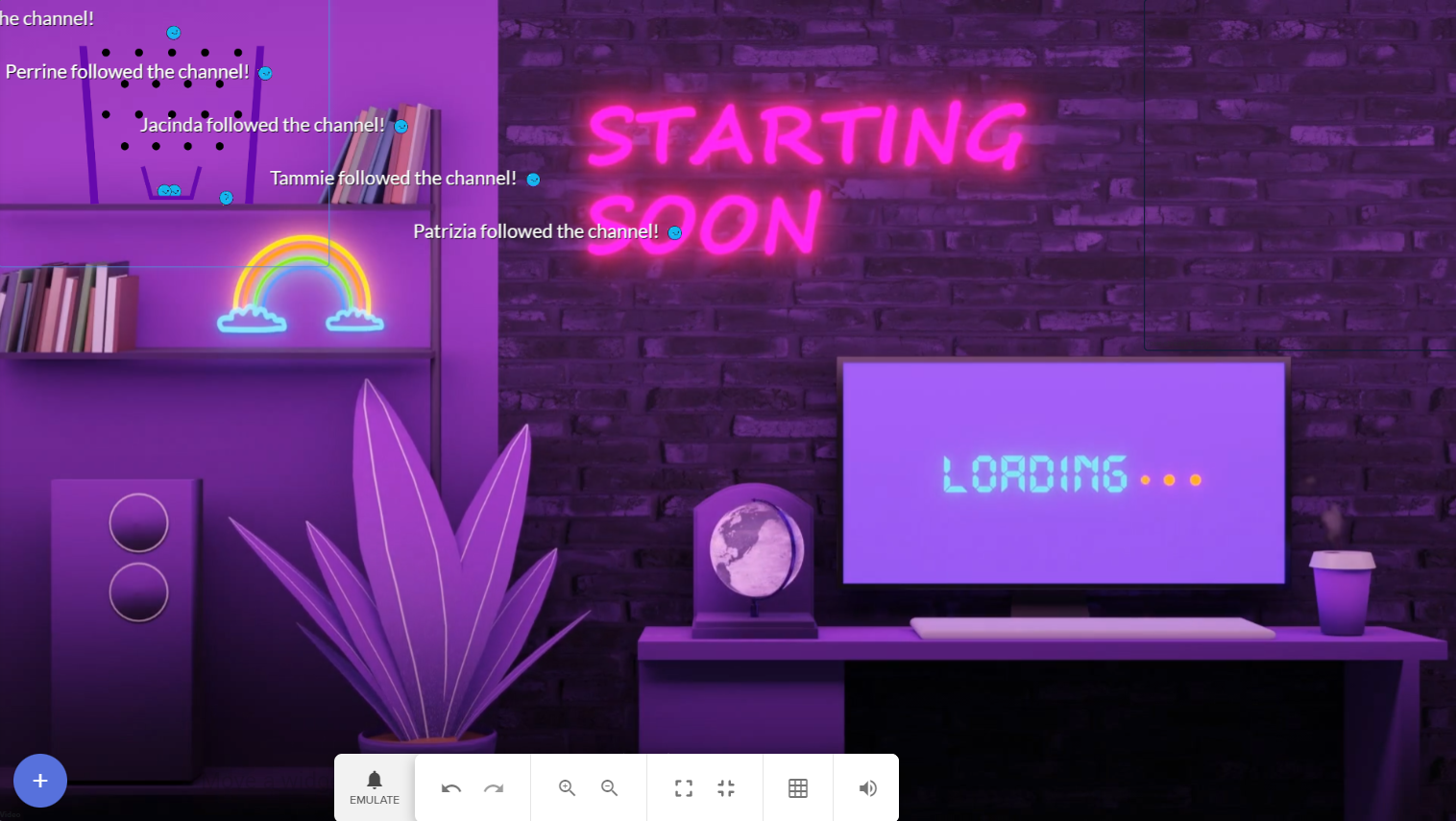

 cinder imp
Can I get some help?