#helpdesk-twitch
1 messages · Page 964 of 1
 ebon forum
 fast jungle
is the banned words group timeout in minutes or a different set amount of time?
fast jungle
is the banned words group timeout in minutes or a different set amount of time?
Filters have specific settings and they apply to the whole filter, not to the specific group of words in the filter.
fast jungle
ebon forum
Filters have specific settings and they apply to the whole filter, not to the sp...
this somewhat answers the question but is the timeout length setting is in seconds, minutes, hours, days, weeks for the Banned words group feature?
it's unclear on the specific type of time for the timeout length setting
 viral nova
Hello. I was working on my overlay, and when I saved a change, I realized that the overlay screen on the website is not the same dimension as the stream. Is there a way to fix that?
 ornate mason
viral nova
Hello. I was working on my overlay, and when I saved a change, I realized that t...
ornate mason
viral nova
Hello. I was working on my overlay, and when I saved a change, I realized that t...
Set the dimensions in OBS to 1920x1080. If it doesn’t fit then, right click > transform > fit to screen
ornate mason
fast jungle
this somewhat answers the question but is the `timeout length` setting is in sec...
Seconds
fast jungle
ornate mason
Seconds
Thank you
viral nova
ornate mason
Set the dimensions in OBS to 1920x1080. If it doesn’t fit then, right click > tr...
That did not fix it. It is still appearing right in between the screen, as if the website overlay editor doesn't go all the way down
 tribal basalt
Hi! I am a streamer and didn't know I was supposed to buy the Sacred Founder Pack and i spent $50 on something else and this is for the sponsorship.
ebon forum
tribal basalt
Hi! I am a streamer and didn't know I was supposed to buy the Sacred Founder Pac...
Hi. This is fine, can you contact this email? support@streamelements.com
We recommend including that description and the receipt screenshot of the payment - we can adjust it
 wooden blaze
Good evening, I replied to your message in the ticket, and still no one answered me
tribal basalt
I responded to the ticket
wooden blaze
the total ticket is one to verify the sse.pay account, they told me I would contact me, there was another problem and I didn't get an answer
oh
viral nova
My settings were already at 1920x1080, but the overlay I made on the website only extends to the middle of OBS when applied. I don't know why it is doing so.
 dry hare
viral nova
My settings were already at 1920x1080, but the overlay I made on the website onl...
dry hare
viral nova
My settings were already at 1920x1080, but the overlay I made on the website onl...
Check OBS Settings > Video > Base Canvas resolution
should be whatever your monitor resolution is
 dim monolith
well i guess i'm gonna have to do it manually with nightbot since i've not heard anything from the devs
viral nova
dry hare
Check OBS Settings > Video > Base Canvas resolution
My monitor resolution is 1920X1080. For some reason, the overlay, or the parts I needs, are not being transferred at that resolution
dry hare
viral nova
My monitor resolution is 1920X1080. For some reason, the overlay, or the parts I...
when you added the browser source, did you add it at 1920x1080?
dry hare
dim monolith
well i guess i'm gonna have to do it manually with nightbot since i've not heard...
no idea what you are asking for help with.
dim monolith
its with night bot im not able to import it to stream elements
dry hare
dim monolith
its with night bot im not able to import it to stream elements
Are you using the Chrome import tool?
dim monolith
no from stream elements site it self
viral nova
dry hare
when you added the browser source, did you add it at 1920x1080?
Do you mean the resolution that the browser source is in now, or do I need to actually redo it with that resolution
dry hare
viral nova
Do you mean the resolution that the browser source is in now, or do I need to ac...
You can modify the browser source resolution by double-clicking the source in the list.
dim monolith
when you click on your profile and select import then import now in imports
dry hare
dim monolith
when you click on your profile and select import then import now in imports

here?
dim monolith
yea
dry hare
open a second tab and make sure you're logged into both streamelements and nightbot pages
viral nova
dry hare
You can modify the browser source resolution by double-clicking the source in th...
The browser source is already 1920x1080, so it is not that.
 dim monolith
where can i find that
dry hare
viral nova
The browser source is already 1920x1080, so it is not that.
Can you screenshot your obs for me?
dim monolith
i've tried all if them and still doesn't work bing yahoo google and microsoft edge all doesn't worrk
dry hare
I did mine in Firefox
log out of nightbot, log out of se, close the browser and try again
dim monolith
i've all ready given my error report to someone who works here and his passed it on but i've not heard anything since
viral nova
dry hare
Can you screenshot your obs for me?
Any specific thing?
dry hare
dim monolith
i've all ready given my error report to someone who works here and his passed it...
Do you have any "sound effects" commands?
dry hare
viral nova
Any specific thing?
just your OBS window
dry hare
dim monolith
just timers and chat commands
and you've tried just doing commands only or timers only?
 lethal prism
how to move streamlabs overlay to this 1?
 fallow tundra
im having difficulty going live, it keeps saying either my stream key could be wrong or it failed to connect to the server
dim monolith
when i stream, stream elements is activated in chat, even tho nightbot is also connected to twitch but it doesn't work because stream elements is activated
 nimble dune
@fallow tundra obs settings > stream > disconnect/reconnect account
dim monolith
like i said im gonna have to copy and paste everything manually one at a time, this is such an inconvenience
viral nova
dry hare
just your OBS window
I have what I want it to look like at the bottom from another site. I put it into the streamelements overlay, and it is appearing halfway between the top and bottom.
 dry hare
viral nova
I have what I want it to look like at the bottom from another site. I put it int...
dry hare
viral nova
I have what I want it to look like at the bottom from another site. I put it int...
So are you putting the text in obs? or in the overlay?
dry hare
dim monolith
like i said im gonna have to copy and paste everything manually one at a time, t...
pinging staff to peek at it again
fallow tundra
nimble dune
<@755804042512564358> obs settings > stream > disconnect/reconnect account
thx so much that worked
viral nova
dry hare
So are you putting the text in obs? or in the overlay?
Overlay as a browser source. It is the right resolution, but it doesn't go all the way down for some reason.
 foggy heart
dim monolith
its ok i'm doing it manually
foggy heart
dim monolith
its ok i'm doing it manually
I'll check and see if anything came of that error report just in case
dim monolith
ok thank
dry hare
viral nova
Overlay as a browser source. It is the right resolution, but it doesn't go all t...
the text? or the overlay itself?
viral nova
The labels that are in the center of the screen, left side. They should be on the bottom, which are imported from elsewhere.
dry hare
so you imported the entire overlay and they don't line up correctly after import?
viral nova
Yes
dry hare
this will sound extremely dumb, but go into the overlay editor and duplicate the widgets to a new blank overlay
unless you can adjust them in the editor
if they don't wanna cooperate in the editor, duplicate the widgets to a new blank overlay and move them in that one
I think it's a bug in the import tool
viral nova
I can adjust them in the editor, but it makes no sense that they don't work, but I will try it when I can.
dry hare
make sure to click save 😉
once you position them in the editor, you might need to refresh your overlay in obs
 polar kraken
Thank you! 😄
I have another question, I can't update my session bits like my widget is showing everything correctly just not the bits. Hope somebody can help me 🙂
 marsh creek
how come my custom commands arent working today?
 crude pecanBOT
@marsh creek ⤵️
If your commands recently stopped working and you're using OBS.Live and a custom bot name do the following:
- In OBS.Live, click on the hamburger menu (three stripes) at the top left of your activity feed
- Click on Stream Settings > Custom bot name
- In the Custom bot name field select Set custom bot name, not your already existing username (with capital letters). Note: If you already connected an account that way, the third entry will show as the account name (see image https://i.imgur.com/re4theQ.png).
- Scroll a bit down and click on the purple Connect Custom Bot Account button
- Log in as usual and Authorize the custom bot name
- Back in the Activity feed, click on the Send Test Message button and check if your custom bot name starts working again
 jovial summit
Hello, I have a problem with host alerts, only those do not come out, I think I have it well configured, but they do not work
crude pecanBOT
@jovial summit ⤵️
Due to changes to Twitch API, we have filtered out hosts and will only show these ones on your activity feed:
- All hosts coming from an online channel with at least 1+ viewer
- Auto host events with at least 1 viewer - only from a channel that just went offline
Note: If you see X channel has hosted you with no viewers on the back, that is considered an offline host or a host with 0 viewers, we do not show these.
 hard ridge
Hello~ My activity feed won't show tips, raids or any kind of subs just followers.
 lusty ravine
how can i make the streamelements bot in the chat psotet my created message and you can hear a sound in the livestream ?
crude pecanBOT
@hard ridge ⤵️
Please provide your account ID found at the top of this page: https://streamelements.com/dashboard/account/channels This ID is public info and safe to share here.
foggy heart
lusty ravine
how can i make the streamelements bot in the chat psotet my created message and ...
Could you clarify what you mean here? Are you looking to have alert sounds play on stream?
marsh creek
hi so im still having problems with streamelements and twitch, none of my commands work and only select alerts work as they all worked yesterday and they now dont. i did change my twitch name last night i dont know if that has anything to do with it.
crude pecanBOT
@marsh creek ⤵️
If you changed your name on Twitch, please follow these steps:
- Visit https://streamelements.com/logout and then log in again by connecting with Twitch.
- On the right side of the dashboard page that opens, select Join under bot settings. If it says Part select that and then select Join to send the bot to the chat. Don't forget to mod the bot by typing /mod streamelements in your channel if you have not already.
- Post your old and your new name here so that we can update your channel's chatstats tracking (must be done by staff).
marsh creek
crude pecan
<@678459523945725953> ⤵️
daisygirl_xo old, new daisygirlxx
im also trying to add kappangen to obs but the test isnt working in streamelements or obs. it isnt showing anything.
 ebon gale
Dropping 60% - 99% frames not sure what to do
foggy heart
marsh creek
daisygirl_xo old, new daisygirlxx
You Chatstats page should be up now
foggy heart
marsh creek
im also trying to add kappangen to obs but the test isnt working in streamelemen...
Can you test in a preview window in your web browser?
crude pecanBOT
@ebon gale ⤵️
Dropped Frames means that you have a bad connection between your device and the streaming platform and most likely something related to your ISP not handling the connection properly.
Speed tests usually cannot help solve this problem and its best to use this guide: https://obsproject.com/wiki/Dropped-Frames-and-General-Connection-Issues
If you stream to twitch, use the !twitchtest command and do a connection test to your regional servers.
dim monolith
I've done it manually it's all done now
at least with stream element i did have to use * when setting up my bad words
well night everyone
hard ridge
crude pecan
<@156092036557176832> ⤵️
6127c504349945116e7320bb
marsh creek
foggy heart
Can you test in a preview window in your web browser?
I can’t see anything no type of test
 long cove
hi, so im not sure why this is a problem. When i go on the streamelements side i can't go to my dashboard. it just keeps redirecting me to the start side... What is the fix for this=?
crude pecanBOT
@long cove ⤵️
Please logout of StreamElements at https://streamelements.com/logout and then login again to your account (Twitch/YouTube/Facebook).
@marsh creek ⤵️
Please provide your account ID found at the top of this page: https://streamelements.com/dashboard/account/channels This ID is public info and safe to share here.
 crude pecanBOT
Use the Twitch Bandwidth Test to find the best Twitch server to stream to. Set Duration to Medium. You can uncheck any regions you're not near.
After the test completes, click the Share Result button to upload a screenshot, which can then be copied and pasted here.
Get Twitch Test from https://r1ch.net/projects/twitchtest.
marsh creek
crude pecan
<@678459523945725953> ⤵️
ID: 60175a67a249a459f552d513
ebon gale
Not an ISP issue, I just troubleshooted with them for an hour. It's not their end. I am still sitting at 80% going live.
I looked over the article linked to me and none seem to be fixing my issue.
 subtle fractal
Hello
I have a question regarding the Overlay creator.
I have a facecam that is animatedwhich i would like to put in my overlay just so ican put the static label of last follower and last dono under it.
Currently i have the labels itself active but everytime i move my cam around in stream to fit different games its just wonky and i cant do it during stream because i have to move around the cam itself and the overlay itself to have the labels afterwards.
Sadly streamelements only allows MP4's up to 30 mb and mine is 90mb, how do you guys tackle issues like that and is there a way around?
ebon gale
Is anyone here?
foggy heart
subtle fractal
Hello
I have a question regarding the Overlay creator.
I have a facecam that is ...
The only thing I would suggest is trying to lower the size of the mp4, as there isn't a work around for the size constraint.
foggy heart
ebon gale
Is anyone here?
Have you had a chance to look at the OBS logs of your last stream?
foggy heart
Is this the most recent log, or the one from the last stream.
foggy heart
Nope, the one from the last stream is good
ebon gale
Thank you for helping, I'm losing my mind. I stream multiple times a day and never experience 98% dropped frames lol
Any suggestions?
foggy heart
ebon gale
Any suggestions?
https://obsproject.com/tools/analyzer?log_url=https%3A%2F%2Fobsproject.com%2Flogs%2FuCXkcRYqXQPBSV7- This is from OBS, and it looks like it's still pointing towards a network issue. Maybe take a look for network card updates, or possible networking problems on the streaming PC?
OBS (Open Broadcaster Software) is free and open source software for video recording and live streaming. Stream to Twitch, YouTube and many other providers or record your own videos with high quality H264 / AAC encoding.
ebon gale
It is saying my bitrate is set low. I have it at 6000 I thought that was the max twitch will allow?
lusty ravine
foggy heart
Could you clarify what you mean here? Are you looking to have alert sounds play ...
i want when my created text is posted in twitch chat by the bot with a command and the bot sends the message in you should hear a sound in the stream
 upper plaza
I've added the kappagen to my channel thru stream elements and half the emotes dont show on the screen,what am I doing wrong ? Thanks for any help
foggy heart
ebon gale
It is saying my bitrate is set low. I have it at 6000 I thought that was the max...
That might be what the bitrate is set to, but the encoder might not be pushing that out since it also mentions the encoder get overloaded
ebon gale
How do I fix that?
foggy heart
ebon gale
How do I fix that?
I would look over this page: https://obsproject.com/wiki/General-Performance-and-Encoding-Issues
foggy heart
upper plaza
I've added the kappagen to my channel thru stream elements and half the emotes d...
Is this only how it looks in OBS, or in both OBS and the online editor?
foggy heart
lusty ravine
i want when my created text is posted in twitch chat by the bot with a command a...
I would take a look at this page and see if that has what you need: https://support.streamelements.com/en/articles/101-setting-up-sound-commands
foggy heart
upper plaza
On the editor they all show
Do you have the overlay at the proper resolution? Might also help to toggle hardware acceleration
upper plaza
I'll have to check that,where would I toggle hardware acceleration?
crude pecanBOT
OBS > Settings > Advanced > Scroll down > Enable or disable Browser Source Hardware Acceleration, depending on its current state > Restart OBS
https://i.imgur.com/ggMe9ZE.png
upper plaza
Thanks ill check and get back to you if it hasn't fixed it
lusty ravine
foggy heart
I would take a look at this page and see if that has what you need: https://supp...
i meant that the bot posts with !hello in the chat with the message hello nice to see you and that a sound is heard in the stream saying hello
foggy heart
lusty ravine
i meant that the bot posts with !hello in the chat with the message hello nice t...
There isn't a native command for that, you'd need to use the sound redemptions for sounds to play from chat
lusty ravine
foggy heart
There isn't a native command for that, you'd need to use the sound redemptions f...
okay, I want the bot to join in! hello the message hello nice that you are there in the chat and you can hear a sound in the stream
foggy heart
lusty ravine
okay, I want the bot to join in! hello the message hello nice that you are there...
The sound command redemptions will either play a TTS message the user has sent or a sound clip you have in the store, there isn't a way to give it a personal message
lusty ravine
foggy heart
The sound command redemptions will either play a TTS message the user has sent o...
yes, I mean the sound comes from SoundShop and the bot posts the message that was stored in the befel in the chat and the sound from SoundShop can be heard in the stream
foggy heart
lusty ravine
yes, I mean the sound comes from SoundShop and the bot posts the message that wa...
I'm still not 100% sure on how you're looking to set it up, but I would test it out with the steps in the link I provided first. If you have a sound clip, you can use it there and have it play on stream
lusty ravine
foggy heart
I'm still not 100% sure on how you're looking to set it up, but I would test it ...
but how can I make that the bot is chatting with the befel! hello posts a message plus a sound can be heard in the stream
ebon gale
So I did all the troubleshooting we went over and am still dropping 90% frames.
foggy heart
lusty ravine
but how can I make that the bot is chatting with the befel! hello posts a messag...
You can have a command with a keyword that reacts to a chatter saying hello, but the bot will not automatically message new users in chat
foggy heart
ebon gale
So I did all the troubleshooting we went over and am still dropping 90% frames.
I might suggest checking out the OBS discord, they may have better troubleshooting for OBS
 karmic herald
Hi, I'm wondering why the StreamElements leader board is not keeping track of chat stats?
crude pecanBOT
@ebon gale ⤵️
Obs.live is a plugin for OBS Studio for the best OBS support, please join their Official Discord @ https://discord.gg/obsproject
foggy heart
karmic herald
Hi, I'm wondering why the StreamElements leader board is not keeping track of ch...
Have you changed your username recently?
karmic herald
foggy heart
Have you changed your username recently?
No, its always been the same
crude pecanBOT
@karmic herald ⤵️
Please provide your account ID found at the top of this page: https://streamelements.com/dashboard/account/channels This ID is public info and safe to share here.
karmic herald
Its 615132ddf193515d1177e8fb
foggy heart
karmic herald
Its 615132ddf193515d1177e8fb
Your stats should be tracking now
karmic herald
Thank you!! 
 dusk nimbus
Can't connect my bot account. I log in with it, authorise and then it just sends me back to "connect bot account"
It was connected before and was randomly disconnected
crude pecanBOT
@dusk nimbus ⤵️
- Right-click your OBS desktop shortcut (not the OBS.Live shortcut) and navigate to Properties
- In the Target field, add the following to the very end:
--remote-debugging-port=40404(don't forget to add a space before the current path)
https://streamelements.is-serious.business/6ihr2EL.jpg - Open OBS (or restart if it was open)
- Open your web browser and type in:
localhost:40404(try127.0.0.1:40404if you see issues - https://streamelements.is-serious.business/3EGPQFJ.jpg) - Click on StreamElements - Activity feed - https://streamelements.is-serious.business/2kJYt2b.jpg
- Type the following into the console and hit enter:
store.customBot.removeCustomBotIntegration() - Try setting the custom bot name, make sure you follow https://strms.net/custombotname
- Remove the flag added in step 2 from your shortcut properties
dusk nimbus
crude pecan
<@268457624171839488> ⤵️
I don't understand part 2. It doesn't let me change the target field. says its not valid.
 hollow slate
why my stream activity all gone/disappear? i didnt click reset on that . 😵💫
hollow slate
anyone know how this happend?
foggy heart
Is it missing within your online dashboard, or somewhere else?
hollow slate
in OBS plugin and in the website too
ID:
5fb8c6232254a511a80bfdb0
in activity feed data gone?
foggy heart
When did you last see information in your activity feed?
hollow slate
1-2days i think
foggy heart
I will have our developers take a look and see if there is something that changed with the account.
hollow slate
thx, im hoping the data can come back 😇
 twilit python
Hi, having issues with stream elements website not loading (white screen), have tried clearing browser cache etc but no resolution. Problem seems to come and go at different times. Was attempting to edit a layout but was met with invalid token so was following advice of logout and back in again but now we are back to white screen.
 lethal locust
Any plans to add Raids to the credits roll widget? Hoping I can give them credit at the end eventually like it did with Streamlabs' creditsroll. Hosts not so much, since autohosts would surely clog the roll up.
 tame oasis
Hi everyone, i've created an item on streamlabs with the affiliate overlay. i wanted to know if there a way to add a variable to display the name of the viewer . For example, if i put my command , i've got the message "Reymyxx redeemed Command" but i would like to add "Reymyxx redeemed Commande for {name of the viewer}, is it possible to do that ?
by the way, it's for the display on the screen, it works on the chat
foggy heart
twilit python
Hi, having issues with stream elements website not loading (white screen), have ...
What browser are you using, and did you completely wipe the contents of the cache?
crude pecanBOT
@lethal locust ⤵️
Check out the StreamElements ideas board: https://strms.net/ideas. You'll be able to add ideas, upvote ideas you agree with and track their progress with email notifications. Adding and upvoting ideas also helps the staff know which ideas should be prioritized so please take some time to upvote.
@tame oasis ⤵️
Please provide a proper screenshot with the issue visible. If not sure how to take a screenshot, you can check here: https://www.take-a-screenshot.org
karmic herald
Is it possible for Chat Bot to fetch a game rank/elo? When I put in what I was using with NightBot it doesn't work
dry hare
Check #command-share
karmic herald
Thank you
 feral creek
dusk nimbus
I don't understand part 2. It doesn't let me change the target field. says its n...
feral creek
dusk nimbus
I don't understand part 2. It doesn't let me change the target field. says its n...
Can you show a screenshot of what is saying not valid?
 tacit wharf
The website is not letting me change anything on my user management screen. As well, it doesnt recognize that I am the broadcaster...
 limber ruin
Hii I'm setting up my streamelements alerts, and when I test them, they are showed correct in streamelements, but they are all to the the right in obs studio like you can only see half of the alert picture and text.. How do I fix this?
 crude pecanBOT
@limber ruin ⤵️
To add your overlays to OBS, add a new browser source in your scene. Paste your overlay URL in the browser source properties, set the dimensions to 1920x1080 (unless you changed them on the website) and check Shutdown source when not visible. https://youtu.be/KDvLynUqXI4
 weak coral
Can I use overlays on xbox without a capture card?
 young moat
how do i add my stream key to obs
 ionic kelp
@weak coral you'd need to use something like lightstream.
dry hare
weak coral
Can I use overlays on xbox without a capture card?
With lightstream as sudo said, yes.
dry hare
young moat
how do i add my stream key to obs
For twitch click the connect to twitch button in obs settings > stream
 soft vine
My stream elements bot wont work and it hasnt been working for months, what can i do to fix this? no commands work or anything
weak coral
So cant do it with stream elements
ionic kelp
Directly no as streamelements only provides overlays/alerts.
ionic kelp
Next closest option would be to capture the Xbox companion app but would need a decent network connection and PC.
weak coral
Have a amazing internet and lap top for my twitch dashboard in front
I can apply overlays with the companion app?
ionic kelp
You do it within OBS.
weak coral
How sir?
 prisma relic
3 dot menu on the overlay and "duplicate" to another account that you have or manage
 fierce vigil
Hi by mistake I put the wrong paypal account on the tips, how can I fix it?
 keen wigeon
fierce vigil
Hi by mistake I put the wrong paypal account on the tips, how can I fix it?
keen wigeon
fierce vigil
Hi by mistake I put the wrong paypal account on the tips, how can I fix it?
Change it to the correct one in the tipping settings.
fierce vigil
Where can i find these settings?
keen wigeon
Revenue -> Tipping settings -> Tipping settings tab -> disconnect the existing account and set up the correct one.
fierce vigil
Thank you!
 keen pagoda
I'm trying to import my streamlabs ankhbot/streamlabs commands into streamelements but it fails every time.
It will import points and quotes but fails when I try to do commands
ionic kelp
@keen pagoda #helpdesk-twitch message
keen pagoda
ionic kelp
<@282314360091705345> https://discord.com/channels/141203863863558144/1994606429...
That’ll do it thanks 😊
 true osprey
Hi, I’m having an issue with Mediashare in OBS, I can’t see the video but the audio is playing perfectly fine, and in the actual widget preview the video is playing.
 dusky shale
Hi there, could anyone please help me out. Where is the settings for chat and shared access. Hate the new layout very much!!!!
true osprey
Ah, nevermind, the audio was coming from the widget preview as well :((
prisma relic
dusky shale
Hi there, could anyone please help me out. Where is the settings for chat and sh...
hey; for the shared access you mention, do you mean like adding another user as a mod on the site to edit things?
dusky shale
prisma relic
hey; for the shared access you mention, do you mean like adding another user as ...
yes
prisma relic
ahh; ya; i can undsertand after i have to type this out 🤣
cilck your PFP in the upper right, then click your PFP/Name again ... then channel settings
short link is: https://streamelements.com/dashboard/account/channels
dusky shale
prisma relic
ahh; ya; i can undsertand after i have to type this out 🤣
found it, thank you very much.
 errant stream
Good Morning
The bot Brian that is the only one that speaks the donation messages, if I put a Spanish bot he doesn't speak the donation messages. Why does this happen?
keen wigeon
errant stream
Good Morning
The bot Brian that is the only one that speaks the donation message...
Which voice is not working?
errant stream
All the Spanish and Portuguese voices
keen wigeon
errant stream
All the Spanish and Portuguese voices
Some voices are currently not working, and the Spanish ones seem to be affected. Enrique, Sophia and Laura at least.
Our developers are looking into it. I'll add your user to the list of affected users.
crude pecanBOT
@errant stream ⤵️
Please provide your account ID found at the top of this page: https://streamelements.com/dashboard/account/channels This ID is public info and safe to share here.
errant stream
keen wigeon
Some voices are currently not working, and the Spanish ones seem to be affected....
I see. Thank you very much for your help.
lethal locust
Hopefully this is the right category for this question - the Alert Widget in StreamElements for "Cheer alert" will not respect the image and sound nor any other settings I have selected for it when I run a test. The twitch issues are resolved now, so it shouldn't be related to that. I've saved several times and the testing is defaulting to the original settings rather than my own. Will it do this live too? I saw someone else was having a similar problem yesterday but it was supposedly related to Twitch being down, doesn't seem relevant today since Twitch is now operating as normal.
Any ideas to get this working?
ionic kelp
@lethal locust check variations?
lethal locust
I turned off all variations and it now works, thank you so much!!!! Easy fix
One more question, I made a new overlay to put a viewer count on a new scene and it looks okay within StreamElements, and it looks okay in all of the filters/properties/source windows within OBS, but on my scene itself in OBS (the one viewers see), I do not see it at all even though everything is correct in browser source. It's at the top layer, unhidden in OBS. Any ideas? It works right on my other scenes. I restarted OBS, I re-made the browser source, I can't think of any other things to try to get it to show up. Searched discord history and couldn't find a similar question, odd I can't get it working.
Only thing I can think of is that when I initially made this Overlay in StreamElements, it was a video, but I deleted that layer and added the view count after to repurpose the Overlay. I suppose I could create a whole new overlay and do all the settings again to test... x.X
hard ridge
Morning, any update on my previous request? I provided my account ID as requested.
crude pecanBOT
@lethal locust ⤵️
The default resolution for StreamElements overlays (theme and custom) is 1920x1080. Please add them in OBS at their full resolution and use CTRL+F to fit to screen if necessary. You can then downscale your stream in OBS settings > Video if you'd like https://i.imgur.com/6bWXxjR.png
 wheat fiber
Hi Friends, I'm trying to use the giveaway feature, but when I start a giveaway, the !ticket and !enter commands in chat do nothing, the users don't get tickets
keen wigeon
wheat fiber
Hi Friends, I'm trying to use the giveaway feature, but when I start a giveaway,...
Make sure the commands are enabled under Chat bot -> Chat commands
wheat fiber
keen wigeon
Make sure the commands are enabled under Chat bot -> Chat commands
I'm such a donut LOL thank you!
keen wigeon
hard ridge
Morning, any update on my previous request? I provided my account ID as requeste...
Can you show your Twitch activity feed with the events missing from our AF?
hard ridge
keen wigeon
Can you show your Twitch activity feed with the events missing from our AF?
Of course. I've filtered out followers because is working but the last gift/sub/bit/raid track was November the 15th.
https://i.imgur.com/cNhwRoL.jpeg
 sinful stone
Can anyone help me, I seem to always get the message from stream elements during a stream that says "response message" anyone know how I can stop this?
prisma relic
sinful stone
Can anyone help me, I seem to always get the message from stream elements during...
this is from a Timer. check the settings you have for those.
sinful stone
What would a wrong setting be tho?
prisma relic
it says "response message" 🙂
sinful stone
prisma relic
it says "response message" 🙂
Yeah but how would I know which timer setting is wrong?
As I have a few.
prisma relic
you'll have to take a look through them to find it @sinful stone ... it should jump out when you see it:

 hard relic
Has anyone encountered something like this before?
I set a custom font family in the overlay editor and everything works fine, but in OBS it reverts back to the standard font...
I've tried restarting OBS, refreshing the cache, restarting my PC, etc.
So far, nothing worked.

 prisma relic
hard relic
Has anyone encountered something like this before?
I set a custom font family in...
prisma relic
hard relic
Has anyone encountered something like this before?
I set a custom font family in...
🤔 ... are you using a local font file or host font (googlFont)
hard relic
All I did is type in the font family, so I assume host font, but I do also have this font family downloaded
 prisma relic
... i'm looking at it; and i'm confused too 🤣
keen wigeon
hard ridge
Of course. I've filtered out followers because is working but the last gift/sub/...
I reset something that might fix this, please test in your next stream.
prisma relic
hard relic
All I did is type in the font family, so I assume host font, but I do also have ...
this is an odd one. and I have no idea; but the fonts are not working in OBS 🤔
hard relic
Any idea where i could find someone that can help?
prisma relic
I can help you get it work for now... maybe; i get get it working on my end; but something isn't right.
crude pecanBOT
@hard relic ⤵️
- Right-click your OBS desktop shortcut (not the OBS.Live shortcut) and navigate to Properties
- In the Target field, add the following to the very end:
--remote-debugging-port=40404(don't forget to add a space before the current path)
https://streamelements.is-serious.business/6ihr2EL.jpg - Open OBS (or restart if it was open)
- Open your web browser and type in:
localhost:40404(try127.0.0.1:40404if you see issues - https://streamelements.is-serious.business/3EGPQFJ.jpg) - Click on StreamElements - Activity feed - https://streamelements.is-serious.business/2kJYt2b.jpg
- Type the following into the console and hit enter:
store.customBot.removeCustomBotIntegration() - Try setting the custom bot name, make sure you follow https://strms.net/custombotname
- Remove the flag added in step 2 from your shortcut properties
prisma relic
^ stop at step 4
when you go to the local host you will see something like this:

click the links to find the Overlay with that font.
then Right Click on the text with the broken font. This will crash OBS.
Reload OBS and it will work.
hard relic
Thanks, I'll try that!
 royal tundra
hard relic
Has anyone encountered something like this before?
I set a custom font family in...
royal tundra
hard relic
Has anyone encountered something like this before?
I set a custom font family in...
wow who made you them they are great?
hard relic
hard relic
prisma relic
then Right Click on the text with the broken font. This will crash OBS.
where exactly do I find the text? I only see a white page and a bunch of HTML code on the right
prisma relic
try the next link then
trying to make the issue again and record it for devs to look into; 1 minute

 prisma relic
Here is what I see
first part is just proof of font change; around the 60 second mark you can see me trying to find the right source
hard relic
yeah that window doesn't show up for me.. just a white screen
I checked the url and I'm in the correct overlay
prisma relic
🤦♂️ .... try just closing OBS and opening it again.
that seems to work too and is much easier 🤣
hard relic
still the same wrong font
actually, that might have worked!
ah nope
nevermind
it did load the debug window and right-clicking the font crashed obs, but after starting it again it's still the same font
prisma relic
Are you using Windows and have OBS 27?
hard relic
Windows 10, OBS 27.1.3, 64 Bit
 zenith briar
Are there any widget / overlay for Streamelements to show which song now playing?
prisma relic
zenith briar
Are there any widget / overlay for Streamelements to show which song now playing...
check out #widget-share message
 ruby mesa
Hi SE team. Following up on this query. I've asked three times in here but unfortunately, still can't access my chatstats. I've never changed my username and meet all basic requirements for these to work.
I understand that SE has been inundated over the last few weeks but any assistance here would be greately appreciated. 
zenith briar
prisma relic
check out https://discord.com/channels/141203863863558144/457957557470887947/817...
Nice. Thank you
crude pecanBOT
@ruby mesa ⤵️
Please provide your account ID found at the top of this page: https://streamelements.com/dashboard/account/channels This ID is public info and safe to share here.
ruby mesa
crude pecan
<@345087672538234892> ⤵️
60c9ab583a13e38a04cd0d9d
prisma relic
ruby mesa
Hi SE team. Following up on this query. I've asked three times in here but unfor...
what is your twitch name
ruby mesa
prisma relic
what is your twitch name
Rhilever
prisma relic
ruby mesa
Rhilever
fixed 🙂
ruby mesa
@prisma relic Thank you! I can see the page now. There is no recorded data though. Will this just take a little while to update?
prisma relic
ruby mesa
<@!229122038294380545> Thank you! I can see the page now. There is no recorded d...
if there was data before it would have been moved over already. if it's all empty that means there was no old information to move/update
 pale anchor
guys is any one here i need som help if its possible ty
 craggy geyser
pale anchor
guys is any one here i need som help if its possible ty
craggy geyser
pale anchor
guys is any one here i need som help if its possible ty
just ask your question 🙂
pale anchor
i can fix setings for my stream with obs for twitch
is any one that can help me fix it ?
i m realy cant do it i try almost evrything
btw i m sorry for bothering you 🙂
pale anchor
craggy geyser
just ask your question 🙂
i can fix setings for my stream with obs for twitch
[3:22 PM]
is any one that can help me fix it ?
[3:23 PM]
i m realy cant do it i try almost evrything
[3:25 PM]
btw i m sorry for bothering you
craggy geyser
pale anchor
i can fix setings for my stream with obs for twitch
[3:22 PM]
is any one that ca...
what exactly is wrong with your setting?
pale anchor
craggy geyser
what exactly is wrong with your setting?
its lagging and droping frames and i dont know why
ruby mesa
prisma relic
if there was data before it would have been moved over already. if it's all empt...
Thank you for your help. I assume there was no data because this page hadn't been activated before. At least it will start collecting data now. Thanks again 
 burnt fern
Good evening, I have a question or a problem. One of my subscribers changed his name on twitch and has not been recognized as a subscriber by streamelements since then. Commands say he has no community points although there are enough, sound commands for subscribers are not played with a reference that they are only played for subscribers, etc. What can we do there?
nimble dune
@burnt fern have the user do this 🔽
crude pecanBOT
Please logout of StreamElements at https://streamelements.com/logout and then login again to your account (Twitch/YouTube/Facebook).
burnt fern
nimble dune
<@!383329811856097280> have the user do this 🔽
A normal user has to do this? As far as I know he hasn‘t connected his twitch account to streamelements bevause he‘s not streaming. He‘s a normal user/watcher. But I will show him this option.
nimble dune
burnt fern
A normal user has to do this? As far as I know he hasn‘t connected his twitch ac...
Yes
burnt fern
nimble dune
Yes
Worked. Thanks a lot
 split gull
Hey, I need help as a Twitch Mod. Is there a way to create or edit a command so that only Mods, Followers etc. can use the command? Also I don't really understand the command !command options
 stray geode
My chatstats page is 404ing. Is there anything I can do to fix this?
https://stats.streamelements.com/c/toonafeesh
 lament blade
stray geode
My chatstats page is 404ing. Is there anything I can do to fix this?
https://sta...
lament blade
stray geode
My chatstats page is 404ing. Is there anything I can do to fix this?
https://sta...
try now
 quasi forge
Hello! I am having a problem with my chat while streaming. The chat is not updating and I have to refresh it from time to time to see if I have new messages. The problem appeared on Wednesday and not resolved yet. Can it be connected with StreamElements? Thank you.
stray geode
Thank you so much @lament blade
 subtle tapir
Hello, i have a problem with my alerts, they appear and sound... But when it comes to the TTS to read it... It doesn't work... I have tried things but nothing its working for me, what it can be?
Thanks 
 pure sun

 queen copper
I can’t seem to fill in my SEpay stats. It keeps giving an error. I do have the payments set-up, but I can’t setup the withdrawal.
 twilit python
foggy heart
What browser are you using, and did you completely wipe the contents of the cach...
twilit python
foggy heart
What browser are you using, and did you completely wipe the contents of the cach...
Google Chome (as used the extension to import form Stream Labs), and yes the cache wipe was set to Everything. The issue is intermittent, for example now the dashboard is working as expected so these seems to be a load / config issue perhaps via Cloudflare?
crude pecanBOT
@queen copper ⤵️
Please contact us via email for support with SE.Pay. You can use our contact form here: https://streamelements.com/contact Thank you.
 winged panther
Hey, getting this error when I try to tip my account

 late plaza
Is there a way to set a custom domain for your tipping page?
late plaza
winged panther
Hey, getting this error when I try to tip my account
which currency are you donating with?
winged panther
late plaza
which currency are you donating with?
I tried INR and USD, AUD and others all had same issue
late plaza
winged panther
I tried INR and USD, AUD and others all had same issue
Did you check if your paypal is correct
winged panther
Yes, my paypal is correct and has my Bank and Card connected to it
 shadow basin
I am looking for a way to announce tips/hosts and other Twitch notifications to Discord. Any bot that does this and works with StreamElements?
👀
winged panther
shadow basin
I am looking for a way to announce tips/hosts and other Twitch notifications to ...
Stream cord can show Stream start notification to discord, idk about tips and hosts
shadow basin
Yeah, thats the only thing I already got haha
I'd like to show all of the donos etc
 vagrant spear
Every time someone redeems something through the extension, the alert and dashboard will show the name of the streamer, instead of the name of the person who redeemed it. When using the redeem command or the website, everything works as intended. Does anyone know how to fix this? Disabling and re-enabling redeem through the extension does not fix this.
(Not my stream, but I am the SE editor of this channel).
 ionic kelp
@vagrant spear have them disable the extension. Known issue.
 foggy dew
hi, i just have a question concerning subscription lables... they are not displayed in stream overlay correctly
and i tryed everything to make them work again, but I failed
lament blade
Hello, why there is no stats? https://stats.streamelements.com/c/1wron3k
vagrant spear
ionic kelp
<@227352359754268674> have them disable the extension. Known issue.
Thanks. Do we have to disable the extension on Twitch or on SE?
ionic kelp
Twitch
 mellow haven
hey i just changed my twitch name and now none of my alerts, chat boxes whatever dont work, i noticed in stream elements my name hasnt changed its been over 24 hrs is there something i can do to fix this?
 wild gazelle
hello
i need some help with OBS studio
desktop audio stoped working
when i added streamelements
 rustic trout
I am a graphic designer does anyone need my services
hard ridge
Hello. I did a test after some setting were changed by a SE.Staff member but it's still not working. I can say I did change my Twitch name from "miya_mewriiee" to "miyamewrilee" and that's when only follows is the only thing showing on my activity list on SE.
 empty lagoon
Trying to set up a command that has the bot post a link to my discord server
But it just posts text
 vagrant furnace
How often does SE Pay expand to other countries? I was about to setup my donation things, but Denmark is not on the list of available countries 
 eternal gorge
lament blade
try now
eternal gorge
lament blade
try now
I'm having the same issue as Toonafeesh https://stats.streamelements.com/c/heykatu
eternal gorge
mellow haven
hey i just changed my twitch name and now none of my alerts, chat boxes whatever...
This usually means you have to log out of your services and then back in. And if you have something like Nightbot, you'll have to choose it to "part server" and then re-invite it.
empty lagoon
empty lagoon
Trying to set up a command that has the bot post a link to my discord server
Not sure how to get it to post a link instead of text
eternal gorge
Also is there any way to get a styled chatbox, similar to the way Streamlabs does it? I want to move all my services from them but I'm finding my other options really plain - wondering if I'm just missing something. Please @ me if you respond, I'm tabbing out to work on stuff ❤️
 primal ember
Hi, I'm getting an error when I try to update my Profile Page. Not sure why...
empty lagoon
empty lagoon
Not sure how to get it to post a link instead of text
Can anyone help me out?
 jagged trail
Is Chatbot on Holiday? Tried kicking it and rejoining several times. Still no response. What should I do next?
 proud halo
Hey all, I joined to search for help with the host alerts but from what I can see it's an ongoing issue it seems 🙂
 worn furnace
Hello, I did my first stream last night. Everything was good including the quality of the video throughout the stream. Although, I had 1 problem and that was the bottom 20% of my screen was not covered by the video. I feel it’s some kind of aspect ratio issue. Any suggestions will be much appreciated. Thank you
true osprey
worn furnace
Hello, I did my first stream last night. Everything was good including the quali...
Maybe you should submit a picture to show what that looks like? Might help with knowing what’s wrong with your aspect ratios - because it does sound like that’s the issue
worn furnace
true osprey
Maybe you should submit a picture to show what that looks like? Might help with ...
The purple pattern at the bottom
 true osprey
Ah, it looks like your whole scene’s ratio is different than your game capture
Maybe put alerts down there or something
Because it might be difficult to resize that kind of stuff
You’d either have to redo the whole scene or change the ratio of your game screen
true osprey
worn furnace
The purple pattern at the bottom
Oops, forgot to ping
Also I’m still a noob at the moment so any better solutions are def welcome
But I struggled with a mediashare for 2 hours trying to get it to fit right so I know the aspect struggle
worn furnace
true osprey
But I struggled with a mediashare for 2 hours trying to get it to fit right so I...
That’s okay.. but on StreamChamp from where i stream, there i have the screen fully covering.. so i guess it’s got to do with settings on twitch
worn furnace
Yes from my mobile
true osprey
Ah, it’s definitely got to do with the transfer from there to the pc ratio
It’s nice that your app puts a background in there lol
worn furnace
Okay.. Thanks for the suggestions.. i will definitely try to check it out once im home from work today.. thank you 😊
worn furnace
true osprey
It’s nice that your app puts a background in there lol
The background is from StreamChamp
true osprey
Hopefully you have some way to live test without actually going live
I’m also struggling with getting the feed from my iPad onto OBS for drawing and I still don’t know if any of it works yet, I’m doing an airplay thing and it’s kind of terrible quality
If anyone has suggestions for free wireless airplay connections I definitely need the help lol
dry hare
true osprey
If anyone has suggestions for free wireless airplay connections I definitely nee...
Free? No. Elgato screen link app. Costs…..$9.99??? Best thing ever
 hidden halo
which channel would be the best place to ask about playing sounds on someone's stream taking the points but not playing anything?
polar kraken
Hey, I have two questions. 1) Is there a way that bits from e.g. SoundAlerts get added to the „normal“ donated bits? 2) I have an issue with the session bits, like if I need to add some manually on my dashboard it doesn’t work. Hope someone can help me 🙂
 distant sedge
hidden halo
which channel would be the best place to ask about playing sounds on someone's s...
distant sedge
hidden halo
which channel would be the best place to ask about playing sounds on someone's s...
What does it do when u play music
hidden halo
it'll play locally, and at least one other person can play through the website, but it doesn't work for me. and i've got plenty of points
distant sedge
hidden halo
it'll play locally, and at least one other person can play through the website, ...
I think your account is having issues with that
distant sedge
hidden halo
it'll play locally, and at least one other person can play through the website, ...
Can u clear the cache on your computer
hidden halo
i've already cleared all cookies and logged in again, to try to resolve the sound panel showing that i have 150 points
at least the website shows the correct amount
more specifically, i destroyed the entire chrome profile, so there's no cache left either. further testing shows that it works in edge but not in chrome.
 agile oxide
I don’t see an faq. So I’m going to ask this. How do I stop my host alert from canceling out my raid alert.
Is there a way to set priority
?
 next ingot
Question about Chat Alert
Tried to find the answer for my problem with the chat alerts, but I don't know if we can use other Syntaxes in it.
I want to make an external database who had been a sub in the following year so I was thinking doing this:
Chat Alert input: ${urlfetch https://www.domain.com/subscriberName=${user.name}}
the script will store the user and a timestamp in a database, after the script will out the message
Chat Alert output: Thanks USERNAME for the subscription!
I just want to know if this a doable if not is there a workaround? Since trying to set this up will be yikes if the syntaxes won't work and it output the ${urlfetch https://www.domain.com/subscriberName=${user.name}}
I will add more security protocols for the urlfetch but for know my question the function.
 smoky sun
Directed here by your e-mail support. Tried to import the tips data using the add-on and it was only showing the names but not the amounts. Support reset the data and had me import them again. However, it's now just giving me a "An error occurred".
worn furnace
true osprey
I’m also struggling with getting the feed from my iPad onto OBS for drawing and ...
U can try it with StreamChamp as i too previously tried using airplay and the quality was horrible
 hushed talon
for some reason i cant switch from youtube to twitch in obs pls help
lament blade
How we can make it for take one ticket for raffle
 cunning shoal
How do i test alerts like a fake follow alert?!
 jade anvil
Having an issue with the text, I try using a different font, and it shows it on the streamlabs website, but on OBS and the stream it shows the standard font.
Nvm found the solution, just to disable the custom CSS on OBS
 past rover
Hi! I’m getting “roleplay.missing scope invitations:manage” error when trying to connect to a streamer’s bot. I already have bot manager permission for one other streamer
 visual narwhal
I've changed my account name lots of months ago and streamelements still has trouble figuring it out. My id is 6034373b4aa69a7bc8cf596e.
Examples: It still thinks the streamer is my old account name (olaa2x) instead of the new one (tioninogamer), thus making it impossible for me to use some commands like playing songs for free
Also: is there a way to change the bot language for contests?! This is a bug I've face in several areas, but contest is the most annoying one. I've already set the bot language to portuguese, but there are lots of things that are still in english
 wise comet
Hi! im trying to login to my dashboard. When I attempt to click the dashboard button on the main page after logging in, it just refreshes and stays at the homepage
crude pecanBOT
@wise comet ⤵️
Please logout of StreamElements at https://streamelements.com/logout and then login again to your account (Twitch/YouTube/Facebook).
 rapid coyote
How can I add more payment methods?
 lyric bobcat
How do I prioritize subscribers in notifications? Why do you sometimes get too many followers and delay other notifications
 tame birch
has the streamelements website when editing overlays always been laggy or are there problems atm?
tame birch
lyric bobcat
How do I prioritize subscribers in notifications? Why do you sometimes get too...
if you mean "alerts" then separate subs and followers into two different alert boxes in SE
lyric bobcat
is resetting the session good?
 primal bough
Hello, I recently updated my Twitch name from Aggro_Oracle (old username) to Aggr0Joe (new username). It affected my Chatstats, is it possible to be updated? It also affected my ability to use chatbot properly as well.
 green flame
Hi Team, Just checking in that the Twitter module on the bot (Monitors a twitter account and post in chat) is still not working!
 weary nexus
heya, got a problem with the media request not autoplaying. is there a fix for this?
 eager belfry
Hi, my streamelements bot is not showing up in my chat. Idk where it went. It’s turned on in the settings 😦
lyric bobcat
tame birch
if you mean "alerts" then separate subs and followers into two different alert b...
I say because when you receive a raid, there are many follows and donates/subs that delay a lot
craggy geyser
tame birch
has the streamelements website when editing overlays always been laggy or are th...
No problems for me. Use Chrome if not
craggy geyser
eager belfry
Hi, my streamelements bot is not showing up in my chat. Idk where it went. It’s ...
Try to part it, relogin to SE and then add back
 high crystal
Hi!
Media request does not work. How can I resolve that? Tia.
 hidden mica
do I need a capture card to livestream on my pc?
craggy geyser
hidden mica
do I need a capture card to livestream on my pc?
No
 surreal ibex
Hi just wondering how I can add commands such as !addkill or !lastkill to my streamelements chat bot. Thanks 🙂
hidden mica
craggy geyser
No
Phew, I need help streaming then
 round flicker
just a heads up my custom CSS raid alert is defaulting back to the dancing shark when no video is set and that its set as a image instead. hopefully this gets looked into
lament blade
round flicker
just a heads up my custom CSS raid alert is defaulting back to the dancing shark...
this means that the custom css was not set up correctly
lament blade
surreal ibex
Hi just wondering how I can add commands such as !addkill or !lastkill to my str...
this is a counter command, you can see how to use a counter in the variable list
lament blade
high crystal
Hi!
Media request does not work. How can I resolve that? Tia.
what's wrong with it?
surreal ibex
lament blade
this is a counter command, you can see how to use a counter in the variable list
Sorry I meant as in the bot links clips when a viewer types !lastkill
With the time and clip name. If that makes sense
lament blade
primal bough
Hello, I recently updated my Twitch name from Aggro_Oracle (old username) to Agg...
should work now
oh
lament blade
surreal ibex
Sorry I meant as in the bot links clips when a viewer types !lastkill
so you want the bot to clip your last kill?
surreal ibex
lament blade
so you want the bot to clip your last kill?
Yeah so I’d like a moderator to type !addkill which would clip the last 30s or so… and at the same time update !lastkill to link to that clip
lament blade
changing the content of the command might not be possible
surreal ibex
Hmm ok. Was just wondering because I’ve seen other DayZ streamers use that command with Nightbot, but I don’t wanna swap. Oh well, I’ll figure something out…
Thank you though!
lament blade
of course! Glad I could help
 real copper
Anyone else having issues with host alerts not showing up? They weren't showing in the activity feed in the dashboard either
round flicker
lament blade
this means that the custom css was not set up correctly
it worked prior to today is where i am getting at
 flint slate
is the streamelements chat bot open source? i have a feeling theres more variables than whats listed on the variables page.
lament blade
real copper
Anyone else having issues with host alerts not showing up? They weren't showing ...
are they 0 or 1 people hosts?
lament blade
flint slate
is the streamelements chat bot open source? i have a feeling theres more variabl...
it is not open source
real copper
lament blade
are they 0 or 1 people hosts?
Yes
flint slate
im specifically looking for a way to send multiple chats from the bot, i tried to daisy chain by having another command with keywords but the bot wont trigger itself
lament blade
this is internal filtering done on our end, if you'd like I can share some more insights on it
lament blade
flint slate
im specifically looking for a way to send multiple chats from the bot, i tried t...
yup, that's in place to prevent the bot from going into a loop
flint slate
that makes a ton of sense
real copper
So StreamElements automatically filters out 0-1 person hosts? Is there a way to enable them at all?
lament blade
real copper
So StreamElements automatically filters out 0-1 person hosts? Is there a way to ...
Due to changes to Twitch API, we have filtered out hosts and will only show these ones on your activity feed:
- All hosts coming from an online channel with at least 1+ viewer
- Auto host events with at least 1 viewer - only from a channel that just went offline
Note: If you see "X channel has hosted you" with no viewers on the back, that is considered an offline host or a host with 0 viewers, we do not show these.
flint slate
so safe to assume i cant get the chat bot to send multiple messages
lament blade
what do you mean by multiple messages?
flint slate
something along these lines
!test
streamelements: Hello
streamelements: World
real copper
Do you know what changes with the Twitch API? Or if that's something that will be implemented later? I really like my host alert XD
lament blade
flint slate
something along these lines
!test
streamelements: Hello
streamelements: World
That's not possible, no
flint slate
RIP, thanks for the info.
lament blade
real copper
Do you know what changes with the Twitch API? Or if that's something that will b...
I can't remember it off the top of my head, but what it did is that it caused a lot of zero viewer host to become spammable and abusable
real copper
ah okay, thanks for the info!
primal bough
lament blade
should work now
YOU ARE AMAZING, thank you so much.
hidden mica
How do I ask sure my stream is working properly on twitch with obs?
primal bough
I do have another question though. I logged back in, and the emotes are working, but under the user management for Chat bot, it still shows my old user name (screenshotted to show what I mean). Is there a way to change that? There also appears to be an error 404 page not found when I click on Chatstats as well. Thank you for all the help.


 manic rock
Oh wait is that a thing u have to fix?
lament blade
if it doesn't work, we can fix it
manic rock
My chat stats have been broken since day 1 i just figured it was abandoned
lament blade
oh no not at all!
manic rock
Same thing with the wrong name under the broadcast thing but that didn't bug me
lament blade
primal bough
I do have another question though. I logged back in, and the emotes are working,...
logout and log back into the website, the user management should fix itself now
manic rock
I don't know if my other question was placed correctly but i had an issue with organizing my store, i wasn't sure if i put it in the correct place or not
I figured maybe the correct staff member for it might be offline or something
lament blade
one issue at a time 😛 what's your username at the moment?
manic rock
Maybe i might want to hold off on that fix because ill be dropping the Virtual out of my twitch in a few days
lament blade
if that works better for you, sure
primal bough
So Chatstats seems to be working again (yay!), but I don't know if the Chatbot part works. Currently it just states that I have not added any users yet (where before it had my old tag with the role as broadcaster).
lament blade
have you logged out and back in?
primal bough
Yes, about 3 times now :/
lament blade
No worries, it should clear up after you stream
manic rock
Yes i will return to that one once i update it to avoid duplicating the issue
primal bough
Alrighty, sounds good, everything else seems good for now. If anything else comes back i'll message back here. Thanks for everything! 🙂
lament blade

manic rock
So was there any solid way to fix the store organizing issue?
It doesn't seem to follow logic on how its organizing my items no matter how many times i attempt to organize it, it always seems to default to a very precise order each time
lament blade
would that be the merch store or item redemption store?
hard ridge
hard ridge
Hello. I did a test after some setting were changed by a SE.Staff member but it'...
Hi. Any update on the above request please? Thank you :)
lament blade
hard ridge
Hi. Any update on the above request please? Thank you :)
new events should pick up now
 mint jackal
Hello! I have done all required steps to set up custom bot name, but it works only as my channel name. If I am picking the 3rd option and trying to connect another account as a bot it does not work.
Have tried 2 different accounts, re inviting the bot, resetting the integration via "--remote-debugging-port=40404" and the following steps, but nothing helps.
manic rock
manic rock
So was there any solid way to fix the store organizing issue?
Just wanted to make sure this didn't get skipped
lament blade
manic rock
Just wanted to make sure this didn't get skipped
Not at the moment, no
lament blade
what's the issue?
 lament blade
resub plays a variation
lament blade
same with cheers
 unborn heath
I'll look
oh that makes sense
I tried reloading the page like 3 times and every time I'd reload it would do what I intended
so I thought it was an issue not just me missing a setting
_> ty
hard ridge
lament blade
new events should pick up now
Just did a test stream and asked a friend to raid me and still nothing on the activity feed on SE but shows on Twitch. Do I need to do something? I've removed the connection on my Twitch account and re-enabled it, reset session data as well but nothing else will show up except follows still 


Filters all on too
 mint jackal
Hello! I have done all required steps to set up custom bot name, but it works on...
mint jackal
mint jackal
Hello! I have done all required steps to set up custom bot name, but it works on...
My issue is resolved. I think all I had to do is to switch the bot status to "online" on twitch and wait for a bit.
hard ridge
I also removed the bot from my channel and added them back in just in case.
lament blade
hard ridge
Just did a test stream and asked a friend to raid me and still nothing on the ac...
it's not a valid raid event, it would be auto filitered
hard ridge
Ok I'll see what happens on my next stream then. Thank you for replying~
 maiden sail
can pls a sup check if my birth date is changend already ? cant use se.pay withdrawl since weeks !
it should be changed uploaded ID nothing happens
tells me to contact support im searching support since weeks
manic rock
Was my issue able to get a look at?
crude pecanBOT
@maiden sail ⤵️
Please contact us via email for support with SE.Pay. You can use our contact form here: https://streamelements.com/contact Thank you.
prisma relic
manic rock
Was my issue able to get a look at?
for the redeem store and having them in an order? ... drag and drop them where you want in https://streamelements.com/dashboard/store/items
manic rock
prisma relic
for the redeem store and having them in an order? ... drag and drop them where y...
That doesn't work, it just resets once i open the store, and no matter how many times i do it once i open it or refresh it automatically reorders to the same exact reorder afterwards
I could refresh it or open the store 100 times and it has an exact order its in, when i try to reorder and organize it, it will just default back to the one from before organizing
prisma relic
I did a video instead of type it all out...
manic rock
Yes i do exactly that, but it defaults to before i organize it
prisma relic
hmm... that is odd. I only have a couple of redeems for testing and stuff... but i can reorder them
weary nexus
so.. any help with streamelements not autoplaying when autoplay is enabled?
prisma relic
that really shouldn't matter. make a new one that is like I have as "LAST"; where does it start in the list?
manic rock
You mean to delete the entire list and start over?
manic rock
My "Test" was in 2nd to start and no matter how many times i move it, it stays in 2nd
I tried putting it at the bottom and first but once i open the store or refresh it will automatically revert to 2nd
 rough ivy
Hey people ! I need a little assistance.. I had many overlays, but now they are not showing up anymore
does anyone knows how to fix it over streamelements website?
manic rock
prisma relic
no; don't delete list
So i found out theres a bug for streamelements atleast for me
Mobile Firefox and Desktop Chrome allow moving of items and they stay
However desktop firefox doesn't allow it
Firefox seems to be broken atleast on desktop for me
prisma relic
.... oh; you got it? is it a browser thing?
manic rock
Yeah it seems that reorganizing on firefox is bugged
prisma relic
SE is 'chromium' based so firefox is not really supported; Chrome & Edge should work
manic rock
Not sure what firefox did to break that
Yeah i tested on chrome
And mobile firefox works for some reason
prisma relic
it's a FF / SE issue, as the SE site uses 'chromium' functions and not all work with FF .... honestly i'm surprised it worked on FF mobile 🤣
manic rock
That probably explains half my issues with the streamelements website tbf
Firefox and its iffy support
prisma relic
ya; best experience is with Chrome but Edge should work as well. Firefox is, as you say iffy.
prisma relic
rough ivy
Hey people ! I need a little assistance.. I had many overlays, but now they are ...
when you say they aren't show anymore, do you mean on the website or in OBS?
crude pecanBOT
@rough ivy ⤵️
Please logout of StreamElements at https://streamelements.com/logout and then login again to your account (Twitch/YouTube/Facebook).
prisma relic
🙂
prisma relic
thanks 🙂
manic rock
prisma relic
ya; best experience is with Chrome but Edge should work as well. Firefox is, as ...
Yeah i usually ditch edge for chrome but ditched chrome a few years back, its a good fail safe for a few sites though it seems
 hexed delta
i cant seem to get any names up on labels - Subscribers - latest - Top gifters
ionic kelp
Known issue.
hexed delta
ionic kelp
Known issue.
ok, thanks for answear
 unborn pond
I had a sub today that wasn't registered by stream elements. I tried reloading everything, and looked on the website and everything.. and it just didn't exist
For streamelements*
ionic kelp
Was it new sub or resub/prime?
unborn pond
New sub
 astral barn
Hey I have the same issues that I've seen a few others report where a custom font will show fine in the steam elements preview, but in OBS it just shows as a default windows font. The font in installed on the OBS PC, i've also tried with a mac and it shows fine... so seems to be something to do with OBS on windows. Any suggestions? Have restarted PC multiple times.
prisma relic
astral barn
Hey I have the same issues that I've seen a few others report where a custom fon...
i spent like an hour on this yesterday; ... and i got it working sometimes with a force crash (but not sure if that is intended for OBS) .... but it worked sometimes and not others.
visual narwhal
I've changed my account name lots of months ago and streamelements still has trouble figuring it out. My id is 6034373b4aa69a7bc8cf596e.
Examples: It still thinks the streamer is my old account name (olaa2x) instead of the new one (tioninogamer), thus making it impossible for me to use some commands like playing songs for free
Also: is there a way to change the bot language for contests?! This is a bug I've face in several areas, but contest is the most annoying one. I've already set the bot language to portuguese, but there are lots of things that are still in english
prisma relic
it was easier to close and reopen OBS (and that fixed it most times) .... @astral barn. Have you asked in the OBS Discord server?
prisma relic
visual narwhal
I've changed my account name lots of months ago and streamelements still has tro...
type !rename olaa2x in your chat.
astral barn
prisma relic
it was easier to close and reopen OBS (and that fixed it most times) .... <@!320...
Thats for the reply 🙂 Have tried the closing and opening multiple times but doesn't seem to work. Might try to force a crash though and see what happens 🙂 Will also ask in the OBS discord too 🙂 Thanks
prisma relic
astral barn
Thats for the reply 🙂 Have tried the closing and opening multiple times but doe...
here is where I started: #helpdesk-twitch message ; then went further in depth and it was more of the restart that fixed it. Then it was an OBS thing
 hardy mason
Hi there! I've been having this issue that has me super lost. So, all my alerts on stream seem to work just fine besides when someone follows. I will get the notification in chat, but nothing shows up on screen itself. When I look at my alert box in my overlays on Streamelements, everything will seem to be enabled. Even when I emulate a follow, it will show up just fine, but not when I am live at all. Actually, I just looked in my activity feed too, and followers dont show up at all either.
crude pecanBOT
@hardy mason ⤵️
Please provide your account ID found at the top of this page: https://streamelements.com/dashboard/account/channels This ID is public info and safe to share here.
hardy mason
crude pecan
<@379015065325666304> ⤵️
My apologies! My ID is 5fc2e67ba1a2b5add52b2df8
prisma relic
visual narwhal
I've changed my account name lots of months ago and streamelements still has tro...
I've sent in a request for someone to take a look.
prisma relic
hardy mason
My apologies! My ID is 5fc2e67ba1a2b5add52b2df8
same as above 🙂 request sent.
hardy mason
prisma relic
same as above 🙂 request sent.
Thank you so much!
 flint plinth
hello, do you know something about my problem? is it normal that it takes so long? Thank you so much 🙂 @foggy heart @north juniper @lament blade @keen wigeon
ebon forum
flint plinth
hello, do you know something about my problem? is it normal that it takes so lon...
Our developers need some more time to fix this issue.
flint plinth
okei thanks!
 prime patrol
Hello, i am trying to set up my tipping page, but when i try to change some of the settings for example, the currency, it says "something went wrong".. What to do? 😄
prisma relic
it says "something went wrong" when you change the currency? @prime patrol
lament blade
Hello, I'm trying to set up sounds for channel point redeems but i'm unsure with what I'm supposed to do...can someone assist me?
prisma relic
lament blade
Hello, I'm trying to set up sounds for channel point redeems but i'm unsure with...
give this a look and let me know if you got any questions: #helpdesk-twitch message
prime patrol
prisma relic
it says "something went wrong" when you change the currency? <@!1995041312478330...
Yes, when i try to change to currency or any other setting like "tipping presets" or "show leaderboard" etc.
dry hare
lament blade
Hello, I'm trying to set up sounds for channel point redeems but i'm unsure with...
Twitch channel points or loyalty store points?
lament blade
twitch channel points
dry hare
lament blade
twitch channel points
Channel point redemptions don’t currently exist. I recommend checking out Triggerfyre for that
lament blade
oh
prisma relic
^^ 100% for that
lament blade
okay thank you very much
prisma relic
prime patrol
Yes, when i try to change to currency or any other setting like "tipping presets...
i'm unsure where you are seeing these settings; are you on https://streamelements.com/dashboard/tipping-settings ?
prime patrol
prisma relic
i'm unsure where you are seeing these settings; are you on https://streamelement...
Under tipping settings and "page settings"
https://gyazo.com/28ae282f29e33416ef75bcdffdcf615c
Page settings and Design i cant change anything without it saying "something went wrong"
crude pecanBOT
@prime patrol ⤵️
Please provide your account ID found at the top of this page: https://streamelements.com/dashboard/account/channels This ID is public info and safe to share here.
@prime patrol ⤵️
Please logout of StreamElements at https://streamelements.com/logout and then login again to your account (Twitch/YouTube/Facebook).
 crystal light
On the topic of sound... My alerts function just fine, visually, but no sound is picked up through OBS Studio. Sound plays in browser just fine, but is not picked up on OBS.
Things I have tried:
- Control Audio via OBS checked and un-checked
- Turned audio channels on/off
- Different Sound Files in Alert Box
- Mono On/Off
- Confirmed audio levels in SE (60%, 100%, etc no change)
None of which have worked. It doesn't get picked up at all under any circumstances that I can determine. Am I missing something?
dry hare
crystal light
On the topic of sound... My alerts function just fine, visually, but no sound is...
Screenshot your obs audio settings for me
prisma relic
not sure on the browser you are using @prime patrol; is it chrome or edge? try the relog thing first.
prime patrol
prisma relic
not sure on the browser you are using <@!199504131247833088>; is it chrome or ed...
Its Chrome, also have tried relogging multiple times :/
prisma relic
then if you are still getting an error; open the console (cnttl+shift+J) .... then clear it; and change some settings with the error and that will help
crystal light
dry hare
Screenshot your obs audio settings for me
 prime patrol
prisma relic
then if you are still getting an error; open the console (cnttl+shift+J) .... th...
prime patrol
prisma relic
then if you are still getting an error; open the console (cnttl+shift+J) .... th...
Cleared it and tried again, still getting the error.
crystal light
dry hare
Screenshot your obs audio settings for me
I have tried default and my headset directly, here.
dry hare
crystal light
Disable all that crap. Is your focusrite running at 44.1 or 48k?
crystal light
dry hare
Disable all that crap. Is your focusrite running at 44.1 or 48k?
I have tried disabled. I'll have to double check the focusrite but I belive it's 48k
dry hare
In your obs scenes, add your headphones and focusrite as audio sources instead of that default stuff.
Change obs to 48k to match as well
prisma relic
prime patrol
Cleared it and tried again, still getting the error.
i sent that before last sentence; post a screen capture that (looking for red text)
crystal light
dry hare
In your obs scenes, add your headphones and focusrite as audio sources instead o...
I have. Nothing.
dry hare
What is your default windows audio output device?
crystal light
dry hare
What is your default windows audio output device?
The headset (Siberia 800)
dry hare
So when you add your headphones as an audio output device, there is no audio in obs?
crystal light
dry hare
So when you add your headphones as an audio output device, there is no audio in ...
Not for the alerts. Everything else is picked up just fine.
crystal light
dry hare
So when you add your headphones as an audio output device, there is no audio in ...
To be clear, there is no audio. It's not that OBS doesn't hear it, there is none from the alerts at all. I hear nothing.
dry hare
When you emulate alerts in the editor there is audio?
crystal light
Yes
smoky sun
Switching over to StreamElements from Streamlabs. Used Nerd or Die's SE setup, used the SE import tool but the amount for the Tips and Cheers aren't showing up.
dry hare
crystal light
Yes
And you’re not re-routing obs audio through another device?
prime patrol
prisma relic
i sent that before last sentence; post a screen capture that (looking for red te...
This is what comes up in the console, when trying to change anything
https://gyazo.com/eb0beab6e339305647782058e468f49b
dry hare
smoky sun
Switching over to StreamElements from Streamlabs. Used Nerd or Die's SE setup, u...
You mean previous data from streamlabs?
crystal light
dry hare
And you’re not re-routing obs audio through another device?
No. Single PC setup.
dry hare
crystal light
No. Single PC setup.
So all your apps are routed through your headset in your windows settings?
prisma relic
prime patrol
This is what comes up in the console, when trying to change anything
https://gya...
thanks @prime patrol; gonna sent this one into the Staff team to look at; can you post your ID from the command up a few
crystal light
dry hare
So all your apps are routed through your headset in your windows settings?
Windows audio is set to headset yes.
dry hare
crystal light
Windows audio is set to headset yes.
Vanilla obs studio or are you using the streamelements plug-in?
crystal light
dry hare
Vanilla obs studio or are you using the streamelements plug-in?
vanilla
smoky sun
dry hare
You mean previous data from streamlabs?
Correct. I think the tip import worked correctly due to them showing up on my SE dashboard. Also not sure as to why it wouldn't show the Cheer amount though since that would be from Twitch right?
prime patrol
prisma relic
thanks <@!199504131247833088>; gonna sent this one into the Staff team to look a...
This should be my ID: 58b85215849b9a62ba5a9790
crude pecanBOT
@crystal light ⤵️
Obs.live is a plugin for OBS Studio for the best OBS support, please join their Official Discord @ https://discord.gg/obsproject
dry hare
Check in with the obs guys. They may be able to figure out why you don’t have audio
Outside of what questions I’ve asked I am at a loss
crystal light
dry hare
Outside of what questions I’ve asked I am at a loss
I am too. I'm pretty tech savvy and I can't come up with anything. Thanks for your time. I'll reach out to the OBS folks.
prisma relic
prime patrol
This should be my ID: 58b85215849b9a62ba5a9790
thanks; i sent it in to the smart people that can look closer at it.
 azure abyss
anyone having trouble streaming to twictch from obslive
prime patrol
prisma relic
thanks; i sent it in to the smart people that can look closer at it.
Thank you so much 😄
crystal light
dry hare
Outside of what questions I’ve asked I am at a loss
Quick follow-up: Is there any circumstance where audio would not be sent from the SE website (aside from alert volume being 0 vs 100)?
prisma relic
several @crystal light ... there is the mute button in the editor

...and if an overlay is open in tab; Chrome will auto mute it
if it's in OBS; there should be no instance of it sending no sound.
crystal light
I agree. That's what I was getting at. Just making sure there was nothing on SE's end that could be toggled.
Thank you!
 cobalt hedge
I downloaded the stream elements and the sound in the media goes to me and the speaker.
no sound to broadcast
I uploaded to obs stream elements
@prisma relic
@tawny pivot
@proud pumice
prisma relic
hahah no need to ping staff
cobalt hedge
sory
prisma relic
but I apricate being on a list with those 3
please ask your question in #helpdesk-selive
 cobalt kindle
Staff…. Can these emails PLEASE start just telling us about the offer? It’s horrible to tap in, log in, 2FA whatever, only to find out it is once again another scummy micro-transaction filled nonsense game. You are STILL supporting bad ethics, so at least tell me before I waste time.
 prisma relic
@north juniper ^
cobalt hedge
The problem is that I download and install the streamlabs application, streamelemets teaches music, but I don't use it, it's okay when I ask chrome
The media source associated with obs gives the sound to me and the speaker and does not broadcast, the problem is there.
hard ridge
Did another stream today and the SE feed is still only showing followers even though they show on my Twitch feed and my alerts won't trigger for subs/gifts/bits/tips but trigger for follows. Is there anything I need to do to my Twitch account or SE account to fix this? My channel name changed recently to "MiyaMewrilee" and my account ID is 6127c504349945116e7320bb
prisma relic
prime patrol
Thank you so much 😄
it was added as an issue. no ETA on a fix, but seems that you found a bug. sorry it affects you, but thank you for reporting 🙂
hardy mason
hard ridge
Did another stream today and the SE feed is still only showing followers even th...
This is interesting, because I am having almost the same issue, but in reverse D: everything else will trigger/show besides followers
cobalt hedge
@prisma relic The problem is that I download and install the streamlabs application, streamelemets teaches music, but I don't use it, it's okay when I ask chrome
The media source associated with obs gives the sound to me and the speaker and does not broadcast, the problem is there.
sorry
hard ridge
hardy mason
This is interesting, because I am having almost the same issue, but in reverse D...
Yep see :<
 prisma relic
@cobalt hedge .... "streamLABS is a different service. if it works ok on the website in Chrome; then it should be could. But when you move it into OBS, that would be better to ask in #helpdesk-selive
crude pecanBOT
@hardy mason ⤵️
Please provide your account ID found at the top of this page: https://streamelements.com/dashboard/account/channels This ID is public info and safe to share here.
cobalt hedge
@prisma relichow can i explain my problem my problem is stream elements to publish the print in media for use with desktop i information about software
hardy mason
hard ridge
Yep see :<
Literally same but reverse lmfao
 cobalt hedge
 hard ridge
hardy mason
Literally same but reverse lmfao
hard ridge
hardy mason
Literally same but reverse lmfao
omg it's not just me then 
prisma relic
i sent in your accountId for a fix @hard ridge
hardy mason
hard ridge
omg it's not just me then <:miyameHug:914467259240575106> <:miyameCry:9134203873...
I'm glad it's not just me either xD
hard ridge
prisma relic
i sent in your accountId for a fix <@!156092036557176832>
Thank you! It means a lot to me 
prisma relic
what's your ID @hardy mason ? i'll send it in too
hardy mason
prisma relic
what's your ID <@!379015065325666304> ? i'll send it in too
5fc2e67ba1a2b5add52b2df8 - Although I think you may have already. I just saw that Miya was experiencing almost the same issue so I wanted to compare. But thank you so much!
prisma relic
hard ridge
Thank you! It means a lot to me <:miyameHeart:913420383825330196>
you should be fixed now; but will need an event to confirm
hard ridge
Is there no way to update the current followers and subs? 82 followers and 9 subs isn't correct. Or will I have to do this manually?
crude pecanBOT
@hard ridge ⤵️
To reset goals:
- from the Overlay Editor > Session data on top right (monitor symbol) > Goals tab > reset progress of desired goal
- from the Dashboard > Activity feed on the left > Widget data on the right > Goals tab -> reset progress of desired goal
Note: Goal widgets (progress) only counts up and doesn't go down automatically, if you lose followers/subs.
prisma relic
hardy mason
5fc2e67ba1a2b5add52b2df8 - Although I think you may have already. I just saw tha...
fixed 🙂
hardy mason
prisma relic
fixed 🙂
Sweet! I assume I would also need to wait for a follow event for it to start displaying on the feed and for alerts?
prisma relic
hardy mason
Sweet! I assume I would also need to wait for a follow event for it to start dis...
correct. give it check now
hardy mason
prisma relic
correct. give it check now
THANK YOU SO MUCH IT WORKS AHHH
prisma relic
😁
prime patrol
prisma relic
it was added as an issue. no ETA on a fix, but seems that you found a bug. sorry...
No probs for finding it haha, any way u can update me when u know more, or? 🙂
 compact rampart
why cant i access my dashboard every time i try it just goes back to the home screen
prisma relic
prime patrol
No probs for finding it haha, any way u can update me when u know more, or? 🙂
i can't; ... because i sent it to the Support and they sent it into the Devs, so i don't think i will get an answer back.
crude pecanBOT
@compact rampart ⤵️
Please logout of StreamElements at https://streamelements.com/logout and then login again to your account (Twitch/YouTube/Facebook).
prime patrol
prisma relic
i can't; ... because i sent it to the Support and they sent it into the Devs, so...
Fair enough, thank you though 😄
compact rampart
crude pecan
<@620833689584009227> ⤵️
thank you
prisma relic
prime patrol
Fair enough, thank you though 😄
give it a couple days; i'll request that you get ping when it's fixed. I'm not sure if that can be overridden and set with an API call if you are just looking to set the currency
hard ridge
prisma relic
you should be fixed now; but will need an event to confirm
Just went live and got someone to use bits on me. Still nothing :(
prisma relic
hard ridge
Just went live and got someone to use bits on me. Still nothing :(
i'll check.
prisma relic
hard ridge
Just went live and got someone to use bits on me. Still nothing :(
it was reset again. and follow tested.
hard ridge
yeah the follows work. I'll get them to do a bit test again
yeah still no luck. I can't figure out what's wrong
Bit used and no alerts or on the SE feed
prisma relic
have you recently got affiliate or partner status? like last 60 days?
hard ridge
was many months ago. The only changed I did was change my name and that's when it broke I think.
prisma relic
double check your Activity Feed filter:
 hard ridge
All on :(
 prisma relic
i see you are live now @hard ridge can you go to https://streamelements.com/dashboard/session and see if there is anything in the "Session Data" tab?
hard ridge
Only the follow you gave me
 prime patrol
prisma relic
give it a couple days; i'll request that you get ping when it's fixed. I'm not s...
prime patrol
prisma relic
give it a couple days; i'll request that you get ping when it's fixed. I'm not s...
Its more than just the Currency, but i'll give it a couple days, all good 😄
crude pecanBOT
@hard ridge ⤵️
Go to the Dashboard > Right side > Part channel > Join channel (https://streamelements.com/dashboard) https://i.imgur.com/uYVb8OK.png
crude pecanBOT
Please logout of StreamElements at https://streamelements.com/logout and then login again to your account (Twitch/YouTube/Facebook).
prisma relic
log back in; and rejoin
prisma relic
@hard ridge give it 10 minutes and then go back to the "session" link above but go to the Aggregates tab
hard ridge
prisma relic
<@!156092036557176832> give it 10 minutes and then go back to the "session" link...
Thank you again for this!
prisma relic
hard ridge
Thank you again for this!
no problem
hard ridge
prisma relic
no problem
Here is what I see
 prisma relic
hard ridge
Here is what I see
prisma relic
hard ridge
Here is what I see
i think it's a Twitch issue; but i've passed along the info you sent and mentioned to them that you also don't see the data in Labs as well.
hard ridge
Thank you. I will contact Twitch now x_x
 safe hill
I'm having an odd issue with the StreamElements Alert overlay. I've gone through and set up an alert that triggers for Subscriptions, Gift Subscriptions, Follows etc... They all work as expected except for the 'Gift Subscription' alert. This one repeats over and over, seemingly indefinitely, whenever I use the option Emulate > Subscriber Event > Gift, the alert plays over and over again, seemingly infinitely. The only way to stop it is to go back to the main dashboard and then come back to the alert overlay. I've checked the time/duration and it's set to 8 seconds which matches the alert duration of the webm file I used. I am concerned that if someone gifts a sub while I'm streaming, the alert will play on repeat and I won't know how to stop it.
 whole iris
safe hill
I'm having an odd issue with the StreamElements Alert overlay. I've gone through...
whole iris
safe hill
I'm having an odd issue with the StreamElements Alert overlay. I've gone through...
Think StreamL.... is the other Discord Server 😉
safe hill
whole iris
Think StreamL.... is the other Discord Server 😉
My mistake - I do mean Stream Elements. I accidently typed Streamlabs because that is what I am moving away from. But my issue is definitely with Stream Elements. Sorry for the confusion! 🙂
 pseudo jewel
safe hill
I'm having an odd issue with the StreamElements Alert overlay. I've gone through...
pseudo jewel
safe hill
I'm having an odd issue with the StreamElements Alert overlay. I've gone through...
Some times when you emulate, the gift emulation send 50 subgifts and then you are not only seeing the subgift, but all the subscriber alerts that was given. Try to emulate using custom option, select a smaller amount and check "Community Gift" to test. Let us know the results
whole iris
As I am moving away from the other as well, I was wondering, does SE Chatbot need to be in your channel for GiveAways to work?
safe hill
pseudo jewel
Some times when you emulate, the gift emulation send 50 subgifts and then you ar...
That worked! Thank you very much! I tested it with 1, and it played once, and tested it with 5 and it played 5 times.
pseudo jewel
whole iris
As I am moving away from the other as well, I was wondering, does SE Chatbot nee...
Yeah, any configuration on Streamelements needs to have the Streamelements bot on the chat (giveaway, commands, timers, counters, store, leaderboard, etc)
whole iris
pseudo jewel
Yeah, any configuration on Streamelements needs to have the Streamelements bot o...
That's what I thought..... I like the feature but I already have an extensive 3rd party bot set-up
empty lagoon
Ok so i have a questiom
How does one set up a bot on discord that knows when you go live on teitch
Twitch
ionic kelp
empty lagoon
ionic kelp
<#370226812669788161>
Was just there
ionic kelp
That's the appropriate channel as this is only for support with our services and twitch. We don't have any discord integration.
safe hill
Is it possible to automatically whitelist any/all clips that people make of my channel? Or do I have to whitelist them one by one? I wanted to block all URLs, except if someone makes a clip during a stream, so that they can share it in chat without me having to permit them for 60 seconds
 urban robin
Does any one of you use an event rotator? I use the one by CO6 and the slides for Top Gifter, Top Tip, & Top Cheer seem to be broken, it won't show the actual top gifter, tipper, & cheerer. Anyone know a way to resolve this?
 ruby urchin
@lament blade were you able to figure out why the loyalty store does not queue the audio or video file after redeeming? Points are taken, bot messages chat it is redeemed, but nothing shows up and audio does not play. Any suggestions is appreciated.
 robust mason
Is anyone else having issues with their chat bot not staying connected? I have to reset it every stream...
real copper
I just switched my merch store over to streamelements, and it seems the merch alert in my alertbox overlay isn't working
 ebon elbow
Is anyone else having issues with the Twitch Chat not connecting in OBS? The normal Chat works fine, but my Twitch Chat says "couldn't load data" and is just spinning?
 strange ermine
I'm a tad bit confused with the alert box, whenever I test a follow half of it is off the source?
like this?
 crude pecanBOT
@strange ermine ⤵️
The default resolution for StreamElements overlays (theme and custom) is 1920x1080. Please add them in OBS at their full resolution and use CTRL+F to fit to screen if necessary. You can then downscale your stream in OBS settings > Video if you'd like https://i.imgur.com/6bWXxjR.png
@ebon elbow ⤵️
StreamElements menu, on top of OBS > Logout > Login
strange ermine
tysm!!
 woeful oriole
Right now i have alerts for specific amount of bits is there an easy way to add multiple specific bit triggers per variation (i.e. 120,220,320 etc) or do i just need to duplicate and add multiple versions to cover what I want
 ebon elbow
crude pecan
<@260099134600511489> ⤵️
ebon elbow
crude pecan
<@260099134600511489> ⤵️
I have already tried that. Does not work :/
nimble dune
ebon elbow
I have already tried that. Does not work :/
OBS Settings > Stream > disconnect/reconnect account
 west grail
The top gifter leaderboard in my twitch extension panel hasn't been working, is there anything I can do to fix this? it's been like this for a few weeks now...
 strange python
obs legit suicides when i try to change or add any new source
robust mason
@strange python whats your cpu running at?
strange python
never checked it while live but 10% resting
robust mason
and when you have obs open?
strange python
10%
robust mason
do you have more than 1 screen?
strange python
48 c resting
pseudo jewel
safe hill
Is it possible to automatically whitelist any/all clips that people make of my c...
You would need to whitelist clips.twitch.tv. The downside is that anyone can send a clip from any channel, not only from yours
 sudden canopy
how to fix !watchtime
crude pecanBOT
@sudden canopy ⤵️
The !watchtime command is directly tied to the Loyalty system. The Loyalty system must be enabled for viewers' watchtime to count up.
To enable Loyalty, please go to the Loyalty section of your account: https://streamelements.com/dashboard/loyalty
Watchtime counts up every 10 minutes alongside Loyalty points, and only while the stream is live. Reruns will not be counted.
Please note that watchtime is not tracked by Twitch and there is no way to retroactively apply past watchtime to viewers.
strange ermine
My Overlay is the same for all of my scenes, despite having 2 different overlays, is there no way to have it so u have 2 different overlays set up?
 pine spear
i’m having issues loading into the dashboard; it keeps just redirecting me to this page and it is happening to someone else too
 robust mason
@pine spear clear your cache
 river saffron
hey guys!
is anyone having problems with the chat bot? mine doesn't seem to work at all
I already tried parting it from the channel and adding again, unmodding and modding
royal tundra
my chatbot is fine
 frozen junco
This might be a dumb question.. but im streaming from my PS5 (i know i dont have access to overlays and notifications) but if a user were to request a song would it push through on the stream still?
crude pecanBOT
@lament blade, posting multiple links will result in not being able to post again.
ebon elbow
nimble dune
OBS Settings > Stream > disconnect/reconnect account
Hi again, I have also tried this :/ Any more tip? 🙂
dry hare
ebon elbow
Hi again, I have also tried this :/ Any more tip? 🙂
What is the issue?
ebon elbow
dry hare
What is the issue?
My Twitch Chat in OBS won't connect
 digital lotus
Is there an overlay for Follower?
dry hare
ebon elbow
My Twitch Chat in OBS won't connect
Are you able to go live at all?
dry hare
digital lotus
Is there an overlay for Follower?
An alert? Label?
 barren pine
Hey! My chat bot replies 2x times, how can I fix this?
crude pecanBOT
@barren pine ⤵️
Go to the Dashboard > Right side > Part channel > Join channel (https://streamelements.com/dashboard) https://i.imgur.com/uYVb8OK.png
digital lotus
dry hare
An alert? Label?
Like a follower goal and a sub goal on the overlay
dry hare
digital lotus
Like a follower goal and a sub goal on the overlay
Yes. Those exist as widgets in the overlay editor
ebon elbow
dry hare
Are you able to go live at all?
Yes, I can go live but it's stuck loading.
Here is a ss: "Says could not load data." and "Connecting to chat"
digital lotus
But I don’t have a overlay yet
dry hare
ebon elbow
Yes, I can go live but it's stuck loading.
Here is a ss: "Says could not load da...
Are you using a stream key or did you click the connect to twitch button?
ebon elbow
dry hare
Are you using a stream key or did you click the connect to twitch button?
I'm connected
dry hare
Can you disconnect from twitch, go into obs settings > advanced > bind to IP is set to default, click streamelements menu, log out, then connect to twitch and log into streamelements menu with twitch login?
digital lotus
I got a question I don’t know how to setup my friend overlay he doesn’t stream on streamlabs obs or obs studio he only stream on his play station could I do it from there @dry hare ?
dry hare
The overlay can’t be added to their stream without a tool like Lightstream
ebon elbow
dry hare
Can you disconnect from twitch, go into obs settings > advanced > bind to IP is ...
Just did the above and no luck, sorry
 velvet glade
um hi again , can i ask something? why Chat statistics isnt working in my channel ones again
some months ago i had same problem
dry hare
ebon elbow
Just did the above and no luck, sorry
Can you get to twitch in a browser?
crude pecanBOT
@velvet glade ⤵️
If you changed your name on Twitch, please follow these steps:
- Visit https://streamelements.com/logout and then log in again by connecting with Twitch.
- On the right side of the dashboard page that opens, select Join under bot settings. If it says Part select that and then select Join to send the bot to the chat. Don't forget to mod the bot by typing /mod streamelements in your channel if you have not already.
- Post your old and your new name here so that we can update your channel's chatstats tracking (must be done by staff).
ebon elbow
dry hare
Can you get to twitch in a browser?
I can open twitch, yeah?
dry hare
ebon elbow
I can open twitch, yeah?
Can you uninstall obs.live and test?
digital lotus
I didn’t got my question answer
velvet glade
crude pecan
<@347077924886937601> ⤵️
well my new nickname is repr0bate_ prev was spits_on_spg i done everything from is instruction
digital lotus
I am waiting
I got a question I don’t know how to setup my friend overlay he doesn’t stream on streamlabs obs or obs studio he only stream on his play station could I do it from there
dry hare
digital lotus
I got a question I don’t know how to setup my friend overlay he doesn’t stream o...
You did. #helpdesk-twitch message
Your friend can log into their StreamElements dashboard from any computer and create an overlay. Unfortunately users are not allowed to “share” an overlay with other users for security reasons.
digital lotus
dry hare
You did. https://discord.com/channels/141203863863558144/199460642975907840/9150...
So they can’t do it on PlayStation?
ebon elbow
dry hare
Can you uninstall obs.live and test?
By uninstalling, do you mean OBS on my pc? Or obs.live in my streamelements in the webbrowser?
dry hare
digital lotus
So they can’t do it on PlayStation?
Not without a tool like lightstream
dry hare
ebon elbow
By uninstalling, do you mean OBS on my pc? Or obs.live in my streamelements in t...
Obs.live is a plug-in for obs studio
digital lotus
How does he setup light stream ?
dry hare
velvet glade
well my new nickname is repr0bate_ prev was spits_on_spg i done everything from ...
Done
ebon elbow
dry hare
Obs.live is a plug-in for obs studio
Okay, Do I do that in OBS?
velvet glade
dry hare
Done
thanks
dry hare
digital lotus
How does he setup light stream ?
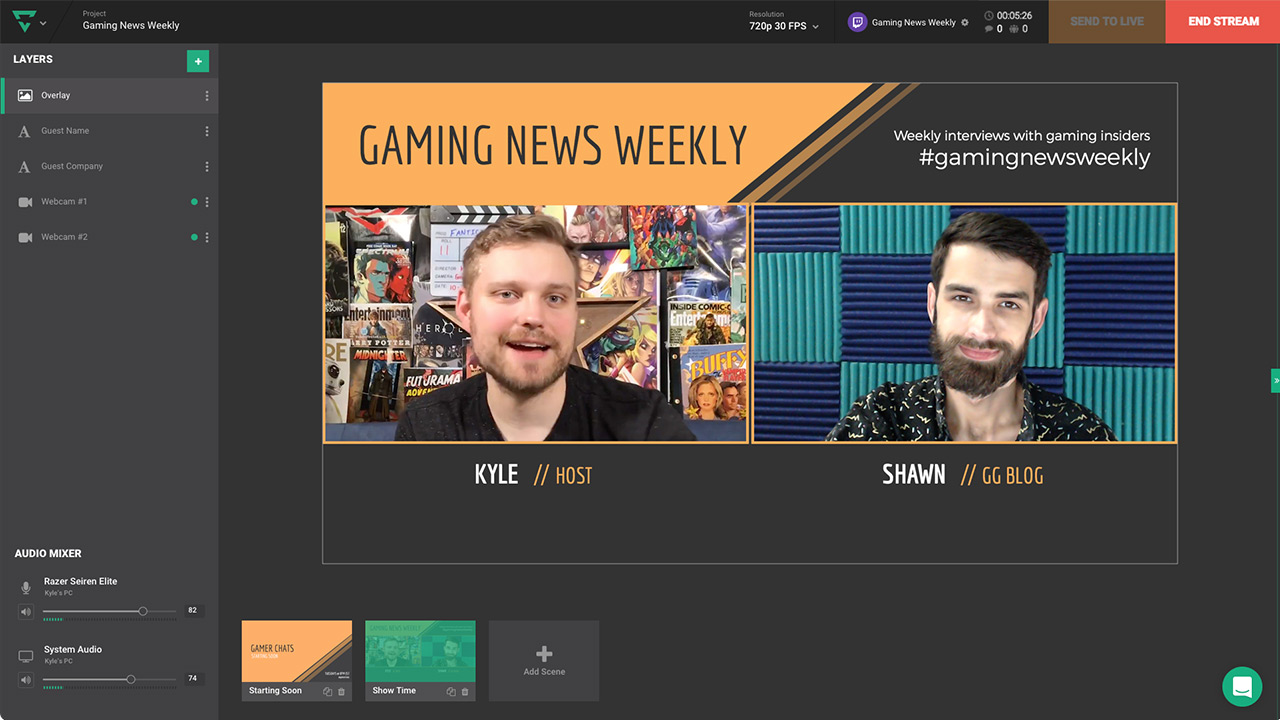
Cloud-based live streaming software and tools to share your unique vision and grow your community.
dry hare
ebon elbow
Okay, Do I do that in OBS?
You will uninstall it from windows control panel > programs & features
ebon elbow
dry hare
You will uninstall it from windows control panel > programs & features
I now uninstalled obs.live
ebon elbow
dry hare
You will uninstall it from windows control panel > programs & features
Shall I install it again?
dry hare
Try connecting to twitch chat with just obs
ebon elbow
dry hare
Try connecting to twitch chat with just obs
I don't see Twitch Chat in View > Docks?
ebon elbow
dry hare
Don’t use a stream key
I'm connected:
dry hare
and it doesn't show chat under View > Docks > Chat?
you might need to reinstall OBS Studio
ebon elbow
dry hare
and it doesn't show chat under View > Docks > Chat?
No, no Chat or Twitch Chat
dry hare
ebon elbow
No, no Chat or Twitch Chat
reinstall obs studio
ebon elbow
dry hare
reinstall obs studio
Damn, okay 🙂
Thank you so much for your time. Have a good one!
ebon elbow
dry hare
reinstall obs studio
Hi again, Sorry to bother you again.
For fun I just installed obs.live again and now my chat works. I don't have the option "Twitch Chat", but the other chat works fine now
Thanks again!
 gentle gorge
need hlp your commands dont work when linked
just signed back into obs nothing else changed was working all commands
says its limked to my twitch but dont show up
it is a mod
who can help
 eternal leaf
For some reason whenever I try to customize my cheer settings, it doesn't show them, it just goes with the default cheering settings. How do I fix this?
 nimble ingot
if I used se.pay in the us, would it count as a self-employed salary, and what taxes would apply
dry hare
nimble ingot
if I used se.pay in the us, would it count as a self-employed salary, and what t...
It’s recommended you consult a tax professional
river saffron
As far as I know, clearing your browser cache shoud fix it
my bot isn't working still, does anyone know a troubleshoot besides parting it from the channel and adding it again?
sorry to hear that, I don't know other solutions
 ancient falcon
does the rename command for transferring stats also transfer chatstats?
as in, i am a chatter of someones stream and my new name's chats arent showing up
actually nevermind the rename command doesnt even work
crude pecanBOT
@river saffron ⤵️
StreamElements menu, on top of OBS > Logout > Login
 lilac temple
Hello! Wondering if I can merge my twitch and youtube accounts on streamelements? One always says that 'account has been claimed'.
actually
i looked up the history of the question
filling out the form now
:P
 sullen atlas
Hi, Activity Feed screen is all black and wont refresh anyone know solutions?
overlays wont show as well
 lethal summit
Hey there! Curious if someone can help me. Custom font is showing up fine in editor but when I look at it in OBS it's some default lame font.
I've refreshed the cache on browser. Restarted all applications and both my PCs. Made sure I had the custom fonts downloaded on both computers. Not sure what I'm doing wrong
 sterile kayak
I'm having trouble with my alerts. Specifically the raid alert. It only plays some of the time. I've checked and tested the overlay multiple times, re-input the overlay browser source into obs and part and rejoined the bot as well... is there anything else I can do to fix this issue? all of my other alerts play just fine.
 silent cypress
Is there a specific channel for bot help?
weary nexus
well thanks for overlooking my issue twice, not worth using
silent cypress
streamelement bot wont respond after part and rejoining
 lucid blade
Hi, a few questions. I'm switching over to StreamElements and I want to know a few things. First of all, an image I try to put onto my layout screen doesn't want to become larger after a certain point and it's making it difficult to make an overlay. Secondly, I have my overlay saved and put into a browser source but for whatever reason the overlay doesn't show on my stream.
sterile kayak
I'm no expert and not a member of SE at all... but here are some things that worked for me.... @silent cypress try signing out and back in to your account... @lucid blade welcome 🙂 when you input your overlay into obs, check the resolution of the source and make sure its 1920x1080.. and if you're testing in SE online by emulating, make sure you have the "show live on stream" box checked... it's at the top of the emulate section
silent cypress
sterile kayak
I'm no expert and not a member of SE at all... but here are some things that wor...
yeah i tried to log in an and out weird it just stopped working couple days ago
sterile kayak
silent cypress
yeah i tried to log in an and out weird it just stopped working couple days ago
ok.. sorry i can't be of more help... signing out usually fixed things that parting the bot wouldn't... like i said, i'm not an expert... just though I'd try to help while i wait for an answer too...
lucid blade
sterile kayak
I'm no expert and not a member of SE at all... but here are some things that wor...
Where do you see the "show live on stream" box? idk where it is
also my source is 1920x1080
Okay I can see the overlay now, but I cannot scale the image in the background right
sterile kayak
lucid blade
Where do you see the "show live on stream" box? idk where it is
When you're in your overlay editor, there's a tool bar on the bottom of the screen, click "emulate" and the preview live on stream box is at the very top of that pop up
if there are scaling issues with an image, you might try loading in a different resolution of the image.. when i've had issues that way, that helped
 sterile kayak
yeah that looks like your image in a smaller resolution that the area of the box
to me at least.. but again, I'm no pro...
 orchid latch
so past few days having a series issue with frames dropping and unstable bitrate everything's been smooth for the past few months till last week. is anyone else having this issue?
lucid blade
Okay third question
why are my fonts different than on the preview
like even after saving they are different on stream
sterile kayak
lucid blade
why are my fonts different than on the preview
make sure you save any font changes... and you may have to refresh your overlay in obs... there is a "Refresh overlay" button in the activity feed panel in obs
 pale glacier
anyone else having issues with the !edit command not working?
pale glacier
ah its not just the command, streamelements isn't posting in my chat at all when events happen (follow//tip/bits)
is SE down atm?
crude pecanBOT
@pale glacier ⤵️
Go to the Dashboard > Right side > Part channel > Join channel (https://streamelements.com/dashboard) https://i.imgur.com/uYVb8OK.png
 desert jungle
Why are the modules not allowing me to switch them on?
I actually can't enable or disable anything in streamelements.
ionic kelp
@desert jungle need to have the bot join. Isn't in the channel.
desert jungle
ionic kelp
<@488148616075149313> need to have the bot join. Isn't in the channel.
saw what you did there, had it join, added it as a mod, and the website still won't let me toggle any modules./
pale glacier
the bot is in my channel, i made it leave on the SE dashboard and rejoined it but it still isn't working. was fine a few hours ago,
crude pecanBOT
If your commands recently stopped working and you're using OBS.Live and a custom bot name do the following:
- In OBS.Live, click on the hamburger menu (three stripes) at the top left of your activity feed
- Click on Stream Settings > Custom bot name
- In the Custom bot name field select Set custom bot name, not your already existing username (with capital letters). Note: If you already connected an account that way, the third entry will show as the account name (see image https://i.imgur.com/re4theQ.png).
- Scroll a bit down and click on the purple Connect Custom Bot Account button
- Log in as usual and Authorize the custom bot name
- Back in the Activity feed, click on the Send Test Message button and check if your custom bot name starts working again
desert jungle
That;s not my issue
ionic kelp
That was for them.
desert jungle
sorry
ionic kelp
Does it happen for any module?
desert jungle
I cannot toggle on any Modules. I've tried chat alerts all the way down to live announcements
ionic kelp
What browser you using?
ionic kelp
Could you try incognito?
ionic kelp
Delete cookies related to the SE website and reopen chrome entirely.
desert jungle
ionic kelp
Delete cookies related to the SE website and reopen chrome entirely.
thank you
manic rock
Hey i had a question its less so of an issue but more of a how to do a certain thing
dry hare
manic rock
Hey i had a question its less so of an issue but more of a how to do a certain t...
What’s your question?
manic rock
dry hare
What’s your question?
I was just curious on how to go about Disabling the tip page or just making it so people can not tip
desert jungle
ionic kelp
Delete cookies related to the SE website and reopen chrome entirely.
Hey quick update, I went through cleared cookies but that didn't work, so I removed all my extensions and that was causing the issue, Im not sure which one of the 6 that I had installed was doing it.
 oblique knot
my stats page doesn't load
keen wigeon
oblique knot
my stats page doesn't load
Did you change your username recently?
keen wigeon
desert jungle
Hey quick update, I went through cleared cookies but that didn't work, so I remo...
Let us know if you find out. 🙂
 wind urchin
Hello i accidentaly deleted the wrong overlay in streamelements for my alerts. Is there a way i could redu this mistake? Thanks
ionic kelp
Yeah.... Unfortunately no.
wind urchin
oh 😦
 sudden anchor
I'm having issues with the StreamElements chat bot joining my chat and I've noticed a few other people have mentioned that earlier too. I've already tried parting it from my channel and having it rejoin but I keep getting an error message from the website saying that it failed to join.
More confusingly is that having it part and rejoin says that it successfully rejoined but the bot settings say that it's not currently in chat and the <join channel> option is still there. Clicking that causes the same "Failed to join bot" error and then I'm given the <part channel> option instead.
keen wigeon
sudden anchor
I'm having issues with the StreamElements chat bot joining my chat and I've noti...
Try /unban streamelements
sudden anchor
Hasn't resulted in anything. Just says StreamElements isn't currently banned.
crude pecanBOT
If your commands recently stopped working and you're using OBS.Live and a custom bot name do the following:
- In OBS.Live, click on the hamburger menu (three stripes) at the top left of your activity feed
- Click on Stream Settings > Custom bot name
- In the Custom bot name field select Set custom bot name, not your already existing username (with capital letters). Note: If you already connected an account that way, the third entry will show as the account name (see image https://i.imgur.com/re4theQ.png).
- Scroll a bit down and click on the purple Connect Custom Bot Account button
- Log in as usual and Authorize the custom bot name
- Back in the Activity feed, click on the Send Test Message button and check if your custom bot name starts working again
sudden anchor
I can get it to join for one message when I have it join directly by using the OBS.Live plugin but it only posts one message and immediately becomes unresponsive.
Ah. Tried that custom bot name thing after all. The darn thing was set under my account name for some reason.
That caused all the errors.
 shrewd osprey
I'm clicking Tipping settings in my dashboard and nothing comes up
even my tip page is gone
it loads then dissapears
okay it's something to do with edge browser because it works in chrome
I don't know why it won't work in edge
Just had to allow insecure items on the site
keen wigeon
Once you did that, Edge worked as well?
shrewd osprey
yep
keen wigeon
I see. Thanks!
shrewd osprey
Yeah I enabled some other stuff, as well as insecure items, and then turned them back to how they were and before I turned the insecure items off everything loaded
 frail sandal
not sure which of these help channels to put this in but, for the song/media request, i have the option to shuffle the background playlist on, but when i go back to the actual song request window the playlist isn't shuffled. anyone know how to fix this?
shrewd osprey
I think what happens is the music is in a list but it plays randomly, Like it will play the 1st song then jumps to the 10th song, then back to the 5th song so on.
frail sandal
nah, it's definitely just going down the line completely unshuffled
nevermind.... the switch was showing that it was on, then i decided to just click it to see if it would turn off, and then it ACTUALLY turned on, lmfao
 wispy jay
I've just gone to play around with the donations goal in the Goal overlay made by MrBoost, what section would it be under to reduce the decimal value down? I can't find it anywhere
 crude pecanBOT
@wispy jay ⤵️
Please provide your account ID found at the top of this page: https://streamelements.com/dashboard/account/channels This ID is public info and safe to share here.
wispy jay
5e507e6276bcef010fffabf4
keen wigeon
wispy jay
5e507e6276bcef010fffabf4
I haven't found a way to do that... And I don't understand where that "2" came from.
wispy jay
keen wigeon
I haven't found a way to do that... And I don't understand where that "2" came f...
It might be something I should ask in #dev-chat, but is there a way in the CSS/JS to forcibly reduce it to show only 2 decimal places
keen wigeon
wispy jay
It might be something I should ask in <#259680142459142144>, but is there a way ...
Yes, they will help with this question as well.
 hard grove
The guide for importing Ankhbot/Streamlabs to Streamelements asks you to add both the commands and quotes file at the same time. But can't do that. It'll only let pick one file.
lament blade
you can upload them once at a time
hard grove
Seems that several tries made tons of duplicate commands. How do I default them or reset things to start from fresh?
lament blade
Unfortunately there's no quick way of doing that, you'll need to delete the commands manually


 ionic kelp
@hard grove Do you have a streamdeck by chance?
hard grove
Nope
manic rock
I need help fixing a bug i had yesterday that apparently is just consistent
Can't organize store items, drag and drop does nothing upon refreshing and upon opening the store after dragging items to the places i want them to
keen wigeon
manic rock
Can't organize store items, drag and drop does nothing upon refreshing and upon ...
There is a bug when dragging items around to reorder them, and there is kind of a workaround - drag items more than one space, which would work after a few tries. It's not reliable because even this might not reorder the way you expect, but eventually you should be able to get it.
manic rock
keen wigeon
There is a bug when dragging items around to reorder them, and there is kind of ...
Ah seems I've gotten unlucky then, I've been trying to drag an item at the bottom to the top for well over 40 minutes
keen wigeon
And no changes? Sorry to hear that. I'll add your account to the developer task.
crude pecanBOT
@manic rock ⤵️
Please provide your account ID found at the top of this page: https://streamelements.com/dashboard/account/channels This ID is public info and safe to share here.
manic rock
Wanted to add to that, Organizing not only doesn't work but its extremely broken, i tested by throwing one item in a specific spot 20 times, it worked 50% and the 50% of the time it worked it chose a completely random spot and jumbled the entire store around with it too
keen wigeon
manic rock
Wanted to add to that, Organizing not only doesn't work but its extremely broken...
Thank you, I'll pass that along as well.
oblique knot
keen wigeon
Did you change your username recently?
I haven't in a long time
crude pecanBOT
@oblique knot ⤵️
Please provide your account ID found at the top of this page: https://streamelements.com/dashboard/account/channels This ID is public info and safe to share here.
oblique knot
6107e2bb8a834137cb523a77
 sonic charm
hi guys. got an issue with alerts where 5 twitch subs displays as "5 gifted subs", but if the gifter is anonymous it displays as 5 individual single sub alerts... am i missing something obvious here?
 sand night
Hello, I am here because of i have a problem. How to get the twitch chat-box to work in the OBS?
azure abyss
Morning having trouble streaming to twitch. I use obs studio and it usually go live with no problems. But now I go live it stay I’m streaming but nothing happens on twitch. Uninstalled an reinstalled already
 vital nacelle
Hello how do I get rid of the bot in my channel 🤣 I logged in with my account and it won't proceed with security code or PW for my account lol
ebon forum
vital nacelle
Hello how do I get rid of the bot in my channel 🤣 I logged in with my account a...
Hi. Usually the login data is saved and there is no need to enter the password or 2FA code for the login. You can go to the dashboard and press "part channel" to remove the bot from the channel.
lament blade
Can someone help me setup OBS, i am new to streaming I want to strem only my game screen
 muted spire
Hello! I have a question about your
additional requirements into the store.
If i put this requirement, when can i find the output of what the persone wrote?
 nimble dune
@muted spire here -> https://streamelements.com/dashboard/store/redemptions/items
 crude pecanBOT
@lament blade ⤵️
Check out this playlist https://youtube.com/playlist?list=PLCDDKlFdScbEwdx5AntcQIS1InkFJwHtv with tutorial videos from setting up the basics to in-depth details on how to use our product.
New to OBS? Here is a 4 step quick start guide https://obsproject.com/wiki/OBS-Studio-Quickstart
Want to learn even more? Here is an in-depth overview https://obsproject.com/wiki/OBS-Studio-Overview
 kindred kraken
does anyone know a way for a command to set a ${count <name>} to the ${user} that typed the command? the desired result would be a new count being created for any user the uses the command in mind
meaning it would be a separate counter for everyone that uses the command
kindred kraken
is there like, somewhere else i should ask this?
muted spire
@nimble dune And there is a way to copy the only informations instead of all? I mean i am getting hundreds nicks to do a raffle, how can i copy only the nicks instead of all?

Is possible to send direcly these input to another site? Like and excel?
 sweet drift
Anyone have any idea what on earth is going on with the lables? They seem to be positioned all over the place despite these boxes being the exact same size and "dynamic font size" turned on
 late plaza
Is there a way to set a custom domain for your tipping page?
ionic kelp
@late plaza there is not though there's always the chance. Using the custom until the option arises you can use it as a redirect
 hazy zenith
Moderators cant add commands using the !command add feature in chat im wondering what has been changed
ionic kelp
Check the permission level for the command.
hazy zenith
where would this be in the dashboard
hazy zenith
awesome ❤️
kindred kraken
i dont know if i asked in the wrong way or the wrong place earlier
ionic kelp
Was busy and short answer is no can do.
kindred kraken
oh no problem on being busy
an example would be like anyone that types !blink there would be a counter for each person separately keeping count of how many times they have typed that
ionic kelp
Yeah. There's no way to differentiate.
kindred kraken
yeah as it seems like there is not a way to do something like ${count <${user}>}
unless there is a creative way to do that
ionic kelp
Would need a 3rd party api tracking the message sender.
kindred kraken
yeah, it was just something i was trying to come up with for a friend that had an idea they wanted to do, but it looks like the limitations of a simple command in streamelements would not cut it
ty for the answer
lament blade
Holly springs
 eager cove
someone help me my stream is awful lol
visual narwhal
prisma relic
type `!rename olaa2x` in your chat.
Didn't work; all it did was move channel points

I cant even add my new username as a supermoderator
pale glacier
crude pecan
this did not work for me. streamelements still wont post in my twitch chat when someone follows or any other event. it worked fine yesterday when I was streaming and during that same stream while I was still live it just stopped working. zero notifications in the chat from SE Bot.
I made the bot leave and rejoined it to my channel
I unmodded it and remodded it
I redid that custom bot name in OBS.Live
none of this has worked. How and why has this happened when I have used SE for over a year and never had this happen before.
 novel fjord
hello. I used to always have a custom bot name associated with my SE bot but a while ago it stopped working. I just tried to go reconnect my bot twitch account to the custom bot name but it won't save the settings. I go all the way through the account authorization page and then it just stays on this page
 crude pecanBOT
@novel fjord ⤵️
- Right-click your OBS desktop shortcut (not the OBS.Live shortcut) and navigate to Properties
- In the Target field, add the following to the very end:
--remote-debugging-port=40404(don't forget to add a space before the current path)
https://streamelements.is-serious.business/6ihr2EL.jpg - Open OBS (or restart if it was open)
- Open your web browser and type in:
localhost:40404(try127.0.0.1:40404if you see issues - https://streamelements.is-serious.business/3EGPQFJ.jpg) - Click on StreamElements - Activity feed - https://streamelements.is-serious.business/2kJYt2b.jpg
- Type the following into the console and hit enter:
store.customBot.removeCustomBotIntegration() - Try setting the custom bot name, make sure you follow https://strms.net/custombotname
- Remove the flag added in step 2 from your shortcut properties
pale glacier
@novel fjord shows the same for me when I reconnect my custom bot name. I think SE has had something happen on their end to cause this issue.
nimble dune
crude pecan
<@154375428188930049> ⤵️
@pale glacier ^^^^