#helpdesk-twitch
1 messages · Page 908 of 1
 random bane
 long zealot
 bold birch
hey i have a question how do I get the custom bot name option in groundcontrol?
its not showing up 
 ebon forum
bold birch
hey i have a question how do I get the custom bot name option in groundcontrol?
ebon forum
bold birch
hey i have a question how do I get the custom bot name option in groundcontrol?
Provide your account ID from that page:
https://streamelements.com/dashboard/account/channels
We can manually enable it, but we really recommend using OBS.Live instead for the custom bot name
ebon forum
bold birch
yea ima switch to obs soon im still using slobs feelsbadman
Restart Ground Control, should work now
 ancient glade
Not entirely sure which channel to post this in as it's a website issue...
Trying to access the dashboard, my own one loaded first time with logging in with Twitch. I then tried to change to my streamers dashboard as an editor and now it's kicking me back to the homepage constantly and not allowing me access to any dashboard. I've tried refreshing cache's, logging out & in, and different web browsers.
 dry hare
ancient glade
Not entirely sure which channel to post this in as it's a website issue...
Try...
dry hare
ancient glade
Not entirely sure which channel to post this in as it's a website issue...
Try...
please go to http://streamelements.com/logout and then log back in
 ionic kelp
They need to as well.
dry hare
ancient glade
It's fine until I change to another streamers dashboard
Did they recently change their name?
 violet anvil
I am having the same issue as Mabbzie - my channel works fine, 2 other channels which i am editing works fine too but 3rd one not
ancient glade
dry hare
Did they recently change their name?
No they haven't
I'm having the issue with two other streamers dashboards, but a third is fine
dry hare
I will ping staff for both of you 😄
violet anvil
thank you ^^
ebon forum
Let the channel owners log out and back in
https://streamelements.com/logout
Give them this link
that will fix the issues with access.
 tall whale
Oi
ancient glade
ebon forum
Let the channel owners log out and back in
This worked, thank you! 🙂
violet anvil
it worked for us too - thanks ! 🙂
@ebon forum sorry for bothering you again but now we are having issues with overlays - the exact problem is the streamelements is showing 0 total subs - but atm there's 96 subscribers
 placid raptor
@violet anvil Please logout of StreamElements at https://streamelements.com/logout and then login again to your account
then after about 10-15 minutes go to your activity feed > widget data > totals > reset session
violet anvil
fixed, thank you ♥
placid raptor
nice, glad to hear 🙏 thanks for letting me know
but you couldn't wait longer huh?  4 minutes?
violet anvil
me and the channel owner both used logout few minutes earlier to fix access issue  so we tried to skip that step 😄
 violet anvil

random bane
I’m getting scared I am not getting my money form my sponsorship
ionic kelp
@random bane That is not something we can handle here. Any questions are handled via the ticket system.
As you've already contacted us via that you need to respond to the email.
random bane
ionic kelp
<@!852616676059119647> That is not something we can handle here. Any questions a...
I have emailed but they said all be paid yesterday
ionic kelp
Again see my previous message. We can't do anything about that here.
random bane
ionic kelp
Again see my previous message. We can't do anything about that here.
But I have and they say all be paid but I’m never paid
ebon forum
random bane
Bruh
Yes. You are talking about the sponsorship?
You can DM me, but it is better to send us a ticket
random bane
ebon forum
Yes. You are talking about the sponsorship?
I was supposed to be paid on the 13
ebon forum
random bane
I was supposed to be paid on the 13
And it was a weekend day, guess what, financial institutions do not operate during weekends usually.
You need to give that 1-2 business days if the payment date falls on a weekend
 tepid spear
My chatbot does not work when I change the chatbot name to my twitch username. However, when I change it back to "StreamElements" it works again. Any ideas?
ionic kelp
@tepid spear #helpdesk-twitch message
tepid spear
ionic kelp
<@!450135793403691009> https://discord.com/channels/141203863863558144/199460642...
worked like a charm. Thank you for the quick help
 soft tiger
Hello, i have i question: why streamelements bot always mute people twice? (I specially created a new category for the test and added only 1 expression to it, so there are no repetitions exactly anywhere) and maybe this can be fixed?
 placid raptor
try this @soft tiger
Please part the bot from your dashboard > logout of StreamElements at https://streamelements.com/logout > log in again > re-invite the bot > mod it (make sure it's not muted).
follow the steps exactly please 
 echo root
Hi. My stream slows down temporarily when my alerts pop up, any idea how to fix this? Thanks so much
ebon forum
echo root
Hi. My stream slows down temporarily when my alerts pop up, any idea how to fix ...
Do you see any issues like dropped frames or encoding overloaded in OBS?
soft tiger
placid raptor
try this <@!322075094069411842>
Please part the bot from your dashboard > logou...
I did exactly everything as you wrote, but it did not help, the bot again gives a mute twice
ionic kelp
That's an "issue" with the twitch api. Basically the bot doesn't notice the message has been moderated and handles it again.
echo root
@ebon forum I dont think so no, i will double check when i stream later but i dont think so
i havent changed the alerts and they were fine before, only really started the last week
ebon forum
echo root
<@!149255081194160129> I dont think so no, i will double check when i stream lat...
One more tip i can give you is to play around with the hardware acceleration in the advanced settings.
This is most often the issue with laggy alerts
echo root
how do i find this or change it?
soft tiger
ionic kelp
That's an "issue" with the twitch api. Basically the bot doesn't notice the mess...
of course this is not critical, but it prevents you from watching the moderation log of other streamers to adjust the bot settings
ebon forum
echo root
how do i find this or change it?
OBS - Advanced settings - turn off/on (depending on what you have)
 snow herald
can you help me with something please?... how can i create a command that plays an animation? like somebody types ! anything - and it starts and animation that i created? I have that animation as a webm file
ebon forum
snow herald
can you help me with something please?... how can i create a command that plays ...
Need a custom widget for that, we had one that can play videos on command, but i do not remember the name. Please check the #widget-share channel - it is there
snow herald
uhm thanks but there are hundreds of posts... how would i find it?
 sonic charm
Trying to customise bot name. done all the set up. go to add it, link the account, login, security code, all of that. then the account name doesn't appear in my list to select. my only options are streamelements and the twitch account holders name. any help here at all guys? thank you for your time.
 crude pecanBOT
@sonic charm ⤵️
- Right-click on your OBS desktop shortcut and open the Properties
- In the Target field, add the following to the very end:
--remote-debugging-port=40404(don't forget to add a space before the current path) - Open OBS (or restart if it was open)
- Open your web browser and type in:
localhost:40404 - Click on StreamElements - Activity feed
- Navigate to the Console tab
- Type the following into the console and hit enter:
store.customBot.removeCustomBotIntegration() - Try setting the custom bot name
- Remove the additional flag in step 2 from your shortcut properties.
snow herald
 nimble dune
https://discord.com/channels/141203863863558144/457957557470887947/6648096251696...
nimble dune
https://discord.com/channels/141203863863558144/457957557470887947/6648096251696...
Thanks a lot. im a bit confused now because i found another one in there too VIDEO ON COMMAND BY AVOEH AND BENNO so which one should i use?
ebon forum
snow herald
Thanks a lot. im a bit confused now because i found another one in there too VID...
The one that is the most recent pretty much.
Some widgets have multiple versions, always use the most recent one
 eager meteor
i need help merging my twitch se account into the one I set up for FB and YT not sure why i couldn't link the accounts before but I must have missed the step
echo root
@ebon forum apologies i dont know if im being blind i cant see hardware accelration anywhere on my setting
crude pecanBOT
OBS > Settings > Advanced > Scroll down > Enable or disable Browser Source Hardware Acceleration, depending on its current state > Restart OBS
https://i.imgur.com/ggMe9ZE.png
@undone crag ⤵️
Read and follow our server rules:
- We do not tolerate toxicity! Treat the community team, staff, and all members with respect.
- No advertisement or channel promotion, anywhere on the server.
- No NSFW/NSFL
- No unsolicited DMs or friend requests to server members
Make sure to read the #welcome in any server you join.
 lament blade
it still does not work
 echo root
never mind i found it thanks
sonic charm
crude pecan
<@725669794354823171> ⤵️
a space BEFORE the current path or after?
sonic charm
crude pecan
<@725669794354823171> ⤵️
at step 2: added to the very end but i dont know if you really ment to add a space BEFORE the path that was in there. makes no sense.
at step 4: localhost:40404 just ended up an error (404) page
nimble dune
sonic charm
at step 2: added to the very end but i dont know if you really ment to add a spa...
a space between .exe" and --remote...
sonic charm
nimble dune
a space between `.exe"` and `--remote...`
yep that's what i did. no joy.
nimble dune
sonic charm
yep that's what i did. no joy.
When you open localhost:40404 on chrome what happens?
 sharp mesa
My streamelements loyalty points are changing for one specific user. No mod has changed them, but they keep resetting to a specific number.
 verbal ingot
im having trouble making a command for twitch using streamelements ;-;
i cant figure out how to make a command mod only but using the chat instead of the actual streamelements website
 outer nexus
i dont know what to do anymore, i removed TTS from default sub alert and added all the variations for gifted without TTS but is still reading whenever twitch register that the user reached X amount of gifted subs in the channel
crude pecanBOT
@verbal ingot ⤵️
You can add, remove and make changes to custom commands in chat with !command/!cmd flags:
!command add (commandname) (commandresponse) - allows you **to add **a new custom command
!command remove (commandname) - allows you to delete a custom command
!command edit (commandname) (commandresponse) - allows you to edit an existing custom command
!command show (commandname) - allows you to see the raw response of a command before variables are used
!command options (commandname) -(flag) - allows you to change settings for an existing custom command
More information here: #helpdesk-twitch message
 sand fractal
i have been in queue position 1 on live chat for about 10 minutes now, shall i just keep waiting? thanks
placid raptor
outer nexus
i dont know what to do anymore, i removed TTS from default sub alert and added a...
the 'they have gifted X times in the channel'? sadly it cannot be separated from the actual TTS
there should still be an active TTS setting for the alert if this keeps happening
placid raptor
sharp mesa
My streamelements loyalty points are changing for one specific user. No mod has ...
could you elaborate please? not sure I understand what is the experienced behavior here (for you or the viewer)
placid raptor
sand fractal
i have been in queue position 1 on live chat for about 10 minutes now, shall i j...
you can also post here what you need if there's a delay in getting into chats
sand fractal
thanks
sharp mesa
placid raptor
could you elaborate please? not sure I understand what is the experienced behavi...
The gamble and it shows how many points they have. Next time they gamble they have way less points. It resets the users points by itself.
outer nexus
I have TTS only enabled in Variations for Prime and Tiers 1,2,3 gifted subs dont have TTS enable
 tropic thunder
I can’t find panel or edit panel anywhere on my Twitch. I setup donations with SE. But I can’t find panel. Even Twitch tutorial did not help. What am I missing?
 mild glen
I have my twitch to block anyform of url links in my chat but i have the stream elements bot posting links in my chat but they are getting blocked how do i unblock stream elements links but keep others blocked?
placid raptor
sharp mesa
The gamble and it shows how many points they have. Next time they gamble they ha...
the loyalty system doesn't really reset points for individual users. it could be related to whether or not they're logged in to their account, if they're active in chat
they can lose points in chat mini games, they can give points away. there's no 'reset' happening for any user unless it's done manually
placid raptor
outer nexus
I have TTS only enabled in Variations for Prime and Tiers 1,2,3 gifted subs dont...
if TTS is enabled in any way for a certain alertbox that message will be read when someone gifts a sub
I'd suggest testing if disabling TTS for all of the other ones resolves it, but if either the action is announced or the message, I believe the bot will also read out how many subs the user gifted
placid raptor
tropic thunder
I can’t find panel or edit panel anywhere on my Twitch. I setup donations with S...
you can check this out - https://streamelements.elevio.help/en/articles/146-creating-your-streamelements-account-and-initial-setup
toward the lower middle part of this article it shows how to set up tipping and how to properly set up the panel
placid raptor
mild glen
I have my twitch to block anyform of url links in my chat but i have the stream ...
is the StreamElements bot a moderator in your channel?
mild glen
placid raptor
is the StreamElements bot a moderator in your channel?
When i search for stream elements under the roles section would it be the standard stream elements channel?
 willow kite
Hey some reason it wont show my TOP Dontor some reason can anyone help me its saying
Top tip: No Data
placid raptor
mild glen
When i search for stream elements under the roles section would it be the standa...
you can just type /mod StreamElements in your chat
you may find this article (or series of articles) handy - https://streamelements.elevio.help/en/articles/146-creating-your-streamelements-account-and-initial-setup
I say 'series' of articles because it's a part of this - https://streamelements.elevio.help/en/categories/42-getting-started which you can refer to for initial setup
willow kite
@placid raptor you able to help?
ebon forum
willow kite
<@!360074950838714368> you able to help?
Check your revenue history, do you have entries there?
this is what is used for the top tipper
willow kite
It shows up on the new donation rotator just not top tip widgit
 hollow otter
Hello, I activated chat alerts on my stream and they just dont show up, can anyone help?
willow kite
ebon forum
Check your revenue history, do you have entries there?
Also yes I have entries, Also its showing old donations from months ago that are no longer on my tip list
 ebon forum
willow kite
Also yes I have entries, Also its showing old donations from months ago that are...
ebon forum
willow kite
Also yes I have entries, Also its showing old donations from months ago that are...
Try to reset the session in the activity feed
willow kite
ebon forum
Try to reset the session in the activity feed
Still not showing the Top tip
Anyone still here?
 drowsy egret
willow kite
Anyone still here?
drowsy egret
willow kite
Anyone still here?
let me take a look at your overlays
willow kite
drowsy egret
let me take a look at your overlays
 placid raptor
yeah maybe check the widget's period @willow kite
but indeed our beloved skill will take over now! 
willow kite
need anything else
drowsy egret
willow kite
need anything else
all good, I'm looking into it right now
willow kite
drowsy egret
all good, I'm looking into it right now
Thanks!
drowsy egret
willow kite
Thanks!
refresh your overlay, should be fixed now
your text box width was too small
willow kite
Ahhh Thanks also is there a way to remove the All time top tip:
And have it like the new donatio widgit
drowsy egret
willow kite
Ahhh Thanks also is there a way to remove the All time top tip:
yeah, you can customize the message, just remove what you don't want
 pine dagger
hello i have a problem, all my alert works expect the follow i don't understand why... can someone help me pls ?
willow kite
drowsy egret
yeah, you can customize the message, just remove what you don't want
Where do i customize it at i dont see a place to do so
Never mind think i got it
 foggy heart
pine dagger
hello i have a problem, all my alert works expect the follow i don't understand ...
foggy heart
pine dagger
hello i have a problem, all my alert works expect the follow i don't understand ...
Do you see those follows in your activity feed?
drowsy egret
willow kite
Where do i customize it at i dont see a place to do so
go to settings in the left side of the screen
pine dagger
foggy heart
Do you see those follows in your activity feed?
no
willow kite
drowsy egret
go to settings in the left side of the screen
Found it thanks
crude pecanBOT
@pine dagger ⤵️
Please provide your account ID found at the top of this page: https://streamelements.com/dashboard/account/channels This ID is public info and safe to share here.
pine dagger
crude pecan
<@394228253679943681> ⤵️
5ff7d8aa3c0d4aa75c9789df its that ?
tropic thunder
Okay found panel, but I keep getting this error. The image is from SE. I tried Firefox and chrome. Same issue.
 foggy heart
pine dagger
5ff7d8aa3c0d4aa75c9789df its that ?
foggy heart
pine dagger
5ff7d8aa3c0d4aa75c9789df its that ?
Yes, let me check that out for you
pine dagger
foggy heart
Yes, let me check that out for you
thanks !
foggy heart
pine dagger
thanks !<a:SEHug:652136669201563648>
Should be all set
pine dagger
i got a follow i think its good thx !!!!
lament blade
i stream on console and for some reason its not letting me include my party chat in the stream
i uninstalled the app and it still doesn’t work
foggy heart
lament blade
i uninstalled the app and it still doesn’t work
Which app are you referring to?
lament blade
twitch
foggy heart
You might have better luck asking in the tech talk chat if this isn't SE related!
sonic charm
Using the custom bot name... it doesn't display emotes in the bot messages, whereas streamelements did as it's a lifetime tier 3 sub. any way to fix that?
drowsy egret
sonic charm
Using the custom bot name... it doesn't display emotes in the bot messages, wher...
these are two different accounts, your bot account also needs sub to be able to use your emotes
crude pecanBOT
@wicked magnet ⤵️
Read and follow our server rules:
- We do not tolerate toxicity! Treat the community team, staff, and all members with respect.
- No advertisement or channel promotion, anywhere on the server.
- No NSFW/NSFL
- No unsolicited DMs or friend requests to server members
Make sure to read the #welcome in any server you join.
sonic charm
drowsy egret
these are two different accounts, your bot account also needs sub to be able to ...
so i need to sub streamelements and "customname" at tier3 to use tier 3 emotes on the bot?
drowsy egret
sonic charm
so i need to sub streamelements and "customname" at tier3 to use tier 3 emotes o...
you only need it on the custom bot account
 untold sage
Alerts are on the fritz again. This is the 3rd time it's happened in the last few weeks, so I think something's up. Anyone else experiencing this?
sharp mesa
placid raptor
the loyalty system doesn't really reset points for individual users. it could be...
I have watched the vod several times. There were no actions taken by a mod or the user in relation to their points. Im not talking about a few points, its 151 billion to be exact. And it did not roll over the odometer so to speak.
 sick ember
Hello I need help with starting my stream.....
crude pecanBOT
@untold sage ⤵️
OBS > Settings > Advanced > Scroll down > Enable or disable Browser Source Hardware Acceleration, depending on its current state > Restart OBS
https://i.imgur.com/ggMe9ZE.png
 round pollen
Hello, I noticed that under Store redemption alerts there is no ability to make the alert a webm video, only an image. Is this intentional/some limitation or a bug?
 iron fulcrum
round pollen
Hello, I noticed that under Store redemption alerts there is no ability to make ...
iron fulcrum
round pollen
Hello, I noticed that under Store redemption alerts there is no ability to make ...
I just uploaded a wemb and was able to fire it via a redemption.
foggy heart
Believe the assets will have to be an image, while the overlay alert can be a webm.
iron fulcrum
Yes, the preview asset can only be an image, but the alert asset can be webm; just make sure you select the video tab on the top of the popup dialogue when building the item redemption (or editing it)
Question about your streamlabels: Is there anyway to manipulate aggregates for tips (especially). I ask this primarily for migration reasons. This is the biggest current headache for chatbot AND tipping migration from another bot to yours.
foggy heart
iron fulcrum
Question about your streamlabels: Is there anyway to manipulate aggregates for t...
You can adjust the totals for the labels here: https://streamelements.com/dashboard/session
iron fulcrum
No, the aggregates are locked.
foggy heart
Are you looking to adjust totals as the appear on the labels, or just the numbers behind the scenes?
iron fulcrum
Yes
I want to be able to manipulate the all time aggregates, which are currently not editable from either the web interface or the link you sent me.
Like, for example, my current top tipper is $125, which is NOT accurate because I migrated from the SL tipping system where my biggest tip is $250 and my user aggregates are off from the migration.
foggy heart
iron fulcrum
Like, for example, my current top tipper is $125, which is NOT accurate because ...
So you can't make changes to the aggregates, but you can update the session data to show that tipper. Not exactly what you're looking for, but the labels should use that information to display instead of what you see in aggregates
iron fulcrum
This would be an important feature for the devs to consider to support customer migrations.
foggy heart
Definitely something we can try to pass along, and you can drop that on our ideas board as well if you'd like
iron fulcrum
@foggy heart I appreciate you
foggy heart
No problem! Hopefully you can get it to look the way you want
round pollen
iron fulcrum
Yes, the preview asset can only be an image, but the alert asset can be webm; ju...
Interesting, mine only shows the ability to add an image, and if I choose the video tab it doesn't let me "submit" it

 severe steppe
I keep having obs crash, i did the updates and the stream keeps on crashing. OBS will go blank and it says there was a problem would you like to report it to microsoft I have tried everything to fix this.
And it keeps telling me my encoder is overloaded, which i know it is not
foggy heart
round pollen
Interesting, mine only shows the ability to add an image, and if I choose the vi...
I believe the one highlighted here is where it was able
 foggy heart
severe steppe
I keep having obs crash, i did the updates and the stream keeps on crashing. OBS...
foggy heart
severe steppe
I keep having obs crash, i did the updates and the stream keeps on crashing. OBS...
Did you update to OBS 27, and do you have obs.live installed?
severe steppe
Yes
severe steppe
foggy heart
Did you update to OBS 27, and do you have obs.live installed?
It has only been after the update
It was amazing before
foggy heart
The newest update (OBS 27) has compatibility issues with OBS.Live, so we recommend staying with OBS 26 for now
severe steppe
How do i go back once i updated it?
foggy heart
@severe steppe #helpdesk-selive message
severe steppe
Thanks for the help! 🥳
 rose citrus
alguien que hable español
crude pecanBOT
@rose citrus ⤵️
Welcome to the helpdesk! The regular helpdesk channels are in English but we do provide multi-language support in the following channels: #🇩🇪︱deutsch | #🇫🇷︱français | #🇪🇸︱español | #🇵🇹︱português | #🇳🇱︱nederlands | #🇮🇹︱italiano | #🇵🇱︱polski | #🇨🇳︱中文語言服務區-chinese | #🇯🇵︱日本語-japanese | #🇭🇺︱magyar | #🇰🇷︱한국어-korean | #🇹🇭︱ไทย-thai | #🇷🇺︱русский | #🇺🇦︱українська | #🇨🇿︱czech
 dreamy thistle
Hello can someone help me for some reason i cant connect twitch music to my twitch
 rain scroll
i need help im dropping frames like crazy once i start a stream, and im new to streaming and could just use help in general
crude pecanBOT
@rain scroll ⤵️
Dropped Frames means that you have a bad connection between your device and the streaming platform and most likely something related to your ISP not handling the connection properly.
Speed tests usually cannot help solve this problem and its best to use this guide: https://obsproject.com/wiki/Dropped-Frames-and-General-Connection-Issues
If you stream to twitch, use the !twitchtest command and do a connection test to your regional servers.
 scenic fog
Hey i got a couple questions. Is there a way to have a follower goal bar that'll fill up on its own? On my OBS.live its not showing how many viewers i have I can't update my stream in OBS.live as well.
Account ID: 5ffa3c8a19a3ad70c8949f14
 willow crescent
Also anyone know how to set a daily SubGoal on streamelements?
foggy heart
The account ID is fine here!
scenic fog
Don't we need account ID for you to help us?
foggy heart
scenic fog
Hey i got a couple questions. Is there a way to have a follower goal bar that'll...
Does you not see follow alerts/activity feed info?
scenic fog
It shows me follow alerts/activity info in my OBS.live i just want one of those bars that some people have on their streams as an overlay like the bar filling up? im sorry im probably explaining it terribly
willow crescent
anyone know how to set a daily subgoal how do i get this to show up on my stream?
As a daily not a subgoal
foggy heart
@willow crescent @scenic fog You can set goals on your streams through the overlay editor, and have them count what you want be it followers or subs. For the sub goal, you can set it to be whatever number you want for that day
willow crescent
Does it reset on its own daily or do you have to reset it daily.
because what i am seeing is an overall
Not a daily.
foggy heart
You would have to reset it, you might be able to find a better way in the widget share channel here
scenic fog
it says i only have 35 when i have 66.
crude pecanBOT
@scenic fog ⤵️
To reset goals:
- from the Overlay Editor > Session data on top right (monitor symbol) > Goals tab > reset progress of desired goal
- from the Dashboard > Activity feed on the left > Widget data on the right > Goals tab -> reset progress of desired goal
Note: Goal widgets (progress) only counts up and doesn't go down automatically, if you lose followers/subs.
 dusty hatch
I changed my name on twitch and now my bot doesn't work anymore, how can I solve it?
crude pecanBOT
@dusty hatch ⤵️
If you changed your name on Twitch, please follow these steps:
- Visit https://streamelements.com/logout and then log in again by connecting with Twitch.
- On the right side of the dashboard page that opens, select Join under bot settings. If it says Part select that and then select Join to send the bot to the chat. Don't forget to mod the bot by typing /mod streamelements in your channel if you have not already.
- Post your old and your new name here so that we can update your channel's chatstats tracking (must be done by staff).
scenic fog
it now says i have 0. do i have to put how many i have in manually then it counts from there?
foggy heart
let me take a look real quick, can you share your account id
scenic fog
mine again?
foggy heart
Sorry, completely forgot you posted it already 😅
scenic fog
its all good man 😂
foggy heart
scenic fog
its all good man 😂
Oh, yes for the goals add the number you want to start at, and it will count up from there
scenic fog
okay cool. Now the next issue is it not showing how many viewers i have under the activity feed how can we fix that?
foggy heart
scenic fog
okay cool. Now the next issue is it not showing how many viewers i have under th...
The activity feed within OBS?
scenic fog
yeah where it supposed to show how many viewers i have in stream it always has N/A
foggy heart
Even when live on twitch?
scenic fog
yeah
scenic fog
now my recent cheer isn't looping i didn't even play with that i was just working on my goal
its looping where i can edit it
crude pecanBOT
@random bane ⤵️
Please contact us via email for support with your campaign or sponsorship. You can use our contact form here: https://streamelements.com/contact Thank you.
foggy heart
scenic fog
now my recent cheer isn't looping i didn't even play with that i was just workin...
what do you mean by looping?
scenic fog
foggy heart
what do you mean by looping?
like i've had 3 cheers so far and it slides to the left showing all 3 people that have cheered
 violet lava
is their a reason why the spot to change my title dissapered on streamelements OBS
scenic fog
mine has as well
violet lava
@scenic fog yeah kinda nnoying
scenic fog
violet lava
<@!488956869663129600> yeah kinda nnoying
yeah what i've been doing is using my stream manager
foggy heart
it likely got closed accidentally, You should be able to go to the Streamelements Menu > OBS.Live Docks > Activity Feed (if you aren't using OBS.Live: View > Docks > Stream Information.
violet lava
 random bane
foggy heart
it likely got closed accidentally, You should be able to go to the Streamelement...
random bane
foggy heart
it likely got closed accidentally, You should be able to go to the Streamelement...
I’m waiting for my payment
violet lava
this is all i see @foggy heart
foggy heart
violet lava
this is all i see <@!801850149260886118>
In the activity feed, click on the menu button and you should see "Stream Settings"
violet lava
@foggy heart i see taht but didnt it used to be down by the scene transitions
foggy heart
violet lava
<@!801850149260886118> i see taht but didnt it used to be down by the scene tran...
There's an OBS default dock that may have been there, but the SE one is usually in that menu
scenic fog
foggy heart
In the activity feed, click on the menu button and you should see "Stream Settin...
so is that the new place to do it?
violet lava
yeah there used to be a default dock is what im saying @foggy heart
foggy heart
That was the other option I mentioned above, OBS.Live: View > Docks > Stream Information
scenic fog
foggy heart
That was the other option I mentioned above, OBS.Live: View > Docks > Stream Inf...
it used to be there for me then it went away
dry hare
scenic fog
it used to be there for me then it went away
In your obs settings > stream are you using a stream key or authenticated directly? You may need to delete your stream key/disconnect and reconnect and then you’ll see stream information under view > docks > stream information
scenic fog
dry hare
In your obs settings > stream are you using a stream key or authenticated direct...
im not sure honestly. if i disconnect and reconnect would i have to re-do everything?
dry hare
scenic fog
im not sure honestly. if i disconnect and reconnect would i have to re-do everyt...
In the obs settings? Nope. It’s just refreshing your authentication to twitch
scenic fog
dry hare
In the obs settings? Nope. It’s just refreshing your authentication to twitch
is it okay if we talk in a chat? i cant find that info
 wanton root
can someone help me how can i acctivate chatstats on a stream? its been streaming for 2 months and chatstats stills show "404 error"
scenic fog
in settings is it under the stream tab?
 dry hare
wanton root
can someone help me how can i acctivate chatstats on a stream? its been streamin...
dry hare
wanton root
can someone help me how can i acctivate chatstats on a stream? its been streamin...
Brand new account or have you changed your name recently?
dry hare
scenic fog
just disconnect and reconnect account?
Yep yep
scenic fog
dry hare
Yep yep
cool and everything will be fine correct?
dry hare
scenic fog
cool and everything will be fine correct?
Yup!
scenic fog
dry hare
Yup!
cool cool its fixed thank you so much for the help. Do i just do that again if it happens again? thank you for your help as well @foggy heart
wanton root
dry hare
Brand new account or have you changed your name recently?
brand new account, but is streaming for 2 months now
dry hare
scenic fog
cool cool its fixed thank you so much for the help. Do i just do that again if i...
Yep yep
crude pecanBOT
Please provide your account ID found at the top of this page: https://streamelements.com/dashboard/account/channels This ID is public info and safe to share here.
dry hare
wanton root
brand new account, but is streaming for 2 months now
Do this ^^^^
wanton root
where i put my id? i dont understand
dry hare
Paste it here
wanton root
ok
dry hare
wanton root
ok
I also want to have you go to https://streamelements.com/logout and log back in and double-check your chat stats really quick too
wanton root
ok wait
 round orbit
Hello small question, I wanna setup on my stream "Follower goal" but it says I have 266 followers when I actually have 230 can I somehow fix that?
Or will it update when I start the stream? Haven't streamed in like 6 months lmao
crude pecanBOT
@round orbit ⤵️
To reset goals:
- from the Overlay Editor > Session data on top right (monitor symbol) > Goals tab > reset progress of desired goal
- from the Dashboard > Activity feed on the left > Widget data on the right > Goals tab -> reset progress of desired goal
Note: Goal widgets (progress) only counts up and doesn't go down automatically, if you lose followers/subs.
round orbit
Thank you for the help!
 wicked ridge
I am a supermod/editor but how do I activate pre set commands
Like !addpoints
And I am on mobile
 prisma relic
Do you have access to the dashboard on the website?
prisma relic
That would be the best way; https://streamelements.com/dashboard/bot-commands/default-commands
Make sure you are in mod/editor mode for the account you want to edit
 zinc junco
is there a list to see all the quotes from the quote command?
lament blade
can someone help me connect audio to my obs
prisma relic
wicked ridge
Do I need to sign in to there acc??
the streamer needs to send you a link from there dashboard; then it will allow you to mod the account on the website.
wicked ridge
Ok
prisma relic
zinc junco
is there a list to see all the quotes from the quote command?
there is no way to see a list of all the quotes.
zinc junco

prisma relic
lament blade
can someone help me connect audio to my obs
someone in #helpdesk-selive might be able to help you out if you give some more details on the audio you are trying to connect.
lament blade
i think theyre asleep or something @prisma relic
 zenith widget
We are not asleep. There is no divider between the different helpdesk channels.
lament blade
thanks
 runic wing
Hello!
so im having trouble with streamelements not updating subscriber activity feed
is there a refresh button or something
lament blade
are the perhaps prime subs?
 lament blade
there could be cases where viewers have to make changes to their privacy policy so their subs would show, otherwise, they do not show up on the activity feed
could this be the case here?
runic wing
I dont think so
or else it wouldnt show up on my twitch activity feed
also the followers count is wrong
follower count, recent subs are all not updating. Only follower activity shows up?
lament blade
they're not updating at all?
 worldly escarp
 odd kernel
how do i add and turn on my custom made alerts
odd kernel
how do i add and turn on my custom made alerts

StreamElements
The Ultimate All in One Platform for Streamers
 gray patrol
is anyone else having a 404 page with their chatstats? i googled and a lot of people are having problems after changing their username, but i haven't changed mine in forever o_o
 keen wigeon
gray patrol
is anyone else having a 404 page with their chatstats? i googled and a lot of pe...
keen wigeon
gray patrol
is anyone else having a 404 page with their chatstats? i googled and a lot of pe...
It can just happen sometimes. We can fix it.
crude pecanBOT
@gray patrol ⤵️
Please provide your account ID found at the top of this page: https://streamelements.com/dashboard/account/channels This ID is public info and safe to share here.
keen wigeon
gray patrol
607648b3405a8a6ae4c1bcf1
You are now the proud owner of your own chatstats page.
gray patrol
tysm, i appreciate it a lot ;-; @keen wigeon
prisma relic
lament blade
My commands stopped working
check if the bot is muted on your dashboard.
lament blade
prisma relic
check if the bot is muted on your dashboard.
It was muted
 dapper wren
Sorry im here
ionic kelp
What exactly is the issue?
dapper wren
Well tbh im trying to set up my se pay
And I suppose I’m supposed to input my Social Security number but it doesn’t give me the option to input it there’s no place for me to input my social so I can’t hit submit
 fallow aurora
Having an issue since the last update. I have two activity feeds in OBS Live. Whenever I use a Bot command now, it double sends it. How do I remove one of the activity feeds?
 ionic kelp
@dapper wren Are you trying to request a payout or just enable it?
@fallow aurora What version of OBS are you on?
ionic kelp
Yeah. You need to downgrade.
fallow aurora
OBS Live version is 21.6.1.740
dapper wren
ionic kelp
<@350065756521889793> Are you trying to request a payout or just enable it?
Just trying to set it up for future
ionic kelp
Follow my instructions pinned in #helpdesk-selive
@dapper wren you don't do it until you request payout.
No way to do until then.
dapper wren
I was trying to set up the tips link
fallow aurora
@ionic kelp was the downgrade comment to me? Sorry.
dapper wren
Hmm 🤔
ionic kelp
Yes
fallow aurora
ionic kelp
Yes
Thanks Will do.
 delicate oracle
prisma relic
check if the bot is muted on your dashboard.
delicate oracle
prisma relic
check if the bot is muted on your dashboard.
How do I check this in the dashboard?
worldly escarp
delicate oracle
How do I check this in the dashboard?
 delicate oracle
worldly escarp
delicate oracle
worldly escarp
Check that and it wasn’t muted, tired to reconnect SE to twitch and bot still not working
 hushed mural
does anyone know why my latest follower label is cropping out at the bottom?
 keen wigeon
It might be because another layer is hiding it in OBS or in the overlay editor.
hushed mural
yea i thought so too, but this screenshot was taken in the editor, and i made sure nothing was overtop it

this is my entire composition
keen wigeon
Which widget is this?
hushed mural
its the labels > followers > latest
keen wigeon
Is it for your YT or Twitch channel?
hushed mural
its for my twitch channel 😄
keen wigeon
hushed mural
its for my twitch channel 😄
I expanded the bottom margin in the text settings -> advanced section. At about 50 pixels the text appeared entirely.
And now saved.
hushed mural
oh ok, i see, thx, any idea why that would be a requirement?
like why i would need to add that margin
keen wigeon
I'm honestly not sure, but seeing as the bottom part of the text was hidden, it makes sense that giving it more room would fix the issue.
hushed mural
ahhh, yea, thats true, i actually tried changing that too, but it didnt do anything for me XD maybe i just didnt change it enough, because it works now
thx for the help, hope you have a nice day!!
keen wigeon
You too. 🙂
hushed mural
ty 😄
lament blade
Hey I have just started to set up StreamElements for my twitch and I am having problems with the Stream store. Can anyone help me please.
keen wigeon
lament blade
Hey I have just started to set up StreamElements for my twitch and I am having p...
Yup! How may I help you?
lament blade
keen wigeon
Yup! How may I help you?
Hey, I am setting up the Stream Store so people can use channel points. I made a error so I want to edit it but StreamElements says I don't have anything to edit but I can see them.
keen wigeon
Where are you trying to edit the items?
lament blade
keen wigeon
Where are you trying to edit the items?
In the StreamELements Stream store under the loyalty tab
keen wigeon
Ok, I just edited one of the items and encountered no difficulty. What exactly are you trying to do?
Which browser are you using @lament blade? Is it Chrome or something else?
lament blade
I click on the stream store and it loads showing I have things to edit or disable. Then when the hole page has loaded they disappear and a message pops up saying you don't have any store items. And I am using Chrome.
https://streamelements.com/captain_stabim/store These are the ones I have but like I said it says I dont have any.
ionic kelp
What did you set for the redemption method?
lament blade
Don't know as I started setting it up yesterday so I am new to this
There is whats happening
keen wigeon
ionic kelp
What did you set for the redemption method?
They're all website+extension+chat
keen wigeon
lament blade
First step, try logging out and logging in again.
lament blade
Of streamelements?
keen wigeon
Yes.
lament blade
Ok 2 minuets
Nope still not working. Worst comes to worst is there a way to delete my stuff so i can set up a new one?
keen wigeon
lament blade
Nope still not working. Worst comes to worst is there a way to delete my stuff s...
Yeah, I can always delete them. No promises it'll solve it, though. Do you prefer we do that or take more steps to figure out the issue?
lament blade
I don't mind both work for me
keen wigeon
Ok, let's debug it. Click F12, go into the network tab, then reload the stream store to get this message again. Then look for errors in red. Screenshot as much of the screen as possible and DM the screenshot to me.
 sick slate
One message removed from a suspended account.
worldly escarp
sick slate
One message removed from a suspended account.
you can link your accounts
sick slate
One message removed from a suspended account.
One message removed from a suspended account.
 deft zinc
I might have a stupid question but I need to reload my followers count in the streamelements overlay. How do I do that? because it's getting silly now.
keen wigeon
deft zinc
I might have a stupid question but I need to reload my followers count in the st...
 keen wigeon
sick slate
One message removed from a suspended account.
keen wigeon
sick slate
One message removed from a suspended account.
We can link them for you.
keen wigeon
sick slate
One message removed from a suspended account.
We need the account ID and JWT of both accounts to be linked. DM to me please.
crude pecanBOT
@sick slate ⤵️
Please provide your account ID found at the top of this page: https://streamelements.com/dashboard/account/channels This ID is public info and safe to share here.
@sick slate ⤵️
You can find your JWT token on your account channels page (Show Secrets to reveal the token): https://streamelements.com/dashboard/account/channels
READ ME: This is a private security token. Do NOT share this token here or other public places, only with a StreamElements staff member in private.
sick slate
keen wigeon
We can link them for you.
One message removed from a suspended account.
keen wigeon
Try to add me again.
sick slate
One message removed from a suspended account.
 paper grotto
Hi, my PDF for my bank statement verification doesn't upload, still as far as it was before after multiple hours
crude pecanBOT
Please contact us via email for support with SE.Pay. You can use our contact form here: https://streamelements.com/contact Thank you.
deft zinc
keen wigeon
thank you 🙂 it's bothering me big time 🙂
paper grotto
crude pecan
This is for me?
ionic kelp
Yes
 spice helm
Any plans to change file manager in dashboard? It is ok but not that ok when you have a lot of files. Folders feautre and different layouts would be very great. Like simple lists/table instead of grid+figure that we have now
crude pecanBOT
@spice helm ⤵️
Check out the StreamElements ideas board: https://strms.net/ideas. You'll be able to add ideas, upvote ideas you agree with and track their progress with email notifications. Adding and upvoting ideas also helps the staff know which ideas should be prioritized so please take some time to upvote.

 flint gorge
Hi! I follow the instructions to add a custom bot name to OBS live. I log in with the different twitch account and its not showing anything has changed, the new name isn't in the drop down menu and test message is still greyed out. I prompt the bot, and its still showing as the default name. I have linked the tipping page. Is there a solution?
placid raptor
have you set up all the pre-requisites?
using OBS.Live + having at least 1 overlay + tippig page created and linked in your twitch pannel + bot in channel and is a moderator?
flint gorge
Think so
Been using OBS live for awhile, have overlays, tipping page only just linked to twitch panel. Regular bot has always been a moderator
placid raptor
make sure you confirm the above 100%.
to verify the experienced behavior, once you authorize the bot account the window closes but nothing changes?
If so, please do this 👇
crude pecanBOT
@flint gorge ⤵️
- Right-click on your OBS desktop shortcut and open the Properties
- In the Target field, add the following to the very end:
--remote-debugging-port=40404(don't forget to add a space before the current path) - Open OBS (or restart if it was open)
- Open your web browser and type in:
localhost:40404 - Click on StreamElements - Activity feed
- Navigate to the Console tab
- Type the following into the console and hit enter:
store.customBot.removeCustomBotIntegration() - Try setting the custom bot name
- Remove the additional flag in step 2 from your shortcut properties.
placid raptor
make sure to run OBS.Live as admin (restart it after the flag addition if it was open)
and access that localhost:40404 in chrome
flint gorge
placid raptor
make sure you confirm the above 100%.
to verify the experienced behavior, once y...
WIndow doesn't close
Sorry main login one does
 north leaf
Hi! Error reporting (not so important):
-
The insertion of aliases via chat, the bot notifies when they are triggers of another command (OK), but they are not limited to 10 as on the website.
-
The insertion of aliases via website notifies the limit of 10 (OK), but allows the addition of aliases that are already used to activate other commands.
 flint gorge
crude pecan
<@757524436776779787> ⤵️
flint gorge
crude pecan
<@757524436776779787> ⤵️
This seems to have worked. TY
placid raptor
flint gorge
This seems to have worked. TY
nice I'm glad it did! thanks for letting us know
placid raptor
north leaf
Hi! Error reporting (not so important):
1) The insertion of aliases via chat, th...
thank you! I'll take this up with dev. maybe you could describe the exact steps to replicate this?
or maybe provide a screen recording of those 2 examples? just so we fully understand how to replicate this in order to resolve
I'd prefer a screen recording of you actually demonstrating these 2 problems
 jovial rock
why i cant use se pay
runic wing
lament blade
they're not updating at all?
That is correct. Subs and follower count not updating. Only updates new recent followers
crude pecanBOT
@jovial rock ⤵️
SE.PAY is available for streamers who are at least 18 years old, with bank account under their name in one of the following countries, and have at least 101 followers (Twitch) / 101 subscribers (YouTube):
Austria, Belgium, Czech Republic, Denmark, Finland, France, Germany, Ireland, Italy, Netherlands, Poland, Portugal, Slovakia, Spain, Sweden, Switzerland, United Kingdom, United States.
If you meet these criteria and don’t see SE.Pay, let us know.
For information on SE.Pay payment methods, their fees, and settlement times see https://streamelements.com/dashboard/tipping/fees
ebon forum
After you got affiliate status on twitch, you need to log out and log back into StreamElements.
Please use the logout button on our website
This is Twitch, not our website, can't say anything about it.
It is on Twitch, but we are StreamElements. We get data from Twitch too. So you need to check with Twitch Support etc.
ebon forum
 true flicker
hey guys where i can find overlays for twitch ?
true flicker
hey guys where i can find overlays for twitch ?
Can i recommend you our StreamElements Youtube channel? Will be easier if you start with watching the guides there
true flicker
@ebon forum i'll check it now thanks
I see few videos how to make overlays , are there any finished overlays for sale or free i dont know ?
dry hare
true flicker
I see few videos how to make overlays , are there any finished overlays for sal...
There are overlay templates available in the dashboard, many pre-built overlays available from Nerd or Die or Visuals by Impulse, or you can check out Fiverr and have someone design them for you.
 tender knot
Good Morning I am trying to upload my overlay that i picked from StreamElements I am having trouble with my stream and they can hear me and my stream just not the people I am talking to in voice chat I am new to streaming and I could really use some help >.<
 sage bloom
Hello! I would like to use one of my overlays that i have on my First account. Is there a chance i can somehow transfer them to my Second Channel so that i don't need to make them all again ?
placid raptor
lol @sage bloom why did you think it's Ok to tag them?
anyway. you have 2 accounts and you want to duplicate overlay in between them?
are both these accounts on twitch @sage bloom ?
runic wing
can anyone help me? only my recent followers is updating. Sub count, recent sub and follower count is not updating
crude pecanBOT
@runic wing ⤵️
Please provide your account ID found at the top of this page: https://streamelements.com/dashboard/account/channels This ID is public info and safe to share here.
runic wing
6070a5245940ce61ac94ae3c
sage bloom
They are both on Twitch.
placid raptor
Can you reach out real quick with this request to https://streamelements.com/contact ?
I'll reply to you with a request of specific information we need and we'll go about merging your accounts
then when you duplicate a widget or an overlay you could duplicate it to the other account
sage bloom
Yes i can do that.
sage bloom
placid raptor
Can you reach out real quick with this request to https://streamelements.com/con...
Done
crude pecanBOT
You can test alerts via the Emulate bell on the lower left side of the Overlay Editor. Simply go to your Dashboard > My Overlays > pencil/edit button on the overlay. Make sure the Preview LIVE on stream option is on to see the alert in OBS/XSplit** https://streamable.com/vtulg9
 loud zenith
placid raptor
sage bloom
Done
loud zenith
placid raptor
sage bloom
Done
replied
runic wing
Here is my account ID if anyone needs it 6070a5245940ce61ac94ae3c
sage bloom
placid raptor
replied
Should i reply on the email you sent ?
placid raptor
yes please
sage bloom
Alrighty just a second
placid raptor
runic wing
Here is my account ID if anyone needs it 6070a5245940ce61ac94ae3c
Please part the bot from your dashboard > logout of StreamElements at https://streamelements.com/logout > log in again > re-invite the bot > mod it (make sure it's not muted).
then after about 10-15 minutes navigate to your activity feed > widget data > totals > and press 'reset session'
let us know if the behavior changes after this
north leaf
placid raptor
I'd prefer a screen recording of you actually demonstrating these 2 problems


runic wing
placid raptor
Please part the bot from your dashboard > logout of StreamElements at https://st...
Ok
sage bloom
placid raptor
yes please
I want to log into my other account but when i click sign in it puts me into me other account, how can i make it to switch or let me sign into my other one ?
placid raptor
you'll need to logout of streamelements here https://streamelements.com/logout
then log out of the currently logged in twitch account > log into your secondary twitch account
then log in to SE
runic wing
placid raptor
Please part the bot from your dashboard > logout of StreamElements at https://st...
So the totals are working now but the latest sub, recent subs are not updated
the activity feed in streamelements doesnt even show the subs actually
sage bloom
placid raptor
then log in to SE
Sent the email 😄
 dense spade
Hello. My chat stats is giving a 404 error. It looks like there is a common issue if the username is changed, but I have never changed my username. Could I please get some assistance to get this to work? Also, one of my viewers tried the !watchtime command and it said 0 as well. Is there something I need to do in order to allow viewers to track their watch time?
placid raptor
runic wing
the activity feed in streamelements doesnt even show the subs actually
then resubs weren't shared in chat. and the already existing subs won't be populated into the activity feed, it should work from now on. can you test with someone subbing right now?
runic wing
placid raptor
then resubs weren't shared in chat. and the already existing subs won't be popul...
how do I test
placid raptor
sage bloom
Sent the email 😄
should already be good to duplicate your alerts
runic wing
can I manually populate right now
placid raptor
runic wing
how do I test
test what? someone will need to sub to your channel
you can manually change the labels yes
runic wing
I mean is there a test sub
placid raptor
dunno what 'test sub' means 
runic wing
placid raptor
you can manually change the labels yes
and it will auto update once new subs come in?
placid raptor
it should, correct
runic wing
I mean to test if subs are working
I dont wanna just throw money down the drain
lool
placid raptor
dense spade
Hello. My chat stats is giving a 404 error. It looks like there is a common issu...
loyalty must be enabled for watchtime to work, and the viewers can't have chat collapsed on twitch or be full screen, otherwise twitch doesn't consider them 'in chat' users and our system doesn't distribute the loyalty accordingly
in addition they should be logged in to their SE account and have typed in chat at least ones
for your chatstats issue please provide your account ID
crude pecanBOT
@dense spade ⤵️
Please provide your account ID found at the top of this page: https://streamelements.com/dashboard/account/channels This ID is public info and safe to share here.
dense spade
placid raptor
loyalty must be enabled for watchtime to work, and the viewers can't have chat c...
My account ID is 606f78efe849b4ebf1d0c509. I have enabled loyalty, so I'll monitor to ensure that watchtime starts counting.
placid raptor
dense spade
My account ID is 606f78efe849b4ebf1d0c509. I have enabled loyalty, so I'll monit...
I've created a fresh page for your chatstats since I had no previous data for that account
and yeah, other than the enabling of the loyalty system, I'm afraid viewers don't realize that they need to be logged in, type in chat at least one and have chat open, outside of fullscreen
just so you remember that
dense spade
placid raptor
I've created a fresh page for your chatstats since I had no previous data for th...
Thank you! I am able to load it now.
placid raptor
nice. glad to help
dense spade
placid raptor
and yeah, other than the enabling of the loyalty system, I'm afraid viewers don'...
I will keep that in mind. Thanks!
 raw owl
If I uninstall, then re-install SE OBS.Live, will all my scenes/settings etc remain?
lament blade
Hello. Im trying to setup a custom hug command and when I use a custom emote in it, it doesn't show up in obs when the command is initiated, but global twitch emotes do. Do i need to enable them somewhere or do they just not work?
dry hare
lament blade
Hello. Im trying to setup a custom hug command and when I use a custom emote in...
so for example: !hug responds with (but a global twitch emote)?
your command response should just be text plus emoteName
lament blade
dry hare
so for example: !hug responds with <a:SEHug:652136669201563648> (but a global tw...
right, but custom emotes wont work??
 tired latch
✌️✌️✌️✌️
 spring plinth
Hello! Why when I try to enter my chat stats says page 404 - page not found?
ebon forum
spring plinth
Hello! Why when I try to enter my chat stats says page 404 - page not found?
We can fix that. Was the channel renamed recently? If yes, provide old+new name. If not - just the current channel name
 dry hare
lament blade
right, but custom emotes wont work??
dry hare
lament blade
right, but custom emotes wont work??
If the bot is subscribed to your channel or sending messages as yourself (the streamer) it will
ebon forum
spring plinth
Yes
https://stats.streamelements.com/c/tenksit
Fixed the chatstats.
lament blade
dry hare
If the bot is subscribed to your channel or sending messages as yourself (the st...
How do I go about doing that?

 scarlet orbit
Hello!! You can fix my chat stats pls
Old name: maty153678
New name MatysitoFlowBakan0

scarlet orbit
THAAAANKS :D
ebon forum
 viral dirge
New name: 0kayga
viral dirge
New name: 0kayga
That one is also fixed, but stats begin at 0 - no old data here
viral dirge

placid raptor

 glacial skiff
I also am having that issue 
My old name is: Soon006
And my new nick is: Soonz_
Could you fix it? 
lament blade
placid raptor
https://streamelements.elevio.help/en/articles/53-creating-a-custom-bot-name-wit...
still not working, with a custom bot. it just puts the text in there, not the emote
ebon forum
glacial skiff
I also am having that issue <:donk:695171982378926150>
My old name is: Soon006
...
Fixed
glacial skiff
 thanks
lament blade
placid raptor
https://streamelements.elevio.help/en/articles/53-creating-a-custom-bot-name-wit...
the bot has to be subbed lol...why tho? why cant it just work? LoL
placid raptor
you are not using your own account. if you do that, you will be able to see that the bot posts from your account and with your emotes
and why does it have to be subbed to use your emotes?
that's just how twitch works
you sub to some1 and then you can use their emotes
if you're a partner you can talk to twitch about making the bot a perma sub
 gilded kiln
Hi! I have a small problem, where paypal donations have been doubled and the amount of donation from the last donor is doubled, how can I solve it? I believe it's some kind of bug
 crystal gale
hello
 sick karma
Hello! The problem I have is with my chat stats, I wanted to set it up but when I click it to set it up its takes me to my page and just says 404 - Page Not Found
ebon forum
sick karma
Hello! The problem I have is with my chat stats, I wanted to set it up but when ...
Was the channel renamed recently? If yes, need old + new name.
If not, need the current channel name to fix it.
crude pecanBOT
@crystal gale ⤵️
Welcome to the helpdesk! The regular helpdesk channels are in English but we do provide multi-language support in the following channels: #🇩🇪︱deutsch | #🇫🇷︱français | #🇪🇸︱español | #🇵🇹︱português | #🇳🇱︱nederlands | #🇮🇹︱italiano | #🇵🇱︱polski | #🇨🇳︱中文語言服務區-chinese | #🇯🇵︱日本語-japanese | #🇭🇺︱magyar | #🇰🇷︱한국어-korean | #🇹🇭︱ไทย-thai | #🇷🇺︱русский | #🇺🇦︱українська | #🇨🇿︱czech
 golden iron
hey everyone, im having some trouble with my alert box, i have a custom video but now the text speech wont go into the box, i looked for an answer online and found if i change "text and change the value from “padding:” to “padding-top:“ itll solve the issue but when i go into my CSS settings i cannot find this
anynone have a suggestion ?
placid raptor
north leaf
<:PokPikachu:771611265919483965> <:KAPOW:771611265927086080> <:MorphinTime:77161...
thank you! I've passed this on!
golden iron
 iron fulcrum
OK, I have a fun one today!
So, my Ground Control application keeps loading (Custom bot name activates), but the GUI/Interface/Window will not render. The app is functional as far as I can tell (in the process list). It is NOT in the ALT+TAB group of running apps for switching, and when I try to maximize/minimize the window, I get some motion indicating that it is rendering somewhere way up off screens left.
I have already attempted to uninstall and re-install the app twice, with reboot, and nothing. If I right click the app in the task bar and click "Ground Control" it appears to open another blank window (without rendering one anywhere on my desktop).
iron fulcrum
lament blade
still not working, with a custom bot. it just puts the text in there, not the e...
If none has answered this, you need to gift a sub (or subscribe) the BOT NAME channel to your channel, NOT StreamElements since the cloudbot will be speaking as your custom bot name. I'm assuming from what you've written that you are using a custom bot name. You can save money and time by gifting a mutli-month sub.
sick karma
ebon forum
Was the channel renamed recently? If yes, need old + new name.
If not, need the ...
Atm I dont know my past user but my current user is ttv_revie
ebon forum
sick karma
Atm I dont know my past user but my current user is ttv_revie
Fixed chatstats, they start at 0.
sick karma
ebon forum
Fixed chatstats, they start at 0.
Thanks!
ebon forum
iron fulcrum
OK, I have a fun one today!
So, my Ground Control application keeps loading (Cu...
Ground Control is problematic and has not received updates for a really long time (with a good reason). Can we offer you to switch to OBS.Live for more stability with the custom bot name?
iron fulcrum
For example, I've named my SE cloudbot THEMASTERB0T; so, in order for the bot to return valid emotes form my channel, I have to gift THEMASTERB0T a sub to my channel. Partners get 3 (I believe) lifetime T3 subs for chatbots, etc, but Affiliates still have to pay.
iron fulcrum
ebon forum
Ground Control is problematic and has not received updates for a really long tim...
Absolutely not. I was recommended to Ground Control because I insist on using raw OBS studio. I have been able to use it until today. I hope you folks can help me find a solution to this issue.
I actually attempted to do just this today and it almost overwrote all of my OBS settings; not cool. I did override the default install path and was able to change the bot name in OBS.live, but it did not propagate to Ground Control. Any other options/ideas?
ebon forum
iron fulcrum
Absolutely not. I was recommended to Ground Control because I insist on using ra...
Removing all the saved settings for GroundControl is the only option we have left pretty much.
OBS.Live is a plugin and does affect OBS somewhat, but this is way more stable than GroundControl and it has regular updates.
delicate oracle
Hello all, I’m having trouble with my SE bot, commands aren’t working, I’ve made sure the bot wasn’t muted and have reconnected SE once already
crude pecanBOT
@delicate oracle ⤵️
If your commands recently stopped working and you're using OBS.Live and a custom bot name do the following:
- In OBS.Live, click on the hamburger menu (three stripes) at the top left of your activity feed
- Click on Stream Settings > Custom bot name
- In the Custom bot name field select Set custom bot name, not your already existing username (with capital letters). Note: If you already connected an account that way, the third entry will show as the account name (see image https://i.imgur.com/re4theQ.png).
- Scroll a bit down and click on the purple Connect Custom Bot Account button
- Log in as usual and Authorize the custom bot name
- Back in the Activity feed, click on the Send Test Message button and check if your custom bot name starts working again
ionic kelp
@limber cloud Looking into it finally.
Do you have a business account by chance?
delicate oracle
crude pecan
<@711687670689955881> ⤵️
DDanii_ you are a blessing
nimble dune
You're welcome!
 signal yoke
I'm always making tweaks with every facet of streaming, but about 2 months ago I did some strange dabbling in Streamelements and have caused an issue that I just can't seem to figure out...Whenever a new Follow Alert goes off, I'm getting a double Alert Message prompted in my chat. The first message is done properly and instantly from the StreamElements Bot with the greeting I have set up under Bot > Modules Section > Chat Alerts . The problem is that 1 minute later I'm getting ANOTHER Follow Chat Alert that is behaving as if I, the streamer, am saying it. I cannot for the life of me figure out how to turn that second posting off and can't discern where it is coming from. I've banned and disconnected every other bot I've ever used, so the only thing I can think is that somehow it is coming from Streamelements. Do you guys have any advice about how I might kill that second Follow Alert? Any help would be greatly greatly appreciated.
 ebon forum
signal yoke
I'm always making tweaks with every facet of streaming, but about 2 months ago I...
ebon forum
signal yoke
I'm always making tweaks with every facet of streaming, but about 2 months ago I...
Question - do you use custom bot name for StreamElements bot with your own twitch channel?
This would be the only possible way for our platform to send out a message with your name like that in the chat
signal yoke
ebon forum
Question - do you use custom bot name for StreamElements bot with your own twitc...
Negative, Ghost Rider. I'm not using a custom bot name on StreamElements.
Sooo.... then it must be coming from another bot? I don't know how that's possible. They're all disconnected.
Hmmm interesting. Okay, well that gives me some more digging to do! Thank you, Cryonic~
ebon forum
signal yoke
Negative, Ghost Rider. I'm not using a custom bot name on StreamElements.
Sooo....
One second, got an idea.
Let's try our fix for OBS.Live - maybe that helps, apply if you use OBS.Live
crude pecanBOT
- Right-click on your OBS desktop shortcut and open the Properties
- In the Target field, add the following to the very end:
--remote-debugging-port=40404(don't forget to add a space before the current path) - Open OBS (or restart if it was open)
- Open your web browser and type in:
localhost:40404 - Click on StreamElements - Activity feed
- Navigate to the Console tab
- Type the following into the console and hit enter:
store.customBot.removeCustomBotIntegration() - Try setting the custom bot name
- Remove the additional flag in step 2 from your shortcut properties.
lament blade
anyone knows why streamelements just doesnt wanna show up in my chat?
crude pecanBOT
@lament blade ⤵️
Go to the Dashboard > Right side > Part channel > Join channel (https://streamelements.com/dashboard) https://i.imgur.com/uYVb8OK.png
dry hare
Try this ^^^
lament blade
ty<3
 storm dome
media request is completely broken. if you send a request while a request is already playing, it completely skips the video that was already playing. the moderation queue feature does not work, it still puts it straight into the normal queue. i have double checked every single one of my settings and everything is correct.
ebon forum
storm dome
media request is completely broken. if you send a request while a request is alr...
Requests can override the current playback in one case pretty much:
Backup playlist is playing, request will override it.
And the moderation queue is working fine, the tracks should be stopped before the queue for approval, can you confirm that on your channel?
storm dome
ill record a video and show whats going on that might help
will youtube videos work in here, only just to show my issue?
@ebon forum ill dm it to you.
fixed somehow nvm
signal yoke
Sorry, Cryonic, I'm having a hard time finding the Console Tab of the Activity Feed. Just a few weeks back my Activity Feed looked completely different, and now it's missing many of the details and options it previously had.
 ebon forum
signal yoke
Sorry, Cryonic, I'm having a hard time finding the Console Tab of the Activity F...
ebon forum
signal yoke
Sorry, Cryonic, I'm having a hard time finding the Console Tab of the Activity F...
The activity feed looks normal in that case.
The fix is done in the browser, not only in OBS.Live^
 digital plover
Hello all.
For some voting functionality I would like to count the amount of some word or number occurrences in chat. Thus, is it possible for the bot to neither "say", "answer" nor "whisper" the chat command but still execute it and sending the response into the void?
Maybe I am asking for a feature request but maybe you have any ideas?
Thank you in advance.
 cobalt onyx
Now it works. Thanks 😉
signal yoke
Sorry, bro. I'm still looking for the 'Console Tab' and not seeing it. This is the browser version of the Activity Feed.

I'm just lost one step 6: Navigate to the Console Tab
signal yoke
Oh, THAT console Tab. I was looking for a Console tab under Activity Feed.
Thank you
Also @ step 2, when I open my brower and type in localhost:40404 I just get "This site can't be reached"
 grave flint
Hello I have a question regarding an alert overlay I am using. It makes all my alerts condensed into one spot and rotates through them sporadically. My only problem is it won't show donations? It has an option for "tip" but that won't make it recognize my latest donation. Any ideas how to fix? The donation is on my Twitch page and its through PayPal if that helps? thanks in advance ❤️
placid raptor
is OBS.Live running @signal yoke ?
signal yoke
It is
placid raptor
as admin?
placid raptor
grave flint
Hello I have a question regarding an alert overlay I am using. It makes all my a...
for your donos to trigger alerts you must configure your pay pal email in your tipping settings
the twitch panel should link to your streamelements tipping page, and not directly to pay pal
 grave flint
oooh ok I don't currently have a tipping page, so that seems to be what i'm missing? So, make the page, and Twitch Panel will take them to Stream elements, which will take them to PayPal like normal? And doing this will hopefully make the tip option recognize the donos?
thanks btw for the help 🙂
placid raptor
signal yoke
gotta press 'activity feed' on the left first
placid raptor
grave flint
thanks btw for the help 🙂
what you wrote is correct, the tipping page will send them to paypal and trigger the alert as soon as the transaction is pinged back to us as successful
Please feel free to refer to the following set of articles for great information on the getting started process - https://strms.net/getting-started
grave flint
i guess my problem is I also use streamlabs for alerts, this is more for "recent activity" if that makes sense
it scrolls through all my recent follows, subs, but tips is empty
despite the donos
you may already understand that and i'm just beating a dead horse, so if so i'm sorry 😛
signal yoke
Idk, man this seems like waaaaay overkill for this. My bot is 100% not renamed.
 placid raptor
grave flint
you may already understand that and i'm just beating a dead horse, so if so i'm ...
placid raptor
grave flint
you may already understand that and i'm just beating a dead horse, so if so i'm ...
if you're using SLOBS - some of our links are blocked
regardless, not sure it's related at the moment.
the first thing to attend to if you're using our alerts and not using our tipping page, is to set up the tipping page and every successful paypal dono that goes through there will trigger the dono alert
ionic kelp
@signal yoke choose 3rd option.
ionic kelp
signal yoke
Idk, man this seems like waaaaay overkill for this. My bot is 100% **not** ren...

signal yoke
dude, read the first post
I'm trying to get rid of the second post marked as me

It's fine that it's named StreamElements
ionic kelp
.ah
signal yoke
I just don't know where that second delayed post as streamer is coming from
ionic kelp
Yeah. Had to scrolls bit
 limber cloud
@ionic kelp Yes, a paypal business account
ionic kelp
And just to be clear you don't see this option in tipping settings?

CBA. Unimportant email
grave flint
so i set up the StreamElements Tip spot and connected my PayPal to it, so it seems good for future donos, but my widget is still not displaying the last dono i got, which was last night. Will it take a new Dono to start appearing in the widget?
limber cloud
@ionic kelp Exactly, nothing.
 ionic kelp
And last but not least what country?
signal yoke
Soooo idk, but thank you sudo??? Lmao I don't know if this was it, but the only thing I can think that I've changed since starting this quandary is changing the robot name to custom, and then back to StreamElements. Problem strangely solved and the mystery poster is mia? Sooo thank you!

 small rain
Hello Guys. I have a problem. I didn't see SE PAY option in my streamelements dashboard. Yes, I had 100+ followers, and yes, I'm from one of the country where it works. Someone could help me? 😄
crude pecanBOT
@small rain ⤵️
Please provide your account ID found at the top of this page: https://streamelements.com/dashboard/account/channels This ID is public info and safe to share here.
small rain
5f6a1a5d923a30172b58c1a5
ionic kelp
@small rain should have that magical option now.
 fading sonnet
Hello! I've used streamelements for a little over a year now, and all the sudden, the commands in chat stopped working. The overlays still work but none of my commands are having the bot respond in chat anymore. I verified that the connection to the channel is right, and also that streamelements is a mod in my chat, but can't figure it out past that.
ionic kelp
@fading sonnet Try this
crude pecanBOT
Go to the Dashboard > Right side > Part channel > Join channel (https://streamelements.com/dashboard) https://i.imgur.com/uYVb8OK.png
fading sonnet
ionic kelp
<@!157619052821348352> Try this
Beautiful. Thank you!
I should have just done this first and saved myself the half hour of frustration XD
 left jetty
hey there i cant seem to find where to change my bot account. can someone point me in the right direction?
crude pecanBOT
Currently renaming the bot fully works with OBS.Live. You can follow this video guide to set it up: https://discordapp.com/channels/141203863863558144/494513233416421386/561516184718278676
willow kite
Can someone help me it wont let me do ads on stream now

It says this but im logged in
left jetty
perfect thanks bot
 brazen saffron
chatbox wont show up on my stream even though I have the right browser and browser source in OBS LIVE
 vital fern
what’s the difference between current and all time on the loyalty leaderboard? the only reason i’m asking is because i would assume that the all time points would be higher than the current points, but there are many instances of that not being the case…
 hallow oak
Hello, I recently encountered an issue where certain alerts like gifted subs, community gifts, cheers and probably many others just don't work. I tried making a new overlay(duplicate of the previous one because the last thing i want to do is rework everything) however that still doesn't work any ideas what could cause this issue? Thanks
 carmine wave
Hello, where can I see the quote list and what are the commands to modify them?
 bronze swallow
Trying to find my chat stats but the page is 404-ing https://stats.streamelements.com/c/kj2294. Any suggestions?
 raw pewter
Can someone help me with my account, I login and now everything is gone.
It's acting like it's a new account
lament blade
raw pewter
Can someone help me with my account, I login and now everything is gone.
what do you mean? 
raw pewter
My overlays, activity, session data, merch page, everything is gone
it thinks I just signed up now
lament blade
bronze swallow
Trying to find my chat stats but the page is 404-ing https://stats.streamelement...
fixed 
lament blade
raw pewter
it thinks I just signed up now
which browser do you use?
raw pewter
Chrome
lament blade
try to re-log into your dashboard
raw pewter
still gone
crude pecanBOT
@raw pewter ⤵️
Please provide your account ID found at the top of this page: https://streamelements.com/dashboard/account/channels This ID is public info and safe to share here.
raw pewter
Well heres the issue, it think it is a new account so it's not going to match up
you want the one it just created 45 mins ago?
lament blade
yep
raw pewter
60c929b3e82d71a8aedf713c
 glossy hill
Hey, I'm having a chatstats 404 error, I don't remember changing my name but I might have a long time ago, could anyone help with that? - username Bard0_s
lament blade
glossy hill
Hey, I'm having a chatstats 404 error, I don't remember changing my name but I m...
should be fixed in the next minutes
vital fern
what’s the difference between current and all time on the loyalty leaderboard? the only reason i’m asking is because i would assume that the all time points would be higher than the current points, but there are many instances of that not being the case…
drowsy egret
raw pewter
60c929b3e82d71a8aedf713c
I'll DM you
drowsy egret
vital fern
what’s the difference between current and all time on the loyalty leaderboard? t...
all time is earned from the viewer watching, current is the points that you can give and spend.
vital fern
drowsy egret
all time is earned from the viewer watching, current is the points that you can ...
so current is a mix of points for subs, cheers, tips, etc.? does it also include watching points?
lament blade
vital fern
so current is a mix of points for subs, cheers, tips, etc.? does it also include...
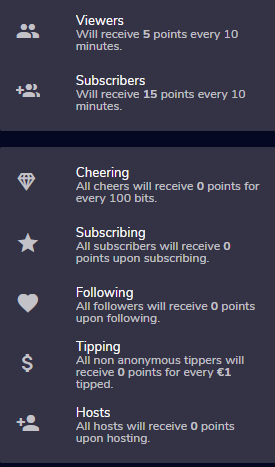
i just streamed a sponsorship stream after starting the campaign and did the certain goals and made people join my through my link, but when i go in and check the campaign it says that i need to start it again
crude pecanBOT
@lament blade ⤵️
Please contact us via email for support with your campaign or sponsorship. You can use our contact form here: https://streamelements.com/contact Thank you.
lament blade
thanks
glossy hill
lament blade
should be fixed in the next minutes
ty
 cinder kayak
This has probably been asked before, but I need to know. How can I replace the sub tokens with my sub badges, cheer tokens with my bit badges, and other things instead of having the random emotes for the hype cup?
 grave sable
so i am trying to stream rust can anyone help it is just a black screen when i stream
lament blade
grave sable
so i am trying to stream rust can anyone help it is just a black screen when i s...
did you tried to start OBS.live and Rust as a Administrator?
grave sable
huh
yea i think
my friend help me half way then left me to figure this out then i found this
lament blade
otherwise disable the anticheat
grave sable

this is what i have but when i check my stream in twitch it is black screen when i start the stream
 latent jungle
hi
I would like to share on my stream how many subs i do have
but on the overlay
the amount isn't correct
 lament blade
grave sable
this is what i have but when i check my stream in twitch it is black screen when...
lament blade
grave sable
this is what i have but when i check my stream in twitch it is black screen when...
Even when you start a recording?
grave sable
lament blade
Even when you start a recording?
yea let me show u
 lament blade
latent jungle
the amount isn't correct
lament blade
latent jungle
the amount isn't correct
you can reset your subscriber amount
latent jungle
oh where?
grave sable

 lament blade
grave sable
lament blade
grave sable
i see your screen
grave sable
but when i load rust and in a server it still is black
lament blade
disable that in your Game Capture
 grave sable
how do i get there lol
lament blade
grave sable
how do i get there lol
create a game capture on your Sources and then scroll down to "Use anti-cheat..."
latent jungle
yes but if i do reset
i will have 0
i don't want to reset all the time
before each streams
there's no automatic session count ?
grave sable
i did it should it work now
lament blade
grave sable
i did it should it work now
works now
grave sable
lament blade
works now
no
lament blade
i see your Rust onstream
grave sable
is it all working
lament blade
latent jungle
there's no automatic session count ?
you can edit your sub amount
grave sable
thx for the help man
latent jungle
lament blade
you can edit your sub amount
but if i choose a session count, after the first stream i will have to reset the amount ?
after each streams ?
 mental bluff
Hey everyone! I just renamed my twitch account and relinked in OBS, but not the Streamelements Activity Feed is missing. Can anyone help me get it back?
lament blade
mental bluff
Hey everyone! I just renamed my twitch account and relinked in OBS, but not the ...
did you relog everwhere?
 abstract delta
So my stream elements keeps sending "response message" randomly in my stream is there a way to make it stop? I've checked all the settings and tabs but can't find what's causing that
mental bluff
Meaning? I reconnected my twitch in OBS and relogged into twitch, yes
lament blade
abstract delta
So my stream elements keeps sending "response message" randomly in my stream is ...
yes under the bot timers
mental bluff
Oh I see, I need to change it in the StreamElements tab as well.
lament blade
yes
abstract delta
lament blade
yes under the bot timers <:FeelsOkayMan:791445409155252265>
Thanks friend!
mental bluff
Derp complete, thanks
lament blade
latent jungle
but if i choose a session count, after the first stream i will have to reset the...
you reset this once and then it fits
abstract delta
How would I find out which one is causing the message response @lament blade
lament blade
look at the different timers
abstract delta
lament blade
look at the different timers
Okay but what is it I'm looking for? 🤔 A break in text?
lament blade
You look at the timers and if there is something in a field that makes this message sended, then simply delete it
 dry hare
 restive spade
How do I get to affiliate
dry hare
restive spade
Also how to set commands on twitch
restive spade
How do I get to affiliate
dry hare
restive spade
Also how to set commands on twitch
In your StreamElements dashboard there is a section for bot commands. You can create custom commands using templates or custom responses or utilize several pre-built commands
dry hare
willow kite
Can anyone help me with this
You’ll need to talk to nightbot. Since this is StreamElements we can only provide support for the streamelements platform and tools
willow kite
dry hare
You’ll need to talk to nightbot. Since this is StreamElements we can only provid...
Alright was just wondering if anyone knew how to fix here before contacting them
dry hare
willow kite
Alright was just wondering if anyone knew how to fix here before contacting them
you can try going to nightbot.tv and logging in and see why it's broken. that's what it says in the chat.
 wanton moon
so i have an overlay that displays everything i need including goals, alerts, and my chat, except theres an issue with my chatbox not displaying on obs ? everything else works fine and is showing up, but when someone types in my chat itll only show up on streamelements, but not in obs which means stream wont see it :/ help !!
willow kite
dry hare
you can try going to nightbot.tv and logging in and see why it's broken. that's ...
Already did this everything looks fine haha idk i out a thing on their forum page hope they see it
dry hare
willow kite
Already did this everything looks fine haha idk i out a thing on their forum pag...
Have you removed the nightbot connection to your twitch and reconnected it?
 vapid turret
Hello everyone. Does anyone know where you can download the buttons for the description of the twitch?
 hidden vine
Is it possible to make a time to run a ad on streamelements?
crude pecanBOT
@hidden vine ⤵️
To have StreamElements run ads for you, do the following:
- The bot StreamElements is added as an Editor to your Twitch channel here: https://dashboard.twitch.tv/community/roles
2.a) To create a Timer, go here: https://streamelements.com/dashboard/bot-timers - add a timer with a response /commercial <30|60|90|120|150|180> to indicate the ad duration and also select the time interval that the response will be sent while you are online. Example: /commercial 30 and timer every 10 minutes (online interval).
2.b) To create a Custom command, go here: https://streamelements.com/dashboard/bot-commands/custom-commands and add command with the response /commercial <30|60|90|120|150|180> to indicate the ad duration. Example: !ads command with response /commercial 30
 twilit imp
Need help, Stream elements is not letting me change the preset image for alerts, its the standard one no matter how many times I upload a new one and clear the old one
edit its actually not letting me change anything, not the text image or alert sound
 rich atlas
I need help please, so my chat stats says "no data" but the channel points and everything else seems to work just fine, can anyone help me please and thank you!
 worthy minnow
Hello there.
I'm kinda of a noob at StreamElements, so it might be a silly question.
Anyway, I'm trying to create an alert from a store purchase. The item on the store is to let the buyer to send a message in live.
So, in the TTS the voice read the message, but do not read the alert.
For example:
  Random redeemed a live message
  "Hey man, nice stream".
In that example, the way I did the alert box, just the "Hey man, nice stream" is read, but I want it to also read the "Random redeemed a live message".
Anyone know if that is possible? Thanks.
twilit imp
thank you streamelements very cool
lament blade
hello, Im trying to set up streamelements but I cannot see my followers, subscribers, or cheers on the dashboard at all
I am trying to set up an overlay using one of streamelements' themes, but I am unable to load my recent followers, subs, or cheers, any idea how to fix it?
 celest fossil
im a noob idk how to enable tipping 😦
 short violet
is anyone else have a problem with the font for the chat widget not changing in their browser source once it's in OBS? it changes within streamelements but when i update the link the chat in my OBS browser source only shows as times new roman
 unkempt agate
Are there any known methods to alert when someone uses patreon? I know streamlabs has this feature.
nimble dune
unkempt agate
Are there any known methods to alert when someone uses patreon? I know streamlab...
unkempt agate
Hero, thank you.
nimble dune
No problem
 nova gull
how to do i fix the !watchtime command? it displays has spent 0 secs watching for everyone
crude pecanBOT
@nova gull ⤵️
The !watchtime command is directly tied to the Loyalty system. The Loyalty system must be enabled for viewers' watchtime to count up.
To enable Loyalty, please go to the Loyalty section of your account: https://streamelements.com/dashboard/loyalty
Watchtime counts up every 10 minutes alongside Loyalty points, and only while the stream is live. Reruns will not be counted.
Please note that watchtime is not tracked by Twitch and there is no way to retroactively apply past watchtime to viewers.
 dim cypress
does anyone know why steam keep going offline random? I go live and its fine then randomly it goes offline
dry hare
dim cypress
does anyone know why steam keep going offline random? I go live and its fine the...
Can you provide a log file?
dim cypress
idk what that is
crude pecanBOT
@dim cypress ⤵️
Please provide a log from your last stream. To do this, in OBS go to Help > Log Files > Upload Last Log File and paste the link to the log file here.
lament blade
lament blade
I am trying to set up an overlay using one of streamelements' themes, but I am u...
hi, could I please receive some help on this? I've spent a couple hours trying to troubleshoot my issue and my twitch dashboard and activity feed show absolutely nothing
on streamelements' website
dry hare
lament blade
hi, could I please receive some help on this? I've spent a couple hours trying t...
So on twitch’s dashboard it shows nothing?
And on the StreamElements dashboard?
lament blade
dry hare
So on twitch’s dashboard it shows nothing?
my twitch dashboard works normally, but on streamelements website it says "You have no stream activity" and all my stats are 0
the streamelements bot in my chat has mod as well as editor
crude pecanBOT
@lament blade ⤵️
Please logout of StreamElements at https://streamelements.com/logout and then login again to your account (Twitch/YouTube/Facebook).
lament blade
crude pecan
<@456226577798135808> ⤵️
tried this
i have obs live installed too from when i started trying out streamelements today
crude pecanBOT
@lament blade ⤵️
Please provide your account ID found at the top of this page: https://streamelements.com/dashboard/account/channels This ID is public info and safe to share here.
dim cypress
https://obsproject.com/logs/29FWXFwBG6QbfvyB here is the log file
zenith widget
@lament blade should be better now for new events. Any missed events won't retroactively show up
zenith widget
dim cypress
https://obsproject.com/logs/29FWXFwBG6QbfvyB here is the log file
https://obsproject.com/tools/analyzer?log_url=https%3A%2F%2Fobsproject.com%2Flogs%2F29FWXFwBG6QbfvyB
OBS (Open Broadcaster Software) is free and open source software for video recording and live streaming. Stream to Twitch, YouTube and many other providers or record your own videos with high quality H264 / AAC encoding.
lament blade
zenith widget
<@456226577798135808> should be better now for new events. Any missed events won...
is streamelements not supposed to know my latest follower or sub?
zenith widget
If you just signed up with us, right now or today
and haven't streamed yet
we are not suppose to get past events from your channel
thats not how the Twitch API works
If you stream now and you get follows, subs, cheers, tips, hosts and raids
we will show them to you as alerts and will be populated in the activity feed
 hard sentinel
Hi...uhm, okay i've got 2 probs rn while streaming:
-
my alert box isn't working on stream(eventhough it works when i emulate it through stream elements site)
-
The Stream Elements Dashboard does not display the stats of new followers
I'd really appreciate some help!
 gloomy hedge
My alert box doesn’t work either
 languid salmon
Hey guys. So I been doung this a couoke months. And i want my own unquie overlays and I have trouble with branding as well. SOME ONE HELP!!!!
dry hare
languid salmon
Hey guys. So I been doung this a couoke months. And i want my own unquie overlay...
There’s a link to fiverr in the overlay gallery and Nerd or Die or visuals by impulse offer custom overlays, there’s also #art-marketplace
 vagrant badger
Hi! Can someone tell me why I cant edit my overlays? It gets to this page and it keeps loading forever. I already messaged about this but an adm told me to try to do it on anonymous mode, it showed the invalid token message, tried to contact the adm here and I had no response
 crude pecanBOT
@vagrant badger ⤵️
Please logout of StreamElements at https://streamelements.com/logout and then login again to your account (Twitch/YouTube/Facebook).
vagrant badger
crude pecan
<@513907845410848769> ⤵️
Goes the same way

I cleared the cache earlier but nothing changed
lament blade
is kdamiles your username?
vagrant badger
lament blade
is kdamiles your username?
yeah
lament blade
works fine on my end, are you getting this on all of your overlays?
 tribal igloo
Is it possible to create an overlay with a timer that’s set to 30 minutes, and then use a command that will show or hide the timer? I do giveaways in my chat if someone hits a rng number and then there’s a 30 minute cool down period so rather than manually timing 30 minutes or manually starting/stopping/showing/hiding the timer I want to do it through commands
vagrant badger
lament blade
works fine on my end, are you getting this on all of your overlays?
yeah, I cant edit my own overlays of the alert boxes or pre made themes, the editor doesnt open
lament blade
@tribal igloo hiding and showing overlay elements via command is not something we can do at the moment
lament blade
vagrant badger
yeah, I cant edit my own overlays of the alert boxes or pre made themes, the edi...
try a different browser, like firefox, if the issue persists, let me know
vagrant badger
lament blade
try a different browser, like firefox, if the issue persists, let me know
ok, i'll try it
vagrant badger
lament blade
try a different browser, like firefox, if the issue persists, let me know
it's happening again 😩
 lament blade
DM'ing you
vagrant badger
lament blade
DM'ing you
alright
 charred fjord
Hi guys, how do I remove bots from chat stats?
worldly escarp
charred fjord
Hi guys, how do I remove bots from chat stats?
you can add the bots to the ignore list
charred fjord
worldly escarp
you can add the bots to the ignore list
I dont know how
worldly escarp
charred fjord
I dont know how
StreamElements
The Ultimate All in One Platform for Streamers
charred fjord
worldly escarp
https://streamelements.com/dashboard/loyalty
Ive done that already, that only ignores leaderboard
 fleet cosmos
I want to make it so that my Streamelement chatbot uses both my own broadcasting account name for things like commands but have chat alerts be separate (such as subscriptions) and posted by the StreamElements bot. Is there anyway to do that?
ionic kelp
No
fleet cosmos
I apologize if this is confusing. I saw this one streamer do this and I wanted to replicate it. They had their own twitch account be it’s own chatbot for shoutouts, song requests, thank you replies to subscriptions and such but had the StreamElements bot announce things like raids and subscriptions
ionic kelp
Not possible with the way the system is designed.
They'd have to be using another bot.
fleet cosmos
Really
Let me provide an example
So first line is just default twitch, second line is the streamelements bot announcing a sub, and the third is the streamers account automatically thanking for the sub. It is automatic as I see as the time stamp for the 2nd and 3rd row are the same
 rocky ore
Hey
is it possible to make sub alerts for individual subs? I do photoshops for people that sub with me and them in it and I would like them to pop up when they sub. And I saw that you could do individual alerts for donation amounts so if obviously there is a possibility to do such a thing, im not asking for anyone to do, but if u have an idea or some pointers where I should look to learn how to do that I’d appreciate it
lament blade
you mean personalized sub alerts? on a per-user basis?
 willow coral
is the "paid upgrade" variation parameter on the alert box subcription meant to correlate to when a viewer subscribes after their gifted sub has expired?
lament blade
or if they get a tier 2/3 sub
rocky ore
yes per user basis
willow coral
currently have this setup. would the upgrade variation need to be created 3 times for upgrading to the different tiers?

thank for the replies btw ❤️
lament blade
these don't require an additional variation tbh
willow coral
I've noticed sometimes the upgrade from a gifted sub will trigger one of the default sub alerts that stream elements offers
rocky ore
i was thinking of something in the code of "if username = "tinolas" then play this alert"
or sth like that
i mean in donations its basically the same
lament blade
@rocky ore that won't be possible as for some accounts this would involve creating thousands on thousands of variations
rocky ore
yes for big streamers it would be
lament blade
you're using the same system that our largest streamers use
rocky ore
but lets say they want to have one just for their longest sub
lament blade
if we allowed something like this, it would have to scale to the largest streamers on the platform
rocky ore
hmm
lament blade
tl;dr - with the current technical limitations, not possible
rocky ore
is there a way to make alerts trigger an action locally? in obs
i understand that hosting all files for each alert is a lot
 exotic ermine
Hello guys, I made an overlay on my first channel. Is it possible to copy it over to a different channel?
lament blade
alerts trigger based on events coming in from twitch, to get what you want to do, at the moment, would be to design, code and host your own alertbox
lament blade
exotic ermine
Hello guys, I made an overlay on my first channel. Is it possible to copy it ove...
if those channels are connected, you would be able to duplicate the overlays between them, yes
willow coral
lament blade
<@!341391228748693504> adding one more would help
alright cool cool, is there any way to access a tier variable on the "paid upgrade"? from what it says on the page, only name and sender can be accessed. The streamer i've made these alerts for has different webm for each tier, likely that he'll want the upgrade alerts to correlate to the regular sub alerts
exotic ermine
How do I connect them between eachother @lament blade
Oh wait I just figured it out!
lament blade
willow coral
alright cool cool, is there any way to access a tier variable on the "paid upgra...
IIRC no
lament blade

willow coral
lament blade
IIRC no
ahh no problem, i'll see about creating a webm specifically for the upgrade. thanks for the help 
lament blade
sure thing
rocky ore
https://gyazo.com/21ccf446623ee3a8994596c928ecf0b8
@lament blade is this not possible with what i was asking earlier?
alert variations based on names
lament blade
anything personalized down to a user level is impossible


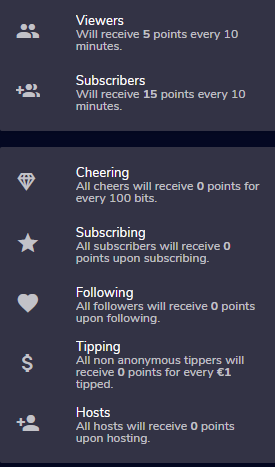 rocky ore
so it is possible?
lament blade
very much so
rocky ore
oh shit
so i just upload files according to the viewer
and then its just done?
like that?
 errant trail
Is there anyway to view an audit log as to who may have created or deleted commands on streamelements?
zenith widget
We don't have audit logs for commands
 winged sparrow
@ebon forum Hi, my streamelements chat stats is 404 error too. But I have not changed the name. I used a localized name (超氟牙膏) of my twitch account (donkeychen) for a long time. Would you give me a hand? Thank you.
https://stats.streamelements.com/c/donkeychen
 jolly trellis
Is there a way to copy just the Alertbox into another Overlay?
 knotty comet
why stream element didn't count my tips ??? always set to 0$. I already link my paypal account.
 royal parcel
Hey everyone, a streamer I mod for has recently got affiliate and the option to add her twitch emotes to the emotesplosion isn't there, I have it on my channel, I've checked just about everything I can think of, is there a way to make it realise she's affiliate now?
lament blade
royal parcel
Hey everyone, a streamer I mod for has recently got affiliate and the option to ...
you need to use the command !emotes update
royal parcel
Ah ok thanks, I'll try that now
Its still not recognising that she has twitch emotes for the emotesplosion, does it usually update straight away? I've never seen this problem before
 lament blade
are those sub emotes?
royal parcel
Yeah they are, she got affiliated around a week ago, but streamelements isn't giving the option to add them to the emotesplosion
Its like it doesn't know she is affiliate now
lament blade
she can gift a sub to the bot to allow it to use sub emotes
that should reflect in the platform
royal parcel
Its for the emotesplosions that appear on screen, like Kappagen, The bot isn't subbed on my channel but my emotes show on Kappagen
I'll try it tomorrow, hopefully it works, thanks for your help
lament blade
@royal parcel had a deeper look into it, it's a known issue that's being worked on atm
 spare wolf
I am having trouble with the Raid: Shadow Legends sponsership. I think my link broke because after a day, it stopped counting people. It does not show up in the events either.
lament blade
I think I just replied to your ticket regarding this issue, correct?
 midnight lichen
Hello, guys!  Can somebody help me with chat stats 404 - Page Not Found error? I have loyalty system enabled and I didn't changed my nickname ( pisicagarfi on twitch)
midnight lichen
 so fast. thank you have a nice day
placid raptor
have a great day too 😁
 shrewd mica
Hello. I've got actually similar issue. On my Streamelements Twitch extension I have no chat stats on the leaderboard. Could you please help me too ? 👀
 regal juniper
hey, does anyone know why my alerts only come through the pc speakers even when ive changed audio to be headset? i assumed it would just go with default and swap to which ever one im using
placid raptor
shrewd mica
Hello. I've got actually similar issue. On my Streamelements Twitch extension I ...
have you changed names on twitch recently?
shrewd mica
Last time I changed name was few months ago before I installed the extension
placid raptor
regal juniper
hey, does anyone know why my alerts only come through the pc speakers even when ...
I'd say that in order to prevent it use a specific device instead of default
it can be tricky if you swap devices a lot, not sure why
but yeah if a device is changed make sure that OBS uses the proper one
not ruling out windows being the culprit too, maybe checking the default device in the windows settings can help
placid raptor
shrewd mica
Last time I changed name was few months ago before I installed the extension
let's check, what is the previous username and the current one?
shrewd mica
Previous: 2fanatical4u Current: 2fanatical
placid raptor
since I couldn't find any data on both I created a fresh page for the current name
shrewd mica
Sounds awesome. Is there anything I need to do on my end now?
regal juniper
I use both desktop and headset in the sound settings but the alert remains on speakers, are there sub settings for alerts and other audio that i need to change instead ?
 placid raptor
shrewd mica
Sounds awesome. Is there anything I need to do on my end now?
placid raptor
shrewd mica
Sounds awesome. Is there anything I need to do on my end now?
no it should start tracking chat statistics now
shrewd mica
@placid raptor Amazing. You're a legend. Thank you so much
placid raptor
naaah  no worries
shrewd mica
👍 💯
placid raptor
regal juniper
I use both desktop and headset in the sound settings but the alert remains on sp...
ummm not 100% sure. since I use one device for desktop audio and it's for my in-ears I've never had to set this up
do you have everything in 1 browser source? like the overlay alertbox and other widgets? or is it divided and the alertbox has its own browser source?
regal juniper
Ive just gone into my settings, removed the desktop and kept the headset as in reality i very very rarely use speakers when streaming for audio - I have the alertbox in its own source - even after just swapping and now only having one sound source active (headset) for some reason the alertbox is still being directed to speakers
lament blade
Trying to setup the loyalty point system but does not seem to be applying any points to subscribers despite being set as such, anyone have any common fixes?
placid raptor
regal juniper
Ive just gone into my settings, removed the desktop and kept the headset as in r...
is the browser source set to 'control audio via OBS'?
placid raptor
lament blade
Trying to setup the loyalty point system but does not seem to be applying any po...
could you elaborate on the specific experienced behavior please?
regal juniper
it is yes @placid raptor
placid raptor
now that you only have 1 device try to disable that option and see if that helps
lament blade
@placid raptor I setup the loyalty points system to apply 20 points on subscription, had a subscriber and five gifted subs since within a 10 minute window, neither of them generating any additional points.
regal juniper
fixed @placid raptor 5Head thanks for the help the issue!
oh 1 more thing though - a while ago i changed name, is there anything i have to do? i remember seeing somewhere i had to tell someone?
placid raptor
if you changed names basically we recommend this:
Please part the bot from your dashboard > logout of StreamElements at https://streamelements.com/logout > log in again > re-invite the bot > mod it (make sure it's not muted).
and in case you care about chatstats lets u know what the previous name was and what the current one is, we'll get it updated in case we see the previous name's stats
placid raptor
lament blade
<@!360074950838714368> I setup the loyalty points system to apply 20 points on s...
mmmm you can try the same as above? parting the bot and making sure it's modded?
in addition, when a sub is gifted the points go to the gifter, not the viewers that received a gift
lament blade
Its definitely modded.
placid raptor
what about follows? do those get points?
lament blade
Viewer points are working fine.
placid raptor
still try to part and rejoin
lament blade
Okay.
Reinvited just waiting on new follows and subs to test it.
It also wasn't working on follows previously, just views. So will see what happens.
crude pecanBOT
@lament blade ⤵️
Please provide your account ID found at the top of this page: https://streamelements.com/dashboard/account/channels This ID is public info and safe to share here.
 weary shell
Hey there, I'm currently doing the sponsored stream for Raid: Shadow Legends.
I bought the 50$ pack and opened it on stream with some awesome hype but didn't get the last checkmark on that completion.
Could it be that this takes a bit?
 bright remnant
hi im trying to set up the tipping for my twitch via Streamelements however te email address is not connecting, not sure why, would anyone have a suggestion on to fix this?
placid raptor
hey @weary shell ! mind copy pasting this to a ticket? https://streamelements.com/contact we'll handle it pretty quickly :]
placid raptor
bright remnant
hi im trying to set up the tipping for my twitch via Streamelements however te e...
usually there's like a space or a sign that interrupts it
crude pecanBOT
@bright remnant ⤵️
Please provide your account ID found at the top of this page: https://streamelements.com/dashboard/account/channels This ID is public info and safe to share here.
placid raptor
with the account ID i'll be able to check
bright remnant
inkishimo
placid raptor
I don't see it there now. if you don't mind you can DM me the address and I'll check if I'm seeing an issue
otherwise try again, make sure there are no spaces or unwanted symbols
weary shell
placid raptor
hey <@!464345217856962561> ! mind copy pasting this to a ticket? https://streame...
Will do! ❤️
 lilac patio
Hey, after i used prepared overlays i decided to make my own overlay with own alerts. My problem is now that the alerts are still the alerts from the prepared overlay and i dont know how to reset/delete them to make my own. I deleted all prepared overlays but this didnt help me.
Does anybody know how to delete the alert sound from an prepared overlay? This would really help me!
keen wigeon
lilac patio
Hey, after i used prepared overlays i decided to make my own overlay with own al...
Where did you add the new alert box from? Did you add it from the overlay editor as a new widget, or copy it from the previous overlay?
lilac patio
I created a new overlay and added it there as a new widget. The problem is now that i can hear my old alert and my new mixed. @keen wigeon
keen wigeon
Can you hear it together when you emulate it in your overlay editor?
lilac patio
All good i was just dumb haha. I forgot to delete the browser link in my obs which is connected to the old Overlay. Now is everything fine. Thanks
keen wigeon
All good. This was my next question. 😆
lament blade
@placid raptor Fix worked a charm.
Although i am trying to manually add points for those whom missed it... and always get 'not found', any idea?
 worthy elk
HELP - It seems the past 2 months or so my Prime subs and even some of the gifted subs are not coming through streamelements. I am getting no notification or alerts while live when getting these subs, how do I fix this ?!?
placid raptor
lament blade
Although i am trying to manually add points for those whom missed it... and alwa...
nice! happy to hear. you're using !addpoints or !setpoints?
if so, make sure to use !givepoints first, that should add the user to the leaderboard, and then !addpoints and !setpoints should work
also make sure that the user-level for these commands is set to moderator and not super moderator
placid raptor
worthy elk
HELP - It seems the past 2 months or so my Prime subs and even some of the gifte...
any chance you changed names on twitch before this started happening?
worthy elk
placid raptor
any chance you changed names on twitch before this started happening?
No, My name has been the same. It always used to work, I'm not sure what happened or changed..
placid raptor
let's try this
Please part the bot from your dashboard > logout of StreamElements at https://streamelements.com/logout > log in again > re-invite the bot > mod it (make sure it's not muted).
and after about 10-15 minutes navigate to your activity feed > widget data > totals > press 'reset session'
make sure it's done on Chrome please
worthy elk
placid raptor
let's try this
Please part the bot from your dashboard > logout of StreamElement...
Thank you, I will try this. I appreciate the quick help!
placid raptor
no worries, tag me with the outcome please
charred fjord
Hi guys, how do I remove bots from chat stats?
keen wigeon
charred fjord
Hi guys, how do I remove bots from chat stats?
Add them to the ignore list in the Loyalty page.
charred fjord
keen wigeon
Add them to the ignore list in the Loyalty page.
I did that already, it only ignores them from the leaderboard but not the chat stats
placid raptor
if you can confirm the setting is saved when navigating out of the extension settings and back,
try to part the bot from your dashboard > logout of StreamElements at https://streamelements.com/logout > log in again > re-invite the bot > mod it (make sure it's not muted).
we're not really able to remove individual entries from chatstat, so if that helps I believe the existing messages won't disappear, but it should stop counting them into the stats
charred fjord
placid raptor
if you can confirm the setting is saved when navigating out of the extension set...
Okay I will try that, thank you
placid raptor
no worries!
lament blade
So ive setup a !giveaway with the !enter ect but how do i execute the giveaway to select a winner?
placid raptor
so once you have enough viewers that entered you can 'close' the giveaway to prevent having more in the list, and then you can draw winners from the list (once closed you'll see the 'draw' option)
lament blade
Great thankyou.
worthy elk
placid raptor
no worries, tag me with the outcome please
Just out of curiousity, you asked if I had changed my name. If I ever decide to change my name in the future, what would I have to do to prevent any alert/notification problems?
crude pecanBOT
@worthy elk ⤵️
If you changed your name on Twitch, please follow these steps:
- Visit https://streamelements.com/logout and then log in again by connecting with Twitch.
- On the right side of the dashboard page that opens, select Join under bot settings. If it says Part select that and then select Join to send the bot to the chat. Don't forget to mod the bot by typing /mod streamelements in your channel if you have not already.
- Post your old and your new name here so that we can update your channel's chatstats tracking (must be done by staff).
 molten abyss
Not sure if this is the right room for StreamElements specific questions so apologies if not. Is there currently or in the works a way to Copy and Paste alert settings in the editor from one alert to another (within the same alert box). I have quite a few custom settings in my Follow alert and need to copy it into the Subscriber alert etc. Haven't found a way. I can dupe the whole alert box but then I still have a setup follower alert but not the others.
placid raptor
there is no way to copy settings between widgets. and due to the different alert types it isn't possible to copy settings of one alert type to the next
and if you're streaming on twitch this is indeed the right place
molten abyss
Dang, thanks, hopefully in a future update 😄 Time to manually make a bunch of tedious changes lol
placid raptor
 well we all set up our alertbox for the first time a bit tediously
molten abyss
True that 😄
We need global alerts so that you can just plop it into scenes and if you change the global it changes them all
At least you can duplicate them so if you need to change you can just change it in one scene and duplicate it 😄
 unkempt fractal
Hi everybody! I just wanted to know if it's possible to see the chatstats but just for a specific time. Like, for example, see who was the person which most chat during the month of May 2021. Is it possible? And, if it is... how/where? Thank you!
 finite urchin
Hi is there a way to mute scene transaction or lower the volume?
sand fractal
yo groove, could you check DMs pls and ty 🙂
placid raptor
first of all let's post everything in one message
please, of course.
secondly, i'm sorry but there is no alignment issue present at the moment and no reports of such a thing happening
if you're using custom widgets I suggest consulting in #dev-chat and share your code or custom widget for codegurus to be able to advise on that
no need to delete now just for future reference
too late I guess
 potent mica
ok ill move it there
but the one i posted isnt custom
its just me dragging stuff in yoru overlaymaker
 vapid birch
Hey, I just changed my twitch username and now all emote options have disappeared from KappaGen and emotes aren't showing in chat overlay, just their names
placid raptor
perhaps it's your overlay + browser source dimensions then?
i'm not even sure how I can try and replicate such a thing @potent mica
placid raptor
vapid birch
Hey, I just changed my twitch username and now all emote options have disappeare...
Please part the bot from your dashboard > logout of StreamElements at https://streamelements.com/logout > log in again > re-invite the bot > mod it (make sure it's not muted).
potent mica
could i give you my browser source to test?
placid raptor
yeah no need for browser source, account ID should be fine
crude pecanBOT
@potent mica ⤵️
Please provide your account ID found at the top of this page: https://streamelements.com/dashboard/account/channels This ID is public info and safe to share here.
potent mica
my overlay page is a mess lmao the ones you can look at are "EVENTS" and "Skinny Chat" my id is 5e57d6566d39bfef204e39ff
events is all streamelements and the chat is cutsom
placid raptor
ok, give me a few minutes please though 🙏
vapid birch
placid raptor
Please part the bot from your dashboard > logout of StreamElements at https://st...
Still not working. Cant select emotes for KappaGen and emotes dont display in chat overlay
placid raptor
are you referring to your sub emotes? or do you not see any emotes there?
vapid birch
KappaGen is totally empty, but the overlay works with all emotes except BetterTTV (which it used to before name change)
placid raptor
@potent mica what is the resolution in the browser source?
placid raptor
vapid birch
KappaGen is totally empty, but the overlay works with all emotes except BetterTT...
are you using Chrome? 
vapid birch
Yep, never had a problem
placid raptor
mmmm
crude pecanBOT
@vapid birch ⤵️
Please provide your account ID found at the top of this page: https://streamelements.com/dashboard/account/channels This ID is public info and safe to share here.
placid raptor
i'm asking because this is what I see in my OBS @potent mica
