#helpdesk-twitch
1 messages · Page 806 of 1
 surreal zodiac
 ionic kelp
Nope. CC donations go through that method while paypal is strictly paypal.
ionic kelp
Because that's how the system works.
surreal zodiac
garbage system ig
ionic kelp
@crimson bough Seems like it was a momentary hiccup as it was doing the same for me but is loading now.
 lament blade
One week before i could stream Among Us on Twitch with my settings but now its always laggy but the settings are the same please help me
 viscid pebbleBOT
@lament blade Please provide a log from your last stream. To do this, in OBS go to Help > Log Files > Upload Last Log File and paste the link to the log file here.
lament blade
 twin sentinel
lament blade
twin sentinel
lament blade
song request commands get marked off as soon as I go out of the tab
 golden dagger
guys, how can i add custom css to my chat in streamelemts?
 placid thorn
ok so I accidentally automodded some words with the bot but now I can't find the page that I did that and people keep getting banned for saying something that isn'y bad and i am confused
placid thorn
ohhh ok
twin sentinel
@golden dagger You referring to your overlay chat?
 bright torrent
how can i make a counter for adding extra time to a 24+ Stream?
golden dagger
twin sentinel
<@!323234867657572353> You referring to your overlay chat?
someone already helped
😄
 untold storm
Hello, my chat stats disapear. I didn't change my twitch name, only some elements on my profile and now there are no more datas in my chat stats on streamelements dashboard... can you do something to fix it ? Thanks in advance for the answer!ID 5f7c363d342e1e56e8c0e44b
 stable pier
Hello. I'm trying to add a custom name for my streamelements bot. I've done all the pre-requisites (the Obs.Live plugin and all of the rest of the stuff as screenshotted) but the option doesn't show up in GroundControl. I've tried everything including uninstalling/reinstalling ground control. Need help. Any ideas?
ionic kelp
Why not OBS.Live?
stable pier
As in do it through Obs.Live? I tried that too, doesn't work.
ionic kelp
Try this
viscid pebbleBOT
If your commands recently stopped working and you're using OBS.Live and a custom bot name do the following:
- In OBS.Live, click on the hamburger menu (three stripes) at the top left of your activity feed
- Click on Stream Settings > Custom bot name
- In the Custom bot name field select Set custom bot name, not your already existing username (with capital letters). Note: If you already connected an account that way, the third entry will show as the account name (see image https://i.imgur.com/sO7fWOX.png).
- Scroll a bit down and click on the purple Connect Custom Bot Account button
- Log in as usual and Authorize the custom bot name
- Back in the Activity feed, click on the Send Test Message button and check if your custom bot name starts working again

 glad tapir
Im just curious I had a few donations yesterday through PayPal but there still pending. How long does it take before they go through? These are my first donations. Is there anything I need to do on my end?
viscid pebbleBOT
if a viewer tipped through PayPal but no information appears in your StreamElements account, this generally means PayPal has held the tip for verification. Until PayPal clears the tip and sends back a confirmation to your StreamElements account, no information will appear there and no alert will play, as that confirmation is the only way for us to be aware of a successful transaction. If you believe there may be an issue with the transaction, you'll need to contact PayPal support as StreamElements is only a passthrough service and never actually gets involved with the transaction or touches the money
stable pier
ionic kelp
Try this
Yep this is what I did through Obs.Live. When I tried sending the test message, it doesn't work
ionic kelp
Redo it. This mentions the 3rd option.
stable pier
Just removed the bot, and reauthorized. Still not working
 mild pulsar
Hi there! Still having trouble with my shoutout chat command. The user variable is very much not working for me.
glad tapir
Ok Thank You. I did get the alert on stream and the donation is listed on my SE History they were just still pending in PayPal. May just need to wait longer I reckon.
ionic kelp
@mild pulsar What's the response you have for the command?
viscid pebbleBOT
@stable pier "1) Right click on your OBS desktop shortcut and open the Properties
2) In the Target field, add the following to the very end: --remote-debugging-port=40404
3) Open OBS (or restart if it was open)
4) Open your web browser and type in: localhost:40404
5) Click on StreamElements - Activity feed
6) Navigate to the Console tab
7) Type the following into the console and hit enter: store.customBot.removeCustomBotIntegration()
8) Try setting the custom bot name
9) Remove the additional flag in step 2 from your shortcut properties."
ionic kelp
Try that.
stable pier
Cool. I'll give it a shot. Thanks. Give me a few
ionic kelp
Try this Check out ${1}, they are playing ${game ${1}} at https://twitch.tv/${channel ${1}}
Simply use their name following the command.
stable pier
ionic kelp
Try that.
Same issue unfortunately.
mild pulsar
ionic kelp
Try this `Check out ${1}, they are playing ${game ${1}} at https://twitch.tv/${c...
I did try that for a workaround and it did work. Just wasn't sure if there was a way to keep using user.
ionic kelp
I think you'd want touser and not user in that case.
lament blade
If one was having issues with Video on Command, would they be in the right section?
ionic kelp
Video on command?
lament blade
One of the widgets in the theme gallery.
 covert stratus
Hello, my sister subbed to my channel and I didnt get a notification from streamelements and it doesnt show on the activity feed. I downloaded my sub list and she is on there. Can you please fix this? She subbed on stream and its not cool I didnt get to thank her then.
 stray merlin
Hey, so I am trying to run a chat command !giveaway but do it as a chat command not with the "Giveaway loyalty tab". It is giving me two responses. 1: my chat command 2: "ther is currently no giveaway runnning!!!!"
 unborn wedge
Hey i am currently doing the Raid Shadow Legends sponsorship and i really just have 2 questions... any SE.Staff around that got some time?
(pls tag me if you see this and reply)
lament blade
Hi, I wanted to stream on twitch, but the chat for the stream elements plug in always says connecting to chat, and never actually connects. What should I do?
viscid pebbleBOT
@lament blade StreamElements menu, on top of OBS > Logout > Login
mild pulsar
ionic kelp
I think you'd want `touser` and not `user` in that case.
ok, I'll try that as well!
 bronze plume
Good Afternoon:
I was trying to link my YT channel to my pre-existing Streamelements Twitch channel but mistakenly logged in as YT channel. I didn't logged in as twitch and then linked both channels, now when I try to add a channel to either my YT or my twitch account on Streamelements it says "Channel is already claimed". I have tried logging off/on from either or and linking them, but nothing. Any help?
viscid pebbleBOT
@bronze plume Account Merging - Please note:
- Merging accounts only allows faster ways to switch between accounts
- Merging accounts does not allow data sharing between accounts - different streaming platforms, different type of events
- Merging accounts allows duplicating/sharing overlays between the accounts
If you understand the limitations of merging and want to proceed, please find the JWT tokens (!jwt) from both accounts you want to merge and you will be directed to DM them to a staff member
@bronze plume You can find your JWT token on your account channels page (Show Secrets to reveal the token): https://streamelements.com/dashboard/account/channels
READ ME: This is a private security token. Do NOT share this token here or other public places, only with a StreamElements staff member in private.
 wary halo
DM both the tokens to @tight harness
bronze plume
Yeah I just wanted to duplicate/share overlays; I will do that thank you
 rustic pumice
Anyone know if it's possible to get back the default cheer alerts, like the animation, sound etc. I just deleted all the variations.
 strong raptor
I cant get into streamelements can anyone help please as im logged in but it keeps throwing me into the home screen when i try and go to the dashboard
 rich valley
hey does anyone know how to make !join command to have viewers enter a queue for when its time for them to join the game
 rain lodge
Hi, Im a Moderator at a twitch channel and setgame command not working we have tried to part the bot but its still not working. The channel name is Suri.
Is there anyway to fix it?
We are getting this message
lament blade
How can i connect g2apay with streamelements?
 swift parcel
@rustic pumice will have to remake the alerts once more
viscid pebbleBOT
@strong raptor Please logout of StreamElements at https://streamelements.com/logout and then login again to your account (Twitch/YouTube/Facebook).
wary halo
lament blade
How can i connect g2apay with streamelements?
you can't
wary halo
lament blade
why not?
because G2A doesn't comply with new EU regulations with creditcards so it's no longer an option
viscid pebbleBOT
@lament blade SE.PAY is available for streamers who are at least 18 years old, with bank account under their name in one of the following countries and have at least 101 follower (Twitch) / 101 subscribers (YouTube):
Austria, Belgium, Czech Republic, Denmark, Finland, France, Germany, Ireland , Italy, Netherlands, Poland, Portugal, Slovakia, Spain, Sweden, Switzerland, United Kingdom, United States.
If you meet these criteria and don’t see SE.Pay, let us know.
For information on SE.Pay payment methods, their fees and settlement times see https://streamelements.com/dashboard/tipping/fees
swift parcel
@rain lodge if this is the first time having the bot switch a game title the streamer has to make the bot an editor on twitch
swift parcel
Going to suggest logging out and logging back in
rain lodge
yea we tried to repart it,unmod it , logging out and logging back
Our issue is the same
viscid pebbleBOT
@rain lodge Go to the Dashboard > Right side > Part channel > Join channel(https://streamelements.com/dashboard)
 rain lodge
:/ yea did that
swift parcel
yup getting that looked at now was just kind of waiting for a magical staff member to appear
 abstract hemlock
@rain lodge i was able to trigger the command without any issue
rain lodge
hmm i dont know
we are getting it to the category change
so does it wwork or what
because we are getting the error message
abstract hemlock
prob something wrong with the response on twitch API but then the bot reply "... changed the game to.." that means everything is working correctly
abstract hemlock
if you see the category correctly, during the livestream but the wrong one on the VOD, that's on twitch
rain lodge
oh okay
 pliant flicker
I gave my bot a nickname in streamelements and it shows in obs live. But the nickname does not reflect in the actual twitch chat. Is there a way to resolve this?
 sand mantle
How do I set up stream elements
pliant flicker
sand mantle
How do I set up stream elements
Go to their site and login with the platforms you want to stream on
sand mantle
pliant flicker
Go to their site and login with the platforms you want to stream on
Can you send me there link
viscid pebbleBOT
@sand mantle New to StreamElements?
Check out our YouTube channel https://www.youtube.com/c/streamelements/videos
with tutorial videos from setting up the basics, to in-depth details on how to use our product.
New to OBS? Here is a 4 step quick start guide
https://obsproject.com/wiki/OBS-Studio-Quickstart
Want to learn even more? Here is an in-depth overview
https://obsproject.com/wiki/OBS-Studio-Overview
sand mantle
I just need to get my night bot in and stream labs but I’m doing it on phone so I’m confused what I need to do
There telling my to sync something for the nightbot but how tho
 hollow ruin
Hi!
The company I work for is doing a charity stream. And we're using streamelements to redeem tickets to a lottery. There has been a huge amount of redemptions and I would love to get some support further as the page is kinda not working.
sand mantle
How do I sync to get my night bot
 high copper
hey how come the leaderboards in my panels says no data
 small silo
does anyone know where i put my triggerfyre code with new widget editor?
do you guys even support anyone on here?
man streamelements must suck
 frosty crest
my comman !watchtime is buggy what can i do ?
viscid pebbleBOT
@frosty crest 10 minutes of watch time is given to those in chat when the loyalty points are handed out (every 10 minutes). Therefore, loyalty must be enabled to watch time to work properly.
There is no direct link between watch time and all-time points.
It can’t be calculated from the number of all-time points a user has because subs may earn points at a faster rate and !bonus all command increases all-time points for users in the chat at that time.
Giving points to a single user do not affect all-time, only when giving to all in chat.
frosty crest
it dosent work for example when I type !watchtime nothing happen
wary halo
maybe because the bot is not in your channel? 😛
and the music is not DMCA safe (just an observation)
frosty crest
wary halo
maybe because the bot is not in your channel? 😛
what do u mean not in the channel ?
small silo
does anyone know how toset up the triggerfyre code to alert box on new streamelements editor?
wary halo
frosty crest
what do u mean not in the channel ?
wizebot and streamlabs, not StreamElements in your channel
wary halo
small silo
does anyone know how toset up the triggerfyre code to alert box on new streamele...
- did you try in the Triggerfyre discord?
- do not post your overlay URL's here for safety reasons (that is why I removed the screenshot)
frosty crest
do you mean that I should deactivate wize bot and streamlabs?
( im sorry im not the best in this subject)
 upper root
Is there a way that I can customize the CSS for the chat widget?
wary halo
It's not really needed to have multiple bots in your channel @frosty crest , but you don't have the StreamElements bot in your channel at all
so you would need to let it join first 😛
frosty crest
k ty im gonna try it 😄
 unkempt agate
So my alerts don't come through on OBS. Which is very odd.
Because I have a static image that is part of my alert overlay and it shows perfectly fine.
When I test my alert in streamelements it works but it does not show in obs. Any reason for this?
viscid pebbleBOT
@unkempt agate OBS > Settings > Advanced > Scroll down > Enable or disable Browser Source Hardware Acceleration, depending on its current state > Restart OBS (This does not apply for OBS on Mac)
https://i.imgur.com/ggMe9ZE.png

 kind panther
Hey guys what is a good capture card to get for my Xbox for my twitch streams?
unkempt agate
Okay, now audio wont come through in my alerts when on OBS. Images work fine.
 plucky kiln
TTS plays through my desktop audio when I have the audio on it's own track. Is there a way I could put tts on it's own audio track in obs?
 robust delta
Greetings! I'm a brand new StreamElements user on twitch... so here comes the dumb question...
I've created an overlay and I believe I've loaded it into my Xplit scene correctly. How can I test it?
viscid pebbleBOT
@robust delta You can test alerts via the Emulate bell on the lower left side of the Overlay Editor. Simply go to your Dashboard > My Overlays > pencil/edit button on the overlay. Make sure the Preview LIVE on stream option is on to see the alert in OBS/XSplit** https://streamable.com/vtulg9
 robust delta
Yes... I used that to configure my overlay. But now that I've loaded it into XSplit, I need to make sure I lined everything up correctly in the overlay with my actual camera.
I've done all of the above, created the overlay on a chromebook, and I'm running XSplit on a PC Laptop.
 dry hare
robust delta
Yes... I used that to configure my overlay. But now that I've loaded it into XSp...
dry hare
robust delta
Yes... I used that to configure my overlay. But now that I've loaded it into XSp...
As long as you added the overlay at 1920x1080 it will be fine
robust delta
@dry hare - yes it is! Thanks for your help - I can see it now!
 lofty coyote
Hello. I keep having the same problem. My chat commands do not work. I tried logging out of SteamElements in OBS and then logging back in and it started to work, but an hour later, it's happening again.
dry hare
lament blade
portuguese ?
#🇵🇹︱português
viscid pebbleBOT
@lofty coyote If your commands recently stopped working and you're using OBS.Live and a custom bot name do the following:
- In OBS.Live, click on the hamburger menu (three stripes) at the top left of your activity feed
- Click on Stream Settings > Custom bot name
- In the Custom bot name field select Set custom bot name, not your already existing username (with capital letters). Note: If you already connected an account that way, the third entry will show as the account name (see image https://i.imgur.com/sO7fWOX.png).
- Scroll a bit down and click on the purple Connect Custom Bot Account button
- Log in as usual and Authorize the custom bot name
- Back in the Activity feed, click on the Send Test Message button and check if your custom bot name starts working again
lofty coyote
I don't see a Connect Custon Bot Account button. only a Save button
viscid pebbleBOT
@lofty coyote "1) Right click on your OBS desktop shortcut and open the Properties
2) In the Target field, add the following to the very end: --remote-debugging-port=40404
3) Open OBS (or restart if it was open)
4) Open your web browser and type in: localhost:40404
5) Click on StreamElements - Activity feed
6) Navigate to the Console tab
7) Type the following into the console and hit enter: store.customBot.removeCustomBotIntegration()
8) Try setting the custom bot name
9) Remove the additional flag in step 2 from your shortcut properties."
plucky kiln
Can someone help me?
viscid pebbleBOT
@plucky kiln Welcome to the helpdesk! Please let us know how we can assist you today and a support volunteer or staff member will assist you as soon as they are available. Thank you for your patience.
lofty coyote
Ok, I did all that and it's still not working
viscid pebbleBOT
@lofty coyote Please provide your account ID found at the top of this page: https://streamelements.com/dashboard/account/channels This ID is public info and safe to share here.
lofty coyote
5eca9cd52e173174a9acb110
abstract hemlock
@lofty coyote sure that you complete all the steps?
lofty coyote
Yes, I am sure
 lofty timber
Hello, I have the following problem. When connecting the streamelements with the bot name as the streamelements , the message timers work normally. However, when I change the name of the bot to keep the same name of the channel, the timer does not work. What do I do?
lofty coyote
When I followed the directions, I was able to see the Connect Custom Bot account button and signed in using the bot's id and password and authorized connection
abstract hemlock
have you check if that account isn't banned on your chat?
viscid pebbleBOT
@lofty timber StreamElements menu, on top of OBS > Logout > Login
lofty coyote
I am sure. You and I got it working a few hours ago, but it stopped working again. It is not banned
abstract hemlock
Change it to the default (StreamElements)
lofty coyote
that worked
 tall gust
Heloo i emailed you and you said i needed a account id what account is it for twitch or streamelements
viscid pebbleBOT
@tall gust Please provide your account ID found at the top of this page: https://streamelements.com/dashboard/account/channels This ID is public info and safe to share here.
plucky kiln
TTS plays through my desktop audio when I have the audio on it's own track. Is there a way I could put tts on it's own audio track in obs?
@viscid pebble
abstract hemlock
just the TTS on its own track? if you are talking about the TTS on the alerts those are handle on the same audio that the browser source of the overlay
lofty timber
Hello. I use a notebook with a dedicated video card to play and stream. However, OBS after a few minutes stops capturing the game window and goes black, or with the image frozen, even changing the system settings to make both OBS and the game run on the dedicated board. I believe that the notebook, automatically, ends up switching between a dedicated graphics card to the integrated one to save energy, and in this change OBS stops capturing. I've done several tutorials, but none of them helped. Has anyone had this problem with notebook and knew how to solve?
viscid pebbleBOT
@lofty timber Obs.live is a plugin for OBS Studio for the best OBS support, please join their Official Discord @ discord.gg/obsproject
 grave knoll
Hey
plucky kiln
@abstract hemlock When i put the brower source to have its own audio track in obs the ding noise would go off in the browser source audio but the tts voice was still playing on the desktop audio. Ill will try again though!
 flat jasper
why are my viewers getting a payment refused
 crisp fiber
Hi, some months ago i tried to remove the streamElements bot of my chat, so i banned for some reason i dont remenber, but now im trying to get this bot back of my chat, but the problems is: on my dashboard it shows like the "active" button is not avaible. How can i fix this? tyy!!!
dry hare
crisp fiber
Hi, some months ago i tried to remove the streamElements bot of my chat, so i ba...
Type /unban streamelements in twitch chat
crisp fiber
already unbaned him @dry hare
the problem still going
it shows like this on dashboard
but its not on my channels chat
dry hare
Click “do it later” below the buttons
Then click part channel button
Then re-join the bot
 blissful marsh
How do I setup an overlay windows in streamlabs?
 open pivot
I'm struggling getting sound from my capture card it's playing onto my TV but nothing in obs
 primal finch
In my streamelements obs the game I'm streaming shows up but it doesnt show up on stream
viscid pebbleBOT
@worn prairie Obs.live is a plugin for OBS Studio for the best OBS support, please join their Official Discord @ discord.gg/obsproject
 crimson bough
@ionic kelp yeap, its work now. Anyway, thanks ❤️
 steel delta
How come my sound alerts work whenever they feel like? I usually have to create a new overlay to get them working again, then after time they stop working again, getting frustrating, been having this issue off and on for 2 years
 uneven olive
Hi all, is there a way to make a custom command that uses the $(redeem) variable, and also types something in the chat?
Basically I want to play a sound effect, and have the bot provide the source of that sound effect in chat
uneven olive
or, is there a way to have a store redemption say something in chat when it's redeemed?
 cinder token
hello! ❤️
i was wondering if you could help me with something!
i am trying to set my overlay, but it doesn't entirely fit con my computer. it looks real zoomed out and i don't know what to do to correct that!
viscid pebbleBOT
@cinder token The default resolution for StreamElements overlays (theme and custom) is 1920x1080. Please add them in OBS at their full resolution and use CTRL+F to fit to screen if necessary. You can then downscale your stream in OBS settings > Video if you'd like https://i.imgur.com/6bWXxjR.png

 placid raptor
lemme know if that was it
cinder token
i'm using Streamlabs OBS, would be the same?
uneven olive
guess there was no easy answer to my question 
placid raptor
mmmm
sorry just came on
for items you create in your store you have the option to set an alert and\or notification
the option to enable says something like 'notify in chat when item is redeemed' or something
I don't believe you can customize that alert
but you can also use the chat alert module of the bot
under the redemption tab
i just use nightbot to follow up with a msg after a certain alert, as I don't want the bot to announce the redemption, but just post something
so the command is the same on our bot and on nightbot, only on se it will redeem, and for nightbot it will post a msg
 jaunty otter
Hi
cinder token
viscid pebble
<@!191341780191543297> The default resolution for StreamElements overlays (theme...
it looks like it's been cut
jaunty otter
Does anybody know how to stream through phone
uneven olive
the chat module looks like it would only work for a single message
cinder token
and, if i try to fit it to the screen, it doesn't appear complete
 frigid jacinth
I was wondering for the tipping section of StreamElements is there any way to link a bank account rather than Paypal
uneven olive
i have multiple sound effects, each with its own source i would to credit
placid raptor
text size, bounding box, etc @cinder token
viscid pebbleBOT
@frigid jacinth SE.PAY is available for streamers who are at least 18 years old, with bank account under their name in one of the following countries and have at least 101 follower (Twitch) / 101 subscribers (YouTube):
Austria, Belgium, Czech Republic, Denmark, Finland, France, Germany, Ireland , Italy, Netherlands, Poland, Portugal, Slovakia, Spain, Sweden, Switzerland, United Kingdom, United States.
If you meet these criteria and don’t see SE.Pay, let us know.
For information on SE.Pay payment methods, their fees and settlement times see https://streamelements.com/dashboard/tipping/fees
placid raptor
what does that mean @uneven olive ?
frigid jacinth
thanks
cinder token
placid raptor
text size, bounding box, etc <@!191341780191543297>
thanks!
uneven olive
placid raptor
what does that mean <@!300124262923108353> ?
for example, let's say i have a custom command called !mario that uses the redeem variable to play a sound effect and says something in the chat, like "it's a me, mario!"
right now i can get the sound effect to play with the custom command and the redeem variable, no problem
but i can't get the command to also say the text in chat
placid raptor
so yeah, either use another bot, same command, only text output [that's what I do with nightbot]
actually I guess that would be the best suggestion
because we have no way to have it do both upon the redemption
and the item notification doesn't allow customization
and the chat alerts module is not item specific
uneven olive
well, please consider that as a suggestion for a future feature, because i just looked through this discord for the better part of an hour and a ton of people asked this exact question with no good answer
but i will go the route of using a different bot, so thanks for the idea
placid raptor
I mean :D
uneven olive
i love me some streamelements, so the more i can do just within this ecosystem, the better
 uncut girder
I’m currently streaming for the first time with stream elements and notice the game gets real choppy at times I didn’t have this problem with streamlabs can someone help me out. !helpdesk
cinder token
viscid pebble
<@!191341780191543297> The default resolution for StreamElements overlays (theme...
i managed to solve the problem, thank you very much!
 shy axle
Damn lmao it deleted my comment?
viscid pebbleBOT
@shy axle Please ask your question in one helpdesk channel only. A support volunteer or StreamElements staff member will assist you as soon as they are available. Asking in multiple places will only result in confusion, not faster answers. Thank you for your patience.
shy axle
Oh got it ! My bad
uncut girder
Didn’t mean to send that twice my bad
uncut girder
Obs 26.1.0
placid raptor
did you install the OBS.Live plugin?
uncut girder
Obs studio is what I installed
viscid pebbleBOT
@uncut girder Obs.live is a plugin for OBS Studio for the best OBS support, please join their Official Discord @ discord.gg/obsproject
 opal sentinel
You know why the overlay looks like this in my obs and not complete
viscid pebbleBOT
@opal sentinel The default resolution for StreamElements overlays (theme and custom) is 1920x1080. Please add them in OBS at their full resolution and use CTRL+F to fit to screen if necessary. You can then downscale your stream in OBS settings > Video if you'd like https://i.imgur.com/6bWXxjR.png
 frigid moat
https://gyazo.com/82ed381df6fc87cbac50abb31eb65eee im not getting sound to go thru to me

the bar moves up for alerts but i cant hear it
obs isnt muted on my volume mixer
placid raptor
check the advanced audio properties
 vast swift
How do I check how many hours i streamed
placid raptor
twitch shows you that in your achievements
and analytics
go to your creator dashboard > insights
and next time #helpdesk-twitch please
 shadow kayak
Is there a widget that shows a list of top donors/sub gifters/cheers/etc with their amounts? (Tag me)
placid raptor
@shadow kayak just go for labels > type > latest > recent
shadow kayak
is there a way to get the different lists to rotate thru? like show the list of top donors, then rotate to the list of top gifters? the asset rotator only works for imported pictures/videos
@placid raptor
 celest raven
hi all
 cedar shell
Okay, I'm wondering something here. I want to stream to Twitch, but for some reason my OBS Live defaults to YouTube. How can I change this?
viscid pebbleBOT
@cedar shell Please logout of StreamElements at https://streamelements.com/logout and then login again to your account (Twitch/YouTube/Facebook).
placid raptor
and make sure you OBS > Settings > Stream is set for your Twitch account \ stream key
cedar shell
It was set to my Twitch account, but it kept defaulting to YT anyways, which was a little bit of a head-scratcher
placid raptor
not sure what you mean 'kept defaulting to YT'.
your SE YT account was the one logged in?
even after a logout and log back in to twitch?
viscid pebbleBOT
@cedar shell StreamElements menu, on top of OBS > Logout > Login
cedar shell
Oh lovely. It's asking for a code. I don't have my phone. And I've tried installing the Authy desktop app, and it wants my phone. I won't be able to get it back for a few more days till my better half gets it from the lost and found at the doctor's office. >_<
There has got to be another way to get the authentication code
welp. Guess I can submit a ticket and see if they can help.
ionic kelp
Unfortunately you'd probably get the phone before you can get a workaround.
cedar shell
Yeah... sadly. This is a little annoying, I was really looking forward to streaming.
I mean, it's good they have the 2FA, but annoying when things like this happen
 topaz jolt
So I got access to the custom bot name in ground control now, but every time i try to use it the bot messages are appearing as my username in chat, not the bot name i chose
any thoughts on this?
also now if i turn off "custom bot name" the bot just doesnt work in my channel at all
placid raptor
cedar shell
I mean, it's good they have the 2FA, but annoying when things like this happen
no 2 ways about it - security comes first
are you using OBS.Live too @topaz jolt ?
placid raptor

placid raptor
what account did you connect GC to?
topaz jolt
thevillagersvoice
placid raptor
you need to use a separate twitch account
topaz jolt
ah
placid raptor
if you logged in with your own, the bot will be your account
cedar shell
Okay, I found a workaround. If I actually click on "continue without logging in", it then picks up on my Twitch stream settings and will work. At least that will get me through till my phone can be recovered.
placid raptor
nice gj @cedar shell
that's what I like to see 
people trying solutions out!
or workarounds rather P:
 woeful juniper
Not sure if this is the right place to post, but I noticed after updating OBS Live this morning that the badge to text size proportion is off. The badges are a couple sizes bigger now looking pixilated and the text size is smaller. I've tried adjusting the chat appearance, text size but nothing seems to work. This is viewing via the chat panel in OBS Live. Could this be a sync issue with OBS Live and Twitch? Is it an OBS Live issue?
placid raptor
our chat dock is 1:1 twitch chat
lament blade
hi all, is there a way to have a widget as an “overlay container”?
if yes, how?
I use a few twitch extension which are basically act like a widget but they only provide an overlay-html format and I would like to add them to my streamelements overlays
placid raptor
not a functionality we have
lament blade
can it be requested to have it as a feature in the future?
 night hollow
!remote
placid raptor
@lament blade maybe in the distant future
we have many things on our timeline, more than you can imagine
I can suggest this though -
viscid pebbleBOT
@lament blade Check out the StreamElements ideas board: https://strms.net/ideas. You'll be able to add ideas, upvote ideas you agree with and track their progress with email notifications. Adding and upvoting ideas also helps the staff know which ideas should be prioritized so please take some time to upvote.
placid raptor
and when resources are made available we will be sure to review the most requested features and work toward them
 stray creek
how to add streamelements to my discord server
placid raptor
what does that mean?
ionic kelp
@stray creek Not possible.
stray creek
ionic kelp
<@431031588353081354> Not possible.
ow, ok, thanks
 lean shell
Why can't I have my SE.Pay paid out to my PayPal account, but has it been credited to my bank account?
ionic kelp
Because that's how it pays out.
wary halo
Because SEpay only works with bank accounts
SEpay was made to not have to pay all the paypal fees and provide other payment options for viewers with chargeback protection for the streamer.
lean shell
wary halo
Because SEpay only works with bank accounts
And why do I have to enter my PayPal?
lean shell
So if I understand you correctly, is a withdrawal ONLY via the bank account?
 astral blaze
Hi, I changed my name a few times on twitch and Im wondering how I can get all my chat stats to merge for all the channels i watch
 wary depot
ok so every stream now the custom bot name si breaking and the bot isnt responding
i had to revert back to streamelements yesterday as when i removed the custom bot and added it back and authorised it etc to get it fixed it didnt work
viscid pebbleBOT
@astral blaze If you changed your name on Twitch, please follow these steps:
- Visit https://streamelements.com/logout and then log in again by connecting with Twitch.
- On the right side of the dashboard page that opens, select Join under bot settings. If it says Part select that and then select Join to send the bot to the chat. Don't forget to mod the bot by typing /mod streamelements in your channel if you have not already.
- Post your old and your new name here so that we can update your channel's chatstats tracking (must be done by staff).
 clever sable
hello.
i just tried to stream, said it couldn't authenticate twitch, needed a stream key, i got no idea what to do and having really bad anxiety doesn't help the equation.
wary depot
i keep having to change to stream elements, part then join then set back to custom
its frustrating doing it every stream
astral blaze
@viscid pebble would you like me to tell you my usernames?
wary depot
clever sable
hello.
i just tried to stream, said it couldn't authenticate twitch, needed a s...
have you entered a streamkey in the settings of your obs, its easier if you go on settings > stream > then login to twitch
wary depot
you dont need to do streamkey then it will just login as your twitch and work
lament blade
Hi! Can someone help me? I'm using OBS.Live and i'm trying to capture Rimworld, but it just gives me a black screen on game capture. The game is windowed, Medal is off, and OBS has been run in administrator mode.
viscid pebbleBOT
Obs.live is a plugin for OBS Studio for the best OBS support, please join their Official Discord @ discord.gg/obsproject
wary depot
astral blaze
<@!155149108183695360> would you like me to tell you my usernames?
do all the streamers that you watch use stream elementS? as usually when you change usernames on twitch your channel points earend in streams go away
astral blaze
@wary depot not channel points that are integrated with twitch, but as for other exterior channel points, yes
wary depot
yeh that is what im referring to so bot points
that is what you was talking about right?
astral blaze
yea
wary depot
your chat stats, so hours viewers on each streamer etc
you lose that when you change names
it all resets
astral blaze
i jneed to get a staff member to integrate my different names
wary depot
that would only work for streams using stream elements
clever sable
i was using obs stream elements and obs studio.
i got no idea what to do.
placid raptor
already updated
astral blaze
idk, its not showing in the streamelemnts stats page of a streamer im watching. If I have an old username on the leaderboard, its supposed to integrate that with my new one, right?
wary halo
type !rename youroldname in their chat
 astral blaze
piikaJ
placid raptor
what was the username before that?
astral blaze
p1kaJ and pLkaJ
placid raptor
latest one
astral blaze
pLkaJ
placid raptor
not a list
so do !rename pLkaJ
in the streamer's chat
as for chatstats - it's already updated
now, what else is needed?
wary halo
Some love?
astral blaze
ahh i think i know the reason
placid raptor

astral blaze
i changed my username twice and its only updating with the recent one
placid raptor
what are you referring to by 'it'?
astral blaze
chatstats
viscid pebbleBOT
@wary depot If your commands recently stopped working and you're using OBS.Live and a custom bot name do the following:
- In OBS.Live, click on the hamburger menu (three stripes) at the top left of your activity feed
- Click on Stream Settings > Custom bot name
- In the Custom bot name field select Set custom bot name, not your already existing username (with capital letters). Note: If you already connected an account that way, the third entry will show as the account name (see image https://i.imgur.com/sO7fWOX.png).
- Scroll a bit down and click on the purple Connect Custom Bot Account button
- Log in as usual and Authorize the custom bot name
- Back in the Activity feed, click on the Send Test Message button and check if your custom bot name starts working again
placid raptor
chatstats was updated as per your request
it doesn't gather stats from in between your name changes
it moves what exists to be under the new name
so currently your old existing stats were moved to your recent nickname
placid raptor
there's really not much to explain
astral blaze
https://stats.streamelements.com/c/Dimeax this is the streamer i am currently watching where I am seeing if my chatstats are updated. Before I came here, the messages for the 16th place on the top chatters leaderboards was at 3113. I did the command and its still 3113

StreamElements
Description Chat Stats tracks emote usage on Twitch in real time. See which emotes are the most popular on every Twitch channel
placid raptor
your chatstats are updated to your current username
astral blaze
ive been refreshing to see if it changes
astral blaze
16th place
placid raptor
this is getting more confusing by the second
 wind hedge
Why is in The Dashboard No SE.Pay???
astral blaze
to merge all my usernames chat stats
placid raptor
what did the person you mod for ask you to do?
viscid pebbleBOT
@wind hedge SE.PAY is available for streamers who are at least 18 years old, with bank account under their name in one of the following countries and have at least 101 follower (Twitch) / 101 subscribers (YouTube):
Austria, Belgium, Czech Republic, Denmark, Finland, France, Germany, Ireland , Italy, Netherlands, Poland, Portugal, Slovakia, Spain, Sweden, Switzerland, United Kingdom, United States.
If you meet these criteria and don’t see SE.Pay, let us know.
For information on SE.Pay payment methods, their fees and settlement times see https://streamelements.com/dashboard/tipping/fees
astral blaze
to see my total number of messages typed
placid raptor
are you sitting in their chat sending messages and then refreshing chatstats?
astral blaze
no, i refreshed when the person said that they were all merged
wary depot
placid raptor
you are not asking help for your own chatstats bro
this is what i was establishing he wants his stats for other peoples streams to be updated
placid raptor
alright
next time you ask for assistance @astral blaze
you have to be clear about what you need
I updated your own channel's chatstats
astral blaze
sorry for the confusion
astral blaze
ok sure
placid raptor
but when ppl ask for chatstats update it's usually their own channels
astral blaze
thats fair
placid raptor
so that what was updated for you and now your name should be properly updated in anyone's chatstat
placid raptor
no, what you send from now on will be properly updated with your recent name
this change didn't add up all your past stats to the new name
placid raptor
no worries
don't hesitate to ask man
there was just a misunderstanding
all chill
 subtle zealot
Hey, im having an issue getting the streamelements overlay to show on obs. sound is there from browser source, but no visuals
viscid pebbleBOT
@subtle zealot The default resolution for StreamElements overlays (theme and custom) is 1920x1080. Please add them in OBS at their full resolution and use CTRL+F to fit to screen if necessary. You can then downscale your stream in OBS settings > Video if you'd like https://i.imgur.com/6bWXxjR.png
@subtle zealot OBS > Settings > Advanced > Scroll down > Enable or disable Browser Source Hardware Acceleration, depending on its current state > Restart OBS (This does not apply for OBS on Mac)
https://i.imgur.com/ggMe9ZE.png
crisp fiber
Ty!! @dry hare didnt notice that, ty very much! 🙂
subtle zealot
cool, thanks @viscid pebble
 turbid onyx
Hello, i have a question about the custom bot name, i set it up and had in enabled, and everything was fine, but i used my bots account to run a test stream and now its disconnected and wont reconnect to the main channel. is this fixable or do i need to make a new bot account now ?
viscid pebbleBOT
@turbid onyx If your commands recently stopped working and you're using OBS.Live and a custom bot name do the following:
- In OBS.Live, click on the hamburger menu (three stripes) at the top left of your activity feed
- Click on Stream Settings > Custom bot name
- In the Custom bot name field select Set custom bot name, not your already existing username (with capital letters). Note: If you already connected an account that way, the third entry will show as the account name (see image https://i.imgur.com/sO7fWOX.png).
- Scroll a bit down and click on the purple Connect Custom Bot Account button
- Log in as usual and Authorize the custom bot name
- Back in the Activity feed, click on the Send Test Message button and check if your custom bot name starts working again
turbid onyx
The bot account that was linked does not show up, and although i tried re-authorizing it twice it will not show up. the send test message button remains unclickable
ionic kelp
Not in the 3rd option?
viscid pebbleBOT
@turbid onyx "1) Right click on your OBS desktop shortcut and open the Properties
2) In the Target field, add the following to the very end: --remote-debugging-port=40404 (don't forget to add a space before the current path)
3) Open OBS (or restart if it was open)
4) Open your web browser and type in: localhost:40404
5) Click on StreamElements - Activity feed
6) Navigate to the Console tab
7) Type the following into the console and hit enter: store.customBot.removeCustomBotIntegration()
8) Try setting the custom bot name
9) Remove the additional flag in step 2 from your shortcut properties."
turbid onyx
Thank you! 2nd solution worked ❤️
 final skiff
Would enjoy some help if anyone has some time
viscid pebbleBOT
@final skiff Welcome to the helpdesk! Please let us know how we can assist you today and a support volunteer or staff member will assist you as soon as they are available. Thank you for your patience.
 thorn pagoda
Hello,
Why is the host not shown in the stream?
viscid pebbleBOT
@thorn pagoda "Due to changes to Twitch API, we have filtered out hosts and will only show these ones on your activity feed:
- All hosts coming from an online channel with at least 1+ viewer
- Auto host events with at least 1 viewer - only from a channel that just went offline
Note: If you see X channel has hosted you with no viewers on the back, that is considered an offline host or a host with 0 viewers, we do not show these."
ionic kelp
Inglisch bitte.
thorn pagoda
viscid pebble
<@!782548081392615444> "Due to changes to Twitch API, we have filtered out hosts...
however, no host is shown in the activity feed
ionic kelp
That is why. If it doesn't meet that requirement then it won't show.
final skiff
I have a few sound emote commands. For example !hype. I tried to add a new sound, but it doesn't play. Is it an issue with the mp3? Could it be due to having too many sound commands? All the settings for the new sound are the same as the others. Every other sound command works fine. Any ideas how to fix?
placid raptor
I don't know of any limitation for amount of items in the stream store
if everything is setup the same maybe try recreating the item? need to understand what's the difference
what's being done differently than before if this is unexpected behavior and the existing items [sound effects] are redeemed properly
final skiff
I have tried that as well. I even tried getting different mp3s to see if that was the issue. I'll try again 🙂
placid raptor
check the commands aspect of things as well
 sudden arch
i was wondering how can i make a command mod only through the chatbot,
placid raptor
what do you mean @sudden arch ?
make a command mod? only through chatbot?
what does that mean?
sudden arch
through the twitch chat
 jovial turret
does anybody knows how do i import own3d overlays? i need help 🙂
 dim robin
hey i would like to ask how can i add countdown timer from stream elements?>
 little oak
we have countdown timers here #widget-share 🙂
placid raptor
the packages you download should contain instructions @jovial turret
@sudden arch sorry mate I need a more elaborate description of the issue
I don't understand it
little oak
i think he means he wants to create a mod only cmd?
sudden arch
yes, but through twitch chat, and not the dashboard
strong raptor
Can anyone tell me why i cant get past this page https://i.imgur.com/mJWfoU7.jpg please its now bee 2 days ive not been able to access my dashboard
 little oak
custom is made via dashboard
viscid pebbleBOT
@strong raptor Please logout of StreamElements at https://streamelements.com/logout and then login again to your account (Twitch/YouTube/Facebook).
placid raptor
use  link
link
jovial turret
@placid raptor ahh.. it only did for streamlabs obs 😦
 hazy marten
how to change bot name in streamelements
strong raptor
Thank you
placid raptor
ask them then for instructions. basically it's very easy, create an overlay and create widgets and upload the provided own3d assets to those widgets @jovial turret
little oak
@sudden arch i have a somewhat feeling youre a mod for a chanel and wat to create that right?
placid raptor
create what? making someone a mod via SE?
little oak
make cmd mod only
sudden arch
yes
little oak
only mods can use it by creating via chat
placid raptor
well you can choose user level for any custom command
just make sure the user level is set to mod
sudden arch
do i then do like -level [role]?
viscid pebbleBOT
@sudden arch You can add, remove and make changes to custom commands in chat with !commands/!cmds flags:
!commands add (commandname) (commandresponse) - allows you **to add **a new custom command
!commands remove (commandname) - allows you to delete a custom command
!commands edit (commandname) (commandresponse) - allows you to edit an existing custom command
!commands show (commandname) - allows you to see the raw response of a command before variables are used
!commands options (commandname) -(flag) - allows you to change settings for an existing custom command
Valid flags for !cmds options include: -enable -disable -cd (number in seconds) -usercd (number in seconds) -cost (number) -level (number) -type (say, whisper or reply) -count (number)
Syntax example: !cmds options twitter -usercd 60 -type reply -level 250
sudden arch
ok thanks
little oak
mod is level 500
sudden arch
ok thanks for the help
placid raptor
no worries
 grave fable
is the bot offline?
 lime venture
Hello there
clever sable
hello.
i just tried to stream, said it couldn't authenticate twitch, needed a stream key, i got no idea what to do and having really bad anxiety doesn't help the equation.
i was using obs stream elements and obs studio.
i got no idea what to do.
viscid pebbleBOT
@clever sable New to StreamElements?
Check out our YouTube channel https://www.youtube.com/c/streamelements/videos
with tutorial videos from setting up the basics, to in-depth details on how to use our product.
New to OBS? Here is a 4 step quick start guide
https://obsproject.com/wiki/OBS-Studio-Quickstart
Want to learn even more? Here is an in-depth overview
https://obsproject.com/wiki/OBS-Studio-Overview
 forest lodge
Hi, my chat commands are not working. I tried to part the bot and then let the bot join my channel again, but it's still not working. What else can I do?
twin sentinel
Do you use OBS.Live? Is the bot only not working when you have launched OBS.Live?
forest lodge
I'm using OBS.Live indeed, but also in the 'normal' viewer chat I can't use the commands
twin sentinel
Is it working when OBS.Live is closed?
 sour bloom
If I had .6 upload would I be able to stream on pc
And if so can I have some help setting the setting up for that I looked every where for setting for this bad upload speed lol
viscid pebbleBOT
@forest lodge If your commands recently stopped working and you're using OBS.Live and a custom bot name do the following:
- In OBS.Live, click on the hamburger menu (three stripes) at the top left of your activity feed
- Click on Stream Settings > Custom bot name
- In the Custom bot name field select Set custom bot name, not your already existing username (with capital letters). Note: If you already connected an account that way, the third entry will show as the account name (see image https://i.imgur.com/sO7fWOX.png).
- Scroll a bit down and click on the purple Connect Custom Bot Account button
- Log in as usual and Authorize the custom bot name
- Back in the Activity feed, click on the Send Test Message button and check if your custom bot name starts working again
twin sentinel
@sour bloom
https://stream.twitch.tv/encoding/
sour bloom
I have tried this I was looking for something that had lower quality
None of those work for me
forest lodge
It worked! Thanks!
 lusty pebble
How do I share a overlay I made for someone on my channel, so it works on their channel
 ancient violet
How do viewers get points for the giveaways? Bc it doesn’t say on the page?
ionic kelp
@sour bloom Aint nothing happening with that upload. At most a black screen and scuffed audio yea but nothing beyond that.
viscid pebbleBOT
@jovial spade SE.PAY is available for streamers who are at least 18 years old, with bank account under their name in one of the following countries and have at least 101 follower (Twitch) / 101 subscribers (YouTube):
Austria, Belgium, Czech Republic, Denmark, Finland, France, Germany, Ireland , Italy, Netherlands, Poland, Portugal, Slovakia, Spain, Sweden, Switzerland, United Kingdom, United States.
If you meet these criteria and don’t see SE.Pay, let us know.
For information on SE.Pay payment methods, their fees and settlement times see https://streamelements.com/dashboard/tipping/fees
 jovial spade
So if i am from greece, there is not possibility
 clear quiver
Hi, have a question about the rights while streaming. Am I allowed to stream with the StreamElements overlay without any rights?
lament blade
what is this
hollow ruin
Hello, is it possible to export redemptions to a CSV file?
 elder niche
I am having trouble with streamelements overlays. Can someone spend some time with me.
 burnt anchor
im having trouble with streamelements just showing 0 points on everyone and the watchtime says the same 0 sec
viscid pebbleBOT
@burnt anchor 10 minutes of watch time is given to those in chat when the loyalty points are handed out (every 10 minutes). Therefore, loyalty must be enabled to watch time to work properly.
There is no direct link between watch time and all-time points.
It can’t be calculated from the number of all-time points a user has because subs may earn points at a faster rate and !bonus all command increases all-time points for users in the chat at that time.
Giving points to a single user do not affect all-time, only when giving to all in chat.
burnt anchor
i khnow that but those two isnt working
it has worked before but now it isnt working my twitch name is fassan_
 neat totem
I'll try use custom bot name
but don't work
and change
to use my own
user name
viscid pebbleBOT
@neat totem Currently renaming the bot fully works with OBS.Live.
You can follow this video guide to set it up: https://discordapp.com/channels/141203863863558144/494513233416421386/561516184718278676
If you don't want to use OBS.Live and want to stick with Ground Control, please let us know your Twitch username.
 low plover
how do i get tiltify to link with stream elements when i press connect it just sits like this
ionic kelp
@low plover Dashboard and integrations/import top right.
low plover
thanks <3
 rain stratus
it seems like the multi raffle doesn't work correctly as there is always just one winner. Do I need to add more than one winner variable in the end message?
neat totem
neat totem
edineidev
Anynews?
wary halo
Sure, afaik you can't use it on Linux
 barren lynx
Hi! Have someone to help me with this? It’s happens when someone send me permission (bot supervisor, editor or full control). I already have this error with at least 4 channels who I help him/her
 hybrid escarp
i reloaded obs and the stream key is acting up again
wary halo
You and the streamer both need to log out and back in @barren lynx
dry hare
barren lynx
Hi! Have someone to help me with this? It’s happens when someone send me permiss...
Both of you should log out of the website and then log back in and resend the invite
viscid pebbleBOT
@barren lynx Please logout of StreamElements at https://streamelements.com/logout and then login again to your account (Twitch/YouTube/Facebook).
dry hare
You can send them that link right there ^^^
barren lynx
Both try this and still the same error
hybrid escarp
same
dry hare
hybrid escarp
i reloaded obs and the stream key is acting up again
Go into your obs settings > stream > delete your stream key and click the connect to twitch button
neat totem
wary halo
Sure, afaik you can't use it on Linux
alright, but you ask my username for use custom bot name
barren lynx
dry hare
Both of you should log out of the website and then log back in and resend the in...
Both try this and still the same error
 dry hare
barren lynx
Both try this and still the same error
dry hare
barren lynx
Both try this and still the same error
Are you both using chrome?
hybrid escarp
@dry hare im good now thanks
barren lynx
dry hare
Are you both using chrome?
We already try on Chrome and GX
barren lynx
Already try too
dry hare
Disable ad blockers and anti-virus then try it again
barren lynx
I test all thia things, but now I clean all cache on Chrome and resolve
Thx @dry hare have a nice weekend
neat totem
viscid pebble
<@!240473666209447936> Currently renaming the bot fully works with OBS.Live.
Yo...
Anynews? my twitck nick is edineidev
 rapid shale
Hey I recently started using stream elements but im having 1 issue where my bot timers arent popping up in chat. Is there a way to fix this?
ionic kelp
@neat totem This only works with windows fully while we're working on Mac.
@rapid shale mind screenshotting them?
neat totem
ionic kelp
<@240473666209447936> This only works with windows fully while we're working on ...
😦 ok
 bitter shale
hey, my alerts have stopped working... can anybody help?
 pallid cove
I need help I keep getting this error
ionic kelp
Disconnect and reconnect in OBS settings > stream
 frozen ravine
Im just confused about whar happens when some one tips me can some on please explain it to me?
like why i had to put my paypal login into obs?
pallid cove
ok that worked but when i hit the button to go live it only goes to youtube and not twitch.. i dont want to go to youtube..sorry for being a pain
viscid pebbleBOT
StreamElements menu, on top of OBS > Logout > Login
ionic kelp
-_-
dry hare
lament blade
I accidentally deleted the start stream button on obs live
View menu > docks > controls
pallid cove
Thanks!! that worked. You are the best
 nimble silo
Hi, I'm trying to figure out if cheers/bits register as tips in dollar amounts? Basically I have my tip goal on my overlay but the last time I streamed someone cheered me but it didn't change in my tip goal. Is the only way to do it withh SE pay?
ionic kelp
Tip goals will only get triggered by PayPal/SE.pay
Because of twitch ToS that is not allowed for cheers.
lament blade
What is the most reliable way to stream VR wirelessly (with audio) over streamlabs obs?
ionic kelp
You'd have to ask streamlabs.
lament blade
Wtf why am i in a stream elements discord LUL

 nimble dune

 topaz sedge
It seems that people can't send me bits, still. Did something change for the bits portion? My mod was telling me this that it has been messed up!
 grave tiger
My alert sounds are working in the editor, but im suddenly not hearing them in OBS. Anything I can do to debug the issue? All other audio seems to be coming in fine
 sacred yacht
I currently have my youtube linked through my Twitch login, I'd like to separate them. Can any Staff help me with this?
viscid pebbleBOT
@sacred yacht There is no easy way to unlink 2 owner-type accounts from each other. The only way is to make a closure request from here: https://streamelements.com/dashboard/account/security
WARNING: In submitting a closure request, all linked channels within the account will be deleted and you will lose all associated data. This includes overlays, custom commands, timers and past data (tips, subs, etc). You can still reconnect with the deleted account, but you are essentially starting fresh.
sacred yacht
okay thanks
 sage basalt
anyone help out. the kappagen as just stop showing most of my twitch emote was working ok on last weeks stream can't seem to get it working now emotesplostions seem to work & an emote now & again ..?
viscid pebbleBOT
@winged willow Read and follow our server rules:
- We do not tolerate toxicity! Treat the community team, staff and all members with respect.
- No advertisement or channel promotion, anywhere on the server.
- No NSFW/NSFL
- No unsolicited DMs or friend requests to server members
Make sure to read the #welcome in any server you join.
 celest wagon
I have a problem with my Alert Tipp doantions. So someone doanted 2 Dollar let's say and it doesen't pop up, Neither do I hear it. I followed every step from the tipping setting. All is connected and good! Could any Staff help?
 blissful frost
you have tips set up in your alerts widget in the overlay?
celest wagon
I am not 100 percent sure.
celest wagon
Where can I check that again?
 astral rose
Hey so I changed my name on twitch and now my stream elements won't work none of my commands work plz help lol
blissful frost
streamelements dashboard->overlays
StreamElements
The Ultimate All in One Platform for Streamers
viscid pebbleBOT
@astral rose If you changed your name on Twitch, please follow these steps:
- Visit https://streamelements.com/logout and then log in again by connecting with Twitch.
- On the right side of the dashboard page that opens, select Join under bot settings. If it says Part select that and then select Join to send the bot to the chat. Don't forget to mod the bot by typing /mod streamelements in your channel if you have not already.
- Post your old and your new name here so that we can update your channel's chatstats tracking (must be done by staff).
blissful frost
you might need to reconnect the accounts
astral rose
I couldn't find the bot settings they were talking about
swift parcel
https://streamelements.com/dashboard -- right hand side there'll be two blue buttons
StreamElements
The Ultimate All in One Platform for Streamers
strong raptor
Is there anyone who has made a widget for streamelements able to help please im trying to make a custom widget from a overlay that has been made for a game but the devs of that game are able to help i have it this far https://i.imgur.com/NZ8qHrj.png but i cant get it to fully working
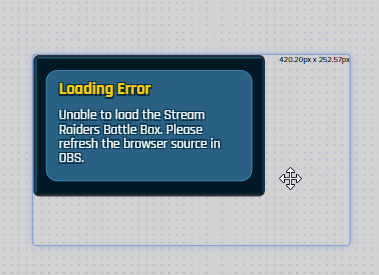
stream raiders dont understand what im trying to do as im trying to add there overlay into my main overlay instead of having so many source's in my obs
 willow lion
Greetings folks - anyone have an idea why the chat is not aligned correct:
Just now it "fixed" itself ... oddly enough
 floral gate
Yesterday I changed my twitch name and i went live today and my streamelements bot is not working.. It was working fine before I changed my twitch name. Anyone know why its not working?
 copper shadow
Hey there, my StreamElements Leaderboard Twitch extension doesn't seem to be updating my sub information. I've got a few viewers who renewed for a second month but it's showing everyone on the list at 1 month. I've never changed or updated my username since I created my Twitch account, and have tried logging in and out several times with no success. Any idea how to get it to update?
Separately, but possibly related, my chat alert module isn't activating when users re-subscribe. What are the correct settings to make sure this happens? I've got one message for 1 month subs and another message set for 2+ (but it's never activated)
 strong kernel
strong raptor
Is there anyone who has made a widget for streamelements able to help please im ...
strong kernel
strong raptor
Is there anyone who has made a widget for streamelements able to help please im ...
Custom widgets are discussed in #dev-chat
viscid pebbleBOT
@floral gate If you changed your name on Twitch, please follow these steps:
- Visit https://streamelements.com/logout and then log in again by connecting with Twitch.
- On the right side of the dashboard page that opens, select Join under bot settings. If it says Part select that and then select Join to send the bot to the chat. Don't forget to mod the bot by typing /mod streamelements in your channel if you have not already.
- Post your old and your new name here so that we can update your channel's chatstats tracking (must be done by staff).
lament blade
Hello, can i ask how i can add overlay to obs from site?
viscid pebbleBOT
@lament blade To add your overlays to OBS, add a new browser source in your scene. Paste your overlay URL in the browser source properties, set the dimensions to 1920x1080 (unless you changed them on the website) and check Shutdown source when not visible. https://youtu.be/KDvLynUqXI4
floral gate
@viscid pebble I don't see where it say join under bot settings
viscid pebbleBOT
@floral gate Go to the Dashboard > Right side > Part channel > Join channel(https://streamelements.com/dashboard)
lament blade
when i have bigger resolution of monitor have i set it on it? or just 1920x1080?
 ancient nymph
I changed my channel name and I can't use the streamelemn as a mod .. what should I do?
viscid pebbleBOT
@lament blade The default resolution for StreamElements overlays (theme and custom) is 1920x1080. Please add them in OBS at their full resolution and use CTRL+F to fit to screen if necessary. You can then downscale your stream in OBS settings > Video if you'd like https://i.imgur.com/6bWXxjR.png
@ancient nymph If you changed your name on Twitch, please follow these steps:
- Visit https://streamelements.com/logout and then log in again by connecting with Twitch.
- On the right side of the dashboard page that opens, select Join under bot settings. If it says Part select that and then select Join to send the bot to the chat. Don't forget to mod the bot by typing /mod streamelements in your channel if you have not already.
- Post your old and your new name here so that we can update your channel's chatstats tracking (must be done by staff).
 errant reef
Hi! Hope y'all are doing ok ❤️ I'm having some issues with my alerts.. the host alerts aren't appearing, and also the raid alerts says {count} instead of the number of people that are coming in the raid. If someone can please help me, it would be really appreciatted! Thank you
floral gate
@viscid pebble my dashboard don't look like that
viscid pebbleBOT
@floral gate Please provide a proper screenshot with the issue visible. If not sure how to take a screenshot, you can check here: https://www.take-a-screenshot.org
@errant reef "Due to changes to Twitch API, we have filtered out hosts and will only show these ones on your activity feed:
- All hosts coming from an online channel with at least 1+ viewer
- Auto host events with at least 1 viewer - only from a channel that just went offline
Note: If you see X channel has hosted you with no viewers on the back, that is considered an offline host or a host with 0 viewers, we do not show these."
lament blade
Where i can set my alerts how them looks like?
viscid pebbleBOT
@lament blade New to StreamElements?
Check out our YouTube channel https://www.youtube.com/c/streamelements/videos
with tutorial videos from setting up the basics, to in-depth details on how to use our product.
New to OBS? Here is a 4 step quick start guide
https://obsproject.com/wiki/OBS-Studio-Quickstart
Want to learn even more? Here is an in-depth overview
https://obsproject.com/wiki/OBS-Studio-Overview
ancient nymph
old channel name KULEE61 new channel name misdoss
errant reef
viscid pebble
<@!706661370455785523> "Due to changes to Twitch API, we have filtered out hosts...
ohh okay, and how can I fix the Raid error?
strong kernel
The variable is {amount}, not {count}.
errant reef
strong kernel
The variable is {amount}, not {count}.
thank you!!!
floral gate
This is what my dashboard looks like @viscid pebble
strong kernel
floral gate
This is what my dashboard looks like <@!155149108183695360>
Finish the onboarding process or click DO IT LATER.
 autumn ibex
trying to use keywords in the bot to only have the command run if the keyword is the first word in a message. tried some stuff with regex but it doesn't seem to be working. can anyone offer any help?
strong kernel
autumn ibex
trying to use keywords in the bot to only have the command run if the keyword is...
I think I see what you're doing. Try just ^doo in your RegEx.
rapid shale
Hey my bot timers aren’t working any solutions
copper shadow
My leaderboard extension isn't updating for re-subs (just shows everybody at 1). I've never changed my username and logging out then back in doesn't seem to update it
strong kernel
autumn ibex
nope. didn't work
Looks fine to me.
^ specifies that the word must be the first in the message.
If it's not, then it won't go.
autumn ibex
could've sworn I tried that already  thanks
autumn ibex
that's totally fine. just testing for a friend who wants the keyword to be an emote
lament blade
Uhm I need help setting up an alert box and giving my moderator full access to my streams how do I do that?
viscid pebbleBOT
@lament blade New to StreamElements?
Check out our YouTube channel https://www.youtube.com/c/streamelements/videos
with tutorial videos from setting up the basics, to in-depth details on how to use our product.
New to OBS? Here is a 4 step quick start guide
https://obsproject.com/wiki/OBS-Studio-Quickstart
Want to learn even more? Here is an in-depth overview
https://obsproject.com/wiki/OBS-Studio-Overview
strong kernel
autumn ibex
that's totally fine. just testing for a friend who wants the keyword to be an em...
If you ever want case insensitive, add (?i) to the front.

 pearl flint
is there a way to have the time variable write out in 12 hr format?
lament blade
how do I swap from yt to twitch?
viscid pebbleBOT
@lament blade StreamElements menu, on top of OBS > Logout > Login
 waxen robin
SE keeps saying "Response Message" in chat, any idea how to fix this?
strong kernel
waxen robin
SE keeps saying "Response Message" in chat, any idea how to fix this?
You added an extra response to a timer without editing it. Check your timers.
waxen robin
thank you!
 keen bloom
Anyone able to help me out with OBS stream settings?
viscid pebbleBOT
@keen bloom There are no "best settings".
Please understand that every setup will be very different.
Any guides or videos that claim otherwise are misinforming. Your best option is to start with a base and adjust as necessary.
You can run the OBS auto-configuration tool. To use the auto-config, click on the Tools menu in OBS, select Auto-Configuration Wizard, and then just follow the on-screen directions.
You can use this tool to get baseline settings for your hardware and adjust as necessary from there.
Test, test, and test again. We are happy to offer suggestions for any issues you may be having afterward, but not a list of settings.
Thank you
 ornate geyser
Is it me or does scrolling text get "stuck" if you edit the overlay and save while it is on-stream?
keen bloom
Yeah, so that auto config did nothing different
Can someone help me with making my stream less choppy?
No matter what I've done, it still sucks. My upload is over 50 and I have a 3080 so idk what the problem could be
lament blade
pls help im trying to get a display output but since im on a laptop it didnt work, but not even with multiple solutions it didnt work pls help i would greatly appreciate that
ping me if u got answer
viscid pebbleBOT
@lament blade Due to the way laptops are designed, your system must be configured to run OBS on a specific GPU, depending on the type of capture you are trying to do.
Click here for instructions on how to configure your system:
https://obsproject.com/wiki/Laptop-GPU-Selection-Windows-10
dry hare
keen bloom
No matter what I've done, it still sucks. My upload is over 50 and I have a 3080...
Probably your encoder settings. Having the best PC and best internet won’t fix encoder settings being wrong
Screenshot your obs settings > output window
lament blade
here it is
dry hare
Not yours @lament blade
 restive copper
@viscid pebble How do we do for the tips on the new version ?
dry hare
But you can uncheck that psycho visual tuning box
lament blade
ok i will try that thanks
restive copper
How do we do for the tips on the new version ?
Because when i see their tutorial, its on another version
dry hare
@restive copper https://streamelements.com/dashboard/tipping-settings
keen bloom
@dry hare
 hoary zealot
hey so i added media share for both donos and free how does chat request for media to be played if i dont have the currency thingie, im not sure i i have the currency in my stream or not. I dont have affiliate btw
dry hare
keen bloom
<@!128166843360739328>
Disable psycho visual tuning, change bitrate to VBR 4500, see how it does. If it still stutters you’ll need to tweak from there.
dry hare
hoary zealot
hey so i added media share for both donos and free how does chat request for med...
Media share needs to be enabled and as long as you have the media request widget on your overlay they can use !songrequest in your channel to play music via YouTube
hoary zealot
okie ty
lament blade
lament blade
pls help im trying to get a display output but since im on a laptop it didnt wor...
did it no need for help anymore
hoary zealot
will it work even if im not streaming?
dry hare
Media request? Not really as it’s designed to play while you’re live. I believe you can play music while offline, but you’ll be the only one to hear it
lament blade
yeah i got video output only from power saving gpu tho :/
dry hare
If you tried everything in this guide and are still having issues, please make a post on the forums or stop by the OBS Discord server. Windows 10: latest Windows 10 builds…
Best I can offer
lament blade
i will read this thanks
flat jasper
WHY ARE MY viewers payments being refused ?
 restive barn
can I have 2 chat alerts set up
strong kernel
restive barn
can I have 2 chat alerts set up
What do you mean by 2 chat alerts?
strong kernel
It's all handled at the same time with the chat alerts module in the Modules section of your account.
restive barn
yea ik but i can only do one at the same time
strong kernel
No, they all work simultaneously.
restive barn
Alr
 glass wraith
Reaching out to get Ground Control custom bot name feature enabled.
 granite grove
I'm changed my twitch name and everything else seems to work but i can't get the chat commands to work. Any idea on how to fix it?
viscid pebbleBOT
@granite grove If you changed your name on Twitch, please follow these steps:
- Visit https://streamelements.com/logout and then log in again by connecting with Twitch.
- On the right side of the dashboard page that opens, select Join under bot settings. If it says Part select that and then select Join to send the bot to the chat. Don't forget to mod the bot by typing /mod streamelements in your channel if you have not already.
- Post your old and your new name here so that we can update your channel's chatstats tracking (must be done by staff).
granite grove
Thank you I got it working! my old channel name was Nyxdarlinggaming and it is now rosey__posey
glass wraith
Reaching out to get Ground Control custom bot name feature enabled.
 hasty pasture
Hi! I'm having problems with the bot, I can't use the custom commands
viscid pebbleBOT
@hasty pasture Welcome to the helpdesk! Please let us know how we can assist you today and a support volunteer or staff member will assist you as soon as they are available. Thank you for your patience.
 opaque trench
if i made a scene for gaming on stream elements how do i make it to where when i bind a key to hide my cam that it hides my cam border as well
?
 still stratus
Is anyone having problems with follow alerts? testing alert works normally but real follow does not show up :/ its not even in activity feed. Bot does not thanks for following in the chat even tho module is turned on, any ideas?
hasty pasture
still stratus
Is anyone having problems with follow alerts? testing alert works normally but r...
I'm having it too.
and my bots is not working
still stratus
hasty pasture
and my bots is not working
My bot and commands works i hope its twitch/streamelements problem
strong kernel
We're moving to a new webhook system that we're still working out the kinks for. Apologies for the growing pains, and we appreciate your patience.
still stratus
strong kernel
We're moving to a new webhook system that we're still working out the kinks for....
Oh I see. Thanks for answering
 regal jasper
I have issue where the activity feed on OBS didn't update on the two recent followers I got and i got no notification that they followed and i tried refreshing the activity feed but it wont show there names that they followed
regal jasper
this is the first time i only know the followed by the stream manager on twitch but not on obs activity feed and i don't know why it did that
 neat sandal
yea i got like four followers and none of them showed up
i also got a tip but that showed up
strong kernel
@regal jasper @regal jasper @still stratus @hasty pasture We were attempting to implement a new system that didn't work quite as well as we hoped. We've now rolled it back, and you should continue to receive follower events moving forward.
neat sandal
ok thank you
regal jasper
Okay thank you
 neat sandal
i just checked back and reloaded but nothing changed on my activity feed
strong kernel
Nothing will change.
Histories are not retrieved.
Only live events.
So events moving forward will be seen.
neat sandal
so how do i update my followers because its wrong
strong kernel
Ones missed while we were rolling back will not appear.
regal jasper
so the next time i go live it will be fine?
strong kernel
That cannot be changed. Your totals will be accurate. If you absolutely want to, people who followed during that time can unfollow and refollow and should be counted.
hasty pasture
@strong kernel What about my commands that don't work? help me
strong kernel
hasty pasture
<@!107215138561478656> What about my commands that don't work? help me
Turn off follower only mode.
hasty pasture
strong kernel
Turn off follower only mode.
It came to nothing
strong kernel
hasty pasture
It came to nothing
Commands must be enabled to be used.
viscid pebbleBOT
@hasty pasture If your commands recently stopped working and you're using OBS.Live and a custom bot name do the following:
- In OBS.Live, click on the hamburger menu (three stripes) at the top left of your activity feed
- Click on Stream Settings > Custom bot name
- In the Custom bot name field select Set custom bot name, not your already existing username (with capital letters). Note: If you already connected an account that way, the third entry will show as the account name (see image https://i.imgur.com/sO7fWOX.png).
- Scroll a bit down and click on the purple Connect Custom Bot Account button
- Log in as usual and Authorize the custom bot name
- Back in the Activity feed, click on the Send Test Message button and check if your custom bot name starts working again
hasty pasture
Was solved! Thanks
 candid estuary
 frozen basin
Hi, I was wondering if anyone knows how to fix a problem I have with the activity feed via obs live? I was streaming today, and whenever I had a follower, it wouldn’t update on the feed, nor would I be alerted...
It’s also not shown on the stream elements browser
strong kernel
frozen basin
Hi, I was wondering if anyone knows how to fix a problem I have with the activit...
We were attempting to implement a new system that didn't work quite as well as we hoped. We've now rolled it back, and you should continue to receive follower events moving forward.
 fleet lintel
Hey guys, I'm a bit new to this and was looking for some help. When I go through OBS and start my stream, then go to my stream manager on Twitch everything looks fine... but if I go to my actual twitch profile (on my computer and my phone) it says that I'm offline. Any ideas? I've not had any issues like this before until I downloaded the most recent update today.
 idle jay
I'm new to Streamelements. For the moment I simply want to set up follower and raid alerts. I am not keen on the default video/animations however. How do I simply run text alerts without animations?
I thought it would be as simple as deleting the video from the alerts, but this produces an alert with no text as well.
 honest geode
Hello, I recently noticed that people that cheered bits did not have any TTS sound at all, I have it on and have the set number for it to work which is 100. It works fine with real currency just not the twitch bits/cheers.
viscid pebbleBOT
@idle jay Text not showing up over your alerts? Go to the Advanced Text Settings and set the top margin to 50, you can work your way to the right position from there.
@honest geode Right click on the BrowserSource > Properties > Scroll down a bit > Refresh cache of current page
honest geode
After doing that and then testing it using the emulator, the cheer tts still will not work
I do have it on, and that is what is in the cheer section for the alerts
it also does not work for subs
 merry tulip
alerts seem to be spotty lately again, any known issues?
idle jay
Ok I understand the margin thing now. Just for my two cents, I hate the editor. It is a bit too much like canvas/artwork and not enough to the point.
placid raptor
@merry tulip what do you mean by 'spotty'?
@idle jay many would disagree and say our Editor is exactly to the point
it's a matter of practice
 versed raft
How do I put my overlay onto my stream?
viscid pebbleBOT
@versed raft To add your overlays to OBS, add a new browser source in your scene. Paste your overlay URL in the browser source properties, set the dimensions to 1920x1080 (unless you changed them on the website) and check Shutdown source when not visible. https://youtu.be/KDvLynUqXI4
 arctic basalt
Sorry if this is a dumb question but I can’t fondsbeheerder answer: can I use features of StreamElements with Streamlabs (that’s where I stream from) or Southey not work together at all?
viscid pebbleBOT
@arctic basalt We're not able to troubleshoot issues with using our overlays in StreamLabs OBS (SLOBS) as we don't have the tools to support their software. We recommend using OBS Studio or OBS Studio with our plugin OBS.Live.
arctic basalt
Sorry my settings were on Dutch 🤣🤣
placid raptor
@arctic basalt somethings might work and some don't, we normally tell users to test if their issue happens on OBS Studio, not SLOBS
you can still ask any question you want
arctic basalt
Gotcha @placid raptor thanks for that!
merry tulip
@placid raptor they only show sometimes, sometimes only sound and sometimes only the TTS
placid raptor
that's very general and sounds like issue is rooted with settings  @merry tulip
seeing as that I can't really go over your account (in terms of time) you'd have to be specific with your examples of the issue please
placid raptor
What is 'sometimes'?
merry tulip
i will switch back to SL as I never had this issue there and see if it still persists if yes we know the culprit
placid raptor
and relax please
you can switch, I'm not here to keep you using SE
If you need help I'm also here
but either we communicate or we don't
up to you, I will still ask what I need to know
aight?
good :D
merry tulip
sometimes means exactly what it means
placid raptor
ok bro.
merry tulip
it's completely random
super weird
had this some weeks ago then it was fine then it came back, asking around many people have this exact issue, this discord is full of people with the exact same issue
but I never found out what is causing it
merry tulip
I asked nerdordie and asked them to test their code if there are issues but all was fine but couldn't fully condfirm if it's SE fault, some dev(?) chimed in and that was the last I heard of it
would need to test with a complete default set of alerts to be sure but never did that
merry tulip
too long ago to remember they just acknowleged it i think
not all
only subs I think for re subs etc
placid raptor
do you have a way to test [replicate] it or is it only when live and real events come in?
merry tulip
if you test an alert via the website it always comes up, only real events have this issue
and it effects all of them
placid raptor
and to confirm the setting aspect, did this issue start recently? and alerts were working as expected before?
merry tulip
I have this since swapping to SE couple months back I think, then suddenly it was fine now bad again
like literally the first day confused why I head my alert but it did not show up
honest geode
I tried doing what the bot told me about refreshing the browser source in obs, yet the cheer and sub tts when emulated does not work, only the donations work with TTS
merry tulip
they will work the preview is just broken i think
honest geode
I had a cheer/bits come in but it didnt work
merry tulip
I have TTS setup for my subs and they work even when the test ones dont
merry tulip
limit 1 for cheers is 1
or not?
thats how I always thought it was, have to set it to 100
 upbeat steppe
Hello, I have a question about the !givepoints command
honest geode
got that fixed its now at 100, but even when it was at 1 the TTS still didnt work
placid raptor
@honest geode @merry tulip if you guys are helping each other out at the same time while we're talking, add tags so I know who everyone is talking to
I have mine set to 1 and I never saw issues with any of my alerts
can you two try this please -
viscid pebbleBOT
OBS > Settings > Advanced > Scroll down > Enable or disable Browser Source Hardware Acceleration, depending on its current state > Restart OBS (This does not apply for OBS on Mac)
https://i.imgur.com/ggMe9ZE.png
placid raptor
@upbeat steppe ask away 
honest geode
if I try to replay the cheer/bits in SEobs it still doesnt say it but when I do money one it doesnt work, @placid raptor
I turned hardware acceleration off from on
aswell
upbeat steppe
So I got it all setup in my chat and everything but whenever people do !points and !givepoints it says they have 0 points
merry tulip
hwacc is already off for me and I have this issue with it on too
placid raptor
what is the goal @upbeat steppe ?
are you interested to allow people to give points?
you think they're not receiving points?
users should be logged in to their SE accounts and be active in chat
and depending on what you want to do or what the issue is I can advise on how to proceed
 dry pilot
Hello can anyone help me? I want to remove stream elements from my twitch, in other words unlink my account to stream elements, how can I do that?
merry tulip
what if it's chromium in obs causing this? the way that alerts are send to the browser source via SE triggers something in it, I really don't think it's a high chance this is it but who knows
viscid pebbleBOT
@dry pilot There is no easy way to unlink 2 owner-type accounts from each other. The only way is to make a closure request from here: https://streamelements.com/dashboard/account/security
WARNING: In submitting a closure request, all linked channels within the account will be deleted and you will lose all associated data. This includes overlays, custom commands, timers and past data (tips, subs, etc). You can still reconnect with the deleted account, but you are essentially starting fresh.
upbeat steppe
@placid raptor Do the chatters that are trying to send points to other viewers have to have stream elements?
little oak
@upbeat steppe !givepoints is to transfer username points to another user
you need to do !addpoints all or !addpoints username amount
placid raptor
@merry tulip @honest geode still not ruling out configuration. I'll take a look at your accounts soon
I'll tag you in a bit
if I didn't reach out in 1 hour tag me, is that ok with you?
i'll go 1 by 1 though
upbeat steppe
@little oak yeah I know that but when people are trying to send points to each other it says they have 0 points even though they have more
dry pilot
wait so if i unlink my account, do i lose any subs or bits i have gotten during the time using stream elements? To my knowledge i thought that stuff goes directly with Twitch
honest geode
k
little oak
do you have loyalty points on?
honest geode
appreciate it @placid raptor
little oak
@upbeat steppe
upbeat steppe
yeah @little oak
placid raptor
check user level settings for the command @upbeat steppe
little oak
just about to ask that as well so what groove said?
placid raptor
I think mine was set to super mod before I changed it
upbeat steppe
its set to everyone
little oak
have you streamed since setting all these settings for them to earn?
upbeat steppe
yeah
little oak
please give me your channel name only to twitch?
 zenith widget
@upbeat steppe did you also email us?
upbeat steppe
yeah @zenith widget
zenith widget
Check your email, as I did answer you probably 10 or 15 minutes ago
placid raptor
upbeat steppe
Ok so I have made it so streamelements responds to commands and it still says I have 0 points
viscid pebbleBOT
@upbeat steppe Please provide your account ID found at the top of this page: https://streamelements.com/dashboard/account/channels This ID is public info and safe to share here.
upbeat steppe
5fcd8f442311fcef5f98b99d
zenith widget
besides that i can't give our own bot points with the give points command
all seems to be working just fine
as long as I have points
to give away
upbeat steppe
so people have to basically add their points to what we can call "a bank" so they can give them away?
zenith widget
well the addpoints command is moderation and above only command
but yes, as explained over the email i sent you, in order for the "!givepoints" command to work, people need to have points in order to give away
viscid pebbleBOT
@merry tulip Please provide your account ID found at the top of this page: https://streamelements.com/dashboard/account/channels This ID is public info and safe to share here.
@honest geode Please provide your account ID found at the top of this page: https://streamelements.com/dashboard/account/channels This ID is public info and safe to share here.
placid raptor
@merry tulip @honest geode are your issues only with live events?
honest geode
Yes
Hold on one second
5c455320de3680fde4af71ab
there is my id
@placid raptor
 ashen sparrow
Is there any way to expand the "!top online|offline|alltime" command to show the top 10 or even top 20? Maybe with help of API?
zenith widget
The default command? no
Via variable? no
Via API? Maybe -> https://docs.streamelements.com/v2.0/reference -> #dev-chat
placid raptor
i'm checking @honest geode
honest geode
Ok thanks!
ashen sparrow
thx KeiZar
lament blade
Hi I'm trying to write a command where the response @name at the viewer. How do I get it to address the viewer who called the command?
ionic kelp
Is the user the same as the person running said command or a target?
lament blade
yes
This is what I wrote maybe you could correct it please?
${random.pick 'Hi @user how are you doing?' 'What's up dude?' 'Welcome, take a seat and grab some popcorn' 'Hello'}
ionic kelp
@${user}
lament blade
oh I got
Parsing error at position 116: Mismatched quotation mark
${random.pick 'Hi @${user} how are you doing?' 'What's up dude?' 'Welcome, take a seat and grab some popcorn' 'Hello'}
I found the error, it was the ' in the middle of the 'what's up dude?'
Thank you for the user reference help Sudo you the best!
 vague galleon
Hello! tried following a video on how to change the chatbox name
Still not showing in ground control, any tips or tricks?
little oak
custom bot name can be done via OBS.LIVE 🙂
vague galleon
Where could I find the setting?
 grave plank
is there anyway to emulate alerts to trigger "Top of the Session" labels?
placid raptor
what do you mean specifically? the username displayed?
 winter pollen
Hello, i have an issue with an Widget Animation. In the streamelements browser its everything fine. It is a Event Rotation with a fade in, and fade Out Animation. But in OBS its going through the events with a hard cut. No fade animation.
-Newest OBS Version
-refreshed Cookies and cashe from the site
:FeelsBadMan:
grave plank
placid raptor
what do you mean specifically? the username displayed?
So when you have a label that is based on (for example) Top Donator of the Session, the labels do not update for emulated alerts
viscid pebbleBOT
@winter pollen OBS > Settings > Advanced > Scroll down > Enable or disable Browser Source Hardware Acceleration, depending on its current state > Restart OBS (This does not apply for OBS on Mac)
https://i.imgur.com/ggMe9ZE.png
placid raptor
you mean the random names that are generated for emulations?
how do you emulate someone becoming top donator of the seesion  ?
?
zenith widget
emulation won't populate the session data
placid raptor
this label updates during the session based on the ingested tipping events
thank u 
grave plank
yes, I ask this because I'm building out a widget that animates between top donation and top bit donation (depending which is higher), but cant test it because it wont populate the data
bitter shale
Hey, need a little help.
it seems that my twitch account and streamelements have became unsynced. I gained 5 additional followers yesterday and it didn't change my overlay or give me a notification about my new followers?
glass wraith
Can you please enable Ground Control custom bot name feature on my account?
ionic kelp
Username?
viscid pebbleBOT
@bitter shale Please provide your account ID found at the top of this page: https://streamelements.com/dashboard/account/channels This ID is public info and safe to share here.
bitter shale
venom9797
zenith widget
Should be fine now
bitter shale
zenith widget
Should be fine now
was that for me?
viscid pebbleBOT
@silk crescent Welcome to the helpdesk! Please let us know how we can assist you today and a support volunteer or staff member will assist you as soon as they are available. Thank you for your patience.
zenith widget
bitter shale
was that for me?
yes
bitter shale
ty
glass wraith
Why are you guys ignoring my question? Can you please enable Ground Control custom bot name feature on my account?
zenith widget
glass wraith
Why are you guys ignoring my question? Can you please enable Ground Control cust...
glass wraith
My username is Xanieth
glass wraith
Thank you
zenith widget
What are you talking about?
As for your issue, i don't understand what you are describing
you got a tip and its in your paypal. So whats the issue exactly?
Ok, so the short answer here is - we can't help you
longer answer:
bitter shale
Is there a way to important the new followers over from twitch to streamelements?
zenith widget
We can't help you on an issue not related to our tools and features. This is your own personal issue on how to retrieve the tips from PayPal
@bitter shale anything missed is not going to retroactively show up again unfortunately.
bitter shale
ok ty
glass wraith
I enabled the custom chatbot name in Ground Control and it responds to commands 6 times. Username is Xanieth.
zenith widget
restart GC
or rather turn it off
open task amanger
find bot.exe
kill that
start GC
glass wraith
perfect. Thanks so much. Easy fix. I should have tried that first before asking. Much appreciated.
winter pollen
viscid pebble
<@!427425711834267648> OBS > **Settings** > **Advanced** > Scroll down > Enable ...
It is disabled at the moment. I try to enable it later.
Thank You for your answer
 simple gorge
Hi
When I do !Song I get message "failed to get current song"
Can anyone help with that?
zenith widget
Are you using Media Request?
simple gorge
What is that?
zenith widget
!song will return the current song being palyed from Media Request
is not going to show the current song that is palying via your spotify or youtube
viscid pebbleBOT
@simple gorge New to StreamElements?
Check out our YouTube channel https://www.youtube.com/c/streamelements/videos
with tutorial videos from setting up the basics, to in-depth details on how to use our product.
New to OBS? Here is a 4 step quick start guide
https://obsproject.com/wiki/OBS-Studio-Quickstart
Want to learn even more? Here is an in-depth overview
https://obsproject.com/wiki/OBS-Studio-Overview
 honest jetty
Hello, i wanet to add a allert to my stream but when i try to simulate a follower or smt like that the video i but in doesnt show in obs what shuld i do?
little oak
do you hear the sound in obs?
honest jetty
yes
little oak
try this
viscid pebbleBOT
The default resolution for StreamElements overlays (theme and custom) is 1920x1080. Please add them in OBS at their full resolution and use CTRL+F to fit to screen if necessary. You can then downscale your stream in OBS settings > Video if you'd like https://i.imgur.com/6bWXxjR.png
little oak
Welcome 
 mental nimbus
Hi everyone, sorry for bad English. I need clear this page but i can't. Because i need clear all time top tipper. Pls help. Thanks.
 nimble cloud
May I please get custom bot name feature added to ground control? My Username is FrylockOG Thank you in advance ❤️
 reef relic


 nimble cloud
set up your paypal for the tipping settings
then you send to bank or use the paypal cash account debit card at ATM
 south stirrup
hello guys i´m having a litle problem with the follow alerts sound and the rest of them
when it appears the music keeps running till the end
 thick glacier
add me ps4 do twich and discord youtube merry chrismas
viscid pebbleBOT
@thick glacier Read and follow our server rules:
- We do not tolerate toxicity! Treat the community team, staff and all members with respect.
- No advertisement or channel promotion, anywhere on the server.
- No NSFW/NSFL
- No unsolicited DMs or friend requests to server members
Make sure to read the #welcome in any server you join.
 hybrid vine
Good Afternoon I need help to make a draw on Twitch, I am not able to correctly configure the commands by chat.
Please help me
 wispy jay
trying to convert to the SE overlays for alerts, when doing recent subscriber what is the variable for how long they have subbed for?