#helpdesk-twitch
1 messages · Page 719 of 1
 zenith widget
 brittle rampart
Where is that button
zenith widget
In the tipping settings -> tipping moderation -> at the bottom of it
 pale lark
@untold crest Thank you so much for your insight. All is well again!
 dim drift
if i wanted to, how would i unlink/uninstall stream elements plugin and association?
 ionic kelp
@dim drift OBS.Live?
dim drift
yeah
i tried SE but not for me at this time, so want to just use OBS; yet all my alerts etc keep screwing up and obs keeps giving me SE plugins and such
so i want to unlink/ uninstall plugin and account
 jaunty pulsar
When I change the StreamElements' bot name to my own username, the bot stops working. It works if I reset it to its own name or a custom bot name, but breaks on my own.
zenith widget
@dim drift There is an uninstaller in the Program files folder(where OBS studio is installed) and in the control pnale of windows where you uninstall programs
you can uninstall OBS.Live
 round brambleBOT
@jaunty pulsar Streamelements on top of OBS -> Logout -> login
round brambleBOT
@jaunty pulsar 1) Right click on your OBS desktop shortcut and open the Properties 2) In the "Target" field, add the following to the very end: --remote-debugging-port=40404 3) Open OBS (or restart if it was open) 4) Open your web browser and type in: localhost:40404 5) Click on "StreamElements - Activity feed" 6) Navigate to the Console tab 7) Type the following into the console and hit enter: store.customBot.removeCustomBotIntegration() 8) Try setting the custom bot name 9) Remove the additional flag in step 2 from your shortcut properties.
 dim drift
@zenith widget thanks!!
 lament blade
hey im new here
 prisma relic
welcome @lament blade use the #general-chat for normal chit chat; or here in #helpdesk-twitch if you are having an issue with streamElements Twitch 🙂
lament blade
ok thx
 regal copper
Hey guys! Just wondering if you can get stream elements for Mac? And if so where would I find the download?
ionic kelp
@regal copper Our services are entirely cloud based so that doesn't apply. Our desktop app and addon however are windows only unfortunately.
 wooden prairie
Hey! I have created a follower alert on stream elements and i have attached the link to obs. When i click emulate follower event on stream elements, the alert normally shows up on obs live, but when i click follower alert on slobs dashboard, another alert shows up which is from the appstore. What im trying to say is, how can i replace the alert in streamlabs with the alert from stream elements? I searched the reddit and i found the following post: https://www.reddit.com/r/streamelements/comments/85elzv/alerts_not_displaying_on_obs_or_twitch/
reddit
1 vote and 4 comments so far on Reddit
ionic kelp
One other thing to note is if you use OBS to stream on Mac animated alerts/overlays won't work nicely due to a missing feature.
@wooden prairie We can't help you with streamlabs issues.
Our stuff is entirely separate from another.
wooden prairie
It's not a streamlabs issue.
zenith widget
@wooden prairie Emulating an alert from SL will not trigger the event with our alerts - we are 2 different companies with different system
To use our overlays simply follow this:
round brambleBOT
To add your overlays to OBS, add a new browser source in your scene. Paste your overlay URL in the browser source properties, set the dimensions to 1920x1080 (unless you changed them on the website), and ☑ “Shutdown source when not visible” https://youtu.be/KDvLynUqXI4
wooden prairie
Yes, i have done all these things.
But when one clicks follow on my twitch channel, the alert from stream elements doesn't show up.
ionic kelp
Do they show in the activity feed?
wooden prairie
Yes, they do.
round brambleBOT
You can test Alerts via the Emulate bell on the lower left side of the Overlay Editor. Simply go to your Dashboard -> My Overlays -> Pencil/edit button on the overlay. Make sure the "Preview LIVE on stream" option is on to see the alert in OBS/Xsplit https://streamable.com/vtulg9
 ionic kelp
And you have that option enabled to preview in OBS?
wooden prairie
I'm checking it right now.
I have it checked
I'm going to try re connecting my twitch account as someone suggested in the thread. Sorry for bothering you!
 maiden heron
is SE down??
 ripe scarab
I'm getting internal server error with store redemptions.
 turbid warren
SE seems to be down
Overlays are not loading either in OBS or directly on the website
ionic kelp
1sec
 untold crest
WE ARE HAVING ISSUES. DEVS ARE ON IT 
ionic kelp
Don't worry about it. Devs are looking into it.

 untold crest
Fix has been applied. It should be all good pretty soon
turbid warren
Looking good now! Thanks for the really quick fix! 🙂
 toxic bluff
obs keeps trying to stream to YouTube when I already have the settings set to Twitch.tv.
It pops open a new window saying "Start streaming to YouTube"
round brambleBOT
@toxic bluff Streamelements on top of OBS -> Logout -> login
toxic bluff
Doesn't help. The Twitch streamkey is in the settings itself. It should be streaming to Twitch instead of trying to stream to YouTube.
toxic bluff
lol
ionic kelp
The above option should fix it. If the key is set to Twitch that's all that's needed.
Notice that's the SE menu not OBS's.
 warped radish
hey guys, is this in AUD or USD?
ionic kelp
That's 2 points per whatever currency you have set in settings.
warped radish
what is the setting by default?
toxic bluff
Fixed it. Thank you @ionic kelp
ionic kelp
@warped radish https://streamelements.com/dashboard/tipping-settings TIpping settings tab and then page settings. That's what it's based on.
warped radish
thanks
 true grotto
hey all im looking to add a widget to my Slobs and it seems to not be working
round brambleBOT
@true grotto We're not able to troubleshoot issues with using our overlays in StreamLabs OBS (SLOBS) as we don't have the tools to support their software. We recommend using OBS Studio or OBS Studio with our plugin OBS.Live.
true grotto
ahhhh okay
 wanton pendant
hey support 🙂 why my instream-roulette isnt working anymore? since yesterday evening, CET
btw, it is all out of function: roulette, slot machine etc.
i reconnected SE with twitch, but it is not working. only one of my mods can use !roulette - I change nothing 😦
 daring obsidian
Having the same issue in a channel I moderate, can mods change user levels or how do we fix this?
untold crest
@wanton pendant Do you have enough points to trigger this command?
As usually streamer has no points because of being ignored by default settings here https://streamelements.com/dashboard/loyalty/
@daring obsidian
zenith widget
@wanton pendant Can you first, try and chang the bot to its normal name and then this:
round brambleBOT
@wanton pendant Streamelements on top of OBS -> Logout -> login
daring obsidian
hmm, it worked fine some time ago but now only mods can use the gambling commands eventhough the people in chat have enough points
 leaden sand
hi there 🙂
just trying to work out the twitter module.
are there instructions anywhere/
?
zenith widget
@daring obsidian
@leaden sand make sure you've added your twitter account as in - meaning if it has a capital letter as well, type it in
daring obsidian
Doesn't really answer my question tho
leaden sand
ah ok..
daring obsidian
Only mods can use the gambling command and we don't know what happened
zenith widget
@daring obsidian I can use the command normally in your channel, but I couldn't in corlexys' channel
 green flame
Hey team - a user was gifted a sub and now streamelements isn't responding to commands from that user. Is there like an issue once a user gets sub
leaden sand
without the @ sign also right
round brambleBOT
@green flame Go to the dashboard -> right side -> part channel -> join channel (https://streamelements.com/dashboard)
 zenith widget
@leaden sand yes without the [at]
zenith widget
can you provide a bit more info?
green flame
Done the part and rejoin no bingo - only effecting one user hmmm
green flame
Any like can't run !points for example but everyone else can
 subtle crypt
hi folks
ionic kelp
@lament blade #helpdesk-youtube
ionic kelp
@leaden sand It can get ratelimited which we have no control over unfortunately.
leaden sand
i am great. 🙂 What does ratelimited mean?? sorry
ionic kelp
Cooldown mode.
leaden sand
oh ok. by twitter?
ionic kelp
Yup
leaden sand
dunn dunn dunnnn
subtle crypt
how do i set up alerts sorry im still new to the streaming life
round brambleBOT
@subtle crypt New to Stream Elements?
Check out our YouTube channel https://www.youtube.com/c/streamelements/videos
with tutorial videos from setting up the basics, to in depth details on how to use our product.
New to OBS? Here is a 4 step quickstart guide
https://obsproject.com/wiki/OBS-Studio-Quickstart
Want to learn even more? Here is an in-depth overview
https://obsproject.com/wiki/OBS-Studio-Overview
zenith widget
@daring obsidian @wanton pendant I've reported the issue to our devs just in case
daring obsidian
Yeah I can't fix it
 proud cedar
Do SE have some issues? All the default commands stopped working for anyone not being a moderator
All custom commands that we added works
Specifically people are trying the !watchtime but the bot doesnt announce back
green flame
@proud cedar same issue here
 vocal loom
Hi there. My Chat Stats dosnt work, and the leaderboard widget (chat stat) doesnt work neither? Is this a known bug, or something on my side? 🙂
proud cedar
Must be problems with StreamElements now as we changed nothing and it stopped working all of a sudden
 nimble owl
just wanna let you guys know
the problem is solved by se devs
👍
http://prntscr.com/tobe2u
@nimble owl this i mean
 midnight scroll
is it possible to get a full list of entrants from a giveaway?
green flame
Yeah all good here now thanks team
lament blade
hosts dont list on streamelement
round brambleBOT
@lament blade Due to changes to Twitch API, we have filtered out hosts and will only show these ones on your activity feed:
- All hosts coming from an online channel with at least 1+ viewer
- Auto host events with at least 1 viewer - only from a channel that just went offline
Note: If you see "X channel has hosted you" with no viewers on the back, that is considered an offline host or a host with 0 viewers, we do not show these.
lament blade
and not to show?
subtle crypt
is there anyone on that can help me with an overlay please
round brambleBOT
@subtle crypt Welcome to the helpdesk! Please let us know how we can assist you today and a support volunteer or staff member will assist you as soon as they are available. Thank you for your patience.
lament blade
how ativate hosts without viewers ?
ionic kelp
You can't. The reasons stated above are the only way for it to trigger.
vocal loom
Hi there. My Chat Stats dosnt work, and the leaderboard widget (chat stat) doesnt work neither? Is this a known bug, or something on my side? 🙂
subtle crypt
i need assistance with overlays please
round brambleBOT
@subtle crypt Welcome to the helpdesk! Please let us know how we can assist you today and a support volunteer or staff member will assist you as soon as they are available. Thank you for your patience.
 swift mist
hope one of you guys can help, because OBS support is an absolute joke tbh. I'm using a custom font TTF format from OpenFonts. Both my old and new is from there. The old font is working just fine it is installed on both my gamer and encoder PC and i can see both of them if i add text straight to OBS. When i try to add my SE overlay to OBS it is not loading the correct font at all, but if i change the text back to the old custom font it is working just fine. on both PCs this is the same issue. Also i cant see the font in chrome, but works just fine in firefox. any tips on what might be wrong here?
round brambleBOT
@vocal loom If you changed your name on Twitch please follow these steps:
🔹 Visit https://streamelements.com/logout and then log in again with by connecting with Twitch.
🔹 On the right side of the dashboard page that opens, select "Join" under bot settings. If it says "Part" select that and then select "Join" to send the bot to the chat. Don't forget to mod the bot by typing /mod streamelements in your channel if you have not already.
🔹 Post your old and your new name here so that we can update your channel's chatstats tracking (must be done by staff).
 wary halo
hope one of you guys can help, because OBS support is an absolute joke tbh. I'm using a custom font TTF format from OpenFonts. Both my old and new is from there. The old font is working just fine it is installed on both my gamer and encoder PC and i can see both of them if i add text straight to OBS. When i try to add my SE overlay to OBS it is not loading the correct font at all, but if i change the text back to the old custom font it is working just fine. on both PCs this is the same issue. Also i cant see the font in chrome, but works just fine in firefox. any tips on what might be wrong here?
@swift mist after installing a new font, make sure to restart OBS and the browser
swift mist
I did, also tried to restart the PC @wary halo
actually restarted both PCs as the issue is identical
 cinder olive
Does your font name have a space in it?
 potent mica
okay i have another issue, after changing my screenname, kappagen is working but its not showing the BTT and FFZ emotes anymore, but those emotes are working in my streamlabs chat so i think FFZ and BTT are fine?
to add i noticed in "select emotes" its blank in the emotesplotion tab, it doesn't even have my sub emotes or the normal twitch ones that were there before
also since i use streamlabs, i installed obs.live to trouble shoot just to make sure its not a streamlabs issue, and BTT and FFZ emotes aren't working with kappagen there either. since the emotes work in streamlabs chat, i decided to make a test streamelements chat and they are not working in the streamelements chat either, so the issue is that BTT and FFZ are not working with my streamelements for em at all
i recently changed my screenname from krissasaur to krissatiel if that info is needed
cinder olive
@swift mist
 radiant herald
https://gyazo.com/0e975dec6f6c36476b8c5aad91d870d7
my bot keeps spamming my chat even tho i haven't tried updating a command any help?
 round brambleBOT
@radiant herald Go to the dashboard -> right side -> part channel -> join channel (https://streamelements.com/dashboard)
cinder olive
Then hav eit rejoin
vocal loom
Old name: Bjyr1ch
New name: Bjyrich
radiant herald
@round bramble ive tried it already
wary halo
Old name: Bjyr1ch
New name: Bjyrich
@vocal loom i'll pass it along to staff 😄
ionic kelp
I got it ruben
swift mist
@cinder olive yes both the old and the new
@wary halo No dice with the " it's the same issue
cinder olive
No spaces, theyre bad & evil 99% of the time
vocal loom
@wary halo Thanks mate!
swift mist
Well it's the name of the font, no clue how to change it @cinder olive
wary halo
@wary halo Thanks mate!
@vocal loom should be fixed now
cinder olive
@swift mist whats the font name?
swift mist
Built Titling Rg
wary halo
wall of text
@potent mica try to type!emotes updatein your chat
swift mist
just want to note the old was 'BankGothic Md BT' @cinder olive and works just fine 😄
cinder olive
Try "BuiltTitlingRg-Regular" as the name of the font
swift mist
allright 🙂
cinder olive
& aswell dont forget to restart browser/obs 👀
swift mist
same issue
potent mica
@potent mica try to type
!emotes updatein your chat
@wary halo nothing happened
warped radish
How do I make a day counter?
cinder olive
@swift mist "BuiltTitlingRg-Regular" is working for me, open up your fonts list on your windows PC and navigate to the one you instlaled
Once you find it youll see:
What follows after "Full Name" is what you need to enter
swift mist
i will try the editor in chrome instead of firefox, just to go back to basic 🙂
ionic kelp
@potent mica Enable the emote command.
potent mica
it updated it successfully but BTT and FFZ still arent working in stream elements
swift mist
@cinder olive
okay so if i just use the Built Titling and nothing else it works just fine o.O
potent mica
btw here is what i mean by its not showing any emotes at all when i make the overlay
 gaunt spade
Is it possible to have an alert stay on screen until the TTS is finished?
prisma relic
🤣 @potent mica that is no good for an emote list.
are you logged in with your Twitch account?
Alerts are on a 'fixed' time @gaunt spade; I don't think it is possible to get a 'trigger' from the TTS that says "sound is done" and stop the overlay
gaunt spade
Ah balls, okay no problem man, thanks
swift mist
btw @cinder olive and @wary halo thx for leading me in the right direction, it is all working as expected now ❤️
 dull fractal
hi everyone, can somebody help me figure out why my watchtime command is not working properly
round brambleBOT
@dull fractal 10 minutes of watchtime are given to those in chat when the loyalty points are handed out (every 10 minutes). Therefore, loyalty must be enabled for watchtime to work properly.
There is no direct link between watchtime and all-time points.
It can’t be calculated from the amount of all-time points a user has because subs may earn points at a faster rate and !bonus all command increases all-time points for users in chat at that time.
Giving points to a single user does NOT affect all-time, only when giving to all in chat.
ionic kelp
@dull fractal If you're still having issues with loyalty enabled then it's a known issue we're trying to fix.
round brambleBOT
The default resolution for StreamElements overlays (theme and custom) is 1920x1080. Please add them in OBS at their full resolution and use CTRL+F to fit to screen if necessary. You can then downscale your stream in OBS settings > Video if you'd like https://i.imgur.com/6bWXxjR.png

 willow kite
Only shows in the corner
Oh Thank you it works
How can I add a custom song to the follower alert
Found it never mind
 nimble dune
Oh ok. 😄
ionic kelp
Variations as well.
willow kite
it still does the normal sound on top of the song?
ionic kelp
Those by default do the default one even if you change the base one.
willow kite
so there is no way of changing that
ionic kelp
You can. Simply make sure the variations have something different or are disabled. Otherwise hit save.
 fathom temple
@ionic kelp How can I change the badges on the leader board? The sword and box look dumpy
gaunt spade
You can clear the default sound, there should be a clear sound button @willow kite
ionic kelp
@fathom temple To my knowledge I don't think you can.
fathom temple
@ionic kelp Please submit that change. My top viewers want custom badges not generic, low effort graphics ....ATM: As the top tipper on my channel you get a low effort sword that looks crappy ... plz tip more. How can I disable the badges forthe leader board so they can see their sub badges at least?
round brambleBOT
Check out the StreamElements ideas board: https://strms.net/ideas. You'll be able to add ideas, upvote ideas you agree with, and track their progress with email notifications. Adding and upvoting ideas also helps the staff know which ideas should be prioritized so please take some time to upvote.
 supple wigeon
why is the merch thing not loading
ionic kelp
What browser are you viewing it in?
supple wigeon
internet expoler
ionic kelp
That would be 1 reason.
round brambleBOT
Our Dashboard and Overlay editor are Chromium Optimized. We strongly recommend using Chrome. Opera GX and the new Microsoft Edge Chromium might work closest to Chrome as its also Chromium built. FireFox also works, but some things might look a bit different or not work. We do not recommend using Internet Explorer with our Dashboard as it does not support functions.
If the website doesn’t work on chrome, be sure none of your plugins are blocking our website or clear your cookies. You can try if the website works in a incognito tab.
fathom temple
@proud pumice @tawny pivot We need custom badges for our leader boards! https://streamelements.helprace.com/i2237-custom-leader-badges
 jade remnant
please dont ping random people
fathom temple
look at the top of the list, that is your boss, not a random
jade remnant
- not my boss
- they dont deal with ideas board or implementations
supple wigeon
my merch store is not working
jade remnant
again, dont ping random people
ionic kelp
@supple wigeon Does it persist the same way in incognito/private mode?
supple wigeon
no
ionic kelp
Works or doesn't load?
supple wigeon
doesnt load
ionic kelp
Are you trying to load your stuff or someone else's?
supple wigeon
somthing else it wont load the page
ionic kelp
Can you screenshot your entire browser window?
prisma relic
so when you load your Merch store in Google Chrome the screen goes completely black?
this might be a #helpdesk-merch question
 neon nexus
Hello! When I use Ground Control, slots module stops working. How can I fix that?
potent mica
I still cant get BTT and FFZ to work with StreamElements (it works on twitch and with streamlabs stuff so its just streamelements) i recently changed my username on twitch so that may be the cause. old: krissasaur / new: krissatiel
 austere dock
Hello, is there a way to change the trigger for Commands ?
round brambleBOT
@fallen socket If links in chat are appearing as ***** either mod the bot or disable block hyperlinks in your twitch channel settings https://dashboard.twitch.tv/settings/moderation
 gaunt mist
lil question
prisma relic
short answer 😛
 oak jackal
Hey guys, I'm having this issue with lag on my alerts. Should I ask for help here or in another channel?
austere dock
do you mean like change the ! part or change the text?
@prisma relic yes
prisma relic
BTTV seem to work for me @gaunt mist ? what is 'franker' ? https://betterttv.com/emotes/global
austere dock
because so many Bots are using ! which is bad because every bot would listen to ! :S
ionic kelp
FFZ.
prisma relic
look in the screen shot i posted above @austere dock .... on the lower right is '#bet' then change the main command in the upper left to match (basically !#bet) or #bet for example
neon nexus
What is the default lenght of a stream perk? I have a few stream perks with a various length. They are not played to the end... I've just opened a stream store and it s a total disaster.
prisma relic
@oak jackal here is fine to ask if it is for Twitch. is it a large file for the alert?
 hollow reef
can anyone tell me why the bot isn't working but i can use the store redemptions without an issue?
ionic kelp
What isn't working with it?
hollow reef
i can't get it so show up in my chat at all
austere dock
doesnt work for me ... @prisma relic because ! will work and the custom word.. so it isnt helpful
ionic kelp
@hollow reef Looking fine to me https://streamlabs-is-a.totallysuspicious.website/6eVXNTj.jpg
 hollow reef
okay i will test one second
prisma relic
send a screen of the command you have set please @austere dock should be #command in both the command name and command alias
austere dock
i dont want just 1 Command
i want to change the global one.. but that doesnt work i guess
hollow reef
@ionic kelp thanks seems to be working now. not sure what happened before. Thank you.
 prisma relic
oh. ya you can't do a global override of the ! @austere dock
hollow reef
must be
austere dock
🙂
i dont know why programmer dont think about the other ones xD or just .. give a Choice to Choose 😄
prisma relic
🤣 i use # 🙂
austere dock
🙂
prisma relic
hahaha; cause yup; try !help in a discord and get 3 DMs and 2 embeds
neon nexus
When I use Ground Control, slots module stops working. How can I fix that?
prisma relic
@neon nexus 10 seconds is the default duration
neon nexus
@prisma relic it there any way to change that?
I have many different animated stream perks
the most expensive lasts 30 sec
I would apreciate a lot the possibilty of using perks longer than 10 sec
prisma relic
lower left .... not sure you can adjust it per item though
err... or store redemptions; max is 20 seconds with the redemption widget
neon nexus
but that could definitely be changed by stremalements programmers, right?
I think this would be very handy
for many treamers
 cedar roost
Hey guys, i want to use the twitch alert in xbox if no use of obs or streamlabs, its possible? (Sorry for my bad english)
prisma relic
i don't believe that can be overridden with the default alert box for redemptions @neon nexus
but with custom code; it could be
round brambleBOT
@cedar roost Consoles do not have native support for overlays. You would need a capture card, PS4 remote play or Xbox companion app and a PC with OBS in order to have Overlays over your console gameplay.
We have an blog post about how to setup console streaming with our essential tools: https://blog.streamelements.com/how-to-stream-on-console-7b620b1c46c3

 verbal cliff
Hi all. Does anyone know if there is a widget available that listens to the Twitch API, and can swap out active animation loops/gifs with a different image/webm/gif/etc. when say when it detects a subscription in the api?
neon nexus
I would like to contact developers team. Do you know how to do that? I am pretty sure many streamers would appreciate changing this feature
neon nexus
And it is probably just changing one number in code
round brambleBOT
@neon nexus Check out the StreamElements ideas board: https://strms.net/ideas. You'll be able to add ideas, upvote ideas you agree with, and track their progress with email notifications. Adding and upvoting ideas also helps the staff know which ideas should be prioritized so please take some time to upvote.
neon nexus
Thanks a lot!
prisma relic
🙂 that is the best spot for feedback to the dev's
gaunt mist
BTTV seem to work for me @gaunt mist ? what is 'franker' ? https://betterttv.com/emotes/global
@prisma relic FFZ and BTTV wont show in my page
Emotes usable in all chats on Twitch with BetterTTV.
idk why
neon nexus
When I use Ground Control, slots module stops working. How can I fix that?
 true aurora
how to use this timezone variable -3 ${time.TIMEZONE} for example I tried ${time.GMT-3} and it only shows GMT without the -3 command
prisma relic
you'd wnat your actual timezone so like ${time.EST}
neon nexus
another stream perk problem: video and audio are not in sync. IThe delay is big - about 2 seconds
true aurora
and BRT does not work
neon nexus
video starts too late
prisma relic
try ADT @true aurora
 placid quiver
lament blade
placid quiver
lament blade
hey i have a problem with the obs
how can i put the left page with the stream info again, i accidentaly quit it.
true aurora
didn't worked
round brambleBOT
@placid quiver Our Dashboard and Overlay editor are Chromium Optimized. We strongly recommend using Chrome. Opera GX and the new Microsoft Edge Chromium might work closest to Chrome as its also Chromium built. FireFox also works, but some things might look a bit different or not work. We do not recommend using Internet Explorer with our Dashboard as it does not support functions.
If the website doesn’t work on chrome, be sure none of your plugins are blocking our website or clear your cookies. You can try if the website works in a incognito tab.
prisma relic
here's a list for ya @true aurora hope one of these will work for the UTC-3 https://www.timeanddate.com/time/zones/adt
prisma relic
@lament blade
neon nexus
this out of sync problem is very annoying. What can I do, export videos that are out of sync and hope they will look ok on the stream?
 oblique steeple
Type !emotes update in your chat, reload the overlay and try again
lament blade
yeah the place where i paste the stream key just straight up isn't appearing
gaunt mist
nope
Type
!emotes updatein your chat, reload the overlay and try again
@oblique steeple nope, wont show emote :c
lament blade
its meant to be in the yellow
jade remnant
because you have your account connected
nimble dune
If you login with Twitch you not need add stream key.
nimble dune
Try disconnect account and then connect again.
gaunt mist
any other ideas?
 slate niche
ACA HAY SOPORTE EN español ?
nimble dune
#🇪🇸︱español @slate niche
 wintry lynx
How do i make my bttv emotes appear on my on screen chat?
gaunt mist
same question here
How do i make my bttv emotes appear on my on screen chat?
@wintry lynx
wintry lynx
hmm
lament blade
Is there a Syntax for creating timers?
 lilac bear
Hi, it's possible to make a command to redeem from store and show a custom message at the same time? For example Command: !love and the command is "$(redeem love) $(user) sent love to streamer." But the bot only redeemed the item love and didn't show the message on chat.
It would be fine for me if is possible a workarround like the command show the message and call another command:
!love = "$(user) sent love to streamer $(!love_call)
!love_call = "$(redeem love)"
 stray rain
Heya. My !gamble command does not work for 2 days now. Only works, when I activate the slot machine, but not with roulette. Roulette as command also does not work neither (while slotmachine does).
 slender reef
Hey guys, I have a stream elements alert on my account,
is there a way to copy this alert to another stream elements account (for my teams twitch) so I dont have to go through setup again ?
 weary mist
@slender reef yes
slender reef
@weary mist how do I do this, cant find an option or anything online ?
 swift parcel
@stray rain when you're doing roulette are you adding points after doing the command aka "!roulette 10"?
weary mist
You need to be added as someone who can edit overlays on that persons account, then you will be able to "duplicate" the element to another overlay. You should be able to pick this person, and their overlay from the list
stray rain
@swift parcel yes i type "!roulette 100" (have more than 100 points 😉
weary mist
@stray rain double check in your command list that the command is turned on, and that it has the right command triggers. It may also be called "!gamble"
swift parcel
how many points do you have? @stray rain
stray rain
enough to gamble
 minor cobalt
How can i edit my ps4 settings from my phone?
stray rain
min. is 100 to use
gaunt mist
guys
StreamElements chat doesnt support ffz and bttv emotes
i tryed streamlabs chat and they work fine
weary mist
@gaunt mist It does support those emotes, you may need to do an emote update, one second
lament blade
For some reasons my old subs are not being shown.
weary mist
@gaunt mist
stray rain
@weary mist thank you very much for the support!
lament blade
For some reasons my old subs are not being shown.
@lament blade
Do subs dissaper from that list?
There used to be more on my list
weary mist
It should show current subs. If someone disappeared, it is likely they have not resubbed (source: I only have one sub currently, but I have had over 20 unique subs over time)
 obsidian frigate
hey guys so quick question, the !watchtime command isn't working in my friends channel, I know it's tied to loyalty settings and I made sure she has loyalty enabled but the command still doesn't work and when she checks her leaderboards it shows no data available, does anyone know a fix for this, I looked it up for a while and everyone said it's to do with loyyalty
round brambleBOT
@obsidian frigate Go to the dashboard -> right side -> part channel -> join channel (https://streamelements.com/dashboard)
obsidian frigate
It is part of the channel already and it is modded
oh you mean leave and rejoin
 weary oar
stream elements doesnt show my subs or gifted subs. how do i fix this?
 median hollow
Hey guys. My StreamElements Leaderboard is all messed up with no one showing up as having points yet when I manually search for the user it shows up. Any ideas?
wary halo
oh you mean leave and rejoin
@obsidian frigate yes
obsidian frigate
thank you @wary halo
 zinc ice
Hey stream elements is still announcing the wrong game in my discord alert and twitch chat despite twitch having it correct and me updating it in stream elements. Any ideas please?
round brambleBOT
@weary oar If you changed your name on Twitch please follow these steps:
🔹 Visit https://streamelements.com/logout and then log in again with by connecting with Twitch.
🔹 On the right side of the dashboard page that opens, select "Join" under bot settings. If it says "Part" select that and then select "Join" to send the bot to the chat. Don't forget to mod the bot by typing /mod streamelements in your channel if you have not already.
🔹 Post your old and your new name here so that we can update your channel's chatstats tracking (must be done by staff).
 forest dome
Hello guys. When someone request a song, it sounds double but the sound doesn't come from obs or chrome. How I can fix it ?
obsidian frigate
@wary halo does it take a bit of time, we just done it and it still says osecs watching
median hollow
Mute the tab with your StreamElements! @forest dome
weary oar
i have already tried loging out and parting and all that but i have just done it again anyway, my name was solubleshark408 and i changed it to solubleshark
wary halo
@wary halo does it take a bit of time, we just done it and it still says osecs watching
@obsidian frigate points are only given once every 10 minutes
so wait at least a bit before checking again
forest dome
@median hollow I did it already but still sounds double 😦
obsidian frigate
sorry to ping you directly
round brambleBOT
@obsidian frigate 10 minutes of watchtime are given to those in chat when the loyalty points are handed out (every 10 minutes). Therefore, loyalty must be enabled for watchtime to work properly.
There is no direct link between watchtime and all-time points.
It can’t be calculated from the amount of all-time points a user has because subs may earn points at a faster rate and !bonus all command increases all-time points for users in chat at that time.
Giving points to a single user does NOT affect all-time, only when giving to all in chat.
obsidian frigate
so loyalty points help the !watchtime command?
ahhhhhh
ok makes sense now thank you
absolute legend
subtle crypt
hi folks me again i have just tried to stream but i have no picture
lament blade
Hey, does the gifted subs also refreash after some time?
Do people have to gift a sub every month to be shown in here?
Because I had people in the list, now they are also gone
weary oar
should mine be working now? its not
obsidian frigate
@wary halo it worked, thank you very much
wary halo
should mine be working now? its not
@weary oar no, it seems to have borked out, the devs are going to take a look at it.
hi folks me again i have just tried to stream but i have no picture
@subtle crypt in OBS go to Settings > Stream
is there a connection to Twitch there?
if not, connect it
and make sure the Bandwith Test is disabled
subtle crypt
i have done that
median hollow
Hey guys. My StreamElements Leaderboard is all messed up with no one showing up as having points yet when I manually search for the user it shows up. Any ideas?
@median hollow No one able to help me? 😲
subtle crypt
still not working
wary halo
still not working
@subtle crypt do you have 2FA on your Twitch account?
 shell tendon
For a week now I have been experiencing issues on twitch, no one can find me in the search bar in their friends list, browsing list or anything I'm not showing live when i am live . The only thing people can find is my past broadcast...i contacted twitch support on website and twitter nothing seems to be getting done....
subtle crypt
@wary halo can you pm me
wary halo
it's just a yes or no question really 😛
You can't stream to Twitch if you don't have 2FA enabled
For a week now I have been experiencing issues on twitch, no one can find me in the search bar in their friends list, browsing list or anything I'm not showing live when i am live . The only thing people can find is my past broadcast...i contacted twitch support on website and twitter nothing seems to be getting done....
@shell tendon we can't do anything about that, it's a known Twitch bug and they are the only ones able to fix that.
subtle crypt
@wary halo im new to all this and i dont want to look silly
 gentle quail
Can anyone help me create a timer in the bot? I want it to always be adding time until I reset it to show how long since its been since reset?
shell tendon
@wary halo ok thanks 😔
 fiery night
Hi, I just installed the streamelements leaderboard extension, subs and cheers show up correctly but Points and Chat Stats show "No Data". My streamelements dashboard chat stats are 404'd too. I changed my username when I started streaming and I have read that might be the issue, how can this be fixed? Thanks!
round brambleBOT
@fiery night If you changed your name on Twitch please follow these steps:
🔹 Visit https://streamelements.com/logout and then log in again with by connecting with Twitch.
🔹 On the right side of the dashboard page that opens, select "Join" under bot settings. If it says "Part" select that and then select "Join" to send the bot to the chat. Don't forget to mod the bot by typing /mod streamelements in your channel if you have not already.
🔹 Post your old and your new name here so that we can update your channel's chatstats tracking (must be done by staff).
fiery night
New Name: BreakstarTibia
Old Name: ramsesmfg1
 paper birch
hello people 😄 !
Im trying to use !watchtime command.
the bot has just been modded but it just saying "time watched is ** 0 secs ** how can i fix that ? thanks
round brambleBOT
10 minutes of watchtime are given to those in chat when the loyalty points are handed out (every 10 minutes). Therefore, loyalty must be enabled for watchtime to work properly.
There is no direct link between watchtime and all-time points.
It can’t be calculated from the amount of all-time points a user has because subs may earn points at a faster rate and !bonus all command increases all-time points for users in chat at that time.
Giving points to a single user does NOT affect all-time, only when giving to all in chat.
 scarlet tiger
Loyalty must be enabled
paper birch
yes it is
the bot was recently added, and was modded like 3 mins ago
am using the bot mainly for !watchtime
i made all the points 0, am i supposed to give something a value ?
scarlet tiger
It cannot be used retrospectively if you added the bot a while ago
paper birch
what ?
round brambleBOT
@naive sinew Please follow our community rules:
- No advertisement or stream promotion
- Respect ALL server members
- No NSFW/NSFL
Thank you
median hollow
Any ideas why my points are blank on my leaderboard? @scarlet tiger
paper birch
does the bot scan the watchtime from the time it was added, or does it get watch time from long ago ?
scarlet tiger
@median hollow try incognito mode
median hollow
It's happening on different browsers
scarlet tiger
@median hollow wait. Anyone have points?
median hollow
They have got points, if you search for their names
scarlet tiger
Hmm
 misty cliff
The chatlines for the bot how does it work?
Is it like after 5 chats it will post the link again even if I have the timer at 30 min?
paper birch
hey this !watch time command is acting up
i did !watchtime it showed "10 mins" i tried to like 2 mins after.. it says "20 mins"
wary halo
The chatlines for the bot how does it work?
Is it like after 5 chats it will post the link again even if I have the timer at 30 min?
@misty cliff it will post the link again 30 minutes after the 5 lines
 wide harbor
I have a hdmi capture card and I wanna be able to hear my mic from ps4 and my party talking
wary halo
Elgato card?
misty cliff
ok thank you!
wary halo
i did !watchtime it showed "10 mins" i tried to like 2 mins after.. it says "20 mins"
@paper birch it's only per 10 minutes, not per single minute
paper birch
hmm
wide harbor
It’s not a elgato card it’s a hdmi video capture card
wary halo
let the ps4 send all the audio through the HDMI-out
if that doesn't help, ask around in the OBS discord here:
round brambleBOT
@wide harbor For the best OBS support, please join their Official Discord @ discord.gg/obsproject
 opal vault
I'm currently trying to add media requests to my setup and the media request on widget is just blank.
 vagrant violet
hi, i'm using streamelements and i changed my nickname on twitch yesterday and streamelements stop show up on the chat.
round brambleBOT
@vagrant violet Go to the dashboard -> right side -> part channel -> join channel (https://streamelements.com/dashboard)
@vagrant violet If you changed your name on Twitch please follow these steps:
🔹 Visit https://streamelements.com/logout and then log in again with by connecting with Twitch.
🔹 On the right side of the dashboard page that opens, select "Join" under bot settings. If it says "Part" select that and then select "Join" to send the bot to the chat. Don't forget to mod the bot by typing /mod streamelements in your channel if you have not already.
🔹 Post your old and your new name here so that we can update your channel's chatstats tracking (must be done by staff).
 regal breach
Hi, I wish to disable StreamElements Twitch Bot (Only Twitch Bot, rest of the stuff should work). How can I do so?
I want to use Nightbot for the commands/bot for Twitch Chat.
nimble dune
@regal breach Go to the dashboard -> right side -> part channel (https://streamelements.com/dashboard)
regal breach
What does the meaning of Mute?
nimble dune
If you mute the bot on your chat but not responding.
nimble dune
You an also part and he is will disconnect from your chat
If you mute it will show in chat list but only not responding for commands or other things.
 celest thicket
my watchtime isent working. help?
round brambleBOT
@celest thicket 10 minutes of watchtime are given to those in chat when the loyalty points are handed out (every 10 minutes). Therefore, loyalty must be enabled for watchtime to work properly.
There is no direct link between watchtime and all-time points.
It can’t be calculated from the amount of all-time points a user has because subs may earn points at a faster rate and !bonus all command increases all-time points for users in chat at that time.
Giving points to a single user does NOT affect all-time, only when giving to all in chat.
regal breach
@nimble dune Okay thanks for the help. 🙂 I will try and let you know.
celest thicket
@round bramble not what im looking for
how do i change the command code for watchtime
nimble dune
I don't thing to you can change default commands.
celest thicket
can i add a custom one and change the command from there
nimble dune
But as i said don't think you can change default command.
And you said watchtime is not working so as the bot said...
subtle crypt
i have no picture in my stream can i get advice please
round brambleBOT
@subtle crypt For the best OBS support, please join their Official Discord @ discord.gg/obsproject
 chilly nova
Why?
round brambleBOT
@chilly nova Please follow our community rules:
- No advertisement or stream promotion
- Respect ALL server members
- No NSFW/NSFL
Thank you
nimble dune
read rules.
chilly nova
Ok,where is the want more follower channel
wary halo
there is none in this server
chilly nova
Ok,thanks...Then I'm sad ...
wanton pendant
@zenith widget sorry man, i dont get it. roulette and slots still down. need more help please.
 steady imp
hey im trying to share an overlay setup i have so a friend of mine can use it
anyone know how?
wary halo
he needs to invite you as an editor to his account on StreamElements and then you can copy your stuff to his account
steady imp
but ive recieved share links before for custom overlays
like this
but i cant figure out how to create a link like that
wary halo
yeah, those can only be made with special permission and a background check
 candid horizon
Does Streamelements support ask for the JWT token ?
wary halo
only if you need to merge or delete your accounts
why? did you get a message from someone asking you for it?
candid horizon
Im actually trying to find which account i have on file to find out if Se pay sent the money to the right place
Thought it was gonna ask for an account and then it didnt
wary halo
ah okay
round brambleBOT
@candid horizon Please contact us via email for support with SE.Pay. You can use our contact form here: https://streamelements.com/contact Thank you
wary halo
shoot in a ticket there and they will help you out
due to the sensitive nature of the information, SEpay issues will not be handled in the Discord server
candid horizon
I am in a chat on their website and the person asked for it ..... i was hesitant. is it all good tho?
wary halo
what was the name of the person?
candid horizon
Renziito?
wary halo
yup, good to go
candid horizon
Just saw him in the user list...... please dont hate me lol
wary halo
i don't 😛
 abstract hemlock
You're good 
wary halo

candid horizon
Rather make sure you know
wary halo

 azure dove
Hey I'm having some issues :/ I can't se the S.E. Sponsorships area, my friend did one of them and said look there, but never saw it 😦
lament blade
so um is there anyway for the media request to not play the whole video cause it still doesnt work
wary halo
Hey I'm having some issues :/ I can't se the S.E. Sponsorships area, my friend did one of them and said look there, but never saw it 😦
@azure dove https://streamelements.com/dashboard/partnerships/programs
 balmy gate
wut is the srever about?/
azure dove
thanks Ruben!
azure dove
wait is partnership/sponsorship the same?
balmy gate
ok bai
wary halo
wut is the srever about?/
@balmy gate it's a helpdesk server for StreamElements related issues
balmy gate
sry 😦
 north current
Hey there, I'm coming from StreamLabs and I imported my alerts, but the look is a bit different. For example, on SL I had an outline (think they called it 'Font Weight', but on SE I only see a shadow option and a stroke (the stroke isn't working as a border for text really).
Just wondering is there a way to do this/get it identical to what I had? I can provide screenshots of course too :) Thank you.
weary oar
can i get an update on whats happening with mine?
wary halo
can i get an update on whats happening with mine?
@weary oar there is no update, the devs haven't looked at it because they are asleep right now
azure dove
wait is partnership/sponsorship the same?
really sorry, im just confused...
weary oar
ah ok can i get an estimated time? are we talking hours, days, weeks? just wondering
wary halo
really sorry, im just confused...
@azure dove yes it's the same
azure dove
ok ty
wary halo
ah ok can i get an estimated time? are we talking hours, days, weeks? just wondering
@weary oar not today, maybe tomorrow, depends on how busy it is
weary oar
ok thanks
wary halo
you will probably get a ping when it's fixed
 strange dirge
Anyone else having connection issues with obs
 summer python
Basically what's happening is that Stream elements won't respond to any commands. Neither the channel owner, nor me, the moderator, will get any response. I've tried parting and unparting his bot. Mute and unmuting his bot, both with the streamelements website and in chat. He's encountered this problem repeatedly so it's not something that's as simple as once in a while he needs to restart. Does anyone have any idea what it is?
 weak delta
@summer python channel name, no links.
summer python
Gflogg
round brambleBOT
@summer python 1) Right click on your OBS desktop shortcut and open the Properties 2) In the "Target" field, add the following to the very end: --remote-debugging-port=40404 3) Open OBS (or restart if it was open) 4) Open your web browser and type in: localhost:40404 5) Click on "StreamElements - Activity feed" 6) Navigate to the Console tab 7) Type the following into the console and hit enter: store.customBot.removeCustomBotIntegration() 8) Try setting the custom bot name 9) Remove the additional flag in step 2 from your shortcut properties.
weak delta
Once he goes offline then try that ^ and have him set it back to his name as bot name.
He should be good for now.
I just jumped in the channel and he's good for now, once he goes offline then he'll need those instructions and y'all should be good from there.
If not, we'll be here afterwards but that should fix it up.
Also this:
round brambleBOT
@summer python Streamelements on top of OBS -> Logout -> login
weak delta
Have him do both and then
 ruby anvil
How do you put up like the chat and stuff on vr
round brambleBOT
@wicked pond Please follow our community rules:
- No advertisement or stream promotion
- Respect ALL server members
- No NSFW/NSFL
Thank you
lament blade
where can i change the position of the text in the overlays?
i do it on margin but nothing happens
summer python
@weak delta thank you! will do
 dry hare
Which text are you trying to change @lament blade ?
lament blade
the text of the subscribers
dry hare
Select the label for subs in the layers list and drag it around where you want it
round brambleBOT
@atomic mantle Please follow our community rules:
- No advertisement or stream promotion
- Respect ALL server members
- No NSFW/NSFL
Thank you
 dusty goblet
Hello, having an issue with a supertheme. Linked it to OBS as a Browser Source, and it appeared just fine, but the facebook and twitter panels still just say "Facebook" and "Twitter". I couldn't find anywhere to edit that in the my overalys section. Where do I need to enter them so that it syncs up?
 tawdry kettle
anyone got the subcount command?
There is a total of $(urlfetch) InsomniSUBS ❤️ does not work
 south venture
Obs stream labs updated and now I dont have ndi source? How do I fix?
ionic kelp
@south venture You'd have to ask them about that.
@tawdry kettle ${subcount} should work
 acoustic goblet
@ionic kelp hi. I've been trying to change my stream title for about a week or so now and the previous title won't delete. I've unintalled streamelements & reinstalled to no avail. Also, i've updated it too.
round brambleBOT
There is a bug with setting the stream title in OBS and the Dev team is investigating.
In the meantime you can set the title using the !settitle command in chat (if enabled in your bot command settings)
Or with the Twitch dashboard: https://dashboard.twitch.tv/stream-manager
 inner fulcrum
can some one help me i cant add my Instagram on my over lay when i go to type it it does pop up on the overlay
 lament tulip
Is it possible to reinstall my chat Bot? StreamElements seems to be inactive with my live!
abstract hemlock
@inner fulcrum You can add a static text and then edit the text on Settings > Message
round brambleBOT
@lament tulip Go to the dashboard -> right side -> part channel -> join channel (https://streamelements.com/dashboard)
inner fulcrum
thanks @abstract hemlock
lament tulip
Ok, I already uninstalled and reinstalled it, still nothing ...
Anything else that can be done to make him respond to commands in Chat?
round brambleBOT
@lament tulip If your commands recently stopped working and you're using OBS.Live and a custom bot name do the following:
1.) In OBS.Live, click on the hamburger menu (three stripes) at the top left of your activity feed
2.) Click on Stream Settings -> Custom bot name
3.) In the "Custom bot name" field select "Set custom bot name", not your already existing username (with capital letters)
Note: If you already connected an account that way, the third entry will show as the account name (see image https://i.imgur.com/sO7fWOX.png)
4.) Scroll a bit down and click on the purple "CONNECT CUSTOM BOT ACCOUNT" button
5.) Log in as usual and "Authorize" the custom bot name
6.) Back in the Activity feed, click on the "SEND TEST MESSAGE" button and check if your custom bot name starts working again
 lament tulip
@abstract hemlock GGWP Thansk, Its Work
 void nacelle
Hey im new to all of this and have no idea where to put my overlay url
round brambleBOT
@void nacelle To add your overlays to OBS, add a new browser source in your scene. Paste your overlay URL in the browser source properties, set the dimensions to 1920x1080 (unless you changed them on the website), and ☑ “Shutdown source when not visible” https://youtu.be/KDvLynUqXI4
 ornate delta
Hey I just changed my name and I’m streaming rn but my streamelements bot isn’t here anymore
I have been streaming for 26min now
So it should be hers
Here
Can someone help me with this
Umm anyone
ionic kelp
@ornate delta channel name? No links.
 full river
could someone help me with the streamelements store the messages that people buy with the dots don't appear on the screen, nor the items they buy, could someone help me please
 wise grail
When creating a new command, I have noticed that I can not use a sound clip. I just want random people to not worry about using redemptions for such, is there a way around this. Thank you
 distant sun
abstract hemlock
distant sun
abstract hemlock
Cause that counter only goes up, maybe some users unfollow your channel
round brambleBOT
@distant sun To reset goals:
- from the overlay editor -> session data on top right (monitor symbol) -> goals tab -> reset progress of desired goal
- from the dashboard -> activity feed on the left -> widget data on the right -> goals tab -> reset progress of desired goal
Note: Goal widgets(progress) only counts up and doesn't go down automatically, if you loose followers/subs
lament blade
hi
 versed kettle
STREAM KEEPS SHUTTING ON AND OFF
 jade shoal
I'm trying to transfer my tip history from youtube to twitch, but the csv file won't import for some raeson?
round brambleBOT
@vocal gulch Please follow our community rules:
- No advertisement or stream promotion
- Respect ALL server members
- No NSFW/NSFL
Thank you
hollow reef
I need help my bot was working offline but now that i am live it is not working again
 chrome folio
@hollow reef are you using custom bot name (streamer name)?
 gentle hinge
Is there a way to finish these? No matter what I do they wont complete, I've imported everything & I've added scenes and stuff just to try and get them to go away but they keep coming back
lament blade
I go through the procedure of setting up a custom bot name but it does not end up working. please help :<
I've also tried to make another twitch account and it still doesn't work
round brambleBOT
@lament blade 1) Right click on your OBS desktop shortcut and open the Properties 2) In the "Target" field, add the following to the very end: --remote-debugging-port=40404 3) Open OBS (or restart if it was open) 4) Open your web browser and type in: localhost:40404 5) Click on "StreamElements - Activity feed" 6) Navigate to the Console tab 7) Type the following into the console and hit enter: store.customBot.removeCustomBotIntegration() 8) Try setting the custom bot name 9) Remove the additional flag in step 2 from your shortcut properties.
 rose birch
can i not use the overlay because im not on obs live since i stream on an xbox and use streamelements on mobile
ionic kelp
@rose birch You can not. Our overlays require a computer for your case.
round brambleBOT
@prisma seal Go to the dashboard -> right side -> part channel -> join channel (https://streamelements.com/dashboard)
 prisma seal
didnt fix it
round brambleBOT
@prisma seal If your commands recently stopped working and you're using OBS.Live and a custom bot name do the following:
1.) In OBS.Live, click on the hamburger menu (three stripes) at the top left of your activity feed
2.) Click on Stream Settings -> Custom bot name
3.) In the "Custom bot name" field select "Set custom bot name", not your already existing username (with capital letters)
Note: If you already connected an account that way, the third entry will show as the account name (see image https://i.imgur.com/sO7fWOX.png)
4.) Scroll a bit down and click on the purple "CONNECT CUSTOM BOT ACCOUNT" button
5.) Log in as usual and "Authorize" the custom bot name
6.) Back in the Activity feed, click on the "SEND TEST MESSAGE" button and check if your custom bot name starts working again
prisma seal
i use my own name for the custom bot so i cant resign in
do i have to log out of obs all together?
round brambleBOT
@prisma seal Streamelements on top of OBS -> Logout -> login
prisma seal
it works when i put the name back to stream elelments but not when i use my name as the bot
thats odd
ionic kelp
Do that then follow the above instructions. If there is no 3rd option choose disconnect account.
prisma seal
ill keep it stream elements
one more question
my stream elements i gifted it a sub 2 months ago and still wont display my emotes
ionic kelp
Known issue with twitch on their side unfortunately.
prisma seal
oh okay
 hidden sluice
How does one import my custom made overlays into stream elements. Want to make the move from streamlabs obs to streamelements. Their mp4 animated files. I appreciate any help you can provide.
 blazing stirrup
does anybody have a Now Playing widget for audio?
um I guess I should ask in development
abstract hemlock
@deft junco
@hidden sluice I recommend to convert your mp4 files to webm and upload them to the web editor
 deft junco
@abstract hemlock It just shows my name when I type someone elses
it says Kavenj, Kavenj was last seen ... etc
abstract hemlock
Then you should need to be more specific on what do you want "lastseen" to response 🙂
deft junco
after i put someone else
Well how do i make it see someone else?
Like if i type !lastseen @abstract hemlock it would say my name instead of yours lol
deft junco
No idea what that means lmfao
abstract hemlock
what do you exactly need
deft junco
I want it to show when the last time someone was in my chat
the command works but it keeps showing my name instead of someone elses
If i type someone elses name, it shows up as me
that ^^^
hidden sluice
@abstract hemlock So my overlays would be added to the web editor? I need them for my stream overlay. Also how would you recommend I convert them? Wouldn't a basic file converter potentially damage the quality of the animations? I just want to make sure I explained better and we understand each other.
deft junco
this is really annoying
abstract hemlock
@deft junco that works if you don't use the @ before the username
abstract hemlock
mind to jump on my twitch chat?
deft junco
come into mine ill show you
 silent ivy
im having an issue where streamelements is playing both of my tip alerts at the same time
abstract hemlock
@deft junco
deft junco
@abstract hemlock I type it the same way in my chat and it shows my name twice
no matter whos name i type
abstract hemlock
@hidden sluice Yes you need to create an overlay and upload there your file https://streamelements.com/dashboard/overlays
deft junco
is this right?
${user} was last seen ${user.lastseen} ago and last active in Chat ${user.lastactive} ago. Their last Message was: ${user.lastmessage}
abstract hemlock
@deft junco i'm using the default one and its working, try to delete the one that you have and add it again, as you can see the command variables are working fine 🙂
@silent ivy you have more than 1 alertbox ?
deft junco
I deleted it 5 times
silent ivy
@abstract hemlock no just tried to add a variation to the tip alert and this happened
 dapper salmon
@round bramble how do i add commands to StreamElements
abstract hemlock
@dapper salmon https://streamelements.com/dashboard/bot-commands/custom-commands here you can add custom ones
@silent ivy what is the overlay that you have troubles with?
dapper salmon
thx @abstract hemlock
silent ivy
@abstract hemlock im not using a premade overlay just my own blank custom one in streamelements
abstract hemlock
@deft junco i change the name of my bot, but is the Streamelements one
 raw ravine
Has anyone run into issues with donations being held by paypal after using streamelements donation button?
I'm not sure if its because I am new to paypal and a new streamer and/or if its normal
hollow reef
Any luck on my issue? bot not working i do have a custom bot name
deft junco
@abstract hemlock Check dm
abstract hemlock
@silent ivy the sound file is the right one?
@raw ravine ```
If a viewer tipped through PayPal but no information appears in your StreamElements account, this generally means PayPal has held the tip for verification. Until PayPal clears the tip and sends back a confirmation to your StreamElements account, no information will appear there and no alert will play, as that confirmation is the only way for us to be aware of a successful transaction. If you believe there may be an issue with the transaction, you'll need to contact PayPal support as StreamElements is only a passthrough service and never actually gets involved with the transaction or touches the money.
@hollow reef If your commands recently stopped working and you're using OBS.Live and a custom bot name do the following:
1.) In OBS.Live, click on the hamburger menu (three stripes) at the top left of your activity feed
2.) Click on Stream Settings -> Custom bot name
3.) In the "Custom bot name" field select "Set custom bot name", not your already existing username (with capital letters)
Note: If you already connected an account that way, the third entry will show as the account name (see image https://i.imgur.com/sO7fWOX.png)
4.) Scroll a bit down and click on the purple "CONNECT CUSTOM BOT ACCOUNT" button
5.) Log in as usual and "Authorize" the custom bot name
6.) Back in the Activity feed, click on the "SEND TEST MESSAGE" button and check if your custom bot name starts working again
raw ravine
It shows the donation, but just didn't know if it was a common thing for new streamers. Thanks for the reply
silent ivy
omg yeah that was it, it apparently remembered the audio from another one even though i had it as a video instead of image and audio thank you so much ❤️ @abstract hemlock
 rose bridge
I have a problem where obs is not showing the alerts I put in. In Stream elements I can emulate the alert and I clicked the check box for the emulated alert to appear on obs as well but the alert is not showing up.
Can someone help?
ionic kelp
@rose bridge right click the browser source and choose properties. Scroll down enough to hide the link and screenshot that.
 stiff hazel
good evening everyone, my name is Aaron and I am new to streaming and started with valorant and csgo but recently i tried to stream league of legends and the moment i open obs my frames cut in half and my screen skips frames does anyone have advice? appreciate the help and thank you for your time 🙂
round brambleBOT
@stiff hazel For the best OBS support, please join their Official Discord @ discord.gg/obsproject
lament blade
Does anyone know why I cant access my streamelements dashboard at all right now?
ionic kelp
@lament blade You trying to access yours or someone you're an editor for?
lament blade
Someone I am an editor for, but I even tried my own and it just sent me right to the home page of the website both times
round brambleBOT
Please logout of StreamElements at https://streamelements.com/logout and then login again to your account (Twitch/Youtube/Facebook/Mixer)
ionic kelp
@lament blade You and them need to do this.
lament blade
It lets me access mine now but not theirs, they arent on right now but I will try this tomorrow and let you know if its works thankyou
ionic kelp
They have to do it before you can go to theirs.
round brambleBOT
@lament blade Google Fonts
More than 900 google fonts are supported at this time. You can preview them here: https://fonts.google.com/
Custom Fonts
Steps:
- Install the font on the streaming PC or choose a pre-installed windows font.
- In the overlay widget settings, select Text Settings
- Enable Custom Font
- Type the name of the font as it appears in the windows font directory (This is usually
C:\Windows\Fonts)
Note: After installing fonts, the browser and OBS must be restarted for the font to appear.
rose bridge
@ionic kelp
ionic kelp
Too far but I can tell the issue already.
round brambleBOT
The default resolution for StreamElements overlays (theme and custom) is 1920x1080. Please add them in OBS at their full resolution and use CTRL+F to fit to screen if necessary. You can then downscale your stream in OBS settings > Video if you'd like https://i.imgur.com/6bWXxjR.png
 fast tartan
@ionic kelp I have the sub count widget for total twitch subscribers set up, and it shows in my OBS, however the sub count still says Zero. I tried fiddling with thins in the session data section but can't get the sub count to update from zero
rose bridge
@ionic kelp Perfect! It works now. Thanks 🙂
 astral axle
is there documentation for the custom css section? I can't seem to manipulate a video alert.
 chrome island
hi 👋 I'm trying to get the custom chat bot to work. I think I've done all the guidelines necessary. I try to connect the custom bot through the streamelements obs, but it doesn't seem to save.. I can't get it to let me send a test message
nimble dune
@chrome island Also you can't login?
chrome island
i can login
it just doesn't seem to fully connect i guess. It acts like i didnt login with the bot name at all @nimble dune
nimble dune

Can you send a screenshot of activity feed in OBS.Live custom bot section? @chrome island
nimble dune
Thanks.
2) In the "Target" field, add the following to the very end: --remote-debugging-port=40404
3) Open OBS (or restart if it was open)
4) Open your web browser and type in: localhost:40404
5) Click on "StreamElements - Activity feed"
6) Navigate to the Console tab
7) Type the following into the console and hit enter: store.customBot.removeCustomBotIntegration()
8) Try setting the custom bot name
9) Remove the additional flag in step 2 from your shortcut properties.``` @chrome islandThere has to be a space between .exe" and --remote...
chrome island
i got stuck at step 4
i opened chrome typed in localhost... and it says the site can't be reached
chrome island
yes i did steps 1-3, so obs is open. i opened chrome types in localhost:40404 and it says the site can't be reached
@nimble dune is there another link to type in?
chrome island
oh i can open, ok i'll keep going
yay!! thank you so much! it's working now @nimble dune
nimble dune
chrome island
😄
 warped plaza
Has stream elements fixed the issue where I cant edit my title or game?
prisma seal
how does my streamelements not show my emote when its subbed but it does for other channels
prisma relic
your supits3Love appears to be a Tier 2 sub emote
 cinder grove
not sure if this is the right channel for this issue, but my chatstats page is broken, I heard somewhere that it has to do with having changed twitch name, which I have done recently
prisma relic
yup yup. can you post your old Twitch names (if you have more than one) and your current Twitch name?
cinder grove
old: Nullzee242 new: NullzeeLIVE
prisma relic
thanks. i will pass that along to the staff to get it updated
cinder grove
thanks 😄
 pine bane
Can i add a keyword for a command from the chat?
scarlet tiger
Not possible
 hazy canopy
Hello, I imported a nerdordie "streamstartingsoon" overlay but want to resize to 720p. Is it possible to resize everything at once or does each one have to be done individually?
 tender nest
#helpdesk-youtube i have a question in there pls help
 floral slate
im trying to sign in to a different stream elements account but it keeps logging me into my other one
untold crest
@floral slate you should log off the twitch and log in there with account you want to use on SE. Then go to StreamElements. Also, you may want to create invitation link for full access here https://streamelements.com/dashboard/account/channels and use that link on your main twitch account, so you don't have to relogin on Twitch, you will be able to switch accounts from SE menu.
@hazy canopy you can import as 1080p into OBS and then just resize it there.
hazy canopy
thanks!
prisma relic
@cinder grove the powers that do stuff have informed me they fixed up your stats 🙂
cinder grove
@prisma relic thanks 😄
 tepid lintel
як вставити оверлей в стрим?
ionic kelp
#🇷🇺︱русский
round brambleBOT
@tepid lintel To add your overlays to OBS, add a new browser source in your scene. Paste your overlay URL in the browser source properties, set the dimensions to 1920x1080 (unless you changed them on the website), and ☑ “Shutdown source when not visible” https://youtu.be/KDvLynUqXI4
 reef oyster
is it possible to edit a giveaway after it has started?
wary halo
no, you would have to stop it and make a new one afaik
reef oyster
dammmmn thankyou
 gritty moth
im getting "no active widgets were detected for media share" when i click the show on stream button, but they do exist
scarlet tiger
add a media request widget into the overlay
gritty moth
but they do exist
even made an overlay only with the media widget, still doesnt work
lament blade
do you use OBS.Live? 
gritty moth
im just trying to make it work in browser rn
have a preview tab open
it worked yesterday not sure why it doesnt work now
lament blade
which browser?
gritty moth
chrome
 formal grove
@gritty moth same trouble lol
gritty moth
is there planned maintenance or something
prisma relic
are either of you trying this when live? .... i get the error that I am not live when testing it. @gritty moth @formal grove
prisma relic
thank you.
 golden ruin
Hey was just wondering if anyone knows why my media request module is saying
"NO ACTIVE WIDGETS WERE DETECTED FOR MEDIA REQUEST"
It was working fine up until yesterday
wary halo
we are looking in to it
 night crest
Hello , so I can't get the media request widget to work in obs, I copy the overlay url and paste it in browser source in obs but it says "NO ACTIVE WIDGETS WERE DETECTED FOR MEDIA REQUEST" I tried using my alerts overlay(they work fine) and making a new overlay just for media but it says the same thing. Any help would be appreciated.
ohh
😄
golden ruin
lol
night crest
👍
lament blade
Hey, i have the same issue with the Chat Stats page, i have recently changed my name. my old name was the_gruth and my new name thegruth
prisma relic
i'll send that in for ya @lament blade 🙂
lament blade
thx👍
 cobalt wraith
hi, someone can help me?
Im trying to edit a overlay in streamelements, but I don´t know how change language
ionic kelp
What do you mean change language in the overlay?
 lilac hearth
i have the very same symptoms and problem as vepris, media request widget worked fine yesterday, but today its broken, while all others work fine
ionic kelp
Known "issue". Working on fixing it.

 calm drift
Is !nuke an experimental command?
Some channels have it and some not
And the fact that you can not disable it, conflicts with a bot called "Fossabot" that has the command aswell, with the same prefix.
And if it's experimental, how can it be requested to be enabled on another channel?
ionic kelp
@calm drift To my understanding it's used for moderation in extreme instances.
@lilac hearth @night crest @golden ruin @formal grove @gritty moth Should be "functional" for now.
calm drift
it's used to target messages containing a specified "string", sent from a specified amount of time, to time them out for a specified amount of time
but is it a "beta" command
how does it come that I have the command and someone else does not?
It does not show up in the control panel and does not respond to the remove command
calm drift
are you talking about API? 
ionic kelp
Unlisted command is better way to describe it. I'm still not entirely sure about it even though it's been "explained" before.
calm drift
Okay, is it possible to get that command enabled somehow, though? Like will someone enable it, if they would contact support to request enabling it?
prisma relic
ya. true. 'unlisted' is much better term
calm drift
unlisted okay, but if it's unlisted it refuses to get disabled with the command that can be used to disable other commands
you can not configure it, it's just there
I've used the search function, people here have asked about how to disable it
assumily because they have Fossabot
 trim agate
Hello everyone. I have a issue about !tip. Since PayPal is not allowed in Turkey. We recieve tips from game companies which we authorize their system to SteamElements as creating tips etc. Which allows us to use another link to receive tips. When !tip command is used on stream, "streamelements.com/---------/tip" pops up which is normal and regular but it requires a linked paypal account. So when people clicks it what they see is "this user doesn't receive tips". Basically thats my problem is there anyway to change the !tip link without connecting paypal?
ionic kelp
@trim agate Do you use bynogame?
trim agate
Yes
round brambleBOT
To integrate, open https://bynogame.com/ben/bngpay and click on the StreamElements Kurulumu button (if you can't see it, open the link again).
You will be asked to authorize the connection on our site. Once authorized, all the tips you receive through ByNoGame will generate alerts on StreamElements, and show up in your activity feed, revenue history, labels, dashboard, etc.
ionic kelp
That's the only real option as you asked about PayPal obviously and I'm 99.9% sure our credit card option is in the same boat.
trim agate
Its already integrated with BNGPAY but still I can't manage my donation setting because it asks for PayPal. Do you think turning of the tip command and adding a box or link whatever to my profile for donation could solve my problem? Does that mean my donation settings managed by Bynogame or this situation is a mystery?
ionic kelp
You'd have to rely on bunk for donos and disabling the command would work as well yes.
trim agate
Thanks for your assistance.
 tacit stirrup
Create new page please, my nickname in twitch Onadite
jade remnant
what was your old twitch name?
tacit stirrup
Onad1teFN
 distant leaf
Is there anyway I can make sub sound commands?
for example I make a command and when someone types !humbly it will play a sound clip
untold crest
@distant leaf You can create stream store with items for subs only here: https://streamelements.com/dashboard/store/items
jade remnant
@tacit stirrup should be working
tacit stirrup
@jade remnant need the very first nickname or the previous one ?
lament blade
Hi, I'm just wondering if anyone could help me with something. I've been trying to use the stinger transition on OBS but it always seems to lag, stutter through the transition. I got rid of it but I'm wondering how to make it not stutter or to make it smooth. Any ideas?
distant leaf
@untold crest but don't people have to go to a website to make it work?
untold crest
No. You can create a command like !humbly with response ${redeem humbly } or they can also use !redeem humbly Where humbly is your item name
distant leaf
ah okay, is there any way I can stop this message in the chat
untold crest
The confirmation message must be sent to chat
But you can also add a Twitch extension panel with stream store too
So they can redeem items below the stream
And there won't be confirmation on chat
distant leaf
that sucks, you should look into making the confirmation message toggleable for each item
 vast linden
So i got a problem with stream elements.
I cant edit my stream title in the activity feed anymore.
Does anyone know a fix?
I have tried uninstalling and re install
tacit stirrup
@jade remnant need first nickname or previous ?
 topaz verge
If I go live sometime can I invite everyone in here
ionic kelp
No.
 echo finch
not technically a Twitch issue, but we don't have a channel for issues with chat commands apparently... anyway, anyone else having issues with the ${time.TIMEZONE} command? It's not giving me the correct time in a lot of cases...
Results:
15:56Tarulia: !aest
15:56StreamElements: AEST: 13:56
15:56Tarulia: !pdt
15:56StreamElements: PDT: 13:56
15:56Tarulia: !cet
15:56StreamElements: CET: 15:56
15:57Tarulia: !utc
15:57StreamElements: UTC: 13:57
I'm gonna take a guess and say that AEST is not the same as PDT...
CET and UTC seem the only correct one for some reason
 sterile orchid
How would one go about setting up a command to create a queue to play with streamers?
 narrow ibex
How would one go about setting up a command to create a queue to play with streamers?
@sterile orchid
You could get yourself an external API (https://thefyrewire.com/docs/api/twitch/queue/#optional-query-string-parameters) that stores names.. Or you could create a shop item that users can buy and register with.

 twin sentinel
echo finch
twin sentinel
echo finch
@twin sentinel thanks, just wondering where that 8 is coming from and why it doesn't recognise PST or PDT on their own... it's also not in the "documentation" on the custom commands :/
twin sentinel
Use the timezones as described in the link.
echo finch
yeah it works, I'm just wondering because that's no "normal" notation 😄
twin sentinel
Afaik that is the timezone notation published by IANA.
https://en.wikipedia.org/wiki/Tz_database
echo finch
Ah OK, never checked those... thanks. Well, so no command with user input then 😛
tacit stirrup
Create new page please, my first nickname : bigbro123123 , my previous nickname : Onad1teFN
 magic flame
Hi ! Maybe you can help me with something using Stremelements ... In my overlays, I have my chat (on all but my playing overlay), but when I change my scene, my chat restart blank ... Do you know how I can do to make it keep the history ?
I hope you understand me, I'm French so sorry for my English but I already bothered the French helpers today haha
twin sentinel
Set the chat to its own overlay and do not set it to shutdown when not visible in the browser source settings.
magic flame
Thanks for your answer ! But if I have different sizes of chat in my differents overlay, is it possible to use an only chat overlay ?
twin sentinel
Create multiple overlays.
 fervent arrow
Hello. I have problem with Stream Elements Bot, it doesn't work everytime for commands. I tried rejoining him to channel and remod him
ionic kelp
@fervent arrow Channel name? No links.
round brambleBOT
@ionic kelp mass deleted 2 messages.
ionic kelp
Do you have OBS.Live installed?
ionic kelp
Go to the stream settings in the activity feed. Scroll down to custom bot name and switch back to streamelements.
lament blade
Is it possible to mute the music requests whenever a alert i poping?
ionic kelp
Unfortunately no.
fervent arrow
It should be on dashboard?
ionic kelp
No. Streamelements menu in OBS and then activity feed.
fervent arrow
Seems working now. Thank You
 magic geyser
hello im trying to figure out how to add variables to the bot commands
ionic kelp
@magic geyser Channel topic.
 spring zodiac
hi, can anyone help me? i have activate the Streamlabs bot, and i has worked a few times, but since a few days the bot doesnt work in my chat, i tried to reconnect etc. but diesnt work
oblique steeple
^ is being helped in #🇩🇪︱deutsch
narrow ibex
@spring zodiac Did you mean Streamelements?
 strong widget
yo can anyone here help me with the streamelements tip goal?
i cant figure out how to reset it LOOOOL
vast linden
So i got a problem with stream elements.
I cant edit my stream title in the activity feed anymore.
Does anyone know a fix?
Gonna ask again, and add i have tried reinstalling it.
oblique steeple
@strong widget Let's go to the #dreamteam channel 😄
strong widget
sounds good 👍
 royal hedge
the website wont load except the help button what should i do?
ionic kelp
@royal hedge What browser?
royal hedge
Microsoft Edge
 olive crow
trying to get text to go over an image for an alert, the built in options don't do what i'm needing and when i switch to "enable custom css" so i can pad it instantly drops the text box below the image. can anyone throw some knowledge at me on how to get it directly over the image?
ionic kelp
@olive crow don't need custom CSS. Adjust ttext margins.
olive crow
sorry knew to SE, totally missed this
@ionic kelp thanks, you're legend, sorry for the new guy moron question.
ionic kelp
Surprisingly it'd actually a common question.
royal hedge
is their a way to fix it?
olive crow
as a tech guy and completely missing it while looking at the UI, i don't doubt it
ionic kelp
@royal hedge IE Edge or Chromium?
royal hedge
Edge
round brambleBOT
Our Dashboard and Overlay editor are Chromium Optimized. We strongly recommend using Chrome. Opera GX and the new Microsoft Edge Chromium might work closest to Chrome as its also Chromium built. FireFox also works, but some things might look a bit different or not work. We do not recommend using Internet Explorer with our Dashboard as it does not support functions.
If the website doesn’t work on chrome, be sure none of your plugins are blocking our website or clear your cookies. You can try if the website works in a incognito tab.
 spring viper
hi 🙂 im looking to modify the default event list. i'd like the list to show gift subs and resubs. the default only shows "subs" generically
if someone gifts 5x subs, it lists the people who got the subs, not the one who gifted
 prime plaza
Hello folks! Is there a way to change individual bit alerts? So if people cheered 21 bits for example, it would trigger a different sound/alert than if somebody cheered 50, etc!
twin sentinel
@spring viper That would require a custom coded event list.
spring viper
thats what i thought @twin sentinel been searching for one to copy/pasta
 charred quartz
@prime plaza check the variations tab
twin sentinel
@spring viper This could be a code base:
https://github.com/StreamElements/widgets/tree/master/CustomEventList
round brambleBOT
@wintry lynx If you are not hearing your Alerts and/or Media request, you are most likely using the "Control Audio via OBS" option in your browser source properties.
To make sure you hear the alerts and the stream also hears them, follow along the screenshot bellow.
https://cdn.discordapp.com/attachments/199460642975907840/685371800456134686/unknown.png
 wintry lynx
ok cool thtanks
round brambleBOT
@fringe forum Please follow our community rules:
- No advertisement or stream promotion
- Respect ALL server members
- No NSFW/NSFL
Thank you
 fresh vigil
Hi. I would like to know if 1 browser source in OBS count as, say, 1 chrome browser window.
So If I fx. use 5 browser sourcers in OBS, from streamElements. Is that like having 5 chrome browser windows / taps open?
ionic kelp
@fresh vigil Technically yes.
fresh vigil
@ionic kelp Okay. Thank You.
Right now I have 5 small browser sources. I guess it would be better to have as few as possible then.
 unreal tiger
Hi, How/can you change the giveaway statement when creating a giveaway?
 covert urchin
how can i add my own font into the overlay?
lament blade
In the new widgets for social media, how do i delete the istagram one from showing up?
round brambleBOT
@covert urchin Google Fonts
More than 900 google fonts are supported at this time. You can preview them here: https://fonts.google.com/
Custom Fonts
Steps:
- Install the font on the streaming PC or choose a pre-installed windows font.
- In the overlay widget settings, select Text Settings
- Enable Custom Font
- Type the name of the font as it appears in the windows font directory (This is usually
C:\Windows\Fonts)
Note: After installing fonts, the browser and OBS must be restarted for the font to appear.
 dim bridge
is this the appropriate channel to ask about overlay help
wintry lynx
yes
dim bridge
okay im making this overlay and the streamer has several sub goals, so we have it like this https://i.imgur.com/rdhfrg1.png and i want to get rid of the "ends in x time" line
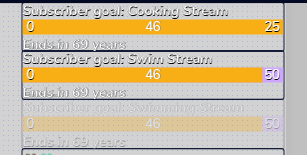
theres no setting under the sub goal layer to edit this text
just an option to set the date
ionic kelp
Delete that.
dim bridge
i have tried setting the height to cut it off
but it still shows up on stream even if youc ut it off and save it
ionic kelp
Simply delete the date.
dim bridge
oh my god
in george voice
thank you
ok also, theres no way to edit several similar layers at once right
like say I wanted to make all the white text here bigger, https://i.imgur.com/knxj89C.png
 ionic kelp
You do them one at a time unfortunately.
dim bridge
thank you so much bud
north current
Hey there, I noticed that a sub didn't come through on StreamElements - I double checked my subs by downloading my subscriber list from Twitch (the CSV file). It's not registered on StreamElements at all (or StreamLabs, which I just came from). Not sure why since the Discord/Twitch integration recognizes the subscriber.
Wondering if there's a way to rectify this? Thank you :)
round brambleBOT
@north current Twitch prime (new and resub) and paid subscriptions (resub only) must be shared in chat manually by the person subscribing in order for the subscription information to be sent to StreamElements. For twitch prime, the user needs to have sharing enabled on https://www.twitch.tv/settings/prime. For paid subs, if the share box doesn't show up immediately it will when they refresh the page. https://i.imgur.com/VNJN0Uv.gif https://i.imgur.com/2297EA7.png




 worldly zephyr
OK, so.... I had the resolution for my overlays perfect (1920×1080)
I went on OBS this morning and they were all zoomed in and now when I put it 1920×1080 it doesn't fit right
ionic kelp
Ctrl+R and Ctrl+F
worldly zephyr
Huh
ionic kelp
To make sure it's properly there.
worldly zephyr
Ok
north current
Ahh, I see, thanks Bot, haha :)
Is there a way to add an outline to text? I asked this yesterday but I don't think anybody saw it. Essentially, I just came from StreamLabs and in that my text had a sort of outline to it (kind of) - I know SE has the shadow and stroke, but it's not really an outline. Is there a way to achieve this at all?
twin sentinel
Add text stroke in the text settings.
worldly zephyr
Ctrl+R and Ctrl+F
@ionic kelp Thank you so much, you just fixed my stream
north current
I've seen the text stroke, but the larger you go it sort of does it inside of the text rather than a border on the outside (e.g. I have emojis in my alerts text and at adding a stroke puts it inside of the text/emoji and not around it as a border). Is there a work around to get the outside of the text/border result?
EDIT: I believe I've found a work around - just duplicated the alert box, put it under and then added a stroke so it would go 'outside' and the real alert would be on-top :) Thank you for the help!
 scarlet ivy
Hey guys i cant get me or my mods to change the game via !setgame
why is is not working
?
lament blade
@scarlet ivy is !setgame and !settitle enabled in the default commadns?
and is the Bot mod?
scarlet ivy
yes both enabled
and streamelements is mod
!setgame Minecraft
StreamElements: @Hypo95, etwas ist beim Versuch, das Spiel zu aktualisieren, schiefgelaufen.
lament blade
#🇩🇪︱deutsch 🙂
scarlet ivy
😉 ❤️
 viral tree
Good afternoon! I have a little problem.
I would like to know if it is possible to change the url that follows my username.
Example: streamelements.com/nedtv-1817/store
If it is possible to remove this number 1817 or put something easier to memorize.
Thank you very much in advance.
 slender prism
Is there a way to scroll the title text on the Media Request widget?
ionic kelp
@viral tree If you have more than 1 connected account that's what happens to the 2nd one that connects with the same name.
true aurora
is there a way to ban someone from stream store only but not from the live
ionic kelp
Do all the items have a cost?
tacit stirrup
Create new page please, my first nickname : bigbro123123 , my previous nickname : Onad1teFN
true aurora
yes, something like 1-3
scarlet tiger
You need anything?
unreal tiger
Can you change the viewer chat when creating a giveaway ?
scarlet tiger
What you exactly mean?
unreal tiger
Where it says “a give away has start type !ticket to enter. “ if I wanted to change the word ticket to something else can I? I know I can change the command via the Alias
unreal tiger
Shame
scarlet tiger
One sec i will try
By default this command is !enter
This message cannot be changed. Unfortunately
But is is proposed
unreal tiger
Ok, that saved me hunting for it. Thanks. It would be nice if it could be edited
 queen jolt
One message removed from a suspended account.
scarlet tiger
Not merge, it will be moved
queen jolt
One message removed from a suspended account.
scarlet tiger
Requested
queen jolt
One message removed from a suspended account.
 naive vessel
hey there. guess u had that question a few times but i didn´t found any answer for that issue here or an youtube. so my problem is.
"When i bind in my costum fiverr made Alert Videos i am not able to put the "follower name" in middle" over the alertbox. using "text over image" is not working and will not display the follower name above the alertbox."
Any Solutions for that?
 dense hare
hello everyone, I was wondering why when I go to put my overlay and other things into obs I am unable to move them around
twin sentinel
@naive vessel Check the margins in the advanced text settings.