#helpdesk-twitch
1 messages · Page 714 of 1
 quasi fox
 untold crest
Like not the recommended one, but switch it to something abroad
This is my test when I connected via same VPN provider to a location abroad.
quasi fox
crap, selected one server 340 miles away, download 113mbps and upload just 5!
untold crest
So as you can see your ISP is having troubles on their traffic exchange points.
And 40mbit upload is to the server owned by your ISP, am I right?
quasi fox
yea
untold crest
So yes. It is your ISP then.
And... when you started speedtest... did you disconnect from VPN?
untold crest
In that case - contact your ISP and tell them that your speedtest to servers that are not owned by them results with 5mbit upload which seems throttled as you have 40mbit upload to server running by them.
untold crest
You're welcome. I hope you can start streaming without issues soon ❤️
quasi fox
hope it too
 misty badge
Hello, I'm trying to do a timer that starts counting when someone subscribe and reset with another sub, but I only found the countdown for sub train and a widget that is for the command "!uptime" I noticed that this widget starts the timer even the stream is offline so maybe changing something it's possible to do this, I don't know much about HTML, CSS and JavaScript.
 prisma relic
the !uptime command is one of the built in commands. you can set it to only work when online
untold crest
@misty badge I think you are looking for this: https://strms.net/stream_marathon-by_lx
Or... One moment
misty badge
@misty badge I think you are looking for this: https://strms.net/stream_marathon-by_lx
@untold crest It's exactly like that, but I want a stopwatch not a countdown
untold crest
Hmmm. So you basically want the count up displaying "time since last sub"?
misty badge
yeah
Can I send a pastebin link to show you the code that I think it's possible to change and make the stopwatch?
prisma relic
i'm sure he's looking into it; if anyone knows if it's possible it'd be the creator... lx 🙂
misty badge
yeah, it was created by lx haha
untold crest
I am writinh that one from scratch. I will be able to deliver it in few minutes 😉
 fringe crown
How do I add specific sounds for each of the like Follows, Subs, ect.
prisma relic
Are you using the alert box?
fringe crown
Yes
misty badge
I am writinh that one from scratch. I will be able to deliver it in few minutes 😉
@untold crest Awesome, thank you and don't worry about time, I can wait for sure
prisma relic
Click the settings COG (gear) next to the alert you want to edit @fringe crown then 'upload sound'
fringe crown
Thank you so much @prisma relic
untold crest
@misty badge Check this please: https://streamelements.com/dashboard/overlays/share/5f14584b7b8b7c7974a4f533
 little gust
why does the bot show error 404 page not found when i want to open the chatstats link?
untold crest
@misty badge or wait. It doesn't work as it should be 😉
 ionic kelp
@little gust Is eliasclassic old or new name?
little gust
i have never change it
ionic kelp
OK. I'll have someone poke it with a stick.
little gust
when i want to open the link in other streamers chatstats it shows the same think
untold crest
OK. I fixed this "time ago"widget @misty badge, you can check it now
misty badge
Okay
prisma relic
@tropic beacon is the bot a mod in the channel?
 lament blade
hi i wanted to ask if there is a way to make a !voteskip command but without having to enable songrequests
misty badge
@untold crest it's working, it's possible to change the "a second/minute ago" to be "time since last sub: 0h 0m 0s"?
lament blade
hi i wanted to ask if there is a way to make a !voteskip command but without having to enable songrequests
untold crest
Huh. There's a huge storm coming around me so I am not able to investigate it until bit later
misty badge
Okay
 gaunt spade
how do I create randomised alerts for the same event? i.e. i would like a chance at different alert videos every time someone subscribes, regardless of tiers or months
edit: i think i got it, just have a variation using "when months subscribed is at least 0"
let me know if this isn't the best way to do it.
fringe crown
So I'm putting in my custom sounds but when I press emulate to test it I plays my sound and the default bing sound with it I tried clearing the sound but it still plays over it.
 vital zinc
Hey I need some help.
How do I make it so that the desktop audio isn't louder than my voice in obs?
Thank you in advance.
 weak delta
@gaunt spade That should do that, just fine. @fringe crown Check the variations, you probably have one overriding what you've set up.
vital zinc
Oh and also, game capture is not showing up?
gaunt spade
Is it possible to have your game, music application, mic, etc all as different audio sources controllable inside OBS' audio mixer? right now I have Desktop Audio and my Mic, but I'd like to be able to control levels of Spotify, and my game, in this window too
fringe crown
@weak delta It says I don't have any variations and I unclicked the box that read "Pick an alert randomly when more than one matches" So I don't know what to do.
 lavish prism
@gaunt spade that was for you
weak delta
Which browser are you using @fringe crown and just do double check, this isn't for the mobile app, correct?
fringe crown
I'm on google chrome
weak delta
Let me see your layers and settings for the alert.
Screenshots but make sure your overlay URL isn't in the screenshot.
weak delta
Yes.
fringe crown
weak delta
And when you click "save" up top you see "Saving" then "Saved" at the bottom right?
fringe crown
Yes
weak delta
Save it, let it do that, back out of the overlay, go back into it, tell me if your custom sound and stuff is still there in those settings.
 steep egret
fringe crown
steep egret
fringe crown
Yea it is
weak delta
And now when you emulate @fringe crown it still plays the ding?
 cold dock
Hey i changed my name on twitch and i can't see my my current names chat stats, when i search up my old one it shows it
 toxic oyster
fringe crown
toxic oyster
fringe crown
Yes @weak delta
weak delta
OK, give me a momento @fringe crown checking some things.
 fresh mural
Can I use a vga monitor for a second display if my gpu doesn't have a vga slot? My mobo has the slot but windows isn't currently detecting a second monitor.
 jade remnant
it wont, because its on a different gpu
find an adaptor if you dont want to get a different monitor
untold crest
@misty badge use the same link as before. It should be what you wanted 😉
cold dock
Can someone update my channels chat stat tracking UN: oceangreg
I changed my name and its bugged
 nimble dune
What is your old name and new name?
misty badge
@untold crest perfect, thank you so much!
cold dock
@nimble dune old name codingmylifeaway99 new name oceangreg
 north ferry
Does someone know if there's support for BTTV/FFZ in the chat widget? I can't for the love of me find anything
 vocal pecan
I'm having an issue with my stream - everyone can hear me, my game, music through spotify, but no one can hear the other people in my discord channel through the stream
nimble dune
@cold dock I sended to staff, it is weekend. So may tomorrow will be god.
cold dock
Ok thanks so much for the help, cheers!
 wary halo
@cold dock I sended to staff, it is weekend. So may tomorrow will be god.
@nimble dune god works for StreamElements CONFIRMED!!!
nimble dune

north ferry
 pls help I've been trying for 3 hours now
weak delta
OK, so we're closer @fringe crown but double now? Do you have OBS open maybe and are previewing live on stream?
you'd hear it on both the overlay editor then again on OBS if you have preview live on stream checked with OBS opemn
 dry hare
@north ferry If you are using OBS.Live, going into the chat settings should provide you with options for BTTV/FFZ
I believe BTTV is available by clicking the gear and scrolling down through the contextual menu, and then FFZ is available by clicking on "non-mod chat settings"
north ferry
@dry hare Everything is on in every chat, but BTTV/FFZ won't show up in the "Your stream's chat" widget in the overlay
fringe crown
Oh yea i am doing that lmao thank you @weak delta
weak delta

 warm yew
Hey ya I got a couple of questions about some of the alerts widgets
Cause I have the regular alerts and then I got merch alerts and im looking to add tiltify soon
Are each widget of those widget operate indepedently or do they wait for each alert to go off before the next one gets played?
For example lets say I get a 5 subs and someone donated on tiltify and maybe bought some merch
Do 3 of those widgets all go off in the same time or do they wait for each other?
lament blade
hey... got a lil problem... regarding audio (i stream at both platforms yt and twitch)
 tender trellis
My streamelements bot is sending multiple messages in response to commands. Is there a quick fix?
ionic kelp
Do you use Ground Control or OBS.Live?
tender trellis
OBS.Live, I just installed it
lament blade
f it im posting it here oo
ionic kelp
I assume you've got the custom bot name set to that?
tender trellis
Yeah
lament blade
Audio issues caused by Capture card
 round brambleBOT
@lament blade For the best OBS support, please join their Official Discord @ discord.gg/obsproject
lament blade
Audio fixed when the Capture card is turned off
nimble dune
@lament blade Please not post in multiple channel same question.
ionic kelp
@tender trellis Could you disconnect the bot long enough and set it back to streamelements?
tender trellis
Do you mean remove custom bot account?
lament blade
Daniii with all due respect... im trying to get help for 2 days now give me a lil break
ionic kelp
Simply select streamelements and hit save
@lament blade Go to the server the bot linked.
nimble dune
@lament blade And ask in OBS server.
tender trellis
Done
lament blade
why in the OBS server?
round brambleBOT
@tender trellis Streamelements on top of OBS -> Logout -> login
ionic kelp
Do that.
 white shuttle
Someone Come to #helpdesk-youtube
tender trellis
Done
ionic kelp
@tender trellis And you don't have something like this installed at all? https://streamlabs-is-a.totallysuspicious.website/57Js7zq.jpg
 tender trellis
I've downloaded ground control before, but it's not installed now
ionic kelp
Could you open task manger and screenshot the apps part?
tender trellis
ionic kelp
Fixed 
tender trellis
Was it because I had Activity Feed opened in multiple tabs?
tender trellis
In Chrome
ionic kelp

tender trellis
I think I was logged into it in Twitch
ionic kelp
There's no reason that should've caused that.
But from what I see in chat it does appear to be working as intended.
tender trellis
Well it fixed immediately after I closed them lol
 sharp monolith
Hey guys I stream on PS4 but have a question with stream elements I put down my !discord and when I put down the link all it pops up is this *** here’s the picture! If someone can help@me organize my SE I’d appreciate that
round brambleBOT
@sharp monolith If links in chat are appearing as ***** either mod the bot or disable block hyperlinks in your twitch channel settings https://dashboard.twitch.tv/settings/moderation
tender trellis
Anyways, I appreciate the help. I tried converting from SLOBS once but got too frustrated and gave up. Gonna try again but take it slow. @ionic kelp
sharp monolith
 sharp monolith
It’s on but you see every time someone times command !discord it goes ***
tender trellis
SE is gonna take my stream to the next level 
nimble dune
Type in your chat /mod streamelements
tender trellis
I'll leave you guys to the support. Everyone is lucky to have you!
sharp monolith
@nimble dune thanks for the help my brotha
nimble dune

 faint horizon
So I’m a really small affiliate streamer, and I got my first two subs this week. One of my subs account got banned because of tos so I only got revenue for 1 out of 2 subs. How do I fix this?
ionic kelp
That's something you'd need to contact twitch about.
faint horizon
Aight thx
 shy wasp
You better should fix streamelements app for Android and create option for external camera and fully compatibility overlays indeed of merch lol
wary halo
then post that in #helpdesk-mobile and not here 😉
 silent jewel
 idle apex
Where does the mouspads ship from?
nimble dune
@idle apex Ask in #helpdesk-merch
idle apex
Ty
fresh mural
find an adaptor if you dont want to get a different monitor
@jade remnant Thanks man. 👍
round brambleBOT
@silent jewel Welcome to the helpdesk! The regular helpdesk channels are in English but we do provide multi-language support in the following channels: #🇩🇪︱deutsch | #🇫🇷︱français | #🇪🇸︱español | #🇵🇹︱português | #🇳🇱︱nederlands | #🇮🇹︱italiano | #🇵🇱︱polski | #🇨🇳︱中文語言服務區-chinese | #🇯🇵︱日本語-japanese | #🇭🇺︱magyar | #🇰🇷︱한국어-korean | #🇹🇭︱ไทย-thai | #🇷🇺︱русский | #🇺🇦︱українська | #🇨🇿︱czech
 proud hill
Hello guys
faint horizon
Hi
lament blade
Do you have any questions Suizid? :)
 neon laurel
I've been unable to change title in Ground Control for a couple weeks. Have tried reinstalling, reconnecting to Twitch account, etc. Is this a SE/GC problem, or a me problem? When I attempt to change title the text turns blue and will not allow anything to be deleted or added.
 short relic
I am having some problems with my alerts not showing in OBS Studio. Please help
when i preview the alerts they are working on the website. I have added a browser source and the alerts are not showing in OBS
round brambleBOT
@neon laurel There is a bug with setting the stream title in OBS and the Dev team is investigating.
In the meantime you can set the title using the !settitle command in chat (if enabled in your bot command settings)
Or with the Twitch dashboard: https://dashboard.twitch.tv/stream-manager
dry hare
Applies to GC too
round brambleBOT
@short relic OBS -> settings -> advanced -> scroll down -> enable/disable hardware accel. (This does not apply for OBS on Mac)
https://i.imgur.com/ggMe9ZE.png
 sharp monolith
Could someone help me organize my SE please if someone is free?
neon laurel
Understood, thanks. Good to know it's not just me and will get fixed eventually.
short relic
that was it! thank you!
 iron urchin
Hello, I am trying to get the twitter module to post tweets automatically but it doesn't work anymore. Can someone help?
round brambleBOT
@stone willow Please follow our community rules:
- No advertisement or stream promotion
- Respect ALL server members
- No NSFW/NSFL
Thank you
wary halo
Let's be nice to eachother
 lone dune
Is there a bug with the bot at the moment? If I got to my channel page without OBS running the bot works fine, as soon as a I open SLOBS the bot stops working
 untold briar
Hello, can i get some help about twitch game categories, actually streaming a random game, but on !game command display Red dead Redemption 2, also on twitch notification too, and when live ends, the game categories changes to Red Dead Redemption 2 on VOD
lament blade
Why its not online?
 scarlet tiger
You are online on twitch?
 worthy shoal
i cnt change title i nstream elements
nimble dune
@worthy shoal There is a bug with setting the stream title in OBS and the Dev team is investigating.
In the meantime you can set the title using the !settitle command in chat (if enabled in your bot command settings)
Or with the Twitch dashboard: https://dashboard.twitch.tv/stream-manager
scarlet tiger
#helpdesk-youtube @lament blade
iron urchin
The twitter module used to work but now it doesn't. Is this a known bug? I posted my user in all lowercase like instructions show.
 winter scaffold
Hey! :D
I just changed my twitch name and now my bot isn't working. Is there something I should do?
nimble dune
@winter scaffold Log out from dashboard then login. Click part channel then join channel.
round brambleBOT
@winter scaffold If you changed your name on Twitch please follow these steps:
🔹 Visit https://streamelements.com/logout and then log in again with by connecting with Twitch.
🔹 On the right side of the dashboard page that opens, select "Join" under bot settings. If it says "Part" select that and then select "Join" to send the bot to the chat. Don't forget to mod the bot by typing /mod streamelements in your channel if you have not already.
🔹 Post your old and your new name here so that we can update your channel's chatstats tracking (must be done by staff).
nimble dune

scarlet tiger
@iron urchin your Twitter username, please?
winter scaffold
@nimble dune is it all?
winter scaffold
do I need to send my old and new twich channel?
iron urchin
My twitter username is The_Crashinator @scarlet tiger
winter scaffold
hey @nimble dune, it worked! Thanks 😄
scarlet tiger
@iron urchin Thanks, i'll report it
 fluid girder
Hi guys, Im having issue with obs stream, i change the stream to twitch and connect to it but everytime I start the stream it send me to youtube streaming setting. How can I fix that?
nimble dune
Streamelements on top of OBS -> Logout -> login
nimble dune
@winter scaffold Also you send your old a new twitch channel name
As MrJaroslavik said.
 upper nymph
Hello I need help setting up my bank information. I am a US citizen living in Germany with a US Bank account and a german address because I am military spouse and it wont allow me to. I am getting very frustrated because these things are always difficult for military families. Please help
I put down my country of residence as Germany but now it says my application failed to process. How do I get this to work
round brambleBOT
@upper nymph Please contact us via email for support with SE.Pay. You can use our contact form here: https://streamelements.com/contact Thank you
wary halo
go through there, a staff member will help you out there
we can't help with SE.pay in discord because of the sensitive nature of the information
 burnt pollen
My viewers don't get the alert sounds anymore, if they use a command 😦 Anyone could help with that
scarlet tiger
@burnt pollen you mean store redeemptions?
lament blade
is there something like streamlabels for streamelements? i dont want to use the labels from the browser source as they kill my cpu usage
scarlet tiger
What you exactly mean?
lament blade
for a most recent tip label, i cant import that from streamlabels as i get donations from streamelements so i have to use my animation with the label as an "overlay" aka browser source from streamelements but that kills my fps on stream
scarlet tiger
StreamElements overlay kills your fps?
lament blade
yes because i have some animations for my recent tips and so on
as soon as i activate the browser source to show my frames drop
scarlet tiger
Try this
round brambleBOT
OBS -> settings -> advanced -> scroll down -> enable/disable hardware accel. (This does not apply for OBS on Mac)
https://i.imgur.com/ggMe9ZE.png
lament blade
that didnt help
is there nothing like streamlabels for streamelements? that would be the easiest solution
 strong kernel
StreamElements is a cloud-based solution.
We do not reference local files for anything.
burnt pollen
@scarlet tiger yes indeed
round brambleBOT
@burnt pollen OBS -> settings -> advanced -> scroll down -> enable/disable hardware accel. (This does not apply for OBS on Mac)
https://i.imgur.com/ggMe9ZE.png
burnt pollen
Errrrr...it's not on lol 🙂 🙂
My store redemptions don't come through, only the text, not the sounds
lone dune
Hi all, when I use StreamElements bot commands on my channel they work fine, up until the point that I actually open OBS, then all of a sudden no commands work. Any fixes?
round brambleBOT
@lone dune If your commands recently stopped working and you're using OBS.Live and a custom bot name do the following:
1.) In OBS.Live, click on the hamburger menu (three stripes) at the top left of your activity feed
2.) Click on Stream Settings -> Custom bot name
3.) In the "Custom bot name" field select "Set custom bot name", not your already existing username (with capital letters)
Note: If you already connected an account that way, the third entry will show as the account name (see image https://i.imgur.com/sO7fWOX.png)
4.) Scroll a bit down and click on the purple "CONNECT CUSTOM BOT ACCOUNT" button
5.) Log in as usual and "Authorize" the custom bot name
6.) Back in the Activity feed, click on the "SEND TEST MESSAGE" button and check if your custom bot name starts working again
 lone dune
Thank mr robot man 🙂
burnt pollen
Store redemptions don't play sound
lone dune
Is there something I have done to cause me to need to reset the bot name that I should avoid doing in the future? Otherwise I guess it is a case of just checking before each stream?>
strong kernel
This is a global issue.
@burnt pollen Which overlay have you added the store redemption widget to?
burnt pollen
What do you mean with wich overlay ?
 full prism
Not sure if this is the right place to ask this, but does anyone have any experience streaming older games like the original 2001 "Zoo Tycoon"? I can't get the game to capture, but audio capture works just fine.
round brambleBOT
@full prism For the best OBS support, please join their Official Discord @ discord.gg/obsproject
full prism
kk, thanks!
 echo hawk
giving loyal points not working
round brambleBOT
@echo hawk Please provide a proper screenshot with the issue visible. If not sure how to take a screenshot, you can check here: https://www.take-a-screenshot.org/
strong kernel
Don't type a +
strong kernel
Try Chrome.
echo hawk
👀
This browser is made possible by the Chromium open source project and other open source software.
Microsoft Edge
all other things are working
and how to give points who are already followed me?
strong kernel
There is no way to give mass points to all of your followers.
The only way to give mass points is with !addpoints all which only gives points to the people present in your chat at the time of use.
echo hawk
okay, downloading chrome
 karmic panther
Hello guys, I'd like to ask, how I am able to switch between my overlays in OBS Live. I couldn't figure it out, how it works.
round brambleBOT
@karmic panther New to Stream Elements?
Check out our YouTube channel https://www.youtube.com/c/streamelements/videos
with tutorial videos from setting up the basics, to in depth details on how to use our product.
New to OBS? Here is a 4 step quickstart guide
https://obsproject.com/wiki/OBS-Studio-Quickstart
Want to learn even more? Here is an in-depth overview
https://obsproject.com/wiki/OBS-Studio-Overview
echo hawk
user cooldown is 15 default ... its in mins ?
strong kernel
Seconds.
echo hawk
thanks, can u say me " how to set voting and items in giveaway"
like i want to do small giveaway of in game stuffs ... i want my viewers to vote and enter in giveaway"
strong kernel
"Vote?"
echo hawk
yes
strong kernel
What "voting" is needed in a giveaway?
 gaunt viper
hello
echo hawk
like" mini giveaway for different items such as weapons category, traps category, materials category & resources category"
i want them to vote in which they want
strong kernel
Voting for what the giveaway is for will have to be done on your own, we don't have a default system for that.
Actually creating the giveaway is done in the Giveaways section of your account.
echo hawk
oh, so how many giveaways i can run one time?
strong kernel
One.
 lost mist
hello, my chatbot wont post any msg or timers in chat
round brambleBOT
@lost mist If your commands recently stopped working and you're using OBS.Live and a custom bot name do the following:
1.) In OBS.Live, click on the hamburger menu (three stripes) at the top left of your activity feed
2.) Click on Stream Settings -> Custom bot name
3.) In the "Custom bot name" field select "Set custom bot name", not your already existing username (with capital letters)
Note: If you already connected an account that way, the third entry will show as the account name (see image https://i.imgur.com/sO7fWOX.png)
4.) Scroll a bit down and click on the purple "CONNECT CUSTOM BOT ACCOUNT" button
5.) Log in as usual and "Authorize" the custom bot name
6.) Back in the Activity feed, click on the "SEND TEST MESSAGE" button and check if your custom bot name starts working again
 peak sentinel
Any Idea Why "Custom Bot Name" Under my Twitch Name Won't work? I've troubleshooted everything on it
 frank acorn
never mind me asking any questions by the time i get it posted or answered it is to late for me espcially since I am ready to just throw my computer out the window
nimble dune
@peak sentinel how not work?
round brambleBOT
@frank acorn Welcome to the helpdesk! Please let us know how we can assist you today and a support volunteer or staff member will assist you as soon as they are available. Thank you for your patience.
lost mist
ty thank worked
peak sentinel
@nimble dune NVM I fixed it. I loggfed out and Logged bnack in and its working
frank acorn
I am lost.. I can get the program open but I can't seem to do screen capture so that my viewers can watch what I am doing. I think I may be in over my head
round brambleBOT
@frank acorn New to Stream Elements?
Check out our YouTube channel https://www.youtube.com/c/streamelements/videos
with tutorial videos from setting up the basics, to in depth details on how to use our product.
New to OBS? Here is a 4 step quickstart guide
https://obsproject.com/wiki/OBS-Studio-Quickstart
Want to learn even more? Here is an in-depth overview
https://obsproject.com/wiki/OBS-Studio-Overview
 south glen
My commands turned off for stream elements how to I fix it?
round brambleBOT
@south glen If your commands recently stopped working and you're using OBS.Live and a custom bot name do the following:
1.) In OBS.Live, click on the hamburger menu (three stripes) at the top left of your activity feed
2.) Click on Stream Settings -> Custom bot name
3.) In the "Custom bot name" field select "Set custom bot name", not your already existing username (with capital letters)
Note: If you already connected an account that way, the third entry will show as the account name (see image https://i.imgur.com/sO7fWOX.png)
4.) Scroll a bit down and click on the purple "CONNECT CUSTOM BOT ACCOUNT" button
5.) Log in as usual and "Authorize" the custom bot name
6.) Back in the Activity feed, click on the "SEND TEST MESSAGE" button and check if your custom bot name starts working again
 burnt yoke
hello my ID is: 5ea062c56ef0b9b3c3686200
I cannot get my commands to work on stream. I don't understand why\
 sacred harbor
Ever since i changed my twitch name my Chat stats haven't updated. Is there a way to re-link my account?
round brambleBOT
@burnt yoke If your commands recently stopped working and you're using OBS.Live and a custom bot name do the following:
1.) In OBS.Live, click on the hamburger menu (three stripes) at the top left of your activity feed
2.) Click on Stream Settings -> Custom bot name
3.) In the "Custom bot name" field select "Set custom bot name", not your already existing username (with capital letters)
Note: If you already connected an account that way, the third entry will show as the account name (see image https://i.imgur.com/sO7fWOX.png)
4.) Scroll a bit down and click on the purple "CONNECT CUSTOM BOT ACCOUNT" button
5.) Log in as usual and "Authorize" the custom bot name
6.) Back in the Activity feed, click on the "SEND TEST MESSAGE" button and check if your custom bot name starts working again
@sacred harbor If you changed your name on Twitch please follow these steps:
🔹 Visit https://streamelements.com/logout and then log in again with by connecting with Twitch.
🔹 On the right side of the dashboard page that opens, select "Join" under bot settings. If it says "Part" select that and then select "Join" to send the bot to the chat. Don't forget to mod the bot by typing /mod streamelements in your channel if you have not already.
🔹 Post your old and your new name here so that we can update your channel's chatstats tracking (must be done by staff).
 desert veldt
How do I add bots if I'm on xbox
round brambleBOT
@desert veldt New to Stream Elements?
Check out our YouTube channel https://www.youtube.com/c/streamelements/videos
with tutorial videos from setting up the basics, to in depth details on how to use our product.
New to OBS? Here is a 4 step quickstart guide
https://obsproject.com/wiki/OBS-Studio-Quickstart
Want to learn even more? Here is an in-depth overview
https://obsproject.com/wiki/OBS-Studio-Overview
sacred harbor
Thank you!
Old Name: moridraws
New Name: taninomori
echo hawk
not able to change chat bot name
showing "only to my username "
i want to change it to "chat assistant"
plz help
round brambleBOT
@echo hawk If your commands recently stopped working and you're using OBS.Live and a custom bot name do the following:
1.) In OBS.Live, click on the hamburger menu (three stripes) at the top left of your activity feed
2.) Click on Stream Settings -> Custom bot name
3.) In the "Custom bot name" field select "Set custom bot name", not your already existing username (with capital letters)
Note: If you already connected an account that way, the third entry will show as the account name (see image https://i.imgur.com/sO7fWOX.png)
4.) Scroll a bit down and click on the purple "CONNECT CUSTOM BOT ACCOUNT" button
5.) Log in as usual and "Authorize" the custom bot name
6.) Back in the Activity feed, click on the "SEND TEST MESSAGE" button and check if your custom bot name starts working again
 modest fox
donations not going through to paypal
 limber bloom
Hey so I recently wanted to make the switch from streamlabs to stream elements and when i open stream elements it says it cant authenticate with twitch and im not sure what i did wrong if anything
round brambleBOT
@limber bloom Please provide a proper screenshot with the issue visible. If not sure how to take a screenshot, you can check here: https://www.take-a-screenshot.org/
wary halo
donations not going through to paypal
@modest fox contact paypal, we don't touch the money
modest fox
ok
 white matrix
i have these black bars around my twitch and people complain bout it how do i fix it
round brambleBOT
@white matrix New to Stream Elements?
Check out our YouTube channel https://www.youtube.com/c/streamelements/videos
with tutorial videos from setting up the basics, to in depth details on how to use our product.
New to OBS? Here is a 4 step quickstart guide
https://obsproject.com/wiki/OBS-Studio-Quickstart
Want to learn even more? Here is an in-depth overview
https://obsproject.com/wiki/OBS-Studio-Overview
limber bloom
Heres my screenshot for the mentioned issue
strong kernel
@limber bloom Settings>Stream, redo everything.
limber bloom
alright thankyou!
If its working my stream information should have popped up right??
round brambleBOT
@slim panther Please follow our community rules:
- No advertisement or stream promotion
- Respect ALL server members
- No NSFW/NSFL
Thank you
 inner warren
Hi, having issues with the streamelements bot, 1: its timing viewers out , and 2: I cant type in commands like !discord anymore or !tip
 weak mesa
Hello,
I have a question. I use StreamElements bot on my Twitch channel, but I changed my Twitch username and the bot does not longer work. How can I fix this?
On the website it says the bot is activated.
round brambleBOT
@weak mesa If your commands recently stopped working and you're using OBS.Live and a custom bot name do the following:
1.) In OBS.Live, click on the hamburger menu (three stripes) at the top left of your activity feed
2.) Click on Stream Settings -> Custom bot name
3.) In the "Custom bot name" field select "Set custom bot name", not your already existing username (with capital letters)
Note: If you already connected an account that way, the third entry will show as the account name (see image https://i.imgur.com/sO7fWOX.png)
4.) Scroll a bit down and click on the purple "CONNECT CUSTOM BOT ACCOUNT" button
5.) Log in as usual and "Authorize" the custom bot name
6.) Back in the Activity feed, click on the "SEND TEST MESSAGE" button and check if your custom bot name starts working again
strong kernel
@inner warren The bot will time people out based on your settings at https://streamelements.com/dashboard/bot-spam-filters
And you do not appear to have a !discord command created in the Custom commands section of your account.

StreamElements
The Ultimate All in One Platform for Streamers
weak mesa
Step 1,2,3 I don't find on Streamlabs OBS^^
 warm phoenix
nvm moving this to the OBS part of the discord
 golden heart
Hello, I'm having problems with the giveaway section. I start the giveaway but people can't buy the tickets. No matter how much it costs or the quantities of the tickets... How can I fix it?
 frigid bluff
With the Chat Alerts module, is there a way to make a variant to say “ {gifter} just gifted {user} a sub instead of it always saying {user} just subscribed!
inner warren
@inner warren The bot will time people out based on your settings at https://streamelements.com/dashboard/bot-spam-filters
And you do not appear to have a !discord command created in the Custom commands section of your account.
@strong kernel But !tip doesnt work and thats a default command?
StreamElements
The Ultimate All in One Platform for Streamers
 torn stratus
Hi guys, I changed my user name on twitch and the bot deactivated, does anyone know how to get it to work again? pls help
round brambleBOT
@torn stratus If you changed your name on Twitch please follow these steps:
🔹 Visit https://streamelements.com/logout and then log in again with by connecting with Twitch.
🔹 On the right side of the dashboard page that opens, select "Join" under bot settings. If it says "Part" select that and then select "Join" to send the bot to the chat. Don't forget to mod the bot by typing /mod streamelements in your channel if you have not already.
🔹 Post your old and your new name here so that we can update your channel's chatstats tracking (must be done by staff).
 primal anchor
Hi guys i can"t capture my game in obs it become black screen
round brambleBOT
@primal anchor For the best OBS support, please join their Official Discord @ discord.gg/obsproject
weak mesa
I have the same issue as Tranki, but I can't click on activate
strong kernel
@weak mesa You can't because you already did. You need to finish the rest of the onboarding steps displayed before you can see the regular dashboard.
torn stratus
@round bramble my old name was TrankiGaming and the new one is GetTranki
thank you very much, it solved my problem!
weak mesa
Great, thanks I found it now after the steps, thanks for your support! 🙂
 tight garden
Hi, my streamelements bot is not working. It is added to my twitch and is a mod but non of the commands are working. Im not sure how to fix it. I have unadded and added it back many times but nothing is working...
inner warren
@strong kernel But !tip doesnt work and thats a default command?
 void lark
Hello,
i want to add G2A Pay as a method to my tipping page can any staff enable it for me ?
 brazen grotto
Is there a way to make both subscribers AND VIPs' immune to link posting punishments?
 whole ocean
Hello I am having issues with my notifications whenever I IRL stream. One day, they work, the next they do not. Typically I have to uninstall and reinstall the app and it will work, my phone will not allow me to clear cache
But that is not even working now, I double checked all my settings and everything is set up correctly. How can I fix this? Thank you.
 regal fiber
Hi people from helpdesk I am having problem with my OBS, my alerts from stremelements they get triggered more than once when LIVE, but not when I am testing. I came here before and I receive the suggestion to check "shoutdown source when not visible". And it is checked, but still after some long second I can hear multiple sound in the background. Actually the issue is getting worst.
I have loaded the scene with URL linking to the alerts only ONCE. And I copy and pasted the reference in all the other scenes
I am sure to don't have the same URL attached anywhere, so I don't know where this duplication is coming from, can someone help me in debug the issue?
Please if you could message me in private or reply would be great
 dawn silo
Im trying to live stream for twitch but I press go live and it shows
I have everything all set up to...
round brambleBOT
@dawn silo Streamelements on top of OBS -> Logout -> login
lament blade
This may not be just a Twitch thing. I want to log out of Ground Control but don't where the button to do so is. Have multiple channels linked to Stream Elements and in Ground Control on my PC I am currently logged into Mixer.
 half cosmos
Is there a in chat notification that will tell me when a person follows or hosts?
round brambleBOT
@frail flicker Please follow our community rules:
- No advertisement or stream promotion
- Respect ALL server members
- No NSFW/NSFL
Thank you
strong kernel
@lament blade You can log out by removing the JWT token from the settings.
@half cosmos Chat alerts module in the Modules section of your account.
@whole ocean What are you uninstalling and reinstalling? Which alerts are not working? Do they appear in your activity feed on the site?
@regal fiber Duplicate audio is always the result of having things open in multiple places. It doesn't even need to be the same overlay; if you've made two identical alertboxes in two separate overlays, those can both play at the same time, too. Every browser source in every scene should have "shutdown source when not visible" to prevent this issue, you should not have an overlay launched in the browser, nor should you have the overlay editor open, as all of these can result in the issue.
lament blade
Thank you! @strong kernel
 pearl flint
is there an easy way to add bot responses? Like commmands without an ! ? I wanna make ^ respond with ^^
strong kernel
You can add a keyword to a command, which will make it respond to the keyword even without the use of a !
pearl flint
O okay 🙂
 onyx gulch
Someone can help me pls? I'm sub of a streamer who gives 2x points for subs, but i never get the 2x subs
I already tried to change my nick but didnt work
strong kernel
Do not randomly ping people.
onyx gulch
sorry
 azure knot
Hello! Quick question. Is there any way to make the bot use multiple chat lines when Executing commands?
strong kernel
There is not, unfortunately.
azure knot
Darn, Thank you for the EXTREMELY quick feedback haha
strong kernel
Any reason you're trying to delete?
 upbeat arrow
I put in that I am switching to cloudbot because I already had things setup from a previous account.
strong kernel
Make sure you're typing the username in all lowercase.
lament blade
I'm an editor moderator on a channel. How do I get access to her streamelements to help with commands?
strong kernel
She must give you access. Otherwise, you can add and edit commands with chat commands instead.
lament blade
and how she gives me access ?
strong kernel
The channels page of her account will allow her to generate an invite link for you with limited permissions to her account.
lament blade
i dont like make commands in chat , because with spam
onyx gulch
Someone can help me pls? I'm sub of a streamer who gives 2x points for subs, but i never get the 2x subs
I already tried to change my nick but didnt work
lament blade
When you change the nickname, you lose points @onyx gulch
upbeat arrow
Still says invalid username
lament blade
unless you have the command !rename active
onyx gulch
When you change the nickname, you lose points @onyx gulch
@lament blade I know but I changed to try to get the 2x points but it doesnt work
strong kernel
@upbeat arrow The username you're using must be the username you connected with StreamElements with, not necessarily the one you have now.
lament blade
@strong kernel
Where can I find this link? for give me acess
strong kernel
@lament blade You can't force your way into her account.
 long rover
is it possible to add an image in the streamelements overlay editor?
 charred quartz
yes, click plus icon and u will find it in static @long rover (big plus blue icon in bottom left)
 zinc umbra
I received my first donations through streamelements today and I had my paypal all set up but they payments went on hold and I needed to verify the payments before I receive them, is this normal? it's unlike streamlabs where I got it instant whereas I need to wait 3-7 days now
Will I have to do this every time?
long rover
@charred quartz do u know how to get other people to edit the streamelements overlay like how to share it?
charred quartz
are u asking how to share an overlay or how to contact people that works making overlays ? @long rover
long rover
share an overlay @charred quartz
ionic kelp
You have to be made editor for them and duplicate to their account.
round brambleBOT
Follow these steps to grant managers/moderators access to your dashboard:
- Click on your Channel Name at the top of the dashboard and select Settings
- Create a new invite at one of three access levels (Bot Supervisor, Editor, Full Control)
- Send this invite to a mod/manager to give them access to your dashboard. The link is one-time-use and expires after 72 hours if not accepted
Video tutorial: https://youtu.be/zl_h-ttZDF0
long rover
@ionic kelp something like people make premade overalys and there not my editor yet
and I can download it
how can I do that
charred quartz
u can't download an overlay and import it
ppl that will make overlay for you needs to make it inside editor
they could send u the whole overlay and u import it piece by piece yourself too
long rover
@charred quartz someone like sam woodhall or alpha gaming they just like leave a template of an overlay and everyone can use/edit it how can I do that?
charred quartz
download it and add it piece by piece using the editor
search in youtube streamelements university and watch the videos about the editor and how it works @long rover
ionic kelp
@long rover they're certain users/brands that are given that ability.
It's not given freely.
long rover
oh @ionic kelp
ok
cause I'm making my friend an overlay but idk how I can share it to him
charred quartz
best way is to use his SE account and build it in the editor from there, but u can do the invite way sudo quoted
zinc umbra
@ionic kelp I'm using a business account
I recently switched from streamlabs to streamelements as it's much better despite the few gaps 🙂
I just need this donation thing resolved/answered
long rover
best way is to use his SE account and build it in the editor from there, but u can do the invite way sudo quoted
@charred quartz so I should be an editor on his streamelements?
charred quartz
its the best way, but u can just become an editor of his account using invite
ionic kelp
@zinc umbra  Not sure why it would do this. You remember the business type you setup as?
zinc umbra
@ionic kelp I think as a media producer or something
It put them on hold and asked what kind of purchase is this: Delivery of product or virtual purchase and a donation is virtual and then it asked me to input the date of purchase so I did then I have to wait 3-7 days for verification??
ionic kelp
Unfortunately this is something you'd have to straighten out with them as it's beyond what we do. We merely just yell "Bish you got money".
ionic kelp
PayPal.
zinc umbra
Ahh okie dokie
I'll let it verify and see if I need to again in the future
It's very strange and I hope I can get the money straight away from streamelements soon as it's a barrier to revenue
 outer vine
hi guys the activity feed on my obs.live application is not allowing me to update my stream title and game that im playing, is this just a bug or how can i fix it
round brambleBOT
@outer vine There is a bug with setting the stream title in OBS and the Dev team is investigating.
In the meantime you can set the title using the !settitle command in chat (if enabled in your bot command settings)
Or with the Twitch dashboard: https://dashboard.twitch.tv/stream-manager
outer vine
thank u :))
i also have a question about game capture and csgo, i get just a plain black screen on my stream preview instead of my game, I know that ur gonna send me to obs but they haven't answered in 24 hours
 umbral umbra
streamelements is working when i dont have obs open but once i open it my commands no longer work. Am i doing somehting wrong or need to change a setting?
zinc umbra
By the way @ionic kelp it could be paypal saying WTF!? because i'm suddenly using a new platform?
ionic kelp
No idea. I've not gotten anything in a good bit and I've never been unlucky like some users.
round brambleBOT
@outer vine Valve has implemented a Trusted Mode which does not allow OBS to hook CS:GO using Game Capture. See: https://blog.counter-strike.net/index.php/2020/07/30736/
You will need to run the game in either windowed or borderless windowed and use Window Capture instead. Alternately, you can launch the game with -untrusted but this will lower your trust score with VAC and may affect the quality of your matches.
ionic kelp
@umbral umbra you mean commands?
outer vine
thank u for the help
umbral umbra
yes commands
umbral umbra
I will double check and if no then i will
ionic kelp
That's just part of it. 2nd is I need you to reopen OBS as I'm 99% sure you don't have it open and I know the issue.
that'll work too
 prisma island
so i put timers and non of them are working pls help
strong kernel
@prisma island What did you set the "chat lines" setting on them to?
umbral umbra
it should be listed as a mod now
 narrow parrot
hello! streamelements hasn't been tracking my follower data since May (it's been tracking everything else [bits, subs, raids])and I was wondering if there was a way for it to start. I just reauthorized it on my twitch account and it still isn't being recorded. Please let me know, thanks!
strong kernel
@narrow parrot I've done a fix that should let it start recognizing new followers.
 light wind
Hi, I just downloaded StreamElements. I'm looking to add stream labels but can't find how to do it, I want to use my previous overlay
round brambleBOT
@light wind New to Stream Elements?
Check out our YouTube channel https://www.youtube.com/c/streamelements/videos
with tutorial videos from setting up the basics, to in depth details on how to use our product.
New to OBS? Here is a 4 step quickstart guide
https://obsproject.com/wiki/OBS-Studio-Quickstart
Want to learn even more? Here is an in-depth overview
https://obsproject.com/wiki/OBS-Studio-Overview
@light wind We've released our new Overlay Editor revamp. You can check out the changes and how to work with it here: https://youtu.be/X5VzXjqAsjk
Check out our blog post as well: https://blog.streamelements.com/streamelements-overlay-editor-just-got-even-better-c22cb5b4853e

We are thrilled to announce the launch of the remastered StreamElements Overlay editor!
https://p.strms.net/newoverlayyt
Why StreamElements Overlays are better?
😎 Simple: Load your entier setup using only 1 link
⚡ Fast: Cloud-powered Overlays arrive in real-time, say goodb...
narrow parrot
@narrow parrot I've done a fix that should let it start recognizing new followers.
@strong kernel thank you so much!
 halcyon cypress
I am in need of bot help again, with a potentially dumb question 😄
and i'm doing this here as i don't see #help-bot
ionic kelp
It's for whatever platform you use with us.
halcyon cypress
i think i've figured it out XD
nvm, i didn't
how would i get ${'Check out ${1}, they are playing ${game ${1}} at https://twitch.tv/${channel ${1}}'|'Please select a username to use !so'} to show #2 when no username, but #1 when there is?
 strong kernel
If else statements are not possible.
halcyon cypress
oh :/
light wind
The font of my labels isn't reflected in OBS, it doesn't change the right font
ionic kelp
Custom font?
light wind
Not sure, it's from the settings, Racing Sans One
OK, nevermind I just needed to restart OBS it works
Great program btw
halcyon cypress
i sent in an idea for if else statements and some of how it could help streamers, and how they use their bot 🙂
long rover
how can I rescale an overlay in strreamelements without affecting the overlay
 lavish timber
I'm having trouble setting up the bot banned words spam filter do anybody have experience with it?
strong kernel
@long rover Changing the overlay's resolution does not affect any widget inside of it. You will need to manually adjust the individual widgets' position and size after changing the resolution.
@lavish timber Please describe your issue in detail.
lavish timber
so when I test the widget to detect the offensive language I'm trying to block it doesn't ban said username in test and it just say response message
round brambleBOT
@lavish timber Please provide a proper screenshot with the issue visible. If not sure how to take a screenshot, you can check here: https://www.take-a-screenshot.org/
long rover
@long rover Changing the overlay's resolution does not affect any widget inside of it. You will need to manually adjust the individual widgets' position and size after changing the resolution.
@strong kernel thanks!
lavish timber
okay
strong kernel
@lavish timber Please keep all correspondence in the public channels. Thank you.
lavish timber
okay my fault
i mean you saw what I sent right? what can I do to make this thing work correctly?
strong kernel
Please send all information here.
lavish timber
when I press test filter it does nothing
strong kernel
Whose stream is this for?
The mobile browser you're using doesn't seem to have full functionality. The test works as expected in Chrome.
lavish timber
okay thankyou
 halcyon bough
can points be used by viewers when im streaming from console?
ionic kelp
Yes. Only thing lost if done entirely by console is overlays.
halcyon bough
i was told by a viewer that they couldnt do anything with their points
ionic kelp
Depends on what they mean by that.
halcyon bough
okay so i guess a better question is what can they do with points besides duel/play games?
 maiden vortex
Hello
ionic kelp
Unfortunately it would require an overlay to go beyond that.
halcyon bough
okay that makes sense! thank you
 stone apex
My bot has not works for a few days now. Tried parting channel, Making sure it's not muted or banned and still nothing
 chrome folio
@stone apex are you using custom bot name (streamer name)?
stone apex
I believe it was yes
round brambleBOT
@stone apex If your commands recently stopped working and you're using OBS.Live and a custom bot name do the following:
1.) In OBS.Live, click on the hamburger menu (three stripes) at the top left of your activity feed
2.) Click on Stream Settings -> Custom bot name
3.) In the "Custom bot name" field select "Set custom bot name", not your already existing username (with capital letters)
Note: If you already connected an account that way, the third entry will show as the account name (see image https://i.imgur.com/sO7fWOX.png)
4.) Scroll a bit down and click on the purple "CONNECT CUSTOM BOT ACCOUNT" button
5.) Log in as usual and "Authorize" the custom bot name
6.) Back in the Activity feed, click on the "SEND TEST MESSAGE" button and check if your custom bot name starts working again
 white flame
how can i use an overlay that i just download from streamelemnts into OBS
long rover
so Now i'm editor for my friend how am I supposed to let him get the overlay I made?
 jovial lion
Hello! Just looked back at my last vod and keep noticing that my alert audio comes out choppy, not so smooth sounding. I am on a two pc setup and its a beast. CPU is at 23% use most the time and runs real smooth its just when an alert pops up it sometimes can sound choppy. Anyone have any fix for this? Its been plaguing me for weeks ever since I went from 1 pc to 2. Is it because I am monitoring and outputting the alert browser? is it the cord im using for a line in and line out?
any help is welcome I have no idea how to fix and no one seems to know either
ionic kelp
@long rover
long rover
thanks
jovial lion
il post in obs
round brambleBOT
@winged rover Please ask your question in one helpdesk channel only. A support volunteer or StreamElements staff member will assist you as soon as they are available. Asking in multiple places will only result in confusion, not faster answers. Thank you for your patience.
 zenith widget
the multiplier won't be reflected on the profile page
 winged rover
but my friends don't receive 20 points
zenith widget
turn off the loyalty points and turn them on again.
If that doesn't help, let your friends know to login to our dashboard.
round brambleBOT
@long rover New to Stream Elements?
Check out our YouTube channel https://www.youtube.com/c/streamelements/videos
with tutorial videos from setting up the basics, to in depth details on how to use our product.
New to OBS? Here is a 4 step quickstart guide
https://obsproject.com/wiki/OBS-Studio-Quickstart
Want to learn even more? Here is an in-depth overview
https://obsproject.com/wiki/OBS-Studio-Overview
zenith widget
what is tos on twitch?
wary halo

long rover
is it possible to crop out something in streamelements overlay editor?
 lost breach
I recently got donated $13.37 USD through to my paypal via Streamelements Tip and I contact paypal asking why my donation was on hold and they said that the donator sent it as a purchase for a product, even thought they used the provided donation form. Now I have no options other than to wait 21 days minimum per donation. Any help?
zenith widget
Is it a business account?
zenith widget
I can assure you that we haven't changed anything on our side to impact tips in any way, shape or form. The page(code specifically) that handles handing off tippers to the PayPal gateway hasn't changed.
I would suggest to take a look at your account if its set to receive money for goods, even if its not a business account as that might affect the tips in general.
That being said, I think only business accounts have that option and the account definitely needs to be set to receive payments for virtual items/things in order to avoid the above
lost breach
How would I go about sorting out the business account since it's a twitch channel/
ionic kelp
lost breach
just took me to my paypal profile lmao
Its alright, I'll just manage with what I got! Thanks anyways guys
onyx gulch
Someone help me
 viscid pebbleBOT
Hi @onyx gulch, Please ask your question(s) or describe the problem you're looking to solve so staff or a support volunteer can assist you as soon as they are available.
onyx gulch
I'm watching a stream and subprime this stream and this streamee give 2x points for subs
But i nevee get this 2x points
zenith widget
Login here: https://streamelements.com/dashboard
onyx gulch
The streamlabs dont recognize me has sub of the stream
ionic kelp
You'd have to speak to Streamlabs about that.
onyx gulch
How?> You'd have to speak to Streamlabs about that.
@ionic kelp
ionic kelp
The streamlabs dont recognize me has sub of the stream
onyx gulch
Login here: https://streamelements.com/dashboard
@zenith widget i already did it
zenith widget
!accountid
round brambleBOT
Please provide your account ID found at the top of this page: https://streamelements.com/dashboard/account/channels This ID is public info and safe to share here.
onyx gulch
I dindt get 2x points whats comim for subs
 distant olive
hi everyone there is someone who knows why i can not stream csgo with my obs live hope someone can help me
round brambleBOT
@distant olive Valve has implemented a Trusted Mode which does not allow OBS to hook CS:GO using Game Capture. See: https://blog.counter-strike.net/index.php/2020/07/30736/
You will need to run the game in either windowed or borderless windowed and use Window Capture instead. Alternately, you can launch the game with -untrusted but this will lower your trust score with VAC and may affect the quality of your matches.
onyx gulch
!accountid
@zenith widget what?
zenith widget
@onyx gulch I cannot find an account with the "zub" or "zubjoga" in our system.
That means you HAVENT logged in into our dashboard, at all
onyx gulch
@onyx gulch I cannot find an account with the "zub" or "zubjoga" in our system.
@zenith widget i changed my name
But some adm deleted this part
Now my id is zubsow
The streamer will give ne the points i lost after the rename
But I still dont receving 2x points
zenith widget
which streamer?
 eager cosmos
Hi Guys, Streamelements is currently having a bug on my channel where it says I'm constantly streaming Dead By Daylight when I'm playing other games. AKA when the notification comes up that I'm going live or when chat types in !game. Any solutions?
ionic kelp
@eager cosmos That's what your last game is showing as.
eager cosmos
That's correct even when I change over games and haven't played that for days.
ionic kelp
Have you changed it via your dashboard or from a chat command?
eager cosmos
Dashboard. The chat command hasn't been touched.
ionic kelp
Could you look here and see if that reflects the changes you did? https://dashboard.twitch.tv/community/activity
eager cosmos
Sure
Definitely reflects the changes I did on the SE website dashboard. Should I try removing the SE bot and re-adding to the chat? Would that lose stats if I did so?
Oh actually
It's different
These are from 14 days ago
When I changed on the Twitch Dashboard it got up to speed
So I think I have to do it from the Twitch Dashboard from now on and not the SE website
ionic kelp
Just out of curiosity does it show Reapz316 or Reapz in the top left of the SE dashboard?
ionic kelp
That would most likely show 316
ionic kelp
Yup.
onyx gulch
which streamer?
@zenith widget Nitroow
zenith widget
Streamer is not live currently for me to check if you are gaining twice the points.
onyx gulch
I tell u when he is on live
 weak thunder
Can someone help a brother out I'm trying to get the cheapest good quality and reliable basics for streaming so if anyone knows about some cheap and good equipment let me know thxs
untold crest
@weak thunder it all depends on purpose - is it PC, Console or IRL streaming? For getting most of your PC setup I recommend you to check this article https://support.streamelements.com/hc/en-us/articles/115002462772-8-OBS-tips-to-make-your-stream-run-smoothly
weak thunder
@untold crest it's for console streaming
untold crest
The cheapest - stream directly from console - no overlays, then there is software like console companion (x1) or remote play (ps4), then you can go for capture card
weak thunder
Ok thxs
 lethal tide
Hello. The function of using the custom name of the BOT has not been working for some weeks. I have not followed Discord and I do not know if they have already published something on the subject or even a possible solution. I have already reinstalled OBS Live, I have already disconnected and connected my account, but every time I change the option to use the custom name, BOT stops responding to commands.
 smoky lynx
 silk tapir
round brambleBOT
silk tapir
round brambleBOT
@lethal tide If your commands recently stopped working and you're using OBS.Live and a custom bot name do the following:
1.) In OBS.Live, click on the hamburger menu (three stripes) at the top left of your activity feed
2.) Click on Stream Settings -> Custom bot name
3.) In the "Custom bot name" field select "Set custom bot name", not your already existing username (with capital letters)
Note: If you already connected an account that way, the third entry will show as the account name (see image https://i.imgur.com/sO7fWOX.png)
4.) Scroll a bit down and click on the purple "CONNECT CUSTOM BOT ACCOUNT" button
5.) Log in as usual and "Authorize" the custom bot name
6.) Back in the Activity feed, click on the "SEND TEST MESSAGE" button and check if your custom bot name starts working again
 ebon elbow
Hey is there any way to remove the streamelemnts bot?
not just unmod him but to completly remove him
ebon elbow
I guess im blind cause I dont see it
ionic kelp
It'll say part channel.
ebon elbow
AHHH
THank you 🙂
Didnt know what that means
Btw anyone else got the problem that commands like !mods or any other of the built in commands dont work anymore? All of a sudden yesterday they stopped working
ionic kelp
@ebon elbow Does this fit your situation? #helpdesk-twitch message
ebon elbow
Normal Bots work but the commands from twitch dont
 silver zinc
How can i deaktivate stream element in my stream? i dont need it anymore
ebon elbow
Look 5 messages up
lethal tide
Okay. I did what was asked and nothing happens. I use my own name as a custom BOT name. I logged in using the 3 option. But when the Twitch login is finished, it does not enable the button to send a test message and it does not show my name as the connected BOT account. It is as if nothing has happened. Here is an image of how it looks.
zenith widget
If you are using your own name, don't use the 3rd option
as your account is already logged in with the 2nd option
lethal tide
Yes. But when I select the option, the BOT stops responding to commands in the chat. 😦
round brambleBOT
@lethal tide Streamelements on top of OBS -> Logout -> login
 shy leaf
@everyone I created an overlay on twitch them i added it into obs studio as a browser source anyone know why its just appearing as a black screen when i go to click ok ?
 leaden ginkgo
@zenith widget okay, so I'm here 😄 what should I do? as I can see you got a lot stuff to do, so no worry
 turbid fog
morning all, i cant seem to get any of my timer bots to actually show up in chat? am i doing something wrong or am i missing something?
zenith widget
@leaden ginkgo where did you get the tip at?
@turbid fog there is a pinned message here that explains timers
round brambleBOT
@shy leaf OBS -> settings -> advanced -> scroll down -> enable/disable hardware accel. (This does not apply for OBS on Mac)
https://i.imgur.com/ggMe9ZE.png
leaden ginkgo
@zenith widget like through the SE Pay, he payed it from his bank account I guess
zenith widget
Whats your username?
leaden ginkgo
n1klcz
turbid fog
@zenith widget that doesnt help i have set it up correct and my chat is quite active so i dont know why its not working any other suggestions
zenith widget
@leaden ginkgo I assume the tip is from Dohnis?
leaden ginkgo
yeah, there are like two tips together
zenith widget
It might take a few more days for the tip to be processed and settled by the payments mediator
once its settled, it will become available for withdraw
leaden ginkgo
okay, so I don't have to worry, it's just some kind of glitch or something, that happens sometimes?
zenith widget
its not a glitch - sometimes settlements of tips might take a while
@turbid fog So how many people do you have on avg, more or less during streams?
leaden ginkgo
Okay I see, thanks for your support
turbid fog
on avaerage i have around about 20 active chatters popping off chat all the time but not once does the bot show up. last nights stream for example i streamed for 4 hours and 1029 lines of chat none of them where the bot
zenith widget
I would suggest to lower the chat line requirement from 40 to 10-20
and see how that affects the timers
turbid fog
its already at 45 lines
zenith widget
So lower it
 solemn eagle
I need help! My command !watchtime is activated and everything is ok but still when I write !watchtime in my chat, the message watchtime:0sec comes. Anybody need what to do?
round brambleBOT
@solemn eagle 10 minutes of watchtime are given to those in chat when the loyalty points are handed out (every 10 minutes). Therefore, loyalty must be enabled for watchtime to work properly.
There is no direct link between watchtime and all-time points.
It can’t be calculated from the amount of all-time points a user has because subs may earn points at a faster rate and !bonus all command increases all-time points for users in chat at that time.
Giving points to a single user does NOT affect all-time, only when giving to all in chat.
solemn eagle
Thanks for the help:)
 slim bridge
Whats the best way to gain followers in a stream?
And also, on average, how long does it take to gain affiliate?
ionic kelp
leaden ginkgo
maybe linking your stream to other Discord server or being just funny guys, so some good clips can appear on your channel, which you can share to yt videos
slim bridge
Thanks
 upper breach
Hi I'm having major issues with the Stream Elements bot. I'm trying to stream Death Stranding, but it won't change the set game. I've tried !setgame, changing setgame on streamelements web page & twitch creator dashboard. It updates the game to Death Stranding, but it still categorizes my channel under F1 2020. I've checked on twitch and I'm always under the F1 2020 category and not Death Stranding. I've logged out of Stream Elements and only using OBS studio and now it's working fine. Is there any way to fix this? I have logged out of and relogged into stream elements, I have disconnected and reconnected bot. Not really sure what to do anymore
round brambleBOT
@upper breach There is a bug with setting the stream title in OBS and the Dev team is investigating.
In the meantime you can set the title using the !settitle command in chat (if enabled in your bot command settings)
Or with the Twitch dashboard: https://dashboard.twitch.tv/stream-manager
zenith widget
The above can also affect the game
That being said, go to our dashboard -> part the bot -> logout from our dashboard -> login -> join the bot
and attempt to use the !setgame command again
upper breach
@zenith widget Thank you for the prompt response, really appreciate it, will be testing out after stream
 obsidian tulip
My !points command breaks i have the enable/disable it every stream really annoying i was told to discnnect the bot and add it again this does not fix the problem
 kind vine
I'm having issues with my alerts popping off from the stream elements site.
round brambleBOT
@kind vine Due to changes to Twitch API, we have filtered out hosts and will only show these ones on your activity feed:
- All hosts coming from an online channel with at least 1+ viewer
- Auto host events with at least 1 viewer - only from a channel that just went offline
Note: If you see "X channel has hosted you" with no viewers on the back, that is considered an offline host or a host with 0 viewers, we do not show these.
 sinful phoenix
Where do I go to edit my current stream notification alert sounds?
round brambleBOT
@sinful phoenix New to Stream Elements?
Check out our YouTube channel https://www.youtube.com/c/streamelements/videos
with tutorial videos from setting up the basics, to in depth details on how to use our product.
New to OBS? Here is a 4 step quickstart guide
https://obsproject.com/wiki/OBS-Studio-Quickstart
Want to learn even more? Here is an in-depth overview
https://obsproject.com/wiki/OBS-Studio-Overview
sinful phoenix
Hmm, no, not new, just the interface has changed since I've been absence for over year.
nimble dune
You can here -> https://streamelements.com/dashboard/overlays
sinful phoenix
I don't get any options relating to alerts, just my current themes.
nimble dune
Then if you not have crated alert box you need crate blank overlay or you can edit in current themes.
weak delta
@sinful phoenix Whichever overlay you're using and trying to edit, click the edit button:
Click on the Alert Box you have added.
Edit alerts as needed:
 narrow ibex
@sick crystal yes what's going on?
 lime musk
Hi there, so this must get asked often but. I can't seem to figure out how to get host alerts to always show regardless of the size. Any pointers?
round brambleBOT
@lime musk Due to changes to Twitch API, we have filtered out hosts and will only show these ones on your activity feed:
- All hosts coming from an online channel with at least 1+ viewer
- Auto host events with at least 1 viewer - only from a channel that just went offline
Note: If you see "X channel has hosted you" with no viewers on the back, that is considered an offline host or a host with 0 viewers, we do not show these.
sinful phoenix
@weak delta Um, how do you test alerts?
 wild flare
I forgot how big i am supposed to set images when showing an overlay. Anyone remember?
apparently they dont want to do pm's so then other people in the future can look back for reference
narrow ibex
@sick crystal First of all, happy birthday. But what exactly do you mean?
zenith widget
@sick crystal Can you elaborate on your issue? And happy b-day
We are also human, be mindful of that
@wild flare which images?
Im getting really confused here what you are talking about
narrow ibex
same
zenith widget
I work for Streamelements
I used to work with C#
I don't see how this is entirely relevant to this channel currently.
No
Can you just state your issue?
narrow ibex
I program with Java, but I think this is not the right place for your problem.
zenith widget
Ok then - this is not an issue this Discord server can help you with.
Some other discord
round brambleBOT
@sinful phoenix You can test Alerts via the Emulate bell on the lower left side of the Overlay Editor. Simply go to your Dashboard -> My Overlays -> Pencil/edit button on the overlay. Make sure the "Preview LIVE on stream" option is on to see the alert in OBS/Xsplit https://streamable.com/vtulg9
 narrow ibex
@sick crystal I can't help you. i am sorry
sinful phoenix
When testing- the follower alert nothing happen.,
weak delta
Let me see your alertbox, don't have your URL in the screenshot.
sinful phoenix
All other alerts play fine
What am I taking a screenshot of? The alert box's settings?
weak delta
Yes.
 meager hinge
The statistics widget for streamer stopped working. The "chat statistics" tab does not work on the site
Help me 😦
nimble dune
Have you changed the twitch name?
 meager hinge
No, I haven't
nimble dune
Sorry but for that for you can help a staff or se.champion.
meager hinge
Eh, how long to wait for them now
weak delta
@meager hinge I will ping you shortly with news.
sinful phoenix
@weak delta Turned out I had the source for it hidden in OBS, whoops. 😅
meager hinge
Okey
There is a bug in the loyalty program, or I just had it. No one sits on the stream, but their channel points were counted for viewing and they managed to solve this problem, but the very fact of why this happened ... I then have to put everyone on the blacklist of the loyalty program to avoid this?)
This is how you have to do)
 dark cypress
Quick one for you all. Is it possible to make a moderator able to view detailed pages in my dashboard. Mainly the Activity page so they can view redemptions from the store and all that. Feel free to @ me with a response if anybody knows how to make this possible or if it is not at all at this time.
round brambleBOT
@dark cypress
Chat/Bot Levels
100 - Viewer
250 - Subscriber (Twitch subscribers automatically placed at this level)
300 - Regular
400 - VIP (Twitch VIP automatically placed at this level)
500 - Moderator (Twitch chat moderators automatically placed at this level)
1000 - Super Moderator
1500 - Broadcaster
Dashboard Manager Levels
Bot Supervisor
Editor
Full Access
Owner
https://i.imgur.com/s61Liry.png
 dark cypress
Ohh very helpful. Thank you. Going to snag a screenshot of this unless it can be sent in a DM.
 ocean lark
how do i do so streamelements doesnt show the !donate commands then ppl write !donate since i have my own
 mighty meadow
I'm having some trouble setting up the SE bot, he listens to SOME but not all commands, it's really weird. I made a custom emotes command because the !emotes command won't respond, !vanish doesn't work even though the bot has moderator status, etc
also I can't seem to be able to set up the media share request system
ocean lark
nvm i solved my problem
 zinc shale
hi guys, the stream elements merch store (in the backend) isnt loading for me anymore, i tried 2 browsers and clearing cache..
sinful phoenix
@zinc shale #helpdesk-merch
zinc shale
thanks!!!!
 sharp raptor
how can i change my account in the stream elemnts??
nimble dune
@junior badge Hey you can change here -> https://streamelements.com/dashboard/bot-commands/user-management
 junior badge
i´m on this page
nimble dune
Click "Add new bot user" type their username and level add super moderator.
mighty meadow
Same, trying to figure out why StreamElements will do some commands but will totally ignore others
 warped furnace
How do i set it up so it runs auto ads?
round brambleBOT
@warped furnace To have Streamelements run ads for you, make sure:
- Streamelements is added as an Editor to your Twitch Channel here: https://dashboard.twitch.tv/community/roles
2.A) To make a timer, go here: https://streamelements.com/dashboard/bot-timers - add a timer with a response "/commercial" and 5/10/30/60 for the duration of the ad - example:/commercial 30
2.B) To make a command trigger an add go here: https://streamelements.com/dashboard/bot-commands/custom-commands and add a command with response "/commercial" and 5/10/30/60 for the duration of the ad - example:/commercial 30
lament blade
I have set up stream elements and everything but when someone follows, in chat stream elements doesn’t do anything, how can I fix this?
nimble dune
Have you enabled the chat alert module?
nimble dune
Ok
nimble dune
Welcome, you too!
mighty meadow
Okay, maybe I can't !vanish myself since i'm a broadcaster LULW
I still can't make the songrequest work though 
nimble dune
What is not working with media request?
mighty meadow
Right, so just to confirm, I use the Streamlabs OBS version 0.22.3
nimble dune
This is StreamElements
 mighty meadow
Okay okay, so the bot I use is streamelements and the media share might be streamlabs. Got it.
 odd temple
guys, need some help here. Im going to stream through my friends twitch channel. He gave me the Key, but i have no clue were to insert the key in OBS
im kinda new in this so dont judge me 😛
wary halo
Settings > Stream
odd temple
aah ok
so i dont have to be logged in i guess then
or can i log in after i paste it
ionic kelp
That's one of the 2 methods. Logging in simple gives extra ddocks you don't have when using a stream key.
No.
One or the other.
odd temple
yeah, but IF i log in then i wont be able to stream from his channel right?
i mean in my personal twitch account
odd temple
alrighty, then im staying logged off with the stream key in OBS 👌
is there a guide also for this?
if someone wants to stream through another twitch channel i mean
weak delta
Make a new profile.
ionic kelp
Not in this iinstance.
They can add you as someone who can stream from their channel on twitch.
Just need to find it.
 trail sequoia
Hi everyone! One question i cant find answer to... there is any variable to check the tickets an user has in a giveaway?
odd temple
thats what we did. he added me on twitch under "permissions"
exactly
after that he gave me the key
i logged out of OBS, otherwise i wasnt able to paste it
ionic kelp
Yeah. In that case create a new profile and use this key there.
odd temple
alrighty.. done
trail sequoia
Hi everyone! One question i cant find answer to... there is any variable to check the tickets an user has in a giveaway?
ionic kelp
To my understanding there isn't.
trail sequoia
ow u_u
 opaque loom
I know that this is very specific, but does anyone know how to a bot or overlay detect my Hub ID on monster Hunter World Iceborne automatically and share easily with my viewers
?
 quartz scroll
Hey everyone, having an issue where my host alert doesn't show up. All other alerts are working fine. Can someone point me in the right direction to fix this?
round brambleBOT
@quartz scroll Due to changes to Twitch API, we have filtered out hosts and will only show these ones on your activity feed:
- All hosts coming from an online channel with at least 1+ viewer
- Auto host events with at least 1 viewer - only from a channel that just went offline
Note: If you see "X channel has hosted you" with no viewers on the back, that is considered an offline host or a host with 0 viewers, we do not show these.
sharp monolith
Hey guys I’m a streamer and looking for good active moderator if you interested to work together could you please dm me
dry hare
Hey guys I’m a streamer and looking for good active moderator if you interested to work together could you please dm me
@sharp monolith This is not the place to advertise for a moderator. Moderators are not random people you pick out of a random group of people but should be trusted individuals that come to your stream and interact with your community in a positive manner. Please take that information into consideration before entrusting strangers on the internet with such power over your twitch channel.
sharp monolith
Yes but that’s where I wanna talk to them and I’m sorry I didn’t know it’s not the right place
dry hare
Random strangers on the internet are not good moderators
 serene ridge
I stream on PS4 and was wondering if there was a way to get like overlays working on there
dry hare
I would suggest creating your own Discord server based around your Twitch channel/social media and invite your viewers to engage with you there when not streaming. Once you have determined that some users don't have sociopathic tendencies, you can then invite them to be moderators
round brambleBOT
@serene ridge Consoles do not have native support for overlays. You would need a capture card, PS4 remote play or Xbox companion app and a PC with OBS in order to have Overlays over your console gameplay.
We have an blog post about how to setup console streaming with our essential tools: https://blog.streamelements.com/how-to-stream-on-console-7b620b1c46c3
 nimble dune
You can setup here -> https://streamelements.com/dashboard/tipping-settings
 kind palm
i am having probs with my cuxtom bot again i had to reset my pw over the weekend and i followed the steps to add the custom name but it wont work please help i must be missing something
round brambleBOT
Streamelements on top of OBS -> Logout -> login
kind palm
Thank you
 stable dagger
hi can someone help me ? how can i start up the button in my chat say hi and let the streamer know that you here
 distant narwhal
Im trying to verify SEpay but photo id is required and i cant not upload when pressing the upload file button and bank details are invalid. need help!
round brambleBOT
@distant narwhal Please contact us via email for support with SE.Pay. You can use our contact form here: https://streamelements.com/contact Thank you
 next canyon
Hey everyone, quick question, how can i ban words containing wildcards or how do i escape wildcards? Ex: ban the actual string "f*ck" instead of the * acting as a wildcard?
 tough orchid
@next canyon You can do it in your twitch settings, and make it so messages containing the following word, will not be allowed to be sent
next canyon
that won't stop the * from wildcarding, meaning it'll not only block words containing the * it'll also block any other character
 rancid root
Good afternoon! First of all I would like to congratulate your work, @Streamelements gives me incredible support. Today, in the morning, it stopped working, use only for commands, it is possible to remove my doubt I will be grateful ... wait
round brambleBOT
@rancid root Go to the dashboard -> right side -> part channel -> join channel (https://streamelements.com/dashboard)

 midnight hamlet
Why cant I change my stream title in OBS?
I can change my Stream game but not the title anymore wtf?
rancid root
Thanks ♥️
round brambleBOT
@midnight hamlet There is a bug with setting the stream title in OBS and the Dev team is investigating.
In the meantime you can set the title using the !settitle command in chat (if enabled in your bot command settings)
Or with the Twitch dashboard: https://dashboard.twitch.tv/stream-manager
midnight hamlet
Thank you Bot <3
 rustic quiver
Recommended DSLR for streaming & Content creation??
rustic quiver
Cheers
wary halo
No problem 😄
zinc umbra
Help.. I only have 8 subscribers and less than £100 in donations yet it displays these as much higher? I copied over the streamlabs data a few times but I deleted any tips that were duplicated yet the value of this stayed the same and you cant change it?
(sorry that it's tiny, you might need to click on it)
round brambleBOT
@zinc umbra Due to a recent change from Twitch API, these features are affected by the change:
- Ground Control does not have Custom Bot Name
- Subscriber count will count the Channel and any other permanent sub you may have (+1 or +2 or +3 on top).
We are working on fixing both issues, but there is no ETA.
OBS.Live still has Custom Bot name working fine in it.
zinc umbra
Okie dokie, one more thing:
So I need a little help, I want my top donator (total of all individual donations by each person and then judged) to appear in my stream so I selected the all time top tipper which works fine however it displays someone who donated £125 in total when they have only donated £20, this is likely due to me copying over the streamlabs settings too many times but I corrected the donations in the donation history yet it remains as £125 in total for the top donator, how can I change this?
Hopefully that makes sense
gaunt spade
Any chance activity feed in SLOBS can show channel point redemptions?
round brambleBOT
@gaunt spade We're not able to troubleshoot issues with using our overlays in StreamLabs OBS (SLOBS) as we don't have the tools to support their software. We recommend using OBS Studio or OBS Studio with our plugin OBS.Live.
gaunt spade
Sorry I didn't mean SLOBS. I meant the OBS.Live :D
rustic quiver
Looks like I may be getting the a6000.......
@wary halo
rustic quiver
Yeah, I have a Elgato HD 60
wary halo
 analog granite
are sounds in the stream store broken currently? or does my friend have the overlay not active for the stream store alert box?
cause currently there are no redeems that i or anyone else in chat can make
dry hare
@next canyon #helpdesk-twitch message
That will get you to the link to the regex filtering for the SE chatbot
 karmic girder
hey guys if someone buys an item from the loyality store it will activate the sound instant?
or i have to put a link on obs
for the item
 sullen badger
Every signle file from my cloud just went away D:
 mighty bay
Hello, I'm trying to set up my tipping panel using the tutorial given on stream elements but when I paste the link into my panel it dosent seem to show up
any idea what I could be doing wrong?
sullen badger
@mighty bay What link are u talking about
mighty bay
the one from my tipping page
mighty bay
yeah
 tardy bronze
Hey I just put a follow goal and its not reading the true amount of follows is there anyway I can reset it
mighty bay
lemme get a screen shot and ill show you
round brambleBOT
@tardy bronze To reset goals:
- from the overlay editor -> session data on top right (monitor symbol) -> goals tab -> reset progress of desired goal
- from the dashboard -> activity feed on the left -> widget data on the right -> goals tab -> reset progress of desired goal
Note: Goal widgets(progress) only counts up and doesn't go down automatically, if you loose followers/subs
mighty bay
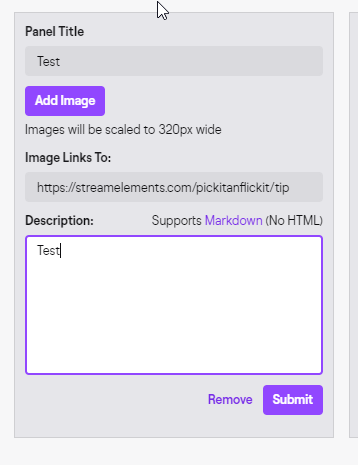 sullen badger
Yeah im not actual SE Help so i cant help with that


 oblique steeple
You haven't uploaded an image
mighty bay
https://i.imgur.com/QDssOQQ.png
@mighty bay
analog granite
^
oblique steeple
sullen badger
@oblique steeple HEY ALL MY FILLES FROM CLOUD JUST WENT AWAY D:
wary halo
and your caps button broke
oblique steeple
And you pinged someone who can't help you with that, since I'm not staff and don't have access to the tools to help you with that
mighty bay
Do I have to add an image for it to link to that tipping page link?
sullen badger
yeah ThERE is SomeTHING wrong with the CapS KEy I Might HAVE To RePlAce It
analog granite
Is stream store also affected due to twitch's api changes? cause there are no sound alerts going off with the !redeem function.
wary halo
Do I have to add an image for it to link to that tipping page link?
@mighty bay yes
mighty bay
weird, so then it'd be a static imagine and not a constantly updated one ?
wary halo
exactly
mighty bay
Would you mind checking to see if I've managed to unfuck it
oblique steeple
Please don't post your twitch link
oblique steeple
Name is fine
oblique steeple
Looks good to me
mighty bay
Thank you very much for the help
lament blade
hi
 upper pendant
People are getting seller restriction when trying to donate. Any ideas?
scarlet tiger
@upper pendant You should log into your PayPal account and look for notices or errors.
 wanton rune
guys, can i use just one stream elements account on two channels on twitch?
 young willow
Hello. Can someone please tell me how to reset tip goals on stream elements? I reached my current goal and when I added a new one it still shows the donations from my previous goal. Thank you
scarlet tiger
@wanton rune Accounts can be merged
round brambleBOT
Account Merging - Please note:
- Merging accounts only allows faster ways to switch between accounts
- Merging accounts does not allow data sharing between accounts - different streaming platforms, different type of events
- Merging accounts allows duplicating/sharing overlays between the accounts
If you understand the limitations of merging and want to proceed, please find the JWT tokens (!jwt) from both accounts you want to merge and you will be directed to DM them to a staff member.
@young willow To reset goals:
- from the overlay editor -> session data on top right (monitor symbol) -> goals tab -> reset progress of desired goal
- from the dashboard -> activity feed on the left -> widget data on the right -> goals tab -> reset progress of desired goal
Note: Goal widgets(progress) only counts up and doesn't go down automatically, if you loose followers/subs
young willow
haha thank you very much @scarlet tiger have a good day!
scarlet tiger
echo hawk
helm,anotherttvviewer,commanderroot and some more ...they even not following me
when i dont even i any viewer still they are getting my loyal points ..
plz help
nimble dune
That is bot is every channel there.
scarlet tiger
You can blacklist them.
nimble dune
anotherttvviewer,commanderroot these is bots
scarlet tiger
On loyalty settings page
echo hawk
🥺
lament blade
Speaking of Blacklisting, i blacklisted them and somehow they are still getting points
I tried to get help with it but no luck
scarlet tiger
@echo hawk go to https://streamelements.com/dashboard/loyalty, on the bottom is "Ignored users" part
echo hawk
i dont want them to win my daily giveaway stuff
 blissful crane
So I'm having a problem with my audio set up I have it on where when I play music on my pc quietly it plays it through my stream and my headset but through my mic audio
How do I change it to where music stays in music and mic stays to mic?
jade remnant
@echo hawk they cant win the giveaways as they cant type to enter.
plus this would be more of a twitch thing to provide as its their platform and they would know
lament blade
I blacklisted this guy and he is still getting points
chrome folio
@lament blade show us a screenshot of your Loyalty settings, please. https://streamelements.com/dashboard/loyalty
echo hawk
can i get list of ur leaderboard bots... please
lament blade
Here you go
lament blade
My own name?
jade remnant
haha
lament blade

 teal frigate
HEllo
I've got an urgent matter
My stream elements bot won't stop spamming in my chat
I'm in the middle of a live now hhaahha
And it's flooding the chat
chrome folio
@lament blade after you added him to the ignore list, did you remove his points from the leaderboards?
lament blade
Yes
jade remnant
are you using ground control for the custom bot name? @teal frigate
lament blade
Blacklisted users and they still get points
jade remnant
go into your task manager and close all processes of bot.exe
open ground control back up and connect/mod it to make sure its back in your chat
teal frigate
I've got no "bot.exe" open here
analog granite
@jade remnant do you know why the stream store alerts might have stopped working?
teal frigate
It's on due to OBS being on, but I think that's all
And it's sapmming raffle messages
jade remnant
go here https://streamelements.com/dashboard and part the bot
wait about 30 seconds then re join it
once its back check to make sure the custom name is there and try a !command
chrome folio
@lament blade add my user phph to the ignore list, press enter to enter the name, click on SAVE button.
teal frigate
@jade remnant it is parted and still is messaging me
round brambleBOT
@lament blade Currently renaming the bot fully works with OBS.Live.
You can follow this video guide to set it up: https://discordapp.com/channels/141203863863558144/494513233416421386/561516184718278676
If you don't want to use OBS.Live and want to stick with Ground Control, please let us know your Twitch username.
lament blade
You got 5 points on the leaderboard phph
jade remnant
@teal frigate ok, i will get an admin to try and remove and rejoin it.
as its using your name im not sure what/if they can do.
i will get back to you
teal frigate
Sure, thanks!
 cloud marten
How do I actually make the bot do things in my chat like stop people from sending links and spamming
 small topaz
Hey. So I put sound clips in the store for my viewers to purchase with their loyalty points. When they redeem the points for the sound clip the points are taken out but nothing happens. I set up the alert box in my overlay for store purchases, but nothing works. What am I doing wrong.
nimble dune
You need enable in spam filters link protection @cloud marten
cloud marten
I found it thank you
 viscid socket
Hi there is there an option where I can add a line on a text file or google doc with a command with the streamelements bot?
 abstract slate
hey can anyone help me? im pasting my overlay link to but i keep getting a white screen instead of my overlay
jade remnant
@teal frigate just heard back from an admin, as its using your name it would be best to restart obs to try and stop the spamming.
if that doesnt work let me know and i will pass it on
jade remnant
yeh i understand
jade remnant
cool, no worries, good luck 😁
lament blade
Can i change bot name without OBS.live ?
chrome folio
@lament blade later I will answer you about the issue.
lament blade
Alright 👍
 civic sorrel
Hey can someone help me i wanna setup twitch alerts like when someone follows or subscribes i checked in "Alerts And Overlays" but no Alert settings where there anything helps
teal frigate
Ok, now it's working normally, thanks! @jade remnant
jade remnant
perfect
 tribal flicker
this isnt realy about stream elements but how do you upload a vod to twitch?
lament blade
Can someone help me ?
round brambleBOT
@lament blade You can download our Desktop App Ground Control here: https://streamelements.com/groundcontrol
jade remnant
@tribal flicker iirc twitch has stopped the upload feature for vods/videos
small topaz
Anyone know how to get sound clip store redemptions to play?