#helpdesk-twitch
1 messages · Page 644 of 1
 jaunty hearth
 round brambleBOT
@jaunty hearth Google Fonts
More than 900 google fonts are supported at this time. You can preview them here: https://fonts.google.com/
Custom Fonts
Steps:
- Install the font on the streaming PC or choose a pre-installed windows font.
- In the overlay widget settings, select Text Settings
- Enable Custom Font
- Type the name of the font as it appears in the windows font directory (This is usually
C:\Windows\Fonts)
Note: After installing fonts, the browser and OBS must be restarted for the font to appear.
 gentle saddle
I have quite a weird (bug?) problem.
I am using the overlay editor.
In Scene 1, I have overlay 1.
In Scene 2, I have overlay 2.
In the first moment it works fine, but after I have switched between the scenes 2 or more times, the URL in one of the overlay-browser sources get overwritten by the one in the other Scene.
Had someone similar issues before?
I use OBS 25.0.8 with the OBS.live plugin.
jaunty hearth
I'll give that a shot @wary halo 🙂
round brambleBOT
@gentle saddle Right click on the BrowserSource > Properties > Scroll down a bit > Refresh Cache of current page
jaunty hearth
You are my saviour, @wary halo
gentle saddle
It overwrites my URL I put in. Refreshing the cache won´t solve this one for me.
 twin sentinel
Check that you have two different urls in these scenes. They definately not switch when switching scenes.
gentle saddle
I made that sure, but it somehow gets overwritten after I switched between the scenes back and forth.
 golden walrus
Can I get the ability for my viewers to request specific songs via StreamElemnts chat commands? I am trying to figure out how to get !songrequest module added to the list of modules on my dashboard page.
 scarlet tiger
!sr command doesn't work?
golden walrus
the songrequest module does not show up in the list of modules
scarlet tiger
For it is another section on dashboard
golden walrus
It does show up on the list of default commands. When trying to activate it prompts me that the songrequest module only work when the module is enabled. Well, where is the module to enable it?
golden walrus
There are two buttons "View Module" and "Enable" When I click on view module, nothing happens. Just takes me to a blank page
golden walrus
I see.. I have slid the "Viewer Reqests" bar over and activated that. Now to learn how this works.
thank you very much @scarlet tiger
scarlet tiger
If you have another questions, feel free to ask here 
golden walrus
Now I don't have to individually add each song I want my followers to have available to them right?
 amber path
hello are visuals not working on twitch just now? My wqidgets and overlays have all went dark/ cant be seen
round brambleBOT
@amber path Right click on the BrowserSource > Properties > Scroll down a bit > Refresh Cache of current page
amber path
no dice
round brambleBOT
@amber path OBS -> settings -> advanced -> scroll down -> enable/disable hardware accel.
https://i.imgur.com/ggMe9ZE.png

 wary halo
disable that ^
amber path
that fixed it cheers
 last trout
One of my viewers are unable to see what’s in my store
It seems fine for other people
wary halo
let him log in on the streamelements website
 onyx frost
Streamelements chat commands are no longer working in my chat? Anyone have any idea why
wary halo
unless you have renamed to bot to yourself, i don't see it in your channel
onyx frost
Bot was in my channel, but is no longer there
wary halo

StreamElements
The Ultimate All in One Platform for Streamers
go there click on the 'part channel' button
then click 'join channel' again
 warped furnace
follower alerts not working?
all of the sudden they stopped working
for me and many people
 lusty girder
Hi. All of my alerts are playing twice. Basically right on top of one another at the same time.
round brambleBOT
@lusty girder Make sure to ☑️ “Shutdown source when not visible” for all browser sources (all OBS scenes). If using studio mode, uncheck “Swap Preview/Output scenes After Transitioning.” Also keep in mind that sound can play from any overlay loaded in the browser (editor or launched). https://i.imgur.com/6bWXxjR.png https://i.imgur.com/yY0wcFl.png


 worn anvil
Hi there.
Yesterday was the first time I wanted to present my community with a sub and a follower goal.
My intention was to setup up a goal of 10 subs which they had to reach to start a give away. But I was not able to find a setting that allowed me to start at zero. Instead the sub goal bar showed a number which I can only discribe as "Overall amount of subs I have had on my channel so far."; leading my viewer to think I had a huge amount of active subs right now now and that I am trying to milk them for some more.
Is there a way to make a sub or follower goal read "0 out of 10 so far" ?
round brambleBOT
@worn anvil To reset goals:
- from the overlay editor -> data on top -> goal tab -> reset progress of desired goal
- from the dashboard -> activity feed on the left -> widget data on the right -> goals tab -> reset progress of desired goal
Note: Goal widgets(progress) only counts up and doesn't go down automatically, if you loose followers/subs
lusty girder
All of my alerts are still appearing twice.
round brambleBOT
@lusty girder To add your overlays to OBS, add a new browser source in your scene. Paste your overlay URL in the browser source properties, set the dimensions to 1920x1080 (unless you changed them on the website), and ☑ “Shutdown source when not visible” https://youtu.be/KDvLynUqXI4
wary halo
make sure the last part is done
shut down when not visible
for all overlays with the alertbox in it
lusty girder
Probably an issue with my alerts being made on streamlabs huh..
 lament blade
Is there a reason why it takes so very long for widgets to become active on OBS?
lament blade
Media Request on OBS is blank, just the colour dark blue, how do I fix this?
round brambleBOT
@lament blade Streamelements on top of OBS -> Logout -> login
 noble garden
@wary halo can I get the copy and paste of the variables for streamelements subcount command?
wary halo
i was searching
StreamElements
The Ultimate All in One Platform for Streamers
should be in there
 rigid geode
Hello. I am having trouble with mic. I connected the ps4 mic (from the one you get with ur ps4) to my computer and set it up in streamlabs and it wasnt picking up my voice and I did the same thing with the other mic and it didnt work.
Well im pretty sure it wasnt working
lament blade
how do i get the bot in my twitch stream ive connected my account and added loads of commands but it isnt working when i type a command in my chat
 left arch
why whenever i click any link to streamlabs or in browser do I keep getting kicked to the main homepage
wary halo
@left arch https://streamelements.com/logout
StreamElements
The Ultimate All in One Platform for Streamers
then log back in after that
@rigid geode ask streamlabs, this is StreamElements
rigid geode
I meant to say streamelements
wary halo
@lament blade https://streamelements.com/dashboard there is a button on the right side that should say: JOIN CHANNEL, click that
StreamElements
The Ultimate All in One Platform for Streamers
rigid geode
I am using stream elements
round brambleBOT
@rigid geode For the best OBS support, please join their Official Discord @ discord.gg/obsproject
left arch
@wary halo Thank you it worked
lament blade
How do I get things pop up on my screen if somone followed
round brambleBOT
@lament blade New to Stream Elements?
Check out our YouTube channel https://www.youtube.com/c/streamelements/videos
with tutorial videos from setting up the basics, to in depth details on how to use our product.
New to OBS? Here is a 4 step quickstart guide
https://obsproject.com/wiki/OBS-Studio-Quickstart
Want to learn even more? Here is an in-depth overview
https://obsproject.com/wiki/OBS-Studio-Overview
@lament blade We've released our new Overlay Editor revamp. You can check out the changes and how to work with it here: https://youtu.be/X5VzXjqAsjk
Check out our blog post as well: https://blog.streamelements.com/streamelements-overlay-editor-just-got-even-better-c22cb5b4853e

We are thrilled to announce the launch of the remastered StreamElements Overlay editor!
https://p.strms.net/newoverlayyt
Why StreamElements Overlays are better?
😎 Simple: Load your entier setup using only 1 link
⚡ Fast: Cloud-powered Overlays arrive in real-time, say goodb...
 rare cairn
Anyone having issues with the StreamElements site locking up on Chrome?
 fringe torrent
Hi
golden walrus
So to get !play or !songrequest feature to work. I have to keep a streamelement window open on the "Media Request" tab in order for the music to play???
This streaming business is difficult to understand. I was in a stream once where you can type in !play [song name] or [song artist] and it would play that song or something from that song.
round brambleBOT
@fringe torrent Welcome to the helpdesk! Please let us know how we can assist you today and a support volunteer or staff member will assist you as soon as they are available. Thank you for your patience.
golden walrus
You could type in anything. Any song you could think of. I can't believe that that streamer went into StreamElements > More > Media Request and added every song on the internet to the Queue.
 tame owl
hello, i see that there is a command to add quotes, but where do I access the list of quotes?
golden walrus
Good luck @tame owl I'm moving on.
 steep goblet
I have a problem and it would be nice if someone could help me, until recently I could still grab the camera on a corner and pull it to the size I wanted, but since yesterday it has not been possible for me what can I do?
 jade remnant
unlock the source or unlock the obs preview
rigid geode
steep goblet
i found it thanks for good support have a nice evening
rare cairn
@wary halo sorry for late response, no it just locks up when trying to go to my overlays to make adjustments to overlays and stuff.
Seems to be something with the valorant theme
golden walrus
!songrequest doesn't work. !play doesn't work. there's no such thing as SongRequest module. Why have a command !songrequest when the feature doesn't work.
jade remnant
have you turned it on? and have you tried !sr <link>
lament blade
the past week, whenever someone follows or hosts me or anything that I have set up to do sounds and image alerts, the alerts aren't going off... I have reloaded the overlays, made sure they are all showing in source list, it only works when I test, idk why
 little wave
How long does it take money to show once someone buys merch stream elements store?
wary halo
up to 24h
 ionic verge
My custom bot name stopped working yesterday and I can't seem to get it to connect again. I can log into the bot account and click authorize but nothing happens. Has anyone else had this problem?
twin sentinel
- Right click on your OBS desktop shortcut -> properties - in the "Target" field add this -> --remote-debugging-port=40404
- Open OBS(or restart if it was open)
- Open your browser and type in "localhost:40404"
- Click on "StreamElements - Activity feed"
- navigate to the Console tab
- type in the console this: store.customBot.removeCustomBotIntegration() and hit enter
- Try setting the custom bot name
- remove the added addition of step 1
ionic verge
Thanks! That worked
tame owl
i see that there is a command to add quotes, but where do I access the list of quotes? -> shall I assume that there isnt anywhere to see what quotes I have?
twin sentinel
Yes, there is no way to get like a list.
tame owl
ah. ok ty
 empty trout
 dusty mortar
is paypal the only way to get donations through streamelements?
round brambleBOT
@dusty mortar SE.PAY is available for streamers who are atleast 18 years old, with bank account under their name in one of the following countries and have at least 101 Follower (Twitch) / 101 Subscribers (Youtube):
Austria, Belgium, Czech Republic, Denmark, Finland, France, Germany, Ireland , Italy, Netherlands, Poland, Portugal, Slovakia, Spain, Sweden, Switzerland, United Kingdom, United States.
If you meet these criteria and don’t see SE.Pay, let us know.
For information on SE.Pay payment methods, their fees, and settlement times see https://streamelements.com/dashboard/tipping/fees.
twin sentinel
empty trout
@twin sentinel is it and internet problem ?
twin sentinel
Check the log for infos.
 eager compass
I ordered some samples of my merch but I'm missing an item. How can I track it?
twin sentinel
dusty mortar
yes i have se payments set up but i don't want to use paypal are there other methods? i dont see other methods on my dashboard
twin sentinel
There is SE.Pay and Paypal. You can disable/enable them in the tippig settings.
 marsh acorn
Just a quick question - with SE.Pay how long does it take a withdrawal to deposit once you choose to withdraw it?
 abstract hemlock
@marsh acorn typically 3 business days
marsh acorn
@abstract hemlock Thank you! Good to know. Paying my emote artist out of that for my updated emotes and I needed to give her an ETA.
round brambleBOT
@dusty mortar SE.PAY is available for streamers who are atleast 18 years old, with bank account under their name in one of the following countries and have at least 101 Follower (Twitch) / 101 Subscribers (Youtube):
Austria, Belgium, Czech Republic, Denmark, Finland, France, Germany, Ireland , Italy, Netherlands, Poland, Portugal, Slovakia, Spain, Sweden, Switzerland, United Kingdom, United States.
If you meet these criteria and don’t see SE.Pay, let us know.
For information on SE.Pay payment methods, their fees, and settlement times see https://streamelements.com/dashboard/tipping/fees.
 rugged monolith
Chat commands question: where can I change who's allowed to use the "!quote add" feature?
dusty mortar
I dont want to use paypal anymore, paypal holds payments D:
twin sentinel
@rugged monolith not possible to change.
only mods and above can add and delete quotes.
rugged monolith
@twin sentinel oh bummer, ok. thanks for letting me know
 umbral bane
guys... My alerts are not visible at all. Quite starnge as everything is done correctly, yesterday everything was fine and today everything disappeared
round brambleBOT
@umbral bane OBS -> settings -> advanced -> scroll down -> enable/disable hardware accel.
https://i.imgur.com/ggMe9ZE.png
wary halo
disable that ^
wary halo
 opaque knoll
i have a problem with my streamelements bot.. it doesn't work and doesnt show on my twitch channel.. so actually alerts and commands are not available.. i tried to logout and login but doesn't work.. i've disconnected that from twitch but nothing seems to work.. what can i do? do i have to reset all streamelements command?
round brambleBOT
@opaque knoll If you changed your name on Twitch please follow these steps:
🔹 Visit https://streamelements.com/logout and then log in again with by connecting with Twitch.
🔹 On the right side of the dashboard page that opens, select "Join" under bot settings. If it says "Part" select that and then select "Join" to send the bot to the chat. Don't forget to mod the bot by typing /mod streamelements in your channel if you have not already.
🔹 Post your new name here so that we can update your channel's chatstats tracking (must be done by staff).
opaque knoll
i cant find the "join" button...
round brambleBOT
@opaque knoll Go to the dashboard -> right side -> part channel -> join channel (https://streamelements.com/dashboard)
 opaque knoll
...... LOL it was that simple... thank you so much! much love from italy! ♥
abstract hemlock
Be safe
opaque knoll
not that simple cus i'm not that far from milan but ... as long as i have videogames i don't have good reasons to leave my room! so i'm safe for now.. LOL thank you anyway! ♥
Anyway my new name on twitch is xKumihoTv
 digital adder
Hi I am trying to change my go live notification on twitter but cant find where to do this on my profile/ social media page in SE web browser. is there anyone who can help
twin sentinel
https://streamelements.com/dashboard/bot-modules > Twitter module
digital adder
thats not what i am looking for, thats to tweet in real time, i want to change my go live message when i start my stream on twitter
twin sentinel
digital adder
Just getting a blank screen Benno
twin sentinel
Do you have a screenshot of that.
digital adder
round brambleBOT
@digital adder Please logout of StreamElements at https://streamelements.com/logout and then login again to your account (Twitch/Youtube/Facebook/Mixer)
digital adder
ok logged out and back in
twin sentinel
Still black?
digital adder
yes stilll black
twin sentinel
Try to clear cache and cookies.
digital adder
clearing all now
 patent furnace
Is this the right channel to ask for help for renaming the bot via Ground Control?
I've made a dummy account already and in the settings of GC, there's no options to rename the Bot.
Did I miss a step?
round brambleBOT
@patent furnace Currently renaming the bot fully works with OBS.Live.
You can follow this video guide to set it up: https://discordapp.com/channels/141203863863558144/494513233416421386/561516184718278676
If you don't want to use OBS.Live and want to stick with Ground Control, please let us know your Twitch username.
digital adder
Still blank @twin sentinel
round brambleBOT
@digital adder On the page that gives an error, press F12 to open Developer Tools. Navigate to “Network” at the top and then Select “XHR” in the filter section. Try the action again that gave the error and note in the network tab any red text. Please copy and paste the error information that is given when clicking on this red text.
twin sentinel
Also what chrome version are you on?
digital adder
newest version of chrome
twin sentinel
Do you see any error in console in the dev tools when you want to open the page?
digital adder
errror
lament blade
Would anyone be able to explain to me how to include custom css with the chatbox on streamelements or how to display FFZ/BTTV emotes?
twin sentinel
@digital adder Try it in an incognito chrome tab please.
 young escarp
ok this is a 3head question but ive made a overlay on the website how do i put it on obs
twin sentinel
@lament blade Type !emotes update in your twtich chat and the emotes should get updated.
round brambleBOT
@young escarp To add your overlays to OBS, add a new browser source in your scene. Paste your overlay URL in the browser source properties, set the dimensions to 1920x1080 (unless you changed them on the website), and ☑ “Shutdown source when not visible” https://youtu.be/KDvLynUqXI4
young escarp
cheers bot baby
digital adder
Works in incognito mode
twin sentinel
Then an extension is blocking the connection.
digital adder
could it be the add blocker i use
twin sentinel
Yes, could be.
digital adder
i'll try that 1st then see what else i have enabledd
lament blade
@twin sentinel and for including custom css?
twin sentinel
There is a custom chat widget: https://github.com/StreamElements/widgets/tree/master/CustomChat
lament blade
And how do I include this?
 smoky thistle
hey I've got a problem with my activity feed im getting followers but the notification is not coming through can anyone help ?
twin sentinel
@lament blade Create a custom widget in your overlay and add the files to the respecting tabs JSON > FIELDS
lament blade
Thank you ^^
twin sentinel
@smoky thistle Please only ask in one channel. Thank you.
digital adder
@twin sentinel Add blocker was stopping it , thanks 👍
lament blade
Looks like there is an issue with the emotes showing up in the chatbox with the custom widget
No option to include text shadow either?
twin sentinel
@lament blade This is a custom coded widget, we do not support custom coded stuff. best to contact either the creator or ask in #dev-chat for assistance.
@lament blade Also what emotes are not showing up?
@lament blade Try !emotes update in your chat, to update your emotes.
lament blade
Ah I did try that, but I'm also trying to use the custom chat widget and emotes do not appear in that at all
 pallid vigil
round brambleBOT
pallid vigil
round brambleBOT
@pallid vigil Please provide a log from your last stream. To do this, in OBS go to Help > Log Files > Upload Last Log File and paste the link to the log file here.
 lavish aspen
is SE PAY even worth using taking over 10% of the donations?
 broken blade
.....I am confused
lavish aspen
got a 10€ donation then its down to 9.44€ then when wanting to recieve the money they take another 0.5€
broken blade
I am new to discord I got it to watch Zogo's stream and uhh idk how to watch the stream or video
twin sentinel
@lavish aspen https://streamelements.com/dashboard/tipping/fees
@broken blade Go to their channel and either they are live and you can see their live view, or in the videos, see past broadcasts, if they have it enabled.
 lapis willow
Hey do anyone now if you can download your overlays you have made in their website
Please DM me if Anyone can HELP me
round brambleBOT
@lapis willow To add your overlays to OBS, add a new browser source in your scene. Paste your overlay URL in the browser source properties, set the dimensions to 1920x1080 (unless you changed them on the website), and ☑ “Shutdown source when not visible” https://youtu.be/KDvLynUqXI4
 pure ledge
Is there some glitch with followers numbers?
Streamelements is stuck on a small number of followers yesterday and none for today when there were probably 2K followers over that time
 ashen relic
Im new to the new stream elements website. What happened to the options to edit your donation page and such? The dashboard butotn just keeps going back to homepage
round brambleBOT
@ashen relic Please logout of StreamElements at https://streamelements.com/logout and then login again to your account (Twitch/Youtube/Facebook/Mixer)
twin sentinel
@pure ledge What number are you referring to? The one in your dashboard or one in the overlay?
ashen relic
Thank you
twin sentinel
Are the follow events in your activity feed?
pure ledge
No
it looks like the last followers were over a day ago
and there were about 1300 today
round brambleBOT
@pure ledge Please provide your account ID found at the top of this page: https://streamelements.com/dashboard/account/channels This ID is public info and safe to share here.
pure ledge
5c4f73306fb41beefadf1baa
 worldly goblet
Hi, Need help
round brambleBOT
@worldly goblet Welcome to the helpdesk! Please let us know how we can assist you today and a support volunteer or staff member will assist you as soon as they are available. Thank you for your patience.
worldly goblet
just trying to setup the overlays in obs studio. But when I switch it scene it takes around 2000ms to load the browser in next scene.
round brambleBOT
@worldly goblet Check out this tutorial for OBS’ studio mode which allows you to preload scenes before transitioning. https://www.youtube.com/watch?v=W8iWsD2Lq3U
worldly goblet
awesomeness. Will require a bit more work but worth it
 polar igloo
Ok 2 questions here.
- People are able to unfollow me and re-follow me and it plays an alert again, how do I stop this?
- Is there any way I can modify aggregates? Some of mine are messed up by large amounts and I want to fix them. I have tried removing events to adjust it but it doesn't fix it.
twin sentinel
@pure ledge The accountID is not from your own account.
Let the user part the bot, log out of the dashbaord, log back in and make the bot join the channel agian.
pure ledge
It's from Hikaru's account - I am his stream manager
twin sentinel
@polar igloo Refollow should not trigger an alert.
What aggregates are you referring to?
polar igloo
I am referring to 7 day, 30 day, and all time top tipper. The 7 day and 30 day have not changed since i moved from StreamLabs and the all time is off by $600+. Also for some it did alert me of a follow and it happened by a few minutes ago.
pure ledge
@twin sentinel so you're saying if he logs out of streamlabs that the bot will leave his channel, and then log in when it's gone and it'll rejoin and the followers will be fixed?
twin sentinel
@polar igloo Then most likely the data have been imported multiple times. This cannot be corrected.
polar igloo
So am I stuck with having my top donator stuck at what its at forever or will it ever change?
@twin sentinel
twin sentinel
It will change when someone gets over that value.
polar igloo
So why is it that my 30 day and 7 day have not changed even though I have gotten donations?
twin sentinel
What widget is that exactly?
polar igloo
I currently dont have any widget reading the 30 day and 7 day aggregate but when I go to view them they are the same as the all time top
twin sentinel
Have already 7 days passed after you imported the data?
twin sentinel
Othewise cause of the import, the top tipper is shown. @polar igloo
@crisp turtle #651453660810838026
 crisp turtle
ty
polar igloo
Yea its been almost a month
twin sentinel
The data will change after you get new tips,
polar igloo
I got a new tip not to long ago and it didnt update
twin sentinel
Then I am sorry. Maybe another support has any ideas.
polar igloo
Ok thanks
 fluid flame
hey there i dont know if this is the right place to get the right responce but ive got myself a alert pack from nerd or die and when i try using it with strem element i cant larnch it and when i do test on the stream after copying the link to use it i get the sound file play but no image ive looked at everything i can but im now stuck any help woulf be amaazing.
round brambleBOT
@fluid flame OBS -> settings -> advanced -> scroll down -> enable/disable hardware accel.
https://i.imgur.com/ggMe9ZE.png
fluid flame
i have that set on already it still dosnt bring up
twin sentinel
Try to disable it.
fluid flame
@twin sentinel will do ill try now and get back to you with update
@twin sentinel amazing thank you so much it works now thats amazing
 final stirrup
hey just wanted to ask if there is an option to remove the automatic reply for streamstore redeems. or another option to get soundclips by botcommand. say/reply/whisper option doesn't change anything the bot always spams the message in chat. thx
abstract hemlock
@final stirrup there is not possible atm, but check the ideas board
round brambleBOT
@final stirrup Check out the StreamElements ideas board: https://strms.net/ideas. You'll be able to add ideas, upvote ideas you agree with, and track their progress with email notifications. Adding and upvoting ideas also helps the staff know which ideas should be prioritized so please take some time to upvote.
final stirrup
i googled it and this request is like 10 months old so i thought there would be a solution by now :/
 mint bloom
question: does SE stream to twitch, YT, fb, and mixer all at the same time? didn't know where to ask this, so i hope this is ok to ask here. or do i use SE with restream or something of that ilk?
 ionic kelp
@mint bloom all platforms (and their data) are entirely separate of another.
mint bloom
ok, gotcha, thank you.
 gaunt matrix
Hey guys, imported my alerts from streamlabs and it created them as a Overlay. But I want to be able to use them in the overlays i've already created - How can I do that?
abstract hemlock
@gaunt matrix you can duplicate it, click on it and then use the duplicate button to make a copy on any other overlay
gaunt matrix
But @abstract hemlock after I duplicate it it just kind of makes a double and nothing more, I cant put it onto another overlay, unless im missing something here
abstract hemlock
when you click on duplicate, a pop up should appear asking you for the destination
then you click on Other Overlay
gaunt matrix
OH i see, inside of the overlay you can press the duplicate button hold on lemme give it a go
worked like a charm
thanks renzito
 sick hatch
Where can I find the download link for OBS Ground Control?
Oh... Desktop App
I got it
abstract hemlock
😉
 teal lily
Hey, so I have tried looking around for the answer to this but I cannot find it for the life of me, is it possible to give the chat bot a custom name?
abstract hemlock
@teal lily atm you need to have obs.live install
and check the pinned message on #helpdesk-selive
 quasi sluice
do i have to have a capture card to stream from my laptop but see the game from my xbox?
and also how to I activate my overlays on the OBS
round brambleBOT
@quasi sluice To add your overlays to OBS, add a new browser source in your scene. Paste your overlay URL in the browser source properties, set the dimensions to 1920x1080 (unless you changed them on the website), and ☑ “Shutdown source when not visible” https://youtu.be/KDvLynUqXI4
abstract hemlock
And yes most likely you need a capture card for stream any console via OBS
teal lily
@abstract hemlock I do have obs live
abstract hemlock
@teal lily well now just open the activity feed dock and chek the video pinned on #helpdesk-selive
 unreal condor
How do I join money drop lobbys?
abstract hemlock
@unreal condor wdym?
unreal condor
How do I get into a GTA 5 lobby that does money drops.. I'm new
ionic kelp
@unreal condor this isn't the place for that.
unreal condor
Oh ok thank you for clarification.. these redirecting websites are really confusing
teal lily
@abstract hemlock okay cool I think I got it! TY
 gusty geode
Can anyone please explain to me why i continually get 2:26StreamElements: @gusty geode, Item is subscribers only <- this from the bot, i am subbed and it's been happening more and more recently >_<
abstract hemlock
@gusty geode could you share a screenshot please
 calm laurel
hello
gusty geode
hopefully you don't mind the other mods comment lol
calm laurel
can i have help
gusty geode
do i link it or just tell you the name?
abstract hemlock
jut the username
gusty geode
papa_pixels
round brambleBOT
@calm laurel Welcome to the helpdesk! Please let us know how we can assist you today and a support volunteer or staff member will assist you as soon as they are available. Thank you for your patience.
abstract hemlock
@gusty geode this happen randomly?
gusty geode
constantly but yet randomly yeah
calm laurel
can i have help
gusty geode
happens with all of the store sounds
 chrome folio
@calm laurel say your doubt :)
calm laurel
i am new and i need help getting stuff around my stream and i want a alert when it says new follower
please
gusty geode
give them a minute, likely busy 🙂
calm laurel
ok
round brambleBOT
@calm laurel New to Stream Elements?
Check out our YouTube channel https://www.youtube.com/c/streamelements/videos
with tutorial videos from setting up the basics, to in depth details on how to use our product.
New to OBS? Here is a 4 step quickstart guide
https://obsproject.com/wiki/OBS-Studio-Quickstart
Want to learn even more? Here is an in-depth overview
https://obsproject.com/wiki/OBS-Studio-Overview
abstract hemlock
@gusty geode done 😉 the devs will take a look into this
chrome folio
@calm laurel go Dashboard, My Overlay, create a new overlay, on overlay editor you will add Alert > Alert Box ... (setup the alerts, save overlay, copy overlay link, add on the OBS source/or other app for streaming).
You can find many tutorials on the StreamElements' videos on the YouTube channel.
calm laurel
K
quasi sluice
Is there anyway to add Spotify to obs?
round brambleBOT
@quasi sluice For the best OBS support, please join their Official Discord @ discord.gg/obsproject
 pearl juniper
hey i need help
round brambleBOT
@pearl juniper Welcome to the helpdesk! Please let us know how we can assist you today and a support volunteer or staff member will assist you as soon as they are available. Thank you for your patience.
pearl juniper
ok
 umbral phoenix
Needing some help tryin to figure out why my chat isn't loading correctly. I currently get an "Error Loading Data" message when clicking on the gear of the chat window
abstract hemlock
@umbral phoenix could you share a screenshot?
round brambleBOT
@umbral phoenix Streamelements on top of OBS -> Logout -> login
 full fable
Hello - I am looking at revenue history, I need to be able to see who my top cheerers were for a particular time period. I can see individual cheers during that time, but not combined who cheered the most. I can see this info sort of in the extension, but can't specify a time period on that. Is there any way to see this data?
 river flax
Hi all, total Noob Q. doing a Dj night. Helping my roommate stream on to a channel that a few people will be sharing a stream key for. Just curious if when i connect OBS Studio to her Twitch account, will it create a fresh stream key and boot the current person streaming? just want to connect for chat window on OBS
abstract hemlock
@full fable you can use top cheerer widget on your overlay
@river flax if you want just the chat you can use a link like this : https://www.twitch.tv/popout/USERNAME/chat?popout= just replace USERNAME with your username
river flax
@abstract hemlock need to let the Dj type back into the chat, not looking to overlay on output content
thanks tho
 shrewd locust
Hello folks! Two questions
1 - How can I change the mobile alerts system? Currenty it's using the pre-defined purple wave, despite my edits on the back end, my custom overlay doesn not show
2 - How can I get the OAUTH to appear on Ground Control so I can name my bot? I've connected all the accounts and payment info, but even after 6 hours there's still no option.
Otherwise I don't know why I didn't jump from Streamlabs sooner. I am lovin' StreamElements
abstract hemlock
@shrewd locust Hey are you sure about the first thing? cause you won't see them when testing, but you will see them when you go live
Atm you could change the bot name in the activity feed dock on the obs.live (see pinned message on #helpdesk-selive
shrewd locust
@abstract hemlock so the mobile preview will still show the old overlay until I go live for the first time?
abstract hemlock
You have to edit the purple wave overlay, thats the overlay that will be show when you use the StreamElements App
shrewd locust
Yep, I've done that but on my phone it still shows the purple overlay and not the elements I have replaced. I haven't gone live yet though, will be in 45 mins so I guess I'll find out 😛
abstract hemlock
👍
round brambleBOT
@dusty dove Please follow our community rules:
- No advertisement or stream promotion
- Respect ALL server members
- No NSFW/NSFL
Thank you
 dusty dove
desculpas
 terse parrot
hello i need help i keep trying to stream on twitch and i change the streaming output but when i click the start streaming button it only lets me stream on youtube
round brambleBOT
@terse parrot Streamelements on top of OBS -> Logout -> login
 wanton shoal
Anyone know what the minimum specs for a computer would be so i can run OBS AND stream some light games at the same time? Trying to help my sister find a cheap PC
 glacial kiln
Chat stats page doesnt exist for my channel, but exists for my old twitch name (but isnt updated)
abstract hemlock
post your old name and your new name
glacial kiln
Old: howLsthisaname New: hitan
abstract hemlock
@wanton shoal https://obsproject.com/wiki/System-Requirements
OBS Studio requires the following hardware and operating systems to function. Having a compatible system does not guarantee that it is capable of streaming or recording using OBS.…
@glacial kiln Done
glacial kiln
Will it start updating now that it has been changed over?
abstract hemlock
Yes 😉
glacial kiln
Thank you 😃
abstract hemlock
np
 dense wyvern
i just did a stream and someone donated to me and streamelements said it in chat but i didnt get a notification on screen, any ways to set it up?
 hollow blade
abstract hemlock
hollow blade
abstract hemlock
@dense wyvern did you see the donation on your activity feed? if so please check your alertbox widget on your overlay
round brambleBOT
@hollow blade For the best OBS support, please join their Official Discord @ discord.gg/obsproject
dense wyvern
how do i check my activity, sorry im kinda a boomer :/
abstract hemlock
you can check your activity feed here : https://streamelements.com/dashboard/activity (check if the donation is listed)
dense wyvern
ok yes it shows it in activity feed
dense wyvern
sorry for the trouble but i dont see a alertbox widget
abstract hemlock
@dense wyvern you need on alertbox widget on your overlay, to show alerts on screen
 wicked pelican
Hi, my chat inside OBS.Live isn't working, I can't type e the messagens sent don't appear there either. Can someone help me?
dense wyvern
i have a alertbox set up on streamelements but it didnt alert me for the dono
round brambleBOT
@wicked pelican Streamelements on top of OBS -> Logout -> login
@dense wyvern Please connect your streaming account (Twitch, YouTube, or Facebook) with Discord by going to ⚙ Settings and then Connections here in Discord. https://streamable.com/eg92w
 dense wyvern
ok thanks i will work on it tomorrow
wicked pelican
It worked, thanks!!
abstract hemlock
work on what?  i just ask to link your twitch account to discord so i can give it a look because the one that you have now seems outdated
 sudden compass
could someone inform me on how to use the chat overlay on my stream? im trying to do like an intermission screen
 bright karma
Can someone help me with getting the merch working, picture won’t load on site
chrome folio
@sudden compass Answered question on #helpdesk-selive
 heady hamlet
I keep getting "response message" bug, and i can't seem to fix it
It started from importing nightbot settings
HALP
ionic kelp
@heady hamlet check timers.
ionic kelp
Recheck.
lament blade
Can someone help me install a theme and get alerts 100%?
 young cape
Hello there, hope this is the right chat to ask this.my SE extension as a twitch panel isnt showing any stats besides the chat ( which was fixed by u yesterda). talking about cheers, points etc. any idea how this can be solved?
 low surge
I can’t figure out how to let viewers add quotes of things I’ve said . There is only a !quote command but not an !addquote command . Am I missing something ?
 frigid fable
Okay so the tipping system works, it shows the notification on stream and it updates me on my paypal but any money sent to me via Stream elements tipping always says "Pending" on my paypal, with no option to accept the payment sent to me, if enough time passes eventually the transaction is refunded and cancelled how do i get my tips to go through? How i approve them? everything is set up properly i think for stream elements tip settings so i'm not sure why this happens. I'm pretty sure it's not a paypal thing because i was just sent money from a friend on paypal through paypal and it gave me the option to accept on paypal, but when ever it goes to my payapl via the Tip system on stream elements, it says i was sent money but it says pending, but i also can't accept it. I don't know what to do, i'm losing money here. PLease help!!??
 plain forge
Hye guys!
I have a prblem with my overlays over StreamElements
The quality of pics and wideos are dropped all the way down. Maybe someone faced this problem before?
 narrow dirge
When I open the OBS my game crashers
plain forge
no one will help us, relax
 rare sigil
hey gang, wondering if anyone has insight to this. Every so often our stream title reverts to an old one we set when offline. I have tried updating in ground control, online dashboard and in osb.live and it always eventually revets. Any ideas?
 placid wave
I have a question, I have added all my browser sources, but only one is showing in my preview screen, even all four are in my sources area
 leaden wraith
I have finally figured out how to stop Media Share from duplicating audio. You must make another blank overly solely with Media Share in it.. add that to the scene (along with your other alert one) Select properties, control audio via obs, then mute the media share... This took me at least 4 hours of annoyance, why isn't this documented anywhere for the huge amount of people having this issue
 sweet socket
@lament blade over at the dashboard
I have a question, I have added all my browser sources, but only one is showing in my preview screen, even all four are in my sources area
@placid wave You just need one browser source, it might be overlapping each other
sweet socket
hey gang, wondering if anyone has insight to this. Every so often our stream title reverts to an old one we set when offline. I have tried updating in ground control, online dashboard and in osb.live and it always eventually revets. Any ideas?
@rare sigil This is probably an issue with Twitch
its the button you pressed when you joined the bot, it will now say part channel @lament blade
round brambleBOT
@plain forge OBS -> settings -> advanced -> scroll down -> enable/disable hardware accel.
https://i.imgur.com/ggMe9ZE.png
lament blade
But i streaming with play station and set stream elements with phone
sweet socket
!cleanlog @narrow dirge
round brambleBOT
- Restart OBS
- Start your stream/recording for about 30 seconds. Make sure you replicate any issues as best you can, which means having any games/apps open and captured, etc.
- Stop your stream/recording.
- Select Help > Log Files > Upload Current Log File. Copy the URL and paste the link here.
(Note: If you do not see an obsproject.com URL, you will need to update OBS Studio to version 22+)
sweet socket
oh you cant use it like that
lament blade
Ok
sweet socket
you would need a capture card to use StreamElements
round brambleBOT
@lament blade New to Stream Elements?
Check out our YouTube channel https://www.youtube.com/c/streamelements/videos
with tutorial videos from setting up the basics, to in depth details on how to use our product.
New to OBS? Here is a 4 step quickstart guide
https://obsproject.com/wiki/OBS-Studio-Quickstart
Want to learn even more? Here is an in-depth overview
https://obsproject.com/wiki/OBS-Studio-Overview
sweet socket
just check the videos above ^
lament blade
Ok thank you
ionic kelp
You can capture PS remote play if you don't have a capture card.
lament blade
But my english is so bad
sweet socket
what language do you speak? we have non-english channels
wary halo
⤴️ moved to the #helpdesk-youtube channel
 static swift
Is anyone else having SE twitch chatbot issues?
sweet socket
Where are you experiencing issues? @static swift
In your twitch chat?
And what kind of issues?
static swift
Twitch chat bot responding intermittently, starting a raffle, but not completeing a raffle, missing some song requests.
After reauthorizing it, it's now posting to the channel as the broadcaster, not the bot's name.
round brambleBOT
@static swift Please connect your streaming account (Twitch, YouTube, or Facebook) with Discord by going to ⚙ Settings and then Connections here in Discord. https://streamable.com/eg92w
 static swift
Though it seems to be working now. Maybe it's a twitch auth issue?
sweet socket
I'm just gonna check your channel if you can add it to your discord
static swift
Oh, it's working now, looks like it's a twitch auth issue.
sweet socket
ah ok 
static swift
I'll contact Twitch.
It was just weird that it was responding sometimes, but not all the time. Might have been getting throttled by Twitch due to auth issues.
Thanks for responding so quickly @sweet socket
sweet socket
No worries o7
 swift rune
Hi I'm trying to get obs but I'm not sure if I can cause I only have mobile and Chromebook.
Does anyone know how to hrlp
ionic kelp
@swift rune you can't use it on either unfortunately.
swift rune
Ok I was afraid so but thank you
 limber jewel
I withdrawed money for my merch on stream elements and it’s been 4 days and haven’t received the money? Do I just wait or should I contact support ? 🙂 thank you
wary halo
please keep you questions in one channel to prevent confusion
answering in #helpdesk-merch
lament blade
Hello, I have some questions about the SE.Merch. Is there a way to have not 1 design? For example, I want to have some items with my logo, some items with my emotes and fancy quotes, and etc. O am I allowed to just settle on one design?
wary halo
you can setup the initial design (probably your logo) and then when you created the store you can add new designs to it as well
the current limit is 15 items
lament blade
Nice! Thank you!
Is there a way to somehow buy a code which I could give to my subscriber and let them get an item for free? What I mean, is that I want to set up some Subscriber perks, and for example, I would like to give T-Shirt to 6 month subscriber for free. What would be best way to go about it? Do I need to buy my own item and resend it to subscriber?
 hearty flume
where can I find the audio file location? I inspect the element and only the play icon appears
the CDN. streamelements locatrion
wary halo
Is there a way to somehow buy a code which I could give to my subscriber and let them get an item for free? What I mean, is that I want to set up some Subscriber perks, and for example, I would like to give T-Shirt to 6 month subscriber for free. What would be best way to go about it? Do I need to buy my own item and resend it to subscriber?
@lament blade not at the moment, but it's on the roadmap
for further questions about merch please use the #helpdesk-merch 😉
lament blade
Oh, sorry! Thanks!
 full zenith
Do I need to have certain amount of followers to activate more payment methods with SEPAY? Right now its unavailable
round brambleBOT
@full zenith SE.PAY is available for streamers who are atleast 18 years old, with bank account under their name in one of the following countries and have at least 101 Follower (Twitch) / 101 Subscribers (Youtube):
Austria, Belgium, Czech Republic, Denmark, Finland, France, Germany, Ireland , Italy, Netherlands, Poland, Portugal, Slovakia, Spain, Sweden, Switzerland, United Kingdom, United States.
If you meet these criteria and don’t see SE.Pay, let us know.
For information on SE.Pay payment methods, their fees, and settlement times see https://streamelements.com/dashboard/tipping/fees.
full zenith
I meet all criteria, how do i contact support?
 proper sail
Hi everyone, I'm having some problems with my stream. I stream to twitch using Streamlabs OBS and I've tried so many different settings but my stream stays pixelated. Any help would be much appreciated. I stream at 720p with a 5k bitrate
round brambleBOT
@full zenith Please contact us via email for support with SE.Pay. You can use our contact form here: https://streamelements.com/contact Thank you
 raven jungle
hello, could somebody message me about song requests please.
round brambleBOT
@proper sail We're not able to troubleshoot issues with using our overlays in StreamLabs OBS (SLOBS) as we don't have the tools to support their software. We recommend using OBS Studio or OBS Studio with our plugin OBS.Live.
@raven jungle Welcome to the helpdesk! Please let us know how we can assist you today and a support volunteer or staff member will assist you as soon as they are available. Thank you for your patience.
 vagrant trench
Hello I wanna add bynogame donation alert but bynogame alert doesn't working can you help me
 potent oriole
can someone help me i accidentally make 2 account by making new account using facebook and i cannot add facebook channel to my main account
lament blade
is it possible to have different "profiles" that have different scenes
for example a profile with 20 scenes, and another one with 10 scenes that I can switch between
I know of the profile feature, but isn't that purely for audio?
twin sentinel
Use scene collections for this.
round brambleBOT
@potent oriole Account Merging - Please note:
- Merging accounts only allows faster ways to switch between accounts
- Merging accounts does not allow data sharing between accounts - different streaming platforms, different type of events
- Merging accounts allows duplicating/sharing overlays between the accounts
If you understand the limitations of merging and want to proceed, please find the JWT tokens (!jwt) from both accounts you want to merge and you will be directed to DM them to a staff member.
 dim oar
Hi there! I recently signed up to the Magic: The Gathering Creator Program - NA about 3 weeks ago and was wondering if there was a way to submit another application?
twin sentinel
Afaik there is no way to do so.
 swift wraith
Hi, a friend of mine has noticed that the Chat Stats doesn't working (error 404), and I found out we need to write his names here so the Staff can fix the error.
His actual Twitch name is ItsGuio and the previous one should be twitch_guio.
Thank you
twin sentinel
Asked Staff internally to fix the chat stats.
swift wraith
Oh, ok.
ionic kelp
🧙
dim oar
Ah, unfortunate. Is there some place I can contact to have a partner review it again?
dim oar
Sorry I have tiny brain! IS this an email adress?
twin sentinel
yes.
dim oar
Okay thanks you soo much, ill try this out!
 last hatch
Hello, how do we remove a Youtube channel from the linked accounts please
round brambleBOT
There is no easy way to unlink 2 owner type accounts from each other. The only way is to make a closure request from here: https://streamelements.com/dashboard/account/security
WARNING: In submitting a closure request you will delete both linked accounts and loose all data from both accounts. This includes overlays, custom commands, timers and past data(tips, subs, etc). You can still relogin with the deleted account, but you are essentially starting fresh.
swift wraith
@twin sentinel sorry, english isn't my first language, I need to contact someone from the Staff privately or through some particular channel to get support for the chat stats?
twin sentinel
I already posted your issue to staff. So you only need to wait till they fixed it.
swift wraith
Ok, thank you, sometimes I have problems to understand tenses and I didn't know if your message was directed to me or someone else.
dense wyvern
so i set up a donation box on streamelements but when i put it in streamlabs part of it was cut off
round brambleBOT
@dense wyvern We're not able to troubleshoot issues with using our overlays in StreamLabs OBS (SLOBS) as we don't have the tools to support their software. We recommend using OBS Studio or OBS Studio with our plugin OBS.Live.
wary halo
so i set up a donation box on streamelements but when i put it in streamlabs part of it was cut off
@dense wyvern make sure the overlay is set to 1920x1080
that is the resolution of the StreamElements overlay
dense wyvern
do i do that in streamlabs or streamelements
wary halo
#🇪🇸︱español << @lament blade
do i do that in streamlabs or streamelements
@dense wyvern SL, because it's set by default like that on the StreamElements website
dense wyvern
ok that worked thank you :))
 limber sphinx
How can i connect my twicth channel to streamelements it is syaing channel is already claimed??
round brambleBOT
@limber sphinx Account Merging - Please note:
- Merging accounts only allows faster ways to switch between accounts
- Merging accounts does not allow data sharing between accounts - different streaming platforms, different type of events
- Merging accounts allows duplicating/sharing overlays between the accounts
If you understand the limitations of merging and want to proceed, please find the JWT tokens (!jwt) from both accounts you want to merge and you will be directed to DM them to a staff member.
limber sphinx
!jwt
round brambleBOT
You can find your JWT token on your account channels page ("Show Secrets" to reveal the token): https://streamelements.com/dashboard/account/channels
READ ME:
This is a private security token. Do NOT share this token here or other public places, only with a StreamElements staff member in private.
scarlet tiger
⤴️ forwarded to staffs
Asked internally to fix your chat stats.
Please be patient, It is weekend. 😉
 sonic sequoia
sure! ❤️
scarlet tiger
@sonic sequoia Didn't you change your name more than once?
scarlet tiger
Can you get info about this?
 cursive otter
Hello, I am wondering how do I make a Regex for racial slurs, so people get perma banned instantly?
sonic sequoia
I'm on it!
scarlet tiger
@cursive otter you know RegEx?
cursive otter
Well I am familiar with what it is, but not sure how to do it.
scarlet tiger
For permaban - 1 instead of seconds
For delete 0 instead of seconds
This is problem?
sonic sequoia
@scarlet tiger u need all previous names?
scarlet tiger
Yes
round brambleBOT
@lament blade SE.PAY is available for streamers who are atleast 18 years old, with bank account under their name in one of the following countries and have at least 101 Follower (Twitch) / 101 Subscribers (Youtube):
Austria, Belgium, Czech Republic, Denmark, Finland, France, Germany, Ireland , Italy, Netherlands, Poland, Portugal, Slovakia, Spain, Sweden, Switzerland, United Kingdom, United States.
If you meet these criteria and don’t see SE.Pay, let us know.
For information on SE.Pay payment methods, their fees, and settlement times see https://streamelements.com/dashboard/tipping/fees.
twin sentinel
Do you have OBS.Live installed?
 normal stump
yes
round brambleBOT
@normal stump Streamelements on top of OBS -> Logout -> login
 proud ether
hello i have a question
round brambleBOT
@proud ether Welcome to the helpdesk! Please let us know how we can assist you today and a support volunteer or staff member will assist you as soon as they are available. Thank you for your patience.
proud ether
is it possible to set it up so a second person can work on the chat bot
cursive otter
I have a question. How do I make the timeout length: Perma banned?
sonic sequoia
@scarlet tiger
chronological order should be from old to new
valence1811 - dbmyrte - DieMyrte -THB_DieMyrte
cursive otter
Thank you
round brambleBOT
@lament blade We've released our new Overlay Editor revamp. You can check out the changes and how to work with it here: https://youtu.be/X5VzXjqAsjk
Check out our blog post as well: https://blog.streamelements.com/streamelements-overlay-editor-just-got-even-better-c22cb5b4853e
We are thrilled to announce the launch of the remastered StreamElements Overlay editor!
https://p.strms.net/newoverlayyt
Why StreamElements Overlays are better?
😎 Simple: Load your entier setup using only 1 link
⚡ Fast: Cloud-powered Overlays arrive in real-time, say goodb...
 modern moth
My activity feed and follow alerts just both stopped working suddenly on Friday, any insight on this?
 proper wing
is it possible to have your custom bot name be your own username? as in the command responses coming through my own user
round brambleBOT
@proper wing Currently renaming the bot fully works with OBS.Live.
You can follow this video guide to set it up: https://discordapp.com/channels/141203863863558144/494513233416421386/561516184718278676
If you don't want to use OBS.Live and want to stick with Ground Control, please let us know your Twitch username.
proper wing
not what i asked lol
twin sentinel
Instead of the custom bot name, set it to your channel name in OBS.Live.
It is nearly the same way to set up.
twin sentinel
@modern moth Try to part the bot via your dashboard, log out of the dashboard, log back in and make the bot join your channel again.
From then new followers should show up in the acivity feed, as the relog should refresh a connection to twtich.
@lament blade Select the widget and on the left choose the settings tab.
round brambleBOT
Google Fonts
More than 900 google fonts are supported at this time. You can preview them here: https://fonts.google.com/
Custom Fonts
Steps:
- Install the font on the streaming PC or choose a pre-installed windows font.
- In the overlay widget settings, select Text Settings
- Enable Custom Font
- Type the name of the font as it appears in the windows font directory (This is usually
C:\Windows\Fonts)
Note: After installing fonts, the browser and OBS must be restarted for the font to appear.
twin sentinel
This is in the text settings.
modern moth
@twin sentinel im not sure what "part" the bot means
round brambleBOT
@modern moth Go to the dashboard -> right side -> part channel -> join channel (https://streamelements.com/dashboard)
modern moth
thx
twin sentinel
What widget is this?
An alertbox from NerdOrDie?
Then you would need to contact the creator of that widget.
 plain wren
Hello, I would like to have in StreamLabs OBS the streaming configuration tab, to change the name of the live, etc. But I dont have it
 twin sentinel
Take a look at View > Docks
 rigid shoal
are you guys able to help me with NDI or would i need to join the OBS discord?
round brambleBOT
@rigid shoal Download the NDI installer here: https://github.com/Palakis/obs-ndi/releases/tag/4.8.0. If you're not seeing "obs-ndi" folder in C:\Program Files\obs-studio\data\obs-plugins, download the archive and extract and paste both folders (data and obs-plugins) into C:\Program Files\obs-studio.
plain wren
Take a look at View > Docks
@twin sentinel It is not there either
round brambleBOT
@plain wren If you are not seeing the OBS Twitch integrations and have OBS.Live installed, please follow these steps:
- Make sure you are on the latest and greatest version of OBS.Live
- exit OBS (make sure OBS is not running)
- delete %appdata%\obs-studio\plugin_config\obs-browser\obs_profile_cookies
- start OBS.Live
- Settings -> Stream -> disconnect -> connect
rigid shoal
I have it set up, but it's just showing a black screen with a red dot in the top left corner
twin sentinel
Press Crtl + R and crtl + F with the source selected and unlocked.
rigid shoal
is this on the streaming pc or the incoding one?
twin sentinel
the encoding.
rigid shoal
it still shows up as a black screen
twin sentinel
Then best to ask at the OBS discord, or the creator of the plugin.
round brambleBOT
@rigid shoal For the best OBS support, please join their Official Discord @ discord.gg/obsproject
rigid shoal
ty
 smoky turtle
Getting a 404 error when i click on chat stats probably because of my recent name change? can someone look into that for me plz?
twin sentinel
What is your old and your new name please?
smoky turtle
i changed from Kelemv0re to Kelemvore
ionic kelp
Might also wanna relink in discord.
smoky turtle
ah good point
twin sentinel
Asked internally to fix your chat stats.
smoky turtle
thank you!
 celest fractal
Is there a way to track Sub Points instead of Subscribers
twin sentinel
No, as twitch changed their API and we do not have any access to these data any more.
 signal siren
Hello! I would like to know if there is a way to increase the time of alerts on the screen, for example, an image appears more than 20 seconds (wanted 2 minutes) after being rescued in the store.
Because I'm migrating to Streamelements and I'm really enjoying it, but this 20-second option limits me.
I use some chroma key video commands to interact with games, so my question.
celest fractal
Damn 
So there is no way to grab the number from my dashboard, even outside of streamelements Overlays?
twin sentinel
correct.
celest fractal
That sucks, thanks for the help tho 
 brave path
Hello, I'm having trouble not being notified of followers, host, raids and subs. Both in OBS.live and in the control panel of streamelements I do not receive any updates, as if I had not received any follow-up. And I actually received more than 400 followers and I was not notified. I reset my token and unlinked my account and linked it again and nothing to solve, I've tried to do everything, nothing does my activities update. can you help me?
 hollow dew
buongiorno a tutti, avrei bisogno di assistenza riguardo la disconnessione dei profili da streamelements, qualcuno saprebbe aiutarmi?
ionic kelp
@hollow dew #🇮🇹︱italiano
 lilac nexus
Can anyone tell me how to disable media requests on my tipping page? I cant find the setting anywhere. Thanks
twin sentinel
@brave path Try to part the bot via your dashboard, log out of the dashboard, log back in and make the bot join your channel again.
From then new followers and events should show up in the acivity feed, as the relog should refresh a connection to twitch.
ionic kelp
StreamElements
The Ultimate All in One Platform for Streamers
signal siren
My videos with chroma key in the store have the preview on the green site. Can I change only the preview on the site? Because when I change the Preview Asset it also changes the alert
twin sentinel
Afaik that is not possible.
brave path
@twin sentinel So, I did what you mentioned again, and it didn't solve, says that my last follow is 2 days ago, and in fact on the twitch panel tells me that my last follow is 5 minutes ago, I also redid the indicated process and still I removed the bot connection on my account in the twitch account settings and authorized the integration again, it didn't work.
twin sentinel
Have you got a new follow after you made the requested steps?
Old passed events, we did not catch, will not show up in the feed.
brave path
@twin sentinel yes, i received a new follow after doing the indicated process, and i was not notified of anything.
twin sentinel
The bot is not joined your channel.
brave path
modern moth
@twin sentinel did the parting and reconnect and activity feed and follow alerts still broken
but sub alert and others work fine (but also dont show in activity feed)
round brambleBOT
@modern moth Please provide your account ID found at the top of this page: https://streamelements.com/dashboard/account/channels This ID is public info and safe to share here.
@brave path Please provide your account ID found at the top of this page: https://streamelements.com/dashboard/account/channels This ID is public info and safe to share here.
 haughty burrow
Ok I have an Image and a tip link for twitch but have no freaking idea how to add a tip panel. I went to my channel and see nothing about adding or editing any panels. Can anyone help?
brave path
5b19d7a958919d3655d1bc2e
ionic kelp
@haughty burrow Be logged into twitch and go to your channel. Should be a switch under the video player.
twin sentinel
@brave path Part the bot and make it join again please.
modern moth
@twin sentinel @round bramble my account id is 5d138a48ad865e4d4c98dde9
 noble kelp
hey.. any chance someone might help me with setting up stream 😦
twin sentinel
@brave path Then I need to ask internally on your issue.
round brambleBOT
@noble kelp Welcome to the helpdesk! Please let us know how we can assist you today and a support volunteer or staff member will assist you as soon as they are available. Thank you for your patience.
ionic kelp
@haughty burrow https://redbot.is-serious.business/9zucBEa.jpg
 haughty burrow
It's not there I tried that
ionic kelp
You're logged into twitch?
haughty burrow
Yup
brave path
@twin sentinel I don't know if it can help, it happened since 01/05 and on channel #🇵🇹︱português there are more people with the same problem
ionic kelp
Don't do it in the mobile app if that's what you're trying.
twin sentinel
@brave path @modern moth I have asked internally on your issue.
noble kelp
few days ago my stream was working fine.. today i wanted to add webcam.. now i can't even put stream up anymore :S
haughty burrow
I'm on laptop
ionic kelp
If you go to the nomadwarrior412 channel page there's nothing in the same place I screenshotted?
twin sentinel
@noble kelp What are you referring to with you can't put the steam up any more?
noble kelp
well it says to me on SE that my stream is online, but on twitch it is not.. there is no video, there no audio.. nothing
i select the game and everything seems fine, but the screen is black
twin sentinel
Log out via StreamElements > Log out
and also log out via Settings > Stream
and log back in to both and try again.
 fast field
Hi folks: I help run an always-on Twitch channel that uses StreamElements as one of our bots. I'm noticing lately (last 3 days or so) that when we update a command, the command change happens but that StreamElements doesn't confirm in chat that the change has been made, so we don't know if it went through. Anything I can check?
twin sentinel
@fast field You making the update with !command options/!command add?
fast field
Yeah, !command edit
twin sentinel
Then there should be a notification when the command updates from the bot in chat.
fast field
Yeah, and that still happens SOMETIMES, just not every time like it was up until the last 3 days or so
round brambleBOT
@fast field Go to the dashboard -> right side -> part channel -> join channel (https://streamelements.com/dashboard)
noble kelp
@twin sentinel sadly no improvement
There was a network error. Please try again. (Error #2000)
twin sentinel
Do you have a screenshot of that error?
fast field
@round bramble Okay, I'll try that!
twin sentinel
Reload your twitch channel.
noble kelp
it works 😮
twin sentinel
I can see your channel just fine.
twin sentinel
I did not do anything.
noble kelp
thats super weird.. :S
but ok.. as long as it works
do you mind if i also ask how can i set my facecam to be in front of the game?
for some reason it's behind wc3
twin sentinel
use the arrows below the sources to position the selected source.
and position it above the other source
chrome folio
@noble kelp this error is related to your browser, your internet service, or Twitch. It may be related to the loss of internet connection between you and the Twitch server, when you are watching. It can also occur when you have a script/ad blocker, such as Adblock or some blocker tool in Anti-virus/Internet Security. If you refresh the page (website) with F5, for example, you can watch live again.
fast field
Apologies if it's not the right channel, but I'm actually working on developing a bot of my own to supplement some of what SE does for our channel. Is there a channel here around that, or a Discord community elsewhere?
 steel dune
hi, not sure if i'm in the right channel but my question is this: is it possible to develop a custom widget on my local machine instead of using the edit in SE overlay? and if so, is there any documentation to get me started? thanks.
twin sentinel
 sonic locust
What’s the command to turn off streamelements bot
twin sentinel
!bot mute
 native kraken
help, when someone follows my channel, streamelements doesn't detect it, but instead, when someone, cheers or host me streamelements detect it, pls help
twin sentinel
!part
round brambleBOT
Go to the dashboard -> right side -> part channel -> join channel (https://streamelements.com/dashboard)
twin sentinel
!logout
round brambleBOT
Please logout of StreamElements at https://streamelements.com/logout and then login again to your account (Twitch/Youtube/Facebook/Mixer)
twin sentinel
Try these steps please and see if a new follow after these steps does not show up?
 sage fox
Hey guys
i downloaded obs.live
im starting my twitch page
i need to know the whole thing
what i need how i do it
round brambleBOT
@sage fox New to Stream Elements?
Check out our YouTube channel https://www.youtube.com/c/streamelements/videos
with tutorial videos from setting up the basics, to in depth details on how to use our product.
New to OBS? Here is a 4 step quickstart guide
https://obsproject.com/wiki/OBS-Studio-Quickstart
Want to learn even more? Here is an in-depth overview
https://obsproject.com/wiki/OBS-Studio-Overview
sage fox
its the same on youtube ?
native kraken
@twin sentinel i've tried it but it doesn't work 😦
lament blade
Hi, I set the !sub variable correctly and it tells me that there are 0 subs
 neon tundra
Hey, I stream with SL, but using a tip alert by SE, recently I received a donation but it doesnt apperead on the screen, the SE website have to be open?
neon tundra
tip alert overlay from SE
and the other overlays are from SL
a friend told me that I need to have Ground Control open for alert appear on the screen
jade remnant
does it show on obs if you emulate the tip alerts?
neon tundra
where can I emulate?
jade remnant
from the overlay editor
neon tundra
yes it show
jade remnant
does the tip show on your dashboard activity?
neon tundra
yes it shows on ground control activity feed
I think its solved, the problem was that it didnt appear on the screen, now emulating its appearing
native kraken
help, when someone follows my channel, streamelements doesn't detect it, but instead, when someone, cheers or host me streamelements detect it, pls help
scarlet tiger
@native kraken for twitch?
native kraken
yes
native kraken
yes they are, you mean on the platform in which I stream?
scarlet tiger
Screenshot, please?
native kraken
ok
scarlet tiger
Done
native kraken
any new followers 😦
scarlet tiger
Can you DM me invite link with editor access?
round brambleBOT
@native kraken Follow these steps to grant managers/moderators access to your dashboard:
- Click on your Channel Name at the top of the dashboard and select Settings
- Create a new invite at one of three access levels (Bot Supervisor, Editor, Full Control)
- Send this invite to a mod/manager to give them access to your dashboard. The link is one-time-use and expires after 72 hours if not accepted
Video tutorial: https://youtu.be/zl_h-ttZDF0
native kraken
i've sent it
round brambleBOT
@native kraken Please logout of StreamElements at https://streamelements.com/logout and then login again to your account (Twitch/Youtube/Facebook/Mixer)
scarlet tiger
Try this
native kraken
done
round brambleBOT
@cyan coral Welcome to the helpdesk! Please let us know how we can assist you today and a support volunteer or staff member will assist you as soon as they are available. Thank you for your patience.
 covert blade
Hi. How do i mvoe my overlay from the website to the OBS?
round brambleBOT
@covert blade To add your overlays to OBS, add a new browser source in your scene. Paste your overlay URL in the browser source properties, set the dimensions to 1920x1080 (unless you changed them on the website), and ☑ “Shutdown source when not visible” https://youtu.be/KDvLynUqXI4
native kraken
@scarlet tiger any novelty?
scarlet tiger
@native kraken i forwarded it to staffs
native kraken
k thx 🙂
 cyan coral
Does OBS studio works on streamlabs?
twin sentinel
Sorry? @cyan coral
 true sparrow
Hello guys, I have a problem. I have just set my overlays, but it shows the names contrary
Can any staff contact me please?
twin sentinel
@cyan coral OBS Studio and StreamLabs are different companies.
@true sparrow names contrary?
cyan coral
So only obs live will work with streamlabs?
true sparrow
I cannot explain, i should send a screen
round brambleBOT
@cyan coral OBS.Live is a Plugin for OBS created by StreamElements. You can download OBS.Live here: https://streamelements.com/obslive
Please make sure you have the latest version of OBS installed, Current Version: 25.0.4. You can install OBS here: https://obsproject.com/
true sparrow
Instead of Max, it shows Xam
true sparrow
Yes, I am going to send it in a few moments
I cant send it here

I created a custom sub alert, then named it streamelements
twin sentinel
Then something in your custom code is wrong.
true sparrow
That is disabled
twin sentinel
Do you have a screenshot of your alertbox settings please.
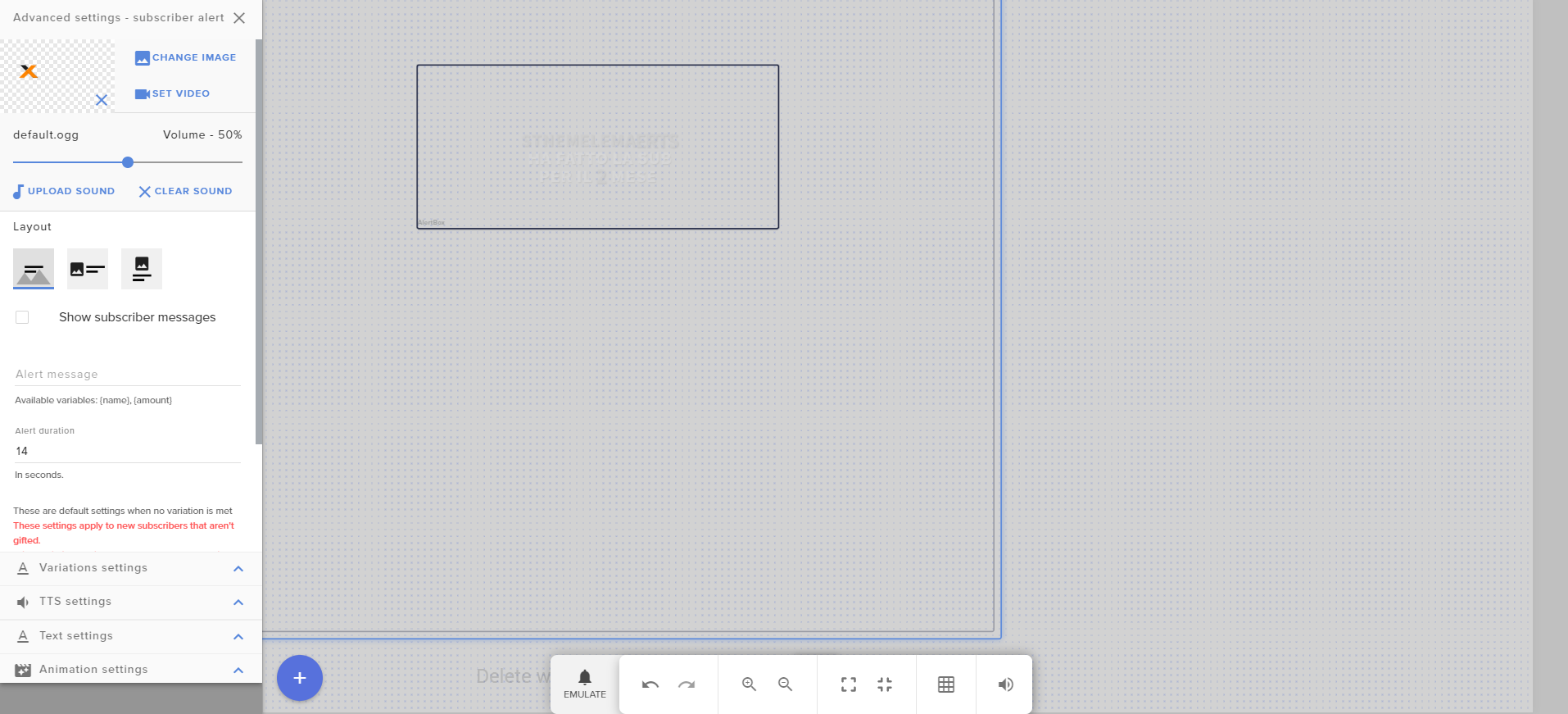
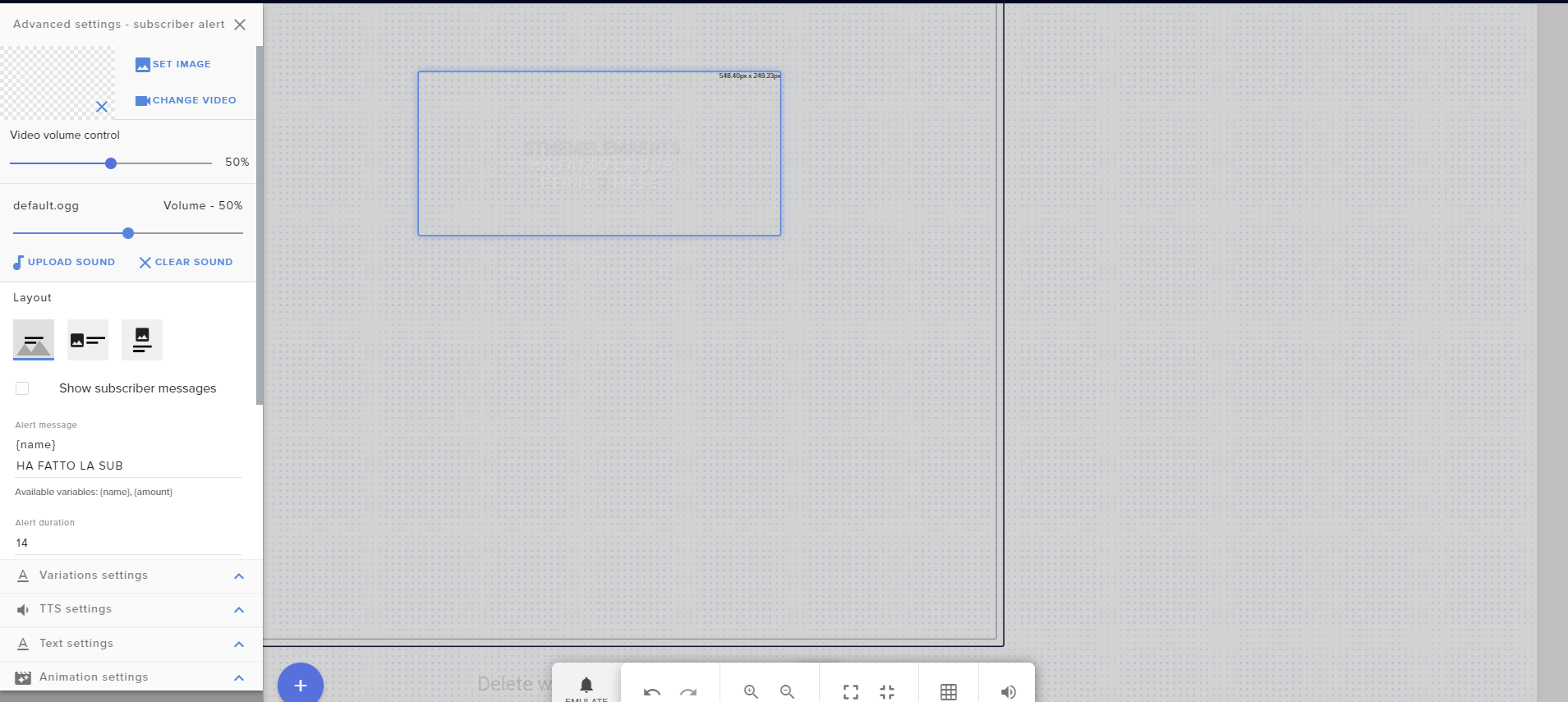
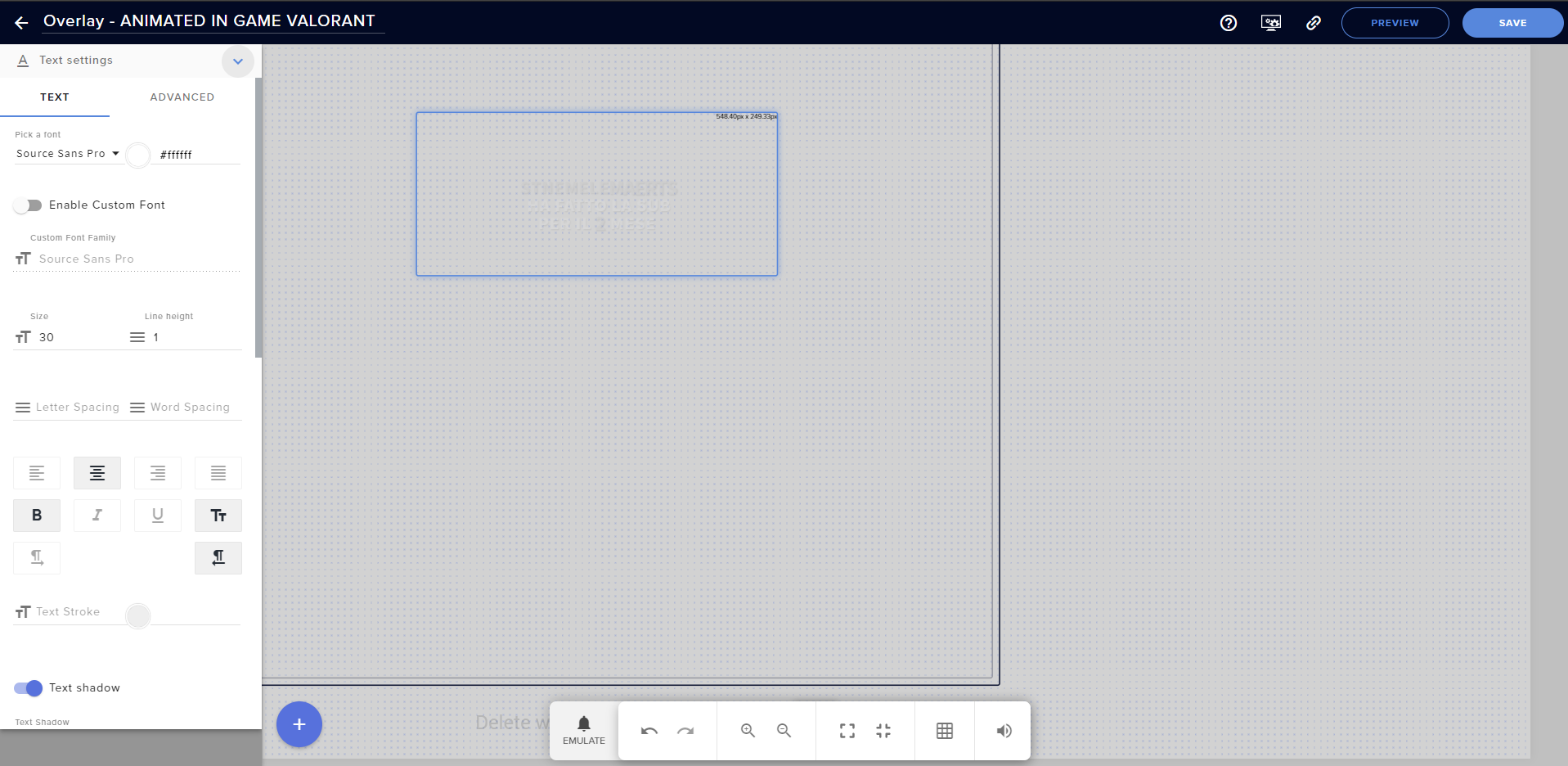
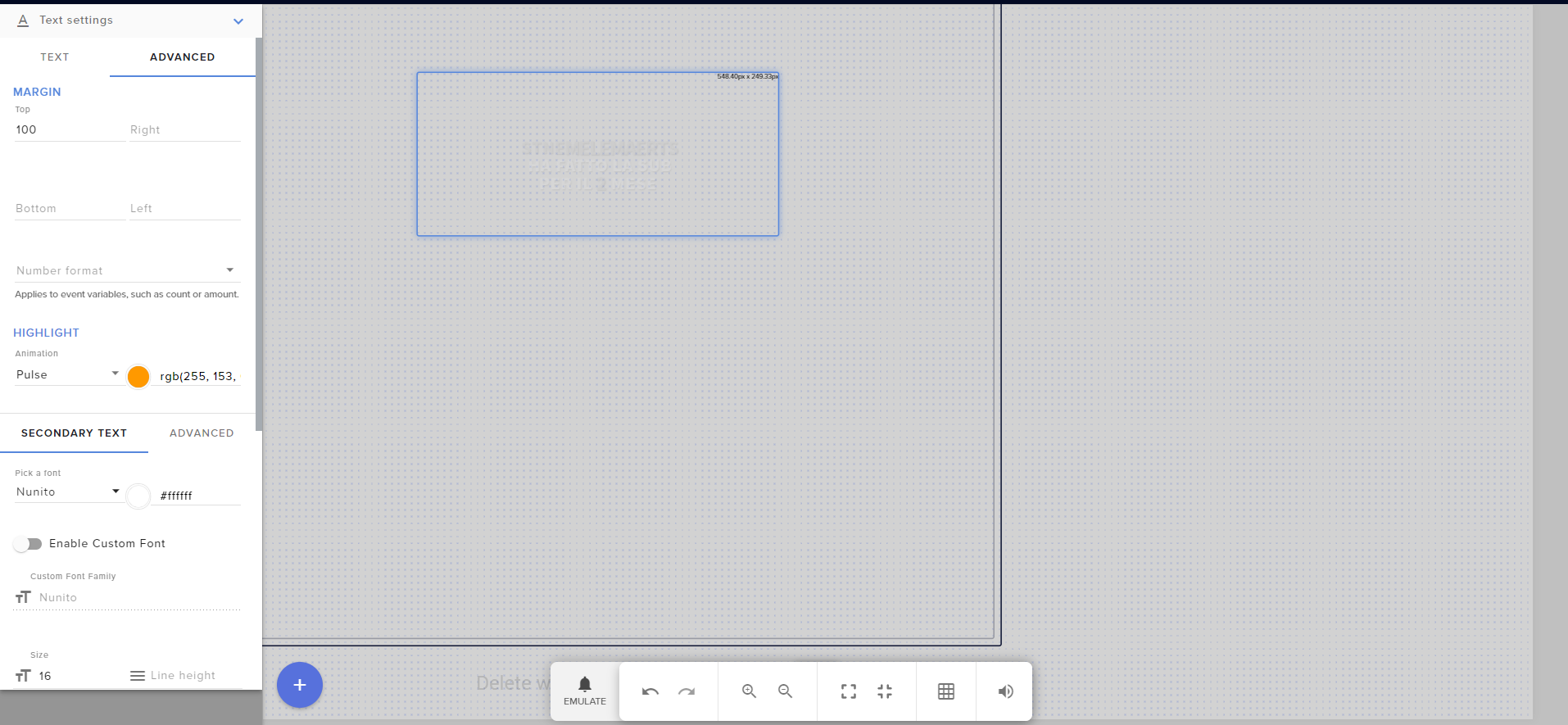
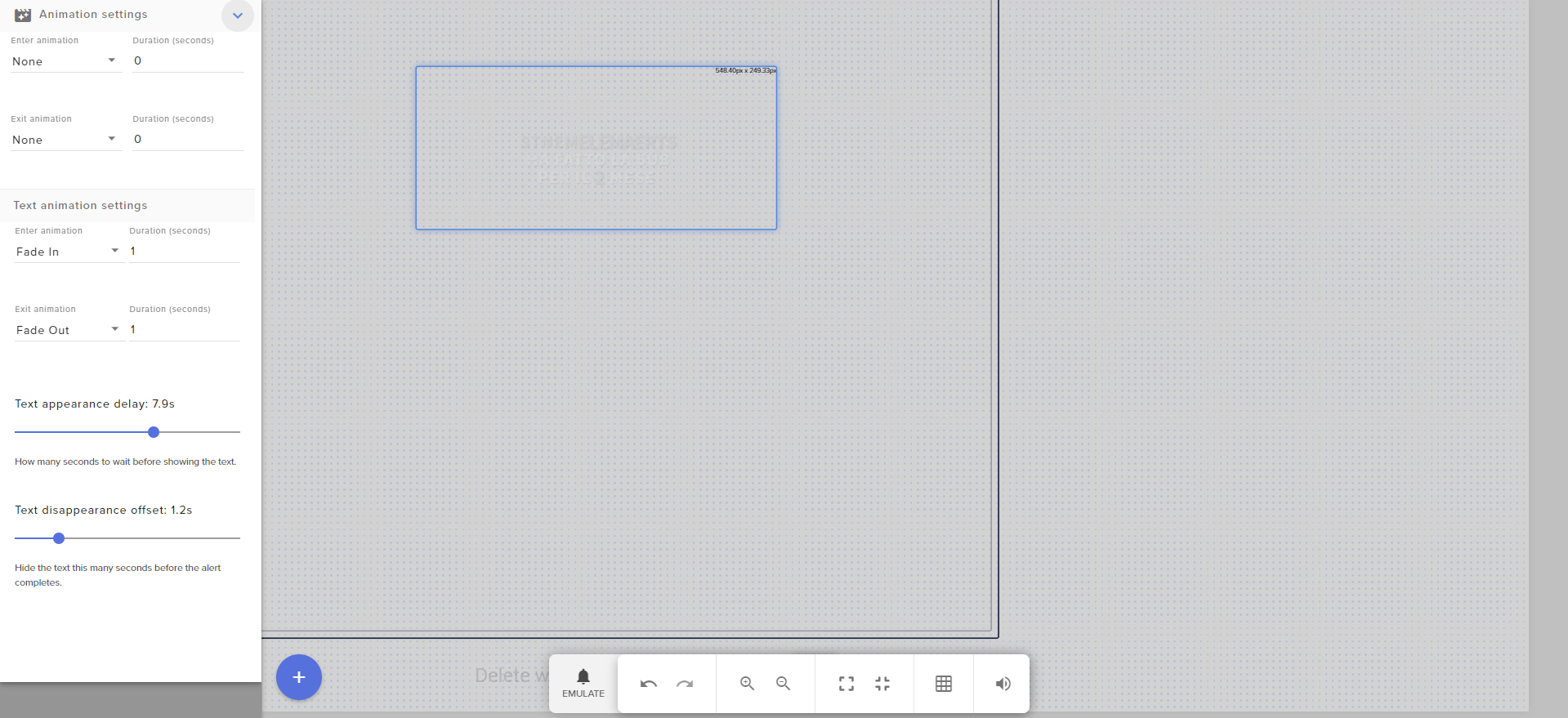 twin sentinel
Do you have the custom CSS enabled in the alert settings?
round brambleBOT
@true sparrow Follow these steps to grant managers/moderators access to your dashboard:
- Click on your Channel Name at the top of the dashboard and select Settings
- Create a new invite at one of three access levels (Bot Supervisor, Editor, Full Control)
- Send this invite to a mod/manager to give them access to your dashboard. The link is one-time-use and expires after 72 hours if not accepted
Video tutorial: https://youtu.be/zl_h-ttZDF0
twin sentinel
Can you DM me an editor access link to your account please and name me the overlay name.
true sparrow
sure
twin sentinel
fixed: https://imgur.com/RTXabTE


 placid wave
@sweet socket Thanks for the tip, I think I've got everything sorted on my stream setup
 empty dirge
Hello, how can I set the scene switching hotkeys to work ingame/while playing? Currently they only work if I have OBS on focus
round brambleBOT
@empty dirge For the best OBS support, please join their Official Discord @ discord.gg/obsproject
 crisp oriole
can follower alert overlays work for console streamers?
round brambleBOT
@crisp oriole Consoles do not have native support for overlays. You would need a capture card and a PC with OBS in order to have Overlays over your console gameplay.
We have an blog post about how to setup console streaming with our essential tools: https://blog.streamelements.com/how-to-stream-on-console-7b620b1c46c3
crisp oriole
do tips still work for console streamers?
twin sentinel
Tips are generally possible.
empty dirge
The OBS Discord sends me here and this one sends me to them :/
 candid whale
Hi, is there a known bug with subscriber-only commands telling subs that they need to be subs to use the command?
keep hitting that issue
scarlet tiger
For stream store items?
candid whale
yup that's right
scarlet tiger
tell the persons to login to our dashboard
StreamElements
StreamElements is the leading platform for live streamers on Twitch and Youtube. StreamElements includes Overlay management, ChatBot, Tipping, Alerts & Loyalty
candid whale
ah so you're saying the twitch to SE connection isn't established
got it, will try next stream
thanks!
 ivory pewter
streamelements seems to not be able to detect channel point redemptions for me. What could be wrong?
scarlet tiger
You mean Twitch points system?
ivory pewter
yes
ivory pewter
for triggerfyre overlay
scarlet tiger
Soo. You know triggerfyre. What's your problem?
ivory pewter
i'm getting chat command triggers no problem, but can't get channel point rewards to trigger anything
scarlet tiger
It's question for thefyrewire 😉
ivory pewter
noticed i should see point redemptions in activity feed on streamelements, but whenever i redeem anything - nothing appears
placid wave
Ahh.. ok. I didn't know I could have multiple scene collections
wary halo
StreamElements can't show channel point redemptions in the activity feed
ivory pewter
ah
how the hell triggerfyre is even supposed to work then? Ok thx, back to bugging their discord 😄
 cyan iron
so once i have created my overlay, does it automatically get applied to whenever i stream
twin sentinel
You would need to add it to your OBS.
 pseudo horizon
Is there any way to enable chat stats? I'm a moderator for a streamer, and I went to check the stats but it just says "404 - Page Not Found" Tried checking all of the streamelements page and I didn't see anything. Also the guide page "jump to section" just sends you the the main page.
 empty remnant
how do i get my overlays to streamlabs?
round brambleBOT
@empty remnant We're not able to troubleshoot issues with using our overlays in StreamLabs OBS (SLOBS) as we don't have the tools to support their software. We recommend using OBS Studio or OBS Studio with our plugin OBS.Live.
@empty remnant To add your overlays to OBS, add a new browser source in your scene. Paste your overlay URL in the browser source properties, set the dimensions to 1920x1080 (unless you changed them on the website), and ☑ “Shutdown source when not visible” https://youtu.be/KDvLynUqXI4
twin sentinel
@pseudo horizon Have they changed their name on twitch?
Also what jump to section are you referring to? Do you have a screenshot of that?
pseudo horizon
The jump to section on the chat stats page
And yeah they changed their name, I tried checking the other names and they all say 404.
twin sentinel
Do you have the other names?
round brambleBOT
Please logout of StreamElements at https://streamelements.com/logout and then login again to your account (Twitch/Youtube/Facebook/Mixer)
twin sentinel
^ You and the streamer needs to do that ^
twin sentinel
Did they have other names before by chance?
twin sentinel
yes please.
pseudo horizon
Lord_suul and Wolfsuul
 iron sentinel
hey guys for the overlay it shows the stream elements profile name, is there a way to change it?
twin sentinel
Most likely change the message of the text widget.
iron sentinel
oh okay hold on
round brambleBOT
@rain terrace Welcome to the helpdesk! Please let us know how we can assist you today and a support volunteer or staff member will assist you as soon as they are available. Thank you for your patience.
 unborn briar
Can someone helo me please
Im able to stream my gameplay capture but i would like my overlay on the gameplay how do i do this
gentle saddle
Does the Streamelements Chatbox support the possibility to only have a background for messages and not for the whole chatbox?
twin sentinel
@unborn briar Do you stream off a PC?
gentle saddle
@unborn briar Use a browser source, add a new source and pick browser source and put your stream overlay URL in there
twin sentinel
Not that I am aware of @gentle saddle
unborn briar
Stream using one pc my gaming pc
 tribal niche
Hi there I was wondering if someone can help me with some streams stuff? Can we join a voice chat?
unborn briar
can i send u guys a picture?
tribal niche
currently sitting in chit chat
unborn briar
ive got all my sources
round brambleBOT
@tribal niche Welcome to the helpdesk! Please let us know how we can assist you today and a support volunteer or staff member will assist you as soon as they are available. Thank you for your patience.
unborn briar
including my overlays and the display capture do they have to be seperate?
round brambleBOT
@unborn briar To add your overlays to OBS, add a new browser source in your scene. Paste your overlay URL in the browser source properties, set the dimensions to 1920x1080 (unless you changed them on the website), and ☑ “Shutdown source when not visible” https://youtu.be/KDvLynUqXI4
tribal niche
When I try to add a link to commands all that shows is ***
twin sentinel
Disable the link protection in the twitch settings on twitch site. @tribal niche
tribal niche
ok
unborn briar
guys how do i activate an ingame overlay
round brambleBOT
@unborn briar To add your overlays to OBS, add a new browser source in your scene. Paste your overlay URL in the browser source properties, set the dimensions to 1920x1080 (unless you changed them on the website), and ☑ “Shutdown source when not visible” https://youtu.be/KDvLynUqXI4
 vapid sundial
HI, I'm having trouble with my event list. I have a custom one that's called glitch event.
The issue is that I can't seem to get the names on the event list to get a bigger font, and I can only increase the actions font.
Any help?
twin sentinel
Best to contact the NOD guys. @vapid sundial
vapid sundial
Oki 🙂 Thanks^^
round brambleBOT
@cyan anvil New to Stream Elements?
Check out our YouTube channel https://www.youtube.com/c/streamelements/videos
with tutorial videos from setting up the basics, to in depth details on how to use our product.
New to OBS? Here is a 4 step quickstart guide
https://obsproject.com/wiki/OBS-Studio-Quickstart
Want to learn even more? Here is an in-depth overview
https://obsproject.com/wiki/OBS-Studio-Overview
 cyan anvil
how do you run auto configuration wizard?
twin sentinel
Tools > Auto configuration-wizard
 dusk zodiac
Hi, StreamElements is not showing in my chat list on and off. Commands aren't working most of the time. Ideas?
round brambleBOT
@dusk zodiac Go to the dashboard -> right side -> part channel -> join channel (https://streamelements.com/dashboard)
dusk zodiac
TY, that worked!
 slate umbra
Points
round brambleBOT
@slate umbra Welcome to the helpdesk! Please let us know how we can assist you today and a support volunteer or staff member will assist you as soon as they are available. Thank you for your patience.
 hexed summit
hello I have a question, I am trying to enable the points and roulette features of the chat bot, but it can't do anything, every time I do a command it says the person could not be found even when I am talking to them in chat.
twin sentinel
What is the command you enter in chat exactly?
 minor stone
I have two Questions:
- Is there a way to have the streamelements bot display how many hours you have watched the stream? that's one of my viewers fave features from Streamlabs,
- Is there a feature that can have highlighted messages from Twitch be read as TTS? I think that would be a fun element. Or maybe a way to redeem loyalty points for it
Thank you for your time!
hexed summit
@twin sentinel !editpoints or !addpoints
the @ them in the chat and put the amount like it says to do I believe
twin sentinel
do it without the @ symbol
@minor stone There is a watchtime feature. Enable the loyalty system and the !watchtime default command and the watchtime starts counting.
There is a feature with the stream store on StreamElements, where you can enter a message and it gets ready by TTS.
hexed summit
is there any way to change the settings so it supports the @?
 strong kernel
There is not.
hexed summit
so the @ will only work with !give commands?
tribal niche
how do i set a keybinding to switch to a different scene
twin sentinel
Settings > Hotkeys
tribal niche
thanks
minor stone
@twin sentinel Thank you for the super quick response. I just did the command and it says 0 seconds. Is there a way to import the watch time from Streamlabs? some viewers take pride in their hour counts lol
twin sentinel
 prisma parcel
Hello, can i translate commands somewhere in the options?
I mean "${user} was created 1 year 5 months 27 days 1 hour ago."
I want to translate it for my language but I don't see this option anywhere :/ It is possible?
twin sentinel
You cannot translate the time variable.
But you can set your bot to answer in some languages in the default command settings at the top right there.
 austere cobalt
Hey Team, I am trying to stream using OBS, and it is showing I am streaming from OBS, but not showing live on my twitch page? I have my account linked, and it updated my title and description of my video, but says offline still?
twin sentinel
Relog in Settings > Stream and also StreamElements > Log out
 dim marten
If I update alert sounds on one source, will it apply to all other scenes with the same alertbox?
strong kernel
You can edit one and then duplicate it to other scenes.
austere cobalt
Thanks @twin sentinel just tried it but still not working..
Everything looks good on the stream elements and OBS side, but somehow twitch is not getting it or it is not being pushed to it?
lavish aspen
Anyone know why streamelements browsers sources are not always 100% smooth like animations?
Its not my PC its barely using anything as it happens and seems random
twin sentinel
@austere cobalt Are you streaming via streamkey or are you logged in to your account?
austere cobalt
Logged into my account, try via stream key?
round brambleBOT
@austere cobalt For the best OBS support, please join their Official Discord @ discord.gg/obsproject
austere cobalt
Thanks
round brambleBOT
@lavish aspen Please provide a log from your last stream. To do this, in OBS go to Help > Log Files > Upload Last Log File and paste the link to the log file here.
lavish aspen
im watching it on the OBS software without even streaming
twin sentinel
Animated overlays can cause heavy loads on PCs.
lavish aspen
obs only using 8% cpu and 10% gpu tho
its something to do with streamelements most likely
round brambleBOT
@lavish aspen Right click on the BrowserSource > Properties > Scroll down a bit > Refresh Cache of current page
 wheat nimbus
I am making a random number picker command with the args being two numbers. I set up the response like this:
${user.name}, you have rolled ${random.${1}-${2}}.
But I ended up with the response in the pic. Is there a way to parse in variables as parameters in another variable?
austere cobalt
Got it fixed, I had test banwidth mode selected
 vagrant perch
Is it possible to keep your chat stats, when changing the Twitch name?
round brambleBOT
@vagrant perch If you changed your name on Twitch please follow these steps:
🔹 Visit https://streamelements.com/logout and then log in again with by connecting with Twitch.
🔹 On the right side of the dashboard page that opens, select "Join" under bot settings. If it says "Part" select that and then select "Join" to send the bot to the chat. Don't forget to mod the bot by typing /mod streamelements in your channel if you have not already.
🔹 Post your new name here so that we can update your channel's chatstats tracking (must be done by staff).
 long frost
Hi everyone - noticing some issues where new or edited commands are broken and not working? We've parted the bot and re-added it, the commands are viewable in the dashboard but not responding in chat.
Nevermind...looks like it just took 5 minutes to resolve itself!
austere cobalt
Nevermind, it jsut turned on for a minute then went offline again
minor stone
Where do I go in Stream Store to make TTS a redemption? I am pretty confused
twin sentinel
@wheat nimbus Best to ask in #dev-chat , if the command is possible. I could not get it to work like this.
 misty pike
hey is anyone able to help me witha problem to do with stream elements alerts?
twin sentinel
@minor stone Create a stream perk item and enable the Allow user to add a text message to the alert option.
Then add the store redemptions widget to your overlay.
 inner bane
anyone have the link to the page for resetting goals stuff?
round brambleBOT
@inner bane To reset goals:
- from the overlay editor -> data on top -> goal tab -> reset progress of desired goal
- from the dashboard -> activity feed on the left -> widget data on the right -> goals tab -> reset progress of desired goal
Note: Goal widgets(progress) only counts up and doesn't go down automatically, if you loose followers/subs
@misty pike Welcome to the helpdesk! Please let us know how we can assist you today and a support volunteer or staff member will assist you as soon as they are available. Thank you for your patience.
misty pike
hey guys when i am in the overlay editor my alerts look fine but as soon as i put it in obs its cropped out half of the alerts any help
round brambleBOT
@misty pike To add your overlays to OBS, add a new browser source in your scene. Paste your overlay URL in the browser source properties, set the dimensions to 1920x1080 (unless you changed them on the website), and ☑ “Shutdown source when not visible” https://youtu.be/KDvLynUqXI4
misty pike
i have another problem, the music in my follower alert is 9 seconds but i set my alert duration to be 5 seconds and the music still plays even after teh alert has ended any help
twin sentinel
Shorten the sound.
 lofty bloom
The watchtime command is broke, must be a common problem, Loyalty is enabled. Anybody know whats wrong ?
round brambleBOT
@lofty bloom 10 minutes of watchtime are given to those in chat when the loyalty points are handed out (every 10 minutes). Therefore, loyalty must be enabled for watchtime to work properly.
There is no direct link between watchtime and all-time points.
It can’t be calculated from the amount of all-time points a user has because subs may earn points at a faster rate and !bonus all command increases all-time points for users in chat at that time.
Giving points to a single user does NOT affect all-time, only when giving to all in chat.
twin sentinel
@misty pike You would need to cut the sound shorter.
misty pike
@twin sentinel how would i do so
twin sentinel
Use an audio tool, to cut the sound and reupload it.
lofty bloom
i see its broken everywhere, cant find a stream where it works. no info anywhere.
twin sentinel
Working in a stream I just watch.
lofty bloom
so there is a way to fix it
round brambleBOT
@lofty bloom Please provide your account ID found at the top of this page: https://streamelements.com/dashboard/account/channels This ID is public info and safe to share here.
lofty bloom
FRANK_ELFRANKO
twin sentinel
That is not your accountID, please provide your accountId.
strong kernel
Note that enabling Loyalty in your account has nothing to do with watchtime for any other channel than your own.
lofty bloom
Frank_Elfranko
strong kernel
That is not your account ID. Your account ID is a random string of letters and numbers.
Please follow the bot instructions.
lofty bloom
30 minutes ago
strong kernel
Have you been live in the last 30 minutes?
If not, then it's likely working as intended. Watchtime only counts up while you are live. In addition, it is not a retroactive system; viewers of your channel will all be starting from 0.
lofty bloom
no
 dim dagger
Hey not sure if this is the right channel but, the stream elements bot is not in my channel for some reason anyone know how to fix this.
round brambleBOT
@dim dagger Go to the dashboard -> right side -> part channel -> join channel (https://streamelements.com/dashboard)
lofty bloom
ok thanks, i'll give it a try, dont think its going to work though
strong kernel
Why not?
dim dagger
doen that couple times hasn't worked yet
lofty bloom
i mod on several streams, nobodys works, been working on it for a while
round brambleBOT
@dim dagger Please logout of StreamElements at https://streamelements.com/logout and then login again to your account (Twitch/Youtube/Facebook/Mixer)
strong kernel
Then it's likely they didn't set it up correctly, either.
minor stone
I cannot find the "Store redemptions" widget. Also my reward on my shop for a TTS message doesnt work. Is there a checkbox for TTS? I do not see one
lofty bloom
what is there to set up ? you enable the command, right ?
dim dagger
that does not work either
twin sentinel
@minor stone You need to add the widget called store redemptions to your overlay to enable the TTS and hear it.
strong kernel
Watchtime will not count up while loyalty is disabled.
twin sentinel
@dim dagger Part the bot, log out of the dashboard, log back in and make the bot join your channel again.
strong kernel
I can confirm that for the four accounts you are mod for, two did not, one did and it is working fine, and one does not use us.
dim dagger
@twin sentinel yes i have doen that a few times now hasent worked yet
twin sentinel
@dim dagger Try it in that order again please.
lofty bloom
hmmm, can you tell me which one works ?
dim dagger
done and still no
round brambleBOT
@dim dagger Follow these steps to grant managers/moderators access to your dashboard:
- Click on your Channel Name at the top of the dashboard and select Settings
- Create a new invite at one of three access levels (Bot Supervisor, Editor, Full Control)
- Send this invite to a mod/manager to give them access to your dashboard. The link is one-time-use and expires after 72 hours if not accepted
Video tutorial: https://youtu.be/zl_h-ttZDF0
twin sentinel
can you DM me an editor access to your account please.
dim dagger
i dont know how to do that.. very new to this
twin sentinel
@dim dagger Please update the access level to editor.
strong kernel
@lofty bloom I'd like to reiterate for you one more time: It is not a retroactive system. Enabling it will not suddenly make anyone's watchtime anything other than 0. It will only start counting up from 0.
dim dagger
done
lofty bloom
yes, i got that. 2 did not set it up right. oldbuzzardt & grand007pa. those are the 2 im trying to get to work. trying to set it up on my channel to see whats wrong
twin sentinel
@dim dagger Not a new link. Only update the access level for my account.
dim dagger
O
strong kernel
@lofty bloom You set it up correctly. There's nothing more you need to do. You haven't been live, so everyone's watchtime will still show as 0.
lofty bloom
ok, thank you again
 spring lily
hi, my chatstats page is broken since forever, is there anything I can do to fix it?
dim dagger
it did not show an option to change the old one
twin sentinel
You see my name in the list. Set it to the circled option.
twin sentinel
@spring lily Have you changed your name?
dim dagger
ok got it had to log out and back for it to show
twin sentinel
Just a sec. Checking.
dim dagger
it shows on mine as there on dashboard
strong kernel
Please close all instances of OBS and Ground Control.
spring lily
@twin sentinel 2 years ago or so
round brambleBOT
@spring lily If you changed your name on Twitch please follow these steps:
🔹 Visit https://streamelements.com/logout and then log in again with by connecting with Twitch.
🔹 On the right side of the dashboard page that opens, select "Join" under bot settings. If it says "Part" select that and then select "Join" to send the bot to the chat. Don't forget to mod the bot by typing /mod streamelements in your channel if you have not already.
🔹 Post your new name here so that we can update your channel's chatstats tracking (must be done by staff).
 lapis sapphire
Hello
spring lily
ok let me do it, just a minute
strong kernel
Dumb luck.
jade remnant
its all luck
spring lily
bot is mod, current twitch channel name is CrisInuyasha
lofty bloom
no, still does not work
strong kernel
@lofty bloom Define "does not work" for me.
dim dagger
@twin sentinel what should i be doing?
twin sentinel
Please close all instances of OBS and Ground Control. @dim dagger
dim dagger
done
lapis sapphire
Quality options not showing in my stream
jade remnant
already answered