#helpdesk-twitch
1 messages · Page 560 of 1
 scarlet tiger
 polar wasp
@scarlet tiger on nightbot there is auto dj on where i can see it to play and then people can sing a youtube song and then you can use the different command there is can see there are a couple of them on streamelements but can't see where i can seen music as on nightbot
Will there soon be a staff to help me solve my problems or else I will go to bed soon
 zenith widget

StreamElements Media request enables playing songs and videos in your stream. It's an upgrade of StreamElements Song request and Media share features.
Join our discord for live support: discord.gg/SE
Ground Control: https://strms.net/groundcontrolyt
Channel Management...
Check this video guide
As for the linked accounts
If you want them unlinked, you can send a closure request from your Twitch account - do note that this will delete all 3 accounts and you will loose data and overlays.
 round brambleBOT
@polar wasp Account Merging - Please note:
- Merging accounts only allows faster ways to switch between accounts
- Merging accounts does not allow data sharing between accounts - different streaming platforms, different type of events
- Merging accounts allows duplicating/sharing overlays between the accounts
polar wasp
I'd like to have them removed here https://gyazo.com/3729737b68de445fcb84115078e506c9 how can I get it from my account?

Plus I want to know if there is auto dj on streamelements just like there is on nightbot because a couple of the commands that are on streamelements seem to be to sr but how should i be able to start a sr if i have nothing to play with
Then I want to know how to remove !Ping or redo the command
zenith widget
There is no auto dj integration
polar wasp
So how do you use the commands in here?
zenith widget
!start !stop !pause !skip - moderator commands
that controls OUR media request
not auto dj
!voteskip !songrequest/!sr - for viewers
 proud hollow
Hey Guys - Having trouble changing/editing animations for the Stream Chat Widget. Just wondering if anyone knows how to add them for when people talk?
polar wasp
If people write! Sr the youtube link how can they hear the case on my stream?
Because using only streamelements like bot and all that is now
zenith widget
You need to have the Media Request open from our Dashboard
in order for OBS to pick up the sound
thats how it works.
polar wasp
Could I remove facebook and youtube from my account or whatever
zenith widget
polar wasp
I've come to request that I would have deleted the 2 of them please stop it
zenith widget
It seems you are not understanding what needs to be done to unlink the accounts.
In order to unlink the accounts
you need to DELETE all 3 of them
polar wasp
I went into security and asked that I delete my account and tossed the token because I thought it would delete the end thing
zenith widget
as they are LINKED
polar wasp
Should not have deleted all 3 only 2 of them
zenith widget
If a closure request is placed from 1 account
and it has 1079826390187236 linked accounts
all of the linked accounts will be deleted.
Thats how the deletion works unfortunately.
polar wasp
Something is happening now that I've been to the security page and asked to close my end account with email and token and why I would close my youtube account and the same with my facebook because my twitch account is on it same as them and the one I don't want to be middle so be sure it doesn't get erased because I've done that thing
zenith widget
One a closure request is placed, as long as you haven't gotten an error after submitting the form, the request is placed in a queue and the devs do it manually.
But the deletion process involves deletion of linked accounts.
polar wasp
Okay you can ask them not to shut down my account
Well not my twitch account that I used to make my streamelements with
 ionic kelp
You either keep them all or remove all 3 and start from scratch. No in between.
polar wasp
But I was praying for them to close my account because I didn't want youtube and facebook and then I had to write the token on them I wanted to delete and email and I did so but now I can don't make them stop
Because they are posted
 alpine frigate
Hello how do one get Top chatters to work for the streamelement leaderboards panel extention ?
do i need to link something or activate something on streamelements.com ?
proud hollow
Hey Guys - Having trouble changing/editing animations for the Stream Chat Widget. Just wondering if anyone knows how to add them for when people talk?
polar wasp
Plus I don't see what kind of facebook it's on https://gyazo.com/8814b0b192cc3407be9747b3ea771d82
 zenith widget
@alpine frigate You just need to have the extension installed and then go into the settings of the extension and enable chat stats.
@proud hollow Is this the default chat widget or?
@polar wasp Do you want to have the closure requests removed?
polar wasp
Yes
alpine frigate
i have the panel extention added to my pannel if thats what you mean, but it say no data, the locations tab is working tho but
polar wasp
How do I get link like the others as you can see in the picture there is no link to my facebook
zenith widget
I don't understand your question
polar wasp
Yes i will have removed closure requests
zenith widget
@alpine frigate refresh your channel you should see stats now
polar wasp
If you see picture here https://gyazo.com/8814b0b192cc3407be9747b3ea771d82 you can see my twitch has a link below it and the same with youtube but not with my facebook i don't understand
zenith widget
its because you renamed recentyly
polar wasp
renamed what?
alpine frigate
okey so thats why 😛 cool yeah its working now thanks a bunch ❤️
zenith widget
The rename wasn't for you @polar wasp
zenith widget
Can you please calm down a bit?
polar wasp
Yes
zenith widget
So I will explain why there is no link there and why its actually not important to an extent.
The reason there is no link is because we can't link directly to your stream on Facebook via your profile page from here: https://streamelements.com/comtv1995-1387
Your twitch doesn't have this problem: https://streamelements.com/comtv1995
Also due to some constraints afaik, some people can't access Facebook links at all, hence the lack of it.
polar wasp
Okay
zenith widget
I've asked the devs to remove the closure requests.
polar wasp
Okay
Can you tell me if it's going to be a long time before you can make clothes in here
polar wasp
Yes
zenith widget
its still in beta
polar wasp
Can't turn it off then ?
polar wasp
Can I change the text on it because it is in English and not Danish
zenith widget
I don't think we have Danish translation for the website and chat commands at all.
polar wasp
Okay
If I write! Points and right after! Points again it will not reappear unless I wait for some time
zenith widget
Is the bot modded in your channel?
zenith widget
You do realize that you don't have any active commands?
polar wasp
I have !points on
@polar wasp, ComTV1995 has 0 points how can i remove ,
Okay work now
Now will i change text how can i remove , in text i have try all
command text dont have , ${user} has ${user.points} ${pointsname}
zenith widget
You cannot edit default commands.
polar wasp
I made a custom with points
polar wasp
You see , in text
It looks stupid when it's not by other commands one writes and without seeing what I'm trying to bother, not gone
zenith widget
uumm i'm sorry?
 polar wasp
Work now
polar wasp
How can i make !followtime command
zenith widget
There is a default command called !followage
zenith widget
The variable for that default command is not open
ionic kelp
You'd have to use a readAPI endpoint for that.
proud hollow
Hi @zenith widget, yes it was. I assume the "Animation" settings are actually for the widget itself
zenith widget
Yes - the widget it self, not the text messages
zenith widget
You can try and use this: https://github.com/StreamElements/widgets/tree/master/CustomChat

GitHub
Contribute to StreamElements/widgets development by creating an account on GitHub.
How to add custom widgets:
Add a custom widget from the widget list -> click on the widget -> Open Editor:
- HTML file goes in HTML tab
- CSS file goes into CSS tab
- JS file goes into JS tab
- json file goes into Fields tab
proud hollow
Cheers. I will look into this 🙂 Thanks #1 Support Person!
zenith widget

 blissful oak
i cant stream to twitch
blissful oak
could not access the specified channel or stream key, please double check your stream key. if it is correct there may be a problem connecting to the server.
zenith widget
So did you check your stream key?
blissful oak
yes
zenith widget
Delete it and get the stream key again from twitch and add it again.
blissful oak
i did it 5 times
zenith widget
Have you placed the right server in the Stream settings in OBS?
blissful oak
yes
zenith widget
Use the "Connect account" button then
blissful oak
yes still not working
zenith widget
Show me a screenshot of the settings
round brambleBOT
@woeful verge Welcome to the helpdesk! Please let us know how we can assist you today and a support volunteer or staff member will assist you as soon as they are available. Thank you for your patience.
 woeful verge
OK SO MY FACEBOOK GOT HACKED AND FOR NOTHING I CANT LOGGED BACK INTO MY ACCOUNT... I HAD OVER 1000 FOLLOWERS AND MY GAMING PAGE AND ALL MY GAME ACCOUNTS ARE USE WITH THAT FACEBOOK PROFILE.....
zenith widget
Please turn off caps lock
zenith widget
If you have issues with your account being hacked on Facebook - contact their support about it.
woeful verge
or continue sorry for the caps
zenith widget
We cannot help with hacked or lost accounts.
woeful verge
yea well that is the thing facebook has a complicated customer service i try everything and cant get in touch with them or they dont get back to me
but anyways
zenith widget
If you've lost access to your account, we can't help in any way.
woeful verge
i created a new account and streamelements
is giving me issue trying to sync in my new facebook acount
for example
oooh wao
its working now
it was telling me streamelements error application unavailable access restricted
but now it lets me in ok guys sorry for the trouble
and thank you for your time and help
scarlet tiger
Pls contact facebook sup, thanks
woeful verge
does facebook even has a number
they contact system is not professional and support has not been too much of a help for me
anyways guys thanks for everything
last question does facebook has a discord account
scarlet tiger
Problem with hacked account is not related with streamelements
 weak delta
Looking through the Googles now but any way to make a command that shows total amount of donations for a given time?
woeful verge
streamelements error application unavailable access restricted
scarlet tiger
@weak delta there is no variables for tips, sorry
weak delta
Dang, OK. Thanks.
 plush vector
How do i make streamelements not show the command response for anyone, if its possible.
 twin sentinel
Mute the bot in the dasboard. https://streamelements.com/dashboard
plush vector
ye but if i want it to not show respons from a spisific command and not all of them
twin sentinel
Disable the command in the commands list.
plush vector
I still want the command, but i dont want the response to show up for everyone
twin sentinel
Custom commands can be set to whisper.
plush vector
okay thanks
round brambleBOT
@indigo juniper Welcome to the helpdesk! Please let us know how we can assist you today and a support volunteer or staff member will assist you as soon as they are available. Thank you for your patience.
 indigo juniper
how do i stream
round brambleBOT
@indigo juniper New to Stream Elements?
Check out our YouTube channel https://www.youtube.com/c/streamelements/videos
with tutorial videos from setting up the basics, to in depth details on how to use our product.

 silent ledge
how do i change the name and game of my stream before going live?
scarlet tiger
@silent ledge stream title and game?
silent ledge
yes
scarlet tiger
For example From your Twitch dashboard
silent ledge
yeah
scarlet tiger
 robust basalt
I need a lot of help ... I can't capture the game screen using game capture. Can you help with that?
 jade remnant
laptop?
robust basalt
nootbook
round brambleBOT
@robust basalt Laptops need extra setup to use Display Capture.
Due to the way laptops are designed, OBS must run on the Integrated GPU to use Display Capture. This process effectively disables Game Capture and Window Capture. If you would still like to use it, please read this guide and follow the directions for Display Capture: https://obsproject.com/wiki/Laptop-Troubleshooting#configure-your-system-for-display-capture
Please note: we recommend using Game Capture and Window Capture wherever possible. These capture methods get better performance in almost all cases.
robust basalt
I had succeeded before but I went to change and disappeared and then tried again with the same processes and it didn't work!
My nootbook has no NVIDIA graphics card! It has only one integrated board.
round brambleBOT
@robust basalt Please provide a log from your last stream. To do this, in OBS go to Help > Log Files > Upload Last Log File and paste the link to the log file here.
robust basalt
jade remnant
To best capture League of Legends, create two scenes.
In the first scene, add a Window Capture of the LoL launcher/lobby (Windows 7 users should make sure Aero is enabled.).
In the second scene, add a Game Capture of the game itself (you may need to be in a game to add this for the first time).
Then configure the Scene Switcher to automatically swap between them.
round brambleBOT
@robust basalt 1) Restart OBS
2) Start your stream/recording for about 30 seconds. Make sure you replicate any issues as best you can, which means having any games/apps open and captured, etc.
3) Stop your stream/recording.
4) Select Help > Log Files > Upload Current Log File. Copy the URL and paste the link here.
(Note: If you do not see an obsproject.com URL, you will need to update OBS Studio to version 22+)
scarlet tiger
@robust basalt run obs as admin
 magic totem
Hi, why this don't work ?
scarlet tiger
@magic totem is enabled !ticket command?
magic totem
Where ? I search but i dont know where it is
magic totem
i'm on
scarlet tiger
CTRL+F and type ticket
magic totem
Oh yes
scarlet tiger
Disabled?
scarlet tiger
@magic totem also !ticket
magic totem
yes
robust basalt
@round bramble https://obsproject.com/logs/DXcQ4iWTQYMGEG45
 sweet socket
well thats not the only thing
I highly recommend getting a ethernet cable to stream, wifi streaming is not great at all
 robust gyro
Hi guys, where do I change my going live tweet? I can't remember the menu
and no, it definitely isn't good. It's too intermittent.
twin sentinel
robust gyro
cheers
 tall grove
How do you upload a image on stream elements? Everytime I try to upload it brings me to a cropping screen and wont allow me to upload the image.
 open plank
are you uploading via the Library tab in the Overlay editor?
tall grove
Yes trying to upload images to the cloud.
tall grove
It does but wont allow me to upload
 mental tundra
does anybody here know how to fix the twitch streamlabs leaderboard extension? it wont update
tall grove
That's the screen I get everytime but cant get it to upload.
open plank
Weird, HunterJT - when I click Upload, it redirects to the Library page .. with my new image. No errors or anything? If you hit F12 and look at console when clicking upload - anything pop up indicating an error?
tall grove
Yes
 lament blade
anyone like snnoker?
jade remnant
are you using chrome @tall grove
jade remnant
use chrome or firefox
polar wasp
I need help right now
jade remnant
whats up?
polar wasp
KeiZari dag kl. 08:00
I've asked the devs to remove the closure requests.
But now my account is deleted
All my settings are gone, etc.
jade remnant
i will let the admin know and someone will come back to you
polar wasp
Can they get it back to me again?
So I don't lose my job I've done and spent time doing
I told KeiZari that I would only have removed facebook and youtube which I got thrown at but he said you couldn't so he would close my closure requests like he said but now everything is just gone and lost securely
 ancient rune
Olá!! Algum brasileiro para me ajudar?○
 mild swallow
How can I make a donation goal in my overlay
twin sentinel
Add the tip goal widget to your overlay.
mild swallow
How do I do that
twin sentinel
Edit an overlay > Widgets (at the top left) > add the Tip goal widget
mild swallow
Ok thanks I appreciate it
twin sentinel
@ancient rune #🇵🇹︱português
polar wasp
Can I get answers to what I send before in the chat?
 cedar lynx
only staff can help you with your questions at this point, so you may need to be patient until they're able to figure out your situation @polar wasp
polar wasp
How long can it take and where do they write to me
cedar lynx
I'm not staff, I have no idea
 small kestrel
i have problems with my OBS.live. when i downloaded it there was no chat bow or alert box. when i then go to the toolpits i don't have an option to turn them on either.
twin sentinel
round brambleBOT
@silk vine Welcome to the helpdesk! Please let us know how we can assist you today and a support volunteer or staff member will assist you as soon as they are available. Thank you for your patience.
 silk vine
@round bramble how i join @javjoo
jade remnant
silk vine
@jade remnant imean in discord
jade remnant
what SE product is javjoo?
silk vine
Is a streamer
jade remnant
do they need help with something
 stark trellis
supppppppppppppppppppp
jade remnant
or are you looking to join their discord?
silk vine
Yessss
jade remnant
then you need to ask them, this is the stream elements helpdesk
silk vine
I accept invite from twitch but nothing happens
jade remnant
again, ask them
twin sentinel
Contact the streamer. Their invite link is invalid. Nothing to do with StreamElements services.
silk vine
@twin sentinel I do but I accept invite but nothing happened and it just comes in the discord app
twin sentinel
This has nothing to do with StreamElements services. We cannot help you with that.
silk vine
Ok
lament blade
Hi all - I'm trying to get in touch with someone at StreamElements regarding my SE.Pay account
 wary halo
SEpay questions are going through email
 magic willow
How do i get alerts to show up when someone follows or tips, etc.
wary halo
did you make an overlay with the alertbox widget already?
magic willow
im using a pre-made with a alertbox
wary halo
so your overlay is ready to go?
magic willow
yes
round brambleBOT
@magic willow To add your overlays to OBS, add a new browser source in your scene. Paste your overlay URL in the browser source properties, set the dimensions to 1920x1080 (unless you changed them on the website), and ☑ “Shutdown source when not visible” https://youtu.be/KDvLynUqXI4
magic willow
I know that, but how does the alert work? Like how does it know when to pop up if I have nothing to trigger it since all it is; is a browser source
wary halo
if you are logged in on the dashboard and in obs with your twitch account, the system will get notified by twitch when something happens. it will show in your activity feed and an alert will play that is set for that activity
polar wasp
Have you sent a message to an admin for me so I can get my problem resolved soon before they can solve the problem because they no longer have the files or whatever it is that they have deleted from my account
wary halo
it has been send when you came in the discord today
no answer yet
you will be notified by staff when they do have an answer, so no need to ask every time
polar wasp
Okay
 fathom zodiac
can you change the name of the streamelements bot?
round brambleBOT
@fathom zodiac Custom bot name requirements
- StreamElements bot modded and in chat
- Active overlay with alerts
- StreamElements tipping page in the panels below the stream (!panels)
- OBS.Live or Ground Control open
- Create a twitch account for the name you want to use or run the bot under your own name
- Custom bot name doesn't work on Mac
polar wasp
I just don't understand that it should take so long for them to figure out how to solve my problem because I'm just waiting for me to get on with my stream element account
wary halo
because if it is completely deleted, it's gone forever, and the guy you spoke to yesterday is currenctly not here (or at least not as far as i could see)
 polar wasp
He was an SE.staff
twin sentinel
@lament blade Not affiliated or partnered accounts do not have transcoding options.
You would need to change your output settings to broadcast a higher quality.

 tight harness
@polar wasp Your account was deleted as per your initial request, sadly your request to stop the account deletion wasn't received in time and so the account is gone along with any files that were stored on it. This is not reversible, you will need to establish the account from scratch if you wish to restart it
 short sonnet
Is there a way I can change my stream title on the app?
 dry hare
Click the hamburger menu in the activity feed panel and then stream settings
short sonnet
I'm having trouble finding a way to change the category as well
I'll check thanks 😊
dry hare
Category/game you can use !setgame in chat or if you select view >> docks >> stream information you can set it there and add tags as well
 karmic fossil
How large of a .webm file does SE accept for overlays?
karmic fossil
oh wow, thats actually a pretty good size
short sonnet
I've got the same question now sorry 😅 This is all I can see in the stream settings menu
short sonnet
Oh that's what I was asking F 😅 sorry about that
karmic fossil
Am I able to crop an image in the overlay editor or do I need to do that before I upload the picture?
I use OBS to crop images on the fly a lot
 strong kernel
Once you upload, and before you submit, you have the opportunity to crop.
karmic fossil
Ah, gotcha, I'll look at that. Thanks
 flat rivet
Hi
 glossy onyx
Believe I can't see Chatstats due to changing my name. Could this be fixed? Old name: Dain___
strong kernel
Fixed.
glossy onyx
Well that was quick. Thank you!
 agile mountain
o is that the problem i have that also for already a long time
 fickle kite
Question, am I able to resize an old overlay to a new resolution? or do I have to start from scratch?
twin sentinel
Either select the small pencil next to the name in the overlays section at StreamElements, or select the three dots and Rename.
 rare cairn
Is it better to set up an animated alert as a webm or gif? I had created one in webm format a while back when i used Streamlabs . It doesnt seem to work well in Streamelements
wary halo
quality wise, webm
fickle kite
Thank you so much
 stiff quail
How to add watchtime command
stiff quail
Ok thanks
 spice geyser
Erm.... should that be happening? Emongg's stream, command !followers
spice geyser
that's a great question, gonna follow up on it. just wanted to make sure it's not SE's side ;]
 cinder olive
shouldnt be.
@spice geyser It isnt just you, but I believe that to be on the api's side, not ours.
spice geyser
@cinder olive did you just respond to my question in Emon's chat? :lul:
cinder olive
👀Nah, never 
spice geyser

cinder olive
Also thanks Orsuna, somehow missed that 
dry hare
just an observation. dunno if i'm correct in my guess
cinder olive
Nah, youre right.
Import nightbot's latest follower api command over to SE and thats what it outputs at.
dry hare
I iz smurt! 
spice geyser
so now half of internet has Nightbot's Google Search Console verification code? That can't be good
cedar lynx
it's freely available in the HTML, I think it only works when used on the registered domain. pretty harmless.
cinder olive
laughs in google console
spice geyser
cries in SEO
cinder olive
if(orsuna.Smart = true) { problem.Fixed = true } else { aloneCrying.Active() }```seems legit
cinder olive
its very legit. i spent hours writing that.
 scenic agate
do you guys know a way that i can seperate variations on streamelements?
strong kernel
What do you mean by separate them?
scenic agate
like have one on one side of the screen and one on the other
dry hare
newp
dry hare
You could theoretically put certain types of alerts in one alert box and others in a different alert box
which would allow you to do the side thing you're describing. It would not allow you to do variations however as both alert boxes would activate even with the variations
I think
scenic agate
well rip
strong kernel
Yes, they would both activate. So you make one have a blank image, no sound, and no text.
 wraith crane
Is there a way to blacklist paypal accounts from tipping through streamelements?
strong kernel
You can block past tippers with the button in the Revenue history section of your account.
wraith crane
Ah, just that someone warned me a certain email/twitch account is donating large amounts and then charging back afterwards
Doing the round with our group of friends who stream
 narrow crater
Im offline but having an issue with my bot. So I went through the steps to get a custom bot set up with the OAuth code and everything. When I test the bot, Im getting duplicate posts. It's posting from my bot, and from my own channel (which was the original OAuth set up). Is there a fix to multiple messages?
strong kernel
Do you have both OBS.Live and Ground Control doing it? If so, use one or the other, not both.
narrow crater
Only Ground Control
strong kernel
Open Task Manager, end all instances of bot.exe, and restart Ground Control.
 sly dawn
does anyone know why the cmd (bingo twitch <????>) is coming back saying no emotes found after using the cmd (module bingo enable)
sly dawn
ok thanks
 silver hound
Anyone know how to desativate the broadcast test of OBS.Live?
strong kernel
Settings>Stream and uncheck the box.
silver hound
nice!! THX so much!!!
 sharp pecan
Hello anyone who is here
cinder olive
👋
sharp pecan
I'm trying to figure out if I have a StreamElements issue. Not sure when it happened but my streams stopped showing in the Browse section for the game I list.
I've used a dummy account on the same PC and it is fine
cinder olive
If you are live you will show. If you arnt, then you wont. If you are live and somehow are not showing you would need to reach out to Twitch and go down that rabbit hole.
sharp pecan
When you say live is there a way I can stream and not be live?
strong kernel
StreamElements has no control over whether or not your stream shows up in the Twitch directory you're set to.
sharp pecan
Okay, just clarifying. Does anyone know if Twitch has a support system other than Tweeting or using their help desk online? Maybe a discord available. They haven't replied and I put a ticket in yesterday.
strong kernel
No.
sharp pecan
Thank you guys otherwise at least I can eliminate this
cinder olive
you would need to reach out to Twitch and go down that rabbit hole
sharp pecan
@cinder olive yea they are slow but I'm trying thanks
 twin spoke
Sooo I'm doing a giveaway, and... I aciddentally just refunded ALL the entrants
Is there a way to undo this?
strong kernel
There is not.
twin spoke
... Fuck.
 indigo sky
@strong kernel please check your dms
strong kernel
@indigo sky Please keep all communication in the public channels. Thank you.
indigo sky
i know a streamer who has changed their twitch name from adisarmy7 to cube__3, their !chatstats does not work, are you able to manually update it? thanks in advance
cinder olive
Staff will manually update it when they get the chance.
indigo sky
okay, thanks
 hot current
"this streamelements obs.live action is offline"....just looking for an update on when the stream deck buttons will work again?
 pastel mural
Hey everyone, I was wondering how to set up everything in OBS to capture PS2 audio to stream on twitch. I have an AV to HDMI converter that I’ve connected to my elgato 60S capture card. I can get the picture and everything fine, but I’m not getting any audio and I can’t hear anything on my headset for me to hear. Does anyone know the solution?
pastel mural
Sorry, thanks
cinder olive
!OBSHELP
round brambleBOT
For the best OBS support, please join their Official Discord @ discord.gg/obsproject
pastel mural
Thanks
hot current
is there any one that can help me????
round brambleBOT
@hot current Welcome to the helpdesk! Please let us know how we can assist you today and a support volunteer or staff member will assist you as soon as they are available. Thank you for your patience.
polar wasp
How can i test media request in editor
cinder olive
To my knowledge that cannot be tested in the editor at this time
round brambleBOT
@polar wasp Check out the StreamElements ideas board: https://strms.net/ideas. You'll be able to add ideas, upvote ideas you agree with, and track their progress with email notifications. Adding and upvoting ideas also helps the staff know which ideas should be prioritized so please take some time to upvote.
lament blade
how can i restore default chats alerts? 😉
 spiral lion
i was having issues today with my media request it kept muting after each song and my obs was acting stupid with loading the media request
lament blade
I got mixed up there and I want to restore the default settings but I don't know how to do it ???
strong kernel
@lament blade There is no option to restore defaults.
lament blade
ehh 😦
spiral lion
i was trying to control it via obs.live but it wouldnt load it so i had to use the site and it kept muting after each song
strong kernel
Did you log out and back in with the StreamElements menu at the top?
spiral lion
lol i just restarted my obs and now its working
polar wasp
When I choose to mine
Alert duration in nestemed should be 7 seconds long is picture I added there for a long time a sound how do I fix it?
 upper magnet
@polar wasp I'm sorry, I'm having trouble understanding what your issue is. If you are more comfortable speaking another language check out the non-english section.
cinder olive
@polar wasp Are you trying to extend how long the alert last?
 drowsy ember
hello! just got into the merch beta and looking to get my role. twitch name is sierraxmyst
polar wasp
I set it to 7 seconds as my sound is but even if I set it to 7 seconds it was 15 seconds in total
cinder olive
@drowsy ember a staff member has given you the role
@polar wasp Where did you set it to 7 seconds, in the overlay editor?
polar wasp
Yes
cinder olive
Are you are sure you saved and edited the correct overlay and alert?
You will need to adjust each alert individually.
 cinder olive
!merch
round brambleBOT
Merch is in closed beta at this time. We will make sure that you notice when Merch is up. Take an eye on the #announcements and #270206314561404928 channels.
polar wasp
https://gyazo.com/f96bf382fce355c0864d8951af0a1957 not work to 7 sec
cinder olive
Gimmie one moment to test something with that
polar wasp
Okay
But other alerts work with that
Is it normal when people give money that the alert goes away and then there is a man who says the text you sent because you cannot do so the alert is there until the man has finished talking
cinder olive
That would be in your "text to speech' settings under the Tip alert
@polar wasp The alert song will play as long as the audio clip is.
If your audio clip is 20s but you set the alert duration to 7, the alert sound will play for an extra 13 seconds after the video ends.
You will need to clip your audio down to 7 seconds if you want it to end at that point.
polar wasp
My audio file is 7 seconds
 molten tree
Hi! My name is DoctorBrit on twitch and I’m asking for the merch beta role. I also have a question, how do I get the paidout?
cinder olive
if you were invited to the merch beta then you will receive the merch beta role from a staff member @molten tree
polar wasp
text to speech is not as long as my alert is and if people write ggggggggggggggggggggggggggggggggggggggggggggggggg the alert is long and so i don't know how much time to give it
cinder olive
@polar wasp if your audio file is 7 seconds, then how is it playing audio for 15 seconds?
 misty raft
can I get the link to diagnose issue with a stream?
polar wasp
I dont know
cinder olive
The Text to Speech will read out the entire alert until skipped or another alert is played.
https://h4ndy.eu/obslog @misty raft ?
@polar wasp So lets say you get a follower. The alert shows up. The video shows for 7 seconds, but the audio continue playing for 15 seconds?
polar wasp
If you can't do that the image of the alert is there for text to speech is gone us
cinder olive
Are you asking if you can disable TTS?
polar wasp
No, I want it on
cinder olive
Are you asking if you can end the TTS as soon as the image disappears?
polar wasp
But my picture I added goes away and the man talks right after my picture is gone I can do so my picture is there until the man has finished talking
cinder olive
With Text To Speech the man will continue to speak until the entire donation is read unless it is skipped or another donation is received.
polar wasp
But what is it that helps people to text to speech if there are others in line then the text just goes away
cinder olive
IF another donation alert is received after the 7 seconds has passed, the Text To Speech alert that is currently speaking is skipped to start reading the next.
polar wasp
How do I make it not skip it until it's 100% done?
upper magnet
You cannot set the text to speech to appear on the screen for the time it takes the man to read the whole message. The text can only appear* for how long you set it to.
polar wasp
But if people write a long message it does not always reach them to read it always because it varies how long he speaks
upper magnet
You can replay the alert or set a longer duration for all alerts
polar wasp
But if I put them on for a long time there is no sound on them after 8 seconds because my sound is 8 seconds long and then it will look silly to have an alert there is 15 seconds if there is no sound and if people then not writes a text after
On streamlabs it lasted the time it should but here it doesn't look the same
I dont know how i fix it
Plus I don't know how to fix it with reedmed
 dense crane
My store wont load... I tried to reset it as it was taking forever to update anything now it just constantly loads
strong kernel
What store?
dense crane
Merch store
strong kernel
Looks fine on my end.
cinder olive
Try it on Google Chrome
dense crane
i went on to change some tops and its stuck on updating so i pressed RESET store and now its just constantly doing that @cinder olive will give that a go
strong kernel
Could also just be a cookie issue.

 strong kernel
 dense crane
Yeah i reset cookies tried it on chrome same thing so i cant edit my store damn
strong kernel
Please follow these steps:
- Clear your cache
- Go to chrome://settings/content/cookies and add streamelements-yoink.netlify.com to your allow list, allow cookies in general
- Press Ctrl + Shift + R while looking at the white screen
dense crane
Done but still the same its really weird
strong kernel
Could you have a software like a firewall preventing it from loading?
dense crane
it was loading fine earlier its only since i have gone to change shirts since then it just wont load
cinder olive
Did you really 
dense crane
I have multiple times aha ill just give it a few days
dry hare
idk what happened, but for some reason I can launch games and it just crashes everything in my system tray
 kind palm
Hey Guys Happy New Year I have a ? ...duh to me I am looking to see if there is a way to have a chat command that will trigger a gif on channel? or a widget that does this?
dry hare
did you check #widget-share
?
That one isn't half bad
I know there's someone who was working on a really slick thing that is what you're looking for, but I haven't seen any updates for it since November.....
kind palm
Thank y9ou
Another ? is there any way to integrate a gif that is triggered by a hotkey ...i have a stream deck and would lve to not overload my slobs by having a bunch of sources ....i use streamelements with slobs to lessen the cpu usage load ...and it helps alot
dry hare
Not yet
 fleet sluice
Anyone know why someone viewing my stream on mobile see's no video and only audio but looking at someone else's stream they have no issues?
fleet sluice
on OBS?
dry hare
Yes
fleet sluice
2500?
dry hare
Awkward
fleet sluice
kbps
dry hare
They shouldn’t have an issue
fleet sluice
yea it happens on my old LG G4 and my Dads samsung phone. but both phones can view other streams no problem
my common fps value is set to 60... is that a problem?
 silver narwhal
hi i have a question i was wondering if anyone in here could help me pleeeasee
round brambleBOT
@silver narwhal Welcome to the helpdesk! Please let us know how we can assist you today and a support volunteer or staff member will assist you as soon as they are available. Thank you for your patience.
silver narwhal
So I am trying to stream super mario sunshine from my gamecube. I have an elgato HD60 S + and I have set it up and everything.. I can see the game in OBS but when I click stream to twitch. The twitch screen is black and I cant see any thing at all.
But its in OBS so im very confused
cinder olive
So the capture card works in OBS, but odes not display on twitch?
silver narwhal
that is correct
cinder olive
No audio, no video?
silver narwhal
audio from the game doesnt work either
cinder olive
Lets start with this
round brambleBOT
@silver narwhal Please provide a log from your last stream. To do this, in OBS go to Help > Log Files > Upload Last Log File and paste the link to the log file here.
silver narwhal
cinder olive
Are you live currently?
silver narwhal
uhhh no i can it on tho
strong kernel
No links.
silver narwhal
oops I thought he needed it sorry
silver narwhal
uhh negative
cinder olive
Try that & also try and remove your fortnite source.
cinder olive
Enjoy
silver narwhal
you're the best I love you
 pliant burrow
When uploading a license to my SE account it stalls.. and I'm not able to upload. Is there a way to fix this?
strong kernel
@pliant burrow Please DM me the files so I can check what's up.
pliant burrow
@strong kernel my license files?
strong kernel
Correct. I'll be trying to upload them on your behalf and seeing what errors appear.
Can I have your username as well?
@pliant burrow Please keep communication in the public channels.
pliant burrow
Okay no problem, did you get the license upload?
Username is Activee
@strong kernel Let me know if there's anything else I need to do, please tag me as I'm tabbing to do stuff
strong kernel
I heard you've already provided these files to us.
Please wait for a response via email.
pliant burrow
Oh, I wasn't sure if there was something I could do on my end via my computer to fix it.
I apologise. Thank you
 main sand
Hello everyone, where can i change my Profilepage Name+DonationPagename? I changed my Twitch name recently
main sand
so https://streamelements.com/dashboard/tipping-settings there i can only change the title of the page

StreamElements
The Ultimate All in One Platform for Streamers
or do i miss something?
https://streamelements.com/greyfoxn1nja i want to change the link to https://streamelements.com/greyfox which would be the same as my twitch name
StreamElements
The Ultimate All in One Platform for Streamers
StreamElements
The Ultimate All in One Platform for Streamers
 vagrant widget
@main sand i've asked the same question, the answer is you cant change the url link
main sand
@vagrant widget ehmm, that would be a shame..
main sand
from a guy who isnt active obviously
zenith widget
but if you logout from our dashboard and login again
the system would assign grefox-1234 for example
main sand
that would be a reason for me, to not switch from streamlabs to streamelements, and im about to switch right now
zenith widget
And to point you - you manually can't change the URL but we can.
vagrant widget
so we can request to change the URL ?
main sand
how long does it take? my plan was to start the stream today with streamelements, which is in 3hours from now
main sand
alright, where can i request the name?
zenith widget
I'll make a task for the devs right now
main sand
which matches my twitch name, but is taken by an inactive account
zenith widget
Don't worry about that
main sand
alright
do i have to do smth, or will i just see the changes when its done in my dashboard?
zenith widget
no
vagrant widget
I'll make a task for the devs right now
you said the same to me 5 days ago
zenith widget
well let me check the task
4 days ago
and it was completed on the same day - most likely after my shift ended
So idk what was told to you and who told you what @vagrant widget but the links have been switched.
vagrant widget
ahh i thought i can edit it by myself
zenith widget
Edit the URL by your self? no
main sand
do i get an email when its done? i want to change it asap as its changed 😄
zenith widget
we can't have every kid trying to get ninja's or shroud's URL 
Poke me later today or tomorrow or DM me
vagrant widget
hahaha, but customizeable url is a plus point tho, but its nice that u guys acted so fast about it..
about loyalty settings, can u ask the dev teams to add "active users" options? so active users on chat will get extra loyalty points
 pliant trench
hey quick question
I have OBS open and i can stream. How do I set up the name of the stream. It popped up before but not now.
round brambleBOT
@vagrant widget Check out the StreamElements ideas board: https://strms.net/ideas. You'll be able to add ideas, upvote ideas you agree with, and track their progress with email notifications. Adding and upvoting ideas also helps the staff know which ideas should be prioritized so please take some time to upvote.
zenith widget
@pliant trench Burger menu button(top left) in the actvivity feed -> stream settings
 fallow kite
How do i link my tipping to my paypal
zenith widget
You go to the tipping settings page in our dashboard and link your paypal there
fallow kite
ok thank you
 mental radish
Someone tipped in my stream today, but it didn't pop up in my alerts or on stream. What could be the reasoning for this? I have everything enabled as far as alerts go and i even got my email from paypal and money was deposited in my bank account. Any help?
zenith widget
Check the transaction again. It should contain a "tip - thanks for tipping" message in it.
And usually tips via paypal don't get deposited to your bank right away and you need to manually do a withdraw from paypal
 jade anvil
I know this is an OBS question, but the support over there seem to be AFK at the moment. Anyone know if theres a way to exclude audio from a particular program? For instance I want to watch GDQ at the same time of my stream, but don't want it's audio to pick up on my stream.
round brambleBOT
@jade anvil How to exclude audio sources for a stream or recording: https://obsproject.com/forum/resources/8/
Voicemeeter Banana guide: https://obsproject.com/forum/resources/397/
jade anvil
Tyvm
mental radish
@zenith widget no, the money isnt the issue. The alert never popped up on stream or in my streamelements dashboard
zenith widget
Check the transaction again. It should contain a "tip - thanks for tipping" message in it.
if it doesn't then the tip wasn't made via our link
mental radish
It does say "tip - thanks for tipping"
mental radish
sent
 lyric vine
hello, does anyone know how to make a death counter reset? I'm trying to use this variable but I can't seem to get it to work ${count <name> <value>}
zenith widget
!editcount <variable name> 0
 warm lagoon
Hey, my media request keeps muting itself every few minutes and when it does that it keeps auto-muting anytime i un-mute it. Ive refreshed the page, logged out and back in. Not a huge problem, but if anyone has a fix it'd be appreciated 😄
zenith widget
@lyric vine No.
Examples:
${count death}
${getcount death}
So to edit what ever number "death" is you use this:
!editcount death 0
fathom zodiac
hey can we import our own text into stream elements?
zenith widget
@warm lagoon I see that it was reported before so adding your report to the main count.
warm lagoon
Ok, thank you
zenith widget
@fathom zodiac Elaborate
fathom zodiac
@lyric vine i gotta learn how to do the death count properly haha
fathom zodiac
if theres a text that I want, can I import that text and edit my overlay to use that font
?
zenith widget
There is a text widget.
fathom zodiac
@zenith widget you're seriously a god dude. You are like the saviour hahaha
really?
thank you!
Legend@
I need to look into this then
zenith widget
fathom zodiac
but the text settings give the default ones only no?
fathom zodiac
really? it would detect it then?
zenith widget
its the same text settings
If you have a font that you paid for and installed on your PC
then use the custom font option
fathom zodiac
so if I install the text font on my computer and then choose the pick a font it would show up?
zenith widget
make sure to match the name of the font
zenith widget
zenith widget
Check the pinned messages here
lyric vine
I got it to work!
@zenith widget thank you!
@fathom zodiac it was annoying but it finally happened 😂
 viral mason
Trying to setup a subscriber goal widget but its seeming like when I set a certain goal it keeps adding an extra zero, also looks like my progress toward said goal is messed up also
 teal orchid
hey, is it possible to add some sort of tag so the text will star on a new line? basically what i need is the "name" on the first line and then the rest on the second line. would appreciate any help!
scarlet tiger
@teal orchid try press Enter or Shift+Enter
Or add <br> tag
@viral mason screenshot?
teal orchid
omg lol thanks didn't think that'd work so didn't even try. thank you @scarlet tiger
viral mason
one sec @scarlet tiger
scarlet tiger
@teal orchid just replace {name} >>> {name}<br>
viral mason
@scarlet tiger the 110 is supposed to show 10
teal orchid
pressing enter worked! sorry for the confusing wording before
viral mason
i mean 11
scarlet tiger
@viral mason and screenshot goal settings
viral mason
scarlet tiger
I will check it
round brambleBOT
@viral mason Follow these steps to grant managers/moderators access to your dashboard:
- Click on your Channel Name at the top of the dashboard and select Settings
- Create a new invite at one of three access levels (Bot Supervisor, Editor, Full Control)
- Send this invite to a mod/manager to give them access to your dashboard. The link is one-time-use and expires after 72 hours if not accepted
Video tutorial: https://youtu.be/zl_h-ttZDF0
scarlet tiger
DM me invite link, please
Editor access
viral mason
k give me a min
lament blade
A streamer I have Full Control dashboard access for just got into the Merch Beta and going to the Merch tab just infinitely shows a loading circle, is this something Full Control editors just can't access or is it a bug?
zenith widget
What browser are you using?
lament blade
Tried both Chrome and Edge, neither work
zenith widget
then full control don't have access to that.
warm lagoon
KeiZar i gotta get to bed, but hopoefully ill be on tomorrow same timeish (3am where im at)
(right now) and sometimes im on 3-6ish
pm
thank you for helping today btw
zenith widget
sure
we are close to fixing it hopefully
as I managed to reproduce the issue
@warm lagoon I confirmed that its actually a bug. Reported it to devs.
 river quartz
can anybody help me out with a frame drop issue?
round brambleBOT
@river quartz Please provide a log from your last stream. To do this, in OBS go to Help > Log Files > Upload Last Log File and paste the link to the log file here.
river quartz
I can't find "help" 
zenith widget
wdym? 
wary halo
In the top bar in OBS
river quartz
I'm using Streamlabs OBS. I don't see a top bar
sweet socket
we are also not OBS 😅
river quartz
there are too many versions of OBS 
ionic kelp
Nope. only 1 is the true obs. 
sweet socket
you have obs studios, that is the base.
StreamLabs has a whole application around OBS.
StreamElements has a plugin that works with OBS called OBS.Live
zenith widget
ionic kelp
But this is to answer for dropped frames https://obsproject.com/wiki/Dropped-Frames-and-General-Connection-Issues
This guide contains every piece of dropped frames / disconnect / network related advice we can give. If you really truly honestly super duper actually 100% tried everything in…
river quartz
@zenith widget thanks! I tried to update OBS but it just sits on "waiting for OBS to exit"
zenith widget
did you download the installer?
river quartz
I did "check for updates"
ionic kelp
Do the installer method. Won't (shouldn't) break anything.
But make sure OBS is closed though.
lament blade
Hi ! StreamElements Chat Stats 404 - Page Not Found..
Can anyone fix it please? I changed my name
before : awe______
now : im_awe
please help! ❤️
sweet socket
nw!
zenith widget

lament blade
long story short
my twitch display username was defalttw but i changed it to robbrcca
and i found my loyalty points were all gone in one of the streamers i followed
do i need to provide any info you need
zenith widget
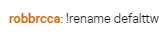
use "!rename oldnamehere" in their chat
 zenith widget
Ok, so that should work
 zenith widget
Is the bot in their channel?
lament blade

 slim hatch
Hi, is there a reason why one person's sub wouldn't alert? It never shows in my activity feed.
lament blade
i didnt get any response from the bot
round brambleBOT
@slim hatch Twitch prime (new and resub) and paid subscriptions (resub only) must be shared in chat manually by the person subscribing in order for the subscription information to be sent to StreamElements. For twitch prime, the user needs to have sharing enabled on https://www.twitch.tv/settings/prime. For paid subs, if the share box doesn't show up immediately it will when they refresh the page. https://i.imgur.com/VNJN0Uv.gif https://i.imgur.com/2297EA7.png

 zenith widget
@lament blade What is the streamer's name. Don't link anything
just give me the name
slim hatch
Woo thanks Bot 🙂
zenith widget
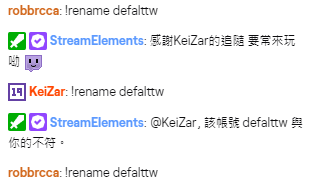
ok so the command responded to me
use it now in their chat
@lament blade
like i did
there we go 🙂
 zenith widget
i disabled and enabled the command just in case
round brambleBOT
@lament blade If you would like help from the StreamElements support volunteers/staff please post your question in one of the helpdesk channels and someone will assist you as soon as they are available
#helpdesk-twitch | #helpdesk-youtube | #helpdesk-facebook | #helpdesk-mobile | #helpdesk-selive | #651453660810838026
Thank you for being patient.
 solid umbra
Hi, I'm a new streamer, yesterday I had a donations of 100$, I saw it in may chat channel, but, at now, I received nothing...is it normal ? #helpdesk-twitch
zenith widget
Tip via paypal?
solid umbra
yes
zenith widget
Do you see the tip in your paypal?
solid umbra
eh no.....that's the problem
zenith widget
did you receive an email from PayPal that you received a tip?
solid umbra
just a moment
sweet socket
was the message sent by our chatbot?
solid umbra
no emails from paypal
zenith widget
Was the message in chat in a color text
and the from user that sent the "tip"
or from our bot?
solid umbra
the message was xxx has donated $100!
sweet socket
but was it sent by our bot?
zenith widget
was it 'Strealemenets XXX has donated 11-2837201987$"?
solid umbra
zenith widget
was it like the first or 2nd message?
Sorry to say this my dude
you got trolled by the oldest trick in the book of twitch trolling
solid umbra
ah.....so is a fake payment?
 sick knoll
yes
zenith widget
its not even a payment
sick knoll
they did /me
zenith widget
he used /me
 oblique steeple
solid umbra
oblique steeple
solid umbra
😂
zenith widget
solid umbra
ok.....another question
for the loyalty program
I can set up how much "coins" a fallower can gain in certain situations
but these "coins" for me are free ?
sweet socket
theyre free for everyone
its like if i watch you 10 minutes, i get 5 coins for example
the coins can be spent on gambling, or on your own made stream store
solid umbra
ok but you don't pay for that
solid umbra
👍
sweet socket
you can get coins for donating as well, but its still the same free coins, everyone earns
solid umbra
thanks for your support
sweet socket
No worries, any other questions be sure to ask us! 😄
round brambleBOT
@eternal mauve Please follow our community rules:
- No advertisement or stream promotion
- Respect ALL server members
- No NSFW/NSFL
Thank you
 lethal scroll
Good afternoon everyone, Just a simple question about the streamelements extension, is it possible to edit it how it looks? Everything else in my stream is going to be themed in a certain way and it's... very different haha if not then it's ok 🙂 just wondering.
twin sentinel
No, currently there is no way to edit the design.
round brambleBOT
@lethal scroll Check out the StreamElements ideas board: https://strms.net/ideas. You'll be able to add ideas, upvote ideas you agree with, and track their progress with email notifications. Adding and upvoting ideas also helps the staff know which ideas should be prioritized so please take some time to upvote.
wary halo
you can add the idea if you want
lethal scroll
Ah well, at least everyone will see it right away, everything else is wooden XD also thank you I will drop an idea in there!
Someone had already posted the same idea last year so I gave it a thumb up! Thank you all!
ionic kelp
Is there any way to simulate data in overlay labels or does that only work with the alertbox? 🤔
 gentle imp
which one exactly?
some stuff you can change here https://streamelements.com/dashboard/session check different tabs
ionic kelp
 ionic kelp
Ah. Definitely what I was looking for.
gentle imp
👍
ionic kelp
though the bounding boxes for the sources are a little meh and triggering. I know it's only there for reference of where stuff is but still......
 woeful juniper
Question. When a user is timed out due to a filter with SE chatbot, my moderators see the timed out message but I do not see it. Is there a way to change that so I can see what got timed out?
woeful juniper
I just see a message in chat that says "1 message was deleted by streamelements" and then "(user) was timed out by streamelements for 1s; please ask permission before posting links in chat" and then that's it. I don't see what they typed, only the mods do.
scarlet tiger
In chat settings
woeful juniper
Yeah I have that turned on
For Twitch auto mod, it works. But for my SE filters, it doesn't. I don't see messages that are timed out my SE moderation.
woeful juniper
But does that work for SE filters?
scarlet tiger
Using BTTV or FFZ?
woeful juniper
BTTV
ionic kelp
You might be thinking of the FFZ option that can do that.
woeful juniper
Well it's the StreamElements chat bot that's timing out. Only my moderators can see the messages timed out and I can't. So that's why I figured it was something in my SE dashboard I could maybe do.
ionic kelp
I'm speaking to MrJaroslavik about the option.
scarlet tiger
@woeful juniper and please screenshot your chat with messages deleted by streamelements
woeful juniper
Okay, next time I have that happen I'll screenshot it.
ionic kelp
@scarlet tiger This might be what you're thinking of. https://redbot.is-serious.business/3A9dp8i.jpg
 scarlet tiger
@woeful juniper You are using ffz?
woeful juniper
Nope, not FFZ
ionic kelp
I would highly recommend it. Tons of more customizable options than BTTV.
 still juniper
if anyone has a second I've got a (hopefully) quick question about alert audio?
wary halo
go ahead 😉
still juniper
so i set up my alerts and inserted them in my web overlay. It all plays in my stream just fine except there is no alert audio for my headset. The only work around I have found is to keep my streamelements web dashboard open on my alert edits. What is the simple solution to have my alert audio play simultaneous between the pc audio and the stream?
 orchid radish
Hi question for anyone really think it's easy just forgetting how you do it how do you remove a quote ?
twin sentinel
!quote remove <id>
wary halo
@still juniper in OBS go to the mixer part, then click on the cogwheel > advanced audio properties
when you open that
orchid radish
Ok tyvm @twin sentinel
wary halo
what does it say under <audio monitoring> for the alerts overlay?
still juniper
wary halo
set the alert overlay to: Monitor and Output
then test the alert but with the webpage muted 😉
still juniper
wow. i knew it was going to be something so simple (face palm). streamlabs must have had it preselected for me the entire time. I really appreciate it!
still juniper
yall are doing great
wary halo
it is by far the fastest way to get support 24/7
still juniper
thanks again
 fierce pelican
Hi guys I get {"status":500,"message":"unable to get oauth client"} on my activity feed
log out login fixed it
 little bramble
Believe I can't see Chatstats due to changing my name. Could this be fixed? Old name: SkrapzCoD
wary halo
i'll send it to staff
little bramble
thanks
 reef delta


 oak creek
hi i logged in SE with a different account on my OBS live how do i log out from my OBS
round brambleBOT
@oak creek Streamelements on top of OBS -> Logout -> login
orchid radish
@twin sentinel once I remove a quote can I not add another one in its place ? Example: Remove quote 5 add quote hello that id like to be the new quote 5
twin sentinel
Asking internally on this.
orchid radish
ok tyvm
 regal wren
hi
how can i manage my friends, streamelements
i already used the link
but i dont know how to use it
someone?
round brambleBOT
@regal wren Follow these steps to grant managers/moderators access to your dashboard:
- Click on your Channel Name at the top of the dashboard and select Settings
- Create a new invite at one of three access levels (Bot Supervisor, Editor, Full Control)
- Send this invite to a mod/manager to give them access to your dashboard. The link is one-time-use and expires after 72 hours if not accepted
Video tutorial: https://youtu.be/zl_h-ttZDF0
woeful juniper
@scarlet tiger I guess one of those changes I did fixed it. So now I can see those messages. Thank you!
 leaden mist
Hi I’m having real trouble getting my web cam to fit, it’s probably something really simple, I just can’t seem to do it. Can someone please help me!
I’m so dumb at this
 normal igloo
Is there some sort of limit on the response messages for the new time commands as it doesn't seem to like the messages i'm trying to add
wary halo
@leaden mist you can't resize it in OBS?
leaden mist
thanks im not in obs, im in obs. live is that right
leaden mist
I’m so confused, I should not have messed with it, oh damn what have I done 😟
Can’t get it to fit in the panel
leaden mist
I’m so sorry, I’m so dumb at this! It’s completely new to me, but thanks for trying to help me a really appreciate it
I don’t know were to look, or what to do. Thank you again. I don’t want to waste your time
Omg now it’s upside down
Right now I’m the right way up lol
Why can’t I get it to fit in the little green box without overlapping
oblique steeple
Can you show us a screenshot?
leaden mist
I know it’s something simple
 worldly elbow
Cam i get some help really quick about stream elements??
oblique steeple
Your cam is 4:3, the frame is 16:9. You have to select a different frame
worldly elbow
Basically my problem is, i have set up a few different commands on my stream elements that are now used on my twitch stream, however it doesn't post the links in the commands. It just posts a '***' instead of the link. I don't have link protection on and i can posts links myself just not inside the command...
scarlet tiger
@worldly elbow type /mod streamelements in your chat
oblique steeple
There should be two cam frames in your overlay @leaden mist
worldly elbow
Oh my god
im actually retarded
Why did i not think to do that...
Thank you so much @scarlet tiger
oblique steeple
@worldly elbow Links changing to *** means that link protection is enabled, but on twitchs side
leaden mist
Thanks for that I’ll give it a go! 😎✌🏻
worldly elbow
Oh okay, thanks :))
oblique steeple
The option is here: https://dashboard.twitch.tv/settings/moderation
normal igloo
anyone have a answer for my question?
wary halo
no
 soft otter
Hi all I tried out the new social media widget where it rotates your names and it seems like I can’t keep a stable stream. I’m getting like 30fps and cpu % is 20 with not even streaming. 60 while streaming. Anyone else had issues like this?
dry hare
@normal igloo are you adding anything that would be caught by a bot filter or twitch's own spam protection?
normal igloo
no
soft otter
No it was fine before Christmas then I added that widget that’s all
leaden mist
I set the damn thing up and now I’ve for forgotten , thank for your help, but no streaming for me tonight
Now I’ve lost the green box all together wtf?
wary halo
i think it would be a good idea to watch some tutorials

YouTube
Need help? Check out our video guides, covering every feature in StreamElements.
leaden mist
Thank you
plush vector
How do i access a streamers dashboard, do the streamer have to send me a special link or do i just have to be super mod, and if i just have to be super mod where do i access it?
wary halo
he has to send you an invite link with editor access
plush vector
okay!
 prisma cloak
now I can't upload any video to Library it's said "fail when upload" any help?
scarlet tiger
@prisma cloak which library?
prisma cloak
@scarlet tiger in overlay
scarlet tiger
What is the size of the video?
prisma cloak
21 MB
scarlet tiger
And format?
prisma cloak
WMV
scarlet tiger
Try transfer to the .webm
prisma cloak
I was once upload in WAV before now it can't?
prisma cloak
165.01 MB of 1,000.00 (16.5%) MB used
wary halo
which browser are you using?
prisma cloak
Google Chrome
scarlet tiger
Try clear cache
 pine iris
hey guys my media request is all purple and not working how do i fix that
scarlet tiger
@pine iris screenshot?
pine iris
@scarlet tiger
scarlet tiger
Streamelements on top > Media request?
pine iris
yip
scarlet tiger
Checked? ☑️
pine iris
yes it is checked
fixed itself
thank you for the try it is when your not connected in the activity feed
prisma cloak
already clear cache but still fail to upload