#helpdesk-twitch
1 messages · Page 480 of 1
 copper bobcat
 solar harbor
Is there a way to start a virtual line for people waiting to play with me? For example, someone types !play and bot says "you are number 1 in line" and links the list of people waiting so I know who is next.
 twin sentinel
There is a custom API for this: https://thefyrewire.com/docs/api/twitch/queue/
solar harbor
Thank you!
 charred pollen
I'm trying to set up a !Shoutout Command where I Can use the @<name> with a Link the the Channel. Is there a Variable I can use that will drop the "@" so I can use it in the WebAdress?
EXAMPLE: !so @That_guy == "Go check out @That _guy, his channel is https://www.twitch.tv/@That_guy"
 twin sentinel
There is a shoutut template when you create a new custom command.
charred pollen
THANK YOU @twin sentinel ! Worked great.
Is there a way to trigger a sound on a command?
twin sentinel
You can create a store item, add the redemptions widget to your overlay and create a custom command to make a redemption for this item.
charred pollen
That seems overly complex for what Im asking. (I do love the sounds for the store).
What Im asking is when Someone say types "!lurk" Streamelements replies "Thank you for the Lurk!" and plays a small sound (maybe an owl or a beep, etc).
twin sentinel
Afaik there is only the possibility for store items with just sound, or a command wich gives the chat message, not both.
 random flint
I love your app
 limber chasm
hello, its possible to set a automessage in Discord if i start a stream?
 strong kernel
There is no Discord integration at this time.
limber chasm
@strong kernel okay thanks, maybe comming soon?
 past sluice
Uhm I can't see who is in my chat for some reason
 formal raptor
 nocturne pelicanBOT
@formal raptor Please contact us via email for support with SE.Pay. You can use our contact form here: https://streamelements.com/contact Thank you
 lament blade
For some reason my song request doesnt work correctly it says another instance is running when its not and it doubles
what do I do?

no other tabs at all
 manic quail
Has anyone managed to fix why the condensed version of the goal bar doesn't fill up with progress?
And if not, is it possible to remove the end date? I can't seem to find a way to do it with CSS...
 topaz breach
im trying to set up a custom alert for followers but the text isnt in the right place how do i edit it so i can have the text where i want it
 zenith widget
@lament blade do you have ground control or obs.live running?
@manic quail i dont think that has been reported as a bug but i need to check. Also the default goal widget doesnt support custom code
@topaz breach right under the sound and image options there is a layout option - chose yhe one with the text in the middlee of the image and the go to text settings -> advanced -> adjusr margins
topaz breach
that kinda worked but when i to and test the follow to see how it worked it doesnt change
zenith widget
Click save
zenith widget
Show me what you see and where
topaz breach
could i call you
zenith widget
no
zenith widget
Screenshot
topaz breach
nvm thank you i think i figured it out
is there a way to have the text fade in instead of justbeing there right away
topaz breach
so i got it all set up but the animation i made starts up at different point everytime i test it
its a 2.8 second animation i made but the follow is up for 3 seconds so i think that's why it starts up at random spots but is there a way to fix that
 blazing narwhal
hey! need help with a giveaway
 grim coyote
where is donation goal i cannot seem too find it in widgets tab
zenith widget
@topaz breach gifs when loaded start continue to loop even when not shown. Its how they work
blazing narwhal
I just did my fist giveaway as an IRL in the mail and they need to input their adress but where do i go to view it to actually send it
zenith widget
@grim coyote CTRL+F and type in "goal"
@blazing narwhal Im not sure I understand. If you did a giveaway via the Giveaway page - people can't place their addresses there.
You need to DM the viewer somehow and get their address
if you are doing an item giveaway
blazing narwhal
well i did a give away and it requires their adress
so SE doesnt ask for it? I have to dm thenm
zenith widget
No - we don't.
blazing narwhal
ahhh i see thanks
 keen quarry
I need help getting bots to make commands, can someone please help me on how to do thid
This*
 ivory granite
im not sure if my chatbot is activated after I did activate it and the reason im not sure is because I saw 0 traces of any chatbot
zenith widget
ivory granite
wait is that my chat?
zenith widget
Are you slayzzfn?
ivory granite
yes
zenith widget
then yes thats your chat.
ivory granite
im pretty sure that I ended the stream... did this happen after I ended it or something
zenith widget
I don't understand what you mean the first part of your question.
But in your tweet you said the bot is not there, but I can clearly see it.
ivory granite
i didn't see it in the chat
 surreal geyser
I have successfully added kappagen overlay on my obs :3
yay
(although I was twiddling with how things work for now :3 )
 solid bobcat
Hey guys anyone around to help me with a few issues?
zenith widget
What are the issues?
solid bobcat
ok thank you
 royal quarry
Hey there I have a fairly specific question regarding media player. I currently use Streamelements OBS and I love it. What I am trying to achieve is to separate the music from my headset while streaming. I have found a way to do this using VoiceMeeter. I downloaded Streamelements ground control so that I could isolate the music to an executable that I could manipulate without missing alerts etc from OBS. The problem I am having is that even with the media player disabled, hidden, and unchecked in the streamelements OBS menu in OBS. The audio still plays through it. I can start playing it on ground control but its as if OBS highjacks the audio output regardless. Is there any way I can fix this? I am very close.
solid bobcat

Twitch
Clip of Tappedout Playing Tom Clancy's Rainbow Six: Siege - Clipped by Tappedout
So watch what happens to my Top gifted sub list when I get a new gifted sub
This always happens and I have to refresh the entire scene for it to go back to normal and then when I get another one it happens again
zenith widget
@royal quarry Do you see this in Ground control?
@solid bobcat Thats an interesting thing.
solid bobcat
Yeah I can't figure it out for the life of me
zenith widget
I believe its a bug
solid bobcat
Known bug?
zenith widget
I can't find a report of this
so its most likely new
i can't reproduce it on my own overlay 
but i was able to reproduce it in your channel
solid bobcat
weird
zenith widget
Hmm I found another thing, so I'll use your overlay and what I found in my own overlay to show case it as a bug
 rustic parrot
is support still online?
i don't have any problems i just have 1 maybe 2 questions about the streamelements bot
zenith widget
What are the questions then?
rustic parrot
oh
solid bobcat
@zenith widget So do I need to submit a ticket or ?
zenith widget
I'm submitting the info.
solid bobcat
Ahh ok Thank you very much!
rustic parrot
how do you make the streamelements bot say like "Make sure to follow and ENABLE notifications if you enjoy the stream" At random times @zenith widget
?
solid bobcat
Hey one more thing while I got you here. Every since I made the switch over to Streamelements my Stinger transition has been very sluggish and audio lags etc. Any idea why?
zenith widget
@rustic parrot Dashboard -> modules on the left -> chat alert on the top
oooh at random times
instead of modules -> timers
zenith widget
@solid bobcat No clue at all. Maybe ask in the OBS discord what can cause a lagging/sluggish stringer transition
rustic parrot
what do these mean @zenith widget
zenith widget
I've pinned a timers guide in this channel. For ease of access click this: https://discordapp.com/channels/141203863863558144/199460642975907840/508911738528333849
rustic parrot
chat lines are like you and others chatting, for example @rustic parrot says hi to @zenith widget does that count as 1 chat line?
or is my example wrong.
zenith widget
ye
rustic parrot
oh ok
royal quarry
@zenith widget Yea I saw the button, even upon using that it doesn't seem to transfer the audio fully to ground control, it seems to bug out and still play through OBS. I've basically started playing the music on ground control and closed the APP to test this.
zenith widget
Are you using the "show on stream"?
royal quarry
Yes
zenith widget
Well that transfers the audio to the overlay
and the overlay uses the browser source plugin, which defaults to the desktop audio or default audio channel of OBS.
royal quarry
Is there a way to transfer the video only keeping the audio on the application?
ok understood
zenith widget
The "Show on stream" essentially stops the video in Ground Control and tells the system to play it in the active media request widget.
royal quarry
right I follow
zenith widget
Having it play audio in another application that is not the widget can introduce big out-of-sync issues
and I think its a big developer effort to make it happen 
royal quarry
Ok thanks
rustic parrot
@zenith widget to @ someone do you do {username} to trigger the command?
zenith widget
${user}
rustic parrot
alright.
 silent ermine
my labels and activity feed are slowly going haywire. yesterday I logged a ticket about my missing followers and today my last gift subber is missing as well. is there any way i can refresh my data?
zenith widget
Define haywire
zenith widget
There is an issue with follower events and we are working with Twitch on fixing it.
No ETA on when the fix is coming out.
silent ermine
my gift sub by outrzone is not reflecting as well. isntead it shows another name i'm not faimiliar with
 silent ermine
oh lol i was wondering who this guys was 😂
 tiny tusk
Yes
zenith widget
Streamelements on top -> chat
tiny tusk
Oh sorry the chat box itself is on the twitch website
zenith widget
Are you referring to the chat box in your twitch channel?
tiny tusk
The chat box in streamelements
zenith widget
Show me where then
Because you are confusing me
Show me a screenshot of where you are referring to
zenith widget
Ok thats a better explanation of the issue.
Click on "Streamelements" on top -> logout -> login
tiny tusk
Ok thanks
 quasi crystal
Hi all, I did some initial searching for this answer, but I can't seem to find it. I'm using the StreamElements tipping page to accept tips via SE.Pay, and I've enabled the page to require Twitch log-in for extra security and protection.
However, when users visit the tipping page and are asked to "Connect with Twitch" StreamElements asks for a massive, scary list of permissions from the user. As a streamer using StreamElements, this list isn't scary - StreamLabs and other services ask for similar permissions. But my viewers are scared off by the permissions required by connect with Twitch this way. To viewers who don't know any better, or haven't been "behind the scenes" it looks like I'm scamming them when this is what appears on the tipping screen.
I know I can disable the required Twitch log-in, but it does add an additional protection from troll chargebacks. Is there no way to limit the permissions that StreamElements requests of users who simply want to tip via the SE tip site? Tippers should only need to share their email address and some basic account information with SE - not give full access to their own stream and channel information.
Thanks.
zenith widget
We are looking in ways to make that list shorter for tippers only, but I can't share any more info, because theres no other info besides that we are looking into it.
quasi crystal
Alright, thanks KeiZar. I'll say that the permissions are the number one reason why my viewers don't tip via StreamElements and prefer to give Bits instead. There's obviously a direct monetary incentive for SE to fix the permissions list quickly (For both of our sakes!). Thanks for the prompt reply!
 round temple
On the Streamelements dashboard its only displaying 26 followers when I have 46 why could this be?
zenith widget
The main dashboard page shows your monthly gain, not your totals.
round temple
I have changed it to year and it still says 26 and this in my first year of streaming
zenith widget
Because you've signed up with us on the 9th July - this means the dashboard is showing you the gained followers for this month
and from the moment you've signed up with us.
round temple
can I refresh it or something?
zenith widget
We do not get information for past followers and subscribers
round temple
The reason I wanted the full follower count is because I want to add a follower goal to one of my overlays
zenith widget
Use the "Total Followers" widget
for a follower count
or add the follower goal
but change the goal progress to your current total followers
to change the goal progress go to "Activity feed" on the left of the dashboard -> widget data on the right -> goals tab
From the overlay editor, click on "Data" on top -> goals tab
round temple
Okay I got it now thanks for your help
 vocal dock
Can anyone help me get the stream elements bot name changed? i have the setting on ground control but cant figure out how to get the bots name changed in twitch
Thanks in advance
nocturne pelicanBOT
@vocal dock Custom bot name requirements
- StreamElements bot modded and in chat
- Active overlay with alerts
- StreamElements tipping page in the panels below the stream (!panels)
- OBS.Live or Ground Control open
- Create a twitch account for the name you want to use or run the bot under your own name
- Custom bot name doesn't work on Mac
vocal dock
Yes i have all of that done and it still is coming up as just streamelements
twin sentinel
have you created the token for the bots name?
twin sentinel
When you send a test message, is it answering as the bot name?
vocal dock
It did not when i tried no
Should the token have the 0auth: still included where i put the key or remove that from it?
vocal dock
Ok that is done and a test chat has come through should i try a command now? and see if it responds?
twin sentinel
yes please.
Kill ground control and all instances of bot.exe via task manager and restart GroundControl.
vocal dock
Ok wow it works now tried the uptime command and it sent about 20 messages through for my uptime is that normal?
twin sentinel
⤴
vocal dock
ok and now try again?
twin sentinel
yes please.
vocal dock
Wow thank you so much for your help sorry if this sounded like an idiotic help request
twin sentinel
We are here to support you. 
vocal dock
Thanks so much folks have a great day!
 versed marsh
G'day @zenith widget, here is the screenshot of the error I keep getting when I log in. To fix it, I go to settings > stream then disconnect and reconnect my twitch account. I don't need to put in the password or click authorise. It just reconnects (kind of like it timed out or something when the program started up)
 cinder olive
Whats the command to see the leaderboard for watch time?
cinder olive
Your super amazing as always KeiZar lol
 wheat rampart
Someone have a league of legends commands like elo, game etc?
 jade remnant
if it isnt asking you to log in i would say there is a cache of your details somewhere. disconnect and restart your pc and try to log in again.
also check your settings on twitch, 2fa and password, make sure they are correct
 covert nymph
:S
nocturne pelicanBOT
@versed marsh If you are not seeing the OBS Twitch integrations and have OBS.Live installed, please follow these steps:
- Make sure you are on the latest and greatest version of OBS.Live ( 19.6.26.414 )
- exit OBS (make sure OBS is not running)
- delete %appdata%\obs-studio\plugin_config\obs-browser\obs_profile_cookies
- start OBS.Live
- Settings -> Stream -> disconnect -> connect
zenith widget
@covert nymph Is the chat dock looking like this on top?
 dawn lily
how can i show my sub count ?
twin sentinel
There is a wiidget you can add to your overlay, or you can add a chat command with the variable ${channel.subs}
dawn lily
@twin sentinel it says no data ?
but i have 52 subs
does it not automatically show how many i have . also lets say you subbed to me on the 19 of June , would it get rid of it on the 19th of july , like would a sub be dropped automatically or would i have to do it manually ?
 gentle imp
you can set that manually indeed but should be picking it up
 pale elk
question. Is there a way to loop webm files for the alert box?
Cause I can't find anything
dawn lily
@gentle imp it says period and it only lets me have session , 1 week and 1 month , why cant i just show my current sub count
gentle imp
use total subs widget
pale elk
Hey, @gentle imp you got an answer on the webm file loops? I can't seem to find anything
gentle imp
looking but I don't think it's possible
gentle imp
tried Asset rotator/slideshow and insert it multiple times?
pale elk
 don't see how that'd help, as it is for a cheer alert.
I guess it''l be 4 seconds then. 
pale elk
eh, whatevs. Something to add to the dev-list. I've seen a few people request it already.
gentle imp
aye, can do so here https://strms.net/ideas 😃
pale elk
https://streamelements.helprace.com/i1067-looped-webm-alerts We got one here with 6 upvotes from 10 months ago. Post anyway?
zenith widget
upvote it
gentle imp
nah, just upvote, I will too
gentle imp

dawn lily
ok last thing , @gentle imp i want my sub goal to be a certain number ,
i only want to see that number nothing else , how would i do that
let me show you a picture
how do i just get the number from streamelements , in this case i want it to be 100
gentle imp
on the subs goal? need to enter a simple text and type 100
unless that's the sub goal widgetm if so just fill in the fields
dawn lily
thanks m8
 fading marten
Hello again. We digged into my friend's streamelements account because it does not show chat stats in the leaderboard add-on. What we realized is that her new account name doesn't even exist in streamelements https://stats.streamelements.com/c/reykopl but her previous account name still shows up https://stats.streamelements.com/c/reyko90pl so how that is possible? It seems stats for reykopl are still taken from reyko90pl but those are only sub and cheer stats from reyko90pl but chat stats do not count. And new chat stats do not appear either because reykopl does not exist in streamelements.
 twin sentinel
@flint abyss The bot is nearly for everyone who has a twitch channel.
@fading marten A staff hast to transfer the stats manually. I'll try to reach someone internally.
fading marten
@twin sentinel that would be great! thank you for additional effort it might take
 flint abyss
@twin sentinel I just got affiliate a few days ago, could I use this bot in replace of night bot, or..?
twin sentinel
Yes you can. If you are not sure if StreamElements has specific features you need, best to ask here if we can support those @flint abyss
 next thicket
 dire shard
привет!
помогите с проблемой со стримэлементс
The remote server returned status code 400 Bad Request
пишет это сообщение при команде "!экшн" и автоматически , через некоторые промежутки времени
flint abyss
Links to my Instagram, twitter, my Discord server etc.
twin sentinel
Should be able to do this @flint abyss
@dire shard Either the API call is incorrect or the remote server is currently down.
flint abyss
@twin sentinel @dire shard said Hello!
help with a problem with strelements
The remote server status code 400 Bad Request
writes this message with the command "! action" and automatically, at some intervals
I need to know wtf that is
flint abyss
You guys gonna make this into a Discord Bot?
twin sentinel
Make what into a discord bot? There is currently no disord bot from StreamElements, but we are planning to have one in the future.
 earnest terrace
I can't enable my custom twitch commands
twin sentinel
Is the bot modded in your channel? Are only the custom commands not working?
 meager dagger
hello all ! Can someone suggest a good obs setup for streaming in 1080p60fps ? I can write my speed test result and my pc setup if you can give me some tips
twin sentinel
Best to ask this in #general-chat as this is the support helpdesk for issues and questions with StreamElements products.
meager dagger
ah okey im sorry thanks for supp
 dawn sky
is there a way to announce the current song in chat when it start playing?
twin sentinel
Not that I am aware of. There is a !song command to ask the current song in chat and the overlay can display the current song.
 spring kraken
Can anybody tell me why a .png would show up fine in the overlay editor and in the launch page but not actually show up in obs?
this is in regards to a custom alert
 tired snow
@twin sentinel why is my stream like blurry
nocturne pelicanBOT
@tired snow Please provide a log from your last stream. To do this, in OBS go to Help > Log Files > Upload Last Log File and paste the link to the log file here.
 modern crane
Hello. I am in China and I am using a VPN in order to use twitch, but when I try to stream it fails to connect. Any help would be great. Here is the log: https://obsproject.com/logs/x58dKJ37z3HFMJ1n
 elder sorrel
@tired snow Try running OBS.Studio as Administrator & turn off Window 10 gaming features https://obsproject.com/wiki/How-to-disable-Windows-10-Gaming-Features
Certain Windows 10 gaming features can cause rendering and encoding issues when using OBS. It is recommended you disable them to ensure OBS performs at its best. As of March 2019,…
elder sorrel
Add the Store Redemption widget to your Overlay.
If you didn't see it when you first opened the stream store: https://www.youtube.com/watch?v=BXGMjHqwVFE

The StreamElements Stream store lets your viewers redeem Loyalty points (collected by watching your stream) to get special perks, fun sounds, and even game k...
 zenith ore
can you please show me print screen description
tired snow
alright
lament blade
Hi. I'm new to modding and the streamer I mod for is rather new too. How can I add commands to their chat? Specifically the shout out command.
elder sorrel
@lament blade Did the streamer add you as a manager as a "Bot Supervisor" in the StreamElements website? That can be done
Otherwise if the stream has the default command !command add/remove/edit/alias/options/show enabled for Moderator & up: You can type in chat !cmd add Shoutout Check out ${1}, they are playing ${game ${1}} at https://twitch.tv/${1}
lament blade
Thank you, I will make sure that that is done. I appreciate the quick response
strong kernel
@zenith ore #🇷🇺︱русский
 wary viper
I've been trying to make a repeated contest on the contest option but it keeps reseting it to the old one but I only want to use the new content constantly how can I "reset" that?
 white nimbus
Hello, i am experiencing an issue with a specific alert in my overlay. Variations do not work! hope anyone can help. Thank you.
Just in case, i can speak/talk in both english and spanish.
strong kernel
@white nimbus Please describe the issue in detail.
white nimbus
Hi @strong kernel ! So, i have a main Overlay for the streaming main screen. I created the alertbox with sub, follow, raid, etc alerts. I proceeded and configured image/video + sound for main sub and then went and created 2 variations: One for community gift and other for resub. None of those are showing the gif i setted. Only the sound.
the gif images are uploaded.
strong kernel
@white nimbus Disable custom CSS.
white nimbus
let me see
Thank you very much @strong kernel ! That worked perfectly!
Also i may have a question regarding sound commands, is it possible to do them in Streamelements without the aid of an external chatbot? for example, a person uses "!voice" and a specific sound file is executed. Thank you in advance.
strong kernel
Yes. Create a store item with the sound effect, set the itemname, and create a custom command with response of ${redeem itemname}
 plush raptor
@strong kernel if we set up in just the store will it work or is doing a custom command mandatory as well?
strong kernel
@plush raptor Without custom command, it's !redeem itemname
plush raptor
@strong kernel so I could have a !hey command and just set set the response to the name in the shop?
Like you put?
strong kernel
Yes.
plush raptor

strong kernel
Without the custom !hey command, your viewers would use !redeem hey
plush raptor
@strong kernel like this ${redeem hey listen!}
strong kernel
Not quite.
plush raptor
Well the name in shop is hey listen!
strong kernel
strong kernel
That is from the store.
plush raptor
Yes I did that
strong kernel
That's not a custom command field.
plush raptor
plush raptor
strong kernel
No.
That name is irrelevant to the command. It's the item command field in step two of the store item.
plush raptor
strong kernel
If the item command is hey then your custom command response should be ${redeem hey}
 soft otter
Hi I’m having an issue with my bot I think. When I try to permit someone it says they have 30 sec then all we see is stars no link
dawn lily
is there an easy way to increase the size of these blocks and things such as new followers and move them easier , it is so jagged and hard , is there a way to make them just line up ?
twin sentinel
@soft otter Disable the twitch link protection.
soft otter
@twin sentinel is that on my channel setting?
twin sentinel
@dawn lily Each widget has a position and size option you can use to align them up.
soft otter
@twin sentinel Thank you so much
 clever loom
my streamelements chat alerts are not coming up in the chat and none of my stream elements commands are working aswell
 upper pendant
Is there no TTS on the Tiltify donation widget? If not, I think tips will be split between SE tip page and Tiltify since people seem to love TTS
twin sentinel
@clever loom Have you renamed yourself lately?
clever loom
yea
twin sentinel
Please part the bot from your channel, log out from the dashboard, log back in and invite the bot back to your channel.
clever loom
ok
thanks @twin sentinel
ok ive unmodded streamelements from my chat and now do I need to log out of the dashboard on the streamelements website
@twin sentinel ^^
twin sentinel
please follow the steps I told you above.
clever loom
it worked thanks
 prisma grove
Help! It's been doing this for 2 months!
 viscid loom
anyone know how to make a randomized Fight command?
^ have it similar to !duel Command but without Points
would appreciate the help
lament blade
Hi, Im pretty new to streamelements and I probably made some super basic mistake but when I get raided, streamelements plays my Host alert instead of my Raid alert. Any idea why it would do that?
 sonic schooner
Hi guys. Seem to be getting severe frame drops when alerts are played, any ideas? (Regardless of the content of the alert)
nocturne pelicanBOT
@sonic schooner Please provide a log from your last stream. To do this, in OBS go to Help > Log Files > Upload Last Log File and paste the link to the log file here.
twin sentinel
@prisma grove I recommend to back up your profiles and your scene collections and try to download and install the latest version of OBS.Live from here: https://www.obs.live/
plush raptor
@strong kernel is there a way to get rid of this in chat "@KingSinTV, you successfully redeemed Hey Listen! for 0 Jewels." ?
twin sentinel
No there is not @plush raptor
plush raptor
@twin sentinel Thanks 😃 btw y'all are quick with the support around me
here*
not me*
twin sentinel
@lament blade Have you enabled the host and the raid alert in the alertbox settings?
 tiny roost
Update on a previous issue, Quick recap, !settitle not working for supermods. I was instructed to part and rejoin the bot. I did that and it didn't seem to fix it.
Full disclosure I'm not the channel owner (trying to fix it for her), but one of the SM and have full access to the StreamElements dashboard, so whats next?
plush raptor
@twin sentinel is it possible to make it a whisper?
twin sentinel
Not that I am aware of.
@tiny roost What is their channel name? Are other commands working fine on SuperMod Level? Is the command enabled in the default command settings?
 spiral sleet
Is there a way to set up a command in streamelemnts to trigger another command - eg:
I want to create !kd as a command that will !sr a specific youtube video.
Is that possble?
twin sentinel
The bot cannot trigger itself @spiral sleet
tiny roost
@twin sentinel yea the other commands likesetpoints ans stuff work for SM only, command is turnned on, Channel name liveliveguac
spiral sleet
@twin sentinel and if the bot is using a custom name, another bot also using that name couldn't trigger it either?
tiny roost
@twin sentinel sorry correction on the channel name liveloveguac
twin sentinel
What happens when you try to change the title? @tiny roost
@spiral sleet You could try that.
tiny roost
it says @tiny roost, something went wrong while trying to update the title.
twin sentinel
Try to use a more simplier title for testing purpose please.
sonic schooner
@twin sentinel Should I DM you the log? As the bot asked to post. (Re: Alerts causing frame drops)
tiny roost
same
twin sentinel
Please post the log link here.
sonic schooner
tiny roost
Thanks, take your time its not a huge deal 😉
strong kernel
Never mind.
tiny roost
@strong kernel I have it set as supermod, not the channel owner so I cant set it highter then my supermod. is that what needs to be done? I'll tell the broadcaster
strong kernel
No. I was referring to something different but it's irrelevant.
tiny roost
ok
 candid vortex
Hi all, i have set up a !wins command in SE for my channel where if you type !wins in chat it returns a result of We have # of wins tonights. I also have a !setwins command to update the number of wins. I am wondering is there a way of adding how many kills each win had? for example We have 3 wins tonight (5, 6, 7 elims)!
sonic schooner
How can such a small alert max out a gpu so easily when streaming regularly is just fine?
twin sentinel
@candid vortex You can add adn update this manually to the command.
candid vortex
So each time I finish a game, i would need to alter the result through SE?
twin sentinel
yes.
candid vortex
Ok. Thanks!
Just thought i might have been able to up date with the !setwins command as well. All good, good to know!
twin sentinel
@sonic schooner No idea, but something is maxing out your GPU in the log you handed in.
viscid loom
anyone know how to make a randomized Fight command?
^ have it similar to !duel Command but without Points
would appreciate the help
strong kernel
Not possible. Custom commands are single step only. Can't challenge someone, have them accept, and print the results.
Command>Response and that's it.
viscid loom
what if u just put in !fight @otherperosn and then it it randomly pick u or the other person who wins?
strong kernel
Then use the ${random.pick} variable.
viscid loom
how would i create the command tho?
strong kernel
You can see examples of all the variables at https://streamelements.com/dashboard/bot/commands/variables
StreamElements
The Ultimate All in One Platform for Streamers
tiny roost
@viscid loom lil more advanced cuz it uses custom apis, but I think its kinda what you're lookin for but its not all fights/battles, but you can make your own pastbin off this example.
https://thefyrewire.com/docs/api/twitch/pastebin/#parse-paste-with-variables

@twin sentinel @strong kernel Got to run for now, if you come up with something, DM mee. I'll check back later. Thank you for all your help, you guys are awesome
viscid loom
cheers dude @tiny roost
royal quarry
this software kicks ass, that is all
lament blade
Hey guys can someone tell me why the commands !watchtime doesn't work ?
the bot tell me 0 seconds
strong kernel
Enable Loyalty.
But it will not suddenly not be 0. It's not retroactive.
It'll just start counting from then on.
lament blade
loyalty ?
OH OK
thanks buddy
The people who send me a tip can do a litigation ?
strong kernel
They won't get very far if they try.
lament blade
why ?
strong kernel
lament blade
@twin sentinel yes I guess I do have both alerts enabled. I didn't know you could only have 1 on
Wow cool, thanks for that streamelements is really really cool
twin sentinel
@lament blade If you emulate the two events are teh correct alerts coming up in the overlay editor?
lament blade
@twin sentinel I'll check when I'm back at my PC. I just know that OBS.live shows both a host and a raid every time and the Host alert plays. Unless I changed a setting for the alerts?
twin sentinel
When a raid comes in the host alert should not being triggered when you just have a single alert box in the overlay which is active in your OBS.
 wanton jetty
How do i fix the disappearing docks ?
twin sentinel
Disappearing when you restart OBS.Live or just get them back in general? What dock are you referring to?
nocturne pelicanBOT
If you are not seeing the OBS Twitch integrations and have OBS.Live installed, please follow these steps:
- Make sure you are on the latest and greatest version of OBS.Live ( 19.6.26.414 )
- exit OBS (make sure OBS is not running)
- delete %appdata%\obs-studio\plugin_config\obs-browser\obs_profile_cookies
- start OBS.Live
- Settings -> Stream -> disconnect -> connect
twin sentinel
Try this please.
lament blade
Hmm guys, i want to activate the tips, but if i recieve a tip the guy will see my personal informations i think ? On paypal
strong kernel
Not if you convert your PayPal account to a business account. Which is free to do.
lament blade
ok i check that thanks
 fading steeple
Hey. I have problem where 2 gifs (same but different color), don't sync up with each other. One of them is image and other is alert. here is an example https://i.imgur.com/OLHHfLC.gifv

if anyone knows how to fix that, that would be amazing
viscid loom
is there a way to see the original !watchtime if its randomly reset?
strong kernel
I don't believe you can reset !watchtime.
viscid loom
🤷
 mighty phoenix
Hi! Is there a way to delete all custom commands? I imported my streamlabs chatbot commands to SE and it gave me 11 copies of each commands..
strong kernel
Only one at a time.
nocturne pelicanBOT
@formal raptor Please contact us via email for support with SE.Pay. You can use our contact form here: https://streamelements.com/contact Thank you
 radiant nacelle
Ok question. I want to use streamelements on a different OBS account Like my husband is going to be using my machine while Im out of town
weell really a different twitch account
 scarlet sun
I'm using the follower goal widget and for some reason it's showing I have 115 followers but when I look at my channel in the browser it says I have 131 followers. At first I thought it was just delayed updating but I've been using it for a couple weeks now and it's still not accurate. Is there a way to fix this?
 winged sundial
Hey there guys was the plugin for now playing from spotify list removed as a widget?
 upper steeple
so this has happen more than once in several streams. I thought it was just a glitch at the time but it did it today as well.
I will get raided and only my host alert goes off. I have a raid alert set up and it has gone off before.
My activity feed and chat both notice there is a raid so how come the alert doesn't happen?
https://gyazo.com/2530c1c5c9ff2acbc59e9fb3eadd01e4
https://gyazo.com/7a4ab3a7bcbd6381fe3e7f2d470410c9
This is from a stream 4 days ago where the raid alert happens, but the host one does not. Activity feed and chat picked up both as well.
https://clips.twitch.tv/RefinedHealthyDogVoteNay
https://gyazo.com/e42ebd8e314574070356430381504ba8
https://gyazo.com/5694d17e078917ecb760b7ea597d719c


 radiant nacelle
Ok nvr mind Im a dummy I figured out how to log my husbands account into Streamelements on my machine DUH Im embarrassed
 thorn coyote
timers wont work
 frigid talon
Hey. So is there anyway to have people get a gif or soundclip to play with a command?
Using only StreamElements?
strong kernel
Yes, using the Stream store.
frigid talon
So, how does that work? There's a widget you're supposed to use, right?
strong kernel
Store redemption widget.
Create item > Add widget to overlay > Redeem item > ??? > Profit
frigid talon
So, I'm in my overlay editor.
I go to widgets.
And then click the Store Redemption one?
strong kernel
That's the one.
frigid talon
Okay. I think I'm getting it.
Is there anyway to remove the "redeem" part of the command?
And is there a way to make a gif play? I can only seem to add soundclips through the store.
 little quail
So the past couple days my autoposts haven't been posting. Or they'll post randomly not timed when they are supposed tom just curious if anyone had had issues and how to fix it
zenith widget
@TheNerdySteve#0611 stream perk snd redempyion widget
@little quail are yu refering to timers?
upper steeple
not sure if anyone saw my kinda big post a little bit earlier, but just let me know if there is something I could possibly do to help 😃
zenith widget
@upper steeple so before whem ppl get raided we played both raid and host alert. We fixed that to show only raid alert if raiding event came in. Then some time ago rwitch decided to change something and the sometimes send us the host event bwfire the raid event
But we still show 1 of the 2
upper steeple
@zenith widget oh so there is no way to change that cause its all on twitch
zenith widget
Yep
upper steeple
thats unfortunate, thank you for letting me know
 cunning coral
ok so i am trying to set an overlay on my stream but my screen is 1680x1050 so the overlay doesnt fit and when i change the resolution on the overlay settings theres a hole with nothing at the bottom, any sugestions?
zenith widget
Wdym hole at the bottom? Where? In obs?
frigid talon
@zenith widget Where do I inset the gif? Is in the widget itself or somewhere in the Story?
zenith widget
@frigid talon change the store item to stream perk then go to the next step there you can choose the content
@cunning coral show me a screenshot
frigid talon
Oh! Found it. I thought the screenshot was just... a screenshot and not the actual gif. THANKS!
And everything must be "redeem COMMAND" right? There isn't a way for it to just be command?
cunning coral
 zenith widget
@frigid talon yes -custom command with variable $(redeem)
frigid talon
@zenith widget OMG.
zenith widget
Just follow this
Steps to make a command trigger sound on stream:
- Go to Stream Store page here: https://streamelements.com/dashboard/store/items
- Add an item that has these settings on it:
- Stream Perk
- Loyalty settings to your desire
- (Next step) Add contents (image and/or sound you want to play)
- "Redeeming this item shows an alert
- Redemable via chat
- Skip Requirements
- Get the item name/command from the 2nd creation page
- Go to commands page here: https://streamelements.com/dashboard/bot/commands/custom
- Add command with desired name and have response for command as:
${redeem item_name_here} - Go to your overlays and edit the overlay you use.
- Click on "widgets" and add "Store redemptions" widget. Click save and you should be golden.
- Test your own command in chat and have OBS or editor open to hear sound
- ???
- Profit in viewer interaction and that dosh

zenith widget
@cunning coral that resolution you have is not a 16:9 aspect ratio right?
cunning coral
no
zenith widget
Yeah oir pre defined overlays are meant for 16:9 aspect ratio
zenith widget
Well you can but you will need to somehow make the asset widgeta bigger so that they cover the parts that are miasing
cunning coral
the thing is that if i make it bigger the camera goes off the screen
its attached for some reason
frigid talon
@zenith widget One last thing. And I'm sorry to be a bother. Is there a way to make the Streamelements bot to not respond for the redemption? When I use the soundclip, there is one response and when I use the gif, it's posting two responses. >>
zenith widget
No - thats a default behavior. We are looking into ways to allow the response to be edited or disabled but no eta
@cunning coral well yes it wont match properly i know
But since the assets are meant for 16:9 there isnt much we can do.
 formal spire
Why can I not change the highlight of my color on anything that has variations?
cunning coral
ok ty for your time
zenith widget
@formal spire check the text settings in all the variations
zenith widget
I saw what tou wrote
Give me 10 minutes as im currently not really available to look into the overlay for you
formal spire
I apologize. Not a problem
nocturne pelicanBOT
@formal spire Please connect your streaming account (Twitch, YouTube, or Facebook) with Discord by going to ⚙ Settings and then Connections here in Discord. https://streamable.com/eg92w
 formal spire
@zenith widget Did you get the chance to take a look at that overlay?
zenith widget
Did you connect your twitch account to your discord profile?
as per the bot's instructions above?
formal spire
Everything else is working flawlessly but that for some odd reason @zenith widget
formal spire
Yea i'd like to change the blue color to the turqoise color of the ones that dont have variations.
zenith widget
Exit out of the overlay
Enter the editor
click on the alert widget -> tips cogwheel -> text settings
see what i changed
and run a test alert
formal spire
Could we change the green to the turqoise of the ones without the variations please?
zenith widget
Change this.
formal spire
Okay perfect.
When I change it on my end it doesnt change and I have no idea why lol @zenith widget
zenith widget
What browser are you using?
formal spire
Google Chrome
zenith widget
So you want to tell me this isn't working for you?
formal spire
Correct if you'd like to call me I can screenshare and show it to you.
Makes no sense at all lol going to try to restart google chrome.
zenith widget
check DM
silent ermine
Hi @zenith widget. Hope you doing well today! Did you get a reply from FyreWire yet and is there an update on the follow widget data situtaion yet?
zenith widget
Yes - thats intentional because the gifters information cannot be extracted from past saved aggregated data
but if you replay the gifted sub, it will update the widget properly
 rose basin
For the !give command, is that a default command or do I need to add it?
zenith widget
what !give command?
 slate egret
hello, i am a complete and utter noob when it comes to streaming and streaming software. probably the silliest question ever. how do i connect my stream from the twitch website to obs?
zenith widget
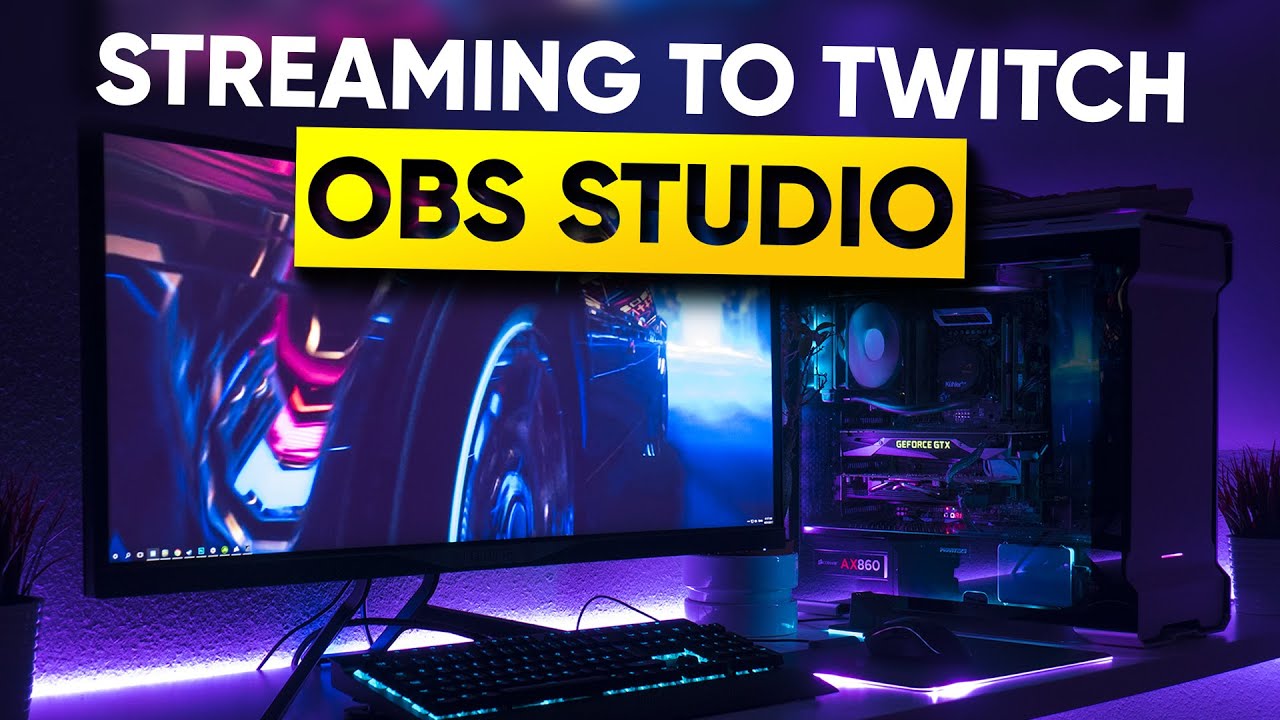
UPDATED 2018 version of The Ultimate Guide to Streaming to Twitch with OBS Studio. In this video, we go through how to setup OBS Studio's server, bitrate, re...
zenith widget
!givepoints <username> <points>
prisma grove
@twin sentinel that worked Thanks!
 tropic silo
@wanton mango only just see your respons sorrty and thanks u well in my case eacvh widget is its own overlays so that wont be a issue for me
😃
little quail
@zenith widget yes sorry I fell asleep lol.
zenith widget
Check the pinned timers guide in this channel.
 rustic karma
For the leaderboard widget, is it meant to show actual user avatars instead of the default placeholder ones?
 indigo fulcrum
Hello, do you know how to get data of participators from "!bet"? I mean: count of players, total value
I want to make smth like this.
zenith widget
@rustic karma The extension should fetch the avatars people have set in your profiles with twitch.
 soft latch
they renamed themselves on twitch and now can't redeem anything anymore, but can use their loyalty points for everything else (like duel or roulette)
zenith widget
Have them login to our dashboard.
@indigo fulcrum You can via our API https://docs.streamelements.com/reference/single-contest#contestsbetbychannelandcontestidget
soft latch
just login to the dashboard should fix it?
soft latch
alright I'll let them know
rustic karma
@zenith widget I've had it for a while now and it's always just this:
zenith widget
Which part of the extension is it?
rustic karma
That's the points leaderboard. It's the same for the chat stats
I can see it's the same on another channel just now actually.
rustic karma
Thankyou 🙂
 spare ocean
How do I get the backup playlist for song request to play at the start of a stream?
 trim rain
Is there a way to add a randomizer to your alerts? So that I will have different image everytime someone follows
 blissful apex
can anyone help with this?
$(urlfetch https://beta.decapi.me/youtube/latest_video?user=WafflesYo)
 sacred hound
i just joined obs.live is there a guide to set up? i am coming from slobs they told me obs will lighten my single pc
 wanton mango
@blissful apex unless you've claimed a vanity link, use the alphanumeric channel ID
twin sentinel
@spare ocean When your playlist is empty of request or added songs, the backup playlist is chosen to play songs.
@trim rain You can add alert variations which are picked random when the option is enabled.
spare ocean
@twin sentinel I get that, but I can't get song request to play sound on the stream at all
twin sentinel
@sacred hound If you want to use the new Nvenc, you can take a look at this video: https://www.youtube.com/watch?v=peg4DZOAocs
@spare ocean Either have the MediaRequest browser page open in the background or add the media request widget to your overlay.
spare ocean
ohhhh i did forget that, thanks 😄
sacred hound
any optimal settings for one pc setup ? is the nvenc one?
twin sentinel
There is no optimal setting. Best to try around a bit and find your own settings.
sacred hound
okie 😄
 dreamy palm
Guys is it me or the giveaway system lagging? it happened to me 3 times today, I draw a winner it lags for 5 seconds and then it draws 2 winners...
People defo not liking that one bit
twin sentinel
Can you hand in a clip of that happening, your accoutId and the name of the giveaway that happened with please?
nocturne pelicanBOT
Please provide your account ID found at the top of this page: https://streamelements.com/dashboard/account/channels This ID is public info and safe to share here.
spare ocean
@twin sentinel I added the media request widget but still can't hear anything on OBS
twin sentinel
Have you hit show on stream in the MediaRequest settings?
spare ocean
Doesn't that mean that it will show the video?
twin sentinel
When you use the widget, you can edit the widget to not show anything and hide the video in your mediaRequest settings. So only sound will be heard through the widget on stream.
twin sentinel
Do you use OBS.Live?
spare ocean
Yeah
twin sentinel
Then use the MediaRequest dock in there. You should not need to have the browser open.
spare ocean
Still shows the video though
twin sentinel
Have you hit hide video in the MR dock? It only shows it in the dock, not in the overlay widget.
twin sentinel
Have you saved the overlay in the editor after you disabled it? Does it show in the overlay editor?
twin sentinel
Clear the browser source cache of your browser source in OBS.
spare ocean
that seemed to have worked, thanks 😄
Just to be sure, is there any way to reduce CPU usage of streamelements on OBS?
since it seems to increase it heavily
trim rain
@twin sentinel where do I enable that alert variations?
twin sentinel
In the overlay > select the alertbox > in the left side select the cogwheel next to the follower alert > at the bottom: variation settings.
trim rain
Oh...sneaky little...
 terse oyster
Hello, simple question I think. I'm trying to use the feature that puts tweets into chat. For example, I'd like tweets from bungie to appear in my chat when i'm live. The documentation isn't clear. Can someone please point me in the right direction?
twin sentinel
You should be able to add the account name to the twitter module by adding the name and hitting enter. Then the tweets should show up in your chat.
terse oyster
I typed @tiny ginkgogie. That didn't work
twin sentinel
Try it without the @ please.
terse oyster
Will do
little quail
@zenith widget I read the timer post. I have the settings done fine. And they have been working. But the past 2 days they haven't been working right
 gloomy hawk
I am having alot of issues setting up my overlays and alerts
nothing seems to be working
twin sentinel
What exaclty is not working?
gloomy hawk
some of the images are not showing up
I have tried using pre made alerts and it still isnt working
twin sentinel
What images? Are this static images or images in alerts?
twin sentinel
Have you tried to zoom out when you are on the launched overlay, so you can see the whole overlay area?
gloomy hawk
yes
even when I do my alert test this happens
I have deleted everything and tried over too
twin sentinel
So when you lauch a super theme which has an alert box build in and you test an alert, are they coming up corretly?
nocturne pelicanBOT
@gloomy hawk Follow these steps to grant managers/moderators access to your dashboard:
- Click on your Channel Name at the top of the dashboard and select Settings
- Create a new invite at one of three access levels (Bot Supervisor, Editor, Full Control)
- Send this invite to a mod/manager to give them access to your dashboard. The link is one-time-use and expires after 72 hours if not accepted
Video tutorial: https://youtu.be/zl_h-ttZDF0
twin sentinel
Can you DM me an editor invite, so I can take a look at your overlays please.
gloomy hawk
sure
tiny roost
@twin sentinel you ever sleep? 😆 after you finish with that and have time, that !settitle still not working....
if you need a refresher, lemme know
twin sentinel
Can you make me a regular in the channel and set the command to regular level please, so I can test it myself, if it is your account, or their channel.
tiny roost
k, gimmie sec
twin sentinel
and yeah I am sleeping from time to time. 😉
twin sentinel
Can you part the bot and rejoin it to the channel on the dashboard please.
twin sentinel
@tiny roost Please tell the streamer to log out and log back in from the dashboard.
tiny roost
Ok will do. Thank you! 😃
 real gate
I remember theres a way to rename StreamElements bot but I can't remember how any idea?
nocturne pelicanBOT
@real gate Custom bot name requirements
- StreamElements bot modded and in chat
- Active overlay with alerts
- StreamElements tipping page in the panels below the stream (!panels)
- OBS.Live or Ground Control open
- Create a twitch account for the name you want to use or run the bot under your own name
- Custom bot name doesn't work on Mac
twin sentinel
blissful apex
@wanton mango cool cheers, do you know howd i find that? i can googles tho 😃
@wanton mango so i did that and sitll get the error mesaage 😦
wanton mango
@blissful apex Use ?id= 😃
lament blade
Hey, the streamer I mod for his bot has died the last few days randomly during streams. Anyone know how we can resolve this + stop it from happening in the future?
 brisk ermine
Hello! I'm new here. I'm trying to set my profile page language as PT-BR and I get this error:
The UI only says "There was an error updating your settings!"
twin sentinel
@lament blade What do you mean with the bot died? Do they use a custom bot name?
lament blade
Yes, from one moment to the next it's just not there anymore. None of the commands work anymore. We use a custom bot name, and just now added the regular one
but we would obviously like to have our own one back
twin sentinel
Try to part the bot and join it again to the channel and set the custom bot name again. Is it working then?
lament blade
Just tried that, but the bot can't seem to log in
so it might be a twitch related issue?
oh wait hold on
it now works for some reason
we did nothing
Thanks for you help @twin sentinel 
 stone marten
Hi everyone, I seem to be having an issue with my Watchtime command, it states that people have been watching for 0 seconds?, could anyone help with this
twin sentinel
Enable the loyalty system.
twin sentinel
Have you streamed a longer time after you enabled it?
stone marten
No I havent, i have streamed for a few minutes to check if it works.
twin sentinel
Best to stream a longer time period. From now on the watchtime will be measured. There is no way to add old watchtime.
stone marten
Thats fine, ill do that, Thank you
 arctic rapids
Guys since last Update...my OBS is only Streaming to Facebook not to my Setup Twitch, what is going on
twin sentinel
You are referring to restream?
arctic rapids
Inside my OBS Studio i have Setup just to Stream to Twitch. But now my Tipping Settings are gone, and when i hit "Start Stream" it Streams on Facebook only
twin sentinel
Log out of OBS Studio and OBS.Live and log back in to both with your twitch account. Then you should be able to stream to twitch.
What do you mean with your tippng settings are gone?
arctic rapids
ah thanks somehow logged me of from my Twitch and now logged into my Facebook ty 😃
 stuck osprey
is adding a youtube channel the same thing as logging in separately from twitch on streamelements?
or is it ok to have 2 accounts separate?
jade remnant
yes, you will have 2 separate accounts, 1 for twitch 1 for yt
you will need to make overlays for each account if you want info displayed on stream
stuck osprey
and are there dedicated advantages for youtube, like moderating comments on videos? or is it just livestreams?
jade remnant
is only for streams. comments are down to youtube
nocturne pelicanBOT
@stuck osprey You can find your JWT token on your account channels page ("Show Secrets" to reveal the token): https://streamelements.com/dashboard/account/channels
READ ME:
This is a private security token. Do NOT share this token here or other public places, only with a StreamElements staff member in private.
stuck osprey
oh, thanks
 ancient arch
Hiya! I'm trying to set up the points/roulette system for my stream, and I'm customizing the win/loss messages that users will get after they try to gamble their points. In the message, I wanted to use a randomized number generator. What variable do I use for that? I know there's a randnum variable, but it doesn't seem to be working. @nocturne pelican
 dense radish
Im just wondering is there any kinda of widget I can use to show music played off say Apple Music or Spotify?
stuck osprey
that's illegal on spotify's end, and idk for sure but it's most likely the same for apple music
dense radish
thats weird cause I seen some people who have like a currently playing thing on there stream and they use spotify
stuck osprey
streamelements specifically have removed the spotify integration because they personally asked them to
 sinful crescent
😍
 glossy ruin
HELP I need to switch twitch channels on stream elements.
Should I delete the old and start fresh with the new or can I just switch somehow and keep all my info?
@nocturne pelican
 worthy spruce
Does anyone know how to set a limit to the amount of words or characters text to speech will read out for bit donations?
lament blade
Heyooo so im using obs live and it says encoder overload when i use my cpu preset but it says cpu is using 7-15% can anyone help?
 neon path
Hello. Is there a way to remove the bots from !top points command? They are ignored on the loyalty system
nocturne pelicanBOT
@lament blade Please provide a log from your last stream. To do this, in OBS go to Help > Log Files > Upload Last Log File and paste the link to the log file here.
dense radish
can you even remove people from top points?
jade remnant
@neon path if the are ignored then go here https://streamelements.com/dashboard/leaderboard/current and delete them from both "current" and "all time"
neon path
I'll try that out, thank you!
lament blade
neon path
Oops I wrote the wrong command here, meant !top alltime command 😄
jade remnant
@lament blade there is no output data in the log.
A clean log file is required to help fix your issue. To make a clean log file, please follow these steps:
- Restart OBS
- Start your stream/recording for about 30 seconds. Make sure you replicate any issues as best you can, which means having any games/apps open and captured, etc.
- Stop your stream/recording.
- Select Help > Log Files > Upload Current Log File. Copy the URL and paste it here.
@neon path all time is on the same page
neon path
Oh wow I was blind haha, thank you very much tadpole! 😃
jade remnant
np 👍
 celest flume
Hi
 cedar scarab
i have a problem if anyone could help me. it just showed up right now when i was streaming i got an error saying an encorded error occurred while streaming. i dont know what that means and i cant be live again . anyone help thah would mean a lot !
tired snow
can anyone help me with making my stream to not look blurry. https://obsproject.com/logs/BGZZ71-7DkUaMOwq ---- log
 fleet marsh
How do I set a max loyalty points amount?
cedar scarab
no respond ? i cant go live again whats wrong ? i was in 5h+ stream
jade remnant
@cedar scarab please send a screenshot of the error message
cedar scarab
to your dms or here ?
its working now... weird im scared it will happend again any time soon
jade remnant
@tired snow nothing in your report https://h4ndy.eu/obslog?url=https%3A%2F%2Fobsproject.com%2Flogs%2FBGZZ71-7DkUaMOwq
tired snow
alright
jade remnant
however if im reading this AMD log right then you have your bitrate set waaaay too high, twitch max bitrate is 6k
nocturne pelicanBOT
@jagged wraith Please provide a log from your last stream. To do this, in OBS go to Help > Log Files > Upload Last Log File and paste the link to the log file here.
tired snow
i did not even know it was that high
2500 kbps is my bit rate is that a lot
@jade remnant
its 400
twin sentinel
@brisk ermine Thank you for your report. We'll look into this.
brisk ermine
@twin sentinel Thank you! Please, can you notify me when this gets fixed? I appreciate it!
twin sentinel
@brisk ermine I'll try so, but as I am just a volunteer, I cannot promise.
In the log you provided was no output session bit still some ideas on how to improve: https://h4ndy.eu/obslog?url=https%3A%2F%2Fobsproject.com%2Flogs%2F-fS82HJpssh4C2Hk
 candid obsidian
I cant get the loyalty system to work in my twitch. everything is enabled a
twin sentinel
What exactly is not working?
candid obsidian
like it counts coins people have, but the commands dont work
i can see the leaderboard tho
twin sentinel
Have you enabled the default commands?
candid obsidian
how
twin sentinel
https://streamelements.com/dashboard/bot/commands/default are the commands you want to use enabled here?
candid obsidian
the commands i want to use are just the regular module commands that arent working. like !duel !coins etc
twin sentinel
!duel seems to work.
candid obsidian
the commands that are like !8ball and stuff say "controlled by module settings" but they still dont work, even when the module is enabled
twin sentinel
!8ball is working for me in your chat.
tired snow
@jagged wraith it is 400 Mbps so I should set it to 4500?
candid obsidian
hmmm i wonder why it says its still disabled
twin sentinel
is it controlled by module or actively disabled by you?
candid obsidian
what?
twin sentinel
Can you provide a screenshot of your command settings of the command which is not working?
candid obsidian
sure, do i send it here?
twin sentinel
yes please.
candid obsidian
twin sentinel
The 8Ball command for example is enabled, but controlled by module. So when you enable the module, the command is also enabled.
candid obsidian
the module is enabled
i couldnt get that screenshot to send
how do you screenshot on windows without having to use the snipping tool?
twin sentinel
In the screenshot you send the !8ball command is enable, but controlled by module. And it is also working in your twitch chat.
candid obsidian
yeah, but other commands dont work
the !coins command and the !duel command don't work
twin sentinel
Both are working in your chat.
 jagged wraith
@tired snow Yeah your internet should handel that
candid obsidian
yeah, you're right. that's weird, they weren't working a minute ago
 median panther
Hello, on the editor for alertbox is there a way to filter out word for TTS on donations or no
twin sentinel
You can do that in the tip moderation settings here: https://streamelements.com/dashboard/tipping-settings
median panther
thank you so much, ive been looking for it.. idk why i didnt check here
candid obsidian
how do i exclude my account from getting coins?
twin sentinel
Add it to the ignored users in the loyalty settings.
candid obsidian
I did, but I still have coins
What is the command to set an amount of coins for someone? is it just !setcoins?
twin sentinel
By default it is !setpoints. You can also delete your points on the current and the all time leaderboard.
candid obsidian
How do I change the command name to setcoins?
twin sentinel
Edit the command with the pencil on the default commands page.
 atomic crater
I’m having the same issue @lament blade! Glad to know it’s not just me
 digital marlin
hello, is it possible to scrobble music using streamelements ?
twin sentinel
You can use the MediaRequest with a youtube backupPlaylis to play songs on stream.
digital marlin
I may use Last FM . Is there any connection to SE ?
twin sentinel
@digital marlin @lament blade Be aware that we can't import assets owned by StreamLobs and files bigger than 10Mb.
@digital marlin Not that I am aware of.
digital marlin
It's alright. Thank you @twin sentinel
twin sentinel
@atomic crater Be aware that we can't import assets owned by StreamLobs and files bigger than 10Mb.
digital marlin
I thought I could Use my bot for something like that just like Nightbot but meh Ill find something else 😄
atomic crater
@twin sentinel I’m using a Nerd or Die overlay
twin sentinel
Which one?
atomic crater
Glitch 2
twin sentinel
Best to import it with the given links from NerdOrDie to your StreamElements account.
gloomy hawk
@twin sentinel does need or die offer their overlays for stream elements
twin sentinel
These are the ones already supported by StreamElements: https://nerdordie.com/product-category/streamelements/ Which overlay do you have?
twin sentinel
Can you elaborate please?
 fast trellis
I started Broadcasting and I don't have Broadcast settings? how do I do when I say no settings
twin sentinel
Sorry, but what settings, OBS encoding settings, twitch connection to OBS for streamKey setting up, twitch information panel in OBS.Live?
 iron thistle
Does anyone know how to get an Stream Store item redemption to show up on stream?
twin sentinel
Make it a stream perk item and add the store redemptions widget to your overlay and make the item show an alert.
iron thistle
Thanks, I'll give it a shot
fast trellis
How to make StreamLabs settings Donation bar tracker bar fln? Does anyone know?
How to Make Moobot
fast trellis
@proud pumice
twin sentinel
@fast trellis Please don't ping random staff members. Thank you.
This is the StreamElements support discord, so I am sorry, but we can't support you regarding StreamLabs issues.
Also can you elaborate on what you mean with how to make moobot please?
 crisp knoll
SE question here..
or an issue, rather
I'm getting a delay with audio from my mic when I stream. Can't find the cause of the problem. Didn't have this issue with streamlabs, so it's relatively new. anyone have any ideas?
nocturne pelicanBOT
@crisp knoll For the best OBS support, please join their Official Discord @ discord.gg/obsproject
 sacred dew
Isn't the username the ones in the white box?
I accidentally created separate accounts for my youtube, facebook and twitch account in StreamElements. I was hoping to delete the other two and merge it to the Facebook account instead. However, I am getting an error when applying the "username" and it is showing "invalid username" when I submit the deletion request.
EDIT: nevermind, I was able to get it cleared by using my old username.
 clever depot
Hey, I just started streaming and was wondering if I could use obs.live on my macbook air and put overlays on to my ps4 streams but, without a capture card. Don't really know what to do or anything about streaming. Would be great if someone had an answer. Thanks.
 grave lance
I have a question I made a happy birthday templet, I wanted to know if there was a way to display the persons twitch name to make it more personal
right now I have it set to a stream deck key press with timers so it cycles the mp4
wow it is so quite in here my text echo's
elder sorrel
@clever depot It's currently only available for Windows 10. No ETA for Mac.
@grave lance You mean like ${1}?
I think that's the correct one
 I'm not a code guru but I know that displays a person's name similar to Shoutout.
grave lance
yes, I am just thinking of how I would pass the command with the mp4 and have it grab the name with out me passing it as a command like !NBD2U username
I will figure it out
zenith widget
I'm not sure what you are trying to achieve here @grave lance
Are you trying to show that video in our overlays with a random chatter from your viewer list?
 trim violet
nocturne pelicanBOT
trim violet
nocturne pelicanBOT
@trim violet To add your overlays to OBS, add a new browser source in your scene. Paste your overlay URL in the browser source properties, set the dimensions to 1920x1080 (unless you changed them on the website), and ☑ “Shutdown source when not visible” https://youtu.be/KDvLynUqXI4
 pearl flint
Is there a way to make song request youtube links not get timed out by the bot?
zenith widget
Do you have the link filtering on for our bot?
pearl flint
yes
zenith widget
In the whitelist tab in the link filter add https://youtube.com// and https://www.youtube.com/
 vapid storm
So in the stream elements overlay editor, all of the text is nice and centered
but in obs when i put it in as a browser source. it isn't centered and has been moved around
zenith widget
Im not seeing any difference in the texts
vapid storm
webcam bottom left
zenith widget
Interesting
I see the same effect in my browser
well I moved it slightly down in the editor
Looks better
vapid storm
ok thank you
zenith widget
Just make sure to move the other one down as well
 wild bough
I have a question about themes and how customizable they are. I am interested in the Talk Show Animated Super Theme. Are you able to change the color on any of the elements? The top and bottom strips of the screen for example, and can you add other alerts to the active scene? Can you change the color of the follower alert box? Can you change the location of the face cam box?
zenith widget
Unfortuntely, you can't change colors on specific elements, but you should be able to move the webcam border.
wild bough
Ok I was curious because I have specific color branding and I was wondering if I could conform any elements to my color scheme
@zenith widget what about the text? Can you change the color of the text or put glows on the elements in the top and bottom screen strips?
zenith widget
Yes - from the editor, click on the text that is editable and go to "Text settings"
wild bough
Brilliant! Now all I have to do is get green screen material! Thanks!
 tall dagger
hey im currently trying to stream and everytime i change scene my stream dies but still says im live.
nocturne pelicanBOT
@tall dagger Please provide a log from your last stream. To do this, in OBS go to Help > Log Files > Upload Last Log File and paste the link to the log file here.
zenith widget
no
hastebin - that means you are on a old version of OBS
OBS (Open Broadcaster Software) is free and open source software for video recording and live streaming. Stream to Twitch, YouTube and many other providers or record your own videos with high quality H264 / AAC encoding.
zenith widget
tall dagger
gimi moment
I did get an error
it was like "error occured while streaming" as soon as i swapped out a scene
tall dagger
video config error?
zenith widget
look at the analyzer
tall dagger
"Monitor and Game Capture Sources interfere with each other. Never put them in the same scene"
what does that actually mean?
game capture and display capture cant be in the same scene?
zenith widget
ye
 lament horizon
My chat doesnt seem to be working
lament horizon
When I click settings it says error loading data, any help would be appriciated
tall dagger
and I have 0 idea the rendering issue?
zenith widget
Well check the guide for the rendering issue
its listed there in the analyzer
also wi-fi - i would strongly recommend switching to a cable
@lament horizon show me a screenshot
zenith widget
Wi-fi is never a 100% reliable way to stream unless doing IRL streaming from a phone for example
zenith widget
@lament horizon Streamelements on top -> logout -> login
lament horizon
Hahahha fair, Ill give it a try and let you know
@zenith widget Yep the ol turn it off and back on again worked, thanks boss have a good one ❤
zenith widget

tall dagger
@zenith widget when the stream errors out, the Stopping Recoring button is showing "..." like as if it has been activated?
zenith widget
Never heard of that before tbh
tall dagger
@zenith widget its saying its a gpu overload when the gpu is idle and there isnt even a game on??????????????????????????????
thats the log m8
zenith widget
I don't see the need for execive use of questions marks at the end.
nocturne pelicanBOT
@tall dagger For the best OBS support, please join their Official Discord @ discord.gg/obsproject
tall dagger
well im confused?
 lilac urchin
hey can someone help me?
nocturne pelicanBOT
@lilac urchin If you would like help from the StreamElements support volunteers/staff please post your question in one of the helpdesk channels and someone will assist you as soon as they are available: #helpdesk-twitch | #helpdesk-youtube | #helpdesk-mobile | #helpdesk-selive Thank you for being patient.
@lilac urchin Welcome to the helpdesk! Please let us know how we can assist you today and a support volunteer or staff member will assist you as soon as they are available. Thank you for your patience.
stuck osprey
why does the leaderboard extension never shows up as an option in dashboard?
zenith widget
Which dashboard?
stuck osprey
twitch creator dashboard
zenith widget

Twitch
The ultimate all in one tools platform leaderboard extension. Keep your viewers updated on Points, Schedule, Bits, Subs and Chat stats.

stuck osprey
yeah I know that all extensions have their own page like that, but I'm talking about some extensions, including the streamelements leaderboard, not appearing as an option here
zenith widget
You have it installed right?
stuck osprey
yes it's active as a panel
stuck osprey
sigh
zenith widget
Am I missing something here?
stuck osprey
yeah the extension is active in my channel, but it doesn't appear to be accessible from my dashboard
zenith widget
Looking at your screenshot, you have 1 extra tab that I don't have, but also it has the button "Reset leaderboard"
i assume you are looking to reset something in our extension?
stuck osprey
no that's a button in TopClip extension, basically your "missing tab" is what you can use to display a specific extension from dashboard, idk why you don't have it though
zenith widget
In my own account i only have our extension, but I don't think our extension has that external button
or control from the dashboard
any settings for the extension are only changeable from its settings panel
in "My Extensions"
stuck osprey
I only wanted a way to access the leaderboard extension from dashboard as I would be looking at it from my channel's page, since I'm always only on dashboard when streaming
zenith widget
aaaaaaaaaaaah
ok that makes sense
well I guess it can be explored as an option, but I don't think when.
I would suggest to toss it as an idea here: https://stmrs.net/ideas
 fluid fox
Keizar, I was late to your message, sorry
zenith widget
!ideas
nocturne pelicanBOT
Check out the StreamElements ideas board: https://strms.net/ideas. You'll be able to add ideas, upvote ideas you agree with, and track their progress with email notifications. Adding and upvoting ideas also helps the staff know which ideas should be prioritized so please take some time to upvote.
zenith widget
ooh i scuffed the link 
stuck osprey
when https is an important addition
 fluid fox
zenith widget
fluid fox
zenith widget
@fluid fox What was the issue again?
stuck osprey
oh
zenith widget
oooh about that
nocturne pelicanBOT
@fluid fox For the best OBS support, please join their Official Discord @ discord.gg/obsproject
zenith widget
That has nothing to do with us and I have no idea what it is as well.
fluid fox
Of course, sorry 😢
 mint crane
Hello. Can somebody tell me why my stream store redemptions are showing a gif to every element redeemed when i set it for a specific element?
@fluid fox OBS uses VST from default windows directory only
i have only one gif on "browar" element but when someody redeems any other one the gif will appear on the screen.And i don;t want that.
zenith widget
its playing the browar gif for the others?
mint crane
yes
zenith widget
interesting
that is a bug
a work around I would suggest is - have a transparent blank image set in the redemption widget
zenith widget
there isn't anything set
so the widget is reusing the last image asset that was played
mint crane
but we can agree that this situation shouldn't happen
zenith widget
so get a transparent blank image from google images
and set it as an image there
no
 tight harness
We'll have to see how merch operations scale as time goes on, currently it's only available to a select few
mint crane
thx for the info
tight harness
G2A support should be able to help you with this, it isn't to do with StreamElements
 quaint wolf
oki
 grizzled fox
whats an editor? and how can i get one?
jade remnant
video editor or the overlay editor?
grizzled fox
overlay
jade remnant
https://streamelements.com/dashboard/overlays
then edit one of your overlays
if you dont have any go here https://streamelements.com/dashboard/themes and find one you want
grizzled fox
oh thxs
cedar scarab
Hey ! i have an issue with your guys software. so it started to crash for me for no reason. it started yesterday and i could not continue to stream. i dont really know what the issue is ;/
tight harness
Hey, do you mean an issue with OBS.Live crashing? If so, probably best to click on StreamElements at the top of it and then Report an Issue
 hallow forge
Hello , i want help about order music , can someone please help ?
elder sorrel
You're posting in multiple channels. Is this for Twitch or YouTube you'll be streaming on?
As well what do you mean about order music? Would you be referring to the Media Request Song requests?
As Media Request for Song requests only works on Twitch currently.
hallow forge
@elder sorrel im streaming both )
elder sorrel
Media Request will work with Twitch. Media Request is not available currently streaming on YouTube.
 sacred narwhal
hi the icons from the overlay from theme can you chane the coloers ?
hallow forge
if im streaming both channels , and put here same url for donate and for order music , when someone from youtube order music with same url he can't order music ? this not work ?
@elder sorrel if im streaming both channels , and put here same url for donate and for order music , when someone from youtube order music with same url he can't order music ? this not work ?
elder sorrel
Twitch viewers can. YouTube Viewers no.