#helpdesk-twitch
1 messages · Page 395 of 1
 strong kernel
 lapis flax
strong kernel
lapis flax
strong kernel
Not for you on your own channel.
Won't have the button when you look at it on your own channel.
 stark helm
hey! a question.. can i import the spin wheel from streamlabs? or can i create a command in stramelements bot to enable the spin wheel from streamlabs?🤔
i mean, to make it spin xd
 jade remnant
click here -> #widget-share and scroll up about 4 items : )
stark helm
oh i just saw it!
but... can i have more than an overlay working at the same time?
i have an overlay with all my data, can i have another one just for the wheel of fortune?
jade remnant
yes
you can either have them layered over each other in obs or you can make a new scene just for the wheel
its however you want to set it up : )
stark helm
well, talking about this spin wheel...
can i change the options? :l
i mean, the numbers that appear on the spin xD
 lament blade
idk sounds like im kinda running into this alone i cant find anything that works on google i just wanna say thanks for the help and i cant even get it to stream
 nocturne pelicanBOT
@lament blade For the best OBS support, please join their discord where OBS devs and support volunteers are available all the time discord.gg/obsproject
strong kernel
OBS.Live doesn't stop you from streaming. It just adds some extra features. If you're unable to stream at all, you may be better off asking there.
jade remnant
im not sure about that. im just looking through the custom CSS and i cant see anything. let me check with others
stark helm
yep, im also checking it and find anything :l
anyway i think that it's not what i need
i need an static wheel there and make it spin when i want
jade remnant
ah i think i know something like that. gimme a sec
 orchid dagger
Hello, how do i turn stream delay off on xbox
strong kernel
That's a Twitch setting in your Twitch dashboard, not with StreamElements or even OBS.
stark helm
@jade remnant just like the one in stramlabs, i thought i could get streamlabs stuff into streamelements
xD
jade remnant
there is an import option to SE, but i dont know if it does the widget, as it seems to be something SL only has
HOWEVER! you can work around it if you want, it will take extra set ups depending what you want to do
stark helm
what do you mean with working around? 🤔
the only thing i need is to type !roulette or something on twitch chat and make the spin wheel spin
I went to streamlabs bot and lmao dude i just downloaded a 62 tutorial manual
62 pages*
jade remnant
have a blank overlay in SL and only set up the wheel. also make sure the SL bot is in your twitch chat so the ! command will activate it. the only thing that may cause problems if what sort of "prize" people will get from it
you can always manually do a "give points" command for the SE bot after to give out points
strong kernel
@orchid dagger You were answered here. Scroll up.
orchid dagger
I cant find it
jade remnant
yeh, because its a specific thing to SL theres not much that can be done here with little ease 😢
jade remnant
no probs dude
stark helm
I'm in several servers from other platforms and you are the only one that really help people
jade remnant
lol
stark helm
i appreciate it, and that's why im in streamelements ❤
jade remnant
thank you 🙏
lament blade
I wanted to ask if i can change the name of the bot of stream elemets?
nocturne pelicanBOT
Custom bot name requirements
- StreamElements bot modded and in chat
- Active overlay with alerts
- StreamElements tipping page in the panels below the stream (!panels)
- Create a twitch account for the name you want to use
- Ground Control app must be running
Steps to enable custom name
- Sign in to https://twitch.tv with the bot account
- Install and run Ground Control (!gc for download)
- Visit https://twitchapps.com/tmi/ and generate an oAUTH token
- Copy/paste everything in the box to Ground Control oAuth settings and enter the name for the bot account
- Restart Ground Control (custom name may take a few minutes to take effect)
Mac does not currently support renaming the bot.
lament blade
thnks
strong kernel
That command really needs to be updated with OBS.Live info...
 timber hemlock
nocturne pelicanBOT
timber hemlock
nocturne pelicanBOT
@timber hemlock The StreamElements Mobile IRL streaming app is currently in closed beta.
If you'd like to assist with testing when public beta testing becomes available, please fill out this form: https://goo.gl/forms/3DaiLckKDjeMAeVt2
This does not guarantee you to receive a Code.
jade remnant
OK, who is that quick...
strong kernel

jade remnant

 median pivot
has anybody had an issue where the color green becomes blurred when streaming with streamelements
 brittle karma
setting up my first overlay, using the animations from streamelements. but they arent showing up when i try to emmulate
 ruby spruce
Anybody got into the closed Alpha for mobile yet?
 winter zenith
well its a closed Beta and its closed still.
lets see how 2019 treats the development 
 pseudo ravine
Hello everyone and happy new year!!!!!!!!!!!!!! I'm sorry I have to come back with my previous issue with S.E. store redeemed items. It seems to have not yet fixed. When someone redeems a sound file item I hear the sound file like 4-5 times all together with split seconds from each other so it has a very bad echo like.
What I did so far:
- I double checked the audio files with the preview button and they are fine
- I "checked" the box that says "shutdown source when not visible" to my Browser overlays
- tested a completely new window with NO sources in it and still happens.
And I also put the store in the overlay
strong kernel
Just because you're in a different scene doesn't mean the sources from another scene aren't still running. If there's multiple playbacks, it's always 100% because you have things running in multiple places.
So check every browser source in every scene and make sure you're shutting them down when not visible.
Close any editors/launched overlays you have in the browser as well.
pseudo ravine
Ugh.... Thanks @strong kernel
I didn't know that "Just because you're in a different scene doesn't mean the sources from another scene aren't still running"
Makes sense
It's working now. Again happy new year!
lament blade
what's an invite code? and where do i get one?
nocturne pelicanBOT
@lament blade The StreamElements Mobile IRL streaming app is currently in closed beta.
If you'd like to assist with testing when public beta testing becomes available, please fill out this form: https://goo.gl/forms/3DaiLckKDjeMAeVt2
This does not guarantee you to receive a Code.
lament blade
thank you
 brazen quest
Can I get a code for the stream element app
strong kernel
Look two messages above yours.
 heady cypress
Hi I am having an issue with game audio. I used the older generation Elgato and now I have the new generation HD60. Voice audio works but for some reason no game sound.
strong kernel
That's an Elgato issue. While you might get lucky and someone here might be able to help, you're better off asking Elgato support.
heady cypress
ok thank you
brazen quest
How do I receive my donations?
 brisk ice
Random questions about the tipping nonsense from stream elements. If anyone has the time
Can I change this link at all, 2 can I only pull monies from this whole system if I have gotten at least 5 dollars.
2 how the hell do I set up alerts
Do I gotta do a theme
Or just a overlay I gotta set up
 prisma grove
Is there a !command for the StreamElements bot that lets me award loyalty points to a viewer?
strong kernel
@prisma grove !addpoints
@brisk ice There's a YouTube channel that nabbed the /neonstar/ link before you.
Alerts are handled via overlay, using the AlertBox widget. You can also use one of our premade alertboxes which you can find in the Theme gallery.
brisk ice
Can you not change the link to something that doesnt look random?
prisma grove
@strong kernel ty!!!!
brisk ice
And I will figure out the alerts I am more concerned with the link. Can I re-make the link with a youtube acount named neonstartv or something?
Or can I just request that link be changed.
Because a link with a bunch of numbers after my name at least to me not only dont look correct the look suspicious and I dont want that. Specially when I own the domain NeonStar.tv
 clever walrus

Has anyone had that happen when trying to stream? \
I tested on cod and cod was fine. lol
strong kernel
Probably just the way the game handles the type of capture you're using. Try a different capture method.
clever walrus
Ndi. Only other method is getting a capture card, I think. Speaking of ndi, anyone use it and know the best way to get audio from the gaming pc to the streaming one?
nocturne pelicanBOT
@clever walrus For the best OBS support, please join their discord where OBS devs and support volunteers are available all the time discord.gg/obsproject
clever walrus
Thanks!
 jagged saffron
so do you guys know how when somebody clicks lurk command it has there twitch tag in the alert message
strong kernel
@jagged saffron Don't spam multiple channels. Just ask your full question.
jagged saffron
sorry and that is my full question just wondering how to set lurk command so that it tags who ever lurks
 pine hemlock
theres nothing in o ur system that tags lurkers
strong kernel
${sender} will always return the name of the person who uses a command.
jagged saffron
oh guess its something else cause my lurk command does not return the name of who uses it just the message pops up is it something im doing wrong?
strong kernel
What have you written in as the response?
jagged saffron
(has gone to the store to buy more tissues) i left the begging blank for when it puts the name in, but the name doesnt pop up
strong kernel
I mean, share exactly what you've put into the response field.
jagged saffron
Has gone to the store to buy more tissues
strong kernel
So you didn't put in the variable at all.
 quasi maple
I use the stream element into my twitch. I had already set my loyalty settings. There's a probelm. The pts for viewing is working, yet the host for pts is not working. I use the stream element as extension with streamlab obs, already made a success on importing. Still checking with viewers pts who hosted my channel, still nothing add to that viewer's points. Is there something resolve that probelm?
strong kernel
0 viewer hosts will not provide points.
strong kernel
No.
It's one amount of points regardless of number of viewers, but if the host is for 0 viewers, no points are given.
quasi maple
It has to be at least 2 views for gaining points.
brazen quest
Thanks @strong kernel
quasi maple
Just new to the program for me to learn to improve my channel.
 twin sentinel
I have got set up 2 emote explosions (kappagen) in "my" Game-scene-overlay (Channel: moonthebear; I am full acces moderator)
The first shoudl react to the chat emotes and the oder should be triggered by the default-command "!kappagen". But the should never be triggered both at the same time.
Is there a way to set this up?
strong kernel
You shouldn't be using more than one.
twin sentinel
ok. thx. 
 normal holly
nocturne pelicanBOT
normal holly
nocturne pelicanBOT
@normal holly The StreamElements Mobile IRL streaming app is currently in closed beta.
If you'd like to assist with testing when public beta testing becomes available, please fill out this form: https://goo.gl/forms/3DaiLckKDjeMAeVt2
This does not guarantee you to receive a Code.
 weary mist
pretty sure its all explained in that post by the bot
the app is closed beta. You fill out the form. If chosen, you get a code. If not, then you wait until its released into open beta
 torpid maple
So people are sending me fake tips that aren't actually counting as money. Like there was an automatic message form streamelements that said someone tipped 2000000 dollars. How do I prevent these fake tips from happening?
strong kernel
Do you have a screenshot? Because I can pretty much guarantee it didn't come from StreamElements.
torpid maple
One sec
 green dagger
Hola
 waxen skiff
Hi!
waxen skiff
im trying to see if theres a way to use media request with with in stream currency the same way you use for dollar donations. Like X amount of Points get 1 second of media ime? Is there a way that can be implemented?
 narrow coyote
you can only set points per request
@green dagger tagging a channel will not do anything but link to that channel. We have non-english support channels, like #🇪🇸︱español
 heady tangle
How do I get when someone follows to pop up on screen
I don’t have obs tho
I only have a cromebook and a iPhone 8
narrow coyote
You need to be broadcasting from something that supports a browser (web) source
otherwise there is no way to add an overlay
heady tangle
How do I do that??
narrow coyote
well, what do you currently use to broadcast
narrow coyote
There is no way to get overlays then. You would need to use a PC with something like OBS, and use a capture card or remote play
You can use other features, but not overlays
!console
nocturne pelicanBOT
Here is a guide on how to setup the most essential tools for streaming from your console, while using StreamElements tools without involving a Capture Card! It's easy to do, take 4 minutes to read and 10 to 15 minutes to setup!
Read all about it here: https://blog.streamelements.com/how-to-stream-on-console-7b620b1c46c3
heady tangle
Ok!
waxen skiff
oh okay, so you cant set the currency system to request songs for points for every second? Kinda like the Sellout Sunday concept, but with instead w/ currency?
 zenith widget
Only $ per second and only points per request.
waxen skiff
ahhh okay. Any plans on maybe implementing something like that?
zenith widget
No plans afaik
nocturne pelicanBOT
@waxen skiff Here is the StreamElements Ideas Board: https://strms.net/ideas
 wide narwhal
Hello, I just installed the extention in my twitch panel. But when I enable the store tab it doesn't show all loyalty rewards, only purchasable sound effects
 elder fossil
hi there. Is there a way to make a "mirror" window where i coulda grab a specific section of my stream and invert what is actually being displayed, essentially flipping something that might be upside down to right side up?
zenith widget
@wide narwhal Only items that are "Purchasable via chat" will show up in the extension.
wide narwhal
Oh I see thanks for the fast reply 😉 👌
zenith widget
@elder fossil This doesn't seem Streamelements related. I'd suggest to ask in #general-chat or maybe OBS discord for this kind of setup of stream 
 vernal tiger
does anyone know what i have to use to make my like recent sub or follower thing update when im using obs.live?
zenith widget
Overlay?
I'm not sure which "thing" you are referring to really, but judging that you say "recent" I assume you are referring to the overlay.
vernal tiger
i think idk the thing where it shows on stream the recent follow
zenith widget
As that is the thing that shows on OBS.Live preview screen and then for viewers
vernal tiger
wait what?
zenith widget
Are you referring to the alert widget where it pops up when you have a new follower/sub
or a text widget that stays on your screen that shows your "recent followers"?
jagged saffron
sorry to bother you guys but do you know the variable to give people a shoutout and there name be in the response?
vernal tiger
text
zenith widget
@jagged saffron Go to the commands page, click on "Add custom command" and on top of the pop up there is a template dropdown - we have a shoutout command template there.
@vernal tiger Can you take a screenshot and mark the are you are referring to?
vernal tiger
uhhh i mean its just a text on the screen i dont think a screenshot would help but i used to use streamlables but i think obs.live wont allow it
zenith widget
Right so it is the text widget.
zenith widget
I'd suggest to take a look at our video guide here for the overlay: https://www.youtube.com/watch?v=LwAfMIR3Cj0&list=PLCDDKlFdScbEwdx5AntcQIS1InkFJwHtv&index=5
vernal tiger
k thx
zenith widget
If you have questions afterwards, let us know.
vernal tiger
all right
 copper bobcat
Is there a way to make it so links are deleted without deleting a users entire message history?
zenith widget
Yes. Twitch's "Remove Hyperlinks"
zenith widget
Then no, there is no way.
Only twitch's "remove hyperlinks" options just removes links and doesn't remove the entire message.
Maybe auto-mod will help with that, to allow twitch clips
copper bobcat
Ya they need a whitelist ability for auto-mod! 😦
 drifting cradle
When will the app release or anyone have invite code?
nocturne pelicanBOT
@drifting cradle The StreamElements Mobile IRL streaming app is currently in closed beta.
If you'd like to assist with testing when public beta testing becomes available, please fill out this form: https://goo.gl/forms/3DaiLckKDjeMAeVt2
This does not guarantee you to receive a Code.
 nimble furnace
Hey all, question about the streamelements summary emails. Today my internet dropped just before I ended my stream, but came back on after little bit. So my stream reconnected, but the summary email only talks about the last 90 seconds of my stream as my stream stopped and started again due to my net dropping.
Is there a way to get the summary somewhere of the bulk of my stream?
zenith widget
For how long was the cut out?
 fast valley
How do i get an invitation code for fire stream?
nocturne pelicanBOT
@fast valley The StreamElements Mobile IRL streaming app is currently in closed beta.
If you'd like to assist with testing when public beta testing becomes available, please fill out this form: https://goo.gl/forms/3DaiLckKDjeMAeVt2
This does not guarantee you to receive a Code.
nimble furnace
@zenith widget about a minute or so, I dont recall exactly
zenith widget
And how long was the stream? Usually the twitch analytics will give you a better number count on viewers and so on, if the stream cut off like that.
For example - I had a New Years stream, that I had to cut in between due to some issue and the stream report doesn't count my 3-4 new followers, just 1.
nimble furnace
Stream itself was about 2 hours
zenith widget
And the report counts only the last minute and a half?
Unfortunately, there is no way to get a bulk report like that so I my suggestion is to look at the twitch analytics and for tips/cheers use the main SE dashboard to see the total revenue.
nimble furnace
Like I dont mean a bulk report. But like, it completely skipped sending me a report for the first 2 hours.
zenith widget
So when was the cutout?
start, finish or middle of the stream?
Bcs this report I got is the 2nd half of my own stream from the other day.
nimble furnace
Finish. I had 2 hours of solid stream, it dropped, then I did about 90 seconds worth of stream as I said goodbye. I was just hoping to see the summary for the first 2 hours
zenith widget
So like I just mentioned, my own stream report accounted only the 2nd half of my stream, after I had to restart it. So how it works is, we do a report and prep it for the current sessions, but if you stop and start before the sessions restars(usually its 5-6 minutes) it seems the restart makes a blank report.
nimble furnace
Yeah :(
zenith widget
I may try and ask but I doubt I'll get an answer right away.
nimble furnace
Unfortunately the twitch summary doesnt have all the details that the streamelements one has
nimble furnace
Yeah true
 orchid comet
Hey folks. Im wondering if someone can help me. I enabled the !watchtime command and it seems to be a bit wonky. Some really weird numbers are coming up live years spent watching and Ive only been streaming for 9 months lol. Plus I thought it like adds up the time that someone has watched your streams. Any thoughts?
nocturne pelicanBOT
@orchid comet 10 minutes of watchtime are given to those in chat when the loyalty points are handed out (every 10 minutes). Therefore, loyalty must be enabled for watchtime to work properly. There is no direct link between watchtime and all-time points. It can’t be calculated from the amount of all-time points a user has because subs may earn points at a faster rate and !bonus all command increases all-time points for users in chat at that time. Giving points to a single user does NOT affect all-time, only when giving to all in chat.
 brittle stone
i have no idea how to setup follow alerts in twitch chat please help. im new to this.
zenith widget
Modules on the left menu bottom -> Chat alerts module -> enable it
brittle stone
ok I enabled it thank you. one more thing I stream from my xbox one and I don't use an el gato or any other similar product. I just pull up my stream on my laptop on twitch so I can see my chat. do I have to have an el gato or something similar for the chat alerts to work properly?
nocturne pelicanBOT
@brittle stone Here is a guide on how to setup the most essential tools for streaming from your console, while using StreamElements tools without involving a Capture Card! It's easy to do, take 4 minutes to read and 10 to 15 minutes to setup!
Read all about it here: https://blog.streamelements.com/how-to-stream-on-console-7b620b1c46c3
brittle stone
thank you so much!
orchid comet
@nocturne pelican hmm. I imported my loyalty points csv from streamlabs to SE and then activated the loyalty points system in SE. So I figured it would work out ok. Maybe something went wonky when the csv was uploaded?
zenith widget
watchtime can't be imported unfortunately.
brittle stone
so I just read through the guide. I just need to know if the alerts will work without using a capture card or something
lament blade
How can I get a code for the streaming app?
nocturne pelicanBOT
@lament blade The StreamElements Mobile IRL streaming app is currently in closed beta.
If you'd like to assist with testing when public beta testing becomes available, please fill out this form: https://goo.gl/forms/3DaiLckKDjeMAeVt2
This does not guarantee you to receive a Code.
zenith widget
@brittle stone Yes
brittle stone
@zenith widget thank you so much. very helpful. have a good one and happy new year
orchid comet
oh @zenith widget I see. Do you know what info the bot going off of then since I just started the SE loyalty points and some people it shows years for the amount of time watched?
zenith widget
That is interesting and I don't have an answer, because afaik, watchtime can't be imported when you import points 
orchid comet
hmmm interesting lol
Kuper helped me with getting the csv from Slabs, I'll check in with them and see if they know. THanks for the help 😃
zenith widget
I doubt they will know.
But the csv from SL contains just a name and points
when we import it to us, we import it to the current and all time points. So far I haven't seen or have not checked when importing points if watchtime is being edited/imported, but afaik it does not.
 crisp pond
yo
 pastel mantle
Hello, I'm wondering how to get the Shop to become an overlay instead of a panel, please help
zenith widget
You want your stream store items to show on your overlay?
When they get redeemed or in general to be visible there?
pastel mantle
No, I have a friend who also streams and his shop is clickable on his stream I was wondering how to do that
Like if you hover on to it its clickable
zenith widget
Thats an extension for his stream. Unfortunately, we don't have an extension like that.
To show the Stream Store from our side/your channel.
pastel mantle
Oh that's weird because Im 99% sure he uses streamelements sorry to bother you my fault thank you and have a nice day
zenith widget
Can you tell me their name?
pastel mantle
TonyThePandaKing
 oblique steeple
But there's an extension for the panels below the player. There you can show the store items.
pastel mantle
Hes not live so it doesnt show up
But its like a little square which you can click on
oblique steeple
Jep, pretty sure that's from StreamLabs. I've seen it before
oblique steeple
I little green box with an emoji in it?
pastel mantle
Mhm
oblique steeple
StreamLabs, not SE
 timid herald
there is a command for change easily the title of the stream ?
oblique steeple
jep
zenith widget
No worries
timid herald
there is a command for change easily the title of the stream ?
oblique steeple
@timid herald the default command for this is !settitle Title
oblique steeple
e.g. !settitle This is a stream
pastel mantle
Thx KeiZar Have a good night yall thank you so much for the help everyone
 outer moon
hey guys, is there a better shoutout command for StreamElements? when I used nightbot, @ shoutouts worked, but in streamelements I get
!shoutout @phirexz
StreamElements: Check out @phirexz, they are playing Music & Performing Arts at https://twitch.tv/@phirexz

I can use !shoutout phirexz but I want to be able to @ people it's easier
lament blade
Helo
 gentle imp
@outer moon there's a template you can use for shoutout works fine just don't put @ at front of username
if you write someone's name on twitch for instance for mine type rip then tab it auto completes it, no need for @
outer moon
I'm aware of that but I want to be able to @ users like nightbot can
if not I'm gunna have to keep nightbot and not use stream elements bot
it works fine witrhout the @ but that wasnt my question
oblique steeple
Did you make a custom command for the shoutouts?
If so, then the response from the bot should be Check out ${user}, they are playing Music & Performing Arts at ... right?
Because I think you could just add an @ in front of the variable so it should respond with @username
outer moon
I used the template
one sec
Check out ${1}, they are playing ${game ${1}} at https://twitch.tv/${1}
that's the message
so change to ${user} ?
zenith widget
Yes.
 raven crescent
Hey I got a question for my stream, my OBS is working fine and all but when I start streaming on twitch its completly frozen. worked last time I streamed a couple of weeks ago.... Anyone know what could be wrong?
zenith widget
Are you using our plugin?
raven crescent
Yes
nocturne pelicanBOT
@raven crescent Can you please provide a log from your last stream. You can find this log in " %appdata%/obs-studio/logs " OR Help > Log Files > Show Log Files. You can simply drag and drop the log file into Discord.
raven crescent
Cant seeme to find the logs either...
raven crescent
Ok found the logs now, From which date? today or when it worked?
raven crescent
Right here in discord?
zenith widget
yes
raven crescent
zenith widget
Have you recently updated your Windows?
raven crescent
No
zenith widget
can you provide the previous log file?
raven crescent
Ive tried to start my stream like 8 times today so theres a log for each time
the other log is just like 4 minutes before that log? if thats ok
zenith widget
sure give it
raven crescent
zenith widget
here is the report.
I would like to advise to fix the Killer NIC issue and see what the report says for frame drops.
raven crescent
Downling it now.
I mean it worked a few weeks ago, nothing have changed on my hardware or software.
zenith widget
We've had reports and concerns on Killer NIC and it works when it wants to and it stops overlays from loading - essentially blocking them
I'm telling you to deal with Killer NIC, only because it may affect you in the future.
@raven crescent This is directly in the log.
Most likely your ISP is having an issue with upload speed.
Run a speed test, try the twitch server tester pinned in #helpdesk-selive and if everything seems fine, restart your router for 10 minutes.
wide narwhal
Hello there ! got a question about media request, is there a way to keep ONLY the video title showing in the overlay (not the actual video). I noticed there is button for that in the media request tab but it only disable video for the current song and it come back for the next one :/
raven crescent
@zenith widget Yeah I can see now that my IPS is super low... I have 100/100 net but Im getting 33/0.49
Calling my internet provider xD
zenith widget
Glad I could help 
raven crescent
Thanks
zenith widget
@wide narwhal There is one way - "Current Song" widget - it can show the tittle of the current song in the media request.
But without the progress bar.
wide narwhal
@zenith widget Gonna try it, thank you 😃
 radiant linden
Hi how I can take eraly access code for mobile app fire stream?
nocturne pelicanBOT
@radiant linden The StreamElements Mobile IRL streaming app is currently in closed beta.
If you'd like to assist with testing when public beta testing becomes available, please fill out this form: https://goo.gl/forms/3DaiLckKDjeMAeVt2
This does not guarantee you to receive a Code.
 ember juniper
hihi , is there a way to have song shuffle when youtube playlist is playing under song request "media share", it always start from the beginning , doesn't work using url adding &shuffle=1
lament blade
What is the code for the app
nocturne pelicanBOT
@lament blade The StreamElements Mobile IRL streaming app is currently in closed beta.
If you'd like to assist with testing when public beta testing becomes available, please fill out this form: https://goo.gl/forms/3DaiLckKDjeMAeVt2
This does not guarantee you to receive a Code.
 glass sluice
Hey guys. I can't remember where to reset the data for the goals.
 atomic hollow
median pivot
atomic hollow
median pivot
does streamelements have a chromakey setting when live streaming?
 serene granite
our overlays are transparent
median pivot
when i stream with my logitech BRIO it makes certain colors like green in particular blurry as if its trying to remove it as a green screen effect
narrow coyote
That would not be anything related to StreamElements
 median marsh
Code for app ?
nocturne pelicanBOT
The StreamElements Mobile IRL streaming app is currently in closed beta.
If you'd like to assist with testing when public beta testing becomes available, please fill out this form: https://goo.gl/forms/3DaiLckKDjeMAeVt2
This does not guarantee you to receive a Code.
 novel tinsel
hello. i got problems with chatstats. it says 404 page not found. ive changed my name along time ago, and under streamelements it says my name "amarskralderen" but the stats dosent work :S
 torpid estuary
@novel tinsel what is the old and what the new name? Staff has to fix that for you.
novel tinsel
@torpid estuary garbagemand1993 and now im called Amarskralderen
torpid estuary
Alright, I sent the Infos to staff. I will ping you once it is resolved @novel tinsel
novel tinsel
@torpid estuary thanks man 😃
torpid estuary

 kind epoch
Hi, the viewers list in OBS.Live isn't accurate as in the details aren't current. I have to refresh the chat. Could this not in fact be a live feed too?
lament blade
Mobile fire stream code please gift me
nocturne pelicanBOT
@lament blade The StreamElements Mobile IRL streaming app is currently in closed beta.
If you'd like to assist with testing when public beta testing becomes available, please fill out this form: https://goo.gl/forms/3DaiLckKDjeMAeVt2
This does not guarantee you to receive a Code.
 wraith halo
anyone know why the stream elements bot keep putting a command response twice when someone activates it?
serene granite
are you using the custom bot name feature @wraith halo ?
waxen skiff
Hi im trying to see if its possible to use your Twitch Emote Code on a SE timer/command and have it display the emote in Twitch Chat? Ive tried just typoing it the same as in Twitch Chat, but it wont work 😅
wraith halo
whats that? @serene granite im a mod for a friends channel and im trying to add commands for him
serene granite
@waxen skiff the StreamElements bot would need to be subbed to your channel for that. If you're a partner twitch can do it for you for free. If not, then you can gift the bot a sub
@wraith halo what's the channel?
waxen skiff
AHHH i see thanks!
waxen skiff
Is there a wayto permanantly Gift Subs?
waxen skiff
sad face lol thanks man i apreciate it!
torpid estuary
wraith halo
@serene granite it keep coming out like this
6:08BroadcasterSubscriberBurxzyy: !uptime
6:08ModeratorVerifiedStreamElements: @Burxzyy, burxzyy has been streaming for 2 hours 26 mins
6:08ModeratorVerifiedStreamElements: Burxzyy has been live for :2 hours, 26 minutes, 58 seconds
torpid estuary
have you added another uptime command? @wraith halo
wraith halo
add..where can i find all the default commands etc
can i add them as a mod or do they need to be added via the website log in?
torpid estuary
these are the default commands https://streamelements.com/dashboard/bot/commands/default
there is a default uptime command, so there isnt really a need to add a custom one. if you add a custom one, make sure to disable the default one
serene granite
ask the streamer to invite you to become a bot supervisor from this link: https://streamelements.com/dashboard/account/channels

StreamElements
The Ultimate All in One Platform for Streamers
so you can mess with everything through the website
its easier 😃
wraith halo
thank you guys!
serene granite
np
torpid estuary
 full fable
Hello - who could help me figure out why store alerts don’t show up on stream?
torpid estuary
do you mean in chat or on stream, as in visual alerts in your overlays?
full fable
Visual alerts yes
torpid estuary
have you added the store redemption widget to your overlay?
 twin lake
Hello, I wanna setup donations that display text and maybe text 2 speech, how can I do it with stream elements. And yes I see normal donations, but with no text
weary mist
@twin lake All that is set up through the alertbox widget, Tip settings.
 obsidian fable
How do I get an access code?
serene granite
@twin lake check out this tutorial for the Overlay Alertbox - https://www.youtube.com/watch?v=8LVRd2X4HvU
nocturne pelicanBOT
@obsidian fable The StreamElements Mobile IRL streaming app is currently in closed beta.
If you'd like to assist with testing when public beta testing becomes available, please fill out this form: https://goo.gl/forms/3DaiLckKDjeMAeVt2
This does not guarantee you to receive a Code.
pseudo ravine
Hello, is there a limit in duration or file size of an audio file in the S.E. store to redeem? I mean... Can I put a 1 minute long audio file as a redeemable item or is there a max length ?
weary mist
you can, you would just want to set your store redemption widget alert lenght to 1 minute because if two are redeemed back to back, it will play that 1 minute audio, and if your alert length is 20 seconds, it will have overlaping sounds
pseudo ravine
Thanks @weary mist
 pseudo ginkgo
Do we have the ability to group items in the overlay and move it as a group ?
narrow coyote
Not at this time
pseudo ginkgo
:( it's tough for variety streamer who sometimes need to move stuff around.
Would the best work around be to use different browser sources and run each 'group' as a seperate browser source?
I think this might increase cpu usage
weary mist
It might, but at the same time, there was a great update to the browser source that makes it use even less resources (version 22 of obs). I personally use multiple so I can turn certain parts on and off
like kappagen, cup, etc
 lilac crest
When I test my alerts they work but when someone real starts following me. Nothing happens. No popup alerts or sound on the stream. Just the bot tells me someone followed me. How do I fix this?
narrow coyote
Well, if you get the follower alert in chat, that means the system is working. Did you properly add your overlay URL to your broadcasting software as a Browser (Web) source?
narrow coyote
Is it only follower alerts?
lilac crest
People are only following me at this point so I don't know if the other alerts are working,
was that you?
narrow coyote
Do you see the followers on your activity feed?
lilac crest
I saw that. I worked but two pop up at the same time. All my messing around I did. At lest it working some how.
narrow coyote
If you see 2, that would usually be an indication of more than 1 active alert widget
lilac crest
oh I see I do have 2 alerts
I don't know how it fix its self, or me messing with it did. I don't know but thanks for the help.
narrow coyote
lilac crest
do you know how to get the youtube alerts in the twitch overlay? I'd like to have both show up.
narrow coyote
You cant have then in the same overlay. They would need to be in their own separate overlays as the systems are different. Also, if you are planning on restreaming to multiple platforms, if you reach Twitch affiliate you will not be able to do that, as restreaming is against their ToS
 west meadow
How do I get the pop ups on stream for wen someone follows,donates, subs??
lilac crest
I most get people on youtube following me. I know I'll never get to affiliate with twitch.
nocturne pelicanBOT
@west meadow To add your overlays to OBS, add a new browser source in your scene. Paste your overlay URL in the browser source properties, set the dimensions to 1920x1080 (unless you changed them on the website), and :ballot_box_with_check: “Shutdown source when not visible” https://youtu.be/KDvLynUqXI4
lament blade
Evening guys, i hope you can help. Is there anyway to reset a Donation Goal through Stream Elements ?
lilac crest
I want to move all my streamelement stuff to youtube at some point. I don't know to get rid of twitch from my streamelements.
 sand heron
Do you need a pc to use stream elements
oblique steeple
You need a PC or laptop for the overlays and alerts, yes.
You can't add them on consoles etc.
sand heron
Dang
narrow coyote
!console
nocturne pelicanBOT
Here is a guide on how to setup the most essential tools for streaming from your console, while using StreamElements tools without involving a Capture Card! It's easy to do, take 4 minutes to read and 10 to 15 minutes to setup!
Read all about it here: https://blog.streamelements.com/how-to-stream-on-console-7b620b1c46c3
west meadow
How do I do all tht on PS4
jade remnant
@worldly vapor how do you mean "fuse", like merging the overlays into one?
@west meadow you cant, you need a capture card to connect your ps4 to your pc
 worldly vapor
No putting both account in to 1
strong kernel
 jade remnant
oooh epic moment
@worldly vapor you cant do that
they are 2 completely separate systems
west meadow
@jade remnant ok thx
jade remnant
np 👍
strong kernel
@worldly vapor We can merge the accounts but the only thing this accomplishes is giving you the ability to copy overlays from one account to the other. The YouTube and Twitch overlays and data do not mix or interact in any way.
full fable
@torpid estuary yes - when I get home I’ll look back into it and hop back on here
jade remnant
hi
narrow coyote
#general-chat is for small talk 

jade remnant
what about our dirty talk KITE?
 narrow coyote


If you need help with anything related to StreamElements, you can ask in here, otherwise take it to #general-chat, consider this a final warning
jade remnant
#helpdesk-youtube and huh?
narrow coyote
⤴ these channels have different names for a reason
 strong sonnet
 torpid estuary
@strong sonnet same goes for you, no random spam in the helpdesk please. Take it to #general-chat
 serene heath
Hi everyone, i'm getting duplicate sounds whenever I get a sub notification....any idea what that might be?
nocturne pelicanBOT
@serene heath Make sure to :ballot_box_with_check: “Shutdown source when not visible” for all browser sources (all OBS scenes). If using studio mode, uncheck “Swap Preview/Output scenes After Transitioning.” Also keep in mind that sound can play from any overlay loaded in the browser (editor or launched). https://i.imgur.com/FegZJQS.png https://i.imgur.com/yY0wcFl.png


 jaunty blaze
How would I make a timer that shows the streams uptime?
serene heath
hmm tried that and it delayed the sound from coming through twice but didnt stop it
strong kernel
@jaunty blaze #widget-share
 vital fiber
I need a code
serene heath
@strong kernel any idea on the duplicate sounds?
nocturne pelicanBOT
@vital fiber The StreamElements Mobile IRL streaming app is currently in closed beta.
If you'd like to assist with testing when public beta testing becomes available, please fill out this form: https://goo.gl/forms/3DaiLckKDjeMAeVt2
This does not guarantee you to receive a Code.
strong kernel
@serene heath Duplicate sounds are always due to multiple browser sources or having it open in a browser window. Make sure you're following the instructions for all browser sources in all scenes. Even if you're not on that scene, it doesn't mean its sources aren't running.
serene heath
Ah. That may be it I'll try that Thank you
That fixed the duplicate sound however i still get a ding before my custom sound is there any way to remove that?
strong kernel
Definitely due to some other alertbox, probably from another overlay/browser source.
 crimson yew
Is it possible to completely restart/reset currency/points?
strong kernel
crimson yew
You the real mvp.
serene heath
@strong kernel thanks alot that got me cleared up!
 granite viper
Hi guys, how can i stream my ps4 to obs live?
narrow coyote
a capture card, or remote play
granite viper
Oh ok Remote Play should do it
strong kernel
@wraith merlin Self-promotion is not permitted.
nocturne pelicanBOT
@wraith merlin Are you a StreamElements all-in-one streamer and interested in stream promotion when you go live? Please fill out this application https://strms.net/sellout and if you meet the 3 requirements posted in the :pushpin: pinned message in #welcome you will be added to the stream announcements.
 gleaming estuary
Hello i have a question i have an elgato and i would like to add an overlay on there from stream elements how would i do that?
pine hemlock
You would need obs for overlays.
gleaming estuary
how would i use the footage from elgato on obs
nocturne pelicanBOT
@gleaming estuary For the best OBS support, please join their discord where OBS devs and support volunteers are available all the time discord.gg/obsproject
 limpid oxide
hi just wondering for stuff like the slots module, is it possible to use a channels custom emotes in the slots, or only basic twitch emotes
strong kernel
Is the bot subbed to your channel?
limpid oxide
i believe so, but just in case how do i check/make it
strong kernel
Is this for your channel or someone else's?
limpid oxide
mod for one my streamer mates
strong kernel
What's their username on Twitch?
limpid oxide
yep
strong kernel
Okay. So they're an affiliate, not a partner, so their only option is to gift the bot a sub.
Once someone has, they can use the command !emotes update
 patent quiver
hi. im trying to get streamelements removed from my twitch channel, how would i go about doing this ?
strong kernel
You can part the bot with the "Part Channel" button on the right side of your dashboard.
patent quiver
on the website ?
strong kernel
Yup.
 maiden dove
Heya Nethyr,
i found the widget for resubscriber, is there a variable to display the months in the widget ?
strong kernel
{amount}
maiden dove
thx mate!
lament blade
How could I make a death counter for my chat? Like a command after they type death or somemthing the counter grows.
strong kernel
Variable of ${count death} would increase it by one every time the command is used.
 clever nimbus
 silent jackal
Can't get overlay to appear.
nocturne pelicanBOT
@silent jackal To add your overlays to OBS, add a new browser source in your scene. Paste your overlay URL in the browser source properties, set the dimensions to 1920x1080 (unless you changed them on the website), and :ballot_box_with_check: “Shutdown source when not visible” https://youtu.be/KDvLynUqXI4
 daring grove
so the software recognizes my webcam but there is no video. its not open in other apps and i even deactivated it in other scenes
nocturne pelicanBOT
@daring grove For the best OBS support, please join their discord where OBS devs and support volunteers are available all the time discord.gg/obsproject
silent jackal
I stream from my PS4 and do stuff via a phone. Does that mean I can't have a overlay since I don't have PC?
strong kernel
Correct, consoles don't have the functionality to support overlays, and phones can't magically put them on either. Whatever device you're streaming to Twitch from has to also be able to support overlays via browser sources.
silent jackal
Ok.
 tepid river
Anyone here? 
I just added Streamelements to my channel etc, but the !watchtime command doesnt seems to count on reruns - is that correct?
strong kernel
While I'm not 100% sure on it, that's correct, I do not believe reruns count for the sake of watchtime or point accumulation.
jaunty blaze
What's the difference between moderator and super mod
 meager tiger
How to get early acces code for stream element mobile ?
nocturne pelicanBOT
@meager tiger The StreamElements Mobile IRL streaming app is currently in closed beta.
If you'd like to assist with testing when public beta testing becomes available, please fill out this form: https://goo.gl/forms/3DaiLckKDjeMAeVt2
This does not guarantee you to receive a Code.
 craggy bear
Ok.. stupid me.
If I upload an image at 1x, how do I get alerts to display at 2x?
It's a gif
jaunty blaze
Is there anyway to let someone else sign into my streamelements?
nocturne pelicanBOT
@jaunty blaze To invite managers to your dashboard, Click on your Channel Name at the top of the dashboard and scroll down to Settings. Click the drop down arrow to expand your channel managers and then create a new invite at one of three access levels (Bot Supervisor, Editor, Full Control) Check this video out for more help: https://youtu.be/zl_h-ttZDF0
 median sky
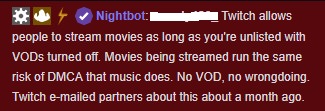
Is this for real? https://i.imgur.com/jKzM31h.jpg
 pine hemlock
Ask a lawyer.
 autumn obsidian
I have a question. My activity feed isn't display recent activity. I had a guy follow me earlier while live and it didn't display
is there a way to fix this so I see things that are happening on my twitch page?
strong kernel
Do you recall the name of the person who followed you?
autumn obsidian
klickmefish
strong kernel
That individual followed you 12 days ago.
autumn obsidian
oh that's weird. I just got an email saying they followed me while I was live earlier
median sky
@pine hemlock send me email of a lawyer Pepega
strong kernel
It's likely they unfollowed and refollowed. The system protects against that so people don't spam you with it.
autumn obsidian
ok. I did not know that. Thank you
strong kernel
No problem.
pine hemlock
@median sky there's probably a legal reddit you could ask
 nimble zinc
is there a command for !subcount
zenith widget
You can have a custom command that uses this variable in its response: ${channel.subs}
 stone kiln
Is there a way to change the standard size of the hype cup icons? I know they vary in size depending on the size of the thing (Like donating higher amounts) But is there a way to scale up the icon in a general sense?
zenith widget
You can change each different icon individually.
The size doesn't depend on the amount.
stone kiln
Oh, okay, I see it now. Thank you!
 fallow lake
Im tying to add the follower widget to my stream. The font changes on the website but it doesnt transfer over to my obs
zenith widget
@fallow lake Restart OBS as admin
@edgy notch What do you mean?
We don't announce when new additions go into the #402919550066229250 .
Its the 3rd, so most likely it will happen at some point, maybe during the weekend.
I can't guarantee this, as it doesn't depend on me.
fallow lake
thanks @zenith widget
zenith widget
You will be added eventually as long as you meet the requirements for it.
zenith widget
There are 2 ways (easy and long) to rename the chat bot.
Which do you want to know? 😃
lament blade
first easy
zenith widget
Get OBS.Live (our Plugin for OBS Studio) and then check out the pinned video in #helpdesk-selive 😉
 wet lava
anyone else having issues with their alerts sounds all of a sudden not working?
nocturne pelicanBOT
@lament blade Custom bot name requirements
- StreamElements bot modded and in chat
- Active overlay with alerts
- StreamElements tipping page in the panels below the stream (!panels)
- Create a twitch account for the name you want to use
- Ground Control app must be running
Steps to enable custom name
- Sign in to https://twitch.tv with the bot account
- Install and run Ground Control (!gc for download)
- Visit https://twitchapps.com/tmi/ and generate an oAUTH token
- Copy/paste everything in the box to Ground Control oAuth settings and enter the name for the bot account
- Restart Ground Control (custom name may take a few minutes to take effect)
Mac does not currently support renaming the bot.
zenith widget
@wet lava Are you using OBS.Live?
wet lava
@zenith widget i figured it out it was cause of the update i hate to reput in the overlay url
zenith widget
We are aware of the issue, just wanted to a confirmation and an additional step to be made before reloading or restarting OBS.
It was to send a report
You can still do it.
@wet lava ⤴
lament blade
@zenith widget
zenith widget
Yes?
lament blade
it keep sayin error om ground comtrol
zenith widget
Can you screenshot?
lament blade
lament blade
how do i do admin?
zenith widget
right click the desktop shortcut -> run as admin
zenith widget
When you open GC, it will either ask you about opening a tab, to automatically get your JWT token
or you can manually place your JWT token
nocturne pelicanBOT
@lament blade You can find your JWT token on your account channels page: https://streamelements.com/dashboard/account/channels
(Don't forget to click on "Show Secrets")
zenith widget
I suggest reading the requirements for the rename.
I can say from now that you are missing one of the requirements.
lament blade
wats that ?
zenith widget
You tipping link is with Streamlabs
You need to add our tipping link under your channel to be able to see the rename option in GC.
lament blade
i did
zenith widget
Restart GC
zenith widget
Check and see if the option is there.
lament blade
igh'
 cobalt kindle
Any way to allow a mod on my Twitch to add a user to the list of regulars? I'm thinking of requiring Regular for something, and don't want them to have to get into the whole dashboard just to add somebody.
 thin dragon
So how do i get my twitch chat to show up in my overlay?
zenith widget
Adding someone as a Regular outside the dashboard is not possible at the moment. Or at least not added as a function, but I think requested before and in our Ideas board.
@cobalt kindle ⤴
@thin dragon We have a twitch chat widget for the overlay. Just go to the overlay editor -> widgets on top and search for "chat" with ctrl+f. You should find it on the 2nd or 3rd row of widgets. Add it, save the overlay and make sure the overlay is added as 1920x1080 resolution in OBS>
thin dragon
on the streamelements website?
zenith widget
Yes
thin dragon
Thanks for the help! Been trying to figure it out all night lmao
 worldly obsidian
hi my alerts are not making sounds.
zenith widget
@worldly obsidian Are you using OBS.Live and just now updated it?
 safe pelican
Refresh Browser cache fixed that for me in the properties settings.
zenith widget
Ok then, lets skip a few steps/questions then 😃
@safe pelican @worldly obsidian Can you both either DM me your account IDs or DM me your logs from today(around the time when you updated OBS.Live)?
 hallow umbra
need support for elgato on mac
zenith widget
If this is about something related to OBS Studio and Elgato caprure card/streamdeck its best to either ask Elgato support or OBS discord guys for help.
zenith widget
try again
 void estuary
Hey Hey 😃 I am wondering if you are able to help with subs being able to use a !command to play a unique sfx sound (not using redeem points) & having a cool down of course? have been searching & not having much luck finding help with this
zenith widget
@void estuary teps to make a command trigger sound on stream:
- Go to Stream Store page here: https://streamelements.com/dashboard/store/items
- Add an item that has these settings on it:
- Stream Perk
- Loyalty settings to your desire
- (Next step) Add contents (image and sound you want to play)
- "Redeeming this item shows an alert
- Redemable via chat
- Skip Requirements
- Get the item name/command from the 2nd creation page
- Go to commands page here: https://streamelements.com/dashboard/bot/commands/custom
- Add command with desired name and have response for command as: ${redeem item_name_here}
- Go to your overlays and edit the overlay you use.
- Click on "widgets" and add "Store redemptions" widget. Click save and you should be golden.
- Test your own command in chat and have OBS or editor open to hear sound
- ???
- Profit in viewer interaction and that dosh

When you add the stream store item, make sure you have it set to 0 point cost
but at the command step, just add a cooldown.
void estuary
wow you are awesome!!! thanks so much
zenith widget
"Advanced" on the custom command
 ancient dove
my !store command isnt working. i have items in my store. theres no defualt command to turn it on or off
gentle imp
its !redeem
zenith widget
There is a default command for the store. I think it was !items
@void estuary
You can place the command for subs only as well.
@ancient dove default !store command - "store" is an alias for this command.
gentle imp
it is !items
I misread it
ancient dove
redeem, items, and store say "no items found"
lament blade
So my alerts like to play two different sounds for 1 notification, just say my follower alert. It does the pika pika sound then it does the basic stream elements overlay sound?
zenith widget
Part the bot from your channel and add it back @ancient dove
@lament blade Most likely either 2 alert widgets or 2 overlays with 2 different alert widgets.
lament blade
@zenith widget I'm running the forcefield package, so it should only be the 1 alert right?
zenith widget
By "2 overlays with 2 different alert widgets" I mean is, that you most likely have 2 overlyas added to OBS
that or this ⬇
nocturne pelicanBOT
@lament blade Make sure to :ballot_box_with_check: “Shutdown source when not visible” for all browser sources (all OBS scenes). If using studio mode, uncheck “Swap Preview/Output scenes After Transitioning.” Also keep in mind that sound can play from any overlay loaded in the browser (editor or launched). https://i.imgur.com/FegZJQS.png https://i.imgur.com/yY0wcFl.png
lament blade
@zenith widget When i get home ill check it out, thankyou
ancient dove
still no good. i added a custom command to redirect to store but i cant disable the defualt
zenith widget
@ancient dove It seems all your items are access code items, this means that they won't show up in chat via the !items command, due to them being "private" items (of sorts) - they need to be redeemed via the store.
Let me check now why the !items command isn't at least linking the store page.
ancient dove
i changed my custom alert item to redeemable in chat but it calls it out. my last store just gave the url. i know a streamer that has his setup to give the store url and past redemptions url but i can figure out how to change that
zenith widget
Well since you've added your own custom command for it, then you can leave it as that.
With this toggle you disable the command
ancient dove
@zenith widget thanks! also what is the format to regular expression? would i just write the command to my preference with the variables
 ancient dove
ok thanks ill look into it
zenith widget
@untold crest might be able to hlep more with that, as I don't remember what exactly our regex rules were
 untold crest
It is google RE2 https://github.com/google/re2

GitHub
RE2 is a fast, safe, thread-friendly alternative to backtracking regular expression engines like those used in PCRE, Perl, and Python. It is a C++ library. - google/re2
void estuary
@zenith widget is there a way of playing the sfx sounds as just a !command rather than redeemed through the store?
void estuary
ahh np ty 😃
zenith widget
What exactly do you see when you try to login?
zenith widget
Close OBS.Live and run as admin
nocturne pelicanBOT
@golden cipher Please connect your Twitch and/or YouTube channel with Discord by going to ⚙ Settings and then Connections here in Discord. https://streamable.com/eg92w

 golden cipher
what more can I doooo
zenith widget
Can you give me your twitch name?
golden cipher
iR1VE
zenith widget
Do you see the "Streamelements" button on the task bar? if yes, click it then click on "log out" and try to log in again.
golden cipher
i already tried to logout and login again
 knotty karma
hi
golden cipher
not working
zenith widget
@golden cipher How about reinstalling OBS.Live and also OBS Studio?
zenith widget
what?
golden cipher
sucuk
zenith widget
what is that?
golden cipher
something to eat
zenith widget
How about we stick to helping you resolve the issue and have any food related talks in #food-pets-irl-pics or #general-chat ?
golden cipher
okey so when we fixed the issue
zenith widget
And since the issue is related to OBS.Live, we should be using #helpdesk-selive instead of this channel.
golden cipher
we go to food
 waxen cloak
I didn't get any invitation code??
nocturne pelicanBOT
@waxen cloak The StreamElements Mobile IRL streaming app is currently in closed beta.
If you'd like to assist with testing when public beta testing becomes available, please fill out this form: https://goo.gl/forms/3DaiLckKDjeMAeVt2
This does not guarantee you to receive a Code.
zenith widget
Read what the bot posted above.
You will not receive a code if you keep asking and posting screenshots from the app like that.
waxen cloak
Y
nocturne pelicanBOT
@waxen cloak The StreamElements Mobile IRL streaming app is currently in closed beta.
If you'd like to assist with testing when public beta testing becomes available, please fill out this form: https://goo.gl/forms/3DaiLckKDjeMAeVt2
This does not guarantee you to receive a Code.
zenith widget
@waxen cloak Read what the bot says.
 wooden tapir
Ehy guys, do we have a widget or something to add a spin-wheel?
zenith widget
 wooden tapir
tyy
zenith widget
@lament blade I'd like to suggest to make a report via the "Streamelements" button
 wispy holly
Can Anyone Tell Me How Do i get an invite code for fire stream Mobile app
nocturne pelicanBOT
@wispy holly The StreamElements Mobile IRL streaming app is currently in closed beta.
If you'd like to assist with testing when public beta testing becomes available, please fill out this form: https://goo.gl/forms/3DaiLckKDjeMAeVt2
This does not guarantee you to receive a Code.
lament blade
Hi, i have an issue with the alerts, they sound twice, is there a fix to this problem because is kinda anoying please help 😦
nocturne pelicanBOT
@lament blade Make sure to :ballot_box_with_check: “Shutdown source when not visible” for all browser sources (all OBS scenes). If using studio mode, uncheck “Swap Preview/Output scenes After Transitioning.” Also keep in mind that sound can play from any overlay loaded in the browser (editor or launched). https://i.imgur.com/FegZJQS.png https://i.imgur.com/yY0wcFl.png
 zinc shale
is it possible to edit youtube video quality to highest in ground control?
its not taking the highest quality
😦
torpid estuary
You can set the quality on Youtube on one video and it should use that option in sr from then on. At least it does when you use SR in the browser @zinc shale
 midnight quail
Am i blind or is there not a way to copy paste your alertbox with sounds and everything into a new overlay? I hope i ask in the right helpdesk too 😄
torpid estuary
Yes you are! Just click on the alertbox and then click on the icon in lower left that looks like 2 sheets of paper overlapping. There you can copy it to different overlays! @midnight quail
midnight quail
@torpid estuary okay thanks! I will go get some glasses XD
torpid estuary
Haha, don't worry, there are so many pretty things to look at in the overlay manager! I get how this can be missed! 
 lament blade
HELLO I need an Early access code how do I get that???????
 grave python


nocturne pelicanBOT
@lament blade The StreamElements Mobile IRL streaming app is currently in closed beta.
If you'd like to assist with testing when public beta testing becomes available, please fill out this form: https://goo.gl/forms/3DaiLckKDjeMAeVt2
This does not guarantee you to receive a Code.
torpid estuary
@grave python i dont think it is planned to include avi. Do you have problems with webm?
zinc shale
sorry, im using it through groundcontrol @torpid estuary
torpid estuary
Yeah, you could still try to do what I said. I am not sure if it will work, but it might be worth a shot. I just pointed out that I do this for SR in browser, since I wasn't sure about GC!
zinc shale
ahh ill try it, thanks!
lament blade
That cat though Fems
zenith widget
@knotty karma Begging is not allowed on this server.
knotty karma
oke
 night hornet
How can i get a code
nocturne pelicanBOT
@night hornet The StreamElements Mobile IRL streaming app is currently in closed beta.
If you'd like to assist with testing when public beta testing becomes available, please fill out this form: https://goo.gl/forms/3DaiLckKDjeMAeVt2
This does not guarantee you to receive a Code.
night hornet
I have done that what now
torpid estuary
Now you wait and see if you are selected.
 onyx stirrup
Would the mobile app be useful for a moderator that doesn't stream?
narrow coyote
No, its a streaming app
onyx stirrup
Kk. I don't stream, but the guy I mod for doesn't seem to be super invested in the technical side of streamelements, whereas I like the technical side.
He wants to stream, I want to mod. It's a good setup 
nocturne pelicanBOT
To invite managers to your dashboard, Click on your Channel Name at the top of the dashboard and scroll down to Settings. Click the drop down arrow to expand your channel managers and then create a new invite at one of three access levels (Bot Supervisor, Editor, Full Control) Check this video out for more help: https://youtu.be/zl_h-ttZDF0
onyx stirrup
I do. But doing mobile stuff is nice. Thanks for the quick response.
 vivid drift
Hi guys, anyone else having problems connecting from obs to twitch?
Just opened it and wont connect
says the key is wrong but havent changed it
*Coudl not access the specified channel or stream key, please double-check your stream ke. If it is correct, theere may be a problem connecting to server
zenith widget
Have you tried copying your stream key from twitch into obs?
weary mist
@onyx stirrup the site should mostly be mobile friendly. The only thing that is tough is the overlay editor
 serene sentinel
nocturne pelicanBOT
serene sentinel
nocturne pelicanBOT
@serene sentinel The StreamElements Mobile IRL streaming app is currently in closed beta.
If you'd like to assist with testing when public beta testing becomes available, please fill out this form: https://goo.gl/forms/3DaiLckKDjeMAeVt2
This does not guarantee you to receive a Code.
 wooden plover
Hi! Does someone know how to disable the streamelements chatbot?
nevermind I just found it thanks!
gentle imp
why would you wanna do that? something I can help you to setup @wooden plover ?
wooden plover
Hi! I have sadly decided to stop using StreamElements, so I wanted to deactivate the chatbot as I am using another
gentle imp
you can use both tbh, but if there's anything we can help just let us know 😃
wooden plover
It is fine! Thanks for the help!
gentle imp
alright, have a good day and even better streams!
wooden plover
I am leaving the server now as I won't be using streamelements anymore, wish you the best of luck!
Thanks!~
gentle imp
cya 👋
 slender yoke
It would be so cool if we could group multiple items in the editor together and duplicate the group to another overlay
 dusty trout
I need an invite code. How do i get one?
nocturne pelicanBOT
@dusty trout The StreamElements Mobile IRL streaming app is currently in closed beta.
If you'd like to assist with testing when public beta testing becomes available, please fill out this form: https://goo.gl/forms/3DaiLckKDjeMAeVt2
This does not guarantee you to receive a Code.
lament blade
@dusty trout thats my prob too xD
dusty trout
@@lament blade I stream on PS4 and dont have a PC, so im trying to see if theres an app to edit layouts and stuff over my stream. Hopefully i can do it on this app, if i can get a code
narrow coyote
that wont work
the app is for IRL streaming. The only way you will be able to have overlays with a PS4 currently would be to stream from a PC using broadcasting software that supports a browser (web) source
dusty trout
Damn. Never mind then @nocturne pelican. Thanks, @narrow coyote
 vestal canopy
Hey guys!
I'd like to show the amount of points awarded to someone when they subscribe in chat. Can I simply add {points} ${pointsname} to the chat alerts module or will it not recognize it?
narrow coyote
I dont think that is going to work
vestal canopy
Yea I noticed that the available arguments seems to be limited. Is there any way I can notify someone in chat about the amount of points they received from following/subbing/tipping etc? 😃
jade remnant
you can always put it in the message on the variations on the editor.
unless theres an easier way to do it??
vestal canopy
hmm that is an interesting thought Tadpole
narrow coyote
You could make a timer saying what events give what amount of points, but nothing from the alerts that I am aware of
unless you just hard code the point value in the alert
vestal canopy
haha that is above my level KITE, but I appreciate the advice 😃
Thanks guys, I am gonna play around with it to see if I can come up with a solution 😃
 leaden zenith
Hello, I was wondering if set {random.pick ‘1’ ‘2’ ‘3’} to be called by !choose, am I able to enter anything to count the outcomes from !choose? Like get a tally for the different results?
narrow coyote
well, my second suggestion is pretty straight forward, you just put the point value in the alert, so the response would be something like {user} is our latest sub! You just earned 420 points!
jade remnant
420!
novel tinsel
@torpid estuary did you get in contact with one who could fix the chatstats? 😄
vestal canopy
Yea that definitely works KITE and I will use that for follows and subs, thanks! An issue is with bits and tips since I award a certain amount of points per $
I just realized the connection between your username and the 420 reference Kite
narrow coyote
@leaden zenith You would need to add a count variable for each response, example ${random.pick ‘1 $(count one}’ ‘2 $(count two}’ ‘3 $(count three}’}

vestal canopy

leaden zenith
@narrow coyote thank you! This works globally if more than one person calls it?
narrow coyote
yes
leaden zenith
And this might be really silly, but the what would be a good timeout if it is a pre lobby, spin the wheel thing, I want more than one person to be able to call at the same time but not the same person spamming.
narrow coyote
Then just set a user cool down in the advanced options of the command, and set the global to 0
leaden zenith
Ahhh, perfect. And the cool down is represented in minutes? Or chat lines?
narrow coyote
seconds
narrow coyote
leaden zenith
Lastly, after doing that, can I set a command to reset counts?
narrow coyote
${count <name> <value>}
leaden zenith
Ah, so I would have to set one for each that I am calling? Can it be done from a separate call? Like could !reset be ${count <1> <0>} ${count <2> <0>} ${count <3> <0>}. Would that reset the counts for !choose using the lines you said.
narrow coyote
if you use my count variable example, it would be ${count one 0} ${count two 0} ${count three 0}
leaden zenith
Ok, thank you so much!
 echo gull
how do i make streamelemnts bot join my channel ?
jade remnant
when youre on the SE dashboard you should see a "join room" button on the right side
leaden zenith
I went through and used that coding and it displays 0 for all instances. Can one command reset another that has the count? Would !reset {count 1 0} set !choose ${random.pick ‘1 count 1’} back to zero?
 plain hatch
Questiono: when I go to test the Kappa Gen, the christmas Kappa is still on and I have the santa hat's turned off. What do I do
leaden zenith
@narrow coyote can I tether a chat command to a store item. Like only people who have “x” can do “!choose”
“X” being like a ticket
craggy bear
So, in the online editor, is there a way to constrain the text to a bounding box? I have it display below the image, but I'm wondering if I can set the width of the text box so it then has a new line when it hits the end
 tawny herald
@craggy bear are you talking about the overlay editor
craggy bear
@tawny herald yes
tawny herald
Like you want an textbox outline?
craggy bear
Would I have to create a separate alert layer to constrain the size of the text?
Or margin of the text?
tawny herald
do you want a border around your text or control the size of the textbox? I think if you want a border you will have to paste an image of a border in and put the text on top of it but if you want to control the size of the textbox you can do so by changing the pixel size under the "position, size and setting" tab of the editor. YOu can also change which image appears in front of another by organizing add ins in the layers tab. BTW im not a support person but I have spent hours messing with my overlay so this is the best i got
 paper ferry
I'm trying to add my custom alerts I had commissioned. All are 1920x1080 webm files and the cheer and raid alerts are not working right. They are showing up as a tiny box on the left of window. How can I fix this? The other 3 alerts I added with the same file size worked fine.
craggy bear
Have you went into the sizing panel, and changed it to hxw, then x=0 y=0?
tawny herald
i think that is the default for the panel so that it adjusts to match the font size of your text. You can manually play with it and add your own pixel sizes as well. They should be on the order of 100 pixels just for reference
Also you can change your font and size in the text settings 😃
craggy bear
Yeah. less about size, more about return space. I'll play with it. I think I have an idea of what I need to do.
tawny herald
@craggy bear yeah gl mate
@paper ferry idk how to help you lol, but I wanted to ask who did you commission for custom alerts and how much did it cost? I was planning on doing a simple animation for mine but thats alot of work and idk if its worth
paper ferry
Mine are full animation so it was expensive
I need a staff member to help me and no way to tag them lol
paper ferry
$500 roughly for 5 alerts
tawny herald
@paper ferry thats what I expected, dang. can you link your stream so I can check it out and your alerts?
craggy bear
@tawny herald work with photoshop and after effects. So I usually create things that come from existing artwork/photos, manipulate them, and put them into animations.
paper ferry
it's in my discord profile
tawny herald
@craggy bear thats like a step up from what I have been doing. Im not a graphic design student so I've been messing with images on microsoft powerpoint lmaoooo
craggy bear
Right right.
I've got a thing I've built which is a TV screen on a pole. When an alert happens, it slides in, shows how many bits have been sent, then slides out.
animated bits
 cursive helm
im on my stream discord now lol, wonder where the support went
bump @paper ferry 's question: I'm trying to add my custom alerts I had commissioned. All are 1920x1080 webm files and the cheer and raid alerts are not working right. They are showing up as a tiny box on the left of window. How can I fix this? The other 3 alerts I added with the same file size worked fine.
my question: when will support for changing the chat bot name be released
narrow coyote
you can change the bot name, been able to do that for a long time now
I would help with the alerts, but I am not in a position to do so now, so you will need to be patient until someone can
cursive helm
how do I change the bot name?
narrow coyote
Either through OBS.Live or Ground Control. OBS.Live instructions can be found pinned in #helpdesk-selive for Ground Control its this
!rename
nocturne pelicanBOT
Custom bot name requirements
- StreamElements bot modded and in chat
- Active overlay with alerts
- StreamElements tipping page in the panels below the stream (!panels)
- Create a twitch account for the name you want to use
- Ground Control app must be running
Steps to enable custom name
- Sign in to https://twitch.tv with the bot account
- Install and run Ground Control (!gc for download)
- Visit https://twitchapps.com/tmi/ and generate an oAUTH token
- Copy/paste everything in the box to Ground Control oAuth settings and enter the name for the bot account
- Restart Ground Control (custom name may take a few minutes to take effect)
Mac does not currently support renaming the bot.
paper ferry
@narrow coyote I'm trying to add my custom alerts I had commissioned. All are 1920x1080 webm files and the cheer and raid alerts are not working right. They are showing up as a tiny box on the left of window. How can I fix this? The other 3 alerts I added with the same file size worked fine.
narrow coyote
 fallow lagoon
Hey guys! How are you doing? So I want to try Early Acess of StreamElements on my Mobile, what do I have to do to get the code?
 night scroll
I need cod
nocturne pelicanBOT
@fallow lagoon The StreamElements Mobile IRL streaming app is currently in closed beta.
If you'd like to assist with testing when public beta testing becomes available, please fill out this form: https://goo.gl/forms/3DaiLckKDjeMAeVt2
This does not guarantee you to receive a Code.
jade remnant
you need some chips also nick?
nocturne pelicanBOT
@night scroll The StreamElements Mobile IRL streaming app is currently in closed beta.
If you'd like to assist with testing when public beta testing becomes available, please fill out this form: https://goo.gl/forms/3DaiLckKDjeMAeVt2
This does not guarantee you to receive a Code.
night scroll
Yes
jade remnant
@paper ferry try resizing the alert boxes with the square in the bottom right
paper ferry
resizing the box doesn't fix anything
It might be an issue the artist will have to fix with the webm file
jade remnant
could you send a screen shot of it?
paper ferry
Most my alerts look fine like this one.
The cheer and raid alert get very tiny on the side
jade remnant
hmmm, strange. if you right click on the actual file on your pc and select properties then details, is the resolution the same as the rest?
if so, it might be worth delete it from the editor and reuploading it. hopefully it might just be a wonky upload
paper ferry
yes they are the same frame size
deleted and reuploaded the file twice. Still does it
jade remnant
hmmm, can i pm you quick?
paper ferry
yes
 fickle cobalt
I have betterttv and saw this !emotes command
How does one use it exactly because i do not know what I’m doing and nothing is working
 wanton jetty
Is {tier} a tag ?
https://cruxedkat.live/s/201919430506.png
LUL Whut ?

Prime subs cant be gifted
Fake Test alert
 vague folio
Hello I was wondering about the stream elements mobile app
jade remnant
you need code?
vague folio
Yes
nocturne pelicanBOT
@vague folio The StreamElements Mobile IRL streaming app is currently in closed beta.
If you'd like to assist with testing when public beta testing becomes available, please fill out this form: https://goo.gl/forms/3DaiLckKDjeMAeVt2
This does not guarantee you to receive a Code.
 cosmic harness
Hello, feels like I'm asking a stupid question here, but recently started using streamelements and imported my alertboxes from streamlabs over. Is there any way to change the size of the alertbox on the overlay?
wanton jetty
Yoink @cosmic harness
https://cruxedkat.live/s/201919514026.gif
 jade remnant
you can drag with the box in the bottom right of the widget
wanton jetty
beat ya to it @jade remnant xD
jade remnant
.....
wanton jetty

jade remnant
your time is limited
wanton jetty
😄
jade remnant
😁
cosmic harness
those are some quick well prepared answers, thanks guys 😃 just a pain as i just use alerts atm and it looked small on obs compared to on the overlay editor. But think im slowly getting the hang of it
wanton jetty
make sure your resolutions match on OBS and SE
@cosmic harness
If you need a hand let me know
lament blade
what do you prefer NVENC or h.264 when you stream cs:go
 elder sorrel
Really depends on your hardware.
lament blade
low end i5 and gtx 1050
cosmic harness
The browser on obs and the overlay on streamelements are the same resolution. Currently at 1920x1080, but I think the issue is since they the same resolution it doesnt seem to use all the space in the red box of the browser on obs. Or at least on 1920x1080
 rocky beacon
hello, does anyone know how to do auto shout outs in the chat? I have a command set up manually but lets say someone comes in, it would do an auto shout out. can i do that?
elder sorrel
Don't think that's possible @rocky beacon . Only the manual option for SO
rocky beacon
Okay, id figured i'd ask but thanks 😃
 misty owl
Hi how do I gain early access to the app
nocturne pelicanBOT
@misty owl The StreamElements Mobile IRL streaming app is currently in closed beta.
If you'd like to assist with testing when public beta testing becomes available, please fill out this form: https://goo.gl/forms/3DaiLckKDjeMAeVt2
This does not guarantee you to receive a Code.
lament blade
@elder sorrel what do you think?
elder sorrel
Go to #general-chat & read my post I pinged you 🙂
cosmic harness
Can you rename a widget under layers on the overlay?
elder sorrel
In the Overlay Editor correct.
cosmic harness
yeah
elder sorrel
@cosmic harness
cosmic harness
Oh wow I cant believe I missed that xD thank you
 wispy folio
Love the software, but had a problem. When I changed my alert sound effect. It does the new but also does the default bing too. There are no other alerts either


 wispy folio
follower
elder sorrel
Do you already have the Browser Source in OBS.Studio? Asking as having both OBS.Studio with the Overlay Browser Source & the Overlay Editor will trigger the alert
wispy folio
I do, when I close OBS Studio it doesn't do it. But I can't test with OBS with browser closed. I'll just take your word for it. I really appreciate that. Never would have though of it
wispy folio
Will do,
rocky beacon
Is there a way to use this command in one line? it doesn't seem to work. Im trying to play a sound while adding some text and showing what another streamer has been playing. "$(redeem lurk) ${1)}uses the whistle and prowls away into the dark corners of Boneville, they have been playing ${game ${1}
the sound works but not the text
basically chaining commands together
 hallow forge
I have a question, I want for example for the chatbot to show the leaderboard or whaever etc, but the only way to do that is me typing the command in the chat but it looks bad because people can see the command I typed and then the chatbot
 half plank
I am trying to donate towards this streamer and it says seller restrections
I want to know if they need to change anything from stream element or his paypal?
torpid estuary
@novel tinsel done! sorry for the delay
cosmic harness
Last question from me (I think): how do the alerts work? As in do I need to leave something from stream elements open or will the browser on obs with the overlay do the job?
strong kernel
@hallow forge You can copy the response for the command and paste it into a timer, that'd work. Check out the $(pointsname) Leaderboard here https://StreamElements.com/${channel.alias}/leaderboard
@hallow forge You can also add our panel extension to show it as well.
@cosmic harness Browser source in OBS is all you need.
@half plank Not sure what you mean. Screenshot?
half plank
Send it here @strong kernel
 pearl light
i would bet it's either a matter of hard-refreshing the page
or deleting your cookie which might have gone bad
ctrl+shift+R on that
 alpine yew
Hi all, Im trying edit the following since command is there a way I can change what it says instead of the default one?
strong kernel
@alpine yew Default command responses cannot be edited, and there's no variable available for followage. You'd need to find a custom API to handle it.
vestal canopy
is there any way to add a requested song to a permanent playlist from within ground control or the media request feature on the website? 😃
half plank
tried it and did not work @pearl light
alpine yew
Can someone tell me where I can find one of those?
strong kernel
@vestal canopy No permanent playlist feature in, just your backup playlist you set, and you'd have to manually add it to that. Cool idea though, add/upvote it at strms.net/ideas
pearl light
can you log out of StreamElements and Twitch and try to tip again?
 tight topaz
If I'm on mobile am i able to get an early acess code, if not how long before you release it to the public. When you release it will you have audio recorded via the microphone or internal
pearl light
i imagine it could be the cookie
strong kernel
@alpine yew You'll need to do your own searching to find a suitable API for it.
nocturne pelicanBOT
@tight topaz The StreamElements Mobile IRL streaming app is currently in closed beta.
If you'd like to assist with testing when public beta testing becomes available, please fill out this form: https://goo.gl/forms/3DaiLckKDjeMAeVt2
This does not guarantee you to receive a Code.
vestal canopy
@strong kernel alright thanks for the response. I just had some great music requested tonight I thought I'd like to save, but I will add to a manual play list for now then. Thanks 😃
pearl light
@half plank does the same thing happen when you try to tip other people on SE?
alpine yew
Okay thank you
half plank
let me se
pearl light
just try shroud or something
half plank
ima dm you him if thats ok?
pearl light
sure
half plank
cause idk if i post it here
narrow coyote
Seems like its a problem with their paypal account, given the error
vestal canopy
Suggestion posted 😃
half plank
@narrow coyote They have checked there paypal
and they say it seem fine
should he relink the paypal to the doantion box?
fickle cobalt
Does anyone know how the !emotes command works?
I was wondering if it could convert BTTV emotes and emote gifs into something that people without BTTV could see
narrow coyote
woudlnt hurt, but if there is a restriction on their paypal account, it wont do much
half plank
ok let me check
strong kernel
@half plank The error does indicate an issue with their PayPal account, even if it appears fine, and they should contact PayPal to investigate.
novel tinsel
@torpid estuary no problem 😃
half plank
Thank you
narrow coyote
@fickle cobalt Its used to update, activate, or deactivate emotes for the bots usage. Viewers cannot see the bttv emotes in chat unless they install the bttv extension, no way around that
fickle cobalt
Ok thank you very much
pseudo ginkgo
i was about to clean up, but ty!
 thorny pecan
I need help with the OBS Streamelements set up thing! 😅
strong kernel
Can't help if you don't ask your question