#helpdesk-twitch
1 messages · Page 356 of 1
 brisk fulcrum
 narrow coyote
For the widget? Change the theme to custom
 naive beacon
is there an issue with session data not resting when a stream ends?
narrow coyote
Yes there was, you can manually reset your session for now
naive beacon
ok,thanks
brisk fulcrum
it worked thx @narrow coyote
narrow coyote

 digital notch
How do I get an invite code for stream elements mobile
 nocturne pelicanBOT
@digital notch The app is currently in closed beta, and is expected to be available to the public by mid October.
If you'd like to assist with beta testing, please fill out this form: https://goo.gl/forms/3DaiLckKDjeMAeVt2
 elder sorrel
Just gotta fill out the form then we wait if they release it in Mid-October 😎
 still portal
Hi all - question. Newb here. Using the "Talk Show" super theme. Have modified the alertbox, but some of the notifications still come up with the dancing shark , even though I have taken the variations out. I can't seem to find any semblance of the dancing shark anywhere. Help?
 rapid oxide
Same issue as well DasBeast
I changed it to my own gif, but the shark still shows up....I have changed all the variations as well.
still portal
I'm sort of relieved to hear I'm not the only one. Thought I was losing my mind, lol
elder sorrel
Tryna get some help with that @rapid oxide & @still portal . As I see that issue occurred 3 months ago.
 nimble zinc
still portal
nimble zinc
still portal
Thanks, @elder sorrel - did a search before I posted, but couldn't find any answer other than "Check your variations", of which I have none.
 pine hemlock
Which scene
of the theme
@nimble zinc Regular mods can by default so
By default the talk show alert boxes dont have a shark gif
nocturne pelicanBOT
@nimble zinc
Chat/Bot Levels
100 - viewer
250 - subscriber
300 - __regular __
500 - moderator (twitch mods automatically placed at this level)
1000 - super moderator
1500 - broadcaster
Dashboard Manager Levels (least to most access)
Bot Supervisor (can add super moderators from dashboard)
Editor
Full Access
https://i.imgur.com/s61Liry.png
 pine hemlock
Sooo, did you add a new alert box?
@rapid oxide Snapping is where the widgets on the editor attach to others easily, you can disable it to overlap widgets etc
@still portal refer to my posts
 lament blade
Hell suport team! Do you have any information about when will it be possible to tip via SMS in Poland?
Will it even be possible?
pine hemlock
Haven't heard anything personally but you can message @serene granite or maybe hectic will read this ping
 flint junco
is it possible to deactivate loyalty completely?
flint junco
Yeah, but I mean. Deactivate also the public list
because even if this setting is on "disabled" you still be able to access the public list
pine hemlock
You can reset the leaderboard, but no i dont think theres a way to disable that link
still portal
Thanks, @pine hemlock - the "playgame" scene of Talk Show.
flint junco
Thank you
 stray veldt
Hey guys, so when I'm adding a data label to my scene on the site, how do I make the text scroll like you see on the premade themes?
pine hemlock
@still portal Can you send me an invite to your dash because i cant replicate this
nocturne pelicanBOT
@still portal To invite managers to your dashboard, Click on your Channel Name at the top of the dashboard and scroll down to Settings. Click the drop down arrow to expand your channel managers and then create a new invite at one of three access levels (Bot Supervisor, Editor, Full Control) Check this video out for more help: https://youtu.be/zl_h-ttZDF0
pine hemlock
@stray veldt Under text settings, there is a text scrolling slider.
stray veldt
Thank you 😃
elder sorrel
On Twitch's website. Get it emailed to you.
Go to your dashboard
Request email from Twitch
Wait for email
rapid oxide
A new alert box should fix the shark issue?
still portal
@pine hemlock - I got it working, after deleting the original alertbox, and just recreating it.
rapid oxide
Or is it just a recurring bug from a few months ago
still portal
Yes. For some reason, the default alertbox kept auto-populating the shark, not sure why.
Thank you for your assistance! 😃
pine hemlock
yes
rapid oxide
Is there a way to display like a grid or something to align stuff?
I wish you could import like a screenshot from OBS as the background, then you could place things just right in the editor instead of referencing OBS then moving something then referencing OBS, etc
narrow coyote
you could do a full screen preview with OBS, print screen that, and then import that into the overlay editor, or if you aligning things to images, you could always just import them and use them in the overlay
rapid oxide
For example, I built my overlay and things were not in good places because of elements in the game (covering up important game stuff, etc), I had to have elements open on one screen and OBS on the other, then move stuff a little here and a little there and keep saving and waiting for it to appear in OBS. Very inefficient.
Hmm, interesting idea
So I should be matching my overlay resolution to my output resolution or my base resolution in OBS?
narrow coyote
your canvas in OBS
rapid oxide
Perfect
The support community makes elements better than the others by itself
I almost vomited after trying to use slobs, the windows would randomly resize themselves and disappear off the screen. According to google noone else ever had the issue.
Are there any browsers that elements likes more than others?
narrow coyote
 That does not sound fun, but here, there are always people that can help
Chrome is the preferred browser, Edge is pretty much a no go
Its Chromium based, so any Chromium based browser should do well
rapid oxide
Ok, so I downlaoded ground control...how do I find my token?
narrow coyote
!jwt
nocturne pelicanBOT
You can find your JWT token on your account channels page: https://streamelements.com/dashboard/account/channels
(Don't forget to click on "Show Secrets")
 ripe kiln
can i get a invite code?
nocturne pelicanBOT
@ripe kiln The app is currently in closed beta, and is expected to be available to the public by mid October.
If you'd like to assist with beta testing, please fill out this form: https://goo.gl/forms/3DaiLckKDjeMAeVt2
ripe kiln
thank you
elder sorrel
No problem 🤘🏼
stray veldt
Can you add playlist to the streamelements bot ?
for songs request and stuff
to play in the background when there are no song request in the queue
narrow coyote
 indigo bone
Where do u reset items for that credit widget?
narrow coyote
Which one? I am pretty sure one of the widgets just shows events from the session and does not save, the other is set to display x number of events
Looks like the Grot one will just get the events from the session, and the lx one is x number of events. There was an issue earlier where the session did not reset at the end of the stream, in that case you can reset your session manually from the activity feed page @indigo bone
indigo bone
Okay thanks
lament blade
Just downloaded the app for android and i need an access code?
nocturne pelicanBOT
@lament blade The app is currently in closed beta, and is expected to be available to the public by mid October.
If you'd like to assist with beta testing, please fill out this form: https://goo.gl/forms/3DaiLckKDjeMAeVt2
lament blade
Done!
 tranquil yew
I'm planning to stream with mimoLive (https://boinx.com/mimolive/) which is a Mac based streaming application that has a browser source, and in my tests I've discovered that the animations look "jerky" when sourced through mimoLive and the text effects do not show at all.
Would there be an email for StreamElements support that I can point the developers at Boinx Software to?
(When I trigger an event in the emulator, it looks smooth in the emulator with the appropriate text effects, but not in mimoLive.)
Hope I'm in the right channel.. 😄 (Since it's not specific to any one streaming service, I don't know whether it should go in #general-chat or in #helpdesk-twitch or #helpdesk-youtube .)
 clever mango
@tranquil yew support@streamelements.com
tranquil yew
Thanks!
clever mango
you're welcome
 west spruce
I want stream elemnts
nocturne pelicanBOT
@west spruce The app is currently in closed beta, and is expected to be available to the public by mid October.
If you'd like to assist with beta testing, please fill out this form: https://goo.gl/forms/3DaiLckKDjeMAeVt2
lament blade
im new to this and am trying to figure out how to disable discord voices in my obs and also how to fix the volume amd what not ive gone to the site but am really confused can anyone help me set this up?
 zenith widget
This is not really related to us as more of a general question, but you can setup a hotkey on Discord to mute your mic and sound when you want to talk to the stream and not have your friends overlap.
There are also ways to route your audio via different outputs, but its a bit getting used to, but I personally use Voicemeter Banana and its working good for me so far.
Also I'm not sure what volume you are referring to.
lament blade
When will we receive an answer about the closed Beta?
lament blade
sorry my internet went down i got most of it fixed but stream still hears an echo how do i fix that and sorry for asking a lot of questions very new to this
like i keep repeatng myself on the stream
i have both audio input and output active
zenith widget
Don't worry about it. What type of echo do you hear?
lament blade
well i went hmm and it just repeats and doesnt stop
zenith widget
I'd suggest to take a look at your audio options in OBS and take a screenshot and show it to me
I am talking about these
lament blade
zenith widget
That seems a lot of audio inputs/outputs
so I assume when you talk into your mic, it goes via your audio output, which you hear as well.
lament blade
Yeah
zenith widget
Do you use voicemeter(or voicemeter banana)?
Although those audio input/output don't look related to voicemeeter sources 
lament blade
I haven’t installed anything is there something I’m suppose to download?
zenith widget
No. I'd suggest to remove those audio input/output sources and leave desktop and mic sources
lament blade
kk ill try seems like it might have fixed it
 vocal sedge
hello, I just changed my twitch username and now I can't get streamelements into my chat X__x
is there anyway to fix this?
zenith widget
Go into your dashboard, click part channel and then join channel
vocal sedge
is that the activity feed page?
zenith widget
http://streamelements.com/dashboard the main dashboard
 gloomy obsidian
How can I get the invite code?
zenith widget
@gloomy obsidian Check #general-chat for how 😉
@vocal sedge You are most welcome 😃
vocal sedge
i feel so silly now X__x


 meager glade
How do I promote my twitch for free? I need viewers and followers
nocturne pelicanBOT
@meager glade Are you a StreamElements all-in-one streamer and interested in stream promotion when you go live? Please fill out this application https://strms.net/sellout and if you meet the 3 requirements posted in the :pushpin: pinned message in #welcome you will be added to the stream announcements.
 pulsar gulch
Hello guys , I'm doing a 24h stream .. obs went down for a good 5 - 10 seconds and now it shows me LIVE : 16h 37min but when i type !uptime it says 42 min .. can i fix this or is it because it got restarted automaticly 😐 ?
 torpid estuary
You cant fix it, as you basically were offline and restarted 42 mins ago
zenith widget
Its because the session restarted based on Twitch's API :/
torpid estuary
Most likely your internet provider had a hiccup. Small disconnects like that happen from time to time. Normally you wouldn't notice, but when doing a 24h stream it becomes obvious
pulsar gulch
 aight , thank you for the info
torpid estuary
Np and good luck with the remaining 7+ hours
 rigid mortar
Hi there, someone else here with problem with G2A Pay? to get ur money?
zenith widget
What is the problem you are facing?
rigid mortar
last moth i got a Tip over 60 EUR and it was my first time that i use this way for the tips... so G2A parked the money for 14 Days.... i mean ok... im on vacation and now im back......I will Loggin and now im blocked from G2A
i never sell games or buy games something there.. use it for the first time and now i`m a little bit confused
zenith widget
Have you tried contacting G2A Pay support?
rigid mortar
first i cant login on support page
@ this moment i try to send a ticket without login
i hope it works
 cobalt slate
Schoutouts (So far dont work)Check out ${1}, they are playing ${game ${1}} at https://twitch.tv/${1} Automatic Some one Raid / Host a automatic promotin in chat. So far i cant find in google.
 tight harness
It's not automatic, it's a command response
cobalt slate
Yep Correct it`s not a auto command, !sc Dont work also not. how ever i look for automatic, it make me life a bit easy 😃
tight harness
Okay so the first problem I see is that the bot is not actually in your channel yet because you didn't click on the 'Join Channel' button on the dashboard
You also didn't have Viewer Requests ticked on in the Media Request page, now you do
 fair notch
is it just me or does twitch really wash out Offline pngs?
What can I do about it :/
 worldly stone
hey just wanted to ask if the widget the streamer yassuo is using for his music is one of your features or not
tight harness
@fair notch Ask in #general-chat - this isn't a StreamElements issue 😃
tight harness
@worldly stone Doesn't look like the standard one, that's for sure
worldly stone
im pretty sure its linked to his spotify, which was something you guys said, wouldn't happen for a long time, probably because of TOS issues, but it seems to be possible. thats why i was curious if it is in fact one of your widgets but with custom code.
zenith widget
Spotify's TOS forbids restreaming of music played by them ,as they basically stream it to you - or something of those sorts. Afaik its actually a License thing that Spotify does NOT have that, in term forbids restreaming of songs via them. Its one of the two.
So because of that SL removed their spotify integration and we are left with the command in #widget-share
worldly stone
that's the one for your chat, right?
zenith widget
Yes. It just pulls data from Spotify asking what is the current song on the linked account
cobalt slate
Bot is not in me channel, why most commands don`t work, so i am have turn off bot.
tight harness
@cobalt slate You had Viewer Requests disabled which is why !songrequest wasn't working, I saw that and enabled it for you. The bot was working, just you hadn't enabled the module in the correct place
lament blade
i tried to move from streamlabs to StreamElements but when i try to use the app for chrome to transfer all my things from streamlabs to streamelements it doesn't work any ideas? thanks..
zenith widget
Make sure you are logged into Streamlabs and don't close the tab
zenith widget
I'd suggest to check in your overlay just in case it has imported your overlay widgets
lament blade
yeah maybe....
zenith widget
If not, open up the dev console of chrome and try runing the import again. The error should pop up in the dev console
I've seen the import tool give an error but still import most stuff from SL
lament blade
does streamelements have the eventlist? i'm thinking maybe thats a issue
zenith widget
We have our own event list and afaik only the alert box is imported
lament blade
ah ok and how do i set up the eventlist? sorry for all the questions i really don't wanna use streamlabs anymore as its constant problems
zenith widget
When in the overlay editor, click on Widgets and fund "Event List" - add it and you should be fine
But if you want to customize it more, I can give you a code snippet you need to add into "Custom Widget" and then adjust the CSS part of it
lament blade
i mean the OBS.Live is fantastic
cobalt slate
@tight harness I am dont use songrequest, that me D.P bot, how every !gold !goldbar dont work also .
lament blade
so makes me wanna just switch everything
but yes @zenith widget that would be great
zenith widget
Sure, but some things are not imported via the tool unfortunately. Can you tell me if the alert box is imported?
zenith widget
Ok, so open up the dev console on chrome(F12), click on "Console" tab and try the import again. The error should pop up there.
tight harness
@cobalt slate How were you using the !sc command exactly? What did you type?
lament blade
ok give me a few minutes @zenith widget
ok
do you want me to post it here or? @zenith widget
zenith widget
Screenshot it and DM me the screenshot
lament blade
ok buddy
tight harness
@cobalt slate I think the problem is that we do not have any connection to your Twitch account. Click on Sign Out, sign back in and then click on Join Channel on the dashboard
 muted tusk
how can i make count up so like if i do !test then everytime exicute that command counts up like command run 10 times
zenith widget
Use variables ${count test} and ${getcount test} to just display the number
to reset the counter variable use command !editcounter test
just replace test with the name of w/e you want the counter variable to be named as
muted tusk
so how i add counter
zenith widget
Example:
!deaths
Response: "I have died ${getcount deaths}"
To increase:
!ijustdied
Response: "Oops, I just died again for a total of ${count deaths} deaths"
muted tusk
whats layout i need put as as response
narrow coyote
There is a good example in #command-share
zenith widget
you add the name of the counter in the variable it self ${count} as shown in my example.
@lament blade Sorted over DMs, didn't had SL open in another tab 
 next jewel
Hey can someone help me with a media Request thing?
zenith widget
What is the issue you are facing?
next jewel
ehm is there some way to show the video while still using Streamlabs OBS?
cobalt slate
@tight harness So far done,
zenith widget
Afaik SLOBS sometimes blocks our media share widget from our overlays
But if you are using our overlay, make sure you add the media share widget to it, click save and the in the media share page, click on "Show on Stream"
muted tusk
how i make it display on screen using overlay now now thats done by command?
next jewel
when i press show on stream does my whole screen set as the video or can i adjust it to only a corner?
zenith widget
You can adjust the widget size in the overlay editor
next jewel
ok thank you
zenith widget
@muted tusk the counter variable can't be shown on the overlay unfortunately.
 vague holly
Hey guys! Any update from SE about Monthy Top Tipper wariation that resets every 1st of the month ?
 normal igloo
unfortunately as far as I'm aware It's planned but no ETA
vague holly
Yeah, i was expecting that... But you know, was worth a try! 😄
Thanks anyway @normal igloo !
normal igloo
np 
next jewel
ehm can i make a outlay in streamelemnts but still stream in streamlabs OBS?
normal igloo
@next jewel You can But be aware SLOBS sometimes blocks the SE media share widget from they overlays
next jewel
ok
 blazing trout
nocturne pelicanBOT
blazing trout
nocturne pelicanBOT
@blazing trout The app is currently in closed beta, and is expected to be available to the public by mid October.
If you'd like to assist with beta testing, please fill out this form: https://goo.gl/forms/3DaiLckKDjeMAeVt2
lament blade
is there a stream boss of planned ?
tight harness
😄
 twin sentinel
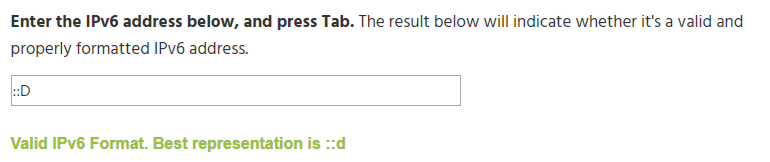
Can anyone explain how to prevent the bot from timeouting "::D" by the link protection:
already tried this without success.
tight harness
Is it not the Symbol Protection opposed to the Link Protection?
Nevermind you don't have Symbol Protection enabled, sorry I don't understand German 😄
twin sentinel
It states the reason of the Link protection "Nur subs dürfen Links posten" (in german: Nur Subscriber dürfen Links posten)
@tight harness it is on this channel https://www.twitch.tv/moonthebear

I am in Full Control there
twin sentinel
no. sorry for that. she is straming atm. I am just a mod, set up the bot yestarday... and a user got timed out today.. 😄
thx. 😄
the original message was "lol war eig ein missclick aber heyy ::DD" which got timeouted stating that the link protected was activated
tight harness
Technically shouldn't even be a link 🤔
twin sentinel
yeah thought so too. 😄
if you want me to type something for testing purpose in chat please let me know. 😄
tight harness
@turbid reef Any idea why ::D would trigger the Link Protection? 🤔
 turbid reef
@tight harness  https://i.nuuls.com/wdDrz.png
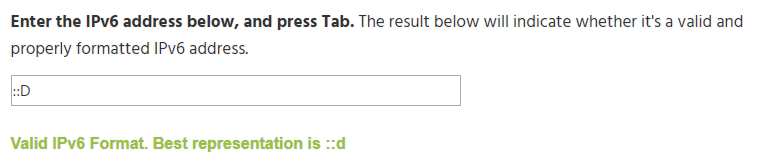 twin sentinel
ok. 😄 but can I whitelist it somehow? 😄 the whitelisting I did showing above is not working. 🙈
tight harness
We'll see if one of the two things I just added prevents it
lament blade
Hello support team! Wen i want to edit some pieces of overlays the are being dragged like magnets to other pieces of overlay. Is there any way i can freely move them around?
Tried holding alt or shift, but didnt work
narrow coyote
you can turn snapping off, its the little grid icon on the bar in the upper right of the overlay editor
narrow coyote
This channel is for support with StreamElements services themselves, a question like this is better asked in #general-chat
 untold pollen
ahhh ok sorry!
 tight nimbus
How to I get the code???
nocturne pelicanBOT
@tight nimbus The app is currently in closed beta, and is expected to be available to the public by mid October.
If you'd like to assist with beta testing, please fill out this form: https://goo.gl/forms/3DaiLckKDjeMAeVt2
lament blade
Hello, Support. I'm sure you get this question a lot: I'd like to use the media share widget via StreamLabs (Win10, x64). I can get the music to play, but the video does not show on the stream itself. I've tried thru SL's media share widget. Is there a remedy to this? I'm kinda new to this whole thing.
torpid estuary
This is StreamElements, we are not able to help you with StreamLabs.
 glass vortex
Who do I contact about getting access to the mobile application?
nocturne pelicanBOT
@glass vortex The app is currently in closed beta, and is expected to be available to the public by mid October.
If you'd like to assist with beta testing, please fill out this form: https://goo.gl/forms/3DaiLckKDjeMAeVt2
lament blade
I was referring to the StreamElements widget share feature, not theirs.. sorry
rapid oxide
Ok, so I can zoom in on my overlay but it just zooms to the center. How do I move it around to look at other areas once zoomed in?
For some reason I have the red circle with the slash through it on me screen anywhere me mouse is
narrow coyote
that would mean you are hovering over a widget that is locked
and you can use the scroll bars, or your middle mouse button to move around in the canvas while zoomed in
rapid oxide
Scroll bars do not display
Nevermind!
Thanks KITE
Is there a shortcut to zoom in and out?
narrow coyote
just all the controls on the upper right bar of the overlay editor
torpid estuary
@lament blade ok, just wanted to make sure that you are at the right place. so did you place the mediashare widget in your overlay?
lament blade
Yes
torpid estuary
ok, next make sure to open the following link in chrome https://streamelements.com/dashboard/mediarequest/general
when you are playing a song here, click on "show on stream"
narrow coyote
SL has been know to block our overlays and services with SLOBS, so we cannot guarantee reliability with their broadcasting software. We recommend OBS Studio or OBS Studio with our plug-in OBS.Live
 amber granite
 versed heart
Huh?
Hey guys, having a small problem with the follower thank. Anytime someone follows, it says= "Welcome to the Agents {user}" How do I fix it so the actual name comes up.(edited)
Don't know who to @ for help with this
narrow coyote
{user} would be to correct variable, unless you entered the response in a way it will not resolve properly.
versed heart
I haven't edited the user command, I simply enabled it
narrow coyote
 what do you mean user command, this should be in the chat alert module
versed heart
Sorry, not too familiar with chat modules. Only really use commands side of it.
Also brain no working good at the minute. 😄
narrow coyote
well, for it to thank someone for following, that is done in the chat alert module, not a command https://streamelements.com/dashboard/bot/modules
versed heart
Huh, chat alerts are already enabled?
O FFS
I AM DUMB
Welcome to the Agents [user]!
It's not the {} brackets
GG Dyslexia
narrow coyote
that will for sure do it, should be all set once you change those 
versed heart
Thanks for the help/putting up with my dumbarse Kite. 
narrow coyote
No problem
 pallid siren
hello.
I'm having a problem with the Autohost twitch chat alerts
and or followers. Names do not show up.
It worked fine a week ago. I've reset everything...
help please?
 fair pasture
me too
pallid siren
same problem?
fair pasture
ye
pallid siren
yeah I use the one computer setup so chat alerts are huge for me.
fair pasture
feels bad man
pallid siren
yep
narrow coyote
We only listen for auto hosts that are for 2 or more viewers, if it is less than this, they will be filtered out
pallid siren
it worked for 1 viewers a week ago.
Has it changed?
the follows aren't even showing up with names either
teamrufiobot: Welcome to Team RUFIO "blank"
narrow coyote
as long as you are using the correct variable {user} it should resolve
pallid siren
well it's all correct.
narrow coyote

tight harness
Put {user} and delete the variation you don't want to use
tight harness
No it doesn't
tight harness
I did it for you.
No issues at all deleting the top one and leaving the bottom one, saved with just the 1 absolutely fine
You're removing the text and trying to save it.
That's not how you remove it
You use the X
torpid estuary
it should be fixed. when did you end your stream? and are you still marked as "online" in your SE dashboard?
 lapis moat
Testing cheers on overlay editor wont work.
torpid estuary
everything else does work? followers, hosts, tips?
torpid estuary
have you made sure to enable the cheer alert on your alert box?
lapis moat
yupp.
pulsar gulch
@torpid estuary i finished like 10 min ago
but this thing is still says " Live "
on SE website
torpid estuary
yeah, might be bugged. i had the problem yesterday, but the devs know and its being worked on.
pulsar gulch
Will I lost the emails ?
lapis moat
i even just checked on a superoverlay i clicked and never edited and it and cheers wont work on that either. everything else works fine. just cheers
torpid estuary
for me it came some hours later when it happened yesterday @pulsar gulch
@lapis moat if you like you could send me an editor link for your SE and have me take a look at it. if so, please lets continue this in DMs
pulsar gulch
well i did a morning stream and i got the email but then for the evening stream didn't got it anymore ..
torpid estuary
we are aware of the problem and working on resolving it. thanks for the report @pulsar gulch
pulsar gulch
Thank you
torpid estuary
@pulsar gulch so i asked around. please go here https://streamelements.com/dashboard/activity and reset your session. then everything should be working again.
pulsar gulch
are you sure this is not gonna delete everything ?
ok I did that and now it's still says live
narrow coyote
it will just reset the session, so only per session data would be reset, which this is something that is done automatically when you stop streaming, there was just an issue with it recently
twin sentinel
Is there a chance to see all added quotes at once, like on a website or something? Because when I enter !quote, it is (correctly) showing me a random quote of the list.
narrow coyote
not at this time
 slender yoke
can I get some help using the random.pick variable?
twin sentinel
thx. @narrow coyote 
torpid estuary
@slender yoke what do you need?
slender yoke
I currently have this as my command response but it's not working $(random.pick 'big hair' 'bic lighter' 'power ballad' 'spandex' 'groupies'
oh dang I forgot the end paranthese
That did it lol
torpid estuary
slender yoke
LOL doing hints for a halloween costume reveal
 winged sundial
Hey guys and good afternoon. Just a question, what happens to the stream reports? Didn’t get one on Wednesday and also not one for today’s stream
torpid estuary
hi @winged sundial we had some issues with that. you can try to go to you activity feed here https://streamelements.com/dashboard/activity and click on "reset session" in the lower right portion. it will take a while but it should be fixed.
winged sundial
Thank you so much
torpid estuary
glad to help!
zenith widget
@lapis moat Can you send me an editor link? I would like to see if the cheer error on your overlay happens on my browser as well
 crystal sapphire
Hello! :> I'm trying to add the 'StreamElements Leaderboards' thingy Extension on Twitch. But it's just loading forever and nothing is showing up. Any idea what's wrong?
torpid estuary
it is trying to load a page that is not there yet. were you recently affiliated?
narrow coyote
Have you linked your Twitch to SE before adding the extension
crystal sapphire
Nope @torpid estuary I recently changed my name though, but it didnt work before that either.
narrow coyote
Have you linked your Twitch to SE before adding the extension
crystal sapphire
Yes
Should i remove the extension, unlink and try again?
I unlinked and tried to link again and now it says this "The Channel you tried to add is linked to a different account." Might be tied to my recent name change?
narrow coyote
I would not have suggested unlinking the account. If you changed your name you would have just needed to log out from SE and log back in for us to get an updated token from Twitch
rapid oxide
How do I get the chat bot to thank people for following, etc?
torpid estuary
@tranquil marsh you can do that via the module "chat alerts" https://streamelements.com/dashboard/bot/modules
crystal sapphire
@narrow coyote Hmm.. yeah. Because now it only says "The Channel you tried to add is linked to a different account." Annoying..
rapid oxide
Ok, I set the chat alert to work if someone follows, but the chat bot isn't posting anything
torpid estuary
so you set up your chat alerts now? did someone follow between you setting it up and now?
rapid oxide
Will the chat box work with emulate follower event via the overlay editor?
chat bot*
 raven lodge
Does streamelements take a percentage of your donations?
nocturne pelicanBOT
@rapid oxide Please connect your Twitch and/or YouTube channel with Discord by going to ⚙ Settings and then Connections here in Discord. https://streamable.com/eg92w
 torpid estuary
please do this. i will take a look at your channel then @rapid oxide
@raven lodge no, SE doesn't
raven lodge
It's weird cause on stream it said that I received 1$ but on paypal it showed up as 0.68$ or something
that's quite a cut from it, any ideas of why that would happen?
torpid estuary
@rapid oxide you dont have the bot in your channel
 steep locust
Is it possible to wipe the all time leaderboard🤔
rapid oxide
@torpid estuary It worked in me chat
narrow coyote
@raven lodge PayPal has transaction fees, so if they tip you $1, we will show they tipped $1, but PayPal takes their part for the transaction fee, and conversions if there are any
torpid estuary
have you watched the videos to get you started @rapid oxide ? your bot isnt in your channel. please watch this to get you set up: https://www.youtube.com/watch?v=UuweQah3v00&feature=youtu.be&list=PLCDDKlFdScbEwdx5AntcQIS1InkFJwHtv
torpid estuary
@rapid oxide wait, my bad, bot is in there but not modded. sorry
narrow coyote
rapid oxide
@torpid estuary Not modded?
crystal sapphire
I'm still wondering why my leaderboard under the stream is not loading.. just 3 dots bobbing. Nothing is happening.
steep locust
Moderator
torpid estuary
type /mod streamelements in your chat @rapid oxide
 weary mist
@raven lodge The basic paypal fee is 2.9%+30c. So for a $1, it is high, but averages toward 3% as you get higher amounts
nocturne pelicanBOT
@crystal sapphire Please connect your Twitch and/or YouTube channel with Discord by going to ⚙ Settings and then Connections here in Discord. https://streamable.com/eg92w
steep locust
Cans I have helps with my question
raven lodge
Ah, that's a relief! I thought the cut is 30% 😄
steep locust
Or not yet
raven lodge
@weary mist 
weary mist
@steep locust Yes, tere is a button for it on your dashboard
torpid estuary
@steep locust have you tried going here https://streamelements.com/dashboard/leaderboard/current and click on reset?
crystal sapphire
Did that now
steep locust
I did, but the all time points didn't change
weary mist
@steep locust Did you switch to the alltime page and try it?
steep locust
Nope ;-;
weary mist

steep locust
Lemme do dat
narrow coyote
You only have chat stats selected for your panel, if you changed your name, your chat stats page will be broken
we need your previous name, and then we can request someone from the staff to fix it
@crystal sapphire ⤴
crystal sapphire
ah alright, previous name was iGbergz
narrow coyote
thanks, now we just wait for a staff member to fix, I will ping you when its been done
crystal sapphire
Thank you @narrow coyote
narrow coyote
tight harness
Will do it now
torpid estuary
@rapid oxide please take the time to watch the videos of how to set everything up. if you need help you are welcome to ask here again! https://strms.net/welcome
tight harness
@crystal sapphire All done
torpid estuary
np! have fun on stream!
crystal sapphire
Thanks, so the Leaderboard Extension should work now i guess?
tight harness
Yes
Although you should also do the following: Click on Part Channel on the dashboard, click on Sign Out, sign back in and then click on Join Channel on the dashboard
crystal sapphire
Alright, did that. Seems to still only be loading.. bummer
tight harness
I know why
It's because you're trying to show Subs/Cheers when you're not an affiliate
Hide those sections in your Extension config page and it'll work
 austere delta
Yooo how do i get a invite code for stream elements on android
nocturne pelicanBOT
@austere delta The app is currently in closed beta, and is expected to be available to the public by mid October.
If you'd like to assist with beta testing, please fill out this form: https://goo.gl/forms/3DaiLckKDjeMAeVt2
narrow coyote
Its still the chat stats not loading
{"statusCode":503,"error":"Service Unavailable","message":"Failed to get chatstats"}
crystal sapphire
Alright i did that, i only have Points & Chat Stats right now. The loading continues.
Anything on my side that i can do about that?
tight harness
One moment
crystal sapphire
It WAS working for a brief minute the other day, and since then it's stopped working and i don't know why really.
tight harness
I see the issue, fixing it now
The problem is you never had a chatstats page, so when I tried to merge your old chatstats page into your new one I was merging 1 page which wasn't found with another page which wasn't found we were still left with a page that wasn't found 😄
Made you a new one
lament blade
nocturne pelicanBOT
@lament blade The app is currently in closed beta, and is expected to be available to the public by mid October.
If you'd like to assist with beta testing, please fill out this form: https://goo.gl/forms/3DaiLckKDjeMAeVt2
crystal sapphire
Oh hey it's working now @tight harness thank you so much! Really appreciate it. 😃
tight harness
No problem
narrow coyote

rapid oxide
I added a follower goal wideget now I can't see it in overlay editor!
It doesn't even show up in me layers!
But it's on me OBS
narrow coyote
are you sure you are looking at the right overlay then
crystal sapphire
Just wondering this last second, any way to reset my last account name? as it seems that name is ontop of the leaderboard? If not that's absolutely fine.
zenith widget
Are you referring to the loyalty points?
narrow coyote
you can reset in here https://streamelements.com/dashboard/leaderboard/current
zenith widget
If its chatstats - no
crystal sapphire
I think i just figured it out. !addpoints <name> -number
narrow coyote
that would work too
crystal sapphire
Anyways, thank you guys for all the help 😃
rapid oxide
OMG, do not use steamelements in anything but Chrome browser
lament blade
I have ALLWHITESCREEN and only help appears when i enter my acc
I am trying to launch it in the incognito mode but is still doesn't help
and i cleaned my cache and history
torpid estuary
@rapid oxide what happened? we recommend using chrome, especially for SR. i use FF tho and have no problems so far
tight harness
@lament blade Tried Ctrl + Shift + R?
narrow coyote
Something could be blocked as well, like JavaScript, or one of the 2rd party services that we use
narrow coyote
Not sure I follow what you are asking, and why are you always using me instead of my
 proud pumice
cuz british? 
narrow coyote
Their Twitch page said they are from Florida, so I was curious 
lament blade
entering dashboard and all i see is
with incognito mode cleared cache and ctrl + shft+ r
still doesnt help((((
maybe someone had the same problem
idk
narrow coyote
something is most likely being blocked, I would expect there to be errors in the console using the developer tools F12
 upbeat orchid
WOW...
zenith widget
@lament blade I'd suggest to force enable javascript on Chrome
narrow coyote
There are so many timeouts, and if it works a very small percentage of the time, it might be an issue with your ISP
 opaque spoke
How can u get code for early access to the mobile app?
nocturne pelicanBOT
@opaque spoke The app is currently in closed beta, and is expected to be available to the public by mid October.
If you'd like to assist with beta testing, please fill out this form: https://goo.gl/forms/3DaiLckKDjeMAeVt2
opaque spoke
Done ty
 hollow lava
hello all, was wondering if anyone might be able to help me with a problem i am having
 waxen skiff
Hi! For whatever reason, my subcounter doesnt seem to want to update to my actual sub amount. Ive refreshed my cache in OBS a few times, tried to load in a different widget "total subscribers" to replace my current one to no avail.
torpid estuary
@waxen skiff go to https://streamelements.com/dashboard/session and edit your totals as needed
waxen skiff
ill try that again
it didnt work apparently lmao
yeah its not updating still lmao idk why. My subcount is like 20 too high on Total Subcribers widget
 carmine ivy
i can't seem to find themes that are already made!
 barren mulch
Um hi I just got the stream elements app and logged in to twitch but said in I need a invite code but never got one I'd there a way I can get a invite code
nocturne pelicanBOT
@barren mulch The app is currently in closed beta, and is expected to be available to the public by mid October.
If you'd like to assist with beta testing, please fill out this form: https://goo.gl/forms/3DaiLckKDjeMAeVt2
narrow coyote
@carmine ivy they are in the themes gallery https://streamelements.com/dashboard/themes
barren mulch
Ok thank you
waxen skiff
@winter zenith have any ideas?
rapid oxide
When switching between scenes there is a significant delay before the overlay loads in?
nocturne pelicanBOT
@rapid oxide Check out this tutorial for OBS’ studio mode which allows you to preload scenes before transitioning. https://www.youtube.com/watch?v=W8iWsD2Lq3U
 winter zenith
@waxen skiff the thing is we get this data from twitch itself. So either something isn't working with the session data or twitch is twitchy again
A relog should have solved the issue. Since it didn't I would say twitch is twitchy
waxen skiff
twitch does act pretty twitchy sometimes lmao
ill give it a few days and see if it fixes itself haha thanks again
winter zenith
Sadly the name comes with the problems 🙈
 pine hemlock
I remember twitch twitter saying something about sub display recently
pine hemlock
yesterday
but it says on the analytics page i think

🔎 We're investigating an issue with the display of subs and revenue on the Channel Analytics page. Thanks for the reports!
Likes
364
 Twitter
says it was fixed too
so idk
waxen skiff
yeah thats weird idk
pulsar gulch
Hello , one of the email's from stream elements with the stats is missing .. any chance to check it somewhere ?
pine hemlock
Theres no place to check it if the email isnt displaying properly, no
when is the email from
 worthy salmon
Is there anyway to get a code for the app
nocturne pelicanBOT
@worthy salmon The app is currently in closed beta, and is expected to be available to the public by mid October.
If you'd like to assist with beta testing, please fill out this form: https://goo.gl/forms/3DaiLckKDjeMAeVt2
worthy salmon
K thx
winged sundial
can someone help me sizing this cup I tried to resize it but it stays the same
narrow coyote
You need to go into the change cup section, and use the scale cup slider
winged sundial
well that was an easy fix thank you very much
narrow coyote
 copper bobcat
Is slots rigged to lose a LOT? I have the win percentage set at 200 and EVERYONE has lost. No wins in like 50 gambles LOLOL
weary mist
!slots
nocturne pelicanBOT
The slider increases the payout if you manage to win
Less than 100 on the slider means people will not win money over time using the slot machine. 80-100 is a good range
less emotes = higher win chance
its like 5 emotes = 3%, 4 emotes = 7%, 3 = 12%
actual formula : n / n^3
n = number of emotes
 dusky bluff
Is this the right channel to ask about an invite code for the android app?
nocturne pelicanBOT
@dusky bluff The app is currently in closed beta, and is expected to be available to the public by mid October.
If you'd like to assist with beta testing, please fill out this form: https://goo.gl/forms/3DaiLckKDjeMAeVt2
 carmine abyss
i team just need a bit of help with an extension I have seen it before on other peoples streams to show their roster. Does anyone know the name of this so i can add this to my stream pleasE?
rapid oxide
Viewer count in the OBS plug in and the viewer count on twitch are different. Any idea why?
 weary garden
can i get some help please?
 grizzled peak
Hello, I used the use in portrait mode but has not switched. any help is appreciated
if someone could direct message me that would be great.
 white crow
Can i get some help i'm in the voice support
zenith widget
@carmine abyss most likely not out extension.
@rapid oxide viwer count on obs.live takes a bit longer to update but eventually shows the same number
@weary garden @white crow what are the issues you facing?
@grizzled peak im not sure what you mean. Can you provide more details?
 ivory onyx
Hi Can i ask for some help ? Im new to stream elemtns
ivory onyx
Just want to know if stream elements has the function to stop stream for the site ?
tight harness
Where are you streaming from? Because you'd use that to stop your stream
ivory onyx
@tight harness sent you pm. If you dont mind
lament blade
Where can i get this early access Code for the App?
nocturne pelicanBOT
@lament blade The app is currently in closed beta, and is expected to be available to the public by mid October.
If you'd like to assist with beta testing, please fill out this form: https://goo.gl/forms/3DaiLckKDjeMAeVt2
 pliant fjord
Hey Guys, If i'm not streaming and someone donates does it still go through'
zenith widget
Yes. You can see the tip in your activity feed at any time, regardless if you are streaming or not.
You will also receive an email from PayPal.
tight harness
And you can replay the tip if you wish
 pine drum
does the subscriber alert not support videos in .webm format? 😦
zenith widget
It does. We even recommend using .webm
tight harness
@zenith widget I was typing exactly the same thing
zenith widget

pine drum
Oh, I'm dumb... I pressed "change image" instead of "set video"
so of course I couldn't select my webm there 🙄
tight harness
Ahh, that'd do it 😄
weary garden
@zenith widget i figured it out thanx anyway
zenith widget
 👍
👍
tight harness

 gloomy steppe
heya, can someone tell me why the keybinds on groundcontrol are not working for songrequests? 
zenith widget
Its a known issue for those keybinds.
Unfortunately, we do not plan on fixing it on current version of GC and also Media Share is known to be buggy on current version of GC.
Its best to use the website dashboard for that.
gloomy steppe
gotcha, ill do that instead then
zenith widget
Keybinds should be fixed when we release GC v2.0, but that will most likely happen after we finish OBS.Live V1.0
gloomy steppe
sounds great, thanks for the fast help 
 gloomy steppe

 final horizon
Hello, I got a question about the Giveawaybot that is implented from StreamElements. When I set up a giveaway through the dashboard and started it, the bot says in the chat that I have started a giveaway but to buy tickets theres the command !ticket in it.. But from the commandpage its !enter ... Is there a way to change it ?
zenith widget
!ticket and !enter are the same commands. I think !ticket is an alias for !enter so check that command out and see the aliases
final horizon
It was indeed an alias 😄
Thank youuu 
1 other question .. when i start a giveaway.. the bot says : StreamElements a giveaway has started "Door Giveaway" PogChamp say !ticket 10 to buy 10 tickets .. Can I edit the text of this ?
zenith widget
The actual response is a default one, so that is not editable unfortunately.
final horizon
Aah okay,, got it.. thanks anyway 😄
zenith widget

 stable compass
I need help please
tight harness
Ask the question 😃
stable compass
i want to make a streamelements acc by connecting it to my twitch account
but bcz i already logged in into another account, now it logs my in that account every time even if i log out
tight harness
Log out, clear your cache, log back in
Make sure you're logged into the correct account on Twitch
stable compass
how do i clear cache?
tight harness
Alternatively, log in using Incognito Mode
Depends on your browser, do a google search for how to clear your browser cache using your browser
tight harness
Alright
tight harness
No problem
 rain zephyr
Hello is here someone who can help me?
tight harness
Yes a lot of us, what's your issue?
rain zephyr
I made some Donations.. on my bank account there transfered but on the streamers account not.. where is the money atm?
tight harness
Was it through PayPal or G2A Pay?
rain zephyr
g2apay
tight harness
Okay, G2A Pay takes 7 days after a tip has been made to become available for withdrawal
So that's not unusual
rain zephyr
okay.. nice to know.. thanks for the fast answers.. 😃
tight harness
No problem 😄
 slender mulch
is there a watchtime leaderboard?
tight harness
All-time leaderboard is basically a representation of watchtime because you only get all-time points from watching
slender mulch
oh ok thanks
tight harness
No problem
 whole lake
Where can I find my JWT token
nocturne pelicanBOT
@whole lake You can find your JWT token on your account channels page: https://streamelements.com/dashboard/account/channels
(Don't forget to click on "Show Secrets")
stable compass
@tight harness can i ask you a question about streamlabs?
tight harness
It's not our product so preferably not
stable compass
Ok :(
pine hemlock

 hard niche
Can anyone tell me how do i get an invite code?
nocturne pelicanBOT
@hard niche The app is currently in closed beta, and is expected to be available to the public by mid October.
If you'd like to assist with beta testing, please fill out this form: https://goo.gl/forms/3DaiLckKDjeMAeVt2
hard niche
Sure im up for it.
tight harness
Then fill out the form 😃
hard niche
Already on it thanks 😁
tight harness
No problem
hard niche
I've filled it out. Thanks
tight harness
All good 👍
tight harness
Not sure, sorry
lament blade
Still waiting for my Code. I am so exited to use this App
tight harness
It takes time for the applications to be processed
lament blade
@tight harness MAKE IT FASTER!!!!😉🤣
tight harness
It's not my department 😄
lament blade
@tight harness damned. 🍻


 tight harness
😄
 wooden harbor
can I ask a question here about the follower goal widget?
tight harness
Sure
wooden harbor
thanks, I have added the widget to my overlay but the numbers don't match my twitch channel
and the current follower number seems to change
tight harness
This is because it's a Goal widget and therefore it counts up 1 when you gain one, there is also a Total widget which shows the Total amount instead as it sounds like that is what you're after
Hope that explains it 😃
wooden harbor
the widget displays in stream elements that I have 36 out of 50 followers but that is 39 followers on my channel
tight harness
Right, so you've gained 36 followers since you signed up to us or last reset it, I'm assuming the former
wooden harbor
its has also changed to 6/50 and 48/50 on occasions
tight harness
You can manually set it at Activity Feed > Widget Data > Goals
wooden harbor
I set the goal to 50 but couldn't see an option to add the current follower total
tight harness
That's what you'd say at the destination I just mentioned
You can manually say what you're at there, but to be clear again it's not designed to show your total count, it's designed to count up 1 when you gain 1, it won't go down 1 when you lose 1
Because it's not a Total count, that's what the Total widgets are for
wooden harbor
so the current follower total displayed in the bar chart is since I joined SE?
tight harness
No, the Goal is since you joined or last reset it, Total is Total
barren mulch
Um hi I filled out the form for the early beta and I know that I might not get a invite code but how long does it usually take to get informed if you got one
wooden harbor
i'm not sure if you get my issue
elder sorrel
@barren mulch Currently they're projecting to release it by Mid-October.
No guarantee if that'll occur so we just gotta wait to see what they do 😃
barren mulch
Ok but don't some people have it already
wooden harbor
I have added 50 followers as my target, the widget has auto populated my current follower count to the widget (I haven't added any numbers in terms of my current follower count.). I have 39 followers, the widget shows a bar displaying 50 as the target and 36 as my existing follower count
elder sorrel
Yeah cause it's in Closed beta.
 fallen drift
how do i delete a timer command again
i have to type a command in chat but i forgot what it was
barren mulch
Oh ok thank you
elder sorrel
@fallen drift https://streamelements.com/dashboard/bot/timers

StreamElements
The Ultimate All in One Platform for Streamers
fallen drift
what
elder sorrel
Click on the trashcan on the timer you want to delete.
fallen drift
it doesn’t give me the option tho
elder sorrel
Do you have your screen minimized? As you may have to scroll right to see the Pencil / Trashcan icons.
elder sorrel
No problem 🤘🏼
tight harness
@wooden harbor What i'm explaining to you is that you have received 36 followers since the widget started counting, the widget starts counting from either: a) you signing up to us b) you resetting the goal. You haven't reset that goal that means you've received 36 followers since signing up to us. You can change the count for the goal at the destination I told you about (Activity Feed > Widget Data > Goals), once you change it there you click on Save Changes and it changes
If you follow the instructions your problem is over, or if you just simply use the Total Followers widgets it'll show you your Total Followers
You're assuming that it's auto-populating from Twitch like syncing but it's not, it just simply counts up 1 when you gain 1 follow event
wooden harbor
I only added the widget today and haven't been signed up to SE for long, less than a week maybe and haven't had that many followers in that time. Its not a big issue anyway so I'll leave it for now. Thanks for the info
tight harness
When you added the widget doesn't matter
The goal is counting regardless of when you add the widget
And like I say it doesn't re-adjust itself when you lose followers, so you've had 36 followers since you signed up to us but it's very possible you lost some too
wooden harbor
👍
tight harness
👍
 wanton laurel
Ok i am here
wanton laurel
So i think i submitted the bot, how would i know if i did or didn't?
wanton laurel
Ok it's there
tight harness
Yeah it is 👍
wanton laurel
Ok so when it says latest follower and subscriber do i have to name them?
tight harness
You're not an affiliate so you won't have subscribers yet
But when you have your next follower it'll automatically fill in the Latest Follower section
tight harness
Correct
 drifting cradle
How can we know when someone subscribe?
tight harness
Either an alert box (overlay) or chat alerts (modules)
drifting cradle
Can we automatically say thank for subscribing like that?
tight harness
Yes
elder sorrel
It is preset that way 😃
drifting cradle
How?
tight harness
As American said it's automatically set up to thank people for any event
drifting cradle
Ok thanks appreciate
tight harness
Just set them up and they're good to go, there's videos on our youtube page which explains how to set up both
wanton laurel
Ok so why is my overlay backround green?
tight harness
Because that's the background colour we chose
If you see green it means that part of the overlay will be transparent
wanton laurel
My whole thing is green
tight harness
That would suggest you've not added anything yet
Which sounds about right because I only just told you about overlays 😃 nothing to worry about
 compact tapir
So I'm trying to get audio to play when a command is typed in chat. Any help? I have this response: ${sender} gives ${1} ${random.1-100} cookies! ${redeem cookie}
The commands name is: cookie
tight harness
Did you make a sound item in your stream store called cookie too?
compact tapir
yes
tight harness
And did you add the Store Redemption widget to your overlay?
compact tapir
Yes @tight harness
tight harness
@compact tapir So my suspicion is that the issue is that you added more to the command response than just ${redeem cookie}, by adding ${redeem cookie} it does redeem that item but it would seem that if you add more to the response than just that it voids the redemption, you could try adding it to the start of the command response but I don't think it'll make a difference 🤔
 hoary pebble
So I am not sure if this has been posted before but I think I found a bug, and it’s to do with the media share widget and the media request so let me explain.
Let’s say you request a song and it starts playing, half way through the song you want to turn on/off the widget it starts the song again but the widget thinks the song is half way through and the song restarts on the media request screen, once the bar on the widget gets to the end the song stops and goes to the next one. I hope you understood what I am trying to say.
tight harness
@hoary pebble Curious question, why are you turning the widget on/off half way through?
lament blade
hi
hoary pebble
So when I start my stream I sometimes forget to turn it on and when I do remember it’s sometimes halfway through a song
compact tapir
@tight harness Hmm ok.I will try that!! Thank you!
lament blade
do you know how to put sfx?
tight harness
@compact tapir No problem
@lament blade Yes, make a sound item in the stream store
wanton laurel
It's bot letting me save
tight harness
@hoary pebble My suggestion would be the put the song to the start before enabling the widget in that case
hoary pebble
Because I am playing a game it’s not like I can just drop when I am doing when the song finishes or starts, it’s a case of doing it quickly
tight harness
@wanton laurel Save what?
lament blade
@tight harness ok but when y redeem a sfx it does not sound
tight harness
@lament blade Then you haven't added the Store Redemption widget to your overlay yet
wanton laurel
So i am on my editor and when i want to leave it i got to click save and it won't work
lament blade
where is this widget?
wanton laurel
@lament bladeshould be at the top left of your screen
tight harness
@lament blade It's in Widgets, when you're editing an overlay it's in the top left
lament blade
ok
tight harness
@wanton laurel Save in the bottom left?
wanton laurel
@tight harnessyeah
lament blade
i can do that if i am streaming for my mobile?
tight harness
It should say in the bottom right if it saves successfully or not, what does it say?
lament blade
from*
tight harness
@lament blade Yes
lament blade
ok thanks
wanton laurel
When i click it i lt doesnt say anything
tight harness
A lot easier to set up your overlay from a PC, but it should be possible from a mobile
As long as the overlay manager opens on your mobile
lament blade
ok
tight harness
If not, you'll need to use a PC
lament blade
i need the link because i stream in stream-labs
lament blade
yes
torpid estuary
@wanton laurel what browser are you using? Also, please open the console in browser with F12 and tell us what error is displayed when you click the save button
tight harness
@wanton laurel That overlay you added, you put it at 900p, it's a premade overlay that should have been added at 1080p
wanton laurel
@torpid estuaryi am on a tablet.
@tight harnesshow am i supposed to do that i can't save to go back
tight harness
Delete it and remake it with the correct resolution this time
wanton laurel
How do i add it back?
wanton laurel
5 right?
tight harness
There's 5 pieces to the themes if that's what you mean
wanton laurel
Yes
tight harness
Then yes 😃
wanton laurel
1080 right?
compact tapir
@tight harness it still says invalid user input. 😦 Oh well. lol
tight harness
It would seem that you can only have the redemption variable on it's own then
So ${redeem cookie}
wanton laurel
Is that it wasn't saving?
tight harness
That shouldn't have prevented it from saving, no. Just a problem I noticed
I'm going to make a change to your overlay and then try to save it
compact tapir
@tight harness it would seem that way. Maybe in the future!
tight harness
@wanton laurel It says "Saved!" in the bottom right, it's saving just fine
@compact tapir Absolutely, if you want to make suggestions like it just simply post them here: https://strms.net/ideas 😃
 true lichen
hey guys! just wondering if anyone could help me with a problem i'm having in twitch please?
tight harness
@true lichen Post the problem and we'll see
true lichen
thank @tight harness ! 😄 whenever i use the !followage command stream elements replies with 'X has been follow Y for 4 months' but then a few seconds later posts 'User ${touser} does not exist'
i've disabled the followage command in default commands and then it just replies with User ${touser} does not exist
wanton laurel
I had that problem too
tight harness
@true lichen ${touser} isn't a variable of ours, is it another bot posting that?
true lichen
no it's streamlabs posting it
tight harness
Streamlabs isn't our bot
true lichen
sorry.. streamelements
the commands came across from nightbot but i've gone through and edited / deleted them all... and now they all work fine apart from this one
wanton laurel
@tight harness i am clicking save, nor respond
tight harness
It's because you added a custom followage command which isn't necessary because we have a default one standard
wanton laurel
@tight harnessme?
tight harness
No
wanton laurel
Ok
tight harness
@true lichen Only Nightbot is replying to that command for me
true lichen
sorry sean...the channel i'm on about is 'blameava' ... i'm helping her set up her channel
tight harness
Right
true lichen
but i'll have the same issue when i do mine later
tight harness
I deleted it from yours
tight harness
Checking out blameava's account now
Going to try rejoining the bot
That fixed it
Just had to Part Channel and Join Channel
true lichen
oh yeh
didnt think of that
thank you very much @tight harness ! i'll keep that in mind when i move mine as well
appreciate the help
tight harness
No problem 😃
wanton laurel
@tight harnessi am still having trouble saving
tight harness
Voidsmind asked which browser you're using and you replied tablet, but what browser does your tablet have?
wanton laurel
I am on google atm
wanton laurel
Wym?
tight harness
Web browser
What program you use to browse the web, not what website you search on
wanton laurel
I am assuming chrome
tight harness
We need to know for sure, because Chrome has no issues with our website but something like Safari would not be as recommended
wanton laurel
Ok now i am on chrome
tight harness
Alright, try it again
Because when I was testing on your account with Chrome on my PC I had no issues with it saving
wanton laurel
Ok it is still not letting me save
elder sorrel
You're still on the tablet right?
wanton laurel
Yes
elder sorrel
Depending on the screen size of your tablet: It could be saving as it shows the 'Save Successful' on the far right of the overlay which you may have scroll over to. Trying to see if it occurs with mine.
tight harness
Sounds about right 🤔
wanton laurel
So the save button os on the bottom left correct?
tight harness
Save is in the bottom left and the "Saved!" notification is in the bottom right
wanton laurel
Because that is the one i am clicking
tight harness
What American said is that it might just be you're not seeing the notification
wanton laurel
When i click "Exit" there is a box that pops up saying "you have unsaved changes"
tight harness
And it gives you the option to save it before leaving 🤔
elder sorrel
Tried it on mine. It came up on the bottom for me when adding / removing in the overlay.
Using an iPad faded from the bottom up "saved!" Vertical & Horizontal screen size.
tight harness
So it does work on mobile devices, just not yours for some reason
 fierce lynx
Hello. I am having an issue with the tipping settings. When I try to open it, all i get is a blank white page. on the dashboard, "path to glory" earn money from tips, has a green check mark, and the get paid button is greyed out. is there any way to reset or access everything?
tight harness
Try the following: 1. Clear your browser cache 2. Go to chrome://settings/content/cookies and add streamelements-yoink.netlify.com to your allow list, allow cookies in general 3. Press Ctrl + Shift + R while looking at the white screen
fierce lynx
did all of that, still getting blank, white, page.
tight harness
Try this https://cdn.discordapp.com/attachments/199460642975907840/496317546514087946/2018-09-19_14-37-19.gif

 fierce lynx
It seems to be working now. thank you. o7
tight harness
No problem
 subtle stream
doi you have to give your self points to redeem stuff from your own store? or is there a setting I'm missing
tight harness
Nobody is exempt from the cost of an item in a store
subtle stream
so I give my self points, Will I show up on the leader board?
tight harness
Yes
But if you're giving them just for redemptions then it's a temporary increase, won't matter much
subtle stream
smh alrighty
 idle marsh
My OBS is missing the minimize / enlarge / exit buttons on the top right and I can't drag it to my other screen. It's been like this for a couple days.
Full screen i see
tight harness
Are you sure you didn't accidentally fullscreen the program?
tight harness
Ahh you did say, didn't see the second line 😄
 iron valley
Hey I'm super looking forward to this feature "Add ranks to the Loyalty system" is there any release date?
https://streamelements.helprace.com/i178-add-ranks-to-the-loyalty-system
tight harness
There isn't an ETA for it to my knowledge
 split hazel
Does anyone know if you can get in trouble for streaming a game with in game voice chat and people are playing music over the in game voice ? (Don't know if I explained it well enough)
 stuck hamlet
You are responsible for everything that is seen or heard on your stream.
split hazel
Alright ty for the info 😃
 trim spoke
Hey guys hope I'm not in the wrong place. Im here for the invite code for the phone app :)
nocturne pelicanBOT
@trim spoke The app is currently in closed beta, and is expected to be available to the public by mid October.
If you'd like to assist with beta testing, please fill out this form: https://goo.gl/forms/3DaiLckKDjeMAeVt2
tight harness
No problem
 idle flare
where can i submit ideas?
i'd like to submit the idea to have a regular betting system
where users can wager their points and then if they are correct get double their points if they are wrong lose.
elder sorrel
@idle flare https://strms.net/ideas
elder sorrel
No problem. 🤘🏼
Also for future reference that'll be found in the #💭︱feedback-and-ideas section 😉
idle flare
doy. thanks
elder sorrel
Actually @idle flare wanted to ask something. That sounds similar to the Duel Chat module system?
As SE does have the Chat module to enable Duels to let viewers win / lose points. Not sure if that's the same as I should have mentioned that first (still learning the info :notlikethis:)
 glacial island
Can't get my code it keeps saying code has expired
nocturne pelicanBOT
@glacial island The app is currently in closed beta, and is expected to be available to the public by mid October.
If you'd like to assist with beta testing, please fill out this form: https://goo.gl/forms/3DaiLckKDjeMAeVt2
elder sorrel
Oh okay. I like the example listed 😃 Just wanted to be sure.
glacial island
Alright done the form
tight harness
👍
elder sorrel
Awesome, Venom 🤘🏼
nocturne pelicanBOT
@lament blade The app is currently in closed beta, and is expected to be available to the public by mid October.
If you'd like to assist with beta testing, please fill out this form: https://goo.gl/forms/3DaiLckKDjeMAeVt2
lament blade
Oh ok
tight harness
👍
pulsar gulch
hello guys , is it possible to get that email from SE with stats ?
i'm missing one email
tight harness
Did you put it into Spam or Unsubscribe from it? That's usually the issue
pulsar gulch
i never unsubscribe from it
it worked very well but on 3 Oct i did mornign stream and night stream
 rose lake
Hello I have some questions
pulsar gulch
got the one from the morning but the one from the night is missing
and it's not in spam , i checked that
rose lake
How do I import overlays other people have made I did it before where there was a whole list of them
tight harness
@pulsar gulch I see, sadly I don't believe it's possible to send you a report for the night one, but it is something we're aware of and I believe something we will be addressing when possible
pulsar gulch
I see , ok then . Thank you ^^
tight harness
@rose lake On My Overlays you've got a button that says 'Import from other channels', this allows you to import from either other channels you have connected to our site or from your dashboard managers
rose lake
It doesn't work I can't click on it
tight harness
That would suggest you don't have anywhere to import an overlay from
rose lake
Right
tight harness
You don't have any dashboard managers or any other accounts connected
If that changes then the option will be available 😃
rose lake
I wonder how I just found a massive list of overlays before then
tight harness
You mean Themes Gallery?
tight harness
Ahh 😄 thought you meant the option to import from those other people, but yeah Themes Gallery are our own pre-made overlays for you to use
rose lake
Thank you for your help
tight harness
No problem
rose lake
Now if only I could actually get some viewers 🤔
tight harness
Best of luck 😄
rose lake
😃
 somber void
where is the jwt oken in the dashboard/
nocturne pelicanBOT
@somber void You can find your JWT token on your account channels page: https://streamelements.com/dashboard/account/channels
(Don't forget to click on "Show Secrets")
somber void
aiight thanks lol could'nt find it
rose lake
How do I get the overlay link after I'm done editing it?
tight harness
Click on Launch in the bottom left
rose lake
ty
tight harness
No problem
wanton laurel
Question
tight harness
Ask away
wanton laurel
Is there a way i can put my donations on screen?
And how do i set my minimun amount of money?
tight harness
You mean as they happen or past donations?
wanton laurel
I just want to know for future refences
tight harness
Well everything you need is in Widgets when you're editing an overlay
wanton laurel
Ok and what overlay do i put that on?
 dim birch
Hi there, I wanted to install the stream elements obs, and it is being filtered as a trojan
wanton laurel
Do i have to have a face cam box?
zenith widget
If you don't want to or don't have a camera - no.
narrow coyote
You can put whatever you want in any overlay you want, its up to you