#archived-modded-support
1 messages · Page 683 of 1
 robust bison
yeah
 royal arrow
although, you have Toshinori installed, check the mod description to confirm it's not one of the errors listed on there
robust bison
I don't really care for the gunter one, since I'd need to delete some stuff in the SVE json file, but its the CPA that concerns me
royal arrow
yea for CPA, it might be Toshinori, you can check the mod description to confirm
robust bison
ok yeah, mod author said its a harmless bug
ok and just to clarify, since it's been so long, the usual yellow text wall from PPJA is fine right
royal arrow
As long as you're not wanting to use the stuff that's being ignored, you're fine
 lone dragon
like an unadded item is fine if you dont want said mod
robust bison
"no output for x, this rule will be ignored"
robust bison
looks like mainly shaved ice items
royal arrow
yup Lillie and I both noted that if you're not wanting to use the stuff that's being ignored, that's fine. It's likely an optional pack (I should make a quote about this soon)
robust bison
yeah, I only got that mod since it was a dependency or something, so It's fine
 heavy sail
looks like mainly shaved ice items
@robust bison Those are just because the optional pack, PFM Flower Pack, isn’t in the mod folder.
royal arrow
As for mods editing Cursors, I searched the log, and this list may not actually be all inclusive but these are the ones I found:
Invatorzen's Dialog Changes
Starblue Valley
Better Water
Yellog Flower Dialogue UI
SVE
as Lillie noted, check the content.json for those mods (although...idk if you want to brave the SVE one lol) to see if the patch to Cursors isn't Replace and is instead EditImage
robust bison
what about context sensitive cursors?
royal arrow
that's a SMAPI mod
royal arrow
you can try temporarily toggling it off, but you can't really search it lol (unless you build the mod)
robust bison
well if it happens again I'll just reload the gane
now just time to wait for deepwoods and the jukebox to crash my game]
 rugged fiber
I had a thought about some connection issues: If the person connecting to me has the same mods, but slightly out dated, would it cause sync issues?
royal arrow
it could, yea. With multiplayer, it's definitely recommended to have the same versions of mods
!mpmods
 native dragonBOT
See https://stardewvalleywiki.com/Modding:Player_Guide#Do_mods_work_in_multiplayer.3F for details on how mods work in multiplayer. :)
 cloud compass
👋 hey y'all! i'm playing modded using sve and some other stuff (on a mac) when playing by myself, but started two multiplayer games with friends recently, and wanted to play unmodded in those bc it felt simpler. i followed the instructions here (https://stardewvalleywiki.com/Modding:Player_Guide/Getting_Started#Can_I_have_different_mod_groups.3F) to create a new mod group, but... starting the game this way means not starting through steam, which means i lose my steam friends and ps4 controller support. i've gotten around this by using the same command mentioned in the mod group instructions in the StardewValley executable in the steam stardew valley application directory, but is there a less dumb way to switch back and forth while using steam?
robust bison
if you want to play unmodded, just launch the StardewValley.exe instead of the SMAPI one
if that's how it works on mac
 main wagon
anyone able to tell me why all my modded items are showing as errors?
cloud compass
@robust bison that's basically what i'm doing, but i want to open sv via steam for both unmodded multiplayer and modded single player for controller support.
robust bison
in that case, you would have to reset the launch options.
cloud compass
oh thanks, i didn't even know you could do that! looking in steam now.
royal arrow
You can have an empty Mods folder, and still launch through SMAPI
royal arrow
So you could still use Steam launch options and modgroups
cloud compass
yes, i do have an empty mods folder. i've just never used launch options before so i'm not sure how to specify the modgroup there
but it looks like i could figure out how to specify the modgroup and then potentially create two separate shortcuts using the two modgroups, yeah?
royal arrow
Ah, gotcha. You don't touch the launch options for the modgroups, but you make the shortcut, and edit the target instead
I have a ton of different modgroups using that
So you could name the folder Hehe No Mods or something, and edit the target per the modgroups article
cloud compass
oh nice!
 viscid pond
@main wagon It looks like you have some duplicate items in your JA files; this is causing JA and then Spacecore to crash, which explains all your error items. I'm not familiar with the JA packs you're using, but one of the items giving your problems is 'Aloe Leaf'.
royal arrow
Also Brooklynn, you can share your log by uploading to the parser site below, it makes it easier to read and share
!log
native dragonBOT
Can you upload your SMAPI log to https://smapi.io/log (see instructions on that page) and share the link here?
cloud compass
@royal arrow when you say edit the target, you mean the run.sh file that's created? or do you literally drag your mod folder into shortcut package contents? the run.sh file just says open steam://run/413150 so i'm unsure how to modify that given the mac (or windows/steam) instructions on the mods info page.
hmm maybe i can just append on mac too
royal arrow
!modgroups
native dragonBOT
See this link for how to load different mod groups: https://stardewvalleywiki.com/Modding:Player_Guide/Getting_Started#Can_I_have_different_mod_groups.3F.
Do you want to play Stardew Valley with mods? This guide is for you!
royal arrow
I was referring to Windows because that's what I'm familiar with
the article specifies per OS, what to do. I know nothing about mac 
cloud compass
yes it does, but the instructions are pretty different for mac.
heh okay :)
fwiw the mac instructions are pretty on par with the regular windows instructions, there's just no equivalent to the "windows (steam)" section
i'll try appending and see how it goes! thanks for the help. 🙏🏻
royal arrow
Good luck! 🤞🏽And if you work out a way to do it that's not specified in the article, feel free to let us know here! We can revise the wiki page 
lone dragon
mac is closer to linux is some regards
cloud compass
yep! the mac and linux instructions are pretty similar, they just don't account for opening via steam (same as the basic windows instructions).
lone dragon
you could do this: set the steam launch as normal, then set a desktop shortcut as your config
if mac lets you do that
thats how i set mine to launch steam without hidraw, so controller wont disconnect
because steam switch driver doesnt like the other driver i use
yea it looks like you can just make a desktop shortcut to launch whatever mod group
royal arrow
That sounds like how it works for Windows  it'd be cool if it was the same ._.
robust bison
not as bad as MacOS
royal arrow
They all have their strengths and weaknesses 
cloud compass
🤔 @lone dragon how exactly did you do that, out of curiosity?
lone dragon
Do you want to play Stardew Valley with mods? This guide is for you!
here on the mac part
cloud compass
yeah no i've done that, but it doesn't open the game via steam.
lone dragon
did you do this?
~/Library/Application\ Support/Steam/steamapps/common/Stardew\ Valley/Contents/MacOS/StardewModdingAPI.bin.osx --mods-path "Mods (multiplayer)"
tag steam on the front?
like
steam ~/Library/Application\ Support/Steam/steamapps/common/Stardew\ Valley/Contents/MacOS/StardewModdingAPI.bin.osx --mods-path "Mods (multiplayer)"
which map
 shell dagger
Normal one
lone dragon
SVE?
robust bison
SVE or Karmillyas Immersive Maps
cloud compass
eurgh "steam: command not found" i wonder if steam has a different name on the cli on mac
robust bison
I spelled karmilya wrong, idk how to spell it
shell dagger
Thankyou.
lone dragon
hmmm
royal arrow
Karmylla I think
lone dragon
yea i have no clue, mac handles cli differently
cloud compass
uh i don't think the desktop icon created by steam itself works? it opens steam but it doesn't actually launch sv or even take me to the sv page in my library 🤔
lone dragon
open it up in a text editor
cloud compass
for you though, it's just steam as the application name on the cli?
lone dragon
yep
cloud compass
(which steam got me nothing, interestingly)
lone dragon
steam opens steam
steam appid://00000 opens the game
like
firejail --noprofile --blacklist=/sys/class/hidraw/ steam steam://rungameid/413150
thats what i use
which i only use it to disable steam controller mapping
cloud compass
that makes sense, and what i'd assumed, only that part's not working for me
okay so in my case on mac, creating a desktop shortcut within steam puts it on the desktop as an application, and i can right-click and choose "show package contents"
lone dragon
try this
/Applications/Steam.app/Contents/MacOS/steam_osx
just paste that into a terminal
see if it opens steam
cloud compass
inside is info.plist, macos, and resources. macos has a run.sh with the contents open steam://run/413150 but that's the desktop shortcut i've confirmed doesn't actually open sv
ooh interesting
ugh a postscript
hah it did
okay so yeah maybe i can use that
lone dragon
so put that in front of the command file for your mod group
cloud compass
overengineering my desktop shortcuts is absolutely my idea of a good time
yeah lemme try that
lone dragon
90% of linux is copying and pasting
so searching it up and hacking stuff together is useful
cloud compass
that definitely opens steam
but i tried to combine it with the existing SMAPI_multiplayer.command contents as recommended by the mod wiki doc and that didn't work
so all it's doing right now is opening steam, not sv
lone dragon
hmm
cloud compass
i wonder if i can mash this together with the windows (steam) instructions now though
ie, this: -applaunch 413150 --mods-path "Mods (multiplayer)"
it might be too much to ask that the flags are the same on mac
lone dragon
you could do the custom command steam launch with ~/Library/Application\ Support/Steam/steamapps/common/Stardew\ Valley/Contents/MacOS/StardewModdingAPI.bin.osx --mods-path "Mods (multiplayer)"
cloud compass
omg i think that worked
lone dragon
oh neat
cloud compass
i tried what you suggested first actually, since that was closer to what's in the mac docs
but that opened steam but not any version of stardew (smapi or not), frustratingly
cloud compass
haha yeah
if only we hadn't diverged from you at bsd this would be so much easier to debug
lone dragon
yea mac is more unix/bsd, but also more restirctive
since linux is built on years of bruteforcing code
cloud compass
thanks so much for your help! i'm gonna go eat dinner but i'll confirm that this works when i get back. if it does work, is this worth adding to the wiki in the same way that windows has steam-specific instructions?
lone dragon
would be helpful if it works yea
royal arrow
Yea I have editing powers for the wiki (as do other folk), so if it works, if you could put it nice and simple here, I can pop it into the wiki page 
 sweet agate
hi, i was wondering if i could get some help with modding my game - the only other game i've ever tried to mod was the sims 4 but that somehow was a lot easier? anyways
i was trying to install and use armitxes' unlimited players mod (https://armitxes.net/Projects/StardewValley/UnlimitedPlayers) but ran into some problems. when i first followed the directions on the website's installation tab, i would get an unknown error from steam. based on suggestions from old forum posts, i removed "D:\Program Files (x86)\Steam\steamapps\common\Stardew Valley\StardewModdingAPI.exe" %command%" from my steam launch options, and was then able to open up the game from steam. my friend, however, said they still had a "no available cabins" message when they tried to join the farm. i tried using the pages in the wiki to troubleshoot, but now i'm just unsure of what to do.
any and all help would be super appreciated! thank you so much
i should mention i'm on mac
 shy orbit
!log
native dragonBOT
Can you upload your SMAPI log to https://smapi.io/log (see instructions on that page) and share the link here?
shy orbit
(on mac you don't need to change steam launch options)
lone dragon
the mac thing was for a different issue
it was launching a mod group with steam, as the other thing wouldnt launch steam
sweet agate
i copied the link from the greenbox at first, maybe this is the right one (from the top of the browser)
shy orbit
okay, you don't appear to have the mod installed
sweet agate

shy orbit
Nexus Mods :: Stardew Valley
Remove the hardcoded cabin and player limit for Stardew Valley multiplayer mode.READ DESCRIPTION!
did you get it from here?
sweet agate
yes
i can try downloading it again
uh, no. i was using the browse local files option via steam
shy orbit
hm, i would've thought that it would give the correct location, but if you have a method to open that path or verify that the path is correct otherwise it would be good, because there have been problems with mac before in this respect
sweet agate
i just went the long way, it looked the same but maybe it wasn't
and i just need to drag and drop the files from the download into the mod folder, correct?
shy orbit
that should work yeah
sweet agate
i'll see if i can test it
shy orbit
i have a way to check it too if you can't figure it out
sweet agate
i'm not sure if they should just be able to join, or if i have to build them another cabin
shy orbit
have you verified first that the mod is installed?
it should show up on the log if it is
and on the smapi console as well
shy orbit
it's the terminal window that opens when you launch the game with smapi
but yeah, the mod doesn't seem to be installed
shy orbit
it stays on the background after the game launches so you might not see it if you play fullscreen for example
 leaving this here in case it helps...
 devout pumiceBOT
[#5031] "If you're looking to learn more about how to read your error log, there's an annotated one here  https://m.imgur.com/SRfOvKB" - LenneDalben (30 Aug 2020 @ 11:43:35 PM UTC)
sweet agate
in theory, i should be able to launch stardew with smapi from steam, correct?
shy orbit
yep
sweet agate
no terminal. i think i installed smapi wrong
shy orbit
This page explains how to install SMAPI (the tool which lets you use mods) on MacOS. See also:
here are instructions for the install
royal arrow
From your log it looks like you installed it correctly, because you have a Mods folder, and Console Commands and Save Backup are inside the Mods folder o.o (they're bundled with SMAPI)
shy orbit
yeah, unless steam replaced the launcher after the log was generated it should already be installed
sweet agate
i followed those when installing
shy orbit
that should show you what's inside the Mods folder
 dreamy patrol
Hello, sorry to interrupt but i have a problem. After trying to install the newest update of Stardew Valley Expanded i keep getting an error message that says unsupported format 1.18.000 and I was wondering if there was any fix to this.
shy orbit
update content patcher
dreamy patrol
ok thank you
royal arrow
Also no worries about interrupting, we're used to multiple conversations around here
dreamy patrol
lol yeah i have many things i need to update
shy orbit
shouldn't matter
shy orbit
nice
cloud compass
cc @lone dragon and @royal arrow: confirmed that did work. what i did: i followed the Mac instructions under the mod groups section of the mod page, except for step 3 i edited the file to this instead:
/Applications/Steam.app/Contents/MacOS/steam_osx -applaunch 413150 --mods-path "Mods\ (multiplayer)"
(i also confirmed that for this command you deffo have to escape the space in the directory name.) i now have two of these, one for single player that points to my regular mods dir, and one that points to the multiplayer mods dir. both open steam, which opens smapi, which opens stardew valley. i get steam controller support and my friends list both ways. 👍
lone dragon

royal arrow
(Thanks! I'll update the wiki page tomorrow because I am super beat tonight  )
)
lone dragon
i have 9 and a 5th pages of modded shipment items 
 mint belfry

lone dragon
turns out like a few pages were from mods i didnt even use
or wasnt gonna use
dependancies i tell ya
 nimble elbow
https://www.nexusmods.com/stardewvalley/mods/1150
@strange mural I belive this is the mod that I use for it

Nexus Mods :: Stardew Valley
Provides helpful information about things around you designed to help you be aware of what's going on without feeling like you're cheating.
also has a lot of other stuff that you can toggle on or off
lone dragon
so almost everything was from artisan valley, which i dont need for more fruits/trees
Artisan valley and a few others
lone dragon
i cleaned up the mods i didnt need and im getting some warning from item bags about it, but i dont know how to fix this
lone dragon
okay i think i fixed it
 thin cipher
Hey does anyone know how to get the custom npcs to work? Trying to use sailor styles but I get this kind of error
lone dragon
!log
native dragonBOT
Can you upload your SMAPI log to https://smapi.io/log (see instructions on that page) and share the link here?
heavy sail
@thin cipher one thing i should mention, even though it probably isn't related to the issue, your Content Patcher and SpaceCore are way out of date.
thin cipher
After updating content patcher and spacecore it still doesn't work
Yeah
The rest of my mods work on android, is the field it's looking for a json assets thing or a main game thing?
 outer turret
Does anyone else wander through and look at abandoned and outdated character mods and want to adopt and update them?
heavy sail
Yeah, i have. There's one in specific that was just a replacer that I turned into a standalone custom npc, i'll have to check up on who it was because i dont remember. Btw, that mod was originally an XNB mod.
thin cipher
Has anyone figured out how to get custom npc on android to work?
outer turret
The one I'm currently eyeing up is Clarice. She seems a delight. I've messaged her creator but goodness knows if theyll ever respond.
 sharp belfry
oh hey, I use that one xD
outer turret
As a Clint replacement?
I'm contemplating making her standalone. Made her a house out of the silo in East Scarpe. Haven't actually installed her into my game yet (need to formulate a schedule). If i get e permission to adapt her I night write her some more heart events.
sharp belfry
As a Clint replacement?
ye
outer turret
He other one in interested in is Alec. He uses a different format but it should be easy enough to convert
sharp belfry
I got a different, nicer set of portraits for her from somewhere on tumblr but hell if I know where it was now
lone dragon
i kinda wish SVO had options for all characters to disable outfits, like if i wanted adarins replacers but still want seasonal outfits on the rest
or seasonal adarins
outer turret
(I'd like to see them Jani if you were willing and able to PM me?)
 bitter summit
@lapis void Thanks for the heads up about using farmhouse extended yesterday, The folder was renamed to farmcaves in the mod pack. How confusing.
 stoic cove
hey guys, does anyone know any mods that makes Ancient Fruit crop bear fruit everyday instead of every 7 days?
i'm using Farming Made Easy Suite but for some reason it doesn't seem to apply to Ancient Fruit. Bother ; (
 tidal elbow
Is there a mod that keeps track of all incomes and expanses and creates a nice graph with it?
 prisma delta
What mod allows me to have the in-game debug that I can see tile coordinate?
 rain lava

Nexus Mods :: Stardew Valley
Press a button to see a debug info overlay, and optionally unlock the game's built-in debug commands (including teleportation and time manipulation).
prisma delta
♥️
 turbid wren
Soo earlier today i was trying to open sdv with smapi on macos 10.15.7 and smapi didn’t respond. I later realised i was using an older version, so i downloaded the most up to date version of smapi. However, it continued to not work. I had a couple of mods that weren’t updated, but i have played with mods that weren’t updated before and it had worked fine. I finally resorted to vanilla, but i would like to play with mods again, so... has anyone else gotten this issue and if so, how can it be solved? Thanks in advance and srry for textblock T^T
shy orbit
!log
native dragonBOT
Can you upload your SMAPI log to https://smapi.io/log (see instructions on that page) and share the link here?
shy orbit
if it was generated
turbid wren
Oop- i don’t think i can do that rn but thanks
 tiny meadow
hey, how do I make the categories appear to the left of the magic chest when using mega storage mod?
or does it not work with convenient chests because they add UI elements there?
the categories are turned on in the config, they just don t seem to appear
tiny meadow
i've turned off the categorize option from convenient chests thus eliminating the UI elements there but mega storage categories still won't appear
 royal tundra
I vaguely recall that is a current incompatibility with the Convenient Chests mod and the creator was working on it?
 torpid kettle
Does anyone know how to get the spices from the ppja recipe mod? It says they’re artisan goods and that I have to ship them, but I can only find them for purchase.
shy orbit
that's the only way to get them as far as i know
 finite flume
hey guys so i lost the link of the recommended smapi mods could I have it back? 
found it! just had to search a little bit in chat
 severe oak
Oh yeah crossplatform thing
Yeah I think you just need to change one of them to match the other, I would change the EntryDll value to be capitalized
You should let the mod author know
 calm niche
Still looking for this one mod, it increases the resource and gold cost to build farm buildings, I had it installed previously but now I cant find it anywhere, if anyone knows what it is please let me know!~
 chrome oak
SEASONAL FLOORINGS WORKED
YES
it looks so pretty
I just removed starblue and done
And now I have pretty trees from other mods
 real sage
i'm having trouble with Get Glam, I have a handful of packs installed for it and none of them are working, like the shoes, hair, faces, accessories, etc
real sage
i tried to get a log, but "The page was not displayed because the request entity is too large."
finite flume
hey is nexus the only thing that let's you download mods? because it's asking me to pay because the mod i want is too heavy for the free version and like i don't want that ;;
i tried to get a log, but "The page was not displayed because the request entity is too large."
@real sage i don't know much about mods but could it simply be because you have too many packs and the mod can't handle it?
 tawdry edge
I updated Babysitter with Leah as a new babysitter
https://www.nexusmods.com/stardewvalley/mods/5348

Nexus Mods :: Stardew Valley
Gives your children a little more personality by adding in dialogue, likes, a default schedule, as well as the choice of nine babysitters (Alex, Sebastian, Maru, Abigail, Shane, Emily, Linus, Sam and
royal tundra
@finite flume
Stardew Valley mods are really light compared to Elder Scrolls ones, what mod is giving you that error?
finite flume
npc location
real sage
i started a new file to get a fresh error log, so https://smapi.io/log/1cc139ee10534725a9c9e3e4c1c7b3cb
tawdry edge
@finite flume npc map locations?
finite flume
yup!
tawdry edge
can you just click on manual download then slow download?
finite flume
nope, ill show you what it tells me
tawdry edge
yeah post a screenshot
tawdry edge
i have that as well but it should just mean you can still download, it'll just be slow
finite flume
oh ok, i'll try again then
real sage
if youve got smapi, then just hit download
finite flume
yeah it worked now!
idk why it just gave me the prenium option earlier but now it's all good! thanks everyone
real sage
looks like i'll need to ask again later
robust bison
what's the problem?
@real sage there's a lot of errors, but none of them are Get Glam
real sage
I can't get the functions in GetGlam to work, I posted a log up above. The mod itself is there and I have the dresser and the interface, but there's no shoes, and just the default noses and faces, despite having a handful of packs in
the accessories and hairs dont work either
robust bison
It doesn't look like any packs are loaded in as mods
but I don't know if they appear under get glam in the log or not
real sage
i put all the pack folders into the getglam folder to keep them together
robust bison
I'm not familiar with get glam, do packs appear as mods or are they like potraiture files, where they don't show up in thje log?
real sage
i have no idea
before now i played with the outdated anthro farmer mod, where i couldnt use getglam
robust bison
it could be something that changes clothing/farmer base, but I'm not familiar with GG, so I'm not really sure
 wet jacinth
Hi, Ive been trying to host a coop game with my girlfriend using mods, but her game shows continuously the message " only the host can perform this action ". Even when she is just doing normal actions, successfully.
Any idea how to remove this message?
real sage
you both got the same modlist?
wet jacinth
yes, except 2 cheat mods that I only got myself.
also the same mods settings
This is the mod list. Are any of those incompatible or something like that?
sharp belfry
i put all the pack folders into the getglam folder to keep them together
@real sage uhh yeah don't put them in the getglam folder. you can make a folder and then put getglam and the packs for it in it instead.
real sage
That works, thanks
okay so
when i change shoes, i dont keep my skin color sdlfkjhgsfdg
wet jacinth
@real sage I fixed it. Thanks for the hint
real sage
:D
nimble elbow
hey is there a mod that lets you search for recipes when cooking?
lone dragon
i think ccranberry is working on something like that
it has a search, sort, actual cooking mechanic
nimble elbow
ah nice
lone dragon
@stoic cove doesnt look like a mod that does that exists, i dont know if farming made easy excludes it
but with mods that change regrowth time, sprites, etc you need to replant the crop
oh
famring made easy doesnt modify ancient fruit
hmm
or it does?
i was looking at the wrong id
might wanna see what your settings are in the mod
shy orbit
you can start here https://stardewvalleywiki.com/Modding:Player_Guide, and for SVE there is a install guide after you get smapi installed from the first link https://github.com/FlashShifter/StardewValleyExpanded/wiki/Install-guide
 solemn sedge
hello i'm hving trouble with the sve expanded mod
here is what it says: [SMAPI] Changed save serializer
[SMAPI] --------------------------------------------------
[SMAPI] These mods change the save serializer. They may corrupt your save files, or make them unusable if
[SMAPI] you uninstall these mods.
[SMAPI] - PyTK
[SMAPI] - TMXL Map Toolkit
it's in yellow.
shy orbit
!log
native dragonBOT
Can you upload your SMAPI log to https://smapi.io/log (see instructions on that page) and share the link here?
lone dragon
your missing a few mods
 unreal stratus
Hi there 👋
lone dragon
and sves famous "spring_z tilesheet" error is there
shy orbit
spacecore, content patcher and farm type manager
the error is there because the content patcher pack of sve isn't loaded
unreal stratus
For anyone using the Shaved Ice Mod
https://www.nexusmods.com/stardewvalley/mods/5388
Where the hell do I get the ice lmao

Nexus Mods :: Stardew Valley
Everyone knows there's no such thing as TOO much ice cream... so here's 26 new recipes and a Shaved Ice Machine for good measure.
 lapis void
!log @buoyant solstice
native dragonBOT
@buoyant solstice Can you upload your SMAPI log to https://smapi.io/log (see instructions on that page) and share the link here?
solemn sedge
ok
lapis void
@unreal stratus if you have khadija's recipe shop, ice sometimes shows up there. if you don't, check gus and pierre's shops
unreal stratus
@lapis void Great point. Thanks!
 buoyant solstice
how do i find the log?
lapis void
the instructions are all in that link in Governor's message!
buoyant solstice
solemn sedge
oops the log i uploaded was an old one i got the other mods required to play sve: ttps://smapi.io/log/6e772b4948aa45f79b113621375e1940
lone dragon
your fine chicken
buoyant solstice
Processor Intel(R) Core(TM) i5-4460S CPU @ 2.90GHz, 2901 Mhz, 4 Core(s), 4 Logical Processor(s)
is that what u wanted or did i grab the wrong thing
lone dragon
thats the cpu, which is fine
smapi crashed while trying to draw/render
im thinking its a gpu/ display issue
lapis void
it doesn't look like the mod i linked you in #vanilla-tech-support is installed right now, hmm
!compat
native dragonBOT
See https://smapi.io/mods for a list of mods updated for the latest versions of SMAPI and Stardew Valley. :)
lapis void
let me check real fast and make sure it still works
yeah, it should--are you sure you installed it correctly? it should be unzipped and placed in the Mods folder
lone dragon
your not the one with that issue chicken
solemn sedge
ok
lapis void
@solemn sedge the mod is loaded. do you mean the farm map isn't changing? you need an optional download for the SVE farm map
lone dragon
your game seems fine, Sve adds new characters and locations, going through the game should show new buildings
i think there is one in the town next to the beach bridge
lapis void
@buoyant solstice could you screenshot your mods folder so we can see why the Window Resize mod isn't loading?
lone dragon
Do you want to play Stardew Valley with mods? This guide is for you!
should be the general location for windows, mac and linux
buoyant solstice
its working kind of! thank you all so much, i hope it wasnt too much work for yall to help me
im also sorry i forgot the mod itself, i'm kinda dumb😅
lapis void
no worries! hopefully it's working well enough to make the game playable for you 🙏
buoyant solstice
The game is running really well! Had to zoom out a bit but it's perfect now
cloud compass
heads up @royal arrow i have a small update about those instructions from yesterday (#archived-modded-support message): i figured out that when doing things this way, the flag doesn't respect a space in the folder name. so i changed my folder and my command to "Mods(multiplayer)" rather than "Mods (multiplayer)", and that worked fine. 🤷♀️

Discord
Discord is the easiest way to communicate over voice, video, and text. Chat, hang out, and stay close with your friends and communities.
royal arrow
Oh, good thing I didn't edit it yet hehe
royal arrow
@cloud compass to clarify: the part that needs to change in the wiki is
/path/to/StardewValley/StardewModdingAPI.bin.osx --mods-path "Mods(multiplayer)"
change to
/path/to/Steam/steam_osx -applaunch 413150 --mods-path "Mods\(multiplayer)"
and then the "example" will go from this
~/Library/Application\ Support/Steam/steamapps/common/Stardew\ Valley/Contents/MacOS/StardewModdingAPI.bin.osx --mods-path "Mods (multiplayer)"
to this /Applications/Steam.app/Contents/MacOS/steam_osx -applaunch 413150 --mods-path "Mods\(multiplayer)" ?
cloud compass
yes but you don’t need the space!
*the slash
i tried to do that (the slash) the first time to escape the space but it turns out something is just cutting off everything after the space, so escaping it wasn’t the problem.
cloud compass
yeah it was in quotations and still didn’t work.
lone dragon
"Mods (multiplayer)" would work for the most part on linux
cloud compass
mac normally respects it in quotes; my best guess is that because the arg is getting passed through like three programs, something gets weird.
(like, when i did this with the existing mac mod group instructions and didn’t try to send it through steam first, it was fine. who knows!)
lone dragon
mac is weird
royal arrow
I finally made the update to the wiki! 
https://stardewvalleywiki.com/Modding:Player_Guide/Getting_Started#Can_I_have_different_mod_groups.3F
 silent snow
Hello
How do I uninstall SVE completely so I don't get the "removed invalid villager to prevent a crash" message?
This is for Android
royal arrow
That message is simply SMAPI telling you it cleaned up your save. As long as you follow the uninstall instructions for SVE, you're good.
!sve
native dragonBOT
Stardew Valley Expanded (https://www.nexusmods.com/stardewvalley/mods/3753) is a mod which adds a lot of new content and areas to the game. It has many dependencies, so be sure to follow the install guide which is on the github wiki along with FAQs and troubleshooting steps for common issues: https://github.com/FlashShifter/StardewValleyExpanded/wiki
royal arrow
The uninstall instructions are in the github link above
 sterile scaffold
lone dragon
sterile scaffold
lone dragon
smapi has to be installed manually
royal arrow
!gettingstarted
native dragonBOT
If you would like a guide to setting up mods for Stardew Valley, check out the getting started guide! https://stardewvalleywiki.com/Modding:Player_Guide
royal arrow
This includes instructions on how to install SMAPI ⬆️
robust bison
does moddrop have a mod manager?
lone dragon
yep
robust bison
is it any good
lone dragon
no clue
 keen moss
What Wrinkle posted is a screenshot of ModDrops mod manager. We don't recommend mod managers for SDV but between Vortex and MD, MD's is a bit better.
 shadow zodiac
Does the spacious greenhouse mod work with the SVE?
robust bison
it should
shadow zodiac
viscid pond
there are special instructions for using greenhouses with SVE
check the installation instructions on the Nexus page
shadow zodiac
eh says nothing about using it with SVE
viscid pond

GitHub
The Stardew Valley Expanded mod for Stardew Valley. - FlashShifter/StardewValleyExpanded
shadow zodiac
ty
shell dagger
I am looking for mod that not only expands the farm but the town, ect
robust bison
!sve
native dragonBOT
Stardew Valley Expanded (https://www.nexusmods.com/stardewvalley/mods/3753) is a mod which adds a lot of new content and areas to the game. It has many dependencies, so be sure to follow the install guide which is on the github wiki along with FAQs and troubleshooting steps for common issues: https://github.com/FlashShifter/StardewValleyExpanded/wiki
robust bison
use with IF2R
lone dragon
sve lets you use whatever map you want for the farm right?
shy orbit
you can use any farm replacement yes if you mean that
shadow zodiac
umm so i got the automate mod and i dragged it into the mods folder and ran SMAPI but its not working?
lapis void
!log @shadow zodiac
native dragonBOT
@shadow zodiac Can you upload your SMAPI log to https://smapi.io/log (see instructions on that page) and share the link here?
shadow zodiac
lone dragon
looks fine
robust bison
what's not working?
lone dragon
did you put a chest next to something and put something in the chest
shadow zodiac
yea i put a chest beside a furnace and had logs inside the chest (or am i doing it wrong? )
lone dragon
you need coal
lapis void
wood doesn't go in a furnace
lone dragon
wood goes in that kiln thing
lapis void
charcoal kiln, yeah, to turn it into coal
for a furnace, you need coal and ore (early game would be copper ore)
bitter summit
Anyone know the problem with server Always On mod, or a more recent update? https://smapi.io/log/fb92abb9a0454b04a09b275c8ad5bba1 It works but spams errors, creating a large text file in a short time.
calm niche
Do recolors like Starblue valley work with Stardew Valley Expanded?
shy orbit
exterior recolors do yeah
 candid plover
hey all, I was in the middle of a cutscene with an SVE NPC and my game froze after panning up.
Here's my SMAPI log: https://smapi.io/log/15546681fd62422eb542ad299831247c
any and all help is very appreciated!
viscid pond
did you recently uninstall an custom npc mod? the game is looking for files for Denver, but not finding them and crashing
viscid pond
odd, I don't see Denver in your mod list..
 sand cloak
Oh I'll double check
I readded, will resend a log file after
Thank you @viscid pond !
viscid pond
np
 dire fractal
hello guys, can anyone tell me how to add custom maps to the game? i instaled Stardew Valley Expanded via Vortex and Immersive Farm 2 via vortex, the expanded game works, even the basic farm is different but i dont have the immersive farm 2 on the list. Thank you.
dire fractal
ah so it replaces the basic map? the first one on the list?
viscid pond
yes
dire fractal
because when i started it. it was different from the base game
robust bison
yes
dire fractal
but it wasnt the immersive farm one
like the bus was still on the right side of the map, plots werent the way the maps is, etc
robust bison
send a screenshot
dire fractal
ok
launching the game, 1 sec
well
i had to remake the char again cuz it didnt save, and the intro was old like in regular SV but after the screen went black the farm is this time changed to the immersive farm 2 lol
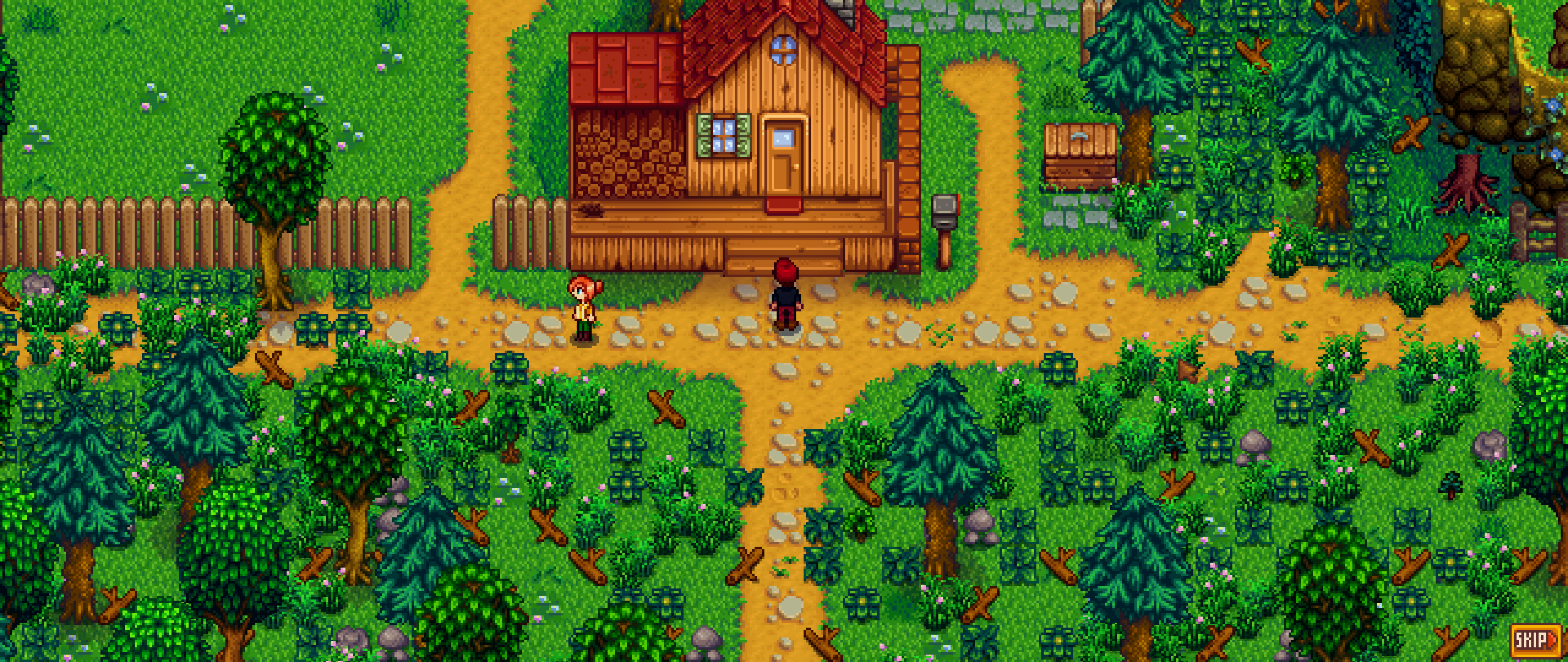
well, ty for the quick answers guys, even if it was a bit wierd it jumped between the maps somehow and i ended up on the immersive one.
 limpid stag
So I'm using Child to NPC, and the CP for that mod that is compatible with SVE. However, the sprite for the child is stuck at the in game toddler sprite, even if the portrait is working as intended. Any idea why?
 fleet marsh
Does anyone know if there's any easy or graceful ways to like...swap out mod sets so you can have different mod packs for different savegames?
robust bison
!modpacks
keen moss
We don't like those 😛
Are you looking for mod groups? https://stardewvalleywiki.com/Modding:Player_Guide/Getting_Started#Can_I_have_different_mod_groups.3F
(I don't think there is a command)
native dragonBOT
See this link for how to load different mod groups: https://stardewvalleywiki.com/Modding:Player_Guide/Getting_Started#Can_I_have_different_mod_groups.3F.
Do you want to play Stardew Valley with mods? This guide is for you!
keen moss
Oh there is
limpid stag
Showing here that portrait is working
bitter summit
Anyone know the problem with server Always On mod, or a more recent update? https://smapi.io/log/fb92abb9a0454b04a09b275c8ad5bba1 It works but spams errors, creating a large text file in a short time.
fleet marsh
Right, so, installed SDVE, messing around with it now
....it is, so big. What are the mods people normally install along with it? Because I suspect movement speed would be a thing
fleet marsh
Hm.
Maybe everyone just already runs with time mods then
I could not imagine doing SDVE with vanilla time on a multiplayer server x.x
torpid kettle
i think the size of the map and the time is a part of the challenge. also, coffee and a horse
 cyan meadow
any cool mods ideas guys
besides big expansion mods
like small ones
just tag me and i’ll see thx
robust bison
!modrecs
native dragonBOT
Check out https://gist.github.com/Pathoschild/b608892d3e60bd25d0eea71ca7584649 for a list of mods recommended by Pathoschild! They're all compatible with the latest versions of SMAPI and Stardew Valley on Linux/Mac/Windows.
heavy sail
@cyan meadow
cyan meadow
ooh thanks!!
dire fractal
do you guys know if on stardew valley expanded when you have a silo with hay on the first map it also counts on the 2nd part?
 twilit cliff
I have a shed mod that makes my shed have more rooms. After filling all the bigger rooms, I upgraded my shed. Now, my rooms are gone.
lapis void
@twilit cliff the mod most likely was created prior to 1.4 when the Big Shed was added, so it only edits the Shed
twilit cliff
Any idea how to fix it?
native dragonBOT
JSON is a standard format for machine-readable text files, often used by Stardew Valley mods. If you need help with a JSON file, you can upload it to https://smapi.io/json, view an automatic validation summary on that page, and share the link with others.
lapis void
^ paste it into that site and share a link
outer turret
On Monday nights in fall, Belos AND Immersive Shane all stand in the same place on the little dock....
lapis void
yep! we can change a line in it to make it apply to the big shed
outer turret
(ie: I do not recommend you have your char stand here in the evening: Forest 34 25 2 because so many other mods do!)
outer turret
oh sadface.... my ingame spouse is mad at me because I stood in the hallway waiting for him to come home and the pathing algorithm gave me the "It's not nice wading through junk" dialogue.
twilit cliff
@lapis void it’s okay, a friend told me to use the save backup so I’m going to try that
lapis void
that also works if you have a backup for before robin started work on it!
outer turret
@hazy leaf Lyell's fall pathing has him heading for the Mountain at 800 then heading for the forest dock at 1000. It takes him three hours to get up the mountain, and another three to get back down, meaning that he doesn't arrive at the dock until around 5pm, where he then gets stuck (presumably because the pathing algorithm is confused).(at 1130 he's supposed to go to WizardHouse, but this doesn't happen, I think just due to the time being rather different.)
unreal stratus
Anyone using SVE:
How does a SVE spouse compare to a canon one?
outer turret
unless you have mods for the canon one, probably better
outer turret
Because the creator has probably put more effort into giving them events after marriage and better dialogue
(not saying CA didn't, but he created 10, whereas custom creators tend to have 1-3)
so AFAIK, SVE spouses have a 12 heart event as well as a 14 heart one
 wanton wharf
foincy
unreal stratus
GOOD point
outer turret
and added perks. (Disclaimer: have never married SVE char)
but I know that I am adding a ton of features to my custom spouse. And I imagine other creators do the same.
(but from the looks of the code, once you hit 12 hearts with your SVE spouse, you do get bonuses)
outer turret
Claire seems sweet. She also appears to have different dialogue for every day.
(so, better than vanilla)
 rare quest
Haven't made 14 heart events yet for any SVE NPCs. But the 12 hearts certainly are "on par" with vanilla 14 heart events.
 untold frost
hello folks, I'm back with another quick question/doubt.
Spoiler, I'm supposed to bring 300 starfruit to certain new mod-added-npc called Apples, which I've seen a cutscene inside Aurora vineyard.
Here's the problem, the tile to drop this items is nowhere to be found.
Now apples is gone too.
I'm at day 19 Fall, year 2, finished community, finished goblin quest of mage.
Don't think I had the cutscene with apples at my farm tho.
I don't know if I'm missing something to trigger it.
As for the movie theater and bridge, so far so good. Even got to see both Martin and Claire walking around now.
thanks
gonna go get dinner, then check if anyone had followup questions
bitter summit
I'd check Smapi comp
@unreal stratus The unofficial fix is giving me the errors
rare quest
@untold frost A junimo tile didn't manifest in the top left room inside the building?
untold frost
@untold frost A junimo tile didn't manifest in the top left room inside the building?
@rare quest no, I saw there should be one in order to gift the starfruits. There isn't so perhaps it hasn't triggered for some reason
rare quest
Can you describe the event you had
untold frost
surething! I entered Aurora vineyard on a rainy day, (still in fall, year 2). The junimo was surprised and mentioned that liked fruits, also said that other would go or travel soon, to the village I think, and that I must play with them tomorrow, he/she said.
That was the cutscene, when it ended I was at the door again, so I went to Apples's room and gave him/her an apple. no further action was available.
went upstairs to the top left room and where it would be a tile, there's a plant.
Left for the day. The next day the aurora vineyard was empty. Visited their village, all "huts" selling items are there, nothing else.
Tried circling back and fort different zones, lost woods, secret woods, even the spring. Back to farm, etc.
someone online mentioning seeing a cutscene with abby and the junimo at the farm, I haven't seen that
I've checked this too
https://stardew-valley-expanded.fandom.com/wiki/Events#Apples.27_Events

 upper condor
can someone help me please? Im trying to run Smapi Stardew app but it keeps crashing upon opening. Is there updates going on?
i cant play it at all
 onyx spire
What platfrom do you play on?
upper condor
android
onyx spire
Not sure how to help with that, I'm not even sure if it works on android
upper condor
o.o umm yes. it does.
untold frost
can someone help me please? Im trying to run Smapi Stardew app but it keeps crashing upon opening. Is there updates going on?
@upper condor have you checked the log?
rare quest
@untold frost Are they in your social tab?
upper condor
theres no logs at all
untold frost
right, I've read that there are some bugs on android, depending on the mod. sometimes it works but can't be controlled or toggled
upper condor
oh geeze
lone dragon
smapi android is broken on the latest version
lone dragon
they changed the way it draws the sprites and stuff and it broke smapi
untold frost
@untold frost Are they in your social tab?
@rare quest apple? yeah it's there
figured maybe it shouldn't had seen him nor be in social tab, without that trigger cutscene, but then again
rare quest
They're around then.
untold frost
tough luck, roll back to previous version? I'm not sure if it could break your save or mods
rare quest
If you wanna see where they are, you can type debug whereis Apples in your console for specific coordinates.
upper condor
@lone dragon alrighty ill just sit like a duck and wait xD my google play version auto updates so i gotta wait xD
thanks tho!
lone dragon
there is a way around it
untold frost
@rare quest I'd have to be sure I've triggered right adn that is not a bug, and hope to avoid edit the save file to the part that shows the triggers and their conditions
lone dragon
but we cant talk about it because it breaks a rule
upper condor
id rather be safe and wait xD
rare quest
Pretty sure the little guy is just running around and you can't find them.
untold frost
even so, what that has to do with the cutscene and the tile?
I mean, say that I find apples, then what?
rare quest
They're an NPC now.
untold frost
cutscenes trigger in location and time, so him should find me, at my farm I guess
idk
 somber cosmos
anyone know a good current multiplayer mod that allows for more than 4 people and is still current
lapis void
@somber cosmos unlimited players still works fine! only the host needs it
if you're ever not sure, check here
!compat
native dragonBOT
See https://smapi.io/mods for a list of mods updated for the latest versions of SMAPI and Stardew Valley. :)
lone dragon
smapi on android is currently broken on the latest version
 cloud fog
Oh
upper condor
@cloud fog hands popcorn im waiting it out too lol
cloud fog
S a d
dire fractal
hii im a first time player and wanted to download a mod to keep grass during winter. could someone help me in the downloading process? im not good with mods and all that bdhshh
i know i have to download smapi but im not sure how to go about it?
lone dragon
run the smapi file for your OS, bat for windows, sh for linux etc
then in your stardew install path there will be a folder called "Mods" where your mods go
extract into that and load your game
dire fractal
oh okay!! tysm
lone dragon
keep in mind some mods will require newly planted crops/trees etc or a bush reset or something
dire fractal
ill make sure to check! thank u again!!
somber cosmos
I am trying to help my momma download stardew valley (shes in texas and on windows 7) and the mod launcher is saying skipped mode these mods could not be added to your game smapi 3.7.5 because it contains files but none of them are manifest.json_
oh heck i had her download it in the mod folder
she has nexus premium and we are really trying to fix this lol I am so so sorry
okay I got lol sorry guys
lapis void
SVE's version of traveling cart lady
it looks like you only have part of SVE installed?
lone dragon
well i was gonna play it, then i decided not to because i wanted to keep the harvest goddess
i forgot to remove a folder
lapis void
yeah, the SVE code is probably looking for the NPCs somewhere?
lone dragon
probably
that explains why i couldnt talk to cart lady
that was also probably why my game was a bit laggier/slower when loading
i thought it was because i moved maps again
:p
 ornate vessel
i can ask questions about mod errors here right?
i've been playing modded stardew for a while, expansion and all, and i transfered my save file from my mac to my pc while redownloading all my mods. i've also downloaded the mod manager to try it out, but i can't even open my file here on my pc, does anyone have any clue what to do haha
lone dragon
The game saves progress when the in-game day ends, i.e., when the farmer goes to bed, collapses from exhaustion, or collapses at 2am. All progress during a day is lost if the player quits the game without ending the day. In multiplayer, the game saves after all players click t...
should be eve_251372815
ornate vessel
i kind of fixed it by deleting mod manager lmao
idk if another problem which i previously had will persist or not
lone dragon
mod managers bad
ornate vessel
yeah i realized XD
 strange mural
So I'm curious, I know there's a modded farm, or type called capitalists dream that tries to make farming as easy and effective as possible.
But is there the opposite? A farm that serves as a challenge
 twin pasture
this morning for some reason npc map locations for sve started spazzing out
robust bison
how so
twin pasture
imma try to relaunch and let you know if the error still persist
okay error still persists
twin pasture
all the mods which are in the update menu are unofficial updates or texture mods
 marble knoll
if you get some achievements in smapi alone without steam and you open steam to reopen smapi does it recognize and give you the achievements?
lapis void
most likely not unless you redo the day you got them or get them in a new save
you can use debug commands to get them retroactively though, debug achieve
 late meadow
is there a mod to invite linus to live on ur farm?
 azure seal
Can someone point me to the mod that when you press f1 on an NPC it shows you your friendship and what gifts they like
shy orbit

Nexus Mods :: Stardew Valley
See live info about whatever's under your cursor when you press F1. Learn a villager's favourite gifts, when a crop will be ready to harvest, how long a fence will last, why your farm animals are unha
azure seal
Thanks!
Been looking all over and i expected it to be named Something Mod, or tagged with Wiki
sand cloak
Hello, my stardew is showing an error on smapi and I can't quite figure it out
Here's the log
 drifting elk
Hello there, I have the following problem: I haven't played SV for a while (1 year or so) and got a new PC and wanted to play it again. Because I had tons of Mods installed I just copied the mod folder from the old PC (after installing SMAPI) and loaded my old savegame. When I want to leave the farm house the game crashes everytime. I don't know why. Here is my log: https://smapi.io/log/db393f24978f43709deb43a5da1c0630
shy orbit
@sand cloak Ignored Stardew Valley Expanded > Load Characters\GrampletonWardrobe: error reading info. Technical details: System.IO.PathTooLongException: The specified path, file name, or both are too long. this might be fixed by taking the SVE installation out of any subfolders it might be in
 vital spade
!log @drifting elk
native dragonBOT
Can you upload your SMAPI log to https://smapi.io/log (see instructions on that page) and share the link here?
drifting elk
azure seal
Well, if you are still using outdated mods
ok I will update all the mods, and see if that was the problem
azure seal
id update everything first if its a year old thing.
shy orbit
@sand cloak for the denver error i guess try removing and reinstalling the mod if you haven't already
sand cloak
@shy orbit alrighty will do, thank you for the reply! I'll come back after the suggested fixes
 rare pine
hi sorry im a noob to modding and stuff i tried downloading this seasonal anime portraits but i dont know how to put it in the game
like the files are not xnb in the mod file
limpid stag
rare pine
hi sorry im a noob to modding and stuff i tried downloading this seasonal anime ...
you, i mean! sorry forgot responding exists
rare pine
it does say CP
https://www.nexusmods.com/stardewvalley/mods/5494

Nexus Mods :: Stardew Valley
This is a continuation of Seasonal Anime Portraits by FlashShifter.
limpid stag
Ye, you'll need another mod for this to work
Content Patcher mod
let me find it for you
ok so
rare pine
oh I have content patcher
limpid stag
You do?
rare pine
Yep
limpid stag
do you also have the seasonal outfits mod
it also is listed in the requirements
Download and install Tanpoponoko's and Paradigmnomad's Seasonal Outfits Mod
(1) Download this mod.
(2) Extract the folder.
(3) Drag and drop [CP] Seasonal Villager Outfits and Seasonal Anime Portraits folders into the Mods folder.
limpid stag
Ok so
looking at comments in this mod it seems the issue isn't your installation, it's how the mod author organized the folders
rare pine
Oh I see, is there something i can do to make it work? Or should i just go to another one
limpid stag
I think it's a safer bet to find another one, unfortunately! I can see if I find a fix for it, but i can't guarantee anything
I'm not a coder or mod creator btw so if it's fixable, you can always wait til someone else here knows how to fix it hfgsd
My experience here is just having lots of mods in my own game lol
rare pine
Yeah I see
kk
im gonna try this one

Nexus Mods :: Stardew Valley
I create mods for love interests and villagers Portrait
heavy sail
that one is a bit more scattered, but look for the CP version in the optional files. it works for the most part
rare pine
ohhh okk
I found the cp and the nromal version in the optional versions
My problem was that with the cp versio i wasnt sure where to put the files, in the mod folder or in the portrait folder
but i think with the normal xnb its in portrait, but with CP its in mods folder?
heavy sail
in the mod folder, thats where all non xnb mods go
rare pine
Ahh kk
limpid stag
yeye^ Ibuki mioda is correct
try to avoid xnb mods for the most part btw, if any of them becomes outdated its harder to replace imo
rare pine
Thanks a lottt thats what i wasnt sure about
vital spade
!xnb
native dragonBOT
XNB mods often break the game and are not recommended. See https://stardewvalleywiki.com/Modding:Using_XNB_mods for more info (and a list of Content Patcher alternatives), and https://stardewvalleywiki.com/Modding:Player_Guide/Troubleshooting#Reset_your_content_files to fix problems caused by XNB mods. For mod creators, see https://stardewvalleywiki.com/Modding:Editing_XNB_files for help unpacking & editing them (including for use with Content Patcher).
rare pine
yeah makes sense
heavy sail
Also, i just wanna make sure, do you have SMAPI installed?
rare pine
Mhm
I've downloaded and played with mods previously
but last time i changed the xnb for the portraits so i was kinda lost here
limpid stag
Btw, if it's ok for me to post my own question, I'm still confused about why the sprites on my child to npc/npc child for SVE aren't working, but the portraits are!
rare pine
Thanks a lot btw
limpid stag
Np!
heavy sail
child to npc... i have that, but my child just- how do i say it- despawned...  i understand that child to npc is a bit glitchy, but that's just.. odd
limpid stag
DSHHFG yeah my
my child also got kidnapped by claire recently
like legit just left with her and started living at the movie theater
shy orbit
!log @limpid stag
native dragonBOT
@limpid stag Can you upload your SMAPI log to https://smapi.io/log (see instructions on that page) and share the link here?
heavy sail
welp- thats claires child now 
 ashen elbow
I-
shy orbit
the children seem to have trouble getting out of joja mart at least
the schedule takes them there sometimes but the child never gets out
heavy sail
i remember before my child just like despawned, he used to follow demetrius for some reason- i even checked the schedule files idk why he was following him of all people
and like after he despawned, his sprites just appeared on the cjb cheats menu page and covered the screen
limpid stag
There's no smapi log
For me to upload shfgd
that's the issue
It just simply doesnt have a sprite
but smapi behaves normally
shy orbit
just a log where you have loaded the save can still be useful
limpid stag
Alrighty then, I'll upload one
But ye it acts normally;;
where do i find my logs again, im dumb
shy orbit
and if a plain log doesn't tell anything there are other things that can be done
the linked site has instructions how to find the log
limpid stag
alright ty
woop it crashed so
also the mods its telling me to update (shiko) Are updated to my knowledge so
shy orbit
what's the name of the child?
limpid stag
Reese
WAIT
I reloaded game as usual and
my child has been DELETED sdjsgfhd
only my second child exists now
it did say it was going to remove items causing conflict BUT I DID NOT EXPECT MY CHILD TO BE ONE
 placid hull
Lmfao
shy orbit
what worries me more than the child portraits though are these kind of warnings from tmxl: Failed to serialize: CrimsonBadlands
limpid stag
That's related to SVE
shy orbit
hm, content patcher is shown as loading and editing Characters/Reese
have you visited crimson badlands for example?
limpid stag
Twice but never after my child was born
shy orbit
well, maybe the warning is harmless if the map and location still work
limpid stag
i am d i s t r e s s that my kid just gone tho sdfhg
shy orbit
are you married to gregory?
limpid stag
LIKE FOR REAL MY OTHER KID IS GONE
shy orbit
i don't see anything else editing them either
so yeah, i have no idea what the problem is
limpid stag
Im going to skip a few days and see if when Melia ages up, she also breaks
now her sprite is broke
SHES TWO BABIES?
shy orbit
i think it always needs a relaunch of the game to display the sprite correctly
when the child becomes an npc
limpid stag
well lets see
yeah her sprite fixed
but reese still does not exist
. should i risk child 3 and or name it Reese again to see if its the name
shy orbit
the npc child for sve does say that it breaks with more than 2 children i believe
limpid stag
im aware
but it broke before so im concerned as is shfbhd
ill just make a new save so
shy orbit
i doubt it's going to solve this, but we could check the npc dispositions if you want
limpid stag
yyep it borked everything deleting this save
 halcyon elm
So just trying to figure this out
My wife and I have a multiplayer mod where we use mods. Recently I load into the save but two problems.
I can't see my character, and I can't move my characters. I can still swing weapons and my wife sees my character on her screen just standing there.
Any idea what causes this? We sometimes get it to work and sometimes it doesn't.
vital spade
!log @halcyon elm
native dragonBOT
@halcyon elm Can you upload your SMAPI log to https://smapi.io/log (see instructions on that page) and share the link here?
vital spade
Probably a log from both host and farmhand
halcyon elm
We just logged for the night but if it persists next time we launch I'll post it here.
We will make sure to do so if it happens again, thanks guys.
vital spade
If you launch the game, the previous log will be overwritten.
halcyon elm
If it happens again I can just get that log though correct?
Because this has happened at least 2 times.
vital spade
Yea
dire fractal
hello guys, can i add horse changing mods mid gameplay? or new building mods?
or does it break the save somewhere in the future?
rain lava
if you're talking about aesthetic mods then they are safe to add/change whenever you want.
dire fractal
i want to change my horse into a scooter and also add a 2 vehicle garage mod

Nexus Mods :: Stardew Valley
This garage texture replaces the stable, and the garage present in lambui's Tractor Mod
this one specificly
rain lava
That garage mod is outdated. The unofficial CP version is here: https://community.playstarbound.com/threads/migrating-xnb-mods-to-content-patcher-packs.141577/page-52#post-3302042
rain lava
link me the scooter one, I'll check it
dire fractal
prb outdated too
https://community.playstarbound.com/threads/horse-to-vespa-scooter-garage-joja-scooter-added.110212/
[IMG]
='D Ride your trusty scooter into battle.
NOW WITH MORE COLORS!
Previews:
[IMG][IMG][IMG]
[IMG]
[IMG]
Installation:
- Download file
- Find...
its not even on nexus sadly
rain lava
!xnb
native dragonBOT
XNB mods often break the game and are not recommended. See https://stardewvalleywiki.com/Modding:Using_XNB_mods for more info (and a list of Content Patcher alternatives), and https://stardewvalleywiki.com/Modding:Player_Guide/Troubleshooting#Reset_your_content_files to fix problems caused by XNB mods. For mod creators, see https://stardewvalleywiki.com/Modding:Editing_XNB_files for help unpacking & editing them (including for use with Content Patcher).
rain lava
it's from 2016 😮
dire fractal
yeah i saw it, i wasnt really looking at the date i was looking at how cool the scooter looks, damn
ty for telling me, im such a dumbass xD
rain lava
You can try it but keep the original horse.xnb in case it doesn't work properly
dire fractal
ty, il skip it tho dont wana mess up my game i already have 41 mods in there working great, i just played the base game a few times, i wanted to see if there are any other vehicles like the tractor mod, sadly everything is outdated
rain lava
if you want motorbike instead of horse there are few mods on nexus that should work
https://www.nexusmods.com/stardewvalley/mods/413?tab=files
https://www.nexusmods.com/stardewvalley/mods/2918?tab=description
https://www.nexusmods.com/stardewvalley/mods/2806

Nexus Mods :: Stardew Valley
The black bike and horse from Durarara

Nexus Mods :: Stardew Valley
This mod allows you to ride a miniature version of the 1972 Ducati 750 Sport motorbike, either as a direct replacement of your first horse or as a replacement of any other horses you may have on yo

Nexus Mods :: Stardew Valley
Replaces the horse texture with an animated motorcycle.
rain lava
I'm a nexus creature. You can apply filters when you expand the 'Refine results' option when looking for mods. I simply set 'pets/horses' filter and looked through few pages of most downloaded mods
dire fractal
oh
damn i kept searching for vehicles, cars, anything but i never got anything like these, ty
most of the games i play that i mod other than oblivion have mods on steam workshop so nexus i dont use at all
fleet marsh
I only just stopped to think about it...uhm...does anyone know if Adopt n Skin works for multiplayer? Or would each player have to have the mod and set the pet skin independently?
lapis void
fleet marsh
I only just stopped to think about it...uhm...does anyone know if Adopt n Skin w...
i would avoid using it in multiplayer, currently it causes some issues with horses. but if you do use it each player needs to have it
fleet marsh
Hm. I might be too excited to turn back now. What are the issues with horses?
I assume it's issues with the horse finding mechanic?
Since the game only tenuously manages multiple horses anyway
I guess the real thing I'm wondering about is if changing the skin ID will show the same skin ID for all players.
I'll grab someone to test it with later. Thanks for the heads up though!
sharp belfry
yay lucky number! I wonder how many mods I'll have by smapi's count by the time I hit 1000 according to vortex
dire fractal

Nexus Mods :: Stardew Valley
Animate 41 gemstones and crystals while making them more sharp looking.New: Animated Geodes and GemNodes!New: Ingots and mineralNodes!And the rest of the minerals with the same style
just wanted to share this mod that i think may look cool with the aesthetic i have going on for my farm


 rain lava

 alpine halo
anyone here being complete sucker for naver mods and have any info how to have access to them with deactivated acc?
alpine halo
i'd love to know some more, I want to make my game pretty
lapis void
there are a few that don't require an account to download, look package is one (JA clothing) and i believe the CP mod that gives the farmer's eyes shading
alpine halo
i found some rn but I cant download (zip files mostly)
like these
apparently changing browser helped
untold frost
man, you'd had started to hate me about now :P
remember the movie theater rolling back to joja mart when fall season?
welll... it JUST happened again, this time 1st winter! XD
I dont see leaves flying this time, will check the bridge to quarry, but I bet it'll be broken again
yup, reverted to broken too. Let me know if I can provide you with anything else (than bug reports XD)
as for the junimo Apples thing, I've seen 3-4 cutscenes now, the aurora vineyard is still ruined, apples called some named-flowers on the floor but that's it. no tile yet.
I'm guessing that I must first befriend it like 8 hearts or more? based on your comment to check map location so I can talk/gift him stuff to raise hearts and try to trigger the cutscene
viscid pond
!log metal#9258
native dragonBOT
@untold frost Can you upload your SMAPI log to https://smapi.io/log (see instructions on that page) and share the link here?
untold frost
a new one? yes, 1 minute please
will try the classic restart and see if it fixed, like last time
Yes, it's back to normal on restart
however, it still happens when changes season, fall and winter for now, I'll let you know if it's on spring and summer (from now on).
If I'm the only one with this, then it'd be hard to pinpoint, either something on my existing save or an unnamed bug compatibility with another mod.
thanks and sorry, try to be as less bothersome as I can
viscid pond
you don't have any unusual mods, though.. these are the sorts of mods that most everyone has.. very weird..
I'm sure you've verified your game through steam, though, yes?
vital spade
it looks like something that could happen if you messed around with console commands
untold frost
@viscid pond yeah, all looks good.. I'll chalk it up to playing straight for several hours, or perhaps I'm doing something without knowing, that triggers the issue.
I just had the cutscene of apples at my farm. Had the "party" and the vineyard still looks the same, no tile. Maybe tomorrow, but that's all for today.
 tulip steeple
I've decided that I'm going to start over completely from scratch on a Modded Playthrough
untold frost
viscid pond
sorry I couldn't suggest anything.. =/
no worries, nothing we can do for now 😛
untold frost
tulip steeple
I've decided that I'm going to start over completely from scratch on a Modded Pl...
probably for the best, else you risk having whatever it is I'm having
have a good one guys & gals
torpid kettle
is there any kind soul who is willing to talk me through creating mod groups on mac?
 rustic moth
i updated expanded svd and now this happenes
i delete the folder and re installed manuallly the old folder i had but theres no changes and idk why is causing me so much toruble
tulip steeple
Oh
Oh dear
Well uh
It would appear that a LOT of modded seeds are showing up as "Error Items"
Well great, something has gone wrong
shy orbit
@rustic moth do you have SVE inside a subfolder with a long name?
 uneven hazel
@tired brook Sorry I'm late, but I'm the guy from Nexusmods with the Vista issues
Sorry for interrupting, continue
shy orbit
wait though, why would it prevent the game from loading
rustic moth
shy orbit
<@!303042551970267136> do you have SVE inside a subfolder with a long name?
no
 tired brook
@uneven hazel Hi! Do you mind if I get back to you in 30 minutes or so? Just wrapping up some code changes, then I can help you run some tests.
uneven hazel
Yeah, that's great
torpid kettle
does anyone here know how to set up mod groups for mac?
tulip steeple
Great, now I have to figure out why these seeds are showing up as errors
rustic moth
so those are seeds ?
tulip steeple
Hang on I gotta load the game back up to show what I mean
rustic moth
ok
shy orbit
@rustic moth mind showing me how your mods folder looks like?
shy orbit
i see, you have quite a few mods inside folders with nexus archive names
rustic moth
this is the first time having these error
shy orbit
it's better to take the mods out of them
rustic moth
you mean moving the inside documents to outside the folders?
shy orbit
the folders with number sequences on them should have the actual mod folders inside them
moving the actual mod folders to the Mods folder might solve the issue
tulip steeple
And as for errors, there were 2 big things
- This, which I'm guessing is just a mod conflict thing or whatever, but I assume it's nothing bad
And then aaaaaall THIS
shy orbit
it's very bad actually
shy orbit
!log
native dragonBOT
Can you upload your SMAPI log to https://smapi.io/log (see instructions on that page) and share the link here?
tulip steeple
Okay, gimme a sec
viscid pond
@tulip steeple you have some JA dupe items
lapis void
!modgroups @torpid kettle
native dragonBOT
@torpid kettle See this link for how to load different mod groups: https://stardewvalleywiki.com/Modding:Player_Guide/Getting_Started#Can_I_have_different_mod_groups.3F.
Do you want to play Stardew Valley with mods? This guide is for you!
viscid pond
which means you have 2 versions of those mods installed
lapis void
(the info for mac was recently updated!)
shy orbit
so removing one of those mods should get rid of the conflicts
torpid kettle
@lapis void so i looked at that but i have no clue how to do any of that after step 1
tulip steeple
Oh, I hadn't realized that could happen
And I don't see how I could have 2 versions...
Unless like
One of the updates to Project Populate made like... Fresh Meat included and now it's not a standalone mod?
lapis void
you didn't pay attention when fresh meat updated haha, they removed support for even more recipes- meat
tulip steeple
Oh
lapis void
it says right on the page to delete that one
tulip steeple
...Oh
lapis void
no worries :P we've had a lot of people with that particular issue
tulip steeple
Look man, sometimes I'm just blind
even with glasses
So then what would I have to remove?
@shy orbit Sorry for the @, but here's the log: https://smapi.io/log/1f07dd766c394637a96424e417a112c2
lapis void
Even More Recipes- Meat for JsonAssets
tulip steeple
That it?
 naive drum
Probably yeah
lapis void
yes, that's all
naive drum
It got bundled into fresh meat
lapis void
i actually double checked the page and it doesn't seem to say anywhere, so that's something you might want to alert the author about so it's a little more clear
torpid kettle
could someone please help me with the mod groups? i cant understand the wiki page
lapis void
i think it said during the beta but was removed or put into a readme
naive drum
It was in the readme which they said was very important t
lapis void
yeah that makes sense, i think that note was only on the beta version though
naive drum
Iirc it had a remove more recipes most note on the actual file download for a a gole
lapis void
re the mod groups thing, i'm not a mac user unfortunately so i'm not sure of the specifics
shy orbit
@torpid kettle what problem are you having?
outer turret
Yeh fresh meat messed my files up pretty good
torpid kettle
i dont know how to do anything after the first step of setting up a mod group @shy orbit
tired brook
@uneven hazel Sorry for the delay! First can you install this version of Tractor Mod, press backspace in-game to summon the tractor, and post a screenshot of the tractor?
uneven hazel
Ok, i'll be right back
shy orbit
@torpid kettle i see, the instructions seem to be a bit messy right now. i don't use mac but if you can launch a terminal we can probably figure it out (better though if someone who uses a mac can help, but if not i can try too)
lone dragon
whats the issue exactly?
uneven hazel
All of the new content content patcher adds in has this weird white outline
Here's another example
lone dragon
what os are you running?