#archived-modded-support
1 messages · Page 330 of 1
 winged vessel
 stiff salmon
winged vessel
You shouldn't be using XNB mods at all if you can help it
stiff salmon
winged vessel
You shouldn't be using XNB mods at all if you can help it
How do I see the asset sheets then? I'm on tiled right now
 naive drum
If you're making a mod then yeah you can use XNBs
and also you should be in making-mods not modded game support
They don't go in either Content Patcher or the SMAPI exe (which isn't even a folder??? you can't put a file in there)
they go in the Mods folder
stiff salmon
naive drum
and also you should be in making-mods not modded game support
I'm sorry, I'll move over there. It's just. Frustrating. I won't quit.
naive drum
stiff salmon
I'm sorry, I'll move over there. It's just. Frustrating. I won't quit.
That is, of course, assuming you are trying to create a mod
stiff salmon
naive drum
That is, of course, assuming you are trying to *create* a mod
I am, I'm just trying to get everything working on tiled
 tranquil anchor
Hi, I was wondering if anyone uses Stardrop? I've tried using it but it keeps closing itself and its not working. If anyone could help me figure out what's wrong, that would be great.
I have no idea what im doing
 fresh arrow
Umm...lol...I still have a question- I installed smapi, And anytime I launch it it opens up, I think says something about error, And quickly shuts off- Idk what to do?? I troubleshooted it, And even uninstalled and reinstalled. Restart my laptop and everything- So uh what can I do???
 strange shell
Does anyone know why my game keeps crashing and staying in a dark screen when I go to bed? It's my first time playing Stardew and first time modding a game. I spent days trying to make sure everything was perfect before playing. ; - ; This is the Smapi log.
 native dragonBOT
Log Info: SMAPI 3.18.6 with SDV 1.5.6 (build 22018) on Microsoft Windows 11 Home, with 56 C# mods and 77 content packs.
fresh arrow
Smapi says this when opened.
 naive drum
strange shell
Does anyone know why my game keeps crashing and staying in a dark screen when I ...
naive drum
strange shell
Does anyone know why my game keeps crashing and staying in a dark screen when I ...
Something's trying to make a bad special order
Try installing https://www.nexusmods.com/stardewvalley/mods/9855 and see if it works

Nexus Mods :: Stardew Valley
Adds additional possible required tags for special orders by monkeypatching SpecialOrder.CheckTag. Also adds some debugging tools.
naive drum
fresh arrow
Smapi says this when opened.
!reset
native dragonBOT
See https://stardewvalleywiki.com/Modding:Player_Guide/Troubleshooting#Reset_your_content_files for instructions on resetting your game files! (This doesn't affect your save files.) You may also want to check this list of XNB > Content Patcher conversions (https://stardewvalleywiki.com/Modding:Using_XNB_mods#Alternatives_using_Content_Patcher) to see if there are already replacements for any XNB mods you may have been using :)
strange shell
@naive drum Alright! I'll see if that works.
naive drum
and then if that doesn't work: make sure you don't have 2 copies of stardew (if you do, make sure SMAPI is installed to the one that Steam/GoG is able to check the integrity of)
Oh tiemay the 2 copies of stardew thing is for ghxst
strange shell
It let me go to bed without crashing but now I have two new errors. Stardew doesn't want to see me win. https://smapi.io/log/783e9efc8b2f4429a0811f8e880eff94
native dragonBOT
Log Info: SMAPI 3.18.6 with SDV 1.5.6 (build 22018) on Microsoft Windows 11 Home, with 58 C# mods and 77 content packs.
strange shell
naive drum
Oh tiemay the 2 copies of stardew thing is for ghxst
Ohh okay
naive drum
It's special orders again but this time the Special Orders Tags Extended mod managed to find which special order was broken!
Looks like Annetta NPC adds a really, really broken special order
Unfortunately you might have to uninstall that specific mod
 severe crag
I'm having some troubles atm with receiving the skull key from Gunther in Stardew Valley Expanded. I checked the SVE Wiki and it says "He becomes a giftable friend when you donate 60 items to the museum. This also unlocks access to his room at the Museum." I've donated 60 items, he has become a giftable friend, but I didn't get a cutscene or anything receiving the key, and his upstairs room is still locked

Would anyone here please be able to send me some help, or point me in the direction to fix this (or if this goes in #vanilla-tech-support ) 
actually, i remember getting a cutsene about getting the 'golden shovel' award and thanking me for my contributions, but i received money for it
 robust bison
!svekey
native dragonBOT
The rusty key for the sewers is obtained under different conditions if you have SVE installed. Check the SVE wiki: https://stardew-valley-expanded.fandom.com/wiki/Stardew_Valley_Expanded_Wiki or ask on the SVE server for specific details.
strange shell
It's me, back again.  When I load in it says that it removed some content because of an error and to go check me Smapi. It's asking me if I removed a custom NPC which I did and Ridgeside is yelling at me in red. https://smapi.io/log/69acb56db58e4af5b498f1a48cda622b
native dragonBOT
Log Info: SMAPI 3.18.6 with SDV 1.5.6 (build 22018) on Microsoft Windows 11 Home, with 54 C# mods and 69 content packs.
 subtle frigate
I am developing a hatred for Steam Support, it seems they don't get that a Chromebook CAN run Linux.....
naive drum
strange shell
It's me, back again. <:SDVpuffercry:280083536558555157> When I load in it says t...
The "removed content" was just leftover Annetta data
As for the error, does it happen if you load up a save from the previous in-game day?
!saves you can move the save files elsewhere and rename the previous ones to check
native dragonBOT
Use this guide to find your save files: https://stardewvalleywiki.com/Saves.
naive drum
if it goes away if you load a slightly earlier save then it's a bit more Annetta leftovers and will fix itself the next in-game Sunday
 earnest totem
can i get the link to changing my farm type mid game please i cant find it in the chat
 pallid summit
!changefarm
native dragonBOT
If you want to change your farm to a modded farm map mid-save, see the following tutorial: https://stardewmodding.wiki.gg/wiki/Tutorial:_Changing_Farm_Maps_Midsave
earnest totem
thank you !
 night scroll
severe crag
I'm having some troubles atm with receiving the skull key from Gunther in Starde...
night scroll
severe crag
I'm having some troubles atm with receiving the skull key from Gunther in Starde...
The skull key is || at the bottom of the mines||
And the sewer key which previously was from Gunther is actually || given by Marlon after you get his friend level up|| in sve
 silent grove
hey can anyone help me idk which mod is this but everytime my energy decrease it's instantly increase again
 mystic lodge
!log Without knowing your mods it isn't possible to help
native dragonBOT
Can you upload your SMAPI log to https://smapi.io/log (see instructions on that page) and share the link here? Even if your game doesn't show any errors, logs are useful, and often necessary, for troubleshooting.
silent grove
mystic lodge
!log Without knowing your mods it isn't possible to help
ok ok hold on
native dragonBOT
Log Info: SMAPI 3.18.6 with SDV 1.5.6 (build 22018) on Microsoft Windows 10 Home, with 160 C# mods and 517 content packs.
Suggested fixes: One or more mods are out of date, consider updating them
silent grove
here my log
mystic lodge
Maybe sit for stamina mod or you have enabled infinite stamina in CJB Cheats? If not that, then maybe someone will know more
silent grove
mystic lodge
Maybe sit for stamina mod or you have enabled infinite stamina in CJB Cheats? If...
for cjb i didn't turn it on for sit idk bcs i didn't even sit ;-;
earnest totem
soo ive dowloaded the new map loaded up my game and its put me back onto the standered farm instead of changing the standerd farm to the one i have downloaded
if anyone could help id love it
 scarlet quail
earnest totem
soo ive dowloaded the new map loaded up my game and its put me back onto the sta...
scarlet quail
earnest totem
soo ive dowloaded the new map loaded up my game and its put me back onto the sta...
That's not always how new farms work
Two questions
!log 1
native dragonBOT
Can you upload your SMAPI log to https://smapi.io/log (see instructions on that page) and share the link here? Even if your game doesn't show any errors, logs are useful, and often necessary, for troubleshooting.
scarlet quail
Two, what mod you using
earnest totem
immerive farm two ,i want to carry my current save which is on expanded 's grandpas farm over to the immersive farm 2 map if thats possible
scarlet quail
Immersive Farm 2 I don't think replaces the Standard map, could be wrong though
IF2R replaces it, but that's different from Immersive Farm 2
Definitely give the log
earnest totem
whats IF2R?
scarlet quail
Immersive Farm 2 Remastered
It's the other SVE map
Located where Grandpa's Farm is too on SVE's file page
earnest totem
so i have now confirmed im useing the wrong map so thats cool and an easy fix but how do i see what the remasterd farm looks like before i install?
scarlet quail
images on the modpage and that's about it
scarlet quail
Pretty sure there is
but if not there's an image on the SVE wiki page too
Here, I'll even do something I don't normally do here
It's only the big image, but it'll give you a general idea. Just ignore the weird ? marks
earnest totem
so wait, the farm i dowloaded is this exact farm but my guess is because i didnt do it through the SVE page it didnt work or ists the samefarm diffrent modder?
is that about right?
scarlet quail
Since you didn't do it through the SVE page you downloaded the wrong farm
scarlet quail
earnest totem
so wait, the farm i dowloaded is this exact farm but my guess is because i didnt...
sorry, should tag you - see previous sentence
get the one on the SVE page if that's what you're looking for.
earnest totem
omg its worked this is epic
 frigid monolith
Hey, Every time I go to sleep on my SMAPI save, it gets a black screen and doesn't save (I'm an Android user)
I already removed all the mods, came back one day, sent the save folder to the original SDV but the same thing happens
I already created a new save to see if it was my cell phone, but it runs normally there
 quartz swift
!log
native dragonBOT
Can you upload your SMAPI log to https://smapi.io/log (see instructions on that page) and share the link here? Even if your game doesn't show any errors, logs are useful, and often necessary, for troubleshooting.
quartz swift
Sounds like something triggering at the end of the day is crashing
scarlet quail
Like that save any time thing that Android comes with
esp. if it happens with zero mods
subtle frigate
I really hope Pathos (or someone else knowledgeable) can work on a way to modify SDV for Steam on Chrome OS Beta because I can no longer see to access it if I run the Linux version. I have heard there are ways, I have been searching on the net, but I would really prefer something from someone I 'know' and trust.
 nova elm
I'm playing on Android version 1.5.6.52 is SMAPI compatible with this?
 modern python
no
nova elm
do I need to update it? Or is there any way to make it compatible?
 gray prawn
hello! I was wonder where would I get the different farm layouts?
modern python
nova elm
do I need to update it? Or is there any way to make it compatible?
no and no
nova elm
So there is no way to play with mods on android?
modern python
not legally currently
subtle frigate
gray prawn
hello! I was wonder where would I get the different farm layouts?
Check Nexus, search for Layout in the search bar. Or Farm if Layout fails you.
scarlet quail
subtle frigate
I really hope Pathos (or someone else knowledgeable) can work on a way to modify...
If you have a linux on chromebook, you should be able to just use the linux installer.
subtle frigate
scarlet quail
If you have a linux on chromebook, you should be able to just use the linux inst...
The new update gave me a completely black Steam screen, although I can still see my friends list and any ads they are pushing. I have tried asking Steam for help, they told me to use Chrome OS Beta. Something I did want to do as I have already learned the Linux command line to put Smapi and the mods I want on.
scarlet quail
Okay...?
That implies you previously used Android
now you have LInux, so you can just install the Linux installer
subtle frigate
I can't click on anything but the exit
scarlet quail
...and?
You don't need steam to launch SMAPI
it's convenient, yes, but not required
subtle frigate
I have always used the Linux install
scarlet quail
Okay, I still don't see the issue here
If you installed Linux SMAPI, Linux SMAPI still exists
just go boot it from the files
subtle frigate
And how do I do that? Mind you I have figured out how to do the Linux command line by looking up what I needed to do or asking here.
scarlet quail
I mean, I'm not completely sure on how Linux stuff works in full, but it's still a computer. You have a filesystem and a way to explore it that isn't the command line, I have to assume
you just navigate to where Stardew is on your computer
so basically that rabbit hole of however steam installs on Linux
The windows equivalent would be file explorer and go down the C:/ProgramFiles/etc. path to it
subtle frigate
THIS is what I see when I boot Steam's Linux version, note the tabs behind it.
 scarlet quail
Okay. I'm gonna stop you right there Kenarik
Close steam out
if you're looking at steam at all during this process, you dun fucked up
you are focusing on the wrong thing here, which is what I'm trying to tell you
you need to find Stardew in your files
It will be down in Steam's installs, of course, since I assume you bought the game on Steam. But if you're looking in the Steam client at all, you're in the wrong place.
subtle frigate
See this is why I asked here. I know where to find the files but it's the HOW to boot them that's got me stumped. (I'm nearly 50 and learning Linux has been a process for me)
scarlet quail
I mean
if you know where to find the files, you're 99% there
Unless Linux is supremely terrible, you just double click StardewModdingAPI
subtle frigate
Yeah, by comman line on the Linux side
subtle frigate
You see the issue
scarlet quail
(Please tell me you use Linux LeFaux)
 neat plaza
(what's the issue exactly?)
subtle frigate
Almost no one I have found on here uses Linux....
 worthy moth
If you're running ChromeOS, I think it obscures some things like launching applications out of their walled garden. It doesn't make it easy or intuitive.
scarlet quail
Steam isn't launching for them, so I'm telling them to launch StardewModdingAPI from the files
And hearing this makes me dislike Linux because I like GUIs XD
 turbid sky
Can I get xbox achievements with the modded version of the game?
 shadow axle
can someone help i did all that and it still does not play it comes up then crashes
scarlet quail
Did all what, fluffy?
worthy moth
Most flavors of Linux are just a desktop operating system so things work as you'd expect like having an application launcher, but ChromeOS specifically might be the issue here
neat plaza
scarlet quail
Steam isn't launching for them, so I'm telling them to launch StardewModdingAPI ...
and they did that, yes?
it seems?
winged vessel
ChromeOS is based off Android, is it not?
scarlet quail
that's what they're saying
The original, yes, Myuu
They went to the Linux version instead
shadow axle
adding every thing that it needs
neat plaza
(what's the name of the file manager?)
scarlet quail
shadow axle
adding every thing that it needs
This is unspecific. Tell us exactly what you did.
subtle frigate
Linux on Chrome does not have an easy interface. you do EVERYTHING by Command Line
scarlet quail
neat plaza
(what's the name of the file manager?)
God if only I knew
that seems either stupid or incorrect
winged vessel
Gotcha, I mean do you have a terminal then? Just
> find / | grep Steam
oh it's just some unnamed one
scarlet quail
Leaning toward the former because I can't believe they'd make users use just a terminal
winged vessel
And go through the list of files until you find a directory that is plausibly steam?
neat plaza
in theory could grep for stardew too
winged vessel
That too
worthy moth
Yeah, I think ChromeOS has you going through the command line for things like that
winged vessel
subtle frigate
Almost no one I have found on here uses Linux....
Yeah, by pure percentage of players, that's to be expected. Several people here use Linux though.
scarlet quail
user-hostile is probably the right one
(me rechecking my mental vocabulary and going "wait that's not right")
worthy moth
It's only hackers/power users that get into the advanced functionality. It's meant to just work out of the box for simple/productivity apps which are installed from the store
scarlet quail
sure mainly Linux people are more command code oriented but like
worthy moth
They have a GUI for apps which are published through the store
scarlet quail
At least as a backup
worthy moth
Sideloading is a power user thing
scarlet quail
I guess I mean a GUI for browsing the files
worthy moth
Shoot it took iOS decades to have a proper file manager
 dusty spruce
do Chromebooks even have storage in proper capacities?
shadow axle
i am getting this mesasage before it dissapears
dusty spruce
not like just, 32 GB to install the OS and apps and call it a day
worthy moth
Some of them are actually pretty well-spec'd
shadow axle
 scarlet quail
shadow axle
scarlet quail
shadow axle
!troubleshoot
dusty spruce
worthy moth
Shoot it took iOS decades to have a proper file manager
it's still not really proper
native dragonBOT
hey! Can I get you to run through this troubleshooting guide https://stardewvalleywiki.com/Modding:Player_Guide/Troubleshooting#Game_doesn.27t_launch? If none of the options there work, can you post the error message you get if you open SMAPI using the command line?
scarlet quail
that system message is in there
subtle frigate
worthy moth
Yeah, I think ChromeOS has you going through the command line for things like th...
Yeah and it denied me access to finding the grep
scarlet quail
Though it's also possible you downloaded the wrong SMAPI version. However, first go with the troubleshoot stuff
shadow axle
i have tried the troubleshooting steps on the website but no luck
winged vessel
Okay, well you said you know where the files are, right?
Just need help launching it?
Use
ls -la
to list the directory of files and let us know everything in the folder.
subtle frigate
winged vessel
Okay, well you said you know where the files are, right?
Yes but I have to work through the command line to get to them which is a PITA to do every single time.
scarlet quail
yeah well you won't have to do it every single time
winged vessel
I mean, that's Linux
neat plaza
subtle frigate
Yes but I have to work through the command line to get to them which is a PITA t...
couldn't you set up an alias or shell script for it?
winged vessel
Especially on Chromebook
scarlet quail
even my limited knowledge here says that once you find the filepath to the exe, there's probably a launch thingy
command or w/e
winged vessel
(not a thing on most linux distros)
winged vessel
but yes, if you have a terminal, and the bit is marked as executable
it's quite literally just
./StardewValley
what about SMAPI, though?
winged vessel
same thing
scarlet quail
Would it be
./StardewModdingAPI
```?Nah, on Linux, SMAPI overwrites the launching executable
shadow axle
scarlet quail
!troubleshoot
I have tried the troubleshooting on the website but no luck made sure .net is installed properly and everything
winged vessel
There's no launch options step for Linux
scarlet quail
This.... would have been good to know a bit ago 
winged vessel
Same thing with MacOS
scarlet quail
Well, at least I know now that Linux = Mac
that or I'm relearning it
honestly I wouldn't be surprised if it's the latter
shadow axle
scarlet quail
Well, at least I know now that Linux = Mac
yeah lol as mac is based on linux kernal
winged vessel
I recall that Kenarik was having an installation problem with SMAPI? They could just do a manual install if ChromeOS is not letting it detect it properly
subtle frigate
Ok so what I am hearing is that I need to find SMAPI and launch it directly.
scarlet quail
shadow axle
I have tried the troubleshooting on the website but no luck made sure .net is in...
that wasn't part of the troubleshooting guide
winged vessel
No, not if SMAPI is installed correctly
scarlet quail
you're looking for "Could not load file or assembly"
That's the troubleshooting steps you need to undertake
shadow axle
yeah
scarlet quail
So since you haven't told me you've reset your content files or completely nuked SDV from your system
You haven't followed it yet.
turbid sky
Can I get xbox achievements with the modded version of the game?
winged vessel
For what it's worth Kenarik, how are you launching the Vanilla game if Steam isn't launching?
scarlet quail
Honestly I don't know Vaggoat
I know Steam achievements you can
and I know
!gamepasssmapi
native dragonBOT
Installing SMAPI for Gamepass requires extra steps. Please see the guide here https://stardewvalleywiki.com/Modding:Installing_SMAPI_on_Windows#Xbox_app
scarlet quail
But I don't know if this means you get XBOX achievements
turbid sky
Yeah I get it, don't know about achievements though
subtle frigate
winged vessel
For what it's worth Kenarik, how are you launching the Vanilla game if Steam isn...
I haven't been able to as that's where I purchased SDV
turbid sky
Doesn't mention it there, I've checked it already.
scarlet quail
the answer is honestly "try it and see"
it's not too difficult to get the simplest achievement on there
worthy moth
subtle frigate
I haven't been able to as that's where I purchased SDV
Might be good to try focusing on getting SDV launched to eliminate any additional variables that installing SMAPI might add
scarlet quail
actually, hell, easy test
winged vessel
If you can't launch Stardew I'd say that's the first and foremost problem
scarlet quail
Right, which is why I'm telling them to launch it from the files
turbid sky
scarlet quail
it's not too difficult to get the simplest achievement on there
I feel like I already have the simplest
subtle frigate
I have SDV on the Chrome side but not the Linux side without Steam
worthy moth
Does the Chrome side actually install PC SDV or is it the Android version
scarlet quail
 subtle frigate
I believe it is the Android version as I found it through Google Play
worthy moth
ChromeOS can install Android apps from the google play store
If that's the case, then you won't be able to play that version modded
winged vessel
Well they're trying now to use Steam for Linux
subtle frigate
No it's not
worthy moth
Or rather, based on the Linux version
subtle frigate
it's a whole new thing for Chrome OS and it's a Beta
 winged vessel
Kenarik if Steam support said that you need to use ChromeOS Beta, I don't think there's anything anyone on the Stardew support server can help you with
turbid sky
Do we know anyone who uses the xbox version
subtle frigate
I'm confused by all of it too, I have tried using the Chrome OS but it can not see SMAPI
scarlet quail
Several, Vaggoat, but it's incredibly simple to test
robust bison
turbid sky
Do we know anyone who uses the xbox version
console xbox?
winged vessel
Did you actually manage to install the Steam version of Stardew?
scarlet quail
just boot Gamepass SMAPI, grab CJB, give yourselve 10 million gold
subtle frigate
Yes I did and had it working up until Steam updated a few days ago
worthy moth
They have a very short list of compatible games and Stardew Valley isn't one of them https://support.google.com/chromebook/answer/14220699?hl=en#zippy=%2Ccompatible-steam-games
You can play Steam games when you install the games directly on your Chromebook. You can buy, download, and update video games on Valve Corporation’s third party app, Steam. Important: There are a fe
winged vessel
Great. Do you know what the file path is for Stardew Valley's executable?
scarlet quail
Unless you already have Legend, then you'll get that achievement - or you won't and you'll know at that point
worthy moth
Doesn't mean it won't work, but that it's untested so YMMV
subtle frigate
winged vessel
Great. Do you know what the file path is for Stardew Valley's executable?
Unfortunately I have since (in trying to make things work) uninstalled Linux and reinstalled Linux so those fiiles are gone
scarlet quail
okay, that.... was information we needed earlier
winged vessel
In that case, there's nothing further we can help you with
SMAPI requires the base game to work
And you won't be able to launch Steam to get the files for Stardew again
If maybe they have steamcmd, then there's a chance
scarlet quail
Yeah it looks like your uninstallation of Linux made you unable to ever boot the game again for modded
Definitely don't do that troubleshooting wise in the future
subtle frigate
So if I can get Steam for Chrome to work then I might be able to find a way to either wait until someone else can get Smapi to work with Chrome or make it myself, what a headache
winged vessel
I can help you get SMAPI working on Chrome, sure
subtle frigate
scarlet quail
Definitely don't do that troubleshooting wise in the future
I have learned this but I thought at the time I did it that Linux might have gotten corrupted
winged vessel
You need Stardew Valley's base game though
subtle frigate
Then let me get Steam for Chrome and I will let you know when I'm ready.
worthy moth
After some additional research, it seems Steam on ChromeOS works by running a VM which you'd need to SSH into to access the files
So, in your case open a crosh session with 'Ctrl+Alt+T'
Then enter: vmc share borealis Downloads
Then enter: vsh borealis
Then enter: cd .local/share/feral-interactive/
winged vessel
You're kidding
worthy moth
Maybe outdated info https://chromeos.dev/en/posts/bringing-steam-to-chromeos

chromeOS.dev
A brief overview of how the world of Steam games is opening up to ChromeOS.
winged vessel
I mean having it in a VM makes it simultaneously harder & easier at the same time
But that also means getting SMAPI files into the Steam VM is going to require scp (secure copy, not the analog horror stuff)
subtle frigate
worthy moth
Maybe outdated info https://chromeos.dev/en/posts/bringing-steam-to-chromeos
Thanks for the site link, I will read it and see if I can make sense of it
And here I thought getting Linux to work with mods was confusing....
winged vessel
Linux w/ mods in itself is simple. ChromeOS is a different beast, unfortunately
subtle frigate
By comparison yes
 muted hinge
haii everyone, anybody could help with me getting info about 'love' 'like' 'hate' for the characters?
subtle frigate
Fortunately I saved my Mods files
worthy moth
muted hinge
haii everyone, anybody could help with me getting info about 'love' 'like' 'hate...
You can use Lookup Anything if you want an in-game reference
muted hinge
i can use what?
subtle frigate
https://mouseypounds.github.io/ppja-ref/gifts.html This is a website that you can check, you can check on or off the mods you are using and it will tell you everything that characters ine or not
Summary of gift tastes for items from PPJA (and other) mods
worthy moth
muted hinge
i can use what?

Nexus Mods :: Stardew Valley
See live info about whatever's under your cursor when you press F1. Learn a villager's favourite gifts, when a crop will be ready to harvest, how long a fence will last, why your farm animals are unha
That mod shows you all the info about everything in game
worthy moth
Ah, you mean in the game data. Are you trying to make a mod?
muted hinge
i had an idea about a web app, and just by typing in the characters name, and it would show the loves likes hates
muted hinge
worthy moth
Ah, you mean in the game data. Are you trying to make a mod?
sort of
web app
neat plaza
so would still be making mods
worthy moth
You need to get Data/NPCGiftTastes. Content unpacked would give you vanilla, patch export would give you modded.
muted hinge
worthy moth
You need to get Data/NPCGiftTastes. Content unpacked would give you vanilla, pat...
how should i do that? sorry i'm kinda new to sdv modding

even to the game
winged vessel
Head over to #making-mods-general! Can probably discuss more there.
Welcome to the modding community btw!
muted hinge
thank youuu!
 dawn cairn
This might be a stupid question but how do you update smapi?
winged vessel
Not a stupid question! Just download the newer version, and run the installer like normal
It will automatically uninstall the old version and overwrite it with the new one
dawn cairn
Thanks, ill try!
I downloaded the newer version and put it in the stardew valley mods folder, but when i open the game it says that it didn't work because smapi isnt a mod..
worthy moth
You can ignore that
SMAPI isn't a mod, so you shouldn't install it from the Mods folder
It can be installed from anywhere - your downloads folder, desktop, etc.
The error message you're seeing is saying that the SMAPI folder is being ignored because it's not a Mod
winged vessel
You should run the installer, the same way you initially installed SMAPI
i.e. if you're on windows, double click this
 dawn cairn
Yes! It works!
You guys are great, thanks!
I also changed the way cows and pigs look but I dont really like it. I deleted the original texture files.. Is there any way I can change them back?
winged vessel
Did you use content patcher? Or was it an XNB mod?
dawn cairn
Content patcher i think
neat plaza
link the mod
winged vessel
If it's content patcher, you should be able to just delete the mod from the mods folder
dawn cairn
 native dragonBOT
dawn cairn
https://www.nexusmods.com/stardewvalley/mods/348
native dragonBOT
dawn cairn
https://www.nexusmods.com/stardewvalley/mods/348
XNB mods often break the game and are not recommended. See https://stardewvalleywiki.com/Modding:Using_XNB_mods for more info (and a list of Content Patcher alternatives), and https://stardewvalleywiki.com/Modding:Player_Guide/Troubleshooting#Reset_your_content_files to fix problems caused by XNB mods. For mod creators, see https://stardewvalleywiki.com/Modding:Editing_XNB_files for help unpacking & editing them (including for use with Content Patcher). https://media.discordapp.net/attachments/156109690059751424/575085766426886145/ZolasFury.png
 dawn cairn
i think its this one
dawn cairn
uumm how?
native dragonBOT
See https://stardewvalleywiki.com/Modding:Player_Guide/Troubleshooting#Reset_your_content_files for instructions on resetting your game files! (This doesn't affect your save files.) You may also want to check this list of XNB > Content Patcher conversions (https://stardewvalleywiki.com/Modding:Using_XNB_mods#Alternatives_using_Content_Patcher) to see if there are already replacements for any XNB mods you may have been using :)
winged vessel
That first link there
dawn cairn
Oh thanks, i'll try!
The first step starts with 'from the start menu'.. What do they mean with that..?
worthy moth
dawn cairn
The first step starts with 'from the start menu'.. What do they mean with that.....
Hit the windows key, that should bring it up automatically
After you hit Windows, you should be able to start typing the word Graphics
dawn cairn
Oh, im an idot.. Thanks alot
 languid trout
(That's the first step for running it on a dedicated graphics card for lag and stutters, not fixing deleted content files.)
 rain lava
Weren't you trying to reset game assets? Read the 'Reset your content files'
worthy moth
Lol, I didn't even realize that's what was being asked for. I just looked for the words start menu on that page.
dawn cairn
I followed all the steps, but when I opened the game nothing changed..
languid trout
languid trout
(That's the first step for running it on a dedicated graphics card for lag and s...
@dawn cairn
dawn cairn
Oh.. Then what do i do to fix it?
languid trout
Click the text for your relevant platform on this section
 languid trout

subtle frigate
worthy moth
After some additional research, it seems Steam on ChromeOS works by running a VM...
Good news is that I have Steam and SDV running on the Chrome side. Bad news, the crosh is setup so you can not do SUDO commands and it will not let me download Borealis
frigid monolith
native dragon
Can you upload your SMAPI log to https://smapi.io/log (see instructions on that ...
native dragonBOT
Log Info: SMAPI 3.18.3 with SDV 1.5.6 (build 0.0.0.0) on Android Unix 4.19.113.27223811, with 37 C# mods and 29 content packs.
languid trout
Stardew Valley Expanded - Shop Tile Framework because you have multiple copies of this mod installed. To fix this, delete these folders and reinstall the mod: Mods/Stardew Valley Expanded/[STF] Stardew Valley Expanded, Mods/Stardew Valley Expanded/[TMX] Stardew Valley Expanded.
winged vessel
subtle frigate
Good news is that I have Steam and SDV running on the Chrome side. Bad news, the...
From that page:
Borealis is distributed through ChromeOS’s Downloadable Content (DLC) system, and only downloaded if a user chooses to install Steam
In theory you should already have Borealis if you installed Steam
Could you try finding Stardew Valley's executable via terminal & launching it via command line?
naive drum
Isn't the TMX bit of Stardew Valley Expanded from like...years ago??
languid trout
(It's android, I have no idea what the hell any of it is doing or what should be there aside from what smapi told me. This is the first one I could read that didn't scream about apks.)
 trail crater
hello there, this is probably a very simple issue, I'm just pretty new to the game and don't quite understand how all the files work just yet! I downloaded Cats and Dogs since I wanted to own a cat and a dog, and downloaded Elle's Cat and Elle's Dog replacements. Cats and dogs mod instructed that I should download the "alternative file" and place the skins inside of their respective animal files. However I can not figure out how to make my dog appear as one of the new skins? I can't for cats either but I haven't tried yet. This is what the assets folder looks like. Do I need to take the skins out of the folder? Do I need to download adopt and skin to use this properly? Should I download adopt and skin regardless of if I require it? Is adopt and skin compatible with Cats and Dogs?
 subtle frigate
winged vessel
Could you try finding Stardew Valley's executable via terminal & launching it vi...
subtle frigate
winged vessel
Could you try finding Stardew Valley's executable via terminal & launching it vi...
I would except that Steam for Chrome and SMAPI are not on the same plane of existence according to Chrome's terminal. Am looking up how to side load apps but it's being slow AF.
winged vessel
Makes sense. Does your terminal offer the scp utility?
subtle frigate
Bringing up the android preferences is the thing being slow
subtle frigate
winged vessel
Makes sense. Does your terminal offer the `scp` utility?
The Linux side does but the Chrome side says unknown command. Crosh is REALLY nerfed
winged vessel
gotcha, and the instructions from LeFauxMatt dont work?
So, in your case open a crosh session with 'Ctrl+Alt+T'
Then enter: vmc share borealis Downloads
Then enter: vsh borealis
Then enter: cd .local/share/feral-interactive/
subtle frigate
No they won't, I have already tried in crosh
winged vessel
even while steam is running? odd
subtle frigate
Yeah with and without Steam running.
winged vessel
Weird that you can't vsh borealis, i wonder if it's changed recently
subtle frigate
Probably
 shadow jetty
heyo I don't really know how to start the "get mod help" process exactly, just got here from reddit
winged vessel
What's the error when you try? Is vsh just unrecognized?
winged vessel
shadow jetty
heyo I don't really know how to start the "get mod help" process exactly, just g...
!howtoask
native dragonBOT
When asking for help with modding issues, please:
- Ask in #archived-modded-support
- Try to explain what the issue or problem is. Please be specific!
- If it's SMAPI installation related, please state whether you're using Windows/Mac/Linux and Steam/GOG/Gamepass.
- Provide a log if you have one (see https://smapi.io/log for instructions). Please provide a log even if there's no errors or warnings! If you are playing multiplayer, we will need a log from every player.
- Please remember no one's getting paid to answer your questions! It may take some time for someone to answer! If no one has answered in a few hours, feel free to ask again
subtle frigate
What do you need help with?
subtle frigate
winged vessel
What's the error when you try? Is `vsh` just unrecognized?
Command unknown
shadow jetty
subtle frigate
What do you need help with?
what I'm getting from the errors on SMAPI and my log are that East Scarp, Always Raining In The Valley. Downtown Zuzu, Walk to the Desert. Ridgeside, Lurking IN the Dark are all having problems with loading assets, but that's not th main problem. the game save I'm trying to load crashes and puts me back on the main menu. what I'm seeing right now is **InvalidOperatonException: There is an error in XML document (3, 1557831) followed by a long list of just many paths to diferent locations
winged vessel
!log
native dragonBOT
Can you upload your SMAPI log to https://smapi.io/log (see instructions on that page) and share the link here? Even if your game doesn't show any errors, logs are useful, and often necessary, for troubleshooting.
shadow jetty
native dragonBOT
Log Info: SMAPI 3.18.6 with SDV 1.5.6 (build 22018) on Microsoft Windows 11 Home, with 134 C# mods and 192 content packs.
Suggested fixes: One or more mods are out of date, consider updating them
languid trout
Did you use a mod manager like vortex?
subtle frigate
The biggest thing I see is you using xnb mods and trying to use an alpha version which isn't compatible. Where did you download things from?
shadow jetty
languid trout
Did you use a mod manager like vortex?
nope
shadow jetty
subtle frigate
The biggest thing I see is you using xnb mods and trying to use an alpha version...
all of the mods I'm using are from Nexus
winged vessel
I'm confused, did you buy the game on Steam?
shadow jetty
Yes
native dragonBOT
See https://stardewvalleywiki.com/Modding:Player_Guide/Troubleshooting#Reset_your_content_files for instructions on resetting your game files! (This doesn't affect your save files.) You may also want to check this list of XNB > Content Patcher conversions (https://stardewvalleywiki.com/Modding:Using_XNB_mods#Alternatives_using_Content_Patcher) to see if there are already replacements for any XNB mods you may have been using :)
winged vessel
Find the section for resetting the files for Steam, and see if that fixes the issue
subtle frigate
Ok, Alternative Textures you need to use the right one, not the alpha (unless you're in the alpha test) the AT you need is 6.10.4
shadow jetty
winged vessel
Find the section for resetting the files for Steam, and see if that fixes the is...
this did not work
winged vessel
subtle frigate
Ok, Alternative Textures you need to use the right one, not the alpha (unless yo...
You should try what Kenarik suggested too
Switch out your Alternative Textures version with the correct one
shadow jetty
winged vessel
Switch out your Alternative Textures version with the correct one
doing so now
naive drum
Something has also gone horribly wrong with your copy of Ridgeside Village
subtle frigate
@winged vessel Thank you SO much for all of your help today. I have run into an issue I am unwilling to do and that's turn on Developer mode for the entire Chromebook. I'm fine with using the Linux side of things but not moving the computer to an inherently unsafe mode which I don't really need for what I do. That and I don't really want to have to redownload everything for everywhere (like Minecraft). I think I will have to wait until someone figures out how to work with Steam Chrome OS to play with mods again which is disheartening.
shadow jetty
naive drum
Something has also gone horribly wrong with your copy of Ridgeside Village
should I delete and try reinstalling?
naive drum
Yeah
subtle frigate
That would be best yes
naive drum
Also Downtown Zuzu, East Scarp, and Lumi's Tilesheets
subtle frigate
Look for the versions that are NOT alpha version! they should be at the top of the downloads pages
worthy moth
Or in about 2 weeks those will become the official version
Of course everything else will break then
winged vessel
subtle frigate
<@695338960456777779> Thank you SO much for all of your help today. I have run ...
Of course! I wish we'd been able to get everything up and running for you, but it does seem maybe Developer mode might be required. I've been looking into it and I can't find why vsh would be unrecognized, & I completely understand not wanting to put the whole device into that mode.
worthy moth
Now I'm curious if anyone has gotten SMAPI working on ChromeOS, it seems like a lot of work to make it possible
subtle frigate
worthy moth
Now I'm curious if anyone has gotten SMAPI working on ChromeOS, it seems like a ...
IF anyone is even willing to try (glancing in Pathos' direction) I am willing to test it
worthy moth
I think for anyone to try, the first step would be for them to have an environment for them to do the work
subtle frigate
Probably but I am not a programmer
winged vessel
Yeah I'd love to give it a shot but a chromebook is one of the few devices I don't have on hand
Unless there's a Hackintosh equivalent for ChromeOS?
worthy moth
I wonder if I installed ChomeOS on proxmox, would it meet the minimum specs for steam
shadow jetty
naive drum
Also Downtown Zuzu, East Scarp, and Lumi's Tilesheets
should I do the same with Walk to the desert
naive drum
Yeah
subtle frigate
with a little googling there is something called ChromeOSFlex that says it can be used for Mac and PC. I didn't really look at it though so be warned
subtle frigate
shadow jetty
should I do the same with Walk to the desert
the best way is to probably do it for every mod and then try and run, thereby creating a log which you can put into smapi's log parser and check for errors
languid trout
Honestly if you're manually extracting your downloads, this might be an issue with an anti-virus chewing up files.
winged vessel
subtle frigate
with a little googling there is something called ChromeOSFlex that says it can b...
I'll see if I can get it running on VMWare & if I have any success w/ it I'll let you know!
subtle frigate
winged vessel
I'll see if I can get it running on VMWare & if I have any success w/ it I'll le...
Thanks, hopefully you can. I am familiar with Macs as well having grown up with them.
shadow jetty
languid trout
Honestly if you're manually extracting your downloads, this might be an issue wi...
I don't think so, since it hasn't happened to any of my other games. over the holidays I got a whole bunch of Sims DLCs, but they were so big, had to move stuff around to make space. that's what got everything so jumbled. and I hadn't tried to open my save until recently
subtle frigate
That would be why, no space maybe?
shadow jetty
ehhhh I don't think that's it either, since Stardew is on it's own seperate disc.
shadow jetty
Woof I'll let ya know in a couple hours
subtle frigate
Hey at least you CAN use mods, I have come to the point where I can not
shadow jetty
subtle frigate
Hey at least you CAN use mods, I have come to the point where I can not
Dam that sucks
subtle frigate
Not my fault,, Steam screwed up the Linux version and won't help me fix it
shadow jetty
the Ridgeside Villiage redownload is going backwards??
subtle frigate
that's odd
naive drum
Progress bar or "time remaining" estimate?
The time remaining estimate tends to change depending on network speed and compression
shadow jetty

 naive drum
oh that's bizarre
shadow jetty
time remaining hasn't changed from 15 seconds
native dragonBOT
Log Info: SMAPI 3.18.6 with SDV 1.5.6 (build 22018) on Microsoft Windows 11 Home, with 135 C# mods and 197 content packs.
Suggested fixes: One or more mods are out of date, consider updating them
shadow jetty
while the log looks like it has more errors, the game actually loaded up this time
scarlet quail
shadow jetty
https://smapi.io/log/fe0e73b5287d411696d63e83c55fb0f8
- (CP) Walk to the Desert Redux because you have multiple copies of this mod installed. To fix this, delete these folders and reinstall the mod: Mods\Walk to the Desert Redux 1.3.1-alpha\[CP] WTDR, Mods\WalkToDesert-Redux\[CP] WalkToDesert.
I'd kill the second
It also looks like you removed SVE?
shadow jetty
Sve?
scarlet quail
Stardew valley expanded
shadow jetty
i didn't even realise
 distant mason
hey, is it normal to trigger 4 different events on the same day? year 1 spring 21 got me a lot of cutscenes for some reason
robust bison
it can be
distant mason
i kinda freaked out and started browsing thru smapi logs but found nothing but a bunch of missing cooking entries
pallid summit
a lot of events in one day is not unusual at all. the more mods you have, the more likely it is.
there's even a mod to limit the number you can get per day and/or in a row: https://www.nexusmods.com/stardewvalley/mods/10735

Nexus Mods :: Stardew Valley
Limit the amount of events seen in a day or in a row to increase story immersion.
distant mason
oh neat, thanks
yeah i checked the conditions on those events and they make sense, one of them specifically starts triggering on spring 21 even
 craggy sandal
If I added RVS mid play through do I have to wait till the one year mark after I added the mod to unlock the upgrade for the log cabin
 cold nimbus
I think so. The RSV wiki says a certain character appears after about a year if installed midsave, and that char is needed for the log cabin expansion to occur. Could be wrong tho
Wiki does mention a config tho, so that may have an option for changing that
Actually-
"ProgressiveStory": The possible values are "true" and "false" - set to "true" by default. If true, certain events will take place relative to when RSV was installed.
If you set that to false, it might speed things up to occur relative to your actual ingame date. Again, could be wrong tho
scarlet quail
It will
You can either use progressive mode to have it happen a year after or just disable progressive mode to get it immediately
quartz swift
And yay, now I'm crashing again. I made it all the way to Fall 2! I SUSPECT it may have something to do with the Adventurers Guild Expanded mail I just got after giving Robin the 600 wood?
native dragonBOT
Log Info: SMAPI 3.18.3 with SDV 1.5.6 (build 0.0.0.0) on Android Unix 6.1.25.14, with 28 C# mods and 59 content packs.
quartz swift
I'm a little concerned about this:
[02:09:28 DEBUG SMAPI] at ShopTileFramework.Utility.ItemsUtil.UpdateObjectInfoSource () [0x00000] in <3a7b1bb88af744149b14e405abbe23f3>:0 at ShopTileFramework.ModEntry.GameLoop_SaveLoaded (System.Object sender, StardewModdingAPI.Events.SaveLoadedEventArgs e) [0x00000] in <3a7b1bb88af744149b14e405abbe23f3>:0 at StardewModdingAPI.Framework.Events.ManagedEvent`1[TEventArgs].Raise (TEventArgs args) [0x00000] in <a657c589ffdc433da6b7a1a6216be427>:0
quartz swift
aaaand now it works. Looks like it was the usual memory overrun
 burnt shell
Wondering if the mobile version of SMAPI will be updated soon to work with the October 2023 SDV mobile update
winged vessel
burnt shell
Wondering if the mobile version of SMAPI will be updated soon to work with the O...
We unfortunately do not know the answer to this
shadow jetty
So I've gotten to the "I don't care about the errors rn, just lemme go in and pick out the mods I won't use so I can get rid of them" stage but theres one mod that has made it so I can't open the map or my inventory/menu, and whenever I right click with a tool in my hand, the tool gets used up like a warp totem so IDK
naive drum
that's very odd! got a log?
 warped stream
!log I have a few mods like the Drying Rack and the Tea Station (craftable items that are SUPPOSED to be interactive) Im able to craft these items but when i try to interact with them, nothing happens. Has anyone else encountered this issue and if so do you know how to fix this?
native dragonBOT
Can you upload your SMAPI log to https://smapi.io/log (see instructions on that page) and share the link here? Even if your game doesn't show any errors, logs are useful, and often necessary, for troubleshooting.
naive drum
Fiona, do you have Producer Framework Mod?
shadow jetty
naive drum
that's very odd! got a log?
idk if a log will show these but lemme poke around a bit more
naive drum
Fiona, can you post a log?
warped stream
i cant post it here bc i dont have discord on my computer
but let me try to find something
 naive drum
That screenshot is not helpful at all Fiona
we need either a parsed log or the actual smapi-log.txt - maybe use website Discord?
it's much better than mobile Discord too after the recent changes to mobile discord
warped stream
😅 ok let me try
 mental comet
I fr had to join a discord server just to ask for help w downloading the smapi thing
Aywaysss to explain everything i have the smapi installer already but the problem w it is when i try to install the smapi stardew valley one a pop up appears and says this (whatever is in the image i put).
Also i may be a lil slow, im not good with all of this modding n stuff 😭
 naive drum
That looks like Android?
unfortunately Android SMAPI isn't compatible with the latest versions of the game - it's compatible up to i think .39?
mental comet
Man
 sacred remnant
!androidsmapi
native dragonBOT
Android SMAPI does not currently work for versions of SDV past 1.5.6.39. We do not know if or when it will be made compatible. It is not possible to downgrade to .39 through legal means so do not ask how to do this.
Mod support for 1.5 on Android is still experimental, so many mods are broken or buggy. That's often something SMAPI needs to fix, and we may not be able to provide a solution.
dawn cairn
Im trying to update Content Pacher to the newer version and read on google to let the newer version overwrite the older one. How do I do this?
Or does it do that itself?
 mild sleet
hi i have some errors i dont understand, And i use a mod for oversized sleeves. (lambeerons oversized sleeves) but there not showing up even i have them enabled... anyone knows something to fix it? thanks ❤️
native dragonBOT
Log Info: SMAPI 3.18.6 with SDV 1.5.6 (build 22018) on Microsoft Windows 11 Pro, with 81 C# mods and 363 content packs.
sacred remnant
mild sleet
hi i have some errors i dont understand, And i use a mod for oversized sleeves. ...
!reset
native dragonBOT
See https://stardewvalleywiki.com/Modding:Player_Guide/Troubleshooting#Reset_your_content_files for instructions on resetting your game files! (This doesn't affect your save files.) You may also want to check this list of XNB > Content Patcher conversions (https://stardewvalleywiki.com/Modding:Using_XNB_mods#Alternatives_using_Content_Patcher) to see if there are already replacements for any XNB mods you may have been using :)
sacred remnant
i can't check right now but i'm pretty sure lambeeron's sleeves are an xnb mod?
there is a CP version linked in the nexus comments though
though nexus mods seems to be choking right now
!xnb
native dragonBOT
XNB mods often break the game and are not recommended. See https://stardewvalleywiki.com/Modding:Using_XNB_mods for more info (and a list of Content Patcher alternatives), and https://stardewvalleywiki.com/Modding:Player_Guide/Troubleshooting#Reset_your_content_files to fix problems caused by XNB mods. For mod creators, see https://stardewvalleywiki.com/Modding:Editing_XNB_files for help unpacking & editing them (including for use with Content Patcher).
mild sleet
sacred remnant
there is a CP version linked in the nexus comments though
ohhh normally the one downloaded is an CP version
 sacred remnant
okay, i would still recommend verifying game files since it's complaining about missing files
mild sleet
sacred remnant
okay, i would still recommend verifying game files since it's complaining about ...
i will thank u!
sacred remnant
(i thought i had this mod downloaded at one point too but my folder has a different name??)
oh nevermind i was using the fashion sense version
mild sleet
its called [CP] Sleeves and under that file it says {CP] Oversiwed sleeves
sacred remnant
but it does seem like that the content patcher version does not work since other people in the comments have also complained, and that's where a fashion sense version is linked
mild sleet
sacred remnant
but it does seem like that the content patcher version does not work since other...
oooh imma need the FS one indeed! i changed most hair and clothes to that, its sooo handy!
sacred remnant
oh yeah, it could be that fashion sense is preventing from that sleeves mod from working in the first place
https://www.nexusmods.com/stardewvalley/mods/13393 there's also this which is officially for fashion sense

Nexus Mods :: Stardew Valley
2 oversized sleeve options for Fashion Sense. Plain and Cuffed (with black/white striped options)
dawn cairn
Im trying to update Content Pacher to the newer version and read somewhere on google to let the newer version overwrite the older one. How do I do this?
mild sleet
Thank u! and fot the other errors u suggest a reset right?
sacred remnant
mild sleet
Thank u! and fot the other errors u suggest a reset right?
yeah? though having looked at it again it could be some other mod issue, but verifying game files from steam never hurts
sacred remnant
dawn cairn
Im trying to update Content Pacher to the newer version and read somewhere on go...
content patcher has no config, so you would just delete the old content patcher folder and add the new version
wait it does have a config... but i'm not sure what it does 
you've probably never touched them anyways so they're fine as default, i think that's for debugging controls
dawn cairn
Should I just delete the older version then?
sacred remnant
yeah
dawn cairn
Okau I'll try! Thanks!
Yes it worked! Thanks alot! 
I have another problem...
I have a lot of lose files in my Stardew Valley folder and I dont know what they do..
 gaunt gust
Ignore those
(That is stardew's copy of net 5. They are meant to be there. Do not touch them.)
dawn cairn
I think that I put them there myself when I was trying to install a mod..
Is there any way I can see if its save to delete them?
sacred remnant
they don't do anything (assumign you haven't been replacing things)
gaunt gust
Do not touch them
Just...don't. There are a lot of files for net 5
Like, multiple screen fulls
Random extra files don't affect anything
You deleting something it uses will break things
mild sleet
sacred remnant
yeah? though having looked at it again it could be some other mod issue, but ver...
so i did the FS stuff and it worked! suddenly i have all my save files 2 times XD
 dawn cairn
gaunt gust
Do not touch them
dawn cairn
gaunt gust
Do not touch them
So they'll just be there forever?
sacred remnant
mild sleet
so i did the FS stuff and it worked! suddenly i have all my save files 2 times X...
oh dear!
gaunt gust
mild sleet
so i did the FS stuff and it worked! suddenly i have all my save files 2 times X...
Know issue of get glam
Do not delete the duplicates
gaunt gust
dawn cairn
So they'll just be there forever?
Look, this is what bundled dotnet looks like
 pastel junco
Hello everyone. I faced the problem of Stardew Expanded with my grandfather's farm. I just finished a bundle with a greenhouse and at the end of the day I have a bug, the game freezes exactly at the moment when the greenhouse should appear. I don't know what to do. Please help, otherwise it's a pity to lose progress. SMAPI log (https://smapi.io/log/2ded7ca0bfa743cabc67c62ef989e676)
native dragonBOT
Log Info: SMAPI 3.18.6 with SDV 1.5.6 (build 22018) on Майкрософт Windows 10 Pro, with 36 C# mods and 21 content packs.
gaunt gust
Unless you know what files are supposed to be there don't touch them
mild sleet
and if i progress Violet, the second one progresses the same XD
gaunt gust
pastel junco
Hello everyone. I faced the problem of Stardew Expanded with my grandfather's fa...
!reset
native dragonBOT
See https://stardewvalleywiki.com/Modding:Player_Guide/Troubleshooting#Reset_your_content_files for instructions on resetting your game files! (This doesn't affect your save files.) You may also want to check this list of XNB > Content Patcher conversions (https://stardewvalleywiki.com/Modding:Using_XNB_mods#Alternatives_using_Content_Patcher) to see if there are already replacements for any XNB mods you may have been using :)
dawn cairn
gaunt gust
Unless you know what files are supposed to be there don't touch them
Okay thanks!
gaunt gust
At some point of time you installed an xnb mod wrong
mild sleet
gaunt gust
Know issue of get glam
oh so if i would delete get glam it would work normal again? but i loose my cute shoes XD
gaunt gust
Yes. But as far as we can tell the duplicated saves are not an issue
Ignore the duplicates
pastel junco
gaunt gust
!reset
thx
mild sleet
gaunt gust
Ignore the duplicates
haha okey, thanks ;D
gaunt gust
They are displayed twice on that menu they are not actually duplicated
mild sleet
sacred remnant
oh dear!
its cuzz of get glam ;
sacred remnant
old mods do get a bit quirky at times
dawn cairn
Do you guys also know how to update UI Info Suite?
sacred remnant
dawn cairn
Do you guys also know how to update UI Info Suite?
!uiinfosuite
native dragonBOT
If you go to https://github.com/Annosz/UIInfoSuite2/releases, you can find UI Info Suite 2, which works with Stardew 1.5.5+. Download the first zip, not the source code.
earnest totem
um sooo my games broken idk hat the heck happened i left my game on the 3 of winter when i came back id passed out but when i left my house it was the 3rd of spring like ive lost the entire winter mont and a few days off of spring
 violet kelp
If you dont sell anything game will save and move on to the next day automatically
pastel junco
gaunt gust
!reset
Thank you very much!!! Everything worked. I was already worried that I would lose progress, but you saved me :)
naive drum
earnest totem
um sooo my games broken idk hat the heck happened i left my game on the 3 of wi...
!saves sounds like you left the game running for a while and it auto passed a lot of days where you didn't sell anything; luckily for you SMAPI keeps backup copies of your save files
native dragonBOT
Use this guide to find your save files: https://stardewvalleywiki.com/Saves.
sacred remnant
earnest totem
um sooo my games broken idk hat the heck happened i left my game on the 3 of wi...
if you left the game for over 6 hours unpaused, yeah you just afk'd through the entire season
naive drum
they're in the save-backups folder in the Stardew Valley folder, stored in zips, and you can replace the afked-through-whole-season files with them
if you want to prevent that happening again, there's a mod for that! https://www.nexusmods.com/stardewvalley/mods/14231

Nexus Mods :: Stardew Valley
Checks if you are okay before saving when there is nothing else happening at night.
makes it so even if you don't ship anything, you have to click the OK button before the game will save and go on to the next day
earnest totem
@naive drum how do i do that
naive drum
the link Governer gave tells you how to find your saves
earnest totem
right once ive found my saves folder than what i how do go back in time
naive drum
Replace the afked through the season save with one of the backups SMAPI made (probably the most recent before the afk through the season)
Just delete the afked save then unzip the backup save to where the saves go - should have the same folder name and file organization inside the folder as the original save did before you replaced it
sacred remnant
i don't think the SMAPI save backup works like that? i thought it only made backups per IRL day
earnest totem
where is the backupsave ? sorry ur talking to an idiot here lol idk how to do this stuff lmao
sacred remnant
at least, my save-backups look like this
 earnest totem
wait! i have found it !
naive drum
sacred remnant
i don't think the SMAPI save backup works like that? i thought it only made back...
Still better than losing the whole season
sacred remnant
oh yeah, a save from a previous IRL day. i'm dumb LMAO
earnest totem
right so i have my save backups folder now what do i do ,ik u have already told me but im still clueless
?
im so confused
neat plaza
naive drum
Just delete the afked save then unzip the backup save to where the saves go - sh...
.
 stable ether
turbid sky
Can I get xbox achievements with the modded version of the game?
stable ether
turbid sky
Can I get xbox achievements with the modded version of the game?
Have you tested it already? 🙂
 dire fractal
HI my smapi and mods wont work
is this because i dont have the vortex manager thing
!mh
native dragonBOT
For help with modding issues, please ask in #archived-modded-support! When asking for assistance there, sharing an error log will help others identify your issue (see https://smapi.io/log for instructions).
 lean star
!vortex surely not
native dragonBOT
Using Vortex Mod Manager with Stardew Valley has the risk of your mods not getting installed properly, and other issues. Consider doing manual mod installation or using Stardrop, a mod manager that was purpose built for SDV, instead!
 lean star
dire fractal
HI my smapi and mods wont work
lean star
dire fractal
HI my smapi and mods wont work
!log as "wont work" is not giving us anything to work with
native dragonBOT
Can you upload your SMAPI log to https://smapi.io/log (see instructions on that page) and share the link here? Even if your game doesn't show any errors, logs are useful, and often necessary, for troubleshooting.
lean star
or do you have trouble installing smapi?
dire fractal
Idk if it’s installed or not
I’ve installed it five times
Just loaded up but nexus refuses to download any mods
It’s just fine that
I DID IT
lean star
what does nexus have to do with smapi... I'm confused
dire fractal
Nexus mods makes me download smapi or I can’t get the mods
And it refused to let me back into the page after I downloaded it but I got it working with a diffenet website
sacred remnant
you can just ignore the popup, it's not making you download smapi at all
the download button will just download the mod, the popup is just warning you that the mod wont work without the required stuff
earnest totem
does the tractor mod overhaul the horse or can u have both the horse and tractor ?
sacred remnant
you can have both
earnest totem
is the tractor useable outside ur farm?
sacred remnant
yyes
sacred remnant
do you have mod config menu?
 vocal condor
I have another problem
My medieval building won't work
It's loading in the mod menu and everything works out on my end it just won't show up
I even checked the config menu
lean star
!log
native dragonBOT
Can you upload your SMAPI log to https://smapi.io/log (see instructions on that page) and share the link here? Even if your game doesn't show any errors, logs are useful, and often necessary, for troubleshooting.
 white matrix
Hello! I have been having issues with my Mods. As far as I'm aware, they're all up to date but my game keeps crashing and SMAPI is full of spamming red lines and I have no clue what's wrong
modern python
!log
native dragonBOT
Can you upload your SMAPI log to https://smapi.io/log (see instructions on that page) and share the link here? Even if your game doesn't show any errors, logs are useful, and often necessary, for troubleshooting.
Log Info: SMAPI 3.18.6 with SDV 1.5.6 (build 22018) on Microsoft Windows 11 Pro, with 32 C# mods and 28 content packs.
Suggested fixes: One or more mods are out of date, consider updating them
scarlet quail
Oh no
modern python
child....
native dragonBOT
Log Info: SMAPI 3.18.6 with SDV 1.5.6 (build 22018) on Microsoft Windows 11 Pro, with 32 C# mods and 28 content packs.
Suggested fixes: One or more mods are out of date, consider updating them
white matrix
It said wind effects wasn't updated so I just removed it since I don't normally use it and then I got the same red messages spamming
modern python
again, what you name your child
white matrix
oliver and olivia
scarlet quail
you're lucky you don't have Scarp - that's Oliver - but Olivia is an SVE NPC
modern python
not oliver, theres no east scarp in this log
scarlet quail
no
modern python
install Atra's Interaction Tweaks
scarlet quail
anyway. Do what Vin said
also.... could I trouble you for a copy of your save?
The short version is I can test a lot of the stuff you have right now on 1.6, and we're trying to track down that error
I got a save from someone previously but didn't have access to certain stuff at the time that I do now
If I can use that and check if it happens on 1.6 with a similar modload, I can report to Pathos and maybe get it tracked down and fixed, if it isn't already
(For the record, you can say no and it'll be fine - this is however the smallest amount of mods I've seen reproing that)
white matrix
i downloaded the mod and now my game won't open, SMAPI just crashes
white matrix
I did since it said it was a required mod
native dragonBOT
Can you upload your SMAPI log to https://smapi.io/log (see instructions on that page) and share the link here? Even if your game doesn't show any errors, logs are useful, and often necessary, for troubleshooting.
white matrix
native dragonBOT
Log Info: SMAPI 3.18.6 with SDV 1.5.6 (build 22018) on Microsoft Windows 11 Pro, with 34 C# mods and 25 content packs.
scarlet quail
oh, it's not crashing then, it's not responding isn't it
white matrix
yes, it says SMAPI is not responding
scarlet quail
white matrix
yes, it says SMAPI is not responding
Yeah so that's not crashing. Click your save file, then go get a drink of water and don't touch your computer
it'll load up
I'm curious as to why Atra's mod finally made that happen for you, but still
white matrix
It still gives me that message even when I don't touch it, it usually takes a few to load up but now it just keeps giving me that message and won't load up at all
 royal matrix
native dragonBOT
royal matrix
native dragonBOT
Log Info: SMAPI 3.18.6 with SDV 1.5.6 (build 22018) on Microsoft Windows 11 Home, with 94 C# mods and 169 content packs.
Suggested fixes: One or more mods are out of date, consider updating them
royal matrix
I have 3 children??? Can I get rid of the extra one? My game is really lagging since the third one arrived🤓 https://smapi.io/log/a0f0fb0f9bb644869f7b488c5c0d537a
scarlet quail
white matrix
It still gives me that message even when I don't touch it, it usually takes a fe...
It should never give you "it's not responding" if you're not touching it
Click your file, get a drink of water, and wait up to 10 minutes.
CanIleavenow?, the game is lagging on your third because you have LittleNPCs, presumably. It only converts two of the three to people, and leaves the third as child, probably the source of the lag
unfortunately, I don't think you can outside of doving them
royal matrix
If I dove can I get more kids?
scarlet quail
you can't dove specific ones, and your save before you got pregnant/got your spouse pregnant/adopted is likely too long ago
Yes.
 upper crescent
heyoo!! where do i put mod files like clothes n all? and where do they appear? in fashion sense or something?
neat plaza
upper crescent
heyoo!! where do i put mod files like clothes n all? and where do they appear? i...
- what mod
- depends on mod
- see 2
upper crescent
auhaha i dowloanded a bit of them
mind if we go dms so i can send you and not spam here?
robust bison
send it here
 lament vortex
mods go in the mods folder. if its a fashion sense mod, it will appear on the fs menu
you'll know because they say they require fashion sense or they have FS in the name or something
upper crescent
alright!! thank you, thats what i needed ❤️
a, also! do i have to unzip ever mod to the mod folder or can i have the zip folders in it?
languid trout
Everything you want has to be unzipped. Smapi can't read zipped files
upper crescent
thank you<3
 scarlet fractal
hiii guys
i have a SVE problema with the MOD
i tried to download the mod again and again, but it always shows this error: AuroraVineyardWaterBottle.object can not be extracted
i'm playing with this error for months, but now i need this fixed to complete the nexus questline
can somenone help?
scarlet quail
!log
native dragonBOT
Can you upload your SMAPI log to https://smapi.io/log (see instructions on that page) and share the link here? Even if your game doesn't show any errors, logs are useful, and often necessary, for troubleshooting.
scarlet fractal
i don't think that this error is a SMAPI problem bc it shows when i extract the SVE file
but i will give it a try
thanks
dire fractal
https://youtu.be/0_S6V6IYnTw?si=ZP1G6jTkg5Lmir3K&t=247 how did she make her game look like this?
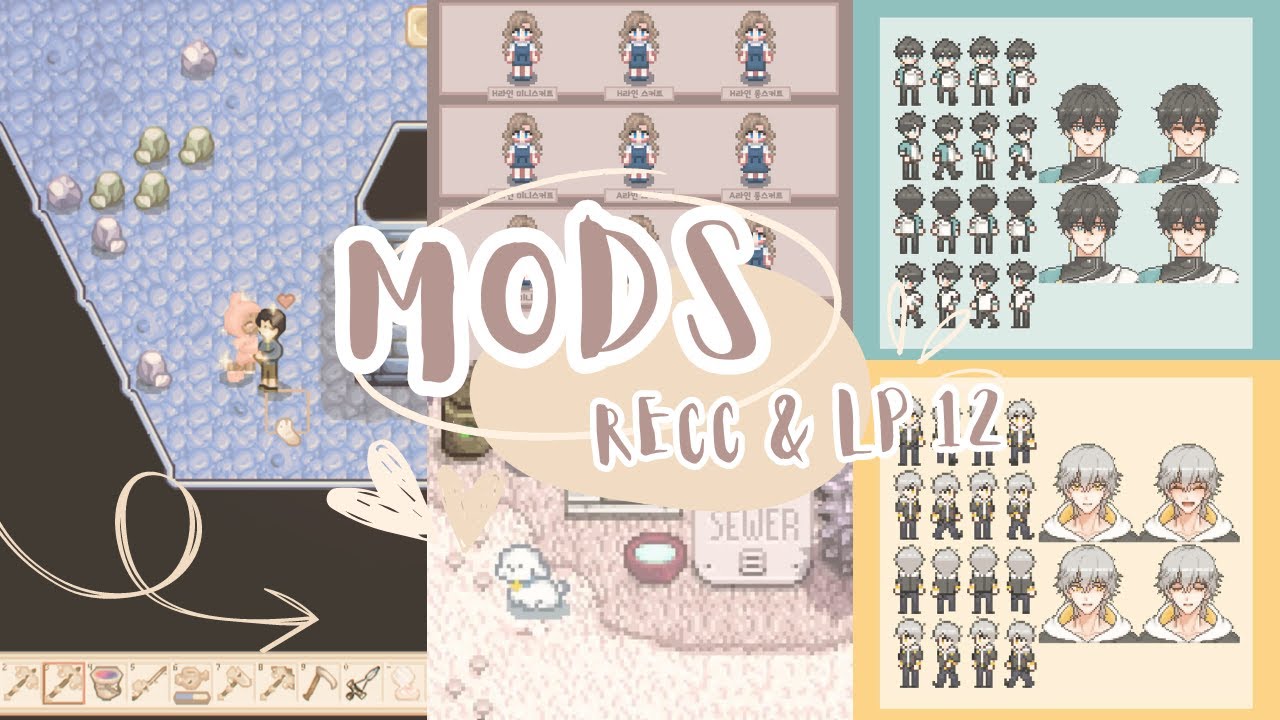
:🐻: ᴏᴘᴇɴ ᴍᴇ ꒰ ❀ ꒱
:🐻: ɪɴꜰᴏ ꒰ ❀ ꒱
Thank You, Guys, For Watching, Stay Safe And Hydrated, Please Like, Comment & Subscribe If You Like The Video And Stay Tuned! Mod List Is Below🩷
ᴛɪᴍᴇ ꜱᴛᴀᴍᴘ:
ɪɴᴛʀᴏ 0:00
ᴍᴏᴅ ʀᴇᴄᴄᴏᴍᴍᴇɴᴅᴀᴛɪᴏɴ 0:28
ɢᴀᴍᴇᴘʟᴀʏ 3:57
ᴏᴜᴛʀᴏ 34:49
ᴍᴏᴅ ʟɪɴᴋꜱ
ᴍᴏᴅ 1:https://mochitail.postype.com/post/10619829
ᴍᴏᴅ 2:https://m.blog.n...
winged vessel
All the mods she uses are linked in the description
lean star
scarlet fractal
i tried to download the mod again and again, but it always shows this error: Aur...
is that the precise error message you get? there is a AuroraVineyardBottleObject.png
scarlet fractal
lean star
is that the precise error message you get? there is a AuroraVineyardBottleObject...
it says that this file cannot be extracted, and when SMAPI is reading the mods it says that this file cannot be found
scarlet quail
If it's a file error we need a picture of the exact error
Of the cannot be extracted thing
scarlet fractal
but I extracted in another file on my pc and I think it worked
scarlet quail
I recently had something similar. But that was because of a file path being too long
scarlet fractal
scarlet quail
I recently had something similar. But that was because of a file path being too ...
YES it said that
scarlet quail
We need to see the actual error
Yeah you need to extract it to a different place then
Preferably your desktop
scarlet fractal
I download in another place and it worked, so simple but I was struggling with this for so long
scarlet quail
Once you extract it to somewhere else you can move it to your mod folder
scarlet fractal
I think it impacts accessing the sprites location
scarlet quail
Unless your username is extremely long it should work when you do that
Yeah it does. If the file path is too long it won't be able to load it
It only happens on windows but that is a thing
So I would extract the contents to your desktop And then move your extracted folder into the mods folder
It is extremely unlikely you will hit the file path limit unless you are extracting to the same location the zip is
In which case it is highly likely
scarlet fractal
that is so annoying, at first i assumed it was the wine bottles from Sophia's house, but then I realized I wasn't finding the sprites
thanks for the help
scarlet quail
No probs
If you run into the issue again, let us know and we can try other solutions
dire fractal
winged vessel
All the mods she uses are linked in the description
She doesn't state the filter she uses
lean star
you mean spritemaster?
 olive falcon
Hey! I'm relatively new to modding, and I've been having some trouble with getting them to work. I have the Smapi thing or whatever it's called lol, and I deleted the mods I had so I could try again. Is there a specific file or place the mods need to go into? I'm just trying to figure out where I went wrong 😅
olive falcon
Good to know, thank you!
shadow jetty
once again I am back. I have begun the half method, and I'll keep ya'lls updated
 void lava
hey is this another smapi android error again?
https://smapi.io/log/006dba8d927f4f0d994e9192e35b9ebf
native dragonBOT
Log Info: SMAPI 3.18.3 with SDV 1.5.6 (build 0.0.0.0) on Android Unix 5.4.147.12, with 14 C# mods and 16 content packs.
 viral sage
hi! i have a question. i joined this server for help regarding a bug me and my friend are experiencing in our world. we have had no issues before this but now when she tries going down into marnie's ranch/forest area, her game bugs out and she crashes. any ideas on how i can fix this?
her screen just goes all black
 oak forum
viral sage
hi! i have a question. i joined this server for help regarding a bug me and my f...
oak forum
viral sage
hi! i have a question. i joined this server for help regarding a bug me and my f...
!log
native dragonBOT
Can you upload your SMAPI log to https://smapi.io/log (see instructions on that page) and share the link here? Even if your game doesn't show any errors, logs are useful, and often necessary, for troubleshooting.
oak forum
they'll probably ask for this
viral sage
should i give them my friends log or my own?
oak forum
both
viral sage
okay
modern python
....what?
 west sparrow
modern python
....what?
west sparrow
modern python
....what?
ment to put that in memes also im really tired mbad
oak forum
west sparrow
ment to put that in memes also im really tired mbad
please don't in memes either. Like person to person. Fat shaming isnt funny
native dragonBOT
Log Info: SMAPI 3.18.4 with SDV 1.5.6 (build 22018) on Microsoft Windows 10 Home, with 26 C# mods and 16 content packs.
Suggested fixes: One or more mods are out of date, consider updating them
viral sage
so i should just update those mods then? i'm getting my friend's rn
languid trout
(No.)
native dragonBOT
Log Info: SMAPI 3.18.4 with SDV 1.5.6 (build 22018) on Microsoft Windows 11 Home, with 23 C# mods and 36 content packs.
Suggested fixes: One or more mods are out of date, consider updating them
viral sage
this is my friend's
languid trout
That's an automated message for potential quick fixes, not a full diagnostic. Don't update anything just yet, send us the other log-okay well I already see a big issue with the C# mod count mismatching
viral sage
it's just adopt and skin stuff
so my chickens look different
should she get the same mods
she told me it wouldn't matter if she didn't have them but i said it probably did
winged vessel
In general, yes, you want the same mods to avoid errors
There are a lot of cosmetic or client only mods that can be installed without issues
But even experienced modders have unexpected issues when running mods that they think won't interfere with multiplayer
But get the logs first so we can see what's up
native dragonBOT
Log Info: SMAPI 3.18.4 with SDV 1.5.6 (build 22018) on Microsoft Windows 10 Home, with 26 C# mods and 16 content packs.
Suggested fixes: One or more mods are out of date, consider updating them
viral sage
mine
waiting on my friend's
uh she can't get hers
she can't get out of the crash screen unless she closes it out of it
its not letting her alt + tab out
native dragonBOT
Log Info: SMAPI 3.18.4 with SDV 1.5.6 (build 22018) on Microsoft Windows 11 Home, with 23 C# mods and 36 content packs.
Suggested fixes: One or more mods are out of date, consider updating them
languid trout
Yep, it's Adopt n' Skin.
scarlet quail
it's never adopt n skin
but it is apparently a mod mismatch OF adopt n skin
(Sorry, I'm used to seeing logs where Adopt n Skin spams after a bad warp)
viral sage
okay so the issue is adopt and skin
is what i'm gathering
of us not having the same thing
languid trout
Sorry, busy irl. The mod mismatch is the big issue in general.
viral sage
it's ok
languid trout
So, they need to download Adopt N' Skin. I think the issue is it's trying to load a cat or horse in the forest spawned by Adopt n' skin.
viral sage
okay
she told me she got adopt and skin but she didn't actually (asked her to a while back but i think she forgot)
so she's doing it now ig
we're testing it i'll lyk if it works
she got the adopt n skin stuff
okay so she got the adopt and skin stuff and it still doesn't work

this appears and then it goes black and then white and then crash
languid trout
!log
native dragonBOT
Can you upload your SMAPI log to https://smapi.io/log (see instructions on that page) and share the link here? Even if your game doesn't show any errors, logs are useful, and often necessary, for troubleshooting.
viral sage
okay one second
her screen went all black so she needs a second
after the crash
i invited her to the server
so she'll be able to talk here now
native dragonBOT
Log Info: SMAPI 3.18.4 with SDV 1.5.6 (build 22018) on Microsoft Windows 11 Home, with 25 C# mods and 39 content packs.
Suggested fixes: One or more mods are out of date, consider updating them
viral sage
this is her log
again
her can't join the server because of email issues actually so i'll just communicate for her i guess
violet kelp
I would match the adopt the skin exactly
Send them every animal pngs you have in that folder
Also still one c# mod less than yours
I didn't check yout log yet idk which one
viral sage
okay
should i send my log again
i don't know what the c# would be
i've never had any issues before in hosting a modded server so this is all new to me
violet kelp
Why your mod folders differs so much
viral sage
she told me she wanted more mods for her own personal game and that's why she downloaded more stuff than me
scarlet quail
While she CAN do that
viral sage
and also told me she had adopt n skin when she didn't
scarlet quail
!modgroups
native dragonBOT
See this link for how to load different mod groups: https://stardewvalleywiki.com/Modding:Player_Guide/Getting_Started#Can_I_have_different_mod_groups.3F
scarlet quail
she must have a different modgroup for her personal game
If your mods mismatch in your co-op world, things will break.
viral sage
violet kelp
I didn't check yout log yet idk which one
https://smapi.io/log/6c63d35520b4426b9431edc15300b262 this is that in case you needed it
native dragonBOT
Log Info: SMAPI 3.18.4 with SDV 1.5.6 (build 22018) on Microsoft Windows 10 Home, with 28 C# mods and 16 content packs.
Suggested fixes: One or more mods are out of date, consider updating them
violet kelp
Better to match folders exactly to not to run any issues. She can make another folder to play in singleplayer if she wants some other mods etc
 tame estuary
ok I have another question about the Alternative Textures: Is there a way to make the game only use the modded textures and not default?
 vocal igloo
!log
native dragonBOT
Can you upload your SMAPI log to https://smapi.io/log (see instructions on that page) and share the link here? Even if your game doesn't show any errors, logs are useful, and often necessary, for troubleshooting.
scarlet quail
tame estuary
ok I have another question about the Alternative Textures: Is there a way to mak...
While still randomizing? Because AT allows you to choose your texture, it's why it exists
 frigid pasture
I need help with reading my log, my game keeps crashign when i leave my coop and it fades to black.
scarlet quail
frigid pasture
I need help with reading my log, my game keeps crashign when i leave my coop and...
Please post the link to the log here!
tame estuary
scarlet quail
While still randomizing? Because AT allows you to choose your texture, it's why ...
without randomizing. I'd rather have just the modded textures without the default ones mixed in
frigid pasture
native dragonBOT
Log Info: SMAPI 3.18.6 with SDV 1.5.6 (build 22018) on Microsoft Windows 11 Home, with 30 C# mods and 7 content packs.
tame estuary
I'm confused as to how though? Do I do that through an interface? When I place stuff it choses a random texture including the default ones.
scarlet quail
frigid pasture
https://smapi.io/log/38eafc015caf4bec84680cf2e1e2732c
Verify your files. Something borked your farm (and I mean your farm map)
Did you ever happen to have a modded farm? If so, which farm?
frigid pasture
i dont have a modded farm and how do i verify my files
scarlet quail
tame estuary
I'm confused as to how though? Do I do that through an interface? When I place s...
AT gives tools to change textures on buildings
You buy them from robin
!reset Wasted
native dragonBOT
See https://stardewvalleywiki.com/Modding:Player_Guide/Troubleshooting#Reset_your_content_files for instructions on resetting your game files! (This doesn't affect your save files.) You may also want to check this list of XNB > Content Patcher conversions (https://stardewvalleywiki.com/Modding:Using_XNB_mods#Alternatives_using_Content_Patcher) to see if there are already replacements for any XNB mods you may have been using :)
scarlet quail
If that's not the case, though, my guess is the fact that you are using Save Anywhere
which is known to bork stuff, so I hope you have a beginning-of-day save to use
viral sage
violet kelp
Better to match folders exactly to not to run any issues. She can make another f...
thank you
frigid pasture
tysm, i got rid of the save anywhere and it works :)
 open stirrup
Hello, how do i send a log here from smapi?
naive drum
!log has instructions
native dragonBOT
Can you upload your SMAPI log to https://smapi.io/log (see instructions on that page) and share the link here? Even if your game doesn't show any errors, logs are useful, and often necessary, for troubleshooting.
naive drum
It has instructions for how to upload the log file to the log parsing site and then you just copy-paste the provided link here!
That's the file path to the log on your computer that you just sent and deleted
naive drum
it's fine!
scarlet quail
you need to drag the file into the parser.
no copy pasting
Also, if "personal info" is that your username is your real name or something, apologies, but that's gonna be part of the filepath
native dragonBOT
Log found, uploaded to: https://smapi.io/log/a5ef7fc0fb9049a3b5a09c8692ff8f8b
scarlet quail
It's not really possible to troubleshoot without the filepath. Thankfully, my username isn't actually my full real name so I'm good, but yeah
Your log looks fine. What's up?
naive drum
Your username on your PC is also not your full name :P
scarlet quail
Well, outside of the error handler not in there
But that's just fixable by reinstalling SMAPI
open stirrup
actually, that's not my problem
scarlet quail
I can't presume that's why
naive drum
And you seem like you're missing a SMAPI component, Error Handler - what problem do you have?
open stirrup
i have kinda bug or glitched on my character's shirt, it's kinda like blank
scarlet quail
A) Might want to screenshot that
B) we then need a log from when you've loaded into the game itself, not to the Title Screen.
naive drum
Anthro Farmer Continued is out of date and might be causing problems
open stirrup
 naive drum
Especially having it and Furry Farmer at the same time
open stirrup
that mod wanted to get this Furry Farmer
scarlet quail
what's that shirt?
open stirrup
that's what ive been saying. it has kinda bug or glitched
open stirrup
well, yes... but that's still bug or glitched...
scarlet quail
mouse over it and show us what you see
open stirrup
it's just like covered this shirt
naive drum
open stirrup
that mod wanted to get this Furry Farmer
Anthro Farmer Continued is from 2018 and no longer works at all - Furry Farmer does not tell you to get it


 naive drum
!reset You'll need to get Steam or GoG to fix your Content folder since Anthro Farmer Continued's XNB component broke it
native dragonBOT
See https://stardewvalleywiki.com/Modding:Player_Guide/Troubleshooting#Reset_your_content_files for instructions on resetting your game files! (This doesn't affect your save files.) You may also want to check this list of XNB > Content Patcher conversions (https://stardewvalleywiki.com/Modding:Using_XNB_mods#Alternatives_using_Content_Patcher) to see if there are already replacements for any XNB mods you may have been using :)
open stirrup
ive been on this for three days
naive drum
If it actually needed Anthro Farmer Continued it'd be in the Required Mods section or the Necessary Mods part of the description
open stirrup
and so i thought i need your help to know this, but now you say those mods are out of date?
open stirrup
how?
scarlet quail
.... Wingheart just called the command on how
naive drum
Also, what did you screenshot in the "this is a fix for the anthro farmer continued mod" screenshot? That screenshot doesn't resemble anything on the Furry Farmer description page
The Governer link says how
scarlet quail
native dragon
See <https://stardewvalleywiki.com/Modding:Player_Guide/Troubleshooting#Reset_yo...
.
open stirrup
hmm
open stirrup
naive drum
Also, what did you screenshot in the "this is a fix for the anthro farmer contin...
well, that is where i found from this mod, here, look
 scarlet quail
.............
Hero.
You do realize what the word "discontinued" means, correct?
Also, please just verify your files
open stirrup
i know, but they put those mod on description
scarlet quail
Doesn't matter
naive drum
Reset your content folder, also, who is 'they' in this context?
scarlet quail
in fact, if you ever see that, that means don't use them, whatever "they" is
naive drum
It's not Furry Farmer!
scarlet quail
And again, please stop attempting to explain it, fix the issue first
Then we can talk about why
open stirrup
but that's what ive been doing it for a while
open stirrup
i looked mod wiki for stardew too
scarlet quail
We'll continue this conversation further when you have.
naive drum
Are you using some kind of translation software?
open stirrup
erm? no? why?
naive drum
i was curious
open stirrup
I’m looking at those mods and folder for that mods at the moment
naive drum
but yeah, go reset your content files
scarlet quail
then you are doing the wrong thing
verify. Your. Files.
I can't make it any clearer.
Do it. Then we can move forward.
open stirrup
Agent, please wait. I need to check something else
naive drum
Your problem is that you replaced part of your Content folder. You need to fix your content folder.
naive drum
You do this by verifying your files.
scarlet quail
I don't know why they're doing anything else but file verification
I'm gonna go
good luck
open stirrup
I know, i’m looking in my folders
naive drum
!reset
native dragonBOT
See https://stardewvalleywiki.com/Modding:Player_Guide/Troubleshooting#Reset_your_content_files for instructions on resetting your game files! (This doesn't affect your save files.) You may also want to check this list of XNB > Content Patcher conversions (https://stardewvalleywiki.com/Modding:Using_XNB_mods#Alternatives_using_Content_Patcher) to see if there are already replacements for any XNB mods you may have been using :)
open stirrup
Well, i do have that game on steam, but i play it through StarDrop
naive drum
Alright then
Step one: go to Stardew on steam

(in your games library)
Step two: rightclick it and select Properties:
 naive drum
Step three: click Installed Files

Step four: click Verify Integrity of Game Files

It will fix your problem.
open stirrup
Well, we’ll have to see.. last time i used that mod, there were no bug or glitched, so.. that was like two years ago? Can’t remember.
Done
naive drum
the mod is from several game versions ago and when you had that old game version its replacing of the base game files would have worked. but those files have changed a lot since then so it just breaks stuff
alright now you can delete the remaining Anthro Farmer Continued bits out of your Mods folder and then it will work
open stirrup
Okay, i removed it