#archived-modded-support
1 messages · Page 167 of 1
 lament vortex
 native dragonBOT
JSON is a standard format for machine-readable text files, often used by Stardew Valley mods. If you need help with a JSON file, you can upload it to https://smapi.io/json, view an automatic validation summary on that page, and share the link with others.
 mild talon
It'll help you find the error and then you can fix it
 torpid fox
has anyone else experienced a bug(?) where a weird sfx plays during nighttime (after 6:30pm) and the witch laugh plays? but nothing else happens
native dragonBOT
Log Info: SMAPI 3.18.3 with SDV 1.5.6 (build 22018) on Microsoft Windows 11 Pro, with 98 C# mods and 204 content packs.
mild talon
torpid fox
has anyone else experienced a bug(?) where a weird sfx plays during nighttime (a...
ugh not even a nice juicy error to stab into lol
any more details?
torpid fox
a "magic" whistle-like sfx plays during nighttime, sometimes the witch laugh sfx plays too
without anything else happening... thats the only detail I have 
and not after sleeping either, just while roaming around at night
happens in all locations, not just on farm
mild talon
well, that is weird haha.. ive no idea where that could be coming from!
not sure what other troubleshooting steps to take either... like some kinda patch summary thing might be helpful
if that might show anything affecting nighttime or sounds :?
the big brains might come around and they'll be more helpful probably:)
torpid fox
mild talon
not sure what other troubleshooting steps to take either... like some kinda `pat...
native dragonBOT
Log Info: SMAPI 3.18.3 with SDV 1.5.6 (build 22018) on Microsoft Windows 11 Pro, with 98 C# mods and 204 content packs.
 thorny dawn
anyone familiar with adopt n skin issues?
every time i get a new horse and name it, the previous horse changes its name from whatever i gave it (say, apples) to the name of my first horse from the stable (scipio)
its getting real annoying bc i cant change the names back
mild talon
You can change some stuff in the console w commands... type help and then you can also type help <whatever AnS command you wanna know about> to get more info.
But to answer your question: yes, I've def experienced issue like this w AnS :t
 runic owl
Can anyone help me with ... I think Lyoko called it binary testing to see what mods are preventing me from being able to save my progress?
lament vortex
Cerulean, in this case, since you have so many mods, I believe Stardrop will be able to help you more easily. Binary testing would be taking out half of your mods and leaving the other half, and continuing like that until you find the mod(s) that are causing you issues. I say Stardrop will help because Stardrop will automatically enable the required mods for the half you're testing
here's a quick guide for the sims 4, but most of the process is applicable here https://www.patreon.com/posts/60353551
 pastel mesa
Does anyone know good stardew portraits for SVE ?
 modern python
depends on what youre going for, something cutesy, anime style?
pastel mesa
modern python
depends on what youre going for, something cutesy, anime style?
Nevermind I found one by shie! But it uses PyTK and i’ve been having trouble with it since it’s kinda buggy
and I’m unsure how to use PyTK and download it properly because last time in the logs it popped out as purple
 pearl tangle
so i play on mac, and i dont have a stardew valley mods folder
ive searched and searched and there isnt one
lament vortex
have you already installed smapi?
pearl tangle
yes
lament vortex
do you play through steam?
pearl tangle
latest version, game opens, all files good
 vast pecan
can i use pytk lite instead of pytk? like is it gonna cause any problems for the mods that needed pytk to run?
pearl tangle
idk if it matters, but my computer is on ventura 13.2.1
 lament prairie
your mods folder is likely hidden
pearl tangle
lament vortex
do you play through steam?
yes
pearl tangle
lament prairie
your mods folder is likely hidden
ah ok
lament vortex
vast pecan
can i use pytk lite instead of pytk? like is it gonna cause any problems for the...
yup, you can
pastel mesa
pearl tangle
so i play on mac, and i dont have a stardew valley mods folder
Go on steam, right click on the game, click manage and “browse files”
lament prairie
assuming smapi did work when installing
vast pecan
lament vortex
yup, you can
tyyyy~
pastel mesa
and it will pop up
lament prairie
try re-srting by name in Finder to find the folder if you have trouble with all the junk in that folder
(it's not junk tho don't delete, just annoying to sift through)
and save an alias once you find the folder
pearl tangle
i found the folder!
pastel mesa
vast pecan
can i use pytk lite instead of pytk? like is it gonna cause any problems for the...
hmm i’m unsure, wait were you responding to me?
pearl tangle
i just have to move the new mod there (winter grass). i will keep yall updated
i dont want to use many mods, just this one
alr i dragged the folder over into the mods one (like the directions for the mod said). since im still in fall, i wont know if it works
alr in the iterm thing i have (its basically terminal for apple, but this app works better on my software version), the mod text showed up and the mod did load, so everything should be all good. thanks for the help !!!
vast pecan
pastel mesa
hmm i’m unsure, wait were you responding to me?
No
pastel mesa
vast pecan
No
mb
vast pecan
All g
pastel mesa
oh u are asking if u can i did not read that right LOLL
 topaz thorn
hi, can anyone maybe help? in my modded pc save the mines get darker as the day goes on, which doesn't happen in vanilla. it's especially bad in the volcano mines and its impossible to see sometimes :(
first pic is from my modded save, second is from my vanilla save. same time and mine level but my modded save is so much darker 😭 but i'm not sure which of mods could be causing it

 native dragonBOT
Log Info: SMAPI 3.18.2 with SDV 1.5.6 (build 22018) on Microsoft Windows 10 Pro, with 40 C# mods and 32 content packs.
Suggested fixes: One or more mods are out of date, consider updating them
topaz thorn
here's my log if itll help! and my 2 outdated mods are just icon and dialogue mods so i don't think they're the problem :(
lament prairie
I can't really tell offhand what would cause it
Can you remove every mod except error handler and temporarily see if it happens?
If it stops happening at that point, then it's time to put back everything, then pull out mods until it stops
topaz thorn
hmm ok let me try!
 long brook
Try changing setting of aerocore as it patch lighting maybe?
lament prairie
Ah, I do see aerocore mentions lighting
Maybe try quickly removing that to see
You may also want to report this phenomena to the author depending on what the lighting is supposed to be doing

 vapid raven
Not sure what this is about, but my game doesnt seem to want me going to East Scarp
 lament prairie
someone broke a warp, likely
 outer turret
I fixed it but Nexus refused to upload the fixed version for ages... i finally got it up though. 2.3.3
It was a space in a light property.
 granite crown
I was able to install the CBJ cheats menu on android but when i open it the menu is all there but all of the options to select things are just blank, did i mess up with the mod or is it not supported properly yet?

 dusty spruce
have you checked the logs? honestly i'd be surprised if it worked
granite crown
i noticed when i download the smapi 3.18.2.2 version and install it, after opening it up it still says version 3.7.6.1
 dawn bobcat
Hello idk if anyone knows how to fix this but my computer updated and I went to update some of my mods recently but it won't let me download anything from Nexus mods which is where I have been downloading all my SDV mods for years. It gives me a notification that not many people have downloaded this link so make sure you trust the download but it only downloads a .crdownload file which is a temporary file and not the actual file.

 granite crown
dusty spruce
have you checked the logs? honestly i'd be surprised if it worked
granite crown
dusty spruce
have you checked the logs? honestly i'd be surprised if it worked
this log?
 dusty spruce
well, scroll down and see if there are any errors related to CJB, i guess
but again, Android SMAPI isn't stable right now at all
native dragonBOT
Can you upload your SMAPI log to https://smapi.io/log (see instructions on that page) and share the link here?
native dragonBOT
Log Info: SMAPI 3.18.2 with SDV 1.5.6 (build 22018) on Microsoft Windows 10 Home, with 89 C# mods and 69 content packs.
Suggested fixes: Pytk isn't compatible with newer SMAPI performance optimizations, consider removing it, One or more mods are out of date, consider updating them
 sand ore
idk what the red writing meant
long brook
Yoy have two spacecore installed. Delete one. The firat error show where the location of those two
 half roost
https://smapi.io/log/ff0cd8adc9a442bcbfb8ac02bbe88502 can someone please help? haha
native dragonBOT
Log Info: SMAPI 3.18.2 with SDV 1.5.6 (build 22018) on Microsoft Windows 11 Home, with 17 C# mods and 6 content packs.
half roost
modfolder looks like this
 long brook
you need to install ExpandedPreconditionsUtility
half roost
I just did but also keep getting errors
long brook
did you restart the game after adding Expanded Precondition Utility?
half roost
yes
long brook
can you share new log?
native dragonBOT
Log Info: SMAPI 3.18.2 with SDV 1.5.6 (build 22018) on Microsoft Windows 11 Home, with 19 C# mods and 7 content packs.
half roost
ahh okay, thank you so much!
 fallen lantern
I'm having issues with the Market Day mod. If I am running a multiplayer game, we both have the same mods, and we both have the same market day settings, when anyone tries to go into the bus stop area, it crashes. If I remove the RandomNPC folder from the Market Day folder, it works but I want the random NPCs at my market.
 lament sundial
Help it cant find the path idk why

 dapper gazelle
fallen lantern
I'm having issues with the Market Day mod. If I am running a multiplayer game, w...
dapper gazelle
fallen lantern
I'm having issues with the Market Day mod. If I am running a multiplayer game, w...
Unfortunately you cannot have the Random NPCs when you play multiplayer
 thin dagger
hello, i am still having this issue, and the game wont launch with mods, please help if you can:
 gaunt gust
What is your operating system
thin dagger
10
fallen lantern
dapper gazelle
Unfortunately you cannot have the Random NPCs when you play multiplayer
I do when I play on my other world with my husband but we have other mods that we use when we play on that world. I wonder if it requires another mod that isn't named on the requirements.
dusty spruce
no, it's just broken
thin dagger
i have a link to the smapi.io log: https://smapi.io/log/44c788d235d04e588ed09e19026630a3
native dragonBOT
Log Info: SMAPI 3.18.3 with SDV 1.5.6 (build 22018) on Microsoft Windows 10 Home, with 24 C# mods and 2 content packs.
Suggested fixes: Pytk isn't compatible with newer SMAPI performance optimizations, consider removing it, One or more mods are out of date, consider updating them
long brook
thin dagger
i have a link to the smapi.io log: https://smapi.io/log/44c788d235d04e588ed09e19...
from the log, your game seems to load fine. did it crash or something happen when launching the game? also i see nothing that needs pytk so you can delete it
thin dagger
great news about pytk, but no, usually the log starts with a Fatal Error message, when this appears it crashes after the log finishes.
gaunt gust
If you remove every mod except Error Handler, does that still happen?
Additionally, just to rule out hardware issues, can you do a memory diagonostic? https://www.howtogeek.com/260813/how-to-test-your-computers-ram-for-problems/
thin dagger
gaunt gust
Additionally, just to rule out hardware issues, can you do a memory diagonostic?...
i will do this now, thank you :)
thin dagger
gaunt gust
Additionally, just to rule out hardware issues, can you do a memory diagonostic?...
I did this, I didn’t get anything indicating that anything was wrong
For the record, stardew will open without mods, if I remove the Smapi link from steam, and open it on its own, it will open.
But I use a lot of mods, for gameplay, and I’d like to continue doing so, I have reinstalled Smapi three times, and stardew twice
long brook
lament sundial
Can anyone help me in my problem?
there's only small amount of mobile modder here. as smapi mobile is in alpha, your best bet is try to follow steps in this link:https://github.com/ZaneYork/SMAPI-Android-Installer/issues/301 and try to find some issued that might be the same as you there
GitHub
RUS: Инструкция по установке данной версии SMAPI: Скачайте файловый менеджер, который имеет разрешение к папке Android/data. Я советую этот: https://play.google.com/store/apps/details?id=com.cxinve...
lament sundial
I have duplicate files, should i delete one of them or move my mods on the other file

 long brook
thin dagger
But I use a lot of mods, for gameplay, and I’d like to continue doing so, I have...
long brook
thin dagger
But I use a lot of mods, for gameplay, and I’d like to continue doing so, I have...
try to only launch sdv right after installing smapi (with 3 mods that come with smapi installation) and see if the problem still occur
thin dagger
How do I go about doing that? Disable the mods in vortex?
long brook
yeah if you launch sdv from vortex
lament sundial
Can someone show me their com.zane.stardewvalley
So i can know what my problem is?
Pls im desperate
Just a screenshot
dapper gazelle
fallen lantern
I do when I play on my other world with my husband but we have other mods that w...
If you search this channel for Random NPCs you’ll find that it repeatedly gives multiplayer users difficulties and the advice is always to remove it.
 carmine dragon
Hey fellas, i have a problem with SMAPI on android, is this where i am supposed to ask for help about it? 😅
lament sundial
carmine dragon
Hey fellas, i have a problem with SMAPI on android, is this where i am supposed ...
Yes
Whats your problem?
carmine dragon
I can't seem to install smapi at all
I just redownloaded Stardew straight from the play store and i have the latest version of SMAPI installer (i found)
lament sundial
Dont download sdv from playstore
lament sundial

GitHub
RUS: Инструкция по установке данной версии SMAPI: Скачайте файловый менеджер, который имеет разрешение к папке Android/data. Я советую этот: https://play.google.com/store/apps/details?id=com.cxinve...
carmine dragon
lament sundial
Dont download sdv from playstore
Wdym? Is there somewhere else
lament sundial
Go to the link and u will see
carmine dragon
The Link to the alpha assembly of SMAPI just throws me a 404 page :(
carmine dragon
Nevermind! I got it to work, i just had to look a little bit
Thank you thank you thank you love you love you love you
 long burrow
im having some issues with a few different mods can i get a reminder on how to post the logs i have the json validater open i just forget what i need to actually put in iut
 robust bison
!log
native dragonBOT
Can you upload your SMAPI log to https://smapi.io/log (see instructions on that page) and share the link here?
 barren holly
When I download the https://www.nexusmods.com/stardewvalley/mods/1839?tab=description SVE potraits i get rar files is that correct?

Nexus Mods :: Stardew Valley
I create mods for love interests and villagers Portrait
 agile lion
Does anyone know of a fix to make the magic skill have an icon in the skills menu? It's been annoying me for quite a while now.

 scarlet quail
agile lion
Does anyone know of a fix to make the magic skill have an icon in the skills men...
scarlet quail
agile lion
Does anyone know of a fix to make the magic skill have an icon in the skills men...
I mean as far as I know there's no art so That's not a fix you can do.
It would be like asking someone to put up a photo of something that doesn't exist.
scarlet quail
Then your destination is #making-mods-general And you need to lead with that
long burrow
robust bison
!log
i have that open i just dont know which file to put in to show all errors
 neat plaza
the one it says to
native dragonBOT
Log Info: SMAPI 3.18.3 with SDV 1.5.6 (build 22018) on Microsoft Windows 10 Home, with 89 C# mods and 69 content packs.
Suggested fixes: One or more mods are out of date, consider updating them
long burrow
i had a different site open
scarlet quail
long burrow
i had a different site open
Update your mods, Especially json assets
 sour kayak
I've been having a weird issue with Adopt n Skin... Whenever I try to adopt a dog or cat from Marnies, I press OK then name it, but then it just takes me back to the "will you adopt this..." and doesn't take the money or anything. Has anyone else come across this? TIA 
https://smapi.io/log/a18cbc1ca8a14d3ab02299d1c70c32fc
native dragonBOT
Log Info: SMAPI 3.18.3 with SDV 1.5.6 (build 22018) on Microsoft Windows 10 Home, with 129 C# mods and 211 content packs.
Suggested fixes: One or more mods are out of date, consider updating them
scarlet quail
10:43:37 WARN Adopt & Skin Ignored skins with invalid extension: __folder_managed_by_vortex, __folder_managed_by_vortex, __folder_managed_by_vortex, __folder_managed_by_vortex, __folder_managed_by_vortex, __folder_managed_by_vortex Extension must be one of type .png, .xnb repeats 4 times
Probably a vortex issue with it
long burrow
appearently vortex is easily confused by stardew mods


the mods are uptodate but smapi says no]
neat plaza
!modmanagerbugs
native dragonBOT
Vortex (Nexus) and ModDrop both are mod managers that can help you keep your mods up to date, but they are difficult to troubleshoot. If you're looking for a mod manager that was written specifically for SDV and has troubleshooting logs built in, you can try Stardrop (!stardrop).
If you're using a non-Stardrop mod manager and ask for help troubleshooting, you can ask the Nexus Discord https://www.nexusmods.com/discord or the Moddrop Discord https://www.moddrop.com/app/about (scroll down). If you're using Stardrop, please remember to provide a Stardrop log.
long burrow
i should also mention back when i modded without a manager it did the same
lament vortex
it is probably a manifest issue. creators put the mod version in that file, but if they forget to update the version in there, and change it on nexus, it will say there's an update for them
long burrow
HUH so if i were to change it in the manifest it would fix it?
 calm heron
pretty much
lament prairie
!manifest
native dragonBOT
manifest.json is the file that tells SMAPI that a folder is a mod. Here's the wiki page on manifests, which has some things you can copy-paste into the manifest.json if you're making a mod: https://stardewvalleywiki.com/Modding:Modder_Guide/APIs/Manifest
 dull plank
HI i have problem my game crashes everytime at ~9/10pm
lament vortex
!log can you send this here
native dragonBOT
Can you upload your SMAPI log to https://smapi.io/log (see instructions on that page) and share the link here?
dull plank
lament vortex
!log can you send this here
And now url here?
neat plaza
and share the link here?
send this here
yes
native dragonBOT
Log Info: SMAPI 3.18.3 with SDV 1.5.6 (build 22018) on Microsoft Windows 10 Pro, with 8 C# mods and 5 content packs.


 hollow slate
Hey all, I’m trying to mod Stardew on the steam deck. I’ve followed pretty much all the tutorials online for modding stardew on the deck but it still won’t load my mods. I’ve loaded the game directly from the SMAPI file but no terminal thing shows up to load the mods it just acts as if it’s a normal non-modded boot. Anyone have any suggestions on this issue?
lament prairie
dull plank
Doese she need to go to her old not modded self?
Most of the child aging up type mods are kind of broken
If you do want to use any, I recommend only using LittleNPCs and something really basic to make it easy to troubleshoot
 versed thorn
hey so i downloaded east scarp and it seems like theres 2 of them in mods folder

well to be honest theres quite mrore
East Scarp times two
East scarp 2.3
Cp east sccarp
like what
lament prairie
keep them all
neat plaza
though delete the duplicate, you remove the one not in the versioned folder
versed thorn
Right all
I want more mods
but i actually have no idea how to get more useful ones
Like idk what to get
When i think i have everything i see a person with 2k mods and im like "tf do they have"
dull plank
lament prairie
Most of the child aging up type mods are kind of broken
🙇♂️ thenk you
versed thorn
ya know whats not broken
wait lemme get it

Nexus Mods :: Stardew Valley
Right-click with your watering can and watch yourself water your crops! Unlike other mods, the crops won't be instantly watered. Your farmer will go crop by crop watering them, expending the same amou
this
its amazing
 shy orbit
dull plank
Doese she need to go to her old not modded self?
shy orbit
dull plank
Doese she need to go to her old not modded self?
did you change any config options in the child age up mod? try resetting the config if you did (deleting the config.json file should reset it to default values)
versed thorn
versed thorn
https://www.nexusmods.com/stardewvalley/mods/8167
sure, the animations are buggy af but who cares
shy orbit
shy orbit
did you change any config options in the child age up mod? try resetting the con...
actually this is probably a different problem looking at the error more closely, but doesn't hurt to try
sour kayak
scarlet quail
`10:43:37 WARN Adopt & Skin Ignored skins with invalid extension:
`__fo...
interesting! thank you so much!!
 dire fractal
how do i go on about replacing sprite textures? (never touched game stuff for any games)
calm heron
download a mod that changes sprites (NOT XNB) and drop it in your mods folder
if the mod page has instructions for installation/configuration, read it
 rain lava
dire fractal
how do i go on about replacing sprite textures? (never touched game stuff for an...
rain lava
dire fractal
how do i go on about replacing sprite textures? (never touched game stuff for an...
You mean using a mod or making a mod?
calm heron
whoops. should've asked that first
dire fractal
rain lava
You mean using a mod or making a mod?
uhm idk i just want to replace a texture
with one i made
rain lava
so -> making a mod it is c:
 rotund river
Anybody know of a list for mods that work/dont work with the new android smapi version?
scarlet quail
Nope
No one's compiled a list, really. I think the best is some reddit thread that isn't pinned in the SMAPI subreddit
dire fractal
if im making a mod, ig i should just go all out and change all the stuff i wanted to
rain lava
Best way to make a sprite/tilesheet edit is using existing framework mod -> Content Patcher. Are you using mods in your game now ( meaning you have SMAPI and some other basic mods )?
rain lava
dire fractal
if im making a mod, ig i should just go all out and change all the stuff i wante...
Here's a basic tutorial on how to create Content Patcher content pack -> https://stardewvalleywiki.com/Modding:Content_Patcher
It's also really helpful to download a mod that does something similar to what you want to do and see how the author did it.
 dire fractal
thank youuuu ❤️❤️
 limber hare
Hi! I am having issues with my game, specifically with content patcher, alternative texture, and BAGI mods. I am pretty new to using mods, so any help is greatly appreciated.
limber hare
limber hare
Hi! I am having issues with my game, specifically with content patcher, alternat...
here is my log: https://smapi.io/log/400b86eb72d743d38e64247e20b8ed41
native dragonBOT
Log Info: SMAPI 3.18.3 with SDV 1.5.6 (build 1.3.37.0) on macOS Unix 13.3.0, with 51 C# mods and 83 content packs.
 mighty dawn
hello, i am having issues getting the stardew expansion on my mac to work, can someone please help? it’s driving me mad
lament prairie
mighty dawn
hello, i am having issues getting the stardew expansion on my mac to work, can s...
!log post log
native dragonBOT
Can you upload your SMAPI log to https://smapi.io/log (see instructions on that page) and share the link here?
lament prairie
limber hare
here is my log: https://smapi.io/log/400b86eb72d743d38e64247e20b8ed41
Can you reinstall these mods to start with? There's a lot of sort of mysterious stuff going on. Could not load content pack 'Earthy Interiors': content pack has no content.json file. 12:09:31 ERROR Content Patcher Could not load content pack 'Lumisteria Tilesheets - Outdoor': content pack has no content.json file. 12:09:31 ERROR Content Patcher Could not load content pack 'Lumisteria Tilesheets - Indoor': content pack has no content.json file. 12:09:32 ERROR Content Patcher Could not load content pack 'DaisyNiko's Tilesheets': content pack has no content.json file.
mighty dawn
i deleted everything off the mac and i’m now redownloading smapi
lament prairie
These should absolutely not be missing content.json
It seems like maybe you're missing files generally
Error loading content pack (AT) West Elm Furniture by Atlas: System.NullReferenceException: Object reference not set to an instance of an object. this one is probably something missing but I can't say for sure
mighty dawn
i will send a photo of what i have. i deleted everything and will retry
lament prairie
Sorry, those messages were all for viciouscirce
I'm not really sure what's going on with BAGI and PFM
But I would start by re-downloading those and the meads add-on too maybe
limber hare
lament prairie
These should absolutely not be missing content.json
when I look in the folder, I see the content.json files. I will try re-downloading!
scarlet quail
mighty dawn
hello, i am having issues getting the stardew expansion on my mac to work, can s...
For yours, specify what you're having trouble with
lament prairie
limber hare
when I look in the folder, I see the content.json files. I will try re-downloadi...
Ooh, you might be having path length issues then?
If the file is there but SMAPI isn't seeing it
Or some other issue
mighty dawn
i downloaded everything on nexus and it just hasn’t worked when i opened stardew
scarlet quail
do those exist on mac, Elizabeth?
scarlet quail
mighty dawn
i downloaded everything on nexus and it just hasn’t worked when i opened stardew
When you open stardew, does a prompt window come up or does it just launch Stardew
lament prairie
If you right click > get info what shows up in the permissions issue, circe?
For the content.jsons
mighty dawn
it just launches stardew
native dragonBOT
If you're using Steam or GOG on Windows, you will need to set your launch options in order for Steam/GOG to automatically launch with SMAPI. The SMAPI installer will tell you what to set as the launch options when it completes (green text). You can find instructions (with screenshots) on how to do that here: https://stardewvalleywiki.com/Modding:Installing_SMAPI_on_Windows#Configure_your_game_client
mighty dawn
is it possible to chat in a separate chat?? i am having trouble reading what you’re saying with all of the other chats
lament vortex
But they're on Mac, though
lament prairie
Well on MacOS if you install SMAPI the game should launch modded
scarlet quail
launch SMAPI, then load a game. To head off any misinterpretations, SVE does not change the title screen
lament prairie
So start by reinstalling SMAPI
scarlet quail
Nope, but it'll slow down in a sec, merveille
mighty dawn
alright, i will redownload smapi now
scarlet quail
native dragon
If you're using Steam or GOG on Windows, you will need to set your launch option...
follow the launch options thing here once you've re-installed SMAPI
scarlet quail
I beg par- Hold up
mighty dawn
should i redownload the mods now as well??
scarlet quail
mighty dawn
should i redownload the mods now as well??
yes
lament prairie
Let's start by just trying to get SMAPI to launch
If you want to re-download the mods you can go for it
But step 1 is definitely making sure you get SMAPI installed properly
scarlet quail
I know we've had this conversation before, so I'm clearly forgetting. But are you saying that people have to manually click on SMAPI on Mac, even if they have steam?
long brook
sdv steam shortcut on mac will auto launch modded sdv if smapi installed so no need to set launch option
scarlet quail
ah, right, and when you verify on steam it clears SMAPI. okay.
long brook
correct
mighty dawn
i do have steam
scarlet quail
So essentially it replaces it on Mac. So if the user in question here just had normal Stardew, they just... didn't have it installed?
it being SMAPI
lament prairie
Yes
scarlet quail
Okay, welp. That was a whole journey mentally for me to get to that answer XD sorry bout that
I will attempt to remember that if it just launches normal stardew on Mac, they flat out didn't install SMAPI, rather than it being a launch options issue
mighty dawn
i just downloaded smapi and it says “SMAPI is installed! launch the game the same way as before to play with mods”
scarlet quail
yep. so launch the game the same way as before
mighty dawn
i have not downloaded the mods again just yet
scarlet quail
Okay. Download the mods and UNZIP them into your mods folder
lament prairie
Macs may auto-unzip on download
mighty dawn
i also do not see a mods folder for stardew
scarlet quail
They whaaaaaaaaaa?
lament prairie
So if it's a blue folder you don't need to unzip, if it's a white zipper you do need to unzip
limber hare
lament prairie
If you right click > get info what shows up in the permissions issue, circe?
it says i have read and write permissions.
lament prairie
Your mods folder will appear in the game files folder
scarlet quail
They have Stardew on Steam, so would the usual way to browse local files work there Elizabeth?
lament prairie
In steam, right click on the game, go to manage and view local files
scarlet quail
that answered the question XD
lament prairie
limber hare
it says i have read and write permissions.
Hmmmm....that sounds right
mighty dawn
i honestly just unzip them just in case
scarlet quail
One of these days I'll manage to keep Windows, Mac, and Linux instructions straight
lament prairie
I would try redownloading those just in case there are ghosts in the files but after that...idk
mighty dawn
where do i put the mods at in my files? i usually just put them in the documents section
lament prairie
And for circe: you definitely are putting them in the right mods folder?
lament prairie
mighty dawn
where do i put the mods at in my files? i usually just put them in the documents...
that will not work
scarlet quail
Well, that's your issue and why none of them were working XD
you have to put them in your mods folder in your local files
mighty dawn
where do i put them??
lament prairie
You have to put them in the Mods folder that SMAPI creates inside your game folder
lament prairie
lament prairie
In steam, right click on the game, go to manage and view local files
do this to get to the game folder
scarlet quail
If you don't see a mods folder, screenshot it and post it here. But the instructions Elizabeth gave should get you there.
 scarlet quail
you are so close, but so far
click the browse button
Then in there, you'll see a mods folder
you put the mods in there
mighty dawn
oh my gosh!! that wasn’t there before!!
scarlet quail
Correct, because you hadn't installed SMAPI
mighty dawn
the mods folder was not there before
scarlet quail
SMAPI makes it
mighty dawn
i just have not installed it correctly!!
scarlet quail
Trust me, it took me a couple mental gymnastics to realize you hadn't installed it because I was a dumb and forgot how mac stuff worked XD
mighty dawn
okay let me download the mods and see if it works this time!
lament prairie
 limber hare
lament prairie
And for circe: you definitely are putting them in the right mods folder?
limber hare
lament prairie
And for circe: you definitely are putting them in the right mods folder?
yes!
 lament prairie
Did redownloading do anything good?
I remain pretty confused why CP can't see the files!! it should be able to 🤔
mighty dawn
these are everything i download. perfect??

 limber hare
lament prairie
Did redownloading do anything good?
native dragonBOT
limber hare
lament prairie
Did redownloading do anything good?
native dragonBOT
Log Info: SMAPI 3.18.3 with SDV 1.5.6 (build 1.3.37.0) on macOS Unix 13.3.0, with 51 C# mods and 83 content packs.
lament prairie
Huh
scarlet quail
mighty dawn
these are everything i download. perfect??
Correct. Download SVE and all of its requirements and unzip it into your mods folder
lament prairie
One issue down
I would try redownloading the other problem mods then, just to see if it helps
Unless you already did?
limber hare
still having weird issues with BAGI and AT. Should I just try to re-download and re-install everything?
i did some, will do the rest.
lament prairie
Just the Lune's Offerings pack for AT, it looks like
mighty dawn
my downloads come up like this
 lament prairie
Looks like they're automatically unzipping for you
SVE will take a min to finish
This is a setting you change in the browser btw
scarlet quail
That... is both a nice feature but also I'm incredibly jealous
Why can't Windows give us an auto-unzip feature we can toggle on D:
mighty dawn
this is on the list but i don’t need it right? since i did it through smapi website?
 long brook
you've already install it
lament prairie
Yep
lament prairie
scarlet quail
Why can't Windows give us an auto-unzip feature we can toggle on D:
I think it might be a safari feature?
mighty dawn
so now i put these all into the mod folder you showed me correct?
 long brook
it's safari feature that auto unzip file
scarlet quail
Well in that case, Chrooooooooooooooome! shakes fist at internet browser
(I know Chrome's a memory hog and I should use Firefox)
mighty dawn
when i clicked on the mods folder, these were already in there??
 neat plaza
ff is great
scarlet quail
How strange. Those shouldn't come with SMAPI, and they've all got 2... eh
merveille, boot stardew
mighty dawn
should i make a new game?
scarlet quail
see what comes up and if there's any red in the thing that comes up let us know
Press play. You'll see a window come up that will load your mods
Don't hit new game on the title screen yet
mighty dawn
this is what came up
 native dragonBOT
Log Info: SMAPI 3.18.3 with SDV 1.5.6 (build 1.3.37.0) on macOS Unix 13.3.0, with 51 C# mods and 83 content packs.
agile lion
Which mod makes you unlock every building even wizard ones at Robin's? Because I have it and have no clue what it's called or which one it is and I dearly want to remove it.
limber hare
limber hare
updated log! https://smapi.io/log/480d0ca9f5e04e05b7fcf5b2154abd12
I did just reinstall the better mead icon pack (which is the DaLion.Meads pack in the BAGI error message), but reinstalling did not get rid of the error.
scarlet quail
mighty dawn
this is what came up
go back a folder. The Mods folder you're showing me is not the mods folder because it doesn't have SMAPI's 3 main mods
Alternatively
!log
native dragonBOT
Can you upload your SMAPI log to https://smapi.io/log (see instructions on that page) and share the link here?
scarlet quail
That will help us find the filepath to your mods
lament prairie
Your mods folder is also lowercase
scarlet quail
Either or, but we need to find the original mod folder, not that one, in order to show you where to put the mods
lament prairie
limber hare
I did just reinstall the better mead icon pack (which is the DaLion.Meads pack i...
Hmm, I also wouldn't be 100% surprised if it was the same thing causing both errors (PFM and BAGI)
For merv, you can look at the screenshot I sent of my mods folder
limber hare
lament prairie
Hmm, I also wouldn't be 100% surprised if it was the same thing causing both err...
i'll try removing it entirely and seeing what happens
lament prairie
Showing the correct location
mighty dawn
sending it now
which file is it talking about??
i’m sorry i’m not very good with some computer things
scarlet quail
SMAPI-latest.txt is the log file
drag that into the log parser, hit save and parse log, then share the link with us
mighty dawn
i just don’t know where to find it, im sorry
scarlet quail
That's fine
use elizabeth's instructions to go to your local files
Then screenshot your local files.
Post that here.
scarlet quail
lament prairie
In steam, right click on the game, go to manage and view local files
here
screenshot the folder that comes up when you do that.
mighty dawn
 mighty dawn
 scarlet quail
and finally, what's in the MacOS folder
mighty dawn
a crap ton of stuff
 scarlet quail
Scroll down. Do you see a Mods folder in that folder?

 scarlet quail
open that. Screenshot what's inside
mighty dawn
 scarlet quail
Okay, so the folder you're in right there is where your mods need to go. Bookmark it if you can or something to that effect
But THAT folder is the proper mods folder
mighty dawn
what do i do with that other mods folder?
scarlet quail
yeet it to prevent confusion
But that folder you just pictured is where those unzipped mods have to go
mighty dawn
does smapi need to be in the mods folder as well??
neat plaza
no
mighty dawn
this is the new mods folder
 scarlet quail
Looks good. Boot stardew
mighty dawn
and i trashed the old mods one
scarlet quail
Tell us if you see any red in that console window that comes up
mighty dawn
with all of the files that had a “2” after it
native dragonBOT
If finding a log is too confusing and you're able to load your save, you can install the In-Game SMAPI Log Uploader to get the log without having to search through the files. Simply hold Left Alt in game and then click the Pufferfish symbol and the log will automatically be uploaded to smapi.io! https://www.nexusmods.com/stardewvalley/mods/13979

Nexus Mods :: Stardew Valley
Provides a means of uploading a SMAPI log to SMAPI.io from within the game, using a custom hotkey, a hidden UI button, and on a critical game error.
scarlet quail
you might want that one
scarlet quail
yep
scarlet quail
first we're verifying you have expanded working though. Boot the game, should you see any red in your console window that loads up, say something
mighty dawn
no red, just yellow and white
scarlet quail
Yellow is a great sign
Means there's deprecated code showing up
Means the mods are loading
mighty dawn
does this have to be open at all times?
scarlet quail
If it has no red, then hit new game, create a character, then either skip the intro or wait it out and then use the log uploader thingy to generate a log
Yes
mighty dawn
 scarlet quail
not that one
the installer window can be closed
But the one with yellow and white
That one has to stay open
mighty dawn
this comes up whenever i try to close it
 scarlet quail
Terminate it, yeah
mighty dawn
okay i am trying a new game now
it worked!!
thank you so so much

y’all are truly amazing
limber hare
native dragonBOT
Log Info: SMAPI 3.18.3 with SDV 1.5.6 (build 1.3.37.0) on macOS Unix 13.3.0, with 50 C# mods and 70 content packs.
limber hare
i reinstalled BAGI and PFM but that did not help unfortunately
scarlet quail
limber hare
i reinstalled BAGI and PFM but that did not help unfortunately
I've never seen these errors before personally, but I also note you have an XNB mod in your mods folder. Did you ever enter the Content folder of Stardew to replace XNB files?
limber hare
scarlet quail
I've never seen these errors before personally, but I also note you have an XNB ...
I don't think so. I'm pretty sure I've never touched any of the official stardew files or folders. I know I have a Content folder in my mods folder, and it has some files in it, but it's not something i'm familiar with.
scarlet quail
That's from a mod that wants you to replace the Stardew files, which you should never do
I would delete that folder, at least. I'll leave it to Elizabeth and co that know macs better than myself on next steps on your current problem
limber hare
scarlet quail
That's from a mod that wants you to replace the Stardew files, which you should ...
most updated log: https://smapi.io/log/7c626ed1748e47c896b87ca76c72591b
native dragonBOT
Log Info: SMAPI 3.18.3 with SDV 1.5.6 (build 1.3.37.0) on macOS Unix 13.3.0, with 50 C# mods and 70 content packs.
limber hare
(thank you all so much for your help, i really appreciate it)
 violet kelp
you may wanna redownload content packs as well
if you only redownloaded PFM and BAGI
 deft pumice
Can someone help I can’t install smapi bc my pc isn’t letting me smth about a defender smart screen
native dragonBOT
If your antivirus is giving you warnings for SMAPI or SMAPI files disappear, please refer to this section of the troubleshooting guide https://stardewvalleywiki.com/Modding:Player_Guide/Troubleshooting#SMAPI_files_disappear_or_antivirus_complains
limber hare
general modding question: when I download a mod, (for example let's say PPJA More Trees), is it best practice to add the main folder [PPJA] More Trees to my mods folder, or should i add the individual folders [JA] More Trees and [MFM] More Trees to my mods folder?
modern python
just put in the main one
long brook
add main folder
deft pumice
native dragon
If your antivirus is giving you warnings for SMAPI or SMAPI files disappear, ple...
It doesn’t work :v
 rough brook
i tried uploading my smapi log and i updated everything but some of my mods still wont load
native dragonBOT
Log found, uploaded to: https://smapi.io/log/fa82291497d4437b8a68ddab44f4672d
lament vortex
deft pumice
It doesn’t work :v
what doesn't work exactly?
rough brook
mainl cjb cheats menu
lament vortex
You have a lot of erros, and I see you use Vortex. Disable vortex, and uninstall it, then reinstall your mods, because it seems to be causing manifest issues
rough brook
disable vortex?
lament vortex
Yes, as in, make it stop managing Stardew
rough brook
i see, i dont know how to use mods without it tho Q_Q
lament vortex
Download the mod manually, unzip it and place the resulting folder in your mods folder
rough brook
i see. so then i just have to reinstall all my mods in that case? :[
lament vortex
I would say yes
deft pumice
lament vortex
what doesn't work exactly?
I tried disabling the antivirus nothing i tried reinstalling nothing
rough brook
sadge, okie
lament vortex
if you disabled your antivirus, it should not be giving you a warning anymore. Can you show the screen you get?
violet kelp
lol a lot of manifests got eaten
long brook
that's why folks here won't recommend vortex to mod sdv
rough brook
i never knew that @_@
long brook
it's fine. but if you really wanna use mod manager, use stardrop mod manager instead
!stardrop
native dragonBOT
Stardrop (https://www.nexusmods.com/stardewvalley/mods/10455) is the only mod manager written specifically for Stardew Valley. For information about how to install and use it, please see the Stardrop wiki: https://floogen.gitbook.io/stardrop/
If you're having an issue, here's the guidelines on reporting issues: https://floogen.gitbook.io/stardrop/resources/reporting-issues
rough brook
ooo ok thanks
long brook
but for installing mod, manual installation is still the best practice
violet kelp
better manually reinstall every mod that is mentioned in the red lines btw
deft pumice
lament vortex
if you disabled your antivirus, it should not be giving you a warning anymore. C...

I’ve tried everything it’s so weird
lament vortex
have you tried disabling smart screen?
deft pumice
Oh yea I didn’t think of that lemme try that 😅
deft pumice
lament vortex
have you tried disabling smart screen?
It worked tysm:D
rough brook
i switched to stardrop and it crashed the game and i keep getting spammed wtih
 ---> InvalidOperationException: DeluxeJournal.Framework.Listeners.ItemHarvestListener is inaccessible due to its protection level. Only public types can be processed.
   at System.Xml.Serialization.TypeDesc.CheckSupported()
   at System.Xml.Serialization.TypeScope.GetTypeDesc(Type type, MemberInfo source, Boolean directReference, Boolean throwOnError)
   at System.Xml.Serialization.XmlSerializationWriter.CreateUnknownTypeException(Type type)
   at Microsoft.Xml.Serialization.GeneratedAssembly.XmlSerializationWriterFarmer.Write113_Quest(String n, String ns, Quest o, Boolean isNullable, Boolean needType)
   at Microsoft.Xml.Serialization.GeneratedAssembly.XmlSerializationWriterFarmer.Write117_Farmer(String n, String ns, Farmer o, Boolean isNullable, Boolean needType)
   at Microsoft.Xml.Serialization.GeneratedAssembly.XmlSerializationWriterFarmer.Write118_Farmer(Object o)
   --- End of inner exception stack trace ---
   at System.Xml.Serialization.XmlSerializer.Serialize(XmlWriter xmlWriter, Object o, XmlSerializerNamespaces namespaces, String encodingStyle, String id)
   at System.Xml.Serialization.XmlSerializer.Serialize(Stream stream, Object o, XmlSerializerNamespaces namespaces)
   at Netcode.NetRefBase`2.serialize(BinaryWriter writer, XmlSerializer serializer) in stardewvalley\Farmer\Netcode\NetRef.cs:line 93
   at Netcode.NetRefBase`2.<>c__DisplayClass26_0.<WriteDelta>b__0() in stardewvalley\Farmer\Netcode\NetRef.cs:line 197
   at Netcode.BinaryReaderWriterExtensions.WriteSkippable(BinaryWriter writer, Action writeAction) in stardewvalley\Farmer\Netcode\BinaryReaderWriterExtensions.cs:line 48
   at Netcode.NetRefBase`2.WriteDelta(BinaryWriter writer) in stardewvalley\Farmer\Netcode\NetRef.cs:line 193
   at Netcode.NetRoot`1.Write(BinaryWriter writer) in stardewvalley\Farmer\Netcode\NetRoot.cs:line 73
   at StardewValley.Multiplayer.writeObjectDeltaBytes[T](NetRoot`1 root) in stardewvalley\Farmer\Farmer\Network\Multiplayer.cs:line 855
   at StardewValley.Multiplayer.broadcastFarmerDeltas() in stardewvalley\Farmer\Farmer\Network\Multiplayer.cs:line 211
   at StardewValley.Multiplayer.UpdateLate(Boolean forceSync) in stardewvalley\Farmer\Farmer\Network\Multiplayer.cs:line 1859
   at StardewValley.Multiplayer.Disconnect(DisconnectType disconnectType) in stardewvalley\Farmer\Farmer\Network\Multiplayer.cs:line 1789
   at StardewValley.Game1.CleanupReturningToTitle_PatchedBy<SMAPI>(Game1 this)
   at StardewValley.Game1._update(GameTime gameTime)
   at StardewValley.Game1.Update(GameTime gameTime)
at StardewModdingAPI.Framework.SCore.OnPlayerInstanceUpdating(SGame instance, GameTime gameTime, Action runUpdate)```!log is better to see
native dragonBOT
Can you upload your SMAPI log to https://smapi.io/log (see instructions on that page) and share the link here?
rough brook
native dragonBOT
Log found, uploaded to: https://smapi.io/log/4bd0bfd7689d4ae68fad7be701bcf34d
scarlet quail
Deluxe journal doesn't work in multi player.
scarlet quail
Yup.
rough brook
ah
scarlet quail
If there's anything else wrong we will need to see all of your logs, But that specific error is due to Deluxe journal.
pastel mesa
NVM
anyone know why my portrait mod is doing this? I downloaded Shie's content patcher SVE portrait pack and I have everything downloaded


uhh
i may have found the reason?? but I do not know why it's doing this
robust bison
looks like a bad install
 snow briar
Good evening guys.
I am writing to you with a huge request to help. Smapi issues such lines and stopped launching an online game with a girl, provided that everything worked well yesterday, what can I do?
 pastel mesa
robust bison
looks like a bad install
pastel mesa
robust bison
looks like a bad install
should I uninstall it and reinstall it again?
robust bison
yes
snow briar
Also, the connection through Steam and Steam invitations do not work.
robust bison
snow briar
!log
native dragonBOT
@snow briar Can you upload your SMAPI log to https://smapi.io/log (see instructions on that page) and share the link here?
snow briar
I do not know English, so it will be difficult for me, but I will try.
pastel mesa
robust bison
!log
it still shows up even though I deleted it, i'm not sure where to locate this one
uhohh it's from SVE
snow briar
native dragon
<@!376809821128622108> Can you upload your SMAPI log to <https://smapi.io/log> (...
I'm sorry, but how do I upload the log?
robust bison
on the website
robust bison
pastel mesa
it still shows up even though I deleted it, i'm not sure where to locate this on...
!log
native dragonBOT
@pastel mesa Can you upload your SMAPI log to https://smapi.io/log (see instructions on that page) and share the link here?
snow briar
Just copy everything in smapi to the site?
modern python
the site has instructions
 native dragonBOT
Log Info: SMAPI 3.18.2 with SDV 1.5.6 (build 22018) on Майкрософт Windows 10 Корпоративная 2016 с долгосрочным обслуживанием, with 15 C# mods and 7 content packs.
Suggested fixes: One or more mods are out of date, consider updating them
snow briar
I did it
pastel mesa
nice
snow briar
native dragon
**Log Info:** SMAPI 3.18.2 with SDV 1.5.6 (build 22018) on Майкрософт Windows 10...
Yesterday everything worked fine, but today we went in and just lost the connection button through the invitation code and the invitation to steam itself does not work.
And I can't update one mod because of the lack of Russian in the new version
robust bison
it's likely just a general server error, happens all the time for vanilla players
you will probably just have to wait for it to work again
snow briar
Oh.
robust bison
!mphelp you can try some stuff here
native dragonBOT
For connection issues in multiplayer see the pinned post in #vanilla-tech-support (<#vanilla-tech-support message>) and also the wiki troubleshooting page (https://stardewvalleywiki.com/Modding:Player_Guide/Troubleshooting#Can.27t_connect_to_another_player_in_multiplayer).
robust bison
also make sure that your friend has not changed or added any mods as well
snow briar
robust bison
also make sure that your friend has not changed or added any mods as well
Everything is the same with us
It just stopped working
 snow briar
robust bison
!mphelp you can try some stuff here
snow briar
robust bison
!mphelp you can try some stuff here
Could it be because of the lack of vc 2013?
robust bison
no
snow briar
I had crashes from the server and I was updating C++ The crashes disappeared and everything worked like clockwork yesterday, but now like this
 quick temple
Hi there, can anyone take a look at my smapi log? It doesn't happen every time, and so far no issues or crashes when interacting with them, but I'm getting a failed parsing schedule error for Sophia and Andy. I just don't know what's causing it and don't want issues later in game. No worries, I understand if people are too busy. smapi log is here https://smapi.io/log/28c58e3f74d34ab0a4dd85c44483a92b
native dragonBOT
Log Info: SMAPI 3.18.2 with SDV 1.5.6 (build 22018) on Microsoft Windows 10 Pro, with 54 C# mods and 97 content packs.
Suggested fixes: Pytk isn't compatible with newer SMAPI performance optimizations, consider removing it, One or more mods are out of date, consider updating them
 dusky canyon
I do suggest either updating pytk or removing it
quick temple
:/ a lot of my mods require pytk and the suggested update isn't one, it's the lite version
robust bison
use lite
quick temple
it will still work? sorry if these are dumb questions idk what i'm doing, in general lol
robust bison
yes
quick temple
thanks so much! y'all are gems
robust bison
well, I should rectify what I said
gaunt gust
quick temple
Hi there, can anyone take a look at my smapi log? It doesn't happen every time, ...
This happens sometimes
robust bison
I don't know if it'll work for things like tmxl but iirc those don't need pytk anymore? or maybe I'm thinking of something else
gaunt gust
this is a bug I'm trying to track down, I think I know what it is though (finally, at last)
it ~probably doesn't break anything
too badly
quick temple
and like i said, so far no issues or crashes so shrugs
gaunt gust
the worst case scenario is that npcs might not follow their schedules properly and stand at their start location
snow briar
Guys, thank you very much, I will hope that everything will magically work.This game is not much that gives me to live in my country.
quick temple
they seem to be following normal schedules
 sterile mauve
hi im pretty new with modding and im not sure what these errors are
i tried to reinstall content patcher

like every think in game seems fine
 astral gale
hi can I get a virus from mods in this server
robust bison
astral gale
hi can I get a virus from mods in this server
wdym in this server
robust bison
sterile mauve
hi im pretty new with modding and im not sure what these errors are
i tried t...
!log
native dragonBOT
@sterile mauve Can you upload your SMAPI log to https://smapi.io/log (see instructions on that page) and share the link here?
astral gale
robust bison
wdym in this server
quick temple
update-i removed pytk and i got no smapi errors related to my mods, so hopefully its all good now, thanks again!
 astral gale
ik that my question is if they are safe
robust bison
yes
robust bison
pastel mesa
what portrait mod are you using
pastel mesa
I used Shie's Portraits but i'm wondering if it's bc of another mod interfering orrr
pastel mesa
robust bison
what portrait mod are you using
I'm using Shie's portraits for SVE content patcher made by AlmostMidnight
robust bison
ok the cp one
lament vortex
astral gale
ik that my question is if they are safe
!aremodssafe
native dragonBOT
Sometimes mods get flagged by overzealous antiviruses. If you're really worried about viruses in mods you can:
- download from Nexus or Moddrop, which check all files for viruses automatically
- preview the file contents on Nexus to see what you're downloading (content packs containing only images and json files are highly unlikely to be viruses)
- view the source code for most C# mods on Github by going to smapi.io/mods and checking the advanced options
- download and compile the source code yourself
astral gale
robust bison
yes
so if you downloaded them you wouldnt be able to get a virus from downloading it in said external link (sorry for repeating myself constantly im just trying to make sure they are fully safe for me to download or use
astral gale
TYSM NOW I CAN DOWLOAD MODS WITHOUT BEING SCARED OF THEM
 vast anvil
does smapi have a seperate log for game crashes to the normal one? my game crashes within a few minutes of loading a save in coop but only once, if i restart the game after that it’ll work fine until the next time i reboot my pc
sterile mauve
native dragonBOT
Log Info: SMAPI 3.18.2 with SDV 1.5.6 (build 22018) on Microsoft Windows 10 Home, with 119 C# mods and 499 content packs.
Suggested fixes: Pytk isn't compatible with newer SMAPI performance optimizations, consider removing it, One or more mods are out of date, consider updating them
robust bison
vast anvil
does smapi have a seperate log for game crashes to the normal one? my game crash...
they're usually the same
vast anvil
ah so to get the right log for the crash i’d have to reboot my pc, get someone in coop and wait for it to crash again to find out what it is? nvm that’s a problem for another time
astral gale
robust bison
they're usually the same
where do I get smapii
robust bison
!smapi
native dragonBOT
SMAPI (https://smapi.io/) is the mod loader for Stardew Valley. It loads mods into the game, provides APIs for mods to use, intercepts errors, and backs up your save files automatically.
pastel mesa
The problem is that

It shows that it has loaded
so I don't know what's interfering with it
robust bison
are you using pytk or pytk lite
pastel mesa
PyTK lite
robust bison
curious, if you switch back to old pytk does it still happen?
pastel mesa
I'll see, do I uninstall PyTK lite and download the older version?
robust bison
yeah
pastel mesa
ok give me a second!
robust bison
also are you using spritemaster
scarlet quail
Yeah that's a known thing with some hd portraits
pastel mesa
robust bison
also are you using spritemaster
I don't think I am
scarlet quail
You will have to use regular PYTK for that I believe.
robust bison
ok
pastel mesa
hang on i'm going to run it with the old PyTK
sterile mauve
so some mods got updated like a day after i installed
 tribal trout
did anyone figure out what the sword issue is?
(my game freezes whenever i try to use a sword)
robust bison
if you find the slowdown to be to unbearable you can try migrating it to a hd portrait pack
sterile mauve

Nexus Mods :: Stardew Valley
An official port of Kildarien Farmer to Florist mod to Dynamic Game Assets.
ok qusetion with this
when i used the dga one it didnt work but i used the ja one it worked
robust bison
!ppjadga
native dragonBOT
The latest released version of PPJA (Project Populate Json Assets, a popular mod) is a conversion from JA to DGA, but it has some bugs in it, and the mod author has retired. Sticking with the older JA version is probably your best option.
You can download the JA version from the Old Files section on Nexus, or by downloading the latest versions of the standalone components instead of the megapack (except for Farmer to Florist, where you would need to look under Old Files in the standalone version).
astral gale
!smapi
native dragonBOT
SMAPI (https://smapi.io/) is the mod loader for Stardew Valley. It loads mods into the game, provides APIs for mods to use, intercepts errors, and backs up your save files automatically.
 valid monolith
Would anyone be willing to help me with installing Mods to android smapi Stardew? I followed a tutorial and thought I did everything right, but it doesn't seem like the game is recognizing the mods except 2 (like it's not even saying they failed).

 lament vortex
valid monolith
Would anyone be willing to help me with installing Mods to android smapi Stardew...
lament vortex
valid monolith
Would anyone be willing to help me with installing Mods to android smapi Stardew...
!androidsmapi
native dragonBOT
Android SMAPI has entered alpha - however, this means multiple mods may be bugged in the current build (crucially, Content Patcher and SAAT do not currently work as intended, so some mods like SVE are wholly unavailable on Android at present). If there are bugs, please check to make sure there is not an open issue with the error on the Github before requesting support with this build in #archived-modded-support . https://github.com/ZaneYork/SMAPI-Android-Installer/releases
Instructions will be updated on the wiki when possible. https://stardewvalleywiki.com/Modding:Installing_SMAPI_on_Android
scarlet quail
 ivory blade
it's out of sync
ivory blade
it's out of sync
This doesn't mean anything. Please describe your issue more clearly.
robust bison
scarlet quail
This doesn't mean anything. Please describe your issue more clearly.
I gave an answer in #vanilla-tech-support
scarlet quail
Ah
valid monolith
native dragon
Android SMAPI has entered alpha - however, this means multiple mods may be bugge...
For more context, many of the mods I downloaded are supposed to be compatible with the alpha build, but still aren't registering.
ivory blade
the games save files are out of sync on steam so on my main save on my main computer it is year 5 but on my laptop it's year 3
scarlet quail
valid monolith
For more context, many of the mods I downloaded are supposed to be compatible wi...
I mean that's going to be the case with a lot of android mods.
scarlet quail
ivory blade
the games save files are out of sync on steam so on my main save on my main comp...
As arcane already said in technical support, Copy out your old saves. Then sync it
valid monolith
Shouldn't I still get a notification that they failed to load? 
I'm just worried I placed the mods wrong
ivory blade
scarlet quail
As arcane already said in technical support, Copy out your old saves. Then sync ...
huuhh
scarlet quail
If the Cloud saves are older, then recopy your saves in
I've been as clear as I can with that, nimen, I will let arcane take it from here for that
robust bison
copy the save you want to keep, then sync on the computer with the older save
scarlet quail
valid monolith
Shouldn't I still get a notification that they failed to load? <:SDVpufferthinkb...
It doesn't Look like you have the mods in the right place according to the second screenshot. Beyond that no clue
valid monolith
Hm.. That's what I was worried of too, but I cannot find the folder its speaking of...
I can't find a 'Emulated' folder in any of my storages
ivory blade
how do i copy
valid monolith
Oh!! I may have found it!
robust bison
ivory blade
how do i copy
ctrl + c
ivory blade
i know that but this is ma game it could not be that easy
valid monolith
valid monolith
Oh!! I may have found it!
Or not.... Hm.
 scarlet quail
valid monolith
Or not.... Hm.
scarlet quail
valid monolith
Or not.... Hm.
there should be an issue on the github with instructions on how to do it IIRC
versed thorn
scarlet quail
there should be an issue on the github with instructions on how to do it IIRC
ur fav mod, quick!
my is ||chests everywhere||
robust bison
ivory blade
i know that but this is ma game it could not be that easy
you still have to resync the copying is just in case something goes wrong
versed thorn
any nice recolors not including the earthy look and vibrant parstoral recolor that are like the main ones?
i want a different look of the game but not that much of a change
robust bison
personally I like starblue and eemies
versed thorn
yeah starblue seems more vanillaish but not that saturated
versed thorn
robust bison
personally I like starblue and eemies
does the starblue works for like the sve, east scarp, indoors?
robust bison
not sure
versed thorn
cuz for ex the earthy recolor doesnt include interiors for some reason and it looked odd
and its the most popular one
what does the CP mean
 scarlet quail
Content patcher
 versed thorn
!log
native dragonBOT
Can you upload your SMAPI log to https://smapi.io/log (see instructions on that page) and share the link here?
versed thorn
can i use that log site to check which mods are most performance heavy?
and see which ones arent in use? for ex i needed a framework mod for someother one but im no longer using that mod so i dont need the framework
scarlet quail
That's not really the purpose of the log site. the most performance heavy mods are expansion mods anyway
versed thorn
versed thorn
and see which ones arent in use? for ex i needed a framework mod for someother o...
what about this
 versed ice
Does anyone happen to know anything about challenging community center bundles mod? im looking for a list of requirements for the different versions Nvm I found a text version on the github 😛
 tiny scaffold
is there a way to disable my mods without deleting them?
lament vortex
tiny scaffold
is there a way to disable my mods without deleting them?
put a period in front of the folder name
like .Content Patcher
tiny scaffold
lament vortex
put a period in front of the folder name
ok👍
versed ice
tiny scaffold
is there a way to disable my mods without deleting them?
i would create a copy of the mods folder on your desktop and rename the entire folder for a backup, incase files get corrupted or deleted by accident
tiny scaffold
👍
 sacred marten
Can someone plz help.. I’m trying to use wildflower’s community center bundle but it’s not showing up. I choose remixed bundles in the beginning but once i open the bundles to sim it items it’s just the vanilla stuff
lament vortex
I dont think you need remixed bundles for the mod
It should appear with the normal bundles option
 radiant cypress
Anyone tell me how I fished a 2 Broken CD and Broken Glasses and Soggy Newspaper and 2 Driftwood at 0.097 luck?
sacred marten
lament vortex
It *should* appear with the normal bundles option
Oh idk for some reason it’s not
!log
native dragonBOT
Can you upload your SMAPI log to https://smapi.io/log (see instructions on that page) and share the link here?
sacred marten
native dragonBOT
Log Info: SMAPI 3.18.3 with SDV 1.5.6 (build 1.3.37.0) on macOS Unix 13.2.1, with 183 C# mods and 905 content packs.
Suggested fixes: Pytk isn't compatible with newer SMAPI performance optimizations, consider removing it, One or more mods are out of date, consider updating them
lament vortex
Did you change the config in CCCB to Atelier?
lament vortex
It's not in-game
You change to change it in the config.json file in the CCCB folder
sacred marten
Ohhhh
lament vortex
CCCB doesn't have GMCM integration
sacred marten
Ok thanks i didn’t realize that
lament vortex
No problem! I didn't know either, but I realised after I couldn't find it in the game
radiant cypress
Trying to download 2 mods but I can't be added, any help why?
 sacred marten
radiant cypress
Trying to download 2 mods but I can't be added, any help why?
sacred marten
radiant cypress
Trying to download 2 mods but I can't be added, any help why?
Portraits is an xnb file.. it has to be added to the main file of the game which usually isn’t recommended
lament vortex
radiant cypress
Trying to download 2 mods but I can't be added, any help why?
!xnbzola
native dragonBOT
XNB mods often break the game and are not recommended. See https://stardewvalleywiki.com/Modding:Using_XNB_mods for more info (and a list of Content Patcher alternatives), and https://stardewvalleywiki.com/Modding:Player_Guide/Troubleshooting#Reset_your_content_files to fix problems caused by XNB mods. For mod creators, see https://stardewvalleywiki.com/Modding:Editing_XNB_files for help unpacking & editing them (including for use with Content Patcher). https://media.discordapp.net/attachments/156109690059751424/575085766426886145/ZolasFury.png
 radiant cypress
sacred marten
Portraits is an xnb file.. it has to be added to the main file of the game which...
radiant cypress
sacred marten
Portraits is an xnb file.. it has to be added to the main file of the game which...
Ah okay, I just deleted it
 mystic spindle
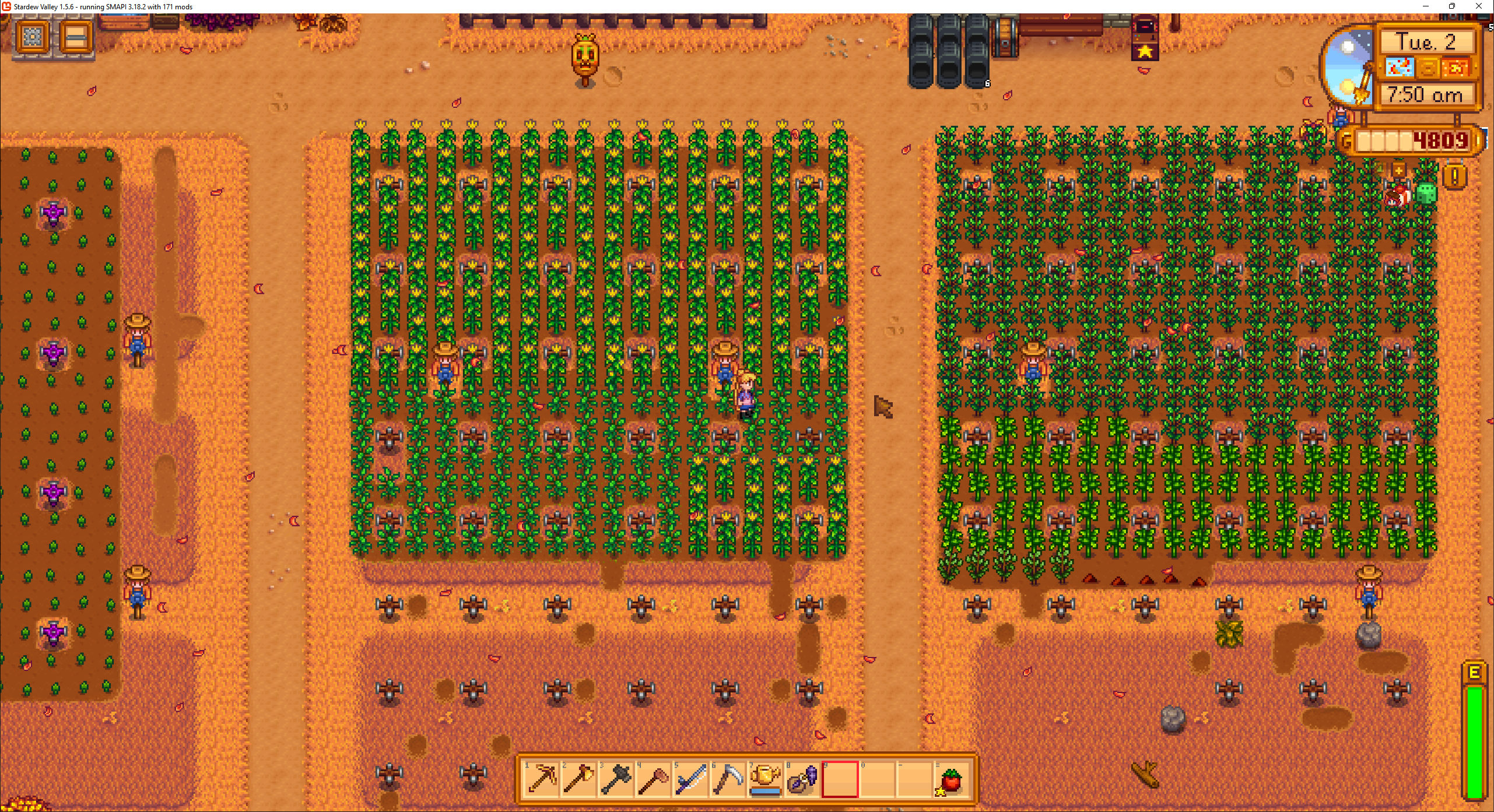
https://i.imgur.com/WV9qOYo.pngIs Apparently one of my mods made it so crops from the previous season don't get destroyed after you changed season, I've got hot peppers and blueberry crops on my farm still standing after Fall 2th, I'd looking for which mod is doing this but I can't find the culprit.
 modern python
!log
native dragonBOT
Can you upload your SMAPI log to https://smapi.io/log (see instructions on that page) and share the link here?
mystic spindle
native dragonBOT
Log Info: SMAPI 3.18.2 with SDV 1.5.6 (build 22018) on Microsoft Windows 11 Pro, with 103 C# mods and 68 content packs.
Suggested fixes: Pytk isn't compatible with newer SMAPI performance optimizations, consider removing it, One or more mods are out of date, consider updating them
modern python
hmm youve got crops anytime anywhere, did you leave the "anytime" part on in the config?
mystic spindle
oh
I forgot I had recently installed that mod
Thanks, I'm going to check that option
 gilded seal
I am giving Ridgeside Village a try but I am having issues. Other mods are SVE, Immersive Farm 2 Remastered, Market Day. I have not had any SMAPI error messages. The main problem is getting stuck going from one map to the next. I just run off the map but it doesn't change to the next map. I also got stuck trying to leave Grandpa's Shed. I had to exit and start the day over. Has anyone experienced this? Do these mod play nicely together? https://smapi.io/log/4a7f6271fee0446fa1898e2125547a97
 summer whale
So im new to modding and i dont know if i have too many mods downloaded or if its a certain mod causing problems? ive been having issues with long loading when opening my saved file and when the game is saving. it will load but the game will freeze and show that its not responding. https://smapi.io/log/f123a8a80d684028a6a4001bf29630d3
native dragonBOT
Log Info: SMAPI 3.18.3 with SDV 1.5.6 (build 22018) on Microsoft Windows 11 Home, with 69 C# mods and 99 content packs.
Suggested fixes: Pytk isn't compatible with newer SMAPI performance optimizations, consider removing it, One or more mods are out of date, consider updating them
 vestal dust
gilded seal
I am giving Ridgeside Village a try but I am having issues. Other mods are SVE,...
vestal dust
gilded seal
I am giving Ridgeside Village a try but I am having issues. Other mods are SVE,...
so I'm not going to be a lot of help regardless. But I can tell you that I use all those mods (and several others) without issues.
so you'll definitely need more information and a log
lament vortex
summer whale
So im new to modding and i dont know if i have too many mods downloaded or if it...
long loading times is definitely the fault of pytk
modern python
summer whale
So im new to modding and i dont know if i have too many mods downloaded or if it...
ok so a couple things. long loading times is a natural part of modding stardew, it's mostly just something you have to deal with. but it helps to not touch the game when its loading and just let it do its thing. like nonu said, pytk is a bit of a beast and slows down loading times, see if you can remove it or replace it with the lite version. third, spritemaster is a different mod that includes optimizations that can make the game run faster, try that out and see if it helps
summer whale
modern python
ok so a couple things. long loading times is a natural part of modding stardew, ...
Thank you! I'll give this a try and hopefully everything will work better!
 slender pike
hey sorry if this is the wrong chat, it just looked like the closest to what i need to ask
so the mod creator of the denver and cecilia mpc mods have hidden them on nexus, but i have found copies of those mods on github. does anyone know if these github copies are sanctioned by the creator or are they by someone else?
gilded seal
vestal dust
so you'll definitely need more information and a log
Thanks, just posted the log file
modern python
slender pike
hey sorry if this is the wrong chat, it just looked like the closest to what i n...
it looks like that github is from the creator so i think youre good
slender pike
ok thats good! i love those mods but i didnt want to download something stolen from the original creator
native dragonBOT
Log Info: SMAPI 3.18.3 with SDV 1.5.6 (build 1.3.37.0) on macOS Unix 13.2.1, with 183 C# mods and 905 content packs.
Suggested fixes: Pytk isn't compatible with newer SMAPI performance optimizations, consider removing it, One or more mods are out of date, consider updating them
 onyx timber
So I'm trying to install Smapi on mac and I keep getting this even after allowing it

does anyone have a screenshot/vid to show exactly where to put the files from unzipping install.dat? not sure if I'm putting the files in the right place
sacred marten
onyx timber
does anyone have a screenshot/vid to show exactly where to put the files from un...
This is what i used to help me download smapi https://youtu.be/QtpiWneFbdM

H E Y
enjoy this simple and straight to the point tutorial!
- Download and install mono (the 'stable channel' version is fine https://www.mono-project.com/download/stable/)
- Download SMAPI unzip the installer and click on 'install on macOS.command' and follow the instructions given (p/s I did not close the terminal after install...
native dragonBOT
Log Info: SMAPI 3.18.3 with SDV 1.5.6 (build 1.3.37.0) on macOS Unix 13.2.1, with 183 C# mods and 905 content packs.
Suggested fixes: Pytk isn't compatible with newer SMAPI performance optimizations, consider removing it, One or more mods are out of date, consider updating them
lament prairie
onyx timber
So I'm trying to install Smapi on mac and I keep getting this even after allowin...
you need to give terminal full disk access in system preferences to fix this error
sacred marten
Anyone know why my mine is still vanilla but i have the SVE characters and their houses.. the only thing not where it’s supposed to be is the mine and adventures guild

 thick wadi
Hello! Does anyone know how to download beachu sprit mods? I got a naver account just for these mods but I’m not sure how to change the sprite for Elliot
 sacred marten
I use the same skin.. it takes a tiny bit of coding knowledge to do that
thick wadi
sacred marten
I use the same skin.. it takes a tiny bit of coding knowledge to do that
😭😭 noooo is there any videos that showcase how to do it?
lament vortex
!cp you have to learn how to create mods with content patcher
native dragonBOT
Content Patcher (https://www.nexusmods.com/stardewvalley/mods/1915) is a mod which loads content packs to change the game's images and data without replacing XNB files. If you want to make mods using Content Patcher, start at https://stardewvalleywiki.com/Modding:Content_Patcher.
lament vortex
fortunately, changing a sprite is extremely easy
thick wadi
I already have content patcher but I’m confused on what to do with it. The stardew wiki is also confusing me. How do I access assets? 😔
scarlet quail
sacred marten
Anyone know why my mine is still vanilla but i have the SVE characters and their...
you have the config for the original mines entrance set to on, most likely
That or it looks like that until the mines are open
lament vortex
thick wadi
I already have content patcher but I’m confused on what to do with it. The stard...
You don't, the assets are the files
You have to create a content patcher mod that edits the game's characters, in this case, elliot
thick wadi
Ok just to make sure I’m doing it right I just follow these instructions?
 thick wadi
lament vortex
You have to create a content patcher mod that edits the game's characters, in th...
thick wadi
lament vortex
You have to create a content patcher mod that edits the game's characters, in th...
Sorry for the constant questions this all new to me 😭
lament vortex
yep
it's not quite like the example, since you're going to edit a character and not a portrait, but the base is the same
sacred marten
scarlet quail
you have the config for the original mines entrance set to on, most likely
How would i change it?
sacred marten
thick wadi
😭😭 noooo is there any videos that showcase how to do it?
Unfortunately I’m not sure
thick wadi
How do I create a manifest.json file tho 💀
scarlet quail
you have Generic Mod Config Menu, yes?
sacred marten
Yes
sacred marten
I just looked i didn’t have it checked and once the mines are open it obsolete.. i can’t go in at all
lament vortex
thick wadi
How do I create a manifest.json file tho 💀
You have to create a text document and name it manifest.json. If you have any further questions about making the mod, you can ask in #making-mods-general
sacred marten
scarlet quail
in GMCM
heres my error log incase it helps https://smapi.io/log/5db13ca9bcfc440fbe1b406a6423d6c1
native dragonBOT
Log Info: SMAPI 3.18.3 with SDV 1.5.6 (build 1.3.37.0) on macOS Unix 13.2.1, with 183 C# mods and 905 content packs.
Suggested fixes: Pytk isn't compatible with newer SMAPI performance optimizations, consider removing it, One or more mods are out of date, consider updating them
 gloomy shale
i'm trying to figure out if i can add items to the vending machine in ||qi's walnut room|| but i'm turning up a whole lot of nothing. is this even possible or am i missing things again?
lament vortex
gloomy shale
i'm trying to figure out if i can add items to the vending machine in ||qi's wal...
 long lynx
so, i made a new farm and messed with alot of cjb cheats menu settings so i could design the farm, then before switching back to my main farm i forgot to change the settings back and they transferred over. i didnt think it would cause any issues, so i changed them back and went on with the day, however now my energy bar is glitched and will not go down when i hit trees or other objects. I've tried uninstalling cjb cheats, trying a new day, restarting the game etc and it is still glitched. Any ideas?
long lynx
update, this is even more confusing now, i reverted my save back to a previous one before the glitch was happening, and its still happening??
my energy will not go down when chopping trees or other things, it will go down when i break an item like a bee house, but not when i hit a tree or stone or anything.
once again, ive tried restarting the game, reverting the settings, uninstalling and reinstalling cjb cheats menu and now also reverting my game to a previous save file.
long brook
!reset try this
native dragonBOT
See https://stardewvalleywiki.com/Modding:Player_Guide/Troubleshooting#Reset_your_content_files for instructions on resetting your game files! (This doesn't affect your save files.) You may also want to check this list of XNB > Content Patcher conversions (https://stardewvalleywiki.com/Modding:Using_XNB_mods#Alternatives_using_Content_Patcher) to see if there are already replacements for any XNB mods you may have been using :)
long lynx
update update, its only happening when i use my axe.
long lynx
long brook
!reset try this
so i should try reinstalling smapi?
long brook
Are you on mac?
long lynx
No, Windows
long brook
No need to reinstall smapi then
long lynx
im just confused where on this page im needing to look at
long brook
Reset game file by use validate feature assuming you use steam
gloomy shale
lament vortex
<#156109690059751424>
yes, that was my next stop after first finding out if there's already a preexisting mod i was unable to find. thanks.
long lynx
long brook
Reset game file by use validate feature assuming you use steam
so its still not working, chopping trees isnt reducing my stam
it really is only happening with my axe, my pickaxe will deal energy, but my axe will not.
fallen lantern
Market day issues with multiplayer characters walking into the bus stop area.
https://smapi.io/log/1334b926a8b84be499cfd7361a482fb9
native dragonBOT
Log Info: SMAPI 3.18.2 with SDV 1.5.6 (build 22018) on Microsoft Windows 11 Home, with 16 C# mods and 4 content packs.
 dusty sapphire
Elp

"[Content Patcher] Can't apply image patch "Faithful Weapons > Dark Sword Glow" to Tilesheets/weapons: source image size (Width:432, Height:16) doesn't match ToArea size (Width:16, Height:16)"
native dragonBOT
Log Info: SMAPI 3.18.2 with SDV 1.5.6 (build 22018) on Microsoft Windows 10 Famille, with 24 C# mods and 21 content packs.
Suggested fixes: One or more mods are out of date, consider updating them
dusty sapphire
I don't think the problem comes from the terrain resetter mod
Okay so it was indeed terrain resetter ._.
How tf did that have anything to do with the rest I dunno, but the content patcher is still a problem-
Gonna grab the new log
native dragonBOT
Log Info: SMAPI 3.18.2 with SDV 1.5.6 (build 22018) on Microsoft Windows 10 Famille, with 24 C# mods and 22 content packs.
thorny dawn
wildflour mega pack is skipping because of a couple errors, most of which i can fix
but one of the errors is that the BBM folder has files in it, but none of them are the manifest.json
however i'm in that file and can see the manifest
how do i fix this?
never mind, ended up just uninstalling and reinstalling bc i got tired of fighting the mod
shy orbit
dusty sapphire
https://smapi.io/log/57ac7d37a4e547669ede746d2b4a3afa
looks like the mod is just broken, the CP Faithful Weapons 16x16 No PyTK download in optional files might work
 grim totem
Can anyone help me with mobile smapi? I've downloaded the new one and started afresh. But it won't load my mods or show saved files & error logs in folder
 thorny tusk
Same here, im unable to access any files aandd even vanilla wants me to access files that are not there
 feral hazel
if i wanna play multiplayer, do i just add the mods to the mutiplayer map?
does cjb cheat menu even work in multiplayer
and does the other person need smapi as well
native dragonBOT
See https://stardewvalleywiki.com/Modding:Player_Guide#Do_mods_work_in_multiplayer.3F for details on how mods work in multiplayer. :)
mystic spindle
mystic spindle
https://i.imgur.com/WV9qOYo.pngIs Apparently one of my mods made it so crops fro...
I've changed the config on CropsAnytimeAnywhere and even removed that mod but crops still grow out of season for some reason

!log
native dragonBOT
Can you upload your SMAPI log to https://smapi.io/log (see instructions on that page) and share the link here?
mystic spindle
https://smapi.io/log/5bc15ecaa06b4cf3976358c998c90e3e Log just in case
native dragonBOT
Log Info: SMAPI 3.18.2 with SDV 1.5.6 (build 22018) on Microsoft Windows 11 Pro, with 102 C# mods and 68 content packs.
Suggested fixes: Pytk isn't compatible with newer SMAPI performance optimizations, consider removing it, One or more mods are out of date, consider updating them
 halcyon igloo
potentially an issue with vortex? strange
 hoary tendon
Howdy everyone!
Ive just tried downloading SDV expanded, and when i started smapi, they said i needed some mods called "FlashShifter.StardewValleyExpandedALL" and some others. I have all the needed mods (SAAT and others), but i cant figure out what these mods are. I searched on google and nothing has helped me.
halcyon igloo
!log also re-extract SVE
native dragonBOT
Can you upload your SMAPI log to https://smapi.io/log (see instructions on that page) and share the link here?
hoary tendon
Alright, the re-extraction seems to have worked. But now a another problem occured
An object "AuroraVineyardWinBottleObject isnt extracting
It says it has a fromfile that matches a nonexistent file of the same name
Unfortunately i cant show my log as i use discord on a different device
Trying to be the most descriptive i can
Im going to try reextracting again
halcyon igloo
can you use the web app or something temporarily
for discord
troubleshooting is like extremely difficult without the log
also it looks like that is missing an E
 undone mango
Hi there! Willy in my game as a weird bug where he constantly glitches when he's fishing. Did someone had the same issue with a mod?
hoary tendon
I googled it, it could be because of its long name, however when i tried searching for the file in the folders, i couldnt find iy
Update: i found it! It isnt letting me change its name though
Ultimately decided i could live without a wine bottle.
 worthy drift
Hi. The mod suddenly started throwing up errors. I need someone to help me...
[Content Patcher] Can't apply image patch "DCBurger's High Res Portrait Mod > EditImage Portraits/Pam" to Portraits/Pam: target area (X:0, Y:0, Width:512, Height:768) extends past the right edge of the image (Width:128), which isn't allowed. Patches can only extend the tilesheet downwards.
I'm getting this same error with all of these mods, except Pam.
thorny dawn
i'm getting the same error with a mr ginger portrait mod. " Can't apply image patch "Krag's Talko-style Mister Ginger > Mister Ginger Portraits" to Portraits/MisterGinger: target area (X:0, Y:0, Width:512, Height:1024) extends past the right edge of the image (Width:128), which isn't allowed. Patches can only extend the tilesheet downwards."
worthy drift
I don't know why. Did the CP suddenly go crazy?
thorny dawn
i dont think so, its the only portrait mod thats doing that for me
i'm also getting a fun loop error with the missing bundle again so we're gonna see if deleting community kitchen entirely will fix it even though i moved it to my inactive mods folder
worthy drift
Portraiture doesn't work well either.
halcyon igloo
thorny dawn
i'm also getting a fun loop error with the missing bundle again so we're gonna s...
this is a known issue with community kitchen + missing bundle
halcyon igloo
thorny dawn
i'm getting the same error with a mr ginger portrait mod. " Can't apply image...
sounds like it might need HD portraits or something
native dragonBOT
Log Info: SMAPI 3.18.2 with SDV 1.5.6 (build 22018) on Microsoft Windows 11 Home, with 88 C# mods and 224 content packs.
Suggested fixes: One or more mods are out of date, consider updating them
thorny dawn
most recent log with community kitchen deleted
halcyon igloo
remove custom community centre too
thorny dawn
👌 👌
 steel ice
How to keep getting achievements if i started mods
robust bison
steel ice
How to keep getting achievements if i started mods
!launchoptions
native dragonBOT
If you're using Steam or GOG on Windows, you will need to set your launch options in order for Steam/GOG to automatically launch with SMAPI. The SMAPI installer will tell you what to set as the launch options when it completes (green text). You can find instructions (with screenshots) on how to do that here: https://stardewvalleywiki.com/Modding:Installing_SMAPI_on_Windows#Configure_your_game_client
steel ice
Is spami latest version 1.18.3
dusky canyon
smapi
modern python
that is the latest version, yes
versed thorn
!uiinfosuite
native dragonBOT
If you go to https://github.com/Annosz/UIInfoSuite2/releases, you can find UI Info Suite 2, which works with Stardew 1.5.5+. Download the first zip, not the source code.
lament vortex
native dragon
If you go to <https://github.com/Annosz/UIInfoSuite2/releases>, you can find UI ...
It says right there what to download
modern python
no no
thorny tusk
H.. Help

 modern python
under assets, then "UIInfoSuite2.zip"
long brook
just like Vinilla said
 long brook
unzip/extract it
steel ice
It worked
Finally
Is tehre a mode to cancel animation
Or should i do it the keyboard short cut way
modern python
Nexus Mods :: Stardew Valley
Speed up many animations in the game (like breaking geodes or eating). Optionally configure the speed for each animation.
theres this
modern python
how so
versed thorn
it doesnt have the option for chopping trees
robust bison
 modern python
🤷 its either all tools or no tools
steel ice
Is ui info considered as cheating
versed thorn
bro it feels like a chainsaw 💀
steel ice
I think animation canceling is because there is a thing that makes tools cut fast
steel ice
versed thorn
bro it feels like a chainsaw 💀
Faster than normal animation canceling?
robust bison
steel ice
Is ui info considered as cheating
all subjective
versed thorn
steel ice
Faster than normal animation canceling?
yes 🗿
robust bison
you know you can set the value right
versed thorn
yes 
lets go do some global deforestration in 5 minutes
anddd i crashed nice

its worth mentioning its thunderstorm rn
steel ice
I would like some some mood that helps with designing my farm instead of it looking like a chicken coop
 elfin glade
versed thorn
elfin glade
versed thorn
Why is stardrop saloon just half missing?
elfin glade
I'm confused how you're having that with only 130 mods, uhh good luck?
versed thorn
im on a mac
versed thorn
yeah im trying to remove as many mods as i can
i got rid of rsv, east scarp
deepwods something
versed thorn
versed thorn
lets go do some global deforestration in 5 minutes
its no longer cindersap forest
its greeny sahara
 keen helm
As I'm running waaaay too many mods, any idea which one is changing those textures?

Might be familiar
neat plaza
vanilla tweaks I think
long brook
not vanilla tweaks apparently
keen helm
I'm not using Vanilla Tweaks
neat plaza
just checked the page, you're right
violet kelp
!log ?
native dragonBOT
Can you upload your SMAPI log to https://smapi.io/log (see instructions on that page) and share the link here?
keen helm
Wait, let me
violet kelp
or you might wanna search springobjects in your mod folder
keen helm
I'm using those
 keen helm
violet kelp
or you might wanna search springobjects in your mod folder
keen helm
violet kelp
or you might wanna search springobjects in your mod folder
Oh you're right
It's Reimagined Inventory
violet kelp
nothing on that list looks like changes those sprites so it must be something else
long brook
reimagine inventory
violet kelp
oh okay lol
keen helm
 long brook
 keen helm
Thx thx 😄
long brook
no prob, you figured it out yourself


 candid laurel
hey! artisan valley's machine goods isnt working, its saying i need a "more foods" mod..
ACTUALLY I FOUND IT NVM I LOVE U GUYS THO UR THE MVPS
thorny tusk
👉👈 Anyone know about modding on android
robust bison
!androidsmapi
native dragonBOT
Android SMAPI has entered alpha - however, this means multiple mods may be bugged in the current build (crucially, Content Patcher and SAAT do not currently work as intended, so some mods like SVE are wholly unavailable on Android at present). If there are bugs, please check to make sure there is not an open issue with the error on the Github before requesting support with this build in #archived-modded-support . https://github.com/ZaneYork/SMAPI-Android-Installer/releases
Instructions will be updated on the wiki when possible. https://stardewvalleywiki.com/Modding:Installing_SMAPI_on_Android
thorny tusk
I got iit all downloaded but I can't load any mods

I've tried to fix this the entire day i can't even select a folder
neat plaza
that's a vanilla thing
pearl tangle
question - if i have my mods on my desktop computer but want to play it on my laptop (older software), would playing it without mods mess anything up
neat plaza
scroll up a bit
 unreal light
so, I installed a forest farm mod to remove the middle lake and theres this one tree...is there a way that I can get rid of this? 😭 sorry if this is the wrong place to ask!!
 pearl tangle
neat plaza
scroll up a bit
pearl tangle
neat plaza
scroll up a bit
i didnt see anything that pertained to my question
neat plaza
oh i think it was in modded farmers
halcyon igloo
unreal light
so, I installed a forest farm mod to remove the middle lake and theres this one ...
noclip then chop it maybe? lol
unreal light
halcyon igloo
noclip then chop it maybe? lol
honestly, a good solution ill try it out after this day ends thanks 😭