#mod_development
1 messages · Page 543 of 1
 native shore
for some many folks that's true!!
I would rather gouge my eyes out with spoons, but I'm a weird old person who likes books 😄
 hot patrol

native shore
the video's not for me though 🙂
I could read the snippet and go from there, but for folks who can't, the video will be great
good call
 inner blade
So quick question, would it be possible to add variants of existing items, say I want the handle of my screwdriver to be blue, could I just edit the texture and add it as a new item without overriding the existing one?
native shore
inner blade
So quick question, would it be possible to add variants of existing items, say I...
actually I think the blue screwdriver mod exists iirc
so yeah, seems legit
inner blade
Was wondering that because realistically all screwdrivers aren't red. Even in the 90's.
native shore
not sure there's a randomizer or anything though, so you'd probably have to actually just copy/paste and make the red/blue/yellow/whatever and add them to the distro
inner blade
Could I still name them the same thing or would have to like put _(color here) so it wouldn't override the original?
native shore
yeah that's the part I'm not sure of, I think it'd have to be the latter
sec...
ugh the info/questions on stuff are all over the place lol
inner blade
My bad.
native shore
it's a standing question still, I think, how to implement variants
no, not your fault
😄
you're fine
it's a good question and a valid idea imo
inner blade
I mean I would think it would be the same as how there are multiple lumberjack shirts.
Red, Green, and Yellow.
hot patrol
I can answer this one
weapons need to be duplicated as they don't have a texture randomiser as far as I know. my dakimakura mod works like this
so each color would have to be listed as a new item
inner blade
So like for the item name it would be like Screwdriver_blue and have the Display be Screwdriver?
Or something like that.
inner blade
Simple enough, I hope >->
hot patrol
it's simple but a very bloated way of doing it. My mod has like 20 of the same item with the only difference being the texture
it's a pain
native shore
yet because of that, you are the hero of the day 🙂
inner blade
^
hot patrol

inner blade
Vital info and an amazing answer.
hot patrol

inner blade
Thing the only issue is doing the distribution part since I have no idea what any of it means. I'm very new to the lua coding
native shore
they should be the same chance right?
inner blade
Yea, but gotta change all the names for it.
native shore
(except that rare Golden Screwdriver™️) 😄
inner blade
Pfft
hot patrol

inner blade
Cheese Screwdriver
 inner blade
At least they're using C++ so I can mostly understand the layout.
inner blade
Good enough for starters imo lol
native shore
and another wonderful mod is born 🙂
inner blade
Again, lets hope lol
inner blade
Luckily I have a practice mod I did for layout so that shouldn't be an issue.
 bronze creek
What is a proper way for an inventory item to remember its weight (after setActualWeight method).
It resets to default value after the game reload, even with CustomWeight set to true
inner blade
I forgot the textures for some items are still broken.
inner blade
I can't seem to find the icons for the in-game items, any idea where I would find those?
inner blade
Where would I find that? I.e. the screwdriver.
 faint jewel
IconsMoveables.pack i would think?
 winter bolt
inner blade
I can't seem to find the icons for the in-game items, any idea where I would fin...
winter bolt
inner blade
I can't seem to find the icons for the in-game items, any idea where I would fin...
theyre packaged into some file but you can find most of the icons on the wiki
https://pzwiki.net/wiki/Items
inner blade
Well it seems I screwed up my pz since I disabled my mods and only enabled the one I'm working, it now no longer loads.
Yep it's just my mod doing it.
Upsetti.
I'm way to dumb to know what I'm doing wrong so I'll just leave it for another time.
 exotic parrot
How would one start off trying to learn to make car mods?
faint jewel
find an existing mod and study it.
 kindred dagger
Is anyone here familiar with WordZed and creating radio channels? I have a question regarding adverts.
 tame mulch
exotic parrot
How would one start off trying to learn to make car mods?
tame mulch
exotic parrot
How would one start off trying to learn to make car mods?
The Indie Stone Forums
Hello and welcome to my tutorial. It covers full workflow of vehicle creation for PZ. If you are a complete beginner in 3D modelling, you'll have to watch/read additional tutorials, I won't cover every aspect of model creation and 'where this button is located'. I divide vehicle creation in these...
 tidal warren
 austere pecan


 noble imp
my vv is broken :(
exotic parrot
Is there any automation to merging xml files
I see programs that can merge the files and they do seem to work, but sometimes they live duplicate lines such as
<armor><armor>
<hair>
I assume this is because it’s where one xml file ended and the other began. Which I can easily go in notepad ++ and delete these duplicate lines.
Is there a true solid method for this though or just by hand?

 tulip valve

 devout galleon
Is it possible to combine 2 maps together and then edit them?
like copy paste them basically and then properly edit the streets to connect etc
 celest badger
are there any mods out there/ a way that could change looting so each player in MP has their own loot and theres a lot less spots to check?
currently in any server the first person to get to the guns gets all the guns and ammo and then hordes it somewhere leaving scraps behind. it can be frustrating to make a loot trip to places that are always empty
 drifting ore
i want to make a trait rework but i don't know where to start. i want to disable all vanilla traits and use only the custom ones i'll add.
i also need to edit the default starting strength and fitness
exotic parrot
celest badger
are there any mods out there/ a way that could change looting so each player in ...
You can change sandbox settings to make look respawn more quickly
Loot*
drifting ore
how do i change the trait costs of vanilla traits
 dawn shuttle
devout galleon
Is it possible to combine 2 maps together and then edit them?
dawn shuttle
devout galleon
Is it possible to combine 2 maps together and then edit them?
You might have more luck asking in #mapping
Anyone knows where this icon is located in the file directory? Looked at /ui and unable to locate it.
 tame mulch
dawn shuttle
Anyone knows where this icon is located in the file directory? Looked at /ui an...
tame mulch
dawn shuttle
Anyone knows where this icon is located in the file directory? Looked at /ui an...
I think it in one of .pack files
bronze creek
bronze creek
What is a proper way for an inventory item to remember its weight (after setActu...
Where can I even find this kind of info? I'm searching for it in the code for 2 days now
 midnight mica
Can anyone point me in the right direction to disable certain items from getting disassembled (like containers that respawn loot), can this be achieved with mods or do i need to overwrite some item settings?
 plucky frigate
Why this is not working?

 zealous wing
dawn shuttle
Anyone knows where this icon is located in the file directory? Looked at /ui an...
zealous wing
dawn shuttle
Anyone knows where this icon is located in the file directory? Looked at /ui an...
Check the UI elements inside of the UI and UI2 pack files.
dawn shuttle
Thanks. I thought knowing where the file was stored would help. But turns out the logic surrounding this code is in Java. Time to learn how to mod in Java I guess lol. Storm Project seems helpful
inner blade
So when making a mod that uses the in-game animations and sounds do I need to have them included in my own mod or can they just use them from in-game?
*Note I'm trying to make variants to existing items (Recolors) and have it so they can have some variety.
 tribal nexus
Hello. I´m not playing this game but i enjoy watching people playing, but in all those hours watching the game i never see someone using a trench club, i don´t kno why, you just need a a gear and and a wooden stick
 zealous wing
tribal nexus
Hello. I´m not playing this game but i enjoy watching people playing, but in al...
zealous wing
tribal nexus
Hello. I´m not playing this game but i enjoy watching people playing, but in al...
that would be neat.
 paper steeple
devout galleon
like copy paste them basically and then properly edit the streets to connect etc
paper steeple
devout galleon
like copy paste them basically and then properly edit the streets to connect etc
Sadly, no.
The only way to do this would be to get the raw map files from the mod authors (with all tiles and relevant files) and import them yourself.
I wish there was an easier way, as I'd love to simply redo the roads of maps to make them properly accurate to the US.
plucky frigate
for what IS prefix in filenames and functions stands for?
midnight mica
midnight mica
Can anyone point me in the right direction to disable certain items from getting...
Anyone have experience with this?
native shore
plucky frigate
for what `IS` prefix in filenames and functions stands for?
I read it as "Indie Stone", personally
 fast galleon
midnight mica
Anyone have experience with this?
fast galleon
midnight mica
Anyone have experience with this?
 midnight mica
fast galleon
https://steamcommunity.com/sharedfiles/filedetails/?id=2705751144
midnight mica
fast galleon
https://steamcommunity.com/sharedfiles/filedetails/?id=2705751144
Thanks!
plucky frigate
native shore
I read it as "Indie Stone", personally
Thanks, so probably i should not use this prefix in my files
 agile swallow
Hey guys, does anyone know how to fix a model not being oriented correctly when doing an animation but looks fine when placed on the ground? The model is upside down in this instance.
 inner blade
Is there a link to help make weapon mods?
 spring geode
I have money, I need someone to create a mod for me. Basically a generator and power overhaul, add me for more info. If noone reaches out to me by this weekend i will have spent it. Not available this weekend.
 chrome egret
plucky frigate
Thanks, so probably i should not use this prefix in my files
chrome egret
plucky frigate
Thanks, so probably i should not use this prefix in my files
Had the same thought while working on my Item Searcher mod 😂
 distant rapids
function Function1(items, result, player)
[Function content]
end
Can someone explain what "items" "result" and "player" are defined as and how they are handled?
chrome egret
There's no information with which to answer you
Those are just arbitrary names for function arguments that were defined by the person who wrote the function. Unless the functions are well documented, you'd have to look at the code which calls Function1 to see what data it collects + passes to the function call.
 frank rivet
Hey can someone post some guides for how you guys create your mods. Thanks
 tight elm
frank rivet
Hey can someone post some guides for how you guys create your mods. Thanks
tight elm
frank rivet
Hey can someone post some guides for how you guys create your mods. Thanks
im learning rn too and im using this https://theindiestone.com/forums/index.php?/topic/61-robomats-modding-tutorials-updated-12112013/ to start of along with the API kind of thing for all events https://pzwiki.net/wiki/Modding:Lua_Events
The Indie Stone Forums
RoboMat's Modding Tutorials - An introduction to modding for Project Zomboid - I - Introduction I1 - Where to start I2 - What is neededI3 - Lua TutorialsI4 - Other Resources II - The first steps II1 - Getting the connectionII2 - The entry point: Events III - The first mod III1 - Preparations III1...
theres probably better stuff but thats what im using to start off
 timid saffron
Is anyone actually working on that tarkov style inventory mod that was talked about a few weeks ago or was that just a concept?
tame mulch
timid saffron
Is anyone actually working on that tarkov style inventory mod that was talked ab...
I think just concept. Need a lot of work for do this
 proud gazelle
does anybody have an idea on how to make a music mod?
faint jewel
my conccept?
 unreal mortar
Is there a way to make custom tiles craftable? I am looking at some code of a near example and it uses "WorldObjectSprite =" but i cant seem to figure out what thats referring to.
 white crag
Zomboid does not have to be the tarkov
Also by the direction of the zomboid and current modding trending 2d inventory is going to be the nightmare imo
Not even starting with networking
tame mulch
 faint jewel
nah, it's a part of a bigger whole.
 young edge
oo, i see
 thick narwhal
young edge
oo, i see
thick narwhal
young edge
oo, i see
if i had to wager, going to form part of b43 npc trading maybe
 vale marsh
how do i spawn in stuff from mods using the admin command menu in mp?
 hollow gyro
Hey, finished a mod!
https://steamcommunity.com/sharedfiles/filedetails/?id=2815857931
 fast galleon
zombies drop molotovs on death 
 deft falcon
is there a way to get zombies in X distance to the player, instead of relying on spotted list?
tight elm
Sorry, I'm pretty new to modding zomboid. I've been making a mod where if your character gets any wet moodle they immediately explode. I've used debug mode to check out the code and it works fine, but the mod does not show up in my GUI. I'm guessing I've made a simple mistake but I'm looking at the tutorials and I just cant find it.
I've realised this and the example mod do not show up on my zomboid at all in my mod menu - all I've done is make a copy of the example mod and change a script and its id and stuff.

I've used two different tutorials (https://github.com/FWolfe/Zomboid-Modding-Guide/blob/master/structure/README.md and https://theindiestone.com/forums/index.php?/topic/61-robomats-modding-tutorials-updated-12112013/); they both show different ways of making the directory and neither of them have worked.
GitHub
Guide to modding various aspects of Project Zomboid - Zomboid-Modding-Guide/README.md at master · FWolfe/Zomboid-Modding-Guide
The Indie Stone Forums
RoboMat's Modding Tutorials - An introduction to modding for Project Zomboid - I - Introduction I1 - Where to start I2 - What is neededI3 - Lua TutorialsI4 - Other Resources II - The first steps II1 - Getting the connectionII2 - The entry point: Events III - The first mod III1 - Preparations III1...
 smoky meadow
if there's a UI for gun attachments, that would be nice.
fast galleon
tight elm
Sorry, I'm pretty new to modding zomboid. I've been making a mod where if your c...
try putting it into
%username%/Zomboid/Workshop
or Zomboid/mods if you play with nosteam
if you put into workshop you might need a few more folders like the example in that folder
tight elm
just doing it now, i see what you mean there are a few more things it has to do
(name) --> contents folder + preview and workshop --> mods --> (name) --> actual mod stuff right?
I've just copied what the example mod does but it still refuses to show up
fast galleon
You have to change folders I think, the one I see in pics above is not one I put my mods into.
tight elm
the one called Workshop right?
fast galleon
fast galleon
try putting it into
`%username%/Zomboid/Workshop`
or Zomboid/mods if you play wi...
username first
tight elm
ah ok there's two of them
 boreal kelp
is there a snowmobile mod?
 true quartz
Hello, I am looking to commission a mod. I have asked around already. If you are interested and are able can you contact me for details.
drifting ore
Anyone knows how to get an ID player from a Forname or username? I've tried local numID = getPlayer():getOnlineID() But it returns only my ID not another one.
I want to create a CMD in my chat allowing users to get any other ID user. Like /getid Forname or /getid username and return the ID.
Just I cannot to send a string in getPlayer(command):getOnlineID() being command the Forname/username that the user want to check the ID.
 gaunt pendant
drifting ore
Anyone knows how to get an ID player from a Forname or username? I've tried ``l...
gaunt pendant
drifting ore
Anyone knows how to get an ID player from a Forname or username? I've tried ``l...
tried public static IsoPlayer getPlayerFromUsername(java.lang.String string) ?
drifting ore
gaunt pendant
tried `public static IsoPlayer getPlayerFromUsername(java.lang.String string)` ...
Yep it returns error.

command it's the input that user writes. Equals the username basically.
gaunt pendant
drifting ore
Yep it returns error.
well it's definitely the function you want 😄
drifting ore
Hmm to be honest I don't have any clue why I am getting error @gaunt pendant . Do you see any bad syntax on there?
gaunt pendant
what's it say?
drifting ore
The string says "Username ID of command is: numPL"
Hmm lemme try using tostring converter.
gaunt pendant
I'd assume it'd convert the short fine, but worth a try. I mean what's the error say 😄

Do note this does an .equals(), so has to be exact match


 radiant ginkgo
 atomic dirge
Too bright or just right?
atomic dirge
Too bright or just right?
It depends on how it looks on the texture of the car
 wooden lodge
Hello, I've copied the Hazmat Suit and wish to make a full body protection suit.
Sadly it's not covering feet, hands and head. Is there a simple waay to add those aswell?

 keen frost
tame mulch
https://youtu.be/JBy-KCCdhBU
keen frost
tame mulch
https://youtu.be/JBy-KCCdhBU
Hey Aiteron really nice mod, just a question I was trying to make a recipe craftable only when is near to the ATM, what im doing is "scan" nearby tiles around the player it wasn't working because the ATM sprite name didn't show up ... but I know that code was "right" because other sprite names were showing up. So to make it work I had to change TileBlockStyle from SolidTransparent to None in TileZed, tbh I don't know much about TileZed. So what is the difference between the provided options in TileBlockStyle ?
TLDR: What is the difference between the provided options in TileBlockStyle ? 
hot patrol
is there a way to check if a certain item is spawning in MP?
I have a big modlist for my server and it seems that true music items are not spawning despite the mod being there and functioning. IDK if it is just being overtaken by other items or if the spawning is bugged
exotic parrot
If anyone could please DM me and give me a few pointers on how to merge XML files I would forever be in your debt
atomic dirge
Use notepad ++ with the compare plugin.
Or just side-by-side view it oldschool style.
zealous wing
hollow gyro
Hey, finished a mod!
https://steamcommunity.com/sharedfiles/filedetails/?id=2815...
Good work!
Do you think it could be feasible to have something like DayZ where they straight up have whole books readable in-game?
hollow gyro
you could probably create a item like the notepads since they have multiple writeable pages in them. tbh I'm unsure though.
tame mulch
keen frost
Hey Aiteron really nice mod, just a question I was trying to make a recipe craft...
It with my ATM mod?
keen frost
tame mulch
It with my ATM mod?
yeah, I only can get the spriteName when I set TileBlockStyle = None
This is the code that im using, in case you want to know how I do it
local atmSprites = {
    ProjectRP_0 = true,
    ProjectRP_1 = true,
}

local function spriteNameOf(object)
    if not object then return nil end
    if not object:getSprite() then return nil end
    return object:getSprite():getName() or object:getSpriteName()
end

function isATMnearby(items,result)
    local player = getPlayer()
    if not player then return false end
    local square = player:getCurrentSquare()
    if not square then return false end
    local squares = {square,square:getN(),square:getS(),square:getE(),square:getW()}
    for _,v in pairs(squares) do
        local objects = v:getObjects()
        for i=0,objects:size()-1 do
            local o = objects:get(i)
            local spriteName = spriteNameOf(o)
            if not spriteName then return false end
            if atmSprites[spriteName] then return true end
        end
    end
end
Hmmm
midnight mica
i'm trying to overwrite a function, but the original function doesn't seem to work properly anymore, am i doing something wrong?
myCondition is just a replacement of my actual code which is either true or false when testing in-game depending on the object
 tame mulch
keen frost
yeah, I only can get the spriteName when I set TileBlockStyle = None
This is th...
tame mulch
keen frost
yeah, I only can get the spriteName when I set TileBlockStyle = None
This is th...
Must work this code. where you set TileBlockStyle?
tame mulch
midnight mica
i'm trying to overwrite a function, but the original function doesn't seem to wo...
Your forgot add self arg
keen frost
tame mulch
Must work this code. where you set TileBlockStyle?
I used TileZed for that
tame mulch
keen frost
I used TileZed for that
Can you send recipe script? I want to test it and check
midnight mica
tame mulch
Your forgot add self arg
thanks, it seems to work now!
exotic parrot
XML Validation website has made my life so much easier in finding errors in the text
keen frost
tame mulch
Can you send recipe script? I want to test it and check
Sure, recipe is simple, it was just for testing 
recipe ATM Test
    {
        LeatherStrips=1,

        Result:LeatherStrips,
        Time:300.0,
    OnTest: isATMnearby,
    RemoveResultItem:true,
    }
function isATMnearby(items,result)
    local player = getPlayer()
    if not player then return false end
    local square = player:getCurrentSquare()
    if not square then return false end
    local x = square:getX()
    local y = square:getY()
    for xx = x-1, x+1 do
        for yy = y-1, y+1 do
            local sq = getCell():getGridSquare(xx, yy, square:getZ())
            if sq ~= nil then
                local objects = sq:getObjects()
                for i=0, objects:size()-1 do
                    local o = objects:get(i)
                    local spriteName = spriteNameOf(o)
                    if atmSprites[spriteName] then return true end
                end
            end
        end
    end
end
that one works, now I wonder why the other one don't, lol thanks
midnight mica
any advice on the cleanest approach to add some custom code to this vanilla method?
basically i need to alter some code in the self.createMenu function inside the main function.
so far i have just overwritten the entire function and added my code inside, but i wonder if theres a better way to prevent issues on future patches?
 tame mulch
midnight mica
any advice on the cleanest approach to add some custom code to this vanilla meth...
tame mulch
midnight mica
any advice on the cleanest approach to add some custom code to this vanilla meth...
You can try do like this:
local oldISWorldMenuElements_ContextDisassemble = ISWorldMenuElements.ContextDisassemble
function ISWorldMenuElements.ContextDisassemble()
  local obj = oldISWorldMenuElements_ContextDisassemble()
  local old_createMenu = obj.createMenu
  obj.createMenu = function(_data)
    local ret = old_createMenu(_data)
    doMyCode()
    return ret
  end
  return obj
end
I would recommend calling the function inside yours first thing; this assumes you're making a derived class from ISWorldMenuElements, e.g., MyCoolThing = ISWorldMenuElements.derive("MyCoolThing")
function MyCoolThing.ContextDisassemble()
  local self = ISWorldMenuElements.ContextDisassemble()

  -- your code here

  return self
end
Now you've made a proper override that respects the inheritance hierarchy! 🙂
no matter what TIS does to that class, unless they completely remove it or that function, you should be covered.
 umbral echo
I made a small update video on the tuning/drifting mod I've been working on, for those interested.

Just an update on what I've got in store for this mod I've been working on. The parts are yet to be completely modeled and expanded on, however the mod works as intended, it both increases vehicle performance and makes cool sounds. However ...
I'm drowning in real life issues right now so I'm having a hard time finishing things up and there's st...
 clear geode
umbral echo
I made a small update video on the tuning/drifting mod I've been working on, for...
clear geode
umbral echo
I made a small update video on the tuning/drifting mod I've been working on, for...
those neon lights tho 🤩
 manic holly
umbral echo
I made a small update video on the tuning/drifting mod I've been working on, for...
manic holly
umbral echo
I made a small update video on the tuning/drifting mod I've been working on, for...
Ayy, nice. Perfect mod for car guys
umbral echo
clear geode
those neon lights tho 🤩
Really happy with how they turned out 🙂 I still have to properly implement a system for them though, I'm hoping to eventually create a RGB controller on the dash.
umbral echo
manic holly
Ayy, nice. Perfect mod for car guys
Thanks bro. That's my target audience 😄
manic holly
Yeah, I can’t wait for the full release of the mod. I would install it in a heartbeat 😳
umbral echo
manic holly
Yeah, I can’t wait for the full release of the mod. I would install it in a hear...
If you liked that, you might wanna check out my older showcase too.
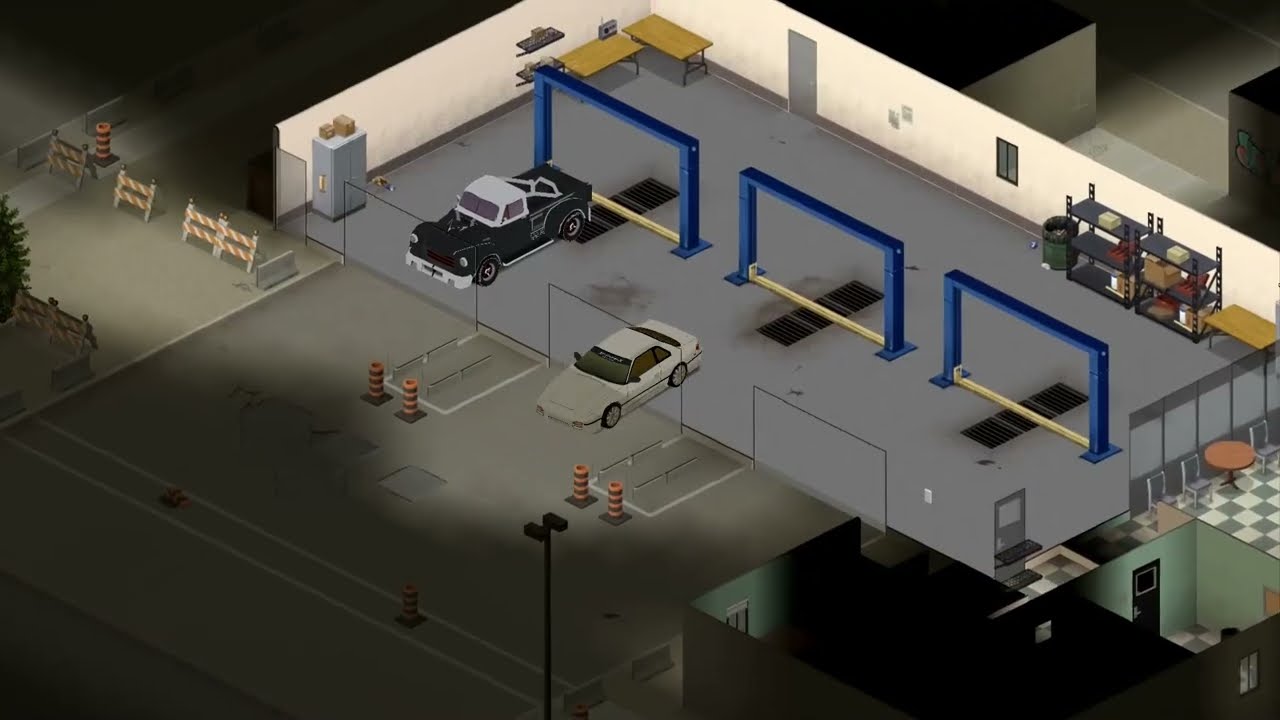
This is a mod I'm working on for project zomboid.
The cars used in the video are customized versions of
Filibuster Rhymes, and fhqwhgads cars in the links below:
https://steamcommunity.com/sharedfiles/filedetails/?id=2698655004
https://steamcommunity.com/sharedfiles/filedetails/?id=1510950729&tscn=1640102334
I will not upload this at its curren...
manic holly
Bro...you should really try to add tire smoke if you can. That would be so legit! Other than that, nice!
umbral echo
Yeah, I've been thinking about it and believe I can implement it. It's pretty low on my priority list right now though.
manic holly
Yeah, this mod is so legit just like the tuning mod your making. But other than that, I respect everything you do to release this cool mod!
umbral echo
Same mod 🙂 Theyre releasing together.
So the plan is to add a traction control and a selection of differentials, so you can tune the car into a drift version, then toggle between different TC modes
manic holly
Ah, my bad. But still, I can’t wait for the mod to release, I could already imagine all the possibilities that this mod could offer. Just like real life cars, other than that, I can’t wait for this
midnight mica
anyone know the property to change engine quality, not condition? i'd like to adjust the admin vehicle menu to spawn more random ones instead of 95%+
found part:getVehicle():getEngineQuality() in the lua, hopefully theres a set aswell
drifting ore
 umbral echo
midnight mica
anyone know the property to change engine quality, not condition? i'd like to ad...
umbral echo
midnight mica
anyone know the property to change engine quality, not condition? i'd like to ad...
This is how TIS does the engine quality repair through debug
"sendClientCommand(self.character, "vehicle", "repairPart", { vehicle = self.part:getVehicle():getId(), part = self.part:getId() });"
midnight mica
part:repair() is called and makes it 100% i think
umbral echo
Yeah, I'm not sure if you can set it to a specific value.
midnight mica
guessing the repair() bit is java code?
when vehicles spawn in the world they get a random value, just not sure if i can set it trough the lua
umbral echo
I haven't looked into engine quality too much I'm afraid. So I can't help out much as of now. Good luck though.
hot patrol
anybody know if debug mod can be used on a server? I keep getting a black screen when I try
midnight mica
thank, i will try a few things
midnight mica
hot patrol
anybody know if debug mod can be used on a server? I keep getting a black screen...
only on admin characters
hot patrol
if I host through the game that makes me admin by default no?
umbral echo
Is it dedicated?
hot patrol
yes? I am using the host button in game
umbral echo
Hold on lemme refresh my mind real quick on how to do it manually.
midnight mica
check the database to see if your character is flagged admin
but i think on hosted, the host should get it automatically?
umbral echo
That, I'm just looking for the path to the database file so you can change it without admin access
hot patrol
yea idk. I don't think I can check any data base. once I boot it up it just puts me in game
hot patrol
I have to be able to get that far tho. with debug on it is auto black screen
And I have done that and it does not save on next host
umbral echo
That's weird
midnight mica
boot normally
after setting your access level, check the database to make sure you see this
 hot patrol
How do I check the database?
midnight mica
click on the admin icon, then see database
hot patrol
Alright I will try that
umbral echo
Okay so you need a hex editor to manually go through the database file, and there might still be encryptions there due to passwords and whatever. I gotta leave now but if it doesn't work changing the database in game. the database file is stored in user/zomboid/saves/multiplayer/your server/players.db
young edge
umbral echo
If you liked that, you might wanna check out my older showcase too.
https://www...
this is entirely useless, but I love it anyway. Well done, chief. 
reminds me of the good old NFS World + cheats days
umbral echo
young edge
this is entirely useless, but I love it anyway. Well done, chief. <a:pepeLaugh:5...
After 1000+ hours, you learn to appreciate the useless stuff 🙂
midnight mica
midnight mica
anyone know the property to change engine quality, not condition? i'd like to ad...
_vehicle:setEngineFeature(40 + ZombRand(50), ZombRand(50), _vehicle:getScript():getEngineForce());
That seems to work to set the engine quality, but its not transmitting to the client, anyone know if theres a transmit for engine quality? i've already tried the following
_vehicle:transmitPartModData(part)
_vehicle:transmitPartItem(part)
_vehicle:transmitPartCondition(part)
deft falcon
Hello. I have an issue with assigning traits to professions. The traits appear fine in character creation and in info menu, however, if I die on that save, and start a new character, the profession traits disappear and their effects no longer work. How to fix this?
I've resorted to checking what profession the player has instead of if they have the trait, but I still would like to know how to fix this for anything in the future.
 agile veldt
anyone here know of a simple mod that lets you customize your starting items?
 wet osprey
sorry for basic question, but whats the format for crafting an item of another mod?
I know how to edit recipes with vanilla items, but do I need to add something if the item is from a mod?
 fervent imp
is there any mod that gives the game a ending? I am fine with anything. I just wanna have a goal when i play, something that motivates me.
wet osprey
fervent imp
is there any mod that gives the game a ending? I am fine with anything. I just w...
trying to find one too, it gets too easy to not leave the base
fervent imp
wet osprey
trying to find one too, it gets too easy to not leave the base
Pls inform me if you found something
young edge
The way we do it is with hordes. It forces you to use a lot of ammunition, so you have to go out & scavenge for more
wet osprey
fervent imp
Pls inform me if you found something
cant find an specific mod, but something that seems to help is
https://steamcommunity.com/sharedfiles/filedetails/?id=2210760610&searchtext=cold+winter
as December gets closer temperature drops drastically, this mod makes that you stop wearing high armor cloth but instead high insulation one
https://steamcommunity.com/sharedfiles/filedetails/?id=2753086629&searchtext=seasons
this will make the game skip days, so you can go through the year faster (otherwise is tons of weeks irl)
https://steamcommunity.com/sharedfiles/filedetails/?id=2258586198&searchtext=rare
this should reduce all loot by 75% and since crops will be slow due to the cold, it forces you to travel/loot
so far thats what Im trying so I have a reason to explore the world
fervent imp
No sorry i need a ending mod. So that i have a goal because i dont feel Motivatied to play with out it.
wet osprey
unfortunedly there isnt one like that, maybe closes I saw was a mod that adds like 10 notes to find or something like that
 stuck latch
fervent imp
is there any mod that gives the game a ending? I am fine with anything. I just w...
stuck latch
fervent imp
is there any mod that gives the game a ending? I am fine with anything. I just w...
rn the ending to the game is death. but in the future, npcs, and advanced crafting should be adding, such as windmills and being able to craft blacksmith weapons and being completely self sustainable, similar to ||the walking dead post time jump||
but atm its a sandbox game and there really is no end
distant rapids
Would anyone be willing to explain UI modding in PZ? im definitely trying as many documents for functions in lua as possible but I feel like it could be accelerated by a good teacher. Thanks in advance :D
chrome egret
distant rapids
Would anyone be willing to explain UI modding in PZ? im definitely trying as man...
GitHub
Contribute to MrBounty/PZ-Mod---Doc development by creating an account on GitHub.
drifting ore
Do you think it would be possible to make a mod where sprinters are twice as fast, but they also make a really loud scream as they see you and as they run?
distant rapids
chrome egret
https://github.com/MrBounty/PZ-Mod---Doc/blob/main/Make%20an%20custom%20UI.md
I have been looking at this I've progressed quite a bit I was hoping for some explanation if possible
 solar gust
drifting ore
Do you think it would be possible to make a mod where sprinters are twice as fas...
solar gust
drifting ore
Do you think it would be possible to make a mod where sprinters are twice as fas...
Yep


 young edge
I feel angled more

 fossil skiff

Credit to mod owner.
Vanilla Firearms Expansion: https://steamcommunity.com/sharedfiles/filedetails/?id=2667899942&searchtext=
 hard valley
guys, is there any way to shutdown the server gracefully through a mod?
somehow calling quit command from the mod. I know I can do this externally from the rcon, but not sure if it can be done internally
atomic dirge
Through a mod?..
hard valley
yep
young edge
If you're admin, you can just do /quit, I believe (?)
hard valley
I mean through a mod, so I could do automatic shutdown when no players online (for updates)
atomic dirge
Ohhhhhh
 sinful vessel
atomic dirge
Flat window or angled window?
sinful vessel
atomic dirge
Flat window or angled window?
Is this for Pz?
young edge
cy, did you remember to update the vehicle ID?s
sinful vessel
Haha I don't think so Ive been away for like a day almost shark updated it when I was away
young edge

sinful vessel
young edge
<:FeelsNeatMan:585816664659198080>
I updated it with 2 non released vehicle ids, should be fine for next 3-4 days
young edge
OmG LeAkEd
lookin' good.
If I have some spare minutes, I'll add support for fhq's vehicle zones (unless you already took care of that)
sinful vessel
No we haven't
young edge
I'm unsure if fhq added support for the kentucky pack, considering I forgot to do it in the end
hard valley
I know there is getCore():quit() but that corrupts saves
is there no way to call the /quit from mod? can I send command somehow?
atomic dirge
sinful vessel
Is this for Pz?
No Lmao
sinful vessel
I actually have one waiting to be done
atomic dirge
But it's a similar art style so I thought you guys might have some helpful critiques
 atomic dirge
Oh nice
sinful vessel
Good work there
 sinful vessel
I'm more fan of angled one too but I couldn't find information if they were a thing back in 1990's
All I could find was these ones so I made this
 drifting ore
be cool if you added armoured windows too but idk if you can change durability of the windows to reflect it
sinful vessel
I have my armor code that defends from zombies and melee weapons, I havent got around to test actual bulletproof code I doubt it is multiplayer proof.
chrome egret
hard valley
I mean through a mod, so I could do automatic shutdown when no players online (f...

 young edge

sinful vessel
I have like 5-6 cars with variants to finish first
hard valley
chrome egret
https://steamcommunity.com/sharedfiles/filedetails/?id=2779169728
yeah thats where I saw using the quit method but it corrupts saves
chrome egret
oh dang
sinful vessel
Armored spiffo truck maybe? 😮
 hard valley
because quit is just quitting like if you'd quit the server as a client
young edge

hard valley
and not actually sending server quit command
Javadoc Project Zomboid Modding API declaration: package: zombie.commands.serverCommands, class: QuitCommand
looking if I can use this atm
or perhaps SendCommandToServer
ye cant use SendCommandToServer because we aren't a client connected to server
hard valley
did you ever get around this? because your mod literally corrupts saves due to using getCore():quit() since this is not the same as quit server command does
smoky meadow
guys where to find the Generator code. i just want to change the tile range for the generators
 maiden spindle
hard valley
did you ever get around this? because your mod literally corrupts saves due to u...
maiden spindle
hard valley
did you ever get around this? because your mod literally corrupts saves due to u...
Nope never. I even asked the devs if there was a correct way. Weren't helpful
hard valley
sad:(
maiden spindle
hard valley
https://zomboid-javadoc.com/41.65/zombie/commands/serverCommands/QuitCommand.htm...
I don't recognise this though...
Maybe I can run that
hard valley
I don't know if we can even call that
maiden spindle
Idk I have a good feeling
hard valley
Welp, hope it works but still see the constructor and don't think we have those params
like udpconnection, thats a client thing no?
 modest palm
does anyone know any good mods that add a new city or location
except for grapeseed cuz i have that installed already
zealous wing
Is there an easy way to override the objects.lua file in a given map mod?
I want to make a patch that tweaks specific vehicle spawns, but the regular method of replacing the file via another mod isn't working.
Any help would be appreciated.
hard valley
maiden spindle
Idk I have a good feeling
tried everything I could find not sure how to call that method or any of them.
sendCommandToServer SendCommantToServer QuitCommand Commands/ProcessCommand
¯_(ツ)_/¯
out of ideas
if anyone has any idea how we could execute the quit command logic, so the server saves and quits gracefully
tame mulch
zealous wing
Is there an easy way to override the objects.lua file in a given map mod?
I wan...
I think it not possible override this file. Only create another mod with same map with changed veh spawn. (if you get access from author)
zealous wing
tame mulch
I think it not possible override this file. Only create another mod with same ma...
Lol, I figured that was the case.
All I wanted to do was tweak some spawn locations.🤪
tame mulch
Maybe also possible to change loaded vehicle zones by lua
 odd notch
anyone have that uhhhh github repo of basic tutorials for zomboid modding
i forget who made it
i thought it used to be pinned in here
GitHub
Guide to modding various aspects of Project Zomboid - Zomboid-Modding-Guide/README.md at master · FWolfe/Zomboid-Modding-Guide
young edge
is it possible to find a certain vehicle within a world via a command for example?
 round field
Hey I am trying to get autocompletion on IntelliJ and decompiled all relevant files that I need. Right now I cannot proceed as I do not know how to add the library to IntelliJ and get it to autocomplete.
smoky meadow
guys do you have any PZserver.ini
 dire oracle
Hello there, there's a problem. Rust on car doesn't show correctly. After changing texture to another texture of a car, just with other color, rusty car just fills with main color of texture.
 pearl prism
dire oracle
Hello there, there's a problem. Rust on car doesn't show correctly. After changi...
pearl prism
dire oracle
Hello there, there's a problem. Rust on car doesn't show correctly. After changi...
Can you show some screenshoot of it?

 odd notch
local adminPanelButton = ISAdminPanelUI.onOptionMouseDown
function ISAdminPanelUI:onOptionMouseDown()
    adminPanelButton(self)
end
so i have this basic override here. ISAdminPanelUI.onOptionMouseDown has three arguments, button, x, y and i was wondering if there was a way to grab the button variable from the function somehow. say, to print the button's internal text.
anyone know?
 quasi geode
odd notch
```lua
local adminPanelButton = ISAdminPanelUI.onOptionMouseDown
function ISAdmi...
quasi geode
odd notch
```lua
local adminPanelButton = ISAdminPanelUI.onOptionMouseDown
function ISAdmi...
your overwrite should be accepting and passing the same arguments:
local adminPanelButton = ISAdminPanelUI.onOptionMouseDown
function ISAdminPanelUI:onOptionMouseDown(button, x, y)
   adminPanelButton(self, button, x, y)
end
local adminPanelButton = ISAdminPanelUI.onOptionMouseDown
function ISAdminPanelUI:onOptionMouseDown(button, x, y)
    adminPanelButton(self, button, x, y)
    print(tostring(button.internal))
end
so like this?
ohhh yes
quasi geode
assuming button has a .internal key, yes
odd notch
it works!
thank you thank you thank you thank you thank you thank you thank you thank you thank you thank you thank you thank you
local adminPanelButton = ISAdminPanelUI.onOptionMouseDown
function ISAdminPanelUI:onOptionMouseDown(button, x, y)
    adminPanelButton(self, button, x, y)
    sendClientCommand(getPlayer(), 'ISLogSystem', 'writeLog', {loggerName = "admin", logText = tostring(getOnlineUsername()).." clicked "..tostring(button.internal).." in the admin panel"})
    print(tostring(button.internal))
end
adding logging for admin actions, that was one part <3
wet osprey
is it possible to add insulation to patches? so by patching up clothing it gets warmer
odd notch
quasi geode
your overwrite should be accepting and passing the same arguments:
```lua
local...

your tutorials are wonderful
ty for taking the time
quasi geode
odd notch
your tutorials are wonderful
ah thanks. not so much a tutorial, more of a rundown on the technical side of things really. probably started to get a bit dated though lol. and doesnt cover nearly as much as it should XD
odd notch
quasi geode
ah thanks. not so much a tutorial, more of a rundown on the technical side of th...
yis! the bit about including theeeee function's arguments was not included in the tutorial xD the button,x,y in my case being missing was causing my issue
i miss cor and the zomboid javadocs site
quasi geode
ya, probably should have used a example for the overriding that had arguments in the original functions
honestly though i used that function for the example because a number of mods at the time were overwriting the tooltip function causing incompatibilities 😅
inner blade
Quick question, if I'm making a mod that makes duplicates of existing items but like different colors would I need to copy EVERYTHING related to said item or just the item specs and model?
I'm trying to make a mod for the screwdriver to have multiple colors and I'm really not sure where to start besides copying the items specs and changing the item name.
 atomic crow
Anybody know if there’s a mod that removes or increases the 1 unit per day cap on weight loss?
 small topaz
hi! some days ago I asked this question: #mod_development message has been about problems in the character creation menu in context of clothing mods (i.e. the displayed gender and the gender of the character model do not agree). one user answered that this is a known issue. are there any news on that problem? does anyone knows how to solve it?
wet osprey
@nimble spoke hey sorry to bother, but in relaxing time, did the feature to write on notebooks was removed?
smoky meadow
is there a mod where your character died all the recipe that need magazine to learn don't disappear instead that skill will engraved in his next character?
fast galleon
That moment when LootZed shows you items with negative chance...
native shore
as long as you made the circle with fresh goat's blood and sprinkled your PC with the tears of a virgin (yours will do fine), yeah that's it
traditionally there's also an incantation, but it's 2022 so eh
noble imp
native shore
as long as you made the circle with fresh goat's blood and sprinkled your PC wit...
Im an illarte soo
2 kuestions
1 hov to access steam folde
and 2 vhere to find the tears of a virgin
 zinc garden
Does someone know of a mod that allows you to make a certain cell/zone non-respawnable for zombies? I can't seem to find a mod like it
noble imp
zinc garden
Does someone know of a mod that allows you to make a certain cell/zone non-respa...
no I think
no one did that
zinc garden
Damn, sad, would've been very useful for certain bases that are a bit large, thanks for the quick answer ^^
noble imp
zinc garden
Damn, sad, would've been very useful for certain bases that are a bit large, tha...
do you knov hov to acseess to steaam folder
zinc garden
I think so yeah
zinc garden
Game files for the game are here 👉 X:\Program Files (x86)\Steam\steamapps\common\ProjectZomboid
save games etc. are saved here 👉 X:\Users\UserName\Zomboid
noble imp
oh no nono
I can acsess to the game files
I need to acsess to the steam folder so I can drag the mods out to install
I cant subrcibe
but again thanks
zinc garden
oh that, wait I think I know where it is
noble imp
my game is pirate so I need to drag the mod into the mods folder manually
I have no money
zinc garden
I mean, if you dragged them into the right folder manually you should just be deleting them there too and it should work
noble imp
ok
let me find the steam folder
found it
cant find the vorkshosp folder
oh vait
nope nvm
vhere

 mint sphinx
Fast question how is it again. You adding multiple .pack files agian?
I know when loading one is
Pack=Foo
But can't remmeber when I have Foo and Baa
mint sphinx
noble imp
cant find the vorkshosp folder
Wrong location
mint sphinx
Look what Tom said he wrote the whole path
mint sphinx
User/username/zomboid
noble imp
didnt you read?
mint sphinx
I misunderstood then but yea it under r something else 2 sec
noble imp
noble imp
there is no fucking commons folder
btv Im not angry here
still thanks I guess
mint sphinx
\Steam\steamapps\workshop\content\108600
you mean this one right
that the mod you download from workstore i saw you ask how to download and yea most mods is installed over steam else you have to search around and look if they have upload them to github
mint sphinx
sometime mods have a github site where you can download manuel from
noble imp
oh I didnt knov that
noble imp
mint sphinx
\Steam\steamapps\workshop\content\108600
also no vorkshop folder in that
 lost slate
noble imp
there is no fucking commons folder
lost slate
noble imp
there is no fucking commons folder
Chill, also it's a wrong place to talk about pirated games. Take it to DM.
mint sphinx
mint sphinx
Fast question how is it again. You adding multiple .pack files agian?
I know wh...
found my own answer so nvm ^^
native shore
denvercoder9 moment
mint sphinx
Do any one if there is a way for. It push up. Git folder to workshop? 🤣
noble imp
lost slate
Chill, also it's a wrong place to talk about pirated games. Take it to DM.
sorry mod
mint sphinx
white crag
is running modifier
i think its a bug. just like of other modifier had been for a long time, few off them is fixed but still few are bugged
paper steeple
lost slate
Chill, also it's a wrong place to talk about pirated games. Take it to DM.
Oh, wow. I'm actually genuinely surprised he didn't get outright banned for admitting that he has a stolen copy of the game. Most developers simply ban such users.


 cinder light
Hello everyone,
I've made a mod that patches Pear-Shaped Female Body S with Brita's Armor Pack and Vault Suit.
if you're interested maybe check it out.
https://steamcommunity.com/sharedfiles/filedetails/?id=2817365169
(it's my first mod, so please be gentle.)
young edge
2000 lines in. still have another 110ish files to go out of the 120 I started with


can't wait to tweak them all one by one /s
And then do it a second time for fhq's vehicle zones 🙃
tame mulch
young edge
2000 lines in. still have another 110ish files to go out of the 120 I started wi...
What are you doing? 🙂
young edge
tame mulch
What are you doing? 🙂
Going through every more or less popular vehicle mod with the end goal of contextually adjusting their spawn rate to a more or less authentic level.
Idea is to have rare vehicles actually be rare, since the whole 1-10 spawnChance modifier people use atm is a pretty weak spawn pool dilution
I don't have a final plan worked out in my head just yet but the principle will be more or less like the OG spawnpool where all vehicles within a class add up to a certain number
probably 1000, rather than 100, but I might change that number based on the spawn pool size
tame mulch
Good luck 😄
young edge
I will need it, I already hate my life 
tame mulch
Don't forget set name of mod like ZZvehSpawnFix for load it last. Or change spawn in func after game start
young edge
Yeah, I learned the mod load order fuckery the hard way
Thanks, though, I appreciate it a lot
tame mulch
*set ID of mod, not name
young edge
oh yeah, I keep a list in the top comment. Name - ModID - Workshop link
inner blade
inner blade
Quick question, if I'm making a mod that makes duplicates of existing items but ...
If anyone is available, I asked this yesterday and was wondering if I could get an answer.
tame mulch
inner blade
Quick question, if I'm making a mod that makes duplicates of existing items but ...
What you mean everything related?
inner blade
Like all the assets, sounds, recipes, all that. I tried once before but it ended up breaking my game so I had no idea what I did wrong.
tame mulch
inner blade
Like all the assets, sounds, recipes, all that. I tried once before but it ended...
If it just retexture, then need just add similar item script. And check how worked recipes with your item. If it use itemname, then need copy recipes and replace itemname to your
*Similar item script with your texture name
3d Object not need copy
Sound files too not need copy
inner blade
Okay that makes more sense. Many thanks!
tame mulch
I checked. Screwdriver use tag system in recipes. So not need copy recipes
inner blade
So just have the basic info for the screwdriver but just change the itemname, icon, and texture?
inner blade
Huh, well thank you again. Thought it would be more complicated but I'll take what I can get.
inner blade
What's the difference between WeaponSprite, and Icon? I know Icon is the little 32x32 sprite but is that the same as WeaponSprite?
Nvm, think I figured it out.
frank rivet
So I have created a mod by following a guide that allows me to say "Hello World" Every 10 minutes. The problem is, is that I cannot get it to pop up in my mod list in game. Here is my file structure C:\Users\brock\Zomboid\mods\Hello World\media\lua\client\Hello World Mod.lua
Does anyone know why it is not showing up for me?
tame mulch
frank rivet
So I have created a mod by following a guide that allows me to say "Hello World"...
You not forget mod.info?
inner blade
Well it is it's own item now but the only issue is the texture on the model didn't change and all the files are in the mod. The left is base in-game and the right is the modded.
 tame mulch
inner blade
Well it is it's own item now but the only issue is the texture on the model didn...
tame mulch
inner blade
Well it is it's own item now but the only issue is the texture on the model didn...
Maybe path to texture incorrect?
tame mulch
Try place just in textures folder
And you sure that is your items?
Because it looks like on items default textures
inner blade
I'm pretty sure, it shows the mod name under the modded one. The screwdriver is an .x model though.
Also tried having the texture just in textures, still the same.
inner blade
Should just be Screwdriver_Red
module Base { item Screwdriver_Red { DisplayCategory = ToolWeapon, MaxRange = 0.85, WeaponSprite = Screwdriver, MinAngle = 0.65, Type = Weapon, MinimumSwingTime = 2, KnockBackOnNoDeath = FALSE, SwingAmountBeforeImpact = 0.02, Categories = Improvised;SmallBlade, ConditionLowerChanceOneIn = 6, Weight = 0.4, SplatNumber = 1, PushBackMod = 0.3, SubCategory = Stab, AimingMod = 0.8, ConditionMax = 10, MaxHitCount = 1, IsAimedHandWeapon = TRUE, DoorDamage = 1, SwingAnim = Stab, DisplayName = Screwdriver, MinRange = 0.61, SwingTime = 2, KnockdownMod = 0, SplatBloodOnNoDeath = FALSE, Icon = Screwdriver_Red, RunAnim = Run_Weapon2, IdleAnim = Idle_Weapon2, CloseKillMove = Jaw_Stab, BreakSound = ScrewdriverBreak, TreeDamage = 1, EnduranceMod = 0.5, MetalValue = 5, CriticalChance = 10, CritDmgMultiplier = 10, MinDamage = 0.3, MaxDamage = 0.7, WeaponLength = 0.19, HitFloorSound = ScrewdriverHit, ImpactSound = ScrewdriverHit, DoorHitSound = ScrewdriverHit, HitSound = ScrewdriverHit, SwingSound = ScrewdriverSwing, AttachmentType = Screwdriver, Tags = Screwdriver, } }
That's all I have in the script.
frank rivet
tame mulch
You not forget mod.info?
Yes that was probably the issue. I didn't realize it was important. 😅
inner blade
tame mulch
name of texture same as default
I'm not really sure what that means.
inner blade
I'm severely lost.
tame mulch
WeaponSprite = Screwdriver,
tame mulch
inner blade
I'm not really sure what that means.
Scredriver is default texture name
What names of your textures?
inner blade
Screwdriver_Red, swore when I changed that it changed the model to the icon.
I'll check again real quick.
Yea changing that just made it display the icon.

 latent orchid
Is there anyway to override ISBildMenu.doBuildMenu? The recommended approach normally used doesn't seem to work as this function is being called directly by via ISBuildMenu's Events.OnFillWorldObjectContextMenu.Add 😩
For example, I'm trying to intercept the context menu to hide the vanilla 'Carpentry' build choices, but it still appears regardless of the below code:
local old_ISBuildMenu_doBuildMenu = ISBuildMenu.doBuildMenu

function ISBuildMenu.doBuildMenu(player, context, worldobjects, test)
    print("TEST............................")
    PZE_Build.doConstructMenu(player, context, worldobjects, test)
end
 willow estuary
latent orchid
Is there anyway to override ISBildMenu.doBuildMenu? The recommended approach nor...
willow estuary
latent orchid
Is there anyway to override ISBildMenu.doBuildMenu? The recommended approach nor...
Talk to Soul Filcher?
They have some jazz for replacing context menu options that I've used to good effect?
latent orchid
I'll see what he can suggest
quasi geode
latent orchid
Is there anyway to override ISBildMenu.doBuildMenu? The recommended approach nor...
Events.OnFillWorldObjectContextMenu.Remove(ISBuildMenu.doBuildMenu) -- remove it first
local old_ISBuildMenu_doBuildMenu = ISBuildMenu.doBuildMenu

function ISBuildMenu.doBuildMenu(player, context, worldobjects, test)
    print("TEST............................")
    PZE_Build.doConstructMenu(player, context, worldobjects, test)
end
Events.OnFillWorldObjectContextMenu.Add(ISBuildMenu.doBuildMenu) -- add the new one
though at this point theres probably no need to actually overwrite the function specifically. removing the old one from the event and adding a replacement should be sufficient
willow estuary
 tame mulch
willow estuary
tame mulch
willow estuary
Cool. I will add soon easy access to change tooltips for items. I think it will be useful thing.
willow estuary
tame mulch
Cool. I will add soon easy access to change tooltips for items. I think it will ...
I haven't tried anything, so I don't know if it's currently possible, but being able to place textures in an item's tooltip is something I can see people making use of?
tame mulch
willow estuary
I haven't tried anything, so I don't know if it's currently possible, but being ...
I think I can add access to add render functions to specific item tooltip or draw texture as image param
tame mulch
inner blade
Yea changing that just made it display the icon.
Then need move texture to another folder
latent orchid
willow estuary
I haven't tried anything, so I don't know if it's currently possible, but being ...
guidance on this in general would be great. same goes for context menus...which i assume is not possible
frank rivet
Thanks Aiteron for the help w/ the mod.info file. But now my mod seems to be crashing my game. Could someone possibly tell me what I could have done wrong?

I am extremely new to coding of any kind lol.
tame mulch
frank rivet
Thanks Aiteron for the help w/ the mod.info file. But now my mod seems to be cra...
I think first line is not need. Add "--" at start of first line for comment this line
-- Hello World Mod
Well, there are textures in the carpentry + metalwork menu options so I'd think that was possible?
frank rivet
tame mulch
I think first line is not need. Add "--" at start of first line for comment this...
Okay I will try that. Appreciate the help.
tame mulch
willow estuary
Well, there are textures in the carpentry + metalwork menu options so I'd think ...
It possible. It like draw texture in render function
latent orchid
so things like item icons are possible in context menus?
latent orchid
context menu (right click) having icons against choices
tame mulch
Hmmmm. I think it possible, but need change some things. I think I can add this, but need it or not?
latent orchid
visually it would help players spot things as context menus can be quite hard to read at times depending on where you click. For example, right clicking on a wall frame will result in the upgrades, construction menus as well as a random array of other options depending on whats in your inventory or nearby. the current lack of ordering doesnt help.
it would also be good if there was a way to reorder menus, as well as selectively remove/hide options. the only remove option for context menus right now seems to be removing the last entry added
tame mulch
Okay. Draw image before or after text?
latent orchid
icons before text seems to be the 'standard' approach with most games
if a had to visualize things i would say something like blue up arrows for upgrades, the crossed hammer/square for construction menus, sandbag for dirt pickup options and so on
bandage icon for first aid options, water drop for fill bottles
on the ability to remove context menu entries, something like the below would be great
oh yeah about the build menu
fast galleon
When I click through collapsed walls, things like windows aren't in worldobjects
white crag
did i saw the right code? i seems like most of build code is somewhat hardcoded
latent orchid
white crag
did i saw the right code? i seems like most of build code is somewhat hardcoded
somewhat yes. All the carpentry/metalworking world objects are hardcoded in ISBuildMenu and blacksmithing equivalent
white crag
since i was kinda pissed about building a big base i thought about making build menu
but apparently creating one will make one giant ass mod that will not be compatible with other existing mods
tame mulch
What exactly problem with build menu?
white crag
well i would like to pick what i am building like craft menu
that's all
also standardazing the buildables
maybe adding a list of jobs in the queue to build line of fence
 tame mulch
No, it just texture render
latent orchid
tame mulch
menu order would be a big factor if icons are included
tame mulch
But text render supports too
white crag
ye
 tame mulch
latent orchid
menu order would be a big factor if icons are included
tame mulch
latent orchid
menu order would be a big factor if icons are included
How you want menu order?
Why just not use context.options table for change order?
latent orchid
Thats a tough one as different lua files add menus to the list at various points. any custom stuff appears last
tame mulch
latent orchid
Thats a tough one as different lua files add menus to the list at various points...
What api you want to change order?
latent orchid
let me have a think about this and DM you some ideas. I wasn't expecting this convo to go in this direction so quickly 😆
tame mulch
Maybe something like that?
local function MyCustomOrderFunc(options)
  table.sort(options)
end

....

context.orderFunc = MyCustomOrderFunc
 proud spruce
I'm beyond confused with something. It seems like right now, no matter what I do, a script is just failing to use DoParam. Whether just being run outright or hooked into the OnGameBoot event. I've noticed if I played a TweakItem function in the same file, even without adding it to an event, it still runs. As far as I can tell, DoParam is just not running, but I'm unsure about something sort of basic:
If a .lua file is located in the shared or client folders, are its functions just run?
(I am beyond confused as to what is the case reading back shared code and answers in this channel and seeing how other mods work.)
latent orchid
Regarding the lua folders, this might help:
https://github.com/FWolfe/Zomboid-Modding-Guide/blob/master/api/README.md#the-vanilla-lua
GitHub
Guide to modding various aspects of Project Zomboid - Zomboid-Modding-Guide/README.md at master · FWolfe/Zomboid-Modding-Guide
proud spruce
This is super useful, though I'm not sure if it directly answers my question. When a lua file is loaded, does it right away run the functions in the file? Based on what I have seen, it would seem yes...
tame mulch
proud spruce
This is super useful, though I'm not sure if it directly answers my question. Wh...
yep
proud spruce
Okay, at least I'm not crazy.
I'm sure there's differences in how things are loaded into and held in memory, but for general use, is there a real difference between
getScriptManager():getItem("Base.Book"):DoParam("")
``` and
```lua
ScriptManager.instance:getItem("Base.Book"):DoParam("")
I've seen both in answers here and it seems largely interchangeable? Just doublechecking that this isn't the source of my issue.
 rocky osprey
hi anyone, so this is my first time modding in a game before. ive followed a youtube video exactly how he does it but zomboid is having trouble finding my mod
frank rivet
Aiteron, would it be possible if you could make the ai a little more intelligent for MakeProject Humanoid Great again. I know you're with indie now. But it would be cool had a working companion mod!
proud spruce
Oy... So yeah, looks like they're interchangeable from what I can tell. I finally got DoParam working. Because the error log is so dense, it took a while to find the syntax error message. A missing comma elsewhere made the entire lua file not load.
exotic parrot
When someone has a free second can you look over a ItemName text file for me? I just want to confirm something please.
 astral ice
Idea! How about having a full medieval chivalry knight armor?

Who wouldnt want to go on vs horde rampage in an armor like that?
- museum worker occupation to get it on the start
midnight mica
anyone know why i am able to use /addvehicle commands in the client but not /servermsg ?
tried both command formats but they both respond as if im sending an empty /servermsg

this works, functions return a string for example Base.SmallCar02

 frosty falcon
in what client, what is this
midnight mica
im just testing upon clicking a button atm, the end goal is to restart my server every day on thesame time, so would have to trigger the /quit command and a few /servermsg warnings
frosty falcon
the bit in purple should work
this is how I do it in RCON
#!/bin/bash
rcon -a 127.0.0.1:16261 -p strongpassword "servermsg \"server is restarting in 5min\""
sleep 60
DIY. It's always better to try youself and learn something new first than asking somebody.
midnight mica
frosty falcon
this is how I do it in RCON
```bash
#!/bin/bash
rcon -a 127.0.0.1:16261 -p stron...
that requires command line access on your server right?
frosty falcon
midnight mica
that requires command line access on your server right?
? no
that's RCON command
midnight mica
im not familiar on how RCON works
midnight mica
thanks, i will check it out
mint sphinx
how do other moder deal with the .git folder in the mod folder before pushing it up to steam workshop ?
young edge
@sinful vessel do you know if these spawners are always called?
require "VehicleZoneDefinition"
VehicleZoneDistribution.GWagen = VehicleZoneDistribution.GWagen or {}
VehicleZoneDistribution.GWagen.vehicles = VehicleZoneDistribution.GWagen.vehicles or {}
VehicleZoneDistribution.GWagen.vehicles["Base.GWagen"] = {index = -1, spawnChance = 50}
VehicleZoneDistribution.GWagen.baseVehicleQuality = 1.1;
VehicleZoneDistribution.GWagen.spawnRate = 20000; -- inflated spawn chance to force spawning for testing

function PA_GWagen_Zones()
    local dirs = getLotDirectories()
    for i=dirs:size(),1,-1 do
        local map = dirs:get(i-1)
        if map == "Muldraugh, KY" then
            getWorld():registerVehiclesZone("GWagen", "ParkingStall", 3842, 6175, 0, 4, 4, { Direction = "S" })
        end
    end
end

Events.OnLoadMapZones.Add(PA_GWagen_Zones)
Yeah I suggest you to not try playing with these on my vehicles because they are not supposed to spawn on other places on my end
young edge
or are they really just for testing
young edge
yeah I'm not planning on making other vehicles spawn, I'm just wondering if this is always called or if this is a testing function
I saw the firecoach had a similar spawner
because if they're always called I need to make sure I tweak it as well
sinful vessel
Its always called, they are custom spawner so they get their own spawns.
young edge
got it, thanks
 jagged condor
How can i check mod errors?
Is it even possible to check?
mint sphinx
which kind of errors? XD
mint sphinx
jagged condor
How can i check mod errors?
Is it even possible to check?
if the error pop up in the rigth button cornor you can just open the game in debug mode else there is a log file C:\Users\[username]\Zomboid\Logs
jagged condor
in game one didnt want to open and i didnt remember where to look for logs so thanks
mint sphinx
hmm dropping hmm never had that kind of weird error before or i think i did but was becuase i forgot to add an object texture on the item when that happen for me
there also console log which is the just laying in the /zomboid
jagged condor
mint sphinx
there also console log which is the just laying in the /zomboid
Im reading through the DebugLog cuz other ones didnt tell me much
hmmmm

now i think i found the problem
mint sphinx
jagged condor
now i think i found the problem
so what was the problem then? ^^
jagged condor
mint sphinx
so what was the problem then? ^^
ZuperCart, TrueActions_dencing and Paw Low Loot aparently
are not compatable by looks of it
mint sphinx
so you building your mod to be able to use them ? ^^
jagged condor
mint sphinx
so you building your mod to be able to use them ? ^^
no just mod pack
for server
mint sphinx
so more like question for #mod_support 😛 lol
smoky meadow
guys need help! why my mod when use in a server my mod items don't appear, but it works fine when I'm in solo mode.
mint sphinx
smoky meadow
guys need help! why my mod when use in a server my mod items don't appear, but i...
dont know but is you item lua script split in client and server .lua files?
native shore
proud spruce
_Oy..._ So yeah, looks like they're interchangeable from what I can tell. I _fin...
if you use Sublime Text, I wrote a "syntax" highlighter for it 😄
if you want, I'd share it with you; it at least picks out the big things like the different log levels (LOG, WARN, ERROR, DEBUG) and highlights file paths, game objects, etc.
example:

it ain't perfect, but it helps a bit 
young edge
@sinful vessel
local distributionTable = VehicleDistributions[1]

distributionTable["HEMTTTractor"] = distributionTable["Van"]
distributionTable["HEMTTCargo"] = distributionTable["Van"]
distributionTable["HEMTTFuel"] = distributionTable["Van"]
distributionTable["HEMTTLoadHandling"] = distributionTable["Van"]
distributionTable["M870A1"] = distributionTable["Van"]
Does this have to do with vehicle spawning or does it have to do with loot?
 gilded hawk
@quasi geode is profession framework working properly?
I noticed that OnNewGame and OnGameStart are acting weird especially after the character dies
both on SP and MP
quasi geode
offhand, cant say. been ages since i've played. weird how?
gilded hawk
quasi geode
offhand, cant say. been ages since i've played. weird how?
Basically, I noticed that after the character dies OnGameStart in some instances is not called
Honestly, I can't figure out why
mint sphinx
gilded hawk
Basically, I noticed that after the character dies `OnGameStart ` in some instan...
stupid question is it only his mod activated with out extra code ? and does it still work funky ? asking just for debugging
gilded hawk
yeah, it's only with proframework, and my neuro traits mod
mint sphinx
so no other mod is activcated atm hmm interresting
gilded hawk
yeah
mint sphinx
does it work with no problem if you only run his mod with out yours changes ?
gilded hawk
I did not check by only running Proframework
quasi geode
if theres a issue with the events triggering, then it wont matter (ie: its not going to be PF related, or related to any other mod, but due to vanilla changes)
mint sphinx
fenris do you have any trait added with professionFramework at all ?
quasi geode
just did a quick check, didnt seem like OnGameStart triggered after death and respawn, i'll do some quick debugging
gilded hawk
Okay, thank you mate
quasi geode
looks like dying in SP and and clicking new character triggers the OnNewGame, but not OnGameStart
which could cause some issues with some custom defined traits
mint sphinx
wonder if it the same problem in multiplayer ^^
quasi geode
i'd assume so
mint sphinx
might be a "hot fix " the div made in the backend wouldnt be the first time xD. but yea the naming on onGameStart or onNewGame is bad naming in the first place for a freashRespawn with a char
gilded hawk
🤔
mint sphinx
@keen frost is it going to a long long messenger? or are you just giving up on it ?
keen frost
both lol
mint sphinx
what is it about ?
keen frost
nothing of value to be honest
mint sphinx
@quasi geode
also when you here do you have a bare-bones example with foo how to make server and client code for an gameIsoObject ?
mint sphinx
keen frost
nothing of value to be honest
you will never know. there almost no bad question in the world. ^^
quasi geode
not really sure what you mean
mint sphinx
quasi geode
not really sure what you mean
like i dont really know when what part of my code need to be in script/server folder of a game object i know most gui based stuff need to be in the scrtip/client
quasi geode
eh folders kinda depend..stuff the server wont need (like UI, timed actions etc) goes in client (server wont load these)
if its needed by both then shared, stuff in server can be both for client and server (both will load this but not all is used by clients), but its loaded last in the boot sequence (usually when the world is loading up/after character creation)
 tranquil reef
I want to create two variations of the plank item, but by creating two separate items. Is there a way to easily keep the crafting stuff of the vanilla plank item for the modded plank?
If that's difficult to understand, an example is having the default "Plank" item coexist with a new "BlackPlank" one, but the BlackPlank should still be able to craft stuff like Wooden Crates
willow estuary
tranquil reef
If that's difficult to understand, an example is having the default "Plank" item...
That's not going to be a simple thing to implement.
tranquil reef
So would I just overwrite the original recipes that include the plank?
willow estuary
I would just make a duplicate set of new recipes (they can even have the same name) for the mod planks, as that's the simplest, most straightforward solution for the reciupe side of things.
But still be able to craft stuff like Wooden Crates is where it's not going to be a simple thing to implement.
building =/= recipes
tranquil reef
Ohhh
I didn't think about that lol
Where are the building files stored? Or are they hardcoded or something
odd notch
@quasi geode hello!! hi!!! so i'm a little deep into the pain that is UIs and was wondering if you had any fresh hot tips on how to make a ui into a scrollbox ui
willow estuary
tranquil reef
Where are the building files stored? Or are they hardcoded or something
The building menu stuff is fairly complicated, and can be fussy + difficult to mod?
It's not impossible, but it can be a fair amount of work.
You're just trying to make some colored weapon mod? If I were you I'd live without it having colored planks that work for building, all things considered.
It would sort of be this "time and effort consuming detour for little return" situation IMO?
tranquil reef
Yeah, I'll just make it so it'll have to be reverted back before it can be used to craft and stuff lol
willow estuary
Alternatively, I know commander is making this framework for modding new in building options that might be a less-insane/masochistic way to implement it when he ties that up?
tranquil reef
willow estuary
Alternatively, I know commander is making this framework for modding new in buil...
Not sure how less-insane but potentially
Even then not sure how much time I want to spend to get blue planks to magically make regular brown crates lol
willow estuary
Yeah, I don't like to say "that would be an insane waste of time" hereabouts.
But this is one of the instances where I think that. 😉
tranquil reef
Lol
quasi geode
odd notch
<@388032531196280862> hello!! hi!!! so i'm a little deep into the pain that is U...
not specifically, but its been like 4 years since i did anything with that nightmarish UI code 😐
 quasi geode
lol gl. personally i hate UI coding in general, but pz's UI code deserves a special place in hell.
odd notch
math makes my head hurt 
gilded hawk
quasi geode
lol gl. personally i hate UI coding in general, but pz's UI code deserves a spec...
As a Front-end dev I can agree, PZ UI code is quite hellish
quasi geode
yes well this is why i'm a back-end dev 😂
 oak rover
maybe i shouldn't ask this here, but i'm wondering if anyone is interested in creating a pretty easy mod for commission
willow estuary
oak rover
maybe i shouldn't ask this here, but i'm wondering if anyone is interested in cr...
This is the appropriate place for that, but I'd suggest including as much detail as practical in your post?
A lot of modders that take commissions are "specialized" re various aspects of the game, so the more info they have beforehand they more likely they may be to take up the comission?
oak rover
That's fair. I'm looking for someone to make a mod that disables godmode/invis/ghostmode upon new character creation and login by default. there was 1 that existed but it's outdated now
 ancient lantern
Would anyone be interested in doing a playthrough with me I've got a few mods dm me if u want to looking for some friends its a paid for server so allways up
wooden lodge
@ancient lantern Totally wrong channel for that? lol 😂
willow estuary
Yeah, I'd suggest posting in whatever lfg (looking for game) channel is appropriate for your location?
hot patrol
admittedly a weird quiestion but does anyone have any good high res spiffo images along with the full image of this sticker
need it for a mod thing
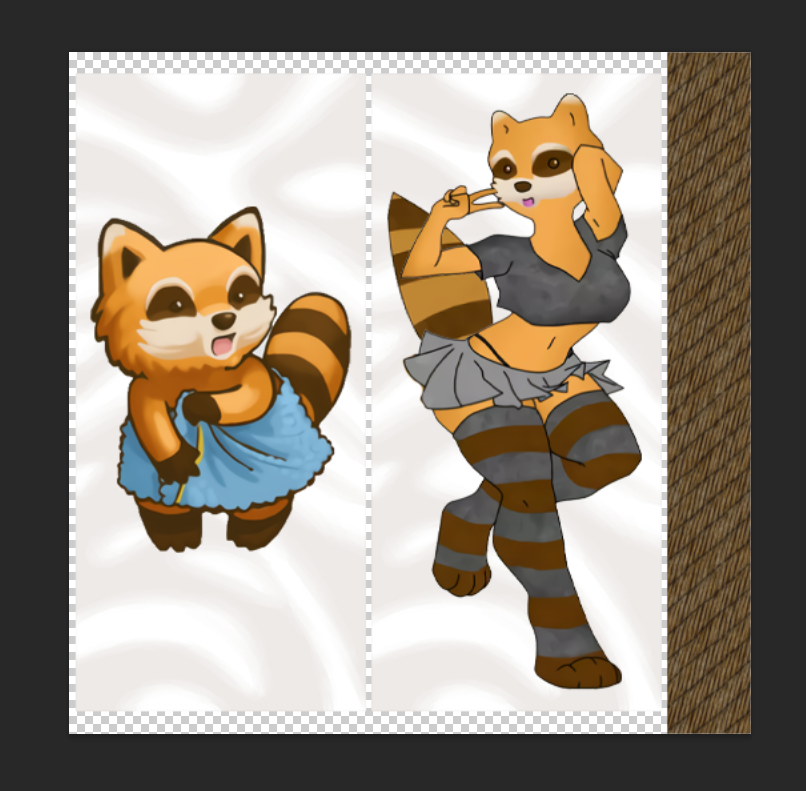 inner blade

young edge
what have I done
inner blade

hot patrol
Listen the community asked for it all I did was make it
I am a giver. A granter of wishes
just waiting for a dev to ban me from the entire game now

young edge


 hot patrol
spiffo will never the same for anyone here again
inner blade
Also would it be easier to just make an .fbx for the screwdriver and having it's own texture and not having to use the .x file? Been trying to make a mod for different colored screwdrivers but seem to be getting no where.
hot patrol
I don't see why it would be. why add a new model when you can use the one that is there?
the file type doesn't matter since the game supports both
all your mod needs to do it call for that model
inner blade
Well I've tried that but seems that either I'm doing something wrong or my files aren't set up correctly.
hot patrol
for your mod I would advice looking at the files for other retextureing mods to get an idea for what they did.
this one right here might help. once you've done all that you just need to make each color it's own item

this mod might also be a good one to look at https://steamcommunity.com/sharedfiles/filedetails/?id=2817558602&searchtext=paint
 inner blade
I've gotten that far but it seems when it tries using the model it just shows up as the default blue one.
hot patrol
inner blade
I've gotten that far but it seems when it tries using the model it just shows up...
sounds like you are not just putting down the model but also the texture
inner blade
From what one of the staff said I just needed to replace the itemname, icon, and texture.
hot patrol
the models script should look something like this I think. model Dakimakura1 { mesh = Weapons/2Handed/daki, texture = Weapons/2Handed/daki1,
mesh would be the vanilla model and texture would be your texture
inner blade
I was told that I wouldn't need the model... sonnva-
hot patrol
hmm maybe not
i'm not an expert
tbf my mod might not be a good example since I added my own model
again would be best to look at a like minded mods code
but your issue probebly lies in that script I would imagine
inner blade
Just thinking it would be easier to just use the in-game without having to use that much effort for a recolor without using my own model.
Eh I guess I could try using a model this time.
hot patrol
oh no I agree. I would find a way to use the vanilla model
not worth adding another for a recolor mod
hot patrol
yep paint your weapon mod def looks like the mod you should look at
it seems to do exactly what you want
model RedCrowbar { mesh = weapons/1handed/Crowbar, texture = weapons/1handed/RedCrowbar,
see, they use the base crowbar model
then their texture
inner blade
So what I'm seeing my issue is that I didn't add a mesh to it since I only had a script for the item itself.
Sooo I should add another script for the in-game mesh and my texture.
frank rivet
So I am wanting to create a mod that allows you to attach weapons, and or other available items to your back from the ground. Which java class would I want to be cross referencing?
hot patrol
inner blade
Sooo I should add another script for the in-game mesh and my texture.
yep. these are the scrips they are working with. items for the actual item details and model for well... the model https://i.imgur.com/vppCC3c.png
 hot patrol
this part here should have the same name you give it in the item script https://i.imgur.com/Xh0CKcf.png
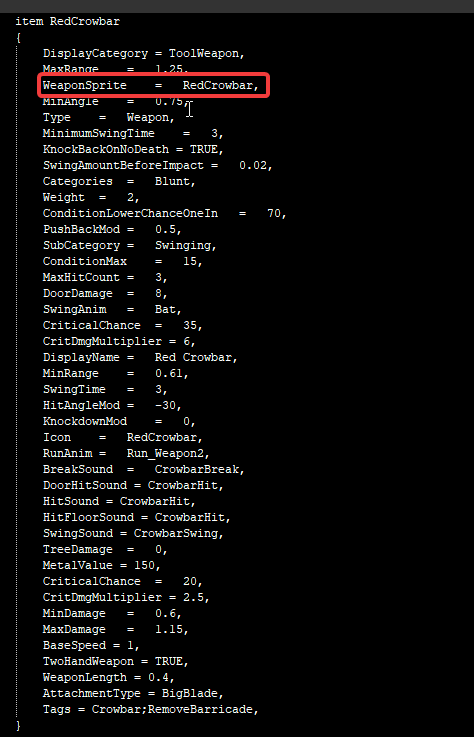 frank rivet
When you right click and the text boxes that provide you with different options. Are these considered part of the interface, or are they considered UI?
hot patrol
everything else should be as easy as copy pasting everything the vanilla screwdriver has.
like spawning
inner blade
So I don't need to worry about the distributions or anything like that. Feeew.
hot patrol
inner blade
So I don't need to worry about the distributions or anything like that. Feeew.
you will need to add it but as for the details just copy the vanilla game
I think. my only experiece with distribution is very different from how most items spawn
inner blade
I looked through a few of distributors and a lot of them are set up different compared to the in-game
native shore
frank rivet
When you right click and the text boxes that provide you with different options....
what does UI stand for? 😉
inner blade
👏
frank rivet
native shore
what does UI stand for? 😉
I mean there are multiple folders one is interfaces, and the other is UI. I am aware they are the same thing. But I don't know which one to choose.
 native shore
frank rivet
I mean there are multiple folders one is interfaces, and the other is UI. I am a...
native shore
frank rivet
I mean there are multiple folders one is interfaces, and the other is UI. I am a...
aha!
you're looking for context menus, yes?
like where you right-click an item and can select to make it into something etc.
or open a window
so on
native shore
yep that's in the ISUI folder in media
<zomboid folder>\media\lua\client\ISUI\ISContextMenu.lua
the place where you're looking... that's a scary place where "interfaces" means an implementable "outline" (or something like that) for classes to use to build in common functionality
only look there, never touch 😄
frank rivet
I know. lol. I am reading a guide to help with creating my first mod. "I wasn't going to change in anything in the classes" I was just going to peak inside to see what goes on in them. I am having a pretty rough time trying to create my mod lol. I am new to coding of any kind.
native shore
mhm this is a good place to be then 🙂
for the Java stuff, you can largely ignore it tbqh
frank rivet
Okay well thats good to know! Would you possibly know a good place to start for this stuff.
native shore
zombie\Lua{Event.class, LuaManager.class} are all you probably ever need to look at, with a focus on LuaManager
yeah I mean... the working mods
that's how I've done it so far
look at what they did, have the Lua reference open, keep the wiki handy, and TEST TEST TEST
the context menus are really weird
frank rivet
Yeah something weird to start with. My luck. Haha
native shore
😄
don't worry, same here lol
'course I've been programming since like... 96 or whatever, but still
Lua is weird, Zomboid is weird (<3 u devs xoxoxoxo), and context menus are really weird
for example, making a new one is apparently not cool; you use get to get the existing and then just jam it full of options and submenus etc.
don't ask me why, but that's what works
frank rivet
This stuff seems so cool. I wish people would provide visual tutorials to lua modding for pz.
native shore
you can be that hero
personally I'd just like the documentation to get fleshed out, but one thing at a time 🙂
frank rivet
Haha, I have to know what I am doing first!
native shore
indeed, but here's the awesome thing: since you're starting from zero, you have a unique perspective that would help someone like you better than anyone else could
so yes, build the skills, then do the visual tutorials
🙂
you and @hot patrol can do them together! 😄
I think they were already working on making a video for how to do addons for their mod
hot patrol
yep still need to do that. I gave it a go a few days ago. but the pressure to get it all right and in a timely manner kept making me screw up 
native shore
oooooof
hot patrol
I'm no editor either so I need a little cuts as possible
frank rivet
@hot patrol Hell yeah I will be looking forward to that video!
native shore
lol intense sweating
hot patrol
I really want to get it done so others have an easier go at it. So far onyl one person has made an addon with the given instructions and it's been pretty cool seeing it get attention
Especially since I've been neglecting the mod myself. too busy.
besides just adding more textures I still really want to find a way to better display the dakimakuras and I also want to expand upon the manga part
along with adding more dumb anime things
so many ideas yet so little time or know how
wet osprey
hey I copied this mod https://steamcommunity.com/sharedfiles/filedetails/?id=2564147969 and changed the image to be a simple blank sheet of paper
works great, but does anyone know what setting/code to change so it doesnt take that much space? (the canvas its too big)

 frank rivet
I want to be able to attach items to my back by right clicking them and clicking "Attach to Back" without it being in my inventory. On the ground, inside of a container, etc. Would someone possible be able to give me a little guidance on how to make this possible?
 mighty current
 sinful relic
is it possible to make a mod that makes pushes from behind guaranteed to make a zombie fall?
frank rivet
sinful relic
is it possible to make a mod that makes pushes from behind guaranteed to make a ...
That's a great idea. We need visual and updated guides.
inner blade
When editing a mod do I need to close the game entirely or just quit out of the save and reload it?
fast galleon
inner blade
When editing a mod do I need to close the game entirely or just quit out of the ...
Depends what parts you edit. In debug there's a simple way to reload Lua files for example.
If you want to reload everything you need to go to main menu and trigger the reload, like the one that happens when you change mods in mod list. There's also a button for that in debug.
frank rivet
does anyone have experience modding context menus
hot patrol
wet osprey
hey I copied this mod https://steamcommunity.com/sharedfiles/filedetails/?id=256...
Hey, didn't expect to see you around these parts. I enjoy your art. Would love to put chloe on one of my dakimakuras 
young edge
it's a small world
hot patrol
Sure is
tame mulch
frank rivet
does anyone have experience modding context menus
Yep. What problem?
midnight mica
are there time based events that trigger on real hours and not in-game hours? like Events.EveryDays.Add()
made an automatic server restart countdown, but using these game hour events makes it not scale properly with other hours/day settings
native shore
hmm, you could do something extra goofy like keep an accumulator on the render tick and divide by FPS 😬
the accuracy would probably be pretty sus tho
Kahlua doesn't support os.clock
😭
 north needle
Does anyone here have any food modding experience or knows how to fix this (stress going from 50 at uncooked, 65 at cooked to 12 at burnt)
 hard valley
does anyone know how to save game/shutdown server from a mod?
core save and quit corrupts the save game
fast galleon
native shore
Kahlua doesn't support `os.clock`
what about game time getservertime
isn't that real time
hard valley
isn't it getTimestamp()?
native shore
that's ms resolution, so there's another option
plus the GameTime.getServerTime has a bunch of convoluted junk
this one is the standard "time since January 1, 1970 UTC"
@midnight mica
midnight mica
native shore
<@481424966512934933>
1. https://discord.com/channels/136501320340209664/2321968...
cheers, i'll get it out!
native shore
heh, all I did is suggest a bad idea, then the good ones came 😄
midnight mica
was using this to determine minutes till restart, must be similar to the getTimestamp() , just need to make an event around it now
 native shore
ha, one of the few things Kahlua implements from the os library
hot patrol
hey so someone trying to make an addon for one of my mods seems to be having an issue uploading to the workshop and I can't for the life of me understand why. Everything they did seems correct and matches with my work and even the work of another user who made an addon but not so much for them. the error they get it failed to update workshop item, result=2
anyone know why this might be? I can upload their work if you want to take a look
native shore
Problem solved.
Two of my sound files in the same folder had almost the same name. They were capitalized differently.
hot patrol
I saw this to when I googles the error but it doesn't seem to correlate to this Issue I think
at least not in any way I can tell
native shore
it's PseudonymousEd asking, which is fun in its own way (this person has lots of deep dives into TIS source)
the response from EnigmaGrey is 
I think the troubleshooting method is probably the best bit
it's a solid method for testing where a problem is (good for your buggy mod list, too 🙂 )
it doesn't have to be sound files or naming, but something about one of the files is making it break, so to find which one, upload half of them; if it works, the problem is in the other half, if not, half the list again and repeat
tried and true
north needle
north needle
Does anyone here have any food modding experience or knows how to fix this (stre...
additionally cooking in the microwave (with badinmicrowave=true) seems to reset unhappiness instead of adding to it
 fast galleon
Weird using room:getRandomSquare() doesn't work when used on server and getSquares() return empty
sinful vessel
young edge
<@147493369809993728>
```lua
local distributionTable = VehicleDistributions[1]
...
Yeah and in my own experience this means it can spawn as a crashed Van in random story spawns.
 supple anvil
hello, just started playing (10 hours more or less), died many times, trying various thing...
are there any mods that you think that are a must have?
hard valley
is there any way to contact the devs? need a way to gracefully quit the server and save
and idk how to even expose the fact that it does not exist - at least I couldn't find one that doesn't corrupt the save
wooden lodge
How does one add a recipe containing an item from another mod to your own mod?
For example I'm currently trying to make the motorcycle tires from Autotsar craftable. But they're not showing up no matter what I do in recipes.

`recipe Craft "Standard" Motorcycle Tire
{
IronIngot=100,DenimStrips=30,
keep Needle,
     Result:ATAMotoBMWNormalTire,
     Time:1000.0,
     SkillRequired:Tailoring=4,
     Category:KAELDOR | Vehicle Workshop,
}`
and
`recipe Craft "Standard" Motorcycle Tire
{
IronIngot=100,DenimStrips=30,
keep Needle,
     Result:Autotsar.ATAMotoBMWNormalTire,
     Time:1000.0,
     SkillRequired:Tailoring=4,
     Category:KAELDOR | Vehicle Workshop,
}`
both don't work.
fast galleon
oh wait
fast galleon
I don't understand what the problem is
The recipe is in picture above, so it works?
wooden lodge
It does not, that's the issue

It doesn't show up no matter how I put the result
The recipe shows up but you can't make it / result isn't working
quasi geode
your screenshot above shows you dont have the required tailoring skill 🤨
fast galleon
also you need to import other mod module?
quasi geode
no need to import when using fully qualified names ie: Result:Autotsar.ATAMotoBMWNormalTire, (module included)
wooden lodge
Yeah, but it doesn't work, that's the point
You guys know how recipes and the result look like ,yes?

The result is entirely missing on the recipe
You can't make it even with 10 Tailoring
And the question is WHY that's the case and how to fix it as both above posted recipes don't work
 lunar rock
Had a specific question: anyone know where in the base files the code for how refrigeration/freezing works (specifically regarding how it slows down spoilage)? I can't seem to find a reasonable way there.
wet osprey
hot patrol
Hey, didn't expect to see you around these parts. I enjoy your art. Would love t...
haha thanks, and yeah I might do those at some point 
hot patrol
wet osprey
haha thanks, and yeah I might do those at some point <:yes:957506451499278396>
oh no I meant my dakimakura mod. Although... 
frank rivet
tame mulch
Yep. What problem?
well a few things. one I need help with creating a mod that allows me to attach items to back from the ground and two. I am also looking for a list of these commands so i can use them when I go to write my first lua.

I don't know where to find the blue wordings. Which seem to be commands of sorts.
tame mulch
frank rivet
I don't know where to find the blue wordings. Which seem to be commands of sorts...
In java code them
frank rivet
So I am have to decompile the classes?
wooden lodge
tame mulch
In java code them
Do you have any idea what's wrong with the crossmod-recipe? Sorry
tame mulch
frank rivet
So I am have to decompile the classes?
Yep, I think in pinned messages or in this chat sended link how to decompile
tame mulch
wooden lodge
Do you have any idea what's wrong with the crossmod-recipe? Sorry
crossmod-recipe?
frank rivet
tame mulch
Yep, I think in pinned messages or in this chat sended link how to decompile
Okay appreciate it.
wooden lodge
tame mulch
crossmod-recipe?
I'm trying to add a recipe that allows crafting a tire from another mod to my own mod
Starting there and explaining the issue
tame mulch
wooden lodge
I'm trying to add a recipe that allows crafting a tire from another mod to my ow...
Maybe you need something like this:
module Base
{
    imports
    {
        Autostar
    }

        myrecipe { ....
And then I copy my recipe into the " .... "?
 hybrid palm
hello guys, question
is it possible to add or remove mod on PZ multiplayer server after the game has started?
wooden lodge
Depends on the mod I'd say, had some bad experience with the Greenfire mod
wooden lodge
It depends, we removed a couple mods before without issues
If you use vehicle mods, the vehicles that got removed will be replaced with a rand vanilla vehicle
 slate wraith
Hi guys.
A young and promising studio of enthusiasts, looking for talented, responsible guys with an average amount of free time to implement not too 🙂 ambitious game projects. The financial component is excluded, all work is built on a voluntary basis.
For more information, please contact me. Thank you.
kindred dagger
Is there an easy way to replace an item with another in all loot tables?
frank rivet
If you are new to modding like me. You should add me! I am knew as well and we can learn together!
native shore
frank rivet
If you are new to modding like me. You should add me! I am knew as well and we c...
this is very wholesome and a great idea 🙂
tranquil reef
I'm a monkey and didn't have the foresight to think this through, but I'm making a weapon painting mod, and it uses separate items per weapon color. So basically, I just realized that it probably resets the condition of the weapon when you paint it, is there a way to add a script or something attached to the recipe so it'll keep the previous condition?
willow estuary
tranquil reef
I'm a monkey and didn't have the foresight to think this through, but I'm making...
Here's an example, note that it's for melee weapons that don't have attachments; it's insufficient for firearms.
function OnCreate_MeleeWeaponSwap(items, result, player)
    for i=0,items:size()-1 do
        local item = items:get(i)
        if instanceof(item, "HandWeapon")  then
          result:setCondition(item:getCondition())
          local modData = result:getModData()
          for k,v in pairs(item:getModData()) do
              modData[k] = v
          end
          result:setBloodLevel(item:getBloodLevel())
          result:setHaveBeenRepaired(item:getHaveBeenRepaired())
          result:setFavorite(item:isFavorite())
        end
    end
end
Thank you
hybrid palm
wooden lodge
If you use vehicle mods, the vehicles that got removed will be replaced with a r...
sorry for the ddelay
thank you!
 opaque ocean
Heya my dudes. Anyone happen to know or know how to look for how to add/remove recipes from players in a lua function?
Can't find any documentation on it, but I'm looking for something along the lines of this:
player:getRecipes():AddRecipe/RemoveRecipe()
quasi geode
opaque ocean
Heya my dudes. Anyone happen to know or know how to look for how to add/remove r...
player:getKnownRecipes():add("some recipe")
player:getKnownRecipes():remove("some recipe")
should do the trick. :getKnownRecipes() returns a java ArrayList
opaque ocean
quasi geode
```lua
player:getKnownRecipes():add("some recipe")
player:getKnownRecipes():remo...
I love you
zealous wing
I got some icons I made. Bottled Sodas:


Cans too:


Thoughts? I got a bunch more to make, 6/12/24 packs and trash and the like.
 rare flame
zealous wing
Thoughts? I got a bunch more to make, 6/12/24 packs and trash and the like.
rare flame
zealous wing
Thoughts? I got a bunch more to make, 6/12/24 packs and trash and the like.
10/2
zealous wing
rare flame
10/2
?
zealous wing
Oh.
rare flame
lol
inner blade
So I've only done 3 so far but it's going well on the variety of colors.
 agile swallow
zealous wing
I got some icons I made. Bottled Sodas:
agile swallow
zealous wing
I got some icons I made. Bottled Sodas:
These look great man.
 late hound
zealous wing
I got some icons I made. Bottled Sodas:
late hound
zealous wing
I got some icons I made. Bottled Sodas:
I greatly dislike making pixel art, ahaha, but these are pretty sexy. 👌👌
zealous wing
late hound
I greatly dislike making pixel art, ahaha, but these are pretty sexy. 👌👌
Making a soda mod. Bunch of new flavors. Try and guess them all. 😄
 oak light
someone know why I enter the game then this part is gone

the top of this crashed cars
 rustic radish
In recipes, some items use an equal sign, and some use a semicolon for the amount
From the base game:
 recipe Make Pie Dough
    {
       Water=2,
       Flour=2,
       Butter/Lard/Margarine;15,
       Salt;2,

       Result:PieDough,
       NeedToBeLearn:true,
       Time:50.0,
       Category:Cooking,
       OnGiveXP:Recipe.OnGiveXP.Cooking10,
    }
What is the difference? They seem to almost be used interchangeably.
willow estuary
rustic radish
In recipes, some items use an equal sign, and some use a semicolon for the amoun...
The semicolon is used for food items, it indicates the number of hunger units the recipe needs.
rustic radish
I see, so the equals is for non-food items that still have an amount that can be drained?
willow estuary
If the item is a drainable type item, then the units that will be consumed.
If not a drainable, it should be the number of items.
ie. Axe=2 should be 2 Axes while Flour=2 is 2 units of Flour.
rustic radish
Got it, thanks!
willow estuary
👍
 slow graniteBOT
 CrazedMichaell#9989 has been warned
Reason: Bad word usage
kindred dagger
Is it possible to create a totally new parameter for an item?
I'm trying to save the durability of a crafted spear when upgrading it, so I can call it back when removing the spear tip.
 shadow geyser
if you are using a recipe to do this, it might just be easier to use the oncreate to use a lua function to get the durability of the used item, and apply it to the result item it gives back to you. Not sure about the feasibility of adding a new parameter for an item
kindred dagger
It's for attaching and removing blades to spears. I'm trying to get the value of the basic spear to be saved "inside" of the upgraded version, so I can accurately get that same durability spear back when removing the upgrade.
So it's something that needs to carry over to two different recipes, I figured the easiest way to do that would be an item parameter, but I simply have no idea how to make a new one from scratch
young edge
young edge
<@147493369809993728>
```lua
local distributionTable = VehicleDistributions[1]
...
@tame mulch do you happen to know about this? because I'd rather not add like 1000-2000 lines to this 5000 line document unless I'm 100% sure about it 
smoky meadow
zealous wing
I got some icons I made. Bottled Sodas:
what software you use to make icons?
hot patrol
How do I pack multiple mods into one like this? I want to use to to add an optinal feature to one of mine


 sinful vessel
hot patrol
How do I pack multiple mods into one like this? I want to use to to add an optin...
sinful vessel
hot patrol
How do I pack multiple mods into one like this? I want to use to to add an optin...
You pack mods to same folder like this

FJ72v2, FJ75v3
Literally packing a single release with more than one mod
 unique trail
Hey, I saw that IntelliJ IDEA is usually used for PZ modding, but can I do it with visual studio while having the same auto completion etc.?
hot patrol
sinful vessel
You pack mods to same folder like this
ah, alight thanks
young edge
each folder has its own mod info and poster.
as for the main mod, you treat it like a normal mod with workshop.txt and a preview

 solar gust
unique trail
Hey, I saw that IntelliJ IDEA is usually used for PZ modding, but can I do it wi...
solar gust
unique trail
Hey, I saw that IntelliJ IDEA is usually used for PZ modding, but can I do it wi...
Yes
Matter of taste
 fleet yarrow
Hey folks, are there any mods out there that allow you to quickly switch between clothing sets (without the need to individually equip each clothing item?)
unique trail
solar gust
Yes
Well, any direction to ... how?
solar gust
unique trail
Well, any direction to ... how?
How to start new mod?
 pliant mortar
probably a stupid question... but I am wanting to create a mod that makes a small tweak to a vanilla file. How do I get the modded file it to replace the vanilla file? If it was just for SP I know I could just change the code (after making backup copies of course!) but this is for a multiplayer server so I need it to replace it (or at least just be used instead of the other)
tame mulch
pliant mortar
probably a stupid question... but I am wanting to create a mod that makes a smal...
you need replace all file or only some functions?
native shore
inner blade
So I've only done 3 so far but it's going well on the variety of colors.
hey, good work Cory!
pliant mortar
tame mulch
you need replace all file or only some functions?
I literally just have to change a false value to true. nothing else
tame mulch
pliant mortar
I literally just have to change a false value to true. nothing else
Try then just create file and repace this function with your tweak (if it global function)
pliant mortar
tame mulch
Try then just create file and repace this function with your tweak (if it global...
yea that's not the issue. Changing it is easy. Its the implementing it that I'm unsure of. Is there a certain file structure I need to use to have my altered file used instead of the vanilla file? Or is there some other line of code I need to add?
Or is just creating the file and adding it through a mod enough?
zealous wing
smoky meadow
what software you use to make icons?
GIMP.
tame mulch
pliant mortar
yea that's not the issue. Changing it is easy. Its the implementing it that I'm ...
If you want replace full file, then need same file name and same folder names in mod
If you want just replace just function - then enough same function name
pliant mortar
tame mulch
If you want replace full file, then need same file name and same folder names in...
Ok I'll give this a try. Thank you!
solar gust
unique trail
How to implement All the plugins into VS like it's done in IntelliJ
Oh... Ill ask my friend bout it
Im intelij-head
unique trail
Yeah.. now Im using intelliJ but i come from C# so it's just easier but meh.
solar gust
unique trail
Yeah.. now Im using intelliJ but i come from C# so it's just easier but meh.
I use intelij resharper for c#
inner blade


Should I replace the in-game screwdriver with my edited one? Imo not a fan of the black dominating the entire model.
rustic radish
Does anyone know how drunkeness is calculated? I think it's based on AlcoholPower in the item, but it seems to only care if the item has an AlcoholPower assigned or not. If I set it higher it gives the same amount of drunkeness.
inner blade
So how does the distribution work since I never really messed with them all that much?
 median sandal
is it possible to make a mod for mp where loot respawn time is fixed instead of the count keep resetting every time the container is checked?
midnight mica
is there a method to see if a crate is player built or not?