
#mod_development
1 messages · Page 118 of 1
 worn juniper
 sour island
@worn juniper recipes have parameters for lua function calls
You'll need the OnCreate function call
Chec'k out media/lua/server/recipecode.lua
worn juniper
Thank you!
 cunning canyon
any reason I'd still be getting zombie spawns with this debug scenario?
    debugScenarios = {}
end

debugScenarios.SWA_DebugScenarioCore = {
    name = "Airborne Debug Core",
    startLoc = {x=10708, y=9393, z=0 }, -- Muldraugh Shed
    setSandbox = function()
        SandboxVars.VehicleEasyUse = true
        SandboxVars.Zombies = 5
    end,
    onStart = function()
        getPlayer():setGodMod(true)
        getPlayer():setUnlimitedCarry(true)
        getPlayer():setNoClip(true)
        ISFastTeleportMove.cheat = true
        --ISWorldMap.setHideUnvisitedAreas(false)
        getPlayer():getInventory():AddItem("WristWatch_Right_DigitalBlack")
    end
}
 red tiger
I think I've hit my development "wall" for the day.
 sour island
Base.Pencil
 calm depot
MyModule.MyItem
 deft falcon
Alright so I wanted to change exercise fatigue duration but I don't exactly know how to use these 2 lines
 cunning canyon
is the IsoRoom.Exits property exposed to us? (are properties from the java classes ever exposed or does not having a public getter method imply they're not exposed?)
sour island
without an exposed method I don't think writing onto a field is possible outside of debug mode
you can read fields pulling on their class javafields
but it's a bit of a mess
cunning canyon
yeah reading is all i would need
Would you happen to have an example of doing that?
im seeing some earlier examples from you when i search actually, lemme try those
sour island
I had an example with a poppa roach reference
cunning canyon
one day i will remember that the order you declare functions in Lua is important
today is not that day
cunning canyon
sour island
I had an example with a poppa roach reference
yes i was sufficiently tickled by it
 fast galleon
what do you want the exits for?
I looked at it once, but it was not what I wanted or just empty.
cunning canyon
I'm hoping to get a list of all uhhhhh exits to a room. Ideally windows, doors, and missing walls/floors/ceilings
 fresh slate
Is there a way to make a fix action that doesnt add the repaired thing?
 deft falcon
fresh slate
Is there a way to make a fix action that doesnt add the repaired thing?
deft falcon
fresh slate
Is there a way to make a fix action that doesnt add the repaired thing?
ye hold on a sec imma copy paste my function
fast galleon
cunning canyon
is the IsoRoom.Exits property exposed to us? (are properties from the java class...
#mod_development message
the inspect tool uses commands to get the fields with functions getClassField, getClassFieldVal, there's also a set command to set the value (debug only). reflection is usually only used for debug
anyway, Vector<IsoRoomExit> Exits = []
it seems empty
cunning canyon
for sure, i'm just exploring an idea
for some reason getWindows() is returning an empty table as well
even though i'm in a room that i know has a window....
deft falcon
fresh slate
Is there a way to make a fix action that doesnt add the repaired thing?
if NoRepairs == nil then NoRepairs = {} end

if NoRepairs.defaultFixActionPerform == nil then
    NoRepairs.defaultFixActionPerform = ISFixAction.perform
end

if NoRepairs.defaultFixActionStart == nil then
    NoRepairs.defaultFixActionStart = ISFixAction.start
end

function ISFixAction:perform()
    NoRepairs.defaultFixActionPerform(self);
    self.item:setHaveBeenRepaired(self.initialHaveBeenRepaired);
end

function ISFixAction:start()
    self.initialHaveBeenRepaired = self.item:getHaveBeenRepaired();
    NoRepairs.defaultFixActionStart(self);
end
put this in lua/client folder
fresh slate
deft falcon
```lua
if NoRepairs == nil then NoRepairs = {} end
if NoRepairs.defaultFixActio...
Wait, does this effect all items?
deft falcon
all items that have Repaired thing
fast galleon
hm, maybe the exits are put to the building
cunning canyon
lmao so after searching get windows in this channel I see someone else had this issue but figured it out, they end up going through all the tiles in all the rooms of a building, which I probably need to do anyways
the consensus was those getters for windows is ancient
fresh slate
deft falcon
all items that have Repaired thing
Any way I could modify this to only apply to some items?
fast galleon
ah probably, sheet rope uses a lot of code that leads to some old window logic
deft falcon
fresh slate
Any way I could modify this to only apply to some items?
if self.item:getType() == "Crowbar" for example
fresh slate
aight, thanks
deft falcon
wait u cant even repair crowbar
well still u get the idea
just write the ID in the ""
fresh slate
Yeah
under witch of the functions?
wait
Nvm I see
self.item:setHaveBeenRepaired(self.initialHaveBeenRepaired);
deft falcon
fresh slate
under witch of the functions?
isfixaction:perform
fast galleon
anyhow, you can get a good idea of what's exposed if you look at the LuaManager it uses the setExposed to expose a class and adds global functions
 grim rose
hello
anyome can remind me of link to library
i want to do basic counter
on zombie kill
 vivid rain
Heya, I kinda fucked something up and now zomboid thinks my mod is not the same one that's on the workshop, as when I generated a new version of it it got rid of the workshopid line in the mod info file. But now, I can't remember what the actual line is supposed to be. I have the ID, just...what exactly is supposed to be in the file?
version=1
workshopid=2934987146 <<<<this is apparently not right
title=Anthro Survivors - Ungulate Friends
description=Adds a few different species of hoofed critters to the species selector for Anthro Survivors. Includes sheep, boar and cows.
tags=
visibility=private
 silk quarry
So for recipes you can use keep [Recipe.GetItemTypes.Scissors] to allow the recipe to use any item with the Scissors tag
Is there a similar thing for vehicle part swap recipes? They're in a different syntax, like:
                items
                {
                    1
                    {
                        type = Base.Screwdriver,
                        count = 1,
                        keep = true,
                        equip = secondary,
                    }
                }
What sorts of things can I stuff into type here, or really just a module.item type only
grim rose
vivid rain
Heya, I kinda fucked something up and now zomboid thinks my mod is not the same ...
shouldn't it be same as you have in mod.info?
vivid rain
grim rose
shouldn't it be same as you have in mod.info?
that doesn't have the line in it. that just has
name=Anthro Survivors - Ungulate Friends
poster=poster.png
id=AnthroUngulates
require=FurryMod
description=Adds a few different species of hoofed critters to the species selector for Anthro Survivors. Includes sheep, boar and cows.
 thick karma
Someone in support having the oddest vanilla crash; I gotta ask here.
LOG  : Lua         , 1676758437550> 0> Loading: media/lua/server/Vehicles/Vehicles.lua
LOG  : Lua         , 1676758437553> 0> Loading: media/lua/server/XpSystem/XPSystem_SkillBook.lua
LOG  : Lua         , 1676758437553> 0> Loading: media/lua/server/XpSystem/XpSystem_text.lua
LOG  : Lua         , 1676758437553> 0> Loading: media/lua/server/XpSystem/XpUpdate.lua
LOG  : General     , 1676758437720> 0> SafeMode is on
LOG  : General     , 1676758437756> 0> BaseVehicle.LoadAllVehicleTextures...
DEBUG: Multiplayer , 1676758437851> 0> RequestDataPacket.doProcessData     > received zombie descriptors
DEBUG: Multiplayer , 1676758438217> 0> RequestDataPacket.receivePlayerZombieDescriptors> received 0 player-zombie descriptors
LOG  : General     , 1676758438280> 0> IsoMetaGrid.Create: begin scanning directories
LOG  : General     , 1676758438280> 0> Looking in these map folders:
LOG  : General     , 1676758438281> 0>     D:\SteamLibrary\steamapps\common\ProjectZomboid\media\maps\Muldraugh, KY
LOG  : General     , 1676758438281> 0> <End of map-folders list>
LOG  : General     , 1676758438296> 0> IsoMetaGrid.Create: finished scanning directories in 0.015 seconds
LOG  : General     , 1676758438296> 0> IsoMetaGrid.Create: begin loading
LOG  : General     , 1676758438303> 0> ERROR: SuburbsDistributions["laboratory"] is broken
LOG  : General     , 1676758438304> 0> ERROR: SuburbsDistributions["laboratory"] is broken
LOG  : General     , 1676758438304> 0> ERROR: SuburbsDistributions["laboratory"] is broken
LOG  : General     , 1676758439539> 0> 1676758439539 fmod: Java_fmod_javafmodJNI_FMOD_1Sound_1GetData:4549 JNI_FMOD_Sound_GetData correct buffer
LOG  : General     , 1676758440333> 0> 1676758440333 fmod: Java_fmod_javafmodJNI_FMOD_1Sound_1GetData:4549 JNI_FMOD_Sound_GetData correct buffer
Anyone know why the game would possibly shut down right after this point when trying to host, or alternatively right after LOG : General , 1676756267086> tiledef: loading D:\SteamLibrary\steamapps\common\ProjectZomboid\media\tiledefinitions.tiles when trying to launch solo? Completely vanilla installation, no mods, but I thought someone here might know something I don't about unusual load bugs
silk quarry
vivid rain
that doesn't have the line in it. that just has
```
name=Anthro Survivors - Ungu...
! sheeb...
grim rose
thick karma
Someone in support having the oddest vanilla crash; I gotta ask here.
```
LOG ...
i can only guess that file got somewhat corrupted while installing
 hollow current
if anyone has experience with UI, how can I make the UI rectangle "autofit" the text, and make line breaks if needed?
 thick karma
grim rose
i can only guess that file got somewhat corrupted while installing
thick karma
grim rose
i can only guess that file got somewhat corrupted while installing
They have reinstalled repeatedly.
It's mind boggling
I watched them do it
hollow current
since the text is variable and randomly picked, I am trying to make the box fit it automatically, and if the text is too large, it'd make line breaks inside the box
thick karma
They had no Zomboid folder OR installation folder going into it
I made them check
No saved configs or game files
I feel like I'm taking crazy pills.
Hmmm out of memory error now...
vivid rain
Could someone with a local, workshopped mod go into their workshop.txt and paste the contents, that's really all I need
I just need whatever the workshopid line is supposed to be and that'll solve it, I think..
grim rose
vivid rain
Could someone with a local, workshopped mod go into their workshop.txt and paste...
ok
version=1
id=2924346212
title=Necoind Arc
description=La creatura (neco arc) in the knox country
description=
description=What she will do? Check you local mail box to find out today! <3
description=
description=This mod adds Neco Arc to project zomboid, she works both as pipebomb and as rare figure.
description=
description=Dori dori dori
tags=Build 41;Items;Misc;Models;Pop Culture;Silly/Fun;Textures;Weapons
visibility=public
thick karma
Nooo
@grim rose
@vivid rain
Gotta delete the id line!
version=1
title=Jumper
description=[h1]Title[/h1]
description=
description=[h2]Details[/h2]
description=
description=[h2]Custom Locations and Categories[/h2]
description=
description=[h2]Automatically Remembered Locations[/h2]
description=
tags=Build 41;Interface;Multiplayer;Silly/Fun;Traits
visibility=public
there's an example you could actually upload
thick karma
Will cause errors if you try to push a new upload on someone else's id @vivid rain
Never do
vivid rain
I'm trying to update my mod because the id disappeared
But yeah it's the id line I need, cheers - I've put my own mod id there :P
grim rose
thick karma
Hmmm out of memory error now...
maybye that lad doesn't have minimum system requirements
if this doesn't help
then
i have idea
stupid one
maybye will work
grim rose
grim rose
maybye that lad doesn't have minimum system requirements
but first try checking this
thick karma
grim rose
maybye that lad doesn't have minimum system requirements
LOG  : General     , 1676758337521> ===== System specs =====
LOG  : General     , 1676758337523> OS: Windows 10, version: 10.0, arch: amd64
LOG  : General     , 1676758337524> Processor: Intel64 Family 6 Model 158 Stepping 13, GenuineIntel
LOG  : General     , 1676758337524> Processor cores: 8
LOG  : General     , 1676758337525> Available processors (cores): 8
LOG  : General     , 1676758337526> Memory free: 238.27957 MB
LOG  : General     , 1676758337527> Memory max: 512.0 MB
LOG  : General     , 1676758337527> Memory  total available to JVM: 256.0 MB
LOG  : General     , 1676758337530> C:\, Total: 110.6409 GB, Free: 25.498669 GB
LOG  : General     , 1676758337530> D:\, Total: 931.5117 GB, Free: 276.62555 GB
LOG  : General     , 1676758337626> Mobo = [Product=MPG Z390 GAMING PLUS (MS-7B51)]
LOG  : General     , 1676758337719> CPU = [Manufacturer=GenuineIntel,MaxClockSpeed=3600,Name=Intel(R) Core(TM) i7-9700K CPU @ 3.60GHz]
LOG  : General     , 1676758337818> Graphics = [AdapterRAM=4293918720,DriverVersion=31.0.15.2849,Name=NVIDIA GeForce GTX 1650]
LOG  : General     , 1676758337915> VideoMode = [VideoModeDescription=1920 x 1080 x 4294967296 colors]
LOG  : General     , 1676758338010> Sound = { [Manufacturer=Realtek,Name=Realtek High Definition Audio], [Manufacturer=(Generic USB Audio),Name=USB Audio Device], [Manufacturer=NVIDIA,Name=NVIDIA High Definition Audio], [Manufacturer=NVIDIA,Name=NVIDIA Virtual Audio Device (Wave Extensible) (WDM)] }
LOG  : General     , 1676758338102> Memory RAM = { [Capacity=8589934592,Manufacturer=04EF], [Capacity=8589934592,Manufacturer=04EF] }
LOG  : General     , 1676758338103> ========================
Pretty sure he has the specs
thick karma
vivid rain
I'm trying to *update* my mod because the id disappeared
Oh weird haha
Your id line disappeared?
Not normal
vivid rain
Eh I'm using a tool that generates the submod, so I guess it overwrites the current one. I'll raise it with the devs
Fixed it anyway, thanks
grim rose
thick karma
```
LOG : General , 1676758337521> ===== System specs =====
LOG : General ...
okay my backup plan
say go to steamapp/projectzomboid
and ask him to delete whole folder
7 zip your working pz steamapps folder
send him
maybye this will work
thick karma
Weird... I guess if all references in the game files are relative maaaybe but it seems sus lol
fresh slate
hey The wiki says .txt files, but does .lua files work just fine?
some mods have .lua sot thats why im askin
fast galleon
just don't forget your .info
hollow current
Still facing issues with the UI not being sized correctly :x (the small black rectangle behind the blue box)

 sleek hull
-- This is the problematic function I *think*
-- updateLoadedZombie is supposed to get an ArrayList of zombies (zombList) and iterate through it. For each zombie object the server currently has loaded
-- the zombie should be set to inactive, then set back to active. As far as I've seen in other mods that change do this the same way (namely Night Sprinters 41.60+ & Random Zombies both do this inactive/active trick)
-- but for an unknown reason, every zombies speedType is nil, and it doesn't force a speedType update for any of the zombies until the area they are in is unloaded (player leaves the area) and then goes back (zombies now follow lore set by updateToDarkLore())
local function updateLoadedZombie()
    -- Gets list of all active zombies
    local zombList = getExistingZombies()

    -- Goes through each zombie in the zombie list, and sets them to inactive, then reactivates them, theoretically forcing a speedType update
    Log:LogInfo("updateLoadedZombie called, iterating through list...")
    for i=0, zombList:size() - 1 do
        local z = zombList:get(i)

        --z:makeInactive(true) then z:makeInactive(false) should be forcing a speedType update, but seemingly z.speedType is always just nil?
            z:makeInactive(true)
        Log:LogInfo("Before change ZombieID: " .. tostring(z:getOnlineID()) .. " has speedType: " .. tostring(z.speedType))
        z:makeInactive(false)
        Log:LogInfo("After change ZombieID: " .. tostring(z:getOnlineID()) .. " has speedType: " .. tostring(z.speedType))

    end
    Log:LogInfo("updateLoadedZombie iterated through list of length" .. tostring(zombList:size()) .. "!")
end
I'm having an issue with forcing zombies that are currently loaded to have their speed updated. From what I've heard and read setting zombies to inactive (zombie:makeInactive(true)) then back to active (zombie:makeInactive(false)) should force this update.
But whenever I check on the zombies, they stay as fast shamblers until I leave the area to unload them and come back.
Am I just missing something completely, or how would I go about forcing zombies from the ArrayList to update their speedType so they go from fast shamblers to sprinters and vice versa right away, instead of having to leave the area to unload them first before they behave?
fast galleon
hollow current
Still facing issues with the UI not being sized correctly :x (the small black re...
is the black UI and BSOD related?
hollow current
fast galleon
is the black UI and BSOD related?
bsod?
fast galleon
hollow current
bsod?
blue screen of death
thick karma
grim rose
okay my backup plan
Bruh he needed:
-Xms4gG
-Xmx4G
added to his 64bit JSON
I guessed random letters until something worked
red tiger
hollow current
Still facing issues with the UI not being sized correctly :x (the small black re...
Blue Screen of Dad
thick karma
(obviously joking, statistically absurd, Beard knew)

 frank elbow
hollow current
frank elbow
hollow current
Accepting feedback/proofreading on the text? (I don't want to be rude & offer unsolicited advice 🤠)
hollow current
Ye sure, although its not final and haven't been proofread yet. Feedback is welcome though!
frank elbow
If it hasn't yet been proofread then anything I have to say would probably be covered by that anyhow 😄
hollow current
Also, I got couple of questions.
1- Is it possible to pick a random element from the translations file?
i.e.
ContextMenu_EN = {
    ContextMenu_element1 = "element1",
    ContextMenu_element2 = "element2",
}```, then get the code to choose a random of those two and display it?

2- If one of the elements text has an \n in it, how can I display it as an actual line break instead of an.. well.. an \n?Feel free to speak your mind though
frank elbow
hollow current
Also, I got couple of questions.
1- Is it possible to pick a random element fro...
- For the example that you've given, a way to get a random translation would be to get a random number (in this case, an integer in [1, 2]) and concatenate it with the rest of the translation key
text:gsub('\\n', '\n')
frank elbow
hollow current
Feel free to speak your mind though
- Comma splice at the part that starts with "It was not your fault". I would use an em dash here or split it into its own sentence (+ a comma after "at the time")
- "...but I can feel my body getting weaker", the "but" should be preceded by a comma in this case (independent clauses)
- typo in "disease it trying": "it" → "is"
- "I will and have always love you": the mixed tense here is strange. If you want it to be similar I'd change "love" to "loved", but I'd personally rephrase the sentence bc it's a bit awkward imo
hollow current
frank elbow
1. For the example that you've given, a way to get a random translation would be...
for 1, the approach is definitely doable but may get obnoxious since I have to limit the range of numbers based on the number items I have, and it'll be constantly changing. Wouldn't there be a more efficient approach that treats them as some kind of a list?
hollow current
frank elbow
1. Comma splice at the part that starts with "It was not your fault". I would us...
Will keep that in mind. Thanks so much for your feedback!
frank elbow
hollow current
for 1, the approach is definitely doable but may get obnoxious since I have to l...
I haven't run into this use case so I'm not too sure—worth checking out the docs/wiki & seeing if there's anything for that
hollow current
well there's always the JSON approach
just ignore translations altogether and put my stuff in a JSON instead
 oak olive
hey everyone, i'm a complete beginner in making mods, i've been trying to create my first mod which will only add a food item into the game, i think i got the script part right, the part which i'm struggling with is the item distributions code, can anyone show me an example of how that code would look like and where it should be located (client or server).
fast galleon
oak olive
hey everyone, i'm a complete beginner in making mods, i've been trying to create...
https://theindiestone.com/forums/index.php?/topic/38165-quick-guide-how-to-mod-the-loot-distribution-system-distributionslua-proceduraldistributionslua/#comment-365101
something like that
The Indie Stone Forums
This is a visual guide for mappers and modders who need to add or modify PZ's loot entries using the new ProceduralDistributions.lua approach. Whilst the ProceduralDistributions.lua file has been in the game for quite a while (i.e. the Gigamart shelves having distinct loot types), TIS will be eve...
oak olive
fast galleon
https://theindiestone.com/forums/index.php?/topic/38165-quick-guide-how-to-mod-t...
Thank you :)))
Is this format still working?
table.insert(ProceduralDistributions["list"]["FridgeRich"].items
 drifting ore
hollow current
well there's always the JSON approach
drifting ore
hollow current
well there's always the JSON approach
i'm doing this currently. it works pretty well. some times get same option twice, but such is truly random eh 😄
tried to store previous name and skip it in the random loop but for some reason it still sneaks through
just glad it's all working lol
red tiger
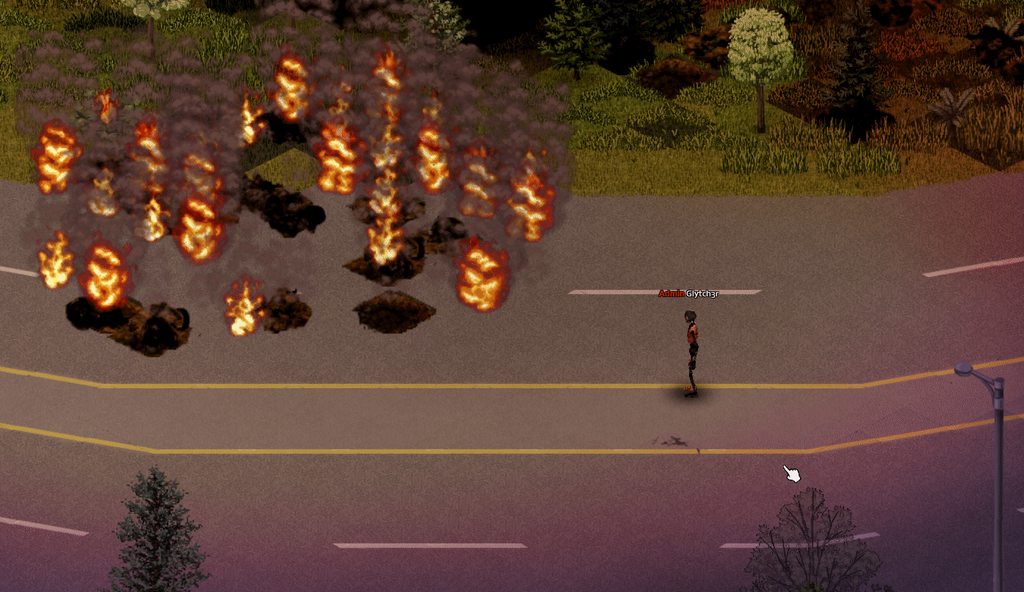
Had a hard crash earlier today. Got some rest. Back to modding.

 hollow current
 ancient grail
so dramatic. you wrote that? nice
ancient grail
so dramatic. you wrote that? nice
Actually not me, a friend did in preparation for some kind of a lore mod thingy. We've been writing a variety of different stuff
hollow current
drifting ore
i'm doing this currently. it works pretty well. some times get same option twice...
Hahaha i got the same option 4 times in a row i had to double check the code to see if i made a mistake lol
drifting ore
this is what i do
local newPhrase = phrases[ZombRand(1, 4)]
just make a table above it
local phrases = {
    "You see a lightbulb socket and become intimidated...",
    "You wish you knew more about lightbulbs...",
    "Does my finger go in the light socket..?"
}
make sure the second number is 1 more than the amount of options you have
there might be a better way to do it as i'm extremely new to coding in general but it works well for me

about how random it is
probably going to leave out the ability to change the light intensity and just release the thing
 vivid linden
https://steamcommunity.com/sharedfiles/filedetails/?id=2935549871 Made my third mod, this one was by request 🙂
 drifting ore
you can see some examples right in the vanilla files also if you want to double check anything
i think some items use the same name for both also
if you have a model i'd assume you use that instead
drifting ore
if you have model then use that i said lol
 tawdry solar
that maybe it
drifting ore
from the models script?
it makes sense really
since you would be holding the model
i'm not extremely familiar with weapon stuff at all. will be working on a slingshot weapon mod soon though 🙂
tawdry solar
ah cool
 queen sail
somebody in here was asking hella questions about a two handed combat mod a while back and i saw it just released and it looks cool as hell
ancient grail
queen sail
somebody in here was asking hella questions about a two handed combat mod a whil...
Yeah u talking about dherts mod? It was hard but he manage to pull it off like a true wizard
 humble oriole
yea, dhert's rocking it out with between that and fancy handiwork
 rare vortex
Do you guys think it’d be cool if Yaki added cotton plants to their weaving mod so we could make rolls of denim as well as rolls of fabric?
 glass basalt
Decided to make a music track and put it into the game. More complicated than other mods, but I think manual installation is pretty easy.
https://steamcommunity.com/sharedfiles/filedetails/?id=2935543063
You can listen to the track here:
https://www.youtube.com/watch?v=2xurJ2shVk8


This is the new menu music that replaces the original three. Find this mod on the Steam Workshop.
Alternate download link:
https://drive.google.com/drive/folders/1whlhXdyY8B3-NKBFA_NAioO8_Fpr3dsu?usp=share_link
red tiger
glass basalt
Decided to make a music track and put it into the game. More complicated than ot...
Yo. Nice.
I also work on music too. =)
It's nowhere near complete and there's missing data for sure but...
Starting to see the results of my progress fully parsing ZedScript files.
Will need to run through the other object types and then check against the source ZedScript files to validate population of properties.
Done for the evening.
glass basalt
red tiger
I also work on music too. =)
Its a more rewarding kind of programming 😊
 spare burrow
Anyone knows what can be causing doparam to not overwrite an item, even it the item properties are technically overwritten? (and yes, its post lua reload, new item after applying the changes) (check the clipsize value)

 quasi kernel
I must ask
Theoretically
just theoretically
How possible would it be to change every item's display name, icon, and model to a dead rat.
spare burrow
feasible xD
quasi kernel
I think the display and icon are possible but idk about the model
spare burrow
you can overwrite the model code directly
quasi kernel
Via scripts..?
I'd like to avoid scripts if possible-
I wanna make it automatic through the magic of lua
 bronze yoke
is there a reason you couldn't just do it with doparam?
quasi kernel
You have a point
bronze yoke
spare burrow
Anyone knows what can be causing doparam to not overwrite an item, even it the i...
did you change the size of the magazine item too?
spare burrow
bronze yoke
did you change the size of the magazine item too?
ye
bronze yoke
spare burrow
ye
i see both clipsize and maxammo, not sure why there is two but are you changing both?
spare burrow
It seems somehow the weapon modes is ... working in a strange way
bronze yoke
m1911 has clipsize 15 maxammo 7, ingame it gets 7
spare burrow
maybe clipsize is obsoleted? not sure, anyway the moment i disabled item:DoParam("FireMode = Auto") ... started working xD
now the problem is recoil not working, kekw
and its not missing a ")" or alike, checked like 5 times, its just strange
quasi kernel
just the concept of this mod has already broken the debug spawn menu
spare burrow
spare burrow
now the problem is recoil not working, kekw
ok this is because the weapon is considered a pistol (onehanded) and that forces some recoil, even at 0
 digital moon
I know that the clothing rack in the game is set up to only allow clothing items - does anyone here know where I would find the code/script behind the clothing rack so I could view it?
 ember swallow
spare burrow
Anyone knows what can be causing doparam to not overwrite an item, even it the i...
ember swallow
spare burrow
Anyone knows what can be causing doparam to not overwrite an item, even it the i...
Maybe you need to also modify MAC10 Magazine item?
spare burrow
it was modified, somehow it had to do with the gun firemode which has no sense, but ended being the solution - maybe the game registered a gun state before and after? no idea
 open drum
hello fellows, could someone enlighten me with where multiplayer Admin set SafeZone datas are stored? Im trying to set a safe zone around a large area so no players can enter without using my teleport system but if I try to set a large area it takes forever to walk there or if i teleport it lags the game so much that I have to force close.
I want to, if there's a file where I can open it up with Note ++ and write X and Y coordinates manually
drifting ore
Is there a way to remove some traits from my server with a mod?
 rancid panther
like remove traits from character creation?
drifting ore
rancid panther
like remove traits from character creation?
yeah
rancid panther
when i made the Bitten trait, the playerIndex is the thing that marks a player as bitten if they are using the trait right?
so it checks if the bite was applied and for the rest of the game it will not keep adding the bite back
 rain iron
Hi, I am making an TimedAction mod that disguises itself as a emote (it has a starting anim + loop + ending anim hence why it's a timed action). But it seems like no matter how I do it. The animation isn't playing properly.
Does anyone here know how to make an emote with 3 seperated animations like I mentione?
rancid panther
so when im making a trait that happens OnPlayerUpdate, i dont need to use playerIndex?
thick karma
drifting ore
Is there a way to remove some traits from my server with a mod?
You could try overwriting the mod files that create the traits in your own files by using their exact filenames.
And then just not add the traits you don't want in your copy of their file.
thick karma
rancid panther
so when im making a trait that happens OnPlayerUpdate, i dont need to use player...
I don't understand your question
 cunning kestrel
rain iron
Hi, I am making an TimedAction mod that disguises itself as a emote (it has a st...
cunning kestrel
rain iron
Hi, I am making an TimedAction mod that disguises itself as a emote (it has a st...
as far as i see the "timedaction" doesnt have multi animations. but you could try mimic the workings from the fitness side. see AnimSets/player/fitness (still figuring stuff out myself hope it helps)
rancid panther
thick karma
I don't understand your question
when we made the bitten trait, what was it that playerIndex was needed for?
thick karma
I'd have to see the code again it's been awhile
I think I deleted it
Can you post?
rancid panther
 rain iron
I have been trying to mimicing the code based on the Fitness timed action but it still isn't working properly
rancid panther
is it required every time im making a trait like this or just because of what we were doing with the bitten trait?
rain iron
Worst is that, when I trigger the timed action, it doesn't work, but when I trigger any emote, the said timed action just start working when that timed action doesn't refer to any emote code
rancid panther
my assumption is that the playerindex was because we were checking if the bite has already been applied but i could be wrong
thick karma
rancid panther
I see. You didn't need playerIndex in assignBite but since you wanted to add something to a player at character creation we listen for OnCreatePlayer . . . OnCreatePlayer naturally provides you with playerIndex and player (the object).
You must keep playerIndex in your function header for your OnCreatePlayer event purely because that's what you'll get first whether you want it or not
As for assignBittenStuff, that looks unfamiliar, and I suspect it is not working?
rancid panther
it works
thick karma
Ohhhh wait never mind
rancid panther
that's just giving them the bandage in their inventory
thick karma
You don't add that OnGameBoot
The OnGameBoot positioning threw me off
I think that used to be below the trait creation
rancid panther
i just kept it how it was but other mods i saw and the base game put p much all of that at the bottom of the whole file
thick karma
Yeah you can move your Events to the bottom if you like
rancid panther
but my question is about a different trait now
do i need playerIndex for the other trait if im not making them bitten when they spawn?
or anything for that matter
thick karma
You don't even need to do anything OnCreatePlayer when they spawn unless you want something specific to happen to them when they spawn
rancid panther
the other one is just OnPlayerUpdate
thick karma
But if you do anything OnCreatePlayer, you need to include the playerIndex in the parentheses
It is not an option
thick karma
OnPlayerUpdate provides player object
So instead you would just use
Joy.onPlayerUpdate = function(player)
    doStuffTo(player)
end

Events.OnPlayerUpdate.Add(Joy.onPlayerUpdate)
and if you DO need the index, you would do local playerIndex = player:getPlayerNum()
I cannot tell you whether you need the index without knowing more about the trait and your plans for it
I can only say how these functions work
thick karma
I don't think you'll need an index at all for that, you'll need to loop through the player object's body parts.
rancid panther
and while i dont actually need an immunity trait i wanted to try making it anyways to be mutually exclusive from bitten trait
is there anything missing from this?

other mods that remove infections look pretty similar but i dont know why they do the for i = 0 thing
and the parts after it
oh i did the mutual exclusive wrong
thick karma
The for i = 0 part is starting a loop from 0 up to 1 less than the number of body parts you have. For each body part you have, it calls get(i) on your list of body parts to grab the individual body part and set its infection level. @rancid panther
rancid panther
i see
open drum
hello fellows, could someone enlighten me with where multiplayer Admin set SafeZone datas are stored? Im trying to set a safe zone around a large area so no players can enter without using my teleport system but if I try to set a large area it takes forever to walk there or if i teleport it lags the game so much that I have to force close. I want to, if there's a file where I can open it up with Note ++ and write X and Y coordinates manually
rancid panther
whenever the player is infected it makes a bunch of errors pop up in rapid speed and highlights line 36

is it because im checking if the body is infected rather than the body part?
hollow current
im not sure what the problem is but i'd go about attempting to debug the issue using print
print(playerBody)
print(playerBody:IsInfected())
print(playerBody:getBodyParts())
print(playerBody:getBodyParts():size())
deft falcon
rancid panther
whenever the player is infected it makes a bunch of errors pop up in rapid speed...
gimme a few minutes
gonna go copy paste super immune code
rancid panther
i fixed the line 36 issue by changing it to local function and now the repeating errors are on line 38
deft falcon
rancid panther
i fixed the line 36 issue by changing it to local function and now the repeating...
S capital not small
SetInfected not setInfected
line 40 is small s tho
deft falcon
wdym in sequence
rancid panther
back to back
reloading lua to exit to menu and reloading again to enable the mod again
deft falcon
rancid panther
reloading lua to exit to menu and reloading again to enable the mod again
ummm
you do know that in debug
you can just
press f11
and then search the lua file
and reload it
while playing
and u dont need to leave to menu and go back to save again
rancid panther
what
rancid panther
gonna take a second
i was actually gonna ask if there was a way to do it without leaving the game 😂
drifting ore
AUD lets you do it in debug mode with reload lua file only. but not guarantee that your changes will reflect perfectly in some cases
rancid panther
oh i see on the bottom right now
deft falcon
did u press f11, search the lua file and reload it
rancid panther
i have too many mods enabled to scroll through this
deft falcon
SEARCH THE LUA FILE
rain iron
I don't think F11 + Reload works with loading new files, only reloading existing files
maybe I am wrong tho
deft falcon
yea but they edited existing files
rain iron
wish there was a way to refresh txt files tho
rancid panther
how can i search it
deft falcon
send the SCREENSHOT
rancid panther
 deft falcon
you see lua files thing in right down right
at the top of it theres a bar
a search bar
write into it your lua file name
open drum
could someone help me with following question? #mod_development message
drifting ore
no idea there. i know when you click the button to hide the drawing that makes you lag, sets this off/on
self.player:setSeeNonPvpZone(not self.player:isSeeNonPvpZone())
oh dang.. thanks alot
 opal linden
Is there a mod for faster weight gain and loss for real-time servers?
opal linden
my bad
drifting ore
you all good
open drum
but there's a button for it? or which file should i include that code in?
ancient grail
deft falcon
you see lua files thing in right down right
Welcome backkkkk!
drifting ore
too tired to explain it atm 😦
opal linden
drifting ore
they will probably have more that know
i see more people who get unanswered though 😞
open drum
ah oki
open drum
understandable
 thick karma
Congrats! But! Wait! @drifting ore
I strongly recommend you don't publish sandbox options with such long names
They will not be visible to players who need 4x font in 1080p
They will get cut off
drifting ore
thick karma
I strongly recommend you don't publish sandbox options with such long names
i will see what i can do
glass basalt
Does anyone happen to know where I can contact turbotutone? Is he even around, in Indie Stone or this server?
drifting ore
i wish they let us break lines. only in certain tooltips
drifting ore
rancid panther
and add alt text that is more descriptive
the tooltip is more descriptive
glass basalt
ah, im an idiot

 open drum
drifting ore
i wish they let us break lines. only in certain tooltips
open drum
drifting ore
i wish they let us break lines. only in certain tooltips
agreeed
rancid panther
Scrap Electronics Needed
Duct Tape etc needed
Skillbook Pages
Spawn In Buildings
Find Chance
 rancid panther
yea
rancid panther
so u dont need to make the name of the sandbox option so descriptive
drifting ore
yea i will try to cut it down
rancid panther
they are self explanatory plus you have tooltips
drifting ore
just knowing it will be an issue is enough reason for me
drifting ore
tyty. lets see if i can cut it in half 😄
i will use your advice and thanks for the heads up Burryaga
look at this lively room light
 rancid panther
if two traits are mutually exclusive do they need to be on the same lua file?
thick karma
drifting ore
i will see what i can do
You can use shorter labels and tooltips for more extended explanations... And just FYI, the tooltips on the numerical fields only will ALSO be illegible if they are too long unless you use \n every so-many words to manually break your lines.
thick karma
Example
No clue why it added those tooltip tabs, in the original they're all in a line.
rancid panther
oh i didnt realize u made that mod
thick karma
Notice at the end of my lines I use <RGB:1.0,0.6,0.0> (spaces matter!!!!) to color the min/max/default text (orange).
drifting ore
what i notice is RGB. where did you grab those examples?
rancid panther
it's p much the only AFK mod out there
thick karma
Easy to read
drifting ore
i was trying to figure out the extent of whats available for sandbox stuff
i meant the options themselves
like knowing you can set RGB
drifting ore
i got that, but how did you figure it out, if i may ask? i'm trying to find out what is possible
if there is examples or a standard for what options you can use for formatting
rancid panther
can u do that the same way on the mod description? or does it use something else
thick karma
I think I saw it being used in either another mod or a translation file. The same tags can be used in mod.info, as well as <LINE> in mod.info for line breaks.
drifting ore
at the least though, thank you for that example
super awesome even to know anything new
thick karma
Again, cannot emphasize enough, these tags don't work right without a space on either side of the <>
Confused me more than once.
thick karma
Bahahahaha
drifting ore
i added joypad support 😄
drifting ore
dunno if it will make it to this release (the light radius UI) but it's looking good so far
thick karma
If you want me to look it over and make sure it's likely to be as compatible as I know how to make it, feel free to send it (DM is fine); if you used onJoypadDown of panels and passed focus around, you're probably golden
But, protip, if the menu can be accessed from a point other than nil focus (no menus open), you will want to track your previous focus to pass that back to the player when they close your menu
rancid panther
 rancid panther
silly description even tho im probably gonna keep the trait hidden by making it occupation exclusive
drifting ore
ill post my stuff on github here tomorrow when i release
thick karma
drifting ore
ohh good to know
If you're using the ISModalDialogs they will generally pass focus back to the right place on destroy if you set their prevFocus
Otherwise idk there are many panels with many ways of being closed and they don't all work equally smoothly lol
In general I think the ISPanelJoypad does that too
If the wrong functions aren't overwritten
drifting ore
sounds good. good to know
thick karma
Need to do what it wants onLoseJoypadFocus iirc
I.e., in yours, call ISPanelJoypad's too
Nah actually I think not
ISPanelJoypad has no prevFocus variable
Only ISModalDialog
And other implementations of either ofc
rancid panther
is there a command i can type in the console to immediately kill the character
drifting ore
sounds good. i pretty much just pull a bunch of examples and add what makes sense. all of this is a really good learning experience
rain iron
Looks like Zomboid doesn't really want me to fake a 3 animations emote with TimedAction

thick karma
What if you fake it with three timed actions
Add the next one in the perform of the last? @rain iron
rain iron
exactly, that's what I have been trying to do
rancid panther
is there a command console in multiplayer?
thick karma
Oh... Surprised that isn't working.
thick karma
rancid panther
is there a command console in multiplayer?
Yes, with -debug on
rancid panther
ah okay
rain iron
Adds a variable to trigger a starting anim
Makes the starting anim adds a variable on the end to trigger a loop anim
On Stop/Perform, Adds a variable to trigger end anim
But it hasn't really worked out for me and I have no idea why
rancid panther
so in multiplayer when i dont have debug mode on i can change stats by going admin and right clicking players instead
thick karma
rain iron
>Adds a variable to trigger a starting anim
>Makes the starting anim adds a vari...
Do you have all three timed actions working independently?
I.e., you can fire each one by itself.
rancid panther
i made the immune trait not actually selectable in character creation, but i can give it to ppl through admin instead if they really are bad at the game or something
thick karma
I am talking about the timed actions not the animation data
Can you trigger a timed action that animates each of those animations?
rancid panther
thanks again for all the help
thick karma
If so, are you using your own custom timed action or just emoting them?
rain iron
I'm using a custom timed action
The said custom timed action then set a specific variable to trigger animations
thick karma
I see... So the action works if you want to endlessly loop one of the three, but when you try to convert it, no good?
If you send me the working timed action and the three animations I can play with it
You may need to clear the timed action queue before starting the next one in perform
I'm not sure what you're missing, but I linked timed actions in an endless chain for Better Automatic Movement
So I can take a look and apply the logic from that to your code
Or you could just go subscribe to BAM and look yourself
drifting ore
cut down sandbox settings
 rain iron
I see. I'll give BAM a look.
drifting ore
Oh I guess a couple others I missed also lol
rain iron
Looks like I got it semi-working properly
I wasn't using self:setActionAnim(abc) before
thick karma
Nice.
 tardy wren
Oh, @thick karma I need some help
A basegame UI code points to a filepath that I can't seem to find in the game files...
Does that mean it's like... compressed in the texture packs?
thick karma
I'm no longer publishing this because I am gonna just lend support to dhert's Brutal Handwork mod instead in the form of some new inputs (if possible), but this timed action was based on the beginning and end of an animation file if you want to see how.
thick karma
tardy wren
A basegame UI code points to a filepath that I can't seem to find in the game fi...
Very odd, can I see the code / filepath / error or whatever exactly it is you are looking at? I've never seen game point to a filepath that doesn't seem to exist.
rain iron
I see, thank you a lot.
thick karma
Good luck!
tardy wren
thick karma
Very odd, can I see the code / filepath / error or whatever exactly it is you ar...
It's kind of generated on the fly...
ISGarmentUI.lua
I found why there are sometimes holes visible on a character's back, that can't be patched and don't show up on the UI
thick karma
tardy wren
It's kind of generated on the fly...
I have that file
tardy wren
reallu?
thick karma
tardy wren
Oh, sorry, this is the file with the file path
tardy wren
media/ui/BodyParts/bps_" .. self.sex .. textureName .. ".png"
As I said, generated in the function
function ISGarmentUI:addTextures(type, textureName, overlayName)
    self.textures[type] = {};
    self.textures[type].texture = getTexture("media/ui/BodyParts/bps_" .. self.sex .. textureName .. ".png")
    self.textures[type].hole = getTexture("media/ui/BodyParts/overlays/" .. self.sex .. "_clothing_overlays_holes" .. overlayName .. ".png")
    self.textures[type].blood = getTexture("media/ui/BodyParts/overlays/" .. self.sex .. "_clothing_overlays_blood" .. overlayName .. ".png")
    self.textures[type].patch = getTexture("media/ui/BodyParts/overlays/" .. self.sex .. "_clothing_overlays_patches" .. overlayName .. ".png")
if self.textures[type].texture then
    print(self.textures[type].texture:getHeight(),self.textures[type].texture:getHeightOrig())
end
end
I can't find these
thick karma
Ahhhhhhhhhhh interesting.
tardy wren
Which is a shame
The holes in the clothes are based on blood locations
https://projectzomboid.com/modding/zombie/characterTextures/BloodBodyPartType.html
https://projectzomboid.com/modding/zombie/characters/BodyDamage/BodyPartType.html
declaration: package: zombie.characterTextures, enum: BloodBodyPartType
declaration: package: zombie.characters.BodyDamage, enum: BodyPartType
The upper one is the blood locations
They have one extra body part: the Back
But it's never visible in the UI
Because it's not added
function ISGarmentUI:create()
    self.textures = {};

    self:addTextures("Hand_L", "_left-hand", "_left_hand");
    self:addTextures("Hand_R", "_right-hand", "_right_hand");
    self:addTextures("ForeArm_L", "_lower-left-arm", "_lower_left_arm");
    self:addTextures("ForeArm_R", "_lower-right-arm", "_lower_right_arm");
    self:addTextures("UpperArm_L", "_upper-left-arm", "_upper_left_arm");
    self:addTextures("UpperArm_R", "_upper-right-arm", "_upper_right_arm");
    self:addTextures("Torso_Upper", "_chest", "_chest");
    self:addTextures("Torso_Lower", "_abdomen", "_abdomen");
    self:addTextures("Head", "_head", "_head");
    self:addTextures("Neck", "_neck", "_neck");
    self:addTextures("Groin", "_groin", "_groin");
    self:addTextures("UpperLeg_L", "_left-thigh", "_left_thigh");
    self:addTextures("UpperLeg_R", "_right-thigh", "_right_thigh");
    self:addTextures("LowerLeg_L", "_left-calf", "_left_calf");
    self:addTextures("LowerLeg_R", "_right-calf", "_right_calf");
    self:addTextures("Foot_L", "_left-foot", "_left_foot");
    self:addTextures("Foot_R", "_right-foot", "_right_foot");
end
Now... I don't know if that's a mod issue or not, but sometimes you get clothing that has a hole in the back you can't fix
I tried this, but it didn't work...
require "ISUI/ISGarmentUI"
local original_create = ISGarmentUI.create
function ISGarmentUI.create()
    original_create(self)
    ISGarmentUI:addTextures(self,"Back", "_abdomen", "_abdomen");
end
Okay that's not quite right let me offer a fix you can try assuming the params are right
tardy wren
Well, I was hoping that by adding in an option with an existing texture would result in me seeing a duplicate entry, but no...
It behaves as vanilla
thick karma
Give me a sec
local Diakon = {
    ISGarmentUI = {
        create = ISGarmentUI.create
    }
}

function ISGarmentUI:create()
    Diakon.ISGarmentUI.create(self)
    self:addTextures(self, "Back", "_abdomen", "_abdomen");
end

return Diakon
Better if you stick your original functions in a module and return them for future modders
As a matter of habit
tardy wren
Oh, okay...
thick karma
Never know what a future modder will need or want to do with you're mod when you've moved along to another game, makes patching your stuff a lot easier if you do this
tardy wren
I have no clue what this does
thick karma
What which thing does
tardy wren
This whole module thing... I don't understamd the syntax
thick karma
I see. Okay, a module is just a Lua table, really, so it looks like this (when done locally):
local Module = {}
The module above contains an inner module that serves as a container for backups of functions from vanilla files.
The inner module, ISGarmentUI, matches the name of the vanilla module ISGarmentUI, so that in order to access your backups of ISGarmentUI you would type Diakon.ISGarmentUI (or whatever module name you want to use for the mod you're making)
tardy wren
Okay.... Issue remains, this doesn't do anything
tardy wren
yes..
thick karma
Inside the inner module, you declare the backup function you want to decorate and set it equal to the original function.
So now you can call its backup as Diakon.ISGarmentUI.backupFunction
At the very end of your file, you can return your module (or modules) in a comma-separated list: return Diakon, Diakon2, Diakon3
So then other people can require your file and access the modules you return
Regarding this, in particular:
function ISGarmentUI:create()
    Diakon.ISGarmentUI.create(self)
    self:addTextures(self, "Back", "_abdomen", "_abdomen");
end
You need the : instead of . because the original function is automatically passed a copy of the ISGarmentUI object as self when you use :
Using . will throw away that access to self.
tardy wren
uhhh
thick karma
Then, when you addTextures, you need to add it to self, not ISGarmentUI... ISGarmentUI is just a module, and by itself has different data (it mostly contains function definitions). The o returned in ISGarmentUI:new is the actual OBJECT of type ISGarmentUI that you need to be changing.
tardy wren
oh, okay...
thick karma
The o returned from :new is referenced as self inside other functions of the module that pass a self variable.
So self above is o in the code below:
function ISGarmentUI:new(x, y, character, clothing)
    local playerNum = character:getPlayerNum()
    local width = 460
    if x == -1 then
        x = getPlayerScreenLeft(playerNum) + (getPlayerScreenWidth(playerNum) - width) / 2
    end
    local o = ISCollapsableWindow.new(self, x, y, width, 300);
    o.chr = character;
    o.playerNum = playerNum;
    o.title = clothing:getDisplayName();
    o.clothing = clothing;
    o.borderColor = {r=0.4, g=0.4, b=0.4, a=1};
    o.backgroundColor = {r=0, g=0, b=0, a=0.8};
    o.sex = "male";
    o:setResizable(false)
    o.progressWidth = 100;
    o.progressHeight = 10;
    o.noRepairWidth = getTextManager():MeasureStringX(UIFont.Small, getText("IGUI_garment_CantRepair"))
    o.bodyPartColumn = math.max(160, 10 + o.noRepairWidth + 10);
    o:calcProgressWidths()
    o:calcColumnWidths()
    o:calcProgressPositions()
    o.texturesYOffset = 0;
    o.texturesHeight = 0;
    o.addedHeight = 0;
    return o;
end
o has all the data; o calls the functions.
Often vanilla :new function create an instance of o for ease of access later, by setting e.g. ISGarmentUI.instance = o before the return statement.
You actually could decorate the :new function to create such an instance variable inside the module if you want.
tardy wren
um, no, I only want the back to show up on a list of body parts to patch
Which it still doesn't...
thick karma
Right I do not know whether adding that texture to ISGarmentUI is sufficient... I can only tell you how it would be done.
Sorry. 😦
It may be that somewhere else in vanilla just doesn't expect that many textures in ISGarmentUI and is hardcoded to reject more
tardy wren
Maybe I'm looking at it wrong... Maybe I should figure out why there's sometimes a hole in the back in the first place
thick karma
tardy wren
Well, I was hoping that by adding in an option with an existing texture would re...
Have you confirmed that the extra texture loaded in ISGarmentUI?
/ do you know how?
tardy wren
thick karma
Have you confirmed that the extra texture loaded in ISGarmentUI?
Uh, no, how do I do that
rain iron
Speaking of patches, is there a way to hide patches on costumes entirely with code?
Without using the invisible patches mod of course
tardy wren
thick karma
/ do you know how?
Reading the code , the list of body parts is populated based on the textures...
So by opening a clothing item, it should show me a duplicate
thick karma
tardy wren
Uh, no, how do I do that
Do this:
local Diakon = {
    ISGarmentUI = {
        create = ISGarmentUI.create
    }
}

function ISGarmentUI:create()
    Diakon.ISGarmentUI.create(self)
    self:addTextures("Back", "_abdomen", "_abdomen");

    ISGarmentUI.instance = self
end

return Diakon ---> REMEMBER THIS NEEDS TO BE AT THE END OF THE FILE
Then, in game, using the Debug Console, do this:
print(ISGarmentUI.instance.textures["Back"])
Shit there was a typo in my code.
self:addTextures(self, "Back", "_abdomen", "_abdomen");
needed to be
self:addTextures("Back", "_abdomen", "_abdomen");
My bad.
I fixed it above.
tardy wren
Wait, what you did fixed it

There is now a Back
Thank you!
I'd have never tried to override the instance of the UI with my own
cunning kestrel
thick karma
I fixed it above.
👏
 cunning kestrel
Yeey Band-Aids on our backs 😄 👌
tardy wren
The funniest thing is, this is all that needed to be done. PAtches and holes on the back are fully supported already, they only lacked a UI option
cunning kestrel
Ive made a mistake....
PRAISE THE TREADMILL

 fringe ridge
hahaha
I have a weird issue, my mod works fine and well, but the moment i add a mod that allows me to change the Sandbox options midgame one of the translation files "breaks"

without that mod it works fine: https://gyazo.com/f905c874c53c204113d5da158a3cfc1c

And it's just that single line
no others break
cunning kestrel
something wrong in the parser i would assume ... some wierd / hidden character perhaps ...
hollow current
sooo im creating a mod which adds an item called "Tattered Paper". When the player rights click it and chooses "read", it'll display a story which is picked randomly from a JSON file. This depicts stories/letters/diaries written by victims/survivors when the apocalypse started.
I have an issue which I can't figure out how to solve. Some stories may not be suitable with the location it spawned in. For example, a tattered paper in a house shouldn't have a story about a child whose parents took him to the woods to escape the apocalypse. Wouldn't make sense how he wrote it while in woods, yet somehow its in the house.
I thought of an idea where when the player clicks read, it'll "somehow" check the spawn location of the item, and based on that, it'll choose stories from a file that contains all stories occuring in a house, for example.
My issue is that I can't figure our the "somehow", or if there's a better approach about this
cunning kestrel
hollow current
sooo im creating a mod which adds an item called "Tattered Paper". When the play...
check player location on pick up "somehow" check if the story/location match and assign the story to this specific item ?
would be my idea not sure if/how though
hollow current
This is what ChatGPT said it by the way, not sure if it's actually doable or just some gibberish
 hollow current
cunning kestrel
check player location on pick up "somehow" check if the story/location match and...
hollow current
cunning kestrel
check player location on pick up "somehow" check if the story/location match and...
yee could probably work but still need an idea of how the "somehow" is done
thick karma
tardy wren
Okay, you're getting full credit for this one <@470376476445900801>
Glad you got it working!
cunning kestrel
well seems GPT has figured that out xD
thick karma
Great work!
hollow current
doesn't make sense though cause getCell has nothing to do with inventory/container items
at least afaik
tardy wren
thick karma
Glad you got it working!
You got it working bud
thick karma
In which mod will I find that, out of curiosity? I'll totally add your mod when you're done.
tardy wren
thick karma
In which mod will I find that, out of curiosity? I'll totally add your mod when ...
My most recent, back patch fix... I think
Fixable back holes, sorry
thick karma
Nice I'll search it up
thick karma
hollow current
This is what ChatGPT said it by the way, not sure if it's actually doable or jus...
Lmao it's utter gibberish.
ChatGPT is not smart enough to program yet. It is smart enough to occasionally copy the right programmer's solution.
hollow current
aah thought as much
thick karma
You abstract idea is much smarter than ChatGPT's. I do not know how to get the spawn coordinates of an object, but I strongly suspect it can be either A) grabbed or B) set using the item's mod data.
You might consider just using the player's current coordinates when they first open the message to assign its story.
I mean, only rarely will anyone find a letter and NOT immediately read it and go somewhere else where the story it's telling is completely inappropriate for where they've relocated.
And if the letter item has a generic name until you read it, even better.
hollow current
would it be possible to know what kind of location is the player located in, based on his coordinates?
thick karma
Hmmm
hollow current
Ye it has a generic name till you read it. After you read, it gets renamed to the story title
im thinking of adding to each story some tags of the possible location it makes sense to be written, then filter the code's choices based on that, if I can return the player's location from his coordinates
thick karma
I'm thinking something in getSquare():getRoom() could help @hollow current
cunning kestrel
doesnt the forage system use this kind of info ? ea deep woods, light woods, city ??
thick karma
Ooo good idea @cunning kestrel
maybe check that code for something useful
I don't know how that works exactly but that would make sense for it to have some means of tracking that
fringe ridge
i think i figured out what's happening with the mod thing i mentioned earlier
cunning kestrel
shoot
 willow estuary
hollow current
sooo im creating a mod which adds an item called "Tattered Paper". When the play...
willow estuary
hollow current
sooo im creating a mod which adds an item called "Tattered Paper". When the play...
https://pzwiki.net/wiki/Modding:Lua_Events/OnFillContainer
    String The room name in which the container is installed.
    String The type of the container that is being filled.
    ItemContainer The container that is being filled.
Use that event to detect when and where your item is spawned and attach the needed modData then.
thick karma
maybe getSquare:getZone()? @hollow current
fringe ridge
i am subbed to my own mod and i'm working on the workshop version of it in a different folder. i think it somehow looks for the "subbed" version because when i added a fake option to the sandbox file it didn't show up even after reloading the game
gonna unsub my own mod and see if i'm correct
fringe ridge
never had any issues until now haha XD
Yup that was the problem XD i thought it was my mod or something, thanx for helping
hollow current
willow estuary
https://pzwiki.net/wiki/Modding:Lua_Events/OnFillContainer
```
String The ro...
Will try that, thanks!
hollow current
thick karma
maybe getSquare:getZone()? <@325476003763716096>
tried that, doesn't seem to be reliable
sometimes prints out vegetation, sometimes its empty
cunning kestrel
hollow current
sometimes prints out vegetation, sometimes its empty
this was expected though as some areas are not " defined" yet while foraging either resulting in the ????? image
hollow current
the getRoom() approach seems to be most reliable for now, i'll see if I can put to use the event which Blair suggested
red tiger
Good morning.
hollow current
Morning!
Also I got the issue solved using OnFillContainer and saving it to the modData as Blair Algol suggested. I really appreciate it, thanks so much!
 zinc pilot
heyo, what's the difference between luautils string functions and string normal functions?
like, if I wanted to check a string via find, should I use something like luautils.StartsWith or string.find?
bronze yoke
if you only want to check the start or end use the luautil, otherwise use string.find
oak olive
Morning everyone, noob modder here, i'm struggling trying to get my item to spawn in game, somehow it doesn't work, i don't know a lot about coding nor modding so i'm a little confused on why isn't it working. lately i've been trying different formats of my lua/server/items/"Myitem"-Distributions.lua (My lua/client folder is empty though)
i was wondering if someone could help me heh 🙂
quasi kernel
Is there a more effective way to figure out if something is in the foraging loot table? I'm literally walking around with the debugs on hoping my items spawn.
(Help courser first plz)
bronze yoke
i would just make my items ridiculously common so i find them fast
red tiger
You can also use string.find
hollow current
oak olive
i was wondering if someone could help me heh 🙂
Alright so.
1- Define your item inside scripts folder
Workshop\{MOD NAME}\Contents\mods\{MOD NAME}\media\scripts
The way I do it is by creating a text file inside the folder, for example, a mod i created has the file named "item_jumpstarter.txt". Inside the contents of the file, I have:
{
    /************************ Mechanic Items ************************/
    item Jumpstarter
    {
        DisplayCategory = Tool,
        Weight    =    5,
        Type    =    Drainable,
        UseDelta = 0.2,
        DisappearOnUse = FALSE,
        UseWhileEquipped    =    FALSE,
        DisplayName    =    Battery Jumpstarter,
        Icon    =    Jumpstarter,
        MechanicsItem = TRUE,
        Tooltip = Tooltip_item_Jumpstarter,
        WorldStaticModel = Jumpstarter_Ground,
    }
}```


For Icon, make sure the image is placed inside textures folder.

2- Set item spawn. The way I do it is by heading into
``Workshop\{MOD NAME}\Contents\mods\{MOD NAME}\media\lua\server\Items``. I created ``Distributions_Jumpstarter.lua`` inside

Inside ``Distributions_Jumpstarter.lua``, i have:

```lua
require 'Items/ProceduralDistributions'

table.insert(ProceduralDistributions["list"]["CarSupplyTools"].items, "Jumpstarter");
table.insert(ProceduralDistributions["list"]["CarSupplyTools"].items, 6);

table.insert(ProceduralDistributions["list"]["GarageMechanics"].items, "Jumpstarter");
table.insert(ProceduralDistributions["list"]["GarageMechanics"].items, 0.05);

table.insert(ProceduralDistributions["list"]["MechanicShelfElectric"].items, "Jumpstarter");
table.insert(ProceduralDistributions["list"]["MechanicShelfElectric"].items, 6);

table.insert(ProceduralDistributions["list"]["MechanicSpecial"].items, "Jumpstarter");
table.insert(ProceduralDistributions["list"]["MechanicSpecial"].items, 10);

table.insert(ProceduralDistributions["list"]["GigamartTools"].items, "Jumpstarter");
table.insert(ProceduralDistributions["list"]["GigamartTools"].items, 0.05);```You can use LootZed while having debug enabled to find each container name and edit accordingly in the distributions
red tiger
string.find is the same as string.indexOf in other languages.
hollow current
Enable the option

Right click the container and choose Open Lootzed

Find the container name as in the photo, as well as items which can possibly spawn in this container and their chances. You can also use the "Refill Container" option from the previous photo in case your item didn't spawn in the container

to edit on that, apparently not all containers name are as accurate as they are in the procedural distributions file, so its better to double check container name from there
steamapps\common\ProjectZomboid\media\lua\server\Items\ProceduralDistributions.lua
oak olive
hollow current
Alright so.
1- Define your item inside scripts folder
``Workshop\{MOD NAME}\Con...
i'll try this, thank you ❤️
oak olive
hollow current
Alright so.
1- Define your item inside scripts folder
``Workshop\{MOD NAME}\Con...
STACK TRACE
function: Distributions_Chorimod.lua -- file: Distributions_Chorimod.lua line # 3 | MOD: Choripan
ERROR: General , 1676828877235> ExceptionLogger.logException> Exception thrown java.lang.RuntimeException: attempted index: items of non-table: null at KahluaThread.tableget line:1689.
ERROR: General , 1676828877236> DebugLogStream.printException> Stack trace:
java.lang.RuntimeException: attempted index: items of non-table: null
at se.krka.kahlua.vm.KahluaThread.tableget(KahluaThread.java:1689)
at se.krka.kahlua.vm.KahluaThread.luaMainloop(KahluaThread.java:492)
at se.krka.kahlua.vm.KahluaThread.call(KahluaThread.java:163)
at se.krka.kahlua.vm.KahluaThread.pcall(KahluaThread.java:1980)
at se.krka.kahlua.vm.KahluaThread.pcall(KahluaThread.java:1782)
at se.krka.kahlua.integration.LuaCaller.pcall(LuaCaller.java:76)
at se.krka.kahlua.integration.LuaCaller.protectedCall(LuaCaller.java:117)
at zombie.Lua.LuaManager.RunLuaInternal(LuaManager.java:564)
at zombie.Lua.LuaManager.RunLua(LuaManager.java:510)
at zombie.Lua.LuaManager.RunLua(LuaManager.java:496)
at zombie.Lua.LuaManager.LoadDirBase(LuaManager.java:342)
at zombie.Lua.LuaManager.LoadDirBase(LuaManager.java:264)
at zombie.gameStates.GameLoadingState.enter(GameLoadingState.java:97)
at zombie.gameStates.GameStateMachine.update(GameStateMachine.java:145)
at zombie.GameWindow.logic(GameWindow.java:298)
at zombie.core.profiling.AbstractPerformanceProfileProbe.invokeAndMeasure(AbstractPerformanceProfileProbe.java:71)
at zombie.GameWindow.frameStep(GameWindow.java:765)
at zombie.GameWindow.run_ez(GameWindow.java:681)
at zombie.GameWindow.mainThread(GameWindow.java:495)
at java.base/java.lang.Thread.run(Unknown Source)
LOG : General , 1676828877239> -----------------------------------------
STACK TRACE
hollow current
can you show me your distributions file?
hollow current
FrigdeGeneric
oak olive
It's meant to be a food item
hollow current
"Frigde"
oak olive
Oh
hollow current
you have a typo in your 3rd line
oak olive
thank you so much dude
hollow current
Its my pleasure :)
digital moon
Omg - this is amazing thank you so much.
 willow grail
i wanna make a mod where you can put metal sheets on cars but i have literally 0 idea where to start
digital moon
Would you be willing to share the code you used to ignore what you didn't want processed?
oak olive
hollow current
Its my pleasure :)
I have good news and bad news, the good news are that the error message dissapeared, the bad news... the item is still not spawning anywhere. One question tho, in the mod Distributions file, do you put the item ID or the Item name as it appears in /scripts ?
i also noticed my item in the /scripts folder had a .lua extension so i changed it to .txt hehe
hollow current
oak olive
I have good news and bad news, the good news are that the error message dissapea...

i believe you use the name defined here
oak olive
yes
hollow current
the item won't spawn in containers you already looted
you should check if the item is appearing in LootZed
also try to use "Fill Container" option
oak olive
how do i enable lootzed and debug mode?
I'm using a mod called necroforge
to enter debug mode i think
hollow current
go to steam, right click on PZ, choose properties, and add -debug
oak olive
okay, ill try that
hollow current

after that, go ig, you'll find some kind of an insect icon on the left while ig. Click it, click cheats menu, enable LootZed, then use it as I previously shown
hollow current
oki good luck!
oak olive
oak olive
i also noticed my item in the /scripts folder had a .lua extension so i changed ...
i think this was the whole thing... what a silly mistake haha
hollow current
oak olive
It worked! it worked!!
yyaaay good job!!
hollow current
oak olive
i think this was the whole thing... what a silly mistake haha
hahah happens to the best of us
oak olive
thank u for your help. 🙂 now ill try to polish and give it details.
ancient grail
so we are trying to spawn fire on a certain distance we discoevered its 100 tile distance away from the player as limit for the fire to spawn
do you think it will increase if we move the command from client lua folder to server folder
 tame mulch
ancient grail
so we are trying to spawn fire on a certain distance we discoevered its 100 tile...
tame mulch
ancient grail
so we are trying to spawn fire on a certain distance we discoevered its 100 tile...
I think it possible to spawn fire only on loaded squares
ancient grail
by loaded means player presence?
so if i spawn it on a player no matter how far i am it will owrk?
tame mulch
Yep, server work only with squares, that loaded by someone
ancient grail
pao was right lol
hollow current
Does player's moddata reset if he dies?
ancient grail
i mean im player 1 youre player 2 i send fire to you from riverside to westpoint
tame mulch
I think yes
ancient grail
ok thank you
tame mulch
ancient grail
i mean im player 1 youre player 2 i send fire to you from riverside to westpoint
How you send fire?
ancient grail
local args = { x = varX, y = varY, z = varZ }
sendClientCommand(getPlayer(), 'object', 'addFireOnSquare', args)
we just tested
with 2 instances of local host
hollow current
btw is there any list of all possible returns of "getRoom()"?
tame mulch
hollow current
btw is there any list of all possible returns of "getRoom()"?
it returns IsoRoom object
hollow current
tame mulch
it returns IsoRoom object
sorry, what i meant is getRoom():getName(), basically, all possibilities like "bathroom, bedroom, etc"
tame mulch
hollow current
sorry, what i meant is getRoom():getName(), basically, all possibilities like "b...
Oh, ask in #mapping chat
hollow current
ah okay thanks
ancient grail
hollow current
sorry, what i meant is getRoom():getName(), basically, all possibilities like "b...
Try this
#1070852229654917180 message
Im not certain its there but might be worth a shot
hollow current
aah doesn't have what I am looking for unfortunately. Nonetheless it actually looks very useful for other stuff, definitely keeping it
 gusty wharf
Anyone knows how to increase a skill level when the skill has no levels unlocked at all?
local function maxSkills()
    local player = getPlayer()
    player:setPerkLevelDebug(Perks.Fishing,10);
end
Events.OnPlayerMove.Add(maxSkills)
Whenever I try this on a skill that has no levels unlocked, it doesn't work, but with skills with at least 1 level unlocked, it does work. I'm trying to make my first mod in which the player gets all the skills maxed out when the character is created no matter the occupation. The event is OnPlayerMove just to see if it works more quickly, I'll change it later on.
bronze yoke
i'm not really sure why that doesn't work, but i use this for one of my mods:
local desiredLevel = Literacy.getInitialLiteracyLevel(character)
for i=1, desiredLevel do
    character:LevelPerk(Perks.Reading)
end
character:getXp():setXPToLevel(Perks.Reading, desiredLevel)
desiredLevel is just a number 1-10
gusty wharf
bronze yoke
i'm not really sure why that doesn't work, but i use this for one of my mods:
``...
I'll try it out
red tiger
Trying to mod but around someone who wants everyone to hear her life's story on her phone.
gusty wharf
thanks
red tiger
_>
bronze yoke
honestly not sure if the setXPToLevel afterwards is necessary, i feel like i would've tested it but this is one of my older mods so it might have weird stuff in it like that
red tiger
Noise-cancelling earbuds won't help.
gusty wharf
bronze yoke
honestly not sure if the setXPToLevel afterwards is necessary, i feel like i wou...
Do you know if there's a way to increase the levels of all the skills at once without without writing down them all? I looked at some documentation and except all the skill's names there also was some "MAX" thing. Not really sure what it was, but it didn't really work with the code I used.
bronze yoke
yeah, hold on i actually wrote something like that before
hollow current
Referring to the following code:
ISRenameEverything.onRenameItem = function(item, player)
    local modal = ISTextBox:new(0, 0, 280, 180, getText("ContextMenu_label_items"), item:getName(), nil, ISRenameEverything.onRenameItemClick, player, getSpecificPlayer(player), item);
    modal:initialise();
    modal:addToUIManager();
    modal.entry:focus();
end
Any idea what this is about? I looked through vanilla code and its all the same for textboxes so not sure why it wouldn't work with controllers
 bronze yoke
for i=0,Perks.getMaxIndex()-1 do
    local perk = Perks.fromIndex(i)
    --put your code here, but substitute Perks.Whatever for just perk
end
Thanks, I'll try this out too.
bronze yoke
a quick question about online ids - does anyone know if they are ever reassigned to different players, such as after they leave? for example:
player a joins and takes online ids 0-3
player b joins and takes 4-7
player a leaves
player c joins - do they take online ids 8-11 or 0-3?
if player a then rejoins, do they take 0-3 back or get assigned new ids?
i'm not trying to use them for persistence, just for recognising players over a single session
 pulsar heath
bronze yoke
a quick question about online ids - does anyone know if they are ever reassigned...
pulsar heath
bronze yoke
a quick question about online ids - does anyone know if they are ever reassigned...
can't you just use the onlineid for that?
bronze yoke
that's what my question is about...
i want to know if online ids are perfectly reliable over time
pulsar heath
they should
bronze yoke
i've only used them when i'm grabbing the id at the same time i'm using it, so i haven't had to worry about it before
bronze yoke
unfortunately in splitscreen all four players will have the same steamid and username
i know nobody plays splitscreen but i still like to prepare for it, and it'll totally break everything if two players get the same id
bronze yoke
all my mods consider splitscreen, but i haven't actually tested any of them in splitscreen even once LOL
rare vortex
Would it be ok to take inspiration off LARP armor and stuff you see on Pinterest for armor mods?
gusty wharf
bronze yoke
```lua
for i=0,Perks.getMaxIndex()-1 do
local perk = Perks.fromIndex(i)
...
I tried to use this and the previous code you sent, doesn't work but it's probably because I only started trying to code something for Zomboid yesterday and I probably messed something up.
fast galleon
gusty wharf
I tried to use this and the previous code you sent, doesn't work but it's probab...
-- loop all added perks
-- This includes perks added by mods and excludes unused perks like Blacksmith that can cause errors.
for i = 0, PerkFactory.PerkList:size() - 1 do
    local perk = PerkFactory.PerkList:get(i)
    -- if we want to skip "parent" perks like: Passiv, Combat, FireArm, Agility, Crafting, Survivalist
    if perk:getParent() ~= Perks.None then
        --...
    end
end
To get a Perk object we can use
local perk = Perks["Nimble"]
local perk = Perks.FromString("Nimble")
--custom perks are added too to the Lua Perks table
local perk = Perks.Lockpicking
#selfpins all perks, PerkFactory.PerkList
gusty wharf
fast galleon
```lua
-- loop all added perks
-- This includes perks added by mods and excludes...
used it with LevelPerk(), and it worked. Every skill went up when my character walked lol. But what can I use to instantly increase it except setPerkLevelDebug which does not always work?
bronze yoke
just call levelperk multiple times
fast galleon
bronze yoke
i'm not really sure why that doesn't work, but i use this for one of my mods:
``...
@gusty wharf
this should work
you can use a different event if that's the question?
gusty wharf
fast galleon
you can use a different event if that's the question?
Well yeah I'll use a different one
gusty wharf
bronze yoke
just call levelperk multiple times
Is it as efficient as somehow detecting the level of all the skills and then increasing them?
Well nevermind it works really well
tame mulch
Someone want to talk about modding in voice chat?
 tame mulch
deft falcon
what exactly do i put into () for this
tame mulch
deft falcon
what exactly do i put into () for this
a string name of a BodyPartType enum
deft falcon
kk thx
fast galleon
if that doesn't work use, stiffness vars from FitnessExercises.lua
e,g, print(getPlayer():getFitness():getCurrentExeStiffnessTimer("arms"))
deft falcon
fast galleon
if that doesn't work use, `stiffness` vars from `FitnessExercises.lua`
e,g, ...
is there a way to get what bodyparttype belongs to which of the 4 categories (arms, legs, chest, abs)
i dont feel like manually assigning each one of them
actually nvm found a different way to the problem
wont need that
gusty wharf
Is there some sort of a modding tutorial? I'd like to kinda learn some more stuff about modding PZ but I can't really find any tutorials
drifting ore
i was wondering if it was possible to increase the container capacity of popsicle fridges
tame mulch
gusty wharf
Is there some sort of a modding tutorial? I'd like to kinda learn some more stuf...
Check https://pzwiki.net/wiki/Modding, but it not finished yet. I plan to finish all articles in future
gusty wharf
Is it possible to somehow code a mod that makes the player learn all recipes? Cheat Menu RB gives me almost all but misses a few for some reason
tame mulch
I think it possible
red tiger
I found a syntax error in newitems.txt.
item AlarmClock {
    /*..*/
    OBSOLETE = true
}
No comma on the line at the bottom.
=/
Besides properties not mapped to Weapon when constructed, I have Weapon item properties mapped.
It's a pain-staking process to individually define these as fields with assignments as their data types.. however the cost is worth it.
The result JSON will show accurately what type and value, also eliminating the odd nuance of ZedScripts usage of assignment operators.
Anything beyond the values used in script objects inside of media/scripts/ are stored as custom properties.
(ModData)
 jaunty marten
tame mulch
Someone want to talk about modding in voice chat?
jaunty marten
tame mulch
Someone want to talk about modding in voice chat?
на русском? 
red tiger
Script data in this format can easily be remapped into B42's new format.
tame mulch
jaunty marten
на русском? <a:RussianWave:874792347110625360>
Можно и на русском)
red tiger
I'd like to if possible. =)
 quasi geode
red tiger
quasi geode
red tiger
I actually wanted to do a extra json loader for the scripts files but its been low priority
red tiger
tl;dr: I've ripped apart ZedScript and built two parsers.
red tiger
quasi geode
I actually wanted to do a extra json loader for the scripts files but its been l...
Gson when? :D
Hook that baby up to GlobalObject too.
jaunty marten
tame mulch
Можно и на русском)
жаль я не дома 
red tiger
quasi geode
I actually wanted to do a extra json loader for the scripts files but its been l...
Well you have a Typescript library to reference when that time comes.
My end-goal is to have an application with GUI to manage and build scripts.
quasi geode
currently working on another probably more important side project so json scripts gets to wait.
started building a flexable binary file loader in python, using a rule based syntax / instruction set for reading PZ's saved binary structures
tame mulch
jaunty marten
жаль я не дома <:unhappy:721361533636182047>
Well, write if anything) I'm always glad to talk.
red tiger
And as for discussing modding in vc, sure. Let me know if I am selected and I can prepare some notes.
I'm currently completely immersed in the writing of tools for modding.
=)
jaunty marten
tame mulch
Well, write if anything) I'm always glad to talk.
oki 
red tiger
quasi geode
currently working on another probably more important side project so json script...
Ah. I started a project a ways ago that was a file format dissection of binary data using markdown.
Should pick it back up.
red tiger
It was to think more about how to clean up issues surrounding the format such as too many files and other things.
quasi geode
Global Object system file from a saved game, converted to json
red tiger
quasi geode
I like where this is going. Good job so far.
jaunty marten
red tiger
And as for discussing modding in vc, sure. Let me know if I am selected and I ca...
ping me when u discuss it, will interesting to listen 
red tiger
You're working on projects that I like to work on. =)
red tiger
jaunty marten
ping me when u discuss it, will interesting to listen <a:breakdance:102323008266...
I'm working on a 1:1 Lua to TypeScript transpiler right now.
Woops wrong reply.
quasi geode
Set('GlobalObject', (
    Struct('x', 'i'),
    Struct('y', 'i'),
    Struct('z', 'B'),
    Conditional('table', is_true=TableUTF('table', False), flag=COND_STORE_NONE),
))
Set('SGlobalObjectSystem', (
    Struct('GLOS', 'bbbb'),
    Struct('WorldVersion', 'i'),
    Conditional('table', is_true=TableUTF('table', False), flag=COND_STORE_NONE),
    List('objects', 'i', rule_sets['GlobalObject'])
))
rule set for reading all the gos_*.bin files
red tiger
I plan to have my transpiler be able to lift all PZ lua files into TypeScript with types generated and compilable.
jaunty marten
red tiger
I'm working on a 1:1 Lua to TypeScript transpiler right now.
anyway I'm not english native speaker so I'm not good to talk in vc but to listen is fine 
quasi geode
red tiger
I plan to have my transpiler be able to lift all PZ lua files into TypeScript wi...
I actually had this python project going a few years ago, although not a nicely done. using Lupa for lua components, had python reading and executing pz's lua code for a while
old ORGM discord bot actually used to run a copy of the mod for spitting out weapon stats (they needed to be calculated via the mod's lua code)
red tiger
quasi geode
I actually had this python project going a few years ago, although not a nicely ...
The transpiler is for PipeWrench.
quasi geode
ya i figured
red tiger
quasi geode
old ORGM discord bot actually used to run a copy of the mod for spitting out wea...
Nice. I was friends with ORGMountainMan.
Took him a couple years to convince to put his mod on GitHub.
Glad he did.
quasi geode
I remember. we (you and i, not ORMtnMan) actually talked years ages ago when i first took over the mod
red tiger
Oh darn. I'm so sorry it was that long ago that I completely forgot what we discussed.
Hopefully it was helpful.
red tiger
Oh. I'm full of endless stories about Sledgehammer. Can you believe all those hundreds of hours of work and no one but me used it.
lol
quasi geode
XD
red tiger
But hey it was fun doing a lot of "firsts" that ended up making its way into the game like multi-chat tabs and discord integration.
=)
ORMtnMan was the first mod to use custom weapon models BTW.
That's why I knew him well.
It's really good to see active work to improve quality-of-life modding resources.
quasi geode
more resources and tools are good 👍
red tiger
It gives me more drive to complete my own tools.
 frail brook
Hi, everyone. I'm looking for partner who is good with coding / scripting in PZ and can help with "Stalker: Anomalyish" (gameplay, food and equipment/weapons mod). Modular guns and etc. 80-90% of assets are ready. This was a mod that I was working till like 2 years ago, before b41 was even out of beta. Since then, I did't have much time to finish it. Now i don't have much energy/sanity left to relearn all the LUA scripting and stuff. DM me , if you are interested in it.
red tiger
I'll finish filling in unassigned weapon properties later on.
Wrote this manually. Fingers hurt.
_>
rancid panther
https://steamcommunity.com/sharedfiles/filedetails/?id=2935667789
here's the standalone bitten trait mod

my workshop items have so many change notes due to obsessively updating the mod for small changes. is there a way to remove change notes for updates that do virtually nothing? or do i just need to be better about it for the future?
 drifting stump
hmmm talk about modding
sign me up so i can go full bernie again asking for a OnSandboxOptionsUpdate event

time well spent
bronze yoke
spent two hours trying to work out why i couldn't get sounds to play and just realised my game was muted
rancid panther
bronze yoke
spent two hours trying to work out why i couldn't get sounds to play and just re...
deaf trait irl
drifting stump
drifting stump
sign me up so i can go full bernie again asking for a OnSandboxOptionsUpdate eve...
also player connect and disconnect on the server
xp events on server too
exposed logger also nice
gusty wharf
rancid panther
deaf trait irl
Just realised, if a deaf person plays Zomboid they can get free points with no cons by picking the deaf trait
rancid panther
yeah people use deaf trait all the time if they for any reason dont need game audio, such as being deaf or playing loud music
drifting ore
Ive been trying to find a way to change the anger moodle in Lua and i still haven't found any
Is there a code so i can change it to a value througha trait?
rancid panther
isnt there a mod that adds back the anger moodle? try looking at that
drifting ore
Ill see that. Thank you
rancid panther
 drifting ore
Thank you
Im trying to make a character constantly angry through a trait. But at the same time if i use specific pill. That should calm the character down for a time. Does something like this work?
rancid panther
sounds doable
drifting ore
Thats good
The only thing i cant get to though is the code to change the anger value or how it works. Since im kinda new to lua
drifting ore
drifting ore
i was wondering if it was possible to increase the container capacity of popsicl...
^
fast galleon
drifting ore
^
check #mapping and tiles making guides or for script https://projectzomboid.com/modding/zombie/inventory/ItemContainer.html
declaration: package: zombie.inventory, class: ItemContainer
 stiff furnace
Hey everyone, random question. In my dedi server I am noticing this huge "sound" bubble around LV? It's pulling in zeds from all around the city

There's an example
I'm just curious...has anyone ran into this ever before? I am running the expanded helicopter events mod...might be from that - but I was just curious if anyone has ever seen it before lol
drifting ore
chuck has a github for reporting things
 opal rivet
bronze yoke
spent two hours trying to work out why i couldn't get sounds to play and just re...
opal rivet
bronze yoke
spent two hours trying to work out why i couldn't get sounds to play and just re...
God that must be hell for you wasting all of those hours is just terrible
stiff furnace
drifting ore
chuck has a github for reporting things
I'll post it there 🙂 I will do a restart of the server once the players have left to see if it's still there
bronze yoke
well, it got me to dive into a lot of the sound code so i know a lot of things i wouldn't've known otherwise
so it's not all bad
opal rivet
That's good news
Now you learn some sounds code how it works
I wouldn't know myself
 true vault
Aight, so at the risk of sounding less intelligent than I think I am...
I have my random generator working, however, I think I need some help lolz
It spawns in the tile no problem, but, you cannot interact with the item that's been placed. However, using the manual right-click and place item, works.
...how would I go about spawning the interactable object that uses the tile, rather than just the tile?
thick karma
bronze yoke
spent two hours trying to work out why i couldn't get sounds to play and just re...
I forgot to unsub the other day and kept running the same mod probably 4 times before I made a change drastic enough to realize it was ignoring me.
I was just convinced my code was wrong instead
Oof
Probably spent an hour
Scratchin my head like what the hell did I do wrong
bronze yoke
i went 'why doesn't doing the same thing i did for vehicles work for tiles' -> 'oh my god it's not even working for vehicles anymore' -> 'oh...'
true vault
I have done this lolz
bronze yoke
i had it right the very first try 😭
true vault

thick karma
rancid panther
https://steamcommunity.com/sharedfiles/filedetails/?id=2935667789
here's the sta...
In general you will want to update your workshop item as rarely as you can get yourself to update it, within reason, because every time you update the server owners who host your mod need to restart their server for everyone
rancid panther
yeah which is why i need to do better about it
but at the same time i have compulsive urges
thick karma
Yeah... And no way to delete change notes afaik but I could just not know
rancid panther
as long as it isnt a heavily used i should be fine. no one uses it atm
bronze yoke
it's best to batch changes into a larger update when they're not critical
thick karma
rancid panther
as long as it isnt a heavily used i should be fine. no one uses it atm
Maybe deflect your compulsions to a GitHub
You can freely update your GitHub left and right and harm no one
And then push big patches as albion suggested to Workshop
thick karma
If it's not even public, you COULD delete it and use a new workshop id; only consequence is the original version will likely hit on Google for awhile even though it's deleted.
rancid panther
the bitten trait is p much done, unless i want to add a sandbox option to change the bite time or something
yeah true but i saw the workshop and even some popular mods have 10+ changes so im not alone
thick karma
10 is nothing
I thought you were talking way more
But 10 in 3 days would be a lot
It's about how often more than how many
rancid panther
yeah ik
the bitten trait was updated 6 times in one night
but they were all while it was unlisted until this morning when i added a picture and made it public
my other one has 12 change notes but it is unlisted and only 1 friend uses it
but i wanna get into the habit of batching my updates instead of updating it every time i make a minor change
bronze yoke
yeah, if there's anything you want to change early on it's fine, nobody is using your mod right after it comes out
thick karma
Agreed
rancid panther
and i havent even properly playtested the mod. when i was doing my other playthrough, i realized the recipes on some traits (like vehicle mechanics) werent added to some occupations
because the mechanics2 trait was just a dummy trait that doesnt actually add mechanics recipes
bronze yoke
i think that's because the occupation gets them
iirc the burger flipper cook trait doesn't do anything and the occupation doesn't get any recipes so that one is actually messed up
 mint helm
Anyone alive in here?
Y'all are great lol, but anyway - does anyone know what would cause Brita's gun mods to lose their 3d model when you put mods on it?
rancid panther
bronze yoke
iirc the burger flipper cook trait doesn't do anything and the occupation doesn'...
yea i fixed mine already
ancient grail
rancid panther
yeah true but i saw the workshop and even some popular mods have 10+ changes so ...
You could base it on the actual game option
rancid panther
i could but i like it being really long term if i could find a way for it to stop bleeding
ancient grail
Check how vanilla handles other the doctor ui or something
rancid panther
i'd probably make a sandbox option with 50 as the default and minimum
i wanna make something to do with first aid so i might try it eventually
if there's a mod that adds a custom injury i could use that as a base
ur right tho. vanilla bite time is already like 53, and i think it takes 3-4 weeks to heal a bite if infections are off
ancient grail
I forgot who but someone is working on a custom injury part.
Shout out to you whoever you are hehe
rancid panther
vanilla bite time is 53 and mine is 499 
i think i changed the standalone mod to 199 but i dont remember
vivid linden
https://steamcommunity.com/sharedfiles/filedetails/?id=2936121771 made this for a dead rising challenge

 abstract raptor
What's the proper/easiest way to add a context menu option to an item?
Anyone know of good examples?
thick karma
@abstract raptor
Example = {
    offerTrade = function(playerIndex, menu, stack)
        local item = nil
        local items = nil
        if stack and stack[1] and stack[1].items then
            items = stack[1].items
            if #items == 1 then
                item = items[1]
                items = nil
            else
                item = items[1]
            end
        elseif stack and stack[1] then
            item = stack[1]
        end
        if item == theOneYouWant then
            menu:addOption(getText("Your_Translation"), nil,
                function()
                    whatever(playerIndex, item)
                end
            )
        end
    end
}

Events.OnFillInventoryObjectContextMenu.Add(Example.offerTrade)
My way is probably bad
But I do stuff like that.
For adding a new option
(But I add a new option to every item* (for gamepad trading (when appropriate)))
I didn't use this style for a specific item
tame mulch
abstract raptor
What's the proper/easiest way to add a context menu option to an item?
local function coolFunction(apple)
    print("This is apple!", apple)
end

local function OnFillInventoryObjectContextMenu(player, context, items)
    local playerObj = getSpecificPlayer(player)
    items = ISInventoryPane.getActualItems(items)
    local apple = nil
    for _, item in ipairs(items) do
        if item:getFullType() == "Base.Apple" then
            apple = item
            break
        end
    end

    if apple ~= nil then
      context:addOption(getText("UI_BlaBlaMyOption"), apple, coolFunction)
    end
end
Events.OnFillInventoryObjectContextMenu.Add(OnFillInventoryObjectContextMenu)
my hero! my knight in shining armor!
hahah amazing thank you
true vault
Alright, so, need some help..
Functions from another mod, specifically the mining mod:
Function from my mod, trying to call them:
function checkForMines(sq)
    local cell = getPlayer():getCell()
    if cell then
        local sqModData = sq:getModData()
        if not (sqModData.processed == "processed") then
            if (ZombRand(11) == 5) then
                if (ZombRand(1001) == 900) then
                    local spawnType = ZombRand(11)
                    local type = "none"

                    local mineTypes = {
                        [1] = "mines_4",
                        [2] = "mines_0",
                        [3] = "mines_18",
                        [4] = "mines_10",
                        [5] = "mines_12",
                        [6] = "mines_2",
                        [7] = "mines_14",
                        [8] = "mines_6",
                        [9] = "mines_8",
                        [10] = "mines_16",
                    }

                    local mineTypesNorth = {
                        [1] = "mines_5",
                        [2] = "mines_1",
                        [3] = "mines_19",
                        [4] = "mines_11",
                        [5] = "mines_13",
                        [6] = "mines_3",
                        [7] = "mines_15",
                        [8] = "mines_7",
                        [9] = "mines_9",
                        [10] = "mines_17",
                    }

                    local sqX = sq:getX()
                    local sqY = sq:getY()
                    local newMine = ISIndesctructibleBuild:new("mines", mineTypes[spawnType], mineTypesNorth[spawnType])
                    ISIndesctructibleBuild:create(sqX, sqY, 0, false, newMine)
                end
            end
            sqModData.processed = "processed"
        end
    end
end
Events.LoadGridsquare.Add(checkForMines)
The errors it spits out, are all along the lines of failing to construct the object, I think at the Thumpable constructor..
Examples:
Spent the last couple hours bashing my head against the wall with this one, as well as tried to look at it with @drifting ore but to no avail..
thick karma
Why not ZombRand(11011) == 0?
true vault
I plan to fine-tune the chance determination later, but that's not the thing giving me an issue lolz
true vault
Initially I had that first Rand as a simple 0-1 50/50 chance if it would consider spawning on the square or not. It uhh, spawned waaayy too many. So I adjusted it lolz
In particular, the part where it's failing is
local sqX = sq:getX()
local sqY = sq:getY()
local newMine = ISIndesctructibleBuild:new("mines", mineTypes[spawnType], mineTypesNorth[spawnType])
ISIndesctructibleBuild:create(sqX, sqY, 0, false, newMine)
NippyTime and I determined it has to be something wrong with the last two lines there
thick karma
true vault
Initially I had that first Rand as a simple 0-1 50/50 chance if it would conside...
lol word I'm just pointing out that ZombRand(11011) == 0 is mathematically equivalent to what you did
And is a single nest
and I was confused why two were needed
or desired
true vault
The mining mod I'm using as a dependency for this is this one: https://steamcommunity.com/sharedfiles/filedetails/?id=2926107796
drifting ore
lol that focus on the rand
thick karma
lmao I'm sorry
What is on line 11 of ISIndesctructibleBuild.lua
What is on line 333 of ISBuildUtil.lua
true vault
1 in 10 chance (5 could be replaced with any number 1 to 10) if the square will be considered to spawn a mine, and then a 1 in 1000 (900 could be replaced with any number between 1 and 1000) chance it actually does, then randomly select which kind of mine.
thick karma
1 in 10 chance is if ZombRand(10) == 0 not if (ZombRand(11) == 5). The latter is 1/11.
abstract raptor
tame mulch
```lua
local function coolFunction(apple)
print("This is apple!", apple)
end...
for this with the "UI_BlaBlaBlaMyOption" what do I need to do to make the UI entry again?
abstract raptor
ah perfect thank you
true vault
thick karma
1 in 10 chance is `if ZombRand(10) == 0` not `if (ZombRand(11) == 5)`. The latte...
I mean, regardless of rand number functions, it still works enough for testing, even if it does require some looking at later lolz... the error is the function-calling bit: #mod_development message
That part right there; it spews errors along the lines of properties of the Thumpable object constructor not setting things like isDoor, etc.
basically, we've been trying to figure out exactly what the function ISIndesctructibleBuild:new(name, sprite, northSprite) is expecting for the first param, and if that isn't the issue, exactly how I'm supposed to properly call the two functions to plop a new mine down on the specified square.
thick karma
Your problem is that you're trying to call a class as though it's an instance.
@true vault
Classes are used to create instances.
local sqX = sq:getX()
local sqY = sq:getY()
local newMine = ISIndesctructibleBuild:new("mines", mineTypes[spawnType], mineTypesNorth[spawnType])
-- ISIndesctructibleBuild:create(sqX, sqY, 0, false, newMine) -- <----- no
newMine:create(sqX, sqY, 0, false, newMine) -- <----- yes```Because you did not use the instance, you did not send a valid self parameter.
because you lacked a valid self parameter, this line failed:
buildUtil.setInfo(self.javaObject, self);
Good luck!
(also, you want ZombRand(10) and ZombRand(1000))
true vault
Okay, so the create is a method inherited from the new class?
thick karma
new is a function, not a class....
In OOP terms, new is essentially the constructor of the ISIndestructibleBuild class.
The ISIndestructibleBuild:new method call creates an INSTANCE of an ISIndestructibleBuild, which is stored as newMine
The instance of that class is what is used to access any method in that class that requires a reference to self.
true vault
Okay, that makes sense at least..
And that would def explain why it's failing, if it needs the self to get the data used to set the thumpable properties...
abstract raptor
thick karma
```UI_EN = {
  UI_BlaBlaBlaMyOption = ""

}```
thanks again for your help earlier, but I formatted the text like this in a file named RadioSurvivorsText.txt
UI_EN = {
UI_LongRangeRadioSearch = "Search for Survivors"
}
and put it in the right directory but it shows up like this
(picture)
 thick karma
ISIndestructibleBuild is a class (in OOP terms)
thick karma
abstract raptor
thanks again for your help earlier, but I formatted the text like this in a file...
What's your getText look like?
abstract raptor
here's the whole function
local function OnFillInventoryObjectContextMenu(player, context, items)
    local playerObj = getSpecificPlayer(player)
    items = ISInventoryPane.getActualItems(items)
    local radio = nil
    for _, item in ipairs(items) do
        if item:getFullType() == "RadioSurvivor.LongRangeRadio" then
            radio = item
            break
        end
    end

    if radio ~= nil then
      context:addOption(getText("UI_LongRangeRadioSearch"), radio, SurvivorRadio.onSearchForSurvivors)
    end
end```Should be in a file called UI_EN.txt
 abstract raptor
ahhhhh