#RenoDX: Wuthering Waves
1 messages · Page 2 of 1
 cosmic hearth
 astral night
locks are probably more stutter than avg frame rate. in theory no reason to be slower, except margin of error
new is top?
 hard cedar
thats why capframex
is the best way to capture
it draws graphs and shit
the detection is a meme but
you can see stutter in the graph
 frank heart
how fast can i get capframe working
hard cedar
just install capframex,
frank heart
speedrun it for me
astral night
 frank heart
hard cedar
disable RTSS
frank heart
hard cedar
disable RTSS
😡
hard cedar
disable it entierly to be safe
astral night
frank heart
how do i disable RTSS without quitting afterburner again
hard cedar
find an area thats very static, not a lot of dynamic stuff going on, and take a 10-20 second capeframex capture of:
-> no reshade/no addon -- just the game
-> reshade + old addon
-> rshade + new addon
hard cedar
frank heart
how do i disable RTSS without quitting afterburner again
idk; I dont use rtss
just kill the process?
frank heart
afterburner will just re-open it
cosmic hearth
🥵
hard cedar
I install afterburner w/o rtss
so idk
maybe there is an off setting in rtss itself idk
you dont want it to hook into the game
 cosmic hearth
I use another software to monitor the frame rate, which is called Game Plus
I am currently testing
116~114

Without Reshade
frank heart
@hard cedar can't seem to search for process, not sure what im doing wrong here

 frank heart
it says no process detected
hard cedar
oh
frank heart
thats what the woman says
hard cedar
time to scroll through the ignore list
but that should be built in
ohh
the anti cheat
might not let it hook
run capframex as admin maybe
capframex is just presentmon recordings though, doesnt need hooking 
frank heart
capframe already asks for admin perms when it first launches
 echo jackal
works without running as admin
 echo jackal
i'm not really cpu limited though, its capped 120
frank heart
hard to test cpu limited on a
cosmic hearth
Reshade is available, RenoDX is not installed
Long term 117~115, sometimes 117~104

 cosmic hearth
Using RenoDRT
Long term 111~109, occasionally 112~108

I won't participate in the testing anymore
I'll leave it to you guys
I'm not professional
 visual sand
Whar are we testing anyway?
 subtle warren
And how long till it's complete?
cosmic hearth
visual sand
Whar are we testing anyway?
Test RenoDX performance loss
subtle warren
So far what's the performance loss compared to spécial k hdr?
hard cedar
show the line graph
hard cedar
subtle warren
So far what's the performance loss compared to spécial k hdr?
will be slightly higher; but you cant compare the two
cosmic hearth
Based on my experience using RenoDX, it can consume 15 frames per second in the most complex scenarios
hard cedar
sk is just post process hdr, its not doing anything "low level"
its just taking the sdr image, and making it "look nice"
which is fairly cheap
reno has to upgrade resources, replace shaders, etc -- all that stuff has a slight perf hit in dx12 (techinacly dx11 too; but its basically negligible now) -- but imo its worth it
echo jackal
since i ran it already heres the data but prob not useful because of the 120 fps cap
 frank heart
subtle warren
And how long till it's complete?
frank heart
subtle warren
And how long till it's complete?
whenever someone fixes the output shader
hard cedar
uncapped fps please
I thought that would be obvious when benchmarking
but I guess I'll write everything out
 sly plank
frank heart
sly plank
frank heart
we're testing for cpu bottleneck here
what cpu do you have
yeah you can't really test this then LMAO
and my ass can't get capframe working
echo jackal
dlaa would just make it gpu bottlenecked, but what we want to test is cpu bottlenecking which unfortunately we're limited by the undefeatable 120fps cap
 frank heart
for some asinine reason turning on frame gen removes the hard 120fps lock
🤣
thats what i heard anyways i dont use the game's built in fg
still cant get capframe working rip
echo jackal
lol nice it does capture framegen, but all its doing is doubling the fps so still not bottlenecked

 autumn jetty
new settings again, 0 grading strength is broken lol

there are areas where it turns skin pink
 echo jackal
feels like the grading is a lost cause to get it looking great in all scenes, like septimont looks drastically different from previous areas
frank heart
@hard cedar i give up on CFX, i can probably do a couplle more runs on rtss but im prettysure its within margin of error between old a new ue
autumn jetty
yea 60 grading str seems to be fine so far
0 was fine until I started exploring spetimont more
lol
that's 60
ktm off itself is wrong looking to my eyes unfortunately I can't edit colors / highlight saturation to look correct no matter what
and correct = sdr like
for example carthetya's slash attack vfx should be near white at he edges and it's saturated to light blue with ktm off it looks wrong
echo jackal
autumn jetty
for example carthetya's slash attack vfx should be near white at he edges and i...
this is my main issue with ktm off as well, and i wasn't able to fix it with the sliders
autumn jetty
I don't think that it's possible to fix it
ktm off's raw untonemapped look can be adjusted to be less visible but it's not fixable I think
or well I can't fix it
frank heart
looks good 2 me
autumn jetty
ktm on is wrong because it desaturates highlights and it's not really fixable either xD
frank heart
autumn jetty
frank heart
looks wrong
those effects are not supposed to be cyan colored at the edges
frank heart
cuz its blown out in SDR
autumn jetty
that's the correct look yes
but you can't really blow then out like neon lights with ktm off
echo jackal
those kinda things need custom renodx mod to fix
autumn jetty
yea unfortunately
frank heart
nah HDR means u can see the colors that was blown out or details that were clipped bc sdr
if u wanna blow it out
then gimma a sec
just don't restore any sat
autumn jetty
frank heart
nah HDR means u can see the colors that was blown out or details that were clipp...
yes and no, you "see" more colors but not to this extent
autumn jetty
frank heart
just don't restore any sat
not better you desaturated everything
echo jackal
basically the kinda thing they were tweaking for stellar blade #🧩renodx-dev message
autumn jetty
plus the edges are still cyan colored lol
there is no transition between the blue part and the white part of the effect it's just blue with ktm off
frank heart
im gonna need an SDR reference
autumn jetty
it desaturates into white

not everything is white
if you turn that white part blue then you change the intended look of the vfx
#1383049193186136216 message this is too desaturated unfortunately because ktm on is like that no way to fix it
hard cedar
frank heart
<@664732951724032001> i give up on CFX, i can probably do a couplle more runs on...
rip, thanks for trying
autumn jetty
but ktm on looks closer to the "correct" intended look imo
it's starfield all over again with ktm off
people lowed how colorful the gravdrive effect looked without tonemapping
but it was 100% wrong
frank heart
i don't consider this an issue but at least i get what you mean
autumn jetty
I mean it's not "bad", people like that look too, but it's technically wrong looking
echo jackal
a lot of things blowout to white as they get brighter and effect is lost with ktm off
autumn jetty
yes
blue and reddish tones are the most affected
i can't find the grav drive example, but this shows my issue


focus on the engine starter sparkles
it's not this bad in wuwa because you can adjust the sliders to mask the issue
cosmic hearth
It's too bright
frank heart
no
you just need to think outside the box
they're asking for things to be blown out more to white
so
just move peak brightness to 4000
autumn jetty
idk how to describe it, you desaturate into cyan instead of white
frank heart
the center is white
cosmic hearth
I need to remind you that in this software, it cannot display high dynamic images
autumn jetty
I mean it's better yes
cosmic hearth
The pictures it posts are different from what it sees in the game
cosmic hearth
It's difficult for us to understand the same color and meaning
frank heart
autumn jetty
clipping bright
yes that's the intent
since it's technically clipping bright for SDR too
it's a cope if you really wanted it though
cosmic hearth

frank heart
if there was a custom mod
autumn jetty
frank heart
it's a cope if you really wanted it though
well yea but it's not a good one 😄
autumn jetty
it's not just the sword vfx
cosmic hearth
I think that modifying HDR based on SDR primary colors has contrast, highlights, and details. This should be correct
frank heart
cause its clipping in sdr yes
autumn jetty
but changli's goes to yellow instead of white
cosmic hearth
Not based on primary colors, modify your own preferences, this is just your own standard
autumn jetty
ah
frank heart
try it
autumn jetty
I doN't want to switch back to kuro off XD
cosmic hearth
HDR, It's for high dynamic range, not changing the color
cosmic hearth
That is to say, we should be using SDR based primary colors to increase highlights, contrast, and dark details
autumn jetty
frank heart
rover is blue
ah hmm I cant remember I have to switch to her sec lol
frank heart
they design the white edge effect
right into the texture
whereas carth is just blue but brighter
and then rely on tonemapper
autumn jetty
it's only her banner thats green yea
cosmic hearth
Isn't it? You have used HDR, and changing the contrast and highlight will slightly alter the color
autumn jetty
this is with ktm on
 autumn jetty
I have to restart the game to switch 😩
frank heart
autumn jetty
this is with ktm on
white edge is baked into the effect, yea, check my video
visual sand
Okay which NVIDIA driver do I use for the game not to constantly crash?
frank heart
visual sand
Okay which NVIDIA driver do I use for the game not to constantly crash?
go to start of post
cosmic hearth
572.83
frank heart
scroll down a few lines
frank heart
cosmic hearth
572.83
^
visual sand
Aye thanks
autumn jetty
yea rover is mostly unaffected
frank heart
nothing you can really do about it
it is what it is
rover is just a lucky case because they bake the white right in
cosmic hearth
I think Rover should be affected, that's not right.
SDR, It is the original color
HDR, Based on SDR, highlights, high dynamics, contrast, and more dark details have been added, resulting in different special effects. I think this is reasonable
Unreasonable is overexposure
frank heart
rover is affected but you get all the benefits with none of the downsides
cosmic hearth
To think like this, that's too much of a bug
frank heart
when the devs made these effects they intend the look for it to turn gradually white as it reaches the edge and they used whatever methods that achieved the desired result
carthe is just make the blue brighter
cosmic hearth
Unless Kuro produces native HDR, they decide what color the special effects are
frank heart
rover is actually having the edges be white
cosmic hearth
hiccup

Difficult to understand
For example, the cloud. In SDR, it lacks highlights and unclear light and dark details.
In HDR, clouds have highlights, brighter white, and distinct brightness and darkness.
Therefore, HDR keeps the original colors unchanged, which is incorrect and unreasonable
frank heart
the best you can hope for is whoever made rover's effect keep the same style and they do every other characters

cosmic hearth
Yeah, so adding highlights, contrast, and more dark details based on the original colors makes the brighter the brighter and the darker the darker
No, my English level is too poor, and at the same time, my understanding of English is too poor

Sleep sleep
Good night, everyone
frank heart
you can try the 4000 peak trick if you want that blowout
Not gonna completely solve ur issues
And I did that trick with kuro off so its gonna look even more blown tf out with kuro on
autumn jetty
yea no thx lol
I will just live with 60 grading str for now
or I will switch to inverse tonemapping later
but I would hate to do that
frank heart
Carthe impact frames still need 2 be fixed tho 😔
Actually curious how they achieved that effect when if u draw only the shader for the impact frames its just white
From that
To this
autumn jetty
frank heart
https://media.discordapp.net/attachments/1258174618129137764/1383177512695365804...
it looks like this now?
xD
frank heart
autumn jetty
it looks like this now?
No
Still need to be patched
I made it work by putting UI to 400 nits
Cuz its tied to UI
Else it'd look like this
frank heart
Its actually 1 shader really
The other three fixes clamping in the boss arena
But it could honestly be skipped cause its really just one area thats acting weird compared to the rest of the game
autumn jetty
and what about the ktm on issues?
frank heart
wdym ktm on issues
autumn jetty
you said that there are more shader issues with ktm on
frank heart
frank heart
The other three fixes clamping in the boss arena
^
The clamping only occurs with kurotonemapping on
subtle warren
Is scene grading 100 good on your settings? @frank heart
autumn jetty
effects darkening the whole image hmm
was it like this in sdr too?
I cant remember
I mean attack vfxs
 nocturne lava
oh shit this fixed my issues with sk, tyvm
I think this looks okay

I mostly stole your settings lol
my poor oled is not liking this area
but hmmm dropping game brightness drops the highlights a lot too I think


 autumn jetty
frank heart
Vanilla / Old tune / New Tune
autumn jetty
frank heart
Vanilla / Old tune / New Tune
the third one looks weird from the first set of pictures, but the fire looks a lot better, contrast is too high tho 😛
frank heart
autumn jetty
the third one looks weird from the first set of pictures, but the fire looks a l...
I like my contrast
Generally its more of the vanilla tones from the test i've made
Less red tint shift on highly saturated colors
Otherwise its the same as my older presets
Less neon bleed on shore keeper as well
autumn jetty
btw

Pumbo's auto hdr with hue conserving.. 😄
OKLab is not good when it comes to colors lol
it's probalby not this simple but still, it's oklab that causes the white skin issue

 autumn jetty
I can see that weird orange hue in yours but it's close yea
plus the middle of the fire is still not bright enough
the brightest part is barely brighter/different in color
frank heart
I mean obvious yeah cause thats detail we recovered
Unless u intentionally clip
Just trying to hue match
If u want i can prob try
To do a grade
With kuro on
autumn jetty
but I don't want to recover details that are not meant to be recovered 😭
autumn jetty
frank heart
With kuro on
the problem with kuro on is the white skin issue I don't think that you can get around that unfortunately, we need a different hue processor
white skin/edge lighting being white
with kuro off the UI gets unclipped too which makes some of the UI effects blinding bright
that's not good either
especially when you use an OLED screen
frank heart
autumn jetty
with kuro off the UI gets unclipped too which makes some of the UI effects blind...
Nah bro thats actually based
I like UI VFX that r unclipped
Really cool
Esp in zenless zone
The default UI VFX is super clipped
U can see even in SDR
Honestly goated
autumn jetty
it looks weird imo, it's not dynamic at all, the static part is fixed UI brightness, then the VFX part is unclipped
frank heart
autumn jetty
it looks weird imo, it's not dynamic at all, the static part is fixed UI brightn...
Yeah thats exactly what i like
The fire effect they ovwrlay
Etc
Unclipped
The actual 2D art is UI brightness controlled
And thats fine
autumn jetty
I don't want my forte bar to be 500 nits lol
frank heart
autumn jetty
the problem with kuro on is the white skin issue I don't think that you can get ...
Ill try my hand in a bit
Hue with kuro off with new tuning is almost perfect now
well
As good as it can be without going custom
You can prob copy my preset increase strength, and then reduce contrast
autumn jetty
I hate HUD in the first place, I want minimal hud in all games 😄
frank heart
autumn jetty
I hate HUD in the first place, I want minimal hud in all games 😄
Use the UI hide shortcut?
autumn jetty
I use it
if I know my rotation then I can fight without UI
it can be annoying tho
frank heart
If u want adjustable UI
Someone could probably implement it
The UI shaders are toggleable
Via the devkit
Its segmented quite nicely
autumn jetty
yea but we are playing with fire
frank heart
I can do only show forte bar for example
autumn jetty
even now
Kuro does not ban paying "customers" even if they detect weirdness, but I don't really want to risk it even more 😄
autumn jetty
I will contant Kuro then lol
frank heart
 frank heart
autumn jetty
I will contant Kuro then lol
frank heart
autumn jetty
I will contant Kuro then lol
I mean actually putting it in this mod
@hard cedar if we know the UI shaders we could add it in as a toggle option under the mod right
 autumn jetty
frank heart
Esp in zenless zone
autumn jetty
frank heart
Esp in zenless zone
I don't play ZZZ so idk maybe it's better there
I dropped the game in 1.0 lol
autumn jetty
frank heart
Hue with kuro off with new tuning is almost perfect now
for filmic preset lowers only tho 😄
autumn jetty
frank heart
You can prob copy my preset increase strength, and then reduce contrast
yea I will test it, but idk I was very disappointed with kuro off yesterday
autumn jetty
Btw back to the "recovering" details from flames argument:
https://www.youtube.com/watch?v=1ieNfIk3Ruo
There are very bright spots in natural flames in a real fire which are near white/very bright yellow, "recovering" details from these bright parts makes no sense if we want to mimic what we can see in real life. Without these bright spots, a bonefire is not a bonefire.
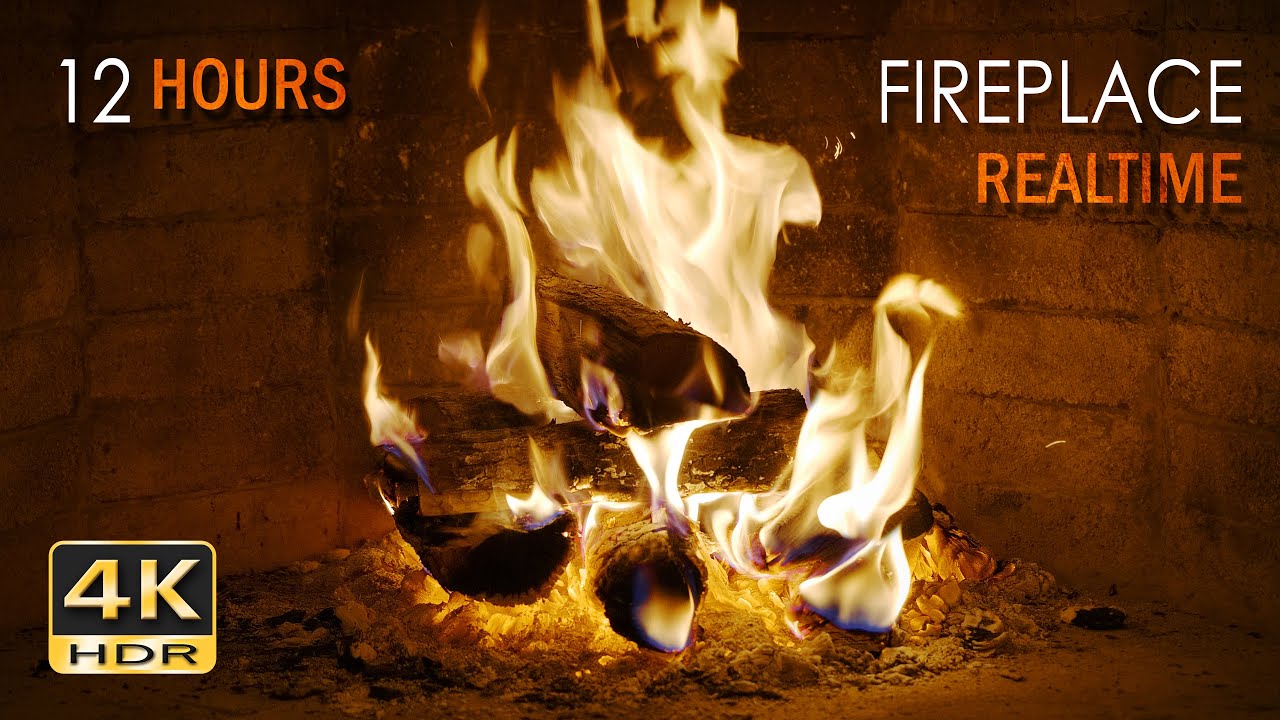
Create a cozy, warm and relaxing atmosphere with 12 hours of real logs burning in an open fireplace and the popping and crackling sounds the blazing flames create. This Ultra High Definition (UHD/ 2160p) HDR* video and high quality sounds can be used to create a feeling of peace and tranquility, warmth, coziness or winter festiveness in your hom...
Yea sure anime fire is never going to look like real fire, but still, we know how burning wood looks, and it can look very weird when it's not looking "normal"
frank heart
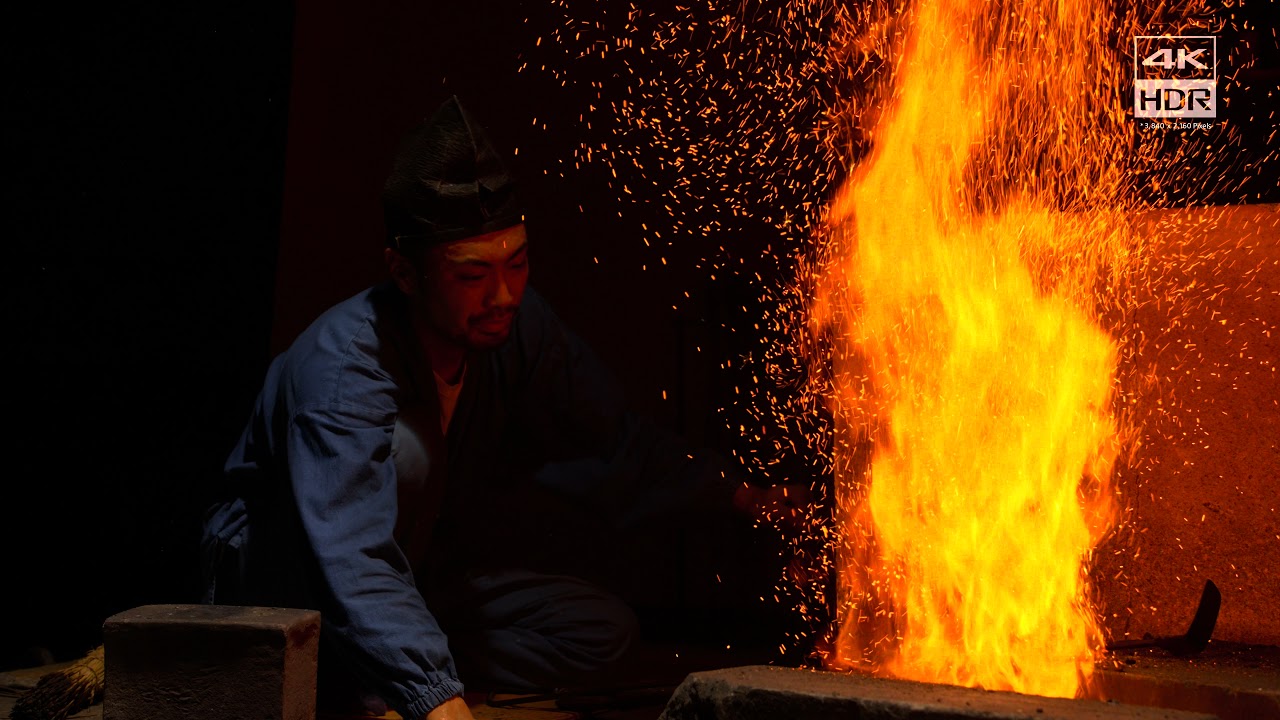
Demo to test OLED TV in UHD 4K resolution and HDR 10. With this video, you can test the contrast of any TV. OLED televisions stand out because of their infinite black level.
Sony Swordsmith 4K HDR Demo
➡️ Suscribe for more videos: https://www.youtube.com/channel/UCjrW5_3fuxpZ-200riPw25A?sub_confirmation=1
Thanks For Watching
autumn jetty
frank heart
https://youtu.be/jECIZpEsX5s?si=nafu_-kCwFTu8Iw2
this is not a slow burning bonefire 😅 and it actually looks weird. The camera is fighting with the fire to capture it
autumn jetty
I mean make a bonefire outside and check the flames lol
autumn jetty
frank heart
Cuz its exposed for the fire
yes, your eyes are not like that
frank heart
i know
frank heart
autumn jetty
I mean make a bonefire outside and check the flames lol
Just lit one this afternoon
frank heart
Urs is correct if the surroundings is dark
But if its like afternoon with lighting its not out of the question for the fire to not look white like that
autumn jetty
You can call it personal preference, but they would have changed the sdr version to be more universal orange if they wanted it to look like the flames in your video
frank heart
 frank heart
autumn jetty
You can call it personal preference, but they would have changed the sdr version...
frank heart
autumn jetty
You can call it personal preference, but they would have changed the sdr version...
taking creative liberties r fine because if they had the ability to do HDR theres no saying they'd would still let the fires blown out like that
autumn jetty
but you don't need hdr to make orange fires
frank heart
autumn jetty
but you don't need hdr to make orange fires
Orange without proper brightness wont look very good
Like how u can tonemap everything so SDR range so no detail is lost
autumn jetty
exactly and ktm off flames are not bright enough
frank heart
But it would look off
frank heart
autumn jetty
exactly and ktm off flames are not bright enough
Theyre bright enough except in nighttime
autumn jetty
well yea
frank heart
frank heart
^
I could say having the flames be pure white during the day is wrong too ehe
autumn jetty
ofc pure white flames are wrong
ktm on is wrong too
but less wrong than ktm off 😄
capturing flames is tricky we can find examples for both, it depends on the exposure, white balance and ai trickery
frank heart
Id say off is only inaccurate if you're looking at night
autumn jetty
cameras use nowadays
frank heart
I just lit a fire this afternoon and its definitely not like ur bonfire video
autumn jetty
in pure daylight? ofc not
autumn jetty
anyways, nigh time fire looks weird in wuwa with both ktm off/on but it's objectively more "wrong looking" with ktm off
it's just not bright enough
we can agree that we prefer very different looks when it comes to HDR 😂
frank heart
I can get behind that
@tough ember i saw ur msg in the renodx channel whatu doin bud
R u gonna give us a mod 😅
autumn jetty
I should actually continue playing the game now xD
subtle warren
autumn jetty
it's just not bright enough
I think it depends by your monitor/tv
If the monitor u have is bright enough
autumn jetty
subtle warren
I think it depends by your monitor/tv
it's the game unfortunately
cosmic hearth

 nocturne lava
I think I came up with some very natural feeling settings with ktm on


oh hmm this was a terrible place to take screenshots, the night got darker and the whole back half of the shadows got completely different


Highlight saturation can maybe be a bit higher
nocturne lava
cosmic hearth
what settings are you running here?
autumn jetty
@frank heart your super high peak brightness methode can actually work to fix my highlights issues with ktm off
I just need to use Lilium's tonemapper shader on top of reno
cosmic hearth
nocturne lava
what settings are you running here?
 autumn jetty
cosmic hearth
autumn jetty
cosmic hearth
100 grading strength? nice
cosmic hearth
cosmic hearth
My settings only add some highlights, contrast, distinct bright and dark details, while pursuing vanilla's natural colors
autumn jetty
you turned off kuro tonemapper right?
cosmic hearth
ON
autumn jetty
ah ok
cosmic hearth
open
I'm not sure if my settings are helpful to you. Because I am a MiniLED monitor
frank heart
autumn jetty
I just need to use Lilium's tonemapper shader on top of reno
Ironic
Cuz default game is ue tonemapping + kurotonemapping
And now ur fixing it by
nocturne lava
cosmic hearth
I'm not sure if my settings are helpful to you. Because I am a MiniLED monitor
I'll try them on my miniled in a bit. I have one miniled and one oled
autumn jetty
frank heart
Applying another tonemapper
but at least you can control it, that's the best we can do atm
frank heart
Yeah just find the parallel funny
autumn jetty
it is funny yea 😄
nocturne lava
 frank heart
 subtle warren
autumn jetty
it's the game unfortunately
subtle warren
autumn jetty
it's the game unfortunately
What's your max nits?
autumn jetty
subtle warren
What's your max nits?
around 800
rising peak to 4000 does not "fix" the fire, it's a VFX issue
it's a lot dimmer than attack VFXs
frank heart
@tough ember if ur gonna tackle this its a good idea to make the kurotonemapping into a slider with strength 0-100 or at least a toggle so we dont have to reset the game every time we need to compare the two
autumn jetty
custom reno for wuwa ? 😄
frank heart
Also bro patch the fleur shader 😔
i mean keeping in the generic UE mod is good if u can do it
Since u dont have to rebuild every time the generic UE part gets an update
And marat added custom upgrades depending on filename
Last i remember
subtle warren
autumn jetty
rising peak to 4000 does not "fix" the fire, it's a VFX issue
Even if you put it at 4000 nits, your max peak brightness is 800, so if you hit the slider to 4000 it's gonna stay at 800
autumn jetty
subtle warren
Even if you put it at 4000 nits, your max peak brightness is 800, so if you hit ...
if you increase the peak, you lower the highlight contrast, so everything is 800 nits even dimmer highlights
but the fire vfx does not really change even at 800 nits
while attack vfxs turn pure white because the effects are clipped
aka the fire vfx itself is dimmer than most of the effects in-game
when it should be a lot brighter
nocturne lava
cosmic hearth
My settings only add some highlights, contrast, distinct bright and dark details...
this looks pretty good on miniled 
I think that's how I will play the septimont quests
my poor oled is not liking the desert aesthetics lol
 peak geyser
nocturne lava
my poor oled is not liking the desert aesthetics lol
peak geyser
nocturne lava
my poor oled is not liking the desert aesthetics lol
What monitor?
nocturne lava
okay I'm downgrading to 572.83 this is ridiculous 
 nocturne lava
peak geyser
What monitor?
nocturne lava
peak geyser
What monitor?
msi 271qpx
peak geyser
nocturne lava
okay I'm downgrading to 572.83 this is ridiculous <a:KEKX:860633950832951327>
RT ON?
nocturne lava
yup lol
peak geyser
Yeah. RT has been broken since 2.4 went live.
peak geyser
 quartz leaf
I been wanting to try oled 😫
quartz leaf
I been wanting to try oled 😫
Better blacks on OLED. But if you don't play/watch a bunch of dark content it might not be that big of an upgrade.
Once proper QD-OLED monitors start coming out it might be worth though. Right now most have trash peak brightness.
nocturne lava
quartz leaf
How is the oled compared to the miniled btw
strongly depends on the content. for dimmer very shadowy content with small highlights it looks outstanding. stuff like the first map of stellar blade for example looked excellent on the oled. But for brighter daytime stuff like in septimont in the new wuwa patch the the dimming gets really out of hand 😦
quartz leaf
Hmm yea was concerned about brightness
peak geyser
nocturne lava
strongly depends on the content. for dimmer very shadowy content with small high...
The dimming is ABL. It's a monitor specific issue. I don't get it with my Asus OLED unless I go too crazy with th ebrightness. But proper calibrated it's a non-issue.
quartz leaf
I might wait for upcoming tandem WOLED. Supposedly peak 1500 nits 👀
peak geyser
quartz leaf
Hmm yea was concerned about brightness
The next gen QD-OLED they showed at this years trade shows look hopeful. Pushing 2k peak brightness. I'd wait.
nocturne lava
my miniled is ips so even with the local dimming you still get some ips glow in shadowy content and small highlights get dimmed a bit. However it looks absolutely amazing in daytime stuff or nights with bigger light sources
quartz leaf
I got Samsung odyssey neo g8 miniled
nocturne lava
peak geyser
The dimming is ABL. It's a monitor specific issue. I don't get it with my Asus O...
that's the thing, there just wasn't a combination of settings I could find where I could really see well
quartz leaf
Was thinking of going to a 1440p oled but yeaaa idk
peak geyser
Personally I'm not touching mini LED. Micro LED once it matures will probably be best of both worlds.
peak geyser
quartz leaf
In 10+ years yea
Probably. XP
Till then QD is best. Not sure why monitors have such issues. My QD TV hits like 3k peak brightness.
nocturne lava
quartz leaf
Was thinking of going to a 1440p oled but yeaaa idk
there are some games where it looks amazing to be fair. But sometimes it just kinda falls apart hard too
peak geyser
nocturne lava
there are some games where it looks amazing to be fair. But sometimes it just ki...
Problem with HDR in general is if you don't go through the effort of tuning it right it can actually look worse than a good SDR monitor. 😦
quartz leaf
Windows hdr kek
peak geyser
quartz leaf
Windows hdr kek
Nah. Windows is fine. It's the games themselves.
nocturne lava
peak geyser
Problem with HDR in general is if you don't go through the effort of tuning it r...
well, I can't really calibrate around the panel limitations
unless I end up doing like 80 paper white
quartz leaf
I have also noticed that sdr looks so good already on my monitor
peak geyser
nocturne lava
well, I can't really calibrate around the panel limitations
True. If you have poor brightness or aggressive ABL built in it's tough.
quartz leaf
Any of you use hdr analysis tool in reshade?
peak geyser
Lillium's, yeah
quartz leaf
Cuz it was reporting like 1500nits in ghost of tsushima hdr
But my monitor ain't that bright. I think
peak geyser
quartz leaf
Cuz it was reporting like 1500nits in ghost of tsushima hdr
Probably true. Goes back to most games having shit HDR implimentation.
Is a big reason why Reno mod is so important for HDR users.
quartz leaf
Ye
peak geyser
I've heard that CP2077 has ass HDR and Reno is a game changer for it. But I haven't gone back to that game yet to try Reno
nocturne lava
iirc the hdr is basically stretched SDR from like 300 nit peak
reno adds a lot more detail in
peak geyser
nocturne lava
iirc the hdr is basically stretched SDR from like 300 nit peak
That's crazy.
Yeah, I just played wiht the stock HDR. Don't remember having an issue with it. But never found it crazy impressive either. (Your description is probably why. lol)
quartz leaf
I'm gonna check peak brightness on wuwa
peak geyser
quartz leaf
I'm gonna check peak brightness on wuwa
WuWa doesn't have HDR. So it's gonna be like 400 or less I bet
quartz leaf
With reno enabled
nocturne lava
peak geyser
That's crazy.
Yeah, I just played wiht the stock HDR. Don't remember having an ...
it's very contrasty and cyberpunk's lighting looks amazing so you probably just found it fine
but it looks a lot clearer with reno
quartz leaf
Or does it not work like that
peak geyser
nocturne lava
it's very contrasty and cyberpunk's lighting looks amazing so you probably just ...
The colours make the brain's chemicals happy. XD
peak geyser
quartz leaf
Or does it not work like that
Reno adds HDR. So it will go up to whatever you set the peak slider to.
frank heart
alright
got back to my rig
finally able to see image without streaming compressions
KuroTonemapping Off preset

new final
all even numbers no odd numbers


Vanilla / RenoDRT
quartz leaf
ktm 0 yea?


 peak geyser
@frank heart You ever figure out good KTM settings?
subtle warren
frank heart
KuroTonemapping Off preset
You think this one is better than your previous ?
Can you compare your previous with your new?
peak geyser
frank heart
wdym good ktm settings
Thought you were working on settings with Kuro Tone Mapping on at one point.
cosmic hearth
Perhaps I should give up on Strength 100
frank heart
Vanilla / RenoDRT


so far so good at hue conserving
aight


Vanilla / RenoDRT


you could say this is vanilla plus
peak geyser
Looking a lot better. Will be interested to see the final settings.
frank heart
I'm probably done
autumn jetty
subtle warren
Because mine is more than 1000 nits and the fire looks fine
with kuro tonemapping off? post pictures please
frank heart
for kuro on I'll have vanilla+ if you feel the need to keep the game's original contrast
and vanilla ++ if someone put a gun to my head and force me to play with kuro on
it's the same as vanilla+ with two sliders changed
subtle warren
autumn jetty
with kuro tonemapping off? post pictures please
I will do that tomorrow cause I'm not currently home, tell me the spot you want me to take picture of
autumn jetty
frank heart
it looks nice! The highlights hues are still a little off but it's not too bad
autumn jetty
frank heart
Vanilla / RenoDRT
yea the fire looks fine here
autumn jetty
subtle warren
I will do that tomorrow cause I'm not currently home, tell me the spot you want ...
Septimont torches for example
frank heart
autumn jetty
it looks nice! The highlights hues are still a little off but it's not too bad
thats cuz its kuro off
whoops looks like wrong image uploaded
autumn jetty
frank heart
aight
You are trying to win me over I knew it! 🤣
frank heart
Vanilla / RenoDRT (Vanilla+) / RenoDRT (less washed out)


 frank heart
autumn jetty
You are trying to win me over I knew it! 🤣
frank heart
autumn jetty
You are trying to win me over I knew it! 🤣
you could say i love a challenge
autumn jetty
your new preset is nice, I mean it's still too contrasty to my taste but the colors are nice
frank heart
you could just use the vanilla+ one
frank heart
only very minor contrast adjustments
autumn jetty
but yea vanilla+ is nice
frank heart
Vanilla + / more contrast vanilla + (60 highlights and 40 shadows please, i have it flipped)

 autumn jetty
I updated Lillium's HDR shaders and I'm not sure how I feel about the new analyzer, it's a lot less readable
frank heart
autumn jetty
it needs a little bit of extra saturation I think
you could probably do that yourself bc changing it to an odd number will tick me off
autumn jetty
frank heart
Vanilla + / more contrast vanilla + (60 highlights and 40 shadows please, i have...
oh no 0 grading?
how does the septimont boss area look like?
frank heart
oh wiat i have it flipped
autumn jetty
I was happy with 0 grading until i started exploring septimont xD
frank heart
snowflake area
all trouble arises from there 🤣
okay
hmm
now that I look at it
the boss area might be the only area with no kurotonemapping
so my grade works with the expectation
that you have kurotonemapping on
and it looks normal everywhere

everywhere except the boss area
autumn jetty
I love how inconsistent Kuro is with these stuff, I fear the day when they decide to add HDR support
yea grading 0 looked really good mostly everywhere
frank heart
if you have kuro on and strength 100 essentially it goes through ktm + UE grading lut
so its like
double blowout
so i put it at strength 0
you only need to deal with KTM
except in the boss area where they decided to
not use it
and you;'re getting all the wack colors underneath
autumn jetty
str 50-60 was fine but yea 0 was better everywhere else
autumn jetty
frank heart
not use it
I guess some new guy was tasked with making the boss area
peak geyser
Kuro intern

 autumn jetty
rofl yea
peak geyser
Artistic intent XP
 autumn jetty
yea it's normal
peak geyser
I actually think the messed up one looks more like a boss area with the exaggeration. lol
autumn jetty
frank heart
on changli
oh rofl yea
frank heart
it might be broken but im not sure if it's reno or the game
peak geyser
Yeah, that fire is busted. XD
frank heart
one step outside in vanilla
 peak geyser
Yeah, so even without the Reno settings it's just goofy in the game in general I guess?
 frank heart
so it's actually a reno bug?
autumn jetty
could be yea
peak geyser
Hmmmm
 frank heart
it's probably a reno bug
if you switch 0x3b22b2cc which is the output shader used when you enter the area
back to the original version
the issue goes away
autumn jetty
oh nice catch
autumn jetty
but this means that I can start using 0 grading, this arena was the reason I stoped using it i was afraid that there will be other areas like this
I thought that it's Kuro jank yea XD
frank heart
flame becomes deep red
look at changli's flames
wanna tackle this lul
shortfuse originally patched this shader so maybe u can ask him for some pointers
peak geyser
autumn jetty
but this means that I can start using 0 grading, this arena was the reason I sto...
You thinking of not using the Kuro tone mapping now?
frank heart
I think he means using kuro with 0 grading
peak geyser
frank heart
I think he means using kuro with 0 grading
Ah, yes
autumn jetty
@astral night Can you help us wit this issue? #1383049193186136216 message the flames on the character's clothes turn deep fried red. Switching 0x3b22b2cc back to "original" fixes it.
autumn jetty
frank heart
I think he means using kuro with 0 grading
yup
ktm on with grading str 0 looks really good
astral night
autumn jetty
<@115289688037785602> Can you help us wit this issue? https://discord.com/channe...
Original with Vanilla? Then yeah that's a decompiler bug
If Original doesn't look like the Vanilla tonemap option, usually means a bad decompile
autumn jetty
it looks wrong when it's on "add-on" and looks correct when it's set to "original"
frank heart
astral night
If Original doesn't look like the Vanilla tonemap option, usually means a bad de...
yeah setting the tonemapper from RenoDRT -> vanilla doesn't fix it
changing the shader from add-on -> original in devkit does
so a bad decompile?
astral night
frank heart
so a bad decompile?
Yes. We outsource our shader model 5 decompilation to 3dmigoto
SM6 shaders I wrote the decompiler
cosmic hearth
 cosmic hearth


 visual sand
cosmic hearth
visual sand
cosmic hearth
What settings you using?
cosmic hearth
#1383049193186136216 message
visual sand
Kuromapping on or off
cosmic hearth
on
visual sand
Left or right
 peak geyser
cosmic hearth
peak geyser
cosmic hearth
Kuro tone mapping enabled?
cosmic hearth
YES
frank heart
Enabled
cosmic hearth


 visual sand
Is the white outlines on characters normal?
visual sand
Also you do guys mess with the peak brightness or leave it alone
visual sand
Aye
cosmic hearth
Oh, it's too late. It's time for bed
Good night everyone.
visual sand
Night
astral night
5.x means both 5.0 and 5.1
5.0 for DX11 and 5.1 for DX12. It relates to constants injection
(cbuffers)
DevKit doesn't support 5.x
The system that loads shaders from disk isn't automatically aware if the usage is DX11 or DX12. Just loads it into memory for another system to inject.
visual sand
frank heart
Its the edge lighting
I guess there's no way to fix that right?
astral night
I load from another folder and call it 5.1 and test in DX12 with the addon running. You can choose original, addon, or file.
The addon will push the shader constants which will allow sliders to work
DevKit doesn't have any information related to how to push constants, but it won't disrupt an loaded addon's ability to push constants. That said, addons don't know when to push constants except for what's in that addon's list of shaders
Meaning, if you try to load a shader from devkit the addon doesn't know about it won't have pushed constants in some cases
visual sand
So are we still trying to make RenoDX work with this update?
Is it usually like with every patch or just this one in particular cause of the graphics update
autumn jetty
visual sand
I guess there's no way to fix that right?
you mean the pure white edge lighting? it looks better with kuro tonemapping off, it's not supposed to be pure white and it's not white in SDR either. you can kinda fix it by increasing highlight saturation and by lowering grade strength to 0-50
yes especially if you keep grade strength at 100
visual sand
How much does the game change with Kurotone mapping off?
peak geyser
autumn jetty
yes especially if you keep grade strength at 100
So do you suggest using kuro tonemapping or not with hdr?
astral night
Shader model 5.1 supports DirectX12 push constants. 5.0 doesn't support DX12 push constants. If you're not trying to use the addon's pushed constants (cbuffers) it doesn't matter. if you are then it's not going to work if you mismatch the versions
autumn jetty
peak geyser
So do you suggest using kuro tonemapping or not with hdr?
Neither options are perfect:
- Kuro tone mapping off: It removes the clamping, but as a result VFX highlights that should desaturate into white stay "colorful", HUD effects can reach 500 nits+ brightness which looks cool but not that great for OLED screens imo.
- Kuro tone mapping on: Closer to the vanilla SDR look/colors, if you want to keep the original look then this is your only option, but keeping grading strength at 100 blows out highlights, skin looks super white as a result
kuro tonemapping off is probably better because you can fix the white skin issue
and no need to lower screen grading if you don't want to
visual sand
Yeah I have an OLED and that's a huge issue for me
Like skin looks way too bright now
astral night
Could mess with lower exposure
But grading is just one of things that takes a lot of fiddling
autumn jetty
skin is considered highlight in the game and character models are excluded from lot of the calculations so skin is always bright
so yea there is no perfect solution
skin brightness is actually controllable with inverse tone mapping by adjusting shoulder start
visual sand
Where is the engine file located
autumn jetty
visual sand
Where is the engine file located
Wuthering Waves\Wuthering Waves Game\Client\Saved\Config\WindowsNoEditor
visual sand
Aye
autumn jetty
This is a nice preset imo the vanilla+ version:
#1383049193186136216 message
visual sand
Right or Left?
peak geyser
autumn jetty
Neither options are perfect:
- Kuro tone mapping off: It removes the clamping, b...
Sounds about right. But it's nice to get another opinion on things. ^^
I don't find the Strengh setting too different between 50 and 100. But if what people were saying about peak brightness counteracting the color issue of higher strength settings that could explain why I don't find it too washed out. My peak is @ 940 atm.
autumn jetty
peak geyser
Sounds about right. But it's nice to get another opinion on things. ^^
I don't...
50-60 strength is a good compromise yea
0 looks the best, but it's not really vanilla with the LUTs disabled
peak geyser
0 just seems too dim to me.
autumn jetty
depends on the location
if you set it to 0 peak brightness stays the same everywhere
aka you can increase the highlights slider until you find a value you like
peak geyser
Can call me crazy but this Is what I'm using after playing with everyone else's presets. Probably not technically optimal but /shrug

 peak geyser
Is there a way to fix the checkerboarding of the mist or is it just how the game is?
 peak geyser
visual sand
What did you guys do for the ingame brightness settings?
peak geyser
visual sand
What did you guys do for the ingame brightness settings?
Mine is 20. Anything higher is washed out
Makes sense. Might be part of why I find the game too dim with Reno Strength set to 0
visual sand
I have the opposite problem where the game is too bright
I did turn down Expoure and it looks bette rnow
But then you have white skin and white outlines
autumn jetty
peak geyser
Can call me crazy but this Is what I'm using after playing with everyone else's ...
kuro toenmapping on/off?
peak geyser
autumn jetty
kuro toenmapping on/off?
On
In game colors 20/60/50
autumn jetty
peak geyser
Is there a way to fix the checkerboarding of the mist or is it just how the game...
thats's weird, which DLSS preset are you suing and at what resolution?
visual sand
Like a seperate file?
peak geyser
autumn jetty
thats's weird, which DLSS preset are you suing and at what resolution?
DLAA Preset K, 1440p
NV Sharpen (Old) set to 15 exaggerates it for sure. But the game is too blurry w/o it imo.
autumn jetty
peak geyser
NV Sharpen (Old) set to 15 exaggerates it for sure. But the game is too blurry w...
yea just use OptiScaler if you want sharpening
I had problems with preset K
artifacts around the character and during idle animations
peak geyser
autumn jetty
I had problems with preset K
Still there with J. Didn't really change anything
autumn jetty
peak geyser
Still there with J. Didn't really change anything
what about with E?
peak geyser
autumn jetty
what about with E?
Can try next
autumn jetty
it looks like a low resolution volumetric effect tho
problably not DLSS related
the first looks okayish
I mean I prefer the first
the second with the LUT applied is fine too I guess but it needs fine tuning
peak geyser
Preset E does seem to be better at least. Still there. Think it's just a low res effect.
 autumn jetty
yea it's insane haha
and it varies by location
it can crush shadows too
compared to 0 str
yea end not just the player bright objects too
yup
some kind of bloom/lens flare
visual sand
Are we thinking of making a specific Wuwa Renodx Branch?
How long do you think this whole thing will take?

astral night
visual sand
Are we thinking of making a specific Wuwa Renodx Branch?
Nothing truly different than just handful of custom shaders. Overall process is the same
It would be separation for no real benefit
You'd have to migrate changes back and forth between both. Like Marat added white clip, no reason all UE can't have that
frank heart
visual sand
I guess there's no way to fix that right?
Its not a bug its a feature
dont know why you wouldnt want it as it makes the outline glow nicely in hdr
 frank heart
peak geyser
Is there a way to fix the checkerboarding of the mist or is it just how the game...
frank heart
peak geyser
Is there a way to fix the checkerboarding of the mist or is it just how the game...
Use DLSS CNN
game is not officially made for Transformer and this is one of the issue it causes
it will be even worse in the avinoleum area
@tough ember add all the UI as toggles?
 peak geyser
frank heart
Use DLSS CNN
peak geyser
frank heart
Use DLSS CNN
CNN reduced the checkerboarding. But then I have NPC ghosting everywhere.
I'll deal with the worse smoke. ^^;
frank heart
sure
LOL
how did you add the sliders
i might try to do something myself
i know all the shaders i want to toggle
just need to put them in
u go ahead brah
if u want 2 i can also give u all the UI related shaders
label all of them
I wonder if we can add a keyboard or a controller shortcut
because this UI disabling stuff
is very crude
frank heart
frank heart
<@1178534432915869807> add all the UI as toggles?
if i disable it to this which would be my preference I'll need a shortcut to re-enable it
because the shader includes all the visible text
so if you open the quest menu you'd want to re-enable
nice
pics?
echo jackal
would be cool if we could piggyback off stuff ppl already made for 3dmigoto mods, its got the shaders and stuff in there i believe but no idea how transferable they would be to renodx https://gamebanana.com/mods/525176
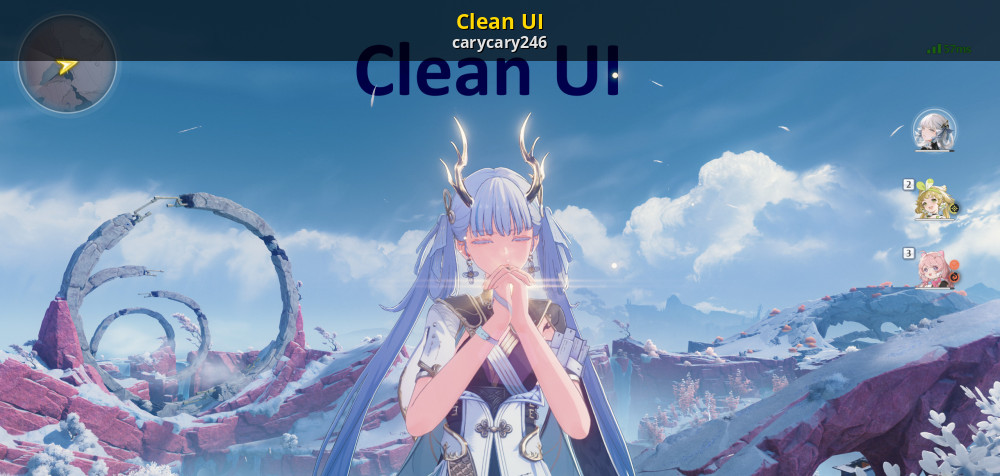
GameBanana
Download the Clean UI Mod for Wuthering Waves. Customize your gameplay with this fan-made WuWa Mod by carycary246 in the UI category,
echo jackal
also was testing engine.ini stuff and seems like renodx no longer breaks with disabling chromatic abberation and vignette
r.SceneColorFringeQuality=0
r.Tonemapper.Quality=0```0xa21ac2cd (white circle indicator when a button is pressed)

you mean this ? #1321685184852135967 message
on vs off at both strength values
0x03354fcd and 0x1214a47d ( circle indicator for available ult)

should be
ue4 tonemapper applies with ktm on from what i can see
you have a compare pic?
i mean the shaders you suspecting of disabling ktm
i aint disabling no blur
0x9744f4ac


that one can be safely disabled though
since its not all the text UI
but luckily only the unecessary ones


yeah flash thats tied to UI
I can give you the exact shader
if you want to tackle that
let me quickly dump it
cuz i forgot the shader name lmao
have fun bud
it's gonna be a pain cause this shader only triggers with fleur
ult
for like 2s during the impact frames
u can replay the trial
to qiuckly test
just general loss of definition compared to ktm off


oh that was lucky
i matched it shot for shot subconsciously
left is ON
right is OFF
you can see on the tree highlights on the right
this is in the portal at lorelei boss area
but you see what i mean right
ktm on the details are very blown out even though it's in HDR
off looks a lot more like if you look at trees irl
if you know what i mean
the glow is pretty natural
if you can maybe do a scene grading "2"
that specifically works for KTM
but not only strength
all the hue saturation
you know all the settings underneath strength in scene grading
they don't work with KTM on
yeah just a hunch but it's bc the KTM applies before all of that is applied
KTm already kills all the colors
so theres nothing to restore
not sure if that;s true or not though
the shaders u found that r related
are they before the final ouput shader?
yeah
ktm off is pure unreal so all the lutbuilder mods
would apply
all the sliders work with ktm off
ktm on is probably acting as it own SDR LUT
probably put somewhere in the pipeline so that you can't get the stronger hues from untonemapped

here's how shortfuse described the pipeline fyi
yeah sorry i mean the end effect
cosmic hearth
Waiting for you
visual sand
Is this a test one?
frank heart
i dont think these are related to kurotonemapping but just the shaders that does the bloom probably
because these still work with kurotonemapping off
lol
it's still helpfukl
Post processing blur
Highlights -> Strength (or Intensity) = Overall intensity slider for how much bloom is applied
Bloom -> Shape = controls the shape of the bloom emitted by the object. Higher value = circular boom, lower value = vertical bloom
Blur -> Spread = controls how localized the bloom is
they dont
hence strength
I think if that's what you're looking for
then its just the actual
output shader
shortfuse patched
I need to turn on kurotonemapping again to confirm
one second
sorry did not mention this yesterday though
lol
got you on a wild goose chase
at least u got the bloom slider working
aight
you know the shader after the lutbuilder right?

kurotonemapping is in here
if you switch this to original while in kurotonemapping off, the images changes a bit but it doesn't clamp your detail
if you switch this to original while in kurotonemapping on, rip all the highlights
for reference with kuro off
echo jackal
frank heart
Post processing blur
Highlights -> Strength (or Intensity) = Overall intensity ...
Agreed that the sliders are all controlling bloom. I would suggest we go with terminology a lot of reshade shaders use for bloom that are easily understood:
Highlights -> bloom strength/intensity
the bloom and blur sliders appear to both be parameters that adjust bloom radius and spread/blend
frank heart
u can see it still changes but the peak highlights are not all clamped down to just under 205 nits
but it just gets slightly less peaky
i think its more like some code is still in there even with ktm off
but it's just bundled in
and nothing it's doing is clamping the image
🤣
I wonder if you can spin up
a private server version
that doesnt run ACE
cosmic hearth
I feel that BLUR controls the light emission range. The smaller the value, the smaller the light emission range, and it also appears to emit more concentrated and brighter light
frank heart
cosmic hearth
I feel that BLUR controls the light emission range. The smaller the value, the s...
yes
i documented all what it dose here
#1383049193186136216 message
cosmic hearth
frank heart
https://discord.com/channels/1161035767917850784/1383049193186136216/13842058689...
I looked at it and your description is correct
Okay, I overthinked it. I thought the blur value had shrunk to 0. So when turning on RT mode, there shouldn't be such a situation. But in reality, it still exists
 frank heart
probably same as KTM off
since I just quickly switched between the two to demonstrate that shader
I wonder
if we add all of these shader indiscriminately
like if we don't use the bloom sliders but we still replaced the bloom shader
its gonna hurt perf right
since its not free on dx12 iirc
yeah but if you want to play at stock
like at all strength 100
is that still going to hurt perf
since you still replaced that shader
cosmic hearth
The BLUR function is a fantastic thing that makes the entire screen look dreamy
subtle warren
So is this the more recent version of renodx?
frank heart
@tough ember #1383049193186136216 message
Copy this but with kuro on
Since i didnt change anythinf its just on/off
subtle warren
Alright!
autumn jetty
cosmic hearth
Okay, I overthinked it. I thought the blur value had shrunk to 0. So when turnin...
I'm tempted to get this outfit, it fits the Septimont Roman style

 visual sand
GL
visual sand
ACES curve?
peak geyser
Hmmm... might be time to turn ktm off then if that is the case.
The vibrancy hurts the eyes. ^^;
frank heart
peak geyser
Hmmm... might be time to turn ktm off then if that is the case.
The vibrancy hu...
Retune after using ktm off
Though the idea with this update is to have it on
But you can turn it off or adjust the intensity via slider
peak geyser
frank heart
But you can turn it off or adjust the intensity via slider
Maybe I'll just wait then. ^^;
Idk
frank heart
Use my off preset
Sure
guess you can mostly leave engine ini untouched now
Unless you want to change other thung
Wdym
The boss arena thing ah
2688 is the ordinary shader used for most things
B2cc is the one bugging out
According to shortfuse its decomp error
By 3dmigoto
#1383049193186136216 message
Only happens when that output shader is used
The lutbuilders marat fixed are all fine iirc
Did you ever patch up
The fleurdelys shader
frank heart
subtle warren
<@221530925849116672> so is ktm on best or off?
Personal preference
I play with it off
 misty brook
So is there a specialized build now? 🤔