#✅Luma: Prey (2017)
4687 messages · Page 5 of 5 (latest)
 acoustic sapphire
 wintry kestrel
Since you are on Linux aswell do you find your peak brightness slider saves between exits? Mine always resets to about 2000nits. Don't have the problem on Windows
 subtle plover
acoustic sapphire
What happens in 1?
subtle plover
acoustic sapphire
What happens in 1?
1 unhooks the cbuffer mapping funcs
 valid kiln
not much success for me 
#1262582420239286372 message this one is better
guess its time buying new cpu when i have spare money 
acoustic sapphire
wintry kestrel
Since you are on Linux aswell do you find your peak brightness slider saves betw...
Yeah, mine always resets to 1499.
wintry kestrel
valid kiln
guess its time buying new cpu when i have spare money <:patrickNotes:13619611801...
Did you try setting the mode to 1?
valid kiln
wintry kestrel
Did you try setting the mode to 1?
yes it give full performance
5&6 deosn't seem to affect anymore, perf stay low 
and 5 to 7 stay the same perf
subtle plover
valid kiln
yes it give full performance
Close to no reshade at all?
valid kiln
subtle plover
Close to no reshade at all?
yeah
acoustic sapphire
wintry kestrel
Since you are on Linux aswell do you find your peak brightness slider saves betw...
There's probably a way to set a Proton environment variable or some such to change the peak brightness reported by "windows". If I figure it out I'll let you know
I was hoping the peak I set in my KDE plasma HDR config would translate, but looks like it didn't
valid kiln
if you use gamescope, the option exist to limit maxnit, i used it when i tried linux with hdr, but i don't remember what exactly is that command
acoustic sapphire
yeah, that only works for the default inverse tonemapping built into gamescope unfortunately
subtle plover
valid kiln
yeah
Did u all try to disable dlss/fsr too?
 acoustic sapphire
subtle plover
Did u all try to disable dlss/fsr too?
acoustic sapphire
subtle plover
Did u all try to disable dlss/fsr too?
Yeah, if I remove optiscaler and use ingame TAA only, it doesnt change anything. If i then turn off AA completely, no change either
wintry kestrel
I've been using SMAA and TAA from the game with mode 1 and working perfectly.
acoustic sapphire
yeah, for now just playing with mode 1. it breaks AA but otherwise the game is running great
acoustic sapphire
This games visuals have aged really well, especially with Luma
Lighting is also great, I'm guessing there is baked GI going on
 spice elk
Hello, which of all the previous files is the most recommended version or what is the last version that must be tested? (RTX 3070)
acoustic sapphire
spice elk
Hello, which of all the previous files is the most recommended version or what i...
What CPU do you have?
Best bet for now is just use the pinned alpha build. There are some CPU performance issues Pumbo is working on but that build is still perfectly playable.
spice elk
acoustic sapphire
What CPU do you have?
Ryzen 5 3600
acoustic sapphire
Give the alpha a try, if you have performance issues, you might just need to wait a bit, I'm sure the issue will be fixed soon as the source of it has been isolated
spice elk
@acoustic sapphire this version?
spice elk
acoustic sapphire
Give the alpha a try, if you have performance issues, you might just need to wai...
Ty!
acoustic sapphire
spice elk
<@478306767705473024> this version?
Yep!
 slow drift
Hi there, trying to get Luma to run - but I am getting weird flickering and dark areas on parts of the screen. Which is the latest version I should use? Thanks!
slow drift
slow drift
Hi there, trying to get Luma to run - but I am getting weird flickering and dark...
Nevermind, I think I made the mistake of installing ReShade before copying the files over. I re-installed ReShade and now it seems to work?
 blissful bison
I think the ultra lights mod causes some flicker sometimes, idk at some point I kinda gave up and played unmoded
prey modding is a bit of a mess atm
 zenith isle
so witch of these three would be most suitable for an older cpu (7700k) that doesn't have that much cache, though cache speed is very overclocked... and i have very fast ram (3600mts) that is not typical for that time period of 7700K
and which would be best for a high cache cpu? I do also have a 5800X3D at my other home in the city, but i wanted to try it out here at my small house in the country too with an older machine..
subtle plover
zenith isle
so witch of these three would be most suitable for an older cpu (7700k) that doe...
I don't need any further testing atm. Once I've polished it, there will be a new release.
zenith isle
oh ok
subtle plover
acoustic sapphire
Yep!
do not play on the test versions above
there was a bad memcopy that overrides random memory
could have all kind of consequences
acoustic sapphire
subtle plover
could have all kind of consequences
Ok cool, I'll avoid it. Should I just stick with the pinned alpha
 hushed frost
I think I am having the same problem as the user above, but I cant fix it. The game looks extremely dark and aliased with the mod enabled. I deleted the entire game and saved game folder, reinstalled the game, extracted the mod, installed reshade using the preset, and when I open the game its extremely dark and like AA is disabled, but my screen says its using DLSS preset K

also theres 10k of this spammed in the reshade log 00:43:54:388 [18736] | WARN | [Prey Luma] LoadCustomShaders(Unknown hash: 0x218ab78e)
in case anyone is wondering, its because i enabled "smooth motion" which apparently doesnt work well with reshade, because it worked well without it.
subtle plover
hushed frost
in case anyone is wondering, its because i enabled "smooth motion" which apparen...
Ask NV/amd to fix their implementation 😜
 lone nacelle
hushed frost
in case anyone is wondering, its because i enabled "smooth motion" which apparen...
lone nacelle
hushed frost
in case anyone is wondering, its because i enabled "smooth motion" which apparen...
shortfuse fixed it in reshade but it's not in the official release yet, but there's a dll on the server here somewhere that fixes the incompatibility
lone nacelle
subtle plover
Ask NV/amd to fix their implementation 😜
not nvidias fault
subtle plover
lone nacelle
not nvidias fault
what do you mean?
It knows the swapchain is scRGB
lone nacelle
idk ask @fossil igloo what he fixed
subtle plover
lone nacelle
not nvidias fault
we hook the swapchain creation flags, whether they have an extra proxy or not, it should see it as scRGB.
hushed frost
Do you happen to remember where on the server it would be? I've been looking and I can't find it.
subtle plover
@lone nacelle fix fov plsssssssssssssssssssssssssss
acoustic sapphire
@subtle plover Did you end up figuring out what the performance issue was? Was it the cbuffers? 🤔 I've gone back to playing the pinned alpha for now like you said, interestingly enough the Reactor level has the same big drop when looking down into the main room, I'm guessing due to all the objects on screen
you werent kidding about the gpu limiting thing. If I force gamescope to use 5120x2160 and then enable FSR, then finally output at 3440x1440, the fps on the alpha build is WAY more stable
subtle plover
acoustic sapphire
My man is COOKING
 slim saddle
He always cooks, several dishes at once… 😉
subtle plover
https://www.reddit.com/r/prey/comments/1my64jf/wip_mod_update/ ultra lights modder is back

Reddit
Explore this post and more from the prey community
for a mod tailored for Luma
subtle plover
valid kiln
will still be two separated mod right ?
dunno, the guy wrote me a couple times
but on nexus forums 🤣
said he doesn't use discord
so RIP
acoustic sapphire
Very nice
subtle plover
ReShade updated to take my VRR support proposal
no more frame rate lock issues
@bitter gust Prey Real Lights developer is here 👋
 bitter gust
Hi! i'm been invited by Pumbo to join in! I'll drop a test file for the mod to use alongside LUMA for those interested!
https://limewire.com/d/I1hoJ#iCOVUJVzqx Note that some level specific changes may be only visibles on new saves (it's simply how the engine handles level-state history) Feel free to send DM for feedback!
 subtle plover
@acoustic sapphire @valid kiln dunno if you use that mod, but if you wanna help testing
acoustic sapphire
Awesome! I do use it, will absolutely give it a test when I play next 😁
 little saffron
bitter gust
https://limewire.com/d/I1hoJ#iCOVUJVzqx Note that some level specific changes m...
little saffron
bitter gust
https://limewire.com/d/I1hoJ#iCOVUJVzqx Note that some level specific changes m...

 summer elk
subtle plover
ReShade updated to take my VRR support proposal
summer elk
subtle plover
ReShade updated to take my VRR support proposal
wait what was wrong?
subtle plover
summer elk
wait what was wrong?
luma set "allow tearing" on the swapchain
which allows VRR
proper vrr
but the preset call didn't allow vrr
and reshade gave no access to that
some gpus didn't know how to behave and locked to 60Hz
not NV though
summer elk
I see
valid kiln
i will try test the mod tomorrow 
did you made some improvement on our cpu overhead situation that i can dl?
subtle plover
valid kiln
did you made some improvement on our cpu overhead situation that i can dl?
no
doing 75 mods at once
now it's mafia time 😛
valid kiln

subtle plover
learn to code and fix it!
valid kiln
subtle plover
learn to code and fix it!
i'am the man with the ideas 
acoustic sapphire
subtle plover
learn to code and fix it!
I might actually try my hand at it and make a PR if I make some good progress. Just need to set up my dev environment 😁
I take it that's allowed right?
Would be very cool to be able to contribute to the project
subtle plover
acoustic sapphire
I take it that's allowed right? <:patrickNotes:1361961180129656902>
you are very much welcome
acoustic sapphire
Awesome!
subtle plover
just, like... it's not the easiest thing
cbuffers reverse engineer
but Izueh got far.
acoustic sapphire
Yeah, I know, it's definitely going to be a rabbit hole 🤣 but it will be a fun one
valid kiln
ok i will try the mod today 
subtle plover
acoustic sapphire
Yeah, I know, it's definitely going to be a rabbit hole 🤣 but it will be a fun ...
@acoustic sapphire @valid kiln
i can send u a CLANG build
and a MSVC build
and u can compare performance
it might be improved.
valid kiln
ok do it
valid kiln
my prey folders are ready
acoustic sapphire
subtle plover
and u can compare performance
Sounds good, happy to give it a bash
Was busy trying to set up my dev environment recently, only just started playing around with compilers (I did manage to get msvc running through wine)
Is there actually a performance difference between msvc compiled binaries and clang ones? 😄
subtle plover
acoustic sapphire
Was busy trying to set up my dev environment recently, only just started playing...
that's what i wanna figure out
acoustic sapphire
Cool! Time for some science
spice elk
bitter gust
https://limewire.com/d/I1hoJ#iCOVUJVzqx Note that some level specific changes m...
Luma(v98) and test RL, in apartament and with new game

 subtle plover
spice elk
Luma(v98) and test RL, in apartament and with new game
subtle plover
spice elk
Luma(v98) and test RL, in apartament and with new game
you cannot use the Prey luma from the auto builds
unless you put it on top of the nexus version
 tranquil glade
how did you make optiscaler ini load reshade64.dll
spice elk
I Use this as a base. Should I use the mod then the nexusmod?
subtle plover
spice elk
I Use this as a base. Should I use the mod then the nexusmod?
no no, nevermind
bitter gust
spice elk
Luma(v98) and test RL, in apartament and with new game
It seems not RL related, tested but can't replicate.

 spice elk
bitter gust
It seems not RL related, tested but can't replicate.
spice elk
bitter gust
It seems not RL related, tested but can't replicate.
Hi, do you have any mods installed? I use chairloader latest version of github actions. And I have 5 mods, touchmod,Shuttle Bay Fix , this other one:https://www.nexusmods.com/prey2017/mods/164, and other 2 that are only playable modifications. I'm not in front of the computer right now, can it be the previous graphic mod that modifies the game.cfg?
spice elk
bitter gust
It seems not RL related, tested but can't replicate.
Si eso luego envió la lista de mods, y quito modificaciones del game.cfg
r_ShadowJittering = 1
r_ShadowBlur = 0
r_ShadowCastingLightsMaxCount = 16
r_ShadowCastingLightsMaxCountPerObject = 4
r_ShadowPoolSize = 4096
r_ShadowPoolSizeFirstFrame = 4096
r_ShadowPoolSizeScale = 1
r_ShadowPoolSizeScaleFirstFrame = 1
r_ShadowQuality = 3
e_Shadows = 1
e_ShadowsOnAlphaBlend = 1
e_ShadowsMaxTexRes = 2048
e_ShadowsResScale = 2
e_ShadowsCastViewDistRatio = 1
e_ShadowsDistance = 500
e_ShadowsLodBiasFixed = 0
e_ShadowsLodBias = 0
e_GsmLodsNum = 5
e_GsmRange = 5
e_GsmRangeStep = 2
e_ShadowsUpdateMinRadius = 0
r_MultiGPU = 0
r_GraphicsQuality = 3
r_TexResolution = 1
r_UsePersistentRTForModels = 1
r_TexStreaming = 0
r_ssreflections = 1
r_ssreflectionsQuality = 3
r_ssreflectionsHalfRes = 0
r_ssdo = 1
r_SSRRayTrace = 1
r_ssreflectionsTemporal = 0
r_ssdoHalfRes = 0
r_ReflectionsQuality = 3
r_EnvTexResolution = 4096
r_EnvTexUpdateInterval = 0.01
r_EnvLightingUpdate = 1
r_EnvTexLightProbeMult = 2.0
r_Sharpening = 0.4
Sorry, in English. Then I send complete mod list and remove previous modifications from game.cfg.
spice elk
bitter gust
It seems not RL related, tested but can't replicate.
👆 👆 y thank you!
bitter gust
spice elk
Hi, do you have any mods installed? I use chairloader latest version of github a...
Hey, you don't need mod164 (you get better results using RL+LUMA) This test version is made to use alongside LUMA. Any other mod that changes modded files inside the delivered pak will cause conflicts, keep it in mind.
Install LUMA first, then use the Level and pak files from RL, you should be fine that way.
I use also personal preference mods but only the one that changes HUD stuff to clean the screen.
Mantengamos en Ingles así cualquiera puede leer y es el idioma que se usa acá.
spice elk
bitter gust
Hey, you don't need mod164 (you get better results using RL+LUMA) This test vers...
Hi, sorry again, what version of luma are you using? I have installed the latest, from github in a clean install of prey gog, without any mods, and deleting the configuration folder. And when I start the game and open the shutter of the apartment there is a big black spot. So I intuit that it is not your mod.
spice elk
subtle plover
no no, nevermind
Same problem with luma version 100. Clean install, only luma installed and I get a huge black dot on the screen. Does it work fine for the rest of you? I'm on the gog version of the game, if I install prey luma v3 alpha again, everything works correctly.
acoustic sapphire
I get the same issue
subtle plover
what's the problem? I'm not following.
slim saddle
There might be stuff missing from the latest builds as it’s mentioned on github for Prey speciffically?
subtle plover
slim saddle
There might be stuff missing from the latest builds as it’s mentioned on github ...
i'm doing a bit too much atm
40 mods at once
hard to keep everything updated
yes.
slim saddle
Ya, was trying to help with an answer for the question above. You are awesome anyway!
bitter gust
spice elk
Hi, sorry again, what version of luma are you using? I have installed the latest...
Actually 1.7
bitter gust
spice elk
Same problem with luma version 100. Clean install, only luma installed and I get...
It seems, I overlook the last version
bitter gust
subtle plover
hard to keep everything updated
Don't worry the one i'm using it's great. You mentioned something about an extra perf hit in heavy areas, that is in the last ver or in this one too?
V3 Alpha 1.7
spice elk
subtle plover
what's the problem? I'm not following.
Later I will send either a screenshot more or a video with my cell phone so you can see what I mean.

Black spots, huge black dots.... I don't know how to describe them technically better. Sorry.
subtle plover
spice elk
Later I will send either a screenshot more or a video with my cell phone so you ...
Windows 11? Linux? Gpu? Tell me everything!
 signal violet
Is it just me or does controller in this game feel awful
(completely unrelated to luma)
 languid jacinth
signal violet
Is it just me or does controller in this game feel awful
(completely unrelated t...
languid jacinth
signal violet
Is it just me or does controller in this game feel awful
(completely unrelated t...
You need to disable steam input in the options
Or google how to enable mouse smoothing in cryengine
signal violet
ahhh
acoustic sapphire
subtle plover
Windows 11? Linux? Gpu? Tell me everything!
Yeah this is exactly what I referred to when i mentioned experiencing the same issue
Linux
AMD 7900XT
I've actually been experiencing it every time I tried one of the automated builds since you first had me testing those tweaks to narrow down the performance problems. I just assumed it was cause you were busy with Prey still 😄 sorry
(Those test builds /the old alpha work fine)
subtle plover
acoustic sapphire
Yeah this is exactly what I referred to when i mentioned experiencing the same i...
What item does render black?
spice elk
subtle plover
Windows 11? Linux? Gpu? Tell me everything!
Sorry. Windows 11. 24h 26100.5074. NVIDIA Rtx 3070. Last Driver: 581.15. Versión Prey: gog 12742273. Versión luma with issues: 98,100,
Reshade: 6.5.1.2008
subtle plover
spice elk
Sorry. Windows 11. 24h 26100.5074. NVIDIA Rtx 3070. Last Driver: 581.15. Versión...
and this is with builds from github?
they are not meant to be used
Prey the biggest mod
only what I share here should be used
I haven't tested the changes
yet
spice elk
Yes with versión 1.7 is ok.
subtle plover
ok, i'll fix it when i get back to it
spice elk
Ok. Ok. If you need any additional data or log, let me know. I was going to try now with the 102 version that I have seen that you have published.
spice elk
acoustic sapphire
I get the same issue
And excuse me for the delay.... Thank you for answering!!!
subtle plover
spice elk
Ok. Ok. If you need any additional data or log, let me know. I was going to try ...
no need for now, it's not tested.
I'm gearing up a new release.
but it's not the biggest priority yet.
spice elk
👍 and thank you!!!
subtle plover
subtle plover
New builds should work on proton out of the box.
acoustic sapphire
So freaking peak.
 arctic lynx
I encountered a problem with a black screen when going into open space if certain reflections are disabled in the autoexec.cfg and system.cfg files (r_SSReflections = 0).
The problem occurs when going into open space if DLSS is enabled; it does not occur elsewhere.
Is it possible to disable r_SSReflections? I use FSR 3 via Optiscaler, and with it, many reflections constantly flicker.
I am also attaching a video.
subtle plover
arctic lynx
I encountered a problem with a black screen when going into open space if certai...
Is this on the nexus build? We've already fix it otherwise
arctic lynx
subtle plover
Is this on the nexus build? We've already fix it otherwise
I am using Prey Luma v3 alpha 1, which is in the last pinned post.
subtle plover
It's been fixed. But we don't have a fully stable build yet after that.
subtle plover
✅Luma: Prey (2017)
 sand olive
@subtle plover whats the deal with https://www.nexusmods.com/prey2017/mods/149?tab=description
is it dead now luma is out? I assume luma is preferred?

Nexus Mods :: Prey (2017)
Luma is a Prey (2017) + Mooncrash DLC mod that re-writes the game's late rendering and post processing phases to improve the game's look without drifting from the artistic vision
subtle plover
sand olive
<@232584079986524160> whats the deal with https://www.nexusmods.com/prey2017/mod...
this is luma.
subtle plover
subtle plover
It's been fixed. But we don't have a fully stable build yet after that.
sand olive
ok so it's just an old luma build, got it
 south bramble
@subtle plover hope you dont mind the ping, if i want to play prey with luma what do i install? the nexus build? the last pinned thing from march? or has there been anything since then?

subtle plover
south bramble
<@232584079986524160> hope you dont mind the ping, if i want to play prey with l...
last pinned
south bramble
thank you


ultrawide is supported properly?

ah yeah says on nexus page, wasnt sure because first post said subject to change heh
 cloud moss
south bramble
ultrawide is supported properly?
cloud moss
south bramble
ultrawide is supported properly?
Chief plays on a 32:9 monstrosity
Ultrawides are supported yes

 south bramble
is it normal that Luma reset the nits value back to 1499 nits for some reason?

i was playing yesterday and had it set to 2500
today i boot game its back at 1499

wintry kestrel
south bramble
today i boot game its back at 1499
Think it is fixed in the latest versions
 subtle plover
south bramble
I use the latest
subtle plover
south bramble
I use the latest
You use the semi stable latest.
Highly is fixed but unstable
south bramble
This is what I use
I mean it’s not that big of a big deal just inconvenient
is flickering like this also fixed in the unstable build btw?
subtle plover
south bramble
is flickering like this also fixed in the unstable build btw?
That's a game engine bug. Can't fix
south bramble
ah fair
i didnt play prey before so hard to tell if something is vanilla issue or caused by luma
 bitter gust
Hey! The V2.0 of my Prey mod it's live, ready to go alongside LUMA! Thaks Pumbo for the feedback and for your great work

Nexus Mods :: Prey (2017)
This mod aims to improve graphics and effects: all the lights cast shadows, corrected shadows for the original light sources, ultra view distance, improved particles, improved AO+IL, no texture pop-in
subtle plover
bitter gust
https://www.nexusmods.com/prey2017/mods/22
very nice!
so you are not bundling reshade effects anymore?
bitter gust
Only a couple for SDR users of LUMA to help with the output, but nothing special
subtle plover
bitter gust
Only a couple for SDR users of LUMA to help with the output, but nothing special
what does this do?
 subtle plover
bitter gust
Tryed today for first time on my TV with HDR, blows me away
subtle plover
bitter gust
Tryed today for first time on my TV with HDR, blows me away
being endangered by enemies doesn't apply the weird decoloration effect anymore 😛 ?
No more overdarkening on "fear" postfx due not look good in HDR, instead new vectorial blur on the edges in close combat
yea
bitter gust
subtle plover
what does this do?
Uses the vanilla style flashlight, but needs an update for this one!
I really don't like the vanilla flashlight 🙃
subtle plover
bitter gust
Uses the vanilla style flashlight, but needs an update for this one!
i'm gonna make version 2.0 of Luma "soon"
bitter gust
Ohh yeah, will wait for it
subtle plover
I think it'd be nice to have some before and after screenshots of your 2.0 mod
there's a lot of details in the change list and some videos, but no new comparisons
bitter gust
It's hard time wise, due how the engine saves level changes. Needs a proper start to see ALL the changes, without some lights have the sttings altered in the save itself
For particles it's easy
subtle plover
bitter gust
It's hard time wise, due how the engine saves level changes. Needs a proper star...
btw did you see that Luma
subtle plover
bitter gust
It's hard time wise, due how the engine saves level changes. Needs a proper star...
comes with autoexec.cfg and system.cfg with a description for every single parameter?
I think your mod changed some stuff that didn't do anything 😄
bitter gust
subtle plover
comes with autoexec.cfg and system.cfg with a description for every single param...
Yep
subtle plover
or some other stuff it probably shouldn't have included?
pl_movement.speedScale= 4.3
pl_movement.sprint_SpeedScale= 6.3
do these do anything?
bitter gust
They changed console input vars on updates
subtle plover
yeah but don't these make the player speed different?
subtle plover
bitter gust
It's hard time wise, due how the engine saves level changes. Needs a proper star...
ah so i need a new save game 👀 ?
bitter gust
On release, many cvars were functional
bitter gust
subtle plover
yeah but don't these make the player speed different?
Yes, more close like the initial videos
bitter gust
subtle plover
ah so i need a new save game 👀 ?
No, you ca use your save file
subtle plover
bitter gust
Yes, more close like the initial videos
but you can't change the player walking sped without even mentioning that in the mod page 😄 !
bitter gust
Don't it mentions on some of the changelogs?
subtle plover
bitter gust
Don't it mentions on some of the changelogs?
never seen that
subtle plover
subtle plover
never seen that
my suggestion:
scrap the change logs, just make a list of features
it doesn't matter anymore how the mod changed from 2018 to 2019 😄
bitter gust
Oh been on this many years, my mistake, maybe in the comments!!
subtle plover
and it's a graphics mod
bitter gust
subtle plover
my suggestion:
scrap the change logs, just make a list of features
Youre right
subtle plover
so there shouldn't be any changes to gameplay unless they are made optional or highlighted very clearly 🙂
that stuff is based on taste
bitter gust
subtle plover
and it's a graphics mod
I understand, but also restores some cut stuff that some may take it as more intrussive, like more darker areas. But yes!!
subtle plover
bitter gust
I understand, but also restores some cut stuff that some may take it as more int...
just mention it all.
ideally gameplay changes would be in a separately installable file or mod 😛
i wouldn't want them because for the first play through, i'd like a more vanilla like experience on gameplay, with just improved graphics
bitter gust
Regarding the saves. I mention the new save for the Before/after cause once you progress the game stores the changes on the levels, but it's not a req for the mod to funtion
Sorry for the slow writting, ans miss spels. i'm not good at all
subtle plover
bitter gust
Sorry for the slow writting, ans miss spels. i'm not good at all
np!
now that it's ~finished, maybe you might get some luck to take comparison screenshots and listing all features in one place 🦾
not fun to do...
bitter gust
Yore right, i'll set it more clearly on the desc page
subtle plover
bitter gust
Yore right, i'll set it more clearly on the desc page
do you have testers to help?
bitter gust
subtle plover
now that it's ~finished, maybe you might get some luck to take comparison screen...
I'ts never finished finished 😆
subtle plover
bitter gust
I'ts never finished finished 😆
I know that 😄
subtle plover
bitter gust
I'ts never finished finished 😆

GitHub
Wrap up LUT extrapolation (almost done) Finish SDR mode (almost done, sun shafts could be better) Finish linear UI (white fonts on dark background could be better), or separate UI composition anywa...
bitter gust
subtle plover
do you have testers to help?
Nope, but i thing i'll do the first areas on vanilla to take some SC and vids, and re do i't modded keeping it the more close it as i can
subtle plover
bitter gust
Nope, but i thing i'll do the first areas on vanilla to take some SC and vids, a...
ask around here, or in the Prey modding server!
I'm sure you'll find people to help test for bugs, and take comparison screenshots.
bitter gust
Thanks for your help!
valid kiln
Improve performance
 green oxide
Hmm, so I wanted to do a new playthrough of Prey now that Real Lights is compatible with Luma. I'm running an RX6800 at 1200p and loading up an old lategame save file in the main Talos lobby, so I'm not sure if that could have something to do with it or not, but looking across the center of the lobby area immediately drops my FPS to about 40.
Considering I originally played the game on an RX480, I thought this should be able to handle the extra bells and whistles with little problem.
This is also my original install from 2017 though, and I had previously installed the previous version of Real Lights, so I'm not sure if what I'm seeing is expected or if I should do a completely fresh install or not. Or maybe I'm just wrong about the RX6800 performance.
But I thought I'd pop in just to see if anyone had any insight.
I'm not using HDR and not doing any upscaling.
Oh, and I did notice that SMAAxT2 (or however it was spelled before) disappeared, which I think might be intentional from Luma. But man I forgot how bad the edge shimmer is in the game.
subtle plover
green oxide
Hmm, so I wanted to do a new playthrough of Prey now that Real Lights is compati...
known issue, in busy areas FPS drops a lot, there's beta builds with fixes but nothing stable yet.
Soon to come.
green oxide
I thought it could be something like that, just because the lobby is a pretty big area with a lot of object density.
So it's a Luma specific thing then?
I wasn't sure where the bottleneck was, since while getting the drop from 60fps to 40, my CPU was only at about 40% and my video card was varying between 25% and 50%.
I'm not sure if there's a better AA solution for AMD cards, but it seems like Nvidia's DLAA does a pretty fantastic job of taking care of that edge shimmer.
subtle plover
green oxide
I'm not sure if there's a better AA solution for AMD cards, but it seems like Nv...
i'm adding FSR 3
right now
green oxide
Ah yeah, the video I had seen earlier was using Optiscaler as a plugin which let them use FSR3 or DLAA.
Ah yes, this was the video https://www.youtube.com/watch?v=9kgRTEnUsNU

Timestamp :
- Prey 2017 Remaster Luma Mod : 00:00
- Ingame texture Shimmering : 00:29
- Luma Mod Features : 00:39
- Download LUMA Mod : 01:44
- Download DLSS Upscaler DLL : 02:02
- Download Reshade With Addon : 02:22
- Download Optiscaler Mod : 02:34
- DLSS Debug Overlay Setup : 03:00
- Game Settings : 04:13
- Ingame SMAA Image Quality / Shimme...
I rewatched part of that video, I forgot he had switched back over to TAA. So I booted the game back up and switched from SMAA to TAA and that did help with the absurdly blatant edge shimmer anyway. I'll have to remember that...
subtle plover
 wet harbor
for reshade do i need to select any of the additional options or just keep clicking next
subtle plover
wet harbor
for reshade do i need to select any of the additional options or just keep click...
No presets
south bramble
bitter gust
https://www.nexusmods.com/prey2017/mods/22
aww man i didnt know thats a thing, seems nice but im almost done with the game i think
 fervent lodge
Hello. Thank you (everybody) for making the game better and looking great. One question. How to install Luma mod alongside the mod Real Lights plus Ultra Graphics Mod? They share some same files... Thank you
subtle plover
fervent lodge
Hello. Thank you (everybody) for making the game better and looking great. One q...
read luma instuctions.
fervent lodge
I have. I haven´t used the "autoexec.cfg" and "system.cfg" files from Real lights mod as stated in the readme. 1. There is an "engine.pak" file in both of these mods. Should I just install the Luma one?
- Another one is the "game.cfg" in GameSDK folder. Both of these mods have it. Should I use the one from the Luma mod again?
subtle plover
fervent lodge
I have. I haven´t used the "autoexec.cfg" and "system.cfg" files from Real light...
@bitter gust maybe you can answer that
subtle plover
fervent lodge
2. Another one is the "game.cfg" in GameSDK folder. Both of these mods have it....
probably yes, that's how it was for the old version, unless the new version changed anything
bitter gust
fervent lodge
I have. I haven´t used the "autoexec.cfg" and "system.cfg" files from Real light...
You can replace all the files, without a problem. There are some things that are a little different, but in essential are pretty the same, and don't have any trouble. Engine.pak change some variables for escalability
Not in PC ATM to give a more detailed answer sorry, would report back the extaxcts differences later 🙃
But for a short answer, yes replace all and remember to ser you VRAM !
Forgot to add that I respect the cvars that Pumbo change to give compatibility, the ones in RL expand the view distance a little and the added ones are for the intended "feel" of the mod.
fervent lodge
What do you mean with setting my VRAM? How and where to do it? Have Nvidia 4090
bitter gust
There some added ones that do not function any more so don't make difference at all
bitter gust
fervent lodge
What do you mean with setting my VRAM? How and where to do it? Have Nvidia 4090
Look at the txt included in the downloaded files 😊
It should be the equivalent VRAM in MB, set it on the pool memory cvar on the cfgs files
You should see it easily
fervent lodge
Thank you
Last question. Sorry. Should I first install the Luma mod and THEN Real light mod with overwriting the engine.pak and game.cfg files? Or the other way round?
bitter gust
First LUMA, then RL
fervent lodge
Sorry. Me again. I have set the pool size texture to my VRAM's amount in MB. The question. Why is it so important?
bitter gust
Since making the mod I noticed that improves texture streaming and shadows issues. It's not a pure cyengine build and memory grow up thru the years but I keep it to mitigate any problems
Edit: spelling
 light rover
what do adaptive resolution lower and upper fps tolerances do? I've been playing around with the settings but can't figure out exactly how they work
 sleek gorge
Are any extra mods recommended to be used with this? Or QoL stuff
south bramble
sleek gorge
Are any extra mods recommended to be used with this? Or QoL stuff
Honestly not needed
I just finished the game
I had something installed that makes more loot drop so I can salvage more stuff for crafting because I couldn’t be arsed to manage ammunition
But that’s it
Had no bugs/issues or anything with Luma
Except DLSS blurring text on the computer terminals a bit
 dense elbow
Hi, i'm running into performance hit with the mod and it's pretty annoying. I've saw that GTAO was the culprit apparently, so i deactivated it but the perf remains the same. I'm on a 5600X and a 9060 XT and when i'm in the Hall i'm running at 50-55 fps, pretty annoying. Also, i tried using optiscaler but it doesn't really work and i can't change the render res (don't know why). If someone can help, would be greatly appreciated
valid kiln
no fix for the moment, pumbo is working on a perf fix
Put the game aside and wait for the Luma update for now 
subtle plover
dense elbow
Hi, i'm running into performance hit with the mod and it's pretty annoying. I've...
I'm just wrapping up Thief and Trine 5 and then I'll get to Prey performance.
dense elbow
subtle plover
I'm just wrapping up Thief and Trine 5 and then I'll get to Prey performance.
That's good to hear, i'll wait then ! Good luck on those 🙂
green oxide
Depends on which Thief
subtle plover
the latest build should have the transformer model exposed in the settings
I think it looks worse
but, feel free to use it.
bitter gust
Honest question: Preset K don't suppose to have less gosting on small moving pixels? Tbh I set it on nvcp when installing LUMA and didn't compare it properly
subtle plover
bitter gust
Honest question: Preset K don't suppose to have less gosting on small moving pix...
it has massive ghosting on fog and reflections
it breaks immersion
bitter gust
Great to know!!!
subtle plover
could somebody boot the latest version from github and let me know if it works good overall?
no time to test, i refactored DLSS.
fervent lodge
can find it..is there any lik for the github release?
languid jacinth
subtle plover
could somebody boot the latest version from github and let me know if it works g...
DLSS looks fine, but I'm getting artifacts on the transparent textures that turn them solid black
 subtle plover
languid jacinth
DLSS looks fine, but I'm getting artifacts on the transparent textures that turn...
subtle plover
languid jacinth
DLSS looks fine, but I'm getting artifacts on the transparent textures that turn...
 languid jacinth
fervent lodge
can find it..is there any lik for the github release?
languid jacinth
fervent lodge
can find it..is there any lik for the github release?
GitHub
The current version of all Luma mods (based on latest commit).
Installation instructions:
Extract all the files directly in the game main executable folder (replace the previous ones if you are up...
subtle plover
languid jacinth
DLSS looks fine, but I'm getting artifacts on the transparent textures that turn...
how do i reproduce? all transparent textures?
languid jacinth
I can send you the save
subtle plover
languid jacinth
DLSS looks fine, but I'm getting artifacts on the transparent textures that turn...
they look fine for me. could anybody else try?
subtle plover
fervent lodge
I have the same issue. Black something with transparent textures.
GPU?
fervent lodge
NVIDIA 4090

 south bramble

fervent lodge
@subtle plover Don´t know f it does make a difference.. I´m using the Optiscaler (DLSS 4 AI Setup) from this guide: https://www.youtube.com/watch?v=9kgRTEnUsNU
Timestamp :
- Prey 2017 Remaster Luma Mod : 00:00
- Ingame texture Shimmering : 00:29
- Luma Mod Features : 00:39
- Download LUMA Mod : 01:44
- Download DLSS Upscaler DLL : 02:02
- Download Reshade With Addon : 02:22
- Download Optiscaler Mod : 02:34
- DLSS Debug Overlay Setup : 03:00
- Game Settings : 04:13
- Ingame SMAA Image Quality / Shimme...

 subtle plover
fervent lodge
subtle plover
fervent lodge
mod literally support DLSS Transformer model natively now, optiscaler will just hurt performance
also rcas is already enabled in the mod, you are doing it twice.
fervent lodge
I have got lots of fps . I already have turned rcas off
subtle plover
fervent lodge
I have got lots of fps . I already have turned rcas off
there's no no reason to use it
more likely to do damage than not
fervent lodge
after I set the DLAA preset to G the jagged edges disappear completely
subtle plover
fervent lodge
after I set the DLAA preset to G the jagged edges disappear completely
that would probably result in more ghosting though
fervent lodge
I haven´t seen any ghosting (with the latest Luma version = not the Beta one)
 tender helm
subtle plover
no time to test, i refactored DLSS.
tender helm
subtle plover
no time to test, i refactored DLSS.
still the same black artifacts. thanks
subtle plover
tender helm
still the same black artifacts. thanks
Gpu?
tender helm
subtle plover
Gpu?
5070ti, latest drivers
 white current
dishonored please
fervent lodge
Dishonored 2 pls
 fervent lodge
Great answer
 hallow oxide
Hi, I have lame question. If I want to download latest Prey Luma I have to use latest release from Luma-Framework github combined with modified game paks and configs that I have from older version of Luma downloaded from Nexus? Or where to download latest configs/paks or are they still even necessary?
fervent lodge
Delete the old Luma files, verify or install the game a new and then download and past the Luma files from nexus...
hallow oxide
But luma on nexus is old version isnt it? On github there is much newer build (but without paks/configs). So my question is about this
slim saddle
Use the one from Nexus, also if you use, update the Real lights mod also from Nexus as the latest update was made to work with Luma
fervent lodge
The new one is the latest beta. But there are some issues with it
 topaz iris
Finished my first replay of this game just now with luma and the real lights mod on a modern oled and it looked fantastic, moreso than I would have imagined. Floating in space with all those small, bright lights in the darkness. Too bad I seem to have missed 2.0 but oh well.
Just wanted to say thanks to all involved, doing good stuff like this for everyone to enjoy 🙂
subtle plover
the bug where the weapon fov would change to default after loading into a new level should be fixed now
if somebody wants to test the latest build
(don't try FSR3, it might crash)
enable lens distortion (perfect perspective), increase the scene/main FOV (the weapon FoV should auto scale with it)
then play a bit and then load into a new level
it should now persist
 faint blade
Hey! There seems to be a company making a plugin for Unreal and Unity that does basically what Pumbo did for FOV in Prey. Have a look-see: https://www.youtube.com/watch?v=wYAUyJXwvG0
If the solution is perhaps superior, I wonder if someone could reverse-engineer it into a reshade plugin 😄
subtle plover
faint blade
Hey! There seems to be a company making a plugin for Unreal and Unity that does ...
I had a call with them last week.
their solution doesn't really apply to mods, it's more of a native implementation and requires some work.
faint blade
subtle plover
their solution doesn't really apply to mods, it's more of a native implementatio...
Oh well... But it does look good indeed! Would it then perhaps be feasable to mod the plugin into existing UE games perhaps?
subtle plover
faint blade
Oh well... But it does look good indeed! Would it then perhaps be feasable to mo...
not really
slim saddle
I’ll take what Pumbo did for Prey for pretty much any game!
sand olive
unity and unreal already have panini projection i think
 ocean cedar
It seems that Perspective Correction reduces sharpness more than I thought 🫣


 pliant nexus
Old thread... but how do I get the vertical FOV to save? I'm playing at 32:9 so I increase the vertical FOV but it keeps resetting to default every time I reload the game
subtle plover
pliant nexus
Old thread... but how do I get the vertical FOV to save? I'm playing at 32:9 so ...
it's fixed on the nightly releases but
they aren't stable
i'll get back to the mod
pliant nexus
I was able to fix it by deleting the game, re-installing the game, and of course re-installing the mod
well, it seems fixed so far
 vital bear
subtle plover
they look fine for me. could anybody else try?
vital bear
subtle plover
they look fine for me. could anybody else try?
New user here. I got the same black texture issue. I didn't turn on any upscaling methods, because the DLSS would make my game super laggy for some reason.
Mod setup is: Pinned v3 alpha 1 + github latest update, HDR on.
GPU: RTX 4090
I have other mods installed, if it is caused by other mods, Touch-up would likely be the only one that involves graphics. My other mods are like inventory size and remove hacking, etc. No big mods like overhaul on difficulty.
vital bear
I just tried v3 alpha 1 only without any new updates from github, and it solves all the issues. No more black textures!
 merry cairn
Hi, I´ve got a question, It says on the settings for Luma on Reshade that it's best to leave game brightness at 0 but what if I can't see the left logo at all until 2? Should I leave it at 0 or 2? Using Windows 11, HDR calibrated with HGiG on
 molten wharf
merry cairn
Hi, I´ve got a question, It says on the settings for Luma on Reshade that it's b...
molten wharf
merry cairn
Hi, I´ve got a question, It says on the settings for Luma on Reshade that it's b...
Default brightness
sand olive
dlss update?
subtle plover
sand olive
dlss update?
it's in
sand olive
subtle plover
it's in
nice, dno if you want to update nexusmods or not
its been a while and not seeing any install instructions
sand olive
subtle plover
it's in
4.5 you mean?
subtle plover
sand olive
its been a while and not seeing any install instructions
I need to fix the performance before
and move DLSS before TM, and fix some color grading stuff
 polar elbow
The release on Nexus doesn't play well with the prey lights mod despite prey lights claiming it does
vital bear
subtle plover
I need to fix the performance before
Will the black transparent texture be fixed as well? 👀
sand olive
isnt that a bug in vanilla
 little dock
the whole screen jitters with dlss enabled and also sky is black
 celest jewel
 rapid reef
thanks for making PREY more amazing for me in 2025. I wish to now try mooncrash but im having issues with the mod. PREY luma mod runs perfectly at 60fps and looks amazing in 4k. BUT mooncrash runs at 30fps and on 4k looks bad and wont let me change resolution and stay in fullscreen despite enabling fullscreen etc. Any ideas if LUMA works with mooncrash and how to get that fullscreen 60 fps sweet spot ? thanks
subtle plover
rapid reef
thanks for making PREY more amazing for me in 2025. I wish to now try mooncras...
try steam+epic+gog
they are all different
one might have issues
also, try without luma.
rapid reef
subtle plover
also, try without luma.
thanks, does luma not support mc dlc? also how do i turn luma off for mooncrash? i installed it last year ...
little dock
dlss jitters the screen any ideas why?
 fast cairn
nice mod
 subtle plover
 muted summit
Does this happen to anyonr else?
muted summit
Does this happen to anyonr else?
nexus version?
muted summit
subtle plover
nexus version?
Both nexus and github test version
happens on both modded and clean installs
subtle plover
muted summit
happens on both modded and clean installs
seems like a vync or gsync problem
vrr
too many frames
monitor goes boom
muted summit
anyone else have this issue
subtle plover
muted summit
anyone else have this issue
it's a HW issue, it's not related to the game.
muted summit
subtle plover
it's a HW issue, it's not related to the game.
hm ok i set it to fixed refresh manually and now its working
ill see if it comes back because sometimes it's inconsdistent
it doesnt happen without luma installed though
nvm i fixed it vwith gsync on
changed this setting to application controlled

it was originally set to highest availible
 pliant fable
muted summit
nvm i fixed it vwith gsync on
pliant fable
muted summit
nvm i fixed it vwith gsync on
If you want to make sure gsync works properly you need vsync enabled in drivers and a framelimiter at 160 fps or so
south bramble
muted summit
Does this happen to anyonr else?
i played through prey without any such glitches a few months ago
 sweet thunder
Is there anything i can do about jitter with dlss enabled?
subtle plover
sweet thunder
Is there anything i can do about jitter with dlss enabled?
shoul;dn't be any
sweet thunder
I was using the github version, but i just switched to the v3 alpha and its good now
vital bear
sweet thunder
Is there anything i can do about jitter with dlss enabled?
I was using the github one too, but it lags so much and has black texture on transparent stuff like smoke. But switching to v3 alpha fixed it. Although my game still crashes from time to time, no idea if it's luma or my other mods.
 jaunty star
muted summit
Does this happen to anyonr else?
jaunty star
muted summit
Does this happen to anyonr else?
bruhhh i've literally had the same issue forever
still haven't been able to play the game
jaunty star
subtle plover
it's a HW issue, it's not related to the game.
i managed to fix this issue thru the nvidia app instead and I just adjusted Prey's "driver" settings (monitor technology) to fixed refresh instead of g-sync. thx for sharing a fix
muted summit
jaunty star
i managed to fix this issue thru the nvidia app instead and I just adjusted Prey...
There's a better fix that allows you to use Gsync
change this setting to application controlled for Prey's Nvidia Control Panel settings
 jaunty star
muted summit
There's a better fix that allows you to use Gsync
jaunty star
muted summit
There's a better fix that allows you to use Gsync
bet thank you ❤️
 chilly tree
Hi is it possible to install this on deluxe edition of prey from Epic Games?
ok found my answer but how to actually remove old version ?
 modest comet
This has to go into the folder with the exe right?

This is the github version not nexus
Nexus filestructure was completely different
valid kiln
wonder if the cbuffer are reworked now. been waiting for my ng1 
 tepid juniper
Anyone else getting lag spikes and VRAM leaks when closing the inventory sometimes? I'm using Optiscaler which might not be helping but it looks like 'DLAA' is being loaded at least sometimes when I open the inventory and then it switches to an upscaling model when I close it. Looking at the Optiscaler logs, it doesn't look like the old DLSS feature is being destroyed so I'm running out of VRAM after 5 or so of these instances
subtle plover
tepid juniper
Anyone else getting lag spikes and VRAM leaks when closing the inventory sometim...
please try without optiscaler
subtle plover
tepid juniper
Anyone else getting lag spikes and VRAM leaks when closing the inventory sometim...
also, nexus build?
tepid juniper
subtle plover
please try without optiscaler
I don't think the issue happens without it but I'm on AMD so it just uses TAA rather than DLSS. I might be able to borrow a NVIDIA PC but I was hoping someone might be able to confirm
tepid juniper
subtle plover
also, nexus build?
Originally the Nexus build, then I recently tried the alpha that was posted here. I also used Optiscaler 0.7.9 before upgrading to 0.9.0 when that released
tepid juniper
According to Optiscaler's logs, NVSDK_NGX_D3D11_CreateFeature is being called for 3840x2160 (my monitor's resolution) and then for 2560x1440 (the internal resolution I'm upscaling from), back and forth. NVSDK_NGX_D3D11_ReleaseFeature doesn't seem to be called at all, although I guess it could be caused by a quirk in how Optiscaler behaves compared to the DLSS API.
Optiscaler doing this might also not help but DX11on12 would probably cause bigger compatibility issues and I don't think it's much of an issue
hkD3D11CreateDevice Overriding D3D_FEATURE_LEVEL, Game requested D3D_FEATURE_LEVEL_11_0, we need D3D_FEATURE_LEVEL_11_1!
This was for FSR 3.XX on a RX 9070 XT but the issue seems to be worse with FSR4, presumably because that's a bigger model and it adds DX11on12 into the mix
I guess I could try using 'DLAA' and see if that works. Although the performance won't be great
But I could see if it tries to switch from 3840x2160 internal resolution in-game to 3840x2160 in the inventory
Also by by the inventory being open I technically mean the DRS is inactive, from having a quick look at the Prey Luma source code
 glacial hedge
is possible to make the mod work with optscaler withoutr having the reshade installed? for some reason my performance tanks when I get reshade instaled low fps and low cpu and gpu usage
tepid juniper
It's not doing something silly like defaulting to an iGPU is it?
glacial hedge
how can I check for that? my cpu is a Ryzen 5 3400g but I use a RX9060 XT with it
subtle plover
tepid juniper
Originally the Nexus build, then I recently tried the alpha that was posted here...
The issue is fixed on the github builds.
tepid juniper
glacial hedge
how can I check for that? my cpu is a Ryzen 5 3400g but I use a RX9060 XT with i...
I think task manager might show 2 different GPU utilisations per process? I've only ever had devices with either a iGPU or a dGPU, not both, so I'm not quite sure. You could also open AMD's overlay and see how the numbers compare between in-game and idle. Even if the utilisation is low, I would have thought the VRAM usage and/or power consumption would increase significantly. You can change it here but there's a chance the mods are confusing Windows, I noticed I add to manually add Prey to get that screenshot (although I don't have an iGPU so I didn't need to change anything here).
While you're at it, you might as well check if the monitor is plugged into the GPU rather than the motherboard and check your refresh rate is set correctly in Windows settings

 tepid juniper
subtle plover
The issue is fixed on the github builds.
tepid juniper
subtle plover
The issue is fixed on the github builds.
Oh cool, thanks. I tried to compile it from source to test some things but didn't have much luck. I almost tried the build from there once I realised it was still included in the releases but didn't really understand the instructions
Is that the recommended build now over the Nexus version? Or just if you're running into issues and need the newer version?
glacial hedge
tepid juniper
I think task manager might show 2 different GPU utilisations per process? I've o...
the integrated graphics are disabled while a GPU is instaled, even if I wanted I couldn't plug any monitor on the motherboard while a GPU is instaled
 tepid juniper
Ah good, I thought that troubleshooting might have been too basic. I guess see if there's anything unusual about the stats. Is it working properly in other games? Are you using DX12 via Optiscaler? Maybe there's an issue with DX12 in general but not DX11?
subtle plover
tepid juniper
Is that the recommended build now over the Nexus version? Or just if you're runn...
Not really. It still has problems
I guess, don't use optiscaler, or help us fix the issues 😅
tepid juniper
I might try. C++ is scary though 😂
glacial hedge
tepid juniper
Ah good, I thought that troubleshooting might have been too basic. I guess see i...
I did the whole process at first, the luma, the reshade and the optscaler, now I'm trying one step at time, I instal the luma files, the game runs well, then the reshade and the game runs like 40 to 30 fps
tepid juniper
Is the dxgi.dll in the build just unmodified ReShade? I normally load ReShade via Optiscaler
subtle plover
tepid juniper
I might try. C++ is scary though 😂
I think there's just some black dots
tepid juniper
glacial hedge
I did the whole process at first, the luma, the reshade and the optscaler, now I...
Hmm. I think the mod only replaces a few assets without Reshade, it won't run in HDR and you won't be able to use Optiscaler or anything. What's the framerate before you do that though? I think the game defaults to DLAA so the rendering is just as expensive and then you add the cost of upscaling on top of that. You get the best image quality but I'm guessing that's not what you want?
According to the README, the performance cost of the mod itself should be negligible
tepid juniper
subtle plover
I think there's just some black dots
I guess we'll see 🤞
tepid juniper
glacial hedge
I did the whole process at first, the luma, the reshade and the optscaler, now I...
You have to use the game's dynamic resolution in order to use upscaling. I think the game's timer or at least the animation timer gets kind of broken though with the default settings. I had to set my target framerate to 240 so that it always runs at the minimum res trying to reach it. Otherwise it seems to constantly change the resolution even when standing still. I wonder if that had VRAM leaks 🤔
glacial hedge
36 fps, gpu at 24% and cpu at 40%
if I delete the dxgi.dll from reshade it goes back to between 120 and 150
tepid juniper
Oh yeah, I forgot about the low utilisation part 🤔
What's the VRAM utilisation and power consumption like?
glacial hedge
 tepid juniper
subtle plover
I think there's just some black dots
tepid juniper
subtle plover
I think there's just some black dots
I don't see them so far, but for some reason I can't open ReShade or Optiscaler's menus, even though the mod seems to be running
Ignore me, I forgot to install Optiscaler 😂
subtle plover
glacial hedge
36 fps, gpu at 24% and cpu at 40%
There's a performance problem in busy scenes.
Fix is WIP
tepid juniper
What's this referring to exactly? I took the Nexus build, replaced the files in the release folder with the ones from the latest build, deleted the dxgi.dll and replaced it with a fresh install of ReShade + Optiscaler. Should I use the asset files from the alpha build? Or does the mod only need to make changes in the releases folder now?
 tepid juniper
glacial hedge
thank you guys!!!
tepid juniper
glacial hedge
thank you guys!!!
No problem 🙂
subtle plover
tepid juniper
What's this referring to exactly? I took the Nexus build, replaced the files in ...
Clean all the files
tepid juniper
I deleted all the files in the release folder and then verified via Steam but I can try and do the same for the other folders. I just don't want to delete too much otherwise it'll take a while to download
I'm still wondering about that performance issue even though I haven't encountered it. Does it tend to count towards utilisation if a game utilises a GPU really badly? Like if it has thousands of really small draw calls that only require a few GPU cores? 🤔
subtle plover
tepid juniper
I'm still wondering about that performance issue even though I haven't encounter...
It's all up in this chat if you search
Complicated
tepid juniper
subtle plover
Clean all the files
Going to try again in a minute after attempting to delete and re-verify some of the files. Is the dxgi.dll file needed as long as I install ReShade?
subtle plover
tepid juniper
Going to try again in a minute after attempting to delete and re-verify some of ...
Use the github Luma version yes
tepid juniper
Are none of the other file changes needed? There was a warning about the GitHub version missing some assets
subtle plover
tepid juniper
Are none of the other file changes needed? There was a warning about the GitHub ...
Use the shader and dll files from github. Remove the old ones.
The data and configs you should keep the nexus version
tepid juniper
Those are all in Binaries\Danielle\x64\Release right? The GitHub version looks like a replacement for that folder so I replaced it in my copy of the Nexus build. I assume the 2 addon files are also needed? I'm guessing this is correct rather than having both the new "Luma" folder and the old "Prey-Luma"?
I presume the new DLL files look in "Luma" folder rather than the old "Prey-Luma"?

I'll try running just that without installing ReShade or Optiscaler and see what happens
Same error. Guess I'll try alpha + GitHub
ReShade did load though, just an old version
std::filesystem::path luma_old_shaders_path = file_path.parent_path().append("Prey-Luma\\");
      std::filesystem::path luma_old_bin_path_1 = file_path.parent_path().append("Prey-Luma-ReShade.addon");
      std::filesystem::path luma_old_bin_path_2 = file_path.parent_path().append("Prey-Luma-ReShade.asi");

      if (std::filesystem::is_regular_file(luma_old_bin_path_1) || std::filesystem::is_regular_file(luma_old_bin_path_2) || std::filesystem::is_directory(luma_old_shaders_path))
      {
         MessageBoxA(game_window, "An old version of \"Prey Luma\" was found, we will now try to delete it.\nBack it up before continuing if needed.", NAME, MB_SETFOREGROUND);
      }
Looks like Prey-Luma-ReShade.addon is considered an old version but is still in the current builds, I'll try deleting
subtle plover
tepid juniper
```
std::filesystem::path luma_old_shaders_path = file_path.parent_path().append...
delete it.
tepid juniper
I've got good news and bad news. The good news is the VRAM doesn't seem to be leaking anymore with either FSR3 via the mod or FSR4 via OptiScaler. The bad news is that FSR4 via OptiScaler results in bigger (and more frequent?) lag spikes than before. And I think alpha textures seem to be a bit broken.
Maybe I'll do some comparisons between FSR 3 and 4 and see if it's worth attempting to add native support for it (although the alpha textures are probably a bigger issue). I don't know what would be involved in that though. I think I might also make a PR to update the README for Prey Luma if that's helpful.
Anyway, I think I'll stick to FSR3 for now and maybe have another look later at the alpha textures. Thank you very much for your help 🙂
Oh and the whole image is vibrating a bit. I guess it's not as fixed as I thought 😅 . Maybe perspective correction is broken
subtle plover
tepid juniper
I've got good news and bad news. The good news is the VRAM doesn't seem to be le...
FSR4 uses a DX12 swapchain
which AFAIK adds a relevant performance penality
it's probably not worth the jump in quality.
FSR3 is already fine
the game doesn't need TAA that much.
tepid juniper
Ah, I forgot about that aspect. I think I might have actually been testing FSR 3 to FSR 4 on OptiScaler though which was working weirdly. When I do DLSS to FSR4, it seems to be mostly working for now. The lag spikes are only occasional
The main thing is the graphical glitches I might see if I can find more about in this thread
subtle plover
tepid juniper
The main thing is the graphical glitches I might see if I can find more about in...
Black areas in smoke and glass?
tepid juniper
I don't think I've seen it with glass but there are issues with alpha textures in general, including smoke. Also the whole image vibrates which is a bit annoying
 azure sparrow
Hey, I'm confused on what to install and where. The Prey-Luma mod has clear instructions. Is that all I need or luma from github also?
and where do I put luma?
azure sparrow
Also, the luma mod isn't compatible with chairloader?
ah found the correct luma in the pins
however, is this not compatible with the real lights + ultra graphics mod since they both provide autoexec.cfg and system.cfg files?
subtle plover
azure sparrow
however, is this not compatible with the real lights + ultra graphics mod since ...
read the description of real lights on nexus.
azure sparrow
subtle plover
read the description of real lights on nexus.
yeah the files just seem structured very differently in both mods, so I wasn't sure
subtle plover
azure sparrow
yeah the files just seem structured very differently in both mods, so I wasn't s...
pls ready readme and instructions around
every question is answered
azure sparrow
I originally installed the nexus version of prey-luma, then I just installed the pinned version here, but chairloader is still complaining. I assume I need to uninstall luma and reinstall
ah what a pain
gonna have to fresh install to get rid of old luma
subtle plover
azure sparrow
gonna have to fresh install to get rid of old luma
you don't
subtle plover
azure sparrow
I originally installed the nexus version of prey-luma, then I just installed the...
Delete the old Prey-Luma-ReShade.addon and Luma folder before installing.
tha'ts all
azure sparrow
subtle plover
> Delete the old Prey-Luma-ReShade.addon and Luma folder before installing.
Well it launches now, but...

crazy flickering everywhere
subtle plover
azure sparrow
Well it launches now, but...
better reinstall everything then
you probably got something wrong
because it works for others
i can't help there.
read all the instructions everywhere.
azure sparrow
I believe this happened to me last time I tried prey + luma and nothing else. I think some setting is wrong, I'll as in luma-support
 wheat aurora
 torn marsh
I'm having trouble with the mod. I've installed it following the instructions in the readme and it seems to be working but just quickly testing everything looks way darker than I think that it should

 tepid juniper
Well... I technically got the alpha effects working in the latest version 😂 . I reverted the "return 1" change, although the assert is still failing


 tepid juniper
Weirdly the one on the left stops flashing if I disable the mod but keep the shader overrides active (without restarting). It's still being updated with some faint outlines though. But the one on the right becomes completely black

Oh wait, I think the issue might have just been because of some testing code. So success I guess? I'll have to see if I run into any issues
 subtle plover
tepid juniper
Well... I technically got the alpha effects working in the latest version 😂 . I...
subtle plover
tepid juniper
Well... I technically got the alpha effects working in the latest version 😂 . I...
god wtf is that 😄
subtle plover
tepid juniper
Well... I technically got the alpha effects working in the latest version 😂 . I...
i can push the fix
or do u want to make the PR?
just changing from return 1 to return false
tepid juniper
I think I'll test it a bit more tomorrow and make a PR. I want to check a couple of other places where I saw the issue
This instance was so bad that I figured it was a good time to pause my playthrough and try to fix 😂
tepid juniper
subtle plover
god wtf is that 😄
I think it might be some debugging thing Copilot tried but didn't work. It's very colourful and flashy which is fun. Yet another time I'm glad I'm not prone to seizures 😅
subtle plover
tepid juniper
I think it might be some debugging thing Copilot tried but didn't work. It's ver...
i mean, wtf is the mistake i had made.
bad
subtle plover
tepid juniper
I think it might be some debugging thing Copilot tried but didn't work. It's ver...
what's your email?
i'll put u as co-author
u can dm me
tepid juniper
Thanks. Sent
tepid juniper
subtle plover
i mean, wtf is the mistake i had made.
For the record it didn't do that originally, it just looked like this but in HDR
 subtle plover
new Prey github builds should be playable again, thanks to @tepid juniper for finding the problem.
Pls give it a try!
 high viper
Is there a link to the github build? Was thinking of doing a playthrough in the near future and would be happy to test it out if it's relatively stable at this point.
subtle plover
high viper
Is there a link to the github build? Was thinking of doing a playthrough in the ...
GitHub
Luma is DX11 games modding framework based on the ReShade Addon system. Multiple mods are currently included, the biggest one being Prey (2017), which refactors its post processing rendering phase ...
 tardy axle
For EGS version use Prey Luma v3 alpha 1.7z then override w/ github right?
high viper
thank you, was struggling to find that mod list page and can bookmark this time. (GitHub is often really unintuitive as someone who doesn't use it for dev work, imo)
subtle plover
let us know if it works.
new version is yet untested.
but nothing should have broken
tepid juniper
It seemed to work when I tested it for a few hours, that area with the waterfall and smoke was also fixed. The vibrating camera and performance issues still happen though. I also noticed the performance degrading over time although that might be because I was using Optiscaler for FSR4, even if it wasn't leaking VRAM
tardy axle
works well w/ Steam + Nexus + 401 + Opti 9.0 + FSR4
crash w/ EGS + v3 Alpha 1.7 + 401 + Opti 9 + FSR4
tardy axle
tepid juniper
It seemed to work when I tested it for a few hours, that area with the waterfall...
r u on Steam or EGS version?
tepid juniper
Steam on Windows 11 with a RX 9070 XT
I used the assets from the Nexus mod though rather than the alpha, not sure if that made a difference
tardy axle
tepid juniper
I used the assets from the Nexus mod though rather than the alpha, not sure if t...
yeah EGS only works w/ v3 Alpha 😅
subtle plover
tardy axle
yeah EGS only works w/ v3 Alpha 😅
github build crashes on boot?
tardy axle
No, works well w/ EGS + v3 Alpha 1.7 + 401 but crash when + Opti 9 + FSR4
subtle plover
tardy axle
No, works well w/ EGS + v3 Alpha 1.7 + 401 but crash when + Opti 9 + FSR4
I don't understand 😛
can u spell it out in a sentence
tardy axle
😅 sorry for not clear
Using Prey 1.8 EGS version w/ v3 Alpha and build 401 works well
but crashed if I'm using Opti 9 and FSR4
tardy axle
Using Prey 1.8 Steam version w/ v2a (Nexus) and build 401 works well EVEN w/ Opti 9 + FSR4
tepid juniper
subtle plover
<@499937974931292170> it's not crashing for you?
No, although I might be using a slightly different version since I built it from source a couple days ago
tardy axle
@subtle plover v3a has file structure like Steam? Should I just need to move x64 contents to x64-Epic?

 subtle plover
tardy axle
<@232584079986524160> v3a has file structure like Steam? Should I just need to m...
subtle plover
tardy axle
<@232584079986524160> v3a has file structure like Steam? Should I just need to m...
it should be explained in the readme.
tardy axle
subtle plover
it should be explained in the readme.
ah sorry I missed it 🙇♂️
subtle plover
Collection of screenshots for pinning
#1262582420239286372 message
#1262582420239286372 message
#1262582420239286372 message
#1262582420239286372 message
#1262582420239286372 message
#1262582420239286372 message
#1262582420239286372 message
#1262582420239286372 message
#1262582420239286372 message
#1262582420239286372 message
#1262582420239286372 message
#1262582420239286372 message
#1262582420239286372 message
#1262582420239286372 message
subtle plover
subtle plover
Collection of screenshots for pinning
https://discord.com/channels/1161035767917...
subtle plover
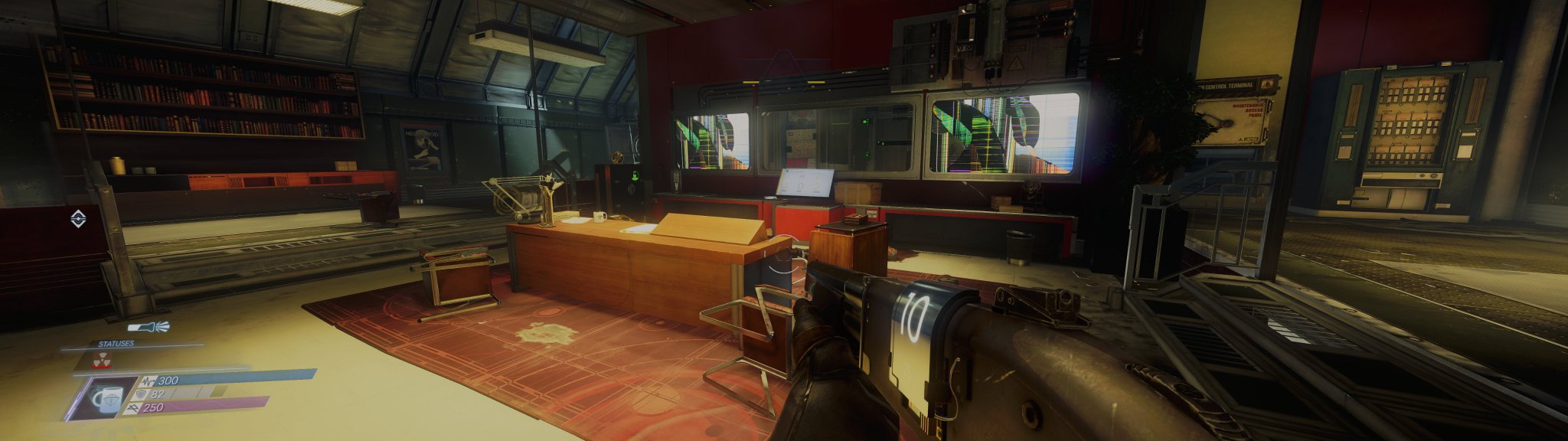
A generic before and after of the mod, showcasing Ambient Occlusion and Screen Space Reflections improvements.
This mod served as a foundation of many of the SDR to HDR upgrade methods we still use in our mods today.
Kingdom Come Deliverance II HDR is also partially based on
 X
·
X
·
 unreal pawn
hello, is there something wrong with my Luma mod in Prey? DLSS is working great as you can see on bottom left, but the HDR seems to be completely broken? I've never seen the HDR analysis tool give me negative numbers for the minimum level and it does look like my blacks are completely crushed. The max one is accurate as my display maxes out at 800 nits in game mode (LG C3), although the sun seems to be completely overblown in that image.

Also wanted to add, since the readme says the mod uses the windows calibration tool for HDR, I tried to make a new profile to see if it'd fix the issue but it didn't. HDR profile on Windows is normal at min 0 and max 800
unreal pawn
and final note, I did swap the dlss .dll to the latest version, don't know if that could have any consequence, it's using preset K as seen on bottom left
unreal pawn
and also for some reason the mod keeps resetting to 1499 peak brightness every few seconds despite me choosing 800...
subtle plover
unreal pawn
hello, is there something wrong with my Luma mod in Prey? DLSS is working great ...
Install the version from github on top
Delete the Luma folder and addon before. Keep the rest.
And don't look at the graph.
If your blacks are crushed, something is possibly wrong with your display as I never heard of that before.
 granite hound
hello i am having an issue with v3 alpha + latest release where teh jitter going bananas
v3 alpha works fine its just this combo
subtle plover
@tepid juniper wanna help 😄 🆘
tardy axle
granite hound
hello i am having an issue with v3 alpha + latest release where teh jitter going...
EGS?
granite hound
whats egs
tardy axle
granite hound
whats egs
Epic Games Store
tepid juniper
granite hound
hello i am having an issue with v3 alpha + latest release where teh jitter going...
What resolution are you playing at? I upscale from 1440p to 4K with FSR4 and it's noticeable but manageable for me. The effect looks stronger in your clip though
I guess the jitter might be in pixels rather than degrees?
granite hound
tardy axle
Epic Games Store
steam
granite hound
tepid juniper
What resolution are you playing at? I upscale from 1440p to 4K with FSR4 and it'...
33
pretty much the lowest setting
im running a 2060 laptop
tepid juniper
What's the output/display resolution?
Might also be worth testing if it vibrates less as you increase the resolution percentage. Although the reduced frame rate might also contribute to that
tardy axle
granite hound
steam
I thought EGS because you're using v3a
granite hound
what version should i be using instead
granite hound
tepid juniper
Might also be worth testing if it vibrates less as you increase the resolution p...
even native vibrates my gpu also cant handle it
tardy axle
granite hound
what version should i be using instead
v2a then github version on top
granite hound
ill try that out
tardy axle
granite hound
ill try that out
don't forget delete these from v2a
 granite hound
nau it still jitters

 granite hound
granite hound
granite hound
hable | agx changed up the contrast curve a bit

 granite hound
closer match


 north glade
Hi, I was using the v3 alpha 1.7 but when I opened and closed the inventory it added an extra 2 GB to the VRAM until it saturated it (16 GB) and started causing problems. I tried installing the GitHub version over it (I read that was the way to do it), and that problem was solved, but now everything is shaking. I tried the stable version from nexus (v2a) with the github one and the issue persist. I'm on Windows 11 with the Steam version.
subtle plover
north glade
Hi, I was using the v3 alpha 1.7 but when I opened and closed the inventory it a...
Optisscaler?
 exotic rain
game crashes on shader reload. help?

configuring mods for like 5 hours
I hate this game
subtle plover
exotic rain
game crashes on shader reload. help?
Clean install
exotic rain
subtle plover
Clean install
okay, trying it rn
exotic rain
subtle plover
Clean install
Removed game, installed game, started new game, changed options, image freeze, game not responding
 exotic rain
subtle plover
Clean install
subtle plover
exotic rain
Removed game, installed game, started new game, changed options, image freeze, g...
exotic rain
subtle plover
Clean install
subtle plover
exotic rain
Removed game, installed game, started new game, changed options, image freeze, g...
The nexus version is old
exotic rain
update it then pls
uuh.. first 3 links in google points to an old version
where do I get new?
should I install alpha?
exotic rain
if that is the only place you store this release please move to a real distributing platform 🙏

I might provide you with file hosting if you need one
once I assemble it
exotic rain
so uh maybe you can supply me lowend config instead of me creating it?
exotic rain
maybe there is light config around and I just did not seen it?
exotic rain
no?
 abstract jolt
I'm seeing that the mod on Nexus is from 2024. Is this the latest iteration we should be using for Prey HDR and high FPS?
#1262582420239286372 message
exotic rain
abstract jolt
I'm seeing that the mod on Nexus is from 2024. Is this the latest iteration we s...
no, it makes FPS way worse on default config
 tender osprey
Can I update the dlss .dll file from the luma mod with a newer one? or will it break the mod?
tender osprey
have this issue with the mod. fresh installation. with DLSS enabled. if I select a different AA I can see half the screen but the bottom half is still flickering black
 exotic rain
tender osprey
Can I update the dlss .dll file from the luma mod with a newer one? or will it b...
exotic rain
tender osprey
Can I update the dlss .dll file from the luma mod with a newer one? or will it b...
it won't
discord zip is already upgraded
exotic rain
tender osprey
have this issue with the mod. fresh installation. with DLSS enabled. if I select...
restart game
tender osprey
exotic rain
restart game
I tried that and doesn't work. My reload shaders button doesn't work too. I may uninstall and install everything gain tomorrow
exotic rain
how much VRAM do you have?
tender osprey
16GB
exotic rain
can you share some
tender osprey
just buy the right GPU 
exotic rain
do you have a job?
tender osprey
seems I managed to make it work.