#✅Luma: Prey (2017)
1 messages · Page 2 of 1
 white vessel
 pale nest
Pseudo Ray Tracing !
 subtle plover
So I've started the game. Played a bit. Everything is working great now. Loving the game.
First Public Release later today. Will nexus too.
 summer elk
I just know that John at DF would want to cover this if he knows it exists
pale nest
@subtle plover VR support when?
 slim saddle
subtle plover
First Public Release later today. Will nexus too.
slim saddle
subtle plover
First Public Release later today. Will nexus too.
Let’s have it!!
subtle plover
pale nest
<@232584079986524160> VR support when?
They have a mod for 3D already, I wrote the author but they didn't get back.
subtle plover
summer elk
I just know that John at DF would want to cover this if he knows it exists
Is he passionate about Prey?
summer elk
he's a big imsim fan and I seem to recall him gushing about the game in the df review back in the day
did not misremember https://youtu.be/3EZNr0TyimU?si=PJ_I4p40Su1DLjd4&t=745

Graphics comparisons and performance tests prove one thing: Arkane Austin's epic really is a PC game first and foremost and if you have the ability to play the title there, that's easily the best way to experience the game.
Subscribe for more Digital Foundry: http://bit.ly/DFSubscribe
pale nest
subtle plover
They have a mod for 3D already, I wrote the author but they didn't get back.
This was a joke lmao
subtle plover
I know! But vr is cool too. HDR+VR? Future.
 sleek gorge
Could be the present on PC if Sony hadn't stripped out the PSVR2 HDR capability on PC
subtle plover
sleek gorge
Could be the present on PC if Sony hadn't stripped out the PSVR2 HDR capability ...
I know the reason but I can't say
sleek gorge
aliens?
subtle plover
so, we finally managed to get the FOV slider working nice.

now it's the vertical FOV, which is what it should always be. You don't need to adjust it for ultrawide as you did before.
and it matches the weapon FOV by default
this opens the doors for the Perfect Perspective shader looking good
subtle plover
I think the list of features got out of hand. This is a remaster 🙂
- Added HDR output (scRGB 16bit) (improved tonemapping, reworked all post processing effects)
- Increased buffers quality in SDR and HDR, reducing banding all around
- Improved the quality of dynamic shadow, especially from up close (they had broken filtering that causes them to be blocky)
- Added a more modern Ambient Occlusion solution (GTAO) (the original AO is also improved in quality)
- Improved Screen Space Reflections (they are not cropped close to the camera anymore, they now get progressively more diffuse with distance, they blend in and out of view more nicely etc etc, their math in general has been refactored for much better looking and more "physically accurate" results)
- Added DLSS Super Resolution (on Nvidia GPUs) (OptiScaler can be used to inject FSR 3) (this looks drastically better than the native TAA and has no noticeable ghosting)
- Added RCAS sharpening after TAA (replacing the original basic sharpening implementation, making it look a lot more natural)
- Improved all of the native Anti Aliasing implementations (e.g. SMAA/TAA)
- Improved Anisotropic Filtering (it was not set to 16x on all textures that would benefit from it)
- Improved quality and look of sun shaft effects and lens "optic" effects (e.g. lens flare)
- Improved Motion Blur quality and fixes multiple issues with its motion vectors
- Improved Bloom quality and fixes multiple issues with its generation (e.g. it was trailing at the edge of the screen)
- Improved Ultrawide Aspect Ratio support (Bloom, AO, SSR, Sun Shafts, Lens Optics etc did not scale properly with it, e.g. causing the sun to be huge in UW or causing bloom to be stretched, chromatic aberration was stretched in UW) (the game now also exposes the vertical FOV instead of the horizontal one, which was limited to 120 and not ultrawide friendly)
- Improved High Resolution support (the game was mostly developed for 1080p resolution, a multitude of effects did not scale properly to 4k, like the objects highlights overlay, or stars/sun sprites)
- Improved Dynamic Resolution Scaling support (Film Grain, Bloom, TAA, AO, SSR, Sun Shafts, Lens Optics and many other effects did not scale properly with it, causing visible changes in the image when the resolution changed, and the scaling formula just did not look very nice)
- Improved High Frame Rate support by unlocking the frame rate beyond 144 (you can change the limit in the menu now) (with DRS you can easily reach 240FPS now)
- Improved Swapchain flip model (more responsive for VRR)
- More (e.g. added optional HDR post process filter on pre-rendered video, added settings to turn off Vignette or Camera Motion Blur)!
 vital dagger
now I need to buy it for steam, because it does not work with the gamepass version. Thank you.  😜
😜
subtle plover
vital dagger
now I need to buy it for steam, because it does not work with the gamepass versi...
or gog
 fossil igloo
@subtle plover why doesn't it work with game pass version?
subtle plover
fossil igloo
<@232584079986524160> why doesn't it work with game pass version?
because there's a bunch of game specific hooks from Ersh, we got GOG and Steam as they are the best versions.
subtle plover
Second release candidate.
I've actually played the game a while this time, it seems all good.
Changes
-Improved dynamic resolution scaling (settings allow for up to 240fps now, and resolution can go as low as 33% (with DLSS it still looks great and amazingly smooth))
-Improved Screen Space Reflections (a LOT!)
-Improved GTAO (a fair amount) (and further improved vanilla SSDO (Crytek's Ambient Occlusion))
-Fixed bad performance (for real! it's FAST now)
-Fixed some edge cases that could lead to random consequences and crashes
-Improved some post process effects HDR handling (all good now, all polished)
-Fixed DLSS causing flickering
-Added proper ReadMe instructions
-Added new vertical FOV settings
-Fixed bloom trailing around edges (vanilla bug)
-Linked ReShade Effects toggle button to loading/unloading Luma's custom shaders (in dev/test modes) (for quick video/screenshot comparisons with the vanilla look!)
Updated release here: #1262582420239286372 message
sleek gorge
subtle plover
I think the list of features got out of hand. This is a remaster 🙂
- Added HD...
 subtle plover
Fixed some forgotten development test in gamma shader that was breaking the image in some cases
subtle plover
subtle plover
Fixed some forgotten development test in gamma shader that was breaking the imag...
Fixed crashes when resetting the game settings and other edge cases.
Other minor random improvements.
 ruby heart
I made a mistake playing this mod in the early stages
subtle plover
ruby heart
I made a mistake playing this mod in the early stages
yes.
ruby heart
Screw you Pumbo, stop improving things
subtle plover
it's done now. play again!
slim saddle
ruby heart
I made a mistake playing this mod in the early stages
Same here, full completion! But the game is so good and the mod so amazing that another play will be awesome still
 languid jacinth
Let's be real, the mod won't be done until Pumbo uninstalls the game, lol
 jovial helm
hey guys little help with this one, trying to run this on linux but it crashes with error Attemped to read from address 0x00000000000000000 The memory could not be "read", pretty sure the reshade setup works since game will launch if i take the addon file out of the game, DL1 and RE3R worked with reshade/addons...
got these log and dmp files
ruby heart
languid jacinth
Let's be real, the mod won't be done until Pumbo uninstalls the game, lol
So you're saying I need to force him to uninstall by giving him a suspicious .bat file
subtle plover
languid jacinth
Let's be real, the mod won't be done until Pumbo uninstalls the game, lol
There's nothing relevant left to do. Really.
subtle plover
jovial helm
hey guys little help with this one, trying to run this on linux but it crashes w...
Did you try the test build? Does it crash on boot?
pale nest
Ya sure, you'll be uploading a v2d next week I can feel it
subtle plover
A new version sure. I'll tweak a couple things as I play the game.
But... Nothing nobody would likely notice, so it's ready to be played.
 languid jacinth
subtle plover
There's nothing relevant left to do. Really.
languid jacinth
subtle plover
There's nothing relevant left to do. Really.
I've heard that before...
In two weeks: I accidentally implemented Path Tracing, oopsie daisy
 rustic shard
can't believe Prey's getting ray reconstruction and frame generation before Control
pale nest
tbh it is pretty cool youre bringing the game to the nintendo switch
subtle plover
languid jacinth
In two weeks: I accidentally implemented Path Tracing, oopsie daisy
Yes but I'm not going to 😅. I'll just tweak the tonemapping a bit. I have new projects to move.
subtle plover
sleek gorge
Does Mafia 1 remake have an HDR mod?
Yes.
 covert raven
jovial helm
hey guys little help with this one, trying to run this on linux but it crashes w...
covert raven
jovial helm
hey guys little help with this one, trying to run this on linux but it crashes w...
it used to crash like this on early builds for me, but newer ones just works ™️ ❤️
are you throwing optiscaler in the mix?
i'm loading both reshade and optiscaler as .asi
subtle plover
covert raven
it used to crash like this on early builds for me, but newer ones just works ™️ ...
on linux?
covert raven
yes, linux + amd
jovial helm
subtle plover
Did you try the test build? Does it crash on boot?
yes
jovial helm
covert raven
it used to crash like this on early builds for me, but newer ones just works ™️ ...
huhm, can you show me your setup then? im using that reshade-linux.sh script
subtle plover
subtle plover
Second release candidate.
I've actually played the game a while this time, it se...
@jovial helm try this build, just in case.
I changed some stuff lately.
covert raven
 jovial helm
thx, whats d3dcompiler46.dll for tho
covert raven
isn't that bundled with the game?
maybe it's a leftover from some old mod (that i don't use anymore)
btw, the nvngx.dll is a renamed copy of nvngx_dlss.dll
jovial helm
i see, for optiscaler
subtle plover
covert raven
isn't that bundled with the game?
yes
jovial helm
is it?
just verified files on steam and this is all of it

@covert raven is that reshade64 6.3.3 and that dinput8 from gh asi loader page?
covert raven
yes, reshade + Ultimate ASI Loader
(reshade its actually the experimental build with hdr screenshots support, but that doesn't work for me)
works fine with 6.3.3 also
subtle plover
- Improved DLSS Super Resolution reconstruction while moving the camera
- Thread safety fixes for boot
- Improved new menu settings naming
 wary tinsel
jovial helm
hey guys little help with this one, trying to run this on linux but it crashes w...
wary tinsel
jovial helm
hey guys little help with this one, trying to run this on linux but it crashes w...
You need to install the latest Visual C++ runtime on the game's prefix if you want it to work, you can do it by using protontricks
i just tested it and the latest version works for me on linux
jovial helm
wary tinsel
You need to install the latest Visual C++ runtime on the game's prefix if you wa...
i see, makes sense since game is pretty old by now, thx
subtle plover
Ultrawide is the future together with HDR, so I like to fix that as well.
Lens Distortion from the game was applying a bit too hard on it, making it feel too claustrophobic, with reduced visiblity.


 languid jacinth
TIL Prey has lens distortion
subtle plover
languid jacinth
TIL Prey has lens distortion
if you press Z with the wrench, yes
jovial helm
thx guys btw @subtle plover @wary tinsel @covert raven, it worked in the end, effing c++ runtime
subtle plover
subtle plover
- Improved DLSS Super Resolution reconstruction while moving the camera
- Thread...
subtle plover
Adding native perspective correction to Prey
pretty much a copy and paste from Fubax Perspective Correction (with permission and support 🙏 )
check out the round locker icon on the top right, ~perfect circle with Fubax's code

 ruby heart
I am once again gonna wait for Pumbo to finish everything 
slim saddle
Many thanks for doing this. Such attention to detail for a perfect experience! We need more devs like you!!! If you don’t mind my asking what correction values you used, i found over time some compromises need made?
And it looks indeed damn perfect
subtle plover
slim saddle
Many thanks for doing this. Such attention to detail for a perfect experience! W...
K 0.5 for now.
slim saddle
Thanks. Try with vert K 0.88 fixed and play with hor K 0.5 - 0.8 ranges, a bit less distortion from the stereo K 0.5, less perspective correction but more eye pleasing. 16:9 btw
subtle plover
slim saddle
Thanks. Try with vert K 0.88 fixed and play with hor K 0.5 - 0.8 ranges, a bit l...
Got parts of the UI to distort accordingly to lens distortion, while others are left untouched.
subtle plover
all the sprites mapped from the world get distorted, the other ones don't
perfect
subtle plover
 subtle plover
What FONT?
1️⃣ 2️⃣

 rustic shard
out of those options 1, but you could use this if you wanted it to match the title font
https://www.ffonts.net/Teko-Light.font?text=PREY
subtle plover
rustic shard
out of those options 1, but you could use this if you wanted it to match the tit...
nice
I couldn't find it
 fossil igloo
subtle plover
1 Wins then.
fossil igloo
subtle plover
1 Wins then.
font serifs are dead
subtle plover
Going live tonight then.
 summer elk
excited to finally play this game lol
subtle plover
summer elk
excited to finally play this game lol
me too!
fossil igloo
I'm genuinely just mad that the studio that created Prey no longer exists

The games industry has been very rocky recently, and lots of developers have been bearing the brunt of it. Here are just 7 of the many brilliant studios we lost in 2024.
Written by Outside Xtra and Imogen Mellor
Official Merch Store! https://store.outsidextra.com/
If you like what we do, you can support us by joining the OX Supporters Clu...
subtle plover
fossil igloo
> I'm genuinely just mad that the studio that created Prey no longer exists
htt...
I still exist, I take revenge
subtle plover
I called the mod:
Prey Remastered - Luma
also...
@pale nest presents 🥁 :
https://www.youtube.com/watch?v=15c1SKWD0cg

A Modern day classic, PREY by Arkane has been brought into 2024.
Thanks to the talented developers Pumbo (Graphics) and Ersh (Reverse Engineering) HDR, DLSS, 240 FPS, Better Ultrawide Support and improved Graphics have been brought to Prey via one simple mod
Download here: https://www.nexusmods.com/prey2017/mods/149
HDR Den Discord: https://di...
Enjoy HDR video. Our own Digital Foundry.
 celest jewel
prey definitive edition

 subtle plover
pale nest
Not sure why Discord doesn't include the nice Thumbnail
subtle plover
pale nest
Not sure why Discord doesn't include the nice Thumbnail
it seems like it cached the one from the first time I shared it for us?
pale nest
Oh, that makes sense
languid jacinth
subtle plover
<@147062660037476354> presents 🥁 :
https://www.youtube.com/watch?v=15c1SKWD0cg
Damn, someone put in work
Pumbo, ping me when it goes live on nexus, I will make Era thread about it.

Senpai has noticed you
 languid jacinth
This is why humanity is doomed
ruby heart
pale nest
Wanna see some real pain
So that's what the P in JDSP actually meant, PLASMA
NOW WE KNOW
 wraith gazelle
First of all, congratulations on the release of both Luma @subtle plover and the video detailing @pale nest all the features. Hat's off to you guys, amazing stuff ❤️
But I have to nitpick a little bit, hope you don't mind. I've noticed in the video that the DLAA output is quite weird

Left is TAA, right is DLAA
for some reason, DLAA seems worse than TAA
it does not antialiast the image at all
shouldn't DLAA be used on TAA'd image, to get both better AA and sharper\more stable image?
Not making any claims, since I don't know if that's actually how it should be, just asking questions, since it just caught my eye
languid jacinth
DLAA definitely looks better in motion
That said, the game is just a bitch for any TAA technique due to art style
Lots of high contrast thin vertical/horizontal lines
I would also recommend disabling sharpening of any kind in the mod's advanced options, I find DLAA output to be sharp as it is
But I know some people like their image quality so sharp they can shave with it, lol
subtle plover
wraith gazelle
it does not antialiast the image at all
Dlaa was broken in that build.
I just found out and fixed it. Small typo in code.
pale nest
🙂
subtle plover
It wasn't set to dlaa, it'd set to quality mode even for native res. Not sure how bad that would have been.
languid jacinth
Probably not much
 woeful pagoda
subtle plover
<@147062660037476354> presents 🥁 :
https://www.youtube.com/watch?v=15c1SKWD0cg
woeful pagoda
subtle plover
<@147062660037476354> presents 🥁 :
https://www.youtube.com/watch?v=15c1SKWD0cg
Do you know when the Nexus page will be up? I'll spread the word in some other servers
subtle plover
woeful pagoda
Do you know when the Nexus page will be up? I'll spread the word in some other s...
wait a bit 😄
fixing last things.
there's always something to fix.
subtle plover
I could really use help with somebody capturing a shit ton of screenshots as soon as I post the final version here.
I still don't have enough.
 faint blade
A side question, if I may:
That perspective distorsion fix, can it be made into a reshade effect to try and use with all games?
subtle plover
faint blade
A side question, if I may:
That perspective distorsion fix, can it be made into ...
it's taken from a reshade
https://github.com/Fubaxiusz/fubax-shaders/blob/master/Shaders/PerfectPerspective.fx
GitHub
A collection of post-processing shaders written for ReShade that I contribute to. - Fubaxiusz/fubax-shaders
faint blade
subtle plover
it's taken from a reshade
https://github.com/Fubaxiusz/fubax-shaders/blob/master...
Oh wow! Trying it asap! Thank you very much!
subtle plover
it's not out
faint blade
😦
Is it planned to be released as a usable fiter? Does it need depth buffer?
subtle plover
sorry i meant my mod
subtle plover
wanted to go back to sun shafts one last time given that they didn't scale properly with (vertical) FOV in vanilla, and became HUUUUGE when FOV was increased, and were tiny if FOV was decreased.
Also, they'd change size when the character was sprinting due to the camera FOV changing.

not it ALWAYS looks like vanilla 16:9 independently of your aspect ratio and FOV.
Without Mod, With Mod.
Min and Max FOV.
At 16:9 it'd roughly look as broken.


 cunning island
Hey, thank you so much for all your work on this. I'm currently in the midst of a Prey series on my channel and if the addition of DLSS lets me capture this in OBS without an FPS loss, I am going to be one massively happy camper. I can't wait to give it a spin and show it off.
subtle plover
Vanilla vs Luma (with FOV Perception Correction)

 cunning island
FYI, while waiting for the proper release, I decided to download and try out the last RC. The framerate hit was pretty brutal, dropping from typical 60 down to the 40's. I usually play at 4k with AA off, but I got the impression that I should leave AA enabled so that DLSS would work. With or without AA though, I can't seem to find a playable combination of settings, and it seemed like the expectation was that performance ought to be neutral or improved. It felt like DLSS wasn't actually doing anything at all, which seemed odd.
i9-11900k
4070 super
ASUS ROG Strix XG32UQ
The monitor supports HDR but I never use that feature, and when the game tried to force the monitor into HDR mode it made everything look really washed out, so I turned it back off in Windows and have been trying to use the SDR mode.
subtle plover
Without and with lens distortion

 subtle plover
cunning island
FYI, while waiting for the proper release, I decided to download and try out the...
subtle plover
cunning island
FYI, while waiting for the proper release, I decided to download and try out the...
did u try the test build? that's slow
Final version
(outdated, download it from nexus)
cunning island
subtle plover
did u try the test build? that's slow
Thanks, I was wondering if that might be the case, let me give that a shot.
subtle plover
subtle plover
Final version
(outdated, download it from nexus)

Nexus Mods :: Prey (2017)
Luma is a Prey (2017) + Mooncrash DLC mod that re-writes the game's late rendering and post processing phases to improve the game's look without drifting from the artistic vision
subtle plover
subtle plover
https://www.nexusmods.com/prey2017/mods/149/
summer elk
@languid jacinth since you wanted to make the era thread
languid jacinth

ResetEra
Video showcase by the channel JDSP:
https://www.youtube.com/watch?v=15c1SKWD0cg
Features list:
Download link:
Posted on the DF discord as well
languid jacinth
Does anyone know if the mod works on steam deck? Might be worth putting the info in the mod description
summer elk
the license for optiscaler is MIT so theoretically there could just be an FSR2 version of the mod available.
 opaque comet
languid jacinth
Does anyone know if the mod works on steam deck? Might be worth putting the info...
opaque comet
languid jacinth
Does anyone know if the mod works on steam deck? Might be worth putting the info...

picture I took two month ago
there are some steps you need to take
one is to override dinput8.dll in wine, or use proton experimental (it does that by default now)
oh the mod does no longer use it (dinput8.dll) I guess?
ah you need to install reshade by hand
languid jacinth
opaque comet
ah you need to install reshade by hand
Thanks
opaque comet
at least if I follow/read the readme correct (everyone needs to do that)
I have not tested the latest release of this mod yet on Deck fwiw
 gaunt cosmos
I noticed a bug in the reflections.
languid jacinth
gaunt cosmos
I noticed a bug in the reflections.
Thats vanilla game bug, it's tied to the LOD setting
You need to drop it a notch lower IIRC
languid jacinth
Looks like the last minute bug has snuck in
Vanilla / Luma

 subtle plover
languid jacinth
Looks like the last minute bug has snuck in
Vanilla / Luma
subtle plover
languid jacinth
Looks like the last minute bug has snuck in
Vanilla / Luma
What's the bug? Shadow?
languid jacinth
subtle plover
What's the bug? Shadow?
Crosshair is moved upwards
Unless you intended that for some reason
subtle plover
languid jacinth
Crosshair is moved upwards
Unless you intended that for some reason
Also, wait, what? Crisshair is always upwards in the game. Wasn't it for you?
languid jacinth
No
subtle plover
That's a bug then 😂. It's up by 7.5% vertically
By design
If you shoot the laser, u will see.
languid jacinth
Hollup
You're saying that vanilla is bugged by having the crosshair match the gun?
I don't think that's true
subtle plover
gaunt cosmos
I noticed a bug in the reflections.
Set Object quality to 3 to fix this. Vanilla bug. That's the only known level with issues though.
languid jacinth
It does the Halo thing where crosshair is slightly lower than the middle of the screen
subtle plover
languid jacinth
Hollup
You're saying that vanilla is bugged by having the crosshair match the gu...
Reticle needs to be up by 7.5% vertically or something is wrong.
The gun will align to your reticle configuration though.
Maybe u modified the config?
languid jacinth
No, everything as stock as possible
subtle plover
gaunt cosmos
I noticed a bug in the reflections.
Here it looks right
subtle plover
languid jacinth
No, everything as stock as possible
U can delete my old user data config.
languid jacinth
subtle plover
Here it looks right
It doesn't really, crosshair is above the barrel
subtle plover
-- The first person reticle in the game is offsetted by default and placed below the screen center. For aspect ratios higher than 16:9, the offset does not scale correctly and it ends up going lower than it should be, making the game harder to play. To calculate the perfect value for your aspect ratio, you can use this formula: "0.5 + (0.075 * ((16/9) / target_aspect_ratio))". 0.575 is the default value, thus the shift from the center at 16:9 is 0.075.
-- Note that this is in screen space and is not adjusted by FoV, so you might want to lower it if you use a higher FoV.
-- If this value is not manually corrected by your aspect ratio, some weapons will not fire in the middle of the reticle.
--g_reticleYPercentage = 0.575
subtle plover
languid jacinth
It doesn't really, crosshair is above the barrel
I have accidentally disabled the config
So now it's centered.
By default it's down by 7.5%
The opposite of what I said about.
So with the mod now it's centered.
languid jacinth
okay, adding g_reticleYPercentage = 0.575 to the game.cfg fixes it
languid jacinth
subtle plover
I shipped a new one with the new version.
New game.cfg? I don't see it in the nexus download
subtle plover
It's in the gamesdk folder
languid jacinth
ahh
subtle plover
summer elk
the license for optiscaler is MIT so theoretically there could just be an FSR2 v...
If somebody wants to package it, I can upload it.
subtle plover
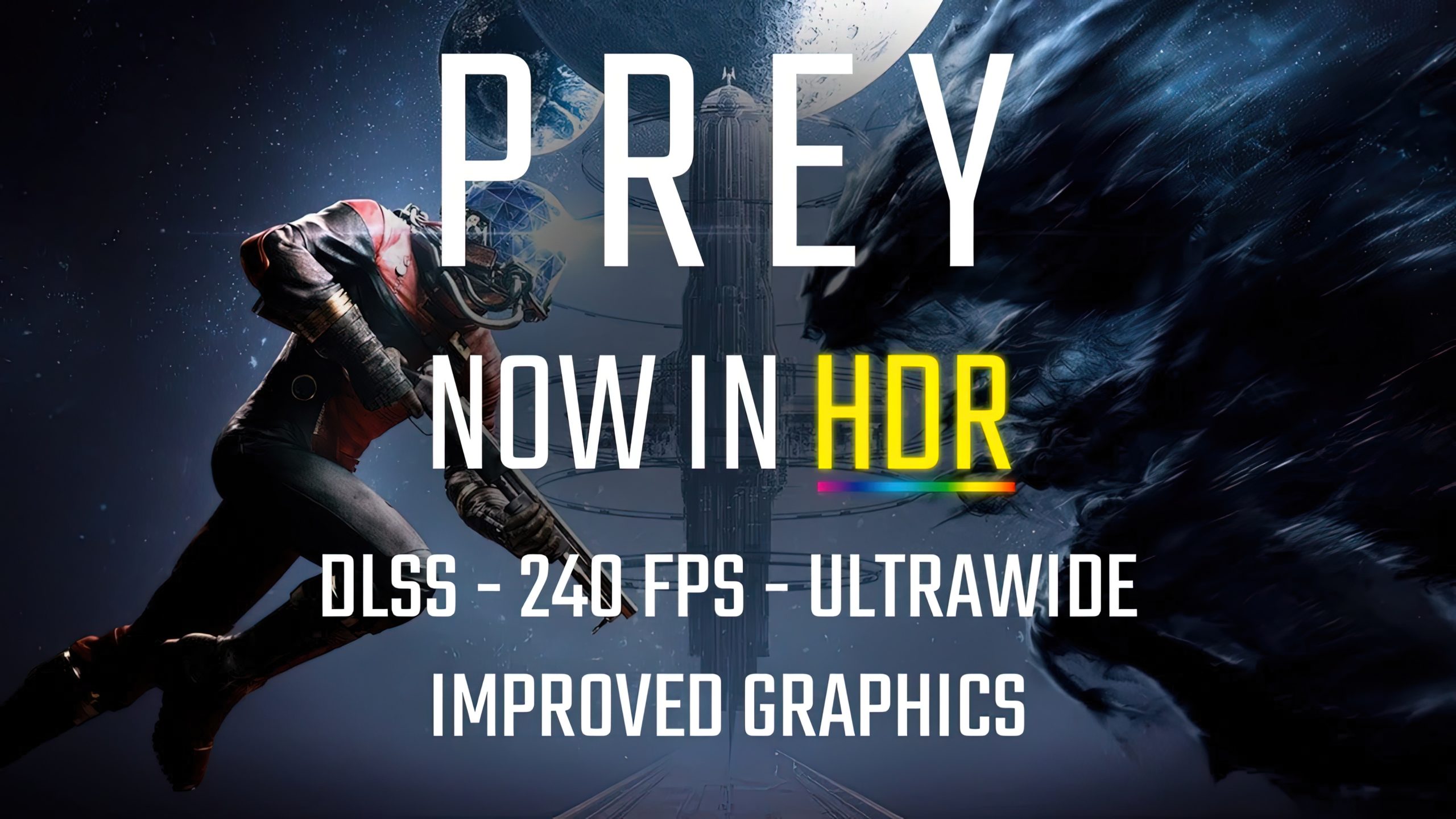
Wccftech
Remedy developer and modder Filippo Tarpini has released the Prey Remastered Luma mod, adding many graphics enhancements for Arkane's game.
sleek gorge
nice useless comment

 ocean remnant
subtle plover
https://wccftech.com/prey-remastered-luma-mod-adds-hdr-gtao-dlss-and-improves-a-...
ocean remnant
subtle plover
https://wccftech.com/prey-remastered-luma-mod-adds-hdr-gtao-dlss-and-improves-a-...
DLSS for a 2017 game? Great.
Assuming you guys made a (framework?) way to implement it, may I request if you could consider another game, to see if the same can be done for it too
subtle plover
ocean remnant
Assuming you guys made a (framework?) way to implement it, may I request if you ...
it's reshade addon framework + renodx framework + new DX11 focused framework yes.
ocean remnant
It was requested way earlier to Shortfuse, but the development was queued
subtle plover
DLSS requires per game modifications.
ocean remnant
subtle plover
it's reshade addon framework + renodx framework + new DX11 focused framework yes...
Hmm. But also the game engine if the engine let it right?
ocean remnant
subtle plover
DLSS requires per game modifications.
Yeah
If your not busy with other projects could you look into?
subtle plover
"Test" build if somebody wants to make videos or screenshots or simply toggle the mod on and off or mess around with more settings.
pale nest
sleek gorge
nice useless comment
LMAO, even dedicated a section just to commens like this
summer elk
@subtle plover you should probably add reshade to the requirements on the nexus page so users get prompted when clicking download (and update the description to mention it cause nobody checks readmes).
subtle plover
summer elk
<@232584079986524160> you should probably add reshade to the requirements on the...
done
 lusty moss
hello, a "filoppi" left a comment on the shuttle bay fix mod asking about stuff regarding this mod? are they here? I responded on the nexus but then looked at the mod page and there was a discord link
subtle plover
gaunt cosmos
I noticed a bug in the reflections.
https://www.nexusmods.com/prey2017/mods/140 somebody just fixed that!!!
Nexus Mods :: Prey (2017)
Fixes weapon displays and fire disappearing at certain angles, and, potentially, crashes. Comment with the location if you experience stutter. Screenshots are ideal.
subtle plover
lusty moss
hello, a "filoppi" left a comment on the shuttle bay fix mod asking about stuff ...
ah there you are
subtle plover
lusty moss
hello, a "filoppi" left a comment on the shuttle bay fix mod asking about stuff ...
are you the developer?
lusty moss
put simply yes
subtle plover
lusty moss
put simply yes
Nice.
lusty moss
I struggle to call myself having made it because of behind the scenes stuff, the real work was done by one of the chairloader devs, I just asked them some stuff and figured out how to implement a distributable fix
subtle plover
We are looking into the chairloader now.
@lone nacelle did the reverse engineering part for our mod.
The chairloader didn't have any mentions of allowing the native shaders to be re-compiled (or added) so we didn't bother looking at its code.
We ended up using a spin off version of RenoDX (and ReShade) to load custom or new shaders, which works great because I have a live working enviroment and can reload (or unload) custom shaders on the fly. Live edit.
Is live editing possible with chairloader?
subtle plover
lusty moss
I struggle to call myself having made it because of behind the scenes stuff, the...
ah ok. Nice.
Where are they? Do they have some discord server?
lusty moss
subtle plover
Is live editing possible with chairloader?
of what?
cunning island
Is that server for Prey modding in general? I tried finding one without success before.
subtle plover
lusty moss
of what?
like, can you edit the game's shaders as the game is running, and see how they re-act live?
subtle plover
cunning island
Is that server for Prey modding in general? I tried finding one without success ...
no, that's the general Prey server. I had already joined it and left I think 😄 .
lusty moss
idk but I recall the person who helped me being able to tell they were missing
lusty moss
cunning island
Is that server for Prey modding in general? I tried finding one without success ...
there is one I made, it's not very big, but we have some stuff going on, mostly me
subtle plover
lusty moss
idk but I recall the person who helped me being able to tell they were missing
nice. Could you ping them and me in the server there? I just joined.
subtle plover
lusty moss
there is one I made, it's not very big, but we have some stuff going on, mostly ...
anything that could be incompatible with my mod 🙂 ?
lusty moss
that depends on if it's compatible with chairloader
subtle plover
I think it is.
lusty moss
that's very good then
lusty moss
excellent
@subtle plover so yeah they should see soon enough
probably chairman but I figure it might be better to just wait for whoever sees first
now
regarding the shuttlebay
it's a bit of a pickle because I'm planning on integrating it into touchup once CL updates
right now it needs you to enable the shader compiler to load the shaders in the mod download
subtle plover
lusty moss
it's a bit of a pickle because I'm planning on integrating it into touchup once ...
what's touchup
lusty moss

Nexus Mods :: Prey (2017)
Unofficial patch. Focus on fixing bugs, improving polish, QoL and consistency. Uses Chairloader. Highly compatible. Horizontal psi hypos, icon fixes and more.
subtle plover
lusty moss
right now it needs you to enable the shader compiler to load the shaders in the ...
the shaders in the mod are already compiled, so I'm guessing the chairloader simply "loads" them
lusty moss
yeah as it is right now you can't just put them into a folder
subtle plover
cool. I had missed this mod too.
seems like it's also fully compatible with Luma. Different areas.
lusty moss
mmm
it's just a question of the most convenient distribution
does luma need to put stuff in different folders already?
subtle plover
lusty moss
yeah as it is right now you can't just put them into a folder
https://www.nexusmods.com/prey2017/mods/109 what about fixing this properly 😛
 lusty moss
hm?
idk enough. I haven't touched the code at all
tried early november but haven't advanced there... it's rather complex
subtle plover
lusty moss
does luma need to put stuff in different folders already?
Luma changes the GameSDK Game.cfg just to improve rendering quality
it doesn't change any game files.
lusty moss
nah I mean does the user need to go into different folders to install
subtle plover
no, you drop it in the game's installation root.
lusty moss
mmm
subtle plover
it doesn't replace any files (it does, but they are not necessary changes, just improving graphics presets through config changes, the mod works without them)
subtle plover
lusty moss
hm?
btw, is it safe to install mods mid playthough, or do saves break like in Bethesda's games?
lusty moss
subtle plover
btw, is it safe to install mods mid playthough, or do saves break like in Bethes...
certain things need you to start a new playthrough
but it's not much really
subtle plover
lusty moss
certain things need you to start a new playthrough
touchup requires a new save?
lusty moss
mostly not, no
actually as things are right now, it's fine
it's just some things wouldn't apply
player base stats namely
changes to those need a new playthrough
like base health, stamina, etc
subtle plover
do you use https://www.nexusmods.com/prey2017/mods/22 ?

Nexus Mods :: Prey (2017)
This mod aims to improve graphics and effects: all the lights cast shadows, corrected shadows for the original light sources, ultra view distance, improved particles, improved AO+IL, no texture pop-in
subtle plover
lusty moss
no, I dislike it
i've never played without it. Just assumed it was good 😄
lusty moss
the shadows for instance always bothered me
subtle plover
but it changes some random stuff, like fire sprites, and enemy post process effects.
subtle plover
lusty moss
the shadows for instance always bothered me
what about it?
subtle plover
lusty moss
your mod looks a lot better
my mod is focused on subtlety. I'm not changing anything out of my own taste, I'm simply upgrading the rendering tech to be up to modern standards, but without changing the look.

 subtle plover
shadow filtering was broken. I think all I did was change a division from 64 to 1024 or something 😄
lusty moss
does your mod affect performance much?
subtle plover
what GPU do u have
subtle plover
on mid to high profile rigs it's fine.
lusty moss
hmm
lusty moss
I'm just thinking maybe yours could be a kind of community patch thing for more visuals... idk
subtle plover
by default it has very little performance impact.
lusty moss
and so maybe putting the shuttlebay fix into luma would make sense considering it already needs you to drag stuff into various folders
like real lights
subtle plover
lusty moss
I'm just thinking maybe yours could be a kind of community patch thing for more ...
absolutely, it's open source, all shaders are there.
subtle plover
lusty moss
and so maybe putting the shuttlebay fix into luma would make sense considering i...
we currently can't add shaders that were missing from the game though. Unless we take some code from the Chairloader.
subtle plover
lusty moss
and so maybe putting the shuttlebay fix into luma would make sense considering i...
give my mod a try 😛 I wanna hear the opinion of Prey seasoned modders.
if u have HDR especially, but even without, it looks better.
lusty moss
subtle plover
we currently can't add shaders that were missing from the game though. Unless we...
hmm okay that's a true point, yeah
from this perspective maybe it being a TU thing would be better
since it already demands CL
maybe it should just remain separate as it is right now
 final isle
Hi, came to ask about how performance could be affected by the Luma HDR mod
subtle plover
I would like to include that fix into my mod, my intent was to fix all visual bugs basically.
But let's see if we can technically achieve it.
final isle
And hello Georg
subtle plover
final isle
Hi, came to ask about how performance could be affected by the Luma HDR mod
Try it and see.
subtle plover
the major thing is that
lusty moss
deleted the one you already did
subtle plover
you can now use dynamic resolution scaling
you can play at 720p and it looks like 4k with DLSS
so in that sense... you can run at 3 times the FPS 🙂
lusty moss
huh?
subtle plover
because DRS used an awful basic upscaling.
lusty moss
subtle plover
you can now use dynamic resolution scaling
nvidia DSR?
celest jewel
the game's built in dynamic resolution scaling was broken
lusty moss
I've played some with that, I had to set my resolution in the menu to like 3240x2840 or some shit
subtle plover
no, Prey's Dynamic Resolution Scaling, it's in the graphics settings.
subtle plover
it's called "Overload Manager" or something
subtle plover
lusty moss
it's a major performance boost without visual loss now?
if you run at 50% the resolution and you were bottlenecked by resolution
yes, you will get more performance with DLSS than without my mod.
lusty moss
and it will look better?
lusty moss
whoa
that sounds really cool
could help me play on my laptop
though it already looked pretty decent
well, it has no gpu iirc
subtle plover
then no DLSS.
 subtle plover
u can use FSR 2
final isle
subtle plover
Try it and see.
Will eventually, it's the hottest mod on the block after all
summer elk
if anybody on non-nvidia hardware wants to verify that this works
wary tinsel
did you bundle OptiScaler lol
summer elk
yes
the license allows it so I suggested it be available lol
pumbo asked someone to package it up
wary tinsel
you can use FSR3 with OptiScaler btw
subtle plover
summer elk
if anybody on non-nvidia hardware wants to verify that this works
I have released v1a btw. changed a config file.
subtle plover
summer elk
if anybody on non-nvidia hardware wants to verify that this works
if FSR works on NV, it will work on AMD too I guess.
subtle plover
wary tinsel
you can use FSR3 with OptiScaler btw
with DX11?
wary tinsel
Yeah
subtle plover
lag?
lusty moss
subtle plover
https://www.nexusmods.com/prey2017/mods/109 what about fixing this properly 😛
I think it's not in the latest release yet but I think I "fixed" a similar issue by removing a sound
sometimes when a typhon randomly dies by itself
without your involvement
wary tinsel
the runtime cost of FSR3 was a tiny bit higher than FSR2 on my testing, but not that significantly.
lusty moss
you hear a sound
even if you're like on the other side of the map
so it sounds random
I removed that sound
summer elk
maybe it makes more sense to add a preconfigured optiscaler as an optional file actually
lusty moss
subtle plover
u can use FSR 2
how does it compare?
subtle plover
lusty moss
how does it compare?
it's probably still 90% better than the original upscaler the game came with.
summer elk
it's gonna be better at AA, the TAA in this isn't very good lol
lusty moss
taa is an unholy abberation and must be cleansed away
summer elk
if that's how you feel you probably don't want any of it then lol
lusty moss
I mean it's already present in prey as is
iirc
some visual artifacts are noticeable
there was one visual thing I fixed, it was a while ago, let me see
for some reason

the positive drunknenness icon was jaggy in vanilla

see it?
actually here's a side by side

basically for some reason that particular icon is like that. I just made it use a different one that doesn't have that, and overrode the image file with this
subtle plover
lusty moss
basically for some reason that particular icon is like that. I just made it use ...
I don't think that's related to TAA
lusty moss
yeah it's not
I'm just saying I fixed 1 (one) visual issue myself
to brag for a bit
subtle plover
lusty moss
taa is an unholy abberation and must be cleansed away
what's the resolution of your monitor?
subtle plover
lusty moss
some visual artifacts are noticeable
the implementation has been improved a lot, there's not much ghosting now and no shimmering at all 🙂
subtle plover
lusty moss
to brag for a bit
yeah 🙂
lusty moss
lusty moss
I mean more ghosting
I installed some custom thing... don't recall what, but it solved the issue
celest jewel
dlss worked well in hitman 3 but not their own taa
lusty moss
I think it might've been enabling dlss and then converting it into dlaa with a custom setting that eliminated ghosting much better?
lusty moss
about what?
subtle plover
asking stuf... like
on what monitors the game was developed on
some effects didn't scale properly with resolution
lusty moss
and they answered?
subtle plover
so I had to know what the intended resolution was for their look
of course, been talking to them often.
lusty moss
I contacted about 4, the main, audio people when I was figuring out how to add new sounds
subtle plover
I work in the industry so, that helps.
lusty moss
lusty moss
I contacted about 4, the main, audio people when I was figuring out how to add n...
none replied for months, when I know they had before and it was in a few days
they never replied, to be clear
it was fine though because I ended up not needing them
lusty moss
subtle plover
I work in the industry so, that helps.
yeah I figure it was that
subtle plover
lusty moss
none replied for months, when I know they had before and it was in a few days
most won't 😄
subtle plover
lusty moss
it was fine though because I ended up not needing them
motherfuckers!!!!!!
wary tinsel
wary tinsel
the runtime cost of FSR3 was a tiny bit higher than FSR2 on my testing, but not ...
checking the upscaler time of FSR2 vs FSR3 on Prey (on an NVIDIA card, at least), while FSR2 is cheaper, it does struggle a lot with particles compared to FSR3, and FSR3 is not unreasonably expensive imo, i think it's worth a try.

 lusty moss
hmm
looks weird. are you running real lights?
also I'd suggest using the item glint removal
summer elk
summer elk
maybe it makes more sense to add a preconfigured optiscaler as an optional file ...
whoops, realized I should have zipped this with the right folder structure
optiscaler itself is just set to auto everything, it seemed like that would be good but maple would def know best it sounds like lol. I think frame gen should be opt in personally.
summer elk
oh I misread I thought you said it worked
wary tinsel
well, the upscaler part of FSR3 works
summer elk
oh right confusing naming strikes again
wary tinsel
that's what i meant
the FG stuff used wave intrinsics for performance and ran terribly without it.
subtle plover
wary tinsel
checking the upscaler time of FSR2 vs FSR3 on Prey (on an NVIDIA card, at least)...
Ah. You didn't meant frame generation lol.
wary tinsel
yeah i should have been clearer, sorry
i partially blame AMD though!
summer elk
actually it's entirely AMDs fault. None of us have ever made a mistake before
 kindred stratus
should probably use the same naming as nvidia does now:
FSR3-FG
FSR2-upscaling
FSR3-upscaling
kindred stratus
what does SR stand for again?
wary tinsel
super resolution
cunning island
Tried the latest build, but I'm regretfully coming to the realization that I probably will not be able to use this mod with the playthrough currently running on my channel. 😦 I'm already recording the series at 4k60 in the vanilla game, but even without OBS running and using the same in-game quality settings, I'm averaging mid-40s under Luma. I do notice the difference but I just can't absorb the framerate hit with my system specs, nor can I accept lowering the resolution mid-series.
summer elk
did you try dynamic res with dlss/fsr2? There's a good chance that even if it's internally a lower res it'll still look better.
cunning island
It would have to be DLSS since AFAIK OBS won't capture the output of FSR, but I'm really reluctant to do so. It's hard for me to think of a game where dynamic resolution scaling hasn't looked absolutely awful to me.
celest jewel
their TAA was bad so at lower internal res itll look better
cunning island
I have AA completely disabled
summer elk
there's no technical reason obs wouldn't capture fsr. Would make sense for frame generation perhaps
cunning island
Ah that's probably what I'm thinking of
summer elk
or I guess maybe driver fsr? wouldn't know, don't have an amd card
cunning island
When I was recording C2077 footage I couldn't get FSR output to capture but Nvidia was getting it right off the GPU
summer elk
I think dlss with dynamic res will surprise you
celest jewel
the dynamic res math was broken before iirc
subtle plover
cunning island
Tried the latest build, but I'm regretfully coming to the realization that I pro...
Use dynamic resolution scaling, it looks sharper than native with dlss.
cunning island
My current setup is native 4k with no AA or dynamic resolution scaling in vanilla.
But fair enough, I can give the DLSS mode a try, see how the footage comes out. Prey is a game of tiny details.
subtle plover
The game is broken with no aa. Objects highlights don't appear.
subtle plover
cunning island
But fair enough, I can give the DLSS mode a try, see how the footage comes out. ...
Actually I would say the opposite. It has a lot of fine lines, but everything is large in size. Objects and environments.
cunning island
I have not had the experience of it being broken in that way personally, but perhaps it's dependent on quality settings. Most of mine are at 3.
celest jewel
ya the textures are very clean and simple in arkane games
celest jewel
subtle plover
Actually I would say the opposite. It has a lot of fine lines, but everything is...
did you force that negative lod bias stuff for DLSS
subtle plover
cunning island
I have not had the experience of it being broken in that way personally, but per...
Do you see objects highlights?
cunning island
subtle plover
Do you see objects highlights?
I do, and they show up in all of my footage. My game.cfg has r_AntialiasingMode = 0.
subtle plover
celest jewel
ya the textures are very clean and simple in arkane games
Yeah the environment design is just simple and easy to look at. Low detail.
subtle plover
cunning island
I do, and they show up in all of my footage. My game.cfg has `r_AntialiasingMode...
Maybe they broke with FXAA then.
subtle plover
celest jewel
did you force that negative lod bias stuff for DLSS
Of course
cunning island
subtle plover
Maybe they broke with FXAA then.
Might be. I definitely don't experience the issues like that, though I have read about them and been puzzled.
At any rate, disabling AA was what gave me the extra perf overhead I needed to not lose frames to OBS, and I don't really notice the jaggies much at 4k.
subtle plover
anybody tried the perspective correction?
languid jacinth
I did
Works well I guess
dunno if I'm supposed to see the edges of the frame when using it
subtle plover
languid jacinth
dunno if I'm supposed to see the edges of the frame when using it
you can have black at the edges yes, shouldn't be bad on OLED as frames are as black.
there's a setting to crop it further but I defaulted it like that.
anybody minds posting a guide? I have no idea how the steam deck works.
 languid jacinth
subtle plover
there's a setting to crop it further but I defaulted it like that.
languid jacinth
subtle plover
there's a setting to crop it further but I defaulted it like that.
Is there any option in the config to adjust the straight of the effect?
subtle plover
change these in the shader and recompile
 kindred stratus
subtle plover
anybody minds posting a guide? I have no idea how the steam deck works.
kindred stratus
subtle plover
anybody minds posting a guide? I have no idea how the steam deck works.
- use protontricks (for the game on Steam) or winetricks (for the game on any other platform) to install vcrun2022
- may also need to use protontricks / winetricks to install d3dcompiler_47
- install ReShade add-on version manually (extract the ReShade add-on install with 7zip and move the ReShade64.dll to the game folder and rename it to dxgi.dll. then create 2 empty files called ReShade.ini and ReShadePreset.ini next to dxgi.dll)
- may also need
WINEDLLOVERRIDES="dxgi=n,b" %command%as launch options in Steam or other runners
that should be it
@opaque comet that should be all right?
summer elk
you'd probably also want optiscaler stuff in steam deck
kindred stratus
summer elk
you'd probably also want optiscaler stuff in steam deck
that's explained on the OptiScaler github
wary tinsel
there is no downsides with doing that, OptiScaler defaults to real DLSS on NVIDIA cards instead of using FSR
it only fallbacks to FSR if you can't run DLSS
opaque comet
kindred stratus
<@185122188280463363> that should be all right?
sounds good
d3dcompiler comes with the game I think, but I still installed it with Protontricks
because I did delete it previously
summer elk
oh, that's awesome. The auto setting seemed to indicate it was just fsr
opaque comet
as was stated in the readme lol
summer elk
but that explains why auto didn't look different lmao
ruby heart
@subtle plover so with the newest version there's no need for having to drop (and edit) files in the save/config directory anymore?
lusty moss
Could the screen space reflections be removed?
I find them ugly personally and they often don’t actually match
summer elk
it's an option in the reshade menu
lusty moss
summer elk
it's an option in the reshade menu
for real?
Reddit
Explore this post and more from the prey community
like, this stuff in the glass can be removed now?

Reddit
Posted by Nuke_all_Life - 62 votes and 21 comments
summer elk
if it shows objects that aren't there, it's probably the cubemap not ssr
lusty moss
😦
right, I recall now
mmm
it's probably something about materials. I should look into this
summer elk
yeah those videos are just cubemaps
you're not meant to look too hard at those lol
SSR should overwrite what the cubemaps show but, as the name implies, only works if the reflections angle is in screenspace
so the SSR improvements should help the problem...somewhat
though I actually don't know if SSR applies to transparencies in this 🤔
opaque comet
kindred stratus
- use protontricks (for the game on Steam) or winetricks (for the game on any ot...
I got the information that proton experimental does also load dxgi by default now, not only dinput8 
but probably still good to keep that in, in case the user is not using proton experimental
subtle plover
lusty moss
https://www.reddit.com/r/prey/comments/ru37gg/the_reflection_in_this_window_show...
This is not SSR, it's the cubemaps fallback.
 sand olive
I like the perspective correct thing but wish I could crop it to not see the edges.
subtle plover
subtle plover
change these in the shader and recompile
.
sand olive
like i know how to recompile 🤣
subtle plover
Reopen the mod or click the recompile shaders button
slim saddle
sand olive
I like the perspective correct thing but wish I could crop it to not see the edg...
The original Perspective Correction shader offers some options to tweak the appearance of the borders, mirror image, transparent, as to make it seem full screen with no visible borders. I found that to be a brilliant way to hide these caveats.
Not sure if these are in the final Luma release code as I’m travelling currently and could not test the release build yet
subtle plover
This is how the gravity flow liquid particles were reacting to dynamic resolution scaling.
I just fixed that.
the game's v-sync interlation simulation was also not scaling properly with resolution, given the effect was per line, it was basically not visible at 4k.
now I halve the resolution if it's greater then 1440 until I find the closest scale to 1080p, which the game was developed for, so the lines get thicker and the effect is restored.

 ruby pine
im probably dumb but is there a way to get the windows key to work again
also is the perpsective correction panini projection or something totally different
im guessing that if i have dynamic res set to off, i have DLAA?
subtle plover
ruby pine
also is the perpsective correction panini projection or something totally differ...
No this one is baguette
ruby pine
have i told you lately that i love you?
cuz i do
i did my first 100% playthrough of Control at the beginning of this year thanks to you
and now i think im about to do the same with Prey
languid jacinth
subtle plover
No this one is baguette
 ruby pine
@subtle plover btw i had to set r_DrawNearFoV = 60.000000 (with that many zeros), or the game generated cfg would just reset it to 55
ugh, actually nvm, loading into my save, STILL caused the weapon fov to reset (but it was fine at the main menu even when i changed a different setting to make it regenerate a game.cfg)

i bumped it by 5 to make up for the perspective correction
scene is sticking, weapon is resetting 
it wasnt clear to me whether you meant set read-only to the game.cfg in the user folder, or the game folder (i only set that for the game folder)
subtle plover
ruby pine
scene is sticking, weapon is resetting <a:ConfusedLady:1110226900976152606>
engine bug I guess, I won't fix that.
if you enable the lens distortion, you should increase both scene and weapon FOVs to the same value anyway
and you can simply change the global horizontal FOV, it will stick through saves
 safe wigeon
kindred stratus
- use protontricks (for the game on Steam) or winetricks (for the game on any ot...
safe wigeon
kindred stratus
- use protontricks (for the game on Steam) or winetricks (for the game on any ot...
This works 100%, thanks a lot.
However, OptiScaler is tricky, it just crashes the game right after launching it.
 shadow anchor
Mooncrash just crashes for me on save load with a "Prey.exe has stopped working" error.
subtle plover
shadow anchor
Mooncrash just crashes for me on save load with a "Prey.exe has stopped working"...
what platform? Steam?
shadow anchor
Yes.
subtle plover
shadow anchor
Yes.
try to clean the Game.cfg in your user settings.
(back it up for later)
subtle plover
shadow anchor
No dice.
send screenshot of crash
shadow anchor

 modest comet
Is HDR turned on automatically after installing the mod? Without having to edit any .cfg files or whatnot?
subtle plover
press HOME
 modest comet
subtle plover
press HOME
modest comet
subtle plover
press HOME
I mapped home now via software (my layout literally has no home button) but it doesn't do anything in-game. I tested it and it definitely registers as "home". Should this open some kind of overlay?
Oh my god I am so stupid, I skipped the line where is says install reshade
subtle plover
shadow anchor
issue confirmed. WIP
kindred stratus
safe wigeon
This works 100%, thanks a lot.
However, OptiScaler is tricky, it just crashes t...
Probably need to ask around the OptiScaler scaler specifically related to Linux for that.
shadow anchor
subtle plover
issue confirmed. WIP
Could you share some details?
Not an ETA. Just what it is.
 lone nacelle
shadow anchor
Not an ETA. Just what it is.
lone nacelle
shadow anchor
Not an ETA. Just what it is.
i messed up an offset for the gog dlc version
subtle plover
shadow anchor
Could you share some details?
We have a fix. I'll release it later.
subtle plover
Why do you dedicate your life to modding?
For the love I get from people
 celest jewel
skill issue on that guy's part
 past summit
My answer is the same answer I get making 90% of software.
Problem between monitor and keyboard.
 broken shard
subtle plover
Why do you dedicate your life to modding?
For the love I get from people
broken shard
subtle plover
Why do you dedicate your life to modding?
For the love I get from people
Man, what a sorry person. They must be having a miserable time. But we mustn't let people like that get us down.
subtle plover
broken shard
Man, what a sorry person. They must be having a miserable time. But we mustn't l...
I'm just surprised at how awful people can be. It's hard to believe sometimes. It's so easy and nice to live in harmony and be kind to each other.
broken shard
subtle plover
I'm just surprised at how awful people can be. It's hard to believe sometimes. I...
Yeah. I also find it quite absurd. But we don't what that persons life looks like. Maybe he's up to his neck in figurative shit. We all have a breaking point. Not making excuses for the guy, just trying to see a possible explanation for behavior like that.
languid jacinth
No need to take it out on the strangers on the internet
pale nest
Ngl I find it utterly bizarre that those developing complex, game over hauling mods but cannot string together a normal zip file / installation guide
I haven't actually looked at the installation instructions for this mod, but I do understand where the frustration comes from
I wouldn't post it as a comment on the mod page itself though. That's the difference
celest jewel
i suspect the guy installed reshade but not the addon version
the instructions do say reshade with addon support
slim saddle
What an entitled piece of garbage of a person. Lack of education and mannerism is what it is.
Even if they think like this for whatever reason it doesn’t mean they should spit such shit.
Please don’t take it personal, i know i did, is hard not to, but if any consolation there are MANY people who love and appreciate your work.
subtle plover
slim saddle
Please don’t take it personal, i know i did, is hard not to, but if any consolat...
I don't ever do. Never cared for bullies, they just make me feel smarter about myself.
I am just surprised there's so much shit people :), I hoped that wasn't true.
 lunar remnant
subtle plover
issue confirmed. WIP
lunar remnant
subtle plover
issue confirmed. WIP
was just going to say ive got the same issue, and have a crash log generated by SK if that helps? can share - but maybe you dont need it if already working on a fix? lmk 🙂
lunar remnant
pale nest
I haven't actually looked at the installation instructions for this mod, but I d...
i totes agree with your sentiment (not for this mod specifically, but the cyberpunk modding community for example has become so toxic between some modders and users that many modders just don't provide instructions for their mods any more, meaning basically only their mates and already-experienced users get to use it, then when a newbie - even nicely - asks for assistance on the posts page they get abused by 10 diff people)
but i do think the major difference as you mentioned is that there are things you think, and things you say out loud/type, and at some point of becoming socialised from a toddler to an adult, people learn when and how to do this
the degree to which this doesnt take place on the internet is whats kind of depressing
i might have the exact same thought as that guy if i come across a particularly complex or unexplained install for a big mod for a game im unfamiliar with, but i sure as shit aint gonna transcribe that thought word for word into a post to someone who has done 100 of hours of free work potentially to give me something cool
i dont think people should find it so challenging so chill out/grab a cuppa for 10 mins, then sit back down at the keyboard, and type a message befitting someone capable of using a computer (doesnt even have an adult, if youre writing messages on nexus, youre old enough to have learnt basic etiquette)
sorry - mostly unrelated rant over
subtle plover
lunar remnant
i am on steam 😬
ok, that we haven't fixed yet but it's probably the same issue.
lunar remnant
subtle plover
ok, that we haven't fixed yet but it's probably the same issue.
i just realised this takes me 10 secs of effort to share so probs worth it even if you dont need it and ignore it completely
subtle plover
My mod comes with 1 readme for users, 1 readme for devs, a ton of tooltips, and an extensive description of every single config in the config file.
if that's not enough, that's on the user.
lunar remnant
so impressed by what youve managed to pull of here, even if just based on mostly JDSP's video so far
subtle plover
couldn't be more ELI5 than that.
lunar remnant
actually kinda glad i never got around to mooncrash haha
this is gonna be such a cool way to finally play it
lunar remnant
subtle plover
My mod comes with 1 readme for users, 1 readme for devs, a ton of tooltips, and ...
yes just to be super clear i was not referencing your mod in particular and that user - as per my essay length rant - needs to re-learn how to human
i would agree that even for a multi step installation with some minimal nuances your instructions are super simple... plus youve provided way more detail FOR those who care
subtle plover
lunar remnant
i would agree that even for a multi step installation with some minimal nuances ...
somebody could make an installation video for dummies
languid jacinth
Step 1) you install the game
Step 2) you install reshade with addons
Step 3) you copy the mod files into a game's main directory
Step 4) you play the game
Step 5) there are no further steps, you can go home now
subtle plover
languid jacinth
Step 1) you install the game
Step 2) you install reshade with addons
Step 3) you...
how did you do all of that if you weren't home though?
instructions unclear
or wait, is it for Android?
can i play Prey in the metro?
languid jacinth
it's for the iPhone 5 Pro
subtle plover
damn, strong optimization to work on a 2013 phone
languid jacinth
subtle plover
can i play Prey in the metro?
No, there's no internet connection in the metro
languid jacinth
subtle plover
damn, strong optimization to work on a 2013 phone
That cryengine magic
subtle plover
languid jacinth
No, there's no internet connection in the metro
there is in some of them
languid jacinth
okay, you can play it in some of them I guess
lunar remnant
languid jacinth
okay, you can play it in some of them I guess
cant believe you were spreading this bs that there's no internet connection IN ANY METRO EVEN THOUGH THERES AT LEAST ONE IN THE WORLD WHERE THERE SOMETHING IS -100/100 mod athor is the anti christ
/s juuuuuuuust in case 😅
 shadow anchor
subtle plover
Why do you dedicate your life to modding?
For the love I get from people
shadow anchor
subtle plover
Why do you dedicate your life to modding?
For the love I get from people
Did you delete that post?
subtle plover
shadow anchor
Did you delete that post?
No
shadow anchor
Well, good riddance either way.
 rich swan
The mod looks fantastic. Thanks to everyone involved. Also I can't manage to make the HDR work on the the steamdeck OLED. Somebody else managed to do it ?
languid jacinth
Does the mod work at all? Lilium posted the installation steps earlier #1262582420239286372 message
Then you need to open the reshade menu, and enable HDR from there
rich swan
Yes everything works except the HDR for me. Installed reshade already (using a different method). However I must say I don't see an HDR option in the reshade menu
celest jewel
Do you have hdr turned on in windows
It’s not one of those games that turns in hdr for you
languid jacinth
SteamDeck
@rich swan you should see a separate window with the mod options there somewhere
rich swan
In the Add-ons menu right ?
 languid jacinth
rich swan
In the Add-ons menu right ?
languid jacinth
rich swan
In the Add-ons menu right ?
No, completely separate
rich swan
Ok something is off then. I've been having issues with recent version of reshades on the steamdeck. I tried different versions just in case but no luck. I am just curious, in the readme 6.3.3 is required but did one of you managed to make it work with 6.2.0 ? That's the last version that runs without issue on my device. I looked at the log and some add ons fail to register.
languid jacinth
Yeah, someone with more knowledge than me needs to chime in then
rich swan
Probably just a reshade version issue. If the next reshade version work it will be fine but until then I am out of luck it seems🥲
subtle plover
rich swan
Probably just a reshade version issue. If the next reshade version work it will ...
Pumbo and Pimbo
 umbral sand
The extra visual clarity is fantastic! What an excellent early Christmas gift! Thanks guys. I was curious though if i can further increase the shadow render distance?
languid jacinth
subtle plover
Pumbo and Pimbo
like two peas in a pod
rich swan
subtle plover
Pumbo and Pimbo
Which one is the evil twin ? (or the modded version )
ruby heart
subtle plover
Pumbo and Pimbo
I'm more partial to Pumba, you just need to change out 1 letter


 chilly shoal
i don't imagine anyone else is having this issue? it's probably linux being problematic, but when the mod is installed the image becomes very very dark. it goes back to normal if i enable HDR in plasma's settings, although my monitor doesn't handle HDR very well, so that's not super optimal. the reshade UI is also super blown out if that means anything. iirc the mod was working just fine, until i tried using HDR, and now i haven't been able to get it to work right again, even after completely reinstalling the game

 kindred stratus
chilly shoal
i don't imagine anyone else is having this issue? it's probably linux being prob...
kindred stratus
chilly shoal
i don't imagine anyone else is having this issue? it's probably linux being prob...
are you running the game through gamescope when in HDR? because that is the only way to get HDR gaming for now

 celest jewel
Does the game clip highlights
subtle plover
celest jewel
Does the game clip highlights
most of them don't but the tonemapper does
celest jewel
Posting an area with clipped highlights would be good
subtle plover
watch JDSP video, it's obvious
celest jewel
On the mod page having pics showing the difference between clipped highlights and real highlights would be good
I have a good example from Batman
subtle plover
celest jewel
On the mod page having pics showing the difference between clipped highlights an...
I've asked users to take comparison screenshots, I've been AFK
nobody did 🙂
PLEASE
sand olive
subtle plover
monke brain activate
subtle plover
subtle plover
I've asked users to take comparison screenshots, I've been AFK
@hereplease 🙂
lusty moss
subtle plover
Why do you dedicate your life to modding?
For the love I get from people
damn what an asshole
😦 I'm not on my pc
laptop has prey but it looks meh
so I dont think it'd make for good showcase
languid jacinth
subtle plover
The damage autoHDR techniques had done to the public perception of HDR is gonna be unrepairable innit?
languid jacinth
subtle plover
I've asked users to take comparison screenshots, I've been AFK
It won't matter
Monke brain only cares about brightness
Monke want's Nvidia branded deep fried torch mode
Cause it's AI (It's not AI, but that ship has sailed), therefore good
subtle plover
languid jacinth
Cause it's AI (It's not AI, but that ship has sailed), therefore good
Prey AI RT mod would sell a lot more.
languid jacinth
Put it in the name
I doubt most people will tell the difference
languid jacinth
celest jewel
Already has ai
And RT reflections ||In screen space||
celest jewel
Is all the Marty’s mod stuff with rt nonsense
 lunar remnant
subtle plover
lunar remnant
subtle plover
semi cereal question, how do you guys find the strength to do this work when you have to deal with these morons on every. single. mod post. evah. just for the love of the game? ignore them and laugh? it sends me up the wall everytime i read one of these comments and im not even the ones who dedicated their time and skill to making the thing
lunar remnant
subtle plover
watch JDSP video, it's obvious
that vid is a huge win btw, tbf ive not looked at every renodx or luma hdr mod page but that @pale nest vid was fucking amazing, i actually saw the vid first on youtubs and it did such a great job highlighting the differences and benefits with no wasted time or bs 🫶
i know i know i know its the hols so i would not dare ask for a time line or estimate or anything - this really is just me saying: i am so fucking excited to play mooncrash (never got around to it) once the crashing issue is solved 
lone nacelle
lunar remnant
semi cereal question, how do you guys find the strength to do this work when you...
because there's the other people like you all ❤️
lone nacelle
lunar remnant
i know i know i know its the hols so i would not dare ask for a time line or est...
try this one
pumbo is in the middle of some other fixes but this should have the fixed offsets
subtle plover
lone nacelle
try this one
@shadow anchor you too, on gog Mooncrash
lunar remnant
lone nacelle
try this one
will give it a shot once the kids have gone done and the TV has been freed from D+, tysm
i am realising more and more than i will need to invest in a second TV or actually game at my desk again (i dont wanna thats where i work 🤢 ) or... stream to my steam deck maybs>
wary tinsel
you can run this on the Steam Deck if you want, natively.
celest jewel
 lunar remnant
wary tinsel
you can run this on the Steam Deck if you want, natively.
lunar remnant
wary tinsel
you can run this on the Steam Deck if you want, natively.
tbh, for anything that isnt a super light indie title, i tend myself relying on in-home streaming more and more
turning everything up to insanity level just to experience it on a 720p-ish screen is fun haha
lunar remnant
celest jewel
lmao snaps for the analogy at the end, so on point 🫰
thats as close to a finger snapping emoji as i could find...
i should probs also ask is snapping instead of clapping something that most peeps will generally understand?
or is this a frat/university tradition with a niche audience and you all think im cray cray 🤔
shadow anchor
subtle plover
<@71991918036267008> you too, on gog Mooncrash
But I'm on Steam.
subtle plover
Upcoming features:
- Better bloom
- Better lens distortion
- Better DLSS (in edge cases)
- Better GTAO (in the distance)
- Better performance
- Minor fixes
- Epic Store support (maybe)
languid jacinth
languid jacinth
Let's be real, the mod won't be done until Pumbo uninstalls the game, lol
called it
lunar remnant
lone nacelle
try this one
no more crashes!
guys i cannot thank you enough
i was not expecting to actually have a reason to finally play mooncrash in 2024
played about 2 hours last night
its awesome
and it LOOKS AWESOME
amazing work
subtle plover
I just managed to fix the blurrying that happened with DLSS when zooming in with weapons or when starting stopping sprinting.
subtle plover
I've changed the auto exposure calculations to give more importance to what lights are in the center of the screen compared to the edges.
Why would the whole image turn dimmer if there's a light in the far edge of the screen?
This makes a lot of sense and all games should do it! Especially good for ultrawide.
 shadow anchor
How does it scale with resolution/aspect?
subtle plover
shadow anchor
How does it scale with resolution/aspect?
it has 100% weight in a square around the center
then horizontally, from the square to the edge, the weight is lowered
shadow anchor
The square is fixed size then?
subtle plover
yes.
shadow anchor
Makes sense.
lusty moss
subtle plover
I've changed the auto exposure calculations to give more importance to what ligh...
yeah that was always silly
lusty moss
I wonder about the sun
the sun is pretty meh if you zoom in
pixelated somehow
have you ever looked into it @subtle plover ?

look at this square
subtle plover
lusty moss
the sun is pretty meh if you zoom in
in SDR?
lusty moss
I haven't tried luma yet because chairloader
in vanilla if you zoom in it's kinda pixelated
subtle plover
it's the only thing that would possibly look worse with Luma than vanilla in SDR right now, yes.
I have yet to take care of it. I've only "balanced" it for HDR atm.
But for the HDR version, I spent hours on it, and it's very improved
the sun had so many issues... it also scales incorrectly with resolution, so it appears bigger or smaller randomly.
subtle plover
lusty moss
u can see the sun being a black square behind the sun glare sprite
they forgot a sprite for it
lusty moss
subtle plover
they forgot a sprite for it
have you ever tried to mimic a corrupted military operator?
subtle plover
lusty moss
have you ever tried to mimic a corrupted military operator?
i'm 30m into the game yet.
subtle plover
yeah
lunar remnant
@subtle plover @lone nacelle i know i already told you yesterday that the latest version is working for me but fucking hell i have to ping you again because transformative is really underselling the mod
i was probs prepared for how good the HDR looks, but i think i was less prepared for the combined impact of all the other improvements
beyond mooncrash reminding me how criminally great even the base game was at the time (and somehow totally forgotten), the fact that this is like 7 years old completely fails to compute when playing with Prey Luma
i cant thank you guys enough, you are seriously the first "thing"/people that have every actually helped me make a dent in my backlog bc i never in a million years would have gone back to fiiiinally play prey (2017) mooncrash in december 2024 lmao if not for this mod/reworking of the game's graphics
some of the stuff im just so cruious about now even tho im sure i wouldnt necessarily get it on a technical level but ive been playing around with the lens correction option you provide and like
is this just a prey quirk or an every game thing?
i had never noticed this was happening 🤯
lone nacelle
lunar remnant
is this just a prey quirk or an every game thing?
every game thing, yea
lone nacelle
the higher your fov is the more noticeable the distortion gets
subtle plover
Luma brings the future into gaming
lunar remnant
tbf its not like i hate it now that ive yeah ive noticed it when turning up to FOVs id never play at
but even at FOVs id consider normal this made the difference so noticeable
sorry two msgs got mushed together there
subtle plover
I've experimented with many features that no games have yet as of 2024 and that I think they should have.
lunar remnant
mah brain is not caffeine enough
subtle plover
Perspective Correction will eventually be a thing for all games. The only problem is that it blurs the image.
lunar remnant
my original thought was tbf i don't hate the distortion enough now that ive noticed it for it to affect my enjoyment of non-luma'd games
BUT
like you said
its kinda cray to me that this is just considered the norm in 2024
when the difference is appreciable
subtle plover
subtle plover
I've changed the auto exposure calculations to give more importance to what ligh...
This is another important thing most games ignore.
lunar remnant
yeah just catching up on these msgs is a bit of a light bulb moment
id never thought of it before but you are right ofc, and it does seem obvious
lunar remnant
subtle plover
it's the only thing that would possibly look worse with Luma than vanilla in SDR...
yeah just to say i havent tried/havent had a reason to try in SDR
but the sun improvements were once of the first things i noticed
just looking out the window in the first 30 secs of mooncrash i was like huh the sun's unfucked
lmao
lunar remnant
subtle plover
I've experimented with many features that no games have yet as of 2024 and that ...
i rly hope this serves as inspiration for other devs
thats why i really enjoy watching like, DICE talks and stuff sometimes even tho i only understand 5% of them, i just love this idea of kind of sharing something novel and cool youve done with your "competitors" because it benefits the whole industry
i hope some of teh stuff you are doing in these mods has a similar effect bc like you said there is stuff in there that other game devs really should be thinking about by now 🤞
sand olive
the pumbo's of the world are rare unicorns
languid jacinth
This is why they must be protected
At all costs
subtle plover
yeah, send donations or I starve and die pls 🙂
broken shard
subtle plover
I've changed the auto exposure calculations to give more importance to what ligh...
Makes sense. Also, have you thought about taking depth into consideration? Lights further away could have less importance on adaptation? They of course take up less screenspace by being further away, already lessening their impact, but still.
subtle plover
broken shard
Makes sense. Also, have you thought about taking depth into consideration? Light...
I don't think that would make sense, as you said, they are already smaller
lusty moss
subtle plover
Perspective Correction will eventually be a thing for all games. The only proble...
What is it?
subtle plover
lusty moss
What is it?

 lusty moss
What’s the difference? Aside from the first being really low res
celest jewel
bruh
how can you not see the difference
also the 2nd one is the one with perspective correction
lusty moss
it didn't load
huh
well uh
I mean the aspect ratio on this...
isn't this only a problem for ultra wide screens
celest jewel
ya i don't think it matters for 16:9
for ultrawide the stretching on the outer edge of the fov can look pretty bad
subtle plover
celest jewel
for ultrawide the stretching on the outer edge of the fov can look pretty bad
it's very nice at 16:9 too
once you get used to it, it's hard to go back.
languid jacinth
celest jewel
ya i don't think it matters for 16:9
It matters for me
I had to tweak it a bit though, to find a balance that looks best for me
slim saddle
Matters for me too, of course! As I am the one who brought this to Pumbo's attention. 🙂 Ever since I started to use it (and only on 16:9 displays) about 3-4 years ago, I found I can never go back to the "tunneling" view. I am talking about the Perspective Correction shader.
ruby heart
Yeah so many games are absolutely ass when it comes to Ultrawide, a 30cm object becoming a stretched out 60+ cm when on the sides is so fucking awful

 lusty moss
wonderful
languid jacinth
 sand olive
subtle plover
sand olive
subtle plover
games going forwards should really be using more than one camera for this instead of relying on a shader to fix it, i hope there are improvements to unreal engine in this regard in the future
subtle plover
sand olive
games going forwards should really be using more than one camera for this instea...
it's not something a game can do
GPUs can't render with distortion
they only support "simple" planar projection
subtle plover
lusty moss
wonderful
if u wanna fix it, the sun sprite has a black outline

hard to see here as the screenshot is messed up
but it's there
subtle plover
Second public release.
Delete your shaders folder (Prey-Luma) before upgrading, you will get a reminder warning if you fail to do so.
You can use the "Testing" build to toggle the mod on and off or dump shaders, the performance is fine with it.
Please test it so I can put it on Nexus :).
Changelog:
- Fixed Mooncrash crashes (Steam and GOG)
- Added customized menu and quality presets for Mooncrash too
- Added proper UI icons world<->display mapping for lens distortion
- Fix lens distortion not working if DLSS was off
- Added "ALLOW_LENS_DISTORTION_BLACK_BORDERS" advanced setting to not have black borders in lens distortion (and crop instead)
- Improved DLSS (e.g. no more trailing when FOV is zooming in or out, exposure should be even better)
- Improve GTAO (it's now not weak anymore in the distance, it got near invisible after ~10m before)
- Improved bloom temporal stability by dejittering its buffer
- Improved the native Dynamic Res Scaling (many things: some particles didn't properly support it, you could see a line at the edge of the screen, bloom, motion blur and exposure didn't scale properly with it)
- Added new "ultra" motion blur quality profile
- Fix v-sync interlacing CRT emulation post process effects not properly scaling with screen resolution (becoming near invisible at 4k)
- Major performance improvements by optimizing stuff that didn't need to be computed multiple times
- Exposed a post process quality setting to further improve performance on weaker GPUs
- Improved RCAS (it's now a bit sharper with DLSS, added a setting to make it even more sharp)
- Improved support for a couple UI shaders (e.g. black fade in/out overlay around loading screens)
- Made auto exposure calculations put more weight around the center of the screen
- Add new ultra SSR quality
- Improved SDR/HDR settings detection on first boot
subtle plover
subtle plover
**Second public release.
Delete your shaders folder (Prey-Luma) before upgrading...
shadow anchor
celest jewel
ya i don't think it matters for 16:9
It matters for any aspect depending on FOV.
You'd have to set it really low to avoid any distortion. You'd have to account for how far away the screen is from your eyes and it's physical dimensions.
For example: on my 34 inch 21:9 1900R curve screen, from a distance of 50 cm, I would have to play at 81 horizontal or 40 vertical.
That very low. Pretty much no game ships with that low of FOV by default.
 long summit
Been lurking here, started a new game with your mod day 1
Absolutely brilliant, thank you so much!
New update works great at my end, couple of washed out screenshots I took using nvidia overlay shows big increase in GTAO distance
I've made my way to the Cargo Hold and am noticing a few flickering shadows, but I took the chance when updating to 2.7 to check this area with 1a too, and the shadows flickered with that version, so it's not a 2.7 issue
Small price to pay for such a huge difference otherwise, my golly
 obsidian sinew
Hello, can you please advice maybe I am doing something wrong. I install steam version, paste all files from 7zip archive in to game folder and overwrite what was there. Should I see some sort of additional settings ingame? I notice that ssr better, Shadows seems too. But I have a feeling that maybe I missed osmething? should I see somewhere an DLSS options?
if I press Home nothing happen, but as I understand I need to install Reshade for this?
Or its not working on my end, I notice that SSr reflection is cut off
languid jacinth
obsidian sinew
if I press Home nothing happen, but as I understand I need to install Reshade fo...
You HAVE TO install the latest version of reshade with add-ons support for the mod to work properly

This one
subtle plover
long summit
I've made my way to the Cargo Hold and am noticing a few flickering shadows, but...
It's v2, the 7 is just 7zip format.
subtle plover
long summit
I've made my way to the Cargo Hold and am noticing a few flickering shadows, but...
Cargo Bay area is broken even without Luna. Try to remove the ReShade dll and teste again.
long summit
subtle plover
Cargo Bay area is broken even without Luna. Try to remove the ReShade dll and te...
Hey there- yeah, thought I'd tested with a vanilla setup, didn't test enough. Flickering persists regardless, yeah
Guess it's the same deal with that window in the Lobby, just a vanilla bug
sand olive
subtle plover
GPUs can't render with distortion
You don’t need to render with distortion you just render with 2 or 3 cameras and blend them together so there never is any distortion no?
subtle plover
sand olive
You don’t need to render with distortion you just render with 2 or 3 cameras and...
That wouldn't really work
sand olive
subtle plover
That wouldn't really work
I thought that’s how car games that support multiple monitor setups do it to avoid stretch 🤔
subtle plover
It's possible but not enough if u don't have bezels
languid jacinth
Added new "ultra" motion blur quality profile
Exposed a post process quality setting to further improve performance on weaker GPUs
Add new ultra SSR quality
I'm not seeing those in the v2 regular build, I did the clean install of the mod to be sure
Though ultra SSR quality was there before (in the Prey Luma advanced settings), I'm pretty sure?
Aside from that, everything seems in order
subtle plover
languid jacinth
> Added new "ultra" motion blur quality profile
> Exposed a post process quality...
MOTION_BLUR_QUALITY is in the advanced settings
{"MOTION_BLUR_QUALITY", '0', false, false, "0 - Vanilla (user graphics setting based)\n1 - Ultra"},
both are
 subtle plover
languid jacinth
Maybe I need to delete reshade.ini?
subtle plover
languid jacinth
Maybe I need to delete reshade.ini?
try pls
languid jacinth
Nope, still not seeing new settings
 slim saddle
languid jacinth
slim saddle
languid jacinth
Happened to me with the test build too, though the normal version works fine. I also do not see the extra options as @languid jacinth
subtle plover
yes. fixing
slim saddle
Otherwise, works and looks f great
ruby heart
Pumba breaking his mods intentionally to fix them later so that the changelogs keep coming
languid jacinth
The spice must flow
subtle plover
ruby heart
Pumba breaking his mods intentionally to fix them later so that the changelogs k...
that's actually something I see sometimes at work 😄
people making broken stuff, and then fixing it and waiting to be complimented for it 😄
languid jacinth
Is this an off shot of the Scotty Principle?
https://www.urbandictionary.com/define.php?term=Scotty Principle
Urban Dictionary
(n.) The defacto gold star standard for delivering products and/or services within a projected timeframe. Derived from the original Star Trek series wherein Lt. Cmdr. Montgomery 'Scotty' Scott consistently made the seemingly impossible happen just in time to save the crew of the Enterprise from disaster. The premise is simple: 1) Caluculate aver...
subtle plover
slim saddle
Happened to me with the test build too, though the normal version works fine. I ...
so the non test version worked?
maybe I forgot to update the file in the zip 😄
it should have crashed too
yes. confirmed.
subtle plover
subtle plover
**Second public release.
Delete your shaders folder (Prey-Luma) before upgrading...
- Fixed dumb crash
- Improved SDR/HDR settings detection on first boot
- Added "ALLOW_LENS_DISTORTION_BLACK_BORDERS" advanced setting to not have black borders in lens distortion (and crop instead)
pls test again (only the addon file changed), I had accidentally re-uploaded the old public version from Nexus.
subtle plover
subtle plover
- Fixed dumb crash
- Improved SDR/HDR settings detection on first boot
- Added "...
subtle plover
languid jacinth
Is this an off shot of the Scotty Principle?
https://www.urbandictionary.com/def...
yeah, pretty much.
languid jacinth
Everything seems to be working A-OK now
slim saddle
Yes, confirming too for the testing version.
subtle plover
I played for a couple hours. No issues. The mod is near perfect, not much more could be done without unreasonable amounts of effort.
subtle plover
More lens distortion comparisons.


SDR vs HDR


HDR screenshots


More HDR screenshots


 lusty moss
is hdr customizable? looks a bit washed out
celest jewel
ya i wouldnt want to boost contrast beyond what it already is
subtle plover
lusty moss
is hdr customizable? looks a bit washed out
if this is washed out, your display is heavily uncalibrated
celest jewel
that last image has pitch black shadows
lusty moss
I'm talking about the screenshots
celest jewel
on the shit ass lcd i'm using in my parents house
subtle plover
celest jewel
that last image has pitch black shadows
yeah, I actually have to use the flashlight to see shit
lusty moss
mmm, washed out might be the wrong word, idk
celest jewel
lusty moss
I'm talking about the screenshots
are you on mobile
these are hdr pngs so they might not be loading right
lusty moss
the bloom in them feels I need to clean my glasses
slim saddle
I wanted to just test a little but found i cannot leave it…
lunar remnant
subtle plover
it's very nice at 16:9 too
Yeah I'm only on 16:9 and went oh shit every game does this and I've never noticed? It's a really nice improvement imho
lunar remnant
subtle plover
once you get used to it, it's hard to go back.
Yes thanks a lot 😅🙃😐
lunar remnant
slim saddle
I wanted to just test a little but found i cannot leave it…<:soyjak_grin95:13091...
Yes I ended up in bed at 3am the first time I was just gonna "quickly boot it up to make sure it works"
lunar remnant
subtle plover
- Fixed dumb crash
- Improved SDR/HDR settings detection on first boot
- Added "...
Sorry I am dummy but to help you do I want testing or non testing version given they both say v2a
subtle plover
lunar remnant
Sorry I am dummy but to help you do I want testing or non testing version given ...
TESTING version has ability to dump game shaders (I still might have missed some, especially from Mooncrash), and to disable the mod live for comparison screenshots.
lunar remnant
Also one more dummy question, how to change quality level of dlss? Doesn't matter hugely as I'll likely keep using is as native AA but wondering
subtle plover
lunar remnant
Also one more dummy question, how to change quality level of dlss? Doesn't matte...
it's DLAA, or automatically determined by DRS.
if u enable DRS in the settings.
lunar remnant
subtle plover
it's DLAA, or automatically determined by DRS.
Omg we don't deserve you
Automatically determined by drs 
Hang on just need a min to cry in the face of this greatness
😉
This mod is unreal mate
You've defs fucked yourself with the standard you've set this time around 🤣😬
subtle plover
go and spread the word, it's still relatively unknown
there's no better way to play the game
#🔆hdr-gaming message
lusty moss
is the hud there supposed to look dark? is it excluded from hdr?
ruby heart
subtle plover
go and spread the word, it's still relatively unknown
I put the link in my steam review of the game when I originally played with the earlier version 😛
Maybe I should update that to the Nexus link
subtle plover
lusty moss
is the hud there supposed to look dark? is it excluded from hdr?
the inventory menu?
or what
subtle plover
transparent UI elements look a bit different by default
but there's a setting to make them look as in the unmodded game
celest jewel
The ui elements I assume are just completely sdr elements
And even if there were effects applied to ui elements that could be unclamped for hdr output that would be pointless
I dislike the hdr ui in god of war 2018 and Ragnarok
In Batman the radar and some other ui elements could be unclamped with hdr but that just resulted in something that doesn’t actually look better cause it’s just a hud element
It only has a downside in that it causes ABL for OLED users
subtle plover
this is just alpha blending differences, nothign related to UI going beyond 1
 viral raptor
transparent HUD elements play a bit nicer with OLED too i think 🙂
subtle plover
Should I default HDR to 203 nits? I'm starting to feel it's pretty bright.
I've been playing at 80-100.
celest jewel
People are gonna say your mod is shit if you lower it
sand olive
I always thought 18% of peak was a good paper white value so if 1000 nits, that would be 180
subtle plover
sand olive
I always thought 18% of peak was a good paper white value so if 1000 nits, that ...
that is 100% random
slim saddle
My LG CX after calibration has a 642 nits peak in HDR game preset. A correct paperwhite according to the ITU documentation would be 145 nits. I think a formula can be implemented to calculate automatically the correct paperwhite from the peak nits if that is reported to windows via EDID, win calibration app etc. I have seen @fossil igloo did that already in the latest Cyberpunk 2077 renodx build.
languid jacinth
Ehh, there is no such thing as "correct" paper white value
It depends on the content and viewing environment
And personal taste
The ITU thing regards HLG, PQ (HDR10 and DV) has a fixed recommendation of 203 nits regardless of the peak IIRC
slim saddle
languid jacinth
Ehh, there is no such thing as "correct" paper white value
It depends on the con...
In the latest version there is mentioning of lower than 203 nits
languid jacinth
Again, the problem (to me) is that unlike video content, games scale paper white linearly, same as SDR
But for movies and TV shows, shadows (everything below ~5 nits usually) are fixed to match SDR at the reference brightness levels (which seems to be around 120 nits from what I've seen) regardless of the brightness of the midtones
Which creates highier perceptuall contrast
slim saddle
But, yeah, here we are talking about a game which was mastered in SDR for 100 nits 1080p most likely so you have a point as well as Pumbo that the paperwhite can be lower to look subjectively better
slim saddle
languid jacinth
Again, the problem (to me) is that unlike video content, games scale paper white...
Agree
languid jacinth
But lowering PW linearly also decreases brightness of the midtones
Which creates more “flat” look
Prey is a pretty contrasty game to begin with, I did the entire test playthrough with PW at 203 nits and never thought the game looks too washed out at any point
celest jewel
Games are gonna be made in an office during day time so at minimum 200 nits
I think it was 1440p
Pumbo said he messaged the devs and asked what resolution monitors they used
slim saddle
celest jewel
Pumbo said he messaged the devs and asked what resolution monitors they used
think he got the answer that it was 1080p
languid jacinth
Nah, I believe Pumbo said that all post effects were done at 1080p
The game also targeted 1080p on PS4 and XO, so that tracks
slim saddle
languid jacinth
But lowering PW linearly also decreases brightness of the midtones
Which creates...
to me 203 nits looked way to bright, those dark interiors were not so dark anymore, I played the testing phase at about 150 nits
an easy tell is when you are in the dark and there is something in there which is way too bright to look natural without a proper light source to create that brightness, contrast becomes really crazy making you not see anything in the dark anymore
fossil igloo
languid jacinth
Ehh, there is no such thing as "correct" paper white value
It depends on the con...
there is

production of HDR is 5 nits surround luminance/25 lux . but SRGB is graded at 64lux. if they graded for SDR in proper SDR environment, then you should gamma adjust for about 0.03. and if you think graded in a room brighter than proper SRGB grading at 64lux, then the contrast for HDR should be even higher
uncropped

ITU-R BT.814 PLUGE is just that 64 should be reference black which we can do with https://www.youtube.com/watch?v=fAhxR-gMU_U
subtle plover
languid jacinth
But lowering PW linearly also decreases brightness of the midtones
Which creates...
I think it's way too bright at 203. A bit flat too

 celest jewel
For dark room depending on how much your eyes have adjusted to the dark then 203 can be too much
It’s a good general number
subtle plover
I just feel like, this game in particular lands itself to a lower paper white.
subtle plover
celest jewel
For dark room depending on how much your eyes have adjusted to the dark then 203...
It is! Dark room something around 100 is way better
Unless the game had very limited range.
celest jewel
Only have access to my shittier lcd with poor black detail right now so 100 is too low on that
I usually like 140 on my nicer lcd at night
viral raptor
Yeah man. I always use 100 ref white @ 1000 nits. Way more relaxing on the eyes in a light controlled room too.
slim saddle
I am playing right now with 80 nits scene brightness and it looks much more natural with excellent contrast!
viral raptor
Same with SDR Windows content, clamped to 100 nits for me in windows settings.
slim saddle
Me too!
fossil igloo
i do 172 for my 800, but generally ramp contrast given the chance. but i might have old man eyes now 
subtle plover
viral raptor
Same with SDR Windows content, clamped to 100 nits for me in windows settings.
I'd go to 40 at night but it's limited to 80 min.
slim saddle
I'd go with 54 nits which is 80% video amplitude in SDR, just on a hunch it'll look great. 🙂
lunar remnant
subtle plover
Should I default HDR to 203 nits? I'm starting to feel it's pretty bright.
yeah i defs turn it down immediately, that having been said your current approach seems to align with how most games with native implementations do their UI - always way too bright by default 😛