#✅Luma: Prey (2017)
1 messages · Page 3 of 1
 lunar remnant
honestly it depends a bit on the game and the environment (day/night/curtains etc) but i tend to land somewhere between 120 and 180 for 800 peak
 ruby heart
whoever decided 203 as a standardized paper white should be shot
 celest jewel
203 is reasonable for a moderately lit room
 fossil igloo
ruby heart
whoever decided 203 as a standardized paper white should be shot
fossil igloo
ruby heart
whoever decided 203 as a standardized paper white should be shot
https://youtu.be/DdZTUXhaQpQ?si=y7n1tbSHJApxnaRp
It's based on content that already existed.

The movie and broadcast industries are gaining experience with high dynamic range (HDR) video technologies, and are starting to produce HDR content at scale. This is accompanied by a learning process, particularly involving questions regarding the use of the extra dynamic range afforded by these technologies. To create further insight into the a...
 kindred stratus
SIMPTEA
ruby heart
celest jewel
203 is reasonable for a moderately lit room
I have a highly lit room and I find 203 almost eye searing 😛
celest jewel
In prey?
celest jewel
Depends on the game
If it’s a super overexposed game like plague tale requiem
Then 203 is a lot
But in almost every game I’ve played 203 is pretty comfortable even in a dim room
ruby heart
celest jewel
Then 203 is a lot
And 204 is a lot if you use the slider to set it for desktop usage (which is why I keep it low)
 subtle plover
u ppl are nuts 😄
80 is way too high for Windows
but I mean
I live in pitch black
ruby heart
Musa is a nutter
subtle plover
I'd go for 40 at night
celest jewel
I keep the blinds open during day time
ruby heart
See how many reno he puts out
subtle plover
Please Bill allow the slider to go to 40
ruby heart
Total nutter
fossil igloo
subtle plover
Please Bill allow the slider to go to 40
i set the min to 48, which is cinema spec
ruby heart
 subtle plover
80 nits is too much even if full blown day if it's not sunny
 wraith gazelle
subtle plover
80 nits is too much even if full blown day if it's not sunny
wraith gazelle
subtle plover
80 nits is too much even if full blown day if it's not sunny
Meanwhile, some SDR monitors are blasting 400 nits SDR xD
It's really a shame that there's no real SDR standard, monitor manufacturers just want the brightest screen for marketing reasons
subtle plover
you can always lower the brightness from the physical monitor settings
but that's a pain
using sRGB on SDR stuff while in HDR also makes things worse because it raises blacks, so on average the image is brighter.
subtle plover
Fixed radial blur being twice as strong in ultrawide (screenshots show the issue)


 subtle plover
no idea what I'm doing
 lusty moss
- width
- ?
- ?
- height
- ?
- draw distance
- fov
- ?
- ?
- ?
subtle plover
there's some above yes

 gritty pasture
i get this every time i try to launch
gritty pasture
gritty pasture
i get this every time i try to launch
@subtle plover any chance u could help
oh my god its becuase of chairloader isnt it
nvm sorry for the ping
 lone nacelle
gritty pasture
oh my god its becuase of chairloader isnt it
lone nacelle
gritty pasture
oh my god its becuase of chairloader isnt it
should be supported soon
gritty pasture
lone nacelle
should be supported soon
Thanks
subtle plover
lone nacelle
should be supported soon
can u build a version and upload it here? Joseph could test for us
lone nacelle
subtle plover
can u build a version and upload it here? Joseph could test for us
@gritty pasture
subtle plover
lone nacelle
<@294674968623579156>
@lusty moss could u test it too? This supports Epic Store and Chairloader 🙂
(drop it on top of the nexus version of the mod, incremental update)
lone nacelle
(we haven't tested this at all)
gritty pasture
Gimme a minute
just to make sure im putting it in the correct place i need to put it in common/prey correct?
if thats the case still crashing
subtle plover
gritty pasture
just to make sure im putting it in the correct place i need to put it in common/...
replace the file where it already was
the same folder as Prey.exe
gritty pasture
AH
gritty pasture
@subtle plover @lone nacelle it boots!!!
i get this error while loading into a save

but when i press ok im able to play
is there a way to show the cursor so i can use the console menus?
lusty moss
subtle plover
<@411166897866801164> could u test it too? This supports Epic Store and Chairloa...
I will when I get home 🫡
gritty pasture
I can do more testing tomorrow but it looks like it works flawlessly
subtle plover
gritty pasture
i get this error while loading into a save
This is ok.
subtle plover
gritty pasture
is there a way to show the cursor so i can use the console menus?
i don't know, the mod doesn't affect that
gritty pasture
anyone know a way to center the recticle?
 rancid sparrow
I'm currently experiencing what I believe is the same issue in this message here: #1262582420239286372 message
I don't want to use HDR because it's very buggy for me and either reverts my display back to SDR when I launch a game or freezes my system. I followed what Lilium said in reply to the message I linked and found using gamescope with HDR does fix the HDR issues as well as the darkness but it's inconvenient for me and I'd prefer just to use SDR. Is there any config option somewhere I could change to workaround the SDR darkness?
 woeful pagoda
just reply with this link: https://www.youtube.com/watch?v=CTR3SlBz3Lw

Enjoy a perfect loop of Circus Theme Song to listen to while gaming, chilling or partying for the next 10 hours.
my only issue is complicated mods where the instructions aren't clear or make zero sense (like actually though)
or mod pages that look like they've been formatted by a 5 year old
there was a cyberpunk mod that fit this description. Let me find it one sec
 subtle plover
woeful pagoda
my only issue is complicated mods where the instructions aren't clear or make ze...
subtle plover
woeful pagoda
my only issue is complicated mods where the instructions aren't clear or make ze...
I'm an ELI5 strong believer
woeful pagoda
To be fair, good communication skills are not easy to learn. Like I still struggle with that. My job consists of taking huge complicated analysis and dumbing it down for upper management because most upper mangaement are straight morons and can't even use excel
so I have to list like 4 bulletpoints to explain something insanely complicated
lusty moss
subtle plover
<@411166897866801164> could u test it too? This supports Epic Store and Chairloa...
I'm testing it now
but it looks worse than vanilla
subtle plover
lusty moss
but it looks worse than vanilla
Do u have HDR
subtle plover
Is your monitor HDR.
subtle plover
lusty moss
idk
Check.
subtle plover
lusty moss
the problem I see most clearly is antialiasing
You don't like dlss?
subtle plover
Something might be wrong then. I'll have to try it.
I'm refactoring some stuff now so I can't.
lusty moss
does anything need to be enabled in reshade or such?

I just got new options in my menus
lusty moss
nah I have it
subtle plover
U should see the Luma settings.
 slim saddle
@subtle plover Do you have plans to implement the new DLSS4 and its transformer model? 😉
subtle plover
slim saddle
<@232584079986524160> Do you have plans to implement the new DLSS4 and its trans...
it's just a dll swap AFAIK so yes.
 ocean remnant
I'm more curious to know how hard was it to implement DLSS in this game?
It already had motion vectors and stuff?
subtle plover
ocean remnant
I'm more curious to know how hard was it to implement DLSS in this game?
Weeks of work.
 languid jacinth
Out of curiosity, what was the hardest part of the mod?
subtle plover
languid jacinth
Out of curiosity, what was the hardest part of the mod?
DLSS and in general TAA required a massive amount of reverse engineering, or well, simply decoding their logic.
They had variables called "Previous projection matrix" which were actually like, the current view matrix (something completely different). You can imagine how that fucks all your understanding of the code until you realize the name itself was wrong.
None of it made sense until I got that. And then there was basically mathematical error in every like of code regarding TAA and motion vectors.
A lot of busy work in capturing all the shader permutations, they have a tonemap shader unique for when an enemy is close by and you are looking at the sun and FXAA is enabled or not etc.
Getting the Sun looking right took a good amount of attempts, though maybe it wasn't hard in itself.
The difficulty of adding HDR to Prey is probably the highest of the mods around here, not to brag, but it was very non HDR friendly code. Especially with the quality threshold I had, and some obsessions I have with perfection that made it take longer.
Control was equally as complicated.
slim saddle
The end result is marvelous though, so it was worth it!
in combination with GTAO even transformative in many places!
lusty moss
I'm gonna try it again, something probably went wrong
subtle plover
And yeah the GTAO was also a brain fuck as I had no idea what I was doing at first, I was helped by some ReShade coders though.
subtle plover
lusty moss
I'm gonna try it again, something probably went wrong
Nothing changed. The Epic version could still be broken. I'm still rewriting the mod framework to be game agnostic.
lusty moss
I disabled CL to try it out
mostly dlss seems to work quite well, except minor shimmering, but
why did you disable motion blur
subtle plover
You can re enable it in advanced settings
lusty moss
it's at "high"
lusty moss
it's the same regardless of what I set it to
lusty moss
 lusty moss

hmm
could you send me a screenshot of how it's supposed to look?
I don't have anything except typical reshade stuff
 subtle plover
 subtle plover
lusty moss
subtle plover
lusty moss
Check the addons tab, is the mod in the list?
If not, check the log and check if there's any errors.
You need the latest version of vc++ Redist to load the mod.
subtle plover
lusty moss
The mod isn't even loaded. I can tell from the screenshot.
lusty moss
subtle plover
You need the latest version of vc++ Redist to load the mod.
doesn't change anything
bruh
I think you should specify you need a certain version of reshade
6+ or whatever idk
and not just say you need "reshade"
subtle plover
GitHub
Prey (2017) mod that refactors its post processing rendering phase (e.g. adding HDR support) - Filoppi/Prey-Luma
It says
lusty moss
I see some improvements now yeah
but the motion blur is still not there

I did reload shaders later but no help 😦
subtle plover
lusty moss
I did reload shaders later but no help 😦
Reload shaders.
lusty moss
I did
it made the ui look normal
yellow inventory was weird
https://www.reddit.com/r/prey/comments/ru37gg/the_reflection_in_this_window_shows_a_note_and/
https://www.reddit.com/r/prey/comments/wzd48i/whats_behind_the_looking_glass_explanation_in/
Reddit
Explore this post and more from the prey community

Reddit
Posted by Nuke_all_Life - 62 votes and 21 comments
have you seen anything that'd suggest these things can be turned off?
subtle plover
This is content. They are level cubemaps, I have no way to change them. With the chairloader level edit I suppose it might be possible to change them.
But. Reflections are not meant to be looked at, they are just there to give an impression.
subtle plover
lusty moss
yellow inventory was weird
So motion blur works?
lusty moss
subtle plover
But. Reflections are not meant to be looked at, they are just there to give an i...
silly idea
lusty moss
subtle plover
So motion blur works?
no, it didn't
subtle plover
lusty moss
silly idea
Cubemaps can never be accurate, have never been. Nor are screen space reflections. They are a cheat.
If you ask game developers, they will all tell you they are just there as an eye trick.
If you look at their content, you are expecting something that is not expected, so you will be let down in all cases.
These could be made better, but they'd still be geometrically non accurate and look weird. They always do.
Best you can do is accept that cubemaps are wrong and approximate and not look at them.
subtle plover
lusty moss
no, it didn't
I might have disabled it in the config too.
lusty moss
subtle plover
Cubemaps can never be accurate, have never been. Nor are screen space reflection...
nah I mean as an idea they're silly
lusty moss
subtle plover
I might have disabled it in the config too.
is it present there? it doesn't show up results for motion or blur
autoexec.cfg
subtle plover
Game.cfg
lusty moss
yeah that worked
subtle plover
lusty moss
<@232584079986524160> can the resolution be increased/such?
increased more than what?
lusty moss
like, without changing ui and such
rendering resolution
two times my current one is too much
somewhere in between
subtle plover
lusty moss
shadows don't
?
subtle plover
lusty moss
two times my current one is too much
no, you can't go beyond native (monitor) resolution, not with Luma.
you also don't really need to with DLAA.
lusty moss
subtle plover
you also don't really need to with DLAA.
is that an option?
I don't recall seeing it in the options
subtle plover
click DLSS and u get DLAA.
subtle plover
does it have a tick next to it?
subtle plover
subtle plover
https://staticdelivery.nexusmods.com/mods/1962/images/149/149-1735502172-2107689...
like this.
send a screenshot showcasing how edges are bad pls
lusty moss
yeah it does
lusty moss
subtle plover
send a screenshot showcasing how edges are bad pls
that's more of a video thing I'm afraid
subtle plover
lusty moss
that's more of a video thing I'm afraid
when the camera moves
edges can do a bit of this

(bart's hair)

or that
it can't be easily fixed
lusty moss
subtle plover
https://tenor.com/view/bart-simpson-the-simpson-dance-eat-gif-15779613
Looks okay
I’m on mobile though
🤷♂️ idk I guess it could be okay and I’m just being very visually critical in ways I’m typically not
subtle plover
lusty moss
I’m on mobile though
on mobile what?
lusty moss
Phone
subtle plover
you are streaming on a mobile?
gritty pasture
lusty moss
how are you gettng ur mouse cursor back?
lusty moss
🤷♂️
subtle plover
Yeah. Well said. The widely known PC HDR settings.

 sleek gorge
you should just delete and block such morons
slim saddle
So, I tried to force the new profile J via nv inspector to get the new transformer model in the new DLSS file from Cyberpunk. It works but immediately noticed it breaks bloom, potentially other pp effects too. Quality wise is good and crisp. 😉
Will return to the previous dlss version for the moment but it was good as an experiment
subtle plover
slim saddle
So, I tried to force the new profile J via nv inspector to get the new transform...
could you provide some comparisons?
wdym it breaks bloom?
slim saddle
There was no bloom anymore on light spots where i loaded a save
slim saddle
subtle plover
could you provide some comparisons?
Will do
subtle plover
slim saddle
There was no bloom anymore on light spots where i loaded a save
I doubt that is possible
slim saddle
You should know better of course but this is what I immediately noticed
I’ll grab some screens, i have not touched any settings in luma mod since yesterday evening when i played some
don't know what's going on as I cannot reproduce. The CNN model file (dlss 3.8) provides the same picture, but in the level i'm in i don't seem to have bloom on light fixtures. Will look into this more closely but the bloom has a very distinctive look in your latest update and now I cannot seem to have it anymore. Will come back with more info once I play some more and change level too
subtle plover
slim saddle
don't know what's going on as I cannot reproduce. The CNN model file (dlss 3.8) ...
I changed the formula to generate bloom to be more TAA friendly
does it look worse now?
slim saddle
subtle plover
does it look worse now?
you mean the latest bloom vs the one before?
slim saddle
Not entirely sure how to answer then. The new one i found to have a very precise or defined glow so to speak, also seemed to me in places maybe a tad too strong? Looks good i would say maybe not very cinematic or artistic but gets the job done very well.
subtle plover
slim saddle
Not entirely sure how to answer then. The new one i found to have a very precise...
I don't usually notice bloom that much
it looks about the same as before to me
I just changed the filering, the intent was to have it look the same but temporally stable (no flickering)
unfortunately to fix flickering it had to end up looking a bit different
slim saddle
yeah, I think with higher mid point values can be too strong, nevertheless good job on it imo and no need to OCD over it
slim saddle
I am now in a different level and bloom is back. I was in Neuromod Division when I noticed the lack of bloom. Maybe it was supposed to look like that idk
 jolly loom
Was audio adjusted in some way with this mod? Prey always had a bizarre sound mix (my main issue being the weirdly short range that most SFX have), but I feel like the severity of that particular issue is reduced with this. Maybe I'm just misremembering.
Also, this looks fantastic even in SDR. Maxed out SSR adds a ton to areas with lots of reflective surfaces, and the "Sun glare" (probably incorrect terminology) looks much more like what I'd expect in space. Very cool to see the screens looking as intended as well, I never knew they were meant to have that effect.
lusty moss
what screens?
subtle plover
jolly loom
Was audio adjusted in some way with this mod? Prey always had a bizarre sound mi...
No change
lunar remnant
subtle plover
Yeah. Well said. The widely known PC HDR settings.
humanity was a mistake
lunar remnant
sleek gorge
you should just delete and block such morons
i genuinely used to invest the time to try to teach peeps things and correct their misunderstandings, and i still do with ppl irl, but a major change in in my internet behaviour in the last few years has been that ive come around 💯 to your approach. the effort is so rarely worth it that we can just round it up to never worth it.
 fossil wing
How can I use your mod on an epic games prey?
subtle plover
lone nacelle
<@294674968623579156>
here
subtle plover
lone nacelle
<@294674968623579156>
subtle plover
fossil wing
How can I use your mod on an epic games prey?
^
fossil wing
I just add this to the root directory of the game?
subtle plover
replace the file wherever it was before
fossil wing
thanks I'll see what I can do
fossil wing
subtle plover
replace the file wherever it was before
Had to reinstall reshade but it worked. Much appreciated
 arctic lynx
Hi everybody. When using this mod, my rtx 4060 in full hd is constantly loaded at 100%, although the game without the mod loaded the video card by no more than 40%, I also noticed that with the mod the fps does not exceed the frame rate of the monitor, even with Vsync turned off. Is it possible to solve the problem with a huge GPU load? My settings:
 subtle plover
arctic lynx
Hi everybody. When using this mod, my rtx 4060 in full hd is constantly loaded a...
subtle plover
arctic lynx
Hi everybody. When using this mod, my rtx 4060 in full hd is constantly loaded a...
the mod the fps does not exceed the frame rate of the monitor
That's a good thing, it's VRR
subtle plover
arctic lynx
Hi everybody. When using this mod, my rtx 4060 in full hd is constantly loaded a...
have you tried disabling each setting and seeing which ones affects the GPU load?
high GPU load is a good thing theoretically, it means your GPU is getting taken advantage of.
arctic lynx
subtle plover
have you tried disabling each setting and seeing which ones affects the GPU load...
It's quite unusual to see a 2017 game load the GPU by 100%, which can negatively affect the life of the graphics card.
subtle plover
arctic lynx
It's quite unusual to see a 2017 game load the GPU by 100%, which can negatively...
use DLSS and DRS
or lower the quality settings
arctic lynx
When DLSS is turned on or off, the GPU load is still 100%, while there are no FPS drawdowns. For the sake of interest, I increased the refresh rate of the monitor from 60 Hz to 75 Hz and changed the sys_MaxFPS parameter to 75. The game also runs smoothly at 100% GPU load. It feels like the graphics card is always overloaded to 100%.
subtle plover
arctic lynx
When DLSS is turned on or off, the GPU load is still 100%, while there are no FP...
downclock your card then, don't know what to say
you can download the test version of the mod from nexus
and try to disable features and determine which ones are the most expensive
 pale nest
arctic lynx
It's quite unusual to see a 2017 game load the GPU by 100%, which can negatively...
pale nest
arctic lynx
It's quite unusual to see a 2017 game load the GPU by 100%, which can negatively...
I too don't like using the hardware that I bought
subtle plover
arctic lynx
When DLSS is turned on or off, the GPU load is still 100%, while there are no FP...
you need to enable Dynamic/Adaptive Resolution Scaling in the game settings*
 sand olive
pale nest
I too don't like using the hardware that I bought
sand olive
pale nest
I too don't like using the hardware that I bought
pahaha
arctic lynx
subtle plover
you need to enable Dynamic/Adaptive Resolution Scaling in the game settings*
I realized what the problem was. I measured the workload of the GPU using the Xbox game panel. When using Reshade, the overlay of this program loads the video card at 100%, so I thought that the mod creates a lot of load.
 finite shoal
Do epic version working yet?
subtle plover
finite shoal
Do epic version working yet?
The link is in a pinned message
 twin matrix
Hi, my game is weirdly dark with this mod and seems like some of the options are missing int he ReShade UI too 😅
I don't have an HDR monitor and I'm on Linux btw
I wonder if I somehow missed an installation step or something?
These are the only settings I'm getting, but maybe the others are only supposed to show up in HDR mode?

On the other hand the game looks like this 😅

Which is not nearly as dark as it looks in the screenshots on Nexus
I can't see the darkest symbol even with the brightness turned all the way up in the settings

The colours seem... off somehow too 😅
 subtle plover
It looks like Linux can't handle scRGB buffers in SDR mode, or at least, well, doesn't encode them to sRGB.
@kindred stratus do u know?
the game always runs in scRBG.
enforces sRGB gamma (instead of 2.2) in SDR mode, so it appears correct in SDR in Windows.
subtle plover
twin matrix
Does this mean I'm stuck with the terrible vanilla AA? 😅
no
twin matrix
Huh, what other options do I have though? Cause from what you said it sounds like Linux just doesn't support the way this mod is implemented
subtle plover
twin matrix
Huh, what other options do I have though? Cause from what you said it sounds lik...
try this shader
replace it in
Prey-Luma/Luma_TransferFunctionCopy_0xFFFFFFF2.ps_5_0.hlsl
twin matrix
Alright
subtle plover
u don;'t need to restart the game
kindred stratus
subtle plover
It looks like Linux can't handle scRGB buffers in SDR mode, or at least, well, d...
no clue
subtle plover
is this Proton?
twin matrix
Yeah
Steam version of the game
No idea what version though, whatever Steam defaulted to 😅
Should've grabbed the skip intro mod while I was at it
twin matrix
subtle plover
try this shader
This worked, thanks!
subtle plover
looks like I might have to add an SDR Linux mode
twin matrix
I'm curious about why it worked though 😅
subtle plover
twin matrix
I'm curious about *why* it worked though 😅
because linux is not applying the display encoding on HDR buffers
for some reason, not in SDR mode.
Windows does.
(gamma, broadly speaking)
twin matrix
Yeah but I mean why did replacing that shader fix it?
subtle plover
because I applied the encoding for you.
subtle plover
i don't know if it looks exactly as intended, i'll test it for my next version
 subtle plover
 twin matrix
Unfortunately, I'm pretty broke 😔
I can give you little a donation but it will be more like, tip-sized :P
 pale nest
Yeah I read the start and then didn't read the rest lmao
 pliant fable
The dense mofo is actually arguing with pumbo lol

He's like in the half step
Knows that sk does work on dx11 but then goes completely monkey afterwards
 vital dagger
I think he is one of those guys who thinks hdr is all about those DCI-P3-colors
 summer elk
On that note, happened to catch a very funny interaction between pumbo and a user of the Control mod.

 languid jacinth


 severe halo
damn i didn't know 99% of consoles players were using 4K SDR TVs
sleek gorge
pliant fable
Learn hdr bro <:soyjak_grin95:1309186302058692638>
man I love seeing this kind of shit
intellectually challenged random online shit talks an actual expert
pliant fable
He just needs to a good explanation imo
subtle plover
pliant fable
Learn hdr bro <:soyjak_grin95:1309186302058692638>
time for somebody else to comment 😄
 sleek gorge
pliant fable
He just needs to a good explanation imo
sleek gorge
pliant fable
He just needs to a good explanation imo
Is it worth anyone's time, and do you even expect this person to go like oh my bad I was totally wrong
celest jewel
Someone had to provide pushback
Cause other people are gonna see the comment
I added a comment

 subtle plover
im not an expert but you certainly are less than me because everybody is dumber than me
languid jacinth
"not a very high level" and "some" are doing soooooooo much heavy lifting in that sentence
celest jewel
This guy is insane
 languid jacinth
Damn, he's not backing out
pliant fable
Oh well
subtle plover
is this a troll from HDR den
languid jacinth
oh
celest jewel
this guy is pissed
 celest jewel
@subtle plover does prey use rg11b10 or rgba16 before going to rgba8_unorm
without your mod I mean
celest jewel
i think this is a good enough reply
2. sRGB uses BT.709 primaries, which set the gamut boundaries, the chromaticity limits of colors within the space, but this does not mean values cannot exceed 1.0. HDR in this case still allows brightness values above 1.0, independent of gamut. This is why DXVK HDR for Far Cry 1 works so well, by upgrading the render targets and swapchain to RGBA16_FLOAT, the 1.0 clamping is removed, enabling full HDR output. The confusion here is mistaking gamut limits (what colors exist in a space) with HDR luminance values (how bright a color can be). They are not the same. (999, 0, 0) in sRGB for example would be an insanely bright and saturated red , but it would still be within the bounds of BT.709.

3. Ultimately my main point is that luminance values above the SDR range do exist internally in these games earlier in the rendering pipeline, it's just that colors outside of the BT.709 gamut do not exist. This mod for Prey addresses both of these. The luminance values above 1.0 are allowed to pass through by not limiting the tonemapping to 1.0 and a technique called LUT extrapolation is applied in BT.2020 PQ to take an SDR LUT and allow for HDR values past 1.0 and in the BT.2020 color space to pass through it. Another thing to note is that the mod uses scRGB as its color space. This is a color space backwards compatible with sRGB as it still uses BT.709 primaries, but it still allows for colors outside of BT.709 because it uses a signed float. This means that a super saturated BT.2020 red could be stored as (1.0, -0.1, -0.1) for example. By modifying the entire post processing pipeline to be negative safe, the mod author has essentially both added HDR support and not broken anything or screwed up the original art direction by applying post processing effects with incorrect primaries.

The code for the mod is all available for you to see here:
https://github.com/Filoppi/Prey-Luma/tree/main/Data/Binaries/Danielle/x64/Release/Prey-Luma

I urge you to try the mod and see if you like it. This is on par with some of the best native HDR implementations in my opinion.
He’s dug in and emotional over a bunch of nothing, he’s probably gonna “pick this apart” (incorrectly of course).
Would be nice if he tried it though
pliant fable
i've had someone very delusional like that recently I just hide him from the channel
 cloud moss
Imagine if this level of energy and dedication was compacted to contribute to something instead of just blasting away in the comments
subtle plover
 celest jewel
His argument is “I’m right you can even ask AI and it agrees with me”
 hallow dune
idk if this is a bad question to ask here, but where is the prey mod with DLSS 4 and compatible with chairloader?
subtle plover
subtle plover
The link is in a pinned message
.
vital dagger
like "the internet" or "AI" would be any good source for information by itself. I'm all for educating and/or enlighting people but this one is either a troll or too self-absorbed
but that you guys tried anyway makes me like this community even more 🙂
celest jewel
 cloud moss
 celest jewel

 subtle plover
stop answering...
celest jewel
never
subtle plover
you are lowering your intellect to their level and wasting your time
it's either a troll or a massive duchebag
celest jewel
seeing him get more angry is enjoyable to me
subtle plover
people stick with their argument to feel good about themselves and protect themselves from the world
subtle plover
celest jewel
seeing him get more angry is enjoyable to me
perv 😄
languid jacinth
Also, someone who doesn't know better might be swung by his gaslighting
celest jewel
he's been called out by multiple people now
subtle plover
exactly
celest jewel
if I stop responding it may look like I had no response and he won
subtle plover
but i mean, look at this world
languid jacinth
So did a lot of grifters that are still very popular
celest jewel
I'm waiting for him to tap out
subtle plover
there's idiots at the top of countries 😛
and people love em
so what can you do...
celest jewel
languid jacinth
Attention is what they feed on
he's getting more frustrated already, at this point I'm the one that's trolling him
languid jacinth
Are you really
celest jewel
I'm not giving into name calling and it seems to be bothering him
he wanted a way out by pissing me off
but I just don't get angry at stuff like this
languid jacinth
I don't think that's how it works
celest jewel
the way I see it
he's trying to goad me with ad hominem
so I snap and say something back
and then he can claim the moral high ground and say that I'm not worth arguing with
subtle plover
celest jewel
the way I see it
invite him for dinner, cook for him over a long chat about HDR 😛
languid jacinth
The "we go high when they go low" tactic never works
 celest jewel
I’m not going high
I know he’s getting frustrated which is why I’m not stopping
I’m intentionally bothering him
languid jacinth
Are you really
Or is he just happy you are giving him an outlet to spread misinformation
celest jewel
Anyone who opens the thread is gonna see him getting corrected like 100 times
languid jacinth

patreon: http://patreon.com/InnuendoStudios
tumblr: http://innuendostudios.tumblr.com
twitter: https://twitter.com/InnuendoStudios
transcript: http://innuendostudios.tumblr.com/post/168011929487/the-next-video-in-my-series-on-alt-right
research: http://innuendostudios.tumblr.com/post/183630744222/research-masterpost
sources:
The "feminist medi...
celest jewel
I'm not playing defense
I guess the short, quippy, and wrong thing is true
he is definitely doing that

 languid jacinth
 celest jewel
there's already someone else in the thread telling him he doesn't know what he's talking about
also he's already conceded stuff earlier in the thread
so he's not even doing the alt right playbook shit right
languid jacinth
celest jewel
so he's not even doing the alt right playbook shit right
He absolutely does
celest jewel
this is literally worse than any insult that guy said to me
languid jacinth
celest jewel
I see that I am coming across as a liberal
I mean, what is this about then at this point?
You're not winning the argument
You're not changing his mind
If you're hoping you are gonna get him to rage quit, you're not, he's clearly too invested in having the final word for that
You're not gonna own him with facts and logic because those things don't mean shit to him
celest jewel
I still have this desire to unravel the inner workings of his mind
A brain that smooth needs to be studied
subtle plover
celest jewel
I still have this desire to unravel the inner workings of his mind
you could have modded HDR into Crysis in all that time
celest jewel
crysis 2 has an HDR HUD if you upgrade the swapchain/RTs
subtle plover
shit game
celest jewel
Honestly ya
The visuals are nice though
Good enough for me to have beaten the original and the remaster
summer elk
celest jewel
<:ascended89:1309186249227239434>
I genuinely think this could be an AI chatbot instructed to be argumentative at all costs lmao.
They basically deny that rec 709 range exists as a subset of the color space. I’m curious definitionally, what percentage of colors on screen need to be greater than rec 709 for them.
celest jewel
ya it's just ever changing arguments that are also all incorrect
they left another comment mostly conceding
and then they say that they suspect pumbo is still using some form of autohdr
but aren't sure
subtle plover
celest jewel
and then they say that they suspect pumbo is still using some form of autohdr
well he is right that in the scene there wasn't any BT.2020 colors
celest jewel
really bizarre way of weaseling out of saying they're wrong
subtle plover
they are made up
subtle plover
exactly
lusty moss
celest jewel
this is literally worse than any insult that guy said to me
amazing
languid jacinth
summer elk
I genuinely think this could be an AI chatbot instructed to be argumentative at ...
I don't think AI would get so combative, but I could be wrong
slim saddle
subtle plover
shit game
I actually loved it… enough to play it a few times. Still have it installed and would love to test a reno mod on it! 😉
summer elk
subtle plover
shit game
I also liked crysis 2 for what it is. It's a disappointing sequel but I think it's a fine game on its own.
subtle plover
I don't like any of them 😅
slim saddle
subtle plover
I don't like any of them 😅
Damn, with your knowledge now of Cryengine inner stuff, this means bad news for those of us hoping to experience the Crysis trilogy in all mighty HDR glory…
subtle plover
slim saddle
Damn, with your knowledge now of Cryengine inner stuff, this means bad news for ...
Indeed.
Also the remasters are DX12
slim saddle
Pretty please? 🙏🥺
subtle plover
It's at the very bottom of my list
slim saddle
I’ll take it as a glimpse of hope!
languid jacinth
subtle plover
I don't like any of them 😅
Especially the high opinion people have on the first game confounds me, I've tried going through the game like maybe 4 times now, and I always get bored to tears like a couple of hours in
Shooting is not fun, stealth is not fun, AI is dumb and cheats, and the immersive sim aspects are laughably shallow
The story and writing are so bad the game would be actively better without them
languid jacinth
Yeah 2 is not awful I guess
It's basically a diet Halo, but at least combat is somewhat entertaining
3 tries to bridge the two, but ends up being neither here nor there
celest jewel
2 is the only one I’ve properly beat. 3 I started getting bored and installed a trainer so I could speed run through the rest of the story
subtle plover
They are all tech demos
languid jacinth
Credit where the credit is due, the guy voicing the MC in 3 went above and being trying to sell THE ALPHA CEPTH line
slim saddle
I’m probably too old that i can still appreciate them… have fond memories when they were launched
But admittedly they are not up to par to other good more modern ones…
Not many in this (good) category though, sadly.
Nostalgia surely plays it’s part, so I’m not unbiased
Still, would love to play them once more at their absolute best image quality wise
subtle plover
twin matrix
Hi, my game is weirdly dark with this mod and seems like some of the options are...
btw that's an issue with Proton. We should report it.
twin matrix
subtle plover
btw that's an issue with Proton. We should report it.
Oh huh!
Not really sure what I can do personally other than open an issue and say "game too dark, modder explained why but I didn't really understand most of it" though 😅
Also genuine question, how common is HDR these days? Cause I don't think I've ever actually seen an HDR screen IRL and last time I checked they were prohibitively expensive. I'm still on a 1080p SDR TV and use a 10 year old 1440p SDR monitor for my PC lol
subtle plover
twin matrix
Also genuine question, how common is HDR these days? Cause I don't think I've ev...
that's all fine
unless you spent 4000k on the latest NV GPUs
in that case, you'd be wasting money on a great GPU bottlenecked by crap monitors
which is a thing we see pretty often.
Given that... HDR and monitors aren't made by a single powerful company, they don't really have the advertisement power than NV has to brainwash everybody into buying their latest GPU, even if then they have the crappiest monitor
subtle plover
twin matrix
I thought HDR was either a thing you have or don't have 💀
not sure what that means
celest jewel
twin matrix
I thought HDR was either a thing you have or don't have 💀
He’s saying a good GPU is worthless if you have a bad monitor. Tons of people have great GPUs and terrible monitors. Someone with a 5090 and a bad monitor is gonna have a worse looking result than someone with a 4070 and a good monitor
twin matrix
No yeah I just meant I thought HDR is just, either supported or not supported, didn't know there's good HDR and bad HDR
celest jewel
twin matrix
No yeah I just meant I thought HDR is just, either supported or not supported, d...
Rtings.com does technical breakdowns of monitors. That’s where I consult before making a purchase
subtle plover
twin matrix
No yeah I just meant I thought HDR is just, either supported or not supported, d...
as many other things, it's often used as a marketing gimmick to sell products.
Monitors/TVs can have terrible terrible HDR, that is worse than SDR, but they will still advertise it as it sounds good.
summer elk
subtle plover
Also the remasters are DX12
I'm like 90% sure I remember DF saying they're dx11 and they built on a vulkan extension for the RT 🤔
celest jewel
ya they are
kindred stratus
summer elk
I'm like 90% sure I remember DF saying they're dx11 and they built on a vulkan e...
that's only the first game iirc?
summer elk
maybe
I don't think they added any rt for 3, but they did for 2 and I'm not totally sure what they did there I suppose
kindred stratus
nah it's all of them
subtle plover
kindred stratus
nah it's all of them
pcgw usually has the DirectX version at the bottom of game's pages
summer elk
hm, my memory is too hazy on this I guess
kindred stratus
subtle plover
pcgw usually has the DirectX version at the bottom of game's pages
yeah I just checked:
dx11 + using Vulkan extensions for RT
subtle plover
kindred stratus
yeah I just checked:
dx11 + using Vulkan extensions for RT
what a weird thing
how does that even work
you share textures between devices from different APIs?
summer elk
languid jacinth
Especially the high opinion people have on the first game confounds me, I've tri...
I feel the first game is primarily ruined by horrid AI. It's just not good enough to backup the design goals. I conceptually like crysis 1 and that is enough for me to have a bit of a soft spot for it, but it's not great. Crysis 2 is honestly a much better game, but it achieves that by abandoning the design goals of the first game and is a less interesting game because of it. 3 has always done absolutely nothing for me.
kindred stratus
subtle plover
you share textures between devices from different APIs?

Khronos Forums
Is it possible to tell if the handle is a GPU handle (e.g. 0x000000000000157c)? Sorta. You should get a VK_ERROR_INVALID_EXTERNAL_HANDLE otherwise. Of course you should know if it is, because you need to create it and you need to match the GUIDs (or LUIDs) of the GPU across the APIs. Or maybe trying to re-import it in DX would fail with some...
there is more if you google
subtle plover
Time to add RT to Prey
kindred stratus
you can share between d3d11 and d3d12 a lot easier
languid jacinth
summer elk
I feel the first game is primarily ruined by horrid AI. It's just not good enoug...
Yeah, conceptually the game sounds great but the execution never comes together
Every time I hear people praising the game I feel like they like the ideas the game has more than the game itself
subtle plover
languid jacinth
Yeah, conceptually the game sounds great but the execution never comes together
...
I don't think anybody actually ever played that game
people just test the FPS
lusty moss
subtle plover
Time to add RT to Prey
fr?
subtle plover
no 😄
subtle plover
pliant fable
bruh he came on my channel and comment in FRENCH
?
severe halo
we don't claim him
pliant fable

 subtle plover
yeah it's unbelievable
never seen someone talk SO MUCH about something they have no idea of
like, usually at some point they either accept they are wrong, or give up
subtle plover
when you prove people wrong with no way for them to come back, in my experience they just don't answer...
but this guy 😄
damn this guy votes 😛
languid jacinth
 subtle plover
celest jewel
It’s consumed me
subtle plover
celest jewel
It’s consumed me
RTX Unclips, Reno double clips!!11!
pliant fable
yeah it's
defo google translated
lmao
if he gets too clingy i'll just delete him from channel
 celest jewel
I’ve heard AI is pretty good at translating
subtle plover
could be that it's flipping unclip and clip 😄
there was a month where if you google translated
I didn't vote Berlusconi
it translated to
I voted Berlusconi
conspiracy against Reno
celest jewel
Bunga bunga time
celest jewel
pliant fable
the dood
So he’s googling renodx and luma to try and shit talk them on every video
summer elk
@celest jewel ask him if he believes there’s a difference between lossy and lossless compression, since it’s the same concept lol.
celest jewel
In my next comment I’ll add that
lusty moss
subtle plover
no 😄
pliant fable
eh whatever he kept saying weird shit like rtx hdr uses the hdr swapchain I just removed him from the channel
not wasting my time
looks like a bot
subtle plover
NV market cap bot
celest jewel
I forgot to respond to that guy on YouTube
fossil igloo
celest jewel
I forgot to respond to that guy on YouTube
have you linked him dio brando's 3 second tunic video?
celest jewel
He started commenting a bunch of nonsense on dio’s page so he blocked him
fossil igloo
just an idiot then
there's nothing to really discuss after seeing that video
facts are facts
anything else is garbage
the worst are people who are intentional idiots
celest jewel
His claims that even ChatGPT agrees that he’s right
 lusty moss
it's very competent in some ways but not in others
 vale imp
Forgive the ignorance, how do I know for sure I'm using prey with DLAA? I believe I have everything installed and working.
Edit: After review of the chat and examining how my install looks, I can say that it's running at 1440p native with DLAA.
 valid pulsar
hi wheres the version thats compatible with chairloader?
subtle plover
Pinned
valid pulsar
v2a?
subtle plover
subtle plover
Pinned
subtle plover
lone nacelle
<@294674968623579156>
This
valid pulsar
thanks!
vale imp
subtle plover
This
Just drop this over the existing file and that's it?
vale imp
When loading the game with Chairloader and LUMA, the Chairloader console does it's thing, then this Prey Luma pop-up shows. Anyway to stop it so it doesn't ask this?

Also, randomly getting these popups which minimize the game:

 modern dove
Hi guys

Any clues? This is just after selecting a new game, I just turned off GTAO and set the fps limit to 180
subtle plover
vale imp
When loading the game with Chairloader and LUMA, the Chairloader console does it...
Yeah cuz it's a debug build. Ignore them.
subtle plover
subtle plover
Yeah cuz it's a debug build. Ignore them.
@lone nacelle cud u make a non dev build? 🙏
subtle plover
modern dove
Any clues? This is just after selecting a new game, I just turned off GTAO and s...
U sure it doesn't happen without Luma?
lone nacelle
subtle plover
Yeah cuz it's a debug build. Ignore them.
it's a release build
debug builds are larger
subtle plover
lone nacelle
it's a release build
There's DEVELOPMENT and TEST defines at the top of the cpp file.
I'd turn them into build types but... I'd then need to make 9 combinations, each of them with release and debug.
lone nacelle
you're saying that deploy (release).bat doesn't deploy release?
subtle plover
lone nacelle
you're saying that deploy (release).bat doesn't deploy release?
It's release but u need to disable development manually
lone nacelle
ugh
subtle plover
Well, it's meant to be off usually but I accidentally submitted it.
Release is builds without debug symbols.
Builds with development tools can still be release, to be fast. Optimized code. It makes a big difference
lone nacelle
i know that
subtle plover
subtle plover
I'd turn them into build types but... I'd then need to make 9 combinations, each...
I just can't stand visual studio on this stuff.
subtle plover
lone nacelle
i'm just saying this doesn't make much sense that it's a define
Indeed.
But the alternative is a drop down list with
Release-Test
Release-Development
Release-UserShipping
Debug-Test
Debug-Development
Debug-UserShipping
subtle plover
lone nacelle
that's what you get for not using cmake
Sure. But I still don't like how that one works either.
Both are flawed.
vale imp
lone nacelle
@subtle plover Just ran it with this with no issue. Thanks
subtle plover
lone nacelle
 vague gull
Hello. I'm having some major performance hits from using this which doesn't seem to be expected judging by the readme. I'm dropping down to sub 60 fps when in open areas unless I'm in an enclosed area or looking at the floor. This is from a base constant 165 without the mod. The strange thing is that when the fps drops, it seems to be caused by the GPU usage dropping down (70% gpu usage) this is with a fresh install, removing other reshade addons, and no other mods. What am I missing?
AMD card, and I deleted the dll as instructed
subtle plover
vague gull
Hello. I'm having some major performance hits from using this which doesn't seem...
Epic store?
vague gull
subtle plover
Epic store?
gog
it's clearly working, it's just having the severe performance impact. I've tried with and without optiscaler
 obtuse creek
Boys does this still not work with the Epic store version?
subtle plover
obtuse creek
Boys does this still not work with the Epic store version?
It's pinned.
obtuse creek
This it?
 obtuse creek
subtle plover
It's pinned.
obtuse creek
subtle plover
It's pinned.
Alright think i got it, i saw you mention it is possible to turn it off/on to see the difference or see if it's working properly, can you please tell me how i can go about that?
Also i have "Waiting for Livesplit" constantly loading at the top right?
subtle plover
obtuse creek
Also i have "Waiting for Livesplit" constantly loading at the top right?
That's not connected to Luma, never heard of it.
subtle plover
obtuse creek
Alright think i got it, i saw you mention it is possible to turn it off/on to se...
If you see the Luma menu the mod is working. You need debug builds to toggle it live.
obtuse creek
subtle plover
If you see the Luma menu the mod is working. You need debug builds to toggle it ...
Got it, last question, does the RTGI shader work well with this? Or will the mixture introduce problems?
subtle plover
obtuse creek
Got it, last question, does the RTGI shader work well with this? Or will the mix...
Most ReShades don't work on HDR games.
 viral raptor
obtuse creek
This it?
viral raptor
obtuse creek
This it?
Hey brother which directory do I put it in
subtle plover
viral raptor
Hey brother which directory do I put it in
Replace the file by the same name that came with the files from nexus.
In the binaries folder.
viral raptor
subtle plover
Replace the file by the same name that came with the files from nexus.
My files from nexus doesn’t have a preylumareshadeaddon just the preylumareadme ?
subtle plover
viral raptor
My files from nexus doesn’t have a preylumareshadeaddon just the preylumareadme ...
It's in the binary folder.
viral raptor
Ohhhhh duh
viral raptor
subtle plover
It's in the binary folder.
Thank thank you thank you you thanks you
Yesssss! We LIVEEEEEEE thank you man @subtle plover
Wait… lol
I do not see the luma menu when I press home… ima just uninstall and reinstall everything
subtle plover
Addon goes in the same folder as the ReShade dll
viral raptor
In the binaries right ?
Then replace
So I replaced the luma in binary from the nexus page download, installed reshade 6.3.3 full add on and now I just drag n drop new nexus download with updated luma in binary to game folder ?
Loading up with fresh install let’s see 🙂

Ya luma isn’t popping up I’m not sure what I’m doing wrong
I think this is the problem epics path is x64-epic so my files never made it
 subtle plover
viral raptor
I think this is the problem epics path is x64-epic so my files never made it
subtle plover
viral raptor
I think this is the problem epics path is x64-epic so my files never made it
Indeed!
Gotta move it manually
Had forgotten.
 viral raptor
subtle plover
Indeed!
viral raptor
subtle plover
Indeed!
Is DLAA on by default?
viral raptor
Is there Any way we can update dlaa and dlss to 4.0? For those of us with 40 series ?
languid jacinth
viral raptor
Is there Any way we can update dlaa and dlss to 4.0? For those of us with 40 ser...
Download Nvidia inspector, select the game profile, use options to override dlss version and profile used
viral raptor
languid jacinth
Download Nvidia inspector, select the game profile, use options to override dlss...
Will I have to turn the dlss and dlaa in reshade off or would be good?
languid jacinth
It only works for games with native implementation
slim saddle
languid jacinth
It only works for games with native implementation
yes, unfortunately. I checked with the dlss overlay and it is running only preset F
viral raptor
Darn the dlss in the mod is good enough 4.0 would be nice though
pliant fable
does the mod come with a dll ?
just replace the mod's dll with the 310.2.1
from techpowerup
viral raptor
Dlaa & dlss
slim saddle
but maybe @subtle plover can make it work somehow? The transformer model is crazy good
languid jacinth
slim saddle
yes, unfortunately. I checked with the dlss overlay and it is running only prese...
Override doesn't work on Prey?
viral raptor
It’s not native support si it won’t work ?
viral raptor
slim saddle
but maybe <@232584079986524160> can make it work somehow? The transformer model ...
That’s what I’m hoping for 🙏
slim saddle
languid jacinth
Override doesn't work on Prey?
it did not work for me. And have now a 5090 btw
pliant fable
if it doesn't work then you can use nvprofilinspector or special K
or optiscaler
or idk
slim saddle
pliant fable
if it doesn't work then you can use nvprofilinspector or special K
i went with nvinspector and changed dll of course. I dont kknow how to use special k in this case
pliant fable
and it didn't change the preset ?
slim saddle
it didn't, it showed preset F
viral raptor
slim saddle
i went with nvinspector and changed dll of course. I dont kknow how to use speci...
R u using it with the luma mod too ?
slim saddle
only luma mod provides dlss/dlaa
pliant fable
you can try optiscaler it's less invasive than sk
should allow preset override
until pumbo adds it
viral raptor
slim saddle
only luma mod provides dlss/dlaa
I know I wished it used the newer models though
slim saddle
viral raptor
I know I wished it used the newer models though
me too, hope we will have it eventually with the next update from authors
viral raptor
Bro I can’t fucking get to the second mission I get so distracted looking through every room lmfao why so many hidden rooms
slim saddle
viral raptor
Bro I can’t fucking get to the second mission I get so distracted looking throug...
It’s part of the game/experience
 ruby pine
@viral raptor @slim saddle

odd situation, it overrides to use newest dlls but stays on preset F
@pliant fable @languid jacinthyeah i think the mod is doing something to force preset F thats overriding what nvidia driver is trying to do
slim saddle
ruby pine
odd situation, it overrides to use newest dlls but stays on preset F
Indeed my findings too!
Hence i said an update from the authors will be necessary
viral raptor
An update would be amazingggggg I mean the dlss it uses is fine but better is better 🙂
Wish it used a better anti aliasing, do I have to use fx? Smaa is incompatible with it correct?
pliant fable
viral raptor
Wish it used a better anti aliasing, do I have to use fx? Smaa is incompatible w...
Uhm wut
Dlaa is antialiasing no?
 karmic smelt
Overriding the DLSS preset works with DLSSTweaks, fyi
just being able to use the driver to force it would be ideal, obviously
but I don't see any issues doing it with DLSSTweaks
viral raptor
pliant fable
Dlaa is antialiasing no?
Yes, but this old version of dlaa isn’t so good with medium to far range objects, I can see rough edges but that’s just me being picky a normal gamer would never notice
viral raptor
karmic smelt
Overriding the DLSS preset works with DLSSTweaks, fyi
#1262582420239286372 message
pliant fable
viral raptor
Yes, but this old version of dlaa isn’t so good with medium to far range objects...
It's still infinitely far better than smaa
Or any other aa method
viral raptor
You just here to argue huh
The mod uses fxaa on top of dlaa, I would use msaa but it’s im compatible with mod from what I read so u have to use fxaa it’s the only option
Railings, elevator shafts anything small pipe like still a little jaggy corners with the old dlaa mod uses, it’s HARDLY noticeable like I said twice before, but an update to newer dlaa would be preem
pliant fable
No i'm not here to argue just stating 
I didn't know the mod used fxaa on top of dlaa
Re reading the doc it seems it's forcefully disabled
It's just dlaa + rcas sharpening
Well i'm not saying tranformer model wouldn't enhance it
Just that dlaa even in dlss 3 is as good as it gets
Except downsampling
subtle plover
viral raptor
The mod uses fxaa on top of dlaa, I would use msaa but it’s im compatible with m...
What?
karmic smelt
viral raptor
https://discord.com/channels/1161035767917850784/1262582420239286372/13454118252...
Preset K works with DLSSTweaks

if you really want K then you have to use that rn instead
or maybe optiscaler
viral raptor
subtle plover
What?
Read your own instructions? In read me file……. not compatible with msaa in FINE PRINT
viral raptor
pliant fable
I didn't know the mod used fxaa on top of dlaa <:Doomer_wojack_smoke91:130918625...
It’s In the in game settings only let you pick fxaa or smaa x1, I’m not tryna start nothing either just tryna get answers. Jesus
viral raptor
karmic smelt
Preset K works with DLSSTweaks
And it doesn’t reset to F ?
viral raptor
The dlaa looks ass with out another anti alliance, and the only two options are fxaa which still leaves jaggy corners in places, or smaax1 which looks like it did nothing at all, all I want to know is how can I make this game more round around the edges
summer elk
the confusion is from DLAA just kinda...being the best there is at handling pretty much all aliasing. If there are stray edges you're noticing, you could run fxaa via reshade on top of it and it'll catch them, but it's gonna soften the image more.
viral raptor
summer elk
the confusion is from DLAA just kinda...being the best there is at handling pret...
I’m just using the fxaa in game but wish it was better, I’ll try a reshade one, thank you.
subtle plover
viral raptor
Read your own instructions? In read me file……. not compatible with msaa in FINE ...
It's not compatible with SMAA, that's what I would have meant.
You need to select MSAA 2tx or TAA in the settings. It doesn't activate with FXAA.
languid jacinth
subtle plover
You need to select MSAA 2tx or TAA in the settings. It doesn't activate with FXA...
SMAA 2TX you mean? I pretty sure the game has no option for MSAA
subtle plover
languid jacinth
SMAA 2TX you mean? I pretty sure the game has no option for MSAA
Yeah then, flip what I said above.
I get confused sm ms
The game has both, one is only enforceable by config.
languid jacinth
Yeah the legacy CE stuff IIRC
MSAA is not really worth it though, as usual with the deferred lighting
viral raptor
subtle plover
You need to select MSAA 2tx or TAA in the settings. It doesn't activate with FXA...
What I’m referring too is that I only have the option for fxaa smaa x2 doesn’t even show up 😦
subtle plover
viral raptor
What I’m referring too is that I only have the option for fxaa smaa x2 doesn’t e...
TAA
It literally says (DLSS) in the menu. Otherwise you didn't install the mod properly
languid jacinth
lusty moss
viral raptor
taa is what iment... ill just use reshade for anti alliasing
taa is not rounded enough for me even at 4k with upcale
languid jacinth
Well in that case the mod does not use DLAA on top of TAA, it replaces build in TAA with DLAA if enabled in the mod menu
But you need to enable TAA in game to get motion vectors
ruby pine
karmic smelt
Overriding the DLSS preset works with DLSSTweaks, fyi
luma and dlsstweaks both have a dxgi.dll, what do i need to do to chainload
okay for anyone else needing the same help, rename the file from dxgi.dll to dlsstweaks.addon
and reshade will load it
i have preset K working now
ruby pine
viral raptor
taa is not rounded enough for me even at 4k with upcale
if 4k DLAA is not enough for you, youll need to use dldsr as well
but maybe try transformer model first
because im using 4k dlaa, and it looks amazing to me
karmic smelt
ruby pine
luma and dlsstweaks both have a dxgi.dll, what do i need to do to chainload
you can rename the dlsstweaks nvngx.dll to winmm.dll for example, dxgi.dll is not the only possible name
there's a list with all the possible names in the config ini
karmic smelt
ruby pine
okay for anyone else needing the same help, rename the file from dxgi.dll to dls...
huh, I didn't know this worked as well
ruby pine

this is remarkably aliasing free @viral raptor , i think transformer will solve your concerns
sand olive
@subtle plover update for transformer model happening? 🙂
viral raptor
languid jacinth
Well in that case the mod does not use DLAA on top of TAA, it replaces build in ...
Ahhhhhh i seeeeee so yes definitely will use an antialiasing in reshade on top of it because dlaa just by it self is not good enough for me unless it’s transformer model which ima just do that instead first probably won’t need the reshade after that
languid jacinth
viral raptor
Ahhhhhh i seeeeee so yes definitely will use an antialiasing in reshade on top o...
The game is just bitch to antialias due to all the sharp geometric edges and thin lines
viral raptor
ruby pine
because im using 4k dlaa, and it looks amazing to me
I’m picky af it looks great yes but some areas at medium to far distance not so much, ima update transformer that’s a good idea.
viral raptor
languid jacinth
The game is just bitch to antialias due to all the sharp geometric edges and thi...
Someone needs to invent a small blur effect into ailiasing is that a thing ? Just a drop of blur (just realized that’s what fxaa is ) 🤪
subtle plover
sand olive
<@232584079986524160> update for transformer model happening? 🙂
I've already got it locally.
sand olive
subtle plover
I've already got it locally.
so you're working on an update? 🙂
subtle plover
sand olive
so you're working on an update? 🙂
Minor stuff, yes.
viral raptor
U da man
viral raptor
subtle plover
Minor stuff, yes.
Is this the best discord to know when it will be updated ?
lusty moss
pliant fable
It's still infinitely far better than smaa
how?
ok what is smaa
did you misspell msaa?
ruby pine
lusty moss
ok what is smaa

LetMeGoogleThat.com
For those who think it's easier to annoy you than to Google 'Smaa' themselves.
lusty moss
 ruby pine
smaa is post process, msaa is not
lusty moss
I see
viral raptor
lusty moss
did you misspell msaa?
the past 100 message weve all mistyped bruh
homie has a typo in his instructions and thats what caused all this confusion lol
 covert raven
it will improve performance greatly if you are gpu bound
(which is kind of the point of using an upscaler to begin with)
viral raptor
Dlaa is gods work
sand olive
pumbo is god then
viral raptor

 viral raptor
Transformer model only
 twin haven
I wonder if chair loader disables the pre order shotgun from gog
lusty moss
twin haven
I wonder if chair loader disables the pre order shotgun from gog
?
how would it do that
twin haven
?
It does do that
Nuoooooo
Can you just add it through console commands or the trainer thingy
lusty moss
twin haven
Can you just add it through console commands or the trainer thingy
yes, it's in the game files for everyone
it just only get spawned naturally with the preorder locker
but there's a better way
lusty moss
is this a threat
@twin haven https://www.nexusmods.com/prey2017/mods/114

Nexus Mods :: Prey (2017)
Addresses problems with a chipset and a weapon. Also disables the preorder items in Morgan's office if present.
twin haven
Cool
twin haven
lusty moss
is this a threat
No lol
lusty moss
yeah I'm just kidding
lusty moss
lusty moss
<@126834683848687616> https://www.nexusmods.com/prey2017/mods/114
it's funny because there was a thing previously that called itself a preorder mod
nexus took it down within 24 hours
all I had to do was not mention the word preorder and position it as some kind of bug fix deal
it's not the preorder anyway. it disables the preorder
it just naturally spawns the items the preorder happens to spawn, that are in the files for everyone regardless, into the gameworld
 tribal pelican
This game is under rated
 winter glacier
they should really put this in the readme, spent several hours trying to debug a weird crash message I couldn't find elsewhere only to realise I'd installed the wrong vc redist
subtle plover
winter glacier
they should really put this in the readme, spent several hours trying to debug a...
cool. is the guide complete or does it need anything more?
I don't know anything about linux/deck
winter glacier
as far as I can tell it works fine, maybe link to the Arch wiki hdr page for more info on hdr support (you may need some additional stuff)
I am also getting a weird bug where my mouse has way too high a sensitivity, but I'm not sure if thats a gamescope issue or something else
currently trying to debug it
ok yeah def a gamescope issue
 opaque comet
subtle plover
cool. is the guide complete or does it need anything more?
opaque comet
subtle plover
cool. is the guide complete or does it need anything more?
the d3dcompiler_47 part should not be needed if the user doesn't remove the dll in the first place lol
winter glacier
opaque comet
the `d3dcompiler_47` part should not be needed if the user doesn't remove the dl...
the mod itself actually recommend you do
when you launch it a pop up will come up telling you that you should remove it and reinstall it manually if you're on linux
opaque comet
yeah I have no idea if it makes a difference
winter glacier
according to the readme the one included is outdated so it's probably worth doing
fixed the mouse issue with --force-grab-cursor
tribal pelican
winter glacier
as far as I can tell it works fine, maybe link to the Arch wiki hdr page for mor...
Ya I agree everything needs to be laid out in main description (unfortunately no one does this they expect you to know everything) I had to join this discord to find out I need an additional file that’s only on this discord to play it on epic games version and there is no mention of this (except in the read me file says incompatible with epic games version, doesn’t say oh it works but u need this file in discord) I had to ask people who had the same problem.
winter glacier
tribal pelican
Ya I agree everything needs to be laid out in main description (unfortunately no...
to be fair judging from the commit history, the EGS stuff looks to be a fairly recent addition
General linux support in particular though is something that readme already touches on, and the error message mentions, which means you can tell it should work despite the instructions clearly missing a couple of steps
subtle plover
Been busy.
winter glacier
subtle plover
Been busy.
Oh, I imagine, sorry I don't want to sound like I'm complaining here!
Having spent two hours with the mod on, it is amazing and you've done some brilliant work here
 abstract crest
My apologies if this has been said elsewhere but I was curious how to change the DLSS preset? I only see a few settings about HDR and dev options in the Reshade menu.
twin haven
winter glacier
when you launch it a pop up will come up telling you that you should remove it a...
It says that but it's not even included anyways
abstract crest
I've followed the Luma instructions to install, updated with the newest build from Discord, now I've installed Optiwhatever but when I launch it says to enable DLSS even though Luma is already installed and TAA is selected in the menu so now I'm wondering if it's even working
 subtle plover
abstract crest
My apologies if this has been said elsewhere but I was curious how to change the...
subtle plover
abstract crest
My apologies if this has been said elsewhere but I was curious how to change the...
it doesn't make that much difference.
winter glacier
twin haven
My gog copy might've not included it
Gog is cool like that so they may have removed it
subtle plover
just wait for the new version, it's not worth forcing it.
ruby pine
subtle plover
it doesn't make that much difference.
Idk, for me Transformer is much better
A lot more image stability
@abstract crest #1262582420239286372 message
Start there
I'm doing both the override from driver and then also dlss tweaks to keep the preset on K or the mod overrides it to F
I don't use optiscaler , can't vouch for that method
abstract crest
I'll check it out. Thanks man
@ruby pine How do I set the preset to K? DLSSTweaks is unfamiliar territory
Or do I just set them all to K?
Idk overall this mod and DLSSTweaks both seem to wreck the game. Now I have it so it's ramping up and down from smooth framerate inconsistently and gives me motion sickness. Unless I'm missing something. Should adaptive resolution be turned on in the settings? I can do 4k just fine without Luma but with Luma it looks worse and plays worse I'm at a loss
subtle plover
abstract crest
Idk overall this mod and DLSSTweaks both seem to wreck the game. Now I have it s...
change 1 line of code and recompile
abstract crest
Cool story. overall this mod and DLSSTweaks both seem to wreck the game. Now I have it so it's ramping up and down from smooth framerate inconsistently and gives me motion sickness. Unless I'm missing something. Should adaptive resolution be turned on in the settings? I can do 4k just fine without Luma but with Luma it looks worse and plays worse I'm at a loss
Also, I'm not fucking recompiling anything LOL every step of this has been needlessly complicated for what is appears to be an ass implementation of DLSS.
 celest jewel
abstract crest
Also, I'm not fucking recompiling anything LOL every step of this has been needl...
celest jewel
abstract crest
Also, I'm not fucking recompiling anything LOL every step of this has been needl...
there's a recompile button in the mod
i don't think he means you have to download the repo and compile a new mod
subtle plover
celest jewel
i don't think he means you have to download the repo and compile a new mod
i do
it's not shaders code
celest jewel
rip
 modest comet
ruby pine
https://tenor.com/view/schitt%27s-creek-david-rose-rude-gif-4193003312193388351
modest comet
ruby pine
https://tenor.com/view/schitt%27s-creek-david-rose-rude-gif-4193003312193388351
i never understand why people are so rude in community servers ._.
like we're all here because we enjoy hdr
and get all these mods for free
subtle plover
"born entitled"
modest comet
even irl i'm always worried about accidentally being rude and others do it on purpose
subtle plover
https://www.reddit.com/r/pcgaming/comments/1itfnq2/prey_pcs_upgrade_hdr_support_improved_graphics/ btw...

Reddit
Explore this post and more from the pcgaming community
we got to the top of pcgaming last month and I didn't even know about it!
opaque comet
JDSP video 
celest jewel
Liliam
 subtle plover
celest jewel
Liliam
subtle plover
celest jewel
Liliam
Oasis lead singer
celest jewel
Terrible music but great political opinions
 molten pelican
ok just playing around with this, crosshair seems crazy on 21:9
using the formula the "correct" value should be .557 right for 21:9?
not sure what other FOV i should adjust to make ultrawide look correct either
also which setting enables DLAA?
0.675 i think it's actually this i was confused by the forumula
looks too low haha
twin haven
molten pelican
also which setting enables DLAA?
TAA or SMAA 2tx with adaptive res on
if you want DLAA only
just set the adaptive res to 1
its all in the readme
molten pelican
yeah the crosshair is too low by default on 21:9 using the formula makes it go even lower unless im doing the forumla wrong
molten pelican
I think essentially the problems is that the weapon model is too close to the center it just looks incredibly awkward
 molten pelican
see how the crosshair is like right up against the gun barrel
probably just an ultrawide issues sigh
i guess i'll play on my tv
subtle plover
molten pelican
I think essentially the problems is that the weapon model is too close to the ce...
It's explained on pcgw.
molten pelican
subtle plover
It's explained on pcgw.
yeah am i doing it wrong or is there no way to fix
subtle plover
molten pelican
yeah am i doing it wrong or is there no way to fix
u are doing it wrong
i wrote the guide
molten pelican
subtle plover
u are doing it wrong
Ok i read it closely it says that running high FOV you may want to set it lower. The correct value for 21/9 is .675? which probably wouldn't look good at any FOV. Then there is another piece about the Luma automatically correcting in your have Perception Correction on. Sorry to bother
 sour verge
Hi! I have a couple of questions: does shuttle bay fix and other chairloader mods not compatible with this mod? And does windows sdr (30/100) brightness recommendation universal for sdr in hdr content or is it only applicable for Luma?
lusty moss
sour verge
Hi! I have a couple of questions: does shuttle bay fix and other chairloader mod...
dll mods aren't
which shuttle bay fix is
sour verge
lusty moss
which shuttle bay fix is
So, no workaround? Other than lowering the quality
lusty moss
I found that one to be pretty inconsistent myself
it's not a game breaker or anything
literally the worst thing that might happen is you get burned from invisible fire when you're opening a thing on the bottom level of the open space
which is annoying
but you can just, reload. or take the damage
@sour verge
sour verge
Alright, thanks!
lusty moss
oh and also extremely rare crashing. only happened to me once but 🤷♂️
so uh, save I guess
subtle plover
New build, please test carefully and report 🙂
The code has all been reshuffled as I made it generic for the #🌐luma-dev, but nothing much should have changed beside minor things.
- Epic Store compatible
- DLSS 4 Preset K (as in other games, it has trailing issues with volumetrics and reflections)
- Stuff
Delete the old Prey-Luma-ReShade.addon and Luma folder before installing.
twin haven
Stuff
languid jacinth
Stuff!
lusty moss
what's the deal with preset k? is it a new option?
sleek gorge
Preset K has been the new default ever since it's been available
when you do an override to latest model
subtle plover
viral raptor
Read your own instructions? In read me file……. not compatible with msaa in FINE ...
wanna test the new version?
subtle plover
obtuse creek
Boys does this still not work with the Epic store version?
wanna test the new version?
subtle plover
vale imp
<@232584079986524160> Just ran it with this with no issue. Thanks
wanna test the new version?
subtle plover
subtle plover
New build, please test carefully and report 🙂
The code has all been reshuffled ...
@ruby pine too

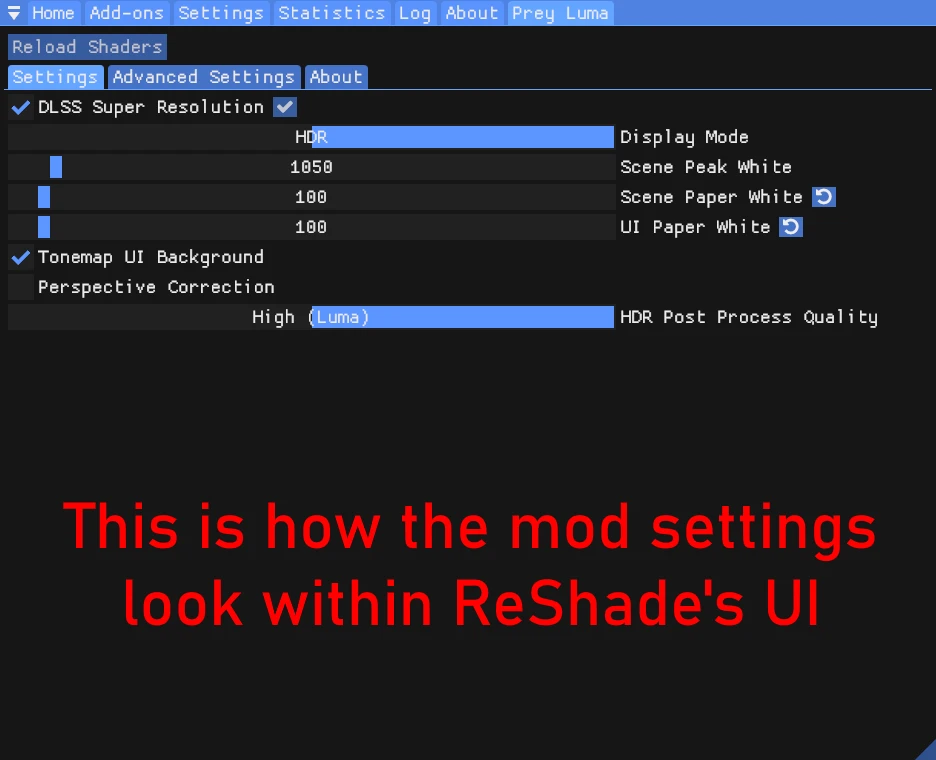

 candid siren
not sure if skill issue on my part, or no worky on EGS

colors are oversaturated, but the steamos menu is not reporting that its in HDR mode
also when switching from HDR to SDR (yes i did move x64 to x64-Epic)

also that

altho i havent touched vcrun or d3dcompiler, seeing how its not going up in flames on startup i guess vcrun is fine, but should probably check if installing d3dcompiler helps with above
twin haven
Are you running through heroic flatpak
candid siren
probably yes
twin haven
GitHub
Describe the bug A lot of people have recently gotten their shiny new Steam Deck OLEDs and tried out different HDR-capable games on it; certainly, many users of Heroic are Steam Deck users. When in...
Some people say that reinstalling flatpak gamescope helps
candid siren
candid siren
also when switching from HDR to SDR (yes i did move x64 to x64-Epic)
installing d3dcompiler_47 seemingly helps, not seeing both anymore
okay now it looks proper, added it directly to steam, so it doesn't run through heroic and flatpak and reinstalled d3dcompiler_47
 radiant goblet
Anyone knows why i get this error?
playing through the epic games launcher, i dropped everything in D:\epic Games\PREY\Binaries\Danielle\x64-Epic
and then i installed reshade 6.4.1
(used Prey Luma v3 alpha 1.7z)
 subtle plover
radiant goblet
Anyone knows why i get this error?
playing through the epic games launcher, i d...
subtle plover
radiant goblet
Anyone knows why i get this error?
playing through the epic games launcher, i d...
On boot?
 reef thunder
Hello guys , i'm still getting this weird motion vector bug when i disable Screen Space Reflections and enable DLSS - DLAA on the game, it happens mostly on the Talos 1 Exterior and in some areas of the game. This bug was introduced during the latest file in Nexus mods and still persists on the newer alpha version. The funny thing is that on the first ever release of the mod this bug wasn't present, only the latter versions of the mod.
 radiant goblet
subtle plover
On boot?
radiant goblet
subtle plover
On boot?
Yes, right wenn i start the game
subtle plover
radiant goblet
Yes, right wenn i start the game
Clean your instalation and install Redist.
radiant goblet
subtle plover
Clean your instalation and install Redist.
With clean your installation, you mean remove the mod and try to start the game again or a complete reinstall?
subtle plover
radiant goblet
With clean your installation, you mean remove the mod and try to start the game ...
Reinstall the game.
radiant goblet
That did it, seems like i did not have a clean install, thank you
 honest locust
hey there, i have a fresh installation on proton 9.0-4 that throws this error on boot, this is after installing reshade w/ addons, prey luma and manually updating the d3dcompiler_47.dll file... any solutions to this i haven't noticed? or am i missing something on the readme?

ah. it was vcredist!!! i installed it with protontricks, apologies
 hasty mantle
honest locust
hey there, i have a fresh installation on proton 9.0-4 that throws this error on...
hasty mantle
honest locust
hey there, i have a fresh installation on proton 9.0-4 that throws this error on...
For some reason, I am also getting this error despite having installed VC++ with Protontricks... This after starting over with a clean download of Prey from Steam. Anyone have a clue?
twin haven
Did you remove the d3dcompiler file
Readme says it's out of date and should be removed
hasty mantle
twin haven
Readme says it's out of date and should be removed
Hey, thanks - I did remove the one bundled with the game and used Protontricks to re-acquire. Mistake?
twin haven
no thats fine
subtle plover
where did you hear about this mod btw? Curious
hasty mantle
subtle plover
where did you hear about this mod btw? Curious
I believe first I used was for KCD2, then used the wiki to find the list of games with added support. The ac unity hdr is particularly transformative. Dekstop and Steam deck
Anyway, I'll hold out hope for someone who might know how to go about a steam deck install. Ofc if I figure it out I'll update for the ctrl f's among us.
twin haven
subtle plover
where did you hear about this mod btw? Curious
pcgamingwiki
 upper dock
Guys is the version for Epic stable?
twin haven
I'm using chairloader which turns my version into epic and it seems fine
honest locust
subtle plover
where did you hear about this mod btw? Curious
browsed nexusmods by popular :)
honest locust
oh man optiscaler fsr3 works great here
great work on this, definitely breathed new life into it
subtle plover
this is why I'm not using DLSS Preset J/K yet
any reflection, bloom or volumetric effects completely breaks the image
celest jewel
lusty moss
<@232584079986524160> how'd you get the pause menu to be transparent?
included in this:
https://www.nexusmods.com/prey2017/mods/22

Nexus Mods :: Prey (2017)
This mod aims to improve graphics and effects: all the lights cast shadows, corrected shadows for the original light sources, ultra view distance, improved particles, improved AO+IL, no texture pop-in
lusty moss
ugh that thing
celest jewel
when I played the game a few years back I used the mod but now I probably wouldn't download something that alters the art direction so drastically
also I wouldn't be surprised if the mod breaks some jump scares with how it changes the lighting setup
lusty moss
celest jewel
when I played the game a few years back I used the mod but now I probably wouldn...
I more dislike what it does and how extensive it is... like the circular flashlight and space looking like a cartoon
jolly loom
I need to try removing that mod, I used it during both my first and current playthrough for the extended view distance, but my smooth brain didn't look closely at the comparison images...
subtle plover
jolly loom
I need to try removing that mod, I used it during both my first and current play...
there are not enough comparison images.
I have no idea what the mod does
though the author wrote me saying that they love Luma and they'd be glad to come back to Real Lights+
jolly loom
The art direction really does get messed up in a lot of scenes, kind of kills the shadowing. I'll rip it out and stick to Luma for now.
That would be cool, I do like what it does outside of the artistic liberties it takes
 paper scroll
lusty moss
I more dislike what it does and how extensive it is... like the circular flashli...
paper scroll
lusty moss
I more dislike what it does and how extensive it is... like the circular flashli...
Doesn’t luma also make the flashlight circular? I don’t have many mods but I installed them all at once, so not sure which one’s doing that for me. I don’t have real lights
subtle plover
paper scroll
Doesn’t luma also make the flashlight circular? I don’t have many mods but I ins...
luma does not change any of the art or gameplay
paper scroll
subtle plover
luma does not change any of the art or gameplay
Uh oh 😅
I’m having frequent crashes but not sure how to troubleshoot them. The error logs in the game root are surprisingly unhelpful. It could be that I botched my installation, but some of my RAM might also be failing based on issues I have outside the game
subtle plover
paper scroll
I’m having frequent crashes but not sure how to troubleshoot them. The error log...
remove other mods first
paper scroll
subtle plover
remove other mods first
I am, I’m down to just the 2023 QoL mod and the sprint scale fix (besides luma). And when I tried uninstalling luma I was shocked at how much worse the game looks without it, so thanks for making this amazing mod!
But maybe there are vestiges of removed mods. How reliable is verifying game integrity on Steam? Should I bother trying a fresh install?
subtle plover
paper scroll
I am, I’m down to just the 2023 QoL mod and the sprint scale fix (besides luma)....
yeah, still waiting on Digital Foundry 😛
subtle plover
paper scroll
But maybe there are vestiges of removed mods. How reliable is verifying game int...
yes, uninstall and re-install manually.
paper scroll
subtle plover
yes, uninstall and re-install manually.
Fingers crossed this works!
paper scroll
subtle plover
yeah, still waiting on Digital Foundry 😛
Oh will they be covering this? Awesome if so!
subtle plover
paper scroll
Oh will they be covering this? Awesome if so!
unsure, but i hope so
it's worthy of it IMO
opaque comet
DF's Alex B. is on this server at least
subtle plover
yes, I am in contact with Alex.
opaque comet
JDSP's video is already very good, but has 0 reach, sadly
34k views, oh wow, more than I recall 
was probably the reddit thread
subtle plover
a good video of good content will eventually reach an audience, but it's reached its limit.