#enfusion_model
1 messages · Page 40 of 1
 solemn goblet
 mortal sentinel
oh I have the weightref, I think it was you who linked it then, I'll check it again. My pants seem to have some weight paints, but I'll redo it I guess, as something's missing
 solemn goblet
Yeah, (save first) clear those weights out and use the method in the vid. Someone tried that method and it worked for them 🤷
mortal sentinel
alright, lemme see if it works for me
mortal sentinel
100k for jackets, pants?
 daring condor
whats the weight ref say?

i think this guy is around 30k in total
from simcardo
sus and snus are porting their stuff to refrogger

this is like 18k according to simcardo
with polycount its always the same answer really, as low as possible
nvm
its 9k
 dapper oar
mortal sentinel
100k for jackets, pants?
dapper oar
mortal sentinel
100k for jackets, pants?
you can look at the BI stuff in the workbench to get vertice & face counts for any type of mesh to use as a guideline for Arma Reforger, for example:
the Jacket_M70_01.xob LOD0 is 11003 verts, 17090 Faces.
the Pants_M70_01.xob LOD0 is 6132 verts, 7952 faces.
Hat_knitted_01.xob LOD0 is 1272 verts, 2304 faces.
The stuff you are trying to import is way too high/mid-poly tbh.
mortal sentinel
daring condor
i think this guy is around 30k in total
that's some nice looking stuff
daring condor
the name of the game is retopo
mortal sentinel
dapper oar
you can look at the BI stuff in the workbench to get vertice & face counts for a...
oh yea, then I have way too many vertices
daring condor
count tris not verts tbh
dapper oar
I'd pay attention to the face counts more than the vertices
daring condor
Retopology in Blender 2.8 - full 4 hour series on retopo in Blender
https://flippednormals.com/downloads/retopology-in-blender-2-8/
In this Blender 2.8 tutorial, we'll teach you how to retopo using vanilla Blender 2.80 without addons. The techniques taught can be used to make topology for any character or 3d model. #b3d #blender
05:31 - Retop...
solemn goblet
I think Enfusion bases vertices on UV seams and it can add up to weird numbers not shown in the 3D software.
daring condor
dapper oar
I'd pay attention to the face counts more than the vertices
if you are in blender look at tris not faces
blender counts ngons and quads as a single face
dapper oar
daring condor
if you are in blender look at tris not faces
I use 3dsMax 😉
daring condor
ye hence i didnt ping you :P
solemn goblet
3DS Max 🤮
daring condor

GitHub
A suite of retopology tools for Blender. Contribute to CGCookie/retopoflow development by creating an account on GitHub.
and get retopoflow from here
they also sell it for 80 bucks
but you can get it for free on their github
they just dont advertise it
mortal sentinel
nice
btw any point keeping weight paints that pants probably don't need or doesn't matter? Like I have weight paints transferred for chest etc, but don't really need them for pants
if it doesn't affect anything I can keep them
solemn goblet
If they are blue in Blender, no bone can influence them
The bones attached to a non-weighted armature don't do anything. Some engines delete them on import even.
mortal sentinel
oh ok, I'll leave them be then
solemn goblet
Yeah, I know all bohemia assets keep the entire skeleton. I don't think they keep all the weights though.
mortal sentinel
I still have the invisible pants issue, maybe something with the model, not sure
I think it's the model or something, the pants are in two parts - front and back, I can see the front from the outside, but the back only from the inside
solemn goblet
Oh haha
ctrl N in blender while in edit mode
You might even try alt N > reset normal vectors
mortal sentinel
alt n - reset vectors for me, I'll try to reimport into workbench now
nah, didn't help
something about flipping normals? I think I've heard this in a tutorial
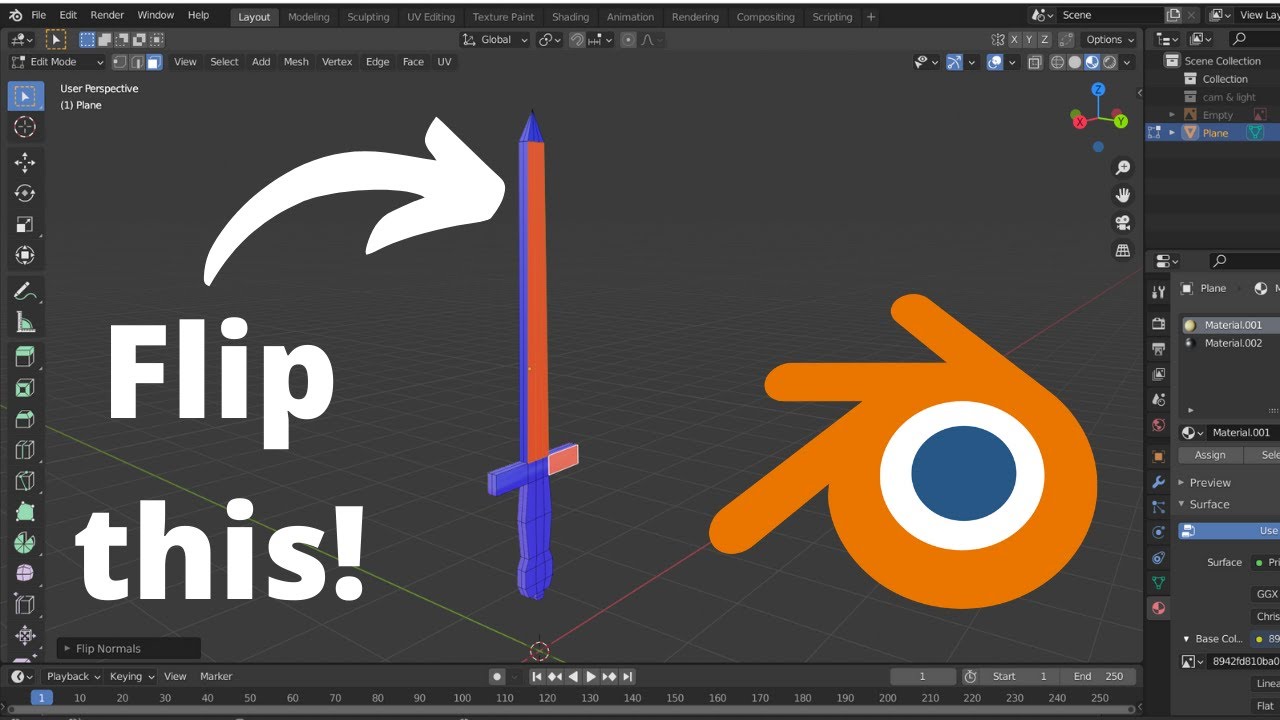
Don't click here: https://www.youtube.com/channel/UCQaeCs2hL2I7EK88fOZhWBw?sub_confirmation=1
How to flip face orientation and flip normals in blender 2.9 for your unity or unreal engine projects. There may be a modelling or mesh problem. Your 3D blender models looks good into Blender 2.9 but when you upload it to your game engine it misses face...
same problem as me, I might have accidentally made half of the pants flipped
solemn goblet
Yep, ctrl n should flip that
If it's being particularly stubborn you have to toggle the little checkbox lower left with only the inverted ones selected.
mortal sentinel
solemn goblet
Yep, ctrl n should flip that
nice, also tried this "recalculate outside" which completely fixed it in blender, have to check workbench though
well, gg, thanks guys

now I can think about actually making something proper, it's not too bad if I know all the steps now to get something wearable in the game
solemn goblet
It kinda looks weird. Is it vinyl?
mortal sentinel
I dunno, has a weird shine
I didn't add any textures or anything, just changed the color in workbench
also the game doesn't really like those wrinkles I guess, if I kneel they look weird around the knee and the butt
but ok, I'll maybe try to make some real military clothes and learn about retopology and see how that works out then
daring condor
keep in mind that even if you go for a cloth sim workflow MD or whatever else you use is not the only step in asset creation
you should consider adjusting some thing here and there with a sculpting tool to give it a bit more flair
also dont consider retopo just something to get out of the way, it is kind of one of the most important steps and will determine if you will have a good time baking and weighting
mortal sentinel
I did notice I could use some small fixups in blender, some vertices were missing etc., I'll do that for the real model.
About retopo I don't know much yet, just about that high res to low res baking stuff
but do I really need to worry about weight painting if those weights can simply be transferred from a sample character?
 frank robin
vergy this looks great. If you are adding american style buildings in a pack it would be awesome if you could do a middle/highschool next and maybe an american style gas station. Like a big one with tons of shelves and stuff inside.
i have a great map im working on and if you need any american building suggestions just @ me
 calm rune
This might be a problem. If this is the case then there will be a lot of clipping on models.
 tidal latch
calm rune
This might be a problem. If this is the case then there will be a lot of clippin...
tidal latch
calm rune
This might be a problem. If this is the case then there will be a lot of clippin...
There already is - even with vanilla content. We are aware of that but personally I don't details how it is planned to be solved
daring condor
deformation lattices 😊
 willow sage
simcardo is still alive?
daring condor
hes been making stuff ye
works with ifa44
although he does not work on enfusion
his computer is not up to the task
willow sage
please greet him from me
 tacit eagle
I get this error message: RESOURCES (W): Invalid collider 'UCL_Cylinder_01'. Export skipped
It is just a cylinder
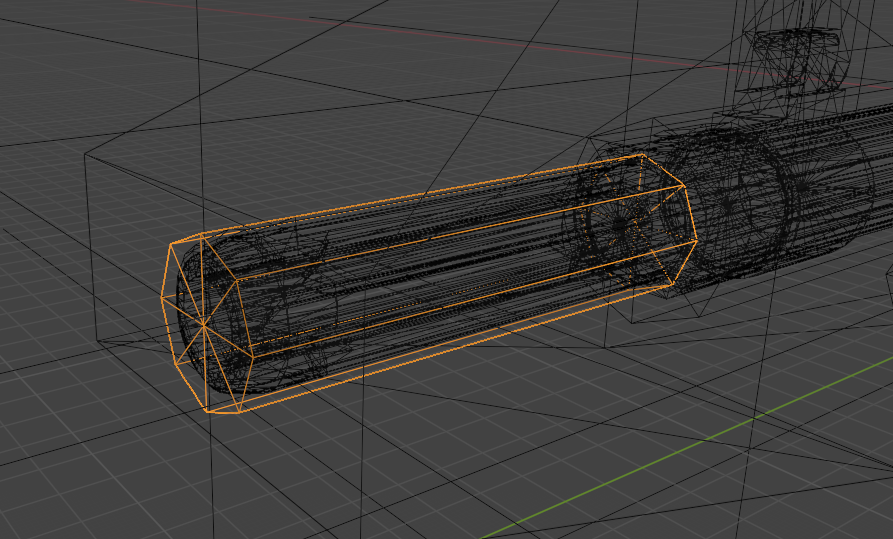
Anyone have an idea?
 karmic adder
How easy is it to replace / reimport a mesh once it is already an entity / placed in the world?
 shell hedge
karmic adder
How easy is it to replace / reimport a mesh once it is already an entity / place...
shell hedge
karmic adder
How easy is it to replace / reimport a mesh once it is already an entity / place...
relatively easy, click reimport button
karmic adder
shell hedge
relatively easy, click reimport button
Meaning there are no issues if I'm not entirely happy with an asset, I can just click reimport and all the prefabs and worlds will get updated when loaded the next time?
shell hedge
karmic adder
Meaning there are no issues if I'm not entirely happy with an asset, I can just ...
pretty much, I use the button 50 times per project
karmic adder
Alright, thanks
 unkempt grail
karmic adder
Meaning there are no issues if I'm not entirely happy with an asset, I can just ...
unkempt grail
karmic adder
Meaning there are no issues if I'm not entirely happy with an asset, I can just ...
this may not be the best way to do things (for versioning and stuff) but if I'm working on something and I'm exporting from blender with small changes, I'll drop straight into the asset folder and replace (while workbench is running), workbench automatically reimports, I simply hit play on the world editor to see the changes instantly
 last hill
tidal latch
There already is - even with vanilla content. We are aware of that but personall...
last hill
tidal latch
There already is - even with vanilla content. We are aware of that but personall...
Personally if you had morphing available with settings built in the prefab to adjust for heads, or alternatively allow head meshes to be selected and have slight variations on the model itself (more size of file due to duplicated meshes) I think it would be fine.
Morphing might not be doable on Enfusion, don't know its limitations
 opal moat
More of a blender related question but I thought I'd ask it here
Anyone know if jmesh circular array is broken?

I keep getting this problem
Instead of making a normal sized copy of the object in a circle it creates a huge copy of it above it.
solemn goblet
There's a version of circle array that works pretty good in hardops I'd reccomend
 lethal frigate
damn i wish we could import models from sketchup i made this model with full interior

im willing to give the model to anyone who whants to try opening it in 3ds and finishing it for the game.
dapper oar
honestly it would likely be faster remaking it from scratch than trying to fix a sketchup model into a game-ready state.
lethal frigate
i belive that they know to break up when opened into 3ds and other programs , but if someone wants to try no problem
this one i paid alot of atention to inverted faces cuz sketchup likes to do that
so every face is facing right way
dapper oar
you should learn blender, its free and there's plenty of guides kicking around.
lethal frigate
ik but its just to much to learn i tried and controls are all strange to me
i would need to learn that for a month to be able to make a model nicely
dapper oar
nobody expect you to know everyting as soon as you start it, break it up, an hour or so each evening and you'd be up and running in no time 🙂
 delicate condor
Learning Blender will be worth the time investment
modding isnt going anywhere so there is no rush
shell hedge
it's worth the time investment if one building isnt the only thing you'll model
 broken grove
Hi guys, EBT's Material Preview feature documentation is up  https://community.bistudio.com/wiki/Arma_Reforger:Enfusion_Blender_Tools:_Materials_Preview
solemn goblet
Just in time for my land rover, huzzah 🥳
solemn goblet
broken grove
Hi guys, EBT's Material Preview feature documentation is up <:krtecek:7054442893...
So Miro, just to confirm:
Materials Preview feature can only import materials/textures from within your own addon (expects source textures to be in PNG, TIFF... format), in other words you cannot import materials inherited from Vanilla Reforger.
Does this mean I cannot preview textures already within Enfusion (such as the various alphas that come in _shareddata)?
Lower down it says this:
User has to use only textures from one of the addon folders defined in Enfusion Tools preferences, in other words, texture must be already registered (have meta file).
But I'm still not certain if that means I can preview these within Blender. Being able to preview those alphas within Blender is very important to me, as you can imagine haha.
broken grove
solemn goblet
So Miro, just to confirm:
> Materials Preview feature can only import materials...
Does this mean I cannot preview textures already within Enfusion (such as the various alphas that come in _shareddata)?
That's correct unfortunately, we had a solution for community, where textures from shared data folder were part of data.zip package, but because of licensing issues we had to cancel it
But I'm still not certain if that means I can preview these within Blender. Being able to preview those alphas within Blender is very important to me, as you can imagine haha.
It's also stated somewhere in the doc that Blender can only load PNG/Tiff(source textures) in opposite to EDDS(runtime texture), so that's why Vanilla Reforger textures can't be loaded(they are in EDDS format)
solemn goblet
Was the solution by any chance watermarked and compressed? Even that would 100% help me as the modder do what I want to do
For the low low price of maybe an extra few mb, editor versions of each texture with correct defines would go a long way, even if they were 512x512 and watermarked to hell 😄
broken grove
solemn goblet
Was the solution by any chance watermarked and compressed? Even that would 100%...
Yes textures were watermarked and downscaled to half, I spent few weeks to support having these shared textures(automated pipeline + support in EBT) because I knew it'd help you a lot guys, as it was clear to me that you'll want to use Vanilla Reforger textures as well... therefore I'm quite sad that this didn't happen... on the other I'm glad that you expressed a need for them, as now I have strong argument for further internal discussion 😉
 magic rock
hi i'm working on a scope, took glass and pip LOD from sample, made a prefab just making sure everything works, but i have a problem and i don't understand why. When i look up or down it's fine but looking ahead is causing this (screen) somebody know how to fix this?
 solemn goblet
broken grove
Yes textures were watermarked and downscaled to half, I spent few weeks to suppo...
solemn goblet
broken grove
Yes textures were watermarked and downscaled to half, I spent few weeks to suppo...
Here is a harsh truth maybe you can use as an argument: Modders can view these textures within the tools already. They are at least watermarked. To say nobody EVER will screenshot them (despite the watermark) and crop them for their own visualization aid is silly. All we as modders need to benefit greatly is a Mip 2 or 3 watermarked to aid in visualization for the 'final product' otherwise we are making PBRMulti from scratch or worse, we are importing and exporting a lot (essentially flying blind) with the current vanilla textures. You don't even need to go full Valve to do this, it can still be safe in-house and licensed elsewhere as draconic as the bureaucracy deems necessary 😆 .
Anyway, thank you so much Miro for taking the time to answer my questions and I hope you convince those in charge of this decision ❤️
calm rune
lethal frigate
i would need to learn that for a month to be able to make a model nicely
You'd be surprised how much you can learn even if you dedicate just 30 minutes a day to it.
unkempt grail
calm rune
You'd be surprised how much you can learn even if you dedicate just 30 minutes a...
This
I had barely opened blender before a couple of weeks ago.
But have put my own stuff in the game
And I'm an idiot who's too stubborn to watch tutorials
(I still haven't fully worked out textures by randomly pressing buttons yet)
daring condor
i would not texture in blender
its absolutely doable and they are improving that aspect of the software a lot now
but youd probably be better of with armory paint or substance if you can get a student license/ have the money for that
tacit eagle
Asking this in #enfusion_model since you guys probably know more than #enfusion_terrain
I wanna have a colored light **(IMG 1) **in my map but every time I press 'play' the light's emissive color goes back to the default color [orange] (IMG 2)
I tried creating a new material and it seems like everything stays the same (alpha texture, normals, other settings) except the emissive color

Goes back to default

Can I duplicate the prop somehow? What can I do? Any ideas?
 prisma delta
solemn goblet
Just in time for my land rover, huzzah 🥳
prisma delta
solemn goblet
Just in time for my land rover, huzzah 🥳
which model Land Rover are you working on
solemn goblet
This one, I think it's the 110 and due to the modular method of my design process the 90 as well. 1989 era I hope.
 prisma delta
alright sweet, that looks great. I really like the tire tread
solemn goblet
Cheers yeah. Trying to stick to the reference as much as I can.
 eager hill
Still a lot left to do but it slowly begins to look like it should

 bright raft
eager hill
Still a lot left to do but it slowly begins to look like it should
bright raft
eager hill
Still a lot left to do but it slowly begins to look like it should
On the part facing the player, shouldn't there be L3 EOTech?
eager hill
bright raft
On the part facing the player, shouldn't there be L3 EOTech?
Wdym? That's the photo I based it on

 eager hill
Maybe it depends on the version of that sight, there is way too many of them
 daring condor
eager hill
Still a lot left to do but it slowly begins to look like it should
daring condor
eager hill
Still a lot left to do but it slowly begins to look like it should
you lose points for doing real markings and not putting in something stupid or funny
bright raft
I'd go for EMOtech
daring condor
i mainly meant the laser sticker
but yeah with the company too
why give someone you are not getting payed by advertisement?
eager hill
daring condor
you lose points for doing real markings and not putting in something stupid or f...
I can do a custom sticker tomorrow, not a problem
daring condor
ah dont worry
its your project
this is just my personal opinion
its also always a good way to insert a watermark into your asset fwiw

raelly old model i just slapped some paint onto
dont judge me for it not looking too great
changed the company name here for the mod name
 eager hill
Good idea, I'll work on that
 simple meteor
this part doesn't work https://community.bistudio.com/wiki/File:armareforger-new-car-comparments.gif
I've a forbidden sign


 sly bridge
@light lynx this isn’t a request channel. Want something done, do it on your own
 light lynx
discusion about anything related to model creation. Didnt know it was wrong to throw suggestions out
bright raft
Is it ok to post WIP models here tho or should I go in enf_showroom?
sly bridge
light lynx
discusion about anything related to model creation. Didnt know it was wrong to t...
it isn’t model related, emphasis on makers
sly bridge
bright raft
Is it ok to post WIP models here tho or should I go in enf_showroom?
sure, showroom is basically to place to show off your creations, be it whatever mod type
opal moat
 lament solar
Niiice. How did you do the ribbing for the contact points?
 hoary herald
80s navy seal helmet inbound
 daring condor
opal moat
Niiice. How did you do the ribbing for the contact points?
daring condor
opal moat
Niiice. How did you do the ribbing for the contact points?
Honestly, just do loopcuts, checker deselect and scale along the x axis
Then adjust for the hight of the inset
Also scale the insets along individual origins on the y-axis
Alternatively do a Boolean array and fix geo
lament solar
I just did booleans then cleaned up the mesh... kinda. But it's a high poly so it doesn't matter too much if I have some ngons
 daring condor
lament solar
I just did booleans then cleaned up the mesh... kinda. But it's a high poly so i...
daring condor
lament solar
I just did booleans then cleaned up the mesh... kinda. But it's a high poly so i...
Ngons on flat surfaces don't matter in general
lament solar
yes
shell hedge
ngons are based
 sand pagoda


 bright raft
sand pagoda
bright raft
sand pagoda
Amazing. How long did it take you?
bright raft
Looks really good. Can't wait to see it in-game
 sharp mist
Hello, I am making a truck, and i have the base, and a additional part which i want to put on the truck. How do i make this part apply geometry to the rest of the truck, cause when i merge these two into one, and make a complete truck out of them, the only geometry that truck has is the base trucks geometry, not taking in the equation the added part.
 fast notch
why do some parts of the model disappear when importing?

 lament solar
Looks like flipped normals
fast notch
lament solar
Looks like flipped normals
okay...how to fix it?
lament solar
Well you can either recalculate it using blender or manually flip normals if that doesn't work
I'm used to blender 2.79 and that had a handy toolbar on the left which is missing from the later versions so I don't know where these options are
 hidden yarrow

https://bit.ly/3N0iFrT Copy And Paste The Link Below To Sign Up For Our Free Geometry Nodes Starter Kit Including Our Free Course, Blender Cheatsheet And Procedural Building Pack.
Use The Link Below And Get 1 Month Free On 1'000s Of Courses On Skillshare Ranging From 3D Modelling To Baking Cookies
 hidden yarrow
you should probably watch that video
lament solar
Me?
hidden yarrow
oh sorry no collectors lol
fast notch
lament solar
thanks <З
bright raft
WIP

 solemn goblet
bright raft
WIP
solemn goblet
bright raft
WIP
Were you the fella guy using Hopscutter?
calm rune
solemn goblet
Were you the fella guy using Hopscutter?
I see what you did there 😏 hopscutter
solemn goblet
Lol yeah that's what people call it https://twitter.com/hopscutter even it calls itself that
bright raft
solemn goblet
Were you the fella guy using Hopscutter?
Yeah, that's me 😃
But to be honest I mainly use it for bevel
 wise karma
Not sure what's the best channel to be posting this, but looking for some help with setting up a custom tree's wind. Local branch length controls the sway of individual leaves, but on my custom tree it does nothing.
 slim silo
Trees in game have the polyplane emat for their wind settings, I think it’s different from a typical bcr/nmo material
Also it could be (if a treeIt tree) that the branches for palms are actually stems
wise karma
slim silo
Also it could be (if a treeIt tree) that the branches for palms are actually ste...
It is tree.it but I've set up the lod's, colliders and meshes as they should be (my xob looks practically identical to the sample I was using).
And by using their own polyplane emat I assume you mean the material class matPBRTreeCrown for elaves? Sample was using that so I am too, that's how I got these wind settings to show.
magic rock
Does sombody know how to make pistol slider work in reforger? i imported the model, assigned to Armature in blender but in game slider doesn't move

 pliant bolt
hoary herald
80s seal helmet
pliant bolt
hoary herald
80s seal helmet
Looks really good, I just can't get over the fact they actually used skateboarding helmets
hoary herald
i mean, it kinda makes sense so they could customize it
at the time the helmets were not as modular as they are now
but even then, bump helmets are still used today
pliant bolt
Ah not too familiar with that stuff tbh
hoary herald
hell... working with a lot of SOF elements IRL you would be surprised how many guys just opt not to wear a helmet at all
pliant bolt
Fair enough haha
 fathom bolt
why i have this message when i try to import my model in the workbench: Non orthogonal transformation on collider 'UTM_Weapon'
 void field
Sorry if this has been asked a million times before, but when creating a model / mesh, is it just as simple as importing it into the new tooling? How is collision handled? I've been stuck in Unreal for a while now, so I'm real use to exporting to FBX and importing the mesh and away I go. Keen to see what the new tooling can do.
hoary herald
its similar to unreal workflows tbh
you do have to add in colliders but other than that its super intuitive coming from UE4
sly bridge
void field
Do I have to model the collision?
yes
ish
also main difference from ue is that you also need to make the necessary LODs
 leaden chasm
wise karma
It is tree.it but I've set up the lod's, colliders and meshes as they should be ...
leaden chasm
wise karma
It is tree.it but I've set up the lod's, colliders and meshes as they should be ...
where did you get tree sample?
wise karma
leaden chasm
where did you get tree sample?
All of the trees are available, just find them in ArmaReforger>Assets>Vegetation>Tree>Species
Open up it's .xob and you can see everything about how its setup.
I also realised my issue was purely with the model, using another tree with flat planes for its leaves worked perfectly fine. Custom trees are super easy to setup.
 leaden chasm
wise karma
All of the trees are available, just find them in ArmaReforger>Assets>Vegetation...
leaden chasm
wise karma
All of the trees are available, just find them in ArmaReforger>Assets>Vegetation...
Ah, i see. I suspect it has something to do with specific naming of the model's components in order for matPBRTreeCrown to work properly. Can't wait for the docs on that matter.
Or we need a proper "source" sample.
hoary herald
got some balaclava action going on this puppy
 wise karma
leaden chasm
Ah, i see. I suspect it has something to do with specific naming of the model's ...
wise karma
leaden chasm
Ah, i see. I suspect it has something to do with specific naming of the model's ...
For me it was nothing about naming, but using a 'better' model. Got it working fine and so did another bloke I was discussing it with.
leaden chasm
wise karma
For me it was nothing about naming, but using a 'better' model. Got it working f...
What was "better" about that model?
wise karma
leaden chasm
What was "better" about that model?
Gum leaves work fine, and are just a few tri's making a flat face. Palm leaf is an actual shape, and not with great topo, for each leaf
 leaden chasm
wise karma
Gum leaves work fine, and are just a few tri's making a flat face. Palm leaf is ...
leaden chasm
wise karma
Gum leaves work fine, and are just a few tri's making a flat face. Palm leaf is ...
and you say branch wind works fine?
wise karma
For the gum leaves yes.
leaden chasm
hmm
wise karma
leaden chasm
hmm
I'll correct myself here, managed to get that original palm leaf working without issue and it's all good now. So it was absolutely unrelated to materials.
leaden chasm
wise karma
I'll correct myself here, managed to get that original palm leaf working without...
What was the issue?
shell hedge
wise karma
Gum leaves work fine, and are just a few tri's making a flat face. Palm leaf is ...
how many faces do the palm trees have
wise karma
I'm not particularly happy with the work around I ended up with because I don't see how it should have changed anything, so I'm pretty sure the issue I was having was rather edge case.
wise karma
shell hedge
how many faces do the palm trees have
Very similar to the games own trees, both overall and for the leaf materials specifically. I had a gumtree model that worked without fault from the beginning and it had more than the palm.
shell hedge
makes me wanna fire up speedtree and waste the entire evening
wise karma
Very simple process to get the trees ingame, just had that weird problem with my palm tree models that never happened to the gum but works fine now
shell hedge
nice
you gonna do more exotic vegetation?
I wanna do some exotic surface materials and maybe some rocks at some point
or maybe I should say tropical
refresh my procedural rock skillz
wise karma
I'll make whatever's needed/wanted, getting the model is the hardest bit but just spending a bit more time learning the software and that shouldn't be too much of an issue.
These are for a specific real-world map that I'll be making more vegetation for, but when I make enough I'll push out a pack of them to the workshop like you did the sand/track objects
shell hedge
actually I was working on a strelitzia for a different project a few weeks ago maybe I can bring that in at some point
one thing I would love to do first though is reskin the OG trees for winter
wise karma
I guess I'll be making varying Aussie vegetation to start with
wise karma
shell hedge
one thing I would love to do first though is reskin the OG trees for winter
Easy to do, just have to duplicate the trees xob and open its materials, then swap out the material maps for your own
shell hedge
one issue I ran into with lack of texture export is the compression really ruins it because then after import the texture is effectively compressed twice
I have some real nice procedural snowfall shaders I could apply to any texture
but the source texture needs to be uncompressed otherwise its just squares
wise karma
Oh yeah true, completely forgot about that
shell hedge
maybe I can run some AI denoising models over it but it will be lame anyway
taking screenshots of the texture viewer is big sad also
leaden chasm
wise karma
I'll correct myself here, managed to get that original palm leaf working without...
So what was the issue?
slim silo
Getting palm tree to react to the wind setting
leaden chasm
no, i mean what was fixed to get them work correctly
 chilly dragon
leaden chasm
no, i mean what was fixed to get them work correctly
chilly dragon
leaden chasm
no, i mean what was fixed to get them work correctly
I believe it was to import the mesh of the broken tree into a duplicate of one that works and then deleting the mesh of the one that works. After that just import it into enfusion
leaden chasm
chilly dragon
I believe it was to import the mesh of the broken tree into a duplicate of one t...
that is some esoteric shit, as usual
bright raft

 chilly dragon
Most bonk ass solution but it worked for Cammando
 dull yew
hoary herald
80s seal helmet
dull yew
hoary herald
80s seal helmet
is this in enfusion?
hoary herald
The left yes. Yhe right is a photo
last hill
shell hedge
I like SMGs
Smg's might be a bit more difficult as new animations would also need to be made due to the smaller stature and mag wells etc needing to be made up from scratch. That said, I am sure someone would be working on some kind of smg.
daring condor
last hill
Smg's might be a bit more difficult as new animations would also need to be made...
Just make an AK-47
It's an SMG
frank robin
shell hedge
I like SMGs
we need mp5 , or one of those sick CMMG banshees in 10mm
sly bridge
@frank robin + @shell hedge - not really a request channel
frank robin
wasnt a request
sly bridge
daring condor
Just make an AK-47
ak-47 wasn’t actually fielded in great numbers, and was soonish replaced by akm
daring condor
Am aware
sly bridge
frank robin
wasnt a request
so then, are you making such a weapon
sly bridge
daring condor
Am aware
anything shooting 7.62x39 couldn’t be a smg :)))
daring condor
Doctrine > design
It was designed and fielded to fill the SMG role
Soviet army referred to it as an SMG
It's an SMG
tacit eagle
It’s an assault rifle 
solemn goblet
what about an ak74u, an assault rifle or SMG?
delicate condor
Does not matter. Feel free to make any, all or none of them.
stick goes boom boom.
#offtopic_weapons is the place to discuss the finer points of weapon definitions

 woeful canyon
tacit eagle
It’s an assault rifle <a:clown:821778521390841896>
woeful canyon
tacit eagle
It’s an assault rifle <a:clown:821778521390841896>
Its an SMG :)
tacit eagle
woeful canyon
Its an SMG :)
You spelt assault rifle wrong.
woeful canyon
tacit eagle
You spelt assault rifle wrong.
Its an SMG 🙂
solemn goblet
 stoic heron
I think metal game.mat is the parent to metal_3mm.gamemat etc
The idea being you use one of the various children from that base instead of the base itself I think
tacit eagle
woeful canyon
Its an SMG 🙂
You actually think you are so quirky and smart when in fact you are a 🤡
 mental onyx
I think You're both clowns for discussing this in a model making channel.
tidal latch
stoic heron
You need to assign proper material to collider. Check https://community.bistudio.com/wiki/Arma_Reforger:FBX_Import#Collider_usage page
delicate condor
@tacit eagle @woeful canyon While im sure its all good fun, I refer you guys to my post above #enfusion_model message Please keep the discussion on topic.
karmic adder
I've got a working door, but when I add it as a child to another object and try to open it, it resets to the parent objects pivot point.
Does anyone know what the issue could be?
 austere oxide
Is there a way to find out the exact dimensions of the models that are already in the prefabs?
 last parcel
my next project only need to figure out how to best do the magazine,
 daring condor
last parcel
my next project only need to figure out how to best do the magazine,
daring condor
last parcel
my next project only need to figure out how to best do the magazine,
make a segment of it and array it along acurve
then you have the general shape
last parcel
no its not that
it has this wierd shapes on the magazine that i am going to model. just need to figure it out in my head first
😛
daring condor
yes
thats what i mean
just model a segment of that and then array that along a curve
 last parcel
well, that could work yes, will try it
daring condor
here is what my plan of attack would be

i recently also learned that blender lets you do start and end caps for arrays

Every now and then i have to model zip-ties for my rust artwork, and they can be a bit of a pain to make. Here are 3 ways to make them in Blender the easy way. 1. The basic method, 2. The Restrictive method, and finally 3. The procedural method. Which is your favourite? Please do let me know below. I'll be making the .blend file for the procedur...
this video explains some array shenanigans you can do
guy does art for rust
last parcel
yea my first thought was just doing a bending modifer on it after modeling it completly straight but it might be messed up then
daring condor
sounds like a lot of work 😛
last parcel
True 😛
daring condor
id just do the segment approach
then later apply that and model the extra bits like that weird handle thing and the mag release catch
last parcel
will defiantly try that :), Thanks for the advice 🙂
daring condor
armchair blender work is what i do xd
last parcel
yea i don't use blender but the approach is mostly the same 😛
daring condor
but if you like doing hard surface assets then i can recommend that channel
ah i assumed youd do xd
but i assume that arrays and curve deforms exist in every modeling suite
last parcel
yea they exits in 3dsmax too so it should work almost the same
sly bridge
last parcel
yea my first thought was just doing a bending modifer on it after modeling it co...
no, don’t do that, will have weird deformation in the end
you can array it, or devide it along a spline if you wanted to
last parcel
ok, Thanks for the tip
 quasi sedge
Anyone working on houses/structures that would be willing to teach me how to get a fbx game ready and import it? Haven't seen any documentation and no examples.
solemn goblet
quasi sedge
Anyone working on houses/structures that would be willing to teach me how to get...
Hey Trigon, have you checked out the wiki page about PBRMulti? It's here: https://community.bistudio.com/wiki/Arma_Reforger:Enfusion_Blender_Tools:_Materials_Preview
Also this ArtStation post shows a few bits: https://www.artstation.com/artwork/Ar4w3y
last parcel
finished the magazine highpoly finnaly 😛
 solemn goblet
Looks great man. Good job. Is this 3DS?
last parcel
yep
solemn goblet
Awesome. ping me when you make a post in #enf_showroom, this is one of the more in-universe models so I'm definitely interested 😛
 zenith quartz
daring condor
make a segment of it and array it along acurve
zenith quartz
daring condor
make a segment of it and array it along acurve
I never thought to do that...
I always just used simple deform.
hhhh
 solemn goblet
just sculpt the magazine 
zenith quartz
😭
austere oxide
 daring condor
I use curves for everything I can
But arrays are your best friend
And for anything that bends curves too
If I have to make a metal cage or anything I just use curves and bevel them
Because fuck using the spin tool
And remember to do a planar dissolve on your curve once you are done with it
Honestly
Just planar dissolve and triangulate all of your meshes for lp
zenith quartz
thanks!
 lean spruce
@broken plaza You wouldn't happen to know of any plugin / program that pulls all the prefab data for gear, weapons, mags, etc., and allows to create loadouts that actually adhere to volume/weight constraints (instead of blindly adding stuff to arrays in SCR_InventoryStorageManagerComponent properties)? 🙂
Reason: Creating loadouts after adding lots of gear and weapons is way too tedious. 7 loadouts can easily take several hours to create.
I would probably be able to add a current weight / current volume % bar to the ItemsInitConfigurationItem class and prevent adding further, but it's inaccessable (probably in engine).
So before I start writing my own tool that pulls all info into a db + a GUI that allows me to create loadouts + an exporter that creates .et files and registers them in engine again, I wanted to ask if you have something like that 😄
tacit eagle
Does anyone know of a tutorial on modeling weapons, equipment, and uniforms? New to modding and would love to learn!
shell hedge
tacit eagle
Does anyone know of a tutorial on modeling weapons, equipment, and uniforms? New...
you'll need to learn a 3d modeling tool like blender, then you can have a look at the sample content as a good starting point
 dense thunder
Anyone recommend a good example building with ladders on it so I can see the setup, couldn't see any on the github
slim silo
do you have a specific building in mind you want to “copy”, just use the prefab in world editor and see how it’s configured. The small lighthouse, factory, fire station have ladders in their prefabs IIRC
dense thunder
Any buildings to be fair that has ladders and doors for memory point setup and such on the new engine, I presume the models are unlocked then to be able to get a good look at them?
bright raft
Current WIP. Long way to go tho as it will require custom anims which I currently know nothing about 😛'


 solid tulip
bright raft
Current WIP. Long way to go tho as it will require custom anims which I currentl...
solid tulip
bright raft
Current WIP. Long way to go tho as it will require custom anims which I currentl...
ohh damm i can smell that gustav close to my carl
 fluid fern
Hi, Does anyone work on train tracks?
solemn goblet
fluid fern
Hi, Does anyone work on train tracks?
In what capacity?
dapper oar
in what guage?
fluid fern
solemn goblet
In what capacity?
I'm working on a map at the moment and there is a railway track except that there is no structure to see the railway
solemn goblet
Like no rail station? Or no train?
fluid fern
Like train
solemn goblet
A train can either be a dissertation in hard surface modeling or something pretty simple. You might be able to find a model online (be weary with licensing, that's important here). As far as one that works with nodes and animations, that's gonna be minimum a few weeks of work assuming you already have the model. I don't think any elements exist in current templateable form for trains following a path. This might be a scripting and configuration question once you have your model train.
fluid fern
So I don't want the track to be functional, I just wanted to know if anyone was working on a 3D train track, like on the 3D Cup terrain models on A3
solemn goblet
Ah I see what you mean. Just the track models are pretty easy. I'm not making them and I have no idea about anyone else making them.
fluid fern
Ok thank 🙂
delicate condor
so in case someone does make track models (or anything else that snaps together) Please do:
- use accurate measurements and make sure the snapping ends fit together and if something curves X degrees, make sure it curves 5 degrees
- add enough mesh that can be sunk into ground so there is 0 chance to accidentally have it floating
- add mesh to both ends to make sure things blend together
- if mesh has seamless blending, make sure the UV mapping also blends seamlessly
wise karma
delicate condor
so in case someone does make track models (or anything else that snaps together)...
Accurate measurements? To which gauge! 😂
delicate condor
any you like as long as its coherent and makes good model that fits together with others of its kind
Nothing is more fun than trying to make 90 degree turn with 5 degree turn curve that real curve is 5.23 degrees 😄
or try to fit short and long parts together but 2 meter part is actually 2.13 and 1 meter part ist actually 0.953
wise karma
I'll have to make it 5.1* then 😅
Jokes aside, tracks would be pretty easy to knock a model up for, easy to uv unwrap too.
wise karma
If this is what your after!
 delicate condor
well those fit all together perfectly
so yes
I've dealt with a lot of rails and snappable objects (my own design and from others) and there are many ways to make mistakes with them
solemn goblet
I've seen ways people use tracks and it's pretty cool
It's like with nodes, I don't really know how I'd do that in Enfusion but maybe one day...
dapper oar
I have a set of railway tracks modeled & textured, aint got time to mess around with terrain stuff to go to the bother of importing them though 😅
shell hedge
it sounds like the segments may need to be manually placed as the generators cant warp meshes
daring condor
delicate condor
I've dealt with a lot of rails and snappable objects (my own design and from oth...
Ist the way to make that kinda asset to use curves?
tacit eagle
So... how are those MP5's coming along
delicate condor
daring condor
Ist the way to make that kinda asset to use curves?
I kinda doubt that
wise karma
You can make them place on curves, but the mesh wont deform to it
delicate condor
From what I understand the curves generator is not a tool that would actually be able to snap railroad parts ends together and choose correct curve part in right place
wise karma
Best you can do with minimum effort
 delicate condor
like I said, its not meant for this kind of thing
daring condor
delicate condor
From what I understand the curves generator is not a tool that would actually be...
No I mean within blender
Best way to get things that are bent but retain equal distance between both sides are curve mods in my experience
delicate condor
Its possible but making things accurate migth not be easiest with it
delicate condor
it can work but I would worry about the curves accuracy
as in is it that 5 degrees turn or 5.2135
daring condor
Cad sketcher to the rescue!
delicate condor
probably some sort of guides can be set up to make sure it is
daring condor
But seriously, there are add-ons and people doing cad in blender
delicate condor
there are those too yes
any tool one knows how to use can achieve it Im pretty sure 😅
daring condor
True that
dapper oar
cad to get splines accurate to real-world spacing and layouts, import those into 3d suite, do 3d stuff.
delicate condor
for example 👆
daring condor
Ye
My point is just that curves are awesome
You can do the dumbest shit with them in b3d
wise karma
Well yeah, if you want to go that route, but in-editor curve tools leave more options open to you.
dapper oar
also you can use parametric model tools normally used in ArchVIS to save a bunch of work and keep your base models+UVs having good texel density
daring condor
wise karma
Well yeah, if you want to go that route, but in-editor curve tools leave more op...
Depends, for some things you'd want specific models for angles
dapper oar
that rail set I did, entire thing uses 1 texture set, dozens of models. 😏
wise karma
 dapper oar
nope, they are in single uv coordinates
daring condor
wise karma
Don't like that, I prefer the flexibility of curves
dapper oar
bend tools will overstretch the outside edges, they aren't good for doing cad based stuff where the geometry is super important
daring condor
dapper oar
bend tools will overstretch the outside edges, they aren't good for doing cad ba...
Add more levels of subdiv 👍
dapper oar
daring condor
Add more levels of subdiv 👍
that will only make an inaccurate model worse 😁
wise karma
daring condor
Don't like that, I prefer the flexibility of curves
Of course, they are the best option but in this case in-engine curves aren't feasible. Alternatively you could make the rail follow a custom curve in blender (or whatever package) then export, but unless you already know the exact rail shape (GTT might export that, can't remember) that's just as limiting.
dapper oar
anyways I dunno if blender has parametric tools like railclone, but those are the kinda tools I used in max to build off the spline data from cad.
wise karma
dapper oar
bend tools will overstretch the outside edges, they aren't good for doing cad ba...
Use bend tools in cad software 😅
dapper oar
thats not really how cad works.
daring condor
So if I was to create tools I'd do it in the stupidest way possible
Use an array plus curve mod to get the metal rails
Then array an empty along the same curve
And instance the wood bit to the empties
wise karma
I use the term bend loosely within cad as its would go by revolve or something similar
daring condor
Good thing I model stuff that doesn't need that level of accuracy :P
Like vehicles
Or guns
bright raft
So I imported my model and it is black. When I apply my textures from Substance Painter, some of them are missing and looks weird. Anyone had similiar isssue?
 hoary herald
damn i had that issue...
bright raft
This is without defined material
hoary herald
trying to remember what it was

this is what mine looked like
i think it was something in blender
bright raft
Tried:
Recalculating normals
Applying transformation
Setting different origin
Merging
hoary herald
check if there is any geometry data

sometimes i have nonsense in there and i X it out and it fixes issues
also
double check that you dont have 2 uv maps on accident

maybe its not sure which uv map to read if you have multiple
bright raft
 bright raft
I even tried mergin it with default cube ;d
hoary herald
in your object data is everything relatively "empty"
cause merging 1 broken object with any other will maintain the data and its brokeness
bright raft
You are wonderful my man
hoary herald
it was something in there was it?
bright raft
I had vertex colors assigned by some addon
hoary herald
removed it and fixed it?
bright raft
Instantly. Works great, thank you
hoary herald
yessir anytime
daring condor
bright raft
I had vertex colors assigned by some addon
yeah for some god forsaken reason enfusion multplies base colour by vertex colour
last parcel
finished first pass on the bake and texture for my gun 🙂
 bright raft
last parcel
finished first pass on the bake and texture for my gun 🙂
bright raft
last parcel
finished first pass on the bake and texture for my gun 🙂
Lookin good. How many tris?
last parcel
around 16
bright raft
Nice
fast notch
I turned over all the normals, the walls are still transparent, what could be the problem?


 wheat bay
Finished up my Chemlight model
 zenith quartz
I did one of those not too long ago too.
Scrapped it tho because I saw BI had chemlights in the localization files.
last parcel
Some more work done on the RK95
 hoary herald
@wheat bay looks good
not to deter you, i have some started as well. I havent gotten around to finishing them up though.

if you want the same effect i have, model the interior of the chemlight to and apply the emissive on just the inside. put a plastic material with decreased opacity on the exterior hull. looks really good in game
the one thing i got stuck on was dynamically turning the light on and off to enable it after thrown. i was also hoping to include being able to pick it back up and throw it again as well as attaching it to your gear for identification but im a 3d guy
wheat bay
hoary herald
if you want the same effect i have, model the interior of the chemlight to and a...
Yeah, that's actually exactly what I did
 hoary herald
pretty realistic short from having fluid simulation on the inside
nice!
looks awesome
wheat bay
Thanks! It's been interesting looking for the right balance of brightness and stuff
hoary herald
if you figure out the functionality of it please let me know
would love to finish mine for learning sake
i also have a pop flare in the cue
wheat bay
Yeah, I had a tad bit of help with it earlier, but I'm just going to stick to an interaction to turn on/off
Oh sweet XD We had the same ideas
wheat bay
I haven't played much of the game honestly, I'm just working on things I remember seeing in Arma 3, or would like to see myself
 wheat bay
Oh sweet, that looks awesome
hoary herald
concept

i have it setup based on a launcher right now
still need to work out the chute deployment along with the light
after that i need to sort out proper animation cause firing it like a law looks weird XD
but yeah lmk if i can help with anything 🙂
solemn goblet
Yooo Dog I'm making a parachute flare too. Same kind but probably not same exact one
hoary herald
well damn @solemn goblet let me know if you figure it out. i wish i had more time to dedicate right now but adult life and all that jazz 😦
solemn goblet
Haha yeah feel that. I'm doing my post-graduate degree right now
hoary herald
yeah can only imagine how much time that eats
so far all i did is use the LAW as a base, changed the projectile mesh with my flare projectile.
works for what it is
just need to get the chute to deploy with a light and float down^^
solemn goblet
I've messed with enfusion very little yet
Once I get my vehicle in I'll work more with entityification
zenith quartz
I've got an AK and a few other weapons in the works. Also a holosight and pistol rds.
Time to import them and then sit there because I don't understand animation at all. 
 hoary herald
Nice lol
shell hedge
I have some flare effects in the fx mod if you need inspiration for the light part
 prime notch
Do we have any models that are scaled to the world size upon importing? Samples maybe?
solemn goblet
1m in a 3D program is 1m in-game, it's pretty intuitive in that regard
prime notch
Oh awesome, so 40km would be exact
solemn goblet
Yep. Idk how the game would handle mesh in that scale but technically it'd be 1:1
prime notch
solemn goblet
Yep. Idk how the game would handle mesh in that scale but technically it'd be 1...
Also, is there a way to get the reforger man for uniforms/gear?
solemn goblet
There is a bohemia reforger github that has some of the meshes
For simplification I use the 'weightref' of my own
delicate condor
prime notch
Also, is there a way to get the reforger man for uniforms/gear?
Only the samples, anything in game can't be edited
prime notch
delicate condor
Only the samples, anything in game can't be edited
Where do you get the samples?
prime notch
solemn goblet
<https://discord.com/channels/105462288051380224/976159912679850004/980211787184...
Thank you
solemn goblet
The discord link is my own personal .blend that has vertex groups, the github link has more
 thorn topaz
fast notch
I turned over all the normals, the walls are still transparent, what could be th...
thorn topaz
fast notch
I turned over all the normals, the walls are still transparent, what could be th...
select the mesh (not in edit mode) CTRL+A, select "All Transforms"
Observe the mesh invert itself.
Select mesh, go into edit mode, ctrl+N "Recalculate outside"
Repeat step 1, mesh should not invert.
 trail yacht
is it allowed to port in A3, A2 and dayz models into Reforger? Or does that break their licenses?
 little kayak
A2/A3 are within the license, as long as you don't break the license by getting the models/textures/etc. in non-allowed ways.
As for DayZ I believe the license is different and not allowed in the Arma series.
Probably better to ask/discuss this in #other_ip_topics
trail yacht
little kayak
A2/A3 are within the license, as long as you don't break the license by getting ...
ty
delicate condor
little kayak
A2/A3 are within the license, as long as you don't break the license by getting ...
A3 is not
delicate condor
trail yacht
ty
Only the public Arma data packages can be used in ways their license allows
So that would be A1 A2 data mainly
little kayak
well, even IF the license would allow it, it would still not be possible since the models are not usable for import
delicate condor
Indeed
little kayak
same applies to DayZ
delicate condor
But best to be precise with these things, otherwise people get funny ideas
last parcel
ingame and working not only need to fix abit with materials/texture not to make it so darn dark, and fix the bolt being out of aligentment ingame,

 surreal ore
little kayak
well, even IF the license would allow it, it would still not be possible since t...
surreal ore
little kayak
well, even IF the license would allow it, it would still not be possible since t...
One of the reasons the blender tools have an P3d import option
little kayak
surreal ore
One of the reasons the blender tools have an P3d import option
Which only works if you have non-encrypted versions of the P3d, which you only (should) have if you made the models yourself in the past 😉
surreal ore
@little kayak I'm assuming the models they released for use are binned?
If so that makes no sense
dapper oar
by non encrypted Grezvany means unbinarised/uncompiled mlod p3ds, as opposed to binarised/compiled odol p3ds.
besides if you have models you made yourself, it's as quick to just bundle up a new fbx export for enfusion.
little kayak
just tried it out with a model I have; binarized P3d doesn't import, unbinarized works without a problem
surreal ore
@dapper oar I know what he means. We're talking about porting. I obviously have unbinmed models of everything I made.
dapper oar
I know you're talking abut porting as was I, that's why I said it's quicker to just bundle up a new FBX of your own model than go to the hassle of converting your p3d for enfusion.
surreal ore
And we weren't talking about using our p3ds
We we talking about porting the Licensed Data Packages released by BI
dapper oar
I am capable of reading.
surreal ore
Well you must be confused
dapper oar
Not at all, I was merely offering my view on porting p3ds when you have the source files.
For the LDP's some models are mlod some are odol, hence why I stated what I did to clear up the "non encrypted" misnomer.
surreal ore
Yeah. Not quite sure why you needed to explain to me what binned p3ds are when I literally had just mentioned them. That should have been an indication that I know what they are. Lol
dapper oar
People aren't entitled to offer comment to clearup misnomers in conversation for the benefit of anyone else reading the conversation?, Weird view but okay.
surreal ore
That's not what it seemed like you were doing from my point of view.
solemn goblet
last parcel
ingame and working not only need to fix abit with materials/texture not to make ...
Looks like you got the snapping points good. I'm wondering how you managed to get it so perfectly set if not haha
last parcel
i just used the sample file, seems to work fine for me, it had a slight issue that i needed to reset the xform due for some wierd reason it has been scaled downwards.
solemn goblet
Chad
surreal ore
@solemn goblet Could you be using the old samples? They were supposedly updated and fixed iirc. Not sure what all was messed up to begin with though.
solemn goblet
I think the new samples work but there is no head with all the proper weights that fit well within the body mesh or something.
So my weightref just shows a helmet haha. It's all I'll need in my own uses but I try to help if I can
surreal ore
Oh yeah it's just body for some reason.
The armature is also the ugliest thing I've ever seen.
Non-symmetrical and weird bone orientations for no apparent reason.
solemn goblet
Its made somewhere else and imported to Blender I imagine
I think a guy named Mario knows how to use them really good and it doesn't seem excessive. I have been looking at his posts for reference
surreal ore
Oh yeah MarioE is the animation guy lol
solemn goblet
Yep. He seems to know what he's doing
surreal ore
@solemn goblet we still can't get animals to work for some reason though.
Something has to be missing from my the entity itself
solemn goblet
No idea. I'm not really an animation guy. My understanding there is mostly limited to basic stuff
solemn goblet
You can always DM me too, I don't bite 😳
shell hedge
yeah bro get in these DMs
solemn goblet
Getting close to a base vehicle to work from... flag_gb reacts only🇬🇧

almost immediately my explicit flag_gb react rule was broken by master baiter
surreal ore
@solemn goblet his hand slipped because he was masterbai... Well you know.
solemn goblet
Weird server to be in for a fisherman. Hoping to see his fish models soon
last parcel
improved the model a tiny bit. so you no longer can see right through it
 dense thunder
Has anyone figured out door axis memory points and such in blender?
calm rune
dense thunder
Has anyone figured out door axis memory points and such in blender?
Ive been looking but have not seen anything. Be nice if they updated the GitHub samples with a structure sample for us.
dense thunder
I'm sure they will soon, everything else I'm good with but getting memory points in for ladders and doors I can't quite figure out lol
 wispy crypt
Probably an extremely dumb question but scaling of a model in the tools. Where is this done? Might just be extremely blind
last parcel
you do that in the modeling program that you use
wispy crypt
Was hoping to do it in the tools to avoid having to reimport but yeah guess so
tacit eagle
Is there a trick to make UCL Colliders work?
Whatever i try they are ignored when i import them into the editor
 lime comet
also on colliders, I try to set them up with material in Blender, but seems my change is always reverted and I get this error when importing: PROFILING : Rebuilding took: 1444.926200 ms RESOURCES : Rebuilding @"Assets/Props/Deck/sn4_cva66/jbdBase.xob" RESOURCES : GetResourceObject @"{89051263F41723B0}Assets/Props/Deck/sn4_cva66/jbdBase.xob" RESOURCES (E): Wrong&patched resource GUID in @"Assets/Props/Deck/sn4_cva66/jbdBase.xob" for property UTM_JBD resource name @"material/metal.gamemat" RESOURCES : GetResourceObject @"{536BF67B2052B869}material/metal.gamemat" RESOURCES (E): Failed to open RESOURCES : Build successful PROFILING : Rebuilding took: 132.656100 ms
it stays with @"{536BF67B2052B869}material/metal.gamemat" no matter what I enter. When I do Colliders Setup in blender the game material is empty always
no Colliders, no UserActions, or?
lime comet
well, it worked for my cube, not sure what's up now
calm rune
lime comet
well, it worked for my cube, not sure what's up now
Are you setting up the names properly?
lime comet
I hope, in the workbench I see metal gamemat is assigned. On the Collider names and such:

the Collider is even detected with 8 vertices and 12 faces in Colliders for jbdBase.xob. Material though is code|default.gamemat. hmmm
restart of workbench seems to have resolved the material problem, I manually assigned it now in workbench
in RigidBody, what does Model Geometry actually do? This did the trick seemingly. I'm confused
 sly lodge
Need another decimal for the scale on import settings, ive gotta import some meshs at 1.9375 scale


 red cypress
How can I align this with the dudes legs? or do I not have to. I have no idea how to test if it works or not
 calm rune
red cypress
How can I align this with the dudes legs? or do I not have to. I have no idea ho...
calm rune
red cypress
How can I align this with the dudes legs? or do I not have to. I have no idea ho...
That issue could be caused by one of the 3 or all 3 combined things:
1: no armature
2: no weights
3: improper export
red cypress
calm rune
That issue could be caused by one of the 3 or all 3 combined things:
1: no arm...
In all honesty I have no idea what any of that means, is that just general blender stuff that can be learned from a tutorial or is it more reforger specific.
calm rune
red cypress
In all honesty I have no idea what any of that means, is that just general blend...
Basic blender things.
red cypress
calm rune
Basic blender things.
ok, I will watch a tutorial. Thank you
calm rune
red cypress
ok, I will watch a tutorial. Thank you
Just make sure you are using the character_template from the GitHub.
red cypress
calm rune
Just make sure you are using the *character_template* from the GitHub.
I assume I just import this file
 calm rune
red cypress
I assume I just import this file
calm rune
red cypress
I assume I just import this file
Indeed!
red cypress
calm rune
Indeed!
Thank you very much
calm rune
red cypress
Thank you very much
That template is where you get the rigging/bones(armature)
red cypress
calm rune
That template is where you get the rigging/bones(armature)
OK, another quick question. Do I have to set up the animation? or is that done procedurally through the bones?
calm rune
red cypress
OK, another quick question. Do I have to set up the animation? or is that done p...
No fiddeling with animations needed. I assume you are just trying to put clothing on the model so its simply making sure each item has an armature modifier. Then each item has to be weighted then exported properly.

 red cypress
calm rune
No fiddeling with animations needed. I assume you are just trying to put clothin...
red cypress
calm rune
No fiddeling with animations needed. I assume you are just trying to put clothin...
Awesome, I'll try that later. Thank you
sand pagoda


 last hill
Flare gun? Nice
prisma delta
how'd you do the grip texture
sand pagoda
 sand pagoda
prisma delta
how'd you do the grip texture
sand pagoda
prisma delta
how'd you do the grip texture
 prisma delta
wow that's a clever set of tricks lol
solemn goblet
You bring it into Zbrush from Blender?
zenith quartz
Outta curiosity, why do the grip texture in 3D? Why not in substance?
dense thunder
zenith quartz
Outta curiosity, why do the grip texture in 3D? Why not in substance?
i was just going to ask the same thing, normals would be so much better that verts
unless your baking into low poly?
last parcel
you always bake into a lowpoly
zenith quartz
I'd bake it down to low poly yeah but even then, time.
I guess it's not that much time, though. :P
last parcel
it takes about 2 mins to make a decent looking diamond grips thingy.
atleast in 3dsmax 😛
zenith quartz
Fair.
dense thunder
thats not to back actually, ive never tried it
zenith quartz
I remember trying to do the little grip squares on my Glock in Blender and that was pain.
I ended up just texturing them on.
last parcel
oh, 3dsmax has a tool that makes the diamond shape for me, so its so easy 🙂
zenith quartz
Glock ones are a bit diff.
I more struggled with the curves along the front and back.
I hope my AK doesn't have anything annoying. 
last parcel
the only annoying part from the ak12 would be the mag and the handgrip, always hated making grips 😛
sand pagoda
zenith quartz
Outta curiosity, why do the grip texture in 3D? Why not in substance?
for me its easier to do it in 3d
zenith quartz
Fair enough.
zenith quartz
last parcel
the only annoying part from the ak12 would be the mag and the handgrip, always h...
YEP
Here's mine so far

Grip I think I pulled off well but magazine isn't anywhere close to done. Barely started
I always hate doing magazines.
Mags, grips, and stocks.
Gas block on this one is also very unfun.
 zenith quartz
Thanks!
zenith quartz
last parcel
the mag looks extremly funky
Yeahhh.
I don't even know how I will tackle the indents.

last parcel
well there is several ways, you could use a plane and make one side the use symmentry to just work on one side and go from there
zenith quartz
Yeh def mirror it
solemn goblet
That's like an in my mind theory crafting modifier stack attempt at a workflow
zenith quartz
I thought about just using edgeloops and going from there.
Edge slide bla bla
Or floater Geo.
solemn goblet
the real trick is to download hopscutter 😎
last parcel
i general don't like floater geo always makes the bake funky
zenith quartz
I have it (:
Floater Geo works for meeeee
But I use marmoset
So I can fix skew
last parcel
yea could be easier in marmo, i use substance painter
zenith quartz
Idk guess we'll see I wanna finish the main gun first
Then mag, then GP34, then PK122
solemn goblet
Which matcap do you use Avery
solemn goblet
ceramic dark?
solemn goblet
It's almost part of your style somehow idk I just never seen someone use it
I'm not trying to personality test you on matcaps or anything lmao it's just one of the lesser used ones 😆
zenith quartz
It's alright haha
Idk I just like it but sometimes I switch
Zebra ones and bright red shiny one for checking shade
Ceramic grey or the world space rainbow one sometimes too lol
Just for fun
Used to use the red clay one a lot
solemn goblet
Red one is my favorite I think it's just the most neutral 'working' matcap if that makes sense
Anyway just wanted to pick ur brain a little bit. Really like what you got going on my friend
zenith quartz
Thank ya!
solemn goblet
Do ya got an artstation
zenith quartz
I do but it's not updated yet ^^;
ArtStation
Hello! I'm artist with experience in game development, texturing, and 3D modelling. I've worked on two Arma 3 Creator DLCs, and the Arma 3 Aegis mod.
So it's completely empty rn.
solemn goblet
No worries, whenever you upload it's a free like from me
zenith quartz
Heh thanks :)
fathom bolt
how can i mask my helmet in first person ?
solemn goblet
There was a dev who answered this question before, let me see if I can find it
Let me know if this is the answer to your question friend
fathom bolt
perfect thank you
simple meteor
anyone know what define land contact on vehicles ?
 late veldt
I was sure I read something about intersecting more than two Colliders the other day and now I can not remember where. Is there a reason to not overlap colliders?
tidal latch
Penetration calculations are not going to work very well with overlapping fire geo
solemn goblet
late veldt
I was sure I read something about intersecting more than two Colliders the other...
#enfusion_configuration message
Maybe me here?
late veldt
solemn goblet
https://discord.com/channels/105462288051380224/976159689668722718/9858777460875...
Thank you, so lost haha been learning blender / Arma tools the last 3 days and all the documentation reads like hieroglyph to me still. Start small they say... me builds full apartment building.
delicate condor
they do be correct on that advice 😅
solemn goblet
start small but dream big 😎
 twilit mesa
Sorry if this is the wrong place to ask, how would I go about saving something as a new prefab if I modify one of the stock items, say I want to change the properties or a lampost, change the lighting properties can I then save that as a new prefab so I don't have to try and remember what I did every time I want to add the same item
 wheat bear


my models have a red tint to them, even with no material applied.
anyone know why? thanks
solemn goblet
Enfusion takes vertex color into account
wheat bear
is there an easy way to ignore them
solemn goblet
Just set it to white I think
wheat bear
or would I have to like open the model in blender or something
i bought the models so
solemn goblet
If you send me the model fbx I'll fix it for you, just DM me
wheat bear
its okay I think we just found a blender script/plugin to do it fast
thanks for the offer
karmic adder
Can anyone tell me why the fences go to the ultra low LOD so soon in this scenario?
When I place one far away from everything else, I can go very far away without this happening.
Might this be related to GPU memory limit, or maybe them being so close together? And is there a way to work around this without just using less fences?
It's not directly related to the LOD settings, as I said it usually only looses detail very far away.
karmic adder
delicate condor
do they have other lods?
4 LODs with 1722, 518, 152 and 8 verts (the ultra low detail one).
LOD Factors are 20, 5, 1, 1 (, 1...).
Didn't set the factors up myself, they are like this in the prefab. Possibly a mistake with both LOD2 and LOD3 being 1? I'm not too familiar with that, and I'm not sure if that's the reason.
The assets in question are the PierCovers located in ArmaReforger/Prefabs/Structure/Infrastructure/Naval/Piers.
late veldt
This is my first time making a 3d model. The collision boxes are great when walking around inside however when I shoot a wall the bullet seems to pass right through. Even my concrete material walls show no evidence of bullet damage, and bullets seem to pass through no problem. Any idea how I fix this?
 tidal latch
late veldt
This is my first time making a 3d model. The collision boxes are great when walk...
tidal latch
late veldt
This is my first time making a 3d model. The collision boxes are great when walk...
what layers are using your colliders? What type of colliders are those?
late veldt
Well I kinda had to experiment a lot and probably have stuff wrong. Used all UBX or UCX colliders...

I also probably have the LOD0 stuff wrong and such
tidal latch
https://community.bistudio.com/wiki/Arma_Reforger:Collision_Layer take a look at this page to find out what layer presets are doing
https://community.bistudio.com/wiki/Arma_Reforger:FBX_Import#Collider_usage this page in general explains colliders quite well too
late veldt
Thank you reyhard.
For people with same issue in future searches - Fixed issue by selecting Default, Static, and Navmesh, in the Rigidbody Component that I added to the model. Thank you again reyhard.
 tidal latch
late veldt
For people with same issue in future searches - Fixed issue by selecting Default...
tidal latch
late veldt
For people with same issue in future searches - Fixed issue by selecting Default...
that's incorrect way though! This way ALL your components are using layer presets
you should probably switch your colliders to "BuildingFireView", export it to FBX and then reset geometry params (as its mentioned in Game materials section "https://community.bistudio.com/wiki/Arma_Reforger:FBX_Import#Physical_material_.28Game_material.29 ) and reimport the asset in Workbench again
late veldt
Ok
last hill
Where does the game pull the weapon holster/sling offsets from and is there a way to change them? I am trying to work out if I can have an unhidden sidearm show in a holster?
bright raft
 wheat bay
bright raft
wheat bay
bright raft
Teach me your Hard Surface ways lol. It looks great! I'm practicing a bit so I can do attachments soon.
I'm impressed you got such clean curved surfaces. That's been the most tricky for me so far.
last hill
wheat bay
I'm impressed you got such clean curved surfaces. That's been the most tricky fo...
He is my idol here at the moment, got some skills for sure
solemn goblet
I think he is good with the code side of things as well so basically that picture of a dude playing chess with his own brain
bright raft
wheat bay
Teach me your Hard Surface ways lol. It looks great! I'm practicing a bit so I c...
Hardops and good reference photo imho. I am glad you like how it looks 🙂
Just got back into modeling more after reforger released, havent been doing it much before
 torn lodge
cough Vietnam stuff


 light eagle
Nice work you got there.
thorn topaz
impressive
 dense plover
bright raft
dense plover
bright raft
Isn't that the DCS Apache model?
 solemn goblet
ur epic 4 that
red cypress
Is the character template supposed to look like this? or did I make a mistake when importing?
 last hill
red cypress
last hill
red cypress
If memory serves, the collisions are correct orientation, the rest is backwards.
red cypress
last hill
If memory serves, the collisions are correct orientation, the rest is backwards.
any idea on how to fix it?
last hill
red cypress
any idea on how to fix it?
Select the backwards stuff and hit R then X then rotate, it may nor be X, still pretty new to Blender, still making my donut
You want everything to face towards the Y+ axis in Blender and 3ds Max
@dense plover Nah man, just googled and the DCS one is on another level
bright raft
dense plover
Isn't that the DCS Apache model?
No. Have been working on it for a long time now, and honestly probably started before DCS Apache was announced
last hill
bright raft
No. Have been working on it for a long time now, and honestly probably started b...
I would be proud to be compared to the DCS one considering they are given whatever they need from the manufacturers
bright raft
Well, now I am :d
tidal latch
red cypress
Yes, that is correct. Upon import in workbench rotate your character by 180 in rotation field in import settings
red cypress
last hill
Select the backwards stuff and hit R then X then rotate, it may nor be X, still ...
How can you select only the backwards stuff? I tried selecting all the stuff on the left, like in the first picture. But when I go to rotate it, only 1 part moves like in the second photo

 last hill
@red cypress From Reyhard from your post earlier. Yes, that is correct. Upon import in workbench rotate your character by 180 in rotation field in import settings
Looks like you do it at import to workbench, not in Blender mate, so work on it, then do the rotation when you import.
Apologies for the misinformation, I used 3ds for all my mods, Blender process is new to me.
red cypress
last hill
<@284995512703254528> From Reyhard from your post earlier. Yes, that is correct....
no worries, trying to make some clothing anyway not just the character, so the hitboxes dont matter to much (I think?). Need to figure out how to rig the armature of clothing and weight paint it. But the tutorial armatures are so much more simple than this one.
tidal latch
just to give bit more context - rotation of character originates from the fact, that animations are made in MB with character rotated 180 degrees. In Workbench though, it was decided that all assets should point the other direction. Rotate parameter in Transform section of Import Settings doesn't rotate the colliders so that's why this weird solution (aka colliders rotated in correct way where the character is rotated by 180 degrees) was made

Above you have pic where you should change mesh rotation
dense plover
bright raft
Well, now I am :d
Seriously dude its impressive. Well done my guy!
prime notch
red cypress
How can you select only the backwards stuff? I tried selecting all the stuff on ...
Ctrl + left click to select multiple objects. Once selected, press R which will enter rotation tool. Then press Z to rotate on the Z axis which should show a blue vertical line. Once you see the blue line, type 180.
wheat bay
bright raft
Holy Shit, that is incredible.
 kindred thistle
Heya, is there a tut for creating uniforms? I have the model, materials, collision etc. already there, however I don't understand bones and what is needed
zenith quartz
Any way we can view XYZ coords for mem points and bones in vanilla models?
solemn goblet
I actually tried everything possible and @zenith quartz only thing I can suggest is checking the entity attachments and seeing what their offset is, very low chance what you are looking for is there.
surreal ore
@kindred thistle that's application specific. You need too learn rigging in whatever application you're using.
pliant bolt
Always worked on buildings, starting to switch to something more difficult, first attempt at a tank (I know it's very early but I think the turret is actually starting to look pretty decent)
 tacit eagle
pliant bolt
Always worked on buildings, starting to switch to something more difficult, firs...
tacit eagle
pliant bolt
Always worked on buildings, starting to switch to something more difficult, firs...
Good luck! What model tank are you basing yours around?
pliant bolt
tacit eagle
Good luck! What model tank are you basing yours around?
Thanks! Leopard 2A6, but I think I'm also gonna make the 2A4 turret cause I'm pretty sure the hulls are the same
solid tulip
pliant bolt
Always worked on buildings, starting to switch to something more difficult, firs...
Actually it looks beautiful
pliant bolt
solid tulip
Actually it looks beautiful
Thanks, it's still extremely early but actually having quite a bit of fun with it
solemn goblet
pliant bolt
https://gyazo.com/05e4c7257d2605acbe7f2d604f8eacb5
Awesome pics. Great size. Look thick. Solid. Keep us all posted on your continued progress with any new progress pics.
 kindred thistle
Kinda getting there making a custom clothing piece, but it's behaving weird
late veldt
I don't see anything wrong...
prisma delta
yeah ive got scoliosis and thats just pretty much how i walk
solemn goblet
kindred thistle
Kinda getting there making a custom clothing piece, but it's behaving weird
I can't diagnose it from this vid alone but it looks like the root in the clothing and the root in the character rig aren't at the same coordinate. I really don't know. I do know that it looks hilarious.
surreal ore
@kindred thistle If you want help later on today I'll give you a hand.


 daring condor
bright raft
daring condor
bright raft
is this a bake issue or just compression artifacting?
 bright raft
Just compression and weird lighting in model viewer
kindred thistle
surreal ore
<@490047520597344257> If you want help later on today I'll give you a hand.
That would be sweet, thank you!
surreal ore
@kindred thistle Where you at? lol
 sudden charm
anyone already created a carmodel or imported a carmodel to reforger?
fathom bolt
sudden charm
anyone already created a carmodel or imported a carmodel to reforger?
For modification of existant vehicle :
https://community.bistudio.com/wiki/Arma_Reforger:Vehicle_Modding
For vehicle creation :
https://community.bistudio.com/wiki/Arma_Reforger:Vehicle_Creation
sudden charm
thanks a lot
 daring pasture
Can't seem to find a download link for the Blender reforger tools? Anyone know where it is?
Checked the wiki, but I might be blind
bright raft
daring pasture
Can't seem to find a download link for the Blender reforger tools? Anyone know w...
Files are inside steam Arma Reforger Tools install directory
daring pasture
Awesome, thank you very much!
 median forge
Are there any resources for clothing creation at the moment, officially or community wise?
solemn goblet
median forge
Are there any resources for clothing creation at the moment, officially or commu...
There isn't much, but there are some folks who've gotten it to work if you scroll way up
delicate condor
you looking for the arma implementation or general "how to model clothes"
solemn goblet
<#enfusion_model message> Rywoox fixed issues with his own clothing here using a weightref I made, that's all I can remember.
last hill
Also depends on software of choice. I have done it using 3ds Max workflow, others have with Blender. So some from both worlds.
Not related to reply above.
Question for folks, would people like me to have a crack at making a leaf sight to go with the M203 model on my Block 2 as an option or is the zero'd red dot aiming system OK?
I would need to figure out a few extra things for it, but thanks to Greg's ironsight flip system I could quite easily make it a flip leaf sight system that is manually enabled via inspecting the weapon.
I will leave a reaction of thumbs up and down below as a sort of vote system.
 flat lily
Hi everyone,
is there a way to scale my model to the correct size while importing?
I've found the scale property inside the "Import settings" menu. But once I change the scale to e.g. 0.5 on all axis my bones and memory points do not align to the mesh anymore. (https://imgur.com/a/A73EuGW) Does anyone has an idea how to solve this or is the only option to scale the model inside blender?
bright raft
flat lily
Hi everyone,
is there a way to scale my model to the correct size while importin...
Why not scale in blender though?
flat lily
bright raft
Why not scale in blender though?
It would be nice because the magazine needs the same scaling as the weapon. Would be great to first only change the scale of the weapon and later apply the same values to the magazine.
bright raft
It would probably still be easier in Blender. I imagine its also your magazine model not Reforger vanilla one since the model is MP7.
I'd just scale it a bit in Blender, reimport it to enfusion, test and repeat until scale is good
 carmine vapor
Is there anything like multimat and supershader in Enfusion? Or is it just one method of texturing?
solemn goblet
I think that is PBRM, no? I don't have a mental library of what all these terms mean and their equivalents but have a read on this: https://community.bistudio.com/wiki/Arma_Reforger:Enfusion_Blender_Tools:_Materials_Preview
surreal ore
@carmine vapor create a new material
Open it
In the top right there's a button 'change class"
You can even use the old dayZ/Arma shaders
carmine vapor
Thanks
solemn goblet
Modular body is basically done with my 110 🥳
chilly dragon
Does anybody know what's causing these artifacts? its not the and it looks fine in both substance and blender until I import it in
 solemn goblet
chilly dragon
Does anybody know what's causing these artifacts? its not the and it looks fine...
solemn goblet
chilly dragon
Does anybody know what's causing these artifacts? its not the and it looks fine...
Weird guess, vertex color has opacity? Looks like it's coming from specific vertices so 🤷 don't know never seen that before.
chilly dragon
solemn goblet
Weird guess, vertex color has opacity? Looks like it's coming from specific ver...
Decimating it did the trick. Seems like it wonks out if there are too many faces in a small space
solemn goblet
Ah interesting. So it's very small then?
chilly dragon
sorta, about the size of a finger. Problem was that I was just using my high poly just to see what it was like in game
solemn goblet
Huh. I'll keep that in mind for my own things. I wonder what the merge distance is in Enfusion. It might be something you can disable.
 queen venture
Hello fellow modders,
My trade is as a 3D artist and I would like to develop mods for Arma Regorger and eventually Arma 4. Currently, I am midway through importing my first weapon. However, I am having trouble following the documentation since it is written for Blender users, and I use Maya.
I am reaching out today and asking for help. Could someone please send me the fbx file of a gun they have successfully imported into the Enfusion Workbench? This will enable me to see how the scene is laid out and how the bones are constructed.
shell hedge
there is one in sample assets
sly bridge
queen venture
Hello fellow modders,
My trade is as a 3D artist and I would like to develop mod...
there are samples available for that
queen venture
oh really? I did see the sample gun from the workshop, but I could only access it within the Arma Reforger Tools. Is there any way to export that?
twilit mesa
Hi, can anyone advise me on how to import say an fbx asset I've got and how to get the textures to show up? If I import the fbx it's just a white model and can't figure out how to get any textures to show up
sly bridge
@queen venturesee #reforger_samples
queen venture
@twilit mesa You can import files by right clicking in the asset browser and selecting import files
 queen venture
sly bridge
<@231003695788195840>see <#976187007481028618>
queen venture
sly bridge
<@231003695788195840>see <#976187007481028618>
thankyou so much!!
twilit mesa
@queen venture cheers, will give that a shot.
sly bridge
@twilit mesayou need to assign an emat to it (this is software agnostic, not blender exclusively, considering blender has its own toolset for enfusion)
 cloud rampart
What is the ID for hide the chest?
 last hill
cloud rampart
What is the ID for hide the chest?
last hill
cloud rampart
What is the ID for hide the chest?
Torso if memory serves.
cloud rampart
Torso dont delete the chest :/
last hill
cloud rampart
Torso dont delete the chest :/
Does for me mate, not sure what to tell you. Good luck with it though
calm rune
Some more civilian clothing.

 polar dew
Is there a way to force a light on during the day? So that an interior volume would be lit.
kindred thistle
calm rune
Some more civilian clothing.
Sweet! Did you do it in MD?
Can anyone else help me through a little bit of a crisis? I'm trying to make a t-shirt, and the bones and weights are all correct, but when I put the cloths on my char, it's all fucky wucky. @calm rune already had a look at it, and he can attest that it's correct, and he somehow made it work on his end, however it doesn't on mine
 calm rune
kindred thistle
Sweet! Did you do it in MD?
calm rune
kindred thistle
Sweet! Did you do it in MD?
I did! here is my little work pipeline from my retopo to zbrush.
 kindred thistle
calm rune
I did! here is my little work pipeline from my retopo to zbrush.
kindred thistle
calm rune
I did! here is my little work pipeline from my retopo to zbrush.
Awesome! Can't really get into zBrush as of yet, the UI just confuses me lol
calm rune
kindred thistle
Awesome! Can't really get into zBrush as of yet, the UI just confuses me lol
Took me multiple attempts to learn it because the UI is very awkward. I kept quitting over frustration.
surreal ore
@kindred thistle I offered to help the other day, you never got back to me
kindred thistle
surreal ore
<@490047520597344257> I offered to help the other day, you never got back to me
Oh fuck you are right, sorry
kindred thistle
can I dm you?
surreal ore
sure
calm rune
cloud rampart
What is the ID for hide the chest?
Where do I locate this?
surreal ore
@calm rune Look at a default clothing item
chilly dragon
calm rune
Where do I locate this?
Base loadout cloth component
surreal ore
 calm rune
chilly dragon
Base loadout cloth component
calm rune
chilly dragon
Base loadout cloth component
ty
surreal ore
Its exactly what Bose posted, why it doesn't work for him. idk
calm rune
surreal ore
So what would you type if say you didn’t want the feet to disappear when wearing shoes?
calm rune
Interesting. There are nothing in the arrays on my end but they still disappear 🤔
surreal ore
if you had what i posted above, and you made a tanktop you would remove Torso
Must be an inheritance issue then
chilly dragon
calm rune
Interesting. There are nothing in the arrays on my end but they still disappear ...
Try adding an empty array, from memory it shouldnt hide any parts of the character mesh
Also there is a way to find out what the specific parts of the character mesh are called, I forget how but I think it was just from looking through anything character model related
Figured it out. Go into assets>characters>basebody then open up the basebodyxob. Then in the panel on the right go into expand lods then expand the meshes section of lod0
 queen venture
Hello all. I've been researching the provided sample gun today in an effort to mimic its layout to understand how I need to lay out my scene. After importing my gun into the scene, the only thing that works as expected is the LODs.
Collisions appear to be importing, but there still seems to be an error (invalid layer masks)
In addition, none of my bones or null groups seem to be registering within the engine. I have provided a screenshot of my outliner, if there are any Maya users out there who can point out what I am doing wrong it would be greatly appreciated

 tidal latch
queen venture
Hello all. I've been researching the provided sample gun today in an effort to m...
tidal latch
queen venture
Hello all. I've been researching the provided sample gun today in an effort to m...
https://community.bistudio.com/wiki/Arma_Reforger:Weapon_Creation#Checking_colliders_.26_materials
https://community.bistudio.com/wiki/Arma_Reforger:FBX_Import#Import_process_in_the_Workbench
I guess those 2 pages should clear up the situation
 zinc wyvern
Hey guys, sorry if it's somewhere and I missed it, but which axis should be coming through the middle of a vehicle if designed in Blender?
Oh nvm found it
queen venture
tidal latch
https://community.bistudio.com/wiki/Arma_Reforger:Weapon_Creation#Checking_colli...
After reading through this again it isn't clearing up much for Maya users.
If there are any Maya users out there who have successful imported a weapon in the Enfusion Engine please reach out 😅 🙏
sly bridge
fbx export should be software agnostic
sly bridge
queen venture
If there are any Maya users out there who have successful imported a weapon in t...
what is it that you are missing
queen venture
Mostly why the bones aren't being registered once in Enfusion Engine, and why the collisions have an invalid layer mask
sly bridge
you need vertices groups skinned to these bones to register as bones
in max at least i can have any sort of dummy object act as a bone if i skins some vertices to it
queen venture
ahh I see, I guess I was trying to make sure everything would register before I begin the skinning process. Thankyou for clearing that up!
sly bridge
no worries, that’s what these channels are for
queen venture
Nope still not working 😆 😭 Might call it for the night and try to pick it back up tomorrow. I am hoping to be able to build a conversion mod, I can make assets fairly quickly (3d artist by trade) but it looks like the learning process of a new engine is going to tie me down for a while.
Once I get that first gun working it should be smooth sailing. Anyway night all! Thanks for the help.
Talk soon
 tidal latch
https://community.bistudio.com/wiki/Arma_Reforger:Weapon_Creation#Skeleton_.26_hierarchy and have you tried this yet?
queen venture
tidal latch
https://community.bistudio.com/wiki/Arma_Reforger:Weapon_Creation#Skeleton_.26_h...
A spring of hope, lets try
I have not tried yet
tidal latch
well, I thought you read that page 😄
queen venture
I saw the image and assumed it was a blender window. my bad
🙏 IT WORKS!!! PROGRESS
calm rune
hey?
 ocean mortar
calm rune
hey?
ocean mortar
calm rune
hey?
sorry for the ping i don't know how it happened haha
calm rune
Can we have real world logos on our models or is that copyright infringement?
 solemn goblet
calm rune
Can we have real world logos on our models or is that copyright infringement?
solemn goblet
calm rune
Can we have real world logos on our models or is that copyright infringement?
Does look like BI try to avoid it somewhat

I remember reading something about this with Hunt Showdown. So they have weapons like the Springfield 1866 and Mosin Nagant which are state govt weapons and then stuff like Winfield which is a mock of Winchester and Springfield but technically not intruding on any private companies.
I don't 100% know the legal lingo and what's what but if you wanna be safe, might be in your best interest 🤷
delicate condor
calm rune
Can we have real world logos on our models or is that copyright infringement?
you would need to have permission from the logo owner
Armaverse in general uses made up franchises
Personally I like that
solemn goblet
If it were Rockstar, to avoid licensing issues they'd have it say "SEXX" instead of "SAXX" for example 😆
calm rune
I can easily make my own. That is no issues. Just was kinda ignorant on the subject.
pliant bolt
Some progress on my first tank model, kinda to hot in my room to work on it haha. https://i.gyazo.com/29ce29bb33beed529eaf89d383d0bad2.png
https://i.gyazo.com/362ccbb1b8fb823c8c3e55e25374636a.png
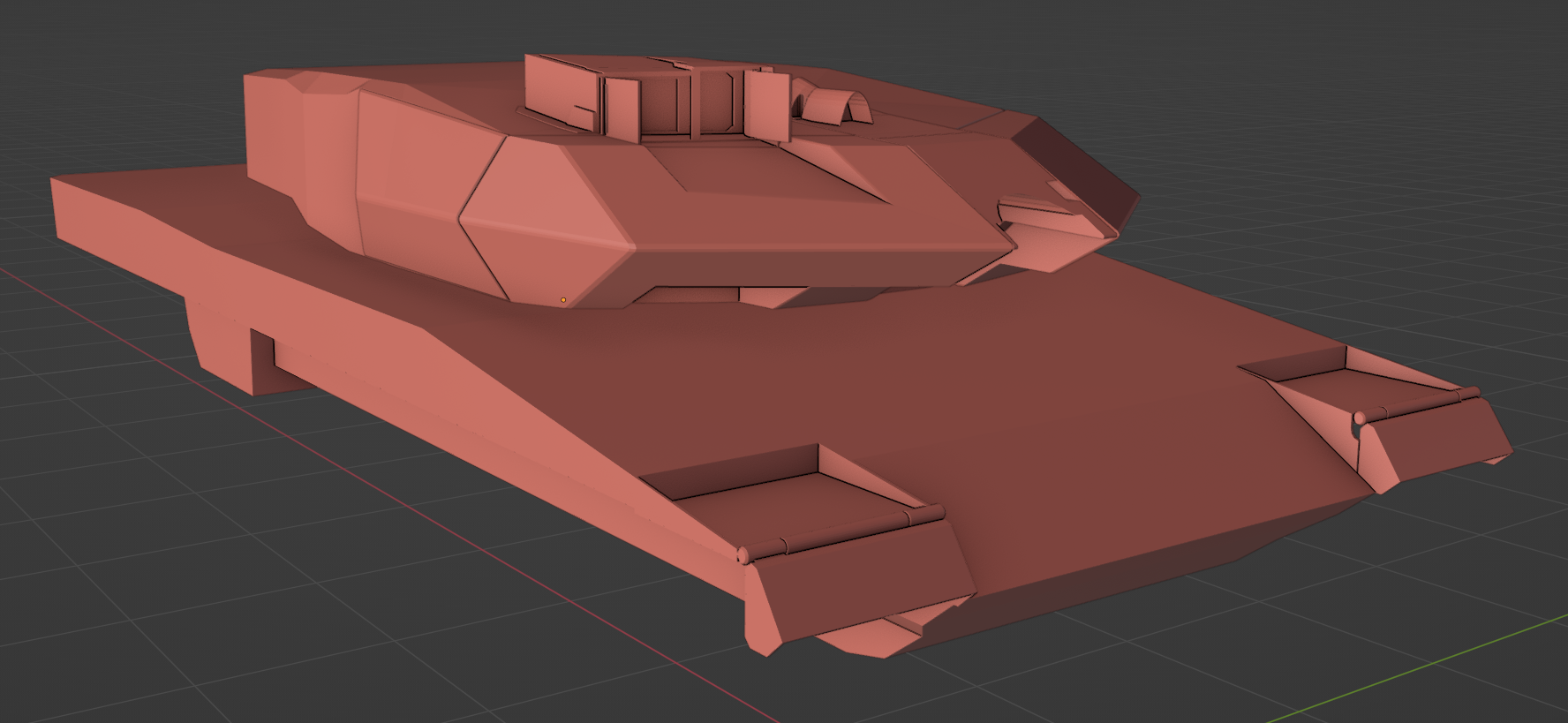
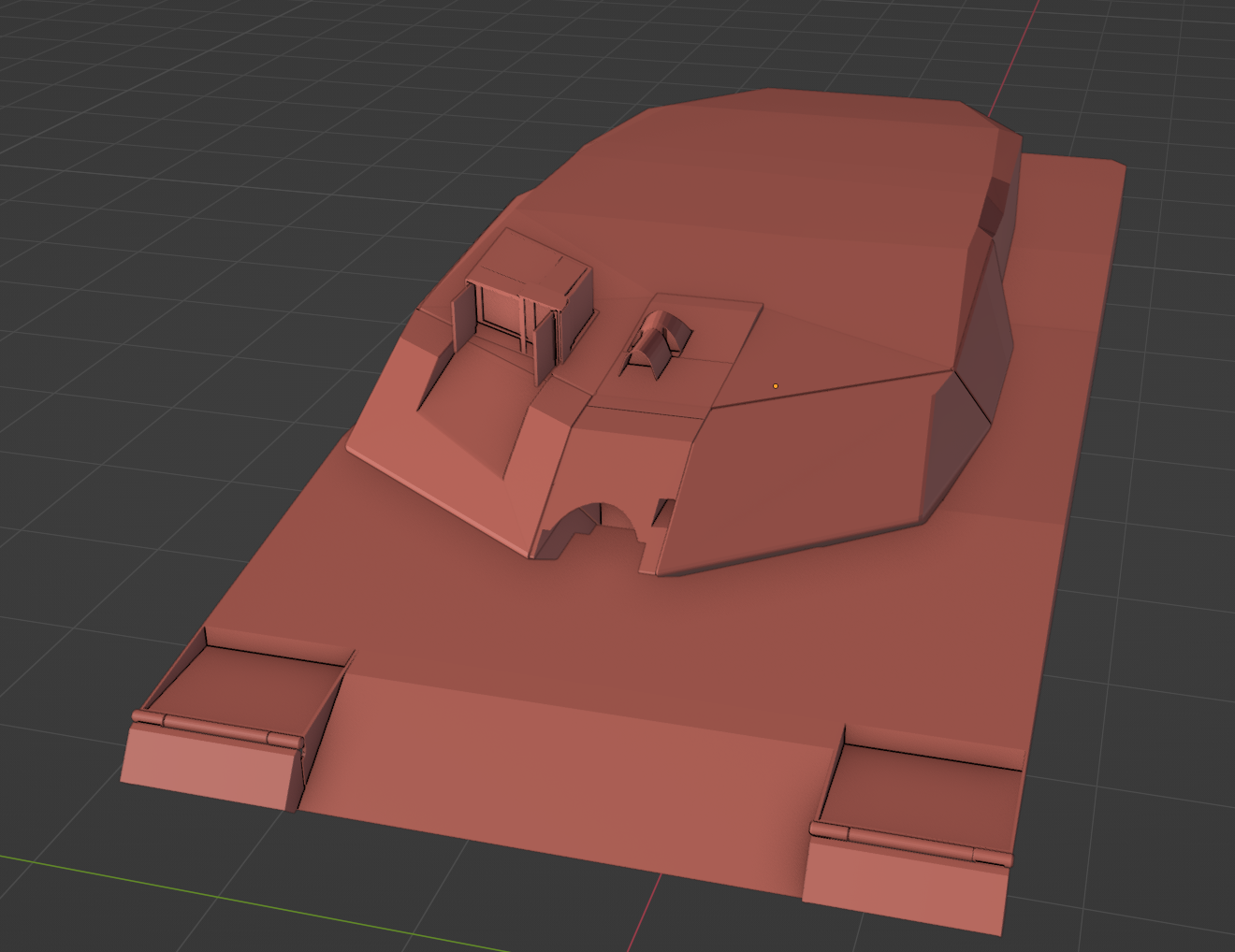

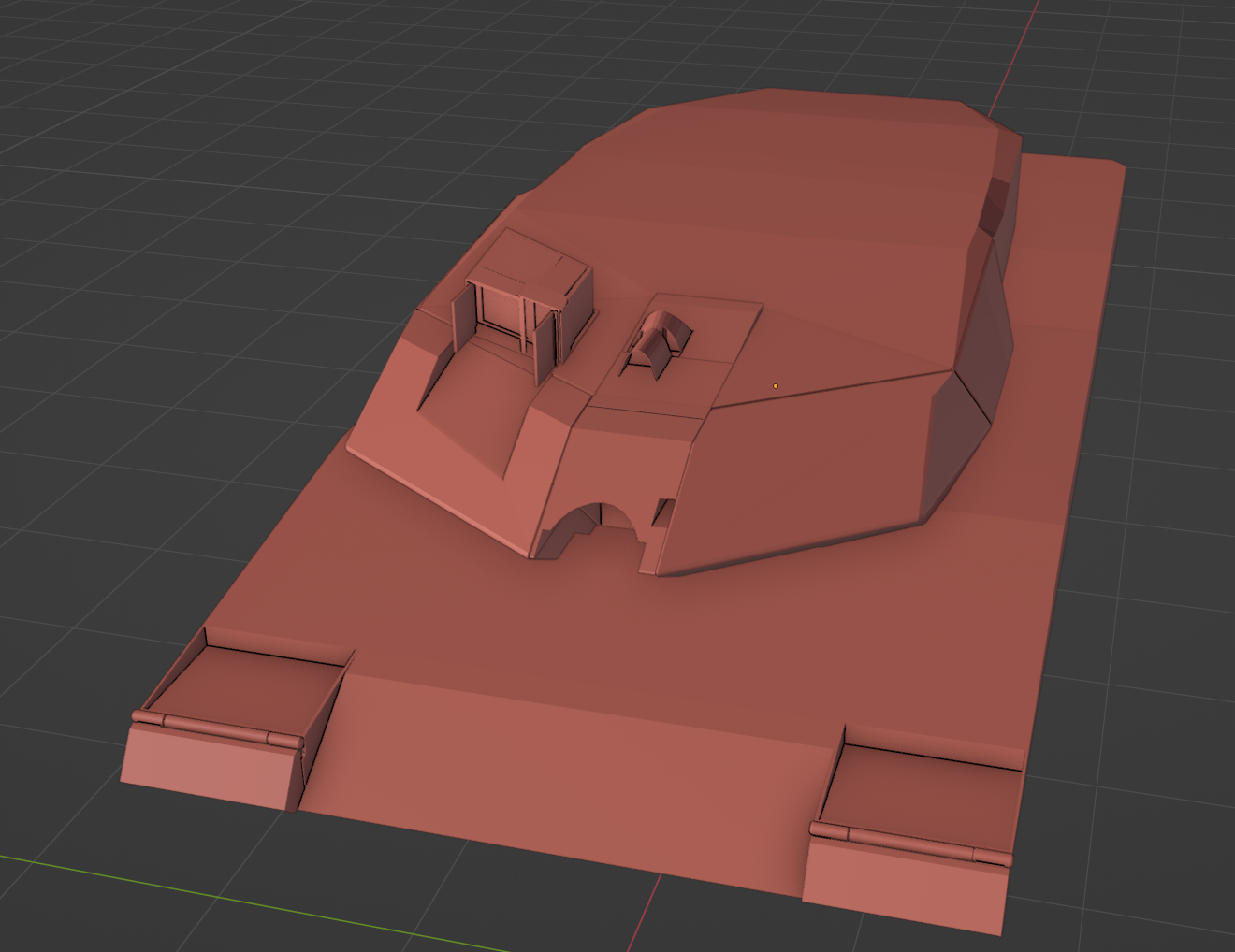
Once I've done all the hard surface modelling, I'm going to sculpt all the small gritty details
simple meteor
Nice work
sly bridge
calm rune
Can we have real world logos on our models or is that copyright infringement?
it is advisable to try and stay away from real brands and logos in general, unless you have permission and/or are not trademarked. You can make your own and still name it using military designations
solemn goblet
pliant bolt
Some progress on my first tank model, kinda to hot in my room to work on it haha...
I'm excited to see how this turns out 🙌
pliant bolt
solemn goblet
I'm excited to see how this turns out 🙌
Thanks, me too haha.
By far my favorite tank out there
solemn goblet
Which tank is this? (I don't know tanks)
calm rune
Behold! the new logo/s LOL
 solemn goblet
Oh nice. West Germany it looks like, so you'll be fighting alongside my Challenger.
solemn goblet
calm rune
Behold! the new logo/s LOL
It works!
calm rune
Anyone know why my legs are still missing when nothing is being override?
 pliant bolt
solemn goblet
Oh nice. West Germany it looks like, so you'll be fighting alongside my Challen...
pliant bolt
solemn goblet
Oh nice. West Germany it looks like, so you'll be fighting alongside my Challen...
Well it's a modern day tank haha, so no difference between west and east. But yes it would be alongside a challanger, u have any pics of urs?
solemn goblet
Ah. Not yet. It's months away.
pliant bolt
Ah oke
fathom bolt
delicate condor
you would need to have permission from the logo owner
You just need to contact the owner and ask, normaly he say yes for free cause its good for him.
chilly dragon
calm rune
Anyone know why my legs are still missing when nothing is being *override*?
Item materials is the wrong section for that. Try adding an empty slot into override meshes to hide
I was talking about it before if you scroll up a little
calm rune
chilly dragon
Item materials is the wrong section for that. Try adding an empty slot into over...
Yeah I was talking about override meshes but I squared the wrong box LOL still isn't working.
chilly dragon
calm rune
Yeah I was talking about override meshes but I squared the wrong box LOL still i...
I don't know what it could be but this is how i set up my tank top model and it works fine
 tidal latch
calm rune
Anyone know why my legs are still missing when nothing is being *override*?
tidal latch
calm rune
Anyone know why my legs are still missing when nothing is being *override*?
if override meshes to hide is empty then override is not engaged
you would need at least one selection there to override mesh hidding - it can be empty as on pic above although I would definitely hide upper part of the legs
calm rune
tidal latch
you would need at least one selection there to override mesh hidding - it can be...
Ty!
zinc wyvern
What do you think so far guys? It's my first proper 3D project
 calm rune
zinc wyvern
What do you think so far guys? It's my first proper 3D project
calm rune
zinc wyvern
What do you think so far guys? It's my first proper 3D project
Pretty gnarly model for your first. Personally I would have tried something like an axe or something small haha!
zinc wyvern
Hmmm... how should I approach the canopy tho?
zinc wyvern
calm rune
Pretty gnarly model for your first. Personally I would have tried something like...
I felt I should do something I'm passionate about
sly bridge
for airframes it is advisable to get some refs that have individual sections along the body. much easier to get it right
zinc wyvern
Well it's hella hard to get that
Usually you can find something on the blueprints site, but it's not cheap for a vector image
sly bridge
for everything you model based on real life counterparts the references are really important to get right
zinc wyvern
can you give me an example of what I'm looking for?
sly bridge
you can find a lot of these for model kits, also see what other games have these done - for everything jets, DCS is the most accurate representation you’ll get in a video game
example of blueprint with individual section along the frame

 zinc wyvern
forg
I don't really see the important difference between mine and this
Except the weapons
sly bridge
i am not comparing this with whatever you found, because i haven’t seen the blueprint, it was more of a general advice.
in the lower left side you have 2 important things - sections along the airframe and a scale bar
zinc wyvern
This is what I'm using
 sly bridge
also this sort of walkarounds are nais to have on hand

Su-25T
zinc wyvern
The fact that there's individual sections in your's doesn't really help me, cuz I still don't know how to approach it
lament solar
You shouldn't start with a jet then
zinc wyvern
But how should I build my way up?
calm rune
zinc wyvern
The fact that there's individual sections in your's doesn't really help me, cuz ...
That is why I said i'd start small. You are taking on a BIG project there. Months if done properly.
lament solar
Yeah especially if you're going to deck out the interior
zinc wyvern
I'm not able to think of things to do before, I'm not knowledgable enough to know what's hard and what's not
calm rune
Someone correct me if I am wrong but I think I read somewhere that some tank models in War Thunder take there artist up too 4 months to be completed.
sly bridge
zinc wyvern
The fact that there's individual sections in your's doesn't really help me, cuz ...
i am not writting just for you here, and approaching modeling can be done in a number of ways
considering this is your first model, it is gonna be a pretty daring experince
zinc wyvern
The problem is there are tutorials o' plenty about blender, but a lot less about how to model