#enfusion_model
1 messages · Page 22 of 1
 surreal ore
 jade swift
Can someone help me mod a shirt? I’ve already made the shirt, but it keeps crashing the workbench. I don’t know what I’m doing wrong, I’m wholly new to this and I’ve been trying to figure this out for hours
 stray bridge
jade swift
Can someone help me mod a shirt? I’ve already made the shirt, but it keeps crash...
stray bridge
jade swift
Can someone help me mod a shirt? I’ve already made the shirt, but it keeps crash...
when does it crash for you?
jade swift
stray bridge
when does it crash for you?
As soon as I go to register and import, it freezes every time at 58%
stray bridge
how many polys? what does the crash log say
jade swift
There is no crash log. It just freezes up. Says it successfully registered but never imports
stray bridge
try applying normals and triangulate it
stray bridge
jade swift
There is no crash log. It just freezes up. Says it successfully registered but n...
so its not crashing?
just not registering
jade swift
Yeah man
stray bridge
nothing in the console?
you are not playing a world m by any chance while importing it?
jade swift
Nope and nope
stray bridge
can you import any other asset
jade swift
I haven’t tried. I’m brand new to this
This is my first mod ever
Using blender as well if that helps
stray bridge
im trying to figure out if its the shirt or smth else rn
jade swift
It’s some sort of configuration issue in blender from what I can gather
I seem to not be making the model correctly or something
I can show you over discord call
I was following a tutorial but it’s outdated or something, I have no clue
stray bridge
yeah no im on my phone, you might wanna post the file or screenshots.
Or maybe someone already ran into the same issue and knows what ur doing wrong
jade swift


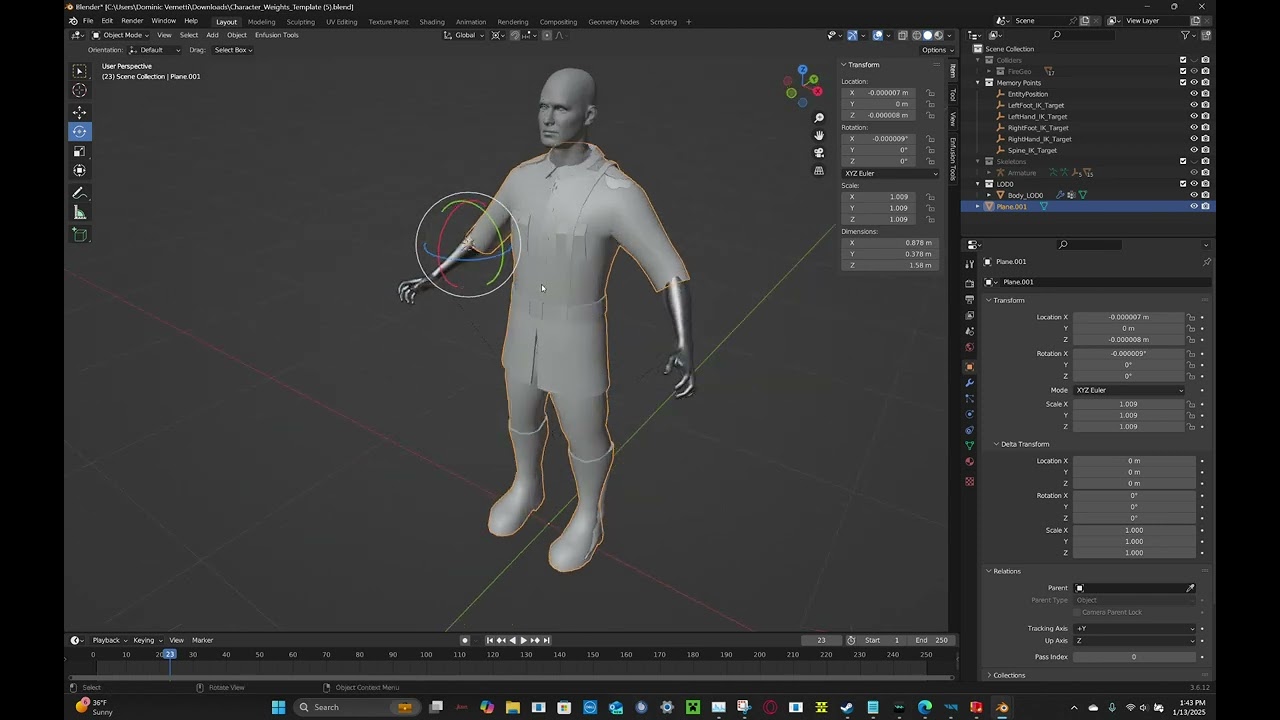
Developer documentation from BI: https://community.bistudio.com/wiki/Arma_Reforger:Character_Gear_Creation/Vest/Asset_Preparation
Link to Arma Reforger base body: https://github.com/BohemiaInteractive/Arma-Reforger-Samples/blob/main/SampleMod_NewCharacter/Assets/Characters/SampleCharacter/Character_Weights_Template.blend
Blender 3.6: https://w...
This is the tutorial I’m using
stray bridge
first of all dont name your files like that. Name it eg „test_shirt“
Are you also exporting your mesh? because on the picture you havent selected it and depending on how you export you might only export selected.
Btw you can screenshot your screen with win+shift+s
jade swift
I don’t have discord on my laptop just yet, was using my phone, sorry
And I’ll try selecting all of it
stray bridge
just press a or shift left click to add to ur selection
jade swift
Nada
stray bridge
hmm probably an easy fix but hard to figure out this way
maybe you get lucky and someone has an idea
jade swift
It’s likely an easy fix, I’m just an idiot at this stuff 😅
jade swift
Oh I’m trying! Really wanna make these shirts for the guys on my server
stray bridge
if its still not working tomorrow you can send it to me and ill check on my laptop whats going on, if you want
jade swift
That would be a godsend
stray bridge
we obv live in different timezones, when you stop working on it and its not working just dm me with the blend file and ill look at it after work tomorrow
jade swift
Already sending you a google drive file with it
Been at this for 8 hours
Sent for whenever you’re available
stray bridge
jade swift
Already sending you a google drive file with it
better just send me the raw .blend file if possible
jade swift
Already did
stray bridge
[Resolved, kinda]
shirt had ~1 million polys
still wont work but its importing now
jade swift
I ALSO HOT IT WORKING WOOOOO
 steel hare
Hej, can you maybe share how one can apply the material to a model? I would also like to use this material myself but struggle to find out how to apply it.
 hexed sandal
I have a problem with hiding body parts. And no, I'm not making clothes, I'm making a body.
I have a fully functional female body, based on the male body, everything works perfect, but when I create the .ET to add it in the FactionIdentity list, the female body and head appears but the “if I wear pants, make the body parts invisible under the pants” factor doesn't work.
I think the problem is in the .XOB because changing the female one for the male one, the .ET works correctly.
The question: is it necessary to add something special to the Blender model to import the body and recognize the hidden body parts?
surreal ore
hexed sandal
I have a problem with hiding body parts. And no, I'm not making clothes, I'm mak...
Is your body separated into different meshes?
hexed sandal
Yes @surreal ore, It is all one object, but it is cut by the corresponding parts. What I don't know is how to define the names of these submeshes.
I read something about Collections in Blender, but it's not clear to me how to do it.
Do I have to make 16 pieces (+16 wounded) with the name of each body part?
Mother of God, I can only say.... “it seems to me the least optimal format for a human body, that I have seen in a long time”.
 hexed sandal
Ready, I also had to tell him No Merge them in the Import Settings/Visual/Mesh Params.
But it's a lot of work, so many pieces + wounded + 5 lods... (16+16)*5=160 objects.
Thanks @surreal ore for the right guidance.
 surreal ore
hexed sandal
Ready, I also had to tell him No Merge them in the Import Settings/Visual/Mesh P...
surreal ore
hexed sandal
Ready, I also had to tell him No Merge them in the Import Settings/Visual/Mesh P...
Shit, I mean't to reply and got side tracked with metabolism stuff.
No merge is what you're looking for.
Glad you found it.
My bad man.
hexed sandal
well, I'm using a Masks trick and duplicate linking the same object... so I'll only be using one repeated object 160 times.
And by using the materials in the Object instead of the Data, I can assign the base and wounded materials and only use 4.
but thanks anyway! 🫡
This is still only half of the LOD0... 
 surreal ore
Yeah, it's a lot lol
 remote palm
Hey! am i right that with the new enfusion engine gun models can be like 50k polys? At least thats what im seeing on vanilla weapons currently. For A3 it was somewhere like 17k right?
 topaz willow
They can be more detailed, yes
Doesn’t mean go nuts with it, but yes, Enfusion can handle higher-poly models
remote palm
nice! 😄
And i was thinking my 23k polys was already too high xd
 fallow pond
23k is probably too little for most weapons tbh
 last parcel
the vanilla m16a2 is 73k polycount with all its parts
remote palm
Yeah, that is also what i thought 😄
I was like comparing them and was thinking that my gun looks kinda worse XD then i tool a look at poly count and it was like massive difference 😄
But coming from A3 17k was already pretty high
fallow pond
you sure its 73???? im pretty sure thats with all the lods and not just lod 0
hexed sandal
the more “decorated” version is 50K for LOD0


 hexed sandal

 sand pagoda
ok
 remote portal
does anyone know how can I edit/ write on the mesh and add the number to the helicopter? I hope I am asking in the correct channel, sorry if not (I am new to the whole modding scene).

 solar heron
steel hare
Hej, can you maybe share how one can apply the material to a model? I would also...
solar heron
steel hare
Hej, can you maybe share how one can apply the material to a model? I would also...
@steel hare do you mean attach the materials back in enfusion or texturing in Blender or Substance?
One maybe dumb question. How i turn on the visualization of LODs in the editor?
remote palm
Just click the LOD and it should display if that is your question?
remote portal
fallow pond
how did you do the roundel?
I duplicated the flag decal of the helicopter and changed the image of the duplicated flag decal and then selected it in the mesh menu of the new helicopter.
solar heron
remote palm
Just click the LOD and it should display if that is your question?
I mean a color overlay like this...that shows the different LODs via Color Overlay...for example LOD0 is Red, LOD1 is Yellow, Green is LOD3 and Vinered is LOD 4

 stray ingot
Is there a tutorial somewhere or can anyone tell me how to animate a door in Blender and Arma Reforge?
remote palm
solar heron
I mean a color overlay like this...that shows the different LODs via Color Overl...
Oh, sorry, i sadly dont know this :/
fallow pond
remote portal
I duplicated the flag decal of the helicopter and changed the image of the dupli...
make a plane like this and import it in to enfusion. a line each vert to follow the part of the helicopter you want it to be at, sub d 1 or 2 times with edge creasing to keep corners straight. readjust mesh, uv unwarp, texture decal.

 midnight path
🤭
 surreal ore
fallow pond
make a plane like this and import it in to enfusion. a line each vert to follow ...
surreal ore
fallow pond
make a plane like this and import it in to enfusion. a line each vert to follow ...
No
fallow pond
whyz?
surreal ore
Use a decal entity
You're suggesting someone make a mesh in blender and manually set its topology to the surface of a vehicle
A vehicle that they can't access the mesh of
meaning manually adjust and reimport a mesh numerous times just to put an image on the side of a vehicle..
fallow pond
he can place it anywhere?
surreal ore
Yes
remote portal
surreal ore
A vehicle that they can't access the mesh of
That's still my problem, i screenshotted the texture of the mi-8 body at 100% and added the text to the vehicle, but because i edited the texture the helicopter is now white and not green and if I change the overlay method to multiply the text which is white will be displayed as grey because of the overlay. So that workaround didn't really work. If i just could edit the mesh, it would be so easy. I have never used blender so that'll be difficult to do, is there any other possible way to maybe create my own decal and place it on my wished location? 🙁

 surreal ore
remote portal
That's still my problem, i screenshotted the texture of the mi-8 body at 100% an...
surreal ore
remote portal
That's still my problem, i screenshotted the texture of the mi-8 body at 100% an...
You're absolutely never gonna be able to touch the mesh, ever. Unless they release them in a licensed data pack in 30 years.
I'm not sure what you're doing wrong but nothing you described makes sense. You should easily be able to screen shot the textures and add writing to them without any of the issues you mentioned..
Actually, I think I understand what you're talking about now. It's specifically related to how multi materials work
remote portal
surreal ore
Actually, I think I understand what you're talking about now. It's specifically ...
yeah thats what i mean, here is what i mean in pictures

 fallow pond
what the numbers?
 fallow pond
is the alpha for the numbers white?
remote portal
what do you mean whit alpha?
fallow pond
 remote portal
ah no, i didn't figure out how to do / find that, i only edited the texture, the .edds file and reimported it

is that wrong? because i followed a video where a guy did the same to add text to a vehicle
fallow pond
you need to add it as the color map
remote portal
how do i add it as the color map, sorry if i am stupid, i am new to modding
fallow pond
the problem is that you are editing a texture map that has multiple types of image. MCR which is macro base color, and roughness. #enfusion_texture
 low sapphire
remote portal
ah no, i didn't figure out how to do / find that, i only edited the texture, the...
low sapphire
remote portal
ah no, i didn't figure out how to do / find that, i only edited the texture, the...
Hi! how do you open textures from the game?
remote palm
low sapphire
Hi! how do you open textures from the game?
This is more a question for #enfusion_texture
 floral cove
After some searching could anyone explain how Land Contacts are setup. So far I have 4 empty objects and they are showing in the model viewer as Land Contacts but they appear to do nothing to the actual model. What am I missing?
this is for a terrain model
 turbid moss
floral cove
After some searching could anyone explain how Land Contacts are setup. So far I ...
turbid moss
floral cove
After some searching could anyone explain how Land Contacts are setup. So far I ...
 floral cove
turbid moss
floral cove
turbid moss
Yeah thats set but its not actually affecting the model
I am assuming that the actual model its self is missing something

 floral cove
Yeah I have LC empty pointers
this is what I have https://imgur.com/a/Nt5Pf2F

@turbid moss ^
apparently having 4 breaks this?
turbid moss
Maybe, i have only used two points
floral cove
up to 3 no more
 whole epoch
When I add childs to a custom prefab , apply to prefab and save it works. But when I "reimport" the parent. The child prefabs are invisible. Any idea?
surreal ore
whole epoch
When I add childs to a custom prefab , apply to prefab and save it works. But wh...
What do you mean by "reimport" the parent?
 fluid sinew
Hihi, Hoping to get some help as I'm kinda lost on an issue that has happened in the mod I'm building (first mod) - I redid some details on the model, applied the scale and after exporting it over my existing FBX, the model is 100x bigger then it should be, the bones are in the right place at the right scale but the model is now massive in the workbench (No change in scale in blender), it wasn't like this before the most recent export and I haven't changed any of the scaling it's all set to Y forward with the Scale and Rotation applied so the model reads 0* of rotation and a scale of 1.000, I've restarted the workbench and checked the scale to make sure it was as the guide said and I'm now lost on what to look for any help would be much welcome.
remote palm
Just do a clean export? Delete the model files in Workbench and mby even some remaining files from your project drive - that could fix it 🤷🏻♂️
Otherwise probably an error on the exporting side
fluid sinew
no change sadly, I'll start a new Project and see if I have pressed something in the workbench
so the only fix I have found was Exporting the model with the Apply Scaling set to FBX All instead of All Local which is Weird given untill now it was set to All Local and working fine.
 wicked dirge
in blender, with the objects selected, go to Object>Apply>Rotation & Scale
you need to do it once, no need to do it with export
 late mulch
Hi all so starting learning the modelling side I’ve got one from blender to tools no worries but second model stops at 58% and refers to debug any idea next step
remote palm
what stops at 58%?? could you show some examples please?
 hazy vault
late mulch
Hi all so starting learning the modelling side I’ve got one from blender to tool...
hazy vault
late mulch
Hi all so starting learning the modelling side I’ve got one from blender to tool...
Just blanket solution to this for me is to triangulate mesh Cntrl+T (doesn’t always work)
 eternal jewel
What would be the ideal poly count for a weapon in reforger?
remote palm
eternal jewel
What would be the ideal poly count for a weapon in reforger?
50-70k i would say - depending on the gun, you can take inspiration from LOD0 of vanilla guns
eternal jewel
Is there documentation on that? Google seems to only show me Arma 3 answers
 shell hedge
Double click a vanilla weapon model in workbench
 thorn veldt
so like i got kinda a dump question im newer to modding but ive got a few models and im kinda just stumped on what to do ive been watching video after video and i have it to arma scale and divided up for bone adding and animating idk if thats something needed to be done
remote palm
thorn veldt
so like i got kinda a dump question im newer to modding but ive got a few models...
Whats your goal and what do you already have done? Once you get for example a gun down in memory, it can usually take you about 20 minutes preparing it for first time import to workbench 🙂
 mortal marsh
Evening, are there are decent tutorial for making buildings for Reforger? Ive got my model in Blender, but ive not worked with colliders before (only ever worked on gear mods in the past)
 brazen shoal
Can someone explain to me why its better to use low-poly models over high-poly models? Im not sure if I understand what low-poly actually is cause from what i have seen, they don't look very great for looks but i'd assume its better for performance and rendering.
stray bridge
brazen shoal
Can someone explain to me why its better to use low-poly models over high-poly m...
exactly
hazy vault
mortal marsh
Evening, are there are decent tutorial for making buildings for Reforger? Ive go...
 hazy vault
https://www.youtube.com/watch?v=HsxtldbcYME)](https://www.youtube.com/watch?v=Hs...
hazy vault
hazy vault
https://www.youtube.com/watch?v=HsxtldbcYME)](https://www.youtube.com/watch?v=Hs...
This tutorial is solid, theres a series. Just doesnt cover how to insert doorways and frames with functioning doors
brazen shoal
stray bridge
exactly
Is it possible to make low-poly models actually look as good as High-poly models without higher poly count?
stray bridge
techniques like normal maps and baking details are used to make low-poly models look high quality without the extra performance
hazy vault
brazen shoal
Is it possible to make low-poly models actually look as good as High-poly models...
Yes, in Substance you can bake a high poly texture onto a low poly assset
brazen shoal
hazy vault
Yes, in Substance you can bake a high poly texture onto a low poly assset
I use blender, what do you mean by "bake"? Sorry im just new to the terminologies used here. Im fairly newer to how to use blender in general. I always just winged it on making any asset I made until I needed to configure it to import into enfusion
hazy vault
brazen shoal
I use blender, what do you mean by "bake"? Sorry im just new to the terminologie...
Baking is essentially the process of the mesh telling the texture where and how to apply. IE: it can apply more dirt on the heavier/Darker curature or AO Spaces
stray bridge

hazy vault
stray bridge
<:duckbread:701876038690537483>
Is that a good explanation?
brazen shoal
Spent about a month making this and its already 1 Gb lol
 stray bridge
hazy vault
Is that a good explanation?
stray bridge
hazy vault
Is that a good explanation?
its bread
hazy vault
stray bridge
its bread
agreed
stray bridge
baked bread
hazy vault
brazen shoal
Spent about a month making this and its already 1 Gb lol
Why? How many verts is it?
 hazy vault
stray bridge
hazy vault
stray bridge
How is it 1Gb?
mortal marsh
hazy vault
https://www.youtube.com/watch?v=HsxtldbcYME)](https://www.youtube.com/watch?v=Hs...
Thank you mate, will look into this! 🙌
 hazy vault
mortal marsh
Thank you mate, will look into this! 🙌
hazy vault
mortal marsh
Thank you mate, will look into this! 🙌
Feel free to DM me if you have any questions, if I dont know the answer I will help you find it
stray bridge
brazen shoal
Spent about a month making this and its already 1 Gb lol
how come you spent a month making this, even tho the exact same model is in the hands of multiple people, did you publish this?
brazen shoal
I was recreating it from another model since Im new to small arms modding so this is the first experience. So I recreated it from scratch as close as possible. Somehow im at 159,940 Verts
Actually somehow I ended up with more verts than the original
huh
I guess that answers alot
brazen shoal
stray bridge
how come you spent a month making this, even tho the exact same model is in the ...
Its because I used one as a reference to make from scratch. I just suck at making things without a reference so I attempted to copy one by hand. That honestly looks just like the one I used as a reference
This is mainly just for my own learning purposes. Vehicles I can do, just not experienced with this
stray bridge
brazen shoal
Its because I used one as a reference to make from scratch. I just suck at makin...
you do you, im just wondering. Why would you copy it by hand and even copy random position, size and even the light
brazen shoal
stray bridge
you do you, im just wondering. Why would you copy it by hand and even copy rando...
Its cause the middle I had the original so I was making my own next to it. I forgot about the light I guess
My own practices are not very practical lol
 brazen shoal
Ill send an updated image eventually. I might just have to scrap the whole thing and redo it as a low-poly version like I was asking about earlier
brazen shoal
stray bridge
you are very good then, hands down
But I am not good no. Its literally just looking at the numbers and mimicking it as close as possible. Eventually I might just get so frustrated to the point that it just ends up as another dead end project of mine once I get to the animation parts of it. That is what im not looking forward to lol
What would be cool is if someone turned my head into a full body for me so I can turn it into a statue. Each time I try making it a body it just turns into the most cursed proportioned abomination lol

 wary inlet
brazen shoal
Ill send an updated image eventually. I might just have to scrap the whole thing...
wary inlet
brazen shoal
Ill send an updated image eventually. I might just have to scrap the whole thing...
Nono this is perfect, start with highpoly, make a low poly version over the top, and then bake all those details, even the low poly version of him doesn't need to be super low poly, use existing weapon polycount as reference, but what will make a huge difference is if you want to include LOD
mortal marsh
Hey, is anybody able to offer me some guidance here? This is the first building ive ever attempted and im getting stuck on collisions
In Blender I have created a super rudimentary shape to use as the collision model but when I get it into the World Builder I have some issues
- If i set RigidBody to Model Geometry I cant get through the gaps for the doors
and if I try to add a geometry, like PhysicsGeometryBox none of it has any collision at all?
Really struggling to find a guide on this 😦


 mortal marsh
Ah ok, when I try to use UCX enfusion tells me that 'convex is not closed' - Is that the right prefix? Im so new to this im not sure what prefix to use!
I did give that a read, but not sure which one to use!
stray bridge
try utm_ also make sure you set a game material etc with the blender addon by reforger tools
pretty straight forward

UTM_ and BuildingFireView as the collider
mortal marsh
Alrighty, will give that a go! Thank you 🙏
 livid hull
also you can open one of Bohemia's building xob files in workbench and look at their colliders to see how they set it up
mortal marsh
Great idea, will do that too! Thanks 🙂
I know this isnt a blender support discord, but I do wonder if I went about this the right way
I sort of created boxes to add a collision model based on where players can/cant go - But would I have been better off using the original model and decimating it instead?
stray bridge
mortal marsh
I know this isnt a blender support discord, but I do wonder if I went about this...
for testing I would just duplicate it or better use the collider tools addon which you can get online (I think its free?), thats what Im mainly using
mortal marsh
Ah ok cool, I'm just learning so plenty of time to mess around with different options so will try that plugin, cheers!
stray bridge
I think the best is to start small and get a workflow and understand how it works
mortal marsh
Yeah, shouldve tried a box or something before graduating to a full warehouse model 😂
brazen shoal
wary inlet
Nono this is perfect, start with highpoly, make a low poly version over the top,...
What do you mean bake? I always seen that term but never understood what that meant. Isn't it just UV mapping?
wary inlet
brazen shoal
What do you mean bake? I always seen that term but never understood what that me...
bake as in bake normal, AO, cavity, height, etc texture maps, these can be applied through shaders to mimic small details that would otherwise be impossible in a game context
wary inlet
brazen shoal
What do you mean bake? I always seen that term but never understood what that me...
https://youtu.be/p-hA5KsY_Yg this video could probably explain it better than me

Head to https://www.squarespace.com/cgmatter to save 10% off your first purchase of a website or domain using code (CGMATTER).
Normal map vs Displacement map vs Bump map... who will win?
patreon and stuff https://www.patreon.com/cg_matter
website www.cgmatter.com
business inquiries or donations :)
cgmatterofficial@gmail.com
This video is spo...
brazen shoal
wary inlet
bake as in bake normal, AO, cavity, height, etc texture maps, these can be appli...
Ah okay now I understand
wary inlet
brazen shoal
Ah okay now I understand
yeah, so atm what you have is fantastic, it just needs to be remade in a lower poly fashion if you plan on making it into mod 👍
mortal marsh
@stray bridge It took about 3 working days to import, but thats done the trick (changing the collider mesh to UTM) thanks a lot mate 🙌
 idle torrent
how to speed run #ip_rights_violations
remote palm
Do you have the “_LOD0” prefix for each cut up piece? Also, is it aligned down the “Y+” axis? Are all the transforms applied? My guess would be that this is your issue. Select all, i think its Ctrl+A and hit "All Transforms"
Then delete the model from Workbench, export again and import again
wary inlet
idle torrent
how to speed run <#105792634995388416>
it looks great, sadly disney are quite tyrannical
mortal marsh
Woah, just found this linked in another channel - @fluid fern this is amazing, thank you for putting this together!
 fluid fern
mortal marsh
Woah, just found this linked in another channel - <@135107111485964288> this is ...
fluid fern
mortal marsh
Woah, just found this linked in another channel - <@135107111485964288> this is ...
thanks
remote palm
Uhh looks interesting! Ill def take a look later today 🙂
thorn veldt
idle torrent
how to speed run <#105792634995388416>
i had to look up what you were talking about yes disney has all there things copyrighted but what i sent is my work so im kinda confused
thorn veldt
remote palm
Do you have the “_LOD0” prefix for each cut up piece? Also, is it aligned down t...
i still have to do _LOD0 i kinda just did the 3d model cause ive never really done anything other than a base 3d model so like all the extra stuff even in blender is new
remote palm
thorn veldt
i still have to do _LOD0 i kinda just did the 3d model cause ive never really do...
Well make sure to have all the required stuff present when exporting - otherwise stuff could break
thorn veldt
i have thrown it into enfusion as the full model and it comes in alright
all the material sets come into enfusion aswell
remote palm
Well, i would say showcase the issue, but im not sure if that is again an IP violation
thorn veldt
id what an ip violation is yet let me read the rules again
ok and i still dont know what is going against IP
nothing ab what i said seems like it went against it
idle torrent
thorn veldt
i had to look up what you were talking about yes disney has all there things cop...
its still the same thing even if you made it. we cannot have star wars on reforger not even the same looking models
thorn veldt
its on 3 so im confused
thorn veldt
i had to agree to the same agrements on 3 as i did here
thorn veldt
see what im seeing is if i modify the peramiters of my model so it looks like that but doesnt im chillin
idle torrent
your model cannot be a replica
it does not matter'
has to be a % different
kinda like what gta had to do with cars
thorn veldt
thats what i just said if i change the parameters of my model then im fine but it cant look how it does now
thorn veldt
but to what you just said gta made models of real cars and called them something else
thorn veldt
idk who they are
idle torrent
@main rapids
thorn veldt
like i said i just started modding bc someone asked me to star wars type things
idle torrent
message him
thorn veldt
to what exactly am i supposed to say?
idle torrent
ask for his guidance on your situation
 main rapids
what
Oh, I am not apart of Galactic Forces, just help admin their server. But I can dm a server invite to their mod server
thorn veldt
thats up to you
mortal marsh
Does anybody know how I can translate the movement axis arrows against the terrain instead of the object?
Feel like there must be a shortcut for it
remote palm
How can i achieve the same collider setup like for example the AK74? If i import mine it says "Collider is not valid" (i intentionally made it not work.. :D) - if i convex hull it then it breaks the shape 😦


 fallow pond
is it manifold?
surreal ore

 void field
mortal marsh
Woah, just found this linked in another channel - <@135107111485964288> this is ...
void field
mortal marsh
Woah, just found this linked in another channel - <@135107111485964288> this is ...
Sharing the love here. This is excellent work. In fact, I reckon that should be pinned.
surreal ore
surreal ore
I meant to add context here and got side tracked.
Not sure what you've done but, try to remove the triangulation before exporting.
mortal marsh
This is the first thing ive ever modelled for Enfusion - I appreciate its no work of art, but for me (who started about a month ago) this is the culmination of all the help I've had in here and from the Arma community.
It's the famous SAS Clocktower and the start of an RAF Hereford/Credenhill map that I'm making for my unit and I fully intend to share every aspect of it with the whole community!

 delicate condor
No star wars content here. Thanks. If questions, contact Disney.
remote palm
fallow pond
is it manifold?
What do you mean with “manifold”?
remote palm
surreal ore
How did you do it? 🙂
surreal ore
remote palm
What do you mean with “manifold”?
Geometry where every edge is connected to only two faces.
surreal ore
remote palm
How did you do it? 🙂
I created it and import it.
I didn't do anything special.
remote palm
Well i just used a cube and did like three loop cuts, moved the verticies and the triangulated - ill try that one again
remote palm
surreal ore
Geometry where every edge is connected to only two faces.
Fixed, thank you very much! 🙂
 lethal frigate
https://cgaxis.com/physical-2300-pbr-special/?utm_source=Facebook_AD&utm_medium=orange&utm_campaign=Physical+2300+PBR+&audience=new_customer&utm_id=6636570889983&utm_content=6668297907383&utm_term=6636570890383&fbclid=PAZXh0bgNhZW0BMABhZGlkAAAGEJriWD8Bpuyo690QGHMof6DMcu_B7ihAilzNQDRSo5DwZO5M8DdL2UFy_9vIxY92kQ_aem_XZR7wRnTDWy22cJOMS3guw 2300 pbr textures for sale i think this can help people who model buildings and stuff like that
PERSONAL FLASH SALE Get 2300 PBR Textures from the Physical Series. Ends in… Learn More Buy Now – $49 WE’VE NEVER DONE THAT BEFORE. 23 FULL collections included! CGAXIS PHYSICAL SERIES THE BEST PBR materials on the market today. Basic sphere shape Using any 3D software Textured with Physical. PBR material Included in the Physical…
Idk why link is like that it popped up as ad
mortal marsh
Does anybody know what might be causing my model to appear with missing faces once imported into Enfusion?
Ive checked the normals, the faces are all showing as blue in Blender and all faces have been triangulated
Im stumped!


Nope nevermind
Im an idiot, I was looking at the faces for the collider and not the mesh
most of them are flipped the wrong way


Just leaving this here incase anybody has the same issue in the future
Blue faces - Correct
Red faces - Need flipping!
 faint wyvern
does anyone know how to make tank tracks move
thorn veldt
delicate condor
No star wars content here. Thanks. If questions, contact Disney.
figured that out already
fluid fern
Hey all,
we still can't tell, or are the faces too thin? knowing that in my bsp validator on blender, I set small face to 0.001 m2.
RESOURCES (W): Face is too thin. Face 1465. BSP geometry 'BSP_01' RESOURCES (W): Face is too thin. Face 1747. BSP geometry 'BSP_01' RESOURCES (W): Face is too thin. Face 1759. BSP geometry 'BSP_01'
 sly bridge
fluid fern
Hey all,
we still can't tell, or are the faces too thin? knowing that in my bsp...
sly bridge
fluid fern
Hey all,
we still can't tell, or are the faces too thin? knowing that in my bsp...
generally speaking (as a non blender user) it means there is a very thin triangle someplace
or, is this is this about BSP Geometry ?
fluid fern
sly bridge
or, is this is this about BSP Geometry ?
Yep its BSP geometry
sly bridge
fluid fern
Yep its BSP geometry
so it is either the same thing (geometry) or the distance between faces is too thin...
fluid fern
sly bridge
so it is either the same thing (geometry) or the distance between faces is too t...
Yep, I understood the message, but what I find surprising is that the validator doesn't give me any, but it doesn't matter because the bsp still works.
hexed sandal
fluid fern
Hey all,
we still can't tell, or are the faces too thin? knowing that in my bsp...
Try this in edit mode:

it doesn't solve it, but at least you see where you are going wrong. 
 stray crater
mortal marsh
Just leaving this here incase anybody has the same issue in the future
Blue fac...
stray crater
mortal marsh
Just leaving this here incase anybody has the same issue in the future
Blue fac...
Just so you know, you can add this to your quick favourites instead of finding it. Wayyyy faster this way
mortal marsh
Thats good to know! Cheers 🙂
stray crater
Glad to share 😁

 pliant apex

 stray bridge
personally I would use sculpting mode
putting armor this close to a body generally isnt smart btw, if you are wearing anything else e.g a shirt it will clip
leave enough space for shirts, maybe jackets etc
 tidal latch
 spiral hedge
well, best is to write to #enfusion_blender_tools
spiral hedge
tidal latch
well, best is to write to <#976042826091622420>
Fixed: Had to reinstall the tools.
 reef sun
Did anything change on the character model? I cant use my custom player model anymore, not even the character template directly 
shell hedge
In main branch? My custom character zombies seem to work
reef sun
The old ones work, but if I try to copy and reimport the old one it crashes
reef sun
shell hedge
In main branch? My custom character zombies seem to work
Can you test with your zombies? Just quick copy, paste, import as new model, add to new identity and try to play? 
reef sun
yeah but you still need to add that to the identity no?
reef sun
You have a custom head and body mesh right?
shell hedge
Yes
reef sun
So where do you put the head mesh
reef sun
 reef sun
Take the body mesh and import it again with new name and add to a new body prefab and add that to the identity and try to play
shell hedge
Oke standby
Works

No wait
You said play
It blew up
So likely not your fault because my mods are perfect
I even copy pasted the import settings
Oh no what did you do to my workbench

Okay but my previous character also crashes on play now
Maybe it always crashes?
reef sun
Only when I have the new model in world
shell hedge
It does it for me with the old model also
reef sun
reef sun
My custom one crashes when I add it as identity and the character_template 1:1 import crashes on play
shell hedge
Can you see if it crashes when you plop character via GM instead of starting world with it?
reef sun
Still crash
reef sun
I dont know if thats good or not
So I cant fix it 😦
But thanks for testing
But the weird thing is the head works, its only the body
hazy vault
what is "High Poly" or will affect performance in game for buildings? I know Arma 3 was 250K was really high poly, are we in that same range?
shell hedge
It can be fine if your LODs are good
 hoary gazelle
https://i.imgur.com/zopYVFw.png What is the best way to scale a weapon for accurate proporsions?
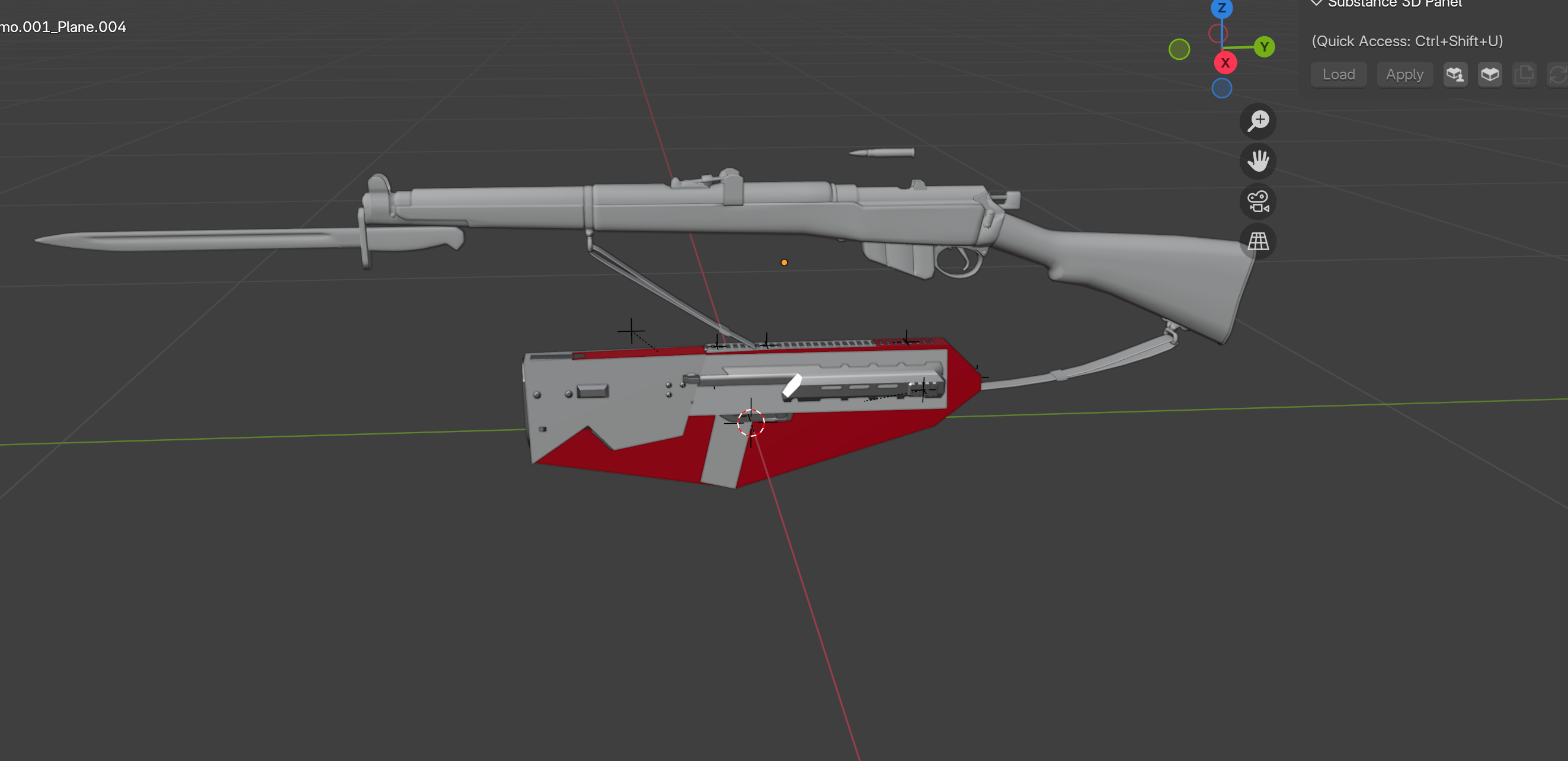
i can never seem to get the size right when im in the game
whole epoch
hoary gazelle
https://i.imgur.com/zopYVFw.png What is the best way to scale a weapon for accur...
Look up the actual length online and use the ruler tool in blender to match it up? Maybe there is a better way, I'm a noob
hoary gazelle
yeah thats why i imported the sample gun to measure it, but still looks off.. really wish they made a tutorial on this haha
whole epoch
hazy vault
what is "High Poly" or will affect performance in game for buildings? I know Arm...
Also wondering this. Regardless of LODs, can enfusion handle more high poly objects?
shell hedge
hoary gazelle
https://i.imgur.com/zopYVFw.png What is the best way to scale a weapon for accur...
If your weapon has correct proportions but bad scale you can do a 200 iq pro gamer move and load a bullet of your weapon's caliber into your project with correct scale and uniform scale down/up your weapon until the bullet fits snugly in the barrel
hoary gazelle
shell hedge
If your weapon has correct proportions but bad scale you can do a 200 iq pro gam...
can you scale it in the editor? https://i.imgur.com/NJWNTXy.png cant seem to find it hehe
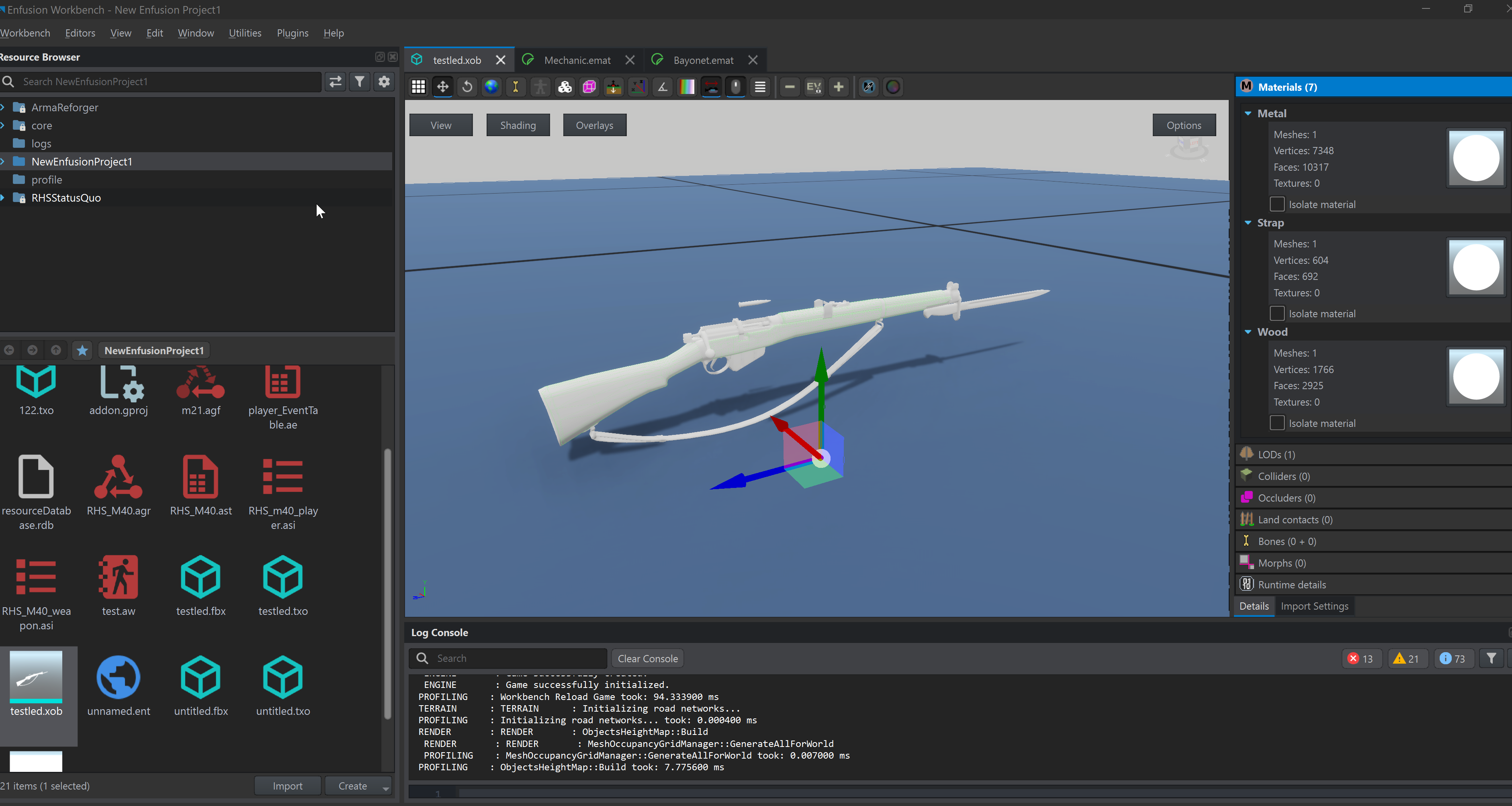 shell hedge
Yes but dont do that and scale in blender instead
hoary gazelle
shell hedge
Yes but dont do that and scale in blender instead
thanks, will try more 😄
wicked dirge
make sure you apply the scaling through object>apply>rotation&scale before export
 polar dew
Hey is it possible to somehow disable the portals from a vanilla asset? I have this entrance from the vanilla castle tower which leads into a cave (with a cave probe & volume), but I think because a portal is there, the game thinks that light should come in from there, which looks really irritating.

 waxen turret
Im trying to import a new object into reforger and in blender is shows x amount of vertices but when I import it into the game it shows 4.7x the amount of vertices. Anyone know what would cause this?
topaz willow
If the model is not already triangulated in Blender, then importing into Reforger will triangulate it. That or it’s something else
sly bridge
topaz willow
If the model is not already triangulated in Blender, then importing into Reforge...
vertices should be the same nevertheless
topaz willow
oh, fair, wasn’t thinking
 mint summit
Why do the rocks lose their collision capabilities when upscaled and how do I fix it?
shell hedge
They dont, the collider just doesnt perfectly cover the rocks and scales differently
The "fix" is to not scale statics beyond a few percent
They look ugly when bigger anyway, lose detail
 deft spear
hi i have vehicle all and everything goot but steering wheel animation from sample car
how to make animation for vehicle
wicked dirge
waxen turret
Im trying to import a new object into reforger and in blender is shows x amount ...
@tidal latch can confirm but I think reforger splits the verts at sharp edges for vertext normal reasons, so the more sharp edges you have the more vertex count discrepancy you will have. It should do nothing negative for performance, its still exact same model
tidal latch
yea, its like that pretty much
 civic holly
Has anyone come across an issue with their model causes the inventory character to go invisible? For context I have a helmet model and even just using a basic helmet prefab duplicate replacing the model breaks the character you see when you open the inventory (is all goes invisible) . It’s not material related as even applying other materials still causes the issue.
 cloud rampart
Arma 2 samples are free to use and modify to make a mod in Reforge?
 keen fossil
Is there a model that is essentially a thin flat floor with the “terrain” texture on top? By terrain texture I mean like what a retaining wall grass has, bunkers and airfield things have. If there isn’t one available to import, how hard would it be for a me to do with 0 experience in this. I learn quick if I have a good tutorial.
Edit: it would be to help hide underground bunkers and tunnels when the retaining wall grass prefab is too big and won’t want to resize it.
 lost jackal
Hey friends, first time posting here. Hoping y'all can help me out. I got the error message below when trying to import some FBXs. Not sure how to correct it.
 solar heron
lost jackal
Hey friends, first time posting here. Hoping y'all can help me out. I got the er...
solar heron
lost jackal
Hey friends, first time posting here. Hoping y'all can help me out. I got the er...
Can you show a picture from your 3d Model in Blender? Something is wrong with the Colider
lost jackal
solar heron
Can you show a picture from your 3d Model in Blender? Something is wrong with th...
Thanks for the reply! Here is a screenshot of the collider that's failing:

Compared to this section that imported successfully:
 turbid moss
Try triangulate it again
lost jackal
turbid moss
Try triangulate it again
No dice. I'll just try re-exporting from Plasticity
turbid moss
This propably show bad place, select all, select and follow.

 merry topaz
when making a model should you make it into FBX or GLTF?
hoary gazelle
anyone dealt with a magazine losing its original position when detaching the mag? but re inserting it does it correctly
lost jackal
turbid moss
This propably show bad place, select all, select and follow.
mystery solved: bad geometry in my model from Plasticity. thanks for your help!

 cyan girder
hoary gazelle
https://i.imgur.com/zopYVFw.png What is the best way to scale a weapon for accur...
cyan girder
hoary gazelle
https://i.imgur.com/zopYVFw.png What is the best way to scale a weapon for accur...
triggers tend to be of similar size
cyan girder
hoary gazelle
anyone dealt with a magazine losing its original position when detaching the mag...
That's caused by the slot_magazine offset not being the same in the animation as it is in the default model. They need to be in the same position. Its moving relative to it.
hoary gazelle
cyan girder
That's caused by the slot_magazine offset not being the same in the animation as...
i see. Do you know if it's possible to edit the animation from the default one? i looked a bit yesterday and couldnt see a copy option for animation
remote palm
what do you mean? slot_magazine is your memory point.
I set it up like this: i have a slot_magazine and a snap_weapon. snap_magazine for export of weapon model, and snap_weapon for export of the magazine model.
Then you should not have any issues. Works perfectly for me every time
tidal latch
are you using m21 anims?
remote palm
tidal latch
are you using m21 anims?
It does not look like M21 anims he is using - or either heavily edited. But regardless, you should always have a snap_magazine and snap_weapon memory point in the rig, that will make the correct snapping of prop.L 1000 times easier. I have great results that way
hoary gazelle
ah yes i do have slot for the magazine. Im using the RHS mod as a base from the m40 bolt action sniper rifle and i followd the slots there. it didnt have a slot_weapons. I have tried to move the slot_magazine around but. But as @cyan girder mentioned about offset im not sure if im understanding what i have to do here, is it a model thing from blender or something i gotta do in enfusion?
 remote palm
hoary gazelle
ah yes i do have slot for the magazine. Im using the RHS mod as a base from the ...
remote palm
hoary gazelle
ah yes i do have slot for the magazine. Im using the RHS mod as a base from the ...
Wait, your snap_weapon and snap_magazine are not at the same spot? Do it like i have. Otherwise just text me and ill try to call you once im home again
And if you use anims from for example RHS and dont have root access, it can be a problem. You’ll ofc have to adjust them all to your weapon. Theirs only setup for their weapons
So, i export “snap_weapon” with my magazine and import the model again in workbench so that the memory point is present. I export my weapon with all my memory points but not with the “snap_weapon” for that i have “snap_magazine” - both memory points are at the exact same spot. So for you it is probably the magazine point
And in the animation you also have to make sure that prop.L is properly animated - this could also be the cause of your issue
cyan girder
Yes this is a different model but the point remains the same. Do you see the 'slot_magazine' snapping point here on the HK33. That is what offsets the magazine mesh in relation to animated bones. So the first thing is that the weapon in the animation blend file and the weapon blend file need to have that in the exact same position relative to the W_root bone.
You mentioned you are using an animation from RHS, this is where it gets tricky. Basically, you'll need to move that snap point to a similar position as the animation wasn't made for your weapon in particular. Check out in the editor where you can view the weapon bones to see where they put it and try to approximate where you should move it. Might take trial and error.
 hoary gazelle
Thanks a lot guys for trying to help ❤️ @cyan girder @remote palm. But as I do agree that it's more difficult to use RHS as a base. So, I think I should rather try editing it from scratch (or use a sample mod as a base from GitHub?). I only wanted the bolt-action animation since I haven't seen any tutorials on animation yet, so I wasn't very confident in it. 😂 But I did see that there's a planned event for it, so hopefully, I can learn from that while practicing the modeling part Hehe.
remote palm
hoary gazelle
Thanks a lot guys for trying to help ❤️ <@141363766595026944> <@55925150155879...
Yeah, you should use sample mod from github - there you have all the vanilla reload anims.
Also, i did a short video showcasing the NLA animation editor in blender - mby that could help you as well
https://youtu.be/7NKsGi8nHNk
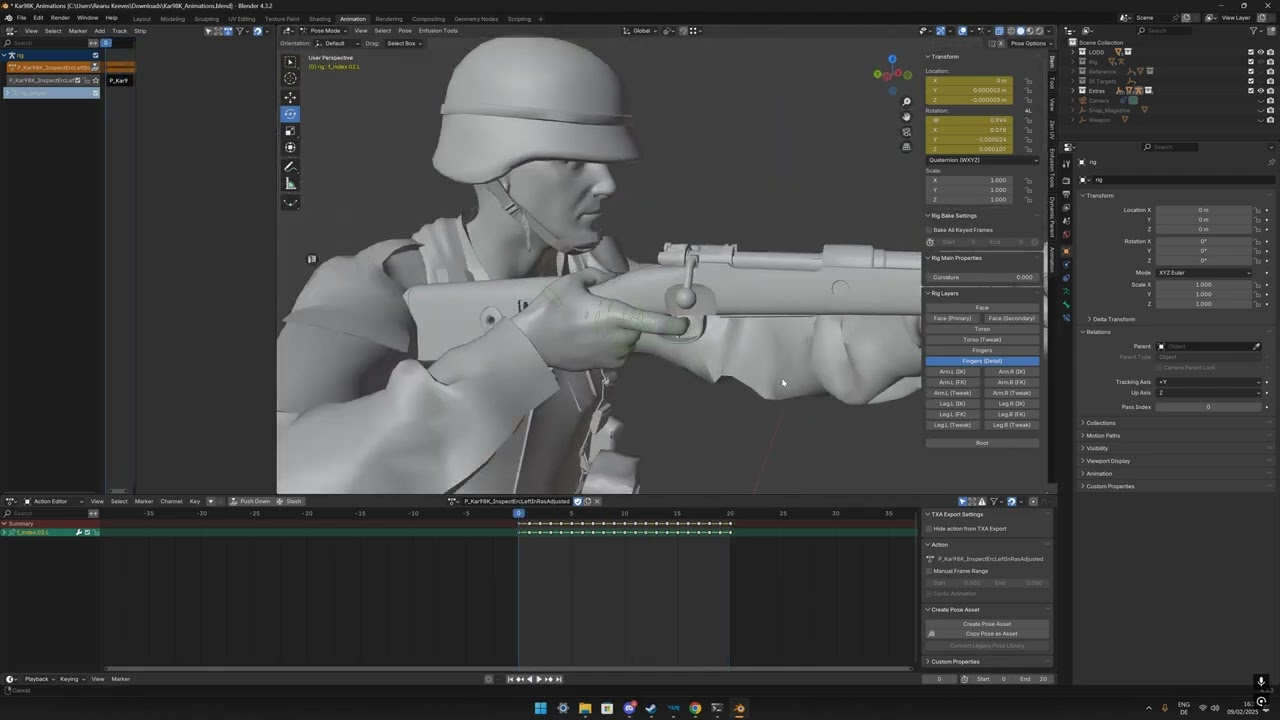
Hey! Very rough video showcasing how i use the NLA Editor of Blender to change the vanilla inspection animations. Im not super experienced with animations and Blender, but this has worked pretty well for me. I thought why not share it with everyone.
hoary gazelle
ooo nice will check it out!
remote palm
Im also planning to release a new video using an addon to make it even easier - but i want to finish my animations first xd
hoary gazelle
understandable😎
sly bridge
@torn quest don’t. unless you made these models, don’t
 torn quest
sly bridge
<@1020452069586522185> don’t. unless you made these models, don’t
torn quest
sly bridge
<@1020452069586522185> don’t. unless you made these models, don’t
Can I ask why?
sly bridge
torn quest
Can I ask why?
why what?
torn quest
I mean I bought most of them but there are some that were free
torn quest
sly bridge
why what?
Why I can’t offer them for mods
sly bridge
torn quest
I mean I bought most of them but there are some that were free
if you bought these, you own the license for these. You and you alone
in general same with downloading, you agree to a certain license on download
torn quest
I’m not good at modding so I was gonna offer them to someone to make a mod with lol
sly bridge
when you buy a digital asset, you buy a license to use it. all licenses prohibit re-distribution. You do not own the files
sly bridge
torn quest
I’m not good at modding so I was gonna offer them to someone to make a mod with ...
cannot happen, you cannot offer something you don’t actually own
torn quest
Even if it’s a Royalty Free License?
cyan girder
torn quest
Even if it’s a Royalty Free License?
Yep. BI is really strict about this. Effectively they are trying to prevent GTA5 style paid mods. If you could buy the mods and pass them on to a modder, then that means in theory the following setup could occur:
- The first guy who doesn't do modding but gets paid for it by third parties.
- The second guy who does the modding but isn't paid for it.
It would be a loophole around BI's "you can't be paid to make mods" rule.
torn quest
cyan girder
Yep. BI is really strict about this. Effectively they are trying to prevent GTA5...
That explains it perfectly. Guess now I’m gonna learn modding lmao. Fml
remote palm
Also, it is so nice to mod yourself and see your mod grow over time. I have now about 5 weapons which only need slight finishing touches to them. Then they are done for release on the workshop. It catches you in a very nice way. And since its even easier then A3 with all the documentation, its just great.
And you can always be sure that either people from the DC or devs will help you with questions. Really a lot of helpful people here!
torn quest
remote palm
Also, it is so nice to mod yourself and see your mod grow over time. I have now ...
I have about 10-20 models just sitting around lol. Definitely gonna add some twisted looking mags I have for 5.56 for the Barbie’s out there. Got a hello kitty PMAG for them.
Then I’m going to absolutely lose my mind again trying to mod🤣. Made some mods for SPT and that was tricky enough lol.
remote palm
If you start with one model, implement it and go to the next, the setup will become muscle memory. I dont even have to take a look at the wiki anymore on how to properly rig and setup memory lods 😄
It just comes with time and training. Have been modding for reforger now for about 4 months. 2/5 months of learning, watching videos, tinkering around and asking questions, and the rest with actually implementing my guns
remote palm
torn quest
Then I’m going to absolutely lose my mind again trying to mod🤣. Made some mods ...
I would say working with unity is way harder then enfusion. Enfusion is made for modding - EFT is not
torn quest
remote palm
I would say working with unity is way harder then enfusion. Enfusion is made for...
My brother. SPT was HELLISH for me. I made a mod that had like 600+ individual ID’s for custom loadout guns for a trader. The sheer time it took to assign all those ids killed me.
solar heron
Someone knows how its possible to add a working ladder to your model?
turbid moss
Yes, make ladder to your model and just add ladder component and actionsmanagercomponent + some navlink if wanna ai use them to models prefab
lost jackal
solar heron
Someone knows how its possible to add a working ladder to your model?
I have found that it is a lot easier to duplicate an existing ladder prefab and replace the meshbody. Then adjust the points in actionmanagercomponent. For whatever reason, ladders and doors always give me a hard time building from scratch
lost jackal
solar heron
Someone knows how its possible to add a working ladder to your model?
Also make sure your model has a UBX_Ladder collider
faint wyvern
does anyone know what collider is used for a bridge or something that will hold vehicles driving over
stray bridge
faint wyvern
does anyone know what collider is used for a bridge or something that will hold ...
buildingfireview works
faint wyvern
stray bridge
buildingfireview works
thanks man
lost jackal
faint wyvern
thanks man
I just use Building there is also a special component for Ai to recognize the bridge as a road. I forget what it's called, but I believe "bridge" is in the name
 young wolf

 faint viper
So im wondering, i have a custom skeleton with custom animation, and im working on having a IA character or at least create it, when i give it the identity that forces me to choose his head and body is there a way to just put a model that was imported?, or do i have to devide the models in 2 part? Or how do i make my model to be usable for that type of thing?
for the .et format

 ancient walrus
hey keep us informed how you get along , it was said Custom Skeleton on Chimera or Player would not be liked by the Game Engine , if you manage it this would be great . @faint viper .
to test you can change the XOB in the animation editor to your model and add new anm etc
faint viper
ancient walrus
hey keep us informed how you get along , it was said Custom Skeleton on Chimera...
I’ll work on it and let you know
hazy vault
turbid moss
Yes, make ladder to your model and just add ladder component and actionsmanagerc...
Can the ladder be apart of the model and using the collider it defines where the ladder is ? Or does it need to be a separate prefab
faint wyvern
does anyone know how to use the engineer truck in workbench it seems to not let you start building from the back
turbid moss
hazy vault
Can the ladder be apart of the model and using the collider it defines where the...
I added ladder component to a2 cranecon model and it work good enough. It dont need collider to it.
 hazy vault
turbid moss
I added ladder component to a2 cranecon model and it work good enough. It dont n...
hazy vault
turbid moss
I added ladder component to a2 cranecon model and it work good enough. It dont n...
awesomee thanks
shell hedge
Okie so how do I collider on clothing in a way that it works
sand pagoda
shell hedge
Okie so how do I collider on clothing in a way that it works
parent collider to a bone via bone parenting and not skinning
 sand pagoda
shell hedge
<:crypeepo:804561165677101106>
sand pagoda
shell hedge
<:crypeepo:804561165677101106>



 shell hedge
Actually it seems to work but doesnt show up in collider debug
Enfusion trolled me once again
 stiff reef
If a model is divided in multiple meshes it's worse for the performance than having the same model with the meshes joined togheter before importing it in Enfusion?
remote palm
stiff reef
If a model is divided in multiple meshes it's worse for the performance than hav...
You can and should leave them separated. Giving them the suffix “LODx” will tell Enfusion that these parts belong together. “x” standing for the resLOD
But it also depends on the parts, mby you can join some - for that you could send a screenshot of your model
civic holly
Does anyone have a poly limit/guide for enfusion. I’ve done vehicle and LOD0 is sitting around 90k.
topaz willow
Best thing to do is look at existing meshes in Reforger to eye around what it should be
 tepid cloak
mortal marsh
This is the first thing ive ever modelled for Enfusion - I appreciate its no wor...
tepid cloak
mortal marsh
This is the first thing ive ever modelled for Enfusion - I appreciate its no wor...
Love to know if you have a guide man. ive made in game assets for dayz but im new to reforger enfusion
faint viper
ancient walrus
hey keep us informed how you get along , it was said Custom Skeleton on Chimera...
hey mate, i just saw ur video on the showroom, may i ask something to you in dms, because i was working on the animation graph and had few questions but ur dms are blocked thanks
lost jackal
civic holly
Does anyone have a poly limit/guide for enfusion. I’ve done vehicle and LOD0 is ...
Not sure about the mesh body itself, but colliders are limited to 65,535. More details under "Collider Shape" https://community.bistudio.com/wiki/Arma_Reforger:FBX_Import
lost jackal
civic holly
Does anyone have a poly limit/guide for enfusion. I’ve done vehicle and LOD0 is ...
May be worth dividing your model into separate components. Or use multiple colliders with lower poly counts.
solar heron
Finaly i added my own Hedge Model i wonder there is no one in the game.
Polycount is pretty high in LOD0 to match the Game Assets.. LOD1, 2 are good compromisses between performance and visuals... LOD 3 is very low poly. Colider is Setup to Tree Crone and PROPFIREVIEW because with Bush i dont have flying leaves when shooting
 remote palm
solar heron
Finaly i added my own Hedge Model i wonder there is no one in the game.
Polycou...
remote palm
solar heron
Finaly i added my own Hedge Model i wonder there is no one in the game.
Polycou...
Its looking really good! Would you mind showing your blender model via screenshot? I always wondered how you make grass/bushes/trees
solar heron
remote palm
Its looking really good! Would you mind showing your blender model via screensho...
Thank you mate.. I can do it later.. Iam not at the PC at the moment.
Basicaly i made a Master Branch in Photoshop and put this on a plane... Added some loop Cuts to bend and Twist the the Branch in a natural way. Then i made a Cube with some strong bevels and put a hair modifier on it... Used the Branch Model as the Hait Object...scattered around 300 times over the Cube with some Rotation and randomizing.
The i added two more cubes inside the other Cube to make the hedge inside more dense... On the Cube itself i put a more finer and denser Branch texture with opacity Mask on it... so you can only barely Look trought the hedge if you stand next to it.
 manic maple
How would i go about creating a scene of props? IE.. id like to bunch some props together and create some scenes of props i can then simply place down within my scenario layers
solar heron
remote palm
Its looking really good! Would you mind showing your blender model via screensho...
The Model has 3 Parts .. the Very inner box, the inner box and the outer leaves. shaders look ingame much better. just visualization for editing

 remote palm
solar heron
The Model has 3 Parts .. the Very inner box, the inner box and the outer leaves....
remote palm
solar heron
The Model has 3 Parts .. the Very inner box, the inner box and the outer leaves....
Looking good! And i like the Deutsch there :=)
How did you create the LODs? any secret tip on that?
Still have not figured out how to do LODs in Reforger - in A3 it was easy
solar heron
remote palm
Looking good! And i like the Deutsch there :=)
How did you create the LODs? any ...
🤣Yes its everytime a Mix out of german and english.
I just made the Lods via decimate Modifier..
Mesh_LOD0 without Modifier
Mesh_LOD1 with 0.9 decimate and so on... The naming is important
remote palm
Yeah ik that 😄
Ill try it! What settings did you use for decimate? and whats your go-to values for something like 1-5? that would be cool to know 😄
solar heron
Dont changed the settings. Used collapse... But depending sometimes on the model... Just Look what works the best... I used
0.9
0.75
0.65
0.4
0.1 or something like that. Just look and decide...if the models breaks apart try a higher value..
remote palm
But you dont retopologize the decimated stuff, correct? I always try to keep my quads 😄
stray bridge
remote palm
Looking good! And i like the Deutsch there :=)
How did you create the LODs? any ...
instaLOD is a program that does it for you, im not an expert on this LOD field but imo its fairly good and automatically does it for you
you might wanna have a look and its free
remote palm
Ohhhh thanks for your input man! Ill take a look at it 🙂 much appreciated!
 hybrid mountain
How would one hide a mesh in an object at higher LODs - is this something configureable in tools - or would I need to create empty objects at higher LODS (trying to hide interior for example at distant ranges). I searched the discord and couldn't find anyone talking about this.
surreal ore
stray bridge
just remove ur interior for LOD1
LOD0 = base
LOD1,LOD2 etc.
I definitely wouldn't remove it at lod 1. In most cases the player is still close enough to spit on it at that range.
 compact scarab
Has anybody done wildlife ai yet?
surreal ore
No
compact scarab
I'll give it a go. Probably won't be very clean if i get it we will see.
surreal ore
Good luck
The only viable way without any information on what's required for an animal AI prefab is to use a character that behaves as an animal
stray bridge
surreal ore
I definitely wouldn't remove it at lod 1. In most cases the player is still clos...
true, was just giving him a possible way 
never said it would make sense 
hybrid mountain
stray bridge
read <:Rizz:1250900132283547718>
Yes I read that but it's making more sense going over it again. Essentially as long as everything is suffixed by _LODX the game engine will respect that and choose to render that mesh only at that level. Anything not suffixed will be rendered at LOD0.
solar heron
remote palm
But you dont retopologize the decimated stuff, correct? I always try to keep my ...
In Enfusion the topo is converted to triangles...if i correct... So its not so dramatic... I mean for other things like chairs, streetsigns and stuff i look much more for a good topology but organic stuff like a bush... I didnt notice Ingame when there is a little bit of bad shading
 faint fractal
Anyone have any ideas as to why this edge loop is causing the edge on the bevel to crease when the edge loop is applied?

 surreal ore
compact scarab
Ill look around
surreal ore
compact scarab
Ill look around
From what I can see, we have all the components to create animal ai. I'm currently just waiting on a response to know how to properly set up a proper prefab.
compact scarab
surreal ore
From what I can see, we have all the components to create animal ai. I'm current...
Very cool. Yeah the only issue I see is a generic model instead of humanoid
surreal ore
If you want to do it the jank way ^
I want to make an actual animal ai. I don't want you use a character with a wolf model.
compact scarab
Yeah I don't want a character animal
Not a player character
I want classic animal AI roaming around
surreal ore
And without knowing the proper prefab setup we'll never have that.
One could easily create a "player character" that uses a custom mesh, animations and behavior tree.
compact scarab
Could make one manually if you understood the parts enough that's what I will try to do.
Start with a generic entity and add components to it from other Ai and see how they work together LOL
I will toy with it one of these days soon
Could duplicate some scripts and change the class names and slightly modify them. I'm not a coder but I could change a couple numbers around
surreal ore
It's not that simple
compact scarab
Oh yeah I know I'm sure it's not simple at all I will just be tinkering and see if I can figure any parts of it out
A good start would just be making an AI prefab from scratch I guess a new type but still a humanoid
And then maybe duplicate some classes and or function and modify them
 compact scarab
Yeah that's why I figured there wasn't anything. That is interesting
surreal ore
there are birds
compact scarab
They are probably using it for Arma 4 I guess
surreal ore
that just spawn and "fly" away.
compact scarab
Yeah the birds are not very good LOL I mess with them a little bit
hazy vault
surreal ore
Not real animals at least
Did I not mention this the other night lol
Replace a AI Soldier with a cow and set it to roam, put steaks in the inventory, batabing bataboom
surreal ore
hazy vault
Did I not mention this the other night lol
Replace a AI Soldier with a cow and...
I don't know what you said the other night.
faint wyvern
does anyone know how to disable get out actions
ancient walrus
compact scarab
Has anybody done wildlife ai yet?
Yes but it’s not easy to have it follow the navmesh yet and using soldier or lowres mesh isn’t playing nice .
Make a base agr from the birds and develop up is my advice o have some dinosaurs and a cow but waiting for vanilla animals so as to keep it simpler
ancient walrus
faint wyvern
does anyone know how to disable get out actions
I think it’s in the compartment component of the vehicle get in and out actions
compact scarab
ancient walrus
Yes but it’s not easy to have it follow the navmesh yet and using soldier o...
Haha very cool man
surreal ore
ancient walrus
Yes but it’s not easy to have it follow the navmesh yet and using soldier o...
Is that actually using the animal ai components or is that a character with a different mesh and animaitons?
ancient walrus
its a Dbo_Dino Using DBO_Dino.agr and Animations and dbo_Dino_AI albeit dumbs as a turd until Vanilla Animals comes i have it shelved
surreal ore
ancient walrus
its a Dbo_Dino Using DBO_Dino.agr and Animations and dbo_Dino_AI albeit dumbs a...
And what classes do those inherit from?
solar heron
Can someone tell where i put the low res variants of my material for lods?
shell hedge
Depending on the asset you may not need to bother, as the game generates low res mip maps for your textures
solar heron
shell hedge
Depending on the asset you may not need to bother, as the game generates low res...
Ah nice. Didnt know that. My Windturbine and a bricktower... I thought i need seperate texture variants
 fast thunder
where can I get or how can I make the same skeleton?
 hexed sandal
fast thunder
where can I get or how can I make the same skeleton?
hexed sandal
fast thunder
where can I get or how can I make the same skeleton?

GitHub
Modding Samples. Contribute to BohemiaInteractive/Arma-Reforger-Samples development by creating an account on GitHub.
shell hedge
Anyone competent with blender could give me a pointer how would you scale a mesh across a horizontal plane perpendicular to the bones the triangles are parented to? I want to do the equivalent of giving a soldier more muscle mass, without raising their height etc
hexed sandal
shell hedge
Anyone competent with blender could give me a pointer how would you scale a mesh...
I would recommend Sculpting, with an inflate without multiplying mesh you could do a good job, that's how I made the woman's body.
Although if you allow me, what the Reforger body really needs is a more defined Normalmap in musculature.
fallow pond
hmmm you can probably just use proportion editing maybe combined with hooks with empty and symmetry axis constraint. also you could create custom axis if the bone is set up properly in local xyz or use a empty in object mode to force a custom orientation
and even use vertex group to only deform parts of the mesh you want
hexed sandal
 shell hedge
Problem is the character mesh has like 2358923454 meshes
Maybe I can use ChatGPT to make me a script to scale it all into the equivalent of adam driver in that one star wars movie


 stray bridge
 bitter grove
Still don’t have collision with this what is set up wrong?
bitter grove
Still don’t have collision with this what is set up wrong?
you checked model geometry box inside the rigid body?
bitter grove
that helped! thanks @stray bridge

you know how id make that a saved prefab? i cant save it after i edit rigid body onto it
 stray bridge
bitter grove
you know how id make that a saved prefab? i cant save it after i edit rigid body...
stray bridge
bitter grove
you know how id make that a saved prefab? i cant save it after i edit rigid body...
drag and drop you entity from the worlds catalog into your folder of choice, preferably called prefabs
bitter grove
its already in a prefabs folder @stray bridge
 stray bridge
bitter grove
its already in a prefabs folder <@393508675047784448>
stray bridge
bitter grove
its already in a prefabs folder <@393508675047784448>
the xob yea, but in order to create the prefab you want, do what I said
place the xob into the world, add your components like rigidbody and drag an drop from the list on ur left into the folder
bitter grove
that makes sense! it worked, thanks for the help. now i gotta texture it
compact scarab
Nice I didn't know you could drag xob's into the world. I've been using a generic entity and then putting the mesh component on it manually
 errant dagger
I am trying to create a FireView collider that follows a hatch, I have recreated what BI has done what the BTR70 hatches in terms of naming and collider type. My colliders for my hatches are showing Collider is not valid 'UCX_FV_Windshield_armor_L & R'. The only difference Im noticing is in this screenshot of the btr70.xob is the windshields show type - convex, while the body shows triangle mesh. Does anyone know what I'm missing?

trying to make collider follow the hatch proc anim (placeholder mats)
 shell hedge
tonk
ancient walrus
It always turns out to be the shape doesn’t match the prefix for me or the material was assigned incorrect in the blender . Some wheel didn’t like being a cylinder it liked being a triangular mesh to this day I have no idea why it was the same as the rest intact a carbon copy and pasta @errant dagger
One it says fireview and not firegeo maybe it’s that ?
FG ?
remote palm
Rotate? What exactly do you mean? You’ll have to do most of the things in blender - share a screenshot of what you mean please
compact scarab
I did it in blender and it worked thanks though. Sorry just saw this
https://community.bistudio.com/wiki/Arma_Reforger:Weapon_Creation/Asset_Preparation
I found this page that said how to set it up in blender
compact scarab
errant dagger
trying to make collider follow the hatch proc anim (placeholder mats)
There was a plugin for unity that was a skinned mesh collider. Not sure if enfusion has anything like that.
It was realtime mesh collider for characters and such.
errant dagger
compact scarab
There was a plugin for unity that was a skinned mesh collider. Not sure if enfu...
I ended up getting it figured out through various sources. The key takeaway is that these extra animated pieces do not use armature modifiers but parenting to the actual bone acting as the hatch hinge.
compact scarab
I can't get this thing to fall from the air or have collision. Just getting started with the physics in enfusion.
compact scarab
errant dagger
I ended up getting it figured out through various sources. The key takeaway is t...
Nice thanks for the info.

 sharp prawn
Hello! I´m moddings for DayZ, know nothing about Arma 1-4, and am looking for buildings and props licensed under ADPL-SA or CC-BY or CC-0 which I can port to DayZ. I figured it´s easier to ask people who know these things by heart than browse the Arma3 workshop.
The reason I´m picky about the license is that I release all my own work under CC-0 on github (https://github.com/Spaghettieis?tab=repositories, help yourselves if there´s anything useful. Workshop: https://steamcommunity.com/profiles/76561199363100280/myworkshopfiles/ ) so people can learn and so anyone can pick up where I left should I ever leave. I can´t do that with the usual royalty free licenses.
GitHub
click Repositories on the top left. Spaghettieis has 41 repositories available. Follow their code on GitHub.
 ancient walrus
99 percent of the public data files are already ported and available under Bohemia liscense on the DayZ workshop you can narrow it to Arma 1 and 2 that’s all that’s available for those license iiirc so given its share alike there’s no need to re invent the wheel it should be available already done and shared
sharp prawn
ancient walrus
99 percent of the public data files are already ported and available under Bohem...
the DeanosBeanos of raptor, surface and bicycle fame? Hello there! 👋 I figured the official samples would have been ported (Though given the amount of stuff that is not available it´s worth checking) and the files in the workshop are sometimes not clear about the licensing (easy to tell if you know the asset from Arma 2, not easy if you don´t), but I was thinking of the huge number of private buildings. Like e.g. PMC Opteryx has a parking garage I like, but I can´t get in touch with anyone about the license. Then there´s assets from Operation Flashpoint which I gather Bohemia is ok with to re-use under ADPL-SA but I can´t find on the workshop. And of course the stuff created from scratch by community members.
ancient walrus
You can’t change the lisences it’s share alike or it’s stays in Arma otherwise you would have to backward engineer the binarised files to suit DayZ engine and stuff . IIRC chernarus and takisatan buildings are done already
You can of course make new pbos with your new files and have them under your own lisences but any public data share alike must be always that as far as I’m aware .
 next crown
with clothing i have my models made in blender do i have to fit them to the modded zeliks characters model
stray bridge
next crown
with clothing i have my models made in blender do i have to fit them to the modd...
you can find a git with samples by bohemia, ull find it on google.
As far as I know zeliks mod is just slots and doesnt contain a custom character.
So just fit it to the base game one
sharp prawn
stray bridge
you can find a git with samples by bohemia, ull find it on google.
As far as I ...

GitHub
Additional resources for DayZ modders. Contribute to BohemiaInteractive/DayZ-Misc development by creating an account on GitHub.
stray bridge
thats dayz
stray bridge

GitHub
Modding Samples. Contribute to BohemiaInteractive/Arma-Reforger-Samples development by creating an account on GitHub.
 spiral hedge
@tidal latch Hi, can you please take a look into your current DEV Build, if the building is fixed? Because in 1.3.0.102 its not.
https://feedback.bistudio.com/T189896
tidal latch
it was fixed internally - probably its not merged yet
spiral hedge
tidal latch
it was fixed internally - probably its not merged yet
thanks for the info
steel hare
sharp prawn
Hello! I´m moddings for DayZ, know nothing about Arma 1-4, and am looking for bu...
the URLS in the readme files in your Github do not work for me
surreal ore
stray bridge
https://github.com/BohemiaInteractive/Arma-Reforger-Samples
That's APL license.
Doesn't include usage in DayZ
stray bridge
surreal ore
Doesn't include usage in DayZ
I thought he wants to use it in reforger?
sharp prawn
steel hare
the URLS in the readme files in your Github do not work for me
yeah, they´re just copy & pasted from the workshop pages and have the formatting used there. You can either use the workshop links direct: https://steamcommunity.com/profiles/76561199363100280/myworkshopfiles/?appid=221100
or have a look at the url in your browser and remove everything after and including the closing square bracket "]" or you can mark the relevant part on the page and leave the bit at the end out.
sharp prawn
surreal ore
Doesn't include usage in DayZ
different convo I believe. K-Mullins was looking for reforger models, I´m looking for ADPL-SA
surreal ore
I know that's literally why I said that
You're not gonna find any models here that are released with a Arma/DayZ license
stray bridge
now im super confused 
I was just linking this other guy the samples so he could make clothing from it
Zelik is right tho, tbh just create your own models, blender isnt that hard
surreal ore
I doubt after spending hours and hours making a building for Reforger that anyone would want a random dude to just port their models
And even if they did release the mod under ADPL how are you expecting to convert from xob to a readable format?
Which breaks the TOS btw
sharp prawn
surreal ore
I doubt after spending hours and hours making a building for Reforger that anyon...
You´d be surprised at what´s out there even under CC-0, public domain, no credit. I put my own models under that, too. But if you include CC-BY there´s way more great stuff than you can port. I heard the Arma modding community is pretty generous, generally, so I´m truly surprised to find that apparently there´s even less CC stuff than for DayZ.
As for format, one step at a time. Surely .xob can be converted to something generally readable, .fbx or .p3d.
sharp prawn
surreal ore
Which breaks the TOS btw
Hence ADPL-SA. But I´m mostly looking for community made/ported models. Those can be under any license, even multiple at once.
surreal ore
I understand what you're looking for.
You're just not gonna find it here.
Most models here aren't created by the mod creator.
And even if they were NO ONE here releases their mods with the ADPL License
sharp prawn
surreal ore
And even if they were NO ONE here releases their mods with the ADPL License
Yeah, seems so. Worth a try though.
faint wyvern
has anything happnd to colliders recently i cant seem to find one thast working for a vehicle anymore
ancient walrus
I’ve had the prefix that once works rejected recently especially the cylinder shape
solar heron
Did someone know how i can add an explosion to my destructable model? Use just the Particle doesnt look big enough. want a big explosion wich causes damage to players maybe

 shell hedge
Check how vehicle destruction is setup
Pretty sure the radius on those fuel truck explosions will kill me from 1 kilometer away
 hot viper
I'm having a crack at blender, making modular kit for building, Could I define "sockets" or "slots" for buildings the same way weapons are done or just use point info in the slotmanager?

 deep dagger
Whats the appropriate polycount for reforger lod0 building?
solar heron
deep dagger
Whats the appropriate polycount for reforger lod0 building?
Thats a good question. Maybe some building experts here?
 grand imp
Anyone has any idea of what's happening here?
Already tried changing the material at blender and finding if there was any missing textures but found nothing.
 hazy vault
solar heron
Thats a good question. Maybe some building experts here?
hazy vault
solar heron
Thats a good question. Maybe some building experts here?
I have done some research and the best answer I get is 500K or less with LODS done correctly. Idk how true that is but it's what Im working off
stray crater
deep dagger
Whats the appropriate polycount for reforger lod0 building?
Polycount is not the most important. It’s more a global thing. If you work well, try to make everything done properly but using as less datas as possible, it’s ok. The less textures you have, the better it is, if you can work by making multi-materials and using texture for multiple things, it’s great. Watch how Bohemia worked on their buildings, it’s really interesting to see ! Tough to understand at first (for me) but nice when you get it !
shell hedge
grand imp
Anyone has any idea of what's happening here?
Already tried changing the materia...
u have vertex colors in ur model
grand imp
Holy f******
Gotta check that out
Thanks, i was 4 cigs in and about to go crazy
Shit was driving me straight to madness lmao
worked as a charm, thanks again @shell hedge
 sly bridge
deep dagger
Whats the appropriate polycount for reforger lod0 building?
sly bridge
deep dagger
Whats the appropriate polycount for reforger lod0 building?
the lower the better
 honest pine
grand imp
worked as a charm, thanks again <@267285803720245258>
honest pine
grand imp
worked as a charm, thanks again <@267285803720245258>
Nice shirt
grand imp
Thanks bud
fallow pond
deep dagger
Whats the appropriate polycount for reforger lod0 building?
you can look at the lod0 count for the stock buildings in game. keep it around there
you can go less or more slightly more you don't have to be ultra conservative with what BI has made. also dont go super minimalist with detail either since it looks dated
solar heron
hazy vault
I have done some research and the best answer I get is 500K or less with LODS do...
500k sounds like a lot. I will try my first building soon.
fallow pond
really depends on the size...
hazy vault
solar heron
500k sounds like a lot. I will try my first building soon.
500K is the absolute top end for an enormous model
I had one that was 350K, 12 materials, no performance issues noted on my end. Could be different per system etc…
 remote palm
Normal map and stamps in substance painter - but more a question for #enfusion_texture
 warm oak
remote palm
Normal map and stamps in substance painter - but more a question for <#976231628...
warm oak
remote palm
Normal map and stamps in substance painter - but more a question for <#976231628...
i dont have substance painter its $200
are there any replacements that are free?
remote palm
Not that i know
You could try making a HP model and sculpting the detail, and then bake the details to LP, but its just so much easier with SP
warm oak
whats the difference between substance painter 2025 and substance modeler 2025
warm oak
remote palm
You could try making a HP model and sculpting the detail, and then bake the deta...
im still new so not sure what you mean by LP im assuming HP and SP is hard point and soft point but idk how to bake anything
remote palm
HP = High Poly - LP = Low Poly - that are things you should know when starting out 🙂
SP = substance painter
If not just watch some videos on YT first
Painter is for… well painting textures. Modeler i have not touched - but buying SP once will grant you full access forever, but im not sure if it is only for the yearly version
warm oak
remote palm
HP = High Poly - LP = Low Poly - that are things you should know when starting o...
ah alr i kinda just forgot HP and LP meanings tho also is the $25 on steam worth it or not
also how do i fix this
its dark idk why
 stray bridge
warm oak
ah alr i kinda just forgot HP and LP meanings tho also is the $25 on steam worth...
stray bridge
warm oak
ah alr i kinda just forgot HP and LP meanings tho also is the $25 on steam worth...
25$ for what
stray bridge
warm oak
its dark idk why
we cannot tell you the blender basics, but ill this time. Looks like your in render mode and the world is set to a dark / black color.
Just change the mode to either material or the default one which I forgot the name lol.
Or just select another color, should be inside the tab with the red globe on ur right side
warm oak
stray bridge
25$ for what
substance painter
stray bridge
monthly I assume
warm oak
idk its on steam
warm oak
stray bridge
we cannot tell you the blender basics, but ill this time. Looks like your in ren...
ah
stray bridge
warm oak
idk its on steam
its literally saying monthly I just checked
lifetime is 200
personally I would recommend you to first get familiar with stuff like blender, uvs etc everything you need for texturing and models before you spend „much“ money on smth you dont understand
warm oak
oh i didnt see that
stray bridge
in the end thats obv ur decision lol
warm oak
yea but i kinda wanna put that stamp on the back of my model idk if theres another way
stray bridge
there are probably a thousand more ways, sp is just the most common one
if you have to uv map / texture you could just paint your stamp in there at the right place and convert the texture to a normal map.
I have to admit thats a pretty wonky way.
Just google it bro, „how to use stamps in blender / my model“
„normal mapping in blender“ etc
 hollow hornet
hazy vault
I have done some research and the best answer I get is 500K or less with LODS do...
hollow hornet
hazy vault
I have done some research and the best answer I get is 500K or less with LODS do...
500k!?
hazy vault
hollow hornet
500k!?
I keep getting non-answers, so per my own experiments, 500K is where performance drops began at LOD0
Which, many variables play into that. So not really much of an answer. People just keep saying the LOD’s can allow for very high poly allegedly
shell hedge
Just open a vanilla model in workbench and check poly count
hazy vault
shell hedge
Just open a vanilla model in workbench and check poly count
I understand what Bohemia can make, highly optimized. I think the unanswered question is what is the top end before affecting server performance. Seeing as I can’t make to the standard of Bohemia 🤣
shell hedge
server performance? not relevant since it doesnt display any meshes on any screens
but xbox might suffer
what model is it that it is 500k and cant be optimized easily?
you could try a polygon reduction algorithm that preserves UV island boundaries for a start
hazy vault
shell hedge
server performance? not relevant since it doesnt display any meshes on any scree...
My bad, meant client/hardware performance.
To your point, I agree. Models should not be 500K. This is more of general theoretical question.
I believe you can mark the original UV “Seams from Islands” and even if you do decimate it, it should preserve it. Not sure about that though.
Wdym by algorithm?
shell hedge
different tools have different algos
sly bridge
hazy vault
I keep getting non-answers, so per my own experiments, 500K is where performance...
that is your own hardware dependent
hollow hornet
hazy vault
I keep getting non-answers, so per my own experiments, 500K is where performance...
It’s hardware dependent. Some people will see more decrease in performance than others. Polygons are not the most important thing, but they certainly play a factor. Whatever it is that you’re modeling, maybe take a look at something similar that BI made. Going higher than that poly isn’t necessarily a big deal, but it should give you a general outline
fallow pond
its probably that free asset that has those 3 destroyed apartment buildings...
civic holly
Has anyone come across the issue of the player preview (in the inventory view) going invisible when applying a custom 3d model item?
The same item also has no UI image. BUT, when out of inventory and just in game, it shows correctly.
young wolf
@civic holly I think that mite be collision mesh issue your having have you named your colliders properly in blender and gave them a layer preset when you re import them ?
brazen shoal
Is there an easy way in blender to copy and paste memory points from one model to another instead of manually replacing them all?
tidal latch
just copy and paste them?
brazen shoal
tidal latch
just copy and paste them?
It ends up changing the scale and orientation when I paste it into there it oddly
tidal latch
apply transform on the parent
or, since I assume those empty objects are parented to something, use function to unparent selected objects while keeping transform
Clear Parent it is called
 brazen shoal
tidal latch
brazen shoal
tidal latch
Trying to replace all this with the Armature from the Sample car

Nevermind im dumb
Im asking the wrong question
I need to move this part out of this hierarchy to its own. At the root of the collection

Nevermind figured it out
brazen shoal
Is my setup looking right?

 twin breach
Dose anyone have UH-60 modle I can use with a boom or how to make one
sly bridge
twin breach
Dose anyone have UH-60 modle I can use with a boom or how to make one
sorry what?
 vestal quarry
twin breach
Dose anyone have UH-60 modle I can use with a boom or how to make one
vestal quarry
twin breach
Dose anyone have UH-60 modle I can use with a boom or how to make one
Not sure if you're talking about a tail boom? I'd hope a model comes with one :P If you're looking for a model you can try google, plenty of sites with models both free and paid. Otherwise you can look up blender tutorials and learn 3d modeling and eventually be able to make your very own uh-60, tail boom optional.
twin breach
vestal quarry
Not sure if you're talking about a tail boom? I'd hope a model comes with one :P...
thank you Ill look in to it
 livid apex
I think he means a refueling boom
vestal quarry
livid apex
I think he means a refueling boom
Probably. a UH60 without a tail boom sounded more fun though :P
whole epoch
brazen shoal
Is my setup looking right?
You still need help ? Feel free to pm
 white garden
.
last parcel
wrong channel this is just model makers not recruiting
white garden
last parcel
wrong channel this is just model makers not recruiting
Where's recruiting
stray bridge
white garden
Where's recruiting
vestal quarry
As an example, lets say I am making a sword. I want to detect interaction with characters/vehicles and environment. In terms of setting a collider, should I just stick to the FireGeo preset?
hexed sandal
vestal quarry
As an example, lets say I am making a sword. I want to detect interaction with c...
With FireGeo you will also be able to know what material you are hitting and correctly apply the correct damage to the model.
I learned this when the low hits looked like metal on the skin of my woman body.
vestal quarry
hexed sandal
With FireGeo you will also be able to know what material you are hitting and cor...
oh interesting. I'll have to keep that in mind for future melee projects.
grand imp
Uhm
Guys, i'm about to start making a SCAR MK20 SSR.
Any tips and/or advice would be really appreciated
sly bridge
grand imp
Guys, i'm about to start making a SCAR MK20 SSR.
Any tips and/or advice would be...
first model?
grand imp
Welp, yeah
I always used to make only AR-Style platform rifles and use the M16 workspace.
But i think it's time for me to start making my own anims and stuff
 magic niche
sly bridge
first model?
magic niche
sly bridge
first model?
Hey Pufu reached out to you VIA DMs. Working on something that is a bit out of scope for myself was hoping you could be of assistance
grand imp
welp, it is kinda working.
Gotta correct the pose tho

this is fun but tiresome at the same time lmao
remote palm
grand imp
this is fun but tiresome at the same time lmao
Hence why i take a break after bout 7 months of learning and modding - and i dont even have a gun on the workshop yet
spiral hedge
Hello everyone, I'm currently having an issue with a model: The mesh is clean, all colliders are correct. When I export the mesh as usual as an FBX file and import it into Workbench, I can't see the mesh. There are no issues during import. All colliders, meshes, and materials are imported correctly. However, when I open the XOB, it looks like there is a grey wall in front of the mesh. But when I create a prefab and drag it into a world, the model looks perfectly fine.
tidal latch
some pics of that grey wall?
 spiral hedge
tidal latch
some pics of that grey wall?
spiral hedge
tidal latch
some pics of that grey wall?
But you can see, that also the regular ground "Blue" will not displayed
tidal latch
can you see the colliders?
tidal latch
for me such thing happened when bbox of object got ultra large
like thousands of kilometers large
camera is adjusting to size of bbox, so you don't see that little blue strip of land
spiral hedge
The ingame size fits well and all Transforms applyed
If i just move around a bit, i can see a wheel. But this is all
spiral hedge
A Track wheel of the Model
tidal latch
can you show how it looks then with wheel visible?
spiral hedge
May i send you the blend file on PM? For a short look?
tidal latch
ok
spiral hedge
ty
tidal latch
I'm pretty sure it is a scale issue
and that wheel is sent into orbit thousands kilometers away
if you remove wheels, it starts to behave fine
yes
you have part of the wheel in faaar away land
spiral hedge
How did you find it? In edit mode all Verts i selected are on the mesh
tidal latch
selected the mesh close to it, inverted selection, pressed "F" for focus (dunno what key it might be for you - using industrial standard keybinding)
 spiral hedge
Thank you verry much and have a nice day reyhard.
tidal latch
that is like 580 meters away from the model 😄 - okay, even more if you look Y axis
 spiral hedge
how did you focus on the inverted mesh?
tidal latch
pressed "F" for focus (dunno what key it might be for you - using industrial standard keybinding)
maybe it is called "camera to view" or "camera to selection" or something like that
stray bridge
in blender default setting is the slash on the numpad I believe
shell hedge
tracked vehicle confirmed for reforger
wicked dirge
reyhard shameless leaking 😄
 flint ivy
Yeah wait a minute! 😄
stray bridge
spiral hedge
May i send you the blend file on PM? For a short look?
its his
spiral hedge
 stray bridge
and not reyhars work, at least thats what I understood out of the chat
shell hedge
So a ripped model?
 green dome
Any good suggestions as to who to talk to on bringing in, importing, static map props?
surreal ore
green dome
Any good suggestions as to who to talk to on bringing in, importing, static map ...
midnight path
tidal latch
that is like 580 meters away from the model 😄 - okay, even more if you look Y a...
 hazy vault
was this meant to have audio?
midnight path
hazy vault
was this meant to have audio?
no, its not complete yet, need to add more text
midnight path
updated it a bit
midnight path

#arma #armareforger #blender #3danimation
Export vehicle from Blender to Arma Reforger Pt.1
I also provide vehicle rigging\weighting as a service here:
ko-fi.com/gatordev
grand imp
Managed to make a decent-looking leg holster to go with the RHS pants, looks interesting... leave any comments or suggestions, would help me improve it and upload it. (credit to RHS)

 hoary gazelle
I've created a little addon for easier workflow with weapons:https://www.youtube.com/watch?v=9MCkOF_0LSk
Features:
-Weapon scaling, scales the gun to around the size of in game. Used sample weapons as reference
-Makes two simple collision boxes so you can form it yourself eaiser.
-add bones and easy parenting
-adding all possible slots needed, just remove not needed slots
-with correct naming, so just use the enfusion tool to sort easily
please contact if you find bugs
Downoad to github under youtube video
github.com/steffenbk/Arma-refoger-rigging-addon/tree/main
Features:
-Weapon scaling, scales the gun to around the size of in game. Use sample weapons as reference
-Makes two collision boxes.
-add bones and easy parenting
-adding all possible slots needed, just remove not needed slots
-with correct naming, so just use the enfusion tool to sort...
remote palm
Neat idea! But im pretty sure you need a somewhat more complex collision model that what you currently create
 outer hull
hoary gazelle
I've created a little addon for easier workflow with weapons:https://www.youtube...
outer hull
hoary gazelle
I've created a little addon for easier workflow with weapons:https://www.youtube...
thats cool!
does it only currently work on M4 based weapons? since the sizing for other guns might not match
and I thought the mag for the sample weapon is a bit bigger than the m4 mags?
hoary gazelle
remote palm
Neat idea! But im pretty sure you need a somewhat more complex collision model t...
yeah the collision are just two boxes, made to be the same thicnkess as the gun. Idea here is that every gun is different so, some customization is probably needed. I just cut down the time where you have to adde the boxes and name to create the collision models.
hoary gazelle
outer hull
thats cool!
does it only currently work on M4 based weapons? since the sizing fo...
Yeah the size if mostly for assult rifle sizes as the template for use to make the scale. But there are no scaling info, only advice ive gotten is to size it up to a bullet in game or something else. Therfor i thought if you have a uniform scale to one gun that we know the size of, its easier to go larger or smaler from there
 elder berry
hoary gazelle
I've created a little addon for easier workflow with weapons:https://www.youtube...
elder berry
hoary gazelle
I've created a little addon for easier workflow with weapons:https://www.youtube...
This is really good stuff! I've already thought further about it—allowing selection by weapon, vehicle, and major types within them.😉
hazy vault
elder berry
This is really good stuff! I've already thought further about it—allowing select...
If someone made one for rigging vehicles that would be absolutely amazing
hoary gazelle
Made one for vehicles too now: https://www.youtube.com/watch?v=sOVCe38RVHw
 bitter grove
One for clothing items as well…?🫣
hoary gazelle
bitter grove
One for clothing items as well…?🫣
I've not touched clothing yet so not quite sure how to do that. However im trying to look trought the modding wiki, i only see tutorials on head gear and vests. Is that what your refereing to?
bitter grove
Yeah for the most part. I was just throwing the idea out there. I’ve never set up a gun or anything but this addon adds all the bones and everything?
stray bridge
hoary gazelle
I've not touched clothing yet so not quite sure how to do that. However im tryin...
tbh for clothing its not really needed, the main part is weight painting besides the obvious like modeling.
Its just importing the base game skeleton. No bones have to be added
hoary gazelle
remote palm
Neat idea! But im pretty sure you need a somewhat more complex collision model t...
 remote palm
hoary gazelle
https://i.imgur.com/k0DBRU9.png
remote palm
hoary gazelle
https://i.imgur.com/k0DBRU9.png
Thats look a lot better! wow
hoary gazelle
Can try it now in V3 version on the github
remote palm
how many tris and verts does the FireGeo have?
This might get me to try again in a few weeks 😄
hoary gazelle
remote palm
how many tris and verts does the FireGeo have?
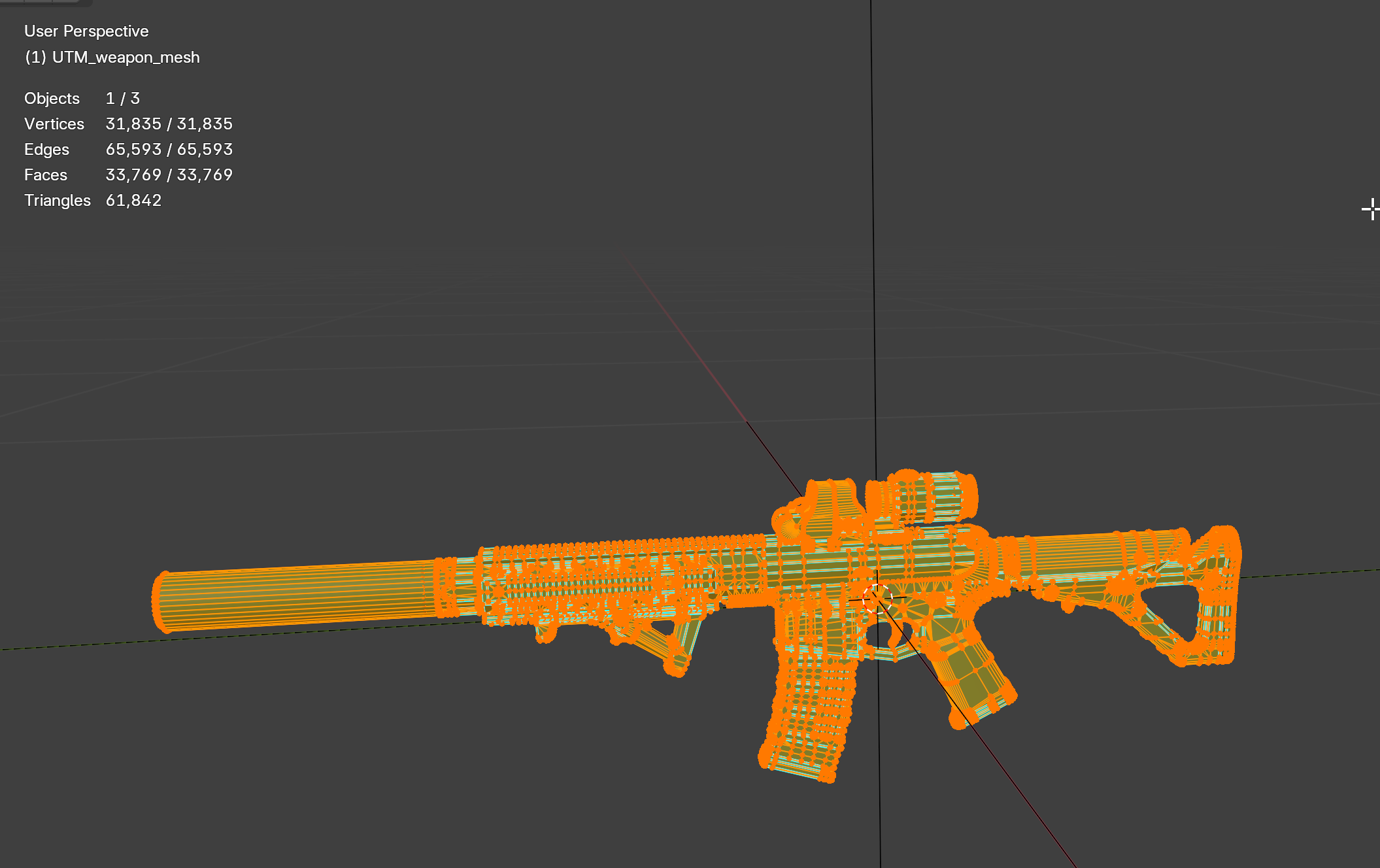

just a model i found on sketchfab though
first image is the collision created from the original model here
remote palm
I mean the FireGeo 😄
33K faces for FireGeo is way too much - highest i have seen with vanilla is about 500 faces
Mby you could add a decimate modifier to the generated geometries?
hoary gazelle
ye its a bit much here
 remote palm
It would be amazing if the devs could tell/show us how they made their colliders.... but they have left that (important part) out of the modelling tutorial
 compact scarab
stray bridge
tbh for clothing its not really needed, the main part is weight painting besides...
compact scarab
stray bridge
tbh for clothing its not really needed, the main part is weight painting besides...
Don't you have to rig the clothing to the skeleton?
stray bridge
put armature modifier on ur clothing part and select the amature
- it obv. has to fit the reforger base body (leave some space if ur eg create a vest, for a jacket)
bitter grove
What’s wrong with just duplicating the model and decimating it to hell and back
 lusty nebula
for the firegeo? cause it takes 5 minutes or less to model some boxes that follow the silhouette of the gun 
remote palm
shell hedge
wdym you can just check how they look
Yes, but them showing their process - mine always look super bad. And im pretty sure they have an easy setup for it.
stray bridge
remote palm
Yes, but them showing their process - mine always look super bad. And im pretty ...
just block out the gun shape, its a common technique for gun modeling, You can google it / youtube search it
hoary gazelle
i got it at a good spot now, it makes now a simple collider box with much few faces, and firegeo


this one i imported already had a silencer, but both collisions registered

 shell hedge
why include grip, mag and optic into the collider? vanilla doesnt
hoary gazelle
its just a model from sketchfab, its devided into so many small parts, im just testing so i just combined all meshes
hoary gazelle
shell hedge
why include grip, mag and optic into the collider? vanilla doesnt
i was just lazy
 shell hedge
isnt this like 10x the amount of faces vanilla colliders have?
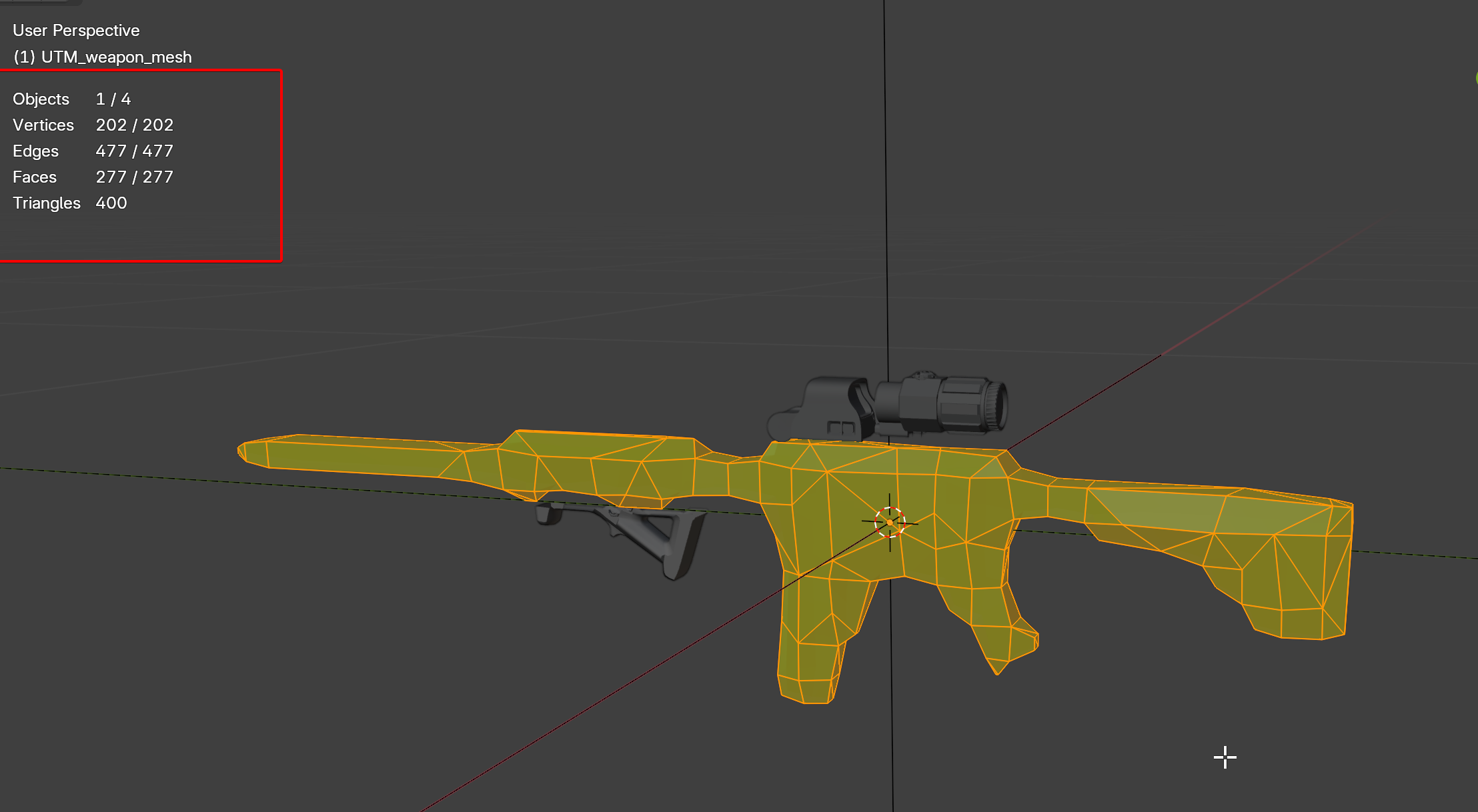
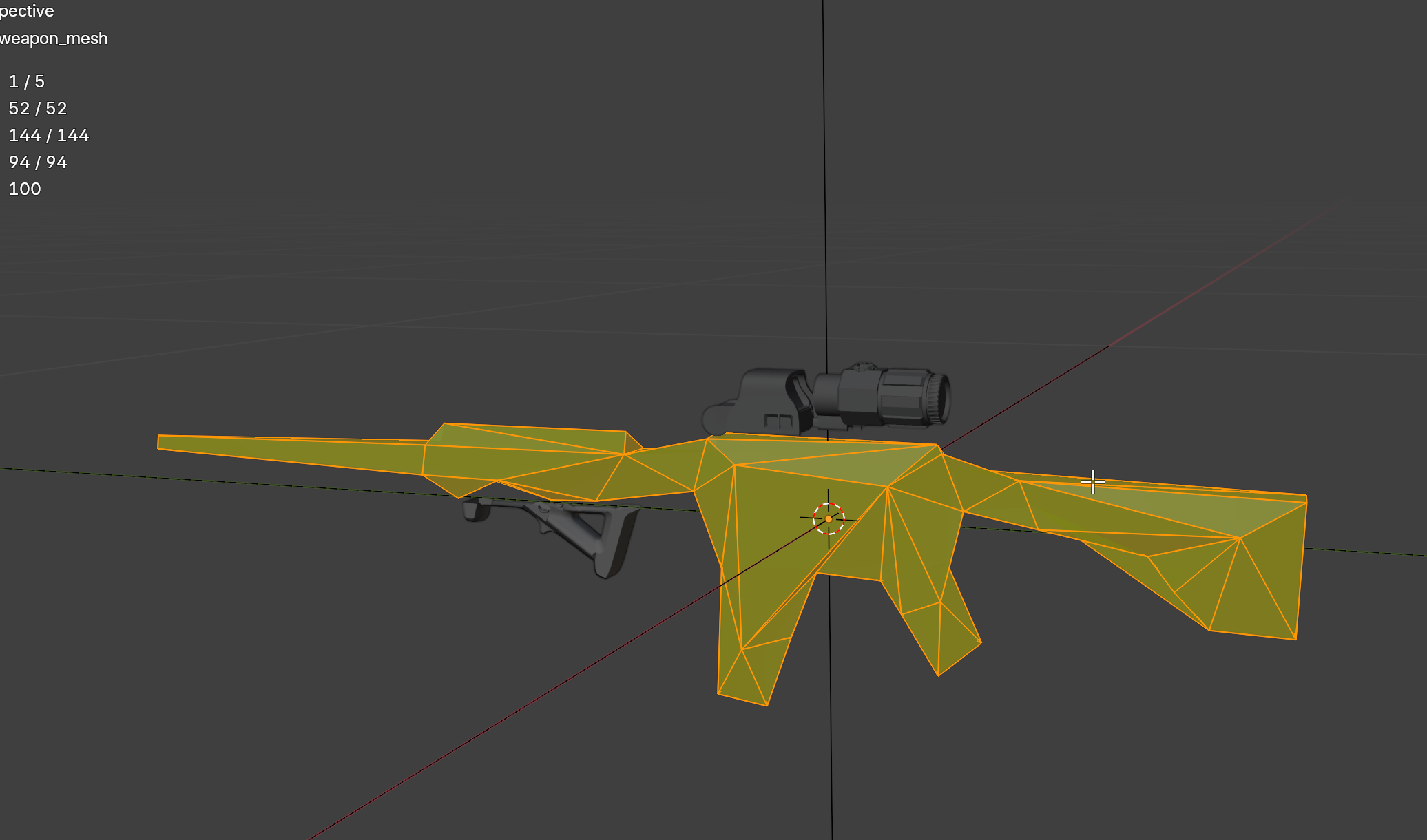 deep dagger
Guys could you please check how many tris a vanilla house has of a medium size like 5x10m? I cannot get to my steam pc where i got the tools installed but I need to specify the polylimit to the artist now.
500k is the absolute limit however comparing to dayz houses the difference is lile 100x
And compared to dayz max model (when it will straight crash the game) polycount its around 8x
Is reforger that good with polycount?
Also is there like a sticked or pinned post regardi
ng optimisation of models for reforger?
Like how many lods, how many materials, is there a thing called section count as in DayZ or something
stray bridge
deep dagger
Guys could you please check how many tris a vanilla house has of a medium size l...
little under 100k
ref. + lod count
 compact scarab
Engine seems to be able to handle anything like that very well. I imported and placed 30 buildings with interiors in a small test world and still got 60fps
And that was without LODs setup
surreal ore
Use lods bro.
compact scarab
surreal ore
Use lods bro.
Of course. That was just initial import and test.
Takes time to make LOD's for 30 buildings and set them up but it will be done
When I figure out which buildings I'm going to use.
Chill out peeps
hoary gazelle
https://www.youtube.com/watch?v=OgMLGfxvXEY&feature=youtu.be
More complete video of both, and updated features.
Download:
github.com/steffenbk/Arma-refoger-rigging-addon
github.com/steffenbk/Blender-arma-refoger-vehicle-addon
 compact scarab
hoary gazelle
https://www.youtube.com/watch?v=OgMLGfxvXEY&feature=youtu.be
More complete vide...
compact scarab
hoary gazelle
https://www.youtube.com/watch?v=OgMLGfxvXEY&feature=youtu.be
More complete vide...
Very nice. Looking forward to getting my hands on it.
midnight path
#arma #armareforger #blender #3danimation #armamod
Export vehicle from Blender to Arma Reforger Pt.2
This covers creating an animation workspace, creating vehicle and character animation instances, and assigning them properly.
I also provide vehicle rigging\weighting as a service here:
ko-fi.com/gatordev
lost jackal
Preview of some building assets I have been cooking up (very much WIPs). So far I have a Hotel, Office Building, and Bridge
https://youtu.be/uqNSPio9bpo
A short preview of building assets I have in progress for my mod. Planning for all structures to be destructible in multiple phases and for walls/doors to have modular destruction.
 modern topaz
Does anyone know how to properly make Weight for tartan? So that there are no such strange bends?

 hoary gazelle
You can also use my tool to make collision meshes for building very easily. These stairs was part of the model, just used the separation feature, and used the firegeo detailed collision creation, you have to up the faces to match the model or a bit lower


i just took a house and changed the model
tidal latch
hoary gazelle
https://www.youtube.com/watch?v=OgMLGfxvXEY&feature=youtu.be
More complete vide...
not sure if you are aware, but new EBT in experimental tools has already quick action for creation of colliders
 hoary gazelle
no ive not seen that actually
hoary gazelle
tidal latch
not sure if you are aware, but new EBT in experimental tools has already quick a...
ok i tested it, it only adds a simple shape though. My feature here will automatically trace the model, with customizable face targeting
tidal latch
I see, interesting stuff!
hoary gazelle
tidal latch
I see, interesting stuff!
start to finish 2 min to integrate this randome sketfab model
tidal latch
so I guess it is:
- duplicate
- renaming to UTM_ prefix
- assigning some default layer preset and some default game mat
- decimate to target face count
stray bridge
hoary gazelle
ok i tested it, it only adds a simple shape though. My feature here will automat...
theres a blender addon called collider tools which does the same, you maybe wanna look at it
hoary gazelle
stray bridge
theres a blender addon called collider tools which does the same, you maybe wann...
Seems good, but its a paid addon though.
stray bridge
hoary gazelle
Seems good, but its a paid addon though.
pretty sure its not, running on donations
remote palm
stray bridge
pretty sure its not, running on donations
GitHub
This addon allows you to create collider meshes more easily. It provides different operators to generate primitve colliders or convex mesh colliders out of a selection. - Weisl/simple_collider
stray bridge
simple collider is, collider tools you can get from his github for free
never said simple collider would be free
thats 2 different names and addons
remote palm
oh, i overlooked that. damn...
stray bridge

Blender addons
Collider Tools is a Blender add-on designed for creating physics colliders for games and real-time applications. The add-on simplifies the process of creating various collider types such as Box, Sphere, Convex, Convex (cylindrical), Auto Convex, Mesh, and Oriented Minimum BBox. These colliders can be easily imported into engines like UE, Unity, ...
hoary gazelle
i see, very cool
get the one from github, works pretty nice
these are tools they should add to their wiki lol
hoary gazelle
stray bridge
https://blender-addons.org/collider-tools/
played a bit with the simple_collider from the github. This without changing settings though. In the simple_collider i dont see an option to change faces, i guess the other had that?


 compact scarab
stray bridge
https://blender-addons.org/collider-tools/
compact scarab
stray bridge
https://blender-addons.org/collider-tools/
Is this using the v-hacd library?
I assume it does but didn't see anything on there about it
I know simple colliderd does
stray bridge
hoary gazelle
played a bit with the simple_collider from the github. This without changing se...
ok maybe you also got the terminology wrong here but im talking about collider tools NOT simple collider.
When a collider is created you can change all kind of stuff (including decimate modifier)
stray bridge
compact scarab
Is this using the v-hacd library?
dont know, you can check it out urself tho
livid hull
pretty sure he unified it and its the same addon on both github/blender store now, he renamed them
stray bridge
livid hull
pretty sure he unified it and its the same addon on both github/blender store no...
oh thats my bad then I didn’t know that.
However its good to have someone work on such type of addon whos close to arma reforger
compact scarab
Yeah definitely. I had a tool for Unity for it I paid $60 for, but it was the biggest timesaver ever.
shell hedge
You'd have already done the UTM collider out of boxes and/or extruded splines by the time you got the collider tools installed
stray bridge
shell hedge
You'd have already done the UTM collider out of boxes and/or extruded splines by...
installing it takes less then 5 minutes, having it saves a lot of time if your doing more than one collider. Also making it easier and straight forward.
No one has to install it obv, imo its a good additional addon someone can make use of who's working with custom models
shell hedge
Can it make UTM colliders that look like vanilla weapon colliders?
stray bridge
shell hedge
Can it make UTM colliders that look like vanilla weapon colliders?
I would say no, but I was talking about models in general and not specifically weapons. For just the fireGeo it will always be better to do it manually
unless steffen cooks smth
shell hedge
For geometry that doesnt require specific way of making utm colliders I would convert it to a voxel field and then to a mesh, and use symmetry alongside X/Z axes if beneficial/to make stuff consistent
civic holly
Heres one for the vehicle guys.. Anyone know what would be causing the bouncing... https://youtu.be/4LAIoba7gtc


 violet marsh
How many triangles support arma reforger?
steel hare
Hej guys, what might cause my model to disappear in the ground when I throw a grenade in its direction?
elder berry
hoary gazelle
start to finish 2 min to integrate this randome sketfab model
So, is the AR Vehicles suitable for buildings as well?
compact scarab
How do I see submeshes? I unchecked merge meshes on import settings, and the submeshes show up on the import settings under mesh params, but don't see anything on prefab meshobject settings

Also are UTM colliders just straight mesh colliders or are they more efficient?
 agile crater
@civic holly its a kangourou one hahaha for aussi mod 🤣🤣🤣
 quiet ledge
civic holly
Heres one for the vehicle guys.. Anyone know what would be causing the bouncing....
quiet ledge
civic holly
Heres one for the vehicle guys.. Anyone know what would be causing the bouncing....
I’m the slot managers do you have merge physics on? I ran into a similar issue with a turret
brazen shoal
Are we allowed to pay someone to make a model specifically curated to be entirely for use in enfusion as a mod?
We just can't pay someone to actually make the mod within workbench itself right?
compact scarab
brazen shoal
Are we allowed to pay someone to make a model specifically curated to be entirel...
Yeah you can buy models and such from stores
as long as their license allows for it. Which most do because arma mods are read-only
 fast canopy
Any advise to get a model properly scaled?
 fast canopy
anybody down to help me?
remote palm
fast canopy
anybody down to help me?
Take sample weapon and adjust it from there
midnight path
fast canopy
Any advise to get a model properly scaled?
throw that into your blender scene and adjust scale of weapon
fast canopy
Thanks!
fast canopy
remote palm
Take sample weapon and adjust it from there
Where can I get the sample mod fbx?
remote palm
Github - should find it when searing “Reforger Sample Github”
compact scarab
They are on the workshop also
fast canopy
Thanks a lot
surreal ore
midnight path
throw that into your blender scene and adjust scale of weapon
Or just, ya know, scale it to real world dimensions.
grand imp
fast canopy
Any advise to get a model properly scaled?
Aye, that looks great, someone already tagged a scaling FBX.
Good luck!
So, I was working on this... any recommendations?


 fast canopy
surreal ore
Or just, ya know, scale it to real world dimensions.
fast canopy
surreal ore
Or just, ya know, scale it to real world dimensions.
Didnt work for some reason
wicked dirge
fast canopy
Didnt work for some reason
its because you did not apply the transformations after scaling
 crude epoch
grand imp
So, I was working on this... any recommendations?
crude epoch
grand imp
So, I was working on this... any recommendations?
idk if its just the image, but to me the backpack looks to smooth if that makes sense
fast canopy
wicked dirge
its because you did not apply the transformations after scaling
Interesting
grand imp
crude epoch
idk if its just the image, but to me the backpack looks to smooth if that makes ...
Makes sense
hybrid mountain
shell hedge
You'd have already done the UTM collider out of boxes and/or extruded splines by...
I tried VACD on a model with hollow interior and it sucked, so to be honest you are probably right on that note. It was such a pain to get working and I ended up splitting my collider into parts, convex hulling each part, and calling it a day.
compact scarab
hybrid mountain
I tried VACD on a model with hollow interior and it sucked, so to be honest you ...
You just have to adjust the parameters and learn how to use it. I don't know what parameter options they had on the one that you are using, but it works really great in my experience. I've used a few different plugins using the same Library.
hybrid mountain
There was no combination of parameters that gave me a good enough result, but to be fair I was using the version directly from the command line and it didn't really fit my use case (end result desired was model split into 2 sides, a ceiling, floor, a front, and i tried a lot of things cycles, accuracy, number of meshes, etc.) and it wouldn't fit my geometry at all.
fast canopy
Does someone know why it is taking my bones as memory points?


I'm almost certain the export settings are right
fast canopy
fast canopy
Does someone know why it is taking my bones as memory points?
In case this happens to someone I used a rigging method of parenting the bones with mesh instead of what was on the wiki about creating group mesh and assinging weight
 steady halo
Does anyone know how to fix clothes dissappearing the further you go away?
I think it has to do with LOD's
violet marsh
how many triangles support arma reforger?
stray bridge
violet marsh
how many triangles support arma reforger?
a basic house got a little below 100k.
If theres an actual limit idk about it.
But around 500-700k the mesh takes forever to import.
Just keep as low as possible while keeping quality high
for reference you can always check out base game assets
hoary gazelle
fast canopy
Any advise to get a model properly scaled?
Got such a feature to help in my blender addon
livid hull
@hoary gazelle have you thought about adding dropdown boxes for layer presets and gamemats for the colliders?
remote palm
steady halo
I think it has to do with LOD's
Compare your LODs with vanilla LODs
hoary gazelle
livid hull
<@200691580640821249> have you thought about adding dropdown boxes for layer pre...
The enfusion plugin already has layer preset. What do you mean gamemats ?
livid hull
hoary gazelle
The enfusion plugin already has layer preset. What do you mean gamemats ?
the collider material, and yeah I understand the EBT have it already, just figured it might be handy to have it directly on your tools too
hoary gazelle
livid hull
the collider material, and yeah I understand the EBT have it already, just figur...
yeah would be, but they use some connection with blender and the workshop, i would have to go through their code in their plugin. Think it would be too much work for little convenience 😅
fast canopy
hoary gazelle
Got such a feature to help in my blender addon
Was playing around with this, it is awesome
compact scarab
Is there a way I can adjust a new weapon position in aim mode while in game mode ?
Or something similarr
remote palm
Dont understand what exactly you mean - how close/ far you are zoomed in to the iron sights?
compact scarab
Is there any kind of hair support?
quiet ledge
fast canopy
Does someone know why it is taking my bones as memory points?
Are they weighted to anything? they show up like memory points when their not weighted to a part of your mesh
stray bridge
I mean nice, but camo on the "wheels"? Arent those usually just plane green for example
 pliant dagger
stray bridge
I mean nice, but camo on the "wheels"? Arent those usually just plane green for ...
pliant dagger
stray bridge
I mean nice, but camo on the "wheels"? Arent those usually just plane green for ...
hahah yeah XD
i mean who cares right ?
someone took a paintbrush and painted the entire tank xd
stray bridge
its up to you, I was just pointing out here
fast canopy
quiet ledge
Are they weighted to anything? they show up like memory points when their not we...
exactly that
they were parented not weighted
cyan girder
fast canopy
Any advise to get a model properly scaled?
triggers tend to be the same size. Scale the weapon to the sampleweapon from the sample files.
You'd need multiple bones to do a slignshot like that.
warm oak
i used a booleen modifier is that gonna work or not? bc idk how else to do it but theres some weird glitch to it as well

trying to make this

the red small hole thing idk how to explain its on the edge of the gun and theres 2 peices right there too so yea
warm oak
question do i need like a very very low poly model for the gun too?
wary inlet
warm oak
question do i need like a very very low poly model for the gun too?
Not really, as long as it is similar to existing weapons you should be fine, make sure you bake down details though and make LOD, also based on your issue above I suggest giving plasticity a try
warm oak
wary inlet
Not really, as long as it is similar to existing weapons you should be fine, mak...
ah alr how exactly might i do a LOD or plasticity
wary inlet
warm oak
ah alr how exactly might i do a LOD or plasticity
LOD you would do as a last thing in blender so you can put that at bottom of priority list, as for plasticity if you are farmilliar with it it is essentially if blender and fusion 360 had a baby meaning complex geometry can easily be recreated, it has one month trial to test it out
warm oak
wary inlet
LOD you would do as a last thing in blender so you can put that at bottom of pri...
yea i dont think i would be able to do that bc i didnt make the model im using and i dont think i would really ever be able to do that tbh
wary inlet
warm oak
yea i dont think i would be able to do that bc i didnt make the model im using a...
yes, well instead if you want to do it in blender ensure you have supporting edge loops and maintain nice quad geometry, dont be afraid to subdivide for your high poly model
warm oak
wary inlet
yes, well instead if you want to do it in blender ensure you have supporting edg...
yea i would do only quads but the model im using is a cad model that i dubbed down a bit also yk why my bones arent moving the object they are supposidly attached to
wary inlet
warm oak
yea i would do only quads but the model im using is a cad model that i dubbed do...
are they weighted correctly? you would probably just need to put them in their vertex groups
warm oak
wary inlet
are they weighted correctly? you would probably just need to put them in their v...
idk how weighting works at all
wary inlet
warm oak
idk how weighting works at all
have you got an armature set up?
warm oak
wary inlet
have you got an armature set up?
yea ill show you

only thing that moves is the bolt idk why
nothing else will
wary inlet
go into the mesh and look at the vertex groups, it is a tab with three green vertex on the right pane
warm oak
im confused you mean the triangle thing thats the green squares?
warm oak
wary inlet
go into the mesh and look at the vertex groups, it is a tab with three green ver...
this what you mean?
 wary inlet
warm oak
this what you mean?
wary inlet
warm oak
this what you mean?
Ok so it is all seperate objects making it easier, hit the select on the vertex group, if your mes lights up then you are good to go, if not you will need to assign it
warm oak
wary inlet
Ok so it is all seperate objects making it easier, hit the select on the vertex ...
alr i hit select nothing changed
wary inlet
warm oak
alr i hit select nothing changed
ok thats your problem, the group is there but it hasn't been assigned, hit ctrl + a and then press the assign button on the mesh groups tab
warm oak
wary inlet
ok thats your problem, the group is there but it hasn't been assigned, hit ctrl ...
ah alr thx
wary inlet
warm oak
ah alr thx
once you have assigned it try moving the bone in pose mode and see if it changes
warm oak
that fixed it thank you i didnt know thats how that worked is there a way to limit which way it moves example for the trigger limit it to only rotate to a certian point
wary inlet
warm oak
that fixed it thank you i didnt know thats how that worked is there a way to lim...
yeah tho are dont through constraints but if it is reforger mod there isnt much of a point, but yes this process applies for all parts 👍
warm oak
wary inlet
yeah tho are dont through constraints but if it is reforger mod there isnt much ...
ah alr also the fire selector isnt rotating correctly like its a little off should i move the bone or rotation point for the model it rotates fine i think when i dont with the bone
oh and rq these 2 pins wont move with the stock bc they cant find "w_stock" as a vertex group for some reason idk why
wary inlet
warm oak
oh and rq these 2 pins wont move with the stock bc they cant find "w_stock" as a...
Interesting, I will be off to work in a min, but if you send model to me via DM I can set it up for you when I get home
warm oak
wary inlet
Interesting, I will be off to work in a min, but if you send model to me via DM ...
alr ill send it to you
grand imp
fast canopy
Does someone know why it is taking my bones as memory points?
A.Check your Modifiers.
B. Check your vertex groups and re-assign em'.
C. Try setting every LOD (weapon part) to "Armature"
to do that: Go to the Object Tab, then heading to relations and assigning those to "Armature" as an object.
NOT SURE IF IT WILL WORK, BUT GIVE IT A TRY
 compact scarab

Can anybody lay some knowledge on me how to get this to react how I want it to?
 fallow pond
warm oak
this what you mean?
fallow pond
warm oak
this what you mean?
I think one day I will finish this
 warm oak
fallow pond
I think one day I will finish this
warm oak
fallow pond
I think one day I will finish this
your making one too?
wary inlet
fallow pond
I think one day I will finish this
oh how cute a gathering of vz 61
tbh I was hoping it was going to be vanilla FIA crewman weapon
 elder rune
Guys, tell me pls what to read when I transfer a model, texture and normal, at a distance the model is incredibly dark
shell hedge
AI model generation is getting better at guns
 remote palm
Hey 🙂
I am currently "learning" the remesh workflow in blender for making HP from LP - would you guys suggest using this workflow for increasing poly count on guns? I was able to increase this LP part from 228 tris to 3400 tris - but im not sure if topology would be an issue when using this? Its all triangulated - any feedback would be lovely!


Main difference here is that the 228 tris version is boxy and has pretty visible sharp edges, where the 3400 tris one does not have any sharp edges and is super smooth
remote palm
shell hedge
AI model generation is getting better at guns
plz mek mod 🙂
elder rune
Help please, tell me where to look and what to read, when I load a texture onto a material, firstly it shines when you are close, secondly when you fly away it becomes incredibly dark
remote palm
elder rune
Help please, tell me where to look and what to read, when I load a texture onto ...
Thats for #enfusion_texture - there you should showcase an example and explain your steps of importing the texture
 digital basin
if my object is super small and simple. having multiple lods isnt really needed?
compact scarab
digital basin
if my object is super small and simple. having multiple lods isnt really needed?
Yeah I mean lod's are just for poly count so if it's really low poly already probably fine.
You can also change the material with lod's I guess to a lower resolution texture
digital basin
like I guess I should as there is a detailed part that has 500 faces on it.
like is it logical to just have a lod03 and a lod0.
ive never really done modeling in game design so i not sure.
compact scarab
Yeah you can do whatever you want and call them whatever you want. I would just do LOD 0 and lod1 but do lod1 with the the same poly count as an LOD 3 would have been or whatever
And only have LOD 0 show up within like 1 m
digital basin
ahhh okay
compact scarab
And people just call them high poly and low poly when they only do two of them like that on the prefab for whatever
digital basin
polys are just faces? is 500 even much in a sense where its worth while to do this?
compact scarab
Polygon is like three faces or more
View the wire frame and then you'll see the polys
digital basin
ahh i barely have any then.
 mild pendant
Im on more of the new side and I have a buddy that works in graphic design who is going to be working on a car that I want to try and add.. Since y'all are talking about the LOD's here are the steps cursor said we need to complete. Let me know if you recommend skipping any of these or adding any steps!
versions:
LOD0 (main model): Under 100k triangles
LOD1: ~50k triangles
LOD2: ~25k triangles
LOD3: ~10k triangles
Set up proper vehicle physics points:
Wheel positions
Suspension points
Center of mass
Entry/exit points
Also, do I really need to keep it under 100k triangles?
sand pagoda
What is the proper naming for "Virtual lights" for buildings?
page about portals doesn't even mention them
digital basin
is any documentation on material editing? im trying to figure out how to do roughness maps etc.
turbid moss
I hope we can get a simple sample house with all the technology.
mild pendant
shell hedge
AI model generation is getting better at guns
It reminds me of my first result 3d printing 😂 😭
sand pagoda
turbid moss
I hope we can get a simple sample house with all the technology.
can we have not simple one please
omfg, who could have thought that this component is responsible for virtual lights...
 sand pagoda
turbid moss
I hope we can get a simple sample house with all the technology.
sand pagoda
turbid moss
I hope we can get a simple sample house with all the technology.
so, virtual light is parented to SOCKET