#enfusion_model
1 messages · Page 12 of 1
 shell hedge
shell hedge
shell hedge
posted my script in #enfusion_external_tools message
 safe turtle
Marder III Ausführung H for the Forged in Europe mod


 tacit eagle
safe turtle
Marder III Ausführung H for the Forged in Europe mod
tacit eagle
safe turtle
Marder III Ausführung H for the Forged in Europe mod
Damn that's cool
 surreal ore
@safe turtle How are you gonna do the tracks?
 covert eagle
anyone else have a problem where sometimes your mesh comes in to enfusion black? even though the texture isnt even close to black that you put on it?
from blender
 delicate condor
you have painted vertex color on it
 coarse peak
Anyone have a video for a tutorial on adding colliders to buildings and stuff
covert eagle
@coarse peak the full process like in blender to enfusion or just how to make it work in enfusion? I could help if you need
@delicate condor Thank you for what ever reason that didnt even cross my mind I was to busy thinking it was a shader problem
 silk monolith
Is it possible to get some Marine Corps gear 😭 like soem Mich or LWH with proper textures ??
 crisp musk
Can someone tell me I’m here exactly how to set up and property attach and weigh and label the bones for my vehicle in order for my turret to properly rotate with the mesh’s and everything. Im a complete idiot when it comes to blender and I can only do basic stuff so I need some help making the thing work. (I will post pics and what not if needed to after I get a response.)
 dusty plume
silk monolith
Is it possible to get some Marine Corps gear 😭 like soem Mich or LWH with prope...
dusty plume
silk monolith
Is it possible to get some Marine Corps gear 😭 like soem Mich or LWH with prope...
there is a usmc mod with LWHs not sure if the gear has been added back to the arsenal though
safe turtle
surreal ore
<@637938639321432064> How are you gonna do the tracks?
Tiled UV texture
safe turtle
I made some with a curve modifiers in blender but I don’t think I can get them to move, maybe for track damage though
safe turtle
crisp musk
Can someone tell me I’m here exactly how to set up and property attach and weigh...
We can pm and vc since Im at the same stage as you
Happy to help
 tidal latch
crisp musk
Can someone tell me I’m here exactly how to set up and property attach and weigh...
tidal latch
crisp musk
Can someone tell me I’m here exactly how to set up and property attach and weigh...
https://community.bistudio.com/wiki/Arma_Reforger:Weapon_Creation/Asset_Preparation#Skeleton_Setup_.26_Mesh_Rigging you can perhaps use tips from there
coarse peak
covert eagle
<@345445583227584513> the full process like in blender to enfusion or just how ...
No I know how to get stuff from blender to enfusion but I’m trying to get buildings into enfusion and still be able to walk around in them and such I found a video last night all they did was check the box rigid but idk if it’s for buildings or not
 sly bridge
silk monolith
Is it possible to get some Marine Corps gear 😭 like soem Mich or LWH with prope...
sly bridge
silk monolith
Is it possible to get some Marine Corps gear 😭 like soem Mich or LWH with prope...
wrong channel...unless you want to make your own
sly bridge
dusty plume
there is a usmc mod with LWHs not sure if the gear has been added back to the ar...
please don't use this channel for things that have nothing to do with the purpose of this particular channel
safe turtle
safe turtle
Tiled UV texture
@glossy lynx has explained it to me
silk monolith
sly bridge
wrong channel...unless you want to make your own
Man I’d kill to learn
silk monolith
dusty plume
there is a usmc mod with LWHs not sure if the gear has been added back to the ar...
Ahh man that sucks 😦
delicate condor
silk monolith
Man I’d kill to learn
you can get started by getting Blender and doing tutorials for it
 uneven vessel
silk monolith
Man I’d kill to learn
uneven vessel
silk monolith
Man I’d kill to learn
Pretty easy to start friend, everyone did: https://community.bistudio.com/wiki/Category:Arma_Reforger/Modding/Tutorials/Assets https://youtube.com/playlist?list=PLjEaoINr3zgFX8ZsChQVQsuDSjEqdWMAD&feature=sharec

YouTube
Learn the fundamentals of Blender while making your very own donut. You'll learn the UI, modelling, sculpting, texturing, shading, geometry nodes, lighting, ...
silk monolith
You guys are legends lol >:)
 young flame
does anyone have a .blend file for the character model in A pose without bent arms? im used to working with dayz character model.
surreal ore
download the poses library or whatever its called, and use it to switch to the t pose
young flame
i download the whole sample pack and only seem to have characer.fbx
safe turtle
I would request that someone please explains this sentence to me. Does this mean that I would not weightpaint not moving colliders? For example this Hull UTM Collider since the hull is not animated and only moves with the vehicle?


 calm rune
young flame
does anyone have a .blend file for the character model in A pose without bent ar...
tidal latch
safe turtle
I would request that someone please explains this sentence to me. Does this mean...
calm rune
young flame
does anyone have a .blend file for the character model in A pose without bent ar...
tidal latch
safe turtle
I would request that someone please explains this sentence to me. Does this mean...
yes, it is not needed to rig hull UTM
safe turtle
I also dont know why after import into the workbench my UTM collider are combined into one material, could it be because of the missing material?
 safe turtle
fixed
You will need to head to Import Settings - Physics and then Turn off Merge Tri Meshes
tacit eagle
Is there a blender example file for creating vehicles, or is it just the enfusion file? I can't find it in the wiki
 leaden trench
tacit eagle
Is there a blender example file for creating vehicles, or is it just the enfusio...
leaden trench
tacit eagle
Is there a blender example file for creating vehicles, or is it just the enfusio...
I don't recall there being an example .blend file, but you should be able to import the example fbx and export it again. https://github.com/BohemiaInteractive/Arma-Reforger-Samples/tree/main/SampleMod_NewCar/Assets/Vehicles/Wheeled/SampleCar_01

GitHub
Modding Samples. Contribute to BohemiaInteractive/Arma-Reforger-Samples development by creating an account on GitHub.
tacit eagle
leaden trench
I don't recall there being an example .blend file, but you should be able to im...
sweet, thank you
Yep, that's exactly what I was after 👍
 frail wyvern
Is there a tutorial on how to add collision to models for example, I’ve made a model and imported it, but I walk right through it
tacit eagle
@frail wyvern Colliders are pretty easy, you just add a shape around your object and name it one of the following: "UBX_, UCX_, USP_, UCS_, UCL_, UTM_ prefixes are used to mark Colliders (Box, Cylinder, Sphere, Capsule, Cylinder, and Trimesh respectively)" - then use the blender tool to set up the layers
https://community.bistudio.com/wiki/Arma_Reforger:Car_Creation - this page shows examples of colliders
https://community.bistudio.com/wiki/Arma_Reforger:Enfusion_Blender_Tools - this one goes over the blender enfusion tools
For collision I believe you want the colliders as simple as possible, so UBX_
frail wyvern
tacit eagle
<@812495920201203748> Colliders are pretty easy, you just add a shape around yo...
Thanks
 glossy lynx
There is a more in depth tutorial on colliders in the fbx import section of the wiki
safe turtle
Colliders don’t work on the .xob files, when turned into a proper set up prefab the colliders will apply. Try replacing the model on the btr for for quick testing
As long as your vehicle collider is a convex and on the right layer it should work when spawned as a prefab
 light vault
Does anyone know if it’s possible to make a sliding door move vertically instead of horizontally?
surreal ore
Yes
 wicked dirge
diagonally also
light vault
wicked dirge
diagonally also
@surreal ore , @wicked dirge , thanks. Could you please point me in the right direction (no pun intended 😉)?
I assume its a setting in SlidingDoorComponent?
 sweet mist
Good evening,
I have a problem that happened suddenly and I can't figure out where it's coming from...
When I export my Blender 3D models in FBX and import them into Enfusion, everything freezes...
I have to force Enfusion to leave.
Has anyone ever had this problem?
 covert dune
sweet mist
Good evening,
I have a problem that happened suddenly and I can't figure out whe...
covert dune
sweet mist
Good evening,
I have a problem that happened suddenly and I can't figure out whe...
Absolutely! If you search for 'freeze in:#enfusion_model' in the search bar there is some other people with the problem who got some help.
Some various things like simply giving it some time or something about re-importing was mentioned
sweet mist
covert dune
Absolutely! If you search for 'freeze in:<#976159912679850004>' in the search ba...
Ok thx i try to find that ^^
 sand pagoda
👁️
covert eagle
Really nice @sand pagoda
 quaint pecan
Hey guys, I want to create a mod but I'm not a model maker or any developer of sort I just want to get my dream mod in the workshop.
What information would I need to give a potential model maker if I were to commission one for money? Say in the instance of having them make a Rooikat ( armoured South African vehicle )
wicked dirge
You can't commission mods for money. It is against the EULA of the tools to get paid to use them.
 karmic adder
He was asking about commissioning a model maker, so that part of the question can be answered.
wicked dirge
karmic adder
He was asking about commissioning a model maker, so that part of the question ca...
he was asking about a mod maker and then edited to model maker 
 midnight path
anyone got an idea? cant seem to figure this one out
 glossy lynx
Something is wrong in your vehiclewheeledsimulation
midnight path
ive been going through it everything looks right
 shell hedge
looks dope
love handguns in reforger too bad 9mm deals no damage
I modded this gun into the game and it's so fun to use but the damage output of 9mm is pathetic
hmm I guess the damage output makes it not so fun to use
kitted it out with a tac light, suppressor and a red dot tho 
 spice topaz
 zenith quartz
https://cdn.discordapp.com/attachments/176680739314597889/1131937251748749342/im...
zenith quartz
https://cdn.discordapp.com/attachments/176680739314597889/1131937251748749342/im...
That’s awesome
 last hill
Well for the life of me, I cannot work out how to set up colliders for the new armor system - they don't move properly when moving the character around. I've used the debug to show the position of my colliders on characters moving and they are not moving with the character.
From my image above, you can see when I have it set to only show the colliders (firegeo) the default game PASGT follows the head when turning, but both my plates and helmet colliders are static - I've skinned them to the skeleton on Blender and set them up in Blender to use FireGeo and as a test used the Hard aramid 7.3 that the PASGT helmet is set up with as triangle mesh colliders (UTM_ prefix). It just seems to be ignoring the skinning of the base mesh (the base model mesh itself works and moves correctly), it's just the collider ignoring the position and staying in the initial position?
I'm not sure what it is I am doing wrong and really need help
I've compared to the UTM layers on the default PASGT and that all seems to match, but yeah, clearly missing something important.
 tidal latch
last hill
Well for the life of me, I cannot work out how to set up colliders for the new a...
tidal latch
last hill
Well for the life of me, I cannot work out how to set up colliders for the new a...
UTM cannot be skinned, in Blender you have to use Relations
 last hill
tidal latch
UTM cannot be skinned, in Blender you have to use Relations
last hill
tidal latch
UTM cannot be skinned, in Blender you have to use Relations
Oh.. son of a ...
THANK YOU!
tidal latch
ps, using only Spine5 for whole vest FG should be good enough
tidal latch
also, don't forget to update prefab (Physics on wear and animate colliders on wear properties in base loadout component)
last hill
tidal latch
also, don't forget to update prefab (Physics on wear and animate colliders on we...
So I am trying to set the relations to root - bone - head (doing the helmet collider) and the collider seems to be offsetting above and backwards (like the head bone is the new root position and inverted?)
last hill
Ah ok, in Blender?
uneven vessel
Yeah when you set the relation it parents the model to that bone, so will offset the origin of your collider to be that bone's position (rather than world 0,0,0)
 uneven vessel
speed holes, they make the helmet go faster
 woven swallow

 coarse peak
woven swallow
coarse peak
woven swallow
 tacit eagle

 tacit eagle
I've yet to meet man who can out smart them
 fathom elbow
white case with red tip... these must be healing bullets, correct?
 uneven vessel
fathom elbow
white case with red tip... these must be healing bullets, correct?
uneven vessel
fathom elbow
white case with red tip... these must be healing bullets, correct?
They do assist good ventilation
 heavy musk
can someone maybe help me with a vest im trying to import ? it floats backward behind me when i pick it up i know its because of not setting up the weight i dont have a sample vest where i could transfer the weights from does someone maybe know where i can get this from ?
calm rune
heavy musk
can someone maybe help me with a vest im trying to import ? it floats backward b...
Weight everything to Spine5 except for the shoulder straps.
glossy lynx
safe turtle
https://youtu.be/yEQBEnRCtrI
Looks like your weight is too low in the rigid body component and your suspension values are too high
safe turtle
weight is at 10t
here are my suspension values

OMG
I set the weight to 10.670
not 10670
my mistake
heavy musk
calm rune
Weight everything to Spine5 except for the shoulder straps.
https://discord.co...
dawg id love to say im making progress but the onlything progressing is the will to kill mzself

 glossy lynx
heavy musk
dawg id love to say im making progress but the onlything progressing is the will...
glossy lynx
heavy musk
dawg id love to say im making progress but the onlything progressing is the will...
on the model import settings have you enabled export skinning?
heavy musk
yes sir
tidal latch
are you sure you have 163 bones in total?
heavy musk
i dont know bro i probablz forgot to parten the skeleton in blender
heavy musk
tidal latch
are you sure you have 163 bones in total?
8+163
heavy musk
 how and where can i see how many are there supposed to be ?
sry dawg just getting into all this and watched this video a million times to figure it out but it wont work
its 9 am and i staret basically 23 hours ago to actually try and get into modding again
tidal latch
you can load it https://github.com/BohemiaInteractive/Arma-Reforger-Samples/blob/main/SampleMod_NewCharacter/Assets/Characters/SampleCharacter/Character_Template.fbx and see how many bones + empty objects are there

GitHub
Modding Samples. Contribute to BohemiaInteractive/Arma-Reforger-Samples development by creating an account on GitHub.
you can also compare it with in other Reforger character asset

in any case, is it your model made from scratch or did you bought it from somewhere?
 reef sun
I imported a custom character model, everything works except if the character dies with that model it freezes in position and no ragdoll. It uses the same bones and everything. Any ideas?
tidal latch
like whole custom character? Not just uniform/pants?
tidal latch
colliders are also same? Are they animated in game? Are they using same layer presets as vanilla character?
reef sun
Hmm the character template from the samples has different colliders, 26 UTM but the base body ingame has 17 UCS/UCX
(https://github.com/BohemiaInteractive/Arma-Reforger-Samples/blob/main/SampleMod_NewCharacter/Assets/Characters/SampleCharacter/Character_Template.fbx )
Did they change with the new health update?
tidal latch
ahh, yes. Noted, hopefully it will make it next update of samples
reef sun
tidal latch
colliders are also same? Are they animated in game? Are they using same layer pr...
Can confirm it was the different colliders. I recreated the new ones for my model and it works now. Thanks 
heavy musk
tidal latch
in any case, is it your model made from scratch or did you bought it from somewh...
ay sry for the late response had to take a break and sleep for a few hours so yeah the model ive benn wanting to import is bought i didnt make it from scratch
 blazing agate
Any tutorial for vegetation creation??
because I have created trees, but one thing I noticed is that my leave material, start to dissapear quicker than the default one, I wonder is there is any param that i need to adjust, mine doesn't have any LOD yet, also the material its not setted-up:
mine left, Reforger Right

 delicate condor
blazing agate
Any tutorial for vegetation creation??
delicate condor
blazing agate
Any tutorial for vegetation creation??
unfortunately, no
id say copy the existing material and use it as base
blazing agate
delicate condor
id say copy the existing material and use it as base
already did, and still the same, it's strange, my tree has more polys, near 3k, and the base I'm looking at has 2266
blazing agate
delicate condor
unfortunately, no
: (
sand pagoda
blazing agate
mine left, Reforger Right
check tree LODs
blazing agate
Still the same.. Only happens with the vegetation, I also have a small shrub/bush, with similar values on the LODs, also copied the existing material to use it as a guide
Must be missing something on the vegetation workflow
tidal latch
are you sure its not just LODs?
vanilla trees switch to simple poly planes at larger distance
blazing agate
Yeah I know, I have the billboards too
But still the same
The main problem are the leafs
tidal latch
maybe LODs are not switching fast enough?
blazing agate
And 2D branches, the 3D part is perfect
tidal latch
in MeshComponent there are params for switching between LODs - I don't remember name of it from top of my head
blazing agate
Do you mean the part in wich you can set the distance?
If it's the part I think you mean, I've already setted It Up like the ones on vainilla, but nothing
tidal latch
distance? No, it is coef telling engine how fast it should switch LODs
can you show your last LOD up close maybe?
blazing agate
Right now I'm not at home, I'll send an image when posible, but, the last LOD of the tree for example is simply made of 16 faces, with a billboard of the tree as texture
Let say I have 3 LODs a part from LOD 0,
My main problem is that with LOD 1-2-3 the leafs shader make them disappear but the geometry swaps perfectly
That's why I think it's a problem with the shader (??) not with LODs, there's any chance that the shaders have a distance value ? Or something I need to tweak?
blazing agate
Custom
tidal latch
and you already checked import settings on those textures?
heavy musk
tidal latch
you can load it https://github.com/BohemiaInteractive/Arma-Reforger-Samples/blob...
ay dude lil update so i got it to work kind of its a little off set but nothing i cant fix the onlzthing bothering me is that some of the pouches especially the 2 under the arms are bound to the arms so they move around while walking with the arms and this causes a lot of wierd visual artifact is there a fix maybe weighing the pouches or something ?
 sly bridge
heavy musk
ay dude lil update so i got it to work kind of its a little off set but nothing ...
sly bridge
heavy musk
ay dude lil update so i got it to work kind of its a little off set but nothing ...
ahm, shouldn’t really have pouches under the arms…cannot really fix the collisions/ clipping via vert weights for this one
heavy musk
so just ATM no pouches under the arms yeah? so ill have to scrap my SidePlates ?

thats too bad
tidal latch
heavy musk
ay dude lil update so i got it to work kind of its a little off set but nothing ...
Google some tutorials how to weight things. Could you also share link to asset that you bought? Just wanted to make sure it has correct license
uneven vessel
heavy musk
ay dude lil update so i got it to work kind of its a little off set but nothing ...
If your problem is your side pouches are getting auto-weighted to stick to the arm bones:
Duplicate the vest and skeleton to a new file, delete all the arm bones, weight it then copy the vest back to the original skeleton.
You will definitely see arm clipping problems with most vanilla animations though as pufu mentioned. Best off making the side pouches slimmer.
wicked dirge
sonce 0.9.9 you can define how much a vest is causing the arms to stick out to reduce clipping
blazing agate
Yep, they are as It should, for my trees I used 1024 by 1024, 8 bits, and with LZW
tidal latch
blazing agate
Yep, they are as It should, for my trees I used 1024 by 1024, 8 bits, and with L...
I mean in Enfusion
blazing agate
Mmm no...I didn't check the import settings on the textures
What kind of parameters can I found there? Or what I should be looking for ?
safe turtle
heavy musk
i dont know bro i probablz forgot to parten the skeleton in blender
Did you disable adding leaf bones in the blender export?
tidal latch
blazing agate
What kind of parameters can I found there? Or what I should be looking for ?
mip map parameters
 blazing agate
Ouuu thanks a lot, I'll let you know tomorrow if something changes
heavy musk
tidal latch
Google some tutorials how to weight things. Could you also share link to asset t...
those are my cgtrader purchases most of the stuff is from hyoon https://www.cgtrader.com/hyoon3d ; https://payhip.com/Hyun3D ; One of the assets is from the 3dma store https://www.cgtrader.com/3dmilitaryassets

Take a look at hyoon3D CGTrader 3D designer profile, portfolio and 3D models available. Check out best 3D models from top modeling artists in 3D industry.
Payhip
I am a 3D artist that creates 3D models mainly for ROBLOX and ARMA III. Programs that I use are Blender, Substance Painter, and Paint.net.Discord Server for support: https://discord.gg/ZVkZQbHevV
Take a look at 3dmilitaryassets CGTrader 3D designer profile, portfolio and 3D models available. Check out best 3D models from top modeling artists in 3D industry.
heavy musk
tidal latch
Google some tutorials how to weight things. Could you also share link to asset t...
could dm you the rest but thats on my e-mail becuase i bought some assets from payhip
tidal latch
Alright, thats fine!
woven swallow
tidal latch
Alright, thats fine!
Bohemia's job to check licenses for 3D models now?
I didn't know that to be honest
heavy musk
woven swallow
Bohemia's job to check licenses for 3D models now?
probably not but they dont want to help people with ripped models since there are a lot of rats goin around
woven swallow
That's true.
coarse peak
Royalty free All the way baby
 sick shard
I'd say ripped models are easy to spot anyway since most of the material's are going to be unity based (most common) and tarkov models are easy to spot
 stray bridge
woven swallow
Bohemia's job to check licenses for 3D models now?
stray bridge
woven swallow
Bohemia's job to check licenses for 3D models now?
Some check if models are ripped or got a „wrong“ license. If thats the case, I think they take it down from the workshop. not sure about this, a bohemia dev / mod can probably gibe you a more qualified answer
stray bridge
sick shard
I'd say ripped models are easy to spot anyway since most of the material's are g...
I doubt they would download every workshop mod with custom models just to check if they might be „ripped“ or not
sick shard
No they wouldn't to much time was and still is an issue on dayz sa workshop not that I care but it's a losing battle you cant win regardless lol I'm just saying for someone like me it's easy to spot but maybe for someone less familiar with the assets it might be more difficult but personally I wouldn't risk it on reforger since they can just block access to your tools so more of a deterrent
uneven vessel
BI needs to make an effort to clamp down on it otherwise they’re liable for copyright infringement - if they’re taking steps to minimise and reduce unlicensed model usage then they can rightfully say ‘this one slipped through the cracks’. If they do nothing then they’re building and encouraging a platform for theft
It’s not a battle to win or lose - just a dance between BI, rights holders and model rippers
sly bridge
#other_ip_topics plox
shell hedge
remember you need to make your own models otherwise you're not a real modder
sly bridge
shell hedge
remember you need to make your own models otherwise you're not a real modder
really?
surreal ore
I mean, he's paraphrasing you.... #enfusion_generic message
leaden trench
I guess BI are not real developers, because they purchase models from freelancers also.
sly bridge
surreal ore
I mean, he's paraphrasing you.... https://discord.com/channels/10546228805138022...
i already said several time i was ironic and was related to a conversion from #ip_rights_violations
last hill
surreal ore
I mean, he's paraphrasing you.... https://discord.com/channels/10546228805138022...
Could at least link his reply a few lines below if you want to link one like that
surreal ore
last hill
Could at least link his reply a few lines below if you want to link one like tha...
No
last hill
surreal ore
No
I did it anyway, folk do love to make others look good in this discord I am noticing.
surreal ore
last hill
I did it anyway, folk do love to make others look good in this discord I am noti...
Joke or not, it shouldn't have been said, especially by a moderator, especially in discord for a game that only has a player base because of modders. If you can't see the point then you're clearly blinded by the superiority complex carried around by some guy who gets to be a jerk to the community that he's supposed to be moderating. I'm done with this conversation, if you'd like to continue it go ahead and drop me a DM.
zenith quartz
fathom elbow
white case with red tip... these must be healing bullets, correct?
Polymer cased ammunition. 🙂
 blazing agate
tidal latch
blazing agate
tidal latch
This didn't work... I think it may be the size of the leave topology size
your's are bigger

this is yours
Mine

so I guess, that might be the main problem
it's more or less the same amount of polygons, same visual effect..but maybe the Fade of the textures start earlier becouse of the size (?)
blazing agate
tidal latch
also I have a question, there's any difference between the different Foliage Alpha mipmap functions?
tidal latch
I'm not sure about it
woven swallow
I am not against people buying models. I am against people buying models and claiming they did the model. That's all.
heavy musk
Yo, so im now trying out belts after im done with platecarriers wich worked out fine. Is there a way to keep the holster in place? rn the lagstrap fits perfect the only thing really buggin me is the holster moving just like the legs do, i suppose weighing the shi out of the holster or something?
 surreal ore
What determines the order of the materials on import?

Would expect they come in like they are in blender
apparently that's not always the case for some reason.
calm rune
heavy musk
Yo, so im now trying out belts after im done with platecarriers wich worked out ...
That style holster is suppose to move with the leg.
heavy musk
got the same one irl with the strap to be clear the QLS paddle is moving with it
when i kneel the holster points forward
thats not right xD
last hill
heavy musk
when i kneel the holster points forward
It will be your weight painting. From someone who has a drop leg holster in the game already, you need to work on the weight painting settings on those verts and ensure that only the ones pertaining to that part of the leg apply and not hips etc etc.
tacit eagle
heavy musk
Yo, so im now trying out belts after im done with platecarriers wich worked out ...
Are you making a military crop top?
last hill
tacit eagle
Are you making a military crop top?
Probably removed the clothing to highlight the belt.
 kindred thistle
Do pivots for doors in buildings have to be bones, or can they be empties?
 jaunty condor
Anyone have a guide on how to rig clothing like shirts and what not for blender?
surreal ore

Weight transfer from body to cloth a short and quick tutorial
Discord :- https://discord.gg/g8kMPmh
Instagram :- https://www.instagram.com/techlyfzone/
Telegram :- https://t.me/Techlyf
FPAGE :- https://www.facebook.com/tech2lyf/
jaunty condor
@surreal ore Does this work for the skeleton that arma uses?
surreal ore
Skeleton is irrelevant. that's how you transfer weights in blender
jaunty condor
k illl give it a shot and see if it works
calm rune
jaunty condor
Anyone have a guide on how to rig clothing like shirts and what not for blender?
Everything you need is right there.
stray bridge
Is it allowed to use the Arma 3 cyrus model (with changes to the poly count etc) or is it not?
Just curios 
last hill
Only if it is licenced to allow it, to my knowledge thus far none of the Arma3 models are permitted as its still in active development/CDLC.
Arma2 and prior are permitted as they were released to the community to forward port. But Arma3 hasn't been.
I could be wrong but I believe that to be the case?
 thorny cobalt
You cannot take content from any game. Neither Arma 2 or 3.
You CAN take content from the licensed data packs, but the Arma 3 one isn't out yet.
So there's no way to get the cyruz
Even if you were allowed to, you wouldn't be able to get the model
thorny cobalt
The weapon design is not trademarked.
So if you make yourself something that looks similar, it'd be fine
Atleast IF that is BIs design, which I assume
 iron galleon
i just want to make the gun as what has been done with the arma 2 dmr , create it ourself then add it in
just making sure its not breaking any tos
thorny cobalt
Making stuff yourself doesn't break tos 🤗
iron galleon
good 🙂
heavy musk
last hill
It will be your weight painting. From someone who has a drop leg holster in the ...
ay dude thanks for the tip im kinda new at all this so imma have to give it some time to wrap my head around i will try out some thinnks if it works out how i want ill dm you the progress
maybe if it works even take some notes for other people that specifically want to get a holster or plate carrier in game
without any visual artifacts
last hill
heavy musk
maybe if it works even take some notes for other people that specifically want t...
If memory serves me correctly, auto weights directly from the pants worked for me but I only have two pant types in the mods so far of my own so the belt and holster works via Zeliks as an attachment, on other clothing items I dare say it will clip a lot.
If you have pants to weight it from, give that a shot using Vergys tutorial on weighting clothes for Reforger. Worked for mine with minor tweaking on the straps etc.
coarse peak
Hey what texture painting programs are y’all using?
last hill
coarse peak
Hey what texture painting programs are y’all using?
Substance Painter here
kindred thistle
Having an issue where the bones of an imported object are in the right location but rotated for some reason. In Blender they are rotated the right way, however in Workbench they are all rotated by 90° in the X axis
iron galleon
i got a question , so i want to make a useable gun/ammo box that can be also placed on the ground . but if i use the preview it only will go to 1 direction , is there a way how i can make it that you can turn it while its in your hands ?
i coudlnt mind a funtion for it ether . hope someone knows an answer 🙂
surreal ore
@iron galleon Can you explain a little more in detail? What do you mean by "turn it while its in your hands"?
iron galleon
that you can place it but change the degree its placed in
right now it only places it in front of the character
surreal ore
What are you using to place it?
iron galleon
plceable item component
surreal ore
I'm not sure how that works exactly as i wrote my own placeable item component.
What i did for rotation was use an input to rotate while the item is "being placed"
iron galleon
how can i make it react on an input ?
surreal ore
override "{795184CF9AD764DB}Configs/System/chimeraInputCommon.conf"
Add a custom action and context
then somewhere add the action to the input manager via AddActionListener()
and somewhere activate the context for the input manager via ActivateContext
ActivateContext either needs to called on frame or, with its second input being the duration
in your situation EOnFrame would be best as you don't know how long they are gonna be "placing" the object
iron galleon
that a lot of info hope i can figure it out thanks 🙂
if i got some more questions about it can i hit you up ?
surreal ore
yes
@iron galleon in your case you can probably just extend SCR_PlaceableInventoryItemComponent or mod it
iron galleon
SCR_PlaceableInventoryItemComponent doesnt help me with rotation of the object .
surreal ore
it does
iron galleon
how as i have it in use and it wont do anything ?
iron galleon
what is the input you mean in this one , the one you told me above about?
surreal ore
@iron galleon ```c
modded class SCR_ItemPlacementComponent
{
//------------------------------------------------------------------------------------------------
override void DisablePreview()
{
GetGame().GetInputManager().RemoveActionListener("CharacterMelee", EActionTrigger.DOWN, RotateItem);
super.DisablePreview()
}
//------------------------------------------------------------------------------------------------
override void EnablePreview(IEntity weapon)
{
    super.EnablePreview(weapon);
    GetGame().GetInputManager().AddActionListener("CharacterMelee", EActionTrigger.DOWN, RotateItem);

}
//------------------------------------------------------------------------------------------------
void RotateItem()
{
    Print("Rotation Logic Here");
}
//------------------------------------------------------------------------------------------------
};
This should get you started
surreal ore
surreal ore
override "{795184CF9AD764DB}Configs/System/chimeraInputCommon.conf"
though, youll need to add your own input to this
iron galleon
appreciate the help 🙂
surreal ore
You'll need to add your action to CharacterWeaponContext as well
 lethal frigate
Looking for someone to learn me how to do multitextures and other stuff related to buildings
Like the envivroment probe for shadows and doors and stuff
In near future
 humble sonnet
lethal frigate
Like the envivroment probe for shadows and doors and stuff
humble sonnet
lethal frigate
Like the envivroment probe for shadows and doors and stuff
following, Ive been having major issues with env probes. Seems Im doing everything right, but its just not wokring
surreal ore
@humble sonnet For buildings?
humble sonnet
surreal ore
<@220980493276020736> For buildings?
I suppose so? I did add a global one and the prefab buildings I placed have them included already.
 last parcel
are the buildings custom made or are they vanilla
humble sonnet
last parcel
are the buildings custom made or are they vanilla
vanilla
last parcel
Then you're map isnt setup correctly.
humble sonnet
well thats pretty general
what isnt setup correctly?
can search ARTDMIsland in workshop to check it out. The only thing broken is this lighting issue.
I followed the wiki info, maybe it has been updated since, I'll read that again
 karmic adder
Did you set up the RigidBody component?
coarse peak
karmic adder
Did you set up the RigidBody component?
Trying to remember how to get their
I thought I did
coarse peak
I have none of the rigid body stuff on prefabs selected
I do have skinning, morphs and scene hierarchy selected before reimporting
last hill
Look up the debug menu on the wiki, there is settings you can enable to only show colliders, it might just not be working properly for whatever reason.
tidal latch
coarse peak
What would make my bullet collider stop working even tho it shows it’s in engine
That is for helmet? If yes, then make sure you are using relations + enable physic in base load out component when item is worn
 cedar thicket
Hello model makers o/ has anyone made some vegetation for a Bayou/Swamp enviroment?
coarse peak
tidal latch
That is for helmet? If yes, then make sure you are using relations + enable phys...
I have done this and it’s still not working
tidal latch
can you show Relations section of your collider in Blender?
can you also post pictures from World Editor showing BaseLoadoutComponent parameters?
coarse peak

 tidal latch
Animate Colliders on wear is also needed
coarse peak
ok let me try it
tidal latch
also, make sure that in RigidBody component Model Geometry is enabled
coarse peak
tidal latch
also, make sure that in RigidBody component Model Geometry is enabled
Another question if I wanted to get blood on my uniform after I’m injured how do I go about doing that
tidal latch
coarse peak
Another question if I wanted to get blood on my uniform after I’m injured how do...
check vanilla uniform material - there is one special section in the material for injury textures
 inland sentinel
Im n[/sure where I post this but what is the slot name for the siderail of a gun? Is it slot_siderail
last hill
inland sentinel
Im n[/sure where I post this but what is the slot name for the siderail of a gun...
Doesn't matter, long as your prefab is configured properly, you can call it chungus and it would work fine as a slot.
inland sentinel
Hmm, it says the slots names have to be exact in the documents?
last hill
Not for rails.
The classname is what you pick from a dropdown box, for rails it is ris such and such. But naming the slot itself no problem.
inland sentinel
last hill
Not for rails.
The classname is what you pick from a dropdown box, for rails it...
Ok cool, importing my first rifle, haven't got theere yet. Just trying to follow the docs
inland sentinel
last hill
Not for rails.
The classname is what you pick from a dropdown box, for rails it...
Can I test how teh attachments connect before making colliders, etc? Or is teh geometry needed in order to equip it?
last hill
inland sentinel
Can I test how teh attachments connect before making colliders, etc? Or is teh g...
Just the mesh, but you can set offsets in the prefab anyway so just do everything at the beginning so you can then make the colliders and lods without needing to reposition.
inland sentinel
Thanks man
 patent flower
any marmoset toolbag 4 users here? I currently use toolbag 3 and I only use it for baking. Is it worth upgrading if im only baking
sly bridge
patent flower
any marmoset toolbag 4 users here? I currently use toolbag 3 and I only use it f...
the baker might also have improvements
what is the upgrade price from 3?
 lucid crystal
What is the overall process from start to finish for rigging clothing to armatures and getting them to stick to the character in-game? Anyone know any good guides out there that detail this specifically or can you explain the process from editing in blender to implementation in enfusion tools?
The guides out there don't really go into detail regarding clothing, unless i got to blender specific-guides.
but nothing regarding reforger.
tacit eagle
lucid crystal
What is the overall process from start to finish for rigging clothing to armatur...
This should be what you need: https://m.youtube.com/watch?v=8o3WnGLIQ_4&pp=ygUVYXJtYSByZWZvcmdlciBoZWxtZXQg

It's specific to helmets, but it's pretty much the same for all clothing
The basic steps go
-
Copy weights from reference model onto your current in-progress model
-
Parent the model to an armature (Hold shift and drag)
-
Apply an armature modifier in blender and link to the rig
-
Export FBX with the correct settings (Custom properties/add leaf bones unchecked)
-
Import into Enfusion, reimport with skinning and hierarchy checked
I'm probably forgetting something but that's the gist
karmic adder
I'm having some issues with reimporting 3D models.
I tried clicking reimport on the FBX, I tried dragging in the updated FBX, I then tried reimporting TXO and XOB, but the XOB still for some reason stays the same.
Only when I do a fresh import, it works. Any idea why?
surreal ore
Open the fbx in blender from your mod directory, then when you save it will auto reimport when you export to the same directory in blender
karmic adder
And why doesn't it work the other way? That workflow seems a bit inconvenient to me, I have a script that generates FBX from blend files for me.
crisp musk
So recently I’ve tried importing models with my colliders and everything but when it shows up in infusion it’s not properly registering the colliders like UCX colliders. Before the update I was able to simply import a model with certain meshes labeled UCX and all that with no problems but now it seems it’s not working like that anymore. My UTM colliders and UCL colliders show up but not my UCX and UCB colliders. Anyone know a fix for this or if there is some sort of work around?
lucid crystal
tacit eagle
The basic steps go
1. Copy weights from reference model onto your current in-pr...
Got the UCX to work and so far, made good progress on painting and getting it to work in-game. But we ran into an issue with said video... Helmet is bacwards and the helmet cover and headset(separate entities) are floating above us and are not actually moving with the helmet itself any ideas?
 tidal latch
karmic adder
I'm having some issues with reimporting 3D models.
I tried clicking reimport on ...
tidal latch
karmic adder
I'm having some issues with reimporting 3D models.
I tried clicking reimport on ...
are you sure your script is overwriting FBX then? In any case, use "Reimport resource (PC)" button
karmic adder
tidal latch
are you sure your script is overwriting FBX then? In any case, use "Reimport res...
It most definitely was, but I will try that other button next time. 👍
tidal latch
also, is the model not changing in World Editor or in Resource Manager viewport?
tidal latch
lucid crystal
Got the UCX to work and so far, made good progress on painting and getting it to...
https://community.bistudio.com/wiki/Arma_Reforger:Character_Gear_Creation/Headgear Perhaps you can take a look at this new tutorial
karmic adder
Both. Though my change was technically on the collider.
 reef kernel
Hi everyone, first question, if i set bones on right position, trigger dont have right position, but if i will move it in blender, i can find right pos, but its not logical, what is the problem? Same troubles with others elements like w_bolt. Amrature 0.0.0.0 pos, 1.0 size
 shell hedge
if you are not using your own animations then you will need to adjust joints in your model until they look more or less right
reef kernel
Maybe the problem is in the components of the prefab, if I duplicated the ak prefab from arma?
shell hedge
either adjust it until it's good enough or make your own weapon animations
reef kernel
I thought about my animation, but I haven't figured out how to get the animation plugin yet. Workbench does not see animations from fbx
reef kernel
I think smth wrong )
 shell hedge
you can try asking in #enfusion_animation
reef kernel
shell hedge
either adjust it until it's good enough or make your own weapon animations
should i animate with character, or i can animate only weapon?
 buoyant nymph
lucid crystal
Got the UCX to work and so far, made good progress on painting and getting it to...
buoyant nymph
lucid crystal
Got the UCX to work and so far, made good progress on painting and getting it to...
Check your bones
 broken grove
Hi chaps, a friendly reminder, EBT has been updated #enfusion_blender_tools message
 shut shadow
The sample mod has a bug that when dropped upon death the gun start going in circles and sometimes vanishes
tidal latch
On the workshop? I think github should be fine but workshop is not updated yet
tidal latch
In any case, there is #reforger_samples channel for it
zenith quartz
I ended up restarting this. I'm working on the handguard and stock. Grip and magazine come next, otherwise it's basically finished.

 lofty wind

3D-Modell Panther Ausf G zum Download wie max Gebührenfrei auf TurboSquid: 3D-Modelle für Spiele, Architektur, Videos. (680182)
I wanna buy this, you guys think it will be a lot of work to make it low poly?
sly bridge
lofty wind
I wanna buy this, you guys think it will be a lot of work to make it low poly?
very hard to ascertain, it depends on individual skill level. What can be easy for you can be hard for me and the other way around
lofty wind
I am very new to modelling
sly bridge
lofty wind
I am very new to modelling
then start with something that is easier and is more up to your skill level would be the general recommendation
last parcel
did a little gun modeling.

 fathom elbow
ahh... my first bb gun ... single shot, spring operated, creeking hunk of plastic, shot as straight as a boomerang. Them memories... nice work
zenith quartz
Very very nice G36C.
covert dune
I'm pretty surprised, that looks really good for something so out of the blue. 👍


 lucid crystal
Noticed abit that my dummy bones aren't really showing like they did before, so from video i seen and from what i understand, it should be (3 + 160) would that be alright, or did i mess up somewhere?
 surreal ore
The rig is correct, you should have 163 bones total. The (3 + 160) would indicate you have all 163 bones with 3 of them having some mesh weighted to them.
In your case, you have all 163 boines with nothing weighted to any of them.
lucid crystal
surreal ore
The rig is correct, you should have 163 bones total. The (3 + 160) would indicat...
Ahh, Thanks gamer, I thought that looked funky.
wicked dirge
its only the other vest slot that can influence arm spread. So if you hava vest with pouches, you gotta separate the pouches to the other slot
blazing agate
Had to do it and bring it back...

(it's made from scratch, this are not arma 3 white boards)
 pure kayak
quick test i did to check the model under pbr
 lofty wind
Nice
uneven vessel
good work!
coarse peak
Helmet
crisp musk
Is anyone else having trouble importing FBX files to the tools and then your Colliders won’t show up? Every time I export my files the only colliders that show up for me is the UTM and UCL colliders. (I’ve only used UCL, UCX, UCB, and UTM colliders.) before the update all of them showed up like they should but they don’t anymore.
last hill
crisp musk
Is anyone else having trouble importing FBX files to the tools and then your Col...
Assuming you're not set to merge tri-meshes in the import settings if you scroll down?
All colliders are applied properly in Blender tools?
Exporting the FBX with the correct settings?
Importing with hierarchy turned on and hitting re-import?
reef kernel
Someone have ideas, how to fix it? (Helmet)
 last hill
reef kernel
Someone have ideas, how to fix it? (Helmet)
last hill
reef kernel
Someone have ideas, how to fix it? (Helmet)
Need parametric instance component, opacity map on the material needs to be head_clipping_a.edds and you need to enable two checkboxes under the alpha mask options.
If no luck, check out the PASGT helmet .xob and look at their materials
reef kernel
last hill
Need parametric instance component, opacity map on the material needs to be head...
but if goggles have Opacity, how i can hide it?)
last hill
reef kernel
but if goggles have Opacity, how i can hide it?)
The goggle lens has opacity? Tweak your alpha masking settings with the headclipping enabled. As I mentioned, go in to the pasgt and pasgt goggles - both work and the goggles have the transparent lenses and the hiding feature
reef kernel
last hill
The goggle lens has opacity? Tweak your alpha masking settings with the headclip...
without head_clipping_a?
last hill
reef kernel
without head_clipping_a?
Take a look at the pasgt goggles.xob - it hides via parametric component in the prefab and has transparent lenses - check how they have it set up mate.
I'd show you but I have a mod update in progress so can't move around workbench currently
crisp musk
The problem is that I don’t know if the colliders are set up properly in blender or not. I really don’t know how to check that. The merge tri-mesh thing I tried but it had no effect. All I know is this before the update all I had to do was label my meshes something like “UCX_turret” and it would show up that collider. After the update that only happens if I label it UTM or UCL. (Usually I set up the collider usage properties in the tools themselves due to blender sometimes completely removing my meshes for odd reasons.)
reef kernel
last hill
Take a look at the pasgt goggles.xob - it hides via parametric component in the ...
worked, tyty
last hill
crisp musk
The problem is that I don’t know if the colliders are set up properly in blender...
Inside Blender - in object mode - select the collider - tap N to bring out the enfusion tools tab, click colliders setup, use the drop downs to select your collider material from the game engine and your collider type.
Then export back out and reimport to workbench, see if the collider count is going up. You might also have broken your collider meshes.
UTM's have to be triangulated, UBX can only be cuboid. I don't think cylinders work, they need to be triangles as well.
Can you show me your blender screen and then your workbench xob
crisp musk
Hmm well you mentioned that I might have somehow broke my colliders so I went back to one of my older files and reexported to a separate FBX and that worked.
I guess my files got corrupted or something.
last hill
crisp musk
I guess my files got corrupted or something.
The xob file should update each time you export the fbx back out and it should pretty much just work, but if the older export is working, but not the new, I'd rebuild your colliders and be careful of ensuring triangulation on UTMs and if using UBX that they are cube or rectangular prism.
reef kernel
one more question, we make a car, similar URAL, similar armature hierarchy bones, but some bones become empty and scripts from ural doesnt work
last hill
reef kernel
one more question, we make a car, similar URAL, similar armature hierarchy bones...
No idea - that is out of my pay-grade, I've not even tried a vehicle, perhaps try reaching out to SpaceStrider or one of the other modders that have a vehicle in-game.
crisp musk
last hill
The xob file should update each time you export the fbx back out and it should p...
Yeah I think that’s what I’m going to have to do. Everything seems to be corrupted because when I try simply renaming the collider to a different type of collider it just doesn’t show up anymore. Well back to the drawing board.
last hill
crisp musk
Yeah I think that’s what I’m going to have to do. Everything seems to be corrupt...
As I said, can you show me your Blender screen and your xob screen and let me know if you are exporting your fbx file straight into where your assets folder is located for the mod you're working on?
crisp musk
So basically I export my files to a separate FBX file on my computer then I import into the workbench from the workbench itself.
tacit eagle
Anyone know of a base reforger character model that works in Marvelous Designer?
Tried exporting the one most of us use for rigging but apparently it needs to be in a t or a pose
last hill
tacit eagle
Tried exporting the one most of us use for rigging but apparently it needs to be...
I use the standard character sample mesh and head in one piece with all the extra bits removed then made a fitting setup for it and then played with the clothing a bit to get it to fit properly in MD.
tacit eagle
Sweet, I'll give that a go. Thanks
sly bridge
@midnight osprey #creators_recruiting
reef kernel
We added attach on the helm with attachment slot, but now HeadClipping_A.edds doesnt work, some ideas?:D


 reef kernel
may be we have variations with code? but we cant find smth about hide geometry from 1 person view
delicate condor
reef kernel
may be we have variations with code? but we cant find smth about hide geometry f...
It may have been a material property
@reef kernel #enfusion_model message
reef kernel
delicate condor
It may have been a material property
nope, material work on the helmet, but if attach goggles, goggles doesnt work
delicate condor
 dunno then, might not have been considered in the engine even
 tall plinth
reef kernel
We added attach on the helm with attachment slot, but now HeadClipping_A.edds do...
tall plinth
reef kernel
We added attach on the helm with attachment slot, but now HeadClipping_A.edds do...
I would say go ask either TheAussieMerc or the RHS team they've both done work on mods doin stuff like this and would prob be the best ppl to ask
reef kernel
done already, ty
surreal ore
@reef kernel you sorted?
delicate condor
in case someone wonsers about it in the future and comes looking in the chat history, dont hesitate to jot down what the solution was. Sharing is caring.
 spring pond
reef kernel
We added attach on the helm with attachment slot, but now HeadClipping_A.edds do...
spring pond
reef kernel
We added attach on the helm with attachment slot, but now HeadClipping_A.edds do...
r u using UniversalStorageComponent to add those attachments?
cuz from what i know it handles attachments in a slightly different way thus its not setting alpha value of BaseLoadoutClothComponent which in turn makes it so items remain visible in fpp
from what i know only ClothNodeStorageComponent is capable of doing that but that comes with more than a few other limitations and problems
 late spear
I have imported some structures I made for my map using enfusion blender tools. I am not completely sure on the process to make them compatible with Reforger. Several of the structures I made have glass and doors that are not proxies. Do I need to separate them from the model?
surreal ore
If you wan't them to function accordingly then yes
last parcel
basic coloring and bake done on g36c and imported into the engine just to see how it looks like
 delicate condor
the yellow lighting maybe takes a way a bit here
 stoic torrent
for a second i thought it was fallout new vegas
last parcel
without the yellow lightning
 zenith quartz
Lookin' good!
 misty solstice
Very nice
spice topaz
stoic torrent
for a second i thought it was fallout new vegas
Fr lol
late spear
surreal ore
If you wan't them to function accordingly then yes
What is the best way to do this? or will it be easier to just do it over again? I have not found any information on this.
surreal ore
Buildings are their own breed. It's best to look at the already existing buildings and see how they're set up and create yours accordingly
There is also information on the wiki about building specific things.
Probes and portals and such
 dire light
Hello, why are the wheels in the wrong position? after shooting at them, they stand up properly position as in blender
 agile crater
https://cdn.discordapp.com/attachments/392728823105323020/1140634687849635902/image.png
Really Bohemia ^^ ? you're forcing us to place each pocket by hand in the prefab editor to be able to spread the character's arms? the positive point I see is that it may be possible with a script to choose the position of the 3d models directly in-game. is this a step towards in-game customization of vests and helmets, you little sneaks? I'll look into it, but it would be nice to be able to script in C++, please.
 sand pagoda
Imagine calculating collision between character hand and vest each frame just for something called "ingame customization"
whats the problem with configuring literally 2 values?
agile crater
you can adjust the arm spacing in the prefab, my friend.
sand pagoda
yes, but this sounded like complain for me
you're forcing us to place each pocket by hand in the prefab editor to be able to spread the character's arms
agile crater
yes, because if you don't add pocket slots to your prefab, your character will have his arms at his sides.
however, if you add a slot it will automatically have the arms spread.
 agile crater
in fact, your character doesn't necessarily need to have his arms outstretched when you've only got your vest or a belt on, that's the subtlety of it all, your vest or belt is the base. Then they sort of added an attach too on this one, with the option of adding a location.
maybe a system like Ground Branch coming soon would be cool
calm rune
agile crater
however, if you add a slot it will automatically have the arms spread.
You can adjust how far you want the arms spread. Personally I find it to be a great addition.
last parcel
 tacit eagle
Damn those are beauties
calm rune
last parcel
Not sure if it’s the angle but the mag slot on the lower receiver of that XM16E1 looks very small.
last parcel
I made it to fit the vanilla magazine so it might be.
uneven vessel
If so, might I suggest the rest of your M16 will look a tad big in the characters hands
iron galleon
is there a way that i can attach a door function to a button ?
so the button opens it ofc
reef kernel
Hi! How can I adjust iron sight to bullet impact as bullet lands way lower than front sight?
Aiming at the red square, but the impact of the bullet is where the blue square is located (moved the crosshair from the object for observation of the impact area so you can see the difference between the front sight and bullet hole)
 zenith quartz
That is probably just based on the physical distance between the iron sights and the barrel?
reef kernel
solved
surreal ore
@reef kernel share your resolution? In case someone else runs into the same problem.
last hill
Anyone else noticing that the armoredvest colliders are not doing anything anymore? Just got reported to me, so I went to check my plates that worked fine before the most recent minor update to Reforger and now, even the base vanilla 6b2 colliders aren't doing anything anymore? The virtual one still stops things but not the colliders themselves?
Helmet colliders work still and show up when firegeo colliders are set in debug menu, but not vest base colliders?
Tweaked: Added VestArmored_Base base prefab < also can't find that prefab on Workbench.
last hill
Ah thanks. I had the underscore so didn't pop in search
Will wait to hear about the vest based colliders not working anymore. Dunno if just me.
last hill
surreal ore
{AA074754692261B1}Prefabs/Characters/Core/VestArmored_Base.et
Interesting, I don't have that in my prefabs
surreal ore
Odd
surreal ore
I don't use experimental
last hill
Then I have no idea what is going on
Would explain why my vests are broken.. doesn't explain why I don't have that prefab. Will do a full install of the tools and try again
surreal ore
have you opened reforger after the update? for it to upack the files for workbench
last hill
Yea
surreal ore
That's incredibly odd then
last hill
I'll do it again for good measure though
last hill
surreal ore
have you opened reforger after the update? for it to upack the files for workben...
Love you, cycling reforger a second time did it
surreal ore
Maybe you had workbench opened the first time you opened reforger?
last parcel
finnaly did rig the ak + made a new wooden handle + a new magazine.


 unreal reef
the stock will be foldable ?
calm rune
last parcel
finnaly did rig the ak + made a new wooden handle + a new magazine.
They look good for a start. I’d suggest getting the proper dimensions next time. Close up, especially when in engine with the character holding them you can tell things are off.
silk monolith
agile crater
https://cdn.discordapp.com/attachments/392728823105323020/1140634687849635902/im...
i like where you're going with this vest 🙂
covert dune
Would displaying some 3D letters on a handheld item be worth the extra vertices ? It could be a nice detail, but it could end up looking worse than baked if I don't throw a handful of vertices at it. 
I know vertice count isn't too much of a concern, but it may just be silly to do.
shell hedge
or you could have planes with floating text rendered on them
generally it kinda depends on how many letters there is
depending on how many words you put in it's anywhere between the cost of the map item mesh or a btr mesh
covert dune
Well it's stamped into the metal outwards, I don't think floating text would work
shell hedge
if you need it to be 3d then sure, otherwise you can do what btr decals do and just have a plane with a texture that has normals
covert dune
It's just a handful of letters, I think it's fine. Would be the first to disappear in LOD aswell.
shell hedge
yeah dont worry about it then
covert dune
🙏
 dull trench
Hey I’d love some help on how I can go about making a jungle forest for my map I’m making
leaden trench
dull trench
Hey I’d love some help on how I can go about making a jungle forest for my map I...
If you think of Tanoa or Crytek jungle, the floor is covered in plants, roots, tree stumps, rotten wood & leaves etc just like you would find in a real jungle. This ground-level detail is more important than the trees for creating a convincing jungle scene.
stray bridge
dull trench
Hey I’d love some help on how I can go about making a jungle forest for my map I...
make custom paints for the terrain editor, make custom trees (jungle) custom bushes etc, then maybe add some custom jungle houses, vines etc
start with the basic shape of the map, add roads, paths, vegeatation, maybe shape of villages etc,
#enfusion_terrain is probably the better channel
last hill
tidal latch
ahh, yes. Noted, hopefully it will make it next update of samples
In case nobody informed you, those 26 UTM colliders are still in the most recent samples unless they dropped a new one since I updated at the end of July. I'm assuming I'll need to remake my colliders to follow the base model ragdoll, I tried to duplicate and change the values in the ragdoll file to point to the UTMs and it falls through the floor, before killing the UTM's move (in debug menu to visible colliders), but as soon as the unit dies, falls through the floor.
I'll just have to do what bonbon did and create my own colliders following the base model setup.
tidal latch
last hill
In case nobody informed you, those 26 UTM colliders are still in the most recent...
There was update in August so probably you have outdated files
last hill
tidal latch
There was update in August so probably you have outdated files
I'll take a look, thanks
tidal latch
No problem, although I find it bit weird to say such things without checking first
last hill
tidal latch
No problem, although I find it bit weird to say such things without checking fir...
I had a look and it said two weeks ago, which I honestly thought was the one I had. Apologies for that. Can also confirm, the samples have been updated to include the correct colliders.
Sorry again
dull trench
I meant like jungle trees lol
Srry
Yeah I have the terrain somewhat
Just need the trees and structures
I got the terrain just the trees and stuff lol is the problem and the building obviously
The idea is I’m starting the us on an outer island and they have to establish a beach head lol
delicate condor
dull trench
I got the terrain just the trees and stuff lol is the problem and the building o...
youll have to learn modeling to get started. Blender is good free program with lots of tutorials to get started with.
Good vegetation and building modeling may take some time to learn though but it can be quite rewarding
 plush shard
dull trench
Just need the trees and structures
plush shard
dull trench
Just need the trees and structures
there's alot of good free tree generator addons for blender
plush shard
dull trench
I got the terrain just the trees and stuff lol is the problem and the building o...
there's a addon in blender called sapling tree gen, it's really good there super lp and easy to configure, If you want help with it this video is decent https://www.youtube.com/watch?v=jMDRc4hJwvA

In today’s video, we’re going to check out a free add-on contained inside of Blender 2.83 that allows you to quickly generate custom trees inside of Blender! Sapling Tree generator is an add-on that comes built-in to Blender for helping you to quickly create trees and leaves, as well as setting up the UV mapping properly so you can quickly add t...
 grizzled coral
Wasn't BI also had a tree generator? I think they showcase one during Arma 2 or Arma 3 times... Or was it the Carrier Command Gaea mission?
sly bridge
grizzled coral
Wasn't BI also had a tree generator? I think they showcase one during Arma 2 or ...
they did, but was aimed at their own requirements (i think it was for A2)
 wary inlet
plush shard
there's a addon in blender called sapling tree gen, it's really good there super...
wary inlet
plush shard
there's a addon in blender called sapling tree gen, it's really good there super...
this is good, and also speed tree
delicate condor
to use any kind of generator effectively to make a game working tree one still will need to learn how to model and texture stuff and how things work
generators typically dont make very good game models
 light lynx
Speedtree
dull trench
plush shard
there's a addon in blender called sapling tree gen, it's really good there super...
Thank you @plush shard I’ll check that out and see how it goes
plush shard
dull trench
Thank you <@598411938816327717> I’ll check that out and see how it goes
np
dull trench
Hey question
Idk if it’s in scripting but I asked it in there if you could check it out I don’t know what it would categorize as
dull trench
plush shard
np
If you have time
sly bridge
@green plinth this isn’t the place for requests or inquiries of any sort. Please read the channel’s description before posting
stray bridge
not sure if thats the right channel here :/
Anyone knows where I can find / or set Hitzones for an item?
 shell hedge
stray bridge
not sure if thats the right channel here :/
Anyone knows where I can find / or...
shell hedge
stray bridge
not sure if thats the right channel here :/
Anyone knows where I can find / or...
you configure the hitzones in the damage manager component
stray bridge
shell hedge
you configure the hitzones in the damage manager component
ah now I see, thanks
tacit eagle
This is probably an easy fix but I can't figure it out, this car wreck prop hovers above the ground when placed. Is there a way I can lower it?

 glossy lake
Ctrl down arrow
stray bridge
if placed in gm, hold alt + lefclick to move it on the y axis
checked the .xob, the mesh is fine not buged out or anything
tacit eagle
I was hoping to change the origin point so people can place it in GM without having to move it around
 stray bridge
tacit eagle
I was hoping to change the origin point so people can place it in GM without hav...
stray bridge
tacit eagle
I was hoping to change the origin point so people can place it in GM without hav...
you cant edit the .xob unfortunatly
tacit eagle
Ah shame, I'll find something to replce it with. Thanks
stray bridge
probably just use an ied? lol
covert dune
tacit eagle
I was hoping to change the origin point so people can place it in GM without hav...
Maybe change the Y coordinate visible in green on the right of this screenshot ?
tacit eagle
stray bridge
probably just use an ied? lol
I like using objects you see a lot, makes them harder to spot
tacit eagle
covert dune
Maybe change the Y coordinate visible in green on the right of this screenshot ?
Just moves the whole thing but the origin point stays the same
I'll just switch it out with something else, appreciate the help though
covert dune
I reported this on the feedback tracker a while back and it was acknowledged, but nothing came of it
Most of the wrecks have this problem
tacit eagle
tidal latch
think of compositions
This was the way 👆 Forgot about compositions
Sorry, this is probably me being blind again, but where in the rifle prefab do I assign a different mag?
 tidal latch
tacit eagle
Sorry, this is probably me being blind again, but where in the rifle prefab do I...
tidal latch
tacit eagle
Sorry, this is probably me being blind again, but where in the rifle prefab do I...
in muzzle component
tacit eagle
Legend, thank you 👍
pure kayak
What would be the best way to model say, vegetation like a fern for reforger?
leaden trench
pure kayak
What would be the best way to model say, vegetation like a fern for reforger?
Copy how BI do it; inspect the models & materials of Reforger assets in Workbench, and then replicate it in your workflow.
tacit eagle
I can walk straight through the stairs I'm making, do I have the correct colliders?
 stray bridge
tacit eagle
I can walk straight through the stairs I'm making, do I have the correct collide...
stray bridge
tacit eagle
I can walk straight through the stairs I'm making, do I have the correct collide...
i dont thin kubx ist good for the poles or rail, idk I cant see the stairs
could you send a picture of the stairs with flat shaded colliders in the viewport?

 karmic adder
Do the other colliders work?
tacit eagle
None of the colliders work, but I've been using the same layer presets so they're all the same
Wait, I found the answer. The answer, as usual, is that I'm a fucking moron 😂 I dropped the XOB into the world, not a properly setup prefab. With rigid body which is very very important
stray bridge
tacit eagle
Wait, I found the answer. The answer, as usual, is that I'm a fucking moron 😂 I...
obv its important xd
glad that this is working now
 quiet fog
https://imgur.com/VAkd4F3 does somebody know how I can quickly merge overlapping edges?
I already know about moving vertecies on top of each other and then merging them by distance. Is there something similar available for edges as well? (They are not overlapping in the picture so you can see better)
 covert dune
quiet fog
https://imgur.com/VAkd4F3 does somebody know how I can quickly merge overlapping...
covert dune
quiet fog
https://imgur.com/VAkd4F3 does somebody know how I can quickly merge overlapping...
That cannot actually merge, as your edge on the left has 2 extra vertices in the middle, which creates 3 edges in a row, whereas on the left you only have one long edge. The long edge must also be split into 3 edges, so the 2 vertices on the left can merge with a pair on the right
quiet fog
covert dune
That cannot actually merge, as your edge on the left has 2 extra vertices in the...
ok, I was hoping to circumvent that since its really tedious
covert dune
There's no way around it unfortunately, it all comes down to the vertices merging
surreal ore
In most situations you wouldn't even need to merge those. Objects can be touching directly at an edge without any problems. And in a lot of cases it's better to have separate meshes in a single object than it is to have one single mesh with numerous extra edges for no reason.
A million years ago I when I first started to get into 3D modeling, I thought that all objects had to be a single closed mesh. That's most definitely not the case, and trying to model like that will lead to some big headaches.
inland sentinel
Does anybody have any tips for creating colliders or walkthroughs in blendor for Reforger? Ive been using the docs but it only says what the shapes and names are
tidal latch
you can load samples and check how they are made
tidal latch
there is also file on github with all colliders types, so you can take a look how they are looking
inland sentinel
Do you just make the shapes yourself and then rename them?
God, I have to learn how to use blender now 😭 I did this with Object Builder in dayz and it was really easy
surreal ore
Why are my empties not exporting as children of my armature like they're supposed to?
tidal latch
"Armature" object is automatically removed by Workbench
Otherwise, it would be sort of impossible to make characters/character gear using Blender
If Armature is called differently than "Armature" then it will be imported in Blender
surreal ore

My problem was that eye and the other empties weren't children of my root bone.
I've since fixed the problem
tidal latch
that is solved by using Relations tab & setting correct parent
 inner girder
How do we keep this one piece? Having a issue with a single suit although we have separated it just in case .
Would prefer to keep it one piece.


 surreal ore
@inner girder Just use it as pants.
inner girder
Can you please explain a little? Please and thank you 🙏🏼
surreal ore
Pants prefab + that model = flight suit that can have a jacket worn over it
uneven vessel
Any clothing item can be weighted to any bone, so you could just make the whole overall fit into the pants or jacket slot
wicked dirge
i would agree. Make the entire suit as "pants"
inner girder
@surreal ore thank you for the help!


 surreal ore
No worries
light vault
I have what I assume is a pretty basic question. I've created and published a test mod to the workshop. Its a small building structure. I can download the mod fine, but when I go into Game Master to test it out "in game", it doesn't appear in my mod list (but I can add other building mods I've downloaded) - there must be something simple I'm missing here. Any help would be appreciated...
tidal latch
light vault
I have what I assume is a pretty basic question. I've created and published a te...
Did you added it into Game Master? Was your asset present in Game Master when you were playing in World Editor? In any case, please reply in #enfusion_configuration
misty solstice
inner girder
<@164872154154795008> thank you for the help!
Mechanic outfit?
inner girder
misty solstice
Mechanic outfit?
It’s actually a tanker suit but was a good introduction to weight painting and sculpting the clothing to fit the character example.
A higher quality actual flight suit incoming after this one.
misty solstice
inner girder
It’s actually a tanker suit but was a good introduction to weight painting and s...
Oh shit my bad lol but that’s fuckin cool nonetheless
 acoustic canyon
How we lookin on them palm trees and straw huts. Im tryin to get that vietnam map goin..
 cunning thistle
anyone know if you can take the broken ship from dayz and put it into arma?
last parcel
no you can't.
last parcel
yes
cunning thistle
ok
cunning thistle
would anyone be able to show me how to put a model into arma 3?
calm rune
cunning thistle
would anyone be able to show me how to put a model into arma 3?
You might get a better response by asking in the Arma 3 section and not Enfusion.
 pallid vapor
Hi guys, in blender my textures look good but upon importing to workbench they look much worse. How can I tweak it so they look the same quality?
delicate condor
lighting in the programs are somewhat different so you need to figure out which parts dont work right and that usually just takes trial and error
or you may have plugged in the textures in wrong places in the enfusion material
someone might be able to tell you more specifc ideas if you post comparison pictures of what you see in blender and what you see in engine
pallid vapor
delicate condor
someone might be able to tell you more specifc ideas if you post comparison pict...
Can't seem to send pictures here
delicate condor
pallid vapor
Can't seem to send pictures here
youll need to follow the verification steps mentioned here: #✔role-selection
tacit eagle
pallid vapor
Hi guys, in blender my textures look good but upon importing to workbench they l...
Make sure they have the correct names (i.e. _BCR, _NMO, _A etc. etc.)
pallid vapor
delicate condor
youll need to follow the verification steps mentioned here: <#868506505903755364...
Just found it lol, don't know how I missed that.
This is blender

This is reforger
 reef kernel
pallid vapor
Hi guys, in blender my textures look good but upon importing to workbench they l...
reef kernel
pallid vapor
Hi guys, in blender my textures look good but upon importing to workbench they l...

this textures maps
hm , another truble
pallid vapor
I also have to note I have no experience in Blender or models in Reforger. Have spent time in the world editor but wanting to learn importing objects and vehicles later. If anyone can point me in the right direction with this it would be greatly appreciated


 delicate condor
pallid vapor
This is reforger
delicate condor
pallid vapor
This is reforger
well honestly you got just very crap textures there
its very low resolution/low quality so you are not really going to get much use of it
this is not how game assets are made
and I dont think this model can be turned into a game asset without basically making it completely new
shell hedge
they seem to be higher res in the blender preview
woven swallow
delicate condor
well honestly you got just very crap textures there
Could use it as a reference. model and texture tho lol
delicate condor
sure for maybe 10 different buildings that would make up such composition
woven swallow
yeah
woven swallow
delicate condor
sure for maybe 10 different buildings that would make up such composition
everything blocky tho.. not that hard..
delicate condor
it is if you want details
pallid vapor
delicate condor
well honestly you got just very crap textures there
I know. It's just a test to try and get a model ingame. I was just wondering why the textures just decrease in quality upon importing. Maybe something to do with the model or the size, it's a lot of vectors.
But I got it ingame so far, just the textures are making it worse. Was thinking about using it as an object far in the background of a terrain.
delicate condor
for that it could work like that sure
it could be mipmapping in the view or get compressed even more than it is
or Blender rendering might interpolate it better/nicer
pallid vapor
delicate condor
it could be mipmapping in the view or get compressed even more than it is
Where can I tweak the compression?
delicate condor
dunno if you can
might be better to try to enhance the actual texture
or if its far away, just let it be as is
pallid vapor
The blender texture probably looks fine from far away but this certainly doesn't haha
shell hedge
pallid vapor
The blender texture probably looks fine from far away but this certainly doesn't...
mip generation settings are in the texture import settings
in the edds file
pallid vapor
shell hedge
mip generation settings are in the texture import settings
So probably change those and then reimport then? When they're reimported does the object need to be reimported as well or does it detect the changes?
shell hedge
pallid vapor
So probably change those and then reimport then? When they're reimported does th...
no the texture is a separate file from the mesh
woven swallow
Been distracted playing rust lol


 wary inlet
woven swallow
Been distracted playing rust lol
wary inlet
woven swallow
Been distracted playing rust lol
i cant wait to sail the seven seas with this thing! maybe i can become a soviet pirate!
tacit eagle
Going up against a NATO warship
 tacit eagle
Dayum
Clean guns and uniform are nicer imo than models that have dirt and grime built on them
zenith quartz
Depends on the amount of grime. When they're clean like this it looks unnatural.
shell hedge
yep clean metallic items IRL look like 3d renders
woven swallow
been very distracted playing Rust. yesterday I did all the UV except for the sails and ropes. thats next. then right after that. Textures with substance painter. I also want to finish my Dr. Earnhardt's mansion.


 wary inlet
woven swallow
wary inlet
woven swallow
this looks very similar to my house, great job 👍
 tawny sundial
I am having an issue getting the bones exported for my weapon model.
Vertex groups have been assigned and weight is set to 1.0 in Blender. In the export settings, custom attributes are on, and leaf bones are off as instructed. Still, the imported .xob shows 0 bones in Workbench.
Could this be due to the model having the meshes set under an empty object the Blender as shown by the second image?

 last hill
tawny sundial
I am having an issue getting the bones exported for my weapon model.
Vertex gro...
last hill
tawny sundial
I am having an issue getting the bones exported for my weapon model.
Vertex gro...
Are your bones apart of the armature and said armature applied to the weapon mesh?
tawny sundial
last hill
Are your bones apart of the armature and said armature applied to the weapon mes...
That is probably the part where I'm doing something wrong, but I can't tell what. The armature/bones part should be done as instructed in the tutorial
 tawny sundial
Any suggestions on how to troubleshoot this?
sly bridge
tawny sundial
Any suggestions on how to troubleshoot this?
there is a checkbox in the workbench for importing bones, not just the mesh (on phone so can’t check it right now)
tawny sundial
I have done the reimporting of the model in workbench with import skinning (if I remember the option correctly) checked as guided in the tutorial. Still the bones are not registering for some reason
stray bridge
tawny sundial
I have done the reimporting of the model in workbench with import skinning (if I...
you reimported it after checking the box right?
tawny sundial
stray bridge
you reimported it after checking the box right?
Yes
stray bridge
was worth the try, hmm im not into bones and importing them enough to give more advice unfortunately
tawny sundial
stray bridge
was worth the try, hmm im not into bones and importing them enough to give more ...
Thanks anyway 👍
tidal latch
Is mesh moving with bone in blender in pose mode?
Your objects are also missing lod suffix
tawny sundial
Thank you for the tips and patience everyone.
The mesh was indeed not moving with the bone. After I manually added the armature and bone details to the armature modifier as shown in the first pictures, I was able to get the mesh moving and the bones to show when importing.
Not sure if I did it the right way, as this wasn't mentioned in the tutorial, and as the parts ended up getting unaligned after the import as shown in the last picture...


 tidal latch
That means you did not made weights correctly
Aka vertex groups were not skinned to anything
What you did was hard weighting one object to specific vertex group via modifier - while its "working" it is definitely not correct approach
Also, as for misalignment - don't use rk62 m3 low poly empty object
Just delete it and don't use such hierarchy
Also, just to be sure - your armature object had armature object before?
 plain galleon
Have a material pbrcamo(actually bis sample faction), but when I apply it on our jacket (or any pbrcamo) it becomes invisible, seems very strange but could it be something with the fbx??
plain galleon
shell hedge
is your jacket visible with other materials?
Yes, no troubles with multipbr textures
But as soon as I use a pbrcamo
plain galleon
my pbrcamo also works on the bis 3d models, so it is 100% confirmed something with the model
seems to be the uvsets/uvmap
tawny sundial
tidal latch
Also, just to be sure - your armature object had armature object before?
In the armature modifier I had not specified an object for the armature. I don't think that the tutorial instructs inputting anything here.
Now that I added the Armature as the object for the armature modifier (leaving the 'vertex group' input empty), everything seems to work.
 tidal latch
tawny sundial
In the armature modifier I had not specified an object for the armature. I don't...
tidal latch
tawny sundial
In the armature modifier I had not specified an object for the armature. I don't...
Alright, I see there is link to blender doc where it is mentioned and probably assumed it is sort of obvious thing
I can add it to wiki though to make it crystal clear though
tawny sundial
Superb! Glad to be of help 😅
surreal ore
No your material or prefab are set up wrong
tacit eagle
surreal ore
No your material or prefab are set up wrong
Yes, I had started all over again and now I have it.
surreal ore
@tacit eagle I did include prefabs to inherit from that only require the model to be changed.
tacit eagle
surreal ore
<@456226577798135808> I did include prefabs to inherit from that only require th...
Yes thanks I got that working I must have changed something don't know what it just wouldn't work
inner girder
Anyone know why up close our textures are high quality but I move 10” away and they almost look like a lod? (Note we have not even set up lods yet)


Also is there a detailed guide on setting up lods in tools?
The lighting engine seems to be effecting the textures too
shell hedge
MIPs
wicked dirge
In computer graphics, mipmaps (also MIP maps) or pyramids are pre-calculated, optimized sequences of images, each of which is a progressively lower resolution representation of the previous. The height and width of each image, or level, in the mipmap is a factor of two smaller than the previous level. Mipmaps do not have to be square. They are i...
lods for textures
import settings do have some control over mip maps
 plush shard
Wokring on some random bits of clothing for a pack i'm making.
 calm rune
plush shard
Wokring on some random bits of clothing for a pack i'm making.
calm rune
plush shard
Wokring on some random bits of clothing for a pack i'm making.
Nice work. Shape and folds like nice.
 limber wasp
how do I add hitbox to a wall?


 shell hedge
you usually bake all those folds into normals as well right? seems sensible
plush shard
yes
shell hedge
yep, never done clothes before, maybe one day I'll have a go at it
calm rune
Looking good. I’d turn the height down a little and whatever mask you are using also bring that down slightly. It’s adding a lot of depth and darkness to your folds making them look a little unnatural and flat.
plush shard
calm rune
Looking good. I’d turn the height down a little and whatever mask you are using ...
Thanks for the feedback, I'm going to re-make due to it having some unnatural creases and fold from pins in marvellous designer
tacit eagle
these look really nice
maybe it's the folds that do it for me, it doesn't look like a one-solid-colour bodysuit
 quartz crypt
looks amazing would defo use u as a dev
tacit eagle
zenith quartz
https://cdn.discordapp.com/attachments/976838825202556988/1149732051289903114/M1...
also just want to say I checked your artstation link to see more and dayum the guns you make are beautiful 👌
picture 5 on the g99
 iron frost
Silly question maybe, but can you edit or manipulate, a model within enfusion or do you need blender to do that?
glossy lake
Blender would be your best bet.
iron frost
glossy lake
Blender would be your best bet.
Thanks, do you know if there are any good tutorials about making a turrent and engine work in enfusion?
zenith quartz
tacit eagle
also just want to say I checked your artstation link to see more and dayum the g...
Hey thank you! :)
iron frost
Are there any tutorials out there that talk about how to get a turret to animate properly in Enfusion?
leaden trench
iron frost
Are there any tutorials out there that talk about how to get a turret to animate...
No. BI themselves haven't really figured it out yet. i.e. in the absence of a sample or tutorial I would usually recommend copying an asset in the game however M2HB animation is really poor and incomplete, so might not be a good idea to copy it.
iron frost
leaden trench
No. BI themselves haven't really figured it out yet. i.e. in the absence of a sa...
thanks for reply, really it's incomplete? I've not seen anything wrong with it, also do you know if Enfusion supports physic manipulation such as wobbly antenna or random actions based on movement?
leaden trench
iron frost
thanks for reply, really it's incomplete? I've not seen anything wrong with it, ...
No aim zeroing, much abridged reload animation. There is limited support for physics joints, but a wobbly anetnna maybe you can get away with something simpler; e.g. animate it just based on velocity or acceleration
plain galleon
plain galleon
Yes, no troubles with multipbr textures
in case someone search, the error was that we had some stuff in this box (fixed when removed it)
 surreal ore
Yeah, you can't have any vertex painting or it will show the "paint" in Reforger
zenith quartz
Very, very wrinkly.
plush shard
zenith quartz
Very, very wrinkly.
for a very very wrinkly man.
 grand marten
Hi there, I'm having a problem with probably a simple solution. Only I can't find it. I've made a model of a wall in blender. Importing everything goes fine but when placed in a map it has no collission. I can see it has a rigidbody thats set to use the mesh. But when I go to the model I can see it has no colliders. I checked the wiki and it says I need to export it with another mesh that will be seen as the collission box if I use the right naming convention. I did that, but still there are no colliders showing up. Does anyone have a clue?
tidal latch
grand marten
Hi there, I'm having a problem with probably a simple solution. Only I can't fin...
have you reimported the model? Are you using correct Layer Presets?
grand marten
I think I did. I'm using blender without the plugin. Do I add the layer preset using custom properties on the actual mesh or do I need to make another 'collission mesh' as its child and give set the correct layer preset for that one?
tidal latch
I would recommend using EBT. Also, take a look at infobox on this page - https://community.bistudio.com/wiki/Arma_Reforger:FBX_Import#Physical_material_.28Game_material.29 - it actually also applies to Layer Presets
also, take a look here https://community.bistudio.com/wiki/Arma_Reforger:Prop_Creation#Physics_setup
grand marten
Okay! Thanks
quiet fog
while on the topic of colliders, in the FBX Import section of the wiki it is stated that for static models (i.e buildings and such) a trianglemesh is preffered and that it should be "as uniform as possible". One, what is meant with uniform in this case and two, simply taking the orginal models mesh and use that as a collider would likely be unfavorable right? Is there a way to see how the colliders look on vanilla buildings so i can get an idea of how they should be?
tidal latch
quiet fog
while on the topic of colliders, in the FBX Import section of the wiki it is sta...
you can check that in resource manager

there is also in game debug for physics
https://community.bistudio.com/wiki/Arma_Reforger:Character_Gear_Creation/Headgear/Prefab_Configuration#Testing_.26_Diags this is for headgear but you should get the drill how to use those diags
grand marten
So I tried to follow those wiki pages mentioned earlier. It seems like the collision is working. A mesh showed up in the colliders tab. But now it says the material can't be found and the object is invisible.
quiet fog
tidal latch
you can check that in resource manager
how do you get this info on the right? For me its blank...
https://i.imgur.com/stUy6ug.png
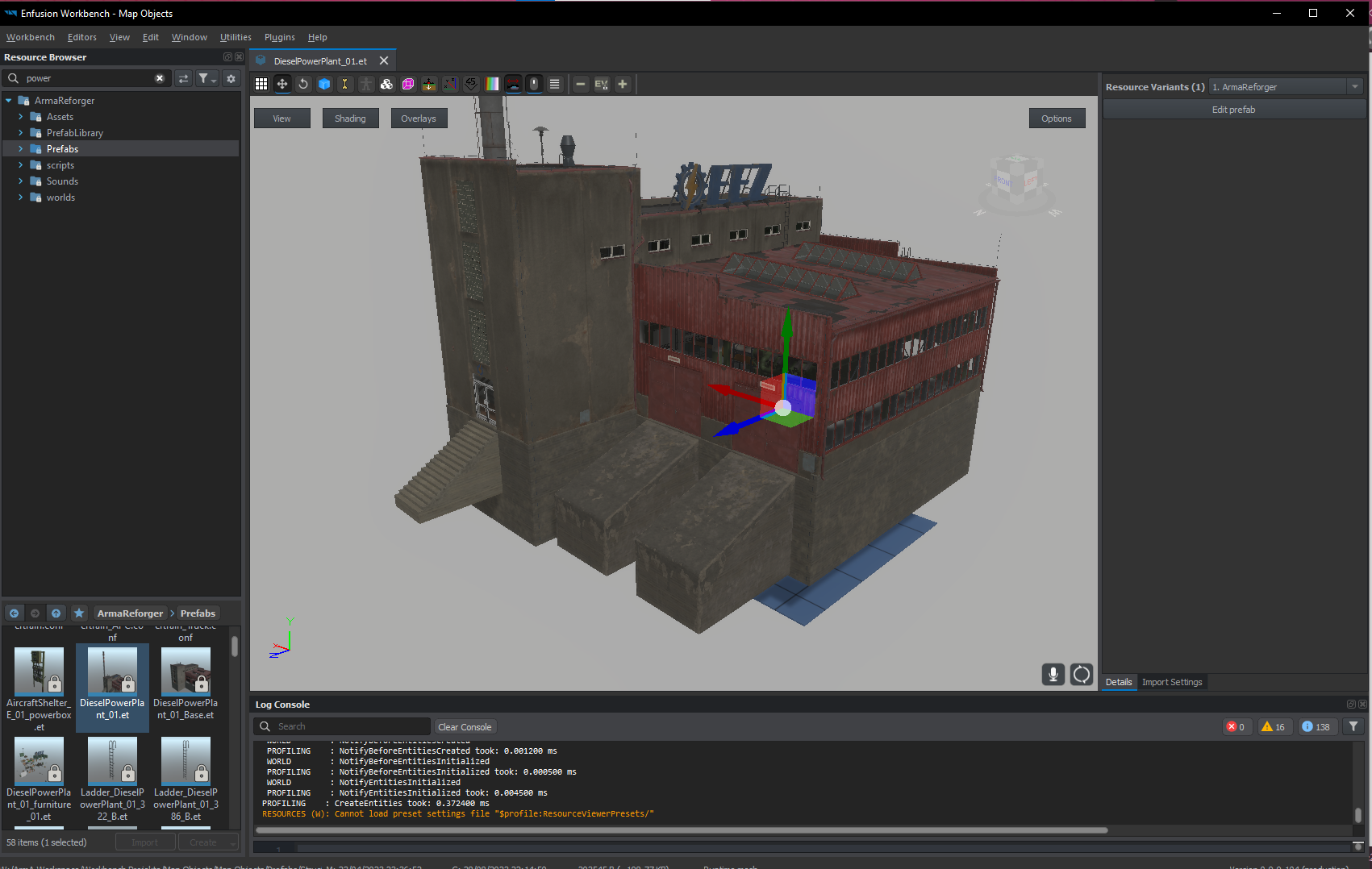 covert dune
quiet fog
how do you get this info on the right? For me its blank...
https://i.imgur.com/s...
covert dune
quiet fog
how do you get this info on the right? For me its blank...
https://i.imgur.com/s...
You have to check the .xob, the object you have selected is a prefab file
quiet fog
ahaaaa
but why are there two different colliders for stairs?
https://i.imgur.com/uPf7oti.png
https://i.imgur.com/UgaHH5t.png
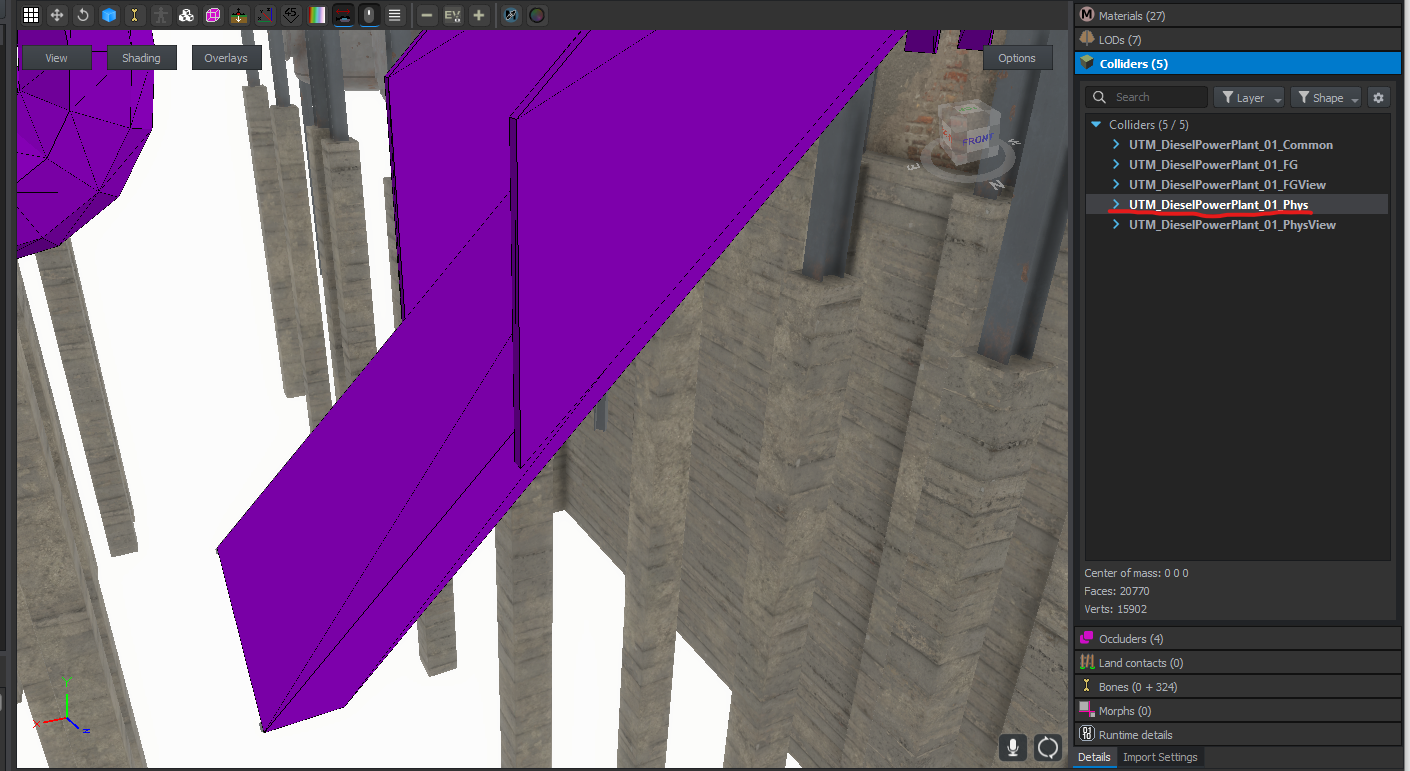
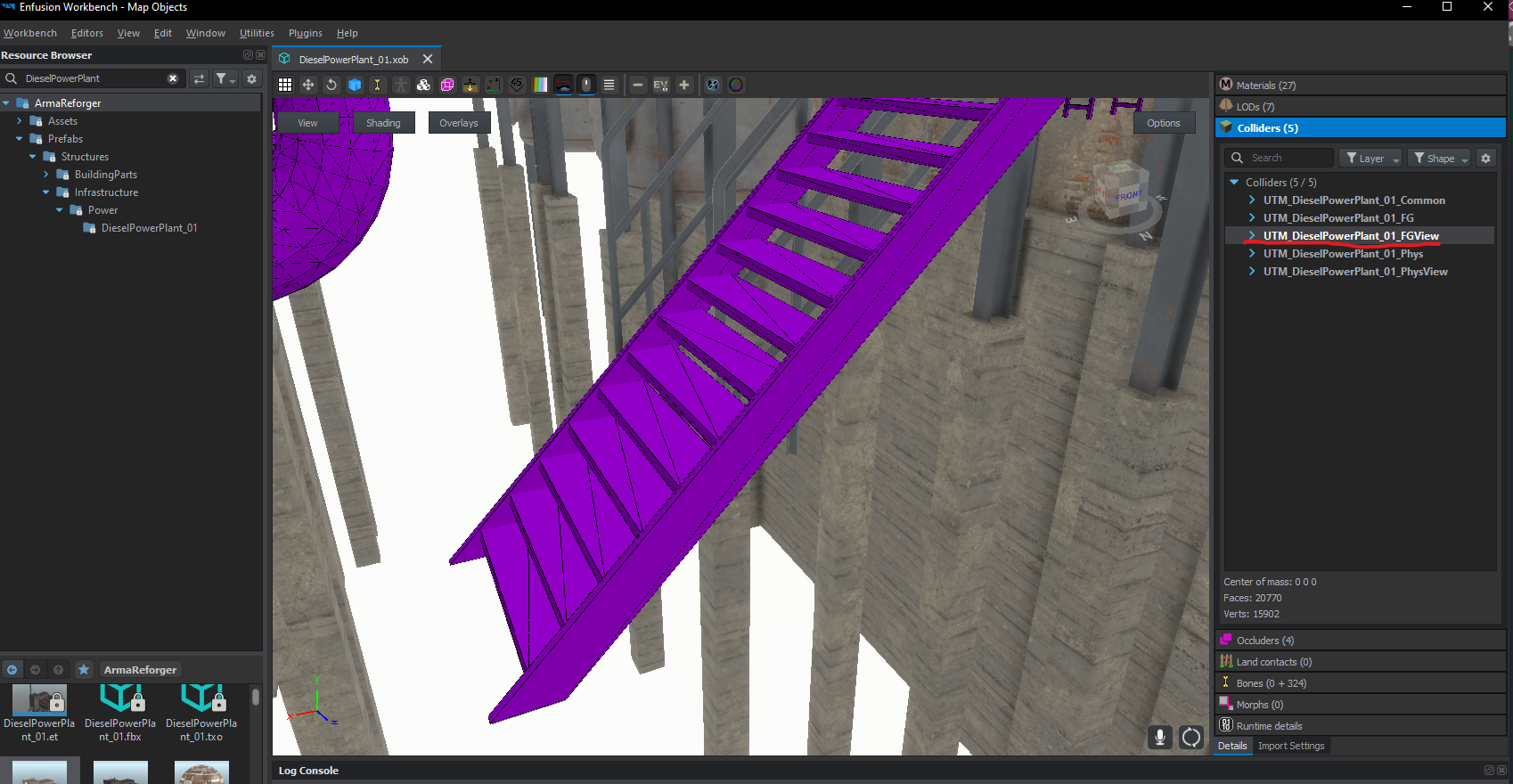 shell hedge
different collision layers is my guess
covert dune
FG is probably Fire Geometry which has to be exact enough for bullets to go through, and Phys is just for collisions like players and vehicles, so it's pretty rough.
Just a guess though
tidal latch
Above answers are correct
quiet fog
okay, so i think i got my first collider in enfusion (at least it shows up in workbench) but my character still walks through the mesh
https://i.imgur.com/BaaU79o.png
https://i.imgur.com/M50IG9K.png
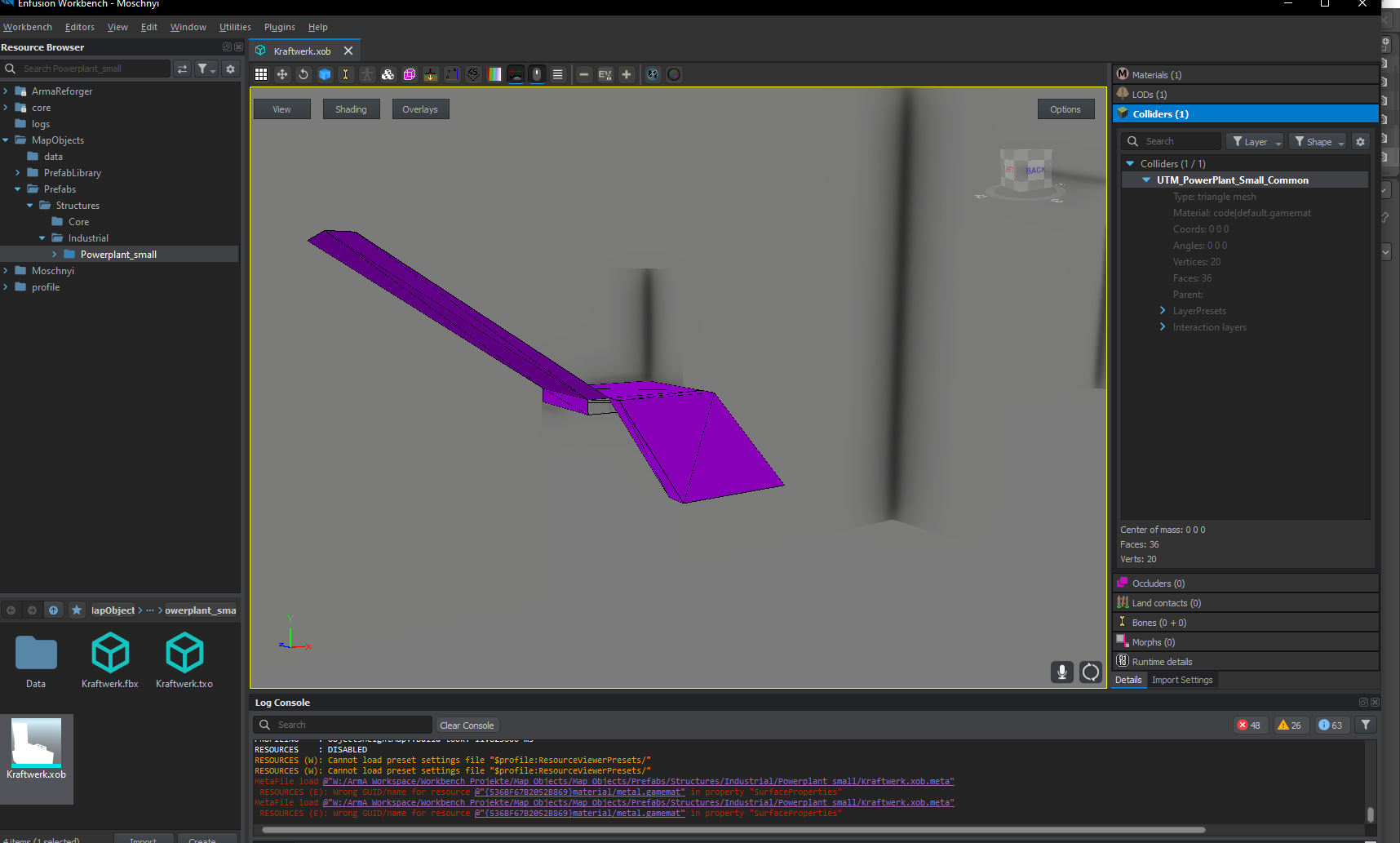
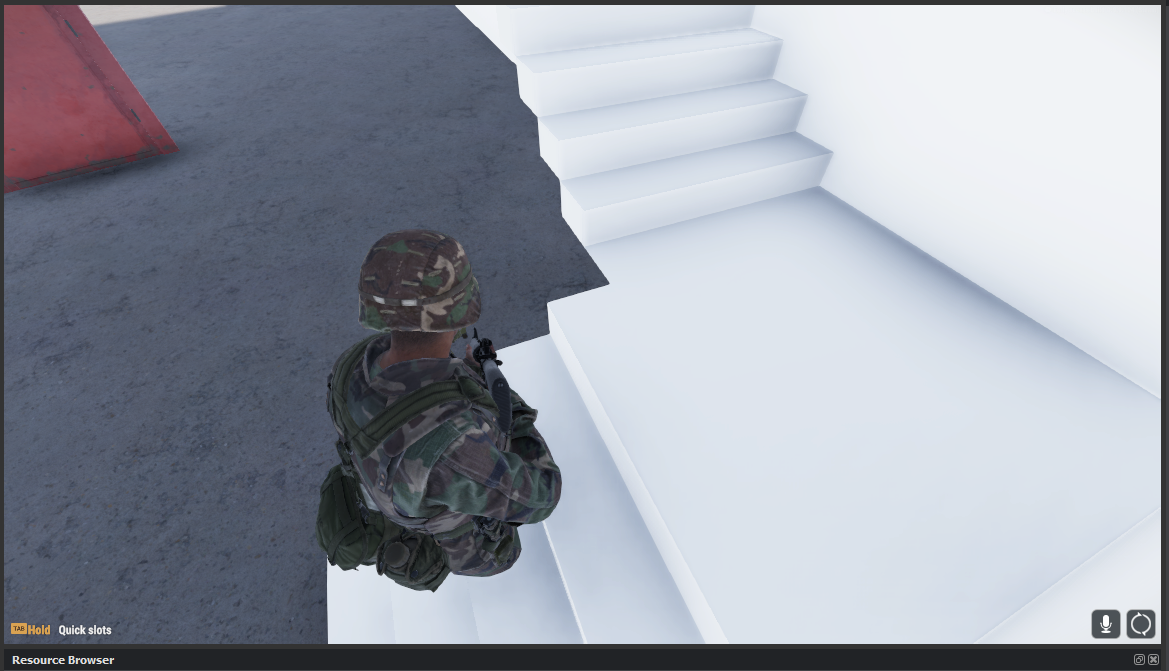 sand pagoda
do you have rigid body component in your prefab?
quiet fog
ah, my dumbass dropped in the .xob
forgot about the prefabs, this is all so confusing haha
last hill
quiet fog
ah, my dumbass dropped in the .xob <:notlikemeow:700311897937018890>
forgot abou...
Think of it like this:
xob - mesh
et (prefab) - config file that pulls from the xob mesh
tidal latch
https://community.bistudio.com/wiki/Arma_Reforger:Prefabs_Basics don't forget though, that prefab changes into entity prefab once you place it in world
it is also possible to have GenericEntity without prefab - in this case information about it would be stored only in world that you are working on
for example, when dropping xob to world editor viewport, Workbench creates entity of type GenericEntity with single MeshObject component
you could still add to it RigidBody component and set it although it is highly recommended to use inheritance of prefabs, so you don't have to configure everything from scratch
it is also handy when there is some game update which adds something to base prefab - if you are inheriting from correct prefab then you don't have to do anything basically
 neat canopy
What are the dimensions of the standard BI doors for buildings?
 last parcel
 iron frost
Anyone figure out
Yet how to give vehicles multiple levels of zoom?
wicked dirge
you would have to script it
 slim knoll
So I noticed that it takes me many times longer to upload any mesh. It started doing it just recently. I thought RAM wasnt fast so I upped it from 8 to 24 but still, it takes long to upload it.
My last mesh project had 100K verts and was pretty fast. This one has about 50K and it takes forever.
PS: Its just a mesh, nothing else. A textureless mesh.
Any ideas whats causing it?
thorny cobalt
you mean importing mesh into workbench, not "upload" ?
slim knoll
Uh yes. Importing, my bad.
 bleak depot
anyone know how to fix the flickering backround. its occlusion from building..

 bleak depot
fixed
surreal ore
@bleak depot Share your fix in case someone else has the same problem.
bleak depot
bleak depot
fixed
My occlusions was a Box and i Delete the Face to the plane. But this doesnt work. Reforger think the plane is a Box. You create und the Modeling Software only a plane.
tacit eagle
Are material overrides broken? My prefab seems to completely ignore it
tidal latch
on uniforms/inventory gear?
tacit eagle
tidal latch
on uniforms/inventory gear?
I'm trying to retexture the medical backpack, seems to be effected by the vest I made. When I put on the vest, the backpack reverts to the original prefab
tidal latch
use prefabs
tacit eagle
Not just textures, but the model reverts also
tidal latch
but the model reverts also
ah, that might be other issue. There is currently problem with retextures of models which are using deflated variant
so i.e. uniforms will fall back to standard materials once you will equip 6b2. It is known issue and this one was actually fixed internally
tacit eagle
Gotcha, I'll play around and see what I can do. Thanks!
bleak depot
is this a arma reforger bug have anyone idea to fix this issue?
In test my building in the game master and after place the building and change the position is my occlusion from the building on a old position... can anyone help me? i can change the position from the building, but the occlusion stack on the same old position from the first place
 sand pagoda
bleak depot
is this a arma reforger bug have anyone idea to fix this issue?
In test my bui...
sand pagoda
bleak depot
is this a arma reforger bug have anyone idea to fix this issue?
In test my bui...
i guess this is one of the reasons why building arent available for gamemaster to spawn
bleak depot
sand pagoda
i guess this is one of the reasons why building arent available for gamemaster t...
hmm its possible to disable the occlusion from meshobject? I see rain occluder, wetnesss occluder and clutter occluder...andy idea? 😮
sand pagoda
nope
 wary inlet
zenith quartz
Thoomp.
wary inlet
zenith quartz
Thoomp.
m4 never gets old especially when it looks as marvelous as this!
zenith quartz
Ty! :)
 zenith quartz
PMAG.

 coarse knot
Hey all, can anyone help or give some advice on how to fix this model and mod my good friend is making


The gray hood version is from the US army Expanded mod the tan is my friends
tidal latch
keep in mind that one vertex can be assigned to max 4 bones
check Log Console for errors/warnings - if you don't see anything suspicious yourself, you can send whole log for other to examine
grand marten
Im not sure if modelmakers is the right channel, but I've made a house model. Everything is working fine. But to make sure I don't have to put furniture in each and every house, I want to do the same as the houses already in the editor. That is, some kind of combined prefab. So the house mesh, with all the furniture parented. But when I try to copy an existing house, change the mesh of the house and remove furniture and add my own stuff and save it all. The old furniture still shows up. After trying to fix it, even the housemesh changed back to the original without me doing anything with that in the file.
Does anyone have a clue on how to fix this or what I'm doing wrong?
 vale cradle
@tidal latch
Here You go It is the log from importing, Skiming, and wearing it in the prefab
tidal latch
Are you sure? That looks like logs from game, not workbench
vale cradle

I tookn them from the workbench
Those are the one in the file maybe you meant those one
tacit eagle
coarse knot
Looks like a weight painting issue, given that the mask is so far away from the character the issue probably stems from when he's automatically copying weights over (It's too far away from the model in blender)
Whenever I've had parts of my mesh fly around and stretch like that, it's this issue^
tidal latch
vale cradle
Those are the one in the file maybe you meant those one
yes, that is sort of correct log but I would need something from session where you are (re)importing that asset
vale cradle
those are the one in the reimport session
@tacit eagle I Try both doing the weight paint my self as I usally do and then do the weight transfer same result both time
surreal ore
@grand marten Don't just change the model of a vanilla building to your model. You need to create a "Base" prefab with your model. Save it, Right click, then select "Inherit in". This creates a new building prefab that inherits from your base building.
Hierarchy should be
Base_Building:
Building_Variant: Base_Building
Building_Variant2: Base_Building
The Base_Building prefab should only be the building(with or without doors and windows, depending on if you want the variants to have different ones), The variant prefabs should inherit from the base building and have whatever furniture you want in them.
vale cradle
I might have something that could help ... I try to only weight paint on the spine 5 or every bone under neck 3 and this is the result

every bones under neck 3 acting like they are completly offset
@tidal latch
surreal ore
vale cradle
<@105548653594193920>
Don't ping BI employees
surreal ore
No worries, as some don't mind but to be clear it is against the rules.
vale cradle
make sense my bad
surreal ore
Its better for me to tell you than a moderator.
tidal latch
vale cradle
those are the one in the reimport session
doesn't seems like that - you would have something like
RESOURCES    : Rebuilding @"Assets/Weapons/Rifles/SampleWeapon_01/SampleWeapon_01.xob"
RESOURCES : Build successful``` in logsas a side note, have you seen this page? https://community.bistudio.com/wiki/Arma_Reforger:Character_Gear_Creation/Headgear

 tidal latch
it would work
vale cradle
I am very confuse on why it isn't working I Redone everything like on the page and same result

The only thing that might be a problem is my armature being called "Root" and on the website it say to make to call it "Armature" but when I do it does not moove
And like I said everything under Neck3 go completly offset

For some reason it got fix by pressing "i" then locrotScale
 surreal ore
I've done that before, Edit: I zoned out and forgot i was in the middle of a search and replied to something really old. My bad
grand marten
surreal ore
<@218386805299347457> Don't just change the model of a vanilla building to your ...
Aah okay! Thanks
tacit eagle
anyone know the dimensions (in cm) for the barn doors ?
surreal ore
@tacit eagle Not sure about doors but the window names include sizes. Doors may be the same way.
last parcel
They dont but you can see the mesurments by looking at the xob file in the editor
tidal latch
vale cradle
The only thing that might be a problem is my armature being called "Root" and on...
Are you using correct skeleton then?
tacit eagle
Not finished yet but finally got the basics of substance painter down, took me damn near all day to figure out what was wrong with my uvw maps in 3ds max. Trying to make some more buildings for a terrain. If the buildings turn out well enough I'll try and make them public for anyone to use.
 inner girder
Not really sure if this is the right place to ask this question but how would one merge a radio and a helmet together like let’s say a pilot helmet?
coarse knot
tacit eagle
Not finished yet but finally got the basics of substance painter down, took me d...
Ooooh looking forward to seeing thses
 ivory whale
Anyone available to answer some questions on to as why my plate carrier spawns in at the persons feet and not on the body? Not sure if its bad weight painting or what
ivory whale
Got the plate carrier to work but now all the pouches are inside the body not where they are supposed to be
tacit eagle
last parcel
They dont but you can see the mesurments by looking at the xob file in the edito...
I'm only able to view the .et of the door, how are you viewing the xob?
last parcel
just search for it in the resource browser. its under assets,structures,doors,Door_Barn_E_01
 light eagle
inner girder
Not really sure if this is the right place to ask this question but how would on...
light eagle
inner girder
Not really sure if this is the right place to ask this question but how would on...
Look at the pilot helmets from R3D-CORE
inner girder
light eagle
Look at the pilot helmets from R3D-CORE
Thank you 🙏🏼
 lapis vault
Work in progress. Its been a long time since I've done any modeling
 ivory whale
lapis vault
Work in progress. Its been a long time since I've done any modeling
ivory whale
lapis vault
Work in progress. Its been a long time since I've done any modeling
Legit was just doing shoes, i cant get mine to work on reforger tools any tips?
lapis vault
With porting them in? I haven't messed with the enfusion engine yet. I'm trying out the free trial of marvelous designer to make an outfit, then I might learn how to set things up in enfusion after. But I felt a pair of shoes is a necessity in an outfit, can't go around barefoot 🙂
What issues were you having?
ivory whale
lapis vault
With porting them in? I haven't messed with the enfusion engine yet. I'm trying ...
Currently when trying to import them to the game i cant get them to work as the pick up model, so i have yet to see if they even work on the character, the pick up model wont parent due to there being 2 models so struggling with that
 lapis vault
I know polycount isnt a big deal these days, but does anyone have a general estimate for items in reforger? if there were resources on that I would be glad to read over them.
 iron brook
Since you are making boots i would check how many tris the boots in reforger have and do smth simmilar
shell hedge
lapis vault
I know polycount isnt a big deal these days, but does anyone have a general esti...
just open a similar item in workbench and see
also remember that if you publish an asset pack that has models without LODs, rainforests burn
you dont want to burn rainforests
lapis vault
fair enough thanks. Havent even messed with the workbench much yet. Will have to aquiant myself
plush shard
lapis vault
mainly subd modeling right?
coarse peak
tacit eagle
Not finished yet but finally got the basics of substance painter down, took me d...
What you working on
shell hedge
bunker or welding mask 
tacit eagle
iron brook
Since you are making boots i would check how many tris the boots in reforger hav...
For the soviet boots:
Vertices: 3916
Faces: 5524
You can do more, I've done 30k before and it's fine. But as a general rule the lower the better (LODs help)
coarse knot
tacit eagle
Not finished yet but finally got the basics of substance painter down, took me d...
Would appreciate that tbh
blazing agate
Don't know why was taking me so long to post it
 lapis vault
plush shard
mainly subd modeling right?
lapis vault
plush shard
mainly subd modeling right?
Subd for the general shape, then sculpted for further detail
lapis vault
tacit eagle
For the soviet boots:
Vertices: 3916
Faces: 5524
You can do more, I've done 30k...
Looking at the workshops, that 4000 vertices includes all LODs + both boots, so the actual count of a single boot ends up around only 1K
tacit eagle
lapis vault
Looking at the workshops, that 4000 vertices includes all LODs + both boots, so ...
Oh I didn't realise, I thought that was just LOD0
tacit eagle
coarse peak
What you working on
Making a variety of buildings for terrains, I’ve used 3ds max in the past but right now im waiting for a new ssd to arrive so I can properly install zbrush and try that out
lapis vault
I would be interested in trying zbrush. But I can't justify all the money at the moment. $40 there, 50 for substance.. it adds up yeesh. Actually, I should look into alternatives to substance. I would really like to use it again, but it can't hurt the wallet to try new things
lapis vault
is there a specific way you need to setup the model for rigging to the character in reforger? I see you have the arms cut a specific way
zenith quartz
Doing ironsights atm but can't help but enjoy the look of this with the smart side rails added.
 spice topaz
zenith quartz
Doing ironsights atm but can't help but enjoy the look of this with the smart si...
spice topaz
zenith quartz
Doing ironsights atm but can't help but enjoy the look of this with the smart si...
Looking great
zenith quartz
Ty!
fathom elbow
IQ 150 side rails
zenith quartz
MBUS 3 completed.


 steel tapir
In what tool of the workbench are models made in?
surreal ore
@zenith quartzIf you ever decide to get involved in a weapon customization mod lmk lol
zenith quartz
Absolutely. 😄
jaunty condor
steel tapir
In what tool of the workbench are models made in?
Depends most people use 3rd party modeling software like 3DS Studio or Blender Maya Etc
zenith quartz
I use Blender but I'm planning to swap to Plasticity in the future. Marmoset Toolbag for baking. Substance 3D Painter for texturing.
steel tapir
jaunty condor
Depends most people use 3rd party modeling software like 3DS Studio or Blender M...
Thank you
Also another question if I wanted to reskin a vehicle what application should I use
jaunty condor
steel tapir
Also another question if I wanted to reskin a vehicle what application should I ...
workbench maybe
steel tapir
Alr thank you 🙏
tacit eagle
zenith quartz
Doing ironsights atm but can't help but enjoy the look of this with the smart si...
How long does it take to create such a model if you are good ?
delicate condor
steel tapir
Also another question if I wanted to reskin a vehicle what application should I ...
You will need to paint textures in external program. You cannot get models out of the game but you can take a screenshot of existing texture in workbench and paint over that. Then bring it back to workbench.
last hill
delicate condor
You will need to paint textures in external program. You cannot get models out o...
On that note, make sure if you go that route @steel tapir that you filter channels in the Texture viewer panel so that you're bringing your texture screenshot into your software program as Base Color only.
steel tapir
last hill
On that note, make sure if you go that route <@900914402008649828> that you filt...
Thanks Aussie I’ll look into it
 short schooner
I know this is a blast from the past, but do you remember how you figured out this issue? I'm getting the same error but in a totally different scenario. I'm getting mine with the [Attribute] class. I get this error in world editor when I click on the + to add an object.
Where I'm having my issue
class AISpawnAttr
{
[Attribute("", UIWidgets.EditBox, "Entity Name")]
string m_sAISpawnName;
};
class BA_SpawnerEntity : GenericEntity
{
[Attribute("0", UIWidgets.Object)]
ref array<ref AISpawnAttr> m_sAISpawnName;
ref array<ref AISpawnAttr> m_sAISpawnNamePacked = new array<ref AISpawnAttr>();
Your two questions were the only thing that came up in search. Sorry if this is a little out of category here, but you're the only one who's asked about this in the past.
 deft owl
short schooner
I know this is a blast from the past, but do you remember how you figured out th...
deft owl
short schooner
I know this is a blast from the past, but do you remember how you figured out th...
Wow, that's a throw back for sure. No I don't remember exactly but I think it was something to do with it was the first week of the tools being out and something with my prefab/workbench was being weird
lapis vault
Im tring to learn Marvelous Designer to Zbrush, Ive never used either of these programs, and it seems incredibly annoying honestly. Whats much of the point of marvelous deisnger is so much of the detail is lost? And seams are basically destroyed or make the model a mess to work with and leave so much manual work to put them together.
zenith quartz
tacit eagle
How long does it take to create such a model if you are good ?
This has been a on / off 2 months project.
iron brook
lapis vault
Im tring to learn Marvelous Designer to Zbrush, Ive never used either of these p...
For sure you will have to resculpt some stuff in Zbrush, but for the most part marvelous can create you a pretty good "base" wich you can then polish. Its def not mandatory but that requires that you can sculpt folds from 0 while from marvelous you just follow what the simmulation gave you and go forward.
shell hedge
what's the best way to find reference for wearing out rifle models? I see models online often that have wear and tear in places where it may not actually be worn by real usage (ie apply generic scratched edges filter and call it a day)
iron brook
yeah, dont use other peoples work as reference. You'll do the same mistakes as them. Best look for irl photos or scans.
This place has some nice collection https://dinustyempire.notion.site/6-1-Weapons-library-0ab1d28137e749f0abfca738d93a9222

Dinusty on Notion
A new tool for teams & individuals that blends everyday work apps into one.
shell hedge
woah, bookmarking this, thanks
calm rune
lapis vault
Im tring to learn Marvelous Designer to Zbrush, Ive never used either of these p...
If done properly you will not loose any detail. You can even export the stitching and bring over into zBrush and it will have its own UV which in turn can be turned into a color map for later texturing. You just gotta learn the complete pipeline.
sly bridge
shell hedge
what's the best way to find reference for wearing out rifle models? I see models...
gun broker is also a proper source to check high res images of second hand weapons
tacit eagle
I have a bit of a niche request if anyone has any insight, I'm trying to attach my own radio backpack to the base vanilla frame (saves me having to make one myself). Is there an easy way to go about this? I've tried using slots but I'm not sure how to make it so the radio sit on the ground when not equipped
 inner girder
Is this the correct place to ask about creating generators? Is there a resource somewhere ?
tidal latch
it is more scripting question I would say
inner girder
tidal latch
it is more scripting question I would say
Thank you 🙏🏼
tidal latch
tacit eagle
I have a bit of a niche request if anyone has any insight, I'm trying to attach ...
I assume item variant parameter doesn't accept prefabs?
tacit eagle
@tidal latch I think it does accept prefabs
tidal latch
well, then you can assign some composition with radio to that item model
or you can model radio in a way, which you want to have it on ground
using Pivot ID & Child Pivot ID you could nicely snap it to one of the spine bone - I assume no skinning is needed for radio itself
tacit eagle
Got it done, thanks rey 😁
deft owl
Try setting the simulation to active. I think you might have to create some sort of collision geometry as well. If you don't want to do it in the model click on the + button next to geometries on the rigidbody and configure a super basic one
glossy lynx
Comes down to the setting for that
Copy setting from an existing vehicle
surreal ore
What causes UCX colliders to not import? I seen that some people were having this problem as well but there doesn't seem to be a definitive answer as to why?
shell hedge
usually there's some error
tidal latch
surreal ore
What causes UCX colliders to not import? I seen that some people were having thi...
if you are sure there are convex, then check scale/transform (apply all transform)
surreal ore
shell hedge
usually there's some error
Just that it's not valid
shell hedge
ah maybe not convex then
surreal ore
it is convex, that's what the convex hull operator does it blender lol
i'll try again though
delicate condor
Best convex results in blender have needed the use existing faces be turned off and triangulation be enabled. At least in my experience with it.
Complex blobs with large multi face flat surfaces also can result in errors in game and with the checks because in the math calculation they are not absolutely flat after all. (decimal precision errors)
Simplification of the geometry can often help
lapis vault
For object LODs, will I need to rig/weight paint each and every LOD?
shell hedge
only the ones you want to move with joints
they are separate meshes so they need their own setup
lapis vault
For example, clothes. I assume it should be at least somewhat important, ya?
shell hedge
yep
but for LODs you can also weight paint less bones (armature must remain the same, just less weights)
skip some detail bones
lapis vault
For now its just boots, should be pretty simple to let the transfer weights to do it for me
I'll have to see if there's a simpler way to keep LODs together so I don't have to redo so much of it
Is it possible/correct for each LOD to share the same armature or will I need to copy the armature for each LOD?
delicate condor
lapis vault
Is it possible/correct for each LOD to share the same armature or will I need to...
They can share it
lapis vault
ty
lapis vault
I've noticed that I have a lot more verts in the workbench than I do in blender, ~2700 for LOD0 in blender but ~4000 in Workbench. Where do these extras get counted from?
tidal latch
ahh, verts - maybe faces are split?
lapis vault
can you elaborate? I haven't triangulated prior to importing into the workbench, not sure if that would effect it i.e. it splits on import.
Pretty much most of the game engine pipeline stuff is foreign to me and I am learning it. I might ask a lot of questions in here 😂
tidal latch
GPU is using triangulated meshes and faces are split on hard edges
so probably during XOB conversion, those meshes are converted to more GPU friendly form already
delicate condor
its an option in the Blender "convex hull" tool
lapis vault
 lapis vault
tidal latch
so probably during XOB conversion, those meshes are converted to more GPU friend...
lapis vault
tidal latch
so probably during XOB conversion, those meshes are converted to more GPU friend...
here I have counted all hard edges, assuming all of those edges are split, that would only amount to 3304, which is 700 missing verts, not sure
if i count seams its still slightly short
and it seems they do not animate properly when worn. More troubleshooting, I think this is tomorrow work 💤 sleepy time
 thorn topaz
Verts also split at uv seams, not just the seam edge but each vert that is neighboring that seam.
As an example- create a UV sphere with default settings then go to the UV editor, select "UV" then "Seams from Islands".
Select a seam on the mesh, press shift+g to select simlar- choose Seams.
Lastly with all seams selected press ctrl+V to bring up the vertex menu and choose "Rip Vertices"
This will separate each vertex at a seam so that point at the top goes from 1 vert to 10
Mind that you don't HAVE to split the mesh at the UV's as that effects smoothing groups but that is how you get your true count.
tacit eagle
While we're on the topic of LODs, is the method I've been using to create them acceptable? It hasn't given me issues so far, but I used the decimate modifier on x3 duplicated object
LOD1 = 0.5
LOD2 = 0.25
LOD3 = 0.1
thorn topaz
each lod at half the previous is the typical standard yes, if in doubt open the editor and navigate to something and look at its lods
tacit eagle
thorn topaz
each lod at half the previous is the typical standard yes, if in doubt open the ...
Ah ok, it seems to be very consistent with the vanilla assets so probably all good 👍 thanks
sly bridge
tacit eagle
While we're on the topic of LODs, is the method I've been using to create them a...
yes. each lower visual LOD should be 1/2ish of the previous
lapis vault
thorn topaz
Verts also split at uv seams, not just the seam edge but each vert that is neigh...
That makes sense actually. I sort of forgot that game engines do this. That's probably about accurate once counted for. I will have to keep this in mind when budgeting polycount
 lost narwhal
Not sure if this is the right channel, but does anybody know the fate of what happened to these mods/models?

 leaden trench
lost narwhal
Not sure if this is the right channel, but does anybody know the fate of what ha...
leaden trench
lost narwhal
Not sure if this is the right channel, but does anybody know the fate of what ha...
I don't want to release anything I'm not happy with, so not released yet. But maybe soon; 90% of engine and game features I was hoping/waiting for are there in 1.0 experimental branch.
lost narwhal
leaden trench
I don't want to release anything I'm not happy with, so not released yet. But ma...
No worries man, take your time. It’s better to be satisfied with your work opposed to the opposite 🙌
lapis vault

I'll admit, these dont really blend in with Everon's greenery XD. Im fairly happy with the result though
 tropic moth
lapis vault
tropic moth
lapis vault
Hey is it possible to add like a dirt map on the model - in script like. What I mean is when the game says that you walking on dirt or mud the texture of the boots would slightly change based on a few game events?
lapis vault
No idea, I don't think theres in game shader effects for mud on the character. Only wetness from water, which does work
tropic moth
Got it thank you 👍
tropic moth
lapis vault
Nice work by the way
lapis vault
ty
 west pelican
Does anyone have the skills to help me? how do I create a .xob file of a building I built? I created the .et file but I can't create the .xob file!
thank you for your reply
I am trying to make the environment of my bunker dark, but it is not delimited because of the .xob file and EnvironmentProbeEntity therefore has no effect
thorny cobalt
xob files are created when you import your 3D Model in .fbx format
last parcel
you also need a boxvolym or a Sphvolym but that is all about how the bunker looks like inside, take a look at this for more information https://community.bistudio.com/wiki/Arma_Reforger:FBX_Import#Probes_and_Probe_Volumes
as the EnviromentProbeentity takes it information of that to make it darker inside
west pelican
Thanks you
west pelican
thorny cobalt
xob files are created when you import your 3D Model in .fbx format
how to do this ? my creations are just a combination of several original arma prefabs
I send you picture wait
lapis vault
Well there's your first problem. Prefabs are not assets - they are a collection which can contain assets but you will still need additional setup. It may be wise to go over the modding tutorials in the wiki
 fathom bolt
fbx = object/model exported from a 3d software, fbx become xob once imported to Reforger


 shell hedge
dope
west pelican
This is my first ''creation'' and I only do this so that the environment inside is black, I think I need the xob but if it's too complicated I'll let the interior light up
wicked dirge
why would you need the xob do you think? A prefab is typically made from a xob, and the prefabs you used to compose your prefab probably have xobs separately already. You cannot make a new xob from this composition though
west pelican
Okay, so do you have any idea why my environmentprobeentity isn't working? Look at these two images, on my creation the environmentprobe doesn't know where to change the environment while on the second, the whole bunker seems to delimit in 3D


I based it on the changes made to EnvironmentProbeEntity to copy since the dark environment of the bunker of the gogland map, so I copied what it had put.
last parcel
becuse he is also using a probevolume found in prefabs and then place the envprobe as link to it
woven swallow
I just stop playing Rust and finish my models haha
 lapis vault
looks nice!
woven swallow
lapis vault
looks nice!
thanks
lapis vault


So I'm setting up a pair of pants, and tbh I don't know much about weight painting. this is the result I currently have just with the transfer weights function in blender. Most of the model is fine, but theres some very noticeable stretching around the crotch (sorry for the butt-shots) How can I clean this up so it doesnt deform so badly?
shell hedge
well you need to go over the weights in that area
it may be weighted to a bone further away than it should be
lapis vault
I also turned into darth maul