#enfusion_scenario
1 messages · Page 27 of 1
 silent depot
silent depot
silent depot
@naive pivot Approved?
 naive pivot
ya it says i need to be apporoved and they will send me an email
looks like its locked down or something
or private
silent depot
@barren heart yeah, left the file path as it was, the only thing I did was add a world's folder and save everything I side there.
naive pivot
@silent depot any idea? screenshot? how long is the process?
wait @silent depot is that your document? i think you sent me the edit URL
 barren heart
Yeah if you keep your projects in the default directory I believe the game will also pick them up and show as kinda blank and 0B etc.
If that's what your seeing might be just that.
The editor can open projects from anywhere so I think most people are just making a dev directory to hold their projects.
silent depot
@naive pivot I did send it, does it not open? It only takes about 10 mins to make the config but I'm not on the computer to get screen shots
naive pivot
It doesnt open it says i need approved access i think you sent me the editors URL or something is it your document? @silent depot
silent depot
@naive pivot I changed permission so hopefully it will open. It's not my description but it does work.
@barren heart maybe that then, will have to look into changing where to save the projects to.
naive pivot
thx it worked
@silent depot what class is my config file? i name it then it wants me to select a class?

the tutorial just says "fill it out"
i just did the mission one
silent depot
@naive pivot sorry, had to find it, you want SCR_MissionHeader
naive pivot
ya that should be put in there
silent depot
Will add it in, completely forgot tbh. Just make sure nothing is left default or you may have issues. If you get it done what's your terrain name? Looks really good from the images I've seen and wouldn't mind checking it out.
silent depot
You have to make sure when making the config file that you add an image to all 3 slots. Add description author.
naive pivot
so the placeholders wont work?
silent depot
@naive pivot I think It can give issues showing as a scenerio in the workshop from what I've been told. You can use the same image for all 3 slots icon, loading screen and preview image.
silent depot
Did you create an art folder? If you did I just dragged a jpeg into that folder then dragged the Edds it created I to all 3 slots then saved and published again
naive pivot
ya i did
i just published i think
now do you have to load this into a server to get game master to work
or can you do single player?
silent depot
Ok. You should be able to just go into the workshop, download it and the scenerio (game master) will be playable as single player.
naive pivot
so when you go to gamemaster in the main menu it lets you select?
silent depot
What I do is, in your downloads section there should be a description that tells you the player number and if you click on that it will come up with join server, or play. Just click play and it should load up
silent depot
Hopefully it works, I had a right nightmare trying to get it to actually be playable
naive pivot
ya i dont see that player count thing
silent depot
Did you add the perception manager to your terrain? Also I'm sure you can leave the path missions/name.config blank see if that works.
silent depot
Yeah, if you search for perception manager in the create tab and add that in sure it's SCR_perceptionManager then bundle and try and publish again
naive pivot
k
silent depot
Does game master work when you're in enfusion tools?
naive pivot
i have no idea
trying my second publish
deleted the path and added perception thing
silent depot
You know the little green play icon in the top panel when in enfusion if you right click on the little drop down you can change it to be local server then press play and if setup properly it will load in as if you were actually in game.
naive pivot
oh
wont let me place AI in the editor
like gamemaster works
just wont let me spawn ai
silent depot
When you followed the document did you also add team death match?
naive pivot
no
silent depot
Just checking as that could cause issues. Not sure why it won't let you spawn AI should just work when you added the game mode.
naive pivot
well im leaving soon if you want to dl the map and give it a shot that would be cool
silent depot
I will be on the pc in the morning so will give it a look and see if it lets me load in.
 sour gust
silent depot
Does game master work when you're in enfusion tools?
sour gust
silent depot
Does game master work when you're in enfusion tools?
Yes it does, but you need to add some components in the game mode. Check what's in the Editor Full prefab gamemode. I haven't figured yet all the components that are needed to trigger a victory or defeat, but spawning troops/objects that will work.
naive pivot
I am going on vacation so tag me I will try to answer if you guys find anything
silent depot
@naive pivot I will let you know if it works for me tomorrow, have a good vacation.
silent depot
@naive pivot not sure how one would download someone else's stuff to mess with it tbh
naive pivot
You can load it in the editor no?
silent depot
Not too sure tbh.
naive pivot
Pretty sure you can
silent depot
I will have to look In to that.
 frigid hare
Is it possible to rejoin a local server once you leave? e.g. you are in the Workbench world editor, press F10 to go the menu can you can get back in the game?
 narrow path
I cannot figure out how to generate navmesh on start to avoide AI just walking in to buildings and such, ive looked though the Night ops scripts and do not understand where it is being generated. to place in a custom trigger.
 solar shard
narrow path
I cannot figure out how to generate navmesh on start to avoide AI just walking i...
solar shard
narrow path
I cannot figure out how to generate navmesh on start to avoide AI just walking i...
It’s part of the Dynamic Spawn Framework. Did you check that NightOps dependency specifically? It’s main developer @median oar can hint you for sure into the right direction.
 median oar
narrow path
I cannot figure out how to generate navmesh on start to avoide AI just walking i...
median oar
narrow path
I cannot figure out how to generate navmesh on start to avoide AI just walking i...
If you talka bout to generate navmesh for buildings etc. on spawn time thats our solution Line 172: https://github.com/devinSpitz/NightOps-DynamicSpawnFramework/blob/ad553ca77a71d701e79f83486d0bdcdb414bed7b/Scripts/Game/NO_DSF/NO_SCR_SpawnTrigger.c#L172
Otherwise for the hole terrain you have to select the Navmesh tool and click on the right bottom on the Navmesh tab :)
GitHub
Arma Reforger - It does spawn and despawn on player contact just with hierarchie no naming - NightOps-DynamicSpawnFramework/NO_SCR_SpawnTrigger.c at ad553ca77a71d701e79f83486d0bdcdb414bed7b · devin...
If its the hole Navmesh this may also help thats how i did it: #enfusion_ai message
narrow path
Ahh okay thank you. I'm nit using your spawn scripts so I may change it over or try and modify what I have
median oar
narrow path
Ahh okay thank you. I'm nit using your spawn scripts so I may change it over or ...
Yes at least have an example now :)
 whole phoenix
Is there a way to load a different map / scenario will logged in as admin. As we are missing any kind of lobby.?
Also why oh why does the script wizard keep saying it cant create one at that location
 muted scroll
Making a coop mission like domination or invade and annexe for ArmaReforger are more complicated than A3. No ?
 west karma
muted scroll
Making a coop mission like domination or invade and annexe for ArmaReforger are ...
west karma
muted scroll
Making a coop mission like domination or invade and annexe for ArmaReforger are ...
Yes and no 😛 But mainly yes for most people
whole phoenix
muted scroll
Making a coop mission like domination or invade and annexe for ArmaReforger are ...
Without the help of All the amazing chaps in here. It really would be. Just follow the tutorials and you will have a map up and running, not quickly but once you have done it a few times or if you have a good memory (which i do not) then it will come quicker. Don’t be disheartened just keep at it.
 white stirrup
Please reproduce 🙂
https://feedback.bistudio.com/T166027
 gritty vortex
white stirrup
Please reproduce 🙂
https://feedback.bistudio.com/T166027
gritty vortex
white stirrup
Please reproduce 🙂
https://feedback.bistudio.com/T166027
yup
whole phoenix
anyone having trouble with the script wizard?
whole phoenix
Hi Jerry Can you explain what prog you use to make the final film and a rough guide as to how its done? Thanks in advance.
@median oar I forgot to send link have done two main maps now. Thanks to everyones input they seem to be working.
median oar
whole phoenix
<@341208920871665664> I forgot to send link have done two main maps now. Thanks...
Cool :) you can send them now but np anyway :)
whole phoenix
@median oar How do i link them with out getting a github ? Mission name enough?
- Eden Patrol ( dependency MerrinsPrefabMap) 2. ReforgerBackToEveron
The first one is running on my server
median oar
whole phoenix
<@341208920871665664> How do i link them with out getting a github ? Mission nam...
enouth 😄 will check them thanks
 lean scroll
Good Morning @median oar and @west karma
Does your team have an ETA on completion of tutorials on the NO frameworks? Appreciate it!
 lean scroll
@west karma LOL. Awesome!
solar shard
lean scroll
Good Morning <@341208920871665664> and <@213027352379260929>
Does your team hav...
We will be announce the project sometimes next week and thats when we aim to finish the basic tutorials and have the frameworks in a releasable state published
lean scroll
I have a question on setting up a default mission to reference over and over. After you create the base mission setup with the managers, and then create a new project, and create a new sub-scene from the base mission with the managers, my concern is having multiple sub-scenes and worlds will be increasing the mission size. Or is it just referencing back to the original eden.ent with pointers? At minimum, you would have 3 worlds, 1 - Eden.ent(original), 2 - baseMissionWorld.ent, and 3 - NewEnfusionProject.ent.
Or when you publish to workshop, it is just pushing out the NewEnfusionProject world, and dropping the other 2?
 proven pond
If I'm correct you can simply add prefabs or layers which are stored in (external) mods. So a mission maker opens the world editor (with Eden.ent), adds the baseMission layer (from a mod) and then adds a custom layer with mission specific files. When saved it should only contain the mission specific files since the rest is referenced from the core or mod.
whole phoenix
median oar
enouth 😄 will check them thanks
I had a code550 on the PAK file so repackaged map under a new GUID it is now called MerrinsGoesBackToEveron one thing I need to ask if you or anyone knows. How do we delete files from the workshop permanently?
 winged narwhal
@west karma is it possible to place an arsenal box at the beginning of your new mission, I’d like to tackle it with some modded weapons/gear. All good if not, I’m just a console pleb looking for some cool single player missions.
west karma
winged narwhal
<@213027352379260929> is it possible to place an arsenal box at the beginning of...
The Battle of Godfrey's Cottage mission or Op INFERNO 85?
winged narwhal
Godfrey’s Cottage.
west karma
I can do, it's actually the mission I made in a tutorial more than a real mission haha so it might be quite easy!
winged narwhal
Would be much appreciated. Thank you.
whole phoenix
Anyway of making the waypointed ai actually act intelligently and how do I make the more aggressive like in arma 3 max skill etc
west karma
winged narwhal
Would be much appreciated. Thank you.
Done 🙂
As I say though it's a mission for a tutorial so it's not the most exciting 😛
winged narwhal
west karma
As I say though it's a mission for a tutorial so it's not the most exciting 😛
Thanks mate. I know, but I’m really enjoying the single player missions at the moment and running modern gear/weapon mods (which is why I asked for the arsenal box) so any mission content from creators such as yourself is greatly appreciated.
west karma
Does the arsenal box add the mods? I added the arsenal_us prefab
winged narwhal
Yes it does. Everything was fantastic thank you!
west karma
=]
lean scroll
There is a semi functioning RHIB on the workshop.
naive pivot
anybody know how to get ai working on a custom map/game master? i can get game master working but when i spawn AI they dont show up
gritty vortex
you need to setup the navmesh
naive pivot
what file doest the navmesh need to go to? @gritty vortex
solar shard
naive pivot
what file doest the navmesh need to go to? <@267285803720245258>
It’s set in the AIWorld entity. Do you have all necessary managers like perception manager added aswell?
naive pivot
i think so i tried generating and a few secs/mins in it crashed
should i stream
i will stream @solar shard
solar shard
Sorry I’m only at phone. I recommend just to follow one of the several beginners tutorials. Setting up some AI etc id really basic stuff and I believe you will solve that in no time.
naive pivot
i followed this one and its got some issues
like i doesnt point me to which file to link up to
first instruction says point to a navmesh file
which one? eden?
its a custom map?
also all the settings i assume i leave on default
solar shard
Then, if the custom terrain don’t offer a Navmesh file yet you will have to create one.
The file will be added then in the SCR_AiComponent
gritty vortex
naive pivot
i followed this one and its got some issues
after generate, save, then find the file for the aiworld navmesh component
naive pivot
okay now what do i need to get this working for other people on the workshop?
naive pivot
where is mission directory
naive pivot
right but where is it
like
nvm
i think i already did this?
i have the gamemaster thing in my missions folder and its all set up
i got the ai working in the editor does that mean its done?
 gritty vortex
naive pivot
i got the ai working in the editor does that mean its done?
gritty vortex
naive pivot
i got the ai working in the editor does that mean its done?
make sure the images and descriptions are filled up
naive pivot
they are
gritty vortex
ok, that should be enough to make it appear in the scenario menu
naive pivot
how do i get my navmesh file into my ai it doesnt show up its in the addons folder or something
gritty vortex
its in the folder you saved it in
with the save as button
if it doesnt save u prob need to restart world editor
had that once
 cyan sail
Hey, I apologize before hand if this is just user error but I was hoping someone could give me a hand. I'm having an issue with Edens ent world file. I load a new project, boot world editor, load Edens ent file and this is where the issue starts: The little world icon for Eden is greyed out but its default layer is unlocked and active. I can move objects around just fine but when I save with options and boot up the next session everything reverts back. So basically I can't edit Eden/Evron, I have a bush in a med tent that just replaces itself and a table that I turned 90 degrees and filled with items that does the same. So damage is super minimal but I want to get a handle on this before I get too far, all my added prefabs are fine and stay. Every tutorial I've watched doesn't have it greyed out like this. Something else to add is this is a newer pc that was recently upgraded to windows 11. I've heard of a file read only bug procing when upgrading windows. All my reforger tools are marked as Read Only. Could that be my issue? Everything else seems to work fine. Sorry for the wall of text and if I'm just a potato. Appreciate any help! Thanks!

 silent meteor
good evening, can't get the AI to control the vehicle?
 vivid anchor
silent meteor
good evening, can't get the AI to control the vehicle?
vivid anchor
silent meteor
good evening, can't get the AI to control the vehicle?
Nope
silent meteor

vivid anchor
@cyan sail currently you can't adjust stuff that already exists iirc. The only thing you can do is create a sub-scene and add stuff.
Everything vanilla is supposed to be read only
cyan sail
I appreciate the reply, that's a shame to hear. I wasn't sure if it being greyed out was an issue. All I'm looking to do is flip some tables, move some pesky bushes that kinda thing. Is there any way to essentially copy Eden and make it a new world file? Last can we expect any kind of udate that allows this? I noticed in a conflict 2.0 scenario on the work shop that has overhauled most of Eden/Evron and added trenches. I'll need to check if they embedded them in the ground or added dirt up around them. Again thanks for the help!
vivid anchor
Right clicking the et file should give you the option to duplicate to your mod, or overwrite in your mod
Choose overwrite
Not sure if you can do it with maps. Haven't tried
Also not sure what all can actually be changed with the modded copy
I think it's actually called "override" lol
cyan sail
Thank you! I'll give that a try and do some testing with it. I'm trying to create an op set on Evron but I want to overhaul some of interiors to feel more used, like flipping a table for cover and such. I'll mess with it and see how it interacts with the core map file.
vivid anchor
It's also not suggested to override vanilla stuff
cyan sail
Fair
vivid anchor
That just causes issues with other mods that do the same thing
cyan sail
That's why I was wondering if a copy might work. Make the game load a whole new terrain as if it were a new map but it's just a "copy" of Evron instead of Evrons core map file. Might not be worth the hassle to minorly move a few things.
vivid anchor
Yeah you can duplicate
Not worth it unless you really plan on going over the whole map and making changes
Ohh
cyan sail
Eventually I will, but for now I'm doing scaled down ops that will eventually feed into each other across the map. So for now I'll just work around it and when I'm ready make the copy and import my world file with my added prefabs
vivid anchor
It could have been fixed last patch idk
cyan sail
I'll keep an eye on it and mess with it periodically. Thanks again for the help!
 stable carbon
What is this?
 lean scroll
Looks like a Virtual Machine Exception.
stable carbon
Thanks
 tepid kestrel
Can waypoints be attached to entities?
muted scroll
Hello, it's possible to edit a .pak file in editor like poseidon or notepad ++ ? Or with an other software ?
 red apex
muted scroll
Hello, it's possible to edit a .pak file in editor like poseidon or notepad ++ ?...
red apex
muted scroll
Hello, it's possible to edit a .pak file in editor like poseidon or notepad ++ ?...
Not yet.
but it looks like the .pak files are IFF containers. it would take some engineering to find out how to open it. i might wanna have a look at parsing the files using 'chunk' (python)
naive pivot
hey guys i have both my terrain and my scenario on the workshop , however the only way to play my content is INSIDE The workshop on the scenario mod page. I cant find it in the scenario section of the game menu
however i have a different mod that is in the scenario section that a friend made
so how do i get my scenario to show up in the game menu?
tepid kestrel
naive pivot
hey guys i have both my terrain and my scenario on the workshop , however the on...
The scenario needs the right folder structure and mission configuration file. Check tutorials on YouTube for one that shows the last steps.
tepid kestrel
I'm at work on my phone right now so can't go looking.
naive pivot
what would i search for?
tepid kestrel
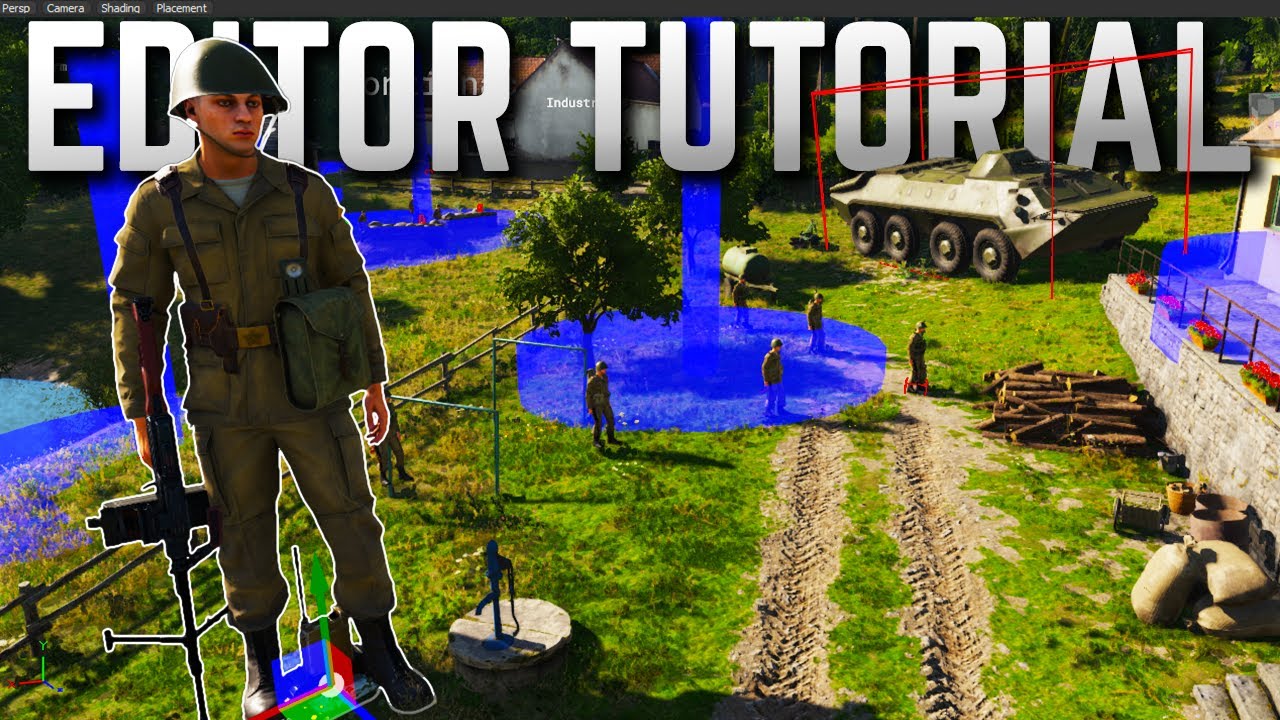
ALL of the Resources for this tutorial: https://hq.uselessfodder.com/p/how-to-make-missions-in-arma-reforger.html
Buy awesome tactical games: https://nexus.gg/UselessFodder
Join in future operations: https://discord.gg/UselessFodder
Support the channel and community: https://patreon.com/UselessFodder
This is a COMPLETE guide to making a custom ...
I think that one covered it
stable carbon
Do you guys know a way to respawn a dead AI group, with the same waypoints?
stable carbon
stable carbon
Do you guys know a way to respawn a dead AI group, with the same waypoints?
Figured it out myself. I placed a AISpawnerGroup and assigned them a waypoint with On Spawn script.
Here's the solution for others who might need it:
How to make respawning AI with a waypoint?
- Place an AISpawnerGroup
- Remember to check the Do Respawn option and select the AI group entity in the object properties
- For the next step you'll also have to name the AISpawnerGroup, you can do this on the top right of object properties
- Pace an AIWaypoint entity from "Prefabs/AI/Waypoints/"
- Remember to adjust the settings how you want them
- Give this one a name too.
- Add script to the AISpawnerGroup "On Spawn"
- Your script should look like this
class Name_Of_Your_AISpawnerGroup: AISpawnerGroup
{
    override void OnSpawn(IEntity spawned)
    {
        /* code here */

        IEntity waypoint = GetGame().GetWorld().FindEntityByName("Name_Of_Your_Waypoint");
                /* Defines "waypoint" as the AIWaypoint entity by finding it by name*/

        SCR_AIGroup group = SCR_AIGroup.Cast(spawned);
                /* Defines "group" as the parent of this script (The group of AI) */

        group.AddWaypoint(AIWaypoint.Cast(waypoint));
                /* Adds waypoint to the group */
    }

};
Hello,
how we can modify the amount of point needed to rank up in conflict mode ? Or the number of point for any ranks ?
whole phoenix
@solar shard is there a way to get the ‘eliminate task’ to work on an object being destroyed e.g. a UAZ also is there a way for a completed task to automatically assign the next one?
solar shard
whole phoenix
<@721320175504457740> is there a way to get the ‘eliminate task’ to work on an o...
Yes and yes. @median oar can explain a little bit better how to utilize the eliminate task in the NightOps - Dynamic Task Framework. I did it earlier with custom triggers as seen in mission 1 of the NightOps showcase campaign (ural com truck) but I know you can do this now via our task system.
whole phoenix
Brillo
Also how in Zarkwons holy name did you get the target marker to stick to the static ai group??
Its all brilliant btw
solar shard
Speaking of the completed task we offer several solutions. The easiest one is to use the NO_taskCompletionEventhandler from the franework which came with the latest update.
Just place it as a child of the task which should finish to unlock a new one.
Then klick on script+ and select “onTaskFinish” and unlock the next via script. I show that in the Mission 2 sabotage for example in the multiTask.
Other way which comes to my mind is via the missionTrigger from our Custom Modes Framework.

 solar shard
whole phoenix
Also how in Zarkwons holy name did you get the target marker to stick to the sta...
solar shard
whole phoenix
Also how in Zarkwons holy name did you get the target marker to stick to the sta...
Thanks. This is a hacky workaround since at the time I made this missions, we hadn’t developed a native solution. With our website launching tomorrow I can show it in a tutorial.
But what I basically did:
added a commentEntity which will be attached to the spawned HVT similar to the spawnPoint following the APC in mission 1.
Then just add the commentEntity name in the “Additional Marker Position” (which skydel thankfully implemented in our task system) so the task marker is sticked to the comment. Hacky, I know. We will create a native solution in the future if BI won’t do it before us.
whole phoenix
Awesome i shall have another lookie later thanks again fir the help
median oar
whole phoenix
Awesome i shall have another lookie later thanks again fir the help
If you need that with dynamic spawn there is another component:
 solar shard
Yep true. This is even better since it’s not a identifier but an actual renaming. But we offer both solutions anyway.
whole phoenix
Brilliant. Goldstars all round.
solar shard
whole phoenix
Brilliant. Goldstars all round.
All credits to the team and mostly BI for the good foundation including folks like @sullen talon or @quasi jay supporting us the first weeks so well to understand the stuff
whole phoenix
solar shard
All credits to the team and mostly BI for the good foundation including folks li...
Indeed
stable carbon
Anyone else experiencing weird issues while trying to make a custom conflict/campaign mission? Yesterday I got it working so that I could reconfigure radios, but today I can't do that when I try it out
Also for some reason spawning doesn't work. When I choose a spawn point and click spawn it just takes me back to choose a spawn point
whole phoenix
@median oar When I kill the last of the 2 spawned men this comes up
 median oar
Is the task a parent of he trigger? @whole phoenix Otherwise i have to check the code :)
median oar
whole phoenix
its the untouch version you guys posted
Are you sure its untouched? i did try it now with the published version and it does work as extended and this version is also used in the NightOps mission wich does work xD

 median oar
whole phoenix
it happened also when the btr died
median oar
whole phoenix
it happened also when the btr died
Can you re install the mod maybe that fixes it 😄 So remove and add from game 😄
lean scroll
stable carbon
Anyone else experiencing weird issues while trying to make a custom conflict/cam...
I was having major issues with workshop, multiplayer, workbench. Errors everywhere. I deleted everything in addons folder, and all started working again. I keep all my work files on another drive from addons, so I didn't loose any work.
stable carbon
lean scroll
I was having major issues with workshop, multiplayer, workbench. Errors everywhe...
I managed to fix that problem. I had to test the mission in localhost. But shortly after I started getting a lot of errors all over the place when testing the mission, some of which I've already solved but there's several left
whole phoenix
lean scroll
<@419619068631580673> Which Example is that?
NO Task Framework
 quasi jay
solar shard
All credits to the team and mostly BI for the good foundation including folks li...
quasi jay
solar shard
All credits to the team and mostly BI for the good foundation including folks li...
And we shall help even more if someone is in need. Just ping me, I will get to you, once I have time. 😉
stable carbon
Any ideas for the cause of this?

This keeps popping up in my log console again and again, but it doesn't really seem to affect anything. The map markers for that base work just fine and it functions as it should
solar shard
So since so many asked when our frameworks will be covered by tutorials and in which state the NightOps mods are to be used by everything, I've a little announcement to make:
NightOps - Modding Project announced & published
https://www.NightOps.de/
The NightOps frameworks are published now in a releasable-state. We provide frameworks and custom gamemodes in Arma Reforger for everyone to use. This makes creating a coop or solo scenario very easy for mission makers. Our first tutorials and documentation will lead you through it!
You can either use just one framework as a dependency or the whole package with a lot of useful features for creating custom missions. A showcase what features and mechanics are included can be already played in the NightOps - Everon 1985 mini-campaign and we will release custom PvE and PvPvE gamemodes in the near future.
Available now:
- Custom Modes Framework (provides ready-to-use Coop gamemode prefabs and some mighty custom trigger for mission design)
- Dynamic Task Framework (provides a dedicated server working task manager with a lot of custom task trigger)
- Dynamic Spawn Framework (provides a system to dynamically spawn and de-spawn groups, vehicles and objects and can even use a dynamic faction system to change the spawning units depending on mission header configuration)
Everything is covered in a great basic tutorial written by Herbiie and documented well on our website. And more deep dive guides will follow soon about every framework. Next to that, Zeal published a small tutorial about Additional Script utilizing the frameworks in a more specific way about topics, people were asking lately alot.
You can either just download the dependencies in the Ingame workshop or review the sourcecode repositories on GitHub. We are looking for your feedback and issue reports. And if you need support, you can always tag us in the official Arma discord server, on the Enfusion Discord or in our own NightOps discord.
lean scroll
@solar shard and NO Team... YOU GUYS ROCK! Great job!
 agile echo
how can i get modded weapons into the world editor while making a mission?
stable carbon
agile echo
how can i get modded weapons into the world editor while making a mission?
You have to look for the prefab in your project folder in the resource browser
You can also add the weapon into an arsenal box by overriding the configuration
agile echo
also is there a way to have a virtual/infinite arsenal like in a3
agile echo
stable carbon
You have to look for the prefab in your project folder in the resource browser
also how do i get it into the project folder (its from the workshop)
stable carbon
Did you add the mod into the project when you created it?
agile echo
no i just kinda created hte project and made the sublayers ands tuff
do you have to add thme?
stable carbon
Yes. When you create a project you add addons to include. If you don't include an addon to your project you can't use content from that addon
agile echo
can i add it after the fact @stable carbon ?
stable carbon
agile echo
can i add it after the fact <@170150728323694592> ?
I'm not sure about that, haven't seen an option to do so
 digital knot
so, about creating map markers, I found this explanation ☝️
it kinda works
but seems to only output a red square with fixed size and a displayname inside
 slender gull
Oh, thats old af message.
digital knot
there is a "type" list thingy, but changing the type doesn't change the icon displayed
slender gull
Yeh, they use different system to create map icons, if I remember right.
digital knot
I'm more after some kind of "hand drawn" circle on the map
digital knot
slender gull
Oh, thats old af message.
any new intel that I missed ?
stable carbon
How can I make the "Start building" action available on a supply truck in a custom conflict mission? For some reason the action doesn't show up. I have placed the campaign building manager in the mission
 atomic tree
Idk bout the campaign building manager but maybe you need to create the action menu first:
https://community.bistudio.com/wiki/Arma_Reforger:Action_Context_Setup
stable carbon
atomic tree
Idk bout the campaign building manager but maybe you need to create the action m...
The action menu is built in to the supply truck, with the start building action included
But for whatever reason it doesn't show up
solar shard
And did you add the needed actions to the actionsManager as it’s context entry aswell?
stable carbon
solar shard
And did you add the needed actions to the actionsManager as it’s context entry a...
Already in there. I'm talking about the vanilla entities of supply trucks, they have all these actions set up there by default. All the context entries are there as well as actions themselves
Unload/load actions are visible and work just fine, but for some reason the build action is missing
solar shard
Did you check the class what requirements it has?
stable carbon
solar shard
Did you check the class what requirements it has?
Yeah, looks like everything's alright
Think I'll just give up and postpone modding the game until there's more material available. It gets really frustrating to run into problems with almost everything you try to add to the mission and there's nowhere to look for solutions
Still haven't solved the mysterious HandleMapInfo error I'm getting from the campaign base entities, or some of them
median oar
stable carbon
Think I'll just give up and postpone modding the game until there's more materia...
Dont give up :) theres always a way :D
median oar
stable carbon
Think I'll just give up and postpone modding the game until there's more materia...
You did check the basics right? So is the script in a folder that is registred and is in a recrusive sub dir (which every parent need to be registred i think) from /Scripts/Game ? And you did recompile for sure?
stable carbon
median oar
You did check the basics right? So is the script in a folder that is registred a...
I haven't made any duplicates/overrides of the script that was already in the game
median oar
Ah so not your own code?
stable carbon
The action is in the CampaignSupplyTruckCargoCanvasEast prefab by default. In vanilla conflict game mode you can start building from the back of a supply truck
median oar
And you use the same component as that prefab on your own prefab?
stable carbon
This is all about setting up a custom campaign mission with the vanilla assets. The only code I've written so far is AI groups respawning, defending and attacking bases
stable carbon
median oar
And you use the same component as that prefab on your own prefab?
I'm using the prefab that's in the game. In conflict you can spawn supply trucks at main/major bases
median oar
ok but that should mean that is not the same prefab as the other one already has this action?
median oar
stable carbon
I'm using the prefab that's in the game. In conflict you can spawn supply trucks...
Otherwise copy past the component value from the other prefab to yours that should work?
median oar
stable carbon
The action is in the CampaignSupplyTruckCargoCanvasEast prefab by default. In va...
So thats not true?
is in there by default?
stable carbon
What
median oar
you say you use the default and the default already has this action ?
stable carbon
Yes
But the action doesn't show up. The action manager in that prefab has several actions, but only one of them isn't working
stable carbon

Vanilla prefab, default settings. I can load supplies into the trucks, but the "Start building" action is missing
median oar
Break the prefab instance and add it on your own?
you dont have to break it for that sry xD
stable carbon
Why'd I do that? It works in the vanilla conflict just fine, so the problem is most likely somewhere in how I've set up the game mode, but because there's no material available I have no clue what's up
median oar
Did you load the default conflict to mode to valid that it should be there?
stable carbon
Yep, works in the editor too
vivid anchor
I'm still confused as to wtf is actually going on.
median oar
So you know that it would fix your problem( cause its there and working in default conflict) by adding it manualy but you dont want to? i defently misunderstood you xD sry
vivid anchor
You're adding a default action to a different vehicle but the action isn't showing up?
stable carbon
No
I'm not adding any actions anywhere
I set up a custom conflict game mode/mission, alright?
Nothing has been done to supply trucks, their prefabs, scripts, anything
median oar
stable carbon
I set up a custom conflict game mode/mission, alright?
Setup or open the default?
stable carbon
Just a conflict game mode all set up. And just like in the vanilla conflict, I can spawn supply trucks from vehicle depots. You can load and unload supplies into the supply trucks, just like in the vanilla version. But the "start building" action is missing
stable carbon
median oar
Setup or open the default?
I opened default Eden as a template for the project, placed all the necessary managers etc. myself
vivid anchor
Did you look at the script for the action
median oar
Ok. Do you may need to be inside a trigger or a specific place for that action to appear? Runtime?
vivid anchor
It's obviously returning false for the "can do" because you're missing something
stable carbon
vivid anchor
It's obviously returning false for the "can do" because you're missing something
Yes and that's what I've been trying to look for, but because there's little to no material available on it I've considered quitting modding for now
vivid anchor
If I didn't know how to look at a script for an action I'd quit modding too.
Idk wtf you mean there's little to no material available.
median oar
stable carbon
Yes and that's what I've been trying to look for, but because there's little to ...
Or maybe check the conflict example and check the position on which they can build?
vivid anchor
You look at the script and read it.
stable carbon
vivid anchor
Idk wtf you mean there's little to no material available.
Wikis etc
stable carbon
vivid anchor
If I didn't know how to look at a script for an action I'd quit modding too.
That's just being an a-hole. I do know how to look at script
median oar
stable carbon
Wikis etc
For that you just have to wait until the game releases :)
vivid anchor
@stable carbon then look at the script and see why it isn't showing
stable carbon
vivid anchor
<@170150728323694592> then look at the script and see why it isn't showing
I have, just can't make any sense of it. Everything appears to be fine
stable carbon
Why do you think I'm here asking for help
Coming here and telling me "oh that just means you can't do it" isn't really helping
No shit I can't do it
median oar
stable carbon
Why do you think I'm here asking for help
ignore and read my text :)
stable carbon
@median oar I did. and I will surely get back to modding as soon as there's more tutorials and material available. I'm looking forward to it
vivid anchor
Lol
stable carbon
Thanks for trying to help, appreciate it
vivid anchor
Dude read the script
I'm just trying to make you understand what everyone does.
You read the default shit and understand what it's doing
stable carbon
No shit?
I've read through the script multiple times, checked out the conditions that make the action available/visible and as far as I know those conditions are met
vivid anchor
What's the script name?
stable carbon
SCR_CampaignStartBuildingPreviewUserAction.c
vivid anchor
@stable carbon what are you doing atm?
vivid anchor
Depends on the beer lol
But if you want I can hop on my PC and we can get in voice and figure this out.
Currently on mobile
And reading scripts on mobile sucks
stable carbon
What would be your ETA?
vivid anchor
5 seconds pretty much lol
stable carbon
Alright, well I'm free right now
vivid anchor
Brt
stable carbon
I have a friend coming over at some point, but just briefly for a cig outside. If we're interrupted I can hop back on right after
silent depot
Can anyone help me as to why when in game master on my custom terrain and I try and spawn any AI they end up white and won't spawn?
solar shard
Only game master spawned or AI in general?
Wondering if you assured all the standard AI stuff like AIworld including the nav mesh of your custom terrain…
silent depot
@solar shard I didn't use a custom navmesh as I'm not sure how to make one, I did put down the SCR_AIWorld and pointed that to the everon navmesh. It's just the AI when in gamemaster that won't spawn and show up as white.
solar shard
silent depot
<@721320175504457740> I didn't use a custom navmesh as I'm not sure how to make ...
Well the everon navmesh is for the everon terrain. Didn’t you say you use a custom terrain?
Even when your problem is caused by another issue. You still need a navmesh for the custom terrain provided by the person who made that terrain or generated by yourself via one of the tutorials you find in no time when you search here since it’s been discussed several times
silent depot
@solar shard I did search on Google and YouTube but honestly can't find anything on how to actually create the navmesh only things that say what a navmesh is and loads of scripts.
solar shard
silent depot
<@721320175504457740> I did search on Google and YouTube but honestly can't find...
search here on discord, especially in the terrain channel. But I wonder if this also solves your game modes / white spawn issue. Dunno
 silent depot
I'm sure on my last terrain I made, before it magically decided to remove all my layers the ganemaster ai would spawn fine so not sure what I did different this time.
 whole wyvern
Hello, if I add a TimeAndWeatherManager entity to my level, all the street lights are not triggered by night. Any clue on this ? (the default one is working when alone tho)
solar shard
whole wyvern
Hello, if I add a TimeAndWeatherManager entity to my level, all the street light...
This is a known thing that a second one conflicts with the default from Eden.et but editing the default will reset itself. There is, for example this workaround:
https://nightops.de/knwbase/no_scr_forcetimeandweathercomponent/

The ForceTimeAndWeatherComponent should be placed on a GameMode entity, one is already included in the NO_CoopSetup prefab. Once placed you may go the the Force Time and Weather section and click ‘set class’ as shown below. From here you may set any options you like to be applied on game start, randomize will make random any of the other tick bo...
This is based on the official c&h mod example and refers to the default one from eden.et changing it in runtime.
whole wyvern
solar shard
This is a known thing that a second one conflicts with the default from Eden.et ...
Alright thanks, I'll try that way !
silent depot
Hopefully this is in the right place, I'm making my own terrain with a custom mission, I've made my navmesh and done all that stuff but when I put the AI down and set up the waypoints sometimes they may get near say a telegraph pole and then they get shot off down the road then look all confused. Any one know how to solve that?
Cheers
whole wyvern
Hey guys, do someone know what do I need to do to specify which character I want to play when using the play from camera position debug mode ? For some reason on custom map I can't use the one I have in my loadoutmanager
silent depot
@solar shard would that force time and weather also work to make it possible to actually changed the time and weather when in gamemaster?
solar shard
silent depot
<@721320175504457740> would that force time and weather also work to make it pos...
not really sure if I understood that right. But it changes the actual weather in the map since its actual changing the settings of the default timeandweathermanager, so the gamemaster identifies that too as changed. @barren heart can maybe tell a little bit more deeply about it
silent depot
@solar shard Ah, ok. My issue may be related to something else as it never lets me save time or weather changes when in gamemaster.
barren heart
silent depot
<@721320175504457740> would that force time and weather also work to make it pos...
So it just has some common attributes that then get used when calling methods of the Bohemia TimeAndWeatherManager.
Since that's included already in the locked Eden map. Would still need to find a default manager in any custom map to be used.
As for how the gamemaster settings work I'm not sure, same with saving that. I know it does some preview transition stuff so it's quite useful for finding nice settings but no idea on saving them, sorry.
sour gust
silent depot
<@721320175504457740> Ah, ok. My issue may be related to something else as it ne...
I'm using the weathermanager in the layer of the map. Otherwise some issues may happen. For example, with Eden map, if it doesn't have a weathermanager the street lights will not light up at night. Afaik, the force time & weather script is just one way to initialize the weather at the beginning of the mission. It will depend what settings you have in your weathermanager that makes you able to modify it or not. In my map (a copy of Eden with some changes), I'm initializing the weather with the weathermanager and I'm then also able to modify the weather in game master.
Might be worth checking what controllers you have in your gamemode.
winged narwhal
@whole phoenix thanks for putting Arsenal Boxes at the start of your latest mission, even though you have an intended loadout, it makes it fun to experiment with weapon and gear mods in the context of a mission. Thanks for your great work making missions!
whole phoenix
winged narwhal
<@419619068631580673> thanks for putting Arsenal Boxes at the start of your late...
Thanks for that. I have just uploaded my first proper working mission to test. Called “Eden Patrol Three” which utilises the brilliance of The Nights Ops Guys. Seriously use their tutorials and you will all be mapping away. @solar shard @median oar @west karma i thank them. Let me know if it works fine. It is up on my server now. I have a long day at work. So any issue let me know.
winged narwhal
whole phoenix
Thanks for that. I have just uploaded my first proper working mission to test. C...
Yes, this was the one I was referring to. A lot of fun, thank you!
whole phoenix
@winged narwhal No no this is a completely new map completely new
I just uploaded it an hour ago
winged narwhal
Yeah, I downloaded it an hour ago 😅
whole phoenix
winged narwhal
Yeah, I downloaded it an hour ago 😅
Cool did it run ok?
I need to sort the weather out
winged narwhal
Yeah, it ran well. It did crash at farmhouse, but I am on Xbox and I do get a lot of crashes at the moment so I think it might be more related to Reforger or other mods I’m running rather than than your mission. I’ll try running it vanilla without any weapon/gear mods a bit later and see what happens.
Sadly, on console I don’t get errors or anything, it just crashes the application back to the Xbox Home Screen.
silent depot
When making a mission on my custom terrain is it possible to start with zero weapons? Just fists as I want it to be like a survival take out all enemy AI and loot and find weapons and ammo and that kind of stuff
vivid anchor
@silent depot yeah, just create a layout with no weapons
silent depot
@vivid anchor thanks, didn't think it would be that easy.
vivid anchor
Loadout***
vivid anchor
@gritty vortex iirc the current code for melee is specifically looking for a firearm.
silent meteor
@gritty vortex Do you have any idea why even when I save my mission the changes to gamemode_plain or even factionmanager reset to default every time I restart my mission?
gritty vortex
silent meteor
<@267285803720245258> Do you have any idea why even when I save my mission the c...
no, but do make sure the changes are saved to files inside your addon and not elsewhere
silent meteor
How can I check this?
 gritty vortex
yes but the prefab file itself needs to be inside your project
 gritty vortex
depends what you want to do
gritty vortex
no, they're meant for different things
for example if you are overriding something in game master, then it will apply to every game master mission while your mod is applied
duplicate just creates a copy, that you can use separately/on your own
silent meteor
interesting, this is only effective in the project, right?
gritty vortex
sure
for example if you override a jeep material and change its color to red, anyone that enables the mod in their game will have the redness applied to every jeep
if you duplicate it and assign it to a separate jeep entity, then only that jeep will be red
idk if this makes sense
the wiki probably explains this better
silent meteor
ok so if i understand well for my GameMode_Plain i should Override it, but for a prefad like a panel or jeep better duplicate it
perfect thank you for helping me!
vivid anchor
If you override GameMode_Plain, and my mod has a game mode that inherits from it. If our mods are loaded together then yours will break mine.
For example
Your overwritten GameMode_Plain disables a component and my GameMode uses that component. Mine won't work.
For compatibility it's best to not override any base game stuff
@silent meteor
gritty vortex
if you enable the component in your override and your mod loads after his then its enabled back on
fun stuff
its the most fun when you override game master placeable entities in 2 mods and they load in different order on server and client
spawn truck get house instead
vivid anchor
That was just an example. To explain that it's better to duplicate.
gritty vortex
I mean yeah, depending on what you want to do
if you're making your own gamemode that you only intend on using in scenarios explicitly then it seems more sane to duplicate
vivid anchor
I'm more concerned about people writing modded classes. That's why I always tell everyone to not override base game stuff.
gritty vortex
generally nobody should assume that these different mods are by default compatible anyway
silent meteor
I see this, for no save change bug is my fault i resolve so i dont override or duplicate
vivid anchor
Load order goes a long way
gritty vortex
you'd probably get a null pointer crash and then it's up to you to figure out which mod you want to run
vivid anchor
gritty vortex
generally nobody should assume that these different mods are by default compatib...
If everyone extended classes instead of modding them then most mods would be compatible.
gritty vortex
well yes, but there's an infinite amount of mod compatibility issues in general
so in general it's healthy not to assume compatibility
vivid anchor
If I load 15 mods and they all have classes that extend GenericEntity and not mod it, then they'll all be compatible.
gritty vortex
with genericentity but not with each other
vivid anchor
They don't need to be compatible with each other to not break the game.
gritty vortex
if breaking base game functionality is the topic then you are absolutely correct
vivid anchor
If your GenericEntity is a water barrel and mine is a security camera then they don't need to be compatible. And being that they are children and not modded base classes nothing breaks.
gritty vortex
yes, probably dont make changes to base classes
can you even override genericentity?
vivid anchor
You make it a modded class
And adjust however you see fit
I'm just trying to express that not modding the base classes helps everyone.
It also make load order not so important
gritty vortex
I mean if you can avoid it
vivid anchor
Yeah sometimes it can't be avoided
So when you and I both write a modded version of GenericEntity.
The engine tries to combine them.
gritty vortex
it does its best
vivid anchor
And one of the bi guys said that some things aren't combinable
silent depot
Is it possible to load a game mode or even block access to gamemaster? As at the moment I have the plain game mode and my mission is meant to be survival and being able to go into gamemaster and cheat to see where everyone is kind of kills the idea of the mission.
solar shard
There is no game master if you don’t use GM gamemode in SP scenarios and on dedicated server only, if the admin logs in via his admin password
silent depot
@solar shard I will have to see which game mode it was as it lets me go into game master, or does it just do that while testing the game in the enfusion tools?
solar shard
silent depot
<@721320175504457740> I will have to see which game mode it was as it lets me go...
This. Only on testing.
tepid kestrel
Launching from world editor will allow gamemaster when in-game does not
silent depot
@solar shard cheers, wasn't sure if it would show up when published. Would 100% ruin the idea of the mission I'm making if you could just go into game master
tepid kestrel
It's actually pretty convenient while testing
silent depot
@tepid kestrel very true, just glad it won't be available when published. Would be a huge cheat to just fly around and see where the enemy were.
 pastel mortar
Hey can anyone help with an error I'm having...
DEFAULT (E): Failed to save RDB cache file into: C:/Users/-----/Documents/ArmaReforgerProjects
RESOURCES (E): Creating bundle failed
Tried searching for references to this online and discord but can't find anything useful.
gritty vortex
I "fixed" this once by restarting workbench
pastel mortar
gritty vortex
I "fixed" this once by restarting workbench
I did try that, unsuccessfully however
 ruby sequoia
solar shard
This. Only on testing.
ruby sequoia
solar shard
This. Only on testing.
Well, that's one bit of information that needs to be made crystal clear in the workbench, somehow. Or changed entirely, because right now that's super confusing...
median oar
Did someone find a way to spawn tasks on runtime which does work on dedicated server?
median oar
silent depot
<@721320175504457740> cheers, wasn't sure if it would show up when published. Wo...
As admin on dedicated server you can always go into GM i think. At least every test i did :)
 barren needle

this happen to anyone else?
in multiplayer
I assume it doesnt happen in conflict
muted scroll
Hello, when I add loadout possibilities on the conflict mission. these loadouts do not have the ability to construct items from the points to be captured. Only the two base loadouts can do this. Any ideas ?
Maybe because of this -> SCRIPT (E): Trying to unregister a SCR_LoadoutManager, but different one is registered ?
muted scroll
Ok i have find something. I need to put SCR_CampaignBuildingComponent to the new loadout iterate from Prefabs\Characters\Factions\BLUFOR\US_Army\CE_Character_US_AR.et
But i cant selection the "Preview Material" to have Preview.emat inside.
You have a tips to help with that ?
vivid anchor
@barren needle identities iirc
barren needle
yeh im trying a different head model
there are some weird prefab related errors in logs
might be that the FIA_Unarmed prefab is bugged
vivid anchor
What errors?
barren needle
I didnt save them but ill post if I see them again
Im also preloading the character prefabs now to see if it helps
vivid anchor
You're just trying to get a custom head working?
vivid anchor
barren needle
yeh im trying a different head model
I thought that's what you meant. Lol
barren needle
yeh ive changed the identity head on the prefab as well now
to see if another one works
but still vanilla reforger one
vivid anchor
The only time I've seen heads specifically not load is when the identities weren't defined in the faction.
vivid anchor
That's why Kegan Cube has no head.
I explained to him how to fix it.
Not sure if he ever did
barren needle

seems fine
besides them all being white but y'know
they all seem to be present tho
vivid anchor
Does the loadout have the faction assigned?
west karma
Does anyone know how to find the resource name of a player entity? So like which character they are?
whole phoenix
how do i slow the editor camera down so its a smooth roll into an object and not a battle to get near them?
proven pond
whole phoenix
how do i slow the editor camera down so its a smooth roll into an object and not...
You can set the camera speed manually to anything you'd like.
Would be nice if there's a shortcut for increasing/decreasing the speed though

 dire bay
proven pond
You can set the camera speed manually to anything you'd like.
Would be nice if ...
dire bay
proven pond
You can set the camera speed manually to anything you'd like.
Would be nice if ...
Isn't the shortcut just the scroll wheel whilst holding down rmb?
proven pond
could be, no idea, I haven't played around in the world editor much
but yes, you are right
winged narwhal
@west karma personally, I like the Arsenal in COOP_FOB_Operations, but it’s up to you ☺️
west karma
winged narwhal
<@213027352379260929> personally, I like the Arsenal in COOP_FOB_Operations, but...
It's too easy 😋
Also everyone with a GL MG or sniper is unrealistic
winged narwhal
west karma
It's too easy 😋
Also everyone with a GL MG or sniper is unrealistic
Haha understood, I just enjoy using gear/weapon mods on missions is all 😝
I definitely get your point of view though.
west karma
winged narwhal
Haha understood, I just enjoy using gear/weapon mods on missions is all 😝
I d...
Tbh for fob ops I will probably keep it open arsenal
gritty vortex
delete arsenals altogether
from the game

wtf infinite crates in arma
immersion RUINED
west karma
You should have to sign for equipment you do take out of a crate too for full immersion
silent depot
Quick question, I have a AI group with all removed bar 1 AI which is set to patrol along a set amount of way points along a road but no matter where I put the waypoints the AI will walk towards the crash barrier and jump over. What would cause that issue and I've regenerated my navmesh but no joy. Any idea how to fix that?
ruby sequoia
Is it me or there’s currently no way to test a mission without publishing it?
I’ve a mission header configured, but my mission doesn’t show up in Reforger.
I read on Github that you have to publish your mod for the mission to show up? And the only way to do that is to publish it publicly, since private mods aren’t showing either... 
 marble sky
ruby sequoia
Is it me or there’s currently no way to test a mission without publishing it?
I’...
marble sky
ruby sequoia
Is it me or there’s currently no way to test a mission without publishing it?
I’...
Private mods should show up in installed section?
ruby sequoia
marble sky
Private mods should show up in installed section?
I remember having issues with private mods; I'm trying to re-upload my project now, but I'm getting errors when trying to bundle it :
RESOURCES (E): Failed to load metafile of mission config image:
DEFAULT   (E): Cannot copy image:
RESOURCES (E): Creating bundle failed
That error is caused by my mission header, but I'm using vanilla edds for the icon & loading screens...
I'm going to try importing my own images - I'm guessing they need to be loaded from the mod directory in order to create that metafile...
 wild trellis
Yeah I remember reading somewhere that you can't use the default images
 frank shore
hey guys made lil terrain and its about 80% complete, but now I would like to make lil testing conflict mode...anyone knows how to create conflict game mode on custome terrain?
solar shard
ruby sequoia
That error is caused by my mission header, but I'm using vanilla edds for the ic...
Im pretty sure it’s in a sticky or at least discussed several times the last month here. Especially in the first weeks after release:
You cannot use the default / placeholder edds.
But importing a png to workbench automatically converts it into edds and you can always just rename a tga to edds
naive pivot
alright im going to need help. Regarding conflict mode. Im gearing up on the last parts of my map. I need to understand how conflict mode works as it relates to placing of objectives on the map. In the everon map it seems the conflict mode "objectives" are those little military base tent city things. It also seems like the "map" you get automatically names the objectives to obscure the identity from the other team.
Is there a way to have the names of the objectives be fixed names? like "powerplant" or "Factory" or is it always going to be something like "illinois"?
In addition , do the objectives HAVE to be those military tent things? or can they be buildings or whatever we want?
basically i would like to have real things be objectives like a factory complex instead of a tent
gritty vortex
isnt conflict objective just the radio, doesnt matter where it is
naive pivot
also would like to be albe to name the objectives their real names , but i dont know if the game mode obscures the names into military alphabet
whole phoenix
Still unable to upload my mission is the workshop issue going to be fixed soon?
gritty vortex
I need help
why is my ai not shooting
what did I forget to add to the map
everyone's friendly
west karma
gritty vortex
what did I forget to add to the map
Perception manager?
Maybe they're not friendly but can't see you.
The Night Ops frameworks has all the stuff you need in the CoopSetup
gritty vortex
works on everon but not on my test terrain so im guessing im missing something
median oar
gritty vortex
works on everon but not on my test terrain so im guessing im missing something
Navmesh buildet?
median oar
Any other managers missing?
gritty vortex
I kinda thought the components handle this by themselves
 upper bramble
I've been looking into how to change the text in the briefing screen but I've had no luck in finding the component responsible for it. Does anyone know how to do this?
ruby sequoia
upper bramble
I've been looking into how to change the text in the briefing screen but I've ha...
Look for SCR_RespawnBriefingComponent, and add it to your gamemode.
 solar goblet
I just fucked up my conflict for some reason everything switched sides now. Racks are Russian, Bases are Russian, AI is Russian, anyone knows how to fix that? And does someone know how to spawn an working arsenal crate in conflict? Tried it with editable prefabs override and arsenalconfig but there is nothing in the crate when spawning. Last question is how can I spawn a vehicle that respwns on the same spot when destroyed ?
 calm gale
solar goblet
I just fucked up my conflict for some reason everything switched sides now. Rack...
calm gale
solar goblet
I just fucked up my conflict for some reason everything switched sides now. Rack...
in the CampaignMPGameMode.et prefab there is a Randomize Bases checkbox which randomises the main-bases on mission start, unsure what you have to do to get it to switch spawn points to reflect which base belongs to which faction, but that is what is switching your main-bases around.
solar goblet
calm gale
in the `CampaignMPGameMode.et` prefab there is a `Randomize Bases` checkbox whic...
Spawn points were not switched or bases just everything that belongs to a certain faction so instead of spawning in us base I spawn in the exact same base but my AI is Russian now, racks are Russian and so on. So when I spawn everything around me is hostile
calm gale
o well, I haven't dug that deep into it yet, working on non mission stuff 🙂
west karma
@sullen talon Do you know how the markers in conflict are set? Like where should I be looking to work out how to change a marker
Or even how to add a marker
 merry frost
whole phoenix
Still unable to upload my mission is the workshop issue going to be fixed soon?
merry frost
whole phoenix
Still unable to upload my mission is the workshop issue going to be fixed soon?
What error is it giving you as mine has uploaded several times today correctly
whole phoenix
merry frost
What error is it giving you as mine has uploaded several times today correctly
Its ok it was fixed yesterday thanks.
merry frost
👍
whole phoenix
merry frost
👍
its happening again
merry frost
its not something silly like you have to login to the game first before launching the tools?
solar goblet
does anyone know how to set an autorespawn when a certain vehicle gets destroyed?
median oar
solar goblet
does anyone know how to set an autorespawn when a certain vehicle gets destroyed...
Our spawn framework does it but otherwise you can hang on the OnEmpty invoker from the SCR_AIGroup :)
solar goblet
median oar
Our spawn framework does it but otherwise you can hang on the OnEmpty invoker fr...
thank you ! the spawn framework managed to solve both problems, my arsenal problem and my vehicle problem!
median oar
solar goblet
thank you ! the spawn framework managed to solve both problems, my arsenal probl...
You're welcome :)
upper bramble
ruby sequoia
Look for SCR_RespawnBriefingComponent, and add it to your gamemode.
Thank you!
I found mine under SCR_EditorRespawnBriefingComponent which is basically the same thing lol
I noticed that this component allows you to enter a block of text for one description block by linking/pointing/referring to a "AR-EditorRespawnBriefing_Description_GameMaster_1" by using a '#'
#AR-EditorRespawnBriefing_Description_GameMaster_1
Anyone know how this is accomplished? I would like to use this method to make a briefing rather than making 16-20 description blocks in order to create an OPORD.
 sullen talon
west karma
<@261877528057085952> Do you know how the markers in conflict are set? Like whe...
sullen talon
west karma
<@261877528057085952> Do you know how the markers in conflict are set? Like whe...
Not exactly, I tried something in C&H, but didn't get that complex. Try searching for MapDescriptor in Conflict files, perhaps you'll find it. 🙂
west karma
sullen talon
Not exactly, I tried something in C&H, but didn't get that complex. Try searchin...
Thanks, I've found some stuff to make markers using the conflict icon imageset but I can't work out how to change that :(
 coral smelt
Hi, could you help me about the win script? In my self-made scenario 3 factions can spawn, US, FIA, USSR but the win script that I know only includes commands for 2 factions wins. How can I add the third faction to make it work?
My goal is to let a faction win only if the other 2 factions are eliminated.
This is the script:
protected int m_iCount; // keep count of enemies
// Set up the filter
override bool ScriptedEntityFilterForQuery(IEntity ent) {
    SCR_ChimeraCharacter cc = SCR_ChimeraCharacter.Cast(ent);
    if (!cc) return false; // If the entity is not a person, filter it out
    if (cc.GetFactionKey() != "FIA") return false; // If the entity does not have the Faction key of USSR, filter it out
    if (!IsAlive(cc)) return false; // If the entity is dead, filter it out
    return true; // Otherwise, include it!
}

override void OnActivate(IEntity ent)
{
    ++m_iCount; // When activated (i.e. when an alive USSR soldier entity enters), add 1 to the number m_iCount
}

override void OnDeactivate(IEntity ent)
{
    --m_iCount; // When deactivated (i.e. if the soldier leaves or dies) take away 1 to the number m_iCount
    if (m_iCount <= 0) // if m_iCount is now at 5 (or less than 5), run the OnEmptied function below. Change this from 0 to avoid the endless hunt for the last few Ivans
        OnEmptied();
}

void OnEmptied()
{
    SCR_BaseGameMode gameMode = SCR_BaseGameMode.Cast(GetGame().GetGameMode()); // Get the game mode for the end script
    Faction faction = GetGame().GetFactionManager().GetFactionByKey("US"); // Get the winning faction Key
    int usIndex = GetGame().GetFactionManager().GetFactionIndex(faction); // Get the winning faction key's index
    gameMode.EndGameMode(SCR_GameModeEndData.CreateSimple(SCR_GameModeEndData.ENDREASON_EDITOR_FACTION_VICTORY, -1, usIndex)); // End the mission!
}
protected int m_iCount; // keep count of enemies

    // Set up the filter
    override bool ScriptedEntityFilterForQuery(IEntity ent) {
        SCR_ChimeraCharacter cc = SCR_ChimeraCharacter.Cast(ent);
        if (!cc) return false; // If the entity is not a person, filter it out
        if (cc.GetFactionKey() != "FIA") return false; // If the entity does not have the Faction key of USSR, filter it out
        if (!IsAlive(cc)) return false; // If the entity is dead, filter it out
        return true; // Otherwise, include it!
    }

    override void OnActivate(IEntity ent)
    {
        ++m_iCount; // When activated (i.e. when an alive USSR soldier entity enters), add 1 to the number m_iCount
    }

    override void OnDeactivate(IEntity ent)
    {
        --m_iCount; // When deactivated (i.e. if the soldier leaves or dies) take away 1 to the number m_iCount
        if (m_iCount <= 0) // if m_iCount is now at 5 (or less than 5), run the OnEmptied function below. Change this from 0 to avoid the endless hunt for the last few Ivans
            OnEmptied();
    }

    void OnEmptied()
    {
        SCR_BaseGameMode gameMode = SCR_BaseGameMode.Cast(GetGame().GetGameMode()); // Get the game mode for the end script
        Faction faction = GetGame().GetFactionManager().GetFactionByKey("US"); // Get the winning faction Key
        int usIndex = GetGame().GetFactionManager().GetFactionIndex(faction); // Get the winning faction key's index
        gameMode.EndGameMode(SCR_GameModeEndData.CreateSimple(SCR_GameModeEndData.ENDREASON_EDITOR_FACTION_VICTORY, -1, usIndex)); // End the mission!
    }
his script from above ^^
west karma
coral smelt
Hi, could you help me about the win script? In my self-made scenario 3 factions ...
Hi Ron, so if I'm reading this right you have a trigger that you want to end the game as a win for FIA?
So this is the bit that ends the mission:
void OnEmptied()
    {
        SCR_BaseGameMode gameMode = SCR_BaseGameMode.Cast(GetGame().GetGameMode()); // Get the game mode for the end script
        Faction faction = GetGame().GetFactionManager().GetFactionByKey("US"); // Get the winning faction Key
        int usIndex = GetGame().GetFactionManager().GetFactionIndex(faction); // Get the winning faction key's index
        gameMode.EndGameMode(SCR_GameModeEndData.CreateSimple(SCR_GameModeEndData.ENDREASON_EDITOR_FACTION_VICTORY, -1, usIndex)); // End the mission!
    }
Within that there are four stages. Firstly, we get the gameMode which is needed to end the mission itself. The second stage is where we get the faction that we want to win, this is this code:
Faction faction = GetGame().GetFactionManager().GetFactionByKey("US"); // Get the winning faction Key
So in this code you see that we've got "US" - this is telling the script to get the US faction. So you just need to change this to "FIA":
Faction faction = GetGame().GetFactionManager().GetFactionByKey("FIA"); // Get the winning faction Key
Now the variable "faction" is set to FIA rather than US.
The next line gets the Faction Index and sets it as the integer variable usIndex - each faction has an assigned number (the first faction is 0, the second faction is 1 etc.), and the EndGameMode function needs this number rather than the faction itself. Then finally the last game mode uses the EndGameMode function that is defined in the gameMode (hence why is it gameMode.EndGameMode) to make the faction index of usIndex (which if you've change "US" to "FIA" is FIA) win - other factions will be told they have lost.
coral smelt
west karma
Hi Ron, so if I'm reading this right you have a trigger that you want to end the...
Hi NightOps - Herbiie, Thanks for your advice, it feels like there is some light at the end of the tunnel. But I think there might be some misunderstanding here. I want to allow all three playable factions (US, FIA, USSR) to win and end the game if they kill the other two factions. Until now I used the previously copied trigger code from the tutorial video for two factions only, as it includes only two factions. It worked perfectly. Now I do not know how to set up the triggers (actually how many triggers do I need) to include the third faction and make the win work for all three factions.
west karma
Can't you just use a trigger for each faction?
One set up for FIA, one for US, one for USSR
coral smelt
How do you mean it? My problem is that my knowledge is not enough for freely modifying this script. In my understanding the script as it is (even if setting a trigger for each faction) would give a win if either enemy faction is killed but will not check for the other enemy faction to be killed as well. How would I need to modify the base script to make it check for both enemy factions? I've tried it as far as I could but could not figure it out.
west karma
That trigger would activate the end if there are no more units from either of the other 2 factions in it anymore
coral smelt
Could you give an example how would that script look like to make it work for two factions in one trigger?
upper bramble
upper bramble
Thank you!
I found mine under SCR_EditorRespawnBriefingComponent which is basica...
So, as it turns out you can write entire paragraphs in the Name section for the description blocks and the game will warp the text accordingly; lol.
west karma
coral smelt
Could you give an example how would that script look like to make it work for tw...
All the things you need are there I think, you'll just need different variables for each faction and to take the faction check out of the filter, then check the faction OnActivate and OnDeactivate then add to the relevant variable.
Then the end mission will need a faction parameter I guess
I'm not much of a coder though so have no idea if that'll work
solar goblet
Short question: Anyone knows how to make an Arsenal crate to be able to save gear when dying when it is spawned with trigger and not spawned basically with the mission?
tepid kestrel
One way or the other you are spawning in a prefab. May as well make a custom one with the component settings pre-set up to allow that.
solar goblet
due to the problem that i am just modyfiing a conflict map that uses some kind of spawn trigger systems prefab crates are spawned if i place them in the editor but there is nothing in it and no safe option. only workaround i found was to spawn it immediately with nightops spawn framework
i just want to find a way to save gear in any way so you do not need to equip everything over and over again when dying
tepid kestrel
You may be asking for how to save your player's loadout? I have only heard that it can be done. It may not be functioning in the game yet.
solar goblet
tepid kestrel
You may be asking for how to save your player's loadout? I have only heard that ...
usually the Arsenal crate has a function for that but not if trigger spawned
tepid kestrel
The trigger spawned crate must also be a prefab. It can be overridden or modified if you find where that trigger's function is.
Then you could copy the component settings from the working crate
solar goblet
that does not work in this case, cause wether you spawn prefab arsenal crate or auto editable arsenal crate (config included) the arsenal is empty and not saveable. if i spawn it with a trigger, at least there is stuff in the box, but not safeable as well
coral smelt
west karma
All the things you need are there I think, you'll just need different variables ...
Thanks for all your help!!!
 chrome magnet
Is anyone working on a Battle Royale mod for Arma Reforger?
lean scroll
There is an issue with switching from 1st person to 3rd person views.
In Enfusion Workbench, create a new project...
Place the following modules in the world:
FactionManager_USx_USSR (Setup accordlingly)
LoadoutManager_USxUSSR
GameMode_Plain
SpawnPoint_US
In GameMode_plain disable "SCR_AutomaticRespawnHandlerComponent"
Add "SCR_RespawnMenuHandlerComponent" and "SCR_RespawnTimerComponent"
Press Play to change to game mode.
You won't be able to change between 1st and 3rd person views.
winged narwhal
Yeah, I’m unable to switch views in any player created co op mission on Xbox since BI disabled 3rd person perspective in Capture And Hold.
wild trellis
did mission saves break this last update, or did i break my mission saves? o.O
wild trellis
I commented on the feedback tracker about this: https://feedback.bistudio.com/T165125 was originally made for an xbox issue but I made a note that PC is also affected.
wild trellis
Just realized that feedback thread is a couple months old and was never even acknowledged. Can anyone else confirm problems with save games after the last update?
 subtle bronze
I've made a little entity that randomly spawns an entity in a set radius from a list of possibilities you give it:
https://gist.github.com/da-ding/69c1c416097a41643f4ab5d534908c1a
Because it's built on a trigger entity, it lets you do stuff like:
- view the radius things will spawn in in-editor
- trigger spawns to repeat after a certain time
- just spawn a single entity from the list, once at the start of the mission
Enjoy!
 bright echo
Can anyone recommend a solid, well made SP mission yet?
barren needle
bright echo
Can anyone recommend a solid, well made SP mission yet?
Please check out my mod called "overthrow", it is pretty playable for the most part. However there are some things missing from reforger to really make SP missions possible that I've outlined in #reforger_feedback
bright echo
barren needle
Please check out my mod called "overthrow", it is pretty playable for the most p...
thanks mate ill do that 🙂 You sold me with the Dave Grohl