#enfusion_ai
1 messages · Page 1 of 1 (latest)
 haughty ivy
 arctic mason
There are some moments where I am genuinely surprised at how well they act and others where they clearly need improvement.
Two notable rough spots;
They often walk into buildings facing backwards or the wall, not anywhere near where a threat could be.
At night they either see you when they probably shouldn't or can't see you at all when they definitely should.
Two good areas;
They provide covering fire while squadmates flank.
When assaulting a building they will try to enter from multiple doors and even the roof nearly simultaneously.
haughty ivy
And the bad parts:
-
Their pathfinding is way too snappy
-
They don’t take as many alternate routes which leads to caterpillaring (streams of enemies)
-
They do not have any cover seeking routines or they are just really bad at it
-
They are either too aggressive or dead blind and immobile
 balmy gorge
Seems like a whole new AI is under construction -think we're gonna need to be really patient
 static grove
What is the current game AI based on? Rule-based logic? Metaheuristics? ML?
haughty ivy
static grove
What is the current game AI based on? Rule-based logic? Metaheuristics? ML?
Behavior trees
Previously it was FSM
static grove
haughty ivy
Previously it was FSM
Prior to reforger?
haughty ivy
static grove
Prior to reforger?
Yes. FSM, the AI had determined states and conditions that transferred them to/from states.
Behavior trees are a little similar to it, but they have some new structures.
AI systems in A3 can probably be ported to Reforger if they had some changes to fit the new structure
static grove
Would it make sense to use learning-based models? I assume RL agents eventually will become too hard?
haughty ivy
static grove
Would it make sense to use learning-based models? I assume RL agents eventually ...
Machine learning models are not effective enough to be used in FPS games, especially since they can be unpredictable to developers
Since EnScript can let you connect to databases, perhaps you can connect the AI tree to a learning model, but I doubt they would make it part of the engine
I'm gonna go out on a limb and say @stone sapphire is the guy to talk to, since he has been responsive to my questions about AI
static grove
I see. Havent really heard of any interesting research in that arena either.. Seems like it is much more widespread for applications in strategy games.
Just out of curiosity: what do you think are the biggest shortcommings of the current AI? From an intelligence/complex behaviour perspective?
haughty ivy
static grove
I see. Havent really heard of any interesting research in that arena either.. Se...
It's very costly to train an AI for behavior that would be beneficial for gaming, and time-consuming. It also doesn't guarantee any results, vs classical AI can be programmed with complex patterns that are re-usable
static grove
haughty ivy
It's very costly to train an AI for behavior that would be beneficial for gaming...
You might be right. If e.g. all aspects of the agent is controlled from a neural net, thats what you would get. But perhaps some human traits can be learnt from the player base to make the agents more human-like. Say for instance close quarters ‘shoot outs’ where the players are < 50 m apart.
And that training data could be generated directly from public servers e.g. 🤷♂️
haughty ivy
CQC tactics are very dynamic and if the AI is only copying from players it probably won't pick the best strategy for the best situation..
If the AI wants to be able to assess all those situations then it would be very large and very costly (possibly millions of dollars)
And it would definitely not be hosted on a client, so it would need to connect to BI servers
static grove
I dont get how you arrive at the cost 😄 But I can assure you it will not be millions of dollars, and you can most likely distil the hypothetical neural network down to a size that can be executed on cpu with ease. Im a phd student in ml for process optimization btw.
haughty ivy
static grove
I dont get how you arrive at the cost 😄 But I can assure you it will not be mil...
How would you optimize a ML algorithm that needs to deal with possibly thousands of independent variables with thousands more branches of decision making?
static grove
Backpropagation 😊
haughty ivy
I don't know the terms behind that lol, but I'm not sure how you would reach a point where the AI is performant & small for arma
static grove
You do have a point in terms of transparency and possibly QA. That is tricky and tend to lead to ‘interesting’ behaviour in corner cases 😄
But on average BI could achieve some pretty hard to beat AI 😜
haughty ivy
Yeah, if the AI isn't predictable then developers and players alike will have problems
static grove
I think the trick here would be to limit the part controlled by a neural net then; e.g. X,Y,Z movement 🤷♂️
 pliant arrow
machine learning in Enfusion should be possible, but just too slow to be effective, not to mention the massive amount of variables which should be accounted for
static grove
Yeah it would have to be small-scale problems, controlling only one aspect of the agent
But if behaviour trees does the trick, then why go for ML 🤷♂️
 stone sapphire
Open world editor
Create generic entity
Click add component
Write neural
(Disclaimer, it's marked as experimental and there is no example of usage)
ML may have many interesting usecases in Reforger AI, but definitely cannot be the only solution.
Behaviour trees are fairly simple to maintain and they help define main logic of AI. Inside behaviour trees you can in fact use any AI paradigm, like state machine, blurry logic, goal oriented, ML
haughty ivy
stone sapphire
Open world editor
Create generic entity
Click add component
Write neural
(Discl...
Wait, neural is actually in the engine?
 halcyon bridge
you can probably expose any data from the game to a model
any relevant* data
just writing an interface for it
 tight dew
I want to create a Waypoint, but for Game Master? Where do I start?
 heady fossil
tight dew
I want to create a Waypoint, but for Game Master? Where do I start?
heady fossil
tight dew
I want to create a Waypoint, but for Game Master? Where do I start?
- Create editable version of your waypoint prefab. For that, it needs
SCR_EditableWaypointComponentandRplComponent. Check PrefabsEditable/Auto/AI/Waypoints/E_AIWaypoint_Move.et for an example. - Override Configs/Editor/ActionLists/Command/Command.conf in your addon and add an entry pointing to you waypoint prefab. Again, check existing waypoints there to see how it should be configured. Make sure to set Action Group to COMMAND_WAYPOINT.
- Override Configs/Editor/PlaceableEntities/Systems/Command.conf in your addon and add the prefab to the list.
 dense latch
static grove
Yeah it would have to be small-scale problems, controlling only one aspect of th...
dense latch
static grove
Yeah it would have to be small-scale problems, controlling only one aspect of th...
You know, I could see this be an interesting use for some higher level decision making instead. IE, as the tactical brain of an ai squad that would handle moving fire teams around based on current known threat or objective, but let the regular BT ai handle the individual soldier.
To be fair, I have only limited AI related knowledge, only made simple behavior tree related projects, so I can't really grasp the scale of what I assume is a fairly complex problem.
static grove
dense latch
You know, I could see this be an interesting use for some higher level decision ...
Yes, would be great for these kind of use cases. Unfortunately you need training data with examples of high-level decision making in squads, and to be honest this is lacking in online games, as squads rarely work together (on the servers I play). Mostly it is random people jumping into a jeep together, to take some objectives.
You can, however, treat clusters of players as ‘squads’, and that might create the training data needed… But it will ne noisy, as e.g. That random dude who decides to switch to undies when taking an objective, will also be in the data, simply because he followed the serious players.
This will ‘teach’ the AI to have the same behaviour, which is probably not what you want 😅
However, if there is a server with serious players using the groups as intended, the training data could probably be generated there over time. But it might need some QC first.
balmy gorge
You could/should "punish" rogue solo play by lowering a Morale which in effects exaggerates all of their traits: Quicker to Panic, lowered Accuracy, lower reload speed -all types of ways to encourage people stay with their squad. That goes for the AI as well
static grove
balmy gorge
You could/should "punish" rogue solo play by lowering a Morale which in effects ...
I suspect this is already in place 😄 Or maybe I just suck at taking points alone
static grove
Do we know anything about the vision of BI in terms of how they want the AI to behave?
 sinful palm
static grove
Do we know anything about the vision of BI in terms of how they want the AI to b...
sinful palm
static grove
Do we know anything about the vision of BI in terms of how they want the AI to b...
AI is mentioned in several places on the roadmap; take a look: https://reforger.armaplatform.com/news/roadmap
 magic matrix
sinful palm
AI is mentioned in several places on the roadmap; take a look: **https://reforge...
magic matrix
sinful palm
AI is mentioned in several places on the roadmap; take a look: **https://reforge...
In the third milestone, they will add in some sort of commander ai so im kinda hyped for that one
 shy lake
Are we able to modify A.I. enemy detection like their perception esp. detection distance.
I found 2 part's related to this in a .bt and in a script bouth set to 200 ( 200m ) but somehow A.I. can spot me even if 1k away...
 sly harness
shy lake
Are we able to modify A.I. enemy detection like their perception esp. detection...
sly harness
shy lake
Are we able to modify A.I. enemy detection like their perception esp. detection...
You probably need to edit the range of danger events in the AIAgent entity as well.
shy lake
I did not do anything that cause any danger event to get triggered...
Just moving along in like 1k distance to A.I. but they spot me on point.
I mean yeah it might be realistic there is nothing blocking A.I.s LoS and i can see them as well but somehow it feels like they have eagle eye's.
arctic mason
So it seems to me that AI can't hit anything with AT missiles. Just saw a guy point his rpg at my BTR then point away and fire into the ground with every rocket he had. I wasn't even moving.
sly harness
shy lake
I did not do anything that cause any danger event to get triggered...
Just movin...
Well, a detected enemy is a danger event so... There are settings in the perception component too, but I don't know if they actually work at the moment.
shy lake
sly harness
Well, a detected enemy is a danger event so... There are settings in the percept...
You mean in the editor PerceptinManager?
Nope as far as i can tell most editor A.I. related stuff does not work and is used as something like a placeholder.
Also from withing any A.I. components code as far as i can tell there is nothing that would give you the abillity to modify A.I. enemy detection behavior esp. A.I. enemy detectin range.
 silent urchin
I'm finding that AI aren't engaging one another if a player isn't nearby. They'll just go up to each other and stand there, making AI clump up problematically. Anyone have a solution?
arctic mason
silent urchin
I'm finding that AI aren't engaging one another if a player isn't nearby. They'l...
What kind of distance from a player are we talking about here? There might be some aspects of simulation that get disabled over distance.
I've had no issues with bots engaging each other even when no players exist
silent urchin
arctic mason
What kind of distance from a player are we talking about here? There might be so...
Not too far out, like 300-500m
Sounds like it might be a bug since it seems uncommon, and I have a fairly unusual setup with AI using pistols.
I've tried turning both danger and LOD up and down, neither of them seem to have an effect.
arctic mason
silent urchin
Not too far out, like 300-500m
Sounds like it might be a bug since it seems unc...
The bots also have a deliberately terrible aim up close. I was just complaining the other day about them being incapable of properly firing AT weapons.
I also gave my level 1 bots pistols and they can hit you well from a distance but have trouble up close. It might just be that.
shy lake
arctic mason
The bots also have a deliberately terrible aim up close. I was just complaining ...
You can tweak AI aiming accuracity in "SCR_AIGetAimErrorOffset.c" given by their skill e.g. ROOKIE | REGULAR | VETERAN
Don't know if and how it affects close range but for > 100m distance it can make A.I. miss or hit almost every shot.
Also as for now A.I. brain rly should be seen as some kind of very basic very early stage.
A.I. is not able to remember ( keep their enemy in their memory ) their enemy for anytime as soon as they do not look at it.
If A.I. for example is reloading or A.I. is moving to left or right position and therefor not directly looking at their enemy their enemy instantly will return null.
 random owl
arctic mason
The bots also have a deliberately terrible aim up close. I was just complaining ...
random owl
arctic mason
The bots also have a deliberately terrible aim up close. I was just complaining ...
Yes it wasn't unnoticed. Currently there are few problems in targeting BTR and vehicles in general. Should be addressed in future update.
We are trying to improve our aming model at this moment since there is that problem on short distance.
The thing @silent urchin describing seems strange. We will check it. For now I can confirm that stabilisation time for handguns are too big so they shoot pretty slow.
@shy lake ROOKIE | REGULAR | VETERAN is setup on SCR_ChimeraCharacter in SCR_AICombatComponent so can be changed there. Or can be changed dynamically trough some piece of script with SCR_AICombatComponent .SetAISkill
( keep their enemy in their memory )- this should get improved soon 😉
shy lake
@random owlGood to hear! 😊👍
Can't wait for any kind of A.I. update / improvement from you guy's!
So far from what i've seen / explored the A.I. system seem's very basic but at the same time very logical.
The A.I. threat system "SAFE | ALERTED | THREATENED" also is a very good improvement over A3 and very handy to use in many situations.
I just don't like how it is used by the Take Cover feature i much more like A.I. to always use the Take Cover feature even if their threat lvl is SAFE.
However... I'm pretty sure you guy's are moving into the right direction. 😉
@shy lake ROOKIE | REGULAR | VETERAN is setup on SCR_ChimeraCharacter in SCR_AICombatComponent so can be changed there. Or can be changed dynamically trough some piece of script with SCR_AICombatComponent .SetAISkill
Well i've already modified the "SCR_AIGetAimErrorOffset.c" aiming offSet by skill value which gave me the result i was looking for.
silent urchin
random owl
Yes it wasn't unnoticed. Currently there are few problems in targeting BTR and v...
I've made a ticket with some more info: https://feedback.bistudio.com/T167033
I'll add a short example video in a bit
shy lake
silent urchin
I've made a ticket with some more info: https://feedback.bistudio.com/T167033
I'...
Don't know if it's related to it but Character A.I. is unable to reload.
You have to manually check their ammo and use ReloadWeapon(); method whenever they run out of ammo.
shy lake
@random owl
There is a problem with A.I. waypoints.
If you place waypoints in the editor and assign the waypoints to A.I. by using the default waypoint names they are kind of not initialized ( recognized ) by the engine.
After renaming the waypoints even if using the same default waypoint names everything works as expected.
Another thing i've noticed:
A.I. after attacking and killing an enemy and with waypoints often do not use their default ( none combat ) behavior properly.
They very often keep in crouch stance and weapn raised while continue with walking along their waypoints.
Well nothing game breaking but may those are minor things and can be fixed easy.
stone sapphire
shy lake
<@544492934792216587>
There is a problem with A.I. waypoints.
If you place waypo...
"default"names are not actually names, just something to show in world editor
shy lake
Hmm... Why is it like that?
It's rly confusing if you use them esp. for waypoints and nothing happends?
Anyways... Good to know it's by concept and not a bug.
stone sapphire
shy lake
Hmm... Why is it like that?
It's rly confusing if you use them esp. for waypoint...
We cannot have everything named, cause of memory cost.
shy lake
Alright thx for replay. 👍
stone sapphire
shy lake
Alright thx for replay. 👍
There is no replay in the game, yet
(Sorry, couldn't stop myself)
 nova gull
stone sapphire
There is no replay in the game, yet
(Sorry, couldn't stop myself)
nova gull
stone sapphire
There is no replay in the game, yet
(Sorry, couldn't stop myself)
sees the yet 👀
shy lake
stone sapphire
There is no replay in the game, yet
(Sorry, couldn't stop myself)
Yeah right... ☺️
nova gull
shy lake
Yeah right... ☺️
Countdown to a VBS4-style AAR in 5, 4, 3...
shy lake
nova gull
Countdown to a VBS4-style AAR in 5, 4, 3...
What you mean by that?
nova gull
shy lake
What you mean by that?
As I alluded to above, I noticed klamacz's use of yet and decided to speculate
shy lake
Oh okay 😉
nova gull
shy lake
Oh okay 😉
On a different note, might I ask what you mean by the AI having three threat levels... does that replace the four behaviors from the Real Virtuality-based Arma games?
shy lake
nova gull
On a different note, might I ask what you mean by the AI having three threat lev...
Well it's not exactly the same as behavior but it also affects A.I. combat behavior like A.I. stance and take cover utilization.
It's kind of a new A.I. system to measure how much A.I. is threatened.
Threat levels are: NONE, SAFE, ALERTED, THREATENED
The calculation of it right now is pretty basic but still already working very well and the way of how it was made ( at least from my point of view ) is pretty good.
There are 5 different events that will increase the A.I. threat lvl by using their own values and calculations like weapon fired or bullet impact and a overtime A.I. threat reduction which all can be modified to your needs.
Long answer short: Yes i guess as for now it can be seen like the RV behaviors "SAFE" "AWARE" "COMBAT" "STEALTH"
nova gull
shy lake
Long answer short: Yes i guess as for now it can be seen like the RV behaviors "...
Hmm, it sounds like the old SAFE corresponds to the new NONE, does this mean that AWARE corresponds to ALERTED and THREATENED to COMBAT? I see no direct counterpart for STEALTH, and I'm unfamiliar with the differentiation of NONE from the new SAFE
shy lake
Well i've never seen A.I. using NONE so far...
ALERTED A.I. will use crouch stance and allow individual A.I. to search for cover.
THREATENED A.I. will use prone stance and also allow individual A.I. to search for cover.
So yes coulb be seen as you describe it. 😉
ALERTED = AWARE
THREATENED = STEALTH
Sorry but i'm myself doing stuff with the A.I. threat system just lately / recently so i can't rly tell too much about it cuz i have to figure it all out myself right now.
But that's pretty much of how it basically work's.
Well if you are interested in it search for "SCR_AIThreatSystem" in the script editor.
shy lake
Guess the A.I. threat system might be 1 of the most important parts to modify.
By default it only takes into account the different threat events but there is not yet any additional calculation like A.I. group strength vs enemy(s) strength.
So adding some calculation to determine this would be nice.
A.I. group with 10 A.I. units facing 2 enemies should be less threatened and if so have much faster threat cooldowns.
On the other hand A.I. group holding 2 A.I. units facing 7 enemies should go from SAFE to THREATENED almost instantly and have a very low threat cooldown rate.
This calculation on it's own already would make A.I. behave way more realistic to specific combat situations.
sly harness
shy lake
Guess the A.I. threat system might be 1 of the most important parts to modify.
B...
"A.I. group with 10 A.I. units facing 2 enemies should be less threatened and if so have much faster threat cooldowns."
I don't know... It would depend on context, I think : those men may not know they're facing only 2 hostiles if it's in the middle of a jungle for instance. If you start doing that, you also need to consider intelligence (how informed a group is about enemy forces in the AO), which has never been done in Arma.
shy lake
I've already did it in my very last time's of A3 coding but all the stuff it had to check at the end was way too much and i never released it.
Still i consider this part of A.I. brain feature as one of the most important.
It's some kind of internal ( A.I. unit(s) / group ) and external ( environment ) A.I. rating system.
The internal A.I. rating system will compare the A.I. group to their current enemy group ( units ) the external ( environment ) rating system will take into account everything the A.I. group knows about within a specific distance like for example 200m.
Well it will never be 100% accurate but at least it will give A.I. some general knowledge about it's current combat situation.
I don't know... It would depend on context, I think : those men may not know they're facing only 2 hostiles if it's in the middle of a jungle for instance.
Yes true of course it should have some conditions to check and/or wait for to fit specific situations.
Right now as for the start i wouldn't even worry too much about making it super accurate the game itselfe is early access and so should be the code to fit the game. 😜
shy lake
Look's like some ppl having trouble to see A.I. using the search & take cover feature in action so i decided to show it's not a hoax.
The way of how A.I. use the search & take cover feature in vanilla is a bit disappointing due to the way of how it work's and which restrict's the full potential of this very nice feature very much.
In vanilla there are some condition's to be met for A.I. to use it and vanilla A.I. is never searching for cover while moving.
Well what you will see in this video is my modificated "A.I. Movement System" and "A.I. Search and Take Cover" feature.
I like A.I. to be able to search and use cover all the time during an enemy encounter without any restrictions/condition's to be met + their movement will be much more tactical instead of the straight forward vanilla A.I. movement.
It's by far not perfect but at least from my point of view a pretty good step up compared to the vanilla A.I. combat behavior.

Enfusion ( Enforce )
B.I.S. ( Bohemia Interactive Studios )
Arma Reforger: Enfusion
Arma Reforger: A.I. Combat
Arma Reforger: A.I. Search and Take Cover
Arma Reforger: A.I. Combat Movement System
 floral cosmos
shy lake
Look's like some ppl having trouble to see A.I. using the search & take cover fe...
floral cosmos
shy lake
Look's like some ppl having trouble to see A.I. using the search & take cover fe...
This looks amazing. Cannot wait till you release this as a full mod and it’s finished.
nova gull
shy lake
Look's like some ppl having trouble to see A.I. using the search & take cover fe...
May I link this to two other members of this Discord?
shy lake
@nova gull Sure it's just a video no need to ask for any premission.
@floral cosmos Thx. Well i've already achieved my main goal's by modifying the A.I. movement and A.I. cover usage.
Right now i'm mainly tweaking and optimizing thing's so it should not take too long till i can release something and give ppl the chance to turn the T-800 A.I. into something more human like. 😉
 gray rain
Are there any major advantages that Lambs has over ASR? I tested both and couldnt really tell the difference from a brief test battle. I like that ASR includes that incognito tool; and also ASR AI will man turrets dynamically if they can, doesnt seem like Lambs does that
 golden plaza
Wrong channel
gray rain
Yes it is - sorry.
nova gull
shy lake
<@187486598567428096> Thx. Well i've already achieved my main goal's by modifyin...
May I DM?
shy lake
Sure.
 eternal breach
shy lake
<@187486598567428096> Thx. Well i've already achieved my main goal's by modifyin...
eternal breach
shy lake
<@187486598567428096> Thx. Well i've already achieved my main goal's by modifyin...
this is great man, keep it up this is like already like better than the A3 vanilla AI
floral cosmos
shy lake
<@187486598567428096> Thx. Well i've already achieved my main goal's by modifyin...
Please put it over in the #enf_showroom when it’s finished because I know a lot of people that are looking forward to this mod. Also if you create a Thread when you post it, me and my unit will post any bugs to the thread that we encounter with the mod.
Keep up the good work. All of you modders out are what keep making this game more incredible by the day.
shy lake
@eternal breach Thank's glad you like it.
@floral cosmos Sure will do. 😉 Thx yeah would be nice esp. since i modified the A.I. aiming accuracy and this part rly could use some more testing since i'm not rly into playing the game.
@A.I. Dev's @random owl
Many thx for taking the time to look into the A.I. movement .bt ( CombatMove_Attack.bt ) and fixing the "Test Distance To Entity".
It finally work's the way it's supposed to be.
 wraith niche
is there a way to automatic spawn modded vehicles?
eternal breach
shy lake
<@265193922442166272> Thank's glad you like it.
<@187486598567428096> Sure will ...
can't want till it's released!
nova gull
shy lake
@A.I. Dev's <@544492934792216587>
Many thx for taking the time to look into the ...
What does that do?
shy lake
For some reason A.I. further away from their enemy than a specific distance set in the .bt ( 130m by default ) did get a lot of move commands like every 2 - 3 sec. which is okay for vanilla cuz they only move straight.
But if you use some random movement pattern like left and/or right it looks very stupid cuz A.I. will change their movement direction like every time they get a new move command.
It was kind of broken and did not even use the ( 130m ) set by default instead it was kind of hardcoded to 100m.
Now you can set the distance to whatever you like and as soon as A.I. is within given distance to their enemy it will use a random delay between A.I. movement commands which will help to make A.I. movement more steady and consistent.
halcyon bridge
shy lake
For some reason A.I. further away from their enemy than a specific distance set ...
harder for snipers to hit them
eternal breach
current AI is pretty comical, they hear a gunshot and all rush to the center to moshpit themselves to death, they all wield guns but they get to ranges you could use a crossbow or just a fucking sword tbh
shy lake
@halcyon bridge Damn this explains it. 😆👍
@eternal breach Agree.
Well my guess is that A.I. Dev's are much more busy developing base A.I. systems like for example commanding A.I. and stuff like that rather than messing with A.I. tuning.
Maybe i'm wrong who know's... ¯_(ツ)_/¯
nova gull
shy lake
<@265193922442166272> Agree.
Well my guess is that A.I. Dev's are much more busy...
It could be that when Q4 2022's Ground Support arrives we get different behavior from AI following player commands than from following Game Master or World Editor waypoints, as inexplicable as that may sound
eternal breach
i'm pretty sure they're working into bigger updates instead of pushing tiny updates where they fix like one pathfinding issue. Still though i really hope the future AI will actually be able to mimic players in some sense
nova gull
They already do in some ways... not others
shy lake
@eternal breach Well guess i can tell they are doing bouth.
I'm messing with A.I. since day 1 of Reforger release and back in like v.0.9.5.73 the A.I. threat system was not implemented or bugged.
I can tell cuz right now ( .109 ) if A.I. has threat state "Threatened" they will use prone stance all the time back in ( .73 ) i've never seen A.I. using prone stance even if they were totally overpowered and attacked like crazy by their enemies.
Would be rly interesting to know how B.I.S. is assigning their A.I. Dev's in terms of if they have some ppl to fix minor A.I. stuff and othere A.I. Dev's to develope A.I. base systems like A.I. commanding & driving.
However... There is defenetly A.I. improvement going on in the "weekly" updates even if not visible at first glance. 😉
eternal breach
Yeah I haven't seen it in any of the update logs but I guess they must be quietly changing more things then they're noting, intrueging
 glad remnant
Guys, anyone has a feeling Green AIs are much more dumb than Blue and Red?
I made a set of PVE missions. They all use the same engine and the same scripts, and differ only by one layer of the world. The one, that sets playable factions of friendlies and enemies.
And when you play against Red or Blue, AIs are pretty fine: they see you well, they shoot actively, they do attack and suppress. But once you start playing against Green, you start feeling something is wrong. Green AI is not as aggressive as Blue or Red.
Am I the only one who noticed a difference between Blue/Red and Green AI?
halcyon bridge
I haven't noticed differences when playing game master
shy lake
@glad remnantAre they all using A.I. group prefab or do you use any individual ( character ) A.I.?
So far i did never use "FIA" so i can't tell. May i should give them a try...
glad remnant
shy lake
So far i did never use "FIA" so i can't tell. May i should give them a try...
The default group prefabs are used. And the same scripts are used. Only the prefab type differs: Red / Green / Blue
arctic mason
Hey guys, anyone here know the key differences in the waypoint BTs? I'm trying to get just the right behaviour.
I need the AI to go head towards a timed waypoint and shoot/take cover on the way. So far a search and destroy waypoint has them mostly ignore the waypoint when they get engaged. They'll clear the area before heading back to the waypoint.
Move waypoints on the other hand are not timed so they won't stay at the waypoint like I need them to.
I tried a defend waypoint just to see how they would act and they will just stop moving when fired on then it seems their AI gets messed up and they run towards 0,0,0 when the area is all clear or they just won't advance.
Should I just add a timed BT to a move waypoint? I'll have to learn how to do that.
haughty ivy
arctic mason
Hey guys, anyone here know the key differences in the waypoint BTs? I'm trying t...
Hello! Firstly, I'd like to be clear what do you want to achieve: do you want to force the AI to reach a certain destination without letting them defend or you don't mind if they fight on the way? If the latter, the search and destroy waypoint alone should do the trick. On the way they should be engaging targets and once they don't have any threat they resume moving on the Search and destroy waypoint. Certainly, they should not forget about it. If you want to force them to move towards a location without returning fire, you use the Forced Move waypoint together with the Search and Destroy on the location you want them to stay for some time. Default time for S&D waypoint is set to 1000 seconds.
haughty ivy
arctic mason
Hey guys, anyone here know the key differences in the waypoint BTs? I'm trying t...
The 0,0,0 is a bug.
arctic mason
haughty ivy
Hello! Firstly, I'd like to be clear what do you want to achieve: do you want to...
The optimum would be if they went towards the waypoint while firing at enemies but their main goal being to reach the waypoint and staying there even under fire.
S&D has them going off track to clear buildings and spending some time looking for enemies.
A force move does not have them return fire or find cover on the way like I would like them to do.
Maybe I'll add a timed BT to some other waypoint and make a custom one.
haughty ivy
arctic mason
The optimum would be if they went towards the waypoint while firing at enemies b...
S&D has them going off track to clear buildings and spending some time looking for enemies.
Not exactly, there are two phases: moving towards the S&D radius, then upon reaching, execute S&D. When on the first phase, they just try to eliminate any seen enemy while having still the path to the S&D area planned. When they reach the waypoints radius, they execute second phase
arctic mason
Maybe that breaks when the radius is small (<6m) or something because they immediately go off track when they see an enemy every single time.
 ancient stirrup
really unfortunate that green AI is much inferior to blur or red AI while at same settings
shy lake
Just out of curiosity...
With Enfusions OOP + Enforce would it be possible by any means to create/implement machine learning & artificial neural networks for A.I. even if on a very basic primitive level only?
I'm very interested in this kind of A.I. stuff even tho i have no clue where and how to start...
I think it may will be the future of any A.I. to have them make decisions on their own rather than following scripted orders and conditions.
So if there would be someone highly skilled and experianced in this area of A.I. programming would he be able to do this in Enfusion?
nova gull
shy lake
Just out of curiosity...
With Enfusions OOP + Enforce would it be possible by an...
I think it may will be the future of any A.I. to have them make decisions on their own rather than following scripted orders and conditions.
So long as that doesn't disrupt mission maker's intended design... I remember that, for example, over a decade ago this was why the Arma 3 vanilla AI wasn't going to be able to lay down mines autonomously
shy lake
Guess it would defenetly break any mission due to the fact that they would use their neural network which was created/designed by the A.I. themselves kind of.
But just for experimental reasons there could be any kind of switch to choose if they should use scripted or dynamic ( machine learning ) behavior.
I already had this kind of discussion with another A.I. interested guy way back when words like machine learning and neural network didn't even exist at least to my knowledge.
He asked me if it would be possible to kind of record ( write data to a file ) of how a player approach a mission and next time the mission is played A.I. can get informations from that data to may understand and guess how the player would behave.
If you would take it to the max there could be some kind of A.I. Neural Network server to store every single data A.I. learned in every mission ever played so A.I. brain would improve constantly.
Well guess we are not that far now but who knows today i'm able to do things with A.I. i wasn't able to do couple month bevor so maybe at some point in the future... 😍
sly harness
shy lake
Just out of curiosity...
With Enfusions OOP + Enforce would it be possible by an...
There is a neural network component in the workbench, but no one knows how to use it. 
halcyon bridge
that's just nn in a nutshell
halcyon bridge
shy lake
Just out of curiosity...
With Enfusions OOP + Enforce would it be possible by an...
absolutely, with this lower-level (compared to earlier titles?) modding API you can probably more easily expose things that are relevant to your agent's sensors
random owl
sly harness
There is a neural network component in the workbench, but no one knows how to us...
There is NNCalculate node in BTs which is used to work with that component.
You have to use it Learn mode to train the NN. Since we don't use it for anything I can't guarantee there won't be problems.
random owl
shy lake
Just out of curiosity...
With Enfusions OOP + Enforce would it be possible by an...
Since you can create whatever component/BT node in Enforce script you can try all sort of things.
However - game AI is mostly man made behaviours. The aim should be providing fun for the player not to create pro players competing agents. Thus those techniques has far lower importance for us than one could assume.
I could imagine we could use some machine learning e.g. creating "heat maps" for multiplayer capture&hold scenarios so AI would know where to go or look. But since it's not something general and sandboxy we don't do that right now.
sly harness
I could imagine we could use some machine learning e.g. creating "heat maps" for multiplayer capture&hold scenarios so AI would know where to go or look. But since it's not something general and sandboxy we don't do that right now.
Man, that would be a neat feature to emulate Military Intel available to NPCs, especially for persistent modes. 
We could have a whole computer-controlled faction without having to program every single thing.
shy lake
@random owl Yes sure makes sense right now there are way more important things for A.I. to learn.
Well i was just looking at the bright future of Enfusion may at some point in Arma 4.
Anyways... Good to know it would be possible and there are already some steps taken into ANN & ML. 😉 👍
shy lake
Still i have to learn and understan a lot in terms of OOP and enforce + .bt but even in this Early Access state all the stuff you can do the workbench the way of how you can kind of plug and play scripts is so amazing!
I was kind of scared after using the workbench for the very first time but now everything makes sense and it has become my favorite modding tool ever. 😋
shy lake
Hmm... Guess i found another confusing thing about A.I. movement.
So far i've always used vector position = owner.GetOrigin(); to make A.I. stop like if i need A.I. to keep standing whereever they are not moving.
Somehow if i use this it kind of gives me vector.Zero i mean the "Test Distance To Entity" in "CombatMove_Attack.bt" is never triggered even tho it does not return vector.Zero but A.I.s current position.
However if i use vector position = owner.GetOrigin() + (direction * 1); so if i change the current A.I. position by just "1" it works as expected. 🧐
arctic mason
shy lake
Hmm... Guess i found another confusing thing about A.I. movement.
So far i've al...
Weird, I'm also having issues with GetOrigin() that I'm having to work around. In my case when applied to waypoints that are 100% still active it can crash the game. Maybe there's some Update() having to be applied to it at a certain tick and not getting the timing right causes issues?
Call you try it with a callLater() set to like 0.1 seconds?
And on that note. Does anyone know the cleanest way to "complete" a waypoint by script?
foreach (SCR_TimedWaypoint waypoint : attachedWaypoints)
{
    waypoint.SetCompletionRadius(200);
    waypoint.SetCompletionType(EAIWaypointCompletionType.Any);
    waypoint.SetHoldingTime(1);
}
This doesn't always do the trick and deleting them I think is adding to the crashing issues I'm having
arctic mason
If I assign a waypoint to two groups does it stick around for the second group when it's completed by the other group?
arctic mason
It does indeed!
shy lake
HELP!!!
I'm getting A3 Real Virtuality 4 PTSDs...
Somehow sometimes A.I. stuck in place and keep moving in circles like forever...?
I think it mostly happened when A.I. has a very shorg distance to move like 1 - 3m only but not sure about it.
Did anyone else ever notice this?
Not sure if its a bug or if i cause this problem.
Would be nice to hear if Dev's are aware of it and if yes how to prevent it.
Thanks! 🙂👍
nova gull
🤔 I do consider it a plus that Game Master and World Editor both have the Forced Move and Move Relaxed waypoints/orders... they're not quite ROE but they're as close as I've seen in a FPS/TPS outside of Arma 3... any chance that they can be brought to the player?
shy lake
shy lake
HELP!!!
I'm getting A3 Real Virtuality 4 PTSDs...
Somehow sometimes A.I. stuck i...
I was able to get rid of it most of the time by using a minimum A.I. movement distance of 2m.
Much better now and waaay less happening but still sometimes.
Maybe A.I. movement simply is not that far developed yet to cover some of the modded A.I. movement behaviors.
Maybe thats also why enfusion vanilla A.I. is moving in straight lines only?
arctic mason
shy lake
I was able to get rid of it most of the time by using a minimum A.I. movement di...
Are they trying to make a tight turn and failing? Are they alone or in a squad? I feel like they can't sidestep so they basically drive around like a car until they get hung up on something or fail to make a turn.
sly harness
arctic mason
Are they trying to make a tight turn and failing? Are they alone or in a squad? ...
They can sidestep - wherever they do it depends on how their aiming/looking actions are setup in their BTs, mostly. I don't think animation per say is the problem here; it's probably a "logic" issue somewhere rather than the Arma 3 style "I don't have the proper animations for this" problem.
shy lake
arctic mason
Are they trying to make a tight turn and failing? Are they alone or in a squad? ...
I've noticed it with "Character A.I." and A.I. group(s).
Yes thats pretty much how it looks like. 😉
They stuck in some kind of animation loop that makes them move like this or they can't evaluate the move position data and get confused? Idk...
Did any of you notice this? Or is it just me...
arctic mason
shy lake
I've noticed it with "Character A.I." and A.I. group(s).
Yes thats pretty much h...
The issues I see most are one or two group members just refusing to follow the rest and being left behind (he'll break out when confronted) or them getting stuck on fences or some building corners and either jittering or doing a little half spin kind of thing over and over
halcyon bridge
any clue when will AI snipers work?
you can just run up to them and melee them
they only fire when you stand still 
also when you are up close to an enemy AI soldier they start aiming at the sky instead of you
arctic mason
halcyon bridge
also when you are up close to an enemy AI soldier they start aiming at the sky i...
Devs have stated they know about problems aiming when up close when I asked about their issues with RPGs. Most likely the same issue. I noticed snipers are decent at a distance though.
halcyon bridge
arctic mason
Devs have stated they know about problems aiming when up close when I asked abou...
nice
blue snipers are better, red and green dont know how to use the weapon against a moving target
shy lake
Guess at this state of enfusion developement esp. A.I. we should not expect too much from it.
Also its rly hard to tell if a problem was caused by bugs, modding or simply just not finished/implemented yet.
Also the "Move Individually" A.I. state/behavior still seems to be totally broken...
Every time A.I. is using it they just freeze and do nothing at all.
halcyon bridge
how would you guys implement stunning of ai characters? disable the perception component? I feel like that would result in a nullpeter very quickly
 lost torrent
halcyon bridge
how would you guys implement stunning of ai characters? disable the perception c...
lost torrent
halcyon bridge
how would you guys implement stunning of ai characters? disable the perception c...
Something like playing an animation of the unit being stunned and lowering weapon feels like it would interfere least with any other ai behaviours or mods
shy lake
@AIDevs
Guys i think AI is pretty much broken since some versions in various areas.
I never see AI using the "move in formation" behavior.
Also in "Attack.bt" & "CombatMove_Attack.bt" stuff was modified but the "In" variables from "Attack.bt" to "CombatMove_Attack.bt" are missing which break stuff like "Friendly in aim" and AI movement distance check.
stone sapphire
shy lake
@AIDevs
Guys i think AI is pretty much broken since some versions in various are...
@random owl
shy lake
👍
halcyon bridge
can multiple ai agents use the same waypoint?
shy lake
halcyon bridge
can multiple ai agents use the same waypoint?
Yes.
Well not agents but groups.
halcyon bridge
shy lake
Well not agents but groups.
a group must exist for a waypoint to be meaningful?
shy lake
Yes. So far only A.I. groups follow wps.
halcyon bridge
shy lake
Yes. So far only A.I. groups follow wps.
got it, if I spawn a single character from a prefab, how would I go about creating a group for it?
shy lake
Sorry i don't know so far i only used A.I. group prefabs without spawning.
 halcyon bridge
shy lake
Sorry i don't know so far i only used A.I. group prefabs without spawning.
halcyon bridge
shy lake
Sorry i don't know so far i only used A.I. group prefabs without spawning.
sorry for the ping, would you happen to know where is the information about voice (ie. english, russian) in the characters? I think I got it, sorry!
sly harness
@halcyon bridge as far as I know, a group is auto-created when spawning individual characters. You can see it in the BT editor.
shy lake
Np m8 😉
halcyon bridge
uhhhh
how do I mark a navmesh tile for changes?
the widget map doesnt update until i generate
does the AI not have a way to abort a waypoint if they can't get in the requested position?
halcyon bridge
if I put a waypoint inside a few containers that aren't in the navmesh, they'll just walk up to them and stand there looking at them forever (in "Following orders" state)
haughty ivy
what containers? I thought all the containers in Refroger where non enterable and have no interior mesh.
sinful palm
haughty ivy
what containers? I thought all the containers in Refroger where non enterable an...
Nope. Every shipping container you see in the game has a fully modelled and textured interior with separated colliders for the doors. But I didn't figure a way to open the doors; the mesh isn't skinned. Possibly the interior is modelled for purposes of destruction and/or logistics features coming later.
halcyon bridge
haughty ivy
what containers? I thought all the containers in Refroger where non enterable an...
just an example, it happens with anything they can't reach a position in
shy lake
halcyon bridge
if I put a waypoint inside a few containers that aren't in the navmesh, they'll ...
Yeah A.I. movement sadly is pretty bad... even worse than in A3...
Lot of basic A.I. functionality is still missing.
halcyon bridge
are there some entities i can place to fix pathing in places where navmesh doesnt exist?
like tight stairs
 surreal cloud
Any way to disable ai climbing?
halcyon bridge
interesting issue with AI for me now they don't turn around, they detect me and target me but don't try aiming their weapons at me
also, happening with all AI characters not just the ones I created
they just keep looking in one direction
and now it works after a restart of workbench...
also the danger events ignore bullets fired by your faction which seems like a bug
when there are two groups and one is firing at an enemy that isnt shooting back, group number two doesnt pick up on this and ignores it
sly harness
halcyon bridge
also the danger events ignore bullets fired by your faction which seems like a b...
I think it's intentional? Since groups don't share information, this would cause them to go & investigate friendly fire - you probably don't want that.
random owl
Yes it was partial optimisation. Assuming that shots of friendlies can be filtered out and the enemy starts firing pretty soon so it shouldn't be a big problem. But yes if you somehow create enemy who doesn't shoot at all than it's like that. On the other hand is such an enemy even a threat worth caring about 😅
random owl
surreal cloud
Any way to disable ai climbing?
Not now but will be possible.
Now you can just disable navlink on ladder so it wouldn't be usable.
random owl
halcyon bridge
are there some entities i can place to fix pathing in places where navmesh doesn...
No. You have to create bigger geometry or generate navmesh with different parameters but that can lead to AI getting stuck.
halcyon bridge
sly harness
I think it's intentional? Since groups don't share information, this would cause...
I'm hoping at some point group A reports contact to group B
if group B is on a defend waypoint they don't need to move in
sly harness
random owl
Yes it was partial optimisation. Assuming that shots of friendlies can be filte...
Well, if it's zombies ( ), melee-only units or a vehicle that for some reason can't return fire immediately, it may be worth caring about.
Rather than extending danger events, how easy/feasible would it be to have a BT above group level, one dedicated to information sharing between nearby friendly groups? A "faction" BT, basically.
random owl
yes basically we want to solve such cases later with higher layer of commanding. But that's future plan.
 atomic magnet
cool... now my imagination is running wild... hahaha
halcyon bridge
patch 0.9.9: introducing skynet
nova gull
random owl
yes basically we want to solve such cases later with higher layer of commanding....
High Command remake incoming?

 nova gull
haughty ivy
halcyon bridge
nova gull
haughty ivy
halcyon bridge
any way to make AI not wait 5 seconds before firing their handgun?
shy lake
halcyon bridge
any way to make AI not wait 5 seconds before firing their handgun?
Guess this is due to the bad aim of A.I. they may need a while till they got it right.
You can make A.I. shoot directly without aiming error but therefor you need to change a .bt.
Or maybe try giving them the highest skill lvl.
This will affect aiming a lot.
halcyon bridge
shy lake
Guess this is due to the bad aim of A.I. they may need a while till they got it ...
No, I can set them to be super snipers and then they just wait while pointing the gun at my head
shy lake
So point blank range?
halcyon bridge
yeah
shy lake
Guess its what i already said a problem with the aiming error calculation that will delay A.I. from shooting esp. in very close range A I. aiming is very broken.
halcyon bridge
it's not as noticeable with burst/auto fire
and this maybe makes snipers not work
shy lake
Yes A.I. has a lot of problems... I can tell... 🤪
haughty ivy
Where/how can i create my own bt nodes? Or extend one, i want to enable more then 4 teams.
Would i just overwrite AIInitFireteams, by adding the desired teams?
shy lake
haughty ivy
Where/how can i create my own bt nodes? Or extend one, i want to enable more the...
You can create them by using given classes like "Decorator" or "AITask" override/modded should work as well.
For the Fireteams i think the .bt has 4 teams max.
So you may need to expand ( copy > past ) the .bt with the amount of how much additional teams you like.
halcyon bridge
how do we get rid of AI chat messages?
like, completely
it's ok that they speak, but would prefer it not ending up in chat
halcyon bridge
performance is pretty good with 100 ai agents (100 groups of 1 member) running around
 tropic fox
haughty ivy
tropic fox
haughty ivy
wait how did you get them to go on the thingy
shy lake
enum EAICharacterAimZones
{
    NONE,
    TORSO,
    HEAD,
    LIMBS,
};

enum EAICombatActions
{
    HOLD_FIRE = 1,
    BURST_FIRE = 2,
    SUPPRESSIVE_FIRE = 4,
    MOVEMENT_WHEN_FIRE = 8,
    MOVEMENT_TO_LAST_SEEN = 16,
};
There are parts in the vanilla code that have a "," comma at the very end even tho i guess there shouldn't be any.
Will this break anything?
random owl
shy lake
```cpp
enum EAICharacterAimZones
{
NONE,
TORSO,
HEAD,
LIMBS,
};
...
no it should be ok. Btw. the first mentioned enum will be gone in next update.
shy lake
@random owlAlright thx. 😊👍
nova gull
random owl
no it should be ok. Btw. the first mentioned enum will be gone in next update.
Might I ask if it's being replaced?
 trim fern
Most likely with the medical updates
halcyon bridge
how do I display which BT is running for an agent?
shy lake
Well i don't think you can do this without modding the original .bts.
But by using CLI: -scrDefine AI_DEBUG A.I. will get a text above its head showing you the current .bt name or by aiming at them there will be a box pop up where bottom right side there will be the current used behviors listed by priority where most top is the curretly used behavior.
random owl
nova gull
Might I ask if it's being replaced?
We replaced it with something more flexible. General AimPoints defined in perceivable component.
halcyon bridge
shy lake
Guess its what i already said a problem with the aiming error calculation that w...
I got rid of the pistol problem by decreasing the forced wait times in the script the BT calls, so now AI is more useful with pistols - before this change I could literally walk up to them and melee them and they wouldn't shoot me (I don't understand why AI holding a pistol is forced to wait as much as 5 seconds before firing)
I wonder if the same thing will also fix snipers
nova gull
halcyon bridge
I wonder if the same thing will also fix snipers
From the 0.9.6.38 experimental changelog's AI section: Added: New AI weapon and target selection system and Added: Special Attack behavior tree for sniper rifles and Added: Find Fire Position behavior, used by snipers when they lose sight of target
nova gull
nova gull
From the 0.9.6.38 experimental changelog's AI section: `Added: New AI weapon and...
Also added in the above:AI Added: AI usage of melee Added: AI reaction to melee attack Added: AI can now throw grenades
balmy gorge
OMG at those AI behaviours
 steep pulsar
he played experimental and got a frag in his face 😅😄👍🏼
/joke
shy lake
Any chance AI movement type "Sprint" get fixed?
It's bugged since day 1 and i would rly love to see AI "Sprint" rather than just "Run" all the time.
There is a vanilla script where someone wrote: Avoid using "Sprint" movement type cuz it's bugged.
And yes i tested it and yes it is indeed bugged.
1 day later i've seen another vanilla .bt where movement type "Sprint" is used. 
sly harness
For what it's worth, my zombies are sprinting just fine; what sort of bug did you run into @shy lake ?
shy lake
sly harness
For what it's worth, my zombies are sprinting just fine; what sort of bug did yo...
Not rly a bug.
Well i mainly mess with A.I. from a human/combat/millitary point of view and therefor having a alternative to "RUN" movement type would be very welcome.
Yeah i know there is still "IDLE" & "WALK" movement type but it's rly not usable in any kind of combat situation. 🧐
This means i'm pretty much left with "RUN" movement type cuz "SPRINT" movement type is bugged since day 1... 🤓
SCR_AIGetCombatMovementParameters.c:
case EAIThreatState.SAFE: { stance = ECharacterStance.STAND; moveType = EMovementType.RUN; // SPRINT Temporary disabled because sometimes soldiers don't sprint but walk instead break; }
Haaa! Guess i FINALLY figured it out!
As far as i can tell A.I. will cancel all their current CombatMove_Attack.bt activities like move to position and find/move to cover as soon as a target was switched/changed.
This would pretty much explain why A.I. is cancelling their move to position or move to cover activities in the middle of the process.
Now my question:
Is there a way to NOT cancel the current used .bt activities?
Instead finish them and then after they are done re-evaluate it?
This would be so amazing!
It's rly wierd to see A.I. moving close to cover just to watch them cancel the whole take cover process couple meters bevor reaching the cover position because there was another target assigned/detected.
Well i do understand the logic behind it but still...
Finishing any of those combat activities rly does not take that much time to cancel the whole thing.
Just my opinion.
shy lake
Nonetheless i think experimental A.I. definitely is a step into the right direction and a good improvement over 0.9.5.166 A.I. in general! 😉 👍
Keep it up! 💪
shy lake
@random owl
In Experimental build since v.0.9.6.38.
"CombatMove_Attack.bt" > "Find cover if threatened" > "SCR_AI Get Base Target Properties" BaseTarget "In" is missing which will break given A.I. behavior.
Oh another kind of major bug i've discovered in Experimental v.0.9.6.38!
Well at least to me it looks like it is a major bug.
In "Attack.bt" the RunBT "Attack_Default.bt" it has InBehaviorTree "ResourceName handleWeaponTree".
Al long as it is connected everything after "Attack.bt" will not work anymore.
I could fix it by removing the "ResourceName handleWeaponTree" connection.
shy lake
Yeah still broken...
I've tested it right now as soon as i reconnect "ResourceName handleWeaponTree" to RunBT "Attack_Default.bt" InBehaviorTree everything after "Attack.bt" is broken...
shy lake
The glory of modified experimental A.I. 💪
https://m.youtube.com/watch?v=4j8TjQaPVTQ

Current state of Enfusion A.I. mod using Arma: Reforger Experimental v.0.9.6.38.
Still somewhat dizzy/laggy/buggy Early Access A.I. but highly modified to behave and respond much more tactically during combat encounters.
Still far away from perfect but it's getting better! I guess i hope... :)
For the purpose of this video A.I. use & stay in co...
balmy gorge
shy lake
The glory of modified experimental A.I. 💪
https://m.youtube.com/watch?v=4j8TjQa...
Looks like they do a better job of strafe moving while staying oriented on target. Not a criticism of you but they need a little more variety of action to more resemble a real military firefight and less a CloneWar battle droid feel. One would be to sometimes make the unit turn towards cover and while tucking their helmet really run hard to cover and then re-orienting on target (with own animations). The other would be sometimes stay in cover -better utilizing leaning out/up and over from time to time. Also I cant tell but can Reforger AI units fire while on the move or does it have the Arma bug/inability to do so?
halcyon bridge
balmy gorge
Looks like they do a better job of strafe moving while staying oriented on targe...
yes, they can fire while moving
shy lake
balmy gorge
Looks like they do a better job of strafe moving while staying oriented on targe...
Yes that's true.
The changing direction while moving in enfusion is working somewhat different than in RV.
I already did some testing with changing their heading direction while in combat but right now they are kind of forced to look at their target.
Enfusion A.I. has no long time memory meaning if they lose LoS to their target for 1.3+ sec. ( vanilla ) they will start re-initializing their behavior and get out of combat.
After detecting weapon fire they will again start investigating and then get back to combat after detecting the enemy.
At this point enfusion A.I. can not be compared to RV A.I. by any means.
They are like kids with some basic understanding of how the world works compared to the old elite RV A.I. already fought decades of war. 😜
BUT i'm very optimistic about enfusin A.I. once they get more developed they will smoke RV A.I. without a doubt. 😉
balmy gorge
Also just a heads up on the Experimental Branch I was testing enemy AI's melee ability and it seems to not work very well yet. Meaning I was
able to run up to an Enemy AI and get direct behind him point blank range and he never reacted to my presence. As I started kind of rotating around him -he's start to spin uncontrollably as if trying to execute two different commands. Really needs somewhat of a startled type animation as well as the ability to rotate quickly into a direct Melee attack -almost like a charge as long as the player is literally within the enemy's body space. Lastly speaking of body space -i was able to ghost right thru his body -there was no collision.
shy lake
None of the characters have collision yet and yes i've seen the spinning A.I. as well but in a A.I. vs A.I. scenario! 😅
Was quite hilarious to see them doing the spinning dance with each other.
Look at it as a oppurtunity to be part of their development process even tho it might sound's strange right now! 😉
balmy gorge
shy lake
None of the characters have collision yet and yes i've seen the spinning A.I. as...
Oh definitely im not here to rag on the Devs -i get that this AI is starting from raw and am fairly optimistic about it.
shy lake
Yes i know. 😉
shy lake
What exactly is the "InBehaviorTree" of the RunBT doing?
Does it include given resource to the executed behavior tree?
 outer furnace
shy lake
What exactly is the "InBehaviorTree" of the RunBT doing?
outer furnace
shy lake
What exactly is the "InBehaviorTree" of the RunBT doing?
Hey, you can pass in behaviour tree you want the node to run, as an example check out Soldier.bt.
There is a Decide Behavior node that outputs name of the BT to behaviorTree variable that is then passed into RunBT that runs it.
shy lake
Alright many thx i will check it out. 😉👍
 spark moth
I really wish we had a mod that would add the functionality of stopping the AI movement as a Zeus just like with the enhanced Zeus ability to disable the “path” function that would allow for the AI to look around but not move. Making static building defenses is much easier this way. Also we need a way to change their stance so that they don’t drop down when we don’t want them to
shy lake
Very well done on experimental A.I. so far! I'm super happy with it! 😊👍
I couldn't rly find a single major A.I. breaking thing during all my tests.
The problem with "Move_Individually" that made A.I. freeze is totally gone!
Also the way of how A.I. is using "Movement_Combat_Group" behavior is way better now!
In .116 they used it like every couple seconds which was pretty annoying!
In general the way of how A.I. is using their ( .bt ) behaviors feels much more organized!
Good job! ❤️
shy lake
SetWantedLeaning() & SetRoll() from CharacterControllerComponent not implemented for A.I. yet?
At least for me it does nothing when used with A.I.
balmy gorge
shy lake
Very well done on experimental A.I. so far! I'm super happy with it! 😊👍
I coul...
Just curious are you making an AI mod or just playing around with different settings? Id love to see whatever it is your cookin in action
shy lake
@balmy gorge
Both!
But i'm still in experimental stage with it.
Well the things you can see in the video pretty much is all i did so far...
Quite a struggle coming from R.V. .sqf with ZERO Enfusion enforce knowledge.
But it's getting better every day. 👍
shy lake
@A.I. DEV's:
I did a bunch of testing in terms of movement type "SPRINT".
As far as i can tell the bug has something to do if A.I. has raised or lowered their weapon.
"SPRINT" movement type pretty much works all the time while A.I. has their weapons LOWERED.
As soon as they have raised their weapon it bugges out...
shy lake

A.I. sprint movement test which sadly is bugged since day 1.
Hope it will get fixed soon cuz it looks so much better than A.I. run movement type.
Looks way better with SPRINTING A.I.!
halcyon bridge
@shy lake can I ask you to test if AI behaves the same way in a house vs a few manually placed walls that mimic rooms/house?
in regards to moving around and using doors
I'm doing some fun structure layout prototyping with a cheap grid system and was wondering if this is usable for AI
shy lake
@halcyon bridge Sure can do. 😉
But what exactly i'm supposed to test?
I just setup some walls like a house and make A.I. move inside of it?
halcyon bridge
sure, I would like to see if they can navigate there like they would in a house
 shy lake
Without navmesh they don't do anything.
They just move along the walls till they can't get any futher.
halcyon bridge
can you regenerate the navmesh?
shy lake
With navmesh they just jump the walls.
halcyon bridge
ok I'll test this later thanks
shy lake
sure np.
 left cloak
halcyon bridge
I'm doing some fun structure layout prototyping with a cheap grid system and was...
left cloak
halcyon bridge
I'm doing some fun structure layout prototyping with a cheap grid system and was...
Giving me Exile base building vibes. I love it.
shy lake
Well maybe A.I. "SPRINT" movement type is not that much bugged as i thought but just need some more engine based improvement.
Sprint is the fastest movement type of AI. so sprinting while ADSing may not a good idea at all and as it looks the main reason why it starts bugging.
A.I. with weapon LOWERED can sprint pretty well so may there need to be some forced disable ADS & disable weapon raising build into the "SPRINT" command while used by A.I. to prevent it from bugging.
Don't know what exactly is wrong with it... Maybe i'm wrong...
Just what i feel about it and pretty much the conclusion of my "SPRINT" testings. 🤓
Still hoping for an easy fix to switch between RUN and SPRINT during A.I. combat. 👀
shy lake
Reward for not giving up on the subject! 😊 FINALLY!
https://www.youtube.com/watch?v=xeR5Vtsj42o

Well finally found a kind of "working" solution to make A.I. utilize "SPRINT" movement type during combat.
Still not 100% perfect and still "SPRINT" bug sometimes appears but on a very rarely basis only.
halcyon bridge
now you just need them to aim better
should they move around so much?
it feels like just walking around this empty space exposes them
shy lake
@halcyon bridge
Yes could do but isn't their aim much better now?
Sometimes i read ppl say they still aimbots?
Yes their movement behavior was mainly made for demonstration purpose.
Normally they should walk less and stay in cover for much longer.
Due to the .bt aborting/cancelling behavior A.I. very often switches from moving to take cover and vice versa within very short time without even completing any of them...
halcyon bridge
maybe they are not as accurate here because they fire while moving around
but yes I was definitely headshotted by an RPK guy firing one bullet from 200 meters numerous times
shy lake
Yes could be the case.
The aiming is a damn lot of math stuff where i don't even understand half of it...
All i could do is to tweak some base values for their aiming accuracy calculations.
I hope BI will continue to improve on this.
halcyon bridge
the fire bt fetches the aim offsets from script, you can make the numbers there smaller or larger to play with their accuracy
accuracy as well as wait time between shots
shy lake
Yeah that's exactly what i've already did! 😉
Also i was messing around a lot with the aiming error offset script stuff.
There has been changed quite a lot since experimental build.
Tbh i did not test their aiming in experimental.
May worth to have another look at it. 👍
shy lake
enum EMovementType
{
    IDLE,
    WALK,
    RUN,
    SPRINT
};
IDLE has index 0 and SPRINT has index 3.
I'm using a debug to show whatever movement type A.I. is using incl. it's index.
Strange thing whenever "SPRINT" get's bugged it shows IDLE and index 0.55?
There should be no 0.55 only 0,1,2,3!? 🧐
 inner vine
Can you show the code that you are using to get and print this value ?
shy lake
inner vine
Can you show the code that you are using to get and print this value ?
Sure:
//------------------------------------------------------------------------------------------------
modded class SCR_AIInfoComponent : SCR_AIInfoBaseComponent
{
    //-------- Debugging
    // Used in SCR_AIDebugInfoComponent
    override void DebugPrintToWidget(TextWidget w)
    {
        IEntity entity;

        float movementType;

        AIAgent agent = AIAgent.Cast(GetOwner());

        if (agent)
            entity = agent.GetControlledEntity();

        if (entity)
        {
            CharacterControllerComponent m_ControllerComponent = CharacterControllerComponent.Cast(entity.FindComponent(CharacterControllerComponent));

            movementType = m_ControllerComponent.GetMovementType();
        }

        string str = string.Format("\n%1 %2", m_iFireTeams, typename.EnumToString(EFireTeams, m_iFireTeams));
        str = str + string.Format("\n%1 %2", m_iAIStates, typename.EnumToString(EUnitAIState, m_iAIStates));
        str = str + string.Format("\n%1 %2", movementType, typename.EnumToString(EMovementType, movementType));
        w.SetText(str);
    }
};
It's the movementType = m_ControllerComponent.GetMovementType(); from CharacterControllerComponent
str = str + string.Format("\n%1 %2", movementType, typename.EnumToString(EMovementType, movementType));
inner vine
and this movementType sometimes is 0.55 ? 🤔
shy lake
Yes sometimes 0.5 sometimes 0.55...
Rly strange value?
It's an index so it should be an int value not float.
inner vine
It is because you are using the wrong get. You should get this value from AICharacterMovementComponent and then you have GetMovementTypeWanted
shy lake
Okay but there must be more to it?
IDLE RUN and WALK always returns the correct int values even SPRINT return correct int value as long as it get's not bugged.
This only happends when SPRINT get's bugged and A.I. starts moving very strangely slow and in a stutter like movement.
Hmm... I will try the other way you suggested and see what happends.
Thx for your relay! 👍
shy lake
I have a question:
There are multiple components with the very same Get & Set methode.
Like "AIInfoComponent" and "CharacterControllerComponent" what is the different?
"CharacterControllerComponent" is used to execute given command while "AIInfoComponent" is used to request stuff but there also are methodes like SetStance(); and SetMovementType(); and now there also is "AICharacterMovementComponent" which again has Get & Set for movementType makes in total 3 classes with the same Get & Set methode...?
What i'm supposed to use in what situation or on what entity? 🤪
shy lake
About A.I. combat .bt aborting:
"SCR_AISetBehaviorInterruptable.c" is it rly that easy? 😝
balmy gorge
Are there any guides to working with this new type of code - for those switching over from Sqf?
nova gull
balmy gorge
Are there any guides to working with this new type of code - for those switching...
The currently-first article there is From SQF to Enforce Script
shy lake
nova gull
https://community.bistudio.com/wiki/Category:Arma_Reforger/Modding/Tutorials/Scr...
@balmy gorge
Yes this would probably be the best place to start with and to see the code/syntax changes made from .sqf to enforce.
I will write you a little basic "how to" of what i think are the most important things to learn and understand esp. in terms of A.I. coding and where i had the most struggle to learn and understand.
stone sapphire
shy lake
I have a question:
There are multiple components with the very same Get & Set me...
Typically
- ai movement component is required for AI to work, handles requests of movement. Set speed is like what do we want AI to use
- character controller component is required for any character simulation, so it's useful for even player code
- AI info component is either a helper or information about state for AI evaluation
If you're using move node in bt, that goes through AI movement component
(Disclaimer, I didn't check the code when answering this question)
shy lake
stone sapphire
Typically
- ai movement component is required for AI to work, handles requests o...
Many thx @stone sapphire! 👍
Well yeah that's pretty much of how i was already thinking about it.
I've noticed if you for example use "CharacterControllerComponent" to change stance by using "SetStanceChange(int stance)" and than use "GetStance();" also from "CharacterControllerComponent" it will take a little to return the correct changed stance.
Guess it will look/return whatever the current real character stance is till the stance change of the character was completed.
While if also transmitted to "AIInfoComponent" you will directly be able to get the new/changed stance even if the character has not finished the stance change yet.
Long story short:
"AIInfoComponent" is used to Set & Get data type while "CharacterControllerComponent" is used to Set & Get curren real used 3D stuff of the character incl. player & A.I.
haughty ivy
Any new AI mods
shy lake
haughty ivy
Any new AI mods
Not that i know of any.
Sadly it look's like A.I. is a very minor modding topic in Reforger.
I'm working on something since quie a while but wasn't able to release anything so far...
haughty ivy
shy lake
Not that i know of any.
Sadly it look's like A.I. is a very minor modding topic ...
What irony, the one thing that is utterly needing work in the game is least modded?
Well, that is sad
shy lake
@shy lakeYes look's like...
Guess most ppl don't like to mess with it cuz they expect ( there will be ) many changes t vanilla from the A.I. Dev team.
I look at it as some kind of A.I. modding training for A4.
Even if they change A.I. stuff from Reforger to A4 those changes will be minor compared to the changes from RV to Enfusion.
 kind zenith
shy lake
<@839458468317364251>Yes look's like...
Guess most ppl don't like to mess with i...
kind zenith
shy lake
<@839458468317364251>Yes look's like...
Guess most ppl don't like to mess with i...
Ive seen your vids. Some awesome work you’re doing there mate
shy lake
Thx! 😊
haughty ivy
shy lake
<@839458468317364251>Yes look's like...
Guess most ppl don't like to mess with i...
I definitely hope we get a vanilla experience comparable to VCOM/LAMBS
shy lake
Sure why not.
All it need's are ppl willed to put enough time and effort into it.
There is already a lot possible if you think of how long RV A.I. already exist compared to EV A.I.
I just hope they can improve the A.I. movement to get rid of A.I. getting stuck...
This was my biggest problem in RV and still is in EV. 🤪
 shy lake
Nevermind... Sorry guess i was wrong about it.
Problem is the "handleWeaponTree" resource is using the vanilla "Attack_Default.bt" which will kind of break my moddified one... 🤪
Make much more sense now.
shy lake
Oh well this mean's i've totally ignored the new experimental .bts all the time! 🤦
#GeniusAtWork
stone sapphire
Good to know it's not issue to handle on our side.
Thank you for reporting
shy lake
Sure it's not in my mind to create problem's where none exist.
I couldn't figure how exactly it work's or what exactly it did till i found the mood to research the whole thing today.
haughty ivy
Has anyone fixed the caterpillar effect with AI yet
shy lake
Caterpillar?
While moving or stationary?
If stationary vanilla A.I. has no cover usage check meaning they do not check if a cover position is already used by any other A.I. so multiple A.I. will be able to use the very same cover position at the same time which will make them stack in one place.
If moving may due the way of how they are moving "Straight".
- They don't use any kind of formation during combat which may will lead to this effect as well.
balmy gorge
shy lake
Caterpillar?
While moving or stationary?
If stationary vanilla A.I. has no cover...
so multiple A.I. will be able to use the very same cover position at the same time which will make them stack in one place. - Does this mean that Units will Ghost occupy the same space as in Arma or do they have proper collision now?
shy lake
balmy gorge
> so multiple A.I. will be able to use the very same cover position at the same...
Idk tbh.
I've got rid of this quite a while ago but i guess they still have no collision.
Have to test it myself.
shy lake
Oh well look's like collision is a thing now! 😉
At least in experimental.
haughty ivy
shy lake
Caterpillar?
While moving or stationary?
If stationary vanilla A.I. has no cover...
When a enemy is spotted they seem to form lines and move straight to the enemy, its like they do not generate multiple paths and follow one squad path
shy lake
Yes that's the way of how vanilla A.I. is moving.
halcyon bridge
shortest path?
shy lake
Yes guess! 😉
T-800 style. At least that's what i thought when i saw them first time when i played 0.9.5.44.
They kinda scared me just by looking at them.
halcyon bridge
should be fixed about when someone figures out flanking behaviors
or a dirty trick could be to add a random offset to the next point the agent is moving to
then at least you'd have an offset caterpillar
shy lake
Flanking would be rly nice esp. now without having A.I. forced to stay in formation all the time.
shy lake
Enfusion A.I. BETA pre-release is in workshop now.
Categories: MISC & TEST
floral cosmos
shy lake
Enfusion A.I. **BETA pre-release** is in workshop now.
Categories: **MISC & TEST...
Experimental workshop or stable?
balmy gorge
shy lake
Enfusion A.I. **BETA pre-release** is in workshop now.
Categories: **MISC & TEST...
Where are you getting this information? I check periodically on Steam Library /Reforger/Experimental Build and last posting was for Oct 14th
atomic magnet
I believe it's a mod that he himself created and publish on the workshop
shy lake
@floral cosmos It's for current 0.9.6.56 stable version. So console can test it as well. 😉
@balmy gorgeYes it's a mod/addon created by myself.
May i will use another name in future to not confuse ppl.
nova gull
shy lake
Flanking would be rly nice esp. now without having A.I. forced to stay in format...
According to this feedback (<#enf_mods_feedback message>) the modded AI is indeed capable of flanking
shy lake
@nova gull Yes by chance they may will use some kind of flanking due to the way of how their movement calculation is made.
BUT it's not any real ( .bt ) kind of flanking esp. made for it.
haughty ivy
shy lake
<@107013539847233536> Yes by chance they may will use some kind of flanking due ...
How does the AI flank if it is not in the behavior tree
shy lake
@haughty ivyA.I. will randomly search for cover to their very left and/or right side of their current position.
If they are searching for cover within a specific degree ( 70 - 90° ) they are allowed to search for cover within a distance between 15 - 30 meters to their position ( default is 5 - 15 meters ).
This will very often end up in some kind of flanking or at least it will very often look like if they would flank.
It's very randomized so it depends.
haughty ivy
shy lake
<@456226577798135808>A.I. will randomly search for cover to their very left and/...
I see
Well, someone should @ me when the platoon AI starts forming
shy lake
I've just updated the Enfusion A.I. BETA pre-release to v.1.0.19.
Guess A.I. combat should be somewhat better now in general.
Please see ChangeLog in workshop for more details. 😉
halcyon bridge
if only the change notes displayed in workbench
- A.I. sometimes get stuck on map objects
this is a vanilla bug though, not one in your mod
shy lake
halcyon bridge
- A.I. sometimes get stuck on map objects
this is a vanilla bug though, not one ...
Workbench? I guess they are supposed to be shown in Workshop only?
Yes i know it's a vanilla problem but with the mod A.I. will move a lot more and due to the very high cover usage also get much more often close to map objects ( cover ) which will increase the chance of A.I. getting stuck.
Just something i like ppl to know so they are prepared to see stuff like this. 😉
Rly my #1 thing for vanilla Enfusion A.I. to get improved.
Be able to make them move wherever, whenever, however without getting stuck or moving in place. 🥲
haughty ivy
@shy lake suggestion that another feature is the AIs ability to wander around without necessarily being in combat
halcyon bridge
haughty ivy
<@839458468317364251> suggestion that another feature is the AIs ability to wand...
the search and destroy waypoint does this
haughty ivy
Ah
halcyon bridge
sort of, they will stop after a while
shy lake
@haughty ivy They will already do this randomly if they have no waypoints.
haughty ivy
shy lake
<@456226577798135808> They will already do this randomly if they have no waypoin...
Really
I have never seen this
shy lake
Did you update the mod already?
It's in todays update. 😉
1.0.19
In IDLE they will randomly move in formation to randomly selected positions.
 rotund ibex
shy lake
<@456226577798135808> They will already do this randomly if they have no waypoin...
rotund ibex
shy lake
<@456226577798135808> They will already do this randomly if they have no waypoin...
Testing things. For a group of AI, just one starts to wander around.
shy lake
@shy lakeIf only 1 is moving that's the A.I. Idle Scout feature.
Just restart the mission or use/place some more A.I. group's and some of them should randomly start moving in formation to some random generated waypoints.
Rn this feature is only triggered once at start of the mission with a 50% chance or whenever a group is created in GM.
But always 50% chance they will use it or not.
rotund ibex
Ok, that explains that the behaviour was not consistent. But, having them loiter as in A3 would be great.
Having the cycle functionality would give that too - give a few random WPs and let them go around.
Do you have the mod code in github?
rotund ibex
Thanks - need to investigate the coding side. Not on xbox.
shy lake
rotund ibex
Having the cycle functionality would give that too - give a few random WPs and l...
Sure i could do something like this. 😉
I did not even consider to have this as part of the mod.
The main reason why i created it in the first place was to learn how to create WPs by script but somehow i liked it and so i kept it.
shy lake
Okay i've added cycle WPs, increased the amount of generated WPs + increased the distance in which WPs will be generated.
May i will move the A.I. IDLE Patrol WP parameters to "SCR_AIWorld > SCR_AISettingsComponents" so ppl can choose all this stuff on their own.
Code is here: "EAI_Spawn.Waypoints()"
kind zenith
shy lake
Okay i've added cycle WPs, increased the amount of generated WPs + increased the...
Question. I know there’s scenarios to test the mod. But does it work in offline GM if it’s enabled?
shy lake
@kind zenith Theoretically yes.
It should be used by A.I. as long as it's enabled no matter what kind of thing you are doing with A.I.
kind zenith
shy lake
<@343662643749322752> Theoretically yes.
yeah cuz i tried it and AI seemed to be a bit different. Better different
shy lake
lol well at least. 😁
I still have to do a lot of testings now that it's in workshop just to make sure stuff is working as supposed to.
Esp. all those different scenarios like online/offline SP/MP/GM and so on.
That's why i say "Theoretically".
At least when i tested it yesterday in GM / Eden after uploading it did what it should.
kind zenith
shy lake
That's why i say "Theoretically".
At least when i tested it yesterday in GM / Ed...
Yup
nova gull
haughty ivy
Well, someone should @ me when the platoon AI starts forming
I don't remember vanilla A3 AI having a platoon level 🤔
haughty ivy
nova gull
I don't remember vanilla A3 AI having a platoon level 🤔
I didn't say it did, this is the ai modding channel
shy lake
I have a question:
Will there be an A.I. rank system at some point?
Somehow each and every A.I. has rank "PRIVATE" and skill "REGULAR" ( 50 ).
This mean's there is ZERO A.I. variety in therms of A.I. aiming and stuff... Little sad... 😢
stone sapphire
shy lake
I have a question:
Will there be an A.I. rank system at some point?
Somehow each...
Short answer: yes
Long answer, atm we don't need this variety to exist and it's actually easier to finalize AI logic and test it if all of them have same setup.
You could use ranks though, yourself. They are linked with skill so it would have effect
shy lake
Alright thank's. 🙂
Yes i'm already trying to get something done with it.
haughty ivy
stone sapphire
Short answer: yes
Long answer, atm we don't need this variety to exist and it's ...
Hey klamacz, I have a question if/when you have time.
Is AI ammo sharing/looting planned? Seems relevant when you have dead bodies everywhere and yet AI do not loot compatible ammo types 😄
stone sapphire
haughty ivy
Hey klamacz, I have a question if/when you have time.
Is AI ammo sharing/looting...
Eventually yes, not very soon though
haughty ivy
stone sapphire
Eventually yes, not very soon though
Thanks 😄
shy lake
haughty ivy
Hey klamacz, I have a question if/when you have time.
Is AI ammo sharing/looting...
I think the "ProvideAmmo.bt" should be some kind of early concept to make A.I. do something like this.
Not sure if it's already used but at least it's aleady there.
nova gull
No insight I suppose as to whether it's more about distributing magazines as opposed to looking for new magazines?
shy lake
Hmm... Not quite sure tbh... I did not rly mess with it so far.
Just seen this .bt and thought it might be something related to it.
kind zenith
Imagine AIs doing a supply run for their comrades, bringing truck full of ammo, AIs go to the back and resupply themselves
😩💦
 visual stone
shy lake
Hmm... Not quite sure tbh... I did not rly mess with it so far.
Just seen this ....
visual stone
shy lake
Hmm... Not quite sure tbh... I did not rly mess with it so far.
Just seen this ....
Can you send me a link to the modded ai?
I would like to upgrade reforger a bit for me and my mates to have a challenge
shy lake
@visual stoneIt's in the workshop.
Use filter: TEST & MISC
Called: Enfusion A.I.
halcyon bridge
@shy lake so we can try modding SCR_AIDangerReaction_WeaponFired, cast to shooter or something?
shy lake
Yes it should work.
Well you could just extend the condition of it to check the muzzle and if suppressed change the weapon fire detect range from 500m to like 15m.
halcyon bridge
yep
shy lake
Suppressor base class would be rly handy for this.
If not you need some kind of db where you list and check them all on your own by script.
halcyon bridge
basically, think Attachments Compatibility but for suppressors
shy lake
Well i will check the mods feat. suppressors tomorrow and see what i can get out of it.
 past berry
I tried to create scripted Missions, but often the AI pathfinding gets in the way. As I see it we wait for BI to fix this or are there attempts to fix this in a mod?
Do you already build missions by letting the AI do as little walking as possible? Any other workarounds? Right now any perpendicular obstacle is a no-no for the AI.
@shy lake thx for uploading, will try to learn from it.
halcyon bridge
past berry
I tried to create scripted Missions, but often the AI pathfinding gets in the wa...
did you remember to bake navmesh after placing your static items?
past berry
ye
minimal example: used Atim~'s mod, opened in enfusion, placed some additional walls, recalced and checked that navMesh includes wall => Start mission: Only some make it around the wall (during and after engagement)
The very same holds true if I load Eden: Although the navMesh in the world looks okay, bots will straight and stop at walls etc. Do I miss something here?
shy lake
past berry
I tried to create scripted Missions, but often the AI pathfinding gets in the wa...
Hmm... So far the only real problem i had/have with A.I. is that they get stuck on cover objects like rocks for example.
My 1. thought was Navmesh just like bacon already asked. Did you create/generate a full Navmesh instead of re-building?
It's the opposit i like A.I. to move a lot.
Tbh i did not really use A.I. in any urban kind of area so i can't rly say too much about it yet BUT i will test and tell you my results.
Well i did in fact something with walls just couple weeks bevor where bacon asked me to test something and back than A.I. was climbing over walls.
But i will test just to make sure. 😉
past berry
Ty, i may still misuse the navMesh generator. Basically I click (almost) every button from top to bottom in order 😄
ye it was me
somehow i missed adding the navMesh to SCR_AIWorld. Assumed it was present since AI does move at all
shy lake
About the A.I. pathfinding/moving:
I was already trying to find anything related to it but as far as i can tell pretty much all of the code is close-sourced so we can not access it.
Hopefully BI can improve it at some point of time.
The missions of the A.I. mod have a "building" made from walls maybe test with this.
past berry
Still, in your example, I just modified the navmesh and saved it under 56.nm or something, but it still broke
ye, thyanks for the hint, will do
shy lake
Yeah there you go. 😉
Well the number "56" i used just refere to the build version of the game i was creating the Navmesh with.
You can call it whatever you like.
Just make sure to generate a full Navmesh and load it into "SCR_AIWorld".
Just in case: https://community.bistudio.com/wiki/Arma_Reforger:Navmesh_Tutorial
outer furnace
past berry
Ty, i may still misuse the navMesh generator. Basically I click (almost) every b...
Hey, try following information in here
https://community.bistudio.com/wiki/Arma_Reforger:Navmesh_Tutorial
hope it helps and if not ask here 🙂
shy lake
haughty ivy
Hey klamacz, I have a question if/when you have time.
Is AI ammo sharing/looting...
Well i was just testing vanilla A.I. and they DO share ammo. 😁
1 A.I. dude was dropping 2 magazines and 2 other A.I. guy's of his group moved to the dropped magazines and each of them took 1 of the dropped magazines.
So yeah "ProvideAmmo.bt" confirmed! 😉
halcyon bridge
anyone knows how to turn off everything related to AI vehicle driving? it keeps doing things like holding the handbrake on and it's getting in the way of my self-driving fun
I just need it to stop trying to interact with a vehicle
 strange cosmos
halcyon bridge
anyone knows how to turn off everything related to AI vehicle driving? it keeps ...
strange cosmos
halcyon bridge
anyone knows how to turn off everything related to AI vehicle driving? it keeps ...
The AI is just trying to hit that Tokyo drift with the hand break
stone sapphire
halcyon bridge
anyone knows how to turn off everything related to AI vehicle driving? it keeps ...
Disable AI components on vehicle
Actually there may be something more in AIAgent which you would not be able to get rid off, but I suggest still trying disabling car AI components
halcyon bridge
I had to disable the car controller component, because disabling AI components in the vehicle and some in the agent didn't do anything
shy lake
I would rly love to see an alternative way to the relative path usage of BTs.
Maybe some kind of database where BTs paths are defined so they can be modded much more easy.
Right now its a real struggle to re-write many of them incl. classes where they are executed from just to be able to use none vanilla BTs eg. change their path from vanilla to modded.
Best would be to handle it like scripts!
If same folder structure + same .bt name use the modded .bt instead of the vanilla. 😉 👍
halcyon bridge
AI has no reaction for group members dying yet?
shy lake
Did you kill one with silencer and rest of A.I. group did just keep in Idle?
halcyon bridge
They dont react to bullet hits and dont react to teammates dying
Bullet hits near them I mean
They react to weapon fire if enabled
But remove the weapon fired reaction and thats what happens
I was testing at night so they didn't see me
There is a bullet hit reaction but i dont know if it works, i kept shooting around them and they didn't care
shy lake
In SCR_AIDangerReaction_ProjectileHit there is condition with && distanceToShooter > LONG_RANGE_FIRE_DISTANCE && shooter
LONG_RANGE_FIRE_DISTANCE = 200;
Maybe lower the distace constant to 100 or 50?
Or make sure you > 200m away from them.
Also another condition in SCR_AIDangerReaction_ProjectileHit
if (distance > BULLET_IMPACT_DISTANCE_MAX)
BULLET_IMPACT_DISTANCE_MAX = 3;
Maybe increase to 5 or even 7 or 10.
By default bullet impact will only count if closer than 3m to the A.I. agent.
Not sure if "shooter" returns anything or if it's null if they did not spot you?
halcyon bridge
@shy lake you think there's an easy way to set the AI to take cover and be on alert when teammate dies? like a real easy way
shy lake
@halcyon bridge Well it will at least need a script part to detect the event and a .bt part to make them take cover.
Idk maybe with the AI damage taken reaction event.
There are some other .bts for A.I. to react on danger like "move from danger" which may could be used for it if modified.
So you like to have Idle A.I. go in combat mode without any enemy detection? Right?
halcyon bridge
shy lake
<@267285803720245258> Well it will at least need a script part to detect the eve...
perhaps there is an event or check that fires somewhere when the amount of alive agents (in a group) decreases, at which place I could hook some behavior change in
I'll try it next week
shy lake
Hmm... Yes good idea.
Bet there is a methode for this.
balmy gorge
halcyon bridge
<@839458468317364251> you think there's an easy way to set the AI to take cover ...
Thats kind of concerning that this isnt being implemented on its own - i was hoping with a new AI with enfusion that we would get these kinds of natural reactions running on their own . I mean if we have reactions to cars and beeping -just noticing any sort of shot registering nearby will make anyone react. Im only going off what you guys are saying havent played this in some time -perhaps the Devs are working on this as well
 brave patrol
halcyon bridge
balmy gorge
Thats kind of concerning that this isnt being implemented on its own - i was hop...
brave patrol
halcyon bridge
balmy gorge
Thats kind of concerning that this isnt being implemented on its own - i was hop...
if anything that's a not yet
shy lake
Guess they will add this reaction/behavior as soon as suppressors are officially in the game.
kind zenith
shy lake
Guess they will add this reaction/behavior as soon as suppressors are officially...
Hey! Sorry for pinging you but is there a way to make the AI hold their ground? Like during compound raids, they hear shooting in the distance and they just run towards the danger leaving their positions.
shy lake
@kind zenith If you use defend waypoint they should stay within the waypoint range.
Hold wp would be optimal but so far there is none in GM.
kind zenith
Yeah
shy lake
Bet it could be done by modding but i suck with UI/GM interface stuff... 🤪
kind zenith
shy lake
Bet it could be done by modding but i suck with UI/GM interface stuff... 🤪
Thing is, defend doesn’t quite work
They start running towards gunfire anyway
Plus in buildings, they start exiting tbe building which is so annoying
When i want my unit to clear the building
Room by room
Could you possibly do something about it pretty please 🥺
shy lake
kind zenith
Plus in buildings, they start exiting tbe building which is so annoying
Sure i will see what i can do.
Under which condition do you like them to clear the building?
While in combat?
kind zenith
shy lake
Sure i will see what i can do.
Under which condition do you like them to clear t...
I want my team (real players) to clear the buildings. However, when they shoot someone outside, everyone inside(AI), leave their rooms and come running outside.
That kills the whole objective of clearing buildings room by rooms
shy lake
They ( A.I. ) stay inside of the building in vanilla?
Cuz this is pretty much how A.I. works right now.
If someone shoots within 500m of them they will advance towards gunfire.
kind zenith
shy lake
They ( A.I. ) stay inside of the building in vanilla?
Cuz this is pretty much ho...
Yeah, that’s what sucks tho
shy lake
Okay so it's a vanilla thing.
kind zenith
Cuz if i want to create a scenario where they’re holding somebody captive (HVT), it defeats the point. Cuz they leave their positions
kind zenith
shy lake
Okay so it's a vanilla thing.
Yup
Although, your AI mod works good in our server.
They move in formations, take cover and sprint
shy lake
Alright. Okay i will see if i can do something about it. 😉
kind zenith
shy lake
Alright. Okay i will see if i can do something about it. 😉
Sweeeeet! Thanks for the great work with the AI. Not even pleasing you so that you do something 😂
kind zenith
shy lake
Alright. Okay i will see if i can do something about it. 😉
I can help you with testing it if you need. Im on Xbox 😁
shy lake
Np. I'm always up for suggestions.
kind zenith
shy lake
Np. I'm always up for suggestions.
Yeah, i was watching some A3 videos on YT and saw people clearing whole buildings and villages by going room by room/ house by house and killing AI. And I thought, why tf dont we have it in Reforger 😂
shy lake
Bet will be possible with enfusion A.I. as well one day. 😜
kind zenith
shy lake
Bet will be possible with enfusion A.I. as well one day. 😜
Sure hope so
shy lake
@halcyon bridgeWell this is what i've done for testing to make A.I. take cover while Idle/Init Danger Event.
Can be modified to trigger in specific events/situations by adding conditions.
But it need some stuff to work: 1 BT modified "SCR_AIFindCover.c" & custom .bt Decorator.
Don't think you will get it done by just 1 single line of code.
But who know's! It's bacon! 😉
https://www.youtube.com/watch?v=AnTQThROw4E
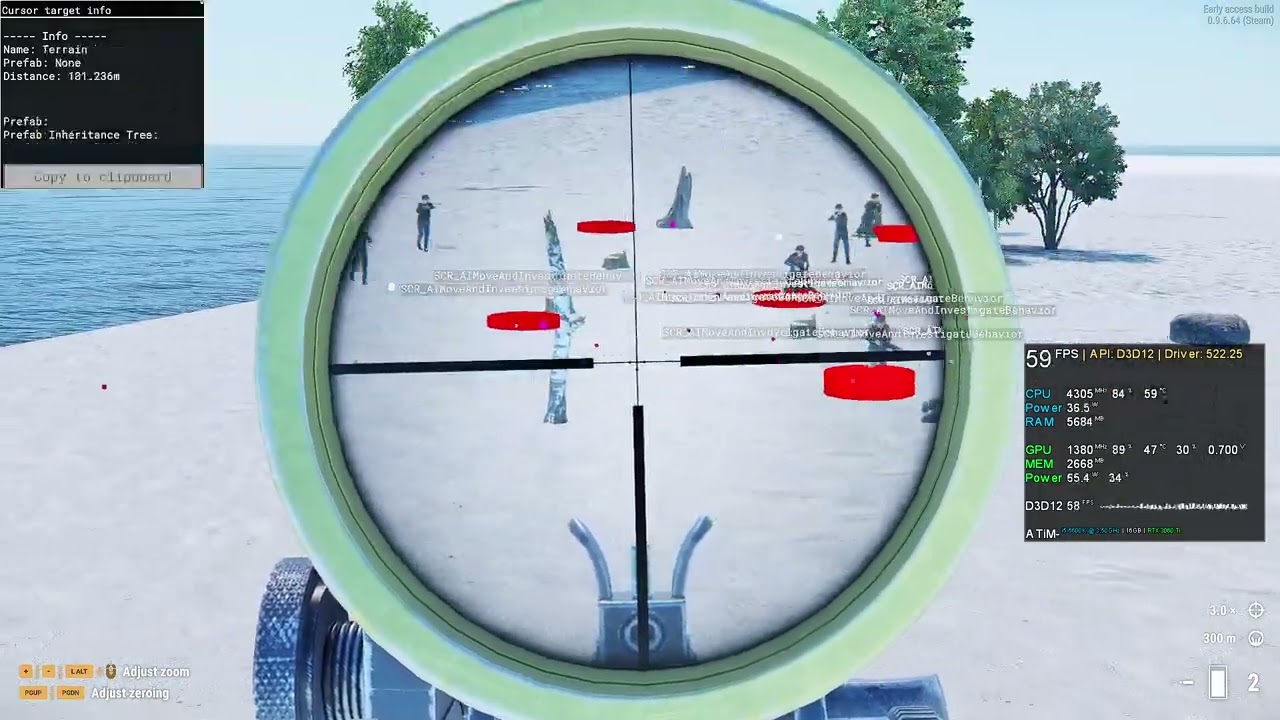 halcyon bridge
performance is pretty good with 100 ai agents (100 groups of 1 member) running a...
halcyon bridge
halcyon bridge
performance is pretty good with 100 ai agents (100 groups of 1 member) running a...
@midnight mango you might like this short vid
halcyon bridge
shy lake
<@267285803720245258>Well this is what i've done for testing to make A.I. take c...
it's 1 line if i don't press enter after the semicolon
shy lake
halcyon bridge
it's 1 line if i don't press enter after the semicolon
Can't wait to see what you've done! 😋
halcyon bridge
I'm still abroad, probably will look at this around the weekend
have some higher priority stuff to deal with before I can look at this
shy lake
Abroad? How can be bacon is not in Everon???
halcyon bridge
I'm actually closer to krk now than I was at home 😛
shy lake
Oh... If that's so. Okay! 😉 Enjoy!
 midnight mango
halcyon bridge
<@626056405052293130> you might like this short vid
midnight mango
halcyon bridge
<@626056405052293130> you might like this short vid
look at em go
 violet plume
shy lake
<@267285803720245258>Well this is what i've done for testing to make A.I. take c...
violet plume
shy lake
<@267285803720245258>Well this is what i've done for testing to make A.I. take c...
Been using your AI mod and it is pretty good so far, makes them more realistic for sure
shy lake
@violet plume Thank you! Nice to hear you like it. 😉👍
 dapper wind
@shy lake what is your ai mod called?
halcyon bridge
A.I. I think
shy lake
dapper wind
<@839458468317364251> what is your ai mod called?
Name: Enfusion A.I.
Use category Misc & Test in workshop.
halcyon bridge
shy lake
Name: Enfusion A.I.
Use category Misc & Test in workshop.
name is just "AI"
shy lake
halcyon bridge
name is just "AI"
Yes true. 😉
Main reason why i uploaded the A.I. mod in the first place was just for testing purpose how and if it works at all.
So i did not rly bother to have proper TAG and stuff.
But well after it worked i just choosed to keep it up so ppl can get a first look at it.
halcyon bridge
shy lake
Yes true. 😉
Main reason why i uploaded the A.I. mod in the first place was just...
thing is, at least on the web workbench, you can't search for things less than 3 characters long
shy lake
Oh okay.
Yes next release will have TAG with 3 characters at least!
halcyon bridge
@shy lake
shame about the doors
there needs to be a way for groups to share threats between each other
in a radius
 pale wren
halcyon bridge
<@839458468317364251>
pale wren
halcyon bridge
<@839458468317364251>
Vanilla ai or modded?
halcyon bridge
pale wren
Vanilla ai or modded?
modded, vanilla ai doesnt react to bullet hits at close distance and will instantly come at you when you fire a gun within like 300 m range
outer furnace
shy lake
Bet it could be done by modding but i suck with UI/GM interface stuff... 🤪
You could try to add it somehow in Configs/Editor/Actions/Command 🙂
shy lake
halcyon bridge
<@839458468317364251>
Well done bacon! 😉 👍
They don't open the door cuz they not in combat or what do you mean by that?
Yes i was already thinking about some kind of A.I. infoshare to prevent 1 A.I. unit of a group already fighting an shooting an enemy while other 3 units of the group stand right next to him in idle. 🤪
Could also be expanded with rang like 200m or so.
shy lake
outer furnace
You could try to add it somehow in Configs/Editor/Actions/Command 🙂
Thank you. 🙂
Well i've already added the UI part to GM interface but now i have to create a waypoint entity/prefab what ever it's called to use with the button...
Me messing with prefabs = error 404
outer furnace
shy lake
Thank you. 🙂
Well i've already added the UI part to GM interface but now i have...
waypoints that are used there should be in PrefabsEditable/Auto/AI/Waypoints if you add similar waypoints as those and add it into that config I was pointing too, it should work
shy lake
Yes i've already tryed to do some stuff with them but still i did something wrong.
Anyways i will get into it may i need bit more patience with this very kind of stuff.
balmy gorge
halcyon bridge
<@839458468317364251>
strange how those 2 AI on the right have the exact same response animations for a good 5-6 seconds wise after first shots fired
halcyon bridge
@shy lake any clue how to convert an IEntity in a BT into a BaseTarget?
halcyon bridge
feeling like even tho my AI character is looking at me, it's not seeing me as a target
stone sapphire
halcyon bridge
<@839458468317364251> any clue how to convert an IEntity in a BT into a BaseTarg...
Ask your perception component
In BT check existing nodes with target in name, they may have outpin with data
atomic magnet
This is the AI mod by ATiM right? https://reforger.armaplatform.com/workshop/5AAA7A1605C89741-AI so ATiM is snkman from BI forum?
 halcyon bridge
atomic magnet
This is the AI mod by ATiM right? https://reforger.armaplatform.com/workshop/5AA...
halcyon bridge
atomic magnet
This is the AI mod by ATiM right? https://reforger.armaplatform.com/workshop/5AA...
correct
atomic magnet
Alright. Thank you 👍
shy lake
Yes bit confusing. 😜
The game i joined discord for ppl know me by the name ATiM-
balmy gorge
shy lake
Yes bit confusing. 😜
The game i joined discord for ppl know me by the name ATiM...
still on the quest for bestest AI I see eh?
tight dew
I got an interesting idea however I don't quite know the AI terminology to discuss it ( im not a modder )
What system is used for AI to differentiate between a human ( a player or character in Reforger ) and an object?
strange cosmos
tight dew
What system is used for AI to differentiate between a human ( a player or charac...
gillie suit?
Is that we’re your going with this
tight dew
strange cosmos
Is that we’re your going with this
Well, you have the right idea but not quite
pliant arrow
Players and AI are also objects, just a different type. So the AI will simply look for a specific type of object to identify as a character, and then identify it as friendly or enemy.
halcyon bridge
correct, the most common checks seem to be faction and character/vehicle
halcyon bridge
@shy lake have you had a chance to play with AI perception stuff regarding light yet? is it possible to create a light source that does not affect AI perception?
shy lake
halcyon bridge
<@839458468317364251> have you had a chance to play with AI perception stuff reg...
Nope not rly...
Most of the A.I. perception stuff is still very limited.
You mean the "Time Curve" thing in PerceptionManager?
halcyon bridge
I think AI notices players better depending on the LV of the light around them or something, was wondering if it's possible to make exceptions based on light source
but i dont think there iz
shy lake
Hmm... Not that i know but maybe a Dev can tell?
halcyon bridge
use case could be IR light
 mental sable
really interested on this, our group worked on a IR beacon for the helmet or mark zones (For helis) but when we have all ready, found the problem that AI show us perfectly at night for this
haughty ivy
@shy lake hey snkman its nice to see you alive again, didnt you make TCL?
or GLX or whatever
shy lake
Yes that's right. 😉
 south lion
shy lake
Yes that's right. 😉
south lion
shy lake
Yes that's right. 😉
are u still developing it?
shy lake
south lion
are u still developing it?
If you mean TCL or GLX nope.
south lion
shy lake
If you mean TCL or GLX nope.
Ah i see pretty good AI mod btw or tbh my most favorite AI mod
shy lake
south lion
Ah i see pretty good AI mod btw or tbh my most favorite AI mod
Oh rly? 😊
Glad to hear that. Did not expect there is still someone using it.
halcyon bridge
oh it's running on quite a few servers, including mine
haughty ivy
shy lake
Oh rly? 😊
Glad to hear that. Did not expect there is still someone using it.
Many servers, thousands of people
shy lake
Huh! Amazing!
Now that's rly good to hear my time spending with A3 still is put to good use. 👍
random owl
halcyon bridge
<@839458468317364251> have you had a chance to play with AI perception stuff reg...
Right now every light is used in AI perception.
Possibly we will add some way how to bypass it in future.
halcyon bridge
random owl
Right now every light is used in AI perception.
Possibly we will add some way h...
 would make faking IR lights easier
shy lake
From wiki:
"Scripted node gives great possibilities for Behavior Trees, but it comes at a performance cost.
Native behavior trees, which are not running any scripted nodes, can much faster thanks to parallelization. Any behavior tree with scripted nodes is running in a single thread and is therefore much slower."
Which BTs are considered native? Every vanilla BT?
Are there any BTs utilizing this? As far as i can tell pretty much all of them are using any kind of Scripted AIDeco or AITask.
random owl
shy lake
From wiki:
"Scripted node gives great possibilities for Behavior Trees, but it c...
Ok that's unfortunate but it's not precise. We will correct wiki. Thank you for lead us there.
Basically scripted nodes are slower than natives one. That's true. So if there is native node it's better use it than create scripted one.
The thing about parallelisation of trees without scripted nodes was never implemented as you noticed we are using scripted nodes all over the place.
shy lake
random owl
Ok that's unfortunate but it's not precise. We will correct wiki. Thank you for ...
Many thank's for your reply Viktor.
Now this make's much more sense. 😉👍
In general i think the "Behavior Editor" wiki esp. "Basic Behavior Trees" section of it is a bit hard to understand at least if you new to Enfusion BTs.
I already know the most basic BT stuff so i can imagine what is meant by the descriptions but for someone without any knowledge it might be even more confusing.
 quiet mantle
Does anyone know how to make so npcs spawn with a PASGT vest
quiet mantle
halcyon bridge
make a character that has it and spawn it
How do I do that on Xbox?
 spice grail
quiet mantle
How do I do that on Xbox?
spice grail
quiet mantle
How do I do that on Xbox?
Can't unfortunately
halcyon bridge
quiet mantle
How do I do that on Xbox?
you'd need to make a mod, for which you need Workbench and a PC
quiet mantle
halcyon bridge
you'd need to make a mod, for which you need Workbench and a PC
I do have a pc but it’s having some problems
halcyon bridge
unfortunately I think for Workbench you need to buy Reforger on Steam
quiet mantle
halcyon bridge
unfortunately I think for Workbench you need to buy Reforger on Steam
I do have it on steam
But my pc is acting weird
halcyon bridge
well I don't know how to help you solve the weird
quiet mantle
halcyon bridge
well I don't know how to help you solve the weird
My pc will turn on for a few seconds and it keeps restarting over and over
And it never stops
 supple trail
Question has NPC suppression been removed/ not added yet?
quiet mantle
supple trail
Question has NPC suppression been removed/ not added yet?
It’s in the game thankfully
quiet mantle
halcyon bridge
you'd need to make a mod, for which you need Workbench and a PC
Well can some make one
If it’s easy
 opal flame
AI suppression only works for hits near the ai
As in whistling bullet past the ai does nothing
Hitting the ground near ai, suppressess them
halcyon bridge
@shy lake do you know where AI behaviors check for enemies?
as in, check if a character is an enemy
shy lake
halcyon bridge
<@839458468317364251> do you know where AI behaviors check for enemies?
You could check {990D4960E5206005}AI/BehaviorTrees/Chimera/Soldier/Soldier.bt there are scripted AITask called "SCR_AIGetTarget" and "SCR_AICombatTargetGetterTask".
Guess the main "BaseTarget" calculation stuff is made in PerceptionComponent but this part is very restricted for modding.
stone sapphire
shy lake
Guess the main "BaseTarget" calculation stuff is made in `PerceptionComponent` b...
Exactly
 halcyon bridge
the syntax seems fine
whether the logic does what it promises I don't know
we don't do sqf in enfusion
opal flame
haughty ivy
haughty ivy
opal flame
<#105462984087728128>
thanks
halcyon bridge
is there an easy way to check if an AI is currently in combat or not?
opal flame
GetLastSeenEnemy or check if weapon raised
halcyon bridge
so with the AI threat system, will AI automatically take cover / hide from danger if they are alerted or threatened in the future?
shy lake
halcyon bridge
so with the AI threat system, will AI automatically take cover / hide from dange...
This is pretty much how it work's since day 1.
As soon as A.I. threat lvl is above SAFE or ALERTED they will search for cover.
Thing is the cooldown for ALERTED threat lvl is pretty fast and THREATENED threat lvl is even faster maybe just couple seconds.
is there an easy way to check if an AI is currently in combat or not?
There are quite a few way's depending on what exactly you need.
Maybe check:SCR_AICombatComponent.GetCombatType()
Or you could check their current action or/and action priority which may be bit complicated...
Or just check:BaseTarget.GetTargetEntity();
halcyon bridge
shy lake
This is pretty much how it work's since day 1.
As soon as A.I. threat lvl is abo...
they never search for cover for me, but it may be because there was just no cover next to them haha
like compositions or whatever
they basically didnt move
shy lake
In vanilla their cover search range is very limited ( 9m ) and they only search for cover right in front of them.
And like i've said vanilla A.I. search for cover if their threat lvl is above SAFE only but pretty much most of the time they threat lvl will be SAFE.
 verbal terrace
What happened to the ENFUSION AI mod on the workshop? After update the mod isn't working even offline
strange cosmos
verbal terrace
What happened to the ENFUSION AI mod on the workshop? After update the mod isn't...
He updated last night haven’t got a chance to test out yet today
verbal terrace
Ok that's great, will run some tests tonight then, thank you
shy lake
verbal terrace
What happened to the ENFUSION AI mod on the workshop? After update the mod isn't...
Did you already update the AI mod?
Cuz i've updated it today.
 vapid abyss
My gents and I are excited for the update. 🤙
shy lake
Oh it's nothing new yet!
It's just a 0.9.7 hotfix.
shy lake
Well i'm very happy to tell that Dev's fixed/improved a lot of A.I. stuff in 0.9.7!
Think it was not part of the changelog.
So far i did not see any A.I. get stuck on any kind of object.
Also A.I. movement type SPRINT was fixed.
So two of my personal major A.I. problem's have been solved.
Amazing to see how stuff get fixed/improved step by step!
Good job! 😊 👍 🦾
haughty ivy
Hopefully at some point they will start working on the AI tactics
shy lake
Tbh i don't think they will in Reforger.
Reforger A.I. still is missing so much basic A.I. stuff.
Guess they will try to get the basic A.I. stuff done in Reforger and keep the tactical stuff for A4.
I mean 0.9.5.44 ( init version ) vs 0.9.7.48 in terms of A.I. difference like day and night.
shy lake
Is there something i can do to make A.I. formation offset stick with the A.I. group leader during combat again?
Since 0.9.7 the formation offset will stay at the position where ever A.I. was attacked.
After combat is done it will work as expected and stick with the A.I. group leader again.
spark moth
Is there a way to disable the AI "PATH" functionality as in arma, to stop it from moving but not turning around?
shy lake
spark moth
Is there a way to disable the AI "PATH" functionality as in arma, to stop it fro...
There are some check-boxes in "SCR_AIGroup" of the A.I. group but so far i think they don't do anything.
Maybe in the future or maybe i'm wrong and someone can tell otherwise.
 indigo cloak
I am not sure if i am doing anything wrong but i started to add ai to my custom map and it all works until i restart my engine then the spawn boxes are still there but the ai dont spawn. But they did when i first placed them but after restart they dont no more :/ do i need to add anything else in order to keep them working its weird. I have done the navmesh aswell and linked them to the scr_aiworld and done the paths for both soldiers and btr
shy lake
indigo cloak
I am not sure if i am doing anything wrong but i started to add ai to my custom ...
Is the A.I. there when you Play/Preview?
indigo cloak
Only when i first place them. Once i restart the engine they do not spawn there no more. But the spawn boxes that i placed are
shy lake
What A.I. prefab did you use?
The "Group_US_Base.et" for example is bugged for me ( empty ).
Maybe use another A.I. group prefab and try again?
indigo cloak
I was placing them down as SCR_CampaignRemnantsSpawnpoint's
And they worked perfect before i restart the engine XD Like it was set up that they was walking to three box's that i lined up so it looked like they was actually patrolling. All worked fine and then i saved restarted and they dont spawn now XD
I even tried adding the SCR_CampaignRemnantsSpawnpoint Generic entity version with it but nope.
shy lake
@indigo cloak Sorry i'm not familar with this but i will test it.
sly harness
spark moth
Is there a way to disable the AI "PATH" functionality as in arma, to stop it fro...
No easy way as far I as I know; you could eventually make a new BT set for units that don't use any of the move nodes...
Or maybe use a EOnAnimEvent to detect if the unit is using a move BT, and programmatically force a fail state on it - but I don't know if that's possible currently to interact with BTs in such manner.
indigo cloak
@shy lake Yeah so what i have noticed is that the ai does spawn after i restart engine but only the ones away from the missions. So i can making a custom conflict mode and maybe there is something stopping them from spawning in the mission area :/
Confused XD I have taken a look in the missions and changed areas but they still dont spawn there only the ones away from the missions XD
shy lake
Guess there may be some checks/conditions to make them spawn maybe also a distance to player check to make sure A.I. does not spawn right next to a player?
A.I. will react/move towards gun fire so it would be a good idea to have them spawn outside of the mission area to let them move towards it somewhat later.
indigo cloak
I have found the issue XD It's to do with the type like main, major and so on XD
 last moat
does anyone know is AI using/checking if they have radio and if its ON in order to relay some information to other AI?
stone sapphire
last moat
does anyone know is AI using/checking if they have radio and if its ON in order ...
AI is not capable of using radio network yet
 clear pond
Will the AI discern from environmental threats in the future? (Fuels tanks on fire, minefield, or future gas effects
shy lake
shy lake
Is there something i can do to make A.I. formation offset stick with the A.I. gr...
Hmm... Was this by any chance made intentionally to make A.I. return to the position of where they was when attacked?
Like as soon as they switch from combat to idle they return to formation which will be still at the position at which they was attacked?
stone sapphire
shy lake
Hmm... Was this by any chance made intentionally to make A.I. return to the posi...
I don't think it's intentional, but I'm not 100% sure
I'd say group should gather at current position of leader
stone sapphire
clear pond
Will the AI discern from environmental threats in the future? (Fuels tanks on fi...
There are some plans for it. Especially minefield. But it's way ahead in future
shy lake
stone sapphire
I don't think it's intentional, but I'm not 100% sure
I'd say group should gathe...
Yes the formation offset was rly handy when it sticked to the leader all the time.
I rly like the way of how we are able to move each individual A.I. of a group but sometimes esp. if heavily threatened i made them return to formation to operate as a team during combat by using the formation offset position to make them move in wedge or line formation during combat.
Now with this "bug" it's not working anymore... 😭
 wind cargo
Something I was wondering while I was messing around with nav mesh generation in Reforger's World Editor- is the engine capable of building and rebuilding nav meshes while the game is running? I'm mainly thinking about if/when the game master plops down things in the world and how the AI would treat it, like if they make an impromptu bridge
 marble grail
yes, it calls AIWorld.RequestNavmeshRebuild when something is dynamically placed via game master
shy lake
I think i found a little bug.
If A.I. is using/equipped nades sometime it happends that "Friendly In Aim" will return true even tho there are no friedly A.I. somewhere close to the A.I. with the equipped nade.
shy lake
Maybe this has something to do with how "Friendly In Aim" works.
Back in the early day's of Reforger the "Endangered" node only triggered/ returned true if you aimed directly at a target just like "cursorTarget" does.
It was changed in i think 0.9.6 from aiming directly at target to look at or target in LoS.
So it's not requirerd anymore to be very precise to trigger it.
Maybe this has something to do with nades return "Friendly In Aim" = true?
shy lake
The "A.I. Heal" or better "A.I. Heal Wait" behavior where A.I. heal each other sometimes is a little bugged.
First A.I. will move to the A.I. that waits to get healed but somehow even if he is right next/beside the A.I. to heal the A.I. that's supposed to heal do not get triggered to heal instead after couple sec. he moves away and another A.I. moves to the A.I. that's waiting to get healed and the second A.I. most of the time is able to heal the waiting A.I.
Maybe the distance check is sometimes a bit bugged that prevents the first A.I. to heal?
Besides of that...
AWESOME JOB WITH A.I.!
It's really a joy to watch all the already very good implemented A.I. features! 👍
A.I. avoiding getting hit by nades also is very well done! 🥰
❤️ 🦾
shy lake
Is there something i can use to check whenever A.I. is controlled by a player?
Like when for example GM switch from GM mode to controle ( play ) an A.I. and back from A.I. ( played ) controlled to GM mode?
Something that checks those switches?
Guess somewher in "SCR_AIGroup" or "SCR_PossessingManagerComponent" but i could not figure it out yet...
opal flame
Yes you can, you can do anything if you believe in yourself
        // get current player
        SCR_ChimeraCharacter.Cast(SCR_PlayerController.GetLocalControlledEntity());
I think he needs to check who controls this entity, not which entity a player controls.
You can try PlayerManager.GetPlayerIdFromControlledEntity and check if it returns 0 or not.
Also maybe AIControlComponent.GetActivated could help. I think AIControlComponent should be deactivated when AI is possessed by player, but I am not 100% sure.
shy lake
marble grail
Also maybe AIControlComponent.GetActivated could help. I think AIControlComponen...
Exactly this.
Many thx! 😉👍
surreal cloud
Anyone knows why is my new faction friendly after I transferred the files to a new map? Should attack you...
works on old map tho
marble grail
Maybe faction manager is missing in the world?
halcyon bridge
my first step would be to see if there are differences in faction setup between the two maps
surreal cloud
marble grail
Maybe faction manager is missing in the world?
yes it is
surreal cloud
halcyon bridge
my first step would be to see if there are differences in faction setup between ...
Its the same, copy/paste from the old map
marble grail
surreal cloud
yes it is
Is it missing? If so, you should add it, it won't work without it.
halcyon bridge
if it doesn't work then it's not the same
surreal cloud
marble grail
Is it missing? If so, you should add it, it won't work without it.
no its there
marble grail
And is your faction inside it?
surreal cloud
halcyon bridge
if it doesn't work then it's not the same
yes
surreal cloud
marble grail
And is your faction inside it?
yes
marble grail
Maybe then player is not associated with a proper faction? 🤔
There are also things like
SCR_AIWorld prefab
PerceptionManager prefab
AI can't work without those
halcyon bridge
right, something is different between the world where it works and the one where it doesn't, so correcting the difference should help
surreal cloud
marble grail
There are also things like
SCR_AIWorld prefab
PerceptionManager prefab
Appreciate u man! Thanks for your help, apperently perception was disabled somehow, its strange, cuz I literally did a copy/paste
surreal cloud
halcyon bridge
right, something is different between the world where it works and the one where...
tnx
halcyon bridge
marking navmesh tiles to be regenerated needs to get a bit more friendly
I guess it's easy enough to mark it in the preview window when you can see the whole navmesh
halcyon bridge
how do I get the navmesh to display in the preview box on the right?
I loaded the arland one but it doesn't show up there
outer furnace
halcyon bridge
how do I get the navmesh to display in the preview box on the right?
Navmesh shows there only during generation rn 🤔 But good idea for later
But you should be able to see navmesh on world itself
halcyon bridge
yea but I'm looking to mark tiles for rebuild
the preview greatly helps with that
outer furnace
yeah sorry about that :/ not yet there
halcyon bridge
its ok
halcyon bridge
so how do I "unlock" the AI driving stuff in other vehicles than the UAZ? just enabling the component isn't sufficient because they don't know how to release the brakes
actually I think they don't know how to shift up or something
 thorny viper
halcyon bridge
so how do I "unlock" the AI driving stuff in other vehicles than the UAZ? just e...
thorny viper
halcyon bridge
so how do I "unlock" the AI driving stuff in other vehicles than the UAZ? just e...
Wait you can turn on the ability for AI to drive?
halcyon bridge
I didn't say anything
 unique sky
halcyon bridge
I didn't say anything
unique sky
halcyon bridge
I didn't say anything

 upbeat carbon
Is there any one who could help me add capacity to the military gear pack mod backpacks
 severe linden
repost of this message which is maybe more appropriate here <#reforger_workbench message>
following tutorial to rebuild a tile in the navmesh i am not sure on what to do after clicking on 'rebuild tile' button, i tried 'save whole navmesh' and then add this file as an override in the navmesh comp of SCR_AIWorld but IA still got stuck on placed barriers.
hey @halcyon bridge so did you manage to rebuild a tile ? i tried both method in tutorial but AI still get stuck on stuff i added
halcyon bridge
no I gave up because you are not allowed to add your modified tiles to a subscene (that already has an AI world entity)
severe linden
halcyon bridge
no I gave up because you are not allowed to add your modified tiles to a subscen...
oh ok ye no i added my own AIWorld, am startin from basic eden world, but i just tested the RequestNavmeshRebuildEntity method and it seems to work so i think i wont bother with rebuild navmesh for now 😄
halcyon bridge
what are the plans for improving performance of AI? any plans to run AI in parallel? I think my server only uses up to 2.5 cores at any time, even with maxed AI budgets, but AI seems to be the primary driver of fps drops on server
opal flame
What about reforger headless client?
halcyon bridge
doesn't help me much if the headless client is single threaded
random owl
halcyon bridge
what are the plans for improving performance of AI? any plans to run AI in paral...
 halcyon bridge
I know, I mean more long term
random owl
(writing reply I wasn't expecting GIF go without it)
Yea 😄 Optimisations are one of aspects we are working on. Current work was mainly on navmesh and problems around it.
Performance of behaviour trees should go next. It's quite broad topic and TLDR is yes parallelisation is used in Engine quite heavily but not that much in AI and it's not a simple task to do so. But there are many techniques which can be utilised not only going parallel.
Simulation of many characters at same spot will be always a tricky. However if you spread them across an island than we have some mechanism for LODs and will be even improved. So that can increase possible amount of them quit a lot.
However here we are talking about time horizon of months from now.
shy lake
halcyon bridge
what are the plans for improving performance of AI? any plans to run AI in paral...
Very true.
I did a lot of testing recently esp. A.I. and FPS/Performance and somehow even after optimizing some of the main A.I. combat behavior trees ( Adding longer Bt IDLEs and delays ) after placing like 15 - 20 A.I. groups with 8 A.I. each FPS drop from 75 to 25-30.
I've put my camera all to the ground just to make sure rendering will not affect the result but i just kept at 25-30.
halcyon bridge
if they can eventually run in parallel just make a new thread for each ai group 
having 200 threads in modern systems is nothing
marble grail
it's not possible to make them run in parallel entirely, because behavior trees use scripted nodes, and script VM doesn't support parallelism
halcyon bridge
64 player game master servers are a nightmare though because you need a lot of AI to keep players busy
well, not a lot, but more players usually ends up with them having more targets
random owl
halcyon bridge
if they can eventually run in parallel just make a new thread for each ai group ...
Just note "200 threads in modern systems" - that's not how games usually do it. That would be ineffective specially on consoles. So basically you have as many threads as cores and you have some job system which utilise those threads and good utilisation sucha system isn't just "Do in parallel"
halcyon bridge
sure, worker threads with a queue, that works
btw, is AIWorld.GetCurrentNumOfCharacters supposed to return much higher numbers than there are characters visible in the game master entity list?
random owl
yes
GM limits are much lower because of performance
halcyon bridge
okay but when I spawn like 80 characters the above function returns 200 (sometimes)
do I need to iterate over a list of AI characters, figure out how many are alive, to get an accurate number?
the number in logStats is also larger but not as high
random owl
sorry to mislead you.
thinking faster then reading 😄
That's sus.
Like GM has lower limit than what is a limit in AIWorld
The discrepancy between spawned chars and AIWorld.GetCurrentNumOfCharacters shouldn't be there. Will check.
random owl
ok solved... non merged fix sorry for that
haughty ivy
random owl
Performance of behaviour trees should go next. It's quite broad topic and TLDR i...
Is there any plan to improve the actual behavior tree themselves in the near future? Like not performance but AI function
halcyon bridge
I created an AI agent and removed most of the behaviors/reactions but I noted no change in resource usage on my system when playing, are there some parts of AI I can disable to improve performance? the context is zombies, so they don't need to be smart
marble grail
Try to disable perception component attached to character. But it will make them unable to see you. But maybe you can fake their seeing somehow else.
But I doubt it will help. I think that once all AI is disabled, and you are left with character, the performance is limited by character, and character is a very heavy entity alone.
halcyon bridge
perhaps there are things in the character I can get rid of as well
marble grail
Yeah I think that would be the way. So disable his AI entirely first and see how much resources character takes.
Maybe a zombie doesn't need for instance weapon manager or inventory, etc.
haughty ivy
Looking forward to AI driving, hopefully they will get less stuck than Arma 3
random owl
haughty ivy
Is there any plan to improve the actual behavior tree themselves in the near fut...
Not sure what you have on mind. In which way?
haughty ivy
random owl
Not sure what you have on mind. In which way?
Things like cover, flanking, suppression & buildings, i know some of this is built already
 severe plover
Tell me my friends, can you tell me if there's a mod that my friends and I can see each other on the map
??????
clear pond
Lab6 map markers
random owl
haughty ivy
Things like cover, flanking, suppression & buildings, i know some of this is bui...
oh yes :] you know those are about underlying systems which are only exposed into BTs. When you have the system than exposure it into BT is simple.
Flanking, covers, some spatial system for movement(e.g. for avoiding large open fields) those are ambitions we would like to fulfil in future.
balmy gorge
random owl
oh yes :] you know those are about underlying systems which are only exposed int...
A fun aspect to see would be AI sprinting full force, holding onto their helmets if they did indeed need to cross an open field to cover down yonder
haughty ivy
So how is the AI optimization compared to A3
shy lake
I think it's all about A.I. modding and performance.
As soon as you open something for modding it will perform worse due to not using native engine code.
They could make stuff perform much better by using more native code but it would be not moddable anymore.
So you have to find the right balance between what to keep for modding and what not.
 errant wadi
Good morning, I have a question, how do I publish a map with my mods in arma reforger?
Like, put my own mods
marble grail
it's not related to AI, probably you should ask in another channel, like #enfusion_workshop
balmy gorge
shy lake
I think it's all about A.I. modding and performance.
As soon as you open somethi...
Hey man you still working on your AI mod -hows that going?
shy lake
Yes i do pretty much daily for couple hours.
Well i always make progress code and optimization wise but A.I. feature wise it's pretty slow and boring rn... 🥱
haughty ivy
@shy lake Hey is your AI mod active on the workshop?
Is there a place to see its current features
shy lake
Yes it is on workshop:
https://reforger.armaplatform.com/workshop/5B2280DD05EC6CFC-CRX
and
Showcase Thread:
https://discord.com/channels/105462288051380224/1050433454388547644

 fervent crater
Nice work with the ai mod. If I load the mod will it automatically apply to the basic ai or do you need to set something up? I would love for example to test your ai mod together with a basic combat ops mission. I know the default reforger ai is not done yet but they are ver stupid. I think the first thing ai should do is prioritize taking cover first. They now just start charging you.
shy lake
No need to do anything.
As long as it's enabled it will override vanilla A.I. in every mission/game mode all the time.
Yes taking cover is what CRX A.I. will priorize pretty much all of the time. 😉
shy lake
I have a question about the "IEntity Decorator Test" node the one to check multiple scripted conditions with or / and / xor.
Well the node itself is engine based but the conditions to test with the node are scripted.
Was this node made to get rid of creating decorators for all those conditions or is there a performance benefit by using it?
Will this decorator be handled as native or scripted?
marble grail
For simple tests it's easier to write a test class than a full decorator.
Also you can stack tests and do a logical operation between them. Otherwise to make an 'AND' between decorators, you would have to chain them, but then their abort conditions are tricky to comprehend. This solves the problem by evaluating the whole stack as one condition.
And you can put scripted tests there too, there are a bunch of scripted tests already written.
for example
class SCR_AIDecoTestIsLeader : DecoratorTestScripted
{
    override protected bool TestFunction(AIAgent agent, IEntity controlled)
    {
          // IEntity Controlled refers to controlled entity (like the soldier controlled by this AIAgent),
          // but in case that it's provided through port, Controlled refers to entity provided through port

        AIGroup group = AIGroup.Cast(agent.GetParentGroup());

        if (!group)
            return false;

        return group.GetLeaderAgent() == agent;
    }
};
Thx for you reply. 🙂
Yes this is exactly what i'm talking about.
But will this specific "IEntity Decorator Test" node be handled as native engine code or scripted.
The decorator is native but the test's used with it are scripted.
If i write a decorator to check "isWeaponRaised" with the bare minimum of code will it performe same as the native test decorator using the "isWeaponRaised" condition in terms of code performance?
marble grail
Script always performs worse than C++, every operation by a virtual machine has some overhead 🤷 you should use native decorators if possible.
shy lake
Yes i know.
Well i guess it's even nothing to worry about but if you see how often and fast each single A.I. is looping/executing code in some part's of the BTs i think it's good to try to optimize as much as you can.
fervent crater
shy lake
No need to do anything.
As long as it's enabled it will override vanilla A.I. in...
Thx! Got it running on my server with conflict on arland. Going to test this, so far I indeed see they prioritize taking cover. Nice!
marble grail
shy lake
Yes i know.
Well i guess it's even nothing to worry about but if you see how oft...
Most likely difference will be negligible if you replace all decorators with decorator-tests. Performance gains should be searched elsewhere. But all that is just guessing unless community has access to profiler 😦
I can only give advice, component lookup always takes a lot of time (several us for character, it has lots of components), so if you are doing component lookup repeatedly, you should not, instead you should cache pointers to components. Otherwise script is quite fast and it's hard to win some time there.
shy lake
So best to use decorator-test if multiple conditions should be checked only and if i need to check one specific condition only i use/create my own scripted decorator(s) for it?
With component "lookup" you mean casting?
marble grail
With component "lookup" you mean casting?
I mean the exact entity.FindComponent() 🙂
Not sure how long .Cast() takes
shy lake
Yes okay. 😉
This is in almost every node at least the SCR_AIUtilityComponent and SCR_AICombatComponent.
I mean casting...
balmy gorge
shy lake
Yes i do pretty much daily for couple hours.
Well i always make progress code an...
Any missions you can recommend to try and mess with them in a singleplayer type environment?
marble grail
shy lake
I mean casting...
So let me explain again what I mean:
It often happens that you must access some component.
Doing so at every update of your decorator/component/something is very taxing.
Therefore it's a good practice to find that component once on Initialization (of your decorator/node/system/anything), store ptr to it as member variable, and then repeatedly just call some method on it, instead of repeatedly finding it on entity.
shy lake
balmy gorge
Any missions you can recommend to try and mess with them in a singleplayer type ...
Sorry i'm not rly up to date in term's of playing but you could just try it with the vanilla missions/game modes?
balmy gorge
shy lake
Sorry i'm not rly up to date in term's of playing but you could just try it with...
Honestly I just dont get the main Reforger mission which seems to be PvP teams charging one another. WHenever ive tried with AI they juts hang around the base -its a real bummer. Id take even just the Ambush mission from the original OFP at this point
shy lake
The component's casting of the node's / decorator's are made in the "EOnInit()" of it.
At least this is how BI does it.
marble grail
shy lake
So best to use decorator-test if multiple conditions should be checked only and ...
Tbh I have no strong opinion myself.
Just see what fits you best.
Decorator:
- Can have any amount of in/out ports.
- Has OnInit method
Decorator Test:
- Can't have any in/out ports, can only access data from IEntity port.
- Can be stacked easier.
- Doesn't have an OnInit
shy lake
Yeah guess i just give too much attention to those little detail's but somehow i'm obsessed with squeezing every bit of performance out of my stuff... Which sometimes leads to the direct opposit of it... 🤪
Anyway many thx for your time and oppinion on this topic much appreciated! 😉 👍
shy lake
balmy gorge
Honestly I just dont get the main Reforger mission which seems to be PvP teams c...
Yes i don't think there is a real SP mission but maybe check scenarios in workshop if there are any.
Why don't you create one in WB yourself?
Guess only way to find out for sure is to make some kind of BT benchmark like we have for script performance testing and test the different decorator types.
balmy gorge
shy lake
Yes i don't think there is a real SP mission but maybe check scenarios in worksh...
Spent so many years (and still do) under the hood of the Arma series trying to get a fun AI to play with - that it kinda killed the magic and too many test missions does as wel;. Im also hardwired to the Eden editor and dont understand this new type of ZEUS missions that arent really setup to run as traditional Singleplayer missions. So i was hoping by now there would be some at least half polished ones around..
shy lake
You can pretty much drag and drop A.I. group's on any map in Workbench World Editor just like in 3DEN.
I was not a fan of Zeus/Game Master at all in the beginning but now i'm used to it and it rly is a pretty handy tool.
Still i prefere to pre-place A.I. in the world rather than spawning them.
You should rly give it a try.
At first it may is and look's confusing but after few day's you will get better with it.
There are videos and tutorials which explain pretty much every step to create your first simple SP mission.
And i mean it's the way Arma will go and you can already get use to it so whenever Arma 4 get's released you already have some basic knowledge.
balmy gorge
Yeah ive done that but like you said -Id rather preplace groups and give them triggers which further instruct them depending on whats going on. Also I can randomize spawn areas etc - while if i hand place them all via Zeus -i know where everyone is and where theyre going. Its like playing Dungeon Master AND player solo in dungeons and dragons -not ideal
shy lake
Hmm... Yeah i think there is a A.I. spawn function but i never used it so far.
Yes the lack of functionality in World Editor is rly bad esp. when you used to have all the stuff from A3.
fervent crater
I’ve played a conflict mission on arland with the ai enabled and you can really notice the difference. They don’t come charging at you at a straight line anymore. Take cover and move sideways to cover. Go prone.. feels so much better then the vanilla ai. Was hiding in a house when they were near and engaged. They don’t rush the house but move around, take cover.. pretty scary as I’m used to that they all come barging in through the front door 🙂 It also makes the ai harder as they are less predictable. I will continue testing them, and liking what I see so far!
balmy gorge
fervent crater
I’ve played a conflict mission on arland with the ai enabled and you can really ...
Can you explain how to set this up withj ust AI and not a Public Server? is this the base mission with an AI settings or a special AI version of the mission?
halcyon bridge
balmy gorge
Can you explain how to set this up withj ust AI and not a Public Server? is this...
no, the mod does not need special setup
it overwrites the AI brain
balmy gorge
No im talking specifically about the Mission Conflict -theres like 3 different ways to setup missions seemingly off the main page: Play/Multiplayer/Scenarios. I just tried for instance the vanilla and I saw no friendly AI nor a PArameter setting for them
halcyon bridge
balmy gorge
No im talking specifically about the Mission Conflict -theres like 3 different w...
they were just discussing a mod that changes AI behavior, it applies everywhere with no setup
balmy gorge
No that was me discussing that mod with ATim -i then asked about what mission will showcase it..
im well aware of how to run the AI mod
halcyon bridge
game master? the mod changes behavior in a way that is pretty much immediately noticeable
also didn't the mod come with a couple test scenarios? or was that the previous AI mod...
fervent crater
balmy gorge
Can you explain how to set this up withj ust AI and not a Public Server? is this...
I have it enabled as a mod on my server and running arland conflict. So the basic ai just use it
balmy gorge
they were only showcasing behaviours
halcyon bridge
which is exactly what the mod is for
balmy gorge
so thats a server side setting the AI parameters is what your saying
halcyon bridge
the parameters are available in game master (most of them, anyway)
balmy gorge
bacon please
i know that
your not following the line of questioning
i specifically said WHY i dont want to use Zeus/GM
halcyon bridge
the mod does not add any parameters to spawn AI in conflict or anything like that
balmy gorge
i know . jeezz......
What i was trying to clarify -is where in ths official missions are the parameters to just run an AI server
menaing no humans
halcyon bridge
what is an AI server?
balmy gorge
no humans
meaning i want allied AI fighting enemy AI w
with me alongside it
ever play CTI before
without people?
halcyon bridge
how do you do that without humans
halcyon bridge
yea I loved CTI and Warfare
fervent crater
There is no way (yet) to control allied ai to fight with you
That is on the to do list
balmy gorge
yes ^^^ can be played totally solo with AI only
halcyon bridge
there is no CTI/Warfare type mission in Reforger yet
I know at least one person is working on bringing it into Reforger though
balmy gorge
what i was asking my old mate snkman aka Atim -is are there any SP missions yet that showcase his AI mod. And no -Gameaster is a horrible example for the above reasons
halcyon bridge
I was going to suggest Combat Ops but you don't have AI fighting alongside you
only enemies
fervent crater
You can play conflict or combat ops solo and during your play session switch to game master / place allied units and give them an attack order.. then jump back in game and walk with them to the objective. But that’s not really the same as commanding ai like you can in arma 3
halcyon bridge
yea but that'd be cheating because you can see enemy positions
halcyon bridge
thankfully in single player you cannot go into GM inside Combat Ops
but that means you get no friendly AI
SPEIRA seems to be a popular single player scenario, I actually don't know of other SP scenarios
definitely don't know of any that put you alongside friendly AI soldiers
fervent crater
We’ll have to wait for bi to ad friendly ai control
Not sure when that is planned down the line
halcyon bridge
I mean if we get real CTI then that's probably the only thing I'm gonna play (maybe next to game master)
what if you go into game master and place AI with your eyes closed?
fervent crater
I like conflict solo but it also needs friendly ai units to help you out.
halcyon bridge
without AI driving it's a bit of a bummer to have something like this anyway
just people walking around
fervent crater
Yes on a bigger island you really need the ai to be able to drive
In arma3 we also used heli insertion and pickup done by ai
Call in exfill. Mark lz with smoke
All ai controlled
shy lake
fervent crater
I’ve played a conflict mission on arland with the ai enabled and you can really ...
Glad to hear that. 😉
May you can use the "CRX - Enfusion A.I." thread in "enf_showcases" for mod related feedback. 👍
balmy gorge
And wouldnt even require a mission to give you AI subordinates -even just AI friendly squad that have defined objective that you could either be a part of or just tag along. I thought for sure these would exist by now
fervent crater
Does anyone know if the AI can see "less"in the dark?
halcyon bridge
fervent crater
Does anyone know if the AI can see "less"in the dark?
yes, their perception changes depending on light
fervent crater
@halcyon bridge a nice. Thanx.. I was about to try some specOps mission testing with nightvision.. Hate to find out that they see you just as good in the dark as in daylight 🙂
halcyon bridge
fervent crater
<@267285803720245258> a nice. Thanx.. I was about to try some specOps mission t...
they will immediately see you if you get close to a light source such as a streetlight, or turn on a laser pointer or flashlight
fervent crater
makes sense.. wonder if it takes into account a certain distance you are from a streetlight. If you are let's say 200 meters away from a light source and you are in the dark.. they should not be able to see you.. unless you turn on your flashlight or laser.
halcyon bridge
right, lights have defined area
shy lake
In "PerceptionManager" prefab is this "A.I. Detection At Time" curve thing.
Any of you already tryed something with this?
inner vine
shy lake
In "PerceptionManager" prefab is this "A.I. Detection At Time" curve thing.
Any ...
This is just AI detection based on time of the day. This will makes AI see better at night than at day. Only by distance
shy lake
Oh okay thx. 👍
 pure trout
If I have questions about NavMeshes and AI, is this the best place to ask them? It is related to mission making but mostly AI.
marble grail
yes it's the right place
halcyon bridge
how do I make AI more accurate in a turret?
shy lake
Don't they use the same aiming offset calculation as any other A.I. like the "SCR_AimErrorOffset.c" to calculate the accuracy?
halcyon bridge
I'd like not to have to script anything
halcyon bridge
AI seems to have a lot of difficulty aiming at fast moving objects such as the modded helicopters, is that some config issue in the helicopter or is it an AI issue?
shy lake
The max. attack distance for static ( turret ) is 260m.
Maybe the helicopter is further away not sure if y coordinate is taken into account as well?
Also not quit sure of how much a static weapon affects A.I. aiming/visual cuz in the "AttackStatic.bt" if A.I. has no visual or lost visual to their targt they will just use suppressive fire for last known target position.
What kind of turret exactly are you using for this?
pure trout
@marble grail
Does my subworld need its own Navmesh? Or if I have a parent mod which has the Everon Navmesh, is that enough? I make changes in the subworld, do i need to override/regenerate a navmesh in that subworld or in the parent one?
Does regenerating/overriding Navmesh improve AI pathfinding if i put down objects/structures in Tools?
How does it work in the Game Master mode? if it works on its own in Game Master, why doesnt that apply to changes made in tools?
I'm sorry if this is basic, im new at this 😄
halcyon bridge
shy lake
What kind of turret exactly are you using for this?
clone of a BTR turret
halcyon bridge
I don't really know how this works but they fire into the sky where the helicopter was 2 minutes ago
I think it's just a bug in the game but still a bit annoying
they waste all their ammo and then have nothing left to fight infantry with
never hit a single bullet
shy lake
pure trout
<@292735600837263360>
Does my subworld need its own Navmesh? Or if I have a par...
As soon as you use the editor to modify ( placing new objects ( buildings, vegetation... ) ) on a map you will need to re-generate the Navmesh to get the new placed objects detected by it.
If you don't re-generate the Navmesh after placing new objects A.I. will kind of not know that they are there not finding a path to avoid or use them.
In Game Master they have to make it automatically so A.I. can recognize new map placed objects.
However the World Editor is a tool to mainly build and not to play maybe it's also much better to give controle of Navmesh generation to the user i guess?
shy lake
halcyon bridge
I don't really know how this works but they fire into the sky where the helicopt...
From what you tell it pretty much sound's like suppressive fire from "AttackStatic.bt".
But the 2 min. delay is somewhat strange... 🧐
halcyon bridge
shy lake
From what you tell it pretty much sound's like suppressive fire from "AttackStat...
lol well I'm exaggerating, it's not really 2 minutes but it's enough time for the helicopter to be in a way different position by the time they start firing
outer furnace
pure trout
<@292735600837263360>
Does my subworld need its own Navmesh? Or if I have a par...
Yes it does, rn you would have to generate navmesh for those regions and override AIWorld to place that navmesh into navmesh world of you choosing (either whole navmesh of the world or just the small areas in places you changed, by putting those files into override slot)
halcyon bridge
it kinda just feels like they are not updating target position often enough
shy lake
Well in the .bt the aim position is updated each tick.
So maybe bug with A.I. or model?
I will do some test tomorrow. 👍
marble grail
halcyon bridge
it kinda just feels like they are not updating target position often enough
They update target position based on their own LOD level. So if some AI is far away, he will scan targets around him very rare.
halcyon bridge
marble grail
They update target position based on their own LOD level. So if some AI is far a...
I see, so if the helicopter is 50 meters in front of them this is considered far?
I can fly in a circle above their head and they will fire into the sky anywhere but the place I'm at
marble grail
I think 50m is still best LOD
I would guess it's an AI bug, maybe because it wasn't made to shoot at fast moving flying targets yet. That's why also this suppressive fire seems out of place.
Also could be that inside the BTR turret the AI has poor visibility due to something, so he simply can't see the helicopter, as it constantly gets obstructed by something 
halcyon bridge
oh they do the same thing with small arms when not inside any turret
shy lake
It's the same in close range...
If you < 10 - 15m in front of A.I. instead of aiming straight to your head he is super busy aiming all to the left or all to the right or up in the sky but nowhere close to you.
haughty ivy
shy lake
The max. attack distance for static ( turret ) is 260m.
Maybe the helicopter is ...
Why is it only 260m? Most squad guns (and especially static MGs) can engage from 700+ meters effectively
shy lake
That's the default value which is used in the vanilla behavior tree.
Why 260m? Idk.
Maybe this: #enfusion_ai message
At this point it's very hard to tell if Dev's do something cuz of engine limitation's or for any other specific reason.
shy lake
halcyon bridge
oh they do the same thing with small arms when not inside any turret
I rly think it's just some wrong or missing aim calculation.
In "SCR_AIGetAimErrorOffset": Static ( vehicle/turrets ) weapon's use EAimPointType.WEAK; and soldier's use EAimPointType.AUTOMATIC; which make's sense i guess.
Now there is also: "SCR_AIGetAimDistanceCompensation" to calculate aiming which is using stuff from "BallisticTable".
Guess the "BallisticTable" simply is not up to date for the task of A.I. shooting helicopters or any kind of air vehicle at all.
marble grail
Ballistic table data comes from ammo prefabs, and if it's not there, it simply doesn't compensate for bullet drop. So it's not the case here.
shy lake
Oh okay.
I had no clue for what exactly the ballistic table is used for.
I just opened it once and decided to never mess with it. ( Too many numbers involved... )
marble grail
It just compensates vertical bullet drop at range
Also used for UGL grenades, hand grenades, rockets
shy lake
Is there already a way to make A.I. move to a specific room in a building by script yet?
Or even better make them go through all room's of a building on after another?
Guess the building position index from RV is not existing in Enfusion anymore due to Navmesh beign used.
marble grail
No there is no such thing, there is no understanding of what is a room for AI, you would have to somehow mark them up in all building prefabs and just order ai to go there
although, there are doors with navlinks, maybe you could search for those somehow
shy lake
Oh too bad...
Yes i know how to find door's but i guess it would need some additional position calculation stuff to get the exact position of the room itself.
Hmm... I will take this on my ToDo list for somewhat later.
marble grail
for start you could attach a component to building prefab, the component would hold an array of positions
halcyon bridge
similar to the compositions?
marble grail
We were talking about how to mark up rooms in a building
So I am not sure how you mean it would be similar to compositions 😄
I mean imagine that a building had a component with an array of vectors on it, vector would be position of a room in local coordinate system
halcyon bridge
there was an AI position point in compositions
halcyon bridge
maybe? like there was sentry type or something, I don't remember correctly
could just use those
marble grail
well it could be a way to achieve this as well, put some entities where the rooms are
halcyon bridge
either this or navlinks, hopefully you don't have to invent a new thing
marble grail
but smart action also tells AI what to do with it, if you want a custom behavior attached to rooms then a new thing must be invented
halcyon bridge
scanning all buildings in the immediate vicinity for those points seems a bit inefficient
so a component in the building that would store them would be relatively fast
I guess
shy lake
marble grail
for start you could attach a component to building prefab, the component would h...
Hmm... Interesting. 🧐
What prefab exactly we are talking about?
The "Building_Base.et" thing or ever any existing building like the entity?
This would mean i need a new array for each building type i guess?
marble grail
shy lake
Hmm... Interesting. 🧐
What prefab exactly we are talking about?
The "Building_B...
This would mean i need a new array for each building type i guess?
well yes otherwise how are we going to find where rooms are, they should be provided by human designer in this case
shy lake
Alright many thx! 👍
I will try my luck with the barrack's than i guess.
marble grail
But then again, it's a two-step problem, first is how to find rooms, second is what to do with them once you've found them 😉 And how you find room can be changed later.
halcyon bridge
hire someone on upwork for 5 dollars to setup room points
marble grail
I think there is more to it, besides marking up rooms, you could mark up some interesting positions on the building like next to windows or balconies
But it gets into domain of some cover system
shy lake
Is there a possibility this will become a Navmesh feature at some point.
Like having some indexing in the navmesh? Or is it generally not possible at all?
Don't know how this is done in other engine's.
 lament umbra
have you thought perhaps about adding some component to window frames perhaps? This way you could quite easily get list of interesting shooting positions. Window frames used in houses in 90% have clear orientation (exterior/interior)
shy lake
Oh yes that's also a good idea. 👍
Well i'm mainly trying to make A.I. do building search after combat if nearby any but the window idea may come's handy for this as well. 👍
random owl
lament umbra
have you thought perhaps about adding some component to window frames perhaps? T...
yea that's possible but it would eat up a lot of resources - component for every window in game will be memory costly.
So possibly there will be some solution by us as Sparker suggests in form of cover system.
pure trout
Navmesh question:
Everons navmesh is part of a bigger mod and im working in a subworld of that world, can i override the navmesh from the 'parent' world or generate an entire new one?
Without going into the 'parent world' or there being conflict
pure trout
Would there be issues with two navmeshes? one in a parent world and one in a sub-world?
outer furnace
pure trout
Navmesh question:
Everons navmesh is part of a bigger mod and im working in a s...
Tbh it depends on the setups of AI_World in there. If original world uses prefab to point to a navmesh, you could override that prefab in your subworld addon and choose different file or add override navmesh files.
If you add second AI_World into the scene that is what I would call undefined behavior, it might work, but might not 🤷♂️ . I hope we will improve navmesh modding soon( ™️ ) 🙇♂️
fervent crater
I’m curious. Does the AI in reforger have some sort of being suppressed behaviour? Do they take cover and become less accurate when you try to supress them with an MG for example?
Sometimes when I try to supress them it just feels like they instantly know where you are and shoot you in the face.
shy lake
In vanilla there is some kind of suppression.
It's not rly suppression more the way of how A.I. is handled by their threat system.
There are some event's like "Weapon Fired / Projectile Impact Nearby / Injury / Endangaged" which will increase the A.I. threat level by a given value.
There are 3 threat states: SAFE / ALERTED / THREATENET
Given on what threat level A.I. has it will change the threat state.
SAFE: A.I. will use stand stance.
ALERTED: A.I. will use crouch stance.
THREATENET: A.I. will use prone stance.
So if you suppress A.I. and their threat level will go to THREATENET due to "Projectile Impact Nearby" event they will go prone which can be seen as some kind of suppression reaction.
In vanilla it will not affect A.I. aim accuracy at all.
fervent crater
It feels like they should add something like that.. if feels now like whenever you open fire they know where you are and you are history.. They should be just as scared as you are when they are fired upon and prioritize taking cover and hiding.. maybe return inaccurate fire in the process. I know this is pretty difficult behaviour but it would help making them react more human.
shy lake
Yes they are very aggressive.
As soon as you start shooting they will look at the position of where the shot's came from and start moving toward's the position.
The take cover is linked to the threat state as well.
They do suppress the last known enemy position after LoS to their enemy was lost.
The vanilla A.I. combat behavior is very linear.
marble grail
fervent crater
It feels like they should add something like that.. if feels now like whenever ...
it's not problem of existence or absence of suppression, just AI detects you almost instantly if there is a direct LoS to you
fervent crater
And their superhuman vision
marble grail
Would be cool if it was less superhuman right? 🤔
fervent crater
Yes indeed 🙂
I remeber the troubles we had with the arma3 ai.. that could just look through bushes etc
That’s why I liked playing on sand maps only 🙂
Then at least I can see them too
balmy gorge
This is discouraging to hear. Thought we'd be getting a whole brand new AI with proper animations, accuracy qualifiers, and reactions. Not only should proper spotting be given proper attention, they should be coupled with animations of soldiers at first maybe unsure or trying to detect, pointing etc and then after pretty much confirmed they should hunker down and acknowledge theyve spotted a threat. Honestly it felt most real in the original OFP -in which it wasnt unusual to see AI soldiers with their heads cranked from side to side as if trying to detect something. It looked unatural but it was Something. There is literally nothing worse than AI feeling like automatons -obviously the computer knows where the player is at all times - the key of quality programming is to give the illusion that they suffer from the same constraints as humans -then it can be satisfying gameplay. I would say one thing they would really help sell the illusion is "First Contact AI Reaction" -that being, its that first reaction which sells the scene -after that most people are scrambling for combat and dont notice how the AI are reacting as much. Thats why games like Farcry or Skyrim AI feel so much more immersive -its really only their first reactions that stand out and then its just combat -but it works at making it feel fresh and fulfilling.
halcyon bridge
idk what game you guys playing but when I get into a bush I'm invisible to AI and imo it's too easy
hiding inside houses doesnt really work though they see through windows instantly
balmy gorge
halcyon bridge
hiding inside houses doesnt really work though they see through windows instantl...
I havent really played at all -im going off feedback from here. As far as the house -i used coding loop (every few frames) to detect if either player or AI was indoors in Arma3 - and would drastically lower their Camoflage.Coeff value which helped alot. Did the same when either were in Shadows and it worked well. Just hoping its done for us this time instead of years trying to figure out how to mod it in
halcyon bridge
do players count as AI also?
in stats
something like them technically being AI agents, just having a nap?
shy lake
halcyon bridge
something like them technically being AI agents, just having a nap?
Can't tell in general but at least the GM player if you use the spawn function of the Game Mode is.
After switching from player to GM mode i was even able to enable the A.I. of my character and he started fighting enemies.
Same if you switch to other A.I.s all it does is to disable the A.I. in the component and as soon as you stop posessing the A.I. it get's re-enabled.
stone sapphire
Yep. AIControlComponent has methods for that.
 wise pebble
I've been running into some problems with AI door interaction in subscenes.
After some testing, the problem seems to be this: If you have an AI World in each of your subscenes, and try to use a navmesh from another one for the AI World, it will not work properly and AI cannot interact with doors. If you generate a new navmesh for your specific subscene, it will work.
I find this confusing, because this is the case if the subscenes have the same layout and there should not be any difference.
I don't want to generate a unique navmesh for each subscene either, as this would increase file sizes by a lot.
Does anyone have a clue what might be going on here?
Deleting and re-adding SCR_AIWorld solved this particular issue
halcyon bridge
you can only generate tiles that have new doors or whatever in them, but then you run into an issue where you cannot apply your overrides because you cant edit the subscene's AIWorld
wise pebble
Hm. And is what I described a known issue, or could it also be user error?
wise pebble
Different question.
I want AI to stay in a location and not e. g. move in the direction of distant gunshots. It should attack when it sees enemies or has enemies nearby, but not move away from that position.
Now, one way to do this would be to assigning it a defend task at its own location, but that would require creating such a task for every AI at its own location.
Is there a smarter way to achieve this?
shy lake
Only way to make A.I. not react to weapon fire or react to it within a specific range is to modify the SCR_AIReactionBase.AI_WEAPONFIRED_REACTION_DISTANCE = 500; constant.
But it will affect each and every A.I. of the game.
As far as i can tell best and only way to do this is by modify the SCR_AIDangerReaction_WeaponFired class.
I've made an A.I. mod where you can already set the A.I. weapon fired reaction distance for each A.I. group idividually.
However if you don't like to use a full mod for just this one task you could check how i've made it and create your own little mod by using only this specific function of it.
wise pebble
shy lake
Only way to make A.I. not react to weapon fire or react to it within a specific ...
Thanks, I might do that if I don't find another solution.
I assume it would be harder to do this via something like a defense task that would limit the AI to a small area?
shy lake
wise pebble
Thanks, I might do that if I don't find another solution.
I assume it would be h...
Using a defend task/waypoint would for sure be anther option to do it.
It depend's if you need it for a few pre-defined A.I. only sure go with defend but if you like to be able to set it more dynamically for whatever A.I. you just need it at the moment go with the modified way.
Using just defend waypoint(s) instead of task(s) is much more easy i guess.
You could even create/duplicate/override the vanilla defend waypoint and adjust the area of it e.g. making it bigger/smaller depending on what you need it for.
wise pebble
Alright, thanks!
 spark niche
How would I get AI to recognize any other faction than theirs as enemy?
halcyon bridge
they do this by default
spark niche
huh, then there is something else way off..
wise pebble
wise pebble
~~I've been running into some problems with AI door interaction in subscenes.
Af...
^
I've tested this multiple times now and am still getting the same result.
Can someone at Bohemia confirm that you are actually supposed to have a unique navmesh for every subscene, if you want AI to work properly?
The official content seemingly does it this way, but to me this just seems incredibly wasteful in terms of space, to a point where it severely inhibits the idea of making individual missions right now.
Deleting and re-adding SCR_AIWorld solved this particular issue
halcyon bridge
you can only generate the navmesh tiles that were changed in your world
spark niche
halcyon bridge
they do this by default
ok so I got 2 faction set up and the AI does work, but they dont "see" me appearently. They do investigate shots and such. What am I missing?
halcyon bridge
spark niche
ok so I got 2 faction set up and the AI does work, but they dont "see" me appear...
perception manager in the world
wise pebble
halcyon bridge
you can only generate the navmesh tiles that were changed in your world
The thing is that nothing around the doors was changed, that's why I'm confused. AI can also still navigate, just all the interactions are broken globally.
outer furnace
wise pebble
Hm. And is what I described a known issue, or could it also be user error?
It is known, I have some plans to make better, but for know you probably could override prefab of that navmesh world in your addon and add override tiles.
shy lake
Dear Dev's.
I have a question.
Would it be possible to somehow expose a methode/parameter to tweak the A.I. target detection?
Guess many ppl would be interested in it and there are quit some request's for this specific topic.
marble grail
Just curious, what interesting parameters are you thinking of?
Parameters like how far AI can see and such?
shy lake
Yes i think some kind of max. distance like for example 500m would be nice.
Talking just about the A.I. visual detection not the A.I. attack/combat target detection.
Optimal would be some very simple kind of stance & distance detection threshold.
Or maybe some kind of detection probability based on distance.
wise pebble
Is there a way I can prevent any AI from entering a specific vehicle? Like changing some component on the vehicle?
 solemn terrace
Like you want to say after 10 years that didnt even fix that "superhuman" AI behaviour and spotting?
And that some modding teams have achieved better results in A3, while they needed just a few months to build a more complex, better and more "realistic" kind of AI behaviour?
At this point Bohemia Interactive seems really like a scam.
I know it's a new game engine and so on, but come on...
 cursive current
how does someone make such a dumb comment? A scam?
solemn terrace
Please define that "dumbness" in that comment
I am playing those games propably since OFP
And can't get in the year 2023, after they didn't even fix A3, a decent "AI" which can be basically translated into scripted behaviour, and not any super sophisticated algorithms.
solemn terrace
cursive current
how does someone make such a dumb comment? A scam?
Please elaborate
marble grail
solemn terrace
And can't get in the year 2023, after they didn't even fix A3, a decent "AI" wh...
what
haughty ivy
Bohemia doesn’t value deep AI in the title, they are focusing on other things
I would hope they pay more attention in A4, it’s understandable they would care less about AI in reformer
reforger
balmy gorge
marble grail
what
I think he's saying that they never really advanced the AI with more sophisticated routines and subroutines but rather gave us some scripting commands to try and enhance it on our own
balmy gorge
haughty ivy
I would hope they pay more attention in A4, it’s understandable they would care ...
Yeah but that shows a continuation of moving further and further away from AI development. What have they shown us -even basic AI squad command has been removed with very little word on it -as usual..
haughty ivy
balmy gorge
Yeah but that shows a continuation of moving further and further away from AI de...
Yeah that’s why I’m not interested in playing Reforger (unless they circle back to this in development), and I won’t be buying Arma 4 either until they show off actual improvements in AI
Since, SP is kind of something I enjoy
balmy gorge
marble grail
Just curious, what interesting parameters are you thinking of?
Yes things like AI spotting, camoflage values of their surrounding area, grass, inside of building etc...why do modders have to do all this in which it takes years and years of workarounds. Is there zero fire in the bellies of these AI developers as i have yet to detect the slightest spark that THATS what theyd like to see
haughty ivy
Modders should be enhancing what already is there and filling in gaps, not making the base game 
marble grail
balmy gorge
Yes things like AI spotting, camoflage values of their surrounding area, grass, ...
There is a lot of work involved in making the base of AI like the nav mesh, all the interfacing with character, seeing, using weapons, base behaviors (check the existing .bt files), and so on. I wouldn't say that current AI at non-existent state as you claim.
halcyon bridge
bruh people get an early access game and complain there's stuff missing in it
 late viper
Reforger also isn't a game, it's a tech demo for letting everyone get their hands on the engine and learn.
balmy gorge
marble grail
There is a lot of work involved in making the base of AI like the nav mesh, all ...
Yes they are finally absolving the old terrible model inbuilt waypoint system in favor of a standard navmesh. Thats ONE aspect - sorryi if i mnot holding the parade.
marble grail
balmy gorge
Yes they are finally absolving the old terrible model inbuilt waypoint system in...
I am fairly sure that the old game also had nav mesh, you just didn't see it. Otherwise they wouldn't be able to navigate at all.
balmy gorge
halcyon bridge
bruh people get an early access game and complain there's stuff missing in it
"Bruh" -im talking the trajectoryof the AI situation since OFP Bruh - way bigger scope than just Reforger. I bought reforger to support the hoprful continuation of AI -even if its in a very base state. What im looking for and observing is the trajectory of the development -not as it is. Maybe learn wh oyour talking to and their expeience rather than "bro' observations.
halcyon bridge
I've been playing since OFP as well and I can clearly see the potential in AI in Reforger, but complaining that something isn't here in a product that isn't finished doesn't really do much
balmy gorge
marble grail
I am fairly sure that the old game also had nav mesh, you just didn't see it. Ot...
The house models had built in pathways that the AIcan and will not naviagte from - i have years of experience with them. Thats why you never see AI deviate and they look like they are walkking on rails
balmy gorge
halcyon bridge
I've been playing since OFP as well and I can clearly see the potential in AI in...
Bad comprehension "bro" -again, i dont care if the AI is ever finished in reforger -im looking at trajectory. they are tyaking away rather than adding
marble grail
yes and the current navmesh generates paths inside a house too, so what's the problem?
halcyon bridge
what have they taken away?
balmy gorge
marble grail
yes and the current navmesh generates paths inside a house too, so what's the pr...
Seriously are you daft -the navmesh is an advancement ive conceded and applauded that many times here. But look to what i was responding to you specifically -AI spotting cough cough
marble grail
previously there was some kind of rails system for navigation inside a house, and so I assume the house maker had to provide said waypoints inside it. Now the navmesh just generates a path inside house.