#arma3_troubleshooting
1 messages · Page 150 of 1
 night eagle
The controls are really sensitive and if I hold left click to pan the camera it pans stutter y and very slowly.
anyone know anyone fixes about it?/
 left topaz
My game keeps saying I have mods loaded so it won't let me go on any servers. Anyone know how to fix it? (I uninstalled and reinstalled but it did nothing)


 uncut trellis
Have you manually installed mods to Arma 3/addons folder? <~ very bad
Use the launcher server browser so it can manage your mods before startup.
@left topaz
 thorny frigate
What's the recommended way to unsusbscribe a composition that has been deleted (2528951331, specifically)
left topaz
uncut trellis
Have you manually installed mods to Arma 3/addons folder? <~ very bad
nope
left topaz
uncut trellis
Use the launcher server browser so it can manage your mods before startup.
Tried it but it didn't work
left topaz
left topaz
nope
All the mods that it still says are loaded are ones from steam
left topaz
These are the mods ArmA thinks are loaded

 grim tinsel
left topaz
My game keeps saying I have mods loaded so it won't let me go on any servers. An...
grim tinsel
left topaz
My game keeps saying I have mods loaded so it won't let me go on any servers. An...
Can you post a picture of the mods section of your launcher?
left topaz
The first picture is that
uncut trellis
Clearly you do.
Show picture of your A3 folder and check again that Arma 3/addons folder
And check if you have any custom launch parameters
And check that the Arma 3\ !workshop folder is empty


 wise barn
Make a Screenshot of the addons folder content please
uncut trellis
Also disable hidden folders in windows so you can see the workshop folder


 uncut trellis
do you have some launch parameters set in the launcher?
also did you toggle the hidden folder visibility so you can see inside the !workshop folder?
left topaz
Yes but it wasn't there
 quaint jewel
!namedebate
 rustic eagleBOT
The correct name is Arma 3. See: https://www.bohemia.net/blog/arma-2-the-name-tale
Bohemia Interactive
As we're quickly approaching the release of ARMA 2 , the third installment in Bohemia Interactive's award winning series of military PC simulations, it's a good time to clarify some things about the name and also explain why using Armed Assault 2 is wrong or why Arma is not a cheesy weird name as some English-centric souls may believe!
quaint jewel
and
rustic eagleBOT
Arma RPT
Arma generates a .rpt log file each time it's run, which contains a lot of information like the loaded mods, or any errors that appear, this log file can be very useful for troubleshooting problems.
To get to your RPT files press Windows+R and enter %localappdata%/Arma 3
Additionally see the wiki page for more info: https://community.bistudio.com/wiki/Crash_Files
To share an rpt log here, please use a website like https://sqfbin.com/ to upload the full log, that way the people helping you can take a look at it and try to figure out the problem you're having together with you.
Note: RPT logs can hold personal information relevant to your system, the game or others.
left topaz
uncut trellis
@left topaz you say you dont have launch parameters set
left topaz
Yes
uncut trellis
but your rpt says you have launch parameters set
left topaz
Oh
uncut trellis
 quaint jewel
Check in your launcher under parameters
left topaz
Yep I've just reset them now
 uncut trellis
do you join server through the launcher server browser
left topaz
I tried both ways and it just locked me onto the stratis loading screen both times
uncut trellis
perhaps your game files are corrupted? have you validated your game files?
also since you have unsubcribed it woudl be good idea to manually clear the workshop folder
since it clearly is not empty
left topaz
Is the workshop folder in the main arma 3 folder?
left topaz
uncut trellis
perhaps your game files are corrupted? have you validated your game files?
Just validated them and they aren't corrupted
This is the most recent rpt file in case you need it
uncut trellis
what does the server browser join /mod setup screen show you?
left topaz


Whenever I try to load in it just stays like this or stays blank with Stratis in the background

Nvm it's worked it was just extremely laggy
left topaz
Thanks a tonne for your time helping me to sort out my ArmA
 grizzled totem
whenever i try to load up editor it just throws me back into the main menu. i can host a server and play that but i cant get into an editor even on different maps
i also updated my drivers which changed nothing
rustic eagleBOT
Steam file verification process:
Right Click on game -> Local Files -> Verify Integrity of game files
Mod repair process:
Open Launcher -> Right Click on mod -> Repair
 wild lark
Has large communities had Issues with arma server performance after update 2.06? We are trying to play with 120 players with our usual setup that worked before the update. The server is tangled.
 rugged schooner
im trying to startup my arma 3, for some reason it just keeps on crashing, anyone have a solution?
wild lark
wild lark
Has large communities had Issues with arma server performance after update 2.06?...
Is there any community here that hosts these large games?
 uncut trellis
broken mod or missing mod
 snow dome
Hi all - Apologies for the really really broad query, but has anyone experienced any significant FPS issues since the ACE/ACRE/CUP update?
I've currently got issues with operations grinding down to sub 5 FPS for select players
I'm just trying to isolate exactly what's causing it. The above are the only things that have changed since the last event
 sudden acorn
So, I always asked myself, if it is only happening to me:
I cannon't completely save my graphics and my language settings in Arma 3. It only saves parts of the graphics settings such as ViewDistance but not the resolution or the settings such as HDR.
Same thing applies to the language settings, I cannot change it to English, it will just be stuck on German.
I've created a new profile, also have tried using the launcher settings to already load the profile (also happens without it)
I am on base Arma 3 without any mods, also no Parameter changes besides the mentioned above with the profile and that it skips the logo.
 fringe salmon
How does someone force mods to update manually? A friend of mine's arma isn't updating their mods
 candid cedar
@fringe salmon
go to the mod folder
delete all the shit inside
then verify the mod
normally works for me
fringe salmon
candid cedar
<@456226577798135808>
go to the mod folder
delete all the shit inside
then ve...
Yeah but I can't do that for a whole modpack when the op starts in an hour...
candid cedar
fringe salmon
Yeah but I can't do that for a whole modpack when the op starts in an hour...
Do you know which mods he needs to update
Sometimes if you try to connect to the server it will tell you which are up to date and which arnt
Then from that information you only delete the files of the mods that arnt up to date
fringe salmon
candid cedar
Do you know which mods he needs to update
There's at least four that need it but I know ace needs to
candid cedar
Make sure the servers up
Try to update the ones you know and try to join is the only way i can think of doing it @fringe salmon
 wicked furnace
battle eye keeps failing to launch
 drowsy gale
Anyone getting this error with ACE?
 drowsy gale
its caused by the ACE no stamina mod
 ocean quarry
i dont have the arma.ctf file
 void crown
how do i fix this

 rich mortar
Steam wont detect arma as downloaded on my ssd
Even tho its thrre
Wont even detect the library on my ssd
2nd time this happened
snow dome
Hi all - I posted about this last night but there wasn't a whole lot of information available so I'll try again now that I've gathered some more information. Basically last night we had an op, where after about 2 hours of gameplay, for select players, ArmA just dropped to 1-2 frames and seemingly started aggressively loading and unloading textures and switching LODs. Uniforms started freaking out etc.
It wasn't for everyone, probably a hand full of people, most weren't running any clientside mods. Our modpack is pretty basic and just consisted of ACE, ACRE and CUP.

That's an example of what it looked like for someone
I'm aware that it's unlikely anyone has the answer off hand - but how on earth do we go about troubleshooting this?
We changed maps and missing files, condition didn't improve. Restarting the game didn't make a difference either, once they got in after a few seconds it would happen again
Another example:
 uncut trellis
if it kept happening consitently on same people perhaps some sort of hardware failure
 golden nova
is there any mod cap for Launcher to show? After reaching ~900 subscribed mods, the launcher stopped working and each time I try, it returns an error prompt with something like this in the crash log:
   w System.ThrowHelper.ThrowInvalidOperationException(ExceptionResource resource)
   w System.Collections.Generic.Queue`1.Enumerator.MoveNext()
   w System.Linq.Enumerable.Any[TSource](IEnumerable`1 source)
   w Launcher.Steam.LauncherSteamFacade.SteamApiRunnerOnBeforeTick(Object sender, EventArgs eventArgs)
   w Utils.EventHandleExtensions.Raise(EventHandler handler, Object obj, EventArgs args)
   w SharedResources.SteamAPIRunner.Start()
   w System.Threading.ThreadHelper.ThreadStart_Context(Object state)
   w System.Threading.ExecutionContext.RunInternal(ExecutionContext executionContext, ContextCallback callback, Object state, Boolean preserveSyncCtx)
   w System.Threading.ExecutionContext.Run(ExecutionContext executionContext, ContextCallback callback, Object state, Boolean preserveSyncCtx)
   w System.Threading.ExecutionContext.Run(ExecutionContext executionContext, ContextCallback callback, Object state)
w System.Threading.ThreadHelper.ThreadStart()```I had to translate the "the collection was [...]" part from Polish as the error was shown in PC native language
 pine kite
900 mods, are you crazy?
fringe salmon
Ok, which ACE mod has to go?
 pine kite
Start with all of them, check if that solves the issue. Then put back one mod at a time until it borks up again.
 brave hawk
@sinful bobcat please post your issue here and not in #arma3_editor
fringe salmon
pine kite
Start with all of them, check if that solves the issue. Then put back one mod at...
Indigo ACE seems to be causing the issue.
Without it loaded, it works
quaint jewel
golden nova
is there any mod cap for Launcher to show? After reaching ~900 subscribed mods, ...
its a bug in launcher code, I'm fixing it now
 maiden ingot
@quaint jewel got another crash dump, this time in (standard) non-performance build mode. happened while piloting Opfor Neophron about to manually land. i reverted to prior amd driver 21.8.2 as latest 21.10.2 was crashing too many times. whatever changes you guys made in the last night has improved my usb audio greatly! Thank you!
quaint jewel
whatever changes you guys made in the last night has improved my usb audio greatly!
last night, none. last night was a sunday people don't work on sundays
That crash is interesting tho  but not sure if enough info to figure out whats going on.
Probably still related to USB Audio F up's
drowsy gale
fringe salmon
Ok, which ACE mod has to go?
It's the compats. For us it was ACE no stamina
fringe salmon
drowsy gale
It's the compats. For us it was ACE no stamina
Weird, for me it was Indigo ACE
 pliant trellis
Yeah, so I have been in game banned for absolutly no reason on arma 3. There should be an mistake
Batteye doesn't even respond for fuck sake
 sinful bobcat
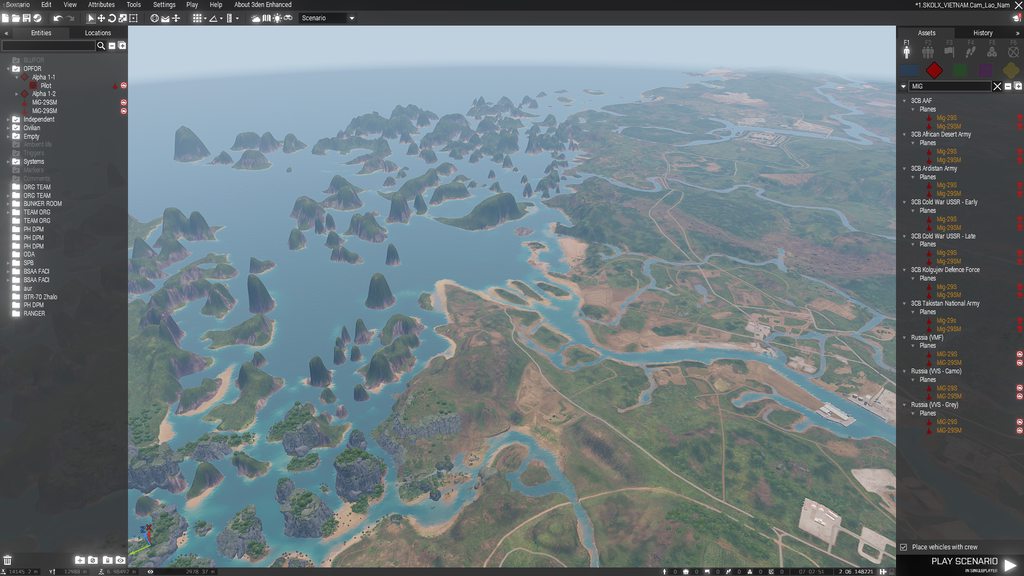
my game does this and i dont know why, I tried disabling atoc yet nothing happens, I run a 1050ti and a ryzen 5 https://imgur.com/a/XTyGqMr
 quaint jewel
@sinful bobcat try disabling anti aliasing, I think its called FXAA ingame
sinful bobcat
quaint jewel
<@!370933581771702272> try disabling anti aliasing, I think its called FXAA inga...
tried it nothing happened
quaint jewel
Can you describe more clearly what "my game does this" means?
 unborn silo
Is there any way to workaround
*** Player identity cannot be applied on person 2:14 (B Альфа 1-3:1 () REMOTE) - player 1813513403 not found
except clicking AI button in lobby and creating new unit? Maybe it is possible to reassign/reinit existing unit to player?
sinful bobcat
quaint jewel
Can you describe more clearly what "my game does this" means?
it does this in every map, its like the thing that is mentioned on the "known bugs" thing on the latest update that said to off atoc for and the bug is only for AMD cards but i have a 1050ti Nvidia card
pine kite
You'll have to make a close up of the rendering artefact. Because that screenshot is quite vague due to image compression and distance to the terrain. I have no idea what you are hinting at. Other than knowing what the ATOC issue looks like. I can't see it in that image.
 pearl sorrel
Any idea why, when trying to import a mission/server setting into arma, to add/update. I get this?
[CBA] (settings) ERROR: Setting //ACE Advanced Ballistics ace_advanced_ballistics_ammoTemperatureEnabled does not exist.
Before someone says it, yes ace is loaded.

 valid egret
What exactly is "tft_ace"? On of our guys from our group is getting this error and i don't know what he's missing
 quaint jewel
sinful bobcat
it does this in every map, its like the thing that is mentioned on the "known bu...
quaint jewel
sinful bobcat
it does this in every map, its like the thing that is mentioned on the "known bu...
"it does this"
What is "this"? That was my questions intention
I don't know what in your screenshot you consider the obvious error
 charred estuary
Hello 👋 - all of a sudden I've dropped from an average of 60fps + to sub 10fps on every map (running zero mods)
I'm running the x64 client and have a RTX3080 & Ryzen 7 5800X
I've updated graphics drivers and validated the game - anyone got any ideas?
- Correction, I reach 45FPS when playing a blank .VR map
Otherwise, all menus, editors, maps are sub 10
sinful bobcat
quaint jewel
"it does this"
What is "this"? That was my questions intention
I don't know what...
Oh sorry, It does not render objects
charred estuary
Resolved - latest version of Citrix workspace is the culprit
quaint jewel
sinful bobcat
Oh sorry, It does not render objects
Ah well then that cannot be the AToC or FXAA issue....
Maybe object view distance is simply set too low?
 tranquil viper
Can I get help
wise barn
not until you state your issue
 wise barn
mod issue
read up here how to use the mod
https://steamcommunity.com/sharedfiles/filedetails/?id=519947487
 tranquil viper
Do I down load something
wise barn
idk... just read the instructions on the creators steam workshop page
tranquil viper
Do I need that mood or it’s optional
tranquil viper
Ok kinda rude I just wanted but if I have do all that. Then no
If I unstall it well it go back normal
wise barn
rude? i just asked questions to get a picture of why you have a mod loaded that you did not configure
wise barn
tranquil viper
If I unstall it well it go back normal
it will go back to normal, yes
tranquil viper
Thank you I’m gonna delet it
wise barn
👍
wise barn
only with one member of the opposite sex and on a 2x1,4m soft ground battlefield 😉
tranquil viper
U use mouse right
uncut trellis
in case this is connected to the xbox controller line of questions, please dont spread same topic on multiple channels
 static sentinel
 uncut trellis
if you mean you are trying to use the ACE feature, eihter you got wrong version of ACE or the feature is bugged in the mod or by some other mod you have, You will need to contact ACE devs about that
 patent kettle
sitting is broken right now. Will get fixed in upcoming hotfix.
 left wolf
@fringe salmon
Launcher mods not updating automatically : 'Force Download' button doesn't activate sometimes, so . . .
Yes, you can manually force a mod update :
In Launcher mod list > select the mod in question > click on the three dots on the right > click Repair.
This should update the mod manually.
fringe salmon
left wolf
<@456226577798135808>
Launcher mods not updating automatically : 'Force Downloa...
Thanks for the help, we managed to fix the issue anyway, but thanks again
 desert rune
before entering a plane

after

it gets really foggy
dont know what the problem
is
could use some feedback
 frank apex
Looks like you might have a mod enabled or a script running that changes your view distance based on your current type of vehicle
Usually they are used to have a small view distance on foot but a large distance in aircraft etc.
maiden ingot
LoL, poor guy!

poor guy #2, lol

@quaint jewel starting to get reoccurring crash when calling in planes or flying planes with usb audio
maiden ingot
Warlords #01w got bugged, both sides will call in a vehicle and they were stuck inside the ground. I asked everyone to join the discord and post any crash dumps.
pine kite
Upload the crashfiles when you report it on the feedback tracker. And try to replicate it in vanila Arma 3 first. No mods!
quaint jewel
And try to replicate it in vanila Arma 3 first. No mods!
no need, devs use mods too
 vapid flume
is there a way to find proper file and delete it?
 quaint jewel
https://steamcommunity.com/workshop/filedetails/?id=2528932857 I would expect that, but doesn't work
vapid flume
i tried that before 😄
quaint jewel
SteamLibrary\steamapps\workshop\content\107410
Check in that folder for that number
vapid flume
quaint jewel
> SteamLibrary\steamapps\workshop\content\107410
Check in that folder for that n...


 viscid carbon
forgor 💀


 thorn charm
I have a pretty weird issue here. I do not have the addon called "Achilles" in the launcher but when i open up the game it's there and it gives me a script error. I've tried to locate it threw arma 3 menu but i can only get to the website.
 forest kettle
Hello!
I have completly reinstalled game deleted a lot of files let the game install them back via the verify game integrity... but i keep on getting the same crash.
The problem accours when ever i enter drones/planes anything to do with air... the moment i open terminal for drones i can click in or do anything and boom game crashes..
I go in helicopter copilot seat and the game crashes even in vanilla..
the error is listed bellow.
https://i.imgur.com/ry8KmOL.png
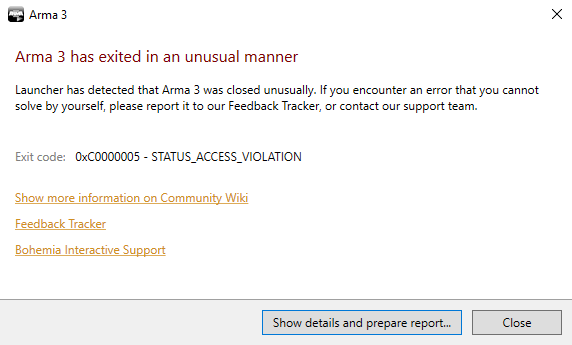
I would like if you ping me when ever you attempt to help fixing my issue!
uncut trellis
@forest kettle have you looked up possible solution on the status access violation arma wiki page
forest kettle
I have looked up, and the top solutions were attempted but without any success
That's why I'm here.
I can definetly look for more solutions and see how it is and hope for something
forest kettle
i do have an usb audio device
Wireless headphones.. You think that could be a problem?
uncut trellis
possibly. There has been cases of usb audiodevices causing something in windows 10 to go bonkers with Arma
forest kettle
Shall I unplug it and try my luck? or shall i just make the headphones wired?
forest kettle
alright
uncut trellis
I never remember the specifics but it had something to do with the usb audio drivers and some win 10 update that did something
forest kettle
Well.. that aint fun hehe
forest kettle
I think you might have fixed my issue
so far testing it there aint a single problem yet
uncut trellis
good and bad news I suppose. 😅
not much you can do about the windows sound part I think but if you got analog headphones those would work
forest kettle
jesus christ 🤣
uncut trellis
ol'reliable
 forest kettle
I have one of those

But not gotta go back to using cable 😦
Didn't want my self to be attached to my computer but now ig cant haha
uncut trellis
steelseries headphones are usually the ones that have had this problem I think
 robust crypt
Anyone got an idea what this here in my RPT means?
Skipping mods and signatures due to overflow flag being set.
Skipping mods and signatures due to overflow flag being set.
Skipping mods and signatures due to overflow flag being set.```It happend when I connected to the server of my community
quaint jewel
 stark sorrel
is ace screwing for people aswell or is it just me?
stark sorrel
is ace screwing for people aswell or is it just me?
you are loading some old outdated ace compat mod
quaint jewel
robust crypt
Anyone got an idea what this here in my RPT means?
```Skipping mods and signatu...
probably steam query size max thingymabob server.cfg entry being too small
robust crypt
quaint jewel
probably steam query size max thingymabob server.cfg entry being too small
what of both 😄
robust crypt
yep, that other one went to milky, didnt recognize until now
Thanks, I will forward this to our server admin 🙂
forest kettle
uncut trellis
steelseries headphones are usually the ones that have had this problem I think
lmao feels bad for my self
uncut trellis
🙏
robust crypt
quaint jewel
probably steam query size max thingymabob server.cfg entry being too small
Could this error also be logged locally, if a custom launcher is used to start arma including its mod parameters?
Or is that an error that only can be caused by steamProtocolMaxDataSize being only 1024 in the server.cfg?
 lethal violet
Steam is constantly stopping and starting my steam workshop download for A3 when I have the game open. Its giving me constant freezing. I've tried turning in-game downloads on and it still happens. Any ideas?
 halcyon adder
Anyone know why some AI display as "Empty" in Zeus? I can't seem to find a pattern to it happening and it's occured sporadically for the past month or two in our server across several modpacks. Happens both with and without Headless Clients, and with/without dynamic simulation. "Empty" AI still react to danger and shoot enemies (except for one time where they bugged out on a HC but that's only happened once), but do not belong to a group and cannot be ordered around.
Mods: Many, but mostly the big ones like ACE, LAMBS, CUP, etc. Also happened in our previous 40k modpack (that also had ace and lambs) and to some extent in modpacks before that.
Second screenshot is of the attributes of one such empty AI.

 halcyon adder
lethal violet
Steam is constantly stopping and starting my steam workshop download for A3 when...
halcyon adder
lethal violet
Steam is constantly stopping and starting my steam workshop download for A3 when...
yeah it's really annoying but eventually (10-15 min for me) it finishes update/realizes it doesnt need to update and stops
pine kite
uncut trellis
steelseries headphones are usually the ones that have had this problem I think
Not on my side: Wireless dongle via USB for my Steelseries Arctis 1 works fine.
uncut trellis
yes it is not consistent
but has happenend quite a lot
could be related to motherboard
pine kite
I guess, using a laptop, so not a common motherboard.
uncut trellis
perhaps. I dont remember the details of the problem too well
but there has been quite many occasions of the problem
probably not all steelSeries stuff either but it is common enough to stand out
could also vary between headset versions
 umbral mango
uncut trellis
could also vary between headset versions
umbral mango
uncut trellis
could also vary between headset versions
probably does, because i've had my steelseries 9H since 2014 without issue
USB-dongle and all
 wet summit
So after troubleshooting port forwarding issues for like half a year and dredging through ISP customer service I figured out the problem...
https://cdn.discordapp.com/attachments/326304314178142211/902902232356356126/unknown.png


definitely not enraged with myself
glad to be able to host private sessions now though
umbral mango
i should probably upgrade my headphones by now already
wise barn
don't fall for that "emulated / fake" surround BS when getting overpriced "gaming" headsets...
because the software / drivers to fake the surround are the most common issue for sound problems
umbral mango
@wise barn honestly i just want a good pair of headphones
But all i get is crappy pkastic ones for 30-170€
How do i find GOOD headphones, up to 600€? Moving to #offtopic_arma . feel free to tag me
 jaunty crane
can anyone help me with amra 3?
2*

this keeps freezing my game, i dont know why
lethal violet
What is that?
wise barn
Old school arma 2 "loading" screen
 ember nymph
uncut trellis
steelseries headphones are usually the ones that have had this problem I think
ember nymph
uncut trellis
steelseries headphones are usually the ones that have had this problem I think
Nope, I had Logitech headphones and I had the same problem a few months ago. I'm honestly grateful that the problem is somehow fixed now.
quaint jewel
robust crypt
Or is that an error that only can be caused by `steamProtocolMaxDataSize` being ...
I think it is
quaint jewel
wet summit
So after troubleshooting port forwarding issues for like half a year and dredgin...
that should only affect your status display in steam, not you ability to host a server
wet summit
I think it was causing me to not show up in the friends tab when someone tried finding the server I hosted
quaint jewel
ah yeah
robust crypt
quaint jewel
I think it is
The value over here is 8192. Hm. Weird error
quaint jewel
that should be sufficient
The "overflow flag" gets set when the data doesn't fit into that steam query packet
 stiff snow
Steam workshop BLOW UP? I cannot upload mods, it says "Error 9 File Not Found"
stiff snow
stiff snow
Steam workshop BLOW UP? I cannot upload mods, it says "Error 9 File Not Found"
Anyone can confirm the issue? I cannot uplaod mods anymore, for both DayZ and Arma 3...😵
 sharp agate
Anyways to fix port forwarding failed when im tryin to make a server to play zeus
pine kite
Yes, get into your router and configure port forwarding according to it's manual or help section (assuming it exists). The checkmark in the game does nothing if UPnP is not enabled in the router itself.
sharp agate
I already did that so that i can play with my best friend on sog and apex but when its normal server it doesnt work
pine kite
Then the issue is something else. Not related to UPnP or port forwarding.
UPnP or portforwarding in your router doesn't do anything different for mods or DLC.
stiff snow
I cannot upload mod to steam workshop, publisher shows this, any ideas?

[2021-10-29 09:32:34] [AppID 107410] Upload starting for workshop item 1623903743 by AppID 107410
[2021-10-29 09:32:47] [AppID 107410] Upload workshop item 1623903743 failed (Failed uploading manifest (bytes 0 sent, HTTP error 502))
[2021-10-29 09:32:58] [AppID 107410] Upload starting for workshop item 1623903743 by AppID 107410
[2021-10-29 09:33:22] [AppID 107410] Uploaded new content ( ManifestID 7103263475984439028 ) for item 1623903743.
[2021-10-29 09:33:22] [AppID 107410] Failed to upload workshop preview file C:\Users\GoldJohnKing\AppData\Local\Temp\j4bgm2aj.lxq.jpg (File Not Found)
[2021-10-29 09:34:37] [AppID 107410] Upload starting for workshop item 1623903743 by AppID 107410
[2021-10-29 09:35:02] [AppID 107410] Uploaded new content ( ManifestID 2119941846406115611 ) for item 1623903743.
[2021-10-29 09:35:02] [AppID 107410] Failed to upload workshop preview file C:\Users\GoldJohnKing\AppData\Local\Temp\2uzsiuff.jwz.jpg (File Not Found)
Steam logs shows this...
umbral mango
stiff snow
```
[2021-10-29 09:32:34] [AppID 107410] Upload starting for workshop item 16239...
Check if AV/AMW is blocking something
Microsoft ships windows 10 with an AMW implementation that is VERY agressive
stiff snow
I'm using Win11 and have disabled Microsoft Defender while does not have any AV softwares installed... 😫
stiff snow
I wonder what are those files actually? I never have files like that...
[2021-10-29 12:07:40] [AppID 107410] Upload starting for workshop item 1623903743 by AppID 107410
[2021-10-29 12:08:04] [AppID 107410] Uploaded new content ( ManifestID 5965652202563346328 ) for item 2569178737.
[2021-10-29 12:08:04] [AppID 107410] Failed to upload workshop preview file C:\Users\GoldJohnKing\AppData\Local\Temp\cuiuhu34.smc.jpg (File Not Found)
 hollow reef
Trying to change keymap profile on Arch Linux. Arma doesn't seem to be changing the file in .local/share/bohemiainteractive/arma3/GameDocuments/Arma 3/Player.Arma3Profile
I'm using a different profile name but the file just stays the same "Player.Arma3Profile"
Profiles seem to be running from somewhere else
quaint jewel
GameDocuments/Arma 3 - Other Profiles
hollow reef
ok I just created the folder: .local/share/bohemiainteractive/arma3/GameDocuments/Arma 3 - Other Profiles/
Then I copied some profiles in and gave them a name but still nothing. I think the game is trying to read from another location
using Unix launcher with steam
maybe because I am using a wrapper to keep steam files out of my home folder
quaint jewel
no not create manually, Arma puts them in there
hollow reef
hmm I will have to find where it is creating that folder then
ah I found it:
/home/.local/games/steamapps/compatdata/107410/pfx/drive_c/users/steamuser/Documents/Arma 3 - Other Profiles/
stiff snow
stiff snow
I cannot upload mod to steam workshop, publisher shows this, any ideas?
Hello~ Any idea?
I've make sure the jpg file is the mod preview picture, and the file is truly there and is valid.
I've tried different account and different PC, no luck.
stiff snow
I've tried manually upload via SteamCMD, no luck, here's what the console returned
Steam>workshop_build_item "D:\@Mods\WorkshopItem.txt"
Preparing content...
Uploading content...
Uploading preview image...src\clientdll\clientugc.cpp (1376) : k_EPublishedFileStorageSystemLegacyCloud == eStorage
ERROR! Failed to update workshop item (File Not Found).
 unique frigate
Anyone here know why a preset I've deleted still shows up in my launcher?
I've tried deleting it so many times but it still comes back when I lopen the launcher
 west willow
TerrainBuilder crashes on start. Reinstall is not helps:
Exception code: C0000005 ACCESS_VIOLATION at 0034550C
Version 0.00.144951
Fault time: 2021/10/29 17:01:01
Fault address: 0034550C 01:0002450C W:\Program Files (x86)\Steam\steamapps\common\Arma 3 Tools\TerrainBuilder\TerrainBuilder.exe
Prev. code bytes: 7C 64 83 78 08 00 7C 5E 83 38 05 7D 59 8B 4E 60
Fault code bytes: 8B 49 14 8B 49 60 85 C9 74 0C 8B 56 58 50 52 FF
 clever spruce
Ok so continuing on with the mod and Imgur thing
 wide gull
https://steamcommunity.com/sharedfiles/filedetails/?id=1814297223
You missed this Mod to join

More like, don't join into a server which you don't even know what the server is and does
 hollow widget
I am still not able to select and modify multiple units at once with Zeus
Did something change? I’m not able to highlight multiple groups and change their side at once.
 atomic oyster
Would anyone happen to know how to fix Arma launching and getting stuck on loading core configs?
I had googled the issue and found a solution that said to delete the cache.ch but I couldn't locate that file
clever spruce
Any1 able to tell me how to get these mods if they are mods
 wise barn
by not using the ingame server browser
pine kite
That too.
uncut trellis
those are probably something life mods related so they might not be in workshop
 hidden wyvern
hello, would this be the ideal channel to ask about an error in server RPT that basically shutdowns my server after 5 minutes?
quaint jewel
yes, what error
hidden wyvern
13:09:33 InitSound ...
13:09:33 InitSound - complete
13:09:33 PhysX3 SDK Init started ...
13:09:33 PhysX3 SDK Init ended.
13:09:42 Warning Message: You cannot play/edit this mission; it is dependent on downloadable content that has been deleted.
a3_characters_f
13:09:42 Loading movesType CfgGesturesMale
13:09:42 Creating action map cache
13:09:42 MovesType CfgGesturesMale load time 331.0 ms
13:09:42 Loading movesType CfgMovesMaleSdr
13:09:42 Reading cached action map data
13:09:48 Warning: looped for animation: a3\anims_f_epa\data\anim\sdr\cts\hubcleaned\briefing\hubbriefing_loop.rtm differs (looped now 0)! MoveName: hubbriefing_ext
13:09:48 Warning: looped for animation: a3\anims_f_epa\data\anim\sdr\cts\hubcleaned\spectator\hubspectator_stand.rtm differs (looped now 1)! MoveName: hubspectator_stand_contact
13:09:52 MovesType CfgMovesMaleSdr load time 9808.0 ms
13:09:55 Initializing Steam server failed```

this is basically the last snip of the rpt, all the rpt seems ok until this section which claims content from vanilla game is missing, im testing literally a empty MP VR scenario with 2 units just to check if a player can connect, but keep getting this error and server shutdown by itselfif required, this is full RPT
i can provide .cfg if necessary too.
server doesnt load lobby, wont even load into VR map, shows stratis loadscreen for some reason
hidden wyvern
quaint jewel
yes, what error
^
quaint jewel
Don't see anything that would kill the server? I guess the steam server thingy is bad
windows?
hidden wyvern
ye, from nitrado
quaint jewel
Then thats something for nitrado support
hidden wyvern
i thought so, its so weird
 fleet tiger
hi, having an issue with a server where zeus loses the ability to place modules after a random duration of time, and anybody that has been promoted loses access to zeus. I have no idea where to start, any help would be appreciated
 livid warren
im desperate for some help got arma 3 recently and my pc is able to handle the game but im getting huge fps drops pls help
uncut trellis
what are you doing when the drops happen? do you play in MP? Do you have mods running?
livid warren
no mods and im in a campaign mission happens during fights out of fights whenever its just random @uncut trellis
uncut trellis
is your game installed on SSD or HDD and is it internal (desktop/laptop) or external (USB)
livid warren
is a desktop and installed on a external usb hdd
uncut trellis
the external usb is probably the cause. it slows down disk read and Arma needs quite a lot of reading from disk
livid warren
oh ok ill try to move it appreciate the help thank you
uncut trellis
if you can, put it on SSD, that has been known to help with performance
fringe salmon
Hello, why sometimes when I access a mission/scenario first time it's fine, but when I launch another after trying one it's just a infinite loading screen?
 pure wind
Hello, on my modded dedicated server after an unknown ammount of time, or maybe due to an unknown error, zeus modules stop working. No idea why this happens. Any help is appriciated and if you need more info on the matter just ping me
fringe salmon
how do I get my mods to not say "mods waiting for steam to download updates"; the mods update but don't install, I gave enough storage, I reloaded the modpacks, even have no steam restrictions
dm me with solutions
 frank bison
While I am playing missions, it has a bug like this, how do I fix this?
 wide gull
What bug? 🤔
frank bison
It shows "moving" "stopped" while I am playing mission!
wide gull
99% sure it is a feature of the mission
frank bison
It also happens in official campaign!
wide gull
Then unload the Mods
frank bison
Ok!
 thick ginkgo
I'm guessing you're aware you can expand the missions with the little arrow under the campaign? I'd probably just restart at the beginning of your desired mission if you can
there is a cheat you can enter to unlock all the missions if you can't find a way to load your save or mission
https://community.bistudio.com/wiki/Arma_3:_Cheats
otherwise I think saves are tied to your profile, if it gets corrupted you can lose saves, if you made a new profile you can change it back and get your saves back
 frosty willow
any idea how to join the server? join button is crossed out not able to click on it
 grim tinsel
frosty willow
any idea how to join the server? join button is crossed out not able to click o...
grim tinsel
frosty willow
any idea how to join the server? join button is crossed out not able to click o...
do you have the SOG cdlc?
 grizzled solstice
does anyone know why the hud turns orange after an auto land? cant put this in #arma3_questions becuse no images allowed there
 fringe salmon
can someone help me setup server for me and my friend, everytime start one he tries to join through launcher and it starts the game and just doesnt load him in
uncut trellis
grizzled solstice
does anyone know why the hud turns orange after an auto land? cant put this in <...
show your hud settings in the games options
 karmic sage
for some reason every time i try to save on the eden editor, this thing pops up every time and its kind of getting annoying, and i dont know how to fix it. anybody ever run into this or know how to fix it, i dont really know my way around the Cloud.
 wise barn
remove OneDrive from your PC if you don't actively use it
drowsy gale
My zeus virtual entity cant us NVG or thermal. Any ideas why?
karmic sage
wise barn
remove OneDrive from your PC if you don't actively use it
lol that worked your a genius man thank you!! 😄
wise barn
👍
 harsh arch
what is the name of the sensitivity option
harsh arch
in the config file
 uncut trellis
tranquil viper
I need help
uncut trellis
tranquil viper
I need help
you not running right mods
golden nova
 pure gulch
also what is 2xj button?
pure gulch
also what is 2xj button?
Double tap "J"
 hushed crater
Why is this showing up anyone knows?
 ocean quarry
every time I play on my friends server i get the 0xC00005 crash
 subtle sedge
I keep getting this when i try to play on any arma server. can u help plz?
 uncut trellis
hushed crater
Why is this showing up anyone knows?
uncut trellis
hushed crater
Why is this showing up anyone knows?
missing or broken mod
wise barn
@hushed crater
issue with a zombie mod you have loaded. those white on black error messages can not be turned off in editor mode
@subtle sedge
same link for you
subtle sedge
@wise barn thank you ill give them a try
 peak zinc
hushed crater
Why is this showing up anyone knows?
peak zinc
hushed crater
Why is this showing up anyone knows?
Mod is outdated sorta. Fix is the following:
Add this to the init.sqf:
ace_medical_selections = ["Head", "Body", "LeftArm", "RightArm", "LeftLeg", "RightLeg"];```is there a way to debug a minidump without any symbol files?
Version 2.07.148387
Fault time: 2021/11/01 03:47:59
Fault address:  8000A56F 00:8000A56F Unknown module
file:     madley
world:    chernarus_summer
Prev. code bytes: 0F B7 4F 74 EB 0A 48 8B 1B 66 03 CA 66 89 4F 74
Fault code bytes: 48 8B 03 48 83 C8 01 48 83 F8 01 75 E9 48 8B 47
=======================================================
note: Minidump has been generated into the file C:\Users\alexp\AppData\Local\Arma 3\arma3_x64_2021-11-01_03-27-21.mdmp
https://aebian.org/storage/app/media/temp/arma3_x64_2021-11-01_03-27-21.mdmp
drowsy gale
My zeus virtual entity cant us NVG or thermal. Any ideas why?
grizzled solstice
uncut trellis
show your hud settings in the games options
HUD settings are default I’ve tried to reset them Again but will do later as it’s midnight rn
pine kite
peak zinc
is there a way to debug a minidump without any symbol files?
```rpt
Version 2.0...
The intent is to post them on the feedback tracker with a complete description on how you caused it/what happened exactly before it. Then developers can analyse those files.
hushed crater
peak zinc
Mod is outdated sorta. Fix is the following:
Add this to the init.sqf:
```sqf
a...
Where is that script? i cant find it in function viewer
 cobalt rune
hello, me and my friend are on a server (im hosting) and he is squeezing 30+ more frames than me. We have similar setups, so I'm very confused as to why?
pine kite
Rendering distance settings in options?
uncut trellis
cobalt rune
hello, me and my friend are on a server (im hosting) and he is squeezing 30+ mor...
Possibly because you are hosting
cobalt rune
found that out lmao, I didn't realize how much cpu hosting actually took up, thanks!
any recommendations on cheap arma hosting?
hushed crater
hushed crater
Where is that script? i cant find it in function viewer
Someone?
peak zinc
hushed crater
Where is that script? i cant find it in function viewer
it's in your mission folder. You need to create the file if it isn't there
 civic thunder
this keeps showing up every time I go into host server, how can I fix it?

 lean kite
Yo how I disable crosshair on my dedicated server but still have 3rd person turned on?
wise barn
custom difficulty settings
https://community.bistudio.com/wiki/server.armaprofile#Server_Difficulty_Example
 golden hinge
do anyone know how do i fix this
 uncut trellis
repair your installation on steam.
golden hinge
and this
 golden hinge
uncut trellis
repair your installation on steam.
golden hinge
uncut trellis
repair your installation on steam.
uninstall?
uncut trellis
repair
verify installation
put "how to verify steam game installation" on google


 golden hinge
 fringe salmon
 bold sky
You shouldn't need that parameter anymore as Arma Launcher has an option to Enable Battleye already.
bold sky
fixed it
fringe salmon
Nice.
 fringe salmon
Ah, got ya.
 signal plover
Do you “have” to have Bought and installed Apex ? To play
quaint jewel
only if you want to play apex content
signal plover
Ok, when I start apex and then go to a server and it sticks on loading screen + there’s a soft bing sound in the background and nothing happens ?!
uncut trellis
where do you start Apex?
signal plover
From steam, then the dashboard/launcher then the multiplayer menu
signal plover
No, doesn’t join - get ping pong sound and freezes on a stratis map loading screen
uncut trellis
if you just hit play at the bottom left the game starts normally?
and you can play singleplayer for example
and how about that server name?
uncut trellis
that could be part of why it fails.
signal plover
battleye fix ?
uncut trellis
have you tried verifying the game install
signal plover
aarrrggghhhh
signal plover
uncut trellis
have you tried verifying the game install
how? i thught it was verified cause i got it from steam
uncut trellis
things can always go wrong once you download and install stuff
signal plover
since i loaded the mods for the alien mods for last nights game
uncut trellis
so last night everything worked?
signal plover
before i loaded the mods and during the event yes
"Exit code: 0x0000001 - UNABE_TO_INIT_DXGI" ??
signal plover
wise barn
https://community.bistudio.com/wiki/Arma_3:_Unusual_process_exit#0x00000001_.E2....
cheers - re-installing drivers
wise barn
define "massive FPS drops"
 spark ferry
like im scoping into something and it jumps down from a solid 80 to 40
wise barn
@spark ferry
have the game on SSD
spark ferry
does it really help?
wise barn
yes. it reduces load times for textures
spark ferry
but isn't that only just a minimal improvement?
wise barn
better than nothing i'd say
rich mortar
@spark ferry i did that
Tried running arma on my hdd and thsn on my ssd
The fps imporvement was noticable
maiden ingot
Warlords Official #01w Server has been lagging and 7-10fps
 fringe salmon
When I enter a targeting pod in a aircraft I am unable to zoom in and zoom out using the keybinds assigned.
 steady hawk
Make sure the camera has a zoom ability
fringe salmon
Its on the wipeout so it should.
 bronze river
@tiny imp if you look closely there is a Nyx up in the sky

 tiny imp
maiden ingot
Warlords Official #01w Server has been lagging and 7-10fps
tiny imp
maiden ingot
Warlords Official #01w Server has been lagging and 7-10fps
ye the server crashed just afterward
tiny imp
bronze river
<@!94784638945337344> if you look closely there is a Nyx up in the sky
now time for repro it ... in editor ... 🤣
bronze river
tiny imp
now time for repro it ... in editor ... 🤣
it was like this, managed to kill the aaf crew inside the Nyx. then telling my ai to embark the nyx with dead aaf body still inside. my squad managed to get into it and i tell them to return to formation, they hit something on the way to me and flew up into the sky
oh yeah when they get inside the nyx it got arma'd and move uncontrollably fast killing some friendlies nearby
maiden ingot
Same issue when entering and exiting vehicles, they get launched into the sky and blow up
This also happened, not sure if someone was hacking the server. I started gliding on the surface while on foot and saw others gliding.
 trail dock
So I was trying to host an internet server so I could play the Direct Action mission with my friends and every time my friends try to join it just shows them an infinite loading screen with the arma logo
We've been trying to search for solutions but so far nothing has worked
Does anybody know how we can fix it?
 sudden cipher
Mikero pboproject 3.19 (paid) is throwing this error - does anyone know what it means or how to fix it please?

what is stderr? and where can it be found?
quite confusing instruction.
ok dw, looks like it was related to me alt tabbing on and off the window and pressing something random during the build - how fragile it is!
 nova elm
stderr is the standard error output for console applications. Judging by the user cancelled above it you hit ctrl+c or some other exit command specific to MakePbo.
 fluid dust
hey does anyone want to play antistasi Altis?
rustic eagleBOT
Are you looking to play with people?
pick one channel:
#looking_for_game to tell others you want to play
#looking_for_unit to tell others you are looking for a group
#communities_arma3 to browse through advertised groups
Note: Please follow the templates in those channels (if applicable), and don't use them for discussions.
 vestal turret
Here's a kicker, maybe one of yall have run into this.
I made a mission, set up everything the way I like it, and tested as multiplayer. Great, she works, including respawning at HQ on death.
I load her onto my dedicated server, test her out. Everything works until death, when I respawn where I died.
I load her back into eden. Looky looky, respawning at HQ.
I load it in a peer to peer lobby from within the game, respawning at HQ.
I load it back onto my dedicated, respawn where I die.
I have scoured for settings, tried different mod load orders, anything and everything to fix this, but I am stumped.
My unit and I would be greatly appreciative if anyone can lend a hand.
vestal turret
Still have yet to find a solution, seriously if anyone can help dm me.
I can send whatever log or mission files I need for yall to check it
 uncut trellis
Instead of spamming the channel with unrelated stuff you should explain what exactly you need help with
or in case you have no actual Arma related issue you can either clean up after yourself or moderators are likely to remove you
your choice how you continue from here. My advice, dont be an idiot.
 ocean nacelle
https://cdn.discordapp.com/attachments/141866231362879488/905242343635025970/image0.jpg Can someone help me?
 uncut trellis
have you tried verifying you game files on steam?
 winter owl
I keep getting this message when I try to load onto my server...
No entry 'bin\config.bin/CfgPatches.rhsgref_main'
uncut trellis
you probably are not loading correct mods
steady hawk
Self explanatory, you missed RHSGREF to join
steady hawk
Load order doesn't fix it in the MOST of the time
winter owl
if i were to load the mods in a different order, is it the top or bottom of the list that loads mods first?
uncut trellis
could be some other mod that breaks it
or something wrong with the mod setup on the server
winter owl
any way to find out what mod is breaking it
steady hawk
Removing the Mods half by half I guess
winter owl
damn
uncut trellis
start by launching only the RHS mods to see if they work
winter owl
i got this error
addon 'ace_compat_rhs_gref3' requires addon 'rhsgref_main_loadorder'
uncut trellis
run only RHS mods, no ACE, no additions
winter owl
okay, that worked
uncut trellis
then start adding stuff back to see what works and what not
winter owl
i think its the compatibility mod for ace

 maiden ingot
 playing on EU Server #09, Crash while walking in the hills
 velvet basin
For some reason, whenever I host a server in arma (I always turn switch it from LAN to internet and turn on UPNP) and try to get people to join thru the steam friend's list, they aren't able to see my server. Any fix for this?
hushed crater
peak zinc
it's in your mission folder. You need to create the file if it isn't there
I did that but the error is thisll there
ocean nacelle
uncut trellis
have you tried verifying you game files on steam?
i tried verifying my game files and it said something bad
 hidden radish
hello, something seems to be wrong with my game. I don't have any mods installed. I'm playing the standard build, but when I got to EDEN and place down one OPFOR tank, the T100 or whatever, and then the standard NATO tank, they just don't attack each other
like, I even played as drivers for both and they definitely say "contact" and know they are there
but like, they won't attack each other
wise barn
make sure you place them with crew
hidden radish
yup, they have crew
if I get out of the tank, the T100 kills me with the machine gun
if I'm playing as the NATO tank
I was so desperate I reinstalled the game even, and no change
hidden radish
Good idea. Let me try the tanks showcase
I placed the T140K and it engaged my tank with its smaller gun, i.e. not the main cannon
Which I guess worked out for it because it fires explosives or something
wise barn
no issue here.
placed down the slammer and the T100 with 150m in between. both facing each other.
placed a civ as player and tested it.
both tanks engage with main canon
hidden radish
Right, I figure it probably works for everyone else. I'm playing the tanks showcase now
In the tanks showcase, when you join the platoon like right at the beginning, are the other tanks in your platoon supposed to start driving?
Because mine are just sitting there doing nothing
wise barn
you have to command it with WSAD
wise barn
you have to follow them
hidden radish
Like I can command it around just fine
They aren't moving
So there's me in a slammer. There are two other slammers and an APC. None are moving
I'm circling them
maiden ingot
game crash while in 1st person inside Infrit HMG driver on Warlords Official
hidden radish
I'm thinking something has happened to my game to cause the tanks to bork
wise barn
@hidden radish did you get a task complete after arriving at the platoon location?
wise barn
also a save game?
hidden radish
Yup
wise barn
then wait till the chatter ends and the leading tank will start driving
hidden radish
I've been waiting here since uhh for ~8 min now
I think the chatter is done and they should be driving but they're not
I'm blowing up random houses while I wait for them
uncut trellis
@hidden radish are the other tanks under your command?
hidden radish
I don't think so
wise barn
no
hidden radish
I promise I'm not making this up. This is so strange and I can't possible imagine what's causing it lol
For context: I've got 1000 hours in this game and have played it for years. I just booted it up for the first time in about a year and this is where I'm at
I've never had this issue before
Validated the game files, rebooted my machine. Last night I had already totally reinstalled it
Very confused
Gonna try updating my computer and drivers and stuff
Oh yeah I have also tried going to the dev build and that didn't fix it either
maiden ingot
any word when the US#01 East or West Servers will be back Online?
 wise barn
soon™️
maiden ingot
ok, thank you. I'll check back tomorrow.
 prime pelican
soon as in like within next couple hours or sooon like next couple days
cuz with arma who knows
 surreal fog
Anyone know what this is and how to fix it?
 wise barn
it's an error message from a mod and can not be disabled for singleplayer / editor
surreal fog
wise barn
it's an error message from a mod and can not be disabled for singleplayer / edit...
Do you know how I can identify it?
wise barn
looks like overthrow something
sharp agate
S.o.g prairie fire the find game thing isnt working and instently back people out
Maybe get this to the devs
uncut trellis
@sharp agate do you have mods running?
 median valve
i have not played arma for almost a month because i single prop doesn't want to load, i have deleted and reinstalled, repaired, and tried just about everything, and it won't work.
 sharp agate
@uncut trellis negative
uncut trellis
median valve
i have not played arma for almost a month because i single prop doesn't want to ...
thats ace addon. not vanilla arma. have you repaired ACE?
median valve
uncut trellis
thats ace addon. not vanilla arma. have you repaired ACE?
yea i already have tried repairing ace
uncut trellis
or do you have some old version of ACE mod in some modpack
start without mods to make sure it starts
median valve
if ace has gotten a recent update i didnt get it
haven't updated it for like idk how long
uncut trellis
then start adding mods to see when it breaks
you should always keep your mods up to date
the launcher should do that for you
patent kettle
It's some unofficial compat or smth that breaks ACE.
 silent forum
22:39:12 File read error: addons\sounds_f_arsenal.pbo,17: Data error (cyclic redundancy check).
Ran into this a few weeks back, tried verifying game files and ran into it again. Any idea? Is it possibly due to too much ram usage or a failing drive? I was running wireshark (networking issues on home network and wanted data) and it was taking half my ram
steady hawk
median valve
https://cdn.discordapp.com/attachments/904217581446135849/905630679356821514/unk...
Repair ACE I guess
steady hawk
@bronze stream Suggest you just to post it here
uncut trellis
no the sqf link
 bronze stream
I tried to post it in there
didnt allow me to
like'\
its transffered onto another tab
steady hawk
Use English please
bronze stream
So I went to the sqf link, I went to the files and grabbed the rpt and dragged it onto the sqf pastebin but when I tried, it went onto another tab in another paste ben.
There we go.
steady hawk
!steamverify
rustic eagleBOT
Steam file verification process:
Right Click on game -> Local Files -> Verify Integrity of game files
Mod repair process:
Open Launcher -> Right Click on mod -> Repair
steady hawk
Try this. Looks that's not normal
uncut trellis
bronze stream
There we go.
your game is trying to load a lot of odd stuff
like some goggles form RHS mod
bronze stream
do I take off the mod?
uncut trellis
you can not join servers with mods loaded
you can only use mods that the server uses
if it uses any
so either you had extra mods loaded or did not have correct mods loaded when you connected to the game
steady hawk
The game itself doesn't load any RHS pbos so looks like you've tried to join into a server which has RHS
bronze stream
alr
uncut trellis
when you join servers with the launchers server browser this screen should pop up

it shows you if you can use mods or if you have to unload mods etc
then you just hit the yellow button
bronze stream
steady hawk
Did you really tried to join into an official server?
yes.
 bronze stream
Why am I being kicked off though?
wise barn
because you can not join servers with random mods loaded
bronze stream
I turned off my mods
wise barn
your loaded mods must be the same as the server mods
steady hawk
#arma3_troubleshooting message
Tried this?
wise barn
in addition to POLPOX' question:
did you ever manually install mods and if so, where did you put them?
bronze stream
wise barn
in addition to POLPOX' question:
did you ever manually install mods and if so, w...
Like
I downloaded them from where my boss told me to, then I moved the download from the file into the in game mod section
at the launcher
steady hawk
wise barn
in addition to POLPOX' question:
did you ever manually install mods and if so, w...
I don't think THAT is the case, I didn't see an unofficial pbo in the rpt
wise barn
then I moved the download from the file into the in game mod section
then the game root folderaddons?
wise barn
just making sure that you have never put any files in this folder
 wise barn
ok, that's a very good sign.
some dipshits tell their players to do so which is the worst to do
because, whatever mod is in that folder will be loaded at game launch
bronze stream
oh my god man
the thing keeps saying "You were kicked off the game"
like a message and then I have to close it
steady hawk
#arma3_troubleshooting message
Once again, tried this?
steady hawk
Once again, tried the above?
bronze stream
I don't know how to get there
im doing what it says but for arma 3 I cannot see the files
Unsubscribed to all the mods, removed them, but then this keeps happening.
 wise barn
do all servers on your list have a ping that high?
wise barn
many servers have a max ping restriction in place. if your ping is too high you will get kicked
mostly anything above 500ms
steady hawk
Where do you live? 🤔
steady hawk
Makes sense
wise barn
oh boy...
i guess that's your issue
bronze stream
oh noes....
wise barn
can you find a server below 150ms ping?
steady hawk
Or at least 300
bronze stream
i can try
wise barn
Or at least 300
for a test, sure
steady hawk
300 is playable!!!111!
wise barn
@bronze stream
?
bronze stream
wise barn
<@!496866645499969581>
?
?
wise barn
did you find a server with 300ms or below ping?
bronze stream
n o p e
bronze stream
600 at the most
wise barn
well, the sample config for servers on the bohemia wiki that most likely is used for many servers states maxPing= 200; as default value
i guess you're out of luck for multiplayer then
steady hawk
Without upgrading your internet
bronze stream
can i get an f in the chat
wise barn
that'd be a good opportunity to think about starlink
bronze stream
wise barn
that'd be a good opportunity to think about starlink
whats that
starlink
bronze stream
N O P E
wise barn
that's high speed low latency space internet from spaceX
wise barn
what does your current internet cost?
wise barn
ok
starlink is about the same
read up on it, watch videos and decide then
https://www.starlink.com/

Starlink
SpaceX is developing a low latency, broadband internet system to meet the needs of consumers across the globe. Enabled by a constellation of low Earth orbit satellites, Starlink will provide fast, reliable internet to populations with little or no connectivity, including those in rural communities and places where existing services are too expen...
it's 499,- for the hardware and 99,-/month
you get +100MBit with 15-50ms ping
wise barn
as i said, read up on it and watch some videos
there are quite a lot of videos about starlink on youtube
even more review videos
it's not cheap for sure, 499,- on time payment for the hardware is quite a slap, but 99,-/month for it is acceptable imo.
you can get up to 100 Mpbs and more download and up to 50 Mpbs upload while the ping is normally well under 30ms.
oh, and no data cap.
quaint jewel
median valve
https://cdn.discordapp.com/attachments/904217581446135849/905630679356821514/unk...
you are loading some bad/outdated ACE compat mod
quaint jewel
silent forum
```22:39:12 File read error: addons\sounds_f_arsenal.pbo,17: Data error (cyclic ...
delete that file and redownload it by verifying your game files in steam
 valid belfry
my laptop doesnt have anything for arma in its outbound firewall rules and i cant connect to my server and I have a feeling these 2 are related
is there any way to restore default arma networking/firewall settings?
pine kite
Outbound is unrestricted in Windows. Inbound however is not. You would need to have a rule that allows traffic to come in to your laptop. But also in the router. It too will block inbound traffic. Where exactly, in what network, is the server located?
valid belfry
yeh someone told me there should be outbound rules but gonna ignore that
valid belfry
pine kite
Outbound is unrestricted in Windows. Inbound however is not. You would need to h...
servers running on a host with hetzner the issue isn’t with the server or that network
pine kite
Ok, hetzner means it is on the internet. No problem.
In the Windows firewall you may need to allow Arma 3 to access the private and public network. It is a pop-up that comes up when an application needs internet access the first time. And by ignoring that the application gets denied access.
valid belfry
connecting locally and over externally it fails
valid belfry
pine kite
In the Windows firewall you may need to allow Arma 3 to access the private and p...
yeh i allowed it but i have a feeling it got fucked up at some point which is why i wanna reset it
pine kite
In the Windows Defender Firewall screen in Control panel you can edit the settings for specific apps. If you find any Arma 3 related lines then you can remove those. Next time you start the Arma 3 launcher or game it should ask again. There are no other complicated network settings needed for Arma 3.
valid belfry
pine kite
In the Windows Defender Firewall screen in Control panel you can edit the settin...
just remove from control panel and defender firewall?
pine kite
yes
valid belfry
pine kite
yes
thanks removing everything seems to have fixed it :)
median valve
quaint jewel
you are loading some bad/outdated ACE compat mod
Thanks I'll try fixing it today
 snow sierra
hey guys, Im trying to setup a modded server, I want mod verification enabled but when i try and join without mods on both the server and the client, I get mod mismatch. anyone know?
maiden ingot
Thanks for programming Tanks to hit Spawn points
 civic thunder
even though I have set up 6 respawn points in eden I'm still spawning in the ocecan (bottom left corner of the map) anyone knows how to fix that?
also when I try to respawn it doesn't even show me the screen to select a respawn point and I have select respawn location enabled
maiden ingot
This same Tank is now stuck in the ground and an AT Turret can't pop him Top Down or Straight

 eternal edge
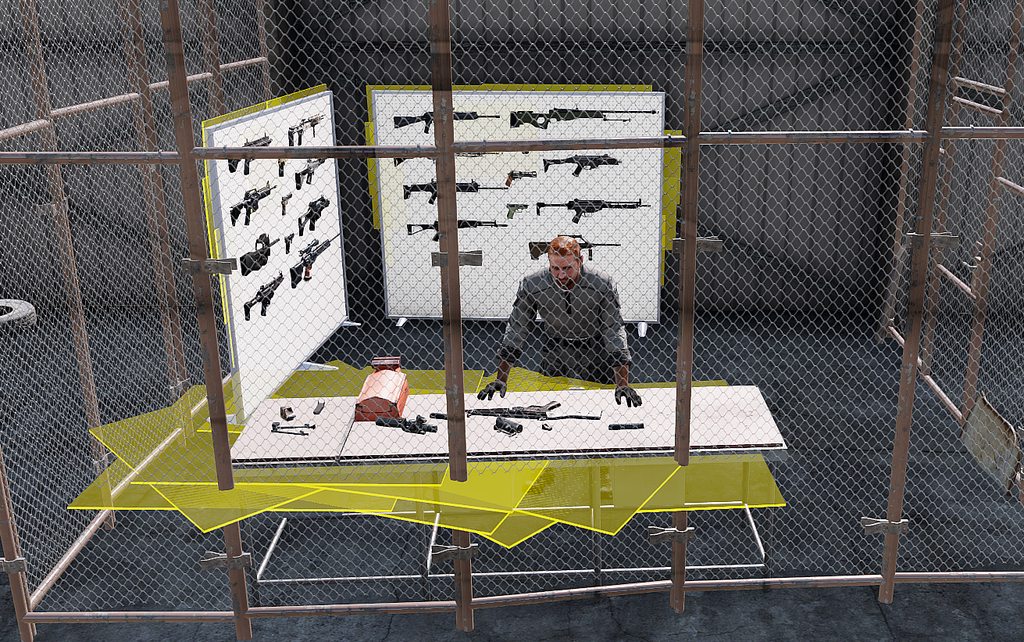
I am in eden and for some reason half or more of the stuf in the mission looks like they are selected but they are not.
https://imgur.com/a/c8xIWU4
I think i pressed something by mistake but cant fix it any ideas? I am using 3den Enhanced
nothing here is selected but appears to be
 jaunty cedar
Hi, we have a strange problem with the CVA-31 Bon Homme Richard mod, which I also noticed on the Nimitz mod from time to time. When a player is spawned on the carrier, there seems to be at times a duplication in res lods (at least). This is visible on animated parts, like the davit in this screenshot: https://media.discordapp.net/attachments/846117448938684517/905833608340717588/Arma3_x64_2021-11-04_15-53-52-513.jpg?width=1678&height=944 Any ideas what's going on and how to make sense of it? This issue does not always happen, it's sort of elusive
 patent kettle
are you sure it's not duplicated object?
jaunty cedar
nearestObjects shows only one of each carrier part
nearestObjects [player, [], 500]; yielded only 1 of each carrier parts
I first encountered this with the Nimitz when I made it moving for testing purposes. if I'd spawn on a part, this part might get duplicated and stay behind when moving the rest of the CV. Kind of astonished to see this now on BHR as well
 next narwhal
Game just randomly crashes for no apparent reason, seems to only happen when I'm playing with a specific community, so I am guessing it's their modset. No indication for what it could be in game or in the rpt log, what would be a good way to check it without removing all the mods one by one?
next narwhal
Crash sometimes happens after a few minutes of playing, sometimes right as I join the server, and anything inbetween
 radiant hollow
Looked at the pinned messages. I'm having mic issues. I'm playing on a KOTH server, but I cannot be heard. Yes I'm on the correct voice channel, yes my microphone is the default mic. Yes its a usb mic, but its the only option. Is there any fixes? I would like to help communicate with my team.
uncut trellis
your mic set up as default in steams settings too? @radiant hollow
radiant hollow
I've seen that online. But I cant understand where to find that.
uncut trellis
open steam, open settings in the top bar menus
radiant hollow
Yea I was in there but couldnt find anything about mic settings
uncut trellis
huh has it been moved
ah
way to go steam
its in the friends screen
open the friends list and theres a cog in the top right
radiant hollow
omg i love you
uncut trellis

radiant hollow
it still isnt working. but gonna reset steam and arma after this game and check back
uncut trellis
oh thought you meant it worked 
radiant hollow
I felt really good about it lmao
uncut trellis
have you tried the auto adjust tool in arma audio settings?
just to see if it can pick up your mic
radiant hollow
I set the mic in steam, and did the auto adjust tool in arma. It does it test. and adjust's the bar. But I still cannot be heard
maiden ingot
another crash
on Official Warlords US#22e, Called down 3 Grenadiers at Main Airfield
here's the crash dump

SLT 7272 joined as I was crashed, maybe the issue?
 stray jetty
x/cba/addons/main/script_macros_common.hpp whenever i try loading arma 3 with the cup weapons mod
bruh it took a while installing this
quaint jewel
you are missing the CBA_A3 mod
 uncut trellis
sounds like you need to verify your game files on steam
stray jetty
uncut trellis
sounds like you need to verify your game files on steam
hm okay
bruh
i cant edit loadouts in any scenario now
it just gets stuck
until i press esc
well and the arma main menu looks a bit weird
uncut trellis
sounds like you got broken mods
stray jetty
yeah seems like it
eh my cba is broken
like
the main menu is really screwed up
i disabled it and it works just fine
left wolf
@stray jetty
To manually repair an individual mod :
From the Arma Launcher mods list, click on the suspect mod, goto the three dots on the right, open and choose 'repair'.
To check all your mods (and all Arma game files) at once:
Search internet for "Arma 3 how to verify local cache"
This last method may take up to 15 minutes . . .
stray jetty
left wolf
<@763785703163035708>
To manually repair an individual mod :
From the Arma Laun...
alright thanks
left wolf
@stray jetty
Found my write up :
How to verify your Arma 3 game files :
This is good to do every so often and is recommended after significant updates such as Arma Game Updates or very important mods such as CBA_A3, ACE, ALiVE or TFAR, ect.
To do a 'Verify integrity of game files...' it is located in Steam Library : right click Arma 3 > Properties > Local Files > Verify integrity of game files... .
Sometimes verifying the game files takes several minutes and may even appear to 'hang' at 99% . . . just let it run, it will finish.
Allow maybe 5-15 minutes (usually five) for this action.
You may see Arma do a 'validating/downloading' also after this action. ( Even though it may be validating a few hundred Gig, it should only take ~5 minutes )
stray jetty
alright
 woeful loom
 fringe salmon
hey how do i change the aresnal for this mod to the ACE one?

the BI arsenal is terrible and i can not use it at all
 charred hare
so im able to join my friend while hes hosting a server using unpn, but then once more people join, my ping jumps to 90-100 which makes the game unplayable on both arma and teamspeak
anything i can do to fix it
wise barn
issue on his end. wonky connection, not enough bandwidth, ect...
 slow comet
fringe salmon
hey how do i change the aresnal for this mod to the ACE one?
slow comet
fringe salmon
hey how do i change the aresnal for this mod to the ACE one?
iirc liberation has parameters for ace/bi arsenals, when you're in the role select screen click "parameters"
 prime eagle
this happened recently on our 50-player op, the list on the left side just goes Player 1->50 instead of the player names, any idea? (i tried loading ACE+CBA only, same results)
 nova elm
prime eagle
nova elm
prime eagle
That is Stream Friendly UI, hides the names of players.
prime eagle
nova elm
That is Stream Friendly UI, hides the names of players.
 no idea how i turned that on, thanks a lot
slow comet
fringe salmon
<@!440647599112847374> nope
alternatively you could enable the "create zeus" menu in ace settings and place an arsenal down yourself
fringe salmon
can someone help me setup the HOTAS X flight stick to arma 3?
 swift mortar
anyone have a fix for windows key not working?
 rustic eagleBOT
Steam file verification process:
Right Click on game -> Local Files -> Verify Integrity of game files
Mod repair process:
Open Launcher -> Right Click on mod -> Repair
 thorn ember
alreayd did monday... said there was no issues
resintalled today
and me and my buddy were looking at and this thing doesnt exist
wise barn
any mods?
wise barn
then your mission is kapoot
thorn ember
it works for everyone else though?
uncut trellis
then your game files are kapoot
wise barn
he verified and reinstalled alreday
thorn ember
but i just resintalled it like 5 minutes ago hahaha
uncut trellis
also reinstall is not as good as verify
thorn ember
i verified on monday
uncut trellis
verify now again
 uncut trellis
mods can break everything
thorn ember
thats true
i got 5 of my buddies going through the configs and they cant find the file i have anyway
and we all have the same mods
wise barn
steam mods?
wise barn
multiplayer mission?
uncut trellis
maybe they are but it just doesnt show it
thorn ember
ill go through em
wise barn
hold on...
it's a mission on a server and you get the error when joining?
thorn ember
yea its like one of those errors you get when your pbo
isnt correct
like it doesnt even let you connect
it just boots me out
same with other ervers
uncut trellis
do you join through arma 3 launchers server browser or from in game
thorn ember
no in game
wise barn
just for verification:
launch a vanilla server. no mods, vanilla mission
then try to connect
uncut trellis
that too
thorn ember
so i just tried joining a complete vanilla server the offical ones it works....
so it oculd be mod
so then.... i tried joining the server and the error is still there
so i think its mod and i will check it out... @wise barn @uncut trellis i apprecaite your guys help
i will try going through each individual mod and just seeing whats up with my other buddies
wise barn
next up:
load the mods on your server, create a blank mission with just some units placed, launch the mission try to join
thorn ember
ill keep yo posted
aight ill also try launcher version
agith i fixed it
thanks a lot for your help guys @wise barn @uncut trellis
wise barn
what was the issue exactly?
 twilit wigeon
@scarlet creek
No, I am trying to use my own pbo files in mpmissions to make a mission.

 scarlet creek
twilit wigeon
No, I am trying to use my own pbo files in mpmissions to make a mission.
scarlet creek
twilit wigeon
No, I am trying to use my own pbo files in mpmissions to make a mission.
use mikero tools
https://community.bistudio.com/wiki/Mikero_Tools
or pbo manager
https://drive.google.com/file/d/1fF210W9wio7jlFTMGkjnd7F-hjkgRAo8/view
Google Docs
twilit wigeon
Alright.
twilit wigeon
alrihgt
twilit wigeon
@scarlet creek
is the mission file just supposed to be named "mission.sqm" or does it need to be named like the mission name
scarlet creek
leave it as mission.sqm
twilit wigeon
Alright
 digital echo
hi here, is it possible to connect an headless client to a listen server ?
i can connect my headless client to my local dedicated with battleye, i can connect my client to a public server on the internet with battleye, BUT i CAN'T get my headless client connect to my listen local hosted server with battleye, i have battleyelicence =1 in my headlessclient profile , anybody ??
no more success without battlEye, it's driving me crazy ...
headlessclient get kicked for steam auth failed ...
scarlet creek
afaik, you can't use a HC on a listen server
scarlet creek
The server doesn't allow arbitrary connections from headless clients if you do not define the headless clients IPs in the server.cfg
digital echo
yes
youre right
i have added
headlessClients[] ={"127.0.0.1"};
localClient[] ={"127.0.0.1"};
to my dedicated server.cfg , but where do i add this for a listen server ?
scarlet creek
server.cfg doesn't exist for a listen server
scarlet creek
i mean, you can attempt to launch your game with the -config option pointing to your .cfg but its typically only for when launching a DS
scarlet creek
just run a dedicated on the same machine
 karmic niche
Hey, I'm playing singleplayer Vindicta right now and for whatever reason the AI in my squad (8 soldiers aside from myself) keep dismounting their vehicles for no reason. 6 of them are in tanks and they dismount randomly at different times.
twilit wigeon
scarlet creek
just run a dedicated on the same machine
i cant repack the folder
i cant find the option to repack with pbo manger
scarlet creek
right click on the folder and you should see a PBO manager menu
twilit wigeon
in pbo manager?
scarlet creek
no just in windows. pbo manager adds itself to shell
 twilit wigeon
yes
 slim peak
One of the updates has made all the grass and foliage transparent. Any clues as to how to fix this?
wise barn
amd issue. disable ATOC
steady hawk
Check pinned
twilit wigeon
scarlet creek
i see you have mikeros installed
still not working
closes as soon as i try to type
slim peak
Fascinating bug. Thank you both @wise barn @steady hawk
scarlet creek
twilit wigeon
still not working
use arma 3 tools addon builder then. I've pointed you in the right direction for 3 programs now. its user error on your end now.
twilit wigeon
alright
 scarlet creek
 latent bobcat
https://cdn.discordapp.com/attachments/409163515752874002/906408270112104539/unk...
latent bobcat
https://cdn.discordapp.com/attachments/409163515752874002/906408270112104539/unk...
theres an option called "interface size". change it
latent bobcat
scarlet creek
theres an option called "interface size". change it
Did that, same result.
steady hawk
Restart the game as it said
 blazing sparrow


 uncut trellis
@old coral you will need to state your problem in detail. also please do not post same question on multiple channels
 old coral
ok sorry i thought id post here as that channel might be wrong
so basically i used to play arma 3 normaly through steam. somone recomended i get A3launcher. ive done everything right downloaded all mods etc but i keep getting this weird error a3_data_f_mod_loadorder cant go into game o rnothing
uncut trellis
the standard steam launcher should be sufficient really
unless you for some reason need to use mods that are not on workshop
could also be some mod breaks the game
or it is quite likely
old coral
i dont mind if it breaks it i dont mind if it has better mods its just my mate plays on there and alot of people recomend it it also has more modes of gameplay
uncut trellis

the launcher itself should not be cause of stuff breaking
but some mod you downloaded likely is
old coral
ok
 shrewd ridge
Hey, im currently running into an issue with subscribed steam scenarios. Non of my subscribed workshop scenarios are showing up ingame. I can confirm that steam placed them into ugc/referenced. Anybody got a clue ?
shrewd ridge
shrewd ridge
Hey, im currently running into an issue with subscribed steam scenarios. Non of ...
if i copy the mapfile from the ugc/referended folder into the A3 misssion folder it works
seems like steam make a copy/syslink of it
fringe salmon

My friend can not connect to my server and neither can I
is this a problem on our end? or a problem with Armas unit server
quaint jewel
Arma units is down, like it is every weekend
eternal edge
I am in eden and for some reason half or more of the stuf in the mission looks like they are selected but they are not.
https://imgur.com/a/c8xIWU4
I think i pressed something by mistake but cant fix it any ideas? I am using 3den Enhanced
nothing here is selected but appears to be
fringe salmon

how do i make the guy on the right always spawn with the left guys loadout?
both aRE ai
guy on the right is default but i want them to always spawn with the left guys new custom loadout
steady hawk
How do you make them "respawn"? Since there is no way to respawn an AI by vanilla AFAIK
 wet grove
fringe salmon
how do i make the guy on the right always spawn with the left guys loadout?
wet grove
fringe salmon
how do i make the guy on the right always spawn with the left guys loadout?
Do you spawn the right guy with scripts?
next narwhal
next narwhal
Game just randomly crashes for no apparent reason, seems to only happen when I'm...
This again, but even more ridiculous. I'm crashing before I can even spawn into the mission 9/10 times. Any ways I can look for causes other than RPT?
 twin crest
been going on for a while i have tryed everything unstaling reinstaling the game deleating files and im still getting this pleas help

 wise barn
have you ever looked up the DLL on google?
wise barn
then you should know what is missing