#arma3_troubleshooting
1 messages · Page 45 of 1
 fathom hollow
 steady hawk
Open rpt and check whats inside
fathom hollow
ok i have it opened
steady hawk
And?
fathom hollow
not sure if i clicked on the right one

 fathom hollow
yeah i don't see anything related to input
and when i go into audio options in game and click auto adjust it pops up then disappears fast
steady hawk
I don't even recall that is actually do anything
IIRC devs ever said even broken feature
steady hawk
It won't
 modern echo
@fathom hollow dude, do not do any of the usual tech support things because it really wont fix the issue
modern echo
@fathom hollow the problem here is that arma 3 does not support wireless and usb devices very well. please try analog wired connections.
also your internal audio is picked up but not the usb one
in the rpt
it seems????
fathom hollow
Analog wired connections mean just the 3.5 thingy right?
modern echo
fathom hollow
also you were told no screenshot and you post a screenshot. pls paste the text that seems relelvant.
fathom hollow
modern echo
also you were told no screenshot and you post a screenshot. pls paste the text t...
My bad was just confused
modern echo
¯_(ツ)_/¯
ss = screenshot
meh
polpox language is unfortunately non-sensical oftentimes
anyways, do not do anything
you're going to cause more headaches to yourself than fixing any issues
fathom hollow
Ok gotcha well I appreciate ya for helping me out
Maybe I’ll buy a cable for my mic to allow the 3.5 jack instead of the usb
modern echo
its related to how the device is picked up in arma 3 unfortunately
is it a usb mic or a usb headphone?
Does it have a 3.5 jack?
you're sol and need other headphones if its usb only
fathom hollow
No I use the hyper x quad cast and it’s only usb unfortunately
The headphones are a 3.5 jack so that’s not the issue
modern echo
Ah ok
then use your headphones for arma 3
do they have mic?
And if you play with ts3 vc via acre or tfar
you wont need to worry about a3 von at all
fathom hollow
How so? I have ts3 but never used it within arma before
Yes they do have a mic but I plug it into the headphone input
And don’t know why but the mic never worked on them
modern echo
fathom hollow
How so? I have ts3 but never used it within arma before
i just said the mods that do it. its essentially proximity chat over a external thing
modern echo
fathom hollow
Yes they do have a mic but I plug it into the headphone input
uhh, weird, your computer headphones is not a combo jack, you might need to check your audio driver settings to see if you can retask/select a different function for the jack and make it combo
fathom hollow
Ok I can try that real quick
modern echo
if the headphones has three rings, it requires a combo jack
generally phones have that not computers
but modern good ones do have support for that
fathom hollow
yea mine have 3 black rings on the end of it
modern echo
yeah, you need to check if you can set the jack as headphones with microphone
fathom hollow
and i would do that within the device manager?
modern echo
fathom hollow
and i would do that within the device manager?
no, your audio driver application not windows device manager or windows settings
fathom hollow
and where would i find this?
modern echo
this kind of thing
 fathom hollow
im not sure i have that lol
fathom hollow
ahh would it be pre installed?
modern echo
depends if your computer installation is the factory one
fathom hollow
could i just install it?
modern echo
i can already tell you dont have the audio drivers installed
you should install them
from the manufacturer website of your computer
search your model and get the right driver for your operating system
this should/will unlock the additional functionality of your audio hardware
including combo jack support and connector reassignment and goodies such as stereo mix in the case of realtek
fathom hollow
and as in manufacturer that would be intel or AMD correct?
modern echo
output splitting, etc
modern echo
fathom hollow
and as in manufacturer that would be intel or AMD correct?
No
your computer brand
modern echo
fathom hollow
and as in manufacturer that would be intel or AMD correct?
that's the computer processor unit manufacturer not the computer manufacturer
fathom hollow
so where i bought it from?
modern echo
Do you even know what a brand/make and model is?
 waxen sail
Generally no, it'll be the inbuilt sound card
fathom hollow
ima be honest no lol
waxen sail
Some computers aren't bought pre-built lol
modern echo
right, i know
fathom hollow
i know that lmao
modern echo
but usually in laptops and non-tech savvies buy prebuilt
waxen sail
99% it'll be realtek, check device manager
modern echo
waxen sail
99% it'll be realtek, check device manager
device manager tells nothing because the driver isnt installed and it defaults to high definition audio
dont make a non-tech-savvy search for pid and ven stufff..........
its even more confusing than it should
Please look up your computer make and model or the motherboard or audio interface model and download the audio driver and other possibly necessary drivers from their support page
this is getting unrelated to arma 3
fathom hollow
my bad not that tech savvy
modern echo
figured that much
please use a search engine such as google to figure out the necessary information
or i guess i could resolve it for you.......
and then never reinstall again or at least backup the drivers to install it when you reinstall
or remember to reinstall them
 glad dome
I have an issue that I don’t see the window to select a unit when I use U for unit switching. When I use a different userprofile it works. But I don’t want to delete my normal user profile. Is there something I can edit in my user profile to get that window back? Btw only the window is invisible I still can change the unit by using arrow keys and enter. But I don’t see the window
glad dome
glad dome
I have an issue that I don’t see the window to select a unit when I use U for un...
Just after writing this I found it...there is these Vallues in the Profile which I just changed to 0
teamSwitchOffsetX=0;
teamSwitchOffsetY=0;
fathom hollow
modern echo
or remember to reinstall them
Heads up reinstalling windows helped it
i have no clue now ppl hear me in game \
 pine kite
modern echo
also you were told no screenshot and you post a screenshot. pls paste the text t...
pine kite
modern echo
also you were told no screenshot and you post a screenshot. pls paste the text t...
No, uploading the file in it's entirety. People might not be able to distinguish the relevant parts.
modern echo
fathom hollow
i have no clue now ppl hear me in game \
huh okay
modern echo
pine kite
No, uploading the file in it's entirety. People might not be able to distinguish...
ok
 weak aurora
How does one get the necessary load order for mods for a server?
I copied the load order arma 3 launcher proposes for the modlist, but some mods don't initialize or work so I'm assuming the issue the load order
 quaint jewel
Properly made mods define the load order inside the mod itself. The order that you specify the mods doesn't matter
weak aurora
quaint jewel
Properly made mods define the load order inside the mod itself. The order that y...
Sorry just to clarify then, the order I do the -mod startup parameter don't need to be in a specific order?
weak aurora
Typo my bad
Ok so then it must be a broken mod. I'll try figure out which one it is then thank you
quaint jewel
Make sure your -mod line doesn't have a typo in it 😄
You could also send your server log, maybe it says why
weak aurora
Sure I'll restart it and post it here if thats ok
quaint jewel
This channel is made for such things
weak aurora
Awesome thank you
If you have any tips on troubleshooting I'd appreciate it, I'm not sure if you can run commands from the debug console to troubleshoot
quaint jewel
Some mod named prototype_uniform is messing up weapons configs.
Some mod, might be something else, is messing up animations configs.
Besides that I don't see anything
prototype_uniform is from black watch infected
weak aurora
Ok thank you, I'll try it without black watch loaded
Unfortunately did not work. Essentially my issue is things like TFAR are endlessly waiting on unique radio from server, Zeus Enhanced is not adding editable objects to the Curator etc. So I'm sure there is some initializing problem with the mods
quaint jewel
That means its a script error on mission start
Or a script intentionally breaking the initialization
you have only posted rpt to server start, not into mission start
weak aurora
Ah sorry well heres the log after I log in as admin and change it to a testmalden.Malden mission
I stupidly did not think of that 😅
quaint jewel
Mh nothing
5:43:53 [CBA] (xeh) INFO: [8661,174.846,0] PreInit started. v3.18.1.241014
5:43:54 [CBA] (xeh) INFO: [8661,176.148,0] PreInit finished.
PreInit works. But. PostInit is missing completely.
Some mod has a bad script which is halting the init. No further solution than just keep removing mods
Probably start with Webknight first, they are known for bad scripts
15:45:51 [CBA] (versioning) INFO: [4953,254.434,0] VERSIONING:grad_adminmessages=1.0.0.2, cba=3.17.1.240424, zen=1.15.0.35, ace=3.17.1.86, tfar=1.-1.0.334, ctab=2.3.0.0
15:45:51 [ACE] (common) INFO: ACE is version 3.17.1.86 - CBA is version 3.17.1.240424 (min required 3.16.0)
15:45:52 [CBA] (xeh) INFO: [4953,255.344,0] PostInit finished.```
That part you are missingThank you very much I will give it a shot
 umbral narwhal
weak aurora
Unfortunately did not work. Essentially my issue is things like TFAR are endless...
umbral narwhal
weak aurora
Unfortunately did not work. Essentially my issue is things like TFAR are endless...
I don't see zeus enhanced in your server's mod table. That's a requirement for the editable objects adding to work.
oh never mind, forgot I had case searching enabled.
I'm kinda surprised that one mod can kill PostInit. Seen it before though...
quaint jewel
waitUntil{false};
And everyone after you gets killed
 lime sphinx
is it just me, or is "Controls" > "Controller" > "Customize" menu broken for anybody else? 

or is it supposed to be this empty?
quaint jewel
I don't remember ever seeing that menu
 fair quest
Hello i was reading the bohemia interactive forums(the topic: Development branch changelog) and i did see this :
Added: Replaced Real Virtuality multithreading system with Enfusions version.
Does it mean that we will get an fps improvement ?
fair quest
Oooh that’s great 👌 , i would like to know is it present in the standard version or in beta ?
 ocean cosmos
its in profiling and development branch
 sweet shadow
one of my mod subscribers is having this issue with all custom .p3ds... what seems to be the issue?

its a singular case, also a mac user...
pine kite
Has the Mac version been updated yet to 2.18? (last I heard it hasn't yet)
sweet shadow
im not very familiar with that tbh...
 bronze river
2.18 Mac is having issue in internal build, so waiting for BI to fix it I guess
#linux_mac_branch message
pine kite
Hey, Hazer is back!
bronze river

 winter karma
https://imgur.com/pQwed2Y
What kind of bug this could be???....
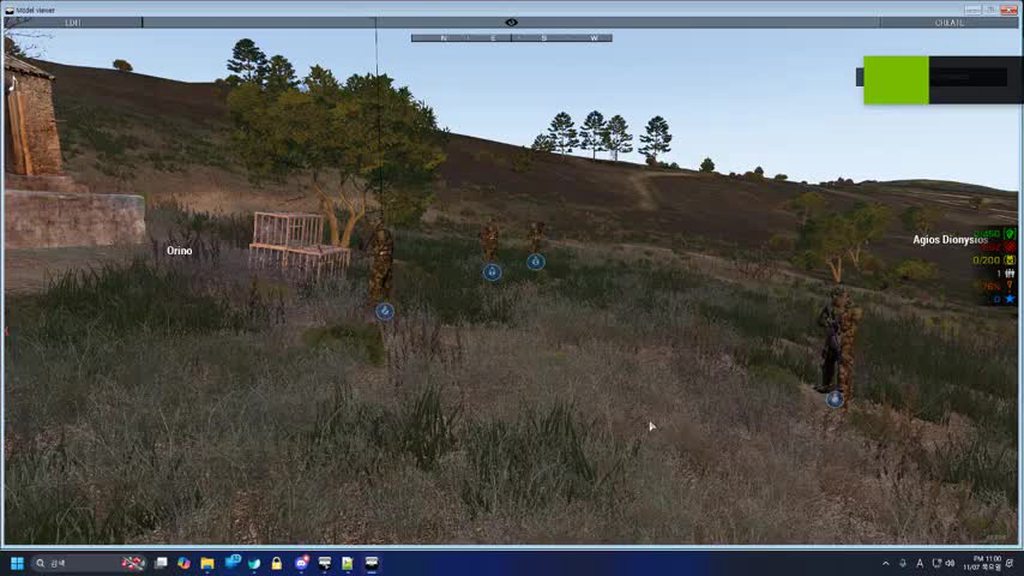 glad dome
Today I had a message in my RTP that I never saw before: „Server can’t keep up“.
Does anybody know what that means? How does that differ to the „messages pending“ error?
 mental river
winter karma
https://imgur.com/pQwed2Y
What kind of bug this could be???....
mental river
winter karma
https://imgur.com/pQwed2Y
What kind of bug this could be???....
Perf/Profiling branch bug
winter karma
Yes I confirmed it in relevant channel. Thank you for the information. It can be fixed by downgrading to main branch.
quaint jewel
bronze river
<:notlikemeowcry:724201124369793068>
Explain yourself! I want to shoot your troubles
quaint jewel
glad dome
Today I had a message in my RTP that I never saw before: „Server can’t keep up“....
The message literally says what it means, if you read it till the end.
The server tries to keep itself above 10fps
pine kite
quaint jewel
Explain yourself! I want to shoot your troubles
The trouble was in his head. He made a booboo.
bronze river

glad dome
quaint jewel
The message literally says what it means, if you read it till the end.
The serve...
Is this caused by quantity of running functions? I never Had this message even with tripple the amount of AI. So I can not imagine it is caused by AI
quaint jewel
It says there are too many incoming network messages.
Thats what its caused by. Exactly as it says.
glad dome
quaint jewel
It says there are too many incoming network messages.
Thats what its caused by. ...
Ah. So it’s incoming network. Sorry and thanks. Strange I don’t understand why that happened. I was alone on the server. Well
@quaint jewel Is it safe to say „pending messages“ is cause by to much Traffic Out and „server can’t keep up“ is to much traffic in?
umbral narwhal
It seems common to get both at the same time. Like the outgoing (pending messages) jams first, that kills server performance which then causes the incoming message jam.
quaint jewel
glad dome
<@90532520101183488> Is it safe to say „pending messages“ is cause by to much Tr...
pending is traffic out (or a client on the server having bad connection)
And the server saying that there are too many incoming messages... is.. about incoming messages indeed. As it says..
glad dome
@quaint jewel Today in our operation we had an ACCESS VIOLATION crash. Does it make sense to post the rtp file here? We use several mods.
 fiery crow
Another question, what exactly do I do with this cheat code? Do I type it in chat? I'm sort of a noob when it comes to Arma 3 scripting or what not so
oh whoops forgot to reply to the original comment
This
steady hawk
Literally written in that article
fiery crow
steady hawk
Literally written in that article
Yeah so, is there a way to change the keybind as I don't have a numpad
I've not been on Arma in ages so
steady hawk
Maybe Windows' Virtual Keyboard
fiery crow
Thank you
 wary flint
Can anyone help me since the 5th of november my arma 3 just freezes after not even 5 minutes of playing
steady hawk
You can at least elaborate like pinned post suggests
wary flint
um ok so I have been playing arma 3 since last year and there had any problems 30 to 40 fps constant with or with out mods but since the 5th I play for 5-10 minutes and it would just freeze there is no consistince for the freeze's and I would open my task manger and the game will not be responding and crash.It would also just freeze if I would enter the arsenal mods or no mods I don't no how I would get a picture of it happing.(sorry for the English)
steady hawk
List info like pinned post
quaint jewel
glad dome
<@90532520101183488> Today in our operation we had an ACCESS VIOLATION crash. Do...
Not the rpt. I need the mdmp file, put it in a zip to make it smaller
quaint jewel
fiery crow
Yeah so, is there a way to change the keybind as I don't have a numpad
not changeable
glad dome
quaint jewel
Not the rpt. I need the mdmp file, put it in a zip to make it smaller
Here is the RPT and the mdmp and bimp files. The Crash happend on our Server with about 40 Players.
 strange drift
fiery crow
Yeah so, is there a way to change the keybind as I don't have a numpad
strange drift
fiery crow
Yeah so, is there a way to change the keybind as I don't have a numpad
you can use software to remap keys to other keys/key-combos, or use software to simulate keyboard input (ie autohotkey)
https://www.howtogeek.com/best-key-mapping-software-windows/
https://www.reddit.com/r/KeyboardLayouts/comments/1cbzpll/what_software_do_you_use_to_remap_keys/
quaint jewel
glad dome
Here is the RPT and the mdmp and bimp files. The Crash happend on our Server wit...
Don't know. Something went wrong when loading a proxy on a tank. Seems a random fluke
glad dome
quaint jewel
Don't know. Something went wrong when loading a proxy on a tank. Seems a random ...
Ok..but this narrows down the issue... what is a "proxy" in this context? Thanks for looking into it!!!
 modest sun
Is there a good way to figure out what exactly is being exchanged to trigger the "Exceeded anti-flood limit" message
Basically what requests are being spammed
umbral narwhal
Is it your mission?
modest sun
I dont believe so as we've been having request spam issues for a couple ops now
quaint jewel
glad dome
Ok..but this narrows down the issue... what is a "proxy" in this context? Thanks...
proxies are models that are attached to other models
quaint jewel
modest sun
Is there a good way to figure out what exactly is being exchanged to trigger the...
-networkDiagInterval start parameter.
set it to like 5 seconds, and then give me the resulting logs so I can correlate the timing
fiery crow
strange drift
you can use software to remap keys to other keys/key-combos, or use software to ...
Thanks a bunch, I appreciate the tip
 main wing
Huge thanks to @quaint jewel with his help and insight on what I needed to look at I was able to figure out my issue thankkk you<3 still confuses me but its working!
 kindred solstice
on a friend's server some players sometime spawn in 0,0,0 and are stuck on the map, sometime zeus can kill them and they'll get the respawn menu
We don't understand why/what is making this
right now a player cannot spawn at all
and zeus can't even kill him because he's already "dead"
kindred solstice
we all have the same modpack and it only happens for SOME peoples sometimes
it's inconcistent
waxen sail
Checked RPT and server log?
kindred solstice
RPT is logs right ?
waxen sail
well there's the actual server log and also a .rpt
 empty orbit
I have a reoccurring issue where mods randomly get unsubscribed from, even mods I was using only a few hours ago are suddenly unsubscribed from.
I don't have a storage problem, and when I verify Arma it says its all good, so I don't know what the issue is at all
 mystic mountain
Arma 3 is freezing randomly then unfreezing
 golden nova
empty orbit
I have a reoccurring issue where mods randomly get unsubscribed from, even mods ...
golden nova
empty orbit
I have a reoccurring issue where mods randomly get unsubscribed from, even mods ...
probably Steam's fault. Ask them
empty orbit
How do I 'ask steam'?
golden nova

Log in to your Steam account to get help with your Steam games, contact Steam Support, request refunds, and more. Help is also available if you can't log in, need to reset your password, or recover a hijacked account.
 stable island
I have a problem where i can open the inventory or map, and it will just instantly close out. ive rebinded the keys and its still having the issue, is there any way to fix ts
 half furnace
I'm having an issue where custom compositions that I downloaded from the workshop don't appear on public Zeus when I'm game mod/master. Previously worked before. Tried this suggested fix but without luck. Same issue as @void herald posted in 09/2024
 ashen egret
I've been trying to use zeroteir to run an arma server through a lan connection but even with me and my friend on the zeroteir network with and making sure everything was set up right it still wouldn't allow my friend to find the server
 somber zodiac
yeah It just says left ctrl in red and it still won't disappear when I let go of it, coul we hop in vc and I could screenshare and show you?
 distant frost
does anybody has a helpfull link with a good explanation for opening your own antistasi with friends (sick off all the adds with no info
umbral narwhal
There's never going to be anything straightforward.
A lot of the stuff on portforward.com is actually pretty good. You don't have to buy their software.
If you don't want to learn network engineering or fiddle with your router then your best bet is probably radmin.
But virtual LAN software often fails to work for no clear reason.
pine kite
Yeah, No!
somber zodiac
Hey could someone please help me with the ACE action menu? I hold L CTRL to open it which is what I want, but when I let go of L CTRL, the menu doesn't go away like it used too. Any ideas why that is?
 glass saddle
a coop scenario I like to play on LAN (just me not trying to connect with anyone else) sometimes doesn't load properly, on VR you can choose from some custom layout (subway, a prison, junkyard etc) and always has 2 defined spawn points for them. Often the map just shows below.
The creator said the syntax doesn't work properly because it's old, or something to that effect. Is there anything I can edit to fix/correct the syntax? I don't know how the mission files work in arma 3 so I wouldn't know if I definitely can or can't. Thanks

^this is the map not working properly, which ever loadout I select and doesn't work, they all look like this. If it's anything notable, the top left info tabs doesn't show the parameters defined in the mission before loading. When the scenario does work properly, it does show, maybe that means something, maybe it doesn't, I have no idea

somber zodiac
could someone please tell me what the right keybinds are for the ACE interaction menu? My interaction menu will not go away when I let go of L Ctrl, which is what Im trying to fix. Also, restoring my keybinds to default didn't solve the issue so just know I already tried that. Thanks.
 waxen sail
you have both of the toggle keybinds set to left ctrl, unbind them
somber zodiac
what should I bind them to?
or what I mean is which one do I leav blank
and which one stays on L ctrl
waxen sail
do you want to toggle the menu or just open while you hold the key?
somber zodiac
I want the interaction menu to open when I press L ctrl and then I want it to go away when Im done holding L ctrl
waxen sail
ok, unbind Interact Key (Toggle) and Self Interaction Key (Toggle) by opening them both and deleting the Left Ctrl binding
Then change Interact Key to Left Ctrl, and Self Interaction Key to something else, maybe Left Ctrl + some combination
somber zodiac
Ok I’ll try that
somber zodiac
waxen sail
ok, unbind `Interact Key (Toggle)` and `Self Interaction Key (Toggle)` by openin...
For changing them back, you mean the interaction key without the toggle right?
waxen sail
yes, I wrote the exact names so there was no confusion
somber zodiac
Alr
somber zodiac
waxen sail
yes, I wrote the exact names so there was no confusion
the ace interaction menu just doesnt show up now when I press in L ctrl

Do you want to just hop in VC and I can screen share?
somber zodiac
Yea
waxen sail
because that's on ctrl + left windows
somber zodiac
L Ctrl plus left windows still doesn’t do anything when Im not looking at anything and trying to open the self interaction menu
ok wait so I think I figured it out a little bit more. I want the self interaction menu to be opened when I press L ctrl and L windows, but there isn't that option in the keybind combination list thing to the right
waxen sail
just press the buttons when you're binding it...
I actually have mine bound to nearly the same, do you have something weird bound to Ctrl?
 somber zodiac
i dont think so
imma try it a few times rq
wait nvm sorry i was on the toggle one. Ok so now I put it as that. But my self interaction menu doesn't come up when I press and hold down L ctrl and L windows
 waxen sail
in that case I'm not sure. try binding it to just one key that isn't either of those
somber zodiac
can I just hop in vc with u rq and screenshare?
waxen sail
no
waxen sail
toggle means you press it once and it stays open, you press it again and it closes
somber zodiac
waxen sail
toggle means you press it once and it stays open, you press it again and it clos...
does my ss look correc tho as yours?
waxen sail
it looks fine. do you get a small cursor when you hold JUST left ctrl?
somber zodiac
when i hold L ctrl a red circle just appears in the middle of my screen
somber zodiac
would you know how I can make it unblocked?
waxen sail
I think running Arma as admin does it, else find what is blocking it
somber zodiac
cuz id really prefer it to be L windows and L ctrl to open self interaction menu
somber zodiac
waxen sail
I think running Arma as admin does it, else find what is blocking it
what does that mean exactly
waxen sail
what does what mean
somber zodiac
running arma as an admin
waxen sail
you right click on the shortcut or the exe and select Run as Administrator. Apparently doing the same for Steam does it too
also check if your keyboard has a "Game mode" that disables the windows key functionality
somber zodiac
waxen sail
also check if your keyboard has a "Game mode" that disables the windows key func...
ok I looked this up and said something about game mod like u said
Im on a laptop tho
is there still a way to change it for me?
waxen sail
I have no idea
somber zodiac
ok
well i found a setting and I turned game mode off
should I have to restart arma for it to work?
waxen sail
probably not
somber zodiac
it was always before L ctrl plus L windows always worked but then I accidnetally changed it and then it got messed up
somber zodiac
waxen sail
alt is right there
yea but I dont want it to mess with my free look
also if I were to delete and then reinstall ace, do you think that might solve everything?
waxen sail
no, you'd need to clear the ACE settings from your profile
somber zodiac
waxen sail
no, you'd need to clear the ACE settings from your profile
like delete the folder and stuff or something?
somber zodiac
waxen sail
no, you'd need to clear the ACE settings from your profile
or what if i put the control to the user action ones, how do I control those?
idk Ill just deal with having it at L CTRL C, maybe ill try and fix it in the future or do what u said about deleting ace from my profile and then reinstalling
pine kite
waxen sail
you right click on the shortcut or the exe and select `Run as Administrator`. Ap...
This has got to be an urban myth. There is no way ACE interaction is dependant on Administrator privileges.
waxen sail
It's not ace interaction specifically, but key capture priorities
pine kite
I never play Arma 3 with ACE needing administrator level. That key is just a key to Arma 3. Nothing special needed for it.
waxen sail
Not necessarily for everyone. Some keybinds still have OS precedence (think alt+tab). The windows key is one of those special ones
 high salmon
Arma 3 has successfully intercepted the windows key for most players
So it's not just key capture priorities
Windows key does have stuff coded in the OS, but it can be intercepted by programs or changed in the registry
A similar issue with HP laptops was solved by changing settings in the Omen Gaming Hub, or disabling it through task manager
https://www.reddit.com/r/ValorantTechSupport/comments/xvp7a8/comment/j1lll40/
 lone patio
hey me again same issues as before attached is a zip file with mdmp and rpt with debug mode enabled
Exception code: C0000005 ACCESS_VIOLATION
Fault address: 1A30BDFF 01:0166ADFFll E:\SteamLibrary\steamapps\common\Arma 3\Arma3_x64.exe
Things I've tried, none sucesfull:
- Reinstalling windows
- Trying all 3 system memory allocators
- Setting all files in ARMA root to admin perms
- Limiting ram by half to 16gb from 32gb
- Doing a memtest to see if ram was faulty
- Reinstalling ARMA to another drive to see if it was faulty
- Reinstalling and repairing all mods
- Performance profiling build
- CPU, GPU temps all normal
- Game files verified more times than I can count
- Directx, Visual C++ 2013 reinstalled
- Windows System file check tool done
probably more ive been at this for a few weeks so forgive me, if anything comes to mind all add to the list
C0000005 ACCESS_VIOLATION at 1A30BDFF
Multiplayer
All servers vanilla/modded
Everything, currently primarily on Antistasi ultimate
Any mods but my main modlist will be attached
RTX 3070
32gb ram
AMD Ryzen 5800X
Ive been at this for weeks, it all started mid campaign without me making any changes im at my fucking limit please help
 tough root
Hey, when playing operations in arma, i at random intervals get disconnected from the server. I dont have any network issues with other games, just arma. it always happens and ive tried many solutions from google which havent helped. does anyone know why it could be happening?
it happens in any server, regardless of mod or mission
golden nova
tough root
Hey, when playing operations in arma, i at random intervals get disconnected fro...
are you playing on game's performance branch?
tough root
no
golden nova
also would be better if you could get the game to disconnect while playing with no mods and upload a "clean" RPT because this one has ton of shit related to buggy mods rather than your actual problem
unless it's related to a specific server
tough root
ill try the preformance branch thanks
 stray kindle
Hi guys, i have a problem with Arma 3 crashing constantly.. i dont think is a performance issue due the the PC being very new and powerful.
The game crashes with and without mods. I've tried all the troubleshooting i could find on the internet, nothing worked...
Here is my RPT, some help would be much apriciated.
RTX 4080 SUPER
64gb RAM
1TB SSD
Asus Rog Strix z790-f
I get the exit code 0xC0000005 - ACCESS_VIOLATION
- I cant seem to upload the rpt here.
 uncut cradle
tough root
ill try the preformance branch thanks
uncut cradle
tough root
ill try the preformance branch thanks
yeah i think it might be that, had it before and that fixed it
 humble wigeon
Ive got a problem where whenever spearhead is loaded and i load up a scenario, it doesnt give me any player slots to select
 spark ingot
any ideas what could be causing this? Shows ai move text and red lines.

 uncut trellis
spark ingot
any ideas what could be causing this? Shows ai move text and red lines.
uncut trellis
spark ingot
any ideas what could be causing this? Shows ai move text and red lines.
Some sort of debug mode.
maybe from some mod
spark ingot
uncut trellis
Some sort of debug mode.
Went through my mods for a little while, was a broken mod called ASR AI. Not idea how they fuck that up
umbral narwhal
stray kindle
Hi guys, i have a problem with Arma 3 crashing constantly.. i dont think is a pe...
What's the CPU in that?
 topaz onyx
I've been hosting an ArmA dedicated server for a while now, just now the server no longer shows up on the server list, it only appears in the "Recent" tab
strange drift
Ive got a problem where whenever
 fading pulsar
topaz onyx
I've been hosting an ArmA dedicated server for a while now, just now the server ...
fading pulsar
topaz onyx
I've been hosting an ArmA dedicated server for a while now, just now the server ...
Did u change maxPacketSize in basic.cfg?
quaint jewel
stray kindle
Hi guys, i have a problem with Arma 3 crashing constantly.. i dont think is a pe...
Send me the crash reports (not just the rpt)
You could've uploaded RPT here, if you had accepted the #rules
quaint jewel
lone patio
hey me again same issues as before attached is a zip file with mdmp and rpt with...
Crashed while drawing shadows.
You could try turning off shadows temporarily to see if that fixes it, or maybe profiling v9 releasing today fixes it.
That is not a full dump. When you launch the game in debug mode, and it crashes, it pops up a message box asking if you want to create a full dump.
I can't quite see how the crash happened, because the data is not included in the small dump.
But I think this is also different from the other crashes you posted
lone patio
The thing is that it always just freezes on crash I can hear the windows error sound though
 glad rampart
hi, when I try to open my project in TB, it crashes without any information. I even tried with project backups that previously had no issues, but it still crashes. I also tried reinstalling TB, but that didn't help. Do you have any idea what could be causing the problem or how I can troubleshoot it?
uncut trellis
glad rampart
hi, when I try to open my project in TB, it crashes without any information. I e...
did it crahs with a completely new project
it is unfortunately possibly the project has corrupted beyond recover
glad rampart
I’m ready to accept that a project could be completely corrupted, but why would none of my saves work either?
steady hawk
Before wonder make sure at least TB is faulty or not
uncut trellis
glad rampart
I’m ready to accept that a project could be completely corrupted, but why would ...
like if you save a new project just with like add mapframe - save - load
does that work?
Id assume you work through P drive yes?
you have not done any changes to folders?
I think I may have mentioned before in this same problem context that folder changes crash it
just making sure
you can try loading the project with templates moved elsewhere to see if templates are the issue
objects would still load, just be "0" sized
or you can try moving the v4d files out of the save folder and try load then
to see if those are the problem
strange drift
@glad rampart you can recover height data and objects positions from the wrp
uncut trellis
stuff marked green can be moved out for test load
 glad rampart
Thank you for your feedback. I'll run the tests and keep you updated
uncut trellis
the grid file can be deleted too. it gets regenerated when you generate layer tiles
if its teh tv4p thats broken, you can still try make new project, save it and assuming it can be loaded without crashing copy the green marked files into that
and see if they load up along the new save
glad rampart
uncut trellis
stuff marked green can be moved out for test load
You were right! I just moved my template folder, and it seems to be working. I'm getting a lot of error pop-ups about my layers because the template is missing, but I think the issue is indeed with my template.
uncut trellis
then it usually means theres 2 same named templates
glad rampart
I just checked, but there don’t seem to be any duplicates
uncut trellis
well you can try copying each template into the template folder and see which on crashes it
and then look into rebuilding that one in an empty project
and then copying that into the old project
duplicates could be in different tml files too
glad rampart
uncut trellis
duplicates could be in different tml files too
I managed to find two templates that were causing the crash. I removed them, and it seems to be working fine now. Thanks you very much for your help 🙂
uncut trellis
👍
half furnace
@quaint jewel Any possible fix for the steam compositions not showing up on the zeus interface? Prior ticket submitted here. Fix suggested in the ticket does not work. https://feedback.bistudio.com/T170351
topaz onyx
fading pulsar
Did u change maxPacketSize in basic.cfg?
Been using the same configuration for months, the issue seems to have fixed itself, either a steam issue or ISP, thanks for the help, after about 4 hours it fixed itself
 bright aurora
Hey, can anyone here help me?
I got this message
Bad version 75 in p3d file
z/ace/addons/maptools/data/mapgps-display.p3d
what am I supposed to do?
I have a MAC
umbral narwhal
Repair/reinstall ACE. I don't know how you do that on a Mac.
 patent kettle
won't do anything
Bad version 75 in p3d file
your arma version does not support P3D format introduced with Arma 3 v2.18
update your arma or if it's not yet available on Mac you will need to download previous version of ACE from our GitHub.
patent kettle
bright aurora
bright aurora
Thank you
Thank you
 spice oasis
Hello, I haven't played arma 3 for a long time, I went into the game today and I have a battleye lock what to do I never used cheats and did not wind up the currency
uncut trellis
spice oasis
Hello, I haven't played arma 3 for a long time, I went into the game today and I...
what does battleye lock mean?
high salmon
spice oasis
Hello, I haven't played arma 3 for a long time, I went into the game today and I...
Check this pinned message in #arma_battleye message
spice oasis
uncut trellis
what does battleye lock mean?
 uncut trellis
youll have to ask battleye support about that I guess
 mental latch
Yo does anyone here know how to fix arma 3 saying "Connection Failed" when trying to connect to servers, my friend has been having this problem and we feel like we've tried everything. If anyone has encountered this and has managed to fix it, could you tell me how?
umbral narwhal
To all servers?
bright aurora
Got this message, does someone have a fix?
Bad version 75 in p3d file 'x\cba\addons\optics\cba_optic_big_90.p3d'
Is it the same ace fix?
If so, can someone send me the file please? Im very dumb when it comes to this stuff
quaint jewel
bright aurora
Got this message, does someone have a fix?
Bad version 75 in p3d file 'x\cba\ad...
On Mac?
bright aurora
Yes
quaint jewel
You cannot use the latest ACE version because mac is not up-to-date to latest game version yet.
Stay updated in #linux_mac_branch
the update will come in a few days (for early testing)
bright aurora
quaint jewel
You cannot use the latest ACE version because mac is not up-to-date to latest ga...
This one is a problem with the cba mod
The ace one I downloaded the older version already
I guess Ill do the same with cba and see if its fixes it
quaint jewel
oh I've not seen it before with cba, but yeah same thing
lone patio
i got the full dump just waiting for it to generate
took a while for the game to crash i think turning off shadows really did help
im gonna have to put it on a google drive
Google Docs
mental latch
umbral narwhal
To all servers?
I think so
quaint jewel
uff rar in low compression :sad: big download
 unkempt vessel
hey i am getting the 0xC0000005 - ACCESS_VIOLATION and i need help
quaint jewel
lone patio
https://drive.google.com/file/d/1Z7MtgfC1YKGhCLZ0SRqfmZqKUOaxFqb7/view?usp=shari...
Weeeelp... I can see what went wrong, but still no idea how that can possibly happen
quaint jewel
unkempt vessel
hey i am getting the 0xC0000005 - ACCESS_VIOLATION and i need help
Send crash dump/crash report
unkempt vessel
quaint jewel
Send crash dump/crash report
where too?
quaint jewel
to me, whichever way
lone patio
quaint jewel
Weeeelp... I can see what went wrong, but still no idea how that can possibly ha...
nice
my pc is cursed
quaint jewel
Something overwrote some memory, wrongly.
I know what did it, but don't know how it could manage to do it
lone patio
the hamster in the wheel running my pc got tired
unkempt vessel
quaint jewel
to me, whichever way
i am a little confused
lone patio
quaint jewel
Something overwrote some memory, wrongly.
I know what did it, but don't know how...
so im screwed or?
quaint jewel
you have 8 cpu cores?
You could try running game with -cpuCount=4
I wouldn't expect that to change anything but maybe its magic?
lone patio
yeah 8 cores ill try tommorow next sesh
unkempt vessel
quaint jewel
to me, whichever way
what do you mean?
unkempt vessel
like the file?
quaint jewel
yes
the file that the "make report" button in that crash dialog tells you to send to developers
unkempt vessel
done
unkempt vessel
quaint jewel
the file that the "make report" button in that crash dialog tells you to send to...
distant frost
hello
im joining my friends server and every time i download the antistasi plus mod the green dot turns orange and im not able to go in the arsenal vehicle spawn etc my friend is just im not without the plus mod in a dif server no problems any ideas
uncut trellis
distant frost
hello
im joining my friends server and every time i download the antistasi plus...
green dot where?

 uncut trellis
distant frost
uncut trellis
distant frost
well that means you dont run same mods as the server does
distant frost
hes playing with the same and if we delete plus theres no problem
uncut trellis
maybe its not same version of plus
or the download is corrupted
missing file is missing file none the less
 rustic eagleBOT
Steam file verification process:
Right Click on game -> Properties -> Installed Files -> Verify Integrity of game files
Arma 3
Steam Workshop Mod repair process:
Open Launcher -> Right Click on mod -> Repair
The first process will automatically verify Steam Workshop items as well.
uncut trellis
and mod on the launchers mod list via the repair tool
distant frost
yeah did that
stray kindle
Hi guys, I desperately need help. My game crashes in the first five minutes, first i thought it was the mods, but it isn't.
I have reinstalled it, now I have 0 mods active. I've tried all the troubleshooting i could find on the internet, nothing worked...
I get the exit code 0xC0000005 - ACCESS_VIOLATION
Specs: RTX 4080 SUPER
64gb RAM
1TB SSD
Asus Rog Strix z790-f
Intel i7 14700
Any help would be greatly appriceated.
The crash report
golden nova
!steamverify
rustic eagleBOT
Steam file verification process:
Right Click on game -> Properties -> Installed Files -> Verify Integrity of game files
Arma 3
Steam Workshop Mod repair process:
Open Launcher -> Right Click on mod -> Repair
The first process will automatically verify Steam Workshop items as well.
stray kindle
golden nova
!steamverify
I've tried every available solution on the internet, all parameters, verify game files and many more
pine kite
bright aurora
This one is a problem with the cba mod
Both CBA and ACE updated to 2.18. But your game does/did not. So it complains about things in the new version mod code that it doesn't understand. Solution: wait for the new Mac version update to 2.18.
 gritty sphinx
hello, my friend and i had a small problem, we are trying to joing king of the hill eu #5 but everytime we join there is an error saying
Script init_debug sqf not found
i restarted my game and it worked and made me join the game, but my friend restarted many times but it didn't work for him
anyone knows why?
pine kite
Let him at least do this: #arma3_troubleshooting message
But it may be a file transfered from the server that is getting corrupt/failed to download. I don't know how to prevent that.
 fringe salmon
unkempt vessel
hey i still need help
fringe salmon
unkempt vessel
hey i still need help
Are you running any mods?
unkempt vessel
none but i have some downloaded
fringe salmon
Hmm. Does it give you an error?
unkempt vessel
yes
fringe salmon
Can you send a picture please
unkempt vessel
 stray kindle
I get the same error
unkempt vessel
so whats the problem because i dont know
stray kindle
I have no idea, Im asking for help as well, i have tried everything...
unkempt vessel
i looked on the wiki but nothing
unkempt vessel
stray kindle
I have no idea, Im asking for help as well, i have tried everything...
oh no...
man i still need help
humble wigeon
Ive had this problem for as long as ive had arma. Ive managed to suppress most of the bugs ive experienced except for this bug i get where i cant see the text chat
It just randomly disappears mid game
I might load in and have the ability to see, read and interact with text chat
But after a minute it just blinks out of existence
unkempt vessel
unkempt vessel
unkempt vessel
https://drive.google.com/file/d/1tZFVAinlN7HbYkt6_36cpwDiiIaJEYkS/view?usp=shari...
PLEASE HELP ME AHHHHHHHHHHHHHH
strange drift
patience
steady hawk
And polite. State your issue. Error messages.
stray kindle
stray kindle
Hi guys, I desperately need help. My game crashes in the first five minutes, fir...
^^
pine kite
stray kindle
I get the same error
That 0xCbunchofzeroes5 is a common error but can have different causes. Not neccesarily the same as Thatotherplayer's issue. But you posted a link to the details and report file, so Dedmen can analyse the .mdmp file inside it for more clues. Best is if you can explain what happened shortly prior in those first 5 minutes. So he has some context to search for issues.
@unkempt vessel same goes for you, besides uploading the dump file/report, please explain what happened prior to it. Give as much details as you can, other than "It crashed".
stray kindle
pine kite
That 0xC*bunchofzeroes*5 is a common error but can have different causes. Not ne...
It is very weird, I dont do anything special, sometimes it crashes when im on the main menu setting up the controls, and sometimes even if left unattended on the main menu. Other times when I open the editor, on any map, and it just crashes...
I just got the new PC and this is devastating for me..
 solemn turtle
Hosting on a dedicated server and recently popup started appearing : No entry 'bin\config.bin/CfgWeapons.'.
I want to find the source of the problem, the weapon asset name that is missing. How do I go about it, what logs should I search for? On the server logs or client logs? Seems like almost impossible to narrow down the specific asset in fault.
unkempt vessel
pine kite
<@903776611508305982> same goes for you, besides uploading the dump file/report...
So I open the launcher I click play it loads like it shows kind of the bohemian interactive and the Arma three logos and everything and then once it looks like it’s gonna load into the menu it crashes
distant frost
im super annoyed im still truying to play antistasi with my friend i did all the things u can think off and still missing mod gott them repaird verified in steam deleted even steam and downloaded again still same error but dont show wich mod is missing i checked them all myself

 distant frost
what can i do more to find the missing or corrupt mod ?
pine kite
Post the RPT log file so we have an idea what mods you are talking about, and which are not actually loading despite you wanting it. Or which might conflict.
Just unselecting the mods that could be the cause is the proper way to test it. Some mods are dependant on each other so you might have to group them. 16 mods does not seem so much, but if you have dozens more, then disabling halve of them and check which halve still has that error. Then subdivide that halve further down.
And which of you two is hosting it? Meaning, which of you has the modlist that you must have to play as you want it? (so compare RPT log files of the both of you)
distant frost
thank you here is an answer i can work with my buddy is hosting we will check this now
i don not find more then the dlcs
 lone patio
limiting cores to 4 did not help im going to be sending another mdmp soon
if it helps i just got this error for the first time

saw corruption and thought it might be intereting idk
 digital oasis
@long dome , I am suspecting the composition being the issue, because obviously its a missing asset, so unless the whole thing is already grouped together, you would'nt be able to find it in the props section, and that may be why its having a hiccup
lone patio
Access Google Drive with a Google account (for personal use) or Google Workspace account (for business use).
quaint jewel
stray kindle
The crash report
I have absolutely no idea how that can happen. I've never seen it before.
Maybe something GPU or GPU drivers, but also I don't see how bad drivers could cause that
quaint jewel
unkempt vessel
https://drive.google.com/file/d/1ET_L48ygS25SFeBABUQ7TLDJDJnqYQW3/view?usp=shari...
Your AMD graphics drivers.
I don't know why they are crashing, maybe they are just bugged.
quaint jewel
lone patio
https://drive.google.com/drive/u/1/folders/18yEwCqaInW3AxMIpWokBVeG6H2QA9-xu
Google Drive: Sign-in
Yeah no access
unkempt vessel
quaint jewel
Your AMD graphics drivers.
I don't know why they are crashing, maybe they are ju...
Steam deck :P
quaint jewel
Well
lone patio
quaint jewel
> Google Drive: Sign-in
Yeah no access
Google Docs
lone patio
quaint jewel
I have absolutely no idea how that can happen. I've never seen it before.
Maybe ...
same problem as me?
 gleaming flicker
Im doing the East Wind campaign and I'm doing the Beyond Recognition mission, but before that I ofc have to rearm. But it won't let me rearm and idk what to equip?
Normally it would just give me everything I need but now not
pine kite
distant frost
i don not find more then the dlcs
There are 2 text tables in the RPT file. The second one further down contains the list of mods you told the launcher to start the game with. (assuming the -mod= parameter is properly written) This does not contain any mods.
quaint jewel
lone patio
https://drive.google.com/file/d/1JOZvAtEfL0s3yeV-iTlCPTtn2C7HaPoa/view?usp=shari...
I just see seemingly random memory corruption. It doesn't make any sense. Same as all your last dumps. Probably something wrong with your hardware
distant frost
unkempt vessel
i got this in the beginning when i bought my pc my driver was broken
stray kindle
It's really weird, my pc is brand new.
unkempt vessel
stray kindle
It's really weird, my pc is brand new.
Have you downloaded your drivers?
pine kite
Maybe it was assembled with someone with static-y fingers. Better use some memory diagnostic tools.
waxen sail
XMP enabled on RAM?
pine kite
Or some wannabe-whizkid had fun with it's bios settings. Who knows.
stray kindle
waxen sail
XMP enabled on RAM?
I think so, yes
waxen sail
Try disabling it, it may be unstable
stray kindle
Will do
 fathom crag
Not sure if I should post this in here or #arma3_launcher
Whenever I click play in steam to open the launcher, I get the attached error message. I have tried the following fixes:
- Uninstall & reinstall Microsoft Visual C++ (various years) Redistributable
- Uninstall & Reinstall Arma 3
- Verify Integrity of Game Files
- Delete Launcher & launcher folder then re-verify
- Disable Steam Controller Input
- Restart PC after each of these attempts
Yes, my GPU drivers are up to date
I can launch the game itself just fine via the exe in \steamapps\common\Arma 3, it's just the launcher that doesn't work.

System Information:
CPU: Ryzen 5800x
GPU: Radeon 6800xt
Installed SSD: Samsung 970evo
OS: Windows 10
Also, the only thing I can think of that could have caused this issue is this:
I enabled controller support last night so I could mess with a vehicle more easily. Earlier today I tried to launch arma for the first time since then and was then met with this.
And now it is magically fixed. I have done litterally nothing aside from get lunch.
lone patio
quaint jewel
I just see seemingly random memory corruption. It doesn't make any sense. Same a...
yeah ok im blowing my brains out ig
stray kindle
I'm getting to that point
umbral narwhal
You guys should run CPU/memory test utilities, but I'm not sure what's good for modern CPUs.
I used to run prime95 torture tests in large FFT mode for CPU and blend mode for RAM, but large FFT probably fits in L2 these days.
Also the difference in 2-core vs all-core speed makes it difficult to test every case.
New PC doesn't mean reliable PC. Intel 13xxx and 14xxx chips kill themselves routinely, while AMD and Intel both push at the edges of stability these days.
pine kite
fathom crag
Not sure if I should post this in here or <#311478997169209354>
Whenever I cli...
Why uninstall 1)? 2013 was a requirement for Arma 3 to work. It's the most recent year now since 2.18 iirc. (2022?)
modern echo
umbral narwhal
You guys should run CPU/memory test utilities, but I'm not sure what's good for ...
kombustor and memtest86++ and windows memory test
fathom crag
pine kite
Why uninstall 1)? 2013 was a requirement for Arma 3 to work. It's the most recen...
And reinstall
 torn cobalt
I’m having an issue that says something about the curator not being defined and there’s another one that says about NC can’t interact with something something about a letter either l or I missing
May be 1
uncut trellis
torn cobalt
I’m having an issue that says something about the curator not being defined and ...
You'll have to get the exact errors. Take screenshot for example
torn cobalt
Well my laptops already shut down and I’m gonna sleep, I’ll send one first thing tomorrow
 steady hawk
!steamverify
rustic eagleBOT
Steam file verification process:
Right Click on game -> Properties -> Installed Files -> Verify Integrity of game files
Arma 3
Steam Workshop Mod repair process:
Open Launcher -> Right Click on mod -> Repair
The first process will automatically verify Steam Workshop items as well.
steady hawk
Verify your game first. Maybe wait a few seconds more too
 hidden hill
i literally just installed the game but ok
pine kite
hidden hill
its the tutorial
Wait until Lawnmowerman comes online. 😉 (obscure reference)
 safe swan
How come my friend joins my server and then immediately disconnects, tries this three times and then the server disappears off the server browser?
It's hosted off my internet
 leaden anchor
Hello everyone !!!
I took a year break off of arma 3 😁 and it feels Great to come back to this community with all the wise advices and great personalities!!
Im trying to get back up to speed with the community and the game all over again .
Can anyone tell what this error code it pops up ever time I deceased a bad guy
 umbral narwhal
It means that either a mission or mod you're running has some broken code in it.
If it's your code, it looks like you're doing a forEach over an array containing [a, b] elements, but one of those elements is not what it's supposed to be.
uncut trellis
Some mod called GR
leaden anchor
@umbral narwhali cant do nothing about an broken code within the mod correct ?
i don't think i has nothing to do with the elements because i can run a whole new mission with new personal and the same code will still pop up
umbral narwhal
If it's not your code then you can ignore the second paragraph :/
There is nothing you can do about other people's broken code.
leaden anchor
@uncut trellis when i type up gr in my mod search rhs mods pop up i know its NOT them !
waxen sail
That's probably RHSGREF, I doubt it's that
umbral narwhal
RHS stuff is all prefixed with rhsafrf\addons or similar, as far as I know.
pine kite
uncut trellis
Some mod called GR
Seems like it is Guilt & Remembrance
https://steamcommunity.com/sharedfiles/filedetails/?id=1736188034 https://github.com/musurca/gr/tree/master/addons/GR/functions

GitHub
Guilt & Remembrance (ARMA 3). Contribute to musurca/gr development by creating an account on GitHub.
leaden anchor
@pine kiteoh shoot lets see
@pine kiteThank you you have solve my issue do i get ride of the mod or can i repair this mod some how
and also everyone else as well, thank you, for trying to get to the bottom of this rabbit hole with me the atmosphere community has not change at all over the last year i been gone
waxen sail
It doesn't seem to have been updated in 3 years, you are probably best off removing it unless you know enough SQF to fix it
pine kite
leaden anchor
<@418755689662382080>Thank you you have solve my issue do i get ride of the mod ...
If John Jordan says you can't fix other people's mods then I'll take his word for it. He's got SQF down like a second language. If anything, report it in the mod's workshop comments for the creator.
umbral narwhal
I'm actually simplifying for the audience :P
It is possible to fix other people's mods but if you don't know what a script error is then you are very far from that point.
pine kite
The mod seems like it has the right mindset against warcrime behaviour. To bad it doesn't work.
leaden anchor
yeah, the mod was pretty cool when it was working.
I don't know what made it bug out also this is have one more question this pops up as well
 uncut trellis
leaden anchor
yeah, the mod was pretty cool when it was working.
I don't know what made it bug...
uncut trellis
leaden anchor
yeah, the mod was pretty cool when it was working.
I don't know what made it bug...
you need western sahara dlc
or you can try use western sahara compatilibity data
torn cobalt
What does this mean?
 golden nova
that you have very shaky hands
 waxen sail
Does nobody know how to screenshot nowadays? 😆
torn cobalt
I was rushing to make sure I could get the picture
golden nova
it's some RHS USAF related error so either there's a bug in the mod or you're running something dependant that is causing it
it says bft_update.sqf there? Or something. BLUFOR Tracker related maybe.
torn cobalt
Does it cause any issues?
golden nova
if your game seems to be running fine then no, if you notice weird behaviour then probably yes
torn cobalt
Alr
umbral narwhal
Possibly the code assumes that the player isn't dead.
 umbral narwhal
Note that if you don't want to see these, you can turn off the -showScriptErrors parameter in the launcher.
torn cobalt
Thank you
 sullen wren
So found a strange bug that was encountered.
When a player on a public Zeus server shot folks in a helicopter including the admin, the admin lost the ability to see who was joining, team killing.
uncut trellis
torn cobalt
Thank you
If you turn off the error messages and play with faulty setup don't be surprised if it breaks later.
 limpid tusk
Asking for a friend anyway to fix LOD. His view distance is up, graphics are all on ultra. 32gb of ram. Not exactly sure what could be causing this. Tried it out without mods and this is still here.
 limpid tusk
click on the image and look at how blurry the trees are for some reason
steady hawk
It is not an LOD but Post Process > Depth of Field
limpid tusk
uh is that an option?
steady hawk
Video Settings
torn cobalt
uncut trellis
If you turn off the error messages and play with faulty setup don't be surprised...
Wdym “break?”
steady hawk
Expect something won't work. Maybe it will
torn cobalt
Well can you notice any errors?
steady hawk
Maybe
torn cobalt
Tell me what you do see
steady hawk
Don't know. Anything can happen
uncut trellis
torn cobalt
Tell me what you do see
That black box indicates sometghing does not work right.
pine kite
Dividing by zero causes the world to implode in on itself.
 keen basalt
Why does my server list keep deminishing?? I start the game and go to SERVER BROWSER > OFFICIAL SERVER tab and they're all there. Then I go into a server, and when I come out, there's only half the number of servers. Then when I go into another server or click on a different tab and come back there's nothing there until I restart Arma from the Launcher. This has been happening all year. It was never like this before; maybe like 5 updates ago. Why's it doing this!??
 trail niche
Hi
I'm having an issue I can't solve by myself and google is not helping either, maybe someone here will know
problem : when the player goes near an enemy AI in "CARELESS" mod, the enemy AI moves, and if the player goes too close and in front of it, the AI shoots (gun goes up, shoot one bullet, gun goes down, gun goes up again, shoot one bullet, repeat until player is dead)
- the problem happens both on dedicated and local server (and singleplayer, but that was to be expected), it also impacted other people playing on a mission I prepared while I was a Zeus far away from them
- the problem happens only when the player is on an enemy side to blufor. When the player plays independant (and the independant side is friendly to opfor side) or civilian, the opfor AI ignores the player
- the problem happens on vanilla
- if the player uses a vehicle, the distance within the AI reacts become larger
- when opfor AIs are more than 1m away, they throw grenades at the player but do not shoot
- when creating and using a new profile, problem persists
- I have almost 4,500h of gameplay, and that is a first for me
any idea please ?
uncut trellis
trail niche
Hi
I'm having an issue I can't solve by myself and google is not helping either...
Have you accidentally added some mod pbos into the arma3\addons folder
You can post your rpt here in case there are any clues in there
!rpt
rustic eagleBOT
Arma RPT
Arma generates a .rpt log file each time it's run, which contains a lot of information like the loaded mods, or any errors that appear, this log file can be very useful for troubleshooting problems.
To get to your RPT files press Windows+R and enter %localappdata%/Arma 3
Additionally see the wiki page for more info: https://community.bistudio.com/wiki/Crash_Files
To share an rpt log here, please use a website like https://pastebin.com/ (Set expiry time to 1 week or less) to upload the full log, that way the people helping you can take a look at it and try to figure out the problem you're having together with you.
Note: RPT logs can hold personal information relevant to your system, the game or others.
trail niche
uncut trellis
!rpt
uncut trellis
trail niche
Is tat rpt log?
If you put it in pastebin and link here people on mobile can read it too
trail niche
oh it's supposed to be a link, mb
Pastebin
Pastebin.com is the number one paste tool since 2002. Pastebin is a website where you can store text online for a set period of time.
fringe salmon
@pine kite
umbral narwhal
@trail niche So what's the actual problem? Like what are you expecting the behaviour to be?
trail niche
umbral narwhal
<@89841952962412544> So what's the actual problem? Like what are you expecting t...
Opfor AI to act like careless, basically ignoring blufor and hostile independant players while being simulated in case later on, as a zeus, I need to turn them back on
I think I know how I could reach the end goal (by making independant friendly at first, then hostile when needed and making the players independent), but the fact I can't rely on the careless mode anymore is not ideal
 nimble oracle
Issue popped up last night i'm hoping someone knows about. Had a mission going last night, about 40 players. About 2 hours into the mission, several players crashed out.
They reported that they froze and were unable to move. Game black screened on them, some of them it hard froze, some it threw up an in-game error window with DX11 error device removed and then crashed.
The exact error is Error Message: DX11 Error : Buffer Map Failed : DXGI_ERROR_DEVICE_REMOVED
A few of them were able to restart their computers and rejoin, but others were unable to rejoin until we reset the entire mission.
Only thing the server RPT shows is client's ticket has become invalid. Code: 6
Any idea what is going on here? First time i've seen this where users could not reconnect after a crash.
golden nova
device removed error is usually about faulty drivers or faulty GPU.
nimble oracle
But why would several players crash at the exact same time due to a driver error?
golden nova
couldn't reconnect probably because server required some time to figure out that they are not in there anymore or something.
at least two people at the same time can have the same driver.
tell them to roll back drivers and see if it helps next time.
nimble oracle
is there a known nvidia driver that is causing issues with arma?
golden nova
no
Nvidia and AMD release drivers every couple weeks. Some might work some not. Some might be fine with stable branch but not with performance.
If they see the error on their current driver version, they should roll to the previous one where the issue did not occur.
usually it's better to stick with nvidia studio drivers rather than game ready as the former are tested thoroughly so big corpos don't sue them for bricking the hardware. Game Ready stuff is released as soon as possible to support magic for new and upcoming games.
nimble oracle
So several people that had this happen had AMD cards, but atleast one guy has an Nvidia card. He didn't get the black screen, his game just froze and he was unable to move, had to alt-f4 out and restart, and then couldn't get back in the server.
 molten mason
When doing a uniform the hand does not change color when switching the player race, can anyone help me why that happens?
molten mason
there's a guy trying to figure out what the issue was, i'm trying to help him, he had the hands hidden selection in the config setting the texture through there, i told him to remove it from there and only use it if he wants to remove the hand for gloves and stuff, i'm still waiting to hear from him
strange drift
trail niche
Opfor AI to act like careless, basically ignoring blufor and hostile independant...
make a FT ticket with basic demo and repro step. verify it was still working with 2.16 with legacy branch.
otherwise use scripting to achieve the same (ie disableAI)
uncut trellis
molten mason
When doing a uniform the hand does not change color when switching the player ra...
Copy paste hands from sample model if you want default skin change behavior
(also #arma3_model)
trail niche
strange drift
make a FT ticket with basic demo and repro step. verify it was still working wit...
I thought about it, and tbh I fail to see how anyone could be of any help with that as repro steps are "create a mission in editor, place 1 opfor 1 blufor, turn opfor to careless, play" ^^'
I didn't want to do it, but I'm redownloading the whole game to wash out any corrupted file (7h+ download, gotta love it)
if it doesn't solve it I'll make the ticket
strange drift
the more you reduce the effort for BI programmers + high/100% repro rate, the more likely it gets fixed 🙂
trail niche
yeah I'm kinda concerned about the repro tbh, because it is very very basic and like I said in my previous 4500h of gameplay (and dozens of missions as mission maker) it never happened
and can't find any answer online, meaning I'm certainly the first (or one of the first) to experience that bug
strange drift
cant speak of Zeus handling with making AI to ignore
can only say that setCaptive isnt 100% safe either. at times AI decides to engage regardless (especially when very close)
trail niche
they were set to Careless using group attributes in editor, nothing Zeus-related
granted it was not through the init of the units, but I never had that issue before, and it's kinda problematic, because even if AIs shoot the player only when he is really close (like less than 50 cm), they move and throw grenades if he is within 5-6 meters (on foot, more if they are in a vehicle). And my current team playing a lot of infiltration so I need my AIs to ignore them completely if I want to
and before last week, AIs I set to careless ignored players even if he was dancing right in their face
strange drift
careless should work for that i think. havent used it for that purpose tho. disableAI is probably stricter/offers more control
trail niche
problem with disableAI is that I need to be able to turn my AIs back to Aware if the players go loud
as Zeus I should be able to apply a line of code to the AIs if needed, but turning off DisableAI with every single unit is gonna be tedious and take time, and if the players are close-by I need to be fast
strange drift
does Zeus Enhanced not provide some utilities for AI in that regard?
trail niche
To my knowledge Zeus Enhanced does not offer the possibility to edit more than 1 unit at a time, but I might be wrong
Anyway I'm not really looking on a workaround (as I already figured out one) but more of a definitive fix
molten mason
uncut trellis
(also <#105462541215358976>)
i didn't know if the issue was models or config, in the end it was config, he added the hands selection in the code and added the texture there, so when a player changed it, it wouldn't change, i asked him to remove the hand hidden selection from the code and it worked
uncut trellis
molten mason
i didn't know if the issue was models or config, in the end it was config, he ad...
oh in hiddenSelections?
yeah that would interfere with the engine driven identity swap
golden nova
trail niche
as Zeus I should be able to apply a line of code to the AIs if needed, but turni...
give the group a variable name and run your enableAI with a foreach units _group loop
there is no "fix" because this is not a bug
unless you want the thing about careless units shooting if enemy is too close, then there might be a fix once you make a ticket.
trail niche
golden nova
unless you want the thing about careless units shooting if enemy is too close, t...
yeah I don't really care about the enableAI to multiple units thing, I'm looking for a fix so careless units stop being semi-aware when players are nearby
for now I believe it may come from a corrupted file on my end so I'm re-installing the whole game
it really feels strange, because even when the AIs are shooting, it looks like they are fighting against an order from the gmae not to do it and get back to their safe animation for a brief moment before aiming and shooting 1 single bullet
golden nova
have you thought of setting the players as captives dynamically? They will be ignored by AI and won't be shot at at all since they would be seen as civilians
trail niche
yeah I've thought of multiple workaround already, but I'd like to find a fix to this "AI units in careless acting aware when player is nearby" thing
I don't like that kind of bug, plus it may f*** up some scripts/composition I'm using for roleplay
golden nova
then again, make a ticket with repro
trail niche
I will, if reinstalling does nothing
 vital shoal
Any idea as to why the missile lock sound is so quiet when in first person but perfectly fine in third?
golden nova
are you playing with ace? Or any other mods that might change sound.
I recall some that would lower the sound loudness in 1st person to simulate you having a helmet on (or a headset).
vital shoal
Yeah a significant number of mods, I'll quickly run it vanilla
Yep still a problem on vanilla
vital shoal
golden nova
I recall some that would lower the sound loudness in 1st person to simulate you ...
Any idea how to turn that off at least for the sound indicators?
golden nova
nope
never noticed it in vanilla although I play in first person most of the time. Maybe it's not a bug but a feature.
vital shoal
It'd be the dumbest thing ever if it's a feature considering those sounds are practically essential in the sorts of fights I do where I often have the person be out of FOV view and use missiles like the aim-9x, and plus I can't always look to my radar on the bottom right for indicators on when I'm about to die to a missile
I guess I'll live with it though, thanks for the help
golden nova
if you indeed can replicate it consistently in vanilla then you can make a ticket on feedback tracker
I assume this is about locking in planes or does it happen with manpads too?
umbral narwhal
trail niche
Opfor AI to act like careless, basically ignoring blufor and hostile independant...
You mean you're expecting them not to fire when in careless mode? They always did, as far as I know.
trail niche
umbral narwhal
You mean you're expecting them not to fire when in careless mode? They always di...
in your experience, a careless AI should react when players are near, under 10 meters move around and throw grenades and under 50 cm shoot at players ? Never did for me
In my experience, careless AI are basically braindead (except they tend to look at players by turning their head, but not act on it)
umbral narwhal
I don't know what "should" is supposed to mean here.
IME they always did, but I've only been working with this shit for a few years.
trail niche
"Infantry will not fire on enemy targets" https://community.bistudio.com/wiki/AI_Behaviour
umbral narwhal
lol
trail niche
so, for some people you have been dealing with bugs for years without even knowing it is one ? 😂
umbral narwhal
I'd be surprised if a bug was introduced recently, because the devs don't touch the AI code.
It's so riddled with bugs that it's hard to tell what's intentional.
trail niche
fair
umbral narwhal
Hell, it's so riddled with bugs that it's hard to isolate just one of them in a repro mission :P
trail niche
until last week (and I play the game since 2016), careless AIs are basically braindead, not reacting to anything going on except for the part where they look at players they noticed
hence why any change is a bug to me
umbral narwhal
IME they always shot what's in front of them. They just won't do any combat-related movement.
Which may include turning towards a target.
When in vehicles, they'll still turn turrets.
trail niche
the part where they shoot at players standing right in front of them is no biggie, but the fact they move around and throw grenades is problematic
well vehicles can't be careless
"Infantry will not fire on enemy targets (unless they have wounded legs), but vehicles will still fire on enemies." https://community.bistudio.com/wiki/AI_Behaviour
I usually drain ammo from vehicles and give it back if needed in Zeus
patent kettle
I recall being surprised that careless AI shot me when I've bumped into him few years ago
so that's not new.
trail niche
gosh
so I've been blessed the last years and the "true" feature is getting back to me ? ^^
patent kettle
not sure about the nades
umbral narwhal
Throwing nades is pretty rare anyway. Difficult to force unless you take their other ammo away.
patent kettle
You can try Arma3Legacy216 branch code to test.
I had the issue with AI throwing nades while developing EF DLC, but I'm not sure if it was 2.16 or 2.17. And I'm 100% sure they were captive but idk if they were set to careless.
trail niche
imo they send nades because they can't shoot but they are in a agressive pattern so they have to somehow make damages
interestingly, if you are inside a vehicle, they won't send nades but shoot from further to hit you
I'll test the legacy branch once the game is downloaded again
 mellow sluice
can anyone shine some light on where im going wrong with trying to launch a locally hosted server mission for testing? the code works fine when packaged into a PBO for my dedicated, but when i leave it unpacked for local testing i get this error:
Warning Message: No entry 'mpmissions__cur_mp.Cam_Lao_Nam\mission.sqm.version'
i assume ive done something very dumb
golden nova
any dev able to tell me what went wrong here? RPT reports Fault address: C34EE926 01:0003D926ll C:\WINDOWS\system32\XAudio2_7.dll so I assume it's either JSRS or Dynasound bug causing CTD, but perhaps it would specify a sound classname or something.
quaint jewel
golden nova
any dev able to tell me what went wrong here? RPT reports `Fault address: C34EE...
yeah microsofts xaudio.
During resampling, setting your main audio output to 44.1khz would make it not need to resample
golden nova
so it's just about resampling? No mod issue whatsoever indicated in there?
quaint jewel
yes
golden nova
alright
waxen sail
Two issues that are bugging me recently -
Strange desync on player incapacitation, players appear to become stuck in place and remain visibly incapacitated after being revived for certain observers, happens across both vanilla and modded (ACE) servers
A minor issue but assignTeam seems to drop the assigned team randomly and for random players, I really have no idea what causes it to do this
Any ideas on what I can gather to be able to debug and fix these?
 wispy horizon
hello, today i started getting CTDs upon joining our own server, either after loaded in, or simply before spawning. (i am the only one having this issue)
i am getting C0000005 ACCESS_VIOLATION
can i attach a few minidumps?
umbral narwhal
@wispy horizon Are you running the performance/profiling branch?
wispy horizon
umbral narwhal
<@447738066237653002> Are you running the performance/profiling branch?
i am indeed
umbral narwhal
See #perf_prof_branch. You can send the mdmps to dedmen but I suspect he already knows about that crash.
 humble gale
Is anyone experiencing STATUS_APPLICATION_HANG error when you run Dynamic Recon Ops or other scenario?
golden nova
no
strange drift
@humble gale are you on the profiling branch? if so, see #perf_prof_branch
 digital root
Hello! I am having an issue logging into my alliances server. Nobody else seems to be having an issue but me. I am able to connect to the server, choose my slot, then hit okay. It downloads the file, goes to that map loading screen, then back to role selection. It shows Receiving Data and then the whole game hangs. Dead. Have to restart pc. Has anyone had this issue or know what the hell to do?
There are mods on the server. I have the right modpack which we have used before now (with no issue).
I saw somewhere to delete MPMISSIONCACHE which i just tried. Am now verifying game files.
stray kindle
Do you guys know if having a slightly less powerful power supply for my PC can cause the game to crash to desktop with 000000005 ACCESS VIOLATION code?
pine kite
If devices don't have enough power to do whatever they do, then yes, they can malfunction and the operating system or other software with it. Or an application dependant on that gets stupid input so it goes stupid because of it and gives up.
digital root
stray kindle
Do you guys know if having a slightly less powerful power supply for my PC can c...
What PSU do you have and what are the rest of your PC Components
pine kite
Access violation means code touches memory that it shouldn't. If somehow addresses are 'calculated' based on nonsense, it can end up doing the wrong things.
stray kindle
digital root
What PSU do you have and what are the rest of your PC Components
It's a new pc
I7 14700
RTX 4080 SUPER
64 GB DDR5
1TB SSD
The power supply is weaker 650w
I know, it's dumb, I'm getting a new one
I was wondering if it could cause such a crash, because I've exhausted every other option for the cause.
digital root
stray kindle
It's a new pc
I7 14700
RTX 4080 SUPER
64 GB DDR5
1TB SSD
RTX 4080 SUPER SYSTEM REQUIREMENTS 750W Power supply or greater. MIN 3 x 8 pin PCIE Connectors + Adapter provided / 450W or greater PCIE GEN 5 power cable.
pine kite
stray kindle
I was wondering if it could cause such a crash, because I've exhausted every oth...
Don't make such an assumption unless you have done actual measurements with multimeter or oscilloscope. Or can verify improvement with a spare power supply already available to you. Buying one on a hunch is an expensive one.
high salmon
stray kindle
Do you guys know if having a slightly less powerful power supply for my PC can c...
As far as I can tell, sometimes Arma 3 just does that
Best guess is try removing buggy mods or try a different memory allocator
pine kite
Yeah, definitely not unless you can replicate the issue in pure vanila Arma 3.
stray kindle
I need to buy a more powerful one anyhow.
I have also tried every possible solution out there
The question was, is there a possibility that that could cause the game to crash.
Helldivers 2 also crashes in the first 3 minutes
However Cyberpunk 2077 on max graphics doesn't.
golden nova
650W is enough for your rig. Question is if you have an actual PSU or some offbrand chinese bomb in there.
and if it was a PSU issue, be it overheating or overvoltage it would cause your PC to turn off, if it's just game crashing then it can by any other hardware part.
stray kindle
golden nova
650W is enough for your rig. Question is if you have an actual PSU or some offbr...
It is below the minimum
golden nova
also Arma 3 crashing generates an RPT file along with mdmp archive, upload the mdmp or send it to Dedmen and let him see if the cause is detailed there
golden nova
:/
still, I highly doubt it's caused by the PSU*. Arma 3 barely uses what modern graphics cards are capable of, if anything it would be Cyberpunk in this place.
*unless it's an offbrand bomb you still did not specify
stray kindle
No, all parts are original
 viral tulip
stray kindle
No, all parts are original
viral tulip
stray kindle
No, all parts are original
check the event viewer, i have my permission screwed up over DCOM service, same error code
stray kindle
viral tulip
check the event viewer, i have my permission screwed up over DCOM service, same ...
how do i do this?
viral tulip
search - event viewer should see application events the logs
windows log and and check both application and system, if an error about DCOM comes up that might be the culprit
stray kindle
 umbral narwhal
stray kindle
Do you guys know if having a slightly less powerful power supply for my PC can c...
umbral narwhal
stray kindle
Do you guys know if having a slightly less powerful power supply for my PC can c...
Unlikely with Arma because it doesn't hit the PSU hard. More likely CPU or RAM are unreliable.
torn cobalt
Can I have some help
It’s not letting me close it

I keep clicking close window but it’s not working
lone patio
@quaint jewel i hope you dont mind the ping but i contacted bohemia support and this appears to have fixed everything magically

incase some tard like me has the same issue
steady hawk
torn cobalt
It’s not letting me close it
Close via Task Manager maybe
stray kindle
umbral narwhal
Unlikely with Arma because it doesn't hit the PSU hard. More likely CPU or RAM a...
Unreliable how?
pine kite
Silicon chips can die if you touch them on the pins. Or when improperly cooled. You can't see that on the outside.
It is unlikely with a brand new PC. But it can happen.
trail niche
@patent kettle @umbral narwhal @strange drift @golden nova
Sorry for the ping
You tried to help me and I thank you for that
FYI, reinstalling the game and using legacy branch 2.16 did not solve the issue, I opened a ticket in the feedback tracker
Thank you again for your help
fringe salmon
game won't load past arma 3 logo when using mods
been using the preset without any issues at all
no mods, loads fine
latest stable version, windows 11, 16GB DDR4, i7-8700, 4070 Super
rustic eagleBOT
Arma RPT
Arma generates a .rpt log file each time it's run, which contains a lot of information like the loaded mods, or any errors that appear, this log file can be very useful for troubleshooting problems.
To get to your RPT files press Windows+R and enter %localappdata%/Arma 3
Additionally see the wiki page for more info: https://community.bistudio.com/wiki/Crash_Files
To share an rpt log here, please use a website like https://pastebin.com/ (Set expiry time to 1 week or less) to upload the full log, that way the people helping you can take a look at it and try to figure out the problem you're having together with you.
Note: RPT logs can hold personal information relevant to your system, the game or others.
steady hawk
Check/post RPT
fringe salmon
alright give me a second
fringe salmon
steady hawk
Check/post RPT
Pastebin
Pastebin.com is the number one paste tool since 2002. Pastebin is a website where you can store text online for a set period of time.
steady hawk
You have -noLogs and the RPT contains no info
fringe salmon
so i'm guessing that's an option in the launcher
steady hawk
Yes
steady hawk
Disable noLogs first
fringe salmon
alright i'll start up arma 3 again then
i disabled it
can't upload it to pastebin, too big
fringe salmon
fringe salmon
can't upload it to pastebin, too big
@steady hawk here's the RPT file
steady hawk
Unload ACE and try
fringe salmon
do i only unload ace or do i unload its dependencies as well
fringe salmon
unloaded dependencies as well
now it loads, but i kinda do need ace & its dependencies
steady hawk
Try to fix ACE first
fringe salmon
i'll reload the preset & repair ace
strange drift
you can try to add -noFreezeCheck as custom parameter in the launcher
that aside a good bunch of your mods are done poorly/have config issues
fringe salmon
strange drift
that aside a good bunch of your mods are done poorly/have config issues
what do you mean by that
steady hawk
You have a lot of bad Mods
fringe salmon
alright but bad in what way
steady hawk
Poorly made
fringe salmon
well there's not much i can do about that
fringe salmon
done, loading arma 3
strange drift
one thing i'd recommend is to make multiple presets with only the set of mods you actually need for the session
ie one for WW2, one for Cold War, etc
fringe salmon
strange drift
one thing i'd recommend is to make multiple presets with only the set of mods yo...
yeah that's what i do
the thing is the preset of the server i'm playing on is pretty dumb
i.e. advanced vault system messes with antistasi carry object
 still tiger
yo anyone know how to fix this memory crashing problem am tryna host a server on antistasi or even in the vanilla game and aparrently its out of memory i
i was playing it couple months ago and it worked
?
fringe salmon
fringe salmon
i.e. advanced vault system messes with antistasi carry object
that's the only reason i added RR immersive maps
strange drift
beyond that someone with enough technical expertise would need to analyze the errors, group them, approach the mod authors and try to educate them how to fix their work - and ofc the mod others to fix it
@still tiger is Arma 3 on stable or a different branch?
rustic eagleBOT
Arma RPT
Arma generates a .rpt log file each time it's run, which contains a lot of information like the loaded mods, or any errors that appear, this log file can be very useful for troubleshooting problems.
To get to your RPT files press Windows+R and enter %localappdata%/Arma 3
Additionally see the wiki page for more info: https://community.bistudio.com/wiki/Crash_Files
To share an rpt log here, please use a website like https://pastebin.com/ (Set expiry time to 1 week or less) to upload the full log, that way the people helping you can take a look at it and try to figure out the problem you're having together with you.
Note: RPT logs can hold personal information relevant to your system, the game or others.
strange drift
try to do that next for your crash prob
steady hawk
Are you sure none of your Mods are overwriting anything
fringe salmon
steady hawk
Are you sure none of your Mods are overwriting anything
i don't know what that means
strange drift
strange drift
you can try to add `-noFreezeCheck` as custom parameter in the launcher
@fringe salmon try that
fringe salmon
strange drift
<@456226577798135808> try that
how do i add that
here?

or is it somewhere in the arma launcher
 fringe salmon
strange drift
<@456226577798135808> try that
fringe salmon
strange drift
<@456226577798135808> try that
yeah that seems to have fixed it, thanks
 vivid bough
we found a solution:
- launch all mods without BattlEye and turn them off
- launch with BattlEye
don't thank me)
 pine kite
Can you translate @vivid bough ?
vivid bough
pine kite
Can you translate <@938448121325813792> ?
I can't be provoked) just watch my hands
pine kite
Not sure if you are being serious. I just would like to know what those 2 bottom lines in the last screenshot mean. I have no clue due to that cyrylic alphabet. Something with Battleye, but that is it.
vivid bough
pine kite
Not sure if you are being serious. I just would like to know what those 2 bottom...
I posted the screenshot above where BattlEye blocks the dll, then I wrote the solution and posted the screenshot to convince you
you don’t need to know the Cyrillic alphabet - the same thing happens to you but in your language
this means that everything is fine and there are no blockages
viral tulip
vivid bough
vivid bough
viral tulip
https://discord.com/channels/105462288051380224/107123316912844800/1308775101264...
I never thought that a problem could have many options ?- I asked not to provoke, by poking what and where to write, then I’ll be guilty again
viral tulip
battleye servers could have an auenrysm so, best thing is wait it out. even if you manage to have a workaround, theres no guarantee it wont kick you off again
vivid bough
I gave a solution - you can use it or not use it.
viral tulip
just saying
vivid bough
viral tulip
battleye servers could have an auenrysm so, best thing is wait it out. even if y...
it is your right to have such an opportunity to WAIT
mellow sluice
any idea why the first line works, but the second line doesnt?:
hint str diag_stacktrace;
diag_log diag_stacktrace;
steady hawk
In what context even
mellow sluice
im trying to debug some sqf function, inserting these to see what parameters are being passed
umbral narwhal
fringe salmon
i.e. advanced vault system messes with antistasi carry object
Actually works fine with Community Antistasi now but I'm not sure Ultimate ported the new carry code.
strange drift
mellow sluice
any idea why the first line works, but the second line doesnt?:
hint str dia...
use: diag_log [diag_stacktrace];
mellow sluice
derp, thank you
 glossy zephyr
can't seem to find the ffedback bug reports, but i am sure it must be somewhere there - is it a known bug of glitched zooming in and out constantly sitting in the vehicle?
winter karma
Hello, I'm struggling with editting the mission.
The mission & dedicated server worked fine until yesterday, but somehow, after arma update? I'm having some problem.
2. When this happens, the server seem to be stopped. I checked with #monitor and the monitoring stops at random point.

3. Afther this, even if I shut down the dedicated server, the server is still visible in server browser, however the server is not able to join. And the server exe is visble in task manager.```
Would there be efficient debugging method?
Thanks in advance and plz ping me.Which version is the server running? The full number
winter karma
 2:08:27 BattlEye Server: Initialized (v1.220, Arma 3 2.18.152428)
 2:08:27 Game Port: 2302, Steam Query Port: 2303
 2:08:29 UPNP initialized
 2:08:29 Mission Hello_Liberation.Altis read from bank.
 2:08:29 Host identity created.
 2:08:34 Sáky uses modified data file
 2:08:35 BattlEye Server: Player #0 Sáky (127.0.0.1:2304) connected
 2:08:35 Player Sáky connecting.
 2:08:35 BattlEye Server: Connected to BE Master
 2:08:40 BattlEye Server: Verified GUID () of player #0 Sáky
 2:08:51 Roles assigned.
 2:08:51 Reading mission ...
 2:08:56 Mission read.
 2:09:01 Game started.
 2:09:09 Admin logged in, player: Sáky, playerUID: , IP: 192.168.1.2:2304.
 2:09:14 Server load: FPS 0, memory used: 1403 MB, out: 0 Kbps, in: 0 Kbps, NG:0, G:0, BE-NG:0, BE-G:0, RQ:0, Players: 1 (L:0, R:0, B:0, G:1, D:0), JIP (T:0 Q:502)

This is the video for your ref
quaint jewel
428 is known to cause freezes.
It was updated to 431 an hour ago
winter karma
Damn
quaint jewel
You're running #perf_prof_branch , so you should watch that channel for happenings
winter karma
Let me do it again-
viral tulip
huh thas weird, i dont see any update on dedi server, unless that is dedicated profiling branch?
quaint jewel
Profiling branch got it
winter karma
Fixed! Thank you
 distant kite
Anyone got any way to fix a local host server not showing up for friends? Ports are open, and induvidually declared to try fix the problem.
pine kite
If you truly forwarded the needed ports (incomming UDP portrange 2302-2306) then the only cause is your firewall not being open on that too. Or your internet service provider is not allowing you to host a server or has you on a carrier-grade NAT network type. The last of which you can do nothing about.
Also, what in heaven's name does "individually declared" mean?
distant kite
pine kite
If you truly forwarded the needed ports (incomming UDP portrange 2302-2306) then...
Just said in different port forwarding rules, someone who tried to help used it.
pine kite
Ok, some routers don't accept it as a range. Makes sense.
 plucky estuary
Using ARMA ver. 152431
Crashing immediately when I click "ok" at the lobby in CodeFourGaming - King of the Hill US#5 - RHS Vehicle . Other CodeFourGaming servers work normally.
Where do I post my rpt, bidmp, and mdmp?
quaint jewel
plucky estuary
Using ARMA ver. 152431
Crashing immediately when I click "ok" at the lobby in `C...
into my DM's, mdmp and rpt packed in a zip
plucky estuary
quaint jewel
into my DM's, mdmp and rpt packed in a zip
sent it over to you. o7 tyvm for your dedication and hard work
quaint jewel
ill look in 14 hours, until then probably switch away from #perf_prof_branch
 dusty oyster
anyone aware of any mods that make it impossible for you to reload (the SDAR) or access your inventory underwater?
quaint jewel
inventory not working underwater is vanilla "feature"
dusty oyster
rip
glossy zephyr
guys where should i look at reasons for
 stray kindle
it a generic message, could be a number of reasons
Google the most common troubleshoot methods and do them
 fair kestrel
glossy zephyr
guys where should i look at reasons for
glossy zephyr
fair kestrel
glossy zephyr
guys where should i look at reasons for
glossy zephyr
ok i bet not via proton (unchecked)
pine kite
The first text in orange.
pine kite
glossy zephyr
ok i bet not via proton (unchecked)
Maybe people in #linux_mac_branch have an idea on how to get Arma 3 and Proton to work together.
 violet cargo
I might have found an interesting bug:
- In Virtual Arsenal when you export a loadout with an insignia you can properly see it exported (if you check in notepad).
- When you import it back using the Vanilla import button the insignia is gone.
I reproduced this in vanilla 2.18 and legacy vanilla 2.16 as well, so I'm wondering since when is this broken.
golden nova
could have been like this forever. If you can reproduce it in vanilla environment, make a ticket in feedback tracker
violet cargo
Do I see this right? Do I need separate accounts for the feedback tracker (https://feedback.bistudio.com/) and Bohemia Interactive forums (https://forums.bohemia.net/) ?
Bohemia Interactive Forums
ocean cosmos
yes
violet cargo
violet cargo
I might have found an interesting bug:
1. In Virtual Arsenal when you export a ...
Thanks!
Ticket for this: https://feedback.bistudio.com/T186642
 keen bolt
I cant configure my mod settings in arma 3
I cannot open the "Configure Addon" in the settings, and when i hover my cursor over it, a text pops up that says "You need to start a mission first.". I also tried opening it while playing in the editor but met with the same thing, it was just fine like 10mins earlier, then I restarted the game and now it's like this. I have tried installing the game again, i've search around online and i cannot find a solution. Anybody here got an idea what the problem is? and is there an answer to it?
high salmon
Try starting the virtual arsenal (or ace arsenal) and opening "Configure Addons"
still tiger
yo me and my friend are trying to play togheder we are a using zerotier for LAN conections and when my frined trys to join it just keep saying connecting connected disconneted and its like it all the time PLZ help we really wanna play
 fair wigeon
I am having an issue joining my private dedicated server. When I connect I get the error "BattlEye intialization failed" and the server console will show " BEServer: cannot find channel #789526608, users.card=0".
I already tried the usual stuff like reinstalling BattlEye or updating the server, but it doesnt seem to work. It used to work before, and I didn't change the setup since, besides updating it.
Anyone have any ideas what the issue could be?
waxen sail
Did you crash out of the server before?
fair wigeon
Not really, I couldn't connect to it at all, and I just started the server up again today.
high salmon
 robust wedge
Can't get others to see my public internet coop server
robust wedge
Can't get others to see my public internet coop server
If it's just friends joining, try direct connect
keen bolt
high salmon
Try starting the virtual arsenal (or ace arsenal) and opening "Configure Addons"
Doesn't work, ace doesn't work as well. I can get into my friends modded server but ace just doesn't work at all. I saw somewhere that Microsoft locks some folders to prevent malware attack. I think it blocked my Arma documents folder idkk
high salmon
If blocked documents folder is the issue, you can create a new profile in a different location, and point to it with the -profile parameter in the launcher
You can also allow arma through controlled folder access instead
 quaint jewel
 timid vessel
Anyone else experiencing this error?
timid vessel
Anyone else experiencing this error?
You are running a old #perf_prof_branch
timid vessel
quaint jewel
You are running a old <#105466848958513152>
Ah right so just take off profile build or whatever then?
quaint jewel
The latest profiling branch fixed that issue. Seems like steam isn't Auto updating you for some reason
Probably click on prepare report and send me that to confirm
timid vessel
it’s sorted now but thank you
still tiger
hello guys so me and my friend are playing antistazi mod and i can take stuff guns i can see ui but my frined cant do anything he can only walk open his inventory and his map nothing else any fixes ?
pine kite
Did he too have the Antistasi mod enabled in the launcher? Double checl that.
still tiger
pine kite
Did he too have the Antistasi mod enabled in the launcher? Double checl that.
he does he has everything he can join the game and everything he just cant do anything ingame like loot take guns heal
he just move around
thats all
pine kite
Also, you should only use one Antistasi mod at a time. Never multiple.
Let him upload his RPT log file, and you do to. Then we can compare what mods you to have. This very much looks like a mod conflict.
If you localhost in the game then anyone can join with whatever. Sorry for not taking your statements at face value. It has often been proven right with it ending up mods being incorrect.
still tiger
RPT log file what is that sorry i aint really good with this stuff ?
golden nova
!rpt
rustic eagleBOT
Arma RPT
Arma generates a .rpt log file each time it's run, which contains a lot of information like the loaded mods, or any errors that appear, this log file can be very useful for troubleshooting problems.
To get to your RPT files press Windows+R and enter %localappdata%/Arma 3
Additionally see the wiki page for more info: https://community.bistudio.com/wiki/Crash_Files
To share an rpt log here, please use a website like https://pastebin.com/ (Set expiry time to 1 week or less) to upload the full log, that way the people helping you can take a look at it and try to figure out the problem you're having together with you.
Note: RPT logs can hold personal information relevant to your system, the game or others.
golden nova
follow this and upload the file here directly or on some code hosting like pastebin
and share a link
pine kite
Yeah, forgot to trigger that bot response.
 golden nova
and this is yours or your friend's?
still tiger
mine
 fair grove
https://pastebin.com/T86Dvhu4 here is my one
Pastebin
Pastebin.com is the number one paste tool since 2002. Pastebin is a website where you can store text online for a set period of time.
still tiger
golden nova
and this is yours or your friend's?
i have no clue why his so short and mine so long but yep
any help greatly apreciated
golden nova
fair grove
https://pastebin.com/T86Dvhu4 here is my one
this is not a full rpt unfortunately
did you take it from the folder the bot mentioned?
fair grove
yep
still tiger
is my one good ?
fair grove
its the newest one
golden nova
do you have No Logs enabled in the launcher parameters?
golden nova
fair grove
i have tehm
then please turn it off and try playing again so it generates a full file with info that we can browse through
pine kite
That last paste bin has you loading both Antistasi The Mod and ANtistasi PLus. The game picks the code from one of them at random. BOTH need to play the same thing! And ONLY ONE mod
golden nova
that too
still tiger
pine kite
That last paste bin has you loading both Antistasi The Mod and ANtistasi PLus. T...
so whe gotta pick between antistasi plus and antistasi the mod ?
and play one or am i dumb
pine kite
Also, I don't know what Antistasi The mod you are trying to load there. But they have version 3.7.1 by now, your friend's trying to use Antistasi The Mod 2.3.2 or something.
pine kite
still tiger
so whe gotta pick between antistasi plus and antistasi the mod ?
Yes, one or the other. Both will cause them to conflict.
still tiger
do you know what version am running ?
pine kite
The second table in your pastebin link isn't showing, so no. Not enough info in there.
You start the game with -noLogs parameter. So that is not a surprise that it doesn't provide all the needed info.
still tiger
thats not me that my team8
pine kite
Well, tell them to remove that parameter, or else you are trying to troubleshoot blindfolded.
still tiger
ye hes aware
am sorry for keeping you waiting his internet is borken rn so he cant launch his game
pine kite
Wait, you responded to honger as if the first was yours (RPT upload), and the second pastebin to also be yours. Try to be clear about this.
Oh nevermind, other person posted that.
Anyway, Antistasi Plus is outdated. No longer updated. And that Antistasi The Mod is way out of date.
still tiger
how can we get the updated version if you know cuz we just subscribed to it on the steam workshop
high salmon
I think Antistasi Ultimate may be the continuation of Antistasi Plus
high salmon
still tiger
how can we get the updated version if you know cuz we just subscribed to it on t...
Repair mod in arma launcher
Assuming that both are actually pointing to the same mod on the workshop, and one isn't a deprecated version still on the workshop
still tiger
@pine kite @golden nova thank you very much for your patience with us and thanks for your help we really apreaciated and we can play now it helped alot ❤️
 vagrant thicket
Is anyone here familiar with ACE3 earplugs and how to get them to work? we have them on server, but they are not able to be used, even if they are in the inventory, regardless if theres a helmet on or not
high salmon
vagrant thicket
Is anyone here familiar with ACE3 earplugs and how to get them to work? we have ...
Should be earplugs in inventory, then use ACE self interact > equipment > Earplugs in/out
(in/out depending on whether earplugs are currently in)
Default ace self interact is LeftWin+LeftCtrl
vagrant thicket
we ended up fixing the problem. combat deafness wasnt enabled on server for some reason. applied the setting and restarted the server.
high salmon
That would do it
Ace has a lot of settings
stray kindle
Hi guys, thanks for all the help so far I appreciate it.
I have solved my problem thanks to Bohemia's support troubleshooting idea.
The problem was that my game was crashing due to that 0x000005 ACCES_VIOLATION error and every method I tried during 3 weeks failed.
I have solved it by performing a clean boot of Windows and disabling all the processes as described here https://support.microsoft.com/en-us/topic/how-to-perform-a-clean-boot-in-windows-da2f9573-6eec-00ad-2f8a-a97a1807f3dd
It turned out to be an idiotic sound driver called Nahimic Service....
It is a painstaiking process to isolate which one it is but worth the trouble.
Thank you.
Describes how to use the clean boot process to troubleshoot a problem in Windows 8.1, Windows 8, Windows 7, or Windows Vista.
 uncut trellis
stray kindle
Hi guys, thanks for all the help so far I appreciate it.
I have solved my probl...
uncut trellis
stray kindle
Hi guys, thanks for all the help so far I appreciate it.
I have solved my probl...
thanks for sharing your process!
robust wedge
high salmon
If it's just friends joining, try direct connect
Nah I want it listed public
high salmon
Don't know how to make that work consistently
You might want to do a dedicated server instead, especially if you want it to be persistent and visible for long periods
still tiger
hello anyone can anyone help me am trying to load a cargo box for a mission for antistasi and it says refuel helper unable to load any cargo
?
robust wedge
high salmon
Don't know how to make that work consistently
You might want to do a dedicated s...
Ugh I have ports forwarded too, idk
uncut trellis
!localhost
rustic eagleBOT
Arma 3
To host a server or a game session locally, you need to make sure first that your WAN address / external IP uses the IPv4 protocol!
Check your router’s status page in the settings to confirm. (If in doubt, ask your ISP, Websites like “whatismyip.com” give you a false positive!)
Local servers and games can not be hosted on an IPv6 network, or IPv4 via DSlite tunnel!
https://www.avg.com/en/signal/ipv4-vs-ipv6
Once you have confirmed that your connection uses the IPv4 protocol, you need to manually open / forward the ports 2302-2306 UDP (https://community.bistudio.com/wiki/Arma_3:_Dedicated_Server#Port_Forwarding)
See your router’s manual on how to do that, or ask google: “<your router model> + port forwarding”
uncut trellis
👆 these are the requirements
waxen sail
Ah I read about that Nahimic driver recently, I think a Microsoft blog debugging an odd crash. It's essentially the closest you can get to malware without being malware
pine kite
stray kindle
Thanks, done that too. Didn't have the crashes, but couldn't get this MSI installed bloatware to keep it's head down.
 turbid relic
When I launch Arma 3, I get no sound. After checking the logs, it seems like the XAudio2 creation is failing. After googling and trying many solutions like reinstalling DirectX, VC Redistributables, Restarting PC, Restarting Windows Audio, Refreshing Audio status in the services I still have the problem. Only Arma 3 is having this. Anyone have any ideas / possible fixes?
golden nova
tried without mods? Do you have a usb/bluetooth headset?
turbid relic
golden nova
tried without mods? Do you have a usb/bluetooth headset?
I did. Launched vanilla arma 3 as admin to see if that fixes the issue. Still the same. Running Beyerdynamic DT 770 Pro w/ DAC and Amp. This problem only occured now as I've been running this setup perfectly and smoothly for years.
golden nova
have you tried changing the audio settings to 44.1khz?
also you could get it to crash, grab the generated mdmp file and send it to Dedmen, perhaps there is something in there pointing to the issue
although bear in mind it's weekend so he may not have time for this until monday
 cunning trench
having lag spikes after start up for around 5 mins then they stop completely (i've validated my files already no fix)
golden nova
are you subscribed to any scenarios or compositions?
cunning trench
yes
golden nova
bookmark or write down any names of those you want to keep and unsubscribe both compositions and scenarios and see if it helps. There used to be an issue where Steam would try redownloading some stuff while you're in game over and over because of whatever
usually it's caused by a broken scenario or composition (wrong name, ID etc), unsubbing makes the game behave right again
cunning trench
i dont have to unsub any mods right?
golden nova
no, mods are okay, just the compositions and scenarios are workshop items that can be downloaded while you ahve your game open, hence the issue
could be that it's also caused by a broken mod but I assumed you already tried running the game with no mods loaded, broken composition is the more frequent cause
golden nova
you can save them into a Collection with the option to subscribe to all items from it
cunning trench
thanks
cunning trench
seemed to work, thanks for the help.
 oak hollow
Could someone explain how I adjust server settings whilst hosting a LAN server for Antistasi? I just can't find video settings.
steady hawk
Why you need to adjust video settings for a server?
oak hollow
It seems to have overwritten the ones I set on my client.
umbral narwhal
What exactly are you trying to change?
If you mean view distances, the client is capped by the server values. That's set with viewDistance and preferredObjectViewDistance in the profile.
oak hollow
umbral narwhal
What exactly are you trying to change?
View distance definitely but I don't know what else it's capping. Profile? I've never done this before.
umbral narwhal
well, probably. It's not documented anywhere and I never confirmed it.
You should be able to change it live using the debug console once you've logged in as admin.
The commands are setViewDistance and setObjectViewDistance. Run as server to change the server settings.
I don't know how that interacts with the client when changed live though. Also undocumented.
oak hollow
Okay mate, thanks.
modern echo
there's apparently a deadlock issue on dual cores (-cpuCount)
 fathom mountain
I have a problem
I can't update Ace to its latest version
I tried repairing it from the launcher and it didn't work.
pine kite
Unsubcribe should get rid of it. Then resubscribe. If the old version remains you need to locate the mod folder that contains it.
fathom mountain
The same results when unsubscribing and resubscribing
pine kite
It could be you have a mod that contains an ACE version inside it.
fathom mountain
pine kite
It could be you have a mod that contains an ACE version inside it.
Is that possible?
pine kite
Yes, unfortunately people creat mod packs to supposedly make it easier to get the right mods. .... Until one mod updates and the other does not. Then you get funny mismatches.
fathom mountain
So, now I have to find that modpack and remove it for Ace to update