#linux_mac_branch
1 messages · Page 16 of 1
 sly rover
 covert quiver
You need to "Force the use of a specific Steam Play compatiblity tool" in the game options in steam
and select Proton Experimental
sly rover
Yeah, you can use any Wine with dxvk to play the game, for the most part. If you want to try the new BattlEye support, you need Steam for Linux (in the beta), Proton Experimental running the game, and the BattlEye runtime installed.
 plain elbow
switching my Steam options around, idk how many times i'm going to redownload 62GB update, lol
sly rover
It shouldn't need to redownload if you were already downloading the Windows version.
plain elbow
i'm just doing all of this because my Windows version crashes on me due to the windows audio issue
sly rover
Could you elaborate on that?
Do you mean that running the Windows client on Linux causes crashing?
covert quiver
@plain elbow I recommend joining the ArmaOnUnix Discord, invite is in #channel_invites_list. I can send you screenshots there.
plain elbow
covert quiver
<@!310039863468490753> I recommend joining the ArmaOnUnix Discord, invite is in ...
nice! heck yeah bro!
 wise canyon
CrossOver includes a modified MoltenVK with similar support to DXVK for macOS
plain elbow
still crashing
going to try installing Battleye with Wine then Running the arma3_64.exe in wine
 scenic sleet
you don't need to install battleeye, use crossover or anything else
just install the game in steam, go to the settings for that game, under compatability select proton experimental, add -noLauncher to the start options and click play. Done.
plain elbow
scenic sleet
just install the game in steam, go to the settings for that game, under compatab...
tried that, even with different build and instant crash
which Linux Distro are you guys using?
scenic sleet
I'm using fedora
crash sounds like it's running the launcher, which -noLauncher should prevent
It's not helpful, I know, but I've not heard of anyone having issues running the game under proton for months.
It's at the stage where, aside from the launcher, everything just works when launching direct from Steam
plain elbow
i see some updates queued now for the Proton Builds
updating then reloading Steam
Native Steam
still crashing, maybe my AMD drivers are having an issue. I updated in terminal and saw the Mesa updates
i give up, going back to shitty Windows, lol
thank you Satomi! going to reboot now
scenic sleet
32bit? you wouldn't want the 32bit drivers for Arma, it's 64bit native?
plain elbow
Gears are running, thank you
scenic sleet
for the client ... yes
plain elbow
ok
scenic sleet
the game is still run using the 64bit version of proton
plain elbow
oh wow
ok
maybe i'll run the client exe from terminal, the -nolauncher and %command% -nolauncher are not working
sly rover
plain elbow
still crashing, maybe my AMD drivers are having an issue. I updated in terminal ...
At what point are you crashing?
plain elbow
right from launching
sly rover
Could always get some proton logs and see if there is anything interesting there.
plain elbow
ok, looking for those
sly rover
You'll need to do PROTON_LOG=1 %command% -noLauncher to generate them.
plain elbow
sly rover
You'll need to do `PROTON_LOG=1 %command% -noLauncher` to generate them.
heck yeah! thank you!
scenic sleet
So with BE support incoming, I figured I'd dust off my Arma skills however I'm having issues with the latest version of Proton. It's no longer capturing the mouse properly, so the moment the mouse moves 1 pixel onto my other screens the Arma window minimises. Anyone else have this issue and know of a workaround?
sly rover
scenic sleet
So with BE support incoming, I figured I'd dust off my Arma skills however I'm h...
Alternately, gamescope.
As a workaround.
 warm dune
I just checked "automatically capture the mouse in full screen windows" in the prefix's winecfg
scenic sleet
huh, interesting, I used to have Arma running in a borderless window for this reason. Turns out the issue is that it reverted to running fullscreen at some point. Strange ...
Thanks for the pointer, I didn't even think to check that
 regal sorrel
Hey everyone, is there an up to date guide on running the latest arma version with some mods?
I just now found out you have to force the proton version in order to get the latest arma version to install
regal sorrel
That was it. Forcing the proton version worked. I got the unix launcher working as well and with some fiddling ACRE is up with the Windows version Teamspeak
So, it's all up and running! Super happy with it
 acoustic depot
whats the difference between that and teamspeak installed using a package manager?
 floral venture
generally rather use the package manager then download it from the web somewhere
acoustic depot
how does one read FROZEN0.mdmp files?
trying to debug why my game is now freezing when it reaches main menu
probably didn't pick the best channel for this 
 gritty sage
You can't
you can report them on feedback tracker, but I assume its the same problem as I already saw
acoustic depot
it's reported on the feedback tracker?
if so, how long ago, because this started quite recently
gritty sage
I got a freeze on proton issue yesterday, I don't know if yours is the same but I assume its probably is
you can make a ticket anyway I'll look next week
acoustic depot
I'll check out the bug tracker tomorrow
 sage tendon
any arma3unixlauncher users here? I can't figure out how to import official launcher mod preset HTML files, it just crashes a3unixlauncher
acoustic depot
@gritty sage I noticed I was running the modified arma3 exe from above (https://s.arma3.io/Arma3Retail_DX11_x64.exe)
Replacing it with the original from main/master/stable/whatever branch fixed the issue
gritty sage
Huh.
The freeze issue was in new multithreading stuff, but I'm pretty sure that was on stable too
gritty sage
We left it temporarily enabled till a decision can be made.
That should be this week, we'll see
 quasi orchid
sometimes things you want don't exist in package manager. Then its either "add new repo and can I trust it?" or "run binary installer"
FPS in full MP server same shitshow too?
quasi orchid
100 player MP server full is shitshow performance-wise. Like 40-50fps most on good machine and dipping below 10 on shit ones.
on win. curious whether it's better or worse on linux
 spring kite
Arma 3 is on sale on steam, bought to my friend to play it with him online 
scenic sleet
that's automatically installed when using proton experimental?
huh, apparently not
After an update yesterday(?) Arma is now completely locking up for me in game, after just a minute or two. Or while loading etc
process has to be forced killed
it was fine just a couple of days ago. Now it's consistently dead-locking somewhere
gritty sage
try profiling branch, and if you get freeze dumps then send them to me
gritty sage
RPT folder
scenic sleet
ok, got it
scenic sleet
@gritty sage Just confirming the hypothesis, downgrading to Proton 6 and the freeze issue hasn't repeated in 5 minutes of gameplay. So it appears to be a bug in proton experimental.
sly rover
@scenic sleet was it a freeze/hang? Under what conditions?
Oh, I see you said "process has to be forced killed," so that answers my first question.
Also, did you try the profile branch? It may have the workaround included.
scenic sleet
Happened with both standard and profile branches. Per Dedmen who looked at the dump it's in proton/wine and I confirmed that by downgrading Proton from experimental.
Freezes within 1 minute of any gameplay. Everything is fine with Proton 6.
Presents as a deadlock. Though without being able to read the freeze dump from Arma I can't confirm that is the case.
gritty sage
its not the freeze issue I already found and fixed for next profiling branch, its something inside proton
sly rover
@scenic sleet Have you tried with esync disabled?
I would recommend sharing the information you gathered and proton logs on the Proton issue tracker.
scenic sleet
No, I've not tried with esync disabled. Since it was working fine on Monday but broken by an update on Tuesday I didn't even consider changing any options. Seems to be a clear cut regression.
sly rover
Well it isn't so clear. I'm playing with Proton experimental and played for hours yesterday (after the update) with no crashing.
I have esync disabled.
I disabled it because I had crashing with it on, but I couldn't reproduce it consistently like that.
scenic sleet
If it's a deadlock, then it could be due to a race. So processor speed could be a factor. As could other variables such as resolution, GPU etc (time taken to load and cache a texture). These issues are rarely clear cut.
I will try with esync disabled to see if it makes any difference
Different type of race MBR 😆
acoustic depot
I know but I couldn't resist 🤣
scenic sleet
@sly rover So, just proving how tricky these things can be. I tried disabling esync, played for 30 minutes - no issues. Just to be sure, I then removed that env variable and played again - another 30 minutes, no freeze ...
I think I'll have to play with/without for more time to see what happens. Or maybe this was just one of those problems that magically disappears just because I switch from Proton Experimental and back again
sly rover
I've found that certain scenarios are more likely to cause the freezing I was seeing. I couldn't trigger it at all in things like I&A or Zeus missions with lots of players.
I could more easily in the Apex campaign, and other, more structured/scripted scenarios/showcases.
scenic sleet
It was reliably happening very quickly for me with DRO scenarios, so that's what I did every time when re-testing.
sly rover
But I've had zero since disabling esync and working around the other freezes that were addressed in the profiling branch.
scenic sleet
although the issue also happened repeatedly when I tried joining official servers (Warlords iirc) to see if the Battleeye support was still working OK.
we'll see what happens I guess.
 civic wadi
Just got Arma 3 installed for linux (not 1.82) and played with a friend running windows. Being I'm new to the compatibility and not using the main launcher (instead using the arma 3 unix launcher by muttleyxd), is there a convenient way to get DLC enabled like Prairie Fire? Or would I have to enable flags from the steam properties when Arma is launched to get the DLC loaded.
wise canyon
civic wadi
Just got Arma 3 installed for linux (not 1.82) and played with a friend running ...
Add -mod=vn as argument
warm dune
I should really get around to preparing my own launcher in a package-able format once I stop being lazy and polish it up
scenic sleet
civic wadi
Just got Arma 3 installed for linux (not 1.82) and played with a friend running ...
the unix launcher allows dlcs to be enabled through the Parameters tab. However it's missing the Western Sahara DLC released just an hour back
If you want to enable Praire Fire you can do so easily enough though the UI. If you want to enable Western Sahara you'll need to manually add that to the command line - and I'm not sure what the mod name is for that yet
of course, it's also possible to enable dlcs/mods through the in-game Arma menus
civic wadi
wise canyon
Add `-mod=vn` as argument
Thank you. Happy to get it running how I need lol
civic wadi
scenic sleet
the unix launcher allows dlcs to be enabled through the Parameters tab. However ...
That's useful to know, I was expecting to have to modify the parameters on steam.
sly rover
Should be -mod=ws for Western Sahara: #western_sahara message
And I submitted a pull request to add it to the launcher.
acoustic depot
so uh... I see there was an update ~9h ago (from steamdb)
any chance something in that update could be causing freezes
scenic sleet
You can of course use the dlcs, including the full conversion dlcs (contact, prairie fire etc) without a launcher. The launcher just gives an alternate way of selecting what you want enabled before you start the game. In-game dlc changes require a restart so selecting from the launcher itself can save a little time.
I guess this is mostly relevant for those full conversion dlcs which cannot be enabled at the same time.
scenic sleet
@sly rover FYI - https://github.com/muttleyxd/arma3-unix-launcher/pull/175
it's WS not ws
scenic sleet
heh, I raised it and they said that since windows is case insensitive, it doesn't matter 🙄
the rather typical - "do things the way we think you're supposed to" attitude
warm dune
I waited for SteamDB to get a file list for this exact reason
sly rover
Yeah, I thought of waiting for that, but figured "just asking" was easy enough.
quasi orchid
proton gameplay has been great
i'm still having some issues i've had in the past, and haven't tried using things like ace3 or tfar yet
which iirc do dll stuff
only issue after setting no esync on is this strange issue i have
after like an hour+ of gameplay
there's some sort of directional based lag
ie if i look anywhere west i drop to 12 fps
otherwise i am full frames
gritty sage
I know TFAR works, but you need to run Teamspeak inside proton.
ACE dll's don't do anything fancy, they should also work just fine
 bright oak
gritty sage
I know TFAR works, but you need to run Teamspeak inside proton.
ACE dll's don't ...
bright oak
gritty sage
I know TFAR works, but you need to run Teamspeak inside proton.
ACE dll's don't ...
Acre2 works the same way.
quasi orchid
ACRE didn't work last I tried it so that's good to know
sly rover
quasi orchid
ie if i look anywhere west i drop to 12 fps
Does this happen no matter where you are on the map, or what mission you are playing?
quasi orchid
had it both happen on altis and tanoa in I&A since playing with the battleye stuff, but i've had it happen countless times in the past @sly rover
in various modded maps and zeus scenarios, etc.
i should check if backing in and out fixes it, a full game restart does however
sly rover
Interesting
 devout solar
Hi all, is the western sahara DLC supposed to work on Linux? Or should I go the proton route?
bright oak
You should use Proton for Arma 3, including any of its DLC, because the Linux port is outdated
quasi orchid
Update
The directional lag issue is not exactly 1 direction
Had like 18 degrees of looking East before it lagged
Also, being on thermals stops it from happening
it is NOT fixed by restarting the mission
a full game restart is required afaik
scenic sleet
devout solar
Hi all, is the western sahara DLC supposed to work on Linux? Or should I go the ...
All DLCs/CDLCs released in the past couple of years require you use the latest version of Arma, which means using Proton
sly rover
Specifically, anything more recent than Tanks, iirc.
quasi orchid
this lag issue is pretty nuts
does anyone else have a similar issue with lag involving which direction you are looking
if not, it must be due to my ingame settings or my hardware because i've been on several different installs and have had the same issue
going to try playing on normal fullscreen
actually i forgot, i have a mouse capture issue in normal fullscreen
acoustic depot
so uh
my game froze again
and I let it sit for 5 mins
and there's no freeze logs 
gritty sage
freeze logs are only when running #perf_prof_branch
Btw @ HER0 the fix for your freeze is up
Though I didn't mention it in the changelog apparently 
 fathom ice
Are the CDLC's supposed to be missing in 1.86 on Mac? I've been using the unix launcher, and it says they can't be found
gritty sage
yes
The linux/mac port experiment has been stopped.
Linux meanwhile works on Proton, but mac (I think) doesn't
fathom ice
Huh, alr. I guess that means the reason the CDLC is shown is for Linux people?
gritty sage
CDLC is shown for linux people?
What do you mean by that?
It works if you run the game on Linux inside proton, but we shouldn't be advertising that on the steam store page for example
sly rover
fathom ice
Huh, alr. I guess that means the reason the CDLC is shown is for Linux people?
Yes, that Unix launcher has the option to enable the CDLC for Linux users running it in Proton.
 snow dune
Okay so, I'm on Macbook Air M1 2020. I just bought and downloaded from steam. i tried launch the game and disappear instantly... How i could fix this issues?
spring kite
Hi @gritty sage did you see this comment on github? https://github.com/ValveSoftware/Proton/issues/2364#issuecomment-982909021
gritty sage
no
sly rover
snow dune
Okay so, I'm on Macbook Air M1 2020. I just bought and downloaded from steam. i ...
I would expect problems when running any game on an M1 right now, unless if it was specifically made for it. You might just be out of luck.
snow dune
ah i see, thanks for the info

 sly rover
Wild
gritty sage
Huh.. Afaik it's still in testing 
quasi orchid
@gritty sage nope apparently it just works
accidentally enabled battleye for everyone
fun!
gritty sage
That was already the case the last couple weeks
quasi orchid
steam added arma & dayz to a list on battleye compatibility
i forgot where exactly it was
gritty sage
Last info I have still is "we'll leave it on for now and evaluate if it works fine and then decide on what to do"
quasi orchid
everything seems to work fine except for a vram issue that causes weird directional lag
i assume it's a vram issue, since that's the only thing at max when it occurs
i've been playing on public servers w/ people and everything seems fine
i should probably actually spend some time to find out the issue, it may be my hardware because i haven't heard of it w/ other people
 worthy grail
So Valve posted you support proton without BI knowing it? https://store.steampowered.com/news/group/4145017/view/3104663180636096966
 obtuse chasm
I'm trying to run teamspeak (because of TFAR) in the same proton environment as ArmA. I think it did work a year or so ago, but now it's crashing. Any chance someone here would have stumbled across this, or similar issue?
TS starts, connects, outputs "connected to server" audio, but freezes and crashes. Sometimes outputting information about some Qt Web component. I know this is rather off-topic, but I thought I'd give it a shot before spending another month or two investigating
fathom ice
obtuse chasm
I'm trying to run teamspeak (because of TFAR) in the same proton environment as ...
Might be a new update. Unsung was running fine for me until like 3 updates ago, and now it won't launch ever. Sometimes updates screw things on the experimental versions
bright oak
Now that Battleye is working and there is some work being done to be compatible with Proton, is there any hope for making the Arma 3 game launcher compatible?
 gritty sage
Launcher is not planned, the launcher itself works, just the GUI doesn't :D
acoustic depot
sadge
bright oak
Unfortunate. Do you know why the gui doesnt work?
gritty sage
Because it's C# WPF
acoustic depot
Qt moment 
gritty sage
I still don't know how it works with accepting BattlEye EULA, as that usually goes via launcher GUI.
If it turns out we need to do something there, I'll do something
wise canyon
you'll get a prompt ingame
it works even better than on Windows from past experiences
bright oak
Interesting, light research suggests wine is able to run c# WPF guis since 4.21
wise canyon
completed an entire session of large scale TvT during the weekend without any battleye issues
gritty sage
But the ingame prompt only says to accept, doesn't show you the whole EULA right?
wise canyon
you'll get a link I think if you want
 wise canyon
open link, yes, no
or something like that
the Launcher WPF actually shows on Proton now
then crashes
bright oak
arma giveth and arma taketh away
gritty sage
Oh wow. Didn't know you that.
Hopefully I can fix that then
We want to do steam deck stuff next year (once we get ours), I'll do everything that's doable then
bright oak
We can run some tests if you need linux feedback. I would be more than happy to figure out the launcher.
wise canyon
I have similar small factor zen with APU desktop machine for linux testing 😄
gritty sage
If you have a launcher crash report with the calltrace, maybe that's sufficient to see what's wrong
wise canyon
sure, I can grab that for you
acoustic depot
Afaik the launcher creates a dump on thr desktop
gritty sage
Once I get my new PC in January I can setup a Linux VM
gritty sage
No hurry tho, I'm gone till january
I did Arma development in a windows VM on windows for a year :D
wise canyon
when can I pester you to fix the dead lock for booting both arma 3 on macOS with M1 and arma 3 server in Linux VM on macOS M1? 😄
arma 3 (client) gets stuck on "reading command line" dialog prompt with molten vk
 wise canyon
I think the server freezes due to lack of CPU frequency report in VM
even during the initial splash screen setup? i.e. before graphics
gritty sage
I know it happens during stringtable loading, which is also in splash screen
gritty sage
Yes
But I don't know what the delay is.
In some phases we set the freeze threshold to 15 minutes....
wise canyon
I'll test a bit, thanks 🙂
bright oak
I'm getting the calltrace dump as well
bright oak
gritty sage
If you have a launcher crash report with the calltrace, maybe that's sufficient ...
What's the best way to get calltrace for launcher? -debug?
gritty sage
Can you send me one? Just the calltrace part
bright oak
Sent. They're small enough to read entirely. Not sure what part is the calltrace so I gave the whole thing.
gritty sage
Could not load file or assembly 'SteamLayerWrap, Version=0.0.0.0, Culture=neutral, PublicKeyToken=null' or one of its dependencies.
Huh..
Below that line starts the calltrace.
But that line itself is enough already.
But that's weird.
Maybe it's a upper/lowercase difference problem?
bright oak

bright oak
I could call on other linux nerds to paste their launcher exceptions, if you wish. Maybe the issue is exclusive to me.
gritty sage
Id prefer if you could look into the log and see if it's the same thing for them
I'm on my phone, checking logs there is annoying
bright oak
Sure, will do
acoustic depot
Could be related to the same thing that requires addons on the linux server to have lowercase folder names
bright oak
Probably not cause arma 3 client runs on proton and the server is native.
gritty sage
Nah we don't do that here.
This'll be .net's normal DLL loading.
Oh right, proton is windows anyway 
Then probably missing dependency, drop steamlayerwrap into dependency walker
System.InvalidOperationException: A TwoWay or OneWayToSource binding cannot work on the read-only property 'ParametersActiveTab' of type 'Launcher.ViewModels.LauncherViewModel
Dahlgren has different.
That one is also weird, if that were a problem it should also appear on windows
There are probably too many issues to just diagnose remotely
bright oak
I have the same error as Dahlgren now. @wise canyon were you on Proton Experimental?
gritty sage
But hearing that GUI works is awesome, i didn't know that.
I'm pretty sure I can get the launcher working with that
wise canyon
UI only shows on latest Steam client + Proton Experimental
bright oak
Yeah, I was on Proton 6.3.3. Switching to Experimental made the UI work better.
wise canyon
I had to update steam on my linux dev desktop, apparently slightly older than linux game desktop 😄
servers tab doesn't load for me either
I'll try and sort out freeze logs on M1 arm64 CPU then with amd64 emulation
bright oak
Every page failed to retrieve info except dashboard which got my unit emblem correctly.
wise canyon
it works just fine with Windows arm64 VM with its own amd64 translation
but not on native arm64 macOS with crossover amd64 translation nor Linux amd64 VM with qemu translation
bright oak
Here is an image of the Arma 3 launcher correctly retrieving my unit's emblem:
https://cdn.discordapp.com/attachments/693036187228700672/917460428194467940/unknown.png
wise canyon
I think mods crashed on my other desktop
bright oak
Mods page works for me, but doesnt show any mods.
wise canyon
but it worked fine on this desktop, no mods though 😅
bright oak
Did you get an error when clicking on Parameters? I did. It was the same exception as Dedmen mentioned. It causes the GUI to freeze.
wise canyon
yes, that's the crash log I sent dedmen
wise canyon
are you on latest steam client + proton experimental? try to force an update
acoustic depot
I'm on glorious eggroll
6.21
I think proton experimental uses wine 6.3
the file is there
wise canyon
I had same issue on one desktop until I forced steam client updated and latest proton experimental
fathom ice
Where are the editor files located on mac? Of course there's the missions folder, but where is the stuff that I never properly saved?
I think it's a seperate folder. I deleted arma about 4 months ago, and the missions were still there when I reinstalled
wise canyon
if you haven't properly saved it, what would be saved?
fathom ice
@wise canyon Just the editor file
Of course there's a difference
When you create a mission, it gets saved somewhere until you click like publish or whatever. Publish puts it in the folder marked missions or MPmissions, but it goes somewhere before that folder
Mission is modded I might add, which could change some things
wise canyon
editor missions goes into user's missions folder, exported missions goes into games missions or mpmissions folder
AFAIK it's in Documents folder on macOS
fathom ice
Looked there, can't find shit
I know they still exist, checked last night
@wise canyon Folder route is Documents/user/arma3, yeah?
wise canyon
depends on if you use the default profile or if you created a different one with name
fathom ice
Most of the ones I want are on default, but there's one on another, but it was just like a little thing I don't need
Issue is I don't fully remember the mission name. If I did I think I could look it up, but idk
wise canyon
~/Library/Application Support/com.vpltd.Arma3/GameDocuments/Arma 3/missions
quasi orchid
any of you guys know how to restrict the mouse to the arma window?
I tried running --eon_force_display=1 as a startup command but it doesn't help
also tried winecfg
wise canyon
quasi orchid
any of you guys know how to restrict the mouse to the arma window?
Change to window fullscreen
scenic sleet
wise canyon
Change to window fullscreen
This seems to be the only workaround at the moment.
wise canyon
Wait, are you running the Linux port? Switch to proton instead
scenic sleet
wise canyon
Wait, are you running the Linux port? Switch to proton instead
Nice catch, I missed that ... yes, don't use the eon port! It's years behind at this point and Proton works very well.
quasi orchid
I think I'm using the latest wine-proton-Ge build
quasi orchid
i am currently having issues trying to load a very large modset
getting "Error 4 reading file" output spam in A3 logs
a bunch of PBOs failing to load including a bunch of vanilla stuff (either leading to an indefinite load, or an error message)
windows docs suggests it's too many open files
fsync is currently disabled, file-open limit is set to 220000
tried proton-ge 6.21, 7.0rc2, and normal proton experimental, all the same
i am out of ideas plz give some more
this is only with a very large modset
quasi orchid
for reference because i posted in the armaonunix server and answered some things
it is not due to a specific mod or even combination, my theory is that it's because too many PBOs are loading
if you want a sample of the output, here you go
18:17:01 Error 4 reading file 'Z:\mnt\ssdstorage\SteamLibrary\steamapps\common\Arma 3\orange\addons\weapons_f_orange.pbo.a3.bisign'
18:17:01 Error 4 reading file 'Z:\mnt\ssdstorage\SteamLibrary\steamapps\common\Arma 3\argo\addons\armor_f_argo.pbo.a3.bisign'
18:17:01 Error 4 reading file 'Z:\mnt\ssdstorage\SteamLibrary\steamapps\common\Arma 3\argo\addons\characters_f_patrol.pbo.a3.bisign'
18:17:01 Error 4 reading file 'Z:\mnt\ssdstorage\SteamLibrary\steamapps\common\Arma 3\argo\addons\data_f_argo.pbo.a3.bisign'
18:17:01 Error 4 reading file 'Z:\mnt\ssdstorage\SteamLibrary\steamapps\common\Arma 3\argo\addons\data_f_patrol.pbo.a3.bisign'
I sometimes get errors when loading mods
I found out that umounting and mounting a couple of times solves it
if you keep your game on a partition that is not /
quasi orchid
needed to increase file descriptor limit
 solar pine
Please find the Linux Proton guide
https://community.bistudio.com/wiki/Arma_3:_Play_on_Linux
Thanks to @bright oak
solar pine
solar pine
Please find the Linux Proton guide
https://community.bistudio.com/wiki/Arma_3:_P...
 flint raven
solar pine
Please find the Linux Proton guide
https://community.bistudio.com/wiki/Arma_3:_P...
flint raven
solar pine
Please find the Linux Proton guide
https://community.bistudio.com/wiki/Arma_3:_P...
Hey, nice to see it on the BI Wiki. I found one minor thing i would change: On Troubleshooting/Crackling audio i would change the commandline recommendation to include the -nolauncher parameter to avoid confusion.
Like WINEDLLOVERRIDES="xaudio2_7=n" %command% -nolauncher
sly rover
Is -noLauncher even needed anymore? Thought the last patch removed the requirement.
bright oak
sly rover
Is `-noLauncher` even needed anymore? Thought the last patch removed the require...
Still necessary. The game will attempt to run the Launcher otherwise.
sly rover
Hm. Maybe that fix is only in the profiling branch still?
bright oak
Im on profiling and it still runs the launcher without the -noLauncher option
sly rover
Interesting.
flint raven
sly rover
Hm. Maybe that fix is only in the profiling branch still?
Now that you say it I think A3UL does that for you
solar pine
flint raven
Hey, nice to see it on the BI Wiki. I found one minor thing i would change: On T...
meh, it says "add" 🙃
flint raven
solar pine
meh, it says "add" 🙃
Well I've seen people try the equivalent of -nolauncher WINEDLLOVERRIDES="xaudio2_7=n" %command% in my DMs 
but nvm it
solar pine
flint raven
Well I've seen people try the equivalent of `-nolauncher WINEDLLOVERRIDES="xaudi...
oh
if that's not valid then yes, the "put -noLauncher at the end" should appear somewhere
flint raven
%command% is basically pointing the the exe, and as far as I know something like -nolauncher arma3.exe doesn't work on Windows either
%command% is there to differentiate between environmental variables, which come before the executable, and arguments, which come after
solar pine
ah yeah now I get it
thanks, I will amend
flint raven
np and ty
 flint raven
nice ty
solar pine
no u
sly rover
flint raven
Now that you say it I think A3UL does that for you
Well yeah. But my understanding was that work was done in Arma 3 to avoid the workaround being required to launch the game.
gritty sage
sly rover
Is `-noLauncher` even needed anymore? Thought the last patch removed the require...
it is, it will be fixed in 2.08
gritty sage
sly rover
Well yeah. But my understanding was that work was done in Arma 3 to avoid the wo...
It is, but needs a new Launcher exe build (which afaik I've uploaded in here?)
sly rover
Gotcha
 fresh zinc
arma 3 wont launch, keeps saying it has a missing excecutable on both the linux port and with proton 6.19 GE 2, this executable does not come back even after verifying game integrity, using -noLauncher does not fix this issue on proton
wise canyon
Did you leave in %command%? i.e. %command% -nolauncher
fresh zinc
no but i assumed it worked regardless since the launcher (or error window associated with the launcher not finding the executable) didnt show up
i'll try that after i verify the files again on proton 6.3-8 or whatever the version is on rn
note: validating did not bring back the executable
fresh zinc
wise canyon
Did you leave in `%command%`? i.e. `%command% -nolauncher`
still didnt fix the issue of a3 not launching due to a missing executable
maybe if i move arma 3 to a different install folder
fresh zinc
whats weirder is that the arma 3 excecutable does exist in the arma 3 folder
fresh zinc
fresh zinc
maybe if i move arma 3 to a different install folder
note: this did not work and i still cannot launch a3
arma 3 unix launcher does not work either
changing the proton version to 5.13-6 does not fix the executable not being found (i changed back to 6.19 GE 2)
is what im doing rn spammy (if so i will stop)
fresh zinc
will try going back to native and see if that somehow fixes things
bright oak
Is Arma on the same drive as Steam?
fresh zinc
no
however it worked perfectly fine in the past while not being on the same drive
currently it sits (and has been sitting) in my 1tb ntfs drive
bright oak
Could it be due to the filesystem? Have you tried it on a different filesystem?
fresh zinc
bright oak
Could it be due to the filesystem? Have you tried it on a different filesystem?
i wouldnt say so considering it worked in the past
i have not yet tried puttign it into a different filesystem, no
i will try that when i am absolutely sure that it will not work when on an ntfs drive (limited on space on my ext4 drive
fresh zinc
well i moved it to my linux drive and it just worked
 modern quest
Helloooo, sorry if this is not the place to ask but, i have managed to get arma 3 working on proton and all, but i have quite a heavy ping on LAN servers with friends
(im using hamachi through the terminal)
Any ideas on why that could be?
sly rover
Yeah, because you are using hamachi.
If you are actually on LAN, use that, or if you aren't, connect through the internet the normal way.
Or else suffer the latency tax.
@fresh zinc I would generally expect any weird problems could be ntfs before investigating anything else.
flint raven
@gritty sage i heard you want to default to -cpuCount=1 on Linux soon. Is there a way to set a parameter back to auto detection once thats live?
gritty sage
What? No i don't want to do that that'd be stupid
flint raven
huh ok someone claimed that after multiple people having freezes without -cpuCount=1
gritty sage
True, some multithreading code was bad
flint raven
ah so you fixed it?
gritty sage
Yeah
bright oak
flint raven
huh ok someone claimed that after multiple people having freezes without `-cpuCo...
Issue is fixed on perf. branch. I made sure to mention this as a solution on the wiki article.
flint raven
nice ty for the info
 timber chasm
Hello, I just recently bought the game and Apex DLC. I'm using Manjaro version of Linux and have been trying to play Arma 3 with proton. I've heard the game supports Linux and proton, I've been following any steam guides, videos or reports on ProtonDB and so far nothing has worked to get the game running.
I have "-nolauncher" in my launch options and "PROTON_USE_WINED3D=1". When I click play I get the regular loading addons and other things with the game logo. Then arma3 opens up with a black screen for a few seconds and closes right after.
I've also tried the guides that have been pinned
sly rover
timber chasm
Hello, I just recently bought the game and Apex DLC. I'm using Manjaro version o...
I would expect "PROTON_USE_WINED3D=1" to fail. Have you tried it without that?
timber chasm
sly rover
I would expect "PROTON_USE_WINED3D=1" to fail. Have you tried it without that?
Yep
nothing happens.
timber chasm
@sly rover Anything else?
timber chasm
Aight so far absolutely nothing happens
I installed unix launcher
click play the normal "initializing addons" starts
after it closes nothing happens but it says arma3 is running
sly rover
It says Arma is running because the launcher registers as the game on Steam.
sly rover
timber chasm
<@!107134017630924800> Anything else?
Does proton work for anything else? How about vulkan?
timber chasm
sly rover
Does proton work for anything else? How about vulkan?
Holdfast nations at war, Foxhole, stormwroks, SCP SL (before the parabellum update),
those are the games proton could run
sly rover
Could add PROTON_LOG=1 and share the resulting logs somewhere for us to look at.
timber chasm
sly rover
Could add PROTON_LOG=1 and share the resulting logs somewhere for us to look at.
Where are the logs found
flint raven
timber chasm
Hello, I just recently bought the game and Apex DLC. I'm using Manjaro version o...
Hey,
for Guides check the pins, they contain everything you need to know.
I would suggest you to start over by deleting the 107410 folder inside $HOME/.local/share/Steam/steamapps/compatdata, verifying game files via Steam afterwards and following one of the guides mentioned earlier.
If the Problem persists please send us a log like HER0 explained.
scenic sleet
timber chasm
Hello, I just recently bought the game and Apex DLC. I'm using Manjaro version o...
Please share the complete commands you have entered in the steam dialog. Have you put %COMMAND% before -nolauncher?
acoustic depot
the game wouldn't even start without it afaik
timber chasm
flint raven
Hey,
for Guides check the pins, they contain everything you need to know.
I ...
k
flint raven
acoustic depot
the game wouldn't even start without it afaik
scroll a bit up I explained the nature in %comnand% to Lou Montana some time ago
acoustic depot
yeah I assumed it was the path to the executable, pretty stupid that you have to provide it manually when you want cmd args
flint raven
it's to tell Steam what args come before the executable and what come after
You can omit it if you only have args that go after
timber chasm
scenic sleet
Please share the complete commands you have entered in the steam dialog. Have yo...
yes
timber chasm
flint raven
Hey,
for Guides check the pins, they contain everything you need to know.
I ...
Read all the guides and cant fide the logs
flint raven
timber chasm
Read all the guides and cant fide the logs
Still got problems after a fresh start? You will get logs like HER0 explained above: Add PROTON_LOG=1 %command% to the steam command line and send us the resulting loggike in your home dir. We cannot really help you until you provided logs this way.
timber chasm
@flint raven @sly rover I have the logs
Should I dm them to you or is there another channel for that.
sly rover
Can you use some pastebin-like site and share them here?
timber chasm
sly rover
Can you use some pastebin-like site and share them here?
Password: t3Xe5HQ15e
https://pastebin.com/qK8heqew
sly rover
I'm assuming this is the problematic bit:
120623.498:010c:0124:err:vulkan:wine_vk_instance_load_physical_devices Failed to enumerate physical devices, res=-3
120623.498:010c:0124:err:vulkan:__wine_create_vk_instance_with_callback Failed to load physical devices, res=-3
120623.501:010c:0124:trace:seh:raise (22)
terminate called after throwing an instance of 'dxvk::DxvkError'
Definitely an issue with Vulkan/DXVK/drivers/something like that.
@timber chasm What GPU/drivers are you using?
timber chasm
sly rover
<@!575997396736278539> What GPU/drivers are you using?
amd 7900
Driver: AMD AMD TAHITI (DRM 2.50.0, 5.14.21-2-MANJARO, LLVM 13.0.0)
Driver Version: 4.5 (Compatibility Profile) Mesa 21.3.2
sly rover
So GCN 1. Are you using the amdgpu or radeon kernel driver?
You need to be using amdgpu if you want Vulkan to work.
You can also check the output of vulkaninfo to see if Vulkan seems to be working otherwise.
gritty sage
Current status is still that Arma Launcher is unable to open in Proton right?
so I need to also disable the "please accept battleye eula" popup on proton, because that would currently prevent you from playing until its accepted (because it forces the launcher to open, which crashes on start)
wise canyon
when I tested about three weeks ago with latest proton the launcher started and about half of the tabs worked
acoustic depot
gritty sage
oh right I forgot 
ahh
Most likely on 2.08 we'll stay with -noLauncher and the launcher skipping itself.
Unless I can get a Linux VM up till then and fix that
flint raven
I would take results from a VM with a grain salt tho as it can be an additional point of failure in my experience.
gritty sage
If proton fails in a VM i expect it to fail everywhere
timber chasm
sly rover
You need to be using amdgpu if you want Vulkan to work.
ye i got amd
sly rover
No, specifically the amdgpu kernel driver.
timber chasm
ah
sly rover
You can do sudo lsmod | grep amdgpu
timber chasm
k
sly rover
Which will tell you if you are using it.
quasi orchid
@gritty sage https://github.com/muttleyxd/arma3-unix-launcher
also Proton won't work in VM properly, cause you got no real GPU drivers there, just emulated
gritty sage
quasi orchid
<@!90532520101183488> https://github.com/muttleyxd/arma3-unix-launcher
You're sending me that why?
gritty sage
quasi orchid
also Proton won't work in VM properly, cause you got no real GPU drivers there, ...
Well I assume the WPF UI of the launcher won't depend on actually "real" GPU drivers
quasi orchid
gritty sage
You're sending me that why?
you have mentioned that Arma launcher doesn't work on Linux, that link is open source alternative for linux and macos
gritty sage
yes but that doesn't help me with fixing Arma launcher not working on linux
quasi orchid
it does, cause you don't need arma launcher working on linux when you can use alternative launcher and achiev same thing (manage mods and stuff)
 limber needle
quasi orchid
it does, cause you don't need arma launcher working on linux when you can use al...
limber needle
quasi orchid
it does, cause you don't need arma launcher working on linux when you can use al...
I think you missed his point a little bit - he's the developer of official Arma launcher, which has more features than my launcher (and less bugs, since I had to do clean-room RE of how it works, so stuff is far away from perfect), so from his and Bohemia's point of view it's much more viable to fix issues it has and then deploy it. Of course they could take my code (as it's MIT licensed) and use it for Linux, but that's a lot more work than fixing existing launcher
quasi orchid
oh I didn't know that, just joined recently 😉
wise canyon
I can retest official launcher with latest proton
 stoic lake
linux is based
 deft crag
wise canyon
when I tested about three weeks ago with latest proton the launcher started and ...
deft crag
wise canyon
when I tested about three weeks ago with latest proton the launcher started and ...
When you say latest proton, do you mean Experimental or 6.3-X (stable)?
deft crag
gritty sage
Current status is still that Arma Launcher is unable to open in Proton right?
For me, it opens, but after a few seconds opens a window with an error message saying:
Unexpected error occurred:
The method or operation is not implemented.
Details are stored in a text file on your desktop.
If I click ok on the error window, the launcher exits. Otherwise I can still switch between tabs, but it:
- Doesn't load mods
- Never loads which Units I'm in
- Renders the shadow effect of the Launcher window even when it is minimised, which is exactly as annoying as it sounds
- Creates another error window if I switch to the Parameters tab, this one saying:
Unexpected error occurred:
A TwoWay or OneWayToSource binding cannot
work on the read-only property
'ParametersActiveTab' of type
'Launcher.ViewModels.LauncherViewModel'.
Details are stored in a text file on your desktop.
I can forward you the logs I just got through DMs if you're still working on getting the Launcher to work with Proton, and if possible help further as well. I also have a log from August last year when I first installed Arma 3 on Linux, which could have useful information. I'm on Proton 6.3-8 with PROTON_NO_ESYNC=1 %command% in the start up parametres, as ESYNC causes exponential input lag in the game itself if it ever slows down below a certain framerate, which I can also elaborate further on if needed. I'm running 64-bit Pop!_OS version 21.04 with KDE Plasma 5.21.4 running through X11, though back in August I was using the default Cosmic (GNOME 3) desktop environment.
oh wow that came out big
gritty sage
I now have my new PC where I can run a linux VM on.
I may get to this in 2 weeks
Maybe I can make it in time for 2.08 update
acoustic depot
👀
deft crag
Hopefully
deft crag
gritty sage
I now have my new PC where I can run a linux VM on.
I may get to this in 2 weeks
You could also run a live environment off a USB stick or external drive, in case virtualization messes with the results. But that's only if
gritty sage
Sooo.
latest Pop! OS, Proton experimental, bleeding-edge beta branch.
Launcher starts in console, prints some exceptions and failed to load dll files but doesn't exit.
But no actual UI shows up
wise canyon
shouldn't apply for clean install but make sure there are no pending steam client updates, didn't work before I "forced" those in
I can browse servers now as well
but anything which tries to interact with workshop, i.e. server details or mods tab crashes
and parameters tab crashes
gritty sage
Welll if that isn't progress

I get a exception when it tries to load the background image.
"No imaging component suitable to complete this operation was found."
Internet says to install dotnet, which is installed. I just added a catch for that exception in code and now it atleast opens
I get more bad exceptions related to bitmap loading
But that is way more effort and way less working than what you got
wise canyon
I should retest with a clean wine, there's some extra stuff in there for TS+ACRE/TFAR 
gritty sage
When I run it in wine (not proton) it doesn't have that image loading issue.
And there it prints JpegDecoder to log, where in proton it just fails and dies.
I have nooo idea why proton env cannot decode jpegs
I could launch it once in wine, but now it crashes because some UI element tries to set negative size 😄
I also found out that mono has remote debugging support which is exactly what I need.
But then I found out that wine mono does not support setting the debug options.
Then I found out I can just patch wine and add these options.
Then I found out that you basically need a 32bit linux install in order to compile wine
So I guess I'll go and try to figure out what element is setting that negative height so I can get to the actual real crashes that I wanted to debug in the first place
wise canyon
you should be able to compile 64 bit only wine
gritty sage
but launcher dll's are 32bit
scenic sleet
time for a 64bit launcher? 😛
acoustic depot

gritty sage
Ah yes! Sure I want my window opened at X:0 Y:155119776 W:3335432 H:71216!
Haha! Persistence wins yet again
 gritty sage
wise canyon
and parameters tab crashes
gritty sage
wise canyon
and parameters tab crashes
Fixed 
Mods/Servers tabs work for me, most likely because steam is not connected
Now how do I do that without launching it in proton
I was about to give up but now very nice progress
 wise canyon
good job 👍
 limber needle
It looks like a3ul might not be needed anymore 
scenic sleet
think the linux launcher still has some features missing from the official launcher, though I can't be sure since I've never seen the official launcher working 🙂
to balance that, the official launcher also includes a lot that is missing from the linux launcher (news, units, server browser etc)
though that stuff is also accessible through the game menus ... so ...
acoustic depot
limber needle
It looks like a3ul might not be needed anymore <:nootlikethis:876892319473889290...
lool
scenic sleet
The positives to a working official launcher is that it reduces the barriers to entry for anyone who wants to game on Linux (SteamOS) without any hassle. That's a GOOD thing. So nice work @gritty sage , it's much appreciated.
gritty sage
acoustic depot
Will we be able to test it before it's fully released?
yeah
gritty sage
All the signals from steam back to launcher like when UGC item details are received, are ending up in "MonoFNPtrFakeClass" instead of in the actual signal handler.
Thats the modslist and serverlist crashes
acoustic depot

bright oak
limber needle
It looks like a3ul might not be needed anymore <:nootlikethis:876892319473889290...
Might not be needed but it's still a good third-party tool. Some people prefer your launcher 😄
gritty sage
https://github.com/mono/mono/blob/0339fe117122821856d94dcaa0b08ab966b7ecb2/mcs/class/corlib/System.Runtime.InteropServices/Marshal.cs#L508
Phew that took too long
Well.. How do I get rid of that 😁
gritty sage
Haha!
Thats only called if the callback receiver throws an exception and it tries to propagate it back up the chain.
So easy fix, never throw exceptions :harold:
wise canyon
any particular reason publisher and launcher use different steam workshop interfaces? 😛
gritty sage
They don't
wise canyon
isn't it embedded in build?
gritty sage
no
We throw NullReferenceException when trying to increment refcount of a callback argument.
Problem is.. its not a null reference, its a correct pointer, frick
And where that exception is thrown is _InterlockedIncrement, which shouldn't even be able to throw exceptions at all /unflip
wise canyon
ah, I forgot to look in launcher folder lol 🙈
gritty sage
Well atleast I know whats going on and where. That should be enough to figure this out 🤞
Almost confident that this is the main issue. Steam backend itself works, its submitting results to the launcher
gritty sage
Argument pointer being sent out: 0B150748
Argument pointer being received one call later: 07E408B4
 scenic sleet
gritty sage
Argument pointer being sent out: 0B150748
Argument pointer being received one ca...
scenic sleet
gritty sage
Argument pointer being sent out: 0B150748
Argument pointer being received one ca...
Is it sending the pointer, or a pointer/reference to the pointer?
wouldn't be the first time I've seen pointers being passed by reference into a function
Still, that alone wouldn't explain why the dereferenced pointer ends up being null
gritty sage
it passes a Ref structure by value
a struct containing a pointer
Doesn't explain why this stuff doesn't work on linux but works on windows.
This is just plain C++/CLR -> C# interop.. there should be no reason for this to be messed up
scenic sleet
gritty sage
Doesn't explain why this stuff doesn't work on linux but works on windows.
This ...
Yes, that bit is strange
and really, no matter whether it's copying that struct or passing by reference, there's no reason for that pointer to suddenly be null just one call later. I could contrive to think of a scenario where a copy of a reference counted object might be culled because it's ref count was not explicitly incremented after it was created, and that would therefore lead to the pointer explicitly being pointed to 0x0. However that assumes a LOT of things about the code that I've never seen.
I have my own hair loss inducing debugging to do and I'm sure you don't need my random speculations, so I'll leave you in peace 🙂
acoustic depot
basically just open source the launcher 
gritty sage
Has anyone tried A3Tools on linux in proton? For example Publisher?
limber needle
Publisher crashed few months ago when I tried it, could take a look now
Proton Experimental right now:
[ERROR] FATAL UNHANDLED EXCEPTION: System.NotImplementedException: The method or operation is not implemented.
  at <Module>.___CxxCallUnwindDtor (System.MonoFNPtrFakeClass pDtor, System.Void* pThis) [0x0000a] in <1517b65cf24848d590da110d3e3eb334>:0
  at <Module>.UtilsCLI.SignalToDelegateAdapter2<Steam::SteamAPI const &,Ref<Steam::ListChangedArgs> >.OnSignal (UtilsCLI.SignalToDelegateAdapter2<Steam::SteamAPI const \&\,Ref<Steam::ListChangedArgs> >* , Steam.SteamAPI* arg1, Ref<Steam::ListChangedArgs>* arg2) [0x00022] in <1517b65cf24848d590da110d3e3eb334>:0
  at (wrapper native-to-managed) <Module>.UtilsCLI.SignalToDelegateAdapter2<Steam::SteamAPI const &,Ref<Steam::ListChangedArgs> >.OnSignal(UtilsCLI.SignalToDelegateAdapter2<Steam::SteamAPI const &,Ref<Steam::ListChangedArgs> >* modopt(System.Runtime.CompilerServices.IsConst) modopt(System.Runtime.CompilerServices.IsConst),Steam.SteamAPI modopt(System.Runtime.CompilerServices.IsConst)*
modopt(System.Runtime.CompilerServices.IsImplicitlyDereferenced),Ref<Steam::ListChangedArgs> modreq(System.Runtime.CompilerServices.IsCopyConstructed)*)
  at (wrapper managed-to-native) <Module>.Steam.SteamAPI.Simulate(Steam.SteamAPI* modopt(System.Runtime.CompilerServices.IsConst) modopt(System.Runtime.CompilerServices.IsConst))
  at SteamLayerWrap.SteamAPIWrap.Simulate () [0x00023] in <1517b65cf24848d590da110d3e3eb334>:0
  at SharedResources.SteamAPIRunner.<Start>b__1 (SteamLayerWrap.ISteamAPIWrap api) [0x00000] in <758ef06b7287493b9823b584e92fb6a8>:0
  at Utils.LockedWrapper`1[T].Do (System.Action`1[T] action) [0x00011] in <aaa98a89817b42b0bf3017ae7b0329a3>:0
  at SharedResources.SteamAPIRunner.Start () [0x0001c] in <758ef06b7287493b9823b584e92fb6a8>:0
  at System.Threading.ThreadHelper.ThreadStart_Context (System.Object state) [0x00014] in <bee01833bcad4475a5c84b3c3d7e0cd6>:0
  at System.Threading.ExecutionContext.RunInternal (System.Threading.ExecutionContext executionContext, System.Threading.ContextCallback callback, System.Object state, System.Boolean preserveSyncCtx) [0x00071] in <bee01833bcad4475a5c84b3c3d7e0cd6>:0
  at System.Threading.ExecutionContext.Run (System.Threading.ExecutionContext executionContext, System.Threading.ContextCallback callback, System.Object state, System.Boolean preserveSyncCtx) [0x00000] in <bee01833bcad4475a5c84b3c3d7e0cd6>:0
  at System.Threading.ExecutionContext.Run (System.Threading.ExecutionContext executionContext, System.Threading.ContextCallback callback, System.Object state) [0x0002b] in <bee01833bcad4475a5c84b3c3d7e0cd6>:0
Installing breakpad exception handler for appid(steam)/version(1642451672)
UI appears, then it tries to connect to network (got OpenSnitch asking for permission) and when I accepted it crashed with this message
gritty sage
Awesome thanks!
gritty sage
Actually thanks @scenic sleet your point about passed by reference gave me an idea.
Instead of passing Ref<T> I tried passing Ref<T>& (My & key got quite some abuse )
Doesn't explain why this went wrong in the first place, and why only on linux but...


Serverlist is weird. "OFFICIAL" list stays empty.
Internet shows some tho and my units ones too
Probably downloading of official serverlist not working 😓
 bright oak
Incredible progress!
How come the launcher says your mods are corrupted? Is that meant to happen?
gritty sage
My wine steam doesn't have Arma installed.
I'm accessing my Arma via a network share, so it thinks its not installed and thus cannot find any of the mods
For people who actually have it installed tho it should work. I'll share a build of this shortly
https://s.arma3.io/A3LinuxLauncher.zip Here please test
bright oak
On first run, the launcher was frozen.
On second run, it is working. Units works, BattleEye works, Servers only displays Official servers. Mods page is empty, it did not detect my mods folder. I tried to add a Watched Folder but I get an error then the launcher hangs. Parameters page also displays the same error.
acoustic depot
Game launch error
Game executable not found. Please repair your game using the Steam Client.
and now it started
bright oak
A TwoWay or OneWayToSource binding cannot work on the read-only property 'ParametersActiveTab' of type 'Launcher.ViewModels.LauncherViewModel'
This is the error shown on parameters.
acoustic depot
same
gritty sage
Servers only displays Official servers
opposite than me wf :u
bright oak
Did you click on Official tab?
gritty sage
bright oak
> A TwoWay or OneWayToSource binding cannot work on the read-only property 'Para...
I fixed that?... eh... one sec
gritty sage
bright oak
Did you click on Official tab?
:pout_cat:
oh I think I forgot two files, and i only have the english ones
Updated the file at same link.
In Launcher folder there is en-US folder that also needs to be copied over. Thats that ParametersActiveTab thing
acoustic depot
server list seems to be working correctly?
bright oak
I am on perf branch, btw
acoustic depot
it found like ~2k servers in "internet", 106+ on official (count keeps increasing), recent servers work, can't test friends & favorites and no idea about units I never used that
mods are all red
parameters don't show that error anymore with updated files
"the path for the mod folder is not set"
how do I know if it tried to find the mod and where it searched
gritty sage
I guess I'll have to install Arma fully
bright oak
Dashboard works
News works
DLC works
Parameters works
Mods page does not show my mods. I tried to add a watched folder and received the following error:
A TwoWay or OneWayToSource binding cannot accept work on the read-only property 'OptionsActiveTab' of type 'Launcher.ViewModels.LauncherViewModel'
Otherwise, I can "Ok" the error and add folders.
Servers browser works. I forgot to press "Refresh" :P
gritty sage
OptionsActiveTab
oops I missed that one, seems to be same as the other
acoustic depot
this may be related to my setup, I have my proton prefixes on / but the game and workshop stuff is on other drive (probably also related to the game executable not found msg from above)
bright oak
My setup is default and it could not even see the mods folder.
gritty sage
yes when you click on options in top right.. eh... Does.. can you try clicking options in top right?
Does that actually render for you?
 gritty sage
Thanksies. For me i need to wait a bit and move my mouse over it for it to render :u
acoustic depot
for me it takes like 500-700ms
gritty sage
yeah same. Its really slow
bright oak
1/4th of the time, the launcher freezes after running. Not sure if you guys experienced this.
gritty sage
in ~2 minutes I'll update the build with
OptionsActiveTab
fixed. And then rest tomorrow
If you get exception logs, throw them into my DM's 
sly rover
So much progress! I'll probably be trying this out later today.
scenic sleet
gritty sage
Actually thanks <@!212615474335318016> your point about passed by reference gave...
Glad you managed to resolve it 🙂
gritty sage
https://bugs.winehq.org/show_bug.cgi?id=12401 And there is our mods corrupted issue
We can create the junction/symlink for the mods. But when trying to check if they exist, it needs to resolve the target of the symlink to the steamapps/workshop/.. folder. And that fails because FSCTL_GET_REPARSE_POINT is missing :harold:
gritty sage
ok found a workaround for that.. but..

SteamExtensionStorage: Junction created: Z:\media\dedmen\4ea0e2af-692c-40d6-8491-063ffc762f68\SteamLibrary\steamapps\common\Arma 3\!Workshop\@Task Force Arrowhead Radio (BETA!!!) <- Z:\media\dedmen\4ea0e2af-692c-40d6-8491-063ffc762f68\SteamLibrary\steamapps\workshop\content\107410\894678801
but thats good.. technically.
readlink @ACE\ Compat\ -\ RHS\ USAF
/././///////////////////////////.//.//media/dedmen/4ea0e2af-692c-40d6-8491-063ffc762f68/SteamLibrary/steamapps/compatdata/107410/pfx/dosdevices/z:/media/dedmen/4ea0e2af-692c-40d6-8491-063ffc762f68/SteamLibrary/steamapps/workshop/content/107410/773125288
But that not
The z:/ is a symlink, and it very much doesn't like resolving a symlink through another symlink
gritty sage
Can you guys check your Arma RPT's (I think they should say that) and check if the game is always installed in a Z:\ path?
acoustic depot
for me yes
Z:\shared\Steam\steamapps\common\Arma 3\arma3_x64.exe
fairly certain Z:\ is always going to be / essentially
wise canyon
Yes, its mapped to the Linux fs
gritty sage
I'm now creating linux native symlinks directly instead. That should do the trick
gritty sage
My god what an absolute chore

Can you check in the old build from yesterday. If your !Workshop folder actually has working symlinks inside it?
I now know what you mean by freeze
acoustic depot
where should the !Workshop folder be?
bright oak
!Workshop should be in the Arma 3 game files
acoustic depot
oh file explorer wasn't showing it
wise canyon
it shows up fine in a file browser
acoustic depot
this is hella weird
so the !Workshop folder has all the mods
but some are empty
gritty sage
are the symlinks working that are in there?
gritty sage
thanks
wise canyon
should I try with wine file explorer as well?
gritty sage
yes
wise canyon
@ace -> /././///////////////////////////.//.//home/user/.steam/debian-installation/steamapps/compatdata/107410/pfx/dosdevices/z:/home/user/.steam/debian-installation/steamapps/workshop/content/107410/463939057
nice path 😄
gritty sage
For me that path fails to open because z: is a symlink, so it tries to resolve a symlink through a nested symlink and refuses to do that
So I now replaced it by native linux symlinks. But executing ln manually makes it ALOT slower
wise canyon
they show up fine in explorer.exe
gritty sage
Arma launched inside proton, with 3den Enhanced loaded from the workshop with Arma Launcher.
And Steam Rich presence works too!
 bright oak
Miraculous
gritty sage
I'll upload a test build for you tomorrow after I cleaned up my terrible messes...
Time for 🛏️
wise canyon
 gritty sage
I found some more bugs after the symlink stuff. I'll try to go back to the old junction/symlink code and see if that works then.
But is the launcher also terribly slow for you in general? Thats not me, that must be the WPF emulation thing there
wise canyon
Z:\home\user\.steam\steam\steamapps\common\Arma 3\!Workshop\@ace>dir
wine: Read access denied for device L"\\??\\Z:\\", FS volume label and serial are not available.
Volume in drive Z has no label.
Volume Serial Number is 0000-0000

Directory of Z:\home\user\.steam\steam\steamapps\common\Arma 3\!Workshop\@ace

12/20/2021   1:12 PM  <DIR>         .
 1/20/2022  11:09 PM  <DIR>         ..
12/20/2021   1:12 PM       314,368  ace_advanced_ballistics_x64.dll
12/20/2021   1:12 PM       273,408  ace_advanced_ballistics.dll
12/20/2021   1:12 PM       497,152  ace_artillerytables_x64.dll
12/20/2021   1:12 PM       395,776  ace_artillerytables.dll
12/20/2021   1:12 PM       209,920  ace_break_line_x64.dll
12/20/2021   1:12 PM       156,160  ace_break_line.dll
12/20/2021   1:12 PM       104,960  ace_clipboard_x64.dll
12/20/2021   1:12 PM        82,432  ace_clipboard.dll
12/20/2021   1:12 PM       269,312  ace_fcs_x64.dll
12/20/2021   1:12 PM       203,776  ace_fcs.dll
12/20/2021   1:12 PM  <DIR>         addons
12/20/2021   1:12 PM         4,826  AUTHORS.txt
12/20/2021   1:12 PM  <DIR>         keys
12/20/2021   1:12 PM        20,028  LICENSE
12/20/2021   1:12 PM        31,590  logo_ace3_ca.paa
12/20/2021   1:12 PM            90  meta.cpp
12/20/2021   1:12 PM           527  mod.cpp
12/20/2021   1:12 PM  <DIR>         optionals
12/20/2021   1:12 PM         5,869  README_DE.md
12/20/2021   1:12 PM         5,920  README_PL.md
12/20/2021   1:12 PM         7,126  README.md
12/20/2021   1:12 PM         7,168  README.zh-TW.md
      19 files                2,590,408 bytes
       5 directories     46,200,737,792 bytes free
wine and cmd
gritty sage
Thank you 💝
wise canyon
it takes some time to start the launcher
gritty sage
also switching menus and clicking on things is very sluggish for me
wise canyon
$ readlink .steam/steam/steamapps/common/Arma\ 3/\!Workshop/@ace
/././///////////////////////////.//.//home/user/.steam/debian-installation/steamapps/compatdata/107410/pfx/dosdevices/z:/home/user/.steam/debian-installation/steamapps/workshop/content/107410/463939057
$ readlink -f .steam/steam/steamapps/common/Arma\ 3/\!Workshop/@ace
/home/user/.steam/debian-installation/steamapps/workshop/content/107410/463939057
you could do the same on windows
i.e. junction to a junction to an actual folder
bright oak
gritty sage
also switching menus and clicking on things is very sluggish for me
Likewise. Though that is hardly a problem, I do not stare at the launcher as much as I stare at the game it launches.
wise canyon
the workshop mod folders show up as regular directories in wine cmd, not as junctions
gritty sage
Proton update landed over night. Now launcher is crashing at start 🤣
scenic sleet
You levelled up, game just got harder
gritty sage
Proton 6.3 works tho.
So I just tried to return the symlinks to how they were in the last build you got. And for me on Pop!OS they don't work at all because of that nested symlink through dosdeviecs/z:
So I'll go back to the slow way.
Basically I'm running cmd /c start /unix ln -snf target source for every symlink creation and cmd launching in wine is very slow. But it works
gritty sage
There we go. Thats the so far final version.
I haven't found anything yet about the freezes you guys reported. If they are still there then I'll take a look
wise canyon
checking
mods show as installed now 👍
"open folder in windows explorer" does not work correctly
gritty sage
What does it do incorrectly? I can imagine that it opens in linux file tool instead of wine explorer
wise canyon
it opens the wine explorer but does not show the mod folder
scenic sleet
not really essential functionality I suspect. Though if it were required, I'd rather it opened in the linux file browser (whatever is default) and not in the wine explorer (eww)
gritty sage
The "GET DLC" button already opens the native web browser
scenic sleet
I actually believe that might be configurable in winecfg
though few people running games on linux are going to be messing about with configuration changes for that pfx
timber chasm
sly rover
Which will tell you if you are using it.
amdgpu 7802880 0
gpu_sched 45056 1 amdgpu
i2c_algo_bit 16384 2 amdgpu,radeon
drm_ttm_helper 16384 2 amdgpu,radeon
ttm 86016 3 amdgpu,radeon,drm_ttm_helper
drm_kms_helper 303104 2 amdgpu,radeon
drm 589824 18 gpu_sched,drm_kms_helper,amdgpu,radeon,drm_ttm_helper,ttm
sly rover
...interesting, you appear to be using both amdgpu and radeon.
Which means we need another method to check what you are using.
@timber chasm try this?
lspci -k | grep "VGA compatible controller" -A 3
timber chasm
sly rover
<@!575997396736278539> try this?
`lspci -k | grep "VGA compatible controller" -A...
01:00.0 VGA compatible controller: Advanced Micro Devices, Inc. [AMD/ATI] Tahiti XT [Radeon HD 7970/8970 OEM / R9 280X]
Subsystem: PC Partner Limited / Sapphire Technology Device 3000
Kernel driver in use: radeon
Kernel modules: radeon, amdgpu
sly rover
timber chasm
01:00.0 VGA compatible controller: Advanced Micro Devices, Inc. [AMD/ATI] Tahiti...
That's (at least part of) the problem, you need to switch the kernel driver in use to amdgpu.
timber chasm
sly rover
That's (at least part of) the problem, you need to switch the kernel driver in u...
kk
worthy grail
Tested latest launcher from Dedmen. It took a while to launch it but it launched in the end. All was looking ok and I closed launcher without launching game. 1 hour later I wanted to try it again but now it crash when click on Mods menu. Tried to switch from Proton Experimental to Proton 6.3 but it didn't help. Mods menu was working on first launch. I even repaired one mod because I was missing dependacy for that mod.
exception inside UnhandledException handler: (null) assembly:Z:\home\AAA\Steam\steamapps\common\Proton 6.3\dist\share\wine\mono\wine-mono-6.4.1\lib\mono\4.5\mscorlib.dll type:NotImplementedException member:(null)

[ERROR] FATAL UNHANDLED EXCEPTION: System.NotImplementedException: Managed.TextFormatting.FullTextLine.Collapse
  at Managed.TextFormatting.TextMetrics+FullTextLine.Collapse (System.Windows.Media.TextFormatting.TextCollapsingProperties[] collapsingPropertiesList) [0x00001] in <0046845bad49434ab2eb0dfa36e944ec>:0
  at MS.Internal.Text.Line.GetCollapsedWidth () [0x00063] in <056d17090c2c4f8f80f60e275cccc223>:0
  at System.Windows.Controls.TextBlock.MeasureOverride (System.Windows.Size constraint) [0x002fe] in <056d17090c2c4f8f80f60e275cccc223>:0
  at System.Windows.FrameworkElement.MeasureCore (System.Windows.Size availableSize) [0x002ab] in <056d17090c2c4f8f80f60e275cccc223>:0
  at System.Windows.UIElement.Measure (System.Windows.Size availableSize) [0x001d1] in <0046845bad49434ab2eb0dfa36e944ec>:0
  at System.Windows.Controls.DockPanel.MeasureOverride (System.Windows.Size constraint) [0x00093] in <056d17090c2c4f8f80f60e275cccc223>:0
  at System.Windows.FrameworkElement.MeasureCore (System.Windows.Size availableSize) [0x002ab] in <056d17090c2c4f8f80f60e275cccc223>:0
at System.Windows.UIElement.Measure (System.Windows.Size availableSize) [0x001d1] in <0046845bad49434ab2eb0dfa36e944ec>:0 ```MS.Internal.Text.Line.GetCollapsedWidth
oof.. well if Wine doesn't have that implemented..
Its not even called by my code. Its literally just WPF window setup.. Don't see what I could do about that
scenic sleet
yeah, that's more one for Proton devs to resolve.
worthy grail
Actually i already did it + check integrity of game files, but forgot to save profile, Now its not crashing but launcher is not showing subscribed mods. Also tried to uninstall and install Arma3 overnight but launcher still can't find subscribed mods.
flint raven
https://80.lv/articles/the-development-process-behind-bohemia-interactive-s-enfusion-engine/
Currently, we support Windows on PC, Xbox, and PlayStation. We also support Linux, but only for our dedicated servers.

acoustic depot

 trim ridge
I have put a few hundred hours in to both development and play in Proton over the last several months. Suddenly, this morning, I can no longer connect with Proton BattlEye Runtime. I've come from clean-slate on all of 6.3-8, 7.0-1, and Proton Experimental with identical results. I was playing as recently as 1am Mountain time last night, but now all I get is BattlEye: Bad Packet within 30 seconds of connecting.
1. I've ensured that there were no other software changes made on my machine in that time frame.
2. I've completely deleted/reinstalled both the game
3. I've completely nuked the prefix folder (multiple times because multiple proton versions)
4. I've verified that my ip route table wouldn't be throwing away any random traffic AFAIK
default via 192.168.0.1 dev enp67s0 proto dhcp src 192.168.0.23 metric 1024
192.168.0.0/24 dev enp67s0 proto kernel scope link src 192.168.0.23 metric 1024
192.168.0.1 dev enp67s0 proto dhcp scope link src 192.168.0.23 metric 1024
5. I have verified that this is not a true connectivity issue by confirming that it does work from Windows
6. I have tried connecting with a VPN to rule out issues with my ISP
7: I have verified via logs that BEClient_x64.dll is being treated as a builtin DLL (i.e. proton/wine is properly finding the Proton BattlEye Runtime and loading the fakedll supplied within)
The time range for this starting was between 1am Mountain 20220223 and 6:40am Mountain 20220223.
I know nobody likely has an immediate solution, but if anyone could verity that BattlEye is either working or not working for them on Proton right now for me, I would be forever in your debt, as this is completely blocking me at the moment. To me, it seems that something external to my setup had to have caused this.
Simply any confirmation of whether or not it is currently working for you would be enough to at least start to even out my sanity... I'm starting to feel like I'm nuts and had to have missed something
trim ridge
trim ridge
I have put a few hundred hours in to both development and play in Proton over th...
Found someone on GitHub to corroborate this, so it seems like BattlEye just didn't test at all before they sent some kind of change to production early on Wednesday. - https://github.com/ValveSoftware/Proton/issues/2364#issuecomment-1049277392
worthy grail
i am having same issue with Arma, DayZ works fine
gritty sage
Hard decision to make, shall I make the assumption that they already know about it and are working on it.. Or shall I go bother a very busy person
trim ridge
gritty sage
Hard decision to make, shall I make the assumption that they already know about ...
Well I don't imagine the guys on the BE side daily-test every game on that platform since it's pretty new. I'd assume that they are unaware. I did send them a support request, but from what I've heard, those tend to go in to the circular filing cabinet in BE's case 🤣
so given it's ArmA-specific, and definitely on BE's side, I'd say pinging them might get it resolved. I lost half a day to assuming that it had to be on my side
trim ridge
worthy grail
i am having same issue with Arma, DayZ works fine
Good find. Bummer that it's ArmA3-specific and not all of BE; that might mean it'll take longer to get prioritized. In the meantime it looks like we're hosed for a bit
trim ridge
what do you mean by "conflict of interests" here
worthy grail
Looks like it working again for me too.
worthy grail
Hello, after today update claiming fixing launcher on linux i am having problem launching it but found temporary fix
[ERROR] FATAL UNHANDLED EXCEPTION: System.Resources.MissingSatelliteAssemblyException: The satellite assembly named "arma3launcher.resources.dll, PublicKeyToken=" for fallback culture "en-US" either could not be found or could not be loaded. This is generally a setup problem. Please consider reinstalling or repairing the application.
i checked folder "Arma 3/Launcher/en-US/" and it was empty but copied content of folder "Arma 3/Launcher/En-us" to empty folder and launcher now started, will do more test later
wise canyon
Is that with proton or the ”native” port? 
worthy grail
Proton. I think I had leftover empty folder "en-US" from experimental launcher which was uploaded here on discord, after removing it launcher is also working. So this probably only affect people who were testing launcher from this discord thread
wise canyon
ah, yeah, if you have two folders with "same" name that can cause problems
worthy grail
Noticed another issue, launcher options and parameters settings are not saved.
gritty sage
worthy grail
Hello, after today update claiming fixing launcher on linux i am having problem ...
So the folder should be renamed from En-us to en-US? That is an issue on our side?
Or was it an issue on your side?
wise canyon
If he used your temp fix before then steam might accidently created another folder with ”same” name now and with proton being case insensitive it probably just picked the first match
gritty sage
can someone confirm that the proton battleye bad packet was fixed? https://feedback.bistudio.com/T163552
flint raven
The BattleEye issue seems to be fixed since a few days or maybe even a week (i havent played on any BE enabled server in w while so idk for myself).
A new Issue that popped up with the launcher is that it seems to be laggy and workshop mods are missing completely.
gritty sage
Laggy yes. workshop mods worked in my test
flint raven
nvm then seems like it is a user issue
wise canyon
can confirm launcher works good on 2.08 and latest proton experimental
expanded news does not show content but since there is a button to open the news item I guess it doesn't really matter 😛
worthy grail
does it save "Parameters" and "launcher options" for you?
limber needle
oh, that's actually broken, selected few parameters, closed the launcher after few seconds, started it again and they're unselected
wise canyon
same, no persistence of parameters
gritty sage
Well atleast it mostly works :3
wise canyon
yeah, it's good enough for average user not trying to following some outdated wrong performance optimization guide
 deft crag
Anyone else have the issue of the official Launcher trying to verify/update mods, but never making any progress? All my workshop mods are marked as "Not installed" with the little orange/yellow clock icon, despite them all.. well, being installed
237 mods all marked as not installed, some flash the green updating icon then immediately go back to the not installed one. Unsure what's up
I'm using Proton 7.0-1 with ESYNC turned off
wise canyon
check if steam is updating them or not. steam is doing the actual work, launcher is just reporting what steam says
deft crag
Steam reports a completed download of 2.2mb, but nothing queued
Certainly no download sized appropriately for all the CUPs, RHSs, VSMs, 3CBs, IFA3s, and the 200-ish terrain, vehicle, and script mods I have - probably due to the fact that they are all there, in the steamapps/workshop/107410 folder
deft crag
deft crag
237 mods all marked as not installed, some flash the green updating icon then im...
Same result on 6.3-8
Gonna try with ESYNC turned on to see if that has any effect
deft crag
No effect
flint raven
I have a poll for players that use my Arma3Helper script for Teamspeak or generally playing on Linux with TFAR/ACRE.
Do you think a GUI version would be beneficial?
https://strawpoll.com/polls/jVyGJbN5GZ7
Sry if this is prohibited on the Discord
timber chasm
Nearly got the game running just got this "0xC0000005 - STATUS_ACCESS_VIOLATION" error.
timber chasm
I've tried the -malloc=system and -profile=Profiles
gritty sage
@timber chasm send me the .mdmp file from the crash (in a zip), or the report file from Arma Launcher
timber chasm
gritty sage
<@575997396736278539> send me the .mdmp file from the crash (in a zip), or the r...
Got 'em.
gritty sage
Well I didn't get any
gritty sage
Not Found
Just pack it in a zip and send it to me in discord
timber chasm
mk
timber chasm
Alright.
timber chasm
Done
gritty sage
Part 1
The error is Aperture format DXGI_FORMAT_R8G8B8A8_UINT (30) not supported by queries
engine only supports R16/R32 floats.
Part 2
Whoever wrote that error message messed it up and made the game crash on error, instead of reporting the error
seems like your graphics thingies don't support
DXGI_FORMAT_R32_FLOAT or DXGI_FORMAT_R16_FLOAT
as D3D11_FORMAT_SUPPORT_RENDER_TARGET & D3D11_FORMAT_SUPPORT_BLENDABLE & D3D11_FORMAT_SUPPORT_TEXTURE2D & D3D11_FORMAT_SUPPORT_SHADER_SAMPLE
I've fixed the crash, but that error will still kill the game.
timber chasm
Hhhmmm. So what can I do, next?
gritty sage
I don't know further, maybe the real Linux people know
wise canyon
timber chasm
Hhhmmm. So what can I do, next?
are you using nvidia card and nouveau driver?
timber chasm
wise canyon
are you using nvidia card and nouveau driver?
Nope, AMD.
 teal tinsel
timber chasm
Nope, AMD.
teal tinsel
timber chasm
Nope, AMD.
Which AMD drivers are you using to run the game? Are you using DXVK or not? Are your drivers up-to-date?
teal tinsel
timber chasm
Nope, AMD.
Oh and whats your GPU?
timber chasm
teal tinsel
Oh and whats your GPU?
Amd radeon hd 7900
teal tinsel
Oh yeah I can see the problem already. Are you launching Arma with any flags/variables?
teal tinsel
Hmm. Can you check your drivers?
Does Mesa even support your GPU? I'm pretty sure it should
Also whats your distro?
timber chasm
Ja, althought AMD stopped updating this
timber chasm
teal tinsel
Also whats your distro?
Manjaro.
teal tinsel
That makes things a bit simpler. Have you installed the 32bit drivers?
worthy grail
driver is probably defaulting for radeon driver instead of amdgpu
teal tinsel
Im pretty sure AMDGPU doesn't support that card
Or wait
If its CGN then amdgpu should work
But thats where my knowledge ends
timber chasm
hmm
worthy grail
lspci -k | grep -A 3 VGA
worthy grail
can you post output of that command?
timber chasm
ja, drivers can be a pain sometimes
wise canyon
PROTON_USE_WINED3D=1
worthy grail
run this command in terminal: lspci -k | grep -A 3 VGA
wise canyon
Not PROTON_USE_WINED3D11=1
According to proton docs
To use OpenGL instead of Vulkan
worthy grail
in the end you can try to use AMDGPU driver because of your GPU is defaulting to older radeon driver without vulkan support
sage tendon
seconding this ^
worthy grail
Is there way to get older launcher before linux compatibility patches were introduced? I want to test it with latest Proton Experimental because it made DayZ launcher works(Mods doesn't work. Show corrupted). I just wonder if it would be same with Arma launcher.
wise canyon
Use legacy branch
worthy grail
thank you, didn't know this was a thing, Downloading right now
worthy grail
i tried legacy branch 206 and launcher worked with latest proton experimental, mods didn't work and there was same bug that didn't save Parameters and launch option
so they fixed on proton side the reason why launcher was crashing before linux compability patches
gritty sage
Not sure what you're talking about?
The early "linux" fixes that were done, were outright bugs in launcher that just threw warnings on windows but crashed on linux.
Good when they fixed the crash now, but it was still invalid/wrong code, so that they fixed it doesn't reeally matter
the main issue now is performance
worthy grail
oh didn't know about that it was also bug in Windows
 alpine pike
Hey all! Just wanted to know how much success people have running Arma3 on MacBook Pro using boot camp? Is it playable? Are you able to run teamspeak and steam in the background without issue?
wise canyon
depends on which macbook pro model
but it's not gonna be a great experience
running with bootcamp (windows) is not a fitting discussion for this channel, this is for the macOS port of the game
worthy grail
how is he launching game? If via official launcher he must run launcher first and teamspeak second. With unofficial arma3 unix launcher it doesn't matter. Also you must make sure you are using same proton version with arma and TS. Same thing with enabling/disabling esync and fsync.
Is he using this script from this github to launch team speak? https://github.com/ninelore/armaonlinux/
if yes he need to edit config part first
thats how mine looks
flint raven
worthy grail
https://imgur.com/a/yGPC60I
Thats an outdated script version btw 😄 i recommend to update
flint raven
 pallid finch
can someone help with this
pallid finch
can someone help with this
https://ninelore.github.io/project/armaonlinux/
Follow the Guide and make sure you have set the right settings in the script.
worthy grail
Anyone had problem with default radio keybind "Caps Lock" on linux? Sometimes even after releasing button my radio would still transmit my voice or sometimes it didn't detect pressing it. No problem after changing keybind.
flint raven
worthy grail
Anyone had problem with default radio keybind "Caps Lock" on linux? Sometimes ev...
Probably a window focus issue. Which DE/WM?
worthy grail
flint raven
Probably a window focus issue. Which DE/WM?
KDE Plasma
flint raven
worthy grail
KDE Plasma
check the plasma keybind settings for conflicting stuff and remove it if necessary
baecause some default stuff will tab you out
sly rover
So Reforger works if you run it without BattlEye.
warm dune
sly rover
So Reforger works if you run it without BattlEye.
Did you need to do anything to run it without BattlEye?
k after running around like headless chickens the ArmaOnUnix Discord has it working by renaming exes
@left fog Are there plans to enable Proton support for Reforger, or plans for a launch option to run without BattlEye?
worthy grail
yeah, hope they add linux support like for arma 3 and DayZ
 short tulip
worthy grail
yeah, hope they add linux support like for arma 3 and DayZ
short tulip
worthy grail
yeah, hope they add linux support like for arma 3 and DayZ
Um, no. I want real support. They only did wine-wrapped support for Arma 3 which horribly failed to live up to standards of version parity. And they didn't do anything at all for DayZ. I want REAL Linux support for ARMA Reforger
sly rover
DayZ and Arma 3 fully work right now, though. Perform well, all the features work, all the mods work, multiplayer works.
short tulip
If I have to use Proton, then it's not supported. I don't care how well it works with Proton. I only buy games with official support.
sly rover
Well, have fun with that!
short tulip
Well, I had fun with Arma 3's Single-player Campaign. It's too bad I could hardly go online with it, though.
spring kite
Not too long ago arma 3 got battleye support, I'm wondering why new arma didn't get it, don't want uneeded bug reports?
sly rover
Probably just didn't get to it.
It just released into early access, and there is obviously a lot to do.
worthy grail
short tulip
If I have to use Proton, then it's not supported. I don't care how well it works...
so in mod heavy games likes arma how do you force also moders to make their mods available and functional on linux?
spring kite
okay, I want a bot which will notify if proton is supported
how game behaves without battleye, in terms of game itself, is it working under linux?
sly rover
Performance isn't great right now, everything else works fine as far as I can tell.
Performance is almost certainly VKD3D
spring kite
nvidia gpu?
sly rover
No, I have a Vega 56
But no matter the hardware, dx12 isn't as well performing in Proton right now.
spring kite
agree
well at least something
this game is to train proton devs to support new arma 4 in the future 🙂
sly rover
I did the tutorial and messed around in the game master thing by myself. Certainly promising.
spring kite
🤞
@sly rover do you have startup command so I can run this game from steam? using it's proton (not my wine version)
sly rover
Set the following launch option on Steam to start Arma Reforger with Proton. This bypasses BattlEye, which is required for now.
echo "%command%" | sed 's/ArmaReforger_BE.exe/ArmaReforgerSteam.exe/' | sh
For the launch options in Steam.
The workshop tools seem to work out of the box too.
short tulip
worthy grail
so in mod heavy games likes arma how do you force also moders to make their mods...
This is a blank slate. Isn't it? If native Linux Support comes in early, it would just be required that modders program to the game and not towards any particular OS.
sly rover
Well there will always be mods that hook into the game at a lower level.
Like TFAR/ACRE, which can't work through just scripting.
gritty sage
short tulip
This is a blank slate. Isn't it? If native Linux Support comes in early, it woul...
Its already required, consoles
worthy grail
I just bought Arma Reforger, Lets test it out on Linux. Hope I will not be dissapointed
sly rover
If you don't expect anticheat to work and you are okay with worse performance, you won't be disappointed.
Otherwise... you have unrealistic expectations.
short tulip
I have Arma Reforger on my wishlist, indicating my interest in the game, but only for a Linux version. And I will not buy the game without a native Linux version.
worthy grail
yeah that what i mean. If they add anticheat proton support. It's all good.
short tulip
If the situation with Linux support isn't IMPROVED from ARMA 3, then the game is not worth my time, money, or attention.
short tulip
worthy grail
yeah that what i mean. If they add anticheat proton support. It's all good.
No. Proton isn't support.
sly rover
lol
short tulip
I'm totally serious here.
sly rover
Oh I know you are serious. But Proton is a huge upgrade in Linux support over the Linux port we got.
worthy grail
I know i just hope for future anticheat support
short tulip
It's been the excuse for a lot of developers to fall back on Linux support. Arma Reforger is just the latest example of this terrible trend.
sly rover
Like in the port, you are on an older version, worse performance, no support for the advanced flight model, worse mod compatibility if you can even get things for the right version, etc.
So you can complain all you like, but the situation is better.
gritty sage
short tulip
If the situation with Linux support isn't IMPROVED from ARMA 3, then the game is...
I think its fair to say that this isn't a focus for a early, early access, maybe it will be later, depends if people want it
Make your feedback be heard
sly rover
I've already asked in a couple places if we could get BE Proton enabled. That's enough for me.
short tulip
And with the newest version, you're basically just running the Windows version. And you're giving the cold shoulder to actual support that we have every reason to reward.
short tulip
gritty sage
I think its fair to say that this isn't a focus for a early, early access, maybe...
It's hard to say. Either now is the time to get them to support Linux seriously, or any time after the early access of DayZ was too late.
It could very well be that the Enfusion is just a lost cause at this point. And the best we can get out of ARMA Reforger is just another Winewrapped port, just like ARMA 3, with the same drawbacks of ARMA 3.
sly rover
Because being one of the few devs to enable BattlEye for Linux (natively or in Proton) is not taking things seriously.
Man. You are funny.
worthy grail
95-105 fps at the start of tutorial at 1440p with hhigh setting with AMD RX 6800 and AMD 5600x CPU
worthy grail
found first kinda game breaking bug, map doesn't show up https://i.imgur.com/lu2jkWc.png
bright oak
worthy grail
found first kinda game breaking bug, map doesn't show up https://i.imgur.com/lu...
Happens, after a while it works again. Took me a few objectives until it worked.
bright oak
sly rover
The workshop tools seem to work out of the box too.
The addon select UI works and you can create a project. However, it does not progress past that. It closes once one chooses to open a project.
Surprised the tools work without Proton. I tried both and it works better without Proton
worthy grail
steamdeck https://imgur.com/ybJTxAN  60fps on lowest settings
scenic sleet
warm dune
k after running around like headless chickens the ArmaOnUnix Discord has it work...
@gritty sage Can I suggest pinning the instructions for getting Reforger running under Proton as I've a feeling that's going to be a popular question here?
warm dune
sly rover
Set the following launch option on Steam to start Arma Reforger with Proton. Thi...
Probably best to pin @sly rover's one
gritty sage
scenic sleet
<@90532520101183488> Can I suggest pinning the instructions for getting Reforger...
please link me to the message cant see it
gritty sage
sly rover
Set the following launch option on Steam to start Arma Reforger with Proton. Thi...
really just this?
scenic sleet
yes, so far anyway, the battleeye wrapper doesn't run
personally I've not tried to go further than the main menu, of course they launched the game just as I've moved to a new place and my system is barely up and running, so I've managed to install and start it, but nothing more yet. After work today I'll have to spend a couple of hours unpacking the rest and start putting together so I can actually play the game 🙂
Maybe for the Arma 4 launch BI could check my availability prior to doing a surprise release? 😛
gritty sage
sly rover
Set the following launch option on Steam to start Arma Reforger with Proton. Thi...
gritty sage
sly rover
Set the following launch option on Steam to start Arma Reforger with Proton. Thi...
maybe edit the message to have all text in one message so its all in the pin
sly rover
bright oak
The addon select UI works and you can create a project. However, it does not pro...
Odd, I have been able to mess around in the tools far beyond opening a project. However, the docs weren't available and I didn't really know how to do much more than open stuff.
sly rover
gritty sage
maybe edit the message to have all text in one message so its all in the pin
Done. And, to confirm, it does all work except for BE, in my experience.
quasi orchid
Not sure if its a bug, but Proton seems to deal with BE just fine after renaming the files
@sly rover
I was playing on several servers for hours* yesterday
Granted there were crashes and dcs, but my rate of issues was about the same as the ~5 people I was with who I presume are on Windows
bright oak
sly rover
Odd, I have been able to mess around in the tools far beyond opening a project. ...
Did you do anything special to get it working?
sly rover
Nope
bright oak
sly rover
Nope
Did you use proton? I am really at straws trying to debug this issue with Arma Reforger Tools
bright oak
Which version? There seems to be no difference between running with Proton or not, for me.
flint raven
bright oak
Which version? There seems to be no difference between running with Proton or no...
Whatever you have set in the Steam global settings.
If you have the lower activated all Games that do not have a native build will use proton to run by default
https://community.bistudio.com/wikidata/images/0/0e/arma3_proton-steamplay.png
bright oak
it's funny that you sent that screenshot cause I made made it for the wiki 😄
flint raven
Yup, I did that on purpose 😛
 molten pulsar
bright oak
molten pulsar
bright oak
Reforger works with proton if you avoid launching BE
Performance is worse on linux than on windows
Most people can run the mod tools as well (I am the only exception 😢 )
bright oak
I am figuring out the issue. My crash.log has the following error:
MADAMELIZABETH, 19.05 2022 19:28:27
Unhandled exception

Program: Z:\data\SirHenry\SteamLibrary\steamapps\common\Arma Reforger Tools\Workbench\ArmaReforgerWorkbench.exe
Reason: Access violation. Illegal read by 0x1584260 at 0x8
Might be a strange permissions error, not sure. But this is preventing me from using the tools on Linux
 ornate cypress
I'm having issues running Reforger even without BattleEye...
Launches, but then gives Engine Initialization Error "Please check log file for more information: 'C:\users\steamuser\Documents\My Games\ArmaReforger\profile\console.log'!"
And the log file is magically nowhere to be found
quasi orchid
You are navigating to [install location place]/compatdata/[game id]/drive_c right? @ornate cypress
I am assuming so
ornate cypress
Yeah, it's inside the proton/wine installation]
Let me try a machine restart, that might do the trick
@quasi orchid yep, works after restart -- I'm betting it didn't like that my nvidia driver updated.
Now I just need to keep my fingers crossed that Proton figures out BattleEye
quasi orchid
It is working on my end,
What I did was first started the game with 3.8 to trigger that BE setup, not actually sure if this did anything but just giving everything I did
Then I switched to experimental, did the renaming, and then start the game
iirc that's all i've really done and things work fine
ornate cypress
hmm ok, I'll try it
quasi orchid
i would just try the renaming first and running it
after that, besides dcing issues and occasional crashes, all is well
ornate cypress
@quasi orchid works on Proton 7 but not on experimental for me. But it's running quite well!
Thanks for your help.
sly rover
ornate cypress
Now I just need to keep my fingers crossed that Proton figures out BattleEye
You should hope for BI to tell BE to enable Proton support in Reforger. It shouldn't be a technical issue blocking this.
I've asked in a couple places if they are considering it. No response yet, that I've seen.
ornate cypress
Lame. I'll keep my fingers crossed.
It not being a technical limitation is even more disappointing somehow
sly rover
Also, you don't need to rename files. Just use the launch command to change the binary you run (as seen here and pinned in the channel): #linux_mac_branch message
ornate cypress
I saw that pinned message -- it essentially redirects the command to the right executable rather than catering the exe name to the command. Certainly more elegant.
gritty sage
sly rover
You should hope for BI to tell BE to enable Proton support in Reforger. It shoul...
It should already be enabled
sly rover
whaaa
Well the game still doesn't work when BE is enabled.
Rather, when launching the game from the BE wrapper.
I assume because Proton support isn't enabled for Reforger, but maybe there is another issue.
warm dune
Thinking about it more, Arma 3 via Proton didn't need to run the BattlEye executable to make BattlEye work, it just loaded the BE Runtime.
bright oak
That might explain how Linux users are able to play with other windows users on Reforger without explicitly running the BE executible
warm dune
Probably
I'd trace the libraries if I owned Reforger and also cared enough to find out
But I guess maybe something in the BE executable is weird and crashes regardless
worthy grail
I noticed missing "additional_dependencies" that points out to proton battleye runtime for Arma reforger. Every BE compatible game with proton have it. DayZ https://steamdb.info/app/221100/info/ have it. Arma reforger doesn't https://steamdb.info/app/1874880/info/ . Maybe this need to be configured by BI on steam for functional anticheat?
warm dune
My understanding is that it's just a marker for Steam to go "Download this because it's needed"
like the "Steamworks Common Redistributables" though that uses depots instead apparently
worthy grail
yeah you are right, was thinking there was proton logic which decide based on "additional_dependencies" to load proton BE runtime. Looking through BE proton patches this is not the case.
 terse garden
How to unban on Linux DS? Cant find bans.txt anywhere
warm dune
I think it might be ban.txt?
And it looks like you can do #exec unban "uid_number_here" or #exec clearbans judging from the wiki page
Also this is probably more of a question for #server_admins or #server_linux
or #reforger_servers if it's about Reforger
terse garden
warm dune
I think it might be `ban.txt`?
And it looks like you can do `#exec unban "uid_nu...
Apologies for the off-topic, posted in a hurry 😅
I'm running Arma 3 and resolved it by deleting cache but no luck finding bans.txt.
Thanks for your response!
 proper berry
Maybe i will repeat that others say but
Did someone lunched Arma 3 on M1 Arm?
Only problem that i found is https://imgur.com/a/i0cvjIv
 quasi orchid
Does anyone know where the profile files are located on Linux (Steam client beta)?
flint raven
 strong marsh
i can't launch arma 3 on my macbook pro
strong marsh
i can't launch arma 3 on my macbook pro
what exact model?
what macos version?
logs?
strong marsh
flint raven
what exact model?
what macos version?
logs?
macbook pro m1
Macos 12.2.1
strong marsh
strong marsh
macbook pro m1
Macos 12.2.1
@flint raven
flint raven
from my knowledge Apple Silicon is currently not working
strong marsh
flint raven
from my knowledge Apple Silicon is currently not working
oh =((
flint raven
iirc apple is doing their best to be a pita
wise canyon
Are you blaming Apple that Arma 3 isnt available for arm64? 😛
They even provide Rosetta for Linux now, https://developer.apple.com/documentation/virtualization/running_intel_binaries_in_linux_vms_with_rosetta
I should try the server with rosetta, it did not work with qemu
flint raven
i blame apple for breaking wine with their "innovations" 😛




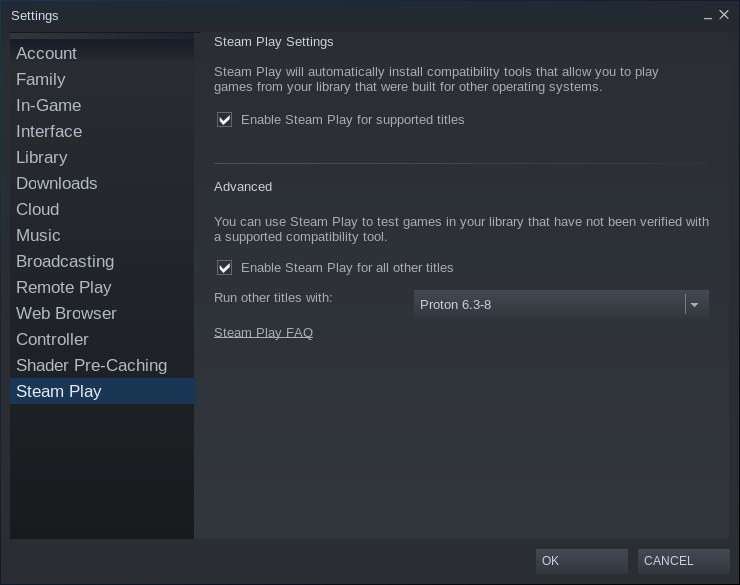
 strong marsh
wise canyon
I can play original OFP 0.36 demo on my M1
strong marsh
wise canyon
I can play original OFP 0.36 demo on my M1
can you guide me how to play on m1 mac please
wise canyon
no luck on running arma 3 on M1, neither ports nor via crossover. It can be used in Parallels VM but Windows arm64 translation is not as good as Rosetta.
your best bet is to use some streaming service like nvidia geforce now
quasi orchid
Does anyone know where the profile files are located on Linux (Steam client beta)?
wise canyon
Linux Port or Proton?
quasi orchid
Proton
wise canyon
you can find the wine prefix at $HOME/.local/share/steam/steamapps/compatdata/107410/pfx
quasi orchid
wise canyon
you can find the wine prefix at `$HOME/.local/share/steam/steamapps/compatdata/1...
Thank you. If I Insert a .sqm file into the following path: ~/.local/share/Steam/steamapps/compatdata/107410/pfx/drive_c/users/steamuser/Documents/Arma 3 - Other Profiles/Test%20User/missions, then it is not displayed in the Arma 3 editor. What’s that about? The file is called mission.sqm