#arma3_animation
1 messages · Page 4 of 1
 rigid dust
I know its 10 years too late to fix such core issues, but maybe there is a chance
Always hated this
https://youtu.be/x8kKPJk5UdA?t=21
Gameplay abuse
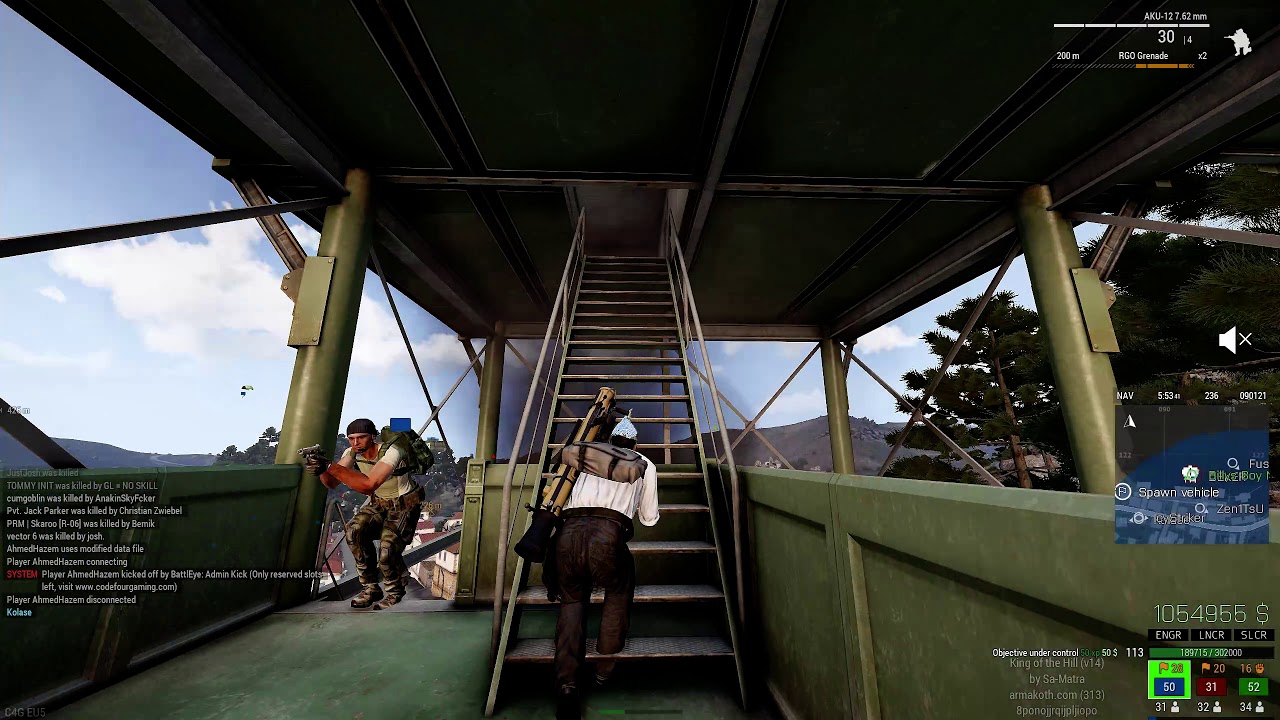
 desert raven
Yeah that would be the where it's defined.
Probably could do some test with different kinds of collision shapes for the movement.
rigid dust
desert raven
Yeah that would be the where it's defined.
Probably could do some test with dif...
Bet movement gonna feel super weird if same collision shape will be used everywhere
 white juniper
No idea and no time to think about it. I will forget about your message
rigid dust
🥲
desert raven

 forest lance
Make a ticket
 gilded rampart
i am trying to understand what on earth that means and cannot figure it out
 obtuse terrace
Hello
I am currently working on a custom campaign for my small arma 3 community. I am looking for someone who can create a suitable banner that reflects the core aspects of the campaign. Since I don't quite understand the difference between your packages, I was hoping that you might be able to make a recommendation.
 atomic pivot
obtuse terrace
Hello
I am currently working on a custom campaign for my small arma 3 community....
atomic pivot
obtuse terrace
Hello
I am currently working on a custom campaign for my small arma 3 community....
Wrong channel
#creators_recruiting
#creators_offers
rigid dust
 light junco
build up fatigue after player ridiculous velocity changes?
light junco
build up fatigue after player ridiculous velocity changes?
Unless fatigue would stop the player completely, it won't help. This velocity comes from rotation which is unrestricted and you get a lot of it even with super slow movement (setAnimSpeedCoef 0.1)
 olive flicker
Hey there guys! So I have a question. Would anyone be kind enough to teach me how to make an Arma 3 cinematic? I'd like to learn how to keyframe and such to get cinematic shots.
This very well could be the wrong channel for this question, but I figured it kind of relates to the channel topic?
desert raven
well "make arma 3 cinematics" is very broad subject and not easy to teach
so to get meaningful asnwers you would need to split it up into smaller questions
and really put in your own effort to learn on your own too
instead of trying to learn "how to make arma cinematic" youll want to start from the mentioned "how arma keyframes work" and then possibly "how Arma scripting works"
 hard trellis
I was considering heading down a rabbit hole involving an empty vehicle with a turret seat, where gunner's hands and feet are IK'd to selections that can be animated, thereby allowing some sort of "live posing" of characters, via animation[Sources], for screenshot or similar purpose.
Does something like that already exist, or seem feasible?
hard trellis
Encouraging n_n
 green current
Does anyone have a guide on how to make ArmA-Anims using Cascadeur and how to properly import the ArmA-Skeleton? DIdnt quite manage that so far
desert raven
@fast canopy has done that if I rember right but dont recall if he made any tutorials.
 fast canopy
I thought I've already told you that I've posted a rig already
desert raven
thought I remembered something like that but was not sure 👍
green current
Could you tell me what its called? Can't find it and been looking trough messages by you, messages naming Cascadeur etc for quite a bit now, so i am starting to feel blind and stupid...
fast canopy
green current
Its been right in front of my nose this whole time?
Thank you 🙂 👍
 sturdy agate
How would I go about hiding part of the player body in object builder when making an animation?
fast canopy
Honestly this is very shame to have no command to reset CfgMoves or CfgGestures even in diag... this is painful if I do a reload anim
I've backlogged here and reyhard said they have their way internally... but pwetty pwease
 cerulean pivot
fast canopy
I've backlogged here and reyhard said they have their way internally... but pwet...
cerulean pivot
fast canopy
I've backlogged here and reyhard said they have their way internally... but pwet...
well that requires you to reload the mission. I guess I can make a diag command that reloads anims and then reloads the mission automatically
fast canopy
Wait really?
fast canopy
Ah you mean that. Can I wish if we will get that in diag? 🙏
Even if a restart can be done manually
cerulean pivot
fast canopy
Ah you mean that. Can I wish if we will get that in diag? 🙏
No promises but I'll take a look. Make a ticket
 pliant plank
Okay, i downloaded the handanim stuff for holding the gun but i tried to move it but the hand wouldnt move, do i need to switch it to frame one for the changes to take place?
desert raven
pliant plank
Okay, i downloaded the handanim stuff for holding the gun but i tried to move it...
what did you try to move?
pliant plank
The right hand in edit mode, but it was on frame 0 of the animation
The actual model of the hand didnt move so that was confusing me, iirc they did when i did the rocket launcher
desert raven
pliant plank
The right hand in edit mode, but it was on frame 0 of the animation
you need to use pose mode
and make sure to export correct frame
handAnim uses only 1 frame
pliant plank
desert raven
handAnim uses only 1 frame
Is that frame 0 or frame 1?
desert raven
any frame as lon as you add that frame to be exported
pliant plank
Oki
pliant plank
okay so I'm moving the right hand but for some reason the weapon moves and the hand gets super scuffed

this is just from moving it in one direction
is this normal?
oh nvm im supposed to just move the hand
pliant plank
is this normal? For some reasn the arm just refuses to go further lmao
 pliant plank
I did so
hand is potentially a little wonky but

kinda how it is given the rifle's general skinniness
okay, now that I've exported the RTM to the work file what do i do now
oh wait nvm i remember
that wrist is a little rough


 woeful pelican
you can adjust the rifle model in the p3d
pliant plank
Oh like, move it further along the x axis?
woeful pelican
Yeah it should have autocenter disabled so wherever you offset it from the model center will be reflected when ingame
pliant plank
Ah okay. Cheers
I was wondering how to do that, i just gotta tweak the trigger finger some and then the position of the rifel
pliant plank


dunno if i like it lowered so it sits more realistically on the shoulder when it's raised but
it certainly changes the feel
desert raven
this is little high to my eye

lowering the stock to shoulder level imo looks better
pliant plank
desert raven
this is little high to my eye
yeah I di that, that's at the default arma height or at least what seems to be it
one sec i'll take screencaps

 desert raven
yeah the mx dos stand pretty high too
its up to you to choose which way you want it to be 😄
pliant plank
I kinda like it lower like that, the wrist looks a little less fucked
desert raven
the trick with the wrist is turn the hand bone in an angle and adjust the fingers to fit the guns grip
 lethal willow
If I am using one of the example rigs to build off of, is there a way to get all the adjustments back like moving and angling the hands? https://gyazo.com/81a1a8c1cad982534bb4620cba3c037e
 desert raven
lethal willow
If I am using one of the example rigs to build off of, is there a way to get all...
desert raven
lethal willow
If I am using one of the example rigs to build off of, is there a way to get all...
Yes. But too long to explain on mobile. 
Basically comes down to understanding how it all works.
fast canopy
And honestly since Blender requires both IK and FK knowledge in order to, uh, do such, well almost all industry standard 3D software does though, this pretty much is the reason why I use Cascadeur to animate recent days
Imagine having 3D graph editor. Casc does have one basically...
 brittle nacelle
Does ARMA support different stages/transitions of animations? So like if you had 1 animation to "prep" an animation, then another for the main one, and say another one which could be be optional, would you have to do all of that through scripts, or could some of it be done via config?
desert raven
brittle nacelle
Does ARMA support different stages/transitions of animations? So like if you had...
optionals no, that would have to be done through scripts
but yes animations can have chained transtitions between them
brittle nacelle
So I could define Animation1, and when Animation1 is done, automatically start Animation2, and stay on that animation?
desert raven
best to explain the actual use case
brittle nacelle
Fair.
desert raven
not the abstract
brittle nacelle
So the first animation could be a compressed ready animation (weapon is compressed in the armpit), and the second animation would be played a few seconds after, of pushing the rifle out
Either by key press, or by time. But the push out animation should be custom, not default arma exiting
desert raven
so you want to replace some vanilla behavior or make something new?
whats the big picture
brittle nacelle
desert raven
whats the big picture
Something new. Weapon should be able to be compressed, but will have an animation to put it into compression before the one that keeps it there, and optionally, another animation to take it out of compression before returning control back to the player
Play: Animation1 -> Animation2
(Always)
While Animation2 is active, Animation3 could be played as a "transition" out of the animation.
desert raven
brittle nacelle
Something new. Weapon should be able to be compressed, but will have an animatio...
Im not fully sure what you mean by compression here 🤔
buut this does sound rather difficult
since you want it to be dynamic
 long monolith
@fast canopy how do i use the dust effect on your artwork supporter?
i cant find it
long monolith
oh hold on, its on effect dropper on the props from the old artwork supporter
 frank yoke
Is there any up to date reload animation basemesh for ArmaRig? The ones I've been using are offset and there is a visible jerk between handanim and reloadanim
desert raven
sadly no
you can try adjusting the IK curve so it blends at the beginning and the end of the sequence
frank yoke
Yea I do that but saw better results already
I also used rtm importer but that doesn't work good enough either
desert raven
the rtm import does need the whole skeleton to be connected with actual bones
it does not like the floating unconnected parts
I build mine with extra connection bones with @ in their name so they dont get exported out but they keep the skeleton shape right
 daring crescent
Good day guys.Tell me please.I installed the armatoolbox in the blender.Created an animation with the help of riga soldier
and I'm trying to export the animation to a rtm file.But for some reason arma reproduces only the first frame of the animation, and there are 18 of them. I used to do the same animation and everything worked.It's not playing right now.Anyone who understands this can help, if it's not difficult.
fast canopy
Make sure you have all Keyframes here, using Frame Range

 daring crescent
fast canopy
Make sure you have all Keyframes here, using Frame Range
daring crescent
fast canopy
Make sure you have all Keyframes here, using Frame Range

Everything is there .The story is not clear .I've broken my head , I don't understand what's the matter.
fast canopy
Are you sure
- All of 18 frames are exported (the raw RTM should have more than 12~14 KB if it has more than one frame)
- Your config is set up properly
- Your PBO is packed by a proper software
- model.cfg is available for sure to binarize/pack
daring crescent
fast canopy
Are you sure
1. All of 18 frames are exported (the raw RTM should have more than...
1.The file is 102 kb.As I understand it, all animations are converted.2.
2.The config file is like this.
class CfgPatches
{
    class     tutorial
    {
        requiredVersion = 0.100000;
        requiredAddons[]= {"A3_Functions_F"};
        units[]= {};
        weapons[]= {};
    };
};

class CfgMovesBasic
{
         class Actions;
};

class CfgMovesMaleSdr: CfgMovesBasic
{
    class States
    {
                class CutSceneAnimationBaseSit;


                        class Lopata_anim1: CutSceneAnimationBaseSit
        {
            file ="\Lopata_pronix\Arma_LOPATA.rtm" ;
            speed = -1e+010;
            looped = "true";
            interpolateFrom[] = {};
            interpolateTo[] = {};
            canPullTrigger = 0;
            disableWeapons = 0;
            disableWeaponsLong = 0;
            weaponLowered = 0;
            weaponIK = 1;
            rightHandIKCurve[] = {1};
            leftHandIKCurve[] = {0};
                  canReload = 1;
        };

    };
};
speed = -1e+010;```This means the entire anim will end instantly. Also `"true"` is not the proper way to defube a boolean in configIs this some kind of static pose?
daring crescent
What should I change in the config file?to make everything work?
daring crescent
Play the animation completely and loop it
fast canopy
- Check this: https://community.bistudio.com/wiki/CfgMoves_Config_Reference#speed
loop = 1;
daring crescent
It's just that the configuration file is not mine, it was in the tutorial on creating animations in blender for Arma 3.
fast canopy
It's just that the configuration file you say, but your goal is not going to happen without you tweak that
daring crescent
fast canopy
It's just that the configuration file you say, but your goal is not going to hap...
Changed the config file .The picture is the same.The game loads the first frame of the animation and the animation does not play completely.The fighter is sleeping in the initial position and nothing happens.
class CfgPatches  {

    class MDL_OTK_Anim  {
        units[] = {};
        weapons[] = {};
        requiredVersion = 1.08;
        requiredAddons[] = {};
    };
};

class CfgMovesBasic  {
    class MDLOTKActions;
};

class CfgMovesMaleSdr  : CfgMovesBasic {

    class States  {

        class AmovPercMstpSnonWnonDnon;

        class Animacia  : AmovPercMstpSnonWnonDnon {
            file = "\Lopata_pronix\Arma_LOPATA.rtm";
            speed = -10000000000.0;
            looped = 1;
            interpolateFrom[] = {};
            interpolateTo[] = {};
        };
        class tankist  : Animacia {
            file = "\Scena\tankist.rtm";
        };
    };
};
Please re-check the link I've posted to understand what value to put in speed
This does mean your animation is 10000000000 seconds long
daring crescent
Оk .Thank you I understand
Thanks, it's finally working. You've been very helpful.Good health to you.
daring crescent
Another problem came out.Now the animation doesn't loop.It is played 1 time.
speed = 1.3;
looped = 1;
I use switchMove
cerulean pivot
 thick hemlock
Does anyone know the object name of the stadium?
thick hemlock
Does anyone know the object name of the stadium?
Run the mission, point at the object with your gun, and run this in debug console: typeOf cursorObject
If it returns "", it's probably a super simple object (has no config)
In that case run: getModelInfo cursorObject to get the path to its model
thick hemlock
cerulean pivot
Run the mission, point at the object with your gun, and run this in debug conso...
Thanks, also my bad. Ment to be in #arma3_scenario.
 tidal hawk
Is there a way to stop a unit from playing a looped animation other than sqf _unit switchMove ""; ?
cerulean pivot
tidal hawk
Is there a way to stop a unit from playing a looped animation other than ```sqf
...
There is also _unit switchAction "STOP"
The difference is that using switchAction you can account for stance and weapon.
Also ask in #arma3_scripting
tidal hawk
cerulean pivot
There is also `_unit switchAction "STOP"`
Thanks, exactly what I needed because it looks weird when a unit sitting suddently stands due to switchmove "" instead of just falling or staying on their current stance
atomic pivot
Just had the same problems yesterday and thought i finally understood it, but i was wrong.
player playMoveNow "AinvPknlMstpSnonWnonDr_medic5";
Properly interrupted by doing this (no instant animation change etc).
player playActionNow "PlayerStand"
But the same thing doesn't work for switchMoves or even other Actions/moves.
So not sure what's the logic behind it 
The whole Arma 3 "animation system" feels like its a couple of systems mashed together to work somehow.
cerulean pivot
atomic pivot
Just had the same problems yesterday and thought i finally understood it, but i ...
It's related to how animations are connected to each other
You can't randomly go from any anim to another
 mossy osprey
How do people do those cool looking screens of arma? With modeled characters etc. Something like this: https://steamuserimages-a.akamaihd.net/ugc/2312100041532576505/3C98DE2A029AA96640712F654513B627AEEAD818/?imw=5000&imh=5000&ima=fit&impolicy=Letterbox&imcolor=%23000000&letterbox=false

(credit to https://steamcommunity.com/id/FrostyMcToasty)
desert raven
mossy osprey
How do people do those cool looking screens of arma? With modeled characters etc...
By carefully posing the scene
such scenes are static
mossy osprey
I know. But how do I change every single direction of the body
desert raven
mossy osprey
I know. But how do I change every single direction of the body
They are premade animation poses
gilded rampart
usp animations pack
mossy osprey
gilded rampart
usp animations pack
ty ❤️
 tired needle
(Re the conversation on the 22 Oct) Why can't RTM's be imported into anything?
Also, reconstructed skeleton: http://i.imgur.com/CFIy48i.gif ;)
The rabbit is oddly the only animal that doesn't have a set of pivots.
 fluid breach
@tired needle what am i looking at here exactly? (long day here)
obviously there is a dancing rabbit. i did catch that part :D
tired needle
The skeleton used to rig/animate it was built from the memory points.
Other animals you should be able to reconstruct by de'p3ding the pivot files.
Haven't tried it yet, might get some goat action going on when I get time to though.
fluid breach
there would be <3 for that im sure
 timid rover
I have problem with an animation. It doesent work anymore after binarising it, I assume the model.cfg is the issue ?
desert raven
timid rover
I have problem with an animation. It doesent work anymore after binarising it, I...
explain what the problem is
timid rover
desert raven
explain what the problem is
The animation just dosent work anymore, nothing happens when I call it ingame. When its not binarized it works
Maybe not all bones are in the model.cfg ?
I see that the character ingame trys to do the animation , but it looks like he is not using all of his bones
desert raven
timid rover
The animation just dosent work anymore, nothing happens when I call it ingame. W...
what kind of animation?
how do you pack the pbo?
ther more you tell the easier it is to understand what happens
assume I dont see your screen or know anything about what you do
timid rover
class CfgGesturesMale
{
    skeletonName = "OFP2_ManSkeleton";


    class Default;
    class ManActions {};
    class Actions
    {
        class NoActions
        {
            turnSpeed = 0;
            upDegree = 0;
            limitFast = 1;
            useFastMove = 0;
        };
    };

    // Action Animation Configs
    class States
    {

class dsr_Gut_Corpse : Default {
            file = "A3S_Client\data\anims\gut_corpse.rtm";
            looped = 0;
            speed = 0.085; //0.08
            mask = "BodyFullReal";
            headBobStrength = 1.0;
            headBobMode = 4;
            disableWeapons = 1;
            disableWeaponsLong = 1;
            leftHandIKBeg = 0;//0;//false;
            leftHandIKCurve[] = {};
            leftHandIKEnd = 0;//0;//false;
            rightHandIKBeg = 0;//0;//false;
            rightHandIKCurve[] = {};
            rightHandIKEnd = 0;//0;//false;
            showItemInRightHand = 1;
            showHandGun = 0;
            weaponLowered = 0;
            canPullTrigger = 0;
            enableOptics = 0;//0;//false;
            showWeaponAim = 0;//0;//false;
            weaponIK = 0; //1
            leaning = "empty";
            aimingBody = "empty";
            aiming = "empty";
            forceAim = 1;
            limitGunMovement = 9.1;
            enableDirectControl = 0;
            variantsPlayer[] = {};
            variantsAI[] = {};
            soundOverride = "";
            soundEnabled = 1;
};........```Thats the config for the animation
{
    class Default
    {
        limitGunMovement=1;
    };
    class States;
    class DefaultDie;
    class StandBase: Default
    {
    };
    class TransAnimBase;
    class InjuredMovedBase;
        class BlendAnims;

    class ManActions
    {
        dsr_Act_Gut_Corpse[] = {"dsr_Gut_Corpse","Gesture"};
.......```Thats the mask
    {
        BodyFullReal[] = {"Head",1,"Neck1",1,"Neck",1,"weapon",1,"LeftShoulder",1,"LeftArm",1,"LeftArmRoll",1,"LeftForeArm",1,"LeftForeArmRoll",1,"LeftHand",1,"LeftHandRing",1,"LeftHandPinky1",1,"LeftHandPinky2",1,"LeftHandPinky3",1,"LeftHandRing1",1,"LeftHandRing2",1,"LeftHandRing3",1,"LeftHandMiddle1",1,"LeftHandMiddle2",1,"LeftHandMiddle3",1,"LeftHandIndex1",1,"LeftHandIndex2",1,"LeftHandIndex3",1,"LeftHandThumb1",1,"LeftHandThumb2",1,"LeftHandThumb3",1,"RightShoulder",1,"RightArm",1,"RightArmRoll",1,"RightForeArm",1,"RightForeArmRoll",1,"RightHand",1,"RightHandRing",1,"RightHandPinky1",1,"RightHandPinky2",1,"RightHandPinky3",1,"RightHandRing1",1,"RightHandRing2",1,"RightHandRing3",1,"RightHandMiddle1",1,"RightHandMiddle2",1,"RightHandMiddle3",1,"RightHandIndex1",1,"RightHandIndex2",1,"RightHandIndex3",1,"RightHandThumb1",1,"RightHandThumb2",1,"RightHandThumb3",1,"Spine1",1,"Spine2",1,"Spine3",1,"Spine",1,"Pelvis",1,"LeftLeg",1,"LeftLegRoll",1,"LeftUpLeg",1,"LeftUpLegRoll",1,"LeftFoot",1,"LeftToeBase",1,"RightLeg",1,"RightLegRoll",1,"RightUpLeg",1,"RightUpLegRoll",1,"RightFoot",1,"RightToeBase",1};
    ```
Pastebin
Pastebin.com is the number one paste tool since 2002. Pastebin is a website where you can store text online for a set period of time.
Thats the model.cfg
its inside the folder where the rtm is located
Just having the .rtm unbinarized works ingame
Im using pbo Project
 bold mauve
im propably a dummy, but can i find the biskeleton.p3d anywhere? for handanim reference
desert raven
bold mauve
im propably a dummy, but can i find the biskeleton.p3d anywhere? for handanim re...
there isnt any
and p3d skeleton would not really be useful since its not rigged in any way and does not import as armature into bledner
theres a guide in the pins that should get you on right path
bold mauve
ah, thanks, ill take a look at that
desert raven
timid rover
Im using pbo Project
how are you playing the animation?
timid rover
desert raven
how are you playing the animation?
playActionNow
desert raven
you are making it as a gesture though
desert raven
does it play with switchmove?
timid rover
no it dosent
desert raven
does it show up in animation viewer
timid rover
Never tested it there
desert raven
does the classes show up in config viewer
also there is no option to make unbinarized pbo with pboproject
so how does that happen exactly?
timid rover
If I pack it without binarizing I use pbo manager
desert raven
:L
timid rover
He tries to do the gesture but it looks like he dosent use all his bones
so I assume when binarizing it something goes wrong with the bones
I guess the model.cfg is wrong ?
timid rover
using \A3S_Client\data\anims\model.cfg to test gut_corpse.rtm
dosent show any errors
The animation is back from the desolation project which I allowed to use
Im not able to do animation myself, atleast I never tried it
so I cant dig more into details
timid rover
yea the animation is completly fine and I always used it unbinarized but now I want to have it binarized
and they had it binarized as well before and it worked
so something goes wrong in the process
Do I have to add the animation name into model.cfg ? just like you do it p3ds? I guess not
timid rover
did you check the model.cfg I sended ?
timid rover
wouldnt Pbo project then say something ?
also does it matter if its upperCase or ? Like lets say its called neck1 inside the model.cfg und Neck1 in the rtm
timid rover
so I guess I have to load this rtm to blender to see if everything is correct
never done this before, but time to learn something new
desert raven
blender will load it no matter the casing.
but the blender rigs used may not always have right casings
 regal mauve
Is there a limit for animation count in CfgModel ?
 potent turtle
Good afternoon dear "animation makers", I recently started to study animations in Arma and unfortunately faced a problem that I can not understand yet, is it possible to somehow remove weapons from the hands? That is, that when playing gestures in the hands was not any weapon.
desert raven
regal mauve
Is there a limit for animation count in CfgModel ?
have run model.cfg with thousands of animations so probably not?
desert raven
potent turtle
Good afternoon dear "animation makers", I recently started to study animations i...
you would have to script it out of inventory if you want it completely gone
usually such animations are made so that main weapons are on back
if they are in the inventory
regal mauve
desert raven
have run model.cfg with thousands of animations so probably not?
I have a building which some animations are broken. I'm trying to find the reason why. The building is less than 2048 geometry components, it has exactly 254 bones and i on't know why all the animation are working fine in each LOD in Object Builder but when i launch Arma 3, the animation are broken...
regal mauve
desert raven
too many bones then
Ok, I'm alreaddy trying to split the building let's hope it works fine this time
potent turtle
desert raven
you would have to script it out of inventory if you want it completely gone
Oh, I get it, thanks for the help!
 thin temple
regal mauve
I have a building which some animations are broken. I'm trying to find the reaso...
thin temple
regal mauve
I have a building which some animations are broken. I'm trying to find the reaso...
When you are close to the bone limit, the other factor seems to be related to bones that are in multiple sections[], counting twice, as far as I can tell.
regal mauve
thin temple
When you are close to the bone limit, the other factor seems to be related to bo...
hmmm
 covert canopy
does anyone know

why my boy
be doing a lil party
instead of holding his gun
basically a brand new baby to animating in general so I posed very basic as a test

but he just throws his lil hands up
hold on I might have done that totally wrong
nevermind fixed it

fucked up my moveset
desert raven
dont see your weapon bone in the animation
regal mauve
This time i have a building with only 100 bones but the animations are broken. What can be the reason ?
fast canopy
Without knowing what and how broken, we can't be sure about anything
regal mauve
fast canopy
Without knowing what and how broken, we can't be sure about anything
My building is 50x50m, it's made of 57 doors and 16 windows. The geometry has 860 components. When i animate door 1 and 2, everything goes fine but when i try to open another door, the animation is broken
fast canopy
I think I want to try skeleton without Door 1 and 2 first
regal mauve
fast canopy
I think I want to try skeleton without Door 1 and 2 first
just tried it and it animations are still broken
the skeleton was made of 220 bones but i reduced it to 100 bones to be sure
fast canopy
I'd assume you made the weight 100% sure already, so I think your skeleton array is somehow broken
regal mauve
fast canopy
I'd assume you made the weight 100% sure already, so I think your skeleton array...
weight is ok but animations are broken on every lod in OB
regal mauve
problem found, the memory lod was not at the correct scale
regal mauve
covert canopy
nevermind fixed it
can you tell me what was the solution ? I have the exact same issue with a handanim
fast canopy
desert raven
dont see your weapon bone in the animation
This
covert canopy
There is a PDF guide in the pins of this channel
read it and follow it exactly
and it should fix your issues
regal mauve
covert canopy
There is a PDF guide in the pins of this channel
hmm maybe that's because i only put one frame in the rtm....
covert canopy
rtm should only be one frame if I remember that guide correctly
yep what polpox said
regal mauve
fast canopy
One frame is enough for a handanim
then i definitely don't know what's wrong with this handanim. Someone told me that's because the hands are too far away from the body so i'm gonna try that. Here is an image
 covert canopy
remove and add the frame again, not near my computer but something looks wrong about that
and go through the guide again step by step for the frame setup
fast canopy
We don't know how it is wrong ingame tho
regal mauve
fast canopy
We don't know how it is wrong ingame tho
Here is an image ingame
 fast canopy
This means your binarization/PBO creation is wrong
regal mauve
I already corrected the weapon direction
fast canopy
You need to use a correct software
regal mauve
fast canopy
This means your binarization/PBO creation is wrong
@desert raven told me the same thing but i tried bankrev and i'm getting the same error. I'm using PboManager and so far i didn't have any issue with this program
fast canopy
PBO Manager is the problem here
regal mauve
fast canopy
PBO Manager is the problem here
bankrev is returning the same result
fast canopy
If in doubt just use Addon Builder
regal mauve
fast canopy
If in doubt just use Addon Builder
Addon Builder ? What is that ?
fast canopy
A official PBO packer software
regal mauve
fast canopy
A official PBO packer software
Isn't it called Filebank ?
fast canopy
No
regal mauve
My bad, i didn't realized it was the one that's inside A3 Tools
Well, i'm gonna try and see but i have very little hope on this one
fast canopy
Actually the pinned guide told you to use either Addon Builder or Mikero's Tools
desert raven
Addon builder has had problems with rtms in the past if I recall right. I've used mikeros toolset for long time
bold mauve
i had to change to mikros tools (pboproject) last month cause addon builder didnt want to include .rtms in .pbos
fast canopy
In case you don't know AB requires to specify which file (or extension) to include
But if you can use pboProject it is 100% better
white juniper
regal mauve
Isn't it called Filebank ?
Yes. That would be the official pbo packer.
But you don't actually want a plain pbo packer, you'll want a addon/mod packer. That does more than simply putting stuff into pbo
potent turtle
Hello, I have a problem when creating an animation, for some reason it breaks animations from other mods. That is, when you load your own mod with their animations, then animations from other people's mod begin to replace each other and reproduced not correctly, because of what can arise this situation if my config is not crossed with other people's animations?
fast canopy
Can you tell what exactly is the issue? How it is broken?
potent turtle
fast canopy
Can you tell what exactly is the issue? How it is broken?
I enter the game with 3 mods: 1) My animations 2) IMS 3) lightsaber and force. When I use the lightsaber and right-click, I have a different animation, not what should be played, when I remove my animations from the preset, then everything works as it should. I have this problem happens when I make just my animation and when I make gestures, always different animations are replaced.
I'm going to go into the game now and record a video of these problems.
potent turtle
fast canopy
Can you tell what exactly is the issue? How it is broken?
Sorry to disturb you, but somehow miraculously everything is fixed, yesterday only this problem was there, today it is no longer there.
fast canopy
Okay, now it certainly sounds like an AnimDataCache issue
 unreal sage
Good Evening, I am looking to create a new animation for "Tactical Walking" (AmovPercMtacSrasWrflDf)
I have created the actual RTM itself but when put in game I have several issues
- The actual player doesn't move, the animation plays but the character doesn't move around in the game environment
- The "Torso" sections don't move at all
I am using the Blender Arma Rig for creating and exporting the animation
The config looks like this:
class AmovPercMtacSrasWrflDf: AmovPercMwlkSrasWrflDf
        {
          stamina = -0.1;
          relSpeedMin = 0.7;
          relSpeedMax = 1.1;
          duty = 0.5;
          soundOverride = "Tactical";
          aimPrecision = 1;
          file = "NAVSPECWARGRU2\NAVSPECWARGRU2_Sys_Animations\Anim\amovpercmtacsraswrfldf.rtm";
          speed = 1.35;
          headBobStrength = 0;
          actions = "RifleStandActionsTacF";
          collisionShape = "A3\anims_f\Data\Geom\Sdr\Perc_Wrfl_offset.p3d";
          InterpolateTo[] = {"AmovPercMstpSrasWrflDnon",0.02,"AmovPercMtacSrasWrflDfl",0.01,"AmovPercMtacSrasWrflDfr",0.01,"AmovPercMrunSrasWrflDf",0.02,"AmovPercMrunSrasWrflDf_ldst",0.02,"AmovPercMwlkSrasWrflDf",0.02,"AovrPercMstpSrasWrflDf",1.02,"AmovPknlMtacSrasWrflDf",0.02,"Unconscious",0.02,"AmovPknlMstpSlowWrflDnon_relax",0.1,"AmovPercMtacSrasWrflDl",0.02,"AmovPercMtacSrasWrflDbl",0.02,"AmovPercMtacSrasWrflDb",0.02,"AmovPercMtacSrasWrflDbr",0.02,"AmovPercMtacSrasWrflDr",0.02,"AmovPercMrunSlowWrflDf_AmovPpneMstpSrasWrflDnon",0.02,"AmovPercMtacSlowWrflDf_ver2",0.02,"AmovPercMtacSlowWrflDf",0.5,"AmovPknlMstpSrasWrflDnon",0.02,"AmovPercMrunSlowWrflDf",0.02,"AmovPercMevaSrasWrflDf",0.02};
};
for movement the animation (RTM) will need to have a motion vector written to it

this should Ideally match with what speed the walk cycle would move the character so that there is no sliding/moonwalk effect
unreal sage
Gotcha, lemme give it a shot
 unreal sage
Got the movement working, however the torso movement still isn't working for some reason
desert raven
unreal sage
Got the movement working, however the torso movement still isn't working for som...
what does that mean exactly?
unreal sage
The walking animation incldues Torso movement, but in game the torso isn't actually moving at all
 hoary blaze
what are some good animation addons from workshop, I want stuff like smoking cigarettes and stuff for a SOG mission. Thanks guys!
 frail birch
hoary blaze
what are some good animation addons from workshop, I want stuff like smoking cig...
frail birch
hoary blaze
what are some good animation addons from workshop, I want stuff like smoking cig...
there are none like that
maybe I recall seeing a single one in one of the packs on Workshop but it's static, as in no movement, no transition, just a silly pose for screenshot and it looked more like someone trying to "kawaii" pose.
daring crescent
Hi.Please tell me how to fix the rifle on the back, so that later, when playing the animation, if the player has a weapon, the rifle will be fixed on the back.
desert raven
daring crescent
Hi.Please tell me how to fix the rifle on the back, so that later, when playing ...
it would have to be on the back in the animation
assuming this is related to the issue at #arma3_questions
daring crescent
desert raven
it would have to be on the back in the animation
Yes.I'm just thinking maybe I should try changing the animation instead of hiding the weapon.
Don't you need to untie the rifle by hand?You just start moving your hand into the blender and the rifle starts moving too.Won't the rifle move when the hands move when playing the animation
Can you tell me where to find clear animation tutorials for arma 3?
desert raven
daring crescent
Can you tell me where to find clear animation tutorials for arma 3?
nowhere
there arent really any
but you should easily be able to find animation tutorials for blender and how to play with the constraints that the armaRig is using
you can even toggle constraints on and off with keyframes to tie a free roaming bone like the weapon to different targets at different times
daring crescent
desert raven
nowhere
Thanks, I solved the problem by changing the animation, I just put the rifle underground. 🙂
frail birch
perhaps someone can explain this
there is a vanilla animation called Acts_Waking_Up_Player. When executed in unit's init field, it is looped infinitely until player keeps pressing buttons, then it automatically transforms into the Acts_Getting_Up_Player, and then again a button has to be pressed to gain control over the unit back.
if it's executed after mission start, no matter in what way, it immediately starts in the Acts_Getting_Up_Player phase, with or without a weapon, and you instantly regain control. Why is it like that? Any way to control this anim's behaviour so it doesn't "soft-lock" player on mission start?
desert raven
frail birch
perhaps someone can explain this
there is a vanilla animation called Acts_Waking...
what commands do you use?
frail birch
this ```sqf
_unit switchMove "Acts_Waking_Up_Player";
_unit playMoveNow "Acts_Waking_Up_Player";
```sqf
_unit switchMove "Acts_Waking_Up_Player";
_unit playMoveNow "Acts_Waking_Up_Player";
_unit playMove "Acts_Getting_Up_Player";
```seems to make it work, as in the first animation is played once and then transforms into getting up one, but ends in a "frozen" position that player can leave only when movement button is pressedalso just remembered that I tried to use the waking up one as a "drunk" animation (it works with bis_fnc_ambientAnim), but when you hit or straight up kill that unit, it will play the getting up animation and then go into ragdoll...
desert raven
they have transition animations in between and no direct connection/interpolation to death state
frail birch
huh, so I guess no other way than switchmoving to an empty animation on death?
and regarding the first thing, how does the anim check whether unit has a sidearm or not? Because it somehow figures out which animation to play depending on that factor
desert raven
frail birch
huh, so I guess no other way than switchmoving to an empty animation on death?
a...
each weapon type has their own action list and stances
and depending on stance different actions are used
and different transitions from stance to another may happen
 shy yoke
How are custom anims applied to pistols in terms of their holding animation? I saw on some threads that handAnim doesnt work for them, but checking rhs for example, they use handAnim just fine... Is there some magic in the model.cfg or elsewhere that makes it work?
I've tried using handAnim on a pistol of my own, and its like the line doesnt exist, it just uses the inherited anim
desert raven
shy yoke
How are custom anims applied to pistols in terms of their holding animation? I s...
cant alter right hand as the pistol proxy is glued on the right hand
so moving right always moves the weapon too
shy yoke
Thats fine, the weapon is like a detection meter, so I kind of want the hand to be holding it in its palm, it can be attached to it
desert raven
other than that it should work the same way as rifle and launcher hand anims
shy yoke
I dont see why it doesnt work then, the animation works fine when the weapon is a primary but not when its a secondary
shy yoke
As a primary its holding it correctly, as a secondary the animation used is the standard pistol animation
Its like it skips the line in the config entirely
potent turtle
Hello, I have a problem, when I load my animation in arma 3 and use it, I can spin around, how can I remove this?
 median magnet
Hello everyone ! I would like to make an animation of a plant "growing". How could I proceed so that it is initially small, and that it grows when I advance the animation? I was thinking about translations but I will have to put them at each point
 desert raven
median magnet
Hello everyone ! I would like to make an animation of a plant "growing". How cou...
desert raven
median magnet
Hello everyone ! I would like to make an animation of a plant "growing". How cou...
Thta would be very very complex thing.
Plant growing is not just extending or scaling up, it's creatinging new parts on it.
 golden igloo
Hello everyone, most likely this question has already been asked, but I would be grateful if they answered me too.
Is it possible to import player animations into a blender, and if so, how?
 rugged crypt
Hello smart people, coming to you for advice. We are pretty new to arma modding and mainly animations. But we have this problem.
We have an animation of a shell "loading" inside a mag, the problem is that we would like to have the shell hidden until the loading anim is supposed to be played.
So pretty much this:
While the shell is not loaded have it hidden
While the shell is being loaded (move on axis into the mag) have it shown
While being loaded (inside the mag) have it shown
If there needs to be another "shell" inside the mag for the loaded state, that's fine.
The images should show it more clearly.
We got defined the AnimationSources in the CfgVehicle like so:
class AnimationSources {
            class mine_1_load_source {
                source = "user";   // "user" = custom source = not controlled by some engine value
                initPhase = 0;     // Initial value of animations based on this source
                animPeriod = 0.5;  // Coefficient for duration of change of this animation
                sound = "loadMine1";
                soundPosition = "axis_mine_1";
            };
.
.
.
};
and model.cfg is something like this
class Animations
        {

            class mine_1_load
            {
                type="translation";
                source="mine_1_load_source";
                selection="mine_1";
                axis="axis_mine_1";
                minValue=0.0;
                maxValue=1;
                offset0 = "0.0";
                offset1 = "-0.55";
                animPeriod = 10;
            };
.
.
.
};


OK, nevermind, having two sources to the same selection, one for the move and one for the hide sorts this. Now, is the best way to sync those using sleeps in sqf or?
The video shows what I had in mind if it wasn't clear
desert raven
rugged crypt
OK, nevermind, having two sources to the same selection, one for the move and on...
you could make the translation animations for each shell individual and give each different timing between 0 and 1
rugged crypt
desert raven
you could make the translation animations for each shell individual and give eac...
They are individual. I was just testing with a simple for loop as that's what will be in code for init.
Mainly given they will be loaded one by one by the player manually.
The sync I ment more like the hide/unhide move in/out.
In total 8 anim sources, four hide and four translation
 eager sphinx
Is it possible to make an animation via configs abide by the speed of the players animationspeedcoef?
desert raven
eager sphinx
Is it possible to make an animation via configs abide by the speed of the player...
The command should just work as far as I know, don't think there is anything in animation config that enables or disables it.
median magnet
Hello, I am making an animation, and I would like my animation with class "2" to be hidden when the animation "plante" is between 0.0 to 0.15, and 0.30 to 1.0. Additionally, let the selection only appear between 0.15 and 0.30. I can't do it, does anyone know how to do it?
class 2
            {
                type = "Hide";
                selection = "2";
                source = "plante";
                animPeriod = 0;
                sourceAddress = "clamp";
                minValue = 00.00;
                maxValue = 1.0;
                hideValue = "0.0";
                unHideValue = "0.15";
};```It's okay, I found it, it was enough to recreate an animation lol
desert raven
👍
 median igloo
is upDegree the state used when aim is obstructed by another unit/player in ffv turret?
desert raven
median igloo
is upDegree the state used when aim is obstructed by another unit/player in ffv ...
no there generally is specifc state defined for each FFC action set

for obstructed state
median igloo
Thank you, Mr. GreatGoat
median igloo
In CfgMovesMaleSdr, does obstructed tell the engine that this is an obstruction move or that aiming is not allowed in this move?
desert raven
median igloo
In `CfgMovesMaleSdr`, does `obstructed` tell the engine that this is an obstruct...
the action tells its the obstructed move. the parameter should likely tell cant aim
desert raven
median igloo
In `CfgMovesMaleSdr`, does `obstructed` tell the engine that this is an obstruct...
weaponobstructed= is the parameter btw. there is no plain "obstructed=" paramteter
 median igloo
Ok, thank you
desert raven
these are actions list for different FFV action sets
 median igloo
Gotcha, trying to patch passenger_flatground_4_vehicle_passenger_stand_1 so that when you become obstructed with binos, you do not swap to your primary and obstruct
 grim rover
Hello, could someone please point me to the correct sample to check how to set up an animation of a bone the movement of which gets translated from the movement of another bone?
Basically the smaller wheels control the horizontal / vertical turret / gun movement, and should thus rotate along their own axes when the turret is being moved, most likely with some sort of a movement multiplier.
I really can´t find a sample where this case would be covered, I think I remember seeing this done in the rhs kornet, but that´s about it.
I have tried simply using a rotation animation for them with the otocvez/otochlaven source, but it does not work.
Where should I look for reference?
This should probably explain it better
fast canopy
How is the model.cfg's animation part? Especially the handle part
grim rover
so me having little to no knowledge I tried doing it like this
class MainTurret {
                type = "rotationY";
                source = "mainTurret";
                selection = "OtocVez";
                axis = "OsaVeze";
                minValue = "rad -360";
                maxValue = "rad +360";
                angle0 = "rad -360";
                angle1 = "rad +360";
                memory = 1;
            };

            class rotation_handle_horizontal {
                type = "rotation";
                source = "mainTurret";
                selection = "handle_horizontal";
                axis = "axis_handle_horizontal";
                minValue = "rad -360";
                maxValue = "rad +360";
                angle0 = "rad -360";
                angle1 = "rad +360";
                memory = 1;
            };```

But this is 99 percent wrong since I barely have any clue how to go about it.the handle selection is linked to otocvez
fast canopy
The angle0 and 1 part is controlling the rotation amount
In this case both uses the same source, so same value will be applied, and angle0 and 1 are, in this case, converting rad -360 -> rad -360 and so fourth, for both animation
grim rover
Hmm. But wouldn´t that mean that the handle should actually rotate at least? Because I can´t even get it to do that. I would have assumed in this case it would rotate at the same rate as the turret, since they use the same source.
fast canopy
I guess I want to make sure:
- selections are correctly applied
- axis are actually there
- probably exaggerate the angle to confirm if it actually is working or not
grim rover
cheers I will check
thin temple
"mg1_otochlaven",            "mg1_otocvez",
"mg1_firing_crank",            "mg1_otochlaven",
"mg1_firing_handle",            "mg1_firing_crank"```

```// turret rotation
class mg1_turret
{
    source = "mg1_turret";
    type = "rotationY";
    selection = "mg1_otocvez";
    axis = "mg1_osaveze";
    minValue = "rad -360";
    maxValue = "rad 360";
    angle0 = "rad -360";
    angle1 = "rad 360";
};
// turret elevation
class mg1_gun: mg1_turret
{
    source = "mg1_gun";
    type = "rotationX";
    selection = "mg1_otochlaven";
    axis = "mg1_osahlavne";
    minValue = "rad -360";
    maxValue = "rad 360";
    angle0 = "rad -360";
    angle1 = "rad 360";
};
#define MK18_MAG_COUNT 24
// firing crank rotation
class mg1_firing_crank
{
    source = "mg1_revolving";
    sourceAddress = "loop";
    type = "rotation";
    selection = "mg1_firing_crank";
    axis = "mg1_firing_crank_axis";
    minValue = 0;
    maxValue = 1;
    angle0 = "rad 0";
    angle1 = MK18_MAG_COUNT * rad 180;
};
// firing handle counter-rotation
class mg1_firing_handle: mg1_firing_crank
{
    selection = "mg1_firing_handle";
    axis = "mg1_firing_handle_axis";
    angle1 = MK18_MAG_COUNT * rad -180;
};```
@grim rover
 thin temple
The firing handle counter-rotates so that the gunner can have his right hand IK'd to it without breaking his wrists as it goes around.
The crank and handle axis points are part of otochlaven, so they rotate with the weapon movement.
Example is the Mk18 grenade launcher from SOG:PF DLC.
Also config.cpp
{
    class mg1_reload
    {
        weapon = "vn_mk18_v_01";
        source = "reload";
    };
    class mg1_reloadmagazine: mg1_reload
    {
        source = "reloadMagazine";
    };
    class mg1_revolving: mg1_reload
    {
        source = "revolving";
    };
};```cheers, I will try to figure it out 🙂
grim rover
Yep managed to get it to work, thanks a lot
 cyan fable
would anyone have recommendations for a chest compression mod for high ready, and how to go about making it
dm me and i can send example if your confused
 inland holly
how would I get a fan to spin. The closest thing I can find in the samples is a wheel but what would I put in the config animation sources to make the fan just spin by default?
thin temple
inland holly
how would I get a fan to spin. The closest thing I can find in the samples is a ...
{
    source = "time";
    sourceAddress = "loop";
    type = "rotation";
    selection = "fan1";
    axis = "fan1_axis";
    minValue = 0;
    maxValue = 3;
    angle0 = "rad 0";
    angle1 = "rad 360";
};```amazing :)) thank you!!
 oak veldt
says im missing a ";" but idk where...
I put one after "CUP_kitchen_chair_a" because i thought that was what it was wanting but that didnt work

 desert raven
oak veldt
says im missing a ";" but idk where...
I put one after "CUP_kitchen_chair_a" be...
desert raven
oak veldt
says im missing a ";" but idk where...
I put one after "CUP_kitchen_chair_a" be...
what are you trying to do?
this does not seem like valid thing at all
oak veldt
someone suggested I try this code out to make this chair float and rotate @desert raven

I'm trying to make this chair look like its rotating to look ominous for an SCP short film
desert raven
oak veldt
someone suggested I try this code out to make this chair float and rotate <@1509...
that code is animation class for model.cfg animations
nothing to do with scripting or live game use
oak veldt
ah i wouldnt know i dont know code i just had someone suggest i try it
would you happen to know how i do what i need?
desert raven
nope
but this is what you got available
if its physX object you might be able to manipulate it via different force type commands
oak veldt
how would i find out if its a physX object?
desert raven
does it fall down in game?
thin temple
that's my code from earlier lol
oak veldt
yeah i know
but someone in #arma3_editor suggested i try it on the chair
just to see if it would work
turns out it didnt
lol
oak veldt
desert raven
does it fall down in game?
no
desert raven
then its not physx object and force commands dont work
oak veldt
fuck
desert raven
you can attach it to physX object and try apply force on that instead
or you can set its directions and postiion per frame
but all that stuff is more #arma3_scripting related
oak veldt
im not very well versed in code so i'm not sure how to do any of that would you know of any tutorials that may help?
like literally all i know how to do is make an aux mod and using code to change textures for things lol
desert raven
well there arent really any specific tutorials for this kind of a thing
KilzoneKids tutorial series on his homepage helped me get started long time ago
oak veldt
awesome thank you
 latent grail
Hi all. I need help with this problem. I have an axe item and its animation gives me a bone error because a bone was added to the animation itself which is not in the model. Tell me how to open an rtm file to remove an unnecessary bone
desert raven
latent grail
Hi all. I need help with this problem. I have an axe item and its animation give...
is it RTM you made?
latent grail
rtm I made another person, but there is no connection with him, and I don’t know how to open it. so I needed help, either how to open it, or a link to a detailed guide on how to make the animation so that I could remake it without errors.
desert raven
if its not your own you cant fix it.
you'll have to learn how to do blender animations and make one for yourself
unfortunately tehre arent really detailed guides on that
there is basic one for static poses in pinned messages
that should help you get started
the rest youll have to figure out
latent grail
Do you happen to have a link to a lesson on blender on how to create it and what you need for it?
I understand that for arma3 animation you need arma3toolbox for blender and that’s it or some other software
desert raven
latent grail
Do you happen to have a link to a lesson on blender on how to create it and what...
the basic one is in the pinned messages on this channel
latent grail
Thanks
gilded rampart
how do you create anims for gestures over regular anims etc?
fast canopy
??? and profit actually. There're three or four basic stance anim in Samples, but basically that's it
Had to say if blending animation is better it is better, anyways...
gilded rampart
its just for high ready/low ready bits
fast canopy
Actually it still would require upper body anim I guess
gilded rampart
do you like just not keyframe everything else in the rtm
fast canopy
Interpolation in your animation software will not be considered (but linear) in RTMs so every frame have to be baked into keyframe if that's the question
gilded rampart
my question is moreso what makes an rtm something for a gesture over a standard animation
if anything
fast canopy
Well basically blending is "overwrite" AFAIK
gilded rampart
roger doger
desert raven
No difference in rtm. Like polpox says it's config that defines the blend group
 azure nest
 zenith token
killer rabbit... use the holy grenade!
azure nest
THOU SHALL COUNT TO 5
THREE!
Anyone remember this classic? https://www.youtube.com/watch?v=aT1demZhkw8
 empty token
I've recently just gotten Arma 3 and I would like to know how to make cinematics/scenes. I've been researching for a bit but I am unsure of what to do. At the current moment, I'm trying to make a simple walking animation
desert raven
empty token
I've recently just gotten Arma 3 and I would like to know how to make cinematics...
complex thing to make as a first thing
however you dont necessarly need to make custom cutscene animations to make arma cinematics and scenes
you can use all the vanilla animations in game already
empty token
desert raven
complex thing to make as a first thing
Then what do you recommend as a beginner?
empty token
desert raven
you can use all the vanilla animations in game already
That is what i am attempting to use
fast canopy
Learn to scripts first
desert raven
you can command AI to move to places, you can record movement for playback with UnitCapture command
you can play animations with SwitchMove PlayMove commands
scripting is pretty big part of making cinematics
empty token
fast canopy
Learn to scripts first
Know any good places to try and learn how to script?
desert raven
the bi wiki has all the available scripting commands
BI forums has lot of questions and answers and there may also be some simple guides there
empty token
May I ask what is BI?
empty token
Ah.
 gaunt forge
lol.. i was expecting this https://youtu.be/wpVo82ynYJI
fluid breach
:D
fast canopy
On-the-fly animation configuring
Since 2.16, Dev-Branch's Diagnosis Exe introduced a new command: diag_resetanims which resets animation configuration cache in-game. With this command you can now tweak config and update animation without restarting the game.
To launch Diagnosis Exe, please refer to this post: #arma3_config message
1.Prepare config
Let's say you have a CfgMovesMaleSdr animation. Put a local file in absolute path so game can recognize RTM outside any PBOs.
Pseudo config:```cpp
class CfgMovesMaleSdr: CfgMovesBasic
{
class states
{
class yourAnim
{
file = "P:\yourAnim\yourAnim.rtm"
};
};
};````diag_mergeConfigFile` is also a good debug command to apply config change without restart.
2.Execute diag_resetanims
This command resets the current animation relationships and other caches that is stored in the current game session.
https://community.bistudio.com/wiki/diag_resetAnims
diag_resetAnims```
Execute this in Debug Console and you're ready to go.
In order to apply/preview the update, you need to respawn player unit or restart the mission. Re-caching process takes a bit (about a few seconds)
This can be a very useful method to making animation network or synching reload animations with the weapon.Oh don't Ninja me
fast canopy
I think I've done a good contribute to the server over the channels 
 solemn pine
Do you guys like my fishing animation? https://streamable.com/35pojh

Dont know why the animation is like 4 times faster than in blender and the dude is underground and moving
desert raven
solemn pine
Dont know why the animation is like 4 times faster than in blender and the dude ...
youve not set its speed parameter correctly
and you have not made the animation above 0 height
other than that
nice 👍
solemn pine
desert raven
youve not set its speed parameter correctly
where is that set?
desert raven
solemn pine
where is that set?
in the config
solemn pine
desert raven
in the config
is it "animPeriod" ?
nvm its speed isnt it
and i did raise the whole thing above 0 in blender not sure whats wrong
desert raven
you raised the whole armature
not the animation
dont touch the armatures position
solemn pine
ok
solemn pine
thanks for help I got it fixed https://streamable.com/e77kwz
 grim rover
I am looking at the animations guide, and am wondering about this bit:
Do the "triangles" mean proxies?
 desert raven
grim rover
I am looking at the animations guide, and am wondering about this bit:
Do the "...
desert raven
grim rover
I am looking at the animations guide, and am wondering about this bit:
Do the "...
yes
grim rover
cheers
desert raven
grim rover
cheers
you can also separate them and hide them
for example if you have magazines as proxies you might want to replace that with a magazine model for animating stuff
and you will need to use the proxy to position the magazine (or some other attachment or whatever the proxy is used for)
grim rover
ah, I see, thanks.
I am only trying to create a static pose for the character to use when manning a static weapon
desert raven
then proxies are likely just in the way
solemn pine
How to animate character holding for example a guitar (if I were to make one into arma) in a static animation?
desert raven
well you would probabaly use the guitar model as reference in the scene and make the character pose look like holding it
and then in game when youplay the guitar pose animation you would also attach the guitar in same place it needs to be at
grim rover
Is the bit with the "connect the model to the weapon bone" correct in case of static weapons?
Doesn´t make too much sense to me.

okay maybe I am just stupid then lol
desert raven
grim rover
Is the bit with the "connect the model to the weapon bone" correct in case of st...
in case of static weapon pose
grim rover
I reckon I just move the weapon bone in front of the character
desert raven
you would put the armature in the position where the proxy for the gunner is
weapon bone has nothing to do with static weapons
solemn pine
desert raven
and then in game when youplay the guitar pose animation you would also attach th...
makes sense, althought fiddling with attachTo seems a bit painful.
desert raven
solemn pine
makes sense, althought fiddling with attachTo seems a bit painful.
its the easiest way to position a object like that in right offset as long as you know what that offset is
grim rover
desert raven
you would put the armature in the position where the proxy for the gunner is
So the rig output controls the "pose", and the proxy controls the "position of the pose", right?
desert raven
If I understand that right, yes 😅
grim rover
then I probably shouldnt have deleted the gunner proxy lol
desert raven
example. this is the driver/pilot proxy

the armature is located at the proxy right hand corner and aligned with the proxys direction
I prefer to keep proxies straight up pointing but in some cases a proxy might be tilted etc so the armature needs to be tilted same way
 grim rover
fair
desert raven
then the animation pose is done to fit the rest of the model

this applies to all vehicle crew positions
grim rover
Ah, I see. I´d like to test it, but for some reason my Arma toolbox doesnt have this "frame range" menu
 grim rover
I guess yeah, because I cant even save the Blender file

 coarse nymph
Hey guys, I have an incredibly long briefing conversation at the beginning of my mission and I'd like the guy briefing you to run thru a few different animations since the scene is 5 or 6 mins long. Does anyone know how to link multiple briefing anims together? I assume some of them must be created to line up together
fast canopy
There is no comprehensive answer anyways. An animation can be connected to one or maybe not via in-game config. You can post your code you have so we maybe can point something
coarse nymph
fast canopy
There is no comprehensive answer anyways. An animation can be connected to one o...
I mean does anyone know of anims that are designed to be played in sequence? So when one anim finishes he's standing in the correct place to start anim 2 without teleporting across the room at the beginning of the second anim
desert raven
those are likely more rare.
and there arent really any animation sequence mods out there I think
for cutscene purposes
coarse nymph
desert raven
those are likely more rare.
That's unfortunate. K thanks man
 cursive junco
Blender version is 4.1, ArmaToolbox has been updated.
Attempting to add a RTM keyframe to export, specifically for a vehicle driverAction and gunnerAction. Seems that, when I click 'Add This Frame' or use 'Add Frame Range', I get an empty keyframe. Am I doing something wrong here?
 cursive junco
Found out why, my project was corrupt.
 copper girder
Hi everyone) I have a problem with HandAnim (for some reason the arms are reaching up instead of down), I followed Zach Gibsons' Arma 3 Tutorial, but in the game the animation doesn't look right. I tried to do this several times, but only the standard Handanim_rifletemplate.rtm works correctly. I only rotated the bones through "Points<Transform 3D<Show Local Axis". I package through Mikero pboProject and I don't see any errors related to rtm in binlog.
What is the problem? Is there any way to fix it? I will be grateful for help

 fast canopy
Your laumcher bone may be out of place
desert raven
copper girder
Hi everyone) I have a problem with HandAnim (for some reason the arms are reachi...
weapon and launcher bone will always remain on the shoulder
so weapon with that much offset is unlikley to work at all
but if you want to try it you will have to model it so that it is at waist height pointing to ground

about like this
the hand positions are read from the rtm relative to the weapon bone position
and the weapon hold RTM can not alter the weapon bones position
and only hands are read from the RTM and that is blended with the base rifle pose
so extreme changes like this might not work out at all
copper girder
desert raven
the hand positions are read from the rtm relative to the weapon bone position
thanks for the reply. Could the problem be because I am using Handanim_rifletemplate.rtm for pistol (not for rifle slot)? If so, where can I get handanims templates? For example for the pistol
Maybe you know some tutorial or documentation that might clarify these points? That would be cool
copper girder
fast canopy
Your laumcher bone may be out of place
I haven't touched the launcher and weapon bones. Also now I tried to change their position (I made them lower at waist level), but nothing changed. It's like there is no effect at all
desert raven
copper girder
thanks for the reply. Could the problem be because I am using ```Handanim_riflet...
For pistol this is impossible to do
You could maybe achieve something similar by using scripts and playing gestures
fast canopy
Pistols can have weaponIKs, but not that cool anyways
Some CfgMoves states doesn't even support it
Also uh, I thought you're doing something with launcher IK
desert raven
Pistol is glued to the hand though
fast canopy
IIRC there are some examples that use pistol IK, like NIArms have MP5K pistol ver? But as soon as you have you'll see how it's bad
desert raven
So can't move right hand
copper girder
desert raven
You could maybe achieve something similar by using scripts and playing gestures
I understand correctly that if the character moves, the gestures animation will be interrupted? And it will look cringe
it just looks like this right now and maybe I shouldn't try to make the hand position 100 percent correct? I'm confused
 desert raven
yes for pistol this is pretty much it
with scripting you might be able to rerun the gesture when needed
alternatively you could have new moveset
copper girder
thank you for your help) @desert raven @fast canopy
 buoyant lagoon
Okay I am once again on that handanimation grindset, this time for static turrets.This is wat I got. Obv a big suboptimal if the guy is in the ground. Now I figured this would happen cause in blender when I paste my turret for reference its above the guy, so I had moved it down. My question is what should I do to have the animation not be so low?

 desert raven
buoyant lagoon
Okay I am once again on that handanimation grindset, this time for static turret...
desert raven
buoyant lagoon
Okay I am once again on that handanimation grindset, this time for static turret...
this is not a handanim, tis a gunnerAction animation
which is tied to the position of the proxy in the turret model
this point in the animation rig is the center of the character and that point is what is glued to the proxys right hand corner

so when you make gunner/crew animation you want to position and align the animation rig directly on the proxy
so you can create the animation in the exact correct spot and get all of the body aligned the way you want
buoyant lagoon
well yeah I said handanim out of habit lol. So this is where I have hte proxy positioned rn, are you saying I should just move the proxy up then?
 desert raven
if your proxy were tilted for some reason you would align the rig to it same way

typically the prxoy is at "waist height"
but that works too
your rig would be here

and then in the pose you would move it up
buoyant lagoon
Okay wat about moving the rig in blender instead, how do you do that?
desert raven
'
 desert raven
buoyant lagoon
Okay wat about moving the rig in blender instead, how do you do that?
desert raven
buoyant lagoon
Okay wat about moving the rig in blender instead, how do you do that?
the rig is always where the proxy is
if you move the proxy up, then you move the rig up
buoyant lagoon
oh sorry I meant more like doing this in blender moving the rig up there to get on the same level as the AIE, or is that not reccomended and instead I should just move the proxy location in object builder?
 desert raven
 desert raven
buoyant lagoon
oh sorry I meant more like doing this in blender moving the rig up there to get ...
desert raven
buoyant lagoon
oh sorry I meant more like doing this in blender moving the rig up there to get ...
you use the master bone
the big round thingy at the bottom
then you move pelvis bone and the feet squares to finetune it
buoyant lagoon
the green circle?
 buoyant lagoon
huh interesting, okay I will try first adjusting the master bone, and if that fails then ill just move the proxy in object builder
desert raven
the master moves the whole rig (in pose mode)
its object position remains same (aligned to the proxy)
buoyant lagoon
@desert ravenTY it works 

 desert raven
spagetti arms xD
it is possible to tie the proxy to the gun movement with separate bone and give the feet their own bones tied to feet IK parameters so you can adjust the pose follow the gun even more
buoyant lagoon
ahhhhhhh sounds 2 hard for me 🙂 Im sure no one will complain about Mr.spagetti
desert raven
😄 they wont yeah
buoyant lagoon
we can just say "ahhh its arma"
desert raven
you could make him do splits even 😄
buoyant lagoon
plus the base game 50 cal does it so if tis good enough for BI its good enough for me 🙂
oh?
claude van damme moment?

 verbal island
Dry humpin that thang
desert raven
if you have a chance check out the gunner of the TOW jeep in SOGPF
buoyant lagoon
desert raven
if you have a chance check out the gunner of the TOW jeep in SOGPF
oh does he do the splits?
will do
desert raven
well no splits
but it adapts pretty well to the non uniform space the gunner has dpeending on the turrets direction
it was quite interesting to make
gilded rampart
desert raven
this is the funniest thing ive seen all week
 buoyant lagoon
desert raven
buoyant lagoon
desert raven
https://cdn.discordapp.com/attachments/743367295602262048/1230268923866513480/image.png?ex=6632b438&is=66203f38&hm=e43b1c11e034ef32f9acb2258b2b741de453056f0928cedd9d9376f47b00d951&
 must have fun time to time
 woeful pelican
powerstance
 terse path
I've made a 10s "dance" animation in blender on an armature rig, I used the latest ArmaToolbox to add all 630 keyframes to the RTM Keyframes list, then I exported it as an Arma 3 RTM (static pose disabled, clip frames to [0, 1] disabled). Now I have Object Builder open with the Arma 3 Samples\Addons\TemplateRTM\Male.p3d model loaded (currently just looks like a wireframe of a man in a basic pose), I right clicked in the Animation window, clicked From Matrices, and loaded the dance.rtm file I got from blender.
Now when I try to step through the animation keyframes in the list, its always the same pose on the wireframe model. In guides and forum threads online I've seen people's sample models be fully shaded standard male models, so I don't know if the issue is that I'm importing the wrong model for my anims.
I also followed @fast canopy's "how to animate" guide to create the configs for the mod (using the static animation cfg but setting the animation to looped and the speed = 0.1 to represent a 10 second animation clip), but it also didn't play any animation. My assumption is that the issue happening somewhere between exporting from blender and importing to Object Builder. Any thoughts or suggestions are appreciated!

And my Object Builder currently looks like this
https://cdn.discordapp.com/attachments/520879197674143755/1230400146022596700/image.png?ex=66332e6e&is=6620b96e&hm=50ed70b70227483c46ed43eea397f39b89ce6a96dad371119942fe7e4396a733&
 fast canopy
First, you sure the RTM is not 0KB or 13KB (which usually means empty file or exported only one frame)
terse path
fast canopy
First, you sure the RTM is not 0KB or 13KB (which usually means empty file or ex...
its 622 KB
terse path
One piece of context that may be important is that I made my animation before looking at any arma-related tutorials, so my armature model was from some other online source and has specific bone names that may be different from the names used in Object Builder. Not sure if that is a real issue, but figured I'd point it out https://cdn.discordapp.com/attachments/520879197674143755/1230578397512732743/image.png?ex=6622b0f1&is=66215f71&hm=45f5d13be83c0a1944d282065489005b3accaae08ac3c17cd7f8b6dbd0aa8ffc&
 desert raven
terse path
One piece of context that may be important is that I made my animation before lo...
desert raven
terse path
One piece of context that may be important is that I made my animation before lo...
it is
the bone names and armature shape needs to be correct
commonly people have used Macsers Armarig for making animations unless they want to make their own rig for some reason
terse path
desert raven
commonly people have used Macsers Armarig for making animations unless they want...
I used my own because it came from some tool that provided the base animation for me
I suppose if I just rename all the bone names, it should work?
desert raven
maybe
covert canopy
buoyant lagoon
https://cdn.discordapp.com/attachments/743367295602262048/1230268923866513480/im...
homie got that squat goin on
buoyant lagoon
covert canopy
homie got that squat goin on
he too big  , the shield doesnt cover him
buoyant lagoon
covert canopy
cut off his knees
 teal nexus
hey guyz, i have made a missile silo and i want ask question about the top opening part of the silo about animating this part
all parts are created like the main body and the door
the 3dapp i use is 3dsmax 2024
 grizzled blaze
buoyant lagoon
https://cdn.discordapp.com/attachments/743367295602262048/1230268923866513480/im...
grizzled blaze
buoyant lagoon
https://cdn.discordapp.com/attachments/743367295602262048/1230268923866513480/im...
i went with a completely different stance lmao i like yours better

tho mine is meant more for elites
 gilded rampart
its nerf or nothing
 dark glacier
buoyant lagoon
<@150949769953411072>TY it works <:salute:585798337152679967>
dark glacier
buoyant lagoon
<@150949769953411072>TY it works <:salute:585798337152679967>
in the game called "Atlas" the crewmen on your ship handle the cannons in the same goofy way. But it doesn't seem to bother anyone. although it might be better if his fingers actually gripped the handles instead of looking like the palms of the gloves are glued to the handles. But i dont think anyone will complain about that either.
buoyant lagoon
dark glacier
in the game called "Atlas" the crewmen on your ship handle the cannons in the sa...
oh I just made something real quick to see if it would even work, need to spend 5 min curling fingers if it didnt work 🙂
but it did work 🙂
dark glacier
buoyant lagoon
oh I just made something real quick to see if it would even work, need to spend ...
that's super awesome. You did a good job from i can tell.
buoyant lagoon
dark glacier
that's super awesome. You did a good job from i can tell.
some of it clips but ahhhhhhhhhhhh whos gonna notice
dark glacier
grizzled blaze
tho mine is meant more for elites
That's how i sit on toilet sometimes. in a public RR I use the full squat stance on top of the seat though; they call that "High Altitude bombing"! lol of course i leave my shoes on for that method
grizzled blaze
dark glacier
That's how i sit on toilet sometimes. in a public RR I use the full squat stance...
lmfao high altitude bombing, that made my day
dark glacier
grizzled blaze
lmfao high altitude bombing, that made my day
you can thank my late Great Uncle Dick Thelemann for coming up with that beauty. I told him how me and my bro avoid the dirty public toilet seats and said "Son, That's not pooping, That's high altitude bombing!" what a great sense of humor he had.
 echo jewel
Hello, I'm trying to create a static animation and I keep getting this error when I try to export it with pboProject
case mismatch 'Neck' in rtm vs 'neck' in skeleton
.preprocessing files produced an error```model.cfg bones are case sensitive to what RTM has
echo jewel
now i'm getting the missing files error circa Line 126: A3\anims_f\data\skeleton\SkeletonPivots.p3d
fast canopy
Somehow I had same issue, you can copy and paste the P3D from Samples to there
desert raven
whats in RTM and in the source skeleton should match whats in model.cfg
always fix the source, not add bandaid in between
 desert turtle
Can someone help me to understand the camera Arma 3.
I create waypoints, but at the control points, the camera slows down - can you somehow achieve the effect of a smooth passage through the key points. Maybe it's in the settings, or maybe there are some mods that can solve this problem? 🤔
desert raven
how do you move the camera?
desert turtle
desert raven
how do you move the camera?

When approaching key points, the camera slows down - this effect I want to somehow eradicate that the camera moves smoothly ☺️
 desert raven
desert turtle
When approaching key points, the camera slows down - this effect I want to someh...
desert raven
desert turtle
When approaching key points, the camera slows down - this effect I want to someh...
https://community.bistudio.com/wiki/Arma_3:_Key_Frame_Animation have a look at the wiki page about keyframe animations I believe there are variables you can change to alter how the camera moves and if it has linear movement speed through whole path
 junior barn
Hello, I have created a gtr for a vehicle, so that it is standing next to the vehicle except that its view is reversed. He can look behind his head but he can't look in front, does anyone know where this could be coming from please?
 desert raven
junior barn
Hello, I have created a gtr for a vehicle, so that it is standing next to the ve...
desert raven
junior barn
Hello, I have created a gtr for a vehicle, so that it is standing next to the ve...
whats gtr?
junior barn
rtm* bad traduction
junior barn
Yes forward
desert raven
what way is the proxy for the crew position pointing at?
and what way is the main model pointing at
junior barn
I see where you're going with this, I'll look into it right away
The proxy I've got is rear-facing, whereas my rtm is front-facing. If I switch to a forward-facing proxy, that should solve the problem
desert raven
perhaps
junior barn
it's working, thanks goat
 red jetty
Ok random question for yall im trying to make a video for arma that involves a marching sequence how would i achieve that?
 fast canopy
Make a set of animations and use it in a script
desert raven
an animation with march and movement vector would probably work quite well. and get the movement on it as far as needed. Other option could be animatate longer "cutscene" type animation where the animation itself just looks like moving forward
red jetty
fast canopy
Make a set of animations and use it in a script
are there some already done or is it something id need to make? id be happy to do so but im new as hell to animating so not asking for a hold my hand experience just a quick pointer of "START HERE"
fast canopy
red jetty
are there some already done or is it something id need to make? id be happy to d...
Unfortunately no. Making animation requires 3D animation software knowledge, to implement you also need to know the basics of Arma modding
red jetty
fast canopy
Unfortunately no. Making animation requires 3D animation software knowledge, to ...
Copy understood ive made a couple mods in the past but it's all been things like headgear and vests, a few vehicles nothing animated wise.
Could look at using a program like mixamo or something similar and apply that to a basic rig.
Question then would be how to get it to play in arma
fast canopy
Mixamo etc won't convert an anim into Arma-ready armature, at least automatically. In-game wise, it's just a few lines (or single maybe) of SQF codes
 gentle wave
Hey quick question i was trying to make some custom weapon animations and havent been able to have the right hand from the hand anim be where it is in blender when imported into the game. the animation i have been trying to create involves the hand being lower than most arma animations, like how A2S did the etika, Z6 in starwars mods, and webknights rotary cannon
desert raven
gentle wave
Hey quick question i was trying to make some custom weapon animations and havent...
is it pistol?
gentle wave
desert raven
is it pistol?
no, primary
desert raven
gentle wave
no, primary
the main thing about rifle is that its always at the shoulder. so if you want a weapon that is lower you have to offset it in the weapon model
except with webknights solution where the character has whole new moveset and the weapon is lowered in the movement animations themselves

and hands would still be posed around same weapon bone that is at the shoulder
webknights new moveset is cool too, but it may have difference in move speeds and such
so youll have to decide which method you want to use
gentle wave
thank you so much, ill have to look into both
additional question even for weapons at the sholder the right hand never seems to be in the correct spot when compared to the blender one, and all animations share the same right hand position
desert raven
gentle wave
thank you so much, ill have to look into both
the rifle pose offset can work alright

but it may be odd in prone
your pose or weapon bone may not be correct
if everything is set up right, it should match 1:1
though only hand and fingers are read
the rest is blended from the default rifle pose
gentle wave
ill have to triple check the files, thanks for all you help
desert raven
so shoulders, elbows etc wont be from your pose
red jetty
desert raven
https://media.discordapp.net/attachments/446446342131417088/528298739576602624/u...
what gun is this
i need it 
desert raven
red jetty
what gun is this
goes brrrrrt
red jetty
desert raven
goes brrrrrt
i can see that 
looks like a triple barreled minigun of some sort and the backpack is just chefs kiss
 pulsar nexus
desert raven
pulsar nexus
desert raven
do you happen to have a solution for bolt-action based weapons?
Even some vanilla ones have jack-knife wrist situations going sadly
I've been trying to follow the tip you gave me a couple of months ago (#arma3_animation message) and that greatly improved the positioning and feeling of weapons I've been doing, but I've been struggling to make bolt actions consistent. A lof of the rifles that use the stock+body (like a sks for example) have a very elongated "hand rest" and basically require the tumb to be parallel to the rifle bore. That breaks the wrist immediately, and we can only lower the gun so much before it looks like it's being grabbed by a kid too sadly.
 desert raven
pulsar nexus
do you happen to have a solution for bolt-action based weapons?
Even some vanill...
desert raven
pulsar nexus
do you happen to have a solution for bolt-action based weapons?
Even some vanill...
This is one of the more challenging ones yeah since the underlying pose is more a standard pistol grip grabber.
Basically only thing that helps is turning the wrist more down so it does not bend so sharp and then use the finger bones to alter the shape of the hand (some unnatural movement may be needed). It is a bit janky and not easy to make look nice but not much else can be done except going into more elaborate route of alternate weapon stance movesets
Bolt action hand movements are also possible by playing gestures via eventhandlers. Some mods and even dlcs have done that
pulsar nexus
desert raven
Bolt action hand movements are also possible by playing gestures via eventhandle...
yeah, im doing so using vanilla config only with EH as mentioned 🙂
pulsar nexus
desert raven
This is one of the more challenging ones yeah since the underlying pose is more ...
and I'll keep trying then, i was trying to avoid modifying the hand bone original configuration and joints positions but i guess the better option is to have pits instead of knifes haha
desert raven
pulsar nexus
and I'll keep trying then, i was trying to avoid modifying the hand bone origina...
If I remember I'll try to draw some examples later
pulsar nexus
that would be greatly appreciated!
desert raven
same requirements as with the vanilla skeleton
and animations
hand positions from handAnim are read relative to the weapon bone position
and weapon bone must have same naming in rtm (and rig) as it is in model.cfg
could be the hand/arm bone definition (somewhere in very base man class), have not really looked into that. It blends it with the underlying pose
like rifle up
how much, no idea if its controlled
it cant do very different poses well
so if you got rifle up on your shoulder all your weapons should be held in similar fashion for best visual outcome
this

OPTRE has the spartan, it has no issues with weapons afaik. TIOW has space marine which works as well
the tree hand thing typically is related to weapon bone name being different
ie Weapon in rtm weapon in model.cfg
if you basically use ofpManskeleton
then you dont need any other mod as reference
your issue is likely with the bone names
 cloud perch
OPTRE Spartan is just OFP skeleton scaled up about 17%, so all the bones are the same
 wicked rain
trying to port the A2 igla, anyone know how to fix the hand animations, or maybe make some new ones?
 desert raven
wicked rain
trying to port the A2 igla, anyone know how to fix the hand animations, or maybe...
desert raven
wicked rain
trying to port the A2 igla, anyone know how to fix the hand animations, or maybe...
A2 ones dont work without conversion through new rig as it has different bone names
wicked rain
desert raven
A2 ones dont work without conversion through new rig as it has different bone na...
how would I go about that?
desert raven
do you have any experience with Blender animating? 😅
wicked rain
No
desert raven
then it may be rather difficult
fast canopy
It should work without any conversion. It's just a binarizing issue
wicked rain
fast canopy
It should work without any conversion. It's just a binarizing issue
How would I debinarize it?
I've tried running it through binToCpp which is what I do with other binarized things like RVMATs but I get an error
wicked rain
I've found out about deRTM in Mikero's tools but it appears to only be in the premium version. Does anyone know of an alternative?
fast canopy
I'm not talking about animation binarization. I'm talking about PBO's
wicked rain
gotcha
rigid dust
Is there a vanilla animation that looks like rappeling?
 lyric flare
Does anyone know if there is an option so that the playMove animation does not save the weapon in the scripts?
desert raven
lyric flare
Does anyone know if there is an option so that the playMove animation does not s...
save the weapon?
lyric flare
desert raven
save the weapon?
putting the gun on the back, in my animation it doesnt have to happen, but in the transition it does.
desert raven
thats how playmove works
I recall if there is a chain of animations it can do from your current animation to the one you try to play it playes the sequence
via the connection parameter
if you want to do animations on top of your current one, gestures might be the way to go
lyric flare
Ok, I'll check it, thanks.
 median crane
Hi guys, Im getting around more than 1300 rpt errors regarding to legacy bone that doesn't exist in A3, like: "Error: Bone corr doesn't exist in skeleton OFP2_ManSkeleton." and so on, I know it's because it's a port from A2 but what's the solution? .. I tried reimporting to OB with the A3 skeleton and exporting again as .rtm but it keeps throwing the rpt errors..
tired needle
Michyleitor: Mikero's tools have a skeleton transfer function I believe, they were used to port all of CWR's RTM's.
 azure brook
hoy, does anyone know if its possible to play any form of animation while in a vehicle? helicopter specifically. its a nice little immersion thing I'd love to implement if possible. some use cases, different poses for holding onto the frame, gesturing out the window, possibly hitting switches, dropping ordnance out the window etc
I've tried a couple of the doMove, playMoveNow commands but no joy
desert raven
azure brook
hoy, does anyone know if its possible to play any form of animation while in a v...
Gestures might work.
azure brook
tried playGesture but that didn't seem to even be functional
also tried using ace gestures but no joy there either
figured there has to be a way.
saw in the little bird config they have stuff like "CfgMovesWomen" which has a list of what seems to be in cockpit animations
desert raven
azure brook
figured there has to be a way.
saw in the little bird config they have stuff lik...
I dunno where you seen that but no
😅
I think what you want to do may not be possible
 desert raven
azure brook
figured this had to mean something
desert raven
azure brook
figured this had to mean something
cfgmoveswomen is not used anywhere
these are likely reamains of some test
could be cutscene related
I honestly dont remember if you can play animations on top of the "in vehicle sitting action"
from what it sounds like from whay you have tried, its not possible
azure brook
I'm currently cheesing it by adding a couple different seats with alternate poses that you can only access via script 😄
textures are placeholder
only problem with this is theres no interpolation between poses which kinda sucks, could be fudged somehow but I don't know if its even worth it
 woeful pelican
you can change the animation but idk about gestures
should try playAction instead
forest lance
switchMove works in vehicles.
 azure brook
oh man, much appreciated! even playMove works so transitions can be configured (hopefully)
feel like I tried that before, guess I didn't use the correct moves
desert raven
👍
median crane
@tired needle you mean the DeRtm tool? uhmm.. I will need to binarize then and strip back and debinarize again with Dertm in order to do properly because I can't pass through the tool without the rtm unbinarized..
 stoic pulsar
hello
im newbie, and i was wondering if there is a way where i can customize a arma 3 character from mods and take that model in blender for an animation and if so how?
desert raven
stoic pulsar
im newbie, and i was wondering if there is a way where i can customize a arma 3 ...
you can not take characters from mods
stoic pulsar
so how do animate then?
desert raven
for the basic arma man there is a community rig that can be used and the sample characters in arma3 samples
other than that you can create your own rig too if you like but that is quite advanced stuff
stoic pulsar
okay so i might have said it wrong or im just dumb but what im trying to achive is to take a arma 3 character I customized with mods that such as for example a odst helmet and a gun. Is there a way to save that model and take it to blender as a 3d model? Becuase the model works in game with the mods so thats where my mind set is at. I just like the charater i made and want to make a funny skit in blender. I can learn how to animte in blender im just worried about the character model.
desert raven
stoic pulsar
okay so i might have said it wrong or im just dumb but what im trying to achive ...
no
stoic pulsar
why is that?
desert raven
its just not how things work
stoic pulsar
but the arma 3 character is a 3d model that moves around the map with the mods to fit that character
stoic pulsar
why not?
desert raven
no is a no
stoic pulsar
okay but is it bad or you dont know?
desert raven
it is bad and is a no
stoic pulsar
why is bad ?
stoic pulsar
I thought mods are universal?
stoic pulsar
do people get paid for making mods for arma 3?
desert raven
no
but the mods are still their property
you are just loaning them
people make stuff
they dont take stuff
its in the channels names here too
_makers
not _takers
no is very simple answer
stoic pulsar
im confused so people can make mods but not make money but its not thiers?
desert raven
should not be hard to understand
desert raven
stoic pulsar
im confused so people can make mods but not make money but its not thiers?
the mods are their property yes
they are not your property
you didnt make them
if you make something then that is yours
stoic pulsar
sorry let me fix this so if people make the mods then its theirs
stoic pulsar
so all I have to do is ask the people who made the mods?
desert raven
sure that you can do
if they want to give you models they can do so
but they can also say no
stoic pulsar
for sure
stoic pulsar
desert raven
the mods are their property yes
wait so if i make a video on youtube using thier mods in game thats okay?
desert raven
stoic pulsar
wait so if i make a video on youtube using thier mods in game thats okay?
if its made in game yes
 bronze tartan
Yo
You guys know the polpox animation thing right
how would I make it so I can shoot the enemies and they dont continue the animation
Cause I tried to kill one and his animation just continued
desert raven
its not meant to be used in live game
im fairly sure he states something like that in the mod description too
desert raven
to get out of animation you would likely need to play switchmove command on the unit upon its death
but if that works in your case
stoic pulsar
what does it mean when someone says textures in the context of mods?
desert raven
textures are image files that are drawn on 3d models
nothing different from textures in any other context
fast canopy
desert raven
im fairly sure he states something like that in the mod description too
Which I say over and over and over again
 plain knot
How do you attach an item to a characters hand in an animation
desert raven
plain knot
How do you attach an item to a characters hand in an animation
you cant
well other than attachTo
bit that wont show right in first person
what is it you try to do?
tired needle
Not sure if DeRtm is what does it, he wrote something to specifically do batch bone removal.
plain knot
desert raven
you cant
What about PIR/ animate/ WBK immersive animations
plain knot
desert raven
what is it you try to do?
Making a 3d model for the KAT IFAK where you pull it out and physically grab bits out of it
desert raven
plain knot
What about PIR/ animate/ WBK immersive animations
either attachto or some form of weapon that is held during the animation
like I mentioned attachTo things dont work in first person
desert raven
plain knot
Making a 3d model for the KAT IFAK where you pull it out and physically grab bit...
this is very difficult thing
plain knot
desert raven
like I mentioned attachTo things dont work in first person
Wdym? They work fine with the mods I mentioned
I mean the painkillers are slightly jank in PIR but everything else works great in first person
desert raven
the first person view is drawn on top of everything else
including things attached to say hands
only exclusion is the weapons as they are connected via proxies on the model
plain knot
desert raven
only exclusion is the weapons as they are connected via proxies on the model
So how would you go about making it work?
desert raven
fake weapon maybe
plain knot
Wdym fake weapon? Would it replace a slot or would I have to make it as a weapon
desert raven
I dunno, might not work right and is bit hacky anyway
there is no good way to pick up things in hands
plain knot
desert raven
there is no good way to pick up things in hands
I don’t wanna pick it up off the ground, I wanna gave the guy pull it from his vest/ bag and hold it in front of him
Then whenever you unpack a slot he pulls it out
desert raven
basically same thing though
plain knot
desert raven
basically same thing though
Right
Is it an issue of not syncing with first/third person or what
desert raven
as a weapon you technically could hold it and do animations on it via reload
 plain knot
The only issue I’ve found is with PIR it kind of goes in front of your gun and looks weird, but that’s only because it’s pointing at the floor
So if the dude was holding it in front of himself you wouldnt be able to tell that it’s drawn first or?
desert raven
hand would be drawn over it
plain knot
Also what is the attach to command?
desert raven
scripting command
plain knot
desert raven
hand would be drawn over it
Ohh right I’ve got you
desert raven
it has a wiki page
plain knot
desert raven
scripting command
I know there are 2, one works and the other doesn’t
 placid ember
Is there a tpose animation for characters in vanilla arma?
desert raven
placid ember
Is there a tpose animation for characters in vanilla arma?
animation, no dont think so
why?
fast canopy
It's A pose by default (TransAnimBase) otherwise no
 novel gust
I'm having some problem creating actions. I have an(Presently commented out. it was tested in object builder) but I can't seem to get it to play through script. The same script works on the "gunner_fire" action. What could be wrong please?


As a very simple action, it works but doesn't return the previous action and I loose the ability to switch weapons and function as normal
placid ember
fast canopy
It's A pose by default (`TransAnimBase`) otherwise no
Thanks!
 indigo lagoon
was there a program out there that converted a2 animations to a3?
 lapis elm
By program do you mean a piece of software to do it for you?
indigo lagoon
ya i thought i read about one where you put the rtm in it
wasnt sure thats why im asking
lapis elm
I've never heard about that but there are some of the cutscene animations ported here https://forums.bistudio.com/topic/182815-a2c-arma-2-cutscene-animations-in-arma-3
grim rover
What does the marked word "weapon" refer to in the pinned pdf?
The imported weapon model or the weapon reference bone?
 fast canopy
Imported
grim rover
Well then I really dont know what is the issue. I am doing whatever the manual is saying, but the result is always broken. It´s like the launcher reference is misplaced in-game or something, and then the arms just get broken.
If I play the animation via SwitchMove or import it into OB the hands are placed correctly.
 desert raven
grim rover
Well then I really dont know what is the issue. I am doing whatever the manual i...
desert raven
grim rover
Well then I really dont know what is the issue. I am doing whatever the manual i...
launcher bone name in the rig may not match what it is in the model.cfg and it needs to match
as in launcher/Launcher
grim rover
Hmm, do I need some "Launcher" skeleton in the model.cfg?
I looked at the sample weapon when making this, and I haven´t really noticed anything like that
desert raven
no rtms need the character model.cfg next to them
also how are you packing the rtm into pbo?
grim rover
desert raven
also how are you packing the rtm into pbo?
I am using addon builder atm
grim rover
desert raven
no rtms need the character model.cfg next to them
As in, it needs to be in the same folder?

I have only done stationary stuff up until now, so I have repurposed a model.cfg from one, but it might very well be missing something
It´s just that the logs show nothing 
desert raven
grim rover
It´s just that the logs show nothing <:sadcat:767642176259096596>
put the rtm in its own separate folder and put a model.cfg from sample character in that folder
the weapon model.cfg has nothing to do with the rtm
desert raven
grim rover
It´s just that the logs show nothing <:sadcat:767642176259096596>
the logs cant figure out everything 😅
grim rover
They have been quite good at identifying skill issues up until now 
grim rover
desert raven
put the rtm in its own separate folder and put a model.cfg from sample character...
Thanks I´ll try it a bit later
grim rover
So I tried it, and there is no difference whether I have the character model.cfg in the folder with the .rtm or not. The result is somehow exactly the same 🤔
desert raven
grim rover
So I tried it, and there is no difference whether I have the character model.cfg...
how do you pack the pbo?
grim rover
addon builder
though I should be using hemtt 
do I need to binarize it for it to work or something?

or is this simply a case of using a crap tool that does not detect possible errors
grim rover
well I guess not, because when I binarize it with addon builder it becomes 10 times more broken than it already is
desert raven
grim rover
well I guess not, because when I binarize it with addon builder it becomes 10 ti...
Ah addon builder has trouble with rtms
Id strongly recommend mikeros toolset and pboProject if you do animations
grim rover
I´ll try with hemtt first since I have that ready, and it worked okay for stationary weapon animations
desert raven
it too is probably better with rtms
grim rover
desert raven
it too is probably better with rtms
Unfortunately using hemtt doesnt seem to have fixed the issue 
I am starting to wonder if my rig is actually correct or not.
 digital plume
Hello everyone, I am new here. Can someone please give an advice on how to make custom animations for weapons such as reload etc.?
desert raven
digital plume
Hello everyone, I am new here. Can someone please give an advice on how to make ...
pinned messages have basic guide for static poses
making multi frame poes is basically same, just with more frames
digital plume
Ok thx
Does this apply to dynamic animations like reloading, carrying a weapon, cuz i want to make a weapon mode with my own anims?
desert raven
digital plume
Does this apply to dynamic animations like reloading, carrying a weapon, cuz i w...
weapon holding pose is an example of single frame static animation
a reload is basically extension of that
these are the character movements only though
weapon parts themselves are animated separately in the weapons own model
digital plume
Got it thank you very much
 sly violet
Did anybody notice that you can stand up in spaces that should limit you only to crouch? Like in the shoot house crouch tunnel segments. With prone you are prevented from getting up, but not with crouch.
A bit annoying as I'm making a tunnel system and would like to keep player from standing up in places where he should be able to do so.
Could this issue be fixed with animation config tweak or some edits to the animations themselves?
desert raven
sly violet
Did anybody notice that you can stand up in spaces that should limit you only to...
dont think so. Its tied to geometry space but its not super reliable
you can add some black mesh inside the walls so if someone pokes through they only see black
sly violet
Yeah. Thats what I'm doing now. I'm adding some extra geometry to prevent player from moving through as well.
desert raven
how high tunnel you got?
sly violet
1.3m
I tried a layered cake of geometry components in hopes that the will prevent the player from standing up, but no luck. It didn't even stop me from moving between the segments even through I put blocker components at the edges as well.
The prone section has a simple box at the ceiling and it works perfectly fine.
An yes, the components have mass.
 desert raven
they are all valid convext boxes with component naming and mass yes?
sly violet
Yup, just cubes. the naming was generated along with mass. The prone version was using exactly the same geometry, just lowered the bottom of the ceiling, and that works fine.
desert raven
we have a crawlspace in one of the SOG bridges that did have this same problem I recall. the solution was to block view with those internal faces if I recall right.
sly violet
the problem is that if I stand up then I can move between sections of the tunnel without being stopped by the collisions.
desert raven
its something like 1.23 meters tall
sly violet
I think this might be animation related, rather than purely geometry stuff.
desert raven
the collision blob changes between stances and there likely are some failsafes in place
sly violet
With is why in prone you cannot get up in confined spaces, my guess whatever prevents that is missing from crouch to stand transition.
desert raven
let me know if you find anything fitting. cant recall finding anything when I did the bridge
sly violet
Ok, so I just did a test. I used the exact same geometry from prone section, I could crawl in but could not get up, good. Then I edited that geometry to raise the ceiling to crouch level, then I could stand up and clip into geometry.
I think there is definitely something going on with the animations.
sly violet
Ok, tried adding collisions, to stop player, but still I just phase through everything once I switch to standing animation.
echo jewel
Hi I'm trying to make static animations, how would I go about making animations that "interact" with each other?
For example, handshakes etc
I'm using the blender arma rig
desert raven
echo jewel
For example, handshakes etc
you would use 2 rigs at known distance/facing from each other that you can later replicate in game.
Then just animate them as normal
echo jewel
Like how would i like align them in the correct positions in relation to each other etc
desert raven
echo jewel
Like how would i like align them in the correct positions in relation to each ot...
the animation is saved from the rigs position
so the rigs position in world space does not matter
desert raven
1 rig at 0,0,0, second rig at 1,0,0
echo jewel
no i mean
like animating them
together
like putting the rig in the right places for it to look right
desert raven
and make note of the relative trabsformation in world space so you can apply same relative transformation in arma world
echo jewel
and then have them positioned in the way that i wanted them to
because like right now what im doing is having 2 separate blender files and kind of guessing it


