#arma3_animation
1 messages · Page 29 of 1
 cerulean pivot
 dense mist
aight, it's "Build failed. Result code=1"
dense mist
aight, it's "Build failed. Result code=1"
that's not all of it. you should read the logs
it explains why it failed
dense mist
Grabbing now
dense mist
I'm...not understanding why it failed
I can't find any obvious error message.
ah, wait
2022-02-15 18:14:12,494 [WARN] 11: AddonBuilder.Tasks.ProcessBuildTask.process_ErrorDataReceived -
 desert raven
addon builder does not really give very useful error messaging
basically if it errors that badly the data you fed it is badly wrong
dense mist
yeah, I just tried pboproject
yells at me rapWarning: missing file(s)****
a few times
then says anim model.cfg has errors
then one more rapwarning and then the endscan.
I've only got three things in there: the rtm, the config.cpp, and the model example file I got from the pinned guide.
desert raven
well start from the missing files and model.cfg errors
dense mist
doesn't tell me WHICH missing files 
I'll just work it out.
pick this up a little later tonight and just slam it down
many thanks for all the help
dense mist
figured out what it's yelling at me about, it's "pivotsModel="A3\anims_f\data\skeleton\SkeletonPivots.p3d" in the model.cfg file
best guess is it's trying to reference a file it assumes is in the same directory, but very much isn't
desert raven
that p3d will be in extracted A3 data if you have set up P drive correctly
dense mist
apparently I did not.
I'm not sure what goes into setting up a P drive "correctly", per say. I've only ever just mounted it.
worked for dayz packing, but this is a bit of a different fish.
desert raven
Arma3P from mikeros tools
dense mist
Arma3P not solving the problem. Mounted P and ran it, no additional files appeared in P.
trying something else, may have fucked it
alright, got it in there, error still being thrown. Attempts to refer it specifically to P:\ has it yell at me that direct drive references aren't used in Linux.
BaBy StEpS
desert raven
if you mount stuff through the launcher thats not compatible with mikeros tools
dense mist
SUCCESS
I appreciate the hallelujah chorus.
now to upload it to the workshop as a test mod and see what breaks now.
dense mist
ALMOST.
the animation plays, but way too goddamned fast.
probably a duration definition issue, but holy hell. It works, and the game didn't explode.
dense mist
Victory.
dense mist
Aight, next question: if I import an .rtm with facial animation, will that work with the regular animation, or is facial animation a separate file?
desert raven
facial animations are separate
dense mist
Oh good, another thing to figure out
anyone have a rig for that lying around, by any chance?
 fast canopy
https://forums.bohemia.net/forums/topic/223716-behind-the-artwork-supporter-how-to-animate/
To do face anims do this. This guide is to make some anims for screenshots but the idea is this. Rig also should be there
Bohemia Interactive Forums
Welcome to the tutorial of Artwork Supporter, this is where you need to look at make static animations and its configurations. You can also find FaceRig to make facial expressions! Useful links also: https://community.bistudio.com/wiki/CfgMoves_Config_Reference Disclaimer: this is NOT a turorial ...
dense mist
@fast canopy thanks VERY much for that, that rig's exactly what I needed.
A lot of that tutorial earlier on in it talks of different config files than what I put together; I'm guessing there's a lot of context to the different types of animations compared to what I currently threw together.
If I have enough time, I'd love to figure out the differences. I'm on a tight schedule atm though, so I'll just be sticking to "whatever I can trigger from a menu so I can film it in zeus/editor"
 safe patrol
Is it possible to convert default animation ( when player just staying without weapons ) into blender format?
cerulean pivot
safe patrol
Is it possible to convert default animation ( when player just staying without w...
Not really.
If you debinarize the rtm you can import it into Blender using RTM Importer addon, but the bone hierarchy will be lost (you can't edit the anim)
safe patrol
ah, understood 😦
when i start anim - character hands a bit moved from default anim and it looks not rly good :\
 stuck depot
Hey i am working on a Diver Propulsion Device and i was wondering if its possible to have legs "swimming" while the hands hold onto the vehicle?
safe patrol
what can be a problem if i added animation ( gesture ) to config, packed all
but when trying playActionNow - nothing happens, is any way to track a reason?
desert raven
gestures have their own command
safe patrol
ah i find problem 
didn't add my new gesture to ManActions 😄
 fringe gyro
stuck depot
Hey i am working on a Diver Propulsion Device and i was wondering if its possibl...
fringe gyro
stuck depot
Hey i am working on a Diver Propulsion Device and i was wondering if its possibl...
so if i understood it, upper and lower body can have seperate animations, I've seen gestures etc done in vehicles, but is it possible to have a constant animation be played on the lower body?
And to extend on that, is it possible to have different animations for not moving and for moving in a vehicle?
desert raven
gestures in vehicles can be very unreliable
engine friendly way to make movement would be to use the crew IK system (like how hand follow driving wheel)
but utilize it for moving the legs
and no, not possible to have different animation for moving and not moving
unless gestures are used
which again can be unreliable
desert raven
50/50 chance I suppose
 charred junco
Hey, where in configs can I find the gesture length in (milli)seconds of a rifle being cycled? Talking about the reload/cycling time in between shots for sniper rifles etc.
Hmm, I assume it's just the reloadTime in config of the weapon under class Single: Mode_SemiAuto {} (at least in case of Chey Tac). I was first confused for a second as there's also a reloadTime in the class of the weapon which is a constant regardless of the gun (not inside the firemode class which varies accordingly)
 woeful pelican
reloadtime in firemodes for the weapon itself, the gesture length is, well, the animation length and speed
 clear summit
export
desert raven
import
 sacred oxide
whats the deal with the 'roll parts of the armature? can they be disregarded, and still work for anim creation
 drowsy nymph
Rotate your wrists and observe how your radius and ulna bones in your forearm move. That's what the "roll" parts are for to stop the mesh deforming so much when the wrists, ankles etc are twisted
 low holly
So i need some help
When i make a cylinder in blender
and a block
and make a bone
do i haev to connect them
I connected them and when i exported it and opened objcet builder i could only see the box but not the cylinder and the bone
desert raven
bones dont export at all, they dont really have a function in this workflow
low holly
Then how do i make bones for arma anims
desert raven
and model wise you would need to have everything exportable set up with the arma lod properties
desert raven
low holly
Then how do i make bones for arma anims
you did not yet read the sites did you?
desert raven
bones are defined through memorypoint lod
low holly
desert raven
as vertex pairs with vertex group name that connects them to the animation axis
low holly
is this tut good
desert raven
yeh battlestads stuff is pretty good
low holly
so he was using a single vertex
desert raven
well make them 2
low holly
end point and start point?
desert raven
?
low holly
can i have multiple files in it or do i need to join them
desert raven
if you have just 1 point, it works
but it has no direction
if you have latest arma toolbox it can combine multiple objects of same lod setting into one at export
if not, then they need to be joined as one object
desert raven
for light memorypoints yes
desert raven
if they animate then the animated parts will need axis points yes
and there are various different function memorypoints that connect to the config of a vehicle. like get in/out positions/directions, where driver view is
where weapons shoot from
stuff like that
you can open up the sample car and sample tank to see some of them
low holly
Where can i get the latest version of the arma 3 toolbox
cerulean pivot
github
desert raven
well the release version does not have the same lod property merge
Alwarren does occasionally share the dev build though
 compact mauve
Is there a way to stop the time on a animation
fast canopy
compact mauve
Is there a way to stop the time on a animation
Depends on the "a animation" you mean actually
 coarse swallow
what pointers should i look at if rtm's resulting in just tposing?
in CfgMovesMaleSdr and States
i inherited default point to the file, and set the speed
and in the animation viewer in-game, it's just t-pose
coarse swallow
ok, rpt is spewing out that it cant find the rtm-files, but the path is correct
i also debinned the pbo and made sure theyre there
desert raven
how did you pack the pbo
coarse swallow
pboProject
ok, i see what's going on
the file structure is not consistent to my other PBO's of the same source
all the folders converted to pbo are in the same place
but pboProject decides this one pbo gets a different file-structure
is this a feature?
coarse swallow
I am still utterly flabbergasted about how to setup actions.
So far i have an Idle and a walk, i want the agent to switch from idle to walk when told to move somewhere:
class CfgMovesBasic
{
    class DefaultDie;
    class ManActions
    {
        StandIdleA = "";
    };
    class Actions
    {
        class NoActions: ManActions
        {
            StandIdleA = "StandIdleA";
        };
        class StandIdleA_Actions: NoActions
        {
            WalkF = "StandWalk";
        };
    };
};```what am i doing wrong?
cerulean pivot
coarse swallow
I am still utterly flabbergasted about how to setup actions.
So far i have an I...
did you add the action group to your state as well?
coarse swallow
🔨
hammer-time
i did not and i just realized it
Thank you ❣️
ok! so now they walk if i playaction, but they wont walk out of their own
cerulean pivot
coarse swallow
ok! so now they walk if i playaction, but they wont walk out of their own
maybe they don't want to walk
maybe they want to run
coarse swallow
i gave them a move order on zeus and set them to forceWalk
cerulean pivot
coarse swallow
i gave them a move order on zeus and set them to forceWalk
do they turn?
coarse swallow
yes
they turn towards the target
and if i set them to walkf with playaction, they walk to it
cerulean pivot
coarse swallow
and if i set them to walkf with playaction, they walk to it
do you use the same action group for both the walking and stop animations?
coarse swallow
nope, i havent set an aciton group for walking yet
i thought it was enough to set it for idle
do i need to?
cerulean pivot
idk. but the way you set up actions, as I said before, is just making a group of states that go together (same weapon, same stance, etc.)
e.g. ZombieStandNoWpn action group, which has stop, walkF, moveF, etc. actions
coarse swallow
alright
cerulean pivot
and then in the actions property of each state you provide, you must point to ZombieStandNoWpn
coarse swallow
moveF or FastF?
cerulean pivot
coarse swallow
they still wont
add an AnimChanged event handler to the unit
see if it even tries to play another anim
cerulean pivot
coarse swallow
it's not even trying
I guess it's trying to play another action then
set up more of them first (walk, run, sprint, etc.)
cerulean pivot
coarse swallow
it's not even trying
just for testing, add this state to your idle connectedTo:
"AmovPercMstpSnonWnonDnon", 0.5
if it plays the vanilla stop move then your unit is not trying to use yours 
cerulean pivot
ok. did you add the other actions too?
coarse swallow
to what?
cerulean pivot
to your actions group
coarse swallow
i have now added stop, walkf and fastf
well, i ha them added before
and still have
cerulean pivot
coarse swallow
i have now added stop, walkf and fastf
add more stuff too
e.g slowF, playerSlowF, etc.
coarse swallow
ok
cerulean pivot
coarse swallow
ok
if you're still struggling just visit the CivilStandActions actions group in config viewer
then set all the actions that it changes in your action too (only those that matter in moving for now)
coarse swallow
alright
coarse swallow
cerulean pivot
if you're still struggling just visit the `CivilStandActions` actions group in c...
cant i just inherit CivilStandActions ?
oooh
yeah, i get it
configviewer is kind of poopy because it doesnt change which values are changed and which ones are inherited
cerulean pivot
coarse swallow
configviewer is kind of poopy because it doesnt change which values are changed ...
it does iirc
it indents them
cerulean pivot
coarse swallow
cant i just inherit CivilStandActions ?
well what's the point? 
you have to provide your own states anyway
coarse swallow
ok
nope, it does the same stuff i do
i dont see anything here that would change anything
i dont get why this is not working
@cerulean pivoti inherited CivilStandActions and now it works
well, they do the walking
on their own
cerulean pivot
if you just completed all actions it would work with your previous setup too 
cerulean pivot
no
coarse swallow
ok
cerulean pivot
coarse swallow
or is one enough
you typically only make groups per each wpn and stance, e.g. ZombieStandNoWpn
like I said before
coarse swallow
yeah
the sprinting is broken, though
it's not FastF
the action is something else
cerulean pivot
coarse swallow
it's not FastF
fastF is just moveF I said (by mistake)
afaik it's not sprint
cerulean pivot
¯_(ツ)_/¯
coarse swallow
nice
cerulean pivot
see vanilla actions
coarse swallow
yep
when in doubt, all of them?
only ones i can find are TactF and FastF
so when the agent tries to do FastF, it just freezes
cerulean pivot
coarse swallow
so when the agent tries to do FastF, it just freezes
check your state
coarse swallow
if i dont have an animation for an action, do i just leave it empty?
coarse swallow
cerulean pivot
check your state
works with playMoveNow "FastF"
cerulean pivot
wat? FastF is not a state
coarse swallow
sorry
playActionNow "FastF"
typo
are the actions case sensitive in the config?
Ok, so can i leave Actions i dont use as just ""?
coarse swallow
cerulean pivot
if you're still struggling just visit the `CivilStandActions` actions group in c...
ok, i did what you said here.
Now my issue is that the Agent doesnt have collisions above the waist, IE i cant shoot them in the body or the head
legs work fine
cerulean pivot
coarse swallow
ok, i did what you said here.
Now my issue is that the Agent doesnt have collisi...
set the collision geometry
cant shoot
shoot? what does it have to do with collision?
that's related to fire geometry of the model and its hit points
coarse swallow
it doesnt collide with bullets
i cant shoot it in the body is the problem, only the legs take hits
coarse swallow
cerulean pivot
set the collision geometry
how?
cerulean pivot
coarse swallow
how?
What I said has nothing to do with bullets
cerulean pivot
cerulean pivot
that's related to fire geometry of the model and its hit points
This does
coarse swallow
cerulean pivot
This does
so how do i fix it?
coarse swallow
cerulean pivot
Did you create the model yourself?
the model works when it's not animating
but ever since i did the actions, the hits to the upper torso turned off
if i take the actions out, they work again
cerulean pivot
coarse swallow
but ever since i did the actions, the hits to the upper torso turned off
You mean playMoveNow works too?
cerulean pivot
¯\_(ツ)_/¯
 coarse swallow
so in cfgmodels, i add my state-name and sections+ skeleton for it?
to get the hit points for it?
cerulean pivot
coarse swallow
they also walk inside each-others
AI always walk inside each other
But if YOU can walk through them too that's related to collision geometry
coarse swallow
cerulean pivot
AI always walk inside each other
But if YOU can walk through them too that's rel...
nah, i cant walk through them
im just trying to figure out how to setup the hitpoints for these animations
coarse swallow
the problem is that it doesnt just not register damage but the whole bullet goes through it
cerulean pivot
coarse swallow
the problem is that it doesnt just not register damage but the whole bullet goes...
that means something's wrong with the fire geom lod
try the diag exe
(needs dev branch)
you can check the fire lod with that
coarse swallow
visual?
cerulean pivot
yes
coarse swallow
ok, how can i run diag exe?
cerulean pivot
are you on dev branch?
coarse swallow
im downloading dev branch right now (10 secs left)
as in the development build
from steam beta's
cerulean pivot
coarse swallow
ok, how can i run diag exe?
go to your A3 install dir
find the diag exe
then do either of these:
- if you know how to use command lines, make a bat and run the diag exe with mods and everything you need
- if not, you can rename it to the default exe (back up the default one too), and run the game as usual from the launcher
coarse swallow
gotcha
cerulean pivot
then use this: diag_drawMode "FireGeometry"
cerulean pivot
I think so yeah
what is the boundingRadius or whatever it's called in your animation config?
it's boundingSphere
tho iirc that only applies to object visibility only?
coarse swallow
yeah, do you mean the radius in the vehicle config?
cerulean pivot
no, animation config
coarse swallow
uhhh... there's no radius there
cerulean pivot
cerulean pivot
it's boundingSphere <:meowsweats:707626030613135390>
it's called boundingSphere
coarse swallow
i have no such thing
in my animation config
you mean States, right?
in CfgMovesMaleSdr
cerulean pivot
yes
cerulean pivot
coarse swallow
i have no such thing
you sure your requiredAddons is correct?
coarse swallow
not at all
cerulean pivot
what is it?
coarse swallow
required addons is completeley borked if youre asking about that
i have just "A3_Data_F_Oldman_Loadorder" up there for now
i tend to fill in what i use later
cerulean pivot
that should be ok
cerulean pivot
coarse swallow
yeah, since im using only base-game classes for now
is your anim config setup the one your DMed me?
cerulean pivot
coarse swallow
i can send you fresh one
move Default into CfgMovesBasic
coarse swallow
yep
cerulean pivot
tho probably won't make any difference
but it's weird that you say you have no boundingSphere
coarse swallow
i dont see one
cerulean pivot
the Default class has one
coarse swallow
if i have one, it's inherited
yep, it has one
but it's not in my config, i misunderstood it there
i'm sorry
cerulean pivot
I don't think I have any other ideas
check the Hitpoints class under your unit CfgVehicles too
desert raven
whats the problem again?
cerulean pivot
bullets don't hit the unit when it's playing the animation
cerulean pivot
coarse swallow
ok, i did what you said here.
Now my issue is that the Agent doesnt have collisi...
this
coarse swallow
could it be cfgVehicles hitpoints as leopard suggested
i'll pastebin the hitpoints
desert raven
is it moving far from its original position?
coarse swallow
coarse swallow
desert raven
is it moving far from its original position?
how far is far?
i'd say it's within 20m from where it was placed
cerulean pivot
coarse swallow
i'd say it's within 20m from where it was placed
he means in the anim
desert raven
then yes that would require you to increate the bounds sphere
coarse swallow
no, the anim is staying within 20m
desert raven
yes that is pretty far
cerulean pivot
the anim shouldn't move the unit that far
cerulean pivot
coarse swallow
no, the anim is staying within 20m
then what do you mean here?
coarse swallow
it's staying within 20m
i mean that the movement is less than 20m, to be more precise, about 0.2m
desert raven
 coarse swallow
desert raven
coarse swallow
desert raven
yes, the animation doesnt move from the spot where the unit is
coarse swallow
understood
cerulean pivot
coarse swallow
if i take the actions out of the config, the shooting works
@desert raven there was this detail too. maybe you know about this?
desert raven
so completely custom moveset?
coarse swallow
desert raven
and is this custom character?
yes, it's a custom unit defined in cfgVehicles
with custom moveset
coarse swallow
the moveset works
well, the moves work and visualizing the firegeometry as Leopard suggested shows it following the animation accurately
so i was thinking it's to do with hitpoints config in cfgvehicles
cerulean pivot
desert raven
so completely custom moveset?
basically uses CfgMovesMaleSdr, but with its own states and actions
coarse swallow
have the names changed for those
cerulean pivot
shouldn't be that different from default
desert raven
try using vanilla character with the moveset
coarse swallow
will do
desert raven
that should reveal if the problem is in model/character at least
if it does not work the culprit is likely your animation config somehow
desert raven
this would indicate some sort of config error in the moveset
coarse swallow
beats me
desert raven
fun times of custom character/moveset modding
 desert raven
you could try the boundsphere paramter
it could be your config does not iherit the default value right
or overwrites it somewhere for some reason
could be its too small
desert raven
check what vanilla default is
cerulean pivot
1
coarse swallow
1 isnt even the height of a man
desert raven
🤔 you sure
coarse swallow
so i can see issues there
cerulean pivot
desert raven
🤔 you sure
yeah
coarse swallow
since the source of the unit is at it's feet, wouldnt 1 be too small?
cerulean pivot
coarse swallow
1 isnt even the height of a man
I don't think it's in meters
coarse swallow
oh
cerulean pivot
it's probably a multiplier
coarse swallow
right
desert raven
I think it should be in meters
cerulean pivot
the value of 1 makes no sense tho 😅
desert raven
if its radius from pelvis it would work
desert raven
there we go
coarse swallow

cerulean pivot
coarse swallow
<a:nyanparty:638065060098342942>
now fix your rtm 😛
or use a smaller radius
3 is too big
try 1.5 or something
desert raven
3 4 and even 8 appear in vanilla animations
cerulean pivot
I guess you mean acts?
 desert raven
cutscene acts animatios got even bigger ones
 cerulean pivot
well anyway, I expect that to reduce the performance when there are bullets passing by
and probably will cause the unit to be rendered unnecessarily too
desert raven
this one is however the sorts that makes the character look like its moving around
so it needs larger sphere
coarse swallow
ok, i'll try reducing it until it stops working and then return
cerulean pivot
desert raven
this one is however the sorts that makes the character look like its moving arou...
"AmovPercMevaSrasWrflDf" is 1
which is a spring anim...
coarse swallow
i'll probably fall asleep before then
havent slept properly in 5 days
Thank you so much for your help!
❣️

 stoic bear
I need help with an animation, Im trying to get it to loop from the original start position and not the end possition of the animation. Can anyone help?
desert raven
got video of what you mean?
stoic bear
yeah could I stream it
desert raven
or pictures
stoic bear
yeah I cant upload the image
but the animation loops on the spot it ends at and just runs away
funny at first but i need it to loop of the spot i placed it at
and not the spot it moved to
coarse swallow
How can i block turning in a gesture?
cerulean pivot
coarse swallow
How can i block turning in a gesture?
gestures don't block anything (afaik)
you can only do that in anim
 subtle falcon
coarse swallow
How can i block turning in a gesture?
subtle falcon
coarse swallow
How can i block turning in a gesture?
Gestures are mostly used to be able to move at the same time (and avoid creating hundreds of movesets to perform a simple action).Think of it as an additional layer that will only apply certain properties and an additional animation but that remains dependent on the "move" animation on which you apply your gesture. It is mostly used for upper body actions (reloading weapons, holding an object... Etc) but as you probably noticed, you can apply it to any part of the body using a mask. If your character should not be able to move, I advise you not to use gestures.
coarse swallow
setting up actions is a PITA, so im using gestures. What is annoying about it is that the AI decides to turn during the gesture
i dont so much want them to not move as much as i want them to not turn
but it's not a major breaker and i'll look into swapping my gestures to animations if it becomes a necessity
dense mist
Working a bit on importing some mocap .bvh files I created onto armarig in blender. Anyone have some tips for troubleshooting?
Currently the head is like, stretched below his pelvis.
desert raven
there isnt really much to say without knowing your exact workflow since that stuff can be done in so many different ways
dense mist
Fair. I'm working with another friend, I'll try to get more info.
desert raven
my experience has been that the armarig is not very good for that kind of work
it needs quite a bit of rework to behave properly in that kind of stuff
dense mist
Is there something more preferable?
desert raven
I dont know of anything plug and play. I've done my own custom stuff for that kind of things
dense mist
Currently trying to test one of what I just discussed, but adding it to my config and mod does not result in it showing up.
First animation in the pack is fine, though.
Anyone mind having a look at the config? See if I'm doing something stupid?
desert raven
put it in pastebin.com and paste here. usually someone takes a peek when they can
dense mist
figured it out; was a mod download issue, not my config.
desert raven

coarse swallow
ok, so my animations dont sync over multiplayer
theyre defined in cfgMovesMaleSdr and work for the user that the agent is local to, but nobody else
the owner of the agent is a client
but the animations are not syncing over clients
the agents are just sliding around in the default pose
desert raven
probably problem with Agent
first off try if using vanilla unit as Agent in the same way you do now works correctly
coarse swallow
i figured some of it
if i force switchmove on the agent, it starts aniomating like normal
if the agent is already moving when i join, it moves like normal
if the agent is created whilst im in, it doesnt move
so i think i know how to fix it
 carmine sparrow
Myself and another are working on a custom character with a custom rig and animations, when we imported them into object builder the resolution looks fine but playing through the frames the mesh is distorted and rotates at a 45 degree angle. Anyone able to help out?
https://imgur.com/gfgfKlu
desert raven
The rig is probably not zeroed to correct rotation
 swift hollow
carmine sparrow
Myself and another are working on a custom character with a custom rig and anima...
swift hollow
carmine sparrow
Myself and another are working on a custom character with a custom rig and anima...
This sounds extremely similar to a problem I was about to ask about; Animations on custom rigs that play fine in Blender are causing the mesh to tear / distort wildly when imported into Object Builder ...
swift hollow
desert raven
The rig is probably not zeroed to correct rotation
Are you able to elaborate on this please? Is this something that is corrected in Blender? or after import into object builder?
desert raven
In blender
 jaunty wadi
`warning:In file '\AP\JSMR\basicdefines_A3.hpp': macro 'LOAD': trailing ; should be in each caller. Never the macro body.
warning:In file '\AP\JSMR\basicdefines_A3.hpp': #define HeadArmourCoef is not FULL_UPPER_CASE, fix it if you can, or regret it later.
warning:In file '\AP\JSMR\basicdefines_A3.hpp': #define BodyArmourCoef is not FULL_UPPER_CASE, fix it if you can, or regret it later.
warning:In file '\AP\JSMR\basicdefines_A3.hpp': #define HandArmourCoef is not FULL_UPPER_CASE, fix it if you can, or regret it later.
warning:In file '\AP\JSMR\basicdefines_A3.hpp': #define LegArmourCoef is not FULL_UPPER_CASE, fix it if you can, or regret it later.
Z:\AP\JSMR\rtm\JSMR1.rtm
The engine does not use drive: specifiers. This 'file' will not be found
In File \AP\JSMR\config.cpp: circa Line 32 drive: specifiers can't be placed in pbo, and have no context in linux servers
Failed. View->output logs for \AP\JSMR
JSMR.pbo not produced due to error(s)`
Any idea?
cerulean pivot
jaunty wadi
`***warning***:In file '\AP\JSMR\basicdefines_A3.hpp': macro 'LOAD': trailing ; ...
it already tells you what you're doing wrong:
Z:\AP\JSMR\rtm\JSMR1.rtm
The engine does not use drive: specifiers.
jaunty wadi
cerulean pivot
it already tells you what you're doing wrong:
> Z:\AP\JSMR\rtm\JSMR1.rtm
> The e...
Nvm I figure it out, yeah that's the problem and I forgot to remove some lines in the config files other than that.
Thanks btw!
 supple junco
Has anyone ran into the issue with the polpox anim viewer where, after trying to apply an animation to a unit, it responds "wrong vehicle type"?
 dull valve
Hello does anyone know what adjstance = "m"; means?
cerulean pivot
dull valve
Hello does anyone know what ```adjstance = "m";``` means?
stance adjustments (ctrl+WASD keys)
"m" means "middle"
aka no adjustments
there's also "u" (up), "d" (down), etc.
dull valve
@cerulean pivot ahh thank you
 zinc flume
hello guys I'm creating a parachute but I'm having a problem with the animation...
I created the animation in blender using Arma Toolbox for Blender.
In blender 🤓
https://imgur.com/9UlrVfO
In Obj Builder 😍
https://imgur.com/nfJmtnQ
In game 😱 😰
https://imgur.com/BrNU8NL
does anyone know what i'm doing wrong?
cerulean pivot
zinc flume
hello guys I'm creating a parachute but I'm having a problem with the animation....
without explaining what's wrong exactly no
zinc flume
cerulean pivot
without explaining what's wrong exactly no
I'm trying to upload the videos for a second 😄
fast canopy
Edit LODs are only a temporary things, will do nothing ingame. IDK why you ask it here
cerulean pivot
zinc flume
I'm trying to upload the videos for a second 😄
sorry, dunno what's going wrong there. maybe someone else knows...
sacred oxide
how do i set up the IK with all of this leftarm, leftarmroll etc?
 marsh parcel
Hey would you guys happen to know why my handanim is happening at the same place a player would hold a launcher? The names of the bones seem fine I have binarized the rtm and have the proper model.cfg and the launcher bone is placed where I would like my weapon to be at.
desert raven
Launcher bone cant be moved. both it and weapon have fixed place in the firing stance. That must be same for your weapon. If you want different location you must offset yur weapon model in its own P3d and then offset the the animation same way relative to the launcher pose
marsh parcel
Would this be the same thing for a weapon? If so I think I would save myself some trouble if I were to make my project into a weapon
desert raven
Same for a weapon
If you are trying to make some very unconventional weapon and holding animation, those can be very tricky
marsh parcel
Welp I appreciate the information lol I've been working on this for a while now trying to get snips of information all over the place now I have to learn how to offset the animation :)
desert raven
Basically you pose the weapon/launcher posi in the correct normal position and them make the hand positions somewhere else
The hand positions from the weapon holding animation are read in relation to the weapon bone position
Somewhere in the chat history there probably are pictures I've posted that elaborate on this
marsh parcel
desert raven
Basically you pose the weapon/launcher posi in the correct normal position and t...
It worked! :D
For anyone that is ratting around the discord looking for steps
I first rotated the launcher model 90 degrees since it was rotated
Imported the T-Pose as the handanim so I could get a understanding of where things are positioned
Moved the launcher bone left/right to center the t-pose (center of the body worked) and moved the launcher up and down to get it to my desired spot then animate the arms to how I want it to be
I still have to move the model in the p3d to the right position but I'll do that after I get a proper model
 fast radish
hi does anyone know how to import the armarig in Cascadeur?
I exported it from blender as .fbx and imported it in Cascadeur but it wont show up
desert raven
I don't think many people have used it much yet. So there are no established workflow for it
fast radish
ye ik i saw what polpox did with it and thought there is an answer
fast radish
How do i import the animation in arma, I know how to import it but what i mean is the jumping, etc.
subtle falcon
what do you mean? 🤔
fast radish
subtle falcon
what do you mean? 🤔
like dances and jumps and stuff like that, idk how to import them in arma
fast canopy
fast radish
hi does anyone know how to import the armarig in Cascadeur?
Not sure import or export which is your question but I recall I've done based on this: https://cascadeur.com/help/rig
What is a Rig
Cascadeur rig is a set of controllers attached to joints and used to animate the model.
To learn more about Cascadeur rig, see Rig Structure.
What Can Be Rigged
Any set of Joints
Rig Mode
Rigging is done in the dedicated Rig Mode.
In this mode, a set of in
Also, highly doubt that you can import Macser's ArmaRig directly, as it has a lot of unnecessary things like IK controllers. You need to make a proper (w/o such things) Rig in Blender first
desert raven
fast radish
How do i import the animation in arma, I know how to import it but what i mean i...
First you need to learn to understand configs, then you need to learn how animation configs specifically work so you can create your own.
In short it will take quite a lot of learning on your own as a lot of it is not simple and written down in a tutorial.
fast radish
fast canopy
Also, highly doubt that you can import Macser's ArmaRig directly, as it has a lo...
yeah macser armarig doesnt work, I tried taking the character from the arma 3 samples and use the quick rigging tool but it kinda broke it so ill just do what u said and rig it in blender first
fast radish
desert raven
First you need to learn to understand configs, then you need to learn how animat...
I also know how animation confgis work (kinda) but whenever i import it in arma this shows
(what i was trying to do is making the guy stand just to test if it works but clearly it doesnt)
desert raven
well likely the config part is not right yet then
or the animation itself did not export correctly
fast radish
Do i have to import it in object builder first?
desert raven
where did you export it from?
fast radish
blender
fast radish
addon builder
desert raven
that might not work correctly
or it has had trouble binarizing rtms
and I would anyway suggest using pboProject especially with extensive config stuff like animations
fast radish
pboProjcet keeps giving me errors when i crunch them
desert raven
as addon builder does not give you debug info on your config errors
exactly
you have to fix those errors
if you expect your stuff to work

fast radish
yes ik but when i view the output its just empty
desert raven
do you have logging enabled?
fast radish
so thats confusing
desert raven
and what does the debug console say
fast radish
idk if i have enabled it or not because i cant find it
ill do it again to see what the debug console say
desert raven
there are 3 options for logging in the middle of pboProject dialog
fast radish
(this might sound stupid) but it needs the "location of pivot points (local axes) for hierarchical animation" and tbh idk where that is or what he means?
desert raven
you probably dont have proper model.cfg file with the character skeleton configured in it next to the rtms
copy the sample character model.cfg into the folder your rtms are in
fast radish
desert raven
copy the sample character model.cfg into the folder your rtms are in
i did and this is what i get in the output
"rapWarning: missing file(s)*****
\Users\qmc\OneDrive\Desktop\model.cfg circa Line 132: A3\anims_f\data\skeleton\SkeletonPivots.p3d
rapWarning: missing file(s)*****
rapWarning: missing file(s)*****
model.cfgs for this pbo have errors"
desert raven
you probably dont have proper P drive setup
fast radish
I fixed it, Thanks for the help!!
fast radish
so i imported the animation in arma 3 but the animation is not moving like it did in blender
so he is supposed to stand but he is not moving
fast radish
How do i export more than 1 frame and is there a different config for animations that are not static?
desert raven
Add more frames to the exported frames list and untic static from export options
And compare animation classes from static poses and multi frame anims
fast radish
desert raven
Add more frames to the exported frames list and untic static from export options
You mean these?
I checked the first box and unchecked the second one and still gets the same thing in arma
subtle falcon
fast radish
I checked the first box and unchecked the second one and still gets the same thi...
uncheck "static pose"
 regal dawn
When I Make Animation How Can i Make Many Animation on One Soldier?
desert raven
make many animations where?
regal dawn
@desert raven On a soldier like if i can make first go check a soldier treat him and after that making him to walk again not just staying there and treating all day
desert raven
That would running scripted and timed sequence of move commands and playmove/switchmove commands
regal dawn
desert raven
That would running scripted and timed sequence of move commands and playmove/swi...
Ok
zinc flume
zinc flume
hello guys I'm creating a parachute but I'm having a problem with the animation....
good day today friends
I managed to fix this error...
it's a scale limitation the ArmA doesn't identify the scale reduction I don't know why.
It didn't turn out as I wanted but I was successful
so if anyone has this same problem when creating more bones and not rescaling them.
desert raven
👍
 stark kite
In my boat the driver animation is messed up and the seat is not available. If I use switchMove for testing on a unit the custom sitting animation is just showing up fine. What must be done for make a custom vehicle proxy animation?
desert raven
Rtm for animation. Driver/gunner/Cargo action in cfgmoves that use said rtm and the that action has to be defined to be used i the vehicles config for driverAction gunnerAction etc
@stark kite
stark kite
Nice thanks, I just had to change the config from the rtm. Now its working like intended. The animation does not fit properly. I want to adjust the proxy in my p3d. How can I export the Blender file accordingly so I have a p3d of my animation to use as a Proxy in my boat. So I do not must repack and restart the game again and again to fit the animation?
desert raven
you have a proxy in the model -> you take armarig and move it and the character to the proxys 90 degree corner and rotate it to match the proxys direction
then you make your animation so that it fits the proxys transformation
and export rtm normally
as rtm is exported from the armatures own model space, so its world position does not matter
stark kite
Ok, my driver is working now. But how do I get my custom gunner rtm to change his stance when aiming up or down? When I use other animations for the gunner from the basegame it is also not changing, so i think I have a problem with my configs? Also there is a little animation difference if the boat is only placed in editor or the game started. Nothing bad, but would be interesting to know why there is this difference
fast canopy
https://twitter.com/polpoxEN/status/1514937446911590400
Just released the Cascadeur Rig I made


(cc @fast radish if you're still interested with it)
fast radish
OOO yess, Thanks
desert raven
fast canopy
https://twitter.com/polpoxEN/status/1514937446911590400
Just released the Cascad...
very cool!!
 unreal sonnet
Is it possible to convert an existing animation mod to only apply to AI and not player skeletons?
regal dawn
I'm trying to animate a blinking light on a stop sign, I have an emissive mesh named light_on
I'm not exactly sure of how to get it blinking but I have a rough idea of the config.cpp and model.cfg relationship
config.cpp https://pastebin.com/mPwGgqdB
model.cfg https://pastebin.com/V1XKUrst
screenshot of stop sign https://cdn.discordapp.com/attachments/566060230824165383/967157957223673876/20220422161430_1.jpg
desert raven
how do you want to control it?
desert raven
how do you want to control it cycles
regal dawn
by blinking every second or two
do you mean control it through animation source in the config?
I know very little about animations and have only gotten doors to work
desert raven
time to learn more then. you could use time or clockSecond powered mirrored or looping hide animation to hide/show an emissive/bright overlay mesh on the lamp
regal dawn
is the config.cpp/model.cfg at least close?
is there a particular line I need to change?
I got it working just needed
source = "time";
one other thing, I'm trying to create a lens flare that's synced to the emissive object popping in an out, is that possible?
I looked at class MarkerLights and it has a blinking feature with blinking = 1; but there seems to be no way of adjusting the blinking speed
marker lights seems to come with an actual lightpoint and lens flare, if possible I'm hoping to just have a lens flare
it's not critical but it would look nice
drowsy nymph
blinkingPattern[] array is supposed to control rate of flashing marker lights. Contains two values i.e. {durationOn, durationOff} in seconds usually. Not sure if you can do complex patterns with more indices in the array, but maybe
 white juniper
You can
// timeline for the blinking effect. Every item in the array is time mark,
// the rule is that _blinkingPattern[i] < _blinkingPattern[i+1]
you can have the pattern as long as you want
sacred oxide
https://imgur.com/hgjEehg
https://imgur.com/QAd1Kw7
does the rig need to have the hips at world origin, llike this memory for the stances to work or? curiosity
because, when importing the .rtms from arma 3 samples; when the hips/rig are above world origin (and feet are on ground), the rig gets moved into the sky
desert raven
its just the rig not being made for animation importing
it has unconnected bones that dont quite work with the import
 fallow marsh
moved message from model_makers since this is probably the proper place to post
hey folks, what would cause a useractions position to not stay static in the model? the point isnt tied to any other named selection in any LOD
desert raven
Model maker would have been fine since you're saying its not actually animated. What does non static mean though?
fallow marsh
the door itself is animating properly and will open/close when the option is selected in the scroll wheel
desert raven
If you have only a action with trigger memorypoint and radius you can access it from various directions within the radius
fallow marsh
its the mem point that is being used as the trigger location
desert raven
Only if its tied to a geometry trigger does it move properly with the animation
fallow marsh
thing is, i dont want it to move with the door
the trigger mem point is in the center of the doorway in blender/OB, in game its saying its to the left of the "lock" location when closed, then totally outside of the doorway when open
the trigger mem point is only apart of itself and no other named vertex group in any other LOD, so it shoudnt be moving like it does
just confused as to why its being moved when nothing thats being animated is attached to it
desert raven
My Previous experience has been that the trigger point does not animate if its not part of animated selection but perhaps that had changed or I have been mistaken.
fallow marsh
the doors do animate, and you can scroll wheel
its just idk why its being moved with the door
desert raven
But you could the tie it to a geometry part and keep that in place
fallow marsh
true
that might be what i have to do. although i did attempt to just add the vertex group as a bone and tie it to the frame if you will to no avail
let me go give it a whirl
desert raven
Im pretty much always using the geometry triggers now myself. It works so much more reliably
fallow marsh
how so? you just using a named group instead of a mem point?
desert raven
When it's tied to geometry part(s) action comes up only when lookin at those parts
fallow marsh
i suppose i could always increase the radius up some.
desert raven
The trigger mempoint can be "seen" from wrong places/directions sometimes
fallow marsh
yeah, this is weird
its acting like its using one of the axis mem points for my left door rather then the center
desert raven
Like it makes sense to me that if you want to open a door you look at it and then you also look at it when you close it
fallow marsh
i tried to tie it into the frame of the doorway with no luck
desert raven
Or want to press a button you look at it
fallow marsh
i could add a button
desert raven
If you just name it as the frame that does nothing
fallow marsh
i assigned the vertex to the named group
desert raven
Yes that does nothing
fallow marsh
so i would add the selection i want to use as the trigger to the geo lod?
desert raven
There is a userAction config parameter for that. And name of that parameter is then put on geometry component
Sample house has these I think
fallow marsh
the postion for useractions right?
desert raven
Can't remember off the top of my head.
fallow marsh
let me go open up the sample house model
yeah. sample house has the trigger being in the mem lod
this is so strange
it is acting like its using the first axis point for the left door rather then my trigger point
fallow marsh
yeah no idea. im done for the night though
 bright eagle
Hello Arma friends. First time posting here and new to a lot of things arma modding related. but, looking for some help or maybe someone to push me in the right direction. After about 3 weekends now, im hard stuck.
Im creating a Kangaroo with a custom skeleton to function like arma animals do (Rabbit, etc..). Ive got all the ingredients (I think) I need to make it work but I cant get the animations to work in game.
The model and bones/weighting/animations were made in Blender following various tutorials and referencing a lot of others works and reading through this discord, and I have them loading up properly in Object Builder and even (mostly) simulating/animating correctly.
However, when I import them into the game my Kangaroo does a smooth 30 degree rotation and just sits there. The list of my animations are appearing in the animation viewer (in game) but my model wont animate. Im down to the point now assuming this is a config error, so if someone can take a look i have it *all pretty much in my config.cpp: https://paste-bin.xyz/56492
Everything is a bit crude at this stage but i plan to clean everything up once i can get it to work and document and share my findings. 🙂
subtle falcon
bright eagle
Hello Arma friends. First time posting here and new to a lot of things arma modd...
How did you export your bones hierarchy? If your RTM works in OB, it might be related to this or the config. Can you take a screenshot of your armature hierarchy in blender and show us how it looks ingame ?
bright eagle
subtle falcon
How did you export your bones hierarchy? If your RTM works in OB, it might be re...
https://imgur.com/LmM5V1M
https://imgur.com/a/Awectxd
https://imgur.com/ykCh1iA
https://imgur.com/32zN6Ou
These hopefully will help. Not sure what you need to see ingame? Also Ive tried a lot of variations of hierarchy in blender and CfgModel/Skel: No hierarchy and the ones from these images.
subtle falcon
bright eagle
https://imgur.com/LmM5V1M
https://imgur.com/a/Awectxd
https://imgur.com/ykCh1iA
...
The hierarchy in your model.cfg and in blender must be the same. Your RTM works in object builder, right? I'll send you a script to copy directly your armature to your clipboard (so you just have to past it in your model.cfg)
 cyan ivy
any suggestion to make an animation like this?
https://youtu.be/JDF6DMu_nII
desert raven
pretty much do rotating parts just like that has and it works
cyan ivy
its like it rotates simultaneously on two axis at once
bright eagle
subtle falcon
The hierarchy in your model.cfg and in blender must be the same. Your RTM works ...
Well update. Script wasnt working but this is im pretty sure what Ive been using and seems to not be working. https://imgur.com/a/Ptls4eY
subtle falcon
bright eagle
Well update. Script wasnt working but this is im pretty sure what Ive been using...
Weird. Just click on your armature in object mode (in the viewport) then run the script. It works, I've been using it for years. This is a small script we made because we needed to work on multiple animals at once. I can record a small video to show you how it works.
 glacial pilot
bright eagle
Well update. Script wasnt working but this is im pretty sure what Ive been using...
glacial pilot
bright eagle
Well update. Script wasnt working but this is im pretty sure what Ive been using...
"leftArm", "spine2"
"rightArm","spine2"
are wrong, they both need to be connected to "spine1" instead
bright eagle
subtle falcon
Weird. Just click on your armature in object mode (in the viewport) then run the...
I will try again I just wasn't getting anything.
bright eagle
glacial pilot
"leftArm", "spine2"
"rightArm","spine2"
are wrong, they both need to be connect...
You are correct! That is my mistake. Will update soon... :)
subtle falcon
Sharing the video here too
https://www.youtube.com/watch?v=bvkmXIsnzrw
I'm pretty sure someone else made an addon to extract the bones hierarchy but since I didn't know it back then, we made this small script
feel free to take it and use it if you need it (it's in the description of the video)
desert raven
it does not hurt to be able to write id down correctly manually tho 😅 helps to understand how things work
subtle falcon
true
bright eagle
Script worked. 🙂 But no luck. Curious though that even if my skeleton "structure" is a little messed up the animation would just look wrong in game. but it just doesnt play.
 frosty yew
Is there a possibility to change how weapons are beeing hold? (gestures)
how it should look: http://prntscr.com/dPMuiGFQ8EC0
how it looks: http://prntscr.com/jc-aDQAHLPqB
desert raven
well depends on your gestrures blending mask I suppose
frosty yew
desert raven
well depends on your gestrures blending mask I suppose
RL_BothArmGun[] = {"LeftShoulder",1,"LeftArm",1,"LeftArmRoll",1,"LeftForeArm",1,"LeftForeArmRoll",1,"LeftHand",1,"LeftHandIndex1",1,"LeftHandIndex2",1,"LeftHandIndex3",1,"LeftHandMiddle1",1,"LeftHandMiddle2",1,"LeftHandMiddle3",1,"LeftHandPinky1",1,"LeftHandMiddle2",1,"LeftHandMiddle3",1,"LeftHandPinky1",1,"LeftHandPinky2",1,"LeftHandPinky3",1,"LeftHandRing",1,"LeftHandRing1",1,"LeftHandRing2",1,"LeftHandRing3",1,"LeftHandThumb1",1,"LeftHandThumb2",1,"LeftHandThumb3",1,"RightShoulder",1,"RightArm",1,"RightArmRoll",1,"RightForeArm",1,"RightForeArmRoll",1,"RightHand",1,"RightHandIndex1",1,"RightHandIndex2",1,"RightHandIndex3",1,"RightHandMiddle1",1,"RightHandMiddle2",1,"RightHandMiddle3",1,"RightHandPinky1",1,"RightHandMiddle2",1,"RightHandMiddle3",1,"RightHandPinky1",1,"RightHandPinky2",1,"RightHandPinky3",1,"RightHandRing",1,"RightHandRing1",1,"RightHandRing2",1,"RightHandRing3",1,"RightHandThumb1",1,"RightHandThumb2",1,"RightHandThumb3",1,"Weapon",1};
cerulean pivot
frosty yew
Is there a possibility to change how weapons are beeing hold? (gestures)
how it ...
that's related to weapon IK
make sure weapon IK is 0
same goes for right hand and left hand IK
frosty yew
cerulean pivot
same goes for right hand and left hand IK
leftHandIK = 0;
rightHandIK = 0;```is that what you use already?
frosty yew
cerulean pivot
is that what you use already?
no, but I'll try it out with the new params
cerulean pivot
frosty yew
no, but I'll try it out with the new params
I don't think it's called "leftHandIK"
use this:
leftHandIKBeg=0;
leftHandIKCurve[]={};
leftHandIKEnd=0;
rightHandIKBeg=0;
rightHandIKCurve[]={};
rightHandIKEnd=0;
weaponIK=0;
it works, but now the weapon is not connected to the hand (e.g. when I move)
frosty yew
cerulean pivot
I don't think it's called "leftHandIK"
http://prntscr.com/ekqOS-JkCgke
http://prntscr.com/TNbNY2AfTuab
moving vs. standing
cerulean pivot
frosty yew
http://prntscr.com/ekqOS-JkCgke
http://prntscr.com/TNbNY2AfTuab
moving vs. stand...
is the weapon on your back?
or have you selected it?
frosty yew
cerulean pivot
is the weapon on your back?
in hand
cerulean pivot
frosty yew
it works, but now the weapon is not connected to the hand (e.g. when I move)
what about this?
leftHandIKBeg=1;
leftHandIKCurve[]={1};
leftHandIKEnd=1;
rightHandIKBeg=1;
rightHandIKCurve[]={1};
rightHandIKEnd=1;
weaponIK=0;
if this doesn't work then idk
frosty yew
cerulean pivot
what about this?
```cpp
leftHandIKBeg=1;
leftHandIKCurve[]={1};
leftHandIKEnd=1;...
        {
            file="r\RL\addons\Animations\anim_data\gunInFrontOfChest.rtm";
            mask = "RL_BothArmGun";
            showItemInHand = 1;
            aimingNo[] = {};
            aiming = "empty";
            disableWeapons = 1;
            leftHandIK = 0;
            rightHandIK = 0;
            leftHandIKBeg=0;
            leftHandIKCurve[]={};
            leftHandIKEnd=0;
            rightHandIKBeg=0;
            rightHandIKCurve[]={};
            rightHandIKEnd=0;
            weaponIK=0;
};```try what I said first
cerulean pivot
frosty yew
http://prntscr.com/MMljyX-iWuW5
ok nvm...
I don't see why the weapon is moving
especially if it's in your hands
maybe remove showItemInHand = 1;
or make it 0 (if you have defined it in what you inherit from)
maybe that could solve it
frosty yew
cerulean pivot
maybe remove `showItemInHand = 1;`
i changed it to 0, but same result as before
cerulean pivot
I'm out of ideas then
frosty yew
cerulean pivot
I'm out of ideas then <:blobdoggoshruggoogly:748124048025714758>
ok, but it should be fine. thank you
desert raven
if you want new movesets you have to make new movesets altogether I think
those poses and whatnot are meant just for static situations
subtle falcon
yup you need to create new anims and new movesets to replace all the existing ones
desert raven
@narrow bronze this is Arma3 channel
 narrow bronze
Sorry
 tall ocean
I'd like to start a mod doing just that ^ If anyone is interested in helping?
desert raven
tall ocean
Anyone know if theres a drill mod?
Im gonna guess that if you have not found any there isnt any.
Such things are little out of typical arma gameplay
also please dont post same question on multiple channels as per #rules
in the future, general arma 3 questions should go to #arma3_questions
 wispy prairie
im trying to add a custom character to arma 3, all from the groud up. model skelteon animation and all, does anyone have and resources i can use to try and learn how to do it without trial and error? thanks
desert raven
wispy prairie
im trying to add a custom character to arma 3, all from the groud up. model skel...
there are nearly no written stuff for that im afraid. There has been less than 10 people around who have tinkered with that in the past years and none of us have really spark for tutorial book writing
it mostly comes down to understanding and being able to read the configs and connect the dots between different classes and config lines
wispy prairie
me and another person are trying to work on it togther, since we have had some previous experience
desert raven
the Arma 3 samples animal can be a good starting reference
its a bit simpler config than full man character one so it can be easier to read
wispy prairie
is there anything special i have to do when im rigging the bones
or do i do it as normal?
desert raven
What would you count as special? 😅
wispy prairie
uhh
good question
thanks for your help, ill take it from here, if i have any other question i know where to come
desert raven
nothing comes to ming really. RTM contains all frames so whatever movement you got, the rtm will have
(make sure to use the ArmaToolbox addon and its rtm export)
subtle falcon
Concerning custom characters, there is not only one workflow, we all do it in a different way (especially for animations)
and as HorribleGoat said, I don't think anyone has the faith to create documentation. You can of course ask your questions here and if we can answer them, we will.
About the config: if you're making a basic animal (like a rabbit), you can take a look at the Arma samples. This is probably the best way to start.
but go step by step, don't try to make a complex character ^^
desert raven
lot of self learning is involved and yes starting from a simpler thing is good. It will just need the time investment to explore how it works
 marsh shard
In OB, what is the purpose of "import from matrices?" It only seems to remove the skeleton.
subtle falcon
marsh shard
In OB, what is the purpose of "import from matrices?" It only seems to remove t...
"From Matrices" in the animation window? It's used to import RTMs
subtle falcon
marsh shard
In OB, what is the purpose of "import from matrices?" It only seems to remove t...
Ah, I misread the question: Not really useful except for previsualizing an animation on a character. You can do the same in Blender.
marsh shard
subtle falcon
Ah, I misread the question: Not really useful except for previsualizing an anima...
Oof. I use 3DS Max
I was hoping to make a p3d from a vanilla rtm so I can line up seat and pilot proxies in Buldozer. I can't assign an rtm to the proxy.
I am stuck with loading the plane into a mission and guessing at how offset the positions are, then making adjustments, compiling, wash, rinse, repeat.
Is there an easier way to do this?
desert raven
Nearly all vanilla cargo actions got proxies in the A3 data
 candid socket
The Game needs a Cat--- like it has a Dog !!!!
subtle falcon
candid socket
The Game needs a Cat--- like it has a Dog !!!!
Technically, there is a cat. It's a big orange cat but it's a cat. It doesn't meow though.
candid socket
subtle falcon
Technically, there is a cat. It's a big orange cat but it's a cat. It doesn't me...
@subtle falcon what do you mean ? Oo 🤔
desert raven
candid socket
<@107663333980659712> what do you mean ? Oo 🤔
search workshop for tiger
candid socket
ah... okey .. i know that ...
but i would prefer a pet Cat ... with meow and so on ... !!!
subtle falcon
Well, maybe someone will add a cat. We already have emus, kangaroos and dinosaurs so... 😅
 glad granite
Anyone to add a few more human animations:
- raising both hands to keep weapons out of water;
And blind firing ones (as in Escape From Tarkov): - over the head shooting;
- corner's side shooting (left & right)
To be added in Enhanced Movement Rework, contact is @spectre.
fast canopy
 graceful heart
Is there a limit to the number of gesture animations that can be run on a given unit (say, with playAction) at the same time, assuming that none of them effect the same parts of the skeleton?
The broader thought behind this question is to allow for putting a soldier's rifle "on a sling" in front of them while doing activities like transitioning to a sidearm, similar to what GGE Weapon Sling mod does, but without attaching an object to the soldier, or removing the rifle from the soldier's inventory.
Could one make a gesture animation that moves the primary weapon proxy to "hang" in front of the unit's torso, and simply run this anim (probably in some sort of loop) whenever the rifle is supposed to be "on a sling"?
The question on gesture limits arises because, if you're running this "sling" gesture all the time, it may not allow other animations like reloading the pistol--or worse, make the rifle fly around all over the place when someone goes to reload the pistol, as the proxy is suddenly no longer being animated to be in front of the model
subtle falcon
yep, you need new movesets
graceful heart
So, massive amounts of work. Got it 😄
graceful heart
I've never animated anything, but I've spent the last few months learning how scripting works for other arma-related projects. It's on my list of to-learn, though. Even though the config side of animations looks incredibly tedious
desert raven
there is a lot to learn before it goes smoothly
graceful heart
Any suggestions for tutorials on the process? My 3d modeler of choice is Blender
desert raven
Im not very up to date with tutorials but anything that touches topic if skeletal animation can be useful. Could be good idea to join one of the Blender Community Discords for up to date info on tutorials
graceful heart
Cool, thank you!
 oblique lodge
when you make an animation say for a pump shotgun, how would you go about adding a weight to the action so it isnt so slidy?
desert raven
compare to real world videos of the action, the gun has some inertia movement with the pumping motion, there may be a slight pause at the far end of the pump where arm gets ready to push the pump back
stuff like that makes the difference
oblique lodge
so to mimic the push force and such you see on a pump would you hold the frames off a few frames to mimic that?
currently i have just the pump animation running at 30 frames and set evenly across it for a smooth but slidy pump
And thank you in advance for the help and advice
oblique lodge
how important is the IK curve in an animation? i cant find anything online about it and when my guy puts the animation in the game the wrists are all screwed up and the hand doesnt do the animation right. the pump does though
desert raven
IK curve determines how much effect the underlying weapon holding pose has VS the reload animation
its and array of time and affect power
oblique lodge
The hand moves all weird but the pump is fine and my wrists are all twisted but in blender and object viewer the model is fine
desert raven
video might be good to see
 cloud perch
Hey Goat, I spent some time working with the IK curve in an attempt to smooth out the animation, and that's coming along sound, thank you for the advice. The only issue now is a slight jump at the end, which appears to be very similar to this post by Forky. I reached out to him already regarding the issue, but if anyone else has any input, I'm all ears. Thanks in advance.
Another issue was how the animation did not seem to be quite the same in buldozer as it is in game, but I think that chalks up to the fact that in-game we have the IK restrictions, and in buldozer, it's a copy of how the rig had been prepared prior to export.
desert raven
yeah buldozer does not preview the same
unless your IK curve is fully 0 all the time
(both hands)
the jump is likely due to difference in the pose the animation is made in VS the actual pose in game
a little bit longer end transtion might be good
oblique lodge
when i make a animation in blender it looks all good and everything (still figuring out a few things), but when we put it into arma it ends up looking all wierd. Here is a pic https://imgur.com/a/7SJz8o8
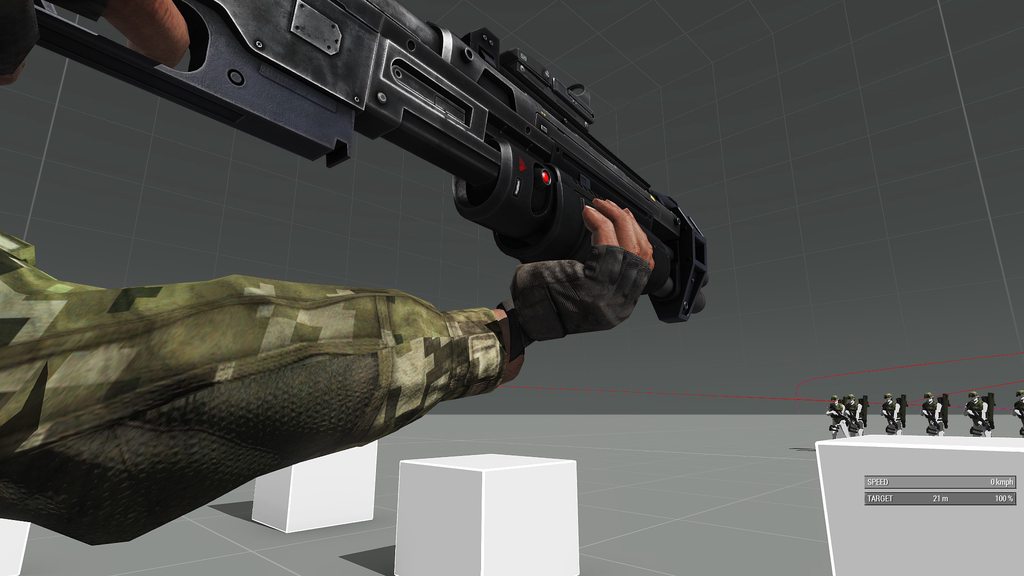
i've only messed with the fingers on that arm
cerulean pivot
it looks like the hand is too far from the body
move the hand closer
or just set the left hand IK to 0
Or maybe you twisted the arm too much
The angle of the wrist doesn't look right
The wrist should be turned futher to the left
oblique lodge
i didnt touch the wrist is why i am confused
in object builder and blender it looks fine
only in game is it all funky heh
fast canopy
If you touched or not, is not a concern because it blends two animation. This is why it only happens ingame
oblique lodge
so i should make the blend file look a little funky so it shows right in game?
fast canopy
Try what Leopard said first
oblique lodge
can do
desert raven
for weapon holding animations only the hands and fingers change, from the wrist up the engine tries to blend the pose with the underlying default rifle holding pose
oblique lodge
I know we tried the ik to 0 trick, but i can pull it back maybe too
desert raven
so your shoulder, arm, etc position wont matter
oblique lodge
if i had to raise or lower the hand would that mess it up?
i only used the rig selection for the hand so
desert raven
its possible you have twisted the hand bone 360 degrees
oblique lodge
i only messed with the finger bones
desert raven
I would reset the left hand bone
oblique lodge
i never rotated the hand rig
oblique lodge
im using a hand ref from soemone else so maybe that is why.
it looks great in blender
desert raven
very possible
oblique lodge
and in object builder
desert raven
OB look does not matter
fast canopy
Again
If you touched or not, is not a concern because it blends two animation. This is why it only happens ingame
Because it only blends ingame
oblique lodge
gotcha. i appreciate the replies as well
this is all new to me so it is a trip for sure
desert raven
so the default rifle pose is something like this

when you make your own animation it tries to adapt this to fit your hands
but at some angles it bugs
as it cant reach the hand/wrist
or the hand has some bad rotation it cant handle

It is also possible the hand bone is not correctly named and does not receive actual rotation info
though it would not be in correct position if that was the case
cloud perch
I believe the main issue that is causing this is his having built the handAnim off of a pre-existing handAnim that had had it's hand bone rotated
oblique lodge
ok so i fixed the issue with the wrist and such but when someone hits ctrl twice and lowers the weapon the arm moves but the hand animation stays, which breaks it and makes it look jank. I should get a pic of it by tomorrow as it is late here. Any idea why the hand would stay and mess it up?
desert raven
That is odd. Either you are somehow breaking all animation config or some other modded feature messes it up.
 thorny minnow
Need some help. I want to use a custom rtm for a weapon. I'm using the armarig v6 on blender
do I just need to export the animation/rtm with 1 frame in it to use hand animations?
thorny minnow
desert raven
as long as the frame time is 0 in the frame list, it works
Ah I see. I figured but wasn't sure. Does it matter if I export the whole rig? Mainly concerned about the handanim for weapons and not sure how arma is going to take into account the other bones in the armarig for blender.
desert raven
whole rig yes
in game weapon animation is pasted over the standard rifle/launcher pose and the hands positioned in place according to their offset from weapon/launcher bone
thorny minnow
Thanks chief 👌
thorny minnow
desert raven
in game weapon animation is pasted over the standard rifle/launcher pose and the...
@desert raven We tried to export the rtm's for a custom animation, but apparently they are not doing anything iin the script and the character just resets to default arma animation. Any idea what we're missing when exporting the rtms? The files are in the kb size, though in blender I added the key frame for each
desert raven
sounds like the frames dont export
thorny minnow
turns out it was a config issue, the rtm is fine
thorny minnow
desert raven
sounds like the frames dont export
@desert raven Hey chief, quick question
When it comes to a weapon rtm for holding weapon and reload animations, how much of the animation do I need to pose for Arma 3? Do I need to take every single bone into account including feet stance for both? or does arma only calculate certain bones positions for things like holding weapon and animations?
Thanks
desert raven
no it basically just uses hands and fingers in relation to the weapon bone
the rest is not used
however using the default rifle pose as base is beneficial to preview how it approximately looks like in game
and when making reload animations it is better to start reload with the base stance applied
 frank yoke
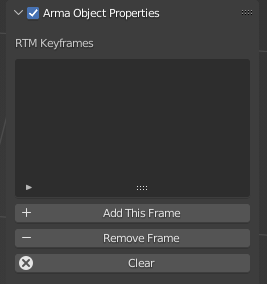
Is it just me or the "add keyframe range" option is gone from A3 toolbox for blender?


 fast canopy
https://vxtwitter.com/polpoxEN/status/1550025573908742144
Tried to rig the head with a lot of support bones, and this is the result so far. Can't say what is unnatural because of lack of the knowledge
subtle falcon
frank yoke
https://i.imgur.com/bgcTBa8.png
Use an older Blender version
desert raven
or newer toolbox 😉
desert raven
subtle falcon
Doesn't work with the latest one :/

latest one might not be on the git though 🤔
@meager oar is it ok to share more recent version?
of the toolbox
 meager oar
Yeah go ahead
meager oar
Please note that the later versions have some experimental features that may or may not work as expected, so proceed with caution. Having said that, though, I have been using this version since quite a while for all my Arma 4 modding.
LOL I mean Arma 3
(WIshful thinking)
desert raven
😄
subtle falcon
desert raven
Oh, thank you! I recently worked on some animations with blender 3.2 with the latest github version of toolbox but I didn't realize I didn't have the "add all frames" option until I finished working on the 6 animations. Instead of redoing the animations in Blender 3.1, I added the 120 frames manually.... for the 6 animations. 😅