#arma3_animation
1 messages · Page 3 of 1
 meager sand
 zealous solstice
That looks so scary lmao
 quaint oyster
zealous solstice
That looks so scary lmao
quaint oyster
zealous solstice
That looks so scary lmao
Im not a lucky individual💀
zealous solstice
Eeeeessshhhh lol. Im running into some issues with animation too. Usually taking a step back and looking at it when your brain is fresh helps a lot. I usually go play DayZ until I get pissed off, come back and be like: "oohhh so that's how I do dat" lmfao
 dark ridge
Hi guys! Can someone help me? I'm trying to transfer the animation to a slightly modernized Armarig (no animation is retargeting to the original Armarig at all due to IK) and you can see the result in the picture. However everything usually works fine if:
- I don't move the skeleton relative to the Origin point. But then it is also at ground level in the game.
- I do animation manually.
Apparently I'm doing something wrong with the coordinate axes. I have already tried shifting Origin point, disabling all constraints, upgrading the skeleton, using different addons for rigging, ediiting config.cpp, using Mikero Pboproject.

 dark ridge
Yes. As I said, this is where the problem comes in.
 fast canopy
Ctrl+A
dark ridge
fast canopy
Ctrl+A
I tried to use it in Object mode and Pose mode. Does not work. (
 desert raven
dark ridge
I tried to use it in Object mode and Pose mode. Does not work. (
desert raven
dark ridge
I tried to use it in Object mode and Pose mode. Does not work. (
what exactly is slightly modernized rig?
does it match the arma man?
have you changed rotations of the bones?
dark ridge
desert raven
what exactly is slightly modernized rig?
I made about 5 different rigs. All are very similar to Armarig or ofp2_skeleton. The set of bones exactly matches the BIS list. The bones are exactly in place with the correct names. In fact, I used Armarig in which I only removed the IК-responsible constrains. Rig matches arma man.
desert raven
dark ridge
I made about 5 different rigs. All are very similar to Armarig or ofp2_skeleton....
Have you changed bone sizes or rotations?
dark ridge
desert raven
Have you changed bone sizes or rotations?
No. I took Armarig, removed everything that is responsible for the IK. Only the rotation constraints on the duplicated bones remained.
I thought remaining constraints might be the problem. So I removed them by making 4 bones on the limbs instead of 2, as is done with ofp2_skeleton. But it did not help. I did a lot of experiments with different skeleton options and nothing helped.
desert raven
The constraints and extra bones dont matter as long as they are named with @ in the front.
are you packing the pbo with the rtms with addon builder or pboProject?
@dark ridge
dark ridge
desert raven
The constraints and extra bones dont matter as long as they are named with @ in ...
I read about it, but in desperation I even worked out this option.
dark ridge
desert raven
are you packing the pbo with the rtms with addon builder or pboProject?
Tried both. No difference.
desert raven
dark ridge
Tried both. No difference.
which version of pboProject?
free or subscribed
free has bit less rigorious checks for model.cfg and rtm compattibility
do you have model.cfg file with the man skeleton defined in it next to the rtms?
dark ridge
desert raven
which version of pboProject?
The last one is currently on the site. Free version.
desert raven
desert raven
do you have model.cfg file with the man skeleton defined in it next to the rtms?
how about this?
@dark ridge
dark ridge
desert raven
how about this?
No. I don't. I defined skeleton in config.cpp
desert raven
thats not where its done
this may be the issue
copy the model.cfg of the sample character in arma 3 samples on steam and drop it in the folder with the rtms
zealous solstice
So bit of a noob question here. I have an animation on a model. Do I need to export it in a certain manner into the Arma 3 tools or how does that work? I've been looking in some of the old forums, but can't find much or I'm not looking in the right spot.
dark ridge
desert raven
copy the model.cfg of the sample character in arma 3 samples on steam and drop i...
Unfortunately, that didn't help either. The packer demanded to rename a number of bones - to change the capital letter to uppercase. Very strange. Armarig has them all except for the camera with a capital letter. And for some reason did not find the file SkeletonPivots.b3d at the specified path. I had to change the path and put the file in a folder with rtm.
dark ridge
zealous solstice
So bit of a noob question here. I have an animation on a model. Do I need to exp...
As far as I know you need:
- export with ArmaToolBox addon (if using Blender) to RTM
- Make animation description in config.cpp
- Pack using either the standard Addon builder or Mikero Pboproject.
fast canopy
zealous solstice
So bit of a noob question here. I have an animation on a model. Do I need to exp...
Depends on what kind of animation and model
zealous solstice
fast canopy
Depends on what kind of animation and model
Dog and a simple walking animation
fast canopy
Then Di17 above's explanation should be sufficient
quaint oyster
zealous solstice
Eeeeessshhhh lol. Im running into some issues with animation too. Usually taking...
i fixed it, was just a windows update being needed
fixed the error with PBO project but still recieving this output
 fast canopy
Do you have proper model.cfg?
fast canopy
How is the file/folder structure?

 fast canopy
And how's your config?
quaint oyster
actually hold one i might be slow lol
thank you for the help, i just realized i have an old config and pbo in a separate folder
fast canopy
Oof, it happens when it happens
quaint oyster
@fast canopy im in need again lmao

not broken like before but not exactly on my gun and i dunno why
fast canopy
How it looks in Blender?
 fast canopy
This is why
Do you see the weapon bone is not aligned with the model itself?
RTM does not care about what you see in Blender or any meshes, but bone relations
The weapon bone is not on the right place and angle
quaint oyster
this m16 i presume is what i need?
 quaint oyster
i dont often use blender 💀
fast canopy
Then let me see what I can tell/refer
quaint oyster
ive adligned weapon bone as best as i can see
 fast canopy
This might not be accurate enough
- Change a frame so you won't lose your progress
- Reset all animation and go to T pose (A pose)
- Set your rifle at X,Y,Z = -1,0,0 (IIRC)
- And change the angle accordingly
- Select the rifle object and then armature (the armature must be selected last)
- Ctrl+P to parent, Empty Weight should do
quaint oyster
you lost me at the first step im gonna be honest lol
fast canopy
- A to select all bones
- I to apply (save) all bones movement
- Use left or right arrow key to change frame
quaint oyster
noticed this litle icon change down here thought i'd note it
 fast canopy
Indeed, you're doing it what I said
quaint oyster
im ready for next thing
fast canopy
I forgot what is the shortcut to reset movement and rotation... Alt+G and Alt+R IIRC?
 fast canopy
R too so rotation will be reset
quaint oyster
 fast canopy
So you'll see a ordinaly A-pose
quaint oyster
yes

 fast canopy
Step 5
quaint oyster
do i just shift click my rifle then the armature(the bones)
fast canopy
Yup
quaint oyster
fast canopy
Yup
any of these?
 fast canopy
That should do
quaint oyster
just select what i have highlighted?
fast canopy
Ye
quaint oyster
done
fast canopy
If everything is done right your rifle will follow the rifle bone
quaint oyster
yes now i hide m16?
fast canopy
If you need
quaint oyster
fast canopy
If you need
so how to i get this version back to my keyframe with progress on it?
fast canopy
Just change the frame back to 0
quaint oyster
thank you a bunch my friend. So much pain for a 5 minute fix lol
fast canopy
You'll robotomy your pain eventually
dark ridge
Has anyone done animation retargeting? Share your experience please. I mean, have you met similar problems?
desert raven
Have done, had no problems.
dark ridge
desert raven
Have done, had no problems.
How? Blender - ArmaToolBox addon - AutoRig addon - Mikero PboProject?
desert raven
have not used autorig inbetween but made my own setup. but otherwise pretty much that
dark ridge
If I manually animate, then everything turns out well. So I think the problem is somewhere in the retargeting tool. Skeleton is fine. I tried retargeting with rokoko, autorig and did my own metarig. Everywhere the same result. What does "my own setup" mean?
If you mean manually moving the character, that works for me too. The problem is with automatic retargeting.
desert raven
I set up my own retarget rig 
dark ridge
Hooray! ))) It worked. I did everything completely anew and did not touch the coordinate axis before retargeting. Thank you very much for your help @desert raven and @fast canopy!
If someone needs to import animation from Mixamo, you can use my project. Additional customization may be required for each animation. How to do all this, see here: https://youtu.be/w16HNmp_KjE (there are English subs)
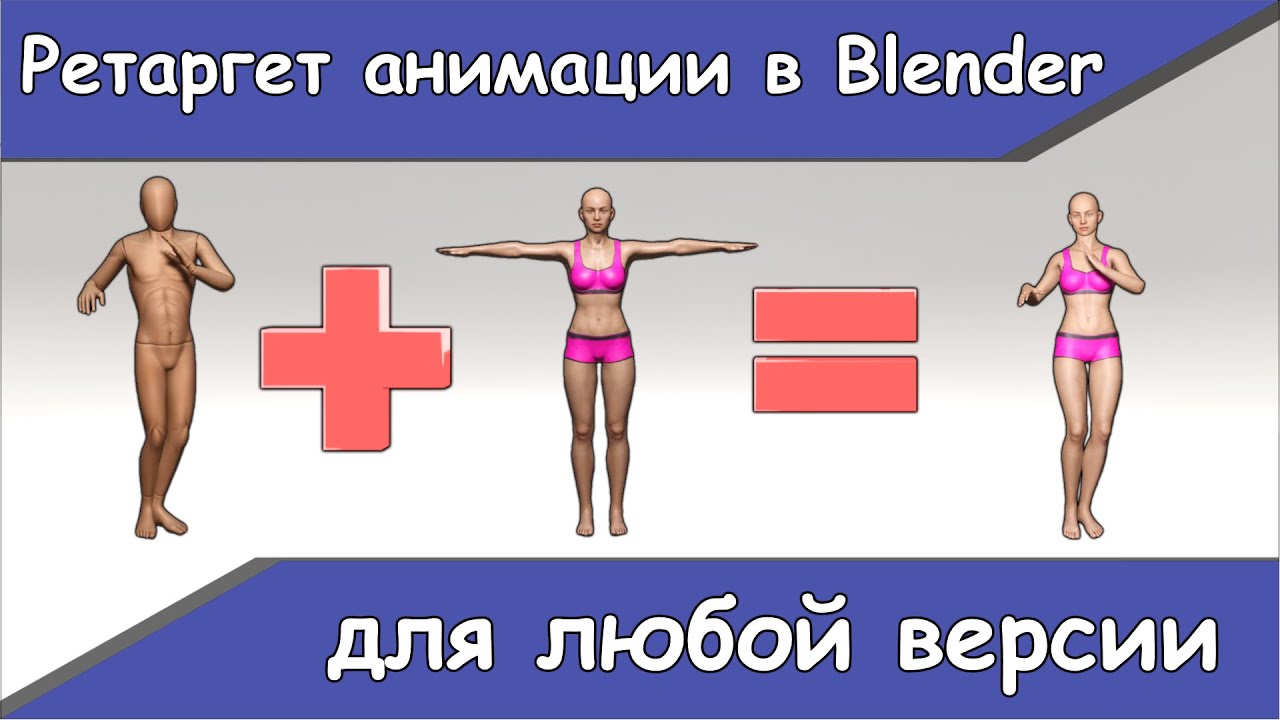
В этом видео я покажу универсальный способ ретаргета анимации в Blender. Способ подходит для любой версии Blender. Повторю здесь основные определения из видео, чтобы никто не запутался. Риг источник - анимированный риг, от которого мы берем анимацию. Целевой риг - риг, на который мы делаем ретаргет анимации. Мета риг - промежуточная фигура из пу...
fast canopy
Nice! One step ahead to the gate of the hell and suffer
dark ridge
fast canopy
Nice! One step ahead to the gate of the hell and suffer
I'm already looking forward to it. 😄 It took me a couple of weeks to make retargeting.
fast canopy
I want to have a prone gesture that doesn't allow you to move while playing - possible?
desert raven
Should be I think. Maybe something derived from the unconscious state?
fast canopy
Just to clarify not CfgMoves but CfgGestures
fast canopy
As far as I can see, some Mods does gestures to prone reloading, and it disables movement
Like Aegis, what I worked on
I know that is not what vanilla Arma 3 does but it seems it does work, and have zero idea why it does work
desert raven
Is it possible there is some eventhandler and disable input hacks happening?
fast canopy
I do not think so, none of Aegis dues can script other than me 
 fast canopy
class CfgMovesBasic
{
    class Default;
    class ManActions
    {
        GestureReloadSA80 = "";
        [...]
    };
    class Actions
    {
        [...]
        class RifleProneActions: RifleBaseStandActions
        {
            GestureReloadSA80[] =
            {
                GestureReloadSA80Prone,
                Gesture
            };
            [...]
        };
        [...]
    };
};
And I prefer to achieve in gesture because it is easier than creating the entire anim
Huh
Okay, so, player playActionNow "GestureReloadSA80" or something in this case, does NOT prevent you to move
But reload in prone, so probably an engine thing
So I need to scrap the idea and make it in CfgMoves 😩
desert raven
fast canopy
So I need to scrap the idea and make it in CfgMoves 😩
How did you intent to run the gesture? Could you at the same time disable input?
fast canopy
To “throw back a grenade” so it would stop someone to move if is in prone
 woeful pelican
prone reloads at least for most of vanilla stuff are full body animations instead of gestures yeah
and this stops you from being able to move
fast canopy
Yeah, but our (Aegis) does like that and playActionNow doesn't prevents it
Which I wanted to have is not an reload animation, so
fast canopy
Pretty much same thing
 subtle falcon
 lilac geyser
fast canopy
I want to have a prone gesture that doesn't allow you to move while playing - po...
lilac geyser
fast canopy
I want to have a prone gesture that doesn't allow you to move while playing - po...
Wait, if Polpox is asking for help, then the rest of us have no hope
fast canopy
Don't overestimate me
desert raven
everyone needs help every once in a while
lilac geyser
it was a joke
 cerulean pivot
fast canopy
As far as I can see, some Mods does gestures to prone reloading, and it disables...
cerulean pivot
fast canopy
As far as I can see, some Mods does gestures to prone reloading, and it disables...
I doubt it's a gesture. it must be a move
similiar to vanilla prone reload anims
dark ridge
How to make the character stay where the animation ended?
desert raven
dark ridge
How to make the character stay where the animation ended?
scripting
dark ridge
desert raven
scripting
I understand it. The question is which script does it? I can't find it at all. I have already tried to find config parameters for similar animations and nothing works.
desert raven
dark ridge
I understand it. The question is which script does it? I can't find it at all. I...
what kind of animation are you talking about?
dark ridge
I'm trying to make an animation where a person walks and waves his hand. But after playing the animation, the character appears at the starting point.
desert raven
then you would need a script at the end of the animation that setpos the character to the new position
animation like that dont actually move the character
dark ridge
Does the basic walking animation work the same way? I thought there is some parameter that determines the animation with movement.
desert raven
no it has a movement vector
dark ridge
Is it possible to bind such parameters to my animation?
desert raven
yes but only to 1 direction
but also it wont work like what you have now
if you add movement vector the animation needs to be done stationary so it just walks in 1 place
and then the movement vector moves it
you could likely already achiveve this by using vanilla walk animation via scripting or just ordering a move and then playing a hand wave gestrue on top when needed
dark ridge
desert raven
you could likely already achiveve this by using vanilla walk animation via scrip...
Wow! Thank you! I hadn't thought of this before. As I understand the animation of the gesture, I have to do it myself and then activate it using the mask?
desert raven
you might already be able to find suitable wave in the vanilla gestures
dark ridge
desert raven
you might already be able to find suitable wave in the vanilla gestures
Where to watch it?
desert raven
animation viewer
dark ridge
desert raven
animation viewer
Hm.. Tanks )
Sorry for stupid questions... 🤪 So I take any animation, put a mask on the needed part of the skeleton and apply it to the character in motion? Or is there some other way?
desert raven
where exactly?
what mask and what skeleton?
I was talking about just playing vanilla animation in game instead of making new ones
dark ridge
I can't figure out where in the animation viewer there are separate animations for gestures.
desert raven
yeah dont remember how you exactly look at them but the viewer should be able to show them
you just need to fiddle with the slection menus
or you can try Polpox artwork supporter mod and his better animation viewer
lilac geyser
for making a handanim, do I just have to set the hands correctly? or also worry about the rest of the body?
How does Arma adjust for proper height at which to carry the weapon, and how far/close to keep it from the body to ensure back of weapon doesn't clip into the shoulder?
Or is that all just based on the eye memorypoint?
desert raven
weapon bone is always on the shoulder
and your weapon p3d is glued on it in game
and handanim references the right and left hand offset to the weapon bone
the arms are then blended
you can probably find my fancy diagrams in the chat history
lilac geyser
I'm working on Blender, using the ArmaRig.
Here's what it looks like currently. I only moved the weapon bone, NOT the weapon.
 desert raven
you cant move the weapon bone
the underlying pose is always same
if you need to move the weapon, you need to do that in the weapons p3d
lilac geyser
Does that mean that my weapon will clip into the shoulder? Do I need to offset that in the p3d?
damn, it sounds like it haha.
lilac geyser
Hmmm. I seem to have a problem with the latest version of armatools for blender. I don't have the add a frame range button. Looking into it here on Discord, it seems like's happened before, but was supposedly fixed in a previous version, and I've got the latest version at 3.0.4.

What else can I do to export from blender, or what alternative is there?
desert raven
try reinstalling the plugin and/or restarting
it should be there
also use the plugin from the pinned messages
fast canopy
So, just to sanity check - we have no way to script playMove or such to play multiple CfgMoves move in the same time, just like weapon switching?
dark ridge
@fast canopy I'm trying to make my gesture. I found your post on the forum. https://forums.bohemia.net/forums/topic/223716-behind-the-artwork-supporter-how-to-animate/
And this is the only place where it is at least somehow explained how to work with masks. Where did you get the information? Where can I see the full list of values for the mask command?
Bohemia Interactive Forums
Welcome to the tutorial of Artwork Supporter, this is where you need to look at make static animations and its configurations. You can also find FaceRig to make facial expressions! Useful links also: https://community.bistudio.com/wiki/CfgMoves_Config_Reference Disclaimer: this is NOT a turorial ...
fast canopy
Simply by checking the config
dark ridge
fast canopy
Simply by checking the config
And did you learn each parameter by trying in the game? This is madness. 🤪 Can you tell me what other meanings for body parts you managed to find out? What means head = "empty"?
fast canopy
By torturing myself
head = "empty"; should mean which mask the animation should use to head movement AFAIK
But since this is not really a good tutorial to make a workind animation, I don't really think you should to rely on it 100%ly
dark ridge
fast canopy
`head = "empty";` should mean which mask the animation should use to head moveme...
So the head uses a separate mask. Did you do dynamic mimic?
fast canopy
What do you mean?
dark ridge
Separate facial animation. I haven't seen anyone do this, but since there's a face rig, it should be possible.
fast canopy
Still not sure. “Separate”?
dark ridge
Sorry for my English. I mean not static animation.
fast canopy
Well it SHOULD be. Never tried
But since it is moddable and proofed, I see no reason that it won't work
dark ridge
Nice to know! 🙃 Thanks!
lilac geyser
Hey folks,
If I make a handanim in Blender, do I export the whole ArmaRig as the rtm (using the Toolbox)? Or do I delete everything except the hands?
One handanim tutorial I found deletes everything but the hands, however they do that in OB, not Blender, so Im not sure. I'd assume I do delete everything but the hands, no?
NVM. seems that not deleting anything works just fine.
desert raven
lilac geyser
NVM. seems that not deleting anything works just fine.
this is correct, exporting all is good
only thing you basically need is the vanilla rifle holding pose so the weapon bone is in correct place at the shoulder
lilac geyser
Thanks, Goat!
I got it the handanim to work just fine. Wrist looks slightly broken/weird angle, but its close enough and I cant be bothered to perfect it anymore.
 fair dune
Hello, is there any good Tutorial, on how to make ArmA 3 Static or Walkable Gestures/Animations?
lilac geyser
Check pinned messages!
 ocean tinsel
I need some assistance please!
Is there an easy way to fix this before going through AddonBuilder instead of Mikeros?
 fast canopy
Do you mean these are your custom rtms and having issues with them?
Do you have, and where did the model.cfg came from?
fast canopy
Hm, then why you're crunching it? Just in case, do you want to have it standalone Mod?
ocean tinsel
I want it to be a part of my ADF_Core mod to reference when using those cargo moves
I can just pack it the normal way instead of using Mikeros
fast canopy
I don't know if there is an absolutely defined normal way, but if you have Aegis dependencey, you're only making it things complicated, I guess
ocean tinsel
Yeah I don't want any dependencies on other mods
The CfgMoves files are part of the Aegis public files
fast canopy
I mean that's fair, just wondered
So where is the model.cfg and the rtms? The same folder?
ocean tinsel
Just trying to make it a stand-alone mod
fast canopy
You mean the same folder?
ocean tinsel
Yes they are
fast canopy
Try to move model.cfg to the parent folder and see if works
ocean tinsel
Okay :)
ocean tinsel
fast canopy
Try to move model.cfg to the parent folder and see if works
Stopped the error! Thanks, now it's just binarising forever
desert raven
But do the animations work anymore?
I'd check that in game before celebrating. The Hips is not a real bone so the RTM are done with a wrong setup rig I think that has extra bones. And the new checks are more thorough and catch that as an issue.
fast canopy
If the source is the completely same with what we used it should work... should.
ocean tinsel
desert raven
But do the animations work anymore?
I couldn’t get it to binarise, so left it unbinarised and it works
ocean tinsel
What would be stopping BinMake from binarising the RTMs then?
desert raven
ocean tinsel
What would be stopping BinMake from binarising the RTMs then?
What errors you get?
ocean tinsel
I don’t get any. It just sticks on ‘binarising’ forever
desert raven
is iit just rtms you pack?
ocean tinsel
desert raven
is iit just rtms you pack?
As well as config and some .paa files. It’s not much
zealous solstice
I was just wondering I know there is a addon for blender to export animations, is there anything for Maya?
desert raven
zealous solstice
I was just wondering I know there is a addon for blender to export animations, i...
cant say I recall there being any. Maya does not come up much in modding scene
zealous solstice
Yeaahh that's what I noticed. Recently got it, did a couple rigs with it, which it was amazing how well I managed to get it put together, but I haven't really found much for modding unfortunately, was hoping there was something. Lol.
zealous solstice
That's fair. my boyfriend got it to help me learn animation and 3D modeling, or rather to further that since I've been messing around with Blender for awhile now. Just was kind of interested in seeing what in all it could be used for
 grizzled blaze
so if im making a turret and i want to have the character have the default turret animations
is there a model.cfg template i can use to try and get an understanding?
I know i can put axis around and do all that stuff in memory point lod, i've already done a bit of that
but i want it to inherit the default turret anims and idk what thats called since all my animations havent had inheritences yet ; w; is it like
Myturret: inherretedturretmodelname
??
desert raven
grizzled blaze
so if im making a turret and i want to have the character have the default turre...
There are no model. Cfg templates
But also the model.cfg animations are not directly related to the gunner character pose
grizzled blaze
i already have the in the default "gunner_hmg02_standing" position
grizzled blaze
desert raven
There are no model. Cfg templates
i have him tied to the turret now, but that isnt exactly the answer im looking for since he just moves wherever the turret does, should i add the arma man to my model config and then inherit the skeleton then tie his hands to the turret? ; w; or do i not need to do that since he is just a proxy and im missing something important
//the vid is of an older build but its close to where i am currently, aside from the floating arma man following the turret lol
desert raven
grizzled blaze
i have him tied to the turret now, but that isnt exactly the answer im looking f...
no you dont move the character with the turret in the way you think
if you want parts of a crew member to move with some vehicle animation you need to define the IK selecetions in the vehicle/turret config and then those parts of a character get tied to animated vehicle parts
if you want whole body to move, you can attach the proxy to the turret or gun selection
but if you want only hands move you need to use the hand IK point connfig parameters
grizzled blaze
i see i see, yea rn the whole character moves but id rather if just his upper body moved due to the motion limit of the turret, or at least his legs stay on the ground.
So gunnerRightHandAnimName = "righthandpoint"
is what i need or is it a different flag? ; w; im looking through the cfg vics page on the wiki but i cant find
also, so i dont make the mistake of my predicesors,i really want you to be able to actually shoot the gunner, do i need to add his proxy to other LOD's to make this happen?
i guess i should focus on gettin the mans movin first > ->
desert raven
Gunner proxy needs to be in firegeometry lod and some parameters in turret config need to be right so gunner can take damage
If the whole body moves, then you have the proxy tied to a animated selection. You likely want to remove that
grizzled blaze
ye i have the gunner proxy tied to the turret bod, easy enough to shut that down
and oh okay so just add the gunner prox to fire geo, ez enough
If i want the gunner to move just on the horizontal axis i would create a anew anim source for him that inherits from the horozontal axis animation of the turret right? ; w;
desert raven
no need for new animation source since its the turret and gun sources that you need to use to keep it moving with the turrets movements
if you want more realistic movement it becomes more complex with multiple animations moving the body (proxy) in different directions depending on where aim is
and then hand and feet IK animations to keep hands on the gun and feet on the ground
there is no simple explanantion for all this nor any good examples Im afraid
grizzled blaze
its all good, ill be happy with the basic hands on gun and man behind gun is killable
for now
grizzled blaze
desert raven
no need for new animation source since its the turret and gun sources that you n...
moving to another project rq is there a flag to make it to where the crew of a vehicle is deleted or killed on vehicles death?
I know there's an event handler but
Basically my situation is i have "drones" and the AI used for drones seems to be too passive (They set themselves to careless even when being actively shot at and just hover over enemies)
But they dissapear when the vehicle pops
I am currently using opfor marksman as the pilot and gunner but when the vic pops they jump out. even though i have the crash protection set to(if the wiki is right idk) kill them on impact

it says lower = better protection, so i have it set to "1" which theoretically should kill them right?
//i also dont even know what channel this question should go in sorry if im breaking a rule or smthn 
desert raven
for general config stuff #arma3_config is the place to go
 unreal sage
Hey guys.
I have been trying to get a simple Gesture in game and for whatever reason, the gesture is showing up on the Animation Viewer but when I try to press it, nothing happens. Packing with PBOProject.
Config:
class CfgMovesBasic
{
    class ManActions
    {
        TESTANIM_Sys_Shoot_Gesture = "TESTANIM_Sys_Shoot_Gesture";
    };
    class Actions
    {
        class NoActions: ManActions
        {
            TESTANIM_Sys_Shoot_Gesture[] = {"TESTANIM_Sys_Shoot_Gesture","Gesture"};
        };
    };
};
class CfgGesturesMale
{
    class default;
    class States
    {
        class TESTANIM_Sys_Shoot_Gesture: default
        {
            file = "TESTANIM_Sys\TESTANIM_Sys\Anim\TESTANIM_Sys_Shoot_Gesture.rtm";
            looped = 1;
            speed = 1e-05;
            mask = "handsWeapon";
            canPullTrigger = 1;
            headBobMode = 0;
            canReload = 1;
            terminal = 0;
            preload = 1;
            disableWeapons = 0;
            disableWeaponsLong = 1;
            enableBinocular = 0;
            enableMissile = 0;
            onLadder = 0;
            showHandGun = 0;
            showWeaponAim = 1;
            showItemInHand = 1;
            showItemInRightHand = 0;
            rightHandIKCurve[] = {1};
            leftHandIKCurve[] = {1};
        };
    };
};
Also as a mention, the gesture is comprised of 3 frames, with -0.5 being the standard T-Pose, then 0.0 and 1.0 being a sort of "Static" gesture, SImilar to the position ready mods
fast canopy
class CfgMovesBasic
{
    class ManActions
    {
        TESTANIM_Sys_Shoot_Gesture[] = {"TESTANIM_Sys_Shoot_Gesture","Gesture"};
    };
};```How about this instead?Checking, One moment
Still nothing, When using the Animations viewer, the Gesture name shows up but when I click on it it never actually does anything, no errors or anything
fast canopy
Actually Gestures are really hard to debug...
https://forums.bohemia.net/forums/topic/223716-behind-the-artwork-supporter-how-to-animate/
How about to follow my template?
Bohemia Interactive Forums
Welcome to the tutorial of Artwork Supporter, this is where you need to look at make static animations and its configurations. You can also find FaceRig to make facial expressions! Useful links also: https://community.bistudio.com/wiki/CfgMoves_Config_Reference Disclaimer: this is NOT a turorial ...
unreal sage
I'll go through it again
Could it be the maskHands part maybe?
Not seeing Hands defined in BlendStates
handsWeapon*
fast canopy
handsWeapon is a valid mask
unreal sage
Hmm, Ok
unreal sage
Got it working somehow, thanks my guy
fast canopy
Yeah animations be like
 rustic kindle
Hi! I've recently joined the discord, I've been doing view-model animation for a while and wanted to get into how animation mods work for Arma 3, I wanted to ask if anyone knew any guides i can find to achieve a good blender to arma 3 animation workflow? Want to learn more about the engine and see where I can get 😅
fast canopy
View model animation such like what?
rustic kindle
fast canopy
View model animation such like what?
FPS animations, like reloads and such
fast canopy
I would like to know what is such in this case
rustic kindle
Like custom reloads, in such addons as RHS, or N.I arms
fast canopy
Because reloads are certainly possible. But “such” is not sure
So mainly reloads, not “such others”?
rustic kindle
Oh well 😄 By such I mean in general whatever the gun config file needs. I am only mainly planning to make animations I will need to make for it to work in game.
Sorry if I am not coming off fully clear, I've never really done mods for Arma 3 besides simple retextures so its a huge leap which I am wiling to learn.
fast canopy
https://www.youtube.com/watch?v=QQO3VwPhqEM
I actually use Cascadeur -> FBX -> Blender -> RTM plus in-game config

A showcase video to show the proof of concept - Importing Cascadeur animations into Arma 3.
This is not a tutorial! I would like to make one sooner or later on my website, whatsoever.
"This video was created using content of Bohemia Interactive a.s."
"Copyright © 2023 Bohemia Interactive a.s. All rights reserved."
"See www.bistudio.com for more...
rustic kindle
Cascadeur works with arma 3 rig? Thats super cool 😄
fast canopy
Partially public already. But it is very messy and not recommended to use for now
rustic kindle
Yeah, I haven't even really gotten that familiar with Cascadeur
fast canopy
Those rigs are still evolving
At least it is very useable, even with free license
...If you can afford time and braincells to waste
rustic kindle
Lol, yeah
Its a great tool, but I am way too used to blender hotkeys and workflows 
How is the workflow to achieve something similar in Blender with a FPS perspective to export it and get it into the game?
fast canopy
TBH I haven't really used Blender to make animations, Cascadeur FTW (again, if you can sacrifice yourself)
https://twitter.com/polpoxEN/status/1513930868527894528
Fact that you can do this makes you never back to IK controllers


Cascadeur is an amazing tool. You can just tweak a part of your animation just like that. There is no IK controllers or such just like what we've done in Blender, just some bones, that's it
 Twitter
·
rustic kindle
Twitter
·
rustic kindle
Idk yeah, I'm planning to get into it soon
fast canopy
Anyways, to make an Arma 3 animation, you'll need an RTM (Arma-ready animation format) and proper config. We can explain you sometime
rustic kindle
fast canopy
Anyways, to make an Arma 3 animation, you'll need an RTM (Arma-ready animation f...
Got it, do you know of any blender animation ready rigs? I think I found something in the forums, that can export to the RTM format using the arma tools plugin for blender.
fast canopy
Macser's ArmaRig, that should do. If you're familiar with Blender animation, that's enough
rustic kindle
Yeah, I am familiar. Thanks for the help also nice meeting you :), I'm going to probably hit the sack and try out some stuff with the RTM format and see where I can get soon 😂
desert raven
rustic kindle
Yeah, I am familiar. Thanks for the help also nice meeting you :), I'm going to ...
Something to note there is that in A3 the reload animation is split in w things, character movement and weapon parts movement. So custom animations for existing mods can not be done much since you have no access to the weapon model to change how it's parts move during the reload
rustic kindle
desert raven
Something to note there is that in A3 the reload animation is split in w things,...
Yeah I understand, its similar to how most people do it. I also want to make a small weapon mod how is rigging and getting a custom weapon into the engine work?
In this weapon mod i can animate the custom reload and as far as i know arma only supports one reload animation as for example it doesnt matter if your gun is empty or not it'll play the same animation i wonder if this is something we can modify or not
desert raven
rustic kindle
In this weapon mod i can animate the custom reload and as far as i know arma onl...
Cant modify but with clever scripting the weapon can be swapped to another with different relaod animation.
 indigo lagoon
is this the correct place to ask for suggestions for holding a briefcase at my side?
 naive hemlock
ass
 fluid breach
well, im offering to help, but meh.. perhaps i'll stick with being an ass.
fluid breach
lol, i was going to recommend he PM you repeated for assistance
naive hemlock
to answer the question regarding briefcase, should work by attaching the brief to one of the hand mems
not an animation per see either
@fluid breach - don't, my PM box is full :P
 unreal compass
Is it difficult to create straight forward pointing (looped) gesture?
Are there any tutorials?
fast canopy
I don't know why you want to know if it is easy or hard
It only depends on your skill after all
unreal compass
fast canopy
I don't know why you want to know if it is easy or hard
For someone who never did it before
fast canopy
...And also, gesture is not really loop-able or good way to start/end smoothly
unreal compass
I mean a forward pointing gesture that starts with raising the hand and pointing straight forward and staying in that position and a second gesture that lowers the hand again
Unfortunately i couldn't find any video tutorial starting from 0 to finish
unreal compass
So are there any tutorials for beginners?
desert raven
unreal compass
So are there any tutorials for beginners?
not really anything very indepth so yes it will be difficult and will require self studying and learning
you can check out laxemans guide for static pose in the pinned messages. it can give you a direction where to start
lilac geyser
Doesnt ACE already have these gestures? Plus they draw the big yellow circle on whatever you pointed to?
desert raven
someone might not want to use ACE though
the game files might already have fitting gesture too though built in
unreal compass
I've already looked for "pointing" gestures in the game, but they only work when you're armed with a weapon and aren't the gestures I'm looking for. I want to create a mod that depends on this gesture, so I would need to create it myself.
desert raven
👍
 halcyon canyon
Hi, does anybody know whether and how it is possible to create complex animations for vehicle parts that are not just rotation, translation but a mixture of both with smooth acceleration and deceleration?
fast canopy
Model.cfg you mean, right? Unfortunately
halcyon canyon
fast canopy
Model.cfg you mean, right? Unfortunately
I'd assume model.cfg but that's part of what I'm asking 😅
Whether there is another location where you can define more complex motions
desert raven
halcyon canyon
Whether there is another location where you can define more complex motions
Model.cfg is the place. And you can create as complex animations in it you need
halcyon canyon
desert raven
Model.cfg is the place. And you can create as complex animations in it you need
Cool, thanks. That sounds promising.
Could you elaborate a bit on how you would go about creating a smoothly accelerating movement of an animationSource?
desert raven
halcyon canyon
Cool, thanks. That sounds promising.
Could you elaborate a bit on how you would ...
what exactly are you animating, its usually easier to advice on actual use case instead of theoreticals
halcyon canyon
desert raven
what exactly are you animating, its usually easier to advice on actual use case ...
I'm trying to make a reload animation for a cannon, coupling the movement of the new shell with a character animation of the loader
So the shell would need to do a rotation to be in line with the barrel and then a translation along two axis to be pushed into the breech. And ideally it shouldn't look too robotic hence the wish for smooth beginning and end.
desert raven
well there are no speed change in animations themselves, but with clever timing you can either stack multiple animations together or animate the push in segments that have diffent speeds between the whole transition distance
woeful pelican
one thing to keep in mind tho is that the reload animation of the character will not be in sync with the vehicle
the vehicle animation is FPS dependent
so lower or higher fps will lead to it desyncing
so its not impossible to do but need to temper expectations
halcyon canyon
woeful pelican
so its not impossible to do but need to temper expectations
Ah good info thanks! Didn't expect that since setting the animation time in the config looks like a foolproof way to make sure everything runs in sync. 🤣
halcyon canyon
desert raven
well there are no speed change in animations themselves, but with clever timing ...
Okay yea that could work. I'll tinker with it, cheers!
 next cloak
Is there an equivalent to init but for CfgMovesBasic / CfgGesturesMale? I want to execute some code when a player starts and finished a certain animation.
fast canopy
Nope, but AnimChanged/Done (IIRC) are valid object EHs
next cloak
Alright, thank you, POLPOX.
 unreal coyote
srsly bis... if ou release sample models why you have to binarize those then...?
still haven't found pre-made skeleton to start learning animations
 thin temple
halcyon canyon
Okay yea that could work. I'll tinker with it, cheers!
thin temple
halcyon canyon
Okay yea that could work. I'll tinker with it, cheers!
Check out the shell ejection/reload on the interior of the tanks in SOG: PF for examples of multi-axis, multi-speed animations.
We looked at making synchronised loader character animations, but as well as the issues Kerc notes, there is also the difficulty of matching the character position to the movement of the gun mechanism, so decided against it for the DLC.
naive hemlock
sample files are NOT binarized
unreal coyote
then how am i supposed to use p3d files in 3dsmax/motionbuilder/maya any autodesk products?
for what i have understood those are exactly binerized with bis tools....
or am i just a retard?
 smoky void
p3d files are not always binarized, they can be, use object builder to open it and probably export it to another format. Not sure if all the info in the p3d is exported though.
naive hemlock
@unreal coyote - again, samples files for A3 are NOT binarized = the ones available in \SteamLibrary\steamapps\common\Arma 3 Samples
you even have 3 max files and 3 fbx files in the same place
toadie has a max CAT (i think) rig as well if that is what you are missing to make animations
indigo lagoon
anyone ever used the fbx to rtm converter and does it work ?
halcyon canyon
thin temple
Check out the shell ejection/reload on the interior of the tanks in SOG: PF for ...
Ah thanks ill deffo take some inspiration from there
 zenith token
if they would be binarized you couldnt open them... so thats a kinda pointless complaint
indigo lagoon
@naive hemlock so just simply attaching it to a hand memory point? that sounds too easy
thin temple
SOG: PF T-54 interior reload (open in browser to enable sound)
https://imgur.com/xAAxyNI
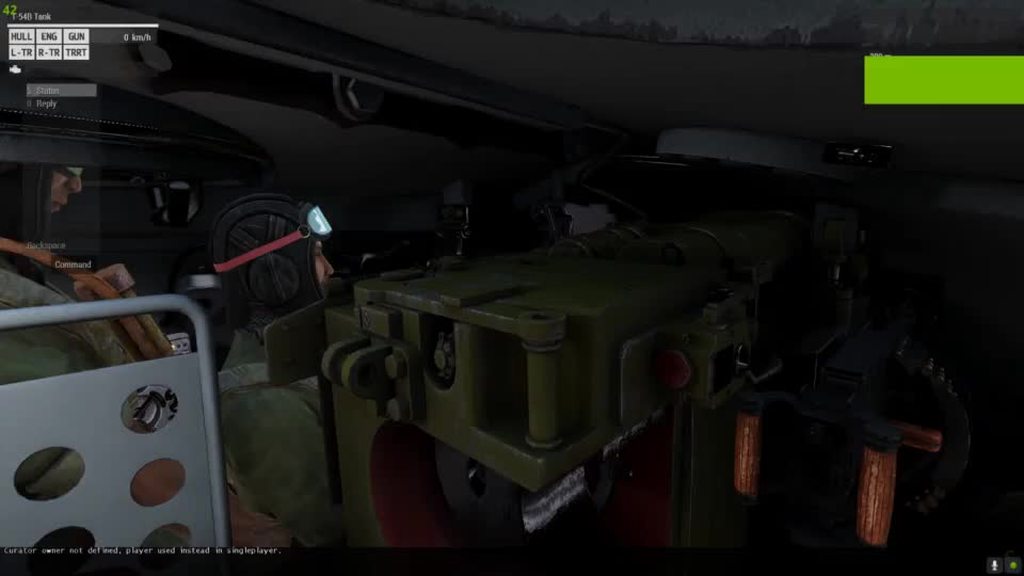
@halcyon canyon ^
naive hemlock
@indigo lagoon - what you want to achieve?
indigo lagoon
people able to carry briefcases around like a business person
zenith token
if you are okay with it looking arkward its easy...
just make it a weapon and use an appropriate handanim. It will be static however...
indigo lagoon
static meaning it wont move with the person or ?
 lime rose
Not sure it it fits here or in #arma3_model better. I want to animate an existing object on a model which is per default at an angle. I would like to setup my model.cfg in a way where for the animation source I plug in 1.0...-1.0 or 90...-90 respectively and rotate it so the final resting position does what I show in the image. I would like to keep the anlge of the object as is at anim phase 0, so by default it stays as the model had it, only if the user adds and positive or negative input it should move from its resting position.

I have tried ```cs
minValue = -1;
maxValue = 1;
angle0 = "rad -105";
angle1 = "rad 75";
and the `1.0` and `-1.0` angles are perfect BUT the position at phase `0.0` is then of course downward, which is not what I wanted. It could be fixed with giving the controller an `initPhase` of `0.15` or what ever is needed to restore the "default model pose" but then i fear this default value needs to be net synced by the game every time. Not sure if RV is clever enough to skip known defaults on server and client on this. also it of course looks a bit stupid in bulldozer all the time then 🙂 cause it sets it to `0.0`I could do one animation where it just did the positive aspect of going to the "left" and anim phase 0.0 kept the angle, and 1.0 was at 90 degrees as desired but then I can not go back. The other alternative that came to my mind was have a separate animation on the same anim source that only listens to negative aspects, but this feels very dirty.
 young carbon
i'm pretty sure linear interpolation is used there, so phase 0 would always be exact center between -1 and 1
can probably be memed about by using multiple animation sources, but oof
thin temple
You can split the animation into two parts to make it non-linear, but personally I'd model it in the p3d pointing -90deg (value 0), set +90deg to value 1 and in config animationSource initPhase = 75/180;
lime rose
I feared as much 😦 Looks like i have to do the initValue route then. Thx for your input
thin temple
I've never particularly noticed initPhase animations being desynch'd as they probably get set immediately on spawn, but the animation of that part when triggered can certainly be delayed across the network.
next cloak
Is there some method for debinarizing vanilla game .rtm files for importing into ArmaRig Importer? Specifically looking for the standing lowered rifle animation anims_f\data\anim\sdr\mov\erc\stp\low\rfl\amovpercmstpslowwrfldnon.rtm.
desert raven
next cloak
Is there some method for debinarizing vanilla game .rtm files for importing into...
mikeros paid tools
next cloak
desert raven
mikeros paid tools
Understood, thanks.
 sly violet
Question: is there a setting or something that tells the game if the grass should be trampled around a soldier, like when you crawl through the grass it gets squashed. I would like to add this effect to other animations.
desert raven
no its feature of grass shader on clutter
sly violet
But how does the game know if the unit is in crawling animation in order to trample the grass?
 forest lance
Most likely just checks the stance and it's not anim related
 harsh plaza
first go at cinematics in enfusion 😆 , inspired off cold war training video - https://www.youtube.com/watch?v=Wn4V8Y3kcCI&t=23s

One of a series of survival training films made by the U.S. Army, this one dates to the 1980s and shows troops in forest terrain similar to what might be encountered in continental Europe.
At mark 01:00, a platoon of soldiers is caught in an enemy attack, and their armored personnel carrier destroyed. Separated from their unit, they must now s...
naive hemlock
- You have multiple options, the easy ones are not gonna look quite great
a. as i said using attachto, i haven't used it in a while myself, but should work
b. make the briefcase as a weapon and create a handanim. The thing will move with the body
my 2 cents - have a look over the hitman missions
the player uses a briefcase IRC
zenith token
you could also make it an "armor" -> you can weightpaint the briefcase so that it follows the arms. Wether it will look good will depend entirely on the default walking / running animation though.
 buoyant lagoon
hello, I am trying to make a pump action animation for this shotgun. For simplicity I started with the hand animation I made and just moved the left hand. I tried tweaking a bit with blendanims under CfgGesturesMale config but I was not able to get anything succesfull. My question is how can I get the animation to ignore the positioning of the back/shoulders and only really care about the lefthand moving along the weapon?
This is what it looks like with mask = "handsWeapon"
https://streamable.com/a84ybd
 desert raven
buoyant lagoon
hello, I am trying to make a pump action animation for this shotgun. For simplic...
desert raven
buoyant lagoon
hello, I am trying to make a pump action animation for this shotgun. For simplic...
have you tried any other blendanim group?
buoyant lagoon
desert raven
have you tried any other blendanim group?
I tried lefthand, but it resulted in this
https://streamable.com/8x4wgp
and I also tried ReloadMask but I dont recall what it resulted in
 desert raven
buoyant lagoon
I tried lefthand, but it resulted in this
https://streamable.com/8x4wgp
and I a...
desert raven
buoyant lagoon
I tried lefthand, but it resulted in this
https://streamable.com/8x4wgp
and I a...
yeah its not taking the shoulder into account.
you might want to try to get your pose in blender closer to the rifle up stance in game so the mismatch wont be so bad
then you could create your own blend group that blends the spine bones only a little to compensate with any minor differences
you also will likely need separate pump animations for different poses
 golden osprey
Che blyt
golden osprey
desert raven
you also will likely need separate pump animations for different poses
Che za xyiny nesesh
buoyant lagoon
desert raven
you might want to try to get your pose in blender closer to the rifle up stance ...
Okay, the samples should have the man in rifle up stance already? if not I guess I can try to find the animation, import into objbuilder and export that fbx as reference
desert raven
buoyant lagoon
Okay, the samples should have the man in rifle up stance already? if not I gues...
unfortunately they do not

 regal mauve
Ok, i get how to hide andd unhide a glass on a building to make window break animation. But with bohemia's windows you can see the glass shattering into pieces and see the pieces falling on the ground (and maybe stay on the ground i ddont remember) when you break a window. How do we make this animation ?
buoyant lagoon
keke so I finally got the hand anim to work
https://streamable.com/ux4k26
though my next problem is needing to scale the animation by 1.1684, whats the proper way to do that?
 desert raven
buoyant lagoon
keke so I finally got the hand anim to work
https://streamable.com/ux4k26
thoug...
desert raven
buoyant lagoon
keke so I finally got the hand anim to work
https://streamable.com/ux4k26
thoug...
Move keyframes around in source (blender?)
desert raven
regal mauve
Ok, i get how to hide andd unhide a glass on a building to make window break ani...
Those are particle effects tied to hitpoints
regal mauve
desert raven
Those are particle effects tied to hitpoints
I see, i'll give it a look. Thanks for your answer, as usual 🙂
 median widget
is there a way to config a turret camera to monochrome(black/white)
thin temple
median widget
is there a way to config a turret camera to monochrome(black/white)
'renderVisionMode' but there's no setting for visible spectrum black and white.
thin temple
You mentioned "camera" which is usually considered a renderTarget.
For an optics mode, not sure.
median widget
my appologise for the inaccuracy in my statement
i currently do it with ppeffects, but would prefere to have it configed
forest lance
IIRC there was a way to have ppeffects in optics config
median widget
forest lance
IIRC there was a way to have ppeffects in optics config
been looking around and cant find anything so if you happen to recall at some point
forest lance
https://community.bistudio.com/wiki/Arma_3:_Weapon_Config_Guidelines#Optics
Optics effects are defined in CfgOpticsEffect. No clue what pp effects are supported here.
thin temple
Maybe class BWTV
might stand for black and white tv
{
    type = "ColorCorrections";
    priority = 1550;
    params[] = {1, 2, -0.03, 0, 0, 0, 0, 1, 1, 1, 0, 0.199, 0.587, 0.114, 0};
};```il look into this thanks
dont think it works, evan vanilla vehicles configed with it dont do it
yup gunnerOpticsEffect no longer works
or maybe its the colour correction
buoyant lagoon
so I have an animation that has 36 frames, how would I find out how long it would play for? in CfgGesturesMale I have the speed to -1
fast canopy
-1 means 1.0 seconds
Positive number = 1/n seconds, negative = n seconds
IDK why they made this way but
You can also put some calc like (36/30) so your anim will be animated 1 and a bit seconds in 30 FPS
forest lance
median widget
or maybe its the colour correction
I would go for custom RscOptics with a scripted PP that's toggled by it's control load/unload then. I think it should work.
woeful pelican
gunneropticseffect should work
if you have class OpticsIn you might need to define it in there
rather than the turret
buoyant lagoon
fast canopy
Positive number = 1/n seconds, negative = n seconds
the n in 1/n being # of frames correct?
so wait
speed = -2
and
speed = 1/0.5
will both play in the same time?
 worthy trout
I believe this fits this channel a bit more, would anyone know where the masking is defined for handAnims for primary/launchers? It appears that the launcher handAnims have a mask applied to the spine bones, character has a straight back but arm positions from bones in the rtm is applied vs. primary handAnims where you can manipulate the spine and arms
I'm basically trying to have the launchers have the same masking as primaries, I don't know if its hardcoded or not
fast canopy
buoyant lagoon
so wait
speed = -2
and
speed = 1/0.5
will both play in the same time?
Indeed
buoyant lagoon
fast canopy
Indeed
Kinda weird, this animation doesn't feel like it's 1 second but I guess lol, I'll pull out a stopwatch I guess
 brittle nacelle
Running into this issue where the animation won't play unless gestures, or other actions happen first (reloading, or crouching, jumping, etc). Any ideas on how I can fix this? The animation partially plays too. If you look at the hand grip, you can see it change
desert raven
maybe wrong masking
brittle nacelle
What do you mean by that?
class CfgMovesMaleSdr: CfgMovesBasic
{
    skeletonName="OFP2_ManSkeleton";
    gestures="CfgGesturesMale";
    class States
    {
        class AmovPercMstpSrasWrflDnon;
        class RS_Thigh_Sqeeze : AmovPercMstpSrasWrflDnon
        {
            looped = 0;
            speed = 0.3;
            file = "\RS\Anims_Gestures\anims\RS_Thigh.rtm";
            canBlendStep = 1;
            minPlayTime= 0.95;

            canPullTrigger=1;
            headBobMode=2;
            canReload=0;

            rightHandIKCurve[]={1};
            leftHandIKCurve[]={0};
        };
    };
};
This is the class for the animation
 carmine sparrow
Having some issues with a custom character im working on. The character does have different proportions then the base arma man (which the skeleton is based on) and other animations such as walking/moving work just fine. However, when im doing the hand animations I get slenderman fingers and hands going on, the arm looks mostly fine but the fingers warp really hard. I have tried weight painting it in a variety of ways but I havent been able to get it close to normal. Anyone able to provide suggestions? I have the arma rig underneath the selected character/weapon for reference.
 fast canopy
I think I can suggest to check the armature and the model's origin pos
carmine sparrow
My understanding is that the armature and the rig are all at 0
 fast canopy
How it looks before is deformed after the armature?
Well actually, usually Arma 3 does not really like different shaped character to have existed anim
desert raven
This. 👆 Your characters hands must fit the arma mans hand or they wont animate correctly
if you have character that is not the exact same shape (all joints in same places) you need a new custom animations set for it
@carmine sparrow
carmine sparrow
desert raven
if you have character that is not the exact same shape (all joints in same place...
Yea this is what I was worried about but was pretty hopeful because I was able to weight paint it enough that walking and such wasnt a problem
 shy yoke
Quick question, how do you go about making split body animations? Like how the weapon reload doesnt affect the player movement,etc. I searched this channel and can't find anything regarding it. (I've never animated in arma before)
desert raven
shy yoke
Quick question, how do you go about making split body animations? Like how the w...
Reload plays as a gesture which is like separate animation layer blended over the movement animation and blend strength is controlled by a mask bone array where each bone is given strength how much it uses the overlay gesture
Other gestures can also be made
shy yoke
Is that a drastically different pipeline then the animation tutorials out there, and do you know of any tutorials for gestures in particular?
desert raven
No but animating stuff is pretty much all the same
Only difference is bit of config.
shy yoke
alright, thankyou!
 lyric zinc
might be wrong here but: Does somebody know the animation class name for aiming the weapon? (from gun low to aiming trough the scope) i want to use this in a mission intro!
brittle nacelle
Can someone explain how to make my animation go back to when he's got his weapon up? (AmovPercMstpSrasWrflDf I think it is)
desert raven
can you explain more what exactly you do?
brittle nacelle
Basically the player would be standing with his rifle up, my animation would play, then would go back
It's essentially a tap on shoulder style animation, but couldn't just use gestures, as it animates most of the body
desert raven
Id suppose you need logic that plays the stand animation after yours so it goes back to it
if you use playMove command it should quey the anims
brittle nacelle
There isn't a way to automatically exit (quit) the animation after it's complete?
It doesn't loop
desert raven
and your animation could be made to already have the return to the pose too so its just simple switch out of the tapping loop
desert raven
brittle nacelle
There isn't a way to automatically exit (quit) the animation after it's complete...
no
brittle nacelle
Hm, okay. So basically I'd need to find a way to find when the animation is complete, and return back to the base animation
desert raven
well I suppose gestures do that
brittle nacelle
Yeah, but gestures don't support the entire body right?
desert raven
there are eventhandlers you can use in your script
brittle nacelle
Like in this animation his back moves, legs move, etc
brittle nacelle
So if I wanted to say, overwrite the entire body
What mask would you use? Because my current pbo already has gestures, and I've made scripts to work with them already
Would be a lot easier
desert raven
dont remember their names off the top of my head but you can also make your own
they reside somewhere at the end of the gesture config if I remember right
brittle nacelle
Do you know where I could find a list of the pre-existing masks?
desert raven
I recoomend getting the all in one config
it can be generated with a simple script command and diag exe from dev branch
shy yoke
Trying to create a gesture that uses just the upper body, this is how my config.cpp is set up and im trying to play it using playAction/switchAction. playAction does nothing and switchAction just adjusts the camera angle slightly. Any help is appreciated.
class cfgGesturesMale
{
    class Default;
    skeletonName="OFP2_ManSkeleton";
    class ManActions
    {
    };
    class Actions
    {
        class NoActions;
    };
    class States
    {
        class IS_Gesture_smack : Default
        {
            file = "interrogationSystem\anims\IS_smack.rtm";
            mask = "UpperTorso";
            speed = 1.25;
            looped = 0;
            leftHandIKCurve[]={};
            rightHandIKCurve[]={};
            connectsFrom[] = {};
        };
    };
};
That doesnt do anything, and the description says it isnt functional
desert raven
then perhaps you dont have any frames in the animation
did you set the frame range for export
shy yoke
I just brought it into OB and all 30 frames are there and cycle through correctly
I used it as an animation, like with cfgMoves, and it plays correctly, so the animation is fine. Its gotta be something with my config
desert raven
you need to add the gesture to the actionlist
you just define the animation itself now
but no action for it
shy yoke
not with addAction right? Theres gotta be a config way to do it? I also dont want it to appear in the scroll list
ah under class Actions, ok
I've been using some of the ace actions as a reference for this since they operate in the way I want mine too, and they have actions="NoActions"; in their config, so im struggling to figure out what I need to be doing differently
desert raven
They must have created the gesture action in the action list of "NoActions"
and it gets distributed to all action sets by inheritance
shy yoke
ah it does look like thats what they did, okok
shy yoke
This is what I have now, its identical to ace's config setup, something is still wrong however.
class cfgMovesBasic
{
    class ManActions
    {
        IS_Gestures_smack="IS_Gestures_smack";
    };
    class Actions
    {
        class NoActions : ManActions
        {
            IS_Gestures_smack[]=
            {
                "IS_Gestures_smack",
                "Gesture"
            };
        };
    };
};
class cfgGesturesMale
{
    class Default;
    class States
    {
        class IS_Gestures_smack : Default
        {
            file = "interrogationSystem\anims\IS_smack.rtm";
            mask = "UpperTorso";
            speed = -1.25;
            looped = 0;
            actions = "NoActions";
        };
    };
};
 lethal willow
Anyone have any good recommendations on any tutorials on how to get into making animations? For instance to hold a custom gun or reload?
fast canopy
For the static (holding gun) animation, you can check the pinned
desert raven
lethal willow
Anyone have any good recommendations on any tutorials on how to get into making ...
For generic "how to make animations" there are lot of tutorials online for every common program. That would be a starting point.
For the Arma specifics there are less concentrated info but the static animation guide is good starting point
lethal willow
Thanks 👍
shy yoke
I have the action I was working on last week actually playing in game now. However it only looks correct when the gun isnt equipped. Its an unarmed action, and when I play it with a gun then the hands just stretch to the side where the gun was placed in the anim. Is there a way to either hide the gun and just let it follow the hands, or remove it from the animation so the hands dont try and stay rooted to it?
desert raven
shy yoke
I have the action I was working on last week actually playing in game now. Howev...
you need to adjust the left/rightHandIK curves
how they work is that its an array between 0 and 1 timing of the animation
and you can define at what points of time of the animation IK (gun holding animation blend) is used and when not (playing the actual animation)
shy yoke
Can I do that through the blener arma rig setup?
shy yoke
Do you know what class that is defined under?
shy yoke
shy yoke
This is what I have now, its identical to ace's config setup, something is still...
This is accurate still, under the IS_gestures_smack thats in the cfgGesturesMale then?
desert raven
 shy yoke
awesome, thankyou
Alright, the hands dont stretch now, but the gun just hangs out on the side. I could put it on the players back maybe, but id rather just hide it
desert raven
 shy yoke
I know these might seem like super obvious answers, but I havnt used animations in arma before so even figuring out where to look for the solution has been tricky, I really appreciate your assitance
I think I was confused earlier on whether this info https://community.bistudio.com/wiki/CfgMoves_Config_Reference#Introduction would apply to actions, but now I know it seems too, will be relying on it in the future thankyou!
shy yoke
I've tried using both the disableWeapons, and I can't get the gun to hide 
It refuses lol
desert raven
shy yoke
I've tried using both the disableWeapons, and I can't get the gun to hide <:meow...
oh wait true sorry I was tired, those just disable weapon use
youll have to animate it on the back
or in the other hand or at chest or wherever it fits
shy yoke
alright, thanks!
desert raven
shy yoke
alright, thanks!
or you can try scaling the bone to 0
but im not fully sure if that will work
lethal willow
Can I import an existing RTM into the blender rig to make small edits? Or what would be the best/easiest way to edit an existing RTM. I just wanna make a small adjustment to an existing animation for holding one of the weapons I'm working on.
desert raven
Making new one is easier.
 slate oasis
If I were to purchase an explosion animation model with the hopes of importing it to arma, 1. Is it possible? And 2. Where should the process start ?
desert raven
slate oasis
If I were to purchase an explosion animation model with the hopes of importing i...
no
exlposions are particle effects in Arma
 pale zinc
hello guys, i was doing some script editing for a script that makes a police lightbar flash. inside this script, i guess each individual light that will flash is its own animation? and i was wondering where exactly i could find where these animations are defined? i already checked the config.cpp and there was nothing there which matched the variables/classnames of the script. i figured i'd ask here becaus you guys might know.
Is it stored in an .rtm file or something?
desert raven
pale zinc
hello guys, i was doing some script editing for a script that makes a police lig...
no they are baked into the models
through model.cfg
pale zinc
desert raven
through model.cfg
ah i see. and there's no way to view a model.cfg in game right?
at least thats my understanding
desert raven
no
fast canopy
Since I'm not really familiar with the way to binarize something manually hence this question: is there a quick way to binarize rtm so I can test my animation and apply the changes quickly using Diag exe?
desert raven
I think it should work unbinarized too
fast canopy
Hm, I always thought unbinned rtm would cause anything bad
fast canopy
I felt if there are (busy) breakdowns of some animations like this would become good notebooks to make yours, or somebody can point me some ideas so here it is. I need to blame how an Arma 3 reload animation works …
💖 0
desert raven
fast canopy
https://vxtwitter.com/polpoxEN/status/1714266614718431279
Very cool!
fast canopy
https://vxtwitter.com/polpoxEN/status/1714799756495487299?t=Fy9yVYY6trU2KvfEO2rinA&s=19
Sorry for having these posts in a row 😅 but yeah this is the intention of the video. I know principles of animations (12 of them I guess) exist but I barely could find both action anim and calm animation's crucial criticism/points to do and how they are applied into (final) product

Honeslty though, while coders comment out when especially they share their code to tell what's going on or reason to have the code, 3D animations' such annotations are rarely seen. It would very nice to have when there are more "what I've thought" to explain anim as a product.
💖 0
lethal willow
If I am creating a non static animation, how many frames should I use in between movements? Or is that more a discretionary thing?
fast canopy
Vanilla animations used 30 frames per a sec IIRC
lethal willow
Dam, Ok good to know.
fast canopy
However this does not mean you need to have 30 keyframes per a second
lethal willow
Fair enough. I was just wondering what the standard is because I am gonna attempt my first moving animation since I've hit a roadblock on my two other projects lol
desert raven
there is no standard to it really
vanilla anims are typically 30fps yeah but not always and the playback speeds are controlled in the configs
and for keyframing, you use as many you need
smooth motions often require keying of various different moves at different times
 zealous stone
slate oasis
If I were to purchase an explosion animation model with the hopes of importing i...
zealous stone
slate oasis
If I were to purchase an explosion animation model with the hopes of importing i...
If you mean the model crumbles in a key frame then start by number of parts where max is 100 per skeleton and then progress to al warrens blender tools for export of model and key frame . If particle anim see answers above
zealous stone
100 bones or you get Artifacts was my results when was it upped to 256 ?
zealous stone
Reverse faces
desert raven
never seen such
zealous stone
I’ve. Never topped 100 bones even now in dayz Sa still same
desert raven
weve used over 100 bones in many of the sogpf vehicles
zealous stone
In rtm too in A3 ?
I’ve never topped 100 in procedural or key frame without artifacts that’s strange
desert raven
empties?
zealous stone
Yeah “bone”,””
desert raven
no thats one bone
zealous stone
Yeah and an empty
desert raven
empty is same for all of them
desert raven
no I dont think that is right
zealous stone
Well I hope not but let’s check when on pc
Wood be great if I can collapse bigger things
zealous stone
Well I just tried and no artiifacts with 200 bones and 300 animation types so that’s great news i@may even come back to A3. I wonder if it was Arma2 or Arma . Getting old now.
desert raven
could have been the older ones for sure.
it may have been the limit was raised with A3 improvements
thin temple
Perhaps it was 128 at some point and got doubled to 256.
Just a side note when discussing limits, to be careful if bones are shared across sections, as that seems to effectively count them twice, but it's rare to do so.
desert raven
Biki page about this stuff would be great xD
zealous stone
went back it was on an old RTM Destruction on a building and Procedural in Arma 1 and 2 on some "dynamic terrain "projects . i didnt try in arma 3 because the AI no longer drove on Roadway Lod where i was animating the "terrain"tiles.
desert raven
Yeah ai don't drive on objects much
zealous stone
well as we know Bridges where no longer driven on for sure 🙂
 distant onyx
need help, the magazine proxy in my model does not move with the hand when im reloading?
            class magazine_hide
            {
                type="hide";
                source="reloadMagazine";
                sourceAddress="mirror";
                selection="magazine";
                minValue=0.0;
                maxValue=0.4;
                hideValue=0.5;
            };
            class no_magazine
            {
                type="hide";
                source="hasMagazine";
                selection="magazine";
                minValue=0.000000;
                maxValue=1.00000;
                hideValue=0.5;
                unhideValue = -1.0;
            };
            class magazine_reload_move_1
            {
                type = "translation";
                source = "reloadMagazine";
                selection = "magazine";
                axis = "magazine_axis";
                minValue = 0.145;
                maxValue = 0.170;
                offset0 = 0.0;
                offset1 = 0.5;
            };
            class magazine_reload_move_2: magazine_reload_move_1
            {
                minValue = 0.573;
                maxValue = 0.602;
                offset0 = 0.0;
                offset1 = -0.5;
            };
the proxy is included in the "magazine" vertex
distant onyx
okay i found the solution, appareantly the .p3d model name hsa to be Test_weapon_01_F, so that the model.cfg could recognize it. But I cant find anywhere in model.cfg where the .p3d had to be named that way?
zealous stone
The class in model.cfg should be sane name as p3d iirc. In Addition if you call the file Samenameasp3d.cfg it will binaries to p3d and not be taken through to pbo as text document like it would if you call it model.cfg
desert raven
zealous stone
well as we know Bridges where no longer driven on for sure 🙂
Bridges work when done right.
zealous stone
desert raven
Bridges work when done right.
not much that doesn`t work when done right if im honest . Iremeber in OFP and im not sure if its still true today that Draw distance of geometry was 50 meter from player and Ai had some problems when things where Not doen right 🙂 .
zealous stone
its possible that geometry became the new roadway becuase roadway was On surface or returned height 0 and caused problems too, i never really found out .
lethal willow

How do I get arma to register this as a full body animation? or at least upper body?
https://gyazo.com/dd419d5474c72c9d39a2bdf9fea14969 Because this is what I get in-game
 fast canopy
What exactly you're trying to achieve? handAnim?
lethal willow
fast canopy
What exactly you're trying to achieve? handAnim?
I want him to stand upright with with it aroud his waist and walk around with it like that if possible
kind of how to walk with a luncher except hes holding it lower
fast canopy
So not a handAnim but the animation set?
lethal willow
I think so? in all honesty I really don't know much about the animation proccess besides making basic adjustments to something being help like a weapon
I thought if I moved the whole rig into the frame it would take the whole model
fast canopy
There is no way to have basic adjustments you say
You literally need to (re) make an entire animation set in order to move a bone like you say
lethal willow
Well fuck
Is there anywhere decent I can read how to do it? / Whats needed from the rig?
fast canopy
Not really
You need some experience with actual animations and make overcomplex config set
lethal willow
Dam
 gilded olive
Hello
in the p3d, the animation takes weights, but not in the viewer, I don't know if I need to add something.
class CfgSkeletons
{
    class Skeleton
    {
        isDiscrete=0;
        skeletonInherit="";
        skeletonBones[]=
        {
            "bone1","",
            "bone2","bone1",
            "bone3","bone2",
            "bone4","bone3",
            "bone5","bone4",
            "bone6","bone5",
            "bone7","bone6",
            "bone8","bone7",
            "bone9","bone8"

        };
    };
};
class CfgModels
{
    class os
    {
        skeletonName="Skeleton";
        sectionsInherit="";
        sections[]={"bone1","bone2","bone3","bone4","bone5","bone6","bone7","bone8","bone9"};
        class Animations
        {
            class translation_bone
            {
                type="translation";
                source="translation";
                selection="bone1";
                axis="axe_bone";
                minPhase=0;
                maxPhase=1;
                minValue=0;
                maxValue=1;
                memory=1;
                offset0=0;
                offset1=1;
            };
        };
    };
};
 desert raven
gilded olive
Hello
in the p3d, the animation takes weights, but not in the viewer, I don't kn...
desert raven
gilded olive
Hello
in the p3d, the animation takes weights, but not in the viewer, I don't kn...
Buldozer viewer can't show isdicrete 0 weights. Nothing can be done about that
gilded olive
So the weights parameter is not used if it is not active in the game?
thin temple
gilded olive
So the weights parameter is not used if it is not active in the game?
You would normally apply just two bones to your cylinder, bone1 and bone2.
Set isDiscrete = 0;
"bone1", "",
"bone2", ""
Using the weight adjustment in Object Builder, set the weight of each vertex in the cylinder to have matching values of bone1 and bone2 such that they add up to 100%.
eg. At the ends, bone1 = 100%, bone2 = 0%
At a quarter in, bone1 = 40%, bone2 = 60%
In the centre, bone1 = 0%, bone2 = 100%
Then use a translation animation acting on bone2 to bend it.
gilded olive
oh my god it works with your advice, it's great thank you
 rugged crypt
Hey there, we've been dealing with a problem, that our animation is playing instantly even though it's set to last for seconds.
our model.cfg
        class Animations {
            class top {
                type="rotation";
                source="top_source";
                selection="top";
                axis="axis_top";
                minValue=0.0;
                maxValue=1.0;
                angle0 = "rad 0";
                angle1 = "rad 120";
            };
        };
While in CfgVehicles we got this
        class Animations {
            class AnimationSources {
                class top_source {
                    source = "user";
                    initPhase = 0;
                    animPeriod = 1;
                    sound="GenericDoorsSound";
                };
            };
        };
I'd like to know two things.
1: Why is it instant? The call that animates it had only the name and phase, third parameter isn't set.
2. Should I be using animate top or animateSource top_source?
thin temple
rugged crypt
Hey there, we've been dealing with a problem, that our animation is playing inst...
Your CfgVehicles code is incorrect. Remove the class Animations { and just start with class AnimationSources {}.
Your animPeriod defines how long it will play for, so only 1 second.
However, the issue is probably how you are calling the animation to play - please post that code as well.
rugged crypt
thin temple
Your CfgVehicles code is incorrect. Remove the `class Animations {` and just sta...
Indeed removing the class Animations { did fix the issue, it now isn't instant and the sound does play.
I am currently testing with both animate and animateSource. Both seem to work.
_box animate["top", 1]; and _box animateSource["top_source", 1];
thin temple
animateSource is best practise
rugged crypt
Copy that, will use it. Apprecited!
 iron raft
hello, can i somehow load models from arma to blender to preview animations on a special set of gear?
fast canopy
If you have source model/unbinarized p3d, yes
iron raft
thanks! also, in the arma3 blender animation preset, in a guide pinned by LAxemann, there's no bone for the pistol. how can i get around that?
fast canopy
No. There is no bone for pistol
desert raven
Pistol is always tied to the right hand as a proxy.
iron raft
That's true i believe, but the pistol just isn't shown?
in arma i mean. it just doesn't show it
iron raft
ohhh, i see. gonna try that. thanks
 elder latch
Would appreciate some insight into this matter. I'm looking to partially weight a mesh to a selection with a smooth transition
in oxygen I've applied what looks like a smooth transition but in game the change is fairly abrupt
fast canopy
Guessing you also need to have a bone/selection for the base
If there is no other bone/selection that is influenced with a part, it does like that
elder latch
got it - I am not very familiar with anim weighing. Will there be a big difference if there is an overlap between the base selection and the animated selection?
desert raven
@elder latch you will also need to set isdicrete value in modelcfg skeleton class to enable smooth weight translation.
Compare character. Modelcfg and tank modelcfg
elder latch
Thanks for the advice HorribleGoat & Polpox
thin temple
elder latch
got it - I am not very familiar with anim weighing. Will there be a big differen...
isDiscrete = 0;
"camera", "",
"camera-wire", "camera",
"powerSupply", "",
Each vertex in wire has 2 bones (lets say "cameraWire" and "powerSupply") with weights that add up to 100%.
At the power supply end, use weights powerSupply = 100%, cameraWire = 0% and the other end powerSupply = 0%, cameraWire = 100%.
For vertices perhaps near the middle, which should move evenly with both ends, use 50%/50%.
The above example allows for "camera" to be animated as well, with the cameraWire following it's movement.
elder latch
Thanks for everyone that's pitched in - it looks great in game now
I am however still baffled by a small issue
The animations are all working as intended ingame, however I am getting some errors popping up the my RPT file related to this item

My Model CFG for those animations are: https://i.imgur.com/AQcAt8U.png
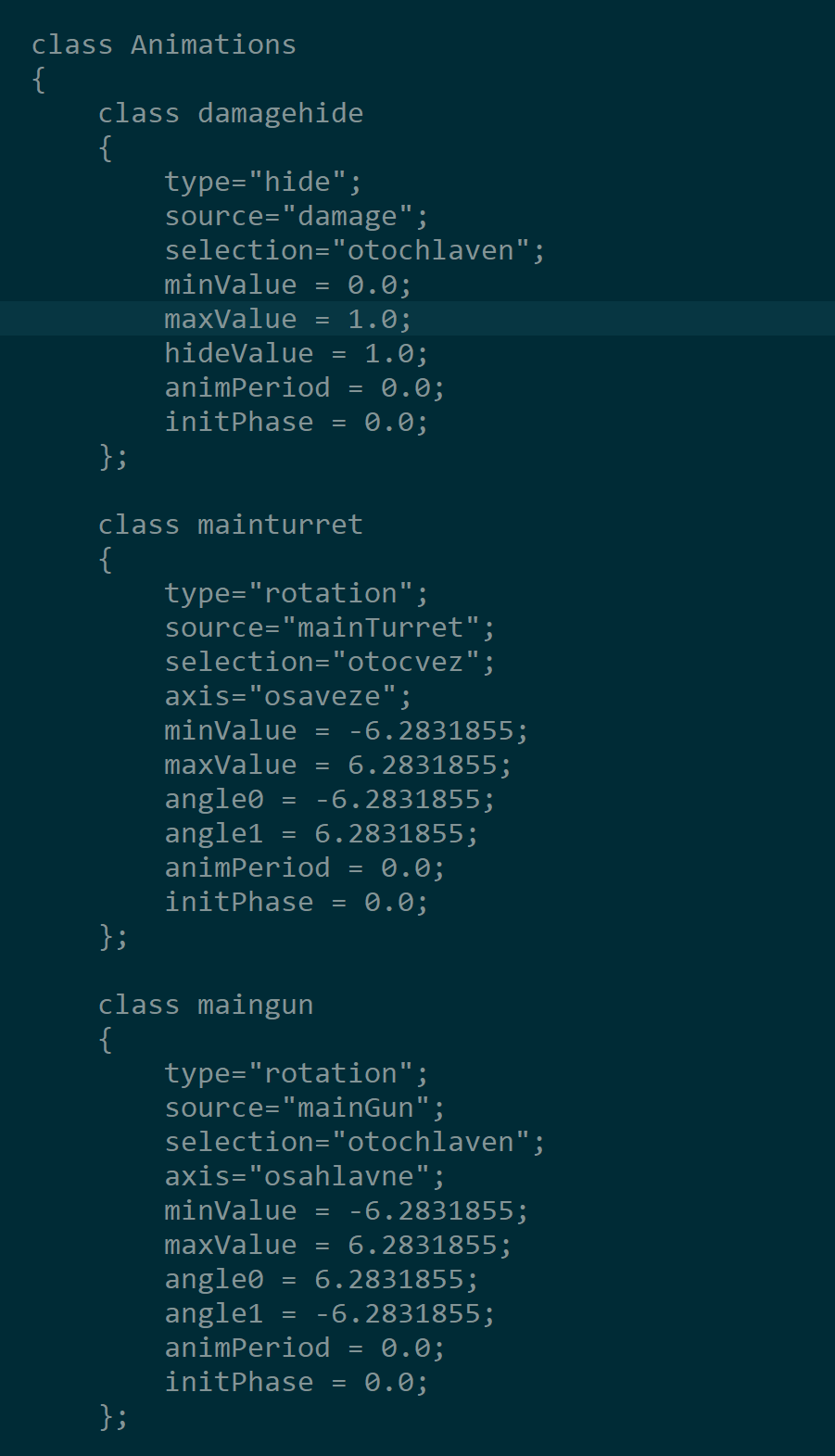
This is what is defined in my config.cpp in the MainTurret class: https://i.imgur.com/Kq3PABq.png

This is done in accordance with https://community.bistudio.com/wiki/Model_Config#Animation_sources but I am baffled by the errors popping up in spite of everything looking fine in game?
Note that I do not have a AnimationSource class in my config.cpp since I'm not introducing any new sources - although adding it did not make a difference..
thin temple
elder latch
Note that I do not have a AnimationSource class in my config.cpp since I'm not i...
We might need to see all of your config.cpp and model.cfg - you can use pastebin or something similar.
elder latch
Config: https://pastebin.com/giUKRxim
Pastebin
Pastebin.com is the number one paste tool since 2002. Pastebin is a website where you can store text online for a set period of time.
Model Cfg: https://pastebin.com/sXSWK02g
Pastebin
Pastebin.com is the number one paste tool since 2002. Pastebin is a website where you can store text online for a set period of time.
Again I am very thankful for y'all helping out ♥️
thin temple
Does it resolve if you try
        {
class MainTurret: NewTurret```Can you also try commenting out the damagehide animation and recheck for rpt errors.
 elder latch
thin temple
Can you also try commenting out the damagehide animation and recheck for rpt err...
elder latch
thin temple
Can you also try commenting out the damagehide animation and recheck for rpt err...
unfortunately I am still getting the errors in the RPT even with these changes. The only change commenting damagehide in model.cfg did was disable damage for the turret but it didnt throw any RPT erros
thin temple
elder latch
Like so? https://i.gyazo.com/93c4b26e831df6df15fe3f90c0f6310c.png
No further down
elder latch
still strange that the turret is completely functional and working in game yet Im getting these errors
elder latch
thin temple
No further down
unfortunately I am still getting that error. I think I need to take a long walk and revisit this another time lol I am completely stumped
comparing my config and cfg with some open examples like ACE spotting scope, still can't determine why I am getting spammed the unknown animation source in rpt
thin temple
elder latch
comparing my config and cfg with some open examples like ACE spotting scope, sti...
If you want to zip and DM me the entire package so that I can build it, I'll do some experiments for you.
elder latch
thin temple
If you want to zip and DM me the entire package so that I can build it, I'll do ...
Thank you I really appreciate it - will send DM
zealous solstice
so bit of a question, has anyone ever used Cascadeur to make animations for Arma 3? I know I've seen and used blender, but was just curious since I had discovered the program the other day
buoyant lagoon
Is there anything special to consider when doing hand animations for pistols? This is wat the blend file looks like, and then ingame its like moved forward a bit

 fast canopy
Pistol itself is sticked to the right hand. You can't move itself
buoyant lagoon
Yeah the shotgun is stuck to the right hand, I only move the left hand, and only right hand parts where curling the fingers
and then theres this
 fast canopy
Then your pistol model as reference in Blender is maybe misaligned
young carbon
(or autocenter strikes again)
buoyant lagoon
Okay I will check auto center and the model alignment to a pistol p3d I know 100% works
thin temple
elder latch
Thank you I really appreciate it - will send DM
For anyone following the thread, the rpt errors in viscoplastic's mod were caused by missing CBA and ACE entries in CfgPatches requiredAddons[], in combination with building using Addon Builder (which didn't warn/fail), now resolved.
young carbon
the "missing animation source" ones?
 sturdy agate
Anyone know where I could find the BISkeleton.p3d file for creating hand animations for some light weapon modding
desert raven
sturdy agate
Anyone know where I could find the BISkeleton.p3d file for creating hand animati...
there is no ready rig from BI but many use the community made Macser Armarig
sturdy agate
desert raven
there is no ready rig from BI but many use the community made Macser Armarig
Do you happen to have a link to where I could get that?
desert raven
not at hand
sturdy agate
Alright, thanks for the help
median widget
im trying to animate hide/unhide lights by creating the model entry under animation using the model memory point for the selection
but i refuses to work is there any common mistakes i might be making
thin temple
median widget
im trying to animate hide/unhide lights by creating the model entry under animat...
What kind of light class?
median widget
cfgvehicle >> Reflectors
thin temple
Why are you trying to hide them? Reflectors are turned on/off by user mouse menu action
median widget
its a complicated reason
currently i use gunner seat search light as a cabin light, but i cant toggle that from the pilot seat
so im following a similar mod to ours to try have the landing light and flood light under reflector & hide what not used
thin temple
I think you're going to be out of luck with that. I've done similar sorts of things, but had to artificially damage the light hitpoint
median widget
thats not a bad idea
we currently dont have a hitpoint for it
so that seems like a reasonable way to go about toggling them
thin temple
You do, it's in the reflector class
thin temple
On one vehicle I wanted the headlights to be switchable between visible and IR. So two reflectors, one for each, and damage hitpoint of one to turn-off. Needs eventhandlers.
But also needs the hitpoint to allow the light to be shot out normally.
Hiding memory points, or anything else for that matter, just moves everything to model centre, so the memory point will still function but from a different point, or as if it didn't exist.
thin temple
median widget
currently i use gunner seat search light as a cabin light, but i cant toggle tha...
If you put the class reflector in the main config, the pilot will have the option to turn it on/off. Then you can slave the searchlight mesh/volumetric proxies/memory points to the gunner turret direction.
But with class reflectors in the main config, they all come on or go off together without the hacky hitpoint method.
median widget
the hitpoint method isint an issuie to implement due to the nature of the mod
so gonna go with that
we already need custome conditions for the landing lights and cabin lights to be on so it fits nicely
thin temple
We used it in a dlc, so it wasn't that bad (if you're careful)
"cabin lights" are typically lights inside the cabin providing ambient illumination to the crew of instrument panels etc... in which case most normally handled by class compartmentsLights
median widget
ooh
if theres another cfg definition i can stick it in that makes something simpiler
thin temple
compartmentsLights are far more performance friendly, only show in the crew LOD, respect geometry and not limited in number, all unlike class reflectors
lethal willow
Anyone know where the default handgun holding animation is? It which PBO or it's name? Or both?
fast canopy
What exactly you look for? classname?
If classname, you may want AmovPercMstpSrasWpstDnon
lethal willow
That should help me. Thanks.
I was trying to find the base game grip the character use on the handgun
to make slight adjustments too
 mild wolf
lethal willow
to make slight adjustments too
mild wolf
lethal willow
to make slight adjustments too
I don't think there is a legal way of modifying the original rtm, as nice as that would be. i personally dislike pistol animations 😅 so awkward to make lol
lethal willow
😢
 native bloom
Hello everyone, sorry to bother but I need some help. I'm attempting to create an static pose from blender to arma. I have followed the pinned guide but all I get is a tpose in game. My intuition tells me the issue might be in the process of creating the animation frames in blender and properly exporting as an .rtm.
I also have never created a mod before but since I have gotten the animation to show up inside the game I believe I did this correctly.
If someone could help by guiding me through the process I would be very grateful and sorry to bother with such a basic issue
fast canopy
- Make sure your config is correct. Such as RTM path
- Make sure the RTM is exported properly, Open Arma 3 Samples\Addons\TemplateRTM.p3d and enable Window > Animations, right click on it, from Matrices, import RTM and if it does it properly
- Make sure the PBO is made properly, no PBO Manager
native bloom
thank you I will try it
 worthy sparrow
Hello has got some one expirience with making animation for arma in Cinema 4d ? I saw team which is making SW mod using it... :-)
native bloom
Hi, unfortunately I'm still having issues. The animation shows properly inside Object builder so I'm guessing what's wrong it's my pbo.
I have structured the pbo like this:
root folder:
- folder called anim
- config.cpp
anim folder:
- anim.rtm
- model.cfg
is this a proper mod structure for an animation? I'm sorry I have never done this and the pinned guide doesn't really explain it
fast canopy
There is no “you should to follow otherwise it won't work and break everything” file/folder structure. So it should be something else
- Make sure your PBO name or PBOPREFIX and/or filepath is correct
- Make sure your model.cfg is correct
native bloom
thank you POLPOX for helping me, I'll review this
fast canopy
Which software you use to pack?
native bloom
I used Arma tools' Addon builder and I tried with FiledBank as well
native bloom
I do not, I'm googling right now how to make one
fast canopy
That is not a mandatory, but often such is caused by having or not having that
If it is empty, your PBOPREFIX is defaulted into your PBO's name
So basically -
- If your PBO is named like
YourAwesomeAnim.pbo, your RTM's filepath isYourAwesomeAnim\anim.rtm
native bloom
I made it!! thank you so much POLPOX, took me a few more tries of tinkering.
Couldn't have done it without you tysm
unreal sage
Anyone know if there is a way to essentially make a new Custom set of animations. Lets say I want to make specific walking animations and such for different units?
desert raven
unreal sage
Anyone know if there is a way to essentially make a new Custom set of animations...
it is possible
unreal sage
Any tips to give me a head start, examples of it done in the past etc
desert raven
well there isn really a lot of study material on that
it basically comes down to understanding how configs work and espeacilly learning how the animation configs work
but there isnt really a lot in depth documentation on that
well any really
+there is need to know how to make animations
unreal sage
Gotcha, now another question, I saw whilst going through the default configs and animations that there is an entry for Aiming. Does that theoretically mean that you can make it so that a "different" animation is played when aiming, since I see it's talking mainly about the BlendAnim arrays
desert raven
you can do what it does in game
if you want good answers its best to not try the theoretical questions but ask for exactly what you would want to do
unreal sage
Lets say I wanted to have the players head tilt into the optic when aiming
Couldn’t I just make the actual default erect raised weapon animation the tilted head but then have a blendAnim of 0 for the head. Then when aiming it uses the defaultaim which gives the head automatically the weight required
desert raven
no I dont think it works like that
the aiming blend group if I remember right affects how much body moves with you when you point/aim to different directions (look up/down)
unreal sage
Hmm I see
Can you see any possibility to be able to get the head tilt thing working maybe?
Or a system like it
desert raven
gestures could work for that maybe
or making a rifle up stance that has head tilted like that
though that would not really have option to lift head
unreal sage
Tried gestures already but the issue was that it never really worked well
Maybe you can help me then with gestures. I tried making a gesture for essentially aiming down the optics, it slightly moved the rifle and head positions etc.
now no matter what blend animation I use, when moving sideways or diagonally whilst in the gesture, the weapon on the screen moves back and forth left and right etc and doesn’t stay in the center of the screen as it does when just holding and moving with a raised rifle in arma without the gesture
Any idea how I could stop that weapon movement?
desert raven
probably cant.
You might be able to set up a new action set you swap into via scripting.
it would need a full duplicate of a moveset or maybe several with those animations you want to alter altered
some vanilla ones probably could be reused
but it would need to be full action set so you dont accidentally swap out of it
by say vaulting with an action that uses vanilla action set
desert raven
unreal sage
What command would be used for switching between action sets
The normal animation playing commands switchmove or playmove
unreal sage
Understood
 plain knot
aye i'm having some issues getting my armarig to match the intial kneeling pose as well as puttinh his gun on the floor, is there a way to import the arma animations into blender so i can modify them
 median topaz
Greetings. Please help me understand the "inbuilt animation controllers". Can they be modified? The question arose from the problem of changing the readings of a compass, aiming circle, etc. and after reading (and not fully understanding) this article - https://community.bistudio.com/wiki/Model_Config#Animation_sources
Or perhaps there are other ways to do this for all instruments showing magnetic azimuth at once?
desert raven
median topaz
Or perhaps there are other ways to do this for all instruments showing magnetic ...
explain in detail what you would want to make.
median topaz
For example, I wouldn’t want to simply change the textures of indicators in all devices separately. And is it possible to make the required change in values customizable - for example, dependent on some parameter from description.ext?
desert raven
no
texture chagnes also have nothing to do with animations
but no, you cant affect the compass sources like that
better answers might be possible if you explain the actual use case
it is often easier to talk about
instead of little vague theoretical questions that might miss the mark
median topaz
desert raven
better answers might be possible if you explain the actual use case
The task is to introduce NOT random interference into the readings of magnetic instruments (for example, from the presence of certain objects nearby), as well as to simulate magnetic declination.
desert raven
my gut says not possible
the compass engine input is not script accessible as far as I know
a custom compass object/interface could maybe work
and the vanilla one might be possible to disable (the interface)
or at least vanilla compass could be removed from inventory so it cant be used
and then new compass item could be made with new scriptable interface
median topaz
desert raven
my gut says not possible
I have come across a “clumsy” way of introducing magnetic declination, by changing (rotating) the texture of the compass indicator, but this is ugly and static.
median topaz
The article I cited above mentions the possibility of modifying existing controllers, but at least I don’t understand what the “path” to the AnimationSources of the compass looks like... (it is missing as a class in CfgVehicles). For example, the model is used in RscCompass, but I can’t find the AnimationSources section for the compass anywhere.
desert raven
median topaz
The article I cited above mentions the possibility of modifying existing control...
It does not mean what you would need for your use case.
median topaz
desert raven
It does not mean what you would need for your use case.
Greetings. Could you then explain use cases like 'source = "::wheel";'? Why can't this be used in my case ('source = "::compassArrow";', for example)?
median topaz
Bohemia Interactive Forums
Ok, referring to this: http://community.bistudio.com/wiki/Model_Config#AnimationSources Especially the third example there class AnimationSources { class wheel { source = ::wheel; //Overriding the existing wheel controller. }; }; It overrides the wheel controller as animation source but somehow i...
fast canopy
Vanilla stopped windmill uses this. It is very CfgVehicles exclusive AFAIK
young carbon
literally 2 instances in the AIO config dump 
 quick geode
Model config would probably tell us a bit more if we had them
young carbon
i doubt that
quick geode
Well I can tell you that the value you get from the animsource which is seconds since init + a random value between 0 and 60
How that converts to the rotation would be in modelcfg
young carbon
given the existing uses and source= being used already it doesn't look like you can drive anything with :: override. It seems to only be able to, effectively, stop things from being animated by the overridden source. Totally
quick geode
You see I initially thought of it that way aswell but that approach did not work with objrandom
Objrandom works with the limits you set in the modelcfg
Doing an override just breaks it as far as I can tell
young carbon
median topaz
I have come across a “clumsy” way of introducing magnetic declination, by changi...
if you mean that for your own vehicle - i suppose you can just add an intermediate bone/section with user controlled rotation and parent the engine-driven compass arrow to that
"value you get from the animsource" as in value of the overridden source of, say, deactivated windmill?
quick geode
Dunno if the deactivated has that value, config dump only shows the anim on the active one
young carbon
i am confuse
quick geode
I use this to debug my anims
https://community.bistudio.com/wiki/animationSourcePhase
You can track the phase of the animation and determine if the animation is correct to the modelcfg
Ie say I have a animsource that goes between 0 to 1 perhaps a door
In modelcfg I set the rotation of the door from 0 rad to 90 rad
By tracking the doors animationsource I can tell that the door has to be, say at 45degrees
If not it means I've done something wrong most often I've done the axis backwards
quick geode
quick geode
I use this to debug my anims
https://community.bistudio.com/wiki/animationSource...
Using this on the wind turbine gives you a number that correlates to the rotation angle of the blades
You can see this if you track multiple turbines that different number = different blade angle
What we don't know and is hidden in the modelcfg is how the number translates to the blade angle exactly
young carbon
measure the time taken by a full rotation, compare the source phase values over the same time span, bam, you have the rotation anim config reverse-engineered down to constant offset that doesn't matter
quick geode
Yup pretty much
Random offset is so that you don't have a row of turbines that are perfectly aligned
young carbon
and class timeRndOffset { source="::timeRndOffset"; }; in deactivated turbine's config.cpp entry does one of 2:
either sets every turbine's source to 0 (or some other constant), making all deactivated turbines look the same
or sets every turbine to its own "personal" random constant value, making deactivated turbines stop at different positions
quick geode
Dunno how one would get static animation from an always changing number though
It could just be left over from inheritance
young carbon
nah. It's literally config.cpp thing that says "screw model.cfg"
at least judging by wiki and config dump
quick geode
Hmm
Just thought of something
Could one fake tides by making lakes that go up and down depending on the time of day
young carbon
inb4 wavy water surface that's moved by time source
quick geode
Ooh, better Idea
Panama Canal map with functional locks
young carbon
still no dynamic overrides (as in user or script controllable in-mission), no global overrides (as in affecting other things that use the same(ly named) source), no overrides for things that don't support AnimationSources in config.cpp (although knowing what does and what doesn't would likely take some involved wiki-digging or testing)...
desert raven
median topaz
Greetings. Could you then explain use cases like 'source = "::wheel";'? Why can'...
Try it out. I doubt it works in this case but could be I'm wrong
median topaz
desert raven
Try it out. I doubt it works in this case but could be I'm wrong
I have the same questions as the author of the topic https://forums.bohemia.net/forums/topic/92576-override-animation-controller-how/
Bohemia Interactive Forums
Ok, referring to this: http://community.bistudio.com/wiki/Model_Config#AnimationSources Especially the third example there class AnimationSources { class wheel { source = ::wheel; //Overriding the existing wheel controller. }; }; It overrides the wheel controller as animation source but somehow i...
 hard trellis
TeTeT is using this on the F-18 to animate the wheels while the jet is taxiing via a keyframe animation. wrong info, actually, not sure if that went through or if he went with just another model cfg animation
young carbon
huh. So there is a way to change the overridden source?
desert raven
to some extent
 static kayak
Are there any open-to-use break action grenade launcher animations out there? Like apl-sa or similar license?
desert raven
static kayak
Are there any open-to-use break action grenade launcher animations out there? Li...
In Arma context, unlikely.
static kayak
desert raven
In Arma context, unlikely.
Figured I'd ask anyway, expected most things to be under fairly strict licenses because Arma
desert raven
static kayak
Figured I'd ask anyway, expected most things to be under fairly strict licenses ...
not that why I said unlikely, there are very little in way of custom animations made
but also animations are not really very universal between weapons
so resuing one would expect the source be made in way that it can be easily repurposed by say moving IK targets for the hands around so they fit the new weapon
median topaz
Greetings. Returning to the topic of compass animation: is it possible to use run-time calculated values in the animation properties (for example, angle0 or angle1) in the model.cfg file?
thin temple
median topaz
Greetings. Returning to the topic of compass animation: is it possible to use ru...
You can apply two or more consecutive animations to the needle. Perhaps one for the normal compass direction, a second for some offset based on a user animSource and a third based on g-force (if in a vehicle) to give a random wiggle, or time to give a vibration.
median topaz
thin temple
You can apply two or more consecutive animations to the needle. Perhaps one for ...
Thanks for the clarification - I'll try it.
desert raven
median topaz
Greetings. Returning to the topic of compass animation: is it possible to use ru...
The model. Cfg values can't be altered runtime. You maybe could have additional animation with 360 angles and animationSource with user input. But you'll need custom compass item and possibly custom compass interface.
thin temple
median topaz
Thanks for the clarification - I'll try it.
You'll probably need to use dummy bones for this.
desert raven
👆This too might be needed
median topaz
thin temple
You can apply two or more consecutive animations to the needle. Perhaps one for ...
While looking into the question, I realized that I was not sure where the AnimationSources class for the GUI control should be located, because I don’t see the result of placing this class in the RscCompass class.
 glacial pilot
median topaz
While looking into the question, I realized that I was not sure where the Animat...
glacial pilot
median topaz
While looking into the question, I realized that I was not sure where the Animat...
I dont know your use case but I wanted to make sure you are aware that this command exists and might be useful for your use case?
https://community.bistudio.com/wiki/setCompassOscillation
median topaz
glacial pilot
I dont know your use case but I wanted to make sure you are aware that this comm...
Unfortunately, using this command you can only set the accuracy of the compass (the needle will fluctuate randomly in the range +/- the specified angle).
glacial pilot
Yeah my bad, I actually knew the same way but I reread it before writing it and misunderstood it and thought "oh all this time I thought it was doing x instead".
 regal dawn
im having an issue on my hamada pistol its slide is weird and doesnt slide like a pistol i wonder if theres a solution to this maybe the model.cfg is weird the selections are right which makes it weirder
my model.cfg
if theres a correction let me know
desert raven
regal dawn
im having an issue on my hamada pistol its slide is weird and doesnt slide like ...
your slide min value is 20 which seems odd
where did you pick the model config from?
there are quite a lot of odd values used here
you should use the buldozer preview in ObjectBuilder to check how your animations work
thats the best way to test your config and spot possible issues
regal dawn
desert raven
where did you pick the model config from?
picked it from the forum (BI) sadly the bulldozer wont open keeps opening with an error
desert raven
regal dawn
picked it from the forum (BI) sadly the bulldozer wont open keeps opening with a...
do you have P drive set up?
Id say ditch the model config since its weird
youll need to learn to understand it and best way to do that is to write it from scratch (well you can use the sample weapon from arma 3 samples as reference but dont blindly copy paste it as that solves nothing properly)
regal dawn
desert raven
do you have P drive set up?
of course i do set it up all the time
desert raven
well if buldozer does not start there may be some problem with the way its set up
if you used the arma tools launcher to do that it has been often problematic with windows 10
using simple subst command in mapdisk.bat (pmcwiki P drive setup guide) and Mikeros Arma3p has been more reliable method
regal dawn
desert raven
if you used the arma tools launcher to do that it has been often problematic wit...
it worked back then but when i reinstalled entirety of A3 and the tool it didnt worked like it used to
median topaz
Will anyone be able to animate a custom animation of a chemical detector from the Contact add-on with a script? (configFile >> "RscWatch" >> "AnimationSources" >> "Threat_Level_Source") I tried with the command: (findDisplay 12 displayCtrl 101) ctrlAnimateModel ["Threat_Level_Source", 0.5] and it didn't work. What don't I understand? (I'm trying to make a similar animation for the compass)
This detector is a "watch".
(I realized that display is not the correct one, but how can I find the right one?)
median topaz
cerulean pivot
this channel is not about that kind of animation. you can ask in #arma3_editor
 fervent marsh
Got it
 stoic night
Hey, so I have no idea what I'm doing for animations, so I figured it'd be good to ask. I want a character, I have, to do 3 animations where it starts with this animation (ace_sitting_HubSittingChairB_idle3) and holds it till i either, press a key (not sure if possible) or type it in the config. then it will do these 2 animations (bench_Heli_Light_01_get_out, Acts_briefing_Intro3_Major_2) back to back and end after the last one so i can move around. Can some one either help me figure out how or do it for me whichever is easiest?
desert raven
stoic night
Hey, so I have no idea what I'm doing for animations, so I figured it'd be good ...
It should be possible by creating a script using playMove and switchMove commands. Maybe waitUntill loop and ui key press event checks for the key press stuff.
stoic night
yes but everytime i try to type it out it keeps saying init missing
so i think i am typing it wrong
desert raven
Where do you type it in?
stoic night
when you hit esc theres a box for the config i've also tried the attributes box in eden
desert raven
The console is for running script yeah
stoic night
forgot to mention the config one doesn't do anything or say anything
desert raven
But it's not config
stoic night
ah
desert raven
Script and config is 2 different things
stoic night
got it so would it be with the attributes box on that unit
desert raven
I think you may need to go back a step to first understand how scripting works. The init box in units attributes is good place to run scripts you want to affect a unit with at mission start but some commands may need little more setting up so they run after the game has properly initialized and is running fully and not still loading.
The console is alright for testing out things
stoic night
so how do i pull up the proper thing to type it out cause i don't really know anything about this like i said
 hexed lagoon
does anyone know how to open and close the Land_MultiScreenComputer_01_base_F Animation? Trying to get the rugged multi screen PC to open or shut
        {
            class Open_Source
            {
                source="user";
                animPeriod=1.6;
                initPhase=0;
            };
};``` hasn't been helpful so fardisregard last, managed it 😄
grizzled blaze
okay so i need som help
i uh
this is the goal
pretty straight forward, just some hand positions is all i want

this is the outcome however

wait is it becaue my weapon skeleton's name isnt "weapon"?
crikey
that certainly was not the case
i tried to do what the template does and have a base cfg model class have the skelly name of "weapon" then inherit but no bueno
desert raven
grizzled blaze
wait is it becaue my weapon skeleton's name isnt "weapon"?
No nothing to do with that. You can't move the weapon bone.
When you have rifle up pose the weapon is always at the shoulder
The weapon holding rtm only reads hand positions in relation to weapon bone.
grizzled blaze
desert raven
The weapon holding rtm only reads hand positions in relation to weapon bone.
I don't know what I have to do then
Put the rifle up to his shoulder then position the hands where I want them to be, then separately wiggle my gun's position until it lines up?
fast canopy
Make sure you have proper model.cfg and proper software to pack it into PBO
desert raven
grizzled blaze
I don't know what I have to do then
Put the rifle up to his shoulder then positi...
Yes. Pretty much that
grizzled blaze
okay ill give it a shot > ->
desert raven
There is also the alternative of making new hip fire movement set like GM and spearhead did
grizzled blaze
i see
by chance is that how the "chainsaw" rtm works?
i think its in wbk's melee
I was basically just trying to do that without the dependency
desert raven
No clue
grizzled blaze
hm
well while i've got you, is there a way to get the reload animation to slowly go back to its origin without snapping?
fast canopy
fast canopy
To answer your question
grizzled blaze
which one tho
fast canopy
CfgGestures
 grizzled blaze
so you're saying
the link you posted
is for keeping the weapon's bits that float out slowly, to keep from snapping back into place when the reload is done?
desert raven
No you have to do that in you reload sequence
grizzled blaze
yee in the model cfg right
fast canopy
No
grizzled blaze
ill kms
desert raven
grizzled blaze
yee in the model cfg right
Yes
fast canopy
I thought you meant IK?
desert raven
I though that first too
grizzled blaze
im very confused
so i just need to reverse the animation in the model cfg in order to get them to slowly go back to their origin
do i keep that under the same reloadmagazine source or is it a different one
fast canopy
Okay that's the qusetion
desert raven
grizzled blaze
so i just need to reverse the animation in the model cfg in order to get them to...
It has to all be within the 0 and 1 of reload animation
desert raven
grizzled blaze
do i keep that under the same reloadmagazine source or is it a different one
Yes that one
fast canopy
Pretty much I misunderstood all the time I guess
desert raven
A bit. Usually people do have issue with the RTM blending
Where the IK curve arrays are the answer
grizzled blaze
i dont even want to get into that until i can at least properly place my hands on the gun
fast canopy
One reason I misunderstood is we're in #arma3_animation not #arma3_model , I suppose this channel is for more of RTM creation
grizzled blaze
horrible is the go to in both of them so i figured id ask him since its still technically an animation ; w;
desert raven
is alright, we got there in the end
 rigid dust
Do units rotate around different points depending on an animation? Perhaps around some memory point?
Talking about player rotation specifically
Why I'm asking this, I noticed that unit's velocity is calculated using delta between current and previous position (getPosWorld), when you quickly rotate the camera, speed remains 0, but when you walk forward AND quickly rotate the camera, speed goes to huge unnatural values
Thus my assumption that units rotate around some memory point or something depending on animation, not around their position
How to observe what I mean. Execute this code:
player setAnimSpeedCoef 0.1;
pos = getPosWorld player;
onEachFrame {
    hintSilent ([
        speed player toFixed 1
        ,vectorMagnitude velocity player toFixed 1
        ,vectorMagnitude velocityModelSpace player toFixed 1
        ,((getPosWorld player distance2d pos) / diag_deltaTime) toFixed 1
    ] joinString "\n");
    pos = getPosWorld player;
    drawIcon3D ["\A3\ui_f\data\map\groupicons\selector_selected_ca.paa", [0,0,1,1], ASLtoAGL pos, 0.4, 0.4, 0, "pos"];
}```- Run forward, notice tiny speed you have
- Run forward and quickly rotate the player, notice huge speed you have now
Rotating the character clearly rotates the player around some point other than center position, I wonder what this point is
Even deeper reason why I'm asking, this jump in velocity is the reason for a lot of multiplayer issues and bullshit:
- Players quickly turning on stairs or in buildings broadcast this huge velocity and appear to phase through walls and ladders or get stuck outside of walls for some time, due to interpolation assuming they went through the wall with such big speed
- When players evade fire and they turn quickly, it ends up with them going in large circles on remote clients, much larger than they are rotating in fact, making it much more difficult to hit them
desert raven
Interesting observation! I wonder if anyone at BI can answer that?
rigid dust
This is also why GPS zoom jumps up and down when you turn
rigid dust
desert raven
Interesting observation! I wonder if anyone at BI can answer that?
Btw, I think I figured it out, it rotates around collision model of the player
It shifts forward during run
You can observe this if you hug the wall parallel to it, slowly rotate towards the wall and go forward, you'll instantly jump back because your collision pushed you out
Same with going backwards into the wall, you sink a little bit into it because your collision is in front, when you stop you jump forward for the same reason
@white juniper Do you think it might be possible to calculate broadcasted velocity from this collision instead of entity position? Maybe this could help issues with remote players getting stupid interpolation results?
Not sure if this is feasiable or not
But if it is, it could be a huge multiplayer gameplay improvement
desert raven
rigid dust
It shifts forward during run
Good observation there! 👍👍👍
rigid dust
I wonder where this is defined, probably somewhere in .rtm?
Oh, there is collisionShape in the move config
No idea how I missed it twice in a row
Example of what I'm talking about: https://www.youtube.com/watch?app=desktop&v=sJclEvswR64


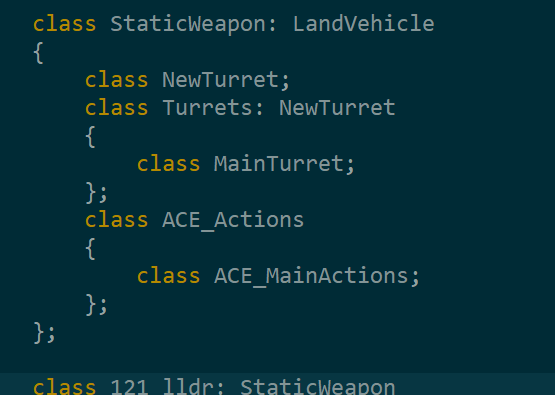
Player walking and rotating with huge DPI setting
What it ends up looking like for others