#arma3_model
1 messages · Page 2 of 1
 muted tapir
muted tapir
muted tapir
 stuck oyster
Try it out
stuck oyster
Try it out
works. Thanks!
muted tapir

i'm getting this error when trying to export a model from blender
what am i doing wrong?
stuck oyster
you have unassigned materials in your model
the last few lines in these errors usually point to what the issue is related to
muted tapir

these?
nevermind

it was hiding here
thanks
is there a way to assign weights to geometry in blender?
stuck oyster
yes
muted tapir
how do i do it?
stuck oyster
geometry lod selected, edit mode and one of the arma tools menus if I remember right
muted tapir
found it, thanks!
 empty aurora
Yeah, this solved my problem. Now it works. Thanks
 white jay
My model looks like this in-game even though it has assigned textures and an rvmat
how do i post photos
stuck oyster
@white jay you paste links to them

 stuck oyster
your texture is not compatible resolution
it needs to be in power of 2
512x512 would be closest
white jay
I had it set to 4096 though
stuck oyster
is it that?
and is there also rvmat on the model?
and where is the model made in?
if blender, have you set up armatoolbox O2script.exe path in the addon settings?
white jay
There is an rvmat, the model is made in blender. I used armatoolbox yes
stuck oyster
so either the model exports wrong in the absence of o2script path or your rvmat is broken
id recommend testing it in Object Builder Buldozer viewer before packing in game to verify it works
white jay
How do I do the whole o2script path thing? I presume your talking about when you set the textures in blender?
stuck oyster
no
addon settings where you first installed the toolbox there is a path to 02script exe you need to set up so that the model exports out right
you can scroll up a bit it was just recently mentioned
white jay
So I pathed the 02script correctly and redid the whole process of putting it in-game but still having the same issue
stuck oyster
use the buldozer viewer to preview it so you can see changes live on it
white jay
Thats the issue
Even with textures and an rvmat assigned it comes up as grayt in bulldozer
stuck oyster
how about without it?
did you export the model again after fixing the o2script path?
white jay
It works without an rvmat but it just looks super ugly and unnatural compared to all of the other objects
and yes I exported it after fixingf the 02 path
stuck oyster
most likeyl you got broken rvmat
or the mesh is somehow faulty
post pictures of it without textures
white jay
In what?
stuck oyster
what?
white jay
Like do you want me to post pictures of it ingame? Blender? Object builder?
stuck oyster
buldozer
white jay
 stuck oyster
alright this is normal so problem is your rvmat
either you have wrong kind of textures in wrong stages or not right stages or wrong paths
or something along those lines
white jay
Okay interesting
So what would I have to do to fix the issue?
I've been using this website to make my rvmats https://jdtools.dev/rvmat/index.html
stuck oyster
 never used that, looks ok at quick glance
could be your textures rea not right
or the paths are not
white jay
stuck oyster
or the paths are not
I could try and send you my rvmat if you had a second
white jay
addon builder
stuck oyster
since it does not check your texture paths or well not much else either, anything is possible
Id recommend pboProject and mikeros toolset if you want debug information
 shell mantle
I'm not really a model maker or anything of that sorts,
I came upon "rhs_tigr_3camo_vdv" (Russian Tigr from RHSAFRF mod), I'm trying to find its wreck model/proxy so I can use to create a wreckage simple object in the scenario.
it uses a "DestructDefault" destruction system, and I don't really know how I would be able to find its wreck model/proxy, does anyone have any idea about that? thanks
stuck oyster
by using config viewer perhaps
since the wreck should be pathed in the vehicle config
 desert notch
stuck oyster
since the wreck should be pathed in the vehicle config
desert notch
stuck oyster
since the wreck should be pathed in the vehicle config
really? where?
I've only seen 2 types of wrecks
shell mantle
stuck oyster
since the wreck should be pathed in the vehicle config
couldn't see that in config
desert notch
for buildings it's under destructionEffects
for wrecks it's a proxy in wreck LOD
and this object fits neither 
shell mantle
is it a p3d you are referring to possibly?
desert notch
shell mantle
I'm not really a model maker or anything of that sorts,
I came upon `"rhs_tigr_3...
@rough idol sorry for the ping 
but I think you're the only one that knows the answer to that (since you're also an RHS dev 😅 )
shell mantle
would be very appreciated reyHard
 rough idol
shell mantle
I'm not really a model maker or anything of that sorts,
I came upon `"rhs_tigr_3...
rough idol
shell mantle
I'm not really a model maker or anything of that sorts,
I came upon `"rhs_tigr_3...
There is no separate wreck. Wreck is made via material swap + hide animations
shell mantle
can there materials be found in config? (as for hide animations)
 gray nest
Hi, I am a new person to arma modding, I am trying to get a weapon a friend of mine modeled for me into the game. I am using this guide but atm I am stuff on wtf a "P Drive" is, I looked it up and got "personal drive" things, is this the correct thing or is it incorrect?
https://www.youtube.com/watch?v=GxGIgurkzW4&ab_channel=ElTyranos

0:00 model presentation
1:30 substance painter
3:32 Linking source folder to P drive
4:15 ArmA export properties in Blender
6:10 Resolution LODs
9:50 Shadow LOD
11:56 Exported to Object Builder - first basic operations
15:00 Geometry LOD - essential concepts
17:10 How to create Geometry LODs in Blender
24:18 FireGeometry LOD : vehicle sample
27:...
 inland pawn
gray nest
Hi, I am a new person to arma modding, I am trying to get a weapon a friend of m...
inland pawn
gray nest
Hi, I am a new person to arma modding, I am trying to get a weapon a friend of m...
Get ARMA 3 tools and setup the p drive
gray nest
ahh, its the Project drive, cheers.
 twin peak
Hey there, I've never modded anything before and I'd like to work my way up to modding a vechicle into the game. Where would I start, is this the right channel, and am I getting in over my head?
I've got experience with blender and I can work my way around most programms
ping me if you can help
Thanks in advance 👌
white jay
twin peak
Hey there, I've never modded anything before and I'd like to work my way up to m...
Probably start off simple and work your way up to a vehicle, the tools are super outdated and you're going to have to be pretty experienced with them to do anything
For example, maybe work on getting an object in-game first. Like a doughnut or something else
twin peak
white jay
For example, maybe work on getting an object in-game first. Like a doughnut or s...
Alright sounds simple enough
any common mistakes to avoid?
stuck oyster
all of them
white jay
stuck oyster
all of them
I was messing around and it works upon removing the rvmat but the object then doesn't have shadows and doesn't look as good as the default arma 3 objects. I believe it has something to do with this?
 stuck oyster
white jay
https://cdn.discordapp.com/attachments/1007531561316536371/1009907980281593957/u...
stuck oyster
white jay
https://cdn.discordapp.com/attachments/1007531561316536371/1009907980281593957/u...
could be you are feeding the rvmat wrong kind of textures in the stages
white jay
I use substance painter for my textures and then export it using these settings https://cdn.discordapp.com/attachments/1008893952084160574/1009930088869007430/unknown.png

I just don't see how I'd be giving it the wrong textures
stuck oyster
maybe in wrong place or the rvmat tool misses some lines
try using the default super rvmat from P:\a3\data_F\ as base and add your textures to it one by one and see where things go wrong
(rvmats are text files and can be manually edited as such)
 bright echo
shell mantle
can there materials be found in config? (as for hide animations)
bright echo
shell mantle
can there materials be found in config? (as for hide animations)
Class Damage
damage materials are listed in 3s
Undamaged, damaged and destroyed
so you'd have to find the current material, and find its destroyed version
bright echo
oh - i forgot to specify, this is in the vehicles config
 lapis haven
incredibly silly question but I'm having to work backwards to fix something -
What would a model proxy be in a custom skeleton model - and how do I find/look/add it?
stuck oyster
Model proxy?
Your question does not quite make sense. Perhaps best to describe what is it you are doing
lapis haven
stuck oyster
Your question does not quite make sense. Perhaps best to describe what is it you...
I'm working backwards on a thing that is broken, unfortunately - A custom skeleton model that was appearing if you dropped the uniform on the ground, but not on the player themselves if they wore it - and the custom unit designed to wear the uniform was appearing as invisible when spawned.
Went through and fixed the config, all pathing and such correct, reached out to a friend and asked him if he had any ideas - he responed with 'sounds like the model proxy isn't set up right'.
I have no ide what that refers to or what it means - thought I'd reach out here see if anyone else did.
lapis haven
As far as I can tell - the skeleton is set up properly in both the model and the model.cfg
The pathing in the config is fine.
And the model itself is fine - it's appearing in game as the dropped uniform.
So I am utterly stumped as to why it won't appear if someone wears it
 fluid copper
Idk what a model proxy is either, its likely your friend was talking about the model.cfg.
Is your character humanoid? And does the uniform model have weighting applied to it?
lapis haven
fluid copper
Idk what a model proxy is either, its likely your friend was talking about the m...
It isn't -
And it does have weighting applied
It's a creature - which is part of the issue, can't just inherit from pre-existing.
fluid copper
I assume the creatures animations work fine right?
lapis haven
Well they certainly do in blender.
Since we can't get it to appear in game at all, couldn't tell you.
fluid copper
Oh so nothing is appearing, very odd
lapis haven
It makes the custom unit that's meant to wear it invisible, and shows a naked ArmaMan on a unit that isn't meant to wear it, wearing it
It only appears as a dropped object on the floor
fluid copper
Are you able to share screenshots of what it looks like in object builder and what shows/doesnt show up in game?
It might be worth while reaching out to devs who have done it before, an example being devourers mutant mod.
shell mantle
bright echo
`Class Damage`
thanks a lot
lapis haven
fluid copper
It might be worth while reaching out to devs who have done it before, an example...
WBK was the one talkin' about Proxies, who I reached out too - but I bother him an excessive amount about a lot of stupid things. Seeing if I can work it out with help from other people. Lol.
fluid copper
I'll assume that means webknight lol, alright, hopefully someone else here will be more knowledgeable on it than me
lapis haven
fluid copper
Are you able to share screenshots of what it looks like in object builder and wh...
I can DM you pictures, but I'm not at the right rank to upload them here.
fluid copper
Post them to imgur or something then link it here
lapis haven

This is the only picture I have currently - of it in game, so I know at least the MODEL works.
This is it when it's dropped out of your inventory - the 'packed' model I think it gets called.
Basically as far as I'm aware, the cfgWeapons part of it
And I can't show you what it looks like on a person - literally
Because it doesn't appear at all.
It either shows an invisible unit or a naked rifleman (Underwear and Vest).
fluid copper
You might have to make a new unit, as apposed to trying to create a uniform and applying it to a character
lapis haven
fluid copper
You might have to make a new unit, as apposed to trying to create a uniform and ...
So, I might have realised my mistake.
I DID that, and was telling that unit to wear the uniform.
But it's nakedModel was the creature model
Which should've just done it on its own, right?
fluid copper
Yes
stuck oyster
You need both the cfgvehicle character and the cfgweapons uniform class
Unless it's an animal
lapis haven
stuck oyster
You need both the cfgvehicle character and the cfgweapons uniform class
Which I have both off.
stuck oyster
Naked rifleman could indicate either the model path is not right or the skeleton/move set is not defined right. Invisible could indicate texture/hiddenselections issue or modelcfg issue and the critter is actually under ground
lapis haven
stuck oyster
Naked rifleman could indicate either the model path is not right or the skeleton...
Thought about him being under ground, chucked the model into the air to check, no dice.
I didn't consider the skeleton/move set would cause the model not to show; how would I go about checking that?
stuck oyster
Check the units config that the movesets are defined
lapis haven
stuck oyster
Check the units config that the movesets are defined
which is moves = "NameOfcfgMovesHere"; right?
stuck oyster
Sounds that it could be
lapis haven
Right that's not buggered then, yet anyway
and I know the model path is right because it's the same modelpath as the cfgWeapon, which is appearing on the ground
 jade flare
Other than ArmaRig By Macser is there a any other rig for Arma 3 as I want a more simple rig I looked in the samples pack but didnt see anything?
 round bloom
Is there any pen rvmats that will stop anything below 5.56 but has a chance that 5.56 will go through? Strunggling to find one to use
stuck oyster
you will need to model your firegeometry blocks in correct size for that
the components thickness determines penetration
round bloom
They are thin as hell, how do you balance that with the rvmat values though?
stuck oyster
you set a material you want to have, like armor and then model the thickness
dont over think it
round bloom
Thats my poitn though, I can't find a suitable material
Thats why I'm trying to find any car in base arma that has some pen for 5.56 but not lower
inland pawn
round bloom
Thats why I'm trying to find any car in base arma that has some pen for 5.56 but...
You’re best bet would be to create fire geo then, edit armor to like ~100. I’ve found that 100 exact will stop 7.62
 shy hamlet
I made a model of an armored plane and now I'm porting the model.
Everything was done correctly as before, applied weights, imported, yes prescribed in the model.cfg model itself. But it is not displayed in the game, if you remove the model, it will be visible as it lies
https://cdn.discordapp.com/attachments/871322441362837524/1010435912682983454/unknown.png
https://cdn.discordapp.com/attachments/871322441362837524/1010435712715337748/unknown.png
https://cdn.discordapp.com/attachments/871322441362837524/1010435638698455080/unknown.png


 stuck oyster
Maybe typo in texture path and it can't be found
Either in model or hiddenselections configs
Or both
 cloud zealot
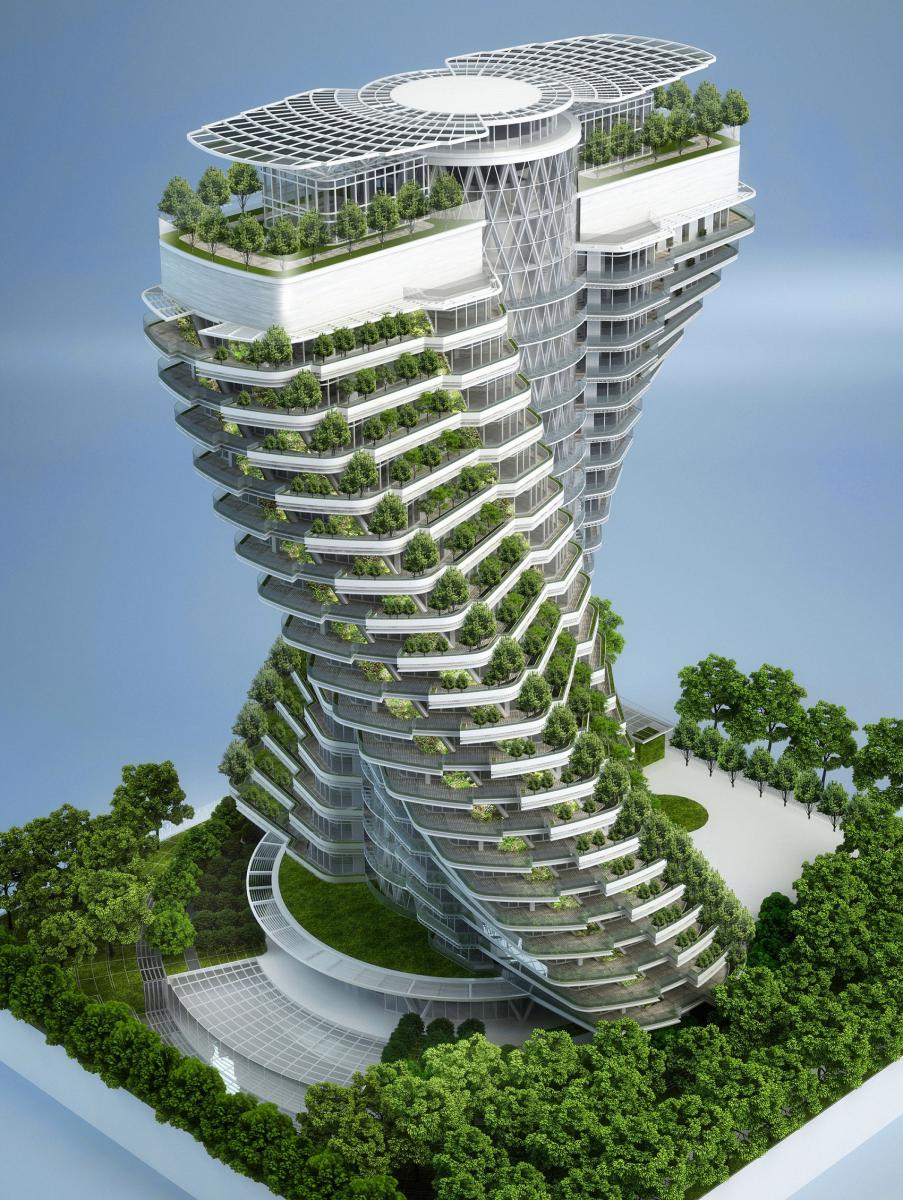
Bohemia gotta reprogram the geometry lod. How do you make a building like this one on Arma 3 with 2048 components ?
https://edito.seloger.com/sites/default/files/edito_migrate/34_structural_concept_c.jpg
or this one
https://preview.free3d.com/img/2016/11/2408194047140169176/dsbqgchp-900.jpg
 stuck oyster
from parts
fluid copper
Reference the aircraft carriers for inspiration
cloud zealot
the problem with parts is to make a precise cut so you can use the coordinates to place the parts in Arma 3. I'm not much experimented with Blender but i don't know anything that allow you to cut with at precise x or y location.
stuck oyster
one makes the building in that way
cutting some ready model up to parts would be insane
fluid copper
cloud zealot
the problem with parts is to make a precise cut so you can use the coordinates t...
You dont have to actually spawn the parts and place them yourself, thats done through code prior
stuck oyster
well for terrain object what buildings like that preferably would be it would have to be preplaced
however scripting can be used to create the placement

New buildingblocks in game environment testing.
Also FPS live counter for those asking how well it runs.
Bear in mind these are all unoptimized assets.
all the houses on the sides are separate objects
shy hamlet
stuck oyster
Maybe typo in texture path and it can't be found
The model began to produce this kind of
https://cdn.discordapp.com/attachments/975415539843358730/1010773649436967004/unknown.png
 inland pawn
shy hamlet
The model began to produce this kind of
https://cdn.discordapp.com/attachments/9...
inland pawn
shy hamlet
The model began to produce this kind of
https://cdn.discordapp.com/attachments/9...
A png.xml?
Why did you link an xml
cloud zealot
Does elevators work fine in Arma 3 ? I know Arma doesn't like when you're standing on a moving object the character slides.
stuck oyster
Not really
Very unreliable if just physics is used
Stuff inside elevator can be attached on to the elevator with scripting and then they follow it but that disables moving in it.
cloud zealot
stuck oyster
Not really
Hmm is there should a least be a solution to rotate or use the upper part of the body. Bohemia have to work on that
stuck oyster
cloud zealot
Hmm is there should a least be a solution to rotate or use the upper part of the...
You can spin around yes
And no it won't change in A3
Elevators never were in their designs
cloud zealot
stuck oyster
And no it won't change in A3
In A3 we would just need to be able to rotate the camera it's not a lot of work but indeed i doubt Bohemia cares about it.
At least with enfusion we will be able to modify the physics according to our needs, that's fantastic
 sudden escarp
what is the easiest way to make an insignia selection to go on a uniform?
 subtle bison
normal hidden selection
 white oak
I'm a bit confused what determines the weapons position relative to the character model is it the rtm file or the p3d? Or do they work in conjunction?
 fast field
Is it possible to port GTA weapons to Arma 3?
 marsh canyon
No
 signal path
Hey I don’t know if this is a good place to ask. But for ArmaTools does it matter to get off of steam or someplace like GitHub. I use blender and trying to import into the game. So after installing it so I need to mount a P drive or not? Thank you!
 charred bolt
signal path
Hey I don’t know if this is a good place to ask. But for ArmaTools does it matte...
charred bolt
signal path
Hey I don’t know if this is a good place to ask. But for ArmaTools does it matte...
Steam should be as good a place as any, and they'll be kept up to date.
Yes, mount a p drive and probably extract A3 data. Generally required in most common Arma development environments.
Download and install Alwarren's Blender Toolbox for Arma.
stuck oyster
white oak
I'm a bit confused what determines the weapons position relative to the characte...
position in the weapon p3d
the weapons origin is always in same position
@signal path I've posted the latest armatoolbox files somewhere in the near past history. get those so it works with latest blende
signal path
Thank you both! really helps a lot! @charred bolt@stuck oyster
signal path
@charred bolt so i got the tools from steam, and now im at 'mounting a p drive' im at the part where i set the path to my SSD drive after that do i just click 'register' then go to extract game data THEN actually mounting it ? or should is that wrong?
charred bolt
Mount the work drive (p) then extract game data.
If you want to mod Arma regularly, then in Preferences you could set "Mount P drive on startup" to make it automatic.
If you really get into modding, then check out "Mikero's Tools" for superior debugging of problems.
signal path
thank you @charred bolt , for some reason even though i put path to my ssd card it still went to a different drive. do i have to path and directory in same drive for it to work? and would you happen to know how to get the game data?
charred bolt
The location of your mod projects (which the p drive will point to) can be anywhere, doesn't have to be in the same place as Arma is installed.
 wide viper
any got any idea on the class name for russian muzzle attachment for all 5.45 weapons, I know NATO has 'asdg_MuzzleSlot_556'
charred bolt
 charred bolt
wide viper
any got any idea on the class name for russian muzzle attachment for all 5.45 we...
charred bolt
wide viper
any got any idea on the class name for russian muzzle attachment for all 5.45 we...
asdg indicates you have a modded game, as it isn't vanilla.
You can load the game, go into the Config Viewer, search for the class name of the Russian weapon you are interested in and then look through the config for your muzzleSlot entry.
signal path
so its okay that the directory is in my main hard drive but path is in my secondary SSD ?
wide viper
charred bolt
asdg indicates you have a modded game, as it isn't vanilla.
You can load the gam...
thanks
stuck oyster
signal path
so its okay that the directory is in my main hard drive but path is in my second...
What directory and what path?
signal path
stuck oyster
What directory and what path?
when going to options in the tools it says path and directory
charred bolt
It says "Path to Arma 3 Directory" and "Path to your P Drive".
As mentioned earlier, yes, they can be different.
The first points to where the game is installed (arma3.exe).
cloud zealot
In order to be able to use :
building setObjectTexture [1, "test.paa"]
I need to define a the UVset 1 am i right ? Is it really limited to 10 ?
cloud zealot
how do we make a hhiddenselection then ?
stuck oyster
They are vertex groups/names selections on mesh
 tulip gyro
I’ve ran into an issue in object builder where all my texture selections in the alt + t box dissapeared. The textures are still there, but I cannot display them. Any fix?
stuck oyster
oh theres that kind of menu too 😄
never used it myself so cant say more unfortunately. Does the issue perists if you open OB again?
tulip gyro
stuck oyster
never used it myself so cant say more unfortunately. Does the issue perists if y...
yes
I've had this issue for over a week
cloud zealot
stuck oyster
They are vertex groups/names selections on mesh
i've justread bohemia's page thanks
stuck oyster
👍
they are not the best for buildings though
terrain objects need variant p3ds as they read textures from p3d straight
 pine acorn
Does anyone have a suggestion as to how one approaches modeling uniforms in particular?
Do you use blender, marvelous designer or some other program? I know this question isn’t directly arma related but it’d be nice if someone with experience here could explain their way to do it
(I’m only familiar with blender and have been at it for a few months)
stuck oyster
All of it can be done in Blender and ther are many different ways to make clothing/uniforms. Usually starting point is getting the sample character in so the clothes can be made around it and to fit it
marvelous designer is perhpas a bit more pro approach and can create fantastic results if used righht
however it does come with a pricetag
pine acorn
Yeah that price is not very appealing 😅
But ait, maybe it just requires a bit more practice in blender till one gets promising results
Or I’ll submit to the pricetag of marvelous designer
stuck oyster
there are also cloth plugins similar to marvleous for Blender
could be valid option
stuck oyster
I've seen a few different plugins that utilize those methods
 hot hornet
pine acorn
Does anyone have a suggestion as to how one approaches modeling uniforms in part...
hot hornet
pine acorn
Does anyone have a suggestion as to how one approaches modeling uniforms in part...
My workflow : marvelous designer > zbrush > blender > substance > arma
But it's not the cheapest option. Marvelous/zbrush and substance are expensive.
 quick terrace
substance is industry standard these days, there is no other tool even close to it.
i think unless you do a lot of clothing, you can save some pennies on marvelous
zbrush is also pretty much industry standard with very little proper competition, but unless you sculp a lot, you can skip it
sure the pro setup is still marvelous designer > zbrush > whatever modelling package one prefers > substance
 shrewd jay
3D-Coat is a good deal cheaper alternative to ZBrush, although neither industry standard nor as powerful as ZBrush, but it wokrs reasonably well
quick terrace
mudbox has long lost any sort of competition, blender is improving the sculpting toolset in a liniar fashion, yet not a primary objective, not sure what sculptris has been doing (still pixologic / maxon)
shrewd jay
Sadly ZBrush has hiked up its price with Maxon 😐
quick terrace
yep, they do sell zbrushcore or some lite version of it these days on subscription only
forgot, there is also https://www.meshmolder.com/download
 kind nacelle
the big benefit for modelling in b3d is that you dont have to switch software to do hard surface stuff, the biggest downside is the performance with really high resolution meshes
shrewd jay
You cannot sculpt really high res meshes in Blender, it just doesn't work.
kind nacelle
yeah from what i understand the way znrush does it is that they really dont actually have 3d perspective
but rather some 2.5d trickery going on
cloud zealot
Does anyone knows why bulldozer is not reacting anymmore when i use LMB RMB or central button of the mouse ?
i need to check my animations and i cant anymore
cloud zealot
By the way i thought geometry was limited to 50m, how about the USS Freedom ?
stuck oyster
cloud zealot
By the way i thought geometry was limited to 50m, how about the USS Freedom ?
made out of pieces
stuck oyster
cloud zealot
Does anyone knows why bulldozer is not reacting anymmore when i use LMB RMB or c...
likely your model.cfg broke
cloud zealot
stuck oyster
made out of pieces
just noticed the multiStructureParts parameter for CfgVehicle
then i can make bigger building
cloud zealot
i thought we had to make two separate object that we would have to place in the editor, i didn't know we could use this parameter
stuck oyster
you cant
have to make multiple objects
even multipart system is multiple objects
it just tells editor to spawn all of them in correct offset
there is no escaping the splitting
cloud zealot
stuck oyster
there is no escaping the splitting
Yes, i know i have to split thestructure but when the user will place it in the editor it will make one big building and that's what i want. I didn't know we could do this
i plan on building a commercial center of 100m3
i also have a ship idea for sci fi fans
cloud zealot
stuck oyster
likely your model.cfg broke
You were right, i hd to delete a coma

 steel ravine
Hey boys, does anyone happen to know where Specialagentstoyanov's USMC gear is from? I got his permission to use it for our unit but we don't know if he modeled it himself or If we would get DMCA'd for it
marsh canyon
AFAIK it is stolen
 stray kestrel
Are there any mods that have deceased body assets im not talking about the Slaughter assets or horror mod i mean like a dead body you would find on the battlefield i remember there was one where it included burnt bodies but i forgot the name.
I have a hard time believing there are no mods for this
stray kestrel
YESSS I FOUND IT!!!!
 brittle tree
are there any active car / building modders alive?
i quittet modding about 2.5years ago and knew my way quite around… but i forgot a lot and lost all my files. if there is any Arma 3 Vehicle and Object Modder that wants to earn some money to give me a round up about modding and providing some basic files…
willing to pay up to 500$ depending on some conditions
or HQ full source of example objects with documentation also willing to pay… budget can be discussed
steel ravine
marsh canyon
AFAIK it is stolen
ah fuck, any idea where from?
tulip gyro
steel ravine
ah fuck, any idea where from?
RHS, COD to name a few
stuck oyster
brittle tree
willing to pay up to 500$ depending on some conditions
We usually answer questions here for free if you want to save that money for something else. 😉
But if you want my PayPal is open. Basic example models can be found in arma3 samples on steam to begin with. There are also config examples in there.
steel ravine
ah fuck, okay, no go then
 dusty basalt
are Arma units (meters) 1:1 with Blender meters? Ive imported my model to fit a ArmaRig character in it but it feels small compared to the character. Ive checked my vehicle's dimensions in blender many times and it matches the real life dimensions
stuck oyster
dusty basalt
are Arma units (meters) 1:1 with Blender meters? Ive imported my model to fit a ...
Yes
But if you have scaled it in blender object mode you have to apply the scale(and rotation) before exporting. Otherwise the scale will be off
Arma man is 1.82 meters tall, plus helmet so some older vehicle designs might feel smallish/tight
 tender hemlock
Hello, I am making scope and there is a place where I am stuck in the game, the bullet falls below the midpoint. How can I fix this?
 uneven wharf
how do i import arma models like helmets, guns into blender?
stuck oyster
uneven wharf
how do i import arma models like helmets, guns into blender?
you dont
uneven wharf
stuck oyster
you dont
why, ive seen people import stuff before
uneven wharf
damn
stuck oyster
who you seen doing it
uneven wharf
hella people does that
uneven wharf
stuck oyster
who you seen doing it
just look on youtube
wait, is it allowed if its on the workshop
stuck oyster
well you can lay down names on #ip_rights_violations
uneven wharf
for free on workshop
uneven wharf
and thats allowed?
uneven wharf
yeah coz idk if they did that or not
stuck oyster
most dont
uneven wharf
i just hear "arma imports"
stuck oyster
anyone takes someone elses work its stealing
uneven wharf
okay thanks
stuck oyster
and when people get caught doing stuff like that they get banned
or worst case sued
uneven wharf
sketchfab is good ngl
stuck oyster
well there is stuff in there that can get you in trouble too
someone uploading stuff in to sites like that does not mean they have permission to do so
you are responsible to select legit sources
uneven wharf
yeah dw i check the source before i import
stuck oyster
if its from some other game = nono
self made and with correct type of license = yesyes
tulip gyro
dusty basalt
are Arma units (meters) 1:1 with Blender meters? Ive imported my model to fit a ...
Make sure you press Ctrl + A, and then do all transforms
Object builder has an issue where if you scale something in blender, it doesnt matter, as it reads the origin point of the object
stuck oyster
Its not OB issue, the exporter just does not automatically apply all object level transforms (which is good thing)
dusty basalt
Yeah good point, thanks, although I have the transforms applied
muted tapir
how does a Land Contact LOD work? i can't get mine to work
 fallen sand
developed a tool easily converting PBR texture to super shader textures
it looks really good
stuck oyster
muted tapir
how does a Land Contact LOD work? i can't get mine to work
What kind of object and what do you expect to happen and what does happen?
muted tapir
it's a trench, i expect it to go (mostly) under the ground when i place it, when i place it it goes only half underground which it also did before i added a landcontact lod

the landcontact lod is the selected one
stuck oyster
under ground in terrain builder or editor?
muted tapir
stuck oyster
under ground in terrain builder or editor?
in the editor.
stuck oyster
there may be a config entry for that
muted tapir
havent found any config entries that sound related on anything so far
i tried using named properties but that didn't have any effect either
white jay
I would make the dirt a lot bigger than that
muted tapir
white jay
I would make the dirt a lot bigger than that
that model is temporary and will be completely replaced once i get the covers fully working
stuck oyster
muted tapir
havent found any config entries that sound related on anything so far
perhaps what Im remembering was related to sloped contact
also check what mode of placement you have enabled in 3eden
and you can also try autocenter 0 named property
 neat dove
Dont know if this is the right place, but i need some help.
Im making a model im blender and when i export it as a p3d it exports as 0 size, this doesnt happen with other types of exports.
if someone knows how to fix this issue, thanks.
 real crow
Hi @stuck oyster , looking for activating this #arma3_model message but can’t understand exactly what to do: have i to put your files in the bin folder, and then what am i supposed to do ?
stuck oyster
neat dove
Dont know if this is the right place, but i need some help.
Im making a model im...
You have not set your object(s) with Arma properties so the exporter does not know what to export
stuck oyster
real crow
Hi <@150949769953411072> , looking for activating this https://discord.com/chann...
You would need to use the latest config from latest Arma3 update and add the include lines from my example along with the hpp files
And you will need to set ob buldozer to run from 64bit Arma exe
neat dove
stuck oyster
You have not set your object(s) with Arma properties so the exporter does not k...
can you tell me a short version how to do that?
stuck oyster
It's a checkbox in one of the arma3 toolbox tool tabs on the right edge of your 3d view. It defines object for export and other necessary properties
cloud zealot
How do we make selection names for an object ?
cloud zealot
 small olive
in Blender?
small olive
in Blender?
no in Object builder
i need to use getCursorObjectParams to retrieve the selection
subtle bison
select polygons you want and then right click in selection window and create a new one
cloud zealot
subtle bison
select polygons you want and then right click in selection window and create a n...
in the resolution LOD ?
subtle bison
 cloud zealot
subtle bison
cloud zealot
subtle bison
In the resolution LOD ?
Then why is getCursorObjectParams not returning my doors ?
cloud zealot
subtle bison
did you add the selection to the model.cfg config
in the section array of the skeleton ? No indeed i forgot to do that
Wait it cannot be the section array it's for hiddenselection
 marsh fox
Does the roadway lod need to be a non-manifold plane or enclosed box?
 torn iron
What is the requirements on Helicopter models to make one?
stuck oyster
marsh fox
Does the roadway lod need to be a non-manifold plane or enclosed box?
No and no
stuck oyster
torn iron
What is the requirements on Helicopter models to make one?
Question needs clarification
cloud zealot
How do we make a mirror in Arma 3 ?
I heard someone attached a camera to an object to simulate the mirror but is there really no other way ?
charred bolt
Picture in Picture, using RenderTargets
white jay
im surprised that no one has made oem scope for the f2000, the one that has the plastic shell. its really an iconic look for the f2000
white jay
Definitely wanna learn how to copy surface texture, that's awesome
muted tapir
white jay
Definitely wanna learn how to copy surface texture, that's awesome
use surfaceTexture and setObjectTexture
white jay
Sweet gonna try it out when I get home
 unkempt token
Is there any documentation on how reverb is setup for a texture? Not finding much on wiki or forums. I'm trying to look at surfint_concrete_co.paa and decipher how that one has reverb, and if it's possible for me to make a material that has carpet footsteps but reverb enabled
And the second I ask I find int_carpet_exp as a soundenviron value, nevermind. 
white jay
Does anyone have a video on how to export from Arma 3 to Blender?
stuck oyster
white jay
Does anyone have a video on how to export from Arma 3 to Blender?
You can not do that
You need to make new models
 stuck oyster
which aircraft carrier?
stuck oyster
this is a bit of fools errand since you cant edit the vanilla models to add that
 bright stag
I am making the outside as well
It's going to just be a separate 'entity'
The in-game model I think already has mesh on the inside so I cant edit that anyway
stuck oyster
so you are completely remaking the aircraft carrier?
bright stag
Yes, so I guess a better way to say that is im making a Ford Class Carrier. Lol
Not specifically for the USS Freedom
https://sketchfab.com/3d-models/gerald-ford-aircraft-carrier-324120997379466caad30917911bcd8b
Here's the shape Im referencing
stuck oyster
its a big undertaking. youll need to split the work in 50 meter parts
bright stag
So I've been told
So far I have it split into A,B,C,D,E
Granted right now its just a lot of cube 'rooms' but im getting there
How many LODs does the Freedom use? If you know
stuck oyster
dont remember off the top of my head, big structures often go with 5 or 6 maybe
the interior probably works alright with like 3
bright stag
Ah alright, thanks
stuck oyster
1 close with all details
2 reduced details, just walls
3 last lod possibly even invisible
bright stag
Its not super detailed but im sure it would benefit
stuck oyster
because the interior does not need to be seen fro very far
bright stag
Right yeah
white jay
lusif for arma reforger and arma 4 you are not constrained to size limits nor polycount
stuck oyster
wellll polycount still a littlebit as if you go overboard, it will at somepoint go beyond what gpus can handle
desert notch
bright stag
How many LODs does the Freedom use? If you know
use the allLODs command
white jay
yeah well even blender has a polylimit, not that you shouldn't have a target for your mesh, its just you dont have to create proxies "somesomethingiforgethowitscalled" in reforger
hot hornet
bright stag
Granted right now its just a lot of cube 'rooms' but im getting there
Good Luck 💪
 austere current
Dose anyone know what causes the rotors to glitch out like this?
https://cdn.discordapp.com/attachments/815293641030500413/1014961636446044290/unknown.png
 stuck oyster
wrong type of texture perhaps
austere current
stuck oyster
wrong type of texture perhaps
it is a ca
austere current
stuck oyster
wrong type of texture perhaps
dose the rvmat need to be a different shader other then super? like glass?
stuck oyster
no, super should work in this case just fine
are the textures assigned on the p3d?
what filetype is the rotor texture originally?
somethin_ca.png/tga?
austere current
stuck oyster
somethin_ca.png/tga?
- yes
- its an animation to show bits of geo so its always the same texture
- its a paa
stuck oyster
could be the alpha sorting of the part is not done
austere current
stuck oyster
could be the alpha sorting of the part is not done
i dont know what this means
stuck oyster
alpha sorting is set of tools in object builder
often transparent things need to be sorted on top of alpha stack so they draw correctly
so selecting the back rotor and using move top in OB surface menu could solve the issue
austere current
stuck oyster
so selecting the back rotor and using move top in OB surface menu could solve th...
so it works better but the issue still happens when facing the sea & at each other
https://cdn.discordapp.com/attachments/815293641030500413/1015002710254297128/unknown.png
https://cdn.discordapp.com/attachments/815293641030500413/1015002836435730453/unknown.png

 stuck oyster
is this the A2 blackhawk?
austere current
stuck oyster
is this the A2 blackhawk?
yes & no its hatchet
stuck oyster
hatchet?
austere current
the interactive h-60
austere current
i think tga
stuck oyster
k that usually has less alpha issues
whats the rvmat like?
have you tested it with default super rvmat from a3\data_f`?
austere current
stuck oyster
have you tested it with default super rvmat from a3\data_f\`?
it dose not have an rvmat atm its just a texture
austere current
stuck oyster
assign the default super to it
did both rv default & alphas and its still present
https://cdn.discordapp.com/attachments/901185660835209228/1015011185822814208/unknown.png
with the alpha we dont have blades
 stuck oyster
🤔 how did you manage that
austere current
stuck oyster
🤔 how did you manage that
we are magic
austere current
figured out what was causing it
- it wanted to super rvmat no the defult
- the normals kept filliping so the blades would be inside out causing the bug above
stuck oyster
level up! 
 halcyon hill
Anyone know where can i find vanila .RVMAT files for armor abd armor plates ?
or atleast some sample ones that can be used
 supple escarp
Hi there, I can't find any sample backpack in A3 samples
@bold flare I found an old comment of yours stating :
You should also take a look at the backpack example in the Arma 3 Samples
in 2018
at this time, Dressi answered that there was no sample backpack
it seems to still be true to this day, am I right ?
charred bolt
halcyon hill
Anyone know where can i find vanila .RVMAT files for armor abd armor plates ?
Not at my pc to check exactly, but it's something like
a3\data_f\penetration\
halcyon hill
Ok, ill check it out, THX
white jay
hello, I'm unfortunately not good at modding, but I want to learn something, so please don't swear if the question seems stupid.
I wanted to ask how can I save a bunch of items as one object, for example, I wanted to attach a couple of objects to a vanilla SUV using the command (this attachTo [offroad,[X,-Y,Z]];)
and now imagine that everything is ready, but I don’t understand how I can save it all into one object so that I can put it from the vehicles list, (either mixed with other cars or a new vehicle selection)my project is saved as a scenario, but not as a used object from the list
 woeful viper
make a new child class of SUV, and then add an init script for that class that executes the attach to commands on spawn
white jay
woeful viper
make a new child class of SUV, and then add an init script for that class that e...
Thank you🤝
 tall ore
hello!
I'm very new to the whole arma modelling thing (and modelling in general, I'm more of a code person myself), and I'm trying to get a plane model from outside arma to play its animations inside arma. Right now it's a scene in 3ds max and it has a timeline that plays through all the animations (flaps, gear, control surfaces, etc); how can I translate parts of this timeline into animations arma can play?
stuck oyster
you cant really very easily get animations like that into Arma
most objects use procedural animations through model.cfg powered by various engine or user animationSource inputs
@tall ore
then again those are config based so your code background might be of use in that
tall ore
huh, alright. So it seems like what I've been doing so far (manually re-doing all the animations through model.cfg) is more or less what I'm stuck with?
stuck oyster
yes
 shell bluff
why these pins are blue and how to do it in your model, please help https://im.ge/i/O8DC3h
stuck oyster
they are partially weighted for that selection/bone
so you have to do weightpainting for your selections
@shell bluff
shell bluff
stuck oyster
so you have to do weightpainting for your selections
and how to do it ?? at physix weight ??
stuck oyster
best to do it in whatever progarm you model with.
look up weightpainting and skeletal animation tutorials to understand how mesh weighting works
shell bluff
where in the model cfg file should I put Basic_Damper_Destruct_Axis can anyone give me an example ??
inland pawn
shell bluff
where in the model cfg file should I put Basic_Damper_Destruct_Axis can anyone g...
Please do not cross post to multiple channels
stuck oyster
shell bluff
where in the model cfg file should I put Basic_Damper_Destruct_Axis can anyone g...
arma 3 samples contain examples
shell bluff
stuck oyster
arma 3 samples contain examples
ok
shell bluff
inland pawn
Please do not cross post to multiple channels
ok sorrry
halcyon hill
Any idea why do some faces on models exported from blender are possible to see through, and how to fix it ?https://cdn.discordapp.com/attachments/958969737465974824/1017072060721270895/Vystrizek.PNG
 stuck oyster
halcyon hill
Any idea why do some faces on models exported from blender are possible to see t...
stuck oyster
halcyon hill
Any idea why do some faces on models exported from blender are possible to see t...
you have faces wrong way in the model
halcyon hill
stuck oyster
you have faces wrong way in the model
ok. how can it be fixed ?
stuck oyster
swap their direction?
you can turn on backface culling in blender to see the face direction better
and there is a view mode for seeing face direction too
halcyon hill
Ok, ill do that. Thx for the assist.
kind nacelle
Apply all transforms in b3d
Then check face orientation
Depending on that recalculate normals
 final spear
Hello guys, im trying to import a scope into the game and after packing the model, the scope is locked into the view pilot version of the scope. But when not packed the scope works as intended.
Im clueless on how to change the model that the view pilot is shown when aimed.
 inland pawn
View pilot is first person. So, you can’t really change that
You need to just copy your 0-1 LOD and call it view pilot
final spear
So how can i change the model so that i can only see it when aiming down sights?

example
stuck oyster
you need to use collimator material on the sight surface
final spear
stuck oyster
you need to use collimator material on the sight surface
what do you mean
It breaks after packing the model
stuck oyster
what breaks?
assume I have no way to see or know what happens on your computer. please add details
final spear
The red dot itself is broken, its supposed to show only when aiming down sights, I know that the view pilot model is shown, but how do i fix it so that its shown when aiming?
stuck oyster
like I said you need to use a collimator material (rvmat) on the sight surface
so that the collimation effect works
final spear
Im using the rvmat of the default game, i havent changed anything. And as you can see it still not working
I took care of it thanks
 eternal moon
Can i model something on blender/Maya/3ds Max and put in arma 3 tools ?
white jay
yes that's kind of the fundamentals of those programs
eternal moon
Which type of archive its accepts ?
stuck oyster
eternal moon
Which type of archive its accepts ?
fbx is most common unless you use blender and armatoolbox addon to export directly to p3d
eternal moon
stuck oyster
fbx is most common unless you use blender and armatoolbox addon to export direct...
Thank you, my master
cloud zealot
Is there any uniform creation or vest creation tutorial ?
stuck oyster
not specifically. there are lot of tutorials for making non arma specifc stuff
that should be the starting point
small olive
cloud zealot
Is there any uniform creation or vest creation tutorial ?
not creation but there is one for importing,
https://www.youtube.com/watch?v=yqU3K9m2kMc
cloud zealot
small olive
not creation but there is one for importing,
https://www.youtube.com/watch?v=yqU...
I'm following the tutorial of this video, i'm at the point here i need to set the weight for each vertex selection but when i open Armarig, import my uniform and add it an armature with ArmaRig, the uniform is not following the character movements
cloud zealot
nevermind i found a solution
shell bluff
after unbinarizing p3d the character model I packed it back into the game but unfortunately all proxies are visible in the game 😦 how to change it? https://im.ge/i/OBrN5r
quick terrace
shell bluff
after unbinarizing p3d the character model I packed it back into the game but un...
you unbinarized which particular .p3d?
shell bluff
quick terrace
you unbinarized which particular .p3d?
yes, the alien model, i wanted to tweak it a bit and now i see these proxies in the game: 😦
quick terrace
which alien model?
shell bluff
fap units but I was only doing it for my own use
and this part of the hand is named the same as the proxy and in the game these proxy texturizes 😦
quick terrace
- you are not allowed to reverse engineer anything, there are no official tools to unbinerizing .p3ds
- modifying anything that does NOT belong to you, unless specifically permitting by author will get you a permaban from this discord and all other BI forums
shell bluff
quick terrace
1. you are not allowed to reverse engineer anything, there are no official tools...
ok, I understand, now I'm finishing the modification and I'll make a model of the alien myself from scratch 🙂
quick terrace
asking anything of that sorts on official channels doesn’t mean you are doing it yourself
as such, you will be shortly banned
shell bluff
as I wrote, I will make the model myself from scratch using bi samples
quick terrace
too late
 small heart
Does anyone have an updated video or tutorial on how to take a model from blender and make it into a facewear ingame?
ive been trying for a while now and the only videos i can find are from 2017 or such
marsh canyon
Basically nothing has been changed since then
ArmaToolBox is mainly the only thing you'll need actually
small heart
i got it but when i export the model to object builder it has no textures. (and idk how to use the thing fully, they click alot of buttons and stuff i have no idea how to do)
marsh canyon
Do you use ArmaToolBox?
marsh canyon
And do your object have a material?
small heart
in blender yes.
 small heart
aaah see the video didnt mention that XD
another question. in object builder the reference samples arent the right size/positions. is there a way to fix that?
they come in half undergound and smaller than they should
marsh canyon
Fine in Blender but not in OB?
marsh canyon
You need to apply EVERY object transformations in Blender. To do it:
- Go Object Mode
- Select the object
- Ctrl+A
- Apply all transformations
small heart
2 more questions for now. Im sorry for the bother
- how do i open face properties? the tutorials and wiki hasnt mentioned how to but they use it.
and 2. ive managed to load it into the game but it doesnt move with the players head.
stuck oyster
there should be at least couple of Blender to Arma tutorials that explain these parts
they may be made with older blender but the concepts are all the same
especially on the Arma side
marsh canyon
2 sounds like a model.cfg issue or you simply miss it
stuck oyster
indeed
small heart
I may of missed it, ill go through it again XD
stuck oyster
character stuff is not easiest to start with as it does bring in some extra stuff that must be done right compared to say a static object
like weighted selections and the model.cfg character skeleton connection

Hello friends, that's a live-stream of full asset creation with some guidelines for people looking forward to start Arma 3 Modding. Also some mistakes were made so by watching me fixing them you can learn how to avoid them!
Before you start, you should already have:
- Your P drive set up: https://www.youtube.com/watch?v=Lgbp-gYK8ls
- Have some ...
small heart
yea, it wasnt my first choice XD im trying to make a Gag for TFAR but couldnt find any models on the workshop. other than maybe CUP
||the tfar thing from what i can see shouldnt be terribly hard just the getting a model XD||
stuck oyster
small heart
||the tfar thing from what i can see shouldnt be terribly hard just the getting ...
dont jinx it 😅
 stone bison
When I’m trying to turn my models into a PBO, they all seem to have the same error when checked on mikero tools saying there’s a trailing space behind “lodnoshadow” tried using deP3D tool from mikero as recommended with no luck, all my P3D files seem to have this when checking, does anyone have any other ideas to resolve this?
charred bolt
stone bison
When I’m trying to turn my models into a PBO, they all seem to have the same err...
In each LOD of your p3d, edit the LOD property name to remove the trailing space.
 stone bison
charred bolt
In each LOD of your p3d, edit the LOD property name to remove the trailing space...
stone bison
charred bolt
In each LOD of your p3d, edit the LOD property name to remove the trailing space...
Cheers for the help mate, mind if I can add you to discuss this a bit more when I’m at home, as not sure how to get to that part 😅
charred bolt
In Object Builder, click on the Window menu, show Named Properties.
Right mouse click the named property to change, select Edit.
stone bison
charred bolt
In Object Builder, click on the Window menu, show Named Properties.
Right mouse ...
Cheers for the help
cloud zealot
I want to modify a vehicle to give it the exacct same sound with the Hunter, what lines do i have to add to the onfig ?
halcyon hill
cloud zealot
I want to modify a vehicle to give it the exacct same sound with the Hunter, wha...
You can open the hunter in cofig viewer, and copy lines defining sounds.
It can be done by placing the hunter in Eden, right clicking and pressing view in cofig viewer
 spare musk
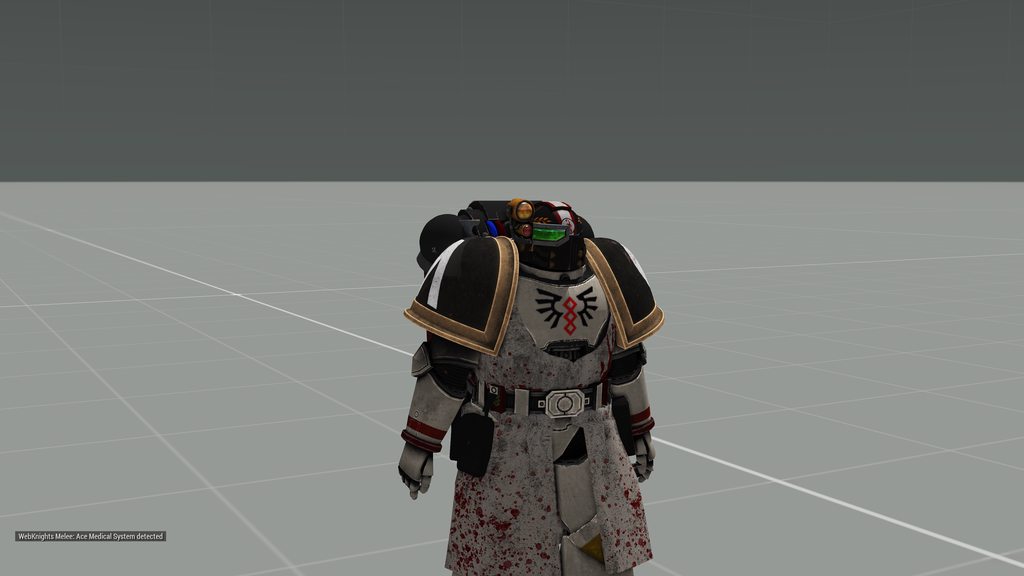
hello, I am having a weird issue where my model has decided to stop working. What is weird is that the model is attached to the skeleton and I have the vertex groups set up correctly. My other models are working but there is nothing different about them except the geometry all of the settings are the same....
 fast field
Does anyone have some good resources for learning how to import a model into Arma?:)
stuck oyster
fast field
Does anyone have some good resources for learning how to import a model into Arm...
What I linked above last night could be a start.
stuck oyster
spare musk
hello, I am having a weird issue where my model has decided to stop working. Wha...
Model. Cfg connection,
named selection/vertex group weighting to correct bone,
Geometry lod properties
Are the three things needed to follow animations
spare musk
might of fixed it bossman
I did a stupid and added a space at the end of one of the lod properties
stuck oyster
I recommend using pboProject to pack your addon as it catches stuff like that
stone bison
charred bolt
In Object Builder, click on the Window menu, show Named Properties.
Right mouse ...
Done this and it still says it is getting the same error
stuck oyster
where are the files from?
stone bison
P: drive
stuck oyster
yes but like how did you make the p3d?
stone bison
stuck oyster
yes but like how did you make the p3d?
A mate sent me the PBO, I used PBO manager and then a P3D debinderizer on the P3D file to make it an M_LOD
stone bison
Ah ok didn’t know that, my mates file wouldn’t open otherwise, how can I edit stuff like the TFL Google drive docs or is that not to be edited?
stuck oyster
TFL is made out of stolen models and banned
you are completely in the wrong area here

stone bison
Ok dude how was I meant to know? I’m trying to learn and find out
stuck oyster
in the circles who want to use tfl it is pretty common knowledge.
stone bison
stuck oyster
in the circles who want to use tfl it is pretty common knowledge.
Ok well I’m not in any of these “circles” otherwise I’d go ask there wouldn’t I
stuck oyster
well you have now a chance to make your own stuff instead of use that crap.
stone bison
stuck oyster
well you have now a chance to make your own stuff instead of use that crap.
👍
stone bison
stuck oyster
well you have now a chance to make your own stuff instead of use that crap.
So there’s no files out there that give you a base to go off of? All has to be from scratch?
stuck oyster
Arma3 samples on steam
And some mod makers have released their sources too to be freely used.
But taking anything from pbos or other games is strictly forbidden
And some of the arma2 models have been released in editable form too
cloud zealot
halcyon hill
You can open the hunter in cofig viewer, and copy lines defining sounds.
i think i've tried that few month earlier and only the engine turn on/off was workingi'll give it another try
inland pawn
small heart
https://imgur.com/a/ViQf9TD
Did you place it on the ARMA man head level?
Doesn’t look like it
small heart
inland pawn
Did you place it on the ARMA man head level?
Do you mean in the object builder?
No if so, the tutorial i was watching didnt mention it
Ill try it tho
stuck oyster
small heart
Do you mean in the object builder?
get the arma 3 samples for reference
small heart
stuck oyster
get the arma 3 samples for reference
I did but i used em in blender, when i import em into object builder they are half in the ground or arent scaled right.
stuck oyster
your scale and object origin are then messed up in Blender
object mode scale of a thing needs to be 1,1,1 (you can apply scale to achieve this)
and the object origin point needs to be in 0,0,0 for equipment
small heart
stuck oyster
your scale and object origin are then messed up in Blender
so when i import the sample model into object builder to get the height. (im guessing i need to use OB) this is how the sample shows up.
https://cdn.discordapp.com/attachments/328978606535475200/1019613318014578829/unknown.png
and this is where the gag loads
https://cdn.discordapp.com/attachments/328978606535475200/1019613624890839070/unknown.png
I have both of them set to scale 1,1,1 and position 0,0,0 in blender
I reset boths scale and transformation
stuck oyster
that is correct then.
then you are either lacking weighted selection to correct bone name and/or model.cfg with correctly named class in cfgmodels (name of p3d) and/or geometry lod with correct properties
small heart
stuck oyster
then you are either lacking ``weighted selection to correct bone name`` and/or `...
the weighted selection is just the "head" vertex group?
stuck oyster
if you want it to be weighted to head yes
but the mesh verticles also needs to be assigned to that group/selection
small heart
stuck oyster
but the mesh verticles also needs to be assigned to that group/selection
oh crap... i think i forgot to change the vertices names when i copied and pasted XD
so they're all like head.001 head.002
XD
stuck oyster
those wont work yeah
small heart
crap, aight ill give that a try
small heart
stuck oyster
those wont work yeah
nevermind i did, i just the object was named that. So i got it to load into and be textures and sync with the head. my main issue rn is its not positioned to the head. changing it in object builder changes it but is there an easier way im missing?
stuck oyster
you are missing one of the things I listed above
the position already looks to be correct, just something missing from the setup that makes it not connect with the animations
small heart
stuck oyster
then you are either lacking ``weighted selection to correct bone name`` and/or `...
oop my bad didnt see the edit on that
stuck oyster
I only edited the items to be more visible
they were all there from the beginning
😛
stuck oyster
the model.cfg also requires the charcater skelton to be present
you can use the model.cfg from the samples and just replace the classes pointing to the sample models with yours
at the near end of the file
small heart
stuck oyster
then you are either lacking ``weighted selection to correct bone name`` and/or `...
for the geometry lod what properties should it have? cause it doesnt have anything about that in the video
stuck oyster
ones the sample models have
small heart
stuck oyster
the model.cfg also requires the charcater skelton to be present
errr if u want i can post my current model.cfg?
a bit big tho XD
stuck oyster
no need. you just need to take the model.cfg from the samples and remove the last classes that point to p3ds (they are named same as the p3d)
you need all of it
except the mentioned last classes
the rest is the character setup
small heart
{
    class Default
    {
        sectionsInherit="";
        sections[] = {};
        skeletonName = "";
    };

    class ArmaMan: Default
    {
        htMin = 60;          // Minimum half-cooling time (in seconds)
        htMax = 1800;        // Maximum half-cooling time (in seconds)
        afMax = 30;          // Maximum temperature in case the model is alive (in celsius)
        mfMax = 0;           // Maximum temperature when the model is moving (in celsius)
        mFact = 1;           // Metabolism factor - number from interval <0, 1> (0 - metabolism has no influence, 1 - metabolism has full influence (no other temperature source will be considered)).
        tBody = 37;  // Metabolism temperature of the model (in celsius)

        sections[] =
        {
            "osobnost","Head_Injury","Body_Injury","l_leg_injury","l_arm_injury","r_arm_injury","r_leg_injury", "injury_body", "injury_legs", "injury_hands",
            "clan","clan_sign","Camo","CamoB","Camo1","Camo2","personality","hl", "injury_head", "insignia", "ghillie_hide"
        };
        skeletonName = "OFP2_ManSkeleton";
    };

    class gag: ArmaMan{};
};```yes this is incorrect
small heart
thats the last part i have where i edited the class
stuck oyster
unless you have the skeleton stuff above it too
small heart
yea just didnt post it
stuck oyster
is your p3d named gag.pd3?
small heart
ye
stuck oyster
then this part looks to be right
then most likely its the named properties of the geometry lod that you are missing
note
named properties, not named selections
stuck oyster
it can be done in Blender too, the toolbox has a dialog for it
but yes
wrong lod though
it goes into geometry lod
 small heart
stuck oyster
it can be done in Blender too, the toolbox has a dialog for it
small heart
stuck oyster
it can be done in Blender too, the toolbox has a dialog for it
ty for the help IT WORKS

stuck oyster
 lone jewel
hi, soo i have been really wanting to get in to "3d modeling" or what ever u call it. but i have no idea how to and i don't know anything about blender or 3ds max and etc. i have tried to look at tutorial and courses on skills share. but my question is how would u guys suggest me to learn about making models for like arma 3 mods as an example. and where should i look at tutorials / do have any u could suggest
charred bolt
lone jewel
hi, soo i have been really wanting to get in to "3d modeling" or what ever u cal...
Download and install free Blender.
Open youtube and watch "Blender Guru" channel, Playlist "Blender 3.0 Beginner Donut Tutorial" series.
 devout knot
Guys, how do I simply import a custom head from blender to arma 3
(New to arma modding btw)
 bright flax
Is there a way for my building to cut the grass when it is placed and not see the grass through it?
 marsh jewel
Yo bros how do u do weighted selections
small olive
for what kind of model?
marsh jewel
Vest for example
stuck oyster
In blender you use weight painting tool. There are lot of tutorials on how to use it
small olive
marsh jewel
Vest for example
weight transfer is the first you should do, after that you can tweak your model by manually painting it
marsh jewel
stuck oyster
In blender you use weight painting tool. There are lot of tutorials on how to us...
Ok so weight paint and assign selection in blender with blender a3 toolbox?
Can you weight paint it in OB?
stuck oyster
Toolbox exports the weighted groups automaticakly
marsh canyon
You can in OB. But never never try that
marsh jewel
I already tried tbh, pretty useless lol
marsh canyon
Not very good? I thought it is NOT good at any point
marsh jewel
You have to hide vertices
stuck oyster
I've done my first characters by painting them in OB
This was before I found blender
Ye goode old days
lone jewel
charred bolt
Download and install free Blender.
Open youtube and watch "Blender Guru" channel...
i know it takes a while to learn, but how would i after doing that tutorial convert that knowledge to arma 3
marsh jewel
small olive
weight transfer is the first you should do, after that you can tweak your model ...
Yeah i was thinking too, so transfer weight from the samples vest example then modify that yes?
small olive
from arma 3 sample character itself
remove the proxies and other unnecessary selections like insignia
before transfering
marsh jewel
Oh i see
marsh jewel
Very nice thank you
stuck oyster
lone jewel
i know it takes a while to learn, but how would i after doing that tutorial conv...
No need to confuse yourself with that before you know basics of modeling and texturing.
Many things become far more easier to understand once you have the basics in hand
lone jewel
stuck oyster
No need to confuse yourself with that before you know basics of modeling and tex...
alr
 slender yew
does anyone know any model makers for arma that specifically make good female heads/bodies
stuck oyster
theres been some but theyve not been active for years now
slender yew
sad
stuck oyster
indeed
 modest quarry
So anyone have any ideas how to fix this, Im not to into modeling and just got it ingame so far
The helmet I import works fine but it just chilling between between the legs at the feet
inland pawn
modest quarry
So anyone have any ideas how to fix this, Im not to into modeling and just got i...
Not weighted to the head and or no model.cfg entry
modest quarry
not sure how to do the 1st one but i used a template for the config
stuck oyster
scroll up a bit, this was pretty recently explained
dusty basalt
Is 150k triangles reasonable for a detailed vehicle in LOD0? Most of the expensive detail will be gone in LOD1 and LOD2 especially, but wanted to add more quality up-close
charred bolt
Poly count is far less important than it used to be, but 150k is still way out there on a limb. Personally I'd recommend scaling it back to less than 90k, regardless of whether it includes interior details visible in LOD0.
For enclosed Cargo LOD's you can potentially go higher, but then of course there's only 1 in the scene.
white jay
depends on the vehicle honestly
if you doing something like a t-72 with reactive armor 200k to 300k tries
white jay
oh sorry Im an idiot I thought this was enfusion model maker. for arma 3 no more than 60k total
I think its like 20 to 30k per proxy,
woeful viper
i just let an ai create 1000 concept art pictures based on word input... it's quite impressive once you figure out the terms that produce the direction of output you want
You can try yourself
https://huggingface.co/spaces/stabilityai/stable-diffusion
its better to use many words than just a few

 woeful viper
i mean, why the hell not?

 civic stratus
Free asset resources for zbrush:
https://www.artstation.com/marketplace/p/Gke7M/200-wood-stencil-vol-1
https://www.artstation.com/marketplace/p/qbzMl/zbrush-wood-surface-vol-1
https://www.artstation.com/marketplace/p/2dXKj/100-metal-stencil-imperfection-vol-1
https://www.artstation.com/marketplace/p/jM7g/zbrush-stone-and-rock-damage-brushes?utm_source=artstation&utm_medium=referral&utm_campaign=homepage&utm_term=marketplace
https://www.artstation.com/marketplace/p/n7gg7/300-stencils-metal-wood-concrete-leaking?utm_source=artstation&utm_medium=referral&utm_campaign=homepage&utm_term=marketplace

ArtStation
Brushes - 200 Wood Stencil - Vol.1, USD $0.00. In this pack, you get 200 wood stencil textures in jpeg and png format. Which helps you to achieve great results in your art. These stencils make it easy for your...

ArtStation
Brushes - ZBrush - Wood Surface Vol. 1, USD $0.00. Available Content:
50 Wood Surface Brushes with 2k resolution.
All Height Maps.
Free Sample Brushes.
Substance painter file. ( 2021 )
Ztl file. ( Version 2021)...

ArtStation
Brushes - 100 Metal Stencil Imperfection - Vol.1, USD $0.00. In this pack, you get 100 metal stencil textures in jpeg and png format. Which helps you to achieve great results in your art. These stencils make it easy...

ArtStation
Brushes - Zbrush - Stone and Rock Damage Brushes, USD $0.00. Photogrammetry based stone crack Brush set for Zbrush.Available Content: For Alpha use with:...

ArtStation
Brushes - 300 Stencils - Metal, wood, concrete & Leaking, USD $0.00. In this pack, you get 300 mix stencils (Metal, wood, concrete & leaking) textures in jpeg and png format. Which helps you to achieve great...
stuck oyster
important to note the licenses of the Free version too, usecases are little limited but can work for modding
but very good for testing them out
 frank bluff
What's the right filetype to export from blender that'll be compatible with incorporation into Arma? I have no experience in modelmaking/configging but I've commissioned a couple of uniform pieces to put up in a mod.
kind nacelle
get teh blender toolbox and export as p3d
 tribal rain
Sup yall, im brand new to this modelling spiel
ive just opened up the model examples from steam
what are the weird triangles coming out from the human body?
kind nacelle
think of them as points, but they use triangles to visualise rotation more easily
tribal rain
Ohhhhhhh
stuck oyster
white jay
oh those are empties
they are proxies. check the which model channel you talk in
proxy defines where engine attaches things like head, weapon, player model as passeneger in a vehicle
@tribal rain
the ones on character are essential to keep in same place
bright flax
Does anyone have a guide on how to set up the windows can be broken?
woeful viper
have you looked at the sample house?
white jay
Hello. How do I export an alpha texture? When exporting, it has a black background.
kind nacelle

small olive
use "_ca" as your texture name suffix and be sure you're using RGBA as your color mode
naming should be done before converting the texture to .paa format
 desert mesa
https://cdn.discordapp.com/attachments/1018093798305308722/1021368666241122324/unknown.png
Hey. I have this problem where the shadow LOD goes all funky.
I don't remember tampering with anything in particular in terms of config, model.cfg, selections, and rigs. I did a little bit of weight repaint.
I tried going back and forth between Stencil shadow and shadow volume but in vein.
Also, the time to load the model is longer with the bugged shadow.
I remember I some how fixed it in older iteration but now I'm stuck.

98% of the report file looks like this: https://cdn.discordapp.com/attachments/873064482094583878/1021377229705457674/unknown.png
 stuck oyster
You probably have materials and hiddenselections assigned on the shadow mesh
Or something is just messed up in the model
kind nacelle
No that's the wrong link

This cool add-on adds Stable Diffusion's text-to-image capabilities to Blender.
Sorry, meant to post this article
stuck oyster
It looked pretty interesting yeah! Saw it elsewhere last night
inland pawn
desert mesa
https://cdn.discordapp.com/attachments/1018093798305308722/1021368666241122324/u...
Is your shadow LOD closed, triangulated and marked sharp?
bright flax
What parameter should I increase so that my glass lasts at least 3/4 chargers before breaking?
 sinful island
activeSensorsOn Does this animation source work on statics?
desert mesa
inland pawn
Is your shadow LOD closed, triangulated and marked sharp?
marked sharp
bleh I've totally forgotten about that. hopefully this'll do the magic
inland pawn
desert mesa
> marked sharp
bleh I've totally forgotten about that. hopefully this'll do the ...
All good. All of us forget the most basic shit sometimes
Hopefully that fixed it
desert mesa
inland pawn
Hopefully that fixed it
https://cdn.discordapp.com/attachments/1018093798305308722/1021630426911080508/unknown.png
major sadness inbound.
I tried with the shadow LOD from example man and it worked fine so I suppose my shadow LOD is just not good
 quick terrace
SVLod needs to be
- closed
- triangulated
- hard edged
- have no UV and have no hiddenselections assigned to it
shrewd jay
In Blender, you can verify the mesh by switching to edge mode and do "Select Non-Manifold".
If anything is selected, then that means these edges are fubar and probably don't have a polygon on each side, meaning the shadow shape is not closed.
small olive
shrink your shadow model into the resolution lod to prevent these weird triangles from appearing
stuck oyster
im thinking the shadow lod is copy of res lod but not triangulated the same
or res lod is not triangulated at all
quick terrace
small olive
shrink your shadow model into the resolution lod to prevent these weird triangle...
it isn't about that, pretty sure
desert mesa
quick terrace
SVLod needs to be
- closed
- triangulated
- hard edged
- have no UV and have no...
https://cdn.discordapp.com/attachments/1018093798305308722/1021757278816325742/unknown.png
So I've being doing some repainting of weights and such.
For the shadow LOD, I closed every holes, triangulated, sharp edged, and removed any excess selections or material. I still gave me the buggy mess
but when I normalised the weight and limited the total vertex groups, then almost all the buggy shadows has vanished.
It seems the remaining buggy shadow is coming from either the hands or the weapon proxy.
I'm not sure if the polycount is a cause here as well, but I'll look more into it. For reference the shadow LOD has 2039 tris.

I'm not sure how I would make a good shadow LOD
quick terrace
can you show the SVLOD in OB?
can you also verify if everything is closed via the OB tools?
desert mesa
quick terrace
can you also verify if everything is closed via the OB tools?
https://cdn.discordapp.com/attachments/1018093798305308722/1021855835468595250/unknown.png
It looks like this. Find Non-Closed only selects the proxies
The rpt file shows nothing but the bunch of:
21:45:46 SubSkeletonIndex: 255
21:45:46 Error: SubSkeletonIndex out of bounds
21:45:46 SubSkeletonIndex: 255
21:45:46 Error: SubSkeletonIndex out of bounds
21:45:46 SubSkeletonIndex: 255
21:45:46 Error: SubSkeletonIndex out of bounds
and so on
 civic stratus
https://www.artstation.com/marketplace/b/pxJ/275-metal-and-wood-stencil-imperfections
https://www.artstation.com/marketplace/b/lrX/360-roughness-imperfections-vol-1-vol-2
https://youtu.be/wUtLrYg3TXs

ArtStation
275 Metal and Wood Stencil Imperfections, USD $6.00. 275 Metal and Wood Stencil ImperfectionsUsing these maps, you can make your weaving for metal and wood easier and more convenient. We have put 275 examples of these...

ArtStation
360 Roughness Imperfections ( Vol 1 + Vol 2 ), USD $6.00. 360 Roughness Imperfections - Vol 1 + Vol 2This product includes 360 roughness imperfections to help you achive that realism in your renders. All textures are...

How to use stencil maps in Substance painter - Part 2 / Substance painter
In the part 1, you saw how to model a jerrycan in 3dsMax. And now in the part 2, I will show how to use map stencils in Substance Pinter. In this video, I tried to use more stencil maps to better understand its use. Looking for more tutorials and tips bout Substance Painte...
dusty basalt
stuck oyster
does it include interior details?
sorry, I forgot about starting this conversation 😅
Yes, it's 150k for the LOD0 for a jet with detailed outside + somewhat detailed cockpit (the cockpit itself will be much more detailed in ViewPilot LOD, just needs to look relatively ok when looked into from the outside, especially while getting in)
subtle bison
i'm not an expert, but 150k sounds way too high
without having seen the model, i'm sure there is a lot that can be optimized
stuck oyster
It can work if lodding is done well. The first most detailed lod might just be drawn only up very close.
quick terrace
kind nacelle
Vertex count isn't a limiting factor
a3 is picky about poly limit
stuck oyster
things start to happen when you go above 200k
like buldozer stops working right etc
and of course the model starts to take a hefty amount of ram too
polygons are not "that bad" but optimized mesh is still preferred
kind nacelle
Fair enough.
Thanks for that explanation. Wasn't thinking of going above 100k anyways
 fringe lance
Did anybody have problem with animations of model after run in game (in 3d editor all animations are working fine - in game structure is blowing up - elements/bones moving around some non defined axis)
stuck oyster
fringe lance
Did anybody have problem with animations of model after run in game (in 3d edito...
Pls, use 1 channel only. No cross posting. #rules
quick terrace
@fringe lancecan you be more specific about what model we are talking about? sane for animation?
stuck oyster
quick terrace
<@862764455623131167>can you be more specific about what model we are talking ab...
More of it at #arma3_animation
halcyon hill
not sure if this is the right channel, but i´d like to ask if someone here knows, how do RHS animated tank sights work ? I´d like to learn how to make one for my vehicles, but i couldn´t figure out how to make them, so any help, advice or samples would be greatly apreciated.
stuck oyster
Id suppose this channel works and RHS makers do read the chat so maybe you get lucky. #arma3_animation would perhaps be the best place buut it is a bit busy now so this works.
Commonly I can say that any parts can be tied to the same turret/gun animation sources but they can have their separate animations and positions from them.
halcyon hill
Ok, il try to experiment around with it to see if i could figure it out. Thx for the advice.
final spear
Hi I wanted to know where I can find the location of model.cfg for the Zafir
stuck oyster
final spear
Hi I wanted to know where I can find the location of model.cfg for the Zafir
those get baked into the model on binarize so its not separate file anywhere anymore
its not really useful on other models anyway so is there a reason you would need it?
final spear
im trying to understand the model.cfg as the one in the examples is messy and with different functions that are not needed
plus im trying to make the zafir close to the irl counterpart the negev
thats why i need the model cfg, for the model that im going to use
stuck oyster
it wont really work since any model difference means animations dont fit
there isnt really anything special in it compared to the example
 swift minnow
hi
Im trying to add a weapon and the muzzle flash is always being displayed, can someone help me with the muzzle flash or animations?
stuck oyster
swift minnow
hi
Im trying to add a weapon and the muzzle flash is always being displayed, ca...
have you checked the sample weapon from the arma 3 samples on steam?
swift minnow
yes, i checked the samples and i havent understood anything
stuck oyster
so do you understand at all how model.cfg works?
swift minnow
yes i have a basic understanding of the model cfg but the model.cfg is too cluttered for understanding
stuck oyster
Id recommend using notepad++ to read it so you can close classes for easier reading.

also the muzzleflash hiding is by default handled by config.cpp parameter that connects the muzzleflash proxy to the hiding/showing when shot by a named selection
that selection needs to be also in the sections list in model.cfg for that weapon
 gaunt wigeon
how do I put an emblem/patch on the vest instead of the shoulder?
gaunt wigeon
that sucks, is there a way of just integrating it onto the vest then? because I see a JTAC patch on one of the vests but it doesnt have the one I want
stuck oyster
you can draw it on a vest texture sure
or have a separate patch mesh for it like in uniforms
the patch just cant be dynamically changed
gaunt wigeon
I have a picture of the patch I want, I can place it on the vest manually right?
I just dont know how to go about doing that
stuck oyster
did you make the vest?
gaunt wigeon
no, its gonna be from another mod
stuck oyster
then your only option is retexturing via hiddenselections if the vest is set up for that
and you might be able to put your patch on the texture and configure a new vest item that uses the texture via hiddenselections
gaunt wigeon
im not familiar at all with this stuff so I don't know how to do that
 mossy mulch
install advanced developer tools mod, go to config viewer, find the vests classname, find its hiddenselections and see if it has one for the patch
would recommend not trying to use the base game one as its much slower
@gaunt wigeon ^
gaunt wigeon
the 'empty' one doesnt, but the vest where there is a JTAC patch has a section where it says that, I should probably use the JTAC vest and replace the JTAC patch with mine right?
stuck oyster
that could work yes
gaunt wigeon
stuck oyster
that could work yes
it doesnt let me place my .paa file in there
stuck oyster
where?
gaunt wigeon
the "tfa_vests.pbo" in the PBO manager
stuck oyster
yeh you are not supposed to edit someone elses pbos
you make your own that references to files in the other pbo
and you pbo only contains your additions
like texture and you config
the config then connects your new mod to the other one
@gaunt wigeon
gaunt wigeon
well it doesnt even let me drop the .paa regardless if its theres or not
I made a new .pbo and tried to put the .paa in there and it has a 'no' symbol
stuck oyster
honestly I have no idea what you are doing. 😅
gaunt wigeon
yeah I am having a hard time describing it
uh im trying to post a picture
well, im trying to drop my cct.paa file into the PBO manager UI and it shows a "🚫 "
mossy mulch
dont use pbo manager like that
create a new folder
and then you will need to inherit the vest and write a new config entry replacing the hiddenselectionstextures of the patch with your own texture
gaunt wigeon
by inherit do you mean I place the "tfa_vests.pbo" into the new folder?
stuck oyster
gaunt wigeon
by inherit do you mean I place the "tfa_vests.pbo" into the new folder?
no
you do not repack anything from the original mod
you only put in your own data
config inheritance is explained in the wiki
you'll want to start from there
gaunt wigeon
ok, im looking at it right now
so by "your own data" do you mean I just put my own .paa file into my new folder?
stuck oyster
your paa and your config.cpp
gaunt wigeon
and how do I go about doing the config, how do I write code for the new patch
mossy mulch
cfgpatches and cfgvehicles should be all you need
gaunt wigeon
do I paste the cfgpatches from the wiki and go off there or how? I dont have experience with this
mossy mulch
Read it
stuck oyster
yes
cfgPatches is always the header of a config
it is the way configs connect to the game and to each other
gaunt wigeon
and the "class MyAddon" I can just put a random name for it right?
stuck oyster
yes, for example class MitchVestMod
gaunt wigeon
what would I say in the requiredAddons section
I read the description but I dont know in this context
stuck oyster
that is what connects your config to other configs and loads it after them. so there you would put the cfgpatches classname of the pbo you want to use the vest from
stuck oyster
not necessarily
gaunt wigeon
class CfgPatches
{
class CCT
requiredAddons[] = {"tfa_vests"}; would something like this be good?
gaunt wigeon
tfa my bad
 merry wing
guys, I've got a question. just tried importing my model into object builder for the first time. in blender it looks just fine but in object builder it cuts like half of the faces away. it's a ship bow and it seems like they are there if I look on it from the inside of the boat, but they are completely see-through from the outside like they are not there. any ideas? sadly can't post an image here...
so far I've not applied any materials or textures.
and it smoothes out sharp edges for some reason
stuck oyster
Arma draws only the front side of a face so your model most likely have wrong facing faces as blender by default does not have backface culling enabled which would draw the faces same way as OB
merry wing
so I need to invert my faces?
I'd guess I could just rotate them 180 but there's probably a better way to do that in blender?
stuck oyster
there are automatic tools to calculate face direction
and if the model is clean enough those often work
merry wing
can you explain to me how to use those?
stuck oyster
but there is also just reverse face
stuck oyster
merry wing
can you explain to me how to use those?
dis stuff
 merry wing
thanks, will try that out!
 halcyon bluff
I have a problem where a) In Bulldozer my Surface are extremly dark, as if they are not illuminated.
When starting Objectbuilder with the "hide materials" option turned on, the surface gets a bit larger, even though weird black spots stay behind. Am i correct to assume this is a fault of my .rvmat configuration? Any idea what could cause this?
and b) Objectbuilder says after checking the Faces that there non-planar Faces in my LOD 1 ( the first visible one). Which i dont really get, to be honest. Is that an Issue i should be worried about?
stuck oyster
maybe
no O2script exe path setup in Blender so vertex normals break on export
or
normalmap is not made right way (perhaps needs green channel/ Y axis invert)
or
Some other texture in rvmat is not right
merry wing
anybody know a guide that explains the memory points/LOD?
I've tried working on my boat and got buoyancy, fire geo, shadow and physX more or less set up, but I am not able to find a guide anywhere that explains how to do memory points
especially something that has a list of the names that I need to give to certain memory points
inland pawn
merry wing
especially something that has a list of the names that I need to give to certain...
Check the samples
charred bolt
The names are given in the config.cpp of your boat, although you may be inheriting them and not aware. Check your boat config in the in-game config viewer and look for 'memorypoint' entries.
stuck oyster
and memorypoints are basically just single verticles in a separate memorylod object that are part of specifically named vertexgroups/named selections.
 deft wolf
Good day everyone, im new around, hopping someone could teach me how to mod models into Arma, anyone has time to spare?
stuck oyster
heya! This is the best channel to ask questions but "how to model" may be a bit too big question to easily answer.
3Dmodeling starts from choosing a program (Blender for example) and looking up tutorials on how it works (just generally learning how to model things)
Then one progresses to texturing and so on and when all that is understood one can start looking into how to model stuff for Arma specifically
@deft wolf
If you got no experience then you dont have to worry about the Arma part for a while and once you have grasped how modeling is done the Arma specific things start to look a lot more easy to understand
deft wolf
stuck oyster
heya! This is the best channel to ask questions but "how to model" may be a bit ...
hi Goat! thanks for the response, yes im proficient with both blender and substance painter, i do Game ready Assets for a living
stuck oyster
tight then, Well then the arma specifics are gonna be easier than for most. You can find at least couple of Blender to Arma video tutorials from tube from El Tyranos and Sokolonko, they go througs some parts of the priocess pretty well
and you will want Arma 3 Samples from steam and Arma tools package
deft wolf
stuck oyster
tight then, Well then the arma specifics are gonna be easier than for most. You ...
I was hoping that someone would teach me directly, like many I learn much better this way and I am willing to adequately compensate for the time, I can create a model and texture of any object that you may need
i can show you examples of my work
if you interested
inland pawn
deft wolf
I was hoping that someone would teach me directly, like many I learn much better...
Grab the ARMA toolbox for blender > create box > give ARMA object properties > export as p3d > Config into game as box > profit
stuck oyster
deft wolf
if you interested
Well we are always interested to see models here! never enough. The teaching part I dont personally have time for, it is quite an ordeal. I do answer questions here though when I can (which is pretty often)
deft wolf
alrighty
deft wolf
inland pawn
Grab the ARMA toolbox for blender > create box > give ARMA object properties > e...
that toolbox, is compactible with what Blender version?
inland pawn
stuck oyster
Well we are always interested to see models here! never enough. The teaching par...
You’re like, the most active person who helps out lol
stuck oyster
latest
inland pawn
There’s a GitHub for it
deft wolf
the latest blender amazing
stuck oyster
and I pinned a latest toolbox just now too
inland pawn
See pinned
deft wolf
this one correct?
https://github.com/AlwarrenSidh/ArmAToolbox
GitHub
Arma Toolbox for Blender. Contribute to AlwarrenSidh/ArmAToolbox development by creating an account on GitHub.
stuck oyster
Arma Blender Toolbox Experimental 3.1.1
https://cdn.discordapp.com/attachments/105781854598094848/999648646133977138/ArmaToolbox_3.zip
This is bit more recent
stuck oyster
stuck oyster
Arma Blender Toolbox Experimental 3.1.1
https://cdn.discordapp.com/attachments/...
looks like the other message I had for this was on the animations channel 😄
inland pawn
Silly goat
deft wolf
using blende 3.2 and addons is enabled
what type of model you guys think i should start with?
a world asset, a player item, a player weapon, a vehicle, or a rigged piece of clothing
inland pawn
deft wolf
what type of model you guys think i should start with?
Start with something quick and easy
Like a box
deft wolf
sorry i was feeding my dog, im back
so a box
yeah that can show me the basics
but what about one of the models i alreay got created from other jobs, something simple
like a chair
so i can also understand what texture rendering format Arma 3 uses
inland pawn
I don’t know shit about texturing. So, I’ll leave that to the experts
deft wolf
i have noticed that arma 3 uses a combiation of baked lighting with some NonPbr materials
deft wolf
inland pawn
I don’t know shit about texturing. So, I’ll leave that to the experts
what do you know?
deft wolf
ho awesome, so you know how to code vehicles and weapons?
inland pawn
Pretty much
deft wolf
Great yeah, thats useful, so im gonna follow your instructions, i have a box here on blender
the classic and memeable default box
how do i give ARMA object properties?
to the box
inland pawn
deft wolf
how do i give ARMA object properties?
Select the box, then in between the window and the list of objects, you should see a small tab
Click it
Go to ARMA 3
deft wolf
got it
deft wolf
care if we go to Dms?
inland pawn
Once you’ve done that, go into edit mode on your box. Make sure everything is one object and then triangulate it
Export as p3d
 deft wolf
the cube has been exported
inland pawn
Then open your p3d with object builder
deft wolf
awesome
deft wolf
and handheld weaponry and uniforms/bodyarmor?
deft wolf
awesome, thats the area im most interested in creating content
cant wait to implement my Bella pistol https://media.discordapp.net/attachments/988888799763398676/1015624029614374912/unknown.png


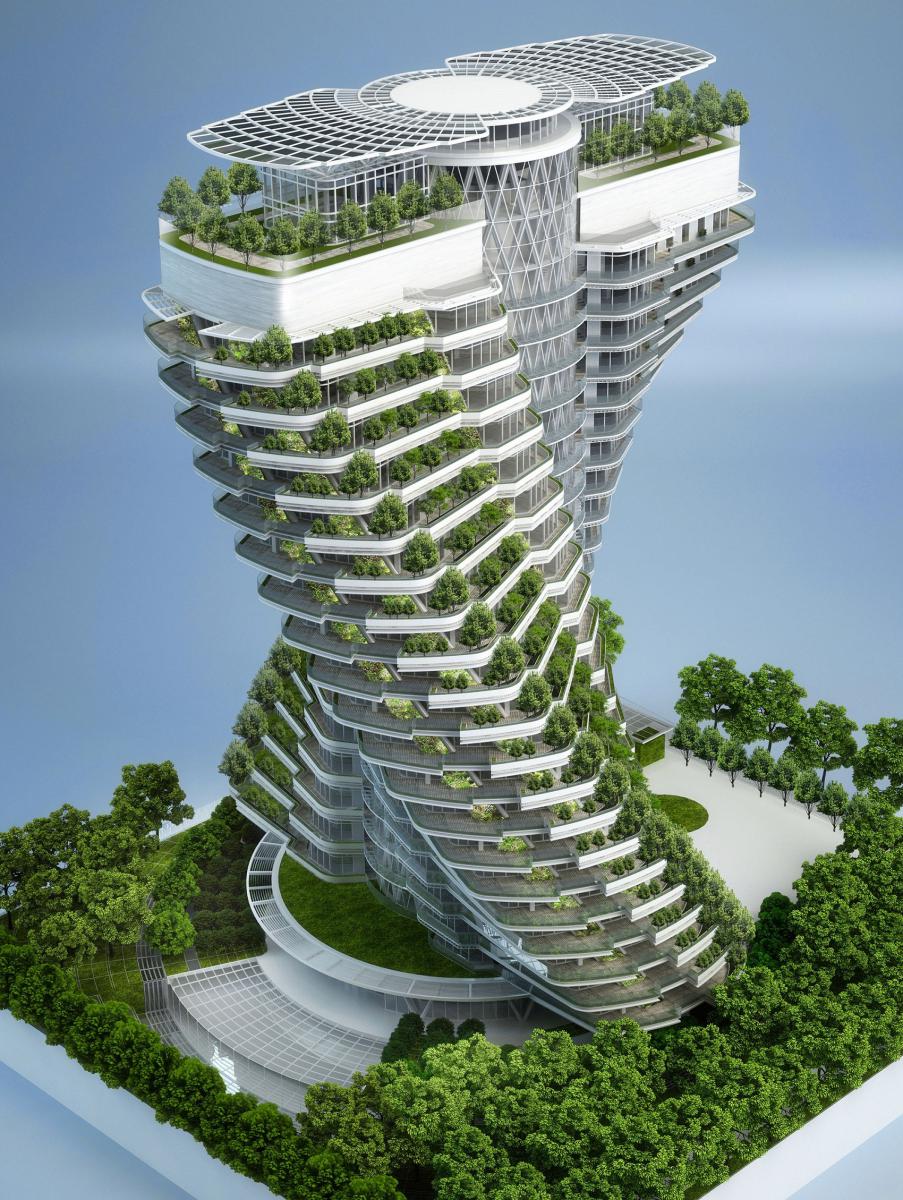


 stuck oyster
deft wolf
https://cdn.discordapp.com/attachments/403777018229030913/1025438884139634719/un...
stuck oyster
deft wolf
https://cdn.discordapp.com/attachments/403777018229030913/1025438884139634719/un...
heres mine for example
