#arma3_model
1 messages · Page 1 of 1 (latest)
 mild ledge
 atomic path
Hi, I've implemented a custom model with custom skeleton. It animates well and stuff but I have one issue I can't seem to fix: basically the model disappears at close distance. Any idea what can cause that? I can see it only from over about 300meters. The model is about 3 meters high
Inb4:
- I don't have any extra empty resLODs
- I've fiddled around with bounding box
- It disappears even when T-posing
- It's not underground - when I hang it in the air and pan out it's exactly where I'd expect it to be, but still disappears from up close
 karmic blade
hey, are there any tutorials how to make eyewear? I have an open source blender model for earpiece, but how do I scale it, make sure game knows to which part of players body to attach it, etc? Is there a tutorial for that?
nvm I think I found it
 median python
Hello there! I'm looking for a way to either angle the Vehicle-in-Vehicle loading bay or the text on a numberplate. This is for a ship with a curved deck, and the ship name in the front is customizable via setPlateNumber. A small boat can be loaded onto the aft deck. Now, because both plate numbers and VtV work in truly horizontal alignment (as in aligned to the "horizon" of the .p3d), it looks really wonky. Any chance to do some magic and make one of the two work from a proxy or something to align it to the deck?
 broken glade
https://i.imgur.com/wIlg3XK.png Sun is shining through the whole object. How do I fix that? 🤔
 white jay
i need help on porting arma 2 models to a3 and make it work like a regular vehicle anyone here can help me?
 marsh canyon
Let me rephrase: didn't CUP satisfy you?
white jay
marsh canyon
Let me rephrase: didn't CUP satisfy you?
yes i mean it did but there some stuff there absent like more cold war stuff
i just like add stuff and learn more
since i do cold war mods
dont worry i will try and contact the creators for their permission
marsh canyon
You should to say what exactly you need in assist anyways, I can't help you out there
W-what?
white jay
what i mean in assist is that can someone teach surrounding on making these work like a normal mod
like the cfgs and making these vehicles function like regular say the speed and the sitting position
karmic blade
Question I tried making an SHD Isacc computer, placed it in correct location on male.p3d, gave it RightShoulder group, saved location, rotation and size, exported it etc everything seems fine, but ingame for some reason it is near my characters knees, not the shoulder. Was I using the wrong soldier p3d? https://ibb.co/hYKDgBH and https://ibb.co/NxgHSGg
 stuck oyster
karmic blade
Question I tried making an SHD Isacc computer, placed it in correct location on ...
stuck oyster
karmic blade
Question I tried making an SHD Isacc computer, placed it in correct location on ...
What type of equipment did you make it as? Did you add the service lods like in same type examples? Do you have character skeleton model.cfg file (and nameOfP3D class in it) ((compare to sample equipment))
stuck oyster
white jay
what i mean in assist is that can someone teach surrounding on making these work...
Teach 1 on 1 sometimes happens but is perhaps rare. It can be pretty lengthy process.
There are some tutorials on how to bring stuff to Arma (BI forums have some pinned) and the arma3 samples are good startup reference combined with the information on the BI wiki.
People who frequent here often can answer more specific questions
mild ledge
so just, weight paint the vertex groups of a larger model, import it into the game, and it'll work as if it has a skeleton already parented to it and won't collapse in on itself?
you mentioned "there's no skeleton involved", and that making a latger character, the animations just spread out relatively correctly
stuck oyster
mild ledge
you mentioned "there's no skeleton involved", and that making a latger character...
you can try it out buut Im fairly sure the animations wont match
mild ledge
thanks
stuck oyster
if joints are not in right place bad things happen 😄
mild ledge
then how'd you convert em again 😅?
stuck oyster
but if you want few laughs you can try it
mild ledge
stuck oyster
but if you want few laughs you can try it
lol, gee thanks 😆
did you use a program to convert the bigger model or something?
I'm an experienced 3d modeler, it shouldn't be too hard for me to understand what you did
but currently I have no direction to even guess
stuck oyster
I set up new skeleton and imported the original animations on it. it imports with relative rotations so the movement comes in straight up
movement stuff works ok but weapon animations are pretty broken
mild ledge
oooh
I assume you don't care to explain how to do this in detail right? (it's ok you don't owe me anything)
stuck oyster
make skeleton with same bones as arma man, use the rtm importer to import rtm on it
mild ledge
...I...
stuck oyster
you need weighting on model so it connects with the animations
but that can be done without skeleton
skeleton is useful to validate weighting
but it does not get exported with the model
mild ledge
oh ok
so I weight and import a model as a p3d into arma.. what then? if I config it right, will it work? or is there an extra step regarding the actual model and it's animations? also, do I need to make a bigger skeleton, load in evrry single arma animation, re-save and import them, then add them to the model's code somehow?
or will the model somehow take them without anything further?
stuck oyster
the last part yes
mild ledge
aah I figured.
stuck oyster
need model and new animations
mild ledge
alright
stuck oyster
and configs
mild ledge
if you don't mind, one last question:
are there animation cues already in the config, or will I need to add their edits manually like in Gmod's "QC"?
stuck oyster
the animation config can be copied and repathed so it will work
mild ledge
oh sweet
stuck oyster
it sounds a bit simpler than it is
and without a lot of manual tweaking things will look a bit off
mild ledge
I once made a playermodel with an entirely custom animation set for Gmod so I have a 'bit' of experience eith this atleast
mild ledge
stuck oyster
and without a lot of manual tweaking things will look a bit off
I have kinda low standards so that's fine. As long as it is recognizable and not a complete "The Thing" tier abomination, it'll work for me
karmic blade
Is there a way to check if my model will clip with base game stuff? Like import assault backpack or smth into blender to see if it clips?
marsh canyon
You can use a proxy to see if it does in Buldozer
 cloud zealot
Can anyone give me a proper video tutorial about weapon creation because i have understand bohemia's configuration basics but i'm new at 3d modelling and i don't have any idea about how to make the mempoints nor which mempoints names exactly do i need (i know i have to select vertices, but how many ? what about the direction ?) or to determine how will the character hold the weapon
i already have downloaded bohemia's characterexample buti don't know how to use it with the weapon
stuck oyster
There might be something you could use from sokolonko and El tyranos on YouTube.
Also check pinned messages on #arma3_animation
And experiment
cloud zealot
stuck oyster
There might be something you could use from sokolonko and El tyranos on YouTube.
I've checkedpinned messages and haven't found anything about ir
stuck oyster
Start from the static pose tutorial there..
karmic blade
I have a piece of equipment that is on my backpack strap, it works and everything, it is in eyewear section ingame. Now, I want to be able to have a watch and that thing to be on my body at the same time when I equip the eyewear item. How do I do that? I assume you just have both model in at the same time, you just attach them to different body parts via vortex groups and model cfg, however when I export this into p3d, it just gives me 3 copies of only 1 of 3 models:
Blender: https://ibb.co/MszMxRm
OB: https://ibb.co/0VCPrWg
(yes I know there are no shadow and distance lods etc, I will add them, but one step at the time, need to figure out why basic stuff doesnt work)
stuck oyster
You probably did not use the latest toolbox that can combine separate objects of same lod into single one
On export
karmic blade
I have no idea, is there an extra options to click when doing that or is it automatic?
like how do I know if I have latest version, I got mine like 6 months ago
stuck oyster
Try the one I linked few days ago
cloud zealot
I've looked on the forum and have understand how to make a mempoint but what are the required mempoints ?
karmic blade
Okay, I exported the blender file to OB. it had the watch as RightForeArm and Computer as Right Shoulder. I finished doing shadows and stuff in OB and turned the game on, and for some reason the computer is not on the shoulder but near the knee. However I do have the file correctly defined in model cfg and config. I went back to p3d with OB and it turns out the RightForeArm and Right Shoulder groups are gone, wtf
stuck oyster
cloud zealot
I've looked on the forum and have understand how to make a mempoint but what are...
Required for what exactly? The arma3 samples cover most of required stuff and some extra too
stuck oyster
karmic blade
Okay, I exported the blender file to OB. it had the watch as RightForeArm and Co...
Did you just make the groups or did you also assign them the verticles?
karmic blade
u are right I forgot to assign, also I didnt finalise the properties...
cloud zealot
stuck oyster
Required for what exactly? The arma3 samples cover most of required stuff and so...
I forgot to mark this post as answer of a previous post...
Actually i'm trying to develop a new weapon. I'm a beginner at 3d modelling but i want it to be perfect so it won't be over before several month. I'm at the point where i need to set the mempoints but idon't know what mempoint names i need. I also need to set how the character will hold the weapon, i've downloaded bohemia's character example but i don't know how to do
stuck oyster
Memorypoints need to be named in config and in model the same way. If you look at the sample weapon and its config you can trace many of them between config.cpp parameters and model.cfg animations
How weapon is hold is determined by an animation pose
Which is why I pointed you at the pinned message at the animation channel
cloud zealot
stuck oyster
Memorypoints need to be named in config and in model the same way. If you look a...
Ah, we can determine how the weapon is hold with an animatiion pose. Thanks for the information. I think i've understand what i need to know about the memorypoints thants to you answer, i'll check other pbo's config to make sure.
stuck oyster
there is little bit more to it
so the basic rifel holding pose is the base of all rifle weapon holding animations
the weapon bone is at the shoulder, the arms are bent so that hands hold the rifle
all custom animations are overlaid/blended with this pose
and from the animation you create only the hand and finger positions are read in offset to weapon bone and then blended with the underlying pose
any relatively normal rifle holding pose will be pretty simple to set up and get working
but anything more unconvential can be more difficult
cloud zealot
stuck oyster
there is little bit more to it
Thanks a lot, I'vealso found this video witch helped me a lot.
https://www.dailymotion.com/video/x2a4bwd
 fluid copper
Am I allowed to use modified versions of the sample assets in published mods?
fluid copper
thanks
 static copper
why is it taking so long to binarize a helmet I made
fluid copper
Depends on the size of the file/poly count I think. Sometimes it can take a number of minutes
cloud zealot
How do we make the hitboxesof an object ?
fluid copper
Check out this page https://community.bistudio.com/wiki/LOD
cloud zealot
fluid copper
Check out this page <https://community.bistudio.com/wiki/LOD>
Obviously i have to name vertexes for the hitbox, but do i need to name all the vertexes or just to select 8 vertexes to "form a cube" ?
fluid copper
You can use a cube if you like, each component has to be very simple, closed and convex. You have to name each seperate piece "component 01" then 02, etc
cloud zealot
fluid copper
You can use a cube if you like, each component has to be very simple, closed and...
Thanks for you answer !
mild ledge
Hey goat, I got a guy on Fiverr willing to import that model for me, and he tried to convert the animations with a new skeleton, but it didn't work, would you be willing to show him how to do it like with your spacemarine mod?
 ancient matrix
does anyone have an updated walkthrough on making an arma 3 model in blender? I'm not trying to do anything advanced just trying to make a shape with a texture slapped on it, the ui on the tutorials I've found looks nowhere near like the current version
https://youtu.be/TboTYArmi2s I tried to follow this guy's steps but I can't find the buttons he's clicking

A not-so-quick introduction to taking a model from nothing to something in Arma III.
Blender: https://www.blender.org/
Arma Tools: http://store.steampowered.com/app/233800/
Blender to p3d: http://www.armaholic.com/page.php?id=20519
Gas Can for Scale: http://gattington.com/media/gascanforscale.blend
Example Config File: http://gattington.com/med...
current issue is applying the uv map to the model and locating the arma tools from the blender addon
stuck oyster
I dont think anyone updated theirs since new UI so you will have to try to figure out the UI changes.
never head of this guy though 😅
ancient matrix
im definitely open to different tutorials lol
ancient matrix
I just exported an fbx file it turned out fine
mild ledge
stuck oyster
Im not particularry interested in making someone elses work for them
ha that's ok, thanks
cloud zealot
I would like to know how do i set the geometry to make an object walkable ?
And also is there a way to make object builder read Components directly from OBJ file ?
stuck oyster
Obj is not good transfer format. Use fbx or better yet Arma toolbox addon and P3d export
Walkability requires valid geometry lod (collision) and roadway surface lod (walking)
You can check the arma 3 sample house for reference
@cloud zealot
cloud zealot
stuck oyster
Walkability requires valid geometry lod (collision) and roadway surface lod (wal...
Thanks for the informations i'll use fbx nox. I didn't even know there was an Arma 3 Samples
What does it mean when object builder puts a blue point in an object in the geometry lod ?
 runic plover
stuck oyster
blue point?
runic plover
stuck oyster
blue point?
geometry mass middle point
cloud zealot
runic plover
geometry mass middle point
Thanks
cloud zealot
stuck oyster
Obj is not good transfer format. Use fbx or better yet Arma toolbox addon and P3...
I just tried to use a FBX file format but why is object builder removing all my lod when i import the file ?
stuck oyster
I dunno. I don't use fbx.
cloud zealot
stuck oyster
I dunno. I don't use fbx.
I'll stick to obj then. It requires more work but i can keep my lods
stuck oyster
cloud zealot
I'll stick to obj then. It requires more work but i can keep my lods
what program do you model with?
cloud zealot
stuck oyster
what program do you model with?
i use Blender
stuck oyster
any reason not to get the ArmaToolbox addon and export directly to P3D?
cloud zealot
every time i try to export complex models with it it saysit cannot because of n-gons even when i triangulate everything
stuck oyster
then you have not triangulated everything
simple as that
when such thing occurs you can find out what objects are problematic by testing them in small groupd or one by one and exporting "selected only"
cloud zealot
stuck oyster
when such thing occurs you can find out what objects are problematic by testing ...
I don't know why sometimes blender considers 4 edges faces as n-gon and i cannot triangulate something with 4 edges
cloud zealot
stuck oyster
I've never seen there be quads that dont triangulate
yet every time i extrude something it creates additional vertexes and apparently these vertexes are considered as faces. Sometimes i have like 16 vertexes on one point because i have extruded a face many times and i don't have the courage to delete them one by one
cloud zealot
If i manage to export in p3d can i export the uv set with it ?
if not i'll have to try the fbx format. Making uv sets in object builder is a pain in the ass when you have multiple faces and if you don't apply your texture perfectly without deforming it you have ugly shadows textures in game
stuck oyster
yes p3d exports all that is needed
from uvs to vertexgroups to other p3d related custom properties and texture and material paths
cloud zealot
stuck oyster
yes p3d exports all that is needed
ok
I have a last question: is there any chances to mage a destruction animation in Arma 3 i mean so you can see the rubbles being thrown away
i think if i play with the init parameters of the dam structure it could work ?
stuck oyster
its possible in few different ways
it can be animated in the model itself via model.cfg procedural animations
it can be animated as rtm animation file (perhaps nicer way to do it but very undocumented and temperamental feature)
it can be made as particle effects in objects destructionEffects class
for example
cloud zealot
stuck oyster
it can be animated in the model itself via model.cfg procedural animations
it c...
thanks !
stuck oyster
easiest of these would be the destruction effects
cloud zealot
stuck oyster
easiest of these would be the destruction effects
thank you very much for you answers
 tribal finch
hoy, so I'm working on a mirage cockpit rn for an already existing aircraft
what I've done is export the mirage, model a new cockpit then try to import it back into arma (WIP textures and dials) https://cdn.discordapp.com/attachments/979473458683605003/1001543160205422802/unknown.png
heres the problems I've ran into:
1: Textures dont load ingame (dont understand armas texture system, only have knowledge of cryengine and somehow getting info on arma is harder than cryengine 3)
2: Physics are broken and when I enable physics by just starting the game I blast all over the place then explode
3: pilot seems to sit at the origin point of the aircraft, not at the position I'm assuming is set somewhere seems helper names or memory points as I think they're called dont save that info after exporting from object builder
https://cdn.discordapp.com/attachments/979473458683605003/1001953324062482473/unknown.png
anyone able to help me out with this? 🙂
Cheers!

 stuck oyster
tribal finch
hoy, so I'm working on a mirage cockpit rn for an already existing aircraft
what...
stuck oyster
tribal finch
hoy, so I'm working on a mirage cockpit rn for an already existing aircraft
what...
wheres the mirage from?
Arma uses similar textures and shaders as older cryengine games. Theres _CO _CA color textures and rvmat material files that need to be assigned on the model and packed with it (Addons should preferably be built in P drive development environment to get consistent results)
tribal finch
mirage is from the iran armed forces pack but I think they got it from someone else, will be crediting and offering it to original author when I get it done.
https://cdn.discordapp.com/attachments/550740775520960516/1002029180013269002/unknown.png

heres my blend file. textures aren't named with _CO/_CA at the end
in CE they use _diff for diffuse / _ddna for normal etc but that isn't necessary it wont break the textures if you dont have it
MirageCockpitNew_CockpitPanel02_Diffuse.paa for example, exported straight out of substance painter default names
stuck oyster
you will need to seek permission first before taking someones models
tribal finch
I'm happy to go model my own aircraft
I just want to learn a bit from it before I go fully in with some reference files since the sample files caused some problems
exporting from P: drive btw
stuck oyster
unless they have done silly and not binarized their models you have no business opening them up
this is strictly forbidden
tribal finch
well I saw it as a learning from others before me since no matter how much I searched on the internet I couldn't find anything on jets even though arma is a very popular game with a big modding community
sorry for any problems its caused I'll model my own stuff soon
stuck oyster
there is sample plane on the Arma 3 samples on steam
there isnt really anything you can learn from someones model.
tribal finch
tried with all that, seems to cause the same problems
stuck oyster
Id recoomend starting from something simpler
on your own model.
like a box
once you get that in game textured you can add some animated part to it
once that works you can start something more complex
tribal finch
originally I tried to just import the cockpit with nothing else but I couldn't get it working
I spend most of my time on CE since its my main project, just looking to get some aircraft for a mission and decided to see if I can make my own
as a simple object
stuck oyster
there are few tutorials form El Tyranos and Sokolonko that can point you to right direction
but im not kidding, start with something simple
tribal finch
will give them a check thanks.
probably will end up leaving it for a year or 2 since I've got more important stuff to work on atm was just hoping to cut some corners and only learn what I needed for this. arma is alot more script heavy than CE
stuck oyster
modeling wise there is no scripts or anything like that involved.
but cutting corners is like shooting your own foot
cant really do anything properly like that
tribal finch
well it seems like config files and stuff have a ton of things that to the untrained eye all do something and finding whats usefull and what isn't is very hard
and I don't mind a couple foot wounds if I get there in the end 🙂
stuck oyster
you get there faster by learning from the simpler basics first
you are not the first one starting up and wanting to go fast
but in the end they have all had to go through the basics first
tribal finch
I get that yeah but I've got cryengine stuff that I'm already struggling to keep motivated with I don't wanna leave it for too long since alot of people are waiting for us as we're the last hope for the game
seems a good few ppl are waiting for the arma stuff too but its not so important
did give the basics a shot but eh idk I guess its just all in my head, need to take those shortcuts for some reason lmao not sure why
probably just a bad habit
stuck oyster
very bad. You wont get stuff done like that with Arma.
theres nothing wrong from starting from basics with a new thing
even if you have experience with a similar thing elsewhere
tribal finch
did the same with CE, I worked my way backwards kindof it did take me a good 5 months but I was fueled by my love for the game 🙂
nobody was really helping since like 5 people actually had proper CE knowledge in the community
I think the similar thing is just a good reference point
they way I see arma modding is I'm only replacing geometry so I dont wanna learn more than I need to
anyway gotta go sleep, need to be up for some stuff in the morn
appreciate the help will go check out the guys
stuck oyster
"replacing geometry" is suitable concept only for characters and wearable gear as they have least changes in config side and dont take changes to the tehcnical lods side.
However any vehicle will requrie full make of techcnilcal lods like collision, memorypoints for animations and engine features etc.
so in essence the kind of "replacing" you might be used to does not exist in Arma
even vehicle config is likely not compatible with another vehicle of different shape and weight
so to make stuff properly you have to understand quite a lot
 unkempt token
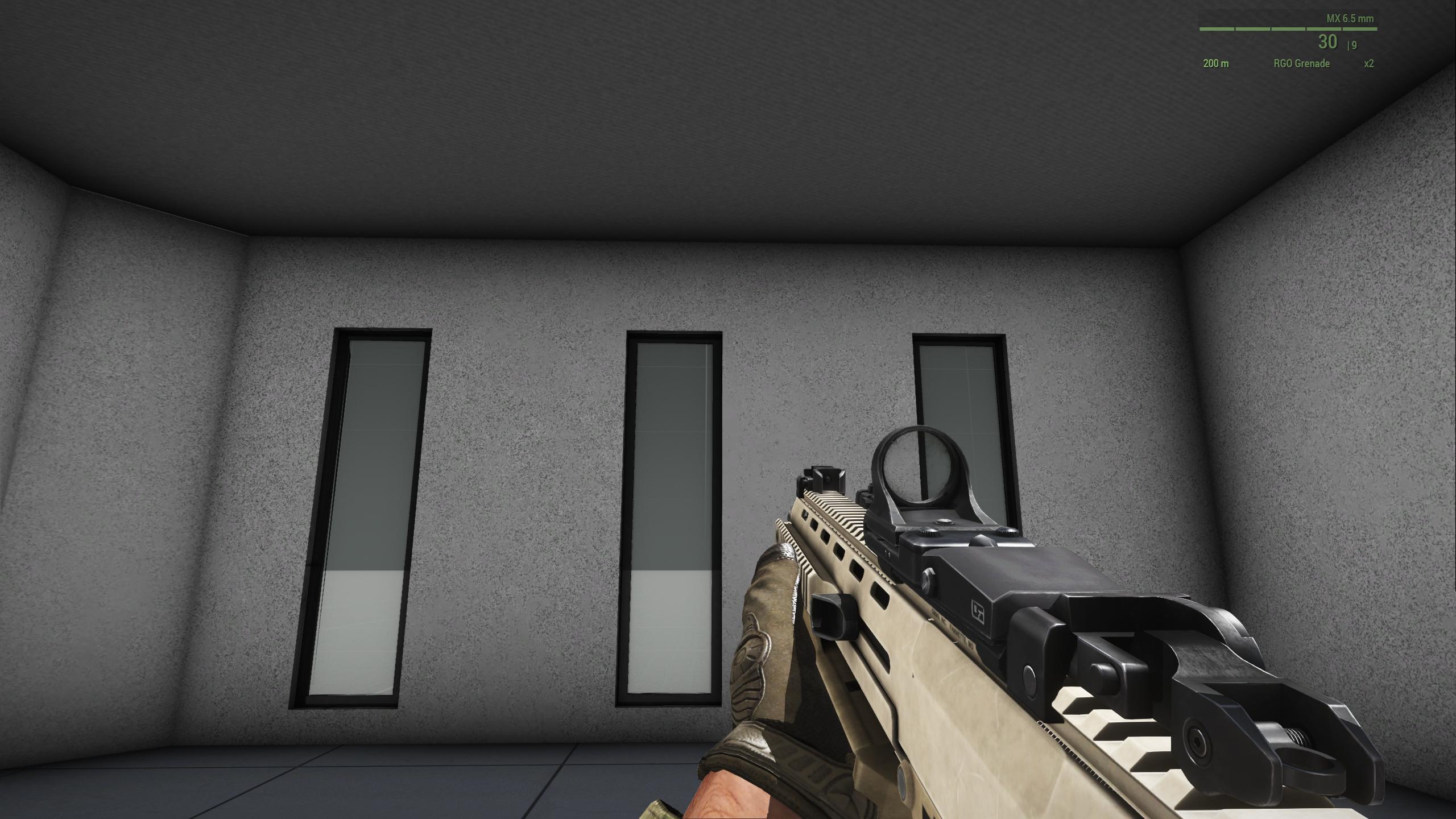
Hmm, I have been wracking my brain trying to figure this out. I've got a building I made, got a shadowLOD volume that is as "optimized" as I can get it, and yet the shadows are being cast on the player's viewmodel, though not in world, see this screenshot: Notice the illuminated gun and hand, despite being in shadow- the glass is stopping light as well, though this is due to the way the shadow LOD was made. https://i.imgur.com/eTr5wTd.jpeg
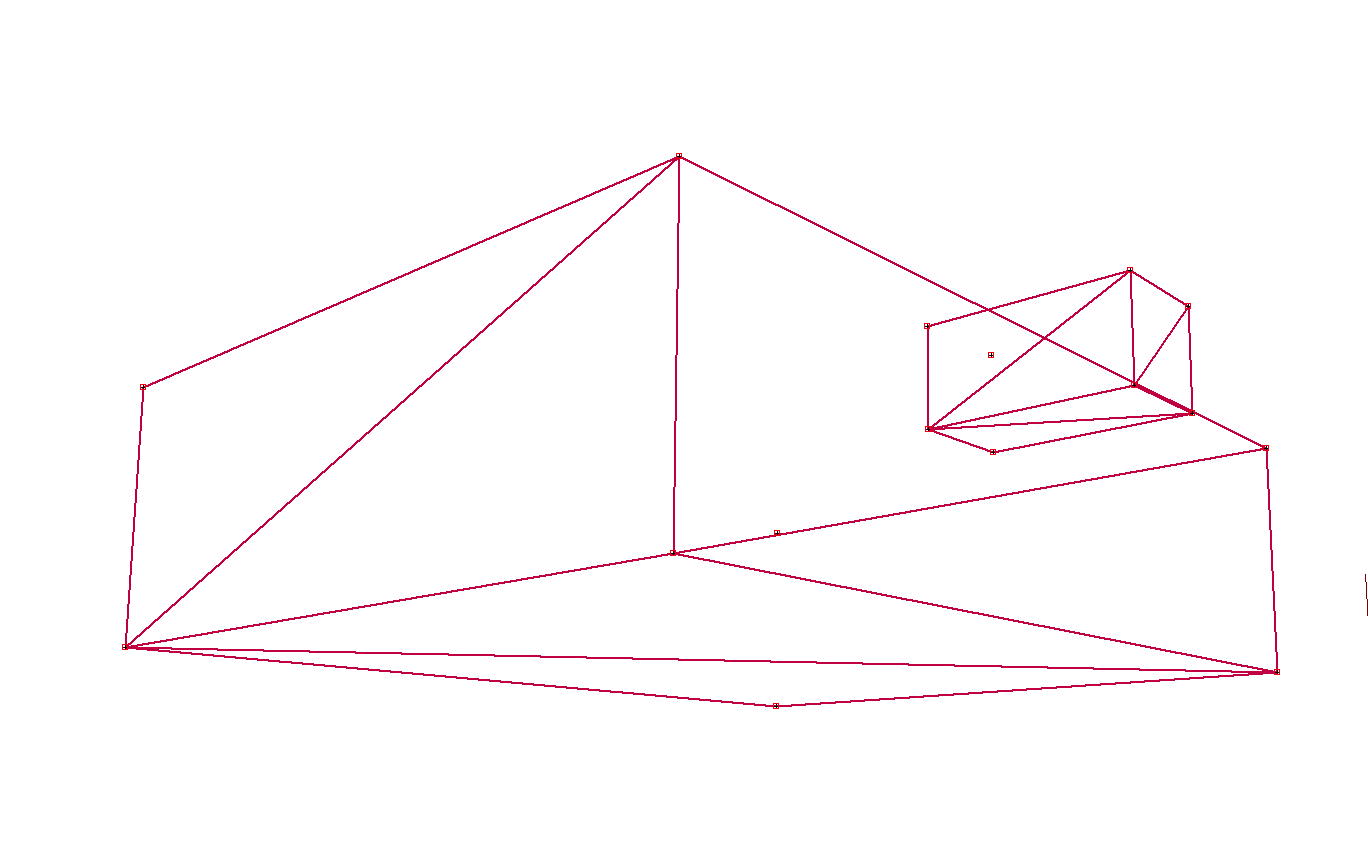
This is the shadowvolume 1.000 https://i.imgur.com/u8kW6TN.png
 inland pawn
unkempt token
This is the shadowvolume 1.000 https://i.imgur.com/u8kW6TN.png
inland pawn
unkempt token
This is the shadowvolume 1.000 https://i.imgur.com/u8kW6TN.png
Shadow is triangulated, marked sharp, etc?
unkempt token
Yes
unkempt token
The shadow LOD is working fine, but it's just the viewmodel for the player that's not working right. I'm torn of it being an issue in the p3d itself, or an RVMAT issue.
 rough idol
did you tried to invert faces?
stuck oyster
sbsource = visualex?
 kind nacelle
does arma support custom split normals?
kind nacelle
Hmm, interesting
I noticed that exporting as p3d from blender using the toolbox doesn't conserve that
unkempt token
rough idol
did you tried to invert faces?
The faces appear to be correctly oriented, inverting them breaks them.
unkempt token
stuck oyster
sbsource = visualex?
I tried this on the geometryLOD as a named property but it did not have an effect. I also tried sbsource = shadowvolume, no effect.
stuck oyster
kind nacelle
I noticed that exporting as p3d from blender using the toolbox doesn't conserve ...
and yes, the exporter is not written to write custom normals
its rarely used so I suppose it has not been a priority feature
kind nacelle
fair
unkempt token
stuck oyster
sbsource visualEx and delete shadowlods
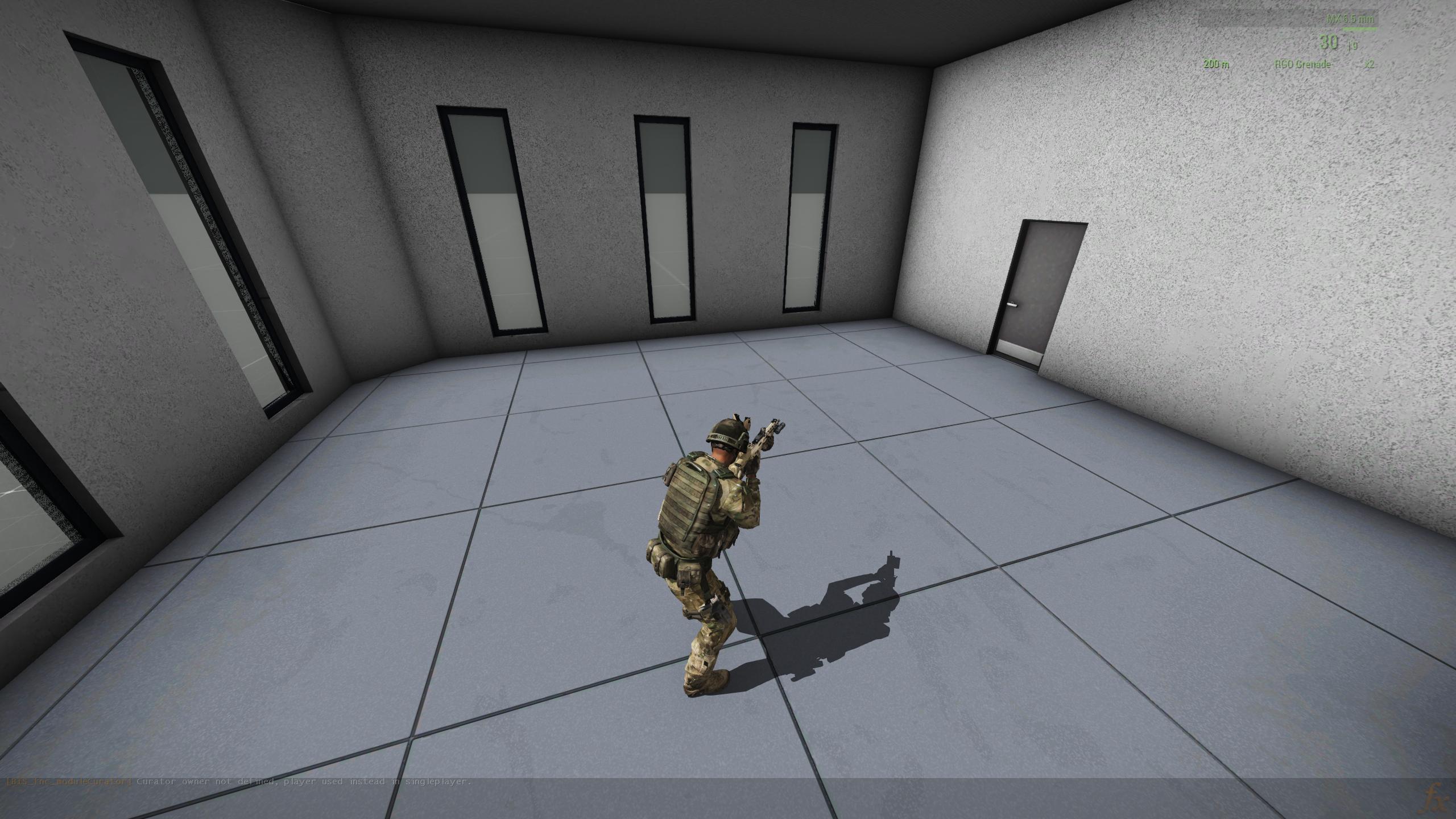
I gave this a try. I no longer have any shadows again, including viewmodel. Could this be an issue with an RVMAT? https://i.imgur.com/OjORdj3.jpeg
 kind nacelle
i wonder if it could help getting around having UV seams on smooth edges
stuck oyster
kind nacelle
i wonder if it could help getting around having UV seams on smooth edges
what kind of issue you have with that?
kind nacelle
ah non so far, ive just been told that arma edge splits those 😅
stuck oyster
unkempt token
I gave this a try. I no longer have any shadows again, including viewmodel. Coul...
could be.
stuck oyster
kind nacelle
ah non so far, ive just been told that arma edge splits those 😅
lot of vanilla models have such edges I think. they work
kind nacelle
to be perfectly honest, i just make models and toss them at the guy doing the implementation 😆
stuck oyster
they can have uses. and they do work but just need to do fbx export for them as the toolbox export does not do it
or figure out how to make it do it and suggest implementation to Alwarren
rough idol
unkempt token
The faces appear to be correctly oriented, inverting them breaks them.
How is it broken?
unkempt token
In the screenshot, you can see inverting them appears to be passing light through instead of acting as a shadow volume. I verified they're correctly oriented so I'm not sure that that was the fix. I'm currently doing some deeper reading on RVMATs cause I think my issue may be stemming from there.
rough idol
Otherwise you can do proper shadow lod
unkempt token
I could've sworn I had it working right on one of my previous projects but I overwrote some of the data.
unkempt token
I'm pulling a blank so far. Do any of yall have a sample of an RVMAT you've used on a structure that worked as intended? (i.e. buffer shadows, light does not pass through, not transparent.)
stuck oyster
buildings typically use multimaterial RVMAT
stuck oyster
unkempt token
I'm pulling a blank so far. Do any of yall have a sample of an RVMAT you've used...
if you have P drive set up you can find multimaterial rvmats in the unpacked P.\A3\ data
or you can check you the multimaterial wiki pages
unkempt token
omg nevermind. You were right. It was sbsource = visualex.
https://i.imgur.com/dhc53uw.jpeg
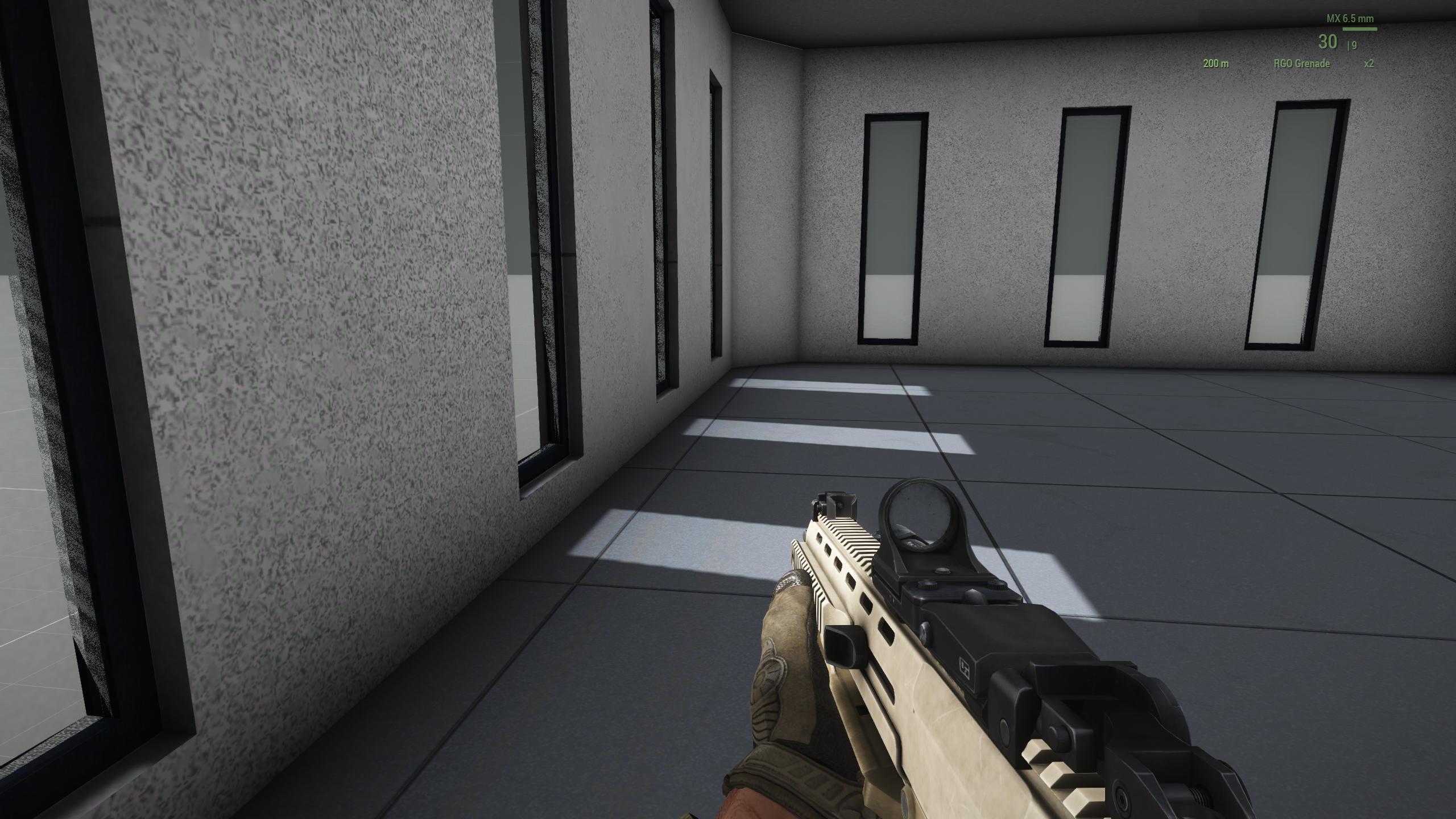
I type sbource, not sbsource, that was a foolish pebkac.
Thank you very very much goat and reyhard
 cloud totem
I'm having an issue where something I've made is in my crotch
I know it's related to autocenter, or at least i'm 90% sure but idk how to disable it
cloud totem
nvm. fixed it
cloud zealot
I want to create an object of 150 long and large. On Bohemia's website they say geometry doesn't work with a lod larger than 56-60m. Will it work if i subdivide the big struccture in multiple components or do i have to make multiple p3ds ?
 woeful viper
kind nacelle
ah non so far, ive just been told that arma edge splits those 😅
woeful viper
kind nacelle
ah non so far, ive just been told that arma edge splits those 😅
every game splits them. UV seams on smooth edges are not a problem. Its the other way round that can be "problematic" - if you have a smoothing split, you need a UV split as well, because otherwise normals look wonky along that edge - but only if you want to bake normals and want to capture a smoothed edge along that smoothing split.
cloud zealot
stuck oyster
each max 50 meters preferably
alright thanks
 shell bluff
Anyone have an idea why the model is so collapsing ?? Land contat I have ok https://imgur.com/a/o9VxLby
inland pawn
shell bluff
Anyone have an idea why the model is so collapsing ?? Land contat I have ok http...
Check your bound points
shell bluff
inland pawn
Check your bound points
OK I TRY
shell bluff
inland pawn
Check your bound points
I forgot to add a podkolol <x>. Now it works, thanks
cloud zealot
And make sure your model is placedon the very 0 of the Z axis on your 3d software
kind nacelle
woeful viper
every game splits them. UV seams on smooth edges are not a problem. Its the othe...
So, bevel bake along split normals requires a UV split?
I assume that's because the split should be pixel perfect?
 quick terrace
where there is a hard edge in your low poly - you'll need a UV split
not sure what you mean by bevel bake
woeful viper
kind nacelle
So, bevel bake along split normals requires a UV split?
this should clarify things visually
https://www.youtube.com/watch?v=ciXTyOOnBZQ
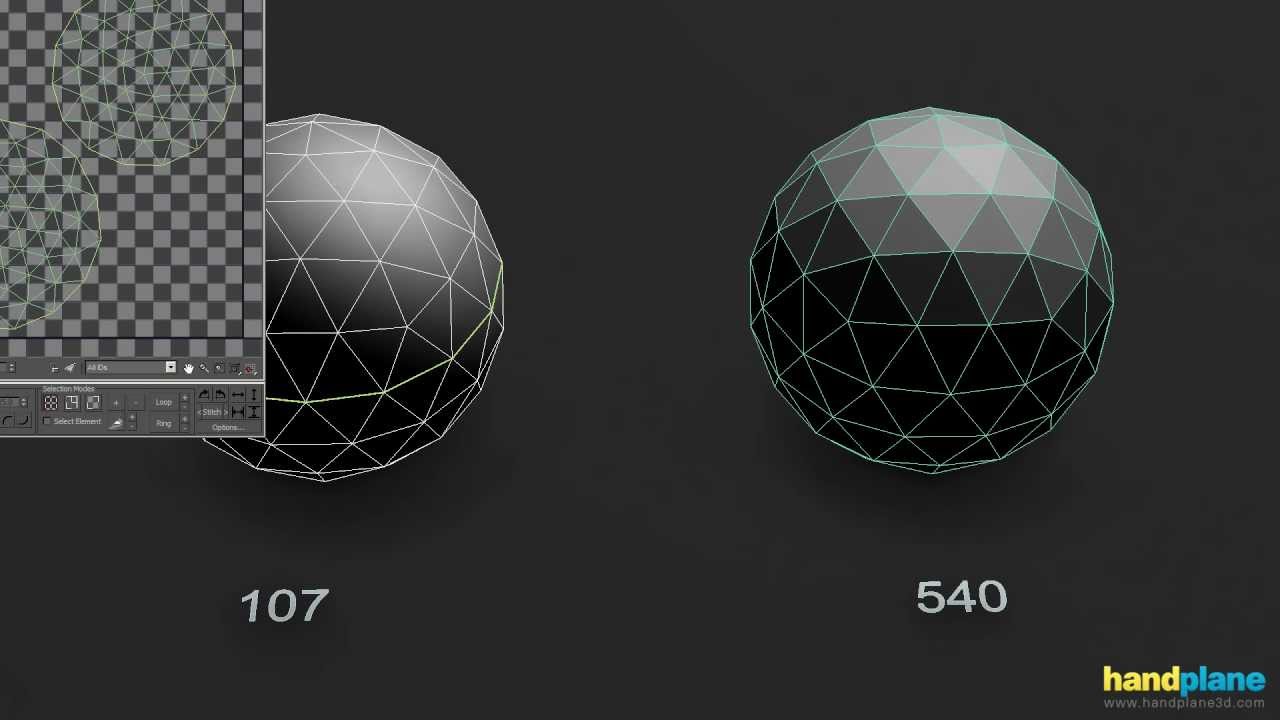
www.handplane3d.com
Using splits and supporting geometry to control shading behavior
kind nacelle
woeful viper
this should clarify things visually
https://www.youtube.com/watch?v=ciXTyOOnBZQ
okay, yes this is what i assumed
kind nacelle
quick terrace
not sure what you mean by `bevel bake`
baking a high poly bevel onto a low poly model
 stone cargo
Are we allowed to modify and reupload to a mod what is in samples like the Character template as a potential uniform?
@quick terrace @stuck oyster ?
 bold flare
following the samples license (release your mod as APL) Actually the samples don't have any license inside the downloaded files. except
© 2013-2017 Bohemia Interactive a.s.
All rights reserved.
Thats weird, I expected them to be APL
stone cargo
Sounds like a no then I'm guessing.
stuck oyster
It is essentially how new uniforms are made
stone cargo
Legit all I'm trying to do with is make an undersuit version for my devastator trooper I'm working on. I modeled it around the character and im lazy to make a new undersuit uniform. So all I did was remove the feet, seal the neck, and shoes.
bold flare
Oh Star wars? How about we stay away from trademark infringement?
stone cargo

Yeah I'm not using any names from SWTOR i'm changing it all up, aka instead of Havoc, Devastator Trooper. etc
or any names from star wars
woeful viper
you still use the design...
stone cargo
Well I've waited a while on the discussion in #ip_rights_violations so far no decision has been made against legion studios and Disney/Lucas film has a lot of projects which they have not taken down like Galactic Contention from Squad with 140k+ users or the Maul fan film with 36 million views.
However if BI has made a decision against any star wars mods and wants to remove them all, then I definitely will not make this mod public and just keep it for myself for pics.
stone cargo
stone cargo
https://ibb.co/mHHb2BR
on another note I cant figure out why the p3d decides to discombobulate the samples character uniform when its in game. That being said I won't use the samples character since it doesnt seem to like being yeeted into a p3d and I'll just make my own uniform.
stuck oyster
You have hiddenselections in Shadow lod
unkempt token
Would anyone care to sanity check me? I'm using a config.cpp and model.cfg I've used previously with full success on a building that has only one door, and it's not animating. I've validated 20 times over that I've got the p3d itself made correctly. It's two variants of the same building.
Here's the config.cpp: https://pastebin.com/cyXwkUPQ
and here's the model.cfg: https://pastebin.com/q9CtPqZY
The action to Open Door appears, but no animations are taken, and it will not run the anim in Buldozer. 
Pastebin
Pastebin.com is the number one paste tool since 2002. Pastebin is a website where you can store text online for a set period of time.
Pastebin
Pastebin.com is the number one paste tool since 2002. Pastebin is a website where you can store text online for a set period of time.
The models have correct memoryLOD vertices for Door01_axis and Door01_trigger, ComponentXX and Door01 nomenclature for both geometry and visual LODs of the door and its geom, I feel like I'm missing something obvious though.
cloud zealot
stuck oyster
I dunno. I don't use fbx.
Actually you can create multiple objects collections and give them a name in Blander which correspond to the lods in object builder. This is why when i was importing my FBX files, object blender was deleting all lods. FBX is for global importation, if you just need to import an object, use OBJ.
 charred bolt
unkempt token
The models have correct memoryLOD vertices for Door01_axis and Door01_trigger, C...
charred bolt
unkempt token
The models have correct memoryLOD vertices for Door01_axis and Door01_trigger, C...
Try using this model.cfg and looking at it in Buldozer, using the "Door01" animationSource.
https://www.toptal.com/developers/hastebin/uwaturuhil.kotlin
unkempt token
charred bolt
Try using this model.cfg and looking at it in Buldozer, using the "Door01" anima...
Thanks for taking a look. I did try as you said, but I don't see any change in results here, I'm trying to narrow down what else to try.
charred bolt
If it doesn't work in buldozer, it's nothing to do with config.cpp, only p3d or model.cfg
Do you get a door01 animation source option in buldozer?
unkempt token
No luck, if you mean trying [ and ] to animate it while selecting it (and other components just to verify)
charred bolt
What is the exact name of your p3d?
unkempt token
In this capitalization: packshack.p3d and packshack_empty.p3d
unkempt token
OH. Wait. So I should do 575packshack.p3d and 575packshackE.p3d?
inland pawn
Your cfg models class names need to match Exactly the name of the p3d
charred bolt
Yes - although I think it's usually recommended not to use numbers at the start and to use a tag
inland pawn
Otherwise, it won’t attach
unkempt token
That fixed it. Oh my god  Thank you so much https://i.imgur.com/cq9N6lF.png
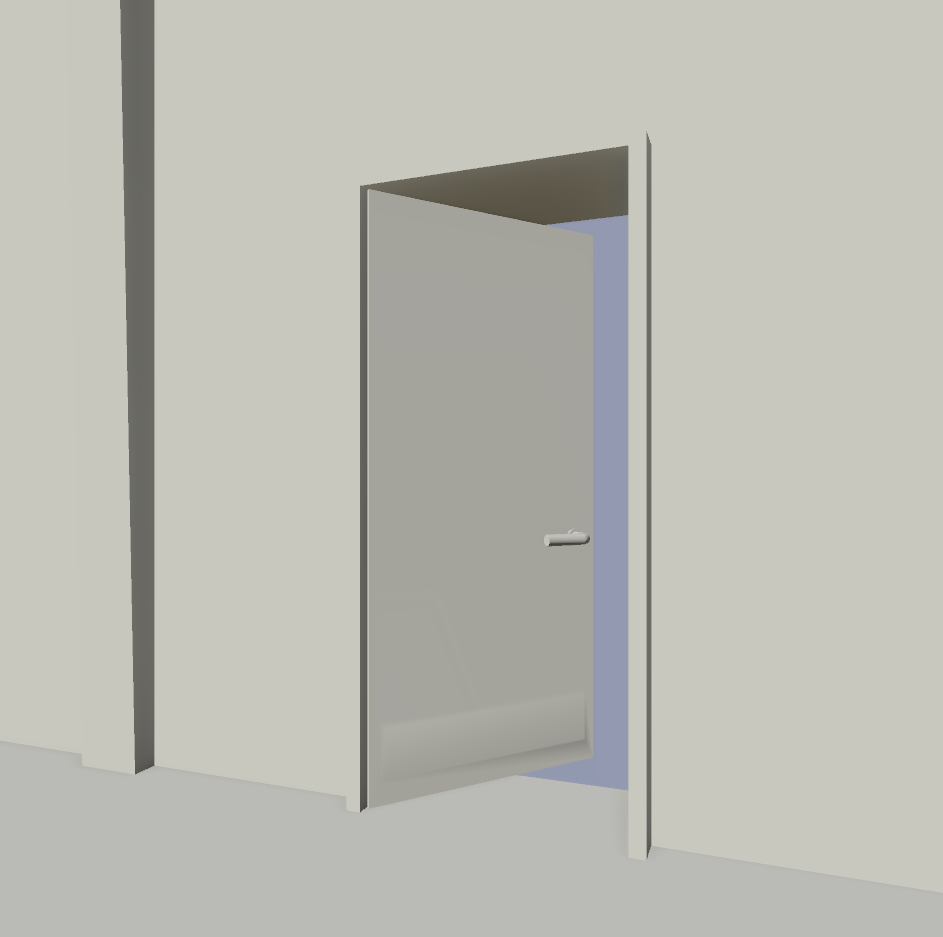 charred bolt
Nice 🙂
I'd recommend you use something like a bro_ prefix to all your models and class names (assuming bro is not used by any other popular mods) or something similar based on your mod team name.
unkempt token
Understood. Thanks for the recommendation
 tranquil turtle
I have an optic model where I cannot see the reticle in-game. It looks fine in model viewer any idea what could be wrong? Do optics need a .cfg?
inland pawn
tranquil turtle
I have an optic model where I cannot see the reticle in-game. It looks fine in m...
You set the model optics on your weapon and set it up in the p3d?
tranquil turtle
inland pawn
You set the model optics on your weapon and set it up in the p3d?
Yeah p3d seems fine... the config seems fine... I just can't see the reticle at all... the model looks perfect on the weapon but can't see the dot ADS or not just looks like a Grey box...
inland pawn
tranquil turtle
Yeah p3d seems fine... the config seems fine... I just can't see the reticle at ...
Can you post a pic of your optics paa?
tranquil turtle
Cannot post attachments
stuck oyster
tranquil turtle
Cannot post attachments
You can link pictures
stuck oyster
cloud zealot
Actually you can create multiple objects collections and give them a name in Bla...
Don't need extra steps. I just use the Arma toolbox addon.
cloud zealot
stuck oyster
Don't need extra steps. I just use the Arma toolbox addon.
You appear to be helping people a lot so i wanted to give you the information. In my case, i don't much have a choice and FBX prettymuch handles all required parameters for Object Builder
stuck oyster
cloud zealot
You appear to be helping people a lot so i wanted to give you the information. I...
👍
tranquil turtle
Think that it is a texture problem maybe...
https://ibb.co/xJ638VX
https://ibb.co/DV3v84V
https://ibb.co/p31sNYq


Image Arm-A-3-Screenshot-2022-07-25-14-24-29-87-1 hosted in ImgBB
stuck oyster
Black usually means missing/wrong stages in rvmat or wrong path for texture.
 tulip gyro
Since hiddenSelections doesn’t work on facewear, how do I make multiple facewear color variants without using different models?
fluid copper
If you made the model and coded it, I don't see any reason why hiddenSelections wouldnt work
tulip gyro
To quote the biki
Please note that facewear does not support changing textures via hiddenSelections[], so when a new facewear is defined, it contains information about its author, name, model, icon, and mass. Should more variants of the same facewear exit, each one has to be defined as a new class and have a new model.
 boreal jolt
That was certainly the case back in A2 but not in A3. Vanilla A3 facewear like Apex's Stealth Balaclava or Laws of War's Respirators do make use of hiddenSelections.
 limpid obsidian
I am currently attempting to make an helmet attachment that goes in the face ware slot. I was able to port the model in game. However, it is currently displaying below the head in the center of the chest.
I ensured it was attached to the 'head' vertex group and Set all transforms in Blender. The model displayed correctly on on the ArmaCharacterTemplate in Object Builder. Does anyone know a possible solution for this?
cloud zealot
What is the appropriate Z dimension for a table in Arma 3 ?
tulip gyro
limpid obsidian
I am currently attempting to make an helmet attachment that goes in the face war...
Add an “autocenter 0” property to the geometry LOD
limpid obsidian
Thank you 🙏
 kind nacelle
 rough sand
https://ibb.co/xMD1yVS
rough sand
https://ibb.co/xMD1yVS
I can hook you up with some (shitty) t-55 wheels I made for a different project
Not unwrapped yet and mid poly, but could probably easily be optimised
rough sand
kind nacelle
I can hook you up with some (shitty) t-55 wheels I made for a different project
https://ibb.co/hMrPvS9
Thanks, but you don't have to. I've already started doing this
 kind nacelle
oh yeah when fucking around with the samples i found out that the t-55 is too small
rough sand
Yeah
stuck oyster
Different variant?
rough sand
?
kind nacelle
stuck oyster
Different variant?
no the dimensions are just completely wrong
stuck oyster
😅
rough sand
 kind nacelle
stuck oyster
😅
kind nacelle
stuck oyster
😅
its like 1/10 too small iirc
rough sand
Nah
white jay
yes
rough sand
You just need to tweak it a bit and it looks quite better
and I'm only doing it because I can't look at old barrel manlet
white jay
brat just retopo a new high poly from it
make sure you dont make a low poly with that horrible turret top seem that is way to big
rough sand
Maybe in future for A4/Reforger, but for now
 white jay
this ofp mod has a better t-55 than the arma 2 one :X

its kinda funny how terrible of a job they made their t55
rough sand
for me worse is fact that nobody before tried to make better model
Only in GM you have nice one but still not soo many people have GM
In A2 and A2:OA you have atleast 3 different mods with their own t-55 model
similar with T-72 , BMP-1, BMP-2, ZSU-23-4 ...
Only RHS dis pretty good job with that
shell bluff
I have such a problem, I add max speed here, but in the game it doesn't go more than 30 😦 https://ibb.co/G0gRKpD
inland pawn
shell bluff
I have such a problem, I add max speed here, but in the game it doesn't go more ...
Max speed doesnt entirely determine how fast a vehicle goes
It's a number of physX parameters
shell bluff
inland pawn
Max speed doesnt entirely determine how fast a vehicle goes
oh okay thank you for the answer, i will try 🙂
shell bluff
inland pawn
It's a number of physX parameters
it working , thx mate
kind nacelle
white jay
aav 7, btr, lav and the bmp 3 are the only good ones
Nah, those also aren't good by today's standards
The proportions on the t-55 look good
It's just that it's too small
I think reworking Arma 2 models is a waste of time in general tbh
Why work on creating a fully new high and low poly and then not have full rights to the asset afterwards
rough sand
The reason is simple:
-It's still faster than making one.
Overall shape is fine , just need to do some smaller and bigger details
Maybe for A4/Reforger I will do my completely own model
Plus, with new textures some old models like Mi-24,BRDM, can still looks very good like
kind nacelle
Yeah fair enough
It's just not something I would do. I like having full ownership

Personally I prefer to work from scans
Lots of good free ones available and you can always make your own
There is some pretty amazing Foss photogrammetry software
unkempt token
What causes this? https://i.imgur.com/qNpNEgU.jpeg
I have the chainlink material as a _ca.paa texture, the metal post that is being seen through is a normal texture. I tried moving the chainlink to top, and poles to bottom, but no change apparent. You can also see the alpha blending overriding the chainlink behind it.
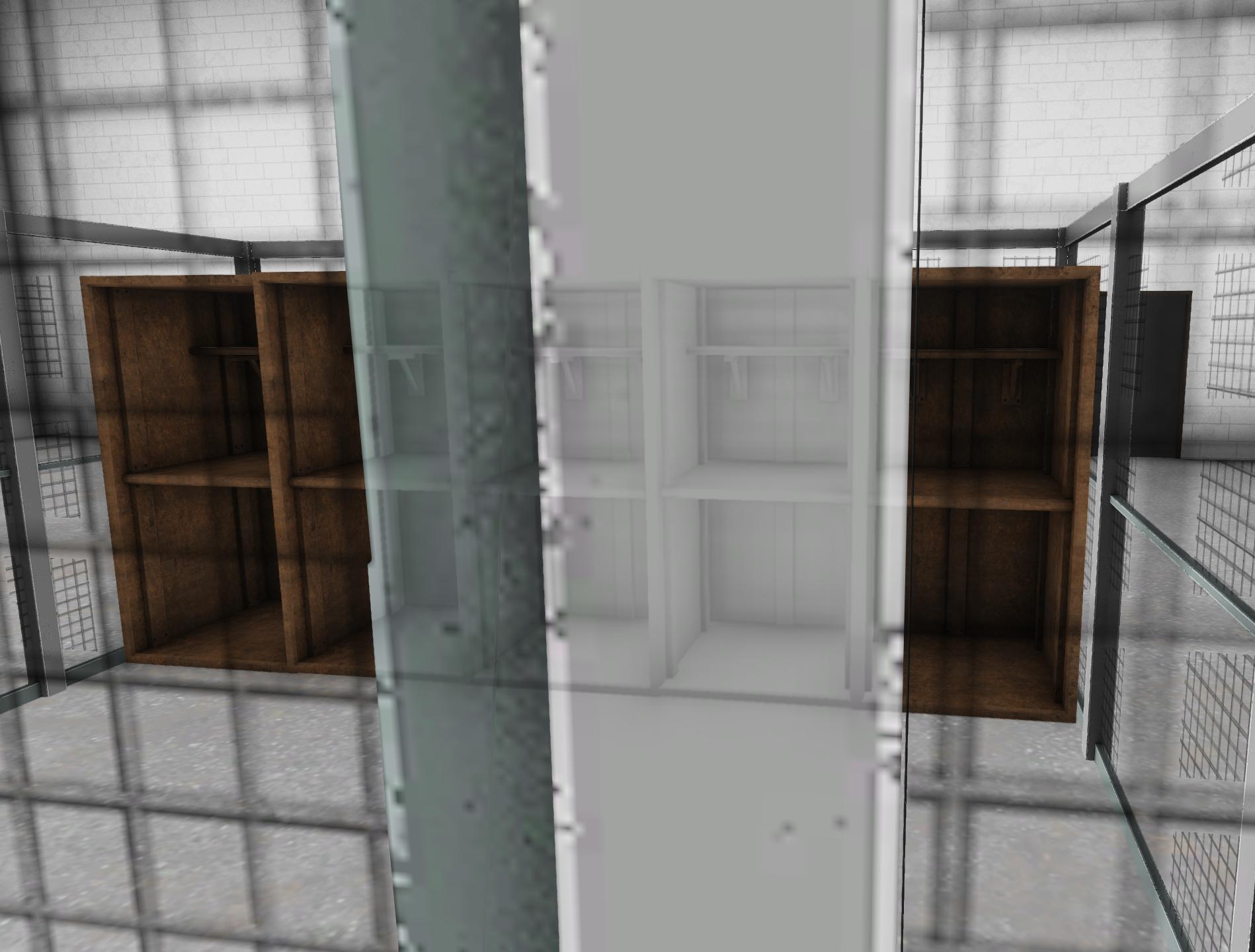
I'm trying to see if there's an alpha clipping mode as opposed to blending, as I think that could potentially resolve the issue, but I'm getting weird google results lol
stuck oyster
are your solid parts on same texture as the chainlink?
if yes, they need to be separate
if no, do they share rvmat
unkempt token
I've got them separated for each, trying to pull data from the game as much as reasonably possible https://i.imgur.com/NtWp2XN.png
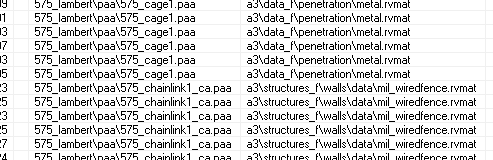 stuck oyster
is there a huge amount of chainlink in the model?
unkempt token
I've highlighted the faces here: https://i.imgur.com/n5QML8l.png
They're double faced, so about 20 faces
 stuck oyster
does the solid parts use _CO texture?
unkempt token
Yes but the filename itself is not appended with co, it's just 575_cage1.paa
stuck oyster
all textures need to have correct suffx so they convert correctly to .paa
also make sure it does not have alpha channel
unkempt token
Ahh! You might have nailed it, I just realized the cage texture has a transparent background because of my SP export settings. Let me fix that and try again.
Hmm, or perhaps not, I did remove the alpha from the _co texture and re-converted it to PAA, sitll not sharing any rvmats or anything, but I'm seeing this still. https://i.imgur.com/BBolsub.jpeg
It's using the concrete.rvmat I use for my other structures, so I'm still trying to pick my brain for other theories.
 unkempt token
I ended up being able to achieve the desired effect (alpha clipping instead of blending) by re-converting the chainlink to a _co instead of a _ca. This doesn't make sense, most likely, but it appears as intended and eliminates the alpha issue. https://i.imgur.com/gVI080G.jpeg
 stuck oyster
it does actually. 👍
_co can hold 1bit alpha (transparent or opaque/ on or off)
and it is handled different from _CA
kind nacelle
Wait, it can?
Would that fix mipmapping issues of a transparent texture becoming black at a distance?
kind nacelle
Hmm
stuck oyster
id perhaps check that kind of textures mipmapping stages in the texView tool
you can scroll the mip levels of a paa in it
last smallest mip of the file

scroll with up and down arrow keys
shell bluff
can anyone help me please. My vehicle collapses underground, I managed to deal with it in the tank, but I don't know how to do it with the car 😦 https://imgur.com/a/UQy26B3
inland pawn
shell bluff
can anyone help me please. My vehicle collapses underground, I managed to deal w...
Either your wheels aren’t named correctly, land contact points, bound points or whatever
shell bluff
inland pawn
Either your wheels aren’t named correctly, land contact points, bound points or ...
and how should I call myself wheels correctly, I only see wheel hide and unhide and I don't know what's going on. please help
shell bluff
stuck oyster
physX wheel setup and memorypoints
I am trying to understand it and it's a bit difficult because there are some hidden weels and weeals that are visible as triangles
stuck oyster
physX wheels are code and memorypoints
visual wheels are just visual
geometry wheels are for collision and hit detection
shell bluff
this is unhide wheels in editor , triangles https://imgur.com/a/SXAEGxS
inland pawn
Select each wheel separately and give them each a selection
Name those wheel_1_1, etc
If you want
Then give those wheel source rotation in model.cfg
Add to physX
Make sure you have proper geo and geo phys LODs
Geo can have wheels and tracks
Geo phys can’t have wheels or tracks
Memory, your wheel axis points should be direct center of the wheel rim
Bound points are roughly the bottom of the wheel
shell bluff
that's what I was doing pressing shift D to center the wheels. and each one has a different name for wheel 1 ... etc
inland pawn
shell bluff
that's what I was doing pressing shift D to center the wheels. and each one has ...
Show your geo and geo phys LODs
inland pawn
shell bluff
https://imgur.com/a/hRPn3lt
That’s land contact
shell bluff
inland pawn
That’s land contact
is it about geometry physic?
inland pawn
shell bluff
is it about geometry physic?
The ARMA sample car should have all you need
shell bluff
I will run today and I will come tomorrow 🙂 P
 shadow sorrel
AT-802U Sky Warden when
marsh canyon
 white jay
dont dew it... do it for enfusion :C
limpid obsidian
If I put an piece of armor in the glasses slot. Is there a way to make it appear in first person?
 small olive
put it into your viewpilot LOD as well
limpid obsidian
small olive
put it into your viewpilot LOD as well
Odd. I have the model in the '1' LOD and 'View Pilot' LOD, but just doesn't appear in first person while in the glasses slot.
kind nacelle
white jay
dont dew it... do it for enfusion :C
Why. Reforger is not even close to being anywhere near as good as a3
And player numbers reflect that
inland pawn
kind nacelle
Why. Reforger is not even close to being anywhere near as good as a3
Modding tools are slightly better in Reforger
Well, more convenient
kind nacelle
Yes but there is no content and no gameplay
The ai is kinda as capable as a Minecraft skeleton
They shoot at run at you
No real mission editor either
No official tracked or fixed wing sim
marsh canyon
Can we try not to toooo-offtopic than #arma3_model ?
 grim trail
Successfully made a turret on my latest model, everything works except....... The damn gun fires from the middle of the model not at the barrel and doesn't follow the turret just fires straight, anyone got any ideas?
stuck oyster
memorypoints dont match config
grim trail
Ok, I'll go back and use my eyes properly lol thanks buddy👍
limpid obsidian
@stuck oyster If I put a piece of armor in the CfgGlasses slot. Is there a way to make it appear in first person? Because it is appearing in third person, but not first.
limpid obsidian
apologize, thank you.
stuck oyster
try it as some other type of item to confirm that the glasses slot behave different
if some other slot does not work either then likely you have some mistake in the model
 bright echo
the glasses proxy is generally not in the view pilot lod of units
bright echo
like if you check the a3 sample its missing from the view-pilot
I found this a long time ago when trying to figure out why gloves that use the glasses slot wouldnt show up
It does work though if you add it but obviously it will only work for the unit/uniform you add it to
limpid obsidian
bright echo
It does work though if you add it but obviously it will only work for the unit/u...
May I DM you about this?
limpid obsidian
Are you talking about adding the model to the 'view-pilot' LOD in the P3D? Or is this a Config thing?
bright echo
the former
the glasses proxy is missing from the view pilot lod and just needs to be copied over
limpid obsidian
hmmm I must be missing something then. Because I've copied the model into the 'View-Pilot' LOD but still can't see it while in first person. Sorry for all the questions, new to this.
stuck oyster
you would need to add the glasses proxy into the character models viewpilot lod
not the item
limpid obsidian
i'm trackin' now. Well both of you thank you soo much for the insight and assistance.
 bitter kite
hi does anyone know what could be causing this?
https://streamable.com/fn5m7a
i have
geo (2000 weight) and buoyancy = 1 parameter
geo buoyancy
geo phys with buoyancy = 1 parameter

second it touches the water its to space
stuck oyster
@charred bolt youve done boats recently! Ever seen this happen? 
stuck oyster
bitter kite
hi does anyone know what could be causing this?
https://streamable.com/fn5m7a
i...
applying to the Arma space program there?
charred bolt
bitter kite
hi does anyone know what could be causing this?
https://streamable.com/fn5m7a
i...
Can you show your:
Geo LOD
Geo Buoyancy LOD
Geo Phys LOD
LandContact LOD
(screen shots to show Named Selections, Mass, Named Properties).
What do you have for these properties in config?
turnCoef =

maxSpeed =
slowSpeedForwardCoef =
normalSpeedForwardCoef =
idleRpm =
redRpm =

simulation =
thrustDelay =
overSpeedBrakeCoef =
enginePower =
engineShiftY =

waterLeakiness =
waterResistanceCoef =
waterLinearDampingCoefX =
waterLinearDampingCoefY =
waterAngularDampingCoef =

rudderForceCoef =
rudderForceCoefAtMaxSpeed = ```Xovolovo took to DM's looking for solution.
cloud zealot
Does anyone knows why the UV Editor doesn't want to open anymore ? It happened today and i don't know why the UV Editor is not opening anymore, i tried to restart my computer but it doesn't change anything
charred bolt
It looks like his Geometry components weren't convex, but he disappeared without confirming, so I assume that was the issue.
charred bolt
cloud zealot
Does anyone knows why the UV Editor doesn't want to open anymore ? It happened t...
right click it in the taskbar and maximise
cloud zealot
charred bolt
right click it in the taskbar and maximise
Oh thank you very much 🙂
charred bolt
it gets bugged minimised sometimes
cloud zealot
Is FBX a non recommended format? There is a file i want to open in Object Builder but bulldozer doesn't display it. It works with OBJ type
stuck oyster
cloud zealot
Is FBX a non recommended format? There is a file i want to open in Object Builde...
what file?
what are you trying to open exactly and what does buldozer does not display it mean?
is there error pop ups?
when you say buldozer does not open it, do you see mesh in Object builder when you import the fbx?
cloud zealot
There is no errors popping up, eveything is triangulated and working fine. The UV editor displays everything properly but not bulldozer
cloud zealot
stuck oyster
when you say buldozer does not open it, do you see mesh in Object builder when y...
i do see the object in pbject builder
cloud zealot
not so huge, its a 50m large object, it's a building
stuck oyster
you would likely need to move the dozer camera back a lot
cloud zealot
stuck oyster
does it have texturing? perhaps the paths are wrong
I just tried to open the file without the texture it's still not working
cloud zealot
stuck oyster
you would likely need to move the dozer camera back a lot
I tried to rotate the camera but nothing shows up. When i open the file in OBJ everything works
cloud zealot
stuck oyster
try scaling it down
I just found the problem: the animations are not working. But i definitely need these animations. How can i import animations in object builder without using blender Armatoolbox, if not with FBX ?
In Bohemia's House sample there is at least 6 doors animations. How did they import them ?
stuck oyster
you dont
they are made in model.cfg
as config
there is "how to animate a model" and modelcfg wiki pages that should get you started
along with the sample house model.cfg
cloud zealot
stuck oyster
they are made in model.cfg
Thanks, i understand now
stone cargo
quick question fellas, is there we to decimate a model within OB? As in lower its poly count?
stone cargo
hmmm. if I export an fbx from ob, will it save the vertex weight paint data?
stuck oyster
50/50
it probably should
but fbx has been unreliable with those
at least in blender you seem to require armature to get them transfer
runic plover
stone cargo
quick question fellas, is there we to decimate a model within OB? As in lower it...
Points / Merge Near / (Detect) / Ok
You can do that a couple time, just press Detect again.
But its not a good solution, better to do it in Blender
bitter kite
hey so im trying to get my boat to move but it just wont move it floats but even after adjusting the engineShiftY to different values i just cant get it to move
any ideas?
inland pawn
bitter kite
hey so im trying to get my boat to move but it just wont move it floats but even...
Do you have geo phys
bitter kite
yeah
inland pawn
Geometry buoyancy?
bitter kite
yup
inland pawn
Proper memory points?
bitter kite
it floats perfectly
bitter kite
inland pawn
Proper memory points?
😳
is there any specfic for thrust?
there isnt right
inland pawn
No. This could be a myriad of issues
Either your physX is busted
Your geo phys isn’t right
Etc
 charred bolt
Make your Geometry Buoyancy object very simple. Example:
- just one component
- around 30 faces
- closed
- convex
bitter kite
Got it ill try that
stuck oyster
how is your model aligned in the model space? is it all above 0 height?
bitter kite
It was but i moved it to like halfway
stuck oyster
does it sink into the water as expected
bitter kite
Yeah it floats completely fine
charred bolt
He's had quite a bit of help in dm
stuck oyster
like the hull is actually in water and not just bobbing on water
bitter kite
I think it should be good it moves with the waves and everything
bitter kite
so currently no more errors boat still wont move tho
stuck oyster
bitter kite
so currently no more errors boat still wont move tho
Try moving and scaling they buoyancy lod to see I the has any effect
 empty aurora
Hello,
I have two guis build and these work well, but now i need make them model which show on ground when you drop it from yours invertory.
Where i can get guide to build models and which programs i need to do these.
bitter kite
stuck oyster
Try moving and scaling they buoyancy lod to see I the has any effect
so it did give effect but i dont know what to do with this from here lmao what does this tell me lol
https://streamable.com/afm4re
 bitter kite
https://imgur.com/gallery/mn0LDfC it also wont actually tip over on land
 stuck oyster
is your physx geometry flat box?
bitter kite
its roughly the same shape as the hull
bitter kite
its working
i made it a tiny bit smaller and that seemed to do it still doesnt tip over tho
stuck oyster
check the geometry and physX geometry again that they are valid convex and closed shapes and the component names are generated right
and that geometry lod has mass
charred bolt
He's been told all that, problem with dm's I suppose.
 charred bolt
Ship physx is easier than land mostly and still incredibly difficult to get right. That's why it takes days and days even when you know roughly what you're doing.
bitter kite
yeah its working i just gotta find out how im gonna lower the geo mass while keeping the same buoyancy so it can actually get some speed
stuck oyster
try just lowering the whole model
bitter kite
as in lower it in 3d space?
bitter kite
got it ill try that
bitter kite
so changing the model in 3d space didnt do much
im gonna try to just keep the same mass but increase the horsepower? maybe thatll help
stuck oyster
worth a shot
bitter kite
so its definitely better and i can tweak it so i think thatll do but for some reason the engine speed is limited to 78 kph
even with a max speed of 120
stuck oyster
its more about the engine power and engine envelope than maxspeed parameter
bitter kite
it has 1400 hp and thats already making it shoot off when i press forward
runic plover
bitter kite
it has 1400 hp and thats already making it shoot off when i press forward
You have to play with
waterAngularDampingCoef
waterLinearDampingCoefY
waterLinearDampingCoefX
waterSpeedFactor
waterResistance
waterResistanceCoef
To play with turns you have to play with
rudderForceCoef
rudderForceCoefAtMaxSpeed
While increasing you gain more turning on higher speed or lower speed
bitter kite
runic plover
You have to play with
waterAngularDampingCoef
waterLinearDampingCoefY
waterLin...
Is there a way to make it bank less and be more level in turns?
bitter kite
When i take a corner the side goes up an insane amount
Like the right engine goes out of the water if i bank left
stuck oyster
perhaps check your mass centering/weight distribution
bitter kite
Yeah i checked that i adjusted it to every possible position and i just cant get it not to do it
runic plover
Maybe your geometryBuionbanana (i hate to write that word) is not good
If its to much \ / it could do that
Try to make it more \ _ /
runic plover
bitter kite
Yeah i checked that i adjusted it to every possible position and i just cant get...
Mass center needs to be mostly bottom center of geometry
bitter kite
runic plover
If its to much \ / it could do that
Try to make it more \ _ /
great point ill try that
empty aurora
Hi
Can some1 share good program to get model from Blender to p3d
marsh canyon

GitHub
Arma Toolbox for Blender. Contribute to AlwarrenSidh/ArmAToolbox development by creating an account on GitHub.
empty aurora
Thanks
runic plover
bitter kite
great point ill try that
btw you can also check out this guidelines to figure the fine tunings
https://community.bistudio.com/wiki/Arma_3:_Ships_Config_Guidelines
kind nacelle
stuck oyster
"replacing geometry" is suitable concept only for characters and wearable gear a...
ive been thinking about this, wouldnt it technically be possible to create a custom pilot lod and then use that?
i know there was a bug with cup and the csla dlc where it rendered the wrong interior for a vehicle and that rhs uses a vanilla interior lod for the t-15
stuck oyster
kind nacelle
ive been thinking about this, wouldnt it technically be possible to create a cus...
Custom pilot view for what?
kind nacelle
that cockpit thing the guy was trying to do
stuck oyster
Oh the message does not exist anymore. 
stuck oyster
Oh
Odditypoddity. Anyway, in a custom new model you can do whatever you like. In existing model you can't do anything.
 strong plaza
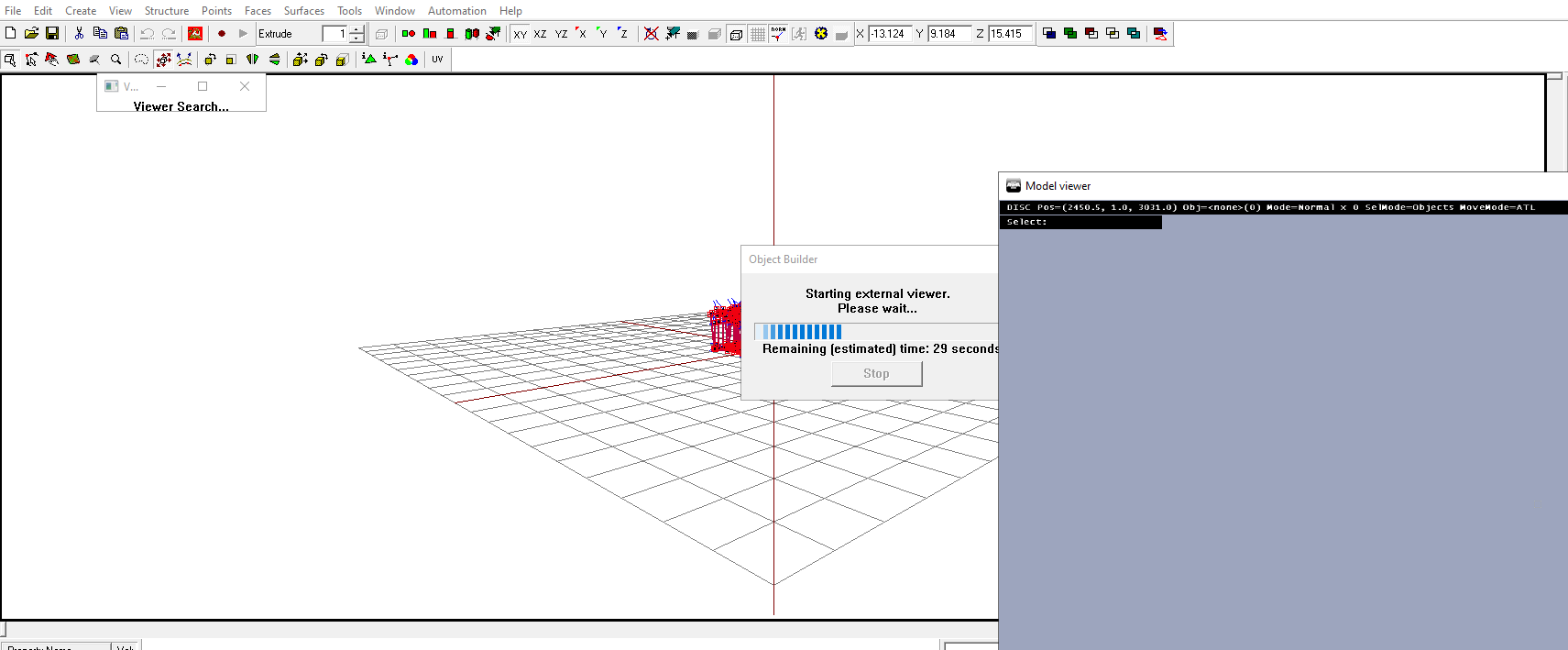
did BI break buldozer (again!) with an update recently? both me and @twilit depot's buldozer has broken
 twilit depot
my TB buldozer works fine, but O2 broke suddenly when I opened it up today
basically stuck in a perpetual loop of this:
https://i.ibb.co/yfjFLsp/image.png
 strong plaza
I just get no viewer found
twilit depot
my viewer doesnt seem to be attached either though, i can close o2 and let it crash and that buldozer exe will stay open
 bitter kite
how u got it to use a cloud instead of the weird blue?
strong plaza
stuck oyster
you guys run dozer from the arma3.exe?
yeah
stuck oyster
bitter kite
how u got it to use a cloud instead of the weird blue?
top pinned message on the channel 😉
bitter kite
oh shit ty so much
stuck oyster
strong plaza
yeah
I'll check if my Arma has updated. it had a download done just now but could be it was just workshop stuff
strong plaza
tried reinstalling the game and tools, but no joy
stuck oyster
did you refresh P drive dta/bin?
strong plaza
duh, I forgot about that
stuck oyster
strong plaza
duh, I forgot about that
arma 3 validated and OB+dozer still opens normally

mysteries
twilit depot
i validated and i was mysteriously missing 8 files, but even when they were re-acquired i had the same problems
its mysterious because i literally didnt change or do anything
i just opened o2 today and had issues
strong plaza
looks like I'm back in business after refreshing P data
twilit depot
same
 upper dove
i have a problem where if im far away from the player wearing the vest and helmet i made it shows the pistol proxy and the orignal helmet i took but when i get close it changes to what i made how do i fix it?
fluid copper
@upper dove The distance lods determine that, look in object builder at the different lod layers. Copy pasting your vest to the over layers will fix it, but the other layers exist for the sake of performance
stuck oyster
upper dove
i have a problem where if im far away from the player wearing the vest and helme...
How did you take a vest?
 warm trench
I suspect this is caused by a typo somewhere in my model.cfg but...
When using the hide animation (e.g. hide a component on a weapon when an optic is fitted) the current model I'm working on looks like it just scales it to about 1/2 size and moves it closer to the origin as opposed to hiding.
Anyone know what causes this or what the fix might be?
(Obviously I'm checking for the obvious typo etc!!!)
runic plover
warm trench
I suspect this is caused by a typo somewhere in my model.cfg but...
When using t...
Pastebin your model.cfg
warm trench
runic plover
Pastebin your model.cfg
Almost everything commented out and still have the issue so might be more series / .p3d related or something?
https://pastebin.com/V5VwxCyK
Don't really understand it as it's largely re-using a model.cfg I've used for an earlier pistol with the odd change where necessary
stuck oyster
you have 2 animated selections affecting the mesh of the scope
so the hide animations only goes halfway
hide essentially just scales the selection into nothingness
@warm trench
warm trench
stuck oyster
you have 2 animated selections affecting the mesh of the scope
I'm not sure I follow
warm trench
stuck oyster
you have 2 animated selections affecting the mesh of the scope
Just worked out what you were meaning.
Spot on!!!
You're a legend. Thanks so much
warm trench
I've spend about 2hours trying to debug this!!!
stuck oyster
😅
charred bolt
"You can translate rapidly, but you can't hide (only get vanishingly small at the origin)." An idiom for the dedicated Arma modder.
stuck oyster
😅
 shy hamlet
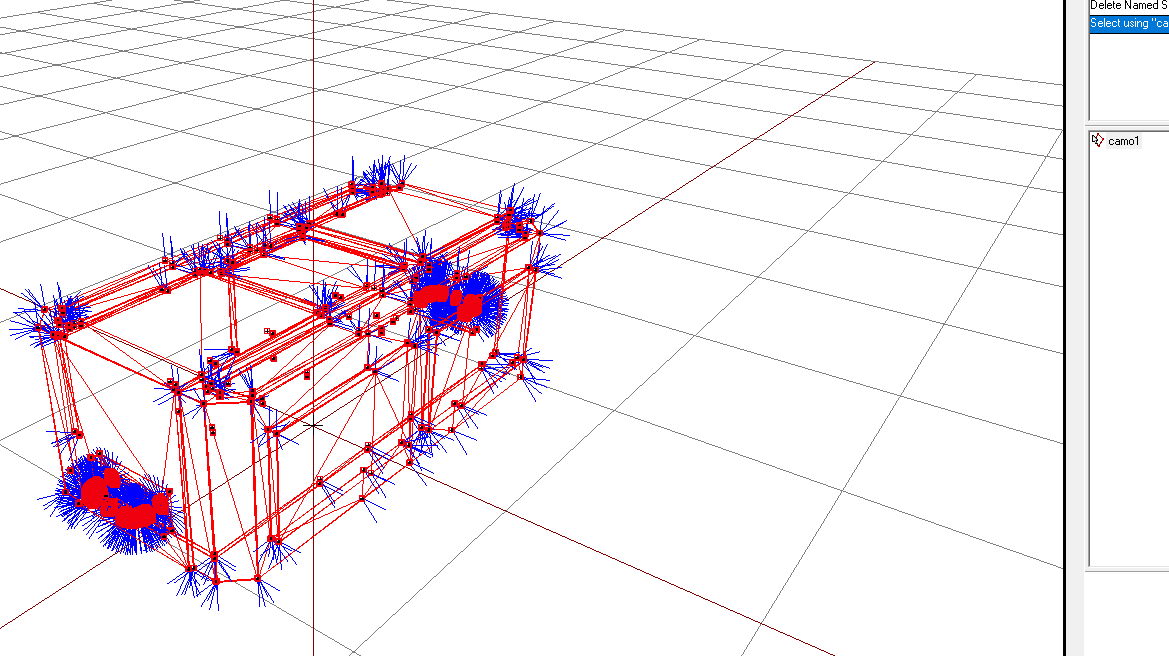
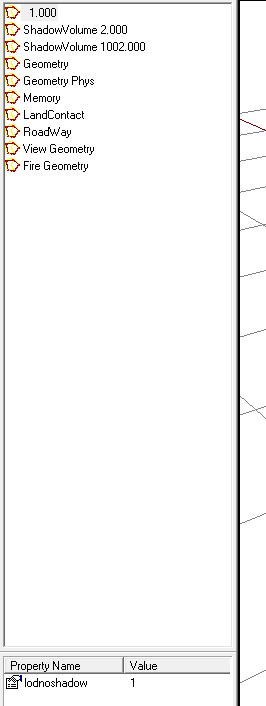
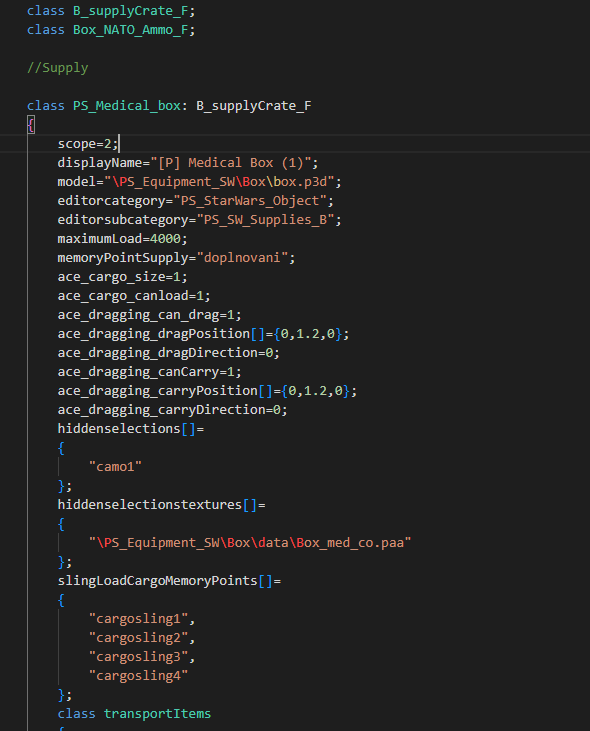
I have a problem with textures. I started porting a regular box model, all set up correctly. But prescribing textures through config, they did not appear. Correctly specified the selector and the correct texture path, but it still does not appear.
https://ibb.co/BNRShLD
https://ibb.co/7xcqD0r
https://ibb.co/RDqL70c
 subtle bison
what does your model.cfg file look like
bright echo
yeah you need a model cfg to define the sections for hiddenSelections to work
like as simple as:
class CfgModels
{
    class Default;
    class Ammobox: Default
    {
        sections[] = {"camo1"};
    };
};
Okay, now I'm going to try it like this
shy hamlet
bright echo
like as simple as:
```
class CfgModels
{
class Default;
class Ammobox: D...
Thanks for the help, that fixed the problem
bright echo
np
 trim plover
im having issues with weighting, i have all the vertex groups set up and weighted in blender, but when i import it to object builder it doesnt load any.
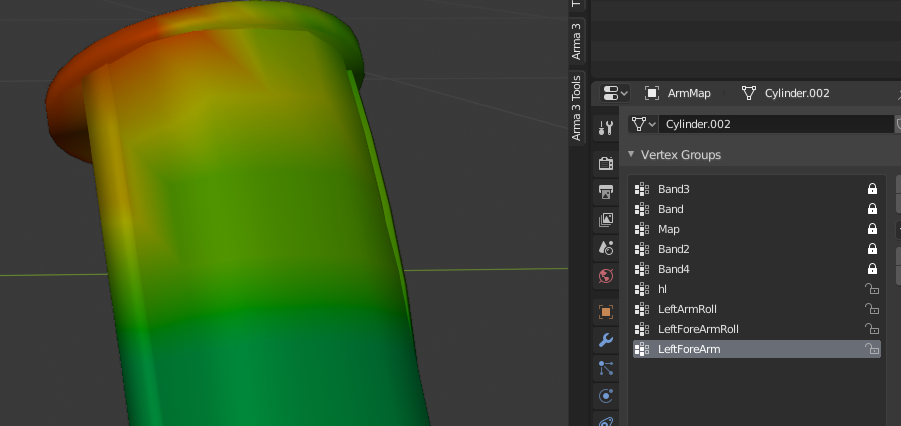
 stuck oyster
trim plover
im having issues with weighting, i have all the vertex groups set up and weighte...
stuck oyster
trim plover
im having issues with weighting, i have all the vertex groups set up and weighte...
how do you export the model?
trim plover
fbx
stuck oyster
youll need to export armature with the model that has the bones you have used
or use arma Toolbox addon to export directly to p3d
trim plover
stuck oyster
youll need to export armature with the model that has the bones you have used
ah thanks, the toolbox addon doesnt work for me, when i try and load the p3d it just says error
stuck oyster
you are exporting it wrong
you need to se object with Arma properties so it counts as a p3d LOD
only then does it export out
stuck oyster
it does not export out if you cant open it up
trim plover
i'll just add the armature to the file then
stuck oyster
alr
stuck oyster
no
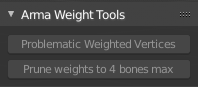 stuck oyster
well thats not related to your export issues
but it does mean you have bad weighing on your thingy so it might not work right in game
trim plover
it just says load error when i try and get it into object builder
stuck oyster
how big is the p3d file?
trim plover
8kb
trim plover
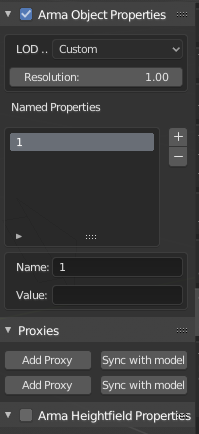
https://ibb.co/y0fM9bk
what should be in here?
 cloud zealot
does anyone have an idea about the required spacing between each level for a ladder ?
 blissful spire
Howdy folks. Need some advice on what to check next. Have an APC im working on. Everything works ok, convex/closed etc etc. however, when i place the APC on the ground like normal (where it "snaps" to the ground), the front end lifts up unless i reverse slightly which causes it to come back down. However, when i place it slightly above the ground and start, it works fine
blissful spire
Addon to above - removing or adding higher mass values to parts in the geo lod doesn't change the issue at all.
inland pawn
blissful spire
Howdy folks. Need some advice on what to check next. Have an APC im working on. ...
Likely bound point issue
Or land contact
stuck oyster
cloud zealot
does anyone have an idea about the required spacing between each level for a lad...
ladders are defined by memorypoints so you can make them any length you like
blissful spire
inland pawn
Likely bound point issue
bound point?
Land contact point wise im just reusing the same LOD as the tank i did
inland pawn
blissful spire
bound point?
Land contact point wise im just reusing the same LOD as the tank i...
For a vehicle to move you need axis and bound points for the wheels
And to contact the ground properly too
blissful spire
inland pawn
For a vehicle to move you need axis and bound points for the wheels
i have working ones that i snagged from the tank as well. model.cfg is the same wheel wise
let me go swap them out for a clean copy
wonder if i may have had them backwards somehow
blissful spire
inland pawn
For a vehicle to move you need axis and bound points for the wheels
okay, so i deleted the points and did a clean copy of them. still have the issue unfortunately. oddly enough, it drives fine when its actually flat
blissful spire
do you mean where is it in regards to 0,0,0?
if you are, its above. im just at a loss as to what would cause the kick up, but let it drive fine when on the ground
cloud zealot
stuck oyster
ladders are defined by memorypoints so you can make them any length you like
i've seen this in the vehicle config reference, i just wanted to know the required distance between each bar for the model. By the way, i've seen in bohemia's vehicle config reference that you have to define memory point for the start and the end of the ladder but what about the orientation? How do i determine in which orientation will the character climb the ladder ?
stuck oyster
cloud zealot
i've seen this in the vehicle config reference, i just wanted to know the requir...
The angle of the points determine it. BI has huse but varied dimensions on ladders. It's nearly impossible to match the climbing animation on with them
stuck oyster
blissful spire
if you are, its above. im just at a loss as to what would cause the kick up, but...
Check your phusx config again. Maybe there is typo somewhere
blissful spire
stuck oyster
Check your phusx config again. Maybe there is typo somewhere
Physx is a direct copy of the physx for my tank on the same wheel memory points
stuck oyster
The tanks wheels are not same size though?
blissful spire
They arnt actually modeled out. It "hovers"
blissful spire
Wheel amount is the same, geometry and size are slightly different. Only due to the model shape
My guess is its a contact issue. Since it drives fine and spawns fine when placed slightly above the ground
But my contact points are flat on 0 in the four corners
stuck oyster
Contact points should be under the wheels an tied to the dampers
blissful spire
Ill try again then on the contact points then
Although i originally had then under the wheels and tied to the dampers and it all was doing the kick up
cloud zealot
Ok. Now i've modelized a building on my own and i have a problem, geometry lod is not working. All components a convex and all faces are correctly oriented. I duplicated the geometry lod to make the fire geometry lod. The fire geometry lod is working but not the geometry lod. Why ?
stuck oyster
No mass set on geometry lod
cloud zealot
stuck oyster
No mass set on geometry lod
i have set a mass to each component
the building is only 5mx5mx5m
blissful spire
cloud zealot
Ok. Now i've modelized a building on my own and i have a problem, geometry lod i...
Is it closed?
cloud zealot
yes all compoents are closed
blissful spire
One of the checks ive started to do is to convex the shape, then RMB and drag to the side. Obj doesn't always give a good indicator for vertex points. If there are vertex points not convex, dragging them will show you
Then just undo the action
stuck oyster
Mass, convexity and component names are the requirement
charred bolt
 blissful spire
Ah right. Forgot that part
cloud zealot
charred bolt
i can share the project folder with you because i will share it with the community anyway
here is the project folder https://mega.nz/file/DS5jWR6I#_Feac0agJtA5OYPRnOaLy1IXxMdo2zHQdaCPI3svzxU

i cant find what is wrong with this p3d
charred bolt
Geometry LOD is not closed or convex.
Same for Fire Geometry LOD.
Not all Components have "Componentxxx" selections (13 without).
cloud zealot
charred bolt
Geometry LOD is not closed or convex.
each component is closed and convex. I cannot have the entire structure as a convex shape
charred bolt
That's right, the entire structure must be broken into small pieces, each of which must be closed and convex ... which they are NOT.
In Object Builder on your Geometry LOD do
Structure > Topology > Find Non-Closed
Structure > Convexity > Find Non-Convexities
When both of those show 0 points / 0 faces, you know you've succeeded.
Afterwards also delete your component selections and re-find them using:
Structure > Topology > Find Components
cloud zealot
charred bolt
In Object Builder on your Geometry LOD do
Structure > Topology > Find Non-Closed...
When i do these on another object i've modeled, it does shows non convexities and non closed elements but the geometry works
Thesetools shows non convexities considering the entire structure which is why it will always show non convexities
cloud zealot
charred bolt
That's right, the entire structure must be broken into small pieces, each of whi...
Problem have been solved. I selected all geometry components and used Structure > Convexity > Component Convex Hull to reshape each component as a convex hull. Now the geometry and fire geometry works
charred bolt
cloud zealot
Thesetools shows non convexities considering the entire structure which is why i...
Glad you've got it sorted, but will just point out that this statement is incorrect for any one else following.
cloud zealot
charred bolt
Glad you've got it sorted, but will just point out that this statement is incorr...
now i think you're right, but it is what i've been thinking until now
cloud zealot
How do i have to define a door so the geometry can work ? the doors are named door_1, door_2 and door_3 in resolution lod, geometry lod and fire geometry lodand the animations are working but the geometry and fire geometry is not. Why ?
stuck oyster
The selections break when you run component convex tool
You have to redefine them
When you compare the component selection after component convex hull it shows both verticles and edges/faces and the door selections show only the verticles
That's when you know the selection broke
@cloud zealot
cloud zealot
stuck oyster
The selections break when you run component convex tool
I have redefined the doors after component convex tool but it's still not working
stuck oyster
Test in buldozer that the animations work on the geometry lod
cloud zealot
the animations works in geometry lod
cloud zealot
stuck oyster
Test in buldozer that the animations work on the geometry lod
it also works in fire geometry lod
it's just like the geometry wasn't considering the doors as components.
cloud zealot
stuck oyster
when they are open or closed?
both. Only the roadway is working
stuck oyster
usually it means non convexity, no mass or no component name on the part
moving parts need both component name and the bone/animated selection name
in geometry lod
cloud zealot
stuck oyster
usually it means non convexity, no mass or no component name on the part
I solved the problem i didn't know i had to create two components from each doors: one named "ComponentXX" and another one named "door_1" so the geometry can take it under consideration
cloud zealot
stuck oyster
2 selections right
yes 2 selections. I thought components were kind of "object" like in blender but they just are selections. I didn't know we could make two selections from the same vertices.
cloud zealot
By the way i tested a baked texture on this guardpost of mine and the texture is perfectly applied. Something must be wrong with my headquarter building
 hot hornet
your UVs are broken
if you're trying to do multimat, you need 2 UVsets;
UVset 1 works like a mask with multimat
or an IDmap
I'll ask the team if we can share the sources of one of our structures
hot hornet
Here is a link to an archive containing a P3D of a building using multimat, a substance painter project (this one was used exclusively to paint the mask) and a blend. Nothing is documented and there is no config but it could help.
Link : https://drive.google.com/file/d/1QREQgGQG-lS-UiGJqkmo2McIunS70yJH/view?usp=sharing
There is documentation about multimat here: https://community.bistudio.com/wiki/Multimaterial
Google Docs
 elder gorge
Does anyone know of a good M60A3 TTS mod for Arma 3 that has the ERA panels present? If not, would anyone in here be up to the task of building a sidemod for an existing M60A3 vehicle? Would potentially be willing to commission it.
white jay
is there a way to render the shadow volume lod along side the default shadows? I need the shadow volume lod for the building interior to be dark but the rest of the building doesn't cast a shadow
white jay
stuck oyster
this makes no sense
using the shadow volume lod to create a fully shadowed interior to a building, sometimes light seeps into seems or just goes straight through the roof in it's default shading mode
https://cdn.discordapp.com/attachments/566060230824165383/1006922811052400660/unknown.png
https://cdn.discordapp.com/attachments/566060230824165383/1006922537281798145/unknown.png
https://cdn.discordapp.com/attachments/566060230824165383/1006922746829217884/20220810095120_1.jpg


the problem is the shadow lod replaces the default generated shadow that objects normally produce leading to results like this
https://cdn.discordapp.com/attachments/566060230824165383/1006922614830284831/20220810094922_1.jpg

the game creates soft edge shadows like these by default, I wanted to see if I could combine these with the defined volume areas to be shaded
https://cdn.discordapp.com/attachments/566060230824165383/1006924079703539762/20220810095514_1.jpg
 stuck oyster
no
its simplest if you just use sbSource = visualEx named property
and delete shadow lods
so it casts shadows from the model itself
@white jay
if youy want fast and easy shadows
otherwise you will need to make proper accurate shadowlods
as in each wall, beam etc as a mesh
white jay
that's typically what I do but sometimes buildings sort of leak light through the roof
stuck oyster
you have leaks in the mesh
white jay
thing is there's no holes as far as I know, normals are facing the right way and no weird split edges
the roof is fully enclosed
stuck oyster
if it leaks through light its not
even a "flat aligned" verticles can leak through if they are not merged together
yo you need either small overlap or merged verticles
white jay
gonna look it over but they should be merged
tulip gyro
how do I merge uvs in object builder
stuck oyster
poorly
it is better to do in source files
otherwise you are bound to repeat the work if you need to import from source again
stuck oyster
dont see why they would break
but if you insist doing it in ob you can cut paste the parts that are in wrong uvset to new lod and then copy the uvs to correct uvset and delete the wrong ones
and then copy the parts back
tulip gyro
thanks
white jay
does anyone have an export template for substance painter?
for the textures, would be very greatful
fluid copper
@white jay I use these ones https://github.com/MoonieFR/SubstanceToArma
I find the colors can be a little bit off though, likely because im using the wrong file preset in substance, but I havnt investigated it much
cloud zealot
i am working on a control/electric panel with screens, buttons and levers. There is over a hundred buttons on the panel and i intend to make an animation and an action for each button/lever so you can click on it to use it. I intend to use this panel for electric control, video surveillance, gate and doors controls, missile launch. Can the game support this many actions and animations for one object ? Would it lag ? I don't want to use dialogs.
If it works i intend to export this panel on Arma Reforger. Can Arma Reforger support over a hundred animations and actions for one object ?
hot hornet
fluid copper
<@456226577798135808> I use these ones <https://github.com/MoonieFR/SubstanceToA...
You can use photoshop or gimp to change the levels and saturation of the color map
white jay
fluid copper
<@456226577798135808> I use these ones <https://github.com/MoonieFR/SubstanceToA...
thanks bro
fluid copper
Make sure you export it as 8bit and not 16, 16bit cant convert to paa format
white jay
So onto my next question, if I made something in blender how do i actually open it in object builder? it doesn't support fbx files
fluid copper
Object builder does allow you to import fbx, if you press import instead of open its listed. There is a addon called arma 3 toolbox for blender that allows you to export p3d'a from blender though. This is the ideal way to do it
 gloomy hemlock
Poly-Count-question: 29k for a weapon is way too high right? Whats an acceptable poly-count
white jay
After exporting my model to a p3d, I try to load it and it fails. It also says the P3D is 0 kb in size. What am I doing wrong?
I just get 'Unable to load file. Load error'
small olive
white jay
After exporting my model to a p3d, I try to load it and it fails. It also says t...
which software you're using?
stuck oyster
cloud zealot
If it works i intend to export this panel on Arma Reforger. Can Arma Reforger su...
Single object bone limit is 256 other than that should not be a problem
cloud zealot
stuck oyster
Single object bone limit is 256 other than that should not be a problem
That's very good to hear, i intend to create a working electric system and informatic system using 3d interactive panels and consoles, i was afraid the game does not support panels and console with many interactive buttons. Panels, consoles and computers will have exploitation systems. There will also be an internet. My only regret is to have to reprogram everything from scratch for Arma Reforger and Arma 4.
gloomy hemlock
gloomy hemlock
Poly-Count-question: 29k for a weapon is way too high right? Whats an acceptable...
anyone?
charred bolt
gloomy hemlock
anyone?
It might be ok depending on the size and complexity of the weapon. 15k tri's might be a typical average number.
gloomy hemlock
charred bolt
It might be ok depending on the size and complexity of the weapon. 15k tri's mig...
thanks
 valid charm
is there any way to export a building from object builder to edit and reimport it?
fluid copper
You could export it as a fbx and open it in another program and then reimport it as an fbx or p3d depending on the program
stuck oyster
valid charm
is there any way to export a building from object builder to edit and reimport i...
where is the building from?
valid charm
trying to add additional rooms to the coal plant main building from livonia
stuck oyster
valid charm
trying to add additional rooms to the coal plant main building from livonia
you could find the older version of that building in the Arma 2 released datapacks
which can be edited
 silver zenith
https://i.imgur.com/XxsfL2o.png
hey anyone knows how these little lights work?
it seems the texture follows the camera
is it a particle?
stuck oyster
silver zenith
https://i.imgur.com/XxsfL2o.png
hey anyone knows how these little lights work?
i...
light class flare
silver zenith
stuck oyster
light class flare
any documentation on it?
stuck oyster
dunno. you can check the light class in that objects config
I recall there is some wiki page related to light configs
silver zenith
this does mention a flare but I don't see anywhere I could call a texture
https://community.bistudio.com/wiki/Arma_3:_CfgLights
and I don't think they all use the same flare, even ignoring color the shape is different on other objects
maybe shape?
stuck oyster
do you have all in one config?
silver zenith
have it on the main pc but it got bonked
and I can't really afford to download mass stuff like that on my laptop
what pbo should I look inside?
stuck oyster
this is pretty recent
silver zenith
oh right this is just config, not data
guess I can download that
 jade flare
can someone explain what has gone wrong here
https://www.imgpaste.net/image/KF5Xd8
stuck oyster
vertex normals could be broken
missing 02script.exe path in armaToolboxSetting perhaps or just model has bad smooth/sharp edge setup
stuck oyster
oh the atrocity of default OB ui layout
jade flare
yeah my A3 Tools directory had moved thanks
quick question I have the textures and I have a RVMAT how do I add the RVMAT to the object?
stuck oyster
you use blender right? best place to assign them would be the source file in blender and in the material tab there is arma texture/material slots you can assign files to so they are written into the p3d
in OB you can select parts of mesh and hit E to open menu where you can assign them
jade flare
i use both yeah
face/colour/custom?
nvm think i answered that
https://www.imgpaste.net/image/KF5JQq
like this @stuck oyster ?
and thanks for your help
stuck oyster
ye
just not with the //.. path at beginning
thats Blenders relative path setting and it breaks in p3d
for some reason the relative path is on by default in file opening dialogs (somewhere on the top right )
which reminds me @shrewd jay you happen to know if the relative path could be turned off by defaul in the materail/texture selection dialog or is it just Blender thing
 shrewd jay
stuck oyster
which reminds me <@94831167240409088> you happen to know if the relative path co...
shrewd jay
stuck oyster
which reminds me <@94831167240409088> you happen to know if the relative path co...
Not sure TBH
jade flare
https://www.imgpaste.net/image/KF5xGS
why are they at his feet I ran into this before but forgot what it was to fix it? is it autocenter?
stuck oyster
autoceneter, no weighting, no model.cfg
stuck oyster
it can work yes
jade flare
so the model.cfg I can get that via eliteness? does that file go in the folder with the model p3d?
stuck oyster
yes
stuck oyster
for autocenter requirements check sample models for what is used there
stuck oyster
perhaps they dont match the bone names
jade flare
"leftshoulder"    ,"spine3",
            "leftarm"    ,"leftshoulder",
            "leftarmroll"    ,"leftarm",
            "leftforearm"    ,"leftarmroll",
            "leftforearmroll"    ,"leftforearm",
            "lefthand"    ,"leftforearmroll",
then perhaps you dont have cfgModels class that mathces the p3d name
jade flare
class MK7_Vest:Default
{
skeletonName="SpaceMarine_ManSkeleton";
sections[]=
{
"camo"
};
would need to be the same as my classname in the config.cpp
nvm figured it out
https://www.imgpaste.net/image/KF51sv
Your a legend your getting a mention in our aux mod page once we are done with it
cloud zealot
I see Object Builder can run scripts. Is there a way to run a script to make convex hull from all selected objects ?
I tried to use Component Convex Hull but is splitting all my objects into non-closed objects
I also tried to use a script to reshape the 480 geometry components with blender intp convex hulls but object builder still considers there are non-convexities
stuck oyster
Make better geometry lod to begin with. No automation can fix a mess
cloud zealot
stuck oyster
Make better geometry lod to begin with. No automation can fix a mess
Each component was made using blender Convex hull tool. I don't understand why blender considers they are not convex. But i guess i could try to use Object Builder's convex hull tool on each objects with a script
stuck oyster
Has to do with differences in convex calculation methods between Blender and OB/Arma. You can try tweaking the parameters in the blender tool to keep the shape triangulated and remove no use of existing faces, that can help.
You must not have quads in complex geometry for example as blender and OB triangulate those different and stuff like that makes convexity errors
cloud zealot
stuck oyster
Has to do with differences in convex calculation methods between Blender and OB/...
Is there any way to reshape all components using a script in object builder ? A tutorial about OB scripting ?
stuck oyster
Yes, no tutorials though o2scriping is very rare talent
You are faster redoing the geometry manually than learning to make the script
 rain creek
Can anyone help me? Wanting to change the OPFOR models to the RHSAFRF models one by one, but don't know where to start, or which config to go to
Got a Dedicated-Server
cloud zealot
stuck oyster
Yes, no tutorials though o2scriping is very rare talent
How can i redo the geometry so ObjectBuilder can accept it ? I mean if Blender's convex tool is not enough for Object Builder, what solution do i have ? I can't manually select the 480 components one by one to use Object Builder's convex tool.
charred bolt
cloud zealot
How can i redo the geometry so ObjectBuilder can accept it ? I mean if Blender's...
What kind of object is it that you have modelled? 480 components in the Geometry LOD is almost certainly far too many.
cloud zealot
charred bolt
What kind of object is it that you have modelled? 480 components in the Geometry...
If i well remember, the limit is at 2145 components, there should not be any problem. The object is a building of around 50mx50m. I have exactly the same problem with the watchpost of the last time. My components are convex but not enough for Object Builder but this time when i use Component Convex Hull it splits my geometry lod into 2048 smaller components making them unusable.
charred bolt
A building, ok, that count might be fine then.
stuck oyster
cloud zealot
How can i redo the geometry so ObjectBuilder can accept it ? I mean if Blender's...
and no, you should delete all of them and make them from cubes
that way you have control over them
and likely you would get less of them
cloud zealot
stuck oyster
and no, you should delete all of them and make them from cubes
From cubes ??? Do you mean i have to shape them myself ? It would be too long ! I definitely refuse to believe bohemia would have coded something that would force people to have to do that
stuck oyster
yes. that is the normal way of making them it does not even take that long when you get used to it
the component automation can only work if you feed it right kind of components
as in simple enough and in right approcimate shape
your refusal to believe is pointless
and well little bit insulting
im trying to tell you how you need to do it
if a building is made in certain way from the ground up, the geometry parts nearly make themsleves in the process
but your building is not made like that. its very messy
marsh canyon
rain creek
Can anyone help me? Wanting to change the OPFOR models to the RHSAFRF models one...
What do you mean?
white jay
anyone know the science of ai paths in buildings? I'm building a path lod for a house and it seems like the path only sometimes works when it's placed at a very specific height
when it's too low sometimes the ai don't open doors
I've basically copied the arma 3 samples house pathlod set up and directly copied the entrance fans
empty aurora
marsh canyon
https://github.com/AlwarrenSidh/ArmAToolbox
Hey,
I have tried many times to install this in a blender.
I tried with python 3.97
And from the #issues Guide (works in versions 3.7-3.8) I installed the python 3.7 version.
There is still an error installing from bpy via CMD.
Are there any other guides on how to install the armatoolbox add-on in a blender, or is there an "easy" way to get this toolbox to work in a blender.
marsh canyon
No need to install bpy. It's built-in Blender
empty aurora
When I try install from blender properties, add-on, install.
I do not get tool box to shown on add on list.
marsh canyon
Which Toolbox and which Blender?
empty aurora
Wait i check my versions
hot hornet
white jay
anyone know the science of ai paths in buildings? I'm building a path lod for a ...
maybe @tender radish but I'm not sure he'll be able to help/answer
cloud zealot
stuck oyster
but your building is not made like that. its very messy
The geometry is not messy. I make my geometry selecting vertex until i have a 4 sides shape then i use convex hull. I don't make the geometry from the resolution lod. I could make and shape cubes but i dont really see the difference with my method
hot hornet
cloud zealot
From cubes ??? Do you mean i have to shape them myself ? It would be too long ! ...
Yes, geometry is usually made with cubes. It's a pretty long process when you're not used to it but you'll eventually get used to it.
Just for your information, making a building from scratch for the project I worked on took us almost 2 months.
Small buildings are easier though. 👍
Making the geometry LOD is just a small part of the creation process
empty aurora
marsh canyon
Which Toolbox and which Blender?
The only version information I found is in the init.py file: "version": (3, 1, 1)
Blender version 3.2.2
marsh canyon
And how you did tried to install? Just like other addons in Blender but how you did?
cloud zealot
hot hornet
Yes, geometry is usually made with cubes. It's a pretty long process when you're...
Seriously ? From cubes ? That's so fucking long !
empty aurora
https://www.renderro.com/blog/blender-add-ons-how-to-pick-and-install-the-best-ones
Like this,
 preferences
Add-ons
Install
I selected armatools.zip which i downloaded from git
A comprehensive guide on installing and configuring the best Blender addons you can use in your animation projects. A lists of best ones included.
marsh canyon
Okay, and why do you think it is not installed? What error you have?
empty aurora
I do not see that on list of addons/ cannot export my model to .p3d
Don't have any error, ls just take couple second and bottom bar shows installed , and text will disappeared after that
marsh canyon
https://github.com/AlwarrenSidh/ArmAToolbox/releases/tag/v3.0.4-alpha
Are you sure you've installed it from here?

GitHub
This update improves import and export speed significantly:
Export: Test scene in the old version took 1 minute 30 second to export, now it takes 11 second.
Import: Test scene import in the old ver...
hot hornet
cloud zealot
Seriously ? From cubes ? That's so fucking long !
Here is an exemple of a geometry made for a big building. It's not that complex. When we say "cubes", we mean "cuboids"
https://drive.google.com/file/d/1QnX-zi_4Ld6vP5vK_hBnDhvhphnx2xqi/view?usp=sharing
Google Docs
not sure if it's how it's called. 😅
empty aurora
marsh canyon
https://github.com/AlwarrenSidh/ArmAToolbox/releases/tag/v3.0.4-alpha
Are you su...
This is which you earlier linked
https://github.com/AlwarrenSidh/ArmAToolbox
And that is which i tried.
Seems i have "older" , not updated version.
I Will try with that which you now linked.
Thanks alot for help. Again.

GitHub
Arma Toolbox for Blender. Contribute to AlwarrenSidh/ArmAToolbox development by creating an account on GitHub.
empty aurora
Yeah, will try with never version.
cloud zealot
hot hornet
Here is an exemple of a geometry made for a *big* building. It's not that comple...
I made this wall and its not only made of cuboids shapes, the are triangles and pentgones yet the geometry works perfectly.
https://mega.nz/file/KXBDRBhC#j5MlI-WjaIR2Dcx5hnJ1LyKtkCeVXp4GXFECuunKKsY
hot hornet
cubes = easiest
but yeah, as long as it's convex, it should work
and closed
everything is explained in the wiki (I think)
cloud zealot
hot hornet
cubes = easiest
I could try to make cubes but i don't understand OB. All the components of the wall are convex and closed yet when i use find convexities and find non closed there is a lot of invalid result but the geometry works.
I don't know why it's not working on the building
hot hornet
this part doesn't look good to me https://i.gyazo.com/deec36e802f09896b23c94220316e6b1.png
 bright echo
@bold flare sorry for the ping but I think this was something you put in?
19:22:42 ThingX 2837728c100# 164058: xxx.p3d was falling under terrain! Position corrected to ground [1879.90, 8.09, 5722.64]. Disable simulation to keep object under terrain.
how is it determined that the object is under the terrain? reason I asked is I'm physically watching the object and it keeps getting thrown into the air while this error occurs
does it use the geolod ? I noticed when the physx and geo lod were slightly different shapes it happened far more often
cloud zealot
hot hornet
this part doesn't look good to me https://i.gyazo.com/deec36e802f09896b23c94220...
yet it is working and perfectly. This is why i don't think cuboids are mandatory
cloud zealot
stuck oyster
but your building is not made like that. its very messy
Geometry problem solved. There were no need to redo the geometry of to reshape anything from cubes, i'm a programmer and it would really make no sense to me. My geometry was perfectly working but i don't know why there probably is a glitch with OB. I saved my 480 geometry components in 5 fbx files then instead of importing them directly in my p3d, i opened them with another instance of OB and used CTRL C- CTRL V to paste them in my p3d. Now everything is working fine and perfectly.
bright echo
bright echo
does it use the geolod ? I noticed when the physx and geo lod were slightly diff...
think I worked it out... there was some stuff on the roof in the firegeo but not the geo/physx lod so when it landed on its roof it'd trigger the falling under terrain detection
stuck oyster
cloud zealot
Geometry problem solved. There were no need to redo the geometry of to reshape a...
Good then. The cubes were just a sure way to get it work and simplified for optimal performance. But if it works no need to fix it.
gloomy hemlock
regarding structure-models (houses) are there some things i should watch out size-wise or in any other point?
Thinking of adding some kind of hq to a project of mine but im not sure if something with such a size (around 100x100m base with tunnels that are maybe around that length as well) should rather be made in separate parts or not
stuck oyster
Geometry safe size limit is 50x50 meters
So you will need to make it from parts
Ai pathing works usually OK when pathing from one building to another as long as all buildings touch ground. However if buildings are stacked on top of each other pathing can break on the top ones
bold flare
bright echo
<@90532520101183488> sorry for the ping but I think this was something you put i...
no
gloomy hemlock
stuck oyster
Geometry safe size limit is 50x50 meters
thanks for the information
you said 50x50m. what about the hight? also 50?
marsh canyon
Heard there is no height limit
gloomy hemlock
ah thanks. i wanst sure since there are some high radio towers (i suppose the Tanoa one is the highest) but ofcourse the ai pathing might be a different thing considering these towers never really needed something like that
 muted tapir
this triangle uses the same texture as the ground underneath it. what have i done wrong for it to be so dark?
 stuck oyster
Have done 200m tall things but the height can add to simulation range which can be bad for performance
charred bolt
muted tapir
this triangle uses the same texture as the ground underneath it. what have i don...
Is your rvmat the same too?
muted tapir
no, and i don't know how to get the correct one
if i grab the texture using the surfaceTexture command, how do i get the corresponding rvmat?
charred bolt
Texture is one half of how something looks. Rvmat (material) is the other.
muted tapir
also putting the texture on other things with incorrect rvmats doesn't make it that dark
charred bolt
Did you make a shadow lod for it?
muted tapir
yep
or at least i think i did
i have a shadow volume and a stencil shadow lod
i have no idea what either of them does
but they exist
charred bolt
Turn off shadows in your video options, see if it gets lighter.
muted tapir
charred bolt
Turn off shadows in your video options, see if it gets lighter.
turning off shadows doesn't change it
 plucky depot
what RVMAT do you use?
we use the default one in ACE Trenches and it looks mostly like the terrain.
charred bolt
Probably rvmat then. Likely you're missing smdi, nohq and as maps too. No idea if it's legal to pull that texture out and reuse it
muted tapir
plucky depot
we use the default one in ACE Trenches and it looks mostly like the terrain.
what's the default RVMAT?
plucky depot
P:\a3\data_f\penetration\default.rvmat if i'm looking correctly.
muted tapir
i'll try using that one
plucky depot
plucky depot
we use the default one in ACE Trenches and it looks mostly like the terrain.
 muted tapir
plucky depot
`P:\a3\data_f\penetration\default.rvmat` if i'm looking correctly.
muted tapir
plucky depot
`P:\a3\data_f\penetration\default.rvmat` if i'm looking correctly.

this is what i get using that
muted tapir
plucky depot
`P:\a3\data_f\penetration\default.rvmat` if i'm looking correctly.
looking at the ace models that rvmat is assigned to the fire geometry lod and the resolution lod has no rvmat assigned
plucky depot
Might be it, I can barely use object builder 


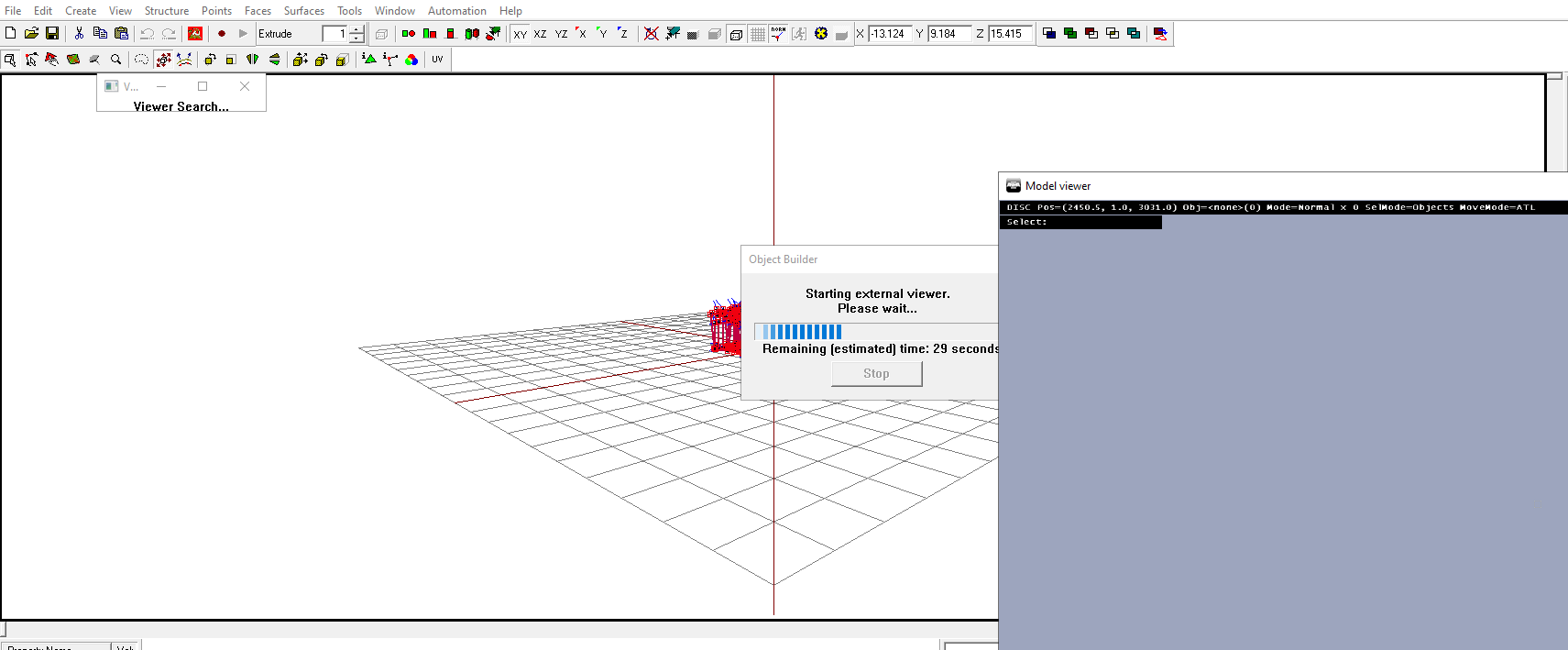




 hot hornet
muted tapir
https://cdn.discordapp.com/attachments/1004427764541161653/1009145710043738213/2...
hot hornet
muted tapir
https://cdn.discordapp.com/attachments/1004427764541161653/1009145710043738213/2...
have you checked the normals?
oopsie
muted tapir
still good call
hot hornet
yeah x)
stuck oyster
muted tapir
recalculating the normals in object builder fixed everything
If you made it in blender it means your O2script path is not set up in tollbox settings and vertex normals break on export
muted tapir
stuck oyster
If you made it in blender it means your O2script path is not set up in tollbox s...
i did. how do i set it up correctly?
stuck oyster
Open addon settings menu and set the path
muted tapir
D:\Programs\Steam\steamapps\common\Arma 3 Tools\ObjectBuilder\O2Scripts