#🖥-vesktop-support-🖥
1 messages · Page 28 of 1
 north bridge
 dapper stag
north bridge
hey, i had to reinstall everything today after a windows reset and im not gettin...
dapper stag
north bridge
hey, i had to reinstall everything today after a windows reset and im not gettin...
enable in notificationsettings
 inland crow
nvm i didnt have to do that
the issue was that i was using the flatpak 💀
now im on the aur version
north bridge
dapper stag
enable in notificationsettings
i think it is
 dapper stag
it's off
 north bridge
dapper stag
it's off
north bridge
dapper stag
it's off
isn't that desktop push notifications?
 north bridge
dapper stag
north bridge
dapper stag
yeah but that's on too

i've tried toggling it to see if that fixes it - does with the window bar after installation
yeah it hasn't, and its not theme or plugin related as ive tested it
 alpine meteor
is there a way to revert to the previous logo? liked the gay ahh gradient
 lone scaffold
hi! does vesktop support taskbar flashing? the option seems to be missing from notification options. i'm using windows 11
 midnight solar
hello, im running on steam deck, vesktop gives me a "Well this is awkward; Looks like Discord has crashed unexpectedly..." when i press the Share Your Screen button. made sure im updated to the latest version on Discover, and reinstalling hasnt solved it. anyone got an idea of what's going wrong?
 willow bear
alpine meteor
is there a way to revert to the previous logo? liked the gay ahh gradient
willow bear
alpine meteor
is there a way to revert to the previous logo? liked the gay ahh gradient
not to my knowledge other than recompiling vesktop
 pale kestrel
how do you get custom fonts to work on linux? i can use the font in my terminal config, but i cant get vesktop/my theme to use it
dapper stag
pale kestrel
how do you get custom fonts to work on linux? i can use the font in my terminal ...
css
pale kestrel
dapper stag
css
I have a font option specified in the theme. Works on windows, but cant get it to work on linux no matter how i reference an installed font
dapper stag
if you're using flatpak, it can't access your system fonts if they're not installed in a flatpak accessible path
you should just load your font via https, like Google fonts or github
pale kestrel
dapper stag
if you're using flatpak, it can't access your system fonts if they're not instal...
im using the native package for my distro. it was able to pickup when i installed nerd-fonts to fix symbols per someones rec in this discord, so idk if thats it. i will look at importing fonts
 somber wolf
has the new settings menu been fixed yet?
 grand sierra
Hey, i saw online that i could run Vesktop in wayland with --ozone-platform=auto - all good however what is the benefits here? 🙂
 austere panther
the standard benefits of running any application of wayland
 heady burrow
I wish someone can help me force vesktop to use a proxy.
I've tried using env variables, but webrtc still ignores the proxy. With proxychains, it just crashes (if needed, I have all the logs and etc).
I also tried vencord --proxy-server=‘socks5://127.0.0.1:2080’ (and http/s).
I'm using v2rayn on Arch, and WebRTC and everything else works perfectly on the proxy side.
env http_proxy has worked before last update i think
also i DONT want to use tun mode cuz its broking many games for me 🙁
 vital root
somber wolf
has the new settings menu been fixed yet?
vital root
somber wolf
has the new settings menu been fixed yet?
anyone know where settings are stored so I can change the file manually?
 viral shadow
Is there any way to rollback the last update?
dapper stag
no and why would you want that
 shell furnace
How do i change the directory of Vesktop
actually i dont even know if its necessary to move vesktop from an HDD to an SSD
idk how significant the change will be
 clear oyster
how do I start vesktop, its stuck at loading vesktop with this sort of error repeating :
Failed to fetch https://api.github.com/repos/Vendicated/Vencord/releases/latest. Gonna retry with backoff.
 median kernel
I'm on linux.
I can't share my stream in 1080p using fake nitro.
 torn oasis
shell furnace
actually i dont even know if its necessary to move vesktop from an HDD to an SSD
torn oasis
shell furnace
actually i dont even know if its necessary to move vesktop from an HDD to an SSD
only way to know is to see if performance improves when moved to the ssd
no harm in trying
torn oasis
median kernel
I'm on linux.
I can't share my stream in 1080p using fake nitro.
visual bug, your stream is still in whatever resolution you chose. it always displays 720p30 on your end but its not
shell furnace
torn oasis
only way to know is to see if performance improves when moved to the ssd
it is a big jump from my HDD that has a speed of 30MB/s transfer
and my 2.5" SSD being twice as fast
how do i do that tho
move it i mean
torn oasis
clear oyster
how do I start vesktop, its stuck at loading vesktop with this sort of error rep...
torn oasis
shell furnace
move it i mean
did you use the installer or are you using the portable version?
if its the latter, you can just move the Vesktop folder
shell furnace
the setup.exe
torn oasis
if its the former, make a backup of your settings and install vesktop to the ssd
shell furnace
earlier
i uninstalled vesktop, opened the installer and it didnt give me the prompt for the directory
let me try again i might have the memory of a hgoldfish
clear oyster
torn oasis
see https://discord.com/channels/1015060230222131221/1412573823676579975
thanks
shell furnace
also what settings are you referring to outside of the plugins
cuz i can just save my plugin settings to cloud
torn oasis
oh, yeah cloud save is enough
shell furnace
okay ill do the thing
@torn oasis when I open the setup. first thing I see on the bottom when I select the Only for me is
there is already a per-user installation
in the directory I don't want it to be in
do I delete this "per-user installation" and then run the setup again?
torn oasis
is the hdd your C: drive?
median kernel
torn oasis
visual bug, your stream is still in whatever resolution you chose. it always dis...
oh i see, thanks
shell furnace
yes
torn oasis
you can delete that install if you dont plan on using it anymore but you'll need the portable version instead
since the setup installs the files to AppData, which is always in C:
torn oasis
the .zip
shell furnace
the arm64-win.zip
torn oasis
its one folder with the executable and all other files needed for vesktop to function
torn oasis
shell furnace
the arm64-win.zip
if your cpu is arm, yeah
otherwise x86 or x64 (whichever it is, idr)
torn oasis
x86 then
shell furnace
sandy bridge
dang okay
only thing I see with x86 is a .rpm
oh wait
i see the 1.6.1-win.zip
must be it
torn oasis
yeah that
shell furnace
alright how do I confirm it is in the target drive?
torn oasis
if its in C: its in the hdd
any other letter is your ssd (should be D: but idk your computer)
shell furnace
i know I downloaded, extracted and opened the .exe in my target drive
is that really it to the mobile version?
torn oasis
yes
shell furnace
alright
shell furnace
then I thank you for your cooperation
i just keep it on my taskbar
and I'll do just that
I assume i cant change the icon on the protable version?
the color is so strikingly different than the rest of mine its quite off putting me
torn oasis
shell furnace
I assume i cant change the icon on the protable version?
google how to change exe icons
torn oasis
could be some windows caching thing
shell furnace
who nose
 opal haven
they’re two different apps, and no not currently
https://github.com/Vencord/Vesktop 👈 if you got the time and energy you’re always free to improve vesktops experience

GitHub
Vesktop is a custom Discord App aiming to give you better performance and improve linux support - Vencord/Vesktop
viral shadow
dapper stag
no and why would you want that
Screenshare don't work
viral shadow
Uhhh command not found
 proud raptor
viral shadow
Uhhh command not found
proud raptor
viral shadow
Uhhh command not found
How you did installed vesktop and what distro
viral shadow
proud raptor
How you did installed vesktop and what distro
I believe it was a flatpak and I'm using Mint
pretty sure I picked ubuntu x64
 proud raptor
viral shadow
I believe it was a flatpak and I'm using Mint
proud raptor
viral shadow
I believe it was a flatpak and I'm using Mint
It's recommended to use native package instead of flatpak, but you can try flatpak run dev.vencord.Vesktop --ozone-platform=x11 (unsure if thats exactly correct though)
viral shadow
oh huh
"app/dev.vencord.Vesktop/x86_64/master not installed"
Now I have no clue what I'm doing ._.
lone scaffold
lone scaffold
hi! does vesktop support taskbar flashing? the option seems to be missing from n...
hi again, i looked around a bit and it seems that this is not supported? does anyone know if there are any plugins that add taskbar flashing on new message? a lot of people using OLED screens set taskbar to hide automatically to prevent burn-in
torn oasis
lone scaffold
hi again, i looked around a bit and it seems that this is not supported? does an...
considering taskbar flashing isnt a thing on discord web i wouldn't expect it to work on vesktop
someone would have to make it to implement into vesktop settings
lone scaffold
torn oasis
considering taskbar flashing isnt a thing on discord web i wouldn't expect it to...
yeah i guess it's not a thing in the web version. as far as i know in electron you can just call a single function to flash the taskbar icon that's why i was wondering if there are any existing plugins that do that
 vital osprey
hey there, can somebody point me to where any sort of crash log information would be saved? i have vesktop installed on arch via the aur package
viral shadow
proud raptor
It's recommended to use native package instead of flatpak, but you can try `flat...
ok turns out I was running the tar.gz version, because I more or less had a portable vesktop
now that I actually installed the proper version however, when I try to stream it lags the everloving hell out of Discord and my game
What gives?
 mighty furnace
My streams are breaking for all my friends and it started when i switched to vesktop, do i need to install something on linux for it to work

 acoustic fiber
Hello,
I am having issues with vesktop and RPC: it's not recognizing the games I play since I switched to linux.
I've heard it comes bundled with arRPC, and the info I found online looks to be an old protontricks thing that no longer works.
Is there anyone less clueless than I about this here?
dapper stag
acoustic fiber
Hello,
I am having issues with vesktop and RPC: it's not recognizing the games I...
using flatpak?
acoustic fiber
dapper stag
using flatpak?
nah I'm on arch, installed desktop with pacman
dapper stag
which games
acoustic fiber
dapper stag
which games
basically none was recognized automatically
but specifics I've tried recently are Silksong and Nuclear Option
wait although there might be a thing
I just remembered I might have disabled it
lemme check, that would've been silly...
mmm not it's not
well if that's the place anyways
 dapper stag
vs dbg
 atomic vortexBOT
dapper stag
vs dbg
atomic vortexBOT
dapper stag
vs dbg
Please share your Vencord debug info by running the /vencord-debug slash command!
acoustic fiber
Vencord: v1.13.6 • a824452 (Vesktop v1.6.1) - 23 Nov 2025
Client: stable ~ Vesktop v1.6.1
Platform: Linux x86_64
um anyways I have to go to sleep so dont go too hard on trying to solve this bc I wont answer before about 7 hours
 junior ravine
anyone know why my filter inbox doesnt work? or does anyone know if its discord or some vencord thing
mac btw
 graceful geyser
anyone know any theme that makes discord glassy/blurred/transparent? must work on vesktop on linux on KDE Plasma (i've tried so many and none of them fit the bill)
torn oasis
junior ravine
anyone know why my filter inbox doesnt work? or does anyone know if its discord ...
does it work outside vesktop/without vencord (on web for example)
 lime snow
Why does my vencord keep deleting itself i hate having to reinstall it on my discord
 grim lake
lime snow
Why does my vencord keep deleting itself i hate having to reinstall it on my dis...
grim lake
lime snow
Why does my vencord keep deleting itself i hate having to reinstall it on my dis...
vencord on vesktop or?
cause you are in the vesktop channel
acoustic fiber
acoustic fiber
basically none was recognized automatically
but specifics I've tried recently ar...
well so I am back, and it still doesnt work
(shocker I know) (I did nothing to try and fix it yet)
 slender goblet
Hey! Screenshare is very laggy in vesktop, both on my windows desktop, and on my wayland laptop, when screensharing in the official discord client, both are fine and not laggy. This happens regardless of the resolution and framerate I choose.
Any idea why this could be?
junior ravine
torn oasis
does it work outside vesktop/without vencord (on web for example)
no it doesnt work on web(to be more specific the filter button inside inbox doesnt do anything when i click on it)
slender goblet
Both computers are definitely much more powerful than what is required for screensharing
 zealous veldt
The server keeps deleting my message
austere panther
it's probably against the rules then
grim lake
almost like it is for a reason
zealous veldt
even tho im not asking for anything about building vencord from source
grim lake
its also in the wrong channel
grim lake
yeah but its a vencord question, not vesktop
zealous veldt
with vesktop
zealous veldt
zealous veldt
with vesktop
.
grim lake
regardless, no support for custom plugins
grim lake
zealous veldt
.
doesnt matter
vesktop is the app, not the client mod
the question is about the client mod
torn oasis
junior ravine
no it doesnt work on web(to be more specific the filter button inside inbox does...
discord issue then, not much to be done here
junior ravine
torn oasis
discord issue then, not much to be done here
aw ok ty for helping
 peak mortar
So with vesktop, Call of Duty Black Ops 7 shows up as Black ops 6. On vencord, it shows up as Black ops 7. So why is that different? 😅
Vesktop info: stable 472914 (2092188) Build Override: N/A
Vencord info: stable 472914 (2092188) Host 1.0.9216 x64 (72385) Build Override: N/A Windows 11 64-bit (10.0.26200)
My plugins are the same on each, I dont think any of them should be affecting my game detection.

 grim lake
arrpc issue
peak mortar
grim lake
arrpc issue
Thank you!
atomic vortexBOT
 spark coyote
is vencord undectable and is it banable?
spark coyote
is vencord undectable and is it banable?
Will I get banned for using Vencord? Will plugin X get me banned?
Client modifications are against Discord's Terms of Service.
However, Discord is pretty indifferent about them and there are no known cases of users getting banned for using client mods! So you should generally be fine as long as you don't use any plugins that implement abusive behaviour. But no worries, all inbuilt plugins are safe to use!
Regardless, if your account is very important to you and it getting disabled would be a disaster for you, you should probably not use any client mods (not exclusive to Vencord), just to be safe
Additionally, make sure not to post screenshots with Vencord in a server where you might get banned for it
Auto-response invoked by urotsuking
austere panther
you're also in the wrong channel. use #🏥-vencord-support-🏥 next time
spark coyote
austere panther
you're also in the wrong channel. use <#1026515880080842772> next time
sorry
 stone coyote
Vesktop v1.6 has a white flash when opening in dark mode on Windows. Is this a known issue? How to fix this problem?
lime snow
grim lake
vencord on vesktop or?
Uhm.......
I download app and use it on my pc discord app
 wintry ravine
austere panther
wintry ravine
austere panther
don't crosspost please
 velvet badger
austere panther
don't crosspost please
velvet badger
austere panther
don't crosspost please
What is doing this?

Only happens on desktop
austere panther
velvet badger
What is doing this?
doing what?
the bottom text?
velvet badger
austere panther
doing what?
the bottom text?
I fixed it it was a stupid plugin
 chrome stag
oh well, vesktop broke again, in the sense that I can't type in japanese anymore on arch with mozc or fcitx
fit was working fine before
dapper stag
chrome stag
oh well, vesktop broke again, in the sense that I can't type in japanese anymore...
run with vesktop --ozone-platform=x11
 scenic pivot
dapper stag
run with `vesktop --ozone-platform=x11`
scenic pivot
dapper stag
run with `vesktop --ozone-platform=x11`
Bro please look at my dm
grim lake
scenic pivot
Bro please look at my dm
Be patient
scenic pivot
grim lake
Be patient
My friend, understand me too, but I'm making a donation and I want your donation permission, sorry.
grim lake
Be patient
 quick fjord
both the regular discord and vesktop clients have horrible bitrate when streaming
is there any solution?
dapper stag
no
quick fjord
dapper stag
no
I see
 north fox
yo i tried to minimize the screen by pressing ctrl+(-) and now I'm stuck
nvm i think i got it
north fox
north fox
yo i tried to minimize the screen by pressing ctrl+(-) and now I'm stuck
nah i still need helpppp
 gusty valve
Hello unable to view vesktop settings or anything
atomic vortexBOT
gusty valve
Hello unable to view vesktop settings or anything
Please share your Vencord debug info by running the /vencord-debug slash command!
(Auto-response invoked by @proud raptor)
proud raptor
Then show screenshot
 rancid pagoda
Enabled Plugins (17):
BiggerStreamPreview, ColorSighted, CopyEmojiMarkdown, CrashHandler, FixImagesQuality, GameActivityToggle, MessageClickActions, MessageLogger, NoBlockedMessages, ReadAllNotificationsButton, ReverseImageSearch, ShowHiddenChannels, ShowHiddenThings, UnlockedAvatarZoom, ValidUser, WebKeybinds, WebScreenShareFixes
how did they even do this
Ok
 spice whale
if im a vencord sponsor how do i get role?
proud raptor
spice whale
if im a vencord sponsor how do i get role?
#faq message and #🏥-vencord-support-🏥 next time
slender goblet
slender goblet
Hey! Screenshare is very laggy in vesktop, both on my windows desktop, and on my...
Hey, I'm still on this issue and can't find help anywhere.
 long sluice
hi! It seems like when im using vesktop i sound worse than using discord / discord.com in firefox
is there any way to troubleshoot/diagnose this? inputs are the same/sending people an .mp3 of my voice recorded via audacity also sounds ok
but apparently i sound lower quality/harder to make out (when i have bass active, i am better understandeable if i EQ my bass down)
atomic vortexBOT
I've sent you a DM with more info!
 real wharf
yo? (fedora linux)
 real wharf
yo? (fedora linux)
real wharf
real wharf
yo? (fedora linux)
idk I just went to system monitor and killed it all
what do I do if the streams look laggy and stuff
 green zephyr
Using Vesktop in Nobara linux (Fedora based) with arRPC enabled, can I show Minecraft activity? Or does it only show activity from accounts linked in Settings -> Connections?
I'm using the native Prism Launcher. I guess one way I could do it is by using the Windows version of Prism Launcher, but launch it through Steam?
green zephyr
I'm not using the Flatpak version btw.
Ok, maybe it's my privacy settings or something, thanks though!
 grave cloud
is there a fix to the discord stream just going green after a bit of streaming? its happened for a few months now that after a few minutes of streaming it just goes green. Im on fedora kde 42/43 with a 9800x3d and 9070xt and everything im aware of is up to date
 vale fable
Problem:
okay, idk if that should be here or not, but last time i tried vesktop on linux, everytime i was doing a screenshare, it was encoding on the cpu and not the gpu no matter what i tried, so i wanted to know if there is a fix for that or not as this is the only thing preventing me to finally switch to linux.
What i tried:
- i tried enabling hardware acceleration
- i tried starting with those flags: --enable-features=VaapiVideoDecoder,VaapiVideoEncoder,AcceleratedVideoEncoder
Specs :
- cachy OS
- nvidia rtx 5090 graphics card
- Gnome desktop
real wharf
how do I check if I downloaded vesktop on flatpak because I don't see rpc
austere panther
what did you do to download it
green zephyr
In your user settings (⚙️) under Vesktop Settings almost at the bottom, is there not a "Rich Presence" toggle under Miscellaneous?
You could also try running flatpak list | grep vesktop in a terminal
real wharf
green zephyr
In your user settings (⚙️) under Vesktop Settings almost at the bottom, is there...
 real wharf
austere panther
what did you do to download it
real wharf
austere panther
what did you do to download it
don't remember
 green zephyr
real wharf
green zephyr
real wharf
If nothing shows up that means vesktop wasn't found in the list of installed flatpak applications.
actually.. grep is case sensitive lol. I forgor.. It's flatpak list | grep -i vesktop @real wharf
real wharf
green zephyr
actually.. grep is case sensitive lol. I forgor.. It's `flatpak list | grep -i v...
same thing
green zephyr
ok good, then it means you have the native version installed and not the flatpak version 👍
another test is running whereis vesktop in the terminal
real wharf
green zephyr
ok good, then it means you have the native version installed and not the flatpak...
Actually that means there's a problem :L (not good)
 green zephyr
yep, that means it's installed natively and not via flatpak
real wharf
green zephyr
yep, that means it's installed natively and not via flatpak
ok so any reasons rpc isn't working?
proud raptor
real wharf
ok so any reasons rpc isn't working?
check activity privacy settings (and per server privacy settings)
 real wharf
proud raptor
check activity privacy settings (and per server privacy settings)
real wharf
proud raptor
check activity privacy settings (and per server privacy settings)

they're all on
green zephyr
real wharf
ok so any reasons rpc isn't working?
I'm trying to figure out why arRPC doesn't work for Minecraft here on Linux for me. I've opened the detectable.json file and found that I think it only looks for the win32 version of minecraft, or at least not the modded version:
 real wharf
green zephyr
I'm trying to figure out why arRPC doesn't work for Minecraft here on Linux for ...
real wharf
green zephyr
I'm trying to figure out why arRPC doesn't work for Minecraft here on Linux for ...
it doesn't work for any of the many steam games I play, doesn't work for Prism Launcher minecraft
green zephyr
when I'm running with the CraftPresence mod it doesn't connect to arRPC either. I really need to figure out a way to properly test what works.
green zephyr
Since I have my steam account connected via ⚙️ user settings -> Connections, steam activity does show up, but not via arRPC.
Ok, seemingly from an issue I read on github, the way to improve game detection is by reporting issues directly to arRPC.
Also, as long as MPRIS works, which it does, I don't care too much. I just wanted to see if I could get it working.
 agile wasp
Is there any pros and cons for Vesktop?
austere panther
agile wasp
austere panther
Thank you!
chrome stag
vesktop randomly redirects me to /login?redirect={app_path} and it never "logs in" or redirects
this usually happens when i close my computer / dont use discord for too long
i have to rstart my entire app
lime snow
is there a way to make my screenshare on vesktop not lag when i play games?
i have my resoloution on 1080p and my fps on 60 but when i move around alot in game it gets really laggy :/
 jade wharf
vale fable
# Problem:
okay, idk if that should be here or not, but last time i tried veskto...
jade wharf
vale fable
# Problem:
okay, idk if that should be here or not, but last time i tried veskto...
(Also @lime snow in case hardware-accelerated streams could fix your issue )
This toggle exists in Settings > Vesktop settings below the regular hardware acceleration toggle.
Keep the text description in mind though - YMMV. your streams may just not work with it, have graphical glitches, or as in my case, take over a minute to load for others (sound loads instantly though).
If I had to guess I would say it depends on what you have installed for your graphics stuff.

 brisk nova
Hello, can anyone help me maybe? so i downloaded Vesktop yesterday and everything worked perfect! i tried to stream to a friend, but the stream is very low fps no matter what setting i use, does anyone know what causes this?
grim lake
brisk nova
Hello, can anyone help me maybe? so i downloaded Vesktop yesterday and everythin...
what os
brisk nova
grim lake
what os
i'm on windows 11
grim lake
windows streaming on vesktop is not good, use the discord app for it
vale fable
jade wharf
(Also <@949931066125320262> in case hardware-accelerated streams could fix your ...
i had this enabled, this did not do much, it was still encoding on the cpu last time i tried, like the bitrate was horrible
brisk nova
grim lake
windows streaming on vesktop is not good, use the discord app for it
oh wait fr?
i thought vesktop was the best option, so it's better to just use discord with vencord then?
grim lake
for streaming, yes
brisk nova
gotcha, tnx
grim lake
 cloud sentinel
i get randomly logged out whenever my computer goes idle
I do have NoDevToolsWarning but it doesn't prevent that
 feral wharf
ive been having an issue with screensharing lately where the screenshare button does nothing when pressed when it was supposed to show the monitor/window selector
i checked the logs for vesktop and it said [4895:1129/122004.111629:ERROR:third_party/webrtc/modules/desktop_capture/linux/wayland/screen_capture_portal_interface.cc:84] Failed to request the session subscription. [4895:1129/122004.111664:ERROR:third_party/webrtc/modules/desktop_capture/linux/wayland/base_capturer_pipewire.cc:93] ScreenCastPortal failed: 3 Error during screenshare picker Failed to get sources. (node:4895) UnhandledPromiseRejectionWarning: TypeError: Video was requested, but no video stream was provided at VesktopMain:97:5807 at emitUnhandledRejectionWarning (node:internal/process/promises:301:15) at warnWithErrorCodeUnhandledRejectionsMode (node:internal/process/promises:409:5) at processPromiseRejections (node:internal/process/promises:475:17) at process.processTicksAndRejections (node:internal/process/task_queues:106:32) (node:4895) TypeError: Video was requested, but no video stream was provided at VesktopMain:97:5807
for added info, i use kde plasma 6 and wayland
torn oasis
feral wharf
ive been having an issue with screensharing lately where the screenshare button ...
https://vesktop.dev/wiki/linux/troubleshooting/#nothing-happens-when-trying-to-start-a-screenshare
https://wiki.hypr.land/hyprland-wiki/pages/Useful-Utilities/Hyprland-desktop-portal/
feral wharf
do i use the hyprland one despite not using hyprland or..
 gentle glacier
?????
 gentle glacier
?????
gentle glacier
gentle glacier
?????
can someone help? native app from aur
 oblique valley
gentle glacier
can someone help? native app from aur
oblique valley
gentle glacier
can someone help? native app from aur
which package
gentle glacier
oblique valley
try using `vesktop-bin`
persists
gentle glacier
oblique valley
or the flatpak
wayland is broken on flatpak
atomic vortexBOT
oblique valley
vs e
To better help you, we need your error logs!
To collect them, please
- open DevTools with
ctrl + shift + i/cmd + option + i - on the top right, click where it says "Default levels" and uncheck everything but "Errors"
- screenshot all errors and post them
screenshot
 oblique valley
in vesktop
gentle glacier
 oblique valley
vs dbg
atomic vortexBOT
oblique valley
vs dbg
Please share your Vencord debug info by running the /vencord-debug slash command!
gentle glacier
Vencord: v1.13.6 • a824452 (Vesktop v1.6.0) - 24 Nov 2025
Client: stable ~ Vesktop v1.6.0
Platform: Linux x86_64
oblique valley
gentle glacier
>>> **Vencord**: v1.13.6 • [a824452](<https://github.com/Vendicated/Vencord/comm...
your vesktop is out of date
latest version is 1.6.1
this could possibly fix ur issue
gentle glacier
Vencord: v1.13.6 • a824452 (Vesktop v1.6.1) - 24 Nov 2025
Client: stable ~ Vesktop v1.6.1
Platform: Linux x86_64
vesktop-git pkg, issue persists
try repairing it
 balmy herald
also, i think discord didn't rolled out the update for everyone because some of my friends don't have it so i can understand
balmy herald
gentle glacier
try repairing it
how?
gentle glacier
oblique valley
this could possibly fix ur issue
on flatpak the ui issue is gone, but i keep seeing this
 gentle glacier
balmy herald
how?
gentle glacier
balmy herald
how?
 solemn knot
question, did this broke for anyone?
 balmy herald
oh right, i forgot to mention i am using the web version
balmy herald
gentle glacier
<#1026515880080842772>
oh sorry i think i miss read the channl name
solemn knot
balmy herald
oh right, i forgot to mention i am using the web version
vestkop has a web version?
gentle glacier
solemn knot
vestkop has a web version?
vesktop is a discord client with integrated vencord
solemn knot
gentle glacier
vesktop is a discord client with integrated vencord
ik
that's why i'm confused
oh nvm they were talking about vencord in this channel
that's why i was confused
gentle glacier
 gaunt sentinel
reinstall extension/userscript
gaunt sentinel
reinstall extension/userscript
y know any fix for #🖥-vesktop-support-🖥 message on native versions?
gentle glacier
gaunt sentinel
first time i see that 😭😭
or this #🖥-vesktop-support-🖥 message on flatpak?
gaunt sentinel
not a linuxer sry
gentle glacier
gaunt sentinel
not a linuxer sry
💔
solemn knot
can someone check if notification filters are working?
i thought it was an issue with custom css so i disabled those and it's still not working

or maybe i should check out the git version
torn oasis
solemn knot
i thought it was an issue with custom css so i disabled those and it's still not...
discord issue
solemn knot
okay i switched to the git version
solemn knot
torn oasis
discord issue
yp, discord probably changed their stuff and broke their stuff again
torn oasis
use an image manip/art program and do it
 chrome stag
update i did it but i was messing with the tray icons and it set it too big lmao and now vesk wont launch just crashes i also reinstalled it n it still crashes
dapper stag
chrome stag
update i did it but i was messing with the tray icons and it set it too big lmao...
lol how big are we talking
like 8k image?
what os are you using
chrome stag
dapper stag
what os are you using
linux mint and i dont really know the resoultion was just big
chrome stag
i fixed it i just deleted the var vesktop folder and reinstalled it again
 fresh knot
@opal haven
opal haven
fresh knot
<@400482410279469056>
whats good
fresh knot
opal haven
whats good
hollow knight transmited?
 covert marsh
is there anyway to fix the audio channel? i cant use an equalizer because vesktop uses discord's experimental thing
 verbal breach
im on arch linux and just got vesktop from the repository and the rich presence is not working unless its just this one game
 half quartz
Hello, I'm struggling with getting RPC working with Vesktop, I cant really tell if this is Arch, Discord or Vesktop bug, but everything beside Spotify doesnt show RPC, found similar thread to this on arch forums: https://bbs.archlinux.org/viewtopic.php?id=310237 - any info on this? 🙏
atomic vortexBOT
half quartz
Hello, I'm struggling with getting RPC working with Vesktop, I cant really tell ...
Please share your Vencord debug info by running the /vencord-debug slash command!
(Auto-response invoked by @nocturne veldt)
half quartz
Vencord: v1.13.6 • a824452 (Vesktop v1.5.3) - 23 Nov 2025
Client: stable ~ Vesktop v1.5.3
Platform: Linux x86_64
torn oasis
half quartz
>>> **Vencord**: v1.13.6 • [a824452](<https://github.com/Vendicated/Vencord/comm...
your vesktop is VERY out of date
(latest is 1.6.1)
 torn oasis
im surprised theres no out of date warning like vencord
half quartz
torn oasis
im surprised theres no out of date warning like vencord
thanks, it works :3 
 hot charm
austere panther
hot charm
austere panther
no
grim lake
not needed
 unkempt oak
Are all official plugins on vencord safe?
austere panther
#🏥-vencord-support-🏥 please
balmy herald
there is a way to use @-moz-document domain(){} in the quickCSS/themes for vesktop or at least make vesktop ignore it instead of throwing error?
also i think that since the client is based on the website it could be useful for page-specific CSS since discord has a bad habit of making CSS elements with same classes in different places
gentle glacier
half quartz
`4 aur/vesktop-bin 1.5.3-1 -> 1...
did it get upd?
atomic vortexBOT
gentle glacier
did it get upd?
Rule 10\. No unsolicited pings, DMs or friend requests
Do not ping other users for support (including replying with a ping to unrelated support messages). Do not send direct messages or friend requests for help.
Auto-response invoked by nin0.dev
 limpid oriole
I've seen this getting recommended for those experiencing broken GIF Picker, but then screensharing becomes unbearable (a mushy slideshow to be more precise). Has anyone looked into this or why it happens? Is it an NVidia problem? Is it chromium/electron issue? I'd like to know more, since having to choose between a functional GIF Picker and smooth screensharing is kinda frustrating at best.
 worthy raptor
balmy herald
there is a way to use `@-moz-document domain(){} `in the quickCSS/themes for ves...
worthy raptor
balmy herald
there is a way to use `@-moz-document domain(){} `in the quickCSS/themes for ves...
well it starts with -moz- so its firefox-specific so no
 steady elm
Is the fakenitro hd streaming plugin still relevant? Discord says the stream is running at 720 even though I select 1080
balmy herald
worthy raptor
well it starts with `-moz-` so its firefox-specific so no
Stylus made it work on chrorium too if i am not wrong, also, just ignoring it would be nice too
torn oasis
steady elm
Is the fakenitro hd streaming plugin still relevant? Discord says the stream is ...
just a visual bug
 indigo ice
Yo guys
I have a problem that game activity is never detected in vesktop
It works on discord tho
 grim whale
so when i stream my desktop when someone talks in voice they hear themselves
grim lake
grim whale
so when i stream my desktop when someone talks in voice they hear themselves
what os
gaunt sentinel
isn't that a typical con of streaming your entire screen with audio
grim lake
grim whale
yea win 😭
Nothing you can do then
grim lake
grim whale
will there ever be better win support
Limitation with electron
grim whale
ok ty 🙂
 ancient cobalt
Can Vesktop use external plugins? I'd like to get a plugin that removes tracking codes from URLs other people have sent, like the ?si= section from YouTube URLs.
grim lake
Yes
ancient cobalt
Apparently it needs to be compiled from source for that. Great.
Eh, at least I can use it now that the system tray notification dot was implemented.
 obtuse oasis
i don't have any audio, period
the rest of my computer's audio is fine, it's just vesktop that has an issue
like. NOTHING. no voice calls, no media
 sleek osprey
An observation I'm having with VPNs on Linux: While Vesktop won't start while the VPN is on, turning the vpn off > starting Vesktop > turning the vpn back on works fine. I am not sure if that's luck on my end but it has worked consistently
@gaunt sentinel https://tenor.com/view/bug-cat-gif-3077135352477286841

(I'm teasing)
But speaking generally, I really want to support efforts towards finding fixes for the Linux issues
limpid oriole
dapper stag
you enabled Hardware video acceleration in vesktop settings
My question is not "how to solve it", but instead "why does it happen". Because, as I said in my message, having to choose between smooth screensharing or a working gif picker is frustrating.
obtuse oasis
obtuse oasis
like. NOTHING. no voice calls, no media
i didn't touch anything it just stopped working
obtuse oasis
... i accidentally muted the application

 swift arch
been trying out some extra RPC info mods for some of my games and they don't show up on my profile, just as the regular game. is this an arRPC limitation or a bug?
specifically mods like PeakPresence (PEAK) and DiscordRichPresence (ROR2)
 crude portal
is there a way to enable the green speech indicator tray icon for linux?
crude portal
crude portal
is there a way to enable the green speech indicator tray icon for linux?
more specifically, kde plasma for arch
swift arch
crude portal
is there a way to enable the green speech indicator tray icon for linux?
unless you're meaning something else (are you talking about the one windows has in its taskbar?) i think some linux distros have mic indicators for when anything is using your mic, that would be in your system settings somewhere. personally haven't used arch but i do feel like i have seen that on other distros using kde plasma
crude portal
swift arch
unless you're meaning something else (are you talking about the one windows has ...
i mean the little green ball that appears on windows discord when you join a vc, but on linux, tried vanilla discord and vesktop but couldnt seem to fix the issue, idk if im just dumb or what
 swift arch
it may not be available for linux then :( devs/ppl with more knowhow feel free to prove me wrong cuz that's a neat little feature
(did do a cursory look thru vesktop settings and didn't see an option to enable it)
crude portal
swift arch
it may not be available for linux then :( devs/ppl with more knowhow feel free t...
sad
swift arch
swift arch
been trying out some extra RPC info mods for some of my games and they don't sho...
bump, not terribly important but just curious
torn oasis
swift arch
bump, not terribly important but just curious
probably an arrpc limitation
afaik rpc mods for games dont usually work all that great with it, since theyre made with discord's native rpc in mind
swift arch
torn oasis
afaik rpc mods for games dont usually work all that great with it, since theyre ...
makes sense! ty for your answer (and don't see this as a feature request if you don't want to/can't implement it, i am simply happy to have RPC at all /gen)
 crude hollow
is there any way to fix the push to talk limit
 prisma patrol
In Vesktop whenever i try to screen share i only get 720p 30fps. I already enabled fake nitro streaming but its not working. Thanks BTW.
torn oasis
prisma patrol
In Vesktop whenever i try to screen share i only get 720p 30fps. I already enabl...
it is working, thats just a visual bug
 hexed viper
when i stream it just makes it laggier even with the nitro plugin and it being set to 60 fps
torn oasis
hexed viper
when i stream it just makes it laggier even with the nitro plugin and it being s...
what os
hexed viper
torn oasis
what os
how do i check
torn oasis
operating system
torn oasis
use the desktop app if you want actually functional streaming
vesktop streaming on windows is subpar
hexed viper
torn oasis
use the desktop app if you want actually functional streaming
how to i get that
torn oasis
hexed viper
how to i get that
 hexed viper
torn oasis
https://discord.com/download then https://vencord.dev/download
hexed viper
torn oasis
https://discord.com/download then https://vencord.dev/download
i tried abt a month ago with vencord and it didnt work but now it worked
for some reason
 quasi ibex
how do i set a custom font, i have opazUnicodeRus nerd font on my pc and i would like it to be on vesktop as well but im not sure how to do it or something that would look similar to it im on linux
 quasi ibex
how do i set a custom font, i have opazUnicodeRus nerd font on my pc and i would...
quasi ibex
quasi ibex
how do i set a custom font, i have opazUnicodeRus nerd font on my pc and i would...
i just want like a pixely font
 shadow wagon
hey whenever i try to go to vencord settings in vesktop i get this error

and whenever i reinstall with installer it just gets stuck loading

besides that discord is somewhat fuctional
 limpid holly
Yo does anyone know why when i stream and change my stream quality to lets say 1080 and 60 fps it caps at 730p (using fake nitro plugin) on kde plasma
grim lake
limpid holly
Yo does anyone know why when i stream and change my stream quality to lets say 1...
Just a visual bug, it is streaming to what you set it as
 north hawk
austere panther
north hawk
austere panther
is hardware acceleration enabled in vesktop settings
 median galleon
is there a plugin/feature that will let me message change all of my servers notification setitngs to mentions only because i have so many servers that are on all messages because the owners are stupid and dont set default notif settings
shadow wagon
shadow wagon
hey whenever i try to go to vencord settings in vesktop i get this error
could someone pretty please help me with this?
grim lake
shadow wagon
could someone pretty please help me with this?
Right click vesktop icon in tray and press repair
 icy venture
When I stream entire screen audio people still hear themselves in discord what would solve this is if I could exclude discord audio from the stream or something along those lines
grim lake
icy venture
When I stream entire screen audio people still hear themselves in discord what w...
Windows?
grim lake
Ah idk then, wait for someone more experienced
alpine meteor
icy venture
linux
are you using pipewire? if you still use jank pulse audio setups that might be the issue
it might also have to do with gnome or something, never used that so I have no advice
icy venture
alpine meteor
are you using pipewire? if you still use jank pulse audio setups that might be t...
pipewire and wireplumber
I have a gnome setup i'm using it on but I can also test on hyprland
alpine meteor
you can try using helvum to disconnect audio outputs and inputs as you please, which lets you disconnect vesktops output from the input, tho this is a manual process each time you stream
i use it to stream my capture card audio directly when i play console games
alpine meteor
when using the discord website client i get stereo audio in voice calls, but with the vesktop client i get mono audio, is there a fix for this?
torn oasis
alpine meteor
when using the discord website client i get stereo audio in voice calls, but wit...
stereo audio isnt a thing for mics
unless you mean stream audio but im not sure if that can be stereo
alpine meteor
torn oasis
stereo audio isnt a thing for mics
i dont know, it absolutely sounds stereo for both mic and stream when i use the web app
 untold bone
discord keeps crashing when i try to change decor (as in the plugin) (this is the right chat yes?)
torn oasis
untold bone
discord keeps crashing when i try to change decor (as in the plugin) (this is th...
known issue
wait for a fix
 quasi pagoda
My vesktop doesn't load it just sits on the grey screen
I am using a VPN on linux but I have done the windows spoof fix and it has been working fine for the last few weeks.
I'm using plasma on cachy-os
It also did this yesterday but I restarted the PC and it fixed it however that hasn't worked this time
I did a 3rd restart and it fixed it

 proven sierra
quasi pagoda
My vesktop doesn't load it just sits on the grey screen
I am using a VPN on lin...
proven sierra
quasi pagoda
My vesktop doesn't load it just sits on the grey screen
I am using a VPN on lin...
Happens to me too
Vpn with arch and hyprland
 fluid root
im using vesktop linux, on kubuntu 24.04 with kde5, and im unable to join any voice channel, keep stuck on DTLS Connecting. any help?

 lone prawn
is there anyway for this to save on system restart? im finding myself having to do the command again after my computer restarts
dapper stag
it should persist
might need this too
mkdir -p ~/.config/user-tmpfiles.d
echo 'L %t/discord-ipc-0 - - - - .flatpak/dev.vencord.Vesktop/xdg-run/discord-ipc-0' > ~/.config/user-tmpfiles.d/discord-rpc.conf
systemctl --user enable --now systemd-tmpfiles-setup.service
 red robin
guys
obs camera isn't working
like it's detected but when i preview it it's totally different scene
and i checked this issue is onlyhappnening on discord not other apps
 oblique crag
for some reason, opening decor crashes discord. idk where I can put this if it's not meant to be put here
torn oasis
oblique crag
for some reason, opening decor crashes discord. idk where I can put this if it's...
known issue
wait for an update
oblique crag
ah ok
 frigid wren
I cant use my webcam and when i stream its a literal slideshow
Vencord: v1.13.6 • a824452 (Vesktop v1.6.1) - 23 Nov 2025
Client: ptb ~ Vesktop v1.6.1
Platform: Win32
torn oasis
frigid wren
>>> **Vencord**: v1.13.6 • [a824452](<https://github.com/Vendicated/Vencord/comm...
first, hop off ptb
second, vesktop streaming on windows is not good compared to the desktop app
 slender bobcat
Does the Apple Music Rich Presence plugin work with Vesktop? I had it working with Vencord on top of official Discord, but it doesn't seem to want to work with Vesktop and I can't figure out why. I made sure the arRPC setting is enabled.
I also noticed Vesktop (on macOS) requested access to Music/Media, I granted the permission but didn't seem to change anything
 autumn halo
Hi, does anyone know how to force a specific fps for the client? I'm on linux and I have a 144hz refresh rate monitor and when I launch vesktop by default, it feels like its running in 60fps
vesktop --disable-frame-rate-limit --ozone-platform=wayland --enable-features=WaylandWindowDecorations --ignore-gpu-blocklist --enable-gpu-rasterization --enable-zero-copy
I'm running with this now but its causing my cpu to run hot and spike because the fps is so high. Any tips?
icy venture
alpine meteor
you can try using helvum to disconnect audio outputs and inputs as you please, w...
can do but thats kinda a jank solution
icy venture
autumn halo
Hi, does anyone know how to force a specific fps for the client? I'm on linux an...
I personally run
--lang=en-GB --service-sandbox-type=none --use-angle=vulkan --use-gl=angle --enable-features=AcceleratedVideoDecodeLinuxGL,AcceleratedVideoDecodeLinuxZeroCopyGL,AcceleratedVideoDecoder,AcceleratedVideoEncoder,PdfUseShowSaveFilePicker --disable-features=HardwareMediaKeyHandling,LocalNetworkAccessChecks,MediaSessionService,ScreenAIOCREnabled,SpareRendererForSitePerProcess,TraceSiteInstanceGetProcessCreation,WinRetrieveSuggestionsOnlyOnDemand --variations-seed-version --ignore-gpu-blocklist
 rapid brook
Not very sure if this is a vesktop issue, I get logged out when I close my laptop lid (laptop goes to sleep mode)
I have multiple accounts and only specifically the current active account gets logged out. The other accounts do not get logged out.
vp nodev
atomic vortexBOT
rapid brook
vp nodev
rapid brook
I have this enabled
heady burrow
Is it intended that my status changes to ‘inactive’ if I am using a PC, but the vesktop window is just inactive? arch and latest vesktop version
dapper stag
yes
heady burrow
k thx
 hoary cairn
Is there any fix for this?
winget list DOES NOT show an installed version of vesktop. I could not find a binary on my computer so idfk where it's pulling that from
 grave cloud
hoary cairn
Is there any fix for this?
`winget list` DOES NOT show an installed version of v...
grave cloud
hoary cairn
Is there any fix for this?
`winget list` DOES NOT show an installed version of v...
winget is windows, vesktop is the linux client
hoary cairn
grave cloud
winget is windows, vesktop is the linux client
I'm aware
grave cloud
anyone having issues with streaming? im on fedora 43 with a 9070xt and 9800x3d and i cant stream without it turning into a green flat page after a few seconds. seems to be a hardware acceleration issue because it doesnt do it if i disable it
grim lake
grave cloud
winget is windows, vesktop is the linux client
doesnt change much
grim lake
hoary cairn
Is there any fix for this?
`winget list` DOES NOT show an installed version of v...
honestly winget is not that great on windows, its better to just get it in the traditional way
lone prawn
dapper stag
might need this too
```sh
mkdir -p ~/.config/user-tmpfiles.d
echo 'L %t/discord-...
meh didnt work either
ill see if theres some way
hoary cairn
grim lake
honestly winget is not that great on windows, its better to just get it in the t...
Makes sense. I was hoping it would be somewhat usable for my laptop but its really not
I think i have faced more issues then actually being able to use it
 chilly grove
is vesktop lighter than the discord app (dumb question ik)
grim lake
Your mileage may vary but generally speaking I find it lighter
gaunt sentinel
chilly grove
is vesktop lighter than the discord app (dumb question ik)
uses less ram for me, that's for sure
old topic oops
 steel beacon
?? (runinng on chromeos)
 dapper stag
chrome os isn't supported
steel beacon
im running it via the linux vm
dapper stag
use the browser extension
 hearty swift
If I want to have more than one discord account connected, the only way is to have multiple vesktop open?
 deep grail
hi, When I am Using Vencord with The Decor Plugin(Vencord one), when I am opening it, it says, 'thats Akward', then says 'Discord Crashed', PLs Help
torn oasis
deep grail
hi, When I am Using Vencord with The Decor Plugin(Vencord one), when I am openin...
known issue, wait for a fix
deep grail
oh, Ok
real wharf
How do I get rpc on Linux
 tacit roost
hello there, every time i try running vencord i get this error
Failed to connect to the bus: Failed to connect to socket /run/dbus/system_bus_socket: No such file or directory
and it doesnt load then after a bit my entire system freezes
dapper stag
something is very wrong with your system if everything crashes
we can't really help you
tacit roost
dapper stag
we can't really help you
sad 💔
tacit roost
tacit roost
sad 💔
ill go ask somewhere else but thx anyways
tacit roost
dapper stag
check logs, kernel logs, etc
im checking and theres really nthng to blame
torn oasis
get what back
 floral yew
there is a cider plugin for vencord when I follow the guide here : https://v2.cider.sh/docs/other/richer-cider is there a change to get it working without needing to recompile Vesktop ?
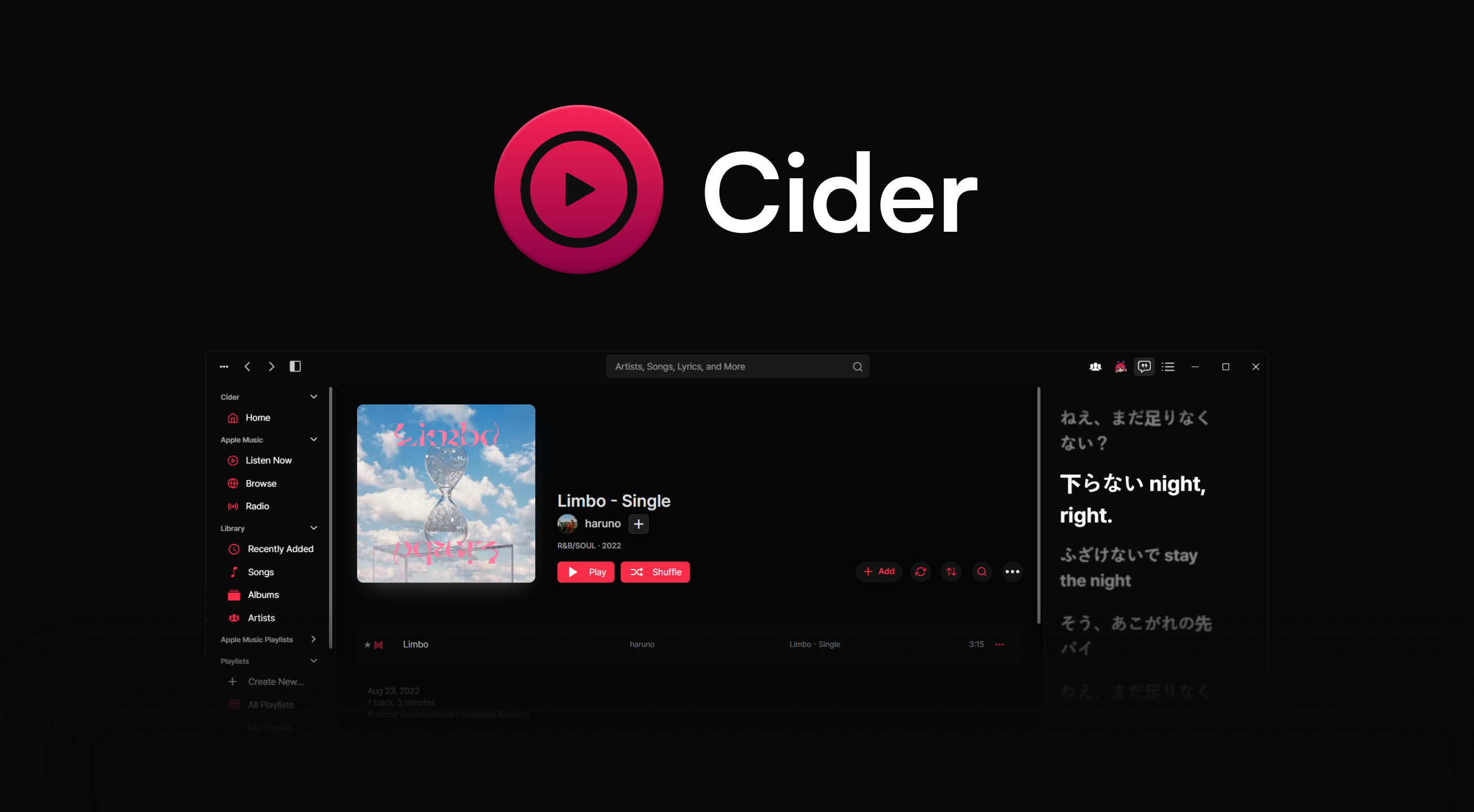
Cider Collective
A community-ran and maintained software company focused on creating the best experience for end users. Home of Cider, Connect, Remote.
torn oasis
floral yew
there is a cider plugin for vencord when I follow the guide here : https://v2.ci...
no support for custom plugins
floral yew
torn oasis
no support for custom plugins
:/
torn oasis
check your vesktop settings for transparency and the native title bar option
not sure, i dont use vesktop
atomic vortexBOT
Please share your Vencord debug info by running the /vencord-debug slash command!
(Auto-response invoked by @dapper stag)
 floral cradle
Heya on linux it seems screen sharing is a bit of a pain(its constantly loading/black)
 tropic mantle
the volume on my friend's stream has started to randomly get louder and quieter (e.g. after a long pause it seems to get loud for like 5 seconds, then it gets quieter, but then randomly gets louder at times again). it seems like that would be Automatic Gain Control, but they turned that off and it's still happening.
it wasn't happening when i watched their stream before, and they were on vesktop 1.5.1 or so, but now they updated to 1.6.1 and it's started happening. apparently it has always happened for them watching my stream and i didn't know, and i was on 1.5.9 until updating to 1.6.1 recently as well.
does anyone know a fix for this? here's my info:
Stable 474172 (05f9404)
Vencord A824452 (Vesktop V1.6.1)
Electron 39.2.4
Chromium 142.0.7444.177
Platform: Arch Linux (6.17.9-arch1-1)
 small tinsel
Where can I find and back up the Vesktop configuration files (such as the .json files / vencord plugins) inside the Flatpak installation? I’d like to back them up automatically rather than always relying manually on the GUI
I tried to 'import' the .json files I could find, but all I got was error
/home/USER/.var/app/dev.vencord.Vesktop/config/vesktop/sessionData/vencordFiles/package.json
/home/USER/.var/app/dev.vencord.Vesktop/config/vesktop/settings.json
/home/USER/.var/app/dev.vencord.Vesktop/config/vesktop/state.json
/home/USER/.var/app/dev.vencord.Vesktop/config/vesktop/settings/settings.json
 grim lake
small tinsel
Where can I find and back up the Vesktop configuration files (such as the .json ...
grim lake
small tinsel
Where can I find and back up the Vesktop configuration files (such as the .json ...
The backup category in discord settings
As far as I know there isn’t another way
Other than just cloud
small tinsel
grim lake
The backup category in discord settings
It must be saved somewhere on the device, no?
small tinsel
grim lake
Other than just cloud
Could you tell me a bit more how cloud exactly works for Vesktop?
grim lake
You press button, it syncs, done
small tinsel
grim lake
You press button, it syncs, done
Is somewhere out there more information about the cloud option?
grim lake
What info do you need?
austere panther
GitHub
Vencord API. Contribute to Vencord/Vencloud development by creating an account on GitHub.
vencord settings are stored as json on the remote server
small tinsel
grim lake
What info do you need?
Worf clutched it
small tinsel
austere panther
https://github.com/Vencord/Vencloud
Thanks!
small tinsel
austere panther
vencord settings are stored as json on the remote server
But... where exactly? Ok got it
 cerulean reef
dapper stag
use the browser extension
cerulean reef
dapper stag
use the browser extension
Vencord has a browser extension 😭
 broken vortex
I understand that keybinds are currently not supported, but is there like a terminal command or something I could run to enable/disable streamer mode?
dapper stag
launch obs lmao
launching any process called the same as the obs binary should work maybe
atomic vortexBOT
 versed finch
<@343383572805058560> Hi
versed finch
<@343383572805058560> Hi
Rule 10\. No unsolicited pings, DMs or friend requests
Do not ping other users for support (including replying with a ping to unrelated support messages). Do not send direct messages or friend requests for help.
Auto-response invoked by urotsuking
versed finch
atomic vortex
@broken vortex
broken vortex
dapper stag
launch obs lmao
I always have OBS open though
 bitter hearth
why are the buttons only on vesktop shifted to the side?

 rich crane
bitter hearth
why are the buttons only on vesktop shifted to the side?
rich crane
bitter hearth
why are the buttons only on vesktop shifted to the side?
probably whatever shenanigans your window manager is doing
bitter hearth
rich crane
probably whatever shenanigans your window manager is doing
but everything else is fine

 nocturne maple
hello, this isnt an explicit problem with vesktop itself but i felt like asking couldnt hurt. Im connected to my local dorm network and for some reason it seems like its been blocking discord's cdns. i cant load images, profile pictures, files, emojis, etc., just cached stuff and messages. Is there some way i can get around this without a VPN?
its really bad

i used to use my own home VPN to get around this but its temporarily out of use and i dont really feel like using stuff like proton and such i feel like it affects the speed
grand sierra
After a while in Vesktop when sharing my screen i get "scratching" noises from participatns when they talk. It starts to become slightly laggy. Running hyprland on arch. Anyone has seen anything similar?
 sharp cipher
is there any plugin that makes it so you get a confirmation before sending a friend request/call
grim lake
nope
 full tartan
when I run the program all startup stops at "loading vesktop" (Windows 11)
in the console writes:
Checking for update
Vesktop v1.6.1
Disabled Chromium features: CalculateNativeWinOcclusion, WinRetrieveSuggestionsOnlyOnDemand, HardwareMediaKeyHandling, MediaSessionService
(node:17456) UnhandledPromiseRejectionWarning: Error: Got non-OK response for https://api.github.com/repos/Vendicated/Vencord/releases/latest: 403 rate limit exceeded
{"message":"API rate limit exceeded for 185.246.223.127. (But here's the good news: Authenticated requests get a higher rate limit. Check out the documentation for more details.)","documentation_url":"https://docs.github.com/rest/overview/resources-in-the-rest-api#rate-limiting"}
at gu (VesktopMain:87:8)
at process.processTicksAndRejections (node:internal/process/task_queues:105:5)
at async Vn (VesktopMain:87:416)
at async Promise.all (index 0)
at async gE (VesktopMain:87:914)
at async Wn (VesktopMain:87:6985)
(Use vesktop --trace-warnings ... to show where the warning was created)
(node:17456) UnhandledPromiseRejectionWarning: Unhandled promise rejection. This error originated either by throwing inside of an async function without a catch block, or by rejecting a promise which was not handled with .catch(). To terminate the node process on unhandled promise rejection, use the CLI flag --unhandled-rejections=strict (see https://nodejs.org/api/cli.html#cli_unhandled_rejections_mode). (rejection id: 5)
Update for version 1.6.1 is not available (latest version: 1.6.1, downgrade is disallowed).
 austere panther
github issue, not much you can do but wait afaik
 teal sable
sharp cipher
is there any plugin that makes it so you get a confirmation before sending a fri...
teal sable
sharp cipher
is there any plugin that makes it so you get a confirmation before sending a fri...
you can make one it wont be too hard probably
sharp cipher
teal sable
you can make one it wont be too hard probably
idk programming 🥀
floral cradle
Same here on Pop_OS Cosmic beta pretty much verbatim
dapper stag
disable hardware video acceleration in vesktop settings
dapper stag
full tartan
when I run the program all startup stops at "loading vesktop" (Windows 11)
in th...
if you're using vpn, turn it off or switch to a different one that isn't ratelimited from github api
if that's not an option, set the GITHUB_TOKEN environment variable to a github api token (just google how to make one) and vesktop will use that
 brave hound
 north fox
these 8 are not notifs but friend req, any way by vesktop to not include friend req?
 teal sable
north fox
these 8 are not notifs but friend req, any way by vesktop to not include friend ...
teal sable
north fox
these 8 are not notifs but friend req, any way by vesktop to not include friend ...
i dont think you can exclude specific notifications
 mystic heath
how do I fix this weird gap here?

 woven merlin
whats the plugin to remove this..?

 visual elm
How do I get the badge?
mystic heath
woven merlin
whats the plugin to remove this..?
which one do you want to remove?
how do I fix these buttons along with some other text in settings being grey?
 woven merlin
mystic heath
which one do you want to remove?
woven merlin
mystic heath
which one do you want to remove?
all.
mystic heath
woven merlin
all.


 real wharf
hey my rpc doesn't work help (it should be)
 sour tinsel
Vesktop is refusing to load on system startup and the logs just show this, is there a way to fix this issue?
 floral cradle
dapper stag
disable hardware video acceleration in vesktop settings
floral cradle
dapper stag
disable hardware video acceleration in vesktop settings
Ill see about this o7
 ornate nebula
I have two webcams on my system and it only shows one of them even if I select the other. so webcam A is being shown even if I select webcam B. sometimes the other way around. On debian 13 wayland. enabling webcam perms on flatseal didnt work. I tried Flatpak, Appimage, and .deb installs. and nothing
proud raptor
sour tinsel
Vesktop is refusing to load on system startup and the logs just show this, is th...
If you have it in tray, try resetting it & repair vencord
If its not in tray or it segfaults too early, then you can try deleting ~/.vesktop (or something like that), but that will make you lose all of vencord settings (plugins, themes, their settings etc)

 lofty nexus
I know you don’t accept suggestions anymore but it would be nice if vesktop cleaned up its memory usage when you close it to taskbar (i.e. it removes its cache of channels and guilds it has loaded).
Or have a plugin with a button to do that rather than having to restart vesktop.
 sweet turtle
Vesktop not showing Minecraft activity, how to fix?
I'm on Linux, Vesktop is non-flatpak. I play Minecraft with Prism launcher (flatpak).
dapper stag
don't use flatpak
sweet turtle
dapper stag
don't use flatpak
but I want to use flatpak
Vesktop is non-flatpak here
I want my other apps to stay up to date
dapper stag
sweet turtle
dapper stag
https://vesktop.dev/wiki/linux/flatpak/#discord-rich-presence-game-activity
again I'm using a NON-flatpak version of Vesktop
dapper stag
it applies to both apps.
sweet turtle
dapper stag
it applies to both apps.
didn't work unfortunately. any way to tweak perms for flatpak apps so they get detected?
dapper stag
the solution is to not use flatpak
 steel dove
mystic heath
how do I fix these buttons along with some other text in settings being grey?
steel dove
mystic heath
how do I fix these buttons along with some other text in settings being grey?
did you find a fix? :0
 nimble comet
dapper stag
the solution is to not use flatpak
nimble comet
dapper stag
the solution is to not use flatpak
lowk switching from flatpak to aur saved alot of headaches for me
austere panther
this is also a question for #🏥-vencord-support-🏥 for future reference
nimble comet
flatpak is gnerally just butt
steel dove
austere panther
put this in quickcss or wait for the bug to be fixed
thanks that worked for the vencord page :3
but not for dm text being really grey
dapper stag
flatpak is alright, but when you need apps to communicate between each other it's not great
 placid mango
scaling doesnt work on wayland?
cuz i have it 100% system wide but would like to tweak on vesktop's internal settings
 karmic osprey
has anyone figured out how to get the quests progression to work? im starting to think getting a windows vm might be less complicated than making devtools work, always fails at some point with all the solutions i could think to try
 primal light
stuck at loading vesktop, is it just my internet?
proud raptor
karmic osprey
has anyone figured out how to get the quests progression to work? im starting to...
Vesktop doesn't support game quests
And VM may or not work
 buoyant rover
NVIDIA GPU Issue
When brute-forcing NVIDIA GPU, there would be visual glitches that cannot be fixed unless going back to using "Auto-Select" and restarting windows.
I dont think there can or will be a fix as it could be a Windows and/or NVIDIA thing but if anyone can try to help, thatd be awesome nonetheless.
Thanks,
gabrielle
sour tinsel
proud raptor
If you have it in tray, try resetting it & repair vencord
If its not in tray or ...
tried it, it is still unable to autostart with the system
 viscid dagger
dude i love how vesktop just breaks every month ("Repair Vesktop" doesnt work) or so and i have to reinstall it from flatpak every time, worth it for the features tho
grim lake
it hasnt broken for me at all
proud raptor
sour tinsel
tried it, it is still unable to autostart with the system
Have you tried reinstalling it completely
 fringe vine
@copper socket escuse me for the ping, what's the decoration your using?
i want the same 😂
 wraith folio
fringe vine
<@588851623724449809> escuse me for the ping, what's the decoration your using?
wraith folio
fringe vine
<@588851623724449809> escuse me for the ping, what's the decoration your using?
The ice avatar decoration? Also would probably be better asking in #🧊-off-topic-iceman-only not the support channel
fringe vine
wraith folio
The ice avatar decoration? Also would probably be better asking in <#10150602310...
oh sorryyyyyyy
 open pine
buoyant rover
NVIDIA GPU Issue
When brute-forcing NVIDIA GPU, there would be visual glitches ...
open pine
buoyant rover
NVIDIA GPU Issue
When brute-forcing NVIDIA GPU, there would be visual glitches ...
Nvidia is literally the worst, along with their buddy M$
real wharf
rpc doesn't work help help
proud raptor
open pine
Nvidia is literally the worst, along with their buddy M$
Not everyone can use non-NVIDIA hardware or not-Windows, sorry
real wharf
proud raptor
Not everyone can use non-NVIDIA hardware or not-Windows, sorry
who can't use not-windows
dapper stag
guys this isn't nvidia talk channel
real wharf
mb
Anyways RPC doesn't work, I have it enabled in settings and I'm not using flatpak Vesktop, I've tried many games that used to work on Windows I'm On Fedora Linux uhh what else
open pine
proud raptor
Not everyone can use non-NVIDIA hardware or not-Windows, sorry
Who can't use any other, normal manufacturers of hardware?
AMD is actually fully compatible and supported on literally everything and anything 🙂
So yeah..
"Not everyone can use non-NVIDIA hardware or not-Windows" is 100% bullshit 🙂
And I made my mom use linux too. If old lady can do It, then I don't see other issue than a skill issue for someone 😛
Any sensible person will have dualboot anyway. (and use windows just sporadically, only for those few things that bill gates payd himself for them not to work on any other OS)
dapper stag
please stop or #🧊-off-topic-iceman-only
 karmic hazel
Is there a plugin to normalize fonts because I hate the new fonts that discord brought along, makes names harder to read for no reason..
(talking about the fonts for names specifically not in general but thats also fine)
Fixed with quick CSS.
 kindred steeple
i cant adjust individual user volume past 100, is this intended, or a bug?
also my vesktop icon keeps disappearing from my notification tray, dunno if its a vesktop issue or a linux issue
 gloomy willow
Heyy i have a bug where i click on stream kde asks me what screen i want to share and the screensharing options in discord dont show up (where you can change res etc)
I am on Arch, KDE Plasma 6.5.3 and using vesktop 1.5.4-1
this is what i get in the console btw. Also it works in the browser or on other devices using vesktop
 dapper stag
update vencord / vesktop
gloomy willow
dapper stag
update vencord / vesktop
ok works now!! thank you! Sorry for asking befor trying that i always forget that -Syu dosent update aur packages :3
kindred steeple
is there a plugin or something to remove this top bar?

 trail surge
if u r on linux im pretty sure thats the window decorations from ur DE
there is smth in the settings iirc but the de might not let u disable it all
kindred steeple
ah, okay, thank you
proud raptor
Do you use vpn and what os
 steel ruin
is there some known fix for the VC/screenshare pop-out not having a window frame when using discord titlebar?
can't seem to get it to work no matter what, just have to switch back to native window frames. Can be resized and works properly, just no frame to grab and move it from.
Arch KDE Plasma w/ Wayland, not using flatpaked version, using the wayland flag from the tips & tricks wiki.
 raven olive
I tried installing the vesktop AUR package and when I try to run it it just says
[161026:1205/164431.621874:ERROR:electron/shell/common/node_util.cc:148] Failed to initialize Node.js. {
   "args": [ "/usr/lib/vesktop/vesktop", "electron/js2c/browser_init" ],
   "location": ", at node:timers:100",
   "message": "Uncaught SyntaxError: Invalid or unexpected token",
   "process_type": "browser",
   "source_line": " \u0000  if (list !== undefined && L.isEmpty(list)) {"
}
It then hangs the process and never exits
The vesktop-bin package works fine, though
Huh nevermind cleanbuilding and reinstalling it fixed it
buoyant rover
open pine
Nvidia is literally the worst, along with their buddy M$
not my fault i got a laptop
buoyant rover
open pine
Any sensible person will have dualboot anyway. (and use windows just sporadicall...
and im not a big fan of linux either, please stop
i just wanted help, not some dumb talk about linux meatriding
dapper stag
dapper stag
please stop or <#1015060231060983891>
yo can u shut up
 green jackal
is relationship notifier still working or not?
atomic vortexBOT
green jackal
is relationship notifier still working or not?
(Auto-response invoked by @oblique valley)
 green jackal
so why is there vesktop support and vencord support
dapper stag
green jackal
so why is there vesktop support and vencord support
this channel = vesktop things
other channel = vencord things
plugin = vencord thing
green jackal
OHHH mb
 night scroll
Hi everyone,
i've been having an issues lately and i try to find a solution online and nothing worked yet.
So bascially when i'm in a vc and talking to people everything is fine, but if i start a youtube video everyone in the call can hear it.
I don't know what could cause this please help ;<
EDIT : I found out the the problem happen only when i'm watching someone's stream for some reason
atomic vortexBOT
night scroll
Hi everyone,
i've been having an issues lately and i try to find a solution onl...
Please share your Vencord debug info by running the /vencord-debug slash command!
(Auto-response invoked by @nocturne veldt)
night scroll
Vencord: v1.13.6 • 0718b56 (Vesktop v1.6.1) - 3 Dec 2025
Client: canary ~ Vesktop v1.6.1
Platform: Linux x86_64
⚠️ Activity Sharing disabled
 slow wyvern
does vesktop use less ram than normal discord app
bc the normal discord app eats a lot of my cpu
opal haven
only one way to find out
it is considered more light-weight (albiet still electron), bare minimum for its native modules (primarily for linux though)
 lofty elm
i wish venmic could source audio from more places than just applications that play audio on your computer. like i just got a capture card (a cheap one, like 20 dollars) and i got it set up mostly, except the audio is delayed by like half a second and has to be played on vlc so venmic can use vlc as an audio source, instead of it just being sourced directly from the usb capture card
and when i stream audio from vlc, i have to hear the delayed capture card audio if i want to hear the vc, if i mute vlc it also mutes in the stream so i can't do that
i don't want to use my brain anymore for related reasons
yeah
feature request: that
vesktop developers do your magic
also if #🖥-vesktop-development is a better place for this pretend i sent it there instead
 trail knoll
Sorry if this isn't a vesktop issue but I noticed since today I'm no longer able to join VCs because it never gets past "DTLS connecting" so I cannot join any VCs
I'm on the latest build of vesktop on arch linux's AUR. I have tried both vesktop-bin and vesktop packages and neither work.
It works just fine on web with normal vencord.
I supposed it was something to do with Electron possibly since i updated electron 39 first thing in the morning today.
Anyone else experiencing this?
autumn halo
Anyone know why when I turn on my camera or screenshare my microphone goes stereo for everyone in the call? People can only hear me from the left. This doesnt happen in the actual discord client
 tame tendon
Hello, I don't know why but in Vesktop I cannot turn off Advanced Voice Activity right under the Krisp logo, it's grayed out and I cannot do anything about it. I can turn it off normally in the official Discord App. I'm on CachyOS with KDE Plasma 6.5.3 and KWin as a Window Manager.
 eternal geyser
How to get a donor role
austere panther
no need to crosspost
 native robin
"spotify not detected"
oblique valley
native robin
"spotify not detected"
play a song yourself
 proud urchin
I'm having issues on macOS with sharing my screen in VC. My stream keeps infinitely loading for everyone. Turning hardware acceleration on/off and/or video hardware acc on/off doesn't seem to fix it either.
Vencord: v1.13.6 • 0718b56 (Vesktop v1.6.1) - 3 Dec 2025
Client: stable ~ Vesktop v1.6.1
Platform: MacIntel
Enabled Plugins (79):
AccountPanelServerProfile, AlwaysTrust, AppleMusicRichPresence, BetterGifAltText, BetterRoleContext, BetterSettings, BetterUploadButton, BiggerStreamPreview, ClearURLs, ColorSighted, ConsoleJanitor, CrashHandler, Dearrow, Experiments, ExpressionCloner, FavoriteEmojiFirst, FavoriteGifSearch, FixImagesQuality, FixYoutubeEmbeds, ForceOwnerCrown, FriendsSince, FullSearchContext, FullUserInChatbox, GameActivityToggle, ImageZoom, ImplicitRelationships, LoadingQuotes, MemberCount, MentionAvatars, MessageLatency, MessageLinkEmbeds, MessageLogger, MessageTags, MutualGroupDMs, NewGuildSettings, NoDevtoolsWarning, NoF1, NoOnboardingDelay, NoTypingAnimation, NoUnblockToJump, OnePingPerDM, PermissionsViewer, petpet, PinDMs, PlatformIndicators, PreviewMessage, RelationshipNotifier, ReverseImageSearch, ReviewDB, RoleColorEverywhere, SendTimestamps, ServerInfo, ShowConnections, ShowHiddenThings, ShowTimeoutDuration, SilentTyping, SortFriendRequests, SpotifyControls, SpotifyShareCommands, StartupTimings, StickerPaste, SuperReactionTweaks, Translate, TypingTweaks, Unindent, UserVoiceShow, USRBG, ValidReply, ValidUser, VoiceChatDoubleClick, VencordToolbox, ViewIcons, ViewRaw, VoiceDownload, VolumeBooster, WebKeybinds, WebScreenShareFixes, WhoReacted, YoutubeAdblock
MacIntel is wrong, I have an apple silicon mac
grim lake
its normal
native robin
oblique valley
play a song yourself
when play song with friend i am always exactly 30 seconds ahead
oblique valley
Listen along isn't a vencord issue, so we cannot do anything
use spotify jam or apple music shareplay
or similar
night scroll
night scroll
Hi everyone,
i've been having an issues lately and i try to find a solution onl...
Hi everyone,
so my problem isn't link to when i'm watching someone streaming, i tested on an alt account an it happens even in normal call.
so basically when i start watching a video on youtube and is in a discord call with friends, no matter what they will be able to hear the video i'm currently watching.
what i tried :
- changing my audio settings (output and input)
- i used qpwgraph to see if the audio output was send to the right place and it was, i also verified if vesktop and firefox was detected as the same app since they both use chronium but nope
- and i also tried to run discord on different version (stable, canary, ptb, flatpak, aur, website) and the bug is still happening on every version i tried
i'll keep searching for a fix
Vencord: v1.13.6 • 0718b56 (Vesktop v1.6.1) - 3 Dec 2025
Client: canary ~ Vesktop v1.6.1
Platform: Linux x86_64
⚠️ Activity Sharing disabled
proud urchin
grim lake
its normal
The macintel thing or screensharing not working?
grim lake
proud urchin
The macintel thing or screensharing not working?
Macintel, no clue about the stream
alpine meteor
for some reason when streaming, vesktop goes to like 41% CPU usage
it wasnt usually this bad
alpine meteor
night scroll
Hi everyone,
so my problem isn't link to when i'm watching someone streaming, i...
Firefox is not chromium
 main cape
can i possibly download vesktop in D: instead of C: and not crash often when using (cuz its happenin to me in my main discord)
wraith folio
main cape
can i possibly download vesktop in D: instead of C: and not crash often when usi...
You can download the portable version and put that on your other drive
main cape
wheres the portable download
wraith folio
main cape
wheres the portable download
main cape
wraith folio
https://vesktop.dev/install/windows/
now how do i unzip it cuz my disk (c:) is full to unzip it (using winrar)
wraith folio
main cape
now how do i unzip it cuz my disk (c:) is full to unzip it (using winrar)
Windows has a built in extractor
main cape
wraith folio
Windows has a built in extractor
also in windows 10? 👀
main cape
its literally grayed out
 wraith folio
main cape
its literally grayed out
wraith folio
main cape
its literally grayed out
This could be because of your low storage
main cape
:bags_under_eyes: i hate my low storage (and i hate that the new emojis arent here yet)
wraith folio
main cape
:bags_under_eyes: i hate my low storage (and i hate that the new emojis arent he...
Windows needs temp space on C: for basically everything, I really would suggest solving that issue first
You can't just move some larger stuff onto your other drive?
main cape
its just a app which eats up my disk space 😭
night scroll
alpine meteor
Firefox is not chromium
thank you for the info 👍
 keen bramble
Oh crap, wrong channel
 outer matrix
could someone explain to me what exactly vesktop is? please
torn oasis
outer matrix
could someone explain to me what exactly vesktop is? please
custom discord client with vencord preinstalled
outer matrix
torn oasis
custom discord client with vencord preinstalled
oh okay
torn oasis
for a list of pros and cons refer to #🖥-vesktop-support-🖥 message
outer matrix
is it actually better/more efficient than regular discord with vencord?
torn oasis
it depends, its not the same for everyone so there is no definitive answer
outer matrix
torn oasis
it depends, its not the same for everyone so there is no definitive answer
have u tried it or maybe u are using it rn? can u give me a personal review?
torn oasis
outer matrix
have u tried it or maybe u are using it rn? can u give me a personal review?
personally i prefer desktop+vencord because i care about stuff like better activity detection and global keybinds, and while vesktop did have reduced memory usage which may be appealing for most people, in the end its not something i really care about all that much
plus, on windows it can have some weird quirks (most notably with screensharing, people will hear themselves if you stream your audio, and it generally just doesnt work as well)
 steady ether
Hello, I hope this is the right channel for this problem. I have an issue and not sure if anyone else has this with Vesktop but when I am on the friends menu and click on pending it allows me to stay on that page for about 3 seconds and then sends me to the online friends menu and basically reloads the page so if I was in vc while doing that then it would kick me out of vc, not sure if that is just a me thing but I do find that as an annoying bug
 somber parrot
Every time I try to open discord or vesktop it just gives me a blank screen

vesktop
APPIMAGE env is not defined, current application is not an AppImage
Vesktop v1.6.1
Disabled Chromium features: WinRetrieveSuggestionsOnlyOnDemand, HardwareMediaKeyHandling, MediaSessionService
Error: net::ERR_FILE_NOT_FOUND
    at SimpleURLLoaderWrapper.<anonymous> (node:electron/js2c/browser_init:2:124518)
    at SimpleURLLoaderWrapper.emit (node:events:519:28)
Error: net::ERR_FILE_NOT_FOUND
    at SimpleURLLoaderWrapper.<anonymous> (node:electron/js2c/browser_init:2:124518)
    at SimpleURLLoaderWrapper.emit (node:events:519:28)
[arRPC > ipc] listening at /run/user/1000/discord-ipc-0
[arRPC > websocket] listening on 6463
[arRPC > process] started
heres the logs
installed vesktop from the aur as listed on the site
proud raptor
somber parrot
Do you use VPN?
somber parrot
proud raptor
Do you use VPN?
yes
proud raptor
Disable it then
somber parrot
it randomly is working now even with the vpn x3
thanks for the help ill try turning off the vpn if it ever happens again
 subtle lily
im on debian 13 right now, and my stream no matter what i do wont go above 30 fps 720p any help is nice im pretty new to linux
 tired dawn
dapper stag
tired dawn
dapper stag
i don't think there's a good one lmao
people recommend festival and pico2wave but idk if that works with chromium
gaunt sentinel
funny bug: if you log out as you get the "restart to apply plugin changes!" prompt, vesktop hangs then crashes
dapper stag
wha
 blazing oyster
what plugin lets you do a soundboard when you join cause i wanna turn it off
blazing oyster
dapper stag
stock discord feature
wait the sound thing isn't a plugin to play a sound emoji on join.
heady burrow
subtle lily
im on debian 13 right now, and my stream no matter what i do wont go above 30 fp...
its a visual bug i think
 vast torrent
is there a plugin to to make the window resize so you can see what you're typing on steam deck?
proud urchin
proud urchin
I'm having issues on macOS with sharing my screen in VC. My stream keeps infinit...
Bump
long sluice
on hyprland i get asked several times what i want to stream (2-10+ times before it calms down)
i am 90% sure this is a me-issue but what could be causing this? the stream is started successfully the first time but it just keeps.on.asking.
Discord doesn't do this btw, it does its own chooser thing first asking if i want a screen/window and so on, it then starts the default wayland screenshare chooser (but once)
 waxen creek
my vesktop is stuck zoomed out and wont zoom back in
i accidentally did ctrl -
i cannot do ctrl + or ctrl 0 to zoom in
i tried settings > appearance to zoom back in, and a pc restart, it's still stuck incredibly zoomed out and tiny
grim lake
make sure it isnt the numpad
waxen creek
grim lake
make sure it isnt the numpad
still no
 gaunt turret
hey so i have vesktop installed via Fedora dnf and i am having an issue that persisted across the Flatpak version of Discord itself, the Discord RPM install and now Vesktop. for some reason i can't upload any files no matter what approach i use.
so i've tried enabling perms for the flatpak through Fedoras own native permission manager, as well as flatseal (even though enabling through flatseal enables them through Fedoras permission manager as well, and vice versa). i've also tried running flatpak override --user --filesystem=home:ro com.discordapp.Discord as well but no luck
 grim pewter
i updated from debian 12 to debian 13 and when opening vesktop my glass theme doesnt work anymore
Vencord: v1.13.7 • 7098f41 (Vesktop v1.5.8) - 6 Dec 2025
Client: stable ~ Vesktop v1.5.8
Platform: Linux x86_64
 crystal river
hello! one quick question. I use nvidia broadcast to apply filters to my videocamera feed and for some reason they do not work on vesktop.
anyone knows the reason? or has had the same issue?
(of course I'm using the nvidia broadcast as source for video, and it's working when used in other webcam apps)
FYI, I have both hwardware acceleration and video acceleration ON.
 peak gazelle
I have the new settings beta. VenCord/Vesktop settings do not exist there yet it seems. Is there a way I can disable this? Experiments maybe? I am not really sure but I would like to configure my settings.
 peak gazelle
I have the new settings beta. VenCord/Vesktop settings do not exist there yet it...
peak gazelle
peak gazelle
I have the new settings beta. VenCord/Vesktop settings do not exist there yet it...
Nevermind I found a fix! Just click "Open Legacy Settings" and it shows up. Vencord devs should probably be aware of the new betas, though. (I didn't enable this so its slowly rolling out I think)
grim lake
peak gazelle
Nevermind I found a fix! Just click "Open Legacy Settings" and it shows up. Venc...
Its already fixed, likely outdated vencord install
opal haven
peak gazelle
Nevermind I found a fix! Just click "Open Legacy Settings" and it shows up. Venc...
The developers are always aware of everything that’s going on already :)
peak gazelle
grim lake
Its already fixed, likely outdated vencord install
How do I update? It says restart to update but I did and it doesn't appear to do it..
grim lake
peak gazelle
How do I update? It says restart to update but I did and it doesn't appear to do...
You can right click the icon and press repair
peak gazelle
grim lake
You can right click the icon and press repair
Thanks so much.
gaunt turret
gaunt turret
so i've tried enabling perms for the flatpak through Fedoras own native permissi...
installed bazzite as a whole new os, and first thing i tried was installing Vesktop and still can't upload files.
i can upload images fine, but i tried just a blank random text file and it won't upload
 unreal shadow
help
 dapper stag
gaunt turret
i can upload images fine, but i tried just a blank random text file and it won't...
dapper stag
gaunt turret
i can upload images fine, but i tried just a blank random text file and it won't...
you can't upload empty files that's completely normal
gaunt turret
dapper stag
you can't upload empty files that's completely normal
oh
lemme try a not empty one then XD
well then, that's strange. ig it did fix with this bc i was trying to upload crash logs to another server before switching to Bazzite
 swift escarp
I keep getting these errors when using VPN with vesktop on linux, running vesktop directly from term with --ozone-platform-hint=windows makes everything load normally, but I want to make this permanent so I can launch vesktop via my app launcher.
I added the above option to my deskop file as described here https://vesktop.dev/wiki/linux/tips/#making-command-line-flags-permanent but it doesn't seem to work and i still get the errors, is there a way in vesktop to check which user agent its currently running as so i can doublecheck whether it's actually working?
 dapper stag
it's user-agent-os
 unborn snow
any reason why having Vesktop open always prevents OBS from updating (even if I haven't used OBS since opening Vesktop)?
 dapper stag
unborn snow
any reason why having Vesktop open always prevents OBS from updating (even if I ...
dapper stag
unborn snow
any reason why having Vesktop open always prevents OBS from updating (even if I ...
please use https://learn.microsoft.com/en-us/sysinternals/downloads/process-explorer to see which files vesktop has open and which one of those is causing that issue

Find out what files, registry keys and other objects processes have open, which DLLs they have loaded, and more.
unborn snow
dapper stag
please use https://learn.microsoft.com/en-us/sysinternals/downloads/process-expl...
C:\Program Files\obs-studio\data\obs-plugins\win-dshow\obs-virtualcam-module64.dll
 deft gull
unborn snow
any reason why having Vesktop open always prevents OBS from updating (even if I ...
deft gull
unborn snow
any reason why having Vesktop open always prevents OBS from updating (even if I ...
OBS virtual camera is the reason yes
Discord/electron keeping all audio and video devices loaded is its silliness and vesktop does not fix it unfortunately
unborn snow
deft gull
Discord/electron keeping all audio and video devices loaded is its silliness and...
I see.
weird that it stops OBS from updating but not Camo but 🤷
dapper stag
unborn snow
`C:\Program Files\obs-studio\data\obs-plugins\win-dshow\obs-virtualcam-module64....
yeah that explains
obs or chromium/electron has to fix that not us
can't really solve that unfortunately
 bleak hemlock
I'm getting a weird corruption issue with the gif picker
Platform: Arch
App: Vesktop
Desktop: KDE Plasma
 nocturne veldt
bleak hemlock
I'm getting a weird corruption issue with the gif picker
Platform: Arch
App: Ves...
nocturne veldt
bleak hemlock
I'm getting a weird corruption issue with the gif picker
Platform: Arch
App: Ves...
Disable hardware acceleration
bleak hemlock
nocturne veldt
Disable hardware acceleration
Ok I'll try that
Yea that fixed it thank you
 fickle jungle
Whats the difference between the 2 AUR packages, also should i install from the AUR
 mellow forge
Vesktop keeps unlogging me from my 2 accounts every few hours, also when i open it, my mic is disabled on default
torn oasis
mellow forge
Vesktop keeps unlogging me from my 2 accounts every few hours, also when i open ...
vp nodevtools
atomic vortexBOT
torn oasis
vp nodevtools
mellow forge
thank you, enabled this plugin,
however after each restart vesktop mutes my mic here, it is really annoying, any idea how to disable that?

 errant prairie
yeah hi did you find a fix for this i have the same problem.
 toxic ibex
errant prairie
yeah hi did you find a fix for this i have the same problem.
toxic ibex
errant prairie
yeah hi did you find a fix for this i have the same problem.
Only fix I got was "rebuild with Electron 38" and that sounds like more effort than blacklisting the webcam driver
 tulip minnow
Hello, I know external urls are not supported, however, my old theme did have one and I get this (1st pic, domain name censored for reasons but it's just a copyparty instance), after clicking Allow, I restart and nothing happens, however, running the application on terminal yielded the following (2nd pic, A - Allow C - Cancel)
Restarting the application, did not make the external URL work either (which I was kinda expecting) however, the popup appearing was not expected
Just curious if this behaviour is intended, I'm using vesktop 1.6.1 (as stated on the picture)
EDIT: Important note, I didn't have this issue on previous versions, even with external domains not being allowed


 heady schooner
fickle jungle
Whats the difference between the 2 AUR packages, also should i install from the ...
heady schooner
fickle jungle
Whats the difference between the 2 AUR packages, also should i install from the ...
vesktop isn't really recommended iirc
vesktop-bin is prebuilt
vesktop-git gets built from the latest commit (on your machine)
 final radish
hi! I'm using vesktop on arch wayland with pipewire for context
When I am streaming the audio is usually fine but every few minutes theres a short bug where the audio just gets louder for a fraction of a second. This doesnt make it unusable but bothersome while sharing music or movies. Any help would be appreciated :D
 torpid plinth
Any tips on cutting RAM usage? it takes up a whole gig
 austere panther
can't, discord/electron limitation
fickle jungle
heady schooner
`vesktop` isn't really recommended iirc
`vesktop-bin` is prebuilt
`vesktop-git` ...
Is vesktop-bin from the pacman packet manager?
Or wdym prebuilt
heady schooner
its from the aur
fickle jungle
heady schooner
its from the aur
What do you exactly mean by prebuilt then
austere panther
downloads and repackages the prebuilt rpm package
fickle jungle
I see
austere panther
fickle jungle
So that would be the go to, i imagine
heady schooner
its what i would recommend for most people yeah
fickle jungle
Alr thanks
austere panther
it's what I used yea
 vague mural
I'm experiencing some problems with the Vesktop client. I've been using Vesktop for a few months already, and it has always worked perfectly fine until today. When I attempted to launch Vesktop it would crash within seconds, so I launched it through the console to look for any errors and the output was the following:
Found package-type: deb
Checking for update
Vesktop v1.6.1
Disabled Chromium features: WinRetrieveSuggestionsOnlyOnDemand, HardwareMediaKeyHandling, MediaSessionService
amdgpu: Failed to allocate a buffer:
amdgpu:    size      : 17314086912 bytes
amdgpu:    alignment : 2097152 bytes
amdgpu:    domains   : 4
amdgpu:    flags   : 6
amdgpu: Failed to allocate a buffer:
amdgpu:    size      : 17314086912 bytes
amdgpu:    alignment : 2097152 bytes
amdgpu:    domains   : 4
amdgpu:    flags   : 6
Illegal instruction (core dumped)```
I have attempted reinstalling Vesktop, tried both the Flathub and AppImage versions, but always got the same or very similar output. I have attempted to Google the issue, but was only left with some GitHub issues that were not very helpful. I'd love to continue Vesktop to access Discord and am asking for your help.
Since the log mentions my GPU, I will also add that I use an AMD Radeon 5400.how much ram you have
proud raptor
no, seems amdgpu just tried to allocate 17 gb (might be just a bug)
vague mural
proud raptor
no, seems amdgpu just tried to allocate 17 gb (might be just a bug)
a bug that causes Vesktop to crash
 deep cave
limpid holly
Yo does anyone know why when i stream and change my stream quality to lets say 1...
deep cave
limpid holly
Yo does anyone know why when i stream and change my stream quality to lets say 1...
same problem but its actually sharing only 30fps
torn oasis
deep cave
same problem but its actually sharing only 30fps
read the message right below the one you replied to
deep cave
torn oasis
read the message right below the one you replied to
thats why I said it actually streams at 30fps
 midnight talon
@short sentinel hi
torn oasis
deep cave
thats why I said it actually streams at 30fps
is it actually 30 fps for other people? or are you saying that because you see this
 deep cave
torn oasis
is it actually 30 fps for other people? or are you saying that because you see t...
deep cave
torn oasis
is it actually 30 fps for other people? or are you saying that because you see t...
nah my friends say it is actually 30fps is what they see i stream
like not the discord writes but the stream lags
torn oasis
well if the stream lags that can also be an internet or system issue
deep cave
Also it sometimes just doesnt wanna load in for others?
torn oasis
what os are you on
deep cave
Linux Mint
torn oasis
try playing around with hardware acceleration
and ask your friend to enable this and see if it says the stream is at the resolution and frame rate you chose
 deep cave
torn oasis
and ask your friend to enable this and see if it says the stream is at the resol...
deep cave
torn oasis
and ask your friend to enable this and see if it says the stream is at the resol...
yea when I turn on hardware accelaration it seems the stream doesnt load in
deep cave
deep cave
yea when I turn on hardware accelaration it seems the stream doesnt load in
Also it takes super long the stream to load

 limpid edge
I'm having a lot of issues with screensharing. I use nvidia dkms drivers which seem to work fine. The chrome gpu think shows that video decoding and encoding is enabled. My friends say the screen is tearing and very low resolution. Is there a fix for this?
limpid edge
the only thing i can see potentially causing is is vulkan being disabled? no clue if it matters tho
 nocturne veldt
limpid edge
I'm having a lot of issues with screensharing. I use nvidia dkms drivers which s...
nocturne veldt
limpid edge
I'm having a lot of issues with screensharing. I use nvidia dkms drivers which s...
Try disabling Hardware Acceleration
limpid edge
nocturne veldt
Try disabling Hardware Acceleration
already tried with it entirely disabled, only video hardware accel disabled, and both enabled. the result is the same
 glossy spear
images, videos and gifs are loading extremely slow for me, but only on vesktop
on browser and discord they load fine
 steep jackal
Any news about stereo screenshare audio on vesktop?
austere panther
enable "Discord Titlebar" in vesktop settings @warm kelp
 misty raft
solemn knot
i thought it was an issue with custom css so i disabled those and it's still not...
misty raft
solemn knot
i thought it was an issue with custom css so i disabled those and it's still not...
is it still broken for you ?
solemn knot
misty raft
is it still broken for you ?
yp
 languid herald
I have this issue on Arch where if I close a stream then attempt to open another one later the program freezes. I can still talk to people but the only way to do anything else is to kill the proccess and start again
it freezes specifically after selecting the window in KDE, the moment the stream opening dialog to select audio sources would show up in vesktop
 rotund pumice
ArchLinux hyprland on wayland.
Sometimes people just stop hearing me, even though the light turns green when I'm talking. After about 5 seconds, it goes back to normal, and then every couple of minutes.
I noticed that I'm not the only one with this problem.
 humble abyss
so for soime reason vesktop refuses to load with a vpn
grim lake
Discord issue
humble abyss
idk what to do to make it work
humble abyss
grim lake
Discord issue
is there anything I can do?
humble abyss
grim lake
https://discord.com/channels/1015060230222131221/1426180286646980668
Ill try it out, thanks
humble abyss
grim lake
https://discord.com/channels/1015060230222131221/1426180286646980668
so I don't have vesktop.desktoo
austere panther
how did you install vesktop
humble abyss
austere panther
how did you install vesktop
aur
austere panther
should be in /usr/share/applications
grim lake
Is vesktop there
humble abyss
grim lake
Is vesktop there
where?
grim lake
Nothing of the name “vesktop”
humble abyss
grim lake
Nothing of the name “vesktop”
nope
grim lake
Did you try this?
 humble abyss
grim lake
Did you try this?
humble abyss
grim lake
Did you try this?
yes
grim lake
And what did it say
austere panther
if it didn't show anything run updatedb as root
humble abyss
grim lake
And what did it say
pread: Short read (file corrupted?)
there we go, I got it fixed
 sharp pike
 young kraken
Does anyone know how to disable update notification?
I disabled everything related to update but it still showing update notification
 young kraken
austere panther
why not just update?
young kraken
austere panther
why not just update?
idk why my repo does not update
I mean I download vesktop from my official repo
young kraken
austere panther
you're in the wrong channel by the way
no im not
 austere panther
yes you're on vesktop but you're talking about the vencord updater (which is a vencord issue)
young kraken
austere panther
yes you're on vesktop but you're talking about the vencord updater (which is a v...
ah
🤯
austere panther
young kraken
I mean I download vesktop from my official repo
vesktop and vencord update separately if that's what you're talking about
young kraken
austere panther
vesktop and vencord update separately if that's what you're talking about
ah, I see. Thanks. I thought I need to update it via my package manager
alpine meteor
for some reason, my framerate on discord is unstable. it always felt a little sluggish but now i find i cant even smoothly preview this silly gif.
I am using arch linux and installed vesktop trough the AUR.

what can i do to make things run smoother?
austere panther
enabling hardware acceleration in vesktop settings can help but be aware that it can cause instability
alpine meteor
austere panther
enabling hardware acceleration in vesktop settings can help but be aware that it...
It is already enabled
I just tried turning hardware acceleration off and restarting, but it didnt help
i just turned off some plugins and it helped a bit but its still not completely smooth
dapper stag
young kraken
Does anyone know how to disable update notification?
you don't because updates are important to keep vencord working. if you want it out of your way, enable auto update and disable auto update notifications
 worldly lance
Hello why vesktop dont detect my steam games ?
dapper stag
worldly lance
Hello why vesktop dont detect my steam games ?
how did you install vesktop
worldly lance
dapper stag
how did you install vesktop
Windows installer
 cinder tapir
Hi, if I use the rpm, is the package able to update using dnf?
I also use a repository called terra and it wanted to update the rpm so I'm not really sure what's going on there...
rotund pumice
ArchLinux hyprland on wayland.
Sometimes people just stop hearing me, even though the light turns green when I'm talking. After about 5 seconds, it goes back to normal, and then every couple of minutes.
I noticed that I'm not the only one with this problem.
 regal gyro
Question, how come vestkop does not show in the tray on linux. More specifically, hyprland?
dapper stag
because u dont have tray support
 light robin
Hey I'm trying to screenshare on vesktop (windows 10, discord stable branch) but pressing the button doesn't do anything. Doesn't matter my settings. Why is this?
 regal gyro
dapper stag
because u dont have tray support
regal gyro
dapper stag
because u dont have tray support
figured it out, I launched vesktop too early.
dapper stag
ah makes sense
 charred zealot
Vencord: v1.13.7 • c8ccf4b (Vesktop v1.6.1) - 9 Dec 2025
Client: canary ~ Vesktop v1.6.1
Platform: Linux x86_64
austere panther
charred zealot
>>> **Vencord**: v1.13.7 • [c8ccf4b](<https://github.com/Vendicated/Vencord/comm...
did you need help
 green jackal
how do i remove this shit
 austere panther
#🏥-vencord-support-🏥 please
torn oasis
green jackal
how do i remove this shit
remove what
also #🏥-vencord-support-🏥
grim lake
green jackal
open legacy settings
(this will be removed in the future by discord)

 graceful venture
trying to troubleshoot why i'm getting the arrpc fail banner on win11 but i really dont know what im doing lol
grim lake
graceful venture
trying to troubleshoot why i'm getting the arrpc fail banner on win11 but i real...
what banner?
graceful venture
grim lake
what banner?
the "failed to connect to arrpc" one
atomic vortexBOT
graceful venture
the "failed to connect to arrpc" one
Please share your Vencord debug info by running the /vencord-debug slash command!
(Auto-response invoked by @grim lake)
graceful venture
Vencord: v1.13.7 • c8ccf4b (Vesktop v1.6.1) - 10 Dec 2025
Client: stable ~ Vesktop v1.6.1
Platform: Win32
torn oasis
- #🏥-vencord-support-🏥
- dont use canary
fickle jungle
why does my vesktop seem to freeze every time i get a ping (using hyprland)
torn oasis
fickle jungle
why does my vesktop seem to freeze every time i get a ping (using hyprland)
 sullen oak
apparently, discord just added support for amd vaapi, so wayland screensharing works with amd gpus too. https://discord.com/blog/discord-patch-notes-december-8-2025
however, i cant seem to get anything else other than H264, yet vainfo reports HEVC support. does anyone have similar issues. anyway, on Vesktop, i could not get gpu streaming at all, so i am curious what discord does differently

Check out the finer details of the more technical fixes implemented into Discord recently.
 vivid lava
VESKTOP not showing my game activity, any ideas?
dapper stag
sullen oak
apparently, discord just added support for amd vaapi, so wayland screensharing w...
 sullen oak
i downloaded the latest vesktop tar gz and no matter what, only software encoding works. any kind of video acceleration (tried all options) will just end up in an infinte loading stream, while discord's stable tar gz can properly use amd vaapi. i dont precisely know why this happens, but i get this in my logs for vesktop (launched with no additional flags)
Enabled Chromium features: AcceleratedVideoEncoder, AcceleratedVideoDecoder, AcceleratedVideoDecodeLinuxGL, AcceleratedVideoDecodeLinuxZeroCopyGL
Disabled Chromium features: WinRetrieveSuggestionsOnlyOnDemand, HardwareMediaKeyHandling, MediaSessionService
[21917:1210/174231.750569:ERROR:ui/ozone/platform/wayland/host/wayland_wp_color_manager.cc:273] Unable to set image transfer function.
[21917:1210/174231.750586:ERROR:ui/ozone/platform/wayland/host/wayland_wp_color_manager.cc:191] Failed to populate image description for color space {primaries:BT709, transfer:SRGB, matrix:RGB, range:FULL}
 proud violet
vesktop loads all plugins and themes right, but after restarting it for the first time the vencord settings completely disappeared, but plugins are still loaded
 opal haven
@proud violet read what the bot is saying
proud violet
opal haven
<@865975255595614218> read what the bot is saying
it worked for me on browser and pc just not on vesktop
thats why i came here
 stable hollow
Plugin Spotify And Read All


 kind pond
how to i open OpenAsar
dapper stag
stable hollow
Plugin Spotify And Read All
update and wrong channel
stable hollow
dapper stag
update and wrong channel
thx and sorry
 azure pumice
dapper stag
update and wrong channel
azure pumice
dapper stag
update and wrong channel
didnt work
 granite slate
Just updated and that allowed me to use the Windows Virtual Camera through my phone, but that's a pain in the ass. Can't make integrated camera work on Vesktop to do video chat/sessions
Integrated camera won't turn the actual integrated camera on -- I've gone into settings, and I know that the integrated camera is not the issue. Tried enabling and disabling mutli-app feature mode, resetting camera settings, etc. Light for webcam won't even turn on when I try with Vesktop.
Wasn't an issue with Discord.
 keen river
Would you vencord guys recommend I just switch to vesktop
 shy plaza
is it possible to port your vesktop config over to vanilla vencord?
gaunt sentinel
shy plaza
is it possible to port your vesktop config over to vanilla vencord?
use cloud feature
 serene gorge
I think this has been asked before possibly multiple times so I apologize, but I believe my xdg-desktop-portal is properly set up since I can screenshare fine thru browser (librewolf) which lets me pick one of my monitors to share, it looks like via slurp. but vesktop's screenshare does nothing but give me a javascript error: write EPIPE, which seems pretty unspecific.
I'm on void linux w/ Wayfire so portal-wlr is already setup and seems to work in every other aspect of my desktop. I had this issue before I had pipewire set up, to which I realized that I needed that to stream with audio at all so I configured everything and got portal-wlr established. still at this error so maybe there is something wrong with my xdg portal after all? Been over the arch wiki page and void's documentation a few times and not seeing what could be the problem with the portal yet. also considering I can take screenshots of my compositor something with the portal has to be working after all, right? I'm at a loss
 undone onyx
How do I get discord rich presence to work on steam deck? (Using vesktop flatpak)
Assuming that is possible
torn oasis
undone onyx
How do I get discord rich presence to work on steam deck? (Using vesktop flatpak...
by not using flatpak
undone onyx
torn oasis
by not using flatpak
Oh ok
 storm geode
how do i change vesktop icon on mac dock
undone onyx
torn oasis
by not using flatpak
Which version should I install then
Cus it says to use flatpak version for steamOS
 muted hound
so im using vesktop with wayland (vesktop %U --wayland), however when I click a native notification, while it does navigate me there, it doesnt switch applications to the window
using KDE Plasma on Wayland
Distro: up to date ArchLinux
 round estuary
hey guys, recently have been getting problems with voice calls, whenever I try to join one I get stuck on DTLS connecting I am not sure if it's a vesktop thing, I am on arch. On my other pcs it works fine it's just this one, if anyone knows anything would appreciate it
proud raptor
undone onyx
What version of Xesktop should I get on steam deck if it’s not the flatpak
Aur, probably
serene gorge
serene gorge
I think this has been asked before possibly multiple times so I apologize, but I...
UPDATE my dumbass didn't have the portal configured right with [screencast]. it still doesn't work but now there's no epipe error. there's no error at all (which is what it was doing earlier today anyway but I digress). so clicking share screen does nothing and I can see an error starting capture in the console. my guess is it's still configured wrong somehow but idk how yet
 severe veldt
round estuary
hey guys, recently have been getting problems with voice calls, whenever I try t...
severe veldt
round estuary
hey guys, recently have been getting problems with voice calls, whenever I try t...
i also have this now, on mint
 stable hound
Hey guys, im running an arch AMD system and in the past fe days vesktop is VERY laggy
ive tried to enable hardware acceleration but no luck. Anyone else expereincing issues like that?
serene gorge
stable hound
Hey guys, im running an arch AMD system and in the past fe days vesktop is VERY ...
not so different case here, but it's only lagging into complete crash sometimes when I join a vc. granted i think it only started doing this when i went to pipewire so that's very exciting. also im on an nvidia gpu
if it was only the last few days i wonder if your system is responding poorly to an update
stable hound
serene gorge
if it was only the last few days i wonder if your system is responding poorly to...
maybe, i think hardware acceleration just dont work
 radiant sentinel
how do I find the electron version of vesktop? trying to report the fractional scaling wayland bug because it's pissing me off, more and more of my programs are moving to this new version that DOESN'T support fractional scaling
austere panther
open settings and scroll down to the bottom
radiant sentinel
austere panther
open settings and scroll down to the bottom
thank you
 tulip estuary
Having issues where I can't even go into VC at all due to DTLS connection errors no matter what I try. Didn't always happen either. VC on browser works but then nothing I stream shows up.
 solar sphinx
I tried turning Video Hardware Acceleration on in order to be able to watch a video on discord (it just froze otherwise while the audio kept playing). However, when trying to stream, my friends who are trying watch seem to get the Error Code 2012.
I'm using the rpm version of vesktop, on fedora 43 kde (wayland)
Anything I can do to resolve this problem?

 night quarry
I am using the vencord version available in the nixpkgs, I don't see the settings
 dapper stag
outdated
night quarry
dapper stag
outdated
Yeah will start an issue on nixpkgs
dapper stag
iirc you can let vesktop manage vencord files itself
i would recommend that
actually idk
 undone cosmos
Is it normal what vesktop can't show my games in activity status?
torn oasis
undone cosmos
Is it normal what vesktop can't show my games in activity status?
yes because you need the desktop app for that
gaunt sentinel
some games that use discord's gamerpc seem fine though
somehow
for me they do (r6)
torn oasis
oh activity status not the activity page on your profile
sullen oak
solar sphinx
I tried turning Video Hardware Acceleration on in order to be able to watch a vi...
i have the same issue and you either disable hardware acceleration (which will cost performance) or maybe try the official Discord, see if screenshare works there
solar sphinx
sullen oak
i have the same issue and you either disable hardware acceleration (which will c...
I'll just disable it
 spiral kiln
tulip estuary
Having issues where I can't even go into VC at all due to DTLS connection errors...
spiral kiln
tulip estuary
Having issues where I can't even go into VC at all due to DTLS connection errors...
having the same issue after one of the recent vesktop updates. i'm on lmde using the official vesktop flatpak. dtls connection never completes.
 edgy haven


 spare hornet
Hey! When i stream to my friends, whether it be application or screen they hear themselves through my stream. I am not sure as to why :(
torn oasis
spare hornet
Hey! When i stream to my friends, whether it be application or screen they hear ...
windows?
spare hornet
yes!
torn oasis
thats just how it is on windows
use the desktop app if you intend on streaming regularly and/or with audio
spare hornet
The normal discord desktop app?
spare hornet
Hahahah alright, thank you!
atomic vortexBOT
Read #1257025907625951423 before asking for help
This channel is only for Vesktop (our custom Discord app). For Vencord support, use #🏥-vencord-support-🏥
-# This is an automated sticky message.