#🎨-theme-development
1 messages · Page 72 of 1
 crimson skiff
what in the scuffed ass css formatting is that
 pure cairn
crimson skiff
what in the scuffed ass css formatting is that
pure cairn
crimson skiff
what in the scuffed ass css formatting is that
It's not too bad
 echo frost
it's my nvhhr
echo frost
echo frost
it's my nvhhr
idk how I typed this instead of "it's made by nvhhr"
somehow ade b didn't get typed ig
 clear siren

 chilly knoll
bump
pure cairn
no, I don't think there is
chilly knoll
sad
 calm rain
how do I use the same font for all text?
pure cairn
 wet crow
any css thing that can remove this popup
 pure cairn
enable f8break plugin -> ctrl shift i -> click anywhere on the discord window without having that popup go away -> press f8 -> enable element picker
wet crow
pure cairn
enable f8break plugin -> ctrl shift i -> click anywhere on the discord window wi...
i dont get it
 grizzled moss
Does anyone have a CSS snippet that inserts my profile (PFP) there? i know there was a theme // css but i cant remember

 subtle sedge
wet crow
any css thing that can remove this popup
subtle sedge
wet crow
any css thing that can remove this popup
disable showhiddenchannels or enable 2fa
or find the class name of this prompt with inspect element
wet crow
subtle sedge
disable showhiddenchannels or enable 2fa
i disabled show hidden channels it didnt go away
wet crow
subtle sedge
or find the class name of this prompt with inspect element
what prompt
echo frost
wet crow
what prompt
the image you sent
wet crow
echo frost
the image you sent
yes
echo frost
that's the prompt they're talking about
 austere cloak
Hey anyone can help me hiding the bluring black effect on profile popup plz :
cf pics :
I have this already idk if this can helps u finding:
foreignObject[mask^="url(#svg-mask-avatar-"] {
  mask: none;
  img {
    border-radius: var(--radius-round);
  }
}

 echo frost
austere cloak
Hey anyone can help me hiding the bluring black effect on profile popup plz :
cf...
echo frost
austere cloak
Hey anyone can help me hiding the bluring black effect on profile popup plz :
cf...
foreignObject[mask^="url(#svg-mask-avatar-"] {
  mask: none;
  img {
    border-radius: var(--radius-round);
  }
  +rect {
    display: none;
  }
}
Not working
 austere cloak
Hm an offline friend
echo frost
can you show an example of someone in this server so i can see it too?


oh online people on pc have it for me
austere cloak
For another one is working well looks like depends of profile background color
 echo frost
foreignObject[mask^="url(#svg-mask-avatar-"] {
  mask: none;
  img {
    border-radius: var(--radius-round);
  }
  +[fill=black][style="opacity: 0.45;"] {
    display: none;
  }
}
Its mostly for offline ithink
echo frost
it was just circular ones
austere cloak
I replace or addit?
echo frost
replace
echo frost
austere cloak
Hey anyone can help me hiding the bluring black effect on profile popup plz :
cf...
replace this
austere cloak
Tysm perfect
 astral ginkgo
How do I have this apply only for one server
svg[class^="ownerIcon"] {
  color: #dba92b;
}
Nevermind, got it !!
I feel so proud of myself :3
:root {
  &:has([href^="/channels/serveridhere"]) svg[class^="ownerIcon"] {
    color: #dba92b;
  }
}
Learned by reading this: https://discord.com/channels/1015060230222131221/1470515757577273579
Specifically this part!
.content__5e434 {
    /* Servers/Channel                                    (server id first + channel id after to target a channel) */
    /* Duplicate this part per server.                       v ID(s) HERE                                                  v URL HERE               TINT HERE IF YOU WANT IT v       Blur (May Cause Lag) V*/
    &:has(li.containerDefault_c69b6d [href^="/channels/1145096753301946500"]) div.chat_f75fb0 { background: url("https://m.patchokki.art/m/7i9.gif"); &::before {background: #00000086; /*backdrop-filter: blur(5px);*/}}

}
How did that ONE line slow down my discord performance? 😔
astral ginkgo
 plain kelp
Why are you surprised?
plain kelp
Why are you surprised?
I am not familiar with CSS, really, I only know basic syntax and stuff.
astral ginkgo
plain kelp
Well the line has :has on it
Anyway I can reduce the performance tank? Lol
 grand surge
any css to remove server banner btw
 half crystal
grand surge
any css to remove server banner btw
half crystal
grand surge
any css to remove server banner btw
.animatedContainer_f37cb1,
.headerEllipseBackdrop_f37cb1,
.headerEllipseForeground_f37cb1,
.headerGlass_f37cb1,
.animatedBannerHoverLayer_f37cb1,
div[style="height: 84px;"][aria-hidden="true"] {
    display: none;
}

.headerContent_f37cb1,
.name_f37cb1 {
    color: var(--text-strong) !important;
    filter: none !important;
}

.header_f37cb1 {
    border-bottom: 1px solid var(--border-subtle)!important;
}
.bannerVisible_f37cb1 > .header_f37cb1 {
    padding-top: calc(var(--space-xs) + 1px);
}
YES
FINALLY A WORKING ONE,THX
astral ginkgo
plain kelp
Well the line has :has on it
What could I do about this, please?
pure cairn
astral ginkgo
```css
:root {
&:has([href^="/channels/serveridhere"]) svg[class^="ownerIcon"]...
Holy lag machine
astral ginkgo
😔
 astral ginkgo
pure cairn
<:husk:1026532993923293184>
astral ginkgo
pure cairn
<:husk:1026532993923293184>
giggling my tooshy off
pure cairn
Gonna hop on pc in a bit for a less laggy version
astral ginkgo
pure cairn
Gonna hop on pc in a bit for a less laggy version
When will you be on PC so I can try and fix it then send it to you before then?
pure cairn
As I said, in a bit
astral ginkgo
Ok
I'm sorry I don't think I'll have it in time for you
Trying to do it right now by changing root to .nameAndDecorators__91a9d, then just having it search for the name of the server owner, then when you want to use it you can set it to the nickname of the server owner in the server you want to use it in.
I won't have it right away though if you just wait a bit more you'll definelty be able to use it
Looks like you're already on PC anyways, my apologies.
 pure cairn
.member_c8ffbb>.childContainer__91a9d>.memberInner__5d473:has(>.avatar__91a9d>.wrapper__44b0c>.mask__44b0c>foreignObject>.avatarStack__44b0c>.avatar__44b0c[src^="https://cdn.discordapp.com/guilds/GUILDID/users/"])>.content__91a9d>.nameAndDecorators__91a9d>.ownerIcon__5d473 {
    color: #dba92b;
}```Oh my thank you
pure cairn
this still uses :has(), but it's way more specific
astral ginkgo
pure cairn
this still uses :has(), but it's way more specific
Really, thanks
pure cairn

astral ginkgo
Assumes that guild owner has nitro and styled per server profile picture in said server
If they don't have nitro use this one
.member_c8ffbb>.childContainer__91a9d>.memberInner__5d473:has(>.avatar__91a9d>.wrapper__44b0c>.mask__44b0c>foreignObject>.avatarStack__44b0c>.avatar__44b0c[src^="https://cdn.discordapp.com/avatars/USERIDGOESHERE"])>.content__91a9d>.nameAndDecorators__91a9d>.ownerIcon__5d473 {
    color: #dba92b;
}
oh I didn't even check for that
astral ginkgo
pure cairn
oh I didn't even check for that
No worries dude you're a GOAT
You see erm earlier I thought you were asking me to make it for you before you got onto your PC, lol.
Hence why I asked when you'd be on
pure cairn
I guess you could just use this then
.member_c8ffbb>.childContainer__91a9d>.memberInner__5d473:has(>.avatar__91a9d>.wrapper__44b0c>.mask__44b0c>foreignObject>.avatarStack__44b0c>.avatar__44b0c[src*="/USERID/"])>.content__91a9d>.nameAndDecorators__91a9d>.ownerIcon__5d473 {
    color: #dba92b;
}```which is universal for both nitro and non nitro users
pure cairn
astral ginkgo
You see erm earlier I thought you were asking *me* to make it for you before you...
fair
astral ginkgo
it's so good
aesthetic judgements cannot be good, bad, nor reasoned. as long as one likes them, yk.
✅✅✅
woah how's that look so good (also there's no way you're using windows i refuse)
pure cairn
astral ginkgo
Really, thanks
btw, any reason you'd only like to change the icon color for one specific server?
I can't really think of a use case
astral ginkgo
pure cairn
I can't really think of a use case
I am curious of your guesses
astral ginkgo
pure cairn
btw, any reason you'd only like to change the icon color for one specific server...
Just to match the role color which is very, very close to the crown gold when not using any color themes.
It's so close I thought the role was color picked from the crown a few months ago, actually, haha
crimson skiff
astral ginkgo
woah how's that look so good (also there's no *way* you're using windows i refus...
yes, im using windows, hence my nickname
https://github.com/NSPC911/dotfiles
that's a very old screenshot though, i stopped using translucency
echo frost
how did you blur it?
crimson skiff
echo frost
how did you blur it?
micaforeveryone
echo frost
is that a windhawk thing
crimson skiff
though it stopped working when i switched to a different laptop, i switched to a windhawk thing
crimson skiff
echo frost
is that a windhawk thing
micaforeveryone isnt a windhawk thing

GitHub
Mica For Everyone is a tool to enable backdrop effects on the title bars of Win32 apps on Windows 11. - MicaForEveryone/MicaForEveryone
crimson skiff
though now, i use https://windhawk.net/mods/translucent-windows

Enables native translucent effects in Windows 11
clear siren
crimson skiff
https://github.com/MicaForEveryone/MicaForEveryone
dwmblurglass better
crimson skiff
dont care
maybe i should try translucency again
the main issue with translucency is that certain websites, even with zeninternet extension, have some solid colors, so i have to use my userscript and target those to blur them
clear siren
I use css (stylus) to make just a few websites transparent
crimson skiff
clear siren
I use css (stylus) to make just a few websites transparent
i have a custom tampermonkey script to inject css on certain sites, also including shadow doms
which lets you do some funny stuff like this
crimson skiff
anyone wants this?
crimson skiff
echo frost
that's so obnoxious
thats the point
echo frost
mines better
.message__5126c {
  animation: messageAnim 1s ease forwards;
}
@keyframes messageAnim {
  0% {
    opacity: 0;
    transform: rotate(0deg);
  }
  100% {
    opacity: 1;
    transform: rotate(360deg);
  }
}
oh it animates twice for messages i send
test asd
echo frost
wow that looks so good when someone else sends a message
echo frost
echo frost
```css
.message__5126c {
animation: messageAnim 1s ease forwards;
}
@keyframes...
tip: don't change the selector to *
 echo frost
am i crazy or does this actually look kinda good
.message__5126c {
  animation: messageAnim 1s ease forwards;
}
@keyframes messageAnim {
  0% {
    opacity: 0;
    transform: rotate(0deg) scale(0.1) translateY(-1000px);
  }
  100% {
    opacity: 1;
    transform: rotate(360deg) scale(1) translateY(0px);
  }
}
it's so beautiful
only slightly ironicly
it definitely didn't take me 3 mins to remember the word is ironic
pure cairn
echo frost
only slightly ironicly
You mean ironically
echo frost
yeah
it took me 3 mins to remember the word
you expect me to remember the spelling?
pure cairn
Nah, English is difficult
echo frost
(i have no idea why it took me so long to remember the word and not remember the spelling)
i'm usually pretty good at spelling
crimson skiff
echo frost
what the
pure cairn
echo frost
am i crazy or does this actually look kinda good
```css
.message__5126c {
ani...
you have my congrats, you made something so obnoxious my discord crashed while loading a thread
crimson skiff
though there is an issue that if you send a message, the animation happens twice
because the message is still in the sending state
ok i like this animation for some reason
but it might be better if it floats from the bottom to be less obnoxious imo, may tweak it further
.scrollerInner__36d07 > * {
  animation: slideright 0.5s cubic-bezier(0,1,1,1) forwards;
}

@keyframes slideright {
  from { transform: translateX(-50vh); opacity: 0; }
  to { transform: translateX(0); opacity: 1 }
}
```not that bad imocrazy
 valid rover
/* Fix Inbox overlapping with search */

}
[aria-label="DevTools"]{
  display: none;
}

[class^="searchBar_"]{
    max-width: 220px;
    margin-right: 85px;
}
[aria-label="Inbox"]{
  right: -7px;
}


im using the above snippet to made the search bar not overlap with inbox and stuff, but it makes this issue in the dm lists "find or start a conversation" button, how do fix this?
echo frost
pure cairn
you have my congrats, you made something so obnoxious my discord crashed while l...
thanks
echo frost
crimson skiff
crazy
nah that's too reasonable
half crystal
this is going to simultaneously be my smartest and dumbest idea yet
 echo frost
wtf why is there a hole emoji and backslashes
half crystal
echo frost
wtf why is there a hole emoji and backslashes
because that's valid css syntax
echo frost
what makes it smart
half crystal
echo frost
what makes it smart
this can baby-type easily remove any nonessential element in the app without having to
a) dig for classes
b) break on reroll
echo frost
half crystal
this can baby-type easily remove any nonessential element in the app without hav...
why does it need hole and backslashes to do that
half crystal
echo frost
why does it need hole and backslashes to do that
easier organization
clear siren
I've never thought of using emoji in vars
 stark oracle

GitHub
Pip-Boy Discord. Contribute to Nyloseth/RobCo-Pip-Boy-Terminal-Theme-Vencord development by creating an account on GitHub.

 broken tendon
 stark oracle
lol XD
crimson skiff
stark oracle
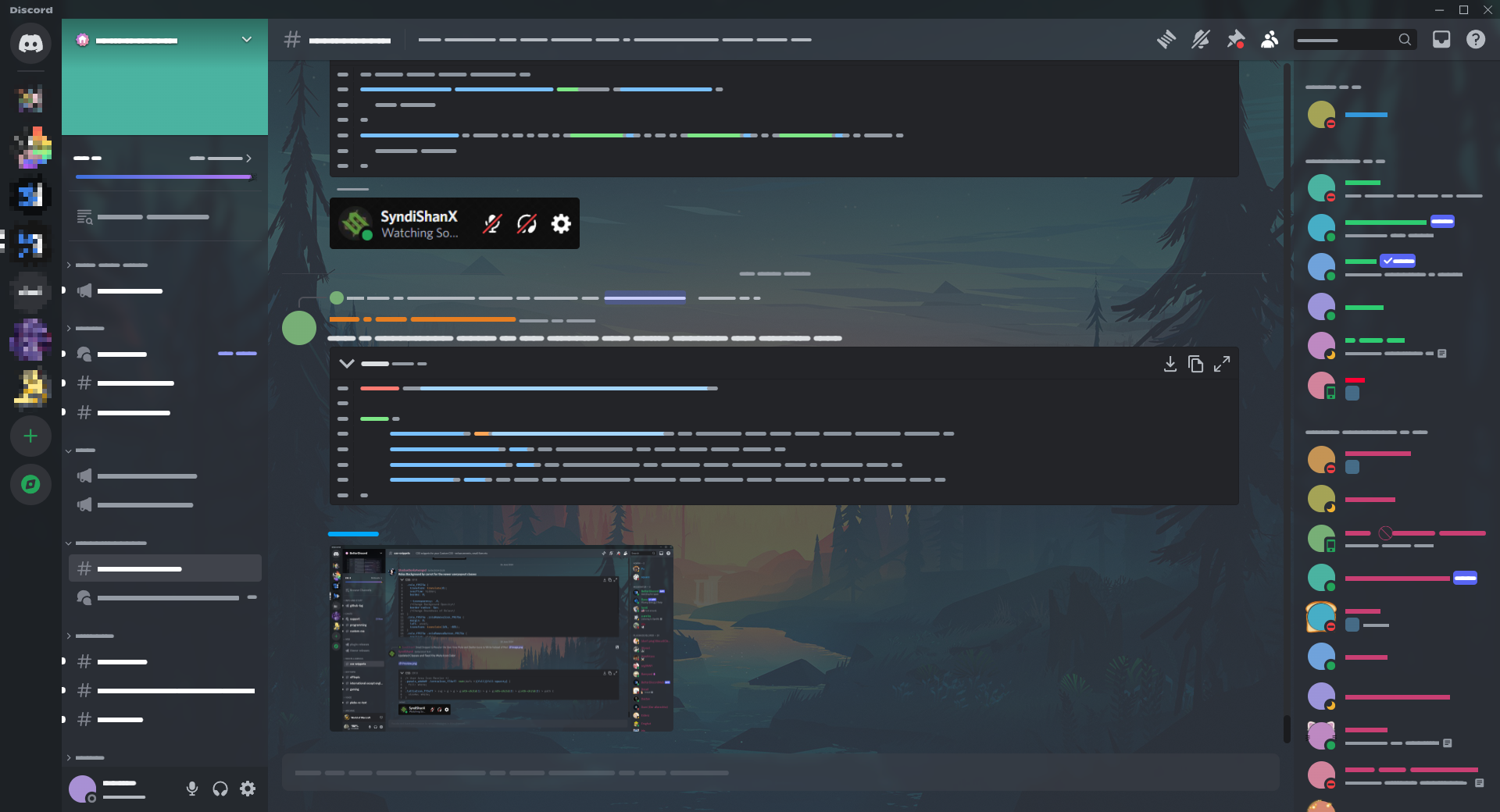
https://github.com/Nyloseth/RobCo-Pip-Boy-Terminal-Theme-Vencord
https://i.ibb....
how is that genuinely useable, but to each their own
plain kelp
/r/atbge
 pallid terrace
hii is there anything like this for own pov only? like i dont wanna see my own icon and text status

 errant zenith
how do i apply blur to a background image?
half crystal
errant zenith
how do i apply blur to a background image?
on the image - filter: blur(10px);
on layers above the image - backdrop-filter: blur(10px);
errant zenith
half crystal
on the image - `filter: blur(10px);`
on layers above the image - `backdrop-filte...
thanks
echo frost
pallid terrace
hii is there anything like this for own pov only? like i dont wanna see my own i...
wow 1.5 years ago
maybe I'll look at it tomorrow
I'm going to bed rn
pure cairn
pallid terrace
hii is there anything like this for own pov only? like i dont wanna see my own i...
.panels__5e434>.container__37e49>.accountPopoutButtonWrapper__37e49 {
    &>.wrapper__44b0c>.mask__44b0c {
        &>foreignObject {
            mask: none;
        }
        &>g {
            display: none;
        }
    }
    &>.nameTag__37e49 {
        &>.panelTitleContainer__37e49 {
            margin: unset;
        }

        &>.panelSubtextContainer__37e49 {
            display: none;
        }
    }
}```hahaha yeaa i also didn't notice the date
pallid terrace
pure cairn
```css
.panels__5e434>.container__37e49>.accountPopoutButtonWrapper__37e49 {
...
I'll try it later
echo frost
pallid terrace
I'll try it later
use this if you want it to show your username
use krammeth's if you want it to hide your username (the obsidianninja11 in my case, everbilena for you)
.panels__5e434>.container__37e49>.accountPopoutButtonWrapper__37e49 {
  &>.wrapper__44b0c>.mask__44b0c {
    &>foreignObject {
      mask: none;
    }
    &>g {
      display: none;
    }
  }
  &>.nameTag__37e49 {
    &>.panelTitleContainer__37e49 {
      margin: unset;
    }

    .hoverRoll__0263c {
      >.hovered__0263c {
        opacity: 1 !important;
        transform: translateZ(0) !important;
      }
      >.default__0263c {
        opacity: 0 !important;
      }
    }
  }
}
 errant zenith
what was that one snippet for image background?
echo frost
you'll probably have to be more specific
chilly knoll
@errant zenith be more specific when
errant zenith
echo frost
you'll probably have to be more specific
i dont know what else to say lol it just made ui elements transparent and put an image as the background
errant zenith
chilly knoll
<@499287211381096458> be more specific when
for that id need to be sober first
echo frost
oh ok
errant zenith
i think it was like basicbackgroundfix or something i might be wrong
echo frost
purpleprune has it #🎨-css-snippets message
errant zenith
echo frost
purpleprune has it https://discord.com/channels/1015060230222131221/102810681836...
yeah ik im using it rn but its giving me funky visual errors
thats why i asked for the other one
like this

its when hovering over servers
echo frost
if you're thinking of a specific one, you might be thinking of this, but it's archived https://github.com/fowlis/SimpleBackground
GitHub
Simply adds a background image to the Discord app while keeping the Discord feel. - fowlis/SimpleBackground
errant zenith
the actual server name is a bit higher, and the blur appears under it
errant zenith
echo frost
if you're thinking of a specific one, you might be thinking of this, but it's ar...
yeah wasnt there a new one though?
i swear ive seen it here
echo frost
errant zenith
yeah wasnt there a new one though?
like posted within the past couple months?
what exactly do you mean by new
errant zenith
echo frost
like posted within the past couple months?
what exactly do you mean by new
yeah
like withing the past few months
echo frost
not that i remember besides purpleprune, but not sure
errant zenith
i used to still use it like a month ago but i formatted my disk and lost it lol
i think i found it
GitHub
Discord css stuff. Contribute to nvhhr/discordcss development by creating an account on GitHub.
yeah its this
 quasi mountain
hey so I am trying to work on themes for the betterdiscord plugin but however there is an issue. I have NO clue on how to customize a theme nor do I know how to edit a theme. I found vencord and betterdiscord on a reddit post but they did not provide any proper information on HOW they edit it. As you can see in the last image... there's nothing there. did I maybe install vencord wrong? or am I dumb? very new to vencord and kinda got hooked on the wole frutiger thing. any ways I could edit or custimze it? I even searched on betterdiscord themes and only found the ocean theme but not the the one he "probebly" made.


 clear siren
errant zenith
https://github.com/nvhhr/discordcss/blob/main/snippets/actuallybasicbackground.t...
clear siren
errant zenith
https://github.com/nvhhr/discordcss/blob/main/snippets/actuallybasicbackground.t...
wow it still works?
lol I thought it was broken
9 months since last update 
errant zenith
clear siren
lol I thought it was broken
well it works for me
echo frost
quasi mountain
hey so I am trying to work on themes for the betterdiscord plugin but however th...
Do you have that theme working with its current background image?
In settings under vencord, go to themes, and press open themes file
the file will be there
 clear siren
been meaning to rewrite that and once made some progress on it but then got disctracted
quasi mountain
echo frost
Do you have that theme working with its current background image?
In settings un...
I have had the ocean theme but currently using Skeosstheme. and I have it enabled but I have no clue how to change the background image.
did all the things by selecting the theme file. but no idea how to change the image
echo frost
quasi mountain
did all the things by selecting the theme file. but no idea how to change the im...
do you see the theme in Themes?
if so, press Open themes folder
 quasi mountain
echo frost
do you see the theme in Themes?
quasi mountain
echo frost
do you see the theme in Themes?
no unfortunely I couldn't find any.
quasi mountain
echo frost
if so, press Open themes folder
already done that too. still none of them I can edit
 echo frost
quasi mountain
already done that too. still none of them I can edit
echo frost
quasi mountain
already done that too. still none of them I can edit
press Open Themes Folder
echo frost
quasi mountain
already done that too. still none of them I can edit
so you do see the themes
press open themes folder, then open and edit the file
quasi mountain
ok so clicked on themes, open the themes file, then clicked on the file and notepad came up.

 quasi mountain
k so I copied the url and paste it. so it should change
echo frost
make sure to save it
if it's still not working, check in themes again
You may have to allow it access to the url
pure cairn
clear siren
been meaning to rewrite that and once made some progress on it but then got disc...
I can PR you a version with the class names if you need
clear siren
still haven't decided if I want to go with classes or keep doing attributes
attribute selectors proved their resilience again with 9 months old css still working lol
quasi mountain
echo frost
if it's still not working, check in themes again
You may have to allow it access...
ok so I did that but nothing has changed. it still looks the same


 echo frost
quasi mountain
ok so clicked on themes, open the themes file, then clicked on the file and note...
echo frost
quasi mountain
ok so clicked on themes, open the themes file, then clicked on the file and note...
send a screenshot of this again (without hovering over edit so I can see what's there)


 echo frost
quasi mountain
here's the full
echo frost
quasi mountain
here's the full
oh do this

 pure cairn
clear siren
attribute selectors proved their resilience again with 9 months old css still wo...
pure cairn
clear siren
attribute selectors proved their resilience again with 9 months old css still wo...
Yeah they're resilient but I noticed quite the difference in performance between them sadly
echo frost
quasi mountain
you did not do what it says
replace SkeuoCordBase with SkeuoCord_BGImport
so put "https://marda33.github.io/SkeuoCord/updates/SkeuoCord_BGImport.css" inside the import
quasi mountain
echo frost
so put `"https://marda33.github.io/SkeuoCord/updates/SkeuoCord_BGImport.css"` in...
I have been staring at the thing for an hour. how d I exactly do that? I'm a visual learner.
echo frost
quasi mountain
I have been staring at the thing for an hour. how d I exactly do that? I'm a vis...
copy and paste that into the @import
echo frost
quasi mountain
I have been staring at the thing for an hour. how d I exactly do that? I'm a vis...
this is how you're supposed to do it
it's very simple
quasi mountain
there. done. so now will it work?
 echo frost
it should
quasi mountain
echo frost
so put `"https://marda33.github.io/SkeuoCord/updates/SkeuoCord_BGImport.css"` in...
so I just put in the other image address with this. and it should change?
wait before or after the .bbs")?
echo frost
echo frost
this is how you're supposed to do it
it will look like this
quasi mountain
with a custom link?
 echo frost
quasi mountain
with a custom link?
echo frost
quasi mountain
with a custom link?
the imgur link should not be in the import
quasi mountain
huh??? but that's the whole reason why I am asking. to change the background image of the theme.
I am just following your steps because this guy in the reddit post did it in a whim
and I am just confused why it's not like- changing the image. because rn it looks like this instead of a diffrent image.
 echo frost

 rotund kelp
Does anyone have/know how to have a custom server folder icon? I know that there is a snippet somewhere that changes the svg and i can fs settle for that but i don't know how to add my own svg to it (css noob)
 wintry cape
rotund kelp
Does anyone have/know how to have a custom server folder icon? I know that there...
wintry cape
rotund kelp
Does anyone have/know how to have a custom server folder icon? I know that there...
You can't add your own svg, but you can either add a background to the svg or change the path so it becomes a different icon.
/* Settings icon (Ignore the color in image) */
.folderIcon__48112 path {
    d: path("M10.56 1.1c-.46.05-.7.53-.64.98.18 1.16-.19 2.2-.98 2.53-.8.33-1.79-.15-2.49-1.1-.27-.36-.78-.52-1.14-.24-.77.59-1.45 1.27-2.04 2.04-.28.36-.12.87.24 1.14.96.7 1.43 1.7 1.1 2.49-.33.8-1.37 1.16-2.53.98-.45-.07-.93.18-.99.64a11.1 11.1 0 0 0 0 2.88c.06.46.54.7.99.64 1.16-.18 2.2.19 2.53.98.33.8-.14 1.79-1.1 2.49-.36.27-.52.78-.24 1.14.59.77 1.27 1.45 2.04 2.04.36.28.87.12 1.14-.24.7-.95 1.7-1.43 2.49-1.1.8.33 1.16 1.37.98 2.53-.07.45.18.93.64.99a11.1 11.1 0 0 0 2.88 0c.46-.06.7-.54.64-.99-.18-1.16.19-2.2.98-2.53.8-.33 1.79.14 2.49 1.1.27.36.78.52 1.14.24.77-.59 1.45-1.27 2.04-2.04.28-.36.12-.87-.24-1.14-.96-.7-1.43-1.7-1.1-2.49.33-.8 1.37-1.16 2.53-.98.45.07.93-.18.99-.64a11.1 11.1 0 0 0 0-2.88c-.06-.46-.54-.7-.99-.64-1.16.18-2.2-.19-2.53-.98-.33-.8.14-1.79 1.1-2.49.36-.27.52-.78.24-1.14a11.07 11.07 0 0 0-2.04-2.04c-.36-.28-.87-.12-1.14.24-.7.96-1.7 1.43-2.49 1.1-.8-.33-1.16-1.37-.98-2.53.07-.45-.18-.93-.64-.99a11.1 11.1 0 0 0-2.88 0ZM16 12a4 4 0 1 1-8 0 4 4 0 0 1 8 0Z")
}
Or with svg:
/* Replace the url('') with your own image url */
.folderIcon__48112 > svg {
    /* Checkmark icon */
    background: url('https://i.imgur.com/cxM7FGz.png') center/cover no-repeat;
    > path { display: none; }
}

 rotund kelp
wintry cape
You can't add your own svg, but you can either add a background to the svg or ch...
rotund kelp
wintry cape
You can't add your own svg, but you can either add a background to the svg or ch...
Tysm!! the bg one was exactly what i was looking for :)
echo frost
wintry cape
You can't add your own svg, but you can either add a background to the svg or ch...
well you can add a pseudoelement with an svg content
which is useful in some cases, but i don't think it is in this one
 full rover
echo frost
just replace that with this
full rover
echo frost
just replace that with this
I remember this theme except it was on Stoat (formerly known as Revolt)
grand surge
sorry to disturb y'all but is there any custom css to remove all profile decorations?
 steep drum
the one i sent still works for me
.avatarDecorationContainer__44b0c {
  display: none;
}

.avatarDecoration_c19a55 {
  display: none;
}```for only 2 decorations
doesn't work for all
steep drum
with & without

 grand surge
steep drum
it shouldnt need to restart
grand surge
steep drum
it shouldnt need to restart
is there nay css to remove the green thingy too?
like for example nin0 has it
pure cairn
No nvm, I can't get a clean version without being on pc
I'll send you a snippet later when I get back home
steep drum
grand surge
is there nay css to remove the green thingy too?
.videoContainer__4bbc6 {
  display: none;
}

.container__4bbc6 {
  display: none;
}```works for me
if want to keep color, remove second part
grand surge
steep drum
if want to keep color, remove second part
i don't want anything lmao
Yes worked
now everyone is equal
thx
steep drum
steep drum
```css
.videoContainer__4bbc6 {
display: none;
}
.container__4bbc6 {
displa...
i should proabably start using messagetags and stuff the Very Popular "snippet to remove x pls" snippets in there
pure cairn
We should honestly have a forum-styled channel like the one for 3rd party plugins
It's easier to find stuff compared to the regular format
grand surge
steep drum
i should proabably start using messagetags and stuff the Very Popular "snippet t...
yes
half crystal
pure cairn
We should honestly have a forum-styled channel like the one for 3rd party plugin...
we used to i believe but it was scrapped for some reason, its been in archive as a hidden channel forever
grand surge
steep drum
or wym
why do I still have this
 half crystal
steep drum
i should proabably start using messagetags and stuff the Very Popular "snippet t...
half crystal
steep drum
i should proabably start using messagetags and stuff the Very Popular "snippet t...
why do you think im making a monosnippet to do removal of any element lmao
pure cairn
steep drum
or wym
I mean #1256395889354997771 but with css snippets instead of plugins to have an easier user experience to find things
Because rn people have to scroll up to find stuff unless they know which keyword to look for
steep drum
half crystal
why do you think im making a monosnippet to do removal of any element lmao
hearing this for the very first time
grand surge
pure cairn
Because rn people have to scroll up to find stuff unless they know which keyword...
the things which I am looking for are 1-3 years old
steep drum
pure cairn
I mean <#1256395889354997771> but with css snippets instead of plugins to have a...
all of these were forums 
 grand surge
why do I still have this
grand surge
grand surge
why do I still have this
how do I remove this thingy now
pure cairn
steep drum
all of these were forums <:Smile:513346349249593344>
I didn't even know of their existence
half crystal
pure cairn
I mean <#1256395889354997771> but with css snippets instead of plugins to have a...
 steep drum
pure cairn
I didn't even know of their existence
steep drum
pure cairn
I didn't even know of their existence
fake vencordian
pure cairn
grand surge
how do I remove this thingy now
If you mean the profile decorations, it's yet another thing
pure cairn
steep drum
all of these were forums <:Smile:513346349249593344>
And why were they archived?
half crystal
pure cairn
And why were they archived?
ask vee ig

 late lichen
theres
.profileEffects__01370 {
    display: none;
}```css test
list item
bold
inline code
italic
italic bold
 tiny wing
Can anyone help me find this code for the lock sign I would like to change the colour of it and I can't seem to find the code tia
 echo frost
tiny wing
Can anyone help me find this code for the lock sign I would like to change the c...
echo frost
tiny wing
Can anyone help me find this code for the lock sign I would like to change the c...
 grand surge
  background-image: none !important;
  background-color: #000000 !important;
}
.animatedContainer_f37cb1,
.headerEllipseBackdrop_f37cb1,
.headerEllipseForeground_f37cb1,
.headerGlass_f37cb1,
.animatedBannerHoverLayer_f37cb1,
div[style="height: 84px;"][aria-hidden="true"] {
    display: none;
}

.headerContent_f37cb1,
.name_f37cb1 {
    color: var(--text-strong) !important;
    filter: none !important;
}

.header_f37cb1 {
    border-bottom: 1px solid var(--border-subtle)!important;
}
.bannerVisible_f37cb1 > .header_f37cb1 {
    padding-top: calc(var(--space-xs) + 1px);
}
.avatarDecorationContainer__44b0c {
  display: none;
}

.avatarDecoration_c19a55 {
  display: none;
}
.videoContainer__4bbc6 {
  display: none;
}

.container__4bbc6 {
  display: none;
}
.mask__68edb {
    display: none;
}

.container_ab8609 {
    top: unset !important;
    bottom: -15px !important;
}
.profileEffects__01370 {
  display: none;
}```this is the css I am using
echo frost
grand surge
```banner__68edb {
background-image: none !important;
background-color: #000...
.banner__68edb {
  background-image: none !important;
  background-color: #000000 !important;
}
.animatedContainer_f37cb1,
.headerEllipseBackdrop_f37cb1,
.headerEllipseForeground_f37cb1,
.headerGlass_f37cb1,
.animatedBannerHoverLayer_f37cb1,
div[style="height: 84px;"][aria-hidden="true"] {
    display: none;
}

.headerContent_f37cb1,
.name_f37cb1 {
    color: var(--text-strong) !important;
    filter: none !important;
}

.header_f37cb1 {
    border-bottom: 1px solid var(--border-subtle)!important;
}
.bannerVisible_f37cb1 > .header_f37cb1 {
    padding-top: calc(var(--space-xs) + 1px);
}
.avatarDecorationContainer__44b0c,
.avatarDecoration_c19a55,
.videoContainer__4bbc6,
.container__4bbc6,
.mask__68edb,
.profileEffects__01370 {
  display: none;
}
.container_ab8609 {
    top: unset !important;
    bottom: -15px !important;
}
.avatar__1fed1 {
  top: 2px !important;
}
lemme test
grand surge
echo frost
```css
.banner__68edb {
background-image: none !important;
background-color:...
fixed thx
echo frost
oh is this from her presentation? https://lyra.horse/slides/2025/2025-09-committing-css-crimes-for-fun-and-profit.html
half crystal
echo frost
oh is this from her presentation? https://lyra.horse/slides/2025/2025-09-committ...
yes
echo frost
saw this and then went and saw some more of her stuff that i hadn't seen
https://lyra.horse/x86css/
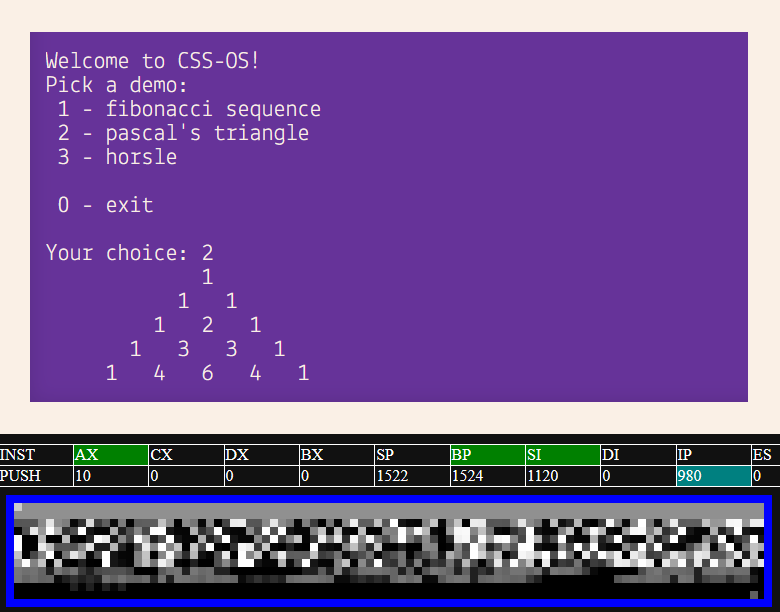
x86CSS is a working CSS-only x86 CPU/emulator/computer. No JavaScript required!
echo frost
There's a snippet that makes them bigger, but it broke, and i'm not sure what the progress is on fixing it https://discord.com/channels/1015060230222131221/1354502862390038528
echo frost
 muted rivet
please ping me if you respond
muted rivet
please ping me if you respond
.
 smoky belfry
bruh discord WTF why didn't you just add those into the dropdown...
 echo frost
how do you have that without nitro?
echo frost

MDN Web Docs
The @function CSS at-rule enables defining CSS custom functions. Once defined, a custom function can be called using the <dashed-function> syntax (for example, --my-function(30px, 3)) within any property value.
MDN Web Docs
The if() CSS function allows different values to be set for a property depending on the result of a conditional test. The test can be based on a style query, a media query, or a feature query.
@function --transparent(--color <color>, --alpha <number>) returns <color> {
  result: oklch(from var(--color) l c h / var(--alpha));
}

#message {
  background: --transparent(red, 0.1);
}

I don't really see how if() is much different than @container queries
like obviously it's inline, but otherwise, it seems pretty much the same?
 brazen quartz
if() is useless much like :heading and light-dark()
Mixins or extends would be much more useful
echo frost
echo frost
and if definitely isn't useless
but i don't see any use cases that can't be done with @container/@media/@supports
if is just a bit more compact ig
echo frost
brazen quartz
if() is useless much like :heading and light-dark()
how is :heading useless?
also it's not in any browser
it's a quicker way of doing :is(h1,h2,h3,h4,h5,h6) which seems fairly useful
pure cairn
echo frost
what are people's thoughts on [@function](https://developer.mozilla.org/en-US/do...
The first one looks fun
 pine needle
is the css suppose to work like that or any better? 
-# css not mine i tweak it from rainbow thread by catppucin

 steep otter
pine needle
is the css suppose to work like that or any better? <:fr:1024751426750132284>
-...
steep otter
pine needle
is the css suppose to work like that or any better? <:fr:1024751426750132284>
-...
ig you're good
smoky belfry
echo frost
how do you have that without nitro?
I have nitro thanks to orbs
half crystal
echo frost
hopefully fakenitro wil be able to enable favorites
The block is client-side rn (mobile can still access favs just fine)
echo frost
yeah I kinda thought so
I hope it stays that way
echo frost
half crystal
The block is client-side rn (mobile can still access favs just fine)
it's not showing on mobile for me anymore
 frigid compass
in a theme can i detect if the discord window loses focus?
oh yeah there's a class called "app-focused" on root
crimson skiff
echo frost
hopefully fakenitro wil be able to enable favorites
genuinely pmo
crimson skiff
echo frost
it's not showing on mobile for me anymore
uhh, why did you update discord client
i still see it fine on revenge, though it is probably quite old as a build
yeah im on 317.15 though the current stable is 319.14
i still miss tabs v2...
echo frost
crimson skiff
uhh, why did you update discord client <:blobcatcozy:1026533070955872337>
uh I think it updates automatically on mobile
crimson skiff
use something like aurora store and roll back the updates
obviously you need to uninstall though
echo frost
I don't care enough to do that
 sand lava
I'm looking for 2 CSS snippets which can do the following:
- Remove the Gift, Sticker and the Apps thingy from the chatbar
- Making the replies/pings look way more visible. I had CSS for it but I cannot find it anywhere.
wintry cape
sand lava
I'm looking for 2 CSS snippets which can do the following:
1. Remove the Gift, S...
/* Hide all buttons except: "Open GIF picker", "Add Emoji" & "Send Message" if you use that button */
.buttons__74017 > div:not(
    .buttonContainer__74017:nth-of-type(2),
    .buttonContainer__74017:nth-of-type(4),
    .container_aa63ab) {
        display: none
}
Add .vc-chatbar-button in the :not() if you use translate and/or preview message do +1/+2 in the :nth-of-type()'s
sand lava
wintry cape
```css
/* Hide all buttons except: "Open GIF picker", "Add Emoji" & "Send Messag...

Got any CSS for the reply/ping color as well per chance?
wintry cape
I don't use css for that sorry
echo frost
wintry cape
```css
/* Hide all buttons except: "Open GIF picker", "Add Emoji" & "Send Messag...
that's a pretty bad way of doing it imo
wintry cape
You want to use :has()?
echo frost
well even not using :not would be better
but you can do some stuff to hide it without nth-type or has
wintry cape
True, but typing .buttons > buttoncontainer everytime is also a thing
echo frost
?
sand lava
hey, it works that's all that matters xD
wintry cape
Wait
echo frost
@echo frost
 sand lava
🤷♂️
echo frost
try disabling your css and see if it's still like that
wintry cape
.buttons__74017 > .app-launcher-entrypoint,
.buttons__74017 > [aria-label="Send a gift"],
.buttons__74017 [aria-label="Open sticker picker"] {
    display: none
}
This does the same thing, but the sticker picker leaves a weird spacing
echo frost
edit these variables to change it. but if it's caused by your existing css, you should removec the part of your css that's causing it
:root {
  --message-mentioned-background-default: color-mix(in oklab,hsl(var(--opacity-yellow-8-hsl)/0.0784313725490196) 100%,hsl(var(--custom-theme-base-color-hsl,0 0% 0%)/0.0784313725490196) var(--custom-theme-base-color-amount,0%));
  --message-mentioned-background-hover: color-mix(in oklab,hsl(var(--opacity-yellow-4-hsl)/0.0392156862745098) 100%,hsl(var(--custom-theme-base-color-hsl,0 0% 0%)/0.0392156862745098) var(--custom-theme-base-color-amount,0%));
}
these are the default values
wintry cape
How would you hide the sticker picker obsidian
echo frost
i'm looking
sand lava
echo frost
edit these variables to change it. but if it's caused by your existing css, you ...
It's the theme I'm using. I just import that whole thing through the CSS there
echo frost
what theme are you using?
sand lava
NewerOldCord
echo frost
can you send it?
echo frost
.buttons__74017>:is([aria-label="Send a gift"], .app-launcher-entrypoint) {
  display: none;
}
.expression-picker-chat-input-button {
  display: contents;
  >[aria-label="Open sticker picker"] {
    display: none;
  }
}
this should hide the buttons
if your language isn't english, you'll need to modify the aria labels
sand lava
yeah i have Discord in English luckily haha
echo frost
sand lava
https://bron99.github.io/Discord_2024/
oh ok so this changes the yellow variables, which is why the mention is different
sand lava
yeah the hightlight color when you hover over messages is a bit on the bright side as well, someone made some custom CSS in that server but I cannot find it anymore unfortunately
echo frost
sand lava
yeah the hightlight color when you hover over messages is a bit on the bright si...
this one?

what color are you wanting mention messages?
wintry cape
echo frost
```css
.buttons__74017>:is([aria-label="Send a gift"], .app-launcher-entrypoint)...
Why it hides gif picker
sand lava
like the old pings before Discord fucked up everything haha
echo frost
:root {
  --message-mentioned-background-default: color-mix(in oklab,hsl(var(--opacity-yellow-8-hsl)/0.15) 100%,hsl(var(--custom-theme-base-color-hsl,0 0% 0%)/0.15) var(--custom-theme-base-color-amount,0%));
  --message-mentioned-background-hover: color-mix(in oklab,hsl(var(--opacity-yellow-4-hsl)/0.07) 100%,hsl(var(--custom-theme-base-color-hsl,0 0% 0%)/0.07) var(--custom-theme-base-color-amount,0%));
  --message-background-hover: color-mix(in oklab,hsl(var(--opacity-8-hsl)/0.06) 100%,hsl(var(--custom-theme-base-color-hsl,0 0% 0%)/0.06) var(--custom-theme-base-color-amount,0%));
}
ok i made the mentions brighter and normal bg less bright
mess with the opacities as much as you want, or completely replace it if you want
this is the default for reference
:root {
  --message-mentioned-background-default: color-mix(in oklab,hsl(var(--opacity-yellow-8-hsl)/0.0784313725490196) 100%,hsl(var(--custom-theme-base-color-hsl,0 0% 0%)/0.0784313725490196) var(--custom-theme-base-color-amount,0%));
  --message-mentioned-background-hover: color-mix(in oklab,hsl(var(--opacity-yellow-4-hsl)/0.0392156862745098) 100%,hsl(var(--custom-theme-base-color-hsl,0 0% 0%)/0.0392156862745098) var(--custom-theme-base-color-amount,0%));
  --message-background-hover: color-mix(in oklab,hsl(var(--opacity-8-hsl)/0.0784313725490196) 100%,hsl(var(--custom-theme-base-color-hsl,0 0% 0%)/0.0784313725490196) var(--custom-theme-base-color-amount,0%))
}```Oh that looks way better
echo frost
wintry cape
Why it hides gif picker
oh i saw gift and misread it as gif probably
sand lava
only thing I wish to change is if I hover over the pinged message that it doesn't go transparant 
echo frost
remove this to show gif picker
 echo frost
sand lava
only thing I wish to change is if I hover over the pinged message that it doesn'...
echo frost
sand lava
only thing I wish to change is if I hover over the pinged message that it doesn'...
?
sand lava
when I hover over it it becomes a bit transparent again, if it's possible I would like to disable that specific thing so it keeps as it was before


as like the 2nd image
echo frost
you want hover to not change?
change the --message-mentioned-background-hover variable
and if you want it the exact same as normal mentioned, you can use var(----message-mentioned-background-hover-default)
sand lava
I'm way too noobish to do this which part do I exactly change?
echo frost
echo frost
and if you want it the exact same as normal mentioned, you can use `var(----mess...
replace this with the var thing i sent

 sour glacier
is there a way to only select yourself in the members list?
wintry cape
You can select aria-label with your name in the avatar [aria-label="name, status"], but depends what you want to do with it
Or the userid in the avatar src [src*="userid"]
sour glacier
i wanted to select my own server name to change the font and stuff but was struggling on a specific way to do it
echo frost
sand lava
that broke it more lol
?
you did it wrong
if you do it wrong, it'll be invalid and be transparent
 hazy tinsel
sour glacier
i wanted to select my own server name to change the font and stuff but was strug...
hazy tinsel
sour glacier
i wanted to select my own server name to change the font and stuff but was strug...
server profiles ?
unless ur doing a font outside of display namestyles
it's actually clear as day here

if u know what ur doing
sour glacier
oh theres data text for your name i might be blind
i stare at discord with inspect element a little too much and go insane
oh wait i realise you mean messsages i mean like. selecting myself on the member list
hazy tinsel
sour glacier
oh wait i realise you mean messsages i mean like. selecting myself on the member...
there's probably a better identifier but from ur unique display there i doubt anyone will have a similar server name
span[data-text="🐇 * june"] {
    font-family: "Trebuchet MS", sans-serif;
}```they only provide message-id pretty sure in that class which is not accessible anywhere near that css obj
hazy tinsel
sour glacier
oh wait i realise you mean messsages i mean like. selecting myself on the member...
ah
sour glacier
its ok i can cope with just having messages highlighted its mainly the inconsistency was bothering me
selecting people with emojis in the name is less people i guess so im just. doing that 😔
hazy tinsel
sour glacier
selecting people with emojis in the name is less people i guess so im just. doin...
.content__91a9d:has(img[src*="1067801074586632202"]) span[class^="name_"] {
font-family: "Trebuchet MS", sans-serif;
}
``` this wont work long term but it works i know has, is improper usage but it works content class identifier feel free to adjust it
sour glacier
📝 unfortunately selects everyone but close enough
hazy tinsel
sour glacier
📝 unfortunately selects everyone but close enough
huh what
it dindt do it for me let me double check
sour glacier
it is for me 🤔
dream plugin is adding data attributes of username to memberlist so its less of a pain in the ass to customise
 hexed imp
What the actual F, Discord? 
 hazy tinsel
yeha works fine for me
the src itself is an identifier which contains ur userid

maybe because of the content class? maybe its not static
hazy tinsel
most likely and then the structure will always contain ur id
if you cut it down to ^=
content__
it'll identify everyone's display
sour glacier
oh it doesnt even mark it on here
yeah ill just select like the emoji or something so at least it identifies me if i have an emoji in my name but also not like. everyone 
tysm for your help though, discords css hurts my head after a while
echo frost
keep in mind that :has() can cause a lot of lag
echo frost
hazy tinsel
```css
.content__91a9d:has(img[src*="1067801074586632202"]) span[class^="name_"]...
what
it should be .avatar:has(...)+.content span...?
hazy tinsel
echo frost
what
it should be `.avatar:has(...)+.content span...`?
yes
i don't have enough prior experience to know proper usage lol
echo frost
that's working for you?
hazy tinsel
uh yeah it did in my server i was testing
supposedly it doesn't work for other servers though according to that guy
hazy tinsel
echo frost
keep in mind that :has() can cause a lot of lag
what if ur targeting a specific element with that like not the entirety of div but rather a specific class does it have the same effect
echo frost
hazy tinsel
uh yeah it did in my server i was testing
how tf
are you sure?
you have a completely different dom if so
echo frost
hazy tinsel
what if ur targeting a specific element with that like not the entirety of div b...
more efficient selectors will make it more efficient yes
echo frost
hazy tinsel
uh yeah it did in my server i was testing
does this work for you in this server?
it changes fffffff's font
.avatar__91a9d:has(img[src^="https://cdn.discordapp.com/avatars/942009296630214686/"])+.content__91a9d span.name__5d473 {
  font-family: var(--font-code);
}
 hazy tinsel
echo frost
does this work for you in this server?
it changes fffffff's font
```css
.avatar_...
hazy tinsel
echo frost
does this work for you in this server?
it changes fffffff's font
```css
.avatar_...
doesnt work
probably my fault partially
echo frost
?
hazy tinsel
dont want to mention it by name but i think it's because of this
 echo frost
can you send the html of this or the whole member list?
i'm curious what your html is like
 hazy tinsel
sure
echo frost
hazy tinsel
dont want to mention it by name but i think it's because of this
i'm on equibop. and it seems the same as discord web
echo frost
hazy tinsel
your css won't work on this, but mine will
i'm not sure what's happening
hazy tinsel
echo frost
your css won't work on this, but mine will
i'm not sure what's happening
me neither lol
echo frost
you're sure this css isn't working on ffffff?
.avatar__91a9d:has(img[src^="https://cdn.discordapp.com/avatars/942009296630214686/"])+.content__91a9d span.name__5d473 {
  font-family: "Trebuchet MS", sans-serif;
  background: lime !important;
}
that works
 echo frost
oh
the font was being overridden
echo frost
sour glacier
i wanted to select my own server name to change the font and stuff but was strug...
this should work
[src^="https://cdn.discordapp.com/avatars/1067801074586632202/"]+.username_c19a55,
[src^="https://cdn.discordapp.com/avatars/1067801074586632202/"]+.header_c19a55 .username_c19a55,
.avatar__91a9d:has(img[src^="https://cdn.discordapp.com/avatars/1067801074586632202/"])+.content__91a9d span.name__5d473 {
  font-family: "Trebuchet MS", sans-serif;
}
it might not if you have a server pfp, but otherwise it should
the :has() is necessary for the member list, and will probably cause lag
late lichen
why not theme attributes? oh, it doesnt work on member list
sour glacier
echo frost
this should work
```css
[src^="https://cdn.discordapp.com/avatars/10678010745866...
TYSM!!
half crystal
https://fixvx.com/i/status/2032159957680894199
Time to wait 7 billion years for discord to use 147


contrast-color() is landing in Chrome 147, making it Baseline Newly Available in all modern browsers.
This feature takes any color value and returns either black or white—whichever provides the highest contrast against the input color.
i.e. color: contrast-color(purple) returns white ⬇️
 vxTwitter / fixvx
·
echo frost
vxTwitter / fixvx
·
echo frost
that's huge
if it's pure white and pure black, you can probably choose whichever colors you want with some calc stuff?
wait actually you should be able to just use if
but might also be possible with calc stuffc
whoa wtf it's in firefox and safari before chromium???
subtle sedge
half crystal
https://fixvx.com/i/status/2032159957680894199
Time to wait 7 billion years for ...
so good
brazen quartz
echo frost
whoa wtf it's in firefox and safari before chromium???
Happens sometimes, nesting was in Firefox before chrome, iirc
pure cairn
half crystal
https://fixvx.com/i/status/2032159957680894199
Time to wait 7 billion years for ...

 agile ice
anyone know why this css to hide the gift icon in the text bar stopped working in DMs recently?
[aria-label="Send a gift"],
[aria-label="Apps"] { display: none !important; }```Try this from obsidian
The first part
@agile ice
 onyx mesa
agile ice
anyone know why this css to hide the gift icon in the text bar stopped working i...
onyx mesa
agile ice
anyone know why this css to hide the gift icon in the text bar stopped working i...
the label for the gift button in DMs is "Give a gift"
so you need to add [aria-label="Give a gift"]
half crystal
good job class updater, go get a gold star
 pure cairn
it stuttered
smoky belfry
agile ice
anyone know why this css to hide the gift icon in the text bar stopped working i...
just use this it always work no matter the language and how they name it
[class^=channelTextArea] > [class^=scrollableContainer] > [class^=inner] > [class^=buttons] > [class^=button__] { display: none; }
has it already happened that someone i18n'd the arial label to their language and the thing wasnt working so someone instantly blamed it on the label, even tho the label was fine?
hazy tinsel
agile ice
anyone know why this css to hide the gift icon in the text bar stopped working i...
div[aria-label="Give a Gift"] { display: none }```
unreliable, aria-labels are language based
hazy tinsel
late lichen
unreliable, aria-labels are language based
too bad
echo frost
late lichen
unreliable, aria-labels are language based
they're pretty reliable
despite being language based
echo frost
smoky belfry
just use this it always work no matter the language and how they name it
```
[cl...
why not just do this
.buttons__74017>.button__74017 {
  display: none;
}
Too much risk of matching something wrong
echo frost
yeah yours does
this one doesn't
smoky belfry
late lichen
has it already happened that someone i18n'd the arial label to their language an...
Well i'm using fr*nch as my language so all your english stuff do not work
smoky belfry
echo frost
yeah yours does
this one doesn't
CSS specificity
echo frost
??
smoky belfry
There's a reason why i'm being overly specific
smoky belfry
It's not
echo frost
smoky belfry
Too much risk of matching something wrong
the great thing about using actual class names is it will only match buttons for this feature
smoky belfry
Highest specificity prevail
echo frost
then why don't you repeat the selectorsw multiople times
smoky belfry
And it's worse for speed but when using > always not really by much
echo frost
This has higher specificity
[class^=channelTextArea][class^=channelTextArea][class^=channelTextArea][class^=channelTextArea][class^=channelTextArea][class^=channelTextArea][class^=channelTextArea][class^=channelTextArea][class^=channelTextArea][class^=channelTextArea][class^=channelTextArea][class^=channelTextArea][class^=channelTextArea][class^=channelTextArea][class^=channelTextArea][class^=channelTextArea][class^=channelTextArea][class^=channelTextArea][class^=channelTextArea][class^=channelTextArea][class^=channelTextArea][class^=channelTextArea][class^=channelTextArea][class^=channelTextArea][class^=channelTextArea][class^=channelTextArea][class^=channelTextArea][class^=channelTextArea][class^=channelTextArea][class^=channelTextArea][class^=channelTextArea][class^=channelTextArea][class^=channelTextArea][class^=channelTextArea][class^=channelTextArea][class^=channelTextArea][class^=channelTextArea][class^=channelTextArea] > [class^=scrollableContainer] > [class^=inner] > [class^=buttons] > [class^=button__] { display: none; }
Thing is what if discord happen to have generic class
echo frost
then both of ours could potentially break
smoky belfry
echo frost
This has higher specificity
```css
[class^=channelTextArea][class^=channelTextAr...
Because this is ugly as fuck and so stupid
smoky belfry
Also by having something that match the dom you can easily compare dom and CSS
echo frost
(idk if overmatching is the correct term. i made it up)
having textArea would be a good idea i guess
smoky belfry
echo frost
but specificity has nothing to do with overmatching
It has to do overmatching is a way to make specificity higher to have less risk of not matching the right thing and to also go over discord without using !important which is so risky of inducing hard to debug issues
And because discord has ugly ass overspecific CSS because they don't use CSS properly and they have rules with high specificity that fucking set display and they have ton of rules cascading CSS and it's so bad i'd have nightmares
echo frost
specificity in css means this
 smoky belfry
Yes
echo frost
what i mean by overmatching is matching things you don't mean for it to match
echo frost
yes
smoky belfry
I need more points to go over discord
smoky belfry
If a discord rule has 030, i need 040
smoky belfry
echo frost
specificity in css means this
Also this is bad, because no parenting operator makes it costly
You'd rather have >
echo frost
it doesn't
smoky belfry
It does
smoky belfry
Sure but classnames are bad
echo frost
they're the easiest method of updating selectors
smoky belfry
Nope
smoky belfry
I nearly never have to update my shit while i see you guys using class updater so often
echo frost
echo frost
they're the easiest method of updating selectors
and much more efficient and easier to debug
echo frost
smoky belfry
I nearly never have to update my shit while i see you guys using class updater s...
so often is like a couple times a year
smoky belfry
Using a minimal DOM match is way better than asking users to debug and updates classes
Anyway
I find my way to be simpler and better
echo frost
smoky belfry
If a discord rule has 030, i need 040
this only has a 0,1,0 so you only need a 0,1,0 to override it
 echo frost
smoky belfry
I find my way to be simpler and better
echo frost
smoky belfry
I find my way to be simpler and better
it might be fine on a powerful computer, but for me on a laptop, attribute selectors make discord unusable
smoky belfry
Pretty sure it used to have some other bullshit rules, good that they cleaned
smoky belfry
echo frost
it might be fine on a powerful computer, but for me on a laptop, attribute selec...
I can ensure you it's fine
smoky belfry
I do use multiple computers including bad laptops
echo frost
but i prefer working with full class namdes
smoky belfry
And it can handle it
echo frost
much easier to debug
i guess the attribute selectors with ^= aren't a huge problem
but when you need to use *= they're much worse
and if you use them with :has() they're so much worse
but also this is what happens if i change all my .class_123 to [class^=class]
obviously i didn't design them to be for attribute selectors, but it overselects so much because it doesn't have the hash to limit it to a certain part of discord

-# (it didn't hide my servers, that was me with sharex)
echo frost
echo frost
(idk if overmatching is the correct term. i made it up)
ok apparently the correct term is over-selecting
-# which is what i usually say. idk why i said overmatching here. i think this is the first time i've ever said overmatch lol
smoky belfry
echo frost
i guess the attribute selectors with ^= aren't a huge problem
but when you need ...
that's why i don't use *=
also that's what you always use :has(> if you ever have to and never :has(
echo frost
yeah that is most of the problem, but using class names will also help a little
smoky belfry
echo frost
but also this is what happens if i change all my .class_123 to [class^=class]
o...
indeed, you can't select middle classes, only starter ones
and you tend to need to match a little more of the structure to be more specific
echo frost
smoky belfry
indeed, you can't select middle classes, only starter ones
and you tend to need ...
- i know. that isn't relevant to my message. that will just cause some of my selectors to not select anything if the class isn't at the start. and that's another reason i don't like attribute selectors
- yes that was my point. needing to match more of the structure can lead to over-selection and/or lag because complex selectors are more laggy
smoky belfry
also actually since discord never use [class^=] it's way easier to spot custom CSS over normal one
smoky belfry
echo frost
1. i know. that isn't relevant to my message. that will just cause some of my se...
is it tho, try and compare classes vs my method and see the perf diff
Nicer Quest Display
Remove bullshit which take too long to load and make it just nicer to use
-# at some point i wanted to do smth like color based on status with CSS but forgor
[class^=page] > [class^=container] > [class^=scroller] {
    > [class^=wrapper], > [class^=container] { display: none; }
    > [class^=contentSection] > [class^=content] {
        max-width: unset;
        > [class^=content] > [class^=container] {
            max-width: unset;
            > [class^=container] > [class^=container]:has(> [class^=heroAssetWrapper]) { display: none; }
        }
    }
}
?
echo frost
smoky belfry
also actually since discord never use [class^=] it's way easier to spot custom C...
your rules will be <style>
discord's will be a css file
 smoky belfry
echo frost
your rules will be <style>
discord's will be a css file
smoky belfry
echo frost
your rules will be <style>
discord's will be a css file
meh
smoky belfry
echo frost
your rules will be <style>
discord's will be a css file
way more noticeable

also yes i heavily use nesting during CSS development
echo frost
well that's because you use a loty of nesting
smoky belfry
and i compact it once it's good
echo frost
not really related to the attribute selectors
smoky belfry
the whole style of massively nested and [class^=] makes it very clear
and both the nesting and the attribute selection contribute
onyx mesa

 smoky belfry
Yes i do my CSS DOM style and then i have scripts to process it
Don't judge without trying
 carmine mauve
Can someone help me with the user rounded look? i want to get rid of the empty space around the edges and make it like the 2nd pic, i sadly dont have the code anymore for the 2nd pic that's why im asking for help 🙏

 echo frost
carmine mauve
Can someone help me with the user rounded look? i want to get rid of the empty s...
hexed imp
echo frost
carmine mauve
Can someone help me with the user rounded look? i want to get rid of the empty s...
hexed imp
Does anyone have a snippet to hide the channel list/show on hover? I think I'm just having trouble with the search cos I know I've seen one. I have the hide-server-list snippet. It works beautifully. #1461385316886777978 message
I got a second monitor and it's portrait mode for work, and I'd like to move Discord over to it but the channel list takes up SO MUCH space and I don't need it unless I'm actively looking. Thankfully Discord allows us to close the user list natively, cos that made it so my chat window was like 100px wide lmao.
echo frost
hexed imp
Does anyone have a snippet to hide the channel list/show on hover? I think I'm j...
There's also this, which you could get working with some modification https://discord.com/channels/1015060230222131221/1331160458974990337
hexed imp
echo frost
There's also this, which you could get working with some modification https://di...
This actually works right out the gate, And it works with the server hide snippet without interfering with either one.
It isn't perfect (for some reason despite being listed as 0px collapsed, it's still showing some width), but it's just a matter of tweaking or figuring out what other snippet I have that's interfering. Thank you!!
 hexed imp
Aaaah, found a bug with forum display cos Discord kinda considers the forum post list another kind of channel list, so the channel collapse is affecting it.
 carmine mauve
echo frost
https://discord.com/channels/1015060230222131221/1354331484831354952/14644097179...
carmine mauve
echo frost
https://discord.com/channels/1015060230222131221/1354331484831354952/14644097179...

goated
agile ice
anyone know how to hide the Game Servers button?
echo frost
agile ice
anyone know how to hide the Game Servers button?
#channels [id^=game-server-]+.basicChannelRowLink__2ea32 {
  display: none;
}
works great ty!
echo frost
it will leave like 2px of padding, but it's barely noticeable
and i'm not sure if it's doable to fix
 leaden hinge
Could rewrite it to use clip-path instead of width, is less taxing on the render performance and would let you set 0px width as well. There's other options too, I had written my own implementation at one point, too.
leaden hinge
Width causes layout reflow calcs even if neighboring elements don't have any layout shift. Clip-path trims the interactive and visual regions of rendered elements. Meaning that the element still takes "the same space" as it did before and causes no reflow. Inline elements will leave an empty box but with floating sidebars, they just vanish like they would with opacity only smoothly animated with a slide on/out animation.
Adjusting width with an animation is slideshow material. Especially if you have like a drop-shadow or a large element next to a vertical container that has lots of children.
echo frost
and how is that relevant to display: none; ing something in the vertical channels list?
there's no mention of width
or are you not talking to me
leaden hinge
echo frost
There's also this, which you could get working with some modification https://di...
Sorry was referencing this
 brazen narwhal
does anyone know if theres a secontion in the quickcss code that can change the transparency of the list of users on the right of the screen so that it doesnt stick out so much
 onyx mesa
it looks like you have a background color set for the user sections, probably can just add opacity to that background
wintry cape
brazen narwhal
/* Changes member background-color */
.member_c8ffbb {
    background-color: #1111113f;
}
thank you
echo frost
wow this works surpisingly well
main.chatContent_f75fb0 {
  resize: horizontal;
  overflow: hidden;

  &[style^=width] {
    max-width: 100%;
    flex-shrink: 0;
  }
}
apart from it getting reset when switching channels
crimson skiff
echo frost
do you even plan on using it? i personally just have my members list just show the icons, and that is more than enough space, and im not at all interested in knowing their names
echo frost
probably
i don't have my memberlist like that
the resize icon is maybe a bit annoying
i could use @container to only show it when using devtools or something though
echo frost
echo frost
the resize icon is maybe a bit annoying
oh ::-webkit-resizer exists
echo frost
yeah i don't really like that
crimson skiff
ic
echo frost
 crimson skiff
echo frost
by nordic do you mean nord?
crimson skiff
echo frost
by nordic do you mean nord?
yes
late lichen
echo frost
wow this works surpisingly well
```css
main.chatContent_f75fb0 {
resize: horiz...
since when did we get that power?
element resize on css??
i mean, dragging resize
oh, it existed for a while
echo frost
i've tried to do this before i think, but i didn't realize that the element has to have a specific overflow set
well not a specific one
just not show or clip iirc
errant zenith
crimson skiff
i love the taskbar and the bar on top
would you mind sharing how you did that 😭
crimson skiff

GitHub
My extensive Windows 11 configuration. Contribute to NSPC911/dotfiles development by creating an account on GitHub.
bar at top is yasb, taskbar is a bunch of windhawk mods
brazen narwhal
wintry cape
```css
/* Changes member background-color */
.member_c8ffbb {
background-col...
is it like this cause it aint work
 wintry cape
brazen narwhal
is it like this cause it aint work
wintry cape
brazen narwhal
is it like this cause it aint work
You want the background of the members to change right?
Could be that something is overriding it
Can you share your theme/quickcss here?
errant zenith
crimson skiff
https://github.com/NSPC911/dotfiles
thanks :3
brazen narwhal
wintry cape
You want the background of the members to change right?
Could be that something ...
yeah
brazen narwhal
wintry cape
Try placing the member part outside the :root {}
what part
wintry cape
brazen narwhal
is it like this cause it aint work
This
brazen narwhal
isnt the member part already oustide the rooot
 brazen narwhal
isnt the only thing inside the root the background color
wintry cape
The root is only for variables starting with --
wintry cape
Use this
brazen narwhal
thank you
wintry cape
brazen narwhal
can you give me an example mb
A variable is like the --message-hover-buttons-background: rgba();
Starts with --
wintry cape
Your welcome
wintry cape
brazen narwhal
is it like this cause it aint work
If you want to add more css then place it below this, unless it is a variable then place it in the root
brazen narwhal
okie dokie
echo frost
wintry cape
That should fix it
putting it in :root will work
it's the same as :root .member_... {...}
and :root is just html but more specificity
crimson skiff
echo frost
putting it in :root will work
it's the same as `:root .member_... {...}`
and :ro...
is it because :root is considered a pseudo selector?
plain kelp
No it's the same for any other selector
Browsers have supported nesting for what, a year or two?
wintry cape
echo frost
putting it in :root will work
it's the same as `:root .member_... {...}`
and :ro...
Okay
echo frost
I even tested myself and the css they sent with it inside :root works
still better to put it outside and not in the middle of a bunch of variables for readability and stuff but
 exotic kiln
how to restore old ui
wintry cape
echo frost
still better to put it outside and not in the middle of a bunch of variables for...
This
late lichen
exotic kiln
how to restore old ui
elaborate
exotic kiln
revert that horrible march 2025 and get the old icons from 2023
echo frost
exotic kiln
revert that horrible march 2025 and get the old icons from 2023
You can try this https://milbits.github.io/oldcord/
exotic kiln
not the 2020 i just said 2023
late lichen
did the gift aria label hider break for yall or is it just on pt-br? anyway, if it did, heres a new selector .buttons__74017 > .button__24af7.button__74017 (made with uBO)
wintry cape
It's Give a Gift now instead of Send a gift
 thin hare
 bitter gale
not sure if this is the right channel but I am trying to modify the rose pine theme and facing an issue. There's a box thingy behind the place where the server name is, does anyone know how I can fix that?

more visible here
 onyx mesa
would need the css to look into it properly
bitter gale
onyx mesa
would need the css to look into it properly
should I send the whole css here or dm u?
exotic kiln
late lichen
did the gift aria label hider break for yall or is it just on pt-br? anyway, if ...
?
I am still looking for themes
onyx mesa
bitter gale
should I send the whole css here or dm u?
you can dm me instead
and i will look into it
bitter gale
alright!
late lichen
exotic kiln
revert that horrible march 2025 and get the old icons from 2023
this icon set?(i know theres more)
 exotic kiln
yes and the pre march 2025ui
echo frost
wintry cape
It's `Give a Gift` now instead of `Send a gift`
I think it's give a gift in dms and send a gift in normal channels?
wintry cape
echo frost
I think it's give a gift in dms and send a gift in normal channels?

I think
I didn't check in dev toold tho
Tools

 robust totem
echo frost
I think it's give a gift in dms and send a gift in normal channels?
robust totem
echo frost
I think it's give a gift in dms and send a gift in normal channels?
nah in standard channels it's gifting your friends awesome chat perks with Nitro
echo frost
echo frost
I think it's give a gift in dms and send a gift in normal channels?
maybe it's opposite of this
robust totem
really makes me want to click it, amazing upsell discord
 echo frost
for me, it's this (in dms)
 wintry cape
echo frost
for me, it's this (in dms)
wintry cape
echo frost
for me, it's this (in dms)
Why all different lol
Nvm that is dms
Dms is for me the same
 echo frost
gift in this channel is this for me (the display:contents is from a plugin changing the dom for some reason)
 wintry cape
Just this for me in dms, same as the server
 late lichen
i dont trust aria labels, just sayin
echo frost
yeah they're not ideal
crimson skiff
who is aria and why is her name everywhere in html
clear siren
accessible rich internet application
 stiff sapphire
a really interesting acronym
echo frost
crimson skiff
who is aria and why is her name everywhere in html
it's a type of music
 oak plover
isn't that like the minecraft song
echo frost
oh yeah it is that too
but i learned about it in my music appreciation class, then forgot it and just looked it up again
it's a singer accompanied by a simple melody or something
pure cairn
Music appreciation class 
echo frost
yeah
fits for one of the required gers (general education reqs)
i think i had to take that or art appreciation
and music better
late lichen
huh
echo frost
late lichen
huh
for my bachelor's degree
 dusty basin
.modeSelected__2ea32 .link__2ea32 .name__2ea32{color: pink;}
can anyone help me with this
it just doesnt work
steep drum
1 whats the purpose of it
2 put ``` at the start and end of the code
 dusty basin
steep drum
1 whats the purpose of it
2 put ``` at the start and end of the code
dusty basin
steep drum
1 whats the purpose of it
2 put ``` at the start and end of the code
just likw '' the code ''
that didnt work
dusty basin
nevermind chatgpt worked
late lichen
dusty basin
.modeSelected__2ea32 .link__2ea32 .name__2ea32{color: pink;}
wdym no?? i just pasted that on qcss

 late lichen
you are checking the wrong channels, you should check #🎨-theme-development on the channels
or the one you are in
dusty basin
late lichen
or the one you are in
still doesnt work, i have no idea
late lichen
uhh, you seem to have a theme on, have you tried turning it off to check?
wintry cape
dusty basin
still doesnt work, i have no idea
Can you send your theme/quickcss here
dusty basin
wintry cape
Can you send your theme/quickcss here
send yhe full thing?
wintry cape
Yes
dusty basin
wintry cape
Yes
give me like 15 minutes just watching the football
wintry cape
Okay, no problem
dusty basin
wintry cape
Okay, no problem
ill dm u it
wintry cape
You can send it here aswell
 thick palm
for anyone that may need this information, vencord does not likey local css themes that are symlinked !
nvm still cant hot reload local themes :<
 tranquil whale
dusty basin
tranquil whale
dusty basin
This chillax
brazen quartz
thick palm
for anyone that may need this information, vencord does not likey local css them...
Works for me, maybe wrong path?
thick palm
it was all correct but it just didnt want to hot reload it for some reason
i made the sass transpiler just output it to the themes folder and it works as usual 🤷
brazen quartz
Oh hot reload, I copy pasted it into devtools whenever I edited something
thick palm
to be fair to you, i forgot to put that in the original message lol
 mild crane
If anyone wants the new "activity" section above the member list gone completely, add this to your QuickCSS section
    display: none !important;
}

[class*="container_"].openOnHover__0f2e8.usesCardRows__0f2e8 {
    display: none !important;
}```They really just keep adding dumb shit that bloats the view of everything else huh
 cloud sigil
mild crane
If anyone wants the new "activity" section above the member list gone completely...
cloud sigil
mild crane
If anyone wants the new "activity" section above the member list gone completely...
I have these that I kinda've just been slowly but surely keeping updated
https://discord.com/channels/1015060230222131221/1181782804288245843
Or you could use this
/* Hide Activity Header & Cards */
h3[class*="membersGroup_"]:has(> span[class*="headerContainer_"]),
[class*="container_"][class*="openOnHover_"][class*="usesCardRows_"] {
    display: none !important;
}
Everyone prepare yourselves for the worlds greatest discord theme to re enter the world

GitHub
... at long last the world was ready for it. The resurrection of Flashcord, the world's now NEW most advanced, complex and feature rich Discord Theme to ever exist. Now significantly faster...
clear siren
tranquil whale
clear siren
<:fr:1024751426750132284>
what
clear siren
such a big announcement for an upcoming theme lol
tranquil whale
clear siren
such a big announcement for an upcoming theme lol
not mine
its just a very complex theme
expect it to be known
as this time it officially supports vencord
and well
its modular css
so complex backend
fun fact your ip address can be stolen via css
clear siren
yop
echo frost
You can do more than that
https://adragos.ro/fontleak/
https://portswigger.net/research/blind-css-exfiltration

adragos.ro
Fast exfiltration of text using CSS and ligatures

PortSwigger Research
This is a gif of the exfiltration process (We've increased the speed so you're not waiting around for 1 minute). Read on to discover how this works... CSS Cafe presentation I presented this technique
 steady folio
I miss this old compact profile in discord and how to revert to this old compact profile

 echo frost
steady folio
I miss this old compact profile in discord and how to revert to this old compact...
echo frost
steady folio
I miss this old compact profile in discord and how to revert to this old compact...
what is this?
pronouns? and something else?
 robust totem
status maybe
echo frost
oh yeah
robust totem
I like the status bubbles way more tbh
echo frost
i forgot status used to be there lmap
steady folio
echo frost
what is this?
pronouns? and something else?
Just ignore I just wanna old compact profile discord
echo frost
ok well getting that isn't easy
echo frost
steady folio
I miss this old compact profile in discord and how to revert to this old compact...
I got a little bit
.user-profile-popout {
  .mask__68edb {
    anchor-name: --profile-tag-anchor;
  }
  /* .container_ab8609 {
    position: fixed;
    width: 100%;
    left: calc(anchor(--profile-status-anchor start));
    top: calc(anchor(--profile-status-anchor end) + 68px);
    .outer_ab8609 {
      &, >.inner_ab8609 {
        box-shadow: unset;
        border: none;
        background: none;
      }
      &::before, &::after {
        display: none;
      }
    }
  } */
  .header__5be3e  {
    anchor-name: --profile-status-anchor;
  }
  .container__63ed3 {
    border-bottom: 2px solid var(--user-profile-overlay-background);
    padding-bottom: 32px;
    .tags__63ed3 {

      /* overflow: visible; */
      /* flex-direction: column;
      align-items: flex-start; */
      >.clickableUsername__63ed3 {
        width: 100%;
      }

      >.dotSpacer__63ed3 {
        display: none;
      }

      >.container__8061a {
        background: var(--user-profile-overlay-background);
        padding: 4px;
        border-radius: 4px;
        position: fixed;
        right: calc(anchor(--profile-tag-anchor end) + 8px);
        top: calc(anchor(--profile-tag-anchor end) + 8px);
      }
    }
  }
  .descriptionClamp_f5f93a {
    max-height: unset;
    -webkit-line-clamp: unset;
    +.viewFullBio_f5f93a {
      display: none;
    }
    &::before {
      content: "About me";
      text-transform: uppercase;
      font-size: 14px;
      color: var(--header-secondary);
      font-weight: 800;
      line-height: 32px;
    }
  }
}
There isn't really a way to put the status in the right spot
steady folio
thx, bugged but i'm happy
echo frost
steady folio
thx, bugged but i'm happy
this should be slightly more usable
.user-profile-popout {
  .mask__68edb {
    anchor-name: --profile-tag-anchor;
  }
  .container_ab8609 {
    top: 48px;
    .outer_ab8609 {
      &::before, &::after {
        display: none;
      }
    }
  }
  .header__5be3e  {
    anchor-name: --profile-status-anchor;
  }
  .container__63ed3 {
    border-bottom: 2px solid var(--user-profile-overlay-background);
    padding-bottom: 16px;
    .tags__63ed3 {
      >.clickableUsername__63ed3 {
        width: 100%;
      }

      >.dotSpacer__63ed3 {
        display: none;
      }

      >.container__8061a {
        background: var(--user-profile-overlay-background);
        padding: 4px;
        border-radius: 4px;
        position: fixed;
        right: calc(anchor(--profile-tag-anchor end) + 8px);
        top: calc(anchor(--profile-tag-anchor end) + 8px);
      }
    }
  }
  .descriptionClamp_f5f93a {
    max-height: unset;
    -webkit-line-clamp: unset;
    +.viewFullBio_f5f93a {
      display: none;
    }
    &::before {
      content: "About me";
      text-transform: uppercase;
      font-size: 14px;
      color: var(--header-secondary);
      font-weight: 800;
      line-height: 32px;
    }
  }
}
it puts the status on the banner
why are you censoring they?
and procrastination
and pride
also is that an old ss that you're censoring?
but yeah i realized where they went
but it's not doable to put status there
steady folio
echo frost
why are you censoring they?
and procrastination
and pride
in my country its prohibited show
pure cairn
 tranquil whale
echo frost
what is this?
pronouns? and something else?
tranquil whale
echo frost
what is this?
pronouns? and something else?
why it blured it obvi a replugged dev
echo frost
tranquil whale
why it blured it obvi a replugged dev
not my image
and how do you know it's replugged?
tranquil whale
echo frost
and how do you know it's replugged?
i know dev
and well the fork
is the replugged dev icon
tranquil whale
echo frost
i have a couple mutual servers with them, but none discord related
How
echo frost
minecraft stuff
late lichen
this good or nah? normal | hover (the controls do come back when you hover them)

 echo frost
i personally don'y really like that
austere cloak
/* Collapse Clan Tags */
.chipletContainerInner__10651 > .text__10651 > .tagText__10651 {
  display: inline-block;
  white-space: nowrap;
  overflow: hidden;
  max-width: 0;
  will-change: max-width, margin;
  transition: max-width 0.5s cubic-bezier(0.34, 1.56, 0.64, 1),
              margin 0.5s cubic-bezier(0.34, 1.56, 0.64, 1);
}
.chipletContainerInner__10651:hover > .text__10651 > .tagText__10651 {
  max-width: 20ch;
  margin-right: .3ch;
  transition-delay: 0.08s;
}
.chipletContainerInner__10651 > .text__10651 > img.badge__10651 {
  margin-right: 0;
  transition: transform 0.5s cubic-bezier(0.34, 1.56, 0.64, 1),
              margin 0.5s cubic-bezier(0.34, 1.56, 0.64, 1);
}
.chipletContainerInner__10651:hover > span > img.badge__10651 {
  transform: rotateZ(360deg);
  margin-right: .6ch;
  transition-delay: 0.08s;
}
.chipletContainerInner__10651 {
  position: relative;
  display: inline-block;
  background-color: var(--background-mod-subtle);
  padding: 0 2px;
  margin-left: 5px;
}
.chipletContainerInner__10651:hover ~ .tagText__10651 {
  display: block;
  clear: both;
  margin-top: .5ch;
}
Anyone can help me fixing this plz```

 btw i have this issue on replying any idea ? :
 wintry cape
austere cloak
```css
/* Collapse Clan Tags */
.chipletContainerInner__10651 > .text__10651 > ....
wintry cape
austere cloak
```css
/* Collapse Clan Tags */
.chipletContainerInner__10651 > .text__10651 > ....
Discord forced line-height 2px

 humble jay
.scroller_c1e9c4:has(.wrapper_f563df) {
  padding: 0px 0px 0px 0px;
  scrollbar-width: none;
}
[class^="scroller_"][class*="thin_"][class*="scrollerBase_"]:has([class*="wrapper_"]) {
  padding: 0px 0px 0px 0px;
  scrollbar-width: none;
}
is there an actual relevant performance difference bwteen these two
somoene said to do that
to avoid braeking when discord rehashes things
echo frost
both of those will be super bad
:has() is very bad for performance
and *= is quite bad for performance
and it being in :has() is even worse
and ^= is kind of bad for performance
humble jay
lmao
echo frost
humble jay
```css
.scroller_c1e9c4:has(.wrapper_f563df) {
padding: 0px 0px 0px 0px;
scr...
it's better to use full class names and avoid :has()
it's super easy to update classes when discord rehashes with the class updaterin #theme-support
humble jay
yea i figurd cuz last time i saw it was just some simple regex thing
humble jay
echo frost
it's better to use full class names and avoid :has()
it's super easy to update c...
so just keep it like this
 echo frost
where's the .scroller with the has
 echo frost
what is it meant to be selecting?
humble jay
<div class="scroller_c1e9c4 thin_d125d2 scrollerBase_d125d2" dir="ltr" style="overflow: hidden scroll; padding-right: 0px;">
  <div role="group" class="vc-better-quick-react vc-better-quick-react-compact wrapper_f563df" style="--vc-better-quick-react-columns: 6;">
its this
for the context menu
humble jay
is # for id
echo frost
yes
humble jay
the not has is cuz if u dont have the plugin for more react buttons
echo frost
huh
what does the css actually do?

 echo frost
so :has() is for what?
echo frost
humble jay
and :not(:has()) is for this?
oh the opposite
why do you even need it different?
both of them you're doing 0 padding
humble jay
cuz last night i remember it would be diff if i turned off the plugin
mightve been tired idk
humble jay
echo frost
`#message>.scroller_c1e9c4`
im just gna try and use this now
echo frost
i'm still confused about the wrapper
if it's to detect the quickreact, why not use :has(>.vc-better-quick-react)
and even with quickreact, it still has wrapper?
so i'm verty confued
humble jay
echo frost
and even with quickreact, it still has wrapper?
ngl i dont remember i was kinda spending forevr making it work how i needed
the one down does seem better than has tho
obv
oh the
.wrapper_f563df:not(.vc-better-quick-react) this?
echo frost
echo frost
`#message>.scroller_c1e9c4`
if you just need to select the quickreact place of right click menu, then use this
echo frost
humble jay
`.wrapper_f563df:not(.vc-better-quick-react)` this?
i've been talking about the .scroller
because that's what has the :has()
:not() is fine
from your screenshot, if you just move the .vc one below, it's also not necessary, but
humble jay
hm that might be a dupe
i thought i removed all the useless ones
oh
its for
the popout menu
thats why
had to findthat
 echo frost
that's the :not(:has())?
humble jay
yez now i know why ok i can try and fix that without the has
yea
yea i comment this and it goes padded

 brittle juniper
uh
echo frost
ok so do #message>.scroller_c1e9c4 for the main one
and .submenu_c1e9c4>.scroller_c1e9c4 for the popout one
brittle juniper
how to remove the read receipt from whatsapp
 humble jay
brittle juniper
how to remove the read receipt from whatsapp
humble jay
brittle juniper
how to remove the read receipt from whatsapp
crazy skin
echo frost
brittle juniper
how to remove the read receipt from whatsapp
you can use ctrl+shift+i, then click inspect element (top left) then click that
humble jay
echo frost
ok so do `#message>.scroller_c1e9c4` for the main one
and `.submenu_c1e9c4>.scro...
wait where is submenu from, thats not in my html
but it works ig
echo frost
humble jay
wait where is submenu from, thats not in my html
it's for the popout/submenu one
 humble jay
yea
i was looking at html
but i copied it without the popou tmenu
so i was missing that
submenu_c1e9c4
 cloud joltBOT
echo frost
vp f8break
humble jay
cloud joltBOT
echo frost
vp f8break
humble jay
yea i use that, sometimes its annoying to get it to work tho like u gotta seelect somewhere
but idk where
echo frost
you just have to open devtools, then click on discord
then it'll work
if you're focused on devtools, it won't

 echo frost
humble jay
if u click there on yt itll clear this blue selectoin shit
echo frost
humble jay
if u click there on yt itll clear this blue selectoin shit
you can just click anywhere on the bar
or actually maybe that's what you mean
echo frost
echo frost
you can just click anywhere on the bar
(or outside of it if you're not in fullscreen)
but that box only shows up if you use tab
humble jay
echo frost
(or outside of it if you're not in fullscreen)
yea its for fullscreen
just seems like it randomly happens like u press ur keybinds and they dont go
 wanton orbit
First attempt at making a theme
It's only the message bar thus far, but I'm planning on doing way more changes


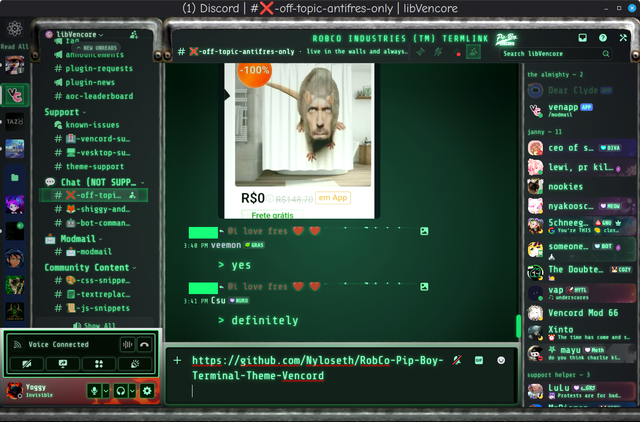
 austere cloak
wintry cape
Discord forced line-height 2px
austere cloak
wintry cape
Discord forced line-height 2px
I just add this into the current one ? (its for clan tag?)