#🎨-theme-development
1 messages · Page 70 of 1
 pure cairn
 humble jay
ok i think its this, gotta turn it on
 pure cairn
yep
I never do, but I mean
eventually if they reroll class hashes there is a very small possibility the old hash gets used again

 warm bramble
they should make up their minds
pure cairn
they have to show potential buyers that they're working on their platform
warm bramble
true lmao
 half crystal
humble jay
ok i think its this, gotta turn it on
half crystal
humble jay
ok i think its this, gotta turn it on
god what a switch

 wanton stirrup
oh sh!t I got round icons back
pure cairn
 clear siren
lol
clear siren
lol
that's a sad sight
warm bramble
this is how my theme looks like its pretty simple and nice to use (i dont own the theme)
 wanton stirrup
now I just need one more thing
pure cairn
warm bramble
this is how my theme looks like its pretty simple and nice to use (i dont own th...
we might have found a competitor for Blade
wanton stirrup
I had css for spacing here, I need to retry new code or old code but I can't find either now

I forgot the naming
warm bramble
pure cairn
we might have found a competitor for Blade
is that a theme creator or is that a theme
pure cairn
half crystal
god what a switch
 late lichen
how do i get my switches back?
 pure cairn
wanton stirrup
I had css for spacing here, I need to retry new code or old code but I can't fin...
pure cairn
wanton stirrup
I had css for spacing here, I need to retry new code or old code but I can't fin...
between the app launcher and the send message button?
wanton stirrup
old snippet worked lol omg

I've fixed both of my issues now, damn I was sweating for a moment there
late lichen
uhh, i think you are missing display: none; on .separator_aa63ab
pure cairn
looks like a simple
.buttons__74017 {
  gap: /* set anything less than 8px */
}```who?
pure cairn
you
wanton stirrup
oh
pure cairn
why not?
wanton stirrup
because I don't know what I'm doing I guess
good thing ctrl+comma opens options because at one point I hid all the buttons, couldn't click the gear
I'm not into development, I'm just a user trying to get his sh!^ back the way it was, but I never had the separator removed before
pure cairn
you don't have to remove it if you don't want to
wanton stirrup
true, but I got curious how it would look and if I'd like it or not
 cosmic vault
sadly havent had this blessing
in fact all of the class updaters break my theme more
i guess its time for manual
github exists
to me its just looking like my variables being in .visual-refresh, .visual-refresh .theme-darker isnt cutting it anymore
😭
that is exactly the issue
wildcard fixes like 99% of it
not oing that though
pure cairn
cosmic vault
wildcard fixes like 99% of it
wildcard is too broad
 chilly knoll
what's a wildcard
cosmic vault
chilly knoll
what's a wildcard
chilly knoll
oh
pure cairn
chilly knoll
what's a wildcard
[class*="classname"]
cosmic vault
pure cairn
[class*="classname"]
no, literally just *
that's less broad than a wildcard
pure cairn
you're using * as a selector?
chilly knoll
so * { }?
pure cairn
truly insane behaviour
chilly knoll
pure cairn
[class*="classname"]
what's the diff between that and [class^="classname"]
cosmic vault
chilly knoll
what's the diff between that and [class^="classname"]
pretty sure its contains
chilly knoll
why do u have no support here too
chilly knoll
cosmic vault
pretty sure its contains
wdym
pure cairn
read from there
chilly knoll
pure cairn
https://discord.com/channels/1015060230222131221/1134844326933954622/14646657623...
oh
i see
pure cairn
- is contains, ^ is starts with, $ is ends with
chilly knoll
pure cairn
* is contains, ^ is starts with, $ is ends with
does it work if you dont put anything before the equals
so [classname=""]
chilly knoll
oh
pure cairn
so it's the exact same as using .classname
chilly knoll
yeh
pure cairn
so pointless
pure cairn
np
pure cairn
noice
 cosmic vault
server list revert is also borked
chilly knoll
cosmic vault
well class updater didnt fix my quick css
sorry
pure cairn
cosmic vault
:(
it hasn't been updated yet
cosmic vault
 cosmic vault
pure cairn
it hasn't been updated yet
cosmic vault
pure cairn
it hasn't been updated yet
yes it has
chilly knoll
pure cairn
noice
imagine if discord did that design to begin with instead of 9 diff tabs
pure cairn
use this instead
unless your theme is using attribute selectors
then use this
#🎨-theme-development message
pure cairn
open your text editor and paste it in a new file
then replace with regex and paste it back to discord
cosmic vault
the built in editor has regex replacement support

and it worked now
just confused that class updater has a commit that says it updated but like nothing changed
pure cairn
cosmic vault
the built in editor has regex replacement support
there's a built-in editor?
pure cairn

cosmic vault

im NOT theming the settings modal rn
i cba
it'll stay unthemed for like
forever
until i eventually do
pure cairn
lmao
pure cairn
yea it works, never used it once
cosmic vault
me neither
pure cairn

cosmic vault
but it looks identical to vsc
pure cairn
yep
pure cairn
chilly knoll
imagine if discord did that design to begin with instead of 9 diff tabs
real, same goes for the server ones
 north rapids
can someone give me a good font?
cosmic vault
discord should theme discord to look like my discord
pure cairn
 chilly knoll
north rapids
can someone give me a good font?
chilly knoll
north rapids
can someone give me a good font?
jetbrains mono
pure cairn
north rapids
can someone give me a good font?
comfortaa
cosmic vault
i use cabin font on mobile
pure cairn
it's easy on the eyes
chilly knoll
Whitney is almost as horrible as comic sans imo
cosmic vault
 north rapids
cosmic vault
whitney font
north rapids
cosmic vault
whitney font
I use that on my coding stuff I forgot 😭 thanks :)
north rapids
cosmic vault
whitney font
no thanks
cosmic vault
cosmic vault
though you should definitely use this font
cosmic vault
chilly knoll
Whitney is almost as horrible as comic sans imo
whitney is fine
its the old discord font
use ultrakill font
best discord experience
 chilly knoll
cosmic vault
its the old discord font
chilly knoll
cosmic vault
its the old discord font
exactly, GG Sans was such an upgrade
cosmic vault
chilly knoll
exactly, GG Sans was such an upgrade
it's the same font except the g looks weird
 lament trench
cosmic vault
lament trench
cosmic vault
horror
cosmic vault
lament trench
horror
beauty
chilly knoll
cosmic vault
i dont really like fonts that force capitalisation ngl
 lament trench
why would you want your text to be all caps
chilly knoll
cosmic vault
well how else are you supposed to capitalise?
using the caps key or shift and only using it at the start of a sentence and nouns etc

cosmic vault
chilly knoll
using the caps key or shift and only using it at the start of a sentence and nou...
smh the joke flew over your head
chilly knoll
mb I'm slow
cosmic vault
this is whitney
 chilly knoll
OH
pure cairn
did you really just get that now
pure cairn

chilly knoll
cosmic vault
this is whitney
me no no like, tho come to think of it I think i was over exaggerating with how bad I said it looked
cosmic vault
 north rapids
what kind of font did I find lol
 chilly knoll
cosmic vault
chilly knoll
cosmic vault
this is horrid
pure cairn
comic sans my beloved
 brazen sundial
i like me some Outfit every now and then
chilly knoll
north rapids
what kind of font did I find lol
why am i showing on mobile?
cosmic vault
this is the most readable font
 north rapids
chilly knoll
why am i showing on mobile?
north rapids
chilly knoll
why am i showing on mobile?
¯_(ツ)_/¯
north rapids
cosmic vault
this is the most readable font
totally
 pure cairn
chilly knoll
why am i showing on mobile?
pure cairn
chilly knoll
why am i showing on mobile?
because Discord is good at providing accurate info
brazen sundial
cosmic vault
this is the most readable font
are the typing indicators normally that small on your theme?
lament trench
chilly knoll
why am i showing on mobile?
invis status forces you to be online for a split sec when you open the app so it might just be stuck on that on their end
cosmic vault
brazen sundial
are the typing indicators normally that small on your theme?
yeah
i purposely did that
it got in the way otherwise
chilly knoll
cosmic vault
this is the most readable font
unreadable
brazen sundial
LOL fair enough
 pure cairn
love me some good Wingdings
chilly knoll
lament trench
invis status forces you to be online for a split sec when you open the app so it...
yeh I always find that stupid when I get a random ping from a sleep tracking channel
north rapids
cosmic vault
alien tech
brazen sundial
i loaded your theme cause i cba to deal with the guild bar madness and that was something that threw me off lol
cosmic vault
i love meloso but its a bit big
pure cairn
I had a snippet which turned all codeblocks into that
cosmic vault
 chilly knoll
cosmic vault
chilly knoll
cosmic vault
so pretty 10/10 + bonus point for readability
brazen sundial
seems nice but i dont liek the spacing
cosmic vault
chilly knoll
i had the font files for a thinner meloso
shore
chilly knoll
meleoso has always look3e pretty on discord imo
lament trench
i like what catppucin uses idk what its called though
 cosmic vault
that looks nice
lament trench
also i love the new switches discord added
 pure cairn
@import url('https://raw.githubusercontent.com/Krammeth/css-snippets/refs/heads/main/Codeblocks.css');
enjoy

 cosmic vault
allriiiiiiight
brazen sundial
wonder what went wrong
cosmic vault
 brazen sundial
LMAO
cosmic vault
 brazen sundial
at least i can read
brazen sundial
😭
 lament trench
i like what catppucin uses idk what its called though
lament trench
lament trench
i like what catppucin uses idk what its called though
oh right this is midnight catppuccin
north rapids
 cosmic vault
chilly knoll
<@474375344678502421>
cosmic vault
chilly knoll
<@474375344678502421>
well at least i can understand what this is
 chilly knoll
north rapids
chilly knoll
north rapids
these are horrible fonts
north rapids
chilly knoll
these are horrible fonts
25 scaling

 lament trench
oh right this is midnight catppuccin
lament trench
lament trench
oh right this is midnight catppuccin
found it, it's figtree
https://fonts.google.com/specimen/Figtree
brazen sundial
cosmic vault
well at least i can understand what this is
this looks like greek
cosmic vault
lament trench
found it, it's figtree
https://fonts.google.com/specimen/Figtree
i cant even get this to work on discord
idfk why
prob a skill issue tbh
chilly knoll
cosmic vault
meloso?
cosmic vault
yeah
chilly knoll
rip
i remember trying to find one woth less spacing back in bunny and that was the best I found
cosmic vault
idk the only thing that seems to look right for me on discord is whitney
i mean figtree also looks good
but i dont typically touch the font on desktop
chilly knoll
fair enough
chilly knoll
cosmic vault
too much spacing
also I think meloso characters might just be too wide to begin with
 limpid mirage
bruh they reverted it
classname_fgy7g8t544h -> a8s7d09a87s0dh78s-classname -> classname_fgy7g8t544h
cosmic vault
 hazy swan
any reverter or sth?
hazy swan
hazy swan
any reverter or sth?
hazy swan
thanks
 trail willow
Hi! I scrolled back a tad but there's a ton of messages and I can't tell if this has already been answered. I have my own custom theme installed, I made it with theme editor a while back and now idk how to fix it. My vencord is updated and repaired, and the theme is technically active. I tried the links suggested in the support channels for fixing the .css file but none works.

 pure cairn
Send a screenshot of how the theme file looks
trail willow

 cosmic vault
no ide...
 soft bane
Lmao funny seeing you here kell, i'm having the same issue 😂
pure cairn
trail willow
You'll have to wait for the original theme to be updated
Those are only imports
So you won't have any effect on them with the updater
Also, why is it importing the same titlebar snippet thrice?
trail willow
no idea 
so, another question... what if I don't remember what the original theme is
trail willow
thanks
pure cairn
Np
 zinc lava
also updated the BetterFolders fix
.vc-betterFolders-sidebar~section.panels__5e434 {
left: calc(var(--custom-guild-list-width)*2 + var(--space-xs));
width: calc(100% - var(--custom-guild-list-width)*2 - var(--space-xs)*2 ) !important;
}``` supple sparrow
cosmic vault
supple sparrow
cosmic vault
hey Tryfle could you share your quickcss? besides the font the ui and icons are nice 😄 mine are broken since latest discord update 😭
cosmic vault
my qcss is like 90% commented out
and my font is not apart of it
nor is my theme
my qcss is stuff like spotify modal and shit for my nameplate
cosmic vault
supple sparrow
hey Tryfle could you share your quickcss? besides the font the ui and icons are ...

GitHub
my discord theme, actively maintained. Contribute to Tryflle/tryfletheme development by creating an account on GitHub.
supple sparrow
cosmic vault
https://github.com/tryflle/tryfletheme
ty 😄
 desert palm
anyone know why my server icons are like this? is the old ccs for the icons broken?
 cosmic vault
the old one is broken yeah
cosmic vault
they just used classupdater on the old
i did that and it like 90% works

folders are just fucked
and i have no idea how to fix that
desert palm
cosmic vault
they just used classupdater on the old
whats that?
pure cairn
desert palm
i did that and it didnt fix it
supple sparrow
cosmic vault
https://github.com/tryflle/tryfletheme
if I want to change the purple color back to the default discord one "ashes" what could i edit from your quickcss? I love that all icons and ui is so proper to read and the purple is very fancy but after all i would like to keep discord a bit more natural in some occasion ^^ ty
cosmic vault
supple sparrow
if I want to change the purple color back to the default discord one "ashes" wha...
uhh... open the theme up in vsc and just remove any variables with the aforementioned color i guess
 golden ibex
I'm having a hard time finding the parameter in dev tools to align the profile popup shown when I click on my avatar on the user area. Is it possible at all?

 alpine tangle
not a theme developer, but all who are, yall are angels for dealing with the fucked update. that is also a given for vencord developers
pure cairn
golden ibex
I'm having a hard time finding the parameter in dev tools to align the profile p...
.layerContainer__59d0d>.clickTrapContainer__59d0d>.layer__59d0d[id^="popout_"]:has(>.fade_faf9c0>.popoutContainer_ce8328) {
  left: 10px;
}```
note that it might also affect other popoutsthis theme is actually pretty
points for it not being amoled slop either
 hazy frigate
discord finally broke this 
warm bramble
its pretty simple theme
pure cairn
hazy frigate
discord finally broke this <:husk:1026532993923293184>
.jumpToPresentBar__0f481 {
  margin-right: 8px;
}```For some reason it does not have any effect. I've managed to move it with this code, but it does affect all popouts.
div[class*="user-profile-popout"] {
    left: -7px;
}```ill try it out thanks
pure cairn
golden ibex
For some reason it does not have any effect. I've managed to move it with this c...
works on my machine so idk
oh wait I forgot to add the !important
.layerContainer__59d0d>.clickTrapContainer__59d0d>.layer__59d0d[id^="popout_"]:has(>.fade_faf9c0>.popoutContainer_ce8328) {
  left: 10px !important;
}```there you go
 left thicket
for those trying to fix themes, here is a tutorial:
open visual studio code or similar (though this is for vsc
and paste this in find: \.([_0-9a-f]{6})[0-9a-f]{10,11}-([A-Za-z0-9_\-]+)
and paste this in replace: .$2_$1
in the tutorial i remove \. from find
and . from replace
to update class selectors as well
if anyone was wondering as well,
basically just add _ to the end of a class, then paste the first 6 characters of it to the end, then remove everything to the left of the dash, including the dash
Also the online class updater isnt up to date as of writing, so it will not work.
pure cairn
sorry
golden ibex
oh lol, yep that fixed it, thanks!
pure cairn
np
hazy frigate
pure cairn
```css
.jumpToPresentBar__0f481 {
margin-right: 8px;
}```
it works, much obliged
cosmic vault
chilly knoll
this theme is actually pretty
:D
 plain mango
no clue if this is the right spot to ask, but smth in my frankenstein of custom css code had this part of the sidebar be above the title bar, but it broke and im not. sure where in my hodgepodge that code is? and im not sure if it can be fixed but i figured id see if anyone knows abt it here apologies for th brighter background lol

if needed i can prolly find an older screenshot of what it USED to look like somewhere in a server of mine
aHA i did find an older screnshot mwahaha

i think its smth to do w th guildbarrevert import i have if i had to guess
pure cairn
Yes, multiple people asked about it yesterday
plain mango
ahh gotcha okay
 prisma lynx
is there a list of all css classes in the client?
 smoky belfry
plain mango
no clue if this is the right spot to ask, but smth in my frankenstein of custom ...
smoky belfry
plain mango
no clue if this is the right spot to ask, but smth in my frankenstein of custom ...
i have a patch to fix that horrible shit in my snippet
lemme see if i can extract it
plain mango
thank you soso much if you can its p much the only thing bothering me
minus the image attachment icon being uncentered but ill live
snagged some code i saw to revert th icon back to th older one, but its kind of off center n nothin i tweak in my code does anything that im aware of
 smoky belfry
why revert that icon tho ?
plain mango
dunno, i like th lil circle more
plus th new one is also off center for some reason
shrug its not that much of a bother for me
smoky belfry
the change is so minor for me that it's not worth it to put energy changing it
the guild header sucks tho and makes experience worse
so that does make small energy to fix worth it
plain mango
yeah nods
smoky belfry
UI should always serve UX and not the opposite
the modern world has started to forget it tho...
plain mango
yeeeahhh, which sucks a lot
smoky belfry
alright this should be it @plain mango
[class^=container] {
    > [class^=header_] {
        border: unset;
        padding: unset;
        > [class^=headerContent] {
            > [class^=guildDropdown] {
                padding-left: 16px;
                padding-right: 16px;
                height: 48px;
                width: 100%;
                border-radius: 8px 0px 0px;
            }
            > span { display: none; }
        }
    }
    > [class^=headerEllipseBackdrop] {
        left: 0;
        right: unset;
    }
    > [class^=headerEllipseForeground] { border-radius: unset; }
    > [class^=headerGlass] {
        opacity: 0 !important;
        width: 100%;
        left: unset;
        border: unset;
        [class^=bannerVisible] > & { height: var(--custom-channel-header-height); }
    }
}
it's as minimal as it can be
plain mango
tried it, doesnt seem to work w me, but it may be my own frankenstein coding breaking it, lemme try it on its own
smoky belfry
plain mango
tried it, doesnt seem to work w me, but it may be my own frankenstein coding bre...
try it on its own yeah
maybe i should release it as a snippet if people want it
 wintry cape
You want to move the whole section up?
smoky belfry
plain mango
aHA i did find an older screnshot mwahaha
oh wait
no only you want the shape, but it also being on top of the top bar ?
plain mango
yeah p much
wintry cape
Like this?
 plain mango
ik its some part of the guildbar revert i have set to import but its not updated w discords current stuff they broke
wintry cape
Ignore the searchbar thing
plain mango
nooot quite let me get a better sc hold on
smoky belfry
plain mango
yeah p much
my snippet only fix the shape
i can look if i can just make it go higher
doesn't seem that hard
plain mango
wintry cape
You want the sidebar moved up right?
yeah, that sounds right to me
 smoky belfry
but since discord love to fucking use absolute everywhere i can imagine where it descend into madness
plain mango
this was p much waht it looked like
wintry cape
plain mango
yeah, that sounds right to me
Very simple
.sidebar__5e434 {
  grid-row: top / end;
}
didnt work for me scratches skull
smoky belfry
wintry cape
```css
.sidebar__5e434 {
grid-row: top / end;
}
```
idk from where that come, but that class doesn't exist
and this wouldn't work anyway
wintry cape
Huh
plain mango
smoky belfry
alright this should be it <@289494588282896384>
```css
[class^=container] {
...
tried this w/o my current css n it also didnt work
wintry cape
Look
smoky belfry
plain mango
tried this w/o my current css n it also didnt work
yeah no it will not do the move on top of the top bar
plain mango
push comes to shove i can wait till the import is updated, just not sure when itll be updated
wintry cape

 smoky belfry
sidebar is not a thing
sidebarlist is
 wintry cape
Maybe this has to be included:
.vc-betterFolders-sidebar-grid {
  grid-template-areas:
    'guildsList betterFoldersSidebar channelsList titleBar'
    'guildsList betterFoldersSidebar channelsList notice'
    'guildsList betterFoldersSidebar channelsList page';
}

.sidebar__5e434 {
  grid-row: top / end;
}
yes OBV
this is how you'd modify it
wintry cape
The sidebar is needed aswell tho
smoky belfry
yes maybe
plain mango
mm, nope still didnt work, even w/o th css i usually use
wintry cape
smoky belfry
idk from where that come, but that class doesn't exist
Does exist
 wintry cape
I said it's the whole thing
plain mango
make sure to rest when you can
smoky belfry
they need to change base
grid-template-areas
"guildsList channelsList titleBar"
"guildsList channelsList notice"
"guildsList channelsList page"
What is your css?
plain mango
its a nightmare collection of random bits n pieces lol
smoky belfry
and then sidebar
plain mango
not sure if i cna send it properly
smoky belfry
and it should mostly work
lmao bruh swapped to discord from devtools and it broke

my god
i hate discord
wintry cape
Nice haha
smoky belfry
you can see the titlebar, libvencore being moved
wintry cape
Sometimes it also randomly breaks for me
smoky belfry
right after where the sidebar should be
wintry cape
Yeah
plain mango
yeah discord loves to jus break things for fun
ive come to notice
anyways let me see if i can try n send my css hodgepodge
smoky belfry
if you want my best tip, it's very simple
learn CSS yourself
genuinely
you're the person which is the most likely to do what you want
CSS isn't even hard
plain mango
its smth ive been workin at slowly, i just suck w reading stuff lol
smoky belfry
dealing with discord bullshit is
also there's no need to overcomplicate things
be as simple as you can
and do the least changes you can
plain mango
noclue if thisll send right 
oh it did
colour me surprised
i should preface i just grab random bits that i see around, so if theres a lot of doubled over stuff yeah i just threw in stuff to make it work
 dark schooner
Oh boy, love opening discord to everything being broken.
plain mango
yeeep they changed some stuff again, iirc th classes ?? or whatever theyre called
thats all i could gather anyway
dark schooner
So was there a workaround for the revert user area? Trying to find a way to make it smaller again as I can't stand it covering servers.
plain mango
ive seen a few around, mostly in th threads of #🎨-css-snippets
wintry cape
plain mango
noclue if thisll send right <a:1_nervous:799650056050311208>
You also have modified grid templates
It overrules i think
 plain mango
nods
dark schooner
plain mango
ive seen a few around, mostly in th threads of <#1028106818368589824>
Thanks, gonna look there for something.
plain mango
yeah that would make sense, i pretty much just copypasted diff bits of css floating around th server so
some stuff is bound to be outdated
since i mixed it w some older css i already had
wintry cape
Now it works and it broke my discord lol
 echo frost
discord pushed an update yesterday that changed the css classes
 plain mango
oh lord i have no clue
 spring sleet
oh man my icons are just . Gone. so thats dope i dont know what to do with that
echo frost
wintry cape
Now it works and it broke my discord lol
so this didnt work? #🎨-theme-development message
wintry cape
That works, but now my discord looks really weird
(It's the css)
Looks like this now
 smoky belfry
me when i can just switch back from [class*=] back to [class^=]
people be wild for not having done like me
wintry cape
plain mango
oh lord i have no clue
Do you use the folder plugin?
smoky belfry
and if it's a full theme sure use ids, but then you have the id migration thing
plain mango
wintry cape
Do you use the folder plugin?
i dont think so ??? let me find my current plugins hold on
wintry cape
Okay
I do use it, so it looks a little different for me then for you
Just so i know
plain mango
nods, yeah i dont have it enabled so
oh yeah i should also state im trying to keep the inbox at least, it helps me w navigation and whatnot
wintry cape
plain mango
oh yeah i should also state im trying to keep the inbox at least, it helps me w ...
Like this?
 plain mango
YEAH like that

 plain mango
oh i have no clue
thats not on my stuff so idk
unless smth busted on my end which is possible
wintry cape
It is your snippet
plain mango
oh then smths tweakin i guess
wintry cape
You had 10px bottom padding important with a height of 4 px
 bleak mica
discord seriously go back to the old style of classnames AGAIN???
wintry cape
Yes
bleak mica
will they make up their mind lmfao
wintry cape
Use this ^
bleak mica
i use attribute selectors so i have to go it differently anyway but thank you
wintry cape
plain mango
might have messed w smth i didnt know did anything if i had to guess
I'll send you the css back and you can take a look if it is better for you now
wintry cape
bleak mica
i use attribute selectors so i have to go it differently anyway but thank you
Oh ok
plain mango
wintry cape
I'll send you the css back and you can take a look if it is better for you now
alright !!
wintry cape
I also placed the second import url you had on the top instead of halfway the css file
It's 1kb smaller then you sended
plain mango
 it works !! thankyou so much ur a life saver lol
wintry cape
Your welcome
 tranquil whale
why is everyone still fixing stuff just use utc
bleak mica
oh they did more than just change the classnames it seems
smoky belfry
oh my fucking god discord
WHY THE FUCK ARE THEY USING THE 32BIT INTEGER LIMIT TO MAKE A FUCKING BORDER ROUND
 tranquil whale
GitHub
Adds UTC (Universal Theming Classes) that appends stable class names [For example utc_xyz] to elements, so theme devs don’t have to worry about class rerolls, only structural changes.
Helps with th...
bleak mica
tranquil whale
https://github.com/Vendicated/Vencord/pull/3530
i assume because BD doesn't have this + nor would unmodified
tranquil whale
bleak mica
i assume because BD doesn't have this + nor would unmodified
ye got to build from scratch
available for equicord to build too
can add to moonlight and is in replugged
tranquil whale
whatever
 quartz wolf
Discord fucked up the classes again, didn't they T_T
quartz wolf
wait so now they're back to how they were before they got fucked before?
Or are they just messed up again
quartz wolf
oh cool so I can just switch back. That's nice at least
bleak mica
patiently waiting for oldcord to update
wintry cape
@neon snow Use this to update your classes.
tranquil whale
i dont get why people dont just use utc
like the regex is
const getName = (i) => {
const classNameRegex = /(\w+?)([\w\d$]+)/g;
const classSuffixHashRegex = /[_\d$]/;
return utc_${classNameRegex.exec(i)?.[1]};
};
 neon snow
wintry cape
<@1109251185925443647> Use this to update your classes.
neon snow
wintry cape
<@1109251185925443647> Use this to update your classes.
oh cool it worked
i mean i did realize they essentially just reverted it
the old one worked
wintry cape
neon snow
i mean i did realize they essentially just reverted it
Yeah
neon snow
like it went from .channelTextArea_f75fb0 to .f75fb00fb7356cbe-channelTextArea and now back to .channelTextArea_f75fb0 😭
plain mango
wintry cape
minor question on this is there a way to make the user area go back to being more squished and small again? if not thats chill honestly i can live w it, it being wide and covering the sidebar is just a bit annoying
my apologies  css is a nightmare for my brain to comprehend lolz
also just noticed the folders get busted woops
 wintry cape
plain mango
also just noticed the folders get busted woops
wintry cape
plain mango
also just noticed the folders get busted woops
You mean the server icons are of center?
It's not the icons. it is the background btw
Let me see
plain mango
aaaah, yeah i noticed everything got smaller n it messed w some stuff
sorry for bein a bother lol, im just way out of my element here so help is v appreciated
wintry cape
I think i fixed it now
wintry cape
plain mango
minor question on this is there a way to make the user area go back to being mor...
This works again now
But you might want to lower the chat bar and or userpanel
plain mango
ahh yeah i can see why you mentioned that, top n bottom seem a lil squished on my end but its fine honestly
jic you need to see what i mean, honestly this is fine lol th bars n minor gradient at th bottom doesnt bother me too much it at least works thats all i care abt lol
yknow jus realized that image sucks . hold on
okay thats. better. my bad again, like i said b4 these r no issue tbh jus figured id point em out in case

th bottom orangey red is my windows search bar dont mind that snorts
wintry cape
You want it all the way to the top?
plain mango
yeah, unless it busts smth in which its no biggie
all th way to th top all th way to th bottom was how i had it, but discord loves to just break
as per usual
wintry cape
plain mango
as per usual
 plain mango
hrm, is there a way to make it flush with the bottom again or would it just be easier to keep it floating? i can work w it floating no issue, th rest looks great actually
wintry cape
You just want it at the bottom?
wintry cape
plain mango
yeah, if possible
Yeah, i made it a variable so you can change the margin yourself
plain mango
OHH i didnt see it if its in th one you sent recently
wintry cape
plain mango
my bad i cannot read css anything for th life of me, not that well anyway lol
wintry cape
The last 2 variables in ":root {}" that start with --
wintry cape
plain mango
my bad i cannot read css anything for th life of me, not that well anyway lol
 plain mango
ohhh okay, tysm !! genuinely ur a life saver lol
plain mango
wintry cape
ah i am blind . lol good to know snorts
wintry cape
You can just change the pixels and it would work
plain mango
ahhhh okok, nods
 tidal heron
dont suppose anyone has a minimal ish user panel that works with the new variables

 nimble sun
tidal heron
dont suppose anyone has a minimal ish user panel that works with the new variabl...
nimble sun
tidal heron
dont suppose anyone has a minimal ish user panel that works with the new variabl...
https://i.imgur.com/Lwl6IEZ.png
Mine looks like this, via a combination of
and
with the "compact-user-area" setting turned on
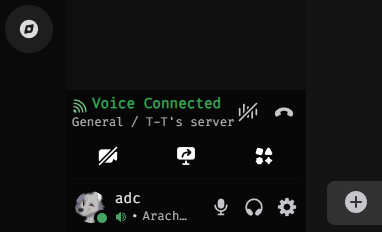
I assume it works with the new stuff because I just updated lol
smoky belfry
smoky belfry
lmao bruh swapped to discord from devtools and it broke
Depends what you mean by minimal
tidal heron
nimble sun
https://i.imgur.com/Lwl6IEZ.png
Mine looks like this, via a combination of
<h...
im using both of those snippets funnily enough i just dont have the compact-user-area enabled
i did however just fix the Simplified Panels Area snippet
i did manage to get it back to this but tbh i think i just need a snippet that makes the buttons smaller and just "cleans" it up
 tidal heron
smoky belfry
Depends what you mean by minimal
tidal heron
smoky belfry
Depends what you mean by minimal
simplified and cleaned up is the easiest way i can put it
idm the size n shit just the big ass buttons
echo frost
I made a bit more of a user friendly guide for how to use the regex
might be good to pin?
You can do this in quickcss or vscode (or some other code editor)
press ctrl+f to open find
press the .* symbol or alt+r
paste \.([_0-9a-f]{6})[0-9a-f]{10,11}-([A-Za-z0-9_\-]+) in
press toggle replace on the left (ctrl+h)
paste .$2_$1 in
press replace all (ctrl+alt+enter)
-# regex from #🎨-theme-development message
 tranquil whale
im making a plugin to add better dev tools to discord anyone intrested
echo frost
wdym better devtools?
 echo frost
like alt click to copy class names?
what are the utc classes
is that from equicord?
tranquil whale
echo frost
what are the utc classes
stable classes plugin
tranquil whale
echo frost
is that from equicord?
custom equicord plugin
tranquil whale
echo frost
like alt click to copy class names?
alt click to send info to console
echo frost
tranquil whale
custom equicord plugin
you mean you made it?
 echo frost
You can do this in quickcss or vscode (or some other code editor)
press ctrl+f t...
echo frost
echo frost
You can do this in quickcss or vscode (or some other code editor)
press ctrl+f t...
try this @prisma stirrup
tranquil whale
 prisma stirrup
could anyone help me fix my theme ?
prisma stirrup
could anyone help me fix my theme ?
try the class updater in my bio
prisma stirrup
I tried with your class updater and it didn't work
prisma stirrup
echo frost
You can do this in quickcss or vscode (or some other code editor)
press ctrl+f t...
Also I got 0 results when using this
prisma stirrup
tranquil whale
use class updater in my bio it works
 tranquil whale
U gotta make a GitHub repo to replace that import link
prisma stirrup
gimme a bit
tranquil whale
Abd on left sidebar put those files in the GitHub repo and replace import links
echo frost
or just use the imported css in your quickcss without importing it
prisma stirrup
So just to make sure
I should create a github repo, create the CSS exactly as the one from this link, and import it from my repo instead of this repo link?
 tranquil whale
Use the code in the desktop sub tab
prisma stirrup
yeah
echo frost
prisma stirrup
I should create a github repo, create the CSS exactly as the one from this link,...
that one is already updated
copy frostedglass.css into your quickcss
tranquil whale
Gotta replace import link though
tranquil whale
Look at your image theres a desktop.css sub tab
echo frost
tranquil whale
Look at your image theres a desktop.css sub tab
that snippet is already updated. i checked the imports
tranquil whale
echo frost
that snippet is already updated. i checked the imports
Main file needs no update through
I checked earlier no updates to it
prisma stirrup
Oops, did an oopsie I think
Discord became unresponsive
On pc
okay let me try again
Okay I've uploaded the updates .css on github
like this ?
 prisma stirrup
Thanks now it works
 jade totem
does a theme based on the Cinnamon DE exist yet?
 mellow merlin
how does one start making a theme?
 gleaming vortex
mellow merlin
how does one start making a theme?
gleaming vortex
mellow merlin
how does one start making a theme?
https://learntothe.me/ its outdated but can still help you a lot

Learn To Theme
A step-by-step guide to creating Discord themes, from beginner to advanced.
mellow merlin
ty
 steep drum
i wonder if the buttons from this conversation #👾-core-development message might be related to my theme's buttons only being colored in vencord components but not discord
left thicket
had fun theming the update notification and modal :3
gleaming vortex
left thicket
had fun theming the update notification and modal :3
looks cool
left thicket
ty 
i wanna post css snippets but it doesnt let me since i dont have the role
also my css is prolly bad LOL
tidal heron
anyone know what could possibly cause these random movements in the channel/category list

if it helps that all my CSS but none of it should mess with the category/channel names tho
pure cairn
Are you using one of my buttons snippets?
Yeah it might be due to the channels one
It happens when you change size to the invisible elements at the top
tidal heron
pure cairn
Are you using one of my buttons snippets?
the improved and compact button snippet?
 fair cipher
did discord revert this back
like we cant be deadass right now i have .name__hash instead of like the ._hash-name on all my elements i think
thanks ily
 echo frost
fair cipher
like we cant be deadass right now i have `.name__hash` instead of like the `._ha...
echo frost
fair cipher
like we cant be deadass right now i have `.name__hash` instead of like the `._ha...
yeah discord reverted back to .name_hash
btw, two underscores are just because the hash has an underscore
fair cipher
oh i see
echo frost
echo frost
yeah discord reverted back to .name_hash
I think the longer hash might've been causing lag or something?
fair cipher
i never really understood the change anyway, what was wrong with the shortened hash
echo frost
ig they were worried about a shortened hash conflict?
idk why they put the hash at the start though
fair cipher
i guess that could make sense
echo frost
it's 6 with i think 17 characters?
which would be 1,419,857 possibilities i think?
although it seems like the underscore can only be at the start of the hash
so idk
pure cairn
tidal heron
the improved and compact button snippet?
Yeah
 inner bloom
Hello, was wondering how to change that green to gray i cant figure out the class

also i can not make these persistent for the life of me

.pointerEvents__44b0c {
    fill: #555; /* green */
}

.icon_c9d15c path {
    fill: #555; /* new color, e.g., red */
}
this is what i got rn
pointer events is for online offline etc and .icon... is for the playing icon or listetning etc
 narrow hinge
I don’t update the site every time there are class updates, the changes come from a separate repo that I update every few days btw
tranquil whale
just use class updater in my bio
inner bloom
tranquil whale
just use class updater in my bio
whats that exactly
damn that fixed my theme
ily
 subtle sedge
narrow hinge
I don’t update the site every time there are class updates, the changes come fro...
subtle sedge
narrow hinge
I don’t update the site every time there are class updates, the changes come fro...
out of curiosity is it up to date now?
@tranquil whale stop advertising your vibe coded class updater please
you already got automodded once
pure cairn
Lol
narrow hinge
subtle sedge
out of curiosity is it up to date now?
Yeah
tranquil whale
subtle sedge
out of curiosity is it up to date now?
It is
tranquil whale
subtle sedge
<@1173155162093785099> stop advertising your vibe coded class updater please
U mean vibe coded with ai right xD
 subtle sedge
it's alright
 frigid zinc
my favorite discord feature

 willow wigeon

 onyx mesa
frigid zinc
my favorite discord feature
onyx mesa
frigid zinc
my favorite discord feature
I had to disable MPO on my PC for this to stop happening
 visual fiber
remove back Forward Buttons
  display: none;
}```
 iron smelt
I actually like the arrows, they help with navigation
echo frost
visual fiber
remove back Forward Buttons
```.backForwardButtons__63abb{
display: none;
}```
or turn the experiment off dev://experiment/2025-08_back_forward
echo frost
iron smelt
I actually like the arrows, they help with navigation
you can use alt + left/right arrow
iron smelt
echo frost
you can use alt + left/right arrow
True, but I’m also lazy
onyx mesa
i feel like most mice got forward/back buttons nowadays
 crimson skiff
echo frost
or turn the experiment off dev://experiment/2025-08_back_forward
crimson skiff
echo frost
or turn the experiment off dev://experiment/2025-08_back_forward
as to be expected, hsl makes the placement awkward
 iron smelt
echo frost
?
iron smelt
echo frost
?
I think they were referring to the two buttons on the side of most every mouse made nowadays
 smoky belfry
echo frost
or turn the experiment off dev://experiment/2025-08_back_forward
smoky belfry
echo frost
or turn the experiment off dev://experiment/2025-08_back_forward
where do those even show, i tried enabling, but don't see them
crimson skiff
smoky belfry
where do those even show, i tried enabling, but don't see them
top left corner
smoky belfry
i guess my quickcss automatically get rid of them
smoky belfry
am i the only one to want role icon urls in themeattribute ?
it'd be so neat
 frigid zinc
onyx mesa
I had to disable MPO on my PC for this to stop happening
frigid zinc
onyx mesa
I had to disable MPO on my PC for this to stop happening
whats the setting called help
onyx mesa
frigid zinc
whats the setting called help
it's not just a setting unfortunately, have to disable it through regedit
also it might not even solve the issue, it did for me but it might not for you since MPO is an Nvidia thing first off, so if you're using AMD or so on
onyx mesa
noticed this DM list border issue, only happens if the person has a long status

the issue is part of your compact button snippet @pure cairn
pure cairn
it might be something I added because I removed scrollbars on my end
I don't remember honestly
yea I think it's this part
 onyx mesa
adding min-width: 0 here seemed to fix it on my end
 echo frost
nice one discord
 cosmic vault
average
 oak plover
me when i split my css into 5 thousand files and i can't be arsed to figure out the order of any of it
 last kestrel
Thank you! This worked for me to get the guildbar (mostly) back to the way it should be. I think the server folders might be a touch wonky, but I'll take it!
pure cairn
echo frost
nice one discord

Discord css trying to decide which direction to rotate the arrow in
crimson skiff
crimson skiff
as to be expected, hsl makes the placement awkward
not sure where to put the arrow now, it rolled out to me
clear siren
put it in the display:none
pure cairn
Real
crimson skiff
clear siren
put it in the display:none
yeah already did that
just thought i could perhaps make use of it
 supple gull
can someone fix https://scattagain.github.io/VencordStuff/css/GuildbarRevert.css pretty please
@mental stirrup i think this is yours?
 mental stirrup
supple gull
<@1098234477626544180> i think this is yours?
mental stirrup
supple gull
<@1098234477626544180> i think this is yours?
it is
unfortunately I do not have access to my computer and can't push any changes to the GitHub, you can find a fix on the thread (#1354502862390038528 message)
 winter palm
been tryna figure out how to get rid of this little yellow spot, any1 got any ideas

cant figure out the class its got
echo frost
winter palm
been tryna figure out how to get rid of this little yellow spot, any1 got any id...
it's .mentioned__5126c:before
you can set --icon-feedback-warning
actually that's used in other places
there definitely used to be a specific var for this
 brazen quartz
there is, it's just not used there
echo frost
but do .mentioned__5126c::before { background: blue; } or something
winter palm
echo frost
but do `.mentioned__5126c::before { background: blue; }` or something
works
echo frost
brazen quartz
there is, it's just not used there
you mean for the background? --message-mentioned-background-default?
 echo frost
brazen quartz
there is, it's just not used there
echo frost
brazen quartz
there is, it's just not used there
i'm pretty sure there used to be a variable dedicated for the bars too
winter palm
there used to
brazen quartz
echo frost
you mean for the background? --message-mentioned-background-default?
oops
echo frost
actually maybe not
 rotund field
does anyone know how i can achieve transparency on discord similar to the attached image? cant seem to find any themes that have transparency but don't significantly alter the way discord looks
 echo frost
rotund field
does anyone know how i can achieve transparency on discord similar to the attach...
echo frost
rotund field
does anyone know how i can achieve transparency on discord similar to the attach...
turn this on
and then use/make a theme
 rotund field
echo frost
turn this on
and then use/make a theme
rotund field
echo frost
turn this on
and then use/make a theme
i already have that on, i don't have any experience with css so i just wanted to ask if anyone knows/has a theme that doesn't modify anything other than making the window transparent
only ones i could find were either broken or have a significant amount of modifications
echo frost
rotund field
only ones i could find were either broken or have a significant amount of modifi...
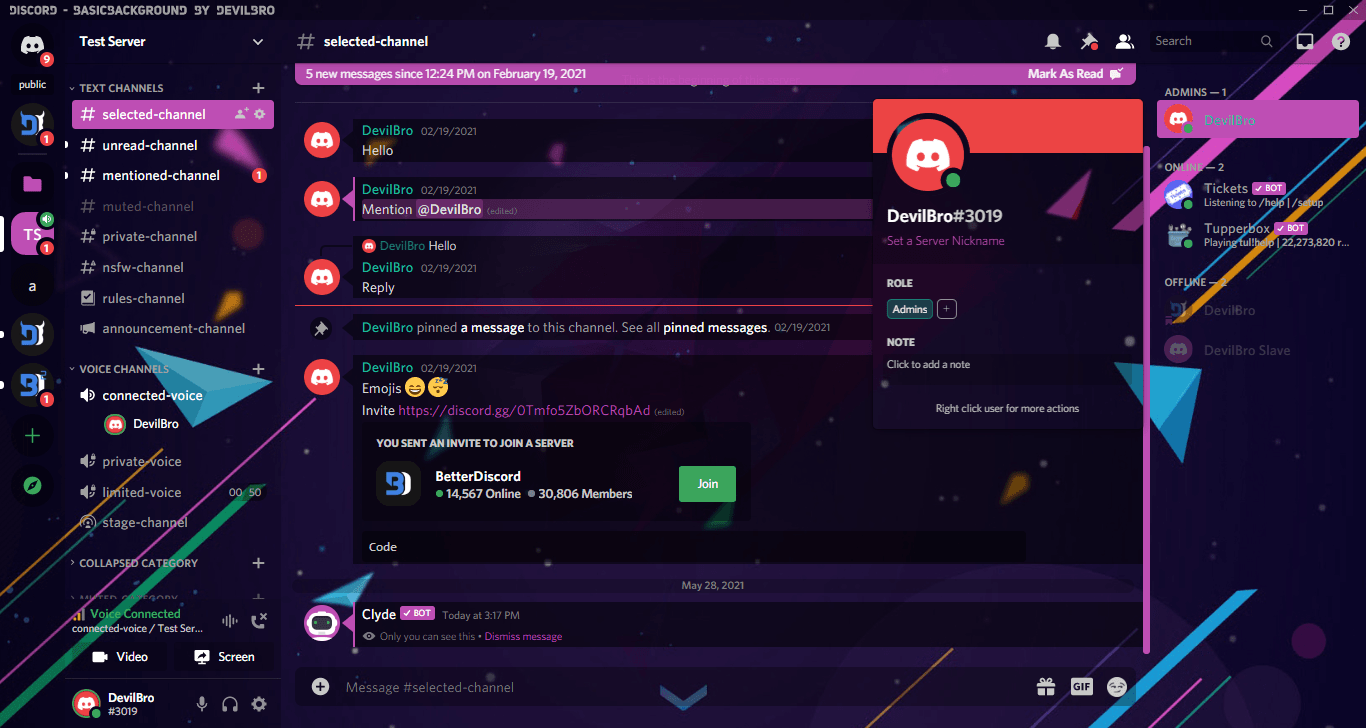
BetterDiscord
Allows you to use a Background Image without greatly altering the basic Layout of Discord
rotund field
echo frost
maybe this https://betterdiscord.app/theme/BasicBackground
replaced the background "url" with rgba(0,0,0,0) and it works, is it possible to apply a frosted/blurred look akin to the bottom half?

 leaden hinge
WIP - no external imports, no online themes, all from scratch and only 200 lines with comments so far. Still messing with the trailing cotnainer's style to get it to fit properly and then I nee to do a pass on all the titlebar variants. Using anchor positioning to eliminate all of the hacky padding, simplifies the compact header to just:
[data-fullscreen="false"] {
  &>div[class*=bar]>div[class*=leading] {
    anchor-name: --vc-anchor-leading;
  }

  &>div[class*=bar]>div[class*=trailing] {
    anchor-name: --vc-anchor-trailing;
  }

  [role="button"] {
    -webkit-app-region: no-drag;
  }

  [aria-label="Channel header"] {
    position: fixed;
    position-anchor: --vc-anchor-leading;
    top: 0px;
    left: anchor(--vc-anchor-leading right);
    right: anchor(--vc-anchor-trailing left);
    width: auto;
  }
}
(note: this isn't finished so it has problems seen in the screenshot)

 hollow jolt
rotund field
does anyone know how i can achieve transparency on discord similar to the attach...
hollow jolt
rotund field
does anyone know how i can achieve transparency on discord similar to the attach...
this is spotify ?
echo frost
rotund field
replaced the background "url" with rgba(0,0,0,0) and it works, is it possible to...
not sure how
I've never used transparent window before
I'm pretty sure I've seen it but not positive and not sure where
rotund field
hollow jolt
this is spotify ?
apple music client named Cider, though i am on a version that is not publicly available yet
rotund field
echo frost
not sure how
I've never used transparent window before
ah ok, thanks regardless
 viral jasper
why is the update and toolbox icons so small for me
 smoky belfry
wait i just noticed i have the same with the update button despite my CSS

wtf has discord done
smoky belfry
viral jasper
why is the update and toolbox icons so small for me
because they forgor
overflow: visible;
smoky belfry
guys i got a neat trick to push the saturation to 100
filter: saturate(2147483647%);
you can thank me
smoky belfry
viral jasper
why is the update and toolbox icons so small for me
here's my css related to the top bar, feel free to yoink
[class^=bar] {
    z-index: 3001;
    padding: unset;
    > [class^=leading] { display: none; }
    > [class^=title] {
        position: relative;
        padding-left: 4px;
        > [class^=title] {
            gap: 4px;
            > [class^=icon] {
                height: 16px;
                width: 16px;
            }
        }
    }
    > [class^=trailing] {
        gap: unset;
        > [class^=clickable] {
            height: 16px;
            width: 16px;
            padding: 3px 12px;
            margin: unset;
            &:hover {
                background-color: var(--interactive-background-hover);
                color: var(--interactive-text-hover);
            }
            > [class^=badge] {
                height: 5px;
                width: 5px;
                bottom: 4px;
                right: 13px;
            }
        }
        > [class^=button] {
            height: 16px;
            width: 16px;
            padding: 3px 12px;
            margin: unset;
            &:hover {
                background-color: var(--interactive-background-hover);
                color: var(--interactive-text-hover);
                > [class^=icon] {
                    background-color: unset;
                    border-radius: unset;
                    > path { filter: saturate(2147483647%); }
                }
            }
            > [class^=icon] {
                height: 16px;
                width: 16px;
                overflow: visible;
            }
        }
        > a[href="https://support.discord.com"] { display: none; }
        > [class^=winButtons] {
            gap: unset;
            > [class^=winButton] { width: calc(var(--custom-app-top-bar-height) * 2); }
        }
    }
}
Sure, i'll use it
 lofty yew
anybody knows why this happens and how to fix it? dims the space behind the panel over the channel section whenever i scroll up and the server banner becomes visible, seems to also happen to the summary bar
echo frost
probably would need your css to figure that out
 winter warren
rotund field
replaced the background "url" with rgba(0,0,0,0) and it works, is it possible to...
winter warren
rotund field
replaced the background "url" with rgba(0,0,0,0) and it works, is it possible to...
filter: blur(25px);
clear siren
winter warren
`filter: blur(25px);`
you mean backdrop-filter, but it probably won't work on a transparent window
at least when I had glass discord on windows it wouldn't work at all; on linux it works kinda
winter warren
clear siren
you mean backdrop-filter, but it probably won't work on a transparent window
oh shoot
i guess then the only option would to use a semi transparent frosted image as background
echo frost
that wouldn't blur it though
 burnt sky
does anyone have the snippet that makes server icons round
left thicket
lofty yew
anybody knows why this happens and how to fix it? dims the space behind the pane...
looks like a selector issue of some sort?
tranquil whale
burnt sky
does anyone have the snippet that makes server icons round
Check the shine theme by blade0
It has it in the code somewhere
smoky belfry
lofty yew
anybody knows why this happens and how to fix it? dims the space behind the pane...
cause shit loading and unloading i'd guess
lofty yew
humm i’ll try to figure out but prol has to do with the transparency there
echo frost
burnt sky
does anyone have the snippet that makes server icons round
I use this
.folderPreviewGuildIcon__48112 {
  border-radius: 50% !important;
  font-size: 6px !important;
  line-height: 16px;
}

/* Round and animated server icons */
.blobContainer_e5445c foreignObject:hover,
.blobContainer_e5445c.selected_e5445c foreignObject,
:is([data-list-item-id="guildsnav___home"],
  [data-list-item-id=guildsnav___favorites]
).selected__6e9f8 .childWrapper__6e9f8,
:is([data-list-item-id="guildsnav___create-join-button"],
  [data-list-item-id="guildsnav___guild-discover-button"]
).selected__5bc7e,
.stack_dbd263>div[style="opacity: 1; height: 40px; transform: scale(1);"] .selected__6e9f8>img {
  border-radius: 27% !important;
}
.blobContainer_e5445c foreignObject,
:is([data-list-item-id="guildsnav___home"],
[data-list-item-id=guildsnav___favorites]) .childWrapper__6e9f8,
:is([data-list-item-id="guildsnav___create-join-button"],
[data-list-item-id="guildsnav___guild-discover-button"]) {
  transition: border-radius 0.2s linear;
  border-radius: 50%;
}```why did they change files
it looks so weird

also it broke copyfilecontents :(
and the scrollbar
 tranquil whale
F discord
 gilded jasper
doesn't seem to be working anymore? At least it definitely doesn't work for the thread/notification settings/pinned messages/show member list, which are at the top right
narrow hinge
gilded jasper
doesn't seem to be working anymore? At least it definitely doesn't work for the ...
Yeah, that selector would need to be updated
Try this
/* Remove annoying gaps between buttons (vc, text inputs, etc) */
div[class^="buttons"] {
  gap: 0!important;
}
 pine needle
i was wondering which should i use?
path[d="M18.09 1.63c.4-.7 1.43-.7 1.82 0l3.96 6.9c.38.66-.12 1.47-.91 1.47h-7.92c-.79 0-1.3-.81-.91-1.48l3.96-6.9Zm.46 1.87h.9c.3 0 .52.26.5.55l-.22 2.02c-.01.16-.17.26-.33.23a1.92 1.92 0 0 0-.8 0c-.16.03-.32-.07-.33-.23l-.21-2.02a.5.5 0 0 1 .5-.55ZM19 9a1 1 0 1 0 0-2 1 1 0 0 0 0 2Z"] { fill: #f9e2af; }
or
[class$=icon__2ea32] path[d^="M18.09 1.63c.4"] { color: #f9e2af !important; }
iron smelt
pine needle
i was wondering which should i use?
`path[d="M18.09 1.63c.4-.7 1.43-.7 1.82 0l3...
.icon__2ea32 path[d^="M18.09 1.63c.4"] {
    color: #f9e2af !important;
}
 halcyon crypt
is it possible to move the download button from the menu next to the change language and view whole file buttons, or replace one of them?
 echo frost
halcyon crypt
is it possible to move the download button from the menu next to the change lang...
echo frost
halcyon crypt
is it possible to move the download button from the menu next to the change lang...
not with css
 minor panther
idk if there's smth wrong with my computer or maybe with vesktop, but discord seems to have switched the placement of this from the right to the left

is there css to fix it if possible
or is it an experiment that i can find in settings
or smth else
 smoky belfry
minor panther
uhhhh wtf lol
smoky belfry
minor panther
uhhhh wtf lol
Yes you can fix it with one line of CSS
I'll share it tomorrow
chilly knoll
iron smelt
```css
.icon__2ea32 path[d^="M18.09 1.63c.4"] {
color: #f9e2af !important;
}...
how come when doing it this way you use color instead of fill
is it cuz of the class (the .icon__ is a class right)
echo frost
oh yeah i'm having it too

oh wtf the sticker is as wide as the message for some reason
echo frost
minor panther
ok :]
.clickableSticker_abd7a8 { width: fit-content; } is probably what julien meant
minor panther
echo frost
`.clickableSticker_abd7a8 { width: fit-content; }` is probably what julien mea...
ty
gilded jasper
narrow hinge
Yeah, that selector would need to be updated
Try this
```css
/* Remove annoyin...
unfortunately still not working for the upper right ""channel"" icons aka thread/notification settings/pinned messages/show member list (not sure about other icons because I have the 0 gap in other css snippets that affect them already)
echo frost
gilded jasper
unfortunately still not working for the upper right ""channel"" icons aka thread...
add .toolbar__9293f to the selector with a comma
so ..., .toolbar__9293f {...}
gilded jasper
echo frost
add `.toolbar__9293f` to the selector with a comma
I have 0 coding knowledge so I have no idea which part is the selector, sorry 
ok nvm, found
(for reference if anyone else is as noob as me, it becomes like this:
```css
div[class^="buttons"], .toolbar__9293f {
gap: 0!important;
}
btw thank you so much!
onyx mesa
how do you mess this up and then roll it out live

why is the hole sticker selection stretched through the whole message
pure cairn
onyx mesa
how do you mess this up and then roll it out live
Ig?
Nvm I can't read (shocking news)
 chilly knoll
pure cairn
Nvm I can't read (shocking news)
chilly knoll
pure cairn
Nvm I can't read (shocking news)
you are now officially a discord user, congrats
narrow hinge
Lol
smoky belfry
onyx mesa
how do you mess this up and then roll it out live
since it's been asked multiple times i created a #🎨-css-snippets for now
#🎨-css-snippets message
tidal heron
is there a way to do this with less :has selectors?
CSS /* Swap Clan Tag and Role Icons */ [class^="headerText"] { display: inline-flex; & > span:has([class^="roleicon"]){ order: 2; } & > span:has([class^="chipletContainerInner"]){ order: 3; } & > span[style="display: none;"]{ order: 4; } & > .vc-message-decorations-wrapper { order: 5; } & > span:has(> [class^="newMemberBadge"]){ order: 6; } & > span:is([class^="botTag"]){ order: 7; } }
 tight nimbus
why are you using an attribute selector for classes instead of just using the class selector?
wait why are you using :is there?
both span[class^=“botTag”] and span.botTag would work fine (and actually probably faster)
tight nimbus
tidal heron
is there a way to do this with less `:has` selectors?
```CSS
/* Swap Clan Ta...
can you send example HTML or say where in discord this is? document.querySelectorAll(’.headerText’) didn’t find anything
tidal heron
it swaps the icon role and clan rag

usually the clan tag would be directly after uname
tight nimbus
tidal heron
it swaps the icon role and clan rag
right ^=, thanks
tidal heron
also it wasnt me who made it so no idea why its using certain things
i think it was @pure cairn
tight nimbus
appropriate name, lol
pure cairn
tidal heron
i think it was <@519220048850583567>
nope
I don't do :has horrors anymore

tidal heron
just found the post as u sent it lol
im pretty much tryna reduce the amount of :has as possible whilst keeping the features
tight nimbus
okay technically this should work, but it's significantly less readable and more brittle than just using :has
```css
/* Swap Clan Tag and Role Icons */
[class^="headerText"] {
display: inline-flex;
& > span[class=""]){
order: 2;
}
& > span:not([class]):first-child{
order: 3;
}
& > span[style="display: none;"]{
order: 4;
}
& > .vc-message-decorations-wrapper {
order: 5;
}
& > span:has(> [class^="newMemberBadge"]){
order: 6;
}
& > span[class^="botTag"]{
order: 7;
}
}
why?
tidal heron
reduce the lag i have
tight nimbus
yeah removing :has isn't the way to go (at least here where you really need it)
tight nimbus
pure cairn
I don't do :has horrors anymore
lol I don't use classes I love :has
(to be clear I use classes for vencord bc discord's html is set up to use classes, I just mean in my own projects I just make the html semantic enough where I can use other selectors instead of classes)
pure cairn
tight nimbus
lol I don't use classes I love `:has`
yeah but I used to do weird stuff
tight nimbus
oh?
pure cairn
.card__39ec2:has(> .header__39ec2 > .headerText__39ec2 > .platformIcon__39ec2[style="mask-image: url(\"/assets/f6833ce4dd20c1fb.svg\");"])
things like this
nowadays I try to use :has() only if there is no other way to properly select something specific
leaden hinge
tight nimbus
yeah removing `:has` isn't the way to go (at least here where you really need ...
Has is now also faster than *= and if you limit the scope it's only checking within that scope which has huge performance impact.
tight nimbus
oh good to know thank you
leaden hinge
Things like this are why browsers continue to eat more memory though - they are basically keeping a hashmap of all of each element's potential matches to accelerate CSS, JS etc. This obviously gets very big, especially in projects with hilariously bad DoM optimization like discord. (They could really do with less nesting.)
We've got like 12 layers of nesting on chat messages, of which there are potentially thousands. That's not ideal.
tidal heron
pure cairn
swap the attribute selectors to class names
aint gna lie to u idk what u talking abotu
pure cairn
.headerText_c19a55 instead of [class^=headerText] etc
plain mango
i think some part of my frankensteined copy pasted css has decided to add a weird space between my name and the text i send when they used to be flush one on top of the other scratches skull ruh roh

ah nope nvm found th issue n fixed it
 river pecan
i need help with fonts
```css
@import url("https://teeenoob.github.io/themes/fonts.css");
::-webkit-input-placeholder, body, button, input, select, textarea {
font-family: "runescape_uf";
}
you're not importing the runescape font
(also see How To Ask Questions The Smart Way (archive))
tight nimbus
tight nimbus
you're not importing the runescape font
oh wait you are give me a sec
river pecan
tight nimbus
(also see [How To Ask Questions The Smart Way](https://www.catb.org/~esr/faqs/sm...
eh?
tight nimbus
river pecan
eh?
the code didn't load for me for quite a while sorry
I'm a bit snippy tonight — you're all good
river pecan
okay! 🙏
also just made sure and it's the only font that somehow doesn't load
i might need to replace the file
tight nimbus
I mean maybe try replacing the file in case it's corrupted?
I checked the http response and the mime type is correct
and the css syntax is correct as well
tight nimbus
oh wait that's weird
river pecan
i'll update on situation soon
river pecan
tight nimbus
oh wait that's weird
yeah
tight nimbus
you're not importing it inside a selector right?
river pecan
i dont think so
tight nimbus
hmm
if it works elsewhere it shouldn't be a file issue
you don't have it downloaded locally do you?
river pecan

GitHub
Repository of the themes I use/made. Contribute to Teeenoob/themes development by creating an account on GitHub.
it's all here
tight nimbus
I'll take a look at it tomorrow (is there a reminder bot here?)
 sturdy trenchBOT
No currently running reminders.
 maiden sandalBOT
Ok, reminding in a day: check Teeenoob's code <@1239734818489499670>
Ok, reminding in a day: <@1239734818489499670> estrogen
tranquil whale
how do i set my name to be rainbow in messages like a custom role color applied by theme
do i use has selectors or what
pure cairn
Use the ThemeAttributes plugin and use [data-is-self="true"] or whatever it's called in the selector
echo frost
or you can use your id
 tranquil whale
Idk how xD
echo frost
attribute selector
[data-author-id="683171006717755446"] .username_c19a55 {...}
that with my id
echo frost
color
tranquil whale
Ill tinker
echo frost
tranquil whale
The just set colour?
```css
[data-author-id="683171006717755446"] .contents_c19a55 .username_c19a55 {
color: red !important;
}
Thx
why aint this working
[data-author-id="1173155162093785099"] .contents_c19a55 .username_c19a55 {
color: linear-gradient(to right, #ff0000, #ff7f00, #ffff00, #00ff00, #0000ff, #4b0082, #8b00ff, #ff0000);
background-size: 200% 100%;
animation: rainbow-slide 5s linear infinite;
}
@keyframes rainbow-slide {
from { background-position: 0 0; }
to { background-position: -200% 0; }
}
tranquil whale
echo frost
```css
[data-author-id="683171006717755446"] .contents_c19a55 .username_c19a5...
this does not work either
@echo frost can you pls help me 🙏
echo frost
i thought you did css
look in devtools and see what the problem is
tranquil whale
echo frost
i thought you did css
look in devtools and see what the problem is
i dont use dev tools
thats my one downside
echo frost
use it
tranquil whale
i remake existing snippets
 pure cairn
tranquil whale
i remake existing snippets
pure cairn
tranquil whale
i remake existing snippets
Without knowing how they work
You should learn the basics first
tranquil whale
test
tranquil whale
went into the rabbit hole
 tight nimbus
jesus
smoky belfry
tranquil whale
i dont use dev tools
How can you not use devtools
frigid zinc
tranquil whale
works
Certainly! Here is a modified version of your CSS snippet, which fixes the gradient not showing up. I've also added helpful comments to each step of the process. Let me know what you think! 😊
 shell ginkgo
anyone know how i can make typing indicators look nice with softx ?
tight nimbus
what is happening with my channels lmao
tight nimbus
shell ginkgo
anyone know how i can make typing indicators look nice with softx ?
please define "look nice"
pure cairn
frigid zinc
Certainly! Here is a modified version of your CSS snippet, which fixes the gradi...
Rofl
 plush river
Not sure if this is the right place but I made some alternate colorway Vesktop icons (due to my fragile masculinity) in Icon Composer for macOS, figured I'd share them here in case anyone else would find them useful.


 vestal field
pink is peak
pure cairn
tight nimbus
what is happening with my channels lmao
are you by any chance using one of my compact snippets?
because iirc it's one of the minor issues it causes
 quick obsidian
plush river
Not sure if this is the right place but I made some alternate colorway Vesktop i...
quick obsidian
plush river
Not sure if this is the right place but I made some alternate colorway Vesktop i...
heres the original if u desire
shell ginkgo
tight nimbus
please define "look nice"
the typing indicators on profiles is broken for the softx theme, so i was looking for a way to fix it on my own hopefully
tight nimbus
pure cairn
are you by any chance using one of my compact snippets?
no idea I'm using some random theme my sub sent me that I've modified a bit
the issue has stopped though, just very weird
late lichen
discord scroll panels...
pure cairn
yeah it happens whenever you change size to something in a scroller
tidal heron
am i tripping or did they randomly just make glowing names and the nitro nameplate animated?
echo frost
tidal heron
am i tripping or did they randomly just make glowing names and the nitro namepla...
they were already animated
tidal heron
echo frost
they were already animated

 odd badger
did u find a fix
maiden sandalBOT
@tight nimbus, reminder from <t:1770005147:R>: check Teeenoob's code <@1239734818489499670>
@tight nimbus, reminder from <t:1770005246:R>: <@1239734818489499670> estrogen
onyx mesa
odd badger
did u find a fix
it recently stopped doing it for me, so i can not pinpoint the issue
tight nimbus
maiden sandal
<@1239734818489499670>, reminder from <t:1770005147:R>: `check Teeenoob's code <...
@river pecan I have no idea what's going on — did you end up trying reuploading the file?
river pecan
tight nimbus
<@1293951583729619038> I have no idea what's going on — did you end up trying re...
nope, not yet. instead just uploaded diff similar font
tight nimbus
weird
onyx mesa
sometimes you just see the wildest stuff


 hallow umbra
onyx mesa
sometimes you just see the wildest stuff
hallow umbra
onyx mesa
sometimes you just see the wildest stuff
broken platformindicators patch is causing this iirc
tight nimbus
pure cairn
Nah that's just the icon for the original iphone
looks more like ipod video
 winged arrow
hello! does anyone know what the tag for the edit message box is ? ive got 2 themes that when enabled move the box outside of the window