#🎨-theme-development
1 messages · Page 53 of 1
 manic flume
I just copied the raw code and found all the horrible icons and removed them

paste this instead of @import
preferably at the bottom of the document
because there are 500+ lines
how can I do the same thing

 chilly knoll
 onyx mesa
send me the phone status icon part of your css
onyx mesa
send me the phone status icon part of your css
[mask^="url(#svg-mask-status-online-mobile"] {
    mask: url("") ;
    -webkit-mask: url("") ;
    mask-size: 100%;
    height: 18px;
    mask-repeat: no-repeat;
}
data:image/svg+xml;base64,PHN2ZyB4bWxucz0iaHR0cDovL3d3dy53My5vcmcvMjAwMC9zdmciIHdpZHRoPSIyNCIgaGVpZ2h0PSIyNCIgdmlld0JveD0iMCAwIDI0IDI0Ij4KCTxwYXRoIGZpbGw9IiM0ZTUwNTgiIGZpbGwtcnVsZT0iZXZlbm9kZCIgZD0iTTExLjk0NCAxLjI1aC4xMTJjMS44MzggMCAzLjI5NCAwIDQuNDMzLjE1M2MxLjE3Mi4xNTggMi4xMjEuNDkgMi44NyAxLjIzOGMuNzQ4Ljc0OSAxLjA4IDEuNjk4IDEuMjM4IDIuODdjLjE1MyAxLjE0LjE1MyAyLjU5NS4xNTMgNC40MzN2NC4xMTJjMCAxLjgzOCAwIDMuMjk0LS4xNTMgNC40MzNjLS4xNTggMS4xNzItLjQ5IDIuMTIxLTEuMjM4IDIuODdjLS43NDkuNzQ4LTEuNjk4IDEuMDgtMi44NyAxLjIzOGMtMS4xNC4xNTMtMi41OTUuMTUzLTQuNDMzLjE1M2gtLjExMmMtMS44MzggMC0zLjI5NCAwLTQuNDMzLS4xNTNjLTEuMTcyLS4xNTgtMi4xMjEtLjQ5LTIuODctMS4yMzhjLS43NDgtLjc0OS0xLjA4LTEuNjk4LTEuMjM4LTIuODdjLS4xNTMtMS4xNC0uMTUzLTIuNTk1LS4xNTMtNC40MzNWOS45NDRjMC0xLjgzOCAwLTMuMjk0LjE1My00LjQzM2MuMTU4LTEuMTcyLjQ5LTIuMTIxIDEuMjM4LTIuODdjLjc0OS0uNzQ4IDEuNjk4LTEuMDggMi44Ny0xLjIzOGMxLjE0LS4xNTMgMi41OTUtLjE1MyA0LjQzMy0uMTUzTTcuNzEgMi44OWMtMS4wMDYuMTM1LTEuNTg2LjM4OS0yLjAxLjgxMmMtLjQyMi40MjMtLjY3NiAxLjAwMy0uODExIDIuMDA5Yy0uMTM4IDEuMDI4LS4xNCAyLjM4Mi0uMTQgNC4yODl2NGMwIDEuOTA3LjAwMiAzLjI2Mi4xNCA0LjI5Yy4xMzUgMS4wMDUuMzg5IDEuNTg1LjgxMiAyLjAwOHMxLjAwMy42NzcgMi4wMDkuODEyYzEuMDI4LjEzOCAyLjM4Mi4xNCA0LjI4OS4xNHMzLjI2Mi0uMDAyIDQuMjktLjE0YzEuMDA1LS4xMzUgMS41ODUtLjM4OSAyLjAwOC0uODEycy42NzctMS4wMDMuODEyLTIuMDA5Yy4xMzgtMS4wMjcuMTQtMi4zODIuMTQtNC4yODl2LTRjMC0xLjkwNy0uMDAyLTMuMjYxLS4xNC00LjI5Yy0uMTM1LTEuMDA1LS4zODktMS41ODUtLjgxMi0yLjAwOHMtMS4wMDMtLjY3Ny0yLjAwOS0uODEyYy0xLjAyOC0uMTM4LTIuMzgyLS4xNC00LjI4OS0uMTRzLTMuMjYxLjAwMi00LjI5LjE0TTguMjUgMTlhLjc1Ljc1IDAgMCAxIC43NS0uNzVoNmEuNzUuNzUgMCAwIDEgMCAxLjVIOWEuNzUuNzUgMCAwIDEtLjc1LS43NSIgY2xpcC1ydWxlPSJldmVub2RkIiAvPgo8L3N2Zz4=
the svg ^
chilly knoll
manic flume
I just copied the raw code and found all the horrible icons and removed them
that wont help lol
manic flume
chilly knoll
that wont help lol
did you delete the import line?
that makes these beautiful icons.
chilly knoll
manic flume
did you delete the import line?
if i get rid of the import line then all the icons will go back to stock lol
and if i copy what u sent then the mobile icon goes back to stocl
manic flume
chilly knoll
if i get rid of the import line then all the icons will go back to stock lol
To get the stock icons back I removed the lines from the import, so I need to delete the import and insert what I have.
you can try doing as I did, I just deleted large segments of code until I observed a change
and each time he decreased the radius of removal
so I found icons I don't like.
just follow the link in the import and transfer the code from there directly into the quickcss file
 chilly knoll
manic flume
To get the stock icons back I removed the lines from the import, so I need to de...
chilly knoll
manic flume
To get the stock icons back I removed the lines from the import, so I need to de...
i dont want the stock icon tho lol
i wanna fix the solar one
manic flume
chilly knoll
i dont want the stock icon tho lol
then you can't use the css I edited.
chilly knoll
xd i know
im gonna make custom status icons bcuz i want the filled style not outline
does anyone know how to change the colour of the white bit on switches

kinda stuck
 half crystal
chilly knoll
kinda stuck
half crystal
chilly knoll
kinda stuck
Try fill instead of color
chilly knoll
cant seem to get it to change
 echo frost
manic flume
how can I do the same thing
echo frost
manic flume
how can I do the same thing
do what i told them to do
echo frost
chilly knoll
data:image/svg+xml;base64,PHN2ZyB4bWxucz0iaHR0cDovL3d3dy53My5vcmcvMjAwMC9zdmciIH...
why are you using base64 for the svg instead of just url encoding it
chilly knoll
echo frost
why are you using base64 for the svg instead of just url encoding it
would i not need to download the svg then upload it somewhere
manic flume
echo frost
do what i told them to do
I don't know what you told them.
echo frost
manic flume
I don't know what you told them.

 echo frost
manic flume
I mean the buttons with the integrations
echo frost
manic flume
I mean the buttons with the integrations
so you mean you want to do something completely different to what they wanted to do?
manic flume
echo frost
so you mean you want to do something completely different to what they wanted to...
no
echo frost
so you want to change the icons depending on if the popout is nitro themed or not?
wait nitro themed
manic flume
I want buttons with integrations without opening the full profile
echo frost
or are you just trying to open devtools
echo frost
manic flume
I want buttons with integrations without opening the full profile
oh
that's a plugin
manic flume
title!
echo frost
 manic flume
thank you
chilly knoll
if i add
.iconContainer_c1e9c4 .icon_c1e9c4 path[d^="M19 14a1"] {
    display: none;
}
itll stop showing that icon in the server dropdown menu only right?

its the + icon that shows on invites and new event
ok afaik it does
echo frost
well if any other icon has that path it'll probably hide it
just use #guild-header-popout
so it'll only apply under that
so like #guild-header-popout path[d^="M19 14a1"]
and you might want a bit more of the path than that
that's not very much
wait use this #guild-header-popout-invite-people
chilly knoll
echo frost
wait use this `#guild-header-popout-invite-people`
i used
#guild-header-popout-create-event path[d^="M19 14a1 1 0 0 1 1 1v3h3a1 1 0 0 1 0 2h-3v3a1 1 0 0 1-2 0v-3h-3a1 1 0 1 1 0-2h3v-3a1 1 0 0 1 1-1Z"] {
    display: none;
}
its where the new event icon is i want it hidden for
thanks for the help
chilly knoll
echo frost
and you might want a bit more of the path than that
i added the full path, its short anyway
 spiral moth
yea idk why i deleted the message
 onyx mesa
fixed the styling for MemberCount, the width actually changes based on the content!

idk why the gif is green
 tidal heron
spiral moth
yea idk why i deleted the message
tidal heron
spiral moth
yea idk why i deleted the message
i’m so confused what i’m looking at
chilly knoll
does anyone else feel like popup menus are inconsistent af? some have a shadow and some have borders
onyx mesa
i removed borders from mine
it's also cuz some of them use border: and some use box-shadow:
for the outline effect
chilly knoll
yeh kinda weird imo
 pine needle
is there anyway to remove/hide these reaction.
 chilly knoll
why does discord use the var they use for hovers for a header 😭

--bg-mod-subtle
it themes a bunch of hovers
onyx mesa
pine needle
is there anyway to remove/hide these reaction.
#message > div > .wrapper_f563df {
  display: none;
}
just replace the header var
pine needle
onyx mesa
```css
#message > div > .wrapper_f563df {
display: none;
}
```
emm it still there.. its from this button
 onyx mesa
there's no way the menu's for right click and the "more" button are different
even discord wouldn't do that
pine needle
i see thank you!
onyx mesa
pine needle
i see thank you!
nvm. im just stupid
.wrapper_f563df {
  display: none;
}
this should remove from both of them
pine needle
thank you very much! ❤️
chilly knoll
onyx mesa
just replace the header var
yeh i will
do u guys make ur own variables for ur themes
onyx mesa
i have some custom vars for my member hover snippet
so you could change the animations speed or colors on some stuff etc.
chilly knoll
onyx mesa
so you could change the animations speed or colors on some stuff etc.
ahh
just wondering if people do that a lot
chilly knoll
finally themed vencord shiki codeblocks lol

 tidal heron
dont suppose anyone has a snippet to bring back the quest tab since ive removed the discovery button
ik u can see it here but theyre eventually gonna remove it eventually
 onyx mesa
don't think that's possible with css, you'd need a plugin for that most likely
tidal heron
thought so
chilly knoll
tidal heron
ik u can see it here but theyre eventually gonna remove it eventually
if yk how to get datatabid's get me the openasar one and ill add an icon for it
tidal heron
chilly knoll
if yk how to get datatabid's get me the openasar one and ill add an icon for it
wait what
 tidal heron
/* Icon Pack */     @import url('https://mudaranrhiod.github.io/DT/vencord/solar.css');
/* More icons */    @import url('https://mudaranrhiod.github.io/DT/vencord/solarmoreicons.css');
all the icons come from there
anything i use it just other peoples stuff
div#openasar-item.item_b3f026.themed b3f026::before
thats from inspect
not sure if thats what u were after
chilly knoll
tidal heron
div#openasar-item.item_b3f026.themed b3f026::before
does it have this

idk if itll be the same as what u sent
thanks
ill add an icon for that so its not a box
tidal heron
ty
chilly knoll
the tick looks centred right?

 mossy otter
Looks good enough
chilly knoll
mossy otter
Looks good enough
wb turned off

i think its too much to the left

this looks fine right?
tidal heron
 mossy otter
Remove a pixel on the bottom
mossy otter
mossy otter
Remove a pixel on the bottom
I would also make it like 5 pixels longer
onyx mesa
been doing my own thang
 tidal heron
onyx mesa
been doing my own thang
tidal heron
onyx mesa
been doing my own thang
urs kinda looks better ngl
mossy otter
Yah
chilly knoll
mossy otter
I would also make it like 5 pixels longer
why
onyx mesa
tidal heron
urs kinda looks better ngl
I haven't styled it yet the way i want, been just adding the icons one by one
chilly knoll
onyx mesa
been doing my own thang
are u gonna make the css actually readable lol
cuz i didnt and i hate myself for it
onyx mesa
chilly knoll
are u gonna make the css actually readable lol
yeah, im using vars for the svgs
onyx mesa
chilly knoll
can u show me when done
of course
 ruby sky
ll
chilly knoll
@onyx mesa btw if u ever figure out how to change the reviewdb arrow icon lmk pls
tidal heron
onyx mesa
I haven't styled it yet the way i want, been just adding the icons one by one
that’s fair
half crystal
chilly knoll
can u show me when done
same @onyx mesa
onyx mesa
cropped out the blank space from the SVGs and got so much bigger
 chilly knoll
nice
echo frost
chilly knoll
i added the full path, its short anyway
yeah it's probably a bit more efficient that way
but only if you use = instead of ^= which it doesn't look like you're doing
mossy otter
chilly knoll
why
More travel for the icon
echo frost
chilly knoll
the tick looks centred right?
the icon isn't very centered though

that's zoomed in so when it's probably more like a difference in 1 pixel or something 20 obviously
chilly knoll
echo frost
yeah it's probably a bit more efficient that way
but only if you use = instead o...
should i use = instead then
chilly knoll
mossy otter
More travel for the icon
eh
chilly knoll
echo frost
the icon isn't very centered though
ooof
whats the best way to measure if smth is alligned correclty
echo frost
chilly knoll
should i use = instead then
yeah
especially if you're already using the full path
no point in using the full path if you're still using ^=
i use this thing, but it the pixels it shows are screen pixels which are different size than the pixels in like width: 100px
 echo frost
didn't know powertoys has that
i use sharex color picker
ah yeah forgot about that
but i think i like sharex one better
chilly knoll
fair, i just use powertoys cuz its installed so might as well
echo frost
well i use sharex for screenshots too
and short recordings
(and longer recordings even though it's not meant for that)
(too lazy to use obs)
chilly knoll
it be like that lol
echo frost
Oh i think i know why i use sharex color picker instead of powertoys one
the powertoys one doesn't actually freeze the screen
but this is kinda nice that it opens a big popup when zooming

sharex's one is like this
 tidal heron
i never understood sharex
ive tried it so many times
but win shift s exists
and it does the same job as sharex for the main features
echo frost
same job as sharex but worse
and sharex is more customizable
and better
like you can draw on your images easily
 tidal heron
u i can do that same thing with win shift s
echo frost
yeah ig you can after capturing
tidal heron
i just have to click on the ss noti
echo frost
some of it
echo frost
wait can you not choose custom colors
 echo frost
yeah same
but for how much i screenshot, sharex is so much better than win+shift+s
but if you only screenshot a few times a day, it's definitely good enough
so much better than just the old snipping tool you couldn't even activate with a shortcut key (i dont think so at least)
chilly knoll
echo frost
sharex's one is like this
yah
tidal heron
echo frost
so much better than just the old snipping tool you couldn't even activate with a...
yea they added it randomly towards the end of win10 lifespan
another reason i dont like sharex is just the ui
my whole system is as “Fluent” as possible just coz i like the win11 aesthetic
sharex is like win7 type thing
nitpicky reason but yea
 round moat
Could anyone help me fix a css-snippet?,
I've been trying to make it work, someone helped me and it was a step on the right direction but it still has an issue (It's meant to be a collapsible server list)
The issue is that when reappearing, it doesn't move the content again to the right. So the serverlist ends up on top of the channels
This is the CSS on its current state: https://paste.helpch.at/itetulafum.css
onyx mesa
echo frost
and sharex is more customizable
sharex is stuck in german for me
echo frost
onyx mesa
sharex is stuck in german for me
 round moat
u_u
chilly knoll
tidal heron
my whole system is as “Fluent” as possible just coz i like the win11 aesthetic
🟫🟧🟧🟧🟧🟧🟫
🟧🟧🟧🟧🟧🟧🟧🟧🟧
🟧🟧🟧🟧🟧🟧🟧🟧🟧🟧🟧
🟧🟧🟧🟧🟧🟧🟧🟧🟧🟧🟧🟧🟧
🟫🟧🟧🟧🟧🟧🟧🟧🟧🟧🟧🟧🟧🟧🟫
🟧🟧🟧🟧🟧🟧🟧🟧🟫🟧🟧🟧🟧🟧🟧
🟧🟧🟧⬛⬛⬛🟧🟫⬛⬛⬛🟧🟧🟧🟧
🟧🟧🟧⬛🟫⬛🟧🟧⬛🟫⬛🟧🟧🟧🟧
🟧🟧🟧🟫⬛🟫🟧🟧🟫⬛⬛🟧🟧🟧🟧
🟧🟧🟧🟧🟧🟧🟫⬛🟫🟧🟧🟧🟧🟫⬛
🟫🟧🟧🟧🟫⬛⬛⬛⬛⬛🟫🟫🟧⬛⬛
🟧🟧🟫⬛🟫🟫⬛⬛⬛⬛⬛⬛⬛
🟧🟧🟧🟧⬛⬛🟫🟫⬛⬛⬛
🟫🟧🟧🟧🟧🟧🟫⬛⬛
⬛⬛⬛⬛⬛⬛⬛
onyx mesa
round moat
Could anyone help me fix a css-snippet?,
I've been trying to make it work, some...
.visual-refresh [class*="guilds_"] {
    position: relative;
    width: 0;
    transition: width 0.3s ease;
    overflow: hidden;
}
.visual-refresh [class*="guilds_"]::before {
    content: "";
    position: fixed;
    width: 15px;
    height: 100%;
    background: transparent;
    z-index: 1;
}
.visual-refresh [class*="guilds_"]:hover {
    width: 74px;
}
something like this?
echo frost
chilly knoll
🟫🟧🟧🟧🟧🟧🟫
🟧🟧🟧🟧🟧🟧�...
it's wonky


chilly knoll
echo frost
it's wonky
 echo frost
why would you do that to blue shark
chilly knoll
Blahaj death
echo frost
you spelled it wrong so the wrong thing dies
onyx mesa
do i have to add the sidebar class to everything?

had to add the sidebar class so it wouldn't target these buttons

nvm if i remove the mask from ::before it works fine
 warped tapir
hi, i'm currently using these root settings for font, but i wanna edit font-feature-settings for --font-display specifically. is such a thing even possible?
:root {
--font-primary: "Suisse Intl", sans-serif, "TwemojiColor" !important;
--font-display: "Def Sans SemiCondensed", sans-serif, "TwemojiColor" !important;
--font-headline: "Def Sans SemiCondensed", sans-serif, "TwemojiColor" !important;
--font-code: "Azeret Mono", monospace, "TwemojiColor" !important;
letter-spacing: 0.02em;
}``` crimson skiff
warped tapir
hi, i'm currently using these root settings for font, but i wanna edit font-feat...
crimson skiff
warped tapir
hi, i'm currently using these root settings for font, but i wanna edit font-feat...
what do you mean by font-feature-settings?
warped tapir
the font i use for --font-display has an OpenType font feature that i want to enable SPECIFICALLY in case of --font-display, like so
i want this font feature to apply everywhere that --font-display is used
font-feature-settings:"ss01" 1;
```https://developer.mozilla.org/en-US/docs/Web/CSS/font-feature-settings
MDN Web Docs
The font-feature-settings CSS property controls advanced typographic features in OpenType fonts.
i don't quite know if that's possible like so, or if i have to do that a different way
crimson skiff
ive never ever known thats a thing
warped tapir
oh, huh
 empty gyro
Would there even be a way to get BetterActivities to support AcrylicPopups

how popups usually look
 echo frost
empty gyro
Would there even be a way to get BetterActivities to support AcrylicPopups
echo frost
empty gyro
Would there even be a way to get BetterActivities to support AcrylicPopups
why would there not be
onyx mesa
progress, finished putting in all the icons, including the ones for server settings
 onyx mesa
echo frost
did you make the icons or did you find them somewhere?
onyx mesa
echo frost
did you make the icons or did you find them somewhere?
it's the material pack by google
not all of them but majority
warped tapir
warped tapir
the font i use for --font-display has an OpenType font feature that i want to en...
welp i've ended up just doing it manually wahooey
onyx mesa
right, finished the settings icon snippet
empty gyro
echo frost
why would there not be
i know little to none about CSS
looking through the styles.css and im trying to make sense of it 🗣️ 🔥
 burnt sky
@chilly knoll loving those buttons
 chilly knoll
burnt sky
<@807170846497570848> loving those buttons
chilly knoll
burnt sky
<@807170846497570848> loving those buttons

thanks to @onyx mesa i was able to change em
burnt sky
im still going through all the css an trying to find the main cause of sluggish typing lol, i deleted stuf test readded test
chilly knoll
disable everything then enable each thing 1 by 1 and see when the sluggish typing happens
maybe
burnt sky
@chilly knoll mind if i toss yeah a DM?
onyx mesa
burnt sky
<@807170846497570848> loving those buttons
@chilly knoll should definitely colored them like the mac buttons, at least on hover
half crystal
just remembered why i love aero

 valid heron
half crystal
just remembered why i love aero
valid heron
half crystal
just remembered why i love aero
omg what theme is this??
half crystal
valid heron
omg what theme is this??
custom one
im probably not gonna release it publicly since half its code is adapted from 7.css
valid heron
oh
 sturdy bough
Has there been a snippet written to remove the role circles and make the whole role rectangle tinted the color of the role?
I swear I've seen that somewhere before..
or maybe it was old discord?
 half crystal
sturdy bough
Has there been a snippet written to remove the role circles and make the whole r...
half crystal
sturdy bough
Has there been a snippet written to remove the role circles and make the whole r...
that did exist before...
sturdy bough
ah so it was just old discord huh
dang 
half crystal
sturdy bough
ah so it was just old discord huh
dang <:A_HuPensive:807551025942495274>
no as a snippet
half crystal
sturdy bough
am I safe to assume it was broken with redesign and never updated right?
yes but i could prob update it
here's the original
.role-2TIOKu {
    transform: translate(0);
    overflow: hidden;
    border: 0;

    --transparency: .4;
    border-radius: 5px;
}
.role-2TIOKu .roleRemoveIcon-387wKV {
    margin: 0;
    left: unset;
    transform: translate(50%,-50%);
}
.role-2TIOKu .roleRemoveButton-17oXnT {
    position: static;
}
.role-2TIOKu .roleCircle-3TFUOr:after {
    content: '';
    top: 0;
    left: 0;
    z-index: -1;
    width: 100%;
    height: 100%;
    position: absolute;
    background: inherit;
    opacity: var(--transparency);
}
I see both are broken unfortunately, the latter one still has the role dot too but Thanks
half crystal
sturdy bough
I see both are broken unfortunately, the latter one still has the role dot too b...
yes, because removing the role dot makes it impossible
sturdy bough
impossible to remove the role?
half crystal
sturdy bough
impossible to remove the role?
no, just impossible the theme it with a role-colored background at all
sturdy bough
ah, I see
 iron smelt
half crystal
yes but i could prob update it
here's the original
```css
.role-2TIOKu {
tra...
iron smelt
half crystal
yes but i could prob update it
here's the original
```css
.role-2TIOKu {
tra...
Old ahh class names
Jumpscare
chilly knoll
burnt sky
<@807170846497570848> mind if i toss yeah a DM?
idm idm
if u got pics send those too
chilly knoll
onyx mesa
<@807170846497570848> should definitely colored them like the mac buttons, at le...
ill see
chilly knoll
half crystal
just remembered why i love aero
ive never liked that ui but that theme looks so well mase cuz i legit thought it was windows7 lmao
chilly knoll
onyx mesa
<@807170846497570848> should definitely colored them like the mac buttons, at le...
does anyone here use mac? send screenshot of the window action buttonplsss
 midnight cloud
chilly knoll
does anyone here use mac? send screenshot of the window action buttonplsss
midnight cloud
chilly knoll
does anyone here use mac? send screenshot of the window action buttonplsss

 vestal field
yes, if you're fine with the chat jumping up and down whenever someone starts typing
what
i dont have the code for it
u asked if it was possible
i dont even know what snippet you're using to move the typing in the first place
im assuming its the one i made
i don't really want to dive back into that mess
yeah i have no clue what that is
tidal heron
 .sidebarRegion__23e6b {
  flex: none;
}
.contentColumn__23e6b, .customColumn__23e6b {
    max-width: 100%;
    min-height: 100%;
}
.accountProfileCard__1fed1 .mask__68edb mask circle {
  display: none;
}
.avatar__1fed1 {
  top: 115px;  /* Change px height to your preference */
/* Vertical Heights: 115px @ 80% Zoom - 92px @ 90% Zoom - 80px @ 100% Zoom */
/* Horizontal Heights: 342 @ 90% Zoom - 300px @ 100% Zoom */
}```can someone test this snippet and then look at their voice and video settings and tell me if the page just starts expandingshould look something like this if its fucked like mine

 upper isle
@vestal field how did you make the preview image for https://github.com/refact0r/midnight-discord ?
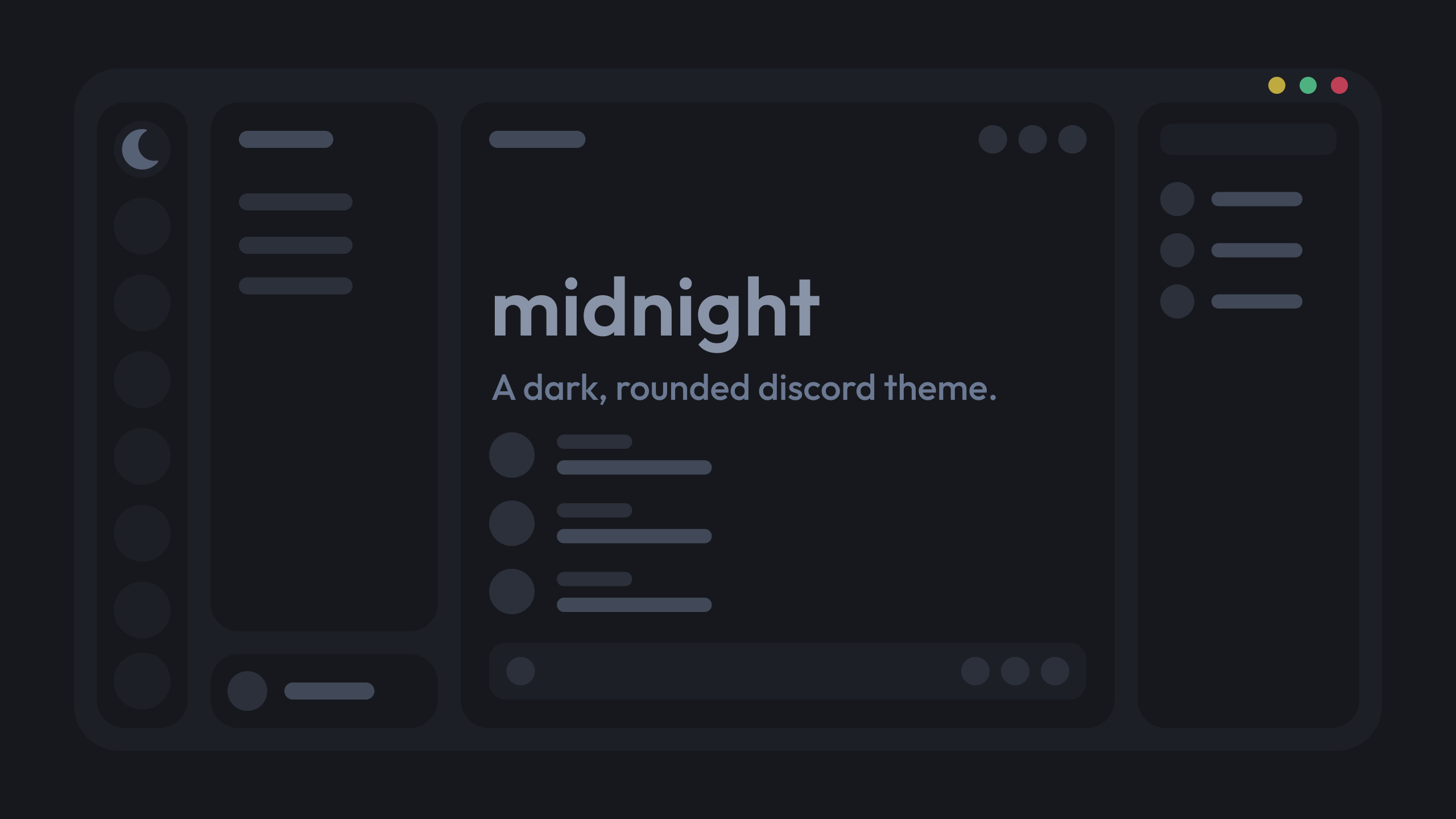
GitHub
a dark, customizable discord theme. Contribute to refact0r/midnight-discord development by creating an account on GitHub.
yeah that one
crimson skiff
upper isle
<@508863359777505290> how did you make the preview image for https://github.com/...
imagine he used photoshop
vestal field
i cba to buy adobeshit
vestal field
upper isle
<@508863359777505290> how did you make the preview image for https://github.com/...
inkscape
echo frost
vestal field
i cba to buy adobeshit
gimp
 echo frost
iron smelt
https://tenor.com/view/getout-gif-16327023334064302194
echo frost
iron smelt
https://tenor.com/view/getout-gif-16327023334064302194
??
gimp is good
it's like photoshop but free and open source and not cringe adobe product
and it has a cute icon
 iron smelt
echo frost
gimp is good
iron smelt
echo frost
gimp is good
 iron smelt
echo frost
iron smelt
echo frost
(except flash player because i need that for ninja kiwi archive)
(i should probably uninstall it next time it pops up because i haven't played nk archive for like half a year)
iron smelt
echo frost
gimp is good
There’s just a massive learning curve that it takes to learn how to use gimp
echo frost
is there not one for photoshop?
i'm really bad at gimp, but usually if i look it up, there's a tutorial or something
 oak plover
I tried using gimp in 2018 but couldn’t adjust to how god awful the ui was
Idk if they’ve changed it since then or not
vestal field
echo frost
gimp
for this kind of thing why would you use gimp
if i was smart i would've used figma
iron smelt
||Plus just ||🏴☠️|| photoship like most of all people||
oak plover
Figma’s a godsend for layout
echo frost
oak plover
I tried using gimp in 2018 but couldn’t adjust to how god awful the ui was
i think they have
 oak plover
I feel bad for people that used photoshop to make layouts cause that shit sucks
 clear siren
echo frost
it's like photoshop but free and open source and not cringe adobe product
clear siren
echo frost
it's like photoshop but free and open source and not cringe adobe product
krita my beloved
clear siren
I had to use gimp in my old job and it was torture
echo frost
what was that?
echo frost
vestal field
if i was smart i would've used figma
even better: make css to showcase your theme that looks like your concept image
clear siren
echo frost
what was that?
my job? I worked at a car factory and one of my duties was to make and maintain work instructions which included images and had to overlay some text and arrows and circles and even that was painful to do
echo frost
figma always seems weird to me
like i've seen videos on like "redesigning youtube ui" or discord ui or something, and then it's just in figma
like why not just do it in css instead
echo frost
clear siren
my job? I worked at a car factory and one of my duties was to make and maintain ...
sharex my beloved
vestal field
echo frost
figma always seems weird to me
like i've seen videos on like "redesigning youtub...
because
- most people suck at css
- its still faster to do it in figma even if you're good at css
echo frost
but it doesn't mean anything if you do it in figma imo
echo frost
idk i'm not a designer
clear siren
echo frost
sharex my beloved
well we only had software approved by it dept and installable via a software center thing.. so options were limited
vestal field
its like so much easier to copy a figma design rather than try to create a layout in your head and implement it directly with css
echo frost
clear siren
my job? I worked at a car factory and one of my duties was to make and maintain ...
how do you even draw arrows/lines in gimp
clear siren
echo frost
how do you even draw arrows/lines in gimp
exactly...
oak plover
made a layout in photoshop, hated it
downloaded figma and now i like photoshop even less
echo frost
clear siren
exactly...
help i accidentally got rid of the panels

(i have no idea what you mean that gimp is annoying to use, it's perfectly fine for me)
whoa i found it
somehow enabled "hide docks"
which doesn't even seem to have a keybind so i have no idea how
 round moat
onyx mesa
```css
.visual-refresh [class*="guilds_"] {
position: relative;
width: 0...
round moat
onyx mesa
```css
.visual-refresh [class*="guilds_"] {
position: relative;
width: 0...
Yeahh!!, basically!!, thank you so much!!!!
upper isle
figma balls
figma kinda sucks now
@blazing dock what are you using instead of figma
 blazing dock
penpot
valid heron
oak plover
Idk if they’ve changed it since then or not
there's a fork called photogimp that makes it like photoshop
chilly knoll
midnight cloud
do they follow the colour of a discord var
chilly knoll
echo frost
i think they have
does gimp have svg editing tools
ive been using inkscape. its pretty good but drawing and erasing? so bad
echo frost
chilly knoll
does gimp have svg editing tools
don't think so
it's not for vector graphics
chilly knoll
ahh
echo frost
I barely even use gimp
I have to look up everything I want to do in gimp pretty much lol
chilly knoll
i used to use it back when i riced windows to catppuccin adn wanted catpuccin window app icons lmao
onyx mesa
i think inkscape is the best free option for vectors
chilly knoll
onyx mesa
i think inkscape is the best free option for vectors
whats the bestpaid one
onyx mesa
chilly knoll
whats the bestpaid one
would be adobe illustrator but i think affinity design is better
cuz adobe is like $60 a month while affinity is $60 as a one time payment
chilly knoll
who even pays for adobe
 plain kelp
Corporations
onyx mesa
i mean yeah i guess you could just sail the seas for adobe stuff
crimson skiff
remember kids, always sail the seas
 uncut pelican
but sometimes the fish will try to swim up you
plain kelp
Eat them
 storm whale
burnt sky
storm whale
burnt sky
Found the issue of what was causing typing lag it was because of the hide nameplates snippet
 fierce bridge
burnt sky
Found the issue of what was causing typing lag it was because of the hide namepl...
fierce bridge
burnt sky
Found the issue of what was causing typing lag it was because of the hide namepl...
that's because it uses has: which is horror code
onyx mesa
ok why are some of the icons just gone

 smoky belfry
onyx mesa
ok why are some of the icons just gone
smoky belfry
onyx mesa
ok why are some of the icons just gone
Discord moment
onyx mesa
the github links are working perfectly fine
ok now the ones that were gone appeared again
now different ones are gone
 tidal heron
onyx mesa
ok why are some of the icons just gone
tidal heron
onyx mesa
ok why are some of the icons just gone
not sure if it’s just me but this icons look pretty big
onyx mesa
can someone check if it's just my connection
tidal heron
they were fine last night for me but i aint on pc rn
onyx mesa
tidal heron
not sure if it’s just me but this icons look pretty big
i'll be adding custom vars for the icon sizes
tidal heron
sick
midnight cloud
chilly knoll
do they follow the colour of a discord var
no
chilly knoll
fierce bridge
that's because it uses has: which is horror code
now i truly see how bad has is
chilly knoll
onyx mesa
can someone check if it's just my connection
send link for them ill try
chilly knoll
midnight cloud
no
@onyx mesa should i use the colours it uses ir make them follow a discord var
whatever vars give the same or similar colour ofc
onyx mesa
chilly knoll
<@342017325320372224> should i use the colours it uses ir make them follow a dis...
could use the vars for online, offline etc
chilly knoll
onyx mesa
could use the vars for online, offline etc
not a bad shout
chilly knoll
fine?

i used the --status-[status] vars
dont think they theme shit so shouldnt be bad for themes hopefully
chilly knoll
onyx mesa
tho i think red and green should be switched up
only problem is the hover for close lol

should i just add hover: somecolor to the close one
ok that doesnt even work nvm lol
chilly knoll
chilly knoll
only problem is the hover for close lol
correct screenshot*** lol
 burnt sky
chilly knoll
ok that doesnt even work nvm lol
burnt sky
chilly knoll
ok that doesnt even work nvm lol
yeah thats the windows red color lol litterly the only button on any title bar that goes red when hovering
tidal heron
chilly knoll
correct screenshot*** lol
shouldn’t it be yellow green red
apparently not
apple r backwards i guess
chilly knoll
burnt sky
yeah thats the windows red color lol litterly the only button on any title bar t...
so i cant change it?
chilly knoll
tidal heron
apple r backwards i guess
they always have been
burnt sky
chilly knoll
so i cant change it?
don't think so since its windows making the hovering red
same thing with any program

this here is steam
tidal heron
chilly knoll
they always have been
true
chilly knoll
burnt sky
same thing with any program
ahh
i can change the colour of it tho so i assumed it wasnt
onyx mesa
you should be able to remove the hover effect
empty gyro
burnt sky
same thing with any program
is that regular steam or a theme?
looks like the fluent theme on millenium
onyx mesa
chilly knoll
i can change the colour of it tho so i assumed it wasnt
.winButton_c38106:hover {
    background-color: transparent !important;
}
should remove them
burnt sky
empty gyro
is that regular steam or a theme?
yes its fluenty by the millennium team
not fluent its fluenty
fluent is by opuro which is complete garbage he keeps adding features but not fixing bugs an broken UI
chilly knoll
onyx mesa
```css
.winButton_c38106:hover {
background-color: transparent !important;
}...
yeh removes the hover for all 3
is there a way to change the colour of the close icon when hovering
i can make it follow a white variable or sum (so its visible and doesnt have bad contrast)
onyx mesa
chilly knoll
is there a way to change the colour of the close icon when hovering
.winButton_c38106:nth-of-type(3):hover {
    color: red;
}
that doesnt seem to do anything, tried with !important too
how does it look on macos
onyx mesa
chilly knoll
that doesnt seem to do anything, tried with !important too
it should be working
chilly knoll
deffo doesnt for me lol
burnt sky
chilly knoll
deffo doesnt for me lol
what about the transparent one above
chilly knoll
yeh that works but all 3 of the hovers go boink
burnt sky
ah
onyx mesa
chilly knoll
deffo doesnt for me lol
can you send me your css of the windows buttons
chilly knoll
.winButton_c38106:nth-of-type(1)::before {
  content: '';
  width: 25px;
  height: 25px;
  background-color: var(--status-online);
  mask: url('') no-repeat center;
  mask-size: 100%;
  -webkit-mask-size: 100%;
}
.winButton_c38106:nth-of-type(2)::before {
  content: '';
  width: 25px;
  height: 25px;
  background-color: var(--status-idle);
  mask: url('') no-repeat center;
  mask-size: 100%;
  -webkit-mask-size: 100%;
}
.winButton_c38106:nth-of-type(3)::before {
  content: '';
  width: 25px;
  height: 25px;
  background-color: var(--status-dnd);
  mask: url('') no-repeat center;
  mask-size: 100%;
  -webkit-mask-size: 100%;
}
.winButton_c38106:nth-of-type(3):hover {
    color: rgb(38, 255, 0);
}
 chilly knoll
forgot this bit
.winButton_c38106:nth-of-type(1) svg,
.winButton_c38106:nth-of-type(2) svg,
.winButton_c38106:nth-of-type(3) svg {
  display: none;
}
i see the issue
.winButton_c38106:nth-of-type(3):hover::before {
    background-color: rgb(38, 255, 0) !important;
}

 onyx mesa
looks cool
i think on mac it either gets darker on hover
or i think the icons inside are invisible until hover
 onyx mesa
nah i think this is a better option
chilly knoll
damn
onyx mesa
the one you did rn i mean
chilly knoll
whoch colour for popups is better?
the 2nd one uses the same colour as the channels list and lots of other major backgrounds but its also more consistent with my bunny theme than first

 chilly knoll
onyx mesa
the one you did rn i mean
chilly knoll
onyx mesa
the one you did rn i mean
yeh i liked that one more
burnt sky
looks pretty good like this aswell when you hover over it
 onyx mesa
chilly knoll
whoch colour for popups is better?
the 2nd one uses the same colour as the chann...
onyx mesa
chilly knoll
whoch colour for popups is better?
the 2nd one uses the same colour as the chann...
should match with this, for consistency
 chilly knoll
onyx mesa
chilly knoll
onyx mesa
oh i can change that
i always keep that the same colour lol, it uses a diff var or i themed its class so couldnt be assed changing it just for the screenshot xd
onyx mesa
the darker one seems better for the eyes
chilly knoll
chilly knoll
whoch colour for popups is better?
the 2nd one uses the same colour as the chann...
got these mixed up the 1st one is what the message is talking about lol
chilly knoll
onyx mesa
the darker one seems better for the eyes
i have a darker version of this theme anyway
its what i use
chilly knoll
tidal heron
whats the button between cat and translate?
view raw
wasnt sure what else to use
tidal heron
chilly knoll
view raw
demo?
half crystal
glorious

 chilly knoll
tidal heron
demo?
chilly knoll
tidal heron
demo?
this?
 tidal heron
half crystal
glorious
tidal heron
half crystal
glorious
hideous
chilly knoll
half crystal
glorious
stop playing my mother bro
half crystal
tidal heron
hideous
rude
tidal heron
chilly knoll
this?
fair enough i guess
tidal heron
half crystal
rude

half crystal
chilly knoll
stop playing my mother bro
 chilly knoll
is activity meant to be all the way here or do i have css messing with it
 half crystal
chilly knoll
is activity meant to be all the way here or do i have css messing with it
half crystal
chilly knoll
is activity meant to be all the way here or do i have css messing with it
who knows what the fuck discord is doing to the app
chilly knoll
half crystal
who knows what the fuck discord is doing to the app
honestly so true
tidal heron
chilly knoll
is activity meant to be all the way here or do i have css messing with it
i cant get over how zoomed in ur discord is
im too used to 80% zoom
chilly knoll
i tried zooming out but ew
tidal heron
i use a vert monitor
chilly knoll
didnt like shit being so small
tidal heron
i need the extra space
half crystal
tidal heron
i cant get over how zoomed in ur discord is
i was about to say big-small screen syndrome but that res says otherwise
chilly knoll
tidal heron
i use a vert monitor
half crystal
tidal heron
i use a vert monitor
🔥
tidal heron
ignore andor
 tidal heron
yo anyone got a snippet to get rid of the white dot and change it so the channel icon turns white instead
 empty gyro
chilly knoll
is activity meant to be all the way here or do i have css messing with it
empty gyro
chilly knoll
is activity meant to be all the way here or do i have css messing with it
allg for me
 chilly knoll
empty gyro
allg for me
chilly knoll
empty gyro
allg for me
yeh cuz theres other tabs
empty gyro
discord fucked with it ig
 tidal heron
would tell u but idek how u get favourites
cant find the plugin for it guessing it doesnt include the word favorites
empty gyro
its an experiment
chilly knoll
ye
tidal heron
ah
chilly knoll
chilly knoll
whats the class name for the favorites server
dont ened this anymore, was having issues which seem to be rooting from vencord
tidal heron
idk if the favourites is a good feature or not
chilly knoll
tidal heron
idk if the favourites is a good feature or not
i havent used it since like begining 2024
i just keep it bcuz
idk
chilly knoll
its been an experiment for fuck knowshow long now
iron smelt
It’s existed since 2021 in some capacity
chilly knoll
exists on mobile too tho they messed up the experimen
chilly knoll
iron smelt
It’s existed since 2021 in some capacity
jeez
why havent they rolled it out what is wrong with discord
iron smelt
chilly knoll
why havent they rolled it out what is wrong with discord
It’s the same thing with the mobile account switcher
chilly knoll
real
iron smelt
There’s an experiment for it and it works perfectly fine. They just won’t roll it out
crimson skiff
favourites server is amazing
iron smelt
crimson skiff
favourites server is amazing
*favorite
crimson skiff
iron smelt
*favorite
screw americans
iron smelt
crimson skiff
screw americans
pine needle
anyone here can help me fix this,is not working anymore.
/* Plain Folder Icon Size Pastel */
.expandedFolderIconWrapper__48112 svg {
  display: none;
}
.expandedFolderIconWrapper__48112::after,
.closedFolderIconWrapper__48112::after {
  content: "";
  background-color: var(--bg-3);
  width: 24px;
  height: 24px;
  position: absolute;
  clip-path: path("M2 8V6.25A3.25 3.25 0 0 1 5.25 3h2.879a2.25 2.25 0 0 1 1.59.659l1.531 1.53L8.659 7.78a.75.75 0 0 1-.53.22zm0 1.5v8.25A3.25 3.25 0 0 0 5.25 21h13.5A3.25 3.25 0 0 0 22 17.75v-9a3.25 3.25 0 0 0-3.25-3.25h-5.69L9.72 8.841a2.25 2.25 0 0 1-1.591.659z");
  transition: opacity 0.2s ease;
}
.closedFolderIconWrapper__48112:hover::after {
  opacity: 0;
}
.closedFolderIconWrapper__48112 > .guildIcon__48112 {
  opacity: 0.5;
  filter: blur(1px);
  transition: opacity 0.2s ease, filter 0.2s ease !important;
}
.closedFolderIconWrapper__48112:hover > .guildIcon__48112 {
  opacity: 1;
  filter: blur(0px);
}
.theme-dark .folder__48112[aria-expanded="false"] {
  background-color: var(--bg-3);
}
thats what i like to hear
upper isle
so true
burnt sky
pine needle
anyone here can help me fix this,is not working anymore.
```
/* Plain Folder Ico...
mine is slighlty modified but it still works
 clear siren
looks good ngl
burnt sky
clear siren
looks good ngl
thanks
pine needle
burnt sky
mine is slighlty modified but it still works
can share yours?
burnt sky
pine needle
can share yours?
its on my github under the file colorfull.css look for the label Plain Folder Icon Size Pastel
pine needle
tysm
clear siren
burnt sky
its on my github under the file colorfull.css look for the label Plain Folder Ic...
btw you misspelled my name in your readme 
burnt sky
clear siren
btw you misspelled my name in your readme <:venniebwaah:1221015075922513990>
yeah lol just noticed
burnt sky
clear siren
btw you misspelled my name in your readme <:venniebwaah:1221015075922513990>
should be updated there now i was half paying attention when i first typed it lol
 crimson skiff
burnt sky
should be updated there now i was half paying attention when i first typed it lo...
crimson skiff
burnt sky
should be updated there now i was half paying attention when i first typed it lo...
not sure what i contributed, but whatever 
 burnt sky
crimson skiff
not sure what i contributed, but whatever <:blobcatcozy:1026533070955872337>
burnt sky
crimson skiff
not sure what i contributed, but whatever <:blobcatcozy:1026533070955872337>
i know i took something from you but cant remember so i have you there
ah think its this an something else
 crimson skiff
reminder that stuff in my css_snippets file are not made by me
crimson skiff
burnt sky
ah think its this an something else
dont have anything in my list that does that lol
burnt sky
oh no its the new leaf
crimson skiff
crimson skiff
[madmaxgrey/Vertical-Spacious-Refresh `main` L23 in vencord/Vertical-Spacious-Re...
i need to make a better regex for this link, this looks too cluttered
burnt sky
theres also the new leaf aswell
tidal heron
crimson skiff
reminder that stuff in my [`css_snippets` file](<https://nspc911.github.io/theme...
whats the difference between normal radial status and urs? just disabling the phone?
crimson skiff
burnt sky
theres also the new leaf aswell
new leaf?
burnt sky
 crimson skiff
tidal heron
whats the difference between normal radial status and urs? just disabling the ph...
crimson skiff
tidal heron
whats the difference between normal radial status and urs? just disabling the ph...
¯_(ツ)_/¯
burnt sky
that green leaf when new users join a server
crimson skiff
i never did that lmao
burnt sky
you sure?
crimson skiff
crimson skiff
tidal heron
whats the difference between normal radial status and urs? just disabling the ph...
do a diff idk
burnt sky
considering how it was extremely unorginized like a week or so ago i probably got stuff mixed up it used to be all in 1 file and was gettign annoying on me to find what changed what lol
upper isle
photoshop is still nice to use 

 deft granite
I know this is sorta an old message but uhh, can you continue it's development? if it isn't already as a downloadable thing.
 earnest spruce
deft granite
I know this is sorta an old message but uhh, can you continue it's development? ...
earnest spruce
deft granite
I know this is sorta an old message but uhh, can you continue it's development? ...
the theme is impossible to make due to how stupid discord's html is
best i can do is a non functional mockup
@half crystal stupid idea
discord amity theme
half crystal
earnest spruce
discord amity theme
Uh
Hm
chilly knoll
upper isle
photoshop is still nice to use <a:trolleyzoom:1108685408600064021>
bit irrelevent but i never really liked draculas colour palette
onyx mesa
chilly knoll
bit irrelevent but i never really liked draculas colour palette
that's so mean
chilly knoll
onyx mesa
that's so mean
nuh uh
lots of people like it, i just dont im not calling it shit or anything xD
 grand surge
chilly knoll
bit irrelevent but i never really liked draculas colour palette
grand surge
chilly knoll
bit irrelevent but i never really liked draculas colour palette
It's really dependant on the month for me XD
smoky belfry
upper isle
photoshop is still nice to use <a:trolleyzoom:1108685408600064021>
meanwhile gimp enjoyers : 🤣
GIMP 3 on top btw
chilly knoll
grand surge
It's really dependant on the month for me XD

i made --background-modifier-accent use a very specific colour for a good reason but im trying to remember why i did that cuz its causing borders to be the wrong colour

chilly knoll
its called deprecated but discord still uses it?


@iron smelt also discord use ur oklab and lch
plain kelp
Maybe it's the color to use for deprecated texts, rather than the color being deprecated
Who knows
crimson skiff
chilly knoll
bit irrelevent but i never really liked draculas colour palette
dracula is meh as well for me, its either catppucin mocha or nord
like ill use it, but have a super preference to nord
chilly knoll
crimson skiff
dracula is meh as well for me, its either catppucin mocha or nord
yeah those 2 are nice
rose pine is super underrated too
it has one of the best light mode themes imo
the background colours are very warm so its easier on the eyes. nord doesnt have an official one and catpuccin latte is horror
crimson skiff
chilly knoll
the background colours are very warm so its easier on the eyes. nord doesnt have...
frappe?
chilly knoll
crimson skiff
frappe?
no latte
crimson skiff
chilly knoll
no latte
have you tried catppucin latte?
chilly knoll
crimson skiff
have you tried catppucin latte?
yes i dont like it
the colours dont even feel like pastel colours lol
the dark flavours are great just dont like latte
crimson skiff
i meant to ask whether you tried frappe
chilly knoll
oh lol
ive tried all catppuccin flavours including unoficial ones like voidpuccin and chadpuccin
used to be a catppuccin addict xD
crimson skiff
damn im a nord addict now
chilly knoll
lol
im currently addicted to an old aliu theme
decided to port it to 3 diff apps

echo frost
crimson skiff
damn im a nord addict now
is nord a theme?
plain kelp
Nord is a color palette
echo frost
ah
crimson skiff
then so is catppucin
chilly knoll
it is
chilly knoll

deft granite
earnest spruce
the theme is impossible to make due to how stupid discord's html is
that kinda sucks.. I'll take the mockup I guess
earnest spruce
deft granite
that kinda sucks.. I'll take the mockup I guess
yeh...
chilly knoll
is this a good icon to use for the quest wraith icon lmao

i literally cant find a good one to use ugh
echo frost
echo frost
wtf that regular color is not green blue
#1164b4
chilly knoll
echo frost
#1164b4
u can get the colour with the vcotd cmd
 cloud joltBOT
echo frost
vcotd
cloud joltBOT
echo frost
vcotd
The cozy of the day is green blue! (#1164b4)

 onyx mesa
chilly knoll
is this a good icon to use for the quest wraith icon lmao
onyx mesa
chilly knoll
is this a good icon to use for the quest wraith icon lmao
a what
chilly knoll
onyx mesa
a what
 smoky belfry
cloud jolt
smoky belfry
cloud jolt
that's not green, that's entirely blue
onyx mesa
chilly knoll
what icon pack do you use for everything else
could use something like this for it
 chilly knoll
onyx mesa
what icon pack do you use for everything else
chilly knoll
onyx mesa
what icon pack do you use for everything else
i use solar for everything
chilly knoll
onyx mesa
could use something like this for it
i have all these
 onyx mesa
could use the medal one, i think
half crystal
earnest spruce
the theme is impossible to make due to how stupid discord's html is
Nudl 7 is possible
chilly knoll
onyx mesa
could use the medal one, i think
theyre all medals 😭
should i use a paw

its cute
onyx mesa
chilly knoll
theyre all medals 😭
i meant these ones
 chilly knoll
onyx mesa
i meant these ones
chilly knoll
onyx mesa
i meant these ones
oh right
half crystal
earnest spruce
you can't do fancy corner radii
7 uses like no capsulation of list elements 👍
earnest spruce
half crystal
7 uses like no capsulation of list elements 👍
it does????
6.0 doesn't
only 6.0
half crystal
earnest spruce
6.0 doesn't
e
Egg
earnest spruce
is you of retardation
upper isle
smoky belfry
meanwhile gimp enjoyers : 🤣
GIMP 3 on top btw
gimp is like actually unusable
actually i havent tried gimp 3
has it gotten any bit better
or is the ux terrible as always
smoky belfry
upper isle
gimp is like actually unusable
i highly disagree
onyx mesa
photoshop
 spare mural
tidal heron
chilly knoll
i use solar for everything
spare mural
tidal heron
chilly knoll
i use solar for everything
solar is good apart from the fucking windows buttons
this shit is fucking ugly

take away the colours n circles n im fine with it
onyx mesa
or you can just change them yourself, personally
tidal heron
that requires me to download the css and remove the icons and ngl im way too lazy for that shit
onyx mesa
no, you can just overwrite their svgs with your own
half crystal
tidal heron
that requires me to download the css and remove the icons and ngl im way too laz...
or just make a patch snippet
tidal heron
well it depends
could i technically just take this and swap out the icons i dont like with my own ones and leave the ones i do like? https://github.com/mudaranrhiod/discord-iconpacks/blob/master/vencord/solar/moreicons.css
onyx mesa
/* Window Control Fancy Buttons */
.winButton_c38106:nth-of-type(1) svg,
.winButton_c38106:nth-of-type(2) svg,
.winButton_c38106:nth-of-type(3) svg {
    display: none;
}
.winButton_c38106:hover {
    background-color: transparent !important;
}
.winButton_c38106:nth-of-type(1)::before {
    content: '';
    width: 25px;
    height: 25px;
    background-color: currentColor;
    mask: url('data:image/svg+xml;base64,PHN2ZyB4bWxucz0iaHR0cDovL3d3dy53My5vcmcvMjAwMC9zdmciIHdpZHRoPSIyNCIgaGVpZ2h0PSIyNCIgdmlld0JveD0iMCAwIDI0IDI0Ij48cGF0aCBmaWxsPSJjdXJyZW50Q29sb3IiIGQ9Ik0xOCAxMi45OThINmExIDEgMCAwIDEgMC0yaDEyYTEgMSAwIDAgMSAwIDIiLz48L3N2Zz4=') no-repeat center;
    mask-size: 100%;
    -webkit-mask-size: 100%;
}
.winButton_c38106:nth-of-type(2)::before {
    content: '';
    width: 21px;
    height: 21px;
    background-color: currentColor;
    mask: url('data:image/svg+xml;base64,PHN2ZyB4bWxucz0iaHR0cDovL3d3dy53My5vcmcvMjAwMC9zdmciIHdpZHRoPSIyNCIgaGVpZ2h0PSIyNCIgdmlld0JveD0iMCAwIDI0IDI0Ij48cGF0aCBmaWxsPSJjdXJyZW50Q29sb3IiIGQ9Ik0xOCA0SDZjLTEuMSAwLTIgLjktMiAydjEyYzAgMS4xLjkgMiAyIDJoMTJjMS4xIDAgMi0uOSAyLTJWNmMwLTEuMS0uOS0yLTItMm0wIDE0SDZWNmgxMnoiLz48L3N2Zz4=') no-repeat center;
    mask-size: 100%;
    -webkit-mask-size: 100%;
}
.winButton_c38106:nth-of-type(3)::before {
    content: '';
    width: 25px;
    height: 25px;
    background-color: currentColor;
    mask: url('data:image/svg+xml;base64,PHN2ZyB4bWxucz0iaHR0cDovL3d3dy53My5vcmcvMjAwMC9zdmciIHdpZHRoPSIyNCIgaGVpZ2h0PSIyNCIgdmlld0JveD0iMCAwIDI0IDI0Ij48cGF0aCBmaWxsPSJjdXJyZW50Q29sb3IiIGQ9Ik0xOC4zIDUuNzFhLjk5Ni45OTYgMCAwIDAtMS40MSAwTDEyIDEwLjU5TDcuMTEgNS43QS45OTYuOTk2IDAgMSAwIDUuNyA3LjExTDEwLjU5IDEyTDUuNyAxNi44OWEuOTk2Ljk5NiAwIDEgMCAxLjQxIDEuNDFMMTIgMTMuNDFsNC44OSA0Ljg5YS45OTYuOTk2IDAgMSAwIDEuNDEtMS40MUwxMy40MSAxMmw0Ljg5LTQuODljLjM4LS4zOC4zOC0xLjAyIDAtMS40Ii8+PC9zdmc+') no-repeat center;
    mask-size: 100%;
    -webkit-mask-size: 100%;
}
``` here's minemuch better
think my file is getting a bit big
might just have to start importing everything
i say that but it cant get bigger than cyan file
onyx mesa
idk just compile everything into an repo and use one import line
tidal heron
most of ur stuff is just ur own tho right?
onyx mesa
depends how much you wanna reduce the size of it
 chilly knoll
tidal heron
could i technically just take this and swap out the icons i dont like with my ow...
chilly knoll
tidal heron
could i technically just take this and swap out the icons i dont like with my ow...
yeh u could
idm u forking my repo and doing that (so u can pull updates i make)
tidal heron
chilly knoll
yeh u could
OH SHIT
i didnt realise u were the guy who makes solar
feel bad now
onyx mesa
tidal heron
just shitting on ur stuff
chilly knoll
meh idrc, we all have our own opinions and thats completely fine
also its not like i designed the icons lmao
 spring pewter
hello, is there any way to use a file rather than an url as the background image in clearvision?

half crystal
spring pewter
hello, is there any way to use a file rather than an url as the background image...
no
onyx mesa
what's wrong with a url
spring pewter
half crystal
no
sad
chilly knoll
onyx mesa
what's wrong with a url
was just about to ask lol
spring pewter
onyx mesa
what's wrong with a url
theres some wallpapers i cant get an url of, so js askin
chilly knoll
spring pewter
theres some wallpapers i cant get an url of, so js askin
download them and upload them somewhere
spring pewter
chilly knoll
download them and upload them somewhere
ah
 spring pewter
half crystal
https://imgur.com/upload
spring pewter
half crystal
https://imgur.com/upload
thanks
burnt sky
@half crystal that looks demented on a vertical monitor lol
 spring pewter
half crystal
https://imgur.com/upload
spring pewter
half crystal
https://imgur.com/upload
uhhhh i paste the url and it doesnt work
chilly knoll
spring pewter
uhhhh i paste the url and it doesnt work
send the url
 onyx mesa
right click on it in imgur
half crystal
spring pewter
https://imgur.com/1MK0Avh
thats not an image
https://i.imgur.com/1MK0Avh.png is
onyx mesa
and copy the image link
chilly knoll
should it give a link which ends with the file extension
onyx mesa
it has to end in .png, .gif etc.
spring pewter
uhhh
i dont get the png or gif
i js get the imgur link
ah i had to add on my own
spring pewter
spring pewter
ah i had to add on my own
i added the .gif to the link but it uh, is js a still image
onyx mesa

 onyx mesa
give me the imgur link for the wallpaper you wanna use
spring pewter
onyx mesa
oh it's a video
spring pewter
onyx mesa
oh it's a video
do i need to convert it or sum
chilly knoll
isnt it a gif
spring pewter
onyx mesa
you still should be able to use it for the background
i can but its just a still image, not animated

 atomic plank
Is there an update to this?: https://mwittrien.github.io/BetterDiscordAddons/Themes/ServerColumns/ServerColumns.css
Or just a different way to resize the guild list since that's all I use it for?
      /*Server list fix */
  --guildsize: 57;
  --columns: 1;
Server list is just too small
Currently that CSS makes the last folder in a server get cut off
midnight cloud
chilly knoll
correct screenshot*** lol
well the green and yellow should be switched, macos has the minimize and maximize buttons switched for whatever reason which is why the colors are in that order. but green should always be maximize, yellow always minimize, and red always exit
vestal field
the order doesn't matter, but the colors should map to the right button
green maximize, yellow minimize, red close
chilly knoll
vestal field
the order doesn't matter, but the colors should map to the right button
green ma...
so then i need to swap maximise and minimise then
midnight cloud
i dont think swapping the order of the buttons is a good idea, would be weird to have every other program on your computer have the same order except for 1
burnt sky
can someone help me get the classname that lets me change the color of this please

specificly the blue
yeah i cant get it to change
 copper flame
burnt sky
can someone help me get the classname that lets me change the color of this plea...
copper flame
burnt sky
can someone help me get the classname that lets me change the color of this plea...
 lunar hamletBOT
copper flame
https://github.com/catppuccin/discord/blob/9e836c51ea27da1c086eb6a0c33e858778b19...
lunar hamletBOT
copper flame
https://github.com/catppuccin/discord/blob/9e836c51ea27da1c086eb6a0c33e858778b19...
_details.scss: Lines 46-85
// Switches
// Literally a single switch doesnt have the parent control_ class... so annoying
// div[class^="container_"][style*="opacity: 1; background-color:"]
div[class^="control_"] > div[class^="container_"] {
  background-color: #{$surface2} !important;

  > svg {
    > rect {
      fill: var(--white);
    }
    > svg > path {
      fill: #{$surface2};
    }
  }

  &[class*="checked_"] {
    background-color: var(--brand-500) !important;

    > svg {
      > rect {
        fill: #{$crust};
      }
      > svg > path {
        fill: var(--brand-500);
      }
    }
  }
}

// Vencord custom switches
div[class^="vc-addon-card"] > div div[class^="container_"] {
  --primary-400: #{$surface2};
  > svg > rect {
    fill: var(--white);
  }

  &[class*="checked_"] > svg > rect {
    fill: #{$crust};
  }
}
surface2 and --brand-500 are toggle off and on backgrounds respectively
burnt sky
thank you
all i wanted to do lol
[class*="checked_"] {
    background-color: var(--mc) !important;
}```
Give it a specifc red color i like to match the red in other placesso guessing like this
/* Switches Color */
div[class^="control_"] > div[class^="container_"][class*="checked_"] {
  background-color: var(--mc) !important;
}
div[class^="vc-addon-card"] > div div[class^="container_"][class*="checked_"] {
  background-color: var(--mc) !important;
}```you dont need to important the venniecor
also can nest the container checked into the control > and vc addon > div
oh wait
no
wait
I'm dumb
misremembered the structure
burnt sky
im happy now hopfully im not missing any other discord blue stuff been changing it to this nice red color
 copper flame
burnt sky
im happy now hopfully im not missing any other discord blue stuff been changing ...
copper flame
burnt sky
im happy now hopfully im not missing any other discord blue stuff been changing ...
if you want the proper animation youll define both ends and ease them like i did for catppuccin
youre also not styling the checkmark
burnt sky
think thats from the solaar icon set from mood
 burnt sky
hm okay weird
not sure whats styling the checkmark
https://github.com/madmaxgrey/Vertical-Spacious-Refresh/tree/main/vencord
you can take a look through the 4 files if you want
copper flame
burnt sky
hm okay weird
not sure whats styling the checkmark
<https://github.com/madmaxgre...
its in the snippet i sent
&[class*="checked_"] > svg > svg > path { fill: var() }
burnt sky
oh
copper flame
just use the snippet and remove what you dont need
echo frost
burnt sky
can someone help me get the classname that lets me change the color of this plea...
made that to make the switches apply to your theme
the colors are hard coded in the style=
burnt sky
echo frost
the colors are hard coded in the style=
that probably explains why it was only showing element style somethign somethign along with the extra stuff below it
burnt sky
lol a new annoying button has been added to DM's lol

 hasty dagger
discord broke this plugin how can i fix it with css

 burnt sky
hasty dagger
discord broke this plugin how can i fix it with css
burnt sky
hasty dagger
discord broke this plugin how can i fix it with css
disable that plugin for now an use this may like it better
/* Plain Folder Icon Size Pastel */
.expandedFolderIconWrapper__48112::after,
.folderPreview__48112::after {
  content: "";
  background-color: #fff;
  width: 24px;
  height: 24px;
  top: 60px;
  right: 12px;
  position: absolute;
  clip-path: path("M20 7H12L10.553 5.106C10.214 4.428 9.521 4 8.764 4H3C2.447 4 2 4.447 2 5V19C2 20.104 2.895 21 4 21H20C21.104 21 22 20.104 22 19V9C22 7.896 21.104 7 20 7Z");
  transition: opacity 0.2s ease;
}
.folderPreview__48112:hover::after {
  opacity: 0;
}
.folderPreview__48112 > .folderPreviewGuildIcon__48112 {
  opacity: 0.5;
  filter: blur(2px);
  transition: opacity 0.2s ease, filter 0.2s ease !important;
}
.folderPreview__48112:hover > .folderPreviewGuildIcon__48112 {
  opacity: 1;
  filter: blur(0px);
}
.theme-dark .hiddenVisually__27f77[aria-expanded="false"] {
  background-color: #000000;
}
.theme-light .hiddenVisually__27f77[aria-expanded="false"] {
  background-color: #777777;
}```Did you enable the fast follows experiment or is that on rollout
Actually nvm I think it affects folders anyway
hasty dagger
burnt sky
disable that plugin for now an use this may like it better
```css
/* Plain Folde...
that just blurrs it witch isnt what i want
burnt sky
hasty dagger
that just blurrs it witch isnt what i want
well its an option until they fix the plugin
also you can just change the opactity aswell
echo frost
hasty dagger
that just blurrs it witch isnt what i want
change this to 0

 halcyon crypt
Here's a small snippet to increase the
chilly knoll
lunar hamlet
**_details.scss:** Lines 46-85
```scss
// Switches
// Literally a single switch ...
which part of thr switch is this for
@copper flame
wait why is she on timeout lol
onyx mesa
idk after this update
the nameplates randomly become always visible
their classes did not change so idk wtf is the problem
pine needle
in where? direct message thing?
pine needle
oh i thought in direct message thingy.. u need to hover it then you can see the nameplate..
the experiment also broke
chilly knoll
pine needle
oh i thought in direct message thingy.. u need to hover it then you can see the ...
u mean the dms list or smth else lol
pine needle
ya dms list
chilly knoll
which one looks better? 1st is the current colours


 onyx mesa
 crimson meadow
fuck you discord
crimson meadow
fuck you discord
it's getting fixed
#1354502862390038528 message
copper flame
chilly knoll
wait why is she on timeout lol
my ops
copper flame
chilly knoll
which part of thr switch is this for
the whole switch
chilly knoll
copper flame
the whole switch
can i just copy paste the snippet and change it to my own colours then
ok nvm
how do i theme the white part that the checkmark sits in
crimson meadow
onyx mesa
it's getting fixed
https://discord.com/channels/1015060230222131221/13545028623...
that worked thanks
but everything else of my theme is broken
:c
atleast this is still fixed 💔

cuz tf is this?
 copper flame
chilly knoll
can i just copy paste the snippet and change it to my own colours then
copper flame
chilly knoll
can i just copy paste the snippet and change it to my own colours then
its scss so youll have to adapt it but yes
copper flame
chilly knoll
how do i theme the white part that the checkmark sits in
the > svg > svg > path { fill }
chilly knoll
yeh got it, thanks

 finite meteor
Are there any CSS themes that return Discord pre-visual-refresh UI (remove the top bar, make the bar under profile smaller, returns old servers list, etc)?
onyx mesa
finite meteor
Are there any CSS themes that return Discord pre-visual-refresh UI (remove the t...
you can find snippets that do all of those things in #🎨-css-snippets
completely reverting to old ui is not possible tho
finite meteor
onyx mesa
you can find snippets that do all of those things in <#1028106818368589824>
In this channel are many other snippets not connected with things that return Discord to old UI
Can you send me links to the messages with snippets that return old UI step by step? I'm going to use all of them
fierce bridge
no do it yourself 
and getting 100% there is impossible and will become increasingly more annoying as discord changes more stuff, just use the new UI
chilly knoll
fierce bridge
and getting 100% there is impossible and will become increasingly more annoying ...
mobile discord had this same issue
people constantly complaining over ui change
finite meteor
chilly knoll
mobile discord had this same issue
Mobile doesn't have new UI
finite meteor
fierce bridge
and getting 100% there is impossible and will become increasingly more annoying ...
No. It's bad
 pure cairn
finite meteor
Mobile doesn't have new UI
pure cairn
finite meteor
Mobile doesn't have new UI
Yes, it does
It was released last year
And people kept whining about it for months, just like the desktop visual refresh

deft granite
finite meteor
Mobile doesn't have new UI
it does tho?
chilly knoll
pure cairn
And people kept whining about it for months, just like the desktop visual refres...
visual refresh didnt even change the layout and people still complained its honestly annoying
and all the weird sizing and unalignment issues can be fixed with css
deft granite
chilly knoll
visual refresh didnt even change the layout and people still complained its hone...
some aspects got changed, e.g parts that were iconic
pure cairn
I used to hate the visual refresh tbh, but now I just chill with it as I finally have a pitch black theme
chilly knoll
lol
chilly knoll
deft granite
some aspects got changed, e.g parts that were iconic
like
pure cairn
User area
deft granite
yep
chilly knoll
isnt it just longer lol
pure cairn
It's massive
Compared to the old one
Takes up way more space on both servers and channels list
deft granite
pure cairn
It's massive
hell I even have a plugin to just size that shit down
chilly knoll
i can see why people wouldnt like the new one but thats such a small issue imho. like again css can revert it so easily
pure cairn
chilly knoll
i can see why people wouldnt like the new one but thats such a small issue imho....
That's because you assume regular people would use/know css
If the modded discord users is a minority, people who use custom css aside from prebuilt themes is even smaller
chilly knoll
pure cairn
That's because you assume regular people would use/know css
well people in modding communities know about css and themes. or most do considering how many have asked how to revert it in this channel lol
chilly knoll
pure cairn
If the modded discord users is a minority, people who use custom css aside from ...
guh
pure cairn
chilly knoll
well people in modding communities know about css and themes. or most do conside...
Yes, in modding communities
deft granite
and this is vencord, precoded plugins and themes
pure cairn
What's the % of people who use modded clients compared to the total discord users though?
chilly knoll
idc about non modding communities bcuz the ones im in dont care enough to complain xd
deft granite
pure cairn
What's the % of people who use modded clients compared to the total discord user...
probably ~18%
(guessing)
pure cairn
Even if that was the case, that means around 72% of users have no way to easily change the new layout
And so they complain
chilly knoll
hm
pure cairn
That's the point I wanted to get to
deft granite
pure cairn
Even if that was the case, that means around 72% of users have no way to easily ...
yeah, not everyone wants to install vencord
albeit safety concerns, privacy concerns etc
pure cairn
So now, take that guessed 18% and see how many know and/or use css snippets aside from themes
🤏
pure cairn
deft granite
yeah, not everyone wants to install vencord
albeit safety concerns, privacy con...
And that's fair tbh
 cosmic vault
DISCORD STOP BREAKING THINGSSSS

i dont even see what they changed so i dont know how to fix this 😭
just beauty
 grand surge
love updates
burnt sky
lol everything breaking for everyone but mine still looks perfectly fine lol
 golden ibex
crimson meadow
atleast this is still fixed 💔
golden ibex
crimson meadow
atleast this is still fixed 💔
Do you have the link to that snippet?
crimson meadow
golden ibex
Do you have the link to that snippet?
i made it :3
i can give it to u
deft granite
crimson meadow
hell no
I said "(guessing)" right after
isn't accurate
just might be close
golden ibex
crimson meadow
i can give it to u
Yes please 👉👈, I've made one before that centered the numbers a bit but it got broken with the latest update
crimson meadow
i worked on it like 3 hours
to get pixel perfect centering
.visual-refresh {
    .users__260e1,
    .total__260e1 {
        display: flex;
        justify-content: center;
        font-variant-numeric: normal;
    }

    .users__260e1 {
        padding: 0 7px 0 3px;
        margin-left: 1px;
    }

    .total__260e1 {
        padding: 1px 3px 0 0;
    }

    .wrapper__260e1 { border: none; }
}
even this gets correctly centered
 golden ibex
crimson meadow
```css
.visual-refresh {
.users__260e1,
.total__260e1 {
display:...
golden ibex
crimson meadow
```css
.visual-refresh {
.users__260e1,
.total__260e1 {
display:...
Thank you so much!
onyx mesa
crimson meadow
```css
.visual-refresh {
.users__260e1,
.total__260e1 {
display:...
wouldn't this be enough?
.visual-refresh .wrapper__260e1  {
    border: none !important;
    .total__260e1 {
    padding-top: 1px;
    }
}
no
doesnt work for all cases
and its off
onyx mesa
it works fine for me
crimson meadow
its neither centered
nor is the font normal
nor is the padding/margin 100% symmetrical
onyx mesa


 onyx mesa
i guess it depends what you got in your custom css
crimson meadow

 grand surge
how do i remove this
 crimson meadow
the font is kinda ugly
grand surge
:3
onyx mesa
it's the default font for me
onyx mesa
grand surge
how do i remove this
what do you want to remove exactly
grand surge
onyx mesa
what do you want to remove exactly
this 1h 24h etc
 onyx mesa
mine looks very different
 oak plover
how is it bad exactly
grand surge
it make me so angry
onyx mesa
why would you not want an option for how long a status should last tho
oak plover
well idk how timed statuses can make you angry but okay
onyx mesa
cuz if you remove it the statuses will always just last 1 day
grand surge
oak plover
well idk how timed statuses can make you angry but okay
i have to press more buttons
oak plover
are you serious
 edgy iris
chilly knoll
onyx mesa
mine looks very different
edgy iris
chilly knoll
onyx mesa
mine looks very different
how did u get that

 chilly knoll
onyx mesa
added icons in the channel edit tab
chilly knoll
onyx mesa
added icons in the channel edit tab
are u using the md3 icons or md2
onyx mesa
chilly knoll
are u using the md3 icons or md2
it's material from google
finished the server settings page completely too
 chilly knoll
onyx mesa
it's material from google
chilly knoll
onyx mesa
it's material from google
this one right?
 onyx mesa
chilly knoll
this one right?
onyx mesa
chilly knoll
this one right?
yeah, i use this site tho https://icon-sets.iconify.design/
chilly knoll
onyx mesa
yeah, i use this site tho `https://icon-sets.iconify.design/`
i love that site. i get solar from there. i asked the dev to add stroke for the 3 styles which dont have them and he added it
like what a nice person
onyx mesa
chilly knoll
i love that site. i get solar from there. i asked the dev to add stroke for the ...
yeah i use the first pack on that site
chilly knoll
sorry
 chilly knoll
onyx mesa
what you sorry for
chilly knoll
onyx mesa
what you sorry for
 burnt sky
can someone help me remove this dot for remove role and the tooltip having a hard time getting it

 valid cradle
Why is my theme not working? (CSS code:
.visual-refresh .container_a4d4d9 {
  padding-top: unset;
}

/* keep unread button from overlaying on top of the call/game ui */
[class^=unreadMentionsIndicatorBottom] {
    z-index: 2;
}

/* make profile button use the entire space on the bottom left */
[class^=avatarWrapper] {
    width: -webkit-fill-available;
}

/* round server banner */
[class^=animatedContainer] {
    border-radius: var(--radius-sm) 0 0 0;
    width: 100%;
}

/* adjust banner image width to fit */
[class^=bannerIm] {
    width: 100%;
}

/* align personal profile properly */
[class^=accountProfilePopoutWrapper] {
    /* tested on various screen sizes */
    left: -5px;
}

/* fix dms in dms list width */
[class^=channel] {
    max-width: unset;
}

/* fix spacing of the typing and slowmode indicators below chat bar */
[class^=typing] {
    bottom: -8px;
}

/* remove coloring that would mess up rounding */
[class^=layer_] {
    background: unset;
}```.theme-dark.theme-dark.custom-theme-background.visual-refresh .form_a7d72e {
padding-top: unset;
}
/*
make sure call and current active game ui is properly rounded
and make server list bottom padding space transparent to match theme
*/
.custom-theme-background .container_adcaac,
.theme-dark .panel_bf1a22,
.theme-light .panel_bf1a22,
.visual-refresh .wrapper_fea3ef {
background: transparent none repeat 0 0/auto auto padding-box border-box scroll;
}
/* revert channel icon size */
.visual-refresh .wrapper_c5f96a,
.visual-refresh .svg_c5f96a {
width: 48px;
height: 48px;
}
/* ugly border for no reason at send message thing */
.visual-refresh [class^=form] {
border-top: unset;
}
/* fix spacing of the typing and slowmode indicators below chat bar */
.visual-refresh .form_a7d72e {
padding-bottom: 16px;
}
/* add proper coloring */
.visual-refresh [class^=channelTextArea],
.visual-refresh [class^=form] {
background-color: var(--bg-overlay-1,var(--background-secondary-alt));
}
/* fix color scheming with themes */
.visual-refresh [class^=privateChannels],
.visual-refresh .sidebar_a4d4d9,
.visual-refresh .container_ee69e0,
.visual-refresh .scroller_c47fa9 {
background: var(--bg-overlay-3,var(--bg-base-tertiary, var(--background-secondary)));
}
/* remove left-side padding so unread badges fit the corner */
.visual-refresh [class^=appAsidePanelWrapper] {
padding-left: unset;
}```)@valid cradle toss it into this and update the classes see if it fixes it
https://syndishanx.github.io/Website/Update_Classes.html
 full rover
Is there some snippet to like fix the misaligned server badges
https://cdn.discordapp.com/attachments/1354502862390038528/1367618552474898505/image.png?ex=68153d88&is=6813ec08&hm=7b74ebe71f0ff571779332bd1924cdef8acd5f9fdbaf37f659b0b07577378da2&
https://cdn.discordapp.com/attachments/1354502862390038528/1367618555037745263/image.png?ex=68153d88&is=6813ec08&hm=d4829963984653cc3491778f3dc53944c0b30220e585547d2ae9e68646e45ebb&


 astral ginkgo
fierce bridge
no do it yourself <:KannaStare:914569998071115827>
astral ginkgo
fierce bridge
no do it yourself <:KannaStare:914569998071115827>
real (real)
finite meteor
how to make categories and roles title having capital letters and different font (as before)?
new UI -> old UI

 pure cairn
text-transform: uppercase
finite meteor
pure cairn
`text-transform: uppercase`
Where do I put it in custom CSS?
If I put
  text-transform: uppercase;
}```, then all the channels would be "uppercase" too, but not roles
Also, do you know how to remove this blurry part?
 pure cairn
finite meteor
Where do I put it in custom CSS?
pure cairn
finite meteor
Where do I put it in custom CSS?
Open DevTools, select the element picker, click on the category name, find the right class and copy it, paste it into the quickcss and add the property
finite meteor
pure cairn
Open DevTools, select the element picker, click on the category name, find the r...
<div class="layerContainer_da8173"></div>?
echo frost
finite meteor
<div class="layerContainer_da8173"></div>?
:is(#channels, .members_c8ffbb) .header__13cf1 {
  text-transform: uppercase;
  font-weight: 600;
  font-size: 12px;
}
You can adjust the font-weight and font-size
I don't remember what they used to be exactly, but i think this is right?
finite meteor
echo frost
I don't remember what they used to be exactly, but i think this is right?
Thanks, I already fixed this (using:
    text-transform: uppercase !important;
    font-size: 10.5pt !important;
}```)yours will also apply to other headers btw
finite meteor
echo frost
yours will also apply to other headers btw
I know (for example for roles in server members list)
echo frost
mine does too
finite meteor
Also, thanks for font-weight: 600; option, now these headers have bold font as well
echo frost
finite meteor
I know (for example for roles in server members list)
didn't you say you wanted that?
finite meteor
echo frost
didn't you say you wanted that?
Yes, I did
echo frost
but it'll apply to others you didn't say as well
finite meteor
echo frost
but it'll apply to others you didn't say as well
That's ok
echo frost
ok
finite meteor
Btw, do you know how to remove badges? they're annoyung in last updates?

(to make them not shown)
echo frost
badges or nameplates

I use this to show them except when hovering for nameplates
.nameplated__91a9d:not(:hover)>[style] {
  display: none;
}
remove the :not(:hover) if you never want to see them
chilly knoll
does browser discord use different classes? on the app the channel list and server list are different colours but on discord.com theyre the same!
edit: nvm i have that thingy experiment on the app
echo frost
 pine drum
how i can hide server
pine drum
how i can hide server
Do you mean a server's icon in the server list?
Why would you want to do that
pine drum
echo frost
Do you mean a server's icon in the server list?
yes i want to hide it from server list
pine drum
echo frost
Why would you want to do that
for some reason
echo frost
But then you wouldn't be able to click on it
Why not just leave the server
or do you want to anonymise it or something
pine drum
echo frost
Why not just leave the server
If I get out of it I can't find it again.
pine drum
echo frost
or do you want to anonymise it or something
yes
echo frost
so like change it to this?
 pine drum
echo frost
or do you want to anonymise it or something
pine drum
echo frost
or do you want to anonymise it or something
Does the name disappear too?
echo frost
if you hover over it?
pine drum
echo frost
if you hover over it?
yes
echo frost
There's no way of hiding the tooltip of only a specific server
You can change it to anonymise it for all server tooltips though

Why do you even need it to hide the tooltip too?
@pine drum ^
pine drum
I don't need to hide the name either.
 smoky fog
put the server into folder then use this snippets? #🎨-theme-development message
echo frost
pine drum
I don't need to hide the name either.
I thought you just said you do
echo frost
I thought you wanted it anonymized so you can't tell what server it is
here's the css. replace the 1015060230222131221 with the server id you want to hide (it's currently set to vencord)
and if you don't need it to be hidden from folders, you can deletew the , .folderPreview...:is(...)
:is(
  [data-list-item-id="guildsnav___1015060230222131221"]
) img,
.folderPreviewGuildIcon__48112:is(
  [style*="icons/1015060230222131221"]
) {
  content: var(--censored-server-icon);
}
/* Anonymize all server tooltips. delete if you don't want */
.guildNameText_b1f768 {
  -webkit-text-security: disc;
}

:root {
  --censored-server-icon: url("data:image/svg+xml,%3Csvg xmlns='http://www.w3.org/2000/svg' width='120' height='120'%3E%3Crect width='120' height='120' fill='%2328282d'/%3E%3Ctext xmlns='http://www.w3.org/2000/svg' x='50%25' y='50%25' fill='%23dbdee1' dominant-baseline='middle' text-anchor='middle' style='font-size: 48px'%3E-%3C/text%3E%3C/svg%3E");
}
and if you want to add servers, do this (obviously replace [SERVER ID] with the server id
 echo frost
here's the css. replace the 1015060230222131221 with the server id you want to h...
echo frost
echo frost
here's the css. replace the 1015060230222131221 with the server id you want to h...
does this do what you want @pine drum?
echo frost


