#🎨-theme-development
1 messages · Page 52 of 1


 chilly knoll
:)))
 burnt sky
where are those located?
chilly knoll
ima gonna fix all these rn cuz ill deffo forget
chilly knoll
burnt sky
where are those located?
wdym
burnt sky
i don't see a bike icon anywhere on my end not sure what section that is
chilly knoll
i havent pushed these still what is wrong with me
chilly knoll
burnt sky
i don't see a bike icon anywhere on my end not sure what section that is
its in the emoji section
 half crystal
the all-seeing eye seems unchanged
 burnt sky
chilly knoll
i havent pushed these still what is wrong with me
burnt sky
chilly knoll
i havent pushed these still what is wrong with me
don't worry im forget full aswell
im still trying to find whats causing the textbox to be sluggish from the theme i put together from snips
half crystal
most of these seem unchanged
 burnt sky
@chilly knoll btw lemme know when to refresh so i can check if the icons are there
chilly knoll
@half crystal i give up on the new event icon
discord adds a plus icon used in that same menu so i cant fking hide it
and i struggled to make a custom icon
chilly knoll
half crystal
the all-seeing eye seems unchanged
oh i never join vc so i forgot all about ths
chilly knoll
burnt sky
<@807170846497570848> btw lemme know when to refresh so i can check if the icons...
 chilly knoll
i did vc icons but most are lottie idfk how to change them
half crystal
chilly knoll
i did vc icons but most are lottie idfk how to change them
so are the mute/defen icons butyou chnaged them
chilly knoll
half crystal
so are the mute/defen icons butyou chnaged them
where
 runic lake
have someone an idea to properly make the account panel higher (background inclouded to make the suff behind invisible) ?
 burnt sky
yep icons are there now
chilly knoll
burnt sky
yep icons are there now

 upper isle
im thinking of making a proxy link through cloudflare to my theme
for better caching and latency i think
worth?
 pure cairn
I have no idea what that means or entails, but sure 
 hexed imp
Anybody know the correct way to select embeds? I'm trying to force a width and background color, but I can't seem to find the right thing to change. When I pause and select a test embed element, it comes up with this:
<article class="embedWrapper_b7e1cb embedFull__623de embed__623de markup__75297" aria-hidden="false" style="border-left-color: hsla(0, calc(var(--saturation-factor, 1) * 0%), 100%, 1);"><div class="gridContainer__623de"><div class="grid__623de"><div class="embedTitle__623de embedMargin__623de"><span>TITLE</span></div><div class="embedDescription__623de embedMargin__623de"><span>DESC</span></div></div></div></article>
I think I need to do something like???
article[class*="embedWrapper_"] { width:80%; background-color: var(--background-secondary); }
??? but idk how to actually use CSS so it doesn't work :p
half crystal
hexed imp
Anybody know the correct way to select embeds? I'm trying to force a width and b...
Try !importanting those rules
chilly knoll
runic lake
have someone an idea to properly make the account panel higher (background inclo...
how did u make the bottom bit transparent
half crystal
Why is/was there thread variants of all the custom content channels
 burnt sky
lol the X button isn't in the circle
 chilly knoll
burnt sky
its not
chilly knoll
burnt sky
its not
thank god
 copper oak

 mint kiln
i cannot remove this black bar
even element picker cant pick it

 supple lodge
mint kiln
i cannot remove this black bar
even element picker cant pick it
supple lodge
mint kiln
i cannot remove this black bar
even element picker cant pick it
Maybe disable horizontal server list, then use element picker on it
mint kiln
Still nope
supple lodge
mint kiln
Still nope
.visual-refresh .guilds_c48ade {
width: 64px;
}```
this probably?that did not do anything
but i did found a workaround
instead of 1 big gap on the bottom
i moved the server down a bit and now its even

still cant find a way to enable the native titlebar but with close button
half crystal
mint kiln
still cant find a way to enable the native titlebar but with close button
Using vesktop? Update or use git build
@chilly knoll why did you not variableize your solar theme 😭
Was hoping to use it as a base for my own iconpack but gave up when I viewed the code
chilly knoll
half crystal
<@807170846497570848> why did you not variableize your solar theme 😭
Was hopi...
oh yeh dw i regretted that myself too cuz i wanted to make another iconpack with solar but a diff style
idfk how ima do that 
half crystal
Uhh CTRL+f the original svgs and then make a custom var for each??
half crystal
chilly knoll
what does ctrl f do
Search for them in devtools
chilly knoll
omg thats so helpful
chilly knoll
half crystal
Search for them in devtools
@quick shell might be useful for u too xD
 manic flume
is there a version without changing the activity icons?
 burnt sky
ask @chilly knoll
 lunar flicker
What’s the theme ur using?
manic flume
lunar flicker
What’s the theme ur using?
GitHub
a dark, customizable discord theme. Contribute to refact0r/midnight-discord development by creating an account on GitHub.
I customized it for me.
 lunar flicker
How do you customize it?
 crimson skiff
lunar flicker
How do you customize it?
crimson skiff
lunar flicker
How do you customize it?
there are variables?
this is my config, using midnight's nord flavour with some slight tweaks
 lunar flicker
Do you need to customize through css?
crimson skiff
lunar flicker
Do you need to customize through css?
obv 
lunar flicker
Oh alr
 quick shell
chilly knoll
<@455513497288310785> might be useful for u too xD
quick shell
chilly knoll
<@455513497288310785> might be useful for u too xD
thx
manic flume
crimson skiff
this is my config, using midnight's nord flavour with some slight tweaks
what's the css/plugin??? for status
 crimson skiff
manic flume
what's the css/plugin??? for status
crimson skiff
manic flume
what's the css/plugin??? for status
radial status + gradient member list
manic flume
crimson skiff
radial status + gradient member list
ty
crimson skiff
manic flume
ty
you can check them out in https://nspc911.github.io/themes/vencord
manic flume
crimson skiff
you can check them out in https://nspc911.github.io/themes/vencord
I already did.
crimson skiff
manic flume
I already did.
oh cool
chilly knoll
manic flume
is there a version without changing the activity icons?
no there isnt sorry
manic flume
chilly knoll
no there isnt sorry
I solved the problem another way
 manic flume
crimson skiff
you can check them out in https://nspc911.github.io/themes/vencord
manic flume
crimson skiff
you can check them out in https://nspc911.github.io/themes/vencord
I just can't find the gradient member list.
manic flume
chilly knoll
i thought u meant u wanted stock ones
No, I wanted the stock ones.
chilly knoll
o
crimson skiff
manic flume
I just can't find the gradient member list.
 earnest spruce
@half crystal and me wanted to make a theme based off NUDL 9 (what that is isn't really important rn), guess why it's not going to happen based on the design
 manic flume
crimson skiff
[NSPC911/themes `main` L12-L102 in vencord/CSSSnippets.theme.css](<https://githu...
manic flume
crimson skiff
[NSPC911/themes `main` L12-L102 in vencord/CSSSnippets.theme.css](<https://githu...
how to paste this
crimson skiff
manic flume
how to paste this <:fr:1024751426750132284>
copy the lines
manic flume
ahhh I thought I needed the link itself, thanks ^^
quick shell
manic flume
https://github.com/refact0r/midnight-discord
why this reminds me of youblue theme (the theme i made for mobile that im porting for desktop) 😭
manic flume
crimson skiff
copy the lines <:fr:1024751426750132284>
the colors don't change no matter how I change them.
 half crystal
should i release this
 crimson skiff
manic flume
the colors don't change no matter how I change them.
crimson skiff
manic flume
the colors don't change no matter how I change them.
oh you aren't using English, so it won't work
manic flume
crimson skiff
oh you aren't using English, so it won't work
what does that have to do with anything?
crimson skiff
half crystal
should i release this

half crystal
manic flume
what does that have to do with anything?
aria-label ( )
manic flume
chilly knoll
o
you have to delete a couple of lines with the word status in them.
I tried to do it myself, but it didn't work.
chilly knoll
manic flume
I tried to do it myself, but it didn't work.
sorry
mint kiln
how can i make it not repeat


 ember karma
manic flume
the colors don't change no matter how I change them.
ember karma
manic flume
the colors don't change no matter how I change them.
did u find a fix for this?
manic flume
ember karma
did u find a fix for this?
no
chilly knoll
manic flume
Wouldn't css with stock status icons?
try ig
manic flume
chilly knoll
try ig
?
lunar flicker
manic flume
I customized it for me.
would you mind if i can take a look at your css for customization?
lunar flicker
thanks
 onyx mesa
half crystal
should i release this
onyx mesa
half crystal
should i release this
unironically looks kinda cool
 dense solstice
simply fixing my autistic issues
 onyx mesa
so many borders
dense solstice
borders are yummy
dense solstice
mind you, the theme uses discods built in radius, so you can just change with root
dense solstice
oh nah, its just on quarter of my ultrawide
onyx mesa
the search bar is a bit long on top of the channel
dense solstice
yeah, i plan to make it view-width based but there are still a few weird issues i need to fix first
 onyx mesa
i got a snippet for a collapsible one
dense solstice
appreciate it, but i like to do it myself, attempting to steer away from direct class names to minimize discord breaking it every update
half crystal
dense solstice
appreciate it, but i like to do it myself, attempting to steer away from direct ...
The humble discord class updater:
dense solstice
lets hope discord atleast keeps the direct names
Eg div[class^="animatedContainer_"]
which reminds me i didnt show off this
dense solstice
much appreciated
 supple jacinth
dense solstice
which reminds me i didnt show off this
supple jacinth
dense solstice
which reminds me i didnt show off this
that's super nice, do you have the snippet for this?
dense solstice
    /* Banner & animated container transitions */
    div[class^="animatedContainer_"],
    div[class^="bannerImage_"] {
        transition:
            filter 0.5s ease-in-out 0.2s,
            transform 0.1s ease 0s;
    }

    :not(div[class*="bannerVisible_"]) > div[class^="animatedContainer_"] {
        opacity: 1 !important;
        transform: translateY(0) !important;
        height: 46px;
        transition:
            filter 0.4s ease-in-out 0s,
            transform 0s ease 0s;

        div[class^="bannerImage_"] {
            transform: translateY(-20px) !important;
            filter: blur(2px) brightness(0.5);
            transition:
                filter 0s ease-in-out 0s,
                transform 0s ease 0s;
        }
    }
@supple jacinth i believe that should be it
change the transitions to how you see fit, it seems to work differently depending on a few things
ember karma
for me it sort of flashes my theme color when i scroll down
what do i need to change?
dense solstice
im not entirely sure
ember karma
i changed the code and now it has a cooler effect lol
the bannner comes on the screen smoothly from up
dense solstice
👍
ember karma
made it even smoother ez
ember karma
dense solstice
im not entirely sure
thanks for the code btw 
dense solstice
all good 🙂
supple jacinth
dense solstice
```
/* Banner & animated container transitions */
div[class^="animatedCo...
thanks
runic lake
chilly knoll
how did u make the bottom bit transparent
what is here transparent ?
 ember karma
alr thanks
chilly knoll
 chilly knoll
is making a theme using vast majority of discords vars a good idea
half crystal
chilly knoll
is making a theme using vast majority of discords vars a good idea
yes
less work
more snippet-compatible
chilly knoll
half crystal
yes
less work
more snippet-compatible
ok ima do that then
do i put everything under :root { still
half crystal
chilly knoll
do i put everything under :root { still
yes, unless if woking with light/dark
runic lake
chilly knoll
the one under the profile area
This is just stock discord?
half crystal
runic lake
1300! :O wtf
 half crystal
fuck lazy-rendering
 jovial arrow
okay i’m maybe (definitely) being Extremely stupid about this but how do i change the background color of this it doesn’t want to cooperate with me </3 where exactly do i need to be putting the color values in this little block here
/* */
}``` vestal field
jovial arrow
okay i’m maybe (definitely) being Extremely stupid about this but how do i chang...
vestal field
jovial arrow
okay i’m maybe (definitely) being Extremely stupid about this but how do i chang...
background-color: red;
jovial arrow
vestal field
background-color: red;
it’s not working with hex codes is my issue
it won’t accept background-color: #5289d1; and i can’t tell if i need to be adding more to the code for it to work or if i’m just putting it somewhere wrong. before the /* */ or after? or somewhere else entirely 
vestal field
jovial arrow
it won’t accept background-color: #5289d1; and i can’t tell if i need to be addi...
your selector is wrong then
jovial arrow
you are a godsend lmao
thank y’all! i haven’t messed with CSS in years so trying to relearn for vencord is a pain in the ass
vestal field
jovial arrow
thank y’all! i haven’t messed with CSS in *years* so trying to relearn for venco...
to up specificity you can also add #app-mount in front of the selector
or just a parent class
jovial arrow
vestal field
to up specificity you can also add #app-mount in front of the selector
i have ooone more question for y'all and then i'm done i swear but do we know how to recolor the itty bitty symbols? like the checkmark in the popup here etc
 vestal field
jovial arrow
i have ooone more question for y'all and then i'm done i swear but do we know ho...
vestal field
jovial arrow
i have ooone more question for y'all and then i'm done i swear but do we know ho...
i mean just find it in devtools and change whatever property is coloring it
 inner blade
how do i make just the background of the guild bar transparent, without making the folders or icons transparent. same with the settings, about me, friends list, and inbox
inner blade
i was able to (struggle) and find out, but i just need to figure out how to make this one thing transparent now (there's an image behind it that will let me rest peacefully tonight). i've tried a few ways, different classes, but it just looks weird. scrolling down looks weird too, not on the right side tho. i'm really confused
 half crystal
ddex4 is on the BD theme store now
Yippee
half crystal
half crystal
ddex4 is on the BD theme store now
Yippee
They gave my old 2fa-locked account the theme-dev role 😭
 smoky belfry
least laggy CSS moment /j
(i'm doing this while i dev cause i can map the selector to the DOM better and then i optimize stuff away)

 empty gyro
half crystal
ddex4 is on the BD theme store now
Yippee
empty gyro
half crystal
ddex4 is on the BD theme store now
Yippee
super clean

 crimson meadow
just spent 2h on fixing the tiniest thing ever
 stoic fjord
anyone know how i can just like change the sides of this?

so that it appears on the other side of my user not at the back
 crimson meadow
stoic fjord
crimson meadow
stoic fjord
display: flex; flex-direction: column; maybe
and then give it an order
for the single elements
stoic fjord
oop thx
crimson meadow
how did u even get the flag there though?
did u just replace the username with the flag?
stoic fjord

nop
that was form a other serv
to show the guild and a discord tags and sille thingys
was just for ref its a role i got in a serv
crimson skiff
crimson meadow
need to be extremely precise
half crystal
crimson meadow
My fucking scale options in DDEX4:
crimson meadow
crimson skiff
need to be extremely precise
ah yes, my monitor supports displaying 0.0001 pixels


i love theme development
crimson skiff
crimson meadow
ah yes, my monitor supports displaying 0.0001 pixels
pixel accuracy important, else discord becomes unusable
 craggy tiger
is there any themes that only change the borders/outlines
vestal field
craggy tiger
is there any themes that only change the borders/outlines
if u want to change border color its like 2 variables
chilly knoll
if i put --background-surface-higher under :root { it wont change context menu bg but if i put it under .theme-dark,
.visual-refresh.theme-dark,
.visual-refresh .theme-dark
it does. anyway to make it work under root?
i did try !important
 tight citrus
im having a hard time trying to figure out how to change the colors of this icon
im using refact0r.github.io/midnight-discord/build/midnight.css in online themes and the css file is in my quickcss
also the corner text doesnt work :c
 vestal field
tight citrus
im having a hard time trying to figure out how to change the colors of this icon...
vestal field
tight citrus
im having a hard time trying to figure out how to change the colors of this icon...
corner text isn't an option that exists in the theme file
not sure which icon u mean but if u want to change the status indicators then there are --online, --idle, etc. variables
tight citrus
vestal field
corner text isn't an option that exists in the theme file
it worked before
vestal field
tight citrus
it worked before<:AG_Shrug:704769754271055962>
when
it has never worked for midnight v2
tight citrus
vestal field
not sure which icon u mean but if u want to change the status indicators then th...
i changed those, i mean the one that's still green
vestal field
tight citrus
i changed those, i mean the one that's still green
then its probably just unthemed
because its a plugin
tight citrus
vestal field
when
idk exactly but i think a few months or weeks ago
vestal field
so like before visual refresh came out
the corner title doesn't even exist as an element anymore
tight citrus

 vestal field
thats the left aligned like server name
the old fixed title element doesn't exist anymore
i could add it as an option i guess
but most people will probably use the option for no top bar
half crystal
vestal field
the old fixed title element doesn't exist anymore
I readded it manually in ddex4 lol
vestal field
tight citrus
i changed those, i mean the one that's still green
k fixed
tight citrus
vestal field
k fixed
thankuu ^^
manic flume
stoic fjord
I think it's much better and there's no mirroring bugs.

 quasi jetty
Is there any way to remove these black panels from the theme? I don't understand this and just want to make myself a custom theme like before the update.
 muted knoll
black panels?
quasi jetty
manic flume
I customized it for me.
How can I do the same but with my own theme? I don't understand CSS
manic flume
quasi jetty
How can I do the same but with my own theme? I don't understand CSS
just open your theme file and change the colors there and change the on/off values according to your preference, also you can insert url to pictures where you can, there are hints on the right, if you want to put a picture on the background then insert the url here, put "on" and make the window color transparent.


I can give you my theme to customize it for you.
quasi jetty
To be honest, I don't understand this at all. Before, I just found a theme, downloaded it and used it. For me, it all looks like ancient runes that I don't understand.
Your theme doesn't work for me
she doesn't work
manic flume
quasi jetty
she doesn't work
try enabling this plugin and restarting ds
 quasi jetty
manic flume
try enabling this plugin and restarting ds
quasi jetty
manic flume
try enabling this plugin and restarting ds
It seems like it did
manic flume
and check the location where you saved the theme
 patent harbor
@cinder valley you should have screenshots in your CSS repo like this cool guy has
most, if not, all, of my snippets are likely outdated
:3
 cinder valley
patent harbor
<@586962558435590154> you should have screenshots in [your CSS repo](<https://gi...
cinder valley
patent harbor
<@586962558435590154> you should have screenshots in [your CSS repo](<https://gi...
too much work 
and its just a random collection sorted in no order anyway
it really doesn't matter
but thanks!
patent harbor
i meant that as a suggestion and not like a command or anything by the way lol
just would be nice because i was interested in it was all
cinder valley
patent harbor
i meant that as a suggestion and not like a command or anything by the way lol
mb, i might do it if i am free
cinder valley
patent harbor
<@586962558435590154> you should have screenshots in [your CSS repo](<https://gi...
That guy is indeed pretty cool!
 feral vale
manic flume
I think it's much better and there's no mirroring bugs.
feral vale
manic flume
I think it's much better and there's no mirroring bugs.
is it possible to have a theme like this but instead of having an image behind it it's just transparent?
kind of like this
 manic flume
feral vale
kind of like this
manic flume
feral vale
kind of like this
i cant, you can ask refact0r to do that for you.
feral vale
manic flume
i cant, you can ask refact0r to do that for you.
should I ping them?
manic flume
feral vale
should I ping them?
at your discretion
feral vale
feral vale
is it possible to have a theme like this but instead of having an image behind i...
sorry for the ping @vestal field , would this be possible?
 full rover
stupid question, what even happened to the background thing the badges used to have?
for example they had some square surrounding it, which was darker than the rest of the profile
 valid needle
thought i'd share what i've been working on.
I love pywal
vestal field
feral vale
sorry for the ping <@508863359777505290> , would this be possible?
yes
there's a vencord setting for background transparency
idk why you're asking me though
half crystal
valid needle
thought i'd share what i've been working on.
I love pywal
you tried wallust? its basically faster pywal
https://codeberg.org/explosion-mental/wallust
 valid needle
I've heard of it
But I have everything configured to pywal already
Never really had any issues with it's speed either despite it being python
Only minor annoyance I've had is with transparency. In the templates I append a hex value for the alpha. So like {color4}99.
chilly knoll
@onyx mesa that snipped u gave me to recolour the app controller icon has been so useful for me for completly diff icons lol
i replaced the checkmarks using .permissionCheckmark__50a54 { background: url(https://mudaranrhiod.github.io/discord-iconpacks/vencord/72e4439bf318b5c5.svg) no-repeat; }. this is fine ya?

or is there a better way
feral vale
vestal field
there's a vencord setting for background transparency
doesn't work for me, i was told you to ping you about making a theme using it
vestal field
feral vale
doesn't work for me, i was told you to ping you about making a theme using it
???
why would i make a theme for it
plenty of themes work with transparency
vestal field
feral vale
doesn't work for me, i was told you to ping you about making a theme using it
it does work tho
either your os doesn't allow it or your theme doesn't support it
 wise kite
has anyone ever updated the old https://github.com/nanoqoi/vencord-theme ?
nvm, i found it
craggy tiger
dense solstice
simply fixing my autistic issues
could i have the css for this
upper isle
.public-DraftEditor-content > div,
.public-DraftEditor-content > div > div,
.public-DraftEditor-content > div > div > div {
    height: inherit;
    overflow: hidden;
}
is there a better way to do this
crimson skiff
upper isle
```scss
.public-DraftEditor-content > div,
.public-DraftEditor-content > div > d...
what is it for
upper isle
the search bar content wasn't being aligned properly because the height of the inner items was fixed for some reason
crimson skiff
upper isle
the search bar content wasn't being aligned properly because the height of the i...
which searchbar
crimson skiff
i really dont see the issue with it
chilly knoll
i officially have a personal vendetta againsr this var: --background-surface-higher
dumb thing themes too much stuff
upper isle
REAL
chilly knoll
addding --white to the list lol
@quick shell yk how it themes lots of stuff on discordrn? same for this lol
craggy tiger
vestal field
if u want to change border color its like 2 variables
could u posssibly gimme them??, and can i just add them to the quick css??
 craggy tiger
yes
upper isle
iirc the two main ones are --border-subtle and --border-normal
 craggy tiger
upper isle
link to theming guide is in the channel topic
craggy tiger
upper isle
link to theming guide is in the channel topic
gotcha ty
 echo frost
upper isle
```scss
.public-DraftEditor-content > div,
.public-DraftEditor-content > div > d...
echo frost
upper isle
```scss
.public-DraftEditor-content > div,
.public-DraftEditor-content > div > d...
you could at least do this i think
.public-DraftEditor-content>:is(div, div>div, div>div>div) {
    height: inherit;
    overflow: hidden;
}
discord is drunk, the border isnt pink
 quick shell
chilly knoll
<@455513497288310785> yk how it themes lots of stuff on discordrn? same for this...
quick shell
chilly knoll
<@455513497288310785> yk how it themes lots of stuff on discordrn? same for this...
wat
echo frost
chilly knoll
discord is drunk, the border isnt pink
try looking at computed
craggy tiger
so it would b --border-subtle-color:[insert-color] ???
can i just put any color code
or iss there a way im supposed to specify
quick shell
yo anyone know how to theme the nitro perk texts

 exotic lance
How i can make these centered / any better way to do this ?  I fear this css will be the end of me
Edit bc i forgot to add rest of the code cry </3
/* MOVES SIDEBAR AND SERVER LIST UP */
.visual-refresh .base_c48ade {
grid-template-areas:
"guildsList channelsList titleBar"
"guildsList channelsList notice"
"guildsList channelsList page";
}
.visual-refresh .content_c48ade,
.visual-refresh .sidebar_c48ade{
grid-row: top/end;
}
.sidebarList_c48ade{
border-top-left-radius: 0 !important;
border-top: 0 !important;
}
.visual-refresh .privateChannels__35e86{
border-right: 1px solid var(--border-subtle);
}
/* fix lack of padding on server container*/
.tutorialContainer__1f388 {
padding-top: 0.66rem;
}
/* Makes it so that the sidebar and channel name bar match height */
.visual-refresh .container_f37cb1,.visual-refresh .header_f37cb1 {
bottom: 5.6px;
}
.primaryInfo_f37cb1{
margin-top: 10px;
justify-content: center;
}
/* MOVES DMS UP */
.visual-refresh .searchBar__35e86{
left: 60%;
top: 3%;
border-bottom: 0;
}
.visual-refresh .scroller__99e7c{
bottom: 10.5px;
}
/* Fixing banner */
.visual-refresh .bannerImage_f37cb1, .visual-refresh .bannerImg_f37cb1,
.animatedContainer_f37cb1, .bannerImage_f37cb1{
height: 86px;
}
[style="height: 84px;"]{
height: 34px !important;
}
/* DM button css */
.channel__972a0:not(.dm__972a0),
.friendsButtonContainer__35e86 {
display: inline-flex;
flex: 0 0 auto;
align-items: center;
justify-content: center;
width: 25px !important;
}
.channel__972a0:not(.dm__972a0) .link__972a0 .content__20a53{
display: none;
}
.channel__972a0:not(.dm__972a0) .avatar__20a53{
margin-right: 0 !important;
}
/* Hides new icon in nitro */
.visual-refresh .textBadge__2b1f5{
display: none;
}
/* Compact search bar */
.searchBar__35e86 .sizeSmall__201d5{
top: 7px;
width: 0px;
min-width: 0px;
background: none;
border: none;
right: 10px;
}
/* Just makes a search icon */
.searchBar__35e86 .lookFilled__201d5 .contents__201d5 {
color: transparent !important;
}
.searchBar__35e86 .lookFilled__201d5 .contents__201d5::before {
content: '';
width: 23px;
height: 25px;
background: url('data:image/svg+xml;utf8,<svg xmlns="http://www.w3.org/2000/svg" fill="rgb(168, 175, 201)" viewBox="0 0 20 20"><path d="M10 2a8 8 0 105.293 14.293l4.707 4.707a1 1 0 001.414-1.414l-4.707-4.707A8 8 0 0010 2zm0 2a6 6 0 110 12A6 6 0 0110 4z"/></svg>') no-repeat center;
background-size: 15px;
background-position-x: 3px;
position: absolute;
top: 50%;
left: 70%;
transform: translate(-50%, -50%);
border-radius: 7px;
}
.searchBar__35e86 .lookFilled__201d5 .contents__201d5:hover::before{
background-color: var(--bg-overlay-selected,var(--background-mod-subtle)) !important;
}``` feral vale
vestal field
it does work tho
either your os doesn't allow it or your theme doesn't support i...
feral vale
vestal field
it does work tho
either your os doesn't allow it or your theme doesn't support i...
I'm using windows 11, i have mica for everyone on, and i have no plugins
how it's supposed to look vs my discord

 vestal field
how am i supposed to help you with that 😭
echo frost
feral vale
how it's supposed to look vs my discord
Are you sure that theme isn't outdated and broken?
feral vale
echo frost
Are you sure that theme isn't outdated and broken?
i've used 5 themes so far
all of them either don't work or have an image
burnt sky
realisctly 98% of themes are broken
feral vale
when I change the image to a transparent png it just turns into a black like amoled sorta theme
feral vale
vestal field
try midnight
does it have options for the transparency effect?
vestal field
it supports transparency
u just have to add transparent background colors and then turn on some options
feral vale
vestal field
u just have to add transparent background colors and then turn on some options
alright am trying rn will update
echo frost
feral vale
i've used 5 themes so far
(just realized i replied to this message instead of the one right below it)
Yeah, so it's probably broken
it was last updated a year ago
 feral vale
echo frost
(just realized i replied to this message instead of the one right below it)
Yeah...
feral vale
echo frost
(just realized i replied to this message instead of the one right below it)
Yeah...
alright
feral vale
vestal field
u just have to add transparent background colors and then turn on some options
I've installed it, what do I have to change?
i have the file on my text editor rn
vestal field
u need to change the background colors to have some transparency
and u also need --remove-bg-layer on
feral vale
vestal field
u need to change the background colors to have some transparency
what should i set that to? sorry my css knowledge is pretty bad
vestal field
something like this
 feral vale
vestal field
something like this
feral vale
vestal field
something like this
imma be honest I tried to ask mistral to write that in but I don't see a difference could you please send a css file with that change in it
vestal field
feral vale
imma be honest I tried to ask mistral to write that in but I don't see a differe...
...
GitHub
a dark, customizable discord theme. Contribute to refact0r/midnight-discord development by creating an account on GitHub.
use this but set --remove-bg-layer to on
you probably might want to lower the alpha values from 0.7 tho
feral vale
vestal field
you probably might want to lower the alpha values from 0.7 tho
thank you
feral vale
vestal field
you probably might want to lower the alpha values from 0.7 tho
this is my current revision and it doesn't work :( i changed the alpha values down to 0.3
vestal field
ok so then the issue is vencord transparency
or mica for everyone
try without mica for everyone
feral vale
vestal field
try without mica for everyone
ok ill uninstall it and see what happens
vestal field
cant u just like disable it or something
feral vale
vestal field
cant u just like disable it or something
oh true, i could have
no difference unfortunately
unless i have to restart my computer?
stoic fjord
yall how do i fix this?
 vestal field
feral vale
unless i have to restart my computer?
vestal field
feral vale
unless i have to restart my computer?
you need to restart vencord at least after u turn on/off transparency
feral vale
vestal field
you need to restart vencord at least after u turn on/off transparency
is ending the progress on discord and then opening it again enough?
 stoic fjord
how do i like make this box non existiant?
 feral vale
vestal field
feral vale
vestal field
LMAO
where is that
i didn't enable that setting
unless it's what i had to do in the console
vestal field
vencord settings??
feral vale
do i need to end the process and re open or restart my computer
is that what they mean by full restart?
doing both rn and the first doesn't work
sorry for wasting your time it works perfectly now
thanks
 feral vale
vestal field
vencord settings??
feral vale
vestal field
vencord settings??
tyty looks amazing
stoic fjord
also uhh why wont my folders that are open show the servs im in?
breh
basially what i did is open a serv folder and it doesnt show the servs
akaa the servs are not visible
 vestal field
are u using a theme
stoic fjord
i tried disabling em all
burnt sky
stoic fjord
akaa the servs are not visible
thats caused by betterfolders plugin
feral vale
@vestal field sorry for the ping (again) but does your theme disable dragging or am i doing something wrong again
vestal field
idk
feral vale
vestal field
idk
alright np
stoic fjord
yall is there a way that if i wanted to use chat gpt in discord all id have to do is click on a chat gpt button next to inbox or help then it would open a small window with chat gpt?
crimson skiff
stoic fjord
yall is there a way that if i wanted to use chat gpt in discord all id have to d...
yall want discord to act like a browser
 cursive coral
burnt sky
realisctly 98% of themes are broken
cursive coral
burnt sky
realisctly 98% of themes are broken
I hate discord so much
pure cairn
stoic fjord
yall is there a way that if i wanted to use chat gpt in discord all id have to d...
Use discord on your browser and enjoy the feature called ✨ bookmarks ✨

onyx mesa
chilly knoll
<@342017325320372224> that snipped u gave me to recolour the app controller icon...
nice
stoic fjord
crimson skiff
yall want discord to act like a browser
not really
just bc im bored
so im lookin for useless themes for discord lol
crimson skiff
stoic fjord
so im lookin for useless themes for discord lol
cannot be a theme
empty gyro
stoic fjord
yall is there a way that if i wanted to use chat gpt in discord all id have to d...
just install the chatgpt app and set a keybind?
so it opens up when u hit that keybind
echo frost
stoic fjord
so im lookin for useless themes for discord lol
you'd need a plugin for that
chilly knoll
is it possible to change the colour of this lock icon? been trying for ages

 oak plover
I think the icon is a link so you could either hue shift or replace the image with an identical one that uses a different color
chilly knoll
oak plover
I think the icon is a link so you could either hue shift or replace the image wi...
how would i do the 2nd one? tried doing it but nithing i did worked lol
.lockIcon__2666b {
    filter: sepia(60) hue-rotate(-10deg) saturate(120); }
^ this works for the hue shift thing but getting the exact colour i want is hard
 edgy mantle
@vestal field Hello! I have a problem with theme. what do i do to fix blinking?
stoic fjord
empty gyro
just install the chatgpt app and set a keybind?
sorta
echo frost
chilly knoll
how would i do the 2nd one? tried doing it but nithing i did worked lol
```
.lo...
use content:
vestal field
edgy mantle
<@508863359777505290> Hello! I have a problem with theme. what do i do to fix bl...
idk
probably not a theme problem tbh
half crystal
edgy mantle
<@508863359777505290> Hello! I have a problem with theme. what do i do to fix bl...
gpu-death lookin bug
 hollow lily
edgy mantle
<@508863359777505290> Hello! I have a problem with theme. what do i do to fix bl...
hollow lily
edgy mantle
<@508863359777505290> Hello! I have a problem with theme. what do i do to fix bl...
I think your pc is fucked
 quiet gyro
someone make a makima theme
 haughty ibex
what lines should i add to my theme in order to change the opacity or colour of the background of spoilered text
nevermind fixed it
chilly knoll
how can i make the mobile status icon display cprrectly

[mask^="url(#svg-mask-status-online-mobile"] {
    mask: url("") ;
    -webkit-mask: url("") ;
    mask-size: 100%;
    height: 18px;
    mask-repeat: no-repeat;
}
this is the code im using rn
 indigo heath
why are these 2 separate grids joined as a vertical flexbox wtaf discord

does anyone know how to zoon this in 😭
i want larger emojis; changed root variable to achieve that, but these are 2 separate grids
1 row grids
:root {
    --custom-emoji-picker-constants-emoji-size-medium: 55px !important;
}
``` root variable to increase spacing scale: 100% !important;
}```size increaser (ofc you can use height/width thats why i have !important here because height and width are inline otherwise)
smoky belfry
indigo heath
why are these 2 separate grids joined as a vertical flexbox wtaf discord
because if discord knew how to do CSS, it wouldn't be funni
indigo heath
smoky belfry
because if discord knew how to do CSS, it wouldn't be funni
like fr 😭 i just wanted to increase emoji size but i guess i need js for that </3
hexed imp
half crystal
Try `!important`ing those rules
article[class*="embedWrapper_"] { width:100% !important; background-color: var(--background-secondary) !important; }The background-color works with !important! Thank you!
but the width doesn't. Is it inheriting the width from somewhere else? I can't at all figure out how it's setting the width on embeds.
I'm trying to prevent this jank, where embeds are as wide as the text/images inside, with a maximum width set; instead of a steady specific width regardless of text/images.

 atomic plank
Did discord change something? All the normal stuff is overlapping text now

 fierce bridge
i'd wait it out, discord accidentally made things right align to the status
probably related to that
atomic plank
How long should I wait?
fierce bridge
you're asking a question nobody has the answer to but Discord devs capable of pushing fixes
atomic plank
fierce bridge
you're asking a question nobody has the answer to but Discord devs capable of pu...
Fair enough
 dusty epoch
Is there a way to change the "[Person] is typing" text to smth else, say "[Person] is yapping"?
Weird question but I'm doing this for a meme
Also I'm asking here and not in plugins bc I feel like it would be a css thing, but feel free to correct me if it's not
half crystal
echo frost
changing text is kinda hard to do with css
You could always do a pseudoelement
echo frost
but that would be person is typing yapping
dusty epoch
Ah
So I'd need to find out how to get it to work with a plugin
Hooray time to vscode until I die inside :(
 uncut pelican
what’s vscode i just use notepad
crimson skiff
echo frost
but that would be person is typing yapping
remove 'is tapping' entirely and just use 'is yapping'
crimson skiff
uncut pelican
what’s vscode i just use notepad
not even notepad++
crimson skiff
dusty epoch
Is there a way to change the "[Person] is typing" text to smth else, say "[Perso...
.visual-refresh .text_b88801 {
    font-size: 0;
    > * {
        font-size: 12px;
    }
    &::after {
        content: " is yapping...";
        font-size: 12px;
        font-weight: 500;
        color: var(--text-secondary)
    }
}
yeah but how do you get their name
crimson skiff
echo frost
yeah but how do you get their name
wym get their name
you dont need their name
echo frost
crimson skiff
wym get their name
can you type
crimson skiff
im typing so hard
echo frost
oh the name is in a <strong/>
 dusty epoch
crimson skiff
```css
.visual-refresh .text_b88801 {
font-size: 0;
> * {
font-s...
dusty epoch
crimson skiff
```css
.visual-refresh .text_b88801 {
font-size: 0;
> * {
font-s...
I love you
echo frost
that breaks when multiple people are yapping
I think this might work with multiple people and have the right grammar?
and the 27px looks the most correct to me, but idrk where it comes from
.visual-refresh .text_b88801 {
  font-size: 0;
  > strong {
    font-size: 12px;
    line-height: 27px;
  }
  >strong:last-child:first-child::after {
    content: " is yapping...";
    font-weight: 500;
  }
  >strong:last-child:not(:first-child)::after {
    content: " are yapping...";
    font-weight: 500;
  }
  >strong:not(:last-child)::after {
    content: " and ";
    font-weight: 500;
  }
}
Epic
echo frost
dusty epoch
Epic
.visual-refresh .text_b88801 {
  font-size: 0;
  >strong {
    font-size: 12px;
    line-height: 27px;
    &::after {
      font-weight: 500;
    }
    &:last-child::after {
      content: " is yapping...";
    }
    &:last-child:not(:first-child)::after {
      content: " are yapping...";
    }
    &:not(:last-child)::after {
      content: " and ";
    }
  }
}
adjust the line-height if necessary
and the font-size if you have another snippet that messes with it
sorry, i sent the version that's is typing fixed
dusty epoch
Nah I can quickly edit that- oh
Yippee!!
Finally, I can live up to my title as the Ultimate Yapper in another server
echo frost
echo frost
~~sorry, i sent the version that's is typing~~ fixed
i set it to is typing to make testing to see if it's the exact same easier
echo frost
made a #🎨-css-snippets post
 versed arrow
I don't have a Grabable bar
 echo frost
versed arrow
I don't have a Grabable bar
echo frost
versed arrow
I don't have a Grabable bar
use -webkit-app-region: drag;
on the element you want to be draggable
upper isle
idk if i like this
i have a big spacer between the bottom message and typing bar now


@kindred cliff help does this look okay
echo frost
 clear siren
rn my theme is just a husk
clear siren
rn my theme is just a husk

 olive lily
is anyone considering making a thingy to have displate ?
echo frost
olive lily
is anyone considering making a thingy to have displate ?
the metal posters?
do you mean nameplates?
 mental stirrup
how do i get the it to position correctly while still animating, i feel like i've tried everything and still cant get this to work (red is the text area)
[class*="channelTextArea__"] [class*="buttons__"] {
    transform: translateX(calc(100% - var(--space-32)));
    transform-origin: center;
    transition: 0.6s cubic-bezier(0.16, 1, 0.3, 1);
    transition-property: width, transform;
    &:hover {
        transform: none;
        [class*="buttonContainer__"]:has([class*="emojiButton__"]) {
            order: 9999;
        }
    }
    [class*="buttonContainer__"]:has([class*="emojiButton__"]) {
        order: -9999;
    }
}
 echo frost
olive lily
the colored thingy in messages
echo frost
olive lily
the colored thingy in messages
guild tags?
olive lily
i dind't take a ss, but discord made a pop up and said this could be colored
 pure cairn
Nameplates
olive lily
maybe !
pure cairn
Well, what do you mean by "a thingy"?
olive lily
the whole black part
onyx mesa
yeah those are nameplates, you buy them in the shop
pure cairn
A plugin similar to USRBG/Decor to get nameplates without Nitro?
A css snippet to do the same but locally?
olive lily
onyx mesa
yeah those are nameplates, you buy them in the shop
is anyone planning on making smthg for it yet? like decor and profile color
olive lily
pure cairn
A plugin similar to USRBG/Decor to get nameplates without Nitro?
A css snippet ...
i dont know the difference, so probably both ?
pure cairn
The difference is that with a css snippet only you will see it
With a plugin, everyone that has it enabled will see it
olive lily
well I'd say plugin so everyone can have it too ?
since everything seems to be plugin ..
pure cairn
Haven't seen people talking about making one yet, also because you wouldn't be able to use discord original assets for them (just like Decor can't) so you'd need someone to create new nameplates first
Plus plugin request are closed so it's not even possible to make an issue there
If anyone likes the idea, they'll pick it up and try to get it merged to the main client, but that might take a while

 pure cairn
Np
 mossy otter
I barely know CSS, but whenever I enable any CSS my client is super slow, especially in #🎨-css-snippets which can sometimes be seconds per frame or update. I've tried to eliminate what I can. It's not a hardware issue because once I disable CSS it is smooth even with a lot of plugins.
https://pcpartpicker.com/user/BigFlubba/saved/VW4TP6
My Main PC - AMD Ryzen 9 5900X, Radeon RX 7900 XTX, NZXT H9 Flow ATX Mid Tower
 valid heron
mossy otter
I barely know CSS, but whenever I enable any CSS my client is super slow, especi...
valid heron
mossy otter
I barely know CSS, but whenever I enable any CSS my client is super slow, especi...
seems to be the @import url("https://aushevahmad.github.io/awesome-css/modules/compressbotmsgs.css"); snippet that causes lag for me
mossy otter
valid heron
seems to be the `@import url("https://aushevahmad.github.io/awesome-css/modules/...
That helped just a tiny bit
 plain kelp
valid heron
seems to be the `@import url("https://aushevahmad.github.io/awesome-css/modules/...
plain kelp
valid heron
seems to be the `@import url("https://aushevahmad.github.io/awesome-css/modules/...
Yeah that sure is a lot of :has
mossy otter
mossy otter
I barely know CSS, but whenever I enable any CSS my client is super slow, especi...
So I found the biggest cause. I would like for that CSS to work but I won't use it if it will make Discord unusable. It is a lot better now but I feel like some of my CSS is trash and could be improved. I just don't know how. #🎨-css-snippets message
 upbeat flicker
any way to fix this?
/*Better Member list*/
.visual-refresh .membersGroup_c8ffbb {
    padding: 20px 0px 0 16px
}

.visual-refresh .memberInner__5d473 {
    padding: 5px 0px 5px 0px;
}

.visual-refresh .member__5d473 {
    max-width: 224px;
}

.container_c8ffbb, .container__7641b {
    --custom-member-list-width: calc(264px - 20px);
}

.member__5d473 .layout__91a9d {
    position: relative;
    z-index: 1;
    width: auto;
}

.member__5d473 .name__5d473::after {
    content: '';
    top: 0px;
    left: 0px;
    opacity: .15;
    z-index: -1;
    width: 224px;
    height: 100%;
    position: absolute;
    background: currentColor;
    translate: -8px;
    border-radius: 8px;
}


 crimson skiff
upbeat flicker
any way to fix this?
```css
/*Better Member list*/
.visual-refresh .membersGroup...
crimson skiff
upbeat flicker
any way to fix this?
```css
/*Better Member list*/
.visual-refresh .membersGroup...
not sure what exactly you want to fiz
onyx mesa
im guessing this part of the code isn't working anymore
 pure cairn
yeah discord decided to set currentColor on another element which broke old snippets
upbeat flicker
upbeat flicker
crimson skiff
not sure what exactly you want to fiz
like the first image
onyx mesa
try "nameContainer__703b9" instead of "name_5d473"
looks like that's where the color is now
upbeat flicker
onyx mesa
try "nameContainer__703b9" instead of "name_5d473"
looks horrible and already tried
versed arrow
Can I just remove the icon [And not the whole draggable thing]

 kindred cliff
upper isle
<@289556910426816513> help does this look okay
kindred cliff
upper isle
<@289556910426816513> help does this look okay
yes
versed arrow

 junior drum
is it possible to make it brighter
https://x.com/__alula/status/1915203445511934152
Discord light theme has been memed forever for blinding the users using it.
So I've just made a theme that is significantly BRIGHTER than the default "Light" theme - using HDR white color.

 X
·
X
·
 grand surge
Does anyone know how to do glassmorphusm
vestal field
grand surge
Does anyone know how to do glassmorphusm
just have a white transparent bg and add some backdrop blur and have a thin border
crimson skiff
junior drum
is it possible to make it brighter
https://x.com/__alula/status/1915203445511934...
* {
  background-color: white !important;
  background: white !important
}
perfect
 grand surge
hmmm yes
grand surge
vestal field
just have a white transparent bg and add some backdrop blur and have a thin bord...
thanks
 slow crystal
What I have vs my ideal setup, is there a way to move the mute/deafen/settings buttons below the username/status area, and/or a way to move noise suppression and end call to the side (or below) the call information? Currently using #🎨-css-snippets message minus the betterfolders sectioon

 onyx mesa
guys how do i make the other buttons not trigger the hover https://i.imgur.com/Dons3JK.gif
it seems like i have tried so many things but nothing works

/* Profile Popout button hover */
.wrapper_da5890 button:not([aria-label="More"]) {
    opacity: 0;
    pointer-events: none;
    transform: translateX(10px);
    transition: all 0.3s ease;
}

.wrapper_da5890 button[aria-label="More"] {
    opacity: 1;
    pointer-events: all;
    transform: none;
}

.wrapper_da5890:hover button:not([aria-label="More"]) {
    opacity: 1;
    pointer-events: all;
    transform: none;
}
current code for it
 tidal heron
oo im nabbing that once u finish it
anyone know if its possible to make it hide the decorations everywhere but in the shop?
[class^=avatarDecoration_]
{
display: none !important;
}``` craggy finch
any possible way to get this "discord" logo back onto the top left of the title bar?

 half crystal
craggy finch
any possible way to get this "discord" logo back onto the top left of the title ...
half crystal
craggy finch
any possible way to get this "discord" logo back onto the top left of the title ...
i have a snippet for that, one sec
half crystal
craggy finch
any possible way to get this "discord" logo back onto the top left of the title ...
e
craggy finch
half crystal
e
many thanks from yhauron 👍
exotic lance
Not made by me but just replacing column reverse with just column, the rest should just be height: blah blah
[class^=panels] > [class^=container]
{
    height: unset !important;
> [class^=content], &:not(:has(> [class^=content]))
    {
        align-items: unset !important;
        padding: 7px 8px !important;
        flex-direction: column !important;
        gap: 0px !important;
> [class^=avatarWrapper]
        {
            margin-right: unset !important;
            margin-left: unset !important;
            padding-left: 4px !important;
            ~ [class^=flex]
            {
                justify-content: center !important;
            }
        }
    }
}```

```/* For the call icons */
[class^=container] .horizontal__7c0ba>.flex__7c0ba:last-child {
    display: flex;
    flex-direction: column;
    gap: 0;
}
/* Fix for buttons */
[class^=container] .lookFilled__201d5 .contents__201d5{
    overflow: unset;
}
[class^=container] .button__201d5 .contents__201d5 .buttonIcon_e131a9{
    transform: scale(1.5)
}```nvm guys i fixed it

tidal heron
also does anyone know how i can add some speed to this so i can make it look smoother?
/* Collapsible Message Actions */
[class^=buttonsInner_]:not(:hover)>:is(
  [role=button]:not(div:last-of-type), [class^=separator_]
) {
  display: none;
}```what does this even change
tidal heron
yk when u have the actions when u hover on a message
it changes that so u have to hover on the 3 dots
onyx mesa
if you want a fade in effect use opacity
 pure cairn
onyx mesa
```css
/* Profile Popout button hover */
.wrapper_da5890 button:not([aria-label=...
pure cairn
onyx mesa
```css
/* Profile Popout button hover */
.wrapper_da5890 button:not([aria-label=...
I had a similar snippet
pure cairn
onyx mesa
guys how do i make the other buttons not trigger the hover https://i.imgur.com/D...
.inner_c0bea0.biteSize_c0bea0 .wrapper_da5890:not(:hover) div:not(:last-child) {
    display: none;
}```
try adapting thisoh i just removed the pointer-events from the wrapper until it's hovered and it seemed to fixed the issue
pure cairn
that also works
 halcyon crypt
onyx mesa
nvm guys i fixed it
halcyon crypt
onyx mesa
nvm guys i fixed it
share please
onyx mesa
tidal heron
yk ur member hover kinda want it like that
like this?
https://i.imgur.com/lVVJCJd.gif
 tidal heron
onyx mesa
like this?
https://i.imgur.com/lVVJCJd.gif
tidal heron
onyx mesa
like this?
https://i.imgur.com/lVVJCJd.gif
exactly
onyx mesa
Message Actions Hover
@import url('https://raw.githubusercontent.com/lithwack/Vencord-Repos/refs/heads/main/Message%20Actions%20Hover');
Profile Popout Actions Hover
@import url('https://raw.githubusercontent.com/lithwack/Vencord-Repos/refs/heads/main/Profile%20Popout%20Actions%20Hover');
@tidal heron @halcyon crypt here they both
let me know if the message hover works properly with extra buttons
tidal heron
goat
half crystal
the alt menu is so fucking back
 supple lodge
hi, anyone have a recolor thing for whatever this is called please?

 naive island
is there some custom css to put a bit more buffer between the message box and the most recent message?
crimson skiff
supple lodge
hi, anyone have a recolor thing for whatever this is called please?
what color you want them as
 rich badger
gimme css snippet for making the "discover" and "add group" buttons always stay there on the servers' sidebar the way they are here plis
 crimson skiff
rich badger
gimme css snippet for making the "discover" and "add group" buttons always stay ...
crimson skiff
rich badger
gimme css snippet for making the "discover" and "add group" buttons always stay ...
eww
onyx mesa
why would you want that...
pure cairn
Beauty is in the eye of the beholder, I guess
rich badger
😔 😔 i wanted to try it out for a while
nvm
but is there a snippet for expanding server folders by hovering over them though? that's reasonable, right?
rich badger
onyx mesa
let me know if the message hover works properly with extra buttons
there's a a little bit of space on the left of the ••• button when the extra buttons are enabled
rich badger
thanks!!
onyx mesa
rich badger
there's a a little bit of space on the left of the ••• button when the extra but...
i think that's cuz of the quick emotes
mine doesn't do that no matter the size of it
https://i.imgur.com/qavmICV.gif fixed mine to work with the expanded version
 onyx mesa
echo frost
mine isn't animated
onyx mesa
echo frost
mine isn't animated
i used margin to make the animation, couldn't find another way
echo frost
does width not work?
onyx mesa
it didn't wanna change at all while using width or height for some reason
rich badger
onyx mesa
i think that's cuz of the quick emotes
💔 💔 couldn't find the option to disable it
onyx mesa
rich badger
💔 💔 couldn't find the option to disable it
i use this experiment

pretty sure there should be a snippet for it tho
if not i'll add my own
rich badger
onyx mesa
i use this experiment
ouh
experiments are like for advanced users though, right? i'm not one of them 😔
guess that's pretty evident by the fact that idk css
rich badger
echo frost
but it does that
it worked! :))
onyx mesa
rich badger
experiments are like for advanced users though, right? i'm not one of them 😔
you just need to enable the experiment plugin
rich badger
onyx mesa
you just need to enable the experiment plugin
i did, then I selected "Not Eligible" for the Reaction Frecency Algorithms, and relaunched discord, but nothing happened. The quick reactions are still there. :(


but oh well, i don't mind them that much I guess

i'm just a boy
onyx mesa
select one without the (retrigger)
rich badger
it worked 
onyx mesa
i see the problem why it's like that with the quick emotes
it's this seperator

i'll fix it
rich badger
onyx mesa
i see the problem why it's like that with the quick emotes
my laptop is a potato, the one without animation would probably be better for it
the processor is
intel celeron
onyx mesa
i made the snippet as lightweight as i could
rich badger
Intel(R) Celeron(R) N4020 CPU @ 1.10GHz 1.10 GHz
 smoky fog
Q: got any snippets to remove 3 emoji here?
 rich badger
smoky fog
Q: got any snippets to remove 3 emoji here?
rich badger
smoky fog
Q: got any snippets to remove 3 emoji here?
let me guide you Rick_cool_smug

enable the experiments plugin from the vencord settings menu, restart discord, then search "experiments" in the discord settings search bar, then look for "Reaction Frecency Algorithms" (the one without "(Retrigger)" at the beginning) and set the "Bucket Override" to "Not Eligible"
echo frost
that also changes the style though right?
rich badger
echo frost
that also changes the style though right?
the experiment for disabling the quick reactions? i don't think so, atleast I didn't notice any change
smoky fog
rich badger
enable the experiments plugin from the vencord settings menu, restart discord, t...
thanks. it was experiment things.
echo frost


 echo frost
here's some css if you don't want it to change styles
[class^=hoverBarButton_][aria-label^="Click to react"], [class^=separator_] {
  display: none !important;
}
i fixed it https://i.imgur.com/RRZNlRP.gif
 rich badger
echo frost
here's some css if you don't want it to change styles
```css
[class^=hoverBarBut...
rich badger
echo frost
here's some css if you don't want it to change styles
```css
[class^=hoverBarBut...
was this for removing the quick reactions? if not, adding the snippet to the css theme seems to have done nothing :(
echo frost
rich badger
was this for removing the quick reactions? if not, adding the snippet to the css...
yes it is
rich badger
onyx mesa
i fixed it https://i.imgur.com/RRZNlRP.gif
it works now, hooray!
rich badger
echo frost
yes it is
maybe it has something to do with my theme then
echo frost
oh what language do you use
rich badger
i appologise for having to leave when i was the one receiving help, but i need to go have lunch. bbye peeps!
echo frost
it'll need to be changed depending on your language
rich badger
echo frost
oh what language do you use
i just added a flavour of a custom css theme i found on better discord
midnight adwaita
echo frost
rich badger
i just added a flavour of a custom css theme i found on better discord

language, not theme
 pine needle
[id^="message-quickreact-"] {
    display: none !important;
}

[id^="message-quickreact-"] {
    height: 0 !important;
    margin: 0 !important;
    padding: 0 !important;
    overflow: hidden !important;
}```

is this better one to remove the emoji from right click menu? (message)well first of all, you can delete this since it's already being display none'd

 echo frost
yeah
but that won't fix it
You need to hide the element that the buttons are in
#message>div>.wrapper_f563df {
  display: none;
}
might be a better selector you could make, but probably fine
pine needle
yes! tysm! work perfectly.
upper isle
im automating your bench script to use chrome remote debugging instead of having to run manually @vestal field love?
rich badger
echo frost
language, not theme
sad
English, US
 rich badger
will me sharing the css file after adding in the snippets help you identify what's happening?
echo frost
yeah
rich badger
echo frost
it's not hiding them for you?
what? i had the following things -
- the experiment set to "not eligible" to remove the quick reactions
- your snippet for the non-animation hover-over-message-to-expand-options
- your extra snippet for, what i thought was the purpose, bringing back the rounded style in the message options that went away after 1
echo frost
my extra snippet hides the reactions
so you can turn off the not eligible to keep the new style of the actions
pine needle
got any css to show nameplate on direct message? i think discord change it to hover (u can see the nameplate)
rich badger
echo frost
so you can turn off the not eligible to keep the new style of the actions
it worked cat_happycry
 echo frost
pine needle
got any css to show nameplate on direct message? i think discord change it to ho...
echo frost
pine needle
got any css to show nameplate on direct message? i think discord change it to ho...
Don't think css can do it because it modifies the html directly, but you can switch modes on the experiment
switch it to this i think
 onyx mesa
pine needle
got any css to show nameplate on direct message? i think discord change it to ho...
onyx mesa
pine needle
got any css to show nameplate on direct message? i think discord change it to ho...
i tried that, doesn't seem possible with CSS solely
pine needle
echo frost
switch it to this i think
tried that looks like not working.
yeaa i think so.. hmm
echo frost
oh yeah that doesn't seem to be working anymore
unless it needs a restart
i thought that worked before, odd
pine needle
yea it work before..i guess something wrong with it.
rich badger
last request, i promise :')
is there a snippet for expanding server folders by hovering over them?
echo frost
that can't be done with css
echo frost
the most you could do is after actually opening them, have it so they only show when you're hovering them
rich badger
so the folders would actually all be open, but they won't look like they're open, and you'll only be able to see the servers in them by hovering over the folder icon?
rich badger
right, so once everyday
mmm i guess i'm fine with the way the folders are rn
thanks though!!
mossy otter
So I already have this and it looks great, but is it possible that the color can change according to the folder's color? Or would I have to manually do it for every folder?
/*outline to folders*/
.expandedFolderBackground__48112 {
  box-shadow: 0px 0px 8px 5px rgb(0, 0, 255);
}
/*get rid of border when folder is collapsed*/
.expandedFolderBackground__48112.collapsed__48112 {
  border: none;
}
you could for each color of folder by using [style="color: rgb(12, 34, 56);], but you'd need to use :has()
 echo frost
wait what's the bottom part for?
mossy otter
Remove the outline when the folder is closed
mossy otter
Lol yah its old css but i removed it
Don't know much about css so all I do every update is update classes
craggy tiger
dense solstice
simply fixing my autistic issues
any chance i can get a copy of this???
pine needle
indeed
supple lodge
crimson skiff
what color you want them as
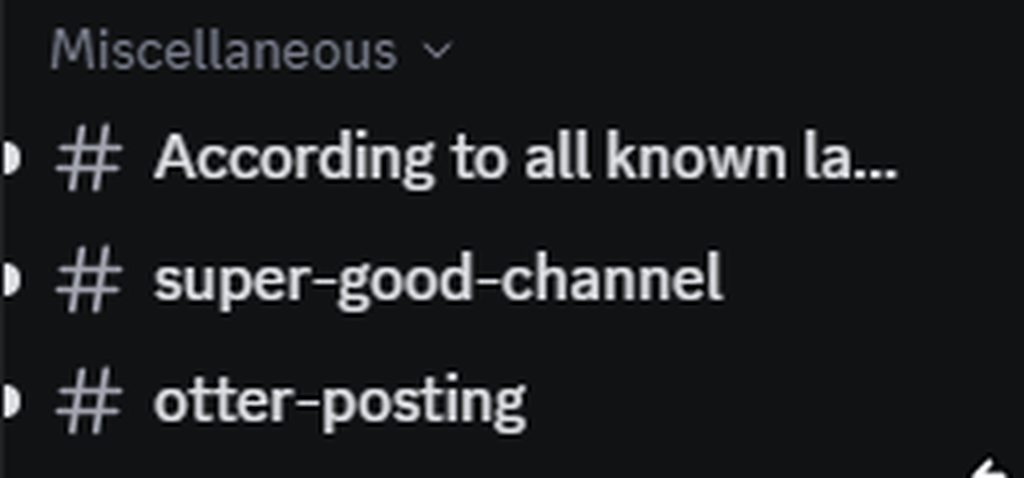
Anything else for now ty, I'll choose a color later
 chilly knoll
onyx mesa
https://imgur.com/Wo01Wyt more eye candy
chilly knoll
onyx mesa
https://imgur.com/Wo01Wyt more eye candy
my theme is named eye candy
onyx mesa
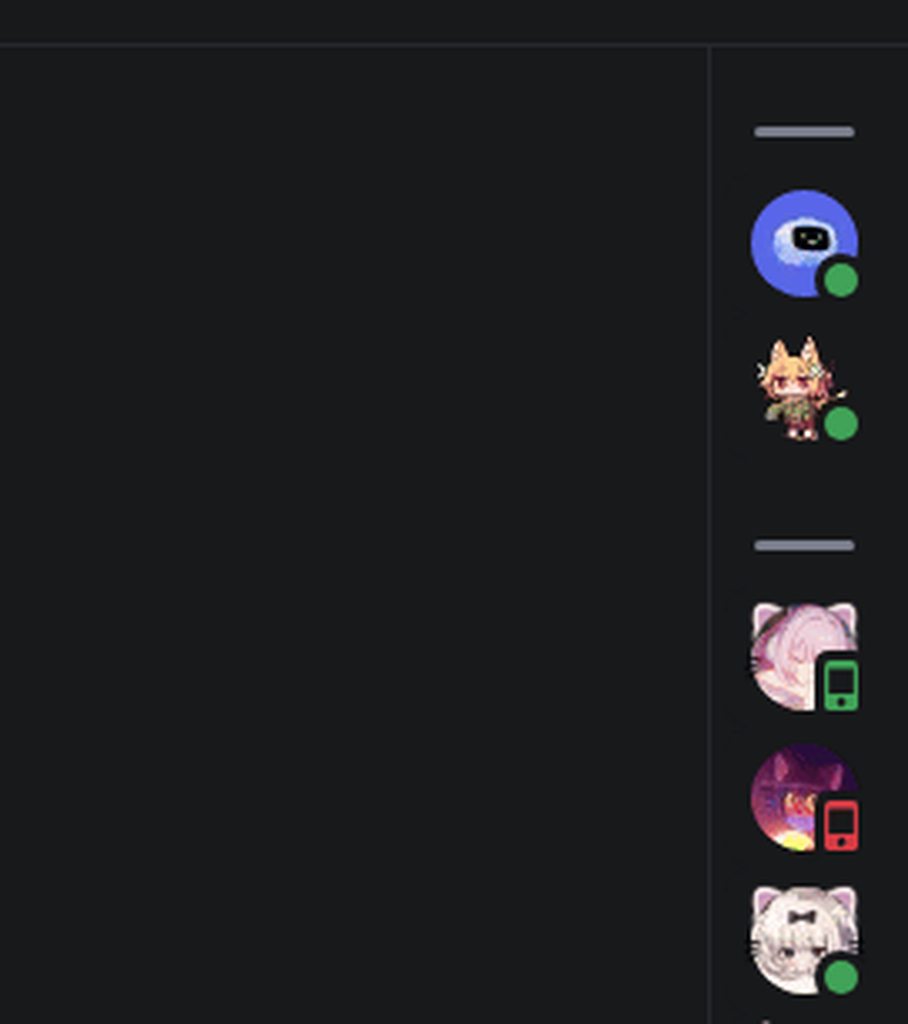
made the border move along the member list, i think it looks better than it just being overlapped
https://i.imgur.com/s5cWGna.gif
 mossy otter
Nice
I'm guessing there's no way to remove this. CSS doesn't work. ```css
.inviteButton_f37cb1 {
display: none;
}
 echo frost
yeah
mossy otter
onyx mesa
add !important
 mossy otter
How do I remove this extra padding?
/*Hide "Help"*/
.button__85643[aria-label="Help"] {
  display: none;
}
 onyx mesa
use negative values in the padding
if that doesn't work instead of padding use margin
margin usually works better with negative values
mossy otter
Ah thanks
hollow lily
is there a way to make the search bar not be moved right when a thread is open in split screen view? it causes this pretty bad looking cut in the search bar (see 2nd image)

 onyx mesa
doesn't seem to be broken for me

 onyx mesa
been trying to remove borders from most elements, why does discord use border in some and then box-shadow in others
chilly knoll
how can i change the icons for window titlebar icons? been trying for ages now
 onyx mesa
chilly knoll
how can i change the icons for window titlebar icons? been trying for ages now
onyx mesa
chilly knoll
how can i change the icons for window titlebar icons? been trying for ages now
i'll DM you it.
half crystal
ppouts
 muted knoll
Hello! I got this css snippet from somewhere, it highlights a members rolecolour on memberlist
span[class*="username"] > span[class*="desaturateUserColors"]::after {
  content: '';
  top: 0;
  left: 0;
  width: 100%;
  height: 100%;
  position: absolute;
  opacity: 0.125;
  background: currentColor;
  border-radius: 5px;
}

[class*="nameAndDecorators-"] {
  z-index: 0;
}
[class*="member-"] [class*="container-"] [class*="selected-"] ::after {
  border-radius: 4px;
  background: white
}
[class*="membersGroup-"] + [class*="container-"] {
  margin-top: 5px;
}``` and after a update it stopped working, also it looked abit odd with nameplates so is there a way to disable the colouring when there's a nameplate
would anyone help me fix this? thx :)like this (this is an old image from someone else)
 tidal heron
muted knoll
Hello! I got this css snippet from somewhere, it highlights a members rolecolour...
tidal heron
muted knoll
Hello! I got this css snippet from somewhere, it highlights a members rolecolour...
so u wanna be able to see nameplates but they cant be coloured? or r u saying u want to remove nameplates?
muted knoll
I wanna see the nameplates
but with that snippet (when it worked) overlapsed with the nameplates
and looked weirdo
smoky belfry
i'd say use Z-order
and put it behind nameplates
or put nameplates higher
whatever works best
muted knoll
I have zero knowledge on css
onyx mesa
muted knoll
Hello! I got this css snippet from somewhere, it highlights a members rolecolour...
unfortunately but discord put the color inside a different class which broke the snippet, don't see a way to fix it with just css at the moment
 quick shell
yo
anyone have a solution to
theme something on profile popup
but only when its on dark color
themes nothing on light color
 copper flame
prefix your find with .dark-theme
 echo frost
quick shell
for example
echo frost
quick shell
for example
use .user-profile-popout.theme-dark
because .theme-dark also is in :root
quick shell
echo frost
use `.user-profile-popout.theme-dark`
thx it worked
quick shell
echo frost
use `.user-profile-popout.theme-dark`
oh btw is there a key that only theme when no profile color?

 quick shell
echo frost
there's a class when it's themed
quick shell
echo frost
there's a class when it's themed
like this?
 echo frost
:not(.theme-dark)
 echo frost
you did it wrong
echo frost
echo frost
`:not(.theme-dark)`
do this, not what you did
quick shell
hmm

btw i found that i can add .user-profile-popout.theme-dark so it'll only theme when they have profile color
wc
i mean .custom-theme-background
upper isle
automated benchmarking of selectors 
 echo frost
upper isle
automated benchmarking of selectors <:blobcatcozy:1026533070955872337>
echo frost
upper isle
automated benchmarking of selectors <:blobcatcozy:1026533070955872337>
does that use the thing in the performance tab?
upper isle
nop
it's based on refact0r's script that extracts selectors from css and runs querySelectorAll
i automated to run it via chrome devtools protocol so i don't have to copy paste the script+css iinto console every time
echo frost
querySelector isn't how css selectors work though
and this exists which actually measures it
and it'll do it for all your themes
vestal field
unsurprisingly most of the worst performing selectors are from discord and not from themes
upper isle
loll
upper isle
echo frost
and this exists which actually measures it
hm
interesting
i wonder if its accessible through the devtools protocol
vestal field
i doubt its worth the effort lol
echo frost
aren't i supposed to be able to interact with discord while doing the profiler
vestal field
echo frost
aren't i supposed to be able to interact with discord while doing the profiler
yes?
echo frost
it just freezes when i do the profiler
echo frost
yeah
vestal field
i cant do much except scroll
echo frost
ig that's it then
i don't think the profiler is very accurate because of it freezing discord
this snippet is so laggy

yeah lmao
without it, while typing discord uses like 8% or something of my cpu
with it, it uses 30%
maybe more like 20%
upper isle
i'm trying to round the chat bar but the scrollbar goes out
is there a way to apply margin to the scrollbar
 echo frost
::webkit-scrollbar probably?
upper isle
tried already
vestal field
echo frost
this snippet is so laggy
yeah the elapsed time doesn't always seem right
according to those numbers the selectors shouldn't have much performance impact
mossy otter
So I want to lock the channel bar width (so it can be symmetrical with the member list). How can this be done?
chilly knoll
quick shell
for example
wait do people not use their own variables when making themes?
mossy otter
/*hide current running activity*/
.panel__5dec7 {
  display: none;
}
(this message was for a different user)
 scenic temple
chilly knoll
scenic temple
chilly knoll
yo wsp
crimson skiff
scenic temple
no attribute to use, so cannot sadly
its hardcoded
scenic temple
crimson skiff
no attribute to use, so cannot sadly
its hardcoded
alg
halcyon crypt
grand surge
does anyone here accidently presses close on DMs?
if you want
#1360578191017640087 message
grand surge
halcyon crypt
if you want
https://discord.com/channels/1015060230222131221/1360578191017640087...
i already made my own, just been wondering if anyone got same problems like me
halcyon crypt
grand surge
i already made [my own](https://raw.githubusercontent.com/Teeenoob/vc-css/refs/h...
oh, well not anymore 😄
grand surge
halcyon crypt
if you want
https://discord.com/channels/1015060230222131221/1360578191017640087...
btw that class got more uses than just in dms as i remember, i wonder what else you removed

halcyon crypt
I looked at some close buttons, I use a class for button that starts with closeButton__, the one in settings is closeButton_ (one underscore), the one in the image view starts with button_. Maybe I find one missing somewhere, or maybe I was just lucky 😄
plain kelp
halcyon crypt
I looked at some close buttons, I use a class for button that starts with `close...
The second underscore is part of the module hash
It's not part of the actual class name
halcyon crypt
ohhhh, the truth is, I don't really know what I'm doing 
I just saw other snippets and was like "if I change this to this, it does what I want"
would it be better to add the whole hash then? so if it changes maybe in the future it's easier to update?
plain kelp
I always use real class selectors, since they're an order if magnitude faster
crimson skiff
halcyon crypt
ohhhh, the truth is, I don't really know what I'm doing <a:peepoShy:103821426668...
would highly recommend messing around and learning about devtools
whole hash is a lot better for performance, but it means you need to shove the code through a class updater once in a while
chilly knoll
how can i change the total member count icon? managed to change the online counter

i cant change total one for the life of me lol
echo frost
chilly knoll
how can i change the total member count icon? managed to change the online count...
you should be able to do it the same way as the online one?
neither of them are svgs
they're both just styled spans
chilly knoll
echo frost
you should be able to do it the same way as the online one?
tried that at first but didnt work
echo frost
what are you doing for it?
chilly knoll
.vc-membercount-total-dot {
    mask: url('https://mudaranrhiod.github.io/discord-iconpacks/vencord/solar/custom/status-online-bold.svg') no-repeat center;
    mask-size: 100%;
    width: 6px;
    height: 6px;
}
uh that's not working for me
chilly knoll
this is what i used for online
.vc-membercount-online-dot {
    mask: url('https://mudaranrhiod.github.io/discord-iconpacks/vencord/solar/custom/status-online-bold.svg') no-repeat center;
    mask-size: 100%;
    width: 12px;
    height: 12px;
}
it works
echo frost
oh that's for total
chilly knoll
the total counter no no
chilly knoll
echo frost
oh that's for total
yeh lol
echo frost
.vc-membercount-total-dot {
  mask: url('https://mudaranrhiod.github.io/discord-iconpacks/vencord/solar/custom/status-online-bold.svg') no-repeat center;
  mask-size: 100%;
  width: 12px;
  height: 12px;
  border: none;
  background-color: var(--color-total);
}
mask just masks part of it
so it needs to have a solid background
@chilly knoll
wait why are there so many people named gulf of something
chilly knoll
echo frost
```css
.vc-membercount-total-dot {
mask: url('https://mudaranrhiod.github.io/d...
thank u :)
chilly knoll
echo frost
wait why are there so many people named gulf of something
i cant even remember, there used to be more lol
echo frost
lol
there was time where a lot of people were named [number] [things] runs something or something like that
chilly knoll
idk if i remember that im sometimes forgetful l
echo frost
i think it was probably around a year ago
i think it was around the time i joined
i was nicked to 32 duotrigintillion devices for a while
chilly knoll
ahh yeh i wont remember then
echo frost
what's husk about that
onyx mesa
echo frost
echo frost
i was nicked to 32 duotrigintillion devices for a while
i only changed it a few months ago i think
chilly knoll
lol
echo frost
chilly knoll
lol
why husk though
chilly knoll
idk tbh
half crystal
echo frost
32 duotrigintillion is cool number!
not as fun as 7
echo frost
32*10^100
chilly knoll
why is it the one time i want a slowmode channel i cant find one. i remembered i didnt change the icon for it
echo frost
echo frost
32*10^100
32000000000000000000000000000000000000000000000000000000000000000000000000000000000000000000000000000
ok so it's 3.2*10^100
oh yeah
10 duotrigintillion it 10^100
plain kelp
So duotrigintillion is googol?
echo frost
googol is a cringe name because it's not illion
plain kelp
True
echo frost
i wish illion names were standardized
duotrigintillion isn't even standardized i think
like officially
but i think it's the only at all recognized 32nd illion number
only up to vigintillion is in dictionaries
Depending on context (e.g. language, culture, region), some large numbers have names that allow for describing large quantities in a textual form; not mathematical. For very large values, the text is generally shorter than a decimal numeric representation although longer than scientific notation.
Two naming scales for large numbers have been use...
and centillion
but that's a gap from the 20th illion to the 100th illion (10^303)
wtf it was just named by a 9 year old https://en.wikipedia.org/wiki/Googol#Etymology
A googol is the large number 10100 or ten to the power of one hundred. In decimal notation, it is written as the digit 1 followed by one hundred zeros: 10,000,000,000,000,000,000,000,000,000,000,000,000,000,000,000,000,000,000,000,000,000,000,000,000,000,000,000,000,000,000,000,000,000. Its systematic name is ten duotrigintillion (short scale) o...
(yw for my off topic googology rant)
(it should be named illiology)
wait what was i thinking. illionology is way better
(or something like that)
(illion is far superior to googol)
plain kelp
Large numbers weren't meant to be given names
 mystic grove
is there anything other than :has that doesn't cause lag?
plain kelp
Imo anything you do with :has is better off with a plugin
chilly knoll
plain kelp
Imo anything you do with :has is better off with a plugin
how come :has is so bad
burnt sky
any way to easily replace :has with other options that won't break?
chilly knoll
echo frost
because it has to search a bunch of elements
oh
echo frost
burnt sky
any way to easily replace :has with other options that won't break?
depends on the specific case
generally, no
grand surge
>
burnt sky
hm past week been trying to find the main cause of the sluggish typing
echo frost
grand surge
` > `
> is completely different than :has()
grand surge
plain kelp
`a:has(> b)` selects the a
i did remember it from this
good to know how it functions
echo frost
plain kelp
`a:has(> b)` selects the a
a:has(>b) is more efficient than a:has(b) right?
i'm pretty sure just by logic, but you might know more about it
crimson skiff
echo frost
`a:has(>b)` is more efficient than `a:has(b)` right?
i'm pretty sure just by log...
because it checks only its direct child, not further down the dom
plain kelp
echo frost
`a:has(>b)` is more efficient than `a:has(b)` right?
i'm pretty sure just by log...
Correct
onyx mesa
only one of my snippets has some :has cuz i couldn't find another way
crimson skiff
i absolutely hate how css doesnt have upper sibling selector or parent selectors
how hard would it be to implement that
onyx mesa
true, haven't been able to do a lot of stuff solely cuz of that
crimson skiff
need to make a petition for it
echo frost
crimson skiff
i absolutely hate how css doesnt have upper sibling selector or parent selectors
you can do it with has
only down side is has
crimson skiff
echo frost
you can do it with has
only down side is has
the best part is that has exists
the worst part is has exists
onyx mesa
crimson skiff
because it checks only its direct child, not further down the dom
wait if i used "a:has(>b)" instead would that help with performance
crimson skiff
onyx mesa
wait if i used "a:has(>b)" instead would that help with performance
thats literally the question obsidian asked #🎨-theme-development message
onyx mesa

echo frost
crimson skiff
thats literally the question obsidian asked https://discord.com/channels/1015060...
well more so confirming it
grand surge
how to check lag
plain kelp
If it's laggy then it's laggy, if it's not it's probably not, but not certain
grand surge
i will never know because of how sensive is my laptop 😭
lowend my beloved
nvm found really quicky
tidal heron
am i stupid or does someone keep putting something in #🎨-css-snippets then deleting it?
coz there seems to be a noti for it everytime i look at the server lol
full rover
have css that reverts the boost timestamp change cus bored lol
/* Revert the unnessary boost timestamp change */
.content__235ca {
  display: flex;
}
 tidal heron
@spiral moth yo the message u deleted can i see the illustration ur talking about (i have message logger)
upper isle
crimson skiff
i absolutely hate how css doesnt have upper sibling selector or parent selectors
YOP
its actually so dumb
anyone know what this is supposed to target
something in guilds list

acronym is for guild items without an icon
idk what the rest is
vestal field
upper isle
anyone know what this is supposed to target
something in guilds list
iconsizemini is the collapsed folder icons
 vestal field
upper isle
wait how do you get that though
i only get a folder icon when collapsed
vestal field
upper isle
wait how do you get that though
i only get a folder icon when collapsed
if u dont set a custom folder color then itll show the mini icons probably
 lean radish
Can someone vc and help me make a theme
upper isle
nop
theming tutorial is linked in channel topic
upper isle
vestal field
if u dont set a custom folder color then itll show the mini icons probably
i dont have one set
hm
 frank urchin
onyx mesa
doesn't seem to be broken for me
frank urchin
onyx mesa
doesn't seem to be broken for me
how do you hide your search bar to be only icon?
frank urchin
onyx mesa
made the border move along the member list, i think it looks better than it just...
can i have the css?
tidal heron
/* Expandable Member List */
@import url('https://raw.githubusercontent.com/lithwack/Vencord-Repos/refs/heads/main/Memberlist%20Hover%20VR');

/* Expandable Member List Settings */
:root {
  --hover-animation-speed: 0.6s;
  --nametag-fade-speed: 0.6s ease-in;
  --nametag-fade-speed: 0.6s ease-out;
--icon-custom-color: var(--channels-default);```thats for the member list
/* Hide Search box */
@import url("https://raw.githubusercontent.com/lithwack/Vencord-Repos/refs/heads/main/Collapsed%20Search%20Bar");```thats for the search icon
tidal heron
frank urchin
can i have the css?
^
frank urchin
tidal heron
^
ty
frank urchin
ty @onyx mesa~
tidal heron
tidal heron
am i stupid or does someone keep putting something in <#1028106818368589824> the...
ok so im not stupid
discord is just broken apparently
last post i can see if from the 24th
but by chance i searched for something and it showed a post from yesterday
onyx mesa
frank urchin
ty <@342017325320372224>~
was sleeping but yw
 civic spade
is there any way to make the discord window have a semi transparent acrylic background similar to windows 11 system windows
something like this -
 crimson skiff
civic spade
is there any way to make the discord window have a semi transparent acrylic back...
crimson skiff
civic spade
is there any way to make the discord window have a semi transparent acrylic back...
enable transparency in vencord then use a transparency supported theme
 onyx mesa
 gray pagoda
how to change colour of this
gray pagoda
how to change colour of this
.visual-refresh .wrapper_ef3116 {
    background-color: red;
}


 onyx mesa
you can change the color to anything
manic flume
chilly knoll
how can i change the total member count icon? managed to change the online count...
The original status and platform icons are much better looking


no conflict with the phone icon plugin
 chilly knoll
manic flume
no conflict with the phone icon plugin
chilly knoll
manic flume
no conflict with the phone icon plugin
i still cant fix it on my iconpacl
manic flume
I can give you the edited raw code.
chilly knoll
manic flume
The original status and platform icons are much better looking
i like the ones i use for solar more
onyx mesa
you still haven't fixed it?
chilly knoll
no lol
chilly knoll
manic flume
I can give you the edited raw code.
send idk if itll be of any use