
#🎨-theme-development
1 messages · Page 42 of 1
 rotund field
fair enough
 iron smelt
Rip didn’t survive 11/04-05 doomsday

 viscid tiger
iron smelt
Rip didn’t survive 11/04-05 doomsday
viscid tiger
iron smelt
Rip didn’t survive 11/04-05 doomsday
why is that?
 pure cairn
and why can't I move it on the other side without making it disappear lmao
viscid tiger
i haven't made any css snippets in months, i lowkey forgot all about that LMAO.
pure cairn
viscid tiger
why is that?
[class^=biteSizeInner_] is no more
viscid tiger
oh is it because discord basically encrypts strings now or is that different?
pure cairn
no, it's just .inner_
iron smelt
really thats the only thing they broke with the snippet?
pure cairn
pure cairn
why is this here now?
any idea on this?
.inner_c69a7b.fullSize_c69a7b .body_b9fccc .tabBar_ecc04c {
  position: absolute;
  bottom: 65px;
  left: 5px;
  z-index: 1;
  border-bottom: unset;
  flex-direction: column;
  gap: 15px;
}```it should be on the left side, but it's not
and when I try moving it with a negative left: value, it just goes below the user banner, which has a z-index: -1; lmao
viscid tiger
ok so discord basically broke my username symbols snippet for both the popout and the inner profile too, i'll see if i can get to work on those again.
iron smelt
viscid tiger
ok so discord basically broke my username symbols snippet for both the popout an...
W
viscid tiger
i was contemplating using [aria-label="User Profile Modal"] for the easy fix on full size profiles but then i remembered it won't work on different languages.
viscid tiger
[class^=inner_][class*=biteSize_] [class^=descriptionClamp] {
  -webkit-line-clamp: unset;
  max-height: unset;
}
[class^=inner_] [class*=lineClamp2Plus_] {
  -webkit-line-clamp: unset!important;
  max-height: unset!important;
}```this should work for the doomsday update
always looking for improvements
not sure if his may affect other elements not related to the profile though
 cunning vortex
Does anyone have a good compact theme? hiding the server list, server channels, and server member list?
 distant spindle
There was a theme made by sam called glide posted a while ago but it's not in #1032200195582197831 anymore
It was a plugin, not just CSS smashed into a file. It had settings, options for minified server lists, member lists and, if I remember correctly, options for choosing primary and secondary colors. All these settings were in the plugin format rather than needing for edits in a CSS file.
 iron smelt
distant spindle
There was a theme made by sam called glide posted a while ago but it's not in <...
iron smelt
distant spindle
There was a theme made by sam called glide posted a while ago but it's not in <...
Yes, but maybe like a month ago now Sam completely nuked everything on their github to do with Vencord or their fork Toblronecord
So unless you could find someone who managed to still have it, it’s pretty much gone
iron smelt
My WriteUpperCase (#1291571765029376061 message) plugin is a prime example of something they made, but nuked out of existence although I managed to hold onto it and bring it back
iron smelt
So do I but for me it didn’t work anymore so I did have to change it to still work


 iron smelt
I mean, it probably doesn’t work anymore and imagine a lot of stuff has changed
distant spindle
Can you send the thing over, i wanna test it out
Maybe even revitalize it
Also
Js for the memes can i get jump to first
iron smelt
You can try if you want
 austere cloak
Hi anyone can help me updating my css this :
The link in #theme-support don't help me.
This not woking anymore :
lf video
Shoud do the animation but with the full nickname. is working with role too.
My css not update
.name_d808b0:not(:hover) .username_a31c43 {
transform: translateX(0);
transition: all 1.2s linear;
}
.name_d808b0:hover .username_a31c43 {
transform: translateX(calc(80% * -3.8));
transition: all 3.2s linear;
overflow: visible;
width: 100%
}
Sry for sound I forgot to turnoff sound of video
Ping in reply please

 crimson skiff
austere cloak
Hi anyone can help me updating my css this :
The link in <#1213972277176045578> ...
crimson skiff
austere cloak
Hi anyone can help me updating my css this :
The link in <#1213972277176045578> ...
It did show the full nickname
You want it to continuously transition, you need to create a separate animation for it
austere cloak
crimson skiff
It did show the full nickname
Actually no like u can see in the video I make
I want to display full nick and role with the animation
crimson skiff
austere cloak
Actually no like u can see in the video I make
So like you don't want to see the ellipses?
austere cloak
crimson skiff
So like you don't want to see the ellipses?
??? Don't want to see the '...' (just full nickname / full name role like but with the animation I have when Im over it with my mouse)
Btw whats is ur avatr decoration I can't find it in the shop
crimson skiff
austere cloak
Btw whats is ur avatr decoration I can't find it in the shop
random quest
austere cloak
Okay
crimson skiff
im still confused on what you want, so you want the role to also do the right to left transition?
crimson skiff
/* Transition Nickname */
.username_a31c43 {
    width: fit-content;
}
[class^="memberInner"]:not(:hover) [class^="username"] {
transform: translateX(0);
transition: all 1.2s linear;
}
[class^="memberInner"]:hover [class^="username"] {
transform: translateX(calc(80% * -3.8));
transition: all 3.2s linear;
overflow: visible;
}
Let me try
Work tysm !
♥️
Not for role but for nickname yes
Could u give me a part for lon rolename too?
austere cloak
crimson skiff
```css
/* Transition Nickname */
.username_a31c43 {
width: fit-content;
}
[c...
Whats the value to slower ?
crimson skiff
austere cloak
Could u give me a part for lon rolename too?
trying, but doesnt seem to work
crimson skiff
austere cloak
Whats the value to slower ?
make the animation slower or what?
austere cloak
crimson skiff
trying, but doesnt seem to work
Ok thx anyway
austere cloak
crimson skiff
make the animation slower or what?
Yes cause for big name is going very very fast
Whats the number need to lower
crimson skiff
You increase the 3.2s to whatever you want
the member padding is kinda annoying tho
austere cloak
Okay
But its strange (for the firstone)
On name that we fully see the animation is slow, and for long its very very fast
So I don't understand why
crimson skiff
austere cloak
On name that we fully see the animation is slow, and for long its very very fast
The higher the animation duration, the slower it is
austere cloak
crimson skiff
The higher the animation duration, the slower it is
Yes but the 3.2 or 1.2 ? whats the difference between two
crimson skiff
austere cloak
Yes but the 3.2 or 1.2 ? whats the difference between two
3.2s is when you hover on it, so you see the username for longer
1.2s is for it to reset to original position (during which you won't glance at the name, so it's faster)
austere cloak
Ok understand
crimson skiff
@austere cloak
/* set respective widths */
.username_a31c43 {
    width: fit-content;
}
.roleName_a930f1 {
    width: 100%
}

/* main stuff */
.memberInner_a31c43:not(:hover) .name_d808b0,
.roleNameContainer_a930f1:not(:hover) .roleName_a930f1 {
    transform: translateX(0);
    /* time to get back to original position */
    transition: all 2s linear;
}
.memberInner_a31c43:hover .name_d808b0,
.roleNameContainer_a930f1:hover .roleName_a930f1 {
    transform: translateX(-100%);
    overflow: visible;
    /* time to scroll through */
    transition: all 5s linear;
}
/* give space to breathe */
.roleNameContainer_a930f1,
.roleNameSpacing_e72811 {
    flex: 0 0 357px;
}
.memberSpacing_e72811 {
    flex: 0 0 0px;
}
 hasty dagger
am and pm dont work
 echo frost
is that made by chatgpt or something?
there's no am or pm class
and also the classes don't use dashes, they use underscores
echo frost
hasty dagger
am and pm dont work
you are talking about these timestamps right?

why would you want an extra am/pm
hasty dagger
echo frost
you are talking about these timestamps right?
yeah
hasty dagger
echo frost
you are talking about these timestamps right?
now the code isnt working and i didnt change anything
 echo frost
change your language
hasty dagger
now i see 24hr
 plain kelp
Switch to en-us then
echo frost
yeah i use en-uk usually even though i'm from us, because i prefer 24hr time
and that css definitely hasn't worked recently
hasty dagger
plain kelp
Switch to en-us then
then the date is month/day/year and i want day/month/year
echo frost
no way to do that yet currently
plain kelp
We need a plugin to configure timestamp format
plain kelp
Yeah pretty sure there's a pr
echo frost
but i think @clear siren made one with ai?
but i tried it and it wouldn't build
hasty dagger
idk how to install custom plugins
echo frost
hasty dagger
now the code isnt working and i didnt change anything
did it ever work though?
echo frost
why do you even want am/pm?
hasty dagger
idk
echo frost
:(
hasty dagger
idk how to install custom plugins is it just making a folder?
echo frost
no it's a bit more complicated, and i don't think the plugin works
hasty dagger

 clear siren
echo frost
but i think <@165098921071345666> made one with ai?
but i tried it and it wouldn...
clear siren
echo frost
but i think <@165098921071345666> made one with ai?
but i tried it and it wouldn...
it was just broken yesterday :(
echo frost
i tried it a few months ago and couldnt get it to work
but didn't put that much time into trying to fix it
clear siren
hm
echo frost
clear siren
but yeah rini made the patch part and had hardcoded format, I used my limited skills with some chatgpt help to add options in it
echo frost
wait i think im dumb
i was dumb*
definitely very smart and not at all dumb now trust
clear siren
yesterday it stopped working, I'll see if I can figure out why
echo frost
echo frost
https://discord.com/channels/1015060230222131221/1222504699622719521/12714671135...
i think that's line 183, and i read it as line 17
except there's no line 183
wait now it's building
echo frost
clear siren
yesterday it stopped working, I'll see if I can figure out why
I think the find broke
echo frost
think it's this
 clear siren
maybe
plain kelp
Those LT and LLLL tell moment to use locale-specific formats of various complexity
clear siren
I wonder when discord will stop using moment.js
clear siren
echo frost
I think the find broke
got a working find #🧩-plugin-development message and updated the gist
 civic scroll
how would i change the text in a titlebar when i use a specific theme
(i want to troll someone)
like this titlebar
 iron smelt
civic scroll
like this titlebar
iron smelt
civic scroll
like this titlebar
something like this?
https://github.com/MiniDiscordThemes/Snippets/tree/main/themes/ModTitle
echo frost
hasty dagger
i hare 24hr
it pains me to help a 24hr hater/ampm enjoyer 😔
but turns out there's a discord experiment to use your system preference
 hasty dagger
echo frost
it pains me to help a 24hr hater/ampm enjoyer 😔
but turns out there's a discor...
hasty dagger
echo frost
it pains me to help a 24hr hater/ampm enjoyer 😔
but turns out there's a discor...
whats the exeriment called?


 echo frost
that shows for all experiments i believe
hasty dagger
no
echo frost
oh nvm
pretty sure you just ignore it
hasty dagger
ok but the experment dosnt work tho
 vestal field
to theme developers: if you were to create a new theme today would you use class selectors or attribute selectors?
at one point i was convinced the attribute selector maintainability was worth it but i'm not sure if it really is anymore
echo frost
I make lots of extremely scuffed small css snippets, and i enjoy making it harder on myself to make the original, so i use attribute selectors
 bleak gust
vestal field
at one point i was convinced the attribute selector maintainability was worth it...
bleak gust
vestal field
at one point i was convinced the attribute selector maintainability was worth it...
end users are stupid and will complain if it breaks so it is worth it
echo frost
online themes would fix that
vestal field
bleak gust
end users are stupid and will complain if it breaks so it is worth it
yeah they also complain if the theme is slow though
bleak gust
true
bleak gust
echo frost
online themes would fix that
yes
this is why we need a way to do selectors based on the webpack modules they are defined in
I am pretty sure at least one plugin has logic to do this
vestal field
attribute selectors are also simply more annoying to write compared to copy pasting classes
bleak gust
vestal field
attribute selectors are also simply more annoying to write compared to copy past...
this
echo frost
vestal field
attribute selectors are also simply more annoying to write compared to copy past...
exactly why i usually don't do that (:
vestal field
it would be amazing if there was something that could go through a class selector theme and automatically delete any unused selectors
echo frost
unused by discord?
vestal field
yeah
echo frost
why would you want it to delete them?
that seems like something you should use the class fixer thingy
oh unused selectors not classes
mightve misunderstood what you mean
clear siren
vestal field
it would be amazing if there was something that could go through a class selecto...
I mean not impossible, like we had that selector benchmark js snippet a while ago that also counted matches iirc, but there are selectors that will only appear in the dom under some conditions so automating it would easily say some selectors are not used
clear siren
vestal field
to theme developers: if you were to create a new theme today would you use class...
attribute selectors for sure
clear siren
vestal field
yeah they also complain if the theme is slow though
attr selectors themselves shouldn't hit perf very hard but it can be easy to make selectors that check a lot of elements needlessly; even then it's mostly a non-issue if you're not doing something stupid which you can also do with plain classes and wildcards in between
vestal field
idk man
maybe im stupid
i try my best to have good attribute selectors but my attribute selector theme is still noticeably slower than the older class-based one
perhaps there is the argument for using classes only when you have weird performance-intensive scenarios
clear siren
maybe
pure cairn
I used to have all attribute selectors but then noticed the performances plummeting
So I went back to just using class names

clear siren
hmm
plain kelp
Attribute selectors are ugly, imprecise, and slow, and I hate them
 plain kelp
Overthrow your tyrannical overlords, join me in .Module__class
crimson skiff
vestal field
to theme developers: if you were to create a new theme today would you use class...
some wonky ass reason led this #🎨-theme-development message to break when using attribute selectors, had to use class selectors for it
clear siren
plain kelp
Overthrow your tyrannical overlords, join me in `.Module__class`
never
clear siren
crimson skiff
some wonky ass reason led this https://discord.com/channels/1015060230222131221/...
sounds like a skill issue 
crimson skiff
shh
clear siren
🤐
pure cairn
crimson skiff
some wonky ass reason led this https://discord.com/channels/1015060230222131221/...
Maybe bad attribute selectors
Idk, I'm not great at using them myself either
crimson skiff
attribute selectors is just more of a qol feature imo, not worth it to spam everywhere, but if you have tons of divs that need the same style (which i doubt would be neccessary), it would help
echo frost
i like using attribute selectors because they add an extra challenge to making the css
clear siren
real attr selector css challenge: use suffixes only like [class$=_d5deea] to get .cozyMessage_d5deea
pure cairn

plain kelp
clear siren
real attr selector css challenge: use suffixes only like `[class$=_d5deea]` to g...
That won't work particularly well since suffixes are the sane within each module
clear siren
oh yeah
plain kelp
Pretty sure they weren't always though, right?
clear siren
I think so
 atomic plank
I'm sure this has been asked but... What's the way to change font size? I find my vesktop feels like it has a smaller font and wish to increase it
Oh nevermind my normal client is 110 zoom level

 shell ginkgo
theme is not broken, i was just wondering if anyone knew if its possible to make softx compatible with the graydot statuses
pure cairn
this is for y'all

 supple tartan
It would be cool to have banners at the beginning of threads and channels, taking the first img and display it as a banner. But since that is impossible to do with css (as far as I know) I thought I'd add a generic banner for all threads.
What image could I use as a generic banner? At the moment I'm using a scene from an anime that looked nice.


 half crystal
supple tartan
It would be cool to have banners at the beginning of threads and channels, takin...
half crystal
supple tartan
It would be cool to have banners at the beginning of threads and channels, takin...
use the fucking uhh blurple "group chat that's all fun and games" login wallpaper
 rough pond
is it possible to style the quick css window
clear siren
rough pond
is it possible to style the quick css window
unfortunately no (unless you're using the browser extension)
echo frost
rough pond
is it possible to style the quick css window
well you could, but you'd have to redo it every time you open quickcss
 native topaz
how often are you on quickcss to style it?
echo frost
are you not on quickcss a lot?
but i like how quickcss looks
this is how you could do it if you really wanted
(remember, you'd have to paste this every time you open quickcss)
better to modify the css in Vencord\src\main\monacoWin.html
style = document.head.appendChild(document.createElement("style"));
style.className = "customCSS"; // you can change this or even remove it
style.innerHTML = ".monaco-editor { --vscode-editor-background: #000; }"; // change this css to whatever you want

 native topaz
i usually test from the inspect pane itself
echo frost
yeah, i test in element.style or other places sometimes, but i write the theme in quickcss
i wonder if you could modify vencord to automatically inject the css 🤔
native topaz
speaking of the inspect pane it doesn't seem to open anymore
echo frost
in quickcss? or discord
it's opening for me in both
hmmm
not as simple as this

oh that was just the wrong one
needs to be in Vencord\src\main\monacoWin.html
 prisma ledge
hello its possible to take off all of this ?
 pure cairn
If discord hasn't changed it, [class^=nowPlayingColumn_] should be its class
Yeah it still is
So
[class^=nowPlayingColumn_] {
display: none;
}```
Should do the trick autumn bobcat
why did my date format is different?
is this a discord update?
 plain kelp
Did you switch to en_us perhaps
echo frost
whys there a comma though
might be this experiment?

if you're not talking about the comma
plain kelp
Fuckin' finally
echo frost
the experiment?
plain kelp
They're finally adding 24h toggle after 9 years
bleak gust
echo frost
might be this experiment?
What the hell
How long has it been
Watch it just not work on web clients
LOL
it doesnt even work
bleak gust
OH
 nimble spruce
cooking up some absolutely evil CSS
 echo frost
whys info so weird
crimson skiff
nimble spruce
cooking up some absolutely evil CSS
can i have the boost bar pls
bleak gust
nimble spruce
cooking up some absolutely evil CSS
i dont hate this
crimson skiff
feels like compact mode 2.0 for the server bar header
plain kelp
nimble spruce
cooking up some absolutely evil CSS
I hate the filled-in #, but the toolbar icons and boost bar are neat
 mortal mantle
filled in # is definitely evil
nimble spruce
echo frost
whys info so weird
I'm just trying to make unread channels both more compact and visible lol
The dot on the left is easy to see but takes a bunch of space
nimble spruce
crimson skiff
can i have the boost bar pls
https://raw.githubusercontent.com/Andrew6rant/Discord-plugins-and-themes/refs/heads/main/CondenseNitroFill.theme.css
crimson skiff
tanks for your service
nimble spruce
nimble spruce
cooking up some absolutely evil CSS
this is fucking awful lmao
 plain kelp
You do know that elements-matching-selector like in querySelectorAll has completely different performance characteristics to selectors-matching-element which is used for styling, right?
nimble spruce
I'm aware
but it's never a good sign when a quick querySelectorAll bench takes 2,000% more time than a different selection method
atomic plank
Is there a way to make this override an import?

I tried !important but that didn't work
echo frost
whats in the import
if the import doesnt have a !important, !important should work
if it does, you'd have to make a more specific selector
atomic plank
echo frost
if the import doesnt have a !important, !important should work
if it does, you'd...
Honestly it's hard to read, but I'm modifying clear vision, this is the import
https://clearvision.github.io/ClearVision-v6/main.css
I tried using control + F but it's very hard to read that
Everything except that is working
crimson skiff
atomic plank
Honestly it's hard to read, but I'm modifying clear vision, this is the import
...
format it.
atomic plank
where?
crimson skiff
i remember having a userscript for it
atomic plank
Yeah
echo frost
works for mer


 atomic plank
 crimson skiff
atomic plank
Honestly it's hard to read, but I'm modifying clear vision, this is the import
...
crimson skiff
atomic plank
Honestly it's hard to read, but I'm modifying clear vision, this is the import
...
https://greasyfork.org/en/scripts/16111-javascript-css-beautify
use this script then open the page, it will format it
Beautify and syntax highlighting for source code JavaScript, JSON, CSS. From v4.1+, a few more formats are also supported.
atomic plank
atomic plank
makes me think this isn't being loaded
crimson skiff
atomic plank
remove the filter
atomic plank
okay
echo frost
also, unless you want it to match more things, you should put an underscore in that attribute selector so [class*=messageContent_]
but would probably be better to use [id^=message-content-] in this case
atomic plank
I just yoinked it from #🎨-css-snippets
echo frost
crimson skiff
https://greasyfork.org/en/scripts/16111-javascript-css-beautify
use this script ...
oh that's nice
crimson skiff
echo frost
works for mer
works for me
 atomic plank
on the same theme?
echo frost
atomic plank
have you removed this filter yet
atomic plank
Yes
echo frost
can you send ss of what's overriding it
atomic plank
where do I see what's overriding it?
atomic plank
crimson skiff
atomic plank
where do I see what's overriding it?
open dev tools, use element picker to select a bold element hi im strong then screenshot the styles part
 echo frost
atomic plank
echo frost
atomic plank
press ctrl+shift+c
crimson skiff
atomic plank
top left button in the tools
echo frost
 atomic plank

 crimson skiff
atomic plank
crimson skiff
atomic plank
not the span, the strong, the outer element
atomic plank
 crimson skiff
atomic plank
crimson skiff
atomic plank
quick css isnt even enabled then lol
atomic plank
Cause it's not in quick CSS
echo frost
well it does show in the span
atomic plank
I put it in the theme file with the rest of my stuff
echo frost
did you save your file
crimson skiff
atomic plank
I put it in the theme file with the rest of my stuff
when developing, its best to put it in quick css, you can see the changes pretty quickly
crimson skiff
atomic plank
I put it in the theme file with the rest of my stuff
is the theme enabled
echo frost
ah you didn't close the bracket
atomic plank
echo frost
ah you didn't close the bracket
ah that would do it... what line am I being stupid on lol
echo frost
vbold test
crimson skiff
oh yeah there is a random bracket at the bottom
crimson skiff
atomic plank
152 is the closing bracket for root
you dont need it in root
echo frost
autumn bobcat
who got css of old date format
 bleak gust
autumn bobcat
who got css of old date format
bleak gust
autumn bobcat
who got css of old date format
scroll to bottom of appearance in settings if it doesnt show theres an experiment for it
autumn bobcat
bleak gust
scroll to bottom of appearance in settings if it doesnt show theres an experimen...
yes i did
what experiment is it
bleak gust
autumn bobcat
what experiment is it
 vestal field
autumn bobcat
who got css of old date format
vestal field
autumn bobcat
who got css of old date format
i dont think this can be done with css
clear siren
yeah not possible, what I used to do with css though was cut off the "today at" part in timestamps
 serene ocean
is there a way to change this kind of copy paste font to normal text, or do i have to leave the server lol
 plain kelp
Just tell them they spelled communtiy wrong
pure cairn
serene ocean
is there a way to change this kind of copy paste font to normal text, or do i ha...
echo frost
you could probably make/find a font that changes those characters to normal
plain kelp
You could also use some fancy selectors with [data-list-item-id="channels___1134844326933954622"] to fake rename them
But would need some other method for mentions (#🎨-theme-development) and the top bar
serene ocean
i dont need mentions and topbar changed, just the list, ill try figure that data-list-item-id thanks!
 toxic yew
serene ocean
toxic yew
serene ocean
oh cool, looks like i could add this other horrible font the same way?
toxic yew
serene ocean
oh cool, looks like i could add this other horrible font the same way?
good chance normalize("NFKC") will take care of it, if not then u have to map it manually like i did right below that
half crystal
modified that irc theme to make it a bit more like old dual-line chatboxes
 serene ocean
toxic yew
good chance normalize("NFKC") will take care of it, if not then u have to map it...
serene ocean
toxic yew
good chance normalize("NFKC") will take care of it, if not then u have to map it...
this worked straight away, thanks!
bleak gust
toxic yew
[on that topic i have this silly plugin](<https://github.com/AutumnVN/userplugin...
good idea
mortal mantle
I'm back to theme modding
 crimson skiff
mortal mantle
I'm back to theme modding <:blobcatcozy:1026533070955872337>
crimson skiff
mortal mantle
I'm back to theme modding <:blobcatcozy:1026533070955872337>
right to left but user section is broght up ig
mortal mantle
not right to left, i just switched the flex-direction of a few elements to my liking
mortal mantle
thats because of the spotify modal, if i minimize it then theres a lotta space for channels again
bleak gust
mortal mantle
I'm back to theme modding <:blobcatcozy:1026533070955872337>
where does the member list show up


 sonic ermine
 coarse belfry
mortal mantle
not right to left, i just switched the `flex-direction` of a few elements to my ...
coarse belfry
mortal mantle
not right to left, i just switched the `flex-direction` of a few elements to my ...
would still be cool for rtl
i wish i could programmatically translate discord to my language and do that 😔
pure cairn

 copper flame
uneven insane
crimson skiff
mortal mantle
right or left
left by a long shot, having the members list on the right just feels off (the server bar being on the right doesnt even feel weird ngl)
crimson skiff
coarse belfry
would still be cool for rtl
i wish i could programmatically translate discord to...
right to left is pretty easy, just need to set some elements to have flex-direction: row and its enough (i can send the snippet if you need)
 pure cairn
copper flame
uneven insane
pure cairn
copper flame
uneven insane
They're all even when not hovered :3
pure cairn
chat, did I cook?


 grand surge
mortal mantle
right or left
grand surge
mortal mantle
right or left
what theme
crimson skiff
grand surge
what theme
most likely Discord+ with some changes
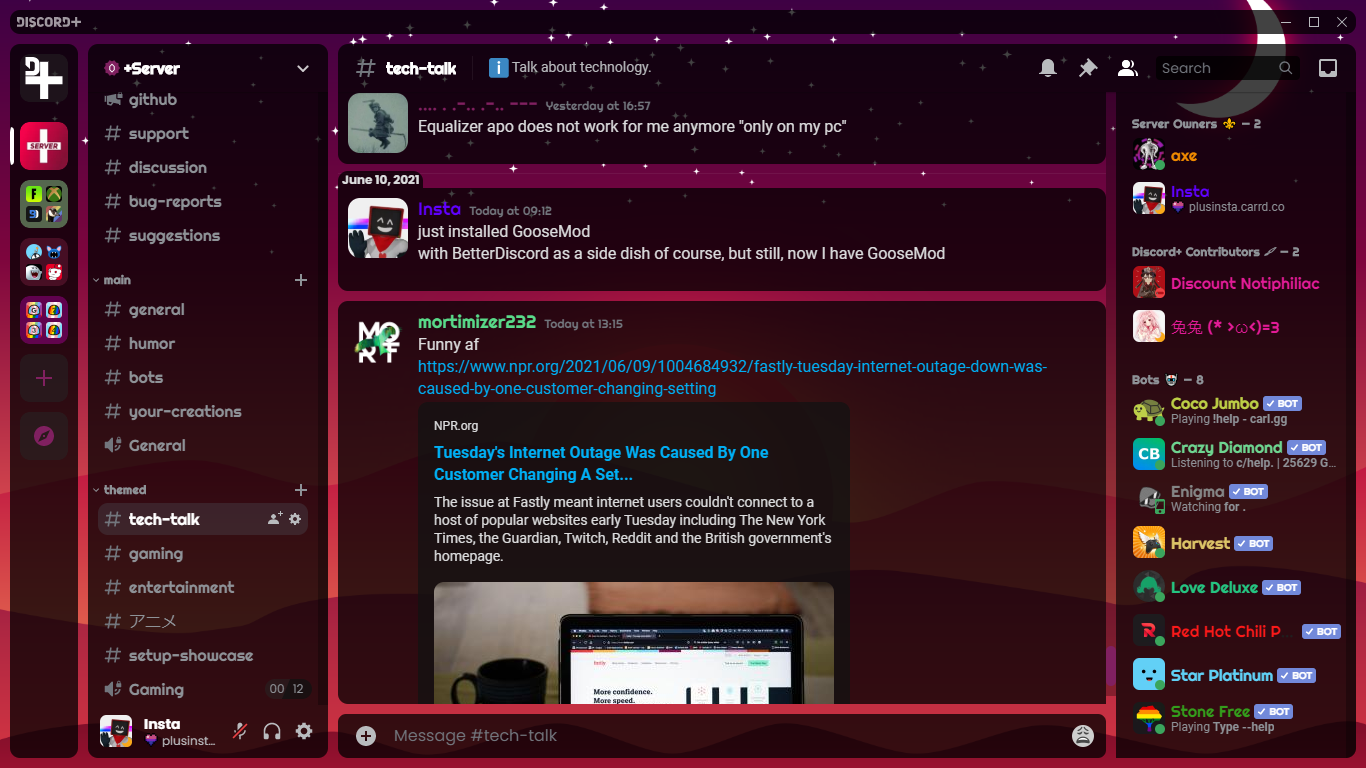 bleak gust
crimson skiff
most likely [Discord+](https://betterdiscord.app/theme/Discord%2B) with some cha...
bleak gust
crimson skiff
most likely [Discord+](https://betterdiscord.app/theme/Discord%2B) with some cha...
i dont think so
this might help
 crimson skiff
doesnt that give the bordered stuff?
bleak gust
https://github.com/SEELE1306/Modular this is the theme
GitHub
A theme for Vencord's own client, Vesktop. Contribute to SEELE1306/Modular development by creating an account on GitHub.
crimson skiff
the theme looks interesting, i need to check it out
mortal mantle
crimson skiff
most likely [Discord+](https://betterdiscord.app/theme/Discord%2B) with some cha...
No, it's my own creation Modular
mortal mantle
crimson skiff
doesnt that give the bordered stuff?
I'll remove it in v2.1.1
I don't like it anymore
echo frost
pure cairn
chat, did I cook?
pretty cool, but would look better if the inside corner was rounded
although not sure if that's even possible. border-radius might do that, but idk

wait it should already be using border-radius, so i dont think border-radius does that
pure cairn
I'm currently working on it
border-radius does not work because they're all background-images
I tried setting a :before pseudoelement, making it clip the edge, but it didn't work very well
echo frost
oh is the blue part on top of the colorful part?
i was thinking the colorful part was an outline, but looking closer at your css, doesn't look like it
pure cairn
.connectedAccountContainer_ab12c6:has([src="/assets/9959e35094daa0e6d799.svg"]):hover { /* instagram */
  background-image:
    linear-gradient(#405DE6, #5B51D8, #833AB4, #C13584, #E1306C, #FD1D1D, #F56040, #F77737, #FCAF45), /* left */
    linear-gradient(to right, #405DE6, #5B51D8, #833AB4, #C13584, #E1306C), /* top */
    linear-gradient(#C13584, #E1306C, #F56040), /* right */
    linear-gradient(to right, #FFDC80, #FCAF45, #F77737, #F56040); /* bottom */
  background-size:
    3px 100%, /* left & right */
    100% 3px; /* top & bottom */
  background-position:
    0 0, top, 100% 0, bottom;
  background-repeat: no-repeat;
}```I tried using an outline, but they don't work with gradients
so the only workaround was using a background-image
plain kelp
Why not border-image
pure cairn
wouldn't that have the same issue?
iirc I had border-radius issues too back when I was messing around with embeds
echo frost
pure cairn
```css
.connectedAccountContainer_ab12c6:has([src="/assets/9959e35094daa0e6d799....
oh i still hadn't taken close enough look lol
didn't even know you could do that with backgrounds
pure cairn
learned that yesterday

I also didn't want to use a border because it would increase the element size on hover, and that looks bad
idk, sounds like a future me issue

pure cairn
I could make the background-image larger and use .connectedAccount_ab12c6's background color to clip it
If only it wasn't semi transparent

pure cairn
slowly getting there
 pure cairn
echo frost
pretty cool, but would look better if the inside corner was rounded
although not...
pure cairn
echo frost
pretty cool, but would look better if the inside corner was rounded
although not...

 pure cairn
currently trying to remove "Followers" and "Following"
.connectedAccountChildren_ab12c6 .connectedAccountVanityMetadata_a1f026 > *:not(strong) {
display: none;
}```
shouldn't this work? plain kelp
" Following" is not an element
You could however try setting font-size to 0 and then setting it back to something reasonable on the <strong>
pure cairn
yes I did it
.connectedAccountChildren_ab12c6 .connectedAccountVanityMetadata_a1f026 {
  font-size: 0;
  > strong {
    font-size: 12px;
  }
}```
 iron smelt
pure cairn
yeah, looks good in the bigger picture
iron smelt
pure cairn
yeah, looks good in the bigger picture
horror, why aren’t they the same size?

 burnt maple
clear siren
yeah not possible, what I used to do with css though was cut off the "today at" ...
burnt maple
clear siren
yeah not possible, what I used to do with css though was cut off the "today at" ...
forgive me for the necro, but do you have a working snippet for this still?
clear siren
burnt maple
forgive me for the necro, but do you have a working snippet for this still?
I'll check when I get home I might have it still, if not I can recreate it
clear siren
burnt maple
forgive me for the necro, but do you have a working snippet for this still?
time[aria-label^="Today"]/*cut off "today at" */
 { display: inline-block;
   max-width: 5ch;
   overflow: hidden;
   direction: rtl;
   white-space: nowrap;
   vertical-align: bottom; }
ymmv, with some fonts it might not work perfectly as it's just setting a 5ch width to the element to only show the HH:MM part and cutting off the rest
burnt maple
hahaha thats a funny solution. tysm! sorry for the necro again
clear siren
no problem at all
 copper oak
 crimson skiff
pure cairn
<:venniepeeking:1216969061225730098>
crimson skiff
pure cairn
<:venniepeeking:1216969061225730098>
how long did it take?
also how did i not notice you were using my profile 💀
austere cloak
Anyone can help me displaying the jumptotop button everytime on (forum ? plz)
<button aria-label="Jump To Top" type="button" class="button_b385c8 button_dd4f85 lookBlank_dd4f85 colorBrand_dd4f85 sizeSmall_dd4f85 grow_dd4f85"><div class="contents_dd4f85 buttonInner_b385c8"><svg aria-hidden="true" role="img" xmlns="http://www.w3.org/2000/svg" width="16" height="16" fill="none" viewBox="0 0 24 24"><path fill="currentColor" d="M12.7 3.3a1 1 0 0 0-1.4 0l-8 8a1 1 0 1 0 1.4 1.4L11 6.42V20a1 1 0 1 0 2 0V6.41l6.3 6.3a1 1 0 0 0 1.4-1.42l-8-8Z" class=""></path></svg></div></button>
Its this
echo frost
not possible with css
pure cairn
crimson skiff
how long did it take?
A bit
Kudos to my friend for the idea of using the child element background for it, I wouldn't have never thought of it

mortal mantle
pure cairn
this is how they look normally
Inner gradient is better than border
pure cairn
mortal mantle
Inner gradient is better than border
I tried both, but it's too much colour for the theme I'm using
 tiny lion
I'm losing my mind over trying container queries, the more i try using them the more i'm convinced they straight up don't work
Does someone know what i'm doing wrong here? I can't see any visual changes regardless of me adding or removing this in QuickCSS
@container (min-width: 1px) {
    div[class^="buttons"]>div.expression-picker-chat-input-button  {
        background-color: white !important;
    }
}```What is it supposed to do?
tiny lion
Originally i wanted to change a div with two different styles depending on the parent width, but since that didn't work i kept trying simpler and simpler css (which still didn't work) until it got to what you're seeing here
clear siren
you have to set container-type on the containing element

MDN Web Docs
Container queries enable you to apply styles to an element based on the size of the element's container. If, for example, a container has less space available in the surrounding context, you can hide certain elements or use smaller fonts.
tiny lion
Now i tried this
div[class^="buttons"] {
    container-type: normal;
    container-name: testname;
}
@container testname (min-width: 1px) {
    div[class^="buttons"]>div.expression-picker-chat-input-button  {
        background-color: white;
    }
}```
Still had no success...
I tried size and inline-size as well, and just targeting .expression-picker-chat-input-button in the @container, none of those changed the background eithernormal is wrong here
The element is not a query container for any container size queries, but remains a query container for container style queries.
tiny lion
I didn't have any luck with size and inline-size either
clear siren
you use normal only for style queries (which only works for custom properties or vars rn)
hm
can't test because I'm at work sadly
tiny lion
Aww, alright... Take your time!
In the meantime i guess i'll post a screenshot of what it looks like

And sort of the result i was hoping expect with what i was trying (assuming that the condition is true of course)
 clear siren
have you tried width instead of min-width
dunno if it makes a difference but many examples use (width > 1px)
also according to https://css-tricks.com/css-container-queries/
A container cannot be sized by what’s in it.
Normally, an element’s contents influence its size — as in, the more content in it, the larger it will be, and vice versa. But a container must be sized explicitly as part of a flex or grid layout.
might be relevant here
tiny lion
clear siren
have you tried width instead of min-width
I found the idiotic mistake
clear siren
oh?
tiny lion
Both width and min-width work, but it seems like the only times i wrote proper CSS i forgot to put in the unit?
tiny lion
xD I don't know how else to explain it, i'm sure i wrote px at some point, but all of the times i tried something it didn't work
 fringe venture
Can anyone recommend me some nice transparent theme?
I've been using this but the Discord update several weeks ago partially broke it and now some parts aren't transparent and all the links are white with no highlight
https://github.com/s-k-y-l-i/discord-themes

GitHub
Discord themes with transparent acrylic mica effect, less clutter and responsive redesign. More aesthetic and simple Discord experience. - s-k-y-l-i/discord-themes
Yes I did update classes and all that
Actually did a fresh install just now in case that'd fix it but it still doesn't fully work as well as it should
The theme hasn't been updated in a while so I wonder if there are any popular ones that I could use to replace this one with which were updated recently
clear siren
I miss @past bison
mortal mantle
bleak gust
https://github.com/SEELE1306/Modular this is the theme
i uploaded the latest patch (v2.1.1-20241117) of the theme to GitHub, should be available to everyone now
 brittle juniper
fringe venture
Can anyone recommend me some nice transparent theme?
I've been using this but th...
brittle juniper
fringe venture
Can anyone recommend me some nice transparent theme?
I've been using this but th...
some poor soul forked it
this is what i could come up with
 mortal mantle
MacOS....
pure cairn
I wanted to make the tooltip say "Fridge" as a joke, but I have no idea what selectors to use 

because I don't think there's a specific tooltip made just for PlatformIcons
so I would probably have to edit it in the plugin itself
clear siren
or you could hide tooltips when hovering the icon and create a new tooltip with pseudoelement 🤔
pure cairn
wouldn't that be a nightmare for positioning?
clear siren
not necessarily?
grand surge
guys does anyone know how i can remove pings/tags?

because it is very annoying
also this from servers

 placid raven
grand surge
guys does anyone know how i can remove pings/tags?
placid raven
grand surge
guys does anyone know how i can remove pings/tags?
idk if this affects the channels
 grand surge
placid raven
idk if this affects the channels
grand surge
placid raven
idk if this affects the channels
where to put that codde and where to copy
burnt maple
grand surge
where to put that codde and where to copy
vencord settings, edit quick css, paste
grand surge
burnt maple
vencord settings, edit quick css, paste
ok but send me the codde here 😄
I can't find it here on the server
where is this written
this codde
placid raven
grand surge
this codde
#🎨-css-snippets and then just use the search bar
grand surge
placid raven
<#1028106818368589824> and then just use the search bar
oh tnx im blind >3
brittle juniper
mortal mantle
MacOS....
i love macos
mortal mantle
brittle juniper
i love macos
Apple pilled
 gilded pike
i genuinely dont know how to explain this

and this

i was using dark+ but it doesnt seem to be a theme thing
also what is stock discord again
oh i havent
tried
no it doesnt
okay i found a fix
i fixed it
i just had to update vencord
lmao
mortal mantle

 queen ledge
I have my own theme submission to make; I feel that it is worth posting here
/**
 * @name ServerListResizer
 * @author Colonel_Gerdauf
 * @description Changes the server section spacing to be more consistent and readable
 * @version 0.1.2
 * @source https://github.com/ColonelGerdauf/Discord-themes/
 */
@import url('https://raw.githubusercontent.com/ColonelGerdauf/Discord-themes/refs/heads/main/src/SLR.css');

:root {
    --SLR-spacing: 15px;
    /* Font size is exclusive to Vencord ServerListIndicators  */
    --SLR-font: 11px;
}
Before and After:


I am not sure how to snapshot the spacing changes, as it is fairly small and makes a difference in macro.
pure cairn
if the 1st picture is the "after", then the server count is not centered
 inner saddle
Anyone got updated class for discover tab? Can't manage to remove it again
iron smelt
inner saddle
Anyone got updated class for discover tab? Can't manage to remove it again
use something like this
#🎨-css-snippets message
inner saddle
Thx
 blissful plank
any code that can make this transparent?
so only the main theme's color shows?
seems discord got updated and prev code that came here got messed up 😦
 echo frost
blissful plank
any code that can make this transparent?
so only the main theme's color shows?
...
echo frost
blissful plank
any code that can make this transparent?
so only the main theme's color shows?
...
like this?
 blissful plank
echo frost
like this?
blissful plank
echo frost
like this?
yes yes sire, thank you so much 😦
echo frost
do you need a selector too?
blissful plank
echo frost
do you need a selector too?
i think no more needed
echo frost
ok
I think this should work if you don't want to find a good selector
||css [class^=overlay_][class*=card_] { background: transparent; }||
blissful plank
echo frost
I think this should work if you don't want to find a good selector
||```css
[cla...
thank you!
 jovial vault
Does anyone know what string can fix the text from going to the left when I expand my Spotify?
 pure cairn
That's in the SpotifyControls panel, right?
jovial vault
pure cairn
That's in the SpotifyControls panel, right?
Yes
pure cairn
check in your quickcss for stuff related to #vc-spotify-titles
 quick elk
does any1 know how to make a theme that lets u use your own images for the background?
like not having to make the theme but like a theme that gives u that option
clear siren
quick elk
does any1 know how to make a theme that lets u use your own images for the backg...
https://github.com/nvhhr/discordcss/blob/main/snippets/actuallybasicbackground.theme.css this might be relevant to your interests
quick elk
clear siren
<https://github.com/nvhhr/discordcss/blob/main/snippets/actuallybasicbackground....
yeah i think thats it, do i just put it in my css
clear siren
quick elk
yeah i think thats it, do i just put it in my css
if you want you can copy the whole thing, or you can put the raw link into your online themes, https://raw.githubusercontent.com/nvhhr/discordcss/main/snippets/actuallybasicbackground.theme.css
then copy only the :root{} part into quickcss to change the background and the toning layer
quick elk
clear siren
if you want you can copy the whole thing, or you can put the raw link into your ...
so i just replace the images part with whatever i want basically?
:root
{ --nvbgimg: url("https://w.wallhaven.cc/full/85/wallhaven-851q5o.jpg");
--nvbgadjust: rgb(0 0 0 / .6); /use this to tone the bg for better visibility/
--scrollbar-thin-track: transparent;
--scrollbar-auto-track: transparent; } copy this root part?
 quick elk
clear siren
you change these however you like
quick elk
clear siren
you change these however you like
ohh okay
so i just find a image on like discord use open browser and copy that?
clear siren
yeah except discord image links expire after some time
clear siren
reupload to imgur or whatever file host you prefer
quick elk
clear siren
reupload to imgur or whatever file host you prefer
ok ill do that ty!
clear siren
looks like my example link is also 404 lol
quick elk
1 problem is with the code it does not work for some things
like the settings
and other various random ui like the discover tab
clear siren
yeah I need to add more things to it, as for settings you might be interested in this https://github.com/nvhhr/discordcss/blob/main/snippets/modalsettings.theme.css
quick elk
do i paste that in too?
clear siren
yeah or you can use the raw link in online themes https://raw.githubusercontent.com/nvhhr/discordcss/main/snippets/modalsettings.theme.css
helps to keep your quickcss not so cluttered
and you get updates on the css whenever I get back to updating these :D
quick elk
clear siren
helps to keep your quickcss not so cluttered
to be honest i have nothing in css lol
aside from the code u just like sent me
clear siren
yeah it's completely up to you, so many ways to apply css
 clear siren
not sure what you mean by compressed (having it as a modal window was the point), but the preview definitely shouldn't go past the edge and doesn't do that for me
quick elk
yeah thats kinda what i meant
also using a imgur link for the background is making it fully grey
my pc is loading the sc give me a minute
 clear siren
is your link a direct link to the image file
clear siren
rightclick > copy image link or open it in a tab and copy that
crimson skiff
clear siren
yeah I need to add more things to it, as for settings you might be interested in...
yours is kinda wonky, just use
https://github.com/mwittrien/BetterDiscordAddons/tree/master/Themes%2FSettingsModal
clear siren
I used to use it, but decided to make my own that's way simpler
the main difference of devilbro's version is that it has the close button hack that allows settings to close when clicking outside
and vars to set the sizing
crimson skiff
quick elk
something is slightly wrong
yeah but as you can see here, the profile clips outside
clear siren
not for me
crimson skiff
for some reason, if i disable nocturnal in vesktop settings, it still uses the theme, which is so weird. I have to remove the theme file entirely to not load the theme into vesktop
half crystal
working on this, which is good, its just has a few quirks with the way i made it

such as

 autumn swallow
i cant seem to find this unread messages bar in dev tools for the life of me, does anyone know?

 fierce bridge
<div class="divider_d5deea divider_c2654d isUnread_c2654d" id="---new-messages-bar" role="separator"><span class="unreadPill_c2654d endCap_c2654d"><svg class="unreadPillCap_c2654d" aria-hidden="true" role="img" width="8" height="13" viewBox="0 0 8 13"><path class="unreadPillCapStroke_c2654d" stroke="currentColor" fill="transparent" d="M8.16639 0.5H9C10.933 0.5 12.5 2.067 12.5 4V9C12.5 10.933 10.933 12.5 9 12.5H8.16639C7.23921 12.5 6.34992 12.1321 5.69373 11.4771L0.707739 6.5L5.69373 1.52292C6.34992 0.86789 7.23921 0.5 8.16639 0.5Z"></path></svg>new</span></div>
 tawny dagger
found it by searching NEW

 glacial citrus
does anyone know how the highlight color for mentions is calculated
i havent been able to figure out how

(this is for a plugin, not a theme)
clear siren
discord messed with theme again I see
plain kelp
Do they ever quit
clear siren
dunno I'd kinda like them to be done soon so I can rewrite my shit
clear siren
.visual-refresh .channelTextArea_a7d72e {box-shadow: 0 -4px 12px 0 var(--background-base-lower);} is new
the footer of serverbar changed and so discovery icon is back
it is no longer a direct descendant of [data-list-id="guildsnav"]
there is an itemsContainer
then there is now this thing

causing this to appear

friends list now has a tabBody layer as if we didn't already have enough layers of grey backgrounds there
might be an old element renamed
pure cairn
Are the changes only on visual refresh?
clear siren
yeah
 pure cairn

I literally just finished fixing the profile popouts after Discord had butchered them
half crystal
i love futureproofing
 echo frost
pure cairn
https://tenor.com/view/no-i-dont-think-i-will-captain-america-old-capt-gif-17162...
echo frost
pure cairn
https://tenor.com/view/no-i-dont-think-i-will-captain-america-old-capt-gif-17162...
why does that have an exclamation
pure cairn
echo frost
why does that have an exclamation
¯_(ツ)_/¯
echo frost
 echo frost
whoa
echo frost
huh
pure cairn
Eh, I'll squash some bugs tomorrow and then get to it
pure cairn
It is a theme for profile popouts
Not to make profiles pop out

?remind 3pm fix spotify buttons horror
 sturdy trenchBOT
Alright @pure cairn, in 16 hours, 31 minutes and 8 seconds: fix spotify buttons horror
pure cairn
echo frost
pure cairn
<:fr:1024751426750132284>
rip free smiley dealer 😔
pure cairn
It will be missed
copper flame
no it won't
echo frost
yes it will
echo frost
copper flame
no it won't
I watched arcane
pure cairn
sturdy trench
Alright <@519220048850583567>, in 16 hours, 31 minutes and 8 seconds: fix spotif...
the horror in question

echo frost
i wish free smiley dealer was still with us 😔
pure cairn
real
 pure cairn

echo frost
sturdy trenchBOT
@pure cairn, <t:1732660132:R>: fix spotify buttons horror
 pure cairn
how likely is it for someone to have both spotify and youtube activities at the same time?
pure cairn
Random question
Am I the only one putting comments in my snippets to explain/remember what the various parts are?
plain kelp
Occasionally, but most of them are self explanatory
iron smelt
Yea, just look at this
https://github.com/KrstlSkll69/vc-snippets/blob/main/NSFWtag.css

GitHub
Some of my CSS Snippets. Contribute to KrstlSkll69/vc-snippets development by creating an account on GitHub.
first snippet I ever made too
i still hate it
pure cairn
iron smelt
Yea, just look at this
https://github.com/KrstlSkll69/vc-snippets/blob/main/NSFW...
I've had that in my quickcss since I started using Vencord LOL
iron smelt
pure cairn
I've had that in my quickcss since I started using Vencord LOL
i still hate the snippet, but i keep it alive because it’s semi-useful to people
pure cairn
Why do you hate it?
pure cairn
I wouldn't know what to change tbh, besides some nesting
iron smelt
pure cairn
I wouldn't know what to change tbh, besides some nesting
exactly, and i also feel like there is a better way to-do all this
 half crystal
ALL OF THIS
for 'funny hover pink summary'
i love css 😃

 echo frost
why do you have duplicate selectors
nvm saw the topicsPillCarets_ and Caret_ and thought they were the same but they're notg
and you can use some nesting
plain kelp
Instead of blah bluh guh div, blah bluh guh svg, use blah bluh guh :is(div, svg)
Or, yes, nesting
echo frost
better to do nesting in this case since there's already a blah bluh guh selector on its own
for topicsPillText
echo frost
i think this should work
mightve typed some things wrong though

oh yeah i have an asterisk on line 9
btw does anyone know why the color for var() and classes and pseudo classes and stuff changed in vscode/how to fix it?

ig there's probably a color variable somewhere, but it's hard to find those
iron smelt
echo frost
ig there's probably a color variable somewhere, but it's hard to find those
You could also create your own variable if you wanted
echo frost
no not discord vscode
iron smelt
echo frost
no not discord vscode
ohh vscode
clear siren
anyone else's discord all screwed in latest refresh update?
had to do .visual-refresh .page_a4d4d9 { width: calc(100% - var(--custom-guild-sidebar-width)); }
mortal mantle
cringe
 clear siren
someone else had the same issue where part of discord was just cutoff
wait it's still broken
 near kestrel
Yeah it's broken for me on forum channels
clear siren
breaks for me when I make the window smaller and when I change channels but the line I had above fixes it
discord devs what are you doing
mortal mantle
username is a bit broken for me now, i have to hover on the name for the background color to be matched with role color

i'm considering changing it from currentColor to something else
 tender hedge
what is that theme
 gilded radish
hey, I'm looking to remove this border on the profile pop-up, I for one couldn't find the specific class for it
 clear siren
gilded radish
hey, I'm looking to remove this border on the profile pop-up, I for one couldn't...
clear siren
gilded radish
hey, I'm looking to remove this border on the profile pop-up, I for one couldn't...
try this :root .custom-profile-theme {--custom-user-profile-theme-padding: 0 !important; }
gilded radish
clear siren
try this `:root .custom-profile-theme {--custom-user-profile-theme-padding: 0 !i...
thanks! it worked
clear siren
don't actually need the :root there but doesn't matter
clear siren
I just copied discord's css but since I put !important it doesn't need to be as specific
gilded radish
oh sick
the way I grab my classes and shit I just get the console and press that button on the top left
it doesn't always work but for hiding random buttons it's more than enough
clear siren
yeah devtools is mostly all you need, and MDN css reference is a good place to learn what you can do when you have a selector, just throw shit at an element and see what sticks, that's how I learned everything I know
gilded radish
yup
discord modding is pretty much all I do for CSS so I may or may not learn some of that
mortal mantle
tender hedge
what is that theme

GitHub
A theme for Vencord's own client, Vesktop. Contribute to SEELE1306/Modular development by creating an account on GitHub.
rough pond
does anyone know the selector to make server icons squares?
clear siren
rough pond
does anyone know the selector to make server icons squares?
this does both servericons and avatars https://github.com/nvhhr/discordcss/blob/main/snippets/squareicons.theme.css
jovial vault
What's the code for moving the spotify player above the channel list?
 mystic grove
does this look good?

 remote flax
is there anyway to change channels and user area widht?
 smoky fog
mystic grove
does this look good?
smoky fog
mystic grove
does this look good?
share 
clear siren
remote flax
is there anyway to change channels and user area widht?
[class^=sidebar_] { resize: horizontal; } allows you to resize it by grabbing the edge
or you can set the width to a desired value
there is also a var for it but I think it's only with the visual refresh experiment
remote flax
that is awesome! i love it
servers banners dont seem to be filling its space correctly when i increase the widht tho
crimson skiff
yeah because the height is preset iirc, you need to set height of the element to auto or smth
i had a lot of issues with the banners and channel buttons when making my hidechannellist theme
 glass flint
is there a way to open the devtools in firefox in discord without my computer exploding
 lost plume
if was fine for me last time I did that
clear siren
works fine for me too
jovial vault
Do chat bubbles with borders work? I've gotten the border to work, but I can't change the background of the chat bubble.
 echo frost
what's your css?
plain kelp
echo frost
what's your css?
Cancer
jovial vault
echo frost
what's your css?
I'm building it off what's on https://github.com/SEELE1306/CSS-Snippets/tree/main/Snippets/ChatBubbles

GitHub
A compilation of CSS snippets for Vencord / Vesktop. - SEELE1306/CSS-Snippets
This is what I have for the customizable part
:root {
  --chat-bubble-default: hsl(304, 94%, 56%);
  --chat-bubble-replying: hsl(293, 38%, 35%);
  --chat-bubble-mentioned: hsl(295, 93%, 62%);
  --chat-bubble-automod: hsl(347, 73%, 32%);
  --enable-chat-bubble-border: 1; /* 0 to turn off, default is on or 1 */
}```IF I change the 1 to 0 to turn off the border it just doesn't change anything
 jovial vault
Maybe...
jovial vault
echo frost
probably a theme conflict?
clear siren
jovial vault
I dunno but you have chatbubbles in there twice
jovial vault
clear siren
I dunno but you have chatbubbles in there twice
Oh damn, I didn't even realize that lol
Better? @clear siren
echo frost
jovial vault
having correct curly braces might help

idek how that could've gotten there
there's so much duplicate stuff in that waht
jovial vault
echo frost
having correct curly braces might help
I don't see that in the new one i posted
echo frost
jovial vault
I'm building it off what's on https://github.com/SEELE1306/CSS-Snippets/tree/mai...
are you adding this online theme and the thing you sent
jovial vault
echo frost
are you adding this online theme and the thing you sent
Local edit
echo frost
??
jovial vault
I'm manually editing the CSS on my PC using VS Code
echo frost
oh
jovial vault
I have the file saved in my Vencord theme folder
echo frost
I think there's something wrong with your local edit
I just used the import and it's working now
 jovial vault
Let me try something...
Ok then yeah. It must be my local. I even took out all my quick CSS and it's still not working for me.
Crazy
clear siren
jovial vault
Better? <@165098921071345666>
yeah I can't help much because I'm on phone at work lol
jovial vault
clear siren
yeah I can't help much because I'm on phone at work lol
That's okay. I'll be around for awhile if you want to take a look later if you can.
clear siren
might take a look when I get home in a few h
jovial vault
echo frost
I just used the import and it's working now
CAn you post the fil you're using?
echo frost
echo frost
why were you trying to edit the bubble one?
grand surge
how can i make it so whatever message i sent (includes slash command usages) always on the bottom (just above textbar) and fixed
with css
like when somebody sends a new message my message still should be fixed at the very bottom like a sticky note
grand surge
or something that would block all messages / slash command usages from other people in a specific channel would work too
i couldnt figure out how to select
pure cairn
didn't quite get what you asked
 patent nest
anyone have the css snippet to make read channels dimmer
echo frost
patent nest
anyone have the css snippet to make read channels dimmer
like this?
css #channels [data-dnd-name]:not(:has(>div>[cl ass^=unread_])) { opacity: 0.5; }
oops that applies to a bit more than channels
echo frost
#channels [data-dnd-name]:not(:has(>div>[class^=unread_]))
:has([href^="/channels/"]) {
  opacity: 0.5;
}
fixed version
echo frost
patent nest
but where else does it go?
it was applying to categories and stuff
you can change the opacity to be less harsh by increasing it (it goes from 0 to 1, 0 is completely invis, and 1 is completely opaque)
echo frost
ok think this should be fine
#channels li:has(>[class*=type]):not(
  :has([class^=unread_], [class*=modeSelected_])
) {
  opacity: 0.5;
}
oh niceee it workss
thank you
wait um one more thing if thats fine, do dms have their own thing?
echo frost
patent nest
wait um one more thing if thats fine, do dms have their own thing?
I believe this should work
#channels li:has(>[class*=type]):not(
  :has([class^=unread_], [class*=modeSelected_])
), [href^="/channels/@me/"]:not(:has(>[class*=highlighted_])) {
  opacity: 0.5;
}
well just the current channel thing again oof
echo frost
ahhh i forgot that
patent nest
hehe
echo frost
ok
#channels li:has(>[class*=type]):not(
  :has([class^=unread_], [class*=modeSelected_])
), div:not([class*=interactiveSelected_]):has(
  >[href^="/channels/@me/"]
):not(:has(>a>[class*=highlighted_])) {
  opacity: 0.5;
}```this is so scuffed but it should work
 weak fiber
/* -- ROUND EMBED BORDERS -- */
#app-mount .embedFull_b0068a {
border: 3px solid;
border-radius: 15px;
}```
can someone help me fix this so the embed borders have the colour all the way around again? clear siren
weak fiber
```css
/* -- ROUND EMBED BORDERS -- */
#app-mount .embedFull_b0068a {
border...
clear siren
weak fiber
```css
/* -- ROUND EMBED BORDERS -- */
#app-mount .embedFull_b0068a {
border...
just set border-color to a desired color, presumably there is only a border-left-color set to red and the rest are white
you could just add the color into your border shorthand with !important
weak fiber
I can't make it change per domain anymore?
clear siren
like border: 3px solid red;
weak fiber
ah, I was missing !important when I was messing with it earlier
clear siren
oh yeah you can
weak fiber
how
iron smelt
clear siren
you could just add the color into your border shorthand with !important
No, the problem is it needs to somehow inherent the color from here
iron smelt
clear siren
just set border-color to a desired color, presumably there is only a border-left...

I don’t know why my message sent like that
clear siren
weak fiber
how
basically .embedFull_b0068a:has(.embedTitleLink_b0068a[href^="https://vencord.dev/"])
et cetera
iron smelt
clear siren
et cetera
That seems needlessly complex
weak fiber
I concur
clear siren
what do you mean
weak fiber
it was working with all domains up until a few weeks ago
or maybe a bit sooner I wasn't really paying attention
clear siren
 weak fiber
now only one side of them is coloured and the rest is gray
clear siren
that is how you select it using the domain in the link
but you're not setting a border color at all rn

 clear siren
I'm assuming discord made it only set the border-left-color instead of border-color I guess?
iron smelt
yeah that is what they did
clear siren
so you'd have to set the border color yourself because there is no way to inherit it from there
weak fiber
so I just have to pick a single embed colour and use that for all domains now ?
clear siren
or use my above example to set it per domain
weak fiber

 glossy aurora
GRAHHH ITS OFF BY A COUPLE PIXELS AGAIN
 glacial citrus
weak fiber
this is what they used to look like
glacial citrus
weak fiber
this is what they used to look like
based font
supple tartan
my fellow css enjoyers, could you give me some css optimization tips please? my discord is running at 5 FPS, literally unusable
For what I've read, I tried to replace all selectors like
div[class*="scrollerContent_"] > div[class*="container_"][class*="header_"]
to more specific selectors like
.container_b385c8.header_b385c8
also idk if it has something to do, but I have a lot of snippets + my theme. I appreciate any help 
 clear siren
discord running at 5fps is most likely not caused by selector parsing - except if you're using attributes that discord is animating with js such as the server activity pill thing that has an inline style in it
very hard to say what might cause your fps drops without more info and a bunch of testing, I recommend you didable some css and see if it's fixed, disable other css etc until you can narrow down the probable culprit
 steel scroll
very likely for the amount of snippets/themes
 turbid schooner
j
supple tartan
clear siren
very hard to say what might cause your fps drops without more info and a bunch o...
oka, I'll try
supple tartan
steel scroll
very likely for the amount of snippets/themes
could having all snippets in a single file improve performance?
pure cairn
Maybe
clear siren
shouldn't matter much
 neon vapor
hey all, i have been using this small CSS snippet to hide the dates/times on messages unless i hover over them:
/* Hide Message Timestamps unless you hover over a message Config */
[class*="timestampInline_"],
[class*="timezone-message-item"] {
    visibility: hidden;
}
[class*="cozy"]:hover [class*="timestampInline_ec86aa"],
[class*="cozy"]:hover [class*="timestamp_f9f2ca"] {
    visibility: visible;
}
it stopped working properly since yesterday, where if i put my mouse anywhere in the discord window, it shows the dates
if i move my cursor out of the window, they disappear
any help would be really appreciated :D
chucked it into that autoupdater thingy website and it updated this:

didn't seem to fix anything
echo frost
why are you using attribute selectors and including the hash thing
neon vapor
echo frost
why are you using attribute selectors and including the hash thing
not my css
neon vapor
echo frost
test
?
echo frost
it's a test
neon vapor
oh i thought you were going to send something
echo frost
li[id^=chat-messages-]:not(:hover) [class^=timestamp_] {
  display: none;
}
is that what you're wanting
echo frost
np
neon vapor
echo frost
np
okay
slight problem
this hides the (edited) text too
and it sometimes pushes down the entire message when the (edited) text is shown
looks jarring
echo frost
neon vapor
slight problem
fixed
li[id^=chat-messages-]:not(:hover) [class*=timestampInline_] {
  visibility: hidden;
}
Could also use this for an animation
li[id^=chat-messages-]:hover [class*=timestampInline_] {
  opacity: 1;
}
[class*=timestampInline_] {
  opacity: 0;
  transition: opacity 0.3s ease;
}
I'm gonna kiss you
supple tartan
supple tartan
could having all snippets in a single file improve performance?
btw, speaking of performance... is there any difference between having the CSS in files or in QuickCSS?
 plain flame
anyway to fix the floating folders side bar width? i tried updating the classes
/* Floating Folder */
.wrapper_bc7085:active {
-webkit-transform: unset;
transform: none;
}
[id^="folder-items-"] {
position: fixed;
top: 0;
bottom: 0;
z-index: 99;
overflow-y: auto;
max-height: calc(100vh - 72px);
margin: auto auto auto calc(72px + 8px);
padding-top: 8px;
border-radius: 8px;
background: var(--background-floating);
-webkit-box-shadow: var(--elevation-high);
box-shadow: var(--elevation-high);
}
[id^="folder-items-"]::-webkit-scrollbar {
display: none;
}
.folderIconWrapper_bc7085 {
transform: rotate(-90deg);
}
.closedFolderIconWrapper_bc7085 .icon_a64689,
.expandedFolderIconWrapper_bc7085 svg {
transform: rotate(90deg);
}``` glacial citrus
supple tartan
btw, speaking of performance... is there any difference between having the CSS i...
glacial citrus
supple tartan
btw, speaking of performance... is there any difference between having the CSS i...
nope
all of them just get thrown into a style element
supple tartan
oh, thanks
crimson skiff
supple tartan
btw, speaking of performance... is there any difference between having the CSS i...
no performance diff
the only difference i see is quickcss doesnt reload every theme, it reloads only the quick css, so you can instantly see changes
changing the file makes vencord reload every theme, and it can get slow
 pearl tree
plain flame
anyway to fix the floating folders side bar width? i tried updating the classes ...
pearl tree
plain flame
anyway to fix the floating folders side bar width? i tried updating the classes ...
/* Floating Folder - Enhanced Version */
.wrapper_bc7085:active {
    -webkit-transform: unset;
    transform: none;
}

[id^="folder-items-"] {
    position: fixed;
    top: 0;
    left: 72px;
    height: auto;
    width: 75px;
    max-height: calc(100vh - 120px);
    z-index: 99;
    overflow-y: auto;
    padding: 4px;
    background: rgba(30, 33, 36, 0.7);
    border-radius: 100px;
    box-shadow: var(--elevation-high);
    backdrop-filter: blur(5px);
}

/* Scrollbar styling */
[id^="folder-items-"]::-webkit-scrollbar {
    width: 4px;
}

[id^="folder-items-"]::-webkit-scrollbar-thumb {
    background-color: rgba(255, 255, 255, 0.1);
    border-radius: 2px;
    transition: background-color 0.2s ease;
}

[id^="folder-items-"]::-webkit-scrollbar-thumb:hover {
    background-color: rgba(255, 255, 255, 0.2);
}

[id^="folder-items-"]::-webkit-scrollbar-track {
    background-color: transparent;
    border-radius: 2px;
}

/* Folder items spacing and hover effects */
[id^="folder-items-"] > * {
    margin-bottom: 4px;
    transition: transform 0.2s ease;
}

[id^="folder-items-"] > *:last-child {
    margin-bottom: 0;
}

[id^="folder-items-"] > *:hover {
    transform: scale(1.05);
}

/* Icon rotations */
.folderIconWrapper_bc7085 {
    transform: rotate(-90deg);
}

.closedFolderIconWrapper_bc7085 .icon_a64689,
.expandedFolderIconWrapper_bc7085 svg {
    transform: rotate(90deg);
}

/* Folder container glow effect */
[id^="folder-items-"]::before {
    content: '';
    position: absolute;
    top: 0;
    left: 0;
    right: 0;
    bottom: 0;
    border-radius: 100px;
    pointer-events: none;
    box-shadow: 0 0 15px rgba(0, 0, 0, 0.2);
    opacity: 0;
    transition: opacity 0.2s ease;
}

[id^="folder-items-"]:hover::before {
    opacity: 1;
}

/* Force visibility */
.folder-241Joy {
    display: block !important;
    visibility: visible !important;
    opacity: 1 !important;
}
ty for ur code, i fixed it to my liking since the positioning and folder item spacing was messed up for me, found out the only thing i was missing was "width: 71px"
/* Floating Folder - Enhanced Version */
.wrapper_bc7085:active {
    -webkit-transform: unset;
    transform: none;
}

[id^="folder-items-"] {
    position: fixed;
    top: 0;
    bottom: 0;
    height: auto;
    width: 71px;
    max-height: calc(100vh - 120px);
    margin: auto auto auto calc(72px + 8px);
    z-index: 99;
    overflow-y: auto;
    padding: 4px;
    background: var(--background-floating);
    border-radius: 8px;
    box-shadow: var(--elevation-high);
}

/* Scrollbar styling */
[id^="folder-items-"]::-webkit-scrollbar {
    display: none;
}

/* Folder items spacing and hover effects */
[id^="folder-items-"] > * {
    margin-bottom: 3px;
    margin-top: 4px;
    transition: transform 0.2s ease;
}

[id^="folder-items-"] > *:hover {
    transform: scale(1.05);
}

/* Icon rotations */
.folderIconWrapper_bc7085 {
    transform: rotate(-90deg);
}

.closedFolderIconWrapper_bc7085 .icon_a64689,
.expandedFolderIconWrapper_bc7085 svg {
    transform: rotate(90deg);
}

[id^="folder-items-"]:hover::before {
    opacity: 1;
}

/* Force visibility */
.folder_bc7085 {
    display: block !important;
    visibility: visible !important;
    opacity: 1 !important;
}```oh I see, thanks
clear siren
discord updated theme again..
box-shadow went away from chat input (has a border now) but a box-shadow appeared on panels
pure cairn
always talking about visual refresh, right?
clear siren
always
not like they'd be updating the 'old' theme
visual refresh is the future
I just wish they'd get done with it soon so I can rewrite all my shit
pure cairn
clear siren
not like they'd be updating the 'old' theme
HAH
They're still working on profiles



 hot kite
That looks awful
iron smelt
i actually kinda like it
 chilly jewel
it doesn’t fit how other icons look
the ones outside a folder are circle until you hover or select them
echo frost
visual refresh also makes all the server icons more square
without even any change on hover which i don't really like
chilly jewel
echo frost
visual refresh also makes all the server icons more square
without even any chan...
really?
that’s a downgrade
echo frost
yeah, for me at leaast
echo frost

[data-list-id^=profile-]>[class]:not([data-list-item-id$=_edit-profile]) {
  display: none;
}
 pure cairn
At this point why not merge it with the bottom part?
echo frost
it used to be merged actually
luckily i took an ss of this like yesterday

it does sort of make sense having the multioption ones grouped together now though
echo frost
pure cairn
At this point why not merge it with the bottom part?
merge what?
chilly jewel
echo frost
<:husk_hd:1198111819114491964>
```css
[data-list-id^=profile-]>[class]:not([data...
noo 😭
why discord why do you do this
crimson skiff
chilly jewel
why discord why do you do this
discord has nothing better to do
pure cairn
echo frost
merge what?
My brother in Christ, you literally sent the screenshot 2 minutes before
The [Edit Profile] with [Status] and [Switch Accounts], although I would separate [Switch Accounts] from the rest as it's not related to the current account
Just like it was before
I would also move the [Copy User ID] somewhere else tbh
echo frost
well that would be kinda jank
i think this looks fine

oops caught in 4k with python
please forgive me, it's for school
echo frost
:(
wtf there's this too
how scuffed is this
[class^=wrapper_][class*=fullSize_]>button {
  display: none;
}```
i don't really like how unspecific it is
pure cairn
Wow they're really going full on bloat on profiles huh
clear siren
that's not a squircle btw, just a very rounded rectangle
pure cairn
I thought it was a pokemon name 😭
clear siren
lol
echo frost
pure cairn
I thought it was a pokemon name 😭
squirtle you mean?
pure cairn
Yeah
clear siren
my theme is also being more messed up every day :3
 vestal blade
Any idea how to fully remove "Download App" button in web version of Discord? It just left name and changing cursor
@supports (selector(:has(*))) {[aria-label="Download Apps"] {display: none !important;}}

I broke my Discord
@supports (selector(:has(*))) {
  div:has([aria-label="Download Apps"]) {
    display: none !important;
  }
}
Nice
How can I reset everything or just themes?
Absolutely no interface
 iron smelt
vestal blade
iron smelt
vestal blade
Thx
iron smelt
iron smelt
@vestal blade do this
iron smelt
vestal blade
Thx

vestal blade
vestal blade
Any idea how to fully remove "Download App" button in web version of Discord? It...
I go think about how to do it now
 granite oracle
:root {
  --disablechanges:;
}

* {
color: var(--disablechanges, red);
}
just found out how to do an if statement in css. this is either a great idea or im about to be banned from touching css ever again
pure cairn
what
copper flame
granite oracle
```css
:root {
--disablechanges:;
}
* {
color: var(--disablechanges, red);
}
...
basically useless cause you can't conditionally declare the --disablechanges
clear siren
can you even put another value inside a var()
looks like it should be broken in any case, var set or not
 silver mural
Can someone make me a small snippet for removing this "play again" bs? i dont have any knowledge to "select" this box, but i think its done with "display: none" ig, but idk the selecting-part xd
 clear siren
copper flame
the second value is a fallback
clear siren
copper flame
the second value is a fallback
oh yeah I thought the fallback would come after )
never used fallbacks in var()
pure cairn
silver mural
Can someone make me a small snippet for removing this "play again" bs? i dont ha...
wish I could help but I don't have this element on my device so I can't get the selector
glacial citrus
is it possible to select a css element by the raw text in it
eg select thing by THIS
<thing>THIS</thing>
no, I don't think so
iirc they wanted to add a :contains() selector but it was scrapped
clear siren
yep
iron smelt
silver mural
Can someone make me a small snippet for removing this "play again" bs? i dont ha...
just disable it
 bleak gust
iron smelt
just disable it
bleak gust
iron smelt
just disable it
they'll do this but NOT allow hiding the nitro and shop pages (you can technically get to both of those pages in other ways)
burnt maple
of course not, ads arent toggleable
iron smelt
bleak gust
they'll do this but NOT allow hiding the nitro and shop pages (you can technical...
Anammox my beloved -
https://github.com/Kyuuhachi/VencordPlugins/tree/main/Anammox
But yeah, I totally agree with you that it should just kind of be built in the discord
bleak gust
The gift button in the chatbox:
iron smelt
bleak gust
The gift button in the chatbox:
So big you take up two reactions
 bleak gust
discord moment
i mean the reaction pfp plugin doesn't actually fetch new users on every update to my knowledge
oh i see
granite oracle
clear siren
can you even put another value inside a var()
second value is a fallback
clear siren
yeah