#🎨-theme-development
1 messages · Page 29 of 1
 clear siren
there is a ton of elements that have backgrounds set like you can see here https://github.com/nvhhr/discordcss/blob/main/snippets/actuallybasicbackground.theme.css
discord for some reason has layers on top of layers of elements with them all having backgrounds set explicitly
 tulip vine
what should i do so the text is better readable

 tender hedge
text bubbles maybe
clear siren
change the bg adjust thing is one thing you can do
then there's text shadow you can do, or wrap the messages in bubbles
 plain kelp
I set a small text-shadow
clear siren
all of these are things I plan on putting up in my snippets
tulip vine
how do i add a text shadow to all text
clear siren
* { text-shadow: 2px 2px 2px black; }
clear siren
that is not quite as simple
clear siren
this is the basic idea
[class*=cozyMessage_]
{ display: inline-block;
  max-width: calc(100% - 150px);
  background: rgb(0 0 0 / .4) !important;
  border-radius: 8px !important;
  backdrop-filter: blur(20px); }
add this for better margins and paddings
[class*=groupStart_]
{ padding: 10px 50px 14px 95px !important;
  margin: 8px 0 0 10px !important; }
[class*=cozyMessage_]:not([class*=groupStart_]):not([class*=isSystemMessage_])
{ padding: 10px 50px 10px 20px !important;
  margin: 1px 0 0 85px !important;
  border-radius: 0 8px 8px !important; }
 magic escarp
try this (this is what i use and is a modified version of code in https://github.com/nvhhr/discordcss/blob/main/snippets/actuallybasicbackground.theme.css credits to @clear siren)
body {
  /* replace PUT LINK HERE with the link for the image you want your background to be*/
  background: center/cover url('PUT LINK HERE');
  overflow: hidden;
  width: 100vw;
  height: 100vh;
  /* you can change speed by changing the number after moveBackground */
  animation: moveBackground 325s infinite linear;
}

@keyframes moveBackground {
  from {
    background-position: center center;
  }
  to {
    /* put the background image dimensions here: (height)px and (width)px*/
    background-position: 3840px 2160px;
  }
}

/*extra layer on top to tone the bg for better visibility if needed*/
#app-mount
 { background: rgb(0 0 0 / 0.3);  }
/*then we clear out backgrounds from a bunch of elements...*/
[class^=app_], /*main app bg*/
[class^=bg__], /*another bg layer*/
[class*=guilds_], /*serverlist*/
[class^=sidebar_], /*channellist*/
[class^=sidebar_] [class^=container_], /*another layer on channellist*/
[class^=chat_], /*chat bg*/
[class^=chatContent_], /*another layer on chat*/
[class^=chatContent_] + [class^=container_], /*memberlist*/
[class^=chat_] [class^=wrapper_], /*voicechannel*/
[class*=gradientContainer_], /*gradients in voicechannel*/
[class^=channelChatWrapper_], /*voicechannel chat*/
[class^=chatTarget_], /*voicechannel chat again*/
[class^=channelChatWrapper_] [class^=resizeHandle_], /*voicechannel chat resizer*/
[class^=channelChatWrapper_] [class^=container_], /*voicechannel chat yet again*/
[class^=members_], /*another layer on memberlist*/
[class^=member_], /*each member also has a bg */
[class^=title_], /*top toolbar*/
[class^=title_] [class^=children_]::after, /*topic overflow fadeout*/
[class^=panels_], /*user panel*/
[class^=chatContent_] > form::before, /*wtf even is this and why, discord?*/
[data-list-id="chat-messages"] > [class^=wrapper_], /*skeleton before messages are loaded*/
[data-list-id="chat-messages"] > [class^=wrapper_] > [class^=wrapper_], /*same tbh*/
[class^=privateChannels_], /*DM list*/
[class^=privateChannels_] [class^=scroller_], /*DM list again*/
[class*=userProfileOuterUnthemed_], /*DM right sidebar when user has no profile theme*/
[class*=userProfileOuterUnthemed_] [class^=userPanelInner_],
[class^=sidebar_] + [class^=container_], /*friends list*/
[class^=sidebar_] + [class^=container_] > section, /*friends list top bar*/
[class^=nowPlayingColumn_], /* friends list right sidebar*/
[class^=nowPlayingColumn_] > [class^=container_], /*yeah*/
[class^=shop_], /*shop tab*/
[class^=shop_] > section, /*shop top bar*/
[class^=shopScroll_], /*shop content*/
[class^=pageWrapper_] /*again*/
 { background: none !important; }

[class^=channelTextArea_], /*chat input*/
[class^=channelTextArea_] [class^=scrollableContainer_] /*chat input again*/{
  background-color: rgba(231, 146, 197, 0.1);
}```

the modifications here make the chat input slightly pink in accordance to my theme but this can be easily reverted, and make the background move as seen from this video:
https://cdn.discordapp.com/attachments/1134844326933954622/1225901223303970816/owo.mp4?ex=6622d07b&is=66105b7b&hm=571322cd48edf696650500c81c0309b9a057f7a3050f63dcf3f82d0e25a66f09&
GitHub
Discord css stuff. Contribute to nvhhr/discordcss development by creating an account on GitHub.
tender hedge
i did see it embed for like 1 frame
magic escarp
there lol
magic escarp
whats the best way to change the titleBar text?
is it just chaning the d= of #app-mount > div.typeWindows_e41dab.withFrame__5e49e.titleBar__710b0.withBackgroundOverride_f510cb > div.wordmarkWindows_ffbc5e.wordmark__5b8c9 > svg > g > path
tulip vine
how do i advertise a theme
clear siren
magic escarp
is it just chaning the `d=` of `#app-mount > div.typeWindows_e41dab.withFrame__5...
no, easiest is to remove the svg and doing a wordmark::after { content: "whatever"; } type of thing
magic escarp
ah ok good idea!
magic escarp
heh

funny lil guy
my css for this is not at all cursed
#app-mount > div.typeWindows_e41dab.withFrame__5e49e.titleBar__710b0.withBackgroundOverride_f510cb > div.wordmarkWindows_ffbc5e.wordmark__5b8c9 > svg{
  display:none;
}

#app-mount > div.typeWindows_e41dab.withFrame__5e49e.titleBar__710b0.withBackgroundOverride_f510cb > div.wordmarkWindows_ffbc5e.wordmark__5b8c9::after {
  content: url("data:image/svg+xml,%3Csvg xmlns='http://www.w3.org/2000/svg' %3E%3Ctext x='20' y='20' font-family='Arial' font-size='16' fill='%23e792c5'%3E:3%3C/text%3E%3C/svg%3E");
  position: relative;
  top: -6px;
  left: -25px;
  display:block;
}```dw it hurts me too, anywho uh idk if this is a theme issue or not but i cant see spotify controls for some reason
tender hedge
disable ur theme and quickcss
and see if it still displays
then youll have ur answer
 tender hedge
magic escarp
do i have to have my spotify connected?
tender hedge
magic escarp
do i have to have my spotify connected?
could be that u need it to be an app that displays in ur status
magic escarp
hm lemme try, i just don't really like people snooping on what I'm listening to so if that's a requirement i prolly wont use it 
oh ok so it needs to be connected
but u can have all the toggles off
okay that worked but now i having trouble changing the --vc-spotify-green :(
im using
:root {
--vc-spotify-green: hsl(324 63.91% 73.92%);
}```im prolly being dumb
yes i am lol its
#vc-spotify-player {
--vc-spotify-green: hsl(324 63.91% 73.92%);
}``` glass junco
found the issue with the slow gif, apparently without hardware accel gifs just kill discord fps
 radiant epoch
is there a way to hide the store tab?
this one

cant seem to find its own div
managed to do it in this, but how would i write this in css

 supple bone
Search > in: 🎨-css-snippets shop
#1197977127161712710 message
Took me 2 seconds, is it that hard? xD
 solid ore
radiant epoch
is there a way to hide the store tab?
solid ore
radiant epoch
is there a way to hide the store tab?
/* hide shop */
[class^=channel_] > div > [href="/shop"]
{
  display: none;
}
yeah its from an old msg mb
radiant epoch
didnt know this was possible
solid ore
_ should work instead
radiant epoch
nothing there works aswell
solid ore
yeah but its less specific
anyway if u wanna hide most nitro upsell stuff i recommend this theme
https://d3sox.me/complementary-discord-theme/hide-nitro-upselling.theme.css
radiant epoch
thats hot

 glad urchin
 past bison
good luck attempting to corner the "right side"
pretty sure you can corner each message, but to accurately un-corner the side ones you need cursed selectors
 vestal field
first-child last-child nth-child hell
glad urchin
the way i do it is cursed
past bison
on the outside they are the same messages, so need :has() too

i don't think it's possible
but it should be possible in private messages
those are grouped in the html
 teal cave
What icon would work well with "unmute server"?

 alpine current
😭
 past bison
😄 😄
alpine current
was about to say that
teal cave
bell it is then
alpine current

teal cave
great minds think alike and all
alpine current

teal cave

teal cave
Okay, another taste question, what icon should I use for "Mod View" which opens this side panel:

 bleak gust
teal cave
Okay, another taste question, what icon should I use for "Mod View" which opens ...
bleak gust
teal cave
Okay, another taste question, what icon should I use for "Mod View" which opens ...

also
what the fuck is that profile icon
teal cave
bleak gust
great idea, as for the existing icons idk, I'm just making PR on someone else's theme
past bison
aw this works 😮
--opaque-accent: rgb(from var(--os-accent-color) r g b / 100%);``` echo frost
Is there a way to get inspect element's fancy things in the quickcss editor?
Like this thing (just an example, i don't actually use this)

but mostly live previews like this
These are really useful bc im bad at css and idk what the valid arguments for most things are, and quickcss sometimes gives me that popup, but it's inconsistent and doesn't provide a preview
 glossy aurora
edit in devtools -> paste into quickcss /ht
tulip vine
Im gonna send u it ok
tulip vine
Newest version has like smooth curves, transparent bgs and some cool other stuff
echo frost
If you're just wanting a background image, i think this is pretty good
https://github.com/mwittrien/BetterDiscordAddons/tree/master/Themes/BasicBackground

GitHub
A series of plugins and themes for BetterDiscord. Contribute to mwittrien/BetterDiscordAddons development by creating an account on GitHub.
use this one

it works for me
tulip vine
On my discord
*hithub
*github
Click on my profile i aint advertising here sry
Then just go to natures them and dow load the release
New release comming in like 1h bc i update hella much
 dusky hare
(it's not advertising if someone asks for the link directly, we don't mind unless it's blatantly just out of the blue and unrequested)
tulip vine
Oh ok thx for tellubg
*telling
GitHub
Hello, I'm a Human! contracz has 4 repositories available. Follow their code on GitHub.
Here
tulip vine
u guys like this? (i need a high quality pic)
 alpine current
tulip vine
u guys like this? (i need a high quality pic)
alpine current
tulip vine
u guys like this? (i need a high quality pic)
this annoys me


 tulip vine
whats wrong with it?
alpine current
it should be like this too; “blurred or glassed”, I dunno what's that

that being like how it's normally just makes me go brr
tulip vine
yea i tried to fix it but idk rn how so im gonna look rq
alpine current
tulip vine
yea i tried to fix it but idk rn how so im gonna look rq
this too:
 tulip vine
better?
 tulip vine
alpine current
this too:
tulip vine
alpine current
this too:
?
 past bison
should i post this snippet? (Better BetterFolders)
 tulip vine
sure
supple bone
past bison
should i post this snippet? (Better BetterFolders)
The OCD

The folder icon is partially out of the background container + the icons are too close to the borders to my liking, but that's personal preference
past bison
i only made the folder icon larger, haven't changed the others
supple bone
That's why I said personal preference on the other icons, but the folder icon corner out of the background triggers my OCD hahaha
alpine current
tulip vine
?
still there 😭
 tulip vine
whats wrong?????????
clear siren
echo frost
If you're just wanting a background image, i think this is pretty good
https://g...
you know why I called mine 'actuallybasicbackground'? because setting a background image shouldn't take over 7000 lines
tulip vine
is there a way to change text with a theme
tulip vine
U got the theme?
 oak plover
tulip vine
whats wrong?????????
oak plover
tulip vine
whats wrong?????????
The gradient still being there
tulip vine
how do i use custom font in My theme
tulip vine
oak plover
The gradient still being there
bro there is no gradient implementet idk what u Mean but Maybe its the background?????
 worldly moss
tulip vine
how do i use custom font in My theme
worldly moss
tulip vine
how do i use custom font in My theme
you can change the font-primary value
tulip vine
just found out My self too
worldly moss
👍
tulip vine
u like nature and flowers?
worldly moss
depends
worldly moss
send import
worldly moss
upload it to github
worldly moss
tulip vine
or do u mean the file
file works too
worldly moss
looks pretty nice
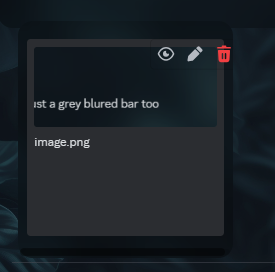
dont know if its a vesktop css moment but it kinda looks off for the message bar
 tulip vine
?? can u send a ss
ohh that
yea ik gonna fix it but idk what i should put there, just a grey blured bar too
 tulip vine
k
  display: inline-block;
  max-width: calc(100% - 5px);
  background: rgba(0, 0, 0, 0.274) !important;
  border-radius: 16px !important;
  backdrop-filter: blur(20px);
}

.upload_c98ecb {
  display: inline-block;
  max-width: calc(10%);
  background: rgba(0, 0, 0, 0.274) !important;
  border-radius: 16px !important;
  backdrop-filter: blur(20px);
}```

add this to the botto of the theme
 tulip vine
use this
  display: inline-block;
  max-width: calc(100% - 5px);
  background: rgba(0, 0, 0, 0.274) !important;
  border-radius: 16px !important;
  backdrop-filter: blur(20px);
  margin-top: 10px;
  margin-bottom: 10px;
}

.upload_c98ecb {
  display: inline-block;
  max-width: calc(10%);
  background: rgba(0, 0, 0, 0.274) !important;
  border-radius: 16px !important;
  backdrop-filter: blur(20px);

}```

gonna fix upload tooyup looks better
margin-bottom might be a bit too much though unless you wanted it to be like this
 tulip vine
is this upload part better?
  display: inline-block;
  max-width: calc(10%);
  background: rgba(0, 0, 0, 0.274) !important;
  border-radius: 16px !important;
  backdrop-filter: blur(20px);
  margin-right: -470px;

}```idk how to Make it like to the left smaller
tulip vine
tulip vine
idk how to Make it like to the left smaller
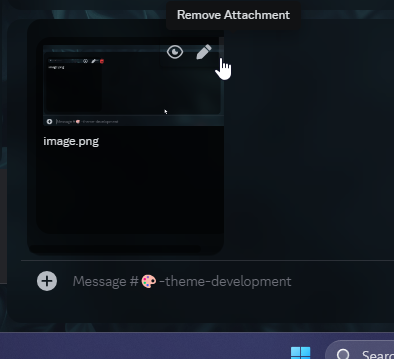
.....
 tulip vine
wait Maybe this
 worldly moss
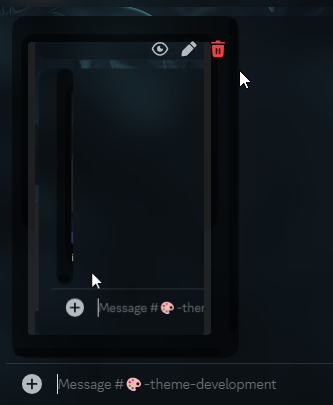
yeah removing that fixes it
tulip vine
kk
 tender hedge
when censoring things make it worse
magic escarp
Ofc
worldly moss
real
clear siren
btw @tulip vine you don't have to if you don't want to, but I would much appreciate if you credited/linked to my css in a comment in your theme, or what you can also do is @import my css and just override the parts you changed as I'm still updating it
there's a few more things I'm making transparent
I honestly don't mind really, but sharing your source is a good practice in case you stop updating your theme or someone wants to build their own based on it, they (and you) can trace the css and maybe find one that is up to date if things break for some reason (although the way I wrote it should survive discord class updates at least)
tulip vine
oh but i thought at ur code u send Me it was like code u just Made for Me rq
clear siren
nah I'm making it for common use and still working on it, it's a major part of my theme as well
tulip vine
how should i credit u
clear siren
I'd just put a comment like /* based on <https://github.com/nvhhr/discordcss/blob/main/snippets/actuallybasicbackground.theme.css> */ or something
tulip vine
or i just Make it Myself
clear siren
I mean if you want to rewrite it that's fine too, but I'm also happy if you want to use my css, I just think if you use my css it's a good practice to cite your source
tulip vine
cite?
clear siren
to link to the source
clear siren
yeah that's fine
 clear siren
!important makes the rule override any rule that already exists for that selector, unless there is already a rule that has !important in it and has a more specific selector
 tulip vine
clear siren
!important makes the rule override any rule that already exists for that selecto...
tulip vine
clear siren
!important makes the rule override any rule that already exists for that selecto...
.
clear siren
those aren't part of my css so keep them as they are, but for the background part what you can do is @import url("https://raw.githubusercontent.com/nvhhr/discordcss/main/snippets/actuallybasicbackground.theme.css"); and throw your overrides for the chat input background-color and the :root { --nvbgimg:"whatever"; } after that, if you want to, you don't have to
oh you didn't override the chat input that was some other person but yeah
tulip vine
OHH u were the guy who did the background?
 clear siren
because :root is same as body but more specific
so any rule in :root will override body
tulip vine
thhis aint working to
 clear siren
it should work, if it comes after the other rule, or what you can do is put !important in them
tulip vine
aint working

 clear siren
show the whole css
tulip vine
clear siren
add the @import url("https://raw.githubusercontent.com/nvhhr/discordcss/main/snippets/actuallybasicbackground.theme.css"); at the top
tulip vine
i want to Make it Myself without the credit
clear siren
you do you :D
tulip vine
wait but why isnt it working with the background? (in html it works too )
as u can see in https://contracz.github.io

Themes/Discord/Github/DiscordSnippets
clear siren
I'm sure the background is being set, but there are many elements on top of it with their own backgrounds that are obscuring the one set in :root/body
not the case with your github.io page
tulip vine
wait so what do i need to do so it will override them
clear siren
my css clears out the backgrounds from a bunch of elements as you can see in https://github.com/nvhhr/discordcss/blob/main/snippets/actuallybasicbackground.theme.css
tulip vine
wait cant i do that too
clear siren
you can if you want to recreate that, you can also set discord color variables to transparent like I used to do like so:
:root
 { --background-primary: transparent;
   --background-secondary: transparent;
   --background-tertiary: transparent; }
but that will make all kinds of dialogs and menus transparent too which is not ideal, which is why I started making my manual approach
tulip vine
kk
clear siren
of course you can manually add blurs / backgrounds to menus and dialogs like I also did
clear siren
but I'm trying to make as I called it 'actually basic background' something that is as non-invasive as possible
supple bone
tulip vine
i want to Make it Myself without the credit
Copy pasting others code is not making a theme by yourself mate. Try to give credit to the devs, it costs 0 🙂
tulip vine
supple bone
Copy pasting others code is not making a theme by yourself mate. Try to give cre...
yea ik sorry
clear siren
I'm fine either way, I don't care if I'm credited but if any code is shared around it helps everyone if the sources are cited
I'm just gonna explode if I see someone in #🏥-vencord-support-🏥 asking why theme broke and it's my still work in progress css
supple bone
tulip vine
yea ik sorry
Nah it's ok don't worry, just trying to point that programming is a hard work and some code it's challenging to do. Not the case of nvhhr but I know it's frustrating to see others using your own work, happens to artists too 😄
tulip vine
supple bone
Nah it's ok don't worry, just trying to point that programming is a hard work an...
k that makes sense
like?
@clear siren @supple bone
 clear siren
lol
supple bone
tulip vine
<@165098921071345666> <@434354929830985728>
No need to put me in there mate, I did nothing hahaha
tulip vine
u told about the citing
 tulip vine
oh it cant?
clear siren
nah
tulip vine
oh Man My typing lol
tulip vine
clear siren
btw are you sure about this
reload page lol
idk what the bugs are so idk how to fix them
damn didnt see this and this


k
daMN K
sry for caps
ohhh damn
u got the old version
like go to releases
and downkload the newest version
here that will downlaod newest version
https://github.com/contracz/natures-theme/releases/tag/v2.6 or this if u dont trust the auto download

if u want to u can join the discord for updates

naaa
just go to theme folder and put in the file
 atomic plank
Can I use this in a theme some how?: https://github.com/Born2Root/Fast-Font
GitHub
This font provides faster reading through facilitating the reading process by guiding the eyes through text with artificial fixation points. - Born2Root/Fast-Font
clear siren
nope
there is a plugin request for this https://github.com/Vencord/plugin-requests/issues/62
actually hold up
wait this actually works

install the font in your system and then
:root {--font-primary: "fast_sans" !important;}
On ok
 clear siren
try html{filter:blur(3px)}
teal cave
Hmm can I post scss snippets in #🎨-css-snippets?
tulip vine
sccs?
 tulip vine
oh na i Messed up i cant type anywhere only in the grey thingy
 clear siren
tulip vine
sccs?
clear siren
tulip vine
sccs?
scss is a css preprocessor that adds some features, most of which are built in to standard css these days
and misuse of scss outputs really fucked up css
tulip vine
oh and @teal cave uses that?
how can i set the background color to smth here (whats the class called)

sadly i cant find the cakss
*class
teal cave
.themedBackground__3a4c0

 atomic plank
clear siren
install the font in your system and then
```CSS
:root {--font-primary: "fast_san...
atomic plank
clear siren
install the font in your system and then
```CSS
:root {--font-primary: "fast_san...
It doesn't seem to work in my theme, just makes everything appear italic and smaller without any highlighting
clear siren
atomic plank
It doesn't seem to work in my theme, just makes everything appear italic and sma...
did you restart your client
after installing font
tulip vine
i got the blur in my theme butt the only thing that annoys me is that at the @ at the start its like cut off 
atomic plank
clear siren
also that's a really cool theme
atomic plank
tulip vine
damn
same with this one
worldly moss
taking raw gh file and adding it via online themes is also easier btw
worldly moss
changed it a lil bit
 tender hedge
i dont even know what the use of the channel search is
and most of the time i forget it exists anyway
worldly moss
tender hedge
i dont even know what the use of the channel search is
channel search or quick switcher?
both are pretty useful
clear siren
I've never used it tbh but I probably should learn to
tender hedge
worldly moss
channel search or quick switcher?
quick switch
worldly moss
tender hedge
quick switch
pretty useful
tender hedge
meh
i know where every discord server in my list of servers are
if i need any specific channel i can just go to it
worldly moss
*server name is much faster than clicking through this shit 😭
 tender hedge
damn
worldly moss
tender hedge
i know where every discord server in my list of servers are
understandable
but its so useful
like you can go to the previous channel by just ctrl + k + enter
tender hedge
i have some servers i dont use often in folders and ones i do use often just there when i need em
tender hedge
if only u could see folder names without hovering
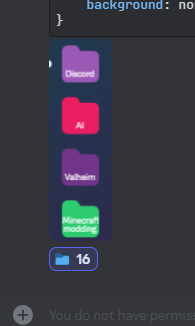 tender hedge
well yeah
tender hedge
i like the folders like in arc browser
probably one of the reasons why i asked someone to make an arc browser theme for discord
just using servers as tabs
worldly moss
too much work 🙏
tender hedge
worldly moss
too much work 🙏
but dont get me wrong it would look cool and be usefull
echo frost
closest thing ik of is using the the track img as a background img for fillbar
that's what mine is
I can send in a bit
echo frost
it's a variable something like --track-image iirc
here's my css for it
and what it looks like

 past bison
i have a new idea for my theme after i made this screenshot snippet


subtle light casting from red (from now on glowing ...) buttons
red is led 😄
 brave rampart
hey does anyone know if classes like:
.container_debb33
``` change everytime discord updates?nice
past bison
not every time
plain kelp
Not every time, but every few weeks maybe
brave rampart
plain kelp
Not every time, but every few weeks maybe
hmm ok
past bison
brave rampart
nice
it's basically just 1 line yet but so nice
brave rampart
past bison
it's basically just 1 line yet but so nice
yeah
teal cave
brave rampart
hey does anyone know if classes like:
```css
.container_debb33
``` change everyt...
I've been making themes since 2019 and have only had to reroll 2 times total, so take that as you will
brave rampart
anyways i usually code stuff in javascript so im gonna have a fun time doing css stuff
brave rampart
teal cave
I've been making themes since 2019 and have only had to reroll 2 times total, so...
k
past bison
teal cave
I've been making themes since 2019 and have only had to reroll 2 times total, so...
wow. so one of that was about 10 days ago?
teal cave
Yup, if you only started recently then rip bad luck
past bison
it's one click https://syndishanx.github.io/Website/Update_Classes.html
 fast cipher
past bison
it's one click https://syndishanx.github.io/Website/Update_Classes.html
fast cipher
past bison
it's one click https://syndishanx.github.io/Website/Update_Classes.html
this is so useful, thanks

echo frost
.item__183e8.labelContainer__4f869.colorDefault_e361cf.focused_dcafb9 > div.iconContainer__5d61c > svg > path.check__8d1bd {
    fill: var(--brand-experiment-560);
}```
this works
might be slightly more specific than ideal, but it doesn't break it for copy text and stuffHow do you disable the button animations?
I was able to disable the square moving, but I can't get the gif to stop moving

and i can't figure out the headphones (deafen) either
and probably the same thing for the mic (mute)
Might just leave them
they're not bad animations
 pure cairn
tender hedge
i like the folders like in arc browser
pure cairn
tender hedge
i like the folders like in arc browser
#🎨-theme-development message
Pinging you this time since you probably missed the old message
tender hedge
pure cairn
https://discord.com/channels/1015060230222131221/1134844326933954622/12254500101...
they use windows 11 font
but i like sf pro display more
worldly moss
anyone knows how to fix this unholy invisible little shit (made red for better visibility)
.wrapper__216eb[aria-label="Servers sidebar"]:hover .expandedFolderBackground_b1385f ~ .listItem__48528:nth-child(2) > div::before {
    content: attr(data-dnd-name);
    top: 1.125rem;
    left: 4.5rem;
    position: absolute;
    padding: 0px 5px 5px 5px;
    width: fit-content;
    max-width: 8.5rem;
    background-color: red;
    color: var(--text-normal);
    white-space: nowrap;
    overflow: hidden;
    text-overflow: ellipsis;
    transition: width 0.3s ease-in-out;
}

 tender hedge
mac font
tender hedge
worldly moss
anyone knows how to fix this unholy invisible little shit (made red for better v...
look if i can class select it
worldly moss
i did, its not there
its weird
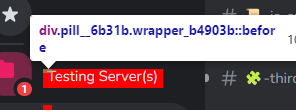
its the psydo element but shifted up
i love css
tender hedge
dont u love discors
tender hedge
pure cairn
https://discord.com/channels/1015060230222131221/1134844326933954622/12254500101...
btw u can also dm me about the theme idm
so i dont miss it
worldly moss
worldly moss
anyone knows how to fix this unholy invisible little shit (made red for better v...
this probably looks better

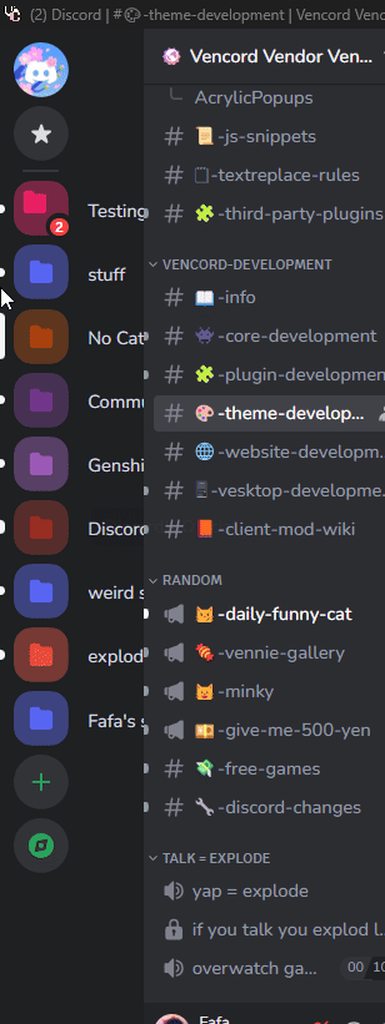
 frigid garnet
💀
tender hedge
echo frost
How do you disable the button animations?
I was able to disable the square movin...
its an experiment
just turn that off
pure cairn
tender hedge
they use windows 11 font
Oh ok, gotcha 
pure cairn
tender hedge
btw u can also dm me about the theme idm
Will do when I start working on it, since I'll need multiple screenshots to have a general idea of UI/placements etc
tender hedge
alr
vestal field
worldly moss
https://i.imgur.com/IXJsLSM.gif
wait this is sick
bleak gust
worldly moss
https://i.imgur.com/IXJsLSM.gif
this is awesome
worldly moss
worldly moss
https://i.imgur.com/IXJsLSM.gif
tried to replicate the bg of folders for servers without folders it looks meh

it for whatever reason flickers on dark custom themes
past bison
is it possible to have oveflow over a scroller (x axis) that has a scrollbar?
it's css overflow: hidden scroll;
but visible scroll is not working.
 echo frost
worldly moss
tried to replicate the bg of folders for servers without folders it looks meh
...
echo frost
worldly moss
tried to replicate the bg of folders for servers without folders it looks meh
...
wtf iis that domain 😭
echo frost
I'm trying to make this not follow when you scroll, but I can't figure it out
I've done the same thing with something in the shop, but this boost isn't using position: sticky, so I can't figure out how to get what i want
 worldly moss
seems like theyre using transform and opacity and set the values depending on your scroll position
worldly moss
oh yeah mb
must be because of the transform, not really sure about that why fixed wouldnt work
 molten maple
.wrapper__8a5dd {
  width: 100%;
  max-width: 300px;
  background-color: var(--background-modifier-accent);
  display: flex;
  flex-direction: column;
  justify-content: center;
  border: 1px solid var(--border-strong);
  border-radius: 10px;
}

.header__4ecb7 {
  font-size: 12px;
  margin-top: 10px;
  text-align: center;
  color: #ffffff;
  width: 100%;
}

.button_f73214 {
  align-items: center;
  margin-top: 20px;
  padding: 12px 24px;
  background-color: var(--background-tertiary);
  color: #fff;
  border: none;
  border-radius: 8px;
  font-size: 18px;
  cursor: pointer;
  transition: background-color 0.3s ease, box-shadow 0.3s ease, color 0.3s ease, transform 0.3s ease;
}
.button_f73214:hover {
  background-color: var(--background-tertiary);
  box-shadow: 0 4px 8px rgba(0, 0, 0, 0.2);
  color: #ffffff;
  transform: scale(1.05);
}

.guildIconImage_c1aa48 {
  width: 60px;
  height: 60px;
  border-radius: 50%;
  box-shadow: 0 4px 8px rgba(0, 0, 0, 0.1);
  transition: transform 0.3s ease, box-shadow 0.3s ease;
  margin-top: 15px;
}
.guildName__22ec8 {
  color: var(--text-normal);
   margin-top: 15px;
}```
I forward this css because I think it is very good and it is very nice to be forgotten as many codes that are in this channel. worldly moss
molten maple
worldly moss
molten maple
the svg is offset
or is it supposed to be like that http://faf4a.only-fans.club/u/x6mrIB.png
 echo frost
worldly moss
must be because of the transform, not really sure about that why fixed wouldnt w...
echo frost
worldly moss
must be because of the transform, not really sure about that why fixed wouldnt w...
it's bc they're already using absolute
the others use sticky
So idk how it's following the screen
also omg you can fix discord cutting off about mes very easily!

 worldly moss
discord
molten maple
worldly moss
the svg is offset
my idea is that it stays there and not in the same line as the name but if you don't like the way it looks, I'll put it there with no problem.
worldly moss
molten maple
my idea is that it stays there and not in the same line as the name but if you d...
its fine, just asked if it was intentional
teal cave
uwuwuw
molten maple
worldly moss
its fine, just asked if it was intentional
yes, if it is intentional
 grand surge
Is it possible to have it so profile colors are always in dark mode in a custom theme?
worldly moss
grand surge
Is it possible to have it so profile colors are always in dark mode in a custom ...
isnt that a discord feature

 iron smelt
ohh… i didn’t know this existed
https://docs.betterdiscord.app/discord/variables/

BetterDiscord Docs
User and developer documentation for using and creating addons for BetterDiscord.
grand surge
worldly moss
http://faf4a.only-fans.club/u/6oT6NP.png
Well yeah but is there a way to force/override it
 devout elm
not via css i think sadly
cus the profile colours discord shows r different values based on the setting
echo frost
grand surge
Is it possible to have it so profile colors are always in dark mode in a custom ...
is the custom theme light mode?
sync off
element.style {
    --profile-gradient-primary-color: hsla(13, 32.8%, 73.1%, 1);
    --profile-gradient-secondary-color: hsla(50, 77%, 77.8%, 1);
    --profile-gradient-button-color: hsla(13, 20.4%, 36.5%, 1);
    --profile-gradient-overlay-color: hsla(0,0%,100%,0.6);
    --profile-body-background-color: hsla(0,0%,100%,0.45);
    --profile-body-background-hover: hsla(0,0%,0%,0.08);
    --profile-body-divider-color: hsla(13, 20.4%, 36.5%, 0.12);
    --profile-avatar-border-color: hsla(13, 32.1%, 89%, 1);
    --profile-message-input-border-color: hsla(50, 41.6%, 69.8%, 1);
    --profile-note-background-color: hsla(0,0%,100%,0.3);
    --profile-role-pill-background-color: hsla(0,0%,100%,0.5);
    --profile-role-pill-border-color: hsla(228,6.67%,14.71%,0.2);
}

sync on
element.style {
    --profile-gradient-primary-color: hsla(13, 32.8%, 73.1%, 1);
    --profile-gradient-secondary-color: hsla(50, 77%, 77.8%, 1);
    --profile-gradient-button-color: hsla(13, 20.4%, 36.5%, 1);
    --profile-gradient-overlay-color: hsla(0,0%,0%,0.6);
    --profile-body-background-color: hsla(0,0%,0%,0.45);
    --profile-body-background-hover: hsla(0,0%,100%,0.16);
    --profile-body-divider-color: hsla(0, 0%, 100%, 0.24);
    --profile-avatar-border-color: hsla(13, 12.3%, 14.3%, 1);
    --profile-message-input-border-color: hsla(50, 18.2%, 55.9%, 1);
    --profile-note-background-color: hsla(0,0%,0%,0.3);
    --profile-role-pill-background-color: hsla(228,6.67%,14.71%,0.5);
    --profile-role-pill-border-color: hsla(0,0%,100%,0.2);
}```
this is how it works

ss from vscode for the color previews
wait i mixed them up
sync on in the image is sync off
and sync off is sync on
oops
grand surge
Oh, nice
echo frost
I'm still not quite sure what you're trying to do though
grand surge
I was just wondering
echo frost
echo frost
```css
sync off
element.style {
--profile-gradient-primary-color: hsla(13, 3...
here's a diff

and here's profiles to compare

 tulip vine
How do i set a color only when dark mode is used?
teal cave
tulip vine
How do i set a color only when dark mode is used?
setting a variable
.theme-dark {
  --variable-name: red;
}
setting colour directly on an element
.theme-dark <element> {
  color: red;
}
http://faf4a.only-fans.club/u/SF49PY.png only 3 missing, fav icon thing whatever that useless shit is called, join servers, discovery.
i dont know what im doing with my life
 tulip vine
teal cave
setting a variable
```css
.theme-dark {
--variable-name: red;
}
```
setting co...
tulip vine
teal cave
setting a variable
```css
.theme-dark {
--variable-name: red;
}
```
setting co...
How do i use varibles and how do i create them? Is there a guide about it
 gleaming crag
to use it
body {
    background-color: var(--bg);
}
making a variable is as I described before, when you create a variable in an element, it'll be available for that element and its children
tulip vine
gleaming crag
to use it
```css
body {
background-color: var(--bg);
}
```
And how do i set bg var
plain kelp
Reading comprehension anyone?
pure cairn
That's overrated
iron smelt
plain kelp
Reading comprehension anyone?
 past bison
My first try trying to set a custom background whoa 😮
radiant epoch
Sometimes my discord gets a random gap at the bottom
spotify is the window on the right and the height discord normally is, discord on the left here is where it decides to just randomly be
 echo frost
I think a bigger ss would be helpful
 worldly moss

vestal field
bleak gust
how do i get the motivation
you dont
just add more lines to fix the broken stuff
bleak gust
vestal field
just add more lines to fix the broken stuff
nop
my client will lag to death if i dont remove
vestal field
oh
yeah
next time discord rerolls classes i'll rewrite my theme (is what i tell myself)
bleak gust

pure cairn
bleak gust
how do i clean my 1000 line long css
Select all
Press del

plain kelp
Run lolcat stuff.css
 low gust
teal cave
setting a variable
```css
.theme-dark {
--variable-name: red;
}
```
setting co...
low gust
teal cave
setting a variable
```css
.theme-dark {
--variable-name: red;
}
```
setting co...
I thought it was css <element>.theme-dark { color: red; }
solid ore
low gust
I thought it was ```css
<element>.theme-dark {
color: red;
}```
thats not via setting a variable tho which is what was originally asked
plain kelp
low gust
I thought it was ```css
<element>.theme-dark {
color: red;
}```
Only if the theme-dark class is applied to the element itself rather than an ancestor
low gust
plain kelp
Only if the theme-dark class is applied to the element itself rather than an anc...
yeah
plain kelp
Which I think you mostly see on profiles and preview message for role color
 onyx mesa
Memberlist Hover that doesn't destroy performance, that much.
/* Memberlist Hover */
.container_b2ce9c, [class^="membersWrap_"] {
  justify-content: unset;
  min-width: unset;
  width: 61px;
  right: 0;
}
[class^="membersWrap_"] [class^="members_"] {
        transition: transform var(--hover-animation-speed);
}
[class^="membersWrap_"]:hover [class^="members_"] {
        transform: translateX(-179px);
}
[class^="membersWrap_"] [class^="membersGroup_"]::after {
        content:"";
        width: 30px;
        height: 3px;
        border-radius: 50px;
        background-color: #949ba4;
        position: absolute;
        left: -36px;
        top: 29px;
        margin-left: 8px;
}
[class^="membersWrap_"]:hover [class^="membersGroup_"] {
        transform: translateX(-3px);
}
[class^="membersWrap_"] [class^="membersGroup_"] {
        cursor: default;
        transform: translateX(45px);
        transition: transform var(--hover-animation-speed);
        overflow: visible;
}
:root {
    --hover-animation-speed: .30s;
}```tried making the separator the same color as the role but ultimately couldn't find a way to do it with CSS.
tulip vine
to the guy who didnt like that theres no space , here u go

wghats the class called for the discord home icon
alpine current
tulip vine
to the guy who didnt like that theres no space , here u go
I am not you hater, but the gradient is still there
 tulip vine
oh u Mean the thing in the background?
bc like everything is just transparent with a lil blur
alpine current
tulip vine
oh u Mean the thing in the background?
There's a 'gray' thing for the original background, I think
tulip vine
yea
alpine current
Pretty sure that you can see it now
 tulip vine
OHH That little grey spot
alpine current

tulip vine
but how should i change it
alpine current
tulip vine
but how should i change it
I dunno, ask @past bison, maybe he or she knows
past bison
it looks brown from here and i don't know what causes it. how does it look like without blur? is there some red pixels below or something?
tulip vine
idk what is causing it
oak plover
iirc it’s a pseudo element that’s included by default
radiant epoch
can i take this image source and put into a variable somehow?
 glad urchin
using js yes
using css :(
teal cave
you can do it cringe and manual but that's probably not what you mean
glad urchin
if anything you can use it for a pseudo element
radiant epoch
can you do quick js like you can do quick css?
theres this but i cant find where to use it
 low gust
radiant epoch
can you do quick js like you can do quick css?
low gust
radiant epoch
can you do quick js like you can do quick css?
ctrl+shift+i
opens the inspect menu
go to console to run js
radiant epoch
that wont persist between restarting discord tho?
radiant epoch
what x??
plain kelp
Oh I guess that's a few posts up
Even if there was quickjs, it wouldn't be able to do patches, which would be needed here
radiant epoch
guess i could make my own plugin then?
fast cipher
radiant epoch
can you do quick js like you can do quick css?
this literally is, why plugins exists
past bison
what do you think of my version of "basic background"?


 clear siren
looks good although not sure if I would call it basic
past bison
yeah 😄 i want to further tweak some blurred elements but it starts looking good
clear siren
my approach you probably saw https://github.com/nvhhr/discordcss/blob/main/snippets/actuallybasicbackground.theme.css
past bison
I found a way to achieve blur strength, not the size, but the blur opacity or something
solid ore
past bison
what do you think of my version of "basic background"?
great job! looks rly good
solid ore
clear siren
my approach you probably saw <https://github.com/nvhhr/discordcss/blob/main/snip...
yeah i think thats the "basic" one most ppl would want to try first, before realising the image they want doesnt have good contrast for everything lol
clear siren
solid ore
yeah i think thats the "basic" one most ppl would want to try first, before real...
which is why I added the toning layer thing
past bison
solid ore
great job! looks rly good
with a light theme, i think the original colors of the backgrounds are gone


 clear siren
trippy
solid ore
past bison
with a light theme, i think the original colors of the backgrounds are gone
thats my fav colour 🥺
still ima stick to my basic oled theme tho
past bison
 past bison


 worldly moss
past bison
worldly moss
past bison
🔥
past bison
this blur ❤️

 past bison
/*FIRST MESSAGE*/
.cozyMessage__9f4fd.groupStart__7b93c .messageContent_abea64::after {}
/*LAST MESSAGE*/
.cozyMessage__9f4fd:not(.groupStart__7b93c)  .messageContent_abea64::after {}
/*MIDDLE MESSAGE*/
li:has(.cozyMessage__9f4fd:not(.groupStart__7b93c)):has(+ li > .cozyMessage__9f4fd:not(.groupStart__7b93c)) .messageContent_abea64::after {}
/*SINGLE MESSAGE*/
li:has(>.cozyMessage__9f4fd.groupStart__7b93c):has(+ li > .cozyMessage__9f4fd.groupStart__7b93c) .messageContent_abea64::after,
li:has(>.cozyMessage__9f4fd.groupStart__7b93c):has(+ .divider__01aed ) .messageContent_abea64::after {}```I made these selectors lol 😄
for making message bubbles, i think it's possible
but maybe it's too resource heavy?

 tulip vine
hm

 plucky jungle
fail
frigid garnet
loll
tulip vine
ik
brave rampart
past bison
Yooo my friend codemob
plucky jungle
past bison
this blur ❤️
can i have the theme
past bison
it's not finished
fast cipher
past bison
this blur ❤️
nice progressive blur
frigid garnet
past bison
```css
/*FIRST MESSAGE*/
.cozyMessage__9f4fd.groupStart__7b93c .messageContent_a...
what does this do im not able to figure it out 😭
fast cipher
past bison
for making message bubbles, i think it's possible
@frigid garnet ^^^
 deft niche
 past bison
fast cipher
nice progressive blur
past bison
fast cipher
nice progressive blur
ah so it has a name 😮
 past bison
"different from the 'progressive blur'. With progressive, the blur radius gets progressively bigger, instead of staying constant and just fading out."
so it's not
pure cairn
tulip vine
hm

 thin sundial
Has anyone found a way to remove the below from appearing when I remove the voice channel from being listed
 pure cairn
thin sundial
Has anyone found a way to remove the below from appearing when I remove the voic...
pure cairn
thin sundial
Has anyone found a way to remove the below from appearing when I remove the voic...
read from there
thin sundial
Thanks
echo frost
wtf did discord change code block font?
asoudhaosudhoausbd
asoudbaosubdoausbdoub
asodubasoudbaosudb```Oh there's already a #🎨-css-snippets
iron smelt
vestal field
new font is actually quite nice
 edgy jungle
i am usually pretty indifferent unless its out of left field
like the most recent betas for tablets that layout is atrocious was my first and second and third reaction
they shoved tabsv2 design principles into a tablet layout not realizing that some of the elements will literally be so small theyre pointless
like its okay on my ipad but i cant imagine smaller tablets (probably android ones) use the space any better than non tv2
 dark dragon
vestal field
not as readable but it looks cool
dark dragon
vestal field
not as readable but it looks cool
I don't have any issues reading it myself. A monospace font not being readable is a pretty big design flaw though
vestal field
might just be subjective
and not being readable is fine if the goal is to look cool
at this point i've seen so much consolas that im probably just used to it
plain kelp
I've been doing --font-code: monospace; for years anyway
There's literally no reason to have the monospace font be anything other than system default
teal cave
Probably doesn't matter to 99% of discord users who only use code blocks for looks and coloured text
vestal field
plain kelp
There's literally no reason to have the monospace font be anything other than sy...
other fonts look so much nicer
plain kelp
Other fonts than what? The one discord tries to foist at you?
clear siren
roboto mono my beloved
plain kelp
I've set my system default to dejavu
And I don't appreciate upstarts like discord trying to disregard that
glad urchin
iosevka i love
pure cairn
can you apply a different styling to an element that only applies when another element is not present?
e.g. when there is no spotify album art, I want the icons to stay on the left instead of bugging out like they're doing now
 dark dragon
There are a few ways to do it, the easiest way nowadays is probably :not(:has()) though
grand surge
i have a css snippet that i habve updated the classes for, im trying to add the ease transition but it doesnt seem to work.
.container_f79ab4 {
  transition: 0.3 ease-in-out;
  margin-right: -180px;
}
.container_f79ab4 .membersGroup_cad095 {
  transition: 0.3 ease-in-out;
  height: 0px!important;
  margin-top: -25px;
}
.container_f79ab4:hover .membersGroup_cad095 {
  height: unset!important;
  margin-top: unset!important;
}
.container_f79ab4:hover{
  margin-right: unset!important;
}```(please ping if you respond)
dark dragon
grand surge
i have a css snippet that i habve updated the classes for, im trying to add the ...
You're using transition wrong, try like this
.container_f79ab4 {
  transition: margin 0.3s;
  margin-right: -180px;
}
.container_f79ab4 .membersGroup_cad095 {
  transition: margin 0.3s;
  height: 0px!important;
  margin-top: -25px;
}
.container_f79ab4:hover .membersGroup_cad095 {
  height: unset!important;
  margin-top: unset!important;
}
.container_f79ab4:hover{
  margin-right: unset!important;
}
a, i see.
thank you.
clear siren
always check the reference https://developer.mozilla.org/en-US/docs/Web/CSS/transition
although that should've worked I think
clear siren
even when I've been doing this for years I still open mdn when setting even the simplest properties lol
dark dragon
Ah, yeah that should work fine, it was just the 0.3 that was the issue. you need to specify the actual unit
grand surge
on the front page it says this and my snippet says this without the all is that the reason it didnt work?
 grand surge
dark dragon
Ah, yeah that should work fine, it was just the `0.3` that was the issue. you ne...
grand surge
dark dragon
Ah, yeah that should work fine, it was just the `0.3` that was the issue. you ne...
o
dam
clear siren
oh yeah s missing
dark dragon
Ah all is default, that doesn't really matter
clear siren
didn't even see that
dark dragon
If you're ever having issues like that, checking the styles panel in the elements tab might shine some light on them. In this case, you'd see this
 pure cairn
dark dragon
There are a few ways to do it, the easiest way nowadays is probably `:not(:has()...
pure cairn
dark dragon
There are a few ways to do it, the easiest way nowadays is probably `:not(:has()...
ohhhhh
that's smort
thank you
pure cairn
dark dragon
There are a few ways to do it, the easiest way nowadays is probably `:not(:has()...
so, if the original snippet is
#vc-spotify-titles > div:first-child::before {
  content: ":musical_note:";
  margin-top: -6px;
  left: 65.5px;
}```
I can try and use
```css
#vc-spotify-info-wrapper:not(:has(#vc-spotify-album-image)) #vc-spotify-titles > div:first-child::before {
  content: "🎵";
  margin-top: -6px;
  left: 55.5px;
}```yes, it works
lessgo

hm, I wonder if I can somehow nest this
#vc-spotify-titles > div:first-child::before {
  #vc-spotify-info-wrapper:not(:has(#vc-spotify-album-image)) & {
    content: "🎵";
    margin-top: -6px;
    left: 55.5px;
  }
  content: "🎵";
  margin-top: -6px;
  left: 65.5px;
}```hmmm
bleak gust
I have some very fucked up CSS.
I have NO IDEA WHY THIS HAPPENS but
The background for this folder disappears until I scroll

but goes back to like that when I return to the top
current CSS:
/* Compact Guild List */
:root {
    --custom-list-items-list-item-width: 54px;
    --custom-folder-item-guild-icon-size: 36px;
}

.guilds__2b93a {
    width: var(--custom-list-items-list-item-width);
}

.listItem__48528 {
    margin: 0 0 6px;
    width: var(--custom-list-items-list-item-width);
}

/* stop weird jank at bottom of folders?????? */
.expandedFolderBackground_b1385f {
    margin-bottom: -8px;
}

/* unread pill, uses scale because of [style=height] */
.wrapper_b4903b.pill__6b31b {
    scale: 0.75;
    top: -6px;
}

.wrapper__9916c, .svg__34dd4 {
    width: var(--custom-folder-item-guild-icon-size);
    height: var(--custom-folder-item-guild-icon-size);
}

ul[id^="folder-items-"] {
    height: unset !important;
}

.expandedFolderBackground_b1385f {
    left: 9px;
}

/* fixes svg masking stuff for folders and closed folder guild icons */
.expandedFolderIconWrapper__324c1, .folderIconWrapper__11165, .folder__17546, .closedFolderIconWrapper__722d5 {
    width: 48px;
    height: 48px;
}

.upperBadge__00ad0, .lowerBadge_e89e22 {
    scale: 0.75;
    right: -2px;

}
.upperBadge__00ad0 {
    top: -2px;
}
.lowerBadge_e89e22 {
    bottom: -2px;
}

:has(>:is(#vc-friendcount, #vc-guildcount)) {
    display: flex;
    flex-direction: column;
    gap: 2px;
}

#vc-friendcount, #vc-guildcount {
    font-size: 9px !important;
    height: 9px;
}
http://nya.only-fans.club/30N25Y.png
compact polls if anyone wants them
.chatContent_f087cb .answersContainer_d6d472 {
    grid-template-columns: repeat(2, 1fr);
}

.chatContent_f087cb .pollContainer_cfb8c7 .answerInner_b97752 {
    min-height: 0;
    width: 100% !important;
}

 manic chasm
ok so im using a like
channel squish
thing
when im not hovering theres an ugly cap
gap

where the user container is
but when i hover]
it fills it again

how do i make it always fill there
manic chasm
ok fuck that
better idea
jsut dont do it
howefver i have another problem
if i squish both i cant see my pings

how do i make see my pings
 umbral wind
Hey gang I was trying to get square profile pictures but couldn't quite manage, what should I do? (talk to me like I'm stupid I do not know CSS thank you)
if it makes a difference the one I was using rn is https://github.com/CapnKitten/BetterDiscord/tree/master/Themes/Translucence
worldly moss
umbral wind
Hey gang I was trying to get square profile pictures but couldn't quite manage, ...
everywhere or just the one at the bottom left?
if so just change the border-radius
.avatar__08316 {
  border-radius: 4px;
}
for example
for sidebar its gonna be a bit more complicated
umbral wind
worldly moss
everywhere or just the one at the bottom left?
Actually for chat
worldly moss
then the one above is just for the chat
umbral wind
I happened to get the ones on the side working just by looking around and copypasting
and it worked yahoo

but the chat one didn't lol
Oh hell yeah that worked thanks 
 torpid void
is it possible to stop it from scrolling to the bottom when you click the name in the like abt me/member since/roles etc section
so when i hold down on my name it automatically scrolls to the bottom in that section
teal cave
This doesn't happen to me
frigid garnet
torpid void
is it possible to stop it from scrolling to the bottom when you click the name i...
happens to me too
 fading wigeon
torpid void
is it possible to stop it from scrolling to the bottom when you click the name i...
fading wigeon
torpid void
is it possible to stop it from scrolling to the bottom when you click the name i...
not with css, it would have to be a plugin made to stop focusing whatever input box (i think note)
torpid void
fading wigeon
not with css, it would have to be a plugin made to stop focusing whatever input ...
oh thats annoying
devout elm
theres a plugin to remove it i think but thats not the greatest solution
tender hedge
gonna ask this here before i spend alot of time trying to do something that might be impossible
can i add buttons to discord itself that have a function like hide server list
dark dragon
CSS is purely for styling. There are some hacky things you can do to emulate buttons and the like, but they're not great. You'd need a plugin if you wanted to add a button properly
glad urchin
definitely not with css
tender hedge
welp definitly not going through the pain to make a plugin
as im trying to remake arc browser style wich has a sidebar collapse button
glad urchin
good luck
tender hedge
kinda stuck on making the favorites icon look the same as the dms i button i made
rn i have this though

favorites has to be on the right of the dms button
but cant seem to be able to move it there
iron smelt
chat i have a question you think about the word “announcement” what color comes to your head
same thing for the word “rules”
tender hedge
blue
iron smelt
tender hedge
blue
for which icon
tender hedge
rules
iron smelt
ok what color do you think about for the word “announcements”
tender hedge
orange maybe?
iron smelt
tender hedge
orange maybe?
what if orange wasn’t an option
tender hedge
yellow
iron smelt
again what if yellow wasn’t an option either
 vestal field
wdym clickable size
tender hedge
like size of when u click on a server icon u actually get sent to the server
as im trying to make servers look like tabs from arc browser
but when i click next to the actual server icon nothing happens
vestal field
i believe the clickable one is the one with draggable=true
 dark dragon
I think there's like 3 different things you need to increase the width on to get it working proper. It's not very fun figuring out which is which. I think Dablu has a snippet somewhere that does something similar, not sure if they've updated it
tender hedge
i know there is but i cant seem to get the desired look
vestal field
wait send your whole snippet
tender hedge
its by all means not done
and a selected arc tab looks like this

hovering has a slight highlight
no hover has no background
vestal field
wtf is this 😭
 tender hedge
oh yeah
thats
uh
folders
havent set them up right yet
oopsies
its probably because i dont have folder servers selected
in the css
as im using dm and favorite button differently and cant just select every listitem
tender hedge
i removed the background because it has none in arc browser
vestal field
ok can u send a snip of what folders or tab groups look like in arc
 vestal field
ok cool
tender hedge
that offset should be in place originally
vestal field
i will try to cook something up
tender hedge
its broken because of the width i set from unfoldered servers
btw the icons in the browser are 16x16
but use 32x32 instead
looks better
i also tried to get the favorites button next to the dms button like in the browser itself
but failed
this is what the whole sidebar looks like in the browser itself btw
 vestal field
are u on windows?
tender hedge
yes
vestal field
how has arc windows been for you
tender hedge
pretty good
vestal field
i tried it and i cant use it normally
tender hedge
only thing bugging me rn is theme coloring
vestal field
yeah its kinda weird
tender hedge
opacity is a bit broken
vestal field
but i feel like the whole thing was a bit unstable performance wise when i used it
tender hedge
it feels good now
dark dragon
I'm not sure if they've kept this updated, but have a go messing around with this
@import url(//dablulite.github.io/css-snippets/ServersList/import.css);
:root {
  --guild-list-width: 290px;
  --guild-list-height: 48px;
  --guild-item-radius: 50px;
  --guild-item-spacing: 8px;
}
and oh btw tab length is 180px
tender hedge
dark dragon
I'm not sure if they've kept this updated, but have a go messing around with thi...
yeah i know it exists
cant get a good result with it though
so im trying to make it myself
vestal field
where is this :3 from lmao

is this some vencord plugin
OH WAIT MY SERVER IS JUST CALLED THAT
im stupid
tender hedge
lol
worldly moss
lol
tender hedge
it would also be cool to have a plugin that implements spaces in discord
spaces being pages of tabs and in discords case servers
iron smelt
vestal field
to match the emoji
For something like this?
 iron smelt
vestal field
i just meant the whole thing red
iron smelt
vestal field
i just meant the whole thing red
that’s a lot of read, plus this looks cool


 vestal field
they're set with js or something
clear siren
horror
 terse dew
Are the threads connected toward their channel in CSS in any way or form?
I want to make something happen toward them when I hover their channel, but I don't really see a way for them to be effected by only their own channel.
 tender hedge
this is so broken
vestal field
ok im giving up on this lol
this is messed up
[class*=typeWindows] {
 height: 32px;
 margin-top: 0;
}

[class*=winButton] {
 height: 32px;
 top: auto;
 bottom: auto;
 width: 47px;
}

.platform-win .container__827e6 {
  top: -32px;
  padding-top: 32px;
}

[class*=base] {
 margin-right: 4px;
 margin-bottom: 4px;
 border-radius: 8px;
}

[class*=appMount], [class*=bg], [aria-Label*=Servers] {
 background: #282753;
}

[aria-Label*=Servers] {
 width: var(--custom-list-items-list-item-width);
}

:root {
  --custom-list-items-list-item-width: 200px;
}

[class*="expandedFolderBackground"] {
  display: none;
}

.wrapper__9916c {
  width: 180px;
  height: 32px;
  background: hsla(0, 0%, 100%, 0.1);
  padding: 4px;
  border-radius: 8px;
}

.pill__6b31b {
  height: 24px !important;
  top: 4px;
}

.pill__6b31b > span {
  height: 100% !important;
}

.svg__34dd4 {
  width: 24px;
  height: 24px;
  top: 4px;
  left: 4px;
}```running into the same clickable issue you had
tender hedge
y e a h
vestal field
i think you need to make the inner inner wrapper wide

but im not sure how without the svg part messing it up
tender hedge
div>div be like
ill try doing this tomorrow
after i have my new cpu cooler in my pc
and ill have to remake it so it works with folders
ig
vestal field
[class*=typeWindows] {
 height: 32px;
 margin-top: 0;
}

[class*=winButton] {
 height: 32px;
 top: auto;
 bottom: auto;
 width: 47px;
}

.platform-win .container__827e6 {
  top: -32px;
  padding-top: 32px;
}

[class*=base] {
 margin-right: 4px;
 margin-bottom: 4px;
 border-radius: 8px;
}

[class*=appMount], [class*=bg], [aria-Label*=Servers] {
 background: #282753;
}

[aria-Label*=Servers] {
 width: var(--custom-list-items-list-item-width);
}

:root {
  --custom-list-items-list-item-width: 200px;
}

[class*="expandedFolderBackground"] {
  display: none;
}

.wrapper__9916c {
  width: 180px;
  height: 32px;
  background: hsla(0, 0%, 100%, 0.1);
  border-radius: 8px;
}

.pill__6b31b {
  height: 24px !important;
  top: 4px;
}

.pill__6b31b > span {
  height: 100% !important;
}

.svg__34dd4 {
  width: 180px;
  height: 32px;
}

.svg__34dd4 foreignObject {
  x: -111;
  width: 270px;
  height: 48px;
}

.wrapper__8436d {
  position: absolute;
  top: 0;
  left: 0;
  width: 270px;
  height: 48px;
  justify-content: flex-start;

}

.icon__11cf1 {
  width: 36px;
  height: 36px;
  margin-left: 6px;
  border-radius: 9px;
}```don't ask me how or why this works
still need to fix the icons going away when you hover a server
but now at least the whole thing is clickable
apparently px values are 1.5x bigger inside the svg foreignobject
clear siren
terse dew
Are the threads connected toward their channel in CSS in any way or form?
I want...
they are in a li.container following the main channel li.containerDefault, you should see that in devtools
and what you want to do is very much possible with the right selectors
terse dew
clear siren
and what you want to do is very much possible with the right selectors
Oh well thanks then, I just want to make them to be hidden in default and slide down when hovered over.
not sure if anybody did it before.
Some people might like it, not the most useful snippet but it can make the channel bar less cluttered
.containerDefault_ae2ea4:hover + .container__342a0 {
  max-height: 1000px; /* Make the threads Slide down */
  transition: max-height 1s ease; }

.container__342a0 {
  max-height: 0; /* Initially hide the threads by setting their max-height to 0 */
  overflow: hidden;
  transition: max-height 0.25s ease; }
this works.

Do you think it deserves to be a snippet?
 oak elbow
is there any way to select individual messages in chat matching the username specifically?
user ids do not work because i'm working with webhooks here
clear siren
elaborate on what you want exactly, is this a pluralkit thing
terse dew
terse dew
```css
.containerDefault_ae2ea4:hover + .container__342a0 {
max-height: 1000px...
What do you think? @clear siren
clear siren
terse dew
What do you think? <@165098921071345666>
looks good to me
terse dew
so do I post it in #🎨-css-snippets ?
clear siren
if you want to, sure
terse dew
Thanks for your help.
oak elbow
clear siren
elaborate on what you want exactly, is this a pluralkit thing
yes, it is
what i would like to do is be able to select messages that come only from a specific member, the only reliable method without sending api requests to pluralkit is the username of the webhook
    "author": {
        "id": "1127058493862580235",
        "username": "!!__EFFIGY__!! ⏣ Overcast Warmth",
the id is not useful here, because it is shared and changes per channel, the username is consistent, i believe
i was wondering if this information is exposed somewhere that a css selector can identify it
clear siren
yeah username won't be able to be used in css
oak elbow
that is unfortunate. we may look into contributing a way to expose that using the theme attributes plugin
thank you for clarifying, anyway
clear siren
I have never actually seen pluralkit in action so hard to say what you can and can't do
oak elbow
pluralkit is mainly just webhooks
the only thing that is consistent in the raw author data is the username, and maybe the avatar
clear siren
you could use the avatar as a selector
oak elbow
it isn't the most reliable way, it is easy to spoof and all, but it's the only way without constantly asking pluralkit to identify the message via the api
oak elbow
clear siren
you could use the avatar as a selector
i will look into if that is reliable, with the recent cdn changes and all
thank you for the help
clear siren
but wait
oak elbow
yes?
clear siren
by user id changing which one are you using
oak elbow
it would not matter where i am fetching the id from
pluralkit is limited to using webhooks, webhooks are limited to a per-channel basis
every channel has a different pluralkit webhook, and as such a different id
and this id is shared between all messages proxied by pluralkit
it is not a reliable method of identifying specific members
(also, sorry if i am coming off as rude, my typing is rather matter-of-fact at the moment)
clear siren
yeah all I know about pluralkit is when someone posts a message, it's deleted and replaced with a pluralkit copy
and I once helped another user with some jank css relating to that
oak elbow
yes, that is the basic gist
webhooks are used because there is really no other way around it
clear siren
yeah
terse dew
terse dew
```css
.containerDefault_ae2ea4:hover + .container__342a0 {
max-height: 1000px...
I might have found an unfortunate bug.
tender hedge
did discord update classes on stable release again
some guy dming me about solana being broke again
clear siren
somewhat recently yeah
tender hedge
wich is?
because i know there was a class update like last month
or the month before
not sure when exactly
clear siren
like a week ago I think?
clear siren
not sure either
tender hedge
might have to run solana through class updater again then
clear siren
I use all attribute selectors in my css, never breaks
tender hedge
yeah thats what im trying to do in the arc styled theme im making(with help of others)
but stuff keeps breaking
in weird ways
vestal field
thats because server buttons are nested inside an svg
tender hedge
wich is stupid
vestal field
alr gl with your pc upgrade or whatever it was
tender hedge
could u send it in a dm so i dont lose it?
tender hedge
vestal field
alr gl with your pc upgrade or whatever it was
thanks. was cpu cooler upgrade
had to get a new am4 bracket because i dont have to original one that came with the motherboard
or backplate sorry
 gleaming aspen
how can i fix that ( i don't see who is writing )
 past bison
fast cipher
clear siren
how is that progressive
past bison
fast cipher
clear siren
how is that progressive
more blur at the top, than at the bottom
why did someone husk that message?
we def need an huskboard
clear siren
I thought that is just a side effect of the image not being there past the top making it fade out like that
the blur samples past the top of the bar where image is not present
I just assume what they want to show is they made the chat taller and toolbar is placed on top instead of above it
(why not do the same for the titlebar?)
oh wait yeah you're right I see it now
yeah I'm getting glasses soon xd
fast cipher
clear siren
yeah I'm getting glasses soon xd
xD
pure cairn
I'm going crazy
how do I select the desktop/mobile border mask in the member list?
basically this little circle in the bottom right corner of every profile
 dark dragon
Are you just trying to remove it?
pure cairn
yeah
dark dragon
Give this a go
.avatar__6337f .mask_d5067d foreignObject {
    mask: none;
    border-radius: 50%;
}
hm nope
dark dragon
Oh, in the profiles as well as the member list? Just remove .avatar__6337f and that should do it
dark dragon
Oh, in that case it should work fine
 pure cairn
nope

/* Avatar Status Glow */
[class^="avatar__"]:has([fill="#23a55a"]) {
  color:#23a55a;
  filter: drop-shadow(0 0 5px currentColor)
}
[class^="avatar__"]:has([fill="#f0b232"]) {
  color:#f0b232;
  filter: drop-shadow(0 0 5px currentColor)
}
[class^="avatar__"]:has([fill="#f23f43"]) {
  color:#f23f43;
  filter: drop-shadow(0 0 5px currentColor)
}
[class^="avatar__"]:has([fill="#593695"]) {
  color:#593695;
  filter: drop-shadow(0 0 5px currentColor)
}
[class^="avatar_"] .wrapper__3ed10 rect,
[class^="avatarWrapper_"] .avatar_f8541f rect{
  display: none;
}```Maybe throw in !important on the mask: none
pure cairn
this is the snippet I'm currently using
pure cairn
dark dragon
Maybe throw in `!important` on the `mask: none`
already tried, wasn't working either
dark dragon
Must be conflicting with somethine else you have
 pure cairn
Decor
unless
decor images already have the hole in there
but then it shouldn't adjust to the status dot being either on mobile or desktop
dark dragon
Oh wait, I'm dummy. Forgot decorations existed, give this a go
.avatar__6337f .mask_d5067d foreignObject {
    border-radius: 50%;
}

.avatar__6337f foreignObject {
    mask: none;
}
Just makes it so they stay round
pure cairn
but if I'm not showing the mask
dark dragon
You might have somehting else in your CSS enforcing it. Generally without it'd look like this

If that's the case though you can remove it
pure cairn
oh yeah, I have a default border radius
different from 50%
nice, thank you very much
iron smelt
css question: For the theme i’m making, i’m trying to get a muted version of the green on add friends button, I’ve tried
var(-background-tertiary)
var(-background-tertiary-muted)
var(-status-positive-background-muted)
What is the way of doing this?
iron smelt
also what is the var that gives those letters there grey color
 gilded cloak
iron smelt
also what is the var that gives those letters there grey color
gilded cloak
iron smelt
also what is the var that gives those letters there grey color
Inspect element, and search color in applied styles
iron smelt
gilded cloak
Inspect element, and search color in applied styles
thank you for that captain obvious i didnt think to inspect element
worldly moss
lol
gilded cloak
iron smelt
thank you for that captain obvious i didnt think to inspect element
Inspect gets it instantly, why ask
The main point was that you can filter css by rule applied to quickly find it
past bison
fast cipher
more blur at the top, than at the bottom
it's not like that, i just added a bit transparency to the blur (not progressive this time) on top (with mask), and a fade out mask to the scroller below it.

but the fade out mask breaks things that have masks on that element aaaaa... (nested masks not working i guess, even if they are on ::after (?))


fading one element out completely removes the backdrop filters from another element that is an ::after of a child of it o.o
yeah :/ so masks are working the same buggy way backdrop filters are..
 rocky quarry
anyone got css to change the two uncolored buttons this is what im using
/* icon colors */
:root {
    --icon-normal: rgb(62, 0, 0);
    --icon-hover: rgb(62, 0, 0);
    --icon-muted: rgb(62, 0, 0);
    --interactive-muted: var(--icon-muted);
}```
the 2nd button is the wrong color when typing
but fine usually
search button also wrong
 solid ore
rocky quarry
anyone got css to change the two uncolored buttons this is what im using
```css
...
solid ore
rocky quarry
anyone got css to change the two uncolored buttons this is what im using
```css
...
try --interactive-normal
rocky quarry
ty <3
solid ore
rocky quarry
search button also wrong
if thats from #🎨-theme-development message then it uses --interactive
rocky quarry
solid ore
if thats from https://discord.com/channels/1015060230222131221/11348443269339546...
nope im in #📜-js-snippets
css i mean
rocky quarry
oh it changes this text now which i dont want
 past bison
.search_ac353c:not(.open_d3ab4e) .icon__5c8c7 {
    color: var(--interactive-normal);
}

.search_ac353c:not(.open_d3ab4e):hover .icon__5c8c7 {
    color: var(--interactive-active);
}```
@rocky quarry change it herehow do i get to to work for any button i want
ive changed another one but it breaks on hover
what I have rn
:root {
    --icon-normal: rgb(62, 0, 0);
    --icon-hover: rgb(62, 0, 0);
    --icon-muted: rgb(62, 0, 0);
    --interactive-muted: var(--icon-muted);
}
.search_ac353c:not(.open_d3ab4e) .icon__5c8c7 {
    color: var(--icon-normal);
}

.search_ac353c:not(.open_d3ab4e):hover .icon__5c8c7 {
    color: var(--icon-normal);
}
.buttonWrapper_bd4bd7 {
    color: var(--icon-normal);
}
.buttonWrapper_bd4bd7 {
    color: var(--icon-normal);
}```ive tried using all these different class names
 clear siren
it should use --interactive-normal

--__lottieIconColor was never defined by discord
that fill is on the path element at the end of that tree
rocky quarry
clear siren
it should use --interactive-normal
then this happens
 clear siren
then you will need to either select the settings button's path element and force its fill, or override the channel color, up to you what you want to do