#🎨-theme-development
1 messages · Page 23 of 1

 deep bane
i set my scaling options to the same as urs except for the space and the channel names are smaller
 devout elm
i dont think it ever matched ur chat font scaling so it must be something new
.name__8d1ec {
  font-size: 16px;
  line-height: 20px;
}
i think is how it used to be
judging by this

ur welcome :3
mhm i get u
glad i could help
ofc :3
 pure cairn
When it all fits together perfectly and all you can do is just
pops tongue noice
 vestal field
looks really strange to me, has chat font size always been that much bigger for you?
 plain kelp
Discord's default font is tiny
devout elm
but then again whenever i use a custom font it feels too big
so i end up setting it to like around 14 😭
probably looks pretty tiny

 echo frost
why does it work in inspect element but not quickcss
am i doing something wrong?
if i remove the spaces (.contents_fb6220.button_f0455c.button__55e53) it removes all of the buttons, but i only want to remove the gift button and ig maybe sticker button


 vestal field
echo frost
why does it work in inspect element but not quickcss
am i doing something wrong?...
vestal field
echo frost
why does it work in inspect element but not quickcss
am i doing something wrong?...
all the buttons ahve the same classes
when you inspect element you're setting the style on that specific element, not the classes
echo frost
how do i set it on the specific element then?
vestal field
use something that is unique about that element
 solid ore
[aria-label="Send a gift"]{display:none;}
vestal field
yeah
echo frost
not working?
 solid ore
without the other stuff
echo frost
what do multiple of these things seperated by spaces mean?
Is it like it sets the style for all of those?
 echo frost
solid ore
aria labels change w different languages btw
echo frost
solid ore
aria labels change w different languages btw
is there something better than aria label?
solid ore
.class1 .class2 .class3
basically means .class3 which is somewhere in .class2 which is somewhere in .class1
solid ore
echo frost
is there something better than aria label?
not in this case i dont think
but if u see id="name" thats usually p good
 fickle cave
html{
color: mediumpurple;
}``` summer adder
echo frost
what do multiple of these things seperated by spaces mean?
Is it like it sets th...
summer adder
echo frost
what do multiple of these things seperated by spaces mean?
Is it like it sets th...
say a class is in another class and you wanna get one of those classes but ONLY in that area
you’d do .class1 .class2
plain kelp
.a.b: an element having both classes a and b
.a .b: an element with class b, inside an element with class a
If you want things that have either class, that's .a, .b or :is(.a, .b)
 bright gust
Attempting to fix betterdiscord themes for mobile sucks without a computer 💀
 oak plover
what
bright gust
oak plover
what
I'm using vendroid
oak plover
Ah
bright gust
Since vendetta has been discontinued I wanna just come straight to vencord
bright gust
That's outdated as hell
Still in koltin, they didn't continue to the react update
So like 126.6 I think
Either way I really like the endless things I can do with CSS as a UI nerd
Instead of being stuck to a json file
There is someone attempting to keep vendetta up but I'd rather this lol
devout elm
Hi there, I'm maisy. I would appreciate it if you read this website.
devout elm
bright gust
Either way I really like the endless things I can do with CSS as a UI nerd
i jus doubt using vendroid will be a fun experience due to how little disc supports it
bright gust
devout elm
i jus doubt using vendroid will be a fun experience due to how little disc suppo...
I mean it works pretty well for the most part
So far, only issues are
- no search for channels n what not
- ui's being oversized
-images take a second or so longer to load
plain kelp
Does it support notifications
 edgy sentinel
vendroid is unusable
bright gust
edgy sentinel
vendroid is unusable
I've been using it
bright gust
plain kelp
Does it support notifications
It makes a noise when opened, other than that no
devout elm
i think when the dev themselves says its unusable that says something 😭
but if it works for u then blehhh
bright gust
devout elm
i think when the dev themselves says its unusable that says something 😭
I used to use discord in a damn terminal, anything works 💀
 deft niche
I love this theme ngl
 fickle cave
nice blidning
fickle cave
cannot really read that font without opening the img
deft niche
Womp womp
devout elm
deft niche
I love this theme ngl
once i realised the colour pallete i kinda dig it in a way
deft niche
Yall better get ready for the sickest theme ever

Custom retro themed loading quotes that use shit like your username and pfp to customize it
 bright gust
Ikr crazy
bright gust
edgy sentinel
vendroid is unusable
"Unusable" I'm a masochist when it comes to my ui projects 😩
fickle cave
isn't just client changes?
bright gust
Idk what that means my brain literally isn't working attempting to understand discords naming of things
I honestly wonder if this theme will work on other phones since they have different screen sizes
Nope
I could make a calculator that determines what %'s need changed based on your minimum screen width
deft niche
deep bane
deft niche
this is worse than light theme (but looks cool)
bright gust
Reminds me of 1980's attempt at good website design
deft niche
It's an eyesore but i'm so obsessed with it still
bright gust
bright gust
I could make a calculator that determines what %'s need changed based on your mi...
I think I was genuinely retarded when I stated that
devout elm
deft niche
i love that icl
deep bane
am i tripping or did they remove the lock icon on hidden channels
devout elm
as in private channels? cus not for me

unless u mean like channels u cant normally see but can with a plugin
if so that icon will be from the plugin i wouldve thought
devout elm
idk if that even exists for vencord tbh
deep bane
plugin
devout elm
wont that icon come from the plugin itself
devout elm
im jus guessing 😭
deft niche
deep bane
hidden channels
It's an option
deep bane
 deft niche
I think?
deep bane
deft niche
It's an option
i have it on

 deep bane
guess they broke it in the second-to-latest update
deft niche
This is amazing
 summer adder
the official discord app in question:
so what if you don’t get extra stuff on mobile
least you get to talk
bright gust
summer adder
so what if you don’t get extra stuff on mobile
I am determined to get this working, it's clearly possible just a thousand times harder without a computer (hopefully I can get a new one soon)
I'm literally using a theme to get all the values 💀
Since better discord doesn't give all of them
Better discords documentation*
For just being on a mobile device I made good progress, made it so idk 200dp width screens and above all automatically size correctly, and finished the list section of the forums
vestal field
deft niche
ok thats pretty cool
but the theme as a whole is gross
its just a single color and a nice font
 analog cargo
deft niche
analog cargo
deft niche
MY EYES
echo frost
How can i add seperator lines in the right click settings thing like are in the main settings page?


(the red lines are just to show what i mean and i drew them with lightshot)
echo frost
echo frost
How can i add seperator lines in the right click settings thing like are in the ...
i'm guessing i'd have to manually specify where to add it which is fine, but idk how to add it
 clear siren
#user-settings-cog-Friend_Requests,
#user-settings-cog-Billing
 { border-bottom: 1px solid red; }
ty
How do I do the settings from vencord?
well ig i can do border-top
slightly scuffed, but it works
would it be possible to actually do it between instead of the border-bottom/top?
clear siren
well you can add padding and margin to space it out, or you can create a ::before/::after pseudoelement, whatever works for you
echo frost
Is there a way to edit the html?
i'm guessing not?
what's a pseudoelement?
just noticed the channel settings thing has borders like what i want

but that's with html
echo frost
clear siren
well you can add padding and margin to space it out, or you can create a ::befor...
how do you do the pseudoelement thing?
clear siren
#user-settings-cog-Friend_Requests::after
{content:"";
 position:absolute;
 margin-top:3em;
 width: 80%;
 height: 1px;
 background: red; }
not ideal to do it this way but it gives you some flexibility on styling etc
echo frost
ty
echo frost
i finished lmao
i definitely didn't spend too long making everything pixel perfect :)
deft niche
echo frost
i finished lmao
If it helps, it's wayyyy easier to do with a context menu patch
echo frost
deft niche
If it helps, it's wayyyy easier to do with a context menu patch
what
whats that
deft niche
I'll have to check but i THINK you could just push a menu seperator element where you want it
Brb
(but if you've already got what you want then ignore me lmao)
echo frost
I do, but this might be better in the future if i need to do something like this again
not at all scuffed code!
#user-settings-cog-Advanced::after {
    content: "";
    position: absolute;
    margin-top: 40px;
    width: 91%;
    height: .5px; /* 1px didn't work right */
    background: #27262c;
    margin-left: -4px;
}

#user-settings-cog-Advanced {
    margin-bottom: 8.8px /* 9px didn't work right for some reason */
}

#user-settings-cog-Discord_Nitro::after,
#user-settings-cog-Appearance::after,
#user-settings-cog-Activity_Privacy::after,
#user-settings-cog-changelog::after,
#guild-context-guild-settings--INTEGRATIONS::after,
#guild-context-guild-settings--MODERATION::after,
#guild-context-guild-settings--COMMUNITY::after,
#guild-context-guild-settings--MEMBERS::after {
    content: "";
    position: absolute;
    margin-bottom: 41px;
    width: 91%;
    height: .5px; /* Making it 1px made some of them 2 px for some reason */
    background: #27262c;
    margin-left: -4px;
}

#user-settings-cog-Discord_Nitro,
#user-settings-cog-Activity_Privacy,
#user-settings-cog-changelog,
#guild-context-guild-settings--INTEGRATIONS,
#guild-context-guild-settings--MODERATION,
#guild-context-guild-settings--COMMUNITY,
#guild-context-guild-settings--MEMBERS {
    margin-top: 9px
}

#user-settings-cog-Appearance {
    margin-top: 8.9px /* idk why but 9px didn't work for this one */
}```also added it for server settings bc i noticed there was a similar thing for that
deft niche
Yeah it's really easy with context menu patches
 echo frost
how do you do that
deft niche
addContextMenuPatch("message", imageContextMenuPatch);
Then just push a Menu.MenuSeperator where you want
echo frost
waht
deft niche
If you want i can make a plugin that literally just adds seperators to buttons you list lmao
echo frost
i'm bad at css
deft niche
That's not css, it's js
 deft niche
or want to learn and are willing to go through issues
echo frost
so
deft niche
echo frost
well this is css
Fair enough
deft niche
I reccomend you watch brocodes full series on html, css, js, and react
It's pretty much everything you need to do things with vencord and it's a great format
echo frost
i like to learn by just jumping in and doing it :)
deft niche
Mood
echo frost
that's how i mostly learned kotlin
deft niche
Well whichever way you do it, good luck :3
bright gust
echo frost
i like to learn by just jumping in and doing it :)
That's how I learned any website stuff, just find something you like in github and try to make something similar
I attempted to remodel a chat room, looks and functions a lot better than the original but good God was that a pain
Is there like a full css file of each value? Or nah
I need the forums gallery values (not the list values)
deep bane
bright gust
I need the forums gallery values (not the list values)
.container_c24cbd.card__691f2.mainCard__8a660
Pinned/New Section: #forum-grid-header-section-1
Old Section: #forum-grid-header-section-2
And here some parents

unless you meant like the rules for the classes
If so then it's all on this https://discord.com/assets/app.645ae9a2561cd7df4674.css
bright gust
You're my lord and savior thank you 👌
devout elm
this some real dedication 😭
bright gust
Damn right
Bro css for a mobile screen works way differently I gotta use little tricks to get shit right
deep bane
couldnt you do like
* {
max-width:fit-content !important;
}```or
* {
  min-width:0 !important;
}```or maybe even both
bright gust
 bright gust
deep bane
couldnt you do like
```css
* {
max-width:fit-content !important;
}```
bright gust
deep bane
couldnt you do like
```css
* {
max-width:fit-content !important;
}```
I guess the problem with that is discord thinks your screen is like 20% bigger and thus screws everything over
deep bane
max-width:80%;
 bright gust
deep bane
`.container_c24cbd.card__691f2.mainCard__8a660`
bright gust
deep bane
`.container_c24cbd.card__691f2.mainCard__8a660`
Also these don't work I wanna unalive I've went through 30 values just guessing 
deep bane
wdym they dont work
bright gust
They literally don't change anything
deep bane
but they're the classes that the tiles have
bright gust
Main card is just list, same with another, one of them do nothing
Nvm I lied one does something
deep bane
liar

 deep bane
 bright gust
Lmfaoooo
That's crazy that you can report for misinformation
Wait nvm I lied again it does do nothing wtf
I guess main card affects both
Idk rn I'm kinda ass at css 💀
deep bane
the solution is to just do :is() on the first class, why am i so dumb that's so obvious
bright gust
That is actually frying my brain
bright gust
I'm beginning to think the value is impossible to find
summer adder
 deep bane
summer adder
https://files.catbox.moe/el6ayw.mp4
deep bane
summer adder
https://files.catbox.moe/el6ayw.mp4
hazbin hotel is mid, they sing too much
summer adder
h is mid, dont call them h
bright gust
deep bane
hazbin hotel is mid, they sing too much
Yo I just noticed something
bright gust
The list forum post has a different scroll bar than the gallery one
Can you find me the value thingy
Thing
This difference might just be it (I'm praying rn)


Bigger one is list, smaller is gallery
deep bane
the scrollbar is not an element itself
its from .grid__36f14.thin_b1c063.scrollerBase_dc3aa9
it uses overflow:hidden scroll
bright gust
What's the thick one called
deep bane
the same
bright gust
Ah
I WAS RIGHT
NO FUCKING WAY
It doesn't fix anything but if I display it as nothing the entire thing disappears
bright gust
deep bane
the same
It can't be the same
deep bane
it's the same
bright gust
Really? Because it doesn't effect the other scrollbar
bright gust
Mmm so I take it it's impossible to just replace the thin scroll bar with the thick one
Wait
What overflow does the thick .list one use?
deep bane
.grid__36f14.thin_b1c063.scrollerBase_dc3aa9::-webkit-scrollbar {
  width: 7px !important;
}```
.grid__36f14.thin_b1c063.scrollerBase_dc3aa9 {
display: inline;
margin: 0 auto;
}
This makes me want to unalive
deep bane
deep bane
```css
.grid__36f14.thin_b1c063.scrollerBase_dc3aa9::-webkit-scrollbar {
width...
@bright gust
deep bane
what if you didnt have to move everything else
bright gust
Wdym?
deep bane
send a screenshot of what the same page looks like without modified scroll
bright gust
deep bane
is the space tot he right of the tiles normal or
No
The list is what it should look like
Everything is centered almost perfectly with the list
deep bane
Ok nevermind cant help you with that
bright gust
Right
bright gust
Yeah it's finna stay like this unless there's magically a way to fix it

 fading wigeon
[class^="chat_"] > [class*="forumOrHome_"] + [class^="content_"] > [class^="container_"] > [class^="grid_"] > [class^="content_"] {
  min-width: unset;
}
[class^="chat_"] > [class*="forumOrHome_"] + [class^="content_"] > [class^="container_"] > [class^="grid_"] > [class^="content_"] > div > [class*="headerRow_"] {
  width: unset !important;
}
try both of those combined
bright gust
Didn't work
All it did was the exact same thing without the modified "scroll bar"
Here's the CSS file, I'm probably going to go work on a different section, if anyone finds a mistake or some contradicting code lemme know, I suck at css :D
deep bane
bright gust
Here's the CSS file, I'm probably going to go work on a different section, if an...
few things
Basically everywhere that you can see someones status the mask or whatever is causing the rest of the image to appear around it, then the profile popout is getting cut off, and also members on the member list dont take up all of the width they can


also vencord mobile sucks
bright gust
I know it sucks ass
deep bane
things take forever to load
 slim pond
And that is to be expected, since it's literally just the discord website bundled inside an app
deft niche
deep bane
also vencord mobile sucks
Because it's not vencord mobile
It's LITERALLY just vencord


slim pond
decided to start working on this piece of shit again
 slim pond
 bright gust
Bruh
Honestly if I knew you got that far I wouldn't of put myself through the torture
 lime walrus
slim pond
decided to start working on this piece of shit again
lime walrus
slim pond
decided to start working on this piece of shit again
Is that the website?
slim pond
yes
slim pond
bright gust
Honestly if I knew you got that far I wouldn't of put myself through the torture
I mean, that's kind of my hobby (not torturing ppl, making css snippets)
bright gust
slim pond
decided to start working on this piece of shit again
Have you actually tested it on a mobile device
slim pond
ye
bright gust
Good good
slim pond
the spacings are kind of not the simmilar to the actual discord app
but it's pretty close
https://github.com/DaBluLite/css-snippets/blob/master/Mobilecord/import.css here's what I've got so far

GitHub
A repo with all of my Discord CSS snippets. Contribute to DaBluLite/css-snippets development by creating an account on GitHub.
bright gust
slim pond
https://github.com/DaBluLite/css-snippets/blob/master/Mobilecord/import.css here...
 slim pond
did you remove the import at the top of the snippet?
slim pond
Either way, fixing it rn
bright gust
This is also bugged
 bright gust
Just letting ya know, if you wanna use my forums code u can
slim pond
no need
deep bane
Could someone try making users in voice channels centered and display in a grid/block pattern, here's some code that i did that you could start with
#channels .list__02208.list__54b1e.listDefault__205d0 {
  padding-left:0 !important;
}
/*Display user elements from top to bottom
#channels .list__02208.list__54b1e.listDefault__205d0 .content_b60865 {
  margin:auto;
  display:grid;
}
Make avatar, username etc. centered
#channels .list__02208.list__54b1e.listDefault__205d0 .content_b60865 :is(.userAvatar_c4f005,.username__73ce9,.icons__10dd7>*) {
  margin:auto;
} */
#channels .list__02208.list__54b1e.listDefault__205d0 {
  flex-wrap:wrap;
  flex-direction:unset;
}
#channels .list__02208.list__54b1e.listDefault__205d0>* {
  margin:auto;
}```what
deep bane
¯_(ツ)_/¯
deft niche
You'd have to patch the rendering for the actual component
 copper scaffold
I was messing with themes, and I found one that I really really like! But, it seems to conflict the the Horizontal server list theme I have. Would there be an easy-ish way to use css trickery to get the unread dots to appear over the servers? or should I just use another theme (image is what i mean)
 deft niche
How did you just instantly remove the barks from your message when switching channels 
Css development dedogifier real
deep bane
copper scaffold
I was messing with themes, and I found one that I really really like! But, it se...
z-index?
copper scaffold
(i awrf edited wruf them out and then typed /t so bark new ones didn't pop up)
deep bane
what
copper scaffold
I was responding to sam
deep bane
explain in dumbass terms
edgy sentinel
css lifted their curse of being a dog
copper scaffold
I edited the text replacer plugin to have a randomize function and I use it have an 8% chance to have a dog noise pop up between my words. I also made it so /t at the beginning of a message ignores all rules
copper scaffold
deep bane
z-index?
what's the like, ID for the server unread popup bubble thing
edgy sentinel
use inspect elements
copper scaffold
RIGHT I FORGOT THAT EXISTS
edgy sentinel
copper scaffold
I edited the text replacer plugin to have a randomize function and I use it have...
you should share a patch with your changes. curious how you implemented it
deep bane
copper scaffold
RIGHT I FORGOT THAT EXISTS
 copper scaffold
edgy sentinel
you should share a patch with your changes. curious how you implemented it
copper scaffold
edgy sentinel
you should share a patch with your changes. curious how you implemented it
oh sure, its not much and I still am stumped on an upper and lowercase function (regex is hellish 💔)
this past week is my first foray into this type of stuff lmao
edgy sentinel
copper scaffold
oh sure, its not much and I still am stumped on an upper and lowercase function ...
i was playing with the idea to make replacements scripting capable
like some super simple scripting language with functions like upper / lower case, randomise, url encode, etc
copper scaffold
yeah, I'm doing it for evil nefarious purposes (homestuck) and I'm really just trying to replicate the behaviour of the pesterchum quirk maker
copper scaffold
edgy sentinel
you should share a patch with your changes. curious how you implemented it
should I just upload the tsx file in programming?
edgy sentinel
git diff > patch.txt
copper scaffold
and I upload that file?
copper scaffold
deep bane
z-index?
it doesn't seem to really be doing bark anything
deep bane
do z-index:10 !important; on the parent element
copper scaffold
still nothing

 copper scaffold
like z-index:10 !important parent,parent *;?
copper scaffold
im messing with inspeect element because im not sure how to grab the class in a css file. i put it into the style of the element itself
 deep bane
send a message in this channel
copper scaffold
ok
deep bane
Put this into quick css
.pill__6b31b.wrapper__3670f{
  z-index:10 !important;
}```no change
deep bane
Put this into quick css
.pill__6b31b.wrapper__3670f .item_f9d377{
  z-index:10 !important;
}```Also no change
deep bane
give me ur css
copper scaffold
maybe its too high up
copper scaffold
deep bane
give me ur css
like the themes I'm using?
copper scaffold
its this one
copper scaffold
oh!
i fixed it!
I took a look at bark the moon rabbit theme's import and found the awrf snippet that changes the pills and set left woof to 0px, making them show up
its odd that left made them go up, but that's probably the horizontal server list theme
deep bane
copper scaffold
its odd that left made them go up, but that's probably the horizontal server lis...
if they use rotate then thats probably why
 whole cloak
    display: none;
}```

how can i make this work to remove the section from my dm list@import url('https://raw.githubusercontent.com/D3SOX/complementary-discord-theme/master/hide-nitro-upselling.theme.css');
whole cloak
ty
deep bane
what is it for
whole cloak
change channel name colour
deep bane
why do you have the old class on it
whole cloak
i found it online idk
summer adder
this hurts
deep bane
this is css development not css spoonfeeding
summer adder
please for the love of god just use inspect element to get your classes and maybe you wouldn’t be here in this channel
 sweet lark
hey guys can you make me- i mean help me make a css that gives me nitro please
summer adder
sweet lark
hey guys can you make me- i mean help me make a css that gives me nitro please
here’s your css!
* {display:none;}```wtf your codes hacked me
sweet lark
deep bane
`.jonatanleandoer:not(:has(nitro) {nitro:1 !important}`
hero.. thasnks
deep bane
whole cloak
```.channelName-3KPsGw{color: #f59abb !important;}```
#channels .containerDefault__3187b .name__8d1ec.overflow__87fe8 {
color: #f59abb !important;
}
#channels .containerDefault__3187b:has(.modeMuted__0aeea) .name__8d1ec.overflow__87fe8 {
filter:brightness(0.5) !important;
}```alternatively
#channels :is(.name__8d1ec,.overflow__87fe8) {
color: #f59abb !important;
}
#channels .containerDefault__3187b:has(.modeMuted__0aeea) :is(.name__8d1ec,.overflow__87fe8) {
filter:brightness(0.5) !important;
}```ty
summer adder
sweet lark
wtf your codes hacked me
sorry now you have to pay me 8k t get your wnn in dows back
deep bane
whole cloak
ty
#channels :is(.name__8d1ec,.overflow__87fe8) {
  color: #f59abb !important;
}
#channels .modeMuted__0aeea :is(.name__8d1ec,.overflow__87fe8) {
  filter:brightness(0.5) !important;
}```can i have some
summer adder
deep bane
can i have some
no you have to scam someone to be able to get that money
summer adder
then you no no wanna get money
sweet lark
tthe hustle
deep bane
Can you guys rate my snippets
@import url('https://raw.githubusercontent.com/im-h/css-snippets/main/Centered-User-Popouts.css');
@import url('https://raw.githubusercontent.com/im-h/css-snippets/main/Centered-Member&Channel-List.css');
echo frost


the online thing is also in the wrong place int he mini profile view
not dnd though for some reason

 echo frost
echo frost
echo frost
it's like this for short names too
 deep bane
are you on vesktop
deep bane
man i cant do anything about this
my discord keeps crashing if i try to change things in quickcss
and now i cant even open devtools
deep bane
echo frost
All of those issues should be fixed now
echo frost
echo frost
ths label things are still in the top corner
deep bane
is everything else fine?
deep bane
echo frost
ths label things are still in the top corner
oh yeah i forgot to remove a thing
fixed now
 stuck plinth
match all classes starting with something
like if i want to match eoisodifj2 and eoisodifj3, like eoisodifj* but it works
hold on i'll just look through other css
vestal field
stuck plinth
like if i want to match eoisodifj2 and eoisodifj3, like eoisodifj* but it works
[class^="eoisodifj"]
devout elm
iirc that wont work if the class isnt the first in the list
so u would use *= in that case
but bleh bleh
vestal field
yeah
stuck plinth
vestal field
[class^="eoisodifj"]
i figured it out as class*=
deep bane
devout elm
iirc that wont work if the class isnt the first in the list
no i don't think so


 plain kelp
^= is the attribute-begins-with selector after all
devout elm
mhm
deep bane
Rate my snippets now that they are probably fixed!!!!!!!!!!!!!!
@import url('https://raw.githubusercontent.com/im-h/css-snippets/main/Centered-User-Popouts.css');
@import url('https://raw.githubusercontent.com/im-h/css-snippets/main/Centered-Member&Channel-List.css');
summer adder
bleh you can’t make me
deft niche
deep bane
Rate my snippets now that they are *probably* fixed!!!!!!!!!!!!!!
`@import url('...
Incredibly cursed
deep bane
ok
deep bane
summer adder
bleh you can’t make me
Then i do NOT want you to rate my snippets
deep bane
deft niche
Incredibly cursed
Incredibly centered
echo frost
devout elm
no its true lol
how do you have inspect element with vencord plugins?
wait wtf
i've never been able to open inspect element with ctrl+shift+i in desktop app but i just did it
i've been switching to web version to use inspect element
devout elm
enable the uh
no dev tools warning plugin or whatever it’s called
so u don’t get logged out if ur disc crashes with it open
devout elm
echo frost
ty
ofc
echo frost
is there an easier way to check the pixels between things than taking ss and then pasting into a raster graphics editor?
also i need a raster graphics editor pls. paint3d sucks

 devout elm
not that i know of
usually i’ll use my ss tool (sharex) on its own as it has a like magnifying circle around what ur mouse is on
echo frost
oh
devout elm
would show but i’m not at my pc rn
echo frost
i use lightshot
echo frost
i want a better screenshot app
there's some things about lightshot that annoy me
like no fill
devout elm
sharex is what i’d recommend
devout elm
it’s more customisable than lightshot i think
echo frost
yeah probably
devout elm
echo frost
bc i don't want the borders and stuff
by default it has none of that
echo frost
i'll try it
oh i found a better way than individually hovering over each element
.item__183e8.labelContainer_bc2861.colorDefault__0b482 {
    background: purple;
}```
agh that also makes me notice that the gaps between buttons arent all the same 😭
ok but it's already like that
without my css
devout elm
there’s no way default disc is like that

 oak plover
That’s probably your screen scaling
echo frost
echo frost

what's the extent of how much you can modify the html?
It works with the cursor, but could i use html to add seperator lines <div role="separator" class="separator__18122"></div>?
I feel like that would be way better than my scuffed css that does it
#1195722929808359495 message

 devout elm
echo frost
what's the extent of how much you can modify the html?
It works with the cursor,...
devout elm
echo frost
what's the extent of how much you can modify the html?
It works with the cursor,...
do u mean using css?
echo frost
idrk
devout elm
to modify actual html u would be dealing with plugins instead
echo frost
OH WAIT
devout elm
the most css can do is add pseudo elements
devout elm
devout elm
the most css can do is add pseudo elements
.class::before, .class::after
echo frost
yeah i'm using pseudo elements
devout elm
mhm
 ashen sable
bright gust
Still in koltin, they didn't continue to the react update
ashen sable
bright gust
Still in koltin, they didn't continue to the react update
that isn't necessarily an issue
(also ik old reply was just scrolling around lol)
it does miss new features but it also is a lot more performant on older devices
it's not for everyone but it's really appreciated by those who need it
bright gust
ashen sable
that isn't necessarily an issue
(also ik old reply was just scrolling around lol...
Yeahhhh but I like staying up to date
Their mixed ui is pretty good
bright gust
bright gust
I can finally use forums!
I think instead of abandoning this project I'm gonna make a mixed ui for vencord instead of a full fledged mobile UI
devout elm
bright gust
Yeahhhh but I like staying up to date
i didn’t even think ab it but is there even an up to date (actively maintained) discord mod for android now?
i’m on ios so i didn’t even realise
bright gust
devout elm
i didn’t even think ab it but is there even an up to date (actively maintained) ...
Nope
bright gust
Ye
bright gust
devout elm
surprising
I lied, there's someone continuing vendetta calling it "revenge"
sweet lark
bright gust
I lied, there's someone continuing vendetta calling it "revenge"
how can u know that it doesn't suck
give it a week see if it still exists, for now just use vendetta
bright gust
sweet lark
how can u know that it doesn't suck
because it's just vendetta
To my knowledge
 sweet lark
bright gust
***because it's just vendetta***
sweet lark
bright gust
***because it's just vendetta***
that means nothing
bright gust
Ok?
What are you trying to get at?
Like where are you leading to other than "It's PrObabLy GonnA suCK"
sweet lark
that there isn't rly much of a point to use anything other than regular vendetta rn :p
 blazing hound
i agree
devout elm
^
use vendetta til it breaks no reason not to rly
also why call it revenge thats so strange 😭
revenge for what 😭
 toxic yew
vendetta means revenge
echo frost
devout elm
usually i’ll use my ss tool (sharex) on its own as it has a like magnifying circ...
I'm liking sharex for the most part, but is there a way to change the hotkeys in the capture region thing?
I'd like to change keybinds for it, but I don't see a way to
 devout elm
as in like
change the hotkey to capture a region?
u hav to right click the icon in ur tray

then hotkeys
echo frost
devout elm
change the hotkey to capture a region?
no change the hotkeys for the tools in capture region
like there's no hotkey for rectangle region for some reason
 devout elm
ah
i never realised that
never rly needed it
cus it defaults to the setting to the region u pick for the next time
echo frost
yeah ig it's not that needed
 spark vine
bright gust
spark vine
bright gust
just use vendetta for now
no point switching to a fork
especially since most people that will make forks instantly most likely dont know what they're doing soo
bright gust
Ok?
Does anyone else want to tell me to stay on vendetta or that the next fork is going to die? 💀
I don't even have revenge installed like damn
pure cairn
I'm still using it even after the eol announcement
I'll look for an alternative when it stops working for good

bright gust
pure cairn
I'll look for an alternative when it stops working for good
Vendroid
pure cairn
I'm already struggling with css on pc, I don't really want to do it on mobile as well

summer adder
spark vine
no point switching to a fork
you’re right, we need to switch to a spoon
spark vine
real
spark vine

bright gust
pure cairn
I'm already struggling with css on pc, I don't really want to do it on mobile as...
Well one guys making a mobile ui, I've realized it'll conflict with a couple themes so I'm continuing my ui that's just going to be fixes rather than attempting to make it look like a 1 to 1 replica to mobile
lime walrus
bright gust
Lets go, vendetta 2.0
bright gust
bright gust
Well one guys making a mobile ui, I've realized it'll conflict with a couple the...
I've been doing this all on mobile so if you suck ass at css I don't think you're that far off from me
Wait can we use Javascript in our themes?
Stupid question to ask nvm
summer adder
themes are purely css, you can’t use/bake javascript into them
the best you can do is create an external plugin for your theme to use, but that would then make the plugin required
pure cairn
bright gust
I've been doing this all on mobile so if you suck ass at css I don't think you'r...
I don't just suck at css
I straight up don't know it
I've been messing around with the inspect element for the last few weeks and tried tweaking the themes a bit, but I really can't do complex stuff
bright gust
pure cairn
I've been messing around with the inspect element for the last few weeks and tri...
The way I learned was making a website and learning how to make pleasing UI's
devout elm
pure cairn
I'm already struggling with css on pc, I don't really want to do it on mobile as...
u should definitely use vendetta or even stock mobile disc over vendroid tho dont worry 😭
bright gust
devout elm
u should definitely use vendetta or even stock mobile disc over vendroid tho don...
With the "theme" I'm working on it makes it honestly usable
devout elm
😭 😭 😭
bright gust
All I really gotta do is scale down chat, add a search area, mess around with the members section and everything else
devout elm
everythinbg loads so slowly
n theres not even like gestures
i loaded the site on my phone n the member list doesnt even show
jus use vendetta
bright gust
devout elm
jus use vendetta
Nah
When discord can look like this yeah I'm using vendroid
 devout elm
that jus looks like how the mobile app looks but less optimised for mobile 😭
pure cairn
bright gust
When discord can look like this yeah I'm using vendroid
looks fine enough
ashen sable
devout elm
use vendetta til it breaks no reason not to rly
yeah better to wait a while for a definitive fork to surface
slim pond
bright gust
When discord can look like this yeah I'm using vendroid
This looks, weird
I mean, the fact that the navbar and status bars are unstyled doesnt help, but whatever
bright gust
We don't talk about that
slim pond
If we could have a vendroid api for plugins to be able to set colors to these areas, oh boy
solid ore
hide new gift button in user profiles in dms
[class^=giftButtonContainer__] {
display: none;
}``` lime walrus
solid ore
hide new gift button in user profiles in dms
```css
[class^=giftButtonContainer_...
lime walrus
solid ore
hide new gift button in user profiles in dms
```css
[class^=giftButtonContainer_...
I was literally just about to give code on how to remove it
lol
You beat me to it
pure cairn
is that an experiment or is it already out?
solid ore
pure cairn
is that an experiment or is it already out?
already out
pure cairn
I see, thanks
lime walrus
Does anyone know the specific color when you get pinged?
Or is it the same color when someone replies to you?
lime walrus
ok
deep bane
lime walrus
ok
replying doesn't have it's color, you're just getting pinged
lime walrus
deep bane
replying doesn't have it's color, you're just getting pinged
O, sweet, thank you
 unique bough
what is the css element for the avatar in discor
ik it goes like .avatar
or sum shiz like that
summer adder
use inspect element and find out
unique bough
summer adder
use inspect element and find out
i cant cuz if i use inspect element in the app it just logs me out
not enough memory or sum
unique bough
i have armcord
pure cairn
unique bough
not enough memory or sum
No, that's discord preventing you from loading your token
And potentially getting scammed
Iirc there's a plugin to bypass that
Or as Madeline said, use vesktop
unique bough
vesktop is like normal discord with vencord on top?
hold i just loaded NoDevtoolsWarning
that should do it
pure cairn
Yeah, that's the plugin
Vesktop is a custom client with built-in Vencord features (badly explained ik, bear with me please)
unique bough
pure cairn
Vesktop is a custom client with built-in Vencord features (badly explained ik, b...
lol i use armcord potato computer and i need the rest of my memory for OBS & games
unique bough
no i just mean like the size of the app as well
.avatar__08316 { border-radius: 0; }
is for the chat one
clear siren
so you want square avatars?
unique bough
yeah i want to adjust DTM-08 to have cool borders like skeoucord
but skeoucord is too ugly to me
clear siren
yeah I dunno much about it but this is the css I use for squaring all avatars and servericons
/*reduce border-radii*/
[class^=avatar],
[class^=replyAvatar],
[class^=executedCommandAvatar_],
[class^=embedAuthorIcon_],
[class^=wrapperSimple_]
 { border-radius: 2px !important; }
foreignObject[mask*="url(#"]
 { mask: none !important;
   border-radius: 2px !important; }
thanks
yeah this works thx
i now have to apply a border and it's cool
/*reduce border-radii*/ [class^=avatar], [class^=replyAvatar], [class^=executedCommandAvatar_], [class^=embedAuthorIcon_], [class^=wrapperSimple_] { border-radius: 2px !important; } foreignObject[mask*="url(#"] { mask: none !important; border-radius: 3px !important; box-shadow: 0 4px 8px 0 rgba(0, 0, 0, 0.2), 0 6px 20px 0 rgba(0, 0, 0, 0.19); }
it's a bit broken let me fix that

/*reduce border-radii + shadowbox*/ [class^=avatar], [class^=replyAvatar], [class^=executedCommandAvatar_], [class^=embedAuthorIcon_], [class^=wrapperSimple_] { border-radius: 2px !important; } foreignObject[mask*="url(#"] { mask: none !important; border-radius: 3px !important; box-shadow: 0 2px 4px 0 rgba(0, 0, 0, 0.2), 0 4px 4px 0 rgba(0, 0, 0, 0.19); }
there we go
 deft niche
Oh that's really sick lmao
summer adder
clear siren
so you want square avatars?
hey wait i have my own version of square avatars
solid ore
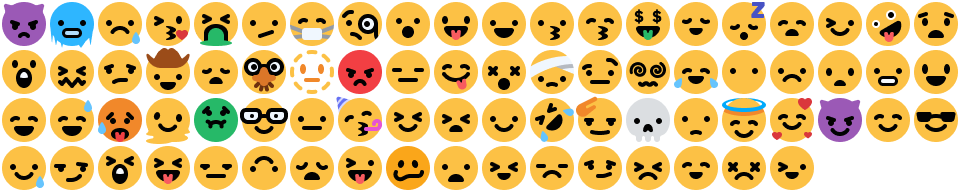
does anyone know where to get the colored in versions of these emojis? when inspecting it (even w f8 break) it j links the grayscale version https://discord.com/assets/a2c4ffe04406bdb03384.png

 solid ore
tyy
clear siren
solid ore
does anyone know where to get the colored in versions of these emojis? when insp...
inspecting it with or without f8break works fine, it has 2 elements, spritecolored and spritegrayscale with the emojis as a background-image that has its background-position changed on mouseover
 clear siren
they are then set active or inactive so if you want it always colored set their opacities to 1 and 0
deep bane
toxic yew
https://discord.com/assets/f46d6b0cbeeea15ecd81.png
i remember them being twemoji
solid ore
deep bane
i remember them being twemoji
they changed them a few months ago
summer adder
for whatever dumb reason
they didnt need to be changed, they looked good even with the redesign
clear siren
discord changing things for the sake of changing things
deep bane
the kissing mouth looks like a cartoon bird thats faraway
devout elm
i mean the main reason i think was so that the inactive colour matched the other icons
they could’ve been made to jus match twemoji tho
deep bane
devout elm
i mean the main reason i think was so that the inactive colour matched the other...
filter:grayscale
or whatever
deep bane
devout elm
not the same
what do you mean not the same
devout elm
it was a bit different compared to the other icons iirc
i mean especially if u were using a theme
deep bane
how was it different
devout elm
the colour 😭
deep bane
do you even hear yourself
devout elm
?
deep bane
thats the main reason why it has a different hover color
deep bane
i think u dont get it
devout elm
no i do 😭
i saw it with my own eyes
cus now it uses masked images for the inactive state
and fills with the exact same colour as the other icons
deep bane
devout elm
and fills with the exact same colour as the other icons
.sprite__294b3 {
    background-image: url("https://upload.wikimedia.org/wikipedia/commons/thumb/9/90/Twemoji_1f600.svg/512px-Twemoji_1f600.svg.png") !important;
}
.sprite__294b3 {
    -webkit-mask: none !important;
    background-color: transparent !important;
    background-position: var(--custom-emoji-sprite-bg-position) !important;
    background-size: 100% !important;
}
.spriteGreyscale__7b70f {
    filter: brightness(82%) grayscale(1) !important;
}```but that’s not the exact same colour
it’s re creating it
no point doing that if u can jus mask with the same variable as the background colour
:p
deep bane
deft niche
Damn
give
deep bane
.wordmarkWindows__05c46 svg {
  display:none;
}
.wordmarkWindows__05c46::after {
  content:'Custom Watermark Yippie!!!!!!!!!!!!!!!!!!!!!!!!!!!!';
  line-height:20px;
  font-size:11px;
  font-weight:600;
}```Centered watermark
.wordmarkWindows__05c46 {
position:absolute;
left:0;
right:0;
width:max-content;
margin:auto;
}``` fast cipher
how can I make the window rounded? Adding a border-radius to body does not work
clear siren
the window itself? can't modify that with css
fast cipher
thought I can do It if I activate transparent Window
plain kelp
Try * { border-radius: 2em !important; } at first to check if things get rounded
Then narrow the selector down to only the parts you need
fast cipher
plain kelp
Try `* { border-radius: 2em !important; }` at first to check if things get round...
I got it working now
 formal pine
:root {
  --font-code: "JetBrainsMono Nerd Font" !important;
}
how to change size of this
font
its vencord quick css
summer adder
formal pine
how to change size of this
you google it
formal pine
vim
formal pine
summer adder
you google it
omg ofc i googled it
🤯
no help
why does this channel exist then
solid ore
formal pine
why does this channel exist then
it's css development not css support
formal pine
solid ore
it's css development not css support
oh. sorry, wheres the css support channel?
solid ore
there aint one
formal pine
i mean if i ask here its obvious i googled, no?
why would i wait for some random person to respond when i can just google
doesnt make sense
pure cairn
That's the point
If you're asking here, you most likely haven't looked for it on Google
formal pine
pure cairn
If you're asking here, you most likely haven't looked for it on Google
why is that
pure cairn
Or at least, well enough
formal pine
formal pine
why would i wait for some random person to respond when i can just google
if you think about it
summer adder
formal pine
omg ofc i googled it
not hard enough cause your answer is at the top of the search
formal pine
summer adder
not hard enough cause your answer is at the top of the search
oh my god, really? 🤯
so what is the answer then?
pure cairn
 formal pine
all themes disabled, quick css enabled
formal pine
pure cairn
<:trolley:1024751352028602449>
wow, you're so smart, and clever, what about you try that right now, see if it works I will give you thousand dollars, if it doesn't you give me a thousand instead
deal?
no but if we are being real pls trust me once, I did google it
oh, I actually have both html and body have that exact same font
but it doesn't work for codeblocks, it seems
and I went in this channel before to ask how to change font in codeblocks, and they advised to use :root thing
but now I wanna make text in codeblocks bigger as well
pure cairn
formal pine
wow, you're so smart, and clever, what about you try that right now, see if it w...
do you just want it to change the code font size?
formal pine
ohh
formal pine
pure cairn
do you just want it to change the code font size?
yea, just make it tiny bit bigger
I see, thanks
formal pine
pure cairn
can I have my 1000$ now tyvm
google didn't tell anything about .markup_whatever code
pure cairn
how would you make it work without defining what you want to change?
formal pine
so I can have my 1000$
pure cairn
you'd just edit everything
pure cairn
formal pine
google didn't tell anything about `.markup_whatever code`
this is why, the first time I wrote here to ask for css, they told me not to do css without knowing how to do css
formal pine
ok anyways thanks for helping, ppl
pure cairn

formal pine
pure cairn
this is why, the first time I wrote here to ask for css, they told me not to do ...
I'm a discord user, not a frontend developer
pure cairn
neither am I, but you can't tell me you never messed around with the inspect element
even just to prank people
pure cairn
pure cairn
```css
:root .markup_a7e664 code {
  font-size: 17px;
}```
by the way, if you want the font size to adapt to different sizes, you can use em instead of px as unit of measure
just be sure not to leave it as 17em, otherwise it's gonna be huge
make it like... idk 1.5em
plain kelp
Or percent is also fine
pure cairn
mhm
summer adder
deft niche
How can i recolor the side panel in dms? i've tried setting the background color of some of the classes but nothing effects it

 clear siren
slim pond
Decided to semi-revive my themed icons snippet
 deft niche
slim pond
Decided to semi-revive my themed icons snippet
deft niche
slim pond
Decided to semi-revive my themed icons snippet
Oh how the fuck do you do that 💀
That's sick asf
deep bane
filter sepia im guessing
slim pond
it's simple and complicated at the same time
deep bane
and invert or something
plain kelp
Or filter with a svg
deep bane
grayscale sepia invert
deft niche
slim pond
it's simple and complicated at the same time
The most accurate description for all code ever
slim pond
For non-standard icons, filters
deep bane
for folder u set it manually?
slim pond
for known icons, svgs
deep bane
same thing
deft niche
deep bane
grayscale sepia invert
That did NOT work 💀
 slim pond
these use svgs for better contrast and looks
 deep bane
this would be popular if you could somehow make it use a variable for colors
slim pond
these are filtered
 slim pond
deep bane
this would be popular if you could somehow make it use a variable for colors
slim pond
deep bane
this would be popular if you could somehow make it use a variable for colors
it does
deep bane
like a singular variable
slim pond
it uses 2 variables
deep bane
even for filters
slim pond
one for the foreground
which applies to both icon types
and one for the background
for the svg based icons
deft niche
I had an idea a while back that this just reminded me of
The idea was to run every server icon through the remove.bg api, so they all have little icons
Never got around to making it tho
deep bane
deft niche
That did NOT work 💀
grayscale(1) sepia(1) hue-rotate(180deg)
and i guess you can saturate it
deft niche
Actually looks pretty good now

Oh my god no all of the fucking attatchments are ovals 💀
 deep bane
u set that urself
deft niche
Yeah because it's square if you don't re set the border radius lmao
deft niche

deep bane
im very confused
 deft niche
It does it without any theme lmao
deep bane
you meant the server ones
deft niche
Yeah
deft niche
Looks kinda cool with my snow theme

It's pretty much just grayscale at that point tho 💀
 deep bane
* {
  filter:grayscale(1) sepia(1) hue-rotate(207deg) saturate(10)  contrast(2)  !important;
}```me when I accidentally buy a b&w monitor on Amazon
deft niche
deep bane
```css
* {
filter:grayscale(1) sepia(1) hue-rotate(207deg) saturate(10) contr...
 theme
theme
deep bane
[aria-label="Servers"] .icon__0cbed {
  filter: grayscale(1) sepia(.15) hue-rotate(207deg) saturate(10) contrast(1.3) !important;
}
 modest pond
is it possible to Autocollapse for parts of the Discord UI based on window size? I know you can hide on hover with css...
plain kelp
Google media queries
modest pond
yup as always chatgpt to the rescue
 dusky linden
Ey guys, I took a CSS thingy out of #🎨-css-snippets and would like to know what I need to change to also have that effect with everyone and here pings.
.theme-dark .mentioned__58017 .mention {
    color: red !important;
    }

.theme-dark .mention {
  color: grey;
  background-color: transparent;
}

/* Better Mentions Pulse (after fix) */
.mentioned__58017 .mention {
  background-color: transparent !important;
}
.theme-dark .mentioned__58017 .mention {
  cursor: pointer;
  box-shadow: 0 0 0 red;
  animation: pulse 1.6s infinite;
}

.cozy_f5c119 .messageContent__21e69
{
  padding-top: 1px;
}

@-webkit-keyframes pulse {
  0% {
    -webkit-box-shadow: 0 0 2px 2px transparent;
  }
  50% {
      -webkit-box-shadow: 0 0 2px 2px red;
  }
  100% {
      -webkit-box-shadow: 0 0 0 0 transparent;
  }
}

@keyframes pulse {
  0% {
    -moz-box-shadow: 0 0 0 0 transparent;
    box-shadow: 0 0 0 0 transparent;
  }
  50% {
      -moz-box-shadow: 0 0 2px 2px red;
      box-shadow: 0 0 2px 2px red;
  }
  100% {
      -moz-box-shadow: 0 0 0 0 transparent;
      box-shadow: 0 0 0 0 transparent;
  }
}
Is it possible to change that to all pings, that really ping me?
modest pond
modest pond
is it possible to Autocollapse for parts of the Discord UI based on window size...
i think this is how you would do it but its not working
.members_9f47b {
    display: block;
  }

  @media (max-width: 1000px) {
    .members_9f47b {
      display: none;
    }
  }
i think .members_9f47b might be the wrong name... trying to hide the member list
plain kelp
Check devtools
modest pond
thats were i got the members_9f47b from ... ( i used the arrow button with the box to hover over the members area and it gave me div.members_9f47b )
 it s with two underscores not one
pure cairn
modest pond
yup as always chatgpt to the rescue
 gilded cloak
summer adder
never use chatgpt
gilded cloak
summer adder
never use chatgpt
ChatGPT usage guidance:
Use ChatGPT for:
- Creative writing (Naming variables/functions, commenting code, writing commit messages)
- Explaining obsfucated code
- Writing 1-2 lines of code if you can't find a better source (actual documentation first, stackoverflow second, chatgpt last)
DON'T use Chatgpt for:
- Writing large amounts of code without any review
- The first resource you check when you run into a problem
ESPECIALLY DON'T ask for help with code that chatgpt wrote without even looking at it yourself.
This is what you sound like when you ask for help with code "you wrote" using chatgpt
Hey here is this useless broken code a dumb robot gave me, please fix it.
No, I don't know what I just sent you does.
No, I don't want to do any work
 dark dragon
Not for writing commit messages?
gilded cloak
I would include that under my number one "do", which I meant as creative writing
dark dragon
Yeah, that and copy editing is the most use I get out of it. It's pretty handy in that sense
gilded cloak
modest pond
is it possible to Autocollapse for parts of the Discord UI based on window size...
As an example, here is how to responsibly use ChatGPT here to find what tu use
- Google to find resources on problem. Learning how to properly Google is 20% of programming, spend time figuring this out.
A good query here is:
css apply rules based on window size site:developer.mozilla.org
-
If you couldn't find answers from official documentation in step one, try searching stackoverflow, (add
site:stackoverflow.comto your search) -
Once you have tried the above two, you can use ChatGPT.
Once ChatGPT mentions something, go to the official documentation to make sure it's not deprecated
dark dragon
It can also be great for explaining more obscure parts of the spec, when you get to that point
deft niche
gilded cloak
**ChatGPT usage guidance:**
Use ChatGPT for:
1. Creative writing (Naming variabl...
(also simple language questions, and tedious tasks)
pure cairn
ok so, I have tried messing around with css for a while now, both reading online docs and watching videos
I put some code together, sourcing stuff from other snippets and tweaking values a bit and "made" the following snippet, which is an updated and upgraded version of [this one](#🎨-css-snippets message).
my issue now is that the category name doesn't stay in the middle when the "add channel" plus icon is present, and I genuinely don't know how to make them indipendent from each other (if that's even possible)
also, please forgive me if it's badly written, it was my first attempt at this
this is the snippet
/* Category Bubble */
:root {
  --global-1: var(--main-color); /* Label */
  --global-2: white; /* Font */
}
.containerDefault__23a29 {
  color: var(--global-2) !important;
  background-color: var(--global-1);
  border-radius: 25px;
  padding: 0px;
  margin-top: 7px;
  margin-bottom: 3px;
  margin-left: 15px;
  margin-right: 15px;
  text-align: center;
}
.addButtonIcon_b776b3 { /* + Button */
  color: white;
  margin-left: 18px;
}
:root .icon_ef4486 { /* Collapse Arrow */
  display: initial;
  color: white;
  margin-left: 5px;
  transform: scale(1.5);
}
:root .collapsed__8fe3c .icon_ef4486 { /* Collapsed Arrow */
  transform: rotate(-90deg) scale(1.5);
}
:root .name__590d6 { /* Category Name */
  text-align: center;
}```and here's the difference

 deep bane
make the plus icon have position: absolute
@pure cairn
or negative margin-left on the plus icon
 deep bane
top:0
and left:0 or right:0
and maybe put the position:absolute on a higher class
I'm not on PC right now so I can't spoonfeed you
pure cairn
nice
ok, I changed the class to the right one
although I wonder what the .forceVisible__9ec3f thing is for
deep bane
no idea since I'm not on pc
maybe look at the styles
it's probably for hover
opacity:1 r something
pure cairn
oh yeah, found it
.addButton__8b4f0 { /* + Button */
  color: white;
  margin-left: 18px;
  position: absolute;
}```yay, it doesn't break anymore
thanks
deep bane
pure cairn
```css
.addButton__8b4f0 { /* + Button */
color: white;
margin-left: 18px;
...
you could check out my centered member list and channel list snippet on github as you could use the absolute positioning on every element to align them
pure cairn
Checked them out
There's still too much stuff I don't understand
I'll get back to it after studying a bit more
 umbral knot
just a general css question that's unrelated to discord, how do yall deal with themes containing light backgrounds? you've got white text overlayed on white background image, which is very unreadable. and let's say the background image also contains some patches of black so using black text doesn't work in those parts. for example, let's just say for discord we have a re:zero Emilia theme. the default message color is white, so the messages are not readable on top of the background image. When changing the color to black, it mostly works, but on some parts such as her clothes, it becomes black text on black background. So i tried googling and the best solution is blurring the background of the <p> (not <div>) in a rectangle, which isn't supported in all browsers, or changing the background color to a contrasting color of the font color (if font is red, then bg is cyan, if white, then black, etc.) and then lowering the alpha value to make it transparent. Either way, both of these methods look very bad and suck ass esp on discord messages with lots of texts. Another website told me to dim/darken the background image, but that defeats the whole purpose of a light theme and also makes emilia-tan not too pop out in the theme. i still want her to be fully visible and dont want to overlay any background color on top of the background image (which codeforgeeks suggested). They also said i can blur the part of the image where text is, which is too complicated for just css. Some websites say use a color overlay on top of the background image, and make that color overlay have a gradient from fully transparent to fully opaque from where the text isn't to where the text is, but idt this works when texts are everywhere, like discord. Another method is using a combination of box-shadows, text-shadows, drop-shadows and text-strokes, and such idt such combination is supported in every browser.
Even if it is, the texts will look too thick or too thin depending on its location on the screen, and because there are small texts everywhere (for example discord messages), it will look ugly as the texts are supposed to be small but look bolded or too big on screen.
So, what are your approaches to this problem?
echo frost
umbral knot
just a general css question that's unrelated to discord, how do yall deal with t...
uhhhh
don't put a bad background image as the background?
vestal field
umbral knot
just a general css question that's unrelated to discord, how do yall deal with t...
the answer is don't use background images with both black and white areas
in my midnight theme i just don't support light theme, i just force dark theme no matter what
echo frost
but doing something like this would probably work
(just downloaded a random theme with image https://betterdiscord.app/theme/BasicBackground)

 glossy aurora
drop shadow can also work sometimes but it depends on the colours
echo frost
that image isn't very bad though
this one is :)

also if it's just pure black and pure white ig grey text would work...
summer adder
umbral knot
just a general css question that's unrelated to discord, how do yall deal with t...
i ain’t reading allat but good job or sorry for your loss
clear siren
umbral knot
just a general css question that's unrelated to discord, how do yall deal with t...
1: use background that isn't too contrasty (bad ux)
2: Tone the bg image to get rid of the darkest darks or brightest whites (I do this by having bg image on body but an extra color layer on #app-mount, a filter would work too)
3: Use message bubbles and/or add backgrounds on any element you want readable (I do this too)
4: text-shadow might help
deep bane
umbral knot
just a general css question that's unrelated to discord, how do yall deal with t...
.message__80c10 .contents_f41bb2>*{
  background:linear-gradient(90deg,black 51.8%,white 0);
  background-clip: text;
  -webkit-background-clip: text;
  color: transparent;
}
.messagesWrapper_ea2b0b {
  background:linear-gradient(90deg,white 50%,black 0);
}```does not work on replies
deft niche
umbral knot
just a general css question that's unrelated to discord, how do yall deal with t...

 teal cave
umbral knot
just a general css question that's unrelated to discord, how do yall deal with t...
teal cave
umbral knot
just a general css question that's unrelated to discord, how do yall deal with t...
Another method is using a combination of box-shadows, text-shadows, drop-shadows and text-strokes, and such idt such combination is supported in every browser.
Check https://caniuse.com/, you'll be surprised. Don't worry about supporting Internet Explorer or some shit in 2024.
umbral knot
teal cave
> Another method is using a combination of box-shadows, text-shadows, drop-shado...

Real
umbral knot
clear siren
1: use background that isn't too contrasty (bad ux)
2: Tone the bg image to get ...


That's the problem I'm having
summer adder
deft niche
https://tenor.com/view/not-reading-allat-gif-11216013967469576578
go away i already made this joke
deft niche
summer adder
go away i already made this joke
Yeah but you're not funny so it doesn't count

Hope that helps
dark dragon
If it's just black and white you should be able to get away with just setting the blendmode to difference
 candid merlin
Guys i would like to use the vencord theme but for the screen I use for discord is too yellowish, i want to change the color codes but I don't know which one is the cause of general yellow tint
clear siren
it's pretty much all of them
pure cairn
Are you using the client theme plugin?
clear siren
candid merlin
pure cairn
Are you using the client theme plugin?
No, from what I've seen it doesn't work if you have a theme applied, at least an online theme
pure cairn
clear siren
no this one <https://github.com/Synqat/vencord-theme/blob/main/theme.css>
Oh, that's a good one
clear siren
if you paste the :root{} part into quickcss you can easily test different color values for each
candid merlin
clear siren
if you paste the :root{} part into quickcss you can easily test different color ...
oh that's clever, I am going to change colors this way then
slowly
thanks for the answers :3
summer adder
deft niche
Yeah but you're not funny so it doesn't count
i’m way funnier than you
pure cairn
I was wondering
can you detect if a user has a default profile picture through css?
dark dragon
I imagine you could just check the source of the image
summer adder
pure cairn
I was wondering
can you detect if a user has a default profile picture through c...
 lunar hamletBOT
summer adder
https://github.com/MadelineMaid/themes/blob/main/suspicous%20warning.css
lunar hamletBOT
summer adder
https://github.com/MadelineMaid/themes/blob/main/suspicous%20warning.css
**suspicous%20warning.css: **
/**
* @name Suspicous Account Warning
* @author madelinemaid
* @description Changes the default avatar to a warning sign, for suspicous accounts.
*/
.avatar__08316[src="/assets/5d6a5e9d7d77ac29116e.png"] {
    content: url(https://cdn.discordapp.com/emojis/988408180482641952.webp?size=96&quality=lossless);
}

.avatar__991e2[src="/assets/5d6a5e9d7d77ac29116e.png"] {
    content: url(https://cdn.discordapp.com/emojis/988408180482641952.webp?size=96&quality=lossless);
}
[src="https://discord.com/assets/5d6a5e9d7d77ac29116e.png?size=1024&format=webp&quality=lossless&width=0&height=256"] {
    content: url(https://cdn.discordapp.com/emojis/988408180482641952.webp?size=96&quality=lossless);
}
that only effects blue default pfps but i suspect it’s possible
pure cairn
interesting
because I wanted to change default avatars to make them match the home button at the top left
pure cairn
pure cairn
because I wanted to change default avatars to make them match the home button at...
 pure cairn
summer adder
https://github.com/MadelineMaid/themes/blob/main/suspicous%20warning.css
pure cairn
summer adder
https://github.com/MadelineMaid/themes/blob/main/suspicous%20warning.css
this is interesting, I'll give it a try
thanks
dark dragon
You can probably just delete the file name from the source and change it to a ^=, the only display pictures coming from that path should be default ones. Not sure if the new mobile default display pictures have the same source though
dark dragon
They're the discord characters
 plain kelp
Ugly af
pure cairn
you mean the Alegria ones?
deep bane
yes
also "custom" avatars have the full cdn.discordapp.com link
while default avatars have only /assets/
pure cairn
mhm, but I will eventually have to distinguish among different colors
deep bane
.avatar__991e2[src^=/assets/"]
pure cairn
pure cairn
mhm, but I will eventually have to distinguish among different colors
since I thought about recoloring the white discord logo with the background color
and transparent background
but maybe keeping them white is not a bad idea
deep bane
then you have to find every link for every default avatar
pure cairn
pure cairn
but maybe keeping them white is not a bad idea
because if they're the same color this is not going to look good at all


.avatar__991e2[src^="/assets/"] {
 content: url(http://www.w3.org/2000/svg);
}```I was missing a quote
 royal atlas
any css nerds that can help me with something ?
pure cairn
pure cairn
```css
.avatar__991e2[src^="/assets/"] {
content: url(http://www.w3.org/2000/sv...
Oh wait, I guess I have to host the icon by myself since this is not working
Would imgur be fine?
summer adder
royal atlas
any css nerds that can help me with something ?
whaddya want
royal atlas
is there a way to change the color of the background svg of each item seperatly ? (without changing the html , i mean without including the svg in the html)


is it even the right way to link it as a file ? cause i feel like its better to include it in the html code , am i right ?
summer adder
no clue tbh as i dont use a single svg on my site
royal atlas
alright thanks
clear siren
royal atlas
is there a way to change the color of the background svg of each item seperatly ...
not sure I understand - if the svg is not in the html what is there for you to change
vestal field
royal atlas
is there a way to change the color of the background svg of each item seperatly ...
why does the html have to be img
if u have an svg tag in the html you could change fill and stuff
deep bane
just add fill as refactor said
royal atlas
i know i can include it in the html and just achive that easily , i was just wondering if it couldve been done this way
vestal field
u cant edit the svg if its an image
royal atlas
im not sure whats the right way
vestal field
royal atlas
im not sure whats the right way

Stack Overflow
html
<img src="logo.svg" alt="Logo" class="logo-img">
css
.logo-img path {
fill: #000;
}
The above svg loads and is natively fill: #fff but when I use the above css to try change it to ...
royal atlas
vestal field
u cant edit the svg if its an image
i guess it makes sense
royal atlas
vestal field
https://stackoverflow.com/questions/24933430/img-src-svg-changing-the-styles-wit...
ye i know about the fill property , i guess it cant be done the way im trying to do it
deep bane
and what are you trying to do
summer adder
if you're trying to change the color of the svg itself try using the filter tag
so filter: sepia(100%) hue-rotate(whateverdeg)
should turn colors from white to an actual color
royal atlas
well i was trying to chnage the color of the background-image which is a svg for each item
deep bane
what
summer adder
yeah you lost me here