#🎨-theme-development
1 messages · Page 19 of 1
 deep bane
 terse dew

The deserves an admin role.
I think having some time of opacity animation could be nice, let me learn how to make it
deep bane
wdym
deep bane
the hover glow or text
terse dew
both
but I am not really interested in doing it anymore
thought about it
might cause some delay
terse dew
Do you have a github account
deep bane
youre making a css snippet for connections and dont bother checking them when you ask me about my github account
terse dew
deep bane
youre making a css snippet for connections and dont bother checking them when yo...
It is called having a lack in smart. and an overflow in stupid.
at this rate, you can pretty much consider the work yours, you made too many contributions, actually I think I only came up with the idea, didn't even do that much tbh
deep bane
pretty messy way to do it but atleast it works
terse dew
deep bane
pretty messy way to do it but atleast it works
Try adding the text too so both are effected in the same time ```css
.connectedAccountContainer__23f00, .connectedAccountContainer__23f00 .connectedAccountNameText__00810 {
transition: all 0.25s ease;
}
oh wait
you did above
deep bane

deep bane
Could anyone help me make the background clip into the text?
.connectedAccountContainer__23f00:hover .connectedAccountNameText__00810 {
  color: rgb(255, 0, 0);
  background-image: linear-gradient(to right, rgb(255, 0, 0), rgb(255, 127, 0), rgb(255, 255, 0), rgb(127, 255, 0), rgb(0, 255, 0), rgb(0, 255, 127), rgb(0, 255, 255), rgb(0, 127, 255), rgb(0, 0, 255), rgb(127, 0, 255), rgb(255, 0, 255), rgb(255, 0, 127));
  background-size: 5vw 100%;
  animation: fadeIn 0.25s ease, rainbowText 15s linear infinite 0.25s;
}

.connectedAccountContainer__23f00 .connectedAccountNameText__00810 {
  color: white;
  transition: all 0.5s ease;
}

@keyframes fadeIn {
  0% {
    color: white;
  }

  100% {
    color: red;
  }
}

@keyframes rainbowText {
  0% {
    background-position: 200% 0;
  }

  100% {
    background-position: -200% 0;
  }
}
 clear siren
like this?

 teal cave
One of these days I'm going to make a shorthand generator for background because I keep forgetting what order to write it in
deep bane
clear siren
like this?
yes like that
 summer adder
teal cave
One of these days I'm going to make a shorthand generator for `background` becau...
summer adder
teal cave
One of these days I'm going to make a shorthand generator for `background` becau...
its not that hard to tell between the two
background changes the color or bg image, even if theres image content it will cover over it
background-color sets the color of the background, without covering image content
 dark dragon
teal cave
One of these days I'm going to make a shorthand generator for `background` becau...
dark dragon
teal cave
One of these days I'm going to make a shorthand generator for `background` becau...
Order doesn't matter on that one, does it?
 grand surge
hi, i want to make a css snippet to automatically remove the spoiler thing on images, does it alrdy exist?
summer adder
.spoilerWarning_d02e2d.obscureWarning_f6d53e {display: none;}
:root {
    --custom-message-attachment-spoiler-blur-radius: 0px
}```thank you
 rugged echo
you can also disable spoiler by going into "text & images" at the bottom
unless you want to keep the spoiler text, I think
 supple lodge
hi everyone, I have no knowledge in css, and I wanted to reproduce this, seen in "Zelk" theme.
(https://betterdiscord.app/theme/Zelk)
Can anyone help me please?


 deft niche
what exactly are you trying to reproduce
also can you not just look at the code for it in zelk?
supple lodge
deft niche
also can you not just look at the code for it in zelk?
I tried to, but idk css really well, and there is @ import. sorry i'm very lost in all of that
 supple lodge
not really helping :/
deft niche

supple lodge
ok..
 vestal field
supple lodge
hi everyone, I have no knowledge in css, and I wanted to reproduce this, seen in...
vestal field
supple lodge
hi everyone, I have no knowledge in css, and I wanted to reproduce this, seen in...
reproduce what...
supple lodge
vestal field
reproduce what...
for the second picture, when you click on the user, you only see roles, and that's it
vestal field
supple lodge
for the second picture, when you click on the user, you only see roles, and that...
so just hide everything except roles?
supple lodge
yes
and for the first picture, centering the "user info, activity, etc" and showing them as buttons, (like a button outline, instead of underline them)
vestal field
supple lodge
for the second picture, when you click on the user, you only see roles, and that...
this is relatively simple
.scroller__83262 > div {
    display: none !important;
}
.scroller__83262 > div:nth-child(4) {
    display: block !important;
    padding-bottom: 10px;
}```thank you!
vestal field
supple lodge
and for the first picture, centering the "user info, activity, etc" and showing ...
.tabBarContainer__63f55 {
    border: none;
}
.top__592a7 {
    gap: 20px;
}
.item__48dda {
    border: none !important;
    padding: 8px 20px;
    border-radius: 10px;
    height: auto;
}
.theme-dark .item__48dda.selected__5711d {
    background-color: rgba(255, 255, 255, 0.1);
}
.theme-light .item__48dda.selected__5711d {
    background-color: rgba(0, 0, 0, 0.1);
}```works fine thank you, and how do I center it?
vestal field
supple lodge
works fine thank you, and how do I center it?
add justify-content: center; under .top__592a7 {
supple lodge
vestal field
add `justify-content: center;` under `.top__592a7 {`
Thanks a lot
clear siren
deep bane
yes like that
just add -webkit-text-fill-color: transparent; -webkit-background-clip: text; to your text, you can figure out the rest
terse dew
This channel is more and more becoming CSS support.
||I have no problem with that||
grand surge

 atomic tundra
yo, i hope is possible to remove the emotes constraint that discord set on the client or to customize it
i had a css but i lost it
 atomic tundra
yeah, or when you include them in text messages such as 
atomic tundra
yeah a lil bit of both
just double the size for the text messages
since they show super tiny in the monitor
clear siren
ok
:root {--custom-emoji-size-emoji: 2.75em !important; --custom-emoji-size-jumbo-emoji: 128px !important; }
that doubles size of both
atomic tundra
thanks
grand surge
tessie w
 torn templeBOT
grand surge
tessie w
torn templeBOT
grand surge
tessie w

deep bane
Connections Rainbow Name And Connection Colored Glow (Hover) on Hover
Connections Rainbow Name And Glow (Hover) on Hover ```css
/**
- @name Connections Glow Hover
- @version 1
- @description Definitely not stolen code :trolley:
- @author callme_h
- @authorId 233940323334750209
*/
.connectedAccountContainer__23f00:hover .connectedAccountNameText__00810 {
animation: rainbowColor 5s linear infinite;
}
.connectedAccountContainer__23f00:hover {
animation: rainbowColor 5s linear infinite;
box-shadow: 0px 0px 10.9px 1px;
}
@keyframes rainbowColor {
100%,
0% {
color: rgb(255, 0, 0);
}
8% {
color: rgb(255, 127, 0);
}
16% {
color: rgb(255, 255, 0);
}
25% {
color: rgb(127, 255, 0);
}
33% {
color: rgb(0, 255, 0);
}
41% {
color: rgb(0, 255, 127);
}
50% {
color: rgb(0, 255, 255);
}
58% {
color: rgb(0, 127, 255);
}
66% {
color: rgb(0, 0, 255);
}
75% {
color: rgb(127, 0, 255);
}
83% {
color: rgb(255, 0, 255);
}
91% {
color: rgb(255, 0, 127);
}
}
.connectedAccountContainer__23f00 {
transition: all 0.25s ease;
}
/* Twitter */
[src="/assets/f47485602365c946fa52.svg"] {
content: url("https://discord.com/assets/57a3fe2c0e62e98937fd.svg");
}
[style="/assets/f47485602365c946fa52.svg"] {
background-image: url("/assets/57a3fe2c0e62e98937fd.svg") !important;
}
[class*="connectionHeader_"]:has([alt="X"])>div>[class*="connectionAccountLabel_"]:before {
content: "Twitter";
color: var(--header-secondary) !important;
user-select: text;
}
[class*="connectionHeader_"]:has([alt="X"])>div>[class*="connectionAccountLabel_"] {
color: transparent !important;
user-select: none;
}```
Also twitter replaces x in both just because

summer adder
deft niche
bottom line is if you dont know css then dont try to work with css
tf do you think i did lmfao
i fucked around and found out
deep bane
zelk theme 👍

 sweet lark
summer adder
i fucked around and found out
sweet lark
summer adder
i fucked around and found out
yeah but theyre not trying to fuck around theyre just asking other people for spoonfeed
grand surge
summer adder
i fucked around and found out
🔥
deep bane
Optimized version of this (Connection colored glow and name on hover)
/**
 * @name Connections Glow Hover
 * @version 1
 * @description Definitely not stolen code :trolley:
 * @author callme_h
 * @authorId 233940323334750209
*/

.connectedAccountContainer__23f00:hover:has([aria-label="Spotify"]) {
  color: var(--spotify);
}

.connectedAccountContainer__23f00:hover:has([aria-label="Twitch"]) {
  color: var(--twitch);

}

.connectedAccountContainer__23f00:hover:has([aria-label="YouTube"]) {
  color: var(--youtube);
}

.connectedAccountContainer__23f00:hover:has([aria-label="Reddit"]) {
  color: var(--reddit);
}

.connectedAccountContainer__23f00:hover:has([aria-label="PayPal"]) {
  color: var(--paypal);
}

.connectedAccountContainer__23f00:hover:has([aria-label="TikTok"]) {
  color: #ff0050;
}

.connectedAccountContainer__23f00:hover:has([aria-label="Steam"]) {
  color: var(--steam);
}

.connectedAccountContainer__23f00:hover:has([aria-label="Crunchyroll"]) {
  color: var(--crunchyroll);
}

.connectedAccountContainer__23f00:hover:has([aria-label="eBay"]) {
  color: var(--ebay);
}

.connectedAccountContainer__23f00:hover:has([aria-label="Xbox"]) {
  color: var(--xbox);
}

.connectedAccountContainer__23f00:hover:has([aria-label="Battle.net"]) {
  color: var(--battlenet);
}

.connectedAccountContainer__23f00:hover:has([aria-label="PlayStation Network"]) {
  color: var(--playstation);
}

.connectedAccountContainer__23f00:hover:has([aria-label="Epic Games"]) {
  color: var(--epic-games);
}

.connectedAccountContainer__23f00:hover:has([aria-label="GitHub"]) {
  color: var(--github);
}

.connectedAccountContainer__23f00:hover:has([aria-label="X"]) {
  color: var(--twitter);
}

.connectedAccountContainer__23f00:hover:has([aria-label="League of Legends"]) {
  color: var(--lol);
}

.connectedAccountContainer__23f00:hover:has([aria-label="Twitter"]) {
  color: var(--twitter);
}

.connectedAccountContainer__23f00:hover:has([aria-label="Instagram"]) {
  color: var(--instagram);
}

.connectedAccountContainer__23f00:hover:has([aria-label="Riot Games"]) {
  color: var(--riot-games);
}

.userProfileOuter__46bb7:where(.theme-dark) .connectedAccountContainer__23f00:hover:has([aria-label="Domain"]) {
  color: white;
}

.connectedAccountContainer__23f00:hover:has([aria-label="Skype"]) {
  color: var(--skype);
}

.connectedAccountContainer__23f00:hover:has([aria-label="Facebook"]) {
  color: var(--facebook);
}

.connectedAccountContainer__23f00:hover .connectedAccountNameText__00810 {
  color: inherit !important;
}

.connectedAccountContainer__23f00 .connectedAccountNameText__00810 {
  color: white;
  transition: color 0.1s ease;
}

.connectedAccountContainer__23f00:hover {
  color: currentColor;
  border-color: currentColor;
  box-shadow: 0px 0px 10.9px 1px currentColor;
}

.connectedAccountContainer__23f00 {
  transition: all 0.25s ease;
}

/* Twitter */
[src="/assets/f47485602365c946fa52.svg"] {
  content: url("https://discord.com/assets/57a3fe2c0e62e98937fd.svg");
}

[style="/assets/f47485602365c946fa52.svg"] {
  background-image: url("/assets/57a3fe2c0e62e98937fd.svg") !important;
}

[class*="connectionHeader_"]:has([alt="X"])>div>[class*="connectionAccountLabel_"]:before {
  content: "Twitter";
  color: var(--header-secondary) !important;
  user-select: text;
}

[class*="connectionHeader_"]:has([alt="X"])>div>[class*="connectionAccountLabel_"] {
  color: transparent !important;
  user-select: none;
}```😩
deep bane
how do you misspell it twice
deep bane
grand surge
Is there an import?
@import url('https://raw.githubusercontent.com/im-h/css-snippets/main/Connections-Hover-Glow.css');

 summer edge
deep bane
how the fuck do you move the avatar in the user popout
summer edge
deep bane
how the fuck do you move the avatar in the user popout
Generally the trick is just to try stuff and see what works :D
summer edge
What are you trying to accomplish?
deep bane
center it
summer edge
Horizontally or vertically?
deep bane
horizontally
summer adder
sweet lark
yeah but theyre not trying to fuck around theyre just asking other people for sp...
well then they should fuck around and find out
learn css
sweet lark
summer adder
learn css
if they wanted to then they would have
deep bane
 deft niche
summer adder
tf do you think i did lmfao
deft niche
summer adder
tf do you think i did lmfao
yeah and youre dumb 
summer adder
hi
summer adder
deft niche
yeah and youre dumb <:pointandlaugh:1127136657863344179>
everyone’s dumb
deft niche
summer adder
everyone’s dumb
yes but you specifically ❤️
 plain kelp
Can confirm, am dumb
summer adder
deft niche
yes but you specifically ❤️
if everyone’s dumb i’m dumb
deep bane
cause i dont want it to affect spacing
summer adder
but i’m actually cute
plain kelp
A person can be both dumb and cute
deep bane

plain kelp
Fair
clear siren
deep bane
halp
what are you even asking
deep bane
deep bane
this
i need the href anchor or whatever to still work without affecting spacing
 deep bane
.top__592a7 {
  justify-content: center !important;
}
.container_b6b15b div,
.userInfoSection__1daf8:not(.connectedAccounts_dc0a56),
.memberSinceContainer__0a28b {
  text-align:center !important;
  display:inherit !important;
  margin:0 !important;
}
.listScroller__92e1a {
  text-align:center !important;
  margin:0 !important;
}
.connectedAccountContainer__23f00 {
  display:flow-root;
  text-align: center !important;
}
.connectedAccountContainer__23f00>* {
  display:block;
  margin:auto !important;
}
.connectedAccountVanityMetadata__7beb2,
.connectedAccountNameTextContainer__0b003 {
  margin:auto !important;
  text-align: center !important;
  justify-content: center !important;
}
im making a centered profile popout
so this is the code
a lot of important tags for now since i need to test it
clear siren
deep bane
```css
.top__592a7 {
justify-content: center !important;
}
.container_b6b15b d...
just add margin-left: 18px!important; to the .connectedAccountNameTextContainer__0b003 block
easiest solution, as the arrow icon is 18px wide
oh wait it's not on all of them
deep bane
selector for the anchor is .connectedAccountContainer__23f00 .anchor_c8ddc0
clear siren
you could make a :has() thing where if the arrow is present, add margin-left
deep bane
.connectedAccountContainer__23f00 .anchor_c8ddc0{
  margin-left:-18px;
}```works
but i would like to ask
would there be any way to make the href invisible and cover the whole connection element?
clear siren
sure, just add padding to it to cover the box and set its opacity to 0
wait no
uhh
deep bane
yeah padding affects the spacing for some reason
clear siren
padding and negative margin at the same amount should work
 magic cove
/* make pronouns stand out more */
[class*=pronouns] {
  text-transform: lowercase;
  color: #ffffff !important;
  font-size: 14px; font-weight: 650;
  background-color: var(--profile-gradient-primary-color);
  padding: 0.25rem 0.375rem; margin: 0.25rem 0 0 0;
  border-radius: 0.5rem;
}```
im trying to make the pronoun text white for non nitro users and have it as black for nitro users but idk how/* make pronouns stand out more */
.userPopoutInner_f545a3:has(a[href="https://discord.com/settings/premium"]) [class*=pronouns] {
text-transform: lowercase;
color: #ffffff !important;
font-size: 14px; font-weight: 650;
background-color: var(--profile-gradient-primary-color);
padding: 0.25rem 0.375rem; margin: 0.25rem 0 0 0;
border-radius: 0.5rem;
}
trying to make it work but its kinda messy
is there any other way
clear siren
magic cove
tysm
doesn't do exactly what you described maybe but that is the way to select the pronouns when someone has nitro, you can figure out the rest I'm sure
clear siren
deep bane
is there any other way
I don't know to be honest, I don't think so
magic cove
clear siren
doesn't do exactly what you described maybe but that is the way to select the pr...
ill be able to get the rest 🔥
if i need help ill ask here
deep bane
This works, but obviously only horizontally
.connectedAccountContainer__23f00 .anchor_c8ddc0{
  margin-left:-238px;
  padding-left:220px;
  opacity:0;
}```and its very messy trying to add vertical padding
oh and it also cancels itself out
if i try to do vertical padding and negative margin
clear siren
yeah
deep bane
better than nothing i guess 🤷
still thank you
also
would there be a way to center the third connection horizontally?

(steam)
deep bane
wym
 oak plover
if everything was under 1 parent class then you could've done .connectedAccountContainer__23f00:last-child:nth-child(odd) to select the card that's in its own row except it's not rows it's two parent classes that make columns so instead you get this mess
 oak plover
i could try to think of another method but it'd probably be a bad setup
.connectedAccountsColumn_fd2c41:has(+ .connectedAccountsColumn_fd2c41 > :last-child:nth-child(odd)) > :last-child:nth-child(even), .connectedAccountsColumn_fd2c41:has(+ .connectedAccountsColumn_fd2c41 > :last-child:nth-child(even)) > :last-child:nth-child(odd), .connectedAccountsColumn_fd2c41:has(+ .connectedAccountsColumn_fd2c41:empty) > div
mid af method but it kinda does what you want it to do
i'd expect this to break though cause the columns don't line up in a proper grid
at some point it'd overlap with the column to the right of it
not even worth it
deep bane
im trying to get it to be centered but nothings working so far
oak plover
if you do that you can make it do this but you also deal with this


there's really not a clean way to get what you want unless you make all of the containers the same size
deep bane
This seems to work if i could select the first element from the right columns
.connectedAccountContainer__23f00:last-of-type {
  transform:translateX(50%);
}```but then i didnt test it on more than 3 connections
nah this doesnt work
magic cove
im struggling finding the non nitro profile selectors
oak plover
oak plover
`.connectedAccountsColumn_fd2c41:has(+ .connectedAccountsColumn_fd2c41 > :last-c...
@deep bane try and use this the closest you're gonna get to a clean setup is removing all the extra stats from the connection so all of the containers are the same size

.connectedAccountContainer__23f00 {
    padding: 12px 8px;
}
.connectedAccountsColumn_fd2c41:has(+ .connectedAccountsColumn_fd2c41 > :last-child:nth-child(odd)) > :last-child:nth-child(even),
.connectedAccountsColumn_fd2c41:has(+ .connectedAccountsColumn_fd2c41 > :last-child:nth-child(even)) > :last-child:nth-child(odd),
.connectedAccountsColumn_fd2c41:has(+ .connectedAccountsColumn_fd2c41:empty) > div {
    transform: translateX(50%);
}
div:is(.connectedAccount__28fb0, .connectedAccountName_f0a294) ~ * {
    display: none;
}
something like this
magic cove
.userProfileInnerThemedNonPremium__3d0a6: [class*=pronouns] {
  text-transform: lowercase;
  color: #ffffff !important;
  font-size: 14px; font-weight: 650;
  background-color: var(--background-primary);
  padding: 0.20rem 0.375rem; margin: 0.25rem 0 0 0;
  border-radius: 0.5rem;
}
idk what im doing wrong
oak plover
oak plover
if you do that you can make it do this but you also deal with this
no more overlap
 oak plover
magic cove
```css
.userProfileInnerThemedNonPremium__3d0a6: [class*=pronouns] {
text-tran...
oak plover
magic cove
```css
.userProfileInnerThemedNonPremium__3d0a6: [class*=pronouns] {
text-tran...
there's a : after the class name remove that
magic cove
okay
was it right?
it was
hooray
:D
theres probs a better way to od it
but
/* pronoun */
.userProfileInnerThemedNonPremium__3d0a6 [class*=pronouns] {
  text-transform: lowercase;
  color: #ffffff !important;
  font-size: 14px; font-weight: 600;
  background-color: var(--background-primary);
  padding: 0.20rem 0.375rem; margin: 0.25rem 0 0 0;
  border-radius: 0.5rem;
}

.userPopoutInner_f545a3:has(a[href="https://discord.com/settings/premium"]) [class*=pronouns] {
  text-transform: lowercase;
  color: #ffffff !important;
  font-size: 14px; font-weight: 600;
  background-color: var(--profile-gradient-primary-color);
  padding: 0.20rem 0.375rem; margin: 0.25rem 0 0 0;
  border-radius: 0.5rem;
}

.userProfileInnerThemedWithBanner_d5f991 [class*=pronouns] {
    text-transform: lowercase;
  color: #ffffff !important;
  font-size: 14px; font-weight: 600;
  background-color: var(--profile-gradient-primary-color);
  padding: 0.20rem 0.375rem; margin: 0.25rem 0 0 0;
  border-radius: 0.5rem;
}
enjoy
 magic cove
oo
deep bane
which ones better

 magic cove
depends on what ur going for
im trying to find other profile colours bcs

background looks meh
i wanna lower the opacity but the whole thing disappears
magic cove
deep bane
which ones better
personally though, its the first one for me
magic cove
magic cove
```css
/* pronoun */
.userProfileInnerThemedNonPremium__3d0a6 [class*=pronouns] ...
scrapped idea
but
enjoy ig
deep bane
still not finished but i need some feedback or something


better screenshot
profile with more badges

kind of looks bad on profiles with less badges
terse dew
Anyone got an idea on how to edit the CSS to make it fit correctly?
 deep bane
 grand surge
I used liked 2 years ago something that made user settings smaller
like it was poping out
anyone know what I mean and has css for that?
 deep bane
upper point?
 deep bane
i'll try
terse dew
like a card with text below
so the image can be easier to be seen
and actually, just imagine a bunch near each other
will look nice
could even make them enlarge on hover
tho that might be much
oh wait
deep bane
i don't think thats gonna work because someone could have a really long name and the servers icon will be blurry
terse dew
.avatarPositionPremiumNoBanner__8bf3b , .avatarPositionPremiumBanner__1e83d {
 top: 73px !important;
}
this kinda fixed the location in the top-down location
.avatarPositionPremiumNoBanner__8bf3b .avatarWrapper_f77579, .avatarPositionPremiumBanner__1e83d .avatarWrapper_f77579 {
  left: 20px !important;
}
this kinda doesn't work, not sure why the left to right location doesn't work, is the selector wrong?
terse dew
deep bane
i don't think thats gonna work because someone could have a really long name and...
Sure, but does the image thingy work?
deep bane
what are you doing there
deep bane
terse dew
Sure, but does the image thingy work?
yes
terse dew

my theme for some reason breaks themed profiles
and I am trying to find a way to put the image in the right location
I think I fixed it (mostly).
NOPE it is broken .
why is this specific one broken?


this one is fine

great it seems I know why now
being themed while not having a nitro theme still breaks it, because the things I added still effects it
Does anyone know how to fix images from non-nitro themed users being effected differently?
 solid ore
clear siren
```CSS
/* make pronouns stand out more */
.userPopoutInner_f545a3:has(a[href="ht...
solid ore
clear siren
```CSS
/* make pronouns stand out more */
.userPopoutInner_f545a3:has(a[href="ht...
@terse dew have a look at this thing, might help idk
terse dew
clear siren
```CSS
/* make pronouns stand out more */
.userPopoutInner_f545a3:has(a[href="ht...
it might actually work, let me try
terse dew
clear siren
```CSS
/* make pronouns stand out more */
.userPopoutInner_f545a3:has(a[href="ht...
can't really use the exact same selector, doesn't work
1 problem, I realized something
nitro users that still use the plugin profile themes STILL break like other themed profiles.
I need a way to know if the theme is plugin or from nitro
more than if the user itself has either
I am considering this a good enough.
 deep bane
anyone knows how i can remove the "border-radius", its a rect element
 deft niche

terse dew
deep bane
anyone knows how i can remove the "border-radius", its a rect element
like, the green point?
plain kelp
rx: 0 probably
terse dew
I think just changining it with a completely new element might be better, considering this is from a plugin that changes svgs
deep bane
doesnt work
terse dew
but I didn't really try it
deep bane
rx:0 doesnt work
it doesnt even have rx or ry applied
so idk how its rounded
in the first place
terse dew
might it be an svg of a green round circle?
terse dew
no sadly, can't read
technically I am correct, rect elements are somewhat of a SVG
just, a really basic one
 terse dew
oh great
plain kelp
Setting rx:0 works
 deep bane
its a rect element they can just round it with rx and ry
plain kelp
Just gotta do it on the right element
deep bane
plain kelp
Just gotta do it on the right element
what element did you even apply it on
plain kelp
First rect in the mask
deep bane
give me your code
deep bane
cause this doesnt work
.userProfileModalInner__7c87d .avatar__445f3 rect{
  width:50px;
  height:50px;
  rx:0;
  ry:0;
}```.userProfileModalInner__7c87d .avatar__445f3 rect{
width:50px;
height:50px;
mask:none;
}
It is finally done, @import url('https://raw.githubusercontent.com/im-h/css-snippets/main/Centered-User-Popouts.css');
still got some work to do
but its in a nice state right now
deep bane
deep bane
It is finally done, `@import url('https://raw.githubusercontent.com/im-h/css-sni...
this MIGHT deserve #🎨-css-snippets
deft niche
deep bane
It is finally done, `@import url('https://raw.githubusercontent.com/im-h/css-sni...
seems functional
 solid ore
anyone know if its possible to extend the clickable part of the connected account buttons to the actual text/logo
as in be able to click the underlined part as well as the arrow

or just make the whole thing container clickable
 nova beacon
what discord experiment for message submit button? nvm. it was on the accessibility settings.
deep bane
deft niche
seems functional
skill issue
deep bane
deft niche
seems functional
Should be fixed now but the import hasn't updated for some reason
terse dew
How to choose 1 language in class selectors? Like, is there a :lang() in discord?
terse dew
clear siren
I mean yes, you should be able to use :lang() in discord css
I tried to choose only arabic in username class because I want to change that language, so I did .username_d30d99:lang(ar)
doesn't really effect arabic
clear siren
the lang is probably like ar-AR, but all that selector does is it detects the language of the entirety of discord, not just a username
it just takes the value set in the html element
terse dew
so there isn't a way to only detect arabic language? even if it was everywhere.
clear siren
as far as I can tell there is no way to select the username if it's written in arabic, chinese or english in css because there is nothing about it that makes it 'different' in the page other than its content
and content can't be used to select anything
terse dew
is there a way to detect the entirety of discord?
clear siren
yeah if your whole discord language is changed, the value in html changes
and you can then use either html[lang="ar-AR"] in your selectors or use the :lang() pseudoclass
dark dragon
There's no way to check the contents of an element in the current css spec. You can do like :lang(ar-AR) .username.d30d99, but that's going to affect all elements with that username class if your language is set to Arabic in the discord settings
clear siren
yeah
terse dew
interesting.
clear siren
not that there even is an arabic language in discord though
terse dew
is there a way to make 2 fonts be used at the same time where one font only works on 1 specific language?
something like giving the change to the font itself rather than a class
clear siren
if you specify multiple fonts like one for arabic and one for chinese, and those fonts do not have the other language's glyphs in it, it will use all the fonts for their languages
grand surge
how can i change what my cursor is
dark dragon
You can also set a unicode range, as shown here https://developer.mozilla.org/en-US/docs/Web/CSS/@font-face/unicode-range

MDN Web Docs
The unicode-range CSS descriptor sets the specific range of characters to be used from a font defined using the @font-face at-rule and made available for use on the current page. If the page doesn't use any character in this range, the font is not downloaded; if it uses at least one, the whole font is downloaded.
grand surge
theres a theme that does that
clear siren
oh yeah unicode ranges are also useful for that
grand surge
 clear siren
grand surge
how can i change what my cursor is
clear siren
grand surge
how can i change what my cursor is
MDN Web Docs
The cursor CSS property sets the mouse cursor, if any, to show when the mouse pointer is over an element.
terse dew
clear siren
if you specify multiple fonts like one for arabic and one for chinese, and those...
Whitey doesn't effect arabic i assume
so I will try that
Nope, sadly the arabic text I am using supports English too
is there a way to like, strip a font of it's other language support
clear siren
yeah by using the unicode range thing
terse dew
k
solid ore
is there a way to keep the position of the user profile modal fixed? so that when selecting mutual servers/friends etc the banner, pfp and username dont move
i tried messing with position: but it didnt help
.userProfileInner__8065b is the selector im p sure
deep bane
This works, but idk if other elements use the popout idcss [id*=popout_]>*{ position:fixed !important; top:0; left:0; }
yeah no other elements use the id too
but i mean i guess you could have every popout in a specific place 
solid ore
that is for the popout (left img), im talking abt the profile modal (right)

 deep bane
.focusLock__10aa5[aria-label="User Profile Modal"]{
  position:fixed !important;
  top:0;
  left:0;
}```ty
supple lodge
hi, anyone know how to make the badges go on top of the banner please?
supple lodge
deep bane
?
I made it work somehow
 grand surge
@clear siren
grand surge
clear siren
<@456226577798135808>
hold on 2s
okay so i updated my snippet a little and it’s kinda fucking with me
clear siren
ok?
grand surge
html {
    cursor: var(--cursor), default;
}

a:hover,
img:hover,
[role="link"]:hover,
[role="button"]:hover {
    cursor: var(--cursor-pointer), pointer;
}

:root {
    --cursor: url('https://cdn.discordapp.com/attachments/1191351625508458549/1195725915859189911/6Qz.cur');
    --cursor-pointer: url('https://cdn.discordapp.com/attachments/1191351625508458549/1195772025243967538/ltK.cur');
}
the stupid cursor
is not going to pointer on some things?
clear siren
yeah it only goes to pointer on those you selected
grand surge
your username for example, it should be a link, on hover it should turn to the pointer but it uses my windows defualt not the one in css
plain kelp
Probably discord's own css overrides that
clear siren
it's not a link as in an <a> element, neither does it have those roles assigned
grand surge
oh
clear siren
it's being set by discord css
.username_d30d99.clickable_d866f1:hover, .applicationName__359c6.clickable_d866f1:hover, .commandName_a0875b.clickable_d866f1:hover {
    cursor: pointer; }
with more specifity
if you add !important it should work
supple lodge
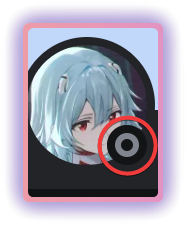
Anyone know how I can move the black circle behind the profile picture for the "userProfileModal" ?
summer adder
grand surge
how can i change what my cursor is
html {cursor: not-allowed;}
replace html with whatever class you're trying to change the cursor with and whatever cursor you want
if you wanted custom cursors in general, this isnt the place for it
unless you import a custom image and make it use that
but even then im sure the 'custom image' would have to be a cursor file
grand surge
summer adder
if you wanted custom cursors in general, this isnt the place for it
i already did :3
summer adder
ah
grand surge
some bugs but i’ll fix them eventually
summer adder
supple lodge
Anyone know how I can move the black circle behind the profile picture for the "...
black circle behind this? https://files.catbox.moe/266now.png
 supple lodge
summer adder
black circle behind this? https://files.catbox.moe/266now.png
supple lodge
summer adder
black circle behind this? https://files.catbox.moe/266now.png
no, this one.
I made it move at some point but the profile picture just disappear (and no it isn't offset, it just disappear)
 summer adder
would seem to be this element, try finding a way to change it https://files.catbox.moe/low661.png
 supple lodge
summer adder
would seem to be this element, try finding a way to change it https://files.catb...
supple lodge
summer adder
would seem to be this element, try finding a way to change it https://files.catb...
yeah that's the one I moved, and it moves, but make the profile picture blank
summer adder
replace its fill with white instead of black, that makes it completely gone
if thats what you're going for anyway
supple lodge
summer adder
if thats what you're going for anyway
yeah, but how do you write it in vscode?
summer adder
absolutely no idea, hence why in the vid i was just doing it via inspect element
supple lodge
yeah, I wanna do it in vscode, but I have no idea on how to edit it x)
anyway, thanks
supple lodge
yes?
plain kelp
Editing svgs with css is unpleasant
summer adder
wait now its fucking up wtf
supple lodge
summer adder
wait now its fucking up wtf
picture disappear?
supple lodge
yeah, its so weird
summer adder
could've sworn i would've had it with css .bannerSVGWrapper__3e7b0 [id='uid_997'] {display: none !important;}
I FIGURED IT OUT
SO
THE UID SWITCHES TO TWO RANDOM VARIABLES
ONE OF THEM 1172
AND THE OTHER 190 I THINK
AND I GOT CODE FOR THE 1172 TO WORK
.bannerSVGWrapper__3e7b0:has([id='uid_1172']) circle{fill:white !important}```NOW I NEED TO SEE IF IT WORKS WITH THE UID 190
oh my fucking god its a new one.
im starting to think its a randomly generated uid every time.
it is
so i have an idea for that
supple lodge
yeah, because for me there isn't any 1172
summer adder
i did it
heres your code
.bannerSVGWrapper__3e7b0:has([id*='uid_']) circle{fill:white !important}```The uid increases every time it creates the element I'm pretty sure
summer adder
summer adder
```css
.bannerSVGWrapper__3e7b0:has([id*='uid_']) circle{fill:white !important}`...
i have absolutely no fucking way if this is a good efficient way to do this
but at this point
as long as it fucking works im happy
supple lodge
summer adder
```css
.bannerSVGWrapper__3e7b0:has([id*='uid_']) circle{fill:white !important}`...
finally, thank you so much
summer adder
np
supple lodge
ono
summer adder
?
supple lodge
it also change the one in the popout 💀
 summer adder

supple lodge
cry in pain
summer adder
i will, that took me so long
okay heres your fix for the server popout
.userPopoutInner_f545a3 .bannerSVGWrapper__3e7b0:has([id*='uid_']) circle{fill: black !important;}```add that to your code and it should fix the server popout only
works for me anyway https://files.catbox.moe/xu8n60.mp4
lemme know if anything else is broken
supple lodge
doesn't look like it's working for me.. I don't understand lol
summer adder
does the code look exactly like this (ignore the comments thats just because im using my goofing around theme) https://files.catbox.moe/kx37gl.png

works perfectly fine for me in qcss too
supple lodge
summer adder
does the code look exactly like this (ignore the comments thats just because im ...
not quite the same, since i'm trying to make the circle go on the right for the profile info
 supple lodge
not quite the same, since i'm trying to make the circle go on the right for the ...
supple lodge
supple lodge
not quite the same, since i'm trying to make the circle go on the right for the ...
like that
 summer adder
ahh, so for inner user profile you'd have to set the cx to what it originally is
which is typically cx="62"
so it would now be
.userPopoutInner_f545a3 .bannerSVGWrapper__3e7b0:has([id*='uid_']) circle{fill: black !important;cx: 62;}```oh yeah great, now it works, thank you
supple lodge
what?
summer adder
i was looking through it and it seems like nitro profile popouts have a different cx, nitro ones arent 62
supple lodge
yours works
 summer adder
instead, nitro popouts are cx="58
supple lodge
idk, for me it works on nitro and non nitro users
and it shows it as 62 on your profile too
 summer adder
weird, dunno why mines showing different
supple lodge
you tried on someone else's nitro profile?
summer adder
nope, on mine
supple lodge
maybe for other profile it works normaly
for me it works on any profile, so thank you again :)
summer adder
np
 simple kiln
supple lodge
summer adder
instead, nitro popouts are `cx="58`
simple kiln
supple lodge
summer adder
instead, nitro popouts are `cx="58`
but you are right on something, in dm when the profile is on the right, the cx is 58
summer adder
i kinda see what you're trying to do though
i roughly recreated your code and it does look nice
supple lodge
show me
summer adder
 summer adder
ah
supple lodge
code looks gross tho, since I never learned css 🤣
summer adder
meh you learn eventually
supple lodge
easier than some language tbh
Looks like that
/* pfp Relocation */
.header__7da4f{
    bottom: 0px;
    left: 200px;
}

/* Big Popout */
.topSection_dfb73b .bannerSVGWrapper__3e7b0:has([id*='uid_']) circle{
    fill:black !important;
    cx: 282;
}
/* Smol Popout */
.userPopoutInner_f545a3 .bannerSVGWrapper__3e7b0:has([id*='uid_']) circle{fill: black !important;
    cx:62;
}
/* Dm Right Profile */
.none__51a8f .scrollerBase_dc3aa9 .bannerSVGWrapper__3e7b0:has([id*='uid_']) circle{
    fill:black !important;
    cx: 58;
}
/* Badges */
.badgeList_c193e3{
    position: absolute;
    bottom: 22px;
    right: 184px;
    display: flex;
    justify-content: flex-end;
}
/* Friend request/Send Message button */
.relationshipButtons__5efdd {
    position: absolute;
    top: 12px;
    right: 200px;
    display: flex;
    justify-content: flex-end;
}```idk how to send it with the colors
summer adder
technically recreated your code again
supple lodge
plain kelp
```css
thanks
supple lodge
does work
nice
summer adder
summer adder
https://files.catbox.moe/n661yg.mp4
heres that code of mine
.bannerSVGWrapper__3e7b0:has([id*='uid_']) circle{
    fill: white important;
    cx: 282;
}
.userPopoutInner_f545a3 .bannerSVGWrapper__3e7b0:has([id*='uid_']) circle{fill:black !important; cx: 62;}
.wrapper_edb6e0.pointer__4360d.avatar__445f3 {position: absolute;left: 223px;}
.badgeList_c193e3.containerWithContent__7e98f.container__5bda1 {position: absolute;top: -55px;left: 18.5em;}
.userProfileModalInner__7c87d.userProfileInner__8065b.userProfileInnerThemedWithBanner_d5f991 .topSection_dfb73b .header__7da4f .wrapper_edb6e0.pointer__4360d.avatar__445f3 {left:222px;}
.additionalActionsIcon__33de0 {position: absolute; top: 4.5px;right: -28.5px;}
.relationshipButtons__5efdd {position: absolute; left: 250px;}
.clickable__35918.avatarWrapperNormal__0bddb.avatarWrapper_f77579.avatarPositionPremiumBanner__1e83d .avatarHoverTarget__3a360 {position: absolute;left:4px}
.svg__7900e.avatarDecorationHint__03e0b {position: absolute;left: -4px !important;}
.userProfileModalInner__7c87d.userProfileInner__8065b.userProfileInnerThemedWithBanner_d5f991 .topSection_dfb73b .header__7da4f .headerTop__6628b .badgeList_c193e3.containerWithContent__7e98f.container__5bda1 {position: absolute;left:270px;}```you thought your code was messy

supple lodge
summer adder
you thought your code was messy
just the formatting that is stressing me out 😭
summer adder
oh well it can be as messy as it needs to be as i was just recreating it for fun
not like im publishing it or anything, just though id challenge myself
supple lodge
summer adder
not like im publishing it or anything, just though id challenge myself
works I guess ^^
terse dew
summer adder
```css
.bannerSVGWrapper__3e7b0:has([id*='uid_']) circle{
fill: white import...
I think it creates imbalance between left and right, so decided to move the badges list to the left
 supple lodge
terse dew
I think it creates imbalance between left and right, so decided to move the badg...
supple lodge
terse dew
I think it creates imbalance between left and right, so decided to move the badg...
For me the text (username, status, etc) makes it so that there is already a lot on the left
terse dew
I am comparing it to the send message on the same level, actually I think it could make for a fun idea to make the 3 first lines (username/nickname/pronouns) to be all centered in the middle
I think somebody did it for the small profile
supple lodge
terse dew
I am comparing it to the send message on the same level, actually I think it cou...
yeah it could be interesting, but it would be looking a lot like a mobile thing in the end x)
and for me it looks like that, I removed the gap between the username and the banner
 terse dew
that looks very nice.
supple lodge
thanks
but I feel like the picture isn't 100% centered, even tho I choosed position: center
Or maybe it's the buttons under it that makes it confusing
 supple lodge
mh?
terse dew
it is moved to the left
supple lodge
on urs?
terse dew
yes.

 supple lodge
can you use a grid on the preview in discord or that doesn't exist?
terse dew
I have no idea
supple lodge
because it would be more accurate I think
 terse dew
supple lodge
perfection
terse dew
supple lodge
perfection
so is it centered now?
supple lodge
I think so
terse dew
which plugin gives that device icon?

 subtle rose
terse dew
which plugin gives that device icon?
subtle rose
terse dew
which plugin gives that device icon?
platform indicators
terse dew
thanks
grand surge
supple lodge
and for me it looks like that, I removed the gap between the username and the ba...
move the badges under the pfp
deep bane
supple lodge
perfection
whats the tool for this
supple lodge
deep bane
whats the tool for this
Blender
supple lodge
grand surge
move the badges under the pfp
Would look good if some people didn't have 1 trillion badges :/
plain kelp
Just block those people
deft niche
I just hide the shitty useless badges 
supple lodge
deft niche
I just hide the shitty useless badges <:joeshrug:1183705274440224778>
idk how to
sweet lark
supple lodge
idk how to
css
supple lodge
I know
sweet lark
supple lodge
supple lodge
sweet lark
real
grand surge
i made it better i think probably not sure dont know

dont know if this fits in this channel since its more of a source code edit but oh well
summer adder
/**
* @author Madeline
* @description this is just the personal code i use
* @name personal code madeline
*/
.text-xs-semibold_a3a2b4.barText__1a44f {font-size: 0px;}
.text-xs-semibold_a3a2b4.barText__1a44f:before {font-size:12px; content: /*CHANGE TO WHATEVER*/ "new shit that you don't care about!"; position: absolute; top: 4px;}
.bar__004d9 {width: 5.3em;height:3.9em} /* adjust if needed for bar width, incase the text goes off the bar*/
/* end of unread bar */
::selection {background-color: rgba(102, 51, 153, 0.5);color: white;}```

decided to upload here since it’s already uploaded and changed on my github constantly due to the fact that i just have my themes folder synced to github
summer adder
screenshots show
 exotic nexus
summer adder
```css
/**
* @author Madeline
* @description this is just the personal code i us...
exotic nexus
summer adder
```css
/**
* @author Madeline
* @description this is just the personal code i us...
What is this formatting 
summer adder
purposely horrible
 void socket
hello everyone, this is gonna sound dumb, but, does anyone know of a way to block stickers from a specific person?
this friend of mine wont stop sending stupid dog stickers in every conversation we have with zero relation to what they are saying and it is pissing me off, i obviously don't want to block them, any ideas?
summer adder
[data-author-id="insert-user-id-of-person"] .clickableSticker__5d3a0 {display: none;}
make sure to have theme attributes enabled just in case
void socket
summer adder
make sure to have theme attributes enabled just in case
i just shove this into the quickcss, right?
summer adder
yes, just make sure you have the themeattributes plugin enabled just to be sure it works
void socket
yep yep
deep bane
guys im bored i need idea
void socket
summer adder
```css
[data-author-id="insert-user-id-of-person"] .clickableSticker__5d3a0 {dis...
works, thank you so much, you're a godsend, finally i can talk to my friend again
summer adder

deep bane
void socket
hello everyone, this is gonna sound dumb, but, does anyone know of a way to bloc...
skill issue
deft niche
deep bane
guys im bored i need idea
Make the ugliest theme possible
summer adder
deft niche
Make the ugliest theme possible
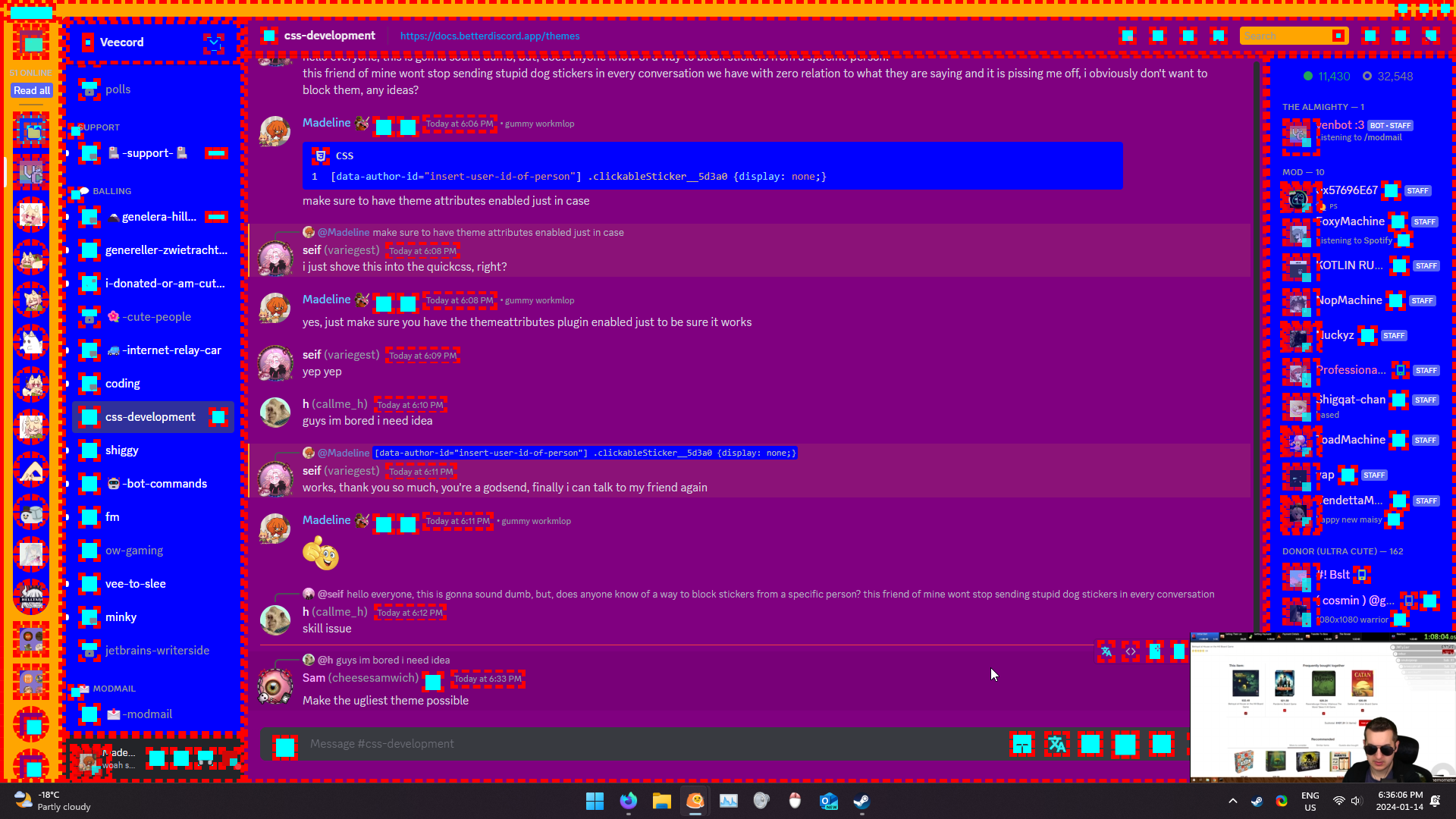
* {stroke: aqua;stroke-width: 50px;}
* {border: dashed;border-width: 5px;border-color: red;}
:root {
    --background-primary: purple;
    --background-secondary: blue;
    --background-tertiary: orange;
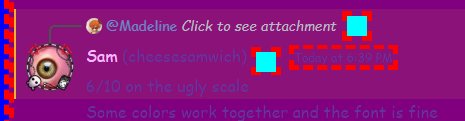
}```6/10 on the ugly scale
Some colors work together and the font is fine
 deep bane


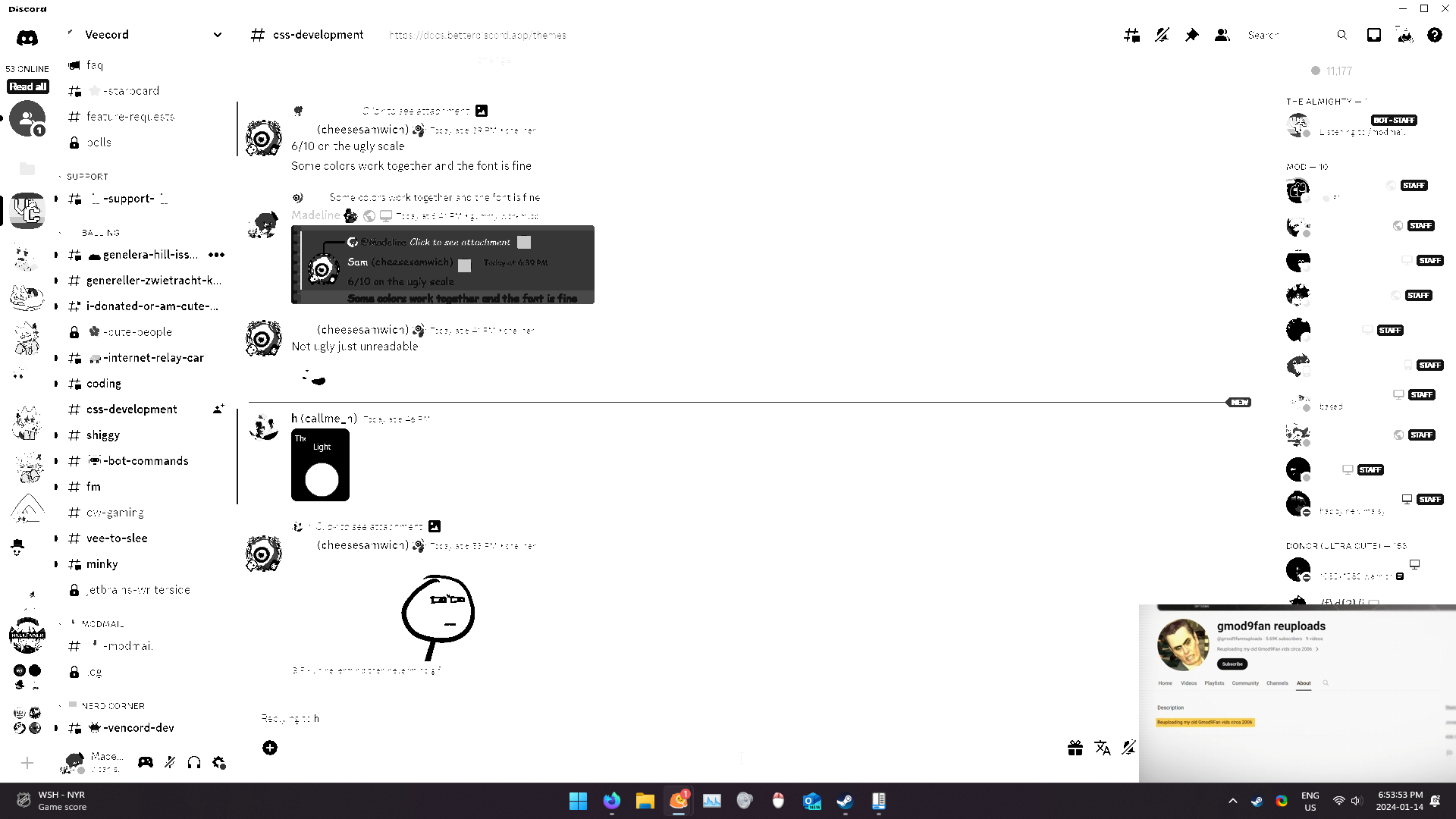 summer adder
 deep bane
deft niche
Make accent white
deep bane
deft niche
Make accent white

 deep bane
deft niche
Quickcss editor not white
deep bane
deft niche
Quickcss editor not white
 deft niche
deep bane
deft niche
deep bane
Quickcss editor text not white
-329743986324876575246587653278653872687635872/10
deep bane
 deft niche
Pfp isnt white
rugged echo
not white enough, make it like the sun
deft niche
insert exponentially small number here/10
summer adder
rugged echo
not white enough, make it like the sun
that would be orange/yellow
rugged echo
ern akzhuali in space its white 🤓
 rugged echo
well thats what I have heard, obviously I can't prove it
 deft niche
rugged echo
I was talking about the sun
deep bane

clear siren
summer adder
that would be orange/yellow
sun is actually very white, the yellow appearance comes from the atmosphere
rugged echo
deep bane
<:what:1180536043376754758>
ah whatever
clear siren
on a related note though I would love to see what hdr screens could do with better color formats like oklch()
what kind of stuff websites could do with hdr color space
grand surge
clear siren
sun is actually very white, the yellow appearance comes from the atmosphere
A smiling yellow face with glasses, often with teeth showing, originally buck teeth on most platforms.
rugged echo
no it obviously has a baby face
grand surge
teletubby garry’s mod 3 am not clickbait went sexual
grand surge
this is ai gen, can someone help me fix it, it doesnt work
.panels-3wFtMD > .container-YkUktl .flex-2S1XBF > :not(:last-child) {
opacity: 0% !important;
width: 0px;
transition: all 0.2s ease-in-out;
}
.panels-3wFtMD > .container-YkUktl:hover .flex-2S1XBF > :not(:last-child) {
opacity: 100% !important;
width: 32px;
}
.container-YkUktl {
justify-content: space-between;
}
it displays this on hover and makes them dissapear when not hovered on
 exotic nexus
Ai cant generate discord themes
grand surge
o ok
summer adder
grand surge
.panels-3wFtMD > .container-YkUktl .flex-2S1XBF > :not(:last-child) {
opacit...
do you are have the big dumb?
summer adder
then please for the love of god code it yourself instead of asking ai to do it
deft niche
grand surge
this is ai gen, can someone help me fix it, it doesnt work
x 99999999999999
grand surge
summer adder
then please for the love of god code it yourself instead of asking ai to do it
is it really that ad of code
grand surge
deft niche
<:husk:1026532993923293184> x 99999999999999
💀
deft niche
grand surge
💀
"Do not open pull requests with or ask for help with ai written code. Ai is incredibly stupid when it comes to code and you're wasting both of our time. You will permanently lose access to all dev channels and possibly be blocked from the repo if you do so"
summer adder
grand surge
is it really that ad of code
its bad that you're using AI.
for one of the SIMPLEST LANGUAGES
deft niche
Ai is an amazing tool for learning, asking questions, and troubleshooting simple errors but for the love of god don't actually try to get it to code for you
You'll just end up with a scrambled fucked up mess
grand surge
ok
deft niche
It doesnt have access to the source code, inspect element, or anything else relevant. Why would it?
grand surge
 summer adder
deft niche
It doesnt have access to the source code, inspect element, or anything else rele...
summer adder
deft niche
It doesnt have access to the source code, inspect element, or anything else rele...
havent you heard clearly ai is taking over the world

summer adder
GOD NO
deft niche
Simply type in a prompt and the ai will make you a theme!!1!221111!1!1!!1!1
Best update ever
(kill me)
summer adder
cause its so hard to just
[role="switch"] {opacity: 0%;}
[role="switch"]:hover {opacity: 100%;}```no way in hell you tried getting AI to help you with THAT
hell if you wanna effect the settings too
[role="switch"] {opacity: 0%;}
[role="switch"]:hover {opacity: 100%;}
[aria-label="User Settings"] {opacity: 0%;}
[aria-label="User Settings"]:hover {opacity: 100%}```hell want animations? https://files.catbox.moe/csjg8i.mp4
[role="switch"] {opacity: 0%;transform: rotateZ(0deg);transition: 0.3s ease-in-out;}
[role="switch"]:hover {opacity: 100%;transform: rotateZ(-5deg)}
[aria-label="User Settings"] {opacity: 0%;transform: rotateZ(0deg);transition: 0.3s ease-in-out}
[aria-label="User Settings"]:hover {opacity: 100%;transform: rotateZ(-5deg)}
.side_b4b3f6:hover {transform: rotateZ(0deg);}
.side_b4b3f6 {opacity: 100%}
really not that hard
grand surge
i meant like
when hovered the entire section appears
and when not hovered on it disappears
but i fr appreciate you going out of your way to do it
summer adder
even easier.
.container_ca50b9 {opacity: 0%;transition: 0.3s ease-in-out;}
.container_ca50b9:hover {opacity: 100%;}```you really didnt need AI for something like that.
grand surge
summer adder
```css
.container_ca50b9 {opacity: 0%;transition: 0.3s ease-in-out;}
.container_...
thank you so much 
grand surge
summer adder
https://files.catbox.moe/hf3jsm.mp4
can it be that only the setting, deafen and mut dissapear not the name and profile
im unclear lol
and how do you do that link thing
with the video
summer adder
grand surge
can it be that only the setting, deafen and mut dissapear not the name and profi...
.flex_f5fbb7.horizontal__992f6.justifyStart__42744.alignStretch_e239ef.noWrap__5c413:has([role="switch"]) {opacity: 0%;transition: 0.3s ease-in-out;}
.flex_f5fbb7.horizontal__992f6.justifyStart__42744.alignStretch_e239ef.noWrap__5c413:has([role="switch"]):hover {opacity: 100%;}```more optimized version of it before someone here complains "oH the codes messy!!" css .flex_f5fbb7:has([role="switch"]) {opacity: 0%;transition: 0.3s ease-in-out;} .flex_f5fbb7:has([role="switch"]):hover {opacity: 100%;}
grand surge
grand surge
this is ai gen, can someone help me fix it, it doesnt work
discord changed their classes... probably why also gpt stupid
is your snippet in #🎨-css-snippets ai generated
plain kelp
That's the problem with randomized classes — they change sometimes
grand surge
ill randomise you
plain kelp
Be my guest
 solid ore
grand surge
discord changed their classes... probably why also gpt stupid
solid ore
grand surge
discord changed their classes... probably why also gpt stupid
wait they changed them again?
grand surge
solid ore
wait they changed them again?
a while ago
plain kelp
Seems they released a new version (256231 → 259048) this saturday
So it's unsurprising that the classes would have changed
grand surge
just their ai code is .balls-69420 should be .balls_69420
plain kelp
I don't understand why ai would be relevant
grand surge
wdym
plain kelp
Why are you bringing up ai
grand surge
because their code is ai generated
plain kelp
Why do you think that
 devout elm
cus they said its ai gen :p
plain kelp
That rule is saying "if you're using ai to write code we won't help you debug it", not "discord code is ai-made"
plain kelp
Oh wait you mean some guy who asked for help earlier in this channel did
clear siren
 plain kelp
Damn, completely misread the conversation
clear siren
I'm actually surprised the ai made something half decent although it's using the old classes
grand surge
it’s already a thing in snippets i’m pretty sure
clear siren
not saying it's correct either way but yeah
plain kelp
Any code using the mangled class names is automatically a time bomb
Nobody should be writing themes that way, ai or not
grand surge
write me a ad block popup theme
clear siren
plain kelp
Nobody should be writing themes that way, ai or not
and then there's some people that see attribute selectors like [class^=container_] and flip out because PERFORMANCE
I use attribute selectors for everything after the classening happened
plain kelp
For me it's more of an issue of ```
❯ rg 'container:"container_' -o | wc -l
449
In other words, [class^=container_] matches 449 different classes
clear siren
yeah I know, just requires a parent, with them the code also actually becomes kinda self-documenting in many cases because the selector is less vague lol
plain kelp
I write mine like ```css
.ChatContainer__chatContainer,
.ThreadSplit__container,
.Settings__contentRegion,
.FriendList__peopleColumn,
.BrowseChannels__container.BrowseChannels__container,
.MessageRequests__container,
_ { background: var(--98-primary); }
Made a plugin that gives stable names to classes, that is
clear siren
yeah I saw that
plain kelp
Of course that requires a bit of work for naming the different modules, but eh, can't have everything
clear siren
no ai can write css as mangled as mine
 solid ore
plain kelp
Made a plugin that gives stable names to classes, that is
solid ore
plain kelp
Made a plugin that gives stable names to classes, that is
where can i find that? i dont see it in #1032200195582197831
plain kelp
Don't think I've posted it there
But it's in the same repo as my other plugins, at https://github.com/Kyuuhachi/VencordPlugins/tree/main/Classify
grand surge
clear siren
no ai can write css as mangled as mine
i have entered
grand surge
grand surge
is your snippet in <#1028106818368589824> ai generated
Mine is AI gen but it ain't in the css snippet chanel
grand surge
plain kelp
Why do you think that
And cause I don't know how to code😅
plain kelp
And you think a random sentence generator can
grand surge
What are you referring to?
plain kelp
That you asked an ai to write a theme
grand surge
plain kelp
But it's in the same repo as my other plugins, at <https://github.com/Kyuuhachi/...
I'll use that, thank you
grand surge
plain kelp
That you asked an ai to write a theme
Well I thought it could do it
But it can't
😂
grand surge
grand surge
And cause I don't know how to code😅
learn
summer adder
also btw just an fyi learning isnt using chatgpt to generate your code
 pure cairn
summer adder
more optimized version of it before someone here complains "oH the codes messy!!...
pure cairn
summer adder
more optimized version of it before someone here complains "oH the codes messy!!...
Sorry for bothering you, but is there a way to hide the "share screen" button (the one that comes out when you start an activity) as well from that same section? I tried looking for it with inspect element but I don't know css at all so it's a bit though 
Thanks in advance and again, sorry for bothering
deep bane
pure cairn
Sorry for bothering you, but is there a way to hide the "share screen" button (t...
pure cairn
deep bane
https://tenor.com/view/huh-dog-huh-dog-gif-9454444978823724629

hope that clarifies it a bit more
clear siren
how did you try using inspect element on it
and how did that not give you everything you need to select that element and do display:none on it
I'm sure you can figure it out :)
pure cairn
clear siren
how did you try using inspect element on it
I just opened console on discord and clicked on it... I had to enable the plugin that prevents discord from logging me off first though
pure cairn
clear siren
and how did that not give you everything you need to select that element and do ...
I just... don't know how to work with css at all, I don't know what to get from the console and stuff
sorry
deep bane
so you dont want to have the stream button shown?
pure cairn
I would like it to appear when I'm hovering the user area, just like the snipped I quoted did with the other buttons
deep bane
.actionButtons_b58cbb {
  opacity:0;
  transition: 0.3s ease
}
.actionButtons_b58cbb:hover {
  opacity:1;
}
spoonfed
deep bane

pure cairn
deep bane
```css
.actionButtons_b58cbb {
opacity:0;
transition: 0.3s ease
}
.actionBut...
ok, where did you get the _b58cbb from?
 sweet lark
from the Element maybe
pure cairn
yeah ok, which part though? because I have it open and I don't see that code anywhere
deep bane
pure cairn
yeah ok, which part though? because I have it open and I don't see that code any...

 sweet lark
Hmm
deep bane
.actionButtons_b58cbb:has([aria-label="Share Your Screen"]) {
  opacity:0;
  transition: 0.3s ease
}
.actionButtons_b58cbb:has([aria-label="Share Your Screen"]):hover {
  opacity:1;
}```idk if the class is used anywhere else
so heres fool proof
i guess
only english
cause default language
pure cairn
yeah, I have English language so it's not an issue
I just
don't see the b58cbb anywhere
actually, I don't know where I should get it from
I'm sorry if I sound stupid, but I'm really slow at this
deep bane
version based on icon
.actionButtons_b58cbb:has([d="M2 4.5C2 3.397 2.897 2.5 4 2.5H20C21.103 2.5 22 3.397 22 4.5V15.5C22 16.604 21.103 17.5 20 17.5H13V19.5H17V21.5H7V19.5H11V17.5H4C2.897 17.5 2 16.604 2 15.5V4.5ZM13.2 14.3375V11.6C9.864 11.6 7.668 12.6625 6 15C6.672 11.6625 8.532 8.3375 13.2 7.6625V5L18 9.6625L13.2 14.3375Z"]) {
  opacity:0;
  transition: 0.3s ease
}
.actionButtons_b58cbb:has([d="M2 4.5C2 3.397 2.897 2.5 4 2.5H20C21.103 2.5 22 3.397 22 4.5V15.5C22 16.604 21.103 17.5 20 17.5H13V19.5H17V21.5H7V19.5H11V17.5H4C2.897 17.5 2 16.604 2 15.5V4.5ZM13.2 14.3375V11.6C9.864 11.6 7.668 12.6625 6 15C6.672 11.6625 8.532 8.3375 13.2 7.6625V5L18 9.6625L13.2 14.3375Z"]):hover {
  opacity:1;
}```theres a copy button
 pure cairn
thanks for telling me, I didn't know about that
sweet lark
pure cairn
I'm sorry if I sound stupid, but I'm really slow at this
Krammeth — Today at 5:38 PM
I just... don't know how to work with css at all, I don't know what to get from the console and stuff
who wouldve thought that not knowing css will be problematic when trying to write css
deep bane
sweet lark
who wouldve thought that not knowing css will be problematic when trying to writ...

use chatgpt
 glad urchin
@summer adder i remember you were asking about an embed bug
does it have something to do with zoom?
weirdly, at 100% images look blurry
compared to 110%
WHY IS IT CHANGING THE WIDTH/HEIGHT PARAMS ON ZOOM

 pure cairn
deep bane
version based on icon
```css
.actionButtons_b58cbb:has([d="M2 4.5C2 3.397 2.897 ...
pure cairn
deep bane
version based on icon
```css
.actionButtons_b58cbb:has([d="M2 4.5C2 3.397 2.897 ...
ok so, I basically tried all of them
I think it's a different button
deep bane
.actionButtons_b58cbb:has([d="M2 4.5C2 3.397 2.897 2.5 4 2.5H20C21.103 2.5 22 3.397 22 4.5V15.5C22 16.604 21.103 17.5 20 17.5H13V19.5H17V21.5H7V19.5H11V17.5H4C2.897 17.5 2 16.604 2 15.5V4.5ZM13.2 14.3375V11.6C9.864 11.6 7.668 12.6625 6 15C6.672 11.6625 8.532 8.3375 13.2 7.6625V5L18 9.6625L13.2 14.3375Z"]) {
  opacity:0;
  transition: 0.3s ease;
  margin-top:-24px;
}
.actionButtons_b58cbb:has([d="M2 4.5C2 3.397 2.897 2.5 4 2.5H20C21.103 2.5 22 3.397 22 4.5V15.5C22 16.604 21.103 17.5 20 17.5H13V19.5H17V21.5H7V19.5H11V17.5H4C2.897 17.5 2 16.604 2 15.5V4.5ZM13.2 14.3375V11.6C9.864 11.6 7.668 12.6625 6 15C6.672 11.6625 8.532 8.3375 13.2 7.6625V5L18 9.6625L13.2 14.3375Z"]):hover {
  opacity:1;
  margin-top:0px;
}```
 pure cairn
yeah, it's not the same button I'm talking about
summer adder
glad urchin
<@839204836637147177> i remember you were asking about an embed bug
i completely forgot you’re gonna have to trace back that message
pure cairn
pure cairn
this one pops out when you open a game/software without being in a vc already
glad urchin
summer adder
i completely forgot you’re gonna have to trace back that message
im guessing this isnt css-fixable...?
deep bane
pure cairn
this one pops out when you open a game/software without being in a vc already
then post a s creenshot
pure cairn
pure cairn
this one pops out when you open a game/software without being in a vc already
matter of fact, when I hover it, it says "stream <whatever program>"
pure cairn
 glad urchin
* {
  image-rendering: pixelated !important;
}```
this kinda fixes it.activityPanel__22355 button[aria-label*="Stream"] {
opacity:0;
transition: 0.3s ease;
}
.activityPanel__22355 button[aria-label*="Stream"]:hover {
opacity:1;
}
thats gotta be laggy
why not html
or sum
deep bane
deep bane
```css
.activityPanel__22355 button[aria-label*="Stream"] {
opacity:0;
trans...
.activityPanel__22355 button[aria-label*="Stream"] {
  opacity:0;
  transition: 0.3s ease;
}
.activityPanel__22355:hover button[aria-label*="Stream"]{
  opacity:1;
}```Better version
atleast i think
deep bane
deep bane
```css
.activityPanel__22355 button[aria-label*="Stream"] {
opacity:0;
trans...
the besterest version
.panels__58331 button[aria-label*="Stream"] {
  opacity:0;
  transition: 0.3s ease;
}
.panels__58331:hover button[aria-label*="Stream"]{
  opacity:1;
}``` glad urchin
```css
* {
image-rendering: pixelated !important;
}```
this kinda fixes it
glad urchin
glad urchin
```css
* {
image-rendering: pixelated !important;
}```
this kinda fixes it
breaks emojis
summer adder
glad urchin
im guessing this isnt css-fixable...?
dude what im saying is i completely forgot i dont at all know what you're talking about
about the 'embed bug'
pure cairn
deep bane
the besterest version
```css
.panels__58331 button[aria-label*="Stream"] {
opa...
thank you very much, at least now I understood what to look for
glad urchin
summer adder
dude what im saying is i completely forgot i dont at all know what you're talkin...
ah nvm
summer adder
lol
pure cairn
sweet lark
who wouldve thought that not knowing css will be problematic when trying to writ...
yeah, I said that at the beginning
sorry again if this whole thing looked dumb from my side, because I feel like it definitely did
at least now I understand what to look for in the console
deep bane
pure cairn
yeah, I said that at the beginning
sorry again if this whole thing looked dumb f...
 Surely
pure cairn
yeah, the emoji is literally me fr fr
sweet lark
if u wanna do css, learn css
summer adder
glad urchin
found it https://canary.discord.com/channels/1015060230222131221/101506023106098...
ahh yeah
pure cairn
noted 👍
summer adder
it was a plugin problem itself
pure cairn
thanks for the help though
deep bane
sweet lark
if u wanna do css, learn css
Css popped into my head randomly one day 

 rugged echo
whar
deep bane
Make Code Blocks Dynamic/Not take up all of the chat width if not needed
.codeContainer__1ded4,.shiki-container {
  width:fit-content;
}```
 clear siren
add .shiki-container to the selector to support shikicodeblocks
deep bane
.shiggy-container
solid ore
deep bane
Make Code Blocks Dynamic/Not take up all of the chat width if not needed
```css
...
wat abt the copy button, it'll just be floating
clear siren
works fine with shiki
 solid ore
oh
clear siren
and with shiki it looks like this
 deep bane
clear siren
and with shiki it looks like this
deep bane
clear siren
and with shiki it looks like this
how do you have the colors like that
clear siren
it's a setting in the plugin
 summer adder
clear siren
it's a setting in the plugin
summer adder
clear siren
it's a setting in the plugin
didn’t even know you can link to custom vscode themes, time to use catppuchin mocha
 celest ridge
this isnt related to vencord but i need css help im going insane


why is .content not filling the height of the main
@edgy sentinel
if ur awake
 rapid cairn
idk but remove random stuff and try again idk
celest ridge
xdxd
solid ore
celest ridge
why is `.content` not filling the height of the `main`
not entirely sure but probably bc the text inside .content isnt long enough, height: 100% is relative to the contents of .content
 edgy sentinel
why flex 1 on parent
solid ore
i think
celest ridge
it should be relative to the parent container
celest ridge
loll its ok
edgy sentinel
edgy sentinel
why flex 1 on parent
remove
celest ridge
cus
theres a sidebar
and its a flex row
responsive and stuff ykyk
i was using a css grid before but
edgy sentinel
tbh that's weird it should work
celest ridge
it couldnt do sticky correctly
grrr thats okay i guess the text doesnt HAVE to be centered vertically
but that sos ad
celest ridge
main is from a reusable layout
edgy sentinel
oh
celest ridge
and .content is from the specific page
celest ridge
YEA IM GONNA KILL CSS
edgy sentinel
aaiitt
celest ridge
i also tried these niche values
 celest ridge
oo sure
edgy sentinel
ik that's not what you want but just for testing
 celest ridge
waot wajt
celest ridge
wait ur right
celest ridge
im stupid it was min height
celest ridge
intereting
edgy sentinel
main {
  min-height: 100%;
  height: 1px; /* we love css quirks */
}
amazing
RESOLVED FIXED 
i dont think so
The percentage is calculated with respect to the height of the generated box's containing block. If the height of the containing block is not specified explicitly (i.e., it depends on content height), and this element is not absolutely positioned, the value computes to 'auto'.
you'll have to put flex or smth on the main and use flex grow
or do the 1px hack but that might fix it to 100%? and not let it grow further
edgy sentinel
edgy sentinel
you'll have to put flex or smth on the `main` and use flex grow
tbh i always put flex on my outer wrapper anyway cause then i can do
<wrapper>
  <header />
  <main />
  <footer />
</wrapper>
``` and set wrapper min-height to 100% and put `margin-top: auto` on the footer to push it to the bottomok sorry had to brb
i guess i could make main a flex column
and if u want normal functionality just put a flex grow div in there
yeaa
thats so annoying ugh cus now i have to like
do it all the way down the tree
cus now .content is flex: 1 but .content > .status also cant height: 100%??
celest ridge
where
edgy sentinel
on my website, this is my body
 celest ridge
wth
celest ridge
why is your body width 100
edgy sentinel
i wonder if it would work
edgy sentinel
celest ridge
why is your body width 100
not needed does nothing
do you mean the ```css
min-height: 100vh;
min-height: -webkit-fill-available;
min-height: stretch;
min-height: fill-available;
no
its necessary
 celest ridge
theres new units for that i think
edgy sentinel
something relating to the address bar being hidden when u scroll down
celest ridge
yea
edgy sentinel
so 100vh is not actually the entire height sometimes
fill-available is what you need
edgy sentinel
are those supported yet
 edgy sentinel
so dvh is what i need?
edgy sentinel
MDN Web Docs
The CSS data type represents a distance value. Lengths can be used in numerous CSS properties, such as width, height, margin, padding, border-width, font-size, and text-shadow.
mm i will have to try that
but that means it might resize everything during scroll lmao
edgy sentinel
this is so hot
 edgy sentinel
celest ridge
i think when `dvh` changes its not actuall scrolling
edgy sentinel
celest ridge
i think when `dvh` changes its not actuall scrolling
no it can be lol
celest ridge
wtf thats so WEIRD
edgy sentinel
most android browsers when u scroll down will hide the address bar
when u scroll up it shows address bar again
celest ridge
no yea but i mean like
the scrollTop wouldnt actualyl change til
dvh hits either svh or lvh
i THINK
yea i just tested
atleast on chrome
celest ridge
fire
vestal field
would height: 100% on every element not work?
i remember doing that on a site i made
deft niche
Is there a way i can hide all these tooltips on everything? i might have asked this before but i kinda forgot about it


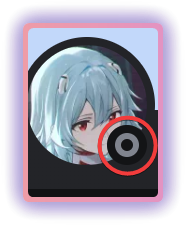
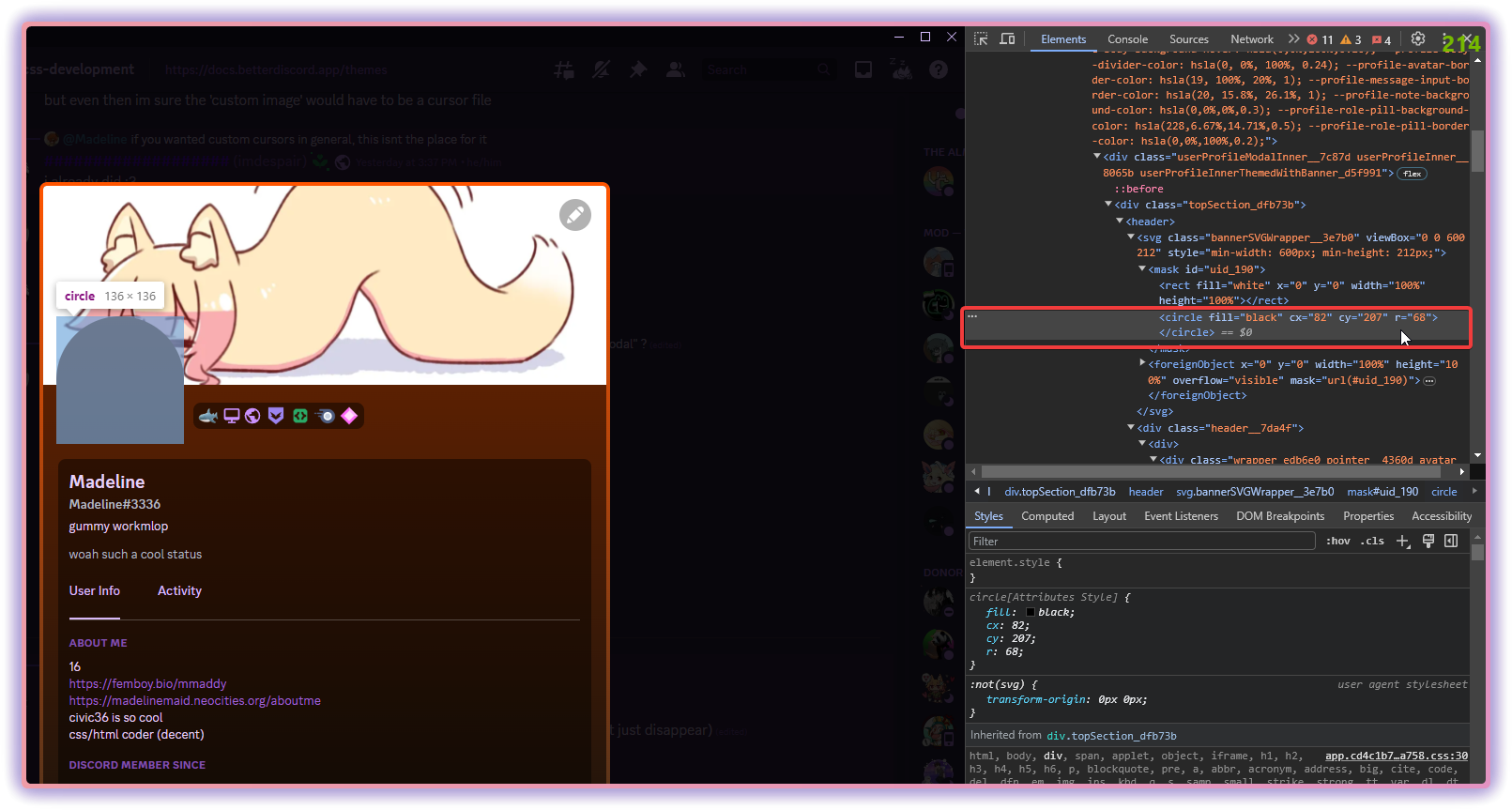
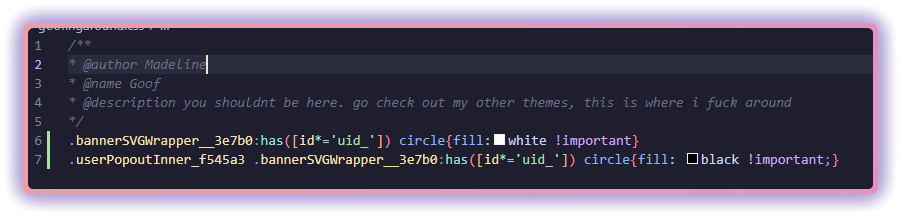
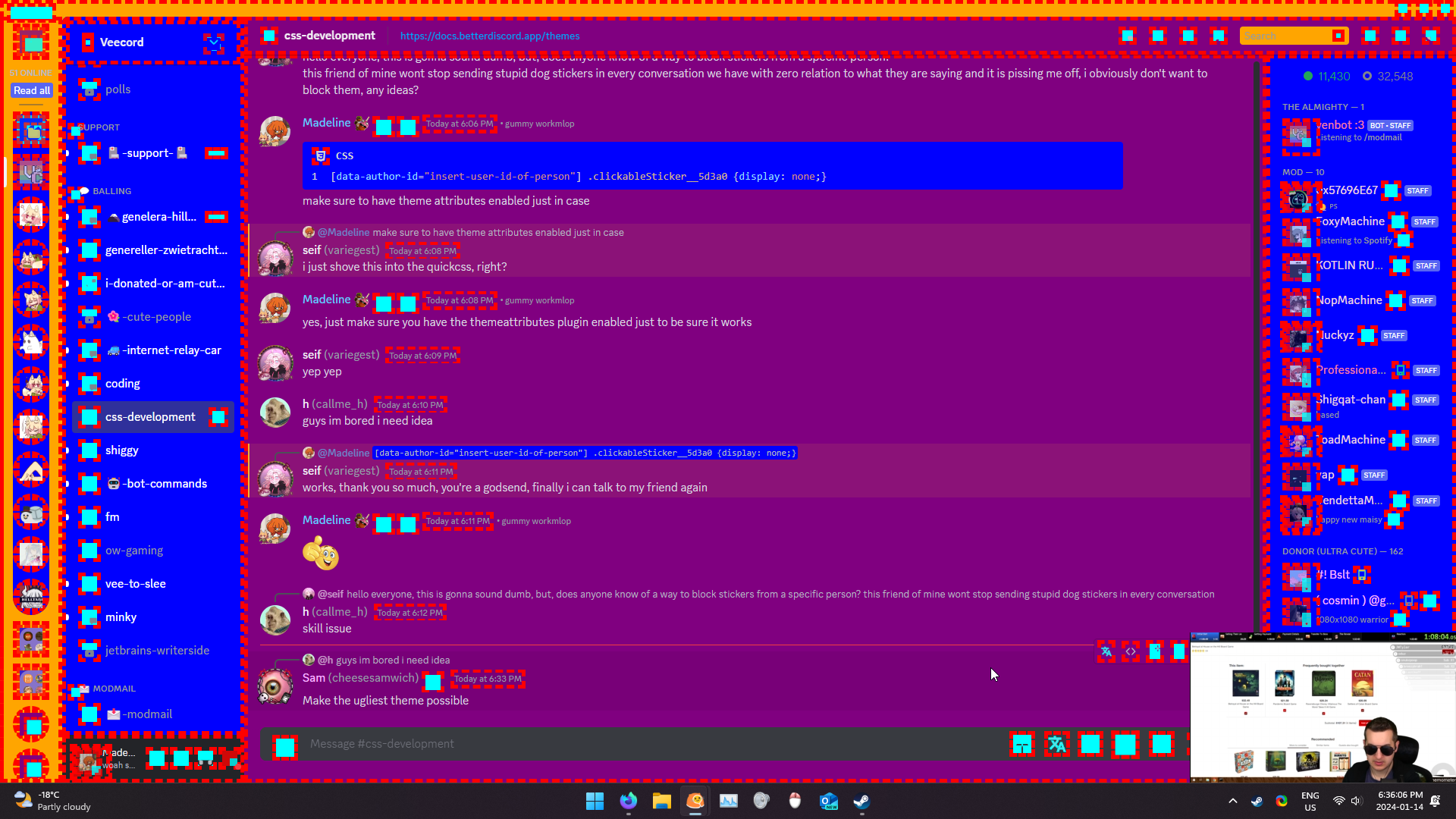
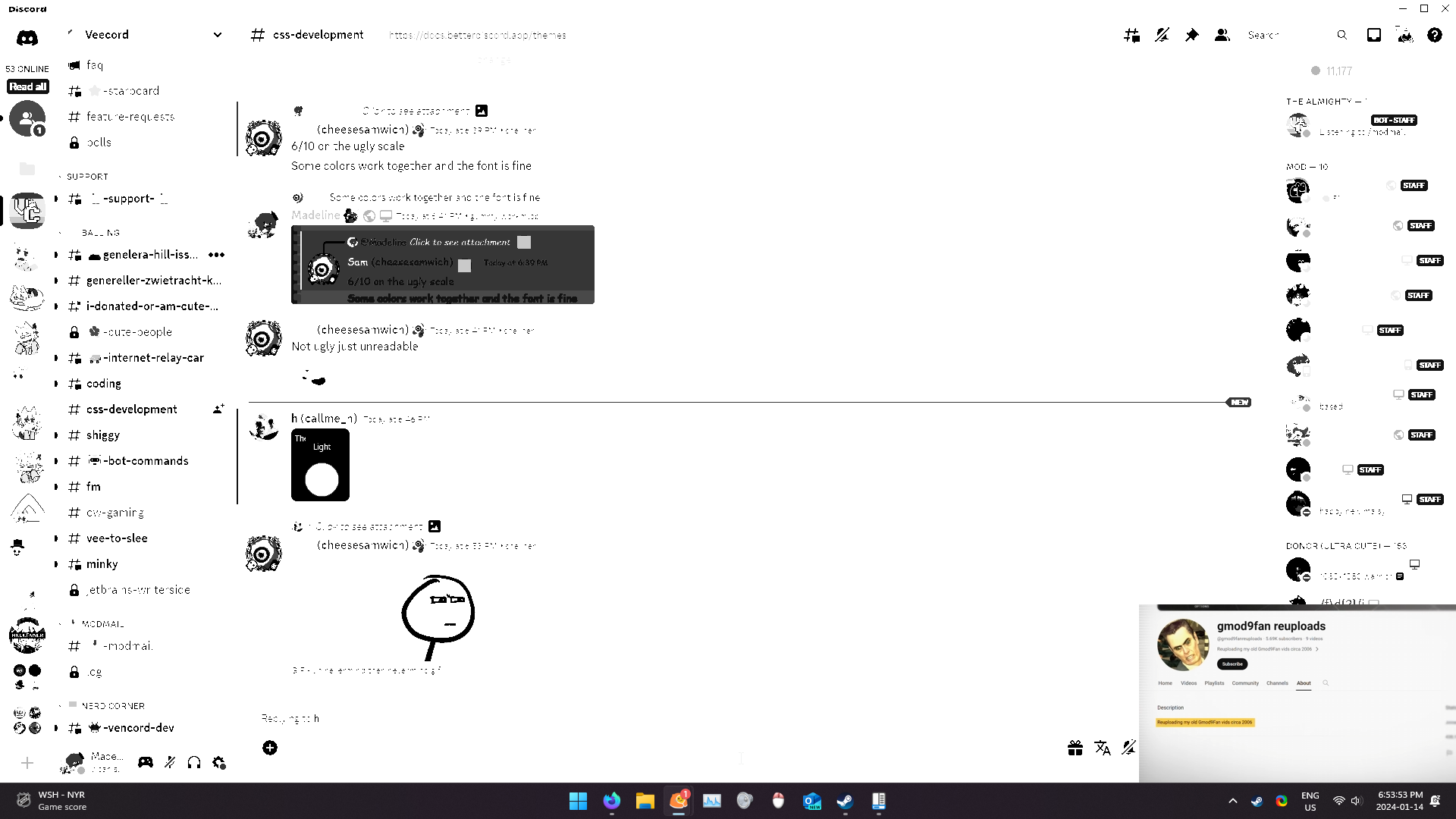
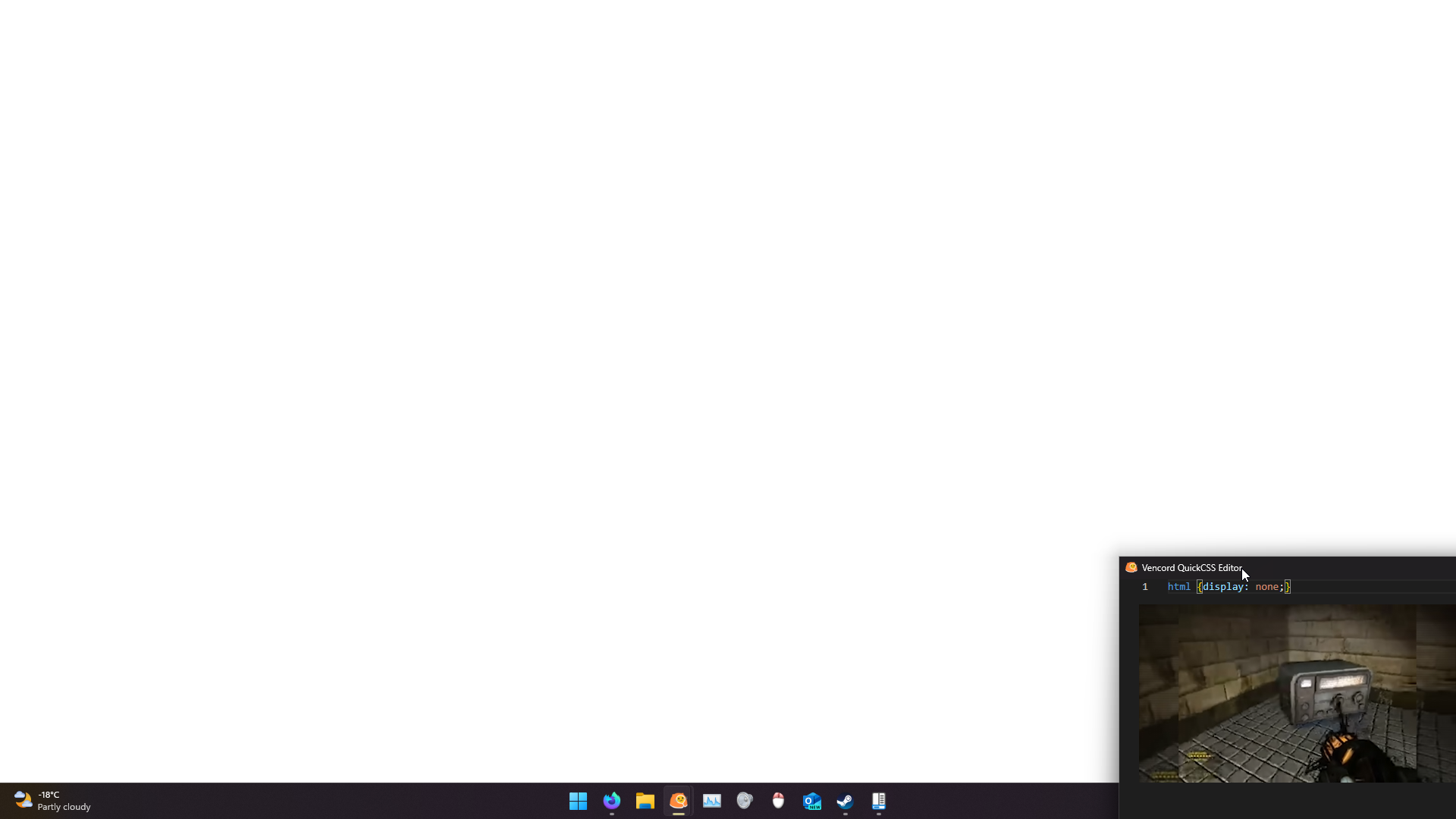
 deft niche
Oh wtf its that simple? 