#🎨-theme-development
1 messages · Page 15 of 1
 clear siren
 nimble spruce
D'oh!
that was really obvious, my bad
.theme-light ::selection {
    background: #e0ebf9; /* text hightlight background color (hex value)*/
}
.theme-dark ::selection {
    background: #3F4D5E; /* text hightlight background color (hex value)*/
}
works perfectly, thanks again
lol
 severe gull
@gilded cloak why did you ping me here
 gilded cloak
Mistyped when pinging someone else
Discord shitcode try not to have ping list move after I stop typing
severe gull
Aight
nimble spruce
I've changed the width of the channel sidebar, what is the best way to increase the server banner width alongside it?

The object-fit property doesn't seem to be working
 toxic yew
[class*=content_]>[class*=sidebar_],
[class*=bannerImage_],
[class*=bannerImg_] {
    width: 260px;
}
 summer adder
or maybe a width:auto or width:fixed
nimble spruce
neither of those work unfortunately but the width: 260px one did, thank you!
 slim lantern
Anyone have the CSS classes for the background and icon while Discord is loading? Trying to snipe it but no luck. ^^;
 grand surge
#🎨-css-snippets message but its more consistent
.container__10dc7, .header__60bef, .scrollerContainer_bf5dbd .container__7590f, .theme-dark .scrollerContainer_bf5dbd, .theme-dark .emptyPage__3e15d, .theme-dark .container__7590f  {
  background-color: var(--home-background) !important;
}
and it actually works this snipped didnt even work
 little ibex
yo, so how do I make custom icons for shit like the deafen icon (I hate the new one)
 deft niche
replace the svg
little ibex
how lmao? (I'm rather dumb in this stuff)
deft niche
do you have much/any experience with css?
little ibex
deft niche
do you have much/any experience with css?
I have some, but thats from my experience in html lmao
clear siren
there are a few ways to replace the icons, one is if you have an svg to replace it with, you can just change the path in css like is done in #🎨-css-snippets
little ibex
like with @import type thing?
clear siren
other method is making the svg display:none and adding a pseudoelement ::after with your image as the content on some element
no @import won't help you here
little ibex
ok
clear siren
one more way is to make the svg fill transparent and adding your image as a background of the element
little ibex
how do I make an svg?
clear siren
there are a lot of free svgs online you can use, as well as svg editors online
deft niche
little ibex
how do I make an svg?
an svg is essentially just a shape defined by code, so you can either download one or just manually make one. i assume theres softwares to create some
clear siren
if you're hardcore you make svgs with notepad
deft niche
fr ‼️
little ibex
so, is it an image made in css?
deft niche
not css
little ibex
whar
deft niche
"Scalable Vector Graphics (SVG) is an XML-based markup language for describing two-dimensional based vector graphics"
summer adder
i gotta stop making html files with my knowledge of css html <style> body { background-color:darkgreen; content:url(https://files.catbox.moe/t1wq7i.png); width:300; height:300; filter: saturate(5) contrast(300000) brightness(0.1) invert(1); position: fixed; } </style>
little ibex
deft niche
"Scalable Vector Graphics (SVG) is an XML-based markup language for describing t...
so does it basically make lossless icon details?
deft niche
little ibex
so does it basically make lossless icon details?
ye
exactly
like you could zoom in on an svg forever and it would never pixellate
because the shape is defined by code you wont ever find detail issues
deft niche
summer adder
i gotta stop making html files with my knowledge of css ```html
<style> body {
...

summer adder
i should skew the shrek
little ibex
deft niche
because the shape is defined by code you wont ever find detail issues
so it can basically be use on super high res screens without looking like shit
deft niche
little ibex
so it can basically be use on super high res screens without looking like shit

little ibex
me omw to learn how to make a whole new discord skin basically
nimble spruce
I don't have permission to post in #🎨-css-snippets , so I'll throw it in this channel. Here's my modified ServerColumns theme:

Actually, this would probably be easier as a web import:
https://raw.githubusercontent.com/Andrew6rant/Discord-plugins-and-themes/main/CompactServerColumns.theme.css
neat
 solid ore
could someone lmk why this doesnt work?
{
  color: var(--text-normal) !important;
}```that worked, thank you!
deft niche
nimble spruce
I don't have permission to post in <#1028106818368589824> , so I'll throw it in ...
awesome
clear siren
I now noticed you use devilbro's css for the majority of that
I retract my 'neat' statement
 glossy aurora
oh fuck yes

 exotic nexus
literally just style*="height: " 
clear siren
also all the performance-minded people are gonna love the selectors

 real quarry
nimble spruce
Actually, this would probably be easier as a web import:
```
https://raw.githubu...
real quarry
nimble spruce
Actually, this would probably be easier as a web import:
```
https://raw.githubu...
broke betterfolders plugin and i dont think it works with server folders (which is 98% of my server organization)
{very specific percent, because there's two servers i haven't folder'd yet and im in exactly 100 servers. dont ask how or why}
a reasonable attempt, but more robust testing (and less plagarism code yoinking, according to nvhhr) is needed
clear siren
I don't imply plagiarism, I just want to point out that devilbro's css is horror
real quarry
edited in light of nuances
nimble spruce
clear siren
I now noticed you use devilbro's css for the majority of that
Oh yeah I didn't mean to imply that this was entirely my own, it's just a modification of the ServerColumns theme (which I guess I assumed was more well known)
nimble spruce
real quarry
broke betterfolders plugin and i dont think it works with server folders (which ...
Is server folders a plugin, or Discord's actual server folders? I have a few server folders (I am at like 130 servers right now), and this CSS works for me on latest stable
Never've used betterfolders plugin so that one is probably on me
 terse dew
Hello, so I came here to just ask if anybody knows a CSS code that does the same thing as this one but for picture backgrounds.
Not sure in which channel I should be asking this.
#🎨-css-snippets message
deft niche
could anyone advise me on how to make a css snippet that replaces every instance of a users pfp with another image?
like a specific user account
img[src="img1"] {
  content: url("img2");
}
``` i tried this but nothing is replacingobviously img1 and img2 are replaced with actua image links
deft niche
oh awesome, thanks
is it possible to reference a local file using css? i assume i need to put the file in a specific directory
exotic nexus
nop
deft niche
damn 😔
clear siren
holy fuck what.. someone on support asking how to set a background for discord, and I just decided to see if there's a simple theme to achieve that
devilbro strikes again https://betterdiscord.app/theme/BasicBackground
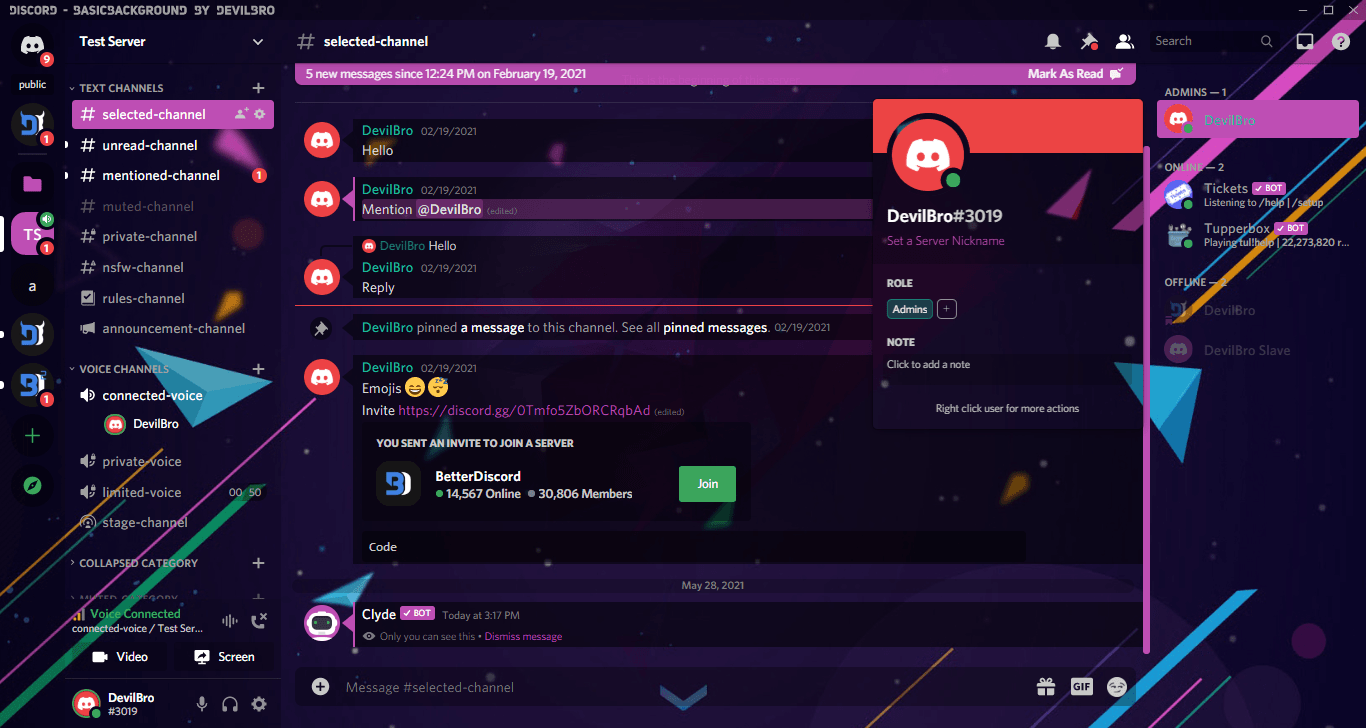
BetterDiscord
Allows you to use a Background Image without greatly altering the basic Layout of Discord
over 7000 lines to set a background and some colors for discord
hahahah
why is that even called basicbackground and claiming "without greatly altering" when it does way more than just set a background
 mortal mantle
how
7000 lines
doesnt he know that changing the --brand-experiment variable is the fastest solution
deft niche
clear siren
over 7000 lines to set a background and some colors for discord
oh my god 😭
slim lantern
I dunno how people use backgrounds with so much stuff going on.
Makes text hard to read.
 vast delta
not sure if this one works as well, i havent been cssing for a few days
clear siren
I do something similar, setting pretty much all background vars to transparent and having a background on body with an extra layer on #app-mount to tone it
then readding backgrounds back in to some elements manually
 vestal field
definitely not that that simple of a theme if you want to make it look good though
clear siren
yeah, I think I might be able to do it in about 6000 lines
 neon crown
[class*="heading-md-semibold"],
[class*=text],
[class*=input_],
[class^=topic_],
[class^=name_],
[class*=item_],
[class*=description_]
 { font-size: 20px !important; }
i noticed that this changes most things but some things like the text when hovering servers and statuses are left unchanged, i'm not very familiar with css so how can i locate the name of the class i want to target? within discord
 ashen sable
I didn't know this channel even existed as it was hidden, but now that I do I'll post this thing I made again:
https://gitlab.com/Grzesiek11/compactplusplus-discord-theme

GitLab
Makes Discord's Compact mode more like IRC (and thus better)
if you are a Compact mode user you'll probably like it, if you are not perhaps it'll make you switch ;)
didn't add screenshots yet
that's how it looks though

feedback welcome
clear siren
for server hover text and other tooltips add [class*=tooltip_] as a selector
but yeah to locate selectors, you use devtools (ctrl+shift+i) but you should enable nodevtoolswarning plugin first
and for popups that go away and stuff like that it is useful to have f8break plugin that freezes discord when you have a popup or something open
clear siren
ashen sable
I didn't know this channel even existed as it was hidden, but now that I do I'll...
well done, good css
neon crown
alright, where in the dev tools should i look to find the classes?
i'm not seeing much but it's also kinda slow and hard to see
clear siren
you click this button and then the element you want to modify
 clear siren
but you might have to go up or down the tree to get the proper element you need
ashen sable
neon crown
when did they put that there
it's definitely not a new thing lol
neon crown
the amount of times i have not used that at all
clear siren
haha
 dark dragon
You've got to be careful how much you increase the font size on some things. It can mess with some of the scroll boxes due to how they did all that
clear siren
usernames in messages?
neon crown
yup
dark dragon
You should be able to increase those with the font size slider in settings, save yourself some effort
neon crown
trying to avoid that tbh
clear siren
.username_d30d99 is the class you probably want
the fonsize slider in settings messes with things in a way I dislike
neon crown
agree
neon crown
clear siren
.username_d30d99 is the class you probably want
[class*=username_d30d99]
would it be like this? i don't see an effect D:
clear siren
that should work but is unnecessary to do it this way
neon crown
oh i think it's just my username that looks much smaller to me, it does work lol
clear siren
https://developer.mozilla.org/en-US/docs/Web/CSS/Attribute_selectors read this to understand what that selector is and how it can be used

MDN Web Docs
The CSS attribute selector matches elements based on the element having a given attribute explicitly set, with options for defining an attribute value or substring value match.
and in general, MDN is your best friend when doing css
ashen sable
neon crown
`[class*=username_d30d99]`
would it be like this? i don't see an effect D:
that's a... bit weird way to do it
why not just .username_d30d99
clear siren
they're just copying the format from the other selectors
vast delta
clear siren
https://developer.mozilla.org/en-US/docs/Web/CSS/Attribute_selectors read this t...
#🎨-theme-development message read this to understand why you shouldn't use it 
clear siren
no :)
vast delta
:3
 deep bane
Shitty way to hide this (It's shitty cause it's made by me)
.containerDefault__23a29:has(.iconVisibility__78804.wrapperStatic__026af.wrapperCommon_d71dee),
.containerDefault__3187b:has(.iconVisibility__62ab5.wrapper__7bcde.typeVoice_f4ba92),
.sectionDivider__68d2a {
  display:none;
}
 mortal mantle
vast delta
https://discord.com/channels/1015060230222131221/1134844326933954622/11770144276...
mortal mantle
vast delta
https://discord.com/channels/1015060230222131221/1134844326933954622/11770144276...
aint reading allat
 sacred anchor
Yo guys
I want to make a one-color theme for my discord
Any guides on getting started?
deep bane
Maybe decent way to hide community hub
.listItem_fa7b36:has(.pill__13f64) {
display: none !important;
}``` deep bane
do you want to have it for your personal use or do you want to publish it so other people can use it too
deep bane
deep bane
Shitty way to hide this (It's shitty cause it's made by me)
```css
.containerDef...
If someone could improve this so there's no additonal scroll i would be very thankful 🙏
sacred anchor
deep bane
do you want to have it for your personal use or do you want to publish it so oth...
Personal use first and then making it public
deep bane
sacred anchor
Personal use first and then making it public
Well then if you want to make it public some day you'll probably have to start from 0 which would take a lot of time to get the theme to look nice, which i can't really help you with, but if you JUST want it for personal use then you can probably take a theme that you like and just edit it to the color you like
the only advice i could give you is probably just to use the console (inspect element) in your browser which you probably know about
deep bane
deep bane
Shitty way to hide this (It's shitty cause it's made by me)
```css
.containerDef...
nvm this is shit didnt realise it literally removes all voice channels
 upbeat hemlock
dont have perms to post in #🎨-css-snippets so ig ill do it here this changes the icons from the new thicc icons to the old icons
https://raw.githubusercontent.com/LynnuxDev/Discord/main/Themes/Addons/Revert-Icons.css


 oak plover
upbeat hemlock
dont have perms to post in <#1028106818368589824> so ig ill do it here this chan...
oak plover
upbeat hemlock
dont have perms to post in <#1028106818368589824> so ig ill do it here this chan...
Don’t steal my shit
grand surge
can anyone help me with an issue
deep bane
grand surge
can anyone help me with an issue
?!?!?!?!??!?!
grand surge
I wanna get my background to work on my themes
deep bane
upbeat hemlock
dont have perms to post in <#1028106818368589824> so ig ill do it here this chan...
 deep bane
grand surge
I wanna get my background to work on my themes
deep bane
grand surge
I wanna get my background to work on my themes
whats the background you want to use and whats your theme
grand surge
deep bane
whats the background you want to use and whats your theme
trying to remake this since this them stopped working

theme*
It isnt my theme but I really liked it and I wanna get it back
deep bane
i will be able to help you in around 10 minutes since im doing something right now
deep bane
grand surge
trying to remake this since this them stopped working
can you tell me what theme is this from
deep bane
what theme is it...
deep bane
do you just want the background to be working or?
grand surge
yeah I just want the background
deep bane
This makes it the background but you would have to make a lot of elements transparent in order to see it behind the chat and etc.
.bg__12180 {
    background: var(--background);
    background-position: var(--backgroundposition, center);
    background-size: var(--backgroundsize, cover);
}```thank you
deft niche
hey, so im changing the background color of mentioning messages by re assigning the --mention-background property, but whenever you hover on the message, the color changes back to yellow. Any ideas?
 teal cave
there is also --mention-background-hover
deft niche
ahhh ok thanks!
clear siren
deft niche
ahhh ok thanks!
enable f8break plugin, easy way to style elements that only appear or change on hover
you can also set hover pseudoclass on elements in devtools by rightclicking an element
but often it's not the right element to set :hover on
deft niche
clear siren
enable f8break plugin, easy way to style elements that only appear or change on ...
im not on vesktop so i just crash when i try open devtools 
clear siren
lol
vast delta
@obtuse kite https://github.com/vencordcss/onekocord

GitHub
All the Oneko code, in one place, up to date™. Contribute to vencordcss/onekocord development by creating an account on GitHub.
all oneko snippets have been standardised and work on newest classes
 fierce oxide
Im wondering if anyone here does themes?
I wanna use a video for a background and need to know how to do so?
Please ping me for the answer if anyone knows how to. I need to sleep. Am too tired to stay awake. Sorry 
 leaden folio
is there a significant performance difference between using @import and just having the css in a file on my machine?
sacred anchor
deep bane
Well then if you want to make it public some day you'll probably have to start f...
alright, I want to make my css public, how do I get started now?
sacred anchor
so I made a css file for a lite blue background of discord.
how do I set it to light blue now?
dark dragon
leaden folio
is there a significant performance difference between using @import and just hav...
Not really. Imports only become an issue when you've got multiple of them nested within eachother
exotic nexus
depends on what's being imported
not necessarily how nested they are unless theres like hundreds of them
dark dragon
Imports inside other imports can only be downloaded sequentially, it should be avoided
vast delta
fierce oxide
Im wondering if anyone here does themes?
I wanna use a video for a background an...
not possible, you can not import videos using CSS
you can do gifs
vast delta
leaden folio
is there a significant performance difference between using @import and just hav...
there is no performance benefit from copying the CSS onto your system since it is running the same code either way
only difference it makes is that large CSS files may take some time on extremely slow connections
vast delta
sacred anchor
alright, I want to make my css public, how do I get started now?

GitHub
GitHub is where over 100 million developers shape the future of software, together. Contribute to the open source community, manage your Git repositories, review code like a pro, track bugs and fea...
deft niche
vast delta
https://github.com/
lies
 mortal mantle
Lies
 long sundial
deft niche
lies
long sundial
deft niche
lies
wysi
 shell grail
Lies

 simple kiln
hmm
deep bane
Truth
 vast delta
when you fucking see it
deep bane
deep bane
Shitty way to hide this (It's shitty cause it's made by me)
```css
.containerDef...
I think this is a good way of hiding this
.sectionDivider__68d2a:nth-last-of-type(2),
.wrapperCommon_d71dee.wrapperStatic__026af.iconVisibility__78804 > .container_de798d.name__590d6 > .overflow__87fe8,
[class^=bar__]:has([class^=voiceChannelsIcon__]) {
  display: none !important;
}
 deep bane
I think this is a good way of hiding this
```css
.sectionDivider__68d2a:nth-last...
deep bane
deep bane
I think this is a good way of hiding this
```css
.sectionDivider__68d2a:nth-last...
(and the divider that is above it)
vast delta
what exactly are you trying to hide
 vast delta
superskull
clear siren
 deep bane
clear siren
wtf even is that selector
deep bane
clear siren
wtf even is that selector
very good selector (i used ublock origin element picker cause im lazy)
deep bane
vast delta
the image contains a billion different things you might wanna hide
everything
clear siren
ublock element picker 💀
 vast delta
deep bane
everything
vast delta
deep bane
everything
*{display:none}
 deep bane
yea, exactly
vast delta
whitename
deep bane
now i realised it hides any voice channel with a person in it
This should*?* work
[class^=bar__]:has([class^=voiceChannelsIcon__]),
.containerDefault__3187b:nth-last-of-type(1),
.sectionDivider__68d2a:nth-last-of-type(2),
.wrapperCommon_d71dee.wrapperStatic__026af.iconVisibility__78804 > .container_de798d.name__590d6 > .overflow__87fe8 {
  display: none !important;
}
```Before / After
 deep bane
This should*?* work
```css
[class^=bar__]:has([class^=voiceChannelsIcon__]),
.c...
deep bane
deep bane
This should*?* work
```css
[class^=bar__]:has([class^=voiceChannelsIcon__]),
.c...
also includes this #🎨-css-snippets message
vast delta
join a vc so i can see @deep bane
deep bane
no
vast delta
deep bane
no <:trolley:1024751352028602449>
 deep bane
vast delta
deep bane
vast delta
 clear siren
 deep bane
clear siren
deep bane
clear siren
whats your theme
mortal mantle
actually accurate time
clear siren
deep bane
whats your theme
one I made
deep bane
clear siren
one I made
🥺
clear siren
do whatever you want with it
 clear siren
only really works on vesktop because I use oklch() for colors
but feel free to experiment with my silly code
deep bane
damn, i cant use vesktop cause i need push to talk unfocused
deep bane
clear siren
but feel free to experiment with my silly code
what's the font cause i don't think i have it
deep bane
@clear siren What does the /.9 do?
 clear siren
it's the alpha value
 oblique night
how do I get code blocks to have the language used in the top left?
 deep bane
oblique night
how do I get code blocks to have the language used in the top left?
deep bane
oblique night
how do I get code blocks to have the language used in the top left?

i think
exotic nexus
only on desktop i believe
deep bane
what version of vencord are you on
oblique night
Vencord D629281 (Web)
deep bane
then ig its only on desktop
oblique night
ok
clear siren
deep bane
im assuming its just 90% right?
yeah
works with rgb or hsl the same way
I just prefer oklch
used to use hsl() for colors but oklch is the best
deep bane
yeah im in the process of converting it to rgb (idk why rgb i just picked it cause theres a converter online)
what theme
its cause its using colors not supported by discodr or some stuff
im converting it into rgb/a
@clear siren is /1 in oklch 100% in rgba?


 clear siren
yeah?
 clear siren
yeah I dunno what happened there
glossy aurora
deep bane
<@165098921071345666>
today at 07:27
deep bane
did someone move channels or am i tripping
glossy aurora
wdym
clear siren
deep bane
anyone know this theme
 clear siren
yeah it works for that too but the skin I made is incomplete
deep bane
deep bane
anyone know this theme
the theme tho
clear siren
oh, no idea
deep bane
:(
clear siren
it "works" for me although not sure what it's supposed to achieve
where do you want the button to be
 sour finch
clear siren
it "works" for me although not sure what it's supposed to achieve
sour finch
clear siren
it "works" for me although not sure what it's supposed to achieve
I fixed it myself and centered my button, but with a much longer code. All I wanted was that the read all button is centered as it wasn't for me. But it works now! Ty
grand surge
How does one gain access to CSS snippets?
clear siren
post good css and someone might give you snippet dev role
grand surge
Improved Social Linkscss @import url(https://stevencaior.github.io/discord_themes/addons/SocialLinks_SourrR34.css);

This good enough?
 edgy sentinel
has anyone in the entire history of the world ever clicked on those links
clear siren
same tbh
grand surge
exotic nexus
absolutely not
Is this only because it's really obscure
exotic nexus
edgy sentinel
has anyone in the entire history of the world ever clicked on those links
i was referring to this
grand surge
Oh lol
solid ore
tbh id rather have a snippet hiding those social links than one making them more prevalent
grand surge
.socialLinks_c1fc99{
  display: none;
}```Though I know that isn't good enough for #🎨-css-snippets
 prisma garden
So, I use a semi-transparent theme, and when I'm in one of those forum channels the header goes over the text in a weird way (image below)

how would I make it so that the header fully covers up the text underneath it whilst still keeping that background image?
I want it to act how channel headers do

where it covers up the text and still has the image background
grand surge
prisma garden
I want it to act how channel headers do
Oh hey it's me
 supple jacinth
prisma garden
I want it to act how channel headers do
supple jacinth
prisma garden
I want it to act how channel headers do
You could set the same background image on it and set the background size and position to have it align correctly
Or look at the css of the header
grand surge
supple jacinth
You could set the same background image on it and set the background size and po...
I feel like this will end up being scuffed
and maybe won't work well with different zoom levels
the latter seems like a safer approach
prisma garden
I've looked at the css for both and I didn't notice any difference (other than some margins)
I'll check again though
supple jacinth
grand surge
I feel like this will end up being scuffed
Yeah it would. idk why how the css would work for the header and not that tho
grand surge
the chat is taller than its parent container
which has overflow-x set to hidden
and the height of the container is set to end at the header section
so you can try taking the height of the container (.chatContainer__23434 ?) and setting the height to be height: calc(100% - height of the forum thing)
supple jacinth
Good idea
prisma garden
trying that rn
prisma garden
discord has the divs structured very weirdly
When I figure out a hacky spaghetti-code solution I'll put it here

 frosty crest
lol yeah xD
[class="markup_a7e664 messageContent__21e69"] {
   background: linear-gradient(to right, #ff84d8, #447cf5);
   background-clip: text;
   -webkit-background-clip: text;
   color: transparent;
}```also what font is that
frosty crest
uhh, its the one vencord theme is using one sec
frosty crest
deep bane
also what font is that
its Rubik, a google font
vast delta
try making color white and see if it is still Invisible
frosty crest
when i make the color anything other than transparent it changes everything to to that color
I tried to specify the 'text-decoration-color:' but it just reverted it to the base color im using
deep bane
i found this
s {
  background: -webkit-linear-gradient(bottom, transparent calc(.5em - 1px), red calc(.5em - 1px), red .5em, transparent .5em);
  background-size: 100% 1em;
}```seems to work a bit
(add to quick css not replacing your old one)
deep bane
frosty crest
ok yeah that works
s {
  background: -webkit-linear-gradient(bottom, transparent calc(.35em - 1px), #ff84d8 calc(.35em - 1px), #447cf5 .35em, transparent .35em);
  background-size: 100% 1em;
}```this should make the line lower
frosty crest
xD i was just adjusting that ty
deep bane
although the only problem with this is that the line gradient isn't left-to-right
frosty crest
its fine its there and noticable for the time being thats what i needed, i can mess with it another time
tysm<3
pink works
deep bane
i found a better method
i think
s, strike {
   text-decoration: white line-through;
}```lol
frosty crest
xD
deep bane
(i checked the color can't be gradient, atleast afaik)
deep bane
frosty crest
its Rubik, a google font
can you tell me how it is applied in the theme? (The name of it used in css)
frosty crest
its imported
deep bane
can i get the code?
deep bane
frosty crest
https://raw.githubusercontent.com/Synqat/vencord-theme/main/versions/latest.css
thank you
sour finch
Does anyone know how to make the backdrop (the circle) align with the style? I can't figure it 
 grand surge
Do you mind sending you CSS file?
deep bane
sour finch
Does anyone know how to make the backdrop (the circle) align with the style? I c...
is that the speaking overlay or?
 summer edge
sour finch
Does anyone know how to make the backdrop (the circle) align with the style? I c...
summer edge
sour finch
Does anyone know how to make the backdrop (the circle) align with the style? I c...
Iirc that circle is an svg so id think replacing it or removing it would be the easiest way I’m not on pc but looking at one of my old snippets I think I’m wrong
deep bane
foreignObject[mask*="url(#"] {
  mask: none;
  -webkit-mask: none;
  border-radius: 2px !important;
}```adjust border radius
vast delta
you are a menace to society
 deep bane
what
vast delta
checks every single circle up the tree until it founds a mask, if not, until the tree ends
then goes up from that mask until it finds bannersvg, if not, until the tree ends
same to userPopoutOuter
deep bane
definitely performance heavy
 sour finch
deep bane
```css
foreignObject[mask*="url(#"] {
mask: none;
-webkit-mask: none;
bord...
sour finch
deep bane
```css
foreignObject[mask*="url(#"] {
mask: none;
-webkit-mask: none;
bord...
thanks a bunch, got it working!
summer edge
vast delta
you are a menace to society
To my defense I had no idea that was performance heavy :3
Also it’s old css
vast delta
summer edge
To my defense I had no idea that was performance heavy :3
the first section is what i am referencing
vast delta
guh #🎨-css-snippets people keep remaking the same things that already exist
we need a good comprehensive list of stuff that exists
grand surge
Is this referring to RadialStatus?
Last I checked, Gibbu's version didn't work that well
Granted, that was a year ago, but regardless, I feel like snippets can be improved upon even if the endgoal is the same
exotic nexus
vast delta
we need a good comprehensive list of stuff that exists
yeah it's called #🎨-css-snippets
deep bane
Would there be any way to hide the suggested channels? (And maybe a way to stop them from giving you pings)
 grand surge
Stop it from giving you pings? Not with CSS
grand surge
Honestly, I don't think there's a CSS solution to the first one without it being scuffed
you can always press the x button though
deep bane
Also this is pretty nice
.messagelogger-edited {
  font-style: italic;
  opacity: 0.75;
}
No.
deep bane
because im in a bunch of server for a game's competitive scene and i only would want to get pings when there is a tournament announcement, but they also ping everyone when there is another team's game etc.
grand surge
You can probably do that without installing any fancy plugins
Either way, CSS won't help you when it comes to pings
Cascading Style Sheets
deep bane
grand surge
You can probably do that without installing any fancy plugins
I can't ⠀
 vast delta
exotic nexus
yeah it's called <#1028106818368589824>
vast delta
exotic nexus
yeah it's called <#1028106818368589824>
oh that reminded me of a good snippet that would make a wobbly line out of the spotifycontrols progressbar, could you find it for me please?
deep bane
vast delta
oh that reminded me of a good snippet that would make a wobbly line out of the s...
Are you not gonna thank me for finding it for you?
 grand surge
deep bane
Are you not gonna thank me for finding it for you?
grand surge
deep bane
Are you not gonna thank me for finding it for you?
Bro relax lol
frosty crest
I do not know what that means
oh, its a modified version of the vencord theme
what lang is that?
the og threw me off lol
no its just the edited local file on my pc and a bunch of quick css
the vencord theme is on the vencord github though
this theme is cute though ^-^

for mine im addicted to like pastels and pink/blue

fave part lol
if you want the snippet i gib, its really easy to adjust to your liking
summer adder
frosty crest
howd you do that glow
deft niche
frosty crest
for mine im addicted to like pastels and pink/blue
the theme i made is just fully black because im a vampire 💀
 grand surge
frosty crest
grand surge
frosty crest
that text shadow is so obnoxious
frosty crest
*to you ^-^
frosty crest
summer adder
howd you do that glow
its a text shadow
supple jacinth
frosty crest
do you like those icons?
frosty crest
theyre fine ig
frosty crest
summer adder
howd you do that glow
.panelTitleContainer__7a748>.text-sm-normal_e612c7 {
  background: linear-gradient(to right, #ff84d8, #728fed);
  background-clip: text;
  -webkit-background-clip: text;
  color: transparent;
  font-weight: 625;
  text-shadow: 0 0 4px #ffa5e2cc, 0 0 4px #728fedcc;
  border-radius: 9px;
}
nice on the eyes ^-^
summer adder
frosty crest
```css
.panelTitleContainer__7a748>.text-sm-normal_e612c7 {
background: linear...
do i need all that other stuff or can i just use the text-shadow alone?
frosty crest
^
summer adder
that’s where it’s funny
frosty crest
cant permanently mess things up with qcss xD
summer adder
because i can’t.
 frosty crest
experimentation is fun
summer adder
thank my mother
summer adder
yippie!!!
summer adder
frosty crest
rude as hell >:[
it was because i told her my inner feelings like my depression etc
i hate my mother sometimes
frosty crest
relatable
so it does still work but since the color of the text is just white it kind of makes it hard to see but thats also maybe just the colors i have chosen being not so visible
 summer adder
ahh
so basically
i’d have to recolour the text as well to make it look appealing to my eyes
?
frosty crest
as it stands i suppose, i can mess around and see if i can improve the shadow itself over a basic text color
summer adder
alr
frosty crest
is your text color normally white or does it match a theme you have?
summer adder
i made my own theme
i think i changed the text color so i can go to my repo and see what hex it is
frosty crest
yeah if you just wanna drop me the hex for what your text already is i can just work off of that and what color glow you want
ill have nothing to do at work tonight so it will be a fun lil project
frosty crest
what color?
summer adder
--text-normal: rgb(230, 210, 248);```i can make a hex out of that no problem
summer adder
i can just link the entire theme if you need more
frosty crest
wouldnt hurt to have a bigger scope of what youre going for
ooh its like a lavender ^-^
cute
my phone is that color
frosty crest
v.nice im excited to check it out
summer adder
GitHub
Contribute to MadelineMaid/themes development by creating an account on GitHub.
my code might be messy but idk
there’s also a lil animation area at the bottom
you can remove that code if u don’t want the slight animations
frosty crest
no worries i can work with whatever ^-^
summer adder
alrightie
frosty crest
woah, i actually like your animations
summer adder
thanks, i def got a lot of help with them from here
frosty crest
ive been wanting to make one to hide my channel list but havent gotten around to it
bc i want to be able to toggle with an added button
summer adder
i wanted to make one for the channel categories but they just
collapse and disappear
 summer adder
?
frosty crest
so with this color are you set on the purple text?
 frosty crest
about?
summer adder
frosty crest
so with this color are you set on the purple text?
this
i need simpler for some reason
summer adder
depends on what it’ll look like with the glow
summer adder
summer adder
```css
--text-normal: rgb(230, 210, 248);```
might switch it to the normal text color, so this
frosty crest
well i can make the glow that color and see how it looks
summer adder
alright
frosty crest
ok so it makes it like negative lol

but making the text the matching color looks decent imo

the radius can be changed easily but there is an upper limit
i think its like 9px
summer adder
second one def looks nicer
frosty crest
i agree
.panelTitleContainer__7a748>.text-sm-normal_e612c7 {
  color: #e6d2f8cc;
  font-weight:;
  text-shadow: 0 0 4px #e6d2f8cc, 0 0 4px #e6d2f8cc;
  border-radius: 9px;
}```^-^
frosty crest
haha you dont need to do that
summer adder
too bad
frosty crest
also your css n the theme isnt really messy btw
summer adder
i’m sure that github red isn’t important
 summer adder
frosty crest
also your css n the theme isnt really messy btw
summer adder
frosty crest
also your css n the theme isnt really messy btw
thx, i thought it would’ve been pretty messy tbh
frosty crest
github can suck it lol
 frosty crest
 too kind
summer adder
frosty crest
<:peeking_cat:821310027561959475> too kind
only the right thing to do

but yes i’m also kind :3
frosty crest
❤️
summer adder

supple jacinth
summer adder
pushed and committed
Generally a good idea to remove unset properties, like font-weight there.
frosty crest
^
frosty crest
i left it in case you wanted to set it yourself
 frosty crest
xD
summer adder
:3
frosty crest
Madeline do you mind if i use your animation to play around with?
summer adder
go for it
realistically they’re just tweaked versions of @deft niche’s animations that they posted here somewhere i think
frosty crest
i see i see
deft niche
summer adder
realistically they’re just tweaked versions of <@976176454511509554>’s animation...

summer adder
i just made them like
frosty crest
well thank you both then ^-^
summer adder
a bit more slow
and not as much sliding
the server icons on the other hand though
those ones i did
frosty crest
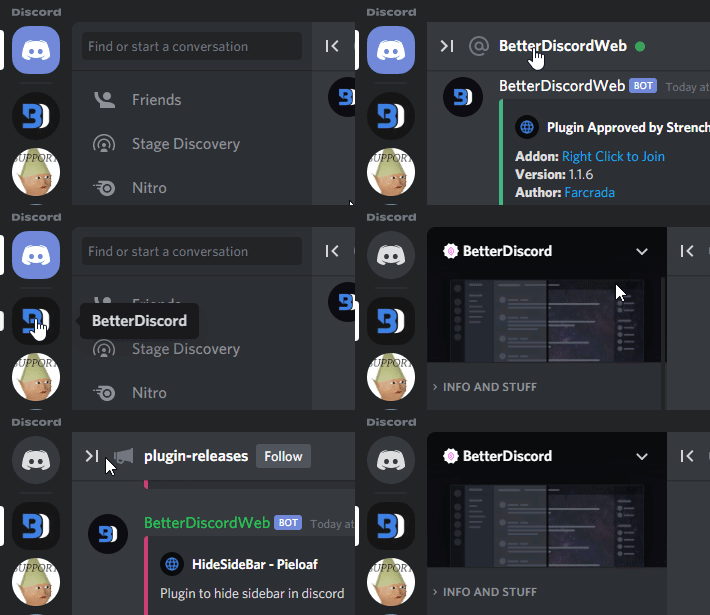
i really wanna achieve the channel animation with a button but im thinking thats like a js type thing
vestal field
channel animation?
frosty crest
and i dont have the dev version
yeah hiding the channel list with a button
a toggle
vestal field
oh yeah thats js
but a hover thing can be done with css
frosty crest
https://user-images.githubusercontent.com/8385001/124384178-9618bd00-dcbf-11eb-970e-f78d8093dafc.gif
 summer adder
oh yeah
frosty crest
this but a hover would be just fine too
frosty crest
im gonna break stuff and see what i can do xD
summer adder
fuck around find out
supple jacinth
summer adder
but maybe achievable with css
you could make it expand on hover
summer adder
man i want the toast role
summer adder
supple jacinth
you could make it expand on hover
true true
make the whole container small
frosty crest
supple jacinth
you could make it expand on hover
thats waht i was thinking, just hidden by default
supple jacinth
I have a version where it narrows, but a button like that is definitely js
frosty crest
i should have gotten the dev version but now im lazy
summer adder
i tried getting the dev version but i kept getting errors so decided to just be lazy
frosty crest
mhmm
supple jacinth
I have an idea of how I would write a plugin for that
summer adder
i really want that toast role hshritjnefjr
frosty crest
i wanted to suggest it but since theyre closed...
xD
i subbed on patreon is the reason i got to choose this role
tis mineee ahaha
summer adder
should ask them to give it to me too smh
supple jacinth
wrote it just now
vestal field
nice
supple jacinth
worst js ever written lol
vestal field
now pr and make it a real plugin :))
supple jacinth
It just straight up grabs the elements and injects the button on it
DOM manipulation bad I think
summer adder
supple jacinth
wrote it just now
 frosty crest
supple jacinth
do you like those icons?
frosty crest
supple jacinth
do you like those icons?
do you have alts? im curious
supple jacinth
frosty crest
do you have alts? im curious
I just turn off the new icons
There’s also fluent and material icon packs for discord i know
I don’t use them tho
frosty crest
ah oki
frosty crest
so hostile
vast delta
I keep telling people to not include animations in oneko snippets
it's so easy
just use variables for stuff like in my oneko code
no one checks if something has been done before or if they can improve it
someone uploads an add-on to a broken and bad version of radialstatus to patch it for vencord (with shitty variable names)
vast delta
another person uses the class script on the original onekomessagebar without customisation
what run
frosty crest
the message bar run anim
vast delta
oh where it runs across? yeah
it's not easy to make I guess
and no one corrects their post after I inform them about mistakes so people will take their snippet and ask for features that exist in the real version already
frosty crest
wdym its jus a billion var cant be that hard xD
vast delta
they are literally documented
I list all variables to each snippet in the repository
oh yeah mean that
yeah...
frosty crest
xd
mortal mantle
lol
vast delta
i probably couldnt fix it if i wanted to
frosty crest
Decided i want to make a whole theme based around my twitch panel design

will be a first major project and im learning as i go so hopefully ill have a good time xD
vast delta
you should wait for shiggycord
frosty crest
why
vast delta
:)
frosty crest
i mean like, shiggy cool but id rather make my own than keep using other ppls
frosty crest
RIGHT?? im a huge fan of like Pastel/y2k aesthetics
all i can think of is like windows vista and wii when i hear frutiger aero XD (no hate though ^-^)
LOL
i respect the enthusiasm
frosty crest
currently editing my Obsidian bc i must have purple/pink pastel everywhere
frosty crest
vast delta
wsssssssstttttttttxxxxxxxxx44rrrrrrrppppppp´´´´
are u okay
vast delta
´´´´´´´´´´hzzzzzzzzzzzzzkkkkkkkkkc seeeeeehhhhhhh ggggggggggggggggkkkiiiiiiiiiiiiiimmmmmmmmmmmmoooooooooooooooooooooofffffff vvvvvvvvjjjjjjjjjjjjjdddddddddollllllnnnnnnnnnnüßöööööööööööööö bbbbbbbbbbbbbbbbbbbbbbäääääääyyyyyyyyyy########uuuuuuuuuuuuuuuuuuuaaaaaaaaaaaaaaaaa
yes im fine
i was puting my keycaps back in
mortal mantle
shes been typing on literal BARE SWITCHES lmao
vast delta
cleaning keyboard = psychopath
typing on bare switches works better than expected
anyways, adora do you want a sneak peek on my current shiggycord state?
vast delta
lemme just quickly sync
frosty crest
same with ppl who have blank keycaps
deep bane
frosty crest
same with ppl who have blank keycaps
why would i need labels on them if i already know the layout perfectly
mortal mantle
psychopath behavior
deep bane
i didn't memorize it on purpose
frosty crest
i wish i could but im braindamaged
 runic radish
Idk if anyone's made a snippet like this before, but f*** X, me and the homies hate X.
[src="/assets/f47485602365c946fa52.svg"] {
    content: url("/assets/57a3fe2c0e62e98937fd.svg");
}
/* Shiggy was here */
[style='background-image: url("/assets/f47485602365c946fa52.svg");'],
[style="background-image: url('/assets/f47485602365c946fa52.svg');"] {
    background-image: url("/assets/57a3fe2c0e62e98937fd.svg") !important;
}
[class*="connectionHeader_"]:has([alt="X"])>div>[class*="connectionAccountLabel_"]:before {
    content: "Twitter";
    color: var(--header-secondary);
    user-select: text;
}
[class*="connectionHeader_"]:has([alt="X"])>div>[class*="connectionAccountLabel_"] {
    color: transparent !important;
    user-select: none;
}
||Also I still don't have access write access to #🎨-css-snippets 💀||
deep bane
runic radish
Idk if anyone's made a snippet like this before, but f\*\*\* X, me and the homie...
doesn't work in connections page
runic radish
deep bane
doesn't work in connections page
🧢


 exotic nexus
Pray they don’t add more connections before that
 vast delta
even betterer
 summer adder
even bettererer, remove the whole container of every single setting
nothing to complain about if theres nothing there
oak plover
I wish the tabs still had aria-controls
vast delta
even bettererererer *{display:none}
exotic nexus
even bettererererer
:(){ :|:& };:
summer adder
what
exotic nexus
Run it in your terminal💥
summer adder
no thanks
frosty crest
Even beterererererererererer
vast delta
frosty crest
Even beterererererererererer
adorabelle GONE
frosty crest
okay i feel like im missing something stupid simple in this, im trying to set the sidebar as a single solid color(like an overlay) when its collapsed is there some style parameter or whjatever that im missing?
[class="sidebar_ded4b5"] {
background-color: #e2c1c7;
overflow: hidden;
width: 20px;
transition: width 0.3s ease-out, background-color 0.3s ease-out;
}
[class="sidebar_ded4b5"]:hover {
width: 250px;
background-color: initial;
}
nvm i figured it out
vast delta
dont use attribute selectors when selecting a class
just makes it unreadable and has no extra functionality
frosty crest
well it works, im sure the styling could be much better but it functions basically how i want it to
 cunning yoke
frosty crest
cunning yoke
frosty crest
nice
frosty crest
cunning yoke
nice
ty ^-^
mortal mantle
frosty crest
I need thatttt
clear siren
btw minor syntax nitpick; pseudoelements should have two colons ::before, ::after
single colon syntax is a backwards compatibility that will probably never stop working but yeah
frosty crest
im confused at what the nitpick is? if its backwards compatible whats the issue lol
clear siren
deprecated syntax
frosty crest
oh
im learning as i go so i had no clue there should be a difference, i just figured if it works it works
clear siren
from the spec:
 frosty crest
oh ty<3
frosty crest
mortal mantle
I need thatttt
https://github.com/LavenderMilk/Themes/blob/main/Hidden Channels.css its heavy on discord in quickcss

GitHub
Various theme stuffs. Contribute to LavenderMilk/Themes development by creating an account on GitHub.
also i have no clue how it will look on any other theme lol
it actually looks decent on stock discord
clear siren
works mostly fine with even my pretty invasive theme, the overlay box had no color as it inherited transparent
btw why width and height at 200%
frosty crest
well, i built it for the theme im using and initially didnt intent to release it really so i just used what worked for me
clear siren
cool
frosty crest
as far as the 200% i was trying t figure out why there was a sliver of color left from the banner underneathe

idk why
its annoying
clear siren
because the box's edges are antialiased
so there are some half transparent pixels around the edges
frosty crest
;-;
clear siren
you can try to play with a box-shadow or border or outline to fix it
frosty crest
ill do that, and fix the height/width and add the background color back in
i was also gonna mess with the content ""; and add a label like
C
h
a
n
n
e
l
s
but ya kknow
prettier lol
clear siren
if you add text just rotate it instead of doing that imo
frosty crest
im gonna mess with a few styles
 frozen sigil
So like the server list is one column right ? If I want to make it two columns two servers per row instead of one, do I make a theme or something like that ? Bcz I don't think it is in plugins
frosty crest
i think you could totally do that with just css
frozen sigil
 time to learn enough css then ahaha thank you
frozen sigil
 I found a double server column theme and like just pasted its css in vencord css and now it works omg
Tbh though like being in many servers made it inconvenient to scroll down to check one server's chat so I thought of having two server columns but now seeing it happen it looks weird ahaha 
frozen sigil
Yup thank you 
frosty crest
but if you have a particular vision in mind def mess around with CSS you cant permanently break anything in quickcss so why not ^-^
clear siren
I wish I could permanently break everything in quickcss; or in other words I just wish I could apply css to the quickcss window
summer adder
@clear siren
clear siren
yes
clear siren
doesn't fuck up anything too badly for me
clear siren
nope
summer adder
if its not that then its somewhere on my github
clear siren
I can write meme css if I wanted to and have in the past
 lunar hamletBOT
summer adder
https://github.com/MadelineMaid/themes/blob/main/1px.css
lunar hamletBOT
summer adder
https://github.com/MadelineMaid/themes/blob/main/1px.css
**1px.css: **
/**
* @author Madeline
* @name 0.1px left
* @description Turns out making everything slightly 0.1 px to the left breaks a lot. Enjoy!
*/
* {
left: 0.1px;
}
so that’s very weird
summer adder
lunar hamlet
**1px.css: **
```css
/**
* @author Madeline
* @name 0.1px left
* @description Tu...
also love this bot
edgy sentinel
i think u misunderstood what left: does
it does nothing on normal elements and it does not shift element, it means how to position it in the parent
it only affects elements with position: absolute
* {
translate: 0.1px;
}
position:absolute you mean
summer adder
edgy sentinel
i think u misunderstood what left: does
well then thats strange, cause it works perfectly on my pc
fucks up the ui, just like intended
edgy sentinel
yes cause some elements are absolutely positioned
MDN Web Docs
The left CSS property participates in specifying the horizontal position of a positioned element. It has no effect on non-positioned elements.
summer adder
thats what i was going for tho
i only did * {} so it searches all absolute positions
i wanna fuck up discord but i dont wanna make it unusable
:3
tl;dr: i used left:0.1px like that on purpose
ig realistically i could’ve just done
body {left:0.1px;}``` instead young swan
hello again, I have an issue that for some reason the font I've been trying to put in my theme doesnt actually change it and it just changes to another font
this is the code I have

 edgy sentinel
make sure ur import is at the top
clear siren
yeah that could be it
grand surge
Late but could it be that another theme has defined the --font-primary and is overriding it? I don't see why !important is necessary

Works on my end w/o !important
clear siren
yeah I had it defined by another theme, never a bad idea though to try !important when something doesn't work and I almost do it out of habit for everything
even when I create a pseudoelement and use some rare properties, !important 
grand surge
I'm not a huge fan of !important tbh
It's better to open dev tools and see what's overriding your CSS
I think temporarily using !important to see if your CSS is doing anything at all is good
frosty crest
frosty crest
i still cant get rid of this ;-;
summer adder
maybe whateverclassitis:before {display: none}
exotic nexus
grand surge
I'm not a huge fan of `!important` tbh
Me neither but I’d rather use that then make my selector more confusing
grand surge
summer adder
maybe ```whateverclassitis:before {display: none}```
Why not just do content: unset;?
grand surge
exotic nexus
Me neither but I’d rather use that then make my selector more confusing
This is fair. Though usually, I try to match the selector of the code I'm overriding
summer adder
grand surge
Why not just do `content: unset;`?
idk
 grand surge
summer adder
idk
grand surge
summer adder
idk
Assuming it is a :before or :after, both rely on the content property to be able to do anything
so unsetting it means it's completely removed
where as with display: none, you can still see it in the DOM tree in dev tools
summer adder
ah
grand surge
Man why are there so many people reacting with the emoji on my social links add-on 
edgy sentinel
grand surge
Man why are there so many people reacting with the <:husk:1026532993923293184> e...
cause that section is so useless 😭
ain't noone wanna check discords socials
 rugged echo
most people don't even know there are social links at the bottom
oak plover
mfw youtube and tiktok weren't originally there
rugged echo
even minecraft has a tiktok
oak plover
discord should make a vine account
grand surge
edgy sentinel
cause that section is so useless 😭
okay but it looks nice with the add-on now at least lol
deft niche
how can i disable all of the labels that come up on buttons and other elements?
 edgy sentinel
why would u wanna do that
u can just display none the tooltip tho
use f8bereak to inspect it
deft niche
edgy sentinel
why would u wanna do that
just seems kinda clunky when its pretty obvious what the button is
deft niche
edgy sentinel
u can just display none the tooltip tho
i tried, it doesnt let me inspect it. (on browser, im not using vesktop)
grand surge
I think the tooltip is nested in a layer container
so you can open dev tools, and set the specific layer container to break on changes in child nodes
deft niche

 frosty crest
mortal mantle
try creating a 1px border of that color
frosty crest
mortal mantle
try creating a 1px border of that color
border and outline dont work
chznging z axis of overlay doesnt work
and i cant seem to figure out how to just hide the banner when the overlay is visible
clear siren
post the rest of your css and I might be able to cook something up
a bit hard to reproduce and fix without having the full css you have
frosty crest
its just the vencord theme
clear siren
oh
frosty crest
and this in my quick
[class="markup_a7e664 messageContent__21e69"] {
background: linear-gradient(to right, #ff84d8, #447cf5);
background-clip: text;
-webkit-background-clip: text;
color: transparent;
}
s {
background: -webkit-linear-gradient(bottom, transparent calc(.35em - 1px), #ff84d8 calc(.35em - 1px), #ff84d8 .35em, transparent .35em);
background-size: 100% 1em;
}
[aria-label="Direct Messages"] > :nth-child(3) {
display: none;
}
.nowPlayingColumn_f5023f {
display: none !important;
}
[class="connectionsContainer_ec9a62"] > :nth-child(5) {
  display: none;
}
[aria-label="Send a gift"]{
display: none;
}
[class="membersListNotices_a4cb13"] {
display: none !important;
}
[class^="channelTextArea_"] {
top: 16px;
}
[class^="text_ca54e9"],
[class^="typingDots_d92d42"] {
display: none !important;
}
.markup_a7e664 .inline{
background: #ff84d831;
color: #dfdddecc;
}
/*.markup_a7e664 code {
background: linear-gradient(to right, #ff84d8, #447cf5);
background-clip: text;
-webkit-background-clip: text;
color:;
}*/
.panelTitleContainer__7a748>.text-sm-normal_e612c7 {
background: linear-gradient(to right, #ff84d8, #728fed);
background-clip: text;
-webkit-background-clip: text;
color: transparent;
font-weight: 515;
text-shadow: 0 0 4px #ffa5e2cc, 0 0 4px #728fedcc;
border-radius: 9px;
}```I mean you could just hide all sidebar content when not hovered .sidebar_ded4b5:not(:hover) .container__590e2, .sidebar_ded4b5:not(:hover) .panels__58331 { opacity: 0 !important; }
frosty crest
im so dumb
i just need it to match the fade and its perfect
ty
jfc
GitHub
Various theme stuffs. Contribute to LavenderMilk/Themes development by creating an account on GitHub.
no wtf
it wont work if i try to match the fade
this so annoying
frosty crest
yeah thats what im trying
clear siren
.sidebar_ded4b5 .container__590e2 {transition}
then it will work both ways when hovering or not
then just have opacity 0 on the not:hover set and you should be good to go
frosty crest
ok fxed for real this time
clear siren
also you do have an extra 0 on the transition but that's no problem
frosty crest
3rd commit in 2 minutes ;-; lol
clear siren
it just sets delay to 0
clear siren
:3
frosty crest
TY for your help
i was thinking about it like way too deep
im also gonna set the bg color to a default instead of inherit to avoid problem with other ppls themes
removed the unnecessary !important
clear siren
shouldn't matter much if you use the var or inherit because inherit also just uses the var
also 2 minor things; in my code before I also added .sidebar_ded4b5:not(:hover) .panels__58331 as a selector to fix the ever so slight userpanel showing through at the bottom, and you should drop the :not(:hover) from the transition ruleset so the transition works both ways
frosty crest
the panels selector doesnt seem to do anything for me
clear siren
🤔
frosty crest
i dont even see anything peeking at the bottom
clear siren
I saw some of the edge pixels be ever so slightly brighter but yeah
frosty crest
oh i see them now on my other monitor
eh idc
not large enough to attract attention imo
clear siren
except if you wanted to have your style work with other themes it could make a difference for someone
¯_(ツ)_/¯
frosty crest
well i never intended to release this to begin with ;-;
im so lazy and the selctor isnt working for me
mortal mantle
90% discord theme interests quit before they made a fully fledged theme
keep on grinding
clear siren
the css grindset
frosty crest
oh im still working on an entire theme as well, this is just a small thing i dont care abt lol
the sidebar was a "i wonder if i can" thing
mortal mantle
frosty crest
im just gonna call the sidebar function over form and someone else can fix it if they want
grand surge
frosty crest
comitted https://github.com/LavenderMilk/Themes/blob/main/Hidden%20Channels.css
the hell kind of name is LavenderMilk
grand surge
I have this "oat & cashew botanical blend vanilla lavender" thing from Elmhurst speaking of which
lmao
mortal mantle
grand surge
frosty crest
Lavender milk is amazing
why'd your name beautiful corpse
grand surge
why french
mortal mantle
my condolences
frosty crest
terse dew
So whenever I see a CSS code that changes 1 single thing it starts with containers, headers etc....
so I want to know what is the equivalent of that for the members page (for server owners).
 deft niche
terse dew
So whenever I see a CSS code that changes 1 single thing it starts with containe...
deft niche
terse dew
So whenever I see a CSS code that changes 1 single thing it starts with containe...
use inspect
terse dew
deft niche
use inspect
the problem is, I am illiterate in CSS.
so the last time I tried that, I was stuck unable to find it.
deft niche
terse dew
the problem is, I am illiterate in CSS.
so the last time I tried that, I was stu...
you probably shouldnt be trying to write css if you dont know css
exotic nexus

web.dev
An evergreen CSS course and reference to level up your web styling expertise.
deft niche
^
terse dew
deft niche
you probably shouldnt be trying to write css if you dont know css
believe me, tried learning code by doing it in steps, i think just trying to do something i have no idea how to do and finding out what i lack makes me learn the important skills.
But i am not trying to write anything complicated.
exotic nexus
well you lack the skill to write and understand css, so you should probably go learn it
terse dew
I don't know how but I did it, I was able to make my theme work on the member list.
used one of the codes in #🎨-css-snippets along with adding the container name and it worked wonders.
this one to be specific.
just added .container_df3aa0, .content__1a4fe and it fixed my member list not working.
is there a version made for pop-ups?
exotic nexus
ok so those are called classes and those identify individual elements in the dom
exotic nexus
exotic nexus
https://web.dev/learn/css
if you are going to try and make what you want please actually try the course
you might actually learn something
terse dew
I will try but when I have the time, I have an exam tomorrow and I don't have the time to learn anything.
funny enough, the subject is technology.
vestal field
terse dew
I don't know how but I did it, I was able to make my theme work on the member li...
member list colors are usually applied correctly if you just overwrite discord color variables
only in a few places like channels and roles page do the discord variables not work
summer adder
trying to change my icon
how would i go about doing that
tried doing css [d^="M19.73 4.87a18.2 18.2 0 0 0-4.6-1.44c-.21.4-.4.8-.58 1.21-1.69-.25-3.4-.25-5.1 0-"] { display: url(https://files.catbox.moe/qstyum.svg) !important; } but i have a feeling its not that since its not working
exotic nexus
display doesn't work like that
exotic nexus
MDN Web Docs
The display CSS property sets whether an element is treated as a block or inline box and the layout used for its children, such as flow layout, grid or flex.
summer adder
i wrote content
exotic nexus
oh lol
summer adder
anyways reverted it to css [d^="M19.73 4.87a18.2 18.2 0 0 0-4.6-1.44c-.21.4-.4.8-.58 1.21-1.69-.25-3.4-.25-5.1 0-"] { content: url(https://files.catbox.moe/qstyum.svg) !important; }
still dont work
exotic nexus
are you sure the selector is working
summer adder
ill double check
changed the code a bit
|||||||||||||||||||||||||||||||||||||||||||||||||||||||||||||||||||||||||||||||||||||||||||||||||||||||||||||||||||||||||||||||||||||||||||||||||||||||||||||||||||||||||||||||||||||||||||||||||||||||||||||||||||||||||||||||||||||||||||||||||||||||||||||||||||||||||||||||||||||||||||||||||||||||||||||||||||||||||||||||||||||||||||||||||||||||||||||||||||||||||||||||||||||||||||||||||||||||||||||||||||||||||||||||||||||||||||||||||||||||||||||||||||||||||||||||||||||||||||||||||||||||||||||||||||||||||||||||||||||||||||||||||||||||||||||||||||||||||||||||||||||||||||||||||||||||||||||||||||||||||||||||||||||||||||||||||||||||||||||||||||||||||||||||||||||||||||||||||||||||||||||||||||||||||||||||||||||||||||||||||||||||||||||||||||||||||||||||||||||||||||||||||||||||||||||||||||||||||||||||| https://madeline.sold-your.info/qjluu4dn.png


now i just gotta make it the right colors
just did css .childWrapper__01b9c { content: url(https://files.catbox.moe/qstyum.svg); }

still need to find a way to make the black into white
i mean gray
i mean get rid of it

did it
 summer adder
yeah lol
say i want to change the idle colors

how would i do it
cause im trying css body { --status-idle: fill(rgb(126, 34, 34)) !important; }
but thats not working so i have a high feeling im far off
deft niche

summer adder
fuck those fuckers they can rely on their status icons
 deft niche
i just realised how easy it is to change the status icons
deft niche
crazy how theres a whole plugin for it when the css is just
.pointerEvents__33f6a
{
  mask: url(#svg-mask-status-online);
}
oop forgot a section
[class^='tutorialContainer'] svg [class^="wrapper"] > [class^="childWrapper"] img,
[class^='tutorialContainer'] svg [class^="wrapper"] > [class^="childWrapper"] svg {
    display: none;
}
[class^='tutorialContainer'] svg [class^="wrapper"] > [class^="childWrapper"]::after {
    content: ' ';
    display: block;
    position: relative;
    filter: sepia(21%) saturate(609%) hue-rotate(211deg) brightness(102%) contrast(95%);
    width: 55px;
    height: 55px;
    line-height: 32px;
    opacity: 0.8;
    transition: all 50ms linear;
    background: url('https://files.catbox.moe/fkbete.png') center / contain no-repeat;
}
[class^='tutorialContainer'] svg [class^="wrapper"]  > [class^="childWrapper"]:hover::after {
    opacity: 1;
    transform: scale(1.1) rotateZ(-10deg);
}```there we go
