#🎨-theme-development
1 messages · Page 14 of 1
 wicked sparrow

 toxic yew
it will overwrite
but you are selecting gridContainer not embedWrapper
 summer adder
nahhhh lemme do it the hard way and torture you guys
summer adder
comments dont effect code peformance, right?
 clear siren
nope
 clear siren

 oak plover
peak
 fast plover
Im curious if anyone has made a way to use the Custom window discord has on vesktop instead of your pc's one
 toxic yew
vesktop settings
fast plover
vesktop does have a "use windows's titlebar instead of custom discord titlebar" setting however
it makes no difference
wether its turned on or off
toxic yew
what
it works on my machine
 vestal field
works for me
 edgy sentinel
summer adder
comments dont effect code peformance, right?
edgy sentinel
summer adder
comments dont effect code peformance, right?
they slightly do
the more comments, the longer it will take for users to load the file (assuming web)
also in interpreted languages, more comments = slower to parse
but it's not relevant unless you're adding like 1gb of comments
fast plover
vestal field
works for me
odd
Ive shut down my pc for the time being cause it's 1:22am and i need sleep
however I'll check tomorrow (to see if it was just a first boot thing) and if not I'll record the fact the button doesn't work xd
and give some system info
in support
summer adder
edgy sentinel
but it's not relevant unless you're adding like 1gb of comments
alright well i dont think freddy fazbear is 1 gb
summer adder
fast plover
it makes no difference
erm yes it does?

 steel pewter
Is it possible to color the italics markdown itself?
vestal field
how to make a slow af theme: https://catppuccin.github.io/discord/dist/catppuccin-mocha.theme.css
 vast delta
holy shit

they use attribute selectors on div selectors on nested selectors
this is the third worst code ive ever seen, followed closely by devilbro and my radialstatus code
speaking of
 supple jacinth
vestal field
how to make a slow af theme: https://catppuccin.github.io/discord/dist/catppucci...
supple jacinth
vestal field
how to make a slow af theme: https://catppuccin.github.io/discord/dist/catppucci...
Why is this slow? The [^=] /[*=] selectors?
vestal field
supple jacinth
Why is this slow? The [^=] /[*=] selectors?
see what coolesding sent above
attribute selectors combined with other slow shit, plus there's just a ton of code for just a color theme for some reason
vestal field
idk which is slower
nesting is only bad if you put a broad selector at the end like
selector selector div
supple jacinth
Haha this mentions both nesting and attribute selectors first https://blogs.windows.com/msedgedev/2023/01/17/the-truth-about-css-selector-performance/

Microsoft Edge Blog
If you're a web developer, you may have already heard that some CSS selectors are faster than others. And you're probably hoping to find a list of the better selectors to use in this article.
Well, not quite. But bear with me, I promise that by the
supple jacinth
vestal field
nesting is only bad if you put a broad selector at the end like
`selector select...
It should stop at an id tho, it does the one at the end first
classes are definitely faster
vestal field
supple jacinth
It should stop at an id tho, it does the one at the end first
yes the snip he sent isnt too bad, but just the sheer amount of them makes it slow i guess
@vast delta do you know if technically button[class^='winButton'] is faster or slower than just [class^='winButton']
supple jacinth
They don’t want the classes to break it when discord changes I guess
vestal field
yeah
supple jacinth
Since there’s so many rules all with color: or background:, would it be faster to have all of their selectors chained with ,?
vestal field
idk if that impacts performance
supple jacinth
It still has to parse it all
vestal field
it probably would only affect initial load/parsing
supple jacinth
ik that takes the longest
vast delta
vestal field
<@406084422308331522> do you know if technically `button[class^='winButton']` is...
slower
vast delta
supple jacinth
Since there’s so many rules all with color: or background:, would it be faster t...
pretty sure, yeah
oh you mean having .
.a, .b, .c {} instead of
.a {}
.b {}
.c {}
supple jacinth
vast delta
oh you mean having .
.a, .b, .c {} instead of
.a {}
.b {}
.c {}
yeah
vast delta
yeah that probably only affects loading times
supple jacinth
okay
vast delta
but having
.a {property one}
.a {property two} does waste performance because the browser either has to scan through the css file on load to combine those rules internally or, worse, has to do the same check twice
it doesnt matter much on this scale, but on the scale of a theme it does
especially when using attribute selectors
supple jacinth
vast delta
but having
.a {property one}
.a {property two} does waste performance because t...
Isn’t .a{ prop 1} .b{ prop 2} totally normal or are you referring to the same element
supple jacinth
vast delta
the same element
that would be really bad for sure
Seems like an easy fix
vast delta
oh its not really bad, it adds the exact same performance impact twice
vast delta
supple jacinth
Seems like an easy fix
eh depends on the complexity, you kinda have to spot it manually
supple jacinth
It seems like only something that would happen with very very unorganized css
vast delta
actually, you could make a script for that pretty easily
supple jacinth
vast delta
actually, you could make a script for that pretty easily
yeah
vast delta
supple jacinth
It seems like only something that would happen with very very unorganized css
(discord moment)
vast delta
supple jacinth
In the same theme file tho?
dont think so
but it's something that would happen right now
to them
am i stupid
(it is 6 to be fair
supple jacinth
vast delta
but it's something that would happen right now
why would it
Because it’s trying to parse discords and then their css?
Can’t avoid that right
vast delta
they have like 200 empty selectors (class {}) with nothing in them
supple jacinth
vast delta
they have like 200 empty selectors (class {}) with nothing in them
HUH
wtf
vast delta
also a lot of dead classes that i've never seen and cant find via search
supple jacinth
god
vast delta
either obscure popups or situations or just elements that dont exist anymore
supple jacinth
yeah
vast delta
ven said that it was probably because of an internal script that they edit specific parts of the css on directly, hence why there are 184178247 different wrapper, container and other classes where only the hash differs
supple jacinth
vast delta
ven said that it was probably because of an internal script that they edit speci...
That’s an interesting workflow for sure
vast delta
"because when they edit userpanel.css they know what wrapper they are working on" which makes sense
supple jacinth
yeah that makes sense
Seems like it would be easier with something like tailwind and components ngl
vast delta
we (as far as i know) have no idea what they use internally
maybe theres a discord dev in here that works on css that can tell us
might be proprietary software or just not allowed to tell so i wouldnt bet on it
supple jacinth
vast delta
also a lot of dead classes that i've never seen and cant find via search
would it be possible to write a script that grabs each selector, traverses to those selectors, and spits out the optimized css/class/selector? I feel like it’s doable but you would need to navigate to every page to cover it all
vast delta
when you forgot to sign a document
 vast delta
supple jacinth
would it be possible to write a script that grabs each selector, traverses to th...
vast delta
supple jacinth
would it be possible to write a script that grabs each selector, traverses to th...
exactly, you would need a list of every single element actually in use
though it would actually not be as bad to miss some, you could just make a file that has all elements in use and one that has all not in use, and if you made a mistake like forgetting to include the emoji selector, you can just add every element that is used by that
supple jacinth
hmm okay
vast delta
the only comprehensive list of elements is probably internally on discords servers since they seem to send you the elements, instead of them being loaded locally (why...)
toxic yew
vestal field
nesting is only bad if you put a broad selector at the end like
`selector select...

 vast delta
im gonna kill this man
toxic yew
 grand surge
hi is it possible to make an element eg. chat background transparent so that it would show the desktop through?
vast delta
grand surge
hi is it possible to make an element eg. chat background transparent so that it ...
using vesktop yes, i cant tell you how
vast delta
go type

 dark dragon
To be fair
*,
*::before,
*::after {
  box-sizing: border-box;
}
Is pretty common in most CSS resets
vast delta
yes but no
fast plover
fast plover
Ive shut down my pc for the time being cause it's 1:22am and i need sleep
howev...
Update: the entire toolbar is gone (setting is on) xd
fast plover
Updaate 2: i got it displaying somehow
no clue how, (not related with the setting switch, that is currently set to off)
but im not touching anything
xd
clear siren
making shiggy oneko challenge (impossible)
 vast delta
look channel name
 vast delta
clear siren
2 actually
vast delta
clear siren
2 actually
two... yeah...
also why not https://shiggy.fun/api/v3/whatthefuck
clear siren
well I already have all of them locally now
now I sort out ones I might be able to use for onekocord
and then I can send you shiggy skin for oneko
clear siren
not necessarily but ones that can be scaled down to oneko image and that fit with the animations
vast delta
clear siren
not necessarily but ones that can be scaled down to oneko image and that fit wit...
oof I don't think scaling down would work nice since they are 32x32
vast delta
eh okay
clear siren
that is with scale .85 with image-rendering:auto
vast delta
yeah I figured the pixelated rendering wouldn't be good
try the other modes maybe
pixelated is best for pixel art because well, it doesn't try to smooth out the edges that are intended to be hard
clear siren
this is gonna take forever and I might have to draw something myself if I want to support all the animations lol

why am I even doing this
 glad urchin
interpolation
vast delta
clear siren
this is gonna take forever and I might have to draw something myself if I want t...
haha cute
if you want you can add more animation frames btw
clear siren
I mean I could but I'm just following the template for now
vast delta
the way the animations are made actually supports just adding more squares to the side or whatever
clear siren
true
vast delta
(if you add them at the bottom or right
vast delta
clear siren
this is gonna take forever and I might have to draw something myself if I want t...
the smoothing effect looks really weird tbh, maybe i could see if i can pixel some of it for you :3
ill try with the oneko stuff
clear siren
I could also try touching up the edges but I'm scaling them down with photoshop with interpolation at bicubic sharper
vast delta
clear siren
I could also try touching up the edges but I'm scaling them down with photoshop ...
i think theres a setting in gimp that actually wont do any of that weird smoothing
I DONT HAVE GIMP ON MY COMPUTER
clear siren
I just hate gimp with a passion, I used to use it at work quite a lot
everything in gimp is so backwards lol
clear siren
the psd?
vast delta
i imported your image like an idiot LOL
clear siren
or do you want png
clear siren
 clear siren
I'm just putting it in as a base64 atm for testing
but yeah I don't know what shiggies I want to put in for all the scratching animations, I might have to do some drawing myself but that's not gonna be good
fast plover
clear siren
this is gonna take forever and I might have to draw something myself if I want t...
omg omg omg
i love
 brisk iron
clear siren
this is gonna take forever and I might have to draw something myself if I want t...
brisk iron
clear siren
this is gonna take forever and I might have to draw something myself if I want t...
!!
excited for this
clear siren
brisk iron
!!
excited for this
don't exit, come back, or rather hop on #1176248852949516319
summer adder
vast delta
also try shiggy.fun/browser
 vast delta
summer adder
vast delta
summer adder
i think that might be your ip :P
COMPANY POLICY???? xd
did your company block fucking cloudflare servers?
oh you silly did http, make it an https link
clear siren
10.*.*.* is private address space
vast delta
ive seen this stupid mistake a lot where unknowing admins block all unencrypted connections because "all reasonable links should be https anyways"
summer adder
(i copied your text so thats your fault :p)
vast delta
or they dont know what exactly it means
i had to use a vpn to download windows updates on my computer in such a network BECAUSE IT WOULD BLOCK THE WINDOWS UPDATE SERVERS
vast delta
clear siren
``10.*.*.*`` is private address space
those idiots really wasted address space lol
clear siren
vast delta
those idiots really wasted address space lol
what do you mean wasted, those are internal ips
vast delta
clear siren
what do you mean wasted, those are internal ips
isnt 192.168 also internal?
clear siren
yes
vast delta
why so many internal ips
summer adder

vast delta
256³ is way too much for any reasonable local networks
 vale quest
clear siren
vale quest
clear siren
Oshiggy
clear siren
vale quest
Oshiggy
#1176248852949516319 for the latest iteration
will finish it later
 mortal mantle
i used a vscode plugin for beautifying the quickcss and it added 300 extra lines 

 sweet tundra
css

 mortal mantle
wait what
oak plover
banger
mortal mantle
finally i have some time to work on Modular
summer adder
(this might not be a bad idea where can i find them)
mortal mantle
gruvbox whyyy this highlight
 vestal field
summer adder
(this might not be a bad idea where can i find them)
vestal field
summer adder
(this might not be a bad idea where can i find them)
scroll down in the inspector styles list on a random element
dark dragon
BD has a list of all of them in the docs for some reason https://docs.betterdiscord.app/discord/variables
You'll for sure want the context you get from devtools, but might help a bit when searching for a specific one
--radius-round: 2147483647px, --radius-none: 0px;


 gilded cloak
vestal field
anyone know what the purpose of this padding/margin is?
gilded cloak
vestal field
anyone know what the purpose of this padding/margin is?
making the reply bar a bit bigger

and the margin is to make messages sit just a bit higher (when scrolled to the bottom)
 fading crane
Is there a css snippet for removing these popups that you get after logging in?
 clear siren
not that I know of, pretty pointless to write a snippet for something you can just hit the x on and no idea if there's a universal selector for those that won't hide useful layers too
 exotic nexus
If you click the x it doesn’t come back up iirc
clear siren
yeah
summer adder
fading crane
Is there a css snippet for removing these popups that you get after logging in?
dw i coded it in for you
 mortal mantle

 deft niche
can anyone give me some pointers on how to add a feature to my theme where the server list is hidden until you hover over it, then it pans onto the screen?
summer adder
so i figured out how to mod discords official themes

making a trans theme immediately
 rugged echo
I think saltsaumure had a theme for that
summer adder
done
    --bg-gradient-sepia-1: #73cff4;
    --bg-gradient-sepia-2: #73cff4, #73cff4, #73cff4, #eeafc0, #fff, #eeafc0, #73cff4;
}```something like
.class {
  width: 10px;
  transition: width 0.3s ease;
}
.class:hover {
  width: 100px;
}```but it might be quite a bit more complicated than that
summer adder
yeah that code doesnt do anything so def more complicated
deft niche
summer adder
yeah that code doesnt do anything so def more complicated
idk wym it works fine for me 
summer adder
ah wait i was stupid
deft niche
vestal field
something like
```css
.class {
width: 10px;
transition: width 0.3s ease;
}
....
yeah thats literally it, thanks 
summer adder
he used .class for a template
deft niche
yeah lmao
summer adder
my version just for testing is kinda wonky but it works
  width: 10px;
  transition: width 0.3s ease;
}
.guilds__2b93a:hover {
  width: 100px;
}```id go 70px for the hover tho
cause this is 100

this is 70

looks more...normal
 summer adder
you need to get a role
any role
i was told to just talk in gen chat to get one but my creations arent superior enough to deserve to be there
deft niche
how do i get a role?
 deft niche
im cute :3
toxic yew
summer adder
i was told to just talk in gen chat to get one but my creations arent superior e...
that is for cute role
if you want to post css just post it here to prove it isnt shit and mod will give you role for css snippet
summer adder
ah
toxic yew
(because people keep posting 3 line css display none)
summer adder
how'd you know im trying to display none :3
 deft niche
toxic yew
that is for cute role
if you want to post css just post it here to prove it isnt...
deft niche
toxic yew
that is for cute role
if you want to post css just post it here to prove it isnt...
.guilds__2b93a {
  width: 10px;
  transition: width 0.2s ease 0.1s, opacity 0.2s ease 0.1s;
  opacity: 0;
}
.guilds__2b93a:hover {
  width: 65px;
  opacity: 100;
}
i want to make it so when i hover over a server icon it sizes down a little
how could i do that
vestal field
summer adder
i want to make it so when i hover over a server icon it sizes down a little
transform: scale(0.95);
summer adder
alright, now i want it to have a transition too
deft niche
alright so ive made a snippet that adds a collapse hover type thing to the dm list, but the user panel just sorta pops into view even though i have an opacity transition. any idea why this might be?
.container_ca50b9
{
  display: none;
  opacity: 0;
  transition: opacity 0.3s ease-in-out;
}
.sidebar_ded4b5:hover .container_ca50b9
{
  opacity: 1;
  display: flex;
}
would i just .svg_ad7356 { transition: scale ease; } .svg_ad7356:hover { transform: scale(0.5); }
or am i stupid like always?
deft niche
summer adder
would i just ```.svg_ad7356 {
transition: scale ease;
}
.svg_ad7356:hover {
...
maybe. it might be transform ease not sure tho
summer adder
deft niche
alright so ive made a snippet that adds a collapse hover type thing to the dm li...
maybe make it be a display important
summer adder
deft niche
maybe. it *might* be ```transform ease``` not sure tho
nope, now it just doesnt change size
deft niche
wait you dont have a time set
.svg_ad7356 {
  transition: scale 0.3 ease;
}
.svg_ad7356:hover {
  transform: scale(0.5);
}
nope still not transitioning
ughhh theres gotta be something im just being stupid about
this is what its doing
i want it to be smooth when sizing down
but it wont go smooth
deft niche
hold on let me take a look at this
summer adder
i swear theres something im missing here
i.
i figured it out.
@deft niche
  transition: ease 1s;
}
.svg_ad7356:hover {
  scale: 0.85
}```big brain time
vestal field
summer adder
would i just ```.svg_ad7356 {
transition: scale ease;
}
.svg_ad7356:hover {
...
its not the svg element, use the outermost wrapper
 summer adder
okay so now
i have this
thing
ill record
how would i make the entire thing resize with it so it doesnt just leave that gray spot
summer adder
yeah nope
still leaving behind the gray
ohhh maybe its a ::before
nope
no its not
what if i just select the gray in devtools
supple jacinth
  .container_b2ce9c {
    width: 60px;
    transition-duration: 0.125s;
  }
  .container_b2ce9c:hover {
    width: 240px;
  }
yea i was just about to say that
my version:
.container_b2ce9c {
  width: 60px;
  opacity: 0.2;
  transition: width 0.2s ease 0.1s, opacity 0.2s ease 0.1s;

}
.container_b2ce9c:hover {
  width: 250px;
  opacity: 1;

}
alright i made this snippet that resizes and displays the message bar when you hover on it but is there any way to also trigger the :hover class if there is text in the message bar?
[class^="channelTextArea"]
{
  opacity: 0.2;
  transition: all 0.2s ease;
  transform: scale(0.95)
}
[class^="channelTextArea"]:hover
{
  opacity: 1;
  transform: none;
}
oh god
summer adder
  left: 0px;
  transition-duration: 1s;
}
.cozyMessage__64ce7:hover {
  left: 50px;
}```WTF IS THAT 😭
deft niche
.cozyMessage__64ce7 {
  left: 0px;
  transition-duration: 0.2s;
}
.cozyMessage__64ce7:hover {
  left: 5px;
}
if you tweak the values it actually looks pretty swag
summer adder
i wonder if i can make text spazz out on hover
summer adder
no that just makes it disappear
i mean full out seizure
stroke
epilepsy
this is fine
 deft niche
oh you havent seen anything yet
body
{
    transform: rotate(180deg) scale(0.7) skew(25deg) scaleY(1.6);
}
h1, h2, h3, p, button, .item__48dda
{
    transform: rotate(170deg) scale(1.2)

}
.message-content-1177377541636497458
{
    transform:rotate(5deg);
}
img
{
    transform: translateY(15px) scaleY(0.5) skew(40deg);

}
made this a few weeks back
prepare for trauma
 deft niche
wow yeah ok that sure did it
summer adder
woah
i think i made a billboard

.theme-dark {
transform: skew(50deg) rotate(50deg) scaleY(0.5) scaleX(0.5);
}``` deft niche
 summer adder
 vestal field
summer adder
summer adder
vestal field
summer adder
summer adder
/* Fixes the blinding white of the create server modal. */
.container__0d1a7 {
   background: rgb(44, 46, 50);
   --header-secondary: rgb(240, 241, 243);
   --text-normal: rgb(240, 241, 243);
   --header-primary: rgb(240, 241, 243);
   --background-primary: rgb(32, 32, 34);
   --modal-footer-background: rgb(44, 46, 50);
   --text-muted: rgb(240, 241, 243);
}
.contents_fb6220 {
    color: rgb(240, 241, 243);
}```just made this
 deft niche
doesnt that already exist
 solid ore
summer adder
```css
/* Fixes the blinding white of the create server modal. */
.container__0d...
summer adder
solid ore
summer adder
```css
/* Fixes the blinding white of the create server modal. */
.container__0d...
summer adder
i want to make animations for clicking channel categories, how would i do that
(dont give me a direct answer i wanna figure this out myself just need to know what to do)
supple jacinth
summer adder
i want to make animations for clicking channel categories, how would i do that
you mean having it fold up and down?
summer adder
yeah
something simple like that, just cant figure out how i would go about doing it
supple jacinth
hmm it looks like the element literally disappears if you collapse it
summer adder
so it wouldnt be possible without making a plugin?
supple jacinth
yeah i don’t think it is
deft niche
is there any easier way to get a list of all the :root color variables?
its really tedious to keep going through inspect
summer adder

BetterDiscord Docs
User and developer documentation for using and creating addons for BetterDiscord.
deft niche
oh awesome, thanks
 eager heart
deft niche
eager heart
deft niche
does anyone know the class of the dm list items? ive tried channel_c21703 container__8759a etc but they all also effect the friends, nitro, and shop buttons.
toxic yew
select its child or use :has
deft niche
ah yeah that works thanks 
summer adder
what are you doing
deft niche
summer adder
what are you doing
me?
summer adder
yeah
deft niche
is there any way that i can completely change what div an element is in? say i wanted to put the user panel next to the message bar
deft niche
like how?
grand surge
how do i hide a server with css
brisk iron
grand surge
how do i hide a server with css
[data-list-item-id="guildsnav___<GUILD ID HERE WITHOUT THE ANGLE BRACKETS>"] {
  display: none;
}
will hide the icon from the server list
grand surge
thanks
 golden burrow
I am trying to Move the spotify controls down below the user controls, where I drew the red line, but I can't figure out how.
I tried using playing around with order, but it won't work :/

What am I doing wrong?
edgy sentinel
apply display flex on their parent
then you can use the order property to reorder them
grand surge
brisk iron
```css
[data-list-item-id="guildsnav___<GUILD ID HERE WITHOUT THE ANGLE BRACKETS...
this leaves a gap where the server was
brisk iron
grand surge
this leaves a gap where the server was
div[class*="listItem"]:has([data-list-item-id="guildsnav___<GUILD ID>"])
breaks folders tho
grand surge
folders work fine for me
thanks
i think it breaks folders if theyre below the server you're hiding cause my folders work fine
brisk iron
grand surge
i think it breaks folders if theyre below the server you're hiding cause my fold...
nah i mean

 grand surge
oh when theyre in folders
brisk iron
thanks for shitty enlargement discord
golden burrow
edgy sentinel
apply display flex on their parent
Thank you :D
Next is probably a stupid question, but how do I overwrite this?
 brisk iron
not important enough smh
golden burrow
The one on the bottom is my css code
 golden burrow
I'm using a different client, but I have Vencord installed as a plugin, with the browser.css file just copy pasted into the theme I'm using. I think I found what I was looking for though. Thank you :)
golden burrow
More plugins, smaller size :)
Still didn't find the part of the css that sets the bg-color
Figured it out
Putting the snippet into the theme file instead of the inline css editor did the job
So not Vencord related
Thanks for the help
 balmy torrent
golden burrow
I'm using a different client, but I have Vencord installed as a plugin, with the...
balmy torrent
golden burrow
I'm using a different client, but I have Vencord installed as a plugin, with the...

vestal field
deft niche
like how?
if you want the user panel next to the message bar you could probably use position absolute and psuedo elements and other "hacks"
its not ideal but it could work
i have no clue what you mean exactly though so idk
vast delta
golden burrow
I'm using a different client, but I have Vencord installed as a plugin, with the...
insane
vast delta
deft niche
is there any way that i can completely change what div an element is in? say i w...
as refactor already said, you can use the position: absolute property to make the element movable and then use left: and top: or whatever you prefer to move it whereever you want
though i am warning you, the user panel is the WORST element to deal with
working with the user panel physically pains me
vestal field
in general repositioning things out of their parent element is fucking painful
deft niche
vestal field
in general repositioning things out of their parent element is fucking painful

im just not even gonna try that sounds like hell 💀
vestal field
ok myabe im just ruined by my experience of trying to split the toolbar
vast delta
vestal field
in general repositioning things out of their parent element is fucking painful
sometiems its okay
vast delta
vestal field
ok myabe im just ruined by my experience of trying to split the toolbar
THE WHAT
vestal field
this stupid thing
 vast delta
pfff no wonder you failed
vestal field
the existence of :has() solved a lot of it
vast delta
only an experienced cssler like me could accomplish such a task (i wouldnt try this in a million years)
vestal field
i love pseudo elements
vestal field
yeah
vast delta
"oh you cant add them to an image"
vestal field
but without them nothing would be possible
vast delta
"oh you cant detect if they are hovered"
vast delta
vestal field
but without them nothing would be possible
eh a lot would be
but some would be impossible
vestal field
ok nothing is an exaggeration but cool stuff would be impossible
vast delta
onekocord :P
vestal field
like adding new visual things
vast delta
actually onekocord would be borderline possible, though very limited
vast delta
vestal field
like adding new visual things
you can always make a no-repeat background :P
vestal field
that is gross
vast delta
im not saying it would be good, im saying it would be possible haha
fast plover
I always feel so stupid in this chat because all im doing is just wanting to make a persionalized theme edit of an existing one and like half of my issues would be resolved if i knew how y'all use inspect element to just....instantly know what element something is and how to write it in the theme
All i see is a bunch of split html lines for the same element that i cannot write in without crashing the client
(actually...that happens whenever i try to write anything that isn't copy pasting and editing existing theme code lmao)
anyway, drunk 1am rant over
sorry y'all
deft niche
fast plover
I always feel so stupid in this chat because all im doing is just wanting to mak...
its simple if you know html and css
fast plover
Which i don't out of the gate other then the VERY very basic stuff
deft niche
so why are you trying to work with html and css if you dont know it
would you attempt to cook a meal for gordon ramsey with no prior chef experience
fast plover
I'm EDITING an already existing thing
i thought most of the hard work would have been done as all i wanted to do was change some colours around and maybe remove one custom feature
and so far I've made progress
deft niche
fast plover
I'm EDITING an already existing thing
i thought most of the hard work would hav...
not really
fast plover
Keyword: Thought
deft niche
its still best to have a decent understanding otherwise youre just setting yourself up for failiure
fast plover
So far it's been trial and erroring myself up for a really scuffed thing (behind the scenes) that still works
fast plover
deft niche
if you want to learn, i reccomend bro codes [html](https://youtu.be/HD13eq_Pmp8)...
I'll def be checking it out
 teal cave
I maintain like 20 themes and still find it fucking nightmare mode to try and modify other people's work
deft niche
its how i learned, and ive been doing fine so far. and even after that if you have any questions or you want to learn something extra theres always google
teal cave
you are definitely going straight into hard mode
deft niche
teal cave
I maintain like 20 themes and still find it fucking nightmare mode to try and mo...
yeah, it is just overall alot harder if you didnt write the theme
fast plover
ive been looking into css ever since attempting to edit the ultra theme so it's not like i have zero experience, it's just that some stuff like Porting between 2 of them just doesn't click for me atm
I've seen a (i think) 4 hour video showing off and talking about how to convert html elements from a site into css and walked away with it with barely anything lmao
but that's just a skill issue
on my part
fast plover
deft niche
yeah, it is just overall alot harder if you didnt write the theme
it's way easier on Vendetta (and I've made a few themes for it) then it is on Vencord
when it comes to editing themes
turns out, when you want to change something's colours
all you have to do is see what colour smt is in hex, find it, and replace it
but NOPE, not on Vencord lmao
deft niche
can you send more details on what youre specifically trying to recolor?
maybe i can help
fast plover
i think i talked about it earlier
but basically,
It has this thing where Unread message channels and the channel you're in aswell as hovering over have different colours....
the issue is that the channel with unread messages uses the same one as the brand colour
and I've found no way to edit that that didn't straight up crash the client
deft niche
are you talking about the green dot?

or did i completely spaz out and read that as something different
fast plover
Oki so
Unread messages should be a blue dot
as in, channels with unread messages that you aren't selecting
It takes on the brand theme by the looks of it as when i changed the brand theme to #f8ff7f the blue dot changed as well
to the yellow of the brand
I just wanted it to be white (as the normal unread messages are in vanilla discord)
deft niche
can you send a screenshot of what youre talking about
fast plover
Not on pc atm but I'll see if I can screenshot it from a recording
deft niche
alright so the :root color variable being assigned to the unread dot is --brand-experiment
fast plover
yep
fast plover
However...my dum dum just couldn't find where it was
And also (what should be easy)
Ultra moves the status icons to the top right, i wanted to remove that but haven't figured out how
fast plover
deft niche
new var for the color of the unread dot
thank ya!!
deft niche
if you want to specifically edit the color of the unread dot without changing anything else, then you can manually assign a new color variable to the .unreadImportant_c775b3 class (the class of the unread dot)
fast plover
i was using .unreadimportant in my own trials of this but it just crashed the client
what's the _c775b3 from?
deft niche
not sure, discord likes to use weird class names
deft niche
fast plover
And also (what should be easy)
Ultra moves the status icons to the top right, i...
uno minuto
fast plover
then I should ask a better question
where does one find the FULL class name of an element
since it seems like i was on the right track but just missed the last portion
deft niche
web client/vesktop > inspect element > find the div > find the class property
fast plover
since I'm on mobile rn i can't directly go and check where i get tripped up normally
I wish Dev tools highlighted div when clicked on like they do with the html xd
deft niche
fast plover
And also (what should be easy)
Ultra moves the status icons to the top right, i...
from what i can see, that is caused by the
vrect.pointerEvents__33f6a {
    x: 22 !important;
    y: 1 !important;
    height: 10px;
    width: 10px;
}
part of the theme which gets imported from here
fast plover
should be easy to remove then (since i originally found out it comes from that import by manually deleting each and seeing which one removed it, i then proceeded to directly copy and paste said import into the base theme and remove the import line xDD)) i just find that and delete it
deft niche
deft niche
from what i can see, that is caused by the
```css
vrect.pointerEvents__33f6a {
...
ah wait no i might be wrongh hold up
fast plover
oh xd
Well if you do find a fix for that, the only thing left would be fixing up some text and icon display bugs
but I'll try to fix that on my own before consulting ya
Thank ya for helping out btw!!
deft niche
alright this should fix the issue with the status dot if you host it in github and replace the import for https://thecommieaxolotl.github.io/BetterDiscord-Stuff/Ultra/Clients/betterdiscord.css
with
@import url("https://thecommieaxolotl.github.io/BetterDiscord-Stuff/Ultra/Modules/Clients/BetterDiscord.css");
@import url(the new css);```no problem
deft niche
deft niche
alright this *should* fix the issue with the status dot if you host it in github...
(oh i forgot to mention you could also just download that css file and enable it as a theme)
is this what you wanted?
 fast plover
i figured
fast plover
deft niche
is this what you wanted?
Hehe ye!
deft niche
ah cool then
fast plover
I did remember smt else but idk if i should bother you with it
fast plover
@fast plover using for example
The blue background over a name when it's @'d
deft niche
good to have something interesting to do
deft niche
fast plover
<@604728723324928020> using for example
The blue background over a name when it...
hmmmm
ok hold on
fast plover
i have changed the colour of said name text as well as it when it's hovered over
as in, the colour of the text when it's @ed
feel free to just change it to bright red or smt (i think just typing "red" works)
deft niche
deft niche
done lmao
(oh you probably have to replace the color statement thingy with ```css
background-color: var(--newunreadcolor) !important;
as a placeholder
OoO, coolio
also it may or not be 1:37AM and i need to wake up at 6 so...may go to bed
but again, TYSM for the help so far
literally couldn't have done it without ya
deft niche
fast plover
<@604728723324928020> using for example
The blue background over a name when it...
the class of a mention is literally just mention so you can change the colors like this:
.mention
{
    background-color: white;
    color: black;
}

if thats what you meant
fast plover
fast plover
literally couldn't have done it without ya
because you're doing all of the work xd
sorry for that
deft niche
fast plover
because you're doing all of the work xd
sorry for that
nah ur good dw
fast plover
deft niche
the class of a mention is literally just mention so you can change the colors li...
ok that's entiarly different from how i changed the colour of the text when @ed as well as it when hovered
deft niche
how did you change it initially?
fast plover
I don't remember how i did it but i just know it was way more overcomplicated then this
deft niche
oh hold on theres a way easier way
fast plover
I'll need to open up my theme to remember
fast plover
deft niche
if thats what you meant
it absolutely was
deft niche
deft niche
```css
--mention-foreground
and
--mention-background
```
yeah that also works
fast plover
Hehe coolio!
deft niche
probably best to do it that way just for compatibility and simplicity reasons
    --mention-foreground: black;

    --mention-background: white;
make sure to place it in :root
pretty much always the best way to mass edit a discord color is in the :root pseudo class, its where all color variables are stored in discord and most things. if you wanna find where an element is getting its colors from you can select it in inspect then just search color in the styles tab

ofc if you wanna edit the color of a specific element then you can do it via class, so
.classname
{
  color: white; /*this changes the text color*/
  background-color: black; /*this changes the background color*/
}
hope that helps you understand
or not
idk im not a good teacher 💀
fast plover
since you said you had nothing to do anyway
so..remember how i said that when I changed the colours of the font (because white blended in with the yellow) it had some bugs for certain text?
well how i did it was basically
--white-500: #[OFF BLACK] !important;
deft niche
which text was bugged?
fast plover
can't remember the exact hex but basically a slightly lighter black leaning on blue
deft niche
(btw, you usually dont need to add !important unless something else is specifically overriding your css)
fast plover
deft niche
which text was bugged?
Anything that was red before for some reason, white text on buttons
You can just copy paste that code at the bottom of the css and change the hex to "black" for the sake of testing
change the brand-experiment to any colour that doesn't appear well with white (Or just use the actual one i changed it to #f8ff7f) cause that would give you the idea of what's intentional
also some previously white icons on gray overlays are now also black (since it effected them as well)
deft niche
so do you want to change all text color to white?
fast plover
...you can see why i thought this was too much work to force you to do
fast plover
deft niche
so do you want to change *all* text color to white?
Nah, i only wanted it changed FROM white on the elements that didn't work with white text
and my scuffed solution was changing most white elements xd
deft niche
im not sure i understand what you mean
fast plover
deft niche
im not sure i understand what you mean
Ok so...
I changed the brand colours (main accent) to #f8ff7f (Yellow pretty much)
however that caused some text to be hard to read cause it was white
and to fix it i put
--white-500: black !important: at the bottom of the css next to the other easely editable elements
deft niche
from what i can see it seems like its just an issue of targetting the wrong color variables
fast plover
It 100% is
it's actually an issue of having a target that's too wide
as my scuffed solution targeted close to everything
deft niche
so do you want text to remain the same, but white text put on yellow backgrounds to be changed to black?
fast plover
even if only like 40% of it needed changed
fast plover
deft niche
so do you want text to remain the same, but white text put on yellow backgrounds...
yep!
fast plover
i think i can find a screenshot
 fast plover
those got effected i think
also the text that was usually red like the "Delete message" one
or on top of red buttons (like the report user one)
deft niche
ooh thats a tricky one
i think ive done it tho
:root
{
    --white-500: yellow;
}
.lookFilled__19298 .contents_fb6220
{
    color: black;
}
if you follow the steps i took and then go to smt like settings i think it's most apparent
deft niche
give this a shot
deft niche
ignore the fact that i didnt change the brand color
but should be the same logic for text
fast plover
if i was on desktop i would have just given you my css to make your job easier xd
for troubleshooting
fast plover
deft niche
but should be the same logic for text
neato
i will let you know tomorrow
as of rn, it's way too late
Gn!!
and again TYSM for the help!!!
deft niche
ok yeah i added the brand color, works fine. so it changes the button background color if its on a branded button
:root
{
    --white-500: yellow;
    --brand-experiment: yellow;
}
.lookFilled__19298 .contents_fb6220
{
    color: black;
}
 deft niche
fast plover
as of rn, it's way too late
Gn!!
deft niche
fast plover
as of rn, it's way too late
Gn!!
gn :3 no problem
fast plover
🫂
I was about to send you a friend request because you're cool and noticed you already sent one aifhiwdhje
deft niche
lmaooo
deft niche
anyone got an idea on how i could go about replacing every svg in the client with a new custom one? for a totally not very dumb reason
toxic yew
[d^= ] { d: path( ) }
deft niche
toxic yew
[d^= ] { d: path( ) }
what do i put in the blank parts?
toxic yew
first is discord path (part of start of it since we use ^=)
second is your new icon path
deft niche
alright i tried
[d^=] { d: path(d="M240-200h120v-240h240v240h120v-360L480-740 240-560v360Zm-80 80v-480l320-240 320 240v480H520v-240h-80v240H160Zm320-350Z") }
``` but it doesnt work. i assume ive done something badly wrong 💀you didnt put discord's icon path
only string in path() no d=
deft niche
how do i get discords icon path then?
toxic yew
 deft niche
toxic yew
everything to a same one?
deft niche
toxic yew
everything to a same one?
yeah
path { d: path(d="M240-200h120v-240h240v240h120v-360L480-740 240-560v360Zm-80 80v-480l320-240 320 240v480H520v-240h-80v240H160Zm320-350Z") }
do you mean like this?
toxic yew
remove d=
teal cave
this gonna go spectacularly wrong if an svg has multiple paths, but there's not really a good way to svg replace with just css
deft niche
awesome, it works. thanks!
atleast with the test svg im using, but the one i actually wanna use does have multiple paths sooo
toxic yew
select all its other path and hide it
vestal field
fast plover
I always feel so stupid in this chat because all im doing is just wanting to mak...
in case you didn't know this button lets you instantly inspect an element just by hovering over it and clicking
if you are having trouble with the devtools crashing just use vesktop
 fast plover
i know what developer tools are i said I'm stupid not a moron xD
vestal field
ok great
fast plover
Now wether or not I can properly read it is a whole other thing
but pretty much everyone has used Inspect element atleast once
fast plover
yep
also the fact it's split up into multible html strings/blocks
when on most other sites it's basically One block per element
 fast plover
i am somewhat aware of where to find the classes themselves, is just modifying them that causes issues
for example the class of what you had hovered over was "appMount_fae9dd"
so i just assumed it's a skill issue on my part lmao
vestal field
i still don't really get what you mean
fast plover
i suck at wording things when it's extremely late or extremely early
...you happen to be reading both sides of the spectrum (Wrote the original messages at 2am, writing these at 7)
fast plover
vestal field
in case you didn't know this button lets you instantly inspect an element just b...
also fyi i legit JUST realized where the element class is after looking over this, back when i typed the original drunk rant i did not
how? beats me
vestal field
oh you mean finding a specific class within the html structure?
vestal field
u can search for it most of the time
unless its something that is inserted in later like a right click menu or settings page
fast plover
and also i was originally talking about classes themselves because early on i didn't know the classes + ID was what i was needing
vestal field
why would you need id?
fast plover
I'm reffering to the extra characters within the class itself
from what I've seen, discord uses multible elements of the same class but the only thing that changes is the string of letters/numbers after it (but it's still put within the class)
so i just called it class ID xd
wether not not it's actually what it's called
example ".appMount[_fae9dd]"
vestal field
ohhh i think its usually called a hash or something
fast plover
the thing i put in brackets is what I'm reffering to
vestal field
because if you say id it can get confused with the actual #id type id
fast plover
fair fair
Only logic behind calling it a "class ID" was because it's what you write so it can identify the spesific element yo inspected and wanted modified
if it makes sense??
vestal field
yeah
fast plover
most of my questions and missunderstandings were actually cleared up by Sam after talking with em for a while
so can't thank em enough xF
vestal field
ok i see i didn't really read history
fast plover
vestal field
u can search for it most of the time
I'm assuming ctrl+f
vestal field
yea click on the html part of the inspector and then ctrl f
fast plover
vestal field
ok i see i didn't really read history
it was a byproduct
They fixed most of the stuff I had issues with, but they told me how they did it and i learned from that
how to use what they used elsewhere
fast plover
vestal field
yea click on the html part of the inspector and then ctrl f
neato!
anyway the reason I'm up at 7 in the first place is due to uni and..I'm taking up too much time here lmao i need to go get ready
ttyl dude
!
ty for the help
vestal field
ok well sorry for bothering you about something you already pretty much figured out lol
fast plover
Nono youre fine!!! i appricate it!!!
vast delta
refactor always bothering
vestal field

fast plover
vast delta
refactor always bothering
THEY DIDNT BOTHER ME DW DW
summer adder
what should i code into discord with css today
grand surge
shiggy
vast delta
summer adder
what should i code into discord with css today
Fortnite with Peter griffin skin
teal cave
ms paint
deft niche
summer adder
what should i code into discord with css today
discord except everything is uncomfortably small
summer adder
deft niche
discord except everything is uncomfortably small
thats probably easy
--theme.dark {
  scale: 0.95;
)```everything has to be a different size
 summer adder
yes :3
vast delta
just ctrl -
vast delta
CSS literally most beautiful language
clear siren
html { filter: blur(1px) }
deft niche
clear siren
``html { filter: blur(1px) }``
i hate you
summer adder
ah didnt know you can just do html
vast delta
*{transform:skew(3deg)}
 summer adder
vast delta
*{transform:skew(3deg)}
summer adder
vast delta
*{transform:skew(3deg)}
 vast delta
summer adder
vast delta
summer adder
tiltcord
vast delta
yeah probably
clear siren
deepfried discord html { filter: blur(1px) sepia(.5) contrast(1.5) saturate(5) brightness(3) }
summer adder
deft niche
*{
transform: scaleY(-1);
}
*{
    transform: scaleY(-1) scaleX(-1);
}```i fixed your breaking by breaking it more
oak plover
wario css
 vast delta
oak plover
wario css
vast delta
oak plover
wario css
could remake in discord
vast delta
no
mortal mantle
Holy fuck why is this gif so laggy
vast delta
16 mb gif
rugged echo
clear siren
deepfried discord ``html { filter: blur(1px) sepia(.5) contrast(1.5) saturate(5)...
damn thats an eye-killer
oak plover
vast delta
could remake in discord
That’s what this is

 deft niche
did you actually buy nitro just to test that 💀
summer adder
no (ive had nitro for 3 months)
friend gifted it to me and thats when i realized that i forgot to color it in my theme
teal cave
Purple poop
summer adder
there a way to change silent keyboards red line like i did with the toggle silent message?

code i have is css .contents_fb6220.button_f0455c { --status-danger: blue !important; } but that doesnt seem to do the trick
deft niche
just find the color its being set to using inspect
summer adder
tried, physically can’t
toxic yew
red 500
 deft niche
phsyically can 
summer adder
maybe i’m just blind cause i swear that wasn’t there on my inspect element
grand surge
I applied all this channel advices and now discord look like this
 deft niche
grand surge
I applied all this channel advices and now discord look like this
deft niche
grand surge
I applied all this channel advices and now discord look like this
well i mean
no glitches there
summer adder
toxic yew
red 500
anyways thx for letting me know
 rugged echo
damn discord actually changed the icons on stable
oak plover
Half of the paths changed too so the revert is already half broken
vast delta
rugged echo
damn discord actually changed the icons on stable
vestop :)
rugged echo
it should be on web too
I was getting tired of the old icons, but it still feels weird lol
exotic nexus
i just hate them
im making a theme to fix it for when they remove the experiment that reverts them
rugged echo
yeah they will never add an option to revert that type of changes lol
deft niche
someone grab the svgs quick lmao
deft niche
w
 slim lantern
Anyone know how I can target the Discord icon? I tried...
[class^='tutorialContainer'] foreignObject [class^='childWrapper'] > svg {
    display: none;
}
[class^='tutorialContainer'] foreignObject [class^='childWrapper']::after {
    content: ' ';
    display: block;
    position: relative;
    width: 32px;
    height: 32px;
    line-height: 32px;
    background-image: url('data:image/svg+xml,...');
}
This works in browser but not in the Discord client. I can't open the inspector because that just makes Discord refresh itself (and also makes me have to login again).
Targetting .childWrapper__01b9c doesn't seem to work either. :(
 real quarry
alright discord just made every button ugly as fuck
who's willing to hop on reverting these failed abortions


 oak plover
Did already but they changed a few of the paths again
exotic nexus
real quarry
alright discord just made every button ugly as fuck
who's willing to hop on reve...
im doing it rn
slim lantern
oak plover
Did already but they changed a few of the paths again
The fun times.
exotic nexus
holy shit they are so bad
oak plover
I was fine with some of them at first but the longer I used it the more I just didn’t like it
oak plover
I can’t even release it because I’m not home on my computer
Literally the one day I’m not home at all
Had it ready for months
real quarry
if it helps, the discord ingame overlay still has the older icons
for pretty much everything
slim lantern
slim lantern
Anyone know how I can target the Discord icon? I tried...
```css
[class^='tutori...
Any help? ;w;
On the icons I found that making them a bit smaller makes them look quite a bit better.
/* Change icon sizes. */
[class^="icon"] > svg {
    transform: scale(0.8);
}
the icons in the chatbar are already small, but thats the only thing I would say it really sucks
slim lantern
I'm sitting here thinking Discord intentionally made it so you couldn't hide the SVG element of their logo. I'm trying and it works in browser... just not in the app.
rugged echo
slim lantern
Anyone know how I can target the Discord icon? I tried...
```css
[class^='tutori...
it works for me
well at least the first part, it shows nothing lol
slim lantern
Are you in the app or the web? For some reason when I'm trying to do it in the app it doesn't work. It works in web however.
slim lantern
Yeah second part won't work because I didn't put the full code for the svg. Because I didn't wanna uh y'know flood the chat with coordinates.
rugged echo
oh, but it probably works with those data:image urls
slim lantern
I got it to work using this... https://paste.mozilla.org/WuNG5WSq
(expires in 1 week from this post date.)
slim lantern
rugged echo
it works for me
Really odd though... I'd imagine it'd be the same on both the Desktop app and the web app for Nitro as well.
rugged echo
yeah the css should be the same, with some differences on specific stuff
slim lantern
I wish I could heckin' see it. Dunno why my Discord crashes when I try to inspect element in it. :|
Final working code (without the svg background-image) is...
[class^='tutorialContainer'] svg [class^="wrapper"] > [class^="childWrapper"] img,
[class^='tutorialContainer'] svg [class^="wrapper"] > [class^="childWrapper"] svg {
    display: none;
}
[class^='tutorialContainer'] svg [class^="wrapper"] > [class^="childWrapper"]::after {
    content: ' ';
    display: block;
    position: relative;
    width: 32px;
    height: 32px;
    line-height: 32px;
    opacity: 0.8;
    transition: all 0ms linear;
    background-image: url('data:image/...');
}
[class^='tutorialContainer'] svg [class^="wrapper"]  > [class^="childWrapper"]:hover::after {
    opacity: 1;
    transform: scale(1.1);
}
ok this is the fix, imma post it in #🎨-css-snippets

 exotic nexus
the members icon is stupid and the original has more svgs so i just removed the arms
the second image i dont think i changed any of those except the first
where's the first image from
ah hold on
the first icon on the second image i tried to fix but they changed some svg parameters so i cant

 exotic nexus
i literally can't because discord had the genius idea to make each pixel of this icon a different <rect>

i cant make this shit up

 civic pagoda
0.o
exotic nexus
grand surge
how do i revert this
i tried my best but the muted icon won't
civic pagoda
i love what you did, although for me a lot of icons are still the new ones
exotic nexus
yeah sad
do the solution i have in the #🎨-css-snippets message
turn on the experiment
that's just there for when they remove that experiment
civic pagoda
yeah i was using the theme from that channel
might turn on experiments later and use the experiment until its removed
exotic nexus
If you can, set the "redesigned icons" experiment to "not eligable" which will fix all of the icons, otherwise use this
yeah
that fixes all of them
 exotic nexus
it is so ulgy
deft niche
 for life

 dark dragon
The new sprout icon is much cuter, you're all crazy
exotic nexus
you are insane
dark dragon
Gun to my head; other than the thread icon and the folder icon, I don't really have any issues with the new ones
 long hornet
the only good one is the threads icon
deft niche
dark dragon
The new sprout icon is much cuter, you're all crazy
you have never been more wrong
dark dragon
exotic nexus
i literally can't because discord had the genius idea to make each pixel of this...
Here's you sprout as a path rather than a bunch of rects if you want to change it
 exotic nexus
dark dragon
Here's you sprout as a path rather than a bunch of rects if you want to change i...
exotic nexus
dark dragon
Here's you sprout as a path rather than a bunch of rects if you want to change i...
how am i supposed to do that with css
dark dragon
Set the new svg as a mask on the old one and set the background colour to var(--text-positive)
slim lantern
exotic nexus
i cant make this shit up
I recommend putting it into a SVG editor of your choice and just tracing it with less shapes. I dunno why they literally spammed dots... I can see why they decided to change it lol.
exotic nexus
dark dragon
Set the new svg as a mask on the old one and set the background colour to `var(-...
i can't insert elements at all
this is css
vestal field
exotic nexus
i cant make this shit up
lmfao
vestal field
exotic nexus
holy shit they are so bad
nah they're actually quite nice
at least they match my rounded theme
slim lantern
vestal field
at least they match my rounded theme
👀
Since Vencord doesn't seem to bypass CORS how would I add custom images to themes without using dataurls? Making plugins looks annoying... since it's not just a folder I can drag and drop a JS file into. :(
toxic yew
you are talking about theme and suddenly turn into plugin
slim lantern
toxic yew
you are talking about theme and suddenly turn into plugin
Is there another way to add resources such as image files to a theme without making a plugin for it?
exotic nexus
host it on a github.io site or raw.githubusercontent.com
dark dragon
Or just encode it as base64
If you set up postcss you can have it handle the encoding automatically
slim lantern
Yeah, was wondering if there was a better way. I'm going the base64 route rn even though I hate having giant blocks for text in my CSS. ^^;
dark dragon
Postcss is probably the cleanest solution. A plugin like https://github.com/bezoerb/postcss-image-inliner will make it so the source files will still be clean. Ideally you'll be minifying your output anyway so it won't really matter in your distribution file
slim lantern
Turns out you can just throw an image in your themes folder in Roaming and it works just as well!
oak plover
okay fixed them all again
 slim lantern
oak plover
okay fixed them all again
slim lantern
oak plover
okay fixed them all again
Ayo! The gift box no longer looks like the McDonalds store!
summer adder
slim lantern
Turns out you can just throw an image in your `themes` folder in Roaming and it ...
wait what
so basically
let me get this straight
you can put an image in the themes folder
and then have the css code reference it like (file.png)
and it’ll work
?
is that what i’m understanding
sorry if i’m not, it’s like 1:30 AM
i guess it’s definitely a way but not the most beneficial if you plan to distribute the theme
cause then they have to download a whole bunch of images place it into the theme folder etc
but hey it works
vast delta
you can't automatically update the images though, even if that does work which I doubt
slim lantern
It does work... I mean I just tried it... and it's still working.
You can distribute stuff via zip file.
vast delta
in any case, you can't update images, so if you distribute a theme that can be updated, you can't update the images with it
it's always best to either encode or link to the image in the code
slim lantern
Yeah the only thing is not working with auto-updater. Which is like meh since you could always just pull from github manually, or get the zip etc. I personally feel like the best way would be to create a plugin that allows users to control resources etc. This way we can basically have our cake and eat it, no encoding needed, smaller file sizes... and no need to worry about links dying.
vast delta
upload the images in your GitHub repository
slim lantern
Maybe it's a project to think about in the future a dynamic theme plugin or something. That not only allows resource usage from filesystem. But also allows you to auto-change themes based on time of day. 👀
vast delta
usercss feature incoming???
slim lantern
vast delta
usercss feature incoming???
If I'm not too lazy to make it sure lol. xP
But I got other stuff to work on.
deft niche
is there a way to make a single server always above every other one in the emoji/sticker picker using css?
toxic yew
no
deft niche
😔
dark dragon
You can do like this can't you? I don't think it'll break anything
.guildEmojiSectionItems_c30f77 {
    display: flex;
    flex-direction: column;
}

.guildEmojiSectionItems_c30f77 > div:has([src*="<GuildID>"]) {
    order: -1;
}
maybe yes if that is what they want
i thought about move whole emoji list of a server
deft niche
dark dragon
You can do like this can't you? I don't think it'll break anything
```css
.gui...
yeah thats exactly it thanks!
summer adder
this is the best html website ive ever made by understanding css code
<style> body {
background-color:black;
content: url(https://files.catbox.moe/anb3r1.png);
height: 120;
width: 300}</style>```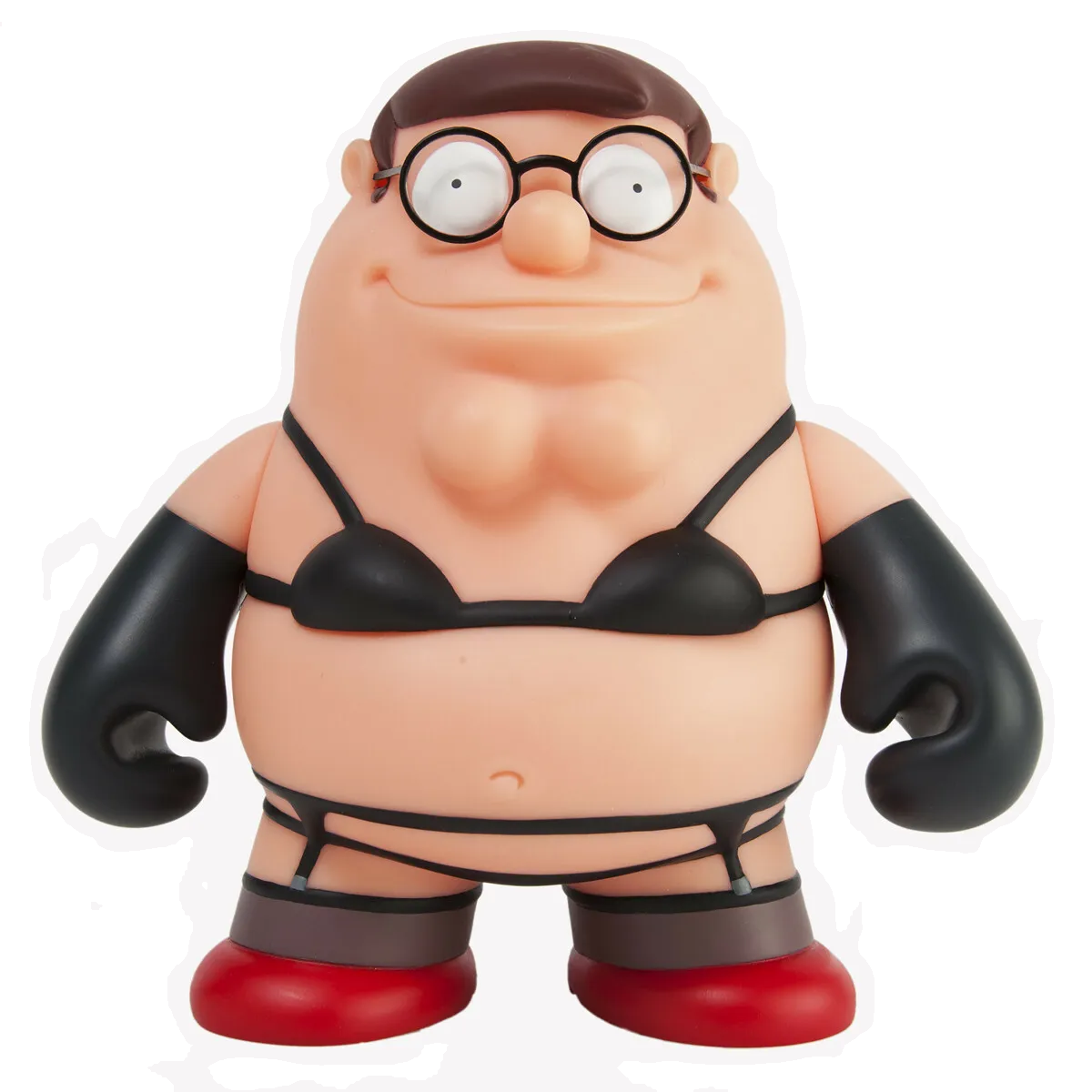 slim lantern
gilded cloak
https://files.catbox.moe/anb3r1.png
slim lantern
gilded cloak
https://files.catbox.moe/anb3r1.png
Is that the next Fortnite skin?
summer adder
gilded cloak
Why <@839204836637147177>
like i said
its the best website ive ever made thanks to css knowledge
slim lantern
I still can't get into PostCSS I just like SCSS much more...
Anyone know what I need to do to make Discord not crash as soon as I open dev tools?
This has been a problem for me for a while... and I honestly have no idea why it happens. It just crashes and I have to sign in again... and this makes developing stuff for it kinda annoying.
(I have to use the website version and then put it in Desktop, and hope it works.)
summer adder
slim lantern
Anyone know what I need to do to make Discord not crash as soon as I open dev to...
turn on the plugin NoDevTools warning
or use vesktop as it has built in no crashing
slim lantern
I'll try the NoDevTools warning as that sounds easier. 👍
 summer edge
Doesnt work from my experience
summer adder
alright (you dont have to compile vesktop its just an installer)
summer adder
summer edge
Doesnt work from my experience
then your experience just sucks smh
summer edge
summer adder
then your experience just sucks smh
Do you use nodevtools with stock vencord and it works?
summer adder
used to until i started using vesktop
slim lantern
I'm surprised Vesktop is allowed to exist. But I'll try the plugin method first. I only started using Vencord yesterday since the icons update really messed with my accessibility of the app. :|
Then I learned I could make the entire app even more accessible for me and I was like "heck yeah!".
glad urchin
vesktop best top on top
summer adder
why wouldnt vesktop be allowed to exist? discord barely even acts on modified clients
sure they tell you they dont like it but thats really it
other than that they wont do shit about it
deft niche
slim lantern
I'm surprised Vesktop is allowed to exist. But I'll try the plugin method first....
slim lantern
They'll probably only care if you submit a bug report and they see all your stuff is modified to all heck lol.
 slim lantern
Dunno, that's why I said probably lol.
summer adder
they cant see your modified shit unless you submit a FILE of your modified shit
deft niche
^
slim lantern
Yeah that's what I meant when I said bug report.
summer adder
and no, discord support doesnt automatically gather files of your discord app
slim lantern
summer adder
and no, discord support doesnt automatically gather files of your discord app
There's really no button to gather files/logs to send off in a report? I honestly never looked, I just figured there would be.
summer adder
dont think there is anyways
summer adder
summer adder
this is the best html website ive ever made by understanding css code
i should stop learning code

 dusky hare
slim lantern
They'll probably only care if you submit a bug report and they see all your stuf...
dusky hare
slim lantern
They'll probably only care if you submit a bug report and they see all your stuf...
discord's automated error reporting has exceptions built in to not submit errors if there's a client mod installed
they're well aware client mods exist and what they do and generally don't care as long as it doesn't make their lives harder (as in API abuse or token stealing)
slim lantern
Hmm interesting with "NoDevTools" I can open the inspector just fine and Discord doesn't crash.

slim lantern
Anyone have any recommendations to replace the "home" logo from Discord with? Right now I'm just using the Hackaday logo lol.
 slim pond
https://droidlocal.com/anime-girls-theme-for-better-discord/ bro skidding my theme

Get the Anime Girls theme for Better Discord. Step-by-step guide on how to install themes on Discord and Better Discord.
slim lantern
The heck is Droid Local?
vast delta
no idea but they now have my VPN IP :O
slim pond
no idea but they skidded my theme
vast delta
the fuck you mean skidded
mortal mantle
skibidi'd your theme
vast delta
mortal mantle
skibidi'd your theme
ban
mortal mantle
Why the fuck is the theme file in a Google drive folder
slim lantern
Sus lol.
mortal mantle
hell nah

Droid Local
Discover Replugged, Vencord and BetterDiscord themes for free. Download custom themes to give your Discord a unique look.
Bro did NOT just encode the background in Base64
 summer adder
slim lantern
Hmm interesting with "NoDevTools" I can open the inspector just fine and Discord...
summer adder
slim lantern
Hmm interesting with "NoDevTools" I can open the inspector just fine and Discord...
that’s the entire purpose of it lol
devtools shows a warning whenever you open it, and on client for some fucking reason the warning crashes and logs you out
what the plug-in does it just disables the warning
slim lantern
Normally it should invalidate your token but not log you out. But I have no idea why it crashes.
summer adder
because it’s an app developed by discord
literally last week typing emojis in crashed your client on vanilla discord 


 vast delta
summer edge
Thought the crash was due to a memory problem
vast delta
summer edge
Thought the crash was due to a memory problem
it's from loading the enormous definitely required tree of elements
vast delta
slim lantern
Normally it should invalidate your token but not log you out. But I have no idea...
opening devtools deletes your token from your harddrive and only stores it in ram, it gets rewritten when closing dev tools, so if you close the client with devtools open the token is erased and not rewritten
vast delta
mortal mantle
Bro did NOT just encode the background in Base64
this is devilbros first child, they are quickly learning from their father 🥺
slim lantern
I went with birb uwu.
vast delta
whot
slim lantern
 clear siren
birb
vast delta
slim lantern
this mf would pay for twitter blue
clear siren
shig
 slim lantern
It's a cute looking bird. You're just jelly. xP
vast delta
clear siren
shig
onekocord for the win
also haven't done any of the announced changes to onekocord, I'll make a reason up soon
summer adder
slim lantern
maybe i’ll do some icon replacing soon
solid ore
slim lantern
Hmm interesting with "NoDevTools" I can open the inspector just fine and Discord...
tyyyyyy
slim lantern
summer adder
maybe i’ll do some icon replacing soon
Feel free to use this snippet. https://paste.mozilla.org/caO4uAnm
slim lantern
solid ore
tyyyyyy
Thank Madeline. ^^
solid ore
ty madelinee
summer adder
np, just doing what i can to help others with coding as i know i needed a lot of help (and still do at times)
summer adder
slim lantern
Feel free to use this snippet. https://paste.mozilla.org/caO4uAnm
alright
curious why you couldn’t just do
[class^='tutorialContainer'] svg [class^="wrapper"] > [class^="childWrapper"] img,
[class^='tutorialContainer'] svg [class^="wrapper"] > [class^="childWrapper"] svg {
    /* Hide the default icon. */
    display: none;
}
[class^='tutorialContainer'] svg [class^="wrapper"] > [class^="childWrapper"]::after {
    /* Create a new icon in its place. */
    content: ' ';
    display: block;
    position: relative;
    width: 42px;
    height: 42px;
    line-height: 32px;
    opacity: 0.8;
    transition: all 50ms linear;
    background: url('data:image/svg+xml,%3Csvg xmlns="http%3A%2F%2Fwww.w3.org%2F2000%2Fsvg" width="24" height="24" viewBox="0 0 24 24"%3E%3Cpath fill="%23FFF" d="m23 11.5l-3.05-1.13c-.26-1.15-.91-1.81-.91-1.81a4.189 4.189 0 0 0-5.93 0l-1.48 1.48L5 3c-1 4 0 8 2.45 11.22L2 19.5s8.89 2 14.07-2.05c2.76-2.16 3.38-3.42 3.77-4.75L23 11.5m-5.29.22c-.39.39-1.03.39-1.42 0a.996.996 0 0 1 0-1.41c.39-.39 1.03-.39 1.42 0c.39.39.39 1.02 0 1.41Z"%2F%3E%3C%2Fsvg%3E') center / contain no-repeat;
}
[class^='tutorialContainer'] svg [class^="wrapper"]  > [class^="childWrapper"]:hover::after {
    /* Transformations for hover effects go here. */
    opacity: 1;
    transform: scale(1.1) rotateZ(-10deg);
}```but hey i’m not judging i usually use custom domains for my images
all of which are blocked here because they insist on me using discords
slim lantern
Didn't wanna take up chat realistate.
 nimble spruce
Is there any way to query Discords theme mode (light, dark, system), just using Vencord's CSS? Media query's system light/dark doesn't necessarily correlate with Discord's
slim lantern
nimble spruce
Is there any way to query Discords theme mode (light, dark, system), just using ...
Isn't there a .theme-dark and a .theme-light?
clear siren
yeah and in html element you have those classes set